#cpus-mobo-and-memory
1 messages · Page 1 of 1 (latest)
 frosty depot

 vast meadow
Same thing happened with my first OnePlus rma, they sent it to poland and it was back in 3 days, granted they didn't actually fix the problem lol

 scenic solar
Maybe too much voltage?
Voltage peak from PSU
That's pretty bad, you usually can't replace them on a motherboard
vast meadow
Could just be unlucky or something need a bit more detail, what motherboard, cpu if you where cpu ocing
scenic solar
Btw capacitors can also die overtime
Even if newer ones have a estimated lifespan of over 20 years
 amber canopy


 naive pendant
vast meadow
Could just be unlucky or something need a bit more detail, what motherboard, cpu...
naive pendant
vast meadow
Could just be unlucky or something need a bit more detail, what motherboard, cpu...
Gigabyte aorus z590 ax lga 1200
I5 10400f
I had just built the system
Was about 15 minutes into using it, was installing discord and stuff
And then it just blew out
 eternal helm
naive pendant
And then it just blew out
eternal helm
naive pendant
And then it just blew out
sounds to me like a qc issue
see if you can return the board
10400f couldnt come close to pulling enough power to hurt a cap realistically on that board
 errant grail
hows 12400f compare to 5600x gaming wise?
eternal helm
pretty close
ofc some games will favor 5600x due to more cache but theyre pretty close on average
errant grail
ah i see thanks bought it earlier and pairing it with 3060ti
eternal helm
nice
 cerulean wadi
"You much be rich, with 2 pcs". A play on mikey J Fox in Back to the future mentioning owning 2 tvs as a kid. 
 cerulean wadi
ok for the unenlightened, lol: https://www.youtube.com/watch?v=tL6FVnwsW84

Marty McFly[Michael J. Fox] at the dinner table with his relatives in 1955.
Back to the Future | Robert Zemeckis | Michael J. Fox, Christopher Lloyd, Crispin Glover, Lea Thompson, Wendie Jo Sperber, Marc McClure, Tom Wilson, Claudia Wells | Universal Pictures, Amblin Entertainment
//////////// VIMOJI ////////////
Speaking the language of cine...
 grizzled bloom
Well I got my motherboard back from MSI. They claim it was repaired. I'm guessing they flashed the non-beta bios and called it a day because it's not booting with the CPU light on. No one bothered to check if that bios was compatible with my processor. It is not. I'll verify this tomorrow, this is just my suspicions.
 spark gate
I am using an amd ryzen 5 3400g apu. How much ram does it use or take for its integrated graphics card? I would like to know how much memory would be left for the ram.
scenic solar
It'll take 2.1GB
spark gate
Can I ask how to know?
scenic solar
It's Vega 11, it takes ~2GB of your ram, Vega 7-8 take 1GB
spark gate
I see.
spark gate
Thanks.
vast meadow
naive pendant
Gigabyte aorus z590 ax lga 1200
Sounds like you got unlucky, might be able to return to retailer, no harm anyway because that's a 2 year old cpu would go 12400f +b660 board
 ripe wharf
Overcurrent detected after installing wifi card
This isnt for me
But what are possible fixes
 short sage
Which z690 board should I get? Pairing with an intel i5 12600k
 hollow thorn
Z690-a ddr4 is a simple and cheap option
short sage
Is that the MSI one
I was looking into that one vs the asus prime but Im having trouble deciding
The asus prime z690-p wifi is on sale for 199 rn but im not sure how that compares
vast meadow
short sage
Is that the MSI one
yes
vast meadow
short sage
The asus prime z690-p wifi is on sale for 199 rn but im not sure how that compar...
meh tbh
vast meadow
msi z690 a pro ddr4 like mr2 said
vast meadow
nope
short sage
sweet
 burnt spear
short sage
Which z690 board should I get? Pairing with an intel i5 12600k
burnt spear
short sage
Which z690 board should I get? Pairing with an intel i5 12600k
Do you plan to oc it?
If not, just msi b660 mag bazooka
short sage
yeah i do
i would def go with the msi mag b660 if not but im planning on doing a good amount of oc
thank you though 👍
spark gate
I just downloaded some drivers that are available in the ASUS Armoury Crate. So does this mean theres no more need to install the AMD adrenaline driver software for the cpu?
 grizzled bloom
spark gate
I just downloaded some drivers that are available in the ASUS Armoury Crate. So ...
grizzled bloom
spark gate
I just downloaded some drivers that are available in the ASUS Armoury Crate. So ...
That version will do but it's often outdated. If you have weird issues or inexplicably slow drives it's worth updating with the package from AMD.
 cursive epoch
^
 steel bluff
Hey I got a sorta weird question I’m tryna buy a used motherboard CPU combo off a person they said that they’re selling it cheap because its banned on valorant I asked him to elaborate and he said that he tried making an alt to ban evade and it didn’t work he tried using a vpn and creating an account but that didn’t work either. I honestly can’t see this being a real thing like if I buy this off of him set it up at a different location with a different network making a account it wouldn’t be banned would it?
cursive epoch
steel bluff
Hey I got a sorta weird question I’m tryna buy a used motherboard CPU combo off ...
Valorant's anticheat, Vanguard can apply hardware ban for motherboards. And no, logging any accounts into that banned mobo will get your account banned for that board.
So short answer is, don't buy it if you plan to play the game
 long geyser
@cursive epoch @steel bluff Val bans based of TPM ID, which you can spoof. If you know how to do that, then that hardware can be safe.
eternal helm
sometimes just random bad quality
same thing with any component, has a chance to die
i would say a massive power surge/lightning strike but i dont think that happened while you were using it
 limber dragon
first of all, overclocking will not make a capacitor explode lmao
second they usually die from 1 of 3 things:
heat while in operation
overvoltage
randomly dying
limber dragon
eternal helm
i would say a massive power surge/lightning strike but i dont think that happene...
to get a power surge to kill a mobo cap, it would have to get all the way through the psu
eternal helm
Yea
It'd be really unlikely but if it was a major surge and PSU protections didn't do their job, it's possible
limber dragon
not protections from the psu, but the psu has caps on its own that will fail before a mobo's does
eternal helm
Also it's a 10400f on z590
So that eliminates some of the possibilities
And it was working for like 15mins fine then just randomly blew
limber dragon
oh, their cap exploded?
cursive epoch
yep
eternal helm
Burnt up
limber dragon
most likely a mosfet failing, sending full voltage to the cap
limber dragon
12v input caps are usually 16v or 25v, and vcore caps are 2.5v on low end board, 6.3 on high end, but sending 12v to it will go  either way
eternal helm
Just kinda weird it'd randomly decide to burn up like 15 mins in
They were just downloading games and stuff iirc
limber dragon
yeah, sounds more like a faulty mosfet that went full yeet once it failed
eternal helm
Probs
Actually it was a gigacrap bosrd
Wasn't asrock
I remember them not knowing how to do gigabytes 2005 website lookin ass rma
limber dragon
either way, they've left the server now 
limber dragon
euf
eternal helm
L + ratio moment
scenic solar
Still don't get this:
Why intel non-k CPUs have a max boost listed on their website?
Example: 12400(f) 2.5GHz base and 4.4boost
Can they be overclocked with particular mobos or is it always like BCLK oc and higher multiplier?
Why is intel OCing so complicated? 
burnt spear
scenic solar
Still don't get this:
Why intel non-k CPUs have a max boost listed on their webs...
the boost is without an oc
it will hit that under load
a k and non k 12700 have the same boost clock without an oc
scenic solar
Aaah
I didn't know that
So that means the base clock is the one where it doesn't go lower than that right?
So basically an i5 9400f can go up to 4.1 max with base freq
Now I understand
Thank you so much frog fogr gofr grof forg
burnt spear
np
 hidden flax
does anyone know of some good intro level literature for computer science / computer hardware?
scenic solar
@burnt spear so for intel CPU OC a K CPU is required but also a motherboard? I mean do you always need a motherboard that supports OCing?
grizzled bloom
hidden flax
does anyone know of some good intro level literature for computer science / comp...
How intro level are we talking? How to use a browser or how to upgrade the PC level?
burnt spear
You also need a z_90
grizzled bloom
Intel is complicated like that. 400 series chipset and older if you even wanted to use xmp on your memory you needed a Z chipset board.
500 and 600 allow the B560 and B660 to use XMP
Almost all of the "modern" boards allow bclk overclock
But if you want to adjust any CPU parameters like increased voltage or multiplier, you need a Z chipset board and K CPU
AMD is much simpler, overclocking for everyone! Lol
vast meadow
scenic solar
Still don't get this:
Why intel non-k CPUs have a max boost listed on their webs...
All cpus boost 2.5ghz is the base - smallest clock it does by default ie idle or throttling
vast meadow
grizzled bloom
AMD is much simpler, overclocking for everyone! Lol
Except A boards :)
But a boards are pointless half the time they're more than a b board
scenic solar
Basically any and CPU can by OCed with any motherboard
grizzled bloom
Some A's have overclocking options, it's up to the vendor
vast meadow
Ahh
scenic solar
scenic solar
Basically any and CPU can by OCed with any motherboard
Form my experience
vast meadow
Ax20 is weird chipset
grizzled bloom
Any motherboard worth using at least allows oc, yeah
And let's be honest you're not getting an A320 to put a 5950X on it, maybe a 3100/3200g
vast meadow
But a520 exists x)
grizzled bloom
Yes technically but how many boards use it besides garbo HP ones
There's what, 4 models?
scenic solar
Remember people OCing locked processors using tape, causing BCLK to set to higher clocks
grizzled bloom
Ok there's a few more than I thought
vast meadow
grizzled bloom
There's what, 4 models?
I there's an aorus one lol
grizzled bloom
Idk why anyone would get A520 over B550, it's only $25 difference for way more options and I/O
scenic solar
B550 
vast meadow
grizzled bloom
Idk why anyone would get A520 over B550, it's only $25 difference for way more o...
I guess ppl who buy 3000gs
scenic solar
Probably, many motherboards removed support for G processors
vast meadow
Eh no, stuff like b550 doesn't (or didn't) work with zen 1 processors that just includes the 2000g line etc
scenic solar
Yeah, I meant that many b550 don't support older and some G processors
grizzled bloom
There's specific ridges that are removed, which ones depends on vendor. Raven ridge is commonly removed
scenic solar
That's why you may need to buy a A520
grizzled bloom
This is why I like having X470, I'm literally compatible with every Zen CPU
vast meadow
Yeah just needa change bios versions
grizzled bloom
AM4 ones I mean
scenic solar
Good for troubleshooting if you need iGPU
vast meadow
Time to stick a 5950x in my b450 ds3h
grizzled bloom
vast meadow
Yeah just needa change bios versions
On the MAX boards you don't even need to do that, they have larger bios flash memory
scenic solar
Time to stick i5 6400 in my b550
vast meadow
Fancy
grizzled bloom
scenic solar
Time to stick i5 6400 in my b550
Maybe on a B650 when we're on LGA
 hidden flax
@grizzled bloom Intro like built a decent PC, just want to learn more without spending a lot of money on more hardware.
grizzled bloom
There's no central source for everything I'm aware of on that topic but I can tell you it's better to watch videos than to read about that. All the major YouTubers have videos on how to build, and we can help pick out parts so you don't overpay. We'll tell you why we picked each one too if you ask.
hidden flax
Ok. @grizzled bloom So I've built a PC already and that's why I'm interested in exactly how things mesh. Protocols, pcie lanes, stuff on the hardware side. I then want to research programming (later on.)
I would continue to do more building and learning that way but I'm sure you know that the money adds up
grizzled bloom
I see. Let me see what I can dig up
@hidden flax This seems like a decent resource https://teachyourselfcs.com/
All the resources you need to give yourself a world class computer science education
hidden flax
Thanks I'm checking it out now.
hidden flax
@grizzled bloom Hey I'm checking this course out and it's great to have a set curriculum, but, there's just one problem: it says it's for people already competent in programming. Do you know of anything on a little bit lower level? Introductory level, I guess.
 midnight pollen
there is always the very entry level stuff they use in schools like code.org
or I think there are some arduino simulators if your into hardware as well
hidden flax
I'll check it out. I'm just trying to learn more about PC hardware and protocols. thanks!
frosty depot
grizzled bloom
<@918959770097037334> This seems like a decent resource https://teachyourselfcs....
I think I'm gonna check this out too
Thank you
 glass shell
Hi there so i recently upgraded my mobo that on the manual it says i can use 2666 mghz for memory but looking over crucial’s memory reader it said i could use 3200. I installed the 2 sticks of memory i had which were 3200 but it was going through a loop with no boot screen. Am i stuck at 2666 or is it possible to upgrade it to 3200? My bios is upgraded to the most recent version and i think i have a single stick of ram i could use to open the bios
eternal helm
What motherboard and CPU?
glass shell
Gigabyte Aorus z370 ulta gaming wifi with an i7-9700k
grizzled bloom
Z370 should do 3600 with minimal effort, and if you push it maybe 4000
limber dragon
grizzled bloom
Z370 should do 3600 with minimal effort, and if you push it maybe 4000
 welcome to ttop gigabyte
3400-3600 was max you could really get with 2 sticks
grizzled bloom
Oh was that a bad aorus model?
limber dragon
up to z390, they were ttop for a good amount of time
grizzled bloom
I guess I'm spoiled by Z490
glass shell
My only issue is with the 2 sticks i have that are rated for 3200 it throws the pc into a boot loop where it doesn’t even allow me to open the bios
limber dragon
I would try remounting the ram, check if there's any oils on the fingers and try again, it should do 3200
also try putting your old ram in, check for a bios update and see if that helps
grizzled bloom
Clearing CMOS can help, and you can increase some voltages related to memory to help stabilize when you enable xmp again
limber dragon
grizzled bloom
Clearing CMOS can help, and you can increase some voltages related to memory to ...
its all mobo side, doubt voltages will help
the traces were just that bad
grizzled bloom
Ouch
limber dragon
iirc most were 4 layer boards, with ultra and master being 6 (which doesnt help)
glass shell
Ill take a look into it and see if theyre dirty cause they are mounted properly. Plus i took one out to see if it would boot with just the one and it was still going through a boot loop.
grizzled bloom
4 layers? 🤣
glass shell
So finally got it to boot but according to the bios one stick is clocked at 2666 while the other is 2133 is it purposely dropping the performance
limber dragon
it isnt doing that, the channels have to be at the same speed
are the sticks in slots 2 and 4?
1 being closest to the cpu
glass shell
They are yes
limber dragon
I would set 2133 for both sticks, boot up and update bios
eternal helm
limber dragon
I would set 2133 for both sticks, boot up and update bios
Iirc bios is already updated to most recent
limber dragon
I'd still double check (cpuz -> mainboard -> bios version) and check vs webpage
eternal helm
Yea may as well
limber dragon
https://www.gigabyte.com/Motherboard/Z370-AORUS-ULTRA-GAMING-WIFI-rev-10/support#support-dl-bios should say F15
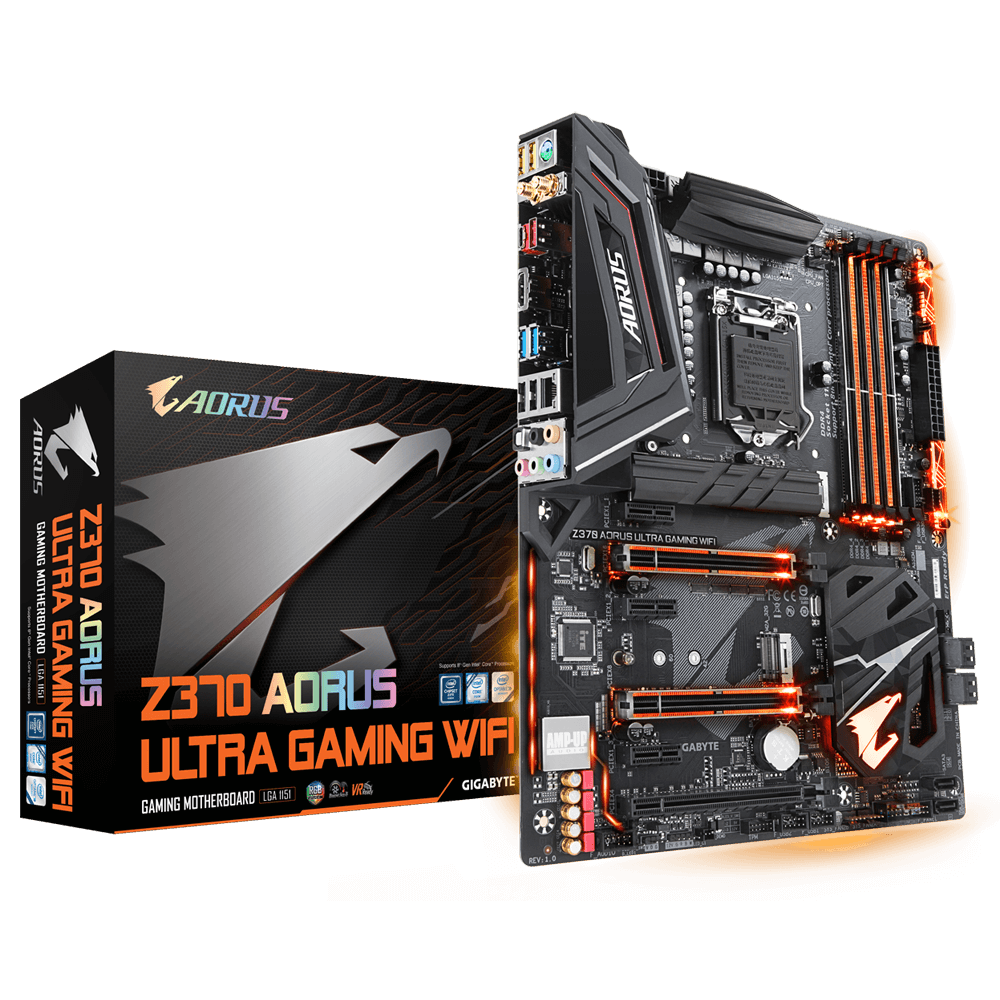
GIGABYTE
Lasting Quality from GIGABYTE.GIGABYTE Ultra Durable™ motherboards bring together a unique blend of features and technologies that offer users the absolute ...
glass shell
yep thats exactly what its updated to f15
amber canopy
 vast meadow
grizzled bloom
I guess I'm spoiled by Z490
vast meadow
grizzled bloom
I guess I'm spoiled by Z490
I mean rommy ran 4000mhz on her z390 so guess it just depends on the board
 fair apex
amber canopy
fair apex
amber canopy
cool
amber canopy
fair apex
cool
facts
fair apex
But now the POW mechanism is becoming less and less viable, and Ethernet 2.0 will be merged.
 vernal cosmos
cursive epoch
how is this related to mining
vernal cosmos
cursive epoch
how is this related to mining

 wintry girder
I heard flight sim is really cpu intensive, do u think a 12100f would be enough to play at medium settings 60fps?
amber canopy
grizzled bloom
wintry girder
I heard flight sim is really cpu intensive, do u think a 12100f would be enough ...
It depends on a lot of things. If you're doing texture streaming it takes more resources than having all the files local.
Given a good GPU to pair with it I'd expect 1080p medium to be good though. Maybe some settings on high.
wintry girder
Would you consider a 6600 good?
vast meadow
Yes
cerulean wadi
amber canopy
The rightful place for LPX.
 haughty cedar
anyone running a 5800x3d on a b450 board?
 hearty cave
I've been told multiple times that 64g is overkill and can sometimes be bad. BTW I'm not intending on purchasing and/or using 64g of ram. How/is it really bad?
grizzled bloom
hearty cave
I've been told multiple times that 64g is overkill and can sometimes be bad. BTW...
It can actively hurt your performance by forcing you to run slower speeds and timings. 3200 is often the max, 3600 if you're lucky or good at overclocking.
It's easier for a memory controller to run 16gb at 4400 than it is to run 64gb at 3600
grizzled bloom
haughty cedar
anyone running a 5800x3d on a b450 board?
I have a 5800X on a mid tier X470 board. I don't generally recommend it but it's possible. You'll want to make sure you have good VRMs.
grizzled bloom
Some people just want to watch the world burn https://youtu.be/v08FWIvrYGU

Try Vultr today with an exclusive 30-day $150 code for signup at: https://getvultr.com/techquickie
How exactly can you use other materials as substitutes for thermal paste in a pinch...and is it even a good idea?
Leave a reply with your requests for future episodes, or tweet them here: https://twitter.com/jmart604
► GET MERCH: https://lttstor...
 patent iris
Legit had me chuckling
 main pulsar
vast meadow
main pulsar
vast meadow
It's "cpu battle amd vs intel"
vast meadow
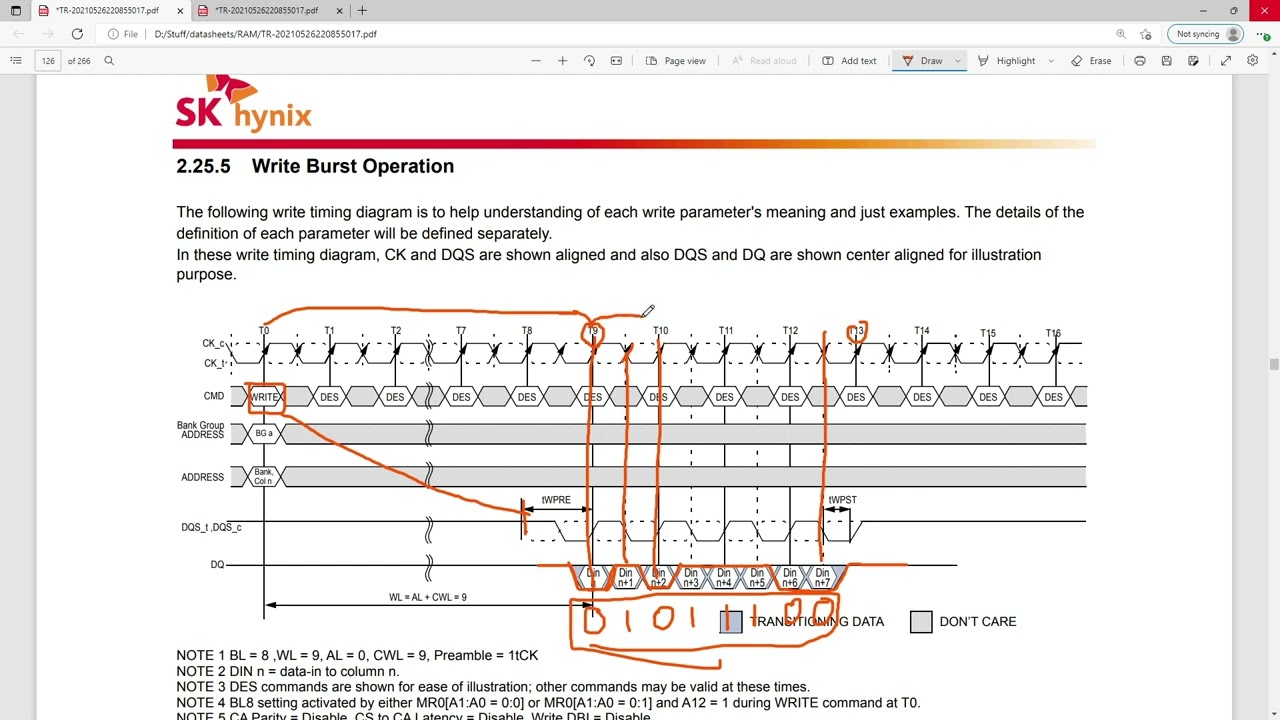
My Patreon: https://www.patreon.com/buildzoid
Teespring: https://teespring.com/stores/actually-hardcore-overclocking
Bandcamp: https://machineforscreams.bandcamp.com/music
Twitch: https://www.twitch.tv/buildzoid
Twitter: https://twitter.com/Buildzoid1
Facebook: https://www.facebook.com/actuallyhardcoreoverclocking
#RAM #DDR4
Fun
amber canopy
wow the video isnt 40+ minutes long
vast meadow
How dare you insult buildzoid
grizzled bloom
It's not an insult, it takes a special person to be able to talk for 2 hours straight and have most of it be useful info
vast meadow
Ok fair
 uncut fjord
hey, so i'm looking to upgrade my cpu and mobo cause i've been having issues running warzone on near max graphics... according to the scalers it says i should be WELL within the limit... but there's still MASSIVE drops in framerate.
currently i have an i5 9400. should i be having that much issues? or is it more than likely the game?
grizzled bloom
That game is really hard on the memory, and memory speeds impact frame drops a lot
Iirc the limit is 2933 on that gen without a Z chipset
Which is really low by modern standards
uncut fjord
so then an update would definitely be befitting?
burnt spear
uncut fjord
hey, so i'm looking to upgrade my cpu and mobo cause i've been having issues run...
What gpu do you have?
uncut fjord
3060 12gb
grizzled bloom
A 12400f would be a great upgrade over that, or if you can wait a bit next gen launches in a few months
AMD is expected to launch their full lineup all at once, Intel we don't know yet
uncut fjord
it is an RTX graphics card, but i don't do anything extra
 long owl
3060 isn't gonna be easy doing war zone maxed, & that 9400 will effect min/avg fps also. 12th/13th Gen would be a solid change, just skip the 12100.
uncut fjord
wish i had the money to go newest gen... but i've been struggling to find a 12th gen in my price range with the mobo :/ the one linked last month would have been perfect
burnt spear
uncut fjord
wish i had the money to go newest gen... but i've been struggling to find a 12th...
12400f is $150 sometimes, b660 mag bazooka is $130
5600 might still be $145, 12400f might still be $150
Not sure
uncut fjord
fair... i've been looking at the higher end 12th gens i guess... cause bundles are running 5-7 hundred
burnt spear
12700f is $312, and can run on the mag bazooka
grizzled bloom
 hard leaf
theres no 13th gen... yet
hard leaf
theres no 13th gen... yet
October is supposedly the launch
burnt spear
12600kf is $255
hard leaf
wake me up when october hits
hard leaf
uncut fjord
fair... i've been looking at the higher end 12th gens i guess... cause bundles a...
those bundles usually are a k version and some expensive z690 mobo
overkill for most people and their wallets
uncut fjord
yeah but i'm also trying to make it where i don't have to upgrade AGAIN "tomorrow" basically
hard leaf
better to get the bazooka and F version
well, the "tomorrow" will be in a couple months, 13th gen ad 700 series mobos
also a 660 will last a long time for the casual user, 690 are only useful for overclockers
12400f/12700f and the 660 bazooka could potentially last you for a couple years
like 3/4 years minimum
cerulean wadi
uncut fjord
yeah but i'm also trying to make it where i don't have to upgrade AGAIN "tomorro...
13th gen perhaps then, unless 12600K(F hits $230 or less. Longer term them Ecores probably not a bad idea.
grizzled bloom
There's more e-cores on 13th gen across the board so it'll worth waiting just for that
frosty depot
I'm excited for 13th gen for sure.
 gleaming goblet
Anyone familiar with the Asus ProArt B660 Creator D4 motherboard?
 karmic perch
DDR5 vs DDR4
burnt spear
karmic perch
DDR5 vs DDR4
Ddr4
karmic perch
burnt spear
Ddr4
AMD new platform will ban DDR4
burnt spear
That's an odd way of putting it, but yeah?
frosty depot
karmic perch
AMD new platform will ban DDR4
It sounds like they are going to release chips that support ddr4
karmic perch
I heard some news for this. Maybe that is a rumor.
frosty depot
karmic perch
I heard some news for this. Maybe that is a rumor.
Only time will tell.
grizzled bloom
frosty depot
It sounds like they are going to release chips that support ddr4
What they're saying is AM4 isn't a dead platform and there will probably be more chips on it. Those of course will support DDR4. Maybe that's what you're thinking of.
frosty depot
grizzled bloom
What they're saying is AM4 isn't a dead platform and there will probably be more...
Huh?
I was talking about zen 4 supporting ddr4
hollow thorn

TechPowerUp
We've known since last week that AMD's upcoming desktop processor socket, AM5, will be a land-grid array (LGA), much like Intel's desktop sockets; and today we have a first-look at what the land-grid will look like, courtesy of ExecutableFix, who first broke news of AM5 being an LGA of 1,718 pins. B...
Am5 ddr5 only
Unless they put Zen 4 on am4 for some reason
frosty depot
hollow thorn
Unless they put Zen 4 on am4 for some reason

PCGamesN
AM5 motherboards will only support DDR5 gaming RAM, but some Ryzen 7000 processors may be destined for the AM4 platform which can only use DDR4 sticks
Like guy said up above.. rumour
But still its out there that it could be a thing.
grizzled bloom
They're talking about putting some zen4 chips on AM4, yeah
What form they take, the engineers don't even know for sure yet
hollow thorn
Ye, am5 is supposed to be ddr5 only, if they put chips on am4, dunno, we'll see
I doubt they'll put higher end chips in a platform where they can't advertise connectivity though, so I'm imaging like a revival of smth like the 3100/3300x
Although it just sounds like a pain
grizzled bloom
Yeah it'll be lower SKU or APUs
hollow thorn
Imagine having to develop the io die all over again because your lower end chips have different capabilities
But we'll see
grizzled bloom
The interview with the engineer I saw, he seemed excited about the challenge
hollow thorn
Lol
vast meadow
gleaming goblet
Anyone familiar with the Asus ProArt B660 Creator D4 motherboard?
Yes pretty big waste of money why?
grizzled bloom
vast meadow
Yes pretty big waste of money why?
It's actually not too bad in Canada
vast meadow
Oh really what price is it?
vast meadow
Ah yeah back to overpriced
amber canopy
grizzled bloom
It's not an insult, it takes a special person to be able to talk for 2 hours str...
"most" 🤔
grizzled bloom
Well sure you have to listen at 1.25x speed, and there's a good bit of silence while things are loading, but yeah in general it's good info
vast meadow

In this report, we present a UEFI firmware rootkit that we called CosmicStrand and attribute to an unknown Chinese-speaking threat actor.
Ruh roh
grizzled bloom
Always nice when they find rootkits in the bios. Asus got caught with one of those too, remember? It would auto install an armoury crate install reminder app, even without an Internet connection.
 left steppe
hey can anyone dm me and tell me if i could match these two ram sticks? i have the pictures but i’m not lvl 3 yet
frosty depot
left steppe
hey can anyone dm me and tell me if i could match these two ram sticks? i have t...
Are they the same brand model ram sticks?
left steppe
no not the same brand
frosty depot
left steppe
no not the same brand
Then no
left steppe
frosty depot
Then no
even if they are both ddr4 3200?
left steppe
could i send you them?
vast meadow
Sure
left steppe
okay i pm you
vast meadow
@left steppe do you have either of the kits?
left steppe
i have one right now
left steppe
i’m aware that you probably should get the same brand but yeah. i have the forza
vast meadow
Can you send me a picture of the labels on the sticks
I might be able to tell which die it is
 dull flint
Neo forza?
left steppe
or maybe you can tell me another pair of rgb sticks that can go with them
vast meadow
Need to see your current ones first
So i can try best match but it's a bit of a gamble
Safest bet is to sell your current ram and just go 2x16gb anyway
grizzled bloom
Once we know the die they used we can find a matching option from eBay or something that shows the sticker
left steppe
cant take a picture right now
grizzled bloom
Used memory is fine btw, no moving parts and they wear very slowly
left steppe
i don’t have a box or anything is that fine?
grizzled bloom
Yeah
grizzled bloom
For a cheap used kit that you know matches what you have, yes.
 primal roost
FIrst time post - don't know if I'm in the correct place, but I'm searching for Ipads that are from an authorized reseller that will allow me to use Apple Business Manager on them. Must be able to have automatic enrollment feature. I could buy from Apple, but I'm looking for a cheaper price.
Best Buy, Walmart, Newegg are all listed as authorized reseller from Apple. Can I just buy Ipads from Walmart, etc. and use them in Apple BUsiness Manager?
primal roost
THanks
dull flint
Hey GN did the thermalright contact frame
grizzled bloom
Yeah, turns out it's pretty good
cerulean wadi
Indeed. Similar to Thermal Grizzly ILM. From the GN vid June 26: Solid 8C is pretty nice (even if it is w/ a 420mm LF)
 dull flint
It's pretty much the same design afaik
Haven't watched the video yet tho I could be wrong there
cerulean wadi
well ya I figure 1 pretty much copied the other. Of course I'd go with the TR partly to match the cooler.  . These frames make the stock setup almost seem a bit ghetto by comparison huh, lol.
Also people should be cautious: (too tight and lose a memory channel at least)
 frosty depot
cerulean wadi
Also people should be cautious: (too tight and lose a memory channel at least)
frosty depot
cerulean wadi
Also people should be cautious: (too tight and lose a memory channel at least)
yeah GN did a good vid on how to mount it. complete with how to use the notches on the plate
grizzled bloom
There's no such issue on the thermalright frame so I'd be more comfortable recommending that to people
There's no "turn the screw exactly 90 degrees", you just bottom it out without forcing it going in a diagonal pattern.
cerulean wadi
Gotcha, good to know. This was cool too. For those wondering, the specific vid I'm referring to is: https://www.youtube.com/watch?v=Ysb25vsNBQI - Edit: thermalright bracket might come w/ wrench also
 grizzled bloom
Yeah the TR ILM system was great, came with the torque screwdriver and everything
frosty depot
grizzled bloom
There's no "turn the screw exactly 90 degrees", you just bottom it out without f...
so it's less chance of messing something up with the TR plate?
frosty depot
cerulean wadi
Gotcha, good to know. This was cool too. For those wondering, the specific vid I...
That's good to know
that'll up the cost though?
grizzled bloom
It comes with a torx wrench but it's not torqued
grizzled bloom
frosty depot
so it's less chance of messing something up with the TR plate?
Correct, no worries about losing memory channels
frosty depot
nice. in terms of quality though.. TR or TG?
grizzled bloom
TG has better build quality but they're very similar results
The TG frame doesn't actually touch the mobo, where the TR frame is spaced so it does
dull flint
I would rather try my hand at 7 TR plates than 1 TG since in some samples the TR ended up better for pressure
That's enough attempts to consider some degree of binning those frames (I mean with a 900K/KF/KS why not tbh)
vast meadow
I just absolutely hate the TG method it's like well you can easily overtighten this gl lol
frosty depot
vast meadow
I just absolutely hate the TG method it's like well you can easily overtighten t...
I kinda also thought about vibration possibly causing the already loose screws to either tighten a tad more just enough to cause issues (unlikely to tighten I know) or loosens more just enough that it causes issues.
frosty depot
vast meadow
Also tr seems to be 5$ instead of 30 lol
Idk if the tg one is so expensive because brand or if the tr one is so cheap because quality.
vast meadow
Idk haven't watched the vid yet
frosty depot
vast meadow
Idk haven't watched the vid yet
Slacker.
vast meadow
Tis only 10am and some of us have work 😤
frosty depot
vast meadow
Tis only 10am and some of us have work 😤
I'm at work. Thats no excuse.
vast meadow
frosty depot
I'm at work. Thats no excuse.
I wouldn't tell your boss this smh
errant grail
whats spdif on the motherboard?
vast meadow
It's a type of audio out afaik

S/PDIF (Sony/Philips Digital Interface) is a type of digital audio interface used in consumer audio equipment to output audio over relatively short distances. The signal is transmitted over either a coaxial cable with RCA connectors or a fiber optic cable with TOSLINK connectors. S/PDIF interconnects components in home theaters and other digital...
Connector looks like that ^
errant grail
whats mainly used for?
vast meadow
Audio...
errant grail
just out of curiosity i still cant figure out where to put my 3.5mm jack speaker in my motherboard

and this is my motherboard design
vast meadow
You'll just change Audio out in windows
frosty depot
vast meadow
I wouldn't tell your boss this smh
I am a boss >:)
How you think I'm good to buy what I want when I want it lol
dull flint
frosty depot
Idk if the tg one is so expensive because brand or if the tr one is so cheap bec...
One's made Germany, has tighter tolerances and a smoother manufacturing finish. But the German manufacturing is what makes it cost more, more than anything
To me the TR one feels fine, I'm kinda glad people steered me towards it over the TG tbh
vast meadow
frosty depot
I am a boss >:)
Crap
 sage burrow
Good morning. Running into issues with Flashing my bios through the flashback button. B450 tomahawk max, just installed 5700x last night and recognized that I needed to update Bios.
Formatted my USB to Fat32, did the MSI.ROM rename for the file, plug in USB. Press the flash button. Proceeds to turn my system on, but none of the indicators that it's updating the bios are happening. (I.e. red flashing light by bios.)
What am I missing?
hard leaf
You dont turn on the system, you plug the usb and keep the bios fblak button pressed until the bios led start blinking, it will take from 5 to 10 minutes
Btw plug the usb on the bios usb port, should be marked on the io shield
sage burrow
USB is in the Bios port. But my system "turns on" when I'm pressing the bios flash button, not the power button. My USB stick flashes 2-3 time to show its reading/being read.
But I get no lights from the Bios. (I.e. hold it for 2-3 seconds and get the 3 flashing to verify its working, etc.)
But I will hold it this time until it starts blinking.
hard leaf
Tje bios port usually have a led that will blink when the process start
sage burrow
Yup, that's the part that's missing right now. So I'm not sure what I'm messing up before this point.
I've formatted the USB like every guide says.
sage burrow
Okay... moving on to new issue for this. I installed the new Bios through M-Flash and using old CPU. Now when I reset its still giving me the CPU post Code.
It recognized the new CPU before when I test booted, and I went to Bios there.
hearty cave
How drastic is the difference of ddr4-ddr5
hard leaf
price wise, they are terrible
on gaming a 3600c16 beat easily anything under 5200 on ddr5 for half the price
6000 and up are better but they are helluva expensive
grizzled bloom
"Better" by a max of 3%
eternal helm
Unless you do productivity that hella relies on ram bandwidth, it's just a waste
grizzled bloom
I'm not going DDR5 until 8000c40 kits are decently priced
grizzled bloom
2-3 by my estimate
6600 is still really hard to do without a top tier board
6200 is possible with 2 sticks on more boards
eternal helm
grizzled bloom
I'm not going DDR5 until 8000c40 kits are decently priced
I'm not going ddr5 until ballistix d5 exists
dull flint
You can buy a cheap good kit of ddr4 now, wait a couple years until you need an upgrade, then buy a cheap good kit of ddr5 and likely be almost at the same expenditure as buying a meh kit of ddr5 now
hard leaf
maybe am5 and 700 series will be capable of that
 grizzled bloom
hard leaf
maybe am5 and 700 series will be capable of that
grizzled bloom
hard leaf
maybe am5 and 700 series will be capable of that
Eh, I don't see that happening. First models on a new platform always have it rough.
eternal helm
hard leaf
maybe am5 and 700 series will be capable of that
Like 2 d4 dimms and two d5 dimms?
hard leaf
eternal helm
Like 2 d4 dimms and two d5 dimms?
no no, able to handle stable 6600
dull flint
New kits of hynix going up to like, 7800 on ADL iirc
grizzled bloom
dull flint
New kits of hynix going up to like, 7800 on ADL iirc
But only on $300+ Z690 boards
And with like 60 cas
dull flint
You say that like value means something with ddr5

Also cas means barely anything if everything else is running fast
Esp. ddr5
grizzled bloom
True that it means less but it is an indication of binning and what dies they used
5200 c40 kits beating 4800 c36 pretty badly when overclocked is a thing
It's just all over the place rn
dull flint
grizzled bloom
True that it means less but it is an indication of binning and what dies they us...
Hard to say when they're using green sticks only rn, no xmp kits afaik yet
There was a supposed team group kit but that was debunked
grizzled bloom
I thought there was at least a few? I'd swear I saw BZ's bios said there was a profile
Just not a profile that's much better than jedec
scenic solar
Best AMD cheap 6 core Vega 11 CPU? Is there any?
vast meadow
5600g
eternal helm
5600g is vega 7 but yeah its better than like a 3400g easily
scenic solar
Uuh
I need Vega 11 CPU
Because of how much vram you can also allocate
"ram"
Really need max performance, also to get 4k ~60hz il light games like MC
long geyser
scenic solar
Because of how much vram you can also allocate
It'll just allow more "v"RAM when needed. On average, 2gb is the highest you can set for "min VRAM allocation" however if whatever program needs 16gb of VRAM then it'll allocate it (assuming system has 16gb of RAM free).
Also sounds like you're gaming only, iGPU raster perf wont be good enough to worry about large VRAM usage for games.
vast meadow
scenic solar
Uuh
I need Vega 11 CPU
Huh
scenic solar
long geyser
It'll just allow more "v"RAM when needed. On average, 2gb is the highest you can...
I've always saw vega8 limit to 1gb vram (ram) and Vega11 limit to 2.1GB... if there is a reason for that...? Maybe I compromise the CPU with allocating more vram
Also Vega 11 performs better than he other ones because of the 11gpu cores
Instead of 7 or 8
naive pendant
Hey guys, I want to upgrade to 32gb of ram but I also want higher 3200 ram. Any suggestions
scenic solar
hard leaf
are you building another pc? o.O
My cousin wants to build another one, I personally never gamed in 4k fo any reason, I'm not the person to use 4k on a small monitor where the difference for lower res is unnoticeable
hard leaf
naive pendant
Hey guys, I want to upgrade to 32gb of ram but I also want higher 3200 ram. Any ...
3600c16
naive pendant

A PNY XLR8 gaming chroma RGB memory upgrade offers a brilliant RGB design combined with extreme overclocked performance, taking your PC to the extreme. Not only can you destroy the competition, but your system can look good while doing so.
jesus thats a long link
hard leaf
to play at 4k you need a better gpu instead of the igpu on the amd cpus
unless you want to play at less than 15 fps and at the lowest settings
vast meadow
scenic solar
I've always saw vega8 limit to 1gb vram (ram) and Vega11 limit to 2.1GB... if th...
No
vast meadow
naive pendant
Hey guys, I want to upgrade to 32gb of ram but I also want higher 3200 ram. Any ...
What cpu?
naive pendant
ryzen 9 5900x just got it installed today 🙂
scenic solar
But do I also need a MB that support allocating more vram right?
vast meadow
hard leaf
to play at 4k you need a better gpu instead of the igpu on the amd cpus
4k low on Minecraft would be fine on a 5600g especially if you put optifine on there
scenic solar
Maybe I just should go for an external GPU 
vast meadow
Eh hold on lemme compare, you want rgb ye?
scenic solar
1060 mini is a good option
naive pendant
no rgb is preferred
vast meadow
naive pendant
no rgb is preferred
Would go for this, faster ram isn't good value atm
https://pcpartpicker.com/product/B8QcCJ/silicon-power-gaming-32-gb-2-x-16-gb-ddr4-3200-cl16-memory-sp032gxlzu320bdaj7

Silicon Power GAMING 32 GB (2 x 16 GB) DDR4-3200 CL16 Memory (SP032GXLZU320BDAJ7)
naive pendant
sweet! Its also a lot cheaper then what I had in mind on what I had to spend.
vast meadow
For the love of god put some money towards a CPU cooler
naive pendant
who me lol
hard leaf
go ak620 or go home
naive pendant
yeah ik but with the extra money I dont have to spend on ram I can get a good cooler now so thats good
hard leaf
or clc280
vast meadow
https://pcpartpicker.com/product/d2fmP6/evga-clc-280-1135-cfm-liquid-cpu-cooler-400-hy-cl28-v1
Or
https://pcpartpicker.com/product/9T92FT/deepcool-ak620-6899-cfm-cpu-cooler-r-ak620-bknnmt-g

EVGA CLC 280 113.5 CFM Liquid CPU Cooler (400-HY-CL28-V1)

Deepcool AK620 68.99 CFM CPU Cooler (R-AK620-BKNNMT-G)
dull flint
vast meadow
For the love of god put some money towards a CPU cooler
I'm gonna double on this, it really needs it lol
As someone who thermal throttles a 5900X on a 360 aio hearing that wraith cooler story will give me nkghtmares

dull flint
If you want to do anything beyond like chrome? Yes
hard leaf
first shipment already flying 🥳
 naive pendant
dull flint
If you want to do anything beyond like chrome? Yes
naive pendant
dull flint
If you want to do anything beyond like chrome? Yes
I just ran minecraft at 100fps with shaders tho
extreme vl shaders too
naive pendant
I thought it was a cpu dependant game, before I could get 20-30 fps with medium shaders
naive pendant
ok, ill buy that new cooler once I get the money but right now im broke af
hard leaf

naive pendant
sorry
my brother said it would be fine so I kinda just took his word for it
idk if I should listen to my brother anymore
he gives kinda bad advice
dull flint
How many computers has your brother built
naive pendant
2
dull flint
Including today?
naive pendant
no he built two from scratch
hard leaf
its like a trend these days, ppl come here for advice after they bought everything xD
naive pendant
one with his friend and one for him
naive pendant
hard leaf
its like a trend these days, ppl come here for advice after they bought everythi...
I came for advice about ram
lol
dull flint
I'm almost tempted to ask for a full parts list
Just to see if I find anything else lol
hard leaf
now im curious as well 😛
naive pendant
but the thing is my dad hates pcs and he and my brother are the only ones who can build it
im still young enough that Im not allowed to do it on my own
hard leaf
at least now you know where to come first
naive pendant
yep lol
here Ill give a full parts list but if I do your not allowed to crap on it because my dad picked out the parts for almost a month straight
dull flint
I mean we aren't experts but there's more than enough pooled information here that you can take away some good information
dull flint
naive pendant
here Ill give a full parts list but if I do your not allowed to crap on it becau...
If I see something that screams at me bad I might 
My paternity instincts might kick in
naive pendant
Motherboard: b450m-HDV R4.0
Ram:
Oloy 16gb 3000
GPU:
Radeon 580 series
PSU:
No clue how to check
SSD: 970 Evo plus 2tb
I think thats everything
hard leaf
how much he paid for that build?
dull flint
It'll have a label or something at the back
hard leaf
or at the side
naive pendant
hard leaf
how much he paid for that build?
I paid for around 600$ of it idk how much he paid
naive pendant
dull flint
It'll have a label or something at the back
ill check
hard leaf
a label like this
 hard leaf
yeah, its like a badge of pride
 hard leaf
yeah the label usually is at the side, you need to open the psu shroud to see it
naive pendant
Im probably not gonna be allowed to do that because my dad just put my pc back together and he would be wondering why I want to take it apart again
not really take it apart but still
hard leaf
yeah, no problem
naive pendant
ok, were there any other problems with the build other then the motherboard and obviously the cooler?
eternal helm
probs can take the back side panel off and itd take 2 seconds but whatever
hard leaf
the memory, but that one you figured it out already
naive pendant
ok thanks guys!
dull flint
I mean I could say more but apart from the memory and cooler it'll work most likely
naive pendant
Im going to upgrade the motherboard soon, heres the order Im going to upgrade
- Cooler, 2. Ram, 3. Motherboard
hollow thorn
If you have a glass side panel you can just look through the side
hard leaf
gold means nothing to quality
dull flint
Gold≠good
naive pendant
oh ok
vast meadow
naive pendant
is it really important to do now or can I wait a 1-2 weeks
I mean you'll just throttle the crap out of your cpu b
hollow thorn
(insert joke about gold PSU exploding)
hard leaf
there are good bronze units and some pretty explosive gold units
man i need to find the gigglebyte meme
dull flint
 vast meadow
naive pendant
Motherboard: b450m-HDV R4.0
Ram:
Oloy 16gb 3000
GPU:
Radeon 580 series
PSU:
No c...
vast meadow
naive pendant
Motherboard: b450m-HDV R4.0
Ram:
Oloy 16gb 3000
GPU:
Radeon 580 series
PSU:
No c...
YOU PUT A 5900X INTO A HDV 💀
hollow thorn
The planting bomb one is pretty good
hard leaf
vast meadow
YOU PUT A 5900X INTO A HDV 💀
dont pato, just dont
naive pendant
ik its bad
eternal helm
its really bad
dull flint
You hit pato's weak joint 
hollow thorn
naive pendant
dude my dad picked the motherboard
Ngl it's less they picked it than they clicked sort by cheapest and bought the first thing considering what it is
vast meadow
naive pendant
dude my dad picked the motherboard
Might want to slap a fan directly on your vrms
eternal helm
vast meadow
Might want to slap a fan directly on your vrms
what vrms?
naive pendant
heres what I was going to upgrade too https://pcpartpicker.com/product/7gxbt6/msi-b550-a-pro-atx-am4-motherboard-b550-a-pro

MSI B550-A PRO ATX AM4 Motherboard (B550-A PRO)
hard leaf
yeah? what vrms?
vast meadow
eternal helm
what vrms?
Sorry, vrm
eternal helm
xD
vast meadow
Singular
eternal helm
just one cap on the board
dull flint
Wtf
naive pendant
is there a better motherboard for around that price of the link i just sent
dull flint
Tmw the wraith cooler might be lowkey keeping the mobo healthy
vast meadow
naive pendant
is there a better motherboard for around that price of the link i just sent
Would get this instead
https://pcpartpicker.com/product/PDsnTW/msi-b550m-pro-vdh-wifi-micro-atx-am4-motherboard-b550m-pro-vdh-wifi

MSI B550M PRO-VDH WIFI Micro ATX AM4 Motherboard (B550M PRO-VDH WIFI)
naive pendant
ok
eternal helm
checking the psu takes about a minute
dull flint
Inb4 pgm or bbq
vast meadow
Tbh I'd actually just return the cpu and go 12600k + b660 at this point and then sell b450 + 2700 or reuse
naive pendant
eternal helm
checking the psu takes about a minute
I would have no problem doing it its just my dad doesnt like me messing with my pc because hes afraid I wont be able to fix it on my own
hollow thorn
Btw b550-a does have a better VRMs than b550m pro vdh wifi but pro vdh wifi does have wifi and is cheaper
hollow thorn
naive pendant
I would have no problem doing it its just my dad doesnt like me messing with my ...
Why would that be?
eternal helm
naive pendant
I would have no problem doing it its just my dad doesnt like me messing with my ...
sure, but the back side panel has nothing to do with the actual pc
its just a aesthetic piece to keep dust out
hard leaf
 naive pendant
Idk ive tried to mess with my pc before but my dad normally just shuts that convo down
dull flint
naive pendant
I would have no problem doing it its just my dad doesnt like me messing with my ...
I picture your pc rn as a jenga tower with a bunch of blocks missing
naive pendant
dull flint
I picture your pc rn as a jenga tower with a bunch of blocks missing
lmao
eternal helm
im personally gonna guess w1/n1 or maybe a dc-dc, like the br
hollow thorn
eternal helm
im personally gonna guess w1/n1 or maybe a dc-dc, like the br
Inb4 g2
eternal helm
xD
 hollow thorn
My bets on s12iii
eternal helm
better than a w1 atleast lol
 devout mothBOT
 NotJon#7731 has been warned
Reason: Bad word usage
hollow thorn
Just because branding
naive pendant
bruh
hollow thorn
Sad
eternal helm
hollow thorn
Just because branding
oh funny thin
hollow thorn
What up
naive pendant
Thanks for the help guys! I appreciate nobody being a jerk about the pc because my dad built it and picked out the parts.
hard leaf
its ok to make mistakes, nobody here will judge... instead they will try to point you in the right direction 🙂
vast meadow
It happens just would have went different upgrade path
eternal helm
@hollow thorn you wanna see the most ironic thing ever?
vast meadow
For example i have a b450 ds3h which is fine for 3600 but i would not put more than a 5600x in it
hollow thorn
eternal helm
<@278694081440251905> you wanna see the most ironic thing ever?
S12iii using like andyson or whatever random OEM
 naive pendant
wait should I upgrade my cooler or motherboard first
hollow thorn
Kek
dull flint
Mobo actually
naive pendant
ok
 hollow thorn
LOL
dull flint
Or do a pato and sell the cpu and go back to 2700x
hard leaf
what? evga psu are trash... wth
hollow thorn
Tell him it's improved ss focus platform
eternal helm
mind = broken
vast meadow
dull flint
Ds3h
Hey at least it has multiple vrms 
eternal helm
golden was there too lol, we told him
hard leaf
that guy... hahahaha
eternal helm
exactly
hard leaf
g6 is seasonic or superflower?
vast meadow
vast meadow
Tbh I'd actually just return the cpu and go 12600k + b660 at this point and then...
I'd actually do this ^
hollow thorn
eternal helm
golden was there too lol, we told him
who is golden
dull flint
vast meadow
Hey at least it has multiple vrms <:02KEKW:716399809946452009>
Hey I never said nothing exists below the floor 
naive pendant
@hard leafkinda a weird question but how did you get expert role
eternal helm
seasonic
eternal helm
hard leaf
g6 is seasonic or superflower?
sf was gone before that 😄
hollow thorn
SF went away after g2
hard leaf
naive pendant
<@367090380426182666>kinda a weird question but how did you get expert role
expert? or you mean elite?
naive pendant
sorry meant elite
dull flint
Talk a lot
eternal helm
remember, SF = oem that could make good units with micromanaging = evga cut ties
hard leaf
by being active on the discord
naive pendant
ok
hard leaf
you will upgrade your rank eventually
naive pendant
is there a way to see how close you are to diffrent roles or no
hollow thorn
G5 was uh I think fsp?
eternal helm
yea
hard leaf
#ranks-and-levels channel
naive pendant
oh ok thanks guys
hollow thorn
G3 was SF still, kinda forgot since no ocp for a while
hard leaf
at 10 you should upgrade to regular+ i think
hollow thorn
G7 is out?
eternal helm
kinda kinda?
its been announced and weve seen pics, but i havent seen a release date or anything
hollow thorn
Ah
eternal helm
its been announced since like 2019 computex tho
hollow thorn
I kind of want to see EVGA jump on the cwt gpu bandwagon though
eternal helm
maybe after they cut ties with fsp and andyson invetiably, they'll need another oem ig lol
scenic solar
For a pc hosted Minecraft server how much/what CPU, SSD and RAM do I need? Probably never going to be more than 100 players... (if it gets more I'll just upgrade the system)
Do i Need many cores or more GHz?
hard leaf
more cores allow more parallel operations at once, more speed will allow those operations to run faster
i say more cores
scenic solar
I saw some people recommending recent i7 / i9 with high boost clock... But idk what Ill need
vast meadow
scenic solar
For a pc hosted Minecraft server how much/what CPU, SSD and RAM do I need? Proba...
For about a 100 players you want something like a 5900x/10850k, would say 12700 but idk how e cores respond with mc servers
Ram you're looking for 32-64gb
Ssd eh 500gb should be fine
hard leaf
scenic solar
I saw some people recommending recent i7 / i9 with high boost clock... But idk w...
the boost clock difference between those are meaningless, what you need is a top notch cooling to allow those boost speeds to hold
scenic solar
Dayyum
Some people recommended things like 8th i7 and 16/24gb ram...
scenic solar
K
Maybe I should try hosting it on my brother's pc for now, see how much ram/CPU/SSD/WiFi speed increase while more people join
I'll see ram usage for 40 players
If I'm able to get to 40...
hard leaf
thats a good idea, that way you wont overspend if your server usage is low
scenic solar
This was an answer on Reddit for 100 players server

Meanwhile me making the server lobby and diff gamemodes hoping it becomes a good server... But I may be getting 3 players total... 
hard leaf
just use your bother pc and run the experiment yourself, that way you could estimate the needs for your future server
but 3 players is a very low count to matter, try to get 10 at least
scenic solar
Yeah... I guess it'll be more like a small server for friends. including PvP, vanilla, parkours, skyblock...etc
Good night, I'll go to bed👋
long geyser
scenic solar
I've always saw vega8 limit to 1gb vram (ram) and Vega11 limit to 2.1GB... if th...
There might be limits in static allocation, but dynamic allocation can do whatever it needs to based on the info stated online
 peak sail
Howdy ho, any ideal when we can buy AM5 Cpu's and mobo's
peak sail
So I have a lil time
Serious basic build will be a 7800x on a TUF 670X, with the new PSU, ddr5, and a 2tb M.2
But I'm debating waiting on a Ryzen 7000 series X3D cpu
vast meadow
peak sail
Howdy ho, any ideal when we can buy AM5 Cpu's and mobo's
Late September is the leaks
peak sail
Oww maybe another birthday disappointment like the RTX 3080
I could of got a PNY 3080 off Newegg before I went waiting in a retail line for the Asus TUF model but it would have never fit the old case
hard leaf
peak sail
Serious basic build will be a 7800x on a TUF 670X, with the new PSU, ddr5, and a...
you should have like 1.5k ready budget for all of that
only the cpu+mobo should be like 700-800 usd (my opinion)
😛
burnt spear
I've got about $450 for a cpu and mobo for rpl
Might save some of that to put towards a g27q
hard leaf
yeah im expecting like 800 max for mobo+cpu+mem+cooler
on my budget
some 13600k should suffice
burnt spear
I'm keeping my ram, and already bought an ak620
hard leaf
flying rn 😄

those 3 parts were like 210 usd, i have like 600 for cpu+mobo now, maybe i can pull a 13700k.... maybe
sad thing 760 mobos are rumored to be released on 2023
its either 660m or z790 now for rpl
cerulean wadi
Remember what's funny/great is 13700K will pretty much beat a 12900K, just going by specs I've seen.
hard leaf
the price tag tho...
should be like 450+ cpu
i guess
at least the leaked benchmarks put the 13600k equal to a 12900k
good enough for me
peak sail
@hard leaf I was guessing about 1.2k USD between the cpu, mobo, ddr5, and psu..
hard leaf
ddr5 are expensive and dont expect the mobo and cpu to be cheap at launch, oh no
if you want real competitive ddr5 expect to spend like 300+ on a 32gb kit
peak sail
Hopefully nothing will be DOA
peak sail
I know, I can even RMA AM3 mobo's
hard leaf
problem will be early adopters issues
stability and compatibility problems on new techs are pretty common
peak sail
Thats why I stick with Asus products
hard leaf

hollow thorn
peak sail
Thats why I stick with Asus products
Early adopters for Asus z690 hero got treated real well :p
cerulean wadi
Great product > good service is my stance, plus don't be an early adopter
peak sail
I'm a fan of the old AM3 Sabertooth FX990 so upgraded to the X570 TUF Gaming Plis WiFi
hollow thorn
Anyways just give whatever it is at least a month if you can so somebody else deals with the early adopter problems for you
peak sail

The DND Funko Pop is being replaced with an Imperial Pilot
Does Newegg have a cooking channel yet?
hollow thorn
peak sail
That will work because I am buying a set of Miso Soup bowls from Newegg later lol
dull flint
13th gen looking pretty decent 
vast meadow
Yessir supposed to be adding a good bit of cache
dull flint
Seen the QS benchmarks?
dull flint
Nah full range of tests
Games 3dmark the whole thang
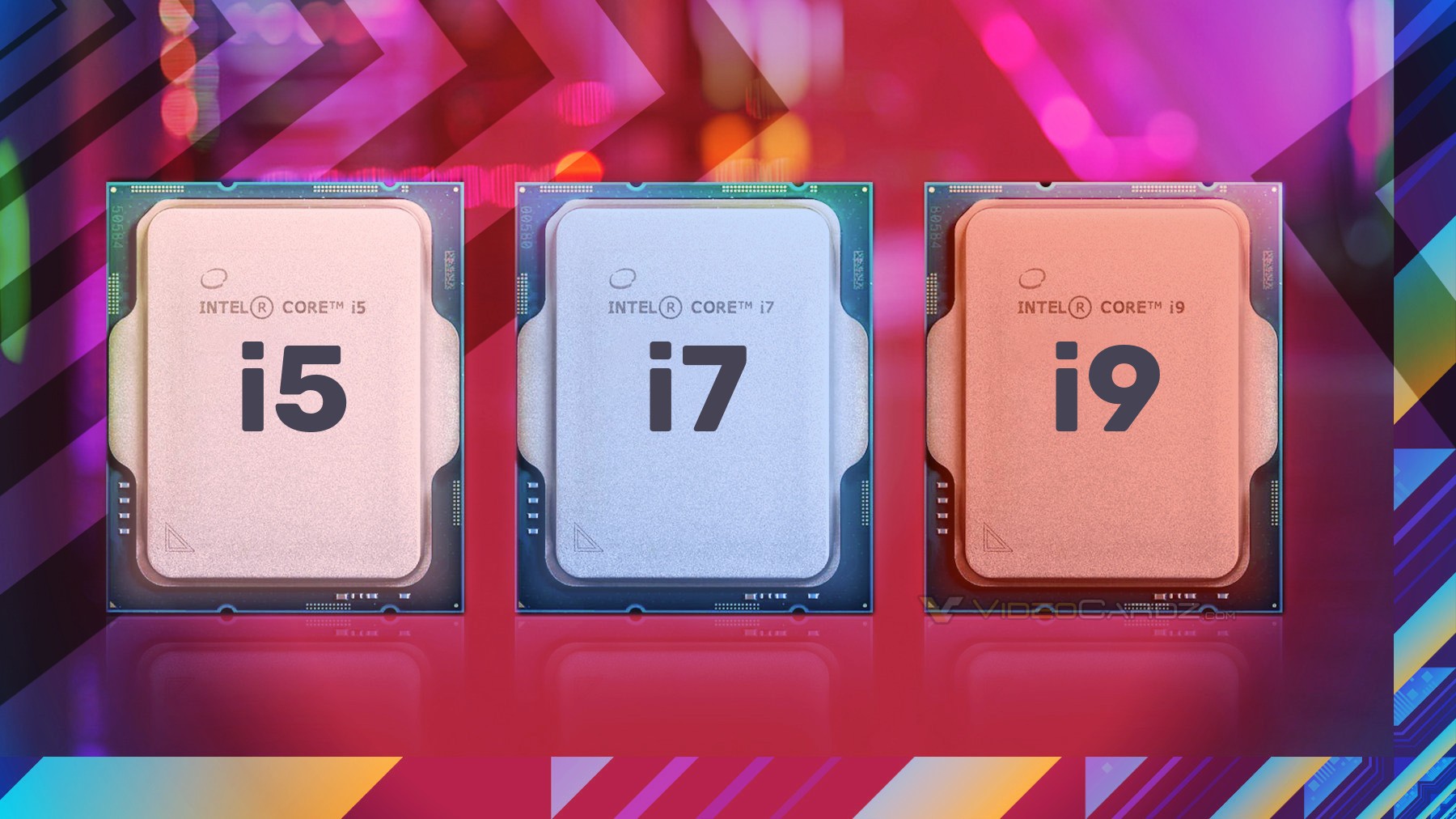
Intel Raptor Lake CPU provide better minimum framerates than Alder Lake CPU in first gaming test ExtremePlayer brings a gaming review of Intel Core i7 and i5 CPUs from upcoming 13th Gen Core series. This is not the first test of Raptor Lake from ExtremePlayer and definitely not the last. The reviewer already published test […]
vast meadow
Oh?
dull flint
Looking like about 10% improvement and this is QS
So there's still more perf to be had
dull flint
Ikr? 13th gen actually* gonna bring the punch to Zen 4
vast meadow
Oh yeah deffo
dull flint
I have a lot more faith in 13th gen atm. Seen so little info on AMD's side apart from the announcement all that time ago
vast meadow
I feel like amd will have good cpus but ddr5 will be their downfall
dull flint
Probably yeah, ddr5 has a long way to go
In that sense changing kits might be significant in the long term
vast meadow
See the thing with ddr5 is, 8gb sticks are cursed
dull flint
vast meadow
So for budget you're basically forced to get what 1x16gb stick then upgrade to 32 later?
dull flint
I would just do 32
Cos the thing is after widespread adoption devs are gonna try use more ram
vast meadow
Yeah but that's twice the price
dull flint
Oh yeah rn it's still early days, ddr4 all the way
vast meadow
Eh games are just going that wah already
Well high end ddr5 is worth now
250$ for 6000mhz cl34 or so
dull flint
You can do 1 stick of ddr5, it does work cos it's already dual channel
The 6800H a15 I bought has that config
vast meadow
Well not dual channel
dull flint
Going to 2 sticks or quad channel gives a little extra tho, a lot if you do ram intensice tasks
dull flint
Single rank but dual channel
vast meadow
Nope other way round
dull flint

vast meadow
dull flint
Single rank but dual channel
This would be 2x8gb ddr5
dull flint
vast meadow
250$ for 6000mhz cl34 or so
But if you want a good ddr5 kit kingston 6000 c40 is almost always hynix
vast meadow
Anything 6000+ is hynix
dull flint
That's the budget one unless you find green sticks
Not always, some are samsung
I can promise that one from 1st hand experience
Lol
vast meadow
@dull flint start at like 12:30 btw if you haven't watched
https://youtu.be/Rcv5fb_o8Ss

Techspot DDR4 vs DDR5: https://www.techspot.com/review/2387-ddr4-vs-ddr5/
TechPowerUp DDR4 vs DDR5: https://www.techpowerup.com/review/intel-core-i9-12900k-alder-lake-ddr4-vs-ddr5/3.html
Tom's Hardware DDR4 vs DDR5: https://www.tomshardware.com/features/ddr5-vs-ddr4-is-it-time-to-upgrade-your-ram
igorslab DDR4 vs DDR5: https://www.igorslab.de/en...
vast meadow
dull flint
I can promise that one from 1st hand experience
Ah yeah samsung is up to 6000
dull flint
Ye
North of that always hynix
But kingston 6000 c40 is like always mid price but almost always hynix
And the heatspreaders are good too, it's probably the best enthusiast kit until the newer hynix ic's are widespread
peak sail
Seems like the Ryzen 7800X AM5 is a sure bet, but I'm holding out for X3D cpu...
hollow thorn
peak sail
Seems like the Ryzen 7800X AM5 is a sure bet, but I'm holding out for X3D cpu...
Seemed like 3dvcache was supposed to be standard for higher end chips in future generations
peak sail
Fact is a Arctic Freezer II wasn't enough to cool my 5800X3D but should be enough for a 7800X
grizzled bloom
7800X seems to be missing from the current lineup we know of. There's a 7700X though.
frosty depot
amber canopy
LGA2066 💪



 warm dune

The ASUS ROG Strix Z690-A Gaming WiFi D4 white and silver scheme motherboard is designed with boosted power delivery and optimized cooling to cope with the demands of powerful 12th Generation Intel Core processors. Along with Wi-Fi 6 and PCI Express 5.0 for superfast transfer speeds and storage, ...

The MPG series brings out the best in gamers by allowing full expression in color with advanced RGB lighting control and synchronization. Experiment on another level of personalization with a front LED strip that provides convenient in-game and real time notifications. With the MPG series, transf...
What’s the major differences between these boards
Like which one is gonna be a better mobo in the long term
hollow thorn
That's the ddr5 version of the MSI board and the ddr4 version of the Asus board btw
warm dune
Ik
hollow thorn
MSI board gets an extra m.2 slot, both VRMs are generally overkill
Both boards are too expensive
Ddr5 vs ddr4 is your choice to make for now
warm dune
Ok, ddr5 is gonna be hella lot faster for the ram I want, but it’s almost 2x the price

Oof
warm dune
Lol
hollow thorn
Corsair is sad in general
warm dune
What memory would y’all recommend?
Preferably one that comes in white
And one that’s going for a good price
frosty depot
warm dune
https://a.co/d/0Tu03tQ
https://a.co/d/1o0NlxS
that strix z690 ddr4 is 
That's the one I plan on getting.
warm dune
Nice
hollow thorn
warm dune
You can do something like this for ddr4
https://www.amazon.com/dp/B0B2J7571Z

TEAMGROUP T-Force Delta RGB DDR4 32GB (2x16GB) 4000MHz (PC4 32000) CL18 Desktop Gaming Memory Module Ram TF4D432G4000HC18LDC01 - White
warm dune
Ok that’s a good looking ram stick, and for a heck of a deal compared to the Corsair
frosty depot
warm dune
Ok that’s a good looking ram stick, and for a heck of a deal compared to the Cor...
be aware of led hotspot issues with that ram
warm dune
Wym
frosty depot
while it doesn't affect functionality, it does affect the look.
hollow thorn
Okay ddr5
https://www.amazon.com/dp/B09LHNF6GT
High end ddr5 performance wise but looks worse
https://www.newegg.com/g-skill-32gb-288-pin-ddr5-sdram/p/N82E16820374380

TEAMGROUP T-Force Delta RGB DDR5 32GB Kit (2x16GB) 6000MHz (PC5-48000) CL40 Desktop Memory Module Ram (White) for Z690 - FF4D532G6000HC38ADC01
warm dune
Ah, do some parts of leds die?
frosty depot
 warm dune
Oh my
hollow thorn
I don't even think ram should be rgb but it's what comes cheapest in terms of white so :p
warm dune
hollow thorn
Okay ddr5
https://www.amazon.com/dp/B09LHNF6GT
High end ddr5 performance wise bu...
🤢 that ugly af
warm dune
hollow thorn
I don't even think ram should be rgb but it's what comes cheapest in terms of wh...
could always disable the rgb
hollow thorn
Ye
Rgb strips just give you more bang for your buck
It's usually like 20$ premium for rgb ram when 20$ can get you a rgb strip around your whole case
warm dune
Yea
frosty depot
but RGB = MOAR Performance.
warm dune
Lol
frosty depot
And when you go all white build with white rgb, you get bis performance boost
devout mothBOT
 Pro G.#9645 has been warned
Reason: Bad word usage
warm dune
Oof
I can’t say s h I t box
Rgb is like stickers on cars. Slaps PooPoobox sticker on civic +5hp
 dim cloak
It's also like deleting the exhaust and it just gets louder but not much of a performance boost
 agile jolt
warm dune
Oof
agile jolt
warm dune
Oof
Shiste
vast meadow
warm dune
Ok that’s a good looking ram stick, and for a heck of a deal compared to the Cor...
Corsair and good deal don't go in the same sentence
hollow thorn
vast meadow
Corsair and good deal don't go in the same sentence
Only with the prefix "not a"
hard leaf
or the suffix "Joking bro"
warm dune
vast meadow
Corsair and good deal don't go in the same sentence
I wasn’t talking about Corsair being a good deal
hollow thorn
warm dune
I wasn’t talking about Corsair being a good deal
Issa joke, we like crapping on Corsair
vast meadow
Apart from psus and cases they're protected from the fun cuz they're actually good value
cerulean wadi
Solid front non-airflow cases will still get made fun of though. (I don't care if it's a liquid cooled setup, lol. Extra Airflow more better.
long geyser
vast meadow
Apart from psus and cases they're protected from the fun cuz they're actually go...
Eh, most of Corsair cases arent premium and are trash. Spec 05/06 were true meme material that have seemed to die off
But there are a few nice ones which luckily most of the recent ones arent that bad
 plain vortex
Hello, I want to upgrade my PC ram to a 32gb (16gb x2) kit it has a Ryzen 5 5600x and a asus b550-f wifi rog mobo what kit would you recommend me
My ram works fine but my friends ram died and I want to give him my ram
dull flint
Overclocking it at all? If not then silicon power gaming 2x16gb is some $80 USD
plain vortex
Since I already have a mostly Corsair build I was thinking about this Check this out on @Newegg: CORSAIR Dominator Platinum RGB (AMD Ryzen Ready) 32GB (2 x 16GB) 288-Pin DDR4 3600 (PC4 28800) AMD Optimized Desktop Memory Model CMT32GX4M2Z3600C18 https://www.newegg.com/corsair-32gb-288-pin-ddr4-sdram/p/N82E16820236642?Item=N82E16820236642&Source=socialshare&cm_mmc=snc-social-_-sr-_-20-236-642-_-08012022
plain vortex
dull flint
Overclocking it at all? If not then silicon power gaming 2x16gb is some $80 USD
Nah
As long as it's 3600mhz and 32gb
dull flint
I would suggest SP then
dull flint
plain vortex
Since I already have a mostly Corsair build I was thinking about this Check this...
Definitely too expensive. That's DDR5 prices lol
Ok gimme a sec
plain vortex
Ohh lol
I would prefer if it's RGB
How about this Check this out on @Newegg: G.SKILL Trident Z Neo (For AMD Ryzen) Series 32GB (2 x 16GB) 288-Pin RGB DDR4 SDRAM DDR4 3600 (PC4 28800) Desktop Memory Model F4-3600C18D-32GTZN https://www.newegg.com/g-skill-32gb-288-pin-ddr4-sdram/p/N82E16820232867?Item=N82E16820232867&Source=socialshare&cm_mmc=snc-social-_-sr-_-20-232-867-_-08012022
dull flint
Getting better but still expensive

PNY XLR8 Gaming EPIC-X RGB 32 GB (2 x 16 GB) DDR4-3600 CL18 Memory (MD32GK2D4360018XRGB)

TEAMGROUP T-Force Delta RGB 32 GB (2 x 16 GB) DDR4-3600 CL18 Memory (TF3D432G3600HC18JDC01)
dull flint
Yes they're fine
PNY is actually good where I am it's one of the few ways to get Hynix ddr5 reliably in Australia
There's also T-force there if you are worried about it lol
Here's another one at a similar price https://pcpartpicker.com/product/64WzK8/geil-orion-rgb-amd-edition-32-gb-2-x-16-gb-ddr4-3600-cl18-memory-gaosg432gb3600c18bdc

GeIL Orion RGB AMD Edition 32 GB (2 x 16 GB) DDR4-3600 CL18 Memory (GAOSG432GB3600C18BDC)
plain vortex
How about if I would want to overclock?
What would be a good oc kit
For atleast 3600 cl 16
dull flint
They should all do cl16 and also CL barely matters in ram oc
What matters is the resultant timings from CL
If anything
dull flint
Are you gonna be doing any 4K rendering or say, simulations or heavy editing?
plain vortex
I currently have the corsair ram lights lol so they don't look that empty
Nah just gaming on 1440p
plain vortex
Or would 2 8gbx2 kits work fine as well?
dull flint
Can but only if you match the part
Match the part number - match the buyer, even then I've seen people still get mixed kits and it's not great
I would say the Geil kit has a lot of rgb if that's what you're looking for lol
 plain vortex
Check this out on @Newegg: CORSAIR Vengeance RGB Pro 32GB (4 x 8GB) 288-Pin PC RAM DDR4 3600 (PC4 28800) Intel XMP 2.0 Desktop Memory Model CMW32GX4M4D3600C18 https://www.newegg.com/corsair-32gb-288-pin-ddr4-sdram/p/N82E16820236554?Item=N82E16820236554&Source=socialshare&cm_mmc=snc-social-_-sr-_-20-236-554-_-08012022
Or something like this?
Or would just two separate kits of the same model work?
plain vortex
dull flint
I would say the Geil kit has a lot of rgb if that's what you're looking for lol
Not that much lol
dull flint
No don't get vengeance
dull flint
plain vortex
Not that much lol
Pretty bright ngl lol
 plain vortex
dull flint
No don't get vengeance
plain vortex
dull flint
No don't get vengeance
Oh is it that bad
dull flint
Yes
plain vortex
It's what I have atm lol
dull flint
Then just give that kit to your friend don't try and get a second kit
They mix the chips they use a lot so often running just the XMP you buy them for doesn't work well if at all
plain vortex
To be specific it's this kit CMW16GX4M2Z3600C18
I would give that to him and get myself a 32gb one
dull flint
Yeah do that
plain vortex
Would you just recommend two 16 and that's it
dull flint
plain vortex
Would you just recommend two 16 and that's it
I would say so yeah. It's easier to auto train tighter frequencies
So it's a little faster than say, 4x8
hollow thorn
Slightly less load on imc
dull flint
I would pick one of those three kits there that i posted then go for a light overclock imo
plain vortex
Okay so any one of those
dull flint
The geil, the tforce or pny
dull flint
Price-wise? Yes
I mean the g.skills you'll get hynix in that kit
But to say which one? It might be meh
plain vortex
So they'll performed the same
dull flint
Realistically if you don't have good ram oc experience then you probably won't get return on that price difference
hollow thorn
Brand doesn't matter much by itself for the ram sticks, die inside matters
plain vortex
Okay then, which one would you say is the absolute best?