#graphics-cards
1 messages · Page 100 of 1
 spark rapids
could be much faster but didn't want to break stuff so took my time
anyways since i changed both of my cpu and gpu is there a way to clean the old drivers?
 craggy condor
spark rapids
could be much faster but didn't want to break stuff so took my time
craggy condor
spark rapids
could be much faster but didn't want to break stuff so took my time
all good, better slow and working than fast and broken lol
craggy condor
spark rapids
anyways since i changed both of my cpu and gpu is there a way to clean the old d...
yep, DDU. guru3d and i think techpowerup too should have copies available
just boot into safe mode, and select the GPU drivers you want to clear
idk of any easy way to remove chipset drivers and so on though. for that i just fresh windows install
but if you're swapping CPUs on the same board you don't need to do any of that, the existing chipset drivers are good
spark rapids
i reinstalled windows not long ago so i'd prefer the 1st one hahaha
i changed the mobo too
my old one wasn't supporting that cpu
craggy condor
gotcha gotcha
tbh it probably won't cause any issues, i'd just clear the GPU ones and call it a day
this is what i did with my last platform swap anyway bc i was lazy lol
spark rapids
no no i want it for clearing space lol
i really hate clean installing windows then 1 month later it's full again
it's always because of little stuff adding up over time
craggy condor
ahhh i mean the chipset drivers are pretty tiny i wouldn't sweat it much
 solemn panther

 torpid garden
Yep
 quartz gull
I just realized the 5060Ti 8GB desktop and 5070 Mobile literally are the exact same GPU Chip
The exact same there is literally no differences besides TGP between them
It's insane that they can't even call it a 5070 when it's just the 5060TI pulling 65 watts less power
 random walrus
Mobile chips have always been significantly less powerful than the desktops chips
solemn panther
torpid garden
Yep
What should be done then?
quartz gull
random walrus
Mobile chips have always been significantly less powerful than the desktops chip...
Yeah but I didn't realize it was literally the exact same chip that's actually kinda insane to me
 velvet grail
idk, the version has always been the same since I don't update it. still, 303w is odd
I have also been getting adrenalin and fan control software errors at startup, tho that has happened since the beginning iirc
I don't recall moving the gpu bios switch, but I might give it a try
craggy condor
quartz gull
It's insane that they can't even call it a 5070 when it's just the 5060TI pullin...
look at 4060 ti and 4070
 olive bobcat
velvet grail
I have also been getting adrenalin and fan control software errors at startup, t...
olive bobcat
velvet grail
I have also been getting adrenalin and fan control software errors at startup, t...
I’d honestly ask the AMD discord.

 sacred crow
If I am upgrading from a nvidia to another nvidia GPU do I need to DDU?
 rustic pulsar
sacred crow
If I am upgrading from a nvidia to another nvidia GPU do I need to DDU?
rustic pulsar
sacred crow
If I am upgrading from a nvidia to another nvidia GPU do I need to DDU?
only if u run into problems
 spare relic
rustic pulsar
only if u run into problems
spare relic
rustic pulsar
only if u run into problems
 velvet grail
for a 3070ti FE is low 80s temps bad under full load with default curve (maxes out at 70% fan), otherwise 76C+ with fans blasted
memory also up to 80 and hotspot 90
should I repaste?
that with 26C ambient temp
craggy condor
velvet grail
for a 3070ti FE is low 80s temps bad under full load with default curve (maxes o...
tbh sounds like fe things. idk if the ga104 fes are supposed to be cooler than the 102's, but that sounds like my 3090 fe tbh
velvet grail
I looked up ltt review of this card and they got 78C max w 21C ambient, which is about the same temp delta for my card
craggy condor
velvet grail
I looked up ltt review of this card and they got 78C max w 21C ambient, which is...
just fe things then
fe coolers get gassed up so much but they're completely mediocre bar the 5090 FE
and even then it's not that groundbreaking. "woah, a small cooler can cool a high power draw card but not that well"
i am supposed to be impressed by this? it is impressive in the sense that they used high quality components to make up for shrinking the cooler, but it's not anything close to black magic lol
 modest shuttle
Oh boy

 solemn panther
modest shuttle
Oh boy
solemn panther
modest shuttle
Oh boy
No way!

 solemn panther
Msrp!
 modest shuttle
 naive flicker
https://tenor.com/view/cat-stare-catstare-cat-stare-sus-catglare-cat-glare-gif-1...
naive flicker
https://tenor.com/view/cat-stare-catstare-cat-stare-sus-catglare-cat-glare-gif-1...
It's real, I signed up ages ago.
modest shuttle
I don't need one, so not sure that's a good use of money
modest shuttle
5070 ti
naive flicker
not bad
modest shuttle
havent gamed in ~6 months, dont expect to anytime soon, really not sure it's necessary
naive flicker
nice
modest shuttle
What do they sell for these days second-hand?
modest shuttle
90
modest shuttle
Hmm ok, will just stick with mine
craggy condor
modest shuttle
What do they sell for these days second-hand?
newegg is selling one for $2100
quartz gull
Nvidia sent me an email to buy a 5090 FE
I was going to wait for 6090
But I guess I am getting a 5090 FE I couldn't resist
2 slot card will be kinda cool
craggy condor
 half locust
a770?
half locust
a770?
yes
 spare relic
ermmm should I update my uhd770 drivers
craggy condor
i don't see why you'd bother unless you use it for quicksync or smth
olive bobcat
half locust
Mfw
 sacred crow
There has been a small supply of non-fe 5090s at MSRP recently. Probably not supply getting better, but rather demand slowing down.
half locust
olive bobcat
Mfw
Whar
olive bobcat
half locust
Whar
I have RGB line
half locust
ok
half locust
craggy condor
need to do an Arc spread before i sell the Acer
Acer nitro?
craggy condor
half locust
Acer nitro?
yes
half locust
craggy condor
yes
Their cards look cool but 2 fan and more expensive than the asrock or sparkle
craggy condor
the acer was rhe cheapest option available when i was purchasing, but unfortunately it uses an undocumented voltage controller for vcore, so it's effectively useless for what i want to do with it
i was impressed by how well the cooler works considering how small it is
but it's still a very small cooler which is sightly unfortunate
 clever panther
any recommendations for a gpu up to 1000eur? paired with a ryzen 7 7800x3d, would be used mostly for competitive games
quartz gull
sacred crow
There has been a small supply of non-fe 5090s at MSRP recently. Probably not sup...
Nvidia has been sending emails out to everyone in queue for a fe 5090 to buy one
craggy condor
clever panther
any recommendations for a gpu up to 1000eur? paired with a ryzen 7 7800x3d, woul...
probably 9070 xt or 5070 ti. the former only if it is notably less expensive than the latter
sacred crow
quartz gull
Nvidia has been sending emails out to everyone in queue for a fe 5090 to buy one
Have they now? I signed up for that, but have not see anything. Saw a TUF 5090 in-stock and nabbed one.
quartz gull
Everyone I know that signed up on announcement day has gotten an email now
They sent out a huge batch of emails
I got my FE this morning
It's so much smaller than my trinity OC 4090
Like it's smaller than my FTW 3080 12GB was
It's insane how tiny it is
craggy condor
i got voltage control working on my a770 but it's so jank
just saw a random spike to 1.4v at idle which is uh- not great. and locked to supposedly 1.15v spits out like 1.3v under load
which obviously i did not run for more than a moment
absolutely cursed
oh wait wrong channel blehhh
 onyx zinc
quartz gull
It's so much smaller than my trinity OC 4090
onyx zinc
quartz gull
It's so much smaller than my trinity OC 4090
There are a lot of reasons people aren’t happy with this gen and price to performance (mostly the 5080) but boy that SFF friendly size is so nice
quartz gull
It's so small I was able to use my x4 PCIE slot for my capture card
Was super nice
I've been using x2 and halving the capture frame rate to 30
 cloud wren
yo i bought a 3080 for pretty cheap online, been having some issues with it though, it likes to overheat a lot and turns off decently regular, i am only using the fans that my case came with to be fair and my fan curve wasnt set perfectly so im testing a new set up now, give me some tips if i find this doesnt help
 cerulean rover
cloud wren
yo i bought a 3080 for pretty cheap online, been having some issues with it thou...
cerulean rover
cloud wren
yo i bought a 3080 for pretty cheap online, been having some issues with it thou...
If it's an used card, you may want to repaste it and/or replace the thermal pads
You can also go follow some undervolting guides
There's also just cleaning it if it's dusty
cloud wren
cerulean rover
If it's an used card, you may want to repaste it and/or replace the thermal pads
its used, its not very dusty at all but i didnt even think about repasting, how hard is it to do that?
i tried to clean what i can on it but didnt do anything further
cerulean rover
It takes a good amount of time and takes some paste
As long as you can remember where the screws go, it's not particularly difficult
cloud wren
ok ill look into it fs
cerulean rover
There are also usually guides online for each model
 olive bobcat
 tight sable
Is anyone home
tight sable
Is anyone home
Yes
tight sable
I'm having issues LMFAO
I upgraded to a 5070 and think my 12vhpwr cable might be trying to mely
melt also
But I also have a brand new issue where if I have a game on my secondary nvme drive it literally just can't load
it's insane
issue was not present with the 3070ti
idk man it's all deep fried
insane issues that make literally no sense
olive bobcat
Okay
Alright
Can you monitor the temps? At all?
Within the cable area or gpu in general?
tight sable
gpu in general yeah
I've been reaching out and touching the connector every 15 minutes or so
and I ran furmark for max load for about 15 minute
and the little mark didn't get bigger or anything
craggy condor
cloud wren
its used, its not very dusty at all but i didnt even think about repasting, how ...
what model 3080 is it?
cloud wren
craggy condor
what model 3080 is it?
msi ventus 10gb
craggy condor
cloud wren
msi ventus 10gb
should be pretty easy then, those cards are pretty simply assembled
just a bunch of screws, should be mostly of the same length, barring the four obviously different ones that secure the core to the coldplate
if your memory temps are okay you don't even need to worry about removing the backplate, which saves you like half of the disassembly/reassembly time. if your memory temps suck then order gelid extreme pads in the correct size and repad the front facing mem and behind the memory modules at the backplate
cloud wren
craggy condor
if your memory temps are okay you don't even need to worry about removing the ba...
i didnt look at memory temps, ill do that tn
cloud wren
@craggy condor i dont think its the temps tbh but idk, it keeps crashing when my gpu is only around 60 fps
i think i just was sold a faulty card
craggy condor
cloud wren
<@1350556892341993584> i dont think its the temps tbh but idk, it keeps crashing...
as in your initial belief that the issue was only happening when your card was overheating is false? it happens regardless of temps?
cloud wren
i believe so
i cant be sure tho
now its really doing some weird shit. it just turned off for about 5-10 seconds, turn back on after rhe fans ran at a higher speed for a bit and then turned off finally
craggy condor
cloud wren
now its really doing some weird shit. it just turned off for about 5-10 seconds,...
i take it you've already tried DDU?
cloud wren
craggy condor
i take it you've already tried DDU?
idk what that is tbh
craggy condor
cloud wren
idk what that is tbh
display driver uninstaller, it fully cleans and removes your driver, unlike the 'clean' install options on amd/nvidia/intel gpus. it is always worth a try as a first or second step for basic troubleshooting
cloud wren
craggy condor
display driver uninstaller, it fully cleans and removes your driver, unlike the ...
ok ill download it later tn
craggy condor
cloud wren
ok ill download it later tn
make sure to run it in safe mode
cloud wren
gonna have to research how to get into safe mode but ight
craggy condor
cloud wren
gonna have to research how to get into safe mode but ight
hold shift while restarting windows then select toubleshooting
 dull marlin
i have an older pc and i want to upgrade my video card but don't know if my 650w power supply is enuf. PC: Yeyian Yari Gaming Desktop PC, Intel Core i7-12700F, Nvidia RTX 4060Ti, 16GB DDR5 4800, 1TB NVMe SSD, Windows 11 Home 64-bit, YPI-YA27F0B-46T1N Video Card: ASUS PRIME GeForce RTX 5060 Ti 16GB 128-Bit GDDR7 PCI Express 5.0 x8 DLSS 4.0 Graphics Card PRIME-RTX5060TI-16G i think i could maybe change a power supply but i don't know how to check if it would need one.
cerulean rover
dull marlin
i have an older pc and i want to upgrade my video card but don't know if my 650w...
Take off the side panel and just look inside for what the PSU is
Also, just 16gb of ddr5 4800 sounds like either only a single stick or 2 'half' rank sticks, which would have an impact on performance
craggy condor
technically banks not ranks but yah
craggy condor
dull marlin
i have an older pc and i want to upgrade my video card but don't know if my 650w...
psu is fine unless its a terrible unit in which case you should replace it no matter what you're using. check on the ram tho like mr1111 said\
DDR5 8GB sticks are inherently slow
also why upgrade from 4060 ti to 5060 ti? it's like 10% faster
cerulean rover
craggy condor
technically banks not ranks but yah
Ye, they're single rank, but it's more helpful to think of them as 'half' and having performance loss like having 2 sticks of single rank versus 2 sticks of dual rank ddr4 sticks
craggy condor
oh wait we're referring to different things then
cerulean rover
I'm referring to ranks more for the performance loss you could see on ddr4
Not it being actually half a rank
craggy condor
moar ranks means slightly better performance at same settings, but not super meaningful overall. 8GB DDR5 sticks have half the number of bank groups which incurs a performance penalty relative to 16GB+ sticks
losing half ur banks hurts performance quite a lot, single vs dual rank is basically margin of error
cerulean rover
On ddr4, it could be close to 15% from testing iirc between 2 single rank sticks and 2 dual rank sticks, it was something that was measurable, and there wasn't anything with half the banks on desktop ddr4, although it did show up sometimes on sodimms
Anyways also 4800 is very slow in general too
craggy condor
cerulean rover
On ddr4, it could be close to 15% from testing iirc between 2 single rank sticks...
this is definitely not true unless you are referring to some insane edge case. the difference is at best low single digit bvandwidth increase vs equally clocked and latent modules with more ranks. DDR5 isn't produced in densities below 16Gb, which means 8GB sticks can only use 4x x16 modules (four 16 bit wide ICs), and per jedec spec x16 modules, because they are double the width of an x8 module and have the same number of banks individually, means that you have half the number of ICs in total, and half the number of bank groups in total. this is a screenshot from SK Hynix's M die technical doc that graphs the relationship between capacity, chip width, ranks, and banks

charts* not graphs. whateva
cerulean rover
craggy condor
this is definitely not true unless you are referring to some insane edge case. t...
Been a while, average of 8%, higher in specific cases
https://youtu.be/-UkGu6A-6sQ

This benchmark started as an AMD Ryzen 5000 memory timings and frequency benchmark (like of 3600 vs. 3200, 3800, with FCLK changes), but morphed into a 2x8GB vs. 4x8GB benchmark.
Sponsor: EVGA XR1 Capture Card on Amazon (https://geni.us/3IMrqPi)
Watch our AMD R5 5600X CPU review: https://www.youtube.com/watch?v=01EhbmJAW-k
Watch our AMD R9 5950...
Also, I'm not disbuting that it's half the bank groups, it is, but the performance difference there didn't really exist on ddr4 since there weren't any sticks for desktop ddr4 that used half the bank groups
It was only some sodimms
craggy condor
cerulean rover
Been a while, average of 8%, higher in specific cases
https://youtu.be/-UkGu6A-6...
the difference might be different with XMP overhead then, tuned i've never seen an instance of more than low single digits by swapping to dual rank sticks or adding more sticks
cerulean rover
craggy condor
the difference might be different with XMP overhead then, tuned i've never seen ...
They promised more research but a second video never came lol
craggy condor
which is a fair distinction to make. i'll test this myself on my 5800x if i have time later
iirc i'm running quad rank on that rn lmao so it would be quad vs dual rank
cerulean rover
I think there was also some charts from kingfaris that showed something similar? But it's been a while, could've been someone else
cerulean rover
craggy condor
iirc i'm running quad rank on that rn lmao so it would be quad vs dual rank
Afaik it's just single vs dual rank that can make a difference, don't think it'll show up with quad vs dual, esp since quad would probably be at a disadvantage from strain on imc
But worth testing
craggy condor
it is important to note though that 16GB DDR5 sticks are also single rank like 8GB ones
craggy condor
cerulean rover
Afaik it's just single vs dual rank that can make a difference, don't think it'l...
IMC strain doesn't affect performance with manually set settings, it would only be a factor if your CPU is autotraining timings due to un-set timings with the XMP profile/default training behavior programmed into the board
cerulean rover
I'll have to check sources later but my rough memory is I think hwunboxed tested it on ddr5 launch for single vs dual rank ddr5
cerulean rover
craggy condor
IMC strain doesn't affect performance with manually set settings, it would only ...
True, but again most people run at auto lol
Also, stuff like recoverable whea errors
craggy condor
ik, but i'm arguing inherent technical differences. like if somebody turns off intel turbo boost and it makes their CPU slow as dirt that's not an inherent difference to the CPU
i submit that XMP there might be a meaningful difference by adding extra ranks. tuned tho it's negligible
cerulean rover
craggy condor
ik, but i'm arguing inherent technical differences. like if somebody turns off i...
I'm just saying I can't trust that the result will be impartial if it might be on the edge of stability and the extra strain makes it slightly unstable
craggy condor
yeah if that's the case then you might lose bandwidth but that's not inherently the case, that requires a bad tune
whereas 8GB DDR5 sticks are inherently slow due to lack of banks
cerulean rover
But tbh I'm not sure what made the single rank and dual rank per channel performance difference happen on ddr4 anyways
craggy condor
you can interleave between ranks if your IMC is smort, and the Zen 2/3 IMC was fairly well designed
the big benefit iirc is that while one rank is running a precharge command across a bank group the IMC can execute a read/write on the other rank
but that gets into minutia i haven't touched in years now, so my memory is foggy (pun intended)
cerulean rover
Either way, I find numbers more useful than reason, I find the % difference from ddr4 testing between single and dual ranks useful for thinking about performance loss on 8gb sticks with half the bank groups
craggy condor
it's a similar fundamental problem yeah. bank groups are just one level lower in the memory hierarchy
cerulean rover
Tbf it's probably better if I remember the numbers from when buildzoid went into laptop ddr4 sodimms with half the bank groups but I don't remember the number differences from that
craggy condor
both are similar in that you can interleave between banks and ranks, just in different ways\
cerulean rover
I just use the number that I actually roughly remember where I have a source
cloud wren
craggy condor
hold shift while restarting windows then select toubleshooting
how do i install DDU? im assuming i have to do it before going into safe mode but i cant find a place to download it without having to give card info which i obviously wont do
craggy condor
cloud wren
how do i install DDU? im assuming i have to do it before going into safe mode bu...

www.guru3d.com
Download Display Driver Uninstaller (DDU) Official - Remove AMD/NVIDIA/INTEL Graphics Drivers Cleanly - DDU is a driver removal utility that helps you completely uninstall AMD/NVIDIA graphics card drivers and packages from your system, leaving no leftovers behind, including registry keys, folders, files, and driver store.
guru3d and TPU both have it up
cloud wren
guru told me i had to use my card info to download it
cloud wren
craggy condor
https://www.guru3d.com/download/display-driver-uninstaller-download/
i cant find a site to download it like at all
also rq
craggy condor
cloud wren
i cant find a site to download it like at all
dude you just click the link and it redirects you and autodownloads
you don't input your card homie, there isn't even a prompt to do so
cloud wren
sometimes when i set my phone down, like pretty hard maybe and it shakes my desk a little, it will turn off my gpu, could that indicate like a wiring issue maybe like it disconnects the wires barely and turns off?
cloud wren
craggy condor
dude you just click the link and it redirects you and autodownloads
hold on ill retry it but last time it tried ti make me use my card
craggy condor
could be seated poorly, could be a loose power connector. could be a broken bga connection
 solid glacier
Idk where i would ask this but i have cyber security classes starting next week and i have to buy a laptop for the classes cant be chromebook or macbook. i got a newegg giftcard for 877$ any recommendations
spare relic
Chromebook or MacBook with Linux installed
solid glacier
cant use chromebook or macbook lol
random walrus
solid glacier
Idk where i would ask this but i have cyber security classes starting next week ...
r/laptopdeals
tight sable
Fellas am I a stupid idiot for wondering if my bios from 2022 could be causing conflicts with my 5070
cerulean rover
tight sable
Fellas am I a stupid idiot for wondering if my bios from 2022 could be causing c...
What Mobo? The only thing is old EVGA boards with some weird setup on the pcie slots that needs a fix
Or if you need rebar support
tight sable
Msi x570 gaming edge
It does have rebar but I turned it in and lost 40 fps
My bios is literally from when they introduced the 5800x3d
I’m just having a lot of weird issues I didn’t have with the 3070ti I replaced
Like I literally got a pop up notification telling me the card was unsupported during a driver update
@cerulean rover

Behold
cerulean rover
tight sable
<@278694081440251905>
DDU and then reinstall the drivers
Probably the usual bug with the Nvidia app, doubt it's a hardware issue
cerulean rover
tight sable
I’m just having a lot of weird issues I didn’t have with the 3070ti I replaced
Nvidia drivers this generation has had a lot of issues, lots of bugs crashing, freezing, and being broken in general, unlike previous generations
More reasonable to blame the drivers rn
olive bobcat
tight sable
Should I have just gotten a 4070ti or something
9070xt is a good choice
craggy condor
tight sable
Did I blunder by getting a 5070
depends on what you paid. at msrp and certainly above msrp i'd prefer 9070/xt, but it's not like 5070 is a slow card or anything
if it works for you and works well, you didn't blunder. the mere fact that you maybe could have purchased something slightly better doesn't make your current thing any worse
craggy condor
 vital oriole
9070xt is a 5070ti competitor
vital oriole
9070xt is a 5070ti competitor
at current prices it's not that much more expensive than 5070. but then, 5070 ti isn't that much more expensive than 9070 xt. realistically if somebody is going for 5070, 9070 non XT is the better option over continuing to go up and up the tiers because each card is $50 apart 😅
vital oriole
yeah
 hot bough
 tight sable
craggy condor
depends on what you paid. at msrp and certainly above msrp i'd prefer 9070/xt, b...
tight sable
craggy condor
depends on what you paid. at msrp and certainly above msrp i'd prefer 9070/xt, b...
I paid $530 for it 
craggy condor
tight sable
I paid $530 for it <:CAUGHT:1285879853865762898>
$70 more gets you a 9070. that would be my preference. but as i said, the mere fact that something else exists doesn't make your product worse. it will perform like a 5070 either way 🤷♂️
tight sable
I also did just get $126 off of it though because I complained LMFAO
idk I'm just mad about it lol
I shouldn't have less performance out of a 5070 than a 3070ti kinda thing
It's working properly now but I had to put in waaaaay too much legwork to get it there
craggy condor
tight sable
I also did just get $126 off of it though because I complained LMFAO
oh i mean $410 5070 is hype lol. that's probably what it should have been to begin with haha
craggy condor
tight sable
Girl math says I got it for $160 if I include the $250 I got for my 3070ti
that's a fair way to measure it, i just count jt as the cost to upgrad vs the cost of the part itself. 'is $160 worth 50% more vram and 50% more performance'
i'd say that's a fair price haha
tight sable
Yeah lmfao
vital oriole
that perspective is a good one
tight sable
I
Oops
Is there any reason a vbios update would be needed for a gpu really
I've not ever danced in that field because I haven't ever needed to
vital oriole
if it ain't broke
don't update it
basically the sentiment with vbios
unless there is a critical security concern
or genuine vbios defect
one never needs to update their gpu's vbios
 torn garden
Money was tighter when I got my 9070xt but I can afford a 5090 more easily now
Question is should I get a 5090 now or just wait it out till next gen for a 6090
olive bobcat
torn garden
Money was tighter when I got my 9070xt but I can afford a 5090 more easily now
Just get a 4090. Cheaper and nothing around needs more than 24GB of vram
It’s also less likely to kill your cables and stuff.
And it consumes less power
And it’s only like 25~% uplift for 2x the price
Or just get a 7900XTX if you need that much vram
It’s slightly worse than a 4090, but with same vram, and $1200 less
torn garden
I don't need VRAM though I would just like to have more RT performance and performance in general than what my 9070xt is giving rn (which is not bad by any means) I just crave more
olive bobcat
torn garden
I don't need VRAM though I would just like to have more RT performance and perfo...
craggy condor
5080 is barely faster than 9070 xt
its a decent uplift in rt ig, but raster is not really that meaningful
 cold fox
just oc the 9070xt
craggy condor
real
tight sable
I do have some violent 1% lows
I did however get this banger screenshot from doom dark ages

Where every single gpu number is red
(Picture not screenshot)
craggy condor
tight sable
Is a 5070 bottlenecked by a 5900x for gaming
depends on game and resolution
really i'd only expect significant issues in heavily multithreaded games where the scheduler gets freaky and starts hitting inter-CCD latency penalties bc you only have 6 core CCDs
assuming 1440p reasonably heavy settings ig
tight sable
I’d want to play on decently heavy settings for sure since I dropped $570 on a gpu lol. I just worry because the cpu is 4 generations old now and I’m extremely underwhelmed by the 5070s performance coming from a 3070ti
So I don’t know if that’s just my life now or if I’m suffering a like 10-15% bottleneck on the card
craggy condor
tight sable
I’d want to play on decently heavy settings for sure since I dropped $570 on a g...
if you're pegging your GPU then that will be the bottleneck more often than not. i wouldn't sweat it much. sure a zen 4 or really any x3D would get you better lows, but zen 3 isn't half bad either
i have a 5800x for my secondary system and it's definitely noticeably weaker than my 7800x3D, even on more lower-midrange hardware, but it's not something that ever takes me out of the experience if that makes sense
more of an "oh this feels slower/faster" and then after five minutes i'm locked in
craggy condor
tight sable
I’d want to play on decently heavy settings for sure since I dropped $570 on a g...
should be about 45% faster optimally. more if the 3070 ti is getting bludgeoned by lack of vram
tight sable
realistically it's been about 25% faster
It's been very disappointing
this cpu has been through the ringer though so it very well could just be it's end of life
i've abused this thing with OCs so many times
craggy condor
tight sable
realistically it's been about 25% faster
are you seeing less than 100% GPU usage in the games you play?
if so it could be a CPU bottleneck. otherwise i lean towards some other system configuration issue, or just poor scaling in those particular games
tight sable
I'm seeing a lot of varying numbers naturally depending on the title
I'm seeing usually 85-90% but I've seen 100 flat out and I've also seen as low as 75
craggy condor
in the more 'demanding' games you'd hope to see it mostly pegged at 100% with occasional dips
for lighter games lower is expected
random walrus
gpu usage % doesnt tell the whole story anyways, I wouldn't woprry too much about it
Try and find a game or overlay that will display both cpu and gpu fps
onyx zinc
tight sable
Is a 5070 bottlenecked by a 5900x for gaming
The 5900X is a great match for the RTX 5070 at 1440p. In most modern games, especially AAA titles, there’s no real CPU induced bottleneck — performance is smooth and the GPU does most of the heavy lifting. You might see a small drop (maybe 5–10%) in super high FPS games like CS2 or Fortnite if you’re aiming for 200+ FPS, but for the majority of people, it’s not something you’d notice. Unless you’re chasing max frames in competitive titles, there’s no need to upgrade.
I wouldn’t worry about your 1% lows as much as long as the game feels and looks good.
tight sable
That's the bigger issue honestly is that it's not smooth
the 1% lows are pretty horrible
craggy condor
tight sable
the 1% lows are pretty horrible
what is your ram situation?
one thing i will say is that AM5 CPUs and especially the x3D ones have craaaaazy good lows
craggy condor
craggy condor
i have a 5800x for my secondary system and it's definitely noticeably weaker tha...
this is how i would sum it up to reiterate
tou WILL notice a difference, and it will be rather nice. but don't feel bad if you don't have the cash on hand
tight sable
craggy condor
what is your ram situation?
32gb ddr4 @ 4000mhz stable
craggy condor
tight sable
32gb ddr4 @ 4000mhz stable
that's probably your problem then, your ram is desynced from your FCLK
drop it down to 3600mb/s, and proportionally lower the timings XMP sets if you feel like it. you should see notably better lows and maybe even a small but measurable improvement to your average
tight sable
I have actually no idea how to underclock ram effectively
craggy condor
you just set the multiplier in your bios. you can also drop the XMP timings proportionally to the reduced bandwidth to keep latency the same, which i would recommend. but you will still have much better latency overall with worse dram latency but synced to FCLK if that makes any sense at all
more latency in executing commands but less latency in getting data from point a to point b
which is all that matters at the end of the day
i've got to get to sleep i have to be up hella early for work, but i can help you tomorrow if you can't figure it out
tight sable
Yeah for sure. I have no idea what dropping it proportionally means though
It’s rated for 18-22-22-42
16-20-20-40?
craggy condor
4000->3600 = 10% bw drop. so drop each timing by ~10% as well (ie cl20 -> cl18, etc etc.)
tight sable
Do I touch subtiming
craggy condor
if you don't know what you're doing i wouldn't bother. i did ram OC for a long time and it's... brutal
 craggy condor
if there are settings in there that XMP touches then you can mess with that otherwise i'd leave it
tight sable
Booted fine so it must be okay 
craggy condor
tight sable
Booted fine so it must be okay <a:theo_lizard:1406687202846707903>
i have to go to sleep now, but lmk if you feel any improvement at all
tight sable
It was actually worse LOL
 kindred plank
Guys, I need help. I can’t for the life of me get my GPU seated all the way into the PCIe slot. I’m fairly new to building and the connector is about half the size as the slot and no matter how much pressure I put it won’t lock in all the way. I even bought a vertical mount so that I have some leeway of an extension but it doesn’t lock down into any slot I try to put it in. Any suggestions?
kindred plank
naive flicker
like is the little lock thing on the right side of the slot not engaging?
Yes, I have some pictures as well if you’d like to see.
Oh never mind I can’t send pictures lol
naive flicker
sure, just dm em to me
kindred plank
Got it, shot you a dm. Thanks in advance for your help!
naive flicker
@kindred plank's gpu, I'm fairly sure it's just not long enough to click but if anyone has another opinion be sure to reply to his message


 kindred plank
My first time working with a x8 lane connector.
cerulean rover
kindred plank
Guys, I need help. I can’t for the life of me get my GPU seated all the way into...
kinda looks like it's missing the usual plastic bit that would be clicking in
kindred plank
cerulean rover
kinda looks like it's missing the usual plastic bit that would be clicking in
That’s what I’m curious about. Which is why I’m wondering maybe just get to down as far as it can go and maybe that’s it? I don’t know, I’ve never seen an x8 connector till I got this in.
cerulean rover
uh apparently that model is just that way for some reason

same GPU, same brand, different model, has the normal full connector with the plastic tab for locking
 kindred plank
cerulean rover
same GPU, same brand, different model, has the normal full connector with the pl...
kindred plank
cerulean rover
same GPU, same brand, different model, has the normal full connector with the pl...
Weird, I hate how unstable it feels NOT being locked down into the slot. That’s why I thought maybe something was wrong.
cerulean rover
dunno what gigabyte was cooking with that lol
would just return and get a different model if possible, if you're going to use it with a vertical mount that won't be stable without being able to lock into the slot
kindred plank
And that’s what I got was a vertical mount. I might return it and get a different model lol. Thanks guys!
spare relic
The slot on my board doesn't have the thing that latches the GPU down
random walrus
cerulean rover
uh apparently that model is just that way for some reason
Holy cost optimization
spare relic
Apparently Rommy's sister broke it? Doesn't matter anyway, it works fine
 wicked hound
random walrus
Holy cost optimization
wicked hound
random walrus
Holy cost optimization
Prolly cost more due to not being as standard. Likely done for compatibility with x8 slots on mobos that dont have an open back
spare relic
Open back?


 round zinc
random walrus
Holy cost optimization
round zinc
random walrus
Holy cost optimization
Whole pcb is short, makes for a big flow through on a two fan card. Not sure if that was the reason they did it but it's plausible. Seems to be a lot of focus on flowthrough designs this generation. I'm apparenly unable to post pictures so here's a link with a picture in it. https://www.techpowerup.com/335623/teardown-of-gigabyte-rtx-5060-ti-eagle-card-reveals-stubby-pcb-design-short-pcie-connector
half locust
name a bigger example of ewaste, i'll wait

already gigabyte so its disabled, its a low profile card, a 50 series card, and again, its gigabyte
low profile mfs when powercolor reaper dual fan cards exist
round zinc
How about you name a better deal on a proper LP card that doesn't take a power connector?
craggy condor
half locust
already gigabyte so its disabled, its a low profile card, a 50 series card, and ...
nothing wrong with gigabyte, but it's a lobotomized two gen old 50 card so yeah it's going to suck lol
craggy condor
round zinc
How about you name a better deal on a proper LP card that doesn't take a power c...
the whole power connector thing is grossly exaggerated, when you have a 95w card or whatever instead of a 75w pcie only one, just adapt 1-2 satas into a pcie 6 pin
that said, there are not many LP options with or without power connectors so it is what it is
round zinc
Do I have two separate sata cables in this theoretical system? I don't want to be trying to run up to 75w through one.
Gigabyte has LP versions of 4060 and 5060 too. They still have an 8 pin though.
craggy condor
round zinc
Do I have two separate sata cables in this theoretical system? I don't want to b...
the chances of you not having sata cables of all things are quite low
and at a certain point if you're running something so low end that you don't have room for extra storage... i hate to be elitist, but that's just ewaste at a certain point
probably doesn't need a lobotomized 3050, let alone anything stronger
round zinc
Separate cables, not two on the same one. I haven't been in the optiplex and cheap GPU bracket for a long time myself.
craggy condor
daisy chaining isn't an issue if the PSU isn't garbage. the existence of multiple connections implies the ability to send the current required to run those connections
optiplexes are incredibly out of the meta now though, CPUs have gotten much faster and recycled workstations haven't really caught up
still looking at like 4th gen i5's and whatnot
round zinc
It isn't if you're using things normally. Adapting into a higher rated power connector is not using them normally. 75w on a single 12v wire is a lot.
craggy condor
i suppose. but then it's like... just spend $30 on a psu 💀
round zinc
My point was just that a 3050 6gb is better than a 6400 or a 1650 which are the other options in that bracket that aren't stupidly expensive quadros.
Most of those old Dell and Lenovo things don't use regular atx psus. They have odd shapes and or use an 8 or 10 pin instead of a normal 24 pin.
I think it's a lot less egregious of a POS than a regular 3050.
craggy condor
i've owned a fair few, it's not very difficult to adapt
i was once a brokie myself
half locust
craggy condor
nothing wrong with gigabyte, but it's a lobotomized two gen old 50 card so yeah ...
Isnt their quality control pretty bad
half locust
round zinc
My point was just that a 3050 6gb is better than a 6400 or a 1650 which are the ...
I love how people are still keeping quadros for sale at msrp
GP100 going for 27000 nis which is about 8000 usd or 2 pailit 5090s and 2 hellhound 9060xts
craggy condor
half locust
Isnt their quality control pretty bad
on average no worse than any other aib, and certainly better than some of the shoddier ones. they make the odd bad product, but then so does every aib. i've had nothing but positive experience anecdotally
half locust
craggy condor
on average no worse than any other aib, and certainly better than some of the sh...
i will probably get a gigabyte motherboard but gpu i dont know yet
craggy condor
i've owned more of their cards than their boards. honestly i'm a bigger fan of their GPUs than motherboards by a large margin. nothing wrong with the boards, i just dislike the bios layout
craggy condor
of the gigabyte cards i've owned, they've all had wildly good memory cooling for the price, especially relative to other options. my gigabyte 9070 has won several world record benchmark scores
half locust
Runs pretty well but im not sure if the fan even works lol
craggy condor
that happens with 10 year old parts haha
half locust
craggy condor
that happens with 10 year old parts haha
Their 7600 is around 15-20 bucks more than the sapphire pulse, should i spend that extra for the rgb and better cooling
That is i get the 7600 and not 9060
craggy condor
for lower end parts i really wouldn't bother spending extra for better coolers personally
too much extra cost as a %
cerulean rover
I don't like gigabyte cards for the crappy vbios fan curve on some cards, but there's nothing wrong with their hardware
craggy condor
cerulean rover
I don't like gigabyte cards for the crappy vbios fan curve on some cards, but th...
this is true lol
however it should be noted that they often give you a ton of leeway. i can set my fans to like 4k rpm lmao
i enjoy the fact that i can make my pc sound like a jet if i want to
cerulean rover
craggy condor
i enjoy the fact that i can make my pc sound like a jet if i want to
I do not enjoy the default fan curve deciding you can either have 1k or 4k rpm and keep ramping up and down smh
craggy condor
cerulean rover
I do not enjoy the default fan curve deciding you can either have 1k or 4k rpm a...
yeah the default curves are sometimes wacky, i just appreciate the cooling potential if i desire it, since i set my curves manually every card anyway

 broken fox
half locust
Yo how are b580 drivers rn
broken fox
half locust
Yo how are b580 drivers rn
B580 drivers are perfectly fine. Didn't have the issues we had with Alchemist at launch.
half locust
broken fox
B580 drivers are perfectly fine. Didn't have the issues we had with Alchemist at...
i assume they will be even better when i plan to buy a pc (around november-december)
craggy condor
half locust
Yo how are b580 drivers rn
not great, not bad. they work for every game i've played, and for JUST playing games it's totally serviceable with minor tweaking here and there. i do have issues crop up from time to time when i multitask, like having a game up while chatting on discord, or tabbing into spotify to change my tunes, etc.
my recommendation when it comes to arc is if the price is right, go for it, but really it needs to be at minimum 20% better value than the radeon and geforce options around it. otherwise i'd take the more sound experience with a marginally slower radeon or geforce
craggy condor
like the $180 b580 on the shuffle the other day was peak, and i saw a 110gbp one on scan too, which is amazing. i would not spend $250 on one tho
craggy condor
half locust
cheaper than a 7600xt
20% stronger, less vram, but at that performance itms kinda whateva
craggy condor
half locust
because im not us market
fairs
if the price makes sense for what you would otherwise pay then it's totally usable
the way i put it is that i don't have issues bc i don't mind fixing the small things here and there. but it's not a card i could hand down to my mother or my sister. they require a little love and attention. whereas a geforce or radeon kinda just runs and that's that
half locust
craggy condor
20% stronger, less vram, but at that performance itms kinda whateva
bigger gamble tho
craggy condor
half locust
bigger gamble tho
how so?
craggy condor
like driver stability? or something else? i don't really understand the question, i'm sorry
half locust
craggy condor
like driver stability? or something else? i don't really understand the question...
Yea
craggy condor
well i mean like i said, they work they just require some attention
if you don't mind that sort of thing it's fine imo
half locust
Does it struggle with older games
half locust
craggy condor
well i mean like i said, they *work* they just require some attention
Wdym some attention
craggy condor
half locust
Does it struggle with older games
i don'r play a lot of older titles, but it runs empire at war (2006) and a bunch of early-mid 2000's emulated ds games fine for me
half locust
craggy condor
i don'r play a lot of older titles, but it runs empire at war (2006) and a bunch...
i mean like repcom, tf2, csgo
craggy condor
half locust
Wdym some attention
best example i can give is i had to disable hw acceleration on my browser because certain workloads would corrupt the video if i ran them concurrently. just little things like that. not a huge deal, but not quite plug-and-play like with radeon/geforce
craggy condor
half locust
i mean like repcom, tf2, csgo
i don't play any of those, you'd have to check online. but i don't see why they wouldn't work. Battlemage has actual dx9 support iirc, not emulated like with Alchemist
half locust
Ok
half locust
craggy condor
i don't play any of those, you'd have to check online. but i don't see why they ...
I’ll either go with a pulse 7600xt or an acer nitro b580
Im going to kill the next guy who says “just get a 9060xt”
half locust
naive flicker
in its defense it is incredible
Yea ik
I mean i can get an 8gb but a 16gb i will need to budget down on other components
5060 and 9060 12gb would be so peak
but Nvidia stoopid
i mean ig this could work

or a pulse
broken fox
That 7400F may or may not work at full 6000MHz EXPO
7000 series is only officially rated to 5200MHz with 2 sticks, and the super low-binned chips are more likely to actually only hit the official ratings
craggy condor
broken fox
7000 series is only officially rated to 5200MHz with 2 sticks, and the super low...
7400f is for shoddy CCDs, the IODs have very little variance and aren't on the CCD
6000 is easy, zen 4 can do 8000 desynced on a good board
broken fox
craggy condor
7400f is for shoddy CCDs, the IODs have very little variance and aren't on the C...
Most of the time, yes. I've personally seen 9700X chips that couldn't exceed 5600
It's uncommon but it does exist
craggy condor
atp you're talking practically defective CPUs. should not ever occur under normal circumstances
broken fox
5600 is the official rating, so that's not considered defective by AMD. It's fun™
cerulean rover
There shouldn't be any difference in imc performance between 7600x and 7400f, it's the exact same io die, the io die isn't binned
rarely you get unlucky and you have to mess with some of the voltages to get 6000 to be stable, but the vast majority will do 6000 synced out of box
broken fox
I've heard of people saying the I/O dies are binned on higher-end chips
Like some people will buy a 9950X3D and run only the first CCD because they feel the I/O die will be of higher die quality, rather than buying a 9800X3D
cerulean rover
...???
Anyways it's possible that you can kinda bin it by time of manufacturing through getting an io die from a slightly more mature 6nm process since they're still using the same io die between generations, but there isn't any evidence of there being any io die binning between models
half locust
craggy condor
6000 is easy, zen 4 can do 8000 desynced on a good board
Will it work fine or not
craggy condor
half locust
Will it work fine or not
yes
half locust
craggy condor
yes
Its like a 100 nis or 30 buck difference between the 7400 and 7500, since there’s only like a 5% performance difference should i get the 7400
craggy condor
half locust
Its like a 100 nis or 30 buck difference between the 7400 and 7500, since there’...
same chip, 7400f is just a worse bin. you can overclock the difference. realistically you can probably match 7600x clocks. it's all the same silicon
half locust
Or should i spend an extra 300 for a 7600 and box cooler instead of a 7400 and 120mm antec cooler
craggy condor
half locust
Or should i spend an extra 300 for a 7600 and box cooler instead of a 7400 and 1...
it's all the same silicon. unless the cooler is worth 300, just overclock the difference in clock speeds back
half locust
craggy condor
it's all the same silicon. unless the cooler is worth 300, just overclock the di...
its a box cooler soo
the wraith or something
random walrus
half locust
the wraith or something
(Worse than a single tower cooler)
half locust
random walrus
(Worse than a single tower cooler)
so i should get a 120mm antec
Got it
random walrus
For your case the 7400f is the way to go
random walrus
half locust
so i should get a 120mm antec
Ideally thermalright but iirc you don’t have thermalright where you are
half locust
random walrus
Ideally thermalright but iirc you don’t have thermalright where you are
Ik but not available in country
And amazon has no warranty i think
cerulean rover
Amazon generally doesn't provide the warranty, they have the 30 day return window, manufacturer does warranty
craggy condor
^
half locust
Idk im not buying from abroad
random walrus
antec is Chinese, pretty sure that's abroad for you
half locust
Well yea mf i mean im not ordering from abroad
No shit its chinese but its being sold here
craggy condor
 sick sand
Should i use my anime figure as a gpu support
sick sand
Should i use my anime figure as a gpu support
hatsune miku gpu support beam
 sick sand
Dw guys its okarun
velvet grail
does a GT 730 4GB gddr3 zotac zone edition require csm on newer boards?
vital oriole
no
it supports uefi
i believe
the kepler version supports uefi
make sure it's a kepler
velvet grail
ok, I'll ask the seller for gpuz specs
velvet grail
nvm they won't check as they don't want to reinstall the card on the system. complete card name is zotac gt730 zone edition 4GB 64bit ddr3 with part number zt-71115-20l
ai clanker suggested that's a kepler gpu
@vital oriole can you confirm?
velvet grail
vital oriole
high chance of kepler
looked up some lf the specs and most match with kepler core. 64bit bus, shading units,...
so let's just hope it's not some weird variant
onyx zinc
Anyone have any leads on an RTX 3090?
craggy condor
onyx zinc
Anyone have any leads on an RTX 3090?
wdym
quartz gull
Is the 9060XT 8GB worth $190?
Or is the gimped vram still a bad purchase regardless
I've seen it in shuffles and on Facebook marketplace new in box for $190-210 range and was wondering if it's even worth to go for it
onyx zinc
craggy condor
wdym
Trying to buy one for a custom build - keep hitting walls.
Finally have a local deal that might go through tomorrow
 reef leaf
Folks, I'm stumped here
I've tried just about everything
I can run Stable diffusion on my 3090FE, no problem, for hours even, temps and cooling keeps up, everything's fine
Ran 3dmark back to back
Barely a sweat
Play some of the more intensive titles in my library, can do it all day
Try to run ZZZ? Or Star Trek Online? Things that nominally should run on my phone?
Black screen death crash need to hard power cycle
I'm going to explode
19 414 score on time spy, which, is pretty fine for a stock re-pasted & padded 3090FE if I say so myself
cerulean rover
reef leaf
Try to run ZZZ? Or Star Trek Online? Things that nominally should run on my phon...
It'll either be related to high frame rates or it's boosting higher into unstable v/f entries because the load is lower, or it's just driver bugs again
reef leaf
cerulean rover
It'll either be related to high frame rates or it's boosting higher into unstabl...
Well, I'm running 566.36, and I've no idea what to do about the other two
cerulean rover
reef leaf
Well, I'm running 566.36, and I've no idea what to do about the other two
First you can try setting a frame rate cap in nvcp, second you can try to lock it to a v/f point on the curve, third you can update to latest drivers, the past few months have had a lot of bad drivers, but they've still been doing misc bugfixes with those drivers updates
reef leaf
cerulean rover
First you can try setting a frame rate cap in nvcp, second you can try to lock i...
I've actually found the 3090 running slower, louder and hotter on newer drivers
I'll see about the nvcp, but also, wdym locking it to a v/f point
cerulean rover
With 572 and 576 yea they're very buggy, the most recent one, I think 588? Forgot number, should be more stable
 cerulean rover
reef leaf
And I think my curve is pretty stable
cerulean rover
reef leaf
And I think my curve is pretty stable
Choose a known stable point, press l, and it'll lock it to that point
random walrus
quartz gull
Is the 9060XT 8GB worth $190?
if you're using it for 1080p maybe
cerulean rover
The new rx580 equivalent
craggy condor
quartz gull
My sister would be
if she's only going to play casual games it's fine. wouldn't recommend it if she wants to play recent/upcoming AAA titles
quartz gull
She currently has the 3050 6GB but I'm building her a new machine for Christmas
She mainly plays Roblox and Fortnite rn
Has an 8700K HP tower with a 3050 6GB low profile thrown in
craggy condor
quartz gull
She mainly plays Roblox and Fortnite rn
realistically overkill for those games haha. will give her some room to stretch her legs with more complex titles, but she'll be a bit limited when it comes to more recent and most especially future releases
quartz gull
Well obviously a bit overkill. She wants a new machine for aesthetics but because her current tower is HP that uses that dumb 12V motherboard connector
craggy condor
ahhhh
quartz gull
I can't really do much with it besides just build her a new machine
She wants a white matx case with RGB
craggy condor
you can get adapters for cheap, but idk if the board is standard ATX (or a blue/green pcb special lol)
quartz gull
It doesn't use a typical 12V connector, the connector only has 6 pins and almost looks like a PCIE connector
ATX standard 12V used 8 pins
For the 12V motherboard connectors
Idk what tomfoolery HP is using
craggy condor
doesn't matter, adapters should still be available. should be easy to check if you know the model number for the board
quartz gull
Is it worth shelling out for an adapter on older hardware versus reselling the older hardware?
I feel like the difference I'd say on the new build would honestly be about the same as reselling the old machine entirely
craggy condor
quartz gull
I feel like the difference I'd say on the new build would honestly be about the ...
couple dollars for an adapter + a PSU and a case will be a lot cheaper than a whole new platform i'd wager. if she wants to play more demanding games then i'd probably go for the full rebuild, but then i'd also probably be considering a stronger video card
reef leaf
reef leaf
I'll see about the nvcp, but also, wdym locking it to a v/f point
Okay so ran up to a crash playing STO again, and got me some logs from GPUZ!
Feels like driver/PCIe signaling crash (VIDEO_TDR or bus timeout), which I did get in a minidump, question is how tf to fix this lmao
namely thjinking forcing the GPU to run gen3
reef leaf
...that didn't do it

 craggy condor
i just saw the Nvidia-Intel deal. Arc might be cooked tbh. i am now less skeptical of b770 because idk if Arc is going to continue existing, and my argument against b770 was that if it exists Arc has effectively admitted defeat
bad news if this is what's happening, but if the money saved on AXG is put into CPU then i am happy with the tradeoff. still very disappointed though
half locust
Should i still get a b580
craggy condor
half locust
Should i still get a b580
unsure, i don't feel comfortable making a recommendation either way
velvet grail
I have a system with a sapphire nitro+ rx580 4gb and its fans are kinda misbehaving.
after the card ran hot for a long time they usually don't spin down for many minutes even if the card is fully cooled down. when resuming from sleep they also ramp up to 100% for a few seconds. are there any fixes?
it's freshly DDUed and driver updated. trixx software test shows both fans as healthy.
does this card support firmware fan curves (via afterburner or similar)?
craggy condor
velvet grail
does this card support firmware fan curves (via afterburner or similar)?
it should, yes
craggy condor
velvet grail
I have a system with a sapphire nitro+ rx580 4gb and its fans are kinda misbehav...
does it have a 0rpm mode? if not then the fans won't ever stop. use hwinfo64 to check all temp sensors, it might be picking up on some vrm component or memory module or something that's running hot, and spinning up based on that
velvet grail
craggy condor
does it have a 0rpm mode? if not then the fans won't ever stop. use hwinfo64 to ...
it does idle at 0rpm. temps are all fine and it should definitely drop back to a lower or zero rpm after being cooled for some minutes with no load
I can understand the fans keeping running for a while after the card has been hot, but I can't find explanation to them briefly ramping up after sleep
ill try setting a firmware curve via afterburner or adrenalin and see if it fixes anything
craggy condor
velvet grail
ill try setting a firmware curve via afterburner or adrenalin and see if it fixe...
you can also try flashing a diff vbios to it, or even a newer copy of the same vbios
velvet grail
I have thought of that but I have to check if it's easy and idiot proof
I don't want to birck the card the day before selling the pc
craggy condor
velvet grail
I have thought of that but I have to check if it's easy and idiot proof
very easy, idiot proof as long as you have an iGPU or second GPU
if you brick the card you just display out through iGPU/2nd dGPU and flash the card again
velvet grail
ok, I'll try my best. in the meanwhile I pulled out the fans and cleaned them as well as the contacts. hasn't done the fan spin up thing after sleep
it also has dual bios. I'll now check if it's still having fan problems, if it does I'll reflash


apparently I'm already on the latest vbios
that seems to be the only available one for all sapphire's 580 4g
I'm now testing for under load fan behavior, it'll have to run for some minutes
craggy condor
velvet grail
7gb/s version?
velvet grail
craggy condor
7gb/s version?
what do you mean by that
craggy condor
velvet grail
what do you mean by that
most rx 580's use 8gb/s memory, i didn't know there was a 7gb/s version outside of the 2048 shader version (rx 570, rebranded as a 580 for China edition), which yours is not
looking at TPU apparently a lot of the 4GB cards were clocked at 7gb/s
weird
velvet grail
apparently the card just had to be reseated. fans are working fine now
half locust
7700 non xt launching apparently

Tom's Hardware
No pricing or availability.
Would this be a good budget gpu if i dont have enough for a 9060
I assume it would be like a 5060 raw performance wise? But worse ray tracing and more vram
Board power is pretty high tho
half locust
Mods
 rancid bramble
half locust
Should i still get a b580
rancid bramble
half locust
Should i still get a b580
yes
craggy condor
half locust
I assume it would be like a 5060 raw performance wise? But worse ray tracing and...
should be roughly 7700 xt performance if my scratch math is right, but it depends on final core clocks
half locust
craggy condor
should be roughly 7700 xt performance if my scratch math is right, but it depend...
lacks like 1000 CUs tho
or
idk waht it was
craggy condor
you also get like 45% more memory bandwidth
half locust
true
half locust
stream processors not cus
craggy condor
if it's clocked like a GRE then sure probably 15% weaker than 7700 xt. but if it actually clocks then i don't see why it couldn't trade blows with 7700 xt depending on the title
craggy condor
half locust
stream processors not cus
1000 CU RDNA5 when?
half locust
40 cus, 2560 SPs, 80 ai accelerators and 40 mb infinity cache
craggy condor
oh it has cut l3 then too. hmm, i can see it probably being a little below 7700 XT then
half locust
should be a good card for 1440p medium i guess?
craggy condor
yeah
half locust
craggy condor
oh it has cut l3 then too. hmm, i can see it probably being a little below 7700 ...
between 7600xt and 7700xt i assume
like a 7650 maybe?
craggy condor
definitely. significantly closer to 7700 xt tho
half locust
craggy condor
definitely. significantly closer to 7700 xt tho
i just hope sapphire cooks this one with a good priced pulse card
craggy condor
it would be a neat option for overclocking if AMD doesn't artificially limit it like they did the 7900 GRE
i could totally see it hitting >7700 xt performance with 16GB given enough juice
half locust
craggy condor
it would be a neat option for overclocking if AMD doesn't artificially limit it ...
would work well for a budget build with a 74/500f or 7600x
or 7700
half locust
true
need to wait for it to release to see the price and see where the nvidia and intel deal is going to know if arc will be worth getting in like 4 months
craggy condor
as far as i am concerned Arc is basically dead
b770 launching alone is enough to indicate that to me, and the Nvidia deal kinda just hammers it home further
which absolutely sucks on one hand, but on the other i'd rather Intel focus on competing in CPU than not compete in both CPU and GPU lol
half locust
hope its around the 1700 NIS mark so it would be a good deal
craggy condor
i will be getting one regardless of price as a collector's item
 craggy condor
i just hope it gets driver support for long enough that i can actually use it lmao
half locust
craggy condor
i just hope it gets driver support for long enough that i can actually use it lm...
are the 9060 drivers good rn?
if they do as good as they did with the rdna 4 cards (if they even did good) then there wont be a problem right?
craggy condor
half locust
are the 9060 drivers good rn?
i sold my rdna 4 recently but while i had it my impression was that drivers were better than Nvidia by a decent margin, and makes Arc look pretty terrible lol
vital oriole
drivers aren't a problem as far as ive heard
and tbh nvidia's drivers as of recent have been
meh
 normal hawk
My 9070 XT goin great
quartz gull
vital oriole
drivers aren't a problem as far as ive heard
drivers for amd have been running a lot better than the slop nvidia been putting out
for 4 weeks they broke laptops where the 50 series gpus weren't pulling the correct wattage and performance tanked
my 5070 laptop was stuck at 50 watt power limit until the most recent driver
the same profile as it on battery
 frank grotto
I’m still running a 6950XT. I haven’t had any issues with drivers. Nvidia hasn’t put out anything that’s really been convincing enough to upgrade. I tried a 4070 last summer and had crashes and stuttering. 6950XT went back in and have had zero issues.
 dreamy dragonBOT
DDU (Display Driver Uninstaller) Guide by Pato
https://github.com/NeweggTechie/Graphics-cards/wiki/How-to-use-DDU

GitHub
Contribute to NeweggTechie/Graphics-cards development by creating an account on GitHub.
random walrus
hmm
big lot of stuff being sold near me

I think the RTX card is probably 30 or 40 series
and that 3 fan gigabyte could potentially be a 1080
250 for the lot
Not sure if I wanna gamble, cause it could very well be a 3060 and a 1070
half locust
that gigabyte card looks cool
craggy condor
gigabyte looks like a 1080 or 1070/ti. the 1060's were two fans and i don't think there was a 1080 ti with that colour palette
MSI could ve 3060-3070 ti
3080+ has a diff backplate and thicker heatsink
@random walrus
random walrus
Yeah I just ended up asking specific models but the seller said it wasn't available
 main pendant
What kinda graphic card does the steam deck have
craggy condor
main pendant
What kinda graphic card does the steam deck have
it is an RDNA 2 based iGPU
8CUs with an LPDDR5 controller
11gb/s dram
craggy condor
main pendant
So do gpus take a work load off of the cpu
CPUs do a small amount of math very very quickly, in order. GPUs do a tremendously enormous amount of math relatively slowly, but all at once (in parrallel). CPU and GPU are both microprocessors, but they're optimized for different kinds of math
the math that the CPU does is responsible for running and actually executing programs for example. and within games it's the CPU that is responsible for simulating physics and NPC ai and stuff like that.
your GPU is what actually builds the image that you see when you play the video game. it builds object models, calculates their location in space, paints textures over those models, and then on top of all that, it also encodes that into an image which is sent over your display cable to be presented on your monitor
technically a CPU can do everything a GPU does. but it would be incredibly slow. on the order of trillions of times slower (not an exaggeration)
main pendant
So in beaming drive the cpu is messing with like all the softbody physics, while the gpu focuses on making the look good
naive flicker
main pendant
So in beaming drive the cpu is messing with like all the softbody physics, while...
speaking of beamng does it work on amd gpus
i wanna get it when it goes on sale
craggy condor
main pendant
So in beaming drive the cpu is messing with like all the softbody physics, while...
yeah afaik in that game the CPU drives all of the physics calcs and does the simulation for damage on the vehicles and such. the GPU then takes that new model and puts textures over it and runs all or most of the post processing effects
main pendant
Okay that makes a little more sense
craggy condor
7th place for 7900 xt scores
 craggy condor
4th! and 2nd by user haha

 idle carbon
which is better? A 9070 or a 5070
craggy condor
idle carbon
which is better? A 9070 or a 5070
9070 in literally every way
unless it's like 2x the price or smth it is a vastly superior product. so much so that i would pay a reasonable premium for one over a 5070
that said, if you're not in a rush RTX 5000 super is possibly expected around CES early next year
craggy condor
idle carbon
Are they similar price
depends on where you live. in US, yea
craggy condor
idle carbon
nvm, a 9070 is more expensive
how much?
craggy condor
idle carbon
Uh, it’s showing for 9070 669$ and for a 5070 it’s 599$
are you outside of US?
idle carbon
No
craggy condor
ur prices are off then
idle carbon
I ordered it off newegg
craggy condor
9070 is regularly $550, and 5070 is $500 is not a hint lower
craggy condor
idle carbon
I ordered it off newegg
there is a $550 9070 on newegg rn, or there was earlier anyway
idle carbon
How could I post pictures here to show you
craggy condor
idle carbon
How could I post pictures here to show you
the way asrock handles open box guarantees this is a brand new GPU
$550
idle carbon
why’s the one I ordered more expensive 😭
craggy condor
craggy condor
idle carbon
why’s the one I ordered more expensive 😭
did you get an XT? or was it a 9070 non XT?
idle carbon
RX 9070 XT
craggy condor
9070 xt frequently goes for $660 but it's not an amazing deal at that price. not horrible but non XT is considerably better value
idle carbon
That’s what it says
craggy condor
idle carbon
RX 9070 XT
okay yeah that explains it
that's a diff card
$660 for is okay
not amazing but you could do a lot worse
that card is a little worse than a 5070 ti
much better than 5070
craggy condor
pretty much exactly the same. a lot of the 9070's are literally the exact same cooler as the XT
some of them have more custom smaller ones, but even then the aesthetic is pretty similar
idle carbon
XT is better though yes?
craggy condor
about 13% faster, yes
random walrus
9070 can OC better though iirc?
craggy condor
random walrus
9070 can OC better though iirc?
OC better relative to stock, yea. they'll cap out at similar clock speeds given similar cooling tho, so the overall performance gap only narrows slightly in ideal conditions for both
9070 is like that because at stock it's heavily gimped, not because it's some insanely good overclocker
kinda like Rx 6800. basically a 3070 at stock, but you could OC it to 3080 performance. not because it was outclocking a 6900 xt or something, just because it had a lot of really underclocked shaders that you could feed power and let loose
 mossy sundial
what You guys think abou this GPU "ASUS Dual GeForce RTX 5060 Ti OC Edition 16GB GDDR7 Graphics Card – PCIe 5.0, 28Gbps, 4608 CUDA Cores"
craggy condor
mossy sundial
what You guys think abou this GPU "ASUS Dual GeForce RTX 5060 Ti OC Edition 16GB...
it's a fine GPU. will run all games at okay settings. whether it's worth it really depends on pricing though. here in US it's pretty awful value
mossy sundial
what you r recommend , and i need all the Vram i can get
craggy condor
mossy sundial
what you r recommend , and i need all the Vram i can get
it depends on pricing. idk what country you're in
 jovial ferry
I'm looking to switch my RTX 3080 to AMD, looking for any recommendations? mostly driven by driver headaches with NVIDA proprietary drivers on Linux
I'm considering a lateral move but might want to upgrade as I've had some performance issues in certain games, but also probably looking for something last gen
 cosmic bluff
7800xt is gonna be a slight perf boost in games and work smoother on Linux, but ray tracing won’t be as comparable in performance but pure raster is better for sure
jovial ferry
I was almost considering 7900/xt since the price bump isn't that much over the 7800xt, just hesitant to do so before the 9900 cards launch
cosmic bluff
Personally I’d snag myself a RX 9070 if I didn’t need the nvidia tools for renders and modeling
craggy condor
jovial ferry
I was almost considering 7900/xt since the price bump isn't that much over the 7...
are you in US?
jovial ferry
craggy condor
are you in US?
yep!
craggy condor
jovial ferry
yep!
i don't necessarily endorse sidegrades, but 7900 GRE for $400 is a pretty solid deal if you don't mind servicing it (needs a repaste)

eBay
Used-Fair " - READ This GPU is fully functional but gets hot relatively quickly. GPU only, no accessories included. Powercolor Hellhound Amd Radeon Rx 7900 Gre Graphics Card 16gb Gddr6 Used-Fair: The item has been previously owned and shows significant signs of use.
sits right between 7800 xt and 7900 xt in performance with 16GB of vram. very efficient part too

 marble latch
is there a definitive answer to AMD or NVIDA chip sets, or is it per card?
craggy condor
marble latch
is there a definitive answer to AMD or NVIDA chip sets, or is it per card?
per card
 storm kraken
i have a 6800 XT that’s been sagging for a year or so. I have manufactured an implement to measurement that fixes this. However, I had some issues so I removed it. I also don’t know if this is appropriate. Thoughts?


 naive flicker
storm kraken
i have a 6800 XT that’s been sagging for a year or so. I have manufactured an im...
naive flicker
storm kraken
i have a 6800 XT that’s been sagging for a year or so. I have manufactured an im...
Dude get a sag bracket
Most ghetto thing i seen this month
storm kraken
naive flicker
Dude get a sag bracket
My case came with one but it doesn’t fit with my mobo
naive flicker
Here lemme find one

California JOS GPU Support Bracket Graphics Card Brace Anti-Sag Holder Height Adjustable Video Card Stand Black Large
$4
storm kraken
naive flicker
https://a.co/d/5Kr1zfE
Oh okay
Will the cardboard hurt it
I’ll get a gpu support but while it ships is the cardboard fine
naive flicker
Nah but the cardboard will itself sag over time
storm kraken
Okay thank you
naive flicker
No problem
storm kraken
I went to microcenter and the only gpu support they had was some rgb $50 bullshit
For a stick
With lights
naive flicker
Bruh
hot bough
storm kraken
I went to microcenter and the only gpu support they had was some rgb $50 bullshi...
Legos work
Basically anything that meets your height requirements and is a hard material will work.
 raven wharf
storm kraken
i have a 6800 XT that’s been sagging for a year or so. I have manufactured an im...
raven wharf
storm kraken
i have a 6800 XT that’s been sagging for a year or so. I have manufactured an im...
use legos lol

 sleek oasis
Is GPU scarcity still a thing?
cerulean rover
Not really, prices are falling down to MSRP for AMD cards, prices have been below MSRP for Nvidia cards
 fierce shard
What is the best 1440P GPU under 660 USD
includes last gen
is this more of a building thing or
eh
random walrus
fierce shard
What is the best 1440P GPU under 660 USD
9070xt
naive flicker
Would a 7900xt be good for my dad, he won't be doing much gaming so won't need the fsr
craggy condor
naive flicker
Would a 7900xt be good for my dad, he won't be doing much gaming so won't need ...
if he won't be doing much gaming you can get away with much cheaper cards, but yeah i don't see why not
naive flicker
Oh he also wants at least 3 monitors
craggy condor
keep in mind idle power draw gets kinda high when using multiple monitors, especially high refresh rate. but the same is true of Nvidia so meh
naive flicker
Possibly 4
craggy condor
naive flicker
Oh he also wants at least 3 monitors
doesn't even like gt710 have 4 display outs? i'd just get him like, a 3060 or something. or some cheap RDNA 2 card
can still play games, small and low power draw, so even high idles should be proportionally lower
olive bobcat
craggy condor
doesn't even like gt710 have 4 display outs? i'd just get him like, a 3060 or so...
3060 12gb are usually cheap
(Ish)
naive flicker
How much vram does adobe suite use
craggy condor
naive flicker
How much vram does adobe suite use
tbh i don't really use them but for the most part a 3060 should be plenty i would assume. i mean, people got along fine with 1080 and 2080 ti's sooooo- 12GB can't be that bad
if he wants a baller encoder for whatever reason, this is one of the rare ocassions i might consider B580
fierce shard
Does AMD not have their own "Founders edition
like
The GPU that the GPU maker has
the foundimental idea that the founders editions are
craggy condor
fierce shard
Does AMD not have their own "Founders edition
reference cards, yes
my 6800 and 7900 xt were both reference cards
fierce shard
craggy condor
reference cards, yes
Are they ever sold ?
craggy condor
fierce shard
Are they ever sold ?
yes
there was not a ref card for rx 9000 but pretty much every other gen has had them
random walrus
There's a bit of a difference in that Nvidia sells theirs directly while AMD provides the reference design to board partners and they can make them
craggy condor
random walrus
There's a bit of a difference in that Nvidia sells theirs directly while AMD pro...
AMD also sells the cards directly from their website. Nvidia doesn't make the PCB/cooler in house either, they go through foxconn. really the only difference between them and an AIB is that AIBs middleman between both foxconn snd Nvidia
random walrus
I wasn't aware amd sold them, I thought it was mostly Sapphire
craggy condor
nobody sells them now that they don't have one lel. but yeah you could buy em on their site for 6000 and 7000 series. i assume also previous gens but i never tried or wasn't into PC yet
random walrus
And yeah ik Nvidia doesn't make them but they don't have evga/gigabyte/Asus branding etc
craggy condor
mhm
funnily enough, it's actually Zotac's parent company that produced the AMD reference cards usually
idk why people think sapphire does them. i thought they did too tbf
random walrus
craggy condor
idk why people think sapphire does them. i thought they did too tbf
They did for 7000 series
So that's probably just freshest in people's minds
craggy condor
random walrus
They did for 7000 series
afaik PC Partner Group made the 7000 series reference cooler too
apparently Sapphire sources from them too, hence the confusion
half locust
Anyone here got a laptop with a 5070?
fierce shard
What was the best value 4000 series gpu
Because looking at it
And current prices used and new
They suck
But I’ve only got into pcs in August this year
So I would like a take from people who experienced it when it was new
craggy condor
fierce shard
What was the best value 4000 series gpu
value or performance?
fierce shard
craggy condor
value or performance?
Value
olive bobcat
@fierce shard honestly wouldn’t get a 40 series atm
Get a 3080ti/9000 series from AMD
half locust
7800xt is still good isnt it, probably could find some being sold underpriced or 2nd hand from someone who got a 50 or 90 series
fierce shard
olive bobcat
<@1196024230366683198> honestly wouldn’t get a 40 series atm
I’m not buying one their really bad I was just curious on how people look backed on the 40 series
craggy condor
half locust
7800xt is still good isnt it, probably could find some being sold underpriced or...
yeah, bit faster than a 9060 xt with worse upscaling/efficiency. if the price is good, it's still a plenty powerful card
half locust
craggy condor
yeah, bit faster than a 9060 xt with worse upscaling/efficiency. if the price is...
Can handle 1440p ultra and maybe even 4k medium iirc
craggy condor
blanket statements are kinda useless
half locust
Wha
craggy condor
i can play some games on my a770 at 4k ultra. others struggle 1080p medium. it doesn't make sense to say "X can do Y" when what it can actually do is going to vary by game
7800 xt can't even do 1080p 60 at ultra settings in borderlands for example
doesn't mean it's a bad card, but that's def not 1440p ultra
craggy condor
do you disagree? 
fierce shard
half locust
7800xt is still good isnt it, probably could find some being sold underpriced or...
na a Asrock challanger 7900GRE brand new is 499 and last time i checked a 7800XT is like 50 USD it's worth the price jumpo
 gloomy thorn
Hey so i paired a i9-14900kf with a rtx 5070ti
but my ram is 32gb ddr5 4800mhz
is my 5070ti too much for the ram?
olive bobcat
No lmao
Your ram should be running at 6000mhz if it’s able.
That’s a good frequency for ddr5.
gloomy thorn
olive bobcat
No lmao
Your ram should be running at 6000mhz if it’s able.
can i push it to 6000?
cuz the ram is 4800
hot bough
gloomy thorn
can i push it to 6000?
RAM is CPU related not GPU.
For AMD's AM5 platform 6000mhz is considered the sweet spot because pretty much every one of them can do 6000mhz 1:1 (synced), whereas for Intel 13/14/Current gen I believe the sweet spot is around 6400mhz. Now onto the issue, because your RAM is Jedec which pardon my French is really beeping slow, I'd recommend trying to tune it to 6000+ or return it and buy a decent kit.
gloomy thorn
oh alr ty!
gloomy thorn
hot bough
RAM is CPU related not GPU.
For AMD's AM5 platform 6000mhz is considered the sw...
Thanks again
ill try to see and tune it
ill lyk how it gors
goes*
hot bough
gloomy thorn
ill try to see and tune it
I recommend #overclocking and checking out the Overclocking Discord Community.
Also with DDR5, 1.45v VDD voltage is safe for all DIMMs. VDDQ helps with frequency when VDD isn't the issue and you are very unlikely to need more than 1.5v VDDQ.
 fossil panther
Hey guys. I’m needing some help. I’m a newbie, so please forgive me if I mess any lingo up. But, I have a AMD RADEON RX 9060 XT graphics card, and I’m having some issues loading into games and whatnot. My roommates are computer users and referred me here. I just built this a week or so ago, and just now getting to using it and installing everything. Yesterday, I go to install palworld on my computer. I had a free pass from Xbox to play games for 3 months free or something. It will not let me load any games In at all, and steam games are laggy and the frame rate is also pretty bad. I don’t have a monitor, I use my tv, which is 4k. I’m not sure if that has anything to do with it or not. I downloaded and redownloaded the driver installs. I’m really at a loss here
olive bobcat
fossil panther
Hey guys. I’m needing some help. I’m a newbie, so please forgive me if I mess an...
Do you have the Xbox app on your PC?
olive bobcat
All good
craggy condor
fossil panther
Hey guys. I’m needing some help. I’m a newbie, so please forgive me if I mess an...
is your monitor plugged into your graphics card or your motherboard?
well, tv in this case
olive bobcat
craggy condor
is your monitor plugged into your graphics card or your motherboard?
This was the issue
Just a simple misplaced cable
solid glacier
Not sure if this is a gpu thing but Trying to get on safe mode I’m on the screen but my mouse and keyboard won’t work?
fierce shard
Is it just me or is the direction of all gpus going towards that only the XX90 is going to be worth it for gaming in the future
Nvidia seems to be going to be caught up by AMD in Ray tracing. And their 80 class cards are being murdered
While Intel is beating them for the low end by giving excellent pricing
And the only claim to fame nvidia has is
Cuda cores and productivity
Which only the 90 class is good at
Well sorry
These advantages get amplified when it comes to the 90 class
Anyways
I stop yapping now
fierce shard
if only something that could beat the 4070 and was 350 msrp was confirmed
oh Arc B770
 teal peak
necrobump...My son went off to college, and I kept an eye on driver updates from AMD. I think they've had two since August. Between those (installed after running DDU) and afterburner (starting fans at 30% base, the watching temps to come up with a curve that is honestly fairly aggressive), I THINK the issue is resolved. He came home for fall break, and gamed on it and was able to turn settings up and not have issues. My daughter has been using it to play FN with no issues. So...fixed?
cold fox
teal peak
necrobump...My son went off to college, and I kept an eye on driver updates from...
dont use afterburner, use adrenaline for that stuff, but otherwise if its all working id say its all good
 summer island
9070xt better than 5070ti with new updated drivers??
sleek oasis
isn't there a command that explains which benchmark site this community actively ignores again? I forgot
dreamy dragonBOT
`UserBenchmark is NOT a reliable source of information and has been blanket banned in many hardware communities such as r/hardware and r/intel for what started as an anti-AMD bias but has spiraled into delusion.
In fact, they tried so hard to skew results in favor of Intel's midrange that they even cannibalized Intel's own high end. For example, according to UserBenchmark, the i3-9350K is rated higher than the i9-10980XE.
For a similarly convenient quick-and-dirty hardware comparison website, we recommend using PassMark instead of UserBenchmark.
PassMark CPU comparison: https://www.cpubenchmark.net/singleCompare.php
PassMark GPU comparison: https://www.videocardbenchmark.net/singleCompare.php
Want to know more?: https://youtu.be/RQSBj2LKkWg`
craggy condor
@sleek oasis
olive bobcat
dreamy dragon
`UserBenchmark is NOT a reliable source of information and has been blanket bann...
fierce shard
3060 12GB or B580
cosmic bluff
B580 if new unless you have an oculus/meta vr headset then intel gpus won’t work well
fierce shard
9060XT 16gb or 3080 12gb ?
vital oriole
3080 is still faster
cosmic bluff
fierce shard
9060XT 16gb or 3080 12gb ?
can find a 3080 for the price maybe even lower than 9060xt
found several for around $350 give or take $20
https://www.jawa.gg/product/98817/nvidia-geforce-rtx-3080-founders-edition-10gb-gddr6x-graphics-card-gpu heres one for example

Jawa.gg
Chipset: Nvidia, Brand: Nvidia, Series: GeForce RTX 3080, Memory: 10GB
fierce shard
cosmic bluff
can find a 3080 for the price maybe even lower than 9060xt
Ha I live I. Taiwan
fierce shard
The nvidia market is pretty shitty other the. The 3080
Sso yeah
I have a few more room for a 7800Xt or 9070 GRE
7900GrE sorry
Though 9070GRE exists as well


 craggy condor
fierce shard
Though 9070GRE exists as well
craggy condor
fierce shard
Though 9070GRE exists as well
the 12GB is kinda bad
fierce shard
craggy condor
the 12GB is kinda bad
yeahhhhhh but that's the in between if you want the better beformance
i'm not playing deminding games
but i will in the future
so
lamo
craggy condor
fierce shard
yeahhhhhh but that's the in between if you want the better beformance
iirc it wasn't really that much stronger than a 9060 xt. apparently there is a 16GB version of the 9070 GRE potentially launching that should be quite a lot better
fierce shard
craggy condor
iirc it wasn't really that much stronger than a 9060 xt. apparently there is a 1...
wait what that exists lmao ?
well
the only GRE that's worth it is 7900GRE anyways
craggy condor
not afaik, but it was mentioned as a possibility by a few leakers... unsure if it will actually be real thi
craggy condor
fierce shard
the only GRE that's worth it is 7900GRE anyways
i like 7900GRE as a product, but the limited overclocking functionality makes it so cursed
i really wanted to get one to try to push as far as i can, but there is no point in it
fierce shard
what about the 7800XT
fierce shard
i see
the market for
cards that peforme around the
7900GRE/ 9070 level
is bad
craggy condor
yeah
fierce shard
sorry bad habbit
craggy condor
if you just want something super cheap, 3080's are usually available for not a lot of money. vram sucks but that's the tradeoff
otherwise yeah, not a lot of options. here in US at least 7800 xt, 7900GRE-XTX are all overpriced
craggy condor
the only things worth considering are 9060 xt 16GB, 5060 ti 16GB, 9070, 9070 xt, 5070 ti
craggy condor
yeah if you can find that then that's very good
but i take it that was a one time thing
fierce shard
it was a one time thing
because they bought it in china
so there was no Warrenty
the 3080 12gb is like
325
which is sad
because that card is goated
the diffrence between the 7900GRE and 7800XT is 32
so yeah
random walrus
craggy condor
the only things worth considering are 9060 xt 16GB, 5060 ti 16GB, 9070, 9070 xt,...
Ok reccomending a 5060ti over a 3080 is wild
16gb variant is ok for AI I guess but in gaming the raster perf will be the holdup
craggy condor
random walrus
Ok reccomending a 5060ti over a 3080 is wild
find me a new 3080 at a decent price lol
i don't mind shopping used, but i was talking about new options
random walrus
I didn't see anything mentioning new
craggy condor
i just mentioned it
cosmic bluff
Buying a new 3080 wouldn’t be a great idea, value won’t hold well and with other options available
craggy condor
yes that was my point
fierce shard
i wish they released more sweet spot gpus
like the 7800XT and 7900GRE
i'm going to sleep
but yeah
hot bough
How does the 7900xtx compare to the RTX 5080 nowadays for Blender Modeling & Rendering? I plan to expand my skills into other softwares for CNC and general design later down the line. For Video Editing and such I use the Adobe Suite.
For me the price difference is about $100-130 depending on models.
hot bough
Yikes.
Yeah sticking with the 5080 plan.
5080 is still about 2.5-3x faster than a 7900xtx in Blender.
craggy condor
hot bough
5080 is still about 2.5-3x faster than a 7900xtx in Blender.
((5070 ti))
hot bough
craggy condor
((5070 ti))
Costs almost as much as a 5080 for me since I am in Mexico currently.
hot bough
Also I want to waterblock the parts eventually and the idea of waterblocking a 5070 ti just doesn't feel right...
Good recommendation in normal circumstances though.
craggy condor
tbf it's the same as waterblocking a 5080, just with like 10% fewer shaders
both are kinda senseless
naive flicker
Anyone know why my 9060xt tells me the max texture size has been exceeded when I try to render large blender objects, but my igpu doesn't?
random walrus
igpu is using ram and maybe even your ssd/hdd I would guess
Adds up to more than your free vram
random walrus
Huh
naive flicker
Yeah idk
cosmic bluff
Using a lot of procedural textures?
Also make sure resolution isn’t too high, reduce denoiser samples, and change tiling of render to 128 helps reduce vram load
naive flicker
Alr
fierce shard
Can anyone recommend a 9079 white model that’s also good for some kind of ocing
Na
I just need to save up for the XT then
fierce shard
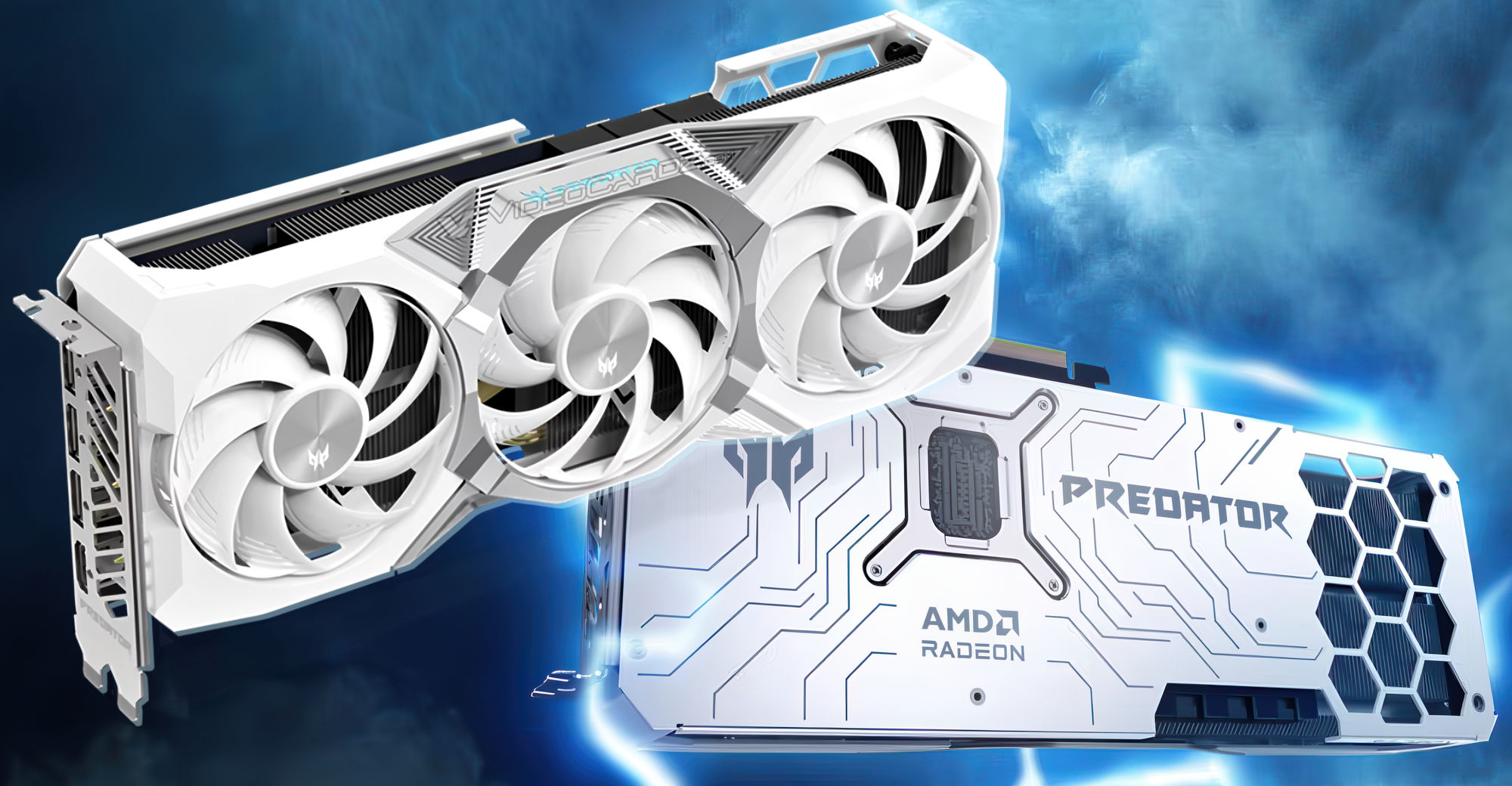
VideoCardz.com
Predator BiFrost now in white Acer has released a new version of its flagship BiFrost Predator cards based on RDNA34 GPUs. We haven’t seen many Predator RX 9070 cards in gamer builds or Reddit discussions, so these models may not be particularly popular. However, they represent Acer’s flagship offering—a company still relatively new to t...
this my gpu lmao
craggy condor
fierce shard
Can anyone recommend a 9079 white model that’s also good for some kind of ocing
any of them
 lavish abyss
PSA
If you're currently on a card that's slower than RDNA2, now is the time to upgrade to RDNA2
Everybody's dumping their cards because they think AMD is no longer supporting them. Because nobody knows how to read.
So find someone who's falling for the tech youtuber "doomsday" mentality on the driver update scenario, and snatch up their RX6900XT for 200 bucks
you'll be happy
olive bobcat
If you find any, send them in #tech-deals-discussion
 reef bramble
what's the diffrence between
asus prime 9070 Evo and non evo
@合言葉由紀 Yuki Kid
@fierce shard
fierce shard
reef bramble
what's the diffrence between
asus prime 9070 Evo and non evo
idk bro
actally