#graphics-cards
1 messages · Page 74 of 1
 odd siren
That hasn't happened. It should be up to the retailer or brand to pay for it the 2nd time imo
It's not your fault it happened twice, they failed to deliver
The typical norm is the consumer won't foot the 2nd bill in this situation
 drowsy mirage
I’ll email them and see if they’d send me a return label and a new RMA number, my plan for the card initially was to RMA and test it so I could sell it to my cousin who does graphic design and try the 4090 if I could find a waterblocked version
odd siren
You have a water loop?
drowsy mirage
For my cpu right now, I did have the 3080ti waterblocked for a while before it started acting weird. Turned out it was the mounting pressure for the water block that was causing issues but that’s besides the point
I’m just testing the card before I give it to him to try before buying it, I don’t want to give him a card that fails in the first months of owning it
odd siren
Ok fair enough
Reason I say is waterblocking a 4090 does nothing
I went from suprim x air to an alphacool block
My temps went up 10C and my vram gained +200
Which is suggestible to be plain worse tbh
Card is quieter than my loop when stock lmao
Just some food for thought, the good 4090's are almost too good lol
drowsy mirage
Which is why I didn’t water cool the 7900xtx lol, that ac unit of a cooler didn’t let it break 65 degrees
odd siren
Yeah, a lot of xtx's are like that
But yeah I would say, all other variables out, my only other guess would be your e cores might be unstable
Also btw
Go check this out
https://wccftech.com/intel-13th-14th-gen-instability-issues-buggy-microcode-etvb-fix-bios-fix-0x125/
Wccftech
Intel has found the root cause of its 13th & 14th Gen CPU Instability issues which stems from a buggy microcode associated with eTVB feature.
I know what I said about evga bios', but a fix is a fix, and it's a big one. Worth the pain
We don't know when this will drop yet
drowsy mirage
Oh, that’s the microcode thing I was looking at on my bios last night, I’m on 0x125 microcode
Never mind, I double checked chat and it is NOT 0x125 but I’ll be looking for that update
drowsy mirage
If it doesn’t arrive for my board a new mobo is a lot cheaper than a cpu
odd siren
The fact they hid this internally is a huge deal lol
drowsy mirage
Yeah, but the fact that i was informed about the power limits for my cpu is still a big help, at least until that patch is released
odd siren
All good mate. I think at the very least we've made fair headway into this
It wouldn't surprise me if it went through rma without a confirmed fix
Happens a lot in the tech space sadly, very annoying when it turns up
 random walrus
while gaming my gpu is reading 76C, but the hotspot is 91. Is that fine or should I be looking into a repaste or something?
 rigid oxide
odd siren
https://wccftech.com/intel-13th-14th-gen-instability-issues-buggy-microcode-etvb...
rigid oxide
odd siren
https://wccftech.com/intel-13th-14th-gen-instability-issues-buggy-microcode-etvb...

Tom's Hardware
The eTVB feature is reportedly not the root cause.
instability continues 
 livid idol
Hmm it's almost like the article that has a typo in the title wasn't reliable. Who could have seen that coming?! #cpus-mobo-and-memory message
 keen nacelle
random walrus
while gaming my gpu is reading 76C, but the hotspot is 91. Is that fine or shoul...
keen nacelle
random walrus
while gaming my gpu is reading 76C, but the hotspot is 91. Is that fine or shoul...
What gpu
Sounds fine tho
keen nacelle
random walrus
3060ti
Yeah you're fine
random walrus
Ok thx
odd siren
rigid oxide
instability continues <:kekw:741678350791081994>
Yes they'll deny the claim as it leaves them legally exposed if it becomes the lynchpin factor that caused hundreds of thousands if not millions of chips to self-immolate
This was their own internal investigation lmfao
Them having to potentially replace or recall tons of these chips would chop their top off the business no doubt
Like the literal text excerpt is damning 💀

They're fumbling rn
drowsy mirage
Would switching to ryzen be the better option until intel gets their stuff straight or is it better to wait for the microcode updates
odd siren
drowsy mirage
Would switching to ryzen be the better option until intel gets their stuff strai...
If there's nothing wrong with the cpu rn, just use what's safe until further notice
Just have to wait and see when the gpu comes back
 lyric leaf
🧐
 frail drum
👀
 junior locust
odd siren
junior locust
odd siren
Apparently the instability and so on has nothing to do with eTVB
At least according to any companies asked
odd siren
junior locust
At least according to any companies asked
Something something save face something corporate liability something something
I'll wait until the dust is settled before I believe anything. But an internal nda'd investigation is a big one
junior locust
TBF it's Igor
So like I don't doubt he's telling the truth that Intel found the root
But I also don't think it's eTVB
Since Intel can't be dumb enough to release code that'd literally fry their top chip and ONLY their top chip
@odd siren also hold on didn't AMD have a big scandal about top-tier X670 boards literally detonating X3D chips?
Though there IIRC it turned out that mobo manufacturers went full stupid and had bad BIOS stuff
So like
odd siren
junior locust
Since Intel can't be dumb enough to release code that'd literally fry their top ...
They absolutely can be as they didn't realise they were pushing their cpus way above the design limit
junior locust
It feels similar but AMD probably handled it better?
odd siren
Overclockers knew about this problem BEFORE intel.did
junior locust
Oh?
odd siren
This degradation has been known since mid 13th gen
junior locust
I mean yeah OC would reveal that kinda stuff
But many people didn't ever OC in the sense they just let the chips run to the numbers in bios
odd siren
Long known running ICCmax at 255A saves the cpu from multicore death
Um yes they do
That's called the darwin effect good sir
junior locust
So you have to TECHNICALLY overclock to get advertised performance so if something breaks you're SOL
odd siren
There are people who benched at stock with cinebench, after 3 cinebench benchmarks, only 3, chip's degraded
30 minutes in cinebench is KNOWN to degrade 13th and 14th gen even at stock
junior locust
I didn't think I can have more negative feelings towards Intel than I already did
That's effing awful
odd siren
Yes why do you think I'm not making a huge fuss about it
I've known about this for a year now
junior locust
I only knew that your rig can crash if you push it
But like degradation that bad that quickly is borderline scam on a like 800 dollar chip
odd siren
AMD went through the same thing with static oc on the old zen 2/3 process nodes
junior locust
I wouldn't hate if my PC was like "Yo you're really pushing the limit, I'm not happy I'd rather just shut it down to avoid anything bad happening"
junior locust
But degradation at stock speed is probably scam
And it's not like LGA1700 was a new socket or 13th gen was that revolutionary new professor tech
odd siren
junior locust
But degradation at stock speed is probably scam
Which is why they're fumbling horribly behind the scenes to fix this as being unable to run as advertised leaves them legally upheld for a number of products
They're under a massive risk exposure
junior locust
Like I get the early teething issues with Ryzen 7000 with the new socket and all that (though X3D chips desoldering themselves is sucky)
But like it's an ESTABLISHED tech
odd siren
That's why there's all this "They didn't actually find the issue" "No it's not that" bs
It's classic smoke and mirrors
odd siren
junior locust
I mean can they even "fix it"?
That's the trillion dollar question
junior locust
700 and 600 SKUs affected too?
odd siren
14600 I believe yes
junior locust
Cuz that'd make it from a disaster into a cesspit of lawsuits
junior locust
900 SKUs already bad
But if it's more widespread then it's just gonna be a massive disaster
odd siren
We don't have a defined clock and vcore definition for degradation
junior locust
13700k?
junior locust
I was eyeing that for my dad's upgrade
I'm probably not gonna get him that upgrade in that case
junior locust
Wasn't it vcore voltage control failing with the X3D degradation thing too?
odd siren
Somewhere around that under full load is known to degrade, but current also plays a factor hence ICCmax = 255A
Or for intel
ICCmax 307A
odd siren
junior locust
Wasn't it vcore voltage control failing with the X3D degradation thing too?
That was the vsoc rail. AMD yeeted it way beyond spec
If you touch voltage at all on x3d it's basically guaranteed death over 1.2v
Let alone pbo overclocking being mid, all core oc is basically death guaranteed
X3D is fundamentally very voltage sensitive
junior locust
Isn't that why OC was meant to be locked on it?
To avoid someone accidentally killing their chip
junior locust
Kek
 solid glacier
bruh no mans sky makes my pc not bright lol
livid idol
It has HDR mode
So if you have a good HDR monitor then enable that, but if it's only HDR400 or not certified at all, disable that or it'll screw with the colors.
The "good" HDR monitors start around $500 these days
 latent cove
what could be some reasons my gpu would spike randomly to 100% and freeze my pc for a few seconds? Its a 6700 xt and it usually runs 60-80% during games. My graphic drivers are up to date
keen nacelle
latent cove
what could be some reasons my gpu would spike randomly to 100% and freeze my pc ...
?ddu
 neat ventureBOT
DDU (Display Driver Uninstaller) Guide by Pato
https://github.com/NeweggTechie/Graphics-cards/wiki/How-to-use-DDU

GitHub
Contribute to NeweggTechie/Graphics-cards development by creating an account on GitHub.
 jade pond
huh
odd siren
If you got that for 550-600 it might be not bad tbh
Make sure you have a good psu for something like that
jade pond
alr cheers mate
solid glacier
u7h anyone know why i just logged onto r6 and i lost evreything? its like a new account it says?
livid idol
solid glacier
u7h anyone know why i just logged onto r6 and i lost evreything? its like a new ...
Seems like a common thing and the only thing I can say is contact Ubi
https://www.ubisoft.com/en-us/help/contact
No one else with the same issue ever reports a fix
Which is not to say it doesn't get fixed, just if it does get fixed it's by support and they don't report that
lol there's a whole page for this
https://www.tiktok.com/discover/r6-account-reset-glitch
 raven wharf
new xfx gpus
 rigid oxide
The ones where the fans pop off?
odd siren
raven wharf
new xfx gpus
White is gorgeous
livid idol
There is a lack of white AMD GPUs right now so any new white model is welcome
raven wharf
rigid oxide
The ones where the fans pop off?
yup

the white is only on the 7800xt by the looks of things
box art for the xtx is amazing though
would look good on a shelf
 fluid grotto
Hey guys, does anyone have the reference RX 7900 XT card? If yes, how is it?
Some say it's not great compared to custom models
junior locust
Most of the time custom PCB cards are only a couple % faster than reference
I'd not worry that much
odd siren
fluid grotto
Hey guys, does anyone have the reference RX 7900 XT card? If yes, how is it?
Som...
Relatively loud but relatively small vs other 7900XT's. That's about it for differences.
fluid grotto
Thanks to both of you. Found a really good deal on the reference so I was curious about differences. Guess I'll go ahead and buy it!
odd siren
Oh yeah, reference vbios
@fluid grotto
Forgot that last part but sorta comes with the reference cooler territory anyway
 glacial forum
Rx6600 are they any good gpus?
keen nacelle
If you can spend $235 for the 7600 it's a pretty noticeable jump in perf
Like 20%?

Gigabyte GAMING OC Radeon RX 7600 8 GB Video Card (GV-R76GAMING OC-8GD)
rigid oxide
keen nacelle
Like 20%?
yeah around 26% with av1 support
you need to do av1 above 1080p tho
keen nacelle
Nah 7600 far better
livid idol
raven wharf
ive though they were like equal almost
That's probably the 6800 XT/7800 XT you're thinking of, that's a lot closer.
keen nacelle
Closer to 6700, no?
 random walrus
odd siren
I hope we're not using tpu there
random walrus
odd siren
I hope we're not using tpu there
That is tpu; are there any other sites with a good comparison tool for gpus?
odd siren
random walrus
That is tpu; are there any other sites with a good comparison tool for gpus?
3dmark > compare graphics score with slight amd bias in mind
rigid oxide
odd siren
Cos 6700 is definitely better than 6650 lmao
Didn't notice that it is actually hilarious
rigid oxide
odd siren
3dmark > compare graphics score with slight amd bias in mind
Wdym by that compare score with slight bias in mind?
Amd gpus under score relative to Nvidia/intel you mean @odd siren ?
odd siren
rigid oxide
Amd gpus under score relative to Nvidia/intel you mean <@101107951401455616> ?
Radeon cards score better than their relative counterpart from nvidia in time spy
It's a small bias
Less than 10%?
But even now time spy extreme is still very accurate
Like let's say you see a 6800XT do 22K but a 3080 12gb do 20K
In games normalised it's more akin to very similar raster between the two
But if you remember that slight bias then it's easy
rigid oxide
I wonder if some of the stuff timespy does fits in the Infinity cache
That would explain it
odd siren
I'm not in the slightest aware why it does that but it does
Intel also gets high scores despite AMD's capable multithread with X3D
 zealous lion
raven wharf
new xfx gpus
zealous lion
raven wharf
new xfx gpus
Is the Mercury always red or is that LEDs?
 livid idol
solid glacier
Do I turn IGPU configuration off?
livid idol
solid glacier
Do I turn IGPU configuration off?
dGPU only mode enabled
solid glacier
livid idol
dGPU only mode enabled
hey waht should my mouse polling rate be at? i mainily play fps games?
solid glacier
on reddit it says should be at 500hz? instead of 1k
random walrus
I'd say highest setting unless it's acting weird
solid glacier
idek how to move my polling rate or change it i mean
livid idol
You'd do that in the mouse software
 vital oriole
I agree with setting it to the highest polling rate
It's straight up a fact that finer controls and details are improved with high polling rates
If a game struggles with it, crank it down, etc
solid glacier
bro no shot
im having the SAME issues i was with the last pc lol
wtf
what are some programs i can download to make sure my ram is running fine and same with cpu
solid glacier
so whats weird if my graphics arent high and i put them on low my game feels like crap? so i assume my cpu might be messedup?
on high settings

my cpu temps
 cerulean rover
solid glacier
so whats weird if my graphics arent high and i put them on low my game feels lik...
cerulean rover
solid glacier
so whats weird if my graphics arent high and i put them on low my game feels lik...
Might need to just set a fps cap
solid glacier
What 3d mark spytest should i run on my pc
cerulean rover
Timespy

 cerulean rover
Normal time spy


 pine stump
I read that the pcb for my card and the reference pcb is nearly identical other than the missing screw in the power input in the top, would it work with a reference water block if I shave some acrylic
cerulean rover
Seems wacky
solid glacier
cerulean rover
Seems wacky
is this towardsme or him
cerulean rover
Both
The fps jumps around without temps or clocks jumping around
And drilling into the acrylic seems sketchy
solid glacier
cerulean rover
Both

bruh
talk about not smooth
how do i fix this
maybe my ram being at 6400?
maybe it isnt stable?
keen nacelle
This looks completely normal, no?
solid glacier
nah look at my lows
keen nacelle
Are actual games choppy?
 keen nacelle
This is 3dmark, no?
rigid oxide
solid glacier
capframex
he asked what game not the monitoring software ig
keen nacelle
I thought the app was 3dmark
solid glacier
keen nacelle
I thought the app was 3dmark
first pictures it was but the pic i just sent is capframex
solid glacier
how many loops
 solid glacier
keen nacelle
Yes
solid glacier
keen nacelle
Yes
oh, ight lol im confused on waht your asking xD
solid glacier
solid glacier
how many loops
this says 5600mhz? but i got my ram set to 6400
 keen nacelle
5600 is the jedec
solid glacier
oh ight

 cerulean rover
Is the memory unstable?
odd siren
Then put it to 6K @solid glacier
odd siren
Yeah set it to 6000 then if it's stable
livid idol
If it's stable at 6000 then that's a sign that UCLK was unstable
 wild walrus
How can i check if i can put my gpu in and see if the psu can handle it?
 hexed forge
what gpu and psu do you have
wild walrus
hexed forge
what gpu and psu do you have
I have a asrock challenger pro 6700rx

And my pau is 550 wats
hexed forge
what is your cpu?
asrock reccomends a psu of at least 700watts for that gpu. I personally wouldn't go less than that.
but it depends on the rest of your specs.
wild walrus
hexed forge
what is your cpu?
AMD Ryzen 7 5700G 8-Core, 16-Thread Unlocked Desktop Processor with Radeon Graphic
hexed forge
Yeah I feel like you're at the high end of what that psu would be able to do. It would have risks using it imo.
you don't usually wanna go over 80% of what your psu can handle which would put your psu at about 440. The power draw on that gpu from what I can see is 230 watt at max, cpu is at 70, ram uses 5-10 watts so if you have 2 thats another 20, if you have hdds they could use up to 25 watts each, gaming mobos use 45-80 watts, m.2 would use another 10 watts max.
Everything except the HDD would already add up to around 410 at max and then you still got any LEDs and Fans and whatever else you may have in there. It's a bit to close for me, but it may work. Pushing a PSU to the limits could have major issues though and could fry some parts if you're not careful.
vital oriole
80% load is perfectly fine if it is a good unit
 limber flax
you'll fry em only if you load up bad psus
like the thermaltake smart
use it too much and you increase the risk of catastrophic exploion
livid idol
 vital oriole
but still
the gigabyte pg-m is an exception tho
way too high protection trip point
livid idol
Hey the protections work perfectly
Once
 wicked hound
hexed forge
you don't usually wanna go over 80% of what your psu can handle which would put ...
wicked hound
hexed forge
you don't usually wanna go over 80% of what your psu can handle which would put ...
I'd worry about the 80% rule only for some PSUs. Usually those that don't like transients with transient heavy components (also technically bad PSUs, but bad PSUs don't get recommended anyways). Kinda just SFX ones I guess, or certain old-ish models (prolly from used market).
Or power efficiency. I think it's 70% is where the average PSU is most efficient? Can't quite remember now.
cerulean rover
50-60% prob
 hexed forge
wicked hound
I'd worry about the 80% rule only for some PSUs. Usually those that don't like t...
hexed forge
wicked hound
I'd worry about the 80% rule only for some PSUs. Usually those that don't like t...
Well I'd worry about that rule for anything B tier and below due to personal experience, and considering his was from a prebuilt, I'm not willing to trust that the manufactorer used a good psu lol. But I follow that rule as a general to be safe plus the manufactorer of the gpu reccomends 700+
livid idol
Over time a PSU will lose some of its peak power capacity due to capacitor aging. Depending on the usage level and capacitors used, you can lose about 5-10% of your capacity every 5 years of use. It won't be an issue here if he's just looking at a 4070 ti for an old 1250W PSU.
Even assuming the worst, 20% loss, that still leaves PLENTY of headroom.
 plush garden
This a good build for the price ?
keen nacelle
plush garden
This a good build for the price ?
I would change some things
Part List - AMD Ryzen 7 7800X3D, GeForce RTX 4070 SUPER
Aio isn't needed but figured you liked the aesthetic
Part List - AMD Ryzen 5 7600, GeForce RTX 4070 Ti SUPER
7600 and 7700x are within a few % of eachother if just gaming
plush garden
keen nacelle
I would change some things
which is better
hexed forge
livid idol
Over time a PSU will lose some of its peak power capacity due to capacitor aging...
Ah my response was in response to fiery asking about using a asrock challenger pro 6700xt rx with a 550 watt PSU from a prebuilt
wicked hound
hexed forge
Well I'd worry about that rule for anything B tier and below due to personal exp...
Also fair. Been a while since I thought of budget/prebuilt stuff do forgor that low end safe PSUs can be encountered. Just want to be careful for words, you kinda made it sound like >80% is scary for all PSUs.
hexed forge
It's typically a rule I try to follow because I went over that limit with a B tiered psu which was considered pretty safe, and it ended up frying my mobo and a couple other components when the psu gave out. Not saying it's common, just a better safe than sorry thing when most PCs won't really hit that limit with something 750+ and 750 watts aren't that bad of a price.
keen nacelle
Depends on what you do
1440p gaming likely the first one
4k gaming or gpu focused workstation tasks, second
plush garden
keen nacelle
Depends on what you do
for 1080p max settings and also using giants editor
keen nacelle
7800x3d one
odd siren
Why are we doing a 1K+ pc for 1080p???
keen nacelle
good point
odd siren
Wwayyyyy overkill
@plush garden https://pcpartpicker.com/list/DKyrkJ
Part List - AMD Ryzen 7 7800X3D, Radeon RX 6750 XT
Max, max, maxed until horse is twitching
Would preferably do this honestly
Part List - AMD Ryzen 5 7600, Radeon RX 6750 XT
Any higher and you go just, way beyond the pale for 1080p situations
RX6800/7700XT at the absolute most for GPU
plush garden
odd siren
Wwayyyyy overkill
well because i want it to last for a long time and also i want to play warzone to and get 200 fps plus
keen nacelle
i would suggest an upgrade to 1440p soon
vital oriole
^
plush garden
keen nacelle
i would suggest an upgrade to 1440p soon
out of yours which is the better one for 1440 with high fps
vital oriole
1080p is like using a ferrari in a go kart track in a gpu any faster than 6750xt
keen nacelle
Part List - AMD Ryzen 7 7800X3D, Radeon RX 7900 GRE
keen nacelle
plush garden
out of yours which is the better one for 1440 with high fps
same answer, 7800x3d 4070 super
keen nacelle
keen nacelle
https://pcpartpicker.com/list/bPtyMV
thats just a cheaper option for same perf, and the cheapest not bad 1440p monitor id suggest
if you can swing another $40 upgrading to the g27q for monitor is worth it
plush garden
keen nacelle
https://pcpartpicker.com/list/pWGDL9
so go for this ?
keen nacelle
yeah
plush garden
bet
keen nacelle
plush garden
bet
give me one sec to check something out
plush garden
keen nacelle
give me one sec to check something out
ok
odd siren
vital oriole
1080p is like using a ferrari in a go kart track in a gpu any faster than 6750xt

odd siren
plush garden
well because i want it to last for a long time and also i want to play warzone t...
Even if it's warzone
keen nacelle
Use newegg combo up savings to get the 7800x3d, mp44l, b650 eagle ax, the teamgroup 32gb white rgb kit, and be quiet pure power 12m 750
@plush garden
plush garden
keen nacelle
Use newegg combo up savings to get the 7800x3d, mp44l, b650 eagle ax, the teamgr...
alright
keen nacelle
$737 for all of the above I believe
plush garden
keen nacelle
$737 for all of the above I believe
bet
keen nacelle
itll be less than 737 idk what newegg mobile is doing
plush garden
keen nacelle
itll be less than 737 idk what newegg mobile is doing
i cant fint the deals
send link if ya dont care
plush garden
keen nacelle
its on the top of the front page
this ?
 keen nacelle
youve gotta select the individual parts yourself
plush garden
which is better ryzen 77800x3d or the i714700k?
keen nacelle
7800x3d
plush garden
keen nacelle
<@795751684894752768>
what is a mp44l
keen nacelle
ssd
plush garden
this the the ram i should get?
 keen nacelle
ye that works
odd siren
Much better than crucial pro omg
plush garden
keen nacelle
ye that works
this better?
 keen nacelle
looks good, is psu in there too?
i would not get the p41 for $105
mp44l will do the same thing for gaming at much cheaper
odd siren
Please don't get a p41 plat
VP4300 Lite will almost match it for way less
Use that $37 on other stuff
plush garden
ok
 polar tide
hey would this channel be okay to ask for troubleshooting questions?
regarding graphics card?
livid idol
Yeah go ahead
 sharp trellis
Does anyone own 7900xt but Asus TUF?
odd siren
@sharp trellis I've owned and worked with a lot of rdna 3 if that helps
sharp trellis
odd siren
<@249208118481780737> I've owned and worked with a lot of rdna 3 if that helps
Ever gamed on it?
at least.
odd siren
Ofc
odd siren
Hm
sharp trellis
Nonstop crashes
odd siren
Ok
odd siren
Ok
sharp trellis
I've tried every possible fix, and other ways..
odd siren
Let's keep it chill my friend I'm here to help
sharp trellis
nothing works so I rmaed it.
Yes sorry I didnt mean to sound like a record going rough i just was frustrated.
odd siren
I can tell
sharp trellis
its fine, it was many months ago.
sharp trellis
i ended up rmaed it and sold it out of anger.
apparantly buyer said its working well
on games i even tried to play,
so now i just ordered 7900xt Asus tuf oc its coming tmw morning
i hope it wont crash on me again.
sharp trellis
I will be doing DDU + new driver and Internet disconnected
odd siren
1st off did you try the rma card yourself
sharp trellis
no. 💀
odd siren
Ok
I'm at 2 conclusions at this point tentatively
My first, being that the card was indeed messed up, came back, it was fine, now it works
My second
The card has some strong incompatibility with your system and refuses to play nice. Very rare symptom but happens
sharp trellis
it wasnt same gpu when it came back, it was a whole new card.
sharp trellis
odd siren
The card has some strong incompatibility with your system and refuses to play ni...
huh
I see.
I wonder what it is
but that has changed, I am on Windows 11 with AltasOS optimizations.
odd siren
sharp trellis
huh
Very rare. Sometimes you get a piece of hardware that just hates the entire thing, refuses to work and has terrible issues
Ram, cpu, gpu, psu
Ssd
All of them can get this
And it's perfectly fine in a different system
I've seen it once myself, there's an example I remember from jayz2cents from a really long time ago, he had a 10th gen system that refused to use a kit of crucial ram
I myself had this with my 6900xt
sharp trellis
Okay, my pc has underwent new changes.
new cpu,
maybe ram i cant remember if i swapped out to 2x16gb sticks coming from 4x8gb sticks
Same old psu
odd siren
It's a very rare issue
odd siren
sharp trellis
Okay, my pc has underwent new changes.
new cpu,
maybe ram i cant remember if i...
I mean it's a wild guess if this may have been a factor
Often times it happens it results in an rma of that new part
And people usually get a working system later
I've seen others with this particularly on ryzen systems
Cpus that just refuse to work
Apparently common for ryzen
So uh yeah. When you get it, ddu via safe mode. Give it a whirl, see how you go
 odd siren
sharp trellis
5800x3d
odd siren
sharp trellis
5800x3d
If you don't have issues with it rn then odds are you're fine
Make sure you land on a good bios and stick to it basically
odd siren
I see
sharp trellis
so i hope this time its gonna work beautifully
because i want the 20gb vram
and raw power for my alienware DWF monitor
odd siren
Alr
sharp trellis
Okay
odd siren
Tech is either happy or completely mad
odd siren
sharp trellis
3x8 pin slot
Well there's that but I mean the pcb
sharp trellis
Ah okay.
odd siren
Asus use a very unique pcb layout to meet rdna 3 board spec
It's actually very efficient
odd siren
One of the few that aren't reference design
sharp trellis
it pulls 310+ watts
 sharp trellis
oof
odd siren
Anyway, give us a shout if you run into any issues, just remember to ddu and shutdown via safe mode first before you swap it over
Odds are whatever it is there will be an answer
sharp trellis
not my first rodeo, if my own fixes that i know of and dont help me
ill come back here
sharp trellis
apperciate you telling me its a rare issue
odd siren
I mean I speak from the 1st person about most things
sharp trellis
part of me wished i tried the rmaed card but well, that money from selling it got me a nice DWF monitor so win-win?
sharp trellis
i liked the amd gpu software
esp recording
but formats lol i had to convert it to an MP4 file
do you know a way to have it send as mp4
or whatever most compatiable with Discord
odd siren
Game bar works well lol
sharp trellis
you got a point
odd siren
Especially with hdr involved
odd siren
Indeed
sharp trellis
then i forgot my d41 case is not a real free estate pc lol so I went with it
let me check my total
amazon lists it, and direct from amazon
$800
i paid $763
amazon employee discount came in clutch
odd siren
Before or after tax
sharp trellis
after tax
odd siren
Not bad
sharp trellis
im looking forward to seeing dwf freesync premium working in bias with the 79xt
 frank dagger
I wanna be sure of all possibilities before goin for it.
So, playing a one game often in 4k max settings, on a 3080ti FE since 2020.
overall GPU temp is 72 C and VRM 90-94 C this summer. Was goin for 12 hours straight this day.
Gpu continues to blue screen all day. I tried updating drivers, re-seating, going to the "fail safe" driver and lowering settings to 1080p low and it still crashes.
Is my GPU dead?
livid idol
frank dagger
I wanna be sure of all possibilities before goin for it.
So, playing a one game...
What are the blue screen error messages?
frank dagger
Couldn't see, it flashed for a second then auto reboot
Never recorded the log either to storage
livid idol
Ok, I can analyze them and see what's up.
Copy the contents of C:\Windows\Minidump and zip it up. Then DM it to me. I can help narrow things down with the codes.
frank dagger
it isn't up to date, last dump it has is from january
livid idol
That would indicate either the dumps are disabled or it's definitely not the GPU
frank dagger
odd siren
Or go to reliability history
how do i do that?
ima send the files anyways
livid idol
GPU errors don't cause it to skip the memory dump, they're pretty good at recovering.
The kinds of things that cause that are mainly CPU and RAM.
odd siren
Start > type ' reliability' first option should be it
Then you click on the errors and examine the codes it gives
frank dagger
just spams of
windows shut down unexpectedly
 livid idol
frank dagger
ima send the files anyways
livid idol
frank dagger
ima send the files anyways
The 4 dumps you sent all indicate the Nvidia driver as the culprit. Have you tried DDU?
?ddu
neat ventureBOT
DDU (Display Driver Uninstaller) Guide by Pato
https://github.com/NeweggTechie/Graphics-cards/wiki/How-to-use-DDU
GitHub
Contribute to NeweggTechie/Graphics-cards development by creating an account on GitHub.
frank dagger
yes, i belive we had talked about this before with driver issues. i had thought it was driver issues, turns out the GPU was sagging so it wasn't makin proper connection, then fixed it with a support bracket.
so driver is out, pcie connection is out, im not sure where else to go from here
livid idol
So if those errors have been solved, then we're back to "why is it instant crashing and skipping memory dump" which is usually a CPU or memory issue.
frank dagger
i've done a memory stress test before with the program that was recomended before and results came out perfect. so maybe the cpu is the fault or, i have to run the memory test again
livid idol
Try a CMOS reset, that'll reset the settings just in case there's a corrupt or bad BIOS setting
?cmos
neat ventureBOT
How to clear CMOS (works for AMD and Intel)
https://www.intel.com/content/www/us/en/support/articles/000025368/processors.html
Intel
Defines CMOS technology and how to clear CMOS using the jumper or battery methods.
livid idol
I said set a lot in that sentence
frank dagger
just remove battery and put back in right?
How could bios mess everything up though? Im doin the reset now
livid idol
If one little setting gets corrupted suddenly a 0 becomes a 1 and your entire boost algorithm is messed up
frank dagger
HOLY, maybe i did that... probably... i can't remember
frank dagger
Yes
livid idol
I've got some old dumps from December and January that are no longer relevant
odd siren
Mmm
odd siren
frank dagger
just spams of
>windows shut down unexpectedly
So no details?
livid idol
They were all either "page fault in unpaged area" or "video tdr error" and all of them root caused to the Nvidia driver. They were fixed with a sag bracket.
frank dagger
Uh, just removing and reseating in a short time is okay? Or did i have to wait? My XMP toggle is on
livid idol
No it takes about 10-15 minutes to clear
frank dagger
SHOOT! okay, turnin off to do this
odd siren
livid idol
They were all either "page fault in unpaged area" or "video tdr error" and all o...
Pointing to yeah likely not the gpu tbh
More ram, vcore, imc
Or psu
Thank the beautiful overclock psa
Reddit
Explore this post and more from the overclocking community
We should really pin this somewhere
Page fault being common would point to ram imo
Same with sudden restarts (or psu)
Tech what's your cpu and psu
frank dagger
CPU is 3900x, psu is a corsair RM 850X
odd siren
Ok so we can rule out the psu then for the most part unless you're running the HOF vbios
frank dagger
HOF?
odd siren
If you don't know what that is then great that rules it out too lol
frank dagger
All i know on bios is XMP, some default fan control, and boot sequence
livid idol
I don't think the hof bios works on FE models anyway
odd siren
I'm suspicious of ram or maybe dead psu cables
frank dagger
Though, i did use amd ryzen... master...
frank dagger
Yeah its OC stuff...
 odd siren
It may not be, but I'm immediately pointing at it lmao
frank dagger
WELP, hopefully!
Once bios is done in 10 min, ima boot a intensive load game. Usually crashes after a few min or something.
odd siren
Run it ryzen master disabled
We can try and skip a step here, save what you had, disable it and just run stock + xmp
We'll see if it still happens
It's just for testing purposes, we can give you a decent overclock run down in 10 minutes to get you up to something that properly works if this ends up being the cause
odd siren
I mean there's that but also properly doing ram >>>> ryzen master any day
frank dagger
Oki, time to boot
Bios has been reset!
And ima check ryzen master anyways and default it or naw?
K, says its already reset. Then ima just uninstall that later...
odd siren
Ye leave it default
frank dagger
Loadin an intensive game now
odd siren
Just make sure xmp is on basically
frank dagger
Similar loads before crashin problem so far, now to wait and see if it'll poof to blue
20 min in and not dead yet... seems promising
Ima try the main problem game. Usually that insta crashes
frank dagger
Nope, crashed upon loading
frank dagger
Nope, screens flickered and just reboot
frank dagger
No click
odd siren
describe the flicker
frank dagger
Loading screen came up, both monitors flashed black, loading screen was stuck frozen on main monitor, flash black on main monitor, then rebooted
odd siren
Is there any OC on the gpu
frank dagger
I don't belive so, i reset the power option back to default before
odd siren
Just double check it's defaulting
If it is then we should download OCCT and do a gpu 3d test or system power test
frank dagger
Gettin MSI after burner up
frank dagger
odd siren
If it is then we should download OCCT and do a gpu 3d test or system power test
Okay, links on those?
odd siren
OCCT website
livid idol
Ocbase is the home of OCCT, the most popular all-in-one stability / stress testing / benchmarking / monitoring tool available for PC
frank dagger
Okay, ima do gpu first
frank dagger
Is the system power test also 1hr long by default?
odd siren
Mhm
If it didn't crash during the gpu or power test then odds are it's probably not the gpu
3dmark stress test on a loop would be another good thing to try
frank dagger
54 min through the 3d standard test, no issues
So what the heck did i do???
Running power soon
frank dagger
Starting power
odd siren
Go check reliability history to see what the error was that it reported
frank dagger
Wait nevermind, its just.
"Didn't properly shut down" again
odd siren
Sorry
Windows logs
System
Then scroll until you see an error or more at around the time you shut down
frank dagger
Shut down unexpected
Shut down unexpected
TPM error
frank dagger

the "shut down unexpected" just repeat those words. doesn't go into detail, this is the only one with some info

tpm data
wai, i remember that code... TPM is just a storage issue right?
random walrus
Trusted Platform Module
It's part of the motherboard I believe, with tpm 2.0 it can be on the cpu as well
odd siren
Sorry I went AWOL a minute @frank dagger
Shut down unexpected would hint me that it's possible to be the IF
What xmp is the ram
frank dagger
XMP 1, can reach up to 3600 Mhz
odd siren
Which motherboard are you running
frank dagger
Aorus B550M pro-P
Bios is up to date
odd siren
Jesus
Based board
Hm
Can you try this for me
Go to bios
Set manual frequency with XMP on to 3200
infinity fabric to 1600
Then try the power test again
frank dagger
odd siren
Set manual frequency with XMP on to 3200
FCLK frequency?
odd siren
Infinity fabric is FCLK yes sorry
frank dagger
odd siren
Set manual frequency with XMP on to 3200
So where do i input the 3200 onto?
odd siren
In bios
You go to advanced section
F2 or F7
One of those two buttons
Second menu
Right next to XMP there will be Manual frequency and FCLK
frank dagger
Theres:
XMP frequency support
System memory multiplier
UCLK DIV1 MODE
Advanced memory
odd siren
Show pic
frank dagger
 odd siren
system memory multiplier 32
FCLK 1600
F10, save and restart
UCLK div1 mode you could also change to 1 to 1
UCLK=MCLK
Doesn't really matter tho
frank dagger
Crashed: Uncorectable_Error
frank dagger
Nope...
"UNCORECTABLE_ERROR"
odd siren
Blue screen??
frank dagger
Yeah, with that error name
odd siren
I'm not aware of that error specifically
frank dagger
But it never showed the "WHEA" part, i find that wierd too
odd siren
Hmm
Can you go to bios
Now
I don't remember where this is
Look for C states
Disable c states
Then we'll try power test again
If I could remember where I'd tell you lol
It's in one of these menus
I think 2nd or 3rd iirc
frank dagger
Global C-state control
Aaaandd disabled
Wish LA has PC technicians, got nothing close by
livid idol
LA as in Los Angeles? Because you could try microcenter if you do need to bring it somewhere
odd siren
Fal
livid idol
Or Louisiana
livid idol
Not that local lol
frank dagger
livid idol
LA as in Los Angeles? Because you could try microcenter if you do need to bring ...
4 hours via public transit
odd siren
Wait I'm dumb I'm thinking of Cali
livid idol
The entire LA area, including the 'burbs? Hell no, longer than 30 minutes even before you take trafiic into account
livid idol
odd siren
Wait I'm dumb I'm thinking of Cali
Wha... It takes 4 hours to get from the coast to the next state East, what are you really thinking of lol
odd siren
Hm a lot bigger than I thought
30 minutes by F15

America has such weird like, aspect ratios
frank dagger
We need computer technicians in cali. Barely any places
odd siren
It fits in australia yet somehow you guys take super long to go places
livid idol
Cali is the third largest state, larger than most European countries
frank dagger
Usually 15 min into the test it fails, so I'll see again
odd siren
wtf it's so big
Guys you need to draw USA better wtf is this
I always thought it was like a third the size of texas not the same size
livid idol
Look for one with Alaska overlaid for comparison
odd siren
livid idol
Look for one with Alaska overlaid for comparison
YALL WHACK
livid idol
One state is 2/3 the landmass of the rest of the country lol
odd siren
Jesus christ
livid idol
Yet it's one of the least populous states
odd siren
Oh yeah I can see it now wtf
I thought the state was 1/3 the size
Like honestly
Cali big af
Like imagine florida size
livid idol
Last I checked we were also the eighth largest economy in the world, producing about 1/8 of the country's food
 livid idol
Florida should have stayed swamp land where no one lived
odd siren
livid idol
Florida should have stayed swamp land where no one lived
You say that but there's a whole country over here staring at your statement
🇦🇺 👀
livid idol
No but really all the former swamp land has foundation issues, and that's before the annual 5 hurricanes that pass through
odd siren
A fair bit up north is like that here
You go fishing in marsh and swamp
Amongst the crocs

With our less regular cyclones
Wth




 frank dagger
odd siren
WHEA_UNCORRECTABLE_ERROR?
frank dagger
odd siren
WHEA_UNCORRECTABLE_ERROR?
Crashed: this code
livid idol
That's generally infinity fabric innit
odd siren
 frank dagger
Ima continue this later. I've been tryin to fix this for half the day. Its terrible
odd siren
livid idol
That's generally infinity fabric innit
Related to ye
All good mate
I'm pretty sure though it's the RAM/IMC now
WHEA errors are one or the other
livid idol
Solution: MOAR VOLTS
odd siren
Consistent WHEA is IMC iirc
frank dagger
I wanted to binge a game this weekend but this happened. Its a long 24 hours out of my weekend...
livid idol
Unplanned maintenance is never fun
odd siren
If you had a few other errors like PAGE_FAULT that would be more ram related
So yeah
Most sus of the IMC/IF on the cpu rn
frank dagger
What is IMC?
frank dagger
So ram or motherboard?
odd siren
CPU
livid idol
livid idol
Solution: MOAR VOLTS
I'm not kidding about this btw, VDDP, VDDG, SoC voltage up often helps
odd siren
We may be able to fix it in the next sitting
But it'll take time
If not, 5700X3D kinda slaps tbh
💀
I suspect the auto oc of ryzen master may have had a hand in it but I could be wrong
livid idol
Auto OC may have messed with a voltage and degraded something yeah
sharp trellis
Now this is a CHONK Boi card @odd siren

But damn i didn't even bother to check the size specs Holy 💀💀
It might not fit in my d41 case crap
sharp trellis
Sadly it didn't clear
It was hitting my psu box

Taking out psu box to test the 7900xt
Before going full new pc case install
sharp trellis
Fans spin up to 100% on 7900xt GPU
Is that normal?
sharp trellis
vital oriole
But what are the temps?
29 c idle
sharp trellis
Yes it is
All case fans set to max.
max.
Okay it's fine
Now testing games..
What profile do I use cause my game is acting weird
Like
It sharpens constantly
frank dagger
odd siren
I think you have dead ram tbh
test mem prorgram, extreme profile right?
sharp trellis
Never mind fixed it
frank dagger
odd siren
Or a busted IMC
If its the CPU i have 2 atm to swap in. A 3600 and 5600
So i may try if thats the problem
frank dagger
1 hour in and nothing bad for RAM
I stopped the RAM test. If there was a problem it would've came in that hour
frank dagger
Ima do the OCCT CPU test then
frank dagger
Not cpu, cpu + ram starting
frank dagger
frank dagger
Not cpu, cpu + ram starting
no error, so it's either motherboard or PSU problem now theb?
frank dagger
Had an epiphany, what if the power strip plug socket was a problem?
I'm usin some industry office power strip, maybe it was done for its time???
I'm plugging directly to the wall socket
NOPE, still crashed
 pallid nova
Got a question: so i got offered an rtx 4070 ti super (msi ventus 3x) for 950 cad and an asus pro art rtx 4080 super for 1200. Which one would be better? Kinda stuck because theyre both really good deals imo.
pallid nova
Id brefer nvidia
vital oriole
what do you do?
if you're solely gaming, nvidia is bleh usually
in terms of perf/$ ratio
odd siren
frank dagger
no error, so it's either motherboard or PSU problem now theb?
Do this
https://www.overclock.net/threads/memory-testing-with-testmem5-tm5-with-custom-configs.1751608/
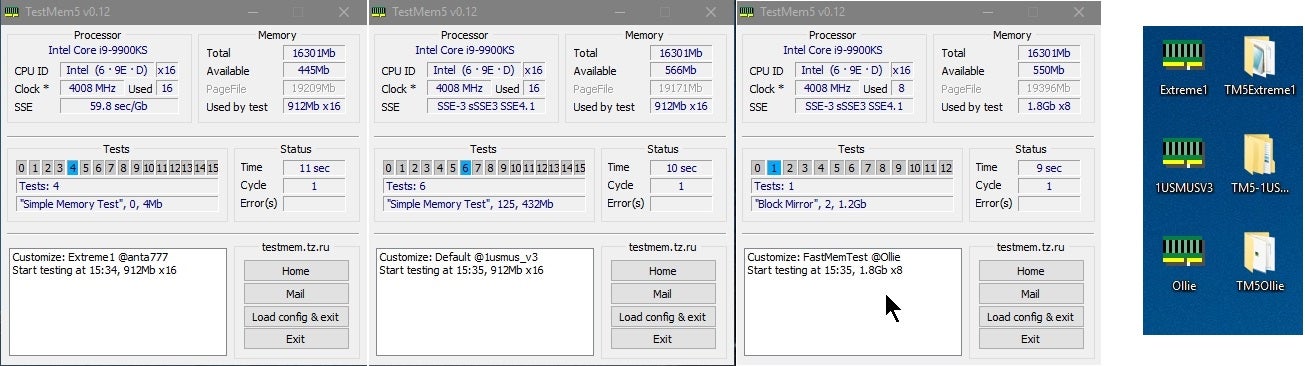
Overclock.net
Anta777 config
odd siren
sharp trellis
Never mind fixed it
So far so good?
odd siren
pallid nova
Got a question: so i got offered an rtx 4070 ti super (msi ventus 3x) for 950 ca...
Both awful
Like
I've seen 4080 supers for 950
Oh wait cad
Hm
frank dagger
odd siren
Do this
https://www.overclock.net/threads/memory-testing-with-testmem5-tm5-with-...
I did, no issues
odd siren
frank dagger
I did, no issues
Do this
Run the vt3 test
Yes the website has no certificate, it's the official site
Vt3 via component stress tester
odd siren
pallid nova
Yesh cad lol
The 4080 still better cos it's not ventus
But both kinda meh for used price
sharp trellis
odd siren
So far so good?
Yep I see no hard crashes
But I need to optimize my 7900xt
odd siren
Optimise wym
sharp trellis
I get little fps dips in forrnite when I enter an building
odd siren
Make a fan curve that's all
sharp trellis
Oh ok
odd siren
Set an fps cap in fortnite and use dx12 pro
sharp trellis
Dx12 pro?
odd siren
Don't EVER use performance mode
sharp trellis
On fortnite or amd software
odd siren
sharp trellis
Dx12 pro?
Specific graphic setting in game
Fortnite
@sharp trellis
https://youtu.be/yP3dQ-fF-9U?si=COvkPJOIZB81I5H1

► (Screwdriver) Get 37% OFF on Fanttik E1 NEX Workstation:
► https://www.amazon.com/dp/B0CSJZFNY9?maas=maas_adg_5A707068EC1A3DB6DC85E3031D7D2B56_afap_abs&ref_=aa_maas&tag=maas
► (Apply the Coupon + Use code WORKSTATION)
► Buy my PC builds: https://zttbuilds.com
► Let me help you build a PC: https://zachstechturf.com/consulting
Today, we settl...
sharp trellis
 sharp trellis
odd siren
<@249208118481780737>
https://youtu.be/yP3dQ-fF-9U?si=COvkPJOIZB81I5H1
sharp trellis
odd siren
<@249208118481780737>
https://youtu.be/yP3dQ-fF-9U?si=COvkPJOIZB81I5H1
Oh thanks
odd siren
Yes directx 12
There's a "pro" option
Directx11 also should work really well
Just don't touch perf mode, it woefully underutilises radeon
frank dagger
odd siren
Run the vt3 test
what option do i select?

nevermind, i didn't read. started benchmark
i have 32 gb but 22 was the closet, multi threaded
sharp trellis
odd siren
Just don't touch perf mode, it woefully underutilises radeon
Interesting
Gotcha thanks

 pallid nova
odd siren
But both kinda meh for used price
pallid nova
odd siren
But both kinda meh for used price
Theyre both brand new
Also, i wanted to ask what was bad about ventus?
Both sealed
odd siren
Still would pick the proart
odd siren
pallid nova
Also, i wanted to ask what was bad about ventus?
Ventus is like, ground floor at nvidia
Not even ground
The ground is where humans live
Ventus is the basement
It's got barely acceptable build quality
pallid nova
Yikws
odd siren
They get better with that each gen but they still surface with issues
pallid nova
odd siren
Still would pick the proart
Ok. Yeah i just wanted some opinions on the deal.
pallid nova
odd siren
They get better with that each gen but they still surface with issues
Yeah ive been discouraged by friends though they never say why
pallid nova
O lmao
pallid nova
Actually i was wondering abiut pro art. I saw online theres a bunch of issues with how quiet it is
odd siren
?
pallid nova
Or rather loud it is
odd siren
Ventus is also loud
pallid nova
Welp no ventus then 😂😂
odd siren
Lol
pallid nova
Pro art is good though right? Ive never had an asus gpu before so idk
odd siren
Like they're both acceptable cards but in a like for like situation I know which one I take the chance with each time
odd siren
pallid nova
Pro art is good though right? Ive never had an asus gpu before so idk
I would give it a bit more credit tbh
pallid nova
I see. Alr. Thx for the second opinion. Gonna get the proart
pallid nova
What food u getting?
frank dagger
odd siren
Run the vt3 test
Last of the stress test is goin, everything passed so far. VT3 is left
It all passed, its running the tests again
So its not the ram if we've tested it 3 times. Probably the PSU or power delivery options if its the case
odd siren
Hmmm
Left me extremely confused though as whea errors, and especially repeatable whea errors have everything to do with imc/ram just about
Maybe we need to do cycle 18 cpu extreme on occt
It's really unlikely to be vcore tho with c states disabled
Like, 99% unlikely
Lmao
odd siren
odd siren
Left me extremely confused though as whea errors, and especially repeatable whea...
Something is up, and it has everything to do with this but we haven't been able to replicate it
frank dagger
Just only the power OCCT is what failed. I did cpu on normal, I'll do extreme then
odd siren
Maybe the windows install is buggered
A bios update or windows wipe might be the play here
The cpu isn't overheating is it?
frank dagger
No,no,no.
I can't afford to do that again.
I've done it so many times with y'all. I've even re-installed this year! Windows can't be the problem
No, again, in this small case its fine temps. The aio keeps it at low 70 for gpu and cpu during games
odd siren
frank dagger
No,no,no.
I can't afford to do that again.
I've done it so many times with y'all...
That's what my footnotes are saying here for whea
frank dagger
Even so, those problems didn't go away before. It has to be some thing else
Cpu extreme test is starting
odd siren
I've got here vcore
Which we did by disabling c states
So rules it out
Raise imc voltage (vsoc/vddg)
Test agesas
Cpu overheat
And windows corruption
cerulean rover
Ever do ddu?
odd siren
Yes
frank dagger
I said yes
odd siren
Wheas are unrelated to gpu entirely
If occt cycle 18 doesn't work then it's either raising imc or testing agesas
If either of those don't work it has to be windows
Otherwise there's some serious hardware fault there we are unable to diagnose
Which makes no sense as these stress tests are harder than games
Try this for imc next, leave ram at 3200/1600

Then bios revisions
cerulean rover
If the power test is the only thing that's failing, maybe try to see if underclocking GPU will get you to a point where you're stable
cerulean rover
Might be some weird thing with pulling power making 12v rail droop to a point where it makes the CPU unstable
sharp trellis
1 hr and 40 minutes in fortnite gaming at max settings
odd siren
cerulean rover
Might be some weird thing with pulling power making 12v rail droop to a point wh...
I'm suspecting the cpu cable yes
Maybe changing vsoc loadline calibration from default to normal in bios
I really feel like
After all that