#archived-urp
1 messages · Page 12 of 1
 scenic burrow
 pure arrow
Hey, have anyone seen something like this in URP?
 meager hare
I am having a problem
I have a URP/Lit shader on a plane with a normal map
and I have a scene with baked lighting
I want it to have specular highlights so I set it to mixed lighting for the main light
but when I baked the lighting again it was just fully bright even in shadows
 placid laurel
scenic burrow
built in 😛
placid laurel
scenic burrow
built in 😛
No that’s for 2000’s graphics
scenic burrow
placid laurel
No that’s for 2000’s graphics
I beg to differ
placid laurel
Show proof


 placid laurel
The-
How—
I want
to see
the method
like, that looks better than hdrp
wtf
the bad thing about built in is it doesn't have shader graph though
scenic burrow
there are shader graphs you can get that support BIRP
I don't use any of them however so I wouldn't know which ones, but they certainly do exist
scenic burrow
sure you can, that is what they are for
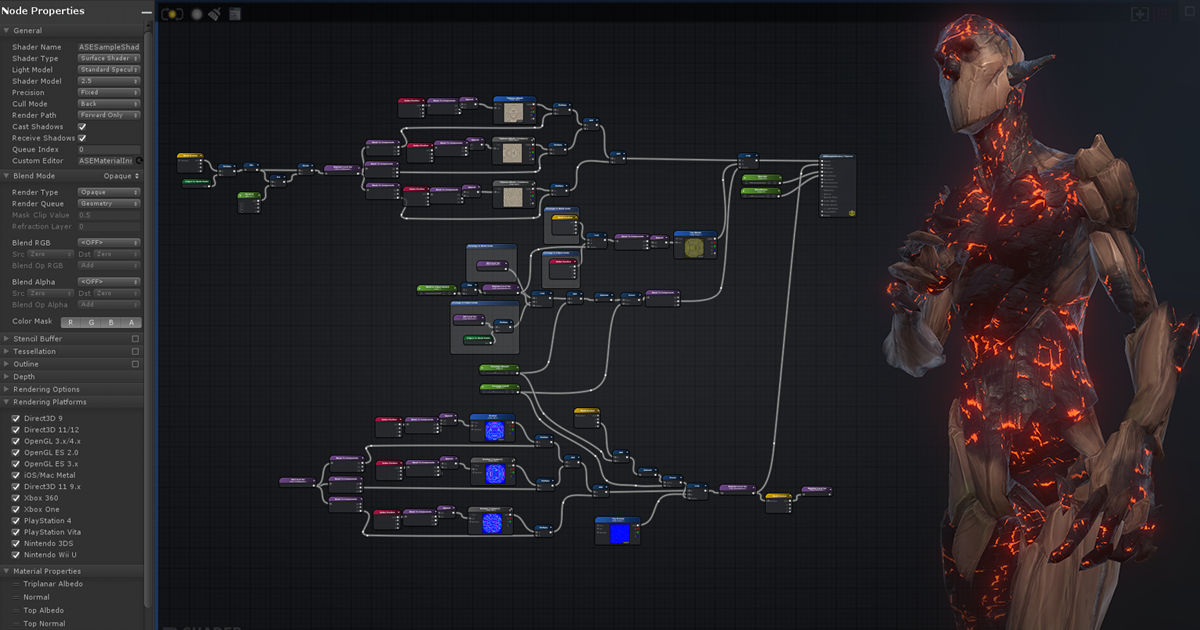
Get the Amplify Shader Editor package from Amplify Creations and speed up your game development process. Find this & other Visual Scripting options on the Unity Asset Store.
placid laurel
oh
you meant like
assets
too bad it's 80 bucks
and a whole game costs less than that
so yeah
 jolly quail
pure arrow
Hey, have anyone seen something like this in URP?
jolly quail
pure arrow
Hey, have anyone seen something like this in URP?
forward have maximum light that interacted with object, by default it's 4 if i am not wrong, while deffered didnt have any limit
 sinful gorge
Built in does have shader graph support. Just not all features are supported, but you can get many effects working @placid laurel @scenic burrow
I think in 2021+
 marble vigil
placid laurel
and a whole game costs less than that
marble vigil
placid laurel
and a whole game costs less than that
I know it's good to have realistic goals but are you planning to sell exactly one copy of your game? I guess you'll have to add that $80 to the price 
That asset goes on sale pretty often though
Most of what makes those screenshots look fancy are just good assets and post processing
 copper pilot
placid laurel
the bad thing about built in is it doesn't have shader graph though
copper pilot
placid laurel
the bad thing about built in is it doesn't have shader graph though
Dev Drunk is right, BIRP has shadergraph now.
 wet kernel
https://raw.githubusercontent.com/0xinfinite/0xinfinite.github.io/master/img/Cached-shadow.gif
I forked URP 14.0.8 and implemented Cached Static Shadow maps. It use a baked depth atlas map per scene.
 marble vigil
wet kernel
https://raw.githubusercontent.com/0xinfinite/0xinfinite.github.io/master/img/Cac...
marble vigil
wet kernel
https://raw.githubusercontent.com/0xinfinite/0xinfinite.github.io/master/img/Cac...
Awesome! Too bad forking is necessary for this kind of thing
wet kernel
Thanks! and I agree with that😂
placid laurel
copper pilot
Dev Drunk is right, BIRP has shadergraph now.
Oh
 haughty garnet
I use it for some android projects too and it works pretty good
 lusty onyx
scenic burrow
lusty onyx
scenic burrow
built in On Top!
 supple galleon
scenic burrow
supple galleon
scenic burrow
wtf, how did you manage to get that?!?!?!?!?
btw i need help i having trouble with shadows
marble vigil
supple galleon
btw i need help i having trouble with shadows
You'd have to describe your issue in detail
pure arrow
jolly quail
forward have maximum light that interacted with object, by default it's 4 if i a...
Yeah but why are they the same color? It seems to get getting from the last instanced light and it happens for all materials.
marble vigil
pure arrow
Yeah but why are they the same color? It seems to get getting from the last ins...
Seems like a bug tbh
Which editor and URP version are you using?
pure arrow
marble vigil
Seems like a bug tbh
Which editor and URP version are you using?
2022.3 LTS, URP is the last one
marble vigil
pure arrow
2022.3 LTS, URP is the last one
I'd update to newest version of 2022.3.
pure arrow
it's already on 2022.3.12f1
marble vigil
Then I'd consider reporting a bug and/or trying to repro it
pure arrow
hmm, I posted on the forums as a bug, maybe some dev will see it
pure arrow
it started working again. I got no idea what just happened
 sinful gorge
copper pilot
Dev Drunk is right, BIRP has shadergraph now.
sinful gorge
copper pilot
Dev Drunk is right, BIRP has shadergraph now.
Dunk*
It's not Saturday yet😂
copper pilot
haha, sorry, reading on phone screen
 flat sinew
Hello there, is there a way to make a decal material emission lights up the objects around it?
jolly quail
flat sinew
Hello there, is there a way to make a decal material emission lights up the obje...
what pipeline?
flat sinew
URP
jolly quail
flat sinew
URP
i didnt think URP have that feature for realtime except using point light, but if you set to use emission for decal then bake it it could work
flat sinew
jolly quail
i didnt think URP have that feature for realtime except using point light, but i...
Amazing, I'll test that and let you know! It won't work for my use case thought as I would need to hide / show the decal at game time
I was wondering on how to do small lights in a pinball table, I thought about using decals because it might be the simplest way to do it
jolly quail
flat sinew
Amazing, I'll test that and let you know! It won't work for my use case thought ...
be sure to check "Affect emission" settings if you want to use it
 jolly quail
flat sinew
I was wondering on how to do small lights in a pinball table, I thought about us...
jolly quail
flat sinew
I was wondering on how to do small lights in a pinball table, I thought about us...
if it just simple small light why not try to use point light or spotlight?
flat sinew
yeah it might be the simplest thing after all
thanks
Well might have a simpler solution yet: use emissive and bloom
Well it won't light other objects, but the effect is quite good
 fossil palm
I'm having a lot of issues using assets in URP, no material upgraders available, etc. Mainly when using older premade assets.
I have't done a ton in 3D, but everyone just told me to use URP for 3D. What I'm wondering is what are some major features I'd be missing out on if I went with the standard renderer. Performance I don't think will be an issue as the game is fairly small in scope per scene. I know decals are one thing that could be useful.
Are their major lighting improvements I'd be missing out on, etc. Stuff like that.
lusty onyx
fossil palm
I'm having a lot of issues using assets in URP, no material upgraders available,...
you dont miss anything in built in
BiRP is still > URP
sinful gorge
lusty onyx
BiRP is still > URP
Which is an opinion. I prefer urp over built in
sinful gorge
fossil palm
I'm having a lot of issues using assets in URP, no material upgraders available,...
Performance is similar with the same features.
URP has a better workflow for adding new features using render features
URP has VFX graph (and better shader graph support)
Haven't looked much into lighting quality
In 2023 urp has render graph support which is great
And I suggest looking at the urp roadmap to see new features
 burnt sierra
Hey, in preparation for the apples vision pro we want to build our shaders using shader graph. Unfortunately there is no stencil buffer. How do I recreate my custom shaders, that make use stencil buffers with shader graph, so they can be converted to apples xmaterial?
copper pilot
lusty onyx
you dont miss anything in built in
URP still hasn't reached feature parity with BIRP, but in many cases it has better performance.
copper pilot
fossil palm
I'm having a lot of issues using assets in URP, no material upgraders available,...
URP's shadow quality is worse(depending on what you are trying to do, maybe much worse), but with generally better performance. URP has VFX graph. BIRP has screenspace reflections. URP has built in decals but BIRP has plenty of decal packages that work with it. There are lots of small reasons to prefer one or the other but a lot of them come down to preferences in how you like your lights to behave, how you like to handle your postprocessing, etc.
lusty onyx
copper pilot
URP still hasn't reached feature parity with BIRP, but in many cases it has bett...
Nahh wheres that it has better performance theory from
COD Mobile is using built in
copper pilot
Specifically the shadows. Not the entire rendering path.
URP's shadows are ugly but generally fast. Both largely due to being limited to a single 4k map for the main distant light and one for all other lights in the scene.
In many cases BIRP will still be faster, especially with deferred lighting and cached shadowmaps
But it is very project dependent.
lusty onyx
Shadows has minimal impact on the game.
In the end developers uses fake shadows
copper pilot
...ahahahahaha. Yeah, no, that is very much dependent on the game.
And leaving them out of a feature comparison is silly
I generally have had a lot fewer headaches in my birp projects than my current urp one, but it will absolutely depend on your game.
jolly quail
copper pilot
URP's shadow quality is worse(depending on what you are trying to do, maybe much...
Well you can use third party screen space reflection for urp
copper pilot
Yes, you can. But they were asking about features they'd be missing if they went from birp to urp and that's not one. 😛
fossil palm
copper pilot
URP's shadow quality is worse(depending on what you are trying to do, maybe much...
Can you link to a decals package that works with BIRP? That is one feature I could see myself using often.
I haven't done much "graphics" or VFX work before. I've only been working in 3D Unity a few months. BIRP for me does the job, but its the assets and such that are important to me as someone who doesn't know anything about shaders and little about materials. Many are being made for URP, many are legacy and I can't get to work in URP. That where my conundrum mainly is, not everyone has moved on to URP and many have. So there's a split among Unity devs which to me is a mistake they made.
the game I'm wokring on I do not think will have a huge perfromance impact. 2.5D sidescroller where I can make the levels smaller with movement between different scenes if needed for performance.
copper pilot
fossil palm
Can you link to a decals package that works with BIRP? That is one feature I cou...
I'd just search on github, I don't have a link handy
copper pilot
Just make sure that it is one that is either for forward or deferred based on your settings
 tame canyon
water (prefab) looks normal, but as soon as i rotate my view a bit or go near an object or in gernel do anything with the scene, it blacks out like this:
this uses an external shader, which not working with urp. (works fine in builtin tho)

 copper pilot
For the fullscreen pass, is there a way to set the clamp settings for the resulting texture?
sinful gorge
copper pilot
For the fullscreen pass, is there a way to set the clamp settings for the result...
Can you elaborate?
 dusty basalt
I'm new to writing custom render passes for URP and recently wrote this pass that pixelizes the screen and adds outlines. Am I doing anything wrong? I had some memory leak issues but I think I solved them all. https://pastebin.com/tR2YvYz0
Pastebin
Pastebin.com is the number one paste tool since 2002. Pastebin is a website where you can store text online for a set period of time.
copper pilot
sinful gorge
Can you elaborate?
The texture appears to be black on two edges and repeating the edge pixels on the other two.
 pseudo jacinth
Hello, recently I'm having the issue where I have a very low fps count in an empty URP scene, now I have a 3070 so it should not take 6.15 ms to render the scene. when I turn on the profiler it doesn't even tell me what's wrong. Can anyone help with this?

For context, I also have no other application open that uses the gpu, neither do I have a process which requires the gpu like rtx noise cancelling
CPU is 7600x
VSync is also disabled
The framerate does suspiciously hang around my monitor refresh rate though...
Alright I figured it out, for anyone else who might come across this, turn off your G-Sync on your display, if it's not working it's because you have to restart your pc for the changes to take effect 
 hoary karma
what is a way to just generally give a scene a more vibrant look?
marble vigil
hoary karma
what is a way to just generally give a scene a more vibrant look?
Use assets that are created with interesting colors to begin with
You'll probably want interesting environmental lighting such as a HDRi
Post processing bloom and color adjustments can go a long way for a vibrant look specifically
hoary karma
marble vigil
Use assets that are created with interesting colors to begin with
You'll probabl...
what is HDRi?
marble vigil
hoary karma
what is HDRi?
It stands for "high dynamic range image" which more colloquially means sky or environment texture
marble vigil
hoary karma
much easier to understand :)
The formats used for a HDRi can store a lot more brightness levels than a normal image or texture, so it's suitable for representing the brightness of a sunny outdoor sky for example so that it can emit appropriate amounts of light when rendered
To work as skies they have to be 360° images as well, which for our purposes is the main functional part of them so that they can be mapped to a skybox
 fathom quarry
anyone knows why my fish's fins are visible through the fish's main body? (2nd pic)


I made a transparent material so the texture's alpha would let his fins look real (they're note modeled)
just to be a bit clearer, this is the model
 marble vigil
fathom quarry
I made a transparent material so the texture's alpha would let his fins look rea...
marble vigil
fathom quarry
I made a transparent material so the texture's alpha would let his fins look rea...
Inherent limitation of transparency
Try opaque with alpha clip instead
To alleviate it you could also have different materials for the fins and the body, with the fins being transparent and body fully opaque
fathom quarry
@marble vigil I think the Opaque with alpha clip is for hdrp/urp only, and I'm just doing this as practice and I'm too lazy to swap from standard.
So I attached a different material for the faces using alpha and it worked! thanks!
marble vigil
fathom quarry
<@166982635950702592> I think the Opaque with alpha clip is for hdrp/urp only, a...
In BiRP opaque with alpha clip is called "cutout" and it shares the limitations of URP
 tender zealot
I'm getting some unexpected behaviour from the SRP Batcher and was wondering what it is I'm doing incorrectly.
I am optimizing a scene and wanted to test Static vs SRP Batch vs GPU Instancing for a couple different cases. To get the tests working, I need to make the shader in question not compatible with the SRP Batcher so that it falls back to other batching techniques.
I created a float value in the Properties and explicitly defined the variable outside the CBUFFER declaration. For some reason, however, the engine is still reporting the shader as SRP Batching compatible (and srp batches in a build). Is there some logic I'm misunderstanding about global vs local shader properties and how SRP is deciding if the shader is batching compatible?
This is with URP 10.10 in Unity 2020.3.48
 hollow rock
does anyone know if it's possible to apply blendshape weights to a mesh which is being rendered with Graphics.RenderMesh()?
 pine frost
Any way to disable Full Screen Shader Graph in "Scene view" alone?
 dry willow
pine frost
**Any way to disable Full Screen Shader Graph in "Scene view" alone?**
dry willow
pine frost
**Any way to disable Full Screen Shader Graph in "Scene view" alone?**
Afaik not really, but some options :
- Might be possible to have the feature disabled but make a C# script enable it during play mode
- write your own custom renderer feature that does a Blitter.BlitCameraTexture call. In AddRenderPasses, can prevent it running in scene view via
if (renderingData.cameraData.isSceneViewCamera) return;before enqueuing the pass - or could duplicate the Renderer asset, have one with and one without fullscreen feature. Assign both to the URP asset, mark the one without the feature as the "default" (that's the one used by scene view), but set the Camera component to use the renderer with the feature. No coding necessary, but means you have two renderer assets to keep track of. (example here : #archived-urp message)
pine frost
Might be possible to have the feature disabled but make a C# script enable it during play mode
I actually use it for overlaying the ui design reference to match my ui. So I can't actually do this as I need to edit the ui in non-play mode.
@dry willow Thankyou for the second option. Trying it.
Regarding third, how to set the camera component to the renderer? I don't see an option.
dry willow
pine frost
Regarding third, how to set the camera component to the renderer? I don't see an...
First field under Rendering heading on the Camera component. But first need to assign both renderers to the list at the top of the URP asset for them to appear on that dropdown
pine frost
Is it like If no camera is set, it considers all cameras? Thats the cause of my case currently?
dry willow
pine frost
Is it like If no camera is set, it considers all cameras? Thats the cause of my ...
It's the other way around really. You can have multiple renderer assets, and the camera can select one.
Here's an example for to clarify, here I have duplicated my renderer asset and renamed it to SceneViewRenderer. I've set it as the default so it'll be used by the Scene View.
The URP_Renderer has the Fullscreen Feature, while the SceneViewRenderer does not.
On your Camera (and every time you create a new Camera), set it's Renderer to the URP_Renderer one.

 pine frost
or could duplicate the Renderer asset, have one with and one without fullscreen feature. Assign both to the URP asset, mark the one without the feature as the "default" (that's the one used by scene view), but set the Camera component to use the renderer with the feature. No coding necessary, but means you have two renderer assets to keep track of.
Wow! This worked!
dry willow
It's the same idea if you want a second camera that doesn't have the fullscreen feature too.
pine frost
So as earlier there is one renderer alone set to urp asset, all cameras used the full screen feature by default. Now I removed it from default and let the camera pick other than default one.
Pretty Clever @dry willow !
🙇♂️ 🙇♂️ 🙇♂️
dry willow
Yea. If you have multiple URP assets per quality setting you'd also probably want to make sure the renderer lists are all the same.
pine frost
I have one more question.
Is it possible in URP to get a grab of the current color buffer while drawing a transparent object? (I need the grab until I render a specific transparent object)
dry willow
pine frost
I have one more question.
Is it possible in URP to get a grab of the current col...
There's an Opaque Texture you can enable on the URP asset. It'll be a snapshot of the color buffer before rendering any transparents, if that's what you need.
Sample in shader with _CameraOpaqueTexture, or Scene Color node in ShaderGraph.
pine frost
Actually I want the grab to consider the transparent objects I draw till the current one. Scene color node is grabbing only for opaque objects not at the time of calling.
Consider I want to grab after 10 transparent objects are drawn and just before 11th one.
The use-case is not subjected to performance requirement as I will be using it editor time.
dry willow
pine frost
Actually I want the grab to consider the transparent objects I draw till the cur...
Might need to create your own renderer feature if you want to do that. Can blit (Blitter.BlitCameraTexture) the camera color buffer to your own RTHandle, and pass to shaders that need it via a global texture (cmd.SetGlobalTexture).
But to ensure that texture has been set, would need to move that 11th object out of regular rendering queue (layermask at top of renderer asset) and use context.DrawRenderers, or RenderObjects feature to render it in the After Rendering Transparents event.
 unreal goblet
Hi. Is there any working fog solution for urp deferred renderer? (To replace fog from Lightning->Environment window)
 shell vortex
Could you tell me what the texture is called to add this decal? that also has its normal map
 lusty onyx
I'm Re-do my benchmark on BiRP vs URP.
The results should be more accurate now, if there is a mistake developers can just peek into the project files.
Compared to previous benchmark, I'm afraid the Synty Asset URP's is not that performant rather than build from scratch. Glad the new benchmark uses free asset
Any opinion is appreciated
https://github.com/StinkySteak/unity-birp-vs-urp-benchmark-v2
unreal goblet
lusty onyx
I'm Re-do my benchmark on BiRP vs URP.
The results should be more accurate now, ...
Access denied for Notion
lusty onyx
Oh shi, forgor to open
 lime summit
cant click anything after using probuilder
 marble vigil
lime summit
cant click anything after using probuilder
marble vigil
lime summit
cant click anything after using probuilder
Probably not related to #archived-urp
placid laurel
Is there a way to set the min and max value of properties in URP shaders?
I've seen a video from 2020 which seemed to allow it but I don't see any way to do it in 2023?  And it would be really nice to be able to...
He has this

And I only have these options
 dry willow
placid laurel
And I only have these options
dry willow
placid laurel
And I only have these options
Change the "Mode" to Slider first
placid laurel
 I really misunderstood what Mode was lol
Thanks!
I just noticed it's called mode in his 😅 I feel stupid now
 long igloo
Hello. Can someone help with the problem: I have a mesh, which is (for some reason) culled when its point of origin is not on the screen; I am trying to turn off the dynamic occlusion to prevent it from disappearing, but that flag just does nothing. I am a little bit out of ideas about this problem at the moment 😕 ...
 blissful zephyr
 marble vigil
long igloo
Hello. Can someone help with the problem: I have a mesh, which is (for some reas...
marble vigil
long igloo
Hello. Can someone help with the problem: I have a mesh, which is (for some reas...
You have some type of vertex shader based material that's scaling the mesh up by a big factor
Frustum culling which is happening here can't account for change in shape or scale that's from a vertex shader, so you shouldn't significantly change the size or silhouette there
long igloo
Got it, thanks for help!
 clear sentinel
long igloo
Hello. Can someone help with the problem: I have a mesh, which is (for some reas...
clear sentinel
long igloo
Hello. Can someone help with the problem: I have a mesh, which is (for some reas...
You can manually adjust the bounds of your mesh renderer
To allow any kind of crazy vertex shader shenanigans
long igloo
clear sentinel
You can manually adjust the bounds of your mesh renderer
Really? I can do it only via code or there is also some way to adjust bounds via editor?
clear sentinel
long igloo
Really? I can do it only via code or there is also some way to adjust bounds via...
only via code for MeshRenderer
long igloo
Got it, will try to look into this. Thank you for help!
 wanton coral
how do I make the sky in URP look good
 quaint zodiac
Adding in the "blit" renderer feature makes the UI disappear, what could be the reason for that?
(I'm trying to test out the photo mode package, but it ain't fully working)
 patent rapids
Are there any custom URP 2d shaders that allow lighting & masking with rect mask 2d?
 vale berry

 pulsar panther
Hey o/
Is anyone here comfortable with Mesh Baker ?
Or with merging scene object and using texture atlas in general ?
I'm working on a VR project with a headset running on Android.
We need to optimize a scene, and I've been given the task (I'm a rigging intern, by the way lol 🤡).
Anyway, I've done some research, and merging the scene's objects into a single "big mesh", as well as applying a texture atlas to it, is an idea that seems relevant to me.
I'm using an addon called Mesh Baker for this, but I'm having a few problems. I know that probuilder can do all this efficiently, but I've turned to mesh baker to save the other intern having to make a texture atlas by hand...
Oh, and the scene has been arranged horribly in terms of hierarchy and prefab... surely that must cause problems. But I reckon there must be a process I'm not aware of
tender zealot
pulsar panther
I'm working on a VR project with a headset running on Android.
We need to optimi...
I assume you are using URP considering the channel. Getting everything into one mesh and atlas isn't as relevant in URP because the SRP Batcher works per shader variant, not material, so combining everything is a lot less necessary. Have you done any profiling on the project to identify the slowdowns? Are you definitely GPU bound?
marble vigil
pulsar panther
I'm working on a VR project with a headset running on Android.
We need to optimi...
You don't need any external tool to combine meshes
Enabling "batching static" flag does it by default
It won't do texture atlasing, but as mentioned SRP Batching already very likely makes it an irrelevant optimization (it also makes static batching irrelevant in most situations in my experience)
Definitely do profiling before implementing optimizations
You can also test the potential gains of mesh combining and atlasing by marking them static and assigning the same material to them, to see if there are any
Gameobject hierarchy has no effect on rendering performance
 fringe lotus
I'm having trouble figuring out a way to get my scene to show my post processing effects. I recently had to add a new layered camera and place Beautify's rendering pass on that. So now my scene view looks extremely dull and colorless. How would I get the scene view to use the top most camera's effects (it's using my base camera), or is that not possible?
 narrow karma
marble vigil
You don't need any external tool to combine meshes
Enabling "batching static" fl...
narrow karma
marble vigil
You don't need any external tool to combine meshes
Enabling "batching static" fl...
Not the original asker but I'm curious, are you saying that creating texture atlases as opposed to having many separate textures/materials is a negligible optimization method in URP (as long as they're using the same shader)?
marble vigil
narrow karma
Not the original asker but I'm curious, are you saying that creating texture atl...
Texture atlasing is usually done so materials can be shared to reduce draw calls specifically, but what SRP batching does is make draw calls much cheaper so it's not as relevant
But another side to it is to reduce texture loads
It's not been a huge deal in my experience, but could be worth testing for when optimizing especially on low devices like mobile
narrow karma
Gotcha, I feel like this is something I should have known 😅 I'll probably stick to atlasing since I'm targeting quest. Thanks for the info ^^
haughty garnet
I've been making some voxels program and been using texture atlases. This was something I was wondering, yet all resources pointed to doing it this way.
also unity's mesh combiner methods seem to require a single material, unless there's more to it I've not read.
marble vigil
Post only to one channel please
sinful gorge
haughty garnet
also unity's mesh combiner methods seem to require a single material, unless the...
What do you mean with Unity's mesh combiner?
If you mean batching, SRP batching is shader based, not material based
haughty garnet
sinful gorge
What do you mean with Unity's mesh combiner?
If you mean batching, SRP batching ...
Specifically this method
https://docs.unity3d.com/ScriptReference/Mesh.CombineMeshes.html

Was using it to chunk my meshes but I've changed to editing the vertices manually
the wording on the method makes it seems it will semi merge meshes if materials differ from each other but I've not tested it
 quasi dove
I have a renderer feature, a full screen pass render feature, that renders an image as an overlay on the screen. However, since the game view has a different camera perspective than the scene view I now have the image being drawn over my scene view at all times. It's making development in the scene view a bit difficult. Is there any way to hide the fullscreen render feature in scene view?
dry willow
quasi dove
I have a renderer feature, a full screen pass render feature, that renders an im...
See this answer #archived-urp message
quasi dove
great, thank you!
 verbal light
Any suggestions on co-existing URP and Built In support for templates? I've seen SteamVR handle this with editor scripting but their implementation seems inconsistent. Has anyone tackled this, and do they have any suggestions?
tender zealot
haughty garnet
the wording on the method makes it seems it will semi merge meshes if materials ...
This is the same as static batching but don't in code at runtime. It's an old call and built for the built in render pipeline so it shares the same batching limitations. In general static batching isn't always the right solution and has a few downsides.
 vocal dragon
I tried to add a greyscale shadergraph to my renderer featuers but i seem to get an error:


what am i doing wrong
 sacred oasis
I got URP but it's almost like they removed shadows. can anyone help me?
sinful gorge
sacred oasis
I got URP but it's almost like they removed shadows. can anyone help me?
Be specific with the issue. Maybe include a screenshot
marble vigil
sacred oasis
I got URP but it's almost like they removed shadows. can anyone help me?
Show your URP settings as well
 vagrant flax
is there anything you can recommend to do to my games lighting? this is what i have currently vs before i made changes


any help is appreciated. i am very new to making my game look good lol (programmer)
 hot moss
trying to make a motion blur post processing effect using a custom render pass by blending previous fames- is there any way i can somehow store the previous frame onto a texture or something so it can be used for this effect? ive tried texture2d.readpixels and graphics.copytexture to copy the source render texture onto a texture2d but that doesnt seem to be working
 sacred oasis
marble vigil
Show your URP settings as well
sacred oasis
marble vigil
Show your URP settings as well
 lusty onyx
sacred oasis
lusty onyx
sacred oasis
a bit off topic, whats the target device to play your game?
sacred oasis
lusty onyx
a bit off topic, whats the target device to play your game?
Meta quest 2
lusty onyx
sacred oasis
Meta quest 2
alright, thanks for letting me know
sinful gorge
sacred oasis
Put shadow distance at 100 meters.
Also not sure if the first split at 0 can cause issues.
Also disable HDR and msaa 2x or 4x is recommended
Also you will most likely run into many performance issues on Q2 with (many) additional shadows
And make sure this is the actual active quality tier
sacred oasis
sinful gorge
Put shadow distance at 100 meters.
Also not sure if the first split at 0 can cau...
Thank you!
 strong aspen
huh, this is unexpected
 marble vigil
Mobile devices can handle raytracing?
I'd much prefer the option to enable more complex lighting calculations and local light override volumes if they're in the business of porting HDRP features to URP
strong aspen
marble vigil
Mobile devices can handle raytracing?
I'd much prefer the option to enable more ...
the high end ones that only 0.9% of the population own yes
usualy those phones are purposely made for gaming
but it also means we can have raytraceing on URP made pc games
something has to compete with mobile lumen
sacred oasis
sinful gorge
Put shadow distance at 100 meters.
Also not sure if the first split at 0 can cau...
That didn’t change anything
 gilded mantle
Hi everyone, i somehow got my shaders list disorganized. What could cause it?

 sinful gorge
gilded mantle
Hi everyone, i somehow got my shaders list disorganized. What could cause it?
sinful gorge
gilded mantle
Hi everyone, i somehow got my shaders list disorganized. What could cause it?
Different Unity version?
I'm not sure what changes the order
 dim wedge
How do I import an already textured build into unity? Whenever I do this the build turns pink. I think it's something related to materials, but I've already changed everything and tested it on other builds and I still couldn't solve it.
 orchid meteor
hey guys question; something really weird (for me at least), i do procedural animations, and in URP the shadows on the guns were just weird. It looked liked the shadow of the gun was lagging / distorted / warped. Most likely some Rendersetting?
Idk, but with built in and HDRP it's fine. Saw it as chance moving to HDRP.
It's difficult to explain for me (non-english speaker), the dark shadows on the gun, looks weird when moving (lagging / distorted / warped), but if i walk into the light source it's fine cuz no shadows.
Can someone help?
https://cdn.discordapp.com/attachments/886316442256027668/1177262971211219094/image.png?ex=6571de94&is=655f6994&hm=a462f0da9e3c78c7b61524a32d7841027b0a4528dc335e651ccccc44382d2450&
https://cdn.discordapp.com/attachments/886316442256027668/1177263046532546640/image.png?ex=6571dea6&is=655f69a6&hm=bb2e1be4d9e2bc928ef7e43762538a2e36154edb6283239447f29d0524094444&
It's a prototype, i didn't care yet about lightning, but that this even happens worries me, never had that in Built in and HDRP


update: it's ACES, which i like 😦

 fringe pine
I am currently following a shader tutorial, I can link it.
https://www.youtube.com/watch?v=1bm0McKAh9E&ab_channel=NedMakesGames
I am around timestamp 15:11, and the focus in that section is getting shadows to show up.
I am using #pragma multi_compile _ _MAIN_LIGHT_SHADOWS_CASCADE in order to get my shadows to work; has "_MAIN_LIGHT_SHADOWS_CASCADE" changed between Unity version 2022.3.5 and 2022.3.8 (version I am using)? I would think not right?

✔️ Tutorial tested in 2020.3 and 2021.3
Have you ever wondered how lighting and shadows work in Unity? Or, do you want to write your own shaders for the Universal Render Pipeline, but without Shader Graph? Either because you need some special feature or just prefer writing code, this tutorial has you covered.
In fact, this is the second part i...
there is no option to turn off cascades, and I have soft shadows automatically off as instructed by the video
fringe pine

Excuse the lightmode
However, why is it not defined? Ive been trying to dig through documentation for any other keywords to enable shadows, but none that I have found seem to do this
fringe pine
I have fixed it
 lost basalt
who da hell is breaking the naming convention in the URP team

RTHandle, weird snake_Pascal_cased things
Tex2D???
I hate this
 clever prawn
can someone explain to me in layman terms how to get plastic enabled so this error will stop appearing every 2 seconds?

ive googeld what is unity collaborate and what is unity plastic and all the install "guides" have a link saying click here to learn how to install it, and now i've fallen down a rabbit hole deeper and deeper and still don't know how and where to create this
cause what ive clicked through seems like collaborate and plastic dont work with one another and it makes it difficult to push git commits
is actually possible to still push git commits, and have each member added have the same preset master controlls?
 rapid portal
fringe pine
rapid portal
fringe pine
I want to render a whole scene using my shader with the main camera. I know I should do this with the replace shader function for the camera, but I've tried two different scripts and neither of them render my scene with the texture I want. I feel like it's probably a really dumb issue but as a unity newbie Ive spent about an hour scratching my head and I can't figure it out

Here is the code for the first way I tried to do it
And here is the second

Everything just shows up as it's starting material when I press play
 oblique pier
fringe pine
I want to render a whole scene using my shader with the main camera. I know I sh...
oblique pier
fringe pine
I want to render a whole scene using my shader with the main camera. I know I sh...
I don't think that SetReplacementShader is supported in SRP (URP/HDRP)
You should look into "custom render pass"
(Also please use a dark theme, protect your/our eyes)
jolly quail
clever prawn
can someone explain to me in layman terms how to get plastic enabled so this err...
well you can remove it if you not using it
fringe pine
oblique pier
(Also please use a dark theme, protect your/our eyes)
OK, will do, thank you!
fringe pine
Does anyone have any good tutorials on scriptable render passes and applying a custom shader material to everything in the scene without doing it by hand? I followed Unity's scriptable render pass tutorial, but it still doesn't work the way I want to and Im ngl I need more examples that aren't outdated to understand it more fully (most of the stuff Ive found online is from 2-3 years ago)
fringe pine
The way I am going to kiss nedmakesgames on the lips
 glad cove
In URP, how do I extend the range of a point light without blasting it's intensity to insane levels? I'm finding my lights just fall off too quickly
vocal dragon
if you instantiate a material does this become seperate to the original thus avoiding the need for material property blocks?
or are they still linked so changing one changes both
 broken jackal
i need help there is a huge problem

why in the default pipeline every object is visible but in the urp the objects are invinsible and i have to paste all of the objects back to the scene so they will be visible again?
marble vigil
vocal dragon
if you instantiate a material does this become seperate to the original thus avo...
Yes, as separate as any two material assets would be
marble vigil
glad cove
In URP, how do I extend the range of a point light without blasting it's intensi...
Light attenuation is for some unfortunate reason locked to real-world accurate logarithmic falloff
You can ensure you're getting the best possible version of that by confirming that your project is using linear color space, HDR and tonemapping
But if you want true linear falloff you'll have to swap out for shaders that implement a custom lighting model or swap out the lighting shader itself which requires branching URP
 hearty solstice
Anyone know how to pause/slow down/speed up all post-processing effects? It seems to run on some unscaled time as it isn't affected by Time.timeScale
glad cove
marble vigil
Light attenuation is for some unfortunate reason locked to real-world accurate l...
For context, right now I have an .hlsl I got from elsewhere that gets me the light amount hitting a fragment. I use it so that I can replace the fragment with a black and white dither amount to make a purely black and white pixelated image. Results are pretty good, but I can't see any further than this without ramping up the intensity to a degree where everything around me loses all dithering.

So the .hlsl is used in a shadergraph, light amount converted to a 0 to 1, lerped to 0 to 16, and used to grab from the 17 entry texture array for the right dither to apply.
marble vigil
glad cove
For context, right now I have an .hlsl I got from elsewhere that gets me the lig...
Does this use an actual light component?
Or rather does it need to use
glad cove
marble vigil
Does this use an actual light component?
Or rather does it need to use
Currently it does. I tried with just using distance from the camera, which looked good when everything was flat, but it was clear there was no shadowcasting
Maybe I can do some math in the custom function to make it less linear? I can paste it here, it's pretty small
marble vigil
glad cove
Currently it does. I tried with just using distance from the camera, which looke...
True that
https://github.com/Cyanilux/URP_ShaderGraphCustomLighting
I'd use this in this situation to customize the light ramp
glad cove
marble vigil
True that
<https://github.com/Cyanilux/URP_ShaderGraphCustomLighting>
I'd use t...
Thanks, I'll play around with these 🙂
marble vigil
glad cove
Thanks, I'll play around with these 🙂
Good luck
I'm not good at hlsl but the people over at #archived-shaders are, so I'd post there if the challenge proves persistent
glad cove
marble vigil
Good luck
I'm not good at hlsl but the people over at <#497874081329184799> are,...
I'm also a near total newb at it, I had to copy that hlsl from elsewhere and get some help in hacking it to the shape it is now. But since this hlsl is meant for shadergraph, I should have a chance of figuring it out, or altering the output in shadergraph
I also saw another solution involving an override on Shadows Midtones Highlights in the global volume. But since that's post processing I'm guessing it would never work here, as this shader is happening before PP
marble vigil
glad cove
I also saw another solution involving an override on Shadows Midtones Highlights...
Yes, post process methods can make the light falloff appear less harsh in other situations but it's obviously still logarithmic
 mighty cargo
I'm having a bit of issues with weapon clipping and resolving it in URP without problems. I've seen two options for fixing this. The first is Camera Stacking, which works mostly fine but then overlay camera does not share the same shadowmap as the base camera.
The other is Render object passes, which fixes the shadow problem and renders to a single camera, but requires that the object be rendered twice, which I am not a fan of.
 warped roost
mighty cargo
I'm having a bit of issues with weapon clipping and resolving it in URP without ...
warped roost
mighty cargo
I'm having a bit of issues with weapon clipping and resolving it in URP without ...
For the camera stacking thing, light probes will solve that. They are needed for baked lighting anyway so that problem will be gone when you are done with baking your lights in a level
You wont get realyime shadows tho. Just lighting information from your light probes
Also if there was realtime shadows on your weapon, you can kind of see the weapon clipping through walls beacuse you can see the shadows they cast on your weapon
mighty cargo
warped roost
Also if there was realtime shadows on your weapon, you can kind of see the weapo...
I did notice this issue as well, but figured this was the lesser of the evils.
Can light probes be used in prefab level chunks? Using for procedural map generation.
I think this is possible in 2023, but not sure about LTS 2022
warped roost
Not sure
Also there is the way of just, making the size 0.1
It has realtime shadows and is rendered with the rest of your scene
mighty cargo
Got it, thank you for the help!
oblique pier
mighty cargo
I'm having a bit of issues with weapon clipping and resolving it in URP without ...
I also tried to find a solution for the camera stacking + shadowmap issue for a long time, with no results. Ended up using a single camera and implementing gun collisions.
If you find a way to use stacked cameras with shared shadows, let me know 😄
fringe pine
glad cove
For context, right now I have an .hlsl I got from elsewhere that gets me the lig...
Hey, how did you get this dithering effect? Did you create it yourself or did you follow a tutorial? It's really cool
glad cove
fringe pine
Hey, how did you get this dithering effect? Did you create it yourself or did yo...
Myself. It uses a texture array of 17 images: blank + the 16 bayer matrix dither.
It was a lot of trial and error and happy accidents
fringe pine
You did a great job!
glad cove
Thanks!
fringe pine

Is the final product what is supposed to be shown in the normal vector and remap nodes? If so, why is there an error in showing the final preview (as in, it is only magenta)? No errors relating to the shader graph turn up on console
Will nothing show up because normals don't necessarily have a visual result on their own?
dry willow
fringe pine
Is the final product what is supposed to be shown in the normal vector and remap...
Magenta usually means the render pipeline does not match the graph's target. If you're using URP, make sure it is configured correctly (see Configuration in pinned messages) and the graph has "Universal" listed as a target (under Graph Settings)
fringe pine
dry willow
Magenta usually means the render pipeline does not match the graph's target. If ...
Ah, shoot I forgot to configure it 🤦♂️ Sorry it's such a noob mistake but useful to know when a similar error happens in the future. Thank you so much
fringe pine
For some reason, shader.find("Hidden/myShader") in my custom render pass always returns null, even though my shader exists. I tried moving myShader into the same folder, trying the actual path (like right click, copy, paste the path), and trying the myShader.shadergraph extension. I also made sure the shadergraph was made through URP and I have everything configured correctly now. Is shader.find just unreliable? I am using unity 2020.3 and the tutorial I was referencing along with multiple other tutorials used shader.find just fine
dry willow
fringe pine
For some reason, shader.find("Hidden/myShader") in my custom render pass always...
The value used should be the name of the shader, not the path to the asset. For shader graphs, that'll usually begin with Shader Graphs/ unless you've changed it in the blackboard.
Note that if the shader isn't referenced somewhere it might be stripped from the build. I usually prefer to just expose a Material field.
fringe pine
dry willow
The value used should be the name of the shader, not the path to the asset. For ...
Oh, I did try adding "Shader Graphs/" as well. Do you mind elaborating on exposing a materal? Do you mean that when I add it as a feature, it will have an option for you to pick your own material like this?
 dry willow
fringe pine
dry willow
fringe pine
Yes, exactly that. I have an example of some exposed settings here - https://www.cyanilux.com/tutorials/custom-renderer-features/#create
fringe pine
I was just looking at that! Lol thank you
yes, I will try to work on getting an option to add your own material 🫡 Thank you
 wispy comet
maybe a dumb question, but what's the differences between unlit and lit shader graphs? I tried googling but nothing coming up
fringe pine
wispy comet
maybe a dumb question, but what's the differences between unlit and lit shader g...
This is what I found online. I was confused about that too
I think some youtube guy I watched also said unlit provided more light information or something? But yeah of course someone with more experience can correct me or add onto that ofc Dx
wispy comet
if "lit" means effected by lighting in the world I think I messed up - my slimes are colored using unlit shaders but ideally they would be effected by world lighting LOL
fringe pine
I mean, I watched nedmakesgames code an unlit shader that had a highlight + cast shadows. maybe it gives you more control or something like that? but yeah ofc someone who is more experienced can help answer ur technical question cuz idk what Im doing lmfao
Oh also this forum gives some more differences
dry willow
wispy comet
if "lit" means effected by lighting in the world I think I messed up - my slimes...
Yes, lit means it's affected by lights/shadows. Unlit just returns the base color, so is always "fully lit"
wispy comet
fringe pine
I mean, I watched nedmakesgames code an unlit shader that had a highlight + cast...
I, also, don't know what I'm doing
fringe pine
🤝
I have a vague idea what is happening. But all of the code I write is broken 🤣
And I have written lots of broken code so far
wispy comet
I hate programming programming sucks so I use shader graphs for almost everything
dry willow
I should add, You can use unlit graphs (in URP at least) to implement your own shading calculations via custom function nodes. e.g. https://github.com/Cyanilux/URP_ShaderGraphCustomLighting
Useful for "toon/cel-shaded" styles.
Lit graph always uses PBR, like the Standard or URP/Lit shaders.
fringe pine
I kind of want to have a good grasp on both the programming side and shader graph side, but honestly shader graph is valid. I think the programming of the shader itself isn't that bad. Once you get some good articles of how the graphics pipeline works and the vert/frag functions it isn't too terrible. it's mostly just the scriptable render features for me. Im mostly struggling with those Dx I am reading through the article Cyan sent right now
wispy comet
I have been programming off/on for 10yrs and I hate it, but that's my problem lol I just don't enjoy it so I avoid it when I can
wispy comet
so I made a test slime an lit shader but I am confused - where are the clouds on the slime coming from?
dry willow
wispy comet
so I made a test slime an lit shader but I am confused - where are the clouds on...
Reflections from the skybox, appears when metallic > 0 iirc
Also see "Environmental Reflections" under Unity's Lighting window
wispy comet
interesting, also those dont even look like my clouds because they are randomly generated and not stationary like that LOL
dry willow
Yea, the reflection cubemap is baked when you hit the Bake button under the Lighting window
If you have a Reflection Probe it'll also use that instead
wispy comet
Addmitedly I have not messed with lighting very much
haughty garnet
I call that a feature for the slime imo
fringe pine
^ yeah it looks really cool lol
 warped sphinx
Anyone know how to disable culling from Graphics.DrawMeshInstanced?
I know the doc say it shouldn't do that, but in my case it clearly does some unwanted culling, and looking at the net it's apparently been a thing since 2020 - so I guess it's not a bug.
Is there a way to disable it? I can "fix" the problem by editing the impacted meshes to have ridiculous bounding boxes, but that's impractical as hell long-term AND it mean a big bunch of uneccessary calculations are being made somewhere inside Graphics.DMI.
 crude magnet
Hello, is it possible to assign a renderer per scene?
I.e. some will be 2d and work with a 2d renderer but others will be 3d and work with a 3d one
 unkempt quiver
Hi guys, did anyone know why at my MainMenuLayout didnt get the bloom but at the Settings layout there bloom brighter
 glacial zodiac
How can I optimise my grass for different graphic settings? I have it GPU instanced on a terrain afaik
marble vigil
unkempt quiver
Hi guys, did anyone know why at my MainMenuLayout didnt get the bloom but at the...
Post processing affects the final rendered image, and bloom is based on brightness
The dark overlay lowers this brightness so it will bloom less, or none at all if the brightness value is below your bloom threshold value
dry willow
crude magnet
I.e. some will be 2d and work with a 2d renderer but others will be 3d and work ...
Yes, you can assign multiple Renderer Assets to the list at the top of the URP Asset(s) and change which one is used on each Camera component (Renderer field, first option under Rendering heading iirc)
crude magnet
Thank you!
fringe pine
Cyan, I didn't want to ping u but I know u look in this channel often, I just gotta say ur website is a god save 🙏
SRP god
wispy comet
lit shader on left vs unlit shader on right... it makes sense for my slimes to have shadows cast over them and things but I get the vibe that the colors are more vibrant on the unlit shader. is there anyway to make the lit shader look more cartoony?

 fringe pine
Are you able to chain two custom functions together (as in the output of one is the input of the next one) in shader graph? I keep getting invalid subscript error, but I can still do dot product of the output of the custom function if I use the node
fringe pine
wispy comet
lit shader on left vs unlit shader on right... it makes sense for my slimes to h...
I think the purpose of the lit shader is to have more realistic lighting. Even though it's not the focus of this video, I think around timestamp 0:40 best illustrates what lit and unlit shader does

Here we are.
I tried to keep it as short as i could, but i also tried to explain different things at the same time.
If i said something wrong or that is irrelevant in the video, please tell me in the commentary section. I'll be glad to answer !
Regarding the files needed for the custom shadows : https://github.com/PixTrick/PixTrickCustomShado...
I think this is what the other youtube guy I watched meant by you have "more control" in unlit shaders
There was another gif that I found super helpful but I lost it Dx I don't think I understood the difference really until I saw the side by side moving comparison
wispy comet
Thanks I'll watch it after work :)
fringe pine
wispy comet
Thanks I'll watch it after work :)
👍 I recommend skipping directly to the timestamp and just watching maybe that 10 second tidbit unless you want custom shadows lol cuz the rest of the vid is irrelevant to what you're asking (but still cool)
fringe pine
fringe pine
Are you able to chain two custom functions together (as in the output of one is ...
Also the answer is yes I think I had a typo somewhere
fringe pine
wispy comet
Thanks I'll watch it after work :)
I think though, probably the logic between a lit and unlit shader would be the same right? If not the same then very similar? Although Ive never worked with lit shaders so idk if this is true or not Dx. But would it be possible to copy over a lit shader to an unlit shader if you need to make a change like that? Do you know?
wispy comet
fringe pine
I think though, probably the logic between a lit and unlit shader would be the s...
Yeah I copied the same settings from the unlit shader to the lit one, so they are exactly the same. Tho I am also using shader graph
fringe pine
Oh ok sweet!
fringe pine
Also, I think you can manually cast shadows from unlit shaders
So you can still have shadows even if it isn't lit it just takes a bit more work 🥲
wispy comet
So I could have shadows from say, a tree, cast on the unlit shader somehow?
fringe pine
Is shadergraph extremely slow?
Or no? For some reason, results are showing up in my preview, but not my main preview, and not my main scene
fringe pine
wispy comet
So I could have shadows from say, a tree, cast on the unlit shader somehow?
Yes, I followed a tutorial by nedmakesgames that made an unlit shader that cast shadows and could have shadows cast on it, but it was code, I'm sure a shadergraph solution might exist, but I haven't really looked into it
✔️ Tutorial tested in 2020.3 and 2021.3
Have you ever wondered how lighting and shadows work in Unity? Or, do you want to write your own shaders for the Universal Render Pipeline, but without Shader Graph? Either because you need some special feature or just prefer writing code, this tutorial has you covered.
In fact, this is the second part i...
This is the second part of his series and unfortunately it's mostly in code. But it's definitely doable in an unlit shader
wispy comet
fringe pine
Or no? For some reason, results are showing up in my preview, but not my main pr...
did you remember to click "save asset" in the shadergraph?
fringe pine
Yes
There is no star, I dunno if its because my custom function is over 100 lines but Ive seen the shadergraph generated code
Its a lot longer than that and still runs D:
Ok its fine I just have an error somewhere
Weird though, I mean I still need to figure out where

Preview

Nothing in main??

No changes in scene??
wispy comet
fringe pine
https://www.youtube.com/watch?v=GiJbur0CrnU&t=5s&ab_channel=PixTrick
ended up watching the whole video... very cool! Might have to try this to give my slimes a more toon look lol
fringe pine
Yayy!! :D Yes it would look super cool
 shut smelt
Trying to pixelate a trail renderer, anyone know if this still makes sense as a solution? and if so, how can I do that without knowing a ton about rendering
 haughty garnet
Can look up how to create a pixelated shader and slap one onto it
shut smelt
I tried doing that, but it seemed like it required a sprite
Or pixel perfect camera, which I also don't want to use
https://youtu.be/Bmhj7RgVDzc?si=oB2oByKmD35hUdah
This is the one I tried, is it different to what you're saying?
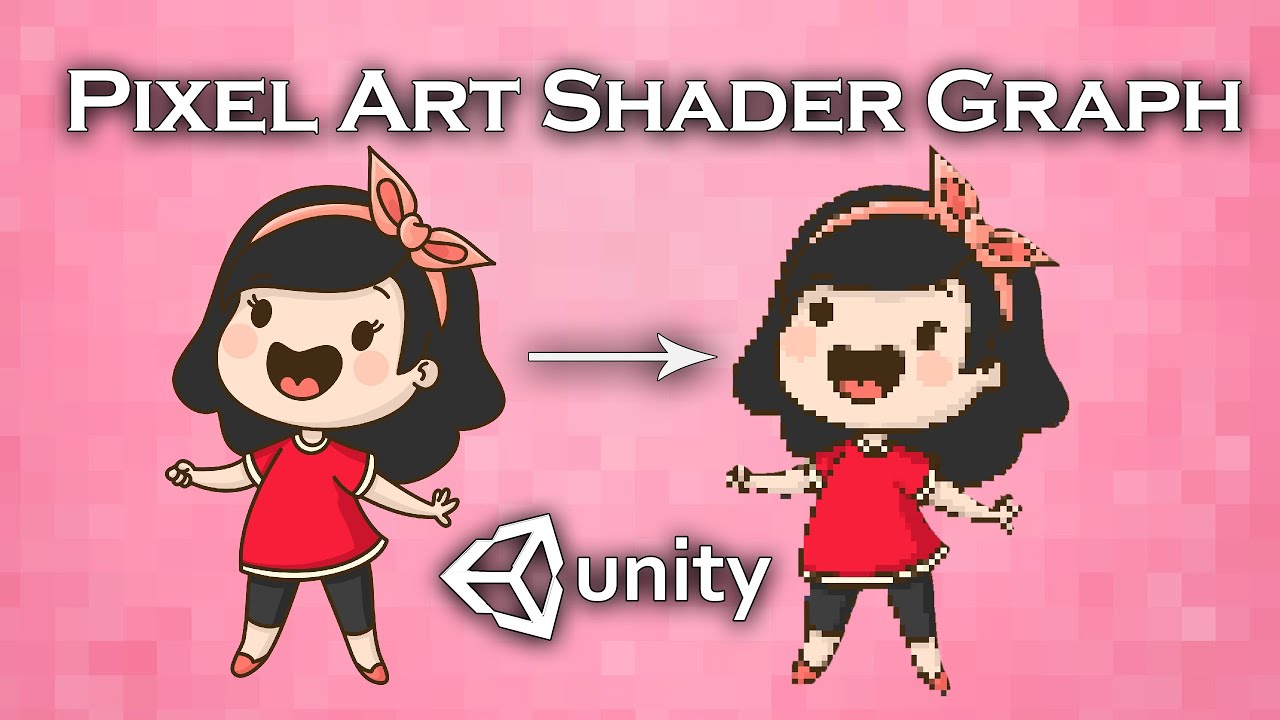
In this video we will show you how to create shader graph that converts any spite to pixel art in Unity engine.
Join our Discord server to discuss and suggest ideas for new video:
https://discord.gg/b6bXKSV
Download project files (Patrons only): https://www.patreon.com/BinaryLunar
Check our game AvoCuddle: https://store.steampowered.com/app/1...
haughty garnet
uh, I mean it's just a mesh that's stretched (linked with other quads) and the shader will allow you to manipulate the uvs
shut smelt
Yeah I got the UV thing but how do I actually apply that the the trail?
haughty garnet
I'm pretty sure you can just drop the material right into it
 haughty garnet
Thought I had a pixel shader but probably buried in one of my other projects
but seems to works fine for a bunch of my other shaders
that video looks fine, what's wrong with it
shut smelt
Where do I plug the UV value into?
shut smelt
but what texture do i put here
 haughty garnet
Oh, you don't want to use a texture? I guess you can just ignore it then
I'm pretty sure it should just use the mesh colors
shut smelt
Still not pixelated, and now it's just white
haughty garnet
I'm trying to understand what you mean by pixelating without texture or image
because if it's a solid color, you don't really have that distortion
shut smelt
It's a gradient
Plus, even if it was just solid, the edges would still need to be pixelated
haughty garnet
Ah, true
that's more of a vertex shader though then
or I guess it could work with shifting alpha values
shut smelt
shut smelt
Trying to pixelate a trail renderer, anyone know if this still makes sense as a ...
So is this anything?
haughty garnet
shut smelt
Still not pixelated, and now it's just white
Ah, ok yeah you can just plug the UVs into the base color
but for the hard edges you do need some sort of alpha values and alpha clipping probably
shut smelt
On the thing that says fragment?
For me that just makes it the yellow green color that the UV is
haughty garnet
once you divide it you can stick it directly into the color buffer (ah, you also need to multiply by the vertex color node if you want the vertex gradient)
I would suggest some texture that mimics some distortion like noise
this way you can then get some alpha to chop off
or even just throw in a noise node into it all idk I'm not sure the target look it all ;p
 forest yoke
Hi I am relatively new to the URP, is it normal that my UI sprites are not rendering at all when Im assigning a material? Like in my case I want to use a render texture material and it is visible in the preview but as soon as Im starting it disappears (also happens with every other material)

 haughty garnet
shut smelt
On the thing that says fragment?
haughty garnet
shut smelt
On the thing that says fragment?
https://i.imgur.com/K0F2JN1.png
Basically just using a noise texture and clipping out the alpha values
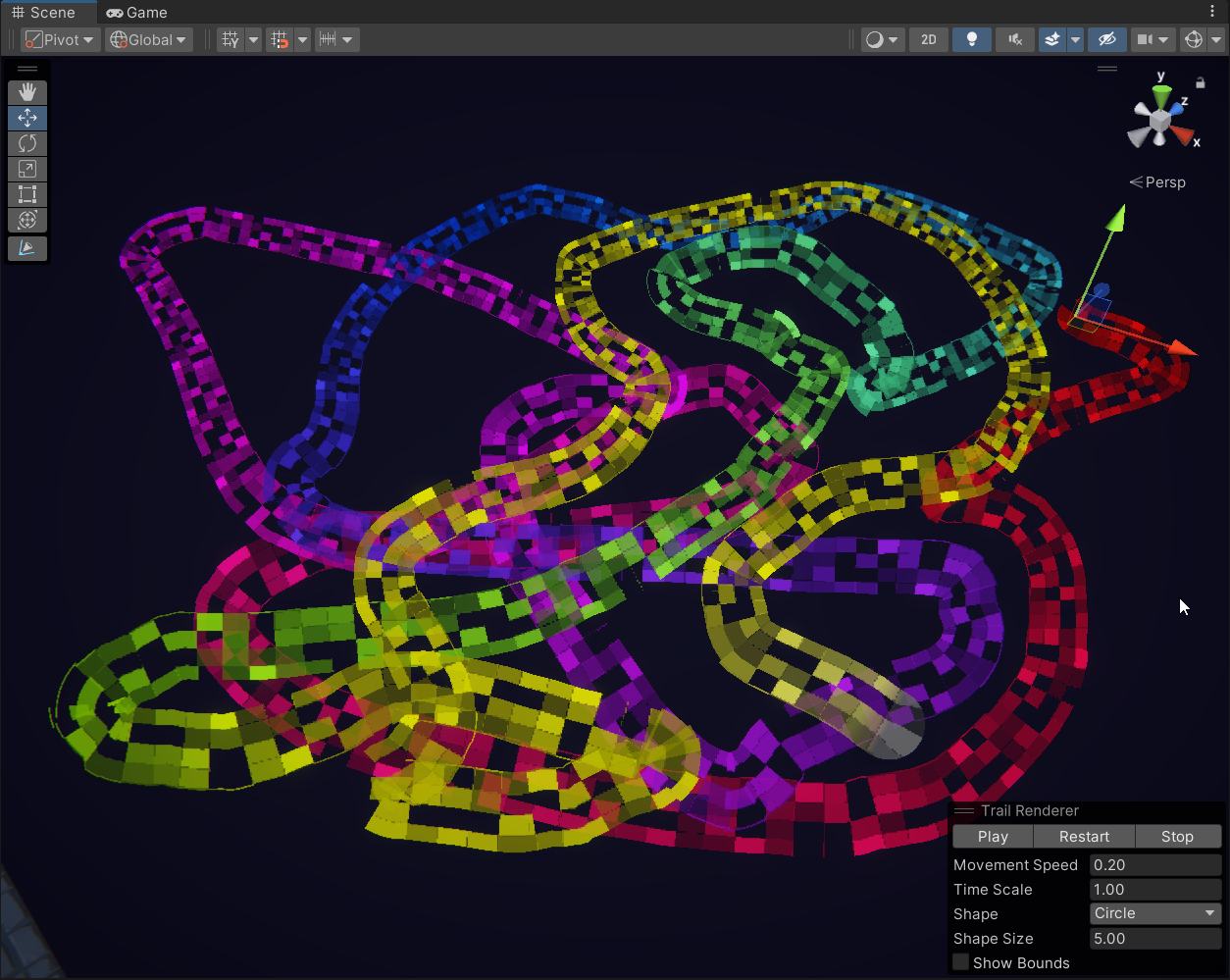
if you want that terrible old ps1 AA though that probably needs some more tricks
shut smelt
It's 2d lol
haughty garnet
can probably do some vertex shenanigans'
shut smelt
I'll investigate whatever that means tomorrow
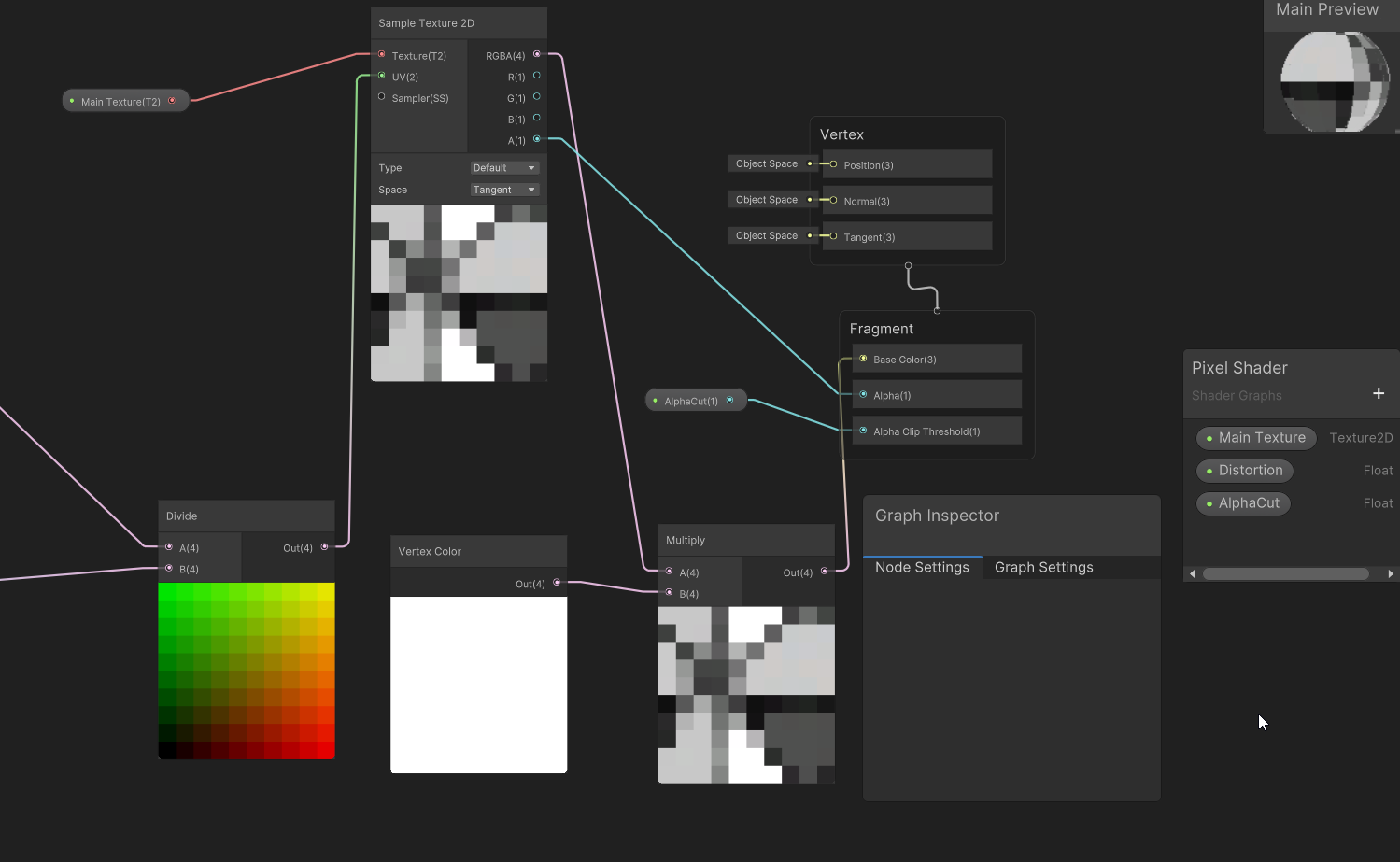 shut smelt
I'm basically just trying to have it be low res, I don't need to have those holes in it
haughty garnet
there's also a tile method on the line render to pixelate it a bit more, otherwise you can probably divide it again or something
shut smelt
But I'll try it when I get the chance

 fervent leaf
Quick question - does OpenGL es 3.1 support rendering to a texture array, ie. set the render target as a slice of a texture 2d array?
I tried to use texture 2d array to host the shadow maps of additional lights. However when launching the Unity editor with -force-gles31, it gives me the error “Assertion failed on expression: 'rs->dim == kTexDim2D || rs->dim == kTexDimCUBE'”
I cannot see any call stack on this error, so my best estimation is due to rt dimensions
 terse vector
Hey, I am using URP and I have an orthographic camera, directly placed over the Z axis. I have 2 thin plates, however sometimes they are not being shown or being cut off depending on how I move the camera. Is there a way to make them always shown?
 long igloo
Hello everyone. Is there a way to fill ("paint") the insides of the cube? So if for example it will have a "transparent hole" in the middle, then the borders of that "hole" will be "painted" as well
haughty garnet
long igloo
Hello everyone. Is there a way to fill ("paint") the insides of the cube? So if ...
You'd probably want to make yourself a custom cube for that in blender then so you can visually map the uvs
long igloo
Hmm, I suppose that is the way. Will try, thanks
 blazing gull
I am doing a "curved world" effect with a shader. I need to move my lights to match the resulting curve (so that the lights appear in the correct position).
I move the lights in response to RenderPipelineManager.beginCameraRendering and then put them back in response to RenderPipelineManager.endCameraRendering.
However, this is causing the lights to get culled early, causing pop-in. See the video for an example.
Increasing the range of a light that's currently not working can cause it to start working, but that's not going to be a reasonable solution (i'll run out of per-object lights!)
Here is how it looks in the scene view.

If I incresae the radius of the first broken light, it will start working
notably, if I reduce the curve strength to zero, all of the lights show up
I messed with https://docs.unity3d.com/ScriptReference/Light-boundingSphereOverride.html but it didn't seem to do anything
( i tried values like [0,0,0,1000] )
( and i did enable useBoundingSphereOverride there )
I am unclear on what's actually preventing these lights from working. I wonder if Unity is deciding that they're too far from anything that can receive the light, and thus culling them?
https://gdl.space/iqoxivohil.cpp This script is attached to each light.
Ah, that is not correct. If I put a box next to the light, it's clearly working

The box does not have the bend shader on it.
possibly relevant note: I override the bounds of all mesh renderers on the track segments so that they're never culled
blazing gull
blazing gull
I am unclear on what's actually preventing these lights from working. I wonder i...
But still -- perhaps it's deciding that the light can't possibly interact with the tunnel?
Yeah, that's it. If I add some random geometry to the tunnel that sticks out all over the place, the issue goes away
wispy comet
fringe pine
https://www.youtube.com/watch?v=GiJbur0CrnU&t=5s&ab_channel=PixTrick
so from this tutorial I tried to create a custom shadow using unlit shader graph, however, whenever I apply a shadow texture the texture appears over the whole object instead of just in the shadow. Any ideas?

 scarlet lava
hi ,
how do i enable the hdr color intensity effect ( to make it glow ) ?
in other urp scenes when i increase the intenisty the object starts to glow
dry willow
scarlet lava
hi ,
how do i enable the hdr color intensity effect ( to make it glow ) ?
in o...
That glow comes from Bloom, in the post processing volume
scarlet lava
Yes thanks ❤️ ❤️
fringe pine
Should rim light (in a cell/cartoony shader) be something that is happening up close, or should the distance not matter?
Im not sure when the rim light should disappear, if at all. I know that it might be personal preference in the shader but I don't even have a good idea of what is the general preferred distance for rim lighting to show up in a shader
fringe pine
wispy comet
so from this tutorial I tried to create a custom shadow using unlit shader graph...
Im about to follow this tutorial now! Im sorry I have no idea :[
maybe check the YT comments to see if anyone had a similar issue? If I run into the same issue and solve it Ill lyk; I just "implemented" rim lighting (not sure if it's actually correct because it disappears when you get too far away Dx), so Im moving on to texturing shadows
wispy comet
fringe pine
maybe check the YT comments to see if anyone had a similar issue? If I run into ...
someone did and he said to message him on discord. I look for the discord link and it is expired x_X
fringe pine
Nooo Q__Q
wispy comet
it's really weird this is what it looks like if I change the shadow color to white and the texture to black
 fringe pine
Can I see ur nodes?
wispy comet
Yes one second gotta boot it up lol
fringe pine
Maybe it might be a bit different depending on the version you are using because that has happened to me a lot following tutorials Dx I cannot follow exactly, just implement the logic, or else my visual result will look funky
I feel like the tweak has to be very minor though
wispy comet
it's a lot - 2nd biggest shader I have done after the sky


 fringe pine
Is the visual result in shadergraph correct?
Oh wait, actually scratch that my shadergraph previews always look bad lmao
wispy comet
main preview just shows base gradient I applied and not the shadows
fringe pine
Ok i think Im gonna follow the video first Im sorry I couldn't help much! Im using unity v. 2020.3 so if Im able to get it, maybe I could share what I did, although it might not translate
Sorry I couldnt be much help Dx
fringe pine
Does anyone have any good places to start on creating a look like this in Unity? I have edge detection and toonshading implemented, however I think these shadows look pretty neat and would like to branch out


Variable framerate, noise, halftoning, flat lighting model...
Most toon shading is too perfect and just looks 3D, especially when the camera orbits.
I had some ideas to add imperfections to the lighting and framerate to sell it better as 2D cels/drawings.
Guilty Gear's too-smooth camera orbits made we want to see if stepping the characters' ro...
I think specifically like this video, where the shadow texture wraps around/seems to grow? I don't know how to describe it, but it's not bounded by a hard edge it just kinda fades off
https://www.artstation.com/artwork/oAZxlB
This is the best example I could find of what I mean

ArtStation
"Pure-Comic Shader" is a pack of 12 procedural shaders that allows you to add a Comic, Cartoon or drawing style in color or black and white to your animated movies. (Blender 2.81...2.91)
Available here: https://blendermarket.com/products/pure-comic-shader
warped sphinx
How do I use the non-Matrix4x4 version of "Graphics.RenderMeshInstanced"?
I thought you just had to match the name of the extra variable to whatever is set as instanced property in your shader, but apparently that's not it.
The doc doesn't details about custom data structure (outside of "yeah, that exist") and the only Github I can find apparently gave up and is using Material.SetBuffer instead.
fringe pine
This tutorial is on another common toon shading technique called halftone shading, unlike normal shading it only uses full lit or full unlit as colors, but it doesn’t create a hard cut either. Instead it uses a pattern to decide which pixels are lit and which aren’t and the chance of a pixel being lit gets higher the brighter the pixel would be ...
Found something if anyone else was curious
dry willow
warped sphinx
How do I use the non-Matrix4x4 version of "Graphics.RenderMeshInstanced"?
I thou...
The docs page suggests if using the struct version, it will only pass specific variables to the gpu - Matrix4x4 objectToWorld, uint renderingLayerMask and Matrix4x4 prevObjectToWorld. Any custom ones are ignored, so if you need them you'd probably use your own buffer.
warped sphinx
Ah. Guess the doc make more sense then, although it mean the functionality is near useless.
Well, I had already started to write my code without that and using Material.Set instead, guess that was the right call.
Thanks.
 karmic wolf
I want to negate the normals of an object when you are looking the back face of it, as light does not seem to affect it. Why can't i connect this to the Normal(3)? (i use 2020 LTS)

the problem seems to be happening when i am trying to add the is front face value to the boolean, why is that?
 dry willow
Is Front Face can only be used in the Fragment stage. You'd want to invert the normal there, not the vertex stage
karmic wolf
dry willow
Is Front Face can only be used in the Fragment stage. You'd want to invert the n...
Isn't the Normal (in Tangent Space) located in Fragment different from the Vertex Normal?
do you mean i should change what am i inverting?
dry willow
karmic wolf
ok nvm i understood
i forgot to change the conversion

apologies for the ping
😅
and thanks
 normal orbit
Hey guys, what's a cool URP asset these days?
shut smelt
Still stuck on trying to make a pixelated trail, I currently have something that pixelates the texture but has 2 problems: One, it doesn't actually change the shape of the trail to be pixelated, and two, it requires a texture to work, and I need it to work without one since I'm just using a gradient for the color
 marble vigil
shut smelt
Still stuck on trying to make a pixelated trail, I currently have something that...
marble vigil
shut smelt
Still stuck on trying to make a pixelated trail, I currently have something that...
Shaders have very limited ability to modify their geometry, being only able to move vertices they cannot "pixelate" the shape
Why could you not use gradients with textures?
shut smelt
It doesn't seem to pixelate the color change
Only the base texture
Ok I think I remembered it wrong because I can't even get the color to change at all if I'm using a texture
Also I get this like 8 times when I enter play mode, any idea how to fix that?
 shut smelt
marble vigil
Shaders have very limited ability to modify their geometry, being only able to m...
shut smelt
marble vigil
Shaders have very limited ability to modify their geometry, being only able to m...
Idk what this really means, but would this be a viable option?
 marble vigil
shut smelt
Also I get this like 8 times when I enter play mode, any idea how to fix that?
marble vigil
shut smelt
Also I get this like 8 times when I enter play mode, any idea how to fix that?
Probably not related to what you're doing
shut smelt
I mean, the question was "How can I pixelate a trail renderer"
marble vigil
I mean the error/warning
shut smelt
Ah, ok
marble vigil
shut smelt
Idk what this really means, but would this be a viable option?
This is viable but kind of cumbersome, especially if your trail's size changes significantly, as Render Target textures usually have a fixed size
Render Targets are used to output to textures from secondary cameras
Another option is to set the trail width much wider than they need to be relative to the line texture within, so the edges won't be visible after pixelation
shut smelt
Yeah, that's what I was thinking I would do
marble vigil
Or in some cases you can render a chain of sprites instead of a line, which then can be snapped to pixels
shut smelt
I can share a vid of it if that would help
marble vigil
More information is usually good!
marble vigil
shut smelt
All three methods are applicable I think, each one has some drawbacks
marble vigil
- Render Target textures, which you'd use to capture a region of the screen around the player of the trail and render it on a quad or a sprite. A bit technical to set up
- Increase trail width and shrink the trail texture within it so you can use your pixelation shader now with extra space before the pixels spill over the trail geometry edges
- Make multiple sprites that compose the flame and arrange them in a chain along the trail's length. A bit manual to set up and you need code and math to make the chain
- Use the pixel perfect camera with Upscale Render Texture, now everything's perfectly and uniformly pixelated. However you can't exclude anything from it and you must follow the pixel perfect workflow in full
shut smelt
2 sounds like the best option but I still don't really understand how you get to that point
I can't get any pixelation on the trail at all without a texture
marble vigil
4 is the best option unless you have some reason to avoid the pixel perfect camera
shut smelt
I tried 4 already
marble vigil
And?
shut smelt
I've used it for other stuff and it would be a pain to have to make the game with that in mind
I also tried camera layering it
but i couldn't line them up exactly
marble vigil
shut smelt
2 sounds like the best option but I still don't really understand how you get to...
Using a wider trail should solve the original problem of the trail geometry cutting off the pixelation
But it sounds like there's something else amiss with the pixelation shader itself
shut smelt
Exactly
It needs a texture to work, and unless I can replicate the trail renderer gradient, I can't use one
marble vigil
shut smelt
It needs a texture to work, and unless I can replicate the trail renderer gradie...
Why could you not?
Also, when using trail renderers it's best not to use the size over length curve, but instead draw the taper onto the texture to avoid UV distortion issues
shut smelt
Well, as I said before, I have no idea what I'm doing
Is it just layed out as a rectangle in the texture or would I need to do something more complicated?
marble vigil
shut smelt
Is it just layed out as a rectangle in the texture or would I need to do somethi...
The pixelation needs to be done in screen space, most importantly
You could ask about that in #archived-shaders
 visual needle
any tips for reducing build times for a game in URP
like im certain a lot of this stuff is unnecessary
it is currently a huge fan of taking a shitload of time to prepare a bunch of shader variants

(this is my fourth render attempt; the last one took 11 minutes and I stopped it halfway)
any advice for tightening this up?
visual needle
its still going somehow
 fringe pine

Is there any way to get the halftone shading to stop stretching/wrapping around objects like that? I just want it to look the same no matter where you look at it from

By stopping stretching/wrapping I mean kinda like this, but the texture is constrained to the shadow areas, however it doesn't change from whatever angle you look at it
Do I need to not sample texture UVs or do something with world or screen space or any other space coordinates?
I FIXED IT it was using view space coordinates
karmic wolf
I am making a small glitching-like effect for some enemies in my game (Sprite Lit). While the following does what i desire, the colors seem to be affected by their surrounding objects, which is not what i want to achieve. I'm kinda lost, how can i fix it?


 pearl parrot
Is there anyway on how to make the shadows pure black?
 marble vigil
pearl parrot
Is there anyway on how to make the shadows pure black?
marble vigil
pearl parrot
Is there anyway on how to make the shadows pure black?
Shadow color comes from the ambient lighting
If you set your ambient light source to a black color, the shadows should be so too
pearl parrot
If I do that, the walls or ceiling will have some pure black sides.
I'm trying to avoid that.
strong aspen
pearl parrot
I'm trying to avoid that.
either make the ambient light a slightly dark gray, or bake lighting
 small drift
Hey folks, since I'm using the URP only, is there a way to hide the built in shaders from the shader picker? Pretty much none of these wok anyway so they're just getting in the way...
 haughty garnet
Probably can remove them from the directories
Hopefully that won't crash anything when an asset needs to be created with one of them ;)
sinful gorge
small drift
Hey folks, since I'm using the URP only, is there a way to hide the built in sha...
I'd say make a feature request on the Unity roadmap to hide BiRP shaders when using SRP!
 wild bobcat
hello, i can't find anything about that visual glitch on internet, is this a known issue ? (happen only when compiled, those glitch are static and are different on every compilation)
 wild bobcat
hello, i can't find anything about that visual glitch on internet, is this a kno...
wild bobcat
wild bobcat
hello, i can't find anything about that visual glitch on internet, is this a kno...
I corrected the problem by touching a bit of everything, so I have no idea how I did it (sorry)
haughty garnet
wild bobcat
I corrected the problem by touching a bit of everything, so I have no idea how I...
looks like you've slid the intensity slider up on some post processing
 spring depot
I am getting these two errors on android in build and I cant find a sollution to fix them, a cause for it, or anything at all online 🤔
Whats causing this and how do I disable or stop it? Unity version 2022.3.10f1

they fire every frame and the frame debugger and profiler show the slowdown is caused due to stuff I dont really comprehend:

semaphor wait for signal is eating all my performance
Ive tried everything that comes up when you google any of those terms, nothing has worked
the errors only occur on that one device, samsung galaxy A14
no other device that I can test with has this issue
but not using this device / not supporting it is not an option
I require assistance, how do I debug this? how do I find the cause? How do I fix whatever is going wrong?
sinful gorge
spring depot
no other device that I can test with has this issue
Are those faster? This most likely a GPU or overheating issue
 leaden schooner
https://www.youtube.com/watch?v=LMqio9NsqmM
I'm following this video for a outline shader. though I'm way in over my head have no idea what to do with the Scriptable Render Feature script which seems to affect all objects in the scene? it should be linked to a shader graph but some things aren't being shown in the video. does anyone know what I'm trying to do? xD

The second devlog about my yet to be named cozy creature collecting and management game. This one covers the initial implementation of screen space outlines.
Some amazing write ups that helped me a lot:
Erik Roystan Ross's tutorial on screen space outlines
https://roystan.net/articles/outline-shader.html
Ignacio del Barrio's tutorial on custom ...
haughty garnet
There's actually a more UI approach if you prefer that by using these
https://docs.unity3d.com/Packages/com.unity.render-pipelines.universal@11.0/manual/renderer-features/how-to-custom-effect-render-objects.html
As you can see from the docs that you can override the material on specific layers
leaden schooner
I mean I'm willing to learn
spring depot
sinful gorge
Are those faster? This most likely a GPU or overheating issue
It does this the instant the game runs so I dont think its overheating
My device is a galaxy A14 so its not a slow or old phone
leaden schooner
it's just that I'm missing information from this video. it's not really a tutorial
spring depot
leaden schooner
it's just that I'm missing information from this video. it's not really a tutori...
this is my goto doc if you're looking to make outlines
he covers pretty much every outline method and its failings
haughty garnet
The video seems pretty straight forward and he applies the shader to the whole scene view if that's what you're looking for, but bgolus also has a library of info so check their stuff out too.
leaden schooner
I think I figured out some stuff, I checked the code and it's looking for a specific shader by name
leaden schooner
I keep crashing my Unity for some reason xD I add the render feature to the URP SO and after some messing around and alt tabbing I can't get back in.
fringe pine
leaden schooner
https://www.youtube.com/watch?v=LMqio9NsqmM
I'm following this video for a outli...
Holy shit you also doing outlines??
I have something somewhat working, I can send what I used!
I also watched that video and it was also way over my head, even when I started working more with URP so you're not alone
This tutorial is for 2018, but I recommend following along in that version to get a basic understanding of how to get outlines
As for getting the scriptable renderer feature file to get outlines on the screen, lemme see if I can find the resource I used
leaden schooner
thanks but these renderer features have intrigued me, I think I should learn more about them specifically 
fringe pine
fringe pine
leaden schooner
thanks but these renderer features have intrigued me, I think I should learn mor...
Oh the second article has some more about outlines and getting the scriptable renderer feature to apply them to the screen, but also Cyan in this server has a great website for learning about SRP and getting the renderer feature to work too
This was very helpful for me
It also has a bunch of links cool articles to effects you can try out!
Idk I was very excited when I got mine to first work I guess thats why Im so enthusiastic lol
leaden schooner
thanks I'll check it out
I guess I won't since my Unity won't respond the moment it opens now :I
 thin spire
Hi all
I am having a problem with my URP baked lighting.


For some reason, it becomes all fucked up when it finishes baking (one without the emission).
Never had this problem before, what is it being caused by?
Any ideas? Please help )))))))):
Nevermind, figured it out.
 turbid trail
Hi I'm missing settings, how do I fix? first is mine, second is what i need

 haughty garnet
turbid trail
Hi I'm missing settings, how do I fix? first is mine, second is what i need
haughty garnet
turbid trail
Hi I'm missing settings, how do I fix? first is mine, second is what i need
What pipeline you're using?
oh this is urp
turbid trail
Yea turns out I had to update unity and get a update for URP
haughty garnet
OH
ok it's not urp but it is in the urp channel oh, urp didn't originally have material override
;)
I just noticed there isn't a built-in pipeline channel
 tepid turtle
I'm trying to make a pixel art shader for my 3d project, and it is working, but I recently discovered that my rendered camera isn't aligning the pixels properly as you can see the crosshairs are either distorted or shaking, and I can't find a way to fix that issue. Can someone help?
I'm following this tutorial to achieve that pixelated look https://www.youtube.com/watch?v=-8xlPP4qgVo

Today I'm walking you through my new pixelated rendering code. I opted for this new approach to solve a couple issues I had with the old one.
This is NOT a tutorial: I've got plenty to learn about this subject and I don't feel qualified to talk about it in detail. I just felt like I should update you on this topic since I've outgrown my older t...
blazing gull
I want to darken everything in the scene except for a handful of objects. Ideally, I'd like to have this effect start at a distance, then close in (imagine fog rolling in)
My lighting is 100% realtime right now
So I can put the key objects on their own light layer and then make the other lights dim
but I'd really like to be able to do a distance-fog effect that just skips the key objects
these objects are also on their own layers
marble vigil
blazing gull
I want to darken everything in the scene except for a handful of objects. Ideall...
I think I'd probably make a shader that can apply custom fog
Either in a lit graph to lerp everything to blackness, or in an unlit shader that re-implements lighting and lets you dim out specific elements of the lighting
blazing gull
marble vigil
I think I'd probably make a shader that can apply custom fog
Either in a lit gr...
The hard part is controlling what it affects.
Maybe I need to whack this problem with the stencil buffer?
One helpful thing is that I'm already writing my own custom shader for everything
it's a curved-world shader (just like Arcayle is talking about, haha)
I realized I can just lerp the albedo towards black based on distance to a world point
I'll need to also adjust metallicity and smoothness so that the material goes completely dark
I'd prefer some kind of selective fog effect, but this will work perfectly well for this particular game
marble vigil
blazing gull
The hard part is controlling what it affects.
What's hard about it?
Materials with that shader are affected, ones without are not
marble vigil
blazing gull
I'll need to also adjust metallicity and smoothness so that the material goes co...
and AO and specularity (if using specular workflow which may work better than metallic in this case)
If if you want it to be really an accurate dimming you'll probably have to re-implement lighting and dim those out specifically instead
blazing gull
marble vigil
What's hard about it?
Materials with that shader are affected, ones without are ...
If it were a post-processing effect, I mean.
marble vigil
blazing gull
If it were a post-processing effect, I mean.
Does it have to be?
blazing gull
Nope! It was just the original idea I had
It'd be nice to be able to create the effect without every shader in the scene having to support it
if I wasn't using the same shader for everything, that'd be more of a concern
marble vigil
blazing gull
It'd be nice to be able to create the effect **without** every shader in the sce...
Hmm with post processing you could produce the fog from the depth texture, and then use render objects to render the excluded objects after
blazing gull
hm, that'd work
I was messing with the render objects pass
so I'd punt the key objects into their own layer, and then draw everything in that layer after the fog is applied
marble vigil
But I'm unclear if that lets you still have the render object rendered objects have depth occlusion
 cosmic marsh
Hey folks. I'm working to debug why my 2D, topdown RTS game is suffering from low rendering fps on fast modern gaming PCs. At the main menu I get 1250fps, and with just the tilemap I get 850fps. The game itself supports a number of graphical options, turning off lights, shadows, the materials on all the gameobjects and so on. The delta between a high quality scene and a high-performance scene is only 10%, which has me wondering if the bottleneck is elsewhere. Analysis is done with Timescale = 0, so all the AI and custom scripts and physics are effectively paused. From profiling a Dev build, it does appear that Rendering and the Script-side of rendering is a bottleneck. I'm seeing about 200 draw calls in high performance mode, and 550 draw calls with all the goodies turned on. Toggling the various batching modes does little to affect performance. Viewing a blank area of the screen is 300fps paused. Viewing with 200 gameobjects on the screen falls to 120. This tells me the 200 objects are still making a significant performance impact even when off screen and supposedly culled. The Render Debugger says the game is CPU bound. Just curious how folks dig into identifying and optimizing URP for maximum benefit in a 2D game RTS like this. Thanks!
blazing gull
What's the nicest way to set properties on the material that a Full Screen Pass is using?
The first thing that came to mind was just directly editing the material. This will create version control churn, since those changes persist...
Then I thought about referencing the FullScreenRenderPassFeature assets and setting the material they point to at runtime. But now I'm messing with scriptable object assets...
Although, those changes don't persist to disk (last time I checked, at least), so maybe I'll just do that
ah, but it leads to big spam. i'll have to re-assign the material when play mode ends

It also shows up as a "type mismatch" after assigning a duplicated material to it
 blazing gull
What's the nicest way to set properties on the material that a Full Screen Pass ...
blazing gull
blazing gull
What's the nicest way to set properties on the material that a Full Screen Pass ...
since we're flying off into XY problem territory here: I want to control a post-processing effect with the volume framework
I think I wound up just writing my own custom pass when I did this a year ago, but I'd prefer if I could just re-use the existing renderer feature...
blazing gull
blazing gull
It also shows up as a "type mismatch" after assigning a duplicated material to i...
I guess this is becaues the material isn't from an asset. Still works.
marble vigil
blazing gull
since we're flying off into XY problem territory here: I want to control a post-...
https://www.febucci.com/2022/05/custom-post-processing-in-urp/ this article has instructions to that
Maybe the new fullscreen pass documentation includes that too but I faintly recall it didn't
blazing gull
oh, whoops, that's exactly the one I followed last year, lmao
I forgot about it
okay, yeah, it uses its own render pass
strong aspen
tepid turtle
I'm trying to make a pixel art shader for my 3d project, and it is working, but ...
URP already has a feature called render scale in the URP quality settings that you can use to get a pixelated look in your game without any shaders or custom rendering
marble vigil
strong aspen
URP already has a feature called render scale in the URP quality settings that y...
That's a good point
Still, the same issue would persist
strong aspen
UI should not be affected by the render scale
marble vigil
I think the goal is to have the crosshairs be pixelated, but not have the nearest-neighbor roujnding errors caused by sub-pixel motion
Snap them to pixels in other words
strong aspen
in that case just have a pixelated crosshair sprite
marble vigil
Perhaps that's adequate, though it won't result in an authentic look
If it's UI there's the "pixel perfect" setting that can snap UI elements to pixels, but not to a larger-than-native pixel grid as far as I know
The most accurate solution might be to snap the crosshairs to a grid that's calculated from the real screen dimensions and the pixelated screen dimensions using scripts
strong aspen
that feels like overcomplicating it
marble vigil
If pixel-perfectness is not the goal, then it would be
Otherwise I'm not sure there is a better solution to ensure that the pixels line up
strong aspen
maby if instead of moving the crosshair using floats you use an int, that should give it a snappier look
marble vigil
Oh I forgot the scale is also a problem
If the ratio of PPU and scale are not exact, the crosshair will occupy adjacent pixels partially, thus when snapping to it its size will seem to fluctuate by one pixel which also looks like what we're seeing in the video
marble vigil
strong aspen
maby if instead of moving the crosshair using floats you use an int, that should...
Using ints is like snapping to a grid of whole numbers, but as we measure screen position in either pixel dimensions or a normalized position, that gives us options between snapping to every native pixel, or to each corner of the screen
Neither of which would probably solve the problem
This issue is basically what "pixel perfect rendering" and the pixel perfect component were created to solve
strong aspen
should we just wait to see what the guy actually wants?
marble vigil
strong aspen
should we just wait to see what the guy actually wants?
Hmm do we really need him
strong aspen
yes?
tepid turtle
strong aspen
should we just wait to see what the guy actually wants?
Hey, and yes I do want my hud to be snappy while letting my game have a pixelated look to make my game truly pixel-perfect. Also, the crosshair and the other hud elements are already pixel art
@marble vigil @strong aspen I have heard about pixel snapping, but I don't know how it works
 vale monolith
hello guys, if i need some help in custom rendering feature can i ask it here?
marble vigil
tepid turtle
<@166982635950702592> <@694651421198647388> I have heard about pixel snapping, b...
Basically it calculates the position and scale for the sprite so that each sprite pixel is mapped and snapped perfectly to each screen pixel once
https://docs.unity3d.com/Packages/com.unity.2d.pixel-perfect@5.0/manual/index.html
Problem could be I'm not sure if it works with perspective camera
You may have to have one camera where everything is 3D and pixelated, and another overlayed camera where everything is 2D with fake perspective parallax
Or so you would have in built-in render pipeline
URP wants you to go to hell if you ever wanted to mix 2D and 3D
tepid turtle
marble vigil
Basically it calculates the position and scale for the sprite so that each sprit...
The game itself uses perspective while the hud and crosshairs use an orthographic camera
marble vigil
tepid turtle
The game itself uses perspective while the hud and crosshairs use an orthographi...
That's a sensible way to do it
Unfortunately URP made the pixel perfect component 2D Renderer exclusive, and in turn made the 2D Renderer disable 3D rendering features
tepid turtle
marble vigil
That's a sensible way to do it
Unfortunately URP made the pixel perfect componen...
Does that mean I will be unable to use that component at all?
marble vigil
tepid turtle
Does that mean I will be unable to use that component at all?
You could try
I think the compatibility was slightly expanded in one of the newer editor versions
Pixel snapping of sprites might work, but only on ortho camera
Pixel perfect component normally comes with the option to pixelate the whole rendered image according to the reference resolution but that's disabled without URP2D iirc
If I were making a project with those kind of visuals I wouldn't even consider URP over BiRP as much as I like URP
Whoever decided to arbitrarily disable mixing of 2D and 3D features set back progress quite a bit
tepid turtle
I have 2D pixel perfect installed, but i don't see the snapping component in the edit menu

@marble vigil Does that mean it is still incompatible?
marble vigil
tepid turtle
I have 2D pixel perfect installed, but i don't see the snapping component in the...
Snapping is not the component, "pixel perfect camera" is and it's attached to an ortho camera
tepid turtle
You mean this?
 marble vigil
tepid turtle
You mean this?
marble vigil
tepid turtle
You mean this?
Yes
tepid turtle
I tried changing the assets pixels per unit, reference resolution and grid snapping, and it doesn't work
Also, my HUD elements aren't rendered with the pixel perfect camera only
marble vigil
tepid turtle
Also, my HUD elements aren't rendered with the pixel perfect camera only
UI are not sprites so they can't use the same system, at least not if they're in screen space overlay mode
Anyway, pixel perfect camera is a bit complicated to understand how to set up in ideal conditions, let alone when using only a partially working version of it
If your project was using BiRP then it might be worthwhile to try
Otherwise you may be stuck making your own similar snapping math using scripts
cosmic marsh
tepid turtle
Does that mean I will be unable to use that component at all?
Hey there. This asset may interest you: https://assetstore.unity.com/packages/tools/camera/smooth-pixel-perfect-camera-256262 I've used the shadows/water from the developer, and they have a discord. I've not used this asset myself, but it may have advantages over the built-in one.

Get the Smooth Pixel Perfect Camera package from Leafousio and speed up your game development process. Find this & other Camera options on the Unity Asset Store.
 long crest
Hi, I'm having an issue with building my porject on widows with URP.
It gives me the follwing message :
NullReferenceException: Object reference not set to an instance of an object
UnityEngine.Rendering.RenderPipelineGraphicsSettingsStripper.PerformStripping (System.Collections.Generic.List`1[T] settingsList, System.Collections.Generic.List`1[T] runtimeSettingsList) (at ./Packages/com.unity.render-pipelines.core@16.0.4/Runtime/Stripping/RenderPipelineGraphicsSettingsStripper.cs:43)
UnityEngine.Rendering.RenderPipelineGraphicsSettingsContainer.OnBeforeSerialize () (at ./Packages/com.unity.render-pipelines.core@16.0.4/Runtime/RenderPipeline/RenderPipelineGraphicsSettingsContainer.cs:44)
UnityEngine.GUIUtility:ProcessEvent(Int32, IntPtr, Boolean&)
Does anyone has any ideay how to debug this ?
 steep fern
I am reading up on emissive materials and notice that they can only light objects that are static, lightmap static, or dynamic objects with the help of light probes. I am thinking of a game that have a bunch of small glowing emissive objects moving around, and a bunch of non-glowing emissive objects also moving around, and the glowing ones would light up the non-glowing ones a little. I am currently using Unity DOTS. Is this a fool's errand or is it possible to achieve?
marble vigil
steep fern
I am reading up on emissive materials and notice that they can only light object...
No such thing as realtime emissives (without raytracing or path tracing)
Closest thing you can hope for is to approximate the emissives using a lot of shadowless point lights with deferred or forward+ rendering path
supple galleon
someone tell me why this looks so good?

(im making a tank game)
Pvpmania
just dont look at the tracks yeat
its not finished so it looks very bad
and the suspension settings
marble vigil
 tidal pond
urp sucks at making night time lighting
tidal pond
urp sucks at making night time lighting
Not really a common complaint
What "night time lighting" precisely means varies a lot by visual style so it may help to give some more details if you want advice
tidal pond
Think phasmophobia.. Do they use URP, how would one get lighting similar to that. Dark, foggy type lighting. Horror style I guess?
marble vigil
tidal pond
Think phasmophobia.. Do they use URP, how would one get lighting similar to that...
I don't recall them doing anything special
They had scenes with just incredibly dark ambience and few lights
tidal pond
Well for instance I'll remove my directional light hoping it will be "dark" yet its just
not


Still "light"
marble vigil
tidal pond
Still "light"
Ambient light from the environment
tidal pond
Oh shit yeah forgot about ambient lights
marble vigil
The sky is a light source by default, though I believe you'll have to generate lighting if you swap it or set environment light source to something else
(just disable realtime GI and baked GI before generating lighting if you aren't doing baked lightmapping)

 marble vigil
tidal pond
managed to get pitch black with this
marble vigil
tidal pond
managed to get pitch black with this
You may want to use an actual black skybox material to avoid potential graphical weirdness in the future
tidal pond
marble vigil
You may want to use an actual black skybox material to avoid potential graphical...
Okay
🙂

this is great
tidal pond
😄

 strange egret
One of the assets I am using has an alpha mask
How do I connect it in urp materials
jolly quail
hi, so i will spawn decals with est total around 1000 and because i will instantiate it i use GPU instancing, and when i check the draw call it's looking good 1 draw call, have many instance object, but for some reason it's still lagging? i thought as long as we have fewer draw call there will be no lag? or did i get it wrong? (this project is for VR with vulkan graphic API)
 jolly quail
strange egret
One of the assets I am using has an alpha mask
jolly quail
strange egret
One of the assets I am using has an alpha mask
alpha clip
 gentle peak
i'm getting these errors after opening an empty project. i deleted hub, editor and all the files but the error still exists. never had smth like this before these are new. my editor: 2021.3.19


 plain condor
Any idea why my texture isn't the size of the plane here?

Is it because the texture isn't square or a power of 2?
 atomic schooner
I set the roughness to the minimum to achieve a brightness
 hushed dirge
unity expects the textures with a certain layout that substance may not be using, is there a unity preset?
plain condor
Does anyone know why this is a problem in URP?
material.SetColor("_BaseMap", new Color(1.0f, 0.0f, 1.0f, 1.0f));
dry willow
plain condor
Does anyone know why this is a problem in URP?
material.SetColor("_BaseMap", new...
_BaseMap is a texture, not a color. Did you mean _BaseColor?
plain condor
Ops... I looked it up and then misread it. Can you not set them both, like this:
material.SetColor("_BaseColor", new Color(1.0f, 0.0f, 1.0f, 1.0f));
material.SetTexture("_BaseMap", mapTexture2D);
When I have the color set its overriding the texture?
dry willow
plain condor
Ops... I looked it up and then misread it. Can you not set them both, like this:...
It depends on the shader used, but usually the colour should just tint the texture. Should be fine to set both.
plain condor
@dry willowYes, it does seem to be working... Its just much stronger (even with the alpha set to 0.01f) than I expected. Thank!
 vital bay
Why is it that when I just turned everything off for URP, I have FPS 12, and when I decided to use the built-in RP, I have FPS 35?
plain condor
I set the red pixels to an alpha of zero, but it isn't transparent?

Code
colorArray[y * width + x] = new Color(1.0f, 0.0f, 0.0f, 0.0f);

// More stuff and then...

mapTexture2D.SetPixels(0,0,width,height, colorArray);
mapTexture2D.Apply();
You'll also have to use a shader that renders the whole thing with transparency or alpha clipping
plain condor
I thought that shader did transparent renders. What shader do you recommend?
I'm using:
Material material = new Material(Shader.Find("Universal Render Pipeline/Lit"));
Thanks
dry willow
plain condor
I thought that shader did transparent renders. What shader do you recommend?
...
The shader supports transparency but it needs to be enabled through keywords/properties/etc - usually set by the ShaderGUI. It would be way easier to create a Material asset for this rather than trying to create one through code. (That also ensures the shader variants required are actually compiled in the build)
plain condor
dry willow
The shader supports transparency but it needs to be enabled through keywords/pro...
Its been a while since I've used Shader graph. I'll have to go watch a refresher video to see how to set transparency.
dry willow
plain condor
Its been a while since I've used Shader graph. I'll have to go watch a refresher...
I mean that works, but a custom shader isn't really what I was suggesting. The URP/Lit shader does support transparency, it's just easier to create a Material asset rather than trying to create one in C#.
Right-click in assets, Create -> Material. In the inspector, can change it's shader, but should already be using the URP/Lit shader by default. Should have settings like Surface Type to make it Transparent (or can use Opaque & Alpha Clipping if you don't need partial values)
https://docs.unity3d.com/Packages/com.unity.render-pipelines.universal@17.0/manual/lit-shader.html
Can still then edit it further in C# by passing a reference to it, like using a public field, or GetComponent<Renderer>().sharedMaterial/(.material if you want a clone/instance)
 daring zephyr
Any ideas why Inl_UniversalRenderer.CreateCameraRenderTarget is causing GC alloc?
 plain condor
dry willow
I mean that works, but a custom shader isn't really what I was suggesting. The U...
plain condor
dry willow
I mean that works, but a custom shader isn't really what I was suggesting. The U...
Almost impossible to find the settings. But this works:
material.SetOverrideTag("RenderType", "TransparentCutout");
material.EnableKeyword("_ALPHATEST_ON");
material.renderQueue = 2450;
I wish I knew how to search Unity help for URP specific things...
 lament raven
gentle peak
i'm getting these errors after opening an empty project. i deleted hub, editor a...
lament raven
gentle peak
i'm getting these errors after opening an empty project. i deleted hub, editor a...
I get the first error too, on 2021.3.6f1 . Deleting the library folder inside the project and re-opening the project from the Hub worked for me
gentle peak
lament raven
I get the first error too, on 2021.3.6f1 . Deleting the library folder inside th...
Thank you  I've figured it out that latest URP package version doesn't support my editor version. Hub tend to use latest URP package when we create a new project, that conflict issued that
lament raven
gentle peak
Thank you <:hattip:676419662493253632> I've figured it out that latest URP packa...
oh i see, thanks! ✨
gentle peak
lament raven
oh i see, thanks! ✨
You're welcome
 plucky sapphire
Hey guys,
I'm trying to do 2D sprites in 3D, and works ok, but the ambient occlusion wont show on the sprite (it works fine on other 3d objects in the scene)
Anyone know how i can make it work?
marble vigil
plucky sapphire
Hey guys,
I'm trying to do 2D sprites in 3D, and works ok, but the ambient occl...
They'd have to be opaque with alpha clip, not transparent like sprite materials normally are
plucky sapphire
Got it working, thank you!
 fiery cave
Hi guys, I am running urp project unity 2023.1 and I propably start it is as 2d project. I switch renderer URP to 3d so textures are working right now, but when I am import textures to project, they are imported by default as sprites. Can I fully switch to 3d ? 🤔
dry willow
fiery cave
Hi guys, I am running urp project unity 2023.1 and I propably start it is as 2d ...
fiery cave
dry willow
https://docs.unity3d.com/Manual/2DAnd3DModeSettings.html
Thank you so much 😊
quasi dove
After updating my project to 2023.2.0f1 my full screen pass features seem to be broken. It seems related to post-processing(it initially states that post-processing is missing, but enabling the basic inverted full screen pass example is also broken, only showing in scene view and not in game. Disabling post-processing fixes the inverted pass, but leaves the screen blurry and does not fix my custom pass). I've followed all the suggestions here: https://forum.unity.com/threads/postprocesspass-render-pass-will-not-execute.1136572/ but none seem to work.

Unity Forum
Edit: This is an old error for me, I don't remember the details and am unable to reproduce this.
Hello,
I'm receiving this error with no further...
marble vigil
quasi dove
After updating my project to 2023.2.0f1 my full screen pass features seem to be ...
Updated from which version?
Double triple checking that you tried to make new fresh pipeline assets since those have some hidden values that can break and can be incompatible between versions
quasi dove
latest LTS version, I think 2022.3.15f1
maybe it's the render pipelines then, I'll check them out thanks
quasi dove
yeah I created completely new renderer assets and still no luck
marble vigil
quasi dove
latest LTS version, I think 2022.3.15f1
That's a big leap
The way custom post processing passes are implemented is in flux and likely has changed between the two
May have to follow instructions again for the new version
quasi dove
yeah I'm going through the process of just transferring everything into a fresh project
quasi dove
turns out that for some reason fullscreen render passes do not work with a render scale < 1 in the pipeline asset if you have the scaling mode set to nearest neighbor
 gleaming yarrow
Why is this prototype room of mine allowing light through? There shouldn't be any openings (quite a beginner to the graphic side of unity)
 placid laurel
Are you using probuilder
If so, duplicate the room and flip the normals, I remember having this exact issue before and that's how I fixed it
 pulsar topaz
cosmic marsh
Hey there. This asset may interest you: https://assetstore.unity.com/packages/t...
pulsar topaz
cosmic marsh
Hey there. This asset may interest you: https://assetstore.unity.com/packages/t...
Just joined this server and found what I need right away, thank you so much :'D
oblique pier
gleaming yarrow
Why is this prototype room of mine allowing light through? There shouldn't be an...
Like pointed out above, your 3D objects need two-sided faces to block light coming from the outside.
Either duplicate and flip the geometry or use a double-sided shader/material
cosmic marsh
pulsar topaz
Just joined this server and found what I need right away, thank you so much :'D
Awesome! Good luck with it.
 gritty locust
How to use occlusion culling on one camera and not on both cameras (I have normal camera and minimal camera, each has own layers they can see)
 vital spoke
Hi everyone. I have a little problem: I´m trying to found an option call "Transparency Sort Mode" in Unity Projects Settings. But I just don´t see it (Maybe bc my project is URP). Somebody know something about this? I´m trying to make a 2D TopDown project
lusty onyx
vital spoke
Hi everyone. I have a little problem: I´m trying to found an option call "Transp...
its on the URP Settings
on the SO
vital spoke
"SO"? I´m sorry, I´m new on this
lusty onyx
vital spoke
"SO"? I´m sorry, I´m new on this
Scriptable Object
 cerulean viper
does anone know how i can get the urp decal proector to work in vr ? it works in viewport but in vr it just isnt visible
pseudo jacinth
Is it possible to give individual tiles in a tilemap their own shader?
Maybe a bit of an XY problem, what I really require is to add color values to every sprite individually, like it starts with 0r0g10b and adding 10g to it makes it 0r10g10b
But of course tile colors are set to multiply instead of addition
marble vigil
pseudo jacinth
But of course tile colors are set to multiply instead of addition
That a problem? Shouldn't matter that the result is multiplicative if you calculate the color addition in script
pseudo jacinth
What do you mean?
Ah sorry, the sprite itself consists of a blue value BEFORE I add anything to it
The image itself is blue and then later with code I need to be able to add green and red
marble vigil
pseudo jacinth
Ah sorry, the sprite itself consists of a blue value BEFORE I add anything to it
You'd make the sprite white, set color in script to blue to begin with
Then add what's needed

 heady marsh
what's the best way to accomplish a better looking height map? I'm not entirely happy with the default shaders method, it just kind of projects the texture so you end up with a stacked look:

 upper axle
Is anyone able to open the fancy new URP sample scenes? I try to create a project using them, in 2022.3.6f1 and it crashes Unity on startup. And they don't seem to be available for 2023.2 or 2023.1
(This is aboue the Oasis, garden, Japanese temple, etc examples for URP).
OK, so opening it in 2022.3.15f1 manages to open the fancy graphics samples. It seems that it's the one with URP 14.0.9 and that's the min requirement, and 2022.3.6f1 is only 14.0.8?
 nova bear
upper axle
OK, so opening it in 2022.3.15f1 manages to open the fancy graphics samples. I...
nova bear
upper axle
OK, so opening it in 2022.3.15f1 manages to open the fancy graphics samples. I...
I've noticed that, I got it working by deleting the package manifest and reinstalling things by hand, but it seems that there's a versioning bug somewhere
placid laurel
nova bear
I've noticed that, I got it working by deleting the package manifest and reinsta...
Which version?
Afaik it should work in 2022 lts regardless of which patch
 proven yarrow
(pictures in bad, good order) Im sure theres an obvious answer here but whats the difference between these scenes that makes the shadows look good vs disgustingly way too dark? I'm talking about the shading on the side of the cube

 normal orbit
URP 14 buggy for you? many problems with ambient light and SSAO
proven yarrow
yeah I'm really not sure, these are separate scenes in the same project
can't tell if its a bug or something that I'm doing wrong
 fair dragon
is there no way to make an orthographic camera in unity overlay behind the main camera?
works fine with perspective but orthographic it just renders the layer on top of the main camera instead
im trying to have an overlay camera render the background layer, to be behind the main camera which contains the game
perspective distorts the background which is why im trying to use orthographic
nova bear
proven yarrow
(pictures in bad, good order) Im sure theres an obvious answer here but whats th...
ambient lighting, try generating lighting from the lighting window
 noble hill
Hello everyone, why my fbx model can't render success in a dots project?
I refer to the project Raycast Car https://github.com/Unity-Technologies/EntityComponentSystemSamples/tree/master/PhysicsSamples/Assets/13. Raycast Car
my code is https://github.com/kulame/CarTest
When I started the project, my model suddenly disappeared, but the map model remained.

GitHub
Contribute to Unity-Technologies/EntityComponentSystemSamples development by creating an account on GitHub.

GitHub
Contribute to kulame/CarTest development by creating an account on GitHub.
pseudo jacinth
pseudo jacinth
Is it possible to give individual tiles in a tilemap their own shader?
Still don't know this :)
marble vigil
pseudo jacinth
Still don't know this :)
No
marble vigil
pseudo jacinth
Make it greyscale with brightest parts white, then apply color tint (tile color property) to get the color you need
You can implement your own color tint math in a sprite shader but it requires one of the newer editor versions if on urp
Color tinting has been hardcoded for the longest time for no reason apparently
pseudo jacinth
marble vigil
You can implement your own color tint math in a sprite shader but it requires on...
Which version?
marble vigil
pseudo jacinth
Which version?
I can't look it up right now, probably was 2023.2 or 2023.3
marble vigil
pseudo jacinth
Oof, time to upgrade ig
Do a test project first before any big change to confirm it's applicable
And always use version control when upgrading existing projects
pseudo jacinth
Yeah I know, this ain't my first rodeo. I just couldn't find a way to add shaders to tiles 😅
Thanks for the warning regardless
marble vigil
pseudo jacinth
Yeah I know, this ain't my first rodeo. I just couldn't find a way to add shader...
Technically that's still not an option as a tilemap is just one mesh with one material
But being able to define how to blend tile color aka vertex color is a good option
Still I don't think it's strictly necessary for what you're looking for
 opaque turret
I make a new VR template project. URP. Okay. Fun. I guess I can work with this.
I set up lighting and bake it. Box projection isn't working despite being checked on the light probe and real time shadows end like 1 foot away from me. Nothing in Graphics or Quality fixes it. GREAT.
Oh. I figured out how to get rid of URP. Good, nevermind ig
marble vigil
opaque turret
I make a new VR template project. URP. Okay. Fun. I guess I can work with this.
...
Which URP / editor version?
opaque turret
I'm not that familiar with URP and the built in RP is better anyway imo, I'm not switching back
marble vigil
opaque turret
I'm not that familiar with URP and the built in RP is better anyway imo, I'm not...
Why rant here if you're not even going to provide any usable info
opaque turret
opaque turret
Oh. I figured out how to get rid of URP. Good, nevermind ig
I... figured out how to remove it after posting that...?
marble vigil
opaque turret
I... figured out how to remove it after posting that...?
I mean the issues you were experiencing with probes and shadows
If someone else has similar problems, every clue here could turn out be useful for them
 whole raft
Hello, I switched my project from Builtin renderer to URP, everything is well converted but I'm procedurally generating road meshes (with dynamic road parameters; lanes number, lanes width, markings...). For the road markings I generate a mesh by script that is the length & width of the road, I send a texture to the shader with the markings data in each color channels, and then I render white color or transparent depending on there is marking or not in the UV position.
With that there are a lot of marking jitterings when the camera is moving, that I mostly fixed with Built in renderer TAA (with jittering value) but in URP there is no such values in TAA settings, which doesn't make the jittering better. Any idea of how I should make a better aliasing on markings?
 umbral bison
does anyone know of a good Ambient Occlusion solution for URP, that ideally also supports VR? looked into it, cant find anything outstanding really
marble vigil
whole raft
Hello, I switched my project from Builtin renderer to URP, everything is well co...
I might not be fully understanding why the jitter occurs in this situation but you could look into using screen space derivates to smooth out the shader's result, as it can be used to make a sort of AA for procedural textures
Maybe also check if newer URP versions possobly implemented the missing feature
 torpid saffron
Is there a ray-tracing like lighting system, that works on URP and is exportable for Linux and Windows?
pseudo jacinth
marble vigil
You can implement your own color tint math in a sprite shader but it requires on...
So, how?

this is 2023.3
jolly quail
anyone have an idea how to fix this? this is happend in the build version too
unity 2021.3.29 URP, android
jolly quail
ok, the reason was because i am accessing universal render data, and the only think i did was to change the layer so i can disable game object that have speicific layer, but why decal got affected? my decal layer was on default
marble vigil
pseudo jacinth
So, how?
the tilemap renderer component has a material which has a shader wherein you can plug custom sprite shader graphs
Color tinting is done in SG by multiplying output color with vertex color
In all but newest versions this operation was done implicitly for sprite shaders, so you could not for example swap multiply with add
umbral bison
am i dumb or how do i download the new URP Sample Scenes? like the oasis
supple galleon
anyone know why there is like a grain on objects when i go close up to them? unity urp with no postprocessing
jolly quail
supple galleon
anyone know why there is like a grain on objects when i go close up to them? uni...
can you send the screenshoot?
umbral bison
supple galleon
anyone know why there is like a grain on objects when i go close up to them? uni...
SSAO in render settings?
sinful gorge
Did you try them as a single keyword or also as enum like the one highlighted?\
Dont ask in multiple channels, its very annoying
 sand quest
sinful gorge
Dont ask in multiple channels, its very annoying
sand quest
sinful gorge
Dont ask in multiple channels, its very annoying
Many apologies I was looking for a fast answer because it took me a lot of time 😦 ill delete it
And yes, i didnt realise those are 2 separate keywords lol, i basically copied both in the same keyword
umbral bison
how do i completely disable shader stripping? it keeps stripping the MXAO im using , disabled it in the preferences already :/
sand quest
umbral bison
how do i completely disable shader stripping? it keeps stripping the MXAO im usi...
perhaps add it to always included shaders
I was wondering, is it possible to save a texture that I download at runtime and i place it in a material, like to be saved in the material somehow, in build not editor?
and next time i open the game the material to have it? 🤣
sounds like fantasy indeed
umbral bison
sand quest
perhaps add it to always included shaders
i did, gonna check in a sec if it helped
anyone else getting these urp errors?
 umbral bison
i also have the shader included in build, yet HBAO is still missing

still gets stripped in build i guess 
supple galleon
jolly quail
can you send the screenshoot?
sorry wont be able to send now as im not busy, tomorrow?
sand quest
umbral bison
still gets stripped in build i guess <:Hmmm:827640761699794946>
Check if you use instancing on this shader and if so make sure you are not stripping the instancing variants
 steel quartz
Hello, I have a question, how do I ensure that two lights do not overlap in URP 2d. Blend Alpha would work, but what I want is for only this type of lights (room lights) to not overlap each other. But I want other lights to show equally.
The Alpha blend directly eliminates all other lights and that is not the desired effect.

PS: The image is assuming that there is a light in the next room.
umbral bison
sand quest
Check if you use instancing on this shader and if so make sure you are not strip...
dont think hbao is using instancing, so what i do
sand quest
Is hbao a shader graph? Or it's from unity 2023? If its from unity 2023 id say avoid using betas, could also be a bug maybe
umbral bison
asset from asset store


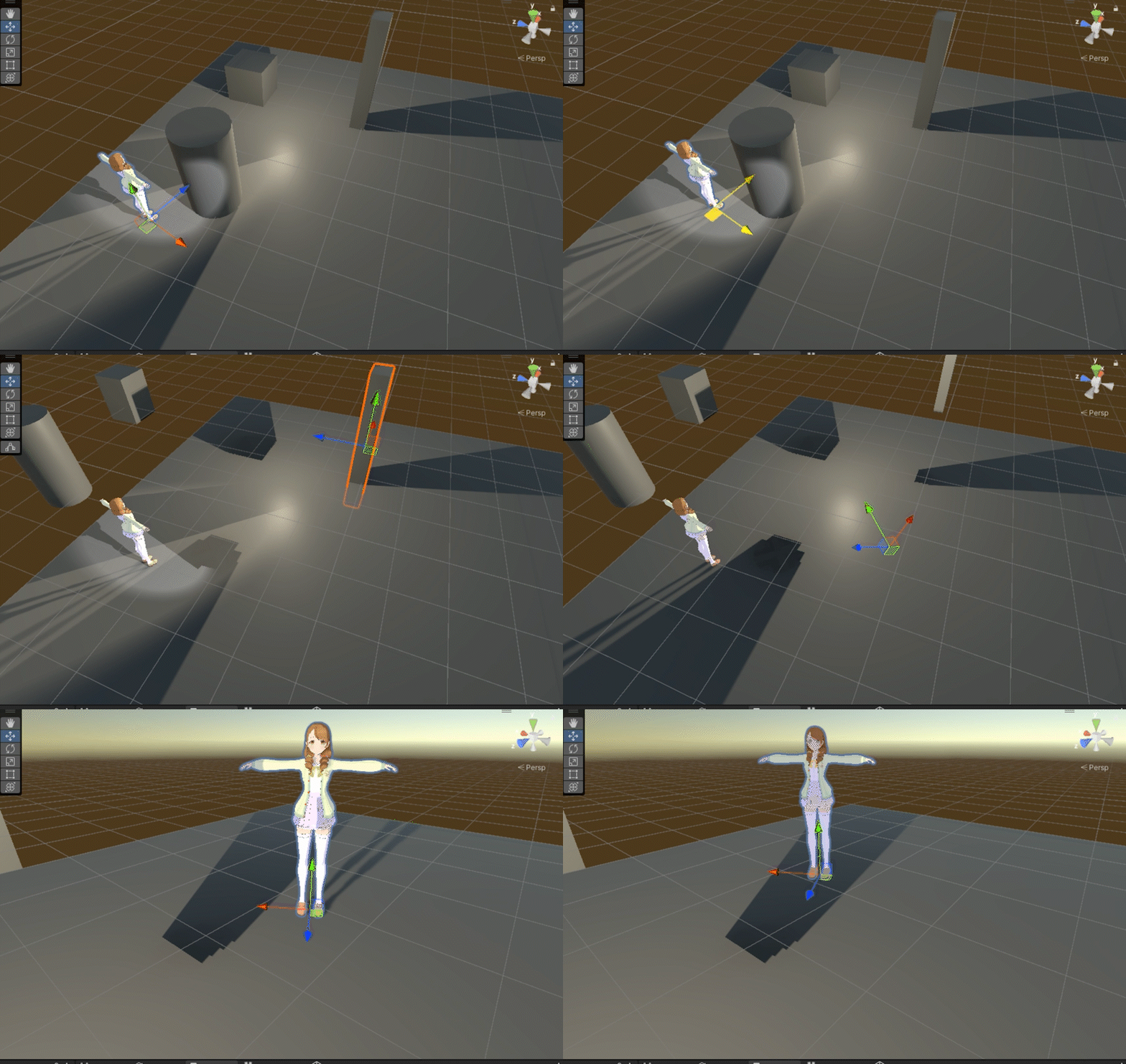


 supple galleon
URP does have real good graphics, just placed some trees, grass and bushes and lil bit post processing

another problem is, why is other poeples projects sun intensity set to 6

but mine whn set to 6 comes out like this

my terrain with same textures as the demo

even if the lightning settings is the same
lost basalt
opaque turret
I'm not that familiar with URP and the built in RP is better anyway imo, I'm not...
built-in is slower tho
should not use it anymore
I hate that material property blocks are not supported and it's a hassle to render additional shader passes but thats just my opinion
sand quest
umbral bison
asset from asset store
then im pretty sure the creator didnt make it URP16 compatible. A lot has changed between URP versions. You should ask if its compatible. Between URP14 and 16 major changes have been done
jolly quail
supple galleon
my terrain with same textures as the demo
is this linear or gamma color space?
nvm if this was on same project then that's not the problem
could be ACES tonemap tho
supple galleon
jolly quail
is this linear or gamma color space?
i think linear
supple galleon
jolly quail
could be ACES tonemap tho
already checked
jolly quail
supple galleon
already checked
i am not quite sure, but if there's different in the result i always making sure :
-they have same texture setting
-make sure it's not custom materials
-they are on the same render pipeline setting (some scene could change the SRP setting automatically, for example Amplifys shader pack scene where if you open certain scene it will automatically change your render setting)
-they have same volume setting
-it's on the same unity version
-it's not some custom post processing or custom full screen effect (you can found this example on URP new sample where they put the full screen effect not in the render pipeline feature, but directly inside the scene using script)
-the setting of their lighting (is it really realtime,bake or mixed)
 limber crystal
anybody know how to get tmp text to respond to light as a lit object?
 serene creek
Hi, I've changed the rendering to URP and this is the sort of thing that displays to me. Having the basic settings and changing the anti-aliasing to a larger one I didn't have this problem, but manipulating the same component in URP in camera doesn't change the situation.

 marble vigil
serene creek
Hi, I've changed the rendering to URP and this is the sort of thing that display...
marble vigil
serene creek
Hi, I've changed the rendering to URP and this is the sort of thing that display...
What are we looking at exactly and what should it look like
serene creek
Essentially, this is how it should look. And it doesn't matter if the camera is next to or far away, these objects are not so big that the computer has to compress them. I just don't want them to distort.

Without URP anti-aliasing took care of the issue, with URP it did not.
marble vigil
serene creek
Essentially, this is how it should look. And it doesn't matter if the camera is...
Is it a texture? What types of AA were you using and are using now?
serene creek
No, it's an object made in 2 minutes in Blender. It's meant to mimic tiles and I want it to be objects because I have a cool idea of how to use it, but whatever. Can you write me an elaboration on the abbreviation "AA"? 🙂
marble vigil
serene creek
No, it's an object made in 2 minutes in Blender. It's meant to mimic tiles and I...
Antialiasing
There are many types of it
I don't see any one of them in effect in the screenshots
Note that only the game view can benefit from AA in URP
The AA options in the camera are "post process" type AA and are limited in what they can do
Try the AA settings in the URP asset like MSAA or Render Scale
serene creek
marble vigil
Antialiasing
There are many types of it
I don't see any one of them in effect in...
You've given me food for thought, I've started manipulating the MSAA and noticed that whether on the game screen or in the editor, changing from 2x to 8x doesn't change anything.
 marble vigil
serene creek
You've given me food for thought, I've started manipulating the MSAA and noticed...
marble vigil
serene creek
You've given me food for thought, I've started manipulating the MSAA and noticed...
You're looking at the scene view which doesn't utlizie any AA
Additionally you should make sure in Quality tab of project settings that the asset you're modifying is actually in use
serene creek
marble vigil
You're looking at the scene view which doesn't utlizie any AA
I was looking at both views, just unfortunate I posted the one from the stage.

PS. I know on the right is AA off in the screenshot but changing that and saving doesn't change anything.
I realised I had added another rendering list, discarded it, but still nothing.
thin spire
Hi all. Baking lighting, using the Snaps Office pack, for some reason some of the walls which are facing the light are dark, like in the picture? Does anyone know what this is caused by? Thank you!
 marble vigil
serene creek
marble vigil
serene creek
If you scroll up the Quality window there are multiple quality levels
I'd check that there are no extra levels in use that could be in effect over the one you're changing
Try to verify that there's any effect with changing the URP asset
If somehow it's not the one in use there's no point in trying to tweak it
If all else fails make a new test project with the same editor version using the URP template and try to lift the functioning parts from there
marble vigil
thin spire
Hi all. Baking lighting, using the Snaps Office pack, for some reason some of th...
Lightmap UV issues
https://forum.unity.com/threads/lightmapping-troubleshooting-guide.1340936/
Chapter 9
Looks like your scene could be suffering from 10 and maybe 18 also
But try to solve them in that order
serene creek
marble vigil
If you scroll up the Quality window there are multiple quality levels
I'd check ...
Thank you! Such a silly error, I had to ask someone outside to look at it. It's just that the game was launching on "High" and the URP setting was only on "Very High". XD
Have a great day and happy holidays ❤️
thin spire
marble vigil
Lightmap UV issues
<https://forum.unity.com/threads/lightmapping-troubleshooting...

limber crystal
limber crystal
anybody know how to get tmp text to respond to light as a lit object?
found out

com.unity.textmeshpro
3.2.0-pre.6
shader:
TextMeshPro/Distance Field (Surface)
 tropic crag
I'm trying to make my Tilemap sort well for my Player. I found online that this setting (In the Picture) does that, but I can't seem to apply it. How can I enable this on URP?

This might help you understand more.


 hoary tundra
Hello. Can I get some official eyes on this possible graphics bug please?
https://forum.unity.com/threads/r8_srgb-is-not-supported-as-a-rendertexture-on-the-same-hardware-after-upgrading-unity.1528036/
Unity Forum
Bug report: https://unity3d.atlassian.net/servicedesk/customer/portal/2/IN-63704
Issue tracker: Pending
After Upgrading my Unity project from...
 spark crest
Hey ! Would like some help on an effect I am trying to achieve. I have posted like a month ago for the same effect here but had to put the whole thing aside to work on other features.
I am trying to only render elements that are contained inside and behind some geometry mask (I need to cull elements in front), so I am using a stencil test with that mask to only render elements inside that geometry. Now I need to be able to only render fragments when their depth is greater than the geometry's depth.
For more infos and pictures, here is a forum post I created yesterday (there are solutions I tried but didn't manage to implement):
https://forum.unity.com/threads/render-objects-only-when-behind-some-geometry.1528153/
I'll make sure to update the forum if I manage to do what I am trying to do. Any help and leads is very much appreciated 
Unity Forum
I have been trying over the span of a few weeks to create a certain effect for my game.
Although it doesn't seem to be complexe in concept, I just...
dry willow
spark crest
Hey ! Would like some help on an effect I am trying to achieve. I have posted li...
Don't know how much it'll help, but similar to one of the solutions you mention in the post: After rendering the exterior (or at least the exterior view through windows/doors via stencils - avoids rendering the whole screen just to cover it up), you could clear the depth by using a shader writing to SV_Depth, e.g. similar to this - https://forum.unity.com/threads/ztest-always-with-sorting.635584/#post-4258261
Then render interior objects (probably with RenderObjects feature).
That would ensure all interior objects are rendered on top, however you may still see exterior objects (nearer to camera) through the doors/windows.
Could maybe calculate some clipping planes in the shader used to render those exterior objects, but would only really work for rectangular rooms. Maybe others have some ideas too.
spark crest
Hmm I do think the easiest solution is what he calls z punching, I just don't know when would be the best moment to do it, also I cannot really render exterior then do the z punching then render the interior, as whats isolated is the current room the player is inside of, sometimes you can have other rooms above the one you currently are in, which would technically also be concidered interor (unless I simply toggle the different rooms on the cpu, with trigger boxes ig, but Im not the one that will be building the levels, and thats a lot of work for the level designers and I like to make it easy for them xd) Will do some researches though 🙂
 normal swallow
Probably a bit of a dum question, but on version 2022.3.12 URP - when I used the lens flare component, it doesnt get affect by the post processing bloom
 hearty pine
Sooo what's wrong with smoothness in URP?
Setting up smoothness up even a tiny bit causes this objects to light up even though there is no direct light reaching it. That's AFTER bake (and everything is static)
 marble vigil
hearty pine
Sooo what's wrong with smoothness in URP?
Setting up smoothness up even a tiny b...
marble vigil
hearty pine
Sooo what's wrong with smoothness in URP?
Setting up smoothness up even a tiny b...
Nothing's wrong with smoothness, though if you have a smoothness map with incorrect values using the slider in addition to it can cause unpredictable results
The real problem is likely the lack of reflection probes
Specular (indirect / ambient) lighting cannot be occluded without them even when baked
hearty pine
marble vigil
Nothing's wrong with smoothness, though if you have a smoothness map with incorr...
Already figured it out, reflection probe issue 👍
marble vigil
hearty pine
Already figured it out, reflection probe issue 👍
Remember to amend your question if it no longer needs solving
 sharp heath
How can I use a texture with transparent sections in URP? All of the black parts should be transparent
 marble vigil
sharp heath
How can I use a texture with transparent sections in URP? All of the black parts...
marble vigil
sharp heath
How can I use a texture with transparent sections in URP? All of the black parts...
Enable alpha clipping in the material to allow the texture alpha channel be used for holes in the material
sharp heath
marble vigil
Enable alpha clipping in the material to allow the texture alpha channel be used...
AHA! thank you!
marble vigil
You can alternatively set material type to transparent but that's only if you need semitransparency
With a grate you'll want opaque with alpha clipping though, use it whenever you need holes without semitransparency
 rain snow
Anyone know why these massive lagspikes happen?

All I do is run around in my scene with nothing else going on
Looks like a garbage collection cleanup, but I am really not doing anything. All I have done in my scene is play with lighting
 lilac osprey
is it possible to disable post effects completelly so that these files won't be included in my build? I don't use any post effect

there are more post effect images and they're all being included in the build
 ripe ocean
Hello, I have a problem straight after creating a new project. I created it from the native 2D URP template, but I would like to mix the 2D sprites also with some 3d objects (playing dice). The 3d object however doesnt receive shadows or anything from the 3d light I added. The texture is URP/Lit, but it behaves as if it was unlit. I bet its somewhere in some URP settings, but I cant find anything. Would anybody know what I need to do? In the example image the right side and bottom of the die should be in shadow and only the left side illuminated.
 rain snow
Hmm it seems the little stats widget in the editor is creating a lot of garbage
marble vigil
rain snow
Anyone know why these massive lagspikes happen?
Since it's part of RenderLoop maybe the frame debugger will tell you what
For accurate data you always should profile a build
marble vigil
ripe ocean
Hello, I have a problem straight after creating a new project. I created it from...
It's funny or tragic you think this is an issue
2D Renderer disables all 3D shaders and rendering features
In turn 2D features like 2D lighting and pixel perfect camera are disabled on the 3D renderer
It's all intentional
No clue what for
BiRP has no such limitations
Unlit shaders work as usual, and you can get lighting but only if you re-implement it into the render pipeline yourself
If you're not willing to go that far you can get some very simple lighting using a shader with N dot L kind of shading or something similar
Or you can use the 3D URP template to begin with
It can still use sprites, just not all 2D features
 normal gust
I'm doing a custom Render Pass and I just added instancing using CommandBuffer.DrawMeshInstanced, however it only lets me supply one MaterialPropertyBlock for all instances. Isn't there a way to, for example, vary _Color for each instance?
ripe ocean
marble vigil
It's funny or tragic you think this is an issue
2D Renderer disables all 3D shad...
So basicaly you cant combine 3d and 2d in unity?
marble vigil
ripe ocean
So basicaly you cant combine 3d and 2d in unity?
You can freely with Built-In Render Pipeline
You can with bunch of limitations on 3D URP
You can with a lot of limitations on 2D URP
I'd just go with BiRP if you want a 2D/3D hybrid project
ripe ocean
marble vigil
You can freely with Built-In Render Pipeline
You can with bunch of limitations o...
Hmm, you said if I go with 3d urp I can use 2d with some limitations; would I be able to use 2d lights on sprites and 2d bone animations?
 cyan talon
ripe ocean
Hmm, you said if I go with 3d urp I can use 2d with some limitations; would I be...
cyan talon
ripe ocean
Hmm, you said if I go with 3d urp I can use 2d with some limitations; would I be...
You can create two renderers for URP and use them in the same project on different cameras, and stack them
I wouldn't use BiR (for anything personally). Your project can use many different renderers, you're not restricted to only 2D or 3D, it's set on a per-camera basis.
Only the 2D Renderer supports those 2D lights; though any pipeline supports the sprite animator.
ripe ocean
Ok, thank you guys very much for help, I will try to deal with it. 😉
normal gust
normal gust
I'm doing a custom Render Pass and I just added instancing using `CommandBuffer....
Found old doc for writing an unlit shader using instancing. I needed to use the special macros in my shader, then MPB.SetVectorArray("_Color", color_vectors); worked: https://docs.unity3d.com/560/Documentation/Manual/GPUInstancing.html
marble vigil
cyan talon
You can create two renderers for URP and use them in the same project on differe...
That would be intuitive
 cyan talon
):
 icy dagger
marble vigil
That would be intuitive
icy dagger
marble vigil
That would be intuitive
"are using" 🧐
cyan talon
At least you can stack them without using URP's stacking, but that's pretty annoying.
marble vigil
This is the only kind of use case where you find me endorsing BiRP over SRPs
 indigo moon
Anyone knows how to make a URP shaders that reads an external texture made in native android ? For my camera feed, can't get my head around this one. Built in shader works flawlessly.
copper pilot
ripe ocean
Hmm, you said if I go with 3d urp I can use 2d with some limitations; would I be...
2d bones work on all pipelines.
marble vigil
I think 2D lighting might be the only feature that's truly exclusive to 2D Renderer
(discounting third party assets ofc)
 zinc harness
Guys is there much difference between urp and hdurp?
zinc harness
cyan talon
https://docs.unity3d.com/2023.3/Documentation/Manual/render-pipelines-feature-co...
Ig URP is better
What do you say @cyan talon ??
oblique pier
zinc harness
Ig URP is better
Why dont you compare the features and make the decision for yourself? There is no objectvely "better" SRP, it depends on your needs.
Generally speaking, URP is for more stylized stuff while HDRP focuses on realism. But both can do a lot.
And yeah HDRP is for higher end machines
 ionic adder
Hey there, I was wondering if there is a way with URP's Shader Graph to make the same transparent shader show only the object in front's shader. Basically, I don't want the result of the image on the left, but instead the result of the image on the right. Edit: I learned that what I'm trying to get is a transparent self-occluding shader.

 scarlet lava
hi ,
how do i add all the surface input properties to my custom fragment shader ?

 halcyon kraken
I'm trying to create a simple ScriptableRendererFeature that draws some stuff to a temporary texture, and then blit the texture to camera opaque. For some reason, allocating a new RTHandle does not work but directly referencing a render texture asset does.
rt = RTHandles.Alloc(renderTexture); // this works
But if I swap with
rt = RTHandles.Alloc(renderTexture.descriptor); // this doesn't work
I would assume there shouldn't be a difference in the output.
Nothing is being rendered to this new texture (if it even exists). I am just doing a simple clear color to red for testing and blitting that to camera color.
marble vigil
scarlet lava
what the hell was that ????
That looks similar to what you see when something is rendering "nothing"
Usually when there is no sky, but since you have one it may be related to shaders or culling in some way
lost basalt
scarlet lava
what the hell was that ????
maybe you are trying to read scene color before transparent pass?

GitHub
Replacement for GrabPass in Unity's Universal Render Pipeline (URP). - GitHub - Haruma-K/URPGrabPass: Replacement for GrabPass in Unity's Universal Render Pipeline (URP).
you can use this for a grabpass if really needed
marble vigil
lost basalt
https://github.com/Haruma-K/URPGrabPass
I've heard a bunch of times that URP "cannot" support grabpass
Is that what it actually is?
blazing gull
scarlet lava
what the hell was that ????
it's called a "hall of mirrors" effect
as Spazi suggested, it happens when old camera data doesn't get cleared
so you just see whatever was there last frame
this creates some wacky effects
halcyon kraken
halcyon kraken
I'm trying to create a simple ScriptableRendererFeature that draws some stuff to...
So I went through hell trying to figure this out. Apparently setting renderTexture.descriptor.depthBufferBits = 0 is necessary to specify target as a color target. I still think this is odd because that value comes from the original texture, which works fine and isn't treated as a depth target.
Anyway, I found this out thanks to Cyan's tutorial here: https://www.cyanilux.com/tutorials/custom-renderer-features/. Great resource to learn how to setup custom renderer features with modern api
Also using profiling scope and frame debugger allowed me to see that the texture was labeled something like _RenderTarget_Depth which made me realize something was off
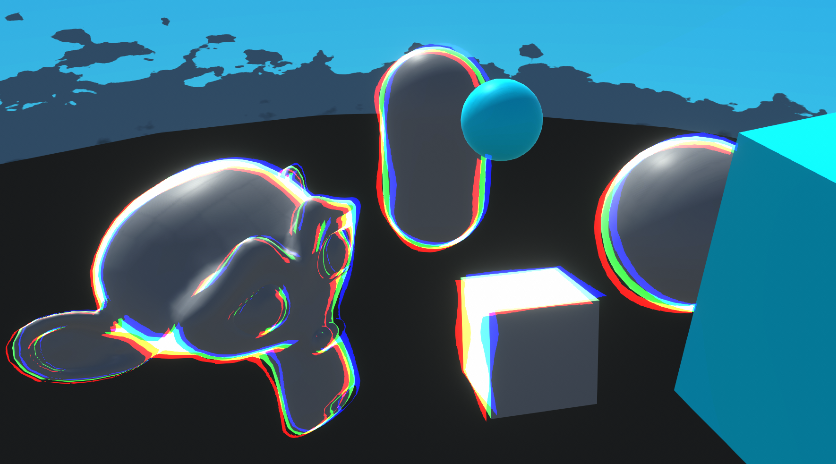
Goes through examples of Renderer Features and explains how to write Custom Renderer Features and Scriptable Render Passes for Universal RP
 waxen gate
moving channels from #✨┃vfx-and-particles
if i have occlusion off, the lens flare works fine. It's just whenever I move behind objects, I can still see the lens flare with no effect
If i have it turned on, whenever I look at it straight directly, it disappears (doesnt matter if im behind objects or not) but if i can see it on my peripheral. I can still see it behind objects no matter what
 scarlet lava
@blazing gull @lost basalt @marble vigil well first thanks for all ur input , i thought no one would respond to it at all
but yeah there was some buildings and blocks their that I have removed in run time by turning their alpha = 0 , does this justify what happened ??
is there is a way to fix that? do I need to clear old camera data manually ?
blazing gull
That shouldn’t cause a problem by itself. Can you show the material you’re using for one of the broken objects?
scarlet lava
blazing gull
That shouldn’t cause a problem by itself. Can you show the material you’re using...
I'll when i get home
 dusk frigate
Hi all, I am doing a project in URP and when I import assets from unity store, they appear dark greyish, anyone have any fix
 marble vigil
dusk frigate
Hi all, I am doing a project in URP and when I import assets from unity store, t...
marble vigil
dusk frigate
Hi all, I am doing a project in URP and when I import assets from unity store, t...
Look in the "prefabs" folder in case they include ready to use versions of the buildings
You can probably find them in the demo scene too
@dusk frigate if the materials appear pink, you should look for an URP-compatible version of the assets or try to use the pipeline converter option to see if they can be made URP-compatible automatically
dusk frigate
Got it, Thank you
halcyon kraken
Hi, I have color & depth texture thats mostly black/transparent (0,0,0,0) with some rendered objects (color and depth info). I am trying to merge this into camera color and depth. Is there a standard way this is done?
I tried looking at BlitColorAndDepth but that overwrites everything with ZTest Always.
I tried making my own shader but it doesn't seem like it's ZTesting against camera depth.
ConfigureTarget(cameraColorRT, cameraDepthRT);
...
cmd.SetGlobalTexture(Shader.PropertyToID("_InputDepthTexture"), depthRT);
Blitter.BlitCameraTexture(cmd, colorRT, cameraColorRT, material, 0);
ZWrite On ZTest LEqual Blend Off Cull Off
...
TEXTURE2D_X(_InputDepthTexture);
SAMPLER(sampler_InputDepthTexture);

struct FragOut {
    half4 color : SV_Target;
    float depth : SV_Depth;
};

FragOut frag(Varyings input)
{
    UNITY_SETUP_STEREO_EYE_INDEX_POST_VERTEX(input);
    float4 color = SAMPLE_TEXTURE2D_X(_BlitTexture, sampler_BlitTexture, input.texcoord);
    float4 depth = SAMPLE_TEXTURE2D_X(_InputDepthTexture, sampler_InputDepthTexture, input.texcoord);

    FragOut output;
    output.color = color;
    output.depth = depth;
    return output;
}
Actually nvm, I got something working with this:
float4 camColor = SAMPLE_TEXTURE2D_X(_CameraOpaqueTexture, sampler_CameraOpaqueTexture, input.texcoord);
float4 camDepth = SAMPLE_TEXTURE2D_X(_CameraDepthTexture, sampler_CameraDepthTexture, input.texcoord);

if (depth.r < camDepth.r || depth.r == 0)
{
    discard;
}
Though I still think the above should've worked
scarlet lava
hi ,
is there is a reason for this shader not to be invisable ????
Shader "Test/ShaderTest "
{
        Properties{

             _MainTex("_MainTex ", 2D) = "white" {}
             _color("default Color", Color) = (1,1,1,1)

        }

        SubShader
         {
             Tags
                  {"RenderType" = "Transparent" "Queue" = "Transparent"}

            Pass
            {

                 CGPROGRAM
                 #pragma vertex vert
                 #pragma fragment frag
                 #pragma target 5.0


                 struct appdata
                 {
                     float4 vertex : POSITION;
                     float2 uv : TEXCOORD0;
                 };

                 struct v2f
                 {
                     float2 uv : TEXCOORD0;
                     float4 vertex : SV_POSITION;
                 };

                 sampler2D _MainTex;
                 float4 _color;

                 v2f vert(appdata v)
                 {
                     v2f o;
                     o.vertex = UnityObjectToClipPos(v.vertex);
                     o.uv = v.uv;
                     return o;
                 }

                 fixed4 frag(v2f v) : SV_Target
                 {
                     return  fixed4(1,1,1,0);
                 }
                 ENDCG
            }

         }
}
Im hardcoding it into alpha zero but I can still see the white box on the scene 😬
anyone ??
even default shaders cant look transparent all the sudden
dry willow
scarlet lava
hi ,
is there is a reason for this shader not to be invisable ????
```c
Shade...
You need to specify a Blend operation under the Pass - https://docs.unity3d.com/Manual/SL-Blend.html
e.g. Blend SrcAlpha OneMinusSrcAlpha
Typically would also have ZWrite Off for transparents.
scarlet lava
dry willow
You need to specify a Blend operation under the Pass - https://docs.unity3d.com/...
oh that make sense , thank you ❤️
scarlet lava
scarlet lava
what the hell was that ????
i have { "RenderType" = "Opaque" "Queue" = "Geometry-1" } Blend SrcAlpha OneMinusSrcAlpha but i didnt have ZWrite Off which causes that behavior you saw on the video
when I add ZWrite off then the camera get anywhere near the object the object seems flickering and showing its inside-out :S
when i change { "RenderType" = "Opaque" "Queue" = "Geometry-1" } the object disappears altogether if there is nothing behind it. For example the upper part has the skybox behind it , is gone , its always invisible but the part that had part of the ground behind it it is still there
is there is a way to make the object disappear on runtime without any issues without having to change the RederType/Queue/ZWrite on runtime ???
halcyon kraken
Anybody know why these textures aren't showing in Frame Debugger? I know they are working because I am sampling depth values from them, but the preview is not showing in the left and all the values are blank ("-")

 left raptor
Im using render features to render my viewport seperately on top of everything else
but I have a grappling hook, and if I include it in the viewport, which gets rendered seperately (with a different fov)
the rope now doesn't connect to the point that you are grappling too
but if i exclude if from the render feature, now it doesn't connect to the grapple hand, which is part of the viewport
lost basalt
marble vigil
I've heard a bunch of times that URP "cannot" support grabpass
Is that what it a...
What is what?
There is no grabpass in URP if thats what you are referring to
for a non-transparent object to show whats behind it you either need to just completely clip / discard the pixel, or use some sort of copy of the background
grabpass copies the frame into a buffer thats why it's expensive
now I don't have any idea what OP is actually trying to achieve with the geometry they have, I just listed something that could have been the solution
lost basalt
scarlet lava
i have ` { "RenderType" = "Opaque" "Queue" = "Geometry-1" } Blend SrcAlpha OneMi...
dither perhaps?
if you try to do transparency in opaque materials it won't work
especially because the skybox is drawn after opaque objects
it could work if you manually draw the object with a render object feature in the urp renderer and with the grabpass grabbing whatever is drawn after the skybox is done
but it's not very worth it if you just want to make things disappear
I'd recommend just dithering it