#archived-urp
1 messages · Page 11 of 1
 cosmic marsh
I can see in the profiler that the main CPU thread is blocked waiting for the GPU to finish. If I zoom in on just a tilemap square this doesn't happen, only for a SpriteRenderer object.
The interface gets all jerky due to the low fps.
 marble vigil
cosmic marsh
I can see in the profiler that the main CPU thread is blocked waiting for the GP...
marble vigil
cosmic marsh
I can see in the profiler that the main CPU thread is blocked waiting for the GP...
I would've suspected an overdraw issue but that should happen just the same for a tilemap
You could try GPU profiling if it's available to you https://docs.unity3d.com/Manual/ProfilerGPU.html
 solemn ibex
hey, does anyone know how i can get sharper/crisper shadows? right now they look pixelated to a degree. (3d, directional light)
 spare ruin
solemn ibex
hey, does anyone know how i can get sharper/crisper shadows? right now they look...
spare ruin
solemn ibex
hey, does anyone know how i can get sharper/crisper shadows? right now they look...
have you tried increasing the shadow resolution in URP settings?
spare ruin
Decals in URP: they don't show up in builds 😦 I read it is a result of a custom render order. They work perfectly find in Play mode
Is this common, will I have to make a sample scene and submit a report?
 brave schooner
spare ruin
Is this common, will I have to make a sample scene and submit a report?
brave schooner
spare ruin
Is this common, will I have to make a sample scene and submit a report?
I've had to have fights with URP before, and set a custom render order on things. But not with decals. So I can't say for sure
marble vigil
solemn ibex
hey, does anyone know how i can get sharper/crisper shadows? right now they look...
Most importantly make sure "soft shadows" are enabled in light component settings
It also often helps to enable shadow cascades, and to make sure the shadow distance is not any bigger than it needs to be
spare ruin
brave schooner
I've had to have fights with URP before, and set a custom render order on things...
thanks and my sympathies! I waited for decals to be in LTS, and have a strong use case for them, but they are.....invisible, so, ugh
brave schooner
spare ruin
thanks and my sympathies! I waited for decals to be in LTS, and have a strong us...
that stinks to hear. Was thinking about using them in a project
spare ruin
brave schooner
that stinks to hear. Was thinking about using them in a project
if it works in Play mode perfectly fine (several types of decal shaders, too) but NOT in builds, that's not on me right?
brave schooner
you might need to include a special shader in the #alwaysinclude list
spare ruin
Shader stripping options gave some people in forums success, but I have tried every variation
spare ruin
brave schooner
you might need to include a special shader in the #alwaysinclude list
What is a good resource for this if you have one? - some of my shaders are not custom and still broken, but this is something I should learn 🙂
brave schooner
spare ruin
What is a good resource for this if you have one? - some of my shaders are not c...
 brave schooner
spare ruin
What is a good resource for this if you have one? - some of my shaders are not c...
brave schooner
spare ruin
What is a good resource for this if you have one? - some of my shaders are not c...
AlwaysIncludes hides in your settings. But ensrue it's something you always want.
brave schooner
spare ruin
What is a good resource for this if you have one? - some of my shaders are not c...
If you include every shader known to man on the list, then your compile times will be terrible
so. use it properly
spare ruin
thanks for doing that, really kind, and if you try decals I wish you luck 😄
Otherwise, I await someone in URP with working decals in their builds for advice (since this is likely not just me)
 true token
Hello! I am using Unity's default renderer. I'm trying to use render textures and image effect shaders to create some special effects.
My question is, how can I remove the blending between objects?
In the first image you can see I just have a sphere rendered if front of a solid color, but if we zoom in you can see there's a border of lighter pixels on the edge of the sphere. I want those pixels to be the same color as the rest of the sphere.


 jolly quail
why this part taking long time? already tried to delete and create new render pipeline, generated shader included and clear cache
 marble vigil
jolly quail
why this part taking long time? already tried to delete and create new render pi...
marble vigil
jolly quail
why this part taking long time? already tried to delete and create new render pi...
There's a thread about issue of too many variants
https://gamedev.stackexchange.com/questions/201850/how-to-deal-with-insane-amount-of-shader-variants-waiting-to-be-compiled-in-unit
And here's the official docs about what variants are and how to find them in project
https://docs.unity3d.com/Manual/shader-variants.html
https://docs.unity3d.com/Manual/shader-how-many-variants.html
marble vigil
true token
Hello! I am using Unity's default renderer. I'm trying to use render textures an...
By "default renderer" do you mean URP or not URP?
The blending is some type of antialiasing, or potentially mip mapping if it's a sprite
true token
marble vigil
By "default renderer" do you mean URP or not URP?
The blending is some type of a...
I think not URP? It's just the default when you create a new project.
 true token
marble vigil
By "default renderer" do you mean URP or not URP?
The blending is some type of a...
true token
marble vigil
By "default renderer" do you mean URP or not URP?
The blending is some type of a...
In this case it's a 3D Mesh. Do you know how I could disable antialiasing for that camera?
 fair perch
im trying to convert to urp and i tried to upgrade it and its stuck on creating search index and 1 have 2 questions, 1 how do i cancel it and 2 is that how you convert your project to urp, like the sprites and ect to be blacked out so the lights acually work
fair perch
nvm i got a new problem haha
 weary cliff
how can i grab the light sources that are affecting the rendered pixel in shader graph? im trying to make pixelated lightning.
marble vigil
true token
I think not URP? It's just the default when you create a new project.
Not URP but iirc BiRP should also have antialising options on the camera component as well as in quality settings
 pastel vector
So i added a 2D renderer but i'm having a weird issue with the camera in the play mode window
Basically it doesn't get cleared
Do i have to do something to the camera settings?
 placid laurel
pastel vector
placid laurel
pastel vector
Maybe you have to set your camera projection to orthographic since that's commonly used for 2d games
pastel vector
Didn't change anything but i found the issue
I had to change the background type to solid color instead of Skybox
 keen shale
Hİ everyone I have a problem and I don't know how can I solve this, I wanted to make a 3D field of view system. I want to enemies (Red Capsules) only be visible when inside my purple view cone. I did'nt find any tutorial or something I tried to edit rendering pipeline but I failed. Does anyone know how to solve it thanks.
 cosmic marsh
marble vigil
I would've suspected an overdraw issue but that should happen just the same for ...
cosmic marsh
marble vigil
I would've suspected an overdraw issue but that should happen just the same for ...
It does appear to be overdraw related. If I change the singular sprite to "Tight" vs "Full Rect" it goes away. Why would a single sprite cause this issue and not the Tilemap?
I also confirmed on iOS devices. If transparency occupies more than about 50% of the screen the fps drops significantly, even if there is only one sprite doing the transparency and only the tilemap underneath.
true token
marble vigil
Not URP but iirc BiRP should also have antialising options on the camera compone...
That works, thanks!
marble vigil
cosmic marsh
It does appear to be overdraw related. If I change the singular sprite to "Tigh...
Maybe tilemap uses "tight" mesh type by default?
cosmic marsh
Well, my tilemap is square so that has no impact. Tight is just a way to remove transparency when your sprites aren't square.
That being said, a single layer of overdraw for transparency should have no effect on framerates. So strange.
marble vigil
Then I have no clue really
Doesn't make sense to me, but mobile platforms are beyond me
cosmic marsh
If I had a slower PC it may be visible there too. Mobile is just naturally less capable and so some things pop up sooner.
Anyways, hopefully someday has some thoughts about it at some point.
marble vigil
@placid laurel Did you figure out one of the sprite emission techniques
I was planning to make a whole guide about it somewhere but I forgot
jolly quail
marble vigil
There's a thread about issue of too many variants
<https://gamedev.stackexchange...
hi, so i just realized that this part (URP/fallback error) taking very long time, around 15 minute, did you know how to fix this? thank you
 marble vigil
jolly quail
hi, so i just realized that this part (URP/fallback error) taking very long time...
marble vigil
jolly quail
hi, so i just realized that this part (URP/fallback error) taking very long time...
I have no personal experience with this problem
But this definitely seems like something that shouldn't happen considering the FallbackError shader should have barely any functionality
It might be worth reporting as a bug, especially if you can reproduce the error consistently
 stoic kettle
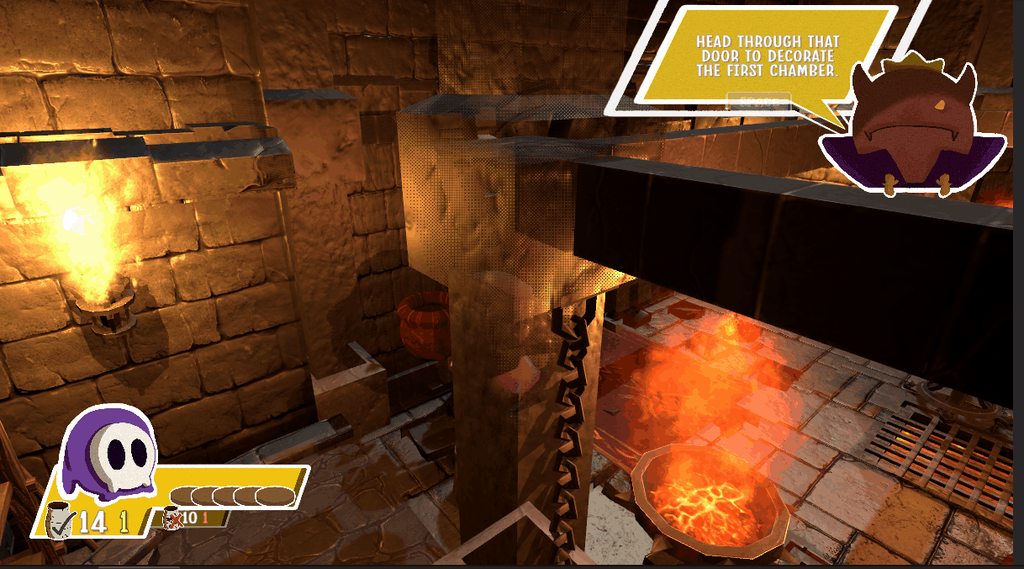
Getting an odd rendering issue there on the wall columns. Is it Z-fighting? I'm not very well-versed with rending stuff. What can I add to my shadergraph too address it? (to clarify, the reason I posted in #archived-urp was because I'm not sure what the rendering issue is- no need to help me fix my shader, just looking to identify)
https://imgur.com/J5MCCZS
 stoic kettle
I was told it might be z-ordering/z-fighting
true token
Hello, I'm trying to do something where I need 3 render textures. One that renders all objects in layer1, one that renders all objects in layers1&2, and one that renders all objects in layers1,2,&3.
What might be the best way to do this? I thought I could render each layer separately with different cameras and then combine the textures, but I was wondering would it be possible to use a command buffer or something to save render textures as one camera goes through rendering each layer?
If that wouldn't work, does anyone know how I could combine render textures properly with depth?
(built-in renderer btw)
marble vigil
stoic kettle
Getting an odd rendering issue there on the wall columns. Is it Z-fighting? I'm ...
It looks like you've made the wall shader transparent, which causes issues with depth sorting
It looks like you're using dithering so transparency is likely unnecessary
stoic kettle
Gotcha. Am I able to achieve a dithering transparency effect without transparent shader?
marble vigil
stoic kettle
Gotcha. Am I able to achieve a dithering transparency effect without transparent...
Opaque shader with alpha clip enabled
Even if it's often called "dithering transparency" its advantage is to be an alternative to transparent type shaders
 stone plover
Hey everyone, having an issue where the SSAO render feature for URP 12 darkens the scene when disabled. Is there a known fix for this issue?
 verbal ruin
Whats the best way to make a reflective ice surface for an indoor rink in urp? Reflection probes? Some sort of third party ssr? Any other options?
stone plover
verbal ruin
Whats the best way to make a reflective ice surface for an indoor rink in urp? R...
Look up "UnitySSReflectionURP" on Google, there is github project that may help you!
verbal ruin
stone plover
Look up "UnitySSReflectionURP" on Google, there is github project that may help ...
Thanks! Have you used this? Whats the performance hit compared to a real-time reflection probe?
stone plover
verbal ruin
Thanks! Have you used this? Whats the performance hit compared to a real-time re...
I haven't used the project, but SSR will provide better reflections than a reflection probe. If the indoor rink has boards around it, they'll match up better with SSR. However, probes are cheaper on performance, so it's dependent on what platform you're developing for.
verbal ruin
so it works, but i think ive ran into a limitation of ssr - cant reflect things the camera cant see so the reflections are cut off closer to the camera

do you know of any techniques to get around this @stone plover
jolly quail
marble vigil
It might be worth reporting as a bug, especially if you can reproduce the error ...
It only happened in this project,that what make me confused,but it happened every time
stone plover
verbal ruin
do you know of any techniques to get around this <@363497533546299403>
That is how SSR works, sadly you won't be able to make it render things that the camera can't see. You could try using a reflection probe with box projection turned on the component, but it may not give you the results you're looking for.
There is also planar reflections! Maybe try looking for URP planar reflections on GitHub as well.
 ruby marsh
hey, has anyone had a problem with shaders in URP not working in playmode?
I already did everything googled answers said (mainly enabling "Depth texture" in URP settings) but it still does not work
It runs fine in the other project that is on the same version and with the same settings :/
ruby marsh
nvm, I did an oopsie, it works now
 cyan swallow
is there anything I need to do in order to get Forward+ working properly, beyond enabling it in the forward renderer?
I'm getting a bunch of clunky tile artifacts. Under forward I can see the additional lights on my test scene easily, but with forward+ they are aggressively culled and leave these square tiles on the screen
e.g. test scene in forward:

forward+, from 'far' away

forward+ nearer
 marble vigil
cyan swallow
is there anything I need to do in order to get Forward+ working properly, beyond...
marble vigil
cyan swallow
is there anything I need to do in order to get Forward+ working properly, beyond...
Not supposedly
It's a brand new feature so bugs are to be expected
Is the box using the default URP Lit shader?
 sinful gorge
And make sure unity is up to date
cyan swallow
yes, it was standard default URP Lit shader. Also, while it's a new feature, this was so obviously broken I thought something else must be at play
Unity was up to date, 2022.3.7f1 (2022.3.8f1 has the memory leak in RTHandles)
It turned out it occurs because the render pipeline asset was made in an earlier version - so there's something in persistent data in the asset that is not being updated properly to the new version
fortunately an easy fix if you can create a RPA, but not possible for my case
I imagine it's something like new fields being created while the asset is unserialized, and maybe these don't get sensible default values
marble vigil
cyan swallow
It turned out it occurs because the render pipeline asset was made in an earlier...
Oh that's a good point
Old pipeline assets can break many things
There really should be some kind of validation process for them
cyan swallow
I recall there was a big issue with PostProcessData for some of the post process effects in newer URP projects
same sort of thing - an object serialized on an old URP version being deserialized and turning into gibberish which then breaks functionality
I did try to find which fields were the culprit here, but I couldn't find it in either the Asset or the Renderer
marble vigil
A broken URP asset also seemed to cause broken shader compilation in builds, manifesting as rainbowlike materials
cyan swallow
I assume a colograding LUT field being incorrect?
marble vigil
cyan swallow
I assume a colograding LUT field being incorrect?
No idea what it was but the shaders were functioning totally wrong
The color was from them outputting world or object space coordinates as color
 eternal blaze
I've been trying to use SRP Lens Flares via c# scripting, but for the life of me I can't get UnityEngine.Rendering to show up in my VS Assembly. Project Manager looks good, not sure what the problem is here. Been at this for days; any help is appreciated.


Okay, nevermind, posting about it here seems to have fixed the problem. Edit: Wait no, it's back. Weirdest thing.
So, regenerating the csproject files in the Unity preferences temporarily got Visual Studio to recognize the Assembly reference, namespace etc., but on switching back to Unity it broke again. Can't get this particular lightning to strike again, either.
marble vigil
eternal blaze
So, regenerating the csproject files in the Unity preferences temporarily got Vi...
This may be a shot in the dark but I'd check there are no multiple .sln files in the project
eternal blaze
Why I'll be damned, there are.
That's what you get for renaming your project halfway through.
Sadly, that didn't fix it either.
The annoying part is that I can even get some mouseover tooltip docs for the LensFlareDataSRP class, briefly, before Visual Studio is fully loaded, so it's clearly there somewhere.
Well, the annoying part other than it not working.
marble vigil
eternal blaze
Sadly, that didn't fix it either.
Darn, it did fix the same issue for me earlier
Caused by moving also
 shadow quartz
https://www.youtube.com/watch?v=tm4_YGQyJdY Any idea why my renderpass depth attachment does that on Clear?

 carmine lotus
Hello May I ask a question?
how to make high performance and optimized ui blur in unity using shader graph in URP?
Also is there any solution doing this without shader graph URP?
jolly quail
ok, so i have this absurd problem, my build time especially on compiling shader variant really took a long time (solid 30 minute), this is on very tiny project that only has not more than 40 shaders, so i tried sort of thing, like delete library, re-import URP package, and nothing change, so i tried to migrate the project to new clean project, and i already import every asset with same project setting, same scene, and same asset, and surpisingly when i build the project it only took 2 minutes instead of 30 minutes, anyone know why this happend?(unity 2021.3.29)
sinful gorge
carmine lotus
Hello May I ask a question?
how to make high performance and optimized ui blur i...
I suggest to check the asset store for this.
Do you just want to blur UI elements or everything behind this?
sinful gorge
jolly quail
ok, so i have this absurd problem, my build time especially on compiling shader ...
Id say compare the player settings and graphics settings (mainly striping)
carmine lotus
sinful gorge
I suggest to check the asset store for this.
Do you just want to blur UI element...
That's the point
I need to blur all UI elements and sprites behind the considering UI element

behind the window, all things are blured
Do you have any reference link?
jolly quail
sinful gorge
Id say compare the player settings and graphics settings (mainly striping)
The migrated project doesn't have stripping and use auto graphics,while the project that have problems have stripping and only target opengls3
 cinder kindle
carmine lotus
cinder kindle
carmine lotus
I'd love to think the Vision Pro Unity plugin is gonna give us this kind of shader when it releases
 potent bridge
Does anyone have a grasp on how unity applies Lightmap textures?
Even better would be a link to an example shader that'll take lightmap light & dir texs as inputs.
Basically i've got models where UV1 is setup for two prebaked unity lightmap textures (light & dir), and i need to figure out how to apply those in a shader.
 unkempt owl
does Camera.SetTargetBuffers work in urp? or is there some way to get a copy the depth buffer from one render texture to another?
or any way to use the depth texture from another camera in a post processing shader
 gleaming parcel
Hello, has anyone ever come across an issue with the LensFlareSRP not showing when the sun is directly in the center of the view?
 austere bough
Are URP decals just not compatible with the screenspace ambient occlusion render feature?
marble vigil
gleaming parcel
Hello, has anyone ever come across an issue with the LensFlareSRP not showing wh...
Do you per chance have a crosshair that could be blocking it?
 drowsy sundial
hello there, I've a question about draw calls in URP 3D environment. All sources on the internet say that in order to be performant, we must use as less materials as possible. Is it worth to share a single material between multiple meshes? Because every source say so, but I have setup example scene with two game objects and when I swap material to different one, "Batches" count does not change:

 marble vigil
drowsy sundial
hello there, I've a question about draw calls in URP 3D environment. All sources...
marble vigil
drowsy sundial
hello there, I've a question about draw calls in URP 3D environment. All sources...
The statistics window is not known to show accurate information, and the optimization guidelines for batching / reducing draw calls are usually outdated and don't consider SRP batching which URP uses
It basically reduces the cost of draw calls rather than minimizing their number
Generally you don't have to worry about material use thanks to it
drowsy sundial
Yeah, thats what I thought. Do you have any resource for of "things to take care of" for URP?
Thanks for clarifying things ❤️
marble vigil
drowsy sundial
Yeah, thats what I thought. Do you have any resource for of "things to take care...
Hmm there isn't much of a simple checklist like that since SRP batching made those that did exist obsolete
You'd just look for things that could be a problem considering your target platform's weaknesses and profile the application for bottlenecks and costly operations
drowsy sundial
Okay, thank you! 🙂 Have a nice day/night
 oak maple
Here's a good one for the smart people.
Got a URP shader graph material going. Normal maps looking good on the screen, nice. Jump into VR, everythings flat. Seems material only draws once (from the camera position) and calls it a day. No stereo for materials. Same for parallax occlusion mapping.
Anyone know how to get normal maps and/or parallax occlusion working in stereo for VR?
brave schooner
oak maple
Here's a good one for the smart people.
Got a URP shader graph material going. ...
Question - why are you using a special shader graph material for this? Why not use a standard URP material?
 terse glade
Why some lights make that? (At that moment, there is also a drop problem)
 turbid basalt
terse glade
Why some lights make that? (At that moment, there is also a drop problem)
turbid basalt
terse glade
Why some lights make that? (At that moment, there is also a drop problem)
occlusion culling?
terse glade
Where can I set that?
terse glade
nope, didn't work
turbid basalt
huh weird generally it's occ with me
terse glade
I figured it out, because of the this limit, there is only one background object, more than 8 lighting

Is there a way to increase this limit?
marble vigil
terse glade
Is there a way to increase this limit?
Usually you would split meshes and reduce light ranges so you don't exceed the limit
Deferred and forward+ rendering paths are also options to remove the light limit but they have drawbacks
oak maple
brave schooner
Question - why are you using a special shader graph material for this? Why not u...
Either way the normal maps aren't stereoscopic
brave schooner
oak maple
Either way the normal maps aren't stereoscopic
Are you saying that no shader in your URP project is producing stereoscopic normal maps? Or just your custom shader graph?
oak maple
brave schooner
Are you saying that no shader in your URP project is producing stereoscopic norm...
Correct. Standard material with a normal map and a height map does the same thing. Even using multi-pass
Standard shader URP Lit
Still renders flat, no stereo separation
brave schooner
oak maple
Correct. Standard material with a normal map and a height map does the same thin...
then that doesn't sound lake a shader error. That sounds like VR Settings issue.
When working with a VR project, you can set it to do Multi-Pass or Single Pass Instance. Try toggling that setting to see if your things will renderin VR again
Should be in Player Settings https://docs.unity3d.com/ScriptReference/PlayerSettings-stereoRenderingPath.html
I'm using URP at work, doing VR research, and normal maps are appearing fine with Lit and Simple Lit shader
oak maple
Appearing fine and rendering stereo?
oak maple
Hmm, ok. What settings do you have on your shader?
brave schooner
The shaders I'm using are Lit and Simle Lit URP shaders. IE the standard URP shaders.
URP = "Universal Render Pipeline" as is designed to work with almost any device, out of the box. VR included. So if no single shader in your project is showing up right in your VR set, it's not a URP issue. It's a VR issue.
oak maple
Wierd! Single pass works!!!
brave schooner
yep
oak maple
Thank you
brave schooner
My pleasure. Good luck on your VR journey.
oak maple
Thats so strange! I just assumed single-pass wouldn't work
brave schooner
VR is... strange. Best way to sum it up
It also depends on what device you're using but for the most part, OpenXR does enough
and yeah - single pass
 halcyon magnet
i made this line shader for this teddy bear, but it has some issues with the normals, and it's not pixel perfect after i overlay the pixel effect. do u guys have any suggestions on how i could make this look better?https://cdn.discordapp.com/attachments/920678270100467740/1150633706973831228/image.png
https://cdn.discordapp.com/attachments/920678270100467740/1150633011143000185/image.png


this is my shader
marble vigil
halcyon magnet
i made this line shader for this teddy bear, but it has some issues with the nor...
The normals issue seems to result from your mesh being built from separate, disconnected geometry, so the outlines get placed even in places where the parts should connect
Using the inverted hull method there isn't really a way to guarantee pixel perfect outlines, but you can scale the effect by distance to mitigate the problem
cyan swallow
If you want pixel perfect you pretty much have to do it using a screen-space post process effect
General info: If you are using RTHandles API (or any unity API that uses them, like reflection probes) the critical memory leak bug remains in 2022.3.9f1. I'm told the fix is scheduled for 2022.3.10f1 now
 crude heart
Hello, im trying to create a portal opening like effect. so for this i need 2 things occlusion to hide the front of the portal & 2nd a dissolve effect that fades out from center to outwards. So far i am able to get achieve both but separately for occlusion im using VR's occlusion shader but i dont know how to connect the dissolve effect to occlusion.
what i want is the occlusion dissolves from center & spread outwards
true token
Hello, I am using Unity's Built-In Renderer. I have multiple cameras rendering different layers for some special post-processing effects but I'm having some problems with shadows.
Is it possible to have a camera use shadowmaps from all layers even if it's not rendering them?
So even if the object isn't rendered by the camera, it would still have a shadow.
 true token
 austere meteor
Can someone please help? I am getting this weird effect
austere meteor
Can someone please help? I am getting this weird effect
Looks like you're using a really low resolution.
You might try raising it or making the sprite larger
 glossy verge
shader graph Screen Position isnt showing sprites, any fix around this?
there are brick sprites behind this distorted glass lump
 marble vigil
austere meteor
Can someone please help? I am getting this weird effect
marble vigil
austere meteor
Can someone please help? I am getting this weird effect
You'll need to be using pixel perfect camera component if you want pixel perfectness
https://docs.unity3d.com/Packages/com.unity.2d.pixel-perfect@latest/
Or a type of texture antialiasing if you want to just eliminate the crawling pixel borders
https://assetstore.unity.com/packages/2d/smooth-pixel-209066
And most importantly not be zoomed in or out in the Game window
austere meteor
marble vigil
You'll need to be using pixel perfect camera component if you want pixel perfect...
thanks for the reply.
@marble vigil
I am not sure if I should dig in more and make it better, as I've read there is also PPU and Orthographic equation in relation to the PPU. It all seems a bit too much, what do you think?
marble vigil
austere meteor
I am not sure if I should dig in more and make it better, as I've read there is ...
Pixel perfect camera is designed to handle that equation, though even it can't help with rotations much
 cyan oak
How am I supposed to hook into ScriptableRenderFeature being disabled in the editor
Is there some feature-wide "OnDisable" or cleanup I can call? (it seems like OnDisable is not called)
 willow tangle
Is it a fine practise to rotate or stretch a sprite renderer on the x or y axis? Or should I generally avoid that?
marble vigil
willow tangle
Is it a fine practise to rotate or stretch a sprite renderer on the x or y axis?...
Don't know of any particular reason not to
willow tangle
I just noticed, that there were some odd behaviours when working with 2d lights when rotating sprites so I became a little suspicious, but yeah, otherwise I don't know any issues either.
marble vigil
willow tangle
I just noticed, that there were some odd behaviours when working with 2d lights ...
Oh right, 2D lights
They might very well be problematic especially if you have 2D shadow casters or normal maps
 vale olive
anyone know if it is possible to just render to texture then use that as the target for capture instead of the frame buffer?
 zealous siren
Hey, can somone help me convert these materials to URP becouse I dont know how to fix it it gives these errors

 thorn rampart
why are screen space decals so bad?? and how do i fix this

 proper knot
Hey can somone help me convert these
 sand quest
guys
help me understand this please

A is before opening the menu, B is after opening the menu
first of all i think there is some extra memory for the main camera that renders the UI on screenspace. Is there anything i could do to release that memory?
and second of all, in my menu i have 3 cameras that never render at once, 2 of them to render textures that i show in the UI and one is the customization menu. Once those cameras start rendering the memory is not released
i tried to do this:

but the memory is not released
turns out i have 1.7gb diference in render texture size after opening the menu
2.4gb in total for render textures
i believe this is huge
and i would like to release it once the menu is not opened anymore
could someone help me achieve that?
 agile barn
Is it possible to add your custom shading model in here?
 agile barn
Is it possible to add your custom shading model in here?
agile barn
agile barn
Is it possible to add your custom shading model in here?
Goal: Not wanting to cheat a cel-shading using the emission channel, instead want to change the math used to calculate light contribution. Basically rely on scene lights, no a fake light direction.
agile barn
Looks like I can learn a lot from this.
https://github.com/Unity-Technologies/com.unity.toonshader
 bold relic
Is it a bad idea to use aces tonemapper in the mobile game?
 fringe prism
some of my scenes with smooth metallic surfaces are turning very dark (basically black) when running on XBOX (sorry couldn't get the screen capture to work on the xbox so had to take a photo)


left is the same UWP build running on my local machine
it's making the scene lighting very uneven
is this some kind of HDR effect or similar? i tried upping the environment reflection bounces as that pointed out that on 1 mirrored reflections would be black but still no effect
i turned off all the directional lights, updated the lighting, changed a bunch of things, nothing really seems to change the result, some areas are very bright and others are pitch black, the only lighting in the scene now is the emission from the wall materials
marble vigil
@fringe prism Seems related to environmental lighting or reflection probes
marble vigil
fringe prism
is this some kind of HDR effect or similar? i tried upping the environment refle...
"Bounces" are only a relevant setting for baking lighting or reflection probes, in the latter case when reflective surfaces are visible to your reflection probes
Reflection probes are pre-baked (unless you're using realtime probes), as is the environmental probe to my knowledge, so the problem could most likely be issues with loading them in
 normal cargo
Any way to use both the 2D renderer and Universal renderer for different scenes?
I have a game scene that needs the 2D renderer, and an intro scene that needs the Universal renderer
marble vigil
normal cargo
Any way to use both the 2D renderer and Universal renderer for different scenes?...
An URP asset can define multiple renderers, which the camera component can choose from
normal cargo
Tried that out, but when I select a renderer on the intro scene, my terrain component isn't visible in scene view
When I set the Universal renderer as default for the asset, it becomes visible in scene view
marble vigil
normal cargo
Tried that out, but when I select a renderer on the intro scene, my terrain comp...
Well not in scene view
@normal cargo You could also use the pipeline asset swapper script from URP samples
normal cargo
Ill try it out then, thanks
 clear junco
hello! I'm trying to achieve an effect of pixel-art a game running in full resolution, but with pixel perfect particle systems. I have to ideas how to get this two work. One would be to create a second camera with pixel perfect component and somehow merge it's rendered view with the main camera. I tried to use camera stacking, but it doesn't seem to work with the pixel perfect component. Another idea is to create a second camera that would output it's low resolution view to texture that could be upscaled to fit the game view. I'm not sure tho how to set it up. Do you maybe have any tips for it or know any tutorials?
 covert mason
Help 🥺

 quasi fractal
covert mason
Help 🥺
quasi fractal
covert mason
Help 🥺
what happened?
covert mason
quasi fractal
what happened?
objects are transparent
covert mason
quasi fractal
what happened?
I don't get the default materials
quasi fractal
covert mason
objects are transparent
you need to create a material and assign a texture to it
can you take sc of your hirachery for the object material
covert mason
One moment , look
marble vigil
covert mason
objects are transparent
The editor grid can show through objects but that doesn't mean the surface is transparent
You have the physics material menu open and say you can't find materials
Do you meant to speak of graphical materials or physic materials?


 cunning prawn

anyone know why my lights wont show up in the scene view
it was working fine until todat for some reason
covert mason
marble vigil
The editor grid can show through objects but that doesn't mean the surface is tr...
any object comes out transparent, the "Materials" folder does not come out
marble vigil
covert mason
This doesn't clarify anything at all
Why are you trying to change the physics material in the first place
covert mason
the physics material is the one that doesn't work for me
marble vigil
covert mason
the physics material is the one that doesn't work for me
Do you have a physic material asset?
Just to confirm note that physic materials have nothing to do with visual appearance of things, or URP in general
covert mason
Nou
marble vigil
cunning prawn
it was working fine until todat for some reason
Wild guess is that the lights are outside of the scene view's camera depth range (assuming that's possible with 2D lights)
Try double clicking the light in the gameobject hierarchy to focus the view on it
cunning prawn
it worked
marble vigil
covert mason
Nou
Then why do you expect to be able to find it
It's extremely unclear what you're trying to do
covert mason
marble vigil
Then why do you expect to be able to find it
It's extremely unclear what you're ...
Anything in 3D that I put in Unity, by default it came out with some material, now it comes out with nothing
marble vigil
covert mason
Anything in 3D that I put in Unity, by default it came out with some material, n...
All unity's default meshes have a grey and dull default material, as seen in your above image
Terrain component starts with checkered texture on its terrain material as seen in your second image
Physic materials on collider components only affect how rigidbodies physically bounce and slide on the collider, hence the name
The grid can be seen through meshes regardless of material
@cunning prawn If you check the Z positions of your lights and sprites, it's possible that they are far away from each other depthwise that could have caused the scene view to lose them
It's not a problem if you can keep them focused (pressing F with cursor over scene view also does that and works with multiple selected objects), but worth keeping an eye out for


 cyan talon
Folders don't generally magically exist, you create them
If you can't see a physic material in that list, you have not made one
covert mason
Can you explain to me how to create a physical color please?
covert mason
@cyan talon
cyan talon
covert mason
<@332468003151282176>
Explain what a physical color even is
Do you mean physic material?
Right click in the Project window and Create>Physic Material
brave schooner
covert mason
Could you make a video explaining it to me.
Google how to make a physics material in Unity. It's a simple activity. If you're not able to do something as simple as this, you won't get very far developing
covert mason
brave schooner
Google how to make a physics material in Unity. It's a simple activity. If you'r...
thank you
 tired maple
is there a modern way to see how well SRPBatching is working?
When SRP first came out, there was a "development script" to see how well the SRPBatcher specifically was doing, but I am unsure if it is at all relevant anymore or if there is a replacement.

GitHub
various benchmark scenes for SRP batcher ( both LWRP & HDRP ) - GitHub - Unity-Technologies/SRPBatcherBenchmark: various benchmark scenes for SRP batcher ( both LWRP & HDRP )
 young fiber
hello, I am making a mobile racing game with URP and want to make a screen effect, I am using Unity 2021.3.8f1. and the version of URP is 12.1.7. The question is: I can't find the (full-screen shader graph) like the photo. so I try to upgrade my URP by this unity docs:https://docs.unity3d.com/Packages/com.unity.render-pipelines.universal@16.0/manual/upgrade-guide-2023-2.html
but I can't follow this doc. I think I missed something and can't understand it, can anyone help me with this? or have another idea to do my screen effect.
 marble vigil
young fiber
hello, I am making a mobile racing game with URP and want to make a screen effec...
marble vigil
young fiber
hello, I am making a mobile racing game with URP and want to make a screen effec...
The documentation page is of a newer version than yours (16 vs 12)
2021.3. editor's URP does not have official post custom processing
https://www.febucci.com/2022/05/custom-post-processing-in-urp/
But you can use this custom one
young fiber
marble vigil
The documentation page is of a newer version than yours (16 vs 12)
2021.3. edito...
I knew that, not this page show me how to upgrade to 16?
marble vigil
young fiber
I knew that, not this page show me how to upgrade to 16?
URP versions are tied to editor versions
You'd have to upgrade to the earliest editor that supports the necessary URP version with that feature (which iirc is 2022.3. / URP 14)
But upgrading mid-project is a mess, and tbh the new fullscreen graph feature is a mess
I'd just use the linked custom one and not upgrade
I didn't even figure out how to get the official one working when I tried it
young fiber
marble vigil
<https://www.febucci.com/2022/05/custom-post-processing-in-urp/>
But you can use...
OK, thanks for your help, I will try to follow this. I hope that I can do what I want 😁 ❤️
 final flicker
Character movement powered by rigidbody -> using Rigidbody MoveRotation and MovePosition inside fixed update, as camera got cinemachine virtual camera set to Transposer -> World Space, rigid body interpolation -> none. When Vsync is off camera is jittering/ waves appears on screen. Tried to switch cinemachine brain to other updates, moved logic to update or fixed update for tests purpose and still nothing. It is almost not visible on video, during runtime got 600-800 FPS so can't record that at 30 fps video.
Any help?
 devout ocean
Hey, what's the equivalent of a 2D point light in 2022 LTS Unity? I'm following this tutorial but in my Unity I don't have the option for a 2D point light https://youtu.be/kALXAWSDYEo?t=690
I only have the following:

I guess the standard Point Light now applies to both 2D and 3D projects?
answered my question already -> #archived-urp message
thanks!
 lusty onyx
old reply, yes URP is worse in mobile
the advertising is fake
Ill Publish a benchmark for comparing URP vs BiRP soon (hopefully today)
so devs should consider carefully choose their pipeline
lusty onyx
Resources for deciding Render pipeline for your mobile game!
Introducing BiRP vs URP Benchmark

 velvet warren
Hey, I was watching a tutorial and the URP creation options are totally off from one another.
This is what the tutorial options show

My options

which one should I choose to stay consistent to the tutorial
 dry willow
velvet warren
which one should I choose to stay consistent to the tutorial
dry willow
velvet warren
which one should I choose to stay consistent to the tutorial
URP Universal Renderer is the 3D one. It was renamed as it now has Forward, Deferred & Forward+ paths included in it's settings. It should default to Forward anyway though
 terse pelican
if I convert a 3d project to URP, will the game will be a bit more taxing to the device? Like make the phone hotter faster?
marble vigil
terse pelican
if I convert a 3d project to URP, will the game will be a bit more taxing to the...
It's not supposed to but some claim it does
Probably depends on what's in your game and how it's optimized
URP uses SRP batching so you don't need static batching or GPU instancing, which is generally more efficient
But you have to test it
terse pelican
Thanks for the info
 rotund ivy
i wonder if someone here has been able to make depth of field work with orthographic cameras? im unable to get the values right
fringe prism
marble vigil
<@184984739847864320> Seems related to environmental lighting or reflection prob...
thank you, it was reflection probe related. i evidently ran into the same bug as this guy as this fix worked:
https://forum.unity.com/threads/hdri-issues-and-reflections-using-hdrp-uwp-build.1277954/#post-8180549

Unity Forum
I'm having problems with reflections and HDRI on unity 2021.3.1f1 using HDRP v12.1.6 on uwp build only on xbox series, on pc everything runs normally....
looks like the platform default for UWP is some kind of compressed DX speciality, maybe some mismatch there
 upbeat harness
Hi. I'm just wondering. I have changed my project to URP. My spotlight had like an intensity of 6 before. Now I need it at like 200 to get the same result. Does anyone know why this happened? point lights are also darker
marble vigil
upbeat harness
Hi. I'm just wondering. I have changed my project to URP. My spotlight had like ...
BiRP uses linear light falloff, whereas URP uses logarithmic
Meaning lights are brighter up close but the light diminishes more rapidly over distance
Make sure light ranges are sufficiently big (but not bigger than they need to be) so you don't end up compensating with intensity a light that's being faded out by range
 fresh fossil
A URP Render Objects feature question. I assumed adding custom Render Objects features **replaced ** whatever pass would happen by default. But it seems, judging based on the frame debugger, that in fact it just adds a pass on top of what would happen by default. Just wondering if you know if this is expected behaviour or not?
(example: I want all objects on the layer "CustomPass_RenderBeforeOpaques" to render before opaques, so I add a custom renderObject's pass to do just that. They seem to now be rendering before opaques, which is what I want. However, the transparent materials on the "CustomPass_RenderBeforeOpaques" seem to still be rendered at their default point in the frame at "DrawTransparentObjects")
dry willow
fresh fossil
A URP Render Objects feature question. I assumed adding custom Render Objects fe...
That is the expected behaviour. If you don't want it to render twice there's Opaque and Transparent Default Layer Masks at the top of the Universal Renderer asset to remove layers from being rendered normally.
If you're using the 2D Renderer, that does now has the option for features too, but it seems to be lacking the layer mask :\
 slate spade
im looking to start a new project soon and will likely be doing 2D (for the first time), should i do 2d URP, or just built in pipeline? im terrible with art and usually will buy assets, so im wondering how many are compatible with URP vs built in pipeline. any other pros/cons to consider?
marble vigil
slate spade
im looking to start a new project soon and will likely be doing 2D (for the firs...
If you want the sprite lighting of 2D URP renderer, go with that
Otherwise BiRP
That's the only advantage 2D URP seems to have
Downside is it locks you out of anything 3D, if you were looking to mix and match them
If you care about neither, I guess it doesn't matter which
 haughty garnet
Getting 3D lighting/Shadows to work with 2D quads a little complicated, but it's possible with your own shader logic. Not exactly sure how the 2D lighting works, but I would assume you'd have to add some similar logic if you want different shadows depending on the sprite composition when it comes to point lights.
Otherwise you'll always be projecting the current rendered sprite.
 dark helm
Does URP no longer have an option to turn off Ambient Occlusion?
I know it used to, but I'm looking through every setting and I cannot find any reference to it whatsoever, but it's still clearly enabled in my project.
dark helm
I'm looking in the quality settings, the URP asset file, the global volume object, I even used the Preferences search bar and I can't find anything that even acknowledges the fact that SSAO is forced on in my project.
marble vigil
dark helm
I'm looking in the quality settings, the URP asset file, the global volume objec...
It's a renderer feature, which are in the renderer asset referenced by the URP asset
 dense junco
Hello people! Why is my 3D model showing parts of it through the other mesh? I made model and textured it in substance painter, then used Unity URP export for materials and in unity everything, including glass parts are working just fine otherwise, but I see some meshes through others, I'm super confused, some help would be hugely apperiated 🙂
marble vigil
dense junco
Hello people! Why is my 3D model showing parts of it through the other mesh? I m...
It sounds like they're using transparent materials when they shouldn't
Or it has inverted normals
Hard to guess
dense junco
exactly, I'm trying everything, nothing works so far, normals are right way
I'm not expert with unity, but I know modeling and texturing, so either its wrong export maps or unity side problem, everything worked as it should in sketchfab and blender
All I can think of is separating the glass materials and giving them own material, since with Opacity setting, everything looks normal and good, except theres no transparent glass, which is a no go 🙂
marble vigil
By "hard to guess" I mean you should show how it looks like and provide more details that you can, like material properties
dense junco
 marble vigil
dense junco
marble vigil
dense junco
Transparent materials can't be depth sorted accurately
If you have glass or similar transparent parts, they should have their own material slot and own material that's transparent
dense junco
Ah, so thats the whole issue innit? separate material for transparent parts.. God damn I have been scratching my head over this for whole day, thank you for finally providing answer to this ^_^
 tawny relic
does anyone know why gameObjects are still visible in a webgl build after removing their layer in the urp-renderer asset filtering (both opaque and transparent) ???
does the the renderer-asset get swapped in the background specifically for webgl?
marble vigil
tawny relic
does the the renderer-asset get swapped in the background specifically for webgl...
Well there are platform specific URP assets defined in the quality levels field
tawny relic
where would one find the quality levels field? (my render-pipeline knowledge is pathetic, sorry)
@marble vigil ref
marble vigil
tawny relic
<@166982635950702592> ref
Project Settings>Quality>
tawny relic
@marble vigil thanks, I'm vaguely optimistic, that this might be the root of my problems
@marble vigil I love you!
after spending hours on this crap... that was it! Thanks
 fair gulch
how do I completely disable frustum/occlusion culling in URP? im trying to debug some stuff and cant figure this out
fair gulch
e.g. how do I set CullingOptions.DisablePerObjectCull and unset CullingOptions.OcclusionCull ?
 lapis rose
Dunno whether to put this in here or shaders, but weird issue I'm having.
I have a custom function node in shadergraph that I use to get lighting, stuff like shadows, light direction etc.
If I include: #pragma multi_compile_fragment _ _ADDITIONAL_LIGHT_SHADOWS
To get additional light shadows it works perfectly fine in editor but if I build it none of the shader renders at all like it's not being included in the build.
Removing the line will allow it to be in the build just fine. (but ofc no additional light shadows)
Wondering if there is some player/project setting I'm missing. Don't know what's up really XD
dry willow
lapis rose
Dunno whether to put this in here or shaders, but weird issue I'm having.
I have...
Afaik you need both _ADDITIONAL_LIGHTS and _ADDITIONAL_LIGHT_SHADOWS keywords
lapis rose
dry willow
Afaik you need both `_ADDITIONAL_LIGHTS` and `_ADDITIONAL_LIGHT_SHADOWS` keyword...
In the shadergraph on each of the sub graphs too? I've been fiddling with that with no luck, maybe it's how I have the keywords set up that's the issue.
It's just odd it works fine in editor but is non existent in build
dry willow
lapis rose
In the shadergraph on each of the sub graphs too? I've been fiddling with that w...
I usually use Boolean Keywords in the blackboard itself rather than writing it in code. (set to Global and Multi-Compile under Node settings)
Putting them in a subgraph will automatically include those keywords in any graph that uses it
lapis rose
dry willow
I usually use Boolean Keywords in the blackboard itself rather than writing it i...
That's the thing, if I don't put it in the code I don't get the shadows even though the key words are in the subgraph blackboard
The subgraph where I get my additional lights from
 dry willow
Try changing the scope to Global (on both keywords)
The name/reference is also wrong, you have _ADDITIONAL_LIGHTS_SHADOWS when it should be _ADDITIONAL_LIGHT_SHADOWS
lapis rose
No luck, even noticed it was LIGHTS rather than LIGHT so changed that too and no shadows still
dry willow
Hmm not sure what else would be wrong
lapis rose
It's an odd one, especially since adding it in code makes it then work in the editor but just not render anything of the shader at all in build
I worked it out 😮
The issue was nested subgraphs. It seems like they only pass keywords 1 up so I needed to make sure the keywords were in my final "Lighting" sub graph as well
All is good, additional shadows working in editor and build and the shader actually rendering in build too
lusty onyx
Unity BiRP vs URP Performance Benchmark (Update!)
Now included:
- Unity 2022 (URP 14)
- Comparison between Versions
https://github.com/StinkySteak/unity-birp-vs-urp-benchmark/tree/main
Please help me star the repo 😅
GitHub
Unity BiRP vs URP Benchmark. Contribute to StinkySteak/unity-birp-vs-urp-benchmark development by creating an account on GitHub.
 pseudo thorn
tldr use URP?
gleaming parcel
I wonder why the 'What's new in URP' manual for URP 16.0 & 17.0 shows the changelog for 15.0?
sinful gorge
pseudo thorn
tldr use URP?
Benchmarks show BiRP as better performance wise, but no URP settings are shared :/
sinful gorge
gleaming parcel
I wonder why the 'What's new in URP' manual for URP 16.0 & 17.0 shows the change...
Lack of time for the team to update them probably
 trail mulch
Hello guys i have one question i was trying to follow this video
https://www.youtube.com/watch?v=RMt6DcaMxcE&ab_channel=NedMakesGames
But i got stuck because there is a blitmaterial feature scrip and its outdated i cant get it work with RTHANDLES (https://github.com/NedMakesGames/RendererFeatureBlitMat/blob/master/Assets/Rendering/Desaturate/BlitMaterialFeature.cs)
Isnt there a better way to do this outline thing when we have the Full screen shader graph now ?
✔️ Works in 2020.1 ➕ 2020.2 ➕ 2020.3
🩹 Fixes
► I made an editing mistake around 1:30. Please note, you need to place the outline material into the material field of the BlitMaterialFeature. It should not be empty after this step. Sorry about that!
► At line 35 in EdgeDetectionOutlinesInclude.hlsl, the sixth entry in sobelSamplePoints should be f...
GitHub
Contribute to NedMakesGames/RendererFeatureBlitMat development by creating an account on GitHub.
lusty onyx
sinful gorge
Benchmarks show BiRP as better performance wise, but no URP settings are shared ...
What settings are not shared?
sinful gorge
lusty onyx
What settings are not shared?
URP specific settings inside of the URP asset and renderer
If you want to set up a respectable comparison put the projects online as well
lusty onyx
sinful gorge
URP specific settings inside of the URP asset and renderer
If you want to set up...
I put up the build & not the project. It is illegal to share paid 3rd party assets
sinful gorge
lusty onyx
I put up the build & not the project. It is illegal to share paid 3rd party asse...
Ah fair, didn't see that it used an asset. In that case I still stand by sharing the project settings and URP settings
lusty onyx
sinful gorge
Ah fair, didn't see that it used an asset. In that case I still stand by sharing...
on it!
lusty onyx
sinful gorge
Ah fair, didn't see that it used an asset. In that case I still stand by sharing...

Added there for specific URP
the rest is still available on the left
sinful gorge
Still not all settings. Stuff like fast srgb/linear conversion, transparent receive shadow, and more could impact performance.
IL2CPP (required for mobile projects usually) also might benefit one pipeline more than others and is the industry standard by now
2022 URP also has medium soft shadow quality by default, lowering performance. I think BiRP has low soft shadow quality (might be wrong on this one however)
You can just throw the project setting files online in the git repo
lusty onyx
sinful gorge
You can just throw the project setting files online in the git repo
it could work!
I'll try to add vulkan and IL2CPP in the future
pretty difficult to maintain 😄
gleaming parcel
sinful gorge
Lack of time for the team to update them probably
I suppose but you'd think with over 7k employees & more than 8 months of the docs being there, they would be updated by now lmao
sinful gorge
lusty onyx
pretty difficult to maintain 😄
Yepp, understandable
Benchmarking is very tedious, but worth it :p
sinful gorge
gleaming parcel
I suppose but you'd think with over 7k employees & more than 8 months of the doc...
Sometimes the changelog pages also show 'no changes' for a few weeks until they get updated haha
 wise blaze
Hello everyone, i need help to make portals in URP. I tried to follow first Sebastian Lague's tutorial but i don't know how convert Portal camera rendering things from built-in to URP, so suddenly i followed Daniel Ilett's tutorial but i don't know how convert RenderSingleCamera method now that it's deprecated.
jolly quail
anyone know work around for ignoring decal for some object in unity 2021.3, using render feature doesnt work in VR, and the only way i know is by using transparent material
 bold shoal
How to make a sprites-default in shader graph of urp? I am using sprite shape with different sprites for corners n stuff, but idk how to pull the texture directly from the sprites instead of always needing to put the sprite directly onto the material...
lusty onyx
jolly quail
anyone know work around for ignoring decal for some object in unity 2021.3, usin...
you meant decal layering?
sinful gorge
wise blaze
Hello everyone, i need help to make portals in URP. I tried to follow first Seba...
I suggest to follow this guide, and build it from scratch.
You don't need to do anything with render textures if you use stencil rendering
sinful gorge
jolly quail
anyone know work around for ignoring decal for some object in unity 2021.3, usin...
I think decal layers got added in 2022.3
You can upgrade or find your own custom solution, which takes time
sinful gorge
bold shoal
How to make a sprites-default in shader graph of urp? I am using sprite shape wi...
Make an unlit graph, add a texture2D, sample it, drag color output to basecolor
That should be a basic sprite if you add it to a quad/spriterenderer
jolly quail
lusty onyx
you meant decal layering?
Not yet exist in 2021.3 urp
haughty garnet
Decals have layer queues in urp
Current ^
Otherwise youll need to use render objects
jolly quail
haughty garnet
Otherwise youll need to use render objects
yeah, that the problem for VR, in editor it work as intended, but after building the project, there's strange behaviour from the decals, currently my only solution in VR was by assignt transparent mats to the obj that will ignore decal
idk, is this bug or just some VR problem, but using screen space decal wont wokr in VR, so i stuck with dbuffer methode
which mean in render feature the event will be "after rendering prepass"
 slim laurel
Any reason why this might be happening ?

 dry willow
slim laurel
Any reason why this might be happening ?
dry willow
slim laurel
Any reason why this might be happening ?
The previews in shader graph don't show transparency, just the raw RGB data. It might stetch out colours but the final result will be fine provided the A output of the texture sample is connected to the Alpha port
slim laurel
dry willow
The previews in shader graph don't show transparency, just the raw RGB data. It ...
I watched some guides and for them It kinda didnt look like this so i was concerned something is broken with my setup
for example here a screenshot from brackeys, I assume his sprite also has some alpha

and the sample2dtex doest look weirdish, but I understand
when I connect the alpha to the fragment output, the main preview looks alright
still feels like something is wrong tho

xd
dry willow
slim laurel
for example here a screenshot from brackeys, I assume his sprite also has some a...
Their sprite might have an outline, so it's still stretching out but is all that dark blue colour
slim laurel
dry willow
Their sprite might have an outline, so it's still stretching out but is all that...
uh yes, that totally makes sense, didnt think about that
dry willow
slim laurel
still feels like something is wrong tho
Can also just connect the RGBA output to the Base Color, it'll truncate it automatically so don't need the Combine then
 orchid haven
Hi all, I'm using a URP Renderer Feature for drawing my sprite outlines, allowing me to switch the layer of an object to render it with / without the outline.
With the way I've configured the Renderer Feature, the sprites with outlines render on top of other elements, for example the player sprite object and the world sprites.
Is there a different way of setting this Renderer Feature up so that the outlined sprites render according to their sorting layers / as per default?

 dry willow
orchid haven
Hi all, I'm using a URP Renderer Feature for drawing my sprite outlines, allowin...
dry willow
orchid haven
Hi all, I'm using a URP Renderer Feature for drawing my sprite outlines, allowin...
Afaik no, render features are separate from the regular rendering/sorting.
You could probably instead duplicate the interactable sprites manually and use a C# script to toggle the visibility / GameObject.SetActive(b)
orchid haven
Unfortunate that that's the case, but I had a feeling that it wasn't possible. I have a few backup solutions, I will try yours as well.
Thank you for clarifying :)
 fringe kernel

I think I have a memory leak 😂
It goes up by about 500MB every second in play mode
Okay I found it by installing the memory profiler, turns out if you create a render texture, assign it to a camera, and delete the render texture, the camera creates one every frame whilst trying to render it...
Okay I'm really confused, there are millions of rendertextures of the scene view in the memory snapshot? Each 7.7MB each. Its the color/depth textures of the scene view
Does anybody know why this would be happening?
It's not just that, there also seems to be hundreds of leftover bloom rendertextures? They're tiny in comparison but is this normal?
It stops increasing when I close the scene view, but as soon as I look at the scene view again it goes up
Okay so disabling my secondary camera fixes it, but why? The second camera is set to render to a render texture I create via a script
This is the bug apparently, https://issuetracker.unity3d.com/issues/regression-render-texture-memory-leak, fixed in the new version. hurray
placid laurel
Hey, I am new to this. To me, for a mesh to be rendered (simplified), the GPU needs:
- The vertices (Array of float3)
- The triangles (Array of int)
- Which shader to use (the material)
- The inputs to the shader (material properties)
When the unity docs talk about render state changes, which of these things do they mean? Do they mean render state is basically 1-3 and a draw call only can change the shader inputs?
Am I right then, that object position is handled as an shader input, since you do not actually change the vertices (the float3 are just relative to the mesh origin), and just input an "object offset" to the shader, which it applies to all of the vertices?
That way, one can draw the same object (and maybe with slight modifications which the shader inputs allow) many times without changing the render state
is this, very roughly a right understanding?
If so, where do UVs and Textures go, are they inputs to the shader or are they render state?
 thick echo
Hey! Is there any way to convert from shadergraph (urp) to non-urp shader?
I have no knowledge of HLSL but i know how to make shaders in graph. VRChat does not support the urp/hdrp so i'm stuck with hlsl...
dry willow
thick echo
Hey! Is there any way to convert from shadergraph (urp) to non-urp shader?
I hav...
You can view the generated code but I imagine you'd want it to use the Built-in target, not URP. That's only supported in 2021.2 though. Could try copying the generated code from there but don't know if it would still work in VRChat (Unity 2019?) without the shadergraph package / related include files. 🤷
After a quick google I did stumble across this though, might be something to look into - https://github.com/z3y/ShaderGraph
thick echo
dry willow
You can view the generated code but I imagine you'd want it to use the Built-in ...
Thanks! It might've updated to 2021 recently, rn i have no way to check it. It was on 2019 for a loooong time tho.
dry willow
placid laurel
Am I right then, that object position is handled as an shader input, since you d...
Yes, Unity passes in a model matrix containing the translation, rotation and scale to transform the object space vertices into world. There's also the camera matrices (view and projection) which transform this onto a 2D position on the screen.
dry willow
placid laurel
If so, where do UVs and Textures go, are they inputs to the shader or are they r...
UVs would be part of the mesh data. But textures would be a shader input.
My understanding of the definitions is a bit limited but I think render state is passing data to the gpu to set up the shader, ztest/zwrite/stencil/etc, material inputs (textures, floats, vectors, matrices etc) while a draw call is about the geometry (vertices, normals, uvs) and a command to render it (using everything from the current render state)
URP uses the SRP batcher to optimise these render state changes, so this page might be good to read - https://docs.unity3d.com/Manual/SRPBatcher.html
 obsidian quest
Quick question regarding urp: I upgraded my project to urp and now my sprites are darker than they are supposed to be. Picture 1 shows how they look in my project and picture 2 shows how they should look (and have looked before upgrading).


 winter thicket
Hey guys I have this error while using Entities Graphics : "Material property is found in another cbuffer than "UnityPerMaterial"" (_ActiveSphere)
Does that mean I can't use global variables?
 split stone
Just wanted to share this. A team at Unity has been working on a URP sample and it's now available.
https://forum.unity.com/threads/introducing-the-new-urp-3d-sample.1495706/
Take a look and provide feedback in the thread.
Unity Forum
[ATTACH]
Introducing the new URP 3D Sample
We are excited to share with you the public Beta for our brand-new 3D Sample for the Universal Render...
sinful gorge
split stone
Just wanted to share this. A team at Unity has been working on a URP sample and ...
They look great!
 red tartan
Unity's URP devs, care to bring HDRP's volumetric system to URP? That'd be really helpful and in-lined with your goal to streamline switching between SRP's without having to many things broken.
 pliant galleon
Where do I get started learning URP Scriptable Renderer Features?
I'm trying to make a post processing effect that outlines objects on both the outside and the inside.
I know I can create this by performing edge detection on both a normal map and a depth texture, and then combining the results.
I'm unsure on how to get started.
As I understand, I need to create a Scriptable Renderer Feature that performs my two custom passes.
To start, I want to create a renderer feature that takes the normal map data and renders it directly as the final output.
haughty garnet
pliant galleon
Where do I get started learning URP Scriptable Renderer Features?
I'm trying to ...
https://docs.unity3d.com/Packages/com.unity.render-pipelines.universal@11.0/manual/renderer-features/how-to-custom-effect-render-objects.html
Not sure about PP, but there's this
winter thicket
Hey guys, this is driving me nuts 
I have a SRP batcher issue on a shader I modified :
Reason: "UnityPerMaterial var is not declared in shader property section" (_isInside)
Adding _isInside in the properties doesn't do a thing. Do you have any ideas?
btw _isInside is a simple int
ohhh it's fine, I removed it from the cbuffer instead (shouldn't be there anyway). But the strange thing is that this shader code is used by another one and there was no problem Oo
 foggy lily
Hi Guys I'm getting this error message when trying to get LOD group componenet worked on my object, it's getting invisible on the LOD1 and LOD2
Can anyone help me with that ?
I can't find anything on the internet
I'm using Unity 2022.3.1f1
And I'm using URP 14.0.8


 sinful gorge
foggy lily
Hi Guys I'm getting this error message when trying to get LOD group componenet w...
sinful gorge
foggy lily
Hi Guys I'm getting this error message when trying to get LOD group componenet w...
Share full errors maybe
foggy lily
sinful gorge
Share full errors maybe
First error
Assertion failed
UnityEngine.GUIUtility:ProcessEvent (int,intptr,bool&)
Second
 forest bolt
Hey guys, I'm making a VR app, and I have text that needs to be read from a distance. Now, on a render scale of 1, the text flickers. However, on a render scale of 2, most of the flickering stops. Is there a way to apply a render scale option to just one texture or text?
The other issue is, I want to choose to render parts of the scene in only one eye of the VR headset, however URP doesn't have that option, but the Built in RP does. Is there a way to do that in URP?
It would be great if I could just increase the render scale with the built in RP
 delicate juniper
forest bolt
Hey guys, I'm making a VR app, and I have text that needs to be read from a dist...
delicate juniper
forest bolt
Hey guys, I'm making a VR app, and I have text that needs to be read from a dist...
are you using TextMesh Pro?
forest bolt
delicate juniper
are you using TextMesh Pro?
I've tried both
TextMeshPro doesn't cause flickering, but the text isn't readable after a certain distance
With regular text there's flickering, but it's more readable
My guess is that TextMeshPro uses mipmapping, but it doesn't do it well enough for my use case
delicate juniper
Don't think I can help. My text doesn't get that small. Perhaps fade it out when it reaches an unreadable distance?
I have another issue I hope someone can help with. How to use Blitter in a RendererFeature https://forum.unity.com/threads/how-to-blit-in-urp-documentation-needed.1211508/page-2#post-9372407
Unity Forum
I will give this a shot. Thanks!
The window is a regular transparent box. These artifacts are also observeable on world space UI and other...
forest bolt
delicate juniper
Don't think I can help. My text doesn't get that small. Perhaps fade it out when...
Hmm... thanks for your help anyways
placid laurel
Hey, are meshes uploaded to the GPU every single frame, or is there some storage on the GPU and the CPU just says "draw mesh id 15"
carmine lotus
Hello
Hope you are doing well
What is the most efficient UI Blur solution in URP?
There are several solutions but wondering what is the best? LOL
carmine lotus
Is there any 'official' solution for this?
marble vigil
carmine lotus
What is the most efficient UI Blur solution in URP?
I don't know if anyone's tried them all
Not one official that I know of
You'll want to look for the blurs that utilize downscaling I think
 weak spruce
I am trying to figure out if render features are automatically fetched by URP to be rendered during the depth prepass if this is active
any clue?
pliant galleon
I'm failing to understand how to utilize the Camera Depth Texture.
I've added the fullscreen renderer feature, then created a fullscreen shader graph, and created a material from it and assigned it to the renderer feature.
I've enabled depth texture in my URP asset.
To start, I simply want to display the CameraDepthTexture's information onscreen.
So, I created a Sample2D texture node, and a screen position node. I added a texture variable with the reference _CameraDepthTexture and tried to assign it to the sample2d node, but I'm getting an error saying the camera depth texture is already defined. how do I access it directly?
 dry willow
pliant galleon
I'm failing to understand how to utilize the Camera Depth Texture.
I've added th...
dry willow
pliant galleon
I'm failing to understand how to utilize the Camera Depth Texture.
I've added th...
Use the Scene Depth node
pliant galleon
dry willow
Use the `Scene Depth` node
I tried using that too but I think I'm misusing it. It works for Linear01:

but if I want to sample the raw value I get pitch black
what I expect to see is a greyscale image that becomes darker/lighter as the depth increases
dry willow
pliant galleon
but if I want to sample the raw value I get pitch black
It's probably working fine, just difficult to visualise as raw is non-linear, the depth values of your objects might all fit into very dark values. Depends what the near/far planes are defined as.
pliant galleon
dry willow
It's probably working fine, just difficult to visualise as raw is non-linear, th...
so this is my scene, its just two cubes that have some depth difference;

I would expect to see at least SOME difference in depth here right
 atomic socket
more of an SRP question, but...
I have a renderer feature which I apparently need to setup to also work for the editor camera, but that feels wrong to do?
using System;
using System.Collections;
using System.Collections.Generic;
using UnityEngine;
using UnityEngine.Rendering;
using UnityEngine.Rendering.Universal;

[Serializable]
public class CustomPostProcessRendererFeature : ScriptableRendererFeature
{
    [SerializeField] private Shader _bloomShader;
    [SerializeField] private Shader _compositeShader;

    private Material _bloomMat;
    private Material _compositeMat;

    private CustomPostProcessPass _customPass;

    public override void AddRenderPasses(ScriptableRenderer renderer, ref RenderingData renderingData)
    {
        if (_bloomShader == null || _compositeShader == null)
        {
            return;
        }

        renderer.EnqueuePass(_customPass);
    }

    public override void Create()
    {
        _bloomMat = CoreUtils.CreateEngineMaterial(_bloomShader);
        _compositeMat = CoreUtils.CreateEngineMaterial(_compositeShader);

        _customPass = new CustomPostProcessPass(_bloomMat, _compositeMat);
    }

    public override void SetupRenderPasses(ScriptableRenderer renderer, in RenderingData renderingData)
    {
        if (renderingData.cameraData.cameraType == CameraType.Game) // || renderingData.cameraData.cameraType == CameraType.SceneView)
        {
            _customPass.ConfigureInput(ScriptableRenderPassInput.Depth);
            _customPass.ConfigureInput(ScriptableRenderPassInput.Color);

            _customPass.SetTarget(renderer.cameraColorTargetHandle, renderer.cameraDepthTargetHandle);
        }
    }

    protected override void Dispose(bool disposing)
    {
        CoreUtils.Destroy(_bloomMat);
        CoreUtils.Destroy(_compositeMat);
    }
}
This is the code for the feature class - the Pass isnt perfect, but it is compiling
I'm mad that if I uncomment that "OR" from the if statement, I get something which compiles - but otherwise, I get a null reference, and I don't understand why?
 gentle relic
Would it be possible to use 2D URP lights to create a 3D light effect? I want my objects to look like this, but dynamically lit instead of drawing lighting into the sprite.

In contrast to what I currently have
 gentle relic
I think if I could control how much the light bleeds across the object and use a shadow caster 2d it would accomplish essentially what I want. Unfortunately it looks like the shadow caster 2d creates a hard line which light can't pass. Is there any way to do what I want?
 covert pagoda
gentle relic
I think if I could control how much the light bleeds across the object and use a...
covert pagoda
gentle relic
I think if I could control how much the light bleeds across the object and use a...
Without modifying the shaders for it, I don't think there is. I was just looking into stuff like that
Since you have to consider that is a sprite object, there is no normal mapping for it to represent 3D shading that way
It's probably a lot easier to prebake the shadows & lighting onto the objects if you need a 3D type effect like that
gentle relic
But if it's baked then if it rotates or moves in relation to the light it won't look right anymore.
covert pagoda
tis a sad truth 😦
if you really want that much, then probably using 3D objects is easier
you can use a mix of 2d and 3d in your project
then, you could use some shaders to flatten the render and make it look 2d afterword
but, if you don't want to do that, i think using prebaked shadows is pretty good, idk what you're use case is... like if you have lights moving around a lot then it wouldnt work well
there's probably some trickery you can do to make it look "kinda" real and still use just 2d
but you aren't gonna get anything like real 3D shading in 2D with sprites
 onyx lance
I just don't know where else to put this, but I could use some guidance.
I have a 3D game where the player's inventory is represented by a hand of cards. I keep running into limitations with how I'm handling the cards. At first I tried UIElements, but that was bad. Next I tried UGUI, but this ran into issues with it not being possible to interact with 3D space. Currently, I'm just trying to make them physical objects as spriterenderers. I'm running into an issue with layering sprites. The parts of my card are dynamic (think background vs image) and as such, I set the order for the image 1 higher than the background. The problem is when 2 cards overlap, the image for the "under card" gets rendered ontop of the background of the "top card" and looks silly. I would prefer that I could just keep them all at sorting level 0 and have them rendered by hierarchy like ugui.
Should I just offset the different elements of the cards by .00001 or something? That seems a little hacky.
Nevermind I found this:
 granite fossil
I need help, I created a new 3d URP project. I made a bean with simple movements, but everytime enter play mode, my editor's FPS is capped at 30. When I exit, it's back to normal. My editor never does that, anyone got solutions?
 cyan talon
granite fossil
I need help, I created a new 3d URP project. I made a bean with simple movements...
cyan talon
granite fossil
I need help, I created a new 3d URP project. I made a bean with simple movements...
It's waiting on the graphics thread, you need to add the GPU profiler module (top left) and see what it's waiting on

Which, will likely be vsync
granite fossil
cyan talon
It's waiting on the graphics thread, you need to add the GPU profiler module (to...
I enabled t GPU profiler and this is what I see
 cyan talon
Extremely irritating that it's all in the "other" category. You may be able to check with deep profiling. You can also just make sure VSync is disabled in the game view, which might just be the cause
 granite fossil
cyan talon
Extremely irritating that it's all in the "other" category. You may be able to c...
granite fossil
cyan talon
Extremely irritating that it's all in the "other" category. You may be able to c...
VSync is disabled, but idk how deep profiling works I never really explored that far before. I enabled it, don't know what it did
This version of Unity is on 2022.3.1f1, if I swapped versions to anything else, this problem doesn't exist
slate spade
anyone know if horizon based ambient occlusion has the same issue as SSAO where the edges of the screens look kinda weird with things being culled a little too soon?
marble vigil
slate spade
anyone know if horizon based ambient occlusion has the same issue as SSAO where ...
I'm not very familiar with it but it looks like HBAO is also a screen space effect and has a similar problem with missing data beyond screen edges, but every showcase of it I can find of it suffers significantly less or barely at all from the edge cutoff issue
 warm igloo
Anyone know how I can achieve this in URP ? Shader seems to be made for standard built in renderer shaders
I was thinking renderer feature maybe, but not sure where to go from there
https://youtu.be/z2uFaBoYhaY?t=2

How to Use Depth Mask to Hide Water in Boats in Unity
1:06 to skip Intro
5:14 to jump to Blender Instructions
Have you been trying to figure out how to put your boats in the water, but not let the water seep in? Then this tutorial is for you!
Here is the Unity Wiki on the depth mask:
http://wiki.unity3d.com/index.php/DepthMask
Last I checked...
haughty garnet
yeah, maybe like a transparent mesh cuttout as a mask and use some render objects
dry willow
warm igloo
Anyone know how I can achieve this in URP ? Shader seems to be made for standar...
The same shader should still work in URP
warm igloo
dry willow
The same shader should still work in URP
Would it ? I'm going to give this a try when I get back
I was also looking into this thread but couldn't understand the last few messages
https://forum.unity.com/threads/hollow-boat-effect.1012723/
Unity Forum
I'm creating a thread to discuss the Hollow Boat Effect as described in
Card:...
warm igloo
dry willow
The same shader should still work in URP
It actually worked great!
for some reason visual studio was adding extra stuff to .shader file and making syntax errors.
I had to use VSCode to save the shader code

 wet kayak
Hello!
I switched my project to URP I got all the spot lights to work well on the ground, however the walls do not seem to block the light from traveling on the ground (terrain plane).
Does anyone know how I can make the light on the terrain plane stop when it hits a wall?
My team and I appreciate any help we can get on the topic!
marble vigil
wet kayak
Hello!
I switched my project to URP I got all the spot lights to work well on t...
Shadow rendering depends on max shadow distance
I'd check first if the shadows appear when looking at them up close in scene view, and also trying different shadow distance values
wet kayak

Do you mean Max Distance in the UPR_Renderer? Because whether that's 1, 5, 25, 50 it seems to have no effect.
I also can look close or far in scene view and Game view. The shadows still continue on the ground despite the wall being in the way.

 edgy gyro
can I use lightmaps baked in Blender in my urp project?

 lunar bloom
Does anyone know where I can find some examples of scenes with baked lighting in URP compared to basic realtime lighting?
Or just cool looking baked scnees
lunar bloom
edgy gyro
can I use lightmaps baked in Blender in my urp project?
From the forum:
Unity does not support custom lightmaps. I've seen some users in our forum using the third UV channel, and assigning an external lightmap as an emissive texture. Keep in mind that this is a workaround and not something that integrates well with out GI systems.
That being said, you could create a simple shader which would take your custom lightmap texture into account. You'd have to make sure to leave Generate Lightmap UVs bool unchecked in the Mesh Importer settings. Keep in mind that any lightmap scale-related modifications, and rebaking could result in weird offsets and other issues.
To use a baked scene lightmap, you'd basically have to rewrite the lightmap shader
Why do you want to use an external lightmapper? There are more advanced light baking tools if that's what your'e after
edgy gyro
Just curious, and if this is not that convenient I may not do this, thanks for your answer
lunar bloom
edgy gyro
Just curious, and if this is not that convenient I may not do this, thanks for y...
I've had no massive issues with unity's lightmapper
Other than maybe speed
Also saves you doing all level design in blender
marble vigil
edgy gyro
can I use lightmaps baked in Blender in my urp project?
Technically yes, but there's no official workflow for it as mentioned
You will lose some features like mixed lighting though, and compared to Unity's automatic lightmap UVs, Blender's "lightmap pack UV unwrap" is absolutely awful
edgy gyro
marble vigil
Technically yes, but there's no official workflow for it as mentioned
You will l...
ok
it toke me 2h to baked this and something is not good one this wall, anyone knows how to fix it


 austere aspen
Anyone know how to fix this error? Happens when go to my project settings and try to apply URP in my graphics etting after selecting a render pipeline setting.


 broken shuttle
Anyone ever run into this issue, I upgraded my 2d project to urp, and when I try to and objects with a white shader applied, they have a blue tint to it

 karmic flame
broken shuttle
Anyone ever run into this issue, I upgraded my 2d project to urp, and when I try...
karmic flame
broken shuttle
Anyone ever run into this issue, I upgraded my 2d project to urp, and when I try...
environmental lightning maybe?
sinful gorge
jolly quail
why there's so much drawcall for canvas, is there anyway to reduce it?
Use texture atlassing for the textures? And don't use stuff like layouts, since those refresh every frame
haughty garnet
jolly quail
Divide your UI down into multiple canvas I think is the idea so it'll only update what subsection has been changed.
https://unity.com/how-to/unity-ui-optimization-tips
sinful gorge
Good link! Didn't know about that one.
Don't go overboard with splitting up UI, as having multiple canvases could impact CPU performance (a recent project I worked on had way too many active canvases breaking performance)
jolly quail
i see, thanks for your answear guys 
 unreal knoll
Hi everyone. I have an issue with camera stacking. I Followed this example: https://www.youtube.com/watch?v=XH--692TZz8
But when i add my overlay camera, it seems to dictate whether post-prossessing should be enabled or not. Also renderers added to the layer becomes black ? The previews when i select the cameras in the Hierachy seems correct though.
Anyone with an idea which setting i might have missed?


In this short tutorial you will learn how to exclude objects from Post Processing using Camera stacking(URP).
Make sure to like the video if it was helpful :D
marble vigil
unreal knoll
Hi everyone. I have an issue with camera stacking. I Followed this example: http...
which unity version and is it the 2D renderer
unreal knoll
marble vigil
which unity version and is it the 2D renderer
It's 2022 and yeah it's the 2D renderer. Sorry for slow reply, I'm in a meeting
 fervent thistle
In my code by using the Unity reflect develop plugin I cannot getting the Revit file into unity and it is not supporting the URP can I get any Suggestions.. Because my Student versioning of the plugin is getting Completes😫 .
atomic socket
within a render Pass, is this even valid to do?
m_Material.SetTexture("_BlurTex", handle);```or how can I go about using an RTHandle to set a texture within a material?
true token
I have no idea if this is the right channel to ask this, but is it possible to have a camera render to a Render Texture with a transparent background?
I know I can set the clear flag of the camera to a transparent color, but that will still tint the color of transparent objects
 vocal dragon
in the docs it says this for material gpu instancing:
GPU instancing is a draw call optimization method that renders multiple copies of a mesh
 with the same material in a single draw call. Each copy of the mesh is called an instance. This is useful for drawing things that appear multiple times in a scene
, for example, trees or bushes.
does this mean meshes that also are identical in terms of vertices etc? or just meshes that use the same material ?
ive got a lot of meshes using the same material but the mesh data like vertex positions are not the same so i dunno if gpu instancing will work here or not 🤔
 iron compass
vocal dragon
ive got a lot of meshes using the same material but the mesh data like vertex po...
iron compass
vocal dragon
ive got a lot of meshes using the same material but the mesh data like vertex po...
It has to be the same mesh data but you can move the vertices in the geo pass of the shader
split stone
Unity Forum
Hi everyone!
For quite some time we have been working on some deep performance improvements to how we do rendering and batching of draws for Unity....
cosmic marsh
Howdy folks. In my 2D URP 2022.3.8f1 game I am seeing a large descrepancy between PNG size on disk, and actual texture memory used in game. I was hoping someone might be able to help explain this to me. For example, I have a 1248x960px uncompressed sprite artwork tilesheet for an NPC. The size on disk is 62KB. In the Memory Profiler on windows it appears to be using 9.1MB.
When I look at the references, it seems like every frame of every animation is referencing it. Does each animation frame instantiate an entire copy of the whole sprite sheet or something?
cosmic marsh
I've also captured a memory snapshot of it running on my Android tablet, and the sizes are the same. So it doesn't seem related to having the Editor open. I just can't see how some of these sprite maps, which are 100KB in size, are taking up 10+MB of texture memory.
marble vigil
cosmic marsh
Howdy folks. In my 2D URP 2022.3.8f1 game I am seeing a large descrepancy betwe...
Unity does not use PNG, it uses its internal formats designed for 3D graphics
Size on disk is not comparable to size in memory
PNGs also take up more memory than disk space when decompressed for viewing
But you never see it
You can read more about formats used by Unity here
https://docs.unity3d.com/Manual/texture-compression-formats.html
cosmic marsh
Yeah I’ve been trying to get educated on the matter. It makes sense, but there should be some optimization tricks I am missing.
cosmic marsh
marble vigil
Unity does not use PNG, it uses its internal formats designed for 3D graphics
Si...
For a 16-bit style sprite sheet is there a less massive uncompressed format I can try ?
I am unable to use sprite atlases on the npc sheets due to it being incompatible with the shadow shader I’m using.
marble vigil
cosmic marsh
For a 16-bit style sprite sheet is there a less massive uncompressed format I ca...
Best I understand the benefit of texture formats used by Unity is that they can be compressed even when the GPU is reading the data, reducing runtime memory consumption
Therefore you don't want "uncompressed" if you want to optimize
iron compass
cosmic marsh
For a 16-bit style sprite sheet is there a less massive uncompressed format I ca...
uncompressed formats are all 8, 16, 24 or 32 bit * pixel size
marble vigil
Formats with a lower bit depth are a good option, but you would see some color loss which may or may not be a problem
iron compass
in a 16-bit style game you should not need an atlas that is 9.1 MB uncompressed, that would not vibe with the "style"
marble vigil
A lot of the formats only work with power of two dimensions, so the nPoT sprite sheet is likely defaulting to a less than optimal format
cosmic marsh
Where do I view and select the encoding style for uncompressed ? All I see is compressed options in the drop-down ?
On a medium to high end Android or iOS device the game runs at 250fps. But some Android devices only have 1GB of RAM, so I'm trying to keep all the textures below 250MB, leaving the rest for the 450MB virtual machine and other messy features such as the Uber shader I'm still trying to strip. Unity hasn't seemed to have gotten shader stripping working too well yet.
Is it just these formats?

This is a 512x512 sprite sheet taking up 1MB in memory it seems like
And that makes sense if you do 512x512x4 bits per channel I suppose.
marble vigil
cosmic marsh
Is it just these formats?
These are not the formats but used to work out the most fitting format per platform, I believe
You can view the formats in the platform override tab and they're all explained in the second link I posted
cosmic marsh
:nod: It sounds like I'll need to build out for subtargets so lower end devices can still be included at the cost of visual fidelity.
 molten sand
Can anyone tell me, why my cute little circly leaves itself at every frame while walking? 😄
 marble vigil
molten sand
Can anyone tell me, why my cute little circly leaves itself at every frame while...
marble vigil
molten sand
Can anyone tell me, why my cute little circly leaves itself at every frame while...
Camera background is uninitialized and nothing is blocking it
So the pixels drawn onto it simply remain in the buffer
Usually you set the camera to have a color as its background
molten sand
marble vigil
Camera background is uninitialized and nothing is blocking it
So the pixels draw...
The thing is, there is a solid color as background set. Also and the thing I get even more curios about is, that it now effects all other textures aswell.

But not the shader.
marble vigil
molten sand
The thing is, there is a solid color as background set. Also and the thing I get...
Make sure all your cameras have a solid color background
molten sand
How can I stick the 2nd Camera with my Water Reflection to the Player so that where ever the Player moves, the effect will also be with him.
marble vigil
molten sand
How can I stick the 2nd Camera with my Water Reflection to the Player so that wh...
By parenting or with scripts that override the camera's transform position
molten sand
marble vigil
By parenting or with scripts that override the camera's transform position
Parenting didnt worked, maybe ive done it wrong.

Okey another problem solved. @marble vigil ur my man! Thanks!
placid laurel
message sent in shaders also applies to here #archived-shaders message
 spark pumice
does anyone have an idea on how to make a transparent shader that will pixelize everything behind it?
jolly quail
spark pumice
does anyone have an idea on how to make a transparent shader that will pixelize ...
use screen color
but screen color will ignore any transparant obj behind it, only render opaque
spark pumice
jolly quail
but screen color will ignore any transparant obj behind it, only render opaque
exactly, thats not what i want
but i already did something else
just a fake pixelize
jolly quail
spark pumice
exactly, thats not what i want
i mean if you really want it you can use grabscree(?) i forgot what is called, but it's not in URP, but there's someone who make it and psot it in the github
not supported for VR tho, so if your target plaform is PC then it's safe
spark pumice
nah it has to be urp but i already just faked the pixelize effect and it looks fine
jolly quail
spark pumice
nah it has to be urp but i already just faked the pixelize effect and it looks f...
ok then
 neon shadow
Hi! Could someone help me perhaps? I want the middle part to be transparent but it just ends up being all weird. What am I doing wrong?


 dry willow
neon shadow
Hi! Could someone help me perhaps? I want the middle part to be transparent but ...
dry willow
neon shadow
Hi! Could someone help me perhaps? I want the middle part to be transparent but ...
Remove the Step node, connect A straight to Alpha port


 brazen hare
Is urp SSAO not working in WebGL?
brazen hare
Yeagh, SSAO working ONLY with deferred rendering for WebGL, It's bug?
marble vigil
brazen hare
Yeagh, SSAO working ONLY with deferred rendering for WebGL, It's bug?
WebGL graphics have some quirky limitations
It could be a bug or maybe a limitation tucked away in some relevant list
https://docs.unity3d.com/Manual/webgl-graphics.html
You can report it as a bug if you want to know for sure, I guess
 wraith current
yo guys i have this weird issue with URP Bloom, can anyone help me fix the flickering?
 last dragon
Shader error in 'Shader Graphs/S_Basic_PBR': maximum ps_5_0 sampler register index (16) exceeded at line 448 (on gles3)
Getting this error in my URP project and not letting me build for Android. Any help?
marble vigil
last dragon
Shader error in 'Shader Graphs/S_Basic_PBR': maximum ps_5_0 sampler register ind...
Post only to one channel
marble vigil
wraith current
yo guys i have this weird issue with URP Bloom, can anyone help me fix the flick...
What shader is being used on the materials there? It seems the shader is occasionally producing one pixel NaN results
wraith current
marble vigil
What shader is being used on the materials there? It seems the shader is occasio...
Default Lit URP shader with baked lighting
i fixed it tho
had to do with the models
marble vigil
wraith current
had to do with the models
What did seem to be the problem with them?
wraith current
marble vigil
What did seem to be the problem with them?
the walls were too thin. I decreeased the clamp value on the Bloom and it isnt visible anymore
 errant isle
Anyone know why this isn't working? I'm trying to change the settings of a custom renderfeature at runtime

 floral heart
hello, i have a question. I have a mesh that i generate by code. It casts shadows however it does not recieve any. It's metarial is a urp lit shader with recieve shadows on. What could be the solution?

as you can see the car does not cast a shadow to the plane
also car can cast a shadow to the terrain below
 spice panther
Hey people, So I am working with a VR game for quest 2 and wanted to use decals. We are currently working with URP. Are there any ways we can make it performant? I tried using screenspace to make it run on it.
 oblique pier
floral heart
oblique pier
floral heart
Make sure it is Opaque
Not Transparent
Are you sure that the other objects have shadow casting on?
 ripe ocean
Hello, I have problem with a textmesh pro over a plane with transparent material on it. But I have noticed the same bug occurs with 2 planes both with any transparent material on them (which I used for better demonstration).
As you can see, the planes have bot the same direction and are over each other still being very close. If I rotate view they start to behave oddly, as if their position was being swapped. If I move them further away from each other, I need to rotate my view a lot more for this glitch to appear, but its still there.
Does anybody have any solution for this? I would really need to use 2 transparent meshes close to each other (or 1 transparent mesh under a textmesh pro, but the problem is the same I belive).
Btw this occurs only with both having transparent material on them. If at leas one is opaque, it does not happen.
haughty garnet

The painter’s algorithm (also depth-sort algorithm and priority fill) is an algorithm for visible surface determination in 3D computer graphics that works on a polygon-by-polygon basis rather than a pixel-by-pixel, row by row, or area by area basis of other Hidden-Surface Removal algorithms. The painter’s algorithm creates images by sorting the ...
 grave coyote
Hey all, I'm trying to profile graphics performance on device and it seems like shaders used have DEBUG_DISPLAY keyword enabled. I'm not sure how to make unity not use that variant and instead use the variant without all the debug functionality. Any ideas?
debug functionality is a huge if/else chain that changes fragments rendered to some debug values for various debug display modes
haughty garnet
ripe ocean
Hello, I have problem with a textmesh pro over a plane with transparent material...
Basically, transparency sorting is hard and has always been a problem in computer graphics. How people get around this? Bunch of tricks like dithering opaque and alpha clipping among the more common 'sort by queue' such that you choose which to render first. In your video there, Unity is trying to sort, but it's sort by a point position between the two, relative to the camera as they share the same render priority.
ripe ocean
haughty garnet
Basically, transparency sorting is hard and has always been a problem in compute...
Hmmm, if I used render queue, it would only work well for a single object. If I render multiple of them, then even if they are one above the other, their texts would overlap all of them, right?
haughty garnet
Transparents are always rendered last, so the earlier in the queue, the more overlapped it will become by the others.
ripe ocean
haughty garnet
Transparents are always rendered last, so the earlier in the queue, the more ove...
Oh, I lowered sorting priority for the back mesh and now the text always renders correctly. Its not perfect, but its actually good enough in my case. Thank you very much for your replies. 🙂
haughty garnet
Yea np
marble vigil
Rotate it
marble vigil
@copper pilot how does the sprite tangent problem become apparent?
I haven not been able to spot any difference between quads and sprite renderers using the same 3D Lit materials
Regardless of angle or rotation

 copper pilot
marble vigil
I haven not been able to spot any difference between quads and sprite renderers ...
copper pilot
marble vigil
I haven not been able to spot any difference between quads and sprite renderers ...
Turn the sprite around.
That is, flip it
I have some old comparisons posted, but not sure where they ended up with the reshuffling of channels
marble vigil
copper pilot
That is, flip it
I see, inverting the scale inverts the normals as well
flipX does flip it without inverting normals however
copper pilot
That's fine for a single sprite, not enough for rigged sprites.
 hushed dirge
Is there a shader graph version of urp/lit or are you expected to create only what you need?
thorn rampart
hdr colors suddenly stopped working in urp?
like bloom isnt applied to anything anymore, theres no hdr
what
i changed nothing, it was working normally and then boom it gone
marble vigil
hushed dirge
Is there a shader graph version of urp/lit or are you expected to create only wh...
There is not, to my knowledge
Would help though
marble vigil
thorn rampart
i changed nothing, it was working normally and then boom it gone
There's a toggle for post processing in the camera as well as the URP renderer asset
thorn rampart
yeah i checked those
i made sure hdr, post processing, and all of it is enabled on everything
 glass beacon
i am in dire need of help. i keep getting this bug whever i use unity deleted it because of that and when i reinstalled a different editor i got it again... this is a collaborate project other people get the normal unity lighting i dont can anyone help me please?
its like the lighting wont load
 tender mirage
anyone know how I can get the Unity URP template on substance painter 3d? I tried this solution but the templates still don't show up after moving the files

 sinful gorge
tender mirage
anyone know how I can get the Unity URP template on substance painter 3d? I trie...
sinful gorge
tender mirage
anyone know how I can get the Unity URP template on substance painter 3d? I trie...
I think that I just exported it to the default fbx layout and it worked fine in the past.
HDRP has some more texture it can use, so might have a different export, where URP has more 'default' textures
sinful gorge
glass beacon
its like the lighting wont load
Maybe regenerate the lighting?
jolly quail
so, i wan to create the camera can only render object that have certain brightness threshold, how should i do that?
do ineed to create costume render feature or there's work around by using post proc
haughty garnet
render objects good for just general depth and stencil logics, but I'd imagine a lot of the lighting info is probably better available in a shader.
yeah, you'd probably still use stencils, so even a combination of both (though you can just do it all in a shader anyway)
 hollow rock
just updated from 2021 lts to 2022 lts and my filter mode point render textures are now anti-aliased, anyone have any idea why that could be? didn't change anything else
jolly quail
haughty garnet
yeah, you'd probably still use stencils, so even a combination of both (though y...
i see, thank you
 fiery kernel
does anyone know of a way to fix the terrible Height Mapping of the standard lit urp shader?
Seems like it doesn't work at all with sharper edges

 stark dirge
I've recently decided to check out a new URP version and I can't figure out how to render objects to a temporary texture
old method I've been using, context.DrawRenderers is marked as obsolete now, and creating a renderer list throws an error into the console:
Trying to execute an RendererList (type Renderers) that was already executed this frame. This is not allowed.
is there something I'm missing or is it Unity being Unity again?
Unity 2023.1.16f1
Core RP Library 15.0.6
URP 15.0.6
nevermind, it's just me being a dummy
austere bough
Having a bit of trouble with shadows, not sure what is causing it; certain characters seem to have much different shadow behavior from other objects. Things I have ruled out: the shadow bias of the light(or, at least, even at the smallest setting that character in particular has the shadow cut off), the thickness of the mesh, and the use of a skinned mesh renderer. https://i.imgur.com/mcHXszT.mp4
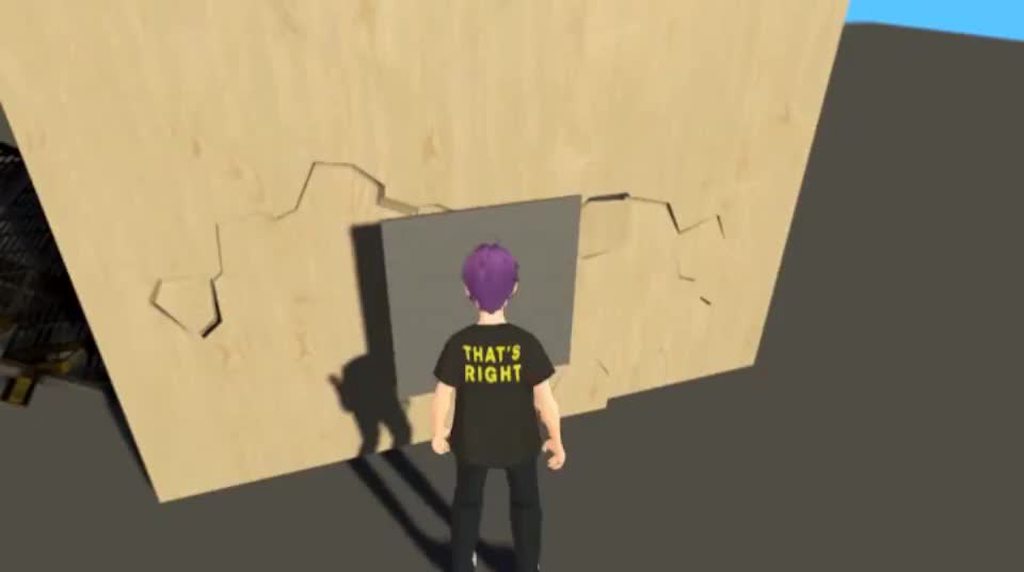 sinful gorge
Maybe try with just the ones you need instead of all.
Setup a simple URP renderer asset, assign it to the quality settings, and then just upgrade the materials
sinful gorge
austere bough
Having a bit of trouble with shadows, not sure what is causing it; certain chara...
Maybe change the shadow bias values in the urp asset as well?
Does changing the shadow resolution help?
Does it also happen in a new scene?
austere bough
No, no, and yes.
sinful gorge
austere bough
No, no, and yes.
Which Unity version?
austere bough
2022.3.11f1, urp 14.0.9
sinful gorge
Then I'm out of ideas. Maybe ask on the forums as well
austere bough
Also checked, it doesn't seem to be the shader
oh, hey, maybe it is. hrm.
aha, I figured it out.
Seems that applyShadowBiasFixToHClipPos was the culprit
hushed dirge
is overwriting the lighting in a lit shader a supported scenario? I want to be able to turn all lighting off as part of an effect in a shader
haughty garnet
Hmm, probably need to expose a value by making a duplicate to toggle it
 verbal light
not neccesarily URP specific but: I'm trying to draw a render texture to the screen, currently using Graphics.DrawTexture on OnBeginCameraRendering. The texture ends up scaled inconsistently (especially on build vs editor), even though I'm trying to draw it to the whole screen
Graphics.DrawTexture(new Rect(0, 0, Screen.width, Screen.height), rt);
without using a renderer feature (seems overkill + would cause complications with other parts of my setup), how can I draw this texture to the screen in URP cleanly?
marble vigil
hushed dirge
is overwriting the lighting in a lit shader a supported scenario? I want to be a...
Not very well supported
You'd have to use a custom lighting shader to first reimplement URP's lighting so you can turn it off
Or to get the same effect you should be able to make the lit color of the shader totally black and use emission output as your "unlit" result
Base color black, metallic 1, smoothness 0 and AO 0 should make a lit material completely light-absorbing
copper pilot
Cyan has custom lighting nodes for shadergraph, that is a good start.
marble vigil
That's the best option for custom lighting, but hopefully it won't be necessary
hushed dirge
I was thinking about something to do with emission, that makes sense
hushed dirge
Also, I have some shaders that use #pragma instancing_options norenderinglayer ... but I can't find any docs on this, is it a engine thing or a urp thing? I'm getting warnings it's not supported
marble vigil
hushed dirge
I was thinking about something to do with emission, that makes sense
Using the emission color of the lit graph would be my first option since that requires no complex custom code
wraith current
Hey guys, ive seen a lot of tutorials that show that you need to create a fullscreen shader in order to make some camera effect. However i cant find the fullscreen shader under Shader graph> URP
Even tho it should be there
marble vigil
wraith current
Hey guys, ive seen a lot of tutorials that show that you need to create a fullsc...
The official fullscreen graph requires Unity 2022.3.
With older versions you can use this technique instead https://www.febucci.com/2022/05/custom-post-processing-in-urp/
wraith current
marble vigil
The official fullscreen graph requires Unity 2022.3.
With older versions you can...
Oh ok thanks
 weary charm
why cant i find stack option in my camera in unity now
is it removed or is it smthin else
marble vigil
weary charm
why cant i find stack option in my camera in unity now
Overlay cameras don't have that option, for one
Does your camera also have Universal Additional Camera Data component?
weary charm
No
I did manage to pull it off somehow
I added depth to the secondary camera
But now the post processing present in the main camera isnt loaded into the weapon camera due to which the glowing of the gun has stopped
Any idea how to overcome that?
 hot roost
Hey guys. When using URP in 2D, how can I enforce some maximum light intensity globally?
When a few of my lights overlap the intensity becomes blinding.
haughty garnet
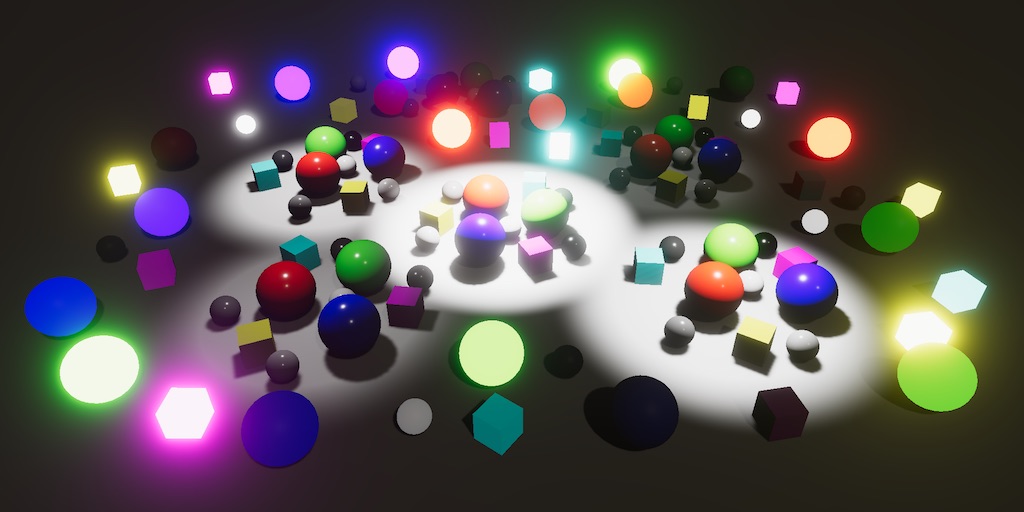
A Unity Custom SRP tutorial about supporting HDR, tone mapping, and more realistic bloom.
Scroll down to Reinhard mapping. Perhaps there's easier methods unity has available
marble vigil
weary charm
No
Lacking that component suggests you're not using URP at all
The camera stack is the only way to render multiple cameras to the same image in URP, so if that solution works it sounds like you're on BiRP
haughty garnet
hot roost
Hey guys. When using URP in 2D, how can I enforce some maximum light intensity g...
https://learn.unity.com/tutorial/post-processing-effects-tone-mapping-2019-3
Ah, there's also that for post processing. It depends how you want to do it, but you can do it per shader basis, but you'll probably have to add that in yourself.

Unity Learn
Tonemapping is the process of mapping color values from high dynamic range (HDR) to low dynamic range (LDR). In Unity, this means that for most platforms, the arbitrary 16-bit floating-point color values will be mapped to traditional 8-bit values.
hot roost
Great, thanks!
marble vigil
Post only to one relevant channel
wraith current
marble vigil
Post only to one relevant channel
yea sorry
marble vigil
hot roost
Hey guys. When using URP in 2D, how can I enforce some maximum light intensity g...
2D lights have an "overlap operation" setting which can be set to alpha blend instead of additive
I'd recommend trying that before implementing custom tonemapping
For the alpha blend to work I believe the Blend Style needs to be the same for both lights
Multiply should be the default
weary charm
marble vigil
Lacking that component suggests you're not using URP at all
The camera stack is ...
Hmm so is it possible to install a urp in the existing project?
Or is it required to be done from the beginning of the project itself
marble vigil
weary charm
Hmm so is it possible to install a urp in the existing project?
Yes
Instructions are in pinned messages
Just note that materials need to be converted and only Unity's official shaders can be converted
And that the conversion process is automatic only one way so use version control or backups
 faint crypt
i'm making a small arena style game (2021.3.29 URP), where I want the floor to be partially reflective, real time reflections, rather than baked. Is it best to use a reflection probe or ScreenSpace Reflections?
iron compass
faint crypt
i'm making a small arena style game (2021.3.29 URP), where I want the floor to b...
Probes don’t give you useful reflections for dynamic objects
faint crypt
iron compass
Probes don’t give you useful reflections for dynamic objects
So finding a good screen space reflection solution for URP is the best bet?
iron compass
Probably, but you can also combine the two. See how far you get with probes, just do not expect anything close to what SSR would yield.
jolly quail
faint crypt
So finding a good screen space reflection solution for URP is the best bet?
what platform? if it PC then you can safely use any planar reflection (you can found it in github, just search planar reflection unity github)
if mobile then you need to search well optimized reflection, instead of planar reflection, you use screen space reflection which is more cheaper than planar
weary charm
marble vigil
Yes
Instructions are in pinned messages
Just note that materials need to be conv...
Thanks!!
 dreamy horizon
Hey how can I add URP reaction to light 2D to my shader?
it isnt done with shader graph
hot roost
Has anyone had issues where the ShadowCaster2D incorrectly calculates its shape when the object it is a component of are scaled/rotated?
marble vigil
dreamy horizon
Hey how can I add URP reaction to light 2D to my shader?
Sprite Custom Lit Graph gives you access to the "2D light Texture" node
dreamy horizon
marble vigil
Sprite Custom Lit Graph gives you access to the "2D light Texture" node
thank you I manage to do this at the end finalColor.rgb += tex2D(_LightingTex, IN.uv).rgb; // this doesnt seem to do anything
this is the code Im using by manually changing the light value
marble vigil
dreamy horizon
this is the code Im using by manually changing the light value
I have no idea how you'd access the 2D lighting in a handwritten shader but you probably need to include the shader package that implements 2D lighting to access the different light textures it produces
Make a shader graph that implements the node and see what code it generates
dreamy horizon
you can access like this _LightingTex
dry willow
Probably should look at the default sprite shader URP uses. (under URP package/Shaders/2D/Sprite-Lit-Default.shader), use that as an example
Or rewrite as a Sprite Lit Graph.
dreamy horizon
marble vigil
Make a shader graph that implements the node and see what code it generates
maybe its because Im applying hue shift before
dry willow
Afaik _LightingTex is not a thing.
marble vigil
My custom lit graph seems to use _ShapeLightTexture0 but I don't know where it comes from
There can be up to 4 light textures apparently
dreamy horizon
dry willow
Afaik `_LightingTex` is not a thing.
maybe there is a different name for it?
dry willow
There's other messages here that might have clues
 spark crest
Im not sure if I should ask this in URP or in Shaders.
Context;
I am trying to make a nice room rendering effect in my game whenever you go inside buildings. This video shows how it is currently, however alot of problems happen because of how its implemented. I am simply using a Stencil buffer that is set from a box that takes the whole space inside the room, when the player goes inside the house there is a trigger box that change the camera renderer. The walls have faces that are on different layers, so only the walls facing inside the room are renderer with only 1 face being rendered which is how I can see through them while rotating the camera. Anyways this works but isnt perfect and is painfully annoying to setup, especially if Ill have to do this for every single rooms. Since Im using probuilder I can easily detach faces on the walls inside the room, but itll get rather annoying once the art team give me actual walls.
Here is what I need help or advice for :
- Currently Im overriding the material for everything that is outside the stencil buffer to a black material, I cant figure out how to make them not render at all to lighten the load on the GPU.
- If there was a building between the camera and the player, that is outside of the room itll render because its inside the stencil buffer : I think a good solution for this would be to use the depth buffer and only render things that have a higher depth than the cube that is inside the room, however I cant figure out how to set this up.
- Right now everything that is outside the room becomes instantly dark, Id like to have it fade instead but also cant figure out how to do that.
Thanks for any help/advice ^^
dry willow
spark crest
Im not sure if I should ask this in URP or in Shaders.
Context;
I am trying to ...
For fixing first two issues, could put interior objects on a different layer. When walking into room, switch camera culling or layers at top of renderer asset to only render the interior layer. (I think also wouldn't even need stencils then)
(If you need layers for other mechanics, there's also RenderingLayers you can use. But you'd need to write your own Renderer Feature to draw with that as RenderObjects doesn't include filters for it)
If you also want to fade things, can't really change these layers instantly. I'd probably look into a fullscreen graph + fullscreen renderer feature to draw a black quad with an alpha property controlled from C#. When it reaches full opacity, then you can disable the layers. And use a RenderObjects feature to render the interior layer after the fullscreen pass (so that layer doesn't get darkened)
spark crest
for the first two issues that would technically work, however it wouldnt render things outside of the room through the doors and windows like we can see in the video, thats the reason why I use a stencil. For the first issue on some videos I see about stencil buffer, when they use RenderFeature they dont override material and the elements outside the stencil just stops being renderered. For me if I dont override the material nothing happens.
here is my renderfeatures :

for the second issue the only thing I can think of to fix it elegantly would be, if the fragment's stencil value passes the comp, then check if the depth is greater than the cubes depth, that way it would only render things inside the stencil that are behind or inside the cube, which would also remove the annoyance of detaching the walls faces and having them on different layers to be culled. But I dont know how to make that 😂
And for the 3rd issue I think thats probably the way to go, thank you ^^
dry willow
spark crest
for the first two issues that would technically work, however it wouldnt render ...
For the first issue on some videos I see about stencil buffer, when they use RenderFeature they dont override material and the elements outside the stencil just stops being renderered. For me if I dont override the material nothing happens.
This is likely because - the render objects feature is not altering regular rendering, it renders things again. The regular render queues are defined by the Opaque/Transparent LayerMasks at the top of the Renderer asset.
You could set those to None, that way you only render stuff via the RenderObjects.
But there's also a Stencil override above the features too which you could just use instead. (That may also help keep other depth/normals textures correct, as I think those also use the LayerMasks)
spark crest
dry willow
> For the first issue on some videos I see about stencil buffer, when they use R...
oo thats great, I ended up trying the stencil override, works great thanks
 neon shadow
Hello, I'm trying to implement a simple cell shading effect but I don't have much experience with Shader Graph and URP yet
I have separate materials for the various objects on my scene and another material with the Cell Shading, I'm trying to apply the cell shading to certain objects with a pass on a custom renderer but I'm not sure how to do it properly
I want the cell shading to multiply on top of the objects

 dry willow
neon shadow
Hello, I'm trying to implement a simple cell shading effect but I don't have muc...
dry willow
neon shadow
Hello, I'm trying to implement a simple cell shading effect but I don't have muc...
Can maybe change the cel shaded material to be Transparent & use "Multiply" blend mode.
But using a second pass to apply that would be less performant. The usual way would be to just add a colour property to the cel shader (and whatever else you need) and swap the Shader used by the Materials.
 rustic light

 neon shadow
dry willow
Can maybe change the cel shaded material to be Transparent & use "Multiply" blen...
neon shadow
dry willow
Can maybe change the cel shaded material to be Transparent & use "Multiply" blen...
Thank you!
I though about the second option but some of the materials of my objects already have other shaders :p
fresh fossil
Hello, wondering what I need to do to have a property in ShaderGraph that is editable (dynmically via script) per material but is still SRP batcher compatible.
when working textually in glsl i've read I can acheive this by declaring my properties within a CBUFFER_START(UnityPerMaterial) CBUFFER_END block. But I'm not sure what the equivalent of this is in ShaderGraph
In ShaderGraph, in the Node settings going "Override Property Declaration" seems to allow me to have a property set per material instance, but it breaks batching.
if I don't toggle "Override Property Declaration" it seems like the properties can be shared between material instances? However batching works fine.
(screenshot of the node settings)
 marble vigil
fresh fossil
Hello, wondering what I need to do to have a property in ShaderGraph that is edi...
marble vigil
fresh fossil
Hello, wondering what I need to do to have a property in ShaderGraph that is edi...
You don't need to do anything
Material instances are new materials created on the fly when changing material properties via Renderer.Material
They're not technically different from the material assets created in edit mode
fresh fossil
hmmm... maybe I'm accidently using Renderer.SharedMaterial somwhere then, so that's why my values seem shared?
marble vigil
fresh fossil
hmmm... maybe I'm accidently using Renderer.SharedMaterial somwhere then, so tha...
Possibly, or if using Material instead of Renderer.Material
Not sure what Override Property Declaration does but it's not necessary for this purpose
dry willow
Should avoid using the Override Property Declaration unless you know what you're doing - it tends to break the SRP Batcher compatibility (which graphs already support automatically)
fresh fossil
Thanks for the quick replies!
OK yeah I think I was accidently reusing editor logic (that used sharematerials) at runtime 🤞
fresh fossil
It seems like if I **don't **enable the "Exposed" toggle in shadergraph then the values are shared in script?

I assumed the "Exposed" toggle was just the material UI, but it seems like it effects how/where properties are handled as well?
 lethal lily
Hi there, I want to create a black and white effect for a 2d game and when an area of the screen is clicked on, a circle around the cursor has colour restored to the screen - I dont whether id use a shader for this or how that would work
im very new to shader coding
marble vigil
fresh fossil
It seems like if I **don't **enable the "Exposed" toggle in shadergraph then the...
I only needed to untick this when accessing global properties with (such as with SetGlobalFloat or the likes)
fresh fossil
@marble vigil In my case the vast majority of properties are fully controlled by scripts so I'd prefer to hide this from artists. I've never built custom inspectors for materials before but it seems like that may be possible as a work around?
 paper ridge
Who makes 3D URP Webgl games? How to optimize the game properly?
sinful gorge
paper ridge
Who makes 3D URP Webgl games? How to optimize the game properly?
Depends on the project. Use the profiler and common optimization techniques
haughty garnet
I'm looking for the ideas for batching voxels, not as a chunk, but as individual blocks. I was thinking that a texture array, consisting of a single material, applied to a range of similar voxels but with different UVs. If I change the UVs they have to be different meshes, and if they are different meshes then it would only static batch those of similar UVs. I believe that's how it works, correct? Also, multiple meshes vs multiple materials. Instead of changing UVs, I could just make a different material for each voxel. Anyone have an idea how comparable is that?
I was looking into baking meshes together too, which seems like an option, but I'm not too sure how'd I'd handle the culling since it'll be rendered if any part of the mesh is in focus.
I should mention that these voxels will probably not be moved or deleted during runtime. However, I'd assume these methods would still apply similarly, even if dynamically batched. Well, except if I mesh combine then I guess it might as well be static.
 nova bear
Why aren't you considering chunks? Is there a particular design requirement?
haughty garnet
nova bear
Why aren't you considering chunks? Is there a particular design requirement?
It's a voxel tool, so technically I'm not just generating them everywhere, but I do have different brush sizes to place the voxels. The requirements are very loose, as I'm not making the tool for one specific project, so chunk load/unloading isn't a priority. Still, baking specific clusters would be ideal if I can figure out how I'd manage that.
So until I can figure out how I want to do that, I think I should focus on individual batching right now.
haughty garnet
Ah, was trying to avoid chunks till runtime, but working in the editor with 20k drawcalls is unusable. Had a lot of code working for small simple project's but it seems like I need to really combine meshes and coliders as much as possible.
 vague gale
any idea why overlay cameras in a cmera stack cost a decent amount of cpu time even if they do not render anything ?
looks like batching kind of breaks if they are enabled.

FpvOsd + Overlay Cameras are enabled here and they eat up 10%
 sacred oasis
Can anyone help me install URP asset?
 fading edge
sacred oasis
Can anyone help me install URP asset?
fading edge
sacred oasis
Can anyone help me install URP asset?

it should be written install if u havent installed it yet
spark crest
I have 2 2D lights overlapping do act as a guard FOV in a game, the lights are blending together and the center one becoms pink instead of being red. Cant figure out how to make them blend together the way I want (basically mask the blue light so that is doesnt even render under the red one ig) :

Changing the blending mode doesnt do anything unless Im doing something wrong
and the overlap operation also doesnt do anything
 fast niche
Hi guys,I am using a camera with solid color and I would it with a trasparent color
How can I do it?
 tacit anchor
fast niche
Hi guys,I am using a camera with solid color and I would it with a trasparent co...
tacit anchor
fast niche
Hi guys,I am using a camera with solid color and I would it with a trasparent co...
First, let me make sure I understand. When you say "Camera with solid color", you mean that the camera's background type is set to "Solid Color", is that right?
Hi Everyone,
The Question:
Can I have different Scriptable Render Pipelines for different Build Targets?
The Details:
I have VR project that I plan to release on Quest 2. I will be using the Application Spacewarp feature which uses a custom SRP. I also want to release to Steam VR some day and would like to maintain the ability to build to Standalone. The Application Spacewarp pipeline requires Vulkan and pretty much just doesn't play nice if you're not building to an occulus device. So the question is, is it possible to have both Render Pipeline packages in my project and have Unity switch between them when I change build targets.
Thanks in advance!!
 dreamy stratus
tacit anchor
Hi Everyone,
The Question:
Can I have different Scriptable Render Pipelines for ...
dreamy stratus
tacit anchor
Hi Everyone,
The Question:
Can I have different Scriptable Render Pipelines for ...
You can set different render pipeline assets per quality level, and if you set a quality level to be used only on quest and an other one only for SteamVR, it should work.
Now, you might still end up having shader variants explosion, as the build pipeline still isn't able to properly handle cross SRP projects, but it "should" work
tacit anchor
dreamy stratus
You can set different render pipeline assets per quality level, and if you set a...
I see. I'm aware that I can have different Render Pipeline Assets for different Build Targets, but when I've done that in the past, I've only had one SRP in the project and the assets just tweaked the settings. Am I able to have to two different SRPs in the project and then expect the Render Pipeline asset to make all the right choices at build time?
To make matters worse. The Application Spacewarp thing is a URP Fork which means that it "thinks" it is URP, which makes importing the actual URP tricky (maybe impossible).
dreamy stratus
tacit anchor
I see. I'm aware that I can have different Render Pipeline Assets for different...
Yes, at build time it should work fine.
But for the case of mixing a URP based pipeline and official URP in the same project, that might give issues just importing I think.
Did you try ?
I suspect that if the fork only adds "some" code, but keeps all the same namespaces and method/properties, you will have code compilation issues.
An other solution is to setup individual projects with assets inheritence :
In the same root folder use this hierarchy :
- URP Project
- Spacewarp Project
- Game Assets
Both projects will essentially hold the settings, and the "Game Assets" is essentially what you'd find in the "Assets" folder of a project.
But add a package.json file in there and it becomes a local package 🙂 (doc here : https://docs.unity3d.com/Manual/upm-manifestPkg.html#required)
Then in both projects, add this package in Packages/manifest.json with a local file path, and it will be imported in both.
You will even be able to work in thos files as it is a local package, and the changes will be synced with both projects
tacit anchor
dreamy stratus
Yes, at build time it should work fine.
But for the case of mixing a URP based p...
Holy Cow!!! That's awesome. How have I never heard of that before? Is this setup being used by a lot of devs? I feel like I've spend half my life trying to juggle separate branches for each build target and this would have made 90% of it unnecessary.
dreamy stratus
tacit anchor
Holy Cow!!! That's awesome. How have I never heard of that before? Is this se...
IDK if it is known by a lot of people, and there is not so much projects that actually use multiple pipelines.
But I used this workflow when I did some contract work for an asset store asset, having 3 pipelines projects : built-in / URP / HDRP.
I can also easilly be versioned using plastic SCM, if you use the plastic client instead of the one in the unity editor (because in the editor it doesn't really like working with files outside of the projects folder. Or I just prefer the plastic UI for managing all files 🙂 )
tacit anchor
I've never used Plastic SCM either. I will certainly look into it. We're pretty far into our project so restructuring might be too scary to sell to the team, but I will definitely be doing this in future projects. For now I think we might just write a build script that modifies the manifest.json and the reimports when we build for Windows.
dreamy stratus
tacit anchor
I've never used Plastic SCM either. I will certainly look into it. We're prett...
I'd suggest that you try it in a copy of the project, this should be "seamless" :
- Close the project (of course 🙂 )
- Move ALL content of the Assets folder to the dedicated shared folder beside the project root folder
- Add package.json file and fill it with all the necessary things
- Add that to the manifest.json of the project
- Open the project again.
In theory, everything should just open as before, because unity references assets by their GUID. Because you've moved the X.meta files with the assets, they will keep their GUIDs, and should be properly found again.
To take again the example of the contract work I did, I initially set up a single triple pipeline project (3 quality levels, 3 pipelines), but it wasn't great to compare rendering. I did the previous steps to migrate to 3 projects and everything went fine.
tacit anchor
Excellent. I'll give it a try on a private branch. Maybe if it's already up and working, people will get on board.
 frigid tusk
i have a 3d tile, i would be generating 100 tiles of same object but with different colors.
which of the below is a better process in terms of performance?
- i can assign colors using uv map, use one material to apply colors in unity
- use simple urp material, and change color using material variant.
marble vigil
frigid tusk
i have a 3d tile, i would be generating 100 tiles of same object but with differ...
Probably 1
 little timber
everything is red with URP on my laptop for some reason

this is what it looks like with the default renderer

looks normal on my PC, anyone know whats going on?
little timber
nvm, didnt have the intel vulkan driver
hushed dirge
Can I make custom post effects in URP or do I have to use render features?
The docs say to make a render feature but don't show how to control it
(I've made post effects with built-in before so this is rather confusing)
marble vigil
hushed dirge
Can I make custom post effects in URP or do I have to use render features?
These are kinda the same thing
https://docs.unity3d.com/Packages/com.unity.render-pipelines.universal@14.0/manual/how-to.html this page has supposedly the instructions how to create that but you're right they seem incomplete somehow or could be just hard to follow
This older custom technique should be easier and I think should still work
https://www.febucci.com/2022/05/custom-post-processing-in-urp/
hushed dirge
the how to create a post effect is actually using a full screen pass render feature
I'm using camera stacking with an overlay camera with no post effects, and I don't think it's working the same as if it was an actual post effect
currently I'm using a custom render feature but I'm wondering if there's anything newer than the febucci article
marble vigil
hushed dirge
I'm using camera stacking with an overlay camera with no post effects, and I don...
What do you mean by "actual post effect"
Febucci article has instructions for how to make it a volume override if that's what you mean
hushed dirge
They do the actual rendering in the render feature pass though right?
I have post effects disabled in the overlay camera but the render feature seems to still affect it, so I'm assume it's running after the entire stack is rendered
We have split screen as well so it has to work per-camera
marble vigil
Not sure what would be a correct solution to that
I know you can define a Renderer per camera but that seems like a hack in this situation
hushed dirge
we just updated to 2022 from 2021 which means upgrading to urp 14 from 12 so I'll have to go through the docs again
I think I'll have to dive deeper into ScriptableRenderPass and how that gets injected
marble vigil
The guide in the docs is the only "newer" guide I know of, but it seems to be almost the exact same thing as Febucci's, just less detailed
Or mostly the same
The fullscreen pass feature and fullscreen shader graph should be the same thing but without custom code
hushed dirge
Without custom code you can't really control it though
marble vigil
hushed dirge
Without custom code you can't really control it though
Since it uses a material you should bea ble to control the material properties
sacred oasis
Can someone help me? My shadows aren’t showing for URP anymore
sinful gorge
sacred oasis
Can someone help me? My shadows aren’t showing for URP anymore
Check lights and urp asset
velvet warren
Hey, do you guys know how to make Vroid VRM models not pink when you import them into unity?
sinful gorge
velvet warren
Hey, do you guys know how to make Vroid VRM models not pink when you import them...
https://github.com/FFaUniHan/Unity_VRoid_Export_URP_Template
Maybe check the guide at the end here.
You need a different material. You can assign manually, or change the included one when importing somehow

GitHub
This project is a ready-to-use URP template with UniVRM plugin and URP MToon Shader already installed. - GitHub - FFaUniHan/Unity_VRoid_Export_URP_Template: This project is a ready-to-use URP templ...
placid laurel
How do I downgrade from HDRP without my project shitting the bed?
I installed URP and uninstalled HDRP and now it like rebuilds the project and when it finishes and I click anything it just rebuilds again over and over
marble vigil
placid laurel
I installed URP and uninstalled HDRP and now it like rebuilds the project and wh...
There's no downgrade process really, but that sounds like an unrelated bug
placid laurel
I'll just revert my project back and do a clean uninstall of HDRP then, and just start URP from scratch I guess
Thanks
marble vigil
placid laurel
I'll just revert my project back and do a clean uninstall of HDRP then, and just...
The only "irreversible" change when going across render pipelines is the material/asset upgrade with the converter tool
That's reversible with manual work or version control software though
If something gets messed up worse than that you should be able to delete Library and let the project rebuild once proper
placid laurel
I had a couple HDRP shader graphs that broke but it shouldn't be too hard to replicate them
But the Library thing is a good shout that I'll keep in mind
marble vigil
placid laurel
I had a couple HDRP shader graphs that broke but it shouldn't be too hard to rep...
Shader Graphs can have multiple target render pipelines so once those are defined they should be compatible, save for RP-specific nodes
placid laurel
I get an ArgumentNullException when I try to add a new target to the graphs
Maybe if I install URP first, set it as a target, remove the HDRP targets and then uninstall HDRP it might sort it
I think the issue is it just failing because HDRP doesn't exist and is already a target, but I can't clear it because it requires at least 1 active target
Thanks for the help 🙂 I should be able to fix it from here
 slate sapphire
hello !
I got an issue with Vertex offset which probably comes from me misunderstanding something about how URP Shader graph works
I have two planes with exactly the same material and shader
Yes
I think I rubberducked myself here
Thanks for the help!
slate sapphire
Yes I got another question !
Once I have given a vertex offset in my shader, the vertex will be displaced, obviously. This will result in the faces having different orientation than before, because some vertices are displaced
Is there a way I can get the vertex normal from after the vertex height has been applied?
If I just use the "normal vector" node it doesn't work because it happens before vertex is displaced
slate sapphire
also ... how do you make a global variable in URP Shadergraph? It was very easy with Amplify but I can't find the option on shader graph
 final cradle
so i'm trying to downgrade from HDRP and i'm having some trouble with the materials. every material except one is based on a shadergraph shader and i already went through each and removed the HD render target and added the Universal one and set each to the appropriate material type but everything is still pink. i even deleted all my materials and recreated them by right clicking the modified shaders and selecting create material and assigned these new materials to things, still pink.
dry willow
slate sapphire
also ... how do you make a global variable in URP Shadergraph? It was very easy...
If you mean global shader properties, you untick "Exposed" under the settings for the property.
If you mean like the Register/Get Local Var nodes in Amplify, shader graph doesn't have this - but I have a tool that adds it : https://github.com/Cyanilux/ShaderGraphVariables
dry willow
slate sapphire
Is there a way I can get the vertex normal from _after_ the vertex height has be...
You need to calculate the new normal. I have a few options listed here - https://www.cyanilux.com/tutorials/vertex-displacement/#recalculating-normals
dry willow
final cradle
so i'm trying to downgrade from HDRP and i'm having some trouble with the materi...
I'd check the pipeline is configured correctly. Make sure the URP asset is assigned under the project settings, and check each Quality setting - they can have overrides for the pipeline asset. Might still be trying to use HDRP ones (or missing references, which might be causing it to fall back to built-in?)
slate sapphire
dry willow
You need to calculate the new normal. I have a few options listed here - https:/...
Thankj you very much but the output is very pixelated for me

I tried to use the other approach you proposed (normal from height, flat shading) but it's also pixelated
is it normal / there is no way to escape it maybe?
First approach:

Second approach :

maybe this in your tutorial is supposed to be R ?

and then a subtract at the end otherwise the normals are reversed

Its not smooth shading though :(
final cradle
well at least nothing is pink now https://www.youtube.com/watch?v=7Lfn5VHKXs4

sprites suddenly changing into other sprites or disappearing behind 3d meshes
i think i fixed the depth ordering by making the default lit shader for the 3d mesh opaque but how do i get the sprites to stop switching rapidly between each other?
also i want shadows back lol
marble vigil
final cradle
i think i fixed the depth ordering by making the default lit shader for the 3d m...
It looks like you have a script that changes the sprite material
Or so I assume since they fade at points
Maybe that's the culprit
final cradle
the material doesn't change, i use an mpb, but you're right that is the culprit. commenting out the opacity reduction on occlusion fixes the trees changing sprites. which is annoying because it means i have to find yet another way to handle that effect lol. i still havent figured out why shadows aren't enabled yet either >_>
 willow flame
Heyo! Not sure where to ask this but I've got two textures that are the same. One is at say 4.6 MBs and the other is at 634 KBs because it was compressed in an external software/Online. But once they are imported into unity they are now both at 2.7 MBs. Does compressing them in an external software do anything?
marble vigil
final cradle
the material doesn't change, i use an mpb, but you're right that is the culprit....
Shadow casting and receiving should be an option for lit materials
MBPs are not well supported in SRPs
marble vigil
willow flame
Heyo! Not sure where to ask this but I've got two textures that are the same. On...
Compressing externally makes them look worse with no benefit, so it does "something"
willow flame
marble vigil
Compressing externally makes them look worse with no benefit, so it does "someth...
lolol thanks
final cradle
marble vigil
Shadow casting and receiving should be an option for lit materials
MBPs are not ...
so far i've tried both "lit" and "sprite lit" materials and neither casts shadows. I made sure all the sprite renderers have shadows enabled in debug mode and that there's a directional light in the scene pointed at an angle relative to my sprites. the "lit" shader had shadows enabled as well, though that wasn't an option on sprite lit.
I can replace the MBP with using vertex color for transparency as long as my material is Sprite Lit, but in HDRP i could never get those to cast shadows either. I needed to use an actual Lit shader for shadows. maybe it will be different in URP
marble vigil
final cradle
so far i've tried both "lit" and "sprite lit" materials and neither casts shadow...
Sprite Lit is only for 2D renderer
Sprite shaders in general have transparency forced on which messes up depth sorting if you use them in 3D space
@final cradle To enable shadow casting for sprite renderers you must do it through the debug inspector
 final cradle
yes, i have done that on all my sprites already. and i'm not sure if this is right but I enabled "static shadow caster" too on immobile objects like trees

 drowsy breach
Oh good there is a channel for urp I can post it here


My urp lights work on scene only
Not in game
drowsy breach
marble vigil
Sprite Lit is only for 2D renderer
Sprite shaders in general have transparency f...
Im sorry to be pinging could u also give me a hand?
 unreal goblet
Hi. How does static batching at build time batch additive scenes? If i split my large scene to smaller, would static batching still batch meshes on them together?
marble vigil
unreal goblet
Hi. How does static batching at build time batch additive scenes? If i split my ...
I'd guess not but frame debugger could tell you for sure
marble vigil
drowsy breach
Im sorry to be pinging could u also give me a hand?
Not familiar with this issue
Maybe post processing needs to be enabled on the camera
drowsy breach
marble vigil
Not familiar with this issue
Maybe post processing needs to be enabled on the ca...
It does? I'll look into it
sinful gorge
unreal goblet
Hi. How does static batching at build time batch additive scenes? If i split my ...
I think they are batched per scene.
SRP batching might be better if you have many different scenes with geometry
 twin sierra
Hey, having some issues implementing a render feature in URP and was wondering if anyone knows the solution.
Basically, I'm blitting the depth texture for an effect. Everything works fine, until I enable MSAA in the URP asset. Then this keeps getting spammed in the console:
"A multisampled texture being bound to a non-multisampled sampler. Disabling in order to avoid undefined behavior. Please use Texture2DMS in the shader."
It makes sense that depth texture is multisampled when using MSAA. However, when I blit the texture to my new render texture, I don't want the texture to be multisampled anymore. I'm assuming this is possible to do somehow, but this is where my knowledge fails me. Anyone know how to do this?
Here's the code if that helps: https://paste.ofcode.org/8fAC4QSzSF5A2zh67sS9jG
hushed dirge
the blit is rendering it with a shader so you need to do the conversion in there
so it looks like the shader in _dilateMaterial needs to use Texture2DMS to read from the source depth, but then _depthTextureDilate will be non-ms so the other material should be fine
 cold willow
can someone confirm that it is not possible to apply a postprocessing effect to a single overlay camera in the camera stack, without also applying it to all cameras rendered before it?
im trying to have a flicker effect on my UI camera, but it affects the background too, and the forums have similar problems but noone has a solution 😦
sinful gorge
If you can't find a solution maybe do the effect on the 3D geometry?
covert pagoda
Hey sorry if wrong place, but I have URP set and I apparently have a SRP set in my Graphics settings, I can't edit or view the Custom Sort Axis in my Project Settings anymore?
I'm trying to set up a 2D isometric tilemap but it's not working so I thought I need to edit these settings

I was able to find it here, but the tilemap still isn't working sadly
 sinful gorge
covert pagoda
I was able to find it here, but the tilemap still isn't working sadly
sinful gorge
covert pagoda
I was able to find it here, but the tilemap still isn't working sadly
Define 'not working'
covert pagoda
I can't see any grid of the tiles in my scene view
not sure if i need to swap Y and Z
i tried it both ways though, no success
sinful gorge
What did you do to set up the tiles?
Did it work before it did it never work?
covert pagoda
i made a new GO with (img)
then i attempted to view it in the scene.
i've never used it before, just doing a test in my project

i was following the guide here https://docs.unity3d.com/2023.3/Documentation/Manual/Tilemap-Isometric-CreateIso.html
sinful gorge
Maybe check a video guide or something to get started?
That's easier to pinpoint exactly where it goes wrong
covert pagoda
i'm not sure this is even really what I want.
i'm just looking for a nice grid snapping system to place items on an isometric style map
it seemed like a viable solution ... as I am currently just using a graph image and putting the items on it's overlay

it works but it's not the easiest... do you think using the tilemap would be better?
sinful gorge
Possibly. Haven't used it in the past, but it could help with workflow or even performance
covert pagoda
ok thanks! i'll probably move this to another channel, it's kinda out of scope here i think
sinful gorge
covert pagoda
ok thanks! i'll probably move this to another channel, it's kinda out of scope h...
The forums also might be good
 proud beacon
what about the shadows?
 mental sky
switched my game render pipeline to urp, and suddenly all the leaves on my trees (fir tree prefab from asset store purchase) default to LOD 2 instead of LOD 0, and i cannot find anything online related to the issue. does anyone know the cause or a fix?


lod bias or maximum lod value doesnt change anything, as its a thing with the prefab itself
placid laurel
is it still impossible to have a (SSR) reflective and transparent material?
for water
 lusty quartz
We've been suffering from this shadowey halo effect that seem to appear based on camera zoom distance (watch the right side of the gif). This affects both default lit shaders and custom shaders and is active even with volumes off. My artist mentioned they had also seen this appear in other Unity titles. Does anyone know what the cause of this is?

 granite stream
Hey guys, does anyone know how i can apply a fresnel effect to an object with multiple materials ? i'm pretty new to shaders btw
 ionic wing
Does anyone know how to create volumetric lighting in URP? I've seen a couple of assets but I still haven't quite understood how they work
 strong aspen
ionic wing
Does anyone know how to create volumetric lighting in URP? I've seen a couple of...
strong aspen
ionic wing
Does anyone know how to create volumetric lighting in URP? I've seen a couple of...
https://www.youtube.com/watch?v=hXYOlXVRRL8&t=179s try this out

Let’s get our heads in the clouds! In this tutorial, you’ll learn how to construct a cloud in Unity in three stages.
If you want to follow along with this video, download the project from GitHub: https://github.com/NikLever/Unity-URP-Cookbook
This tutorial comes from a recipe featured in our "Recipes for popular visual effects using the Unive...
strong aspen
lusty quartz
We've been suffering from this shadowey halo effect that seem to appear based on...
is the mip maps on the normal map textures
placid laurel
strong aspen
https://www.youtube.com/watch?v=hXYOlXVRRL8&t=179s try this out
wait is that shader graph
they made ray marching in shader graph-
strong aspen
shadergraph and shadercode
 dusk vortex
I wonder what unity will add to URP for the 2023 LTS
placid laurel
strong aspen
shadergraph and shadercode
oh
I was like: how tf did they make a whole ass rendering method in a shadergraph-
strong aspen
i dont think is impossible
placid laurel
I mean the logic of how it works I understand but not how to code-
placid laurel
strong aspen
i dont think is impossible
huh??
strong aspen
i mean shadegraph is just visual scripting for shader code
placid laurel
like, one time I actually tried to do something similar to see if you could have a material that would render everything behind using full ray tracing
and didn't really go well neither with shader code or graph
strong aspen
im not a technical artist but it shouldnt be impossible to make a whole rendering shader in shader graph
unity already has render graph
placid laurel
render... graph?
strong aspen
which is currently HDRP only from the looks of it but is coming in URP soon as well
strong aspen
 placid laurel
so more performance
strong aspen
ok is not exactly what i tought it will be
strong aspen
i mean the whole point of SRP is fully customizable rendering
URP and HDRP are just SRP templates
so technicly speaking someone should be able to achieve unreal level rendering in unity if he knew how
strong aspen
dusk vortex
I wonder what unity will add to URP for the 2023 LTS
look on the roadmap to see
placid laurel
strong aspen
URP and HDRP are just SRP templates
so then
couldn't you just add features from hdrp to urp
since they're both srp templates
but like
drag and drop
sort of
dusk vortex
strong aspen
look on the roadmap to see
Where can I find it
strong aspen
placid laurel
so then
couldn't you just add features from hdrp to urp
not rly because they use different shaders
theoreticly you can do that
i was able to get a fullscreen shader sample to work on URP pretty easily
but with shader code is a bit more complicated
and it requires some manual work
strong aspen
dusk vortex
Where can I find it

Unity
Explore the timeline for the future of Unity’s platform and submit your feedback directly to the teams developing it.
placid laurel
strong aspen
not rly because they use different shaders
oh
dusk vortex
strong aspen
https://unity.com/roadmap/unity-platform
Thank you
placid laurel
but like if they use the same shader language then you can easily adapt them
I think
placid laurel
I've been meaning to learn shader language but I just never get around to doing so
strong aspen

GitHub
Unity Graphics - Including Scriptable Render Pipeline - GitHub - Unity-Technologies/Graphics: Unity Graphics - Including Scriptable Render Pipeline
placid laurel
yup (not asking for help)

I wonder if it will actually work
I feel like I'm gonna download the entire HDRP if I continue doing this-

ok I can't it's too many stuff
the problem is that it has a lot of features that could be used without necessarily wanting the entire realism package, so if you want realtime reflections for something even as simple as a mirror (assuming you're not using external assets) you'd have to get the whole thing, or volumetric objects
and imo they should be unified in terms of having both render pipelines support all features, and just use less or more features by default
 plain shore
jolly quail
what platform? if it PC then you can safely use any planar reflection (you can f...
plain shore
jolly quail
what platform? if it PC then you can safely use any planar reflection (you can f...
How to use it in URP?
strong aspen
placid laurel
and imo they should be unified in terms of having both render pipelines support ...
SSR and Volumetric fog is under consideration for URP
you could wait until they add it
my guess will be 2024 LTS
placid laurel
strong aspen
SSR and Volumetric fog is under consideration for URP
no- those were examples
although ssr would've been greatly appreciated
a year ago
strong aspen
you can like go to the roadmap and mark it as important or something, if enough people do it maby they will prioritize it
 warped roost
mental sky
switched my game render pipeline to urp, and suddenly all the leaves on my trees...
warped roost
mental sky
switched my game render pipeline to urp, and suddenly all the leaves on my trees...
Check the quality settings. The quality level you might be on probably has a LOD2 selected for the highest lod level it can show. I dont remember the name of the option that you can change it on but i know its there
strong aspen
but they already have a lot on their plate with URP
https://unity.com/roadmap/unity-platform/rendering-visual-effects here is the link

Unity
From stunning graphics on mobile to high-fidelity visuals on the latest platforms, Unity’s customizable rendering technology can help you realize the visual design of your applications.
this is a reason i will default to HDRP from now on
if i only make PC games i dont see why i should use URP
mental sky
warped roost
Check the quality settings. The quality level you might be on probably has a LOD...
Itd be the maximum lod value; and its set to the highest, so its unfortunately not that 😔 I think something got corrupted in the switch to urp; I reloaded an earlier save from unity dev ops and it worked in the morning
So... might just stray from urp if it causes that kinda issue
strong aspen
HDRP has everything URP has and more, if i dont need a certain rendering thing i can just turn it off, and if i need something specific i just have it there
warped roost
mental sky
Itd be the maximum lod value; and its set to the highest, so its unfortunately n...
Is the LOD Group component set up correctly?
marble vigil
strong aspen
if i only make PC games i dont see why i should use URP
If HDRP's features are beneficial to you then it's the best choice
It has more performance constraints though, and if you don't need the features they'll weigh you down
Especially if you're making something stylized or with 2D
mental sky
warped roost
Is the LOD Group component set up correctly?
I believe so; I'd have to check after I get off from work, but it worked before the switch to urp
strong aspen
marble vigil
If HDRP's features are beneficial to you then it's the best choice
It has more p...
i dont think HDRP supports 2D anyway but i dont make 2D games so yeah, but a cool thing about HDRP is that if i dont need a feature like SSR or SSGI for example i can just uncheck it from the HDRP settings and the engine will not allocate memory for that feature, and i dont see a problem with styleized games in HDRP, unreal does styleized games fine so there is no reason HDRP would't, besides if you smart enough you can customize HDRP's rendering to fit your game
most pc's can handle a normal HDRP scene with nothing fancy going on, so how performant it is, is in the hands of the developer
marble vigil
strong aspen
i dont think HDRP supports 2D anyway but i dont make 2D games so yeah, but a coo...
It can do stylized, but you may end up having to replace a lot of what HDRP does, like particularly its complex lighting calculations or make your shaders and effects compatible with them
It's all extra work and from what I hear Unreal is even more cumbersome in that use case for the same reasons
If you know HDRP inside out you or need more of its features it likely is worth the effort, but if one does not and all they need is SSR then it'll be likely more efficient to just implement that into URP
HDRP is very complicated to the uninitiated
But its complexity also tends to be overexaggerated
jolly quail
plain shore
How to use it in URP?
URP doesnt have it right away, you need to install it, either you download from github or buy from asset store