#archived-urp
1 messages · Page 5 of 1
 ashen moth
 warped skiff
np
 boreal mango
Hi. Does anyone know why my lens flare might not be showing up please?
like, in the scene view it appears

but in the game view it doesn't

is there a setting I might have to enable please?
warped skiff
Loof for the urp sample package in the package manager to see how unity implemented it
boreal mango
uhhh all I've seen that makes a difference is this component

which I don't know how to control because doesn't really have anything
like, if I get the camera from the samples and set it to another with a lens flare it still shows the lens flare

but if I jut reset that component it just disappears

why?😅 Edit: restarted the project and now it seems to work when I load the scene...?
 merry verge
Universal Render Pipeline/Terrain/Lit

I started having this error, what should I do 😄
 sinful gorge
merry verge
sinful gorge
merry verge
Does it still happen after restarting your pc?
 placid laurel
Legacy shaders such as Legacy Shaders/Particles/* allow selecting a texture for them. I cannot find an analogous option in Universal Render Pipeline/Particles/* shaders. Is it not possible to set a texture for URP shaders?
This for example. I don't know if and how can I recreate the same effect in URP. When I tried changing the shader to Universal Render Pipeline/Particles/Unlit I could find no option to select a texture
 merry verge
sinful gorge
Does it still happen after restarting your pc?
merry verge
sinful gorge
Does it still happen after restarting your pc?
Yeah
merry verge
I think VFX particle output strip URP lit is incompatible with Terrain/Lit
someone who can check it or wanna check it, please do so
sinful gorge
Oh you use vfx, what are you doing? That is important info haha @merry verge
merry verge
sinful gorge
Oh you use vfx, what are you doing? That is important info haha <@23165041202390...
I activated VFX graphs experimental nodes to use ParticleOutput Strip URP Lit, its for some kind of otherworldly monster, basically a monster made out of effects.
I tried to build the project but not the scene that included the monster and it succeeded. So I think the VFX could be the cause.
Imma try to make it work on unity 2022 tomorrow incase the experimental nodes work on there.
sinful gorge
If it doesn't work maybe ask in #✨┃vfx-and-particles
 jagged valve
Does anyone know how to fix the issue of my Shader clipping the material? I'm trying to use it to create "Ability Indicators" but anything that goes outside of the 1unit by 1unit space of the preview gets clipped off
With distance set to 0.5


With distance set to 1
It should just show an elongated rectangle indicator with the arrow
 copper pilot
jagged valve
Does anyone know how to fix the issue of my Shader clipping the material? I'm tr...
copper pilot
jagged valve
Does anyone know how to fix the issue of my Shader clipping the material? I'm tr...
UV space only goes 0-1. Anything outside of that is either clamped or loops around(modulo).
jagged valve
Alright thanks
I'll work on scaling the objects inside UV space based on the scale of the object in world space
 shadow elbow
so im having an issue with urp right now. When I load up my game all of the objects are shaded really hard, I've already tried everything with the lighting, its not that. Any ideas?

found out the issue: had something to do with my skybox.
 long nymph
Personally i would make the charts draw each point with an interval between it (a very small one) that way it wouldn't hitch as it loaded and would also feel natural as the charts filled themselves out.
 marsh olive
Hello, Is there a way to access the variable properties for Light 2D to be manipulated via a script. I can't find the right class to place the script [Light 2D].
--Solution Found, just had to declare the use of universal to the engine
 merry verge
Yeah TerrainLit is little bit weird, its not working with LightCookieInput.hsls
marsh olive
Hmm... Guess I'll switch to the 3D versions of them
 cedar pendant
Hey guys how do I make stuff with a higher y axis render behind using the URP
actually I figured it out but I made a grid with tiles and half of the stuff is rendering behind that now, anyone know how to fix
fixed nvm
 lucid nymph
quick question, is there any method for getting the current UniversalRendererData?
maybe something like this

I know it wouldn't be that easy but you get the point
The closest I could find was this one

but it takes the built in one instead of the already used one
 sleek cypress
ive got a renderer feature that works properly in the editor, but not in the camera, any idea what could be causing this?
camera is set to default renderer
 carmine bough
Hello. Im trying to currently wrap my head around the urp render features. I was messing around by writing a simple render feature that blits a texture to camera's render texture before rendering opaques. The intended effect looks like the following

(note: the full script will be attached below im using snippets to more easily explain things)
But I noticed something weird
despite setting the injection event to before rendering opaques if I use the following blit command
Blit(cmd, _texture, _camTex,_material);
where texture is the texture I want to use as the bg and and camTex is the camera's render tex.
then the output is as follows:

if i use a buffer tex as an intermediary step like so:
Blit(cmd, _texture, _buffer.Identifier(), _material, 0);
Blit(cmd, _buffer.Identifier(), _camTex);
then intended behavior is achieved.
so im just wondering why?
what data is lost if the buffer tex is not used
the material dosnt use the _camTex as input for the correct version anyway
so why are the outputs different?
carmine bough
3d will be a project where the packages related to the scriptable render pipelines are not added. the 3d urp project sets up a project where the packages related for the urp variant of the scriptable render pipelines is added.
this page breaks down the highlevel stuff of what that is
 marble vigil
It's also to tell the latter apart from 2D URP
 cyan swallow
buffer.DisableKeyword(...
Blitter.BlitCameraTexture(...
buffer.EnableKeyword(...
Blitter.BlitCameraTexture(...
This should draw the first blit with the keyword disabled, then the second with the keyword enabled?
If so, then command buffer modification of local keywords seems borked in 2022.2
 cold pier
Does someone have an Idea how to iterate over additional lights when using forwardPlus?
cyan swallow
cold pier
Does someone have an Idea how to iterate over additional lights when using forwa...
I saw there was a forum post asking the same, was that you?
This is what supporting multiple engine versions and platforms looks like in URP at the moment for me:
        // Instead use the DEPTH_OUTPUT_ON multi_compile_local to toggle whether output is depth or not.
        #if UNITY_VERSION >= 202220
            #if PIXELMAP_DEPTH_OUTPUT_ON
                float frag(Varyings i) : SV_Depth {
                    float depth;
                    float4 color;
            #else
                void frag(Varyings i, out float4 color : SV_Target) {
                    float depth;
            #endif
        #else
            void frag(Varyings i, out float4 color: COLOR, out float depth : SV_DEPTH) {
#endif```its a nightmare all the way
cold pier
cyan swallow
I saw there was a forum post asking the same, was that you?
Yes it was. I remember you with that cute Age Of Empires style warmachine avatar.
cyan swallow
I haven't dared touch forward plus yet, drowning in changes from URP 14 as it is
 charred siren

any idea why my builds are all of a sudden just grey?
in-editor everything is colored properly
and builds ahve worked fine previously
ive tried multiple times with no luck
particles/transparents render fine
as well as the skybox
something weird is going on with the render loop
 iron compass
charred siren
any idea why my builds are all of a sudden just grey?
iron compass
charred siren
any idea why my builds are all of a sudden just grey?
looks like you have no lights in your scene and are rendering only the ambient occlusion
charred siren
iron compass
looks like you have no lights in your scene and are rendering only the ambient o...
the thing is there are lights. it looks completely normal in the editor
textured and everything
it seems im only getting AO in the build
 stoic yarrow
Does unity still hasn't added a geter to all URP asset settings?

 cold pier
Anything left on in the lighting/skybox/fog-settings?
You know the lighting window where you disabled the skybox.
cold pier
In this video ( https://youtu.be/uSmXlEkJDJI?t=78 ) , the guy gets rid of the rest light you see in your scene by disabling environment reflections

This video is to answer Christoffers Video on how to get his scene in total darkness, so he can have total control over his lighting.
Discord Community: https://discord.gg/DwRhSrBtKe
Unreal Lighting Course - https://www.wingfox.com/c/8221
Linkedin - https://www.linkedin.com/in/amitginni...
Facebook - https://www.facebook.com/amitginnipat...
Tw...
 brave field
I am building a project which is a Vuforia (AR engine) based. I have also incorporated external-made models with a given Shader. However, when I implement it with URP combining with Vuforia, I kept getting a blue screen. Any tips on how to fix this?
cold pier
brave field
I am building a project which is a Vuforia (AR engine) based. I have also incorp...
Is URP explicitly supported? I find a few videos talking about how to get AR to work with URP, so it doesn't seem to be a no-brainer for some time. Also check the rendering mode. Maybe you got deferred (or forward plus) set instead of forward? Forward is the most simple, most compatible mode.
brave field
Ok thank you, I don't know anything about URP and shader. Do you need a URP to implement shader on model?
cold pier
Is there an example project that works for you?
charred siren
charred siren
https://streamable.com/29soub
the project only breaks when i have accurate g-buffer normals on!
would anyone know why this is the case? how do i fix it?
cold pier
charred siren
the project only breaks when i have accurate g-buffer normals on!
Is that the standard URP shader or something custom?
charred siren
cold pier
Is that the standard URP shader or something custom?
theres a mix of both. tho most of the custom is just shadergraph
cold pier
I don't know your project, but the setting changes how the normals are stored in the buffer, so we can assume that something, most likely a shader, doesnt take that into account. First thing i would try is make a new project in your exact unity version and see if it works with default URP shaders in deferred with accurate normals. I it doesn't you have a Unity bug, otherwise it's the components you added, like your custom shaders, render passes or whatever you have in the mix.
 mental fern
Hello. Anyone can hint me anything to make pixel art look good and crisp?
cold pier
mental fern
Hello. Anyone can hint me anything to make pixel art look good and crisp?
The term is "pixel perfect" which is meant for styles where the sprites aren't blurred or filtered.
There are a few things like the "pixel perfect camera" and others
https://docs.unity3d.com/Packages/com.unity.render-pipelines.universal@15.0/manual/2d-pixelperfect.html
 stoic cosmos
where can i find srp batcher option in urp12?
mental fern
on urp there's a don'tdestroyonload and makes my character bounce around. How do I get rid of it?
 marble turret
Anyone knows why Toon Shader (UTS3) failed to compile on fresh project (2021.3.16f1 URP)? works on editor but shows black on build.

 dry lagoon
Hi guys
I have a scene in URP with Single camera and post-processing enabled. Now i have some objects that I dont want the PP to apply.
How would do this, I tried camera stacking but couldn't do it.
Any help or links to study on this is appreciated.
 delicate berry
dry lagoon
Hi guys
I have a scene in URP with Single camera and post-processing enabled. ...
delicate berry
dry lagoon
Hi guys
I have a scene in URP with Single camera and post-processing enabled. ...
have you tried to render those objects separately using the RenderObjects scriptable renderer feature after post-processing.
dry lagoon
delicate berry
have you tried to render those objects separately using the RenderObjects script...
Could tell me more about this ? I have no idea
dry lagoon
Thanks 👍
delicate berry
dry lagoon
Could tell me more about this ? I have no idea
Just like hamboy mentioned. Also you don't need to make custom features. You can just use what unity offers and get your work done
 maiden basin
If I'm using Renderer Feature (render objects) can I somehow access the textures of the object's main material?
I'm trying to rewrite an effect that currently uses a post process blit to just rendering the object with a different shader
 hazy star
Hey guys I'm trying to use unity's toon shader and it keeps randomly making some assets glow too much
anyone knows how to fix this?
 marble vigil
hazy star
anyone knows how to fix this?
marble vigil
hazy star
anyone knows how to fix this?
Please post only to one relevant channel at a time
hazy star
sorry, I don't know what is the more suitable channel for this question
hazy star
hazy star
anyone knows how to fix this?
Okay so I found out turning off HDR fixes this issue. No idea why though
sinful gorge
probably emissive materials. Emission is kinda capped on SDR. HDR can add more bloom and stuff because of this
 slate spade
i saw this game on Steam and thought the tile art looked pretty cool, what is it theyre doing here exactly to achieve that look? is that a cube with a material on it that gives it that spaced out/a bit raised look in between tiles, or is that not actually a cube and shaped a bit differently on top?
 hazy star
sinful gorge
probably emissive materials. Emission is kinda capped on SDR. HDR can add more b...
hazy star
sinful gorge
probably emissive materials. Emission is kinda capped on SDR. HDR can add more b...
Now that I turned off hdr I'm getting these blacks, any ideas?
 sinful gorge
No idea, havent used the shaders myself
sinful gorge
slate spade
i saw this game on Steam and thought the tile art looked pretty cool, what is it...
If it's 1 angle only it could even be a plane with a simple texture. A fairly low poly model with a 'wet' material would also not be too hard to get this look. Many ways to tackle this
slate spade
how do i give it the raised look though from the screenshot? whenever i apply a material everything looks so flat
it almost looks like tiles were laid in grout
iron compass
slate spade
how do i give it the raised look though from the screenshot? whenever i apply a ...
parallax shading/mapping, which is a form of fake displacement, slightly more impressive than just normal mapping, slightly less impressive than tesselation based displacement
marble vigil
I think it's just raised geometry with a normal map to complement it
slate spade
this is what i threw together so far, wondering where to take it from here. im awful with this kind of aesthetics stuff 😦
 slate spade
the game im referencing and trying to emulate looks like this
 warped skiff
it's probably not something you can just pull off easily
you'd need to create textures that are mapped to direction of lighting
A simple tutorial on creating Height maps and Normal maps using GIMP.
or find some pbr textures online
also doesn't look like an orthographic cam
delicate berry
Hello everyone, can someone help me understand how unity renders a few things to _ColorAttachmentA and then some to _ColorAttachmentB
how to know which RT is the current one?
 vocal fox
Hi, I have a problem with a discrepancy in the environmental lighting brightness between a project run from the editor and in a build:
if I double 'RenderSettings.ambientIntensity' in the build, I can make it look identical to in-editor. I'm not setting this value anywhere else.
does anybody know what might be causing this difference?
Top images show the brightness running in editor, the lower image shows it in the build.

here's with the ambientintensity doubled in the build:
 vocal fox
Failing that, is there a foolproof way to determine if a piece of code is running in the editor or running as a standalone build?
#if UNITY_STANDALONE_WIN
gets called if it's running from the editor or standalone as does 'Application.isPlaying'
it's Application.isEditor
 fading tinsel
Hi everyone, I'm currently converting my HDRP project into URP.
How can I change the camera exposure? My scenes appear way too bright.
I also get this warning but I couldn't figure out what is causing it.
It looks like high dynamic range isn't properly enabled.
Does anybody know what setting am I missing?


 wanton talon
does anyone know what to do if only directional lights work in 3D URP
 clever fractal
I have a Scriptable Renderer Pass that manipulates the transform of the camera from renderingData however, I also have cinemachine that controls the position of the camera, my goal is to let cinemachine move it however it wants, and have my feature override it at the end of the frame. Right now, cinemachine always runs after my render pass, causing my changes to the camera's transform to be irrelevant (Except if I set the brain's update mode to manual).
Things I've tried: Different renderevents, even with afterrendering it still runs before cinemachine. I tried changing the script execution order, doesn't work. The only thing that works is setting the camera's transform inside a method subsribed to RenderPipelineManager.beginCameraRendering That way it always runs after cinemachine and I get the expected result. I need help replicating this behaviour inside my renderer pass, is it possible at all?
fading tinsel
wanton talon
does anyone know what to do if only directional lights work in 3D URP
you can use point lights aswell
wanton talon
I have been trying to use them in my scene but they don't light up anything
Probably messed up a setting somewhere but I'm not sure
 tepid sundial
Hello, I need help with accessing urp volume values through script but seems like Im not sure what Im doing. Im trying to change the aperature value on DoF but gives me an error:

any ideas?
fading tinsel
wanton talon
I have been trying to use them in my scene but they don't light up anything
perhaps there's already too many lights.
tepid sundial
tepid sundial
Hello, I need help with accessing urp volume values through script but seems lik...
got it
sinful gorge
fading tinsel
Hi everyone, I'm currently converting my HDRP project into URP.
How can I change...
Not sure about exposure. Google and the forums prolly have the answer.
About the warning, they probably mean the HDR grading setting on the post processing section of the URP asset. At the bottom
cyan swallow
Has anyone ever tried a custom class inheriting from UniversalSubTarget? e.g. as per https://github.com/Unity-Technologies/Graphics/blob/master/Packages/com.unity.render-pipelines.universal/Editor/ShaderGraph/Targets/UniversalLitSubTarget.cs
I'm basically trying to work out if it is possible to create a shader graph target for URP that includes a custom pass - my current workaround (using USEPASS) is clunky and frustrating to use
The main issue I can see is how to get the custom target to show up in the picker (the list of targets is hard coded at: https://github.com/Unity-Technologies/Graphics/blob/d84f56b68aea37785813fddfcbcf63384e9640ff/Packages/com.unity.render-pipelines.universal/Editor/ShaderGraph/Targets/UniversalTarget.cs )
 midnight magnet
hi hi does anyone know how i can make one object glow? cause i’ve been searching up and bloom doesn’t work cause it makes everything glow but i’m trying to make a specific object glow and i found a video and i has to install urp but the video is old and the urp is updated and everything is different so i was wondering if anyone can help if not it’s okay
marble vigil
midnight magnet
hi hi does anyone know how i can make one object glow? cause i’ve been searching...
Post processing is always per image
You can in some cases utilize a high bloom threshold with a high material emission intensity to make only specific surfaces bright enough to start blooming
Truly per-object bloom would require a complex custom post processing effect that renders specific objects or materials in a separate pass with depth masking, gives them bloom and then combines that into the final image
Another simpler way is to fake the bloom with additive glowing geometry/sprites
midnight magnet
okay ima check that out when i get back on my project tysm
wanton talon
does anyone know how to make point light produce light in URP ?
 iron compass
wanton talon
does anyone know how to make point light produce light in URP ?
iron compass
wanton talon
does anyone know how to make point light produce light in URP ?
Light happens on the shader/material, so check that they are lit materials and that the renderer is configured properly, also check your fog settings if any. The models you have in there seem pretty big also, maybe double check the position and range of the light
copper pilot
Yeah, those scales make me wonder how ginormous the scene is and just where the objects are relative to each other.
wanton talon
yep, had to put intensity to 10000 to see any changes lol thanks
fading tinsel
sinful gorge
Not sure about exposure. Google and the forums prolly have the answer.
About th...
I think I found the solution. I missed changing this HDR setting on the camera.

 weak spruce
any help on this one please? https://forum.unity.com/threads/disable-culling-for-drawmeshinstanced.1382928/ Also shouldn't there be a generic "graphics" section for common API?

Unity Forum
Hi,
I am executing my own culling, so I don't want DrawMeshInstanced to add more overhead for extra not necessary culling. Is there a way to disable it?
 fallen token
Anybody knows how to reuse same render texture in a specific render Pass that uses it's last frame as a texture ?
This is the issue I get :
1 - I use RenderTextureA in RenderPassA.
2 - I draw a result in RenderTextureA, through RenderPass A.
3 - I want to use the result as a texture in Render Pass A at next frame.
4 -The renderTexture A Gives a black/blank result in next frame.
5 - What's strange is that RenderText A is correctly drawed.
6 - After the specific render Where I draw a specific color in the first frames,; the render texture becomes black/blank.
 somber ingot
Hey
How can I add Volumetric Fog to my project?
Cause I cannot find anything named Fog etc. in global volume
(I don't want use fog in lighting render settings)
sinful gorge
somber ingot
Hey
How can I add Volumetric Fog to my project?
Cause I cannot find anything nam...
Urp doesn't have volumetrics afaik. So fake it, look on the asset store, or try hdrp
 scenic burrow
URP can have volumetrics via 3rd party solutions that people have made, they do exist
but yes could also just fake it
 dreamy flare
Woohoooooooooo I just finished making my own procedural sky that changes based on the in game time
It was……..complicated.
dreamy flare
dreamy flare
Woohoooooooooo I just finished making my own procedural sky that changes based o...
(Using a custom shader)
 zinc oracle
question guys, is camera-relative rendering available on URP, or is it coming soon?
 muted gust
Hiya!
I'm attempting to blur an UI image.
I'm not talking about blurring everything behind the element (such as blurring the background) but rather blurring the actual image. I want to do a fake depth of field effect with UI elements (such as having a character in the foreground and another character in the background).
Is there a way to accomplish this with URP?
 ancient obsidian
guys why my decal not appear on camera?
placid laurel
Hi! I'm using shadergraph and I've a two camera setup. On one camera I'm rendering onto a texture and on another one I'm capturing the whole scene plus a quad that I wanna use for effects. My question is, is there any way on shadergraph for me to access the depth texture of the camera that I'm using to render without the quad?
sinful gorge
ancient obsidian
guys why my decal not appear on camera?
Idk, be more specific. What did you try? Which decal settings? Etc?
 woven bough
How do I bake the diffuse result of shader on a mesh into a texture? For example, if I had a shader that converted the mesh's normals into diffuse colors, how would I then bake that color data into a Texture2D? I'm using shader graph btw.
marble vigil
woven bough
How do I bake the diffuse result of shader on a mesh into a texture? For example...
Did you google for how to bake a shader (graph) to a texture?
woven bough
marble vigil
Did you google for how to bake a shader (graph) to a texture?
Yes, but I think I already found a solution (not on google)
although it has some imperfections, there are seams on the baked texture, and the positions aren't accurate
placid laurel
Why my 2d lighting asset do not show on create asset list?
Im making 2d game with installed urp and attached 2d render to urpasset
i can create 3d light, but it looks like the 2d light its not installed or smh
on every tutorial there is also placed "2d light"
 placid laurel
My grass using a shader from the URP terrain demo does not show up in builds, only the editor. Any ideas? Uses Shader Graphs\TerrainGrass
ancient obsidian
sinful gorge
Idk, be more specific. What did you try? Which decal settings? Etc?
my second camera didnt render decal
sinful gorge
ancient obsidian
my second camera didnt render decal
Hmm interesting. Does it use the same urp renderer asset?
ancient obsidian
yes
sinful gorge
Hmm, then maybe file a bug report if you're on the latest version available for your project @ancient obsidian
sinful gorge
Maybe try in 2021.3.16 and if it still happens make a bug report
 plucky rune
Any 2D Shadow Caster or 2D URP kings that could help me our of my misery ? https://forum.unity.com/threads/shadow-caster-2d-in-isometric-world.1383150/
Unity Forum
Hi everyone,
I'm building an isometric game but i'm not using Unity's tile system. Using the URP 2D works fine for lighting, but unfortunately the...
 candid owl
Why RenderTexture result flip Y ? if I create the RenderTexture in script, then use Camera.Render() to it.

this is 2022, I don't have this problem in 2020
 vapid ether
hi, im building a render pass. im on mac. this happens when blitting from the camera color to a render texture and back.
the issue is when using a material in the blit command, the stuff in the screenshot happens.
public BlitPass()
{
    this.material = new Material(Shader.Find("Hidden/Universal Render Pipeline/Blit"));
    renderPassEvent = RenderPassEvent.AfterRenderingOpaques;
}

public override void OnCameraSetup(CommandBuffer cmd, ref RenderingData renderingData)
{
    colorDesc = renderingData.cameraData.cameraTargetDescriptor;
    colorDesc.depthBufferBits = 0;

    cmd.GetTemporaryRT(COLOR_BUFFER_ID, colorDesc, FilterMode.Bilinear);
}

public override void Execute(ScriptableRenderContext context, ref RenderingData renderingData)
{
    CommandBuffer cmd = CommandBufferPool.Get();
    using (new ProfilingScope(cmd, new ProfilingSampler("Blit")))
    {
        //doing this produces result in the image
        cmd.Blit(renderingData.cameraData.renderer.cameraColorTarget, colorBuffer, material);
        cmd.Blit(colorBuffer, renderingData.cameraData.renderer.cameraColorTarget, material);

        //doing this is fine
        cmd.Blit(renderingData.cameraData.renderer.cameraColorTarget, colorBuffer);
        cmd.Blit(colorBuffer, renderingData.cameraData.renderer.cameraColorTarget);
    }

    context.ExecuteCommandBuffer(cmd);
    CommandBufferPool.Release(cmd);
}

im on urp 12, unity 2021.3.14f1
this only occurs on mac, windows is fine
vapid ether
heres a forum thread with more information
Unity Forum
Hi. I am building a post-processing effect using render passes. The idea is to blit to a temporary render texture to perform some actions with a shader...
maiden basin
I'm struggling to get the second pass in my shader to render, is this a limitation in URP?
or do I need to do something special to make it render?
 dry willow
maiden basin
I'm struggling to get the second pass in my shader to render, is this a limitati...
dry willow
maiden basin
I'm struggling to get the second pass in my shader to render, is this a limitati...
You can technically use a pass with "LightMode"="UniversalForward" and no lightmode (or SRPDefaultUnlit) and they'll render together. But using multipass shaders like that isn't recommended as it breaks the SRP Batcher compatibility.
It's better to either:
- use a second material (Easier for a single object)
- or have the pass use a custom LightMode tag which you can specify in the shader tags list on a RenderObjects feature on the Forward/Universal Renderer Asset to make it render. (Easier if you have many objects with this pass)
maiden basin
Ok, I'll try that (luckily one of the passes doesn't need lighting)
Also only really one object will be rendered this way at a time so SRP batcher won't really help me anyway as far as I gather
long nymph
I'm in URP and most of my materials work fine. However i have some that are still pink
The decal shader doesn't work, I've included it in the pipeline asset, but anything with the decal shader is just pink. Anyone have any experience with this?
 glad oar
Urp decal system is just super picky and not very verbose
I’ve had that one while playing with the settings. It was just some right combination of urp and decal system settings which did it
Also the decal system doesn’t always correctly update everything, so it might just need editor restart (or build the project to see if it works)
long nymph
glad oar
Urp decal system is just super picky and not very verbose
I appreciate the response. I just figured it out after updating my project twice, and reverting it once and dealing with many errors.. I had to make a new urp pipeline asset (?????) And it seems to be working.
In hindsight i should have done that first.. But oh well
glad oar
talk about decal system not being very verbose :)
long nymph
Yeah lol.
Was lying in bed and realized that the pipeline asset automatically swaps when using the example scenes provided in the decal samples.. So making a new asset shouldn't have fixed it. I'm even more confused.. Lmao
candid owl
is it possible to add RenderFeature from script?
 cunning arch
Hi. I am working on a VR Game with XR Toolkit and URP on Meta Quest 2 and I've faced a problem. When I approach an object near the camera, the texture of the object become blurry. I succeed to reduce this "blur" effect by disable the generate mip map option (so now we can read in a short distance), but when it's very very close to the camera of the player, this effect still present. How can I solve this problem please ^^ ?
 sinful gorge
cunning arch
Hi. I am working on a VR Game with XR Toolkit and URP on Meta Quest 2 and I've f...
sinful gorge
cunning arch
Hi. I am working on a VR Game with XR Toolkit and URP on Meta Quest 2 and I've f...
- Disabling mips will add more VRAM allocation, especially on mobile hardware this can destroy performance when the game grows. I suggest keeping it enabled with 3d objects
- The resolution is 1k, the quest2 resulution is 2K per eye. For things you can see up close use 2k textures. For very important aspects maybe even 4k, but that will be performance heavy
- I suggest using TMPro for text, because clarity is hugely better. Otherwise make sure you optimize your UVs so the text is bigger than it is now. That will also help a lot. Now you are using less than half the texture for all the text while the rest has a lot less detail
vocal fox
Hi guys,
I'm trying to render some thumbnails without using a scene but using a commandbuffer and a rendertexture instead. It's working so far, I can set up the camera, render my mesh, got the depth buffer working etc. The trouble is, how to feed the shader system global data about lights and so on as there are no lights?
I could find this:
https://forum.unity.com/threads/commandbuffer-drawrenderer-need-confirmation-on-how-this-works.413846/
but "_CurrentLight_Color" et al, whilst returning a valid looking id with 'Shader.PropertyToID', don't appear to affect the rendering in any way. I imagine there should be some way of passing an array of light data to the shader, setting the number of lights and so on but I can't find any documentation on that at all.
Unity Forum
Using this method:
https://docs.unity3d.com/ScriptReference/Rendering.CommandBuffer.DrawRenderer.html
If I pass a a material that uses a surface...
The more abstract question would be 'is this the right approach?' The code I'm adapting did use a scene (the current scene) but was messy and slow because of it, adding and removing objects from the scene, dependent on having a scene open etc - the idea is to do this 'headless' from the interface on an asset object that is a scriptableobject rather than a component in the scene.
cunning arch
Mip Map
 coarse knoll
Who knows what happened?Is it not supported by webgl or is it set up incorrectly,Help me
https://forum.unity.com/threads/webgl-urp-decal-layers-ineffective.1379325/
WebGL URP Decal Layers Ineffective
Unity Forum
WebGL URP Layers Ineffective
unity:2022.2.1
ürp:14.0.2
URP Setting:
[IMG]
[IMG]
[IMG]
Editor:
[IMG]
WEBGL Build:
[IMG]
Who knows what happened?Is...
 half olive
Hey, does anyone know how to fix this error? I get it while building.
Shader error in 'Universal Render Pipeline/Nature/SpeedTree8_PBRLit': Program 'vert', error X4571: vs_4_0 output limit (16) exceeded, shader uses 17 outputs. at line 13687
fixed for now with a different shader
 open tulip
bit confused here, why is my Health gameObject glowing? its just containing an image with its color set, no material or source image but its still glowing
 open tulip
also, must have clicked something cause my ui isnt showing anymore


 coral wasp
I'm currently on 2020.3 and fast-moving objects have stuttering bloom. I've looked around and can't find a solution, will upgrading my unity version fix this?
half olive
open tulip
bit confused here, why is my Health gameObject glowing? its just containing an i...
Bloom is probably set in your post processing volume
half olive
coral wasp
I'm currently on 2020.3 and fast-moving objects have stuttering bloom. I've look...
Make a backup and try
vocal fox
I'm running a CommandBuffer from a ScriptableObject in response to a UI button press - the idea being to do a one-shot render to a texture (it's a thumnail renderer).
I've assumed that this will work using URP and I thought it was - I could render an object but with no lighting, just flat shading and the diffuse texture. I tried to get lighting to work by sending various 'SetGlobalXXXX' calls to set uniforms but nothing seemed to work.
Then I went back to my URP shader to see if I could affect changes there and it turns out I can't, not from that ScriptableObject - it still just displays the diffuse texture.
So, what's unity doing here? Is it using some fall back material and the built in render pipeline and just picking up on the diffuse texture name? How to do this sort of scene-free one-shot render but using URP?
vocal fox
Ah, maybe that's wrong too! The emissive channel doesn't appear to work but I can edit the diffuse channel and get different results. No idea what's going on and there's no documentation that describes any of this, as far as I can see.
 slender ivy
Hi, is it possible to build a shader graph that can produce realistic caustic ?

I excaturated the emission abit, but i would like the caustic part to be on the wall aswell. is there anyone who have expirence with that ??
marble vigil
slender ivy
I excaturated the emission abit, but i would like the caustic part to be on the ...
You'll probably want to look into drawing a texture using world or object coordinates as an overlay
Decal projectors are a system that already does much the same
open tulip
half olive
Bloom is probably set in your post processing volume
It is, so how can i make it not affect my image object?
 thorn pond
I am using the CameraSortingLayerTexture in order to get the screen color and invert it on this crosshair, however I'm having a problem where it is essentially just putting another screen over the crosshair rather than IG using the "local" colors.
 half olive
open tulip
It is, so how can i make it not affect my image object?
half olive
open tulip
It is, so how can i make it not affect my image object?
Change intensity of HDR color / map
open tulip
half olive
Change intensity of HDR color / map
But wouldnt that affect all objects?
half olive
For every object on that material, yes
half olive
half olive
Change intensity of HDR color / map
Emission color of material* my bad
open tulip
half olive
Emission color of material* my bad
But the emission was turned off
open tulip
Correction looking back at the pic
Im not even using a material
wanton talon
is it possible to use VFX in unity 2D URP ?
 soft lion
warped skiff
yeah, but it's overkill
soft lion
warped skiff
yeah, but it's overkill
How so? VFX graph obviously has its place too, particle system may be better for simple effects, no doubt about it, but for more complicated effects VFX is really useful
open tulip
ok this is starting to get on my nerves
this image emits color really strong when i increase its alpha color value, even though i dont have a material on the gameobject
not it also turned blue, like WTF
the inspector shows red, why is it blue?

AND NOW IT WONT EVEN SHOW, im going mad

the blue seems to be something with the alpha value, thats sorted
but i still dont understand why it emits color
 plucky tangle
this happens when i try using graph unlit 2d shader and urp...

i put a texture that's just this red dude, png image
and the shader displayed these weird artifacts

and then I used subtract to delete the alpha pixels that were causing the artifacts, and same happend as the top picture, it displayed black around it again.
What should I do to just display the texture/asset that i want without the artifacts in the alpha part of the image?
plucky tangle
I thought that the problem was the MainTex name, but it wasn't I changed it, there are no errors and everything works, but it doesn't display what it should display...
I am doing this for a school project, any help is urgent and I would really appreciate it.. Thanks
I am also available for voice chat tomorrow if anyone is willing to help
candid owl


why the RenderTexture dimension must be a multiple of screen size?
if I use 2048x2048, the render result is black
open tulip
open tulip
the blue seems to be something with the alpha value, thats sorted
but i still do...
anyone?
open tulip
found a vid that might work^
plucky tangle
candid owl
why are u initializing it twice with the same name
candid owl
plucky tangle
why are u initializing it twice with the same name
I want to show the second one will cause bug
candid owl
If I call Graphics.Blit inside ScriptableRenderPass, is it undefined ?
 young basalt
Can someone spot the mistake? I want the vignette to flash red when the player gets hurt. In the editor it works when i play with the input sliders but duiring runtime it does not work
if (isLocalPlayer)
{
Task.Run(() =>
{
volume.profile.TryGet(out Vignette vignette);
vignette.color.value = new Color(255,0,0);
Task.Delay(400);
vignette.color.value = new Color(255,255,255);
Task.Delay(400);
vignette.color.value = new Color(255,0,0);
Task.Delay(400);
vignette.color.value = new Color(255,255,255);
});
}
 cunning herald
Is it possible to convert a project from urp back to built-in render pipeline?
Oh I see, if im not using a pipeline asset in my project settings its in built-in?
candid owl
cunning herald
Oh I see, if im not using a pipeline asset in my project settings its in built-i...
lol, I also gradually feel URP is garbage.
 lost basalt
plucky tangle
this happens when i try using graph unlit 2d shader and urp...
lost basalt
plucky tangle
this happens when i try using graph unlit 2d shader and urp...
make the shader cutout or transparent, you are seeing the pixels that have alpha value of 0
copper pilot
candid owl
lol, I also gradually feel URP is garbage.
Well, it might just be that it was rolled out not even half finished
copper pilot
plucky tangle
this happens when i try using graph unlit 2d shader and urp...
Are you using the alpha channel in the shader, and is it set to transparent?
 indigo dirge
Does anyone know how to fix the transparent bug? In the background there is a portal and blue transparent box. They disappear after certain distance and the water is in front.
 marble vigil
indigo dirge
Does anyone know how to fix the transparent bug? In the background there is a po...
marble vigil
indigo dirge
Does anyone know how to fix the transparent bug? In the background there is a po...
Transparent shaders are sorted by their origin's distance to camera, rather than depth buffer so this is expected
The simplest solution might be to have multiple water meshes surrounding the island
indigo dirge
marble vigil
Transparent shaders are sorted by their origin's distance to camera, rather than...
🙂 Thanks, I just figured it out 😉
young basalt
candid owl
lol, I also gradually feel URP is garbage.
can you elaborate on that?
plucky tangle
copper pilot
Are you using the alpha channel in the shader, and is it set to transparent?
oh yeah that works
in unity 2019.03 the Alpha channels wasn't used
so i just got confused
thank you
cunning herald
candid owl
lol, I also gradually feel URP is garbage.
I get great results with built in, and I like writing my shaders in shaderlab
Especially for mobile VR
 ebon ledge
Hello people! Does anyone have any experience with using a custom render pipeline to draw weapons in front of the rest of the game world (first-person shooter)? I've created a separate render layer for FPS weapons. However, there's no depth or ordering with each separate mesh. I've exhausted all of google and asked all my friends, but I'm getting nowhere. Also, I've considered camera stacking, but it doesn't work with deferred rendering. I HAVE to use deferred rendering for hundreds of reasons. I'm not using forward rendering. So am I out of options? Should I just give up game dev and get a job at McDonalds instead?
These are the settings:

This is the output:

 glad cove
Started up a new URP project for testing. Where do I go to enable shadows?
I have a point light with shadow type of Hard Shadows, and a cube next to it with Cast Shadows on... but nothing is dark
 marble vigil
glad cove
Started up a new URP project for testing. Where do I go to enable shadows?
I hav...
marble vigil
glad cove
Started up a new URP project for testing. Where do I go to enable shadows?
I hav...
Is it URP 2D or 3D? The 2D renderer doesn't handle 3D shaders or lighting at all
glad cove
@marble vigil That might be it. I wanted to use the pixel perfect camera for the sprites I'll have in the scene.
glad cove
Yup, switched the renderer, and it works
marble vigil
glad cove
<@166982635950702592> That might be it. I wanted to use the pixel perfect camer...
That doesn't require the 2D renderer, fortunately
glad cove
marble vigil
That doesn't require the 2D renderer, fortunately
It had an error on the component in the inspector stating it needed a 2D renderer
marble vigil
glad cove
It had an error on the component in the inspector stating it needed a 2D rendere...
You're right
This sucks ass
glad cove
@marble vigil Fortunately I pulled out an older project which was doing the same thing, and it worked around that camera component, so I can deal with iths
marble vigil
glad cove
<@166982635950702592> Fortunately I pulled out an older project which was doing ...
The older project did what thing?
glad cove
Direct sprite scaling to match the perspective camera
marble vigil
With a custom system or was the pixel perfect component different?
glad cove
It wasn't using pixel perfect camera, just had a script for doing the trig
 gusty cosmos
Heya. I am using a shader which uses a compute shader to generate grass. However in Vr the grass only shows in the left eye. How would I add this. Following the docs didn't get me far 😦
 finite phoenix
Every time I increase the cascade count to something other than 1 the shadows stop rendering altogether. Any idea as to what's happening?
Uhm scratch that, apparently defined(_MAIN_LIGHT_SHADOWS) doesn't take into account cascades??
 odd glade
How can I get graphics like TABS game for unity? I really like this type of graphics but I dont know how. Which RP have capabilities to give this atmosphere? This is an example picture of TABS, it does have a clean, single colors and low poly graphics but atmosphere is good. How to achieve this in unity?
 warped skiff
Probably hdrp with lowpoly assets
Could maybe do it with brp or urp with baked lighting and post processing
 barren inlet
how can i prevent a loss in quality the larger i scale certain materials
i have this ocean material, and the more i scale it the fewer polygons there are per wave which begins to look terrible at large scales
it looks very jagged at distances
 marble vigil
barren inlet
how can i prevent a loss in quality the larger i scale certain materials
marble vigil
barren inlet
how can i prevent a loss in quality the larger i scale certain materials
Does the material control the ocean's polycount in some fashion, such as with tessellation?
 ruby forge
hi, i switched back my project from vr to desktop (i'm doing an asymmetrical project), and here is my camera view in build. works fine in editor.. any idea?

 slim root
cross-posting this from the post-processing channel.
I'm using a camera render texture to stream the scene. All good there, but UVs are flipped.
Flipping them in blit, no big deal.
Enabling post-processing flips the image again - even when the blit is disabled ( or removing the flip in the blit)
I was thinking that the blit render pass event was not in the correct order, so I put it all the way out ( after RenderPostProcessing.) Any clue from the wise devs here? 😉
marble vigil
ruby forge
hi, i switched back my project from vr to desktop (i'm doing an asymmetrical pro...
I think this error has shown up a few times in #archived-shaders
Don't remember what it was related to but maybe something related to shader stripping
 north ibex
Anyone knows why Unity's Toon Shader (UTS) doesn't show shadows in the build (but in the editor it works fine)?
 plucky spoke
north ibex
Anyone knows why Unity's Toon Shader (UTS) doesn't show shadows in the build (bu...
plucky spoke
north ibex
Anyone knows why Unity's Toon Shader (UTS) doesn't show shadows in the build (bu...
Does your camera have render shadows on?
north ibex
yes, as i said, it works in the editor
north ibex
turns out in the build the wrong quality setting was used. even though i changed it to highest quality, apparently it still used a lower one, so i deleted all quality settings except the highest one
ruby forge
marble vigil
I think this error has shown up a few times in <#497874081329184799>
Don't reme...
i'll try to search for that thank you
sinful gorge
When I add a reflection probe it changes the lighting of the area, which is very noticable since my game is very dark.
Is there a fix for this or is this a bug?
Using unity 2021.3.15
 copper pilot
north ibex
turns out in the build the wrong quality setting was used. even though i changed...
copper pilot
north ibex
turns out in the build the wrong quality setting was used. even though i changed...
Quality settings are based on build target, so that can mess you up.
north ibex
copper pilot
Quality settings are based on build target, so that can mess you up.
sure, but i specifically set it to High for this build target, and it still chose the wrong setting
copper pilot
sinful gorge
When I add a reflection probe it changes the lighting of the area, which is very...
I mean, that's what reflection probes are for. If the probe showing the skybox when it shouldn't it might be culling too much
sinful gorge
copper pilot
I mean, that's what reflection probes are for. If the probe showing the skybox w...
The reflection probe itself works fine, but it is changing the models around it for the main cam, which doesnt sounds like it should do that
Owhh, it changes the reflection on not so reflective parts as well of course
Alright, thanks!
 red tartan
If that object isn't meant to be affected by reflection probe then simply add it to a layer and exclude it via layer mask
slate spade
I'm not sure if this is a URP issue but when I build my game, I have no shadows. But the shadows show up in the Game window playing in the editor. Any suggestions what the issue might be?

This is how it looks in editor, everything is fine there
 cold pier
ebon ledge
Hello people! Does anyone have any experience with using a custom render pipelin...
cold pier
ebon ledge
Hello people! Does anyone have any experience with using a custom render pipelin...
Okay, really late reply.
- The unity multiplayer shooter demo ( or whatever it's called) uses a render pass to render FPS weapons. Though i can't tell you more about that and it's probably slightly out of date.
- You can use camera stacking with deferred, though the stacked cameras use forward. In my experience that works well since the weapon is small and close so it doesn't suffer from the lighting limits as much as level content would
- the oldest trick in the book for not having the weapon clip in walls is just making the weapon model smaller and really close to the camera, which visually looks the same but when it's really small, it doesn't collide with the walls. The problem is that when the weapon is supposed to receive shadows... well, that looks crappy since it is very small.
 frigid willow
Hey everybody!
I'm working on a 3D project with URP and my camera is always facing one direction. Is there any recommendations on how to tweak the rendering order of individual objects?
I think it's trying to do it automatically through bounding boxes now? I'd like to have full control. Is the recommended way to tweak the local copies of the materials they use to change the render que?
red tartan
slate spade
I'm not sure if this is a URP issue but when I build my game, I have no shadows....
Check the quality settings of the build, I'm pretty sure that's where you missed to set it up
red tartan
frigid willow
I think it's trying to do it automatically through bounding boxes now? I'd like ...
If it's 3D then the layering is based on perspective, the closest object to the camera will be rendered on top of the farther objects, just like in real life
frigid willow
red tartan
If it's 3D then the layering is based on perspective, the closest object to the ...
It's not good enough. I guess I'll try and tweak the materials queue number in the end
red tartan
So you want a far object to be rendered on top of a closer one?
frigid willow
Haha no but the objects are weirdly shaped and the automatic sorting is not optimal
It's too generic. I think I can do a better job for our use case
Sorry. Misread your tone in the message. Essentially yes. I want to override it
red tartan
It certainly sound weird lol, then try camera stacking, make 2 camera, set each to render a particular set of layers, then you can stack them and control the order
frigid willow
That's a great idea!
I'm thinking either that and or tweaking local copies of materials queues
red tartan
Try both and keep an eye on performance, the camera stacking feature might be performance expensive especially if it is rendering layers twice
frigid willow
Yeah I would keep my eye keenly fixed on any potential overdraw. Basically we have a camera always facing one direction but panning around and zooming a little bit. It's pretty clear while testing that it's not deciding to render things in the most optimal way. The big catch is mostly big objects that intersect weirdly so I don't blame the regular rendering but since we're so restricted in camera movement I think we can improve it
red tartan
Personally I'm still having a hard time thinking of a situation where the camera wouldn't render objects in their normal order, the only situation is if you have 2 surfaces where their intersection is a surface, that would create some clipping, otherwise I can't think of any order breaking example
frigid willow
We have a really big terrain piece that's almost always benefitting from rendering earlier than other things for one thing. I can imagine cases where the bounding box (I'm assuming this is whats generating the automatic order?) is closer to the camera than another big object but the majority of the object is further back from the camera.. I feel I need to make an illustration to explain this properly but maybe you're getting what I mean?
If no bounding box was ever intersecting the sorting would always be perfect. But that's not the case here
red tartan
Sounds like something is very wrong, while I get what you're saying I don't think it's possible to fool Unity into thinking an object is closer when it's not
A screenshot will do if you're okey with that
frigid willow
well.., unless unity is scanning through every triangle I think it would be easy enough to fool it? I might have to swallow my own words but I'll see if I can some kind of screenshot working tomorrow
 dim tinsel

Do anyone know how can I add my own post processing here
or add an my own override or whatever is this
This is a urp project
dry willow
dim tinsel
or add an my own override or whatever is this
This tutorial should help https://www.febucci.com/2022/05/custom-post-processing-in-urp/
dim tinsel
dry willow
This tutorial should help https://www.febucci.com/2022/05/custom-post-processing...
Thank you this is what I was looking for
gusty cosmos
Anyone that can help me make Graphics.DrawProceduralIndirect work with singlepass instanced rendering? It only seems to work with one eye but I think I converted the shader properly
 fallen hollow
any idea why are my game view output is not the same as what i see in scene view. (I'm on macOs with hdr enabled screen also tonemapping is set to ACES). is it a problem with post-processing or something else?

 sinful gorge
Yeah seems like a post processing issue. What unity version are you on? @fallen hollow
 gloomy crater
https://forum.unity.com/threads/change-shadow-resolution-from-script.784793/
So I am trying to make settings UI, how do I change shadow resolution?
Unity Forum
Dear community and unity team,
I'm trying to build a settings screen for our game and would like to have individual settings for anti aliasing and...
dim tinsel
I created a custom render feature to replace all the materials of the objects in scene but I want also to inherit the Textures and colors of the old materials

Do anyone have an idea ?
I tried to use "renderingData.perObjectData" but I didnt found anything on it
 dry willow
dim tinsel
I created a custom render feature to replace all the materials of the objects in...
dry willow
dim tinsel
I created a custom render feature to replace all the materials of the objects in...
If you're in 2022.2+ you can try drawingSettings.overrideShader instead, which won't override the properties
dim tinsel
dry willow
If you're in 2022.2+ you can try `drawingSettings.overrideShader` instead, which...
is there another way to do it, I dont have this version
dry willow
dim tinsel
is there another way to do it, I dont have this version
Not really.
I know that if the renderer has a MaterialPropertyBlock set, those values still carry over. But this breaks the SRP Batcher compatibility so isn't ideal if you need this for many objects.
I guess instead of a renderer feature you could also try a regular MonoBehaviour to loop through all the renderers in the scene and swap materials/shaders while copying over property values.
dim tinsel
dry willow
Not really.
I know that if the renderer has a MaterialPropertyBlock set, those ...
Maybe this is what I'm going to do, thank you for the advice
 thin zodiac
anything has changed on urp ? like i want to change the color of my sprite renderer on runtime but it became invisible on render. Isnt that possible ?\
fallen hollow
sinful gorge
Yeah seems like a post processing issue. What unity version are you on? <@466622...
2022.02b7
oh and also I tried open the same project on my windows pc without hdr screen. the result in both view is what I saw in scene view on my macos laptop.
candid owl
Why the Build doesn't have environment lighting?
fallen hollow
sinful gorge
Yeah seems like a post processing issue. What unity version are you on? <@466622...
I resolved it by upgrading my unity version to 2023.1.a26. maybe there was a known issue. Thank you for giving me an idea!
soft lion
thin zodiac
anything has changed on urp ? like i want to change the color of my sprite rende...
Maybe you just set the alpha to zero? You have to make sure you dont touch the alpha when changing the color
charred siren

when i turn on accurate g-buffer normals, rendering completely breaks in builds
decals are rendered as red boxes
only things that render are rendered "after transparents"
it looks fine in-editor
same thing happened in 2021.3, but im on 2022.2 right now (tried upgrading to fix it)
i think my URP is corrupt cause it doesnt do it in other projects. ive tried reimporting all with no luck. what should i reinstall/validate to try and fix this?
 chrome lion
What do I do if I have a shader that doesnt output a maintex nor has a maintex, its just a shader entirely made up by nodes, what component do I use it with?
 soft lion
chrome lion
What do I do if I have a shader that doesnt output a maintex nor has a maintex, ...
soft lion
chrome lion
What do I do if I have a shader that doesnt output a maintex nor has a maintex, ...
Sprite means a 2d texture so sprite renderer doesnt seem something you need. I believe MeshRenderer is the way to go
chrome lion
Mesh Renderer doesnt have any size though how does that work?
soft lion
chrome lion
Mesh Renderer doesnt have any size though how does that work?
What you mean by that?
marble vigil
chrome lion
What do I do if I have a shader that doesnt output a maintex nor has a maintex, ...
What's your goal here originally?
chrome lion
Wait nevermind I probably have to use tilemaps but then it just looks like this
aka not seamless

also it seems to not be great for performance
should I not use shaders on tilemaps?
marble vigil
What are you trying to do
chrome lion
I am making a game with a tilemap, I'm trying to generate a water shader so as to make some tiles water
however i need them to be seamless
but idk how to do that
i want it to look more like this

this is just my idea but it isnt a proper asset or anything
it should carry on with the same texture, basically
marble vigil
Just to confirm, are you making a 2D game with sprite and tilemap renderers to begin with?
chrome lion
yes
with URP render pipeline
I also have non-tiles just sprites for background, I use tiles for various outside areas though
marble vigil
Then you're on the right track I believe
Tiles repeat the UV coordinates for each tile, so you'd need a texture that's repeatable when tiled to begin with
Or if you're using procedural noise like voronoi, you can project it using world coordinates so it doesn't have to repeat
chrome lion
I am using voronoi
How do I use world coordinates
would I need to do that in the shader or in the tileset and how exactly >_>
oh goodness
i think i may have done it
im a bit shocked to be honest
anyway, how do I stop the shader from causing massive performance drops xD
not in general, just when used with tilemap it does
marble vigil
chrome lion
anyway, how do I stop the shader from causing massive performance drops xD
This may depend on what your shader is doing
Tilemaps are procedural geometry so there may be some quirks to it, but I haven't heard of it being significantly worse with custom shaders generally
All rendered geometry uses a shader to be visible in the first place
chrome lion
this is what it looks now

but its completely dropping frames even without pressing play
dry willow
chrome lion
but its completely dropping frames even without pressing play
Is it okay when in play mode?
The scene view doesn't constantly update unless you enable it under one of the settings on the bar at the top. That's likely what you're seeing.
chrome lion
dry willow
Is it okay when in play mode?
The scene view doesn't constantly update unless yo...
ill check that
chrome lion
dry willow
Is it okay when in play mode?
The scene view doesn't constantly update unless yo...
youre right
thanks for pointing that out
and thank you spazi for helping me with the seamless mode
much appreciated
any idea how to apply the pixel effect to the water?

because I dont see a way to like merge them
I just want to make the entire texture pixelated with 28x28 pixels basically and thats what the UV is
dry willow
chrome lion
any idea how to apply the pixel effect to the water?
Should be able to do a similar calculation on the world coordinates used by the voronoi/noise, rather than UV
chrome lion
dry willow
Should be able to do a similar calculation on the world coordinates used by the ...
the world coordiantes surely wont pixelate it?
the problem is i know this is a thing but i dont have a texture 2d so i cant do it to my shader

I need to find a node that works with UV like sample texture but takes in just a regular node
dry willow
chrome lion
the problem is i know this is a thing but i dont have a texture 2d so i cant do ...
The sample texture here isn't responsible for the pixellation, it's the Multiply->Floor->Divide you are doing on the coordinates. (It's also the same calculation as the Posterize node, if you want to simplify things).
But it doesn't matter if those coordinates are UV, or world positions. Try it and see
 dry willow
That isn't the world coordinates. I mean nearer to the start of the graph. I assume you have a Position node?
chrome lion
Yea
I tried feeding in the pixelated UV thing instead of a regúzlar UV thing but the problem is that it messes up the shapes im trying to generate
how do you mean that I should feed it in near the beginning
should I feed the pixelated "divide" or should I just do the calculation on something at the front
dry willow
Position -> Multiply -> Floor -> Divide -> into voronoi/noise/whatever
chrome lion
I see
it did work for one thing so far Ill try the rest as well
as im doing many calculations
oh my goodness thank you so much Cyan
It worked for every single item
Im glad you showed me that, really useful! thanks!
 wind girder
is there any way i can disable clipping on a camera
the overlay camera doesn't render the gun if the fov is too low or the gun is behind the camera
 soft lion
 grave kelp
how do i make certain things glow
grave kelp
how do i make certain things glow
Make them bright and use post processing
grave kelp
so i dont have to use bloom on urp?
soft lion
grave kelp
or can i use post processing with urp
Yes, but not the downloadable packet, its built in the srp
grave kelp
volume is post processing?
soft lion
Yup
grave kelp
so how do i make individual objects glow
marble vigil
grave kelp
so how do i make individual objects glow
Technically you won't, without a wholly custom system
But you can make them bright (such as with emission) and make only sufficiently bright objects glow with a high bloom threshold
grave kelp
how do i do that? idk where to locate these things
grave kelp
this just told me how to add urp
can i just download post processing not the urp one the other one and use that?
marble vigil
grave kelp
this just told me how to add urp
What? It explains how to use Volumes in URP
Are you using URP or not?
As the page says
URP is not compatible with the Post Processing Stack v2 package.
grave kelp
i am using urp i dont see it talking about how to make only certain objects glow
marble vigil
grave kelp
i am using urp i dont see it talking about how to make only certain objects glow
Like I explained there is no such feature but you can fake it
grave kelp
and i am asking how do i do that
marble vigil
Learn how to set up bloom, then use emissive materials and bloom threshold
grave kelp
i already set up bloom and i dont see the docs talking about emissive materials
grave kelp
spazi
 violet mason
So I set up URP and I can't get shadows to show up. I have a ShadowRender2D on my object and I have myy light source set to cast shadows as well. I can't seem to figure out what is going on
my materials are all sprite lit default as well
violet mason
ok i deleted and readded the shadow caster 2d like 6 times and it just worked for seemingly no reason....
 split moth
grave kelp
i already set up bloom and i dont see the docs talking about emissive materials
split moth
grave kelp
i already set up bloom and i dont see the docs talking about emissive materials
Is your project a 2D or 3D game?
In 2D you can set a shader graph to multiply or a add a HDR color to your sprite, and the intensity of the color can be used to make things glow with bloom
For 3D I'm not sure, but it should follow the same principle
marble vigil
split moth
For 3D I'm not sure, but it should follow the same principle
The default URP lit shader already supports HDR emissive intensity
split moth
Yeah, but them with a simple shader graph you can control the intensity of the glow, right?
split moth
marble vigil
Learn how to set up bloom, then use emissive materials and bloom threshold
Oh, I see what you mean now, I haven't read this message you sent before
marble vigil
split moth
Yeah, but them with a simple shader graph you can control the intensity of the g...
You don't need a shader graph for it, the emission color property is HDR to begin with so you can define the intensity with inspector or scripts as normal
marble turret
hi, can someone confirm if urp decals doesn't work on mobile (android/ios)?
dim tinsel
Is it possible to add a custom pass to unity shader graph in URP ?
 vocal canopy
Hi, I've run into a problem, when I run the scene in unity or do a build on pc (.exe) it looks ok, but when I make it for android (quest 2) the scene is terribly dark, but when I turn on SSAO it looks fine again on android, (but it drops a lot of fps so I can't have SSAO on). Does anyone have any idea how to fix this?
 vocal canopy
I've found solution, apparently it makes a difference if the SSAO is only false or is completely removed. Btw I'm using 2021.3.10f.

 hazy yarrow
Good afternoon, could you please tell me what this error means? I understand that something in the code. Installed version Unity 2021.3.16f1, 3D URP template project
Assertion failed on expression: 'exception == SCRIPTING_NULL'.
UnityEngine.StackTraceUtility:ExtractStackTrace ()
Unity.Jobs.LowLevel.Unsafe.JobsUtility:ScheduleParallelFor (Unity.Jobs.LowLevel.Unsafe.JobsUtility/JobScheduleParameters&,int,int)
Unity.Jobs.IJobParallelForExtensions:Schedule<UnityEngine.Rendering.HighDefinition.HDGpuLightsBuilder/CreateGpuLightDataJob> (UnityEngine.Rendering.HighDefinition.HDGpuLightsBuilder/CreateGpuLightDataJob,int,int,Unity.Jobs.JobHandle)
UnityEngine.GUIUtility:ProcessEvent (int,intptr,bool&)
 vestal narwhal
Hello can someone give me a suggestion what should i use for a glow under car, like a neon, i tried area light, but its not very performant and i tiedd using projectors to create a fake shadow then modifying the color but its not working in urp? Any suggestions?
ruby forge
vestal narwhal
Hello can someone give me a suggestion what should i use for a glow under car, l...
try using bloom maybe, make a material with emission on and play with the values of both emission and bloom
 celest geyser
My bad, I had a unseless code running on update. Sorry! I'll delete my message to get this channel clean ^^.
 novel token
I keep getting an error since I added a new package in my Unity URP project "Couldn't open include file 'Packages/com.unity.render-pipelines.universal/ShaderLibrary/DBuffer.hlsl'", there are multiple shaders depending on this DBuffer.hlsl, but it is missing from my URP Package, I rebuild the library, removed and reimported URP, reimported all assets, but nothing seems to work, does anyone have any experience with this issue?
 ebon robin
novel token
I keep getting an error since I added a new package in my Unity URP project "Cou...
ebon robin
novel token
I keep getting an error since I added a new package in my Unity URP project "Cou...
the package might have been made for a previous version of URP and the referenced file doesn't exist anymore
novel token
I tried several packages, including old and newer packages, they come from a reputable vendor on the Unity Assetstore, does anyone know if the DBuffer.hlsl should always be included in a normal URP project?
Because they do have this file on the Unity Github page, but importing this file leads to more errors... 😢
ebon robin
A reputable vendor still needs to run after Unity URP changes sadly, is the package still maintained ? If you found a github entry for the file you could try to run that version of URP. You can also try to see if the package info page specifies which version of URP it's designed for and install that
 plain karma
hey i've recently started getting into writing URP shaders. I'm interested in URP 2D shaders specifically but most guides are for 3D. Is there a lot of overlap between the two? I know they work differently fundamentally, 2D shaders uses sprites and 3D uses verts i think? Does anyone know any good resources working with 2D shaders specifically, or am i fine just learning with the 3D resources and the rest comes naturally?
 bronze briar
plain karma
hey i've recently started getting into writing URP shaders. I'm interested in UR...
bronze briar
plain karma
hey i've recently started getting into writing URP shaders. I'm interested in UR...
I think they're similar
It's just that with sprite shaders, you can use the sprite from the component as a texture
What's wrong with these jagged shadows
 plain karma
is it shadow acne?
bronze briar
Maybe
It's just that these spikes in the shadows and light
They shift around as the camera moves and rotates
 willow cave
Hi all 👋
I was wondering if anyone here can try to assist me?
We have a project which is currently using Unity 2020.3.22f1 and been trying to upgrade it to 2021.3 for the past couple of months. currently we're trying to upgrade to 2021.3.16f1.
Now, while the upgrade process went smoothly and we have upgraded a few of our packages and libraries along the way we have encountered a very strange issue that seem to occur when building via Command Line.
We have a CI/CD jenkins process that automates our build pipeline.
Whenever we make a build locally from the machine, everything is fine, but whenever we use command line it seems like our shader's emission / lighting gets messed up.
See character A vs B...
Any idea what could be the issue?
I think I have literally tried everything up untill this point.

 ebon robin
willow cave
Hi all 👋
I was wondering if anyone here can try to assist me?
We have a proje...
ebon robin
willow cave
Hi all 👋
I was wondering if anyone here can try to assist me?
We have a proje...
That looks like a problem that you'd need Unity's assistance with. Have you gone to the forums already ?
marble vigil
bronze briar
They shift around as the camera moves and rotates
Sounds like a directional light near plane problem
Too extreme values with large polygons cause camera-dependent shadow cutoff
willow cave
ebon robin
That looks like a problem that you'd need Unity's assistance with. Have you gone...
Not yet, will create a post there
plain karma
is it possible to overlay the default URP renderer onto the URP 2d renderer? i tried with camera stacking but i can't add a camera with a different renderer. then i tried with two basecameras with the 3d on top, but the background of the 3d is pure black so you see nothing of the 2d renderer even though it's set to uninitialized
you can't stack cameras with different renderers, but can you combine their outputs somehow?
 digital tusk
Hello. I am trying to achieve something like in Wind Waker where the face plate is always rendered above the character mesh, but not rendered above everything in the scene. I have created a render feature for faceplates, but this makes it so the face is rendered over everything. How could I make it so it only renders above a given mesh?


 dull tendon
is there a reason i dont see an option for a pointlight 2d and or other kinds of 2d lights in my project even tho i installed URP?
 blazing goblet
Hello! I have a question. How would I go about getting multisample anti-aliasing working with a render texture?
 nimble pike
how can I light my indoor scene with ambient light? Currently the walls are blocking the light when baking the GI
ideally i need the light to pass into the room but not out of the room
essentially its just a box
 upper flare
Can anyone please help me, my lights make everything gray

If I turn off global light it’s just a gray circle
So global light is fine
 digital rover
Hello there, does someone know if I can use Vertex animation texture on the URP ?
copper pilot
You can.
digital rover
Just found a great step by step tutorial yep. thanks (https://zenn.dev/r_ngtm/articles/houdini-vat-water-splash)

 plucky atlas
so apparently when using vignette or 2d spot lights in urp they look really pixelated/squared. How can I fix this?

 iron plume
plucky atlas
so apparently when using vignette or 2d spot lights in urp they look really pixe...
iron plume
plucky atlas
so apparently when using vignette or 2d spot lights in urp they look really pixe...
toggling dithering might help


 short wagon
Any idea on how to fix this weird colouring? Using URP, but it might not be related, btw it's an android build and these are not present on the editor 😦

If more information is needed I'm happy to respond!
marble vigil
The material needs to be a transparent type, likely alpha blended
 narrow bear
Don't crosspost.
vapid ether
hi. is the srp batcher source code available for reference?
i cant find it in the core rp package
 modest horizon
Is there any additional step needed to make mixed lighting works on URP?
I'm using subtractive baked lightmap with mixed light, this works fine on built in pipeline
but on URP, there's no dynamic shadow from dynamic object. Material is using URP/lit
 wicked dragon
How do I change the default animation model's material? Ever since I switched to URP he's been pink.
I figure I just need to update his material to an URP shader but I can't find it. I tried searching all the materials in my project to find the pink one, but there aren't any. And the auto converter didn't convert it.
Any idea where his material is?
using that preview drop down button, I can change it to the "unity model" and it displays fine, but every time I select a new animation it defaults back to this eyesore
 candid owl
how to start Cloud server rendering in unity?
sinful gorge
Windows, redering, render pipeline convertor @wicked dragon
wicked dragon
sinful gorge
Windows, redering, render pipeline convertor <@294944728162500609>
Ive tried that, but no luck
 crystal pebble
Gosh, I hope this is straightforward. I have a completely stock Unity 2022 URP Main Camera. Its Background is (0,0,0,0). The camera is configured to render to texture. I would like to set the camera so it writes an alpha value into that render texture wherever it renders objects. The alpha can simply be a binary 1/0 of whether the pixel was written. I'd like this because when I later use the Render Texture as a material somewhere, I would like the empty space in the camera's view intact as a source of transparency.
I have the overall set up working, but no matter what I do, the image coming out of the camera is totally opaque, when it should be transparent in parts.
 rustic copper
help me i have this error "Error building Player: BuildFailedException: Burst compiler (1.8.2) failed running"
celest geyser
Hello folks! How can I make a sand texture with only some grains shining? (not sure I'm on the right channel)
 outer orchid
ok bakery seems to give me the UV I want but it's not actually mapping the lights. This isn't a huge issue but why am I just getting a black square?
or, well, almost the UV I want
 cold willow
hello, im trying to overlay two cameras, according to this docu:
https://docs.unity3d.com/Packages/com.unity.render-pipelines.universal@7.2/manual/camera-stacking.html#adding-a-camera-to-a-camera-stack
the thing is, there is no option for the camera stack.
im on version .2021 LTS

same with this:
"In the Camera Inspector, change the Camera’s Render Type to Overlay."
cold willow
okay, converting everything with the shader converter and re-opening the project fixe dit
marble vigil
cold willow
okay, converting everything with the shader converter and re-opening the project...
The converter likely created and assigned a missing URP asset, as the camera component shown here is from built-in render pipeline
 drowsy dune
is it a good idea to change my render pipeline from build in to URP?
or will it break my game
i have backups and such
 cloud night
drowsy dune
is it a good idea to change my render pipeline from build in to URP?
cloud night
drowsy dune
is it a good idea to change my render pipeline from build in to URP?
I have done a few times and I didn't had any problems, you just upgrade all project materials and done.
Hi, I have a problem with my URP project, so I want to create a decal projector but the option "rendering" isn't in the creation tool, tough if I search for "decal" in the material type only one shows up and it just let the texture in purple (like when missing texture).
Ping when reply please.
rustic copper
Hello can give me best tutorial for drag and drop
marble vigil
rustic copper
Hello can give me best tutorial for drag and drop
Not an URP question, very easy to google and depends entirely on what type of objects you're dealing with
copper pilot
drowsy dune
is it a good idea to change my render pipeline from build in to URP?
Do you have a reason to switch?
Like, URP has some use cases but it isn't really an overall improvement that I'd recommend as a default.
marble vigil
Converting a project between BiRP and URP (or even HDRP these days?) isn't a risky or destructive process, but custom shaders or rendering related assets won't be convertible
drowsy dune
copper pilot
Do you have a reason to switch?
ive heard its better for vr because it has more options you can tweak
im working on opimization and a video im watching used urp too for spcifically a quest 2 build
copper pilot
Reasonable options, if you don't need any of the big pile of features URP doesn't support.
 gleaming nacelle
Anyone have guide on lighting additive scenes?
It worked 100% properly on editor, but not on build
Its so strange
 still vigil
Is the stencil bugged out for fullscreen shadergraphs?
It doesn't seem to do anything (always passes)
modest horizon
drowsy dune
ive heard its better for vr because it has more options you can tweak
I think built-in is still faster and stable than urp. Unless you need to use shader graph, I see no reason to switch to urp
modest horizon
modest horizon
Is there any additional step needed to make mixed lighting works on URP?
I'm usi...
Plus this (as well as bump)
drowsy dune
modest horizon
I think built-in is still faster and stable than urp. Unless you need to use sha...
ill take your word for it
 sleek wagon
Hello, I have two cameras in my project. First rendering main scene and second hands/weapon. I made custom effect by using RenderPass and it works perfectly for main camera, but for additional not. How can i solve it? I thought about taking render texture from second camera and add it to main in this effect, but im not sure and anyway need a tip how to do this
 stoic marsh
Hello Guys, unity give me 15fps with empty scene .how can solve it?
 clear sentinel
stoic marsh
Hello Guys, unity give me 15fps with empty scene .how can solve it?
clear sentinel
stoic marsh
Hello Guys, unity give me 15fps with empty scene .how can solve it?
use the profiler I guess? But you'd have to explain what you're looking at an how you're measuring FPS. Is this in the editor or a build? At what resolution? On what hardware?
 royal delta
Any ideas why nearest neighbor upscaling filter doesn't work on mobile? It works in editor.
 elfin hound
How i can make lights halo with urp?
 modest junco
I've been making a water shader in Unity using the universal render pipeline shader graph and struggling with the transparency layering(being able to see the waves behind in front of the waves in front). I was struggling to find anything online to fix this. Any suggestions

 modest horizon
Is there any additional step needed to make mixed lighting works on URP?
I'm usi...
modest horizon
modest horizon
Is there any additional step needed to make mixed lighting works on URP?
I'm usi...
Weird, made a urp new project and created a simple test scene, the mixed light + subtractive lightmap works out of the box
Must be some setting in the urp config prevented it from working
 wintry dirge
modest junco
I've been making a water shader in Unity using the universal render pipeline sha...
wintry dirge
modest junco
I've been making a water shader in Unity using the universal render pipeline sha...
if you are using shadergraph you can turn on forced enable
 wintry dirge
modest junco
I've been making a water shader in Unity using the universal render pipeline sha...
wintry dirge
modest junco
I've been making a water shader in Unity using the universal render pipeline sha...
looks good btw! are you using trochoidal waves?
or gerstner waves*
vapid ether
hi. is the srp batcher source code available for reference?
i cant find it in the core rp package
 compact root
I recently switched to 3d URP and now when I bake the lights it looks like this, all spotty and terrible, any fixes?
 marble vigil
compact root
I recently switched to 3d URP and now when I bake the lights it looks like this...
marble vigil
compact root
I recently switched to 3d URP and now when I bake the lights it looks like this...
https://forum.unity.com/threads/lightmapping-troubleshooting-guide.1340936/
I think it's most likely to be "invalid texel artifacts", which you can verify with the "texel invalidity" scene view debug mode
If it's not that, it's probably one of the many noise problems described in the thread
copper pilot
compact root
I recently switched to 3d URP and now when I bake the lights it looks like this...
Did you make unique lightmap UVs?
marble vigil
UV overlap view is always worth checking too along with texel invalidity
 thorn rampart
compact root
I recently switched to 3d URP and now when I bake the lights it looks like this...
thorn rampart
compact root
I recently switched to 3d URP and now when I bake the lights it looks like this...
Oh no
It’s photon vr
They’re here 💀
Not the gtag clones 💀💀
compact root
thorn rampart
Oh no
you literally are a mod on the photon discord and help kids make the clones💀
thorn rampart
compact root
you literally are a mod on the photon discord and help kids make the clones💀
Kindof, if it’s a really simple answer I just tell them to read the docs
I don’t respond to the help pings in that server anymore lol
compact root
thorn rampart
I don’t respond to the help pings in that server anymore lol
fair enough, I am just trying to get a grasp at unity and scripting so I figured starting a fan game is the easiest way I can experiment with scripting/unity and its just pretty fun
thorn rampart
compact root
fair enough, I am just trying to get a grasp at unity and scripting so I figured...
Just a little tip if your trying to actually learn unity, don’t start with a vr game lol
 fierce solar
or an fps game lol
modest junco
wintry dirge
looks good btw! are you using trochoidal waves?
yes
modest junco
wintry dirge
if you are using shadergraph you can turn on forced enable
thanks for the help
 teal sigil
I'm using this from the asset store: https://assetstore.unity.com/packages/templates/systems/basebuilder-terrain-166228 which uses materials and shaders designed for Unity's Built In Renderer. I created a 2d URP Project and trying to port over, but the render thread is taking 1.3ish ms compared to only 0.3 in a non-URP project (the sample project provided by the asset). I'm also seeing anomalies with the terrain itself, the borders aren't clean (which I believe is powered by the shader). Apologies, materials and shaders is a new territory for me. I can't convert the material to URP because there is no conversion available (I guess because it's a custom material). Any suggestions for me?


Note, even the thumbnail looks funky in my URP project
wintry dirge
does anyone know how to get an image of the scene but only the layers that are selected in unity urp scriptable Rendererfeature?
 subtle mountain

Does anyone know why my player character (on the right) looks so bright compared to the NPC (on the left)? They have the exact same URP Lit shader settings
The only difference is my player has "Render Face" set to both
 rough ivy
Hey guys, some one can help me?
Some models I make looks like this after baking the light, Idk why.

 glacial flume
Is there a difference between the getting the unity URP default scene and downloading URP separately?
iron compass
glacial flume
Is there a difference between the getting the unity URP default scene and downlo...
Not really
Might be easier to use the template if you don’t know how to set up an SRP manually
glacial flume
alright thanks 👍
marble vigil
rough ivy
Hey guys, some one can help me?
Some models I make looks like this after baking ...
Looks like lightmap UV overlap
I expect you have warnings about it in the console
marble vigil
subtle mountain
Mesh normals (and/or the normal map if you're using one) are messed up
Besides that their base colors are probably different
subtle mountain
Alright thanks, I'll try fix that
marble vigil
subtle mountain
Alright thanks, I'll try fix that
Note that two-sided faces doesn't solve the problem of inverted normals because lighting is only calculated on the front face still
subtle mountain
Yeah, I'll go into Blender, I think I had this problem ages ago
rough ivy
marble vigil
Looks like lightmap UV overlap
I expect you have warnings about it in the consol...
Thanks, I'll take a look on that
subtle mountain
subtle mountain
Yeah, I'll go into Blender, I think I had this problem ages ago
Yep, I just had to recalculate the normals, thanks a ton
 lofty lily
does URP not have motion vectors?
also is there a way to draw a render texture directly to the scene?
copper pilot
lofty lily
does URP not have motion vectors?
Only for the camera and particles, I believe.
lofty lily
cant figure out how to access it from the camera on the CPU so I can use it in a compute shader
 subtle field
Does anyone know why using DrawMeshInstanced doubles the poly count?
Take this example:
The first image is rendering each MeshRenderer conventionally with SRP Batcher. - 8.5mil polys
The second image is rendering the meshes using DrawMeshInstanced. - 16.5mil polys
The performance is way better using DrawMeshInstanced but maybe there is another shader pass or something that gets activated causing the doubling of polys and draw calls (sure, they are batched, but just an observation). I'm not sure if this is just the way it is or if there is something I can do about it to make it perform better.

 ruby forge
Hi, I'm working on a Android/PC cross-platform project and I'm getting a problem when building on PC, no issue at all on VR build nor the editor. On the screenshot I just have a default camera looking at a default plane, with its default lit shader, supposed to be grey.
Tried with and without post-processing on the camera, does not change a thing.
Any idea?

Happens only on performant quality level, I guess it gets changed when switching to android
marble vigil
My vague recollection is that it's related to shader stripping
I've seen it reported a few times before over the years but it's really difficult to search for
At least you know it's likely something specific to quality levels
ruby forge
I don't need to be on performant quality level on my PC build so it's fine, would still be nice if that wouldn't happen lol
marble vigil
ruby forge
I don't need to be on performant quality level on my PC build so it's fine, woul...
Quality levels are just collections of settings
You could find the problematic one by process of elimination
ruby forge
marble vigil
Quality levels are just collections of settings
You could find the problematic o...
true, using another quality level on PC is good enough for now tho
 dusky dock
Unity 2021.3.16f1, URP. Trying to add post-processing. I added a global volume and added a Bloom effect override. On my main camera I ticked the Post Processing chekbox under Rendering.
I see the effect in the scene view but not the main view even after cranking the intensity way up for testing:
I've spent hours search for a solution to this and tried every "solution" I could find but with no success. I Assume I'm missing something so I'm reaching out to the community for help. How do I get this working? Thanks.


 mellow inlet
Hi, I'm using the shadergraph to make a water shader, but I hit a problem, I want to have shadows on the water, but, I don't see how to deform the shadow cast by an other object on it.
Is it possible ? (I try to limit the normal, cause it costs and i'm not sure if it's good for a VR game)
 lofty lily
As someone who knows basically nothing about URP, whats the best way to render a rendertexture directly to the camera? as in, I have a rendertexture already, and I want to display it on the screen
 neat basalt
Posted this in the lighting channel as well. Anybody have an idea why the shadows only work from certain angles? I'm using URP. It also stops casting shadows when it's more than a certain distance away (like a couple units, not far)
 lime moth
Everything is invisible in build if I set the renderer to deferred. Any ideas why?
 modest horizon
lofty lily
As someone who knows basically nothing about URP, whats the best way to render a...
modest horizon
lofty lily
As someone who knows basically nothing about URP, whats the best way to render a...
Graphics.DrawTexture? Not sure if it works with urp though...
Or maybe RawImage on canvas?
lofty lily
hmmm
 solar coral
hey just upgraded from 2022.2.4 to 2022.2.5, but it seems that urp just doesn't exist mainly.... urp scripts have just disappeared, and all of the urp shaders are not rendering, is there a workaround to all this?
 mystic delta
During last update Unity failed to open the project at first. Try restarting.
And if urp assets are missing might have to recreate them
Everything else went fine for me though
And reimporting urp package if it is still broken
 storm comet
what needs to be done to port unity HDRP project to URP?
solar coral
mystic delta
During last update Unity failed to open the project at first. Try restarting.
ok yup ill try that, thanks
mystic delta
storm comet
what needs to be done to port unity HDRP project to URP?
There's a migration tool in the editor menu. I'm not 100% sure, but see if it supports switching between them. Usually used to upgrade from default pipeline
solar coral
mystic delta
During last update Unity failed to open the project at first. Try restarting.
ok that fixed most of it, but some urp scripts are still missing, and any urp shadergraph shaders are broken still due to some internal shader error that i shall try find
mystic delta
package during update might have been corrupted. Probably removing and installing the package might fix it
solar coral
ill try that, in the mean time these are the errors that i found in the shadergraph shaders:
 mystic delta
custom shaders sometimes just have to be opened and saved again to get updated to pipeline changes.
solar coral
mystic delta
custom shaders sometimes just have to be opened and saved again to get updated t...
tried that, it logged those errors to the console
storm comet
mystic delta
There's a migration tool in the editor menu. I'm not 100% sure, but see if it su...
should I be wary of anything other than shaders?
missing postprocessing features? whatever
mystic delta
don't know about that, asset files are quite different between them
storm comet
solar coral
https://docs.unity3d.com/Packages/com.unity.render-pipelines.universal@7.1/manua...
yeah I guess
my company gonna port game to mobile
solar coral
solar coral
https://docs.unity3d.com/Packages/com.unity.render-pipelines.universal@7.1/manua...
nevermind im an idiot, that is default render and urp, whoops, i swear there is a urp and hdrp one though, ill see if i can find it
mystic delta
solar coral
tried that, it logged those errors to the console
So yea, try to reinstall pipeline first to make sure it's complete, then you may have some incompartible changes that have to be tweaked in shaders if it persists
solar coral
mystic delta
So yea, try to reinstall pipeline first to make sure it's complete, then you may...
ok yup, unity just finished uninstalling urp now, how do i reinstall it?
mystic delta
If shader is still broken I would create a new one and copy everything from the old one and move it. It's possible to copy everything, properties and graph
If you move properties first it will remember serialized connections even when moving graph after
I had to do this once sometime ago
storm comet
and maybe somebody knows if Amplify Shader Editor has ability to convert shaders HDRP <--> URP
solar coral
storm comet
missing postprocessing features? whatever
https://docs.unity3d.com/Manual/render-pipelines-feature-comparison.html ok i found the right link this time, hope this helps in some way
 solar coral
mystic delta
If shader is still broken I would create a new one and copy everything from the ...
solar coral
mystic delta
If shader is still broken I would create a new one and copy everything from the ...
ok reinstalling it has done nothing of use so far (apart from fixing a few urp scripts), also i only just realised but it is all urp shaders, not just urp shadergraph shaders....
mystic delta
hmm, might be something else got corrupted then, try refreshing the library
solar coral
refreshing the library, as in deleting it and letting unity remake it, right?
mystic delta
yep
solar coral
ok ill do that!
solar coral
mystic delta
hmm, might be something else got corrupted then, try refreshing the library
ok that completely fixed, and cause this is the 2nd time this has fixed my problems, im definitely gonna try remember this for next time something goes wrong after upgrading, thanks so much!
solar coral
wondering how i would set the skybox colour from a script? So far this is my latest attempt: ```cs
RenderSettings.skybox.color = WhateverColour;
Material.color is a shorthand for doing Material.SetColor("_color") which is not a property the skybox material is guaranteed to have, the default one has _SkyTint and _GroundColor
solar coral
ah awesome! Thanks so much!
 odd oasis
Hi, My phone can run heavy games like fortnite but my own game is lagging & after reducing the resolution to 800x600, disabling post processing, using simple lit shaders, using balanced urp, optimized frame pacing, reducing assets from terrain I managed to get 30-45 fps but im not very happy because my game previously looked damn good but now it's just ok. The fps on pc is around 60-100. I ran profiler with development build on android and here's something to note:
Im using profiler for the first time and RenderPipelineManager.DoRenderLoop_Internal() is using 32.0% of cpu & Gfx.WaitForPresentOnGfxThread is using 18% and all this is inside PostLateUpdate.FinishFrameRendering which is using 50-60%+ cpu.
(Btw before reducing the graphics and doing all that I mentioned above I was getting 10-20 fps)
How do I increase fps without sacrificing quality anymore & is it possible to use urp performant but with shadows enabled
Pls help I hate optimizing games
marble vigil
odd oasis
Pls help I hate optimizing games
It's a whole field of engineering
You'd have to figure out the expensive parts, are they polycounts, transparency, lights or something else? Then see if you can find a cheaper alternative for them or to selectively hide them
odd oasis
marble vigil
It's a whole field of engineering
You'd have to figure out the expensive parts, ...
How do I find the expensive parts, I found something from profiler tho it might not be specific
Also will adaptive performance help? For context I'm making an endless runner game
marble vigil
I think some tools like RenderDoc can give more detailed performance statistics, but I'm not sure what the alternative is for mobile hardware
Your best bet is to study optimization for your specific hardware and test different things as much as possible
odd oasis
k
marble vigil
The simplest approach is to disable features or objects entirely and see if their impact seems bigger than it probably should
odd oasis
Oh I'll try this
 wild gyro
are there any elegant techniques for keeping hard shadows on my main sun light but render soft shadows for a fake cloud layer?
 thorn rampart
You could make the cloud shadows a decal shader instead of a shadow caster
lofty lily
Whats the Gbuffer names in urp? I need them on the CPU so I can send them to a compute shader
 terse pelican
Is Enable GPU Instancing in materials worth it if I only have let say 5 of the same monsters in the scene?
Such as the attached image?
 marble vigil
terse pelican
Is Enable GPU Instancing in materials worth it if I only have let say 5 of the s...
marble vigil
terse pelican
Is Enable GPU Instancing in materials worth it if I only have let say 5 of the s...
You'd have to test it in your specific scenario
In my projects GPU instancing loses to SRP batching even with like 500 meshes
terse pelican
Cool, Ty for the info
 placid kite
Does anyone have an idea on how to have a shader graph only render if gizmo is turned on?
Or maybe it would be easier to hook into the draw gizmo event and enable/disable an object?
Like this is an old answer, but seems not to be working anymore. https://answers.unity.com/questions/41591/how-can-i-tell-if-the-gizmos-button-has-been-check.html
Unity is the ultimate game development platform. Use Unity to build high-quality 3D and 2D games, deploy them across mobile, desktop, VR/AR, consoles or the Web, and connect with loyal and enthusiastic players and customers.
 nova parrot
Is there any possible way to get 2 shadow map in URP? One manually updated, 1 cascades, low res but has a lot of stuff on it (terrain chunks) and one high res 4 cascade one, updated every frame, smaller range but with a lot less stuff on it (players and other dynamic objects).
Am I going to need to make a fork of URP somehow and edit a lot of shaders to make it work?
modest horizon
How can I fix transparent rendering problem in urp?
In built in pipeline, I could fix it by writing to zbuffer in separate pass like in the manual, but since urp is single pass only it seems the same method is not possible anymore
https://docs.unity3d.com/2017.2/Documentation/Manual/SL-CullAndDepth.html
The Unity Manual helps you learn and use the Unity engine. With the Unity engine you can create 2D and 3D games, apps and experiences.
wintry dirge
how can i get this shader at 4:00 to work in unity shadergraph?

This is the first of 3 Videos about creating a Waterline in Unreal engine 4.
In this video you will learn how to setup a BASIC waterline with under water split Post Process material.
Download of Project and Files:
https://bit.ly/waterline_mm
Material Post Process blur:
http://bit.ly/wl_pp_blur
Link to all of my shared content:
https://bit.ly/m...
modest junco
How would I make a triplanar texture scroll across a surface in unity shader graph
iron compass
modest junco
How would I make a triplanar texture scroll across a surface in unity shader gra...
by animating the parameters you use as UV-input to the texture samplers along a certain world direction
 unique raptor
Hey everyone,
It's been a while since I used Unity (about 1-2 years).
Back then the whole Render pipeline situation was quite unfinished and I used the built-in pipeline for my last game, which we shipped to Desktop and Nintendo Switch.
I want to start a new project with the latest tech, what's the currently recommended way to build 2D games for desktop, mobile and console?
Definitely not interested in the HDRP, is the URP the way to go for this or is using built-in still recommended over this? OR is there something else entirely?
soft lion
unique raptor
Hey everyone,
It's been a while since I used Unity (about 1-2 years).
Back then...
Urp is the recommended pipeline for 2d games now, it is quite performant and it also has the 2d renderer which supports 2d lighting and shadow features that are not supported by birp
soft lion
Yes, there are couple of games made with urp already
elfin hound
how i can add light halo in URP?

 leaden schooner
trying to use Unity-chan, but it seems that half of the materials don't want to be converted to URP. is there a fix?

 empty path
terse pelican
Is Enable GPU Instancing in materials worth it if I only have let say 5 of the s...
empty path
terse pelican
Is Enable GPU Instancing in materials worth it if I only have let say 5 of the s...
By the way, GPU instancing (the option in the inspector) will not work if SRP batcher is enabled, as SRP batcher takes priority, your shader needs to be incompatible with SRP batcher for it to work, or disable SRP batcher
empty path
leaden schooner
trying to use Unity-chan, but it seems that half of the materials don't want to ...
If they're using standard materials you can use the convert tool, can convert the materials but only if using "standard" built-in material
empty path
nova parrot
Is there any possible way to get 2 shadow map in URP? One manually updated, 1 ca...
No, URP does not have shadow caching so not possible with default urp
leaden schooner
empty path
If they're using standard materials you can use the convert tool, can convert th...
it says that the convert tool can't convert them because their type is not available
or so
empty path
lofty lily
does URP not have motion vectors?
It does starting with 2021.2 and after
lofty lily
I see
how do I access them with global textures? Need it for a compute shader
empty path
leaden schooner
it says that the convert tool can't convert them because their type is not avail...
then probably not using standard shader, you can do it manually by dragging the textures to a URP lit shader but it might look a bit different
empty path
lofty lily
I see
how do I access them with global textures? Need it for a compute shader
Not sure, I don't use URP often
leaden schooner
empty path
then probably not using standard shader, you can do it manually by dragging the ...
I'll try that, thanks :D
 toxic forum
@hallow raft Don't crosspost.
copper pilot
unique raptor
all platforms are supported?
Urp is NOT recommended by me, at least for many sorts of game. Its 2d specific features are terribly implemented and their specific 2d renderer in particular is a technological dead end that isn't even at parity with regular urp, much less with birp.
And after all of this push to get 2d lighting working they still haven't fixed the single bug that keeps sprites from just working with regular 3d lighting(broken Sprite mesh tangents.)
marble vigil
It does support all the platforms and the 3D parts are fine, fortunately
 sturdy lance
hey guys i need some help seting up urp
and ive imported shadermaps and all these assedts
but i cant get them to show up

i have no idea where to start
unique raptor
copper pilot
Urp is NOT recommended by me, at least for many sorts of game. Its 2d specific f...
What is your recommendation then? Stick with built-in?
copper pilot
For most projects, yes.
iron plume
hi! does anyone know why im sometimes getting anti aliasing when trying to recreate a short hikes pixelisation style? ive tried the downscaled render texture method, and a custom renderer feature one (https://youtu.be/-8xlPP4qgVo), but they both result in the same almost correct situation
in pics 1-4 the left object is one mesh textured so it has flat colours, while the eyes on the right are quads textured procedurally in shadergraph. if it matters the graph is set to unlit transparent, with everything else being default. however i dont think the eye shader is whats at fault, because as the last couple of pics show its happening even with a standard unlit shader


Today I'm walking you through my new pixelated rendering code. I opted for this new approach to solve a couple issues I had with the old one.
This is NOT a tutorial: I've got plenty to learn about this subject and I don't feel qualified to talk about it in detail. I just felt like I should update you on this topic since I've outgrown my older t...
placid laurel
Someone know why my scene isnt using urp, I created the asset and the 2D and put it in the asset, put it in the project settings, but it wont show the lighting(dark)
charred siren
hey guys, im running into an issue with SSAO in URP. in the build, SSAO works as expected most of the time. However, when the camera gets close to a wall (within a meter or so) SSAO takes several times longer to render. im on unity 2022.2.2, on dx11. Ive also tried dx12, and the same thing happens
when close to a wall, SSAO takes 57% of the gpu frame time
when not close to a wall, its about 17%
 topaz smelt
[Solved already, thank you :) ]Is somebody able to point me into the direction of a Field of View tutorial for URP? I gave Code Monkey's as well as Sebastian Lague's Field of View videos a try and both are great - until I want stuff to be hidden outside of the field of view. Both aren't using URP due to the age of the videos and I gave several other shader walkthroughs a try, but couldn't recreate what I saw in the tutorials on my own :/ I like Sebastian's stencil shader approach, but that doesn't seem to work with URP.
 prime thicket
Hi. How to add more lights in URP unity?
 fickle spruce
Hello, how do you blur a RenderTexture image in Unity (URP)? I've got a camera with a RenderTexture image based on what the camera is seeing in real time, and need that image to be blurred. Unity 2022.1 URP.
fickle spruce
Also, in URP, how can I create a new Renderer option for this dropdown?
 marble vigil
fickle spruce
Also, in URP, how can I create a new Renderer option for this dropdown?
marble vigil
fickle spruce
Also, in URP, how can I create a new Renderer option for this dropdown?
URP Renderers are a type of asset
URP Assets define a list of Renderers available at that quality level
 mild tiger
I have mande a custom render feature for urp which I added to the Universal Render Pipeline Asset_Renderer (the one that come with URP) however it does not seem to want to run. Are there more steps required than just adding the render feature to the asset?
mild tiger
after some inspection it looks like the AddRenderPasses method does not want to run. The Create method runs just fine
mild tiger
the issue has been fixed. Apperently the game used another render asset Called "HighQuality_Renderer". When I added the render feature to that it worked
placid laurel
Someone know why my brown box is so distorted, It came when I used urp
elfin hound
Hello! Distance shadowmask don't work with URP?
marble vigil
Sure does
elfin hound
@marble vigil here is an example from Built-in first photo, the realtime shadows are up to the red line, it's fine, on URP second photo i have only the realtime shadows, same settings on both


 ebon ledge
Am I right in thinking that it's completely impossible to make a first-person shooter using deferred rendering in URP? You can't use camera stacking to render the guns in front of everything else. Also, using custom renderer features draws the meshes on top of the level, but then the meshes within the gun on the top layer don't write depth. Is it literally impossible? (I HAVE to use deferred rendering)
soft lion
ebon ledge
Am I right in thinking that it's completely impossible to make a first-person sh...
Im not sure if it would work but maybe, just maybe you could use the Offset command for the gun shader to render it on top of everything else without using camera stacking. It sounds worth a try but I havent used Offset myself so no idea how it works
thorn rampart
ebon ledge
Am I right in thinking that it's completely impossible to make a first-person sh...
You can do camera stacking in urp
It’s just handled differently
marble vigil
ebon ledge
Am I right in thinking that it's completely impossible to make a first-person sh...
You can stack cameras but the overlay cameras have to use forward rendering
What meshes don't write to depth?
 eternal hill
can anyone help?

 lean stone
hey. i've got a custom RenderFeature/RenderPass which does a simple GrabPass. for some reason, my texture is about double the memory usage of the camera's texture (in this case, it's an XR game, grabpass is for tonemapping). is there any way to get this to match memory usage of the actual camera texture..? ping me if you have any idea


 jaunty plank
Anyone know, In URP Deferred, if Opaque ForwardOnly shaders/materials take the penalty cost of forward rendering? Does it calculate lights as if in Forward rendering path or will it still use Deferred way of doing light - only it will not write to Gbuffer?
soft lion
jaunty plank
Anyone know, In URP Deferred, if Opaque ForwardOnly shaders/materials take the p...
Huh? How can you do lights the "deferred way" without using gbuffer?
jaunty plank
I was just confused going though the URP document and seeing thier walkthrough of the Deferred rendering path passes and mentioning Forward only.
I did get clarification, so ignore me 🙂
 hollow stag
Hello! Is there any way to disable urp frustum culling?
I writing my own custom culling that is very specific to my case. But I'm forced to pass bounds in the render function.
rp.worldBounds = new Bounds(Vector3.zero, 1000 * Vector3.one);
Graphics.RenderMeshPrimitives(rp, ....);
Would be great to eliminate unnecessary calculations
ebon ledge
@soft lion @thorn rampart @marble vigil Sorry, I should clarify. It's the use of deferred rendering that's causing the issue, not the fact that I'm using URP. My use case requires that I HAVE to use deferred rendering. The issue is that the gun models that I use are made up of multiple meshes. When I use a custom render feature to draw them above everything else, the whole gun draws over the rest of the scene. However, the meshes inside the model aren't ordered, so they all just overlap! As far as I know, there's no way around this :/
marble vigil
Render objects feature doesn't allow ordering?
 real sun
I imported a model and it deleted my previous scene. Ctrl-z dosnt work
it asked me to open scene and save the current one, but idk how to get back
 cloud cloud
What would be the best way to handle large scale, scene wide reflections in URP? I was going to use SSR but Unity doesn't seem to support URP SSR. I don't mind buying an asset if it's better than what Unity has
marble vigil
cloud cloud
What would be the best way to handle large scale, scene wide reflections in URP?...
iirc Boat Attack demo has an example implementation of a planar reflection probe
If it doesn't have to be realtime, you could use box projected reflection probes
cloud cloud
marble vigil
If it doesn't have to be realtime, you could use box projected reflection probes
I do need the reflection's to be realtime but I'll check out the Boat Attack demo
 spark sorrel
I've got Pink materials in Urp after opening my project, I also tried upgrading them to Urp but they already are, they are "Universal Render Pipeline/Lit" so why are they pink?


Those are two images, idk why discord cuts them up like that
dry willow
spark sorrel
I've got Pink materials in Urp after opening my project, I also tried upgrading ...
The project may not be configured correctly to use URP. Check there is a pipeline asset assigned under Project Settings.
See https://docs.unity3d.com/Packages/com.unity.render-pipelines.universal@12.1/manual/InstallURPIntoAProject.html
spark sorrel
dry willow
The project may not be configured correctly to use URP. Check there is a pipelin...
That was the issue, Thank you so much!!!
 oblique dock
how can I disable ambient lighting/global illumination in URP, the settings in the lighting window don't seem to work
 glass agate
When I download URP in Unity, I've many errors every time. I found why I've these erros, thats because some of these files in URP have a longer name than the max length of filenames that my windows supports. I don't know what I could do and why it works on other pc's
Has anyone an idea?
marble vigil
glass agate
When I download URP in Unity, I've many errors every time. I found why I've thes...
Why do you think that? What are the errors?
glass agate
marble vigil
Why do you think that? What are the errors?
The errors are that some meta files are missing
And this: Library\PackageCache\com.unity.shadergraph@12.1.10\Editor\Generation\Targets\BuiltIn\Editor\ShaderGUI\MaterialAssemblyReference\RawRenderQueue.cs(12,24): error CS1061: 'Material' does not contain a definition for 'rawRenderQueue' and no accessible extension method 'rawRenderQueue' accepting a first argument of type 'Material' could be found (are you missing a using directive or an assembly reference?)
 floral glen
Can anyone help with textures? Trying to export textures from blender, they are UV maps which don't work in Unity URP (I dont know where to put them in the material) unless I use URP2d but then it's very flat colours and no shading
 gilded bronze
good evening, folks )
has anyone faced the following texture bug?
the texture on render (black circle) differs from how it looks in the game view (white circle)
looks like it was increased 10 times
I'm using a recorder for rendering
unity version 2020.3.7
 gilded bronze
alright, for some reason this is also happening in the play mode 😐 I have no idea how to fix it
oblique dock
How can I change ambient lighting settings in urp
indigo dirge
GameDev in 2023 be like:
What is the best way to get free big stones for an open world game
There are a few ways you can obtain large stones for your open-world game, but keep in mind that some methods may not be considered ethical or legal. Here are a few options to consider:
 haughty garnet
ebon ledge
haughty garnet
ebon ledge
@thorn rampart @marble vigil As far as I know, each mesh is on the same render layer, so ordering seems to be ignored. I think the custom passes don't write to the depth buffer. And deferred has to be used because I have lots of small lights, the game involves lots of dynamic lights being on and off as it has horror elements, my GPU can't bake light maps / I don't have the free time to bake light maps on a weekend as I work full time!
marble vigil
ebon ledge
<@430799457374699532> <@166982635950702592> As far as I know, each mesh is on th...
Huh, how many lights is that?
The 'only forward rendered overlay cameras' may not be a prohibitive limitation if your first person view meshes don't have to be under more than 8 lights
ebon ledge
@marble vigil Depends really. The 8 limit just isn't right for the type of game I'm making. Certain that deferred is the way forward. I'd happily use forward rendering just for the FPS layer, but is that even possible? I'd happily use a mixture of the two. This is the current setup. Tried every combination of this under the sun and still get the same results:

 marble vigil
ebon ledge
<@166982635950702592> Depends really. The 8 limit just isn't right for the type ...
marble vigil
ebon ledge
<@166982635950702592> Depends really. The 8 limit just isn't right for the type ...
Yes, overlay cameras work fine together with deferred rendering, just with the caveat that they need a forward render
Viewmodel is limited to 8 forward lights but even with this supposed worst case scenario it's hard to tell
No shadow casting from level geometry though
oblique dock
oblique dock
how can I disable ambient lighting/global illumination in URP, the settings in t...
I figured it out, the light was coming from the reflected sky box and fog
ebon ledge
Oh wow! I did not know this was possible. When you say they work fine with forward rendering, but require a forward renderer, do you mean that I can choose which renderer each camera uses individually? And the 8 light limit that you've described is apparently quite common in most shooters, even the AAA ones
Does this mean that I can create two renderers for my pipeline asset and assign different ones to different cameras? I think you've lost me a little bit!
@marble vigil I COULD KISS YOU! OR SEND YOU FLOWERS!!!
I had no idea you could mix and match renderers like that. I was under the impression that you were bound to one
marble vigil
ebon ledge
I had no idea you could mix and match renderers like that. I was under the impre...
I originally told you that last wednesday but either way I'm glad it all makes sense now 
Assuming you found the places where to assign the renderer list and renderer per camera?
ebon ledge
I think I must have misread or misunderstood what you'd put. Yeah, I figured that our pretty quickly after I understood what you meant. The graphics programming rabbit hole is a big one!
 cold gyro
Hi guys! I am making a car "racing" game and for now the scene is mostly empty (there are just 2 low poly cars, a flat terrain and some low poly trees around).. But as you can see from the profiler, URP causes huge GC every single frame! Why? Down in the overview as you can see there is the Inl_RenderPassBlock.MainRenderingTransparent, but I don't even have a transparent material in the scene
 sinful gorge
Edit the packages.manifest file @remote elbow
 remote elbow
sinful gorge
Edit the packages.manifest file <@852892070339018763>
remote elbow
sinful gorge
Edit the packages.manifest file <@852892070339018763>
I get some errors but idk if is cus of project or the package itslef
sinful gorge
remote elbow
I get some errors but idk if is cus of project or the package itslef
Depends on the error
You do need to use a unity version where the package is supported maybe
remote elbow
Ohh
That's why
I was using 2021 but project requires 2019
I will try old version once I'm home thanks
gusty cosmos
Hi there, I am using this example:
But this breaks my transparent materials. Does anyone know why that is the case?
 queen raptor
Good morning, is there a reason why my mesh doesn't convert to a combined mesh at runtime when it is flagged as static? Can you static batch meshes with multiple materials?
 queen raptor
Seems like Unity dosent batch built in meshes with imported fbx, wierd
Anyone has more info on how static batching works under the hood? what are the requirements and exeptions for a mesh to batch?
If I inspect the frame on RenderDoc there is still two calls even if all of my meshes are combined in the same combined mesh and are using the same material, textures, etc.

 compact river
I am looking to achieve an effect that requires drawing certain objects a second time with a different material to a separate render texture, I then want to process that separate render texture and composite it onto the final frame. How can this be achieved using modern URP? I am finding a lot of outdated and conflicting techniques when googling
 strong lynx
how do i overlay a second camera to my render texture?
this is my current setup:
1. I have a camera which is rendering to a render texture.
2. I have a UI Camera which is only capturing the UI.

Goal: Render my UI Camera Overlay on top of my Render Texture.
camera stacking the UI Camera on my Camera doesnt work. Wont be overlayed on my render texture.
 late terrace
hey guys
I am kinda new to shaders, URP and all of this stuff. I was trying to follow the guide https://www.youtube.com/watch?v=S6eRVwAtfOM&ab_channel=GabrielAguiarProd to create a nice looking laser, using shader graph and URP. however, the shader I created just don't work and not visualizing. I am using a URP shader graph (Shader Graph>URP>Sprite Lit Shader Graph). See the picture below
I am not sure what's the issue, but, since I am using URP I think it's somehow connected. however, I must say that overall URP works as intended in scene. I have added a blume effect and it works perfectly. furthermore, before that I decided to create a simple material (URP>Particles>Unlit) and it worked quite good
thanks in advance!
P.S. FYI, I am using unity 2022.1.19f1, URP 13.1.8

 placid laurel
I have been trying out the tutorial for Adding First person view using the following example: https://github.com/Unity-Technologies/UniversalRenderingExamples/wiki/FPS-Demo

GitHub
This project contains a collection of Custom Renderer examples. This will be updated as we refine the feature and add more options. - Unity-Technologies/UniversalRenderingExamples
But I'm running into a problem where the SSAO still shows through the rendered object Like this:

This is my settings

Is there a way to avoid this?
placid laurel
I don't want to use a second camera as I will loose the lighting and shadows from the game world
mystic delta
@nova juniper Next time will be kicked
 low talon
I have mirror using a quad with render texture and a camera output to that same render texture. but after changing my project to URP it's not working anymore. Please help
soft lion
low talon
I have mirror using a quad with render texture and a camera output to that same ...
"not working" alone isnt very descriptive
low talon
soft lion
"not working" alone isnt very descriptive
the quad is not rendering the camera. it's just gray
marble vigil
low talon
the quad is not rendering the camera. it's just gray
There's probably some differences how extra cameras, render textures and/or extra passes are implemented in URP vs BiRP
I'd look at an URP specific tutorial for a planar reflection probe and compare the differences
 royal flint
im using urp and light 2d, everything works fine in the editor but when i build and run it, it doesnt work. are there any build settings i have to change?
low talon
marble vigil
There's probably some differences how extra cameras, render textures and/or extr...
i figured it out. There is an extra step where you have to drag the render texture to the base map in material
elfin hound
I'm using the URP's render scale at 0.6 and some UI elements are looking worst but other look really good, they are on same canvas


Ah, i fix that lol, sorry it was enabled "Generate Mip Maps" on texture importer and now look good 😄

 torpid matrix
Can anyone explain my why it looks like this? It's a regular Alpha texture being displayed on both sides. However the side where the normals are "negative" it's a lot darker than on the "positive" side. Also adjusting the metal / specular slide it only effecting one side.


 upbeat lynx
Are normal maps in URP really so bad?
Looks like I am not using any normal maps.

 scenic burrow
upbeat lynx
Are normal maps in URP really so bad?
Looks like I am not using any normal maps...
scenic burrow
upbeat lynx
Are normal maps in URP really so bad?
Looks like I am not using any normal maps...
using baked lighting?
marble vigil
torpid matrix
Can anyone explain my why it looks like this? It's a regular Alpha texture being...
Two-sided materials still have their lighting calculated only on one side, which is duplicated onto the other
I recommend you use one-sided materials but duplicate the polygons and flip their normals in your modeling program
upbeat lynx
scenic burrow
using baked lighting?
Yes. But even using a new realtime light it doesn't look less flat. barely registers.
scenic burrow
well the normal map does look rather soft, but I would also ask if you are using directional lightmaps
upbeat lynx
scenic burrow
well the normal map does look rather soft, but I would also ask if you are using...
hmmm no. I will give it a try but there is no directional light in the scene. Only lights that lit the streets and houses.
Works like a charm in HDRP.
scenic burrow
you don't need directional lights for directional lightmaps
directional lightmaps work with any light sources
upbeat lynx
scenic burrow
you don't need directional lights for directional lightmaps
great. I will give it a try.
upbeat lynx
scenic burrow
well the normal map does look rather soft, but I would also ask if you are using...
So, baked it real quick. No difference. 😥
scenic burrow
would make sense to me, if you say that even in realtime lighting the walls still look rather flat, the normals aren't strong enough
but it could also be due to the angle of where the light is placed is not such that it would produce strong side lighting
its hard to say, can you provide an image of how it looks in realtime lighting? @upbeat lynx
upbeat lynx
scenic burrow
its hard to say, can you provide an image of how it looks in realtime lighting? ...
It looks the same. Thanks for trying to help. I will try increasing the strength of the Normal map. See how it works then.
 stable torrent
why does my meterial menu look like this?

where's the menu to change the color & other values
or is this the new material menu
nvm I'm stupid
I had the debug option enabled
gleaming nacelle
In URP, how do you guys affect materials temporarily without material property block? Creating instance is a bit too expensive for the amount of units affected.
For example I need to dissolve 100 units every second, in built-in RP, I could just do it by changing material property block value.
But AFAIK it doesn't exist in URP yet?
marble vigil
gleaming nacelle
But AFAIK it doesn't exist in URP yet?
It does, but with the caveat that it's incompatible with SRP batching so you will likely lose performance
Material instances are cheap and they can be pooled so you only need 100 concurrent ones without having to worry about reallocating memory
Another option that comes to mind is to use one material but change individual mesh vertex colors, like the particle system does
No idea what the cost of that is though, particle system may be doing optimizations not available to mesh renderers
 midnight wren
multiplayer lobby light test
 modest horizon
gleaming nacelle
For example I need to dissolve 100 units every second, in built-in RP, I could j...
modest horizon
gleaming nacelle
For example I need to dissolve 100 units every second, in built-in RP, I could j...
are those units moving? if they are static, maybe you can bake them into one static mesh and dissolve using one material only
gleaming nacelle
marble vigil
Another option that comes to mind is to use one material but change individual m...
If I remember this is also what TextMeshPro did. but is it really that cheap to manipulate and change vertex color data per mesh instance compared to material instances? Actually I'll give material instance a try first and see if it hits performance hard.
gleaming nacelle
modest horizon
are those units moving? if they are static, maybe you can bake them into one sta...
Yes they're moving!
torpid matrix
marble vigil
Two-sided materials still have their lighting calculated only on one side, which...
Ah shoot. But thanks buddy
 tawny ruin
Im having trouble after upgrading my 2019 unity project to a 2021 verison
smth about lightmap not big enough no matter how big I make it
marble vigil
tawny ruin
smth about lightmap not big enough no matter how big I make it
What's the exact error?
 merry flicker
ye so my scene view changed to this
 copper pilot
placid laurel
This is my settings
copper pilot
placid laurel
This is my settings
Enable writing depth in the render feature?
placid laurel
copper pilot
Enable writing depth in the render feature?
That didn't help 🤔
 ripe shale
Hi all, I've just upgraded my project to Unity 2022.2, I'm getting 7kb of garbage being generated by my main camera now every frame. It appears to be from the call RenderingUtils.ReAllocateIfNeeded() in UniversalRenderer.Setup(). Is this a URP bug? It wasn't there in prior versions (I've not checked explicitly, but I'd have spotted it as quickly as I have today in profiling sessions of yore)
cold gyro
I can't build my project because it gives me this (and another similar) error:
Compiling Subshader: 0, Pass: ForwardLit, Fragment program with DOTS_INSTANCING_ON _ADDITIONAL_LIGHT_SHADOWS _FORWARD_PLUS _LIGHT_COOKIES _MAIN_LIGHT_SHADOWS _REFLECTION_PROBE_BLENDING _REFLECTION_PROBE_BOX_PROJECTION _SCREEN_SPACE_OCCLUSION
Platform defines: SHADER_API_DESKTOP UNITY_ENABLE_DETAIL_NORMALMAP UNITY_ENABLE_REFLECTION_BUFFERS UNITY_LIGHTMAP_FULL_HDR UNITY_LIGHT_PROBE_PROXY_VOLUME UNITY_PBS_USE_BRDF1 UNITY_SPECCUBE_BLENDING UNITY_SPECCUBE_BOX_PROJECTION UNITY_USE_DITHER_MASK_FOR_ALPHABLENDED_SHADOWS
Disabled keywords: DEBUG_DISPLAY DIRLIGHTMAP_COMBINED DYNAMICLIGHTMAP_ON FOG_EXP FOG_EXP2 FOG_LINEAR INSTANCING_ON LIGHTMAP_ON LIGHTMAP_SHADOW_MIXING LOD_FADE_CROSSFADE SHADER_API_GLES30 SHADOWS_SHADOWMASK UNITY_ASTC_NORMALMAP_ENCODING UNITY_COLORSPACE_GAMMA UNITY_FRAMEBUFFER_FETCH_AVAILABLE UNITY_HALF_PRECISION_FRAGMENT_SHADER_REGISTERS UNITY_HARDWARE_TIER1 UNITY_HARDWARE_TIER2 UNITY_HARDWARE_TIER3 UNITY_LIGHTMAP_DLDR_ENCODING UNITY_LIGHTMAP_RGBM_ENCODING UNITY_METAL_SHADOWS_USE_POINT_FILTERING UNITY_NO_DXT5nm UNITY_NO_FULL_STANDARD_SHADER UNITY_NO_SCREENSPACE_SHADOWS UNITY_PBS_USE_BRDF2 UNITY_PBS_USE_BRDF3 UNITY_PRETRANSFORM_TO_DISPLAY_ORIENTATION UNITY_UNIFIED_SHADER_PRECISION_MODEL UNITY_VIRTUAL_TEXTURING _ADDITIONAL_LIGHTS _ADDITIONAL_LIGHTS_VERTEX _ALPHAMODULATE_ON _ALPHAPREMULTIPLY_ON _ALPHATEST_ON _DBUFFER_MRT1 _DBUFFER_MRT2 _DBUFFER_MRT3 _DETAIL_MULX2 _DETAIL_SCALED _EMISSION _ENVIRONMENTREFLECTIONS_OFF _LIGHT_LAYERS _MAIN_LIGHT_SHADOWS_CASCADE _MAIN_LIGHT_SHADOWS_SCREEN _METALLICSPECGLOSSMAP _NORMALMAP _OCCLUSIONMAP _PARALLAXMAP _RECEIVE_SHADOWS_OFF _SHADOWS_SOFT _SMOOTHNESS_TEXTURE_ALBEDO_CHANNEL_A _SPECULARHIGHLIGHTS_OFF _SPECULAR_SETUP _SURFACE_TYPE_TRANSPARENT _WRITE_RENDERING_LAYERS```URP 14.0.6, Unity Editor 2022.2.7f1
 gritty harness
Hi I have a bug (rainbow instead of grey) with the default URP/Lit material but only in build mode
 tawny ruin
marble vigil
What's the exact error?
tawny ruin
marble vigil
What's the exact error?
Ill get back to you on that, really busy atm
lime moth

Cameras with enabled post processing have absurd amount of contrast
but only in build
in the editor it looks fine
help
tawny ruin
marble vigil
What's the exact error?
The notification is ```There are too many shadowed additional punctual lights active at the same time, URP will not render all the shadows. To ensure all shadows are rendered, reduce the number of shadowed additional lights in the scene ; make sure they are not active at the same time ; or replace point lights by spot lights (spot lights use less shadow maps than point lights).
UnityEngine.GUIUtility:ProcessEvent (int,intptr,bool&)
and
UnityEngine.GUIUtility:ProcessEvent (int,intptr,bool&)
I have tried this option, increasing atlas size, but either i didnt do it right or its not registering I did it
marble vigil
tawny ruin
```Reduced additional punctual light shadows resolution by 4 to make 450 shadow ...
How many shadow casting lights do you have?
tawny ruin
smh
marble vigil
😄
tawny ruin
Ummm, understandable why unity is freaking out with about 200 so far 0-0
I knew it was a problem, especially with FPS, but Im not sure how I could fix it honestly
marble vigil
If they're point lights that's 6 shadow passes and maps per light
marble vigil
I don't think I've ever seen a game do that
tawny ruin
Actually, I could try baking the lightmaps right?
marble vigil
Either they cull lights by distance or visibility, or they use baked lightmapping, with mixed light shadows if necessary
tawny ruin
Yea its most likely baked lightmapping
marble vigil
I think lights also get culled if all meshes in their range are culled by frustum or occlusion culling but I'm not totally sure
Baked lightmapping is incredibly powerful if your scene works within its constraints
tawny ruin
marble vigil
Baked lightmapping is incredibly powerful if your scene works within its constra...
I would assume so
Ill try baking my lightmaps, seeing if that also helps with fps
scenic burrow
tawny ruin
Ill try baking my lightmaps, seeing if that also helps with fps
it definetly will
scenic burrow
200 point lights in a scene? tf u doing lol
royal flint
does anyone have a problem where light2d doesnt work on build, i have a light2d component on the player, and in the build the light doesnt render
 pure ibex
In my 2D game, I have a tilemap to handle the background graphics and colliders for the general player and enemy movement. For example, I have pools of lava that prevent player/enemy movement, with the tilemap composite collider to form a mega collider and prevent things from going into the lava.
The thing is, if I instantiate an enemy IN the lava pool (inside the collider). it does spawn inside the lava pool, and is stuck inside the lava pool's collider.
Is there a way to have things be moved outside the composite collider when spawning ?
marble vigil
pure ibex
In my 2D game, I have a tilemap to handle the background graphics and colliders ...
Not related to any URP concept
I'd ask in #archived-code-general
pure ibex
where do I ask questions related to colliders ?
it though it was not really code related
marble vigil
pure ibex
where do I ask questions related to colliders ?
it though it was not really code...
It's relevant to coding and physics
Physics channel is primarily for concerns with the components themselves and unity specific physics concepts
But if you're looking for a way to not spawn things inside colliders or to reposition them when you do, using code, then it's almost entirely a code question
pure ibex
ok, thank you ! 🙂

 errant ivy
does anyone know how to fix this issue? https://forum.unity.com/threads/decals-dont-work-in-build.1186810/
Unity Forum
This is for Unity 2021.2.0b16 (the latest beta) and also present in 2021.2.0b6, when I export my game the decals are not visible.
Here's the scene...
tawny ruin
scenic burrow
200 point lights in a scene? tf u doing lol
Shhh, the haters will sabotage me
scenic burrow
😛
 verbal light
I was following this example in the docs, https://docs.unity3d.com/Packages/com.unity.render-pipelines.universal@16.0/manual/renderer-features/how-to-fullscreen-blit.html, which breaks cameras set to render to a specific Viewport Rect. I'm having trouble figuring out what specifically could be causing that to break?
modest junco
how would I do a for loop in shader graph
marble vigil
modest junco
how would I do a for loop in shader graph
There's no loop node currently
I think custom nodes are able to do it though
 void jungle
I'm trying to procedurally generate a hexagon terrain with Rivers.
But I'm having trouble with UV coordinates for proper flowing of the rivers, right now there is a seam at the junction between a corner and a river.
I can't figure out a way to make the flow continuous over both segments.


Here is the UV arrangement I'm currently using

The big rectangle is the river quad along an edge, and the triangle is the corner
marble vigil
void jungle
Mesh UVs need to be touching the UV edges in both axes to be continuous with that edge
void jungle
marble vigil
Mesh UVs need to be touching the UV edges in both axes to be continuous with tha...
Yes, but it can only happen with one side, the other then remains discontinuous
Both the rectangles need to occupy the same UVs as they are procedurally generated
The triangle (corner) in between them should be continuous with both of them, but I can't find an arrangement where that can happen.

Here's how the geometry looks
 upbeat jasper
anyone know how I can reduce the AcquireNextFrame because its giving me 20ms+ spikes on the cpu despite the scene being profiled having just a few sprites (on mobile)
 sinful gorge
upbeat jasper
anyone know how I can reduce the AcquireNextFrame because its giving me 20ms+ sp...
sinful gorge
upbeat jasper
anyone know how I can reduce the AcquireNextFrame because its giving me 20ms+ sp...
What fps are you getting? Maybe it's like vsync?
How's GPU/CPU load?
upbeat jasper
Its not vsync as thats disabled and target fps as Its set correctly in code + it takes up a micro part of the frame time, I don't have the overall GPU/CPU usage
its weird because im testing this in a completely bare scene and the cpu is still 16ms+
tawny ruin
the baked lighting didnt really help my FPS
scenic burrow
tawny ruin
the baked lighting didnt really help my FPS
its not mixed is it
tawny ruin
Thats a my bad 😅
sinful gorge
upbeat jasper
Its not vsync as thats disabled and target fps as Its set correctly in code + it...
Vsync is hardware managed on mobile. Sounds like vsync to me
Without more info not many can help
upbeat jasper
I did read about that, doesn't really explain why it can't maintain 60 though
Are tilemaps really that intensive?
 opaque sinew
Anyone have a good handle on the Frame Debugger and VFX Graph? I'm trying to understand why all of the VFX Graph Visual Effects in my scene are coming up in my Frame Debugger draw calls. There are about 80 in my scene but only a few should be viewable to the camera. All of them are showing up in the Frame Debugger though 🤔
I've been trying to fix it by adjust the bounds mode of the VFX Graphs but nothing seems to solve it.
opaque sinew
opaque sinew
Anyone have a good handle on the Frame Debugger and VFX Graph? I'm trying to und...
Ahh was missing an extra step. Changing it on the graph alone isn't enough, need to change it on the actual inspector of each graph asset. Just reduced my draw calls to about 15-20% of what they were previously.
 cunning arch
Hi. I'm currently working on a VR PROJECT wth URP with a World Space UI and I would like to know how can my UI can react to light please ?
 cold ingot
I just converted my project to URP and some older package im using is now throwing shader errors, it does advertise URP support but ig not the newest version. there is only 4 shader files so it should be fixable, and its only 7 errors, so not that bad to fix, I just need to know what is wrong lol
Here is one of the errors, they are all pretty similar:
Shader error in 'CTI/URP LOD Bark Array': Did not find shader kernel 'LightweightFragmentMeta' to compile at line 453 (on d3d11)
The package is called Conifers [BOTD] if you want to look at the code yourself, just make sure you install in root of assets, and make sure that you also import the "Conifer [BOTD] URP.unitypackage" file once you import the main package.
 muted relic
Any idea why the color on the standalone build (right) is substantially different than in the editor (left)?
 cold ingot
I just converted my project to URP and some older package im using is now throwi...
cold ingot
cold ingot
I just converted my project to URP and some older package im using is now throwi...
alternatively is there a good free tree asset that actually works on URP that looks like "Conifers [BOTD]"
also is it even worth to switch to URP if i have to deal with so many broken packages? like is URP giving me some crazy benefit?
marble vigil
cold ingot
also is it even worth to switch to URP if i have to deal with so many broken pac...
SRP batching may improve performance especially low end, and Shader Graph and VFX Graph are nice
URP shadows seem kinda better too
But if you're relying a lot on external assets which don't like it, it's probably not worth it for an pre-existing project
 proud badge
I upgraded my project from Unity 2020 LTS to Unity 2021.3.19f1 (LTS) and I am getting an issue with custom shaders using the Unlit Sprite (for GUI). The alpha transparency of such sprites are displayed correctly in Scene View window (in 2D mode) but get a red background instead of transparency in Game view...
I really don't know what that is coming from.
I tried with a fresh Sprite Unlit Shader using Shader Graph and I'm getting the exact same result...
Anyone here would know what that is causing such issue or maybe tips so I can look into further?


^ the shader here is basically adding the black border and shadow around the sprite
(but there is no red color anywhere in shader and that red color is displayed exactly where alpha should be as shown correctly in scene view)
cold ingot
marble vigil
SRP batching may improve performance especially low end, and Shader Graph and VF...
Ok yeah i do want to use urp then but i would really like to port those trees over lol
I think its doable
But im not sure what lightweightmetafragment/vertex does
proud badge
proud badge
I upgraded my project from Unity 2020 LTS to Unity 2021.3.19f1 (LTS) and I am ge...
Ok, it appears that Unity 2021 (maybe 2022 as well) is still not capable to produce correct Shaders for the UI when it's set in "Screen Space Overlay" mode... I had to redo all those shaders into Amplify to make it work as expected.
lofty lily
how do you access the motion vector buffer in urp?
modest horizon
proud badge
I upgraded my project from Unity 2020 LTS to Unity 2021.3.19f1 (LTS) and I am ge...
Got the same problem, ended up using this shader as template
https://github.com/TwoTailsGames/Unity-Built-in-Shaders/blob/master/DefaultResourcesExtra/UI/UI-Default.shader
 small hound
How do I make objects with an emission material to actually emit light?
soft lion
small hound
How do I make objects with an emission material to actually emit light?
Bloom is easy way to make it look emissive but actual light bounces will not be possible without baking the lights
small hound
soft lion
Bloom is easy way to make it look emissive but actual light bounces will not be ...
Baked objects have to be stationary right?
soft lion
small hound
Baked objects have to be stationary right?
Yup
proud badge
modest horizon
Got the same problem, ended up using this shader as template
https://github.com/...
Thanks for the answer!
I’ve finally been able to port my shaders by redoing them with Amplify which works for UI
 random badger
Hello! I'm learning how to code shaders using URP (I don't really have a lot of experience writing shaders by code), and after following a bunch of different tutorials I can't get my shader to render. There are no errors in the console, but my object is completely invisible.
Here is the code: https://pastebin.com/3WeSWLmQ
Pastebin
Pastebin.com is the number one paste tool since 2002. Pastebin is a website where you can store text online for a set period of time.
I used the 3D URP Template so everything should be working as expected
marble vigil
random badger
Hello! I'm learning how to code shaders using URP (I don't really have a lot of ...
Why learn shader writing with URP?
random badger
Apparently shadergraph doesn't have everything
Also I think it helps knowing how it works under the hood
 grizzled slate
I've setup a global volume with post processing to change a couple of things, and it looks fine and as expected in the editor but not while in game. Does anyone have any suggestions as to why this might be?


 scenic burrow
random badger
Apparently shadergraph doesn't have everything
scenic burrow
random badger
Apparently shadergraph doesn't have everything
this is true
code gang ftw 😛
grizzled slate
grizzled slate
I've setup a global volume with post processing to change a couple of things, an...
The global volume is currently just on an empty gameobject in the world. I've tried applying it to the camera inside the player controller prefab but that doesnt seem to change anything
scenic burrow
random badger
Also I think it helps knowing how it works under the hood
but if your wanting to learn shaders on a deeper level than shader graph I honestly suggest starting with the built in pipeline first. In my experience writing shaders in URP is a little more tough and convoluted (and not too well documented)
you can still do it if you want, more power to you. but I suggest for an easier time start with built in pipeline
random badger
Yeah I guess I can start with that! I'll still have to figure out why stuff is transparent tho.. Also is there any editor that works with Shader code? It's quite annoying having no auto format (I don't mind no auto complete)
scenic burrow
vscode with shader extensions
random badger
Ah I see! I'll try this out 🙂 Thanks so much haha it might help starting with the basics and then moving on to URP
Hopefully it'll help me understand why issues happen
 ripe pumice
grizzled slate
I've setup a global volume with post processing to change a couple of things, an...
ripe pumice
grizzled slate
I've setup a global volume with post processing to change a couple of things, an...
does it show up in the game view inside the editor?
grizzled slate
ripe pumice
does it show up in the game view inside the editor?
It doesn't, no. Only in the scene view
ripe pumice
then post processing hasn't been configured correctly for your project
grizzled slate
Where should the volume be used then to make sure it is configured properly?
Having it on an empty gameobject works for the sceneview and putting it onto the player camera seems to do nothing for the game view
ripe pumice
its probably not the volume that's the issue
ripe pumice
follow a urp post processing guide and see what you missed
scenic burrow
grizzled slate
any idea on what might be the issue instead?
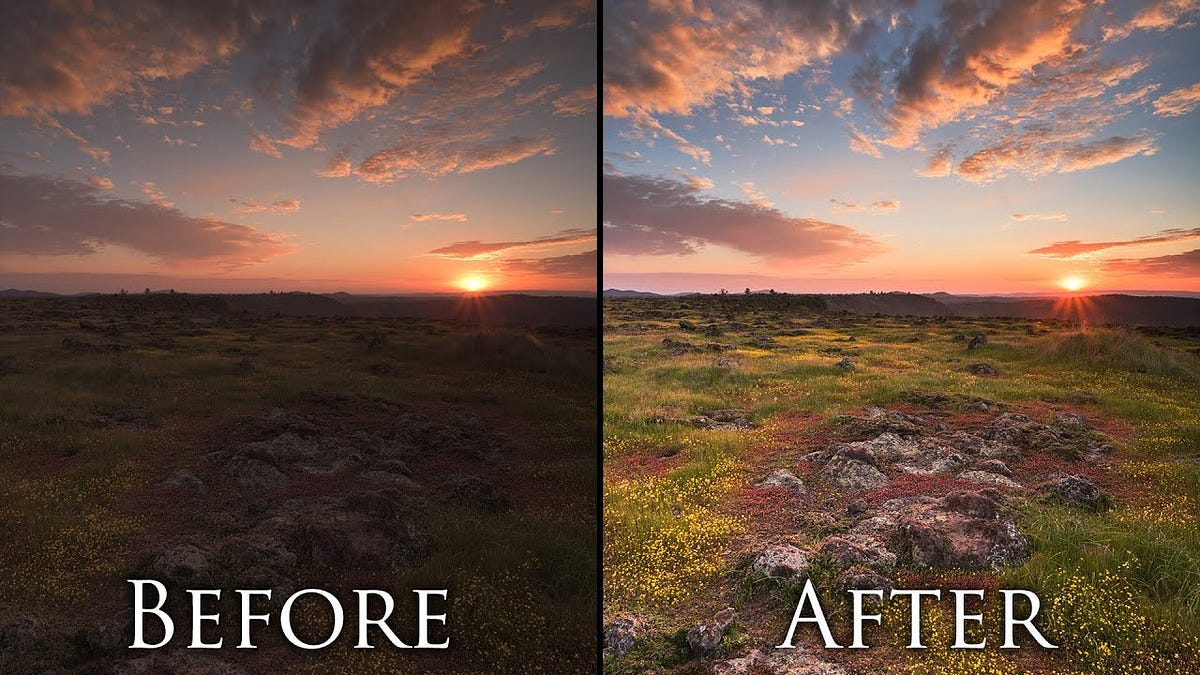
would be a little more helpful to provide a link to some
grizzled slate
was following the one on the unity website but will give that a shout thanks 🙂
ripe pumice
grizzled slate
was following the one on the unity website but will give that a shout thanks 🙂
could be you where following the one for the legacy pipeline
grizzled slate
https://docs.unity3d.com/Packages/com.unity.render-pipelines.universal@13.1/manual/integration-with-post-processing.html this is the one i was looking at
ripe pumice
grizzled slate
https://docs.unity3d.com/Packages/com.unity.render-pipelines.universal@13.1/manu...
oof, yea that one is missing all the urp steps
check the activated render features
verbal light
I have a singleton in my scene with a variable I want my scriptable render feature to know about. Is there a standard method for connecting the two?
 weak bridge
how do i fix this
 weak bridge
how do i fix this
weak bridge
weak bridge
how do i fix this
nvm fixed it
grizzled slate
ripe pumice
oof, yea that one is missing all the urp steps
oh on this too it was nothing project-wise that had setup wrong it was that I had the player camera generated at runtime without post-processing enabled, so nothing i was doing in editor was doing anything 🙂 stuck "camera.GetUniversalAdditionalCameraData().renderPostProcessing = true;" into the code and it's fixed it 🙌
void jungle
Can anyone tell me what are these black lines?
They are occuring on the edge of two meshes.

This is one mesh and the rest is the other mesh
 iron compass
void jungle
Can anyone tell me what are these black lines?
They are occuring on the edge of ...
iron compass
void jungle
Can anyone tell me what are these black lines?
They are occuring on the edge of ...
Could be related to anti aliasing and the mesh edges underwater being half-ignored by it in some intermediate render pass data
lofty lily
I thought that motion vectors existed in URP now? do they not?
I cant seem to find their global texture name and when I go into the frame debugger, theres no pass that uses or produces a motion vector texture