#🛠️┃probuilder
1 messages · Page 4 of 1
 young vapor
young vapor
young vapor
wdym the width is different
 barren oasis
u saw the window
barren oasis
young vapor
wdym the width is different
hi
tel;l; me whyu he gets a perfect window
and I dont
young vapor
barren oasis
tel;l; me whyu he gets a perfect window
huh what does your look like instead then? you showed me a completely different object
btw you can also just give loopcuts/edgeloop a try that might work better
young vapor
idk show me what yours looks like
young vapor
barren oasis
in my last video
you showed a different object
young vapor
the shapes are different
idk this stretching method I dont use it much like this, just use edgeloops and call it a day
the edges loops dont care about widths they always come out symmetrical
using stretch mode, if your outer wall is different size than inner wall its gonna give that issue idk why its different than video, it looks old as shit, im not surprised if something changed
barren oasis
then why dotn theyt ciome out symmetrical
:?"
on my house
@navoro
@young vapor
barren oasis
young vapor
the shapes are different
i wait for u
young vapor
barren oasis
then why dotn theyt ciome out symmetrical
like I said I'm not sure , so use Edge Loops Instead?
 knotty marsh
you are not selecting both faces it seems
barren oasis
knotty marsh
you are not selecting both faces it seems
do u know why this is?
knotty marsh
you have 2 verticies in eachother, and grabbed one of them
barren oasis
why do i have 2?
knotty marsh
you can select both of them and do SHIFT + drag while in Xray mode select and press M to merge by distance
I believe it was
barren oasis
I created a plane
knotty marsh
also you can just select all 4 verticies and press F to fill btw
barren oasis
shouldnt have more than 4
knotty marsh
correct, what makes you think it has more than 4? you may have extruded a vertex on accident
knotty marsh
you can merge them or select all 4 of the vertices you want to fill and press F
barren oasis
why is it that only the top vertecies have this issue?:
 haughty sonnet
barren oasis
why is it that only the top vertecies have this issue?:
haughty sonnet
barren oasis
why is it that only the top vertecies have this issue?:
you stopped using probuilder because its crap and now you have the same issues in blender?
also why are you asking blender questions in the probuilder channel. there is #🔀┃art-asset-workflow
 forest vortex
There's !blender
 rustic mauveBOT
A supportive community for Blender artists of all levels. Share your work, ask for help, and learn from others! https://discord.com/invite/blender
barren oasis
haughty sonnet
you stopped using probuilder because its crap and now you have the same issues i...
yes, I quit NoobBuilder
knotty marsh
yes you should probably ask in a blender server but this is an easy fix which I told you how to fix already
forest vortex
And it looks like they already have at the same time as here, and also arguing there as well instead of providing information.
knotty marsh
they asked in the blender discord? why ask here then, that's what I don't get
did I not give them the answer to their question as well?
barren oasis
Is there no probuilder window in Unity 6?

Oh its in the tool bar
That sucks (Really bad)
 supple saddle
barren oasis
Is there no probuilder window in Unity 6?
supple saddle
barren oasis
Is there no probuilder window in Unity 6?
i hate the new version lol
barren oasis
Me too, it’s awful
young vapor
there was no reason to touch it but the devs insist that "its better trust me bro" attitude its kinda annoying. Almost like bruh we use this shit every day now, you don't
 sage sinew
Hey so I want to make curved pathways for my horror game with pro builder. Is it possible in pro builder? if so how can I do it?
young vapor
sage sinew
Hey so I want to make curved pathways for my horror game with pro builder. Is it...
what kind of curved pathways
there are many ways to make curved paths
sage sinew
young vapor
what kind of curved pathways
Like when your in a forest and there are different path ways to take
it kind of curves
sage sinew
young vapor
and you would just sculpt the path
with poly brush?
young vapor
yes or terrain asset
sage sinew
so its not possible to make it in pro builder?
young vapor
it is but thats better if you want to make a solid ground path type thing
like a brick road or something
sage sinew
oh
young vapor
just extrude and set the origin to Center
sage sinew
alright thanks
 nimble steppe
Why doesn't uv appear?
 haughty sonnet
nimble steppe
Why doesn't uv appear?
haughty sonnet
nimble steppe
Why doesn't uv appear?
have you selected a face in the face mode?
nimble steppe
I already solve it , thanks to
 green jacinth
I'd like to set my probuilder model's pivot to another arbitrary unity transform. (I can get it close, selecting vertices nearby and doing a "set pivot to selection" but it's not perfect, I could do it if I could select a single vertex, position it where I want the pivot, and then setting a pivot, but I also don't know how to add a "loose" vertex to my model just for the sake of setting the pivot?
nimble steppe
How i can do this with my Probuilder? ||Credits to LemonMaster66||
green jacinth
nimble steppe
How i can do this with my Probuilder? ||Credits to LemonMaster66||
you import your floorplan as a texture, put it on a plane or quad and make a polyshape over it. like this: https://www.youtube.com/watch?v=dYBOBgfcTgY
but I think it's easier to extend boxes over your floor map and then invert normals like this: https://www.youtube.com/watch?v=AssT4YGgE3g
nimble steppe
green jacinth
you import your floorplan as a texture, put it on a plane or quad and make a pol...
tysm
 acoustic quarry
Hello, how do you edit an existing game object?
I want to edit Y measurement of my object
I'm working with Unity 2021.3.42f1
nvm I figured it out
young vapor
Hey guys, if you're having issues with pivot not being at the corner vertex even though you selected (first vertex) or the texture is not aligned because of it. Its a current bug I reported in PB 6
https://issuetracker.unity3d.com/issues/probuilder-shape-pivot-location-is-always-in-the-center-when-the-pivot-is-set-to-first-vertex-and-a-shape-is-placed-while-holding-shift
How to reproduce: 1. Create and open a new project 2. Install the ProBuilder package from Package Manager 3. Select the “Create Shap...
 pulsar roost
Is there a way to add more.. cuts (?) in this place? I want it to be smooth and curvy
 knotty marsh
pulsar roost
knotty marsh
yes, use loop cuts
https://docs.unity3d.com/Packages/com.unity.probuilder@4.0/m...
knotty marsh
pulsar roost
knotty marsh
yes, use loop cuts
https://docs.unity3d.com/Packages/com.unity.probuilder@4.0/m...
I know there are loop cuts, but I want this place to get curvy. If I add more loop cuts, I may have to position them manually
knotty marsh
you could make a loop cut in the middle and drag it out and bevel the edges, although I do not know if it works like blender 🤔
https://docs.unity3d.com/Packages/com.unity.probuilder@4.2/manual/Edge_Bevel.html
hm, I guess it does not create curved surfaces
pulsar roost
knotty marsh
hm, I guess it does not create curved surfaces
Is there any other way?
knotty marsh
I do not know any other easy way using probuilder other than loop cuts and or Blender
you could probably find an asset which deals with bezier curves and can extrude meshes onto them, or write your own (Probuilder does have a beziercurve function but you cannot change the shape I believe)
 hollow gust
barren oasis
Oh its in the tool bar
hollow gust
barren oasis
Oh its in the tool bar
Wait wtf, there's no specific window for all the Probuilder Tools anymore?
Have there been any updates to Probuilder that makes cutting out shapes from existing shapes easier? That's probably the one feature that's really missing for me in PB.
RealtimeCSG has it, but I don't think it's been updated in a while.
barren oasis
hollow gust
Wait wtf, there's no specific window for all the Probuilder Tools anymore?
Yes, probuilder is basically now built into the tool bar when you install it
young vapor
hollow gust
Have there been any updates to Probuilder that makes cutting out shapes from exi...
Boolean Operation, although its still considered "Experimental"
sage sinew
Hey I want to add blood on the floor and walls. could I do it with poly brush if so how?
young vapor
sage sinew
Hey I want to add blood on the floor and walls. could I do it with poly brush if...
better off using decal projectors
sage sinew
young vapor
better off using decal projectors
what are decal projectors?
young vapor
sage sinew
what are decal projectors?
 sage sinew
young vapor
https://docs.unity3d.com/6000.0/Documentation/Manual/urp/renderer-feature-decal....
sage sinew
young vapor
https://docs.unity3d.com/6000.0/Documentation/Manual/urp/renderer-feature-decal....
just watched some videos about it and my god!!!
never knew this existed lol
thanks!!!
going to enjoy this 😎
@young vapor Just tested this out and its amazing thanks!
young vapor
sage sinew
just watched some videos about it and my god!!!
one of those better be mine 😛 jk
young vapor
make sure to check GPU instancing
sage sinew
of course I will be using occlusion culling later on
sage sinew
young vapor
make sure to check GPU instancing
whats that and how?
young vapor
sage sinew
whats that and how?
its a checkbox, probably collapsed in the Advanced settings of the decal project or shader/material
sage sinew
young vapor
its a checkbox, probably collapsed in the Advanced settings of the decal project...
is this bad?
 young vapor
sage sinew
is this bad?
young vapor
sage sinew
is this bad?
hmm try restart unity as it says
sage sinew
I will
young vapor
i think its trying to reduce all the ones you have to 1
sage sinew
thanks for telling me about decal projector. I have so many ideas, can't choose one lmao
sage sinew
young vapor
i think its trying to reduce all the ones you have to 1
I restarted it and its fixed thanks!
@young vapor do you know where I can get free blood decals?
young vapor
sage sinew
<@968604165150507078> do you know where I can get free blood decals?
I usually cut / photoshop my own
internet is full of blod splats and stuff you just have to remove their bg , now days is easy af with those ai things too
sage sinew
young vapor
internet is full of blod splats and stuff you just have to remove their bg , now...
so I can just get a blood splatter thats a png?
young vapor
sage sinew
so I can just get a blood splatter thats a png?
yup you can use any png file just set up transparency correctly
sage sinew
@young vapor hey I have a decal on my door it has a open slide animation. How can I make the decal stick to it? I tried to parent the decal to the door but this happens.

Watch "PersonalProject - SampleScene - Windows, Mac, Linux - Unity 2022.3.26f1_ DX11 2024-11-22 19-31-56" on Streamable.
young vapor
sage sinew
<@968604165150507078> hey I have a decal on my door it has a open slide animati...
are the door and wall different layers? you could exclude the wall layer for that one
sage sinew
young vapor
are the door and wall different layers? you could exclude the wall layer for tha...
well the door has a layer called door
the wall doesn't have a layer just default
young vapor
so make that projector only project on door layer
otherwise try making the projection depth as small as possible so it tries going behind wall but its probably more jank
sage sinew
young vapor
so make that projector only project on door layer
how?
young vapor
sage sinew
how?
ah I think you have to use Rendering layers instead of regular layers
that should make it easier
sage sinew
what should I put the rendering layer as?
sage sinew
young vapor
ah I think you have to use Rendering layers instead of regular layers
should I name the door as the same as the rendering layer in my decal projector?
sage sinew
young vapor
check this first
I added the rendering layer now what?
I named it as the same layer as my doo
door
young vapor
sage sinew
I added the rendering layer now what?
did you read the page I sent
it describes the full process
sage sinew
young vapor
did you read the page I sent
yes still didn't work a bit confused
@young vapor never mind it WORKS!!!
just messed up the layers that all
green jacinth
I was able to reassign uv coordinates in the uv editor, it would show me the texture I would select my faces or vertices could snap and move them around, now all of a sudden my uv editor is blank, is there any common pitfalls or settings I can check?
 wet compass
Hi guys
What should i do if Extrude Edges doesn't work? Shift + drag also doesn't extrude it.
haughty sonnet
wet compass
Hi guys
What should i do if Extrude Edges doesn't work? Shift + drag also doesn'...
submit a bug report
wet compass
haughty sonnet
submit a bug report
did it send a report if it still asks me do i really want to close it?
haughty sonnet
wet compass
did it send a report if it still asks me do i really want to close it?
probably not
wet compass
haughty sonnet
probably not
they have a bug in bug reporter, nice👍
haughty sonnet
wet compass
they have a bug in bug reporter, nice👍
time to report that as well 😭
sage sinew
@young vapor rendering layers are so fucking awesome and the decal projector itself. Just made this level for my game 😎
 young vapor
sage sinew
<@968604165150507078> rendering layers are so fucking awesome and the decal proj...
young vapor
sage sinew
<@968604165150507078> rendering layers are so fucking awesome and the decal proj...
Looks good 🔥 decals are awesome indeed
 kindred bone
hi guys!
currently im using the Unity Probuilder right now, but i dont know how to divide object apart
such as above, im using extrude to created a "house" but now i want to spit them apart into 5 piece of walls
is there exist "sperate tool" in pro builder?
i really need helps, im a noob on modeling, Thanks!

@young vapor hi! can you help me? Really thanks!
young vapor
kindred bone
<@968604165150507078> hi! can you help me? Really thanks!
Hi, please don’t tag someone into your question who’s not actively helping you. It’s against server rules #📖┃code-of-conduct
With that being said, my suggestion would be to select the faces on each wall you want to separate as it’s own object and use the detach faces function.
https://docs.unity3d.com/Packages/com.unity.probuilder@5.0/manual/Face_Detach.html
kindred bone
young vapor
Hi, please don’t tag someone into your question who’s not actively helping you. ...
Okay, thanks for the help! i will being cautious next time!
So, is there any possible to delete the edge loop?
sage sinew
kindred bone
So, is there any possible to delete the edge loop?
I don't think you can delete an edge loop maybe I'm wrong idk I have never been in a situation where I wanted to delete an edge loop
kindred bone
sage sinew
https://discussions.unity.com/t/possibility-to-delete-edge-loop/800683
Thank you!
This is the situation that i want to delete the edge loop
they are so ugly

how can i solve it?
sage sinew
kindred bone
how can i solve it?
I guess this is the only way 🤷 https://youtu.be/iswAk99GmtA?si=n_I1M3QSGwiqp3KS

Using "Collapse Vertices" to clean up some unused edge loops.
kindred bone
Ok, thanks! but looks like probuilder still need to be updated, the functions of this tools are still not compeleted
if i want to do some advanced manual then i need to export my project into blender and do it in there
i cant just finished it unity
sage sinew
kindred bone
Ok, thanks! but looks like probuilder still need to be updated, the functions of...
Yh I have faced some things that are annoying to deal with like when subdividing an object and on one side there are loads of vertices and on the other parts there are either none or less vertices.
 wise glade
how do i stop the material from repeating after an edge in probuilder?
 inner oracle
Probuilder 6: Insert Edge Loop - Grid and Snap = 0.25, Adding the first X and Y edges work fine but any consecutive additions are 'off' (by maybe 0.10) and will not snap to the desired grids, why is that?
haughty sonnet
wise glade
how do i stop the material from repeating after an edge in probuilder?
use the UV editor
sage sinew
I am using decals to place these blood effects and how can I stop it from showing from the other side of the wall? If I reduce the projection depth it will not show anymore. I dont want to hide the decals on the walls as I need them to be on the wall not the other side as well.

Watch "PersonalProject - GameScene - Windows, Mac, Linux - Unity 2022.3.26f1_ DX11 2024-11-28 19-21-49" on Streamable.
I'm rotating it so it goes along the wall corners smoothly
sage sinew
sage sinew
I am using decals to place these blood effects and how can I stop it from showin...
@young vapor Sorry for bothering you, Do you know how to fix this? When adding to a decal on a wall how can I make it stop showing on the other side? I have rotated some decals so it smoothly blends on corners and I cant seem to stop it from showing on the other side of the wall and it looks ugly.
 lilac gust
I'm running into a weird issue with tris counts in probuilder

I've got this subdivided plane that I'm using for a bit of terrain here

as it stands, the plane's mesh has about 608 triangles in it, a pretty low amount
However, in the game scene, for whatever reason this same plane is apparently responsible for about **9000 **triangles, over 10 times the amount in the mesh.


The scene with and without the plane enabled
This seems to be happening to a bunch of probuilder objects, and it's driving the polygon count to be way higher than it should be for a fairly low poly scene
Any ideas on what could be causing this?
young vapor
sage sinew
<@968604165150507078> Sorry for bothering you, Do you know how to fix this? When...
Not really a code question. What happened when you reduce the depth of projection?
sage sinew
young vapor
Not really a code question. What happened when you reduce the depth of projectio...
When I reduce the depth of projection it doesn't show the decal where I want it to be and it stops showing on the other side
I need it to show where I want it to be and not show on the other side
young vapor
sage sinew
When I reduce the depth of projection it doesn't show the decal where I want it ...
play around with the projection cube, I'm sure it just needs some fine tuning
 ocean sequoia
https://i.imgur.com/8jYpwql.png
Any way to populate this with more tools? Looking to put on the Edge loop cut
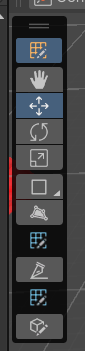
Also Alt-U is such a terrible hotkey for it
ocean sequoia
Oh, you can right click for more options. Alright got it
ocean sequoia
Well, new bug in 6 it seems. After you brick your mesh by doing an invalid fill/cut/collapse operation, probuilder itself becomes unresponsive, even if you undo the operation.
 verbal ridge
Anyone else having problem with say, combining gameobjects such as walls or floor, into one gameobject, and then put it to Static to have lighti bouncing of them, but it dosen't work :D?
sage sinew
verbal ridge
Anyone else having problem with say, combining gameobjects such as walls or floo...
Try probuilderizing your objects before merging
Just did a quick search that might help maybe 🧐
 sage sinew
 fervent terrace
ok i figured it out
fervent terrace
ok i figured it out
When using probuilder it has either a text or icon display to make it easy for you
Here is a nice tutorial that's helpful @fervent terrace
sage sinew
sage sinew
Here is a nice tutorial that's helpful <@212181791757303808>

Here's how you can easily create levels in Unity using ProBuilder!
This video is sponsored by Unity.
● Download the Project: https://ole.unity.com/pb_brackeys
● Learn more about ProBuilder: https://youtu.be/PUSOg5YEflM
❤️ Donate: https://www.paypal.com/donate/?hosted_button_id=VCMM2PLRRX8GU
··················································...
fervent terrace
sage sinew
https://youtu.be/YtzIXCKr8Wo?si=BD4l2ii5GtfOIVwB
yeah thats one ive seen
1:40, the probuilder window option is not there
id send a pic but manjaro hates screenshots when a dropdown is open
sage sinew
fervent terrace
yeah thats one ive seen
1:40, the probuilder window option is not there
You have to install it first..
fervent terrace
sage sinew
You have to install it first..
the TAB is there
some random probuilder options under a "probuilder" tab
but no window option
sage sinew
fervent terrace
the TAB is there
some random probuilder options under a "probuilder" tab
but no ...
Take a picture
First of all let me ask what are you trying to do?
fervent terrace
fervent terrace
id send a pic but manjaro hates screenshots when a dropdown is open
h .
sage sinew
sage sinew
First of all let me ask what are you trying to do?
@fervent terrace
fervent terrace
sage sinew
<@212181791757303808>
convert a square edge into a rounded edge
sage sinew
fervent terrace
convert a square edge into a rounded edge
You can't do that in pro builder
sage sinew
fervent terrace
convert a square edge into a rounded edge
You should do that in blender
It's easy to do in blender
fervent terrace
sage sinew
It's easy to do in blender
that much i know
tho last time i asked a blender-adj question i just got told to use probuilder
fervent terrace
sage sinew
Take a picture
 sage sinew
fervent terrace
~~tho last time i asked a blender-adj question i just got told to use probuilder...
sage sinew
fervent terrace
~~tho last time i asked a blender-adj question i just got told to use probuilder...
Well it depends on what you're trying to make. If you're aiming to make something rounded the easiest/fast way is blender. But you can use the poly brush in unity to round edges if you want
sage sinew
fervent terrace
Do you know how to use the poly brush tool?
fervent terrace
sage sinew
Do you know how to use the poly brush tool?
no
i just bevel'd the edges and called it a day
sage sinew
fervent terrace
no
Here is a quick video I made of me using it making a cave. https://youtu.be/DERk9q-t9gk?si=fr8k827JFi8Buo1I

How To Make A Cave In UNITY!
Recently I have been wanting to make a horror game (which I am currently working on) that is set in a catacomb like cave. I didn't want to use a modelling software like blender so I did some research and found out a cool tool called poly brush. I found of how to properly use it and decided to make a quick video on ho...
sage sinew
fervent terrace
* circular
I don't think you can
fervent terrace
pain
sage sinew
fervent terrace
pain
I think you can tbh
Just make a normal hole with loop cuts
And with the poly brush just smooth it out 🤷
That might work 🧐
fervent terrace
sage sinew
Just make a normal hole with loop cuts
how do you do tjat
sage sinew
fervent terrace
how do you do tjat
Make loop cuts on both sides of the object then select one of the faces and extrude it in then delete face then with the other face extrude it in as well but not all the way it then delete face
It's kind of hard to explain
I'm out right now when I come back I will show you if you haven't figured it out yet
fervent terrace
y4ah just tell me which button is the loop cut and ill prolly figure it out
cuz cant find it
sage sinew
fervent terrace
y4ah just tell me which button is the loop cut and ill prolly figure it out
It should say it in the probuilder window
If your using icons then I don't know
I use the text one
sage sinew
sage sinew
I use the text one
 haughty sonnet
fervent terrace
haughty sonnet
fervent terrace
did you watch this? probuilder has changed in unity 6 https://www.youtube.com/watch?v=cv4e8fH2kQs

From the designer himself (myself?), a complete comparison of ProBuilder 5 vs ProBuilder 6. Let me know if you would like details on anything!
 hushed bridge
unity 6 just installed, im holding ctrl and its not snapping. any clues?

fixed by changing "local" to "global"
hushed bridge
Both of these are at the same height.. I click on one, scale it up whilst holding ctrl. I click the other, scale it up whilst holding ctrl. They aren't snapping to the same values even though they started at the same. Anyone know why?


One scales to 2.85 the other 2.80
Meanwhile both starting at .70
Recreated it, not sure what happened I think one of the probuilder shapes were made on a different axis or somethin
Ffs I hate building shit in unity, I take a floor. Copy it, move it up. And it's not at the top even though I've used ctrl this whole time
Perfect, copy paste it. move it up. ah yes


And probuilder in unity 6 sucks
I make this wall on this floor, ctrl+d move it over.


 visual niche
Does anyone know the last version that was made before the unity 6 version
I cannot with this insufferable workflow. You cant even extrude edges anymore
Nevermind the last one with a window doesn't work with unity 6 anymore :(
young vapor
visual niche
I cannot with this insufferable workflow. You cant even extrude edges anymore
pretty sure it still works fine
yes the UI got funked but you get used to it
visual niche
Yeah I found out shortly after that you could right click for a quick context menu lol
I thought you had to manually go to the top bar and go through all the options
 crisp lichen
probuilder masters: any way to easily construct the thing im trying to achieve?
i have my basic terrain hex. in addition to the central (grass) hex, i want to have six segments that come in two variations that i can turn on and off as needed:
- a sheer segment (like as seen at the bottom of the hex unit) that will be used in all cases unless
- the height difference of adjacent is one lower, in which case i will use the sloped segment

maybe a better explanation of what im trying to do:

hope is with three meshes (hex, sloped segment, flush segment) i can programmatically turn on and off the proper segments
and then in mission setup, i can procedurally generate the hexgrid, use simple adjacency+altitude logic to determine which edge segments to turn on and off (slope or flush), and then bake navmesh allowing my tiny fighting men to use ai-navigation to move from hex to hex and look more natural
crisp lichen
ok this feels "good enough"

 dense heron
Not using Probuilder but realtime csg, and i've got a small problem. Am I able to ask here real quick anyways?
haughty sonnet
dense heron
Not using Probuilder but realtime csg, and i've got a small problem. Am I able t...
maybe in #💻┃unity-talk
 tame canopy
hi! i have a question, upon collision, how can i get the vertex color of the face that was hit?
tame canopy
or a way to have different groups of faces with some kind of tag that can be read in a collision?
because i'm trying to make a surface with walkable regions. I tried to use vertex colors to select which faces are walkable but i can't retrieve the color of the face that was hit
hollow gust
hushed bridge
unity 6 just installed, im holding ctrl and its not snapping. any clues?
Yeah it's either a bug or a missing feature in the Unity 6 version of Probuilder. No idea why beginning vertices aren't allowed to snap anymore
tame canopy
tame canopy
hi! i have a question, upon collision, how can i get the vertex color of the fac...
for anyone interested, the solution was to take the triangle at the faceIndex index and loop through it vertices, if all where from the color that indicates that the face is walkable then use the face, otherwise ignore it. The result looks something like this.
here's the code i used:
//I used this because i'm using ContactPairHeader.
//Search how to obtain the FaceIndex/TriangleIndex for your case.
int faceIndex = unchecked((int)pair.GetContactPointFaceIndex(i2));
Color32[] colors = pair.otherCollider.GetComponent<MeshFilter>().mesh.colors32;
int[] triangles = pair.otherCollider.GetComponent<MeshFilter>().mesh.triangles;

//If all vertices are of the default color (White), an empty array is returned. This is to prevent OutOfRange exceptions.
if (colors.Length == 0){
    continue;
}

bool isWalkable = true;
//Loop 3 tiems because triangles have 3 vertices.
for (int i3 = 0; i3 < 3; i3++){
    //Triangles are an array of 3 vertex indexes (Ex.: [1,2,3]) and an array of triangles are just the list of vertex indexes
    //(Ex.: [1,2,3,2,3,1,3,2,1...]). Multiply the triangle index by 3 to get the first vertex of a triangle, add 1 to get the
    //second and add 2 to get the third.
    //Using Hex for consistency.
    if (ColorUtility.ToHtmlStringRGBA(colors[triangles[faceIndex * 3 + i]]) != "93FF93FF"){
        isWalkable = false;
    }
}
 hollow ice
Hi I am using unity 2021.39 and I am not able to end editing my poly shape. I tried pressing enter, space, clicking on another objects, I am able to create new poly shapes but can't get this one to stop being in "edit" mode. Is there something i can do to stop editning the poly shape ?
 hushed bridge
hollow ice
Hi I am using unity 2021.39 and I am not able to end editing my poly shape. I tr...
hushed bridge
hollow ice
Hi I am using unity 2021.39 and I am not able to end editing my poly shape. I tr...
.. Escape?
hollow ice
hushed bridge
.. Escape?
doesnt't work too
hushed bridge
Uh perhaps try removing the component and seeing if that works
hollow ice
what do you mean? remove it and create new one ?
young vapor
young vapor
Hey guys, if you're having issues with pivot not being at the corner vertex even...
Ayee

 ebon saddle
can anyone please tell me why im getting this flicker with probuilder? it started happening when i extruded the cube face and then now whenever i move the camera around it looks like the lighting is flickering and bugging out


as soon as i stop the extrusion it goes away

 lyric mauve
no, I dont use Probuilder and do not ping random people #📖┃code-of-conduct
 spiral latch
ebon saddle
can anyone please tell me why im getting this flicker with probuilder? it starte...
spiral latch
ebon saddle
can anyone please tell me why im getting this flicker with probuilder? it starte...
I haven't seen this with ProBuilder, but I recognize this visual problem
It's caused by bloom. I've seen it with objects with a scale of 0 on one axis
Try turning off post-processing in the scene view. It's the dropdown menu three buttons from the left here.
 ebon saddle
god bless you
spiral latch
I also have this problem in my VRChat worlds when global illumination hasn't been baked
It's very weird
 restive snow
Is there a way to adjust the tiling of a material applied to a single face of an object? I’m trying to apply images to individual walls of a room, but the size of the image doesn’t match the wall.
haughty sonnet
restive snow
Is there a way to adjust the tiling of a material applied to a single face of an...
open the uv editor
restive snow
I was just coming across this. Stretch?
haughty sonnet
restive snow
I was just coming across this. Stretch?
probably, you can change the scale manually too if you want
restive snow
Thanks!
 unborn marsh
Okay, so I managed to get the basics of movement down but now I've kinda hit a roadblock in trying to make a house for my horror game. I managed to make a floor and four walls but I have no idea how to make a hole for a door or a window. Chatgpt (sorry) suggested ProBuilder or Blender, and both are kinda frustrating atm
How do I make a hole in the wall for a door or a window to go into?
young vapor
unborn marsh
How do I make a hole in the wall for a door or a window to go into?
You cannot cut unity primitve meshes, you use probuilder instead and use Edge loops to create cuts. Plenty of Tutorials on this
unborn marsh
Thank you
 chrome fjord
unborn marsh
Okay, so I managed to get the basics of movement down but now I've kinda hit a r...
chrome fjord
unborn marsh
Okay, so I managed to get the basics of movement down but now I've kinda hit a r...
Hey, I am tryna make a house too and also for a horror game, can you by chance send me the code or design if you are fine with that? That can help a ton, thx
unborn marsh
chrome fjord
Hey, I am tryna make a house too and also for a horror game, can you by chance s...
I just have a floor and walls 😭
Like, I can't even make one room yet lol
chrome fjord
unborn marsh
I just have a floor and walls 😭
Like, I can't even make one room yet lol
Even a image of that is good, like literally a screenshot can help me see what mine should look like
My games looks too basic so I need help fr lol
unborn marsh
Alright, I guess
I'll send a screenshot after I'm done cooking and eating dinner
chrome fjord
Thx man, that will really help me, like actually appreciated!
 quasi oasis
Hello, I'm trying to make "an isosceles triangle prism with an arcuate base". I know this is a horrible name. I'm basically trying to make a melee attack collider shape. I'm facing an issue when trying to make an arc base for this prism. Any tips?
 forest vortex
Would be easier to construct from the circle shape with radiated lines to the center. Turn segment of the circle into a side of this shape, then extend it.
quasi oasis
would you mind showing an example? I'm a beginner on ProBuilder
forest vortex
I don't have project handy with package installed.
Look at this shape https://docs.unity3d.com/Packages/com.unity.probuilder@5.0/manual/Cylinder.html
Set higher side count as you need. Delete everything except the triangular faces in the shape you need. Then extrude them to create prism. https://docs.unity3d.com/Packages/com.unity.probuilder@5.0/manual/Face_Extrude.html
haughty sonnet
 leaden falcon
or like lets say a whole house
leaden falcon
or like lets say a whole house
yeah
leaden falcon
alright
 opal forum
Does anyone know where to find a tool to merge?

I couldn't find the tool, I did try watching some YouTube but I can't find it
If you are confused I'm saying. In blender I'm talking about this tool.

 hollow grove
This might be an entirely dumb question, but I feel the need to ask. When extuding with probuilder, is it possible to keep the materials applied based on where they are? What I mean is, when I extude, all new polygons are one material type. So if I am making for example, an interior, I have to keep reapplying the walls, floor, ceiling, etc. Thanks everyone for any help you may can give. Have a great new years!
hushed bridge
Probuilder is shit for unity 6000
The snapping is pissing me off, things are NOT grid snapping properly. The settings are all in random placed, bring back the old ui.
I make a floor using grid snap, make a wall using grid snap, duplicate that wall and grid-snap it over. IT AINT WHERE IT SHOULD BE
 whole prawn
That looks like what I'd expect for where the pivot is
 tame star
Where’s Boolean the one that subtracts object from object making a cut out
young vapor
hushed bridge
are you building in center mode? Thats not good. You're best bet tbh is having the pivots at the corner of the walls. Ie the corner vert
young vapor
tame star
Where’s Boolean the one that subtracts object from object making a cut out
You could've googled btw
https://docs.unity3d.com/Packages/com.unity.probuilder@6.0/manual/boolean.html
tame star
young vapor
You could've googled btw
<https://docs.unity3d.com/Packages/com.unity.probuilder...
Yep could of done even tho it doesn’t show up in experimental and I don’t even have existential so that’s why I asked to see if they have made it not experimental that’s why I’m doing the thing in blender
young vapor
tame star
Yep could of done even tho it doesn’t show up in experimental and I don’t even h...
wdym doesnt show in experimental?
you just enable experimental in the probuilder prefences and its there

 severe sedge
How can I edit a line on pro builder
These buttons aren’t showing up

I am trying to edit a singular line
Nvm found it
 vale carbon
hushed bridge
I make a floor using grid snap, make a wall using grid snap, duplicate that wall...
vale carbon
hushed bridge
I make a floor using grid snap, make a wall using grid snap, duplicate that wall...
you can downgrade it in the manifest
 thorn moss
In ProBuilder Unity 6, how do I change the plane axis so that Y is the height and not Z? I don't want to solve it by rotating the Transform because it'd involve modifying more shader code. The Z is forced to be 0.001 or higher (can't set it to 0).
 haughty sonnet
thorn moss
In ProBuilder Unity 6, how do I change the plane axis so that Y is the height an...
haughty sonnet
thorn moss
In ProBuilder Unity 6, how do I change the plane axis so that Y is the height an...
maybe this can work? https://discussions.unity.com/t/probuilder-how-to-rotate-pivot/1505939
thorn moss
ah it kinda works with Freeze Transform (the Z turns into a very small value 3.72529e-09) I'll try it out more

One side-effect of Freeze Transform is after rotating the X by -90 and clicking Freeze Transform, the plane goes "weird"/rough (it was a perfect line before that), this is reproducible with all 3 materials I tried out e.g. UI Default.

 ebon widget
Hi all! Been awhile, sry, busy 🙂 Good news though ... used the weekend to whip up a whole new batch of tutorials specifically for ProBuilder 6, since the UI/UX has changed a good bit. Hope these help, and let me know if you'd like to see any specific other tutorials, I can try for time next weekend! 🙂
https://www.youtube.com/playlist?list=PLrJfHfcFkLM_a0jRCedjV2vJMcCSUHgb-

YouTube
Hello again everyone! It's great to be back with a full new set of tutorials for ProBuilder 6, in Unity 6. Since I work at Unity these days, but am rolling o...
ebon widget
opal forum
Does anyone know where to find a tool to merge?
Hi Lola - PB isn't quite as fancy as Blender, but you can use a couple options for this:
- Select the vert pairs to be merged, right-click in the scene, and choose "Collapse Verts"
- Or, use the Scale tool to pull them all tight to the center, then right-click and use "Weld Verts" ... you might need to delete those inner faces first, though, otherwise PB might leave them there.
ebon widget
leaden falcon
or like lets say a whole house
Digging back a bit, but just in case I can still be helpful 😛
... video for that! https://www.youtube.com/watch?v=CBa_opm3_GM

The full editions of ProBuilder and Polybrush are becoming part of Unity feature roadmap. Learn more: https://blogs.unity3d.com/2018/02/15/probuilder-joins-unity-offering-integrated-in-editor-advanced-level-design/
leaden falcon
Thx
young vapor
https://www.youtube.com/playlist?list=PLrJfHfcFkLM_a0jRCedjV2vJMcCSUHgb-
this is a good series! @ebon widget 🙏

YouTube
Hello again everyone! It's great to be back with a full new set of tutorials for ProBuilder 6, in Unity 6. Since I work at Unity these days, but am rolling o...
maybe mod can pin this in the channel ?
whole prawn
I'd pinned it already
 cursive flint
Hey guys so I just started tinkering a bit with probuilder to start learning level design and eventually create one of the levels for my first game. I just wanted to know if it's possible or if there is any option to select faces and turn those into a different shape. For example. I'm trying to create a two story level and those stories would be connected by two flights of stairs. The way I started doing this level was by creating a cube and started extruding it to create the first story and then created blocky stairs downwards to connect to the other story of the level. Now I have really big blocky stairs that don't look very natural obviously and I wanted to know if there is anyway to directly alter these into the Stair shape or if you guys have any tips or tricks to make this workflow a bit easier. Thanks in advance for any help 😄
ebon widget
Hey @cursive flint !
- Similar question above, this might help 🙂 #🛠️┃probuilder message
- As a general rule, don't try to connect everything. It's much better to stay flexible with your world, keep the stairs, floor, etc as separate objects. Sounds like you are trying to model them all as one chunk?
cursive flint
ebon widget
Hey <@285177660190228480> !
- Similar question above, this might help 🙂 https:...
Yeah that is what i was trying to do haha. Thank you very much for the help!
young vapor
 minor palm
How to get probuilder's window in Unity 6?
minor palm
How to get probuilder's window in Unity 6?
probuilder 6 doesn't have that, its all part of the unity context menus. When you select a probuilder brush the tools come up
https://www.youtube.com/watch?v=cv4e8fH2kQs
EDIT: new video: www.polysketchvr.com/probuilder
From the designer himself (myself?), a complete comparison of ProBuilder 5 vs ProBuilder 6. Let me know if you would like details on anything!
minor palm
young vapor
probuilder 6 doesn't have that, its all part of the unity context menus. When yo...
Oh I see
 indigo pecan
Can someone pls help me with my probuilder map?
I made this edit ages ago, I subdivided faces, then deleted them. How do I get the faces back so theres no hole in the wall?
 young vapor
indigo pecan
I made this edit ages ago, I subdivided faces, then deleted them. How do I get t...
young vapor
indigo pecan
I made this edit ages ago, I subdivided faces, then deleted them. How do I get t...
You can try select all the edges and do Fill Hole
indigo pecan
ok
indigo pecan
young vapor
You can try select all the edges and do Fill Hole
Thats what happens

@young vapor ?
young vapor
indigo pecan
Thats what happens
I meant only select the 3 edges by the door
young vapor
make a vid
indigo pecan
aight
young vapor
you can also try to extrude(hold shift while move) the top edge to the bottom part
indigo pecan
I only select the 4 edges
It wont let me send the vid
I only select the 4 edges, I hit cntrl e, then that happens @young vapor
young vapor
indigo pecan
It wont let me send the vid
 young vapor
indigo pecan
I only select the 4 edges
young vapor
indigo pecan
I only select the 4 edges
did you try only the left and right edges of doorway
indigo pecan
nope
indigo pecan
young vapor
did you try only the left and right edges of doorway
Didnt work. Did the same thing
young vapor
indigo pecan
Didnt work. Did the same thing
not sure then. Try the extruding
indigo pecan
young vapor
not sure then. Try the extruding
alr did
i tried it the best i could, but there was still tiny gaps in the wall
young vapor
why would it be a gap? is the top not the same width ?
indigo pecan
young vapor
not sure then. Try the extruding
I want the faces back to EXACTLY how they were before I deleted them
indigo pecan
young vapor
I told you what I would try to do, if it doesn't work I'm not sure
can u hop on a call so I can show u?
Smh i made it worse
 young vapor
indigo pecan
can u hop on a call so I can show u?
young vapor
indigo pecan
can u hop on a call so I can show u?
I'm kinda busy sorry
indigo pecan
algs
young vapor
indigo pecan
Smh i made it worse
just extrude the top to bottom while its grid locked
indigo pecan
young vapor
just extrude the top to bottom while its grid locked
how tf I grid lock it?
young vapor
indigo pecan
how tf I grid lock it?
use the Grid
also just moving shift moving the green arrow to extrude should go straight down
 void tendon
Hey, guys! I want to edit and work with pro builder but I really cant find the edit and building tools that needed for this purpose because I am using Unity 6. Could you please help?
young vapor
void tendon
Hey, guys! I want to edit and work with pro builder but I really cant find the e...
the probuilder winow nolonger exists had you scrolled up, now its done through Context menu
void tendon
young vapor
the probuilder winow nolonger exists had you scrolled up, now its done through C...
You mean that the editing tools are in here?

I see only two options
When I am clicking on a cube for exampole
example
young vapor
void tendon
When I am clicking on a cube for exampole
you have to click a proBuilder mesh and it wll show up as the extra button up top
its yellow

make new shape here, select it. You will see the new button
 craggy spear
Anyone know why i cannot make my cubes bigger with probuilder? As you can see in the image i am trying to make the cube bigger in z axis but nothing happens even tho i pull the scale tools thingy. Every other axis works but if i wanna make the cube just longer, wider etc nothing happens... I might be doing something wrong its my first time using probuilder haha


 young vapor
craggy spear
Anyone know why i cannot make my cubes bigger with probuilder? As you can see in...
young vapor
craggy spear
Anyone know why i cannot make my cubes bigger with probuilder? As you can see in...
just grab the face and use move tool to extend it
You should check out this series https://www.youtube.com/playlist?list=PLrJfHfcFkLM_a0jRCedjV2vJMcCSUHgb-

YouTube
Hello again everyone! It's great to be back with a full new set of tutorials for ProBuilder 6, in Unity 6. Since I work at Unity these days, but am rolling o...
craggy spear
young vapor
just grab the face and use move tool to extend it
It is not moving in the first picture i am pulling the face with scale tool but as you can see the tool is just moving but face does nothing
Or do i need to use move tool when editing faces..?
young vapor
craggy spear
It is not moving in the first picture i am pulling the face with scale tool but ...
you should use the move tool, not the scale tool
since you're moving the face to extend the shape
 indigo panther
as u can see the walls are made of 3D cube, at corners the 3D cubes are designed that way.
My question is, you have a plane/mesh inside the boundary which fits inside, how do u make that? and the differntly shaped cubes as well?
Can u do this with probuilder?
also there can be many levels? which is the optimal way
 young vapor
indigo panther
as u can see the walls are made of 3D cube, at corners the 3D cubes are designed...
young vapor
indigo panther
as u can see the walls are made of 3D cube, at corners the 3D cubes are designed...
are you saying you want to make a floor or walls this? Kinda confused what this image supposed to show
maybe you want the PolyShape tool ?
 indigo panther
young vapor
are you saying you want to make a floor or walls this? Kinda confused what this ...
indigo panther
young vapor
are you saying you want to make a floor or walls this? Kinda confused what this ...
i mean this

 young vapor
indigo panther
i mean this
young vapor
indigo panther
i mean this
those are regular unity cubes no? What do you want to do here exactly
indigo panther
to fill a mesh/plane inside the imaginary boundary formed by cubes
whatever might be the shape, it should just fill inside
young vapor
indigo panther
to fill a mesh/plane inside the imaginary boundary formed by cubes
afaik probuilder can't do such a thing
indigo panther
young vapor
afaik probuilder can't do such a thing
so what can?
young vapor
You would need some type of flood fill algorithm or something
young vapor
It would have to be custom built or get an asset that does it, its not an easy thing to do, the algorithm has to know all the bounds first then attempt to fill the area.
If you are looking to automate it the least you need is a script
indigo panther
young vapor
It would have to be custom built or get an asset that does it, its not an easy t...
i see, thanks!
young vapor
best of luck 
 civic oxide
Hey guys, quick question, is there a way to set probuilder to only create shapes that line on a grid.
I know about holding Ctrl for set gradations, but I'm thinking even further, when you start building a shape the first point will be in a precise location, I'd like even that first point to be constrained by the grid interval I set, is that possible?
young vapor
civic oxide
Hey guys, quick question, is there a way to set probuilder to only create shapes...
If you have your grid snap on it should be able to, make sure you put the pivot mode to Global though. iirc Local doesn't work just yet
 civic oxide
hell yea, that was the missing link, thanks!
 dusk ingot
I just updated to ProBuilder 6 ...where is the window with the functions?
young vapor
dusk ingot
I just updated to ProBuilder 6 ...where is the window with the functions?
no such thing anymore . Its all done through context menus , the probuilder tools come up when you select a probuilder mesh
https://docs.unity3d.com/Packages/com.unity.probuilder@6.0/manual/whats-new.html#whats-new-in-version-60
https://www.youtube.com/watch?v=cv4e8fH2kQs
EDIT: new video: www.polysketchvr.com/probuilder
From the designer himself (myself?), a complete comparison of ProBuilder 5 vs ProBuilder 6. Let me know if you would like details on anything!
dusk ingot
young vapor
https://docs.unity3d.com/Packages/com.unity.probuilder@6.0/manual/whats-new.html...
Thx!
 grizzled mortar
Hello, anyone know the way to "split" a part of an object, based on selected faces? i have this selected, and i want to seperate it into a stump mesh

i tried boolean with a seperate object, but it cant seem to do a round face, so parts of it arent there
young vapor
grizzled mortar
i tried boolean with a seperate object, but it cant seem to do a round face, so ...
Detach Faces
grizzled mortar
thank you nav, i may of not been very smart by not reading about the tools before trying to use them
 faint carbon
Does anyone know of any tutorials or videos or guides of how to make buildings in probuilder?
young vapor
faint carbon
Does anyone know of any tutorials or videos or guides of how to make buildings i...
The full editions of ProBuilder and Polybrush are becoming part of Unity feature roadmap. Learn more: https://blogs.unity3d.com/2018/02/15/probuilder-joins-unity-offering-integrated-in-editor-advanced-level-design/
faint carbon
young vapor
https://www.youtube.com/watch?v=CBa_opm3_GM
Thank you
 sinful cloak
Hello guys, I'm needing help.
I'm trying to build a wall with probuilder. So I place a cube, it is perfect.
But I need to do a corner, so i created a pillar that you can see.
And after this pillar, I recreate (with shift) another cube that I extend.
But this time, it is doing not like the first wall.
Can someone help me (ps: I'm not really good)


 young vapor
sinful cloak
Hello guys, I'm needing help.
I'm trying to build a wall with probuilder. So I...
young vapor
sinful cloak
Hello guys, I'm needing help.
I'm trying to build a wall with probuilder. So I...
are you extruding or stretching ?
its hard to see from this prospective what you did exactly
sinful cloak
I did press shift and slide move cursor
young vapor
sinful cloak
I did press shift and slide move cursor
on the face ?
like you extruded the face?
sinful cloak
young vapor
on the face ?
yes
green jacinth
What's the best practice if I edited some asset with probuilder, should I export it as an asset? as obj? or is it completely fine to ship probuilder objects in production?
 junior sorrel
green jacinth
What's the best practice if I edited some asset with probuilder, should I export...
junior sorrel
green jacinth
What's the best practice if I edited some asset with probuilder, should I export...
export as asset or obj, probuilder meshes get recreated when instantiated (performance overhead), they also don't cooperate well with prefabs. Consequently they are not suitable for release.
 dusky yarrow
is there a way to separate a concave mesh into convex elements automatically?
junior sorrel
dusky yarrow
is there a way to separate a concave mesh into convex elements automatically?
No
sage sinew
 clear root
<@1281960215373418516> something like this
clear root
<@1281960215373418516> something like this
are you using probuilder?
clear root
not for that video no.. its quicker to use blender
ud need to probably manually drag the lines/edge-cuts upwards 1 by 1 w/ probuilder
make cube.. extrude 1 side -> | then again -> | then again -> |
until u have enough loop cuts
        ^   ^
``` then you'd select the middle of the arches pull them up the most
then the two outside of those a little less..
then the last ones would make the little arch posts or w/e sage sinew
your a genius I'm trying this right now
clear root
just simple modelling brain 🙂
best advice:
start with the most basic shape of the thing ur trying to create..
add loop cuts as needed (but only as needed)
then u end up with a nice low-poly model
sage sinew
clear root
best advice:
start with the most basic shape of the thing ur trying to create..
...
I added some loop cuts and moved them up and it looks good but how do I get a more rounded shape?
 clear root
should go from this -> to this -> to this
 clear root
sage sinew
I added some loop cuts and moved them up and it looks good but how do I get a mo...
clear root
sage sinew
I added some loop cuts and moved them up and it looks good but how do I get a mo...
close.. u need 3 edges to form the bottom of each arch

rather than the single one u have now..
sage sinew
clear root
close.. u need 3 edges to form the bottom of each arch
I'm so confused wdym 3 edges? this is what I got so far lol

 clear root
clear root
clear root
just study this image.. each green line is a LOOP-CUT.. or one of those blue lines u got up there..
select the bottom edge only.. and move it up..
(but u need atleast 2 to be the same level vertically to make the bottom of each arch post or w/e)
instead of ur screenshot where u only have 1 (making it a point)
see this is fine..

this wasn't lol
 clear root
clear root
clear root
anyway.. this image should be good enuff reference to build what ur trying to build
you need atleast (5) going around the arch to make it something other than a hard corner..
i think (7) is a good number
 sage sinew
clear root
just study this image.. each green line is a LOOP-CUT.. or one of those blue lin...
sage sinew
clear root
just study this image.. each green line is a LOOP-CUT.. or one of those blue lin...
which one should I move up? I might be doing it wrong.
 clear root
grab the yellow one at the bottom. move it up halway of the block..
then the one to the right and the one to the left of that.. drag those up 1/4 of the way up..
clear root
sage sinew
which one should I move up? I might be doing it wrong.
take ur time.. and think about it
- the top of the arch needs to have as many edge loops to the left and to the right..
- you need atleast 2 edges to make the bottom parts flat..
- the rest (the ones in the middle of those two form the arch
- the more edges you add the more u can smooth out that arch
sage sinew
Bro did it I get what you mean now but it comes out looking un even
clear root
more loops = more smooth
sage sinew
thanks im going to mess around with it XD
clear root

 clear root
sage sinew
thanks im going to mess around with it XD
clear root
sage sinew
thanks im going to mess around with it XD
np, 🍀 good luck..
practice makes perfect 🙂
sage sinew
Do you do this for each one? @clear root

Watch "ShootBallGame - Level 0 - Windows, Mac, Linux - Unity 2022.3.26f1_ DX11 2025-02-13 15-17-41" on Streamable.
clear root
sage sinew
Do you do this for each one? <@317141358894645248>
https://streamable.com/qnu...
to be faster and symmetrical u can select both of those at the same time
so they're identical when u move them
shift + click
but yea thats the idea..
and its probably better to make (1) arch.. and use it like a prefab
just snap them together to form ur bridge or w/e
sage sinew
clear root
to be faster and symmetrical u can select both of those at the same time
your the best ❤
 clear root
aye! see wasnt that hard 🙂
sage sinew
Its SOO EASY
I thought it would be hard
it was only hard cause I was just confused lol
THANKS!
clear root
nah, super simple
u can make all kinds of shapes w/ cubes

make a loop anywhere theres an angle.. and just drag around the outside lines to get the shape u want 😉
sage sinew
clear root
u can make all kinds of shapes w/ cubes
It looks way better than before!

To make these shapes should I just reduce the size on the Y?
 clear root
the little cobble stones?
id probably place them by hand.. (new objects)

- start basic (sillhouette)
- slowly add detail
- stop before u add too much detail
 formal relic
 young vapor
formal relic
young vapor
formal relic
See Console for more details
 wet atlas
in the new probuilder, how can I see how many edges I selected?
I used to be able to see them in the probuilder window
formal relic
young vapor
See Console for more details
says thw same thing
 formal relic

 formal relic
I will have to restart my project not since this isn’t being fixed
formal relic
formal relic
can't make any projects at all
junior sorrel
formal relic
can't make any projects at all
How much free space do you have on that drive?
formal relic
junior sorrel
How much free space do you have on that drive?
200gigabytes
craggy spear
Why is it creating those faces/walls or whatever called inside the cube when i make it bigger 😄


Never had it do that before
 cunning jackal
craggy spear
Why is it creating those faces/walls or whatever called inside the cube when i m...
cunning jackal
craggy spear
Why is it creating those faces/walls or whatever called inside the cube when i m...
What do you mean? Are you talking about a two sided face? If so, that's either because of your material (doubled-sided enabled) or because you're in the debug draw mode in your scene view (evident from the screenshots).
craggy spear
cunning jackal
What do you mean? Are you talking about a two sided face? If so, that's either b...
No. Whenever i extrude multiple faces at once it generates that ”wall”/face inside the piece as seen in the first picture. And it has never before done that so is it some setting etc and how do i turn it off haha
craggy spear
cunning jackal
What do you mean? Are you talking about a two sided face? If so, that's either b...
It is definitely that double sided issue, because when i select a face there is a grayed out ”set double-sided” option, but in another project where this issue is not happening does not show that option at all anywhere😄 How do i fix this, the material used does not have double-sided toggled on.
craggy spear
Anyone have any ideas how to fix this?
grizzled mortar
Hello, ive looked everywhere, and there doesnt seem to be a scriptingAPI Doc reference for probuilder? im wanting to looking at all the methods it provides, such as filling holes, subdivide faces, detach faces, select loop
young vapor
grizzled mortar
Hello, ive looked everywhere, and there doesnt seem to be a scriptingAPI Doc ref...
grizzled mortar
guess i didnt put in the right keywords. im sorry for my uninformed question. when i searched up probuild scripting api none of the results showed them.
young vapor
ya google is weird sometimes. Usually if you can find the manual version like the package i click here
 craggy spear
young vapor
ya google is weird sometimes. Usually if you can find the manual version like th...
craggy spear
young vapor
ya google is weird sometimes. Usually if you can find the manual version like th...
Nav, do you have any ideas what might be the solution for my issue that i explained couple messages up? Still have not figured it out 😄
young vapor
craggy spear
Nav, do you have any ideas what might be the solution for my issue that i explai...
ill take a look when i get back in unity im not at workstation, cant verify
cunning jackal
craggy spear
It is definitely that double sided issue, because when i select a face there is ...
instead of extruding, try simply using the move tool to move the face forward, because extrude generally will create a new face extruding out from the existing one
craggy spear
cunning jackal
instead of extruding, try simply using the move tool to move the face forward, b...
I am doing that 😄 I am not using the Manual option but just pulling but still it does that. It only does on this specific project, in others no.
cunning jackal
craggy spear
I am doing that 😄 I am not using the Manual option but just pulling but still i...
maybe theres multiple faces in that same spot, try moving the extra face
 obsidian pecan
Hi there! I'm trying to subdivide a Poly Shape created with probuilder, but I'm having a hard time doing this. Is it even possible to subdivide it? just clicking on subdivide object, it comes out a little bit weird, ends up not being what I need to add textures to it
When creating a shape with just the "new shape" option, the plane will have plane settings wich include height cuts and width cuts but I don't see this anywhere with poly shapes.
 forest vortex
Have not used ProBuilder in a while, but just a reminder, if you find some options limiting, you can always drop the mesh into another editor like Blender and modify there.
Mesh can be integrated back into ProBuilder with "Probuilderize" command.
obsidian pecan
Hmmm yeah, interesting. Thanks!
grizzled mortar
Hello, whats the major difference between probuilder vertexs and regular vertex's? when looking at the docs the probuilder has position, normal, tanget, and uv1-4, but in regular mesh, vertexes are just vectors3 in local space (Just the position)? do i have to worry about any of the other properties when changing the position of vertx?
junior sorrel
grizzled mortar
Hello, whats the major difference between probuilder vertexs and regular vertex'...
probuilder mesh representation has topology information used for a nicer modelling experience, unity meshes are geared exclusively for render performance and have zero topology info stored, just the raw data needed to know where a triangle is.
craggy spear
Does Probuilder offer any hidden face automatic deletion tool thingy? I just selected very big part of my build to extrude it at once but apparently Probuilder DECIDED TO PLACE 30 OVERLAPPING FACES under every single face. So its very enjoyable to spend one minute to spam delete/select on one face at a time....
 hallow folio
Why does my mesh keep resetting?
I don't get it
Is this plugin broken? Or abandoned?
young vapor
no?
haughty sonnet
hallow folio
Why does my mesh keep resetting?
when
 covert coral
anyone know how to fix this? i cant delete this one face from a plane i cut it out from no matter what i do
edit: nvm i just redid the walls :I
hallow folio
haughty sonnet
when
Anytime I make mesh changes it reverts to the original, I give up, it's too unstable vs just using Blender
 half horizon
Is there any documentation related to why probuilder stuff can inconsitently just explode when in the context of a prefab instance
void tendon
Hey, guys! Do you know why this is happening when I am trying to create a cube in pro builder?

Two faces of the cube are black but the other two faces are just fine white
I think the problem has to do with the directional right
junior sorrel
void tendon
I think the problem has to do with the directional right
what problem?
barren oasis
void tendon
That lighting problem is unreleated to probuilder
void tendon
barren oasis
That lighting problem is unreleated to probuilder
What I mean is why the two sides are black and the other are white?
All of the faces should be white instead of black
barren oasis
void tendon
What I mean is why the two sides are black and the other are white?
It’s because of your lighting in your scene, it’s not probuilder
 visual spire
How do I optimize the process of building? Right now I'm doing this, and it feels super not-optimized.
Is there any way to make this more efficient?
Say, I want little variation in the platform height, like, 0.01 variation, how do I do that Not manually
 junior sorrel
visual spire
How do I optimize the process of building? Right now I'm doing this, and it feel...
junior sorrel
visual spire
How do I optimize the process of building? Right now I'm doing this, and it feel...
select all the relevant objects and type R(-0.01, 0.01) into the y-field of the transform to randomize the y-value in the range -0.01 to 0.01, you can also distribute positions of selected objects in a range by using L(start, end)
visual spire
junior sorrel
select all the relevant objects and type `R(-0.01, 0.01)` into the y-field of th...
Huh. Interesting.
Is there docs for this where all such commands are shown?
Would I enter L(start,end) in the X position field?
junior sorrel
visual spire
Huh. Interesting.
Is there docs for this where all such commands are shown?
you can do all the stuff that the ExpressionEvaluator class can handle. L and R are specific to the editor usage to generate numbers based on selected objects. https://docs.unity3d.com/6000.0/Documentation/ScriptReference/ExpressionEvaluator.html
visual spire
junior sorrel
you can do all the stuff that the ExpressionEvaluator class can handle. L and R ...
Is it just L and R there? Where did you find about the R and L? R being Random and L being Length?
I'd like to read more about this, but nothing's online.
I don't see the L and R in the docs.. It seems to be in general for math expressions.
I'd be thankful if you could help me find All theh commands I can do from the Editor.
I found it, so no worries
Thanks for the pointing
For anyone wondering, was here:
https://docs.unity3d.com/Manual/EditingValueProperties.html
 warm echo
Can someone help me out, I have no option to see the pro builder window in my version of unity. It is driving me crazy trying to see why this is happening to me:
I am selecting a probuilder cube but I dont see the window there by my inspector any idea whats going here?

https://discussions.unity.com/t/probuilder-window-missing-in-unity-6/944138/6
This is it wow that sucks might have to go back to unity 5 then
 gentle lake
Hi, when I create a Polyshape from a perfectly perpendicular angle (or close enough), it doesn't create an object, leaving an unselectable pinkish version of my shape. Anyone know how to fix this?
 haughty sonnet
warm echo
https://discussions.unity.com/t/probuilder-window-missing-in-unity-6/944138/6
Th...
haughty sonnet
warm echo
https://discussions.unity.com/t/probuilder-window-missing-in-unity-6/944138/6
Th...
or just get used to the new workflow? also going back to a unity version from 10 years ago seems like an overreaction
young vapor
maybe they meant Probuilder 5
tbh thought I'd miss the old Window but when working on 2022 projects , turns out it is indeed quicker with the context menu because you always get the relevant options without losing focus on the object by looking at another tab/window
maybe if you're used to Icon mode it does throw you off.
Reading the labels to always find something related does distract real quick having to scan through the list
 tender ridge
Is there a way to have the probuilder window in unity 6 by downgrading or something? I've used it for around 3 years now and it's nearly impossible to switch
 spiral dagger
Does anyone know if it is problematic to have more than one terain combined?
I would like to avoid mixing the natural ground of the trail with the bush.
 neon dock
Probuilder is almost perfect imo
Just not as fast enough like TrenchBroom or even Blender
young vapor
!collab
rustic mauveBOT
:loudspeaker: Collaborating and Job Posting
We do not accept job or collab posts on Discord.
Please, use Discussions to promote yourself as job-seeking, advertise commercial job offers, or look for non-commercial projects to participate in:
• Collaboration & Jobs
 orchid nest
young vapor
!collab
orchid nest
young vapor
!collab
Only english or French ?
grizzled mortar
Hello! With UV: Manuel Mode, is there any way to insert vertexs on a mesh so that the uv map also automatically subdivides, when you have to move the vertex positions yourself? basically trying to get a set of vertexs that share a commen y value on a slanted mesh.

 sly summit
Hey, I need to inset this part, I know if I have to press SHIFT and select the scale tool but I wanted to ask if there's a way to do that by setting values instead of using the scale tool which is not precise enough 😬 please ?

 bleak elm
Guys... attention question
what is the best and most convenient addon for unity, for level design
At the moment I use Pro Builder and GSC Realtime, but their use makes me sad
Pro Builder, after some update became less intuitive and inconvenient, and in general does not cover all my needs as a level designer and an artist designer
And GSC Realtime... convenient, almost like in UE5... BUT, it hasn't been updated for a long time and it constantly throws up errors and bugs that are difficult to solve
is there really not a single full-fledged tool for unity that would help a level designer
 karmic jungle
bleak elm
Guys... attention question
what is the best and most convenient addon for unity,...
karmic jungle
bleak elm
Guys... attention question
what is the best and most convenient addon for unity,...
genuinely the source 2 hammer editor is the best map making tool i’ve ever used, i’d look into it
bleak elm
karmic jungle
genuinely the source 2 hammer editor is the best map making tool i’ve ever used,...
but how... for unity
karmic jungle
you can export directly to FBX, you just need a source 2 game to access it which is the only sorta annoying part
export to fbx, use the fbx file in unity like a model file
done and dusted
it has really good UV tools and a really good grid system i kinda felt stupid for not using it before
i have to use it more to get a good workflow down but it’s absolutely useable
bleak elm
karmic jungle
it has really good UV tools and a really good grid system i kinda felt stupid fo...
Are you really using it for Unity?
karmic jungle
yeah, i can show you an example one sec
bleak elm
karmic jungle
yeah, i can show you an example one sec
Yes, go ahead, I'll be very grateful
karmic jungle
bleak elm
Yes, go ahead, I'll be very grateful
https://streamable.com/l07rj5 unrelated video but this little environment was made as a test with hammer
i think you’d have to weigh if it’s worth working through something that wasn’t really
made specifically for that workflow but for my purposes so far it’s worked really well
it’s made by valve so it’s just insanely high quality
bleak elm
designers at many levels say that it is unprofessional "not in Unity" to do blocking, since it takes too much time
karmic jungle
personally i’d try stuff and see what works best for you before what’s “professional”
bleak elm
anyway, thanks for the info, maybe if I need complex geometry, I'll try hammer 2.
(addition) I once made maps in hammer 1 for garrys mod, I wanted to hang myself from its inconvenience: )
karmic jungle
oh i know lol, they really improved hammer for source 2 it’s kinda nuts
probuilder honestly also makes me want to jump which is why i went looking for another solution, but it’s whatever works best for your workflow really
haughty sonnet
bleak elm
designers at many levels say that it is unprofessional "not in Unity" to do bloc...
imo if you do blocking in unity but later have to go to another program to recreate all the blocking you've done takes 10 times as long, doesnt it? or are they doing it differently
ocean sequoia
Is there a way to reposition verts by coordinates exactly? Trying to smooth a group of verts after collapsing them is a pain in a butt
 mighty gyro
ocean sequoia
Is there a way to reposition verts by coordinates exactly? Trying to smooth a gr...
mighty gyro
ocean sequoia
Is there a way to reposition verts by coordinates exactly? Trying to smooth a gr...
yes,

 fallow saddle
Hi im new to this discord and im a unit student currently creating a stealth platformer game in Unity for my final year project. Currently struggling with how to just have a consistent concrete texture for the ground. can someone help?
i just want the whole level to have a concrete ground, on which i can later decide to put grass or other floors on top of
 haughty sonnet
fallow saddle
i just want the whole level to have a concrete ground, on which i can later deci...
haughty sonnet
fallow saddle
i just want the whole level to have a concrete ground, on which i can later deci...
Tools > ProBuilder > Editors > Open Material Editor
this lets you add a material on it and then use Open UV Editor to change the UVs
 cyan dawn
hellow, im new in here
i made a game its a simple proyect, and i made a build of the proyect but when i run the .exe file, its start with the unity logo and then it stays loading in a grey screen}
haughty sonnet
cyan dawn
hellow, im new in here
i made a game its a simple proyect, and i made a build of...
is this related to probuilder? otherwise go ask in #💻┃unity-talk
 hybrid island
Hi I've been trying for the past 3 hours to execute probuilders "Merge Objects" via script. Basically I want to merge all children of a parent. I haven't written the destroy all children part since I haven't been able to get the first part working
    public void MergeProbuilderizedChildren()
    {
        ProBuilderMesh targetMesh = this.gameObject.GetComponent<ProBuilderMesh>();
        if(targetMesh == null)
        {
            this.gameObject.AddComponent<ProBuilderMesh>();
            targetMesh = this.gameObject.GetComponent<ProBuilderMesh>();
        }
        List<ProBuilderMesh> meshesToCombine = new List<ProBuilderMesh>();
        foreach (Transform child in transform)
        {
            meshesToCombine.Add(child.gameObject.GetComponent<ProBuilderMesh>());
        }
        List<ProBuilderMesh> resultMeshes = CombineMeshes.Combine(meshesToCombine, targetMesh);
    }
this is the function I have so far.
plz ping me if anyone has a solution
 deep river
hybrid island
Hi I've been trying for the past 3 hours to execute probuilders "Merge Objects" ...
deep river
hybrid island
Hi I've been trying for the past 3 hours to execute probuilders "Merge Objects" ...
First off I normally don't respond on here so bare with me. So what is happening, I might be the idiot here but I am going to need more info, is it running and not doing the task is it only partially working or is it not compiling?
Just a tip but "The correct way to check for nullity is if(data != null)" it seems a little pedantic but its not.
hybrid island
The code I have is basically not working at all. No compile errors though according to VS
Based on the documentation I assumed that I input list and set output target and I'll work but apparently I'm doing something wrong
deep river
hybrid island
Based on the documentation I assumed that I input list and set output target and...
Yeah the documentation can be a slog, so I feel you there. Unfortunately it is quite the norm when dealing with Unity as there is so much under the hood and the documentation assumes you know C# seperately although it is wholely possible to code in it with little understanding. But give some time as I am pretty sure I have run into this exact issue before but I need to be sure.
hybrid island
deep river
Yeah the documentation can be a slog, so I feel you there. Unfortunately it is q...
this is the documentation I tried to base off of https://docs.unity3d.com/Packages/com.unity.probuilder@5.0/api/UnityEngine.ProBuilder.MeshOperations.CombineMeshes.html
yeah I definitely agree I consider myself a coding and c# novice so the documentation feels like a runic language to me
deep river
Even if I can't figure it out I will get back to you about it, no worries okay. I just get busy.
deep river
Side note: If you’re using ProBuilder at runtime make sure that in the ProBuilder preferences “Strip ProBuilder Scripts” is disabled.
 deep river
hybrid island
Hi I've been trying for the past 3 hours to execute probuilders "Merge Objects" ...
deep river
hybrid island
Hi I've been trying for the past 3 hours to execute probuilders "Merge Objects" ...
It looks as though there are a few issues but lets focus on getting it to run. I was only trying to get the code to compile so I changed as little as possible. There is an un-needed list addition that is preventing you from accessing the function "Combine()". In short you tried to pass a list to a function expecting a single variable and would need further code to tell Combine() which of the list objects you wanted to send it or loop through them to send each one. I am not suggesting you do this only explaining the situation for completeness. If this was intended as a list I would need to know more about what you were doing to rework it for said purpose.
"ProBuilderMesh targetMesh = this.gameObject.GetComponent<ProBuilderMesh>();"
Try commenting out this line ^^^^ and replace it with this line. "ProBuilderMesh targetMesh = new ProBuilderMesh();"
Hope this helps.
cyan dawn
hi again im having issues in my proyect, all my rigid bodys doesnt work
even if a create a new scene, and put a rigid body, in a cube , when i hit run , the cube doesnt fall , the rigid body has all to fall , gravity, mass, unchecked the kinematic.

that is on a character
but i also tried on diferente thing and it didnt worked
hybrid island
cyan dawn
hi again im having issues in my proyect, all my rigid bodys doesnt work
I think you got the wrong chat, #🛠️┃probuilder is for specifically this unity tool called Probuilder
(https://docs.unity3d.com/Packages/com.unity.probuilder@6.0/manual/index.htmlunity) pro builder not a abbreviation for pro unity builders even though it should be lol.
You can try #💻┃unity-talk or #💻┃code-beginner or #⚛️┃physics to get help.
hybrid island
deep river
Just a tip but "The correct way to check for nullity is if(data != null)" it see...
Could you explain the difference between data!=null vs data==null just curious? to me the look the same but just reversed. does it have to do with performance or something?
hybrid island
deep river
It looks as though there are a few issues but lets focus on getting it to run. I...
ProBuilderMesh targetMesh = new ProBuilderMesh(); is invalid use of constructor. ProBuilderMesh inherits from monobehaviour it cant be created with new it has to be AddComponent if i want to make a new one
hybrid island
deep river
Side note: If you’re using ProBuilder at runtime make sure that in the ProBuilde...
I'm making an editor script so it doesn't need to run during the built version so script stripping setting shouldn't apply right?
hybrid island
got it to work! yay
deep river
hybrid island
got it to work! yay
Yes to your last question and congratulations on your hard work.
deep river
The concept of "null" in C# can be problematic because it represents a lack of value or an absence of an object reference, which can lead to unexpected errors and exceptions in code. One of the main issues with null in C# is the potential for NullReferenceException errors. This can crash your program so you usually want to prevent a null from entering code by using some kind of try catch statement if you're going to look at it. Try catch will throw the error you tell it to when it hits a null but won't crash your program allowing you to get feedback and troubleshoot a piece of code that isn't working. This isn't true for all languages though and this makes it complicated, not to mention some will use something called a null object to check for null as you can set all objects to equal your null object then check for that and because a null object is not an empty variable it won't crash anything. So don't feel bad this is so much more complicated than it first appears.
deep river
hybrid island
Could you explain the difference between ``data!=null`` vs ``data==null`` just c...
! Can be added to if statements to check the opposite.
== Is this equal to
!= Is this not equal to.
Something == null, is undefined as there is nothing to grab to make the comparison.
Something != null, is checking if there is anything there.
hybrid island
ProBuilderMesh inherits from monobehaviour and is effectively a script type object so it is nullable. I don't see how my previous case can cause a null ref exception.
bc if it is null then im adding the ref.... im not trying to ref something that is null
deep river
I might have not said it properly yesterday. I was meaning in practice. Not that in your case at the moment it will cause a crash which is why I suggested it and didn't include it in the code revision.
It's something that I picked up from programming outside of unity. And I realize that it's probably not useful in unity for the most part.
My bad
hybrid island
oooh okay yeah that makes more sense. I learned a similar thing in Matlab before too
 steep oyster
Hi everyone. Quick question, instead of using ProBuilder, if I make the "Visual map" on Blender/C4D and import it has a full obj. without doors, windows, etc... (added in unity) would it work? If not, why?
young vapor
steep oyster
Hi everyone. Quick question, instead of using ProBuilder, if I make the "Visual ...
why not try it?
who said it wont work
You can use whatever modeling software you want as long as it exports into a format unity uses.. Probuilder isn't a requirement
haughty sonnet
steep oyster
Hi everyone. Quick question, instead of using ProBuilder, if I make the "Visual ...
if its really big then you have to keep in mind that all of it is loaded at all times (culling doesnt work) so you have to split it up into multiple parts if you want culling to work
 slender perch
Can I make a 3d text without having to use Blender ?
young vapor
slender perch
Can I make a 3d text without having to use Blender ?
if you find an asset that can do it then yes

GitHub
A small extension that makes 3D text with Unity's TextMeshPro possible. It uses raymarching and a geometry shader to work around the limitations of TMP at the moment - Ikaroon/TMP3D
 half roost
i'm having some issues with probuilder - whenever i press probuilderize, the model's textures seem to bug out (notice the stripes here and there). Anyone know what's going on?

 half roost
This channel is so dead I’m cooked lmao
 timber bluff
when I am using probuilder in unity 6 and I press CTRL to snap the cube in place why does it not work?
young vapor
timber bluff
when I am using probuilder in unity 6 and I press CTRL to snap the cube in place...
it be wise if you showed what your current snap settings are set to
timber bluff
 young vapor
timber bluff
young vapor
timber bluff
Your snapping is off. you don't need to hold Control for that one

also you should not use Center when building, use Pivot
timber bluff
young vapor
Your snapping is off. you don't need to hold Control for that one
still doesn't work
young vapor
timber bluff
still doesn't work
what doesn't work ?
timber bluff
young vapor
what doesn't work ?
the snapping
young vapor
timber bluff
the snapping
works for me on Local. You can switch it to Global though
timber bluff
why does it do that?
young vapor
timber bluff
why does it do that?
put pivot on the corner piece (Pivot mode First Vertex instead of Center)
and your other map was made it probuilder?
you most likely didn't align those to grid
timber bluff
young vapor
put pivot on the corner piece (Pivot mode First Vertex instead of Center)
Its not perfect at all
when I used probuilder in unity 2022 the snapping was perfect
young vapor
timber bluff
Its not perfect at all
its a bug in Unity 6 pb
place it with the middle pivot then change it to corner pivot
timber bluff
young vapor
its a bug in Unity 6 pb
that's dumb, so I can't accurately place them? like place them perfectly on the grid
young vapor
timber bluff
that's dumb, so I can't accurately place them? like place them perfectly on the ...
just fix the pivot
timber bluff
young vapor
just fix the pivot
ahh thanks it works now idk why you need to do it that way would have been better to hold ctrl instead 😦
young vapor
timber bluff
ahh thanks it works now idk why you need to do it that way would have been bette...
Ctrl only snaps when the Grid isn't on, but thats nothing to do with the current PB bug
the current bug is Probuilder puts the First Vertex at the middle instead of a corner so it creates this weird snap to middle rather then corner
if you right click a vertex you can assign it as pivot
@timber bluff

 turbid wyvern
Good Morning! New to Unity and am struggling. I am trying to scale cube to have both sides go inward equaly, but one side is angular and the other is concaved. What can I do to prevent this?

 haughty sonnet
turbid wyvern
haughty sonnet
turbid wyvern
idk what exactly ur hoping to achieve but just move vertices instead of scaling
turbid wyvern
haughty sonnet
idk what exactly ur hoping to achieve but just move vertices instead of scaling
They do it with that too
Ive tried like ten different things. Vertices, Faces, Edges, Merging, Separating
Both sides do that weird angling thing
But Ive also got like, less than 10 hours in Unity and I dont really have guidance except the youtubes 🙂
I used a totally different piece and got it to work
haughty sonnet
turbid wyvern
Both sides do that weird angling thing
cuz its an "invalid" face. it gets triangulated automatically, causing this
turbid wyvern
haughty sonnet
cuz its an "invalid" face. it gets triangulated automatically, causing this
Is there a way I can convince it to let me have my way with it?
haughty sonnet
turbid wyvern
Is there a way I can convince it to let me have my way with it?
you can triangulate it yourself
turbid wyvern
haughty sonnet
you can triangulate it yourself
I will youtube this! You are fantastic John
haughty sonnet
turbid wyvern
I will youtube this! You are fantastic John
all you have to do is this https://docs.unity3d.com/Packages/com.unity.probuilder@5.1/manual/Vert_Connect.html
select the 2 vertices you want the line to be between, and do this
turbid wyvern
haughty sonnet
select the 2 vertices you want the line to be between, and do this
❤️
 stray sail
why is it when i try to remove the room object that i made using pro builder it turns everything to yellow? what seems to be the problem?

 haughty sonnet
stray sail
why is it when i try to remove the room object that i made using pro builder it ...
haughty sonnet
stray sail
why is it when i try to remove the room object that i made using pro builder it ...
your camera's background color is probably set to yellow
you can change it if you click on your camera
i assume its a child of ThirdPersonPlayer
stray sail
haughty sonnet
your camera's background color is probably set to yellow
thanks it was i dint notice i have set it into uninitialized
thank you one of the problem has been solved
stray sail
hi i encounter a bug while adding pro builder, https://www.youtube.com/watch?v=nEdVam1KHs0
it keeps getting these weird lights where i dont know where they came from during play mode it doesnt appear in the other scene where i dint use a pro builder but whenever i add a pro builder this light keeps appearing, does anyone know how to fix this?
 haughty sonnet
stray sail
hi i encounter a bug while adding pro builder, https://www.youtube.com/watch?v=n...
stray sail
haughty sonnet
looks like this https://discussions.unity.com/t/modifying-probuilder-geometry-wh...
haughty sonnet
stray sail
hi i encounter a bug while adding pro builder, https://www.youtube.com/watch?v=n...
stray sail
haughty sonnet
looks like this https://discussions.unity.com/t/modifying-probuilder-geometry-wh...
thanks
 raven pine
What would be the best way to make grass (top) blend into the sides (dirt) a bit?
 hollow gust
raven pine
What would be the best way to make grass (top) blend into the sides (dirt) a bit...
hollow gust
raven pine
What would be the best way to make grass (top) blend into the sides (dirt) a bit...
Are you using a triplanar shader for this? If so, you can try adding a bevel to those edges to blend the textures
raven pine
hollow gust
Are you using a triplanar shader for this? If so, you can try adding a bevel to ...
It's simply a ProBuilder cube with long Z, and I added a grass material on top face and dirt material on the side faces. Does ProBuilder have any easy way to do it without needing to write a custom shader?
hollow gust
raven pine
It's simply a ProBuilder cube with long Z, and I added a grass material on top f...
I can't remember the steps off the top of my head, but I followed a shadergraph tutorial for a triplanar shader that allows for different textures for top and side faces. When faces are at an angle, they have a blend so you can use that along with beveled edges to create a smooth gradient between.
The alternative would be to create a texture sheet that has a defined top, blend, and bottom texture and then use probuilder's uv mapping to assign it properly
 normal saffron
should I use blender or unity to make the game map
cuz I tried using blender and when importing to unity it buggy and for some parts my character jus falls through the map -_-
and materials don't load correct
raven pine
normal saffron
should I use blender or unity to make the game map
Personally, I prefer using ProBuilder since it's very easy and fast to use. At the very least, you can consider using it to build out a prototype layout and then make the final version in Blender if that's what you need. Though you can even use ProBuilder for the entire final layout too, which is what I'm doing.
normal saffron
raven pine
Personally, I prefer using ProBuilder since it's very easy and fast to use. At t...
ah ok
normal saffron
raven pine
Personally, I prefer using ProBuilder since it's very easy and fast to use. At t...
is it like blender?
raven pine
normal saffron
is it like blender?
I think it depends on the features you're using in Blender. I recommend watching a tutorial: https://www.youtube.com/watch?v=qV2o1D1uWgE
Note that older tutorials will have different UI of ProBuilder. The tutorial I linked is for the new ProBuilder 6 version.
If you need sculpting/painting features as well, there's also a different tool called PolyBrush for that.

Learn how to create stunning game levels using Unity's Pro Builder! This tutorial covers everything from installing the Pro Builder package to mastering tools like primitives, UV mapping, texturing, and snapping. You'll also explore advanced features such as creating custom shapes with Poly Shape, edge loops, bevels, and texture atlases. Whether...
normal saffron
raven pine
I think it depends on the features you're using in Blender. I recommend watching...
can u extrude and subdivide in it?
those the only features I need lol
raven pine
normal saffron
can u extrude and subdivide in it?
Yep
raven pine
Is it normal that ProBuilder objects (e.g. cube) show up invisible in the prefab thumbnail in file browser? (works fine otherwise)
 fossil storm
hello
i have a problem with
my uvs
i acidentally probuilderized my map
and now i have streched uvs

and i have no clue on how to use probuilders uv
and i want to fix the streched part of my material
 median narwhal
Hi everyone!!!!
"I'm experiencing severe lag in the Unity 6(HDRP) editor when working with a scene that contains around 40 meshes created with ProBuilder. The issues only occur in "Editor" mode, while in Play mode, the scene runs smoothly at over +60 FPS. This suggests that the problem isn't due to a large number of polygons.
However, every time I press Play or exit Play mode, Unity takes several minutes to execute the action. The scene is empty except for the ProBuilder meshes, so it's a very simple and lightweight scene.
Do you have any ideas on how to solve the problem and what might be causing it?"
forest vortex
median narwhal
Hi everyone!!!!
"I'm experiencing severe lag in the Unity 6(HDRP) editor when wo...
It might indicate that one of the meshes creates intense calculations and maybe malformed. Remove them one by one and figure out which, then recreate cleanly.
Can also try exporting to obj and converting it back with Probuilderize to try to fix.
median narwhal
forest vortex
It might indicate that one of the meshes creates intense calculations and maybe ...
Okay! Thanks. I'll investigate with your guidance.
A quick question
Can you create prefabs for objects created with ProBuilder?
That is, the Game Object with ProBuilder components so you can continue modeling its shape after dragging the prefab into the scene. It's like creating a prefab for a "base" model, then changing it and creating new prefabs with the new changes when editing the mesh again with ProBuilder.
Or can doing this cause problems?
Do you understand what I mean?
turbid wyvern
I am trying to make a slope with this piece but am running into this problem. How do I keep it from concaving or bowing out?
 haughty sonnet
median narwhal
A quick question
Can you create prefabs for objects created with ProBuilder?
...
haughty sonnet
median narwhal
A quick question
Can you create prefabs for objects created with ProBuilder?
...
well i remember reading about some problems that happened with probuilder stuff being turned into prefabs but dont really remember, it might have been fixed, maybe not, but you can google "prefabs with probuilder" you'll see what people have said about it
haughty sonnet
turbid wyvern
I am trying to make a slope with this piece but am running into this problem. Ho...
currently its an invalid face, with your vertex positions its impossible to have that kind of shape (its not just a probuilder problem, its impossible everywhere), if what you're trying to accomplish is the shape you have on top but sloped, you have to make it slope evenly on all sides
turbid wyvern
haughty sonnet
currently its an invalid face, with your vertex positions its impossible to have...
Would adding additional vertices/edges fix this?
haughty sonnet
turbid wyvern
Would adding additional vertices/edges fix this?
dunno where you want to add those but just make it slope evenly on those 2 corner vertices too that you havent selected that are visible on the image
 haughty sonnet
turbid wyvern
haughty sonnet
turbid wyvern
that's because they're sloped evenly on all sides.
turbid wyvern
 turbid wyvern
haughty sonnet
that's because they're sloped evenly on all sides.
turbid wyvern
haughty sonnet
that's because they're sloped evenly on all sides.
It took me awhile to understand, but thank you. I figured it out with your help 🙂
 ancient onyx
im having an issue where probuilder uv wont tile a texture no matter what I do...
nvm figured it out
 coral lintel
Hey, how can I make sure a probuilder asset is readable at runtime?
It seems like they are readable in editor, but not runtime 🤔 The outline script I use thus does not work at runtime
Interesting, for some reason the outline works on another probuilder asset
coral lintel
Found the problem: it seems like if the object is static, its mesh will be read only in build. Pretty strange.
 raw sphinx
Hello everyone, I did this shape with ProBuilder, I wanted to do a dark area when the player didn't buy it yet, but it's ugly like that, any idea how to improve that? I tried to play with the light as well but didn't work (it has to be a gameobject that I'll desactivate when the player buy it)
(I'm using URP)
Thanks !
 coral lintel
wall-like shader maybe
 whole zodiac
hello, do you guys know how to build a roof?
i made a house , but It needs to have a roof and I can't figure out how to do it
i tried to extrude the middle parts but it doesn't look great
 young vapor
whole zodiac
hello, do you guys know how to build a roof?
young vapor
whole zodiac
hello, do you guys know how to build a roof?
The full editions of ProBuilder and Polybrush are becoming part of Unity feature roadmap. Learn more: https://blogs.unity3d.com/2018/02/15/probuilder-joins-unity-offering-integrated-in-editor-advanced-level-design/
whole zodiac
young vapor
https://www.youtube.com/watch?v=CBa_opm3_GM
I watched it, thank you
but all the modes he's using aren't in unity anymore
or I can't find them
he can select 2 faces at the same time etc
he can select edges too
young vapor
whole zodiac
but all the modes he's using aren't in unity anymore
everything should be there exactly the same, they only changed a few things for version 6 for UI. If you want to know more about those changes https://www.youtube.com/watch?v=cv4e8fH2kQs
UPDATE: I am no longer with Unity :( Can't stop me though - new tools coming! www.overdrivetoolset.com
whole zodiac
young vapor
everything should be there exactly the same, they only changed a few things for ...
thank you a lot, I just didn't see the options mode was above the scene
 flint pagoda
Hey btw im new to modeling assets for games, Ive only modeled for animations and stuff.
Just wanna know about poly count how much is too much and stuff
so far this one of my fence poles ill have like 10-20 in a building and there are like 10-15 buildings thats like 300poles and 288,000 tris

Ive done my best to reduce as much polygons as possible before it was 864,000 tris in tottal
The game is meant for PC and base expectation for specs would be prob GTX 1060 ? something
 karmic pawn
look into instancing, and other optimization techniques. Mesh Baking may help. this is not a probuilder question.
@flint pagoda
flint pagoda
karmic pawn
look into instancing, and other optimization techniques. Mesh Baking may help. ...
Ahh okay okay thank you , and sorry
karmic pawn
Probuilder is a specific set of tools (an asset) built into Unity, so this channel is about that specifically
 real marten
Hello, I've a little issue with probuilder. I have recently donwloaded it and when I press and hold ctrl, the grid snapping work perfectly, but not on my "first" click. As you can see on the video, I hold ctrl to have a nice grid/block build. It work but not on my first vertex, any ideas? Thx.
junior sorrel
real marten
Hello, I've a little issue with probuilder. I have recently donwloaded it and wh...
For the first vertex you need to enable the regular unity grid snapping and make sure you’re in global (not local) pivot mode
 soft violet
is there a way to make it so a plane is collidable from both sides
junior sorrel
soft violet
is there a way to make it so a plane is collidable from both sides
add a box collider or add backfaces
soft violet
junior sorrel
add a box collider or add backfaces
How do i use backfaces?
 formal depot
does anyone know how to keep the layering of tilemaps consistent? I'm trying to make some levels for my game but my top tilemap keeps deciding that it's now on the bottom anytime something else in the level changes.
young vapor
formal depot
does anyone know how to keep the layering of tilemaps consistent? I'm trying to ...
what does tilemap have to do with Probuilder ?
young vapor
This is not a probuilder question..
 radiant fjord
My bad sorry @young vapor is there a Chanel that would help with exporting things from blender into unity?
young vapor
radiant fjord
My bad sorry <@968604165150507078> is there a Chanel that would help with export...
you can try #🔀┃art-asset-workflow, or possibly just ask on the !blender discord
rustic mauveBOT
A supportive community for Blender artists of all levels. Share your work, ask for help, and learn from others! https://discord.com/invite/blender
radiant fjord
Ok sweet thank u @young vapor
real marten
junior sorrel
For the first vertex you need to enable the regular unity grid snapping and make...
Thank you
 viral owl
In ProBuilder there used to be when I moved my curser it would snap to the edges of every 1 meeter and or the center of the cube etc but it does not anymore, Does anyone know how I fix that

 rustic rune
I have been having to uncheck the "Contribute to Global Illumination", is there a step I am missing after manipulating an existing mesh with Probuilder before I export it and use it in the scene? or is unchecking the Contribute GI because I hadn't exported yet and the probuilder scripts are still there?
stray sail
why does when i extrude a plane it results to these flashing lights when i move the camera? what fix should i do
 rustic rune
flint pagoda
Ive done my best to reduce as much polygons as possible before it was 864,000 tr...
rustic rune
flint pagoda
Ive done my best to reduce as much polygons as possible before it was 864,000 tr...
learning to build with the least vertices by hand is the best, but you can also use a decimator asset to reduce the # of vertices/tris. and its a good idea to get used to making 3 levels of the models using decimation so you have LOD 1, 2, 3, depending on camera distance using an LODGroup. Most people will want them and they aren't hard to create and then you keep one model that may have a lot of tris but looks really good up close.. so if someone were making a mobile game they might not even use LODGroup and just use your lowest tris version and then PC games would use the LODGroup. So almost every model you make should have 3 versions of high tris, medium # of tris, and low # of tris/somewhat blocky looking.. and there are multiple assets on the asset store to Decimate Meshes for you.
 cursive sky
anyone know why when i drag a material onto a selected face it replaces the material entierly rather than adding a new texture to the face
cursive sky
i also now do not have the settings menu when I extrude an object
haughty sonnet
cursive sky
anyone know why when i drag a material onto a selected face it replaces the mate...
dragging is not how you assign materials with probuilder, you have to use the probuilder material window instead
viral owl
Any reason why this might be happening and how to fix it I still havent solved it
viral owl
viral owl
In ProBuilder there used to be when I moved my curser it would snap to the edges...
This
 blissful granite
Hello, I am new to level design, Unity, 3d modeling, and pretty much all of this stuff 
but I am trying to make a tunnrl with nearly the exact same geometry as is in the screenshot. If anyone here is willing to private call and help me, or just message in DM's, I'd be very grateful!!
(I'm sorry if this is the wrong channel!!)

 keen delta
I'm currently trying to connect this crack in the wall to the next room, but they're 2 separate meshes, how should I go about this

my only idea right now is to just extrude the edges and make those the back wall

if this does end up being my solution, is there any way to merge these edges like I would a face
scratch that, I found collapse vertices
 regal sorrel
You can go into Vertex mode, select a vert (do one at a time), then hold the V key and drag to a vert on the other mesh. It will move the vert to the position of that other vert. Might also help collapsing the two verts with less texture stretching issues too after.
 elfin oracle
How does one make a square cut on a face with the goal to make a branch of a hallway
young vapor
elfin oracle
How does one make a square cut on a face with the goal to make a branch of a hal...
like everything else, several ways to do this..
one can be where the face is selected then shrink the face while holding Shift this creates another square area within the square face
or You can use the traditional edge loop
 cunning lantern
I have this probuilder cube rn, how do I extrude along the bottom without changing the angle?

also is there any way to by default select 1x1 sections of an area instead of the whole thing until I cut it?
rustic rune
rustic rune
I have been having to uncheck the "Contribute to Global Illumination", is there ...
did anyone have a suggestion on this one
junior sorrel
cunning lantern
also is there any way to by default select 1x1 sections of an area instead of th...
no
junior sorrel
cunning lantern
I have this probuilder cube rn, how do I extrude along the bottom without changi...
Not possible
 pseudo rover
why does this happen?
 young vapor
pseudo rover
why does this happen?
young vapor
pseudo rover
why does this happen?
you have to provide a bit more info than a screenshot, also what is the relation to Probuilder here?
pseudo rover
it is probably because of the geometry
the map was made with probuilder
anyways i fixed it
turning off HDR fixed the issue
haughty sonnet
these bright flashing lights seem to be a common problem with probuilder, seen so many people post about it asking how to fix it
barren oasis
blissful granite
You're better off doing that in Blender or some other 3D program, that seems quite complex
 untold marten
Does everyone get console messages on Saving their scene from ProBuilder? The following asset(s) located in immutable packages were unexpectedly altered...
barren oasis
untold marten
Does everyone get console messages on Saving their scene from ProBuilder? The fo...
https://discussions.unity.com/t/probuilder-changes-to-immutable-packages-detected/1494242.
I get it too every once in a while from seemingly random things, it never caused real problems for me personally.
 heavy yacht
I'm using probuilder to build a large MOBA-style map.
Is it generally better to use one shape and add/edit that? For example I have a floor, do I pull up the walls out of that floor?
Or is it generally better to create new shapes for separate objects?
 dark verge
I ProBuilderized this model, why does the texture look so different?


 severe pelican
are there any other tools with probuilder than can enhance level design or am i just missing something in probuilder
half horizon
severe pelican
are there any other tools with probuilder than can enhance level design or am i ...
The first step is accepting probuilder sucks
Your probably not missing any major thing
severe pelican
half horizon
The first step is accepting probuilder sucks
nah i personally believe its unity
like object snapping isnt a thing
grid snap works but not the way most people would want
unity visual bug also trolling
barren oasis
severe pelican
nah i personally believe its unity
Unity isn’t made for modelling, so of course it would suck for modelling
 molten raft
 heavy yacht
Is there an easy fix to get my material to line up here?

I also can't get it to show on the other side
 heavy yacht
^ Unity 6 with probuilder
 hearty hill
severe pelican
are there any other tools with probuilder than can enhance level design or am i ...
hearty hill
severe pelican
are there any other tools with probuilder than can enhance level design or am i ...
I use to use Probuilder alot and made lots of videos on it. I use UModeler X now, its a step up without diving deep into blender.
https://www.youtube.com/watch?v=oF570yxCXSA

Hey all I welcome to the channel! First time doing a video like this. Hoping to do more! Got to start somewhere! :)
Wanted to post here today with some of the work I been working on. Been using UModeler as my main 3D app these days and wanted to talk a bit about my process. More to come!
If you are enjoying the tutorials consider supporting ...
 pallid patio
heavy yacht
I also can't get it to show on the other side
pallid patio
heavy yacht
I also can't get it to show on the other side
You might have vertices overlapping
 glacial crypt
Pretty basic question but I couldn't find anything specific online, is there a way I can edit existing models, I want to edit models I already have for animation purposes
I've used tool -> probuilder -> pro builderize and now have this but I can't find the tool it's mentioning to edit it

 green tendon
 young vapor
glacial crypt
Pretty basic question but I couldn't find anything specific online, is there a w...
young vapor
glacial crypt
Pretty basic question but I couldn't find anything specific online, is there a w...
https://docs.unity3d.com/Packages/com.unity.probuilder@6.0/manual/modes.html
always check the docs
glacial crypt
young vapor
https://docs.unity3d.com/Packages/com.unity.probuilder@6.0/manual/modes.html
alw...
I'll take a look, thank you
formal relic
project recently corrupted kinda of and had to reinstall every package and now probuilder did this to my map

object size is 0 0 0
haughty sonnet
formal relic
object size is 0 0 0
try making the size 1 1 1 then? maybe that brings it back
if you mean the scale
formal relic
haughty sonnet
try making the size 1 1 1 then? maybe that brings it back
Can’t
It’s read only
haughty sonnet
formal relic
It’s read only
oh, i thought you meant the gameobject's scale. well, im not sure how to fix this but now is a good time to learn about version control, to prevent a disaster like this from happening again
formal relic
haughty sonnet
oh, i thought you meant the gameobject's scale. well, im not sure how to fix thi...
heard thats kinda bad
haughty sonnet
formal relic
heard thats kinda bad
you mean version control is bad?
formal relic
haughty sonnet
you mean version control is bad?
Yes
Other people said it not me
I cannot name them either
haughty sonnet
formal relic
Other people said it not me
but it would have immediately fixed your disaster here
formal relic
haughty sonnet
but it would have immediately fixed your disaster here
Probably
haughty sonnet
formal relic
Other people said it not me
did they give a reason?
formal relic
haughty sonnet
did they give a reason?
Idk
 sudden torrent
Hey, how could i select the circled part without having to select each face manually
 young vapor
sudden torrent
Hey, how could i select the circled part without having to select each face manu...
young vapor
sudden torrent
Hey, how could i select the circled part without having to select each face manu...
you should be able to just left click drag selection box?
 jagged vapor
sudden torrent
Hey, how could i select the circled part without having to select each face manu...
jagged vapor
sudden torrent
Hey, how could i select the circled part without having to select each face manu...
Is all of that a single object? Did you just extrude? If so I don’t think that’s a good approach during development (for this reason)
I think you can zoom in to the point you want broken, and split it there, if I remember right pro builder has a splice/split or whatever tool
 digital finch
just got started with probuilder yesterday, prior to using it everything was fine but now i simply can't align any object directly against the ground (ground was made before i started using probuilder). everything is always slightly floating above it or clipping into it and grid snapping or changing the Y position isnt helping
haughty sonnet
digital finch
just got started with probuilder yesterday, prior to using it everything was fin...
are the Y positions same? and can you post a screenshot?
wait you said its floating above it or clipping into it? that makes sense though, what's your intended result then?
digital finch
i just want to connect new cubes and stuff directly onto pre existing walls/floors (that dont have the probuilder components)
so theres no clipping going on
though after much research, i think i might need to redo the old stuff into probuilder versions
haughty sonnet
digital finch
i just want to connect new cubes and stuff directly onto pre existing walls/floo...
oh i get it now, if you set the Y position the same then it should just work, shouldnt it? if their origin is in the right place
digital finch
nah because with probuilder the Y positions work differently for some reason
not sure how id explain it
if i make for example the floor (old) and a new cube (probuilder) the same y level
they wont actually be positioned the same
haughty sonnet
digital finch
they wont actually be positioned the same
look at their origins though
haughty sonnet
digital finch
nah because with probuilder the Y positions work differently for some reason
do their origins match up when you make the Y positions the same? then everything is working properly
digital finch
im figuring around with the origins
yes
i made them the same
and uhh
ok no im too confused to explain this
just leave it to me
thx for trying
haughty sonnet
digital finch
ok no im too confused to explain this
maybe a screenshot will help
digital finch
here, i gave both the ground (old) and a cube (probuilder) the same exact origin


even at this point, moving the cube up can never get it properly aligned right against the ground
(that second inspector screenshot is the temporary probuilder cube)
haughty sonnet
digital finch
even at this point, moving the cube up can never get it properly aligned right a...
if the cube is 1 meter tall, increase its Y by 0.5
it's as simple as that
haughty sonnet
digital finch
youd think so right
that means the floor's origin is not at the same height as the floor itself
digital finch
floor was acting a bit weird
anyways i managed to do it
not exactly sure how but with some configuring its perfectly positioned against the ground now
thx a bunch though
 tired wadi
How to intentionally make the green gizmos appear without duplicating the object? (For some reason it turns on when duplicating the object and stays on permanently on that same object)
 fading fulcrum


 next ridge
Trying to make a fps level blockout.
I tried the probuilder, so far feels like blender but worse. I consider doing the modelling in blender and then importing to Unity and converting to probuilder object (so i can mess with the level).
Is that approach wrong?
also, is there a way to place a scalable grid texture on each object in blender like here https://assetstore.unity.com/packages/2d/textures-materials/grid-prototype-materials-214264?srsltid=AfmBOorfdTkCr1zHB_ELcLwbiZwvaWbNeQ3WVNJLPmoELg4lWxa8FYX_?
junior sorrel
next ridge
Trying to make a fps level blockout.
I tried the probuilder, so far feels like b...
in the Unity editor you would only move the individual objects when you have modelled them in blender, not convert them to ProBuilder. ProBuilder is for dirty sketches/greyboxing/prototying, you would only in the rarest circumstances convert a blender object to ProBuilder.
next ridge
junior sorrel
in the Unity editor you would only move the individual objects when you have mod...
so to make something like this https://www.artstation.com/artwork/G8vrPV
i should be using probuilder?
if my game is low poly with mostly simple geometry (for example, like valorant). should i make a blockout in probuilder and when done testing go to blender and redo everything?

ArtStation
This level was made by me, and was inspired by TITANFALL 2.
I created this block-out and prototyped some mechanics (wall run, time travel) in UE4. I spent 3 weeks to make it from scratch.
You can download the build of the project here: https://drive.google.com/file/d/1iMgnW581IVas0GOYiLKMlN1zdZCFpE0T/view?usp=sharing
junior sorrel
next ridge
so to make something like this https://www.artstation.com/artwork/G8vrPV
i shoul...
yes, you could also do it all in blender,
- don't do
blender greybox -> probuilder greybox++ -> blender final, - do
blender greybox -> blender final - or do
probuilder greybox -> blender final
next ridge
junior sorrel
yes, you could also do it all in blender,
- don't do `blender greybox -> probui...
thanks. is there a way to see a grid on the object surface in Blender? like probuilder does
hearty hill
@next ridge - I would say there are different ways to approach block out to full modeling.
Probuilder is perfect blocking out without the complex use of Blender.
My Process is much different:
Blockout: Probuilder -> UModeler Final
This keeps everything in Unity without needing to export at all.
If you do export like me I use Substance Painter just to get the AO Map and Texture
heavy yacht
Anyone know of any guides or tutorials that teach how to set up a beautiful environment in Unity WITHOUT terrain? Preferably with ProBuilder.
Been searching YT, but nearly everything uses terrain.
Specifically looking for how to make it look good, not the basic probuilder setup.
Like I have 0 clue what I'm doing 🙂
young vapor
"making look good" is reliant on skill level
heavy yacht
my skill level in making things look good is basically -1
like I know what materials are, that's basically it
young vapor
plenty of level building tutorials that show common ways to compose a simple to complex scene, also helps having good assets
if you got money use Gaia or somethin
heavy yacht
young vapor
plenty of level building tutorials that show common ways to compose a simple to ...
where/how do I find these tutorials?
Gaia seems to be for terrain, I'm building a MOBA, so need a very specific flat map that I can mirror, probuilder is perfect for that, I just don't know how to make it look good
Hmm, I wonder if any of their pro products would work for my game
young vapor
heavy yacht
where/how do I find these tutorials?
blocking out then add details later
https://youtu.be/_vBVw9IUD7E
https://youtu.be/m1WeKlNffxg
etc..
ebon widget
I created PB, and I'll tell ya - don't use it for Terrain 😛 It just isn't the right tool. It's designed for mostly hard-edged prototypes objects, eg buildings/objects/real basic characters.
I believe @limpid thicket was working on a fantastic terrain solution in her spare time 🙂
 limpid thicket
ebon widget
I created PB, and I'll tell ya - don't use it for Terrain 😛 It just isn't the r...
limpid thicket
ebon widget
I created PB, and I'll tell ya - don't use it for Terrain 😛 It just isn't the r...
Hey there Unity Staff 😂
I've got terrain tool I wanted to release but I got busy with life. I should really get it out the door
heavy yacht
ebon widget
I created PB, and I'll tell ya - don't use it for Terrain 😛 It just isn't the r...
Yeah that's exactly what I'm saying, I'm trying NOT to use terrain, because PB let's me easily set up my arena.
But I can't find much about how to make that arena look good afterwards. Everything is so flat and straight and nearly all the tutorials I find are for terrain instead
Are you saying PB is bad for large environment setups?
 woven lake
heavy yacht
Are you saying PB is bad for large environment setups?
woven lake
heavy yacht
Are you saying PB is bad for large environment setups?
More that it isn't really designed for doing the detailed art pass. Really, though, it depends on your needs. You haven't really given a strong reason to use or not use terrain or any other tool.
Terrain can be used purely visually, with a flat playable area and sculpting in the unplayable areas, or could even be used as an efficient flat surface for painting ground textures onto.
Use terrain if you need the things terrain is for, if you don't need it don't. Figure out your needs and pick your tools based on that.
heavy yacht
woven lake
More that it isn't really designed for doing the detailed art pass. Really, thou...
What tools? I don't know any tools
So how do you go from a prototype with PB to an actual environment ready for publishing?
Do you rebuild everything with something else?
woven lake
Terrain is a tool for making a dynamically tessellated plane yiu can paint on and attach objects to. Probuilder is a tool to do basic geometry editing. Etc.
heavy yacht
yes I know terrain and probuilder, I don't need terrain for my project and I made my environment with probuilder
I'm asking for tools to make it look better
young vapor
"i drew this stick figure, how do I make a monalisa out of it"
heavy yacht
I'm asking for basic guides and tutorials on the subject, I don't even know what to look for
haughty sonnet
heavy yacht
I'm asking for basic guides and tutorials on the subject, I don't even know what...
can you show an image of the look you're going for?
heavy yacht
haughty sonnet
can you show an image of the look you're going for?

But I would also have platforms on the sides of the lanes (high ground)
haughty sonnet
heavy yacht
yeah probuilder can't do this 😄
heavy yacht
Game logic is fully 2d though
it can set up the ground & walls & platforms not?
it's basically just a large flat area with walls
haughty sonnet
heavy yacht
it can set up the ground & walls & platforms not?
you can do a basic blockout with probuilder sure, but you can't get it to look like this
heavy yacht
ok, so imagine I have a much simpler environment, similar to this, set up in probuilder
how do I get it to look good?
or are you saying that I should just delete my probuilder environment and use another tool to build it from scratch?
half horizon
heavy yacht
ok, so imagine I have a much simpler environment, similar to this, set up in pro...
years of experience
heavy yacht
experience with? how do I get started?
half horizon
making environments
heavy yacht
which brings me back to my original question from yesterday, where and how do I find guides and tutorials on building environments without terrain?
everything on youtube is about terrain
half horizon
you'll probably want to look for level design related things
heavy yacht
level design is extremely broad not?
half horizon
respectfully, so is your question 😅
heavy yacht
I've tried searching for stuff like "probuilder level design", but it just gives me basic tutorials on how to use probuilder, which I can do
half horizon
level design education is not specific to probuilder
here's a golden goose for ya, your welcome 😄
https://trello.com/b/AM3ZOmAd/level-design-compendium
Organize anything, together. Trello is a collaboration tool that organizes your projects into boards. In one glance, know what's being worked on, who's working on what, and where something is in a process.
half horizon
half horizon
here's a golden goose for ya, your welcome 😄
https://trello.com/b/AM3ZOmAd/leve...
@whole prawn vibe check on making this a pin or something? Not unity specific but really solid collection of level design resources
haughty sonnet
heavy yacht
which brings me back to my original question from yesterday, where and how do I ...
first i'd start learning blender, you're gonna need it because probuilder can't do stuff this complex (probuilder is only good at doing mostly blocky stuff). if you want your environment to look the same as in your example, you're gonna need to focus on sculpting in blender (maybe look up stylized rock sculpting tutorials or something)
and to make the textures look the same as in your example, you'd need to become an artist too (that involves photoshop or substance painter or something)
young vapor
its totally possible to do everything shown in probuilder
but you might need also polysketch for the more sculpted ones
what makes it look "good" are mainly the textures
good hand painted textures go a long way
the only blocky / blocks only for PB is such a trope at this point lol. Sure at the end of the day you might find easier tools in Blender / cleanup there but PB is capable if you know what you're doing
haughty sonnet
young vapor
the only blocky / blocks only for PB is such a trope at this point lol. Sure at...
actually it might be capable of complex non blocky stuff but it's way harder to make than in blender, and it will be very hard to texture it properly with probuilder's texturing tools
and this example picture i'd say is impossible with probuilder unless you import your probuilder stuff into blender or something
young vapor
haughty sonnet
actually it might be capable of complex non blocky stuff but it's way harder to ...
tbh thats more subjective. I can probably pull this off in PB within a certain time, I would have no clue how to even approach this in Blender
it comes down to the "its not the tools that make a good artist but how the tools are used"
haughty sonnet
young vapor
tbh thats more subjective. I can probably pull this off in PB within a certain t...
how would you texture the trees and rocks?
young vapor
basic shapes slap texture on UV map for it, you can't do UV unwrap like blender but it does create UV map for you
young vapor
proper texturing is very important since most shapes are basic primitives (performance reasons)
what you shown, textures really elevate the art
thats why its important to seperate the Blocking out phase for proper scaling / level design etc to iterate over, textures and details come after all that is final
list which parts you think you will need to improve on and go from there.
at the end of the day this is exactly why 3D artists are a thing, they know how to elevate the simple blockouts to actual living environments
haughty sonnet
young vapor
basic shapes slap texture on UV map for it, you can't do UV unwrap like blender...
for a good texture you'd need to import the rock into blender or substance painter though at least
young vapor
haughty sonnet
for a good texture you'd need to import the rock into blender or substance paint...
for texturing yeah you're probably better off with those two, especially Substance was designed to create materials.. I don't disagree there, but was just addressing the modeling part , most of whats shown can be done in PB with enough patience / skill .
It doesn't seem OP has much modeled / blocked out though so it depends what stage they're at.
heavy yacht
@young vapor that greyboxing video you sent me yesterday is actually really interesting
heavy yacht
but what do you do after greyboxing? is it really "just" apply textures & lighting (I know that's a LOT)
woven lake
heavy yacht
You literally linked a picture of a terrain with some trees on it and asked how to do it without terrain.
You CAN, sure, but it'll be less efficient.
heavy yacht
woven lake
You literally linked a picture of a terrain with some trees on it and asked how ...
Terrain just seems huge overkill for a flat arena like that?
Also how would I make my map perfectly mirrored using terrain? Is that possible?
I also need some sort of platforms, guess with some effort I could do that with terrain. I just think it would be way harder to build my environment with terrain over PB
woven lake
And it isn't like probuilder and terrain are in some way mutually exclusive.
heavy yacht
wait really?
woven lake
Mirroring can be done via script, or by just editing the terrain height and splatmap.
woven lake
heavy yacht
wait really?
Yes. You can gave a terrain for the ground, with probuilder objects for buildings. And then probably importing trees, rocks, etc. from blender.
Also for mirroring, you could just make that map into 4 terrains, and have two of them just be rotated copies.
half horizon
heavy yacht
but what do you do after greyboxing? is it really "just" apply textures & lighti...
Test
Iterate
Usually the prettying up of the level comes comparatively pretty late into the levels lifecycle
heavy yacht
half horizon
Test
test what??????
I'm asking what to do
how can I test without doing something