#🧰┃ui-toolkit
1 messages · Page 22 of 1
 old gorge
 cosmic tide
I need to create a text editor in unity similar to how Notion works. Somebody recommended me UI Toolkit so I'm trying to learn this. Can someone give me some tips on how to go about something like this? Like, what components would I need for the text input, etc?
 obsidian jungle
Hi there, I don't suppose anyone would know how I'd go about rendering Unity's animation preview in a VisualElement? I found PreviewRenderUtility but it's not quite doing what I'd hoped. It renders a version of what I want in the scene itself, and also doesn't seem to display animated when displaying in my VisualElement.
Perhaps I'm overthinking some things or overlooking how this is supposed to be simple. Any help appreciated.
 dark jewel
old gorge
Runtime cursors still have to be defined as a texture?
That is so clunky, just ...
dark jewel
old gorge
Runtime cursors still have to be defined as a texture?
That is so clunky, just ...
You can use keywords for a cursor(if you edit the uss as text and not use the ui editor):
cursor: [ [ <resource> | <url> ] [ <integer> <integer>]? , ] [ arrow | text | resize-vertical | resize-horizontal | link | slide-arrow | resize-up-right | resize-up-left | move-arrow | rotate-arrow | scale-arrow | arrow-plus | arrow-minus | pan | orbit | zoom | fps | split-resize-up-down | split-resize-left-right ]
However, like the documentation states this is not for use in runtime:
Note: Cursor keywords are only available in the Editor UI. Cursor keywords don’t work in runtime UI. In runtime UI, you must use a texture for custom cursors.
most likely because Unity is cross-platform and this probably can't be consistently implemented on all devices.
old gorge
dark jewel
You can use keywords for a cursor(if you edit the uss as text and not use the ui...
Yeah I get that, but I don't get why they don't allow it for the same platforms that the Editor runs on. It could fallback to texture on other platforms.
 tulip sundial
Can I add custom preview settings? I'd like to preview my documents with the stylesheets of the window it's going to be included into (without having to add the stylesheet to every single document)

unity 2022.3, btw
(there's a lot of fun stuff that's 6 only, sobbing)
 shy heron
anyone know what could be causing my controller to be able to navigate my ui, but not click buttons?
 patent anvil
What is the point of the text settings asset that you can use with panel settings? When using the default unity theme, it seems to override the default font I have specified in my text settings
Is there a way to remove the default font from the unity default theme? I can’t seem to really modify the theme in the inspector window and the theme file itself just contains one line which imports the default unity theme. I don’t really want to have to re-define all the default theming just to remove the font so my text settings will work
 scenic brook
patent anvil
Is there a way to remove the default font from the unity default theme? I can’t ...
scenic brook
patent anvil
Is there a way to remove the default font from the unity default theme? I can’t ...
You can either create your own Visual Element from scratch, or use .RemoveFromClassList method during runtime:
https://docs.unity3d.com/6000.0/Documentation/ScriptReference/UIElements.VisualElement.RemoveFromClassList.html

 frosty torrent
how do you guys set USS to change some property when parent element is hovered?
tried something like this. doesn't work
.parent:hover .CraftableItemLabel{
    font-size: 32;
    padding: 2px;
    color: white;
}
presumably you'd at least need a "child" selector in here
this is selecting an element with the class .parent and the pseudo-class :hover. It also requires the .CraftableItemLabel class
.parent:hover > .CraftableItemLabel sounds more correct
frosty torrent
tulip sundial
`.parent:hover > .CraftableItemLabel` sounds more correct
works! thanks!
tulip sundial
nice!
i haven't actually done any complex selector stuff yet so i wasn't sure if that was enough, haha
frosty torrent
i thought .parent was an actual keyword haha
tulip sundial
ah, no, anything with . in front is a class name
tulip sundial
2022.3 doesn't support object references in your UXML properties, so...

close enough!
guid,fileid
 rough scarab
tulip sundial
this is selecting an element with the class `.parent` and the pseudo-class `:hov...
rough scarab
tulip sundial
this is selecting an element with the class `.parent` and the pseudo-class `:hov...
A space is the descendent selector so it would have worked. Presumably they lacked specificity that the child selector brought (if it was still broken once they fixed the .parent issue)
tulip sundial
rough scarab
A space is the descendent selector so it would have worked. Presumably they lack...
ah, so .foo.bar would be two classes
.foo .bar would be any element with the bar class that's a descendent of anything with the foo class
tulip sundial
tulip sundial
Can I add custom preview settings? I'd like to preview my documents with the sty...
figured this out -- https://docs.unity3d.com/2022.3/Documentation/Manual/UIE-tss.html
it lists all of the available theme style sheest
tulip sundial
I do not understand how to use text stylesheets in an editor UI.
I think the text stylesheet asset needs to be in a Resources folder called Text Style Sheets, as described here: https://docs.unity3d.com/Manual/UIE-get-started-with-text.html#style-with-style-sheets
I have an asset named "doctext"
The opening style tag is not being recognized at all. The closing one is.

Resources.Load<TextStyleSheet>("Text Style Sheets/doctext") works
I have an appropriately-named entry in the style sheet

I'm using 2022.3 (and I am looking at the correct version of the docs; I just linked the 6 version).
notably, that page doesn't tell you how to use a text stylesheet in an editor UI, since you can't change the default panel settings there
so I'm just going off of this page's vague instructions
To use a custom style sheet in the rich text tag, reference the style sheet asset name and the style name: <style="assetName" name="styleName">.
tulip sundial
searching for information on text stylesheets is very annoying when there are also unity stylesheets and theme stylesheets
The text stylesheet does work if I create a runtime UI whose panel settings uses a Panel Text Settings asset which has my stylesheet as the default
However, trying to reference a stylesheet by name still does not work here
tulip sundial
https://discussions.unity.com/t/referencing-a-specific-textstylesheet-asset-in-a-rich-text-style-tag/1620015 made a post on the Discussions site about this
tulip sundial
also, hm, that's annoying
if you store a Visual Tree Asset as a sub-asset, the UI Builder completely obliterates the entire asset when you save
I want to create an asset for each page of documentation I'm writing, and each one needs exactly one UI document
so I figured I could be clever and just make it a sub-asset
alas
it makes sense because a UI document is not a YAML document
it's just XML
 rugged steeple
For some reason, if you try to change the data of a backgroundimagetintcolor, you cannot retrieve the color values, resulting in a completely black background image. anyone know what causes this?
Color style = visualEle.style.unityBackgroundImageTintColor.value;
style.a = 1;
//first line works, second line = completely black image
visualEle.style.unityBackgroundImageTintColor = new StyleColor(new Color(1, 1, 1, style.a));
visualEle.style.unityBackgroundImageTintColor = new StyleColor(style);
I wouldn't expect them to work in the editor tbh
but nowhere is that documented, that's just an assumption of mine
tulip sundial
they also don't work at runtime, so i'm missing something
rough scarab
However, trying to reference a stylesheet by name still does not work here
What does this mean?
rough scarab
tulip sundial
The opening style tag is not being recognized at all. The closing one is.
Is the sheet still in the resources directory you specified in the panel settings?
tulip sundial
rough scarab
Is the sheet still in the resources directory you specified in the panel setting...
Yes, it was located in Assets/Resources/Text Style Sheets/
which is the default path a Panel Text Settings asset uses
(and I left it with that default)
tulip sundial
rough scarab
> However, trying to reference a stylesheet by name still does not work here
Wha...
In a runtime UI, this doesn't work:
<style="Text StyleSheet" name="Test">Hello</style>
There is a TextStyleSheet asset named Text StyleSheet in the appropriate directory
(and yes, i made sure I didn't mix up "test" and "text")

it just renders like this
With the Panel Text Settings configured to use that asset as the default text stylesheet, this does work
<style="Test">Hello</style>
tulip sundial
tulip sundial
(i also tried switching the style name and asset name around, since it seemed a bit weird to me how you do <style="styleName"> and <style="assetName" name="styleName">)
rough scarab
tulip sundial
(i also tried switching the style name and asset name around, since it seemed a ...
it doesn't work for me either, and at a glance at the internal code I can't see how it would work
tulip sundial
I was trying to figure that out myself
(But I figured it was in the uielements DLL, so I gave up pretty quickly)
It’s possible that this just…doesn’t exist
 hasty parcel
Does UI Toolkit support videos or shadows?
hasty parcel
And what about angled borders? Like if I want to do something like this?

Or gradient backgrounds?
rough scarab
hasty parcel
Or gradient backgrounds?
No, no, and no.
You can use render textures for videos. Filters and stuff like shadows are on the roadmap.
You can transform elements but I don't believe skew is one of the things you can transform. You'd probably just use a 9-sliced sprite.
You can generate your own custom meshes or use the vector API for anything else. You can also look at the AppUI framework for anything that might be missing from core.
 smoky isle
Are there any good resources for doing in-game tutorials using ui toolkit? Like toggling/highlighting different buttons and enabling input actions based on tutorial stage. Screenwide transparent black image over irrelevant UI elements. Nothing complicated but wondering if some one else has already done it.
There were a bunch of unity packages for in game tutorials in the old UI but not sure if there any for UI toolkit.
 slow crest
Am I missing something here? This seemed intuitive enough


 vital totem
slow crest
Am I missing something here? This seemed intuitive enough
vital totem
slow crest
Am I missing something here? This seemed intuitive enough
Convert should return c# data types not user ones
vital totem
slow crest
Am I missing something here? This seemed intuitive enough
getlocalizedstring is string?
rough scarab
I wouldn't expect you to have to do anything to bind a localized string, it should work without custom code
slow crest
vital totem
getlocalizedstring is string?
Yes.
slow crest
rough scarab
I wouldn't expect you to have to do anything to bind a localized string, it shou...
It doesn’t, it just shows some weird text I didn’t ask for
Just was gonna try programmatically putting the binding in. I haven’t been able to get anything with the graphical data binding to work the way it’s supposed to. But it works when I do it programmatically so far, so maybe
tulip sundial
Can I figure out which Window something is contained in?
I want to be able to link to another section of a manual with a button. If that button is inside of a window displaying the manual, it should navigate to the appropriate page. If that button is not (maybe it's in an inspector), it should open a new window to show the manual in.
Alternatively: is there a good way to pass something to every instance of a certain control type?
I could have the DocWindow pass a reference to itself to every DocButton contained inside itself
patent anvil
How do you have USS classes inheirt another USS class and override a property value?
hasty parcel
Is there any way to approximate z index yet? Say I want to include a large hover-for-info panel that is re-used in many places, do I have to do a ton of shenanigans to make it render ontop of everything else?
rough scarab
patent anvil
How do you have USS classes inheirt another USS class and override a property va...
There is no such thing as USS class inheritance.
There is selector precedence, and you can use variables which are inherited via the hierarchy.
rough scarab
hasty parcel
Is there any way to approximate z index yet? Say I want to include a large hover...
Do the same thing you do in UGUI and order things with hierarchy order. Create a parent for your tooltips that's after the parent for your content.
hasty parcel
So instead of a depth option, I would need to reparent any element that I want to render on top? That's frustrating.
I see its on the "upcoming" section of the roadmap from 4 years ago. 😦
It's conflicting design to have the hierarchy responsible for the render order AND the placement order. If I want an element to expand ontop of its neighbors, moving it in the hierarchy also changes it's position so would I have to put an invisible placeholder and use absolute positioning? Doesn't that defeat the entire purpose?
tulip sundial
hasty parcel
Is there any way to approximate z index yet? Say I want to include a large hover...
note that if you want a window that renders on top of everything else, consider PopupWindow
I switched to that for a few reasons:
- My tooltip element vanished if it went outside of the editor panel
- It was annoying to detect when I should close it
- The issue you're describing, where I had to make sure the tooltip was last in the hierarchy
 hasty parcel
tulip sundial
note that if you want a *window* that renders on top of everything else, conside...
hasty parcel
tulip sundial
note that if you want a *window* that renders on top of everything else, conside...
Interesting. I didn't know that existed. I'll take a look. Thanks.
tulip sundial
i stumbled into it after fussing with my tooltips for a while
 solid lion
Hey all, having an issue with UI Toolkit. I create a TextMesh Pro for a custom font, I can use it on a normal TextMesh GameObject. But when I go into UI Toolkit, it will ONLY allow me to use TTF files and doesnt see any of the textmesh pro SDF assets in the project. Anyone run into this??
solid lion
Figured it out, apparently UI Toolkit only uses text core not textmesh pro. Had to import the font using "text" and not "textmesh pro" and I am able to use it in my UI toolkit
rough scarab
tulip sundial
note that if you want a *window* that renders on top of everything else, conside...
That's an Editor-only API and I wouldn't assume that people are talking about editor UI in this channel
tulip sundial
Oh, good point.
tulip sundial
(but you might handle it in a similar way -- a completely separate UI document that appears on top of the main UI)
 graceful carbon
hasty parcel
Is there any way to approximate z index yet? Say I want to include a large hover...
graceful carbon
hasty parcel
Is there any way to approximate z index yet? Say I want to include a large hover...
Check out App UI. It has a bunch of options for overlays
https://docs.unity3d.com/Packages/com.unity.dt.app-ui@2.0/manual/overlays.html
hasty parcel
graceful carbon
Check out App UI. It has a bunch of options for overlays
https://docs.unity3d.co...
Will do thanks!
hasty parcel
Can I ask questions about App UI here? Or is there a dedicated place for that kinda stuff? I mainly want to know if you can use standard UXML and therefore the window builder with App UI.
graceful carbon
hasty parcel
Can I ask questions about App UI here? Or is there a dedicated place for that ki...
You can. But you need to use AppUI themes with them
https://docs.unity3d.com/Packages/com.unity.dt.app-ui@2.0/manual/faq.html#in-ui-builder-why-app-ui-components-look-unstyledbroken
 cinder fox
My UI works fine in editor, but in build all text is invisible and the sizes are not quite right. Anyone know what can cause this?
the font asset for some reason is not getting into the build...
scenic brook
cinder fox
the font asset for some reason is not getting into the build...
You can put it in a Resource folder to forcibly include it in your builds. Alternatively, you can add a reference to it inside any object already included in the build. From my experience, missing assets happen mostly when I only addressed them from code, without storing any references to them.
hasty parcel
Does ScrollView trigger GeometryChangedEvent on things rendered inside it? It appears not, but I want to make sure I'm not doing something silly. Is there a standard way to do this? I need an element to following another element that might be in a scrollview. (Unity 6)
 dreamy fiber
i think (???) something is creating an extra event system when i launch (?). the duplicate gets destroyed but then no input works. its a right mess, ive been trying to transport all my managers to a different scene and i broke everything terribly. im wondering if theres something obvious that could cause that. i dont see anything slightly resembling "Create Default Event System" in input system package

 scenic brook
dreamy fiber
i think (???) something is creating an extra event system when i launch (?). the...
scenic brook
dreamy fiber
i think (???) something is creating an extra event system when i launch (?). the...
If you type t: in Hierarchy's search bar, followed by the base class name, you will get all objects that contain a component of such a class, or any class deriving from it. It will help you find the duplicate quickly.
 dreamy fiber
the issue is i only see one event system and 'dont destroy on load'. unless thats the duplicate
im fairly sure there is no duplicate. i think it gets created after launch
scenic brook
dreamy fiber
the issue is i only see one event system and 'dont destroy on load'. unless that...
If it's a separate GameObject, then it's a duplicate. There is also a chance that a single GameObject has two EventSystem components, but it's unlikely someone would make such a mistake.
scenic brook
dreamy fiber
im fairly sure there is no duplicate. i think it gets created after launch
Oh, so you've tested it outside of the play mode. I would recommend searching for it during the runtime.
dreamy fiber
ive done both. i have no idea where the other event system comes from. everything was working fine until i moved event system object to a new scene, and the only thing that changes was a persist script added, and a set of new buttons (that came with a new separate ui input system that i deleted)
persist script deleted the duplicate but another one is then created
scenic brook
dreamy fiber
ive done both. i have no idea where the other event system comes from. everythin...
I think it's a good practice to put an EventSystem in some sort of initialization scene and keep it permanently, to make sure it will be available before any object even uses EventSystem.
dreamy fiber
i think ill remake everything and do just that
just asking in case there was a plain obvious cause to this issue. happened before and will happen again i bet
frosty torrent
anyone have a fix for the case where you use PointerMoveEvent and the mouse moves outside the visual element thereby stopping procs of the event?
 marsh venture
I was making a prototype for a game, and I have made UI using UI toolkit. The problem I am facing is whenever I play game in play mode, all the UI things at their place, but whenever I make a web build and play it, all UI is messed up, note that I am using same resolution (960 x 600) for both of them, for reference I am sending two images here.
This one is play mode one.


This one is web build one.
I am using Unity 6000.0.40f1.
 placid crag
The web build is not 960x600. Its width/height ratio is 1.8 so it's something like 1080x600
marsh venture
placid crag
The web build is not 960x600. Its width/height ratio is 1.8 so it's something li...
Oh. Thanks for info.
But how can I make sure to fit the items irrespective of any resolution ? Any help will be great for me.
 vestal yew
Guys, how do I fix the size of a text area in UI-Toolkit?
I want the size to stay fixed.


 undone token
I have a tabview with different tabs. I would like to hide some of the tabs in certain scenarios. I tried guideTab.style.display = DisplayStyle.None; but that only hides the content of the tab. How do I hide the tab header, so the user cannot navigate to the empty content?
tulip sundial
Why is Foldout a BindableElement?
I want to create an element that unfolds itself when I set a serialized property to true
I noticed that Foldout is bindable, and I figured that might be the use-case
but it doesn't seem to do anything
maybe you're meant to bind it to an array property?
rough scarab
tulip sundial
Why is `Foldout` a `BindableElement`?
So it can be bound to a Boolean
I'm not sure what BindableElement has to do with editor bindings, I've never looked into it tbh lol
tulip sundial
"Humanoid" is a property field control
"Toggle" is a toggle control
"Foldout" is a foldout control
All of them are bound to the same humanoid path. The first two affect each other, but the Foldout doesn't seem to care at all
Maybe you're meant to manually bind it yourself
actually, I was mildly surprised that the Toggle binding worked when I first tried it
I am instantiating this document in a PropertyDrawer class
(and doing nothing special with it, otherwise)
tulip sundial
vestal yew
Guys, how do I fix the size of a text area in UI-Toolkit?
I want the size to sta...
You can give it a minimum height, so that it can't shrink past a certain size
tulip sundial
tulip sundial
I want to create an element that unfolds itself when I set a serialized property...
I don't want to have the arrow icon (and the user shouldn't be able to click on it at all), so I'll probably be doing a custom control anyway
I'm going to use this to reveal more settings when you turn on a feature
(maybe even with a tasteful transition)
vestal yew
tulip sundial
You can give it a minimum height, so that it can't shrink past a certain size
I've done that... Didn't work :/

 tulip sundial
It looks like the element is, indeed, 200px tall. But one of its children isn't growing.
rough scarab
You will have to create a selector that targets the child, not just the container
vestal yew
Guessing I'll have to do that in script as I can't do it in the UI Builder
rough scarab
tulip sundial
rough scarab
It'll be bound to <https://docs.unity3d.com/6000.0/Documentation/ScriptReference...
oooooh, I see
That makes sense.
rough scarab
vestal yew
Guessing I'll have to do that in script as I can't do it in the UI Builder
You can create whatever selector you want in the USS from the builder
tulip sundial
(you just won't be able to directly click on the element and give it an inline style)
you'll add a class to the parent element
vestal yew
Sorry, I'm still learning UI Builder and updating my editor windows from IMGUI... but how would I add the selector to a child element?
tulip sundial
You wouldn't. You'd add a class to the parent element
and then create a selector that targets the child element
(maybe that's what you meant?)
You can use > for a direct descendent, or just a space for any descendent
For example:
.foo > Label
this would hit any Label whose parent has the .foo class
 hallow prawn
does anyone know how i can prevent a Button to capture my PointerMoveHandler if the PointerMoveEvent is registered on a parent of this Button?
It seems to capture it when the button is pressed (and held)
tulip sundial
I want to give my custom control some default styling. Should I load a Stylesheet asset and apply it in the control's factory method?
I could also just make sure that every place I use it includes a stylesheet, I guess
tulip sundial
tulip sundial
I'm going to use this to reveal more settings when you turn on a feature
oops, I found a "gotcha" here
my control inherits from BaseField, but it turns out that if a child tries to bind to bar, and the parent control binds to foo, the child is going to look for foo.bar
which makes sense in most situations
(actually, this probably isn't a property of BaseField -- this is just how binding works)
So, one solution would be a way to bind an element without its binding path affecting its children.
but that might be getting into an XYZABC problem at that point lmao
My previous setup was to manually look for pairs of property fields and foldout areas (using their names) and to then set up event listeners on them
which is annoying, because that means I need custom property drawer code to set that up
I could make a control that expands into a property field and a foldout area
That's a bit of a nuisance because I have my own control derived from PropertyField, and I'd need to support creating that, as well as the normal PropertyField
I could also create a control that grabs its nearest sibling and listens for changes there
Not a huge fan of that
But I'm not planning to have complex logic for these "foldout areas"
actually, hm, this is weird
I have one project for my "core library" that my second project is using. In that project, this scheme works fine!
- RevealArea <- binds to "foo"
- PropertyField <- binds to "bar"
where foo and bar are both defined in the same class, which this entire thing is a property drawer for
bar appears just fine
but in the second project, a similar setup winds up with blank property fields
(i lied; it was "bar" and "baz" -- same point, though)

The working case has a custom editor (that just loads and instantiates a UXML document). The broken case has a property drawer wrapping the problematic part of the UI, but there's no custom editor
If I set this up in the working case...
        [Serializable]
        public class Inner
        {
            public int something;
        }

        public Inner inner;
and I bind the parent to inner, the child property field displays "Something" when bound to both something or inner.something
(and in the broken case, only a child bound to something works)
ah!
it tries both:
- a relative property path, based on its parents
- an absolute path
in my "broken" case, the UI is a property drawer for a field named core
core.inner.something works
I will look for another way to do this, since I don't want to have to make weird assumptions about the full serialized property path
tulip sundial
This is a bit hacky feeling still, but this works well enough:
my control creates a PropertyField and gives it a binding path
it then registers a value change callback on that property field, which makes the foldout area appear or disappear

Works well enough!
marsh venture
marsh venture
But how can I make sure to fit the items irrespective of any resolution ? Any he...
I have fixed this issue, some font importing issue and also canvas issue was going on.
 pale orchid
Hello, I am doing a deckBuilder with the UIToolkit. Is it possible to disable the scroll of the ScrollView when I want ? Because when I drag a VisualElement it also scrolls the scrollView. thx
 marble sorrel
hello, i have recently started learning unity and im having a little bit of trouble trying to make my tiles match up with the grid, i watched a video from the youtuber brackey and he says just select your tiles and change the “pixel per unit” to 128 in the inspector menu, however my inspector menu suddenly loses all its “features” when i select a sprite, it just displays the name, pivot and border, and there is no feature to let me change the pixel per unit, how can i fix this? ty
patent anvil
Why is my text blurry at lower resolution and crisp at high resolutions? Do I need to change something in my panel settings? Is it perhaps the font I am using? This seems to be the case even with the default font and theme for UI Toolkit.
vital totem
anyone know why gridview binding/showing element wrongly?as there are only 3 item in list ,using app ui gridview
 scenic brook
vital totem
anyone know why gridview binding/showing element wrongly?as there are only 3 ite...
scenic brook
vital totem
anyone know why gridview binding/showing element wrongly?as there are only 3 ite...
In TreeView, objects are recycled during scrolling. Perhaps it's also the case here, and the objects in the middle were the top ones at some point. Try fully resetting empty elements.
vital totem
scenic brook
In TreeView, objects are recycled during scrolling. Perhaps it's also the case h...
how ?
            gridView.makeItem = () => new SlotIconUI();
            gridView.bindItem = (element, i) =>
            {
                ((SlotIconUI)element).Slot = InventoryManager.Instance.PlayerInventory.Slots[i];
            };
in binditem?
scenic brook
vital totem
```
gridView.makeItem = () => new SlotIconUI();
gridView...
.makeItem happens only once for each cell. If the items are recycled, then the new value is being set in .bindItem. Make sure that setting .Slot to null will reset your object to its default state.
vital totem
scenic brook
`.makeItem` happens only once for each cell. If the items are recycled, then the...
thanks its work
vital totem
Any way to change style variable in editor?
 gentle cosmos
I'm transitioning from the old style of UI to UI Builder. I can't figure out how to prevent my circular buttons from clicking on the edges (alphaHitTestThreshold). Can someone help me?
 iron root
Is actually the new world space input support even working ? I cant get it to respond to mouse clicks or anything
iron root
Rigidbody on my prefab was making the interactions impossible
 gentle rose
how can i switch to different uis? For example moving from level menu to main menu? Is there something like a ui switcher?
i thought of just disabling/ enabling the container for each menu, is this valid or is there a simpler solution or natively implemented function for that?
scenic brook
gentle rose
i thought of just disabling/ enabling the container for each menu, is this valid...
For menus that are meant to be used frequently, disabling and enabling is a way to go, because it's time-efficient. For menus that are unlikely to be displayed soon again, instantiating and destroying is a way of keeping used memory low. Since menus in every game are meant to work slightly differently, natively implemented components would probably need to be rewritten anyway. For example, there are multiple ways of animating transitions, some games want to recycle commonly used buttons, some games want to run some asynchronous code, etc.
 leaden oxide
Gauging the crowd, how stable / “good” is UIToolkit these days? I used it a year or so ago and it has some issues, mainly no support for world space UIs without a lot of work. Is it more performant than Canvas? Is Canvas still kind of the way for “production”
 shut basalt
I'm curious to know as well.. if it's worth the time to learn setting up UI with the UIToolkit 
graceful carbon
leaden oxide
Gauging the crowd, how stable / “good” is UIToolkit these days? I used it a year...
You might wait for Unity 6.2 for World Space support. Its currently in alpha if you want to test it out now
 formal karma
There is no gradients, no cursor, a lot of things css supports are not supported in uss. Also as I know you can't implement your own elements with working selectors
Generally it is good for flat and simple UIs, but more complex and dynamic UI is hard to implement
graceful carbon
You'll want to check out the App UI package if you want more of the web app experience
https://docs.unity3d.com/Packages/com.unity.dt.app-ui@2.0/manual/index.html
 magic niche
How do I create a menu bar in unity's ui toolkit?
I am not talking about a main menu, I am talking about a menubar like in windows, mac and linux
 uneven oyster
magic niche
How do I create a menu bar in unity's ui toolkit?
I am not talking about a main ...
uneven oyster
magic niche
How do I create a menu bar in unity's ui toolkit?
I am not talking about a main ...
Isn't a menu bar just a series of buttons laid out horizontally?
or dropdowns/TreeViews actually
magic niche
it is but they expand to nested popups
each popup being a list of buttons
it looks like there is hardly anybody that has tried to do this in unity
I keep getting main menu suggestions
I filtered main menu out and I get no results
graceful carbon
magic niche
How do I create a menu bar in unity's ui toolkit?
I am not talking about a main ...
Check the App UI kit I linked above. It has what you are looking for
 dark blade
magic niche
How do I create a menu bar in unity's ui toolkit?
I am not talking about a main ...
dark blade
magic niche
How do I create a menu bar in unity's ui toolkit?
I am not talking about a main ...
don't try to overthinking it, you don't need create a custom control for it, just use visual element, make it flex direction to row, then populate the content with whatever you need
gentle rose
is there a setting so the image scales with corect aspect ratio? it is stretched(image 1). None of the "align" properties do anything and i dont want to scale them manually by hand because i want the ui to be able to adjust on its own for different screen resolutions

 cinder narwhal
leaden oxide
Gauging the crowd, how stable / “good” is UIToolkit these days? I used it a year...
cinder narwhal
leaden oxide
Gauging the crowd, how stable / “good” is UIToolkit these days? I used it a year...
If you want to build an auto layout hierarchy of boxes (like a modern adaptive web page) it is better than UGUI. If you want to craft a game quality UI it is still very lacking in terms of combining with gradients, particles, animations etc. I’ve just tried to switch to it for the 2nd time and given up.
Also the best thing about ugui is the code is all there and stable. If something doesn’t work right in UITK, know that you will probably be at least 4 months for a fix. If you’re lucky.
patent anvil
Anyone know why I cannot override the background color for .unity-base-dropdown__container-inner through a class selector in my USS file? I am able to override styles for other greyed out unity classes. The only way I have been able to override the color was through a theme style sheet, but I don't want to have to apply the override for the entire theme. Any ideas?
cinder narwhal
App UI has some nice components but is a massive package with a billion lines of unsupported code. And it does that web frontend developer thing where there’s no problem that doesn’t need another layer of abstraction and an MVMMMMCMMMVVVVMC pattern.
patent anvil
patent anvil
Anyone know why I cannot override the background color for .unity-base-dropdown_...
I figured it out for anyone wondering. The dropdown container/pop-up gets added to the hierarchy higher up and is not a child of the dropdown, so my selector is not working
tulip sundial
gentle rose
is there a setting so the image scales with corect aspect ratio? it is stretched...
You need to change the "Scale Mode" setting.
 tulip sundial
patent anvil
Anyone know why I cannot override the background color for .unity-base-dropdown_...
tulip sundial
patent anvil
Anyone know why I cannot override the background color for .unity-base-dropdown_...
The most specific selector wins. Have a look at the exact selector that's applying the background color.
Oh, actually, it's a bit more complex than that
Specificity does matter, but there are other rules
patent anvil
In the case of the dropdown, it was because the actual popup for the dropdown is not a child of the dropdown itself and instead gets created as a child of the root element of the document, so my selector was not working. Apparently the only real way to override the style of the dropdown is through a theme file
tulip sundial
Ooh, that'll do it
tulip sundial
Is there a better way to resize the entire UI (think of zooming in/out in your browser) than to just change the font-size? This works well for text, but I have fixed-size elements that I want to scale up/down as well
one currently has a width and height of 32px, for example
Unity doesn't support units like em, so I can't do font-relative sizing
 rough scarab
tulip sundial
Is there a better way to resize the entire UI (think of zooming in/out in your b...
rough scarab
tulip sundial
Is there a better way to resize the entire UI (think of zooming in/out in your b...
Change the reference resolution of your panel settings
tulip sundial
Ah, I should clarify that this is an editor UI
rough scarab
Then no, use the transform if you want to scale things, but it won't be like the browser, it'll be more like shader graph
 rapid cave
i'm trying to get this runtime treeview to work properly, but there are two bugs(?), there is a giant margin as part of the "dropdown" and also the scrollbar background is way too wide for some reason. I've tried setting lots of width restrictions, but all it does is limit the space of the actual items (the icons and unit names will start to dissapear if you make the ViewElement less wide). Any tips on fixing this? also is it possible to use the UI Toolkit Debugger on runtime UI?

after looking at some screenshots from other people, i found out you can use the "picker" from the toolkit debugger, nice! now i can see that there is a min-width for the scroller somehow, progress at least
gentle rose
the texture is stretched, in the sprite editor i set the green markers, with those in the old ui system you could change the image type to avoid stretching, but i dont see an option here to do that.
 tulip sundial
I'm getting this error in my console whenever I open a specific document, or any document derived from it:
Trying to clone a VisualTreeAsset with a custom content container into a element which is not a template container
I'm not having a problem, but it's weird that it's coming up
The document does include an element with content-container="true" set
It's an alert box, so I want to be able to insert content into its #MainArea element.
Notably, removing the content-container attribute doesn't do anything; the message still appears

This is in Unity 2022.3.22f1, so it might just be an error that's not fixed in this version
this says it was found in 2022.3.0f1, but doesn't indicate that it got fixed in 2022
it's all working fine, so i suppose i can just ignore it :p

 shadow abyss
Hello. How can I make my Enum field link to reflect the visibility of other properties? I'm getting an error but unsure why. See images

 vital totem
shadow abyss
Hello. How can I make my Enum field link to reflect the visibility of other prop...
vital totem
shadow abyss
Hello. How can I make my Enum field link to reflect the visibility of other prop...
u need to set enumfield name
 sleek schooner
Hi sorry, how can I make these two buttons appear side by side rather than above one another?
 vital totem
shadow abyss
Hello. How can I make my Enum field link to reflect the visibility of other prop...
vital totem
shadow abyss
Hello. How can I make my Enum field link to reflect the visibility of other prop...
query is searching for propertyfield with "weaponType" name but is not exist in uxml
vital totem
sleek schooner
Hi sorry, how can I make these two buttons appear side by side rather than above...
make a parent object and set it flex direction to row
sleek schooner
Oh perfect thanks! But now theyre inline with the edge, how would I go about centering them?

This is like my first time using the toolkit I'm still learning :>
vital totem
check align-item or justify content
vital totem
sleek schooner
Oh perfect thanks! But now theyre inline with the edge, how would I go about cen...
justify content center
 merry schooner
My professor gagged when I told him I used UI Toolkit instead of canvas UI.
It was funny, and also very validating to know my hatred of it isn't unfounded.
 fast escarp
There is no equivalent of for TAB in gamepad ui toolkit?
When navigating if I enter listview I cant exit again
rough scarab
merry schooner
My professor gagged when I told him I used UI Toolkit instead of canvas UI.
It ...
Nothing worse than UGUI, so I'm not sure what your professor's gagging about
merry schooner
rough scarab
Nothing worse than UGUI, so I'm not sure what your professor's gagging about
I agree, UIToolkit is a love-hate relationship for me. UGUI is just all hate.
He said he'd like to discuss it sometime with me since he's only ever had one other student that has used Toolkit.
rough scarab
fast escarp
There is no equivalent of for TAB in gamepad ui toolkit?
When navigating if I e...
No, but you can send the event yourself (https://docs.unity3d.com/6000.1/Documentation/ScriptReference/UIElements.NavigationMoveEvent.html) to the element based on inputs.
fast escarp
rough scarab
No, but you can [send the event yourself](https://docs.unity3d.com/6000.1/Docume...
thanks, yea I ended overriding the list's nav event. But just used 4 directions. (https://docs.unity3d.com/6000.1/Documentation/ScriptReference/UIElements.NavigationMoveEvent.Direction.html) Curious which direction TAB triggers tho, do you know it?
rough scarab
Next
And Previous is the opposite of course.
Annoyingly tab is forcibly bound, so I intercept the event and eat it in my own projects.
 oblique oxide
I can't believe there still isn't a code only library for ui toolkit
You can do ui toolkit code only on its own but everything requires loads of boilerplate
So an abstraction layer is very useful and powerful
oblique oxide
merry schooner
My professor gagged when I told him I used UI Toolkit instead of canvas UI.
It ...
I just couldn't get into UI toolkit until I wrote my own utility class with methods filled with all boilerplate code needed to actually generate a UI
It's basically the approach TaroDev used in his tutorial but on steroids
I couldn't get into UI toolkit for almost a year, wrote the helper layer in a week or two, and could make UI views for separate portions of my game quite fast
I'm thinking when it is more complete maybe I should release it as a library for others to use?
Currently it is still very barebones
I am working on a grid system right now (for inventory systems, for example)
Basically the idea is of never needing to write any uxml by hand or ever needing to open that cursed UI editor
There is still need for ucss for all the styling obviously
fast escarp
@rough scarab Hope pinging is okay? let me know if not
I have a problem with focusing ListView on awake, my listvies#focus doesnt work at start
Maybe it's because setting itemsSource or calling RefreshItems is not instant?
I also have simple override so it doesn't focus the scroller, but it seems fine
_listView.RegisterCallback<FocusInEvent>(e =>
      {
        Debug.Log("FocusInEvent");
        _listView.Focus();
        e.StopPropagation();
        _listView.focusController.IgnoreEvent(e);
      });
oh it worked with 2 seconds delay at start
no delay at start: FocusInEvent is getting called but next arrow down key focuses a button at top, like no element is focused at all
fast escarp
another info, this happens anytime I do refresh and then focus
not special to start
I guess I need an event for when list finished it's setup, but dont see anything like that
fast escarp
I figured out everything except this, I will send a video soon
fast escarp
notice how focus resets after overriding or deleting a save
also there is no initial focus
it's not a big deal but I would like initial focus on listview and refocus listview on actions like delete/overwrite
 undone blaze
oblique oxide
I just couldn't get into UI toolkit until I wrote my own utility class with meth...
undone blaze
oblique oxide
I just couldn't get into UI toolkit until I wrote my own utility class with meth...
If you want to create UI in code, that's basically what you must do. A bunch of extension methods to create all the styles, bind properties, and set values on the fly . . .
oblique oxide
undone blaze
If you want to create UI in code, that's basically what you must do. A bunch of ...
Yeah a shame there are so few resources on that
undone blaze
oblique oxide
Yeah a shame there are so few resources on that
I'm just starting to make editor UIs, so I'm getting into all this stuff again. The big difference is that I use the UI Builder because I'm tempted to make my own custom controls (where I can access the underlying visual elements) . . .
oblique oxide
undone blaze
I'm just starting to make editor UIs, so I'm getting into all this stuff again. ...
I'm not sure I understand why you need UI Builder for this
undone blaze
Oh, I just like to build it visually, that's all. The "difference," I stated, between you and me is that I use UI Builder. Not that I couldn't convert it to code after the design/layout is complete . . .
undone blaze
Does anyone know how to reset a VisualElement value to default when the Reset button is clicked from the inspector (on a MonoBehaviour or ScriptableObject)?
Reset is called on the class to set default values for the fields (this works), but my custom property drawer has visual elements not associated with a field. I'm trying to figure out how to reset those without creating a "Reset" button within the property drawer . . .
-# Red underline: class fields assigned in Reset that change to a default value
-# Purple highlight: VisualElement in custom property drawer that does not change to a default value . . .

 fervent cloak
I posted a question about UI Toolkit and inputs in the input system channel, #🖱️┃input-system message
tl;dr is that I have no idea how to capture InputUsers from button (or any UI event...?) events to see who triggered them
 civic fiber
Is the unity-theme://default source available anywhere? Trying to style a dropdown field and it's frustrating fighting with the different selector orders
Oh nevermind the answer is to stop putting selectors in the .tss file and add them to an imported uss instead
sleek schooner
Hi! I need some help ,,,
My class Race has a public List<Trait> traits;. A Trait only has two variables:
 [Serializable]
 public class Trait
 {
     public string name;
     public string description;
 }
How would be a good implementation for dynamically adding and removing Traits in the Race Builder using UI toolkit? Like, what containers/controls/numeric inputs/blah blah blah do I use to achieve this? I'm aiming for something that works like what you'd find in the inspector, that little list with the + and - signs. Is there anything premade or do I have to build it from scratch?

 civic sinew
so uh no quick and easy way to make a window modal?
graceful carbon
civic sinew
so uh no quick and easy way to make a window modal?
App UI kit has a Modal class
undone blaze
civic sinew
so uh no quick and easy way to make a window modal?
EditorWindow has a ShowModal and ShowModalUtility method. That's what I used . . .
 rocky coral
how do i scale the text of a label? i tried using 50% in the font size but its not scaling when the space becomes less

I've been trying to use the ui toolkit but i feel a bit similar at the moment. There were people recently here trying to state that you can do the same things as with the UGUI but it feels like it needs a few more years to reach a state where its usable. Unfortunately I couldn't find videos about real world examples, just a simple menu with 4 buttons, not the other things
 patent anvil
civic fiber
Oh nevermind the answer is to stop putting selectors in the .tss file and add th...
patent anvil
civic fiber
Oh nevermind the answer is to stop putting selectors in the .tss file and add th...
Did you add the stylesheet with the dropdown selectors to your document? Or did you add the stylesheet to the TSS file under the stylesheets field? I’m struggling with the same issue atm
The reason I ask is because it seems some styles need to go in the theme file since the dropdown items get created at the highest level in the hierarchy. However, if I do that, some of the other dropdown style overrides end up not working
vital totem
rocky coral
how do i scale the text of a label? i tried using 50% in the font size but its n...
It's not gonna work as u are scaling font size which is basically height u need to consider width also
vital totem
sleek schooner
Hi! I need some help ,,,
My class `Race` has a `public List<Trait> traits;`. A ...
Just use listview if u want the same list as inspector
 upbeat storm
Hey guys, I'm quite new to UI Toolkit, I've used similar workflows/technologies for front-end web development as well as WPF but for UI Toolkit specifically, I was wondering what the best workflow would be, would it be creating the UI with the builder or is it preferred to dynamically create the UI with C#? I'm currently working on a project that doesn't use Unity 6 (2023.2) and I'm wondering if UI Toolkit is still fully-featured enough for things such as data-binding?
civic fiber
patent anvil
Did you add the stylesheet with the dropdown selectors to your document? Or did ...
Sorry for the delayed response. What worked for me in the end was adding a .uss file with the dropdown selectors, then adding that to the tss file under the stylesheets field. When I added them straight to the tss file, the default theme import was taking precedence over all my rules.
civic fiber
patent anvil
Did you add the stylesheet with the dropdown selectors to your document? Or did ...
Relevant selectors for me were...
.unity-base-dropdown__container-inner
.unity-base-popup-field:active:enabled > .unity-base-popup-field__input
.unity-base-popup-field:hover:enabled > .unity-base-popup-field__input
.unity-base-popup-field__input``` umbral sonnet
Hello,
I'm using UI Toolkit animations in my mobile game. Everything works fine on most devices, but on some newer "low-cost" phones, all animations, even simple ones like opacity changes or scaling feels very laggy.
The rest of the game runs smoothly, including scroll views. Only the UI animations seem to stutter.
Do you have any idea how to fix this? Thank you! ❤️
fast escarp
umbral sonnet
Hello,
I'm using UI Toolkit animations in my mobile game. Everything works fine ...
what do you mean by animations?
umbral sonnet
fast escarp
what do you mean by animations?
Hello,
I mean Uss transition/ transition animation
For example when I am changing opacity or scale of VisualElement
fast escarp
umbral sonnet
Hello,
I mean Uss transition/ transition animation
For example when I am changi...
do you use transition-property and usage hints?
umbral sonnet
I am creating them via UI builder in section transition animations
fast escarp
umbral sonnet
I am creating them via UI builder in section transition animations
it is exposed to ui builder
you should also set transition-property
don't set it to all
umbral sonnet
Thank you! I will look at it 💛
 iron harness
I just wanted to generate a few colour shades given a palette of starting colours (the "0" ones). Ended up coding a UI Toolkit theme generator, multiple colour space conversions...
 patent anvil
Why is my font/text blurry at lower resolutions? Is this to be expected? I was expecting the screen size to change, but for the text clarity to remain the same.
rugged steeple
With Runtime binding, how do you register either A. override the callback that happens when property source changes or B. get a method executed right after the event is called? I'm using runtimebinding Totarget and trigger onsourceChange. I need to subscribe to the onUIRuntimeBinding changed, to set the value of a text field to a empty string if the item has 0 or 1 item amount.
I've figured out that to subscribe to events, you probably have to create an extension to DataBinding, but leaving this here incase someone knows a better solution.
umbral sonnet
Hi,
In my game, I'm using a ScrollView in the settings screen to make sure the content displays correctly across all mobile devices. I'm using the elastic scroll mode, but I'm noticing that even when the content fits entirely on the screen (so there's no need for scrolling), dragging on the content still triggers the elastic effect (slider is set to auto and is not visible).
Is there a simple way to disable this elastic behavior in such case?
Or is the only solution to wait for a GeometryChangedEvent, check if the content fits without needing a scrollbar, and then switch the ScrollView mode from Elastic to Clamped?
Thanks! ❤️
sleek schooner
Hi! Whats the best way to do a grid layout?
vital totem
sleek schooner
Hi! Whats the best way to do a grid layout?
App ui gridview
sleek schooner
Using the UI Toolkit.
vital totem
sleek schooner
Using the UI Toolkit.
It's an additional framework
Can be used with ui toolkit as it uses the visual element
vital totem
sleek schooner
Using the UI Toolkit.
 solar bridge
Is referencing the panels in my UI by their labels bad? Someone in code-beginner seemed to be suggesting it is but then said to ask here when I asked.
        var root = _uiDocument.rootVisualElement;
        _skillTopRow = root.Q<VisualElement>("Skill_RowOne");
        _skillMiddleRow = root.Q<VisualElement>("Skill_RowTwo");
        _skillBottomRow = root.Q<VisualElement>("Skill_RowThree");

        SpawnButtons(_skillTopRow, skillLibrary.GetSkillsOfTier(1));
        SpawnButtons(_skillMiddleRow, skillLibrary.GetSkillsOfTier(2));
        SpawnButtons(_skillBottomRow, skillLibrary.GetSkillsOfTier(3));

}```It's how it works in UITK
There's a way to set it up with binding strings in the opposite direction, which may be more suited to other workflows. But by strings is normal
solar bridge
Okay cool, thank you.
civic sinew
I want to bind a label to two ints: a simple "X/Y" display. But "text" bindingID can only take one property. So. I presume there's no double-binding and I'm gonna have to make struct with the two
uneven oyster
civic sinew
I want to bind a label to two ints: a simple "X/Y" display. But "text" bindingID...
According to the manual: https://docs.unity3d.com/6000.0/Documentation/Manual/UIE-runtime-binding-types.html
You can make custom type converters:
https://docs.unity3d.com/6000.0/Documentation/Manual/UIE-runtime-binding-data-type-conversion.html
So probably you would make a type converter for Vector2 or something
 stray zinc
It there something I'm missing with how to set binding to EnumFields? (Runtime binding)
I have the following code:
[SerializeField] private KeyCode _keyCode;
...
var field = new EnumField { label = "Key Code" };
field.SetBinding(nameof(EnumField.value),
                 new DataBinding
                 {
                     dataSourcePath = new PropertyPath("_keyCode"),
                     bindingMode = BindingMode.TwoWay,
                     dataSource = this
                 });
It produces an enum field that has an empty and non-interactable dropdown button. So basically the binding doesn't work.
Edit: Apparently you need to call EnumField.Init(defaultValue) to initialize EnumFIelds, but shouldn't it be somehow automatically called by the binding?
 small wigeon
Does anyone know if it's possible to make a property ([CreateProperty]) bindable in UI Builder without making it an attribute ([UxmlAttribute])? Without making it an attribute it doesn't show up in the inspector, but the property I have isn't serializable so it can't be an attribute and I only want it for binding.
If I have both, I get this:

 warm bluff
I see that theres Item template in ListView but how I can assign user data?

I mean I know the old way of just changing makeItem function in ListView
warm bluff
idk if this will work?

I want thru code just access PlayersList without doing any queries by just accessing scriptable object
or that its just here but its only taking values from scriptable object?
 carmine python
Yo, I got a problem. Im trying to make a minimap and my raw image that has a material made from the renderTexture of the camera shows in the inspector, but once I lauch the game in the editor the raw image disapears. When I resize the editor manualy the raw image reapears in black. Does anyone know how to fix this?
leaden oxide
Does anyone have an resources on implementation specifics of UI Toolkit, as in how is it arcitectually different from uGUI / Canvas?
From a higher level I know its similar to how say webview2 works (HTML/CSS engine) but obv in UI Toolkit's case its a bit different. Curious if Unity published anything on how its different under the hood.
undone blaze
leaden oxide
Does anyone have an resources on implementation specifics of UI Toolkit, as in h...
Sure, they do. Just check the manual from the Docs (The documentation have (almost) everything you need to learn/know) . . .
 gloomy marten
Is there a way to statically (in the UI builder tool) modify the contents of a label that's inside an instantiated template, without having to do it at runtime? I wanted to create a template for the header of a reusable popup, so they would all look the same, but I can't figure out how I can customise basic things within the template (like the texture the icon uses, or the text that is displayed), I assume I can do it at runtime, but I would've thought they'd be a prefab-override type ability? Am I trying to use it wrong..?
vital totem
gloomy marten
Is there a way to statically (in the UI builder tool) modify the contents of a l...
Use stylesheet in ui builder
gloomy marten
vital totem
Use stylesheet in ui builder
For the content of a label, ie what it actually says? I would've thought stylesheets would only be for how something looks rather than what it contains?
 sonic bronze
I want to bind a uxml property to some data in a scriptable object since there's a "native" way to do it, however every time I close the binding popup I get "unresolved binding" and nothing really changes in-game, does anyone have any experience with this?


The scriptable contains some kind of variable, like this

where value is the current value of course
sonic bronze
I believe it's a unity bug where it's not really adding the source-path to the uxml tbh, because adding it manually it kind of works
Except I'd like this to be in % not px and I can't figure out how to make it in %

 median sphinx
in ugui I could use a custom material into images, is it possible with ui toolkit? been searching for a while and couldn't find anything
sleek schooner
Hey whats the setting to auto resize my container to not have all this blank space underneath & dynamically grow/shrink as I add stuff to my container? I assume itd be something in "size" but everything is set to auto already
 rough scarab
sleek schooner
Hey whats the setting to auto resize my container to not have all this blank spa...
rough scarab
sleek schooner
Hey whats the setting to auto resize my container to not have all this blank spa...
Flex-grow 1 means it will expand to fill the remaining space in the container
sleek schooner
ohhhh
 stone scarab
when I create a custom control and it adds a child, the child is readonly. Is there a way to make it not readonly?
rough scarab
stone scarab
when I create a custom control and it adds a child, the child is readonly. Is th...
Presumably you mean in the UIBuilder. You have to expose what you want editable via UxmlAttribute. And if you want to add elements to a specific child that must be the contentContainer.
stone scarab
rough scarab
Presumably you mean in the UIBuilder. You have to expose what you want editable ...
when I add it to contentContainer or just use this.Add, it's greyed out and can't nest any new elements in it in the UI Builder
 rough scarab
If you want to nest under that child it must be the contentContainer, which is a property you override.
When overridden you'll need to Add to hierarchy to avoid Add adding to the contentContainer when you're just trying to construct the initial setup
stone scarab
do you have an example?
rough scarab
stone scarab
ah okay, it kinda does what I want it to
ty
so basically anything instantiated by the constructor will always be readonly and no way around that?
besides exposing it as a uxmlattribute which I don't really want to do
rough scarab
In UXML your custom element looks like this:
<custom name="blah" attributes-here>
    // Children here
</custom>
There's only one place for children to be defined, and the other place to set stuff is via attributes.
In future I imagine they'll add "slots" back, where the children define which element of the parent they're added to (or something similar)
But you can see why there's nothing to customise from what's parented in code
stone scarab
I meant more of the sense like editing the styling of a component that's created in the ui builder
so for instance

with what you linked earlier I can do this now
but if I wanted to change content-container's styling in the builder I can't
where I'd want the container to be smaller or wider

guess I'm trying to recreate composability I'm used to in react lol
rough scarab
stone scarab
but if I wanted to change content-container's styling in the builder I can't
You have to use selectors to edit the styles of the children
 fading grotto
theres probably a very simple fix to this but im just not seeing it
i just threw together this radial gradient in ps and put it as background-image of the root element of the ui and in ui builder it looks how it should but in game view it becomes extremely powerful and bright and large
for reference heres the block where it is in uss
.main-menu { flex-direction: column; align-items: center; justify-content: center; height: 100%; width: 100%; background-color: #0A0A0F; -unity-font-definition: url("/Assets/Fonts/VCR_OSD_MONO_1.001.ttf"); background-image: url("/Assets/Art/UI/Backgrounds/main_menu_glow.png"); background-size: 100% 100%; }

 fast escarp
fading grotto
theres probably a very simple fix to this but im just not seeing it
i just thre...
fast escarp
fading grotto
theres probably a very simple fix to this but im just not seeing it
i just thre...
maybe you can try setting the background-image color instead of bg-color
 restive field
Hello. I have a question, is it possible to have multiple binding paths in single custom UIToolkit widget?
I have a "ToggleableFoldout" widget that has two values - "expanded" and "enabled".
I'd like use it like this:
class MyObject : ScriptableObject {
public _isExpanded = false;
public _isEnabled = true;
}
<ToggleableFoldout expanded-binding-path="_isExpanded" enabled-binding-path="_isEnabled"/>
Is there a way to achieve this? I'm lurking through documentation and I cannot find anything.
 dreamy scaffold
Do folks generally use UI toolkit or the legacy UI system?
rough scarab
They use what makes sense for them
 void acorn
Heya! I'm looking to have these two strings be bindable, just like the regular Text value is. But I can't figure out. Can anyone point me in the right direction?


 dreamy scaffold
rough scarab
They use what makes sense for them
dreamy scaffold
rough scarab
They use what makes sense for them
Any guidance on what types of situations suit ui toolkit vs legacy ui?
undone blaze
dreamy scaffold
Any guidance on what types of situations suit ui toolkit vs legacy ui?
fast escarp
dreamy scaffold
Any guidance on what types of situations suit ui toolkit vs legacy ui?
I would say if you dont need shaders in UI you can use ui toolkit. Then it comes down to preference
 feral onyx
dreamy scaffold
Any guidance on what types of situations suit ui toolkit vs legacy ui?
feral onyx
dreamy scaffold
Any guidance on what types of situations suit ui toolkit vs legacy ui?
legacy UI if you want to stick with and see value in constructing everything based on the same metaphor (gameobjects, components & simple code), UI toolkit if you want UI to be an entirely separate black box which is difficult to modify/extend, needs elaborate tool-support, but you can apply concepts learned in web-dev and desktop MVVM frameworks that promise to scale from smallish to large teams.
 cobalt nimbus
I create UITK Button but it still grow 100% width, what am I doing wrong?
var button = new Button
{
    text = "sync",
    style =
    {
        flexGrow = 0f,
        flexShrink = 1f,
        minWidth = 0f,
        maxWidth = Length.Percent(100f),
        width = Length.Auto(),
        alignItems = Align.Center
    },
};
If there's no children then alignItems will do nothing.
Align Self might fix your issue, but it's unclear what the setup is. Presumably the parent is set to stretch the children instead of align/justify (depends on flex direction) to flexStart
Flex grow/shrink takes place when there are other items in the container to fill/shrink to the remaining space, if there's just 1 then they won't take affect unless the alignment/justification isn't set to stretch
cobalt nimbus
rough scarab
If there's no children then alignItems will do nothing.
Align *Self* might fix y...
yep, alignSelf: auto is perfectly fix the problem
fast escarp
Does anyone know any mobile game made with ui toolkit?
undone blaze
void acorn
Heya! I'm looking to have these two strings be bindable, just like the regular T...
You can only have one binding path for an element. Use a SerializedObject for nested properties . . .
 solid notch
Hey people. I'm trying to make some objects fields in my custom editor window read only. I found this thread https://discussions.unity.com/t/make-objectfield-readonly/898014 but I'm such a UIToolkit noob that I'm failing to understand the answer. Can someone provide more details ?
I did manage to make the object selector element not visible, but I can still drag stuff from the project tab to the field. I would like to only keep the ping functionality
 vague fjord
Can anyone recommend a UI toolkit for someone starting out making a card game? I have pretty good coding skills, and I'm a professional physical card game designer.
graceful carbon
vague fjord
Can anyone recommend a UI toolkit for someone starting out making a card game? ...
There is only one UI Toolkit
https://docs.unity3d.com/Manual/ui-systems/introduction-ui-toolkit.html
undone blaze
solid notch
Hey people. I'm trying to make some objects fields in my custom editor window re...
You should be able to call SetEnabled to disable its functionality . . .
solid notch
undone blaze
You should be able to call `SetEnabled` to disable its functionality . . .
I could change it’s picking mode as well. But I want to keep the functionality where when you click it it shows you where in the project/scene the object is. I want to stop the user to reassign the object
rough scarab
solid notch
I could change it’s picking mode as well. But I want to keep the functionality w...
that honestly sounds like a bug that should be reported. You wouldn't imagine that a disabled ObjectField would be reassignable
solid notch
Hmm I’m not explaining it well. If I disable it I loose the part when you click on it that highlights the object in the project/scene. I want to remain
rough scarab
Right, I would probably just register my own click event and re-add the ping
solid notch
If you happen to know if this is a seperate api I can hook into a callback I could do it with just a label
rough scarab
It should just be using EditorGUIUtility.PingObject
solid notch
Oh okey let me try that
 sly plover
Hey guys, does anyone know why the DropdownField has a constant width for its label? Different from the other elements?

PropertyField sourceField = new PropertyField(sourceProperty);
PropertyField layerField = new PropertyField(layerProperty);
DropdownField stateField = new DropdownField("State");
(I initialize the actual choices later, but that seems irrelevant to this)
rough scarab
sly plover
Hey guys, does anyone know why the DropdownField has a constant width for its la...
sly plover
rough scarab
https://unity.huh.how/editor-extensions/property-drawers/ui-toolkit-aligned-fiel...
Ah, gotcha, thanks!
sleek schooner
Hiiii does anyone know how to make tabs in the UI Toolkit??
I'm looking for guides and tutorials but every one I find is for the old UI.
fast escarp
sleek schooner
Hiiii does anyone know how to make tabs in the UI Toolkit??
https://docs.unity3d.com/6000.2/Documentation/Manual/UIE-create-tabbed-menu-for-runtime.html
basicly add the TabView element and then place Tab elements inside it
 errant gust
Has anyone successfully implemented a WebView in VR using Unity? I’m looking for a solution that allows interaction (clicks, scrolling, typing) within the VR headset. Any plugins or approaches you recommend that work well with VR input?
 hasty agate
How does the dropdown slider work exactly?
Like when does it decides to show? Can I remove it if I don't plan on the panel being scrolleable?

 rough scarab
 muted seal
Why on earth would these be different
muted seal
Why on earth would these be different
Presumably they don't have an appropriate layout setup to scale to different screen sizes
muted seal
the background container is the same on both, and the other parts are children of the main background bar

and GameUI.uxml is set to match game view
rough scarab
The hierarchy isn't enough information to understand layout, how are you constraining the sizes of these elements?
 rough scarab
Does the root (health bar background) also have a fixed size?
muted seal
 rough scarab
That's not really fixed
if your screen size changes then the offset of the inner elements are by pixel units, so they'll remain fixed while the outer container changes size
muted seal
how do I fix that?
rough scarab
By not using percentages at the root, or by using percentages in the children
There's not much reason to use percentages, because the panel settings scaling will handle most things
muted seal
it doesn't seem like the child elements move with the parent, either
it's like it's completely ignoring relativity
oh, no it does, it just doesn't scale together and position properly within the parent
okay, changing the parent to px instead of % helps
thank you
my tutorial I'm working with is old so not everything winds up being the same as the unity version they used
 winter bay
Trying to use an integer slider in a UI Document, and I noticed you can use single clicks to set the visual of the slider's handle in between whole number positions. How can I disable this and have the handle round it's position to always be at a whole number?
 dawn geyser
Hi! I am by now very confused by a ui toolkit ptoblem I have. It seems simple though, so maybe someone here can help me out :) I have this menu screen you see in the pictures set up whereyou can select attacks. When hovered over one the description and name of it should show in the window below. It should be layouted like in the first image. But when the text is entered, they just shrink and grow, even though they would not have to because the content should casually fit?! I feel like im heavily missing something. Im also quite new to ui toolkit so any help is appreciated!
.cassette-label
{
flex-grow: 0;
flex-shrink: 0;
padding: 20px;
background-color: dimgrey;
color: white;
font-size: 28px;
white-space: normal;
flex-wrap: wrap;
}


<ui:VisualElement name="cassette-ordering-screen" class="menu-root">
<ui:VisualElement name="a-inventory-container" class="inventory-container">
<ui:ScrollView name="a-cassette-inventory" scroll-direction="Vertical" class="cassette-inventory">
<ui:VisualElement name="a-cassette-inventory-grid" class="cassette-inventory-grid" />
</ui:ScrollView>
<ui:Label name="a-cassette-name" class="cassette-label cassette-name" />
<ui:Label name="a-cassette-description" class="cassette-label cassette-description" />
</ui:VisualElement>
<ui:ScrollView name="a-cassette-stack" scroll-direction="Vertical" class="cassette-stack"/>
<ui:ScrollView name="b-cassette-stack" scroll-direction="Vertical" class="cassette-stack"/>
<ui:VisualElement name="b-inventory-container" class="inventory-container">
<ui:ScrollView name="b-cassette-inventory" scroll-direction="Vertical" class="cassette-inventory">
<ui:VisualElement name="b-cassette-inventory-grid" class="cassette-inventory-grid" />
</ui:ScrollView>
<ui:Label name="b-cassette-name" class="cassette-label cassette-name" />
<ui:Label name="b-cassette-description" class="cassette-label cassette-description" />
</ui:VisualElement>
</ui:VisualElement>
fast escarp
dawn geyser
<ui:VisualElement name="cassette-ordering-screen" class="menu-root">
<ui...
did you figure it out? It is hard to help without having access to everything. What you can do is open UI Toolkit Debugger window and select the elements, see how their styles are updating, or just play around with the styles to see what fixes it. There can be styles overriding your custom style or just wrong styling
@dawn geyser https://developer.mozilla.org/en-US/docs/Web/CSS/flex-grow
Also you can make it so other elements have flex: 1 (just flex, not flex-grow. This syntax makes flex-grow 1 and shrink and basis 0)
for example:
<parent>
 <child style="flex: 1"/>
 <child style="flex: 1"/>
 <child style="flex: 1"/>
<parent/>
This should make it so all items have equal size no matter what
rough scarab
Afaik that's not true. It's flex basis that's the problem, the text is setting the initial width and then the elements are allocating the remaining width between them. To have equal size on the cross axis you need to either set flex basis to be the same, or the width/height (depending on flex direction) to be.
That way they allocate the same size to begin with, and aren't sized based on their content.
fast escarp
flex: 1; always worked for me, it also sets the flex-basis according to https://developer.mozilla.org/en-US/docs/Web/CSS/flex
 rough scarab
I'm fairly sure that doesn't happen in UITK, someone could check the UITK debugger to confirm. Ah, mistaken again. I don't use the shorthand but thought I did at first glance.
But I'm mistaken to talk about flex-basis anyway, this shouldn't be the cross-axis so flex basis is irrelevant
fast escarp

looks like it is working exactly like the web docs
When I use flex-grow elements can grow/shrink so I always use flex but didnt look up why
 tranquil sigil
Does UI Toolkit already support custom material natively?
I remember using it back then, and it was really hacky on how to get it work with custom shader/material
I'm starting a new project and I am choosing between UITK/UGUI
tranquil sigil
rough scarab
No
Thanks, that's all I need to know
dawn geyser
fast escarp
<@439418748307505159> https://developer.mozilla.org/en-US/docs/Web/CSS/flex-grow...
ohh, that actually solved it! thank you so much :) and thanks for pointing out the ui debugger, I copmpletely forgot about its existence but its such a cool tool!
 shrewd trail
anyone have an example of how to use propertycontainer.getvalue ? i have a custom visual element where the data source path is [0]
 blissful lance
@sharp crypt Do I have to rewrite the question here ? 🙂
 sharp crypt
Yep, with all the relevant info - I haven't used UITK enough / in ages - to know exactly how to do it. Other than to know it's the similar to web, look for layout stuff
blissful lance
Hey, is there an equivalent to "Vertical Box" from Unreal but in Unity please ? 🙂
Vertical Box = A container that when you put elements in them it tries to give those elements the same amount of space or if you give it a higher ratio for an element it makes it have more space than other elements
 lunar rain
blissful lance
Hey, is there an equivalent to "Vertical Box" from Unreal but in Unity please ?...
lunar rain
blissful lance
Hey, is there an equivalent to "Vertical Box" from Unreal but in Unity please ?...
I don't think there is layout specifically for vertical layouts, but the FlexBox type layout engine should have more than enough functionality to do that with right parameters https://docs.unity3d.com/Manual/UIE-LayoutEngine.html
rough scarab
blissful lance
Hey, is there an equivalent to "Vertical Box" from Unreal but in Unity please ?...
That's just a parent with flex-direction set to column and different flex-grow settings on the children
lunar rain
justify-content, align-content and align-items might be useful too. I don't have a clue how the Unreals component does those but they are something to play with
blissful lance
I'm trying to recreate this
- the hour at the top
- the minimap in the middle
- the DailyRoutine text at the bottom

I'm really confused on why I set it to be 340px * 340px but for some reason it takes 1/4 of the window on the left 🤔
 fast escarp
blissful lance
I'm really confused on why I set it to be 340px * 340px but for some reason it t...
fast escarp
blissful lance
I'm really confused on why I set it to be 340px * 340px but for some reason it t...
As vertx said, you should use the flex. This page is helpful to understand how it works: https://css-tricks.com/snippets/css/a-guide-to-flexbox/
This documentation is for web so somethings might be different but it is a good tutorial that covers the important stuff
fast escarp
blissful lance
I'm really confused on why I set it to be 340px * 340px but for some reason it t...
in this case: Unless you set max-height, it can grow larger than that
blissful lance
fast escarp
As vertx said, you should use the flex. This page is helpful to understand how i...
thanks 👍
blissful lance
rough scarab
That's just a parent with flex-direction set to column and different flex-grow s...
thanks 👍
blissful lance
lunar rain
I don't think there is layout specifically for vertical layouts, but the FlexBox...
thanks 👍
I have another question : How to make my text here have the height of the parent (aka a Visual element called "DailyTask") please ? 🙂
 fast escarp
blissful lance
I have another question : How to make my text here have the height of the parent...
fast escarp
blissful lance
I have another question : How to make my text here have the height of the parent...
the answer is flex again, unless you are talking about font-size
blissful lance
fast escarp
the answer is flex again, unless you are talking about font-size
when I increase the font size it can grow bigger than the box itself which is something that I don't want
and the text flex is already set to "auto" but it doesn't behave like that 😬
 fast escarp
there isnt a dynamic font size feature as far as I know
you should check the flex tutorial I sent you
blissful lance
fast escarp
you should check the flex tutorial I sent you
already checked it 🙂
blissful lance
oh
and it's in % ?
awesome it solved the issue 👍 Thank you 🙂
it looks like it's between 0 and 1
fast escarp
np, the tutorial link describes how it works better than I can, you should take a more detailed look
blissful lance
For some reason I have this black bar still on the left 🤔 And what I did doesn't show up 🤔

 blissful lance
solved 👍
sly plover
Hey guys, how do I make a custom PropertyDrawer's top most element's label decided by the parent/fieldName?
I tried simply making it draw the foldout with property.displayName, but the problem is that another custom PropertyDrawer tries to set the label simply cannot change it, either due to override, or that property.displayName was the wrong way to get the field name to render in the first place
 quiet anchor
Does anyone know why this is happening?
In the UI Builder, the UI looks correct but in the Game view, it's being stretched/squashed.
note: I do have Scale with Screen Size set in the Panel Settings but it seems to not be working.
 sly plover
I tried simply making it draw the foldout with `property.displayName`, but the p...
sly plover
sly plover
I tried simply making it draw the foldout with `property.displayName`, but the p...
Finally, I found the answer! No idea how I was meant to find it online, but it's a base property from PropertyDrawer called "preferredLabel"
I found it by writing "name", "text" and finally "label" while looking at the intellisense recommendations
void acorn
Does anyone know how I can localize the choices in a UITK DropdownField using the Localization package? Do I need to write a custom component for that?
 sly plover
Is there a way to traverse upwards via CreatePropertyGUI until I found one that is of a certain type?
I'm trying to do this:
- Creature hydra
- CreatureStateMachine headStatemachine
- CreatureState basicAttackState
- AnimatorStateReference biteState (Requires a layer and controller)
- CreatureState basicAttackState
- CreatureStateMachine headStatemachine
The AnimatorStateReference will thus try search for the closest CreatureStateMachine (If any) and use the settings of that one instead
property.serializedObject.targetObject is viable but that'd be a bit of a workaround... Since it requires me to make each CreatureStateMachine a separate Monobehaviour
Seems like this provides some pointers: https://gist.github.com/monry/9de7009689cbc5050c652bcaaaa11daa

Gist
Find parent SerializedProperty. GitHub Gist: instantly share code, notes, and snippets.
 tawny zinc
Anyone know of a way to stop focus out events from being processed for a ui document and/or have them only be processed per runtime panel?
I've tried:
private void LoseFocusHandlingPerPlayerMenu(FocusOutEvent focusOutEvent)
{
    focusOutEvent.StopPropagation();
}
but it doesn't seem to be working.
For context trying to create splitscreen ui handling where two+ different players have control over their own UI document, but when navigating in player1's ui document player2 loses focus over what they currently have selected.
rough scarab
tawny zinc
Anyone know of a way to stop focus out events from being processed for a ui docu...
focusOutEvent.StopPropagation();
uiDocument.runtimePanel.focusController.IgnoreEvent(focusOutEvent);
After some testing, this unfortunately didn't seen to work. I'm on unity 6.0.39f1 for reference.
 tepid gazelle
anyone know how to set the renderscale for worldspace uitoolkit stuff in the 6.2 alpha? seems like worldspace ui is rendering at 50% but i dont see anything in panel settings to change
 solar tapir
Hi, how do you guys handle sprite animations when it comes to ui toolkit? I found no easy way so far.
iron root
Guys anyone knows how to find out if Mouse is over World space UI element ??
 mossy wagon
Maybe I'll figure it out eventually, but how do I get a scroll bar to show using scroll/list view? I've tried filling out the rect with labels but that doesnt seem to make it appear.
In UI builder
rough scarab
mossy wagon
Maybe I'll figure it out eventually, but how do I get a scroll bar to show using...
Works fine here, not sure what you're missing.

Or make it always visible
 mossy wagon
I just threw on the basic visual container with a scroll. The premade ones have them disabled which I can't seem to enable for some reason
but then again, just started with this stuff so something I'm overlooking
mossy wagon
Ok, here's something I'm trying to figure out. What dictates how much space children containers can take when there's multiple other children containers? Seems like just dragging the rect has some hard constraint preventing each child from giving up their equal share.
mossy wagon
https://discussions.unity.com/t/ui-toolkit-introduction-and-flexbox-layout/316856
Maybe what I'm looking for. No clue why I bother looking through the docs anymore when devs seem to just post it all in discussion
rough scarab
mossy wagon
Ok, here's something I'm trying to figure out. What dictates how much space chil...
It depends on the flex settings, the dimensions set, the max and min dimensions, the item alignment settings on the parent.
You should go through https://css-tricks.com/snippets/css/a-guide-to-flexbox/ this to learn about flex. It uses a subset of flex, but most of it is relevant
mossy wagon
Another question ;)
Some control elements, like button, have text in its content space. This content seems to influence the auto-resizing of these elements which I do not want, yet I'm not seeing any alignment options for the text as it's not considered another element in the hierarchy.
Alternatively I can just set the ratios for the buttons
 sleek haven
I have a text input box where I supposed to be able to type stuff in their, but it wont let me type when I try to test the game. Is there anything it needs for me to able to type in it?
mossy wagon
https://i.imgur.com/Fc0q5xb.png
So I figured out you can stuff elements inside of these greyed out components and they do seem to behave with the scroll view, but now there's the problem of how do I actually manage the flex/layout of these elements if I can't edit the parent element? I'm looking to make my layout populate elements left to right, but by default the list layout populates top to bottom which I can't seem to edit on the editor here.
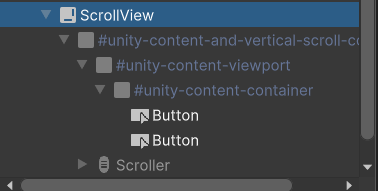
Otherwise, what's the idea around adding the element hiding functionality (mask?) to a basic visual element? Is there some components besides these premade containers I can utilize, or am I looking at coding here?
rough scarab
mossy wagon
https://i.imgur.com/Fc0q5xb.png
So I figured out you can stuff elements inside o...
Using USS selectors
mossy wagon
rough scarab
Using USS selectors
https://i.imgur.com/P9h4VH7.png
With the container groups? There's a bunch of style sheet options here which I can't seem to edit at all, unless you mean to just use the visual element base and add those style sheets to them myself
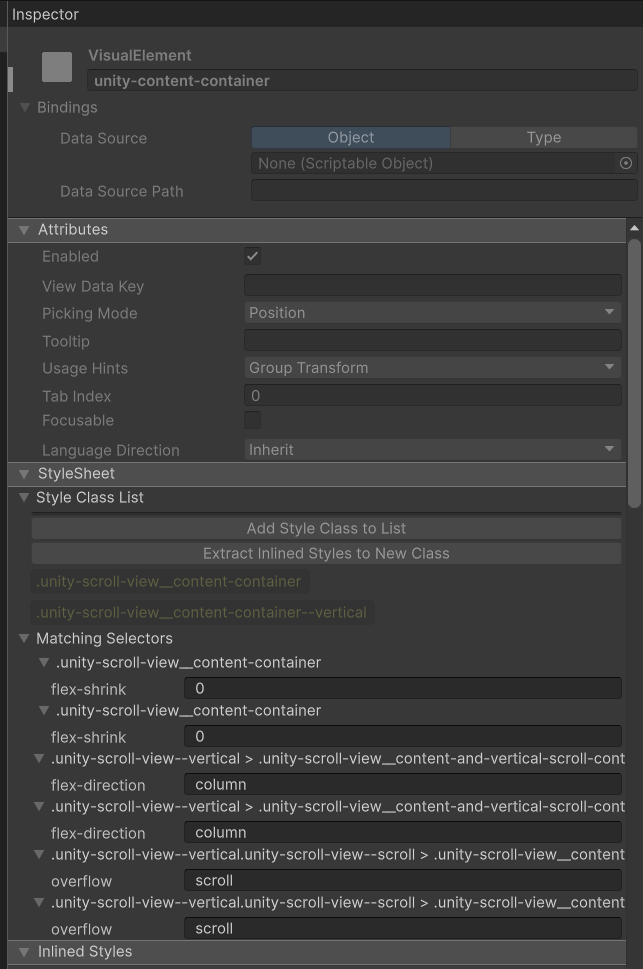 rough scarab
Add styles targeting those elements to your USS
Inline styles should pretty much never be used for anything except things that are set via code
mossy wagon
https://i.imgur.com/sfZyVh1.png
Any idea why my slider here doesn't anchor to the bottom of the editor window? Inside of the UI Builder I can resize the canvas and it'll behave correctly, but I'm feeling like resizing the window on this editor window isn't respecting auto-resize. If I force the pixel height it works
Maybe I'll just stick it on the side
rough scarab
mossy wagon
https://i.imgur.com/sfZyVh1.png
Any idea why my slider here doesn't anchor to th...
Presumably one element isn't set to flex grow. Look at it all using the UITK debugger
mossy wagon
oh that's pretty handy
mossy wagon
Apparently when you clone tree for the editor window, it creates another container that you need to toggle the flex on
could be related to me using a grid layout template
mossy wagon
https://i.imgur.com/Mnv8C2n.png
What am I missing here?
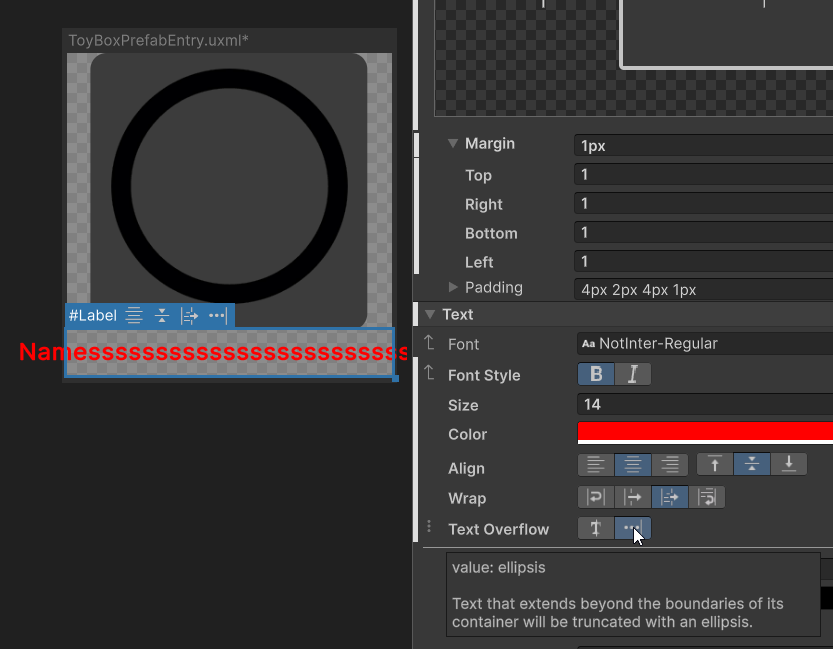
Kinda to the point where I should just forgo the UI and get back into css I guess lmao
the flex stuff is pretty cool though and really what UGUI needs
Figured it out, there's an overflow options at the top that you need to toggle
mossy wagon
Well, one problem with the flex stuff is there doesn't seem a way to override the auto settings to respect the aspect ratio. It's very greedy and will grow into all space if allowed.
rough scarab
mossy wagon
Well, one problem with the flex stuff is there doesn't seem a way to override th...
Things won't expand if not set to flex-grow 1 and the parent isn't stretching them via alignment/justification
I'm not sure what auto-settings are
mossy wagon
The problem is I'm resizing the element dynamically, but not the text so this element that had a balanced width and height now has a large width than height
Rather it's an image that I'm resizing, not so much pushing elements around
So if I say grow with a 100% on the width and height then it'll become warped when the width becomes greater than the height
Maybe I need one more container somewhere
rough scarab
Often you'll want to handle image aspect ratio just with the background-size property
and not focus too much on the actual aspect ratio of the container unless you need it for some other layout
small wigeon
rough scarab
```cs
focusOutEvent.StopPropagation();
uiDocument.runtimePanel.focusController.I...
What is handling this event that causing the blur? Or is it a general trickle down kind of thing?
rough scarab
small wigeon
What is handling this event that causing the blur? Or is it a general trickle do...
Are you replying to the right person? I'm not sure what your question relates to
rough scarab
There are various things that call Blur in the Focus Controller
A change of focus will call blur, again, not really sure what details you're asking for
Poking around the source code of FocusController should give you the answers
If an event is set to be ignored by the controller then it'll be ignored in PostDispatch
small wigeon
sorry, I thought he specifically asked about not losing focus
rough scarab
I believe with multiple UI Documents then the event system comes into play, I'm not familiar with that
small wigeon
we are trying to do splitscreen with two panels, but moving in one panel is sending FocusOut and Blur events to the other, so we're trying to block those
but I suspect it's too late at that point
 tawny flax
Opened Dragon Crashers Sample Project and didn't notice any USS variables
Shouldn't Unity encourage using them?
 bronze iron
I've started using a ListView and realized that it's overriding my items' margins and bottom padding, how can I change that??
mossy wagon
tawny flax
Opened Dragon Crashers Sample Project and didn't notice any USS variables
Should...
Inline seems to satisfy everything outside of layout groups for me so far, but probably much cleaner to add/remove them in code versus foreaching each inline property.
I mean that's what they are, just a profile of properties you can add and remove on a whim to multiple elements
 buoyant remnant

I've set the height to 10%
it takes the whole screen
why?
It literally ignores whatever I type in it. I can set the hight to 0 px and nothing changes
rough scarab
buoyant remnant
Because presumably flex grow is 1, so it will grow to fill the remaining space
mossy wagon
What's the idea around multiple containers of elements occupying the same space that have different flex values? Just disable them and enable the current one or is it more proper to create and destroy the instances?
Unless there's a template for that I should know of
rough scarab
mossy wagon
What's the idea around multiple containers of elements occupying the same space ...
 solemn cairn
Welp, eventually I'll be good at ui-toolkit but I think for now I might look up a tutorial lol. I'm trying to make a menu with with a food item for practice and I thought if I'd add my visual element apple into the Text Apple layer it'd stay within the bounds of the text element

Ahh, I accidentally added my apple to the top parent layer:

 obtuse jay
Question, I have never used UIElement for Play mode, but I want to try them in this game. When building menues do you have a single UIDocument or one per panel? That is, is there a single document, you have one for main menu, another for options menu, another for audio options menu, another for graphic options menu, another for how to play menu, another for credits, etc, and then you turn off and on them in order as the player interact.
graceful carbon
obtuse jay
Question, I have never used UIElement for Play mode, but I want to try them in t...
I would check out the UI toolkit ebook for best practices
https://unity.com/resources/scalable-performant-ui-uitoolkit-unity-6

Unity
Learn how to create scalable & performant UI for multiplatform games with UI Toolkit in Unity 6 – with new, extensive chapters for both programmers & artists.
obtuse jay
graceful carbon
I would check out the UI toolkit ebook for best practices
https://unity.com/res...
That ebook didn't answered my question. Thought I found https://discussions.unity.com/t/quizu-managing-menu-screens-in-ui-toolkit-post-2/310272/1 which looks closer to what I was asking.
fast escarp
obtuse jay
That ebook didn't answered my question. Thought I found https://discussions.unit...
I think it comes down to preference, I prefer prefabs/different ui documents
solemn cairn
Could you potentially use UI Toolkit for every single UI in your game? Instead of using the canvas gameobject? Or is UI Toolkit still missing a few things that the canvas system can do? I'm not the best at either one yet but curious to hear from people who are good at both
obtuse jay
solemn cairn
Could you potentially use UI Toolkit for every single UI in your game? Instead o...
I think UI Toolkit can't draw in the world-space... yet (AFAIK they are working in a prototype for that).
Question, how can I make a visual element to be the container of childs in a template using the UI Builder?
I noticed that if I modify the file and manually write the attribute content-container="mainSlot" it works, but I can't find how to do that in the UI Builder itself
fast escarp
obtuse jay
Question, how can I make a visual element to be the container of childs in a tem...

are you talking about this?
fast escarp
solemn cairn
Could you potentially use UI Toolkit for every single UI in your game? Instead o...
yes but there are still a few drawbacks, like no shader support in ui and world space is in beta
 hybrid crystal
Does anyone have a bare idea how BindingSourceSelectionMode.AutoAssign works?
It doesn't say anything in the documentation and I've been researching for days now but nothing
obtuse jay
fast escarp
No, I mean this. I added child elements to a template in its container. However, in order to make the element to be added to the container, I had to manually modify the template file as I didn't found how to do that in the UI Builder.

Thougth what you say is something that I'm also interested
fast escarp
obtuse jay
No, I mean this. I added child elements to a template in its container. However,...
hmm I dont think this is possible as far as I know
fast escarp
obtuse jay
Thougth what you say is something that I'm also interested
it is just you can drag and drop those uxml to use as template
obtuse jay
How can I bind a callback to a button click from the UI Builder?
undone blaze
solemn cairn
Could you potentially use UI Toolkit for every single UI in your game? Instead o...
hybrid crystal
Could please someone explain how to use this BindingSourceSelectionMode.AutoAssign setting of ListView? I've been searching information about it and testing it and can't find out what it exactly does

I don't even know what's the indexed path
 austere fractal
Hello, I have tried using GenericDropdownMenu with modified text field as search field but it turns out I can't input in the text field. Is there another way?
feral onyx
solemn cairn
Could you potentially use UI Toolkit for every single UI in your game? Instead o...
Toolkit can only do 2D UI, that is fundamental to it’s architecture, if you want a 3D or even 2.5D look you need to use canvas UI. Toolkit is intended for data-rich views, canvas is for ‚experience‘ UI
 urban schooner
How do I go about changing the color of child elements of my #item-element when I hover over it?

 candid sparrow
Hi, anyone know why are BindingIds for components internal static and not public? This means that then I'm binding "itemsSource" for ListView, I have to create the BindingId myself even though there is one that exists already, only internal to ListView 😐 Is that something intentional for some reason?
 fast escarp
urban schooner
How do I go about changing the color of child elements of my #item-element when ...
fast escarp
urban schooner
How do I go about changing the color of child elements of my #item-element when ...
#item-element:hover .child,
#item-element:focus .child {
}
Thx 💪
 valid notch
there seems to be an issue with some links on google for unity docs, i dont know if this is exclusive to ui toolkit docs, but ive had this happen twice now while searching for ui toolkit docs (hence why im posting in this channel)
the url has 2 consecutive slashes, which causes the css on the page to not load, removing one of the consecutive slashes does fix it, i dunno if this is a bug with the docs pages, or where google has indexed the page from, thought id bring to light the issue as im sure others might run into it,
 hybrid crystal
Hi
Does this happen to anyone else?
When making any element as none element of a ListView (myListView.makeNoneElement = myVisualTree.Instantiate) it always sticks to the right

And this happens with any element, even a mere Label
 sick comet
How do I access the attributes of a slider component? The documentation is very slim when it comes to built in functionality. Most other devs make custom assets, but I just want to offload settings to UI Builder instead of an in game canvas
 rough scarab
sick comet
How do I access the attributes of a slider component? The documentation is very ...
rough scarab
sick comet
How do I access the attributes of a slider component? The documentation is very ...
It's unclear what you're asking, are the attributes not in your screenshot below?
sick comet
rough scarab
It's unclear what you're asking, are the attributes not in your screenshot below...
Via script.
A slider is a built in feature of UI Builder, but there's no documentation on how to access the "Attributes" section of these VisualElements in C#. At least, not that I've found. I can get access to about everything else, but not this section of the inspector via script.
rough scarab
sick comet
A slider is a built in feature of UI Builder, but there's no documentation on ho...
It's all there?
sick comet
When I try to access most of those properties, most of them are missing.
I suspect it has to do with this?

Should I not be using a slider class?
candid sparrow
What properties are you trying to access?
sick comet
candid sparrow
What properties are you trying to access?
Any of its values. I'm trying to use it for volume settings at run time.
candid sparrow
Do you have any example? Maybe you have wrong import?
sick comet
Well, I can create a new slider. But I can't access the values of an already made one in the builder

But I'm not trying to make a new one at run time, I want to access the one UI Builder has natively in it's heirarchy.

 candid sparrow
What is the error saying? Probably it doesn’t have a setter and there is a method to set list and upper bounds
sick comet
candid sparrow
What is the error saying? Probably it doesn’t have a setter and there is a metho...

I presume it's telling me it's not a Slider lol
 candid sparrow
How did you define your _masterVol variable?
candid sparrow
Why not a Slider?
sick comet
Fml..
sick comet
Yeah... such a simple fix and yet I couldn't see it...
 sick comet
candid sparrow
That’s what the error is telling you
sick comet
candid sparrow
That’s what the error is telling you
Spent too long looking at an issue I didn't even think to change it's declaration...
candid sparrow
The usual, rubber duck on your table 😉
sick comet
candid sparrow
The usual, rubber duck on your table 😉
I appreciate you.
civic sinew
if I do elem.style.translate = new Translate(dPos.x, dPos.y) does it not use transition to gradually move there? I can set translate in the debugger, and it transitions, but in code it's not.
civic sinew
Well it doesn't work on the frame you create it. Had to do that in a GeometryChangedEvent
valid notch
is there an example of how to use SaveToVectorImage as a mask?
it was mentioned here:
https://discussions.unity.com/t/any-way-to-mask-with-ui-toolkit/879099/4
but there's no mention of it anywhere else,
i have a parallelogram i have generated using painter2d already, now trying to mask it, so i can have a element within to fill it without appearing outside
 patent anvil
Is there a recommended way to leverage data bindings with UITK, but add additional logic to the setter? I have a GraphicsSettings object/class and whenever the settings are changed, I save them. I really would prefer to not have to add logic to the setters in GraphicsSettings to call this save logic anytime the property is changed, but I'm not sure I see any other way
 astral compass
Does UITK support video playing?
mossy wagon
https://i.imgur.com/CLmPeqP.png
https://i.imgur.com/SNsnfRE.png
How would I go about making the right container slowly become hidden as the window becomes reduced instead of all the elements collapsing?
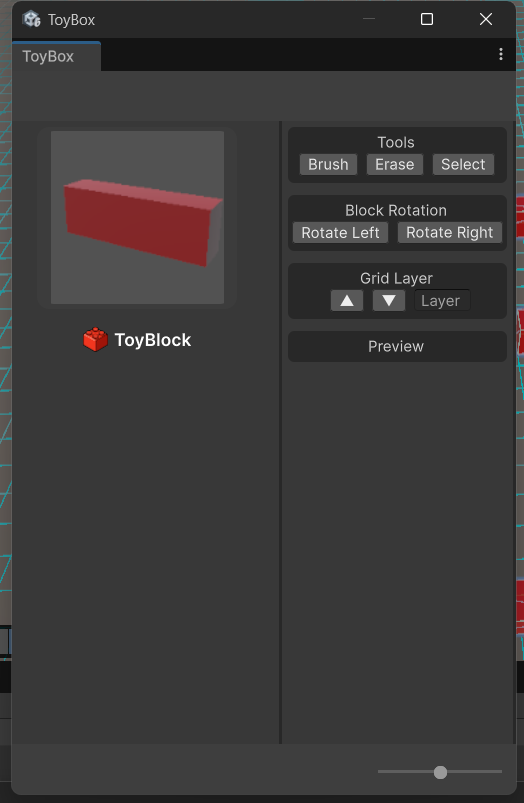
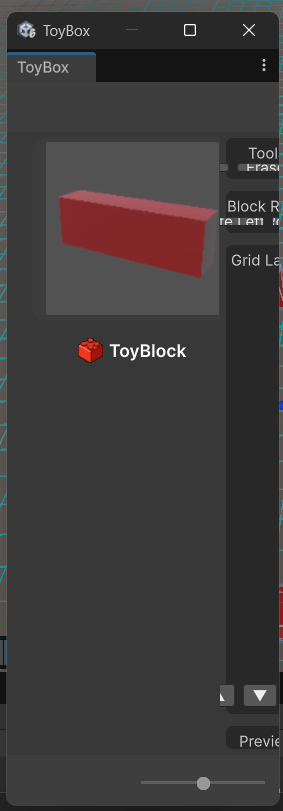
https://i.imgur.com/sTGLzNL.png
It's two containers in the body, but I guess the behaviour I'm looking for is depending on the side that's being reduced it would probably be hidden? Not entirely sure the behaviour I'm looking for
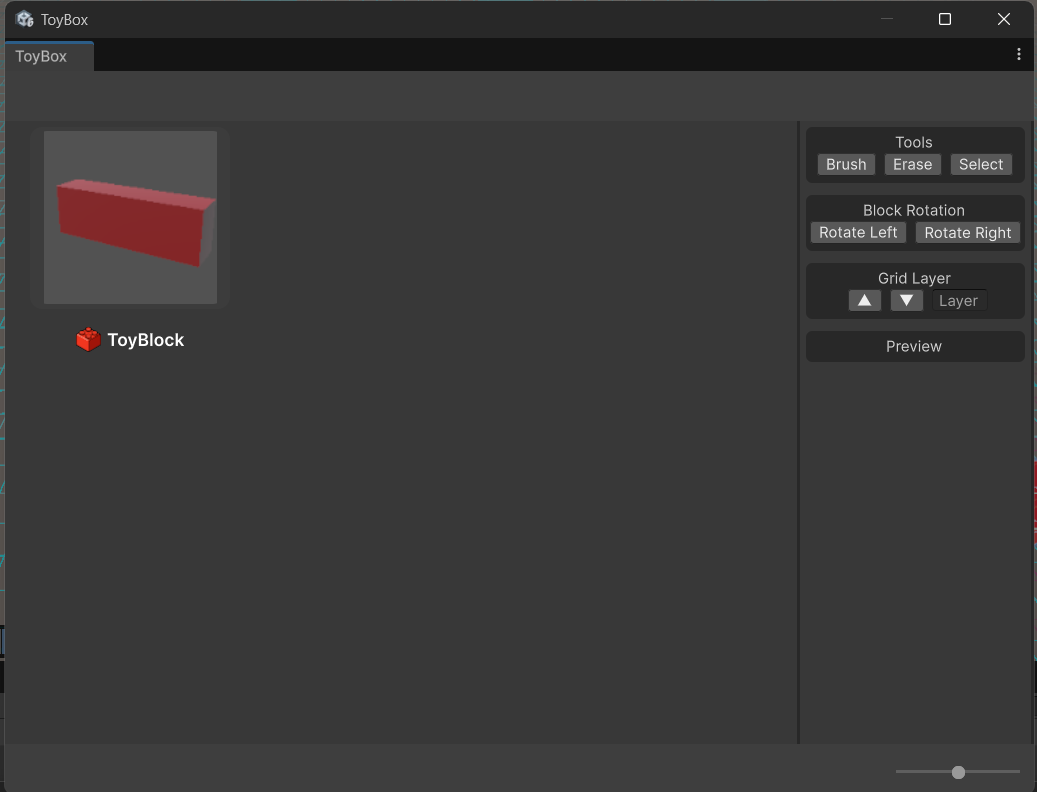
I'll take any behaviour that doesnt make the elements implode ;p
mossy wagon
I guess the most straight forward approach is just use some minimal pixel constraint on a side, but that would prevent the window from fully collapsing which I guess is fine.
otherwise pixel constraint the children and use clipping I would think?
 nimble mortar
I'm trying to make a chat system. Something rather usual, a scroll view that scroll to the bottom when a new message arrives.
I've tried using scrollView.ScrollTo(element) without success. So far the best result I've ever had was this version :
public void ShowDialog(Dialog dialog)
{
    var element = dialogPopup.Instantiate();
    element.Q<Label>("Text").text = dialog.Text;
    element.Q<VisualElement>("Border").style.borderBottomColor = dialog.Color;
    element.Q<VisualElement>("Border").style.borderLeftColor = dialog.Color;
    element.Q<VisualElement>("Border").style.borderRightColor = dialog.Color;
    element.Q<VisualElement>("Border").style.borderTopColor = dialog.Color;

    scrollView.Add(element);

    scrollView.verticalScroller.value = dialogView.verticalScroller.highValue;
}
However, this doesn't scroll all the way to the end. Each time it seems to scroll as far as the scrollView was before adding the new element. Am I missing a way to update or refresh the scroll view ?
 pallid kindle
Hey trying to make the progress bar encompass the entire label but the height aint heigtening

Also the text is beign hidden under it
Like I cant figure this out is there something wrong with progress?
rough scarab
pallid kindle
Like I cant figure this out is there something wrong with progress?
No. It probably has a max or set height you need to override. You may also want to set flex-grow to 1 to ensure it expands to fill the parent container
pallid kindle
rough scarab
No. It probably has a max or set height you need to override. You may also want ...
Im assuming I have to override it to style sheet? is there a way to do this easily without going through each style sheet class?
pallid kindle
rough scarab
No. It probably has a max or set height you need to override. You may also want ...
ah it was the max height that messed it up
rough scarab
pallid kindle
Im assuming I have to override it to style sheet? is there a way to do this easi...
You should look at the elements using the UI Toolkit Debugger to figure out how they're styled and which classes to target
pallid kindle
rough scarab
You should look at the elements using the UI Toolkit Debugger to figure out how ...
I need to get better at this
also is it normal for a template element to lose its styling when created into a different visual tree even if they have the same style sheets?

var templateContainer = taskTemplate.Instantiate();
templateContainer.styleSheets.Add(taskStyleSheet);
still generates like that when I add it to the container
taskListContainer.Add(templateContainer);
even added the stylesheet to the root through the builder and code to be safe
rough scarab
pallid kindle
I need to get better at this
also is it normal for a template element to lose it...
Doesn't sound normal. The debugger should help hunt down the differences
 hoary marsh
Hey. When I double click a uxml it opens the designer instead of code.. why and how can I fix?
Also, how to just open the code instead? lol... not sure what's the intended workflow here.. I'm experienced with WPF also but I have straight up disabled the Designer mode.
am I actually expected to work with the designer?!?!?
rough scarab
I don't, but I use my IDE to open UXML files and don't explore them using the project browser
hoary marsh
hmm is there a way to allow markup inside TextFields or other UIElements?
e.g. <color=blue>> {command}</color>\n
I'm working with TextField, I see mentions of enableRichText on the net but can't find it
hoary marsh
hmm seems TextField isn't a TextElement
I made it a TextField in the first place so I can allow selection of the text inside it
any chance that could happen with TextElement? The color works nicely with it, but discarding the ability for selection via cursor is not an option.
hoary marsh
they suggest using TextElements 
rough scarab
I'm not sure what you mean, they suggest to query for the child text element
hoary marsh
rough scarab
I'm not sure what you mean, they suggest to query for the child text element
Oh whoops. Thanks, this works 👍
 tranquil tangle
Im seeing some weird stuff in the new 6.2 beta with the worldspace UI toolkit. It doesnt look like its doing any batching at all. I want to use this to possibly replace the name plates we use in our multiplayer game, but it looks like each world space item needs its own draw call cause it cant batch
I dont see anything related to this on the issue tracker. Did I miss it? Or is it still in the works
bronze iron
How can I get the most recent addition element in a ListView? I'm trying to create a transition when a new entry is added, but I can't even get a reference for its VisualElement
The MakeItem and BindItem callbacks don't seem to be options.
 woven hinge
I have a label that is supposed to autosize based on its text, but it is always getting a height of 1.6 pixels
- If I force the size, the text inside is not visible
TextElement.MeasureTextSizereturns NaN for the sizes- in the ui toolkit editor, the text is visible and sizing works
Any ideas on what I can do to figure this out?
after forcing it to use another font, the text is visible, however it's the wrong color and the automatic scaling does not work correctly (the text overflows) 🤔
fixed by re-applying font color and fixing a fixed width issue
umbral sonnet
Hello, I am trying to create button with custom shape (my goal is to have only visible part interactable). I followed steps in documentation and for that I am using SVG image, which is converted via com.unity.vectorgraphics package.
Masking works fine, but in UI builder, scene and in play mode i see pixelated edge... I tried to set SVG importer settings to different values, but nothing helped.. 😦
Have someone any experiences with that? Thank you!
 rough scarab
umbral sonnet
Hello, I am trying to create button with custom shape (my goal is to have only v...
rough scarab
umbral sonnet
Hello, I am trying to create button with custom shape (my goal is to have only v...
SVG anti aliasing isn't supported yet sadly
umbral sonnet
rough scarab
SVG anti aliasing isn't supported yet sadly
thanks for response! 🙂 so there is for now no chance to block clicks which are outside visible area? (in my case transparent triangle, which is creating default rectangle)
rough scarab
Only by implementing it manually in your own ContainsPoint function https://docs.unity3d.com/ScriptReference/UIElements.VisualElement.ContainsPoint.html
umbral sonnet
"I was afraid of that" 😄 but thank you very much for your help and have nice day! 🙂
 thick widget
Hey, could someone with a bit of experience help me with an issue I've encountered? I don't even know if it's a unity bug or if I can do something to fixe it
rough scarab
Check all the elements below it for set widths
Also if the element isn't set to flex grow then it won't fill the container if that's the primary axis
And if the parent isn't aligning or justifying the children as stretch then they may not expand to fill the container either
thick widget
@rough scarab I've checked all flex grow from all components above the boxhelp and weird stuff happens when I activate it to the template container as you can see in the video
it also happens with the text on the left side of the window too
rough scarab
It's weird to have this setup where the content container is in a row with this help box
thick widget
rough scarab
It's weird to have this setup where the content container is in a row with this ...
@rough scarab researching a bit more i've found that chaning the flex direction to column from the container of the boxhelp fixe it... but then the rest looks weird 😦
take a look at it
rough scarab
Does Unity put the zero elements element there by default?
Make sure the content container isn't flex grow in the original setup and it might fix it. But everything you're seeing makes sense to me, the entire problem is just two elements fighting over space in one axis.
thick widget
rough scarab
Make sure the content container isn't flex grow in the original setup and it mig...
one moment @rough scarab , so, which element you mean it should have the flex grow activated and which of them no?
 rough scarab
The content container and the template container are fighting over space
Make sure only the template grows to fill the parent
thick widget
THANK YOU SOO MUCHH @rough scarab
thick widget
rough scarab
The content container and the template container are fighting over space
so one last thing, then, i should better make the template container to be a child from the unity-content-container

no?
rough scarab
That would make more sense to me
umbral sonnet
Hello,
I am trying to mask button (in documentation is wrote that is possible "You can apply the masking technique to any element, such as a Label or a Button.") visual part is masked fine, but interactable part is not masked 👀 . Am I doing something wrong?
Thank you! 🙂
umbral sonnet
rough scarab
Only by implementing it manually in your own ContainsPoint function https://docs...
Hello,
I tried to use button mask even with problem with soft mask, but it is not working at all (my comment above). When I tried to detect the interaction manually (as you recommended) , I found poroblem too. For desired structure I need to add minus top padding to have these shapes below without a space -> thanks for that "rectangular areas" these shapes overlap. If I click on the left bottom green triangle area I only get the interaction with the red shape (the green one is not registered). So I find that the point in the red shape is transparent, but I still don't get the information that the green shape is underneath it and a possible interaction can occur.
I understand that only the red shape registers because I keep clicking on the "box" (or whatever it's called) of the red visual element, and because it's in front, only it registers, but for my special case I need to register the visual element of the event below it.
Again thank you very much for your time and help! ❤️

 zealous thorn
for some reason when i focus on an element it changes color even though :focus is set to be the same color as everything else
:focus is indeed inherited, since everything but color works
i tried !important and it dint help

the color it changes to is a unity default
rough scarab
!important isn't a thing
zealous thorn
that explains one thing :p
rough scarab
Check the final setup using the UIToolkit Debugger to see what's setting the values
zealous thorn
is this what you mean?
color says unity stylesheet
 rough scarab
zealous thorn
is this what you mean?
color says unity stylesheet
rough scarab
zealous thorn
is this what you mean?
color says unity stylesheet
Look at the matching selectors at the top there
And follow that up the hierarchy if not there to see what's defining the thing you care about
zealous thorn
i.. dont know what that means
but there is an option here to hard rewrite the color so i'll do this
thick widget
Guys, how could I change those TemplateContainer flex-grow to 1 to make the window expand to the bottom?
 thick widget
Guys, how could I change those `TemplateContainer` flex-grow to 1 to make the wi...
thick widget
thick widget
Guys, how could I change those `TemplateContainer` flex-grow to 1 to make the wi...
Any ideas?
mossy wagon
https://i.imgur.com/xd5tyKr.png
Can you not really modify many of these elements like these integer fields when it comes to stuff like spacing for the label portion? Or is there a way to create a style sheet duplicate if I'm not supposed to edit them here.
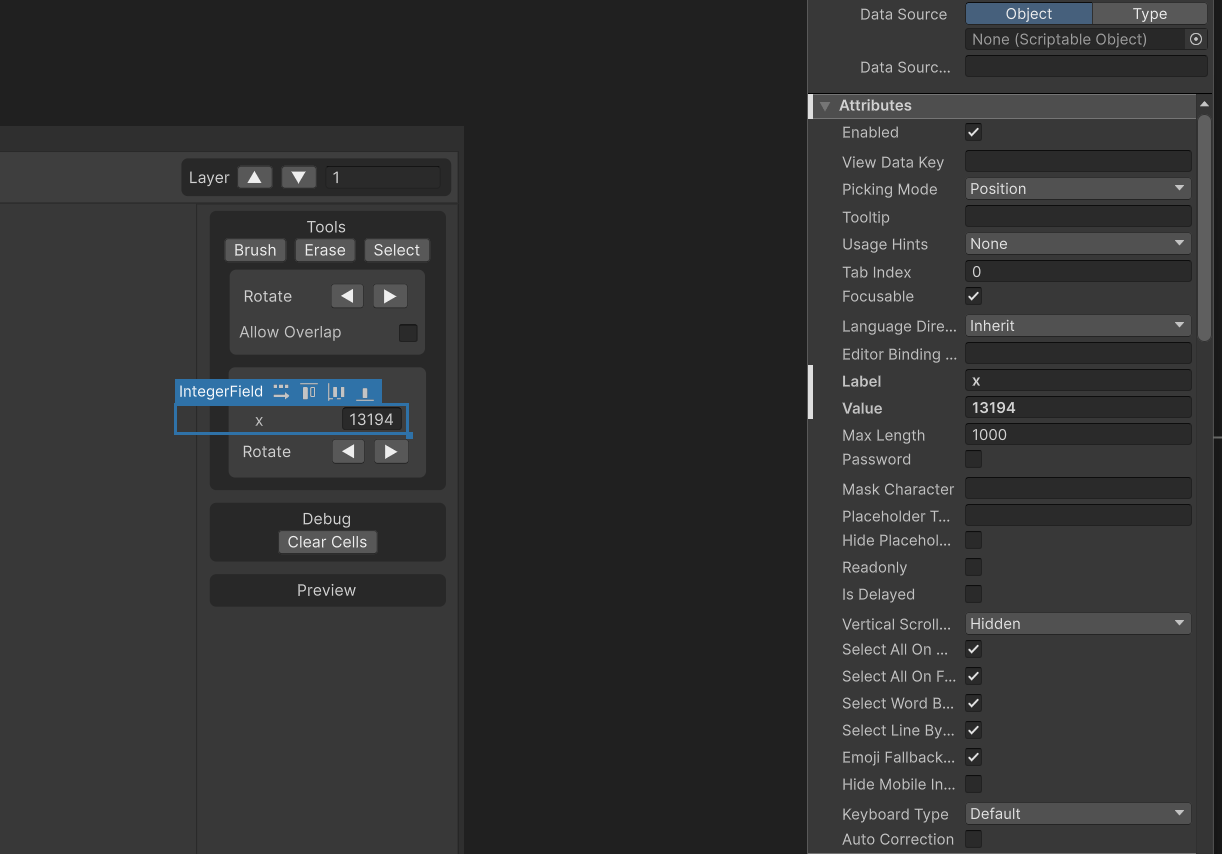
There's obviously some min pixel size here that I can't reduce
https://i.imgur.com/jIsK34K.png
Yeah it's all greyed out on the unity label sheet
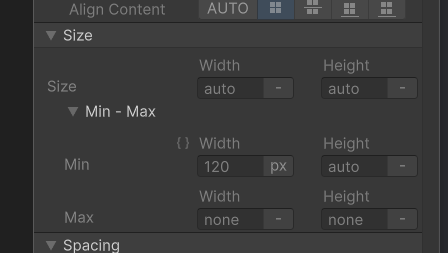
Like clearing the text will remove the pixel size, so I guess the idea is just use a label element myself and box em in /shrug
undone blaze
mossy wagon
https://i.imgur.com/xd5tyKr.png
Can you not really modify many of these elements...
I use my own Label element to set custom padding/margin and min size . . .
mossy wagon
Yeah I dont get it. All these elements include a label but all have a minimum pixel constraint
undone blaze
I believe you can override it by adding a CSS class to the VisualElement in code . . .
hoary marsh
hm I gave up on UXML completely in favour of C# + USS. Am I being jumpy by not giving it a proper chance?
I loved working with XAML in e.g. WPF, but seemed UXML is not on par at all -- too many magic additions inb4 causing need of inspection to find the actual elements etc.
rough scarab
mossy wagon
https://i.imgur.com/xd5tyKr.png
Can you not really modify many of these elements...
What do you mean stylesheet duplicate? Just target the elements with a selector
rough scarab
hoary marsh
I loved working with XAML in e.g. WPF, but seemed UXML is not on par at all -- t...
Can you give an example?
rough scarab
undone blaze
I believe you can override it by adding a CSS class to the `VisualElement` in co...
It already has classes you can target with a selector
hoary marsh
rough scarab
Can you give an example?
Οf the magic inbetween? Sure. For example when you add a ScrollViewer and an element inside, a bunch of elements get passed inbetween, making layout management (e.g. flex etc) harder than it should be.
rough scarab
I feel like it's less magic than other solutions, those elements are often completely hidden and virtualised in other solutions
which, I agree can be preferable in many cases
hoary marsh
well less magic regarding the generated dump uxml? yes, but when it comes to resolving the style of the strongly-typed uxml element to the "magic" children -- I found it unbearable to work with 😛
I suspect it's just that the C# code auto-resolves some of this magic for convenience, but feels like like they should have been applied to the UXML workflow as well.
rough scarab
I honestly don't get what you're saying completely, but maybe that's because I understand the complete implementation so nothing seems like magic
hoary marsh
(that's on me -- I didn't have coffee yet xD)
my issue was the fact that when I do something like: <ScrollViewer class="scroll-with-vertical-flex">, the style wasn't being passed down correctly to the "magic" containers
and I had to debug them by inspecting the generated dump, and apply the style on them instead.
whereas in C# it just works (root.Add(new ScrollViewer() { name = "smth" }); -- or via class)
My question was mostly whether I've been doing something wrong (or missing something), or C# Layout does indeed feel better/is recommended (by you/UITK users)
rough scarab
Like, the C# side declares a custom element:
[UxmlElement]
public partial class Example : VisualElement
{
    ...
}
and it constructs whatever it wants as children
public Example()
{
  Add(_label = new Label());
  ...
}
In the UXML you can only declare <Example/> and can't talk to the children unless the class has declared an attribute
[UxmlAttribute]
public string Text {
  get => _label.text;
  set => _label.text = value;
}
<Example text="Hey" />
hoary marsh
I liked the hierarchy thing quite a lot. The inclusion of OOP too. Solid improvement over IMGUI for editor scripting.
rough scarab
rough scarab
Like, the C# side declares a custom element:
```cs
[UxmlElement]
public partial ...
and anything that's added to the element as a child goes into its contentContainer same as C#.
At some point they'll probably reintroduce the concept of slots and we can have named containers to parent to
hoary marsh
You, personally -- do you like working with actual UXML? Or strongly prefer C#?
thick widget
Guys, how could I change those TemplateContainer flex-grow to 1 to make the window expand to the bottom?
 hoary marsh
yes ^ this issue specifically xD
rough scarab
hoary marsh
You, personally -- do you like working with actual UXML? Or strongly prefer C#?
I use both. I find UXML less verbose and easier to modify, but tedious for simple or core reusable elements.
So I use it for windows and content in my game but not for buttons or custom container types
hoary marsh
thick widget
Guys, how could I change those `TemplateContainer` flex-grow to 1 to make the wi...
Collapse the "Styles" on the right and see the "UXML Dump".
I used to fix this kind of issues by checking the classes of the child elements and tweaking the USS file to inherit the style.
hoary marsh
rough scarab
So I use it for windows and content in my game but not for buttons or custom con...
hmm so you prefer UXML for layout purposes 😮 interesting
rough scarab
rough scarab
I use both. I find UXML less verbose and easier to modify, but tedious for simpl...
and I don't use it at all in the editor
hoary marsh
thick widget
Guys, how could I change those `TemplateContainer` flex-grow to 1 to make the wi...
also, make sure you don't ship with AI text 😆
 thick widget
hoary marsh
also, make sure you don't ship with AI text 😆
thick widget
hoary marsh
also, make sure you don't ship with AI text 😆
LOL how did you realise it? 🤓 😜
thick widget
hoary marsh
Collapse the "Styles" on the right and see the "UXML Dump".
I used to fix this k...
TAHNKSS, I'll try it rn

 uncut ore
Are SVGs not supported with UI toolkit?
hoary marsh
how did you try adding them?
uncut ore
im trying to make a radial menu with UI toolkit and I have each of the slices as SVGs but I cannot seem to add them in unity through the inspector
uncut ore
hoary marsh
how did you try adding them?
through the inspector, then later through the .uss class
hoary marsh
yes, but how
uncut ore
wdym?
I dragged the SVGs into unity under the resource folder then tried dragging them onto the visual element background image field
hoary marsh
a bit long thread but might be relevant? https://discussions.unity.com/t/ui-toolkit-and-vector-graphics/837914/11
uncut ore
no unfortunately I dont want to use the vector graphics package, this doesnt actually create SVGS but instead meshes from my understanding
hoary marsh
ah then no, the SVGs are exclusive to the vector graphics package afaik
but don't be afraid of meshes -- Texture2D renders as a 3D plane anyway
uncut ore
well im using Figma to generate some of my UI elements and it only supports SVG, PNG, or JPG exporting and I dont want to use PNG or JPG
SVG gives really nice clean lines
hoary marsh
Yes, I get that. What I'm not getting is: Why not use the official SVG package?
 hoary marsh
What's it called.. unity.com.vector-graphics or something?
uncut ore
its not recommended for prod, and this package also creates meshes which give weird results
hoary marsh
Ah. Well I'm not a UITK person so you might wanna re-ask and wait for another person to respond 🙂
uncut ore
From what im seeing there is no SVG support yet so I think im just going to switch to Unreal for this particular project
mossy wagon
https://i.imgur.com/K0AupO6.png
Any way to force an element ontop of another that's inside of a visual element? Trying to make like a searchbar dropdown and I'm not liking the one unity provides. Ideally I want it inside of this visual element to get the pivot I need under the search bar, but otherwise I guess the idea is to stick it at the very bottom of the tree, but then that seems like I'd need to figure out the positioning.

Doesnt seem like there's support for that. Whelp.
mossy wagon
Ah, managed to change the sorting direction after moving around a few elements and adding another container level
mossy wagon
https://i.imgur.com/g0OwdTR.png
Ok got my search bar logic going but running into this issue of that when I try to select the entry, I'm feeling the defocus is screwing stuff up before the button resolves.
searchField.RegisterCallback<FocusOutEvent>(_ =>
{
    EditorApplication.delayCall += () =>
    {

        searchResultsContainer.style.display = DisplayStyle.None;
    };
});
Tried resolving with a delayCall but still not firing sometimes. I guess the way to handle this is with some statemachine then?
 high nexus
This QuizU demo for UI Toolkit is frustrating. It wouldn't even run after installing it. I had to debug an issue to learn that the Localization package was required yet not installed. Now it runs and I see this but clicking does absolutely nothing. I'm just trying to learn Unity & UI Toolkit so having to debug a demo that's supposed to teach me how this works isn't helpful at all.
 high nexus
I can see the button is found and the callback registered but it doesn't work. I never see a "Button was clicked" message. The demo is broken.
m_StartButton = m_RootElement.Q<Button>("start__start-button");

            if (m_StartButton != null)
            {
                Debug.Log("Registered callback for click");
                m_EventRegistry.RegisterCallback<ClickEvent>(m_StartButton, evt =>
                {
                    Debug.Log("Button was clicked!");
                    UIEvents.MainMenuShown?.Invoke();
                });
            }
            else
            {
                Debug.LogError("Start button not found");
            }
Unity can't put out a working demo and I'm supposed to learn from this and put out a working game?
This demo is just too much for a beginner to Unity and UI Toolkit. Not only does it not work but I'm also expected to understand scene boostrappers, sequence managers, state machines, FILO stack navigation, event-driven development with delegates, etc etc. I think that would all be great if it actually worked and I didn't have to debug all these things that I'm just learning about... ugh
high nexus
At least the Dragon Crashers demo seems to work without issue
rough scarab
high nexus
This demo is just too much for a beginner to Unity and UI Toolkit. Not only doe...
I feel like QuizU is not so much a demo as it is a learning tool, you're not expected to know those things, the posts they're made about it on Discussions should lead you through each of them afaik
It not working I would expect to be a version problem?
high nexus
The QuizU demo was forcing me to learn things just to try and get it to run 🤣 . But I don't think that's the way I was supposed to learn from it. I'm reading the "UI Toolkit for advanced Unity developers" eBook. I'm almost halfway through it. I'll continue learning but even after I finish this book I won't be able to fix the QuizU demo because its issues are not directly related to UI toolkit. I'll have to dig into the architecture (state machine & events) and learn more about that to be able to debug it. I feel like for a newbie, the QuizU demo might be overengineered a bit. I'm sure it's fine for advanced developers that understand all this architecture but for myself it's an overwhelming place to start learning it.
 shadow quartz
Hmm neat was not expected the upcoming Graph Toolkit to work in Unity 6.2.
Seems we got updates about the Graph Toolkit.
https://discussions.unity.com/t/unity-graph-toolkit-update-q2-2025/1656349
 gentle raft
Hello guys.
what´s tehe equivalent to Init method on Custom UIElements using the [UxmlElement("Element")] ?
I tryed to use HandleEventTrickleDown and HandleEventBubbleUp but din´t work as expected
 sterile torrent
Hey guys, I'm looking to add some sprite in .svg format. any tips ? I can't find anything newer than 2018 (and it's an experimental version so i'm not very confident on it ^^)
shadow quartz
sterile torrent
Hey guys, I'm looking to add some sprite in .svg format. any tips ? I can't find...
There is an SVG package for UI Toolkit last update was near the end of last year.
Probably going to get an update soon after the Unity 6.3 LTS, but I can't confirm or really give accurate statements on that part.
You will want to get the Vector Graphics 2.0.0 patch 25 release from November.
Unity package namespace is
com.unity.vectorgraphics
Edit: Link to official Unity manual
https://docs.unity3d.com/Packages/com.unity.vectorgraphics@2.0/manual/index.html
sterile torrent
shadow quartz
There is an SVG package for UI Toolkit last update was near the end of last year...
Thanks you 🙏
shadow quartz
sterile torrent
Thanks you 🙏
I should note it says preview 25, so yes it is marked as experimental, but so far pretty solid.
Was able to make a pixel art drawing editor in it a couple years ago, before it got a lot of updates.
sterile torrent
Okkk nice, I will use it for my sprites, button, text field, ...
shadow quartz
sterile torrent
Okkk nice, I will use it for my sprites, button, text field, ...
Due note for the text field couple things.
Are you wanting to use Vectors for the actual text or the background image of input field.
Depending on which version of Unity you might be able to use a newer setting to have SDF Font with Advance Text Generation.
sterile torrent
shadow quartz
Due note for the text field couple things.
Are you wanting to use Vectors for th...
For the background. For the text I will use a custom police
.ttf for the polices
shadow quartz
sterile torrent
.ttf for the polices
So for the ATG if I remember correctly, please note I could be wrong for the next part I will need to double check to make.
I don't want to give you wrong information for the next part.
It is actually an USS option you can set for your fields that use your font and stuff.
I know it requires setting up a Dynamic font asset in the project though.
But if you only care about the vector images for backgrounds the vector package should be enough.
sterile torrent
Ok thanks I will check that !
Any idea on that ?
Why on the scene maker it's perfect and in the preview is so shitty ?
 shadow quartz
sterile torrent
Any idea on that ?
Why on the scene maker it's perfect and in the preview is so...
shadow quartz
sterile torrent
Any idea on that ?
Why on the scene maker it's perfect and in the preview is so...
Possibly check if anything is has it's zoom factor changed and what the target resolution for the sprite is set to.
They should be settings in the import window when inspecting the actual asset.
Main thing is making sure your SVG document renders at a high enough tessellation for the resolution at the zoom facor set.
For reference talking about the settings here.
Sorry here is the current versions inspector settings.
 sterile torrent
Okk i didn't know this window. I make some tests and for me the is (the real is "Target resolution 2k" but it will be for mobile)
But it's no more vectorized
 shadow quartz
sterile torrent
Okk i didn't know this window. I make some tests and for me the is (the real is ...
shadow quartz
sterile torrent
Okk i didn't know this window. I make some tests and for me the is (the real is ...
Oh try using a Vector Sprite instead of a texture sprite.
If you do a Texture Sprite is basically is the same as exporting a PNG from inkscape program.
Vector Sprites keep their SVG like qualities while still being considered a sprite by Unity.
sterile torrent
shadow quartz
Oh try using a Vector Sprite instead of a texture sprite.
If you do a Texture S...
not good
 shadow quartz
Is your game window or scene view zoomed in at all.
Note the scene view most of the time won't show the most accurate visually of an SVG while the game view will.


 shadow quartz
Yeah, so as you can see it makes a big difference when testing in game view and building. Look at the top lines that cave in.
One is pixelated and the other is a lot smoother.

 sterile torrent
This is not a real circle :/
shadow quartz
sterile torrent
This is not a real circle :/
Eh technically all circles in computers are squares aka pixels.
For more smooth paths like a circle try different Tessellation Step Distance values.
The lower the value the smoother the line curves for stuff like rounded edges will be.
Oh I should mention to see this setting you turn the tesslesation options from basic to advance to see that value.
sterile torrent
Yes I know circles in computers are squares aka pixels but on some others app they have gppd circle ^^
shadow quartz
sterile torrent
Yes I know circles in computers are squares aka pixels but on some others app th...
Wait are you using the Unity App UI package.
sterile torrent
com.unity.vectorgraphics
this
for the svg
when I said other app I mean on Play Store
or this
 shadow quartz
If your thing is more of an app instead of a game...technically you can use this for games as well and it works nice.
Unity has an extra set of tools built on the UI Toolkit called the App UI package.
It is not included by default because it has a lot of extra features people might not need.
sterile torrent
Are you talking about that ?
shadow quartz
You know just something small like a built in SVG library tool for Unity.

This is an actual official Unity tool. Just not enabled or in Unity projects by default. Do the circles in this picture look closer to what you are aiming for smoothness wise.
Note: You can add your own custom icons to this.
sterile torrent
How to able this ?
shadow quartz
So I would read into this a little bit. This built on the base Unity's UI Toolkit, so you can use the same workflow for it that you have been using, but generally the workflow differs thanks to the built in UI component libraries in it that are slightly different than the normal UI Toolkit components.
Read up on it and think carefully if you want to try this out.
https://docs.unity3d.com/Packages/com.unity.dt.app-ui@2.0/manual/custom-icons.html
But if you are doing mobile it might help you more because of the built in mobile ui controls Unity has in it.


Also not going to lie. The Navigation graph tool for UI windows is awesome.
 sterile torrent
Ok thanks !
hoary marsh
I have a TreeView and some elements' hierarchies change. I could rebuild the whole tree each time, but this discards expand/collapse info -- if I do:
treeView.SetRootItems(treeData = BuildTreeData()); // this line in specific
treeView.Rebuild();
so I was wondering if I could just rebuild the hierarchies of the specific elements that change. But I've been struggling with it.
This is what I tried, but it just gets appended at the end of the tree instead of replacing the element:
public static void RebuildSpecific(TreeView tree, VisualElement element) {
    var idx = tree.IndexOf(element);
    var id = tree.GetIdForIndex(idx);
    var data = element.userData as LocalsEntry;
    var parentID = tree.GetParentIdForIndex(idx);
    tree.Remove(element);
    //element.RemoveFromHierarchy();

    var visited = new HashSet<object>();
    var updatedMember = GetMember(data.Target, data.Info, visited);
    tree.AddItem(MakeItemRecursive(updatedMember, id), parentID);
}
I could modify the treeData directly, then I'd still have to do treeView.SetRootItems(treeData = BuildTreeData());... which isn't too bad I guess, since I'd have SOME similarity over the IDs, and have previous states persist

I wonder whether having to deal with such stuff as a UITK dev is just a Tuesday, lol
 cobalt cosmos
hoary marsh
I wonder whether having to deal with such stuff as a UITK dev is just a Tuesday,...
cobalt cosmos
hoary marsh
I wonder whether having to deal with such stuff as a UITK dev is just a Tuesday,...
I just use good old IMGUI and ask AI to handle it 😅 If it's not for editor stuff though - sadness.
hoary marsh
yeah I thought I'd try the shiny new IMGUI for the first time too hehe
i'm not hating it per se. But it's definitely not up-to-par with WPF or similar lol
cobalt cosmos
Are you using it for runtime or editor stuff?
hoary marsh
Editor stuff! this time it's a Locals Window
 cobalt cosmos
I've been considering trying it a few times, but haven't quite got to it yet. (We did use it at work for some stuff, but I just puked out some working editor code and that was enough at the time 😅 )
hoary marsh
same -- I never found the need to do it either, but it DOES feel a bit more C#-like with OOP and all
cobalt cosmos
for sure, I hated IMGUI when I was the one writing it 😄 (Because I'm also a WPF-boy and it was pretty great!)
hoary marsh
friggin WPF has spoiled everyone 😄
my biggest complaint on UITK when it comes to editor tooling is that.. it's only available on, what, 2021 and newer?
something I found out yesterday -_- after weeks of development
rough scarab
I'm pretty sure it existed in like 2018, but half of the stuff didn't exist at the time
Tree view is new-ish iirc
hoary marsh
yeah could maybe hack it to work on 2019.4-ish, but kinda sad
cobalt cosmos
Isn't 2021 old enough? It's mid 2025 already! 😄
hoary marsh
some of my main projects still use 2017.4 🤣
rough scarab
Bizarre lol
What's a locals window btw? It looks like the kind of info you get when a debugger is paused, but that doesn't make sense to me without that-so do you drag an object into this to query?
hoary marsh
that's an interesting idea, will add that 😄
But no, it comes with an Immediate Window (C# syntax interpreter), which you can use to cache variables that'll be displayed there
or you can right click anything in the hierarchy to add it to locals (be it component, gameobject, or variable)
rough scarab
Things I use my IDE for lol
hoary marsh
then those breakpoints allow providing notifications when they're changed/called, so you can debug what changed/called it, etc.

yup basically some IDE tools for Unity 😄
just need some UI/UX polish and I'm ready to learn how to market it lol. So far I only know of reddit 😅
rough scarab
Neat. Sounds like one of the things I would have made way back in the day but then let fall into decay
cobalt cosmos
Ooh, curious! At some point at work we had a system for running some actions/conditions that are like high-level programming on the Unity side, and perhaps something like this would've made our debug life easier! We had some ideas to write "logs" on changes with stacktraces and display them on a sepcial window, but it required custom code and we never got to it.
You got your first clients, Lyrca! 😛
hoary marsh
yeah it would have saved my employers many workhours if I had this while hunting bugs too lol. Should be pretty useful!
rough scarab
I'd probably just look into persisting the collapsed state over partially changing the tree, but it's a complex API, usually I poke around editor implementations, but I imagine that isn't easy to understand
I have done some tree view shenanigans in the past but it's long passed through my memory
https://github.com/vertxxyz/NSelection/blob/master/Editor%2FNSelection_Shortcuts.cs#L338
Maybe there's something in here that'd help
(Some of these shortcuts allow you to collapse everything except your selection in a tree view)

GitHub
Simple selection for busy scenes in Unity. Contribute to vertxxyz/NSelection development by creating an account on GitHub.
hoary marsh
Thanks, I ended up just tracking every single expanded ID, then restore them on partial rebuilds:
treeView.itemExpandedChanged += (a) => {
    if (a.isExpanded) { ExpandedIDs.Add(a.id); }
    else { ExpandedIDs.Remove(a.id); }
};
No issues so far, but I expect a few while testing more thoroughly xD
Seems the scroll offset persists by default as well, so that's good.
hoary marsh
rough scarab
I have done some tree view shenanigans in the past but it's long passed through ...
that's a good intro to the treeview mess lol, ty
rough scarab
It was written a long time ago, and for IMGUI and UITK so it'd probably be cleaner now 😅
hoary marsh
No issues so far, but I expect a few while testing more thoroughly xD
Unity seemingly doesn't mind if I tell it that I want a discarded item's ID expanded lol. Oh well, I'll take it!
 lilac merlin
Can someone help me understand how the "percentage" font-size in UI toolkit is supposed to work? It seems to behave very bizarrely, and not at all how i think the equivalent CSS is supposed to behave. And i cannot find docs explaining how it's supposed to function.
lilac merlin
Okay, i think i've solved my own problem. Percent font-size is implemented, but isn't supported (why???)
Use PanelSettings for scaling the UI to screen resolution
 tropic mist
is there a way to see the result of c# code in ui builder?
i want to change styles of some visual element using c#
can i see the outcome inside ui builder?
also is ap ui gonnna replace ui toolkit?
uneven oyster
tropic mist
also is ap ui gonnna replace ui toolkit?
App UI is built on UITK
tropic mist
uneven oyster
App UI is built on UITK
i know but is App ui going to be the preferred way of making ui in the future?
 thin coral
How is anyone supposed to predict that in any meaningful way? What nonsense lol.
 rough falcon
you can use what is available and standard now and get your project done, or you can watch the horizon and dream. your choice
rough scarab
tropic mist
can i see the outcome inside ui builder?
If it's done in the element's constructor, sure, otherwise no
 earnest kiln
Has anyone mamaged to make runtime binding work with UI Toolkit's event messaging system?
Aka when my (runtime) bound property changes, i can trigger an event that trickles down the hierarchy?
earnest kiln
 rare mango
I have a canvas, and USS sheets
rare mango
I have a canvas, and USS sheets
that doesn't sound right no
USS only works with UI Toolkit's ViusalElement (and derived classes/UXML structures etc.)
 noble oxide
How can i make the UI:VisualElement aka container blocks the raycast? Using on screen position only work with labels and buttons
rough scarab
noble oxide
How can i make the UI:VisualElement aka container blocks the raycast? Using on...
Elements can't be clicked through if their Picking Mode is set to Position.
Other code can tell if the cursor is over UI by using EventSystem.current.IsPointerOverGameObject()
solemn cairn
Is it a good idea to just use ui Toolkit for every UI interface in my game? Is it recommended to do that?
solid notch
As long as you do not need world space UI and custom shaders I would say yes
Not sure if these features landed in 6.1 or are still away from being released
rough scarab
solid notch
Not sure if these features landed in 6.1 or are still away from being released
World-space support is present in 6.2
solid notch
Nice
 willow dove
Can you bind the data source of ui toolkit element to a class with a dictionary property that has an array with dictionaries in it
for example:
public Dictionary<SpawnableType, List<PowerUpEvent>>
and then use either a list view or tree view to render list based on spanwableType entries and shows the number of elements in list
and have it update automatically when the dict changes
?
hoary marsh
sigh Anyone knows how I can COMPLETELY prevent a focus switch when pressing tab while having a TextField selected?
oh wow... recommended solution is textField.tabIndex = -1;
just gotta make it throw an exception when pressing tab 😆
Alright, seems I'm able to intercept the KeyDown event BEFORE the TextField, if I use that TrickleDown thing, whatever it is 😄
commandInput.RegisterCallback<KeyDownEvent>(
    (evt) => {
        if (evt.keyCode is KeyCode.Tab) {
            evt.StopImmediatePropagation();
        }
    },
    TrickleDown.TrickleDown
);
Just when i started getting comfy with uitk
Oh wait
AppUI is a UITK wrapper?
Curious
Wrapper is the wrong word
I don't remember the correct word
But cool, I'm guessing it's a code first thing so you can build ui with uitk easily at runtime?
graceful carbon
oblique oxide
But cool, I'm guessing it's a code first thing so you can build ui with uitk eas...
It's an extension of ui toolkit. It works exactly the same way just with more elements available. It has its own animation system as well as a Redux implementation.
oblique oxide
I see, thanks for the summary
 last pollen
How can I make my modal block all input from bleeding past it and limit focus navigation to stay only within the modal? Seems like the focus ring just does whatever it wants.
 fiery vortex
is there an easy way to stretch a Label visual element to fit the actual text? cause I'm trying to use a background image that stretches with the text, but it only scales to fill the bounds of the Label element
 rough scarab
last pollen
How can I make my modal block all input from bleeding past it and limit focus na...
rough scarab
last pollen
How can I make my modal block all input from bleeding past it and limit focus na...
Subscribe to the focus events on trickle down and eat them using StopPropagation and focusController.IgnoreEvent
last pollen
rough scarab
Subscribe to the focus events on trickle down and eat them using StopPropagation...
Eating the focus events doesnt actually stop the focus from changing unfortunately.
Specifically, these are the ones I tried earlier
            {
                evt.StopPropagation();
                focusController.IgnoreEvent(evt);
            }, TrickleDown.TrickleDown);

            RegisterCallback<FocusOutEvent>(evt =>
            {
                evt.StopPropagation();
                focusController.IgnoreEvent(evt);
            }, TrickleDown.TrickleDown);

            RegisterCallback<FocusEvent>(evt =>
            {
                evt.StopPropagation();
                focusController.IgnoreEvent(evt);
}, TrickleDown.TrickleDown);```I forget, id have to check when I'm at my computer, maybe I actually just refocus the last focused element on focus out
Yeah looks like that's what I do, just set a valid focus on OnFocusOut
last pollen
damn, that'd probably retrigger all of my OnFocusedIn logic too which is undesirable but I guess is a option.
I spent all day messing with my options and ended up making a post in the forums. No definitive solution but may be interesting to read for some people https://discussions.unity.com/t/blocking-all-input-to-a-visualelement-and-its-children/1661641
honestly it's kinda crazy to me that there's no streamlined solution to this. Especially focus navigation seems incredibly half baked and noone's talking about it.
 tall vortex
Need help with Label adapting to container
 mystic tartan
i'm working with an MouseEnterEvent/MouseLeaveEvent on a Foldout to make it open automatically by setting value = true
        file_foldout.text = "FILE";
        file_foldout.RegisterCallback<MouseEnterEvent>(over_event =>
        {
            file_foldout.value = true;
        }, TrickleDown.TrickleDown);

        file_foldout.RegisterCallback<MouseLeaveEvent>(over_event =>
        {
            file_foldout.value = false;
        }, TrickleDown.TrickleDown);
it's nesting is root_layout > file_foldout > test_label tried with
root_layout > file_foldout_bounds (it's a VisualElement) > file_foldout > test_label
but the hover works only some times and when i hover over the File text that the foldout has
any clue on why it doesn't consistently open or keep open? the goal is for it to auto open when mouse is over the foldout bounds or it's children elements
 steel niche
is there any way to use an animated object as a mask
like the white thing masking the green part of the health bar
nvm im stupid i didnt realise there was a material input
😭
 wooden bluff
Hey guys! Where did my buttons go?
The ones to scale and move the selected object

 weak fog
How do I preserve the state of my UI when it auto-reloads due to changes to associated USS files? For instance if I change the color of the background the entire UI is reset to the default state (but with red background color)
weak fog
That was easier than expected, when USS is reloaded it triggers OnDisable and OnEnable on the object with the UIDocument. So just make sure that UI is set up in OnEnable as opposed to Awake/Start
 short forge
Is there a tag where I can specify a material I want to use for part of the text?
E.g. The <material="name of material or the type">user</material> jumped
I tried the material attribute of the font tag but it didn't work:
sfdg sdfgs dfg sdfg sdfg sdfgsdfgdf <material index=1>asdasd</material> <font="Poppins-Regular SDF" material="Poppins-Regular_Glitter">asda</font> <b>Yo</b>

sfdg sdfgs dfg sdfg sdfg sdfgsdfgdf <material index=1>asdasd</material> <font="Poppins-Regular" material="Poppins-Regular_Glitter">asda</font> <b>Yo</b>
 rough scarab
This looks like UGUI not UITK, so #📲┃ui-ux is the correct channel.
The answer is to use the font tag. https://docs.unity3d.com/Packages/com.unity.textmeshpro@4.0/manual/RichTextFont.html
 hybrid badge
how can i get reference to the effector field, i want to use c# code to assign reference of an object to it

 wheat notch
Hey there, I'm trying to use a custom icon in an AppUI's Icon component but I cannot get it to work.
This is what I've done so far:
- create an Icons Style Sheet Asset
- imported my icon from Regular/Battle.png
- this generated the following class
.appui-icon--battle--regular {
    --unity-image: var(--appui-icon-battle-regular);
}
- added my Icons Style Sheet Asset to my UXML's stylesheets
- added an Icon component to my UXML
- Set the "icon" property to "battle" and variant to "regular", this generated the following
<Unity.AppUI.UI.Icon icon-name="battle" style="height: 50%; width: 100%;" />
I would expect the icon to show but this is not happening, what am I missing?
EDIT: I'm also attaching the Syle Class List for the Icon component that I can see in the UI Builder
 patent anvil
Has anyone else been having issues with the UI Builder option to extract inlined styles to a selector? Every time I do this, if I check my USS file, it doesn't seem that the style was actually extracted, and if I re-open the UXML file, the style is incorrect
This is on the latest version of Unity 6
 delicate talon
I'm getting this error when trying to use rich text with UI Toolkit. I checked and everything displays on screen correctly but the Editor still shows the error.
Not sure if I'm missing something or if I'm doing something wrong.
This is what I have on screen which is correct but for some reason I get the error.
 delicate talon
After doing a test it seems if I only update one of my buttons I don't get the error 🤔
Don't know how I am supposed to show the images if I can only update one button.
It seems I have to wrap all the code that I'm using to do the rich text in a coroutine just to get it to work. I guess that is fine, but I don't see why I have to do that. Unless it takes an entire frame to create the sprites 🤷♂️
 chilly pagoda


im new using the ui toolkit, i would like to know if in the third case is it possible to align the bottom panel to the left and to have the same size as the top ones
 hollow spear
Could someone help me please? how I could recreate this in Unity?
https://youtu.be/dSiQ_lTuPm8?t=200
Its a Menu/UI on a rendered texture but in Unity u can not interact with it

Wishlist Voyager-19: https://store.steampowered.com/app/2925510/Voyager19/
image block loader shader: https://pastebin.com/4t2NjdvY
dead pixel shader: https://pastebin.com/Mc6iTFQm
delicate talon
chilly pagoda
im new using the ui toolkit, i would like to know if in the third case is it pos...
I think if you set the Flex Direction to Row and Also tell it to wrap you should get the effect you want.
delicate talon
Quick question:
Is it possible to use multiple Sprite Assets for rich text in UI Toolkit? And if so How do I do it because from what the docs say it seems I can only use one for UI Toolkit, but the docs show how to use multiple. But it seems not to work for me.
tepid gazelle
just went down the rabbit hole of how font licenses are kind of a big deal, is "NotInter-Regular" that is in the UIToolkit package made by unity? quick google couldnt find anything about it
graceful carbon
tepid gazelle
just went down the rabbit hole of how font licenses are kind of a big deal, is "...
If it's included in the package then I assume it's covered by the Package License
https://unity.com/legal/licenses/unity-package-distribution-license
But I am not a lawyer
Unity
v2.0 Unity Technologies ApS (“Unity”) grants to you a worldwide, non-exclusive, non-sublicensable, and royalty-free license to test, to use, to run, to compile, to link, and to distribute works of
woven hinge
a colleague of mine does not have this Image and TextElement under the Button
and as such he cannot manage to remove the automatic gray background on hover.. any ideas?
 earnest kiln
Little exercise before the weekend, friend asked me if i could recreate Peak's stamina bar using runtime bindings
 shadow quartz
Anyone using Unity 6.1 Patch 10 or patch 11 getting the following error for UI Toolkit Mesh generation. I went back to Unity 6.1 patch 9 it errors don't happen.
InvalidOperationException: EnsureRunningOnMainThread for generating mesh.
dark blade
woven hinge
a colleague of mine does not have this Image and TextElement under the Button
a...
Afaik those image element only exists if you set icon button,
warm bluff
messing with animations but somehow its not working hmm? .unity-button:hover { transition-property: color; transition-duration: 2s; transition-timing-function: ease-in; color: rgb(0, 173, 255); }
like nothing happens on hover of any button
woven hinge
dark blade
Afaik those image element only exists if you set icon button,
ah, that makes sense, thank you!
turns out the problem with the background was due to inheriting from unity's default theme...
https://discussions.unity.com/t/unity-button-hover-backgorund-color-is-ignored-in-theme-style-sheets/946643/3
it's a shame we cant inspect it like our own themes and stylesheets, that would've made it a bit easier to discover
warm bluff
mhm seems like its fixed in newer versions I should update unity lol
warm bluff
dont understand why this listview is not properly working mostly when therse too much elements in space its just overflowing than making scroll
candid sparrow
warm bluff
messing with animations but somehow its not working hmm? ```
.unity-button:hover...
It’s better to set the transition- settings on .unity-button and just change colour on :hover, since the way you have it now would animate on exit
hoary marsh
heyo
hoary marsh
warm bluff
dont understand why this listview is not properly working mostly when therse too...
still working on this?
ScrollView still needs a specified height to properly display the scrollbars. It doesn't inherit from parent for whatever reason :/
what I did was new ScrollView(ScrollViewMode.Vertical) and #scroll-view { flex-grow: 1; } as style.
hoary marsh
and the parent (root) has flex-grow: 1; height: 100%;
 random dust
So ive been told to go in here by , Nitku my mouse isnt being Picked up in the game while running, this is for my script to look around. Also its picking up my controller(Xbox if that matters). Oh and my mouse(in the new Input system(and im unity 6)) is action type is Value and control type is Vector 2, the binding is Delta [mouse]
Code: https://paste.myst.rs/cnw21202
a powerful website for storing and sharing text and code snippets. completely free and open source.
 boreal surge
random dust
So ive been told to go in here by , Nitku my mouse isnt being Picked up in the g...
boreal surge
random dust
So ive been told to go in here by , Nitku my mouse isnt being Picked up in the g...
I believe they meant for you to post it in the input channel
Oops sorry, meant #🖱️┃input-system
random dust
Oh yeah just saw that, Thanks!
 cobalt pumice
anyone know if its possible to apply a texture to text like this in UI Toolkit?
I want to do it dynamically because the text will change and also gets localized into several languages
 hoary marsh
cobalt pumice
anyone know if its possible to apply a texture to text like this in UI Toolkit? ...
hoary marsh
cobalt pumice
anyone know if its possible to apply a texture to text like this in UI Toolkit? ...
Try using a separate element for the texture with the text element as mask.
cobalt pumice
hoary marsh
Try using a separate element for the texture with the text element as mask.
text can mask??
rough scarab
Masking is aliased so I imagine it would look terrible
hybrid crystal
you think it's possible to make a glow sweep effect on a VisualElement without it looking terrible?
 unborn bluff
Hey guys again
I’m using ui toolkit and I want to add “>” to my text on hover any ideas?
Preferably without code
unborn bluff
cobalt pumice
anyone know if its possible to apply a texture to text like this in UI Toolkit? ...
I think I know a package you can use to fix aliasing
cobalt pumice
hoary marsh
Try using a separate element for the texture with the text element as mask.
So I tried it but text cannot mask (it uses the bounding box if the text instead of the text itself).
In CSS you can do it by using background-clip: text but that is not supported in USS.
https://developer.mozilla.org/en-US/docs/Web/CSS/background-clip

MDN Web Docs
The background-clip CSS property sets whether an element's background extends underneath its border box, padding box, or content box.
 kindred mountain
Hi, I'm getting a bunch of these calls, any idea what they are and how I can make them disappear? Some context:
I'm using Grpah View, the more nodes, the more performance loss. This only gets called when i drag around a node, a single node, and it kills performance. I'm not even sure what else to share since the dragging of nodes is a GraphView functionality (nothing i've written myself)
