#🧰┃ui-toolkit
1 messages · Page 6 of 1
 past ermine
 faint sky
how can I make button change color on hover?
past ermine
    color: rgb(238, 238, 238);
}```cool, i thought i can do this only using ui builder
past ermine
so i usually define my elements with UXML, creating custom visual elements is great too. all unity examples create their elements in code (at least the castle crasher example) and use them for updating values. as i have a uxml i would need to query it to get something like a label. but it turns out that i can't query at the constructor stage of a custom VE. so now i have a Init method which queries it. is there any better solution?
 pure sandal
I've been wondering for a bit, are there ways to build graphs (such as line charts) through UI Toolkit? Wondering if there are assets, or if there are ways I can draw out lines and build my own graphs. Such as HTML Canvas works in web dev
I'm using UI Toolkit for my data driven game (since it works well in reducing draw calls and improves performance drastically), but I also want to have some line graphs for like market data and things.
Doing some further research I found https://docs.unity3d.com/Packages/com.unity.graphtools.foundation@0.11/manual/index.html
As well as the possibility of using the UI Toolkit vector API to draw things... wondering if anyone has experience with either of these
 fast escarp
hello, any news about this? https://forum.unity.com/threads/set-picking-mode-to-ignore-by-default.1259640/ Is there a way to set picking mode: false to all elements?

Unity Forum
Wondering if there's a way to set picking-mode="Ignore" for all elements by default? I'm finding myself going through all the elements I've created and...
 gusty estuary
fast escarp
hello, any news about this? https://forum.unity.com/threads/set-picking-mode-to-...
gusty estuary
fast escarp
hello, any news about this? https://forum.unity.com/threads/set-picking-mode-to-...
there's very little need for that feature tbh
I set it only for invisible visual elements at root
gusty estuary
pure sandal
Doing some further research I found https://docs.unity3d.com/Packages/com.unity....
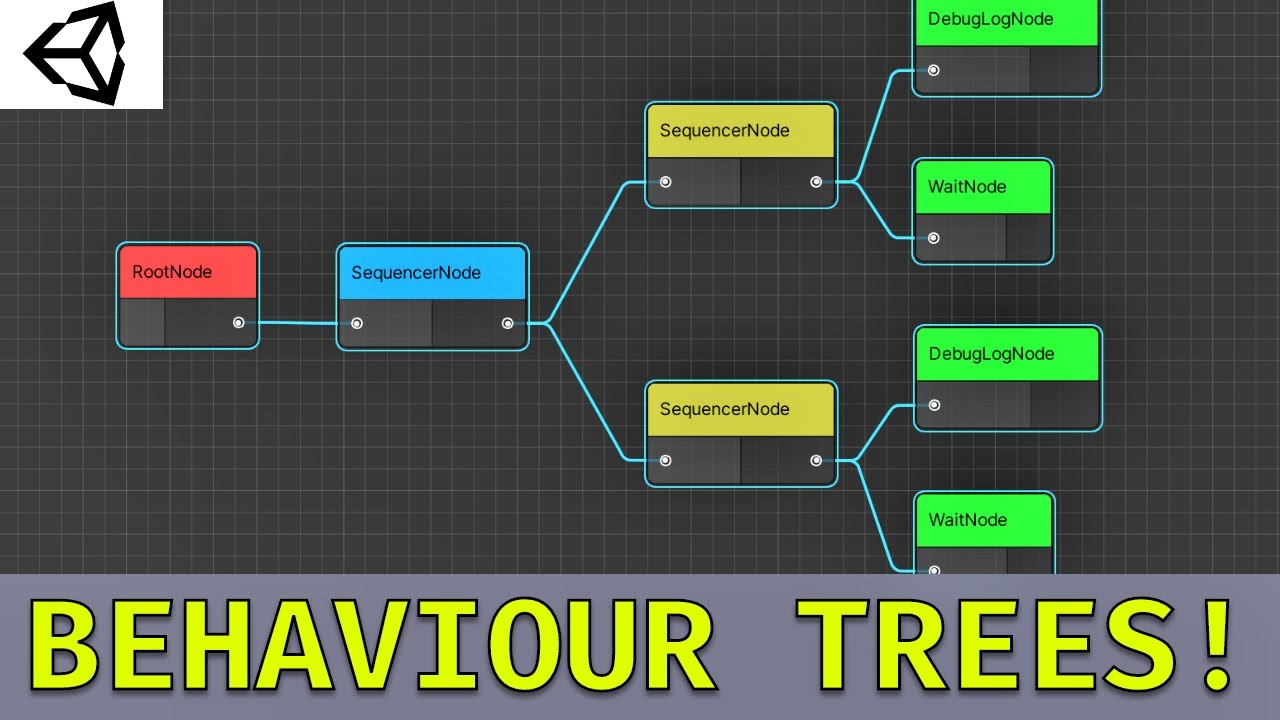
This video is an hour long epic into how to create behaviour trees using ui builder, graph view, and scriptable objects. UI Builder accelerates editor tool development by visual drag and drop editing. Scriptable objects are used for serialisation, and graph view is the same node graph backing used by shader graph.
Project files available here!
...
check this out
pure sandal
I did briefly see that. Wasn't sure if it was valid for my use case but I'll check it out more in depth for sure. Thanks!
Oh actually, graphview is unity editor. That means it's only useable in editor and not during runtime right?
gusty estuary
pure sandal
Oh actually, graphview is unity editor. That means it's only useable in editor a...
yes
gusty estuary
past ermine
so i usually define my elements with UXML, creating custom visual elements is gr...
custom controls are usually done through constructor
 tranquil sigil
How do I disable the default inputs from UI?
Like the arrow keys, space bar to select, etc.
I don't want certain buttons to be interactable through the default inputs.
 surreal ember
I think this problem in the forum is still not proper solved by unity yet, still hard to use query find the popuped field. I had to make custom control instead

It seems still a problem
 gusty estuary
tranquil sigil
How do I disable the default inputs from UI?
gusty estuary
tranquil sigil
How do I disable the default inputs from UI?
you make elements unfocusable
ooor
you could just use your own input asset
for event system
 lean horizon
Can I do something like this in Code element.style.bordertWidthWithout the need to this for every side this.style.borderLeftWidth
 full agate
is there way to create a custom label which consists of two labels? Would rather prefer that than manually doing it every time by putting labels insides labels
faint sky
is there a way to unlock these children?
 faint sky
full agate
is there way to create a custom label which consists of two labels? Would rather...
faint sky
full agate
is there way to create a custom label which consists of two labels? Would rather...
like this?
 full agate
yeah but i'd like a custom element that does it
so i'd have 2 fields to add text to, rather than manually making two labels in a container
faint sky
you need to make your own, this is just visual element with two relative labels in row
 idle halo
Hello, is it possible to use Localization together with the UI Toolkit without having to use code?
faint sky
but it works, I also have a script that scales it accordingly with the text
faint sky
there is some weird uss hover class on the dropdown that changes the color back to default, can anyone tell me how is it called so I can override it?
full agate
so i got it working with a constructor, but not sure how to call the event of an integer, doesn't seem to work
 teal belfry
lean horizon
Can I do something like this in Code ```element.style.bordertWidth```Without the...
teal belfry
lean horizon
Can I do something like this in Code ```element.style.bordertWidth```Without the...
no
you have to do it for each side sadly
full agate
how do i make a variable update when it's changed?
gusty estuary
full agate
how do i make a variable update when it's changed?
tons of ways
starting from updating it every frame in Update ending with event based binding
full agate
I have a label parent with a label child, I need to have the variable for the parent, update to the child
` public new class UxmlTraits : Label.UxmlTraits
{
UxmlIntAttributeDescription myInt = new UxmlIntAttributeDescription { name = "my-int", defaultValue = 0 };
    public override void Init(VisualElement ve, IUxmlAttributes bag, CreationContext cc)
    {
        base.Init(ve, bag, cc);
        var ate = ve as ResourceElement;
        ate.myInt = myInt.GetValueFromBag(bag, cc);
        ate.myInt.RegisterCallback<ChangeEvent<int>>(OnIntChangedEvent);
    }
}`
this isnt working
full agate
been working on this for days, if anyone can help i'd appreciate it
gusty estuary
full agate
` public new class UxmlTraits : Label.UxmlTraits
{
UxmlIntAttribu...
this is only meant to apply value after instantiation of uxml file
you mustn't do any callback registration here
full agate
what if i create a constructor?
gusty estuary
also change event only sent on input fields elements
when user writes something into it for example
take a look at UITK manual
it's really well written
full agate
i also just need it when the label changes, I want my other label to change too
i've been reading.. honestly I'm coming from python and kivy, and C# and unity has been driving me insane, very little clarity or examples
I would assume making custom elements would be extremely easy, but it seems to be very unnecessarily difficult or maybe not even possible
gusty estuary
it is easy
but you barely know how UITK works
thus making tons of wrong assumptions
full agate
`using UnityEngine;
using UnityEngine.UIElements;
public class ResourceElement : Label
{
public int myInt
{
get; set;
}
// Factory class, required to expose this custom control to UXML
public new class UxmlFactory : UxmlFactory<ResourceElement, UxmlTraits>{}

// Traits class
public new class UxmlTraits : Label.UxmlTraits
{
    UxmlIntAttributeDescription myInt = new UxmlIntAttributeDescription { name = "my-int", defaultValue = 0 };

    public override void Init(VisualElement ve, IUxmlAttributes bag, CreationContext cc)
    {
        base.Init(ve, bag, cc);
        var ate = ve as ResourceElement;
        ate.myInt = myInt.GetValueFromBag(bag, cc);
    }
}


public ResourceElement()
{
    Label testing = new Label();

    testing.text = myInt.ToString();
    testing.style.fontSize = 100;
    Add(testing);

}
}`
this is what I got so far, I would assume that myInt would always get the value i put in the input and that the label inside of it would just pull it, none of that is working
 tawdry sonnet
it seems
SerializedProperty events = serializedObject.FindProperty("events");
EditorGUILayout.PropertyField(events, true);
display an empty event field but I cannot add any events to it. Any workaround for this?
 full agate
I think I got what I did wrong. I assuming the traits class is if I'll use Uxml, when reality I'm just creating a class that will build itself with labels and then I can just control the variables from within it
faint sky
can I change the dropdown hover color?
past ermine
in case someone missed it: https://resources.unity.com/games/user-interface-design-and-implementation-in-unity

This 130+ page guide for UI artists, designers, and developers will show you how to build sophisticated interfaces with Unity’s two UI systems, Unity UI and UI Toolkit.
should be added to the sticky. i haven't found it there
gusty estuary
past ermine
in case someone missed it: https://resources.unity.com/games/user-interface-desi...
I looked at that sample and tbh... it felt like garbo 😅
not book, just sample that is featured on preview
gusty estuary
more like learn bad
past ermine
i'm trying to have an enum in my custom VE to set a class. (small, medium, bigButton) ```[Serializable]
public enum ButtonSize
{
Small,
Medium,
Big
}
public class HotbarButtonElement : VisualElement
{
public ButtonSize buttonSize { get; set; }
public HotbarButtonElement()
{
    ClearClassList();

    switch (buttonSize)
    {
        case ButtonSize.Small:
            AddToClassList("smallButton");
            break;
        case ButtonSize.Medium:
            AddToClassList("mediumButton");
            break;
        case ButtonSize.Big:
            AddToClassList("bigButton");
            break;
    }
}

public new class UxmlFactory : UxmlFactory<HotbarButtonElement, UxmlTraits> { }

public new class UxmlTraits : VisualElement.UxmlTraits
{
    UxmlEnumAttributeDescription<ButtonSize> buttonSize = new() { name = "buttonSize", defaultValue = ButtonSize.Small };

    public override void Init(VisualElement ve, IUxmlAttributes bag, CreationContext cc)
    {
        base.Init(ve, bag, cc);
        var ate = (HotbarButtonElement) ve;

        ate.buttonSize = buttonSize.GetValueFromBag(bag, cc);
    }
}
}``` .smallButton was set once but it doesn't change. i'm missing something. an event for the change maybe?
it's not even working in runtime. that puzzles me a bit. i set it to medium, yet .smallButton is still the class
oh man, tripped me up again. the uxml layout isn't loaded when the constructor is called. @gusty estuary are you loading uxml files in your custom VEs or do you all create them by code?
gusty estuary
past ermine
oh man, tripped me up again. the uxml layout isn't loaded when the constructor i...
no, I don't use uxml in custom controls
when you make custom controls you might as well just build them through code
it's pretty much equal
in result
while being faster
past ermine
it seems unsupported?
gusty estuary
what is?
past ermine
uxml in custom VE
gusty estuary
Well, no one stopping you from doin that
past ermine
nobody doing that should have been a hint
past ermine
i have my uxml layouts in addressables so, hm.
past ermine
and loading from addressables doesn't play nice with custom VEs
gusty estuary
just don't
past ermine
well, i thought we are over hardcoded layouts ^^
gusty estuary
in this case why not just use uxml instances?
without custom control
I barely use custom controls
usually only in case when it's very specific
and not comfortable to recreate with uxml
usually paired with my data binding, most of stuff is really simple to implement without custom stuff
past ermine
i only use them when i need to save a bunch of custom data. like for hotbar buttons, bound spell id, key binding (for the label), some meta data
where would you save custom data if not in a custom VE?
am i missing something?
i would just add some xml attributes but i haven't found a way to do that without setting up the UxmlTraits
gusty estuary
ugh, I think you misunderstand custom controls
they are meant to be used to implement custom stuff
for example
radial progress bar
or int field with plus and minus buttons
for your project specific
you use classes
of styles
after hierarchy instantiated
you can just query everything of your specific style
and do stuff to it
for example: attach sound for mouseover and click
past ermine
are you going by the code i posted? because i've removed everything that didn't have to do with the problem.
gusty estuary
past ermine
i'm trying to have an enum in my custom VE to set a class. (small, medium, bigBu...
well yeah, I was referring to it. YOu can't do that and you shouldn't do t hat
 pale tapir
Does anyone have a simple guide or anything that can tell me how to create a Listview within UI builder? Everything I see uses gameObjects, but my whole UI is built within UI Builder. I shouls also mention this is for a runtime UI, where the list elements have to be removed and added.
past ermine
i tried moving most of the data away. but when dragging & dropping some spell on a hotbar i need some meta data which has to be in the xml tag
gusty estuary
past ermine
i tried moving most of the data away. but when dragging & dropping some spell on...
you can use style classes all you want
for any random tag
they are parsed then as list of strings
past ermine
yeah true, but even if it's possible i don't see the value of it compared to a strongly typed field
but i'll keep it in mind. could prove useful
gusty estuary
what's the use case anyway?
past ermine
pale tapir
Does anyone have a simple guide or anything that can tell me how to create a Lis...
https://docs.unity3d.com/Manual/UIE-HowTo-CreateRuntimeUI.html should get you started. important part is .makeItem method and itemsSource
past ermine
gusty estuary
what's the use case anyway?
oh just a skill bar. and as i'm pretty much new to UItoolkit i'm trying different things to improve the workflow
 gusty estuary
I mean, what exactly is the need?
past ermine
uhm, i'm confused. should i explain what the skill bar is capable of?
gusty estuary
I assume it's WoW like?
past ermine
pretty much
so dragging & dropping from 1 button to the next and from different panels (like a spellbook)
gusty estuary
I haven't done drag and drop yet
but I don't think it's going to be way too complex
pale tapir
past ermine
https://docs.unity3d.com/Manual/UIE-HowTo-CreateRuntimeUI.html should get you st...
Roger, thank you.
full agate
This looks similar to what you're looking for: https://docs.unity3d.com/Manual/UIE-create-drag-and-drop-ui.html
 past ermine
thanks, i'm already on that page. how to do that wasn't my question 🙂
anyone else has the problem that UIToolkit debugger can't expand an element? (unity 2022.2.7f1)
usually a restart helped but that hasn't worked either
pale tapir
past ermine
https://docs.unity3d.com/Manual/UIE-HowTo-CreateRuntimeUI.html should get you st...
Jesus, i feel like this is overly complicated for no reason lol, I'm finding the documentation very hard to read.
past ermine
it is. you can ignore most of the stuff
pale tapir
Thank you for the docs though. I think I'm just gonna cook up my own solution or design my game to not have to use ListView.
past ermine
a list is defined by the data source (itemsSource) - an item is defined by makeItem. with this alone a list can get filled
and lastly, bindItem is where you apply your data to the element
some code where i use a list: ```var assets = await AddressablesHelper.LoadAssets<VisualTreeAsset>(keys);
var materialContainer = assets[KEY_MATERIALCONTAINER].CloneTreeSingle(_rootVE, visibleOnInstantiate);
    var listView = materialContainer.Q<ListView>("materialContainer");

    listView.makeItem = () =>
    {
        //Debug.Log("make new item");
        var newListEntry = assets[KEY_MATERIALELEMENT].Instantiate();
        return newListEntry;
    };

    listView.bindItem = (item, index) =>
    {
        //Debug.Log($"iterating over item {index}");

        var data = AllMaterials[index];
        item.Q("materialIcon").style.backgroundImage = new StyleBackground(materialAtlas.GetSprite(data.icon));
        item.Q<Label>("materialAmount").text = data.amount.ToString();
    };

    _listView = listView;
    _listView.itemsSource = AllMaterials;```
after you sift through the fluff i think it's not too bad
pale tapir
idk, I'm gonna screenshot your what you have. But I can't think.. (My roomates dog won't stop barking and its driving me nuts.)
Ok he finally decided to be responsible for his pet.
So
If I ever get a hold on this concept with any certainty, I'm going to make a youtube video on it.
Cause my brain is not braining
past ermine
uitoolkit has a pretty steep learning curve. everything's decoupled so it's hard to know what you need to implement. unityUI is much more straight forward in that regard
pale tapir
Well that does make me feel a bit better lol. But I definately feel like it should be easier. Like.. if I could just supply the root Visual element and use that as a template for my all the listview items, and change what I need to change via script, I feel like that would be easier
gusty estuary
pale tapir
Well that does make me feel a bit better lol. But I definately feel like it shou...
you can supply VisualTreeAsset
uxml file
past ermine
yeah, which can be instantiated. i do exactly that, i just load the VisualTreeAsset from addressables
pale tapir
It NEEDs to be seperate uxml?
past ermine
for prototyping it's easier to just have a public VisualTreeAsset itemTemplate;
yes
just a uxml definition how your item looks like
man, my uitoolkit debugger is broken. 😦
i can't expand anything in runtime
pale tapir
Ima assume I treat the seperate UXML template as its own thing and not use classes
?
or can I reused the classes from my original uxml file in my template?
gusty estuary
there is a section about template instantiation in manual
past ermine
if it makes sense to you, do it
pale tapir
Just gotta find where the USS file is 😕
past ermine
wish me luck that deleting library fixes the debugger problem 🤞
pale tapir
Sending luck
 static canyon
past ermine
i can't expand anything in runtime
static canyon
past ermine
i can't expand anything in runtime
In case it helps, selecting the panel (top left of debugger window) can kick it back into action
past ermine
ok, i'll keep that in mind when i have it again. as i said, the last time a unity restart helped. pretty much everything else was working (picking elements, hovering and seeing the broders, etc...), just not expanding
you are a lifesaver. so when i have the debugger undocked on my 2nd screen it doesn't work. but when i dock it somewhere on my main screen/main unity window it works. (re-importing didn't do anything)
pale tapir
So, now that I have the UXML setup with my ListView Item, what next?
past ermine
write the code similar to what i posted above. reference the listview, the item template and have the data ready you want to bind
pale tapir
and makeItem is my visual tree asset?
past ermine
you'd instantiate your visual tree asset there
pale tapir
How do I get reference to my uxml?
past ermine
public VisualTreeAsset itemTemplate; in your MonoBehaviour
then drag & drop your uxml file
pale tapir
Whoops i set it to private no wonder
And suppose I wanted to bind a List of KeyValuePair<string, List<Messages>> how would I go about doing that?
past ermine
you can't bind a dictionary, only an array/list
at least i don't think Dictionary implements IList.
just bind the List<Messages>
pale tapir
rage. anger. displeasure
ooooone second. lol
Gotta change my message calss.
class
so I've confused myself, what is 'item'
OH nvm I think i get it
no no i dont
past ermine
this is a single item 🙂
 pale tapir
Gonna just paste my code
maybe im on the right track, idk
Pastebin
Pastebin.com is the number one paste tool since 2002. Pastebin is a website where you can store text online for a set period of time.
welp, I didn't know the title would show
past ermine
query the tag/element you want from messageTemplate. the above example would by a Label
item.Q<Label>("nameOfLabel").text = data.charName;
pale tapir
messageListView.bindItem = (item, index) =>
            {
                var data = allMessages[index];
                item.Q<Label>("Message_Contact_Name").text = data._contactName;
                item.Q<Label>("Message_Contact_Content").text = data._messageContent;
};```so like this?
past ermine
yeah
can a ListView have that kind of layout? if so, how? with some deep css selectors?
 pale tapir
I imagine that its just about the style the container no?
Looks like flex is set to row, and the elements themselves have a specific size.
Then them maybe the color is changed based on index
On and wrap would have to be on aswell
past ermine
right, i just don't know where i would set this. if i set it on the listview it doesn't apply to the underlying scrollview
pale tapir
Well Idk anything about a scroll view. But if that yellow box is a fixed size then all you really have to do is make sure the style for the box is set correctly
Oh, but come to think of it, I'm not sure how that would work once the box gets full.
Unless, you could vertically scroll within the yellow box
Then in that case, im outta my league
Cannot convert from template container to visual tree asset? what
past ermine
where do you get the error? in instantiate?
pale tapir
well its started as an object null ref
I have a static method within my Messege called Instaniate that is supposed to do all the binding and what not for the list view of messages
buuut. The I can't referene the VisualTreeAsset in a static method without making it static, which I also can't do because then I can't drag and drop it in the editor.
So I'm confused as to how I can use the template within the method without making the method not static, cause it doens't really make sense for it not to be static.
past ermine
don't make it static
rather make the class (UserInterfaceController) a singleton if you need to access it from somewhere else
pale tapir
This is starting to piss me off
Pastebin
Pastebin.com is the number one paste tool since 2002. Pastebin is a website where you can store text online for a set period of time.
Downright confused beyond belief
Ui is proving harder than my actual game logic.
past ermine
no wonder, your code is a mess. drop all these statics. i don't know why you have them in the first place
pale tapir
Yeaah, i don't know how I managed to have so many actually
past ermine
if you need singleton access, use this pattern instead ```public class SingletonExample : MonoBehaviour
{
public static SingletonExample Instance;
public List<int> list;
public void Awake()
{
    Instance = this;
list = new ...
}
}
// get via
SingletonExample.Instance.list```
it's not pretty but better than messy statics all over the place ^^
pale tapir
Im not to familiar with the concept of singletons so give me a min to educate myself while I clean up my code
past ermine
very basic concept. you define a class that only exists once and through the static Instance you can access it from anywhere. same as your static usage but instead it's one static that encapsulates all your other fields.
pale tapir
IGotcha, okay interesting.
But I don't think that would help would it? I mean it would make my code look a bit nicer, but if the stuff I have with the static modifier are things that logically would need them I think
right?
past ermine
they don't need them and especially not something like private static ListView messageListView; as you experienced, you can't even reference the ListView then
pale tapir
Maybe I don't understand static than, cause I only have and only need the one listview no? I don't need instances of the listview. It only exists once and I want to directly modify that one ListView?
And the thing I can't access is the messageTemplate, which isn't static
past ermine
yes, you don't understand static 🙂 i won't explain it here. anyway, first thing you have to do is move public VisualTreeAsset messageTemplate; to UserInterfaceController.
pale tapir
done
past ermine
then implement the singleton pattern and you can change var newEntry = messageTemplate.Instantiate(); to var newEntry = UserInterfaceController.Instance.messageTemplate.Instantiate();
past ermine
sidenote: i'd design this very differently. i can just give you some guidance how to get this done quickly
pale tapir
ill take whatever I can get atp
Somehow a list has taken more effort than the hours of 3d modeling I did today
past ermine
well add the singleton public static UserInterfaceController Instance; to your UserInterfaceController class
pale tapir
done
past ermine
copy paste the Awake from above (minus the list line)
pale tapir
done
past ermine
still any errors? you should do the same thing for any other static. move them to your main controller and access them just like the messageTemplate. I see public static VisualElement notifacationContainer; for example
some can stay. but anything that you want to reference in unity has to go to the controller
pale tapir
Well there are no errors, but my list is empty.
No compile or runtime errors whatsoever
wait whoops
well. Noticing a gaping probelm with everything
Fixed
Guess its time to play the Debug.Log game.
 sacred herald
is there a way i can add a ui that the mouse hovers over using this map art asset? is there a tutorial on using onmouserover😭 sorry i am a beginner on this
 pale tapir
Well. I think I'm giving up on the ListView
I can't take it anymore
Dog wont stop barking. No errors, the list has items in it, the template has a super bright background color that I can't miss, its sized correclty, but makeitem and bind item lines aren't running.
I'm deleting everything and just designing my UI without it.
I shouldn't need to learn quantum physics and have a PhD in UI to make a simple list.
Raging so hard rn
Hours wasted.
full agate
@pale tapir Sometimes it's good to have a break once in awhile and when you come back to the problem with a fresh mind it may help. I do got to say that ui toolkit is neat but very lacking in a lot of basics that shouldn't require paragraphs of manual code to make its features functional. It's requiring loads of workarounds to automate and simplify it and that's frustrating because there are free alternatives, but unity wants a cut. The Unity documentation is also worse than C#'s documentation, lol.
 pseudo dock
my bug report is doing great 😬
 full agate
iconInst.style.backgroundImage = Resources.Load<Sprite>("Assets/UI/Textures/Images/icons_0");
For some reason this doesnt take sprites, only 2D textures, any way to make this work?>
past ermine
new StyleBackground(yourSprite);
how is it possible that i set the style width/height of a VisualElement but the worldBound width/height stays at 0/0. quite annoying because i use overlap for drag&dropping
past ermine
it's a Sprite class Resources.Load<Sprite>("Assets/UI/Textures/Images/icons_0") in your case
full agate
it no longer generates an error, but it doesn't do anything unfortunately, doesn't display the image
past ermine
have you checked if the sprite loads correctly?
and you should put your sprite in a SpriteAtlas.
past ermine
now i see it. you are loading from the resources folder. this can't work
atlas.GetSprite("spriteName") is much more convenient
past ermine
what? why would you ...
full agate
way more control over them, now I can put them throughout my text and I can alter their color to whatever I want
they work great for buttons to, because the background image for the button is always stretched and you can't adjust it, with a text, you can
past ermine
what does that have to do with sprites as text assets?
full agate
because you create a sprite into a text asset
<sprite name="rock"> so lets say I put that in my text, it's an image will be always inside it
past ermine
oh, you are not talking about loading text assets from the resources folder, are you?
full agate
nah, no loading I just attach it to my settings
teal belfry
(assume bottom width says height)

assuming this is what I have....this would start the width/height(assume the 2nd width says height) at like 0% and ease it into like 100% then back to like 90% over 1s?
or does it just start it at whatever it was previously...(assume its disabled to start...meaning 0%, then ease to 100% and back to 90%?!?!)
or how do I know the percents it eases it to?
 ivory basalt
Does UIToolkit support splitscreen?
 lean barn
ivory basalt
Does UIToolkit support splitscreen?
lean barn
ivory basalt
Does UIToolkit support splitscreen?
You can have two times the same UIDocument and each take 50% of the screen no?
ivory basalt
lean barn
You can have two times the same UIDocument and each take 50% of the screen no?
Hmm the idea would be choosing the camera that renders it, so I dont have to set the size when its 1 player, again when another joins etc etc, but I guess it could work
lean barn
ivory basalt
Hmm the idea would be choosing the camera that renders it, so I dont have to set...
I think if you set the grow or expand (don't remember which one) to 1 if you have only one element it's going to take 100% and if you have two or more it's going to share the space. Your elements need to have the same parent
ivory basalt
I will do some more testing then. Since Im using the new input system
gusty estuary
ivory basalt
Hmm the idea would be choosing the camera that renders it, so I dont have to set...
UI is not rendered by camera
you choose render target in panel settings if you want to go that route
teal belfry
@lean barn is it expected for the UIToolkitAutoReferencesPostprocessor that when it creates the file I should be just copying the code and pasting it into another file that I want?
as it seems to "delete" anything I put inside the "ChestOpeningAutoReferences" file (comments, code etc)
lean barn
Yup, you should create another script to hold your logic, the AutoReferences files are deleted and recreated every time you make a modification
I'm curious how did you find it, because it don't think a lot of peoples are using my weird scripts 😅
teal belfry
lean barn
I'm curious how did you find it, because it don't think a lot of peoples are usi...
reddit
1 vote and 0 comments so far on Reddit
actually finding the script itself wasn't super easy tho
its not actually linked here 😭
still have to try out the world UI stuff...but probably wont use it in this game
script works great...only annoying thing is the 4s reload after I save
Tbh, script saves me much more than 4s tho 🙂
lean barn
teal belfry
script works great...only annoying thing is the 4s reload after I save
Yeah the Unity script reloading is one of the worst thing
lean barn
teal belfry
Tbh, script saves me much more than 4s tho 🙂
Glad to hear that
lean barn
teal belfry
script works great...only annoying thing is the 4s reload after I save
I also think I could check if the numbers and names of auto referenced elements changed or not to skip the file update
 rough pewter
when using sprite mode multiple as background sprite I can only get the first element, it doesn't matter the one I choose at UI Builder, any help?
teal belfry
lean barn
I also think I could check if the numbers and names of auto referenced elements ...
that would probably help quite a bit 🙂
 rocky raptor
Does anyone has this error using UI Toolkit + New InputSystem + EventSystem?
 past ermine
working fine on my end. have you converted the input system for the EventSystem?
with manipulators like MouseManipulator. I'm setting a target which is a custom VisualElement. When the MouseOver event hits, I get a VE in evt.target but I can't cast it to my custom VE class. anyone else got this to work?
huh, picking mode screwed me over that was active on some childs. that thing should really be disabled as a default :/
gusty estuary
past ermine
huh, picking mode screwed me over that was active on some childs. that thing sho...
I don't really agree. 99% of the time I disable it for only 1 or 2 elements out of 50 in hierarchy
 cursive escarp
Window > UI Toolkit > Debugger
you can Pick Element like you can in something like Chrome dev tools
 sullen bay
cursive escarp
you can Pick Element like you can in something like Chrome dev tools
sullen bay
cursive escarp
you can Pick Element like you can in something like Chrome dev tools
thank you!
God I needed that hahah
Probably a RTFM moment
How can I override styles from within Unity? For some reason mine aren't applying. This first one is my rule.

My sheet is appearing last in the list of stylesheets:
 gusty estuary
sullen bay
How can I override styles from within Unity? For some reason mine aren't applyin...
gusty estuary
sullen bay
How can I override styles from within Unity? For some reason mine aren't applyin...
override unity styles?
sullen bay
Ah, sorry. I mean I would like my rules to override the defaults.
At the moment it seems that .port > #connector is taking precedence
sullen bay
Selectors from user-defined style sheets takes precedence over selectors from default Unity style sheets.
Well, mine are user-defined, but it's not applying.
I mean... I think they're user defined
gusty estuary
you sure those stylesheets are applied?
gusty estuary
then styles are applied
gusty estuary
check actual style data
in bottom
and see
how are they defined
I have a feeling you inlined them

 gusty estuary
setting value in code also inlines it
gusty estuary
sullen bay
top selectors are lowest priority
sullen bay
Yes, like I said, I did not make this elements
gusty estuary
sullen bay
Yes, like I said, I did not make this elements
then most of the time you'll be out of luck
complex Unity elements are so bad with styles
I prefer to make complex stuff out of simpler if possible
sullen bay
I am just trying to make a port look different
gusty estuary
what class is it?
sullen bay
gusty estuary
top selectors are lowest priority
So if user supplied sheets are always higher precedence, why is mine at the start of the list?
 gusty estuary
sullen bay
So if user supplied sheets are always higher precedence, why is mine at the star...
gusty estuary
sullen bay
So if user supplied sheets are always higher precedence, why is mine at the star...
because you didn't read manual to the end, there are way more factors that are taken into account
and that's why some elements are just very hard to override
gusty estuary
whole page is about style priority
sullen bay
Yes,
It says user provided sheets have highest precedence
Then moves into specificity to tie-break
gusty estuary
Selector specificity
sullen bay
I know what specificity is
sullen bay
Unity determines precedence according to the following factors in this order:
- The type of style sheet: Selectors from user-defined style sheets takes precedence over selectors from default Unity style sheets.
- Selector specificity: If both selectors are in the same type of style sheet, the selector with the highest specificity takes precedence
gusty estuary
jeez, I am so confused with these words kek
gusty estuary
no sir
that's now what I meant
I mean
that your style
is likely Type selector
which is lower priority than Class selector
no matter whether it's user defined or not
sullen bay
I've included both type and class
sullen bay
PortView.Port_Nullable-Single- > .connectorBox {
  border-bottom-left-radius: 0;
  border-top-right-radius: 0;
  border-top-color: white;
  height: 20px;
}
oooh, got it!
gusty estuary
This is type selector
sullen bay
The top-to-bottom thing wasn't true

If I use the "name" selector it overrides
It's because the ID was higher precedence
gusty estuary
hm
 full agate
highly recommend using chatgpt, it actually knows quite a bit of unity and C# and even if its not perfect solutions, it find and even teaches you syntaxes with examples far better than any documentation
gusty estuary
full agate
highly recommend using chatgpt, it actually knows quite a bit of unity and C# an...
jeez, no
It has limited knowledge up to 2021
UITK has changed quite a lot since then
full agate
As I said, it isn't perfect, but it can be helpful
gusty estuary
full agate
As I said, it isn't perfect, but it can be helpful
no I completely disagree. Every time I tried to extract some code from it I saw extreme flaws which will be very harmful for those, who don't know what they are doing
full agate
I've yet to run into such issues. Obviously it's just for basic things, not creating your code from the ground up. It's a good start on the right direction and has saved me days of time finding stuff that can't be found almost anywhere online
it's a lot better than asking here and getting a response such as "that's easy" and not providing any assistance
gusty estuary
just keep in mind that it's just a language model and it can't ever know whether code makes sense or not
last time I asked for some UITK advice, it provided me sample referencing uGUI classes 😅
since then I used it for nothing but english assistance
full agate
i've also successfully had it covert python code into c# code to have a better understanding of the language
gusty estuary
I do nothing, but worry about knowledge you gained 🙃
pale tapir
is there a reason why my game view and the UI builder show completely different UI stuff?

Left is game view right is the UI Builder
full agate
length for both are probably not the same
lean barn
pale tapir
is there a reason why my game view and the UI builder show completely different ...
You also have a drop-down at the top of the window, make sure you aren't using the editor style
pale tapir
lean barn
You also have a drop-down at the top of the window, make sure you aren't using ...
Using the Unity Default Runtime Theme
What really bugs me is that they are both using the same class
The only difference between the red and blue elements is the width and color, which is the only thing I wanna change between the two
lean barn
Oh now I think about it check your panel settings
Inside your UIDocument in the scene view
You should choose match screen size or a name like that and set the cursor to 0.5
Also use the same value size inside the UIBuilder and inside the panel settings
pale tapir
I found the scale mode to scale with screen size, but see nothing about a cursor
lean barn
By cursor I mean slider* sorry
pale tapir
ah
lean barn
Looking like that on my side
 teal belfry
any idea why this renderTexture isn't rendering anything here?
 pale tapir
lean barn
Looking like that on my side
pale tapir
lean barn
Looking like that on my side
Thank you this seemed to help for the most part!
lean barn
pale tapir
Thank you this seemed to help for the most part!
Maybe the match slider need to be 0 for you, depends on your needs
pale tapir
1 seems to be working much better
lean barn
teal belfry
any idea why this renderTexture isn't rendering anything here?
Opacity is set to 0 somewhere?
teal belfry
lean barn
Opacity is set to 0 somewhere?
for the background color or img tint?
teal belfry
🤔
I wonder if its the fact that its a particle is whats making it break
I can get a renderTexture of a sprite to work fine
lean barn
You are filming the particles with a secondary camera? They are also doing that in the official UIToolkit project
So maybe you can take a look there
teal belfry
lean barn
You are filming the particles with a secondary camera? They are also doing that ...
yes to first question...no clue what you mean by 2nd?
I couldn't find anything like that when I had looked
lean barn

Get the UI Toolkit Sample – Dragon Crashers package from Unity Technologies and speed up your game development process. Find this & other Tutorial Projects options on the Unity Asset Store.
teal belfry
oh there, gotcha, I'll check it out again
but no clue why the rendertexture wouldn't work for particles
¯_(ツ)_/¯
😭


it shows other things but not my actual particles
brutal
teal belfry
teal belfry
any idea why this renderTexture isn't rendering anything here?
@gusty estuary you seem to know every UI thing I ask...any idea why my particles wont render?
teal belfry
lean barn
You are filming the particles with a secondary camera? They are also doing that ...
Do you know where?
that project has so many UI docs I'll never find it manually lol
lean barn
So I know it's used for the character portraits, but I don't remember what the name was
teal belfry
lean barn
So I know it's used for the character portraits, but I don't remember what the n...
like in the main menu or the actual game?
If you mean right here...they don't actually use UI toolkit for it :/
 lean barn
No it's the HUD UI with the character portrait on the bottom
I think it's when they have the power up ready or something like that
You can play the game and find them easily
teal belfry
lean barn
You can play the game and find them easily
hmmm, I see what you are talking about at least
of course they spawn it all in so I can't find how they do it 😡
lean barn
Haha they probably are inside UI document prefabs. Maybe while the game is playing you can find the camera filming the particles
teal belfry
lean barn
Haha they probably are inside UI document prefabs. Maybe while the game is playi...
wtf kinda camera is this lol

never seen anything like it
lean barn
I don't see anything unusual, you never made a urp project?
teal belfry
no clue what that is tbh
Just remove "ColorMask RGB" or replace it with "ColorMask RGBA", you will get the correct picture.```🤔
gotta figure out where that ColorMask RGB is located then hopefully that fixes it
😡 from what Im seeing the asset pack I was using for particles used ColorMask RGB...and didn't provide the shaders themselves so I can't edit it to fix this
(granted I know nothing about shaders)
lean barn
Time to learn how to code shaders 😅
teal belfry
I legit have no clue what shaders even do
lean barn
It's the code that tell your GPU how to render thing on screen
 fiery mountain
is there any kind of style sheet setup to have the runtime ui look like the unity editor ui?
teal belfry
lean barn
It's the code that tell your GPU how to render thing on screen
Particles-> Alpha Blending shader shows not$$anonymous$$ng... BUT Mobile->Particles->Alpha Blending works for some strange reason. You can see the particles with the correct shader!
any idea what this means..can you change all shaders to somehow go from mobile?
I found that the normal Particles shader has "ColorMask RGB", while the mobile one doesn't. Removing that allows you to use it with a RenderTexture. The only side effect I've seen is alpha gets slightly greyer when your RenderTexture includes the skybox, but it's so small it's worth it. Otherwise it works flawlessly.
You need to search the material used in the particles system (it's inside the render section)
When you found your material at the top you have a drop-down named shader
And you need to find the one the person is talking about
teal belfry
lean barn
And you need to find the one the person is talking about
gotcha thanks...what shader do people normally pick? (ignoring the mobile thing above)
all the ones I see are on Legacy Shader/Particle
lean barn
Depends on the render pipeline you are using
teal belfry
ah...what render pipeline do people who not know what that means normally go with 😄
lean barn
When you created your project you had the choice between built-in, URP and HDRP
Which one did you choose?
 lean barn
Okay so you should have access inside the drop-down the mobile/particles/alpha blending
Or any alpha blending below a "particles" section
teal belfry
lean barn
Or any alpha blending below a "particles" section
ah, so anything that says like "alpha blending" means it saves the alpha values and thus can be used with rendertextures?
lean barn
I can't be sure without seeing the shader code but it's worth a try anyway 😅
teal belfry
lean barn
I can't be sure without seeing the shader code but it's worth a try anyway 😅
is there a way to modify the default shader codes? (like Legacy Shaders/Particles/Additive)?
not even sure how I got these shaders lol
lean barn
teal belfry
is there a way to modify the default shader codes? (like Legacy Shaders/Particle...
Online you can download the built-in Unity shader library yes
teal belfry
ah cool, thanks...turns out I just need to click Mobile->particles->additive and it fixes it ❤️
 hallow fjord
What do i need to do to have a dropdownfield show a text that is not the object that is selected?
For example i want the dropdown to display a list of Fields of a Type and the Type of the Field in Brackets:
TypeA(Vector3)
TypeB(float)
TypeC(int)
.
.
.
so I do this to fill the DropdownField.choices list:
        {
            var fields = new List<string>();
            if (type == null) return fields;

            foreach (var fieldInfo in type.GetFields())
            {
                fields.Add($"{fieldInfo.Name}({fieldInfo.FieldType.Name})");
            }

            return fields;
        }```

But now when I select a choice i do actually only want to get the FieldName returned and not the Type in Brackets. Do i have to format the string again? Seems like i am missing an easy solution to thisQuick question.
When two visual elements are siblings and one is covering the other... is it possible for a click event to hit both of them?
I'm trying to build a UI that resembles operating system windows... but each window has a rootvisualelement that covers the whole screen.
So elements that are "siblings" don't get hit one after the other, only the top one gets hit.
Wondering if I can make the event path hit one after the other.
If you're wondering, the reason why each rootVisualElement covers the entire screen is because for dragging windows around, if I go too fast I fly off the window, so catching the event across the entire rootvisualelement prevents that from happening.
gusty estuary
pure sandal
Quick question.
When two visual elements are siblings and one is covering the o...
make picking mode = ignore on every invisible element
picking mode is what stops event propagation for clicks
pure sandal
but I need it for dragging
Wondering if I can only have picking mode pick when dragging, then switch it off when not
gusty estuary
why do you need picking mode on invisible elements?
pure sandal
pure sandal
If you're wondering, the reason why each rootVisualElement covers the entire scr...
.
Is there an alternative approach to this
gusty estuary
you don't need picking mode on invisible elements for that
pure sandal
I have PointerMoveEvent. Does that not matter for pickingmode?
gusty estuary
just register click event when you start dragging
and move window to cursor until mouse up event
pure sandal
Yes, I do this with a PointerMoveEvent across the entire "invisible element".
The reason I do this is because I can get an event.localPosition from the PointerMoveEvent which is the only way I've gotten this to work.
If you're referring to use Input.mousePosition, that doesn't seem to work as well for me.
gusty estuary
I don't refer to any input frameworks, allthough you might need one
but no matter what you do
picking mode stops event propagation
and you can try to develop some overcomplicated solution to toggle it
or just do it the way unity does
pure sandal
This seems like it's doing it through the editor and not in-game?
gusty estuary
keep in mind though, that this example is for editor, so it'll need some rework for runtime
yeah...
but it'll give the general idea how it should be done
pure sandal
I do it through pointermoveevent which is how most people seem to have handled it
though now that I think about it... I may have come up with a possible solution
Talking about things helps me lol
pure sandal
haha yeah it seems that is how most programmers handle things. I've been working on this UI for like a week now and every so often I bang my head against the wall
I've thought about just making YT tutorials on UI Documents doing more complex stuff cuz it seems to be an area that's lacking
gusty estuary
pure sandal
I've thought about just making YT tutorials on UI Documents doing more complex s...
there's Unity manual
that is better than any YT video
pure sandal
I've been using it for figuring these things out but some things are buried deep or not documented as well as they could be
plus YT videos on unity are generally why I've preferred unity in general over UE5
UE5 was... a nightmare lol
 faint sky
I have two elements - a button #DropdownItem, and a button #Button. I want to achieve the following behavior:
- When I hover over #DropdownItem, only #DropdownItem should become grayed out.
- When I hover over #Button, both #Button and #DropdownItem should become grayed out.
Is there any way to accomplish this?

 gaunt cypress
Hello, I have a health system using the UI Toolkit asset. I have an int called Health and depending on health in should change the amount the sprites of the health icon. For some reason, the initial sprite is not being changed but the last two are. Any ideas?
[SerializeField] private Sprite healthFull;
[SerializeField] private Sprite healthEmpty;
int health = 3;

List<VisualElement> healthSprites = new List<VisualElement>();

healthSprites.Add(gameMenu.rootVisualElement.Q<VisualElement>("HealthIcon1"));
        healthSprites.Add(gameMenu.rootVisualElement.Q<VisualElement>("HealthIcon2"));
        healthSprites.Add(gameMenu.rootVisualElement.Q<VisualElement>("HealthIcon3"));

 var healthEmptyBg = new StyleBackground(healthEmpty);
        var healthFullBg = new StyleBackground(healthFull);

        if(healthSprites[health] != null) healthSprites[health].style.backgroundImage = healthEmptyBg;

        for (int i = 0; i < health - 1; i++)
        {
            healthSprites[health].style.backgroundImage = healthFullBg;
        }

 rough scarab
gaunt cypress
Hello, I have a health system using the UI Toolkit asset. I have an int called H...
rough scarab
gaunt cypress
Hello, I have a health system using the UI Toolkit asset. I have an int called H...
why are you doing < health - 1 and not just < health
gaunt cypress
rough scarab
why are you doing `< health - 1` and not just `< health`
because the index will be out of the array. If health is 3 then i do health - 1 so all sprites should be full
healthSprites[0], healthSprites[1], healthSprites[2]
rough scarab
2 is < 3 not < 3 - 1
rough scarab
I also don't entirely understand your logic, as you are setting the last one to healthEmptyBg, which when this is corrected will be immediately overridden
you're also not using i, you're just doing healthSprites[health]
gaunt cypress
rough scarab
I also don't entirely understand your logic, as you are setting the last one to ...
it's not
im just setting the one after my health as empty
because im gonna add a feature where the player can pick up more lives
thx for the help tho
 verbal yacht
you know when you have a ui element selected with a controller? How would I make that bigger? Currently it is at 1px and it is near impossible to see lol
full agate
doesn't seem like it's possible to override remove and add functions for elements... really unsual, basics, not possible
gusty estuary
faint sky
I have two elements - a button #DropdownItem, and a button #Button. I want to ac...
if you'll go over this part of manual you'll have no further questions
https://docs.unity3d.com/2022.2/Documentation/Manual/UIE-USS.html
gusty estuary
full agate
doesn't seem like it's possible to override remove and add functions for element...
seems like you are trying to use uitk engine not in a meant way
full agate
what is the point of a custom element if you can't override anytihng for it
constant workarounds
gusty estuary
full agate
what is the point of a custom element if you can't override anytihng for it
sir, you are not meant to have just 1 element
you create proper logic through composition of elements
you don't override anything
because underlying logic is way too complex
full agate
what are you arguing for? any other game engine allows you to alter elements and override them, unity doesn't
full agate
I donno what you're making excused for
gusty estuary
if you need something to override - you are most likely using it wrong in UITK. that's about it
full agate
i need an function to occur when an element gets added to a elementbox, no possibility via events or overrides
gusty estuary
you might want to take a look at scroller logic to see how it handles it
full agate
no substance you provided what exactly do you mean
gusty estuary
Scroller does some stuff on startup, when elements are added through uxml to it
potentially that's what you want
but tbh
can't you just handle that logic when you add elements to elementbox?
none of game logic should rely on UI logic, aside from input
full agate
I'm trying to make a groupbox hide or unhide based on elements within it, should be done if element is added or removed event, but none of that is possible, literally basics for any other game engine
gusty estuary
you are adding elements to it. You are pretty much responsible for that logic in the first place. Can't you hide/unhide them as you do it?
also, you can implement this through styles
full agate
that's the point of automation though, yeah I can manually do everything in my gui, but it's better to automate everything
the best way to do that, is via the construction and events of the class itself
gusty estuary
if element X has class Y, and your elementbox has class Z which overrides children with class Y, this will apply
gusty estuary
full agate
that's the point of automation though, yeah I can manually do everything in my g...
well sir, seems like you are trying to tie game logic to UI
this will strike you hard when your project will scale
it's much better to treat UI as one sided connection. YOu only send data to it, never expect anything in return
 wind gorge
Is there any way to overwrite uitk source code? I tried doing the embedded package method but there was no source code inside the com.unity.modules.uielements folder
 gusty vapor
you don't?
You can just override it in a custom class
This if we're speaking of overriding visualelements public MyLabel : Label
wind gorge
No, I mean I want to modify the source code
You can do that with hdrp for example, just clone the package locally and modify to your hearts content
gusty estuary
wind gorge
Is there any way to overwrite uitk source code? I tried doing the embedded packa...
I believe it's part of engine, so doubt you can
wind gorge
Yeah, I figured. Ended up with a retarded solution, but, hey, it works :)
gusty estuary
curious what it was
wind gorge
I needed to blur a uitk panel and use the resulting rendertexture as a background for an element
I split the whole thing into 2 documents, with the bottom one rendering to a texture
It worked, but there was a massive issue
I could only blur the texture in update or lateupdate
gusty estuary
oh yeah, anything involving rednering texture is a bit clunky
can't you just use post processing?
wind gorge
And because uitk renders during the overlay pass, there was 1 frame pag
Post processing would not solve it because I need to render the blurred background inside the uitk element
I would need to blur the rt after the first panel has rendered but before the one on top of it starts rendering
I found the code responsible for rendering panels and thought I could use harmony to inject code before each panel was rendered
GitHub
A library for patching, replacing and decorating .NET and Mono methods during runtime - GitHub - pardeike/Harmony: A library for patching, replacing and decorating .NET and Mono methods during runtime
But there was one small issue
The method I needed to patch was internal, just like the class
So I couldn't pass the method signature to harmony
What I ended up doing is:
- Find the uitk assembly in the unity install and publicize it
- Create a c# runtime library that references said publicized assembly and uses InternalsVisibleTo and SkipAccessCheck to access internal/private shit
- Do the harmony patching in this library and expose an event called right before rendering each panel
- Add the library to plugins and use the event to blur the texture
It's as shrimple as that
I could theoretically also make uitk render into a camera too with this method, I can patch almost all code after all.
wind gorge
gusty estuary
can't you just use post processing?
I'm not even sure you can render ANYTHING after uitk is done
Not with post processing at least
gusty estuary
wind gorge
I'm not even sure you can render ANYTHING after uitk is done
I don't think that's true
there's always a way to hook player at any point
you just need to figure where
but you'll need to render to texture
wind gorge
You mean the unity's playerloopsystem thingy?
gusty estuary
and then use some uGUI object
gusty estuary
wind gorge
You mean the unity's playerloopsystem thingy?
yeah, just register your own player to loop
wind gorge
gusty estuary
and then use some uGUI object
Now that I think about it, you probably won't have to do anything like the playerloop modification. You can just make ugui render after uitk by setting a high sort order.
gusty estuary
wind gorge
Now that I think about it, you probably won't have to do anything like the playe...
I wouldn't want that though 😅
but maybe it fits your case
wind gorge
I would have to rewrite my uitk panel using ugui, so no, it does not fit my case lmfao
Not undoing 2 days of work just to fix 1 frame lag
gusty estuary
but harmony doesn't support AOT
wind gorge
I'm on mono, so it's fine
static canyon
we're using urp so we do this just by using a custom renderer feature to blur the result of one ui panel and composite it before rendering the second - no frame lag or reflection etc. It's a shame it's not easier but at least we're still in full control of the render stack.
gusty estuary
static canyon
we're using urp so we do this just by using a custom renderer feature to blur th...
hold on, render feature can affect UITK panel/
static canyon
gusty estuary
hold on, render feature can affect UITK panel/
ah no probably not in the way you're thinking - as in a panel set to output to render texture
gusty estuary
static canyon
ah no probably not in the way you're thinking - as in a panel set to output to r...
ah. I wonder how you handle screen resolution change. I assume it's trivial for one script?
static canyon
gusty estuary
ah. I wonder how you handle screen resolution change. I assume it's trivial for ...
yea exactly - nothing more complicated than checking screen size on update basically
 livid olive
Not sure if my question belongs here or somewhere else, but I was wondering if anybody knows about a tutorial or resource that can help me make an analogue/joystick control using UI Toolkit?
 copper gulch
Hello! I'm new to this discord and I'm new to UI Toolkit as well. I'm currently running into a bug where I can't seem to change fonts at all? It doesn't recognize any of my font assets, and the font line gives me an error saying there's an invalid character in the url (tried removing all spaces along the path I set up, didn't help). My unity editor version is 2021.3.9f1, does anyone have any suggestions for what to do or where to look?
gusty estuary
copper gulch
Hello! I'm new to this discord and I'm new to UI Toolkit as well. I'm currently ...
tmp fonts don't work with UITK
use built in font creator
copper gulch
ahhhh that makes sense, thank you so much!
verbal yacht
wondering is it possible to change the display in code?, as i want to hide different menu's at certain times. Thought it would be Q<VisualElement>("WhateverName").display but this does not appear to be the case...
verbal yacht
verbal yacht
wondering is it possible to change the display in code?, as i want to hide diffe...
worked it out! style.display instead of just .display!
teal belfry
anyone know a good tutorial for IAP that work with UI Toolkit?
so far the few Ive found used components you add 😦
verbal yacht
is there anyway to make a slider's input box larger, so the text actually displays? (it appears all greyed out, and won't let me change the size...)
copper gulch
Hello again! Another question but any suggestions on how to use the builder to make auto-scrolling credits? I know that often you'd just use a standard canvas and the timeline animator but I was wondering if there was anything specific to the UI builder?
gusty estuary
copper gulch
Hello again! Another question but any suggestions on how to use the builder to m...
this will require code
copper gulch
https://gamedev-resources.com/use-style-transitions-to-animate-a-menu/
Hello! I just now found this and am about to see if I can leverage what I learn from it to make a scroll using a really slow "transition" that I'll try to trigger in code

Learn how to use style transitions to animate your UI Toolkit user interface in Unity.
gusty estuary
copper gulch
https://gamedev-resources.com/use-style-transitions-to-animate-a-menu/
Hello! I ...
No, scroller logic relies on either input or code. trsnsition animation are totally unrelated
copper gulch
oh, I may be misunderstanding or miscommunicating, my apologies, but I don't need the player to have any input for this, I just want it to scroll up when a button is pressed and then fade away after the full scroll has been completed. Like film credits. Uncertain if it's possible, but I've learned a lot along the way of trying to figure it out so it's no biggy ^-^
gusty estuary
copper gulch
oh, I may be misunderstanding or miscommunicating, my apologies, but I don't nee...
possible, through code
full agate
background-image: resource('Assets/Resources/icons.png#icons_2');
using uss any reason it's not using the icons_2 image for the sprite?
nvm used url instead
gusty estuary
full agate
background-image: resource('Assets/Resources/icons.png#icons_2');
using uss any...
I setup asset references through UI Builder. Way more convenient.
idle halo
Hi, Im trying to do a brightness controller but i think i need a canvas with panel to do this, is posible using only ui toolkit to do it? Thanks
copper gulch
gusty estuary
possible, through code
I figured it out with the resource I shared, combination of transition animations and code ^-^
 white valley
With the current state of the UiToolkit package, how easy is to port anything from uGUI? Should I make the change? (We're still using v.2020 LTS for compatibility reasons...)
I'll need to teach this new system to my students eventually, so I'm a bit worried about..
rough scarab
white valley
With the current state of the UiToolkit package, how easy is to port anything fr...
There is zero reason to port anything, runtime is not recommended yet and support for it in 2020 is bare.
white valley
Meh! Thanks @rough scarab . I'll keep waiting, then...
 blazing sapphire
my textmeshpro on canvas is very blurry in game view but not in scene view, anyone knows why?
is this the right channel for this lol
idle halo
i need help, i m doing this:
brightnessSlider.RegisterValueChangedCallback(ev => SetBrightness(brightnessSlider.value));
and this is the method:
private void SetBrightness(float value)
{
Screen.brightness = value;
}
Not Work, the param value is correct but i cant set Screen.brightness (i have same problem with audiomixe to control masterVolume) i think is the type of registercallbak maybe?
 quiet bloom
So something Interesting regarding UI, in my script I am adding a class of a UI element within a function as so:
Do I need to query the Button within every function I write? that seems redundent to me. But if I try to move the GetComponent outside to the beginning of the monobehaviour script, I get errors

This would mean that if I bind the value to a scriptable object or variable, I need to call this function in the update loop? 😮
gusty estuary
quiet bloom
So something Interesting regarding UI, in my script I am adding a class of a UI ...
You can always cache all references
they are very slow
and must not be called in update loop
 sharp jolt
Sometimes when I enter Play Mode my UI document doesn't respond to clicks, I can't click on text fields or buttons or anything, and changing my code in any way, even just adding whitespace and having Unity recompile scripts, reload domain, etc, fixes the problem
I don't understand what's going on
Disabling Enter Play Mode Options doesn't fix it however
gusty estuary
sharp jolt
Sometimes when I enter Play Mode my UI document doesn't respond to clicks, I can...
inspect event system when that bug happens
it might show some related info
sharp jolt
I just noticed the Sort Order field 🤦♂️
gusty estuary
sharp jolt
I just noticed the Sort Order field 🤦♂️
something invisible was over your buttons? 😅
sharp jolt
gusty estuary
something invisible was over your buttons? 😅
I implemented a crosshair as a UI document with a 100% width and height container with 2 rectangles, yes
I think the Rival/Unity.CharacterController OnlineFPS sample does the same
gusty estuary
you don't need sort order here
just make root of your doc pickingMode = ignore
if it's set on ignore it won't take over click events
 unborn bluff
Currently when I register to RegisterValueChangedCallback for an object field, it gets called even when creating the inspector, is there a way to only get callbacks when the actual value in inspector is changed?
gusty estuary
unborn bluff
Currently when I register to RegisterValueChangedCallback for an object field, i...
callbacks are called when value changed - thus it will be called on literally every change
no work arounds for it
unborn bluff
Anything you could suggest as a workaround?
unborn bluff
gusty estuary
callbacks are called when value changed - thus it will be called on literally ev...
Although this usecase is pretty common so something should have beeen there for this kind of callbacks to only be called when the actual value is changed
 modest hamlet
I wonder why in UI Builder the default UI differs so much from what is actually visible in the game? How can I make it WYSIWYG ?

 rough scarab
modest hamlet
I wonder why in UI Builder the default UI differs so much from what is actually ...
rough scarab
modest hamlet
I wonder why in UI Builder the default UI differs so much from what is actually ...
Switch from the editor theme to your runtime theme using the drop-down in the top right
teal belfry
rough scarab
Switch from the editor theme to your runtime theme using the drop-down in the to...
any idea why it isn't set to runtime as default...or why anyone would use editor theme anyway?
rough scarab
teal belfry
any idea why it isn't set to runtime as default...or why anyone would use editor...
Because runtime is not yet recommended, and editor scripting is
teal belfry
rough scarab
Because runtime is not yet recommended, and editor scripting is
fair enough thanks!
 sweet willow
hey how do you make the UI have post processing on it?
gusty estuary
sweet willow
hey how do you make the UI have post processing on it?
render it to texture and then render that texture in any way you want which supports postprocessing
rocky raptor
Is -unity-text-outline-width: 1; not compatible with <color=green>x</color> on richtext?
outline + rich text color
This is really bad
gusty estuary
Does anyone has any advice on how to ease my workflow with UITK? Basically I need to make a panel of buttons where only 1 can be selected.
I'd use ListView for that, but it doesn't support horizontal + vertical item population.
So far I have to rely on registering callbacks on each button which is really painful to manage, and requires tons of code to implement (and I need a lot of them!)
Maybe anyone else has worked out some good pattern on this?
gusty vapor
you can make your own custom ListView in UITK pretty easily
ListView is just for convenience, like List<T>, pooling and all
gusty estuary
making generic version? hmm
gusty vapor
you can use scrollview as your base and make your own observablecollection
gusty estuary
I already bind to observable collection
but I do it manually 🙃
yeah, I guess I need to come up with some generic solution
gusty vapor
custom everything is where UITK shines
hallow fjord
is there any UI Toolkit equivalent to SearchWindow (https://docs.unity3d.com/ScriptReference/Experimental.GraphView.SearchWindow.html )?
gusty vapor
hallow fjord
is there any UI Toolkit equivalent to SearchWindow (https://docs.unity3d.com/Scr...
yes ToolbarSearchField
hallow fjord
thank you! ill look into it
hallow fjord
gusty vapor
yes `ToolbarSearchField`
sry might be a stupid question but is this just the searchfield without any search implemented already?
hallow fjord
okay then ill delay using it for now. Searchwindow is way too convenient
gusty vapor
aight, goodluck 👍
hallow fjord
thanks anyways!
 manic dragon
For menu navigation, I've just been using a simple system that I made but I've been wondering if there is a more robust go-to popular UI system asset that everyone uses and that I should also consider buying and using instead. I check the asset store but I'm not sure what keywords I'm supposed to be using to search for this kinda system, most UI searches just give me visual assets. 
gusty estuary
manic dragon
For menu navigation, I've just been using a simple system that I made but I've b...
I developed a framework for UITK and it's free
https://github.com/bustedbunny/com.bustedbunny.mvvmtoolkit

GitHub
Model-View-ViewModel Toolkit for Unity UIToolkit. Contribute to bustedbunny/com.bustedbunny.mvvmtoolkit development by creating an account on GitHub.
hallow fjord
Can anyone help me to spawn my Popupwindow correctly?
I just spawns on very wrong locations... This is a known bug.
https://issuetracker.unity3d.com/issues/popup-window-will-be-drawn-at-a-incorrect-position-when-using-popupwindow-dot-show
But how do i fix it? The provided solution with GUIUtility.ScreenToGUIPoint does not seem to work correctly either...
How to reproduce: 1. Open the attached project (case_1310730_PopupPosition) 2. Click Tools > Popup 00 3. Observe where the pop up...
sweet willow
gusty estuary
render it to texture and then render that texture in any way you want which supp...
Thanks!
teal belfry
gusty estuary
Does anyone has any advice on how to ease my workflow with UITK? Basically I nee...
I did it all in code 😄
 hard pewter
help!
Idk what is wrong but my font size does not change at all
Label{ -unity-text-align: middle-center; -unity-font-style: bold; -unity-text-overflow-position: middle; text-shadow: 2px 2px 2px rgba(0.5,0.5,0.5,0.5); font-size: 40px; }
gusty estuary
hard pewter
help!
Idk what is wrong but my font size does not change at all
``
Label{
-u...
because default font is set through class selector, which has higher priority than Type selector
hard pewter
but I didnt specify any font size for any class in this sheet... does it mean that it would be better to give this label some class and then specify the font size using class selector instead of type?
yeah, that works
So I guess some native style was overriding it, I will remember the priority next time if something won't work, thanks
but now I would have another question. Is it possible to make font smaller if the text stops fitting into its container?
gusty estuary
hard pewter
but now I would have another question. Is it possible to make font smaller if th...
not through styles
code could do it
gusty vapor
hard pewter
So I guess some native style was overriding it, I will remember the priority nex...
in c#
            catDesc.obj.style.flexDirection = FlexDirection.Column;
            catDesc.obj.style.overflow = Overflow.Visible;
            catDesc.obj.style.whiteSpace = WhiteSpace.Normal;
            catDesc.obj.style.unityOverflowClipBox = OverflowClipBox.ContentBox;
            catDesc.obj.style.height = 50;
            catDesc.obj.multiline = true;
pls no
don't do styles through code 😅
teal belfry
woooo yeah coding!
gusty vapor
I don'tnormally do this, I've my own fluent lib for uitk
this just copy/pasted from my old stuff
tranquil sigil
Need to know how to parent/child UI Prefab into another.
_choiceContainer = Root.Q<VisualElement>(UIUtilities.GetUIClassName("loot-menu", "choice-container"));

LootChoice newChoice = Instantiate(_lootChoicePrefab, transform).Constructor(choice);
_choiceContainer.Add(_lootChoicePrefab.UIDoc.rootVisualElement);
This doesn't work properly, it adds everything as its own root instead of inside the container
tranquil sigil
So confused why this doesn’t work..
VisualElement.Add(someRoot) should parent someRoot to the target visual element no?
Someone help
 hushed notch
hi ,
this is the first time to use canvas
when I tried to add a child to the canvas, everything I add seems to be rendered behind the canvas

I added a button to the canvas and on play mode, i wasnt able to hovor or click on it
I was only able to click on it if i move it to the far left side where the convas is not covering it.
gusty estuary
tranquil sigil
```cs
_choiceContainer = Root.Q<VisualElement>(UIUtilities.GetUIClassName("loot-...
It's as simple as
parent.Add(child)
tranquil sigil
gusty estuary
It's as simple as
`parent.Add(child)`
Yes but it isn’t spawned in the container
gusty estuary
elaborate
rough scarab
tranquil sigil
Yes but it isn’t spawned in the container
I'm concerned that you're adding your 'prefab' not the instance
verbal yacht
is there anyway to group certain ui elements together, like a visual element, but i don't want it to affect the position or change anything else, i just want to be able to target it in code so i can enable and disable large amounts of ui elements easilly, is this possible?
tranquil sigil
rough scarab
I'm concerned that you're adding your 'prefab' not the instance
I instantiated it, it should be the clone instance?
tranquil sigil
gusty estuary
elaborate
It spawned outside the container its supposed to be parented on
As its own root
rough scarab
tranquil sigil
I instantiated it, it should be the clone instance?
No? The instance is returned by the Instantiate function
tranquil sigil
rough scarab
No? The instance is returned by the Instantiate function
Ah, I see the mistake, thanks!
verbal yacht
verbal yacht
is there anyway to group certain ui elements together, like a visual element, bu...
from googling it really seems like this isn't possible sadly
tranquil sigil
rough scarab
No? The instance is returned by the Instantiate function
Its parented, but only the last choice is parented.
rough scarab
It's parented what you've told it to parent, so just check to make sure you're getting the right stuff
tranquil sigil
I am telling it to parent rootVisualElement of each clone instance's rootVisEle
            foreach (LootChoiceParameters choice in choices)
            {
                LootChoice newChoice = Instantiate(_lootChoicePrefab, transform).Constructor(choice);

                _lootChoices.Add(newChoice);
                _choiceContainer.Add(newChoice.Root);
            }
Hmmmmmmm
Root is just get property for UIDoc.rootVisualElement
Only the final choice is properly parented.
rough scarab
I'm not really sure what your setup looks like internally, but rootVisualElement seems like the wrong thing to be parenting. If you want to dynamically add stuff to UI you should be using VisualTreeAsset, not a UIDocument
a UIDocument is a dynamic structure, and is intended to only represent runtime data when it's already in the scene
it's not meant to be used like a source of a prefabbed UI doc
tranquil sigil
VisualTreeAsset is the UXML?
rough scarab
Yes
tranquil sigil
I see, I'll give it a go
The only reason I tried this is because I want to be able to use prefab with it, with UIDoc & MonoBehaviour attached.
It worked properly when I generated it procedurally
tranquil sigil
rough scarab
I'm not really sure what your setup looks like internally, but `rootVisualElemen...
Is this how I use VisualTreeAsset?
        // Constructor
        public LootChoice(VisualTreeAsset uxml, LootChoiceParameters choice)
        {
            InitializeUIElements(uxml);

            if (choice.Icon) _iconImage.image = choice.Icon;

            _titleLabel.text = choice.Title;
            _descriptionLabel.text = choice.Description;
            _selectAction = choice.SelectAction;
        }

        private void InitializeUIElements(VisualTreeAsset uxml)
        {
            if (!_lootMenuManager) _lootMenuManager = CombatManagement.Instance.LootMenuManager;

            _root = uxml.CloneTree();

            _iconImage = _root.Q<Image>(UIUtilities.GetUIClassName(UI_NAMESPACE, CLASS_ICON_IMAGE));
            _titleLabel = _root.Q<Label>(UIUtilities.GetUIClassName(UI_NAMESPACE, CLASS_TITLE_LABEL));
            _descriptionLabel = _root.Q<Label>(UIUtilities.GetUIClassName(UI_NAMESPACE, CLASS_DESCRIPTION_LABEL));
            _selectButton = _root.Q<Button>(UIUtilities.GetUIClassName(UI_NAMESPACE, CLASS_SELECT_BUTTON));

            _selectButton.clicked += () => OnSelectButton();
        }
I just CloneTree(), and then Query it like usual?
rough scarab
I can't see where you're adding it to the UI, but sure
 civic fiber
Hey, does USS support something like CSS keyframe animations? I'm currently using some unholy combination of code and USS transitions to do what I want but tbh I'd rather do it all in USS
Like, feels like a real hack having a USS class for each keyframe and then using code to add classes after each transition finishes
wind gorge
civic fiber
Hey, does USS support something like CSS keyframe animations? I'm currently usin...
nope, not supported
wind gorge
civic fiber
Like, feels like a real hack having a USS class for each keyframe and then using...
you'd be better off animating it through code w/ AnimationCurve
gusty estuary
civic fiber
Hey, does USS support something like CSS keyframe animations? I'm currently usin...
The way I can see how it could be done - you can register transition events
which will change style when transition is over
thus
retriggering new transition
civic fiber
gusty estuary
retriggering new transition
This is how I have it done currently
gusty estuary
welp, that's the way it is for now
 pearl hamlet
ok so. I've been getting a segmentation fault when loading a new scene. The stack trace shows that it involves UI toolkit, IMGUI, and URP. Here's the managed stack trace:
at <unknown> <0xffffffff>
      at UnityEngine.Rendering.ScriptableRenderContext:Submit_Internal_Injected <0x000e0>
      at UnityEngine.Rendering.ScriptableRenderContext:Submit_Internal <0x00072>
      at UnityEngine.Rendering.ScriptableRenderContext:Submit <0x000d2>
      at UnityEngine.Rendering.Universal.UniversalRenderPipeline:RenderSingleCamera <0x01b52>
      at UnityEngine.Rendering.Universal.UniversalRenderPipeline:RenderCameraStack <0x02b8a>
      at UnityEngine.Rendering.Universal.UniversalRenderPipeline:Render <0x00ca2>
      at UnityEngine.Rendering.RenderPipeline:InternalRender <0x001e8>
      at UnityEngine.Rendering.RenderPipelineManager:DoRenderLoop_Internal <0x0041a>
      at <Module>:runtime_invoke_void_object_intptr_object_AtomicSafetyHandle <0x00234>
      at <unknown> <0xffffffff>
      at UnityEditor.EditorGUIUtility:RenderPlayModeViewCamerasInternal_Injected <0x00106>
      at UnityEditor.EditorGUIUtility:RenderPlayModeViewCamerasInternal <0x00092>
      at UnityEditor.PlayModeView:RenderView <0x00caa>
      at UnityEditor.GameView:OnGUI <0x02922>
      at UnityEditor.HostView:InvokeOnGUI <0x003e8>
      at UnityEditor.DockArea:DrawView <0x000d2>
      at UnityEditor.DockArea:OldOnGUI <0x014c2>
      at UnityEngine.UIElements.IMGUIContainer:HandleIMGUIEvent <0x00b92>
      at UnityEngine.UIElements.IMGUIContainer:DoIMGUIRepaint <0x0082a>
      at UnityEngine.UIElements.UIR.RenderChainCommand:ExecuteNonDrawMesh <0x00ae1>
      at UnityEngine.UIElements.UIR.UIRenderDevice:EvaluateChain <0x02842>
      at UnityEngine.UIElements.UIR.RenderChain:Render <0x00cfa>
      at UnityEngine.UIElements.UIRRepaintUpdater:Update <0x007c2>
      at UnityEngine.UIElements.VisualTreeUpdater:UpdateVisualTreePhase <0x001e9>
      at UnityEngine.UIElements.Panel:UpdateForRepaint <0x00212>
      at UnityEngine.UIElements.Panel:Repaint <0x00592>
      at UnityEngine.UIElements.UIElementsUtility:DoDispatch <0x00478>
      at UnityEngine.UIElements.UIElementsUtility:UnityEngine.UIElements.IUIElementsUtility.ProcessEvent <0x002c2>
      at UnityEngine.UIElements.UIEventRegistration:ProcessEvent <0x00233>
      at <>c:<.cctor>b__1_2 <0x0009a>
      at UnityEngine.GUIUtility:ProcessEvent <0x00114>
      at <Module>:runtime_invoke_void_int_intptr_intptr& <0x001b5>
Does anyone have any leads on where UIElements may cause a seg fault?
full agate
anyone know of a good website that provides interactive ideas for mobile games? Such as functionality, what works, what doesn't, etc.
verbal yacht
probably a stupid question, but how do i make an integer field show the int inside it? (there is a 0 in the one in the screenshot)

 autumn dagger
so trying to bind a UI elements list view to a list of strings i got in a ScriptableObject
var definesListView = root.Q<ListView>("ManagedDefines");
definesListView.itemsSource = _defineSettings.ManagedDefines;

definesListView.makeItem = () => new TextField();

definesListView.bindItem = (element, i) => {
    var elem = (TextField)element;
    elem.BindProperty(managedDefinesProp.GetArrayElementAtIndex(i));
};
this seems to be doing the job as far as binding existing items. but not sure how to handle the creation of new items or removals
managedDefinesProp is a SerializedProperty for that list in the SO
gusty vapor
just add your item like usual to the itemSource (List) then all you need to do is myListview.Rebuild()
autumn dagger
well that would be the reverse
its the UI needing to update where its stored not the other way around
gusty vapor
pardon?... you wanted your listview to be updated when you add new item to list, right?
autumn dagger
no the listView has add and remove buttons
and it needs to update the stored value
gusty vapor
oh, gotcha... it should be simple
autumn dagger
right now with that code the binding works for existing elements like i change the text and i can see the changed text in my diff
but adding just indexes out of range, since it does not exist yet
i tried binding to the whole collection and that does not work, so thinking i need to hook into itemsAdded
gusty vapor
you need to tailor your own container for the makeItem like this
            Func<Foldout> makeItem = () =>
            {
                var root = new Foldout();
                var tmpName = SGlobalTemplate.STextField(" Name : ", "");
                var tmpDes = SGlobalTemplate.STextField("Desc :", "");
                root.Add(tmpName);
                root.Add(tmpDes);

                return root;
            };
the enable the addremove property of the listview
then inside the bindItem, you can do something like this
            Action<VisualElement, int> bindItem = (e, i) =>
            {
                if(myItemSource[i] == null)
                {
                    myItemSource.Add(new MyClass());
                }
            }
so it won't throw null exception
should be more than that, but it will get too long to explain it all here
Note: The showAddRemove footer is for top-level Lists, so if your class is deep nested, you should use the method above
otherwise just use buttons to add and re-draw everything when added
autumn dagger
yeah that code would not work, im am just going to mess with it
gusty vapor
aigh, have a nice day 🥳
autumn dagger
all that would do is a index out of range like i already get, guess i will just have to detect if the index is in range first, then doing a InsertArrayElementAtIndex if out
gusty vapor
gusty vapor
Note: The showAddRemove footer is for top-level Lists, so if your class is deep ...
I said it here 👆 ... addRemove would not work if your custom class is a nested class... you should do it like what I've shown there to make it work
by creating dummy/default instance it would not throw
Just use buttons and forget the addRemove footer stuffs if that's too confusing 🙂
autumn dagger
managed to get it binding for the array size correctly now too, did not realize in bindItem i could just build a string that contains my index for the binding paths of the sub elements too
teal belfry
how should I have a button setup so clicking anywhere on the button works?
spawning a child into Offer makes it so when I click the child nothing happens


ended up placing an invisible button covering the entire thing...is there a better way to do this?
 cursive escarp
I added com.unity.ui via PM yet not coming up in PM and showing as a "shim" in my packages. I have deleted my Package Cache and a bit stumped 🤔
 rough scarab
cursive escarp
I added `com.unity.ui` via PM yet not coming up in PM and showing as a "shim" i...
rough scarab
cursive escarp
I added `com.unity.ui` via PM yet not coming up in PM and showing as a "shim" i...
It's built-in in most Unity versions now.
cursive escarp
rough scarab
It's built-in in most Unity versions now.
Hmm I knew that things like UI Builder were built-in but I thought you still needed the package for some editor elements. Cant find TwoPaneSplitView. Deprecated? Or am i missing it?
rough scarab
cursive escarp
Hmm I knew that things like UI Builder were built-in but I thought you still nee...
https://docs.unity3d.com/ScriptReference/UIElements.TwoPaneSplitView.html check if it's in your version using the sidebar
cursive escarp
rough scarab
<https://docs.unity3d.com/ScriptReference/UIElements.TwoPaneSplitView.html> chec...
Yeah not showing up in UI Builder library.
Editor authoring enabled and everything
rough scarab
It might not be available in the UI builder, no idea
cursive escarp
Definitely used to be
cursive escarp
Ah there we go. They removed it from the library in UI Builder, but you can show hidden elements by enabling dev mode in the editor.
autumn dagger
its works you can either sublcass it with your own type, and it will show up in the builder with your project components
or just add it in the uxml
 dark blade
please educate me on this, in any class UI toolkit provide its has blablaclassName , so as far i understand, like from the pict inputUssClassName referring to input when we type text textfield, labelUssClassName refer to the label of the textfield, and to be able to styling the textfield or any UI toolkit class, we can create a class selector like .my-input-text-field and blabla, the set that to inputUssClassName, or am i wrong?
 dark blade
looks like the way unity handle IMGUI editor window and UI Toolkit Editor window are different in time its called, so i make test which from On Enable, Public Static void OpenWindow, and GUI method will be called first, so the results is:
if using IMGUI, the flow is On Enable => static OpenWindow => and OnGUI will called last,
while if using UI Toolkit, On Enable => CreateGUI => static Open Window, so this lead to if i want to open Window from Custom Editor and pass the target object from there, the target Object will be null if using UI Toolkit, but the target will not null if using IMGUI
 tacit forum
I want to make as suite of Editor windows that all have access to a secure local database. Ideally I would like one editor window to act as the login window and all others to allow for the direct manipulation of data under a secure connection. I can make the secure connection I just want to know if there is a nice way to handle globals in editor windows so that as I go from window to window and they are all aware of the secure login tokens while the application is loaded.
cursive escarp
More of an #↕️┃editor-extensions question, but you might make use of SessionState or EditorPrefs @tacit forum
teal belfry
So many people doing fancy things I didnt know was possible lol
 light estuary
How do you set a styleClass via code? .button, .header, etc
I found it. public void AddToClassList(string className);
 analog elk
How do I use default OS cursors, like for example resize-horizontal?
Everywhere I only found that it isn't supported
But this kinda seems like a really useful thing to just leave out?
gusty estuary
analog elk
But this kinda seems like a really useful thing to just leave out?
sorry, what exactly do you want?
analog elk
In the style settings of a UI element you can define a cursor when hovering over the element by Texture...
But I want to use the default OS textures, the one where you for example - resize a window on windows, or the move element cursor

Is there no way to just use these by ID?
Most of them exist on every OS
analog elk
gusty estuary
sorry, what exactly do you want?
.
There is an EditorUtility for it - or there was rather, but even that only works in the editor and not in build
now I could just yoink the ones from windows, but thats a lot of extra work for something that could be and should be a default feature
Also, what's even the copyright on these? What happens if I distribute to Linux with these texture files?
seems like a no-no
gusty vapor
is there any callback for when a visualelement about to be detached from \the parent?
Like when we removed them from the hierarchy
gusty estuary
gusty vapor
is there any callback for when a visualelement about to be detached from \the pa...
there are panel callbacks
Attached/Detached to panel
 weak needle
Hello, I have a custom property drawer for a struct. Any idea how I could use PropertyDrawer.CreateInspectorGUI() from UIToolkit? It's inside a graph, not the editor so I don't have access to a serializedProperty to hook to the custom drawer
gusty vapor
like ListView scrollview sorta broken too https://forum.unity.com/threads/how-to-refresh-scrollview-scrollbars-to-reflect-changed-content-width-and-height.1260920/
Unity Forum
This is the structure of my content:[ATTACH]
I'm adding visualElements under the container #TimelinePillList and #TimelineChildPillList via script....
analog elk
I just found a bug regarding capturing the mouse pointers - if you remove the element that was capturing from the hierarchy completely it will still have the mouse, and capture all events itself
gusty vapor
if this is ListView then that's expected (you should unregister the callbacks)
any UIElements that does pooling would behave like that (I only know ListView, not sure about others)
dark blade
hi im trying to create Custom Control for Grid layout with pagination, and what event actually if i drag Visual Element or Button or whatever, to that custom control, its will be automatically child of content-container, thanks in advanced
 analog elk
dark blade
hi im trying to create Custom Control for Grid layout with pagination, and what ...
analog elk
dark blade
hi im trying to create Custom Control for Grid layout with pagination, and what ...
this may help to start, but make sure you don't use anything from the UnityEditor namespace, because that won't work from a build https://docs.unity3d.com/Manual/UIE-create-drag-and-drop-ui.html
faint sky
can I somehow get on which ui element I clicked?
gusty estuary
faint sky
can I somehow get on which ui element I clicked?
click event propagation goes over multiple elements
faint sky
gusty estuary
click event propagation goes over multiple elements
I have a dragging feature here and I need to check if in the area I defined I clicked on the right element and not the one on top of it
MouseController.RMBPressedChanged += delegate
            {
                var mousePos = Mouse.current.position.ReadValue();
                var top = new Vector2(root.style.left.value.value, Screen.height - root.style.top.value.value - root.layout.height);
                var bottom = new Vector2(root.style.left.value.value + root.layout.width, Screen.height - root.style.top.value.value);

                if ((mousePos.x >= top.x && mousePos.x <= bottom.x) && (mousePos.y >= top.y && mousePos.y <= bottom.y))
                    //check if i didn't click on some other element inside the box
                {
                    sortingOrder++;
                    gameObject.GetComponent<UIDocument>().sortingOrder = sortingOrder;
                    StartCoroutine(DragWindow());
                }
            };
I wanted to do this through OnPointerDown(), but strangely it doesn't do anything
dark blade
analog elk
this may help to start, but make sure you don't use anything from the UnityEdito...
sorry i missed it, so this is for Editor Scripts, maybe my question is not clear, so lets say i drag ListView to hierarcy in UI Builder, then i add Visual Element to that ListView, UI builder understand that was a child for ListView, and put that as child of ListView content Container, this what i want to know, as for now, if i drag a Visual Element to my Board Pagination its become child of Board Pagination as supposed to be child of board-pagination-content-container thanks
 ocean finch
Should you use UIToolkit for in-game UI currently? I've seen people say that it's not that suitable for UI in playmode.
Should I stick with the older ways of doing things?
gusty estuary
ocean finch
Should you use UIToolkit for in-game UI currently? I've seen people say that it'...
it is fine to start development, there are some bugs, that have workarounds, but other than that it's ready
ocean finch
Alright, thanks!
 spiral prairie
Heya! Is it possible to make a VisualElement clickable or are buttons the only items that are able to be clicked? I've sifted through tutorials on how to make uGui images clickable as there isn't a whole lot out on ui toolkit yet, and have tried adding a pointer click event trigger to the UI Document object but that doesn't seem to make it clickable-- would you guys have any ideas?
gusty estuary
spiral prairie
Heya! Is it possible to make a VisualElement clickable or are buttons the only i...
RegisterCallback<ClickEvent>
spiral prairie
gusty estuary
`RegisterCallback<ClickEvent>`
Thank you so much! 👍
analog elk
ocean finch
Should you use UIToolkit for in-game UI currently? I've seen people say that it'...
If it's a very simple UI then you could use UI toolkit with the benefits of the styling and auto layout
But it has major downsides currently:
-No ZIndex, the hierarchy is built from top to bottom
-This means if you want any dropdown / popup / tooltip you need to create a separate parent for these elements that are at the bottom of your hierarchy
-As far as I know you can't make an element click-through
-No way to render anything with custom shaders
And it's a bit buggy yes
gusty estuary
analog elk
But it has major downsides currently:
-No ZIndex, the hierarchy is built from to...
-As far as I know you can't make an element click-through
If I understand you correctly, you are wrong and click behavior is managed withpicking modeproperty
wind gorge
It's also possible to render stuff with custom shaders but it requires reflection
And you can't do multiple passes
There's honestly worse things than lack of zindex
gusty estuary
wind gorge
It's also possible to render stuff with custom shaders but it requires reflectio...
elaborate?
this sounds like a very cool stuff
wind gorge
gusty estuary
elaborate?
There is a material field on the visual element but it's internal
gusty estuary
wind gorge
There is a material field on the visual element but it's internal
internal? no need for reflection then
just assembly reference 😅
wind gorge
There's actually 2 but I don't remember which one is used
gusty estuary
interesting
wind gorge
What you do is literally just download unity shaders, find the uitk shaders and extract to your project
Then just swap the material with your shader
No need to set any keywords or values on the material I think
ocean finch
analog elk
If it's a *very* simple UI then you could use UI toolkit with the benefits of th...
Awesome, thank you for all the replies (goes for everyone)
Anyone know why I cannot click on my Button? It seems like it's inactive and I don't know why.
All I did was add it to my scene via an empty game object with a UI Document component


 tame palm
Am I right in thinking that the ui toolkit is unsuitable for things like unit life bars?
I tried a really basic implantation of having 300 units each have their own ui document that just contains a status bar, and moves that above their own head, and the profiler has that function alone taking up about 10% of my cpu
Mostly this
 dark blade
Repost:
so this is for Editor Scripts, maybe my question is not clear, so lets say i drag ListView to hierarcy in UI Builder, then i add Visual Element to that ListView, UI builder understand that was a child for ListView, and put that as child of ListView content Container, this what i want to know, as for now, if i drag a Visual Element to my Board Pagination its become child of Board Pagination as supposed to be child of board-pagination-content-container thanks
 analog elk
gusty estuary
> -As far as I know you can't make an element click-through
If I understand you ...
analog elk
gusty estuary
> -As far as I know you can't make an element click-through
If I understand you ...
That is not a style variable, is it?
analog elk
gusty estuary
you only want it for invisible elements
and tooltips and other informative popups
gusty estuary
analog elk
and tooltips and other informative popups
why would you want them on tooltips?
analog elk
like you could have a whole info section with images of an item
gusty estuary
well yes, and why would you want clicks to be ignored by visible elements?
that would mean user will click blindly
if he decides to click tooltip somehwere
gusty estuary
well, that part is handled by other events
analog elk
user hovers over something else tooltip comes up
hovering doesnt work with picking mode?
gusty estuary
not sure, I believe it shouldn't
analog elk
gusty estuary
well, that part is handled by other events
is that what you mean?
gusty estuary
but
I haven't been able to achieve it yet myself
but I believe tooltips can be implemented as children of main element you hover
so this way
analog elk
gusty estuary
but I believe tooltips can be implemented as children of main element you hover
you believe wrong
no Zindex
remember
gusty estuary
why is it relevant?
analog elk
if you have anything below
gusty estuary
as child of element it will be on top, as long as main element is on top
analog elk
it will overlap your tooltip
analog elk
yeah, I had to create a specific element for dropdowns aswell
gusty estuary
well
analog elk
which is annoying af
gusty estuary
one way to work around
is to develop a check which determines whether tooltips should appear at all
for example if currently dragging - no tooltip
but I strongly against making them not picked
as this hurts hyperlinks inside tooltips as well as user experience with accident clicks
analog elk
ideally the tooltip in the case I mentioned appears with a fade and disappears with a fade while you can start fading in a new tooltip
analog elk
gusty estuary
as this hurts hyperlinks inside tooltips as well as user experience with acciden...
look at Minecraft's inventory
how the tooltips for items are done
gusty estuary
I'll go remember how my tooltip implementation works 😅
gusty estuary
ah, my implementation just makes tooltip appear so mouse is already inside
yeah, I remember now
how parenting didn't work out
oooh
I know
you can change picking mode dynamically
or wait
nvm
that will not help new tooltip appear
as you hover over another
but that's a good thing though
🤔
analog elk
gusty estuary
how parenting didn't work out
yeah, usually in web dev it should, also in most other xml UI frameworks xD
gusty estuary
well, dynamic changing stands valid actually
analog elk
gusty estuary
but that's a good thing though
it isn't if you want something similar to Minecraft's tooltip
gusty estuary
if mouse left tooltip
you make it ingored
it fades
and you can already hover element behind it
I don't remember at all minecraft tooltips, but I don't think swapping tooltips as you hover over them is a good idea
at least
I do it with having hyperlinks inside of them in mind
tooltip inside tooltip
and etc
analog elk
what about a usecase where you have something transparent, like a looking glass in front your elements
and you want them to be hovered
gusty estuary
set picking mode to ignore
analog elk
if it works on hover
analog elk
okay
gusty estuary
over another
analog elk
Anyway, missing features missing features