
#🧰┃ui-toolkit
1 messages · Page 3 of 1
 final patrol
In fact, the entire right and bottom border of the window is considered overflow
By setting the window to overflow: hidden in the debugger, they get clipped just like the text.

This is the UXML for all windows in the game.
<ui:UXML xmlns:ui="UnityEngine.UIElements" xmlns:uie="UnityEditor.UIElements" editor-extension-mode="False">
    <ui:VisualElement class="window">
        <ui:VisualElement name="TitleBar" style="flex-direction: row; flex-shrink: 0;">
            <ui:VisualElement name="TopLeft" />
            <ui:VisualElement name="Top" style="flex-grow: 1; flex-shrink: 0;" />
            <ui:VisualElement name="TopRight" />
            <ui:VisualElement name="Icon" style="position: absolute;" />
            <ui:VisualElement name="TitleButtons" style="position: absolute; flex-direction: row;">
                <ui:Button name="Minimize" />
                <ui:Button name="Maximize" />
                <ui:Button name="Close" />
            </ui:VisualElement>
            <ui:Label text="Label" display-tooltip-when-elided="true" name="TitleText" style="position: absolute;" />
        </ui:VisualElement>
        <ui:VisualElement style="flex-direction: row; flex-grow: 1; flex-shrink: 0;">
            <ui:VisualElement name="Left" style="flex-shrink: 0;" />
            <ui:VisualElement name="ClientBackground" style="flex-grow: 1; flex-shrink: 0;" />
            <ui:VisualElement name="Right" style="flex-shrink: 0;"/>
        </ui:VisualElement>
        <ui:VisualElement name="BottomBar" style="flex-direction: row; flex-shrink: 0;">
            <ui:VisualElement name="BottomLeft" />
            <ui:VisualElement name="Bottom" style="flex-grow: 1; flex-shrink: 0;" />
            <ui:VisualElement name="BottomRight" />
        </ui:VisualElement>
    </ui:VisualElement>
</ui:UXML>
Does anybody know what's going on?
Some notes:
- the
#ClientBackgroundelement is where in-game program content is placed inside the window - The Terminal in this case is a custom VisualElement implemented entirely in C#
The terminal relies on the window size to figure out how many rows and columns of characters it can fit on-screen
If the current window size cannot fit at least 132x43 characters, the terminal sets its own min-width and min-height to force that minimum size
Why isn't the window growing to fit its content? I don't want to be futzing with the minimum size of the window from a client application's UI, because then I have to account for the border size and such which is controlled by the game's current theme. I don't want in-game programs to even be AWARE of anything outside the client area
final patrol
Hmmmmm seems to be the position: absolute. Might need to come up with a little hack for this
Yayyyy! First neofetch!
 final patrol
Is it possible to get the amount by which the root panel was scaled compared to the actual screen size? My terminal's character width/height measurements aren't aware of the UI panel scaling, which is throwing the math off for determining how big the terminal should be.
With UGUI I would check the transform.lossyScale.x and transform.lossyScale.y for this
Then either multiply or divide measurements by those, depending on what I need
Doesn't seem to be an equivalent in UI Toolkit though
final patrol
Better question
Assuming a monospace font where all characters are the exact same width
How does Label arrive at its desired width given a single character?
Same for height
Putting a single ~ character in one of my terminal's lines results in it being 7.23 units wide
this is with Hack Regular at 11px font size
I tried having my terminal inherit from TextElement and using
return this.MeasureTextSize(ch.ToString(), 0, MeasureMode.Undefined, 0, MeasureMode.Undefined);
to determine the character's size based on the current style of the terminal's USS, which its Labels inherit
But this results in a width of 7.276402, not 7.23 like I expect
And since the terminal uses this width value multiplied by the minimum number of columns in characters to determine its style.minWidth, these numbers need to match
7.276402 * 132 is not the same as 7.23 * 132
They come out to 960.485064 and 954.36, respectively
Few units off, but it's enough to make the terminal think it needs to resize every frame... which results in a bunch of array reallocations and copies each frame
And the FPS drops to 0 almost instantly as a result
So what is Label doing internally?
final patrol
After extensive debugging and decompiling, I have discovered what's really going on
Turns out that Unity calculates two measurements when you measure text size using TextElement
One is the actual size of the text... this is what I'm seeing in the UI Debugger
The other is the size of the text aligned with the pixel grid, that's what the method returns
In this case I DON'T want it aligned with the grid
 patent anvil
How do you keep a textmeshpro ui element a constant size regardless of the text?
I want the label to take up a constant space within the button regardless of if the text is one letter or multiple sentences (I want to disable overflow and use ellipsis if it exceeds the constant size)
I always want to keep the player count icon on the right at that exact spot. The server name can be any size. I want it to fill up until the red line, at which point it will use ellipsis for overflow

 little yoke
So I made this main menu and for the background I am going to be making it using a tilemap. But when I try to put some buttons in the scene they are rendered bellow the tilemap? Any ideas on how to make them render ontop?
 lean horizon
How can I change progress bar height ?
final patrol
Anyone know how to make it so mouse input passes through a VisualElement to the ones behind it, but not through its children?
lean horizon
final patrol
Anyone know how to make it so mouse input passes through a VisualElement to the ...
change picking mode of the VisualElement in the front to ignore
final patrol
And this won't affect children right?
final patrol
Seems like it. Awesome.
what about determining if a VisualElement or any of its children have focus?
 summer narwhal
any idea how I can add elements to a list view? Tried .Add but it did not work
InvalidOperationException: You can't add directly to this VisualElement
 final patrol
Agh I wish I could get Unity to stop adding things like .unity-label to a Label, or .unity-button to a Button
Makes it really hard to have colors and fonts be inherited from parent elements but overrideable with a utility class
If inheriting from the default runtime theme is mandatory, then they could at least make it easier to override the default theme properties.
In the browser, I could do something like this
:root {
  --monospace: <some monospace font>;
  --sans-serif: <some sans-serif font>;
}

body {
    font-family: var(--sans-serif);
}

.terminal {
  font-family: var(--monospace);
}
and all of the text in a theoretical UI element with class .terminal would use monospace text instead of the sans-serif that the rest of the site would use.
But since this is Unity, I now need to do it like this
.unity-text-element {
  -unity-font-definition: var(--sans-serif);
}

.terminal .unity-text-element {
  -unity-font-definition: var(--monospace);
}
Gets even worse for colors
I could do this as a base to get all visual elements to use a dark color scheme.
VisualElement {
    background-color: black;
    color: white;
}
Throw in some font-related stuff and you get a consistent (even if not great) style across the UI.
...Except that unity-text-element defines its own color property and is more specific than VisualElement, and so it will not inherit this global style
There also doesn't seem to be a way to have the USS engine discard whatever a stylesheet has already set
You can set a property to initial and that zeroes it out, but this still trumps any styles set forth by a parent element
So if you try something like this
.unity-text-element {
  font-size: initial;
}

VisualElement {
  font-size: 11px;
}
.unity-text-element wins.
Now all your text elements have a font size of 0 :)
The browser sets up default styles for various HTML elements without needing to add implicit classes to them, I don't see why Unity is doing this
 lapis pendant
Is it possible to display a 3D object in a UI Toolkit layout? The goal is to create an interface that allows the player to preview what they can select in a map editor scene.
 weary jewel
summer narwhal
any idea how I can add elements to a list view? Tried .Add but it did not work
`...
weary jewel
summer narwhal
any idea how I can add elements to a list view? Tried .Add but it did not work
`...
I don't think the ListView works like that. You need to supply the ListView with a datasource and then the ListView will manage the scrolling. Take a look at the documentation:
https://docs.unity3d.com/ScriptReference/UIElements.ListView.html
 weary jewel
lapis pendant
Is it possible to display a 3D object in a UI Toolkit layout? The goal is to cre...
weary jewel
lapis pendant
Is it possible to display a 3D object in a UI Toolkit layout? The goal is to cre...
You can and it's quite easy.
- Create a new 'Render texture'
- Create a camera that faces your model. Assign the Render texture to the cameras Output > Texture target
- In UI Toolkit, add a VisualElement, set the Background > Image property to Render Texture, then select the render texture you created above.
lapis pendant
weary jewel
You can and it's quite easy.
1) Create a new 'Render texture'
2) Create a camer...
Will this lead to potential issues for an entire menu of selections though? As this is a selection menu for previewing what the user can select to place in a map, there will be a lot of these selections at once. That would mean a lot different cameras to render all the available selections right? I feel like that would likely end up affecting performance.
Hopefully it's not an issue though because id like the selection menu to have some sort of interesting 3d element to it with the models in the selections, but if it's going to kill performance maybe I just need to take some static images of the models and use those.
weary jewel
lapis pendant
Will this lead to potential issues for an entire menu of selections though? As t...
Having lots of cameras and render textures at once would be a problem, but you'll need to experiment to see how much. It might be better to just use pre-captured 2D images.
lapis pendant
weary jewel
Having lots of cameras and render textures at once would be a problem, but you'l...
Maybe I can get away with some trickery by using 2d images but when the user considers a specific selection it changes the preview for it into a 3d model view with the method you mentioned. Just swap out the 2d image.
 wind gorge
final patrol
Agh I wish I could get Unity to stop adding things like `.unity-label` to a Labe...
wind gorge
final patrol
Agh I wish I could get Unity to stop adding things like `.unity-label` to a Labe...
yeah, it's really stupid
the only solution is to override all unity classes with your own
idk why they did it this way
 dark blade
is there CS reference for UI toolkit somwhere???, tried to search for it, but i cant found any
wind gorge
ctrl+click on the desired class in your ide will get you the cs reference
alternatively, you can try searching there
GitHub
Unity C# reference source code. Contribute to Unity-Technologies/UnityCsReference development by creating an account on GitHub.
final patrol
Does USS not support hex color codes with alpha channels?
If I declare a --overlay: #f5f7fa; variable, it works fine
but the moment I make it a translucent color, i.e., --overlay: #f5f7fa9f;, it stops compiling. No errors or warnings either
weary jewel
final patrol
Does USS not support hex color codes with alpha channels?
It doesn't work for me if I use hex, e.g. #1c202480, but if I use RGBA instead, i.e. rgba(28, 32, 36, 0.5) , it works fine.
final patrol
Yeah... yuck. I don't generally like to work with rgb() and rgba(), it's less concise
Plus a lot of design tools expect hex, and thus they display colors as hex
weary jewel
There's also an opacity element, so you could set your colours using hex, then use a separate class to define how transparent an item is.
summer narwhal
🤔 is there any chance to make a visual element scrollable, as container for furhter VEs?
weary jewel
summer narwhal
🤔 is there any chance to make a visual element scrollable, as container for fu...
Yes, use a Scrollview element.
summer narwhal
weary jewel
Yes, use a Scrollview element.
but it doesnt accept visual elements as chields?
weary jewel
I'm not at my pc to check, but you add you elements to the child 'content' element of the scrollview.
I can't remember if you can do this in builder though as I populate it dynamically through a script.
 gusty estuary
Are there any solutions for localisation?
I found this one
https://forum.unity.com/threads/translation-localization-for-ui-toolkit-c-script-code.1294374/

Unity Forum
Hello.
For those who want to integrate Unity Localization with the UI Toolkit, here is one of the possible solutions.
In the last few days I had some...
but I'd like to know if there are other solutions
maybe Unity intended ones
 celest grove
what is best way to clone a visual element? not using VisualTreeAsset.
gusty estuary
celest grove
what is best way to clone a visual element? not using VisualTreeAsset.
instantiate manually and copy all uss classes
idk about inlined styles though
in other words, cloning is not supported
celest grove
gusty estuary
idk about inlined styles though
thanks 🙂
gusty estuary
tbh
cloning part is not even required
if you use BEM pattern
all default elements and controls already use it
 copper solar
Slider.RegisterCallback<ChangeEvent<float>>((evt) => {}
How to register callback only when I realease the slider and not when it moves.
MouseUp event dont work, Input.Mouse.waspressedThisframe and others also dont work.
any ideas?
gusty estuary
copper solar
```c
Slider.RegisterCallback<ChangeEvent<float>>((evt) => {}
```
try extension ValueChangedCallback()
I think it implements this interface
copper solar
gusty estuary
try extension `ValueChangedCallback()`
it keeps triggering event when I move slider same as previous. I am trying to trigger event after I finished dragging the slider.
gusty estuary
copper solar
it keeps triggering event when I move slider same as previous. I am trying to t...
mind showing code?
copper solar
SFXSlider = rootVisualElement.Q<Slider>("SFX-slider");

SFXSlider.RegisterValueChangedCallback((evt) => {
            NotificationEvent.RaiseEvent();
        });
Sure.
gusty estuary
hmm, seems legit
copper solar

It registered value change instantly as it changes, so I guess it works as intended.
gusty estuary
try looking at manual page
about all events
maybe it'll have something that fits
copper solar
I looked over all possible events. from pointer up, pointer down, mouse up/ mouse down. I had idea to confirm data change on mouse up on that object, but it did not register normaly.
Maybe it is possible to do something with Bubble and tricles ... but I am dont understand them too well yet
gusty estuary
copper solar
I looked over all possible events. from pointer up, pointer down, mouse up/ mous...
pointer events only work if cursor is over object
but the point is that it registers changes even if cursor is not on it
after initial click
it's probably written in C# somewhere
might want to take a look at source
copper solar
I mean i could always just create my own SLider element which would have its own logic. But I would assume there must be a way to do something like that 😄
 fiery mountain
I have a strange bug, need to test in another clean project though. I have an object with some children. When I resize it, on mobile and in the device simulator. Everything disappears unless i would toggle the flex or update it's position. Anyone have an idea why this might be happening?
one thing to note, i set the translation of the objects not the positions
fiery mountain
any good resources on usage hints?
 cursive quail
maybe Unity intended ones
lapis pendant
Does anyone have any recommendations or better yet examples of ui patterns that work well with the ui toolkit system? I'm reaching a point now where I'm putting together slightly more complex UIs with menus and sub menus and tab buttons to display tab content in a single ui area and I'm having trouble figuring out how to organize all the code the controls the behaviour.
The first thing that came to mind was to use the MVC pattern but I'm not really sure that works here, fundamentally.
copper solar
lapis pendant
Does anyone have any recommendations or better yet examples of ui patterns that ...
Have you tried this?
https://assetstore.unity.com/packages/essentials/tutorial-projects/ui-toolkit-sample-dragon-crashers-231178

Get the UI Toolkit Sample – Dragon Crashers package from Unity Technologies and speed up your game development process. Find this & other Tutorial Projects options on the Unity Asset Store.
 upper dirge
Hi. Can I populate a ListView with custom controls? Like, I want each row of the listview to have a label, a button and a textboxes. Whats the correct approach here?
The official example only deals with a single label for each list item
fiery mountain
ListView has the MakeItem. You would just return your own element
if you wanted to have the button and the text, you could do something like. new visual element X. Create Button B and Text T. Add t and B to X and return X. but this is all default and has no styles or anything setup. If you have a UXML doc you could reference the doc and create an instance of it. do all your bindings and return it. Or you write your own custom control which is probably my favorite for this situation
you'll have to setup the bind item as well to update ite, and depending on what you do you'll have to also do the unbind
upper dirge
@fiery mountain thanks, ill try. Can you elaborate what do you mean by "bindings"? This is a new term for me
fiery mountain
Basically setting the data and/or events in your elements.
 grand badge
I have a canvas inside my player prefab but very often when I make changes inside of the prefab in isolation mode the prefab and the instance in the scene are not synced anymore. I have to go to overrides menu and reset everything in my canvas every time this happens... It's infuriating. How do you make them remain in sync when you make changes in your prefab?
upper dirge
@fiery mountain Ok I pretty much did what you said - in the makeItem of a listview I first make a VisualElement and then add other controls to them. Everything works as expceted, but I noticed that I cannot edit the values of the TextField. What could explaint his? I already checked that isReadOnly is false.
upper dirge
upper dirge
<@120247417084837892> Ok I pretty much did what you said - in the makeItem of a ...
here is how my listview looks (each item has a DropDownField and 4 TextFields) https://snipboard.io/ldLWEk.jpg
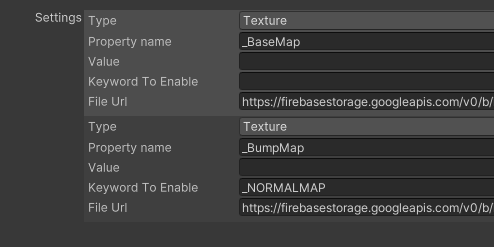
Easy and free screenshot and image sharing - upload images online with print screen and paste, or drag and drop.
upper dirge
upper dirge
here is how my listview looks (each item has a DropDownField and 4 TextFields) h...
The dropdowns works as expected. And this is an editor script btw.
fiery mountain
ahhh ok so not exactly runtime. So since this is editor i think you can do _textField.Bind(xxxx) and you can use the serialized property and it goes both ways i believe. I can maybe find you a nice video talking about that
there is a video from unity Unite2022 https://www.youtube.com/watch?v=J2KNj3bw0Bw will be super helpful for you

Like building your own UI tools? Here we go step by step with the UI Builder to quickly create an Inspector for real-time Play mode debug data visualization. Then we’ll enhance it using USS Transitions and the Vector API, migrate it to a custom Editor window, and finally port it to the Player/Runtime.
Learn more about the UI Toolkit: https://on...
upper dirge
ok thanks ill take a look...although this thing really seems like a bug in uitookit as I can edit the dropdown in the listview item, but not textfields
upper dirge
fiery mountain
ahhh ok so not exactly runtime. So since this is editor i think you can do _te...
hmm..im not really sure what should I pass as param to the Bind()
well, maybe the video will give the answer
lapis pendant
is it possible to apply a transition for every property on every element in USS? Like in CSS you can do something like `* { transition: all 0.25s }' and then every single thing gets a transition any time anything updates say for example colors or position, etc.
want to know if its possible to do in USS.
god damnit this fucking system is so terrible. why is it that every single thing in unity is a struggle to figure out? why is it that you can't get a text field without it being tied to a label? why is it that the size of the label actually determines the size of the text field its tied to? why is it you cant directly chagne the styles on either the label or the text field? what the FUCK were they thinking when they made any of this?
i mean it shouldn't be so hard. give us a fucking text input field, plain and simple, and let us style it like we can any other given element for fucks sake
and don't tie it with a label
jesus fucking christmas
and so many times when i apply a class to something its not overriding the default inline styles
like it just straight up is the most half baked feature in a piece of software ive ever encountered and i use oracle products for my job daily
 abstract igloo
hi! what's the preferred way to resize visual elements through script? I'm making a resizable windows system, but whenever I try to set the VisualElement.style.width property... nothing happens. I've put both VisualElement.style.left and VisualElement.style.scale assignments in the same function and those work as expected, but changing the width property through script changes absolutely nothing about the visual element at runtime. Changing width in UI Builder does work as expected though, so overall I'm confused as to why changing it through script does nothing.
abstract igloo
ok, i figured out that what I thought was the root component actually wasn't the root component LOL so now I can resize just fine with the right and bottom handles of the window, but with the left one its extremely unstable for some reason. Here's the code I'm using:
    Vector3 leftHandleDragPosition;
    private void LeftHandleStartDragging(PointerDownEvent evt){
        isLeftHandleDragging = true;
        leftHandleDragPosition = evt.localPosition;
        Debug.Log("Start");
    }

    private void LeftHandleEndDragging(PointerUpEvent evt){
        isLeftHandleDragging = false;
        Debug.Log("End");
    }

    private void LeftHandleOut(PointerOutEvent evt){
        if (!isLeftHandleDragging) return;
        var diff = evt.localPosition - leftHandleDragPosition;
        main.style.width = main.resolvedStyle.width - diff.x;
        root.style.left = main.resolvedStyle.left + evt.deltaPosition.x;
        Debug.Log(main.resolvedStyle.left + " Out " + evt.deltaPosition.x);
    }

    private void LeftHandleMove(PointerMoveEvent evt){
        if (!isLeftHandleDragging) return;
        var diff = evt.localPosition - leftHandleDragPosition;
        main.style.width = main.resolvedStyle.width - diff.x;
        root.style.left = main.resolvedStyle.left + evt.deltaPosition.x;
        Debug.Log(main.resolvedStyle.left + " move " + evt.deltaPosition.x);
}```here's a video demonstrating the behavior:
celest grove
when I use listview, I can scroll by scrollbar, not item. can i drag it by item?
celest grove
For scrolling by dragging contents, I use reflection and get the scrollView property from listview, and modify scrolloffset.
gusty estuary
GitHub
Brings data-binding to your Unity project. Contribute to ChebanovDD/UnityMvvmToolkit development by creating an account on GitHub.
huh
some dud made a MVVM binding for UI Toolkit
 craggy swift
On the MultiColumnTreeView I am updating an item. I call RefreshItem with the item id. somewhere in the middle of the tree view it seems to work fine. But the last element doesn't seem to want to update. Anyone else experienced something like that?
upper dirge
@fiery mountain hi..im still struggling with my editor script - just cannot focus on textfields that are in my ListView. I dont think using .Bind() is solution as it excepts a SerializedObject as param I am not binding to stuff that exists in the editor - what my editor window does it reads stuff from Firebase and allows editing their values.
so this really seems like a bug in UI toolkit - I can create the TextFields and set their values, but when I click the, they do not get focus (and I have checked that focusable = true)
So in short, it seems that you cannot use TextField in a ListView - it seem incombatible
....aaaand i found the issue - I had the Focusable disabled in the ListView 🙂
turns out that prevents the children from being focusable, even though the child focusable = true
upper dirge
hey, if I have a ListView and create a new TextField in makeItem() and then RegisterValueChangedCallback() to it, where can I do the unsubsribe? Not doing the unsubscription is not a good habit...
upper dirge
ah, there is a destroyItem
and also an unbindItem
@fiery mountain but how do I get a reference to the TextField created in makeItem in destroyItem?
ah, ..i actually shouldnt, I can query it in the unbindItem. And Is hould also register the listener in bindItem, not in makeItem
fiery mountain
yeah that one I mixed it up
 rare eagle
Any idea why i can backspace/delete character in a text field but not type them?
I can Paste text in with CTRL + V no problem
upper dirge
I need to have a button in my listview that does stuff to the item it is attached to. I can add the button, but what troubles me is how do implement the clicked event. Like, how do I refer to the item in the event handler?
nevermind, I got it, I can use the userData to store a reference to the item and I can use that in the event handler
(let me know if this is a weird way to do it)
 surreal ember
About the UI ToolKit, when I touch the textField, the keyboard of mobile did not pop up through Unity remote. Anyone knows how to pop up it, thank you.
Unity UI Toolkit problem
surreal ember
Another problem is if I use render texture to control the game object transform, How can I limit my finger touch area in the area of the render texture, it is also a problem for UI Toolkit.Thanks
abstract igloo
Question: is there a way to add elements to a ListView without dealing with making delegates? I'm making a dev console, so all I actually care about is just adding text, I don't care about being able to access it or interact with it later. I just want to make sure text outside of the ListView's window isn't being constantly rendered like it would be in ScrollView.
Currently I'm pretty clueless as to how scripting ListViews actually works lol, its hard to find resources that actually explain whats going on instead of just telling you to copy down code
gusty estuary
abstract igloo
Currently I'm pretty clueless as to how scripting ListViews actually works lol, ...
abstract igloo
Is there really no way to add a visual element without dealing with the whole rigamarole of makeItem and bindItem?
gusty estuary
abstract igloo
Is there really no way to add a visual element without dealing with the whole ri...
That's what ListView is for, to bind list with view
you can just use VisualElement as container
if you want simple add
abstract igloo
ah ok
 warped dune
I am using a UI Document with binding the root element to a SerializedObject wrapped around a ScriptableObject. It all works until I load a new scene - the bindings get lost. The UI document elements still have all the field values, but the "binding" property is lost, so changes on the screen no longer propagate through to the data structure. I thought I was ask to see if there is a known solution. My hack (because loading a new scene is rare) is to start a new ScriptableObject and put up with losing all the user input on the form. Is there a better solution?
gusty estuary
Any idea what is meant approach for combining different pages/screens/windows and etc?
Should I store each on it's own UIDocument and recreate all bindings on every OnEnable while disabling UIDocument (or it's go) as soon as I close it?
Or should I have singleton UIDocument, and just add/remove screen to/from it's rootVE? While storing all screens/pages and keeping their registered callbacks in memory.
@cursive quail maybe you have some sort of explanation on this?
 wise ravine
Hello,
I am currently a beginner on unity and in our project we use ToolKit.
However, I did not find a solution on the internet to make the UI usable with a controller.
Is it possible to navigate the UI with a controller? If so, how?
cursive quail
gusty estuary
<@532504299058495499> maybe you have some sort of explanation on this?
Probably easier to manage if you have each in its own UI document.
gusty estuary
cursive quail
Probably easier to manage if you have each in its own UI document.
but what does it mean under the hood?
If I store all screens with tons of callbacks registered, will they affect perfomance anyhow? Assuming those screens are not part of UIDocument hierarchy at the moment.
cursive quail
gusty estuary
but what does it mean under the hood?
If I store all screens with tons of callba...
I'm not sure. I'm still learning the internals myself. I believe disabling and enabling sub elements can have an impact on performance due to recalculating the layout but I don't know about the events
gusty estuary
cursive quail
I'm not sure. I'm still learning the internals myself. I believe disabling and e...
one thing for certain - disbling UIDocument results in scrapping VisualElement hierarchy. And OnEnable recreates it from scratch and requires recreation of all callbacks again (with queries for elements and etc)
So while it's convinient way to control UI, it might have such perfomance drawback.
And thus I wonder, whether it's actually intended and keeping VE hierarchies in memory results in some perfomance issues
cursive quail
I believe they have an event update loop that may be running. They also take up memory so that may be why it's cleared on disable. You could try changing the visibility to hidden instead of disabling. Running the profiler to see what works best for your use case is probably the best course of action. Normally I would ask the team but everyone is on vacation now 😂
 deep yacht
Hi guys. I am new to unity. I am facing a problem with Multi Display on UIToolkit. It works perfectly fine in my editor like the clip I just showed. But in my Packaged project when I run it. The 2nd display is all black
wind gorge
deep yacht
Hi guys. I am new to unity. I am facing a problem with Multi Display on UIToolki...
are you sure the second display is activated? you need to manually activate it
deep yacht
wind gorge
are you sure the second display is activated? you need to manually activate it
It is activated I fixed it. For some reason u still need ugui canvas on 2nd display to be present
wind gorge
Well, yeah, you are rendering it to a canvas
deep yacht
🙏 Thanks. Because in editor you don't need it. So that puzzle me alittle.
surreal ember
A simple problem, how to change the dropdown's pop up visual element background color? UI Toolkit
Now is white, I want to change another color, thank you
 gusty estuary
surreal ember
A simple problem, how to change the dropdown's pop up visual element background ...
gusty estuary
surreal ember
A simple problem, how to change the dropdown's pop up visual element background ...
check in debugger what classes your element has and make some styles for those
surreal ember
Do you know the exact class for it?or anyone
I'm not sure whether the class is exposed.
upper dirge
how does one insert a hyperlink into a Label that has rich text enabled?
it seems to be surprisingly difficult to find this information
I would think its something like <a href=" http://www.mycompany.com" target="_blank">My Company</a>
but doesnt work
Im setting the text for the label in C#
 rough scarab
upper dirge
I would think its something like <a href=" http://www.mycompany.com" target="_bl...
rough scarab
upper dirge
I would think its something like <a href=" http://www.mycompany.com" target="_bl...
https://forum.unity.com/threads/interacting-with-subsections-of-text.1317933/
You have to be on a fairly new version
upper dirge
rough scarab
<https://forum.unity.com/threads/interacting-with-subsections-of-text.1317933/>
...
ah, thats it..im on 2021.3
 serene stream
I've never UITollkit before, how can I make this Button interactable/call an method on Inspector?

 serene stream
I've never UITollkit before, how can I make this Button interactable/call an met...
serene stream
serene stream
I've never UITollkit before, how can I make this Button interactable/call an met...
It doesn't work that way either
 wind gorge
serene stream
It doesn't work that way either
wind gorge
serene stream
It doesn't work that way either
does throw errors?
serene stream
wind gorge
does throw errors?
Nope
wind gorge
if not, It could be because the button has picking-mode=False
serene stream
wind gorge
if not, It could be because the button has picking-mode=False
I tried this:
setPrefabButton.pickingMode = PickingMode.Position;
But nothing happens...
Btw I have hover feedback, but not on click
wind gorge
are you sure OnEnable even runs?
serene stream
wind gorge
are you sure OnEnable even runs?
yup, it's an Monobehaviour with [ExecuteInEditMode]

If I create an Toggle , assign it, and then set it's value to true it will call "SetPrefab"
But if there's no toggle.value = true; it won't call "SetPrefab" even if I click on the toogle in Inspector.


I tried the same on a fresh project, but it still not working, idk why :/
 tawny flax
Hi, how to convert from VisualElement's position to Screen position?
I know about RuntimePanelUtils.ScreenToPanel method, but can't find PanelToScreen 😦
gusty estuary
tawny flax
Hi, how to convert from VisualElement's position to Screen position?
I know abou...
i believe ve use screenspace already. Isn`t it?
tawny flax
I guess it depends on panel settings scale mode
gusty estuary
tawny flax
I guess it depends on panel settings scale mode
Well, anyway: I recommend just insiect some ve through c# debugger and take a look at all properties yourself
Yoo are likely to find the one that mdtches screenspace pasition
 buoyant wadi
Hi, I'm using a Vector2IntField like described in the samples. This looks good in the builder but not ingame. I guess it's missing the correct styles. Is this fixable without having to manually style this element?
 tawny flax
There's a theme option at the top of Builder. Might be related. Try changing it
serene stream
serene stream
I've never UITollkit before, how can I make this Button interactable/call an met...
They said "UIDocument" are not for inspectos, only Runtime, so, there isn't any way to make it work on inspector?
buoyant wadi
serene stream
They said "UIDocument" are not for inspectos, only Runtime, so, there isn't any ...
You could make a button interactable like this:
Button myButton = root.Q<Button>("MyButtonId");
myButton.SetEnabled(true); // or false to disable it
So I guess I was seeing the editor default style, which is not applied at runtime. Setting the theme to runtime atleast gives me a clue on how it looks in runtime.

Guess I still have to manually style it, but that's fine. Atleast I can see the correct theme now in the builder.
 serene stream
buoyant wadi
You could make a button interactable like this:
```csharp
Button myButton = root...
serene stream
buoyant wadi
You could make a button interactable like this:
```csharp
Button myButton = root...
It made no difference here 
I still not receiving feedback from clicking on the inspector button
 buoyant wadi
serene stream
It made no difference here <a:AAAAAAAAAAAAAAA:897805391042322453>
I still not r...
buoyant wadi
serene stream
It made no difference here <a:AAAAAAAAAAAAAAA:897805391042322453>
I still not r...
Try this:
private void OnEnable()
{
    btn.clicked += DoStuff;
}

private void OnDisable()
{
    btn.clicked -= DoStuff;
}

void DoStuff() {}
for this to work you need a reference to your set-prefab button.
I don't think you need the RegisterCallback
serene stream
buoyant wadi
for this to work you need a reference to your `set-prefab` button.
But for this I need to use UIDocument, right?
 buoyant wadi
Something like this?
public class MyClass : MonoBehaviour
{
    UIDocument document;
    VisualElement root;

    Button setPrefabButton;

    private void Awake()
    {
        document = GetComponent<UIDocument>();
        root = document.rootVisualElement;

        setPrefabButton = root.Q<Button>("set-prefab");
    }

    private void OnEnable()
    {
        setPrefabButton.clicked += DoStuff;
    }

    private void OnDisable()
    {
        setPrefabButton.clicked -= DoStuff;
    }

    private void Start()
    {
        Activate();
    }

    void DoStuff() {
        Debug.Log(":)");
    }
}
you also don't need to explicitly set it to SetEnabled(true) since a button is enabled by default.
As far as I understand, don't put anything else besides initialization logic into Awake(). You should put your Activate() method into Start() instead of Awake or OnEnable.
I've updated the code example to include this
serene stream
buoyant wadi
Something like this?
```csharp
public class MyClass : MonoBehaviour
{
UIDocu...
The code is almost identical isn't it? Idk why it still not working 😦
 buoyant wadi
yes, looks good to me. No errors?
serene stream
buoyant wadi
yes, looks good to me. No errors?
Nope, the only logs are the print(btn1);
 buoyant wadi
hmm, interesting
not sure if I'm missing anything, but that's how it works for me
I would've said to check in ui builder if the names are correct, but the button is found
sorry, I don't have anything else besides "have you tried turning it off and on again" :>
serene stream
buoyant wadi
sorry, I don't have anything else besides "have you tried turning it off and on ...
That's fine, thanks!
gusty estuary
buoyant wadi
So I guess I was seeing the editor default style, which is not applied at runtim...
you can create your own theme
and have global styles
which is recommended approach
according to Unity manual
with BEM pattern
 native quartz
I've started to learn the UI toolkit today and I can't figure out how to display an element next to another (in the area I've colored red in the screenshot)
When I try to add new elements they're always at the bottom of the left panel
 gusty estuary
native quartz
I've started to learn the UI toolkit today and I can't figure out how to displa...
gusty estuary
native quartz
I've started to learn the UI toolkit today and I can't figure out how to displa...
this button, or Flex.Direction property
 gusty estuary
it changes direction in which children are positioned
native quartz
but it's still aligned to the bottom
 gusty estuary
because you changed direction of wrong element
native quartz
so what should i do
 rustic hemlock
got the same problem as @native quartz so if anyone found a solution for this i'll be glad to know
final patrol
Hey y'all, trying to create a simple dropdown menu system (think of a "File Edit View etc." menu) in UI Toolkit and having a slight problem. When I click the menu toggle button, it will un-hide the actual menu and give it focus. That way I should be able to detect when the menu loses focus and hide the menu again. But for whatever reason I can't get the BlurEvent callback to ever fire
Just tried to post the code but apparently I'm blocked by the server (Discord is a bug)
so instead you can have a screenshot of the message I tried to send
 rustic hemlock
you can use website to copy and paste your code in, the screenshot is impossible to read
final patrol
rustic hemlock
you can use website to copy and paste your code in, the screenshot is impossible...
Pastebin
Pastebin.com is the number one paste tool since 2002. Pastebin is a website where you can store text online for a set period of time.
final patrol
nvm. My code is fine.
My SCENE wasn't.
There was no camera, didn't notice the warning in the middle of game view
So there was nothing to clear the screen to black each frame
so, when my UI was losing focus, it'd disappear but I was still seeing a ghost of previous frames where it was visible
buoyant wadi
gusty estuary
according to Unity manual
Nice! I was looking for something like a best practice guideline. Do you have a link to the docs you could send me, havent found much myself
gusty estuary
buoyant wadi
Nice! I was looking for something like a best practice guideline. Do you have a ...
buoyant wadi
Thank you very much!
 hazy bobcat
Has anyone had major lag when upgrading to Unity 2022.2.1.f1 due to inspectors using UI Toolkit?
hazy bobcat
CreateInspectorGUI is being called every editor frame for the Inspector, during UnityEditor.RetainedMode.UpdateSchedulers(). This causes massive lag. Anyone encountered this yet?
Unity 2022.2.1f1
 hazy bobcat
Thread about the issue with updates
Unity Forum
I recently upgraded from 2021 LTS to 2022.2.1.f1. I have made my own implementation of a ReorderableArray since long ago that utilizes the UI Toolkit....
 hasty parcel
I would like to have a "blur" effect for the background of my UI but I can't seem to find a place to start on this. Does anyone have any advice?
 ripe grail
hasty parcel
I would like to have a "blur" effect for the background of my UI but I can't see...
ripe grail
hasty parcel
I would like to have a "blur" effect for the background of my UI but I can't see...
I'm assuming you could just use a full screen image or canvas element and then use the post processing blur effect on the camera. But you'll need to setup a layer mask that will only apply the blur to the background image/element.
hasty parcel
ripe grail
I'm assuming you could just use a full screen image or canvas element and then u...
Sorry, I'm new to ui-toolkit (so perhaps I'm wrong here). I'm under the impression that the things you mentioned are part of the old ugui stack. I'm looking specifically for a ui-toolkit solution.
On an unrelated note to my question above.
I am enabling my UI Document for the first time. In my game I have an ability that fires on spacebar being pressed. For some reason, it seems that the UI Document is specifically eating this input event. WASD, shift, mouse clicks, all work but space doesn't. When the mouse is off the document, the space bar event fires like it should so I know it is the ui doc (also works when ui doc is disabled).
I've looked, but the documentation isn't great at the search on the forums seems broken at the moment (not filtering by topic.
gusty estuary
hasty parcel
On an unrelated note to my question above.
I am enabling my UI Document for the...
What exactly UI document is eating from you?
hasty parcel
Certain UI events even though I don't have it set to focus. Being honest, I'm not 100% sure what your question is.
gusty estuary
hasty parcel
Certain UI events even though I don't have it set to focus. Being honest, I'm no...
well yeah, if you put fullscreen VE over other
click events won't pass through
hasty parcel
Is there a way to change that? I have the "focusable" checkbox unlocked.
My clicks do pass through.
gusty estuary
not sure
hasty parcel
Hover don't.
gusty estuary
try to play with other value
it's on the top
and it has values
Ignore and Position
don't remember it's name
 lofty niche
I have here 4 buttons each rotated by 90 or 270 but for some reason they dont scale properly
The anchor points for them are in each quadrant's corner but it does this weird vertical stretch instead
Appreciate any help i can get 🙏

 lofty niche
 teal belfry
this is a lifesaver for figuring out how to use UI Toolkit
teal belfry
this is a lifesaver for figuring out how to use UI Toolkit
it doesnt know either 😭
lofty niche
teal belfry
this is a lifesaver for figuring out how to use UI Toolkit
its fine i found a workaround thanks for the suggestion though I see it working with a bunch of other questions i might have
teal belfry
lofty niche
its fine i found a workaround thanks for the suggestion though I see it working ...
Ya, it answered all my questions well 🙂
teal belfry
lofty niche
it doesnt know either 😭
What was your question that you asked it?
lofty niche
it was "How to scale unity UI elements that are rotated 90 degrees"
teal belfry
lofty niche
it was "How to scale unity UI elements that are rotated 90 degrees"
specifically for UI toolkit?
lofty niche
no
teal belfry
ah
teal belfry
lofty niche
no
something like this doesn't work?
 lofty niche
no i tried that already
i figured it out though
i just rotated the children components of my object instead
 lofty niche
teal belfry
nice, I can just say it didn't work and it gives other possible fixes lol
lofty niche
teal belfry
nice, I can just say it didn't work and it gives other possible fixes lol
those also dont work 💀
teal belfry
Oof
final patrol
I may be dumb, but how do you set the min and max value of a UI Toolkit Slider? I see a Range property but it's just a float and there's no documentation in the intellisense to tell me how it should be used
I'm making RGB sliders, so the red, green, and blue sliders need to go between 0 and 1
 light flint
do you guys feel like UI Toolkit is already robust enough to replace the legacy systems?
I'm having second thoughts after looking at how link spans and animation features are still experimental
gusty estuary
light flint
I'm having second thoughts after looking at how link spans and animation feature...
they aren't
gusty estuary
light flint
do you guys feel like UI Toolkit is already robust enough to replace the legacy ...
I never learn uGUI in the first place and went straight into UI Toolkit, as of 2022.2 I feel very confident in making all sorts of UI
the only thing I lack - gif/video support
allthough, maybe I just didn't discover proper way for doing it yet
 static canyon
gusty estuary
allthough, maybe I just didn't discover proper way for doing it yet
static canyon
gusty estuary
allthough, maybe I just didn't discover proper way for doing it yet
Just gif/video into RenderTexture then setting background of a VisualElement to that RT
light flint
gusty estuary
they aren't
ok, fair, now I see they're in the beta version now
gusty estuary
light flint
ok, fair, now I see they're in the beta version now
beta? wha
Their editor interface is migrated to UI toolkit in 2022
light flint
which always gives me "how long til that's good to use in prod"
gusty estuary
static canyon
Just gif/video into RenderTexture then setting background of a VisualElement to ...
well yeah, but that requires smth to work in background on that rendertexture
which can be done through multiple ways
but none of them are just convinient enough
light flint
won't be LTS til ver. 2023 though I suppose
gusty estuary
I don't get what gave you an idea it's not rleased yet
their manual literally suggests to migrate now
even from uGUI
light flint
it just wasn't last I checked and I have the LTS version installed
that very much doesn't have it
light flint
2022 is non-LTS
I have been advised against using non-LTS versions
hmm
is there any good manual on how to use animations?
gusty estuary
in UI Toolkit there are only transition animations
everything else can be done by your own code
same as transforms
here examples from manual
light flint
anyway, more hope then that it's going to be in LTS next year
light flint
yup
that's the other big thing
I think I recently ran into missing interface issues
where something I really should be using was only added into .net 5
so you'd recommend 2022 just for UI Toolkit support alone?
gusty estuary
I am entities frog, so I am used to work in Beta 😅
but if you are just learning
or you are indie dev
you can jump into current version no problem
it's commercial projects that require stability
light flint
I feel like every time I upgrade the version it breaks something in the project irrecoverably
gusty estuary
just back it up and try, kek
light flint
the GUI I wrote in 2016 or therearound just straightup doesn't work anymore
I went back in yesterday looking at the links, cause that's an incredibly useful thing in putting together tooltips with rules (so that you can click and view references to other rules like it's done in CK3)
still no support for OpenType features though, is there?
gusty estuary
what is OpenType?
light flint
not even listed, though it is in TextMeshPro
 solar pecan
is it possible to change a custom --var in USS from C#? I've tried making a custom visual element with a UxmlColorAttributeDescription with the same name but that didn't work
solar pecan
nvm, you just can't: https://forum.unity.com/threads/how-to-set-value-of-uss-custom-property-from-c.1372218/
Unity Forum
:root {
--my-custom-property: green;
}
How do I set the value of the USS property --my-custom-property from C#? The customStyle property of...
 steady crater
Can anyone recommend a tutorial on UI toolkit it looks cool just don't know how to use it and most likely a better solution then just normal stinky unity ui
gusty estuary
solar pecan
is it possible to change a custom `--var` in USS from C#? I've tried making a cu...
For such behaviour there are meant to be different themes
solar pecan
My use case is as follows: I have some buttons and a tab system, I want the primary color (the background for buttons and selected tabs) to become a random color when I press a button, I don't know how themes would solve this as you can't change their variables either since they're basically a StyleSheet in code
gusty estuary
solar pecan
My use case is as follows: I have some buttons and a tab system, I want the prim...
ah, this
you don't really need variables
you can just change colors through code
final patrol
light flint
do you guys feel like UI Toolkit is already robust enough to replace the legacy ...
I mean I was able to create a full operating system style UI in it, so it's definitely powerful
Some limitations I've had to work around, though: no runtime themeing, you can't generate USS on the fly
It's also extremely difficult to do custom dropdowns/pop-overs without being able to add them as top-level UI elements to the panel
There's no z-index property so you can't control the render order of UI elements separate from the hierarchy
(this is as of 2021.3.x LTS)
I haven't figured out how to use the Image component to do circular avatars
It's easy to do with a VisualElement and the background-image + border-radius properties
set the border radius to 100%, set the background image to the avatar you want to display, set width and height to something that's a 1:1 aspect ratio
But this isn't clean, I'd prefer to use the Image component. Haven't figured out how to control the actual image through USS though
light flint
I was thinking of an effect where the menu items appear at the edge and fly into place and I had no idea where to begin with it
because the manual did not have anything useful to figure it out in it
warped dune
UI Toolkit is quite nice! I created a first little project here https://github.com/alankent/OrdinaryCartoonMaker in case anyone interested in sample code. Its an Editor window. I created a ScriptableObject to bind the form fields too, but I am wondering if I should have created multiple binding objects (one per tab in the UI) because the SO class ended up with "everything" in it. But it worked without much effort, so overall I am happy.

GitHub
Contribute to alankent/OrdinaryCartoonMaker development by creating an account on GitHub.
The README file on the home page of the GitHub repo has some screenshots. Simple stuff.
The UI toolkit files are under Assets/OrdinaryCartoonMaker/UI
 plucky harness
light flint
I was thinking of an effect where the menu items appear at the edge and fly into...
plucky harness
light flint
I was thinking of an effect where the menu items appear at the edge and fly into...
https://docs.unity3d.com/Manual/UIE-Transform.html
It's quite easy to do that with UI Toolkit, just set the translate property of your menu visual element to different values over time. The manual understandably places a large emphasis on the UI builder and USS, but in fact you can directly change (almost) everything via code at runtime.
teal belfry
is there a way to make UI toolkit Scrollview work for mobile?
or just any sort of scrollable thing on mobile?
from what I've found this isn't possible
guess its time to move to another UI system
F
gusty estuary
teal belfry
is there a way to make UI toolkit Scrollview work for mobile?
Wdym? Scrolling doesn`t work on touch?
teal belfry
gusty estuary
Wdym? Scrolling doesn`t work on touch?
from what I found on google it said no
attempting to figure out all this BS about building
gusty estuary
Did you try?
teal belfry
gusty estuary
Wdym? Scrolling doesn`t work on touch?
assuming that it does somehow work
is there a way to disable to visible scrollbar without breaking the scrolling?
cause I can't in the inspector
 smoky quest
A good tutorial to get started from scratch building runtime GUIs with UI Toolkit?
gusty estuary
teal belfry
is there a way to disable to visible scrollbar without breaking the scrolling?
You can by using uss
Just make some selectors that target scrollbar and make it it not visible
smoky quest
All of the tutorial I find are of the kind "let's make custom editor windows!" which is not what I am looking for
gusty estuary
smoky quest
All of the tutorial I find are of the kind "let's make custom editor windows!" w...
Try looking up on yt
It`s very unpopular still, so you will get very few results
Not much to choose from
smoky quest
I just found this one https://blog.unity.com/technology/ui-toolkit-at-runtime-get-the-breakdown
As always, I write on discord that I don't find anything and one minute later I find something
 smoky quest
Unity Blog actually, on the Unity Learning platform I found nothing still
smoky quest
Perfect then, I dive in
 carmine lagoon
How does one Nest an array or list of Custom Elements inside a custom element?
Since there is no UxmlCustomArrayOrListAttributeDescription?
Is there any documentation about this?
gusty estuary
carmine lagoon
How does one Nest an array or list of Custom Elements inside a custom element?
S...
basic visual element is collection of other elements
But if you want a big perfomant collection - use listview or treeview
carmine lagoon
gusty estuary
basic visual element is collection of other elements
Created my own custom UxmlItemContainerArrayAttributeDescription
Works now
carmine lagoon
public override SelectedItemContainer[] GetValueFromBag(IUxmlAttributes bag, CreationContext cc) =>
                this.GetValueFromBag<SelectedItemContainer[]>(bag, cc, (Func<string, SelectedItemContainer[], SelectedItemContainer[]>)((s, t) => t), this.defaultValue);
but how do you author it in uxml?
smoky quest
Hi people! Quick question: Should I include the UIElementsSchema folder contents in my repository for versioning or not?
Is it safe to ignore it?
I just tried to delete it from the project folder and UI seems still working, I also closed and reopened Unity and forced reimport all, it still works and that folder is not back
I am wondering what's for and if it's safe to ignore it
NVM, I just found an official answer from two years ago 😅
 teal belfry
gusty estuary
You can by using uss
teal belfry
gusty estuary
You can by using uss
so I can't figure out how to grab them from code since I can't name them though?

for reference I want to make scrollers invisible
but can't make them invisible or rename here so not sure how to do that
gusty estuary
teal belfry
so I can't figure out how to grab them from code since I can't name them though?
just create stylesheet which queries items by name #scroll and just make it disabled
or style with selector #BackGround > #scroll
oh wait
damn, those names confused me 😅
you can just query by Scroller class
teal belfry
gusty estuary
just create stylesheet which queries items by name #scroll and just make it disa...
wait, stylesheets can do that?
gusty estuary
teal belfry
wait, stylesheets can do that?
yeah
teal belfry
lovely, another ui toolkit thing I didn't know 😄
teal belfry
gusty estuary
you should look at manual
https://docs.unity3d.com/2022.2/Documentation/Manual/UIE-simple-ui-toolkit-workflow.html#use-ui-builder like this manual?
teal belfry
oh wow, you can actually open stylesheets and its code stuff
thanks!
just found those docs yesterday so will be reading everything 😭
as you can't find almost anything else on the internet about UI toolkit lol
teal belfry
gusty estuary
yeah
root.Q<ScrollView>().verticalScrollerVisibility = ScrollerVisibility.Hidden;
Pretty easy to do in code also apparently 🙂
gusty estuary
well yeah, but even easier to do it globally with theme
teal belfry
gusty estuary
well yeah, but even easier to do it globally with theme
probably true
I haven't gotten that far into reading yet 😄
gusty estuary
open panel settings that are field in UIDocument
in short, theme is container for global stylesheets
teal belfry
oh, theme style sheet
hmm, yeah I can't even open that, guess its some other fancy thing lol
teal belfry
oh fun
gusty estuary
and attach to panel settings
teal belfry
drats

was hoping his would work from what I'm seeing
but it doesn't control the scroller lol
gusty estuary
look at manual to see how selectors work
teal belfry
yep, still reading through but given that it said Styleclass there I figured maybe
¯_(ツ)_/¯
teal belfry
@gusty estuary hopefully my last question for awhile...I want my Element inside my scrollview to be 100% the scrollview's height(aka the scrollbar takes up 80% of its parent so I want my element in scrollbar to also be same size as I want it to scroll left right, not up down
however
if I do 100% for the height or flex it doesn't work
any ideas?
gusty estuary
teal belfry
<@331022224779771915> hopefully my last question for awhile...I want my Element ...
try not just hiding scroll view
but disable it completely
style.display.flex = none
teal belfry
atm this is just working inside the editor
nvm Im dumb
how tf

did I not see this before
sorry 😭
smoky quest
I just started to play with UI Tollkit today and I am having this little annoying issue that things in runtime looks slightly different than in UI Builder...
For example the first image (black background) is the Visual Element as appears in UI Builder, the second one (blue background) how it appears in runtime


Where is my issue? I am clearly overlooking something, what could it be?
gusty estuary
smoky quest
Where is my issue? I am clearly overlooking something, what could it be?
select correct theme in ui builder
smoky quest
gusty estuary
select correct theme in ui builder
Thanks a lot
smoky quest
it would be nice to have support for SVG images
I understand it's a bit complex and expensive to maintain, but it really marries the whole "web inspired" philosophy
gusty estuary
smoky quest
I understand it's a bit complex and expensive to maintain, but it really marries...
As long as you can import it as texture2d you can use it
Oh btw
There is 2d renderer that can draw vector stuff
I guess it`ll require writing parser for svg
smoky quest
gusty estuary
I guess it`ll require writing parser for svg
That's exactly the "complex and expensive to maintain" bit I was mentioning above 😁
I checked around and there are already third parties packages to parse subsets of SVG
But... how to say... not what I meant
 analog scarab
Silly question - but for an offscreen indicator, would that be something I do in the UI builder? or would that be a separate floating asset? Is the UI Builder just for menus and things like that?
gusty estuary
analog scarab
Silly question - but for an offscreen indicator, would that be something I do in...
technically, you can do it with UI Toolkit
but I feel like you want it to be world space
which can onl be done with Unity UI
analog scarab
Ah so you can have moving UI elements in the UI builder? I'm new to UI programming
so thank you for the help!
world space is interesting... it does make that kind of calculation interesting. for a third person action game we realized that the calculation for an indicator that feels right changes depending on whether the object is behind or forward of the camera
this should be easier as my own project is kind of top-down
gusty estuary
analog scarab
Ah so you can have moving UI elements in the UI builder? I'm new to UI programmi...
well, moving UI elements in UI builder is only transition animation
but to achieve offscreen indicators
you'll need code that will move elements
I did it once
 fast escarp
Hello, I have a very simple style:
    width: 40%;
    height: 100%;
    opacity: 0.8;
    background-image: url('project://database/Assets/UI%20Toolkit/UI/Textures/bg_half_slope.png?fileID=2800000&guid=f92362b0be24d6a4da425186b9230b1c&type=3#bg_half_slope');
    position: absolute;
}
The problem is it works in UI Builder but does not work in game. If I change height and width to px instead of % it works. Any idea?
gusty estuary
gusty estuary
I did it once
but next time I'll do it with Unity UI instead I think
weary jewel
fast escarp
Hello, I have a very simple style:
```.basemenu__background {
width: 40%;
...
Are using any inline styling on the element? If so, then that style will take precedence over your USS.
fast escarp
weary jewel
Are using any inline styling on the element? If so, then that style will take pr...
no, it must be a bug since it works on UI Builder but not on game view? Why would they be different? I am using 2021.3.16f1 lts
weary jewel
fast escarp
no, it must be a bug since it works on UI Builder but not on game view? Why woul...
Hmm, not sure then. Are you using live reload to check the uss style changes while in game?
fast escarp
weary jewel
Hmm, not sure then. Are you using live reload to check the uss style changes wh...
hey thansk for the reply, it was really weird, still dont know exact issue. But I fixed it.
I copied the unity UI toolkit demo from asset store into my project(for some examples and stuff) and for some reason that was the problem. Removed it, made the test from clean project and it works now.
I guess it was about panel settings or smth, tried playing with some stuff but couldnt figure it out
surreal ember
I had used the UI Toolkit debugger, and found the Unity dropdown popup window, still not able to change the pop up window background color, it seems is fixed by system.
For current UI Toolkit, is it able to make a UI like above?

Make a UI with perspective view, seems hard
dark blade
background-image: url('project://database/Assets/Graphics/Block%20Level%202.png?fileID=2800000&guid=de794022c46627c4e94f7f2f23dfefc4&type=3#Block Level 2'); how i can get the path of that texture??, copy path give different path,
gusty estuary
dark blade
```background-image: url('project://database/Assets/Graphics/Block%20Level%202.p...
Attach it through ui builder
Or maybe meta file has some info
gusty estuary
surreal ember
For current UI Toolkit, is it able to make a UI like above?
no, this is world space ui
dark blade
but how??, i did that from ui builder, but that so static right??, if i want to use diferent texture, how i can get the path to it, without using ui builder just to know the path
gusty estuary
dark blade
but how??, i did that from ui builder, but that so static right??, if i want to ...
Why is it a must?
I just assign it all in boilder
surreal ember
I think maybe this is an update direction for UI Toolkit. Use the art knowledge to simulate the effect of perspective view.
gusty estuary
surreal ember
I think maybe this is an update direction for UI Toolkit. Use the art knowledge ...
More like total redo 😅
dark blade
gusty estuary
Why is it a must?
maybe im still to beginner for this, so my question are hard to understand, so the idea is, i want create a toggle, and for its on and off states will have different texture to show, so i need create uss for that right??, and of course the path to the texture for on and off to apply??
surreal ember
Perhaps, add an shape modifaction feature to visual element
gusty estuary
dark blade
maybe im still to beginner for this, so my question are hard to understand, so t...
You can create uss with ui builder too
You can't just use path, it also needd some kind of guid
gusty estuary
surreal ember
Perhaps, add an shape modifaction feature to visual element
Or just use unity ui 😅
dark blade
gusty estuary
You can't just use path, it also needd some kind of guid
so that guid path??, and how i can get that??, wthout need ui builder just to know?
gusty estuary
dark blade
so that guid path??, and how i can get that??, wthout need ui builder just to kn...
No idea, I cou
Could only do it with it
surreal ember
You are right.
I sent this message to the unity UI Toolkit forum. Hope it can be done. I just like this new system
 gusty estuary
Doubt
surreal ember
😅
gusty estuary
the way it is rendered has nothing to do with world space on which this effect relies
unless you figure how to achieve it with transform styles
don't expect it in 2-3 years
surreal ember
Yes, it is a bit hard to do
wind gorge
You can easily do worldspace UI with uitk
I've done it before, it's annoying to set up but it works just fine
gusty estuary
wind gorge
I've done it before, it's annoying to set up but it works just fine
any example of how it looks?
wind gorge
None right now, not at home
gusty estuary
teal belfry
how is UI toolkit not able to be world space yet lol
Because it works like web
dark blade
i keep get this stupid error, whenever use UI Builder my unity version is 2021.3.16f1 , and tbh i dont know what is actually happens seeking from error code, but the thing for sure is, i cant assign a font to my label in UI builder, everytime i save the changes, the font keep become none

this from UI Builder, althought i change the font, its doesnt affect

and this is game view, nothing show up

 uneven lodge
guys i created font asset with TMP but it very weird when i zoom out
static canyon
teal belfry
but put VisualElements instead of Buttons 😦
This is usually when I open the uxml source and do a quick Find/Replace 👍
teal belfry
static canyon
This is usually when I open the uxml source and do a quick Find/Replace 👍
I had no idea that was a thing thanks 🙂
gusty estuary
How can I implement value changed event properly on my custom control?
 pearl hamlet
I'm not 100% sure how I populate a tree view from script? Or manually to get a feel for how it looks, for that matter.
How do I do that?
I tried approaching it like a list view, but it doesn't really do anything.
gusty estuary
pearl hamlet
I'm not 100% sure how I populate a tree view from script? Or manually to get a f...
there is manual with example
take a look at examples section in UI toolkit manual
pearl hamlet
gusty estuary
there is manual with example
I didnt see an example of the tree view
or maybe I wasn't looking in the right place
gusty estuary
it's example of ListView,TreeView, MultiColumnTree/ListView
pearl hamlet
oh I often mix up scripting API and the manual. let me take a closer look
There's attributes here, but no examples for TreeView
 mystic flicker
hi guys, how do I draw line in 2021.1 using the mesh api ? I cannot seem to find a way to change the topology of the mesh
 uneven oyster
mystic flicker
hi guys, how do I draw line in 2021.1 using the mesh api ? I cannot seem to find...
uneven oyster
mystic flicker
hi guys, how do I draw line in 2021.1 using the mesh api ? I cannot seem to find...
Why not use LineRenderer?
But you can modify the mesh through the mesh api:
https://docs.unity3d.com/ScriptReference/Mesh.html
mystic flicker
I forgot to specify that I'm building an editor window
uneven oyster
making any changes to:
- vertices
- triangles
will change the mesh topology
mystic flicker
I would like to draw a grid of lines in a visual element of an editor window, my idea was to change the mesh topology in the set indices from triangle to line but it doesn't seem to be possible
a class inheriting from VisualElement has the generateVisualContent delegate with a parameter of type MeshGenerationContext
after allocating for vertices and indices, there's no way to specify the topology of the indices
like you would do if you had the mesh
private void OnGenerateVisualContent(MeshGenerationContext mgc)
{
// set up the vertices
    MeshWriteData mwd = mgc.Allocate(vertices.Length, indices.Length);

    mwd.SetAllVertices(vertices);
    mwd.SetAllIndices(indices);
}
here the indices are always treated in group of three
tawny flax
Guys, can this be considered a bug in UITK (input field)? I don't see the text I'm removing (everything's OK in old UI)
Old UI - Hierarchy
UITK - UI Toolkit Debugger
 teal belfry
 messageText = root.Q<Label>("message-text");
 var newText = messageText.Q<Label>("text");
this would grab the Label called "message-text"
and then search underneath that label's heirarchy for another label called "text" right?
tawny flax
Yes
teal belfry
tawny flax
Yes
thanks!
static canyon
tawny flax
Guys, can this be considered a bug in UITK (input field)? I don't see the text I...
Yea I think this should probably be considered a bug. Would recommend posting on the uitk forum and submitting a bug report.
teal belfry
tawny flax
Yes
if I do .instantiate from a VisualTreeAsset...everything in it will still be named the same right?
tawny flax
Of course, it's the same thing as instantiating prefabs
teal belfry
awesome thanks 🙂
tawny flax
static canyon
Yea I think this should probably be considered a bug. Would recommend posting on...
Reported a bug in the forums for now, thanks
https://forum.unity.com/threads/dont-see-input-text-when-removing-characters-from-textfield.1382094/
Unity Forum
When my input text is larger in width than the TextField it's in, and I start removing characters from that input text, there is a point when I don't...
 ivory basalt
Does anyone know if UI-toolkit supports splitscreen?
 tall brook
Noob question: Proper way to have overlapping elements? Like two VisualElements that are both the full screen, one will be for the bottom menu and various panels that will expand when bottom menu buttons are clicked, and another full screen VisualElement for other elements (the second should be behind panels from the first when they're open, but be otherwise clickable when they're not). Should I use two top level VisualElements with Absolute Position? Or two entirely separate UIDocuments? Or?
celest grove
is it possible to make custom trait for existing class such as Label or Button? I made one, it only show on ui builder, but not work, every time I change the field on uibuilder tool, the value is reset.
tall brook
I cannot figure out how to get overlapping elements working correctly. I'm using VisualElements as containers to assist with layout. These empty (but not hidden) VisualElements seem to block click through to buttons in other heirarchies. Picking Mode: Ignore doesn't seem to help.
tall brook
Finally figured it out! My containers that are only for layout should be Hidden. I thought a hidden container would hide everything in it...
gusty estuary
ivory basalt
Does anyone know if UI-toolkit supports splitscreen?
Why not? It's just ui
pearl hamlet
SO, I've been trying to make a tree view, but the items don't collapse properly, and tend to overwrite other things. This is it collapsed, and expanded. What is causing this? Id it with the ID? Here's the code:
//...
var goalsList = document.rootVisualElement.Q<TreeView>("quest-goals");
goalsList.makeItem = () => new Label();
goalsList.bindItem = (e, i) => (e as Label).text = goalsList.GetItemDataForId<QuestOrGoal>(i).Text(); //FIXME: tree weird
goalsList.selectionType = SelectionType.None;
goalsList.fixedItemHeight = 32;
//...
IList<TreeViewItemData<QuestOrGoal>> GoalsData(NewQuest.QuestObject qo)
{
      var steps = new List<TreeViewItemData<QuestOrGoal>>();
      int id = 0;
      foreach (var step in qo.completedSteps.Append(qo.activeStep).Reverse())
      {
          var goalsRoot = new List<TreeViewItemData<QuestOrGoal>>(step.Item2.goals.Count());
          int stepID = id++;
          foreach (var g in step.Item2.goals)
          {
               goalsRoot.Add(new TreeViewItemData<QuestOrGoal>(id++, new QuestGoalRecord(g, qo.questID))); //TODO: Formatting
          }
          steps.Add(new TreeViewItemData<QuestOrGoal>(stepID, new QuestStepRecord(qo.questID, step.Item1), goalsRoot));
      }
      return steps;
}
//...
void UpdatePreview(string id)
{
      document.rootVisualElement.Q<TreeView>("quest-goals").SetRootItems(GoalsData(QuestEngine.GetQuestObject(id)));
      document.rootVisualElement.Q<TreeView>("quest-goals").Rebuild();
}

 ivory basalt
gusty estuary
Why not? It's just ui
ivory basalt
gusty estuary
Why not? It's just ui
Because I need to set the document to render only on one camera, and I don't know how to do that
Each player has it's own UI
 unborn bluff
Is it possible to use UI Builder to design a custom control?
gusty estuary
unborn bluff
Is it possible to use UI Builder to design a custom control?
no, it is created through code
but you can style it
by creating custom stylesheet for it
unborn bluff
gusty estuary
no, it is created through code
Pity, because adding elements through code is less convenient and requires more boilerplate
Maybe I can somehow load an uxml file from code?
tawny flax
Yes
You can serialize your UXML with [SerializeField] VisualTreeAsset asset;
Then asset.Instantiate() it
If it's for Runtime
How to align ScrollView elements by bottom?
My ScrollView is of certain height and new elements are added to the top 😦
unborn bluff
tawny flax
Yes
You can serialize your UXML with `[SerializeField] VisualTreeAsset asset;`
T...
I understand I'm supposed to make VisualTreeAsset asset a public field of my public class MyCustomControl : VisualElement class?
tawny flax
No, I meant you can create UXML of custom element, then just instantiate it
unborn bluff
OK, but then I won't be able to add any meaningful behavior to this UXML with C# code and doing so is kind of the whole point of custom controls?
tawny flax
You can, I meant that you can structure and style your element with UI Builder, then Instantiate it in code and add custom behavior
As I understood you didn't like to structure your element through code
After instantiating your UXML, you add it to your document and add custom control through C# struct or class
Like this:
var element = asset.Instantiate();
container.Add(element);
var control = new Control(element);
/* ... */
struct Control {
  private readonly VisualElement root;

  public Control(VisualElement root) {
    this.root = root;
  }
  /* ... Custom control behavior */
}
you can, but why?
That will be much more boilerplate
tawny flax
unborn bluff
OK, but then I won't be able to add any meaningful behavior to this UXML with C#...
I guess you can also load your UXML from Resources and make normal custom control that inherits from VisualElement
gusty estuary
way easier to just create it from code, and for styling use custom StyleSheet in resources
tawny flax
tawny flax
How to align ScrollView elements by bottom?
My ScrollView is of certain height a...
Justifying content-viewport by flex-end worked, I just had another issue where I always scrolled view to highValue, even if it was less than 0 (when scroller is not visible)
teal belfry
any fixes for when typing in UI toolkit is having minor lag (too much stuff inside it I believe)
pearl hamlet
pearl hamlet
SO, I've been trying to make a tree view, but the items don't collapse properly,...
Anyone have ideas? Does it have to do with the IDs of the elements?
pearl hamlet
testing has revealed that it is connected to the ID
but I need to figure out why it's doing this...
pearl hamlet
okay, so my problem is, when it repaints when I collapse or expand something, it's going down the list and getting data based on the ID to redraw. When it's all expanded, everything lines up, but when it's collapsed, it counts each of the collapsed headers as 1, which means it's trying to fetch the contents.
but I'm not sure how to fix this.
GOT IT
I was using GetItemDataForId instead of GetItemDataForIndex
unborn bluff

What are these "usings" here?
I tried clicking on the question mark, but this only leads to the 404 page https://docs.unity3d.com/2021.3/Documentation/Manual/class-VisualTreeAsset.html
gusty estuary
Is there any way to tie New Input System actions with UI Toolkit callback events?
It's clear that UI Toollkit uses them somehow, but it's unclear how to do it customly
tawny flax
unborn bluff
What are these "usings" here?
They are references to other UXMLs that are used as templates and instances in this UXML
tawny flax
gusty estuary
Is there any way to tie New Input System actions with UI Toolkit callback events...
InputSystemUIInputModule is responsible for connection, just like StandaloneInputModule for old Input
InputSystemUIInputModule can be created when you add EventSystem to the scene - if you're using new InputSystem, Unity will suggest replacing old Module with new one
gusty estuary
tawny flax
InputSystemUIInputModule is responsible for connection, just like StandaloneInpu...
I'm talking about using them as events
within RegisterCallback
tawny flax
You mean mouse clicks? There are events for that already, you don't need to do anything custom
gusty estuary
No, like custom input actions
from new input system
even default ones, like Cancel
or Submit
tawny flax
Hm, I see NavigationCancelEvent and NavigationSubmitEvent
Have you tried those?
gusty estuary
tawny flax
Hm, I see NavigationCancelEvent and NavigationSubmitEvent
Have you tried those?
damn, these aren't even part of Manual
 gaunt shadow
Is there a definitive state management pattern figured out for UI Toolkit yet? Or an approach the community is leaning towards?
my bg is from web apps, but UI Toolkit kinda feels like it's taking all the best hits of the 2010 web scene, and I can't find any good resources on managing state
gusty estuary
gaunt shadow
Is there a definitive state management pattern figured out for UI Toolkit yet? O...
Idk about others, but I figured using url like states is very convinient and clean.
I'm using MVP design at the moment, so
All possible view interactions are defined in it's presentation
And if model needs to affect view, model can call url state request
 verbal yacht
the ui builder starts flickering and spamming this error, but only every now and again (usually when selecting multiple things in the hierarchy), is this normal?

 dire nova
Hi, I'm trying to change the grey color to white but setting every color shown here: https://www.foundations.unity.com/components/text-field#Color to white didnt change anything at all. What am I missing?


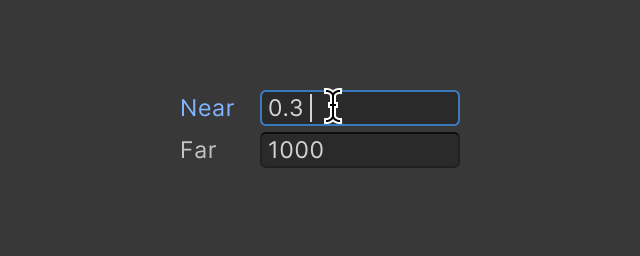
A Text Field is an input field that allows users to enter text.
gusty estuary
dire nova
Hi, I'm trying to change the grey color to white but setting every color shown h...
you sure your class is on element?
dire nova
gusty estuary
you sure your class is on element?
I think so
 dire nova
Oh
gusty estuary
You can't generally
and shouldn't
unity follow BEM pattern
so it will probably have classes
that you can setup yourself
dire nova
Sorry, this is my first time doing any UI Toolkit related stuff, any links that might help me understand that?
dire nova
https://docs.unity3d.com/Manual/UIE-apply-styles-with-csharp.html Is this what you meant with classes?
dire nova
Ok
dire nova
gusty estuary
and shouldn't
Like that?```css
#text-unity-input
{
-unity-background-image-tint-color: rgb(255, 255, 255);
--unity-colors-default-background: rgb(255, 255, 255);
--unity-colors-highlight-background-hover: rgb(255, 255, 255);
--unity-colors-highlight-background-hover-lighter: rgb(255, 255, 255);
--unity-colors-highlight-background-inactive: rgb(255, 255, 255);
--unity-colors-highlight-text: rgb(255, 255, 255);
--unity-colors-highlight-background: rgb(255, 255, 255);
}
this is name selector
might what you want, might be not
I have no idea what are you looking for to change
dire nova
gusty estuary
this is name selector
yes, so I dont have to use the child one
dire nova
gusty estuary
I have no idea what are you looking for to change
oh, hold on
This color

But the element is greyed out
dire nova
Sorry, The element is greyed out and I'm trying to use stylesheets to set the color
dire nova
gusty estuary
inspect it in UI Builder/ Debugger
I cant because its grey
 gusty estuary
you should be able to inspect it
dire nova
really?
gusty estuary
at the worst use debugger
dire nova
gusty estuary
at the worst use debugger
Does that work inside the build window?
dire nova
gusty estuary
you should be able to inspect it
Im getting it on other stuff too
 dire nova
gusty estuary
top right 3 dots
dire nova
gusty estuary
top right 3 dots
thank you
Im only able to select stuff like builder parent or mover, I have no Idea how to get to the actual inputfield
@gusty estuary I just found this screenshot and its also greyed out
 verbal yacht
wondering, is it possible to make a toggle look like a button, or to make a button act like a toggle, as i want to have a button that when pressed turns green and stays green, until clicked again, to have 2 different states like a toggle, is this possible?
weary jewel
verbal yacht
wondering, is it possible to make a toggle look like a button, or to make a butt...
Yes, that can be done. You can track the state of the button in a script and change it to be the opposite of its current state when it is clicked. You can then add or remove a style class from the button so that it is red or green etc.
verbal yacht
weary jewel
Yes, that can be done. You can track the state of the button in a script and cha...
ok thanks a ton!
verbal yacht
i see that we have the ability in code to set visibility of stuff, wondering is it possible to set it as a default in the editor like other properties?
 lone lark
How would I go about making my raycast not hit items behind UI builder buttons/components
tawny flax
verbal yacht
i see that we have the ability in code to set visibility of stuff, wondering is ...
You mean in UI Builder? You can manipulate almost every property through UI Builder
tawny flax
lone lark
How would I go about making my raycast not hit items behind UI builder buttons/c...
EventSystem.current.IsPointerOverGameObject()?
verbal yacht
tawny flax
You mean in UI Builder? You can manipulate almost every property through UI Buil...
ok good, thanks a ton!
 static horizon
Is there good basic theme for runtime UI? Default runtime theme looks horrible 😄
gusty estuary
static horizon
Is there good basic theme for runtime UI? Default runtime theme looks horrible �...
Make your own?
static horizon
gusty estuary
Make your own?
Sure but it will save my time if there is something like Bootstrap
 fallow anchor
Is there a reason why immediately adding a class to a spawned child doesn't seem to trigger a transition?
If I toggle the same class on a click callback it transitions as expected
gusty estuary
fallow anchor
Is there a reason why immediately adding a class to a spawned child doesn't seem...
does the element have stylesheet?
fallow anchor
Yes
 midnight anchor
Hiya! Have a question on the UI Toolkit, might just need some clarification on how it works. I'm following this UI Example from Unity: https://docs.unity3d.com/Manual/UIE-HowTo-CreateRuntimeUI.html. In the example, Unity has a MainView.cs script that sets up the List Controller during the OnEnable callback. I want to set up the List Controller later on, after OnEnable, from a keystroke or item selection.
However, it seems that the input keystroke or item selection must occur 2x for Unity to actually create the list items - it sets up the ListController and runs the ExecuteCharacterList methods, but no list items are populated until the second trigger. Any ideas why this could be case?
Here's a paste of the updated MainView.cs class. Everything else from the example is unchanged.
https://gdl.space/ahezufevet.cs
verbal yacht
inside a visual element i have a bunch of buttons, if i wanted to set all those button's background colour, what would be the best way to do this?
gusty estuary
verbal yacht
inside a visual element i have a bunch of buttons, if i wanted to set all those ...
take a look UI toolkit manual Styling your UI section
and go through it, this chapter of manual is so good
verbal yacht
ooh ok, i will, thanks!
gusty estuary
you'll know everything you need to style your UI in any way after you are done
unborn bluff
imgUI[i].sprite = Sprite.Create(filtered[i].normal, imgUI[i].rectTransform.rect, imgUI[i].transform.position);
Im trying to give my uimage one of my default textures types… this has no errors but isn’t working either
I forgot about raw img components mb
 woeful glade
I have an element (A) that is the parent of a Label. I want the size of the parent to be determined by the Label's text. The problem is that element A is itself a child of another element (B) and is expanding to fill the entire width of B. The flex-grow value for element A and the Label are both 0. The only way I've been able to get the size of A to change is to set a specific width, but then it won't be based on the size of the Label. Any thoughts on how to go about this?
This is what the hierarchy looks like. TemplateContainer also has a flex-grow value of 0.

 civic fiber
Any ideas how to go about a dynamic radial menu in ui toolkit?
gusty estuary
civic fiber
Any ideas how to go about a dynamic radial menu in ui toolkit?
there is an example in manual
civic fiber
gusty estuary
there is an example in manual
There’s a radial progress and tabbed menu, I’m talking about radially aligning items.
gusty estuary
oh
well, you can simple manipulate transforms of child
in your custom control
shouldn't be too complex
 fringe tusk
I have two UI documents onscreen, and use TAB to navigate between elements. Is it possible to navigate between documents? Currently it just cycles through the active document.
 agile widget
Are there any benchmark comparisons between UIToolkit and ugui?
gusty estuary
agile widget
Are there any benchmark comparisons between UIToolkit and ugui?
Don't think there are
But toolkit is definetely faster
And more lightweight
agile widget
that's reassuring, thank you
 viscid rain
Hi, I'm looking to add a custom font to my 2021.3.10 project, but the ligatures aren't working correctly (they aren't made when I type correctly those), my font works on photoshop, libreOffice and Word, but not in unity.
anyone has a solution ?
gusty estuary
viscid rain
Hi, I'm looking to add a custom font to my 2021.3.10 project, but the ligatures ...
elaborate what's going on
viscid rain
here normaly my font will do this if I writte TA :
 viscid rain
gusty estuary
elaborate what's going on
viscid rain
gusty estuary
elaborate what's going on
but in unity it display like that :
 gusty estuary
Did you generate font asset?
viscid rain
normaly yes, but not sure
I have made a (TMP_Font asset) and plug it in a (TMP) ui asset
gusty estuary
I was never able to attach TMP assets to UI toolkit
viscid rain
I go try with unity 2022.2
viscid rain
ok it "works" with textMeshPro 3.2.0-pre.3 et 4 but it seems to be dificult to have everything setup.
 weak wharf
hey i tried to start using ui toolkit today but am completely lost
I have a main uxml file for my main menu and this is fine
but i wanted to refactor some things and break up individual panels into their own uxml files to be controlled by a c# script
how do i link a c# script to a uxml file?
    {
        public new class UxmlFactory : UxmlFactory<ProfilePanel>
        {
        }

        private Label _displayNameLabel;

        public ProfilePanel()
        {

            RegisterCallback<AttachToPanelEvent>((ev) =>
            {
                var mainButton = this.Q<Button>("ButtonMain");
                mainButton.RegisterCallback<ClickEvent>(OnButtonClick);

                _displayNameLabel = this.Q<Label>();
            });
}```i have something like this but it doesnt like my initialization. gives null ptr errors obviously since the constructor is called in the editor
Is it possible to have a script like this handle a uxml file so it becomes a "widget" ?
all the examples seem to use code to add elements
i would like to link this and have it run on a pre made uxml layout file
weak wharf
    {
        public new class UxmlFactory : UxmlFactory<ProfilePanel>
        {
        }

        private readonly Label _displayNameLabel;

        public ProfilePanel()
        {
            Resources.Load<VisualTreeAsset>("UI/Layouts/ProfilePanel").CloneTree(this);
            var mainButton = this.Q<Button>("ButtonMain");
            mainButton.RegisterCallback<ClickEvent>(OnButtonClick);
            _displayNameLabel = this.Q<Label>();
        }
}```this ended up being the proper code i think
gusty estuary
weak wharf
``` public class ProfilePanel : VisualElement
{
public new class Ux...
there is a proper way to load UXML files
weak wharf
gusty estuary
there is a proper way to load UXML files
Can you point me in that direction if I'm doing it wrong? Been stuck on this for hours
Almost considering just ditching thr new Ui toolkit. But I liked how it was more along the lines of UMG in unreal
gusty estuary
I suggest to follow UI Toolkit manual from 0 to end
it's really good
at least on version 2022.2
weak wharf
Wasn't much help. Lack of explanations and code that was doing more than I needed to
Should be as simple as loading a file like I did to the root.
gusty estuary
well, there is no better source of material
weak wharf
Unless If UI toolkit is not suitable for a basic game
gusty estuary
it's still pretty new and lack some features, sure
but you can use it
to make nearly anything already
except world space ui
once again, give a manual a proper read
Once I did it, I got answers to all my questions
weak wharf
Sounds good thanks for you help
 candid fable
Hello! I'm trying to introduce a flexible space in the middle of a toolbar such that some elements get pushed to the right. Does anybody know the ideal way to do this in USS? Edit: or really at all, I mean.
 candid fable
Aye that seems simple. with the toolbar spacer I couldn't figure out how to assign a dynamic width to fill the space. I'm generally out of the loop with how modern things like flexbox work lol.
Btw @rough scarab, your writeups are incredible.
Since you're looking, I'm trying to create a custom VisualElement paired to a model class and am trying to figure out where to start with this. My goal is to create a UI Toolkit component to give a visual to this class; where should I start? I'm currently looking at "Element 'MapEditorTile' has no registered factory method." and am looking for a template for how I should be doing this properly.
{
    public MapTileNode tileNode;

    public void OnDragRelease(Vector2 position)
    {
        tileNode.position = new Vector2Int((int)position.x, (int)position.y);
    }

    public new class UxmlFactory : UxmlFactory<MapTileVisualElement, UxmlTraits> { }

    public new class UxmlTraits : VisualElement.UxmlTraits
    {
        public override void Init(VisualElement ve, IUxmlAttributes bag, CreationContext cc)
        {
            base.Init(ve, bag, cc);
        }
    }
}```
This is probably totally wrong, but hopefully it might offer some insight into my confusion.I am an idiot. I had been playing around with this but never hit "enter" to commit my input when playing with UI Builder.
surreal ember
A basic problem, for UI Toolkit, is it possible to make a login menu? detect the input field value's type and make a mask for the password?
For example, check the length, bool, integer or something else. Maybe not like UGUI, all done by codes.
candid fable
surreal ember
For example, check the length, bool, integer or something else. Maybe not like U...
I am not an expert, however UnityEngine.UIElements.TextField does have properties such as maskchar, etc. The constructor has a parameter bool isPasswordField.
So for a cursory glance, it appears that password-mode character masking has an implementation.
surreal ember
sometimes I really feel frustrated that the document not giving enough examples for the implement
candid fable
@surreal ember
 surreal ember
Thanks
candid fable
surreal ember
Thanks
No prob - I never needed a password field in UI builder, so this was my first shot at looking for one.
surreal ember
I am now using Unity as a develop tool for application, so comes this kind of problem
This is code method, good
 candid fable
surreal ember
I am now using Unity as a develop tool for application, so comes this kind of pr...
candid fable
surreal ember
I am now using Unity as a develop tool for application, so comes this kind of pr...
Unity changes its standards and nomenclature so often that you need to learn 5 different UI frameworks to understand it. The older Unity gets, this becomes a bit of a blessing and a curse. I personally think the secret lies in understanding how the native UI references the assembly to build its component menus, etc, but that's a battle that never ends.
surreal ember
Yes
 carmine lodge
Hello guys
I need help
How can I make UI buttons with rounded corners
gusty estuary
carmine lodge
Hello guys
I need help
How can I make UI buttons with rounded corners
border has such properties
border-radius
dire nova
Hi, I want to customise my tree views branches but there's a visual element which gets selected behind the one I want to use. Can I disable it somehow?
dire nova
 carmine lodge
gusty estuary
border-radius
carmine lodge
gusty estuary
border-radius
How
 valid bison
Does anyone know if there is there a really easy way to use some UITK documents just as components alongside an otherwise UGui UI? I don't have time to rebuild the whole UI using UITK but there's some new bits I need to add quickly that are so much quicker in UITK?
rough scarab
valid bison
Does anyone know if there is there a really easy way to use some UITK documents ...
You cannot embed UIToolkit in any other UI system. You can have UIDocuments on their own of course but I don't think they will filter events properly between the different UIs without manual work
fallow anchor
Does the font renderer for UI toolkit just not work for small reference resolutions?
I have it set to 640x360, and a font size under 8 doesn't render anymore
Ah, it seems the issue is adding an outline at those small text sizes..
 daring mortar
Is it possible to allow visual Element to click through it ?
dire nova
Is there a build in way to achieve these drop shadows?
 dire nova
daring mortar
Is it possible to allow visual Element to click through it ?
dire nova
daring mortar
Is it possible to allow visual Element to click through it ?
Unity Forum
When I add ui on top of the SceneView it blocks all scene controls. Is there a way to prevent this behaviour for certain elements or for transparent...
That might help
daring mortar
dire nova
That might help
Thanks
surreal ember
I am not sure whether the class PopupField still can be used in new version of Unity
Maybe I made a mistake, it seems some methods cannot be used anymore in new version of Unity Editor
Oh, I made mistake, My editor is old, needs upodate
gusty estuary
Is there any solution to making font size dynamic for text to fit?
surreal ember
Using code to load USS file, or change style by code
surreal ember
gusty estuary
Is there any solution to making font size dynamic for text to fit?
May need a setting UI for it
gusty estuary
make font size dynamic
based on text size
my text does not always fit into it's container

 gusty estuary
you don't get it, sir
it's already 100%
but text string is just too large to fit
with static font size
surreal ember
I think you can make it small, and if the string is too long, use wrap to change to the next line
 gusty estuary
I already use all of that 😅
surreal ember
And the size can also be controlled by USS or code
An example for loading USS file
 surreal ember
OK
gusty estuary
for clarification of what I meant 😅
 surreal ember
I think may be you can make a Setting UI to change the font size manually for the potential reader.Maybe
gusty estuary
maybe
fast escarp
Hello, how can I change font size according to screen size?
https://stackoverflow.com/questions/73819165/does-unity-ui-toolkit-support-css-media-queries/73819291#73819291
Is this answer still valid?

Stack Overflow
I would like to override the alignment for elements in my UI on small screens. I've added the following code to the style sheet, but it is not applied to my canvas in UI Builder and does not show u...
rough scarab
fast escarp
Hello, how can I change font size according to screen size?
https://stackoverflo...
Nothing has changed
fast escarp
rough scarab
Nothing has changed
Soo can you suggest any solutions for this? Any hints?
gusty estuary
Not sure if this is a right place, but anyone has any recommendations for text editor for localization?
built in string table in Unity Localization is just horrible for this
 meager talon
Hello, Is it the place where i can ask specific question regarding UI Toolkit?
Sooo I've got multiple buttons that are very similar

All of those buttons will launch same function, but with different value in it's paremeter. Button1 will launch action(1), Button2 will launch action(2) etc...
 winged oak
"All of those buttons will launch same function, but with different value in it's paremeter." <- is this working already, or is that what you are trying to achieve?
meager talon
winged oak
"All of those buttons will launch same function, but with different value in it'...
I'm trying to achieve
for now I'm adding button listener like that

Where FormButtonOnClicked is a function without any paremeters
I was just wondering if there is a some easy way to make different buttons launch same function with different value in it's paremeter, because they will launch same actions underneath, just using different paremters value
it may be not possible I'm just wondering if this is possible...
winged oak
The code you showed above in the image, this is in start() right?
meager talon
sorry I gotta go, I will be in some time...
winged oak
Button.RegisterCallback<PointerUpEvent,string>(OnPointerUp,newSlot.name);
i used this back when messing with ui toolkit, to register events, and it also allows passing in information (in above case a string- but can be easily adopted to int, bool or anything other to pass in).
winged oak
meager talon
sorry I gotta go, I will be in some time...
No problem, also check this, this example may be more suited to your case:
_formButton = _ui.rootVisualElement.Q<Button>("StageFormButton");
_formButton.RegisterCallback<ClickEvent>(ev => FormButtonClicked(yourValue));
Not sure, but maybe this also works to pass in values (not tested, i used the RegisterCallback way):
_formButton = _ui.rootVisualElement.Q<Button>("StageFormButton");
_formButton.clicked += FormButtonClicked(yourValue);
What definately works is the way via RegisterCallback..
gusty estuary
winged oak
No problem, also check this, this example may be more suited to your case:
```c...
clicked is actually better than clickevent
because it also support navigation event clicks
while normal click event does not
winged oak
gusty estuary
because it also support navigation event clicks
Thanks for the info, i didn't know of that✌️
gusty estuary
Does rich text's color tag work for anyone?
I found out it doesn't for me
2022.2.2f
meager talon
winged oak
No problem, also check this, this example may be more suited to your case:
```c...
First one works as expected! (aside from launching function twice for some strange reason), anyway Thanks!
P.S. First thing I tried was second proposed option, but it didin't worked that way
winged oak
gusty estuary
Does rich text's color tag work for anyone?
Haven't used that yet, sorry mate
 weak fog
I made a custom control that displays a list of items. To provide the list with items it has a public Func<Item> RefreshList that I want to hook in to. What callback can I use to call RefreshList to populate my list before the UI is drawn, but after I have had time to set the callback in my main window? If I do it in the constructor it's too early since I've not bound my callback. If I do it in AttachToPanelEvent it's also too early.
Basically I'm looking for a "Pre-first draw" callback
 shadow scarab
can anyone help me I'm a bit stuck I've made an inventory UI and when i press play it wont go away and is open on spawn
 keen prism
How do i turn this button into a gradient?
 wind gorge
keen prism
How do i turn this button into a gradient?
wind gorge
keen prism
How do i turn this button into a gradient?
you'd have to create an svg with a gradient and apply it as an image
keen prism
wind gorge
you'd have to create an svg with a gradient and apply it as an image
How do i do that?
gusty estuary
keen prism
How do i do that?
or just simple shader
fast escarp
fast escarp
Hello, how can I change font size according to screen size?
https://stackoverflo...
Hey bringing this up again since I dont know what to do, any solutions for responsive font size or control global font size from script?
gusty estuary
bruh
turns out
UI Toolkit text is incompatible with shadow and outline if you want to use rich text color
🥲
cursive quail
built in string table in Unity
dire nova
How can I add drag and drop support to a Tree View or a List View
gusty estuary
dire nova
How can I add drag and drop support to a Tree View or a List View
there is drag and drop sample in manual
dire nova
gusty estuary
there is drag and drop sample in manual
GitHub
Unity UI Toolkit documentation code examples. Contribute to Unity-Technologies/ui-toolkit-manual-code-examples development by creating an account on GitHub.
gusty estuary
dire nova
One of these? https://github.com/Unity-Technologies/ui-toolkit-manual-code-examp...
no
it's literally part of manual
dire nova
gusty estuary
it's literally part of manual
Dude, I have no idea how I'm always this incompetend when you help me out but this: https://docs.unity3d.com/2023.1/Documentation/Manual/UIE-ListView-TreeView.html is basically the closest thing I can find. Could you give me the link?
dire nova
gusty estuary
there is drag and drop sample in manual
Wait, are you talking about the one that isnt about lists n stuff?
gusty estuary
dire nova
Wait, are you talking about the one that isnt about lists n stuff?
yeah
if you want lists one
it's built in
reorder
otherwise - you need to implement your own
dire nova
Oh ok, thank you
 viral sundial
hello I want to use my title as an Image so that the background is visible, but I don't quite understand how to do that

I want the jump to be on top of the sand
pearl hamlet
Hey, sometimes, when I use UI Toolkit during runtime, the mouse input doesn't work, but when i restart unity, sometimes it works again. But now it just stopped. How do I go about troubnleshooting this?
 muted geyser
does the ui toolkit have the ability to control the state of the button? Like with UGui interactable
rough scarab
muted geyser
does the ui toolkit have the ability to control the state of the button? Like wi...
muted geyser
rough scarab
<https://docs.unity3d.com/ScriptReference/UIElements.VisualElement.SetEnabled.ht...
Thank you very much.
rough scarab
https://unity.com/roadmap/unity-platform/ui world space UI is in the Under Consideration section of the roadmap
gusty estuary
does UXML support #if directives?
wind gorge
gusty estuary
does UXML support `#if` directives?
Nope
uxml is not a templating engine
 robust scaffold
Hi im having some problems when trying to use untiy UI and UI Toolkit I explained the problem in this reddit post, would be glad if someone could help: https://www.reddit.com/r/Unity3D/comments/10g1cz2/unity_ui_not_working_with_ui_toolkit_because_of/
reddit
0 votes and 0 comments so far on Reddit
pearl hamlet
Okay, my mouse input detection totally broke, and so I've been trying to add a standalone input module like so, but it's giving me this error:

 pearl hamlet
oh, i fixed the error, but there's still no mouse events...
robust scaffold
pearl hamlet
oh, i fixed the error, but there's still no mouse events...
Sounds like the problem i have. does unity create a "panel settings" game object in play mode. In my case it was created under canvas
pearl hamlet
robust scaffold
Sounds like the problem i have. does unity create a "panel settings" game object...
...No, it doesn't. But in a different scene, where the mouse works, it does...
pearl hamlet
wait. only one can be active at a time?
i swear i didnt change anything for this to happen
hasty parcel
Does anyone have an example or reference for tooltips on dynamically added UI elements? IE: I want to popup the name of an item when it gets added to an inventory.
fallow anchor
Since there's still no update on world space UI, is there an easy way to size elements to be constant depending on the zoom level of an orthographic camera?
Also, is there a better way to set a VisualElement's center point to a position other than using half the height and width?
gusty estuary
fallow anchor
Since there's still no update on world space UI, is there an easy way to size el...
everything related to setting VE's size in runtime - extremely frustrating
it will always break at scaling
fallow anchor
Yeah world position is less of an issue with an orthographic camera, but the zoom level will be odd
gusty estuary
so, I would really suggest to just use uGUI
fallow anchor
But it's so slow 
fallow anchor
Yeah I guess that's probably the best way
And just use UI Toolkit for screen space stuff
Odd that world space UI still isn't supported
gusty estuary
well, adding world space support
fallow anchor
Since that's kind of an important feature in e.g. VR games
fallow anchor
I don't doubt it's difficult, but it's odd to see it so low on their priority list
gusty estuary
why would it be when there's already a working and well tamed solution with uGUI?
fallow anchor
By that logic why even add runtime UI for UI toolkit at all 😅
gusty estuary
Panel UI makes much more sense because it's screen space only
no need for transforms
world space will require transforms
so either GO one, or Entity one
fallow anchor
They already have transforms
fallow anchor
It still separately stores the position, rotation and scale
gusty estuary
there are 2 matrices I encountered in VE
gusty estuary
tbh, I doubt they use those transforms for normal stuff
but
I didn't take too much look into it
static canyon
I assume there’s a reason using a render texture won’t cut it for you @fallow anchor ? We used uitk on a curved menu screen in vr that way without too much hassle.
fallow anchor
I want to create world-positioned text that gets smaller if the camera zooms out
It's probably doable with some trickery but it's most likely not worth the hassle, so I'll use UGUI
hasty parcel
How would I make an element disabled by default?
I've tried:
<ui:VisualElement name="CargoDisplay" class="cargo-display" style="align-self: center;" enabled="false"/>
enabled=false
gusty estuary
hasty parcel
How would I make an element disabled by default?
I've tried:
```
<ui:Vis...
style.display.none
pearl hamlet
pearl hamlet
Okay, my mouse input detection totally broke, and so I've been trying to add a s...
this is still a huge problem. I fixed the errors, but the non-interactivity still persists. do i have to have a panel input gameobject underneath every gameobject with a uidocument component for them to receive events?
how does the input and event module work with multiple gameobjects?
gusty estuary
pearl hamlet
how does the input and event module work with multiple gameobjects?
event module must be singleton
it does everything for you regarding dispatching input events to ui
pearl hamlet
gusty estuary
event module must be singleton
how do i make these into a singleton?
 gusty estuary
pearl hamlet
how do i make these into a singleton?
gusty estuary
pearl hamlet
how do i make these into a singleton?
just have 1 game object with it
in scene
and that's it
pearl hamlet
gusty estuary
just have 1 game object with it
Like this? But it doesn't really help anything, even though i had a setup like this before. Do I need to do anything special to the gameobjects that have ui documents on them?

