#🖱️┃input-system
1 messages · Page 47 of 1
 brazen crater
 rustic plume
is seeing more of the map absolutely necessary
brazen crater
rustic plume
is seeing more of the map absolutely necessary
No, so I was thinking about adding fog as a post processing effect to cover it
rustic plume
ohh i see
that would be cool
check the stats panel and see if the jumpy camera is due to low frame rate or something else
it’s at the top right in the game window when you press play
brazen crater
Im running at like 220-230 fps
brazen crater
nope
brazen crater
        float mouseX = Input.GetAxisRaw("Mouse X") * mouseSens * Time.deltaTime;
        float mouseY = Input.GetAxisRaw("Mouse Y") * mouseSens * Time.deltaTime;

        xRot -= mouseY;
        xRot = Mathf.Clamp(xRot, -90f, 90f);

        camera.transform.localRotation = Quaternion.Euler(xRot, 0f, 0f);
        transform.Rotate(Vector3.up * mouseX);
thats called in update
stole it from Brackeys
xRot is a float that is only changed in the lines I sent
rustic plume
maybe it’s jumpy bc your mouse is jumpy idk
if your mouse skips on the table your code will make the camera skip
brazen crater
Thats what I was thinking, but bumping my far clipping plane even more, it looks even more jumpy
Edit: actually I might be wrong about that
 glass yacht
You should not multiply mouse input by deltaTime
rustic plume
try using lerp maybe?
rustic plume
glass yacht
You should not multiply mouse input by deltaTime
this, bc deltatime jumps good point
glass yacht
Brackey's tutorial made that mistake, and he silently corrected it later on, and we get people continually posting here with the incorrect code 😦
brazen crater
ill try that
 young knoll
Does anybody know what's happening with the first screenshot's EventSystem? I get a bunch of warnings saying how the EventSystem's script is missing, but this is only a problem in this particular scene; all the other scenes (from what I understand) use the same EventSystem and have no issues.


 pulsar umbra
Hi all. I'm trying to use the new input system to switch between action maps. I have player movement in the gameworld, and want to switch to a UI based action map at a specific point. switchactionmap command seems to work, I can debug and see it was changed, but UI controls still don't work. Wondering If anyone has links to any tutorials related to switching action maps. Would be greatly appreciated
 marsh fractal
@austere grotto Is it possible to switch action maps when you're only using InputActionReferences? If so, how do I get access to PlayerInput? PlayerInput.all.Count is 0.
 austere grotto
marsh fractal
<@!179367739574583296> Is it possible to switch action maps when you're only usi...
austere grotto
marsh fractal
<@!179367739574583296> Is it possible to switch action maps when you're only usi...
PlayerInput is basically unrelated
I think you can reference the InputActionMaps directly
if not, you can get to them through the InputActionAsset
 glass yarrow
@austere grotto , I'm trying to get better acquainted with the new XR Input System. Do you have any favorite tutorials you'd recommend? Note: I'm building things for Quest 2.
austere grotto
I've never used XR anything
glass yarrow
crappola
austere grotto
Maybe ask in #🥽┃virtual-reality
glass yarrow
Okay what about your favorite input system tutorials period?
austere grotto
IDK never really used one
glass yarrow
As in you've never used a Unity input system at all?
Maybe I'm misspeaking.
What I mean to say is that I'm trying to convert from the old Unity input system (GetKeyDown(Keycode.A)) to their new input manager
 verbal remnant
glass yarrow
Maybe I'm misspeaking.
What I mean to say is that I'm trying to convert from the...
verbal remnant
glass yarrow
Maybe I'm misspeaking.
What I mean to say is that I'm trying to convert from the...
whats wrong with reading the docs? there are numerous examples on how to use it.
just be aware that input system allows you to do everything in three different ways... don't let that confuse you 😉
glass yarrow
verbal remnant
whats wrong with reading the docs? there are numerous examples on how to use it.
I've been reading the docs and following their beginner tutorial on Unity Learn. But for some reason what I was doing wasn't really working the way the tutorials described. So. I'm asking for more data.
verbal remnant
Well, do you want to go all the way in with a custom class, auto switching, user-config, multiple-sources or do you just want 1:1 replacements for the old system?
glass yarrow
Mostly the latter - I'm learning from the ground up how it works; trying to get the basics down.
 dapper narwhal
verbal remnant
Well, do you want to go all the way in with a custom class, auto switching, user...
dapper narwhal
verbal remnant
Well, do you want to go all the way in with a custom class, auto switching, user...
doing the latter kinda destroys the point of an event-based input system but yeah whatever he wants ig
glass yarrow
https://learn.unity.com/tutorial/challenge-3-configure-the-wheel-drive-component-s-acceleration-and-steering-angle-inputs I was following along this tutorial but it wasn't not working the way they described.
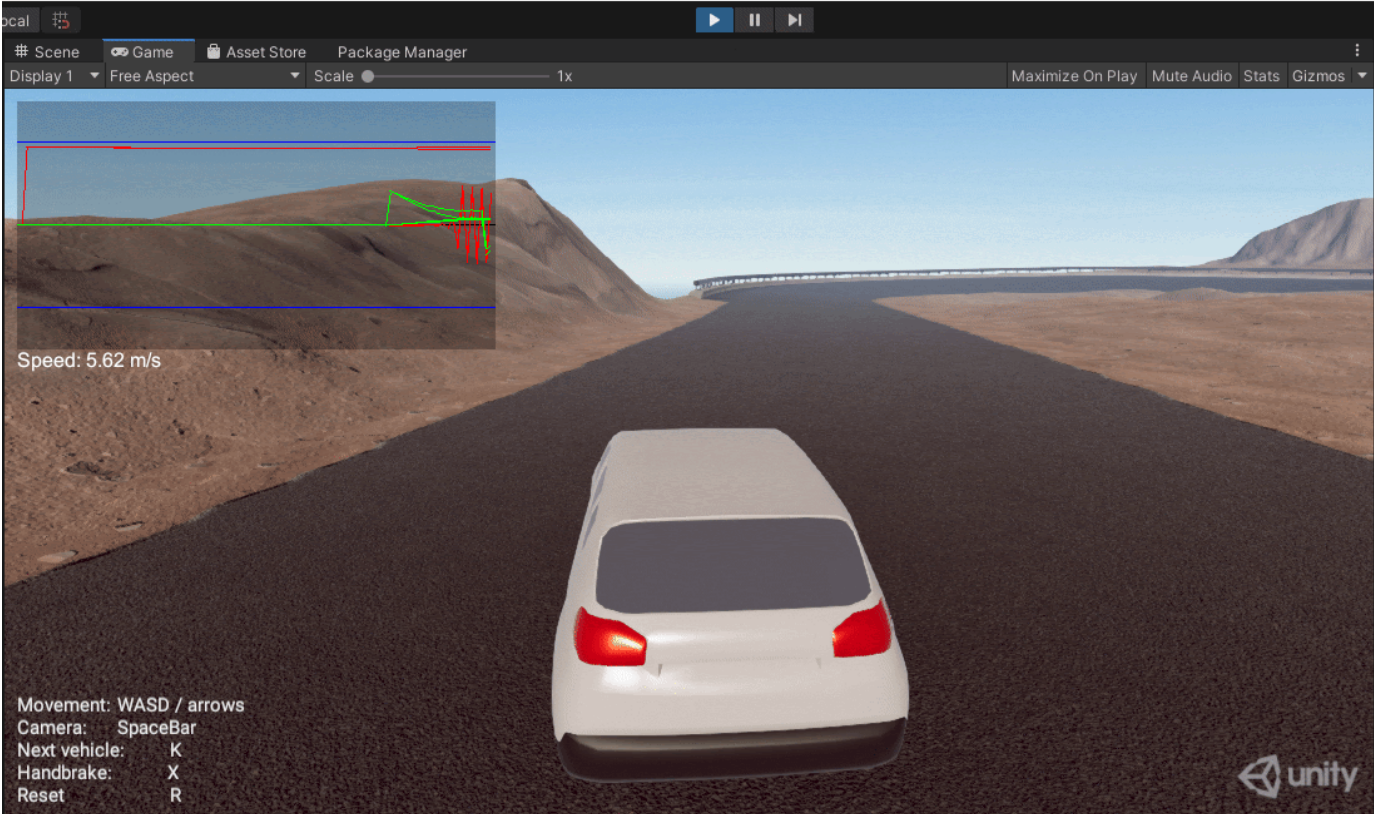
Unity Learn
In this tutorial you will configure the Wheel Drive Component's Acceleration and Steering Inputs.
glass yarrow
dapper narwhal
doing the latter kinda destroys the point of an event-based input system but yea...
I suppose that means I should rephrase - I don't know it. I'm a n00b at this system. Send your favorite tuts so I can learn.
dapper narwhal
the brackeys tutorial is pretty good for starting with the new input system https://www.youtube.com/watch?v=Pzd8NhcRzVo

Let’s check out what Unity is working on for the new Input System!
► Go to https://expressvpn.com/brackeys to take back your Internet
privacy TODAY and find out how you can get 3 months free.
● Get the new input system here: https://bit.ly/2SiXsgS
👕Check out our merch! https://lineofcode.io/
♥ Support Brackeys on Patreon: http://patreon.com/b...
glass yarrow
dapper narwhal
the brackeys tutorial is pretty good for starting with the new input system http...
Excellent. Thank you kindly. Send more if you think of them. I don't care what it's about - as long as it's about the new input manager and I learn somethign new from it.
glass yarrow
Oh? that car tutorial from Unity made it sound like there were a few cool tricks with the new input manager, but then it was't working the way the tutorial said it should
dapper narwhal
hmm
verbal remnant
if you just want to get going with the new input system, you can just do stuff like
bool mouse0 = Mouse.current.leftButton.isPressed;```
Creating a custom class with all that configurability can be more than you need (initially)ye
glass yarrow
ahh yeah I got that down. Some basics. I can do simple WASD movement. And I was trying to head into more advanced stuff and with the XR Controllers.
dapper narwhal
it works fine - but it destroys the point of an event-based input system, as i said
verbal remnant
when using input actions, make sure to enable them before using them
glass yarrow
verbal remnant
when using input actions, make sure to enable them before using them
yeah did that. confirmed via the Input Debugger that the things were enabled.
But then I'd press down the button and it wouldn't work.
dapper narwhal
verbal remnant
when using input actions, make sure to enable them before using them
this. i followed that brackeys tutorial but i thought the onenable and ondisable stuff was unnecessary so my inputs just weren't enabled lol
dapper narwhal
glass yarrow
ahh yeah I got that down. Some basics. I can do simple WASD movement. And I was...
nice
verbal remnant
IMO the new input system is more than just firing events... it provides all sorts of ways to access the inputs and context... events aren't always best (they make code near impossible to trace)
glass yarrow
verbal remnant
IMO the new input system is more than just firing events... it provides all sort...
I can understand that yeah. And sending Debugs all over the place gets taxing
verbal remnant
it might even be a good idea to put an abstraction in front of input system so that your game code doesn't have to know about input system
and for all its generality, input system can't handle some more advanced/unique/niche input types that don't map cleanly to well established controllers/buttons/axes
glass yarrow
verbal remnant
and for all its generality, input system can't handle some more advanced/unique/...
aren't the mappings issued solved by the input system assets?
verbal remnant
you can do a lot... but some stuff is still hard... i.e. stuff that is not classic game stuff... input system doesn't handle multi touch IIRC... it provides the data, but you have to define what a gesture is in a separate custom system. Also out-of-the-box it doesn't support exotic stuff like OSC, ANT+ or your Arduino (unless you treat it like a keyboard)... you'd have to write the components for that yourself
glass yarrow
verbal remnant
you can do a lot... but some stuff is still hard... i.e. stuff that is not class...
I see. I'll keep that in mind as I try to learn more about it.
 tame oracle
Hello, how can i do when i move forward or backward a vehicle / character (z axis) by moving the mouse up and down + left and right to turn (y axis)? In Unity3D
 sudden trail
Has anyone figured out a way to have separate input sensitivities for controller input vs mouse input?
marsh fractal
austere grotto
if not, you can get to them through the InputActionAsset
I seem to only be able to instantiate these or destroy them.
EDIT: By adding InputActionAsset as a Serialized Field I can enable and disable action maps 🙂
 hoary dirge
Hey,
I'm planning on launching a game on AndroidTV but I'm trying to find the proper input mapping for the minimal controls
I couldn't find a proper documentation for it, I'd appreciate any help.
 drifting bison
Hi community!
Getting my hands on the new input system.
When I make a change to a setting in an input system and then save it, will it automatically generate new script for the c# class if you already have one. Or will I have to delete it, and generate it one more time?
austere grotto
drifting bison
Hi community!
Getting my hands on the new input system.
When I make a change to...
It's automatic. Try it out and see
drifting bison
thanks, yeah I did, i observed the changes. Could I follow up asking for the best way to capture the mouse position to perform a screentoworld raycast? From what I understand, its best to capture this as an action in the system manager, instead of using the old screentoworld() thing
drifting bison
with the new input system manager, you cant use the old Input.something commands anymore. At least that gives me an error.
I want to move a navmesh by clicking, and need to figure out how to transfer a click in the world to the navmesh.setdestination() function
austere grotto
drifting bison
with the new input system manager, you cant use the old Input.something commands...
You can use an InputAction bound to the pointer position and call ReadValue<Vector2>() on it, or you can read Mouse.current.position
drifting bison
coordinates are way off when I click the plane with the rigidbody, is there something with the camera I might be missing, or is the screentoworldpoint() the wrong thing to be using ?
austere grotto
drifting bison
coordinates are way off when I click the plane with the rigidbody, is there some...
What kind of camera projection are you using
 frosty raft
Huh, weird
I installed a package that had references to the new input system without my project having it
As a consequence the compiler fully broke with the error type or namespace name 'InputSystem' does not exist
That's normal but even the URP sample assets were bringing the compiler to a full stop with just
using UnityEngine.InputSystem;
#endif```If it's perspective, you need to do a raycast
austere grotto
frosty raft
Huh, weird
I installed a package that had references to the new input system wit...
the package must have enabled that preprocessor flag
drifting bison
@austere grotto Got it working. Was really nice knowing (reimbursing) the fact that perspective = raycast. Just wanna say thanks a bunch!
 steep brook
Are there known issues with Xbox One Controller support on Windows, specifically the new ones using USB C connection? I have a customer saying my game doesn't support his Xbox One Controller (USB C connection). My game (HopSquash!) is built with Unity 2020.3.1f1 and uses the new Input System. It works fine with Xbox 360 controllers, and according to external reports, also works fine with the original Xbox One controllers.
If anyone is willing to test my game with their Xbox one controller (USB C), I would appreciate your time, and I'll send you a free Steam key for HopSquash! so you can test it. Thanks in advance.
 narrow acorn
Did anyone try playing 2 instances of the game at once with the new input system? Because it seems to just care about the first one that was initialised, so I can move only in one game instance, and not in the other
Which is really bad because I'm making a multiplayer game and that kinda forces me to test differently
steep brook
based off other info, I think my customer might be full of it.
 tender folio
Usually, I get an action using playerInputs.Game.Jump. However, I want to be able to search for an action like this, playerInputs.Game["Jump"]. Unforuntately, this does not work. How can I get similar functionality?
 ruby rampart
ive been all over the place in this server today
ive got this

and this always prints 0

print(carControls.Car.GrabSteeringWheelLeft.ReadValue<float>());
oh boy my mouse just decided it doesnt wanna click
austere grotto
ruby rampart
`print(carControls.Car.GrabSteeringWheelLeft.ReadValue<float>());`
Did you Enable() carControls?
austere grotto
With more power comes more responsibility? Or something
ruby rampart
i was hoping that would fix it
but it didnt
its working in the input debugger
it shows the right stuff
ruby rampart
fixed, anyone else having issues: instantiate your controls script in awake, not start
 thick sapphire
I have setup split screen in my game, and I have an issue. Each input device controls all of the player's. I can't figure out how to assign a controller to each player(and isolate their inputs). Any help would be appreciated(send me a DM)
austere grotto
thick sapphire
I have setup split screen in my game, and I have an issue. Each input device con...
This is what PlayerInputManager is for
It instantiates player prefabs for you that have PlayerInput components on them, which are independent from one another
thick sapphire
austere grotto
This is what PlayerInputManager is for
I was using PlayerInputManager in the video... All of the controls deal with all the player's
austere grotto
thick sapphire
austere grotto
https://www.monkeykidgc.com/2020/12/unity-multiplayer-create-a-multiplayer-game....
I know that you'd usually use methods with CallbackContext, do you think that that may be the issue?
 thick sapphire
steep brook
Are there known issues with Xbox One Controller support on Windows, specifically...
thick sapphire
steep brook
Are there known issues with Xbox One Controller support on Windows, specifically...
If you still need someone to test it out, I'd be glad to help out
austere grotto
thick sapphire
I know that you'd usually use methods with CallbackContext, do you think that th...
Your problem is you're using the generated class file
Instead of the PlayerInput component
(and no they're not the same. You named your InputActionsAsset PlayerInput. I'm talking about the PlayerInput component)
thick sapphire
austere grotto
Instead of the PlayerInput component
(facepalm) I never thought about that.
austere grotto
PlayerInputManager should be spawning a player prefab that has the PlayerInput component on it
thick sapphire
Gotcha, so how would you recommend doing it differently?
austere grotto
austere grotto
PlayerInputManager should be spawning a player prefab that has the PlayerInput c...
Like this
thick sapphire
austere grotto
Like this
Thank you so much for your help. I got it all working now 👍
 novel hedge
Hey guys!
Would someone mind helping with this?

Unity Forum
I'm using the new input system and invoke Unity events to pass the input to my bevaviour scripts. Given the following sample method
public void...
 celest orchid
So I'm messing around with mirror networking and the new input system, for some reason I got the host to correctly move. However, for the client, I get NullReferenceException because SendMessage isn't passing the value to the method. I'm lost on figuring out why
It reacts to the buttons being pressed by giving the error, but doesn't pass the InputValue variable
The debugger does say it is given user 0 and has the keyboard attached to it
 fair roost
Hi guys! I noticed my WASD move action only trigger the performed callback one time(using default interaction which I believe is 'press') when the input value is CHANGED
so performed callback only triggered once while I'm holding the W key
is there a way to receive the callback every frame until the key is released?
like the old GetButton() equivalent?
celest orchid
I used a variable that holds the value then in the update method it updates movement there
fair roost
celest orchid
I used a variable that holds the value then in the update method it updates move...
That's definitely a solution to the problem, however I wonder if Input System can do it directly
so that I won't need to cache the value and write my own update method
celest orchid
Yeah sorry, I'm not sure otherwise, if you figure out please let me know, I would rather use that than caching it.
celest orchid
celest orchid
So I'm messing around with mirror networking and the new input system, for some ...
I'm really fucking stupid, the issue was fixed, wasn't an input system issue
 candid kiln
fair roost
like the old GetButton() equivalent?
candid kiln
fair roost
like the old GetButton() equivalent?
Keyboard.current.wKey.isPressed
celest orchid
candid kiln
Keyboard.current.wKey.isPressed
Doesn't that kinda negate the use of the input system's advantages?
candid kiln
celest orchid
Doesn't that kinda negate the use of the input system's advantages?
Absolutly!
celest orchid
Ah ok
candid kiln
celest orchid
Ah ok
This is for an object without a rigidbody. With rigidbody you would use FixedUpdate and move the rigidbody not the transform. Basically get the input in OnMovement and than continuously apply them in Update.
        Vector2 inputMovement = value.ReadValue<Vector2>();
        moveDirection = new Vector3(inputMovement.x, 0, inputMovement.y);
}

private void Update {
  newPosition += movementSpeed * Time.deltaTime * (transform.forward *
  moveDirection.z + transform.right * moveDirection.x);

  transform.position = Vector3.Lerp(transform.position, newPosition,
  Time.deltaTime * movementSpeed);
} ```Ah ok thanks, I'm still relatively new to unity but in the assignment of moveDirection, is the inputMovement.y in the right spot? But yeah right now my cousin and I are making a basic MP pong game, so we are just using a 1d Axis
Mainly BigBadEgg needed help
But when I eventually need the code I'll probably use that method
candid kiln
If you are new, I would probably just use the old input system, as most tutorials/resources you find are with that in mind.
celest orchid
Yeah
steep brook
thick sapphire
If you still need someone to test it out, I'd be glad to help out
Thanks for the offer, I appreciate it. I just thought I'd let you know, after some back and forth with this person, they figured out if they uncheck Steam input, the problem goes away, and fixes it for other games too. So it wasn't a Unity specific issue after all.
thick sapphire
steep brook
Thanks for the offer, I appreciate it. I just thought I'd let you know, after so...
nice!
 obtuse laurel
Have a problem with InputSystem, it's not registering Joypad down presses during a pause in play
I would have thought (I may be wrong) FixedUpdate will run with Time.timeScale = 0.0f;
my InputSystem button commands are in a FixedUpdate loop and Input System Package property is set to Process in FixedUpdate
So I'm actually freezing FixedUpdate?
Are there any alternative ways of checking button presses? As far as I can see I will have to alter Input System Package properties to Check Manually and alter code
The solution was simple
Change Input System Package properties to Process in Dynamic Update
Put checking code in Update() {...}
 west oracle
obtuse laurel
So I'm actually freezing FixedUpdate?
west oracle
obtuse laurel
So I'm actually freezing FixedUpdate?
You can manually tell InputSystem to poll. I have a TimeControl script that switches it from FixedUpdate to Update whenever TimeScale = 0
 craggy quiver
hey, how can i get the right joystick on a gamepad (using the old input manager
preferably using getAxis but anything would do
 remote otter
heyy, i could use some help... i made it so that i could look around with my mouse but i have the problem that the looking around is veeery ugly, it seems laggy or sth like that
austere grotto
remote otter
heyy, i could use some help... i made it so that i could look around with my mou...
Did you follow a Brackey's tutorial?
austere grotto
remote otter
i did
Remove Time.deltaTime from the mouse axis calculation. That's what's causing your weirdness.
it's a known issue in that video
remote otter
dont i have to replace it with sth?
remote otter
something*
austere grotto
no
remote otter
ok, thanks
austere grotto
mouse input is framerate _in_dependent already
there's no need to adjust it based on frame timing, and in fact that introduces the weirdness you're seeing
remote otter
makes sense o.o
thanks :D
is it ok to use comma numbers in the sensitivity?
nvm, i think yes, its a float
drifting bison
Any good practices for switching ActionMaps? Having a bit of problems enabling and disabling the correct functions. I can tell it listens on both actionMaps I have despite putting in actionmap.disable on startup.
austere grotto
drifting bison
Any good practices for switching ActionMaps? Having a bit of problems enabling a...
disabling/enabling action maps should work
show your code?
drifting bison
its a lot of it, but ive been trying to learn it watching One Wheel Stuidos tutorial on it.
So both actions maps have all their functions added and enabled OnEnable, and likewise OnDisable.
How does the OnEnable/OnDisable work contrary to Awake/Start?
Might have missed something there.
remote otter
mouse input is frame independent, but wasd isnt right? so i have to multiply it with deltatime right xD?
austere grotto
drifting bison
its a lot of it, but ive been trying to learn it watching One Wheel Stuidos tuto...
OnEnable happens after Awake but before Start, and whenever the script or the object it's on is enabled from a disabled state
drifting bison
playerControl.General.CycleTarget.performed += CycleTarget_performed;
playerControl.General.CycleTarget.Enable ();
I havel all functions from both action maps set up like this OnEnable, and disabled OnDisable in the same script
austere grotto
drifting bison
playerControl.General.CycleTarget.performed += CycleTarget_performed;
pl...
Ok - and how are you trying to disable the action maps?
austere grotto
drifting bison
how to I add a code snippet?
drifting bison
 public static MainPlayerControlScript controlScript;

public static void ToggleActionMap ( InputActionMap actionMap )
        {

        Debug.Log ( "setting actionmap " + actionMap );
        if (actionMap.enabled)
            { return; }
        actionMap.Enable ();
        }
more or less a copy from the tutorial video
austere grotto
that only enables it
how do you disable it?
I would expect "ToggleActionMap" to do both?
e.g.
        if (actionMap.enabled) actionMap.Disable();
else actionMap.Enable ();```I am pretty sure I had a disable function in there as well as the tutorial has. suddenly came in doubt. May have missed that part
remote otter
how can you disable that when you start/stop running there is a short time where you speed up/down and it just feels weird
.-.
austere grotto
remote otter
how can you disable that when you start/stop running there is a short time where...
Use GetAxisRaw instead of GetAxis
remote otter
thanks...can you also just lower the accelaration time or rather not?
austere grotto
remote otter
thanks...can you also just lower the accelaration time or rather not?
Yes by playing with these settings I believe. I've never touched it

 ivory estuary
Hey, i currently use the CrossPlatfromInput Script from the Standart Assets Asset for my Player Movement on a mobile game. I use three buttons for right, left and jump. Now i want to smooth my movement, like Input.GetAxis("Horizontal") normally does. So i wrote CrossPlatformInputManager.GetAxis("Horizontal"). But unfortunally, it doesn´t smooth my movement. Has anyone an idea why not?


 wheat jasper
New Input System: how do i associate a specific gamepad. in the old system i could use
joystick 2 button 0
or

 timber robin
You add a binding for something like Button East, which would be the right button on any gamepad. (Circle and A for example)
 molten hill
hey are there some keys i'm supposed to exclude during rebind operation in .WithControlsExcluding()
like some os function keys that would mess up the game
tame oracle
hello. i have an settings menu and if i clicked some toggles and then want to click a button i cant click the button
does someone know how to fix this?
tame oracle
i think its because my cursor gets locked onto the toggles. How do i unlock them?
molten hill
hey guys i switched to the new input system and the buttons don't work anymore
i don't want to do both input systems as that would confuse me more
austere grotto
Time to learn the new one!
wheat jasper
so, anyone know how to assign specific controller numbers/ID's in the InputActions
 ocean jacinth
http://pastie.org/p/1yHJ9KO527DreGfeGcrTIc why does this fail to trigger the deceleration code until termination of playback? ie, why does the code fail to return false on the subscription to the cancelled delegate... if it even does subscribe to the cancelled delegate.
ocean jacinth
okay... so I stupidly thought it was a good idea to add a hold interaction before I understood the input system thinking it would work because I'm using it for acceleration. Can anyone explain what the hold interaction actually does in layman terms?
austere grotto
ocean jacinth
okay... so I stupidly thought it was a good idea to add a hold interaction befor...
as per those docs, canceled will only be invoked if they release the button before the specified duration (meaning before performed happens)
ocean jacinth
austere grotto
https://docs.unity3d.com/Packages/com.unity.inputsystem@1.0/manual/Interactions....
okay.. cool I can see where that would be useful. Thank you
 olive loom
How do you get a key binding for the currently active device?
I want to grab the string of the key that needs to be pressed for input action Inputs.Player.Interact ,for example
austere grotto
olive loom
How do you get a key binding for the currently active device?
I want to grab the...
 olive loom
austere grotto
Start exploring the API: https://docs.unity3d.com/Packages/com.unity.inputsystem...
olive loom
austere grotto
Start exploring the API: https://docs.unity3d.com/Packages/com.unity.inputsystem...
I dont want Inputs.Player.Interact.bindings
ill have to manually find the binding of the thing then
isnt there a method that returns the single used binding for the device in use?
for (int j = 0; j < g[i].bindings.Count; j++)
{
if (!g[i].bindings[j].isComposite && g[i].bindings[j].groups.Contains("Keyboard&Mouse"))
Debug.Log($"\t{g[i].bindings[j].path}");
}```
Better way to get a specific binding? snow wharf
HELP ME
So I'm following a VR game tutorial by Valem, I've been struggling a lot with downloading the Unity XR interactions toolkit package, and I finally found it but there's no install option anywhere, no buttons to press. I tried Unity help and they said something about the toolkit relying on Input System, but I don't know what that is or where to find it
Can anyone help a newbie please?
 broken fog
start with escape room tutorial thats made by unity, its a good first step
ocean jacinth
http://pastie.org/p/3B8PTJp1vFuZBHelhQP4uH Could really do with some help here. In the pastie is my code for the input manager which is controlling all inputs through events and my car controller. For whatever reason, the button inputs work fine. The accelerator and break system work flawlessly but I'm having real bad issues with the turn input. The turn input is a value action with axis as the control type. Then the keybinds are A/D and LEFT/RIGHT each is a 1D axis. I assume (perhaps wrongly) that this will be read as a float from -1 to 1. So I set up a float input event (as I did with bool for button presses) and then try to read the value of the float according to the 1D axis. I get nothing. It doesn't log anything. It's almost as if it doesn't detect the input at all but I've checked over the input actions file and dont see any issues. I'm finding it hard to find any information online or in the docs to explain what the problem might be. Any advice?


 neat marten
Have you tried logging in OnTurn? Maybe you forgot to add event handler
We have the same Action and it works
ocean jacinth
neat marten
Have you tried logging in `OnTurn`? Maybe you forgot to add event handler
We hav...
Yes I tried logging in onturn and still got no output in the console
neat marten
So have you set event handler?
ocean jacinth
 neat marten
That's strange, it's working for us in 2021.2.0b4
I can try with your setup later today
ocean jacinth
Thanks, I'll keep working at it to see if I can figure it out
I'm on 2021.1.15f1 by the way
ocean jacinth
neat marten
That's strange, it's working for us in 2021.2.0b4
I can try with your setup late...
fixed it. I now need to understand what it is the invert processor does
turned it off and now it works. I'm not 100% sure how processors work yet
ocean jacinth
I figured it'd be the best way to allow for inverted controls when reversing but I guess I'll have to code it myself
ocean jacinth
Okay here we go. So I have been trying to find a way to word this for a while: The turn event cancels whenever it wants to. There's no logic to it. All I have done here is added a log of the phase of the turn event. The console shows the event starting or being performed and then cancelling. The problem is that I'm only tapping the left arrow key. I'm holding forwards and literally just tapping the left arrow key. I don't hold it down. You can see from my keycast in the bottom left that all I'm doing is tapping the key. There is no consistency to this issue and I have no idea in the slightest as to what's causing it.
austere grotto
ocean jacinth
Okay here we go. So I have been trying to find a way to word this for a while: T...
Which one is cancelling?
the left arrow?
For the default interaction, the action is started/performed when you press it, and cancelled when you release it
ocean jacinth
my code along with the input settings are all just above. When I release the key it cancels most of the time but sometimes is acts as though it was never cancelled despite being released. So yes the left arrow
What makes this stranger is that it does cancel eventually but it takes what seems like a random amount of time to cancel. There's no logic to when it does cancel
ocean jacinth
austere grotto
Which one is cancelling?
in that video I press the key at just before the 18 second mark and after a very very short time (before the 19 second mark) release the key. The key press doesn't cancel until the 22 second mark
austere grotto
Any chance your switch pro controller is screwing it up? @ocean jacinth
I see that's bound as well
and they notoriously have the joystick drift issue...
Try unplugging it
ocean jacinth
austere grotto
Any chance your switch pro controller is screwing it up? <@!620939313902780416>
It's bound but I don't have it plugged in. It's mostly bound so I have the option to port to switch considerably easier later on so I doubt it's having an effect but I'll try removing the binding
Nope I can still replicate the issue with the binding removed
austere grotto
ocean jacinth
Nope I can still replicate the issue with the binding removed
Try something like: https://w3c.github.io/uievents/tools/key-event-viewer.html
does the key up event happen immediately always?
Maybe your keyboard has an issue? 🤔
Sorry much better link: https://w3c.github.io/uievents/tools/key-event-viewer.html
ocean jacinth
Very consistent (ignore the top few it's me taking the screenshot) So no not the keyboard. All of the events seem slow to register. Even when pressing the key to begin the turning, the perform event sometimes takes a second to kick in. Could this be an issue with event handling mixed with the input system? I've seen some people online suggest switching inputs to passthrough in case it's a disambiguation issue but if I'm ever going to make this local multiplayer, I figure I need it to be value right?

oh hello... just found this https://issuetracker.unity3d.com/issues/input-system-hold-interaction-makes-an-input-action-unresponsive-when-2-or-more-binding-are-attached-to-the-same-input-action
How to reproduce: 1. Open the attached "1239551 repro" project 2. Open the "TestScene" from the Assets folder 3. Enter Play Mode 4. ...
but it's supposed to have been fixed
okay it's not the same issue. Even after switching to passthrough and removing all but one of the bindings, the issue still persists
 tribal rock
anyone know what is wrong with new input system on Linux? when i use old input system my buttons are working fine but FPS is so low for some reason, switching to new input system fixes the low FPS but my buttons sometimes works sometimes not...
i just feel like Unity for Linux is a mess that shouldn't exist, 2D scrolling is slow that it takes 16 seconds to manually scroll from canvas to normal object sizes, UI input is messed up... what next?
i never had issues like that on Windows
are they even testing things on Linux before releasing or it's totally ignored and they don't care?
 burnt crest
I have a 2D axis input type which works for gamepad just fine; but for mouse and keyboard input I would like the keys QE mapped to the horizontal (I have this working) and the mouse scroll wheel mapped to the vertical axis. I tried using mouse scroll for up and down and then clamping the upper half to 0-1 and the lower half to -1-0 and inverted the lower half... This kind of worked but the input on the mouse wheel is super slow and sluggy compared with the gamepad.
I tried adding a scale factor to the mouse wheel input which helped a little but not very much.

Larger scale factor values don't seem to have any impact on the scrolling speed.
Also I worry that different mice will return a different value based on different scroll sensitivities.
How would I do this with the new input system?
austere grotto
burnt crest
Also I worry that different mice will return a different value based on differen...
It's worse than that. Mouse scroll returrns vastly different values on different operating systems. Each mouse scroll "click" on windows returns like +/- 120, vs on a mac where you get smoother values in the 0-5 range
burnt crest
How do games generally workaround this?
austere grotto
Last time I dealt with that I had to do some #IF UNITY_WINDOWS stuff to set different sensitivity multipliers on different OSs
burnt crest
I see; I guess the script will need to know about how the input works then
Perhaps just have a dedicated action type for the mouse
So something like this:
if (mouseScrollInput != 0f) {
    this.smoothedLookInput.y = mouseScrollInput * this.mouseScrollSensitivity;
#if !UNITY_STANDALONE_WIN
    this.smoothedLookInput.y = this.smoothedLookInput.y / 5f * 120f;
#endif
}
@austere grotto thank you this helped
 wicked rose
not sure if im in the right channel, but for the inputfield, I want the placeholder text "//" to stay when I type and not disappear like it normally does-- for example:
// text
is there a setting or script for this?
 grand crow
@wicked rose can you not just set the value of the field to '//' when it is enabled?
wicked rose
how do you do that? sorry if it's obvious ._.
austere grotto
wicked rose
not sure if im in the right channel, but for the inputfield, I want the placehol...
 wicked patrol
All I want is to change this part of the code to work with the new input system just someone help me please ```private void MoveCrosshair()
{
Vector3 aim = new Vector3(Input.GetAxis("AimHorizontal"), Input.GetAxis("AimVertical"), 0.0f);
    if (aim.magnitude > 0.0f)
    {
        aim.Normalize();
        aim *= 0.4f;
        crossHair.transform.localPosition = aim;
        crossHair.SetActive(true);
    }
    else crossHair.SetActive(false);
}
}
It's not a simple matter of replacing the code
you have to do a bunch of setup with an Input Actions Asset
wicked patrol
@austere grotto I already did it and made the player move with a tutorial, I only need to change that code so that it works with the new input system - Help me plis
austere grotto
wicked patrol
<@!179367739574583296> I already did it and made the player move with a tutorial...
it depends on how your input actions are set up
You need to create an InputAction for the aiming
wicked patrol
@austere grotto I'm a very newbie, do you want me to catch you?
wicked patrol
austere grotto
You need to create an InputAction for the aiming
OK what else?
I already put what you said is called; MousePosition
ocean jacinth
tribal rock
are they even testing things on Linux before releasing or it's totally ignored a...
It's not just linux. There's reports all over the internet about unix based systems having problems with the new input system. I've posted here, on stack overflow and on the unity forums and had no response. I'm just finishing up making a test project to recreate the issue and post a bug report. I'd be interested in seeing how you're using the input system. Are you using the event system to control input?
I've found the problem. It's reportedly been fixed but it hasn't. So apparently having more than one keybinding for any action causes the actions to not subscribe to the performed or canceled delegates. At first I thought it was something to do with the disambiguation problem but I've just checked making the input passthrough instead with a minimal working example and I still get the same issue. I'd love if someone with a non unix based system could check the issue
 fervent socket
why does it happed to getkey?

assigned implies to set x\y\z and create a vector out of it right
austere grotto
fervent socket
why does it happed to `getkey`?
huh? Show the code?
austere grotto
show the... graph then?
 austere grotto
fervent socket
why does it happed to `getkey`?
austere grotto
fervent socket
why does it happed to `getkey`?
not 100% sure but I think that needs to be a Create Vector3 instead of Set vector3?
fervent socket
I am gonna try, do not remember if already tried what you metioned
OF
made it
idk it's devil magic
check
you told me true things

 misty zinc
How do I get the mouses position using the new input system? I have done as shown but don't know how to get it's position in the code.

I have this but it doesn't work
 austere grotto
misty zinc
How do I get the mouses position using the new input system? I have done as show...
austere grotto
misty zinc
How do I get the mouses position using the new input system? I have done as show...
Mouse.current.position.ReadValue()
 tame oracle
How can I get the duration of holding down a key with the new input system?
austere grotto
tame oracle
How can I get the duration of holding down a key with the new input system?
start a timer when you get the started event and stop the timer when you get the canceled event
tame oracle
austere grotto
start a timer when you get the `started` event and stop the timer when you get t...
How do I do that?
austere grotto
which part
tame oracle
Timer part
austere grotto
just a float variable
either starting at 0 and adding Time.deltaTime each frrame, or just recording Time.time at the moment you press the button and comparing it to when you release
tame oracle
austere grotto
either starting at 0 and adding Time.deltaTime each frrame, or just recording Ti...
startTime and endTime values are always same for some reason. Where did I do wrong?
Action type is button and path of the binding is the F key with press and release interaction.
 austere grotto
tame oracle
startTime and endTime values are always same for some reason. Where did I do wro...
austere grotto
tame oracle
startTime and endTime values are always same for some reason. Where did I do wro...
Get rid of any interactions
Just use default interaction
Also did you do playerControls.Enable() anywhere?
tame oracle
austere grotto
Also did you do playerControls.Enable() anywhere?
Yep!
tame oracle
austere grotto
Just use default interaction
You mean no interaction right?
austere grotto
tame oracle
You mean no interaction right?
Yes, remove all interactions
tame oracle
austere grotto
Yes, remove all interactions
It works thanks!
 languid fox
Hello, I am having issues using the nintendo switch pro controller with the input system. I also dont own a newer xbox controller or a play station controller so is there any other way for me to use controller input?
 devout pike
Hey quick question is there a GetButtonDown for an axis?
austere grotto
devout pike
Hey quick question is there a GetButtonDown for an axis?
Yes, exactly that with the axis name
devout pike
Oh so it just counts as a button straight up, why did I think this wouldn't work lmao
thanks
wicked patrol
I would like to make an Aiming that rotates 360 degrees around the player and that the player does not turn where the Aiming points with the new input system
Can someone help me please
 chrome walrus
wicked patrol
I would like to make an Aiming that rotates 360 degrees around the player and th...
chrome walrus
wicked patrol
I would like to make an Aiming that rotates 360 degrees around the player and th...
Did you start any code yet? how do you want the aiming to rotate, throguh what input
molten hill
hey guys i switched to the new input system and the buttons don't work anymore
austere grotto
molten hill
hey guys i switched to the new input system and the buttons don't work anymore
Did you switch your input module over?
molten hill
yee
 ivory willow
Is it possible to use the old and the new input system at the same time?
tribal rock
any way to make new input system more smooth? i mean now when i get Vector2 of my Action, the value is 0, 1 or -1, in old input system it was better cuz it was smoothly going from 0 to 1.
i already set the mode to Analog and it didn't help
molten hill
ivory willow
Is it possible to use the old and the new input system at the same time?
yes. in project manager>>player>>other settings
ivory willow
@molten hill found it. hopefully will help me achieve what im hoping for
thanks
and to access the namespace its UnityEngine.InputSystem right?
ah ok, for the namespace to be accessed you need to go to to Edit->External Tools-> Built-In Pacages to true and regenerate the project files
perfect, awesome you can actually set the mouse position now!
 vale mist
Three quick questions!:
-
Is there a limit on how many action maps you can have? (Or an amount that'll start showing some performance drain?) My game kinda by design needs a lot of those
-
Is there a good way to get multiplayer transferring between scenes? Right now I have the active players set to DontDestroyOnLoad and the scenes will find and configure them to fit the scene, which works, but I was wondering if there was a more built in way? I'm definitely cool with running as is though if there's nothing.
-
Seems Joystick does not have an option for a right stick and doesn't detect input from the right stick on my controller. I can change said controller to XInput instead and it works fine, but more compatibility the better of course, is there a way to implement that?
wicked patrol
chrome walrus
Did you start any code yet? how do you want the aiming to rotate, throguh what i...
I want the viewpoint to be like that video; And using the new input system .. I already have the isometric movement, I just need to do the pointing system as well as in the video I want it as is

YouTube
20 seconds · Clipped by Jesurod · Original video "Death's Door - Gameplay Livestream" by PainReliever
chrome walrus
wicked patrol
I want the viewpoint to be like that video; And using the new input system .. I ...
So you need the mouse position, where are you struggling?
wicked patrol
chrome walrus
So you need the mouse position, where are you struggling?
I do not understand your question
chrome walrus
wicked patrol
I do not understand your question
did you start code something to achieve your input?
to me this looks like the cursor is following th emouse
wicked patrol
chrome walrus
did you start code something to achieve your input?
If I already did my isometric movement; And if the cursor follows the player, but the player does not rotate to where the course is placed and only when you click it is where you will attack where the cursor is placed and that is what I want to achieve
chrome walrus
wicked patrol
If I already did my isometric movement; And if the cursor follows the player, bu...
the cursor follows the mouse, the camera follows the player
wicked patrol
chrome walrus
the cursor follows the mouse, the camera follows the player
Yes
chrome walrus
okay, so did you do this already?
wicked patrol
chrome walrus
okay, so did you do this already?
That's the problem; I do not know how to do it
chrome walrus
So what have you done yet? isometric movement, right?
wicked patrol
chrome walrus
So what have you done yet? isometric movement, right?
Yees
If you want, I'll give you my code
chrome walrus
its programming channels here, so that would be helpful not just for me, everyone trying to help if they get some code 🙂
wicked patrol
Where do I pass it to you?
chrome walrus
use hastebin for example
put the link here, i will be off later, but everyone can check out the code then
wicked patrol
fervent socket
How do I put pause button ontop of go left button (squared red is transparent)

so when I press pause, first button to interact is unluckily go left
shall I load these buttons to the scene one by one starting with pause button and after move left button?
 charred hare
Hi developers!
I have a quick question. I have a game made for oculus quest 2, and in that i have a scoreboard. I want to make a secret reset button. So far i have created it this way:
if(OVRInput.GetDown(OVRInput.Button.One)) {
            if(OVRInput.GetDown(OVRInput.Button.Two)){
                if(OVRInput.GetDown(OVRInput.Button.Three)){
                    if(OVRInput.GetDown(OVRInput.Button.Four)){
                        provider.ResetHighScore();
                    }
                }
            }
        }
But i also gonna add a few more layers to it. Additionally i want to make sure that "provider.ResetHighScore()" wont be activated unless all the buttons have been held down for 5 seconds or longer. How can i achieve this? And is my current code structure viable?
 median umbra
fervent socket
How do I put `pause button` ontop of `go left button` (squared red is transparen...
median umbra
fervent socket
How do I put `pause button` ontop of `go left button` (squared red is transparen...
Buttons are drawn in the order in the scene hierarchy, from top to bottom. Could that be what you're looking for?
molten hill
the input system show usages instead of the buttons. help
 molten hill
why the hell is it that everytime i ask a question nobody answers
molten hill
west oracle
what Control Scheme settings are active?
what do you mean
west oracle
if you defined a ControlScheme, the input list would be restricted to whats available from those devices
molten hill
west oracle
if you defined a ControlScheme, the input list would be restricted to whats avai...
nevermind the error fixed itself
weirdly enough
molten hill
so i'm following a tutorial by dapper dino for rebinding actions but it requires a player controller
and i'm doing this in the main menu
can i like go around this restriction or...
west oracle
there are a great many ways to deal w/ rebinding in InputSystem (for better or worse)
frosty raft
molten hill
the input system show usages instead of the buttons. help
I guess this is a bug
It didn't fix itself for me though, so I just kinda gave up
Not that I didn't try to fix it but there wasn't any solution that worked either
It was a while ago though
 normal summit
Currently I have two cameras in my scene, with a world space canvas and a GR (graphic raycaster). The GR is defaulting camera 1 to raycast from. I cant find anywhere in the inspector or in code to change the camera that its raycasting from. I need to make it so the GR casts from camera 2 instead of camera 1. Does anyone know how I can change the camera that the GR is raycasting from? I'm using 2020.2.2
austere grotto
normal summit
Currently I have two cameras in my scene, with a world space canvas and a GR (gr...
this is a really good question 🤔
what happens if you remove the GraphicRaycaster and put a PhysicsRaycaster on the camera?
does that hit world space canvas graphics? Probably not right?
austere grotto
normal summit
PhysicsRaycaster is for colliders
There is this - but it's read only: https://docs.unity3d.com/Packages/com.unity.ugui@1.0/api/UnityEngine.UI.GraphicRaycaster.html#UnityEngine_UI_GraphicRaycaster_eventCamera
normal summit
Yeah I was staring at that variable for a long time haha, I wanted to go in and add another parameter to the RaycastAll method but I couldnt find the BaseRaycaster class
They have a comment in the GraphicRaycaster class that indicates that the eventCamera is set to Camera.Main at some point
This line: var currentEventCamera = eventCamera; // Property can call Camera.main, so cache the reference
 silver ice
Hi, I was wondering if someone could help me out with implementing an action through two keybinds. So i have a character who can run with w and i want it so that when shift is held with w then the character walks instead of running. I have been trying to implement this with the new input system but cant figure out how to do it. Does anyone know or have any ideas?
Im fairly new to the new input system, sorry if its very simple and im just dumb lol
frosty raft
@normal summit Not sure if it's an option for you, but you could work around this by moving the main camera instead of having two cameras
Like Cinemachine does!
normal summit
I appreciate the idea, but it’s unfortunately not an option as I’m working in VR. The second camera is attached to my hand to allow me to interact with the UI as a canvas pointer.
The first camera obviously rendering as my eyes
molten hill
hey how can i allow binding with the side buttons
currently i can't bind my side buttons at all
drifting bison
Good evening all!
Ive hit a snag with the input system. Ive created the c# script, and made a public variable for it in my script. Unity compiles, and refuses to create the slot for me to place the script. I dont have any other errors in other unrelated scripts, and Unity will correctly generate spaces for any other public variable I create... expect for the InputManager class. Anyone know this error?
molten hill
drifting bison
Good evening all!
Ive hit a snag with the input system. Ive created the c# scri...
yo send me a snippet of the line that creates a public variable for the script
drifting bison
public class PlayerController : MonoBehaviour
    {


    public Camera mainCamera;
    public PlayerCharacter playerCharacter;
    public Rigidbody playerRB;

    public InputManager inputManager;
    // Start is called before the first frame update

    float moveSpeed;
    float jumpForce;
    private Ray ray;
    float test;

    private void Awake ( )
```@molten hill
drifting bison
then inputmanager is the script created by the input manager
molten hill
so can you check that "PlayerCharacter" is the exact name for the public class in the script you want to reference?
drifting bison
affirm, it is
and all those other 3 variables pop up as they should in unity editor.
ive tried creating new variables for testing, they compile and show as normal. Its when I try creating a variable from an InputManager it goes sour on me
ive tried deleting, creating new ones, dublicating.. restarting Unity... and still it refuses to accept any variable with reference to an InputActionAsset
or its script that is
drifting bison
workaround it?
molten hill
no i just gave up on saving rebinds
silver ice
Hi, I was wondering if someone could help me out with implementing an action through two keybinds. So i have a character who can run with w and i want it so that when shift is held with w then the character walks instead of running. I have been trying to implement this with the new input system but cant figure out how to do it. Does anyone know or have any ideas?
rustic plume
silver ice
Hi, I was wondering if someone could help me out with implementing an action thr...
you could just set a speed variable at the beginning of Update using an if statement to determine whether shift is pressed or not and then move using that speed variable instead of a constant number
silver ice
i have that i believe @rustic plume
rustic plume
in that case it should work, send that section of your code
silver ice

inputmagnitude is for the blendd tree for the animation

if walkcontrol.action.triggered happens but it doesnt adjust the animation to walking nor the character walks
this is the variable

 rustic plume
where do you use the speed variable you have at the end of the code you sent?
silver ice

the debug.log in the if statement happens but the character does not walk/nor the walking animation happens
i also tried using the old input system where u do if input.getkey(leftshift) and that worked. so the logic works with the old input system but im not sure why not with the new input system
this is the input actions asset btw
 rustic plume
hmm idk i'm not super good with animations and movement usually i just move stuff with a rigidbody and what you have there would work for me in that situation
i'll defer to someone else
silver ice
someone help pls!
austere grotto
silver ice
InputAction.triggered is only going to be true for one frame
silver ice
so how do i go about it
austere grotto
you want something like:
if (walkControl.action.ReadValue<float>() != 0)```ill try that
 wind musk
I have this code (https://paste.ofcode.org/3aTuNGmQtAQEAFnweWrLfZN) in my Move method, and hooked it up to my Player actions using the default bindings that were already setup when I created my Unity project. For some reason moving with a gamepad works fine, but with wasd it doesnt, although If I press W, I get three Debug.Logs, first two saying (0, 1), and then one saying (0, 0). Anyone know whats going on?
silver ice
@austere grotto thank you so much!
could u explain wt it means: if (walkControl.action.ReadValue<float>() != 0)
austere grotto
silver ice
could u explain wt it means: if (walkControl.action.ReadValue<float>() != 0)
if the current value of the InputAction is not 0
In other words "if it's currently actuated"
austere grotto
wind musk
I have this code (https://paste.ofcode.org/3aTuNGmQtAQEAFnweWrLfZN) in my `Move`...
You will get three callbacks:
- one for "started" with value 0, 1
- one for "performed" also with the same value.
- one for "canceled" with value (0, 0) when you release the key.
with the joystick you will get a callback like that every time the joystick actuation changes, even slightly, with the performed phase
wind musk
austere grotto
You will get three callbacks:
- one for "started" with value 0, 1
- one for "per...
I actually get all three logs while I'm holding the key down
When I press W
austere grotto
wind musk
I actually get all three logs while I'm holding the key down
try unplugging your controller and unbinding the controller binding from the input action and see if that still happens
wind musk
will do
austere grotto
There's some weirdness with multiple bindings sometimes I think
austere grotto
wind musk
yep unplugging the controller did it
so I think your controller was somehow saying "hey my joystick is at 0" and that was cancelling it
wind musk
yep i think thats it
I won't spend too much time looking into how to fix that right now though, I'll just use KBM for now, thanks so much for the help man
 pallid karma
I have the same issue, so if someone finds a way to fix it, then let me know as well
 regal flume
The variables inputhorizontal and input vertical correspond to horizontal and vertical axis inut
 zinc stump
@regal flume Don't cross-post. And you didn't ask an actual input related question.
regal flume
Is it not input related?
I am using input after all to control the aniamtions
I asked this here to find out if the cause is something input related, or something else.
 frigid ridge
With that sort of logic, what isn't input related? 😄
Probably a lot more practical to define "input related" as input collection related.
regal flume
Fair enough
 lucid tundra
I can't figure out how to do the touch count for a screen. There's nothing in the input actions I can find for it for it. I know there's the Enhanced Touch API where I can get the activeTouches and activeFingers but that for some reason always returns a count of 0. (Might work in builds but that's still a problem). I feel like I'm missing something here that there's no easy way to get the count.
I do get touch button events and touch position values, so I know the actions are working. Then again Enhanced Touch doesn't use the actions at all so no idea.
Worth noting, I'm using the device simulation package, which could handle touch differently for all I know. Tried with the game view and simulate touch on too though.
fervent socket
how to apply image to a button? my imported png doesn't show up in there
 austere grotto
fervent socket
how to apply image to a button? my imported png doesn't show up in there
austere grotto
fervent socket
how to apply image to a button? my imported png doesn't show up in there
In the import settings for your PNG make sure you set the Texture Type to Sprite
 wispy sky
how can you use the new input system to invoke unity events, while assigning all the events in script instead of using the editor
austere grotto
wispy sky
how can you use the new input system to invoke unity events, while assigning all...
that's sort of an oxymoron
the point of Unity Events is to assign them from the inspector
wispy sky
oh?
should i use like c# events or something then
because either way, i need to dynamically assign actions in script, without relying on the editor
 misty locust
You can use any. Unity Events are just assigned via Inspector and C# events via script.
Then C# is better choice for you here. @wispy sky
wispy sky
ah i see
austere grotto
wispy sky
should i use like c# events or something then
yes use C# events
austere grotto
wispy sky
how can you use the new input system to invoke unity events, while assigning all...
Better yet - don't use the PlayerInput component at all
Just use InputActionReference directly in your code
austere grotto
Then you can do like:
InputActionReference jumpAction;

void OnEnable() {
  jumpAction.action.performed += JumpHandler;
}

void OnDisable() {
  jumpAction.action.performed -= JumpHandler;
}``` deft niche
if I already have 2d player movement, would that be similar or very different to 3d player movement
 safe forge
Allright so this new inputsystem is confusing. I dont like the Action/Callback thing with InputActions n all that, and I just want to take a Key and check if it is pressed or not. theres that enumeration called Key that i wanna use this for. Any help here? the quickstart guide is no help
Should I just create a static method that inputs a key and maps to every Keyboard.current property for all the different keys manually?
austere grotto
safe forge
Allright so this new inputsystem is confusing. I dont like the Action/Callback t...
Keyboard.current[Key.Space] will give you a particular KeyControl, for the space bar in this example
safe forge
what exactly is a KeyControl?
austere grotto
austere grotto
you can check things like:
Keyboard.current[Key.Space].isPressed or Keyboard.current[Key.Space].wasPressedThisFrame etc.
basically you can do all the stuff you used to do with Input.GetKey, Input.getKeyDown etc
(and also a whole lot more)
safe forge
okay okay thats helpful to know
Because i want to better device recognition of the new InputSYstem but with the buttonstate things that the old one had
 uneven mulch
Anyone here kind enough to lend a hand I'm trying to convert a Player Controller to the new input system
About 300 lines of code
austere grotto
uneven mulch
Anyone here kind enough to lend a hand I'm trying to convert a Player Controller...
your best bet is to do some tutorials on the new input system first so you understand it, then converting should be pretty easy for you
uneven mulch
austere grotto
your best bet is to do some tutorials on the new input system first so you under...
I have been doing tutorials like the script Player Controller above , but it never resets its values to zero or something has to be wrong with the action map as my player continues to move in the same direction when no input is being registered
austere grotto
uneven mulch
I have been doing tutorials like the script Player Controller above , but it nev...
you have to listen to the canceled event as well as performed if you want to get the zeroing
performed only happens when the input value changes and is still non-zero
uneven mulch
austere grotto
you have to listen to the `canceled` event as well as `performed` if you want to...
Does that happen in its own function?
or simply add it to awake with .preformed?
austere grotto
uneven mulch
Does that happen in its own function?
it's another event just like performed. you need to listen to it the same way you are doing in Awake with performed
uneven mulch
austere grotto
it's another event just like performed. you need to listen to it the same way yo...
Thank You , I added the highlighted code and it worked.

 plush vapor
hello everyone, is there a way I can match an in game FPS sensitivity to a actual game (i.e. CSGO)'s sensitivity? Im trying to make an aim trainer, and I would like it to be as accurate as possible. Given that I have the yaw value of each game, it seems hard to convert into the unity mouse sensitivity...
this is on kovaak.com

is it possible to get "the number of pixels the mouse cursor would have moved on your desktop" in unity?
austere grotto
plush vapor
is it possible to get "the number of pixels the mouse cursor would have moved on...
Yes that's just what Input.GetAxisRaw returns for the mouse axes
plush vapor
austere grotto
Yes that's just what Input.GetAxisRaw returns for the mouse axes
hmm interesting, it doesnt look like it
if I print it its showing around 0 - 1 value
I wonder if its Input.GetAxisRaw * my mouse dpi
 crisp gyro
glass yacht
crisp gyro
glass yacht
GetAxisRaw returns decimal values for joysticks and mice
it only returns -1, 0, 1 for button input
plush vapor
haha nvm, I used the software and found the Yaw of unity's sensitivity is 0.05
Im actually surprised that I couldnt find anything on google regarding accurate sensitivity converting on google
charred hare
Hi developers!
I have a quick question. I have a game made for oculus quest 2, and in that i have a scoreboard. I want to make a secret reset button. So far i have created it this way:
if(OVRInput.GetDown(OVRInput.Button.One)) {
            if(OVRInput.GetDown(OVRInput.Button.Two)){
                if(OVRInput.GetDown(OVRInput.Button.Three)){
                    if(OVRInput.GetDown(OVRInput.Button.Four)){
                        provider.ResetHighScore();
                    }
                }
            }
        }
But i also gonna add a few more layers to it. Additionally i want to make sure that "provider.ResetHighScore()" wont be activated unless all the buttons have been held down for 5 seconds or longer. How can i achieve this? And is my current code structure viable?
 fossil heart
Why don't you just if(input1&& input 2&&input3
Create a bool allPressed
Make it true if all is pressed
charred hare
I did try that, but it felt like i had to press all the buttons at the exact same time
charred hare
That could work ye, thx
 faint flicker
hi
i have a 3d game, i want to make a joystick for it...but i dont get it, how do i make it. i have an image and it has on-screen stick script, its set to left stick... in the tge input system have an action, the type is value and control type is vector2 i have a binding under it and its path is left stick gamepad
now what do i do next to control my player (character controller)
also i need another one for controlling rotation of camera
lucid tundra
Hello!
How would you get the touch count of a phone with the new system? I can't find anything in the input actions interface, and I haven't been able to get the activeTouches/activeFingers through EnhancedTouch to show anything. I feel like I'm missing something here.
 jade fossil
trying to follow this tutorial but at this point, after 2 minutes only, the result is not this for me, my white box don't move. I tried both 1.0.2 and 1.1.3 input system, nothing change... Any tip/another tutorial available? https://youtu.be/zd75Jq37R60?t=88

Today we will use the new input system in Unity to add an on-screen joystick to our game. This works on both desktop and mobile phone devices.
Using an on-screen stick will pipe the values to a different control type, aka Gamepad stick, where we can then use an input action asset to read it's value in our script.
►📥 Video Source Code 📥
https:/...
 fallow dragon
I'm trying to make a top down shooter, and I want the player's gun to always track the pointer, but the player only tracks the pointer if it's position is updated. I have tried using if(context.performed) and a pass-through, but nothing I've tried has worked.
Unity Event:
public void OnPointerPosition(InputAction.CallbackContext context)
    {
        Vector2 mousePosition = playerInput.camera.ScreenToWorldPoint(context.ReadValue<Vector2>());
        lookDirection = mousePosition - rigidbody.position;
    }
In Update:
rigidbody.MoveRotation(Mathf.Atan2(lookDirection.y, lookDirection.x) * Mathf.Rad2Deg - 90f);
i setup the new input system via c# events through a script, the input seems to work fine for the most part, but then randomly freezes for a second and my player keeps moving the same direction, after a few seconds once i try to move again it goes back to normal
any ideas for what generally might be causing this?
void Start()
    {
        GetGlobals();

        g.inputMaster.Player.Move.performed += GetMovementInput;
        g.inputMaster.Player.Move.canceled += GetMovementInput;
        g.inputMaster.Player.Look.performed += GetCursorInput;
    }
heres some of the code, g is a saved node that just stores variables for me globally
public InputMaster inputMaster;

    void Awake()
    {
        inputMaster = new InputMaster();

        inputMaster.Enable();
    }
and heres the code on my globals script, that stores the input master
wispy sky
messing around with it more, it seems to only happen once, and for some reason only near exactly 8 seconds in
wispy sky
after restarting my pc it seems to be back to normal? idk unity is weird and im just not gonna question it
 hollow sky
i'm having some trouble with getting a custom input action to show up in the inspector, anyone know what could be wrong?
public PlayerControls m_PlayerInput;
and also serializing it doesn't work either
also with each action, if it's a button can you check 'on press', 'on release' and 'on hold'? so far i haven't seen anything that suggests you can without having to make a new action for each case, is this true?
 outer siren
If I set up an Input action Asset in a main control handling manager type script, then reference that asset in another script, do I still need to onEnable/onDisable in the script that's referencing, even though the asset is being enabled/disabled in the manager?
or is this just bad practice in general? 😄
tame oracle
outer siren
If I set up an Input action Asset in a main control handling manager type script...
Normally, you use the input action asset and reference it only once within a 'Player' component.
But for the case you are describing, you should try to run it both ways so you can get conclusions.
outer siren
It works fine either way, I was just worried about performance issues down the line as I know you have to kinda enable and disable it. I just wondered if it was necessary if you're just referencing that asset from another a script. I'll keep on researching tho!
tame oracle
The reference is assigned through the editor, or code-wise?
Because if it is through the editor, the instance gets initiated automatically for each case.
outer siren
I reference it via a static InputHandler class in the script
        {
                      controls = new Controls();
        }

        private void OnEnable()
        {
            controls.Enable();
        }
        private void OnDisable()
        {
            controls.Disable();
}``` InputHandler.controls.Gameplay.CameraMovement.performed += ctx => HandleMovementInput(ctx.ReadValue<Vector2>());
then do this in other script
but wasn't sure if I need to redo the onEnable/onDisable in the other script if it's already doing it in the InputHandler script I'm pulling it from...
charred hare
i am currently attempting to reset some scores if i hold down a button on the oculus quest 2 gear like this:
However, this code is very inconsistent, most of the time it doesn't work, suddenly it do. Any ideas?
public float duration = 2;
private float holdDuration = 0;

void update() {
        if(OVRInput.Get(OVRInput.Button.Start)) {
            holdDuration += Time.deltaTime;
        }
        else {
            holdDuration = 0;
        }

        if(holdDuration > duration) {
            resetScore();
            holdDuration = 0;
        }

}
Just a swipe in the dark but maybe put the second if statment inside the first, after the time.delta time line? As I'd only want to check the hold duration if I'm still holding. At the moment you're checking whether you're holding the button or not. Might make zero difference, but I'd start with that!
Sorry if that wasn't helpful at all 😄
tame oracle
public class Keybinder : MonoBehaviour
{
    private Dictionary<string, KeyCode> keys = new Dictionary<string, KeyCode>();

    //public Text acc, up, down, dec;
    // Start is called before the first frame update
    void Start()
    {
        keys.Add("ACC", KeyCode.D);
        keys.Add("CCW", KeyCode.W);
        keys.Add("CW", KeyCode.S);
        keys.Add("DEC", KeyCode.A);
    }

    // Update is called once per frame
    void Update()
    {
        if (Input.GetKeyDown(keys["ACC"]))
        {
            Debug.Log("Accelerating");
        }
        if (Input.GetKeyDown(keys["CCW"]))
        {
            Debug.Log("Counter Clockwise");
        }
        if (Input.GetKeyDown(keys["CW"]))
        {
            Debug.Log("Clockwise");
        }
        if (Input.GetKeyDown(keys["DEC"]))
        {
            Debug.Log("Deceleration");
        }
    }
}
my keybinding code isn't working
tame oracle
Hey guys, I'm having an issue with my game. Right now I'm having an issue where UI Buttons would work in a specific scene, but doesn't work in others. I have no idea why, I litterally copy paste the UI elements from the scene where it works to other scenes but it still doesn't work. Anyone has any idea about what this could be?
austere grotto
tame oracle
Hey guys, I'm having an issue with my game. Right now I'm having an issue where ...
Make sure all of your scenes have Event Systems
tame oracle
I am copying the UI elements WITH the event system
austere grotto
wdym
tame oracle
 austere grotto
ok
tame oracle
as you can see, there is an event system there
austere grotto
make sure your canvas has a Graphic Raycaster
austere grotto
in both scenes?
austere grotto
Have you tried having your event system selected while mousing around in the non-working scene?
That should show you what your mouse is hovering over
maybe you have something else in the other scene blocking the raycasts
e.g. another canvas
tame oracle
there is another canvas indeed
Though what should I do to them?
(the other canvases)
austere grotto
give it a CanvasGroup and turn off "raycast target" or "blocks raycasts" or whatever it's called
that will make everything in that canvas not block raycasts
tame oracle
Alright
austere grotto
(another option just for testing is to disable that canvas's GameObject just to see if that was the issue)
tame oracle
yeah good idea
Hmmm.. actually, I just got another idea
what if I just use one canvas instead of two?
It worked!!
I simply dragged the UI elements to one single Canvas
 robust surge
Is this (https://issuetracker.unity3d.com/issues/linux-inputsystems-mouse-delta-values-do-not-change-when-the-cursor-lockstate-is-set-to-locked) a bug that's still causing anyone else problems in the Linux LTS editor (edit for clarification that this is just in the new system)?
How to reproduce: 1. Open the attached project (1248389.zip) 2. Enter Play Mode 3. Select the "Main Camera" GameObject in the Hierar...
fallow dragon
I'm trying to make a top down shooter, and I want the player's gun to always track the pointer, but the player only tracks the pointer if it's position is updated. I have tried using if(context.performed) and a pass-through, but nothing I've tried has worked.
Unity Event:cs public void OnPointerPosition(InputAction.CallbackContext context) { Vector2 mousePosition = playerInput.camera.ScreenToWorldPoint(context.ReadValue<Vector2>()); lookDirection = mousePosition - rigidbody.position; }
In Update:cs rigidbody.MoveRotation(Mathf.Atan2(lookDirection.y, lookDirection.x) * Mathf.Rad2Deg - 90f);
 fast basin
hollow sky
i'm having some trouble with getting a custom input action to show up in the ins...
fast basin
hollow sky
i'm having some trouble with getting a custom input action to show up in the ins...
Also having this same problem, can anyone advise?
 sick fox
Are you saying your player only updates if the pointers position moves or if the players position moves?
sick fox
What is firing the OnPointerPosition event?
fallow dragon
An action that is to a Vector2 Value and is the pointer position.
sick fox
It looks to me like the look target is only being updated when the pointer moves.
The spot you are looking at is dependent on the difference between your current position and the looktarget.
So if your player moves without the pointer moving, the looktarget is no longer accurate.
You have to update the looktarget every time your rigidbody.position changes.
instead of keeping lookDirection, update mousePosition in the OnPointerPosition and calculate lookDirection in update.
Basically, every Update() call, your lookDirection hasn't changed, it's just a vector pointing from your old rigidbody position, in the direction of the look target from when it was at that position. You are translating that rotation along with your movement because you aren't getting a new angle to the pointer.
private Vector2 mousePosition;
public void OnPointerPosition(InputAction.CallbackContext context){
    mousePosition = playerInput.camera.ScreenToWorldPoint(context.ReadValue<Vector2>());
}

public void Update(){
    Vector2 lookDirection = mousePosition - rigidbody.position;
    rigidbody.MoveRotation(Mathf.Atan2(lookDirection.y, lookDirection.x) * Mathf.Rad2Deg - 90f);
}
I'm moving my player along a X/Y plane with respect to the current angle of the camera - but each time I'm adjusting the position the player gets slightly closer to the camera.
Here's the result
I think I need to add some sort of minimum offset somehow, but I'm not sure how to do that (quite new to Unity sorry). Here's my code though.
public class PlayerMovement : MonoBehaviour
{
    public CharacterController controller;
    public float speed = 6f;

    // Update is called once per frame
    void Update()
    {
        var horizontal = Input.GetAxisRaw("Horizontal");
        var vertical = Input.GetAxisRaw("Vertical");
        var direction = new Vector3(horizontal, vertical, 0).normalized;

        // This is just for measuring the distance between the camera and player
        // var dist = Vector3.Distance(Camera.main.transform.position, transform.position);
        // Debug.Log(dist);

        // Adjust the input direction with the current rotation of the camera
        direction = Quaternion.Euler(0, Camera.main.transform.eulerAngles.y, 0) * direction;

        if (direction.magnitude >= 0.1f) {
            controller.Move(direction * speed * Time.deltaTime);
        }
    }
}
Any advice? Thank you in advance
sick fox
your camera is moving faster than your player controller moves.
they need to move at the same speed
on your camera controller script, set the distance you want to maintain as a float. in Update() where you set the camera position, check the distance to the player and make sure it stays at the offset distance.
Vector3 distToPlayer = player.position - transform.position;
if(maxDistance > distToPlayer.magnitude){
  move camera away from player
}
Thanks for your reply.
Both my camera and player are moving inside of the same parent GO (dolly cart, assigned to a track) - so they should be moving at the same speed right?

For the "move camera away from player" part, what would you recommend to do? Some sort of clamp or something?
wind musk
If I have a method with no arguments that I want to call when an action is performed, can I just use a lambda? or do I need to create a new method that takes the context and basically just ignores the context and calls the original method with no arguments anyway? Seems easier to just use a lambda, but will it cause any issues since the function isnt named?
I mean like this action.performed += context => MethodWithNoArgs();
austere grotto
wind musk
If I have a method with no arguments that I want to call when an action is perfo...
The main issue with using a lambda like this is you can't unsubscribe.
you'd have to save it in a variable:
Action<InputAction.CallbackContext> myLambda = context => MethodWithNoArgs();

// subscribe
action.performed += myLambda;
// unsubscribe
action.performed -= myLambda;
right, makes sense, thanks man
tame oracle
I'm having a hard time understanding how the action maps work. Actions in action maps not set as default are triggered even though the current map is different
Is this supposed to happen? I'm trying to only have actions in my current map trigger
austere grotto
tame oracle
I'm having a hard time understanding how the action maps work. Actions in action...
the "current map" is just a PlayerInput component concept
it's completely independent of the Enabled or Disabled state of the action maps or the InputActionAsset itself
tame oracle
Oh, so what is the proper way to have the correct action perform? For example, I have the same button do different things in different action maps
austere grotto
enable or disable action maps as desired
or use the PlayerInput component to trigger all your stuff and go with the current action map thing
tame oracle
austere grotto
or use the PlayerInput component to trigger all your stuff and go with the curre...
I've been trying to do this, but my code must be wrong. I've just been using the playerInput.SwitchCurrentActionMap, which does change the current map, but i'm not sure how to proceed with getting only actions from that map to trigger
austere grotto
tame oracle
I've been trying to do this, but my code must be wrong. I've just been using the...
how are you listening to the actions right now
you're probably bypassing the PlayerInput component and going straight to the InputActionsAsset
e.g. by doing something like playerInput.actions.<anything>
tame oracle
In my Awake function, I use inputControls.ActionMap.Action.performed += ...
tame oracle
Invoke Unity Events, if that's what you're asking
austere grotto
Then you have to set up your callbacks from the inspector for the PlayerInput
with the UnityEvents there
or you can switch to Invoke C# events and use this: https://docs.unity3d.com/Packages/com.unity.inputsystem@0.2/api/UnityEngine.InputSystem.Plugins.PlayerInput.PlayerInput.html#UnityEngine_InputSystem_Plugins_PlayerInput_PlayerInput_onActionTriggered
tame oracle
so for clarification, if I switch to c# events, i just do: public event Action<InputAction.CallbackContext> onActionTriggered ?
austere grotto
also wait what is inputControls?
austere grotto
tame oracle
so for clarification, if I switch to c# events, i just do: public event Action<I...
no you subscribe to the onActionTriggered event on the PLayerInput component
tame oracle
oh the input controls is the input actions asset. like its the whole thing
austere grotto
Ok so you're confusing a bunch of things here'
inputControls appears to be you trying to use the generated C# class file
This thing

that's a completely separate strategy from using the PlayerInput component
you need to decide if you want to use PlayerInput, or use the generated C# file
(there are also more options but let's stick with those two for now)
You can't really use both together
tame oracle
Oh yikes, I thought they worked together
austere grotto
nope, they're two competing ways of doing the same thing
tame oracle
Huh, so I think I should delete my PlayerInput component?
austere grotto
basically each of them is creating their own temporary InputActionsAsset when you run the game, and the two assets are completely independent from each other
austere grotto
tame oracle
Huh, so I think I should delete my PlayerInput component?
If you'd rather use the generated class, then yes
then to switch action maps you just Enable() the new one and Disable() the old one.
tame oracle
Ok cool, so if i do that, will i still need to change my awake functions?
austere grotto
no idea what's in your Awake()
tame oracle
the inputControls.ActionMap.Action.performed +=
glass yacht
austere grotto
If you'd rather use the generated class, then yes
Do you like one over the other btw? I've found myself using the generated one personally because I can have multiple instances in the scene if I want. Along with generally liking the approach a little more.
austere grotto
glass yacht
Do you like one over the other btw? I've found myself using the generated one pe...
Most of the time I use neither
I like putting InputActionReference in my classes that need input
Definitely see the appeal of the generated class, and if I had a use-case for multiple instances I might use it
PlayerInput is.. just annoying IMO
glass yacht
Yeah, I forget the InputActionReference way
I'd probably end up using it if I remembered
tame oracle
most of the videos i've seen use the .performed += ctx => kind of code. this is for the generated class right?
austere grotto
The only problem with InputActionReference is you still need a manager object to sanely handle enabling/disabling action maps
austere grotto
tame oracle
most of the videos i've seen use the .performed += ctx => kind of code. this is ...
It works for any approach that uses C# events
though I prefer to use named methods for that so you can properly unsubscribe.
tame oracle
is there a beginner video that goes over this kind of stuff? the videos i've seen kind of just do the same thing with putting stuff in the awake method
austere grotto
Uh.. not that I know of off the top of my head
tame oracle
Or any example code of enable/disabling actions maps or just managing them in general?
molten hill
so i have this line of code
//entire script copied from github

    private void SetMovementDir()
    {
        _cmd.forwardMove = Input.GetAxisRaw("Vertical");
        _cmd.rightMove   = Input.GetAxisRaw("Horizontal");
    }
and i want to make it work with the new input system using a WASD composite
chrome walrus
molten hill
so i have this line of code
```cs
//entire script copied from github
priva...
Look into the basic tutorial of the new input system, it covers all you need to convert that code into the new one
molten hill
chrome walrus
Look into the basic tutorial of the new input system, it covers all you need to ...
not a single one of them has composites.
and not one of them mentions migrating code
and the code i copied has a very specific type of movement that i want
and i am not able to rewrite all this code
since this discord server ain't active about the new system i'm going to brackey's discord server
chrome walrus
molten hill
since this discord server ain't active about the new system i'm going to brackey...
Enjoy
molten hill
hopefully it's not worse than this inactive channel
chrome walrus
being an unpolite person wont help you on brackey`s either
molten hill
chrome walrus
being an unpolite person wont help you on brackey`s either
oh i'm not going to be impolite
i'm very much polite until my question is not answered for weeks
chrome walrus
Well, I never asked a question here about hte new input system and worked myself through it quite fast. So whos problem is it, the channels or yours not putting in enough effort? The two lines of code you got there are super easy input system code, basically two floats just parsing to your _cmd thing. https://learn.unity.com/project/using-the-input-system-in-unity this and other tutorials give you all information that is needed. If you got something worked on and are stuck, come back here. Noone got the time to hold your hand from start to finish in a personal guided live tutorial.

Unity Learn
In this project, you'll learn how to take advantage of Unity's new Input System.
tame oracle
molten hill
i'm very much polite until my question is not answered for weeks
Well, if no one can help you in a short period of time, then that's it. But no one is obliged to.
molten hill
chrome walrus
Well, I never asked a question here about hte new input system and worked myself...
just what i needed.
surprisingly in all my time googling that link never showed up. so thanks
chrome walrus
molten hill
just what i needed.
surprisingly in all my time googling that link never showed ...
yw
molten hill
having a problem
http://pastie.org/p/3R3DZR871nfvLsx4lnp7Nr
might be a problem with hpw i setup the bindings
i have a passthrough vector2
and a WASD 2d vector composite set to digital
 zenith cairn
Does anyone know if there is any way to invoke a .net action when a unity event is triggered?
sick fox
Just call the action normally in your event handler
west oracle

Unity Forum
Decided to make a few of these to help folks that are new, or struggling (as I did) to move from the Old Input Manager to the New Input System.
Hope...
fallow dragon
I have a problem with a crosshair that I made lagging, but everything else moves smooth. Here is the code:
    private void Update()
    {
        transform.SetPositionAndRotation(pointerWorldPosition, transform.rotation);
    }
I can send someone a video showing the problem.
I don't know if it matters but I am scaling the vector using a processor.
tame oracle
west oracle
<@!462701500636856342> https://forum.unity.com/threads/best-practices-getting-st...
bro, thanks so much for these videos. i've been struggling hard for like 2 whole days straight, watched all the tutorials and read so much documentation and your videos were by far the most helpful. i finally got things working
west oracle
That's why I make them 😉
 lavish zealot
any help on simulating touch with the mouse in the unity editor?
I use the new Input System and enabled the "Input Debugger -> Options -> Simulate Touch Input from Mouse or Pen", but it doesn't seem to work.
I am testing this on a simple UI-Button with the OnClick() of the Button set to a Method in my Script via the Unity Editor.
molten hill
west oracle
<@!462701500636856342> https://forum.unity.com/threads/best-practices-getting-st...
thanks for the help but i already fixed the problem
 mellow rain
How do you guys handle swapping controls between characters? Not multiplayer, but in my case i have 3 characters separated in scene, and i want 1 player to be active and rest disabled.
Do you guys put a "player input" type of script on each character? Or 1 script on a game manager type of setup?
I'm using the generated class, not the player input component also
 errant inlet
So I'm trying to bind a control to happen when the player starts mouse wheel scrolling and again when the player stops scrolling.
This seems easy for something like a button, but I'm unsure of how to do it for something like this as I'm effectively trying to do on button press/release
median umbra
mellow rain
How do you guys handle swapping controls between characters? Not multiplayer, bu...
I'd have a single input handler object that has a slot for currently active controlled player(s)
median umbra
errant inlet
So I'm trying to bind a control to happen when the player starts mouse wheel scr...
Is it possible to detect activity using the started and cancelled/performed actions?
austere grotto
median umbra
Is it possible to detect activity using the `started` and `cancelled`/`performed...
This is where I would start as well, but I worry that mouse scrollwheel might be too.. staccato/inconsistent to be reliable that way. So you might need to use a timer and check when the previous mouse scroll performed was and run the "stopped scrolling" code only after a certain amount of time has passed without scrolling events
mellow rain
@median umbra That makes sense, thanks!
errant inlet
austere grotto
This is where I would start as well, but I worry that mouse scrollwheel might be...
I ran into the exact inconsistency you're talking about. The timer is a good idea. Thanks @austere grotto and @median umbra
molten hill
        string rebinds = playerController.playerInput.actions.SaveBindingOverridesAsJson();
        PlayerPrefs.SetString("rebinds", rebinds);
there ain't no way i'm doing this wrong
this is the exact way every single tutorial is doing it
drifting bison
Question: New input system.
If I have several interactions on 1 Action, can I differentiate the outcome on each interaction, or do I need to create 3 different Actions, each with 1 interaction on it?
austere grotto
drifting bison
Question: New input system.
If I have several interactions on 1 Action, can I di...
Think you'd need multiple actinos
not really even sure how multiple interactions works on a single action
since they all change how and when performed started and canceled happen
drifting bison
true, but how are we then supposed to differentiate between tap and double tap on the same key to do 2 different things?
like tap = walk() and double tap = run()
uneven mulch
how can i do this
as described in unity dos here https://docs.unity3d.com/Manual/class-InputManager.html
 austere grotto
uneven mulch
how can i do this
as described in unity dos here https://docs.unity3d.com/Manua...
austere grotto
uneven mulch
how can i do this
as described in unity dos here https://docs.unity3d.com/Manua...
you just create two axes in the input manager with the same name
uneven mulch
austere grotto
you just create two axes in the input manager with the same name
I'm using the old input system still. I haven't been able to convert my 300 lines of code in my PcController to the new system yet.
austere grotto
uneven mulch
I'm using the old input system still. I haven't been able to convert my 300 line...
I'm talking about the old system
there is no "input manager" in the new system
uneven mulch
austere grotto
you just create two axes in the input manager with the same name
Thank You I've figured it out. 1 player script using keyboard and mouse controls as well as ps4 controller controls
 distant acorn
I was using compound axes before (continuous throttle/steering adjustment):
        controls.Player.Throttle.performed += context => throttleInput = context.ReadValue<float>();
        controls.Player.Throttle.canceled += context => throttleInput = 0f;
Now I'm using discrete buttons ("notched" throttle/steering):
        controls.Player.ThrottleUp.started += context => throttleUp = context.ReadValue<bool>();
        controls.Player.ThrottleDown.started += context => throttleDown = context.ReadValue<bool>();
I deleted the old Actions in the Input Action asset and made new actions, then unchecked "Generate C# class"→Apply→rechecked "Generate C# class", but when I press any of the bound keys, I get
Cannot read value of type 'Boolean' from control '/Keyboard/w' bound to action 'Player/ThrottleUp[/Keyboard/w]' (control is a 'KeyControl' with value type 'float') from InputActionState.cs and
InvalidOperationException while executing 'started' callbacks of 'Player/ThrottleUp[/Keyboard/w]' from DelegateHelpers.cs.
austere grotto
distant acorn
I was using compound axes before (continuous throttle/steering adjustment):
```
...
you generally can't ReadValue<bool>
you usually would do ReadValue<float>() != 0
see how it's saying control is a 'KeyControl' with value type 'float'
the value type is float, you have to read float from it
distant acorn
So button presses output floats? (I haven't been able to find any documentation explicitly stating what each type outputs)
austere grotto
yes they output float
that's because KeyControl derives from InputControl<Single>
as you can see in the inheritance hierarchy: https://docs.unity3d.com/Packages/com.unity.inputsystem@1.0/api/UnityEngine.InputSystem.Controls.KeyControl.html
(float is just an alias for System.Single)
 distant acorn
Ah, okay. So each event will output 0 if false and 1 if true.
austere grotto
nonzero at least. but yea
distant acorn
I'll check through the specific pages for each extension method. Thanks for that link!
 elfin fossil
Ive been trying to move code to the new input system and have been following a tutorial but I cant get things to work and im not sure why (Im terrible at programming)
https://hatebin.com/erirvqmtyr
Debug.Log(mouseLook); always returns 0.0, 0.0
 austere grotto
elfin fossil
Ive been trying to move code to the new input system and have been following a t...
austere grotto
elfin fossil
Ive been trying to move code to the new input system and have been following a t...
After:
controls = new InputMaster();
you need:
controls.Enable();
wait nvm you have it in OnEnable
Oh but you spelled OnEnable wrong
onEnable() -> OnEnable()
same with onDisable() -> OnDisable()
austere grotto
elfin fossil
Capitalization is the bane of my existance
and spelling too! existence! lol, np
 still topaz
Hey, so i'm struggling with some issues right now. Since i imported the Input system package my whole Visual Studio decided to go nuts and show me error for everything and stop autocompleting stuff so i'm kinda trying to work arround the issues i'm getting blind because it doesnt show me the errors. Regardless, i'm gonna try to show you the main issues.

So i made 2 joysticks on the screen. They are placed at the bottom of the screen and i set them up for one to control the left stick of a gamepad and the other one to control the right stick of a gamepad
 austere grotto
still topaz
Hey, so i'm struggling with some issues right now. Since i imported the Input sy...
austere grotto
still topaz
Hey, so i'm struggling with some issues right now. Since i imported the Input sy...
Regenerate project files in preferences
still topaz
i set up movement like this. And this got me WASD and Arrows working for the movement

but for some reason the on screen controll i assigned to the left stick of the gamepad does nothing
 still topaz
austere grotto
Regenerate project files in preferences
still topaz
austere grotto
Regenerate project files in preferences
thanks for that, part of the issue has been solved.
but the stick still doesnt move me arround
austere grotto
still topaz
but the stick still doesnt move me arround
How are you listening to the "Movement" input action input
still topaz
I have a Player Input on my player. I get that component through the Script and then use that value to calculate the movement
austere grotto
still topaz
I have a Player Input on my player. I get that component through the Script and ...
How
Show the PlayerInput and the script
How'd you hook it up


 austere grotto
still topaz
austere grotto
still topaz
Why do you have a Hold interaction on it?
Also do the other bindings work?
Can you try removing the other bindings temporarily?
still topaz
austere grotto
Also do the other bindings work?
yup, every single one of them
still topaz
austere grotto
Why do you have a Hold interaction on it?
tbh, it's not like a have a good reason to. But i kinda just went and put what type of interaction i wanted for each regardless. i tried removing it before, but didnt solve myissue
still topaz
austere grotto
Can you try removing the other bindings temporarily?
sure
still topaz
austere grotto
Can you try removing the other bindings temporarily?
didnt solve the issue, now i just can't move
i feel like the issue isn't really related to the way i set up the bindings but with the On-Screen Stick script
austere grotto
still topaz
i feel like the issue isn't really related to the way i set up the bindings but ...
I've never used it so not really sure
Is the on screen stick visually responding to your touch?
still topaz
yhea
hold up, one of them fixed itself O.o no clue what i've done but i'm gonna see if i can fix the other
well, i fixed it but no clue how. Thanks regardless
 hollow stream
Don’t understand the new input system how do I make player movement?
elfin fossil
hollow stream
Don’t understand the new input system how do I make player movement?
This helped for me https://www.youtube.com/watch?v=w4IMYgpqgdQ
Check out what Unity3D has done with the new Input System. This Tutorial will show you how to create a First Person Controller with the new System.
 gloomy moth
how can i fix this Cannot read value of type 'Vector2' from control using controller
if any one can help me
lavish zealot
i have an UI (canvas) and an Event System. I have buttons in the UI-canvas which have the onClick() defined in the Editor to call a function in my script.
My Problem is that the OnClick() fires twice, thus calling the function twice.

i use the new input system and dont have any hand-made listeners
do i have to change anything in the eventSystem -> Input System UI Input Module?
If i disable that component, no button click is registered at all.
austere grotto
lavish zealot
i have an UI (canvas) and an Event System. I have buttons in the UI-canvas which...
Do you have two event systems ir something?
Should just happen once
You shouldn't have to touch the input module
lavish zealot
austere grotto
Do you have two event systems ir something?
not that i am aware of
i didnt touch anything
i just created the canvas for the ui and added buttons
i enabled both touchscreen and mouse in the input system package in project settings, if that matters
lavish zealot
still the same with only mouse enabled
 neon dawn
Anyone here know how to detect any input with the new input manager?
timber robin
neon dawn
Anyone here know how to detect _any_ input with the new input manager?
https://docs.unity3d.com/Packages/com.unity.inputsystem@1.0/manual/HowDoI.html
Check the …wait for any button to be pressed on any device?
neon dawn
Thanks!
I decided to use a bool instead though and set it true in my movement function
uneven mulch
How can i use the same button for different input options? Ex: Pressing R2 on ps4 controller shoots bullet 1 , but if player holds square first then presses R2 bullet 2 is fired. how can bullet 2 be fired with out firing bullet 1 as they both still use R2
I'm using the Input manager
 mighty ivy
is there like a 'the way' to convert input from an axis from linear 0f- 1f to logarithmic?
so like half way would be 0.1 and not 0.5 but 0.9 would be similar?
austere grotto
uneven mulch
How can i use the same button for different input options? Ex: Pressing R2 on ps...
just check if the square button is currently pressed in the code that handles pressing R2
if it is - shoot bullet 2, else shoot bullet 1
austere grotto
mighty ivy
is there like a 'the way' to convert input from an axis from linear 0f- 1f to lo...
Can't think of anything simpler than just taking the log of the axis valuecs float axisValue = whatever; float logValue = Mathf.Log10(axisValue);
mighty ivy
that does look simple
 carmine fjord
hollow stream
Don’t understand the new input system how do I make player movement?
carmine fjord
hollow stream
Don’t understand the new input system how do I make player movement?
https://www.youtube.com/watch?v=Yjee_e4fICc
you can also use this
✅ Get the FULL course here at 80% OFF!! 🌍 https://unitycodemonkey.com/courseultimateoverview.php
👍 Learn how to make BETTER games FASTER by using all the Unity Tools and Features at your disposal!
👇
🌍 Get my Complete Courses! ✅ https://unitycodemonkey.com/courses
👍 Learn to make awesome games step-by-step from start to finish.
🎮 Get my Steam Gam...
mighty ivy
i'll see how it handle negative values and have a play, thanks
 untold moon
I guess this comes under input.
I have a very simple mechanic, There are 3 buttons, 1, 2, 3. If the player swipes from 1 > 2 (A Happens), 2 > 3 (B Happens), 1 > 2 > 3 (C Happens). What will be the best way to implement this?

 ebon bronze
Any chance anyone can be my second pair of eyes? I am getting very jumpy and laggy rotations with this code and I am not sure why. For both axes, the rotation is very jumpy and laggy and overall not smooth at all. Not sure where my error is because this code worked for the old input systems mouse X and mouse Y deltas. Thanks for any help. Also, InputValue input returns the regular mouse delta from the new input manager
public void OnLookAction(InputValue input)
{
    var lookAction = input.Get<Vector2>();

    float deltaX = lookAction.x;
    float deltaY = lookAction.y;

    // checking if invert y is enabled and clamping the vertical rotation, this can be ignored
    var currentVerticalAngle = _cameraLookAtTarget.localRotation.eulerAngles.x;

    if (currentVerticalAngle > 180)
    {
        currentVerticalAngle = -(360 - currentVerticalAngle);
    }

    var invertVerticalFlag = _isInvertedY ? 1 : -1;

    Debug.Log(_cameraLookAtTarget.localRotation.eulerAngles);

    if (currentVerticalAngle >= _maximumVerticalAngle && deltaY > 0)
    {
        deltaY = 0;
    }
    if (currentVerticalAngle <= -_maximumVerticalAngle && deltaY < 0)
    {
        deltaY = 0;
    }

    // more relevant code starts here
    var verticalRotation = invertVerticalFlag * deltaY * _verticalRotationSpeed;
    var horizontalRotation = deltaX * _rotationSpeed;

    _VerticalRotation = verticalRotation;
    _HorizontalRotation = horizontalRotation;
}

private void LateUpdate()
{
    transform.Rotate(0, _HorizontalRotation * Time.deltaTime, 0);
    _cameraLookAtTarget.Rotate(_VerticalRotation * Time.deltaTime, 0, 0);
}
Hey guys, so I've been wondering about this for a while. Is there a way to make a UI button usable in conditionals?
for example if(UIButton.GetButtonDown)
or if(UiButton.GetButtonUp)
it would be really useful in terms of mobile input
as I am trying to move my game to be compatible for mobile
I'm thinking of using the Button.IsPressed boolean for this. Though I'm open for other ideas
Lol I just realized it was a protected boolean
welp
frosty raft
I'm trying to make the most basic keypress input using events
Is it normal that pressing the key once fires the method twice immediately, and then once when letting go?
Ah, it is normal
Quaint
untold moon
tame oracle
Hey guys, so I've been wondering about this for a while. Is there a way to make ...
Yes
Look into Event Triggers

Watch on the official Unity learn pages here -
In Unity 4.6 we add the new Event System to trigger things in code from your UI. This tutorial is a quick overview of the system and how it works.
Help us caption & translate this video!
tame oracle
untold moon
Look into Event Triggers
That's what I don't want to use
😅
I wanna be able to check UI Button input in conditionals
just like how you would with the keyboard
 unreal crane

Could someone please tell me why we need a ReadValue() function to read the value?
Shouldn't the "Move" itself be a float already?
austere grotto
unreal crane
Shouldn't the "Move" itself be a float already?
It's an InputAction
Check the docs and the generated code you're using.
 arctic condor
does anyone know why this is happening?
 unreal crane
austere grotto
It's an InputAction
unreal crane
austere grotto
It's an InputAction
Thanks, just figured
 chilly trench
arctic condor
does anyone know why this is happening?
chilly trench
arctic condor
does anyone know why this is happening?
If it's in a separate project you have to add Unity.InputSystem to the assembly definition manifest (asmf project file).
 signal bloom
is it possible with the new input system to do a click to move?
 bronze kestrel
The only different code is getting the position of the mouse
which is Mouse.current.position.value I believe
 trim hawk
I have a camera with a UI canvas rendering on it to a render texture at a fixed res (640x360) which I show on another camera with another UI canvas via a raw image which is scaled to the whole screen with point sampling to get me nicely scaled low res UI. My mouse over position and clicks all are scaled by the screen / texture factor IE at 1280x720 the mouse position is wrong by half, and the bottom left quarter of the screen is effectively controlling the whole screens worth of UI. This makes sense in a lot of ways. But how can I fix it?
I want to use the resolution of the UI render texture and UI canvas for mouse clicks etc. I have a Graphic Raycaster only on the UI canvas that is rendering to the render texture but it is still using the wrong mouse coordinates. It'd be nice if there was a tickbox in the canvas scaler or graphic raycaster for like "use these dimensions for mouse input" or something. Am I missing anythign that can easily fix this? If not is there somethign that can fix this in a difficult way, intercept and re-scale the mouse position before the canvas sees it? etc?
 proven steppe
Do you guys take questions regarding the old input system? I have a function that calls Input.ResetInputAxis(). After calling this function I then start listening to input on the horizontal axis in update & debug the value of the horizontal axis if it is greater than 0. The value output isn't consistent - ranging from 0.15 all the way to 0.4. What could be causing the randomness in the acceleration speed of the horizontal axis input? Shouldn't it always begin at the same value orr how exactly does it work/what do I need to do to make that the case. Thanks
 hollow stream
Getting expected Errors when trying to make Player movement script but it dosent show me where i got wrong when i dubble click it??
olive loom
What do i need to convert it to a InputActionReference?
 austere grotto
proven steppe
Do you guys take questions regarding the old input system? I have a function tha...
austere grotto
proven steppe
Do you guys take questions regarding the old input system? I have a function tha...
The exact value depends on the actual actuation of the device and how much time has passed between frames. You'll be unlikely to see the same exact values due to framerates not being perfectly consistent.
tame oracle
How can we subscribe to an event before enabling the asset since OnEnable() is executed after Awake()?
With this script I can use the new input system but I don't know how.
 austere grotto
tame oracle
How can we subscribe to an event before enabling the asset since OnEnable() is e...
austere grotto
tame oracle
How can we subscribe to an event before enabling the asset since OnEnable() is e...
you can subscribe no problem.
doesn't have to be enabled to subscribe
the events just won't be fired until it is enabled
tame oracle
austere grotto
the events just won't be fired until it is enabled
Firing and subscribing, are they different things?
austere grotto
tame oracle
Firing and subscribing, are they different things?
of course
subscribing is like... leaving your phone number with someone and saying "call me when something happens"
firing the event is when something happens, and they call you
tame oracle
austere grotto
firing the event is when something happens, and they call you
So in this case, performing the action is "something happining" and writing something in the log is "calling" right?
austere grotto
Writing in the log is what your event subscriber does when it gets the phone call.
tame oracle
austere grotto
Writing in the log is what your event subscriber does when it gets the phone cal...
Hmm, I got it thanks Blue!
olive loom
Is there no way to get the InputActionReference programatically?
tame oracle
Has anyone experienced lack of touch detection, through the usage of the Enhanced Touch Support, whenever the 'IL2CPP' scripting backend is used?
austere grotto
olive loom
Is there no way to get the `InputActionReference` programatically?
Wdym? The point of InputActionReference is to use it as a serialized field on your MonoBehaviours
Generally if you're doing something programmatically you would go straight to an InputAction
olive loom
austere grotto
Generally if you're doing something programmatically you would go straight to an...
gotcha....i ran into another problem doing that though
I have this population of actions into the UI
And in each card class i call the AssignAction method, calls another method for getting the key's readable string ```cs
private void SetBindingKey()
{
int bindingIndex = inputAction.GetBindingIndexForControl(inputAction.controls[0]);
    bindingNameText.text = InputControlPath.ToHumanReadableString(inputAction.bindings[bindingIndex].effectivePath, InputControlPath.HumanReadableStringOptions.OmitDevice);
}```
but for some reason along the way it errors out

@austere grotto any idea why this is happening? the action it errors out on is no different than the other last 4 that it checked....
austere grotto
olive loom
<@!179367739574583296> any idea why this is happening? the action it errors out ...
which line is that happening on
olive loom
thats the thing, its inside the input system code

but by disabling code by code , i found out its the SetBindingKey method that ends up crashing it
aka the UI update one
austere grotto
olive loom
thats the thing, its inside the input system code
yes but which line of your code is calling that code?
olive loom
int bindingIndex = inputAction.GetBindingIndexForControl(inputAction.controls[0]);

bindingNameText.text = InputControlPath.ToHumanReadableString(inputAction.bindings[bindingIndex].effectivePath, InputControlPath.HumanReadableStringOptions.OmitDevice);```which line T_T

 austere grotto
olive loom
but for some reason along the way it errors out
austere grotto
olive loom
but for some reason along the way it errors out
Click this error, and look at the bottom of the console window
yeah that
olive loom
bindingNameText.text = InputControlPath.ToHumanReadableString(inputAction.bindings[bindingIndex].effectivePath, InputControlPath.HumanReadableStringOptions.OmitDevice);
austere grotto
so it seems like inputAction.bindings[bindingIndex] this is the problem
austere grotto
bindingIndex is not within the array
olive loom
hmm
austere grotto
maybe debug what that index is
and how big the array is
it's probably returning -1 or something from GetBindingIndexForControl
olive loom
ok for some reason its -1 

why the hell is it returning -1, its the literal same action than the previous one that returned just fine
austere grotto
olive loom
why the hell is it returning -1, its the literal same action than the previous o...
The index into the action's binding array for the binding that control was resolved from or -1 if the control is not currently bound to the action.
So it seems the control is not currently bound to the action
olive loom
thats....weird
its the pickup one


both are exactly the same
is it because they share the same key or something?
ok i fixed it by getting the index by doing this
int bindingIndex = inputAction.GetBindingIndex(InputBinding.MaskByGroup("Keyboard&Mouse"));
olive loom
working with composite is an absolute pain....
hollow stream
Getting expected Errors when trying to make Player movement script but it dosent show me where i got wrong when i dubble click it??
austere grotto
hollow stream
Getting expected Errors when trying to make Player movement script but it dosent...
make sure your IDE is configured properly for Unity. Instructions in #854851968446365696 under "IDE configuration"
olive loom
how do i pull the stuff inside of a composite? Both their name and key

i want to list them programatically
tame oracle
Is this possible?
 austere grotto
tame oracle
Is this possible?
austere grotto
tame oracle
Is this possible?
don't really understand the question. You want the distance from the origin to the current joystick vector?
isn't that just myVector.magnitude?
errant inlet
So I'm using WPF as an overlay on my Unity scene and my keyboard input isn't getting captured in the Unity scene after swapping to the new Input System.
Worked fine on the old system and mouse movement/click/scroll works as expected in the new system.
Also works fine in a standalone build
Any obvious things I'm missing?
tame oracle
austere grotto
don't really understand the question. You want the distance from the origin to t...
Yes
tame oracle
austere grotto
isn't that just `myVector.magnitude`?
This is exactly what I need, you are so helpful, thanks a lot!
errant inlet
It looks like the Unity scene is getting focus so that's not an issue.
proven steppe
austere grotto
The exact value depends on the actual actuation of the device and how much time ...
The docs say GetAxis is frame rate independent
austere grotto
proven steppe
The docs say GetAxis is frame rate independent
it depends on if it's mouse input or not
it's framerate independent for a mouse
but the thing we're discussing, I think, is the "momentum"/"gravity" of GetAxis (the thing that's not present for GetAxisRaw), right?
If the axis is mapped to the mouse, the value is different and will not be in the range of -1...1. Instead it'll be the current mouse delta multiplied by the axis sensitivity. Typically a positive value means the mouse is moving right/down and a negative value means the mouse is moving left/up.
This is frame-rate independent; you do not need to be concerned about varying frame-rates when using this value.
^ The framerate independence thing is referring to the mouse thing. They put a paragraph break there for some reason so it may not seem obvious but that is the case
proven steppe
Oh that seems like some poor writing
Is there anything I can do to ensure consistent input across varying frame rates then?
austere grotto
proven steppe
Is there anything I can do to ensure consistent input across varying frame rates...
multiply by Time.deltaTime as necessary
proven steppe
That will ensure it's always consistent?
I'm using this value to assign velocity to an object, but the time it takes to reach a certain point varies because of varying input speed
Hopefully this fixes it
austere grotto
proven steppe
I'm using this value to assign velocity to an object, but the time it takes to r...
If you're assigning velocity you should not use deltaTime
whatever is moving your object based on the velocity will factor in deltaTime itself
proven steppe
hmm then what could be causing the discrepancy in the distance it can cover within the same time frame?
austere grotto
proven steppe
hmm then what could be causing the discrepancy in the distance it can cover with...
no idea, I have little to no context on your code
proven steppe
I'll just add the velocity line to the isolated script I sent before

actually no
 austere grotto
proven steppe
austere grotto
proven steppe
What's the goal with this?
Why are you doing this whole ResetInputAxes thing and only reading input for one frame?
proven steppe
austere grotto
What's the goal with this?
I've added the other stuff to this test environment to make it easier for you to see

The player is kept suspended in the air until the first input

I then have them moving towards a wall

With a script on it that debugs the height the player hits the wall at
& then resets the player


And you can see by holding down D, the player doesn't reach the wall at the same point
austere grotto
Use Input.GetAxisRaw instead
GetAxis is never going to be consistent the way you want
alternatively, wait until the input is fully actuated (to 1) before starting
proven steppe
so the input smoothing for get axis can't be used for accurate physics?
austere grotto
no
do your own input smoothing in FixedUpdate
if you want
also Unity's physics engine isn't really deterministic
it's built for performance
proven steppe

bruh
aight thanks for the help
I guess I'll try building my own work around cos the engine can't handle consistently smoothing input
austere grotto
proven steppe
I guess I'll try building my own work around cos the engine can't handle consist...
The engine does smoothj it consistently but it updates input once per frame
you're looking for input that's smoothed per fixed frame
so you'll have to do it yourself
 bold matrix
I'm trying to set up WASD input handling for my project, and I'm running into an issue where if I hold down one of the keys (e.g. D), and then try to push a key that goes orthogonal to it (W or S), those events will not go through. This stops being the case if I additionally hold down the key that goes in the opposite direction of the first key (A). The behaviour that I expect and want is for all those events to go through, regardless of what other keys might be simultaneously pressed, so as to enable diagonal movement input. How do I achieve this?
Additional info: I'm using a custom behaviour script, that contains an InputActionMap that I've configured through the inspector.
austere grotto
bold matrix
Additional info: I'm using a custom behaviour script, that contains an InputActi...
there's settings for this kind of thing on the composite binding
bold matrix
I am using a composite binding
Can you tell me specifically what I should be changing?
austere grotto
bold matrix
Can you tell me specifically what I should be changing?
idk check the settings on it. THere's stuff like "which side wins" or something
bold matrix
That doesn't sound related to this. Like I said, the keys that block input are the orthogonal ones
 sacred burrow
Hey, I'm trying to make a sprinting script using the new input system, how do i implement hold the button? do i need to make 2 actions? 1 for pressing the button and the other 1 to release? or is there a simpler way to implement hold key in the new input system?
austere grotto
sacred burrow
Hey, I'm trying to make a sprinting script using the new input system, how do i ...
2 main options:
- listen for the
startedandcanceledevents of the action - poll the value in Update
3rd option is to skip InputActions and use:
https://docs.unity3d.com/Packages/com.unity.inputsystem@1.0/api/UnityEngine.InputSystem.Controls.ButtonControl.html?q=buttoncontrol#UnityEngine_InputSystem_Controls_ButtonControl_wasPressedThisFrame
and
https://docs.unity3d.com/Packages/com.unity.inputsystem@1.0/api/UnityEngine.InputSystem.Controls.ButtonControl.html?q=buttoncontrol#UnityEngine_InputSystem_Controls_ButtonControl_wasReleasedThisFrame
directly
but that's obviously not ideal