#🖱️┃input-system
1 messages · Page 4 of 1
 austere grotto
 lament roost
I'm not using performed.
austere grotto
Here you're only checking for started and canceled
lament roost
exactly
austere grotto
so if you're subscribing to performed
it won't do anything
Note you can and should probably just split this into two functions
Crouch.started += OnCrouchStart;```but ```cs
playerControls.Player.Crouch.started += ctx => Crouching(ctx);
playerControls.Player.Crouch.canceled += ctx => Crouching(ctx);
that's just
austere grotto
Crouch.canceled += OnCrouchCanceled;```why though?
austere grotto
then you wouldn't need these if (ctx.started) blocks
lament roost
it's fine with me.
austere grotto
crouch started would just contain:
            crouching = true;
            transform.localScale = crouchScale;
            transform.position = new Vector3(transform.position.x, transform.position.y - 0.5f, transform.position.z);
            if (rb.velocity.magnitude > 0.5f)
            {
                if (grounded)
                {
                    rb.AddForce(orientation.transform.forward * slideForce);
                }
}```but is there a way to shorten this?
austere grotto
lament roost
but is there a way to shorten this?
yes as I mentioned before
lament roost
you suggested "performed".
austere grotto
playerControls.Player.Crouch.started += Crouching;
playerControls.Player.Crouch.canceled += Crouching;```you don't need the lambda bit
lament roost
so it detects that the context thing is there?
austere grotto
you can also do this:
var crouch = playerControls.Player.Crouch;
crouch.started += Crouching;
crouch.canceled += Crouching;```ye
and I will.
thanks
var is ambiguous for all variable types, right?
like it could be anything.
austere grotto
it'd be equivalent to write InputAction crouch there
lament roost
does it impact performance?
austere grotto
no var does not impact performance
lament roost
I guess being specific is better for organization, though.
although var does not work outside of functions.
which is for an obvious reason, but yeah.
 edgy osprey
It's a matter of taste I guess
 unreal crane
With which docs do I check out all the bindings available?
For example I see that there's <XRController>{RightHand}/thumbstickTouched available and I can use it
but I'd like to see a list for it, to see all that's available
unreal crane
Nvm, figured it out. It's a part of OpenXR
 dark root
hi, i'm coming back with an input issue regarding multiple input devices, specifically Touch.
Keyboard and mouse works fine, Xbox controller works fine, however when in touch mode, the mouse pointer does not interact with any On-Screen Stick or any On-Screen Buttons, but works fine with classic UIButtons.

 cloud kayak
Ok for the past few days I've tried multiple youtube tutorials to try and get the hang of this "new" input system. I'm new to unity and can't seem to get any traction here. Can anybody point me to a tutorial that is up to date ?
dark root
if I disable and enable the Input System UI Input Module, the interaction works as expected, but events are not being fired
@cloud kayak i liked https://www.youtube.com/watch?v=Yjee_e4fICc or https://www.youtube.com/c/samyam
cloud kayak
dark root
<@155800154740359170> i liked https://www.youtube.com/watch?v=Yjee_e4fICc or htt...
thanks
dark root
dark root
hi, i'm coming back with an input issue regarding multiple input devices, specif...
I think i've narrowed it down to switching action maps. I was switching from the UI map to the Player one and UI stopped working. I've now enabled both maps while in "gameplay", but events are still not triggered for On-Screen Stick
 vocal jay
Sooo... anyone think that composite mapping bug is ever getting fixed or do I need to stay on 1.3.0 forever?
 lavish slate
cloud kayak
Ok for the past few days I've tried multiple youtube tutorials to try and get th...
lavish slate
cloud kayak
Ok for the past few days I've tried multiple youtube tutorials to try and get th...
im in the same boat, sometimes it works sometimes it doesnt and i cant seem to figure out why
austere grotto
cloud kayak
Ok for the past few days I've tried multiple youtube tutorials to try and get th...
the problem isn't so much about not being up to date it's that the new input system:
- requires intermediate programming skills
- has many different valid ways of being used, not just one correct way.
 merry parrot
Not sure why there is little talk about this, but the MultiplayerEventSystem absolutely sucks. Not only is it incredibly slow and grows exponentially slower with higher player counts (since it uses CanvasGroup interactivity, which invokes a ton of MonoBehaviour events when you have many Selectables), it's also completely unusable when you use the Selectable's IsInteractable() API outside of the event system methods, for example I use IsInteractable() a lot in Update() and input-related methods
Is there any alternative to MultiplayerEventSystem that actually addresses these points and is more battle-tested?
 hallow edge
Hello, I have been trying to get a local multiplayer menu screen to work with unity's input system manager and have been having some issues, unity has been making clones as it should of the prefab I made which is just an empty, I am trying to reference each clone as a player so I can give it a value and use it later, However I have no idea how to do so. When a clone is made, each comes with values, first clone is "0" then seconds clone is "1" but does anyone know how I would be able to reference this? thank you

 austere grotto
hallow edge
Hello, I have been trying to get a local multiplayer menu screen to work with un...
austere grotto
hallow edge
Hello, I have been trying to get a local multiplayer menu screen to work with un...
You need to give your prefab a PlayerInput component.
The PlayerInput component has a playerIndex property on it
hallow edge
austere grotto
You need to give your prefab a PlayerInput component.
The PlayerInput component...
Yeah my prefab has a playerinput already on it but I will have a look for the player index right now, I'm just wondering how you will be able to reference something that only spawns in after you press a button, thank you
lament roost
How can I convert this to the new Input System? ```cs
foreach (char c in Input.inputString)
This doesn't work. ```cs
void Awake()
{
Keyboard.current.onTextInput += character =>
{
currentChar = character;
};
}
void Update()
{
    foreach (char c in currentChar.ToString())
    {
        // Do stuff here.
    }
}
 stoic flare
is there a reason I should use the new input system instead or the old one
I highly prefer the old one
but if there is a reason I should change i should I guess
vocal jay
Use whatever you like more. I vastly prefer the new system
austere grotto
stoic flare
but if there is a reason I should change i should I guess
Biggest reason is probably rebinding support.
stoic flare
yeah I have been messing with it for a bit seems better if you know how to use it
just hard to learn for me anyway
 delicate anvil
Hi! i cant seem to find how to replicate the GetAxis method on the new input system, the values i get are like GetAxisRaw, any tip?
austere grotto
delicate anvil
Hi! i cant seem to find how to replicate the GetAxis method on the new input sys...
Apply your own smoothing
It's literally just the MoveTowards method
lament roost
lament roost
This doesn't work. ```cs
void Awake()
{
Keyboard.current.onTextI...
HUH?
 shell lynx
Hi, how do I handle the new input system, in regards to sending submit only once in UI? Currently, it sends multiple times and makes buggy behavior.. :/
 cerulean lynx
what i am missing ? cant get quest 2 inputs from those 2 different methods.
 austere grotto
shell lynx
Hi, how do I handle the new input system, in regards to sending submit only once...
austere grotto
shell lynx
Hi, how do I handle the new input system, in regards to sending submit only once...
Nothing about the input system will make submit happen twice unless you've set up custom actions on your input module
austere grotto
cerulean lynx
what i am missing ? cant get quest 2 inputs from those 2 different methods.
Is the code running at all? Put a log outside the if statements
cerulean lynx
1 momment
well it doesnt even logs simple message
in update
witch whuold be every frame
cerulean lynx
austere grotto
Is the code running at all? Put a log outside the if statements
do i need to GetComponent<InputSystem> or something like that?
but it doesnt even show in console
wt*
austere grotto
cerulean lynx
well it doesnt even logs simple message
That means you didn't attach your script to an active GameObject in the scene
And/or didn't run the game
Or you have logs hidden or something
Nothing to do with input
cerulean lynx
austere grotto
That means you didn't attach your script to an active GameObject in the scene
have you used Ultimate VR framework ?
austere grotto
cerulean lynx
have you used Ultimate VR framework ?
It doesn't matter. You're not even getting a log in Update so your script isn't running in the first place
Fix that first
cerulean lynx
just a simple script. do i always have to include
[SerializeObject] GameObject player; for script to work ? is that what you mean ?
 cerulean lynx
Sit
austere grotto
Ok and which GameObject is this?
cerulean lynx
 austere grotto
Ok and can you show your console window
The full window
Especially including the top right
cerulean lynx
 cerulean lynx
 austere grotto
Ok so
1: there's an error there that you have hidden
And
2: are you looking at the console window as you play?
To see your logs
cerulean lynx
 cerulean lynx
is this OVR asset fighting ultimate framework ?
 shell lynx
austere grotto
Nothing about the input system will make submit happen twice unless you've set u...
shell lynx
austere grotto
Nothing about the input system will make submit happen twice unless you've set u...
yup, you're right. I have been calling the Submit method on multiple parts, therefore, unwanted behavior 😦 .
 limber gull
need some help with my input system
i have 2 buttons that i need to activate the same thing
even if 1 of the buttons are already held in, i still need the second button to activate it
having the action type as Button didnt allow me to do that
having it as Pass Through, i cant seem to detect any difference between pressed in and released
having it as Value gives the same result as having it as Button
what do i need to do to make both buttons work at the same time with held in/released values?
 austere grotto
limber gull
need some help with my input system
i have 2 buttons that i need to activate the...
austere grotto
limber gull
need some help with my input system
i have 2 buttons that i need to activate the...
Make two actions and have them both run the same code
 umbral idol
Hello why I cant put my text into the text variable ?
Here's my code:
using System.Collections;
using System.Collections.Generic;
using UnityEngine;
using UnityEngine.UI;public class ScoreManager : MonoBehaviour
{private Board board; public Text scoreText; public int score; public Image scoreBar; // Use this for initialization void Start() { board = FindObjectOfType<Board>(); UpdateBar(); } // Update is called once per frame void Update() { scoreText.text = "" + score; } public void IncreaseScore(int amountToIncrease) { score += amountToIncrease; UpdateBar(); } private void UpdateBar() { if (board != null && scoreBar != null) { int length = board.scoreGoals.Length; scoreBar.fillAmount = (float)score / (float)board.scoreGoals[length - 1]; } }}
 glass yacht
umbral idol
Hello why I cant put my text into the text variable ?
Here's my code:
> using S...
glass yacht
umbral idol
Hello why I cant put my text into the text variable ?
Here's my code:
> using S...
Our code posting guidelines are in #854851968446365696
This also isn't a question about the input system.
Presumably your Text is actually a TMP_Text (ie. text mesh pro)
umbral idol
glass yacht
Our code posting guidelines are in <#854851968446365696>
This also isn't a ques...
ouh my bad
i dont know where to ask
yes my text is a tmp-text
 bronze oasis
What is the best way of handling a click on a gameobject in the new input system?
austere grotto
bronze oasis
What is the best way of handling a click on a gameobject in the new input system...
It's not really input system related. Use raycasts or IPointerClickHandler as always.
bronze oasis
austere grotto
It's not really input system related. Use raycasts or IPointerClickHandler as al...
I see, I guess I'll go with IPointerClickHandler then. Thanks.
 west oracle
Yep, the EventSystem stuff is still perfectly usable with the new InputSystem. Just make sure you're using the new inputsystem eventsystem stuff (it'll prompt you when you try to add it)
austere grotto
Just make sure you're using the new input module and then it's the same as before
 twin pilot
Hey guys I have this question https://stackoverflow.com/questions/73948054/how-to-rotate-a-gameobject-around-another-based-on-the-gamepads-right-stick-pos

Stack Overflow
I have a local coop game where one player plays with a controller and the other with a keyboard. I want the players have a drone that rotates around the ship in 360 degrees based on mouse position.
Does anyone know how I can do it?
austere grotto
twin pilot
Hey guys I have this question https://stackoverflow.com/questions/73948054/how-t...
- Make the drone a child of a "pivot" object which is at the center
- simply rotate the pivot
it can literally be like:
pivot.transform.forward = new Vector3(input.x, 0, input.y);```that's all the code you need
austere grotto
then:
pivot.transform.right = inputVector;```thank you very much
it works, do you have any ideas how I can make it a little more precise? Right now the gun lockes in the 9 directions
top, top-right, right, right-bot etc.. is there a way to get a more accurate result of where the stick is facing?
austere grotto
twin pilot
top, top-right, right, right-bot etc.. is there a way to get a more accurate res...
that comes down to however you're building inputVector
 old matrix
what do these errors mean? i get this every time i stop play mode. What does this mean?

 floral token
i just started learning how to code and i followed a movement tutorial i found online but know i want to use the new input system as a lot of new tutorials use it and from what i have heard its better overall the only issue is i have 0 clue what im doing if anybody has the time to help i would really appreciate it the code is linked here https://pastebin.com/CXVr3f0z
Pastebin
Pastebin.com is the number one paste tool since 2002. Pastebin is a website where you can store text online for a set period of time.
austere grotto
floral token
i just started learning how to code and i followed a movement tutorial i found o...
if you just started learning to code I highly recommend NOT using the new input system, as it requires intermediate level coding skills
use the old system
twin pilot
austere grotto
that comes down to however you're building `inputVector`
man thanks a lot you gave me the right ideas to get the result i wanted from the start. Have a great rest of your day man!
twin pilot
floral token
i just started learning how to code and i followed a movement tutorial i found o...
I suggest you listen to @austere grotto cuz even when I had a decent amount of experience with unity and coding it took me a while to realize the new input system and its potential.
 low nymph
pls help i cant find the 2D compenent

 split copper
low nymph
pls help i cant find the 2D compenent
split copper
low nymph
pls help i cant find the 2D compenent
Yeah I read that they kind of changed that? Many tutorials use the 2D composite, but apparently they changed it in one of the newest patches, lot's of people complaining about that sudden change in the forums.
low nymph
ow thx
 unreal jungle
low nymph
pls help i cant find the 2D compenent
unreal jungle
low nymph
pls help i cant find the 2D compenent
i never use this input action
is it good practice to use this now?
twin pilot
unreal jungle
is it good practice to use this now?
it is very dynamic especially if you want to have effective controller support or alternate controls. It is fairly simple to use once you realize what it does. After I started using it I cant go back to the old one.
unreal jungle
i see i will try it
austere grotto
split copper
Yeah I read that they kind of changed that? Many tutorials use the 2D composite,...
@low nymph They didn't change anything other than the name. You need to set your action as
Action Type -> Value
Control Type -> Vector2
They only changed the name it's called up/left/right/down composite instead of 2D vector composite
dark root
hey, I have like the simplest scene: camera, event system, canvas and an image. I've attached the On-Screen Joystick script to the image and the PlayerInput script to the event system. In play mode, when the PlayerInput script is disabled, the joystick can be moved on the screen without an issue. when the PlayerInput script is enabled, the joystick moves a couple of pixels then jumps to the original position again, making it unusable. Anyone know why?
using default action map that comes with the input system
dark root
I'm willing to pay someone to get me through implementing the new input system at this point
 neon python
Does anyone have experience running play mode tests from the command line for tests which also use InputSystem? I have a couple tests with mouse and keyboard input automated that are failing in a Jenkins build. Running in the local Unity editor is fine.
InputSystem testing stuff for reference: https://docs.unity3d.com/Packages/com.unity.inputsystem@1.1/api/UnityEngine.InputSystem.InputTestFixture.html
dark root
apparently PlayerInput does not play nice with On-ScreenJoystick
 pale rock
Hello, I'm using a x360 controller, and sometimes, when I rapidly flick the (left) stick in one direction, the inputAction.performed callback is not called, and my game thinks the stick is in another state (like 25% of magnitude even though I'm actually at 100%).
I had to poll the value each frame instead to have the correct value, which is a bit sad.
Has this happened to anyone else?
split copper
austere grotto
<@947850095875997736> They didn't change anything other than the name. You need ...
Huh, I was trying it out just now in Version 1.3 and it worked (i.e. giving out correct values for movement), but now that I have upgraded to 1.4.3 it does not work anymore (just spits out zero, whereas analog stick still works) 🤷♂️
 topaz ridge
I'm wondering how I can change my character's Quaternion based on the camera's rotation. Basically, I want a GTA V style basic input system where if the camera is looking behind the player and the player walks, they will change rotation to the camera's rotation.
I've already got the base code down. This may seem complicated for a "beginner" channel, but I know that the fix is super simple. I just don't know it.
I've already got the base code down. I just don't know how to fix the movement.
void onMovementInput (InputAction.CallbackContext context) {
        currentMovementInput = context.ReadValue<Vector2>();

        currentMovement.x = currentMovementInput.x;
        currentMovement.z = currentMovementInput.y;
        currentRunMovement.x = currentMovementInput.x;
        currentRunMovement.z = currentMovementInput.y;
        Debug.Log(currentMovement);
        Debug.Log(currentRunMovement);
        isMovementPressed = currentMovementInput.x != 0 || currentMovementInput.y != 0;
    }

    void handleAnimation() {
        bool isWalking = animator.GetBool(isWalkingHash);
        bool isRunning = animator.GetBool(isRunningHash);

        if (isMovementPressed && !isWalking) {
            animator.SetBool(isWalkingHash, true);
        } else if (!isMovementPressed && isWalking) {
            animator.SetBool(isWalkingHash, false);
        }

        if ((isMovementPressed && isRunPressed) && !isRunning) {
            animator.SetBool(isRunningHash, true);
        } else if ((!isMovementPressed || !isRunPressed) && isRunning) {
            animator.SetBool(isRunningHash, false);
        }
    }

    void handleRotation() {
        Vector3 positionToLookAt;

        positionToLookAt.x = currentMovement.x;
        positionToLookAt.y = 0.0f;
        positionToLookAt.z = currentMovement.z;

        Quaternion currentRotation = transform.rotation;
        if (isMovementPressed) {
            Quaternion targetRotation = Quaternion.LookRotation(positionToLookAt);
            transform.rotation = Quaternion.Slerp(currentRotation, targetRotation, rotationFactorPerFrame * Time.deltaTime);
        }
    }
A question regarding 'WithCancelingThrough', is it possible to have this bind to several bindings, like
    rebind.WithCancelingThrough("<Keyboard>/escape");
    rebind.WithCancelingThrough("<Gamepad>/start");
or
rebind.WithCancelingThrough("<Keyboard>/escape;"<Gamepad>/start");
cause as far as I can see this only listens to one button.
austere grotto
topaz ridge
I'm wondering how I can change my character's Quaternion based on the camera's r...
you'd have to explain what the problem is
topaz ridge
So, the problem is that the character moves around only in the global x and z axis, but doesn't rotate and change to local x and z when the camera changes rotation.
 celest spire
Hi, I have a strange problem with the InputSystem. When a scene is unloaded I get these errors:
NullReferenceException while resolving binding 'Move:<Gamepad>/leftStick[Gamepad]' in action map 'LocomotionControls (UnityEngine.InputSystem.InputActionAsset):InGame'
UnityEngine.InputSystem.PlayerInput:OnDisable () (at Library/PackageCache/com.unity.inputsystem@1.4.3/InputSystem/Plugins/PlayerInput/PlayerInput.cs:1734)
NullReferenceException: Object reference not set to an instance of an object
UnityEngine.InputSystem.InputBindingResolver.InstantiateWithParameters[TType] (UnityEngine.InputSystem.Utilities.TypeTable registrations, System.String namesAndParameters, TType[]& array, System.Int32& count, UnityEngine.InputSystem.InputActionMap actionMap, UnityEngine.InputSystem.InputBinding& binding) (at Library/PackageCache/com.unity.inputsystem@1.4.3/InputSystem/Actions/InputBindingResolver.cs:638)
UnityEngine.InputSystem.InputBindingResolver.AddActionMap (UnityEngine.InputSystem.InputActionMap actionMap) (at Library/PackageCache/com.unity.inputsystem@1.4.3/InputSystem/Actions/InputBindingResolver.cs:304)
UnityEngine.InputSystem.PlayerInput:OnDisable() (at Library/PackageCache/com.unity.inputsystem@1.4.3/InputSystem/Plugins/PlayerInput/PlayerInput.cs:1734)
It seems the errors are raised from the InputSystem itself. Someone can point me in the right direction?
 humble bronze
Small question: So I made an Input action with the new Input system using two bindings, one for the arrow keys, one for WASD. But I can only use the binding, that I first activate after loading the scene! The other one doesn’t work until I reload and press the other one first? Any ideas?
austere grotto
humble bronze
Small question: So I made an Input action with the new Input system using two bi...
can you show/share your input action setup, your code, and whatever setup you did to link the two?
 austere grotto
humble bronze
Both of the bindings use the same Composite and so on
austere grotto
humble bronze
Both of the bindings use the same Composite and so on
why are they 3D vector composites?
WASD would only be 2D, the dimensions being:
horizontal
vertical
humble bronze
//Move
eingabeLaufen = steuerung.Oberwelt.Bewegen.ReadValue<Vector3>();
eingabeLaufen.y = 0f;
austere grotto
also what is Pfeile? Is that a joystick of some kind? With the digital/normalization it might be reading some small residual input as input there and holding priority over the action/drowning out the other binding
austere grotto
humble bronze
//Move
eingabeLaufen = steuerung.Oberwelt.Bewegen.ReadValue<Vector3>();
...
why not just make it a 2D composite
humble bronze
Pfeile is "Arrows", sorry for the german names
austere grotto
gotcha
humble bronze
But why would that change my bug?
austere grotto
the inpust system is pretty weird/sensitive about how multiple bindings on one action interact
humble bronze
But I need the x and the z axis, because its 3D movement
the jumping works seperatly
humble bronze
austere grotto
the inpust system is pretty weird/sensitive about how multiple bindings on one a...
So I should just change both to 2D vectors?
austere grotto
humble bronze
But I need the x and the z axis, because its 3D movement
but that's unrelated to the input itself
you'd typically do something like
Vector2 inputVector = action.ReadValue<Vector2>();
eingabeLaufen = new Vector3(inputVector.x, 0, inputVector.y);```that's the typical approach
that doesn't inject knowledge about game logic into the input system
humble bronze
So: Now I think I have to change some directions, because my player walks into wrong directions, BUT I can use both the arrows AND WASD, thanks on that @austere grotto
wait...now all the arrows work, but not W and S, only A and D....s**t
I found my mistake again, haha. THANK you SO MUCH
dark root
hey, if I want to support gamepads on mobile and pc, besides the obvious devices (keyboard and touch with on-screen stick), how would I go about setting up the action maps? should I have a UI map and a Game map and switch between those, and handle input devices independently of the action maps? or should I have action maps tied to specific input devices?
 kindred sparrow
what are the differences between creating an instance of the C# class created by the input action asset, using PlayerInput component and referencing InputActionReference's directly?
austere grotto
kindred sparrow
what are the differences between creating an instance of the C# class created by...
The differences between these three lie mainly in the development workflow.
Ultimately you are dealing with input actions and subscriptions to their events in any case.
There's also the fact that they each approach instance management of the input actions object differently.
PlayerInput typically creates its own copy
Using a direct InputActionReference uses that shared instance for all users
And with the generated C# class you have full control over if and when to share an instance
dark root
but PlayerInput is sort of a wrapper over it. I should handle auto-switching control schemes for you and supports local multiplayer
austere grotto
yeah PlayerInput is ideal for working with the PlayerInputManager component and it makes it very simple to handle local multiplayer with events like players joining and leaving and assigning devices to players
kindred sparrow
oh yeah there's PlayerInputManager too, havent really understood whats its purpose
dark root
local multiplayer
think mortal kombat
be careful with PlayerInput with on-screen sticks, it's buggy as hell
austere grotto
austere grotto
yeah PlayerInput is ideal for working with the PlayerInputManager component and ...
this is its purpose
You also missed a few other approaches btw 😉 :
- InputActionReferences
- defining InputActions directly on your MonoBehaviours
- building up an InputActionAsset in code (this is what the generated C# classes do under the hood)
kindred sparrow
i mentioned inputactionreference's
austere grotto
oh you did 👍
I misinterpreted that as direct InputActionAsset references
which you can also do
kindred sparrow
alright
dark root
to be fair, naming is not the input sistem's strength 😉
kindred sparrow
but is there some method being better than others or at least better for certain situations (aside from playerinput being better when working with the manager)
dark root
it depends on your requirements i guess
austere grotto
kindred sparrow
but is there some method being better than others or at least better for certain...
Ehhh it depends what you're doing and also to some degree it's a personal preference thing
There are many ways to skin the cat.
dark root
you need at least apprentice skinning
kindred sparrow
so just a per-case thing and not something that is inherently cleaner or dirtier
austere grotto
kindred sparrow
so just a per-case thing and not something that is inherently cleaner or dirtier
yes, as is the case with almost any software project
dark root
yes, it's meant to be flexible, thats why there are so many ways to build the same thing
kindred sparrow
well there are certainly cases that are inherently cleaner than some other solution
dark root
pick the simplest approach that works for your project
I find the cleanest is using the PlayerInput since it wraps so much logic behind the scenes
if you are targeting ps controllers for example, it cleans up the input for you and only get events when actual actions trigger on the controller
I think
dark root
dark root
hey, if I want to support gamepads on mobile and pc, besides the obvious devices...
anyone?
or does anyone have a tutorial on handling cross platform input while using the PlayerInput component and touch?
kindred sparrow
dark root
I find the cleanest is using the PlayerInput since it wraps so much logic behind...
i just found out about the message thingy which is pretty nice
although i dont get what the c# event option does since you can subscribe to those events nonetheless? not sure what purpose that option serves
 chilly verge
How do I get the current button type from an action in the new input system?
When the player walks up to some objects in the game for the first time a tutorial prompt will appear telling them to press a particular button to interact with that object, the problem is the player can change their key binds in settings and I have no way of knowing what the current input is of a specific action, I could always use the default button but that means if the default is "X" on an Xbox One controller but the player switches it to "A" then the tutorial prompt will still display an "X".
I know when a button is pressed you can check the call back context to check the exact button that was pressed but the player has to press the button first so that's a problem, is there a way to just check what the current button is for the input action based off of the current active control scheme? or something of the sort?
austere grotto
chilly verge
How do I get the current button type from an action in the new input system?
Wh...

Unity Forum
Hi!
I have an action Fire, which is Left Mouse Button if player is using Mouse or the X button on XBox Controller.
I need to show in the UI a Hint to...
chilly verge
austere grotto
https://forum.unity.com/threads/show-current-button-for-some-action.895526/
Looks like that did the trick, took me basically the whole day to test it and figure out how the hell it actually works but I somehow did it, thx for the help
 cerulean spade
Can I have more than one canvas? I thought I could but only one of them can have an event system, now if I have a different canvas with a child object that needs the input and event system, could I link it the other canvas or does it have to be moved to the canvas with this ?
TLDR can a childobject use the input + event system of another canvas
somehow when I use this script the dragging event doesnt stay on or near the mouse at all it drags the item all over the screen, does anyone know about this ?

is using this type of canvas the problem? I couldnt figure out any other way to make another component work but if its causing the issue i might have to rework it
 dark root
anyone knows how to change control schemes from code? i found https://docs.unity3d.com/Packages/com.unity.inputsystem@1.0/api/UnityEngine.InputSystem.PlayerInput.html#UnityEngine_InputSystem_PlayerInput_SwitchCurrentControlScheme_System_String_UnityEngine_InputSystem_InputDevice___ but I don;t know how to provide the devices
austere grotto
cerulean spade
Can I have more than one canvas? I thought I could but only one of them can have...
event systems are not tied to a specific canvas. You can have as many canvases as you want
 iron zinc
Hello guys, I have a problem with the virtual mouse input recently. I made a virtual mouse so that controller can navigate the ui. I used UI Toolkit to make my ui stuff and everything works fine on PC. When I build my game on android, the virtual mouse click doesn't register at all on UI Toolkit elements, but it can navigate SRDebug plugin menu which uses Unity GUI just fine. Any idea what's going on here?
=============
Fix:
I've figured it out finally.
I used InputSystem.QueueStateEvent to simulate touchscreen state and it seems to do the trick.
I still don't understand the behavior earlier but it doesn't matter now😂
 low steppe
how can i continuously execute a function while im pressing down a button? im using this code right here, but it gets only executed once while pressing onFoot.Action1Hold.performed += ctx => gun.InputAction1Hold();
in the old system i would have done something like this Update() { GetKeyDown() {//code }}
austere grotto
low steppe
how can i continuously execute a function while im pressing down a button? im us...
void Update() {
  if (onFoot.Action1Hold.IsPressed()){
     // code
  }
}```This would only happen for one frame too. You'd want GetKey(...)
 versed venture
I am trying to add my PS4 controller to my project in unity. I connected the controller with a cable to my pc, but then the controller only glows up an orange light once and turns back to black/no light. Is it connected now or is there a problem with it?
low steppe
austere grotto
```cs
void Update() {
if (onFoot.Action1Hold.IsPressed()){
// code
}
...
ty
low steppe
austere grotto
This would only happen for one frame too. You'd want `GetKey(...)`
oh yes you are right
 sage ore
im a little stuck on how to freeze my joystick from moving on the x axis
 limber gull
having a bit of trouble
i need to get the reference to my controllers for my game as soon as i possibly can for a method to work (method is separate)
i cant seem to make the deviceRotation path to call my method that i want to use
dont know what value-path binding even will
the print only gives me left hand (not always)
 limber gull
solved it using a main menu where i force the player to press a certain button on both controllers to start the game
cerulean spade
austere grotto
event systems are not tied to a specific canvas. You can have as many canvases a...
thank youu !
Still have the issue I'm trying to use drag but when I drag the object is not under my mouse it quickly zips all over the screen, so the movement is way to quick and does not attach to the mouse, any ideas why? this is my code

Please tag me in the answer its the only kind of notifications I got turned on in the meantime I will continue to try to figure this one out 
Got it to work by using something else, problem was my Screen Space Camera :D That is currently causing so many problems, but there are issues I was so far only able to resolve by using ScreenSpace Camera option in canvas and well I guess I'm gonna have to keep using it 😅
dark root
hi. i am disabling a canvas and the ui action map using uiActionMap.Disable(), but when I use a controller, i cand still navigate and click the buttons that are children of the disabled canvas... any idea what I'm doing wrong?
 hybrid umbra
How can I let my UI block mouse clicks when using Input System?
I found some ways to detect if player's clicking an UI, but I want something that can work for an Input Action Asset, so that it works even player bound something else to mouse click
 lean path
hello there! im trying to make a character controller and for some reason it wont read the WASD inputs, but it reads the joystick input. Any ideas on how to fix this?
 sullen lintel
lean path
hello there! im trying to make a character controller and for some reason it won...
sullen lintel
lean path
hello there! im trying to make a character controller and for some reason it won...
start by showing your Player Actions
lean path
 austere grotto
hybrid umbra
I found some ways to detect if player's clicking an UI, but I want something tha...
austere grotto
hybrid umbra
I found some ways to detect if player's clicking an UI, but I want something tha...
Nothing's going to work that way really.
If you use the event system for all your clicks you'll get blocking for free though
I.e
IPointerEnterHandler IPointerClickHandler etc
hybrid umbra
austere grotto
Nothing's going to work that way really.
Guess I'll just use something else for left mouse click
 potent gust
Hi, i'm working on a project that is using the old unity input system functions, like getkey and getkeydown. I want to use button mapping and let the player edit which key press does what. I also want to let the button map be able to map several buttons on one function. Is there any way to do that? I found that the new input system has ways to do this, but I can't figure how.
 pine lake
how can i check if my scroll wheel is moving up or down? trying to set up a weapon change function
 void Update()
    {
        if (Input.GetAxis("Mouse ScrollWheel") > 0f)
        {
            if (selectedWeapon >= transform.childCount - 1)
                selectedWeapon = 0;
            else
                selectedWeapon++;
        }
        if (Input.GetAxis("Mouse ScrollWheel") < 0f)
        {
            if (selectedWeapon <= 0)
                selectedWeapon = transform.childCount - 1;
            else
                selectedWeapon--;
        }
    }
this is what i have, i have also set a vector 2 for mouse scroll in my input manager, just unsure how to change this to make it work with that
 tall jackal
private void OnTeleport(InputValue inputValue)
    {
        if (closeToDoor)
        {

        }

        Debug.Log("E pressed");
    }
why isnt my input being registered?
austere grotto
tall jackal
why isnt my input being registered?
You'd have to explain how you set this up and why you believe this function will be called
tall jackal
austere grotto
You'd have to explain how you set this up and why you believe this function will...
yea i think i just figured it out
i didnt put the script in the player
tall jackal
how do i check keypressdown in the new input system?
im quite confused
tried going around online but didnt understand much
private void OnTeleport(InputAction inputAction)
    {
        if (closeToDoor)
        {
            playerTransform.transform.position = room1.transform.position;
        }
        Debug.Log("E pressed");
    }
I'm trying to make it so, when key is pressed, player gets teleported
 remote basalt
Hello. I happen to have an issue where the configuration of the Left and Right analog stick are identical, but the Right Stick feels like a button. In both a PS4 Controller and the Steam Deck the right analog stick seems to have a deadzone but then goes straight to a full tilt even when its only midway
Move and JoyAim respectively


 languid scroll
remote basalt
Move and JoyAim respectively
languid scroll
remote basalt
Move and JoyAim respectively
what are the options of the "Right Stick [Gamepad] and "Left Stick [Gamepad] ?
remote basalt
languid scroll
what are the options of the "Right Stick [Gamepad] and "Left Stick [Gamepad] ?
The Generic, Non-Specific Gamepad Right Stick Option. This makes it controlller agnostic.

 viscid bane
Having a weird thing with the new input system:
- I have keyboard inputs working perfectly in it
- I have a controller connected and keyboard inputs work fine
- I add any controller input to any action and suddenly keyboard inputs are not registered in the input system, and it only picks up controller inputs
- However, the input debugger shows input coming from keyboard and controller?????
 maiden grove
If you use LocomotionSystem in a VR project and then try to add a PlayerInput it breaks the Locomotionsystem. Why is this?
 cunning stone
Hello, i have a unity project where i'd just like to get a bool value for each finger on an index controller. im new to writing scripts and im not really sure what im doing Lol
So far i have a project set up with open xr each, controller using the default input actions
 sturdy zephyr
Anyone has any idea on how to get the device that was used to send OnSubmit to a object? It seem you only get BaseEventData and I cannot find a way to get a deviceId from it.
I can see in the stack trace that in InputSystemUIInputModule.cs at line 666 the submitAction variable exists. But it seems that it is not passed down anywhere...? This seems weird. Why would the event data not carry this information?
Is it reasonable to try and change this by hand? 🤔 Just subclassing the BaseEventData and adding a InputAction field so that I can easily catch it seems reasonable to me. But I wanna know your opinions before digging into it more. Have not looked too much into how that would actually play out.
west oracle
That...is an obnoxiously tough question.
"subclassing the BaseEventData and adding a InputAction field so that I can easily catch it seems reasonable to me"
@sturdy zephyr
This is actually how most of the XR-device actions were/are handled for multi-touch/controller gestures. Its a bit more robust now, but this was how it was done internally at Unity for a long time. its a reasonable solution
I don't believe there's a way to specifically get the action that triggered an event without passing it as additional data along w/ the baseeventdata
sturdy zephyr
west oracle
I don't believe there's a way to specifically get the action that triggered an e...
Ok. Thank you.
I am just confused because the mouse click data does contain the device ID etc...
do you think I should make a forum post about it?
 solar kite
What is the new Input System's equivalent to GetKeyDown?
I only want it to return true the frame it was pressed.
 mighty bone
I don't know if this is the right channel but when I use the new input system, everything works fine in the editor, but when I build it and run it via itch.io I can only move left and right
 simple crag
solar kite
What is the new Input System's equivalent to GetKeyDown?
I only want it to retu...
simple crag
solar kite
What is the new Input System's equivalent to GetKeyDown?
I only want it to retu...
 desert vale
Hi i Started makeing 3D game but i wana make it on phone but į dont cnow how to make joystics that Control player any tutorials?
 mystic wigeon
desert vale
Hi i Started makeing 3D game but i wana make it on phone but į dont cnow how to ...
mystic wigeon
desert vale
Hi i Started makeing 3D game but i wana make it on phone but į dont cnow how to ...
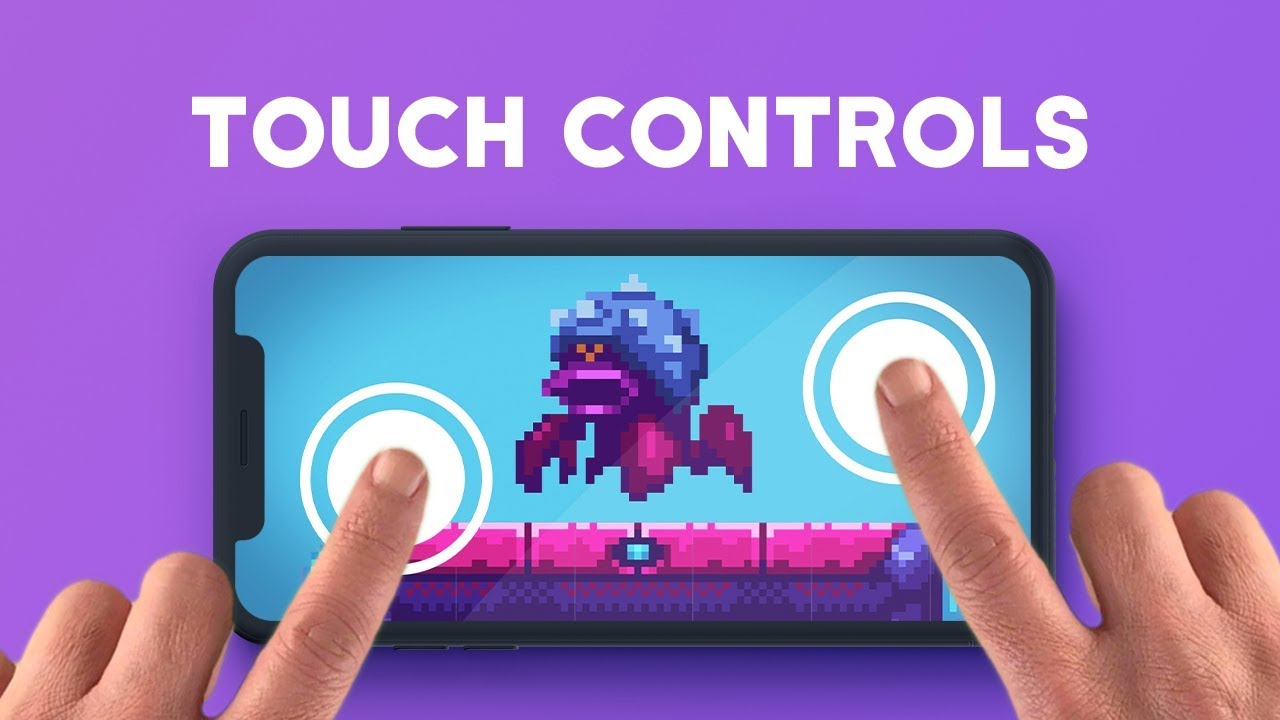
Let's learn how to make touch controls in Unity!
GET UNITY PRO: https://on.unity.com/2N3FACS
● More on Unity Remote: https://bit.ly/2OehNon
● 2D Shooting: https://youtu.be/wkKsl1Mfp5M
♥ Support Brackeys on Patreon: http://patreon.com/brackeys/
····················································································
♥ Donate: htt...
desert vale
mystic wigeon
https://www.youtube.com/watch?v=bp2PiFC9sSs
Not working for Me :/
mystic wigeon
What’s not working? Are you getting a compiler error or did you plug it in and nothing is happening?
 tame oracle
can someone help me with the new input system? i have seen so many tutorials and i cant understand anything the only thing i would need is a simple code that shows how it works
 bright cypress
Active Input Handling is missing
there is no dropdown in the player settings
somebody please help me im beginning to lose sanity
the new input system is a very complex system. it is much more flexible, as it can be implemented in multiple ways. the new input system is also able to be rebinded, which is exceptionally helpful
the new input system is also stupid because it doesnt work right and the Active Input Handling dropdown is missing
somebody please help me

this is where Active Input Handling should be, but it's not there
this guy has a screenshot with Active Input Handling visible. IT'S FROM ONLY 3 MONTHS AGO! where has this dropdown gone. Why can't the people find it?? My project needs the Unity Community's help. somebody please help me find this missing dropdown so I can continue my project!
languid scroll
bright cypress
what platform and unity version are you on?
do you have any errors in your project?
desert vale
mystic wigeon
What’s not working? Are you getting a compiler error or did you plug it in and n...
The controler stuck, not realy working and player not moveing
 olive mortar
    public void OnVoiceChatMenu(InputAction.CallbackContext context)
    {
        UIManager.Instance.HandleVoiceTabMenu(context.action.WasPressedThisFrame());
    }
``` will this be triggered every frame the key is held down? Can't find the doc on itthere is no event-based workflow which calls the event every frame
this function would either have been subscribed via a UnityEvent from PlayerInput, or through manually subscribing to the started, performed, or canceled event of an InputAction. In either case, you'll get callbacks when the action is started, performed, or canceled.
the definition of "performed" depends on the interaction defined on the Input Action (including "no interaction", which is the default interaction)
olive mortar
I see. since i only want to do something every time this is pressed and unpressed. like GetKeyDown / Up
    public void OnVoiceChatMenu(InputAction.CallbackContext context)
    {
        UIManager.Instance.HandleVoiceTabMenu(context.action.WasPressedThisFrame());
        if (context.started)
        {
            GameStatsOpenEvent?.Invoke();
        }
        else if (context.canceled)
        {
            GameStatsClose?.Invoke();
        }
}``` So i'd do something like this @austere grotto ?yep 👍
Is this using PlayerInput in UnityEvents mode?
olive mortar
absolutely
 upper wraith
Hello,
How do you check if a shortcut is pressed or hold ?
I want to have different reaction depending if the user hold the shortcut (in this case the "1") or if he only press it
private void OnShortcutPerformed(InputAction.CallbackContext ctx)
{
  if(ctx.duration>0.4)// not working, but I'm not sure to understand how it works
  {
    //do something if shortcut is pressed for more than 0.4 seconds
  }
  else{
  //if it's only pressed once
  }
}

There is two bind on my shortcut one is only for pressing and the other for holding
west oracle
solar kite
What is the new Input System's equivalent to GetKeyDown?
I only want it to retu...
Actions are the InputSystem's way of "Genericizing" inputs, but if you truly just want GetKey* stuff you can use things like Keyboard.current.aKey.wasPressedThisFrame
or Keyboard.current[Key.A].wasPressedThisFrame
solar kite
Currently I'm using the interface from the generated class. So I have OnJump and only want it to be true the first frame it the button was pressed. But it doesn't update to false the next frame resulting in it sending true constantly. I'm doing
JumpPress = context.performed
desert vale
have script which makes player if he touches screen and moves to side its rotate to y, i wana make that it if touches and move up/down its rotate to x
1 code i have is around y only (phone)
second code is both y and x but its work for pc i (dont cnow how to make for phone )
the second code (for pc) :
public float mouseSensitivity = 1000f;
public Transform playerBody;
float xRotation = 0f;
// Start is called before the first frame update
void Start()
{
Cursor.lockState = CursorLockMode.Locked;
}
// Update is called once per frame
void Update()
{
float mouseX = Input.GetAxis("touch X") * mouseSensitivity * Time.deltaTime;
float mouseY = Input.GetAxis("touch Y") * mouseSensitivity * Time.deltaTime;
xRotation -= mouseY;
xRotation = Mathf.Clamp(xRotation, -90f, 90f);
transform.localRotation = Quaternion.Euler(xRotation, 0f, 0f);
playerBody.Rotate(Vector3.up * mouseY);
}
}``` broken totem
Hello friends. Who already have steam deck and who output value InputDevice name and displayName ?
What exactly does the console output?
olive mortar
How do you find the newest package version? https://docs.unity3d.com/Packages/com.unity.inputsystem@1.4/manual/index.html is this the right page, and using the dropdown menu?
glass yacht
The dropdown is usually fine, if it's not working I usually change the url to
 olive mortar
Gotcha thank you 🙂
 brazen crypt
idk why but i used input.getkeycode("Leftshift") and it worked fine in the play section but when i built it shif wasnt recognized
olive mortar
brazen crypt
idk why but i used input.getkeycode("Leftshift") and it worked fine in the play ...
this channel is for the InputSystem, not the InputManager, use #💻┃code-beginner for this question
 sleek prawn
trying to get the player to face the position of the mouse, this is my script:
    private void HandleRotation()
    {
        Vector3 mousePos = new Vector3(_inputSystem.mousePosX, _inputSystem.mousePosY, _mousePosZ);
        Vector3 worldPos = _mainCamera.ScreenToWorldPoint(mousePos);
        Vector3 targetDirection = worldPos - transform.position;
        targetDirection.y = 0;
        Quaternion newRotation = Quaternion.LookRotation(targetDirection);
        _playerRigidbody.MoveRotation(newRotation);
    }
however, when in the scene the player doesn't rotate - am I approaching this incorrectly? how do I get it so the player rotates to face the pos of the mouse
pine lake
How would i setup my fire function to work on hold and not just on click? im using this at the moment to call my function
playerInput.OnFoot.Fire.started += context => playerController.PlayerFire(context);
 small phoenix
sleek prawn
trying to get the player to face the position of the mouse, this is my script:
`...
small phoenix
sleek prawn
trying to get the player to face the position of the mouse, this is my script:
`...
Did you check your worldpos result ? (just with log, placing an object in the world, click on it and check if your mouse world pos is relevant)
small phoenix
pine lake
How would i setup my fire function to work on hold and not just on click? im usi...
in your input actions asset, i believe you can setup an action with a hold delay and then use is as you do here, no ?
pine lake
small phoenix
in your input actions asset, i believe you can setup an action with a hold delay...
ended up using .performed and then made a bool and have it set to false on cancelled
sleek prawn
yo how do I read the value of mouse1 using the new input system?currently have it set to button and pass through, doesn't work either as vector2 or int, error is this

 olive mortar
sleek prawn
yo how do I read the value of mouse1 using the new input system?currently have i...
olive mortar
sleek prawn
yo how do I read the value of mouse1 using the new input system?currently have i...
this is all my left click is
 austere grotto
sleek prawn
yo how do I read the value of mouse1 using the new input system?currently have i...
austere grotto
sleek prawn
yo how do I read the value of mouse1 using the new input system?currently have i...
Action type: Button
and either subscribe to the performed event, hook it up via PlayerInput, or poll it in Update using WasPressedThisFrame()
tame oracle
I can't get mouse scrolling to register. Here's my setup


I've tried every single combination possible, and none of them work. Is there another setting that might have disabled scrolling input on my mouse?
I'm using a USB corded mouse on a Macbook
but my mouse movement input is working
tame oracle
I forgot to call Enable()... doh


 south ice
Hi Im making a game with multiple controller input and currently I have 2 scenes. scene 1 is a character selection menu and scene 2 is the game scene. Im instantiating the players when a controller presses a button but the problem is that if player 1 presses the button first in the first scene and then he presses the button second in the other scene then I dont know how to keep track of which player is which. Any solutions?
austere grotto
 weak arch
Don't name your input actions asset PlayerInput
that's an existing component in the input system
bad idea to collide the names like that
Actually kinda looks your your asset is actually called "Move" anyway, not PlayerInput
so not sure why you're writing PlayerInput there
unreal jungle
How do i check if a button is being held down?
sullen lintel
unreal jungle
How do i check if a button is being held down?
a button in the new input system or a button in the ui ?
unreal jungle
a button in the new input system
austere grotto
unreal jungle
a button in the new input system
InputAction has an IsPressed() method
unreal jungle
oh cool
 earnest inlet
i cant figure out how to use WasPressedThisFrame
im trying to use WasPressedThisFrame for the Tab key but i cannot figure out how for the life of me
austere grotto
earnest inlet
i cant figure out how to use WasPressedThisFrame
if (myInputAction.WasPressedThisFrame())
in Update
as usual
earnest inlet
what is myInputAction
austere grotto
an InputAction
earnest inlet
well how do i make one of those for a keyboard key
austere grotto
weak arch
how to use hold Interaction?
that is not what the hold interaction does
do not try to use the hold interaction for that
weak arch
austere grotto
that is not what the hold interaction does
damn
weak arch
austere grotto
do not try to use the hold interaction for that
what should i use for that then?
austere grotto
you just do if (sprintAction.IsPressed()) { ... }
earnest inlet
ok i made a "Input Action Asset" but how do i reference the input action in the script
austere grotto
earnest inlet
ok i made a "Input Action Asset" but how do i reference the input action in the...
I think you need to just follow some basic tutorials for the new input system
I'm not going to handhold you through it
weak arch
austere grotto
you just do `if (sprintAction.IsPressed()) { ... }`
I need to do smth like this?
 austere grotto
weak arch
I need to do smth like this?
austere grotto
weak arch
I need to do smth like this?
Yes but use correct C# syntax
earnest inlet
okay im just gonna delete all the code i have now and restart because i think i found a easier way
weak arch
austere grotto
Yes but use correct C# syntax
so i did this
if (onFoot.Sprinting.IsPressed())
{
motor.Sprint();
}
i call method that changes to speed value
but it doesnt work
i mean it works
but not properly
if i press key once it sprints all the time
austere grotto
weak arch
but not properly
fix your code logic then
what does motor.Sprint(); do?
weak arch
austere grotto
what does `motor.Sprint();` do?
changes speed
austere grotto
so sounds like you want to change the speed back if you're not pressing the button, no?
You're not doing that now
it won't happen automatically
weak arch
austere grotto
so sounds like you want to change the speed back if you're not pressing the butt...
public float speedWalk = 5f;
i have default speed value in motor script
weak arch
austere grotto
it won't happen automatically
i guess its kinda dumb
but i did this
if (onFoot.Sprinting.IsPressed())
        {
            motor.Sprint();
        }
        else
        {
            motor.speedWalk = 5f;
        }
now i did this
if (onFoot.Sprinting.IsPressed())
        {
            motor.speedWalk = 8f;
        }
        else
        {
            motor.speedWalk = 5f;
        }
guess looks a bit better
weak arch
austere grotto
You're not doing that now
btw
could you please help me with smth else
now if i walk
like
the character
is not
speeding up
you know it moves at speed 5 at once
glass yacht
Please write full paragraphs
 cold reef
weak arch
now i did this
```cs
if (onFoot.Sprinting.IsPressed())
{
mot...
cold reef
weak arch
now i did this
```cs
if (onFoot.Sprinting.IsPressed())
{
mot...
you could do that in one line:
motor.speedWalk = onFoot.Sprinting.IsPressed() ? 8f : 5f;
tall jackal
private void OnFire(InputValue value)
    {
        animator.SetBool("isAttacking", true);
    }
hello, i want to make something similar that i used to do in the old input system, where i'd set the bool to true, then after the animation set it to false
how can i make this possible in the new input system?
austere grotto
tall jackal
```cs
private void OnFire(InputValue value)
{
animator.SetBool("isAt...
if you want to do something when an animation ends, it's best to use an Animation Event or StateMachineBehaviour
dark root
hey, when I read movement input to move a rigidbody, should read it in the Update method or the Fixed Update method?
austere grotto
dark root
hey, when I read movement input to move a rigidbody, should read it in the Updat...
Input should always be read in Update
There are some circumstances in which it is "safe" to read it in FixedUpdate, but if you just always read input in Update you can't go wrong with that.
dark root
thanks @austere grotto, I thought so as well, just wanted to double check
vocal jay
@fading summit , how are you currently reading from multiple users?
vocal jay
Ok, just wondering if you had previous experience with it
 fading summit
nope, first time working with local multiplayer
vocal jay
Basically, and this is kind of a preference, I prefer the explicit "code" way instead of using the InputSystem components (e.g. PlayerInput)
Are you generating a C# class for your inputs?
fading summit
yes
vocal jay
I've never used multiple users, but you will probably have to do something along these lines (someone correct me if this is wrong):
- Create an instance of your C# class per user
- Create a
Userfor each user (probably want to useInputUser.PerformPairingWithDevice, but there are other ways iirc) - Activate the control required control scheme for each user (
User.ActivateControlScheme(<controlScheme>)) - Associate the actions in the C# class for each user (
User.AssociateActionsWithUser(<C# class instance>)
Alternatively skip all of that, do it the "automatic" way with a PlayerInput component, and store all the managed types you need in a managed component
You can also just get a reference to the PlayerInput in a managed system and then write your inputs for that frame to an unmanaged component if you don't want to make it a managed component
 misty crow
hey guys pls in my game i cant stop doing multiple jumping when i press Space but with the code here i dont jump a lot of times but when i hit the ground i cannot jump again pls correct it thanks (and i even tried with the OnColliderEnter event) (and the Input works)
 vocal jay
misty crow
hey guys pls in my game i cant stop doing multiple jumping when i press **Space*...
vocal jay
misty crow
hey guys pls in my game i cant stop doing multiple jumping when i press **Space*...
This has nothing to do with the #🖱️┃input-system , but it looks like you are using a character controller, so you need to use those collider hit methods
vocal jay
What exactly did you try?
 vocal jay
That's not the character controller physics on collider hit
You didn't even read what I said
Are you using a character controller?
misty crow
yes
vocal jay
Then you probably want this: https://docs.unity3d.com/ScriptReference/CharacterController.OnControllerColliderHit.html
misty crow
still infinite jumping
vocal jay
What do you mean by that, you can jump again in the air?
vocal jay
You can post it here in the chat by dragging it in
misty crow
vocal jay
I'm guessing now you can only jump once
misty crow
wait just got the internal build system error
i can only jump once
even after touching the ground
vocal jay
Well that's probably because you aren't ever writing back to the isJumping variable in your detected collision
misty crow
goota go take a break
tall jackal
austere grotto
if you want to do something when an animation ends, it's best to use an Animatio...
i just want to set it to false once the animation is done
like a normal attack
 misty crow
vocal jay
Well that's *probably* because you aren't ever writing back to the ``isJumping``...
misty crow
vocal jay
Well that's *probably* because you aren't ever writing back to the ``isJumping``...
thanks mate
austere grotto
tall jackal
i just want to set it to false once the animation is done
Yep exactly the use case for an animation event or statemachinebehaviour
remote basalt
Hello. I'm trying to do an inactive video player, where if the player doesnt do any input a video plays. However, how can I detect inputs from the Input System UI Input Module?
austere grotto
remote basalt
Hello. I'm trying to do an inactive video player, where if the player doesnt do ...
the Input Module connects the input system with the UI event system. You don't use it to detect input yourself.
remote basalt
austere grotto
the Input Module connects the input system with the UI event system. You don't u...
My intent is to reset a timer
austere grotto
remote basalt
My intent is to reset a timer
Your intent doesn't change what the input module is for.
remote basalt
While true, what I wanted was to detect input to reset said timer
sullen lintel
this doesn't seem related to new Input system. try here #💻┃unity-talk or #📲┃ui-ux
 fair plaza
sullen lintel
this doesn't seem related to new Input system. try here <#497872424281440267> o...
fair plaza
sullen lintel
this doesn't seem related to new Input system. try here <#497872424281440267> o...
thank you, apologies I wasn't sure where to ask
sullen lintel
fair plaza
thank you, apologies I wasn't sure where to ask
no worries! check here also if you have anything else in the future #🔎┃find-a-channel
 coral knot
Hey people, I have an "issue" with my Scrollbar in Unity. I only want it to scroll when I use my mouse wheel. So basically I want to disable scrolling with mouse dragging. Does somebody know how to do this because nothing I find on the internet works for me 😦
 lyric mountain
coral knot
Hey people, I have an "issue" with my Scrollbar in Unity. I only want it to scro...
lyric mountain
coral knot
Hey people, I have an "issue" with my Scrollbar in Unity. I only want it to scro...
ScrollRect, right? Try this script.
public class NoDragScrollRect : MonoBehaviour, IEndDragHandler, IBeginDragHandler
{

    public ScrollRect EdgesScroll;

    public void OnBeginDrag(PointerEventData data)
    {
        EdgesScroll.StopMovement();
        EdgesScroll.enabled = false;
    }

    public void OnEndDrag(PointerEventData data)
    {
        EdgesScroll.enabled = true;
    }

}```Yeah! Thank you so much!
 tiny mirage
Hi, I'd just like to know if there is any difference between Primary Touch and Touch 0 for the new input system with touchscreen controls?
 icy ravine
I tried implementing StandardAssetInputs.cs myself.
It seems that ScaleVector2, Invert X, Invert Y are not working.
Should this be a script to get these values and calculate them properly?
unreal crane
Do modifiers come with an out-of-the-box solution using the input system?
(like how multi tap is natively supported and doesn't need any coding)
Or do I need to manually code for modifiers myself?
austere grotto
unreal crane
Do modifiers come with an out-of-the-box solution using the input system?
yes there's out of the box solutions for hold, tap, double tap
maybe a few others
they're called interactions
unreal crane
ah I was talking about modifiers as in button composites
like shift+w for an action
separate from just w
austere grotto
unreal crane
like shift+w for an action
Yes it has that too
https://docs.unity3d.com/Packages/com.unity.inputsystem@1.4/api/UnityEngine.InputSystem.Composites.ButtonWithOneModifier.html
https://docs.unity3d.com/Packages/com.unity.inputsystem@1.4/api/UnityEngine.InputSystem.Composites.ButtonWithTwoModifiers.html
https://docs.unity3d.com/Packages/com.unity.inputsystem@1.4/api/UnityEngine.InputSystem.Composites.OneModifierComposite.html
https://docs.unity3d.com/Packages/com.unity.inputsystem@1.4/api/UnityEngine.InputSystem.Composites.TwoModifiersComposite.html
tame oracle
Hi! I need to get a bool that checks if the key is pressed, but I don't want to do the input action multiple times, I want to get the bool true or false in only one frame just to do the action once. Here's my code


 austere grotto
tame oracle
Hi! I need to get a bool that checks if the key is pressed, but I don't want to ...
austere grotto
tame oracle
Hi! I need to get a bool that checks if the key is pressed, but I don't want to ...
checking for a one-frame input in OnTriggerStay2D won't work well
it doesn't run every frame, and will miss input frames.
what might work is setting it true when GetKeyDown happens and false when GetKeyUp happens
tame oracle
austere grotto
what might work is setting it true when GetKeyDown happens and false when GetKey...
But if the player doesn't let go of the key the value is going to be true until he lets go.
austere grotto
tame oracle
But if the player doesn't let go of the key the value is going to be true until ...
yes isn't that what you wanted
tame oracle
No, I want to make the player press the button when I need him to do so, and I don't want to let him cheat. My game is about jumping off ghosts, and you have to press the button at the right moment to bounce off the ghosts. If I would use this method he could just hold the button, because I check if the bool (isPressed) is true and if you are in the box collider than I add force.
austere grotto
tame oracle
No, I want to make the player press the button when I need him to do so, and I d...
the typical way is to do this in Update:
if (pressedButtonThisFrame && isTouchingTheGhost) {
  // jump
}```isTouchingTheGhost can come from either:
- Direct immediate physics queries like Physics.CheckBox
or - Set to true in OnTriggerEnter and false in OnTriggerExit
tame oracle
austere grotto
the typical way is to do this in Update:
```cs
if (pressedButtonThisFrame && isT...
But the jump is an AddForce function, so why is it in update
austere grotto
tame oracle
But the jump is an AddForce function, so why is it in update
Input needs to be handled in Update
you can use that to set another bool if you wish and consume it in FixedUpdate like:
bool shouldJump;

void Update() {
  if (...) shouldJump = true;
}

void FixedUpdate() {
  if (shouldJump) {
    shouldJump = false;
    rb.AddForce(...);
  }
}```Oh and one more thing. The ghosts are being killed when you jump off them. So if I use this, I can't acces the collider and destroy it.
austere grotto
tame oracle
Oh and one more thing. The ghosts are being killed when you jump off them. So if...
why can't you access the collider? Store it in a variable
Collider theGhostImTouching;```that makes things easy in Update too
void Update() {
  if (buttonPressedThisFrame && theGhostImTouching != null) {
    shouldJump = true;
  }
}```then when you perform the jump you can destroy it there
tame oracle
Oh, that solves the whole problem, thanks for help
 south kiln
I REALLY need help with Local Multiplayer, anyone that have done a Local Multiplayer game that can help me or give me a link to a working Youtube Tutorial? Please!
sullen lintel
south kiln
I REALLY need help with Local Multiplayer, anyone that have done a Local Multipl...

Use the new input system to add local multiplayer (and split-screen) support to your game!
📥 Get the Source Code 📥
https://www.patreon.com/posts/44035367
🔗 Relevant Video Links 🔗
►Character Controller Move Script - Unity Documentation
https://docs.unity3d.com/ScriptReference/CharacterController.Move.html
🤝 Support Me 🤝
Patreon: https://www.pa...
south kiln
The problem im having is that the movement that i already use are more advanced because im doing the movement like Humen Fall Flat or Gang Beasts so i dont know what to do?
thats my Movement code
tame oracle
austere grotto
why can't you access the collider? Store it in a variable
You can play this game now, here's the link https://itch.io/jam/mini-jam-117-ghosts/rate/1749037

itch.io
MiniJam117GhostsGame. Available for Windows
sullen lintel
south kiln
https://docs.unity3d.com/Packages/com.unity.inputsystem@1.4/manual/Migration.html Find the methods that correspond old and replace them
 brave meteor
Anyone have any clue why in my game on Windows gamepads work perfectly with Steam, but on Linux and Steam Deck the directional buttons and triggers don't work properly? I'm using the old input system btw
I can't even seem to find a single graphic showing the button mappings for an Xbox controller for Linux, I can only find them for Windows and Macs
 marble current
Hey folks! I have a very basic set up around the input system, that worked perfectly in 2019.4.25. It was catching inputs from gamepad and keyboard with the same PlayerInput. For some reason, after upgrading to 2021.3.11 it is only getting inputs from mouse and keyboard, and I really don't know what else to do... I see gamepad data coming through in the inspector, but no matter what I it's not auto switching.
I have only one playerInput in my scene, and I am accessing the values with playerInput.actions["move"].ReadValue<Vector2D>()); which works for keyboard, or when using PlayerInputManager for more than one player. Am I missing something?
Thanks!
 chrome walrus
marble current
Hey folks! I have a very basic set up around the input system, that worked perfe...
chrome walrus
marble current
Hey folks! I have a very basic set up around the input system, that worked perfe...
There is a thing to enable, let me see if I can find it again. Its some device input debugger thing
@marble current Try this
 marble current
Will try, thank you so much!!
celest spire
Hi, I have a strange problem with the input system. When a scene is unloaded I get this error message:
NullReferenceException while resolving binding 'Move:<Gamepad>/leftStick[Gamepad]' in action map 'CombatControls (UnityEngine.InputSystem.InputActionAsset):InGame'
UnityEngine.InputSystem.PlayerInput:OnDisable () (at Library/PackageCache/com.unity.inputsystem@1.4.3/InputSystem/Plugins/PlayerInput/PlayerInput.cs:1734)
the error comes from the input system itself, but probably I'm doing something wrong to make it happen
chrome walrus
You are binding something somewhere to teh inputsystem?
celest spire
sadly I have no clue about the error source
celest spire
chrome walrus
You are binding something somewhere to teh inputsystem?
I have the PlayerInput script attached to a game object
chrome walrus
Thats all you do with the inputsystem?
celest spire
well, I have an inputactions asset
where inputs are defined
then another script that acts like a controller
this controller has several InputActionReference
chrome walrus
"another script". what is that script?
So somewhere your PlayerInput script gets disabled. where?
celest spire
"another script" call it CharacterController
the PlayerInput script is disabled on scene unload
chrome walrus
And are you referencing to it somewhere in CharacterController?
celest spire
no no sorry...I remembered that Unity has an official CharacterController
call it simply Controller
chrome walrus
Whatever the name is... 😄 is controller doing something with PlayerInput?
celest spire
not directly. as I said, Controller has several InputActionReferences
that are linked to the inputactions asset members
for instance: movement, jump, ...
in Update, Controller polls these references and calls needed methods
is it clear enough?
chrome walrus
So on scene unload. is your controller persistent? does it try to reference to somethign that is not there? How do you enable your input action set?
chrome walrus
then you rinputaction is disabled when playerinput is disabled and you cant reference to it anymore I guess.
chrome walrus
If you referencing to it, it might add some delegate under the hood or similar. What if you just disable your controller and only leave playerinput. Then unload scene. You get the same error?
celest spire
yes, I have 1.4.3
dark root
hey, I'm also experiencing unwanted behavior with the new input system. I have an action asset with 2 action maps: UI and Gameplay.
I disable UI when in gameplay and vice-versa. However, when I use a controller, I can navigate the disabled (canvas is disabled) UI and interact with UI buttons while the UI action map is disabled.
How do I prevent this?
chrome walrus
dark root
hey, I'm also experiencing unwanted behavior with the new input system. I have a...
There might be some eventsystem by default that is taking over UI control
chrome walrus
celest spire
yes, I have 1.4.3
So it might just be a bug. You could try to test with a fresh project and only adding inputsystem, than add the playerinput script and then add a single line of code to unload scene.
dark root
chrome walrus
There might be some eventsystem by default that is taking over UI control
how would I check this? the old input system is disabled
chrome walrus
dark root
how would I check this? the old input system is disabled
if you are using canvas, it will add EventSystem Gameobject by default. See what the inspector of this looks like
dark root
chrome walrus
if you are using canvas, it will add EventSystem Gameobject by default. See what...
I have setup the event system by hand, and it's the only one in the scene...
i'll doubcle chech tho
celest spire
chrome walrus
So it might just be a bug. You could try to test with a fresh project and only a...
wow, it seems I still have the error...
let me restart the editor
just to be sure
chrome walrus
dark root
i'll doubcle chech tho
So what does your inspector look like?
celest spire
yes you were right
dark root
 celest spire
I have a scene with only one object (apart camera and light) with a player input attached. scene starts, and when I stop and the scene is unloaded I get the same error
celest spire
well that doesn't change anything 😄 ...
this error broke my automated tests pipeline
when integration test scenes are unloaded, the error is raised and even if the test has passed, it gave me a fail
chrome walrus
let me check the playerinput class
celest spire
crap...with a fresh project I don't get the error anymore
chrome walrus
celest spire
crap...with a fresh project I don't get the error anymore
what about a fresh scene. Only using those playerinput and simple script to unload but within the same project?
celest spire
chrome walrus
what about a fresh scene. Only using those playerinput and simple script to unlo...
for the first test I created a new scene in the same project and I get the error. for double check I made a new project, installed input system and placed an object with player input attached, but no errors
chrome walrus
Maybe remove and reinstall input system. this sometimes helps
chrome walrus
Unity can be a retard sometimes
dark root
so, I've narrowed it down to the following: with the UI action map enabled, you can navigate and click buttons that are children of disabled canvases. is this intended behavior?
chrome walrus
Looks like its not fully implemented yet, the input system within the UI event stuff.
dark root
I'm not mad by expecting this to not work this way, right?
chrome walrus
Nope, I would expect an object that is disabled to not fire or recieve events
dark root
exactly
chrome walrus
But I guess, the UI Input Module and the the Input system itself are still fighting
 zinc stump
@chrome walrus Don't use ableist slurs, please.
chrome walrus
zinc stump
<@144387642140655616> Don't use ableist slurs, please.
What?
chrome walrus
chrome walrus
Unity can be a retard sometimes
Because of this? @zinc stump
zinc stump
@chrome walrus Google it, educate yourself.
chrome walrus
Oh wow, okay. cancel culture all the way I guess
zinc stump
!warn 144387642140655616 Do not use ableist slurs. Do not post off-topic.
 sonic sageBOT
 twentacle#0602 has been warned.
chrome walrus
thats how you force it. freedom of speech is gone I guess
Calling an object something is not equivalent to calling a person that
zinc stump
!mute 144387642140655616 7d ignoring warnings.
sonic sageBOT
twentacle#0602 was muted
dark root
I think muting @chrome walrus was a bit harsh
zinc stump
@dark root Do not post off-topic. If you have questions DM a moderator
dark root
mute me
zinc stump
!ban save 135077450483761154 Willfully ignoring server rules.
sonic sageBOT
Jakuarella#0764 was banned
 misty turtle
Hi, i have a error with new input system, we are 3 programmers working and the same project and one of us the player move alone without press anykey. This happens after implement the new input system, its normal that this happens? we dont know if is only his problem or is a problem that we need to solve. Thanks!
We just take de Vector2 from the cs file that new input system create to take the direction but the player move alone
zinc stump
You need to post the error
If by the error you mean the erroneous behavior when it moves by itself, you should clarify that. In that case you just need to debug thoroughly what's happening. And make sure when you synchronizing the project between three of you that you don't have conflicts.
misty turtle
Where i should post the error? Sry im nooby
zinc stump
paste it here
misty turtle
Ah no no, we dont have a error, the player just move alone without a console error
We put a debug to see the axis value
And in hir pc the value is 0.75/0.66 withour press anykey
No gamepad connect
zinc stump
Yea, you need to debug what's happening, trace where it gets values for movement.
How did you generate new input system class, did you write it yourself or used the tool?
In any case, get inside input system class itself and see where input originates
misty turtle
Yes, we use the tool to generate de cs class
This is the code that move the player
inputMoveVector = playerInputsActions.PlayerInputs.Move.ReadValue<Vector2>().normalized;
rb2d.velocity = new Vector2(inputMoveVector.x * moveSpeed, rb2d.velocity.y);
i think that is too simple
this code is in a update
zinc stump
Debug up the chain and see where it gets the value
misty turtle
we use a debut to inputmovevector and my values is 0/0 if i dont press anykey but his value is other
zinc stump
So he is the one who has to debug
And again, make sure you are working on the same thing. Resolve merge conflicts
misty turtle
Ye, we are working in the same version
celest spire
chrome walrus
Unity can be a retard sometimes
this is so funny...I did a try creating a new actions asset, and it seems the problem is gone
small phoenix
Hi, can someone tell me if there is a "new input system's" compatible method to trigger the standard events (pointer enter/exit/click) with only gaze and timer ? Or should I continue using a classic raycast and call methods on target ?
austere grotto
small phoenix
Hi, can someone tell me if there is a "new input system's" compatible method to ...
wdym by "gaze and timer"?
small phoenix
austere grotto
wdym by "gaze and timer"?
Raycasting from camera, and consider this is a "click" if we stay on the object a certain amount of time.
austere grotto
small phoenix
Raycasting from camera, and consider this is a "click" if we stay on the object ...
that has nothing to do with the input system.
small phoenix
I'm just reviewing my old system of gaze input for cardboard
austere grotto
that's all the event system
small phoenix
Yes it has, because I just upgraded to the new input system, and i'm just looking if I can make a better gaze system using the new input
austere grotto
as long as you switch your input module to the new one, it will work the exact same way
the pointer events are part of the event system (UI) not the input system and don't change when you change your input system
there's nothing new to switch to
small phoenix
ok, thank you
So is there a better method than just "sendmessage" to trigger the onpointerclick on an object ?
austere grotto
small phoenix
So is there a better method than just "sendmessage" to trigger the onpointerclic...
why would you be triggering OnPointerClick?
The event system handles that automatically
small phoenix
On 3D object
I want to trigger the onpointerclick because this is a multiplatform project, and i'd like the gaze to use the same system as the vr controllers which "click" on 3d object
austere grotto
Just call the same method that OnPointerClick calls
small phoenix
The camera does not know the method on the object, she only knows that we can click it
If this is not an input system topic, i'll move it to the general code
 brisk cove
hey I have a tap and a press input and the current onTap is being triggered on the beginning of my onPress
how do i stop the onTap from happening when its a onPress
 hollow stag
I have three actions on hold, one is Q, the other is E and the last is a binding with modifier that Q+E, overriding the modifier needed, the first two work fine, but, when I hold Q+E together it doesn't work and gives me these errors, along with the former actions also stopping to work

 granite tree
with the old input system, how do you listen to MIDI input?
 candid quail
Is there a way to determine the controller type from the InputAction.CallbackContext for example I have a binding for mouse click or touch. They both trigger the same event; how can I determine if it was a mouse or a touch?
austere grotto
candid quail
Is there a way to determine the controller type from the `InputAction.CallbackCo...
candid quail
Thanks, follow up question. What's the easier way to see if InputControl is mouse or touch?
Just look for "Mouse" or "Touch" in the name?
Such like: if(context.control.device.description.deviceClass.Contains("Mouse"))
austere grotto
candid quail
Thanks, follow up question. What's the easier way to see if `InputControl` is m...
if (context.control is Mouse m) {
}
else if (context.control is Touchscreen t) {

}```why the m after mouse?
austere grotto
candid quail
why the `m` after mouse?
it's optional
but it lets you use m if you need it
candid quail
ok i see, thanks
austere grotto
without an additional cast
 karmic nymph
beginner question:
does Touch fing = Input.GetTouch(0); do anything if there are no touches? can i initialize it before start()?
austere grotto
karmic nymph
beginner question:
does `Touch fing = Input.GetTouch(0);` do anything if ther...
Yep it does something - throws an exception.
You need to check Input.touchCount before accessing a specific touch.
karmic nymph
do I have to Touch fing = Input.GetTouch(0); every update in order to use it?
austere grotto
karmic nymph
do I have to `Touch fing = Input.GetTouch(0);` every update in order to use it?
It's not meaningful outside of the frame in which you read it, so yes.
karmic nymph
ok that explains it, thanks
 austere grotto
 craggy stream
What's the difference between each of these?
craggy stream
What's the difference between each of these?
They handle different pointer events
craggy stream
Yeah, but when are they called?
craggy stream
I expected that, but exactly WHEN?
austere grotto
Which one?
craggy stream
Each
austere grotto
Why don't you read the docs
E.g. https://docs.unity3d.com/2019.1/Documentation/ScriptReference/EventSystems.IPointerEnterHandler.html
 tawny basin
Quick question, does anyone know a simple way to silence the errors that get spammed to the console when a GameObject with a PlayerInput component is disabled? It's kind of hampering my attempts at debugging something.
austere grotto
tawny basin
Quick question, does anyone know a simple way to silence the errors that get spa...
There shouldn't be any errors.
What errors are you seeing
tawny basin
Same one mentioned in this post, which, I don't think the solutions I've tried based on the responses have been very elegant or functional

Unity Forum
I just upgraded my project from 2021.3.7f1 to 2021.3.8f1. Now I keep getting this error message when running my game.
[IMG]
[IMG]
It doesn't seem to...
tawny basin
I ended up just reverting to version 1.3.0
hopefully the "proposed fix" for 1.4.4 makes the cut
 lunar drift
i kinda forgot how to use this new input system. i remember using smthin like input.Actions.(the name of the action).performed = function() but now i cant even make private Inputs input bcz Inputs doesnt exist. pls help
 willow basalt
lunar drift
i kinda forgot how to use this new input system. i remember using smthin like `i...
willow basalt
lunar drift
i kinda forgot how to use this new input system. i remember using smthin like `i...
this isn't even a question more like a rant
lunar drift
oh
the question is how do i call a function when i perform an action
sorry about that
 alpine umbra
Do you not have an old project to refer to?
lunar drift
alpine umbra
Do you not have an old project to refer to?
i do, but the code from there doesnt work anymore
willow basalt
using UnityEngine;

public class Example : MonoBehaviour
{
    void Update()
    {
        if (Input.GetKeyUp(KeyCode.Space))
        {
            print("space key was released");
        }
    }
}
is that what you want?
 sharp falcon
I think that is the old system.
lunar drift
nope
i get an error from this public Inputs input;
bcz inputs is not a class
but it works in the other project
idk why
willow basalt
probably didn't define all the "using" at the top
lunar drift
i did
sharp falcon
Have a look here: https://youtu.be/Wo6TarvTL5Q?t=320

In this Unity tutorial we will explore the ways the PlayerInput component can help us to extremely quickly and easily handle the input using the new input system package. I personally use it all the time - I don't think there is a quicker way to use the new input system, so I hope you enjoy the video and learn something useful! :)
Unity Docs ab...
lunar drift
this is what im using in the old project using System.Collections; using System.Collections.Generic; using UnityEngine; using UnityEngine.InputSystem; using TMPro; and this in the new one using System; using System.Collections; using System.Collections.Generic; using UnityEngine; using UnityEngine.InputSystem; so it shall work
sharp falcon
There are multiple ways of using it, I think Piti explained the way you try to use it quite well at that point in the video.
I recommend watching all of it, though, to get a better overview :)
lunar drift
thanks
sharp falcon
Something different:
This is my code:
string stringButtonName = PlayerInput.Player.Interact.GetBindingDisplayString()
It correctly gives me the name of the button associated with the action I want to perform.
Trouble is: It's regionalized.
The button in this case is "upArrow". I am on a German system and get "Nach-Oben" instead :/ Is there a way to always get the english equivalent of the button name?
willow basalt
sharp falcon
Something different:
This is my code:
```cs
string stringButtonName = PlayerInp...
Unity Forum
I have made a cool localized singpost and I'd need to get any kind of string from the LocalizedString field in the editor.
GetLocalizedString() does...
check this thread
it seems to be the question from the opposite side
sharp falcon
Thank you, I will give that a look and try :)
willow basalt
sharp falcon
Thank you, I will give that a look and try :)
Unity is the ultimate game development platform. Use Unity to build high-quality 3D and 2D games, deploy them across mobile, desktop, VR/AR, consoles or the Web, and connect with loyal and enthusiastic players and customers.
if you just need a list this thread is useful
sharp falcon
Well, it would need to find the correct one no matter what the user's system language is... but I'll have a look there, too.
Hm. Looks like I'm actually out of luck with this: https://forum.unity.com/threads/getbindingdisplaystring-returns-non-english-names-when-the-players-keyboard-is-set-to-non-english.1263992/
Unity Forum
Does anyone else have this issue? I'm using GetBindingDisplayString() on an InputAction that has its 0 index binding set to a key such as C/X/Z. When...
 topaz basin
hi, im having this issue after following a tutorial using the input system, my character bounces on the ground, even when the player is spawned directly on it: https://streamable.com/t74s1i
 austere grotto
topaz basin
hi, im having this issue after following a tutorial using the input system, my c...
austere grotto
topaz basin
hi, im having this issue after following a tutorial using the input system, my c...
how is this input system related? Seems like a general code issue
topaz basin
yeah that's true, im pretty new to game development in general but the reason i posted it here is cause i thought it would be related in some way
my code is referencing the input system
hollow stag
I have an action of the type value and the control type vector 2, it has 2 bindings, a mouse position and a gamepad left stick. It seems that the input system completely ignores any input, other than the mouse position, in this action. No matter what, the performed always get triggered by the mouse, independent of the fact that the mouse is completely still and the only the stick was moved, can anyone help?
As I understand, the problem is that the "performed" callback happens when the game starts, and it never cancels, only performing again with movement, so, it never lets any other input perform the action
The only solution, it seems, is to split it into two action, which defeats the purpose of the input system
austere grotto
hollow stag
I have an action of the type value and the control type vector 2, it has 2 bindi...
This isn't a good idea in general. Mouse position and joystick position aren't really similar in terms of how they work
mouse position will report nonzero values every frame and so yes it will override the joystick data
splitting into two actions makes sense here since they're very different types of input
Now mouse delta might make a little more sense
if you used that
hollow stag
austere grotto
Now mouse _delta_ might make a little more sense
I tried using mouse delta to get a direction between an object and the mouse position, I couldn't get it to work, so in the end, I went with having the action's bindings be left stick and mouse delta, and the calculations to turn mouse position into a normalized direction use the mouse position from the system itself, with the mouse delta input simply serving as an update to that calculations
A scuffed fix, but it worked great in the end
austere grotto
hollow stag
I tried using mouse delta to get a direction between an object and the mouse pos...
direction between an object and the mouse position
If this is what you're trying to do, putting these things on the same Input action is 100% not a good idea as mentioned before
they're just completely different control types
Trying to go event-based for continuous style input is really an overcomplicated mistake anyway
I'd recommend polling in Update for this type of input.
event based input is better for things like buttons
hollow stag
austere grotto
they're just completely different control types
It's more context based than that, the left stick binding returns a normalized direction, the calculation using the mouse position returns a normalized directions as well, one just takes a bit of processing before
hollow stag
austere grotto
I'd recommend polling in Update for this type of input.
Using the mouse delta as a pseudo update worked great, while still benefiting from the input systems ability to switch between controller and k&m seamlessly
austere grotto
hollow stag
Using the mouse delta as a pseudo update worked great, while still benefiting fr...
You can still benefit from that ability without using events.
hollow stag
So, to prevent the mouse position being checked constantly, even if you're using a controller, it only check for it when the mouse has moved
 glacial thicket
hey, is there any way to enable/disable control schemes when not using the playerinput component and instead instanciating the input class thing from code?
 charred wagon
So there's a generic gamepad in the input system. What I want is to show the input corresponding to the correct controller type (ie A for Xbox and X for PS4). I don't really know what to do with gamepad that are neither but behave like one of them (the cheaper ones). Will they be recognised as PS4/Xbox, or do I need to do something more than that?
austere grotto
charred wagon
So there's a generic gamepad in the input system. What I want is to show the inp...
charred wagon
austere grotto
Might want to look into this:
https://docs.unity3d.com/Packages/com.unity.inputs...
That's what I intend to use yeah, although I'd like to show the corresponding image of the input, not its name.
Like an image of an A button if it's an Xbox controller and X for PS4
So there's a action that I linked to any input of a specific controller/keyboard/mouse, which I use to switch control type if it's not the current one.
Question is, if I get an input that's not from one of those gamepad, what happens? I don't really know what to do with that
Maybe ask once which buttons to show from Xbox or PS4 when the inputs comes from neither?
charred wagon
austere grotto
Might want to look into this:
https://docs.unity3d.com/Packages/com.unity.inputs...
Didn't see the "DeviceLayoutName" thing, I still can't find how "fake" controllers work tho. Are they recognised as their real counterparts?
 half hemlock
Hi. I have 2 questions about the new input system for now please:
1-How can I change the key/button/axis at runtime with a script and detect what is being pressed to set that key as it please?
2-How can I read which key/button/axis is bind to an action please?
charred wagon
half hemlock
Hi. I have 2 questions about the new input system for now please:
1-How can I ch...
I think the Unity doc just above answers both questions
half hemlock
charred wagon
I think the Unity doc just above answers both questions
searched but didn't find the how to read which is bind to an action, I might have lost it
charred wagon
InputAction.bindings is the simplest one
charred wagon
half hemlock
searched but didn't find the how to read which is bind to an action, I might hav...
There's also a GetBindingIndex or GetBindingDisplay it's all on the side of the doc
half hemlock
ok thx
half hemlock
Hello, does anyone know if there's a way to like count how many input actions are there and then select one of them like as an index please? I've found nothing online because I don't really know what exactly to search for 😦
 austere grotto
half hemlock
Hello, does anyone know if there's a way to like count how many input actions ar...
austere grotto
half hemlock
Hello, does anyone know if there's a way to like count how many input actions ar...
Did you try looking at the documentation?
https://docs.unity3d.com/Packages/com.unity.inputsystem@1.4/api/UnityEngine.InputSystem.InputActionMap.html#actions
 solar nova
ok so im following this tutorial https://www.youtube.com/watch?v=Yjee_e4fICc&ab_channel=CodeMonkey
✅ Get the FULL course here at 80% OFF!! 🌍 https://unitycodemonkey.com/courseultimateoverview.php
👍 Learn how to make BETTER games FASTER by using all the Unity Tools and Features at your disposal!
👇
🌍 Get my Complete Courses! ✅ https://unitycodemonkey.com/courses
👍 Learn to make awesome games step-by-step from start to finish.
🎮 Get my Steam Gam...
 vocal jay
It depends on what you want to do, and how coupled your polled keys are in your code
You can poll actions directly using the new input system, but that's not really the intended usage
solar nova
yeah
vocal jay
So for example for your directional input, you would create a composite binding that maps WASD to a single action that you use for e.g. movement
instead of polling / subscribing to all 4 actions separately

 vocal jay
For networked code you will have to poll them and just pass them to the sent command
solar nova
vocal jay
So for example for your directional input, you would create a composite binding ...
yes how do I do that cleanly and not with 22 public void function()
or is that the only way
vocal jay
I mean your ExecuteCommand method is being passed 4 booleans
You'd need to change that to e.g. a Vector2 or something
solar nova
wait why
vocal jay
It kind of depends on how your game works 😅
Input actions return a single value, not multiple
solar nova
theres playerMotor which is responsible for the movement
and theres playerWeapons which handles the weapons
vocal jay
Yes, but you are passing your player motor 4 booleans for directional movement
solar nova
yeah
so like
if I did it the way the tutorial tells me to
id do like
public void Jump() {
  make _jump true??


}
and then plug that into SimulateController?
vocal jay
That's if you want a callback for your action, but you (probably) need to send all of your client inputs to the server each frame, correct?
solar nova
yeah
vocal jay
Then you can just read the value from the inputaction using ReadValue<T>()
If you want e.g. WASD movement though you would need to ideally change what you send to your server to whatever type is returned by the input action (at least I think that makes the most sense)
e.g. instead of 4 booleans for movement, a single vector2
For example, what are you going to do if someone uses a controller for input, 4 booleans don't really make a huge amount of sense there (at least for a gamepad stick)
solar nova
i doubt ill add controller support
vocal jay
Why use the input system at all then? The point is to abstract away the device and input processing used
solar nova
my uh train of thought for implementing the new input system was that i couldnt be arsed to save the player keybind presets manually lol
also the switching the map depending on the context is pretty cool too
vocal jay
If you don't plan to use anything besides mouse and keyboard, and already have a working solution I wouldn't bother changing it
Especially since your current input setup is kind of strange, usually you wouldn't read directions as booleans
e.g. the old input system has Input.GetAxis for 4 way movement
vocal jay
You could still do movement tech with a vector2 😅
solar nova
what are the tangible benefits?
vocal jay
Hard to say without knowing more details about the project
But in general abstraction of the entirety of the input handling
solar nova

yeah i could probably switch to a vector 2 lol
instead of _forward itd be walking.Forward right
ill do that later
vocal jay
You can bind the entire "move" action to a single input. The composite binding handles the case of WASD not being an analog input
solar nova
just need reprogrammable keybinds and also to save them to disk and it seemed to me like using the new input system was the simplest way to do it
vocal jay
I feel like if that's the only reason to do it just writing your own system is probably simpler
solar nova
really?
vocal jay
The input system is very powerful, but not really for what you want to do (imo)
solar nova
huh
vocal jay
Like I said, it depends a lot on the project
For example, do you want to allow full rebinding to any key?
solar nova
yeah
vocal jay
You can poll the old input system with a string instead of a KeyCode, so basically when remapping just ask the user what key they want for what action and serialize that to disk
solar nova
ok
vocal jay
Regarding the composite binding question earlier, that looks something like this

It will read all 4 keys and spit out a Vector2
(similar to Input.GetAxis)
solar nova
yeah but if im not using the new input system
might as well keep whats workin already
vocal jay
That's my point, if you don't really plan to use any complex input handling / processing, and you only want to use it for rebinding, I don't really see the point if what you have already works
I always use the new input system since I just vastly prefer it to the old one
solar nova
what constitutes complex input handling? just different platforms and kbm / controller / touchscren?
I don't like diving right in, honestly I have probably spent as much time planning as I have actually coding
vocal jay
For example, in my project I need the "aim" vector that points away from the player actor. For a gamepad, this is simple, it's just the vector returned by the analog output. But for mouse input, it needs to calculate the vector from the player entity to the mouse cursor, and return that. You can do this with the new input system. Either way the gameplay code only gets a Vector2, and doesn't know anything about the device used
solar nova
and the tutorial I was following didn't seem particularly long for implementing the new input system compared to another tutorial I found for reprogramming and then saving it to disk
I would rather spend like
an
extra half hour working on this so that it has extra capability flexibility and simplicity over putting together a jank save to file and key polling system
implementing the vector2 is probably like 15 minutes of working since I am very happy and proud of my freshly implemented state machine that makes doing changes like this simple
I am assuming that saving and reprogramming keybinds with the new input system is like calling a function and thats it though
is it?
vocal jay
You can call a function to start the rebinding process
solar nova
like make ui button -> button calls script to run input system rebind function as well as open a dialog menu
vocal jay
If you have rebound inputs, you can call a function on the input action asset that returns your rebound inputs as JSON, which you can then write to file and load later
solar nova
this is the new system right?


this is what the state machine actually does with the 4 boolean input
vocal jay
solar nova
this is the new system right?
I don't think the old system has an inbuilt way of rebinding inputs
solar nova
translating it to use a vector2 instead would probably clean it up
yeah the bolt api suports it

so that shouldn't be too big a deal
solar nova
vocal jay
I don't think the old system has an inbuilt way of rebinding inputs
so would you recommend I go with:
- change wasd to vector2
- figure out how to implement new input system
- have an easier time doing input rebind and saving
or
- make a dedicated rebinding and saving system with old input system
crap accidentallt sent it early
vocal jay
Your code will not really change significantly, instead of reading inputs directly you will just poll your input actions, and will change your 4 way booleans to a single input action that returns a vector2
The main advantage of this is it basically gives you free gamepad support
vocal jay
solar nova
so would you recommend I go with:
- change wasd to vector2
- figure out how to ...
It's up to you, like I said I vastly prefer the new input system just because it's much cleaner and decouples your input handling from your gameplay code
solar nova
vocal jay
Your code will not really change significantly, instead of reading inputs direct...
yeah I agree implementing the vector2 instead of wasd shouldn't be a pain at all
vocal jay
And you never know if you need more "complicated" input handling in the future, e.g. holding a button down, repeated presses for an action, etc
solar nova
vocal jay
It's up to you, like I said I vastly prefer the new input system just because it...
ok, so if I were to go with the new input system what would be the cleanest way (assuming I've gotten wasd switched to a vector 2 already) to make all the rest of the bools change in response to input
vocal jay
Create your input action asset, create an action map, set up your input actions in that map, generate the C# code for your input actions, create a new instance of that class wherever you are currently handling your input, and then poll your actions there and send them over the network
Just make sure to call .Enable on your input action map at least once, otherwise your actionmap will be disabled
solar nova

so this is the gameobject that gets instanced everytime someone joins the server and yknow plays the game
so playerController is already instanced and is supposed to be the class that handles all of the input code
 vocal jay
If you want to use the PlayerInput component, it has actions as a property from which you can read the actions
This will probably make it more clear: https://docs.unity3d.com/Packages/com.unity.inputsystem@1.0/api/UnityEngine.InputSystem.PlayerInput.html?q=PlayerInput
solar nova
i need to remember how to do this again
ok so I will do it the messy way
and make a bunch of public voids
and use invoke unity events
oh god ok so uh ive thought about the quickest and dirtiest solution to get what I want
i am so stupid
i cant figure it out
all I need to do is when unity event fired off set bool to true else set to false
why is this so difficult
@vocal jay I need help I cant anymore
solar nova
oh im fucking retarded
 upbeat kestrel
How do I use the "Right Trigger" on a controller in unity? Is the action type a button? I tried searching for it on the Unity Docs but I couldn't find it.
 austere grotto
upbeat kestrel
How do I use the "Right Trigger" on a controller in unity? Is the action type a ...
austere grotto
upbeat kestrel
How do I use the "Right Trigger" on a controller in unity? Is the action type a ...
It depends how you want to use it
upbeat kestrel
austere grotto
It depends how you want to use it
I'm making a car game so I would it want the car to accelerate depending on how much you press on the trigger
austere grotto
upbeat kestrel
I'm making a car game so I would it want the car to accelerate depending on how ...
then no you don't want a button
a button is only pressed or not pressed
upbeat kestrel
Oh, ok so do i use "Value" as the action type?
upbeat kestrel
Ok, thanks and in coding do I use ReadValue<Vector2>();
austere grotto
upbeat kestrel
Ok, thanks and in coding do I use `ReadValue<Vector2>();`
no you use float. It's just one value, not a 2D vector
solar nova
all i want is when the unity event is fired to set a bool to true else set it to false why cant i code this
upbeat kestrel
austere grotto
no you use float. It's just one value, not a 2D vector
K, so this right? ReadValue<float>();
alr, tsym
austere grotto
solar nova
all i want is when the unity event is fired to set a bool to true else set it to...
what do you mean by "else"
what is the opposite of an event being fired?
solar nova
this is what my brain cant do
austere grotto
Explain your problem to other people?
solar nova
going from event to update()
austere grotto
austere grotto
what is the opposite of an event being fired?
Maybe if you answer the clarifying question, you can explain what you mean
What are you trying to accomplish
solar nova
ok so
austere grotto
just a one-off button press or something?
solar nova
so the output into the ExecuteCommand() dw about it its just what handles the networking and it accepts booleans
the input is this
 austere grotto
solar nova
so the output into the ExecuteCommand() dw about it its just what handles the ne...
austere grotto
solar nova
so the output into the ExecuteCommand() dw about it its just what handles the ne...
what are you talking about
can you just explain what you're trying to do?
solar nova
I am trying to go from old input system to new input system
austere grotto
solar nova
I am trying to go from old input system to new input system
What are you wanting this code to do? What gameplay effect are you trying to achieve
solar nova
keybind reprogramming, saving those changed keybinds, and the option to add controller support
austere grotto
solar nova
all i want is when the unity event is fired to set a bool to true else set it to...
Doesn't sound anything like your original question
solar nova
well in order to do all that I need to switch from old input to new input
solar nova
yes
austere grotto
austere grotto
What are you wanting this code to do? What gameplay effect are you trying to ach...
So back to this question
I'm looking for an answer like:
"When I press space, I want the character to jump"
solar nova
I want it to replace this
 austere grotto
I'm looking for an answer like:
"When I press space, I want the character to jum...
austere grotto
austere grotto
I'm looking for an answer like:
"When I press space, I want the character to jum...
Use your words
solar nova
pollkeys is a function that is inside update() and all it does is set a list of booleans as well as a couple of floats to values depending on player input
solar nova
the rest of it is ALREADY HANDLED
austere grotto
It doesn't matter what pollkeys is
solar nova
when i press space IT JUMPS
austere grotto
what are you trying to do
solar nova
ALREADY
austere grotto
If it already jumps then we're done here
solar nova
I want it to jump with the new input system
austere grotto
Ok great. So time to learn and get used to the new input system
You'd make an input action for jump
make it a Button action
and initiate the jump inside the callback function
solar nova
 austere grotto
Separate actions for each direction is kinda silly
solar nova
I have already been notified
austere grotto
make a Move action.
Make it action type Value
control type Vector2
Then in Update you read the value from the input action with Vector2 moveInput = moveAction.ReadValue<Vector2>();
solar nova
oh
austere grotto
this will get you on the way towards adding joystick/controller support too
austere grotto
solar nova
so the output into the ExecuteCommand() dw about it its just what handles the ne...
assign a jump callback function here
after making the jump action yes
do this stuff one by one
get each one working
test it
then move on to the next
solar nova
ok so
i have converted the entire movement system to use a vector2 instead of 4 booleans

do I
make a InputAction class
wait no
apparently enough of them make up a input action asset
@austere grotto im lost again how do I pass this to the function

oh wait i stumbled upon the correct documentation nevermind sorry for pinging you
 coarse rune
does the new input system have a maximum connection limit or something? just added weapon switching and now my character cant move edit: fixed by changing all the playerinput components to 'any' as default scheme
 glossy flower
Does anyone know how to detect if the player is using Gamepad or Keyboard?
 cursive crag
glossy flower
Does anyone know how to detect if the player is using Gamepad or Keyboard?
cursive crag
glossy flower
Does anyone know how to detect if the player is using Gamepad or Keyboard?
        if (gamepad == null)
return; // No gamepad connected.```Keyboard would be var keyboard = Keyboard.current; if (Keyboard == null) return; // No Keyboard connected.
you could change it so it updates a bool instead
or even better an enum
glossy flower
Gamepad == null always seems to return true
although I do have a gamepad connected and I was just using it for input in my game
glossy flower
cursive crag
```var gamepad = Gamepad.current;
if (gamepad == null)
retur...
I've just set it so if keyboard == null the usingGamepad bool = true and if gamepad == null usingGamepad = false. Am I doing something wrong or is there another way to do this?
cursive crag
glossy flower
I've just set it so if keyboard == null the usingGamepad bool = true and if game...
does it work?
glossy flower
no, usingGamepad is always false
and I do have a controller connected and it was working with the input before
cursive crag
could be because you are using both
ok wait lemme brainstorm I have an Idea
@glossy flower can I see your code?
glossy flower
sure
var keyboard = Keyboard.current;
var gamepad = Gamepad.current;
    if(keyboard == null)
    {
        print("Using Gamepad");
        isGamepad = true;
    }
    if(gamepad == null)
    {
        print("Using keyboard");
        isGamepad = false;
    }
 turbid grove
I need help
I'm using the new input system. My controller works just fine in the Unity editor, also if I export my game to desktop. But when I export my game to webGL the right thumb stick doesn't move vertically at all.
It's just that one axis, horizontally it still works.
I've tried everything I can think of, searched the entire internet and found nothing.
I also posted a question about this on reddit twice and got no answers
tame oracle
this code results in an Indexing error from the InputSystem:
In my InputManagement.cs:
groundControls.Mine.performed += _ => axe.Mine();
therefore, this (vague rememberance) of my InventoryManager.cs' AddInventoryItem() method:
{

    GameObject inventoryItem = Instantiate(InventoryItem, itemBacker.transform);
    inventoryItem.GetComponent<ItemDecompiler>().itemName.text = item.itemName;

} ```

gives me an index error as well?? i don't get it.

To be clear, the error is an **IndexOutOfRange Exception** on the InputManagement.cs.
Extra question: does that transfer to the void that is run - axe.Mine() - when the InputManagement.cs throws the Indexing error?You would have to show your actual code and your actual error message/stack trace, including the filename and line number of the error.
A "vague remembering" of some code isn't going to cut it here.
tame oracle
austere grotto
You would have to show your actual code and your actual error message/stack trac...
sure ok i'll get it in 30 seconds
Pastebin: https://pastebin.com/pv163jCQ
line 37 is where the error occurs
The error log:
ERROR FROM INPUTMANAGEMENT.CS: ArgumentOutOfRangeException while executing 'performed' callbacks of 'GroundMovement/Mine[/Mouse/leftButton]' UnityEngine.InputSystem.LowLevel.<>c__DisplayClass7_0:<set_onUpdate>b__0(NativeInputUpdateType, NativeInputEventBuffer*) UnityEngineInternal.Input.NativeInputSystem:NotifyUpdate(NativeInputUpdateType, IntPtr)
ANOTHER ERROR FROM INPUTMANAGEMENT.CS: ```ArgumentOutOfRangeException: Index was out of range. Must be non-negative and less than the size of the collection.
Parameter name: index
System.ThrowHelper.ThrowArgumentOutOfRangeException (System.ExceptionArgument argument, System.ExceptionResource resource) (at <9577ac7a62ef43179789031239ba8798>:0)
System.ThrowHelper.ThrowArgumentOutOfRangeException () (at <9577ac7a62ef43179789031239ba8798>:0)
Swift.Inventory.InventoryManagement.UpdateInventoryItem (System.String itemName, System.Int32 AddUpdatedQuantity) (at Assets/Scripts/Nature/Inventory/InventoryManagement.cs:65)
Swift.Nature.Axe.Mine () (at Assets/Scripts/Nature/Tools/Axe.cs:44)
Swift.Player.InputManagement.<Awake>b__8_4 (UnityEngine.InputSystem.InputAction+CallbackContext _) (at Assets/Scripts/Player/Actor/InputManagement.cs:37)
UnityEngine.InputSystem.Utilities.DelegateHelpers.InvokeCallbacksSafe[TValue] (UnityEngine.InputSystem.Utilities.InlinedArray1[System.Action1[TValue]]& callbacks, TValue argument, System.String callbackName, System.Object context) (at Library/PackageCache/com.unity.inputsystem@1.0.2/InputSystem/Utilities/DelegateHelpers.cs:51)
UnityEngine.InputSystem.LowLevel.<>c__DisplayClass7_0:<set_onUpdate>b__0(NativeInputUpdateType, NativeInputEventBuffer*)
UnityEngineInternal.Input.NativeInputSystem:NotifyUpdate(NativeInputUpdateType, IntPtr)
\/ What happens in game austere grotto
tame oracle
Pastebin: <https://pastebin.com/pv163jCQ>
line 37 is where the error occurs
The...
austere grotto
tame oracle
Pastebin: <https://pastebin.com/pv163jCQ>
line 37 is where the error occurs
The...
your error happens in InventoryManagement.cs
tame oracle
yes
austere grotto
tame oracle
they all derive from inputmanagement tho?
input management is calling axe.Mine().
The error happens inside axe.Mine()
the error is not actually related to input management
Actually it happens in AddUpdatedQuantity which I presume Mine calls
but seems straightforward you're probably doing something with your inventory, which presumably involves lists or arrays, and trying to access an element of the array or list outside of its range.
tame oracle
austere grotto
Actually it happens in `AddUpdatedQuantity` which I presume `Mine` calls
actually you might be correct- making the list public during runtime shows that it isnt added to the list
thanks for the clarification!
 zenith carbon
greetings, i have trouble with the input system after changing my unity ver to 2022.1.20f1. it won't send messages on the arrow keys or wasd for some reason. for example my WalkRight action does nothing for the Right Arrow path, and D pat. but works on the Z path that i added to test it

oh, apparently remaping the UI navigate actions allow for me to use it on my player character, strange. still don't know how to fix it besides just removing the navigate actions for the ui then
 oblique jackal
hey guys. First project using the new input system and ive got 3 buttons on my UI that arent really being clickable
They are raycast targets, interactable, active.. i don't really know what the problem can be. i Do have the default event system active in my hierarchy
 oblique jackal
Fixed. It doesnt recorgnize inputlocked = false. You have to use Cursor.LockState = CursorLockState.None
 south void
When I load a new scene the input system stops working and I can't move my player anymore
how do I fix that?
 potent iris
Hi. I'm having a weird issue with the new input system and cannot for the life of me figure out what the heck is going on. I have a look action that can be controlled with both a mouse as well as a gamepad stick. Pretty basic use-case. Looking around with the mouse, it's pretty jittery but with the gamepad it's perfectly smooth. The action is set to Value (Any) and read back using a ReadValue<Vector2>. The delta mouse has a processor of scale vector of 0.05. The input system is also set on dynamic update. I ran out of ideas to fix it. Anyone can provide any insight?
 frigid ridge
potent iris
Hi. I'm having a weird issue with the new input system and cannot for the life o...
frigid ridge
potent iris
Hi. I'm having a weird issue with the new input system and cannot for the life o...
Make sure you aren't multiplying the mouse delta input with time.
potent iris
frigid ridge
Make sure you aren't multiplying the mouse delta input with time.
I'm not. I came across that tip actually while researching how to fix this.