#🖼️┃2d-tools
1 messages · Page 62 of 1
 lunar quiver
 compact knoll
set up your camera correctly like this ^
lunar quiver
hold up
now it works
unity is just like SFM
but the only difference is that its updated constantly
i am confused and surprised at the same time
how do i slow down my sprite?
compact knoll
you reduce its velocity
lunar quiver
where do i find that?
compact knoll
in the script where you set its velocity
lunar quiver
ok
 spark mist
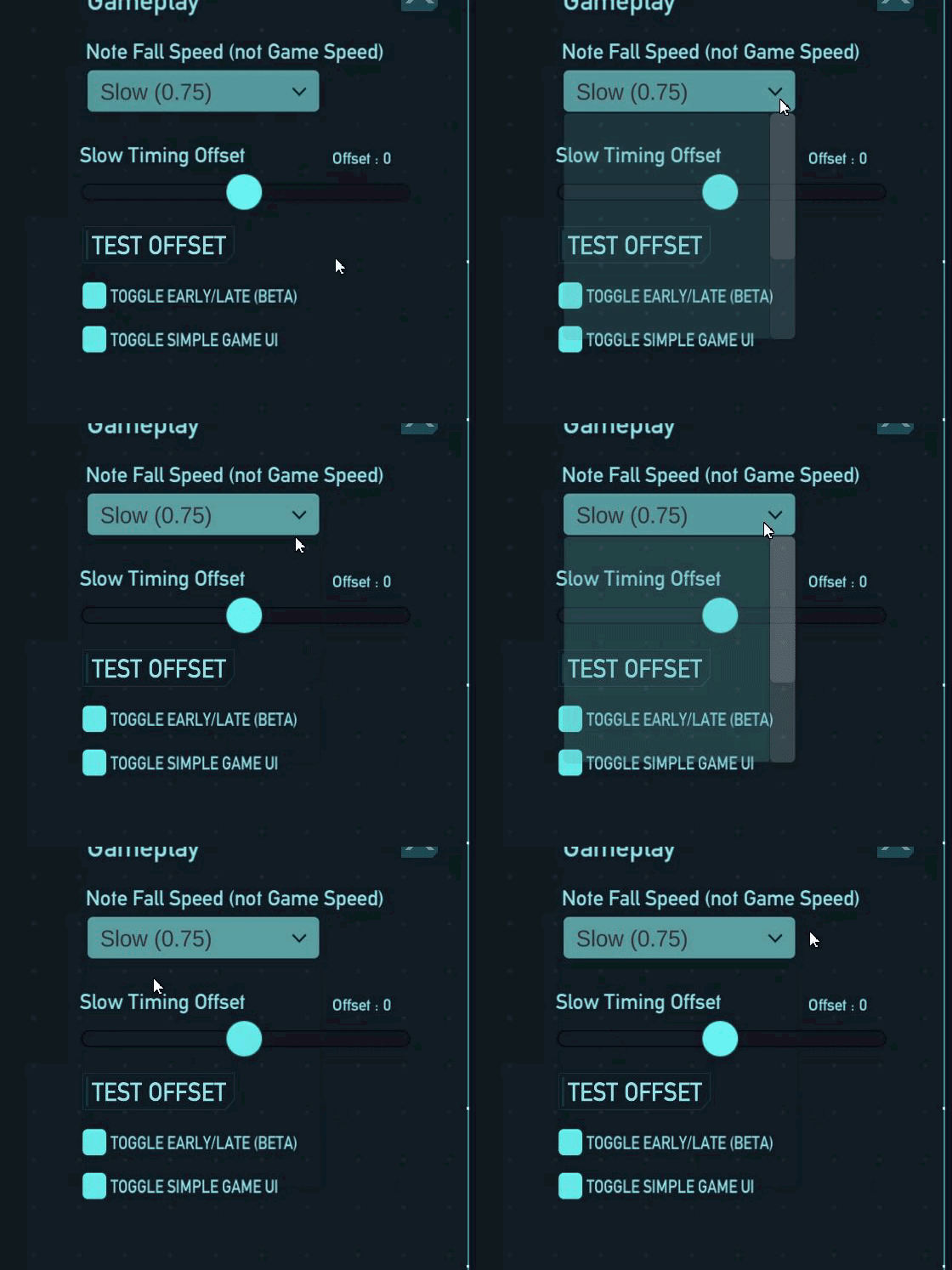


 hollow crown
 brittle smelt
it displayed this error
brittle smelt
it displayed this error
In your case either dummyPlacement or hoverTile is the issue.
Also, if you're not getting autocomplete in your IDE, configure it using the instructions in #854851968446365696 (just saying this because of the little highlighting that code seems to have)
 sly shore
hey does anyone know how to add physic material 2d when i go to create to add it i dont see it just reg physics material
 desert cargo
sly shore
hey does anyone know how to add physic material 2d when i go to create to add it...
desert cargo
sly shore
hey does anyone know how to add physic material 2d when i go to create to add it...
They both use the same config type
oh wait, I'm wrong there... mb
it's there for me:

 still tendon
Umm
I wanna learn how to make tilesets
I use GraphicsGale
but i dont know how to Import them into Unity
ao
so*
I rlly need help
 mossy fossil
hi
is it possible to render certain bones in character rig on higher layer then the rest?

so the red hand is on top of the thompson
 turbid heart
mossy fossil
turbid heart
mossy fossil
not sure.. but have you tried with the sorting layers/order in layer?
mossy fossil
the bone itself does not have it
turbid heart
i'm.. confused. can you show the hierarchy of your character?
 golden leaf
what is the more optimal way to make a 2d multiple-leveled (as in height) tilemap game? I have 7 different tilemaps for each level and its not really practical to duplicate all of them for all the levels, not sure how many levels i need but it shd be a lot
sly shore
desert cargo
it's there for me:
i figured it out its cuz i am using a new version so i have to go through 2d to access it
 gloomy lagoon
Hi, could be that I'm just stupid but I am following a tutorial and I did it the exact same as the guy making it and nobody in the comment mentioned my error. And I am so unexperienced I don't even know what the error means.


second one is the tutorial
golden leaf
gloomy lagoon
Hi, could be that I'm just stupid but I am following a tutorial and I did it the...
you need the CodeMonkey libraries?
it shd be in the desc of his vids
gloomy lagoon
oh, never watched another of his vids and now I tried to get what lambda expressions are for nearly 40 minutes
thanks xd
compact knoll
You should probably try to stay away from the code monkey videos unless you enjoy learning to rely on someone else's code constantly instead of learning how to do things yourself
golden leaf
yeah code monkey uses lots of external libraries
gloomy lagoon
got it
 glad wagon
hi my code at the moment spawns the enemy prefab (triangle) constantly because im calling the method in void Update() does anyone know how i can implement a float variable to adjust the rate in which they spawn im sure id have to use Time.deltaTime aswell

 dusky wagon
@glad wagon what exactly are you trying to achieve?
 unborn sundial
glad wagon
hi my code at the moment spawns the enemy prefab (triangle) constantly because i...
unborn sundial
glad wagon
hi my code at the moment spawns the enemy prefab (triangle) constantly because i...
Instead of calling it in Update, you can use InvokeRepeating() in Start() to setup a function to be called every t seconds, for any time you want
The more professional way of doing this is starting a coroutine, using StartCoroutine()
you should run through the unity coding tutorials so you get all of this
glad wagon
dusky wagon
<@!864784643006136351> what exactly are you trying to achieve?
its allgood i ended up working it out
dusky wagon
sure just ask your question @feral parcel
 feral parcel
so how can i load prefabs for something like a skin selector?
because what i can do is only load sprites and i cant animate them...
glad wagon
hi does anyone know how i can get my prefab that spawns randomly to move across the screen to the other side? at the moment i have 4 cases, so randomly it will choose a side eg. case 1 then it will spawn a triangle randomly on the right side just outside of the screen. Now all i need to do is everytime it spawns on the right side it should move across the screen to a random point on the left. how exactly can i do this in 2D?
turbid heart
glad wagon
hi does anyone know how i can get my prefab that spawns randomly to move across ...
hello, dont cross post #📖┃code-of-conduct . i already answered you in #💻┃code-beginner .I see you're still stuck on the same issue
 sharp fox
Wazzup! Pls can somebody help me? My scene switch doesnt work. Here's a code:
using System.Collections;
using System.Collections.Generic;
using UnityEngine;
using UnityEngine.SceneManagement;

public class SceneSwitch : MonoBehaviour
{
    public string sceneToLoad;

    public void OnTriggerEnter2D(Collider2D other)
    {
        if (other.CompareTag("Player"))
        {
            SceneManager.LoadScene(sceneToLoad);
        }
    }
}
put a Debug.Log in the OnTriggerEnter2D and see if it actually gets called. another one in the if statement to see if it actually detects the object with the "Player" tag
sharp fox
i'ill try it thx
 abstract stirrup
Hello!
I was wondering why my layermask does not work.
I have a groundcheck for my jump function but i cant get the ground check to work 😦
    [SerializeField] private LayerMask Ground;

    private bool IsGrounded()
    {
        Vector2 topLeftPoint = transform.position;
        topLeftPoint.x -= col.bounds.extents.x;
        topLeftPoint.y += col.bounds.extents.y;

        Vector2 bottomRightPoint = transform.position;
        bottomRightPoint.x += col.bounds.extents.x;
        bottomRightPoint.y -= col.bounds.extents.y;


        return Physics2D.OverlapArea(topLeftPoint, bottomRightPoint, Ground);
    }
    private void Jump()
    {
        Debug.Log("Jump start");
        if (IsGrounded())
        {
            Debug.Log("Is Grounded");
            rb.AddForce(new Vector2(0, jumpSpeed), ForceMode2D.Impulse);
        }
        Debug.Log("Jump stop");
    }
I get both jump debugs but not the is grounded one.
It only works if i set the player to the ground layer
turbid heart
sharp fox
i'ill try it thx
If the issue is the OnTrigger not calling, there’s a debugging guide pinned in #💻┃code-beginner
 lament barn
heya, is it possible to make a tilemap with a light in each tile?
i want to make a tilemap with the usual glowing mushrooms and i was wondering if i have to place all the lights down manually or not
 covert whale
lament barn
heya, is it possible to make a tilemap with a light in each tile?
covert whale
lament barn
heya, is it possible to make a tilemap with a light in each tile?
yeah u can draw with prefabs so just make a prefab with a light and this video can help
https://www.youtube.com/watch?v=UqhK6GpCgrM

Learn more about the Tilemap tools and other 2D features at https://ole.unity.com/UnityFor2D
In this video we demonstrate the Tilemap Brush from the 2D Extras collection, available now on Github for free:
 wispy hazel
Hey I need help, for some reason when I jump while running into a wall I jump higher
this is the height of my normal jump

this is my height while running into a wall

    // Update is called once per frame
    void Update()
    {
        if (Input.GetButtonDown("Jump") && extraJumpTimes > 0)
        {
            anim.SetTrigger("takeOff");
            rb.velocity = Vector2.up * pJumpSpeed;
            extraJumpTimes--;
        }
    }

    //updates at a fixed time
    void FixedUpdate()
    {
        isGrounded = Physics2D.OverlapCircle(groundCheck.position, groundCheckRadius, whatIsGround);
        xAxisInput = Input.GetAxis("Horizontal");
        rb.velocity = new Vector2(xAxisInput * pSpeed, rb.velocity.y);
        if ((facingRight == false && xAxisInput > 0) ||
            (facingRight == true && xAxisInput < 0))
        {
            Flip();
        }
        if (xAxisInput == 0)
        {
            anim.SetBool("isRunning", false);
        }
        else
        {
            anim.SetBool("isRunning", true);
        }

        if (isGrounded == true)
        {
            extraJumpTimes = extraJumpsAmnt;
            anim.SetBool("isFalling", false);
        }
        else
        {
            anim.SetBool("isFalling", true);
            if (rb.velocity.y < 0)
            {
                rb.velocity += Vector2.up * Physics2D.gravity.y * fallMultiplier;
            }
            else if (rb.velocity.y > 0 && !Input.GetButton("Jump"))
            {
                rb.velocity += Vector2.up * Physics2D.gravity.y * lowFallMultiplier;
            }
        }
    }
this is my code that is command of player movement
 celest elbow
okay, so like 90% of inexplicable problemos can be fixed by moving physics calcs into fixedUpdate
so set a bool for "isJumping" or something of the sort
set it to true when you get the jump input
then check for isJumping in FixedUpdate()
if isJumping is true then set the rigidbody's velocity and set isJumping back to false
desert cargo
GetButton happens to work reliably in FixedUpdate
It's only GetButtonDown and GetButtonUp that are broken
GetAxis is also okay in FixedUpdate
celest elbow
yes
the issue is not that they are checking for those
the issue is that they are doing rigidbody calculations outside fixedupdate
 rich iron
When I get the texture of a Sprite in my sprite sheet, the texture is of the entire sprite sheet not just the single sprite from it. How can I just get the texture for the sprite's rect?
 vague meadow
any guides on z-tilting that someone can point me to?
 alpine pumice
 young mauve
I hope this is the right channel to ask this, I'm returning to Unity after a long while away, looking to continue making 2d projects.
When I last used Unity you were better off using 2D Toolkit or ex2D to 2D done. I understand 2D in Unity is a lot better now, so are there still handy libraries to help with 2D or is Unity standard okay to use?
still tendon
anyone knows why my sprite color doesnt change anymore? It worked before I added the second IEnumerator but not anymore.. I tried commenting it out and still doesnt work

 elder minnow
still tendon
anyone knows why my sprite color doesnt change anymore? It worked before I added...
elder minnow
still tendon
anyone knows why my sprite color doesnt change anymore? It worked before I added...
Does it get called? Did you accidentally change Gametimer? What value is TimerSpeed? Those are likely the source of your issue
still tendon
elder minnow
Does it get called? Did you accidentally change `Gametimer`? What value is `Time...
that was the issue, fixed it, thanks! 😄
still tendon
elder minnow
Does it get called? Did you accidentally change `Gametimer`? What value is `Time...
had deleted GameTimer on accident earlier
still tendon
im making endless runner 2d game and i have a border to despawn the obstacles and it wont work i have followed a tutortial and i do not know what to do
compact knoll
you need to be way more specific than "it wont work"
still tendon
when it hits the border nothing happens it stays there
i have tags setup and box colliders
compact knoll
show the code you are using to destroy the obstacles
use a paste site to share code. #854851968446365696 has some links
still tendon
compact knoll
don't compare tags that way, use collision.CompareTag("TagGoesHere")
also do either of the objects have a rigidbody on them? if not, that's required
still tendon
they do
compact knoll
great! are your borders correctly tagged? also make sure to make that change i suggested, it throws actual errors if you did something wrong instead of just returning false with no error
still tendon
now they get stuck on the wall which is better than phasing through it but still do not delete themselves
compact knoll
just to make sure, your obstacles do have that script attached, you switched to CompareTag, and your borders are tagged with the tag you are checking for in your collision, right?
still tendon
i tried to do compare tag and i got a error im on 2019 unity which could be the problem
compact knoll
what was the error
still tendon
do i still keep the if
compact knoll
yes, you just change collision.tag == "whatever" to collision.CompareTag("whatever")
still tendon
Assets\Script\Obstacle.cs(15,12): error CS1003: Syntax error, '(' expected
compact knoll
since i cannot see the code you wrote, i cannot tell you what you did wrong, but it sounds like you may have removed the () for the if statement
still tendon
compact knoll
you removed the () for the if statement
that should also have been underlined in your IDE. are you using Visual Studio?
still tendon
yes i am on old version tho
compact knoll
it doesn't matter if you are using a 2019 version, it should still do that. Before you do anything else, go configure your IDE using the steps linked in #854851968446365696
 compact knoll
show a screenshot of an obstacle in the inspector and one of the border in the inspector

 hollow crown
"OntriggerEnter2D" is incorrect.
still tendon
what do i do to fix it?
compact knoll
god i always miss the capitalization errors, thanks vertx
compact knoll
still tendon
what do i do to fix it?
it should be OnTriggerEnter2D
compact knoll
if you haven't already, set up your IDE so you get autocomplete and don't make that mistake again
still tendon
alright
still tendon
having another error Assets\Script\ScoreManager.cs(4,6): error CS1001: Identifier expected https://gdl.space/raw/budahakasu
hollow crown
using.UnityEngine.UI;
The error said: ScoreManager.cs(4,6), Ie. That file, line 4, column 6.
It should also be underlined in red in your IDE. If that's not the case you need to configure it properly using the instructions in #854851968446365696
still tendon
what do i do tho i dont see whats wrong
hollow crown
First configure your IDE if that's not been done
then compare that line to the other using statements you have. It's not hard to spot what's different
still tendon
thank you i didnt see the period im dumb
 hollow agate
So I am making a jump king game has my semester project. I don't know how to make the camera go higher when I hit a certain point in the screen like Jump King
https://www.youtube.com/watch?v=9_W-3lAljes : 0:15
unborn sundial
@hollow agate just move the camera object
hollow agate
unborn sundial
<@!158585310437965824> just move the camera object
But how do I limit a zone?
Like how can I say at this height, move the camera
unborn sundial
In the simplest case, you could just do if (playerY > cutoffHeight) move camera up, and vice versa for < cutOffHeight
but more generally, you could take the player's position and round it to a grid, and use that as the center of the camera
glad wagon
anyone know how i can fix this error im trying to implement code so that the enemies that spawn and move actually face the direction/point theyre moving to ```cs
[SerializeField]
private float rotationSpeed;
if (direction != Vector3.zero)
{
Quaternion toRotation = Quaternion.LookRotation(Vector3.forward, direction);
transform.rotation = Quaternion.RotateTowards(transform.rotation, toRotation, rotationSpeed * Time.deltaTime);
}```
 celest elbow
show me where you defined direction?
 remote kettle
Hey is there any useful c# tutorial for unity in yt? I know almost nothing atm, so a begginers one is what i'm looking for.
turbid heart
remote kettle
Hey is there any useful c# tutorial for unity in yt? I know almost nothing atm, ...
there's the one in Unity Learn. Beginner scripting. pinned in #💻┃code-beginner
There's also an intro to c# one if you're new to C# itself
 jolly narwhal
there's also a search feature in Youtube: https://www.youtube.com/results?search_query=beginners+c%23+tutorial+for+unity
remote kettle
turbid heart
there's the one in Unity Learn. Beginner scripting. pinned in <#4978740044015861...
Thanks I'll check these
 prisma ocean
so uh, there are lines between the tiles and the character seems to vibrate when moving lol
 prisma ocean
also is this bad for setting the rotation of an object? I want to set the player's rotation to the rotation of a chair sprite, but the player just continues rotating

ah, used eulerAngles instead. Why does that happen? lol
 slim girder
I'm getting a weird bug where my player gets stuck inside an enemy, short video footage included. I handle collision checks for both the player and enemies the same way using Physics2D.BoxCastAll as shown here: https://paste.ofcode.org/5QuEvS6VHBmnnwpNHkmzfx, I don't have any problems with collision between the player and other things like walls, only enemies that use the same collision check script as the player. Curiously, if I get rid of the BoxCastAll stuff on the player but keep it on enemies, and put a RigidBody2D on the player and handle collision like that instead, the bug goes away, but I don't want to use a rigidbody. Does anyone know why this bug might be happening?
prisma ocean
Say I had a space ship that was made of some sprites and some tilemaps, all children of a parent "ship object" that has a rigidbody. I'm currently trying to get rb.AddForce() to work to move the ship. It moves everything except the tilemaps. Can I get it to work with the tilemaps?
 stuck dune
I am quite new to game dev, and I need help with some C# death scripts, any1 up for helping me? (the script is very small)
prisma ocean
prisma ocean
Say I had a space ship that was made of some sprites and some tilemaps, all chil...
fixed: changed children body types to kinematic
compact knoll
stuck dune
I am quite new to game dev, and I need help with some C# death scripts, any1 up ...
You need to be more specific about what you need help with
stuck dune
compact knoll
You need to be more specific about what you need help with
Currently I am having issues with a death-script. It resets my scene if no input is detected over and over as if it's on a loop, and I have no idea how that happend
using System.Collections;
using System.Collections.Generic;
using UnityEngine;
using UnityEngine.SceneManagement;

public class PlayerLife : MonoBehaviour
{

    private Rigidbody2D rb;
    private Animator anim;

    // Start is called before the first frame update
    private void Start()
    {
        rb = GetComponent<Rigidbody2D>();
        anim = GetComponent<Animator>();
    }

    private void OnCollisionEnter2D(Collision2D collision)
    {
        if (collision.gameObject.CompareTag("Trap"))
        {
            Die();
        }
    }

    private void Die()
    {
        rb.bodyType = RigidbodyType2D.Static;
        anim.SetTrigger("death");
    }

    private void RestartLevel()
    {
        SceneManager.LoadScene(SceneManager.GetActiveScene().name);
    }
}
there it is
and as soon as I assign it to player the level resets on a 2 or so second interval if no input is detected
i've set it up to restart after the death animation, but even without this event it just restarts
 compact knoll
Where is RestartLevel() being called?
stuck dune
idk, nowhere I can find
only at the end of the death animation event

but if I remove it, it still resets
compact knoll
Make sure your animation isn't set to loop. But if the reset is still happening even without the animation, then something else is resetting the level
stuck dune
yea the animation isn't looping, it isn't even triggered
and I know it's this script because when I remove it, it stops
compact knoll
Well it's not being called from the script directly, unless you didn't share the whole thing.
stuck dune
found out through an error message that it has something to do with my idle animation somehow
even if it isn't even connected
 narrow shadow
i have a simple question i have this class that i instantiate runtime, how do i add a collider2D to it through code, i tried answering this question myself but failed, can some kind person spoonfeed me ?
 turbid heart
narrow shadow
i have a simple question i have this class that i instantiate runtime, how do i ...
turbid heart
narrow shadow
i have a simple question i have this class that i instantiate runtime, how do i ...
Is there a reason why the prefab doesn’t have a collider by default?
turbid heart
narrow shadow
i have a simple question i have this class that i instantiate runtime, how do i ...
Also, gameObject is not a type. It is GameObject. You should have an error. And if you’re not seeing red underlines in your code, you really need to configure your IDE. Instructions are in #854851968446365696
Also, you’re probably not searching up the right things. Look up “how to add component in script unity”
But configure your IDE first. That’s important
turbid heart
What do you not understand
turbid heart
Also please address those issues i pointed out
Why not just add the collider to the prefab in the inspector
narrow shadow
tiroprefab is a gameobject so it must have this addcomponent method, and i must pass the class i want to add as a parameter
but it is not like that
like
tiroprefab.AddComponent(Collider2D)
turbid heart
You clearly did not read the documentation
You don’t pass in types using (), you use <>
I don’t think you can add Collider2D either. You need to be specific on the collider type. A configured IDE would suggest valid options.
narrow shadow
ok, i will configure my IDE
turbid heart
And fix that gameObject type. That’s wrong
narrow shadow
i mean it was working but i will change
turbid heart
narrow shadow
i have a simple question i have this class that i instantiate runtime, how do i ...
This. Will not work. gameObject is not a type
narrow shadow
i can instantiate tiroprefab in runtime without errors
 lethal niche
AddComponent()?
Probably better off adding the component on start and flipping the trigger when needed if that's what you're aiming for.
 snow willow
narrow shadow
i have a simple question i have this class that i instantiate runtime, how do i ...
snow willow
narrow shadow
i have a simple question i have this class that i instantiate runtime, how do i ...
It's GameObject not gameObject
brittle smelt
How do i fix when a ui become bigger when maximized?
snow willow
brittle smelt
How do i fix when a ui become bigger when maximized?
Familiarize yourself with https://docs.unity3d.com/Packages/com.unity.ugui@1.0/manual/UIBasicLayout.html and the CanvasScaler component
 small berry
so im having a super weird bug i guess, when i export my game to itch io for some reason the character like shakes back and forth when trying to look towards the mouse but this doesnt happen in unity at all. unity: https://streamable.com/qvs5ex itch.io: https://streamable.com/rc9ubd

 snow willow
small berry
so im having a super weird bug i guess, when i export my game to itch io for som...
snow willow
small berry
so im having a super weird bug i guess, when i export my game to itch io for som...
most likely an issue of code that behaves differently depending on the framerate or resolution of the game
small berry
i really cant find it heres my movement code https://hastebin.com/picelahepu.cpp
celest elbow
why is your code in c++
unborn sundial
@small berry Is your camera moving? Since you calculate the mouse position relative to the camera position, there might be some desync there
small berry
i fixed it it was because "mousePos = cam.ScreenToWorldPoint(Input.mousePosition);" was in void update and not fixed update.
thanks though :))
small berry
nvm the bug is still there on some computers :))
small berry
unborn sundial
<@!281125073161682945> Is your camera moving? Since you calculate the mouse pos...
how would i go about fixing it?
unborn sundial
well assuming that's the problem, you need to calculate and store mousePos before the camera moves
this would best be done in the script that moves the camera
and then other scripts can pull the mouse position from that
(the Vector3 position)
small berry
im pretty new to coding and im using an asset for the moving of the camera
unborn sundial
which asset?
small berry
cinemachine virtual camera
unborn sundial
Maybe try changing the Cinemachine's "Update Method" to LateUpdate ?
it looks like an option in the inspector
small berry
not fixed update?
unborn sundial
and then compute mousePos in Update
if it was in FixedUpdate, it would run with unpredictable order relative to other FixedUpdate
the goal is to get it so that it moves the camera after you've calculated and stored mousePos
and not interweaved
small berry
i'll try it out :))
small berry
its still a little bit left but it seems like its mostly gone thanks :))
young mauve
I am trying to think how to make a side-scroller beat-em up, similar to Double Dragon. What method could be used to keep a player object within the walk-able space (highlighted orange on the image)?
Could a Sprite Shape be used to create the area and then a Collider OnTriggerExit be used? Just trying to figure out options and techniques at this point, not after a coding solution quite yet 😛 Cheers!

 lament spire
young mauve
I am trying to think how to make a side-scroller beat-em up, similar to Double D...
lament spire
young mauve
I am trying to think how to make a side-scroller beat-em up, similar to Double D...
just put colliders on the feet of the characters and block out the base of the buildings with colliders
snow willow
young mauve
I am trying to think how to make a side-scroller beat-em up, similar to Double D...
could just use 3D physics and an orthographic camera
 worn venture
mouseposition to worldtocell is not giving me the correct tile, how do i find the offset?
snow willow
worn venture
mouseposition to worldtocell is not giving me the correct tile, how do i find th...
mouse position is in screen space and world to cell expects a world space position. So you'd have to convert your mouse position to a world position somehow
if it's 2D with an orthographic camera generally it's pretty safe to do that with Camera.ScreenToWorldPoint
otherwise you should generally use Camera.ScreenPointToRay and Plane.Raycast
worn venture
snow willow
mouse position is in screen space and world to cell expects a world space positi...
thank you. i have worldtocell using screentoworldpoint , but its not exactly accurate . is there a way i can have it visualize which cell im on for debugging purposes?
snow willow
worn venture
thank you. i have worldtocell using screentoworldpoint , but its not exactly acc...
Vector3Int cellCoordinate = whatever;
Vector3 world = grid.CellToWorld(cellCoordinate);
Debug.DrawLine(world + Vector3.down, world + Vector3.up, Color.green);
Debug.DrawLine(world + Vector3.left, world + Vector3.right, Color.green);```something like that perhaps?
worn venture
thanks that works, yeah the cell selection is way off
snow willow
worn venture
thanks that works, yeah the cell selection is way off
are you using a perspective camera?
worn venture
ortho
 peak idol
Hey, I am working on a 2D game but I m having some problems. I want to keep the player in the red square the black square being the screen. I got this working but whenever I size the screen diffrently it doesnt work because the red square doesnt size with it. Whats the best way of handling such thing?

Like do I use screen bounds or camera coords
turbid heart
peak idol
Hey, I am working on a 2D game but I m having some problems. I want to keep the ...
is the red square UI?
turbid heart
peak idol
Like do I use screen bounds or camera coords
you can use either one, really. it's just a question of screen or viewport ratio, isn't it?
peak idol
turbid heart
is the red square UI?
those are the bounds
peak idol
turbid heart
you can use either one, really. it's just a question of screen or viewport ratio...
but either are possible, having issues with the coordinate system of unity an mouse location to work together
turbid heart
if you're using mouse location, you should just use screen since mouse uses screen coordinates
peak idol
and then calculate the bounds from that
turbid heart
how are you defining your bounds right now?
peak idol
hardcoded values
turbid heart
okay, and you've based your hardcoded values on a specific screen size now right?
peak idol
yes
turbid heart
you can do
hardCodedWidth * newScreenWidth/oldScreenWidth, i think
that'll give you the new width in proportion with your new screen width
turbid heart
does it.. make sense to you?
peak idol
it does I just need to clean my code and make sure I get these values on the correct places 🙂
turbid heart
glad to have helped ^^ all the best
peak idol
thx
 lunar sedge

 scenic hatch
when i set a public enum's state in one script it changes is for all the scripts that reference it right?
snow willow
scenic hatch
when i set a public enum's state in one script it changes is for all the scripts...
you need to think about instances of the script, not the script itself
if you change a field on a particular instance of the script, it changes on that instance. Anything that references that instance will see that change
any code that starts public enum is an enum type declaration, not a field. It has no state.
snow willow
scenic hatch
when i set a public enum's state in one script it changes is for all the scripts...
if that confused you - your script defines a class (hence the public class at the top).
A class is like a blueprint for a house.
An instance of the class is an actual house
When you attach your script to a GameObject in the scene, you create that actual house from the blueprint
each house has its own copies of all the fields on it
scenic hatch
oooh i see
snow willow
e.g. ```cs
public int myField;
 sly brook
so i was following this tutorial and at the end i got this error CS0029 how would i fix this
snow willow
sly brook
so i was following this tutorial and at the end i got this error CS0029 how woul...
nobody memorizes error codes
share the whole error message
and the code
 barren orbitBOT
**Command:** !rank
Aliases: !team
Description: Join/leave a rank
Cooldown: 2 seconds
Usage: !rank [rank name]
Example: !rank Mystic
snow willow
sly brook
how if i try to send it gets deleted
#854851968446365696 Posting Code
 distant loom
Got a small question. If I load a local picture, how can I cache it? so that next time I load it from the cache and not from the disk.
sly brook
snow willow
<#854851968446365696> Posting Code
it says
Cannot implicitly convert type 'UnityEngine.Animator' to 'UnityEngine.Animation'
 late viper
sly brook
error is myAnim = GetComponent<Animator>();
late viper
sly brook
error is myAnim = GetComponent<Animator>();
you're trying to assign an Animator to an Animation
sly brook
yes
 amber hinge
im trying to make this island go up and down but any float value i enter makes it negative
if you see unneccasary print statements that just to give me a better understanding of whats going on
 ancient path
amber hinge
if you see unneccasary print statements that just to give me a better understand...
ancient path
amber hinge
if you see unneccasary print statements that just to give me a better understand...
do you want it to go up and down?
like a coin?
like floating?
amber hinge
yeah go up to the spotr then when it hits it go down then over again
 coral dock
dunno if this would go in code or animation but how would i go about having an animation play on key press wasd
the new input system is weird
 coral dock
ancient path
you cant use that because you are using the new input system
coral dock
ancient path
you cant use that because you are using the new input system
i switched it back to the old
maybe i need to restart the project
 abstract olive
You can change it to use both in the player settings.
 compact knoll
coral dock
compact knoll
coral dock
Both of those are setting movement.x, you need the vertical to be movement.y
snow willow
<@&502884371011731486>
 opal socket
What did i miss 😦
snow willow
just your run of the mill discord nitro scam
 snow willow
 faint hollow
open your animation clip
faint hollow
Someone can give a hand to fix this pls
snow willow
go to the animation event
and fix it
if you don't know what an animation event is, you probably added one by accident, and you can just delete it
This is what animation events look like in the animation clip
 opal socket
snow willow
just your run of the mill discord nitro scam
opal socket
snow willow
just your run of the mill discord nitro scam
Ahh was hoping for sth better nvm
 north torrent
I'm having a weird problem with my game's render order. The order between NPC sprites and the UI elements for dialogue is sometimes wrong. In the first case, the sprites hop on top of the dialogue box once the reply buttons appear, but hop back underneath it once the reply is given and the buttons are hidden.


Both the dialogue box and reply buttons are UI elements and I hide and show them from the script by disabling or enabling their GameObjects. The reply buttons are shown by a coroutine that renders the buttons once the writing animation on the dialogue box is finished.
In the second case, the pink bunny is just on top of the dialogue box all the time. I don't know what makes it different since it was copied directly from the other bunnies and should have the same settings.

Is there a way for me to make all the UI elements be on top of all sprites since that's what I want anyway? I couldn't find where I could assign a sorting layer for them.
Oh, okay. It's on the Canvas element. That solves this problem visually but I still wonder what would have led to this error.
 worthy stump
Hi folks, is there a way for me to get access to a sprite's atlas in c#?
There appear to be exposed methods for working with Atlases in c#, as detailed here (https://docs.unity3d.com/ScriptReference/U2D.SpriteAtlas.html) but I can't find out how to actually get a reference to the atlas that my sprite is using. I can get access to the texture, but not the Atlas object itself. Any ideas?
 covert whale
north torrent
Is there a way for me to make all the UI elements be on top of all sprites since...
covert whale
north torrent
Is there a way for me to make all the UI elements be on top of all sprites since...
what render mode is your canvas in? if it's in overlay then it will always be on top, if it's in camera space then it renders depending on the layer and world space depends on position
north torrent
covert whale
what render mode is your canvas in? if it's in overlay then it will always be on...
It was in Screen Space - Camera. Putting it to Overlay seems to hide it from the editor, though.
covert whale
north torrent
It was in Screen Space - Camera. Putting it to Overlay seems to hide it from the...
it's usually not hidden but much larger
try zooming out
north torrent
Oh there it is. I do think I'm happy with camera space and a sorting layer though.
covert whale
if it's in camera space and isn't always on top then make sure ur camera is assigned and that it's on the UI layer or whatever layer is above everything else
late viper
worthy stump
Hi folks, is there a way for me to get access to a sprite's atlas in c#?
There ...
isn't is just this https://docs.unity3d.com/ScriptReference/Sprite-texture.html
Get the reference to the used texture. If packed this will point to the atlas, if not packed will point to the source sprite.
worthy stump
No, that returns a Texture2D, I need the SpriteAtlas class
And you can not cast T2D to SA
 fierce pivot
anyone know how to add more tile in tile pallet for 2d
 stuck ivy
fierce pivot
anyone know how to add more tile in tile pallet for 2d
stuck ivy
fierce pivot
anyone know how to add more tile in tile pallet for 2d

Learn how to use the Tilemap tools in Unity to easily create cool 2D levels.
Watch TILESET in Photoshop: https://youtu.be/aaEEujLtsr8
● Download Tileset: http://downloads.brackeys.com/tutorials/TilesetExample.psd
● Extra Features: https://github.com/Unity-Technologies/2d-extras
● Extra Examples: https://github.com/Unity-Technologies/2d-techde...
 wide lagoon
Is it impossible to change a sprite's frustum culling bounds?
 onyx sequoia
So Sprite Shapes only render when they're completely in the camera viewport, is there a way to turn that off so that they always render even when they're not completely on screen? I'm having trouble now because they do not appear, as they are quite large and only slowly come into view, so they start out as invisible (along with their colliders not working)
it works fine in the editor but not in the build
wide lagoon
Is there a way to access the underlying mesh for a sprite?
still tendon
this is kind of my first time making a UI for my "retry game" system and for now im trying to test the UI by making it appear on my screen after the player dies but for some reason, the UI doesn't appear on my screen even after the player dies. Here is the code:
i used two scripts for it
this is the game manager
    public GameOver gameOver;
    public TextMeshProUGUI scoreUI;
    public TextMeshProUGUI highScoreUI;
    int score = 0;

    // Start is called before the first frame update
    void Start()
    {
        scoreUI.text = PlayerPrefs.GetInt("Score", score).ToString();
        highScoreUI.text = PlayerPrefs.GetInt("HighScore", score).ToString();
    }

    public void Scored()
    {
        score++;
        scoreUI.text = PlayerPrefs.GetInt("Score", score).ToString();

        if (score > PlayerPrefs.GetInt("HighScore", 0))
        {
            PlayerPrefs.SetInt("HighScore", score);
            highScoreUI.text = score.ToString();
        }
    }

    public void ResetScore()
    {
        PlayerPrefs.DeleteKey("HighScore");
        highScoreUI.text = "0";
    }

    public void GameOver()
    {
        if (player.playerDied == true)
        {
            gameOver.Setup(score);
        }```
and this is the GameOver script
 ```public Text highScoreText;

    public void Setup(int score)
    {
        gameObject.SetActive(true);
        highScoreText.text = score.ToString() + " Points";
}```is there any fix to my problem?
i was following a tutorial by the way and it wasnt working for some reason
this was the tutorial https://www.youtube.com/watch?v=K4uOjb5p3Io&ab_channel=CocoCode
YouTube

🎁 Support me and DOWNLOAD Unity project: https://www.patreon.com/posts/46483799?s=yt
This tutorial/guide will show you how to create a simple game over screen for you game that will allow players to restart the level or even go back to the main menu
💜 Join our Discord: https://discord.gg/hNnZRnqf4s
🔵 Follow me on Twitter: https://twitter.com/b...
 hardy brook
Hey! I'm creating a topdown shooter game and I've created enemies that chase the player the issue however is that I put a rigidbody2d on them and if I set the body type to "Dynamic" the don't overlap BUT they drift off aimlessly, if I switch it to Kinematic they don't drift off aimlessly, but the overlap. is there some setting or something I need to change?
coral dock
so i have this so whenever i left click it plays an animation/shoots how would i go about looping it so i only have to hold down left click (automatic)

i tried removing "down" from Input.GetMouseButtonDown but yes it does make it automatic there is no cool down so the gun shot sounds like a swarm of bees instead of an smg
snow willow
coral dock
i tried removing "down" from Input.GetMouseButtonDown but yes it does make it au...
yep you need to add a cooldown
put all the shoot stuff into a separate function, then use a timer variable to create a cooldown
covert whale
hardy brook
Hey! I'm creating a topdown shooter game and I've created enemies that chase the...
how are you setting the movement of the player and enemies?
can you show what drifting off aimlessly looks like
A Kinematic Rigidbody 2D does not collide with other Kinematic Rigidbody 2Ds or with Static Rigidbody 2Ds; it only collides with Dynamic Rigidbody 2Ds.
from the docs https://docs.unity3d.com/Manual/class-Rigidbody2D.html
my recommendation is to set them to dynamic and check things like if there is any gravity, friction or if the force u've applied to them causes that drifting
then if that doesn't eliminate the drifting then set it to kinematic and do collisions manually
you can use raycasts or overlaps or anything else
 muted magnet
(I'm not sure its the right place to ask it)
I'm watching a tutorial where the dude create a 2d object, specifically a square

While it seems that my version can't
 compact knoll
the square is just a sprite using a default square sprite. but also make sure you have all of the relevant 2d packages installed in the package manager
muted magnet
so i assigned a random spire but now when i generate a grid it is ugly
muted magnet
compact knoll
the square is just a sprite using a default square sprite. but also make sure yo...
Can you tell me more plz ?
compact knoll
Window > Package Manager, select Unity Registry and make sure you have the 2d packages installed
 muted magnet
so do i just import the non-checked ones ?
 turbid garden
I dont know if anyone can help me but i have this issue that i am trying to solve.
Basically i have 2 SpriteRenderer ontop of eachother with different Mask interaction. One is set to visible outside mask and the other one to visible inside mask. When i drag my objects over the mask one gets rendered and the other one doesnt like the mask interation have been set. The probleme is that i have the Sprite Mask on a different Rendering Layer Mask so it doesnt interact with these SpriteRenderers but it does anyways.

 subtle vessel
turbid garden
I dont know if anyone can help me but i have this issue that i am trying to solv...
subtle vessel
turbid garden
I dont know if anyone can help me but i have this issue that i am trying to solv...
did you set the masking layer range on the sprite mask? https://docs.unity3d.com/Manual/class-SpriteMask.html
 celest ferry
Can I switch between the languages used in the localization package through my own code?
{Hope you understood what I mean}
 tame turret
celest ferry
Can I switch between the languages used in the localization package through my o...
tame turret
celest ferry
Can I switch between the languages used in the localization package through my o...
yes, for example by assigning the selected locale like so: LocalisationSettings.SelectedLocale = myLocale;
vague meadow
has anyone here setup aabb collision on their 2d game instead of using unity colliders?
ancient path
snow willow
put all the shoot stuff into a separate function, then use a timer variable to c...
Don’t worry I already helped him
 austere seal
I can't get two objects to produce a trigger, but I made sure to add collider2Ds to both with one having trigger checked on as well as a rigidbody2d to one of them. I also made sure I was using the correct function name in my script for OnTriggerEnter2D, but I tried using that function to output a string to the debug log and it does nothing. I'm not sure what I'm doing wrong, everything I see online assumes the problem is that there isn't a rigidbody2d but that's not the case here.
ancient path
Can you show a vid
austere seal
I think I figured out the problem actually, I need to pay more attention to what I type
I spelled Collider2D wrong
wow I can't believe I've spent hours trying to fix this and it was just a typo
turbid heart
austere seal
I spelled Collider2D wrong
do you have your IDE set up? that usually catches typos for you. you get red underlines, suggestions and auto complete. instructions are in #854851968446365696
austere seal
Yeah I haven't done that yet
turbid heart
yeah, should do it soon. could save you hours
austere seal
It caused the layout to change so I was confused at first but it does help
 knotty fog
I have a grid system for pathfinding (A*) and it works like a charm
But now im working on a 2d Isometric game, and i need to change that grid system, but the edit should be pretty easy


basically i need to rotate it
and this is how i generate the first one

but really i can't think of a way of rotating it into the second one, i mean i have the idea but it doesn't work
 river night
How would I make a trail like this? https://www.youtube.com/watch?v=Ilo4UpzKN_U

Wave Wave is a savage arcade video game by Thomas Janson, with music by Danimal Cannon and Zef. Visit http://www.wavewavegame.com for more info.
Featured in the PAX Australian Indie Showcase 2014 (http://aus.paxsite.com/ais) from October 31st to November 2nd.
This trailer is for the version 2.0 update, currently available on iOS only.
late viper
river night
How would I make a trail like this? https://www.youtube.com/watch?v=Ilo4UpzKN_U
looks like a recording of his gameplay rotated in video editing software
or maybe even rotated in game
 compact knoll
trail renderer
river night
woah i didn't know that was a thing, I'll try it out
 granite plank
hello i have a simple issue with my 2d game im trying to figure out how to check if an image is rotated right or left? and if the user is moving left or right it will switch the image. im not sure how to check with transform.rotation because then it asks about quaternions
i want to be able to check if gameObject.transform.rotation == Quaternion (0, 0, 0, 0); ??
 calm wyvern
granite plank
i want to be able to check if gameObject.transform.rotation == Quaternion (0, 0,...
calm wyvern
granite plank
i want to be able to check if gameObject.transform.rotation == Quaternion (0, 0,...
take a look at transform.eulerAngles
they are the unreal degress (0-360) that you see in the inspector
eulerAngles are the global rotation
localEulerAngles are the local rotation
granite plank
so how do i check if its left or right?
calm wyvern
just look how the values change for each direction then you can build a check of it
granite plank
i know how to check things i meant how do i check for the rotation at 0 and 180 degrees???
rotation isnt a vector its a quaternion so how do i check what way its facing with quaternions?
compact knoll
Euler angles are a Vector3
river night
granite plank
rotation isnt a vector its a quaternion so how do i check what way its facing wi...
try if (transform.rotation.eulerAngles.z == 180)
calm wyvern
is the roation value set exactly via code?
if not comparing floats directly can cause issues
river night
oh true
compact knoll
even if set via code floating point errors still exist
river night
I guess round it or smth
compact knoll
use Mathf.Approximately to compare floats
 slim cradle
can I ask for help
 slim cradle
oh
Is there a problem with my code?
how should I link the code here?
code block or the file itself
compact knoll
#854851968446365696 has instructions for posting code
slim cradle
basically I somehow can't set these 2

there is no error in the code or maybe I coded it wrong
compact knoll
What do you mean when you say you can't set them? Like are there no options in the dropdown, are the options you try selecting not working, etc
slim cradle
there are other options but then whatIsground and whatIsPlayer won't appear
compact knoll
You need to select the layers that represent ground and player in the dropdowns you arent selecting your variable name in there
 compact knoll
then you didn't create the layers
it isn't going to show your variables in there, it's showing you the list of available layers
hollow crown
Why have I seen two other people make this same mistake in the past week
but never in history before that
is there some new tutorial that's not making this clear
slim cradle
I based it from here
hollow crown
compact knoll
weird
slim cradle
FULL 3D ENEMY AI in 6 MINUTES! || Unity Tutorial:
Today I made a quick tutorial about Enemy Ai in Unity, if you have any questions just write a comment, I'll try to answer as many as I can :D
Also, don't forget to subscribe and like if you enjoyed the video! :D
See you next time.
Links:
➤NavMesh Components: https://github.com/Unity-Technologie...
compact knoll
ah looks like he doesn't bother showing how to create new layers to include those
slim cradle
hollow crown
https://discord.com/channels/489222168727519232/763495187787677697/8850086525478...
yes I have the same exact problem as this
compact knoll
https://docs.unity3d.com/Manual/class-TagManager.html
add the layers
hollow crown
slim cradle
yes I have the same exact problem as this
and it was resolved in that thread.
slim cradle
oh okay ty
compact knoll
then make sure your ground and stuff is set to the relevant layers
compact knoll
yeah that's the problem with a lot of those "how to do thing super quick" tutorials. they won't go over the basic stuff because they assume you know how to do it. You are better off going through some of the more in depth tutorials that actually teach you how (and more importantly why) to do things
slim cradle
uh the enemies are still spasming out of the playing field
slim cradle
slim cradle
https://paste.ofcode.org/jxtmrNhjHjKH25nhgNAVtT
is there a way to rewrite this code without navmesh?
but basically the same function
compact knoll
is this for 3d objects? because i just noticed you are using a 3d Rigidbody and i'm fairly sure that unity's navmesh doesn't work for 2d (unless it was changed at some point)
compact knoll
okay so you're doing 2d which means you need a Rigidbody2D rather than a Rigidbody, you would also need to completely rewrite it using some other pathfinding method (like A* or NavMeshPlus) or write your own pathfinding
slim cradle
the enemy behaves weirdly
 compact knoll
okay that is definitely not 2d, mate.
slim cradle
i lack sleep srry
wait so what seems to be wrong with the code
idk why the enemy is sporatic
compact knoll
you should ask about non-2d code stuff in #💻┃code-beginner or #archived-code-general
slim cradle
oh
 turbid heart
still tendon
turbid heart
still tendon
line 33 is outside of the if statement's block
turbid heart
still tendon
if this is visual studio code, please configure it to have intellisense. #854851968446365696 has isntructions
 coral tusk
Hey guys, I am currently using rb.addForce(hSpeed, vSpeed) and I am wondering how exactly I would grab the force, and rotate it, without actually rotating the object (so using code) by degrees or so?
 toxic solstice
Hello. I have a problem were the player can jump thrice sometimes instead of jumping twice (double jump). Can anyone help me identify the problem?
I tried to make the length of the rays shorter, but it didn't solve the problemm
I also checked the logic, and it seemed to be working just fine
austere seal
coral tusk
Hey guys, I am currently using rb.addForce(hSpeed, vSpeed) and I am wondering ho...
Will you be doing this from the same script or a separate one?
coral tusk
same
//[I may put the forced turning here]
//Goal: get difference from last rotation to current | add difference to current movement direction
Quaternion difference = lastSpriteRotation * Quaternion.Inverse(playerSprite.transform.rotation); //https://forum.unity.com/threads/get-the-difference-between-two-quaternions-and-add-it-to-another-quaternion.513187/
Quaternion velDir = Quaternion.Euler(rb.velocity.normalized);
Quaternion goalDirQ = difference * velDir;

Vector3 goalDir = goalDirQ.eulerAngles;

//Now to rotate this bad boy
//https://forum.unity.com/threads/change-velocity-direction-and-not-magnatude.368272/
Vector3 newVel = goalDir * rb.velocity.magnitude;
rb.velocity = newVel;
This is what I was trying
 vocal condor
Verify if you're doing the first jump or second jump twice by printing in the if statements. There can be a number of reasons why this may be occurring. One is if isGrounded is true again. Either ways, eyeballing code isn't the appropriate way to debug. Best start logging variables to see the flow of the jump states.
coral tusk
don't think it's working probably due to the sprite rotating being kinda off anyway
My goal is to stay stuck to a wall, so I want to get the direction to the point underneath the player, and rotate velocity based on that
so getting the last dir to floor, and the new one, finding the difference and rotating the velocity based on the difference
Idk if that would even work
austere seal
I think all you'd have to do is add force in a new direction after chaning hSpeed and vSpeed
coral tusk
tis weird, I am using addforce(hSpeed, vSpeed) and that includes the gravity
and I am using this for movement
        //Get rotation of sprite from ground/collision position
        float rot = GetRotationToHit2D(playerBoarderHit).eulerAngles.z;
        rot *= Mathf.Deg2Rad;


        if (Mathf.Abs(h) > hDeadZone)   //If choosing to move, move in sideways direction relative to own rotation
        {
            hSpeed += (h * hMoveSpeed) * Mathf.Cos(rot)/2;
            vSpeed += (h * hMoveSpeed) * Mathf.Sin(rot)/2;
        }
Did you change gravity for the rigidbody?
austere seal
I'm not sure why it would still be affected by gravity if you set it to 0 but you could try adding an equal force in the opposite direction
coral tusk
Oh I meant, I have gravity that continues to apply to the object regardless
Hecc this will get pretty confusing aye
austere seal
I don't quite understand what you mean
Can you show how you're doing your own gravity script
austere seal
Oh yeah ok
coral tusk
I think I can find a good way to explain it one sec
austere seal
I understand now
coral tusk
Okay bouta send a clip
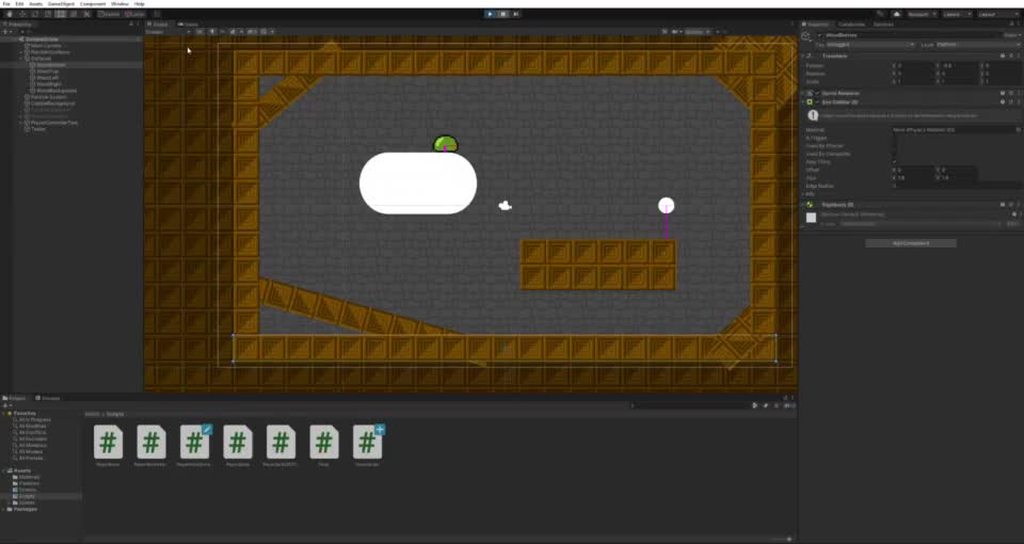
Okay so my problem is
I am trying to make it stick
but it keeps accelerating when it goes around a corner?
I know why
I have the character's sideways move += depending on the rotation of the ground below
but
to keep it on the block, I am adding a force directly towards the tiny pink lines (direction to the floor)
I am adding 20f in that direction, which is absurd, but it's to bring out the problem which is:
when the character goes around a corner, it keeps that force and adds it to it's current movement
I am wondering if there is a better way to do this?
the reason I am pressing the player into the object is to allow gravity to continue, but still have the object stick
austere seal
Have you tried adding an opposite force equal in magnitude to the previous force and then adding the new force?
As in, whenever the direction of the force necessary to keep the object stuck changes, negate the previous force and add the new one
coral tusk
Yeah I see what you mean, that is a good idea, I am a bit unsure how to implement it yet
This is how I add the force
            //Then apply push into wall
            float spd = 20f;
            hSpeed += spd * Mathf.Cos(rot)/2;
            vSpeed += spd * Mathf.Sin(rot)/2;
(adds in direction of small pink line which is what it's stuck to)
it adds to the hspeed and vspeed, so it's all a little mixed
Idk how to sort of seperate it
austere seal
I think you can just add two separate variables to store the previous speed
coral tusk
Since, when the OB hits a wall, hspeed pretty much goes back to 0
so when the character is pushed into the ground, Idk how much of the force dissapears...? if that makes sense?
austere seal
So is hSpeed relative to the object's rotation?
coral tusk
like I would assume I can push the character into the ground at 100f, but apparently not it's seeming
the object never actually rotates
only the sprite
it's a non-rotating circle collider
austere seal
Oh interesting
austere seal
You're adding speed in Update or FixedUpdate right?
coral tusk
I know by reducing this, it won't gain so much speed, but I wanna get it so it always goes to the same height

Almost everything is in fixedupdate
except getting inputs and such
austere seal
So you're just adding force every frame?
coral tusk
yeah
so I am using addforce every frame
at the end of each frame it calculates hSpeed and vSpeed
austere seal
That's gonna multiply the force exponentially
coral tusk
I only ever ADD to hSpeed and vSpeed, which is how when the object collides with something, the speeds essentially reset
austere seal
Try making sure addForce only gets called if hSpeed and vSpeed change
coral tusk
yeah it changes every frame
as you can see when the object is sliding, it just slides at one speed
which is the goal
oh right
so fun facts:
I did this very interesting thing where
I get the difference between my last movement speed and the new one I am applying
and I only add the DIFFERENCE between the two, then add that to AddForce
which is how it isn't actually going out of control
Since I was using transform.position before, but that's how I converted it over to AddForce
 covert whale
i don't know how to fix the issue but i don't usually use rigidbodies for 2d
i usually go with raycasts
covert whale
here's an old but nice tutorial series about it
https://www.youtube.com/watch?v=MbWK8bCAU2w&t=1s

Learn how to create a 2D platformer controller in Unity that can reliably handle slopes and moving platforms.
In episode 01 we do some set-up work to make our lives easier later on.
Watch episode 02: https://youtu.be/OBtaLCmJexk?list=PLFt_AvWsXl0f0hqURlhyIoAabKPgRsqjz
Download source code here: https://github.com/SebLague/2DPlatformer-Tutorial
...
coral tusk
@austere seal thanks for the help so far, I know it's a bit odd
austere seal
Yeah I'm just having a hard time understanding how you're doing it
coral tusk
Wanna just see the code?
or how would you go about this sticking mechanic? forgetting about all the weird stuff i've done
austere seal
I mean, I don't mess with forces a lot since the types of games I make don't need them
So it's not my area of expertise, I'm just trying to think of it from the perspective of someone who has taken college physics
coral tusk
Well you have helped with some ideas already so you efforts are great
Thank you for the help though
austere seal
Np, sorry I couldn't help more
coral tusk
All good really
haha
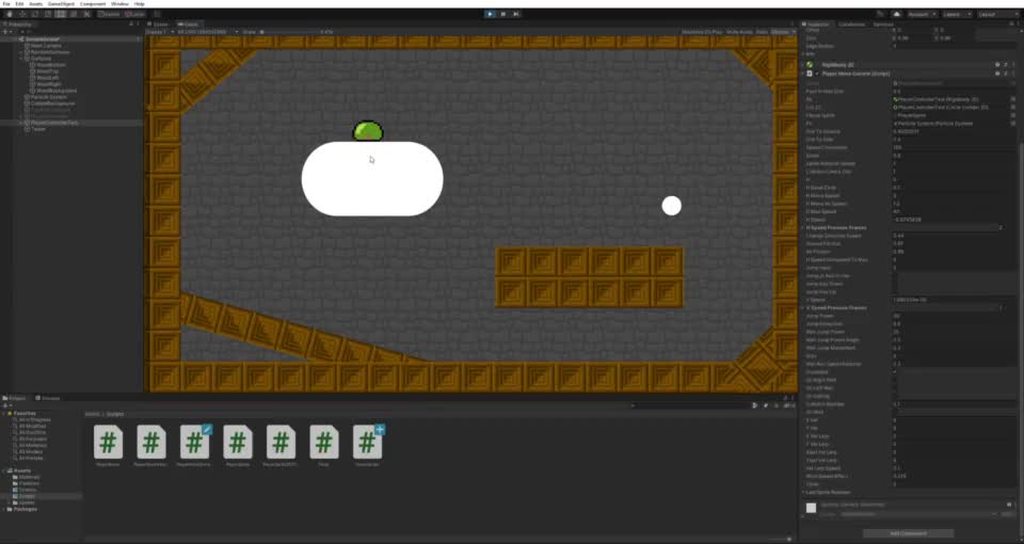
I removed all gravity for this one and weakened the pull in force
It gains speed ans slowly seperates from the sides of the object
nuuuuu!
ancient path
@coral tusk what happens if you disable gravity on your ball
And enable it only when it’s not touching anything
coral tusk
The above is what happens when all gravity is off
Also I would still like the gravity effects for when I am stuck to the side of an object
ancient path
coral tusk
Also I would still like the gravity effects for when I am stuck to the side of a...
What type of movement do you want?
ancient path
Like a bug?
coral tusk
Kinda
ancient path
Or a slime?
coral tusk
it's a slime
It seems the only way to get the movement I want so far is to find the difference between the last angle and the current angle
and "rotate" the velocity, so that it technically sticks to an object without sticking
I want to be able to eventually stay on and navigate around moving objects
Since pushing into the object, pushes the object :p
coral tusk
Nah, just gonna have it how it is, the blob rotates
I may add some animations to the object, but really the sprite itself is a separate object
The object is a non-rotating circle collider

As you can see by the outline of the square
ancient path
Ok so the problem is that it falls right?
 ancient path
Can you decrease gravity?
And increase friction?
coral tusk
But yeah the problem is I want it to stay stuck to an object, but still be affected by gravity
I will be using my own form of friction, the gravity I would like to avoid changing if possible
coral tusk
Yeah, but for now it will be frictionless
For countering gravity
I am thinking if there is a way to "movePosition"
but it's a bit janky the rigidbody version
ancient path
Well what happens if you use an opposing force against gravity
coral tusk
It doesn't slide down the side of blocks
if I remove gravity won't it no longer slide down a slope?
including upside-down slopes
an idea might be to apply gravity at 0 percent if I am perfectly on the bottom, and apply at 100 percent if on the sides and above...?
ancient path
coral tusk
an idea might be to apply gravity at 0 percent if I am perfectly on the bottom, ...
That can work
ancient path
coral tusk
if I remove gravity won't it no longer slide down a slope?
Or decrease gravity effects
coral tusk

The main issue is, I want to be able to stick here
but

With the gravity, it will force it to fall down still
but it needs to swing around almost like it's stuck to a conveyor belt
Or more like... A plunger on a slippery/wet surface, where it can slide around, but air suction causes it to stay stuck
ancient path
start trying some methods we said
coral tusk
How would I keep the object swinging around tho?
snow willow
that's separate though
coral tusk
but I want to stay close to the walls
snow willow
sounds like you additionally want mario gravity
coral tusk
hmm maybe
Yeah sort of
when I do that though, it gains even more speed
I know friction will solve it, which I will add eventually, but it shouldn't have to solve it, it should just pendulum without it
(above is me only holding the stick button)
with no gravity
coral tusk
Yeah me too
ancient path
Can you show again
coral tusk
I gotta figure out the rotating, I was trying to use the rotating of the sprite, but now I will try to actually use the raycasts that are detecting the ground
ancient path
The code for that
coral tusk

This applies it in the direction of the small pink line when holding the stick key
Currently it has 0, so it's turned off, my bad
Just been trying another method is all
ancient path
Can you do like
coral tusk
before it was on 2 for the gif above
coral tusk
Not exactly, since it will look at the centre of the wall wouldn't it?
ancient path
Rigidbody.AddForce(transform.forawrd);
ancient path
coral tusk
Not exactly, since it will look at the centre of the wall wouldn't it?
Yes
coral tusk
yeah that would be a problem since it only wants to check the spot it's on
coral tusk
but also I can't rotate the object, maybe I can use a another child object for rotation looking
ancient path
Rigidbody.Addforce(wall.position - transform.position);
coral tusk
I can probably look at raycasthit.point
ohh didn't think it would work like that
that may still pull towards the centre tho
maybe
Rigidbody.Addforce(raycastHIT.point- transform.position);
might work...???
coral tusk
Yeah I send out a raycast in the diriction of the circlecast hit since it gets the distance more accurately
also I debug the ray hit so I can see the pink lines
ancient path
coral tusk
Yeah I send out a raycast in the diriction of the circlecast hit since it gets t...
Huh
You are already getting the distance in the Rigidbody
But as a vector
You only need the transform of the raycast hit
coral tusk
Well
I did this as a new implementation since the circle was being so innacurate
op, it didnt like that
        while (Physics2D.CircleCast(transform.position, (dist)* scale, Vector2.up, 0, layer_mask) && dist > 0)  //While circle collider hitting
        {
            playerBoarderHit = Physics2D.CircleCast(transform.position, (dist)* scale, Vector2.up, 0, layer_mask);    //Remember collision
            dist -= 0.01f;  //Constantly reduce checking distance until no more collisions
        }
While
coral tusk
yeap
ancient path
What’s the while loop for?
coral tusk
so
when I raycasted to the hitpoint of the circle cast
it kept raycasting half way through the wall
so I made a while loop, that constantly shrinks the circle until it no longer collides with anything
and what that does, is instead of giving me the first hit, it gives me the closes hit (was having issues with this before)
which was the main reason I did it
I may not really need the raycast in there anymore, but it's useful for the debugging
ancient path
Well it doesn’t look like it works
coral tusk
Oh it's working
ancient path
Mainly because it’s respirating and probably not resetting
coral tusk
        float dist = collisionCheckDist;  //Reset distance

        // ================ ACTUALLY CHECKING FOR COLLISIONS
        while (Physics2D.CircleCast(transform.position, (dist)* scale, Vector2.up, 0, layer_mask) && dist > 0)  //While circle collider hitting
        {
            playerBoarderHit = Physics2D.CircleCast(transform.position, (dist)* scale, Vector2.up, 0, layer_mask);    //Remember collision
            dist -= 0.01f;  //Constantly reduce checking distance until no more collisions
        }
there we goes
Yeah it's resetting
ancient path
coral tusk
Rigidbody.Addforce(raycastHIT.point- transform.position);
Rigidbody.Addforce((raycastHIT.point- transform.position).normalized);
coral tusk
rb.AddForce(new Vector3(playerBoarderHit.point.x, playerBoarderHit.point.y,0) - transform.position);
this what I got
i'll try it out
tis very weak
it seems to be doing the same as the previous code
but not as good
okay so it still gains speed
is there a way I can use movePosition without affecting the addforce/velocity?
and apply it to the rb instead of the transform itself?
//https://forum.unity.com/threads/get-the-difference-between-two-quaternions-and-add-it-to-another-quaternion.513187/
//https://forum.unity.com/threads/change-velocity-direction-and-not-magnatude.368272/


//[Put this in the if statemnt below when finished]
//Goal: get difference from last rotation to current | add difference to current movement direction
Quaternion difference = lastSpriteRotation * Quaternion.Inverse(playerSprite.transform.rotation);
Quaternion velDir = Quaternion.Euler(rb.velocity.normalized);
Quaternion goalDirQ = difference * velDir;

Vector3 goalDir = goalDirQ.eulerAngles;

//Now to rotate this bad boy

Vector3 newVel = goalDir * rb.velocity.magnitude;
rb.velocity = newVel;
Would this be correct to apply a new angle to a velocity?
subtle vessel
coral tusk
Would this be correct to apply a new angle to a velocity?
No, taking the current velocity (a direction) and passing it into Quaternion.Euler (a rotation) does not make sense. That's like copy/pasting the position values from a transform into the rotation slots. Can you describe what you're trying to do a little more generally? Do you want the velocity to always align to the direction you're facing?
coral tusk
Like imagine an object is moving to the right.
I want to grab it, and rotate it 90 degrees, but fully using code without actually rotating any objects
Yes I think so
subtle vessel
Do you want the rotation to follow the velocity, or the velocity to follow the rotation?
coral tusk
There are website links in the code comments which I tried to use
Velocity to follow rotation
subtle vessel
Okay, and do you need forces from outside this script to be able to affect this object? Is this script the ONLY thing that's controlling the objects movement?
coral tusk
There will be a point where other code will move it
Currently it is just this one object
I made a wind pushing the object, actually, that's in this code too
But the only other way this code is being moved, is by the physics engine when hitting objects
subtle vessel
Okay, so I think you're best plan is to not deal with quaternions at all. You want to use transform.up (y-axis) or transform.forward (z-axis) to figure out which direction the object is facing
coral tusk
Unfortunately the object never ever rotates
The sprite does, I guess I could make it more accurate then use the sprite
But the object is just an invisible circle
Inside the blob
subtle vessel
Then use the sprites transform instead
coral tusk
Yeah fair enough
subtle vessel
And multiply that direction times the velocity's current magnitude
And set that to the velocity
coral tusk
I'm off the computer right now but how would I write that?
subtle vessel
I'm on mobile, so can't really write sample code
subtle vessel
rb.velocity.magnitude
coral tusk
Oh wait, magnitude is speed isn't it
subtle vessel
Yeah, you want to keep the same speed but use a different direction
coral tusk
Direction is velocity.normalised right?
subtle vessel
rb.velocity = sprite.transform.up * rb.velocity.magnitude;
coral tusk
Oh
Yeah okay that makes sense
I'll give that a try
Thanks a heap
Dam now I wanna jump on the PC but it's 3am
subtle vessel
coral tusk
Dam now I wanna jump on the PC but it's 3am
Go sleep!
 wide ginkgo
coral tusk
Direction is velocity.normalised right?
wide ginkgo
coral tusk
Direction is velocity.normalised right?
Since no one answered, yes you are correct.
 burnt badge
im running into a problem with 2d collisions. i have two objects, both empty objects with the same box collider, and both running the same script. the script contains a OnTriggerStay2D(Collider2D collision) with print(collision.gameObject.name);, yet only one of the objects script triggers, the other one does not
covert whale
burnt badge
im running into a problem with 2d collisions. i have two objects, both empty ob...
maybe try ontriggerenter?
i don't think this it's unusual for unity physics that only one of them stays inside momentarily then the other is stopped
burnt badge
covert whale
maybe try ontriggerenter?
not working iether. the way im testing it is that i have a ball with a circle collider falling through the not working collider, then after a space, falling through the second collider
covert whale
burnt badge
not working iether. the way im testing it is that i have a ball with a circle c...
are all colliders marked as triggers?
burnt badge
covert whale
are all colliders marked as triggers?
yes, both of them
burnt badge
the ball is the only thing moving, the triggers are stationary, and what do you mean collision mode?
like their material?
covert whale
burnt badge
the ball is the only thing moving, the triggers are stationary, and what do you ...
can you show a video i don't think i get it
burnt badge
sure 1 sec
covert whale
burnt badge
like their material?
on the rigidbody components they each have a collision mode
burnt badge
they do not have rigidbodies
covert whale
so how does ontrigger work then
burnt badge
the ball has a ridgidbody, but i didnt think objects needed ridgedbodies for triggers to work
covert whale
at least one of the colliding objects has to have a rigidbody in order for triggers to work
if the ball has a rb and it's the only one colliding with others it's fine
burnt badge
the balls ridgidbody is set to dynamic
 noble swan
What about collision mode
covert whale
what is collision detection set to
noble swan
(discreet or continuous)
burnt badge
discrete
covert whale
try setting it to continuous and see if that helps
burnt badge
it did not
heres a video showcasing how i test it
the top collider is the one not working, you can see when it hits the 2nd collider the onEnter triggers
covert whale
burnt badge
the top collider is the one not working, you can see when it hits the 2nd collid...
try copy pasting the bottom one and putting it where the top one is now
and disable the one that doesn't work
burnt badge
covert whale
try copy pasting the bottom one and putting it where the top one is now
nope, i just figured it out, it had to do with the layer of the object. Turnss out i made a mistake when editing the project settings collision matrix, thus causing the two objects to never collide
covert whale
oh ok
burnt badge
thanks for your quick replies though, its always nice to have a community you can count on
 bronze glacier
can someone help me make an 2D endless runner game? idk what the hell im doing
i cant get any code to work
compact knoll
i'm sure if you shared the code you are working on, explained what is going wrong (including any errors you receive), and explain what you expect to happen with the code you share then someone will help you
bronze glacier
Tryna do the background of an endless runner
I've tried 5 yet videos
Nothing works
coral tusk
Ayo, this has no gravity, I want the object to continue moving around the circle based on the angle of the sprite

as you can see the sprite rotates, but the angle does not change
I assume it's something like this, but idk how to actually implement it for unity
rb.velocity = playerSprite.transform.forward * rb.velocity.magnitude;
although this seems to do nothing at all, idk if I will need to use the last rotation and compare it to the new rotation.
coral tusk
nvm, I realised the way I am coding it won't let that work
 glossy marten
Why isn't my text showing?
turbid heart
glossy marten
Why isn't my text showing?
what text?
normal color looks like alpha is 0. not sure though
glossy marten
Oh yeah I didn't see that but the problem still remains
Nvm I fixed it
Thanks @turbid heart
 finite garden
Does anyone know how to detect particles on Raycasts?
My particle system has a World Particle Collider on it
opal socket
finite garden
Does anyone know how to detect particles on Raycasts?
Detect gameobject owning particles I guess?
How precise do you need it to be lol
finite garden
the Collision mask of the particle systems is correct
and i've added the layer that the particles are on to the Raycast LayerMask
but it still doesn't pick them up


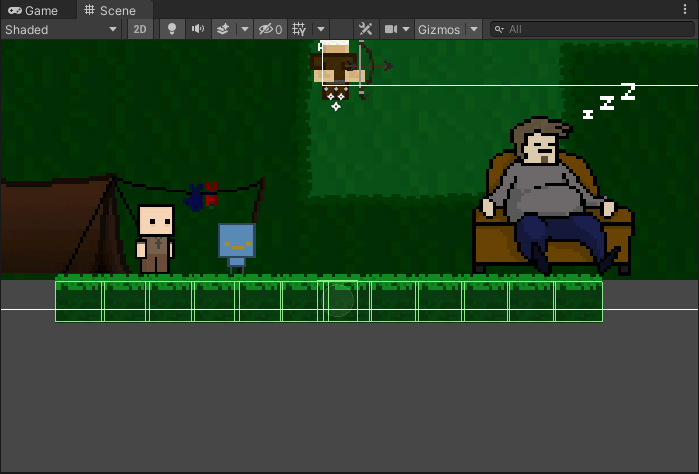
 lean estuary
glossy marten
How do I merge these box colliders to one?
lean estuary
glossy marten
How do I merge these box colliders to one?
Use composite collider or tilemap collider if those are tiles. To not snag between the segments use continuous collision detection.
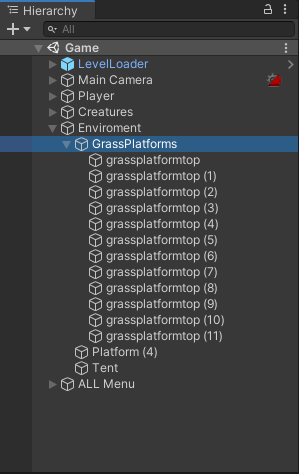 lean estuary
Composite goes on the parent object and uses all colliders from children.
glossy marten
@lean estuary When I add a composite collider 2d on the parent it will also add a rigidbody and every tile falls down
lean estuary
You should be able to set it to static.
glossy marten
THanks
 royal kindle
burnt badge
it did not
royal kindle
burnt badge
it did not
So many GOs, wish i'll make something that big one day, lol
glossy marten
The boxcolliders aren't merging and I don't know why. The parent of every tile has a box collider 2d, rigidbody 2d, composite collider 2d and a tilemap collider 2d
In the tilemap collider 2d I checked "Used by composite"
glossy marten
How do I make them to tiles?
finite garden
finite garden
Does anyone know how to detect particles on Raycasts?
anybody have any information regarding this?
opal socket
finite garden
anybody have any information regarding this?
Ygh you shouldnt do that
Smoke is just a gfx effect
What you care is whatever gameobject is spawn in the scene and spawns those particles
It should have one big collider you’re testing agains
Games are illusion buddy


 olive mesa
What's the most optimal way to render a grid in 2D?
I'm currently using 600 sprite masks to do this

 grand coral
olive mesa
What's the most optimal way to render a grid in 2D?
grand coral
olive mesa
What's the most optimal way to render a grid in 2D?
there's a grid default image you can set as a background image
if you need the grid to move around, i've made some scripts to do that so dm me and i'll help you with that
olive mesa
I've got the camera panning down, thanks though!
For the grid image, is it not usable as a sprite?
grand coral
i meant like making the grid repeat for infinite panning
grand coral
olive mesa
For the grid image, is it not usable as a sprite?
yeah it is
olive mesa
grand coral
i meant like making the grid repeat for infinite panning
Ohhh, yes I do need that
grand coral
click the little circle in the sprite image selector and find the grid
olive mesa
I'm trying to make a level editor for my platformer
grand coral
olive mesa
Ohhh, yes I do need that
ok if you need help with that lmk in dm
olive mesa
 grand coral
it's not called grid i don't think
olive mesa
Oh, ok
grand coral
but it has a grid image
olive mesa
I'll look for it manually
opal socket
finite garden
you're missing my point and not listening to me
https://forum.unity.com/threads/how-to-detect-collisions-with-particles-in-a-particlesystem.1103629/
Unity Forum
Hi, so I am making a Tron-like game, where I am using a ParticleSystem to create the trail. I am in the process of making some basic AIs the player can...
you do you
finite garden
... How am I missing your point when I'm just showing you my collider?
I'll figure something out, thanks for your help 🙂
opal socket
I see a bunch of small colliders belonging to the particles, not one big circle collider
The website I linked should give you some info n what to do though
if you really want to detect collision between ray and individual particle
 strong plinth
Ok so i am really new to Unity and I need to know 2 things for now: How to make a custom sprite and how to make movement code
compact knoll
lots of available tutorials for creating 2d movement. as for a sprite, it's just an image
strong plinth
ok thanks
toxic solstice
void Start()
    {
        playerRb = GetComponent<Rigidbody2D>();
        boxCollider2D = GetComponent<BoxCollider2D>();
        playerSpriteRenderer = GetComponentInChildren<SpriteRenderer>();//GetComponent<SpriteRenderer>();
        transform.position = spawnPoint;
        score = 0;
        scoreText.text = score.ToString();
        StartCoroutine(Scoring());
    }

    void Update()
    {
        scoreText.text = score.ToString();
        horizontalInput = Input.GetAxis("Horizontal");
        DoubleJumpMechanic();
        BoundChecker();

        playerSpriteRenderer.sprite = invincibleSprite;
    }
Hey guys, for some reason, playerSpriteRenderer's sprite isn't changing
invincibleSprite is a serialized field, so I dragged it into the inspector
And if you look at my hierarchy, the sprite renderer that is active is Player1 (the child)

So, I used GetComponentInChildren<>(), but nothing changed
Do you guys have any suggestion in dealing with this? I'm trying to change the player sprite via script
elder minnow
@toxic solstice Are you sure your invincibleSprite is set up correctly? If you accidentally dragged the "Player 1" sprite you wouldn't see a change.
toxic solstice
Yeah. This script is attached to Player (parent)
 elder minnow
Do you get any error messages?
toxic solstice
No
elder minnow
Did you make sure you saved the script?
toxic solstice
Yes, it's saved
elder minnow
Try debbuging playerSpriteRenderer
toxic solstice
This is in runtime

Ignore the white rectangle flying there. It's the invincibleSprite I placed as a game object (completely separate)
hollow crown
Why is it disabled
elder minnow
That is not the SR intended, his GFX is on its child
toxic solstice
The sprite renderer I'm using is a component of Player's child named Player1
elder minnow
I don't know if GetComponentInChildren ignores the root
hollow crown
It doesn't
elder minnow
That is the source of the issue then
toxic solstice
So GetComponentInChildren was wrong?
hollow crown
Assigning things in the inspector is almost always the better way imo
elder minnow
More like if yout gfx is sitting in the child you have no reason to have it at the root
toxic solstice
hollow crown
Assigning things in the inspector is almost always the better way imo
Oh yeah. I completely forgot about this
Well, I won't dwell deep as to why it wasn't working via script
Problem solved! THanks guys!
elder minnow
It wasn't working because GetComponentInChildren doesn't ignore the root of the search, since "Player" had a sprite renderer, it was the one that was referenced
toxic solstice
What do you mean by that?
elder minnow
If you look closely at your own screenshot you will see* that it has the invincible sprite you wanted to change
Both your "Player" and its child "Player 1" had a sprite renderer, since you used GetComponentInChildren<> and the script was attached at the root that also had the component it was looking for, it didn't need to go down
toxic solstice
Huh, I thought GetComponentInChildren<> would skip the parent from the name itself
elder minnow
Does that make sense?
toxic solstice
By root, were you talking about the parent?
elder minnow
Me too, but I suspected it as soon as you showed that screenshot
That is why I mentioned it and Vertx replied #🖼️┃2d-tools message
Yeah
toxic solstice
That clears things up, then!
Thanks for explaining it :]
But if my variable was an array/list, would it continue it's search?
Since I only needed a certain spriterenderer, I didn't make an array/list of it
elder minnow
If you used GetComponentsInChildren<> (plural), you would need to cache it in an array since it would return all of them
toxic solstice
Do you know a method that works like GetComponentInChildren but ignores the root?
elder minnow
transform.GetChild(0).GetComponent<> does the trick, but you need to know the index of the child
If you have multiple and want to store all of them in an array you can just use GetComponentsInChildren<> and then check which one belongs to the gameObject of the parent
toxic solstice
Alright. Thanks a bunch, @elder minnow !
 deft kraken
²²
 bold apex
Beginner in Unity, I'm making a topdown game and I'm thinking of using tilemaps for the background(floor and walls). What colliders do I use for the walls? Edge colliders? Box Colliders? Tilemap Colliders?
Also if there's any better way to do backgrounds I would like to know.
 chrome grove
bold apex
Beginner in Unity, I'm making a topdown game and I'm thinking of using tilemaps ...
chrome grove
bold apex
Beginner in Unity, I'm making a topdown game and I'm thinking of using tilemaps ...
If youre using the Tilemap feature, Tilemap Collider would be the best.
bold apex
Okay, so then if I wanted to only give a part of the tilemap a collider, what would I do? make a separate tilemap for the walls?
 sweet galleon
anyone here works with Photon?
snow willow
sweet galleon
oh ty
 wispy wagon
just started using unity
my 2d movement script just isnt working
could anyone help?
using System.Collections;
using System.Collections.Generic;
using System.Threading;
using UnityEngine;

public class PlayerMovement : MonoBehaviour {

    public float speed = 1;
    private Vector2 direction;

    void update()
    {
        GetInput();
        Move();
    }

    private void Move()
    {
        transform.Translate(direction * speed * Time.deltaTime);
    }

    private void GetInput()
    {
        direction = Vector2.zero;

        if (Input.GetKey(KeyCode.W))
        {
            direction += Vector2.up;
        }

        if (Input.GetKey(KeyCode.A))
        {
            direction += Vector2.left;
        }

        if (Input.GetKey(KeyCode.S))
        {
            direction += Vector2.down;
        }

        if (Input.GetKey(KeyCode.D))
        {
            direction += Vector2.right;
        }
    }

}
void update() --> void Update()
wispy wagon
ty
 subtle moth
🤯
wispy wagon

using System.Collections;
using System.Collections.Generic;
using System.Threading;
using UnityEngine;

public class PlayerMovement : MonoBehaviour {

    public float speed;
    private Vector2 direction;
    private Animator animator;

    void Start()
    {
        animator = GetComponent<Animator>();
    }

    void Update()
    {
        GetInput();
        Move();
    }

    private void Move()
    {
        transform.Translate(direction * speed * Time.deltaTime);
        AnimatorMovement(direction);
    }

    private void GetInput()
    {
        direction = Vector2.zero;

        if (Input.GetKey(KeyCode.W))
        {
            direction += Vector2.up;
        }

        if (Input.GetKey(KeyCode.A))
        {
            direction += Vector2.left;
        }

        if (Input.GetKey(KeyCode.S))
        {
            direction += Vector2.down;
        }

        if (Input.GetKey(KeyCode.D))
        {
            direction += Vector2.right;
        }
    }

    private void AnimatorMovement(Vector2 direction)
    {
        animator.SetFloat("xDirection", direction.x);
        animator.SetFloat("yDirection", direction.y);
    }
}
pls help
snow willow
wispy wagon
```csharp
using System.Collections;
using System.Collections.Generic;
using Syst...
you ahve to create those parameters in the animator controller
abstract olive
@wispy wagon Refrain from ableist slurs please.
wispy wagon
my bad og
 next jetty
Question (hope it's correct place to ask). Im using groundcheck, so i can't jump in air. I can only jump on ground layer. Im also using wall sliding, and walls also have ground layer so i can jump of them.
But when i created moving platform, new problem appeared. I need to make it ground layer so i can jump of it. But damn i can also wallslide on that moving platform now. Any way to make it impossible to wallslide from a single object like moving platform, even tho it's in the ground layer?
calm wyvern
next jetty
Question (hope it's correct place to ask). Im using groundcheck, so i can't jump...
you could check for the hits that you need for the wallslide that they are not the same object?
 crude dome
This doesn't fall under only 2d but I'm learning how to make things move and they tell me things like Feilds, properties, and methods can anyone explain that to me in a bit more detail?
ancient path
crude dome
This doesn't fall under only 2d but I'm learning how to make things move and the...
feilds is not very important as it sounds, properties and methods are basically normal things you will use
a method example: cs void Start(){ }
as for properties and fields unity made a tutorial about it https://youtu.be/HzIqrlSbjjU?t=22
crude dome
void Start() is a feild?
ancient path
crude dome
void Start() is a feild?
a method
ancient path
crude dome
is a method like an event?
similar, it's a place where theres more code
and you call it
yes event
and theres even different purposes for methods
crude dome
I see, are feilds kind've like variables?
ancient path
crude dome
I see, are feilds kind've like variables?
i guess you can call it that
but they are all methods in the unity tutorial
but using a different words than normal
crude dome
are they needed?
ancient path
crude dome
are they needed?
i havent used them myself
crude dome
what do you use instead? I'm trying to move my sprite
tutorial/guides that I've seen use Rigidbody2d and then create a feild i think
ancient path
unless you'll need very specific and repetitive values then yes you could use them
ancient path
crude dome
tutorial/guides that I've seen use Rigidbody2d and then create a feild i think
i move them with input and setting velocity
compact knoll
crude dome
I see, are feilds kind've like variables?
Fields are class level variables. No idea what that other guy was getting at, but check this out for info on fields and properties
https://stackoverflow.com/questions/295104/what-is-the-difference-between-a-field-and-a-property/295109#295109
compact knoll
They are literally just variables
crude dome
okay
 cloud crypt
Can someone tell me what is wrong with this script? It is supposed to be a patrolling behavior that flips once the gameobject gets near a wall or an edge, but all it does is make the gameobject flip around without stop every frame.
http://pastie.org/p/42QAz16c86tnzfXoojRqsw
For the ground i'm using a tilemap, could that be related to the problem?
snow willow
cloud crypt
Can someone tell me what is wrong with this script? It is supposed to be a patro...
Your Flip() method always sets facingLeft = true;
well it actually always sets it to false and then true, but since it does true second, that's what sticks.
also - you are going to flip every FixedUpdate where you're not touching the ground or you are touching a wall
which is probably... going to be constantly as long as you're near a wall?
cloud crypt
The gameobject is not touching a wall no
snow willow
checkingGround = !Physics2D.OverlapCircle(groundCheckPoint.position, circleRadius, groundLayer);```this looks to say "checkingGround is true whenever you are not touching anything at the groundCheck"
and then this will run whenever that is not true
        if (!checkingGround || checkingWall)
        {
            Flip();
}```so if you are touching the ground (two negatives!) then it will flip every frame
that's just what I'm gathering from your code here.
cloud crypt
I'll see if I can tweak it then. That is a tutorial code, i'm checking to see if I just use it straight up it would work because I had tried implementing into my own and it wasn't working
Guess the problem was in the original code itself then
snow willow
maybe? Idk the code is a bit hard to understand given the uninformative variable names
cloud crypt
I mean I have the video tutorial but it's 15 minutes lol