#🖼️┃2d-tools
1 messages · Page 57 of 1
 stoic moon
I have an upgrade in a scene that I don't want to be re-instantiation when i leave the scene and come back.I have a boolean that controls weather or not it's been picked up. I have multiple of these objects in my game, so using something like static wont work since it effects all of the types of that object. How would i go about solving my problem?
 craggy kite
 olive mesa
That still didn't work
olive mesa
That still didn't work
can you show your updated script?
olive mesa
using System.Collections;
using System.Collections.Generic;
using UnityEngine;

public class PortalController : MonoBehaviour
{

    public Transform otherPortal;
    public Vector3 playerWarpOffset;

    void OnTriggerEnter2D(Collider2D collision)
    {
        if (collision.CompareTag("Player"))
        {
            Rigidbody2D playerBody = collision.GetComponent<Rigidbody2D>();

            if (playerBody != null)
            {
                Vector2 velocity = playerBody.velocity;

                playerBody.transform.position = otherPortal.position + playerWarpOffset;
                playerBody.velocity = velocity;
            }
        }
    }
}
wait
I'm still using transform.position
craggy kite
which is okay
olive mesa
Well that made no difference
craggy kite
Did you debug.log your velocity before and after the transform.position?
olive mesa
no
It says the same value each time I print it
But it doesn't usually stay the same
 still tendon
I am trying to calculate a square's top right and bottom left positions given the top left and bottom right positions.
//pos1 is topleft, pos3 is bottom right
public GameObject CalculateSquareTopRight(GameObject pos1, GameObject pos3)
    {
        return gameGrid[int(pos1.transform.position.x), int(pos3.transform.position.y)];
    }```
This is what I have so far for the top right position. gameGrid is a int[,] from a grid generated in a different script. For some reason, I'm getting an "invalid expression of int" error and I'm not sure why. The end goal here is to outline corners by getting the game object, getting the sprite renderer, then changing the material to an outline material for player indicationSo, every time the velocity resets after the teleport it says 0
craggy kite
and before it has the right velocity?
olive mesa
sort of
still tendon
still tendon
I am trying to calculate a square's top right and bottom left positions given th...
the grid is made out of generated game objects, with added components of spriterenderer, 2d box collider, and a spritemaster script
making tiles basically
olive mesa
craggy kite
and before it has the right velocity?
so...
Every time it resets the velocity, it says 0.0 every time I print it
But when it doesn't reset velocity (which is pretty rare) is prints the actual velocity
craggy kite
olive mesa
But when it doesn't reset velocity (which is pretty rare) is prints the actual v...
"Resets the velocity" happens where? Bit confused here
olive mesa
I'm making portals
And most of the time when I enter the trigger of the other portal, my velocity gets set back to 0 when I teleport
And before for some reason
craggy kite
hm okay, but the teleport only happens in those lines you showed us, right?
olive mesa
yup
craggy kite
so if you run full speed in the collider, it sometimes willr eturn 0?
olive mesa
It seems to be somewhat dependent on the velocity when entering the trigger
craggy kite
yeah, sometimes you just stop at your teleport door, I guess? close to zero?
olive mesa
olive mesa
craggy kite
yeah, sometimes you just stop at your teleport door, I guess? close to zero?
I'm dropping down into it
You can see sometimes it prints the actual velocity, and sometimes not
As if I collided with the portal before it was triggered
But that wouldn't make sense because the only collider on the portal is set to trigger
craggy kite
Could you try to save the velocity, then set it to zero, teleport the player and then reassign it?
craggy kite
Tell 🙂
olive mesa
So, I think what happened was at certain velocities, I was colliding with the floor before the trigger somehow
I made the trigger taller and it doesn't happen anymore...
But what I don't understand is how I could have hit the floor first
craggy kite

your physics get calculated before OnTrigger Events, thats why you might hit the floor already and then the trigger teleport happens.
craggy kite
you are welcome 🙂 just have as big colliders as possible and rather delay instead of using small colliders 🙂
 limpid drift
so nobody?
 toxic mauve
hi, I dont really know where to put this, but is there a way to create a pop up emote for characters during events or interactions between the MC and NPCs?
toxic mauve
limpid drift
so nobody?
BlackthornProd or Brackeys has some good tutorials
craggy kite
limpid drift
so nobody?
if you have some code, you should show it to us
craggy kite
toxic mauve
hi, I dont really know where to put this, but is there a way to create a pop up ...
Phew, some kind of general question. You can have a worldcanvas between the characters and animate images there.
toxic mauve
Thank you! I'll check that out!
limpid drift
[SerializeField]
    GameObject bullet;

    float fireRate;
    float nextFire;

    // Use this for initialization
    void Start () {
        fireRate = 1f;
        nextFire = Time.time;
    }

    // Update is called once per frame
    void Update () {
        CheckIfTimeToFire ();
    }

    void CheckIfTimeToFire()
    {
        if (Time.time > nextFire) {
            Instantiate (bullet, transform.position, Quaternion.identity);
            nextFire = Time.time + fireRate;
        }
this is what i guide had
craggy kite
and its not working?
limpid drift
nope
what i want is if the player triggers the enemy hitbox it start shooting
does not even have to follow the player or anything
craggy kite
then you should look into OnCollisionEnter or OnCollisionEnter2D or OnTriggerEnter or OnTriggerEnter2D to have some boolean to set to true and check for in update
limpid drift
so right now this is my trigger on the enemy controller
 private void OnTriggerStay2D(Collider2D Player)
    {
        if (Player.gameObject.CompareTag("Player"))


        animator.SetBool("attacking", true);

    }
now what i want to add is that it fires a bullet/spell when this trigger happends
craggy kite
you could use https://docs.unity3d.com/ScriptReference/Animator.GetBool.html in your Update to check against and then run your fire script
limpid drift
thing is idk if that fire scripts works because it seems wrong
because when my player hits the enemy trigger now the game just lags to 1fps
craggy kite
hm, did you debug.log to check if it keeps instantiating all the time
limpid drift
kinda rage deleted that whole script haha
 wooden ruin
trying to make a randomly generated rougelike, would it be more effective to use tilemaps or sprites for the rooms?
 compact knoll
that really depends how you want to structure things really. That's a design decision only you can make. However I personally think tilemaps are better 🤷♂️
wooden ruin
Thats what i was going to do originally, but i couldn't figure out how to move them around
and then the tutorial i was watching for it just used sprites
compact knoll
tell me it wasn't the blackthornprod one where he makes like 16 different sprites for something a single tilemap prefab could do
wooden ruin
🤔
oh can you put tilemaps into prefabs? that would make it easier
didnt think of that for some reason
compact knoll
yup, anything can be a prefab if you believe hard enough
you doing something like isaac style generation where you generate the layout of a dungeon given a set of specific rooms or more open where 100% of the map is randomly generated
wooden ruin
yep
oh wait
i didnt read that right
1st one
i think i can get it now that i know you can use prefabs
compact knoll
yeah i'm doing the same thing in a project i've been working on. you can set it up so it uses just a single base room tilemap for each room, remove/add relevant entry ways at runtime, then apply an inner layout. this way is infinitely more scalable than using sprites with holes where the entry ways should be
wooden ruin
For some reason it just makes 1 block when i load it, looks like they don't keep their offset or something
compact knoll
not 100% sure what you mean, could you elaborate or provide an example?
wooden ruin
when I try to instantiate a new one of the prefab, it just spawns one tile instead of the room
 nova bear
oh great
i can ask questions here instead of being at beginner/general coding channels
wooden ruin
and the prefab has the room when i open it
nova bear
more 2d people
wooden ruin
sure
compact knoll
wooden ruin
when I try to instantiate a new one of the prefab, it just spawns one tile inste...
did you save just the tilemap layer as a prefab or did you save the grid with the layers attached as a prefab?
wooden ruin
ok, im not very experienced with this and havent even noticed there was a grid since i made the first tilemap in this scene a few weeks ago
compact knoll
no worries, everyone has to start somewhere lmao. But yeah i think you have to save the grid for it to work properly. Plus that way you can have multiple layers for your prefab
for example, this is how i've got my room prefabs set up. The parent gameobject contains the grid and the room controller script. floor and walls are separate layers, the removable walls contains separate layers for sections that can be removed at runtime when necessary
 wooden ruin
nice, i got it to spawn the room
compact knoll
awesome!
limpid drift
@compact knoll could i maybe ask you a question aswell
private void FireBullet()
    {
        Instantiate(Spell, transform.position, transform.rotation);
    }
    private IEnumerator AutoFire()
    {
        while (true)
        {
            FireBullet();
            yield return new WaitForSeconds(FireRate);
        }
    }
this is what i got in my enemy controller script
this is what i want it to be
private void OnTriggerStay2D(Collider2D Player)
    {
        if (Player.gameObject.CompareTag("Player"))
            //make autofire true so it keeps on doing this if the player triggers the hitbox
            animator.SetBool("attacking", true);

    }
if anyone knows how i can do this would help me out a lot thanks
compact knoll
your loop in your coroutine will never stop with the way you have it set up. you could also potentially remove the loop entirely, and set your coroutine to check if it can fire, then fire, then wait for the cooldown, then enable firing again. and when it can't fire, just return or whatever.
limpid drift
but the way it is now
it only fires once when i press play that part confusses me
should it not keep firing?
and how would i setup the check so it only does the firebullet when the player is in the enemytrigger?
compact knoll
where are you starting the coroutine? because it isn't in your OnTriggerStay function
limpid drift
void start
compact knoll
that's why. you are only ever calling it in start so it will only run once at start
limpid drift
so putting it inside the triggerstay should do the trick?
compact knoll
well sort of. You do still have to make the other changes i suggested or it won't work the way you expect it to
limpid drift
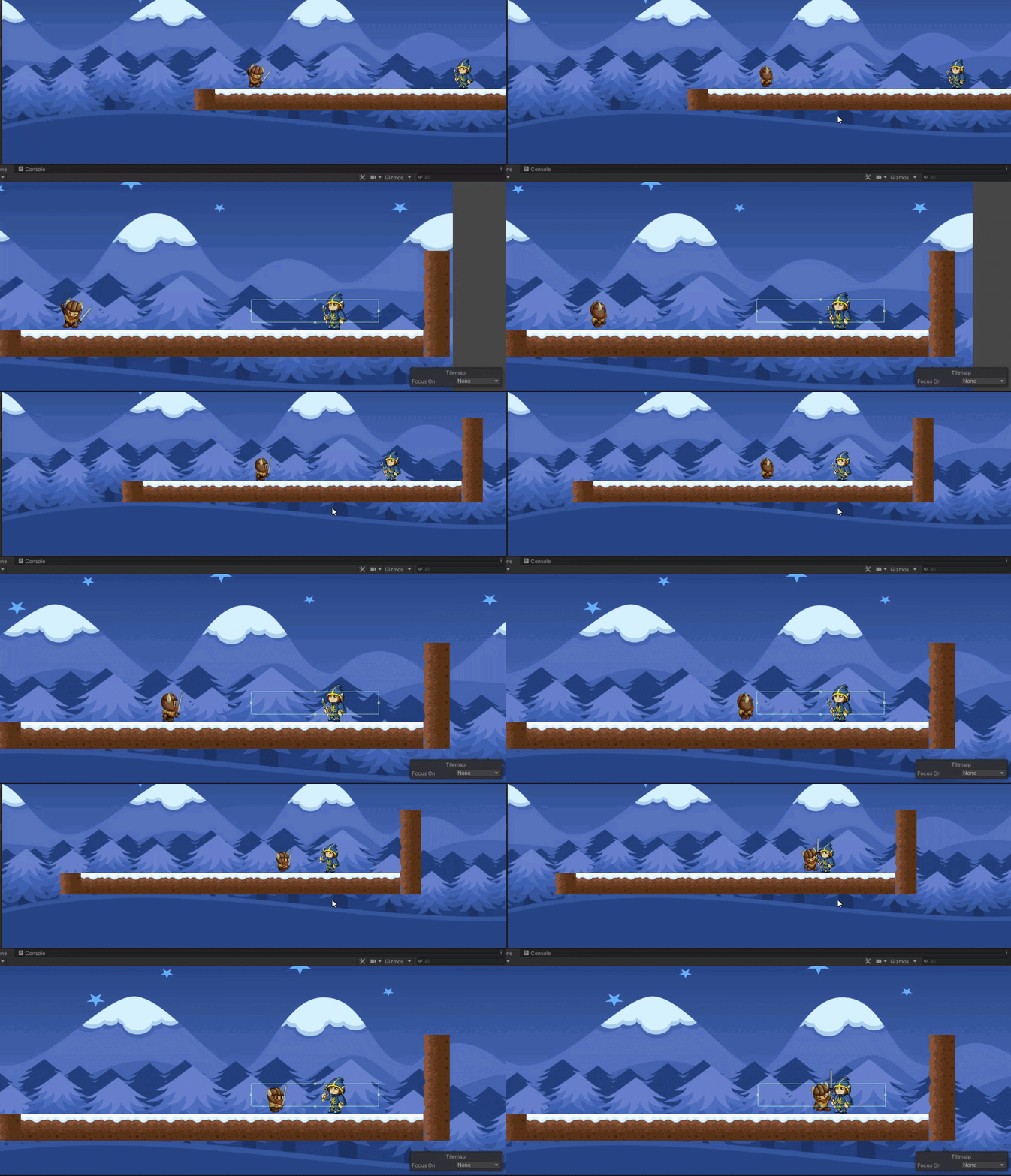
like this?
put the coroutine inside the ontriggerstay and this happends
laggs the fuck out of it and 0 spells
fired
compact knoll
show me the code
limpid drift
 void Start()
    {

        animator = GetComponent<Animator>();
        rb2d = GetComponent<Rigidbody2D>();
        spriteRenderer = GetComponent<SpriteRenderer>();
    }

    void Update()
    {

        if (health > 0)
        {
            if (this.transform.position.x > Player.transform.position.x)
            {
                isFacingLeft = true;
            }
            else isFacingLeft = false;

            Box.transform.position = enemyCollider.bounds.center + (isFacingLeft ? Vector3.left : Vector3.right) * 1f;
            spriteRenderer.flipX = isFacingLeft;
            float distancetoPlayer = Vector2.Distance(transform.position, Player.position);

            if (distancetoPlayer < Attackdistance)
            {
                AttackPlayer();
                animator.SetBool("Run", true);
            }
            else
            {
                Stopattackplayer();
                animator.SetBool("Run", false);
            }
        }
    }

    private void OnTriggerStay2D(Collider2D Player)
    {
        if (Player.gameObject.CompareTag("Player"))
            StartCoroutine(AutoFire());
            animator.SetBool("attacking", true);

    }

    private void OnTriggerExit2D(Collider2D box)
    {
        animator.SetBool("attacking", false);
    }


    private void FireBullet()
    {
        Instantiate(Spell, transform.position, transform.rotation);
    }
    private IEnumerator AutoFire()
    {
        while (true)
        {
            FireBullet();
            yield return new WaitForSeconds(FireRate);
        }
    }
 snow willow
limpid drift
```csharp
void Start()
{
animator = GetComponent<Animator>...
snow willow
limpid drift
```csharp
void Start()
{
animator = GetComponent<Animator>...
You're starting a new coroutine every physics frame
snow willow
Maybe use OnTriggerEnter2D?
compact knoll
something like this:
    private void OnTriggerStay2D(Collider2D collision)
    {
        if (collision.CompareTag("Player"))
        {
            if(canFire)
                StartCoroutine(AutoFire());
        }
    }

    private IEnumerator AutoFire()
    {

            canFire = false;
            Instantiate(Spell, transform.position, transform.rotation);
            yield return new WaitForSeconds(FireDelay);
            canFire = true;
    }
eh... that's kinda sketch too but I guess slightly better
it at least won't blow things up
limpid drift
but if i do it inside the ontriggerenter2d it will do it only once when inside the trigger zone
snow willow
limpid drift
but if i do it inside the ontriggerenter2d it will do it only once when inside t...
YOu have a while (true) though
it will start the coroutine once, but the coroutine will continue shooting forever
limpid drift
but the animator will only do the animation once aswell then
even if the coroutine will keep going
snow willow
maybe do the animation in the coroutine then?
or rather
wait why would it only do the animation once
compact knoll
set the animation to loop?
snow willow
^
you're setting the bool in OnTriggerEnter
it should keep playing till you set it false, no?
TBF it depends on how you set up your state machine in the animator
nova bear
how can I make a child gameobject unaffected by the parent's changing position?
limpid drift
u were right praetor
but now i got a other thing i got it set to ontriggerenter2d
but it wont do the Instantiate(Spell, transform.position, transform.rotation);
it destroys the gameobject the second i enter the trigger zone
snow willow
nova bear
how can I make a child gameobject unaffected by the parent's changing position?
you can't really. DOn't make them parent/child if you want that
nova bear
ok
limpid drift
snow willow
you're setting the bool in OnTriggerEnter
your right its working now
now i need to set a boxcollider on the bullet make it deal damage and give it velocity because now it just standing still
thanks alot im happy its atleast working now when the player enters the trigger
 misty kelp
Excuse me, I can't make scripts for the cooking game, because I don't know how, because I need help.
Please respond to me.
compact knoll
misty kelp
Excuse me, I can't make scripts for the cooking game, because I don't know how, ...
All this effort asking so much could have been spent learning c# and you would have the skills to do so by now
 vocal condor
No ones responding because you need to go watch a tutorial.
misty kelp
vocal condor
No ones responding because you need to go watch a tutorial.
Of what?
vocal condor
Of whatever you need help with.
misty kelp
compact knoll
All this effort asking so much could have been spent learning c# and you would h...
I'm just working on a game.
compact knoll
misty kelp
I'm just working on a game.
Yep and you've been asking for your cooking mama type scripts for weeks on here and on reddit. Just go learn c# and you'll be able to do it yourself
vocal condor
Or go on the forums and look for someone to team up with you; to do the scripting for you.
misty kelp
vocal condor
Or go on the forums and look for someone to team up with you; to do the scriptin...
I can't go on the forums.
misty kelp
compact knoll
Yep and you've been asking for your cooking mama type scripts for weeks on here ...
I just need help.
vocal condor
misty kelp
I just need help.
With what? What part of the scripting?
misty kelp
vocal condor
With what? What part of the scripting?
With just the cooking steps.
vocal condor
What's the cooking steps.
I have a question about
Javascripting but I'm too lazy to actually formalize it in words unless there's someone on the channel who might be able to answer it
https://dontasktoask.com/
Be thorough in your questions.
misty kelp
Steps like from cooking mama.
vocal condor
What have you gotten already?
misty kelp
vocal condor
What have you gotten already?
Nothing.
vocal condor
Good luck.
misty kelp
vocal condor
Good luck.
I just need steps for a cooking game.
 midnight nexus
hey i got a question, can someone explain to me how to go about 2d platformer controlers and what i need to do physics wise?
vocal condor
midnight nexus
hey i got a question, can someone explain to me how to go about 2d platformer co...
There are lots of 2d platformer tutorials out on the web. Google/YouTube one/some of your liking and pick what works for you.
misty kelp
Here's the game I'm working on.
 midnight nexus
vocal condor
There are lots of 2d platformer tutorials out on the web. Google/YouTube one/som...
midnight nexus
vocal condor
There are lots of 2d platformer tutorials out on the web. Google/YouTube one/som...
i know, but can someone explain it to me here? as i already looked up a lot of tutorials, but none of them were really what i was looking for
misty kelp
vocal condor
There are lots of 2d platformer tutorials out on the web. Google/YouTube one/som...
I need steps like sautéing the cabbage, slicing the green onion, folding the gyoza, and deep frying the gyoza.
compact knoll
misty kelp
I need steps like sautéing the cabbage, slicing the green onion, folding the gyo...
Look up some recipes?
misty kelp
compact knoll
Look up some recipes?
Making a similar game to Cooking Mama.
vocal condor
midnight nexus
i know, but can someone explain it to me here? as i already looked up a lot of t...
If you know your exact particular question folks might be able to answer your question else folks will likely not hold your hand through the entire process; especially one that there's been many tutorials about. As is, your question about how to go about a 2d platformer and implementing physics is way beyond the scope of Discord Q/A.
midnight nexus
alright forget it
misty kelp
compact knoll
Look up some recipes?
Hello?
 hollow crown
misty kelp
I need steps like sautéing the cabbage, slicing the green onion, folding the gyo...
hollow crown
misty kelp
I need steps like sautéing the cabbage, slicing the green onion, folding the gyo...
What has this got to do with 2D code or Unity
misty kelp
hollow crown
What has this got to do with 2D code or Unity
This is simple, those are the steps for the first recipe in the cooking game.
hollow crown
If you're looking for code, I think you've been told before that nobody will be giving that to you
misty kelp
hollow crown
If you're looking for code, I think you've been told before that nobody will be ...
That's a lie.
hollow crown
if you're looking for advice, the question's extremely general, and I would just go through some basic tutorials to build up general knowledge
 abstract olive
misty kelp
That's a lie.
abstract olive
misty kelp
That's a lie.
I just don't understand. You post once a week, asking for someone to make the game for you, and then disappear when nobody (obviously) does. What are you doing between each time you spam this question? You could have been learning, that's for sure.
Stop asking, this is your last warning.
Also, just want to point out that including the above link, you've been told another two times to stop asking for free work.
#archived-game-design message
#🖼️┃2d-tools message
So, we're just going to skip the warning/mutes if you do it again and go straight banning.
I suggest you do some learning, make an attempt, and then ask for help if you have specific coding questions.
 fading osprey
im trying to instantiate an object in a 2d game using z axis, this is the code i have
Vector3 pos = Ground.CellToWorld(new Vector3Int(i, o, 0));
Instantiate(Prefabs[0], new Vector3(pos.x, pos.y, -2), Quaternion.identity);
```but it seems to be instantiating the object but doing nothing along the z axis, Ground is a tilemap and Prefabs[] explains itself with its name, the prefab has no scripts on it, what am i doing wrongmay i ask why you need it to be at -2 on the z axis if this is 2d?
fading osprey
some layering stuff (yes i know about sorting order but i alreadyam using some sorting order stuff to make things not weirdly overlap)
andm ultiple of the object are being created with the possibility of them being close, i set it to -2 for testing
once it acutally does stuff on the z axis i will set it to the value to get the diffrent things to layer correctly
compact knoll
and you are certain that the object you instantiated is not on position -2 along the z axis?
compact knoll
what is its position on the z axis?
fading osprey
wait hold on, for some reason some of the instantiated things are doing z axis stuff, ima check the other pieces of the code that spawns them
ok i found the problem sorry for wasting some time
 minor barn
How do I set the connected rigid body for a spring joint using a script? It only has a get function.
Ah, found it, it's connectedBody, not connectedRigidBody.
 dusky wagon
I have a moving platform. I used to move that platform with the Vector2.MoveTowards function and applied friction to the object, by setting the player to be a child object of the platform whenever he touches it, but now I switched to moving it with rigidbody velocity and the friction method doesnt work anymore. The player just falls right off. Why is that and how could I fix it?
 magic shoal
i get "no overload for method 'addforce' takes 3 arguments",anybody knows what is wrong with my code?
 hollow crown
public void AddForce(Vector2 force, ForceMode2D mode = ForceMode2D.Force);
Also, 0 times anything is 0, so your logic also has flaws
magic shoal
wait lemme try something
magic shoal
hollow crown
> public void AddForce(Vector2 force, ForceMode2D mode = ForceMode2D.Force);
got this error "Movement.AddForce(Vector2, ForceMode2D)' must declare a body because it is not marked abstract, extern, or partial"
hollow crown
what did you do?
 hollow crown
You just copied the signature of the method you're trying to invoke that I posted, that's not going to do anything
invoke the method using variables that match the signature's definition
stoic moon
I have an upgrade in a scene that I don't want to be re-instantiation when i leave the scene and come back.I have a boolean that controls weather or not it's been picked up. I have multiple of these objects in my game, so using something like static wont work since it effects all of the types of that object. How would i go about solving my problem?
stoic moon
nvm i found a fix
dusky wagon
dusky wagon
I have a moving platform. I used to move that platform with the Vector2.MoveTowa...
Why does this happen? I would assume that velocity also moves a child object, because my player character also moves with velocity and all its child objects move with it and the velocity also changes the transform
dusky wagon
I looked some things up and from what I can tell, it should work. is it the way I am moving the platform? Im moving it like this:
rb.velocity = (pos[movingTowards].position - transform.position).normalized * MovementSpeed;
Both of the points are Vector2s
stoic moon
How would i make something launch towards the player using addforce?
dusky wagon
dusky wagon
I looked some things up and from what I can tell, it should work. is it the way ...
@stoic moon probably the exact same system I used here
Just change pos[movingTowards].position to be your target position and transform.position to be the position of your object
stoic moon
thanks
vocal condor
var direction = (target.position - transform.position).normalized;
var force = direction * speed;
rb.AddForce(force);
You could also do that in a single line I think
vocal condor
I was being informative using code relative to naming conventions.
dusky wagon
Yes
stoic moon
vocal condor
```cs
var direction = (target.position - transform.position).normalized;
var for...
that kinda just moves the enemy towards the player, how would i make it be flung towards it?
vocal condor
Play around with speed 🤷♂️
dusky wagon
And only call it whenever you want to launch it, not every frame
stoic moon
I have this script to handle my doublejumping(In a bigger jumping script). My problem is that the jump instantly adds 2 to the jumpamount and stops you from doublejumping if i use getkey, however using getkeydown makes the jump really unresponsive. how can I fix this?
 vocal condor
stoic moon
I have this script to handle my doublejumping(In a bigger jumping script). My pr...
vocal condor
stoic moon
I have this script to handle my doublejumping(In a bigger jumping script). My pr...
Try using GetKeyDown rather than GetKey.
stoic moon
Using getkeydown makes it so that the space bar sometimes doesnt register
or that you have to wait a bit before placing space
i mean pressign sorry
AHHH IC ANT SPELL
vocal condor
It should always register if done correctly
You'd want input to be handled in Update and physics to be done in Fixed Update
dusky wagon
Yes GetKeyDown checks if the key was pressed in the current frame, but if you run it in fixed update, the update might not run the frame you press it
stoic moon
It should be running in regular update
vocal condor
If anything you could place everything (your if statement and all) in Update since you're only going for instantaneous jumps.
stoic moon
Here's my full jumping code, running in update

I have the same problem with regular jump and using getkey fixed the problem
oh wait its running in fixedupdate
wow
I'm really dumb
nova bear
I tried adding text to a GameObject but it doesn't show at all

oh wait
do I need a canvas?
dusky wagon
dusky wagon
I have a moving platform. I used to move that platform with the Vector2.MoveTowa...
Also I assume no one knows why this happens? If so I would try moving the objects with vector2.movetowards, but that would make detections a lot harder
vocal condor
dusky wagon
I have a moving platform. I used to move that platform with the Vector2.MoveTowa...
Are you moving the player with velocity? If so you're overriding all friction and opposing forces.
dusky wagon
Oh yeah that might be the case
 vocal condor
Try using tmpro
dusky wagon
vocal condor
Are you moving the player with velocity? If so you're overriding all friction an...
Thank you! That seems to be the problem. Now I only need to find a way to fix it
dusky wagon
@vocal condor do you have an idea about how I could fix this? I tried adding the velocity of the moving platform to the player, but I calculate the movement in the fixed update and not every frame so that when I do this, the player always has a higher velocity than the platform because of the short moments between the fixed updates
vocal condor
Perhaps apply player movement in fixed update as well; only acquiring input/character states and such from update.
dusky wagon
The player movement already is in the fixed update
Im going to try to put the platform movement in fixed update, but I dont think that will do anything, since Im working with velocity
vocal condor
Well, you're eventually going to have to use cumulative velocity by either having extra velocity variables to be added to your formula or using forces (introducing sliding, if not overwriting).
rb.velocity = (...).normalized * MovementSpeed + extraVelocity;
```ie movement velocity + extra velocity.Hm the problem would be the y velocity. Its a sidescroller game so the player has gravity and jumping phyisics, and there isnt a set value on how fast he is
dusky wagon
vocal condor
```cs
rb.velocity = (...).normalized * MovementSpeed + extraVelocity;
```ie move...
Is there a way I can modify this in order to work with this gravity?
vocal condor
It should have simply been your original formula with the inclusion of extra velocity.
How were you implementing jump prior to this?
dusky wagon
It was like this:
Check if the jump key was pressed in the update method. If it is, check if the player is on the ground. If so jump. This jump works with add force. If not, check if a double jump is available (boolean) if so, activate the double jump. This one works by setting the y velocity to a certain value
Also I dont necessarily need the object to move with rigidbody velocity, but I have a script on the player that detects when the player is between two objects and one of them is moving towards him and kill him if it is and I need a way of detecting whether the object is moving towards him or not and thought the best way for the would be rigidbody velocity since it would be universal for all objects
However if it is easier to just do it with Vector2.MoveTowards, I could do that as well
vocal condor
Try out a variety of ways and pick your poison. Implementing fake physics with rigid body physics has always been extra work. Hopefully you can find a middle ground that will satisfy both needs.
dusky wagon
Okay I guess Im going to go with the second way and make some sort of script that holds a direction variable. Anyway, thanks for all of the help!
still tendon
Does anyone know what's up with this image file? I'm just trying to get it in a proper format


 kindred pebble
what are you currently using for regular movement?
still tendon
I’ve been trying to edit the 2d platformer template by using my png in place of the character idle animation and it doesn’t show up in the game play, it shows the pre-existent walk animation but when the character goes idle it’s invisible. I’m not sure why. (Didn’t mean to interrupt)
kindred pebble
ah okay, transform movement. I would do something simple like track your current movement when you're pressing a / d then when you get the input for dash you just move in that direction with transform.position for an extended amount of time either with a coroutine or update timer. So move in x direction with y speed for z amount of time
you would track your movement a/d so you can 'dash' in that direction
will also have to 'turn off' regular movement during dash
    {
        yield return new WaitForSeconds(dashCoolDownTime);
        canDash = true;
    }

``` would be an example of a Coroutine

then when you want to call that you would do
```            StartCoroutine(DashCoolDown());
Ferb
kindred pebble
it's basically calling that timer from below
kind of, you would need to set up different bools to check if dashMovement is done, if you can move, etc.
yeah so with that you're just setting a new transform, you'll need to do it with Time.deltatime
I have a simplyish setup I can send you from an old project if you want more code
 mellow sleet
hi i have a animation in my prefab, can someone tell me what the code should look like that tha animation gets played?

 cedar panther
I have a pretty basic question, I know I can get the angle between 2 points using Vector2.Angle, but how would I get a Vector 2 from a given angle and distance?
 late viper
cedar panther
I have a pretty basic question, I know I can get the angle between 2 points usin...
late viper
cedar panther
I have a pretty basic question, I know I can get the angle between 2 points usin...
you don't. the math doesn't work that way
cedar panther
sorry, given angle, distance AND position
 tall current
that is a Vector2 though...
late viper
he wants to find the other point
cedar panther
that's... true
tall current
reverse-trigonometry it?
cedar panther
maybe a use case would make more sense, I'm trying to raycast to the left and right of my gameobject
and other positions as well...
late viper
why not just use Physics2D.Raycast then?
tall current
it does?
late viper
it requires a point and a direction
cedar panther
I didn't see an overload for angle
tall current
it requires an origin and a direction.
late viper
not two points
cedar panther
oh it literally says direction in the method
tall current
yeah.
cedar panther
So that means the angle is also a Vector2
tall current
the angle?
late viper
uhhh no?
cedar panther
ahh.. right.. angle is different than direction
late viper
just use transform.right
tall current
what are you trying to do?
cedar panther
A sweeping raycast from the left and the right object to forward
tall current
I feel like you don't want to use raycasts for that...
cedar panther
no? I'm doing a collision and distance check over time
late viper
if you want to check an area you can use circlecast or boxcast
cedar panther
nah I need to check specific points.. it's kind of an odd game
cedar panther
so I need to know if it hit, what it hit, what angle it hit it at, and what it is.
tall current
this should give you all that info.
cedar panther
it has to be more granular
tall current
with some mixing in of raycasts maybe...
hmm, okay.
If ya say so. You should probably make a method that cast rays in all directions with a specific distance between each ray from the origin all around you then?
late viper
you should explain what you want to do in more detail, because right now its unclear what you actually need
cedar panther
ok so I'm emulating something similar to lidar/sonar
the data return is going to modify the audio, volume and pitch, along with some audio effect based on what you hit.
so as the raycast sweeps on the left and right to forward over time, you will get audio feedback on the environment
tall current
maybe you can try using this:
    private void GrainCast(float rayAmount)
    {
        //Creating apropriate shooting angles and angle intervals for the entire thingie.
        float angleStep = 360 / rayAmount;
        float angle = transform.rotation.eulerAngles.z;

        for (int i = 0; i < rayAmount; i++)
        {
            //Ray direction relative to the angle.
            Vector2 localDir = new Vector2(Mathf.Sin(angle * Mathf.PI / 180f), Mathf.Cos(angle * Mathf.PI / 180));

            Physics2D.Raycast(transform.position, localDir);

            //Adds the next angle interval.
            angle += angleStep;
        }
    }
should give you a surrounding raycast
cedar panther
that's far more complicated than I expected it to be
fading osprey
how do i make an entire sprite a solid color?
cedar panther
I'll take a look at that, thanks @tall current
tall current
fading osprey
how do i make an entire sprite a solid color?
it the sprite already is a certain colour, you cannot.
You can work around that by using SpriteMasks and other shenanigans.
fading osprey
ok
tall current
cedar panther
I'll take a look at that, thanks <@!186201209055608833>
You might have to modify it a bit. I wrote that just now - so I haven't tested it.
late viper
its also not very efficient
tall current
I wouldn't recommend spamming raycasts everywhere either.
But it should be fine if it's only the player doing it.
The top answer here recommends using Physics.OverlapCircle as I said earlier.
https://answers.unity.com/questions/30224/how-expensive-is-ray-casting.html
Unity is the ultimate game development platform. Use Unity to build high-quality 3D and 2D games, deploy them across mobile, desktop, VR/AR, consoles or the Web, and connect with loyal and enthusiastic players and customers.
cedar panther
Yeah there is only one object using the raycasts
tall current
it's not optimal - but it should be fine even if you're casting like 360 rays... probably.
cedar panther
They are going to be cast over time, so it's going to be a handful of raycasts per second
still tendon
public GameObject CalculateSquareTopRight(GameObject pos1, GameObject pos3)
    {
        GameObject pos2 = GD.tileGrid[Mathf.FloorToInt(pos1.transform.position.x), Mathf.FloorToInt(pos3.transform.position.y)];
        return pos2;
    }```

So I got this GameObject that returns the top right position of a square based on the top left and bottom right positions, given through player input. I am getting an ``index out of bounds array `` error for GameObject pos2. I don't really understand why, tileGrid is a GameObject 2d array that generates tile gameobjects in a grid. Could anyone help me out here?if your grid is 2x2, and the object is at position 2, then you're trying to access index 2 of the array
which is out of bounds
0 and 1 would be the valid indices into an array of length 2
so maybe you want position.x - 1?
still tendon
snow willow
if your grid is 2x2, and the object is at position 2, then you're trying to acce...
should I do - 1 at the end of each?
yeah
I'll try that. I know pos1 and pos3 are fine because when I press numpad 1 the tile changes on those corners
It seems like that works, thanks @snow willow
@snow willow Okayyy, for some reason the problem is still persisting
    public GameObject CalculateSquareTopRight(GameObject pos1, GameObject pos3)
    {
        GameObject pos2 = GD.tileGrid[
Mathf.FloorToInt(pos1.transform.position.x) - 1,
Mathf.FloorToInt(pos3.transform.position.y) - 1];
        return pos2;
}```Hey what’s the difference between ray casts and line casts
I need to check if there is ground below the player
midnight nexus
ty
midnight nexus
umm also
how do i shoot a linecast and make it return something as true once it hits a specific area
{

    public Rigidbody2D rb2D;
    public Animator animator;
    public SpriteRenderer SpriteRenderer;

    public float jumpHeight;
    public float moveSpeed;
    public float velocity;

    bool isGrounded;

    [SerializeField]
    Transform groundCheck;

//TODO: Left/right movement, Jump

    // Start is called before the first frame update
    void Start()
    {
        animator = GetComponent<Animator>();
        rb2D = GetComponent<Rigidbody2D>();
        SpriteRenderer = GetComponent<SpriteRenderer>();


    }
    private void FixedUpdate()//for movement
    {
        //sorry for the amount of if statments, might optimise later, but for now... cry about it


        if (Physics2D.Linecast(transform.position, groundCheck.position, 1 << LayerMask.NameToLayer("Ground")))
        {

            isGrounded = true;

        }
        else
        {

            isGrounded = false;

        }


        if (Input.GetKey("d") || Input.GetKey("right"))
        {
            rb2D.velocity = new Vector2(moveSpeed,rb2D.velocity.y); //for right sided movement
            animator.Play("Run");
            SpriteRenderer.flipX = false;

        }
          else if(Input.GetKey("a") || Input.GetKey("left"))
        {
            rb2D.velocity = new Vector2(-moveSpeed, rb2D.velocity.y); //left movement
            animator.Play("Run");
            SpriteRenderer.flipX = true;
        }

        else
        {
            animator.Play("Idle");
            rb2D.velocity = new Vector2(0, rb2D.velocity.y);//resets to zero when not moving so there is no slipperiness(is that a word??)

        }
        if (Input.GetKey("space") && isGrounded) //jump
        {
            rb2D.velocity = new Vector2(rb2D.velocity.x, jumpHeight);
            animator.Play("jump");
        }
    }


}```this is my movement scrip code
and the player cant jump
 opal socket
I guess it’s because the name of the key is “Jump”, iirc? Not sure, i’m always using KeyCodes anyways
Also it’s in FixedUpdate so your input might not be detected at the moment you press the spacebar
midnight nexus
Oh okay, well, I don’t think that was the problem cause I changed it and It still didn’t work
Thanks anyways:D
compact knoll
midnight nexus
```public class PlayerController : MonoBehaviour
{
public Rigidbody2D rb2D;...
is your layermask correct? you can print your layermask to the console to ensure it's correct. Or instead of setting it the way you are, you could serialize a LayerMask field and set it in the inspector that way
midnight nexus
compact knoll
is your layermask correct? you can print your layermask to the console to ensure...
Oh okay, let’s try that!! Tysm
Omgggg
It worked
Thanks!!!
compact knoll
sweet, glad that worked for you
although, you may want to consider switching to a boxcast or circle cast since the linecast will only check between two points and i'm sure your player is significantly wider than a single line
 gusty ermine
How do I make an image that I can drag and drop with the mouse?
What sort of code would I n eed for that?
IMAGE
NOT sprite
still tendon
an image that u put into the game is sprite
so it is technically sprite
and u can google that yk?
 turbid heart
still tendon
an image that u put into the game is sprite
turbid heart
still tendon
an image that u put into the game is sprite
No. Image is UI. Sprite is sprite renderer
gusty ermine
turbid heart
No. Image is UI. Sprite is sprite renderer
^^ I can't figure out how to make sprites actually show up on my canvas so I'm using an image UI element, and I need to know how to drag and drop that image UI element
gusty ermine
still tendon
and u can google that yk?
And google and youtube aren't helping in the slightest
still tendon
turbid heart
No. Image is UI. Sprite is sprite renderer
ic
I haven't messed with the UI system enough to know about that

This tutorial demonstrates how to build a drag and drop inventory system with the new UI tools released with Unity 4.6. It also delves into the event system.
Suitable as the basis for an inventory system. Or adapt it to your own drag and drop needs.
If you enjoyed this video, please like, share and subscribe. You can find more of my videos on ...
is this what you're looking for/
gusty ermine
That uses unity 4 which is totally unhelpful because of how out of date it is
still tendon
try it out it might still work
gusty ermine
I tried it about an hour ago and it didn't work
I tried about 10 other youtube tutorials too and they didn't work either
Which is why I'm here
 still tendon
u should try some kind of code that works with a sprite but instead of messing with the transform of the sprite u can mess with the transform of the image
 raw pelican
@gusty ermine I don't know either. But an idea: for images (UI Image), they are contained within a canvas, which is a game object. Can you make any game object follow your mouse position? Can you make the canvas's game object do the same thing and follow your mouse position?
gusty ermine
No I can't
But what I did was I just changed to a sprite and am using that
But now I have another problem
Which is that I actually don't want it to stay where I release the mouse
I want to click, drag, and when I release the mouse I want it to bounce back to it's original position
How do I do that?
compact knoll
cache it's original position then you can lerp it back to that position
gusty ermine
compact knoll
cache it's original position then you can lerp it back to that position
And how do I do that?
compact knoll
which part of that did you not understand?
gusty ermine
using System.Collections;
using System.Collections.Generic;
using UnityEngine;

public class DragDrop : MonoBehaviour
{
    private SpriteRenderer mySpriteRenderer;

    public CardController cardScript;

    public GameObject parentObject;

    private Vector3 dragOffset;

    private Camera cam;

    private void Awake()
    {
        cam = Camera.main;
        mySpriteRenderer = GetComponent<SpriteRenderer>();
    }

    private void OnMouseDown()
    {
        transform.Rotate(new Vector3(0, 0, 45));
        dragOffset = transform.position - GetMousePos();
        mySpriteRenderer.enabled = true;
    }

    private void OnMouseUp()
    {
        cardScript.OnAdultQuestionClick();
        //mySpriteRenderer.enabled = false;
        transform.Rotate(new Vector3(0, 0, -45));

    }

    private void OnMouseDrag()
    {
        transform.position = GetMousePos() + dragOffset;
    }

    Vector3 GetMousePos()
    {
        var mousePos = cam.ScreenToWorldPoint(Input.mousePosition);
        mousePos.z = 10;
        return mousePos;
    }

}```also, use a paste site for large blocks of code
gusty ermine
compact knoll
which part of that did you not understand?
Every bit of it
How do I store the original position then jump back to it?
gusty ermine
compact knoll
also, use a paste site for large blocks of code
sorry
I'm a noob I have no clue how to store the location then jump back to it
compact knoll
store it as a variable, then you can set the transform.position equal to Vector3.Lerp(positionAtRelease, startingPosition, fractionOfJourney)
https://docs.unity3d.com/ScriptReference/Vector3.Lerp.html
still tendon
gusty ermine
How do I store the original position then jump back to it?
still stuck on the drag and drop thing?
gusty ermine
still tendon
still stuck on the drag and drop thing?
Yep
I got it sorta working, I switched to using a sprite instead of a button + image combo for what I want, but I now need it to not stay where I put it
still tendon
that's what i told u to do
still tendon
gg
gusty ermine
Only 1 check box but still took me an hour to find it lol
idk how to store the original position as a variable @compact knoll
compact knoll
transform.position is what you need to store. save it in a variable in your OnMouseDown method
Vector2 startingPosition = transform.position;
You may want to go refresh yourself on some basic C# tutorials as well as some unity tutorials if you aren't familiar with how to store a variable
gusty ermine
No ik how to store a variable I just didn't know what I need to store, and what type of variable I needed to store it as
Thanks
Wait a sec
Is there any reason I have to declare it there?
Couldn't I just declare it in the class, set it in OnMouseDown() and then call back to it in OnMouseUp() with transform.position = startingPosition?
Yeah that works perfectly
What's the point in using lerp then if I can just declare it in the class, set it in the function, then call back to it?
compact knoll
i mean you absolutely can do that, but lerping will actually move it over time so it isn't an instant teleport because those generally look bad. plus you said "bounce back" which implies you see it move back to the position
gusty ermine
Ok so here's what's up. It's a card drawing system, I want to grab the card, move the card, release the card, card goes invisible and goes back to top of deck and only reappears when you click the deck again while an animation plays showing the card in fullscreen
So for now I can see it
But I'm gonna make it invisible most of the time and only appear when you click the card
And for now it's just basic af just to get it working, I'll smooth it out later
 deep granite
hi im trying to get an object to move and this is the code i used, but it's not working for some reason and im not sure why?


is there a problem with the components?
gusty ermine
Uh dumb question but is it because your move speed is 0?
deep granite
in the tutorial i was following, they put that as 0 but the object still moved
just changed it but it still doesnt work
hollow crown
have shouldn't have two Translate components
and then just try putting in a large move speed value in the inspector
deep granite
sorry im kinda new to this, where did i put 2 translate components? @hollow crown
hollow crown
 still tendon
https://paste.ofcode.org/XYJERDbPB2knSYDEdvr3Gg <-- this is my catcher movement + score text code but the score part doesnt work instead it gives me an error NullReferenceException: Object reference not set to an instance of an object on line 33 . i get that its not able to find the text component but idk y or how to fix it
turbid heart
still tendon
https://paste.ofcode.org/XYJERDbPB2knSYDEdvr3Gg <-- this is my catcher movement ...
assign to your Text variable
if you make it public, you can just drag the Text from your scene to the variable field in the inspector
still tendon
Sry for the late update but i already fixed the problem
My game is working fine now and it's completed
dusky wagon
Will constantly setting the velocity and object to a certain value each frame make it glitch through objects? My object does that and Im not sure if this is the reason or something else
compact knoll
It shouldn't, setting velocity uses physics
dusky wagon
compact knoll
It shouldn't, setting velocity uses physics
Does it have it be dynamic? I tried it with the setting and it seems to work
But I dont want it to have gravity or be pushable
compact knoll
Yeah it will need to be dynamic. You can also set the gravity scale for the RigidBody2D to 0 as well as its mass and drag
dusky wagon
Shouldnt mass be really high?
compact knoll
If you don't want it pushed around, sure
Since you're setting velocity directly that won't affect movement speed
dusky wagon
Okay thanks!
 meager cobalt
ive been going trough internet for like 1h
and i havent found how to change bool to true or false and i havent found how to change a float from like 5 to -5
atleast i havent found anything working for me
could someone tell me how would i do this
late viper
meager cobalt
ive been going trough internet for like 1h
and i havent found how to change bool...
its just myBool = true. I would suggest going through some basic C# tutorials first because that is one of the first things you learn
meager cobalt
okay
thanks
how could i toggle a boolean @late viper ?
by pressing a button i could switch it on/off
late viper
myBool = !myBool
 warped silo
hello, i'm trying to generate a world by a seed, i found a algorythm called "Perlin Noise", but i dont know how to use it in a 2D Tilemap.
 long topaz
warped silo
hello, i'm trying to generate a world by a seed, i found a algorythm called "Per...
long topaz
warped silo
hello, i'm trying to generate a world by a seed, i found a algorythm called "Per...
Do you know how the basics of it work? It's a function that essentially gives you set gradient noise based on 2 values
warped silo
long topaz
Do you know how the basics of it work? It's a function that essentially gives yo...
could you try to explain this to a 2 year old german kid? 😂
and no, i dont know the basics of Noise.
long topaz
Ah dang, it's a long trip then. I've messed around with that stuff for a year and did a lot of random generation for a couple of projects
warped silo
oh ok 😫
long topaz
I can try either here or in dm's if you wish
long topaz
probs so the chat doesn't get lost
dusky wagon
late viper
`myBool = !myBool`
Oh wow thats so much smarter than what I used to do
gusty ermine
I need some help. Basically I'm working on a board game that has trivia cards as a major element. There's 4 types of cards but only 2 are relevant here. There's the trivia cards, and treat cards. Trivia cards is either gain 3 points or gain 0 points depending on whether or not you answered the card correctly, and that's a super easy system that I already have working fine. The problem is the treat cards... Treat cards either give you a special item, give you anywhere between 1 and 6 points, and can sometimes remove points aswell. It can't be random since alot of the penalties/rewards only make sense when read with the card so I can't just randomly put in an amount of points, so I need to store all of the rewards/penalties and when I pull a random card it would give you the reward/penalty/item from that card when you click okay and I don't know how to do that
Right now I'm storing my cards in strings but I don't know how to store instructions in a string instead of just text.
late viper
gusty ermine
I need some help. Basically I'm working on a board game that has trivia cards as...
why are you storing cards in a string? why not use a class?
gusty ermine
Because I thought a string would be better?
And because I'm a noob and wouldn't know where to start for storing the cards in a class
late viper
gusty ermine
And because I'm a noob and wouldn't know where to start for storing the cards in...
hmm, maybe go through this first https://www.w3schools.com/cs/cs_classes.php
tall current
My child collider is being used by my script on my parent collider, how do I make that not happen?
the colliders join together
gusty ermine
late viper
hmm, maybe go through this first https://www.w3schools.com/cs/cs_classes.php
Ok but I still don't see how storing it in a class solves my problem of strings with instructions
I have 50 or so cards
Each one needs to be picked at random with its instructions
late viper
if you use a class, you can store multiple attributes in the cards that you can use to store things like instructions and points
then you can make a list of Cards that you can just pull and read from
gusty ermine
Ok can you write an example for me? Basically "Card text" + add 5 points
card1 = "yeet" += 5 points doesn't work
Or at least if it does idk how to pick at random from card1 card2 or card3
What I'm doing for the trivia cards is storing them in a string and storing the answers in a second string, picking the question, storing the question as I, displaying I, then displaying I from another string
But the treat cards are only in 1 part, and it has to be together it can't be seperate like the trivia
And it' sconfusing tf outta me
late viper
so something like
class Card
{
  int points = 5;
  string instructions = "your instructions here";
}
then you make List<Card> cards = new List(); and add cards to the list with Card c = new Card();
gusty ermine
Wait so say I have several different cards that give +5, could I list all of those cards off there, then list off all of the 4 point cards etc?
late viper
sure
gusty ermine
Ok let me put this in and see if I can piece it together
late viper
you should probably use a constructor as well. refer to this https://www.w3schools.com/cs/cs_constructors.php
and maybe just go through the OOP section while you're there
gusty ermine
OOP?
gusty ermine
late viper
then you make `List<Card> cards = new List();` and add cards to the list with `C...
Do I put this in the card class or in my main code class?
Ohh ok bet
Never heard it called OOP before lol
late viper
main code
gusty ermine
ok
class card
{
    int points = 5;

    string[] treatCards =
        {"CARD 1 yaaasa \n +5 points",
        "CARD 2 yeetus deetus this card is sexy \n +5 POINTS",
        "CARD 3 YEET \n +5 POINTS.",
        "CARD 4 just a card \n +5 points"};

}```Where would I go from here
And then where would I go about entering in all of the 4 point cards
Would I use another class with another set of integer + string?
Because that doesn't sound right
Ideally instead of complicated workarounds it should just read the card and add to my global points variable the correct amount of points
I guess technically I'm storing all my stuff in arrays of strings
But w/e
late viper
gusty ermine
```cs
class card
{
int points = 5;
string[] treatCards =
{"CARD...
uhh no. You don't want to store ALL your card data in a class. A class is a template that you use to describe a card
late viper
so using my card class I wrote above, and assuming you write a constructor for it, what you want is probably:
Card Card1 = new Card (5, "yaaasa");
Card Card2 = new Card (5, "sexy card");
Card Card3 = new Card (5, "YEET");
Card Card4 = new Card (5, "just a card");
Could I make an array of integers pertaining to every single card, then pick the same index from that array as I do from another array?
Might be a lazy workaround but do you think it'd work?
late viper
then you can access the data using Card1.points or Card1.instructions
why not just use random on a range of integers
you don't need an array
gusty ermine
late viper
so using my card class I wrote above, and assuming you write a constructor for i...
And this goes in main code not in new class?
I don't want random, I want it to be set for every card
If the card says lose all your points then it'd make no sense for it to take only 5 points
late viper
then you can add a field in the class that can be bool losePoints = false;, and check it when you pick a card
late viper
when I say random I mean when you pick a card randomly
gusty ermine
ik
late viper
the card properties aren't random
gusty ermine
I don't want to randomly pick the card and the points I want to randomly pick the card and have the points be preset
late viper
yes I know, I never said the points are random
gusty ermine
Then what's the point in a random range of integers?
late viper
oh I misunderstood your initial question. I guess it can work but it'll be very prone to errors
gusty ermine
late viper
then you make `List<Card> cards = new List();` and add cards to the list with `C...
This in main code
gusty ermine
late viper
so using my card class I wrote above, and assuming you write a constructor for i...
This also in main code
Right?
And if so then what exactly is the point in the class?
I can't figure this out
I'm completely lost
late viper
gusty ermine
And if so then what exactly is the point in the class?
the point of the class is to have an easy way to access the data of your cards without using a bunch of arrays
did you go through the OOP stuff?
gusty ermine
yeah
But it just confuses me
I gotta take another course
but rn I jsut want to get this figured out
late viper
you can stick to your two array solution for now then, if you just want it working
gusty ermine
Yeah I just set that up
Seems to be working fine
And my game is very small so it doesn't really matter if something is poorly optimized it's going to use so little processing power anyway
 winged marlin
It only uses 2D movement controls right?
compact knoll
Modifying the transform for movement bypasses the physics engine. Use a RigidBody2D to handle movement. There are several options you have for that such as Add Force (which absolutely is 2d movement, idk why you would think it isn't really 2d), change the velocity directly, or MovePosition
Ah, add force still works though
you can use one of the other methods, just keep in mind that if you want like knockback and stuff they will be kind of annoying since they all either overwrite or ignore velocity
magic shoal
does anyone know what to add to my code so that landed becomes true only when the player lands on a platform (not going through it)
 vocal condor
On collision exit: landed = false
 visual mural
Okay guys so I have this following code I know I screwed up with the "Condition or" What I wanted to do was have the character move with arrow keys and WASD. I also wanted to make sure if two keys are pressed at the same time (like W and Up Arrow) the character doesnt move faster
The input works but I know this is a super messy approach
if (!keyPressed) //making real sure you cant speed the froggy up with two directional key presses
        {
            if ((Input.GetKeyDown(KeyCode.RightArrow) || Input.GetKeyDown(KeyCode.D)) && transform.position.x < 8)
            {
                keyPressed = true;
                rb.MovePosition(rb.position + Vector2.right);
            }

            else if ((Input.GetKeyDown(KeyCode.LeftArrow) || Input.GetKeyDown(KeyCode.A)) && transform.position.x > -8)
            {
                keyPressed = true;
                rb.MovePosition(rb.position + Vector2.left);
            }

            else if (Input.GetKeyDown(KeyCode.UpArrow) || Input.GetKeyDown(KeyCode.W))
            {
                keyPressed = true;
                rb.MovePosition(rb.position + Vector2.up);
            }

            else if ((Input.GetKeyDown(KeyCode.DownArrow) || Input.GetKeyDown(KeyCode.S)) && transform.position.y > -4)
            {
                keyPressed = true;
                rb.MovePosition(rb.position + Vector2.down);
            }

        }
        else
        {
            if(Input.GetKeyUp(KeyCode.RightArrow) || Input.GetKeyUp(KeyCode.D) ||
               Input.GetKeyUp(KeyCode.LeftArrow) || Input.GetKeyUp(KeyCode.A) ||
               Input.GetKeyUp(KeyCode.UpArrow) || Input.GetKeyUp(KeyCode.W) ||
               Input.GetKeyUp(KeyCode.DownArrow) || Input.GetKeyUp(KeyCode.S))
            {
                keyPressed = false;
            }
        }
You can cut that down a lot by using GetAxisRaw instead of polling each key manually like that
visual mural
Oh gosh i forgot about that, thank you
 restive jungle
I have a game where I want to have a cloud flutter around. I have the cloud at the top of the screen moving back and forth, but I want it to float around this point that's moving back and forth. I already have the parent object moving back and forth, and the cloud is a child object but I want the cloud to float around this point. I've tried using lerp, but it doesn't really look good I don't really know how to describe what I want and can't think of any examples, but i want it to float around this moving point.
compact knoll
if you modify the localPosition it will move in relation to the parent
restive jungle
I know how to get it to move, the problem is getting it to float around it
still tendon
I am having some trouble finding resources for this, but how can I detect if a player has made a building? I have a 2d grid made out of gameobjects called tiles. I tried looking into Flood-Fill, but that's not exactly what I'm looking for. Basically, I'm looking for a system similar to RimWorlds house detection
Each tile has an id, 0 for road, 1 for wall, 2 for floor
compact knoll
restive jungle
I know how to get it to move, the problem is getting it to float around it
use the localPosition to "float" around the parent object. unless by float you do not mean to move around the parent object while the parent object moves, in which case i'm going to need you to explain better
restive jungle
yea I am moving the child's position around the parent's position, that I can do just fine, I can't make it look good though
compact knoll
if it's a matter of it moving around the parent object in a good looking/fancy way then animate it
compact knoll
bro quit spamming. read #📖┃code-of-conduct
deep granite
can someone tell me why this is happening??
it only happens when the bounciness of the materials is above 1
and this is the code
 compact knoll
deep granite
it only happens when the bounciness of the materials is above 1
compact knoll
deep granite
it only happens when the bounciness of the materials is above 1
bounciness is a float from 0 to 1
https://docs.unity3d.com/Manual/class-PhysicsMaterial2D.html
going above 1 breaks physics
deep granite
oh whoops, thank you!
dusky wagon
If I use OnCollisionEnter2D, is there a way of detecting where the collision happened?
 fleet sundial
someone knows why the script to jump and go horizontally does not work (the game is in 2D)
 dusky wagon
You shouldnt check for input in fixed update
Check for it in Update instead
@fleet sundial
fleet sundial
ok
compact knoll
dusky wagon
If I use OnCollisionEnter2D, is there a way of detecting where the collision hap...
you can get the contacts for the collision, this has the different methods and properties available
https://docs.unity3d.com/ScriptReference/Collision.html
dusky wagon
compact knoll
you can get the contacts for the collision, this has the different methods and p...
I assume the point property is the thing I need here? I cant tell from the documentation, but it seems to be a Vector3 so that sounds right
 topaz axle
yeah it should be point
dusky wagon
Alright thanks
fleet sundial
sorry @dusky wagon I am a beginner in programming (and French) I followed this chain for the code and copy paste the code he put in his github https://github.com/TUTOUNITYFR/creer-un-jeu-en-2d-facilement-unity/commit/db4deb8b8fe9dd47ee0ce2fc0a0da8b008d741a9 (at the bottom of the page) all that to say I didn't understand at the moment i'm coppie sticking on google translation
 dusky wagon
Just move the check for the Pressed Jump Key from FixedUpdate to Update
fleet sundial
ok thanks
compact knoll
that's not actually necessary, it does make getting input snappier though
dusky wagon
But doesnt it miss some inputs if you check in fixewd update?
topaz axle
yeah exactly
dusky wagon
The higher the frame rate the more key presses it will miss
compact knoll
it can that doesn't mean it will. This is just polling the value of the axis though so it won't miss that
fleet sundial
like that
 topaz axle
yea
compact knoll
physics calculations should go in FixedUpdate, not Update. Make a separate Update and FixedUpdate function, put the input stuff into Update and everything else in FixedUpdate. Also you would need to make horizontalMovement a class level variable.
 wind trellis
yo i need some help
i use unity 5.6.7f1
and
i want to import the post processing package but it is removed from the assets store
and i don't have the package manager so
is there any way to install it manualy
like
idk
topaz axle
dont they have a git repo with it or am i dumb
wind trellis
topaz axle
dont they have a git repo with it or am i dumb
um wait
topaz axle

GitHub
Post Processing Stack. Contribute to Unity-Technologies/PostProcessing development by creating an account on GitHub.
this
you can grab 2.1.8 and youre good
wind trellis
topaz axle
https://github.com/Unity-Technologies/PostProcessing
yeah
how can i install it manualy dammit
dusky wagon
compact knoll
you can get the contacts for the collision, this has the different methods and p...
How exactly does the GetContacts method work? I would assume that it returns all of the contacts, but it seems to take contacts as an argument and return an integer
topaz axle
wind trellis
yeah
how can i install it manualy dammit
throw in the PostProcessing folder in your assets folder
that contains the necessary files
wind trellis
ok i think
compact knoll
dusky wagon
How exactly does the GetContacts method work? I would assume that it returns all...
you'll most likely want to use collision.contacts[0].point to get the first contact point
dusky wagon
compact knoll
you'll most likely want to use collision.contacts[0].point to get the first cont...
And a foreach loop if I want to get all?
topaz axle
yeah
 karmic kettle
hi there every one.hope you guys are doing fine,i'm kinda stuck at this thing if anyone could help i would really appreciate it.so the idea is that there is a map with multiple cities and each city has a capacity and a unit regen...when i click on my city i want it to get selected and then i click on an enemy city and i want troops to be lunched towards that enemy city.how can i make the lunching part in unity?
 topaz axle
OnMouseClick() should do the job
dusky wagon
It says:
You should avoid using this as it produces memory garbage. Use GetContact or GetContacts instead.
In the manual which is why I didnt want to use collision.contatcs. Do I have to worry about that? The article is about 3d and I am in 2D but Im not sure if that will make a difference
compact knoll
you can use GetContact(index) instead to avoid the memory garbage. my bad i forgot about that
topaz axle
karmic kettle
the question is how to do the section 5
you can add to the transform.position of the troops the direction between them and the enemy
syntax should be like:
in the troop script:
transform.position += (enemy.transform.position - transform.position).normalized * Speed * Time.deltaTime
dusky wagon
compact knoll
you can use GetContact(index) instead to avoid the memory garbage. my bad i forg...
And what would I do if I want to get all of them? I cant use a foreach loop for that, can I? That is why I tried the GetContacts method, but it doesnt work as I expected
topaz axle
for loop
dusky wagon
Do I first have to get the count and then do a for loop to cycle through each contact?
Oh yeah
compact knoll
for loop using i < collision.contactCount for the condition
karmic kettle
topaz axle
syntax should be like:
in the troop script:
```transform.position += (enemy.tra...
owww don't know why i didnt think of that
i think this should do the trick
thanks my g
topaz axle
yw
karmic kettle
this entitas thing is really a pain in the ...
wind trellis
topaz axle
that contains the necessary files
another problem
what script do i use
topaz axle
uhh layer and volume iirc
like
post process layer and post process volume
volume contains all the effects you want to apply and layer tells on what layers it should render the volume
i used to set it to everything since i wanted it to render on everything
wind trellis
ummm can i send photoes here?
topaz axle
yeah
 topaz axle
this

and this

they have the editor counterparts that tells unity how to show the scripts in the inspector
but you want to use the ones i sent
wind trellis
topaz axle
they have the editor counterparts that tells unity how to show the scripts in th...
what what i don't have those scripts
why
topaz axle
check the runtime folder
wind trellis
topaz axle
check the runtime folder
why the hell unity doesn't mport those scripts
dusky wagon
Whats the best way to detect on which side of a box collider a collision happened? I tried
if (collision.GetContact(i).point.y >= transform.position.y + 1.999)
As the box collider is exactly 2x2 big but it doesnt work
dusky wagon
Is that a good way?
still tendon
idk i just said it off the top of my head

Game Development Stack Exchange
I have a ball and a rectangle in my game.
The rectangle has a box collider 2d attached to it. How can I calculate or check when the ball hits the top of my collider, when it hits the bottom, left ...
maybe this'll work?
 mint geyser
dusky wagon
Whats the best way to detect on which side of a box collider a collision happene...
mint geyser
dusky wagon
Whats the best way to detect on which side of a box collider a collision happene...
you could get the normal of the contact point: ```cs
Vector2 normal = collision.GetContact(i).normal;
Thanks to both of you, I got it to work
 idle mountain
So im having this weird thing, where when I jump normally, the falling animation doesnt play, but when im running and jumping, it plays
Thats my code
Id love if I could get some help
 wooden ruin
is there an easy way to apply velocity in the direction a sprite is facing? (not transform.translate, I mean actual velocity)
oh i just made somthing that did that exact thing
ill copy paste the code
mouseWorldPosition = Camera.main.ScreenToWorldPoint(Input.mousePosition);
            mouseWorldPosition.z = 0;

            directionToMouse = (Vector2)(mouseWorldPosition - transform.position);

            directionToMouse.Normalize();
            transform.rotation = Quaternion.AngleAxis(Mathf.Rad2Deg * (Mathf.Atan2(directionToMouse.y, directionToMouse.x)), Vector3.forward);
probably something else i missed so if you have any questions just ask
dusky wagon
Im moving an object with
rb.velocity = (idlePos.position - transform.position).normalized * retreatSpeed;
I want it to move towards a point and stop once it hits that point. It works but when the velocity is too high it jitters a lot because it shoots over the point and then goes back to it. Is there an easy way to make it not go over the point? The only thing that comes to my mind is reducing the velocity once the object is in a certain distance from the target
wind trellis
i just downloaded unity 5.6.7f1 and i have SO MUCH troubles
wooden ruin
well, i have no idea
well yea
its just mouseworldposition
and direction to mouse
wind trellis
do you have duplicated scripts in your object
ok
have you locked the rotation?
oh
i ltrl have no idea
ohk
dusky wagon
dusky wagon
Im moving an object with
```cs
rb.velocity = (idlePos.position - transform.posit...
Does anyone have an idea how to fix this? I also set the velocity to Vector2.zero as soon as the object is in a range of 0.02f of the target object, but it seems to just miss that point
 honest python
My game runs horribly, even when I turn off everything in the scene except my camera, which has no scripts, I only get like 300-400 fps
I'm in unity 2020.3.14f
normally I get 2000 fps on most of my unity games
though they are in other unity versions
even in build it lags
when there's is nothing in the scene except a cursor following the mouse
honest python
dusky wagon
Im moving an object with
```cs
rb.velocity = (idlePos.position - transform.posit...
make it snap to the position of the target when it is in a certain range
 worldly reef
honest python
My game runs horribly, even when I turn off everything in the scene except my ca...
worldly reef
honest python
My game runs horribly, even when I turn off everything in the scene except my ca...
How complicated are the games running at 2000 FPS? That seems more like an oddity than something you should expect.
honest python
pretty complicated
all 23D tho
2D*
well complicated but definetily not heavy for pc
honest python
honest python
My game runs horribly, even when I turn off everything in the scene except my ca...
with lots of stuttering as well btw
also in the build
with just a cursor
worldly reef
Do you have a video?
honest python
I can make one 1 sec
do you see the stuttering
and that is with just a camera and a cursor in the scene
worldly reef
Interesting. What's your code look like?
honest python
for the cursor?
worldly reef
Yeah
honest python
public class CursorScript : MonoBehaviour
{
    // Start is called before the first frame update
    void Start()
    {
        Cursor.visible = false;
    }

    // Update is called once per frame
    void Update()
    {
        transform.position = Camera.main.ScreenToWorldPoint(Input.mousePosition) + Vector3.forward * 10;
    }
}
this is all
worldly reef
honest python
```cs
public class CursorScript : MonoBehaviour
{
// Start is called before ...
This might be your problem. Using Camera.main every frame is super inefficient. Make a Camera property and set it to Camera.main in. Something like Camera cam; and then in Start() do cam.ScreenToWorldPoint()
worldly reef
worldly reef
This might be your problem. Using Camera.main every frame is super inefficient. ...

Stack Overflow
Everywhere I see that using Camera.main is a bad practice and that we shouldn't use it. So what is the good practice to get the main camera object?
That might be a good reference
worldly reef
honest python
it still stutters even without the cursor tho
Let me know, it could be something specific to your computer, but that's all I see so far.
honest python
it only happens with this version of unity
but when I try to switch
I get tons of errors
worldly reef
What version are you using?
worldly reef
It seems that a lot of the newer versions of Unity are less stable. I would try recreating your game (or at least the cursor scene) in an earlier version like 2019.4 LTS
worldly reef
Good luck!
honest python
thanks!
dusky wagon
honest python
make it snap to the position of the target when it is in a certain range
Thanks. I also have a other idea that has to do with things happening in between frames so that it doesnt get caught. Or at least I assume so since it only happens when the object has a high enough velocity.
I made a script that is supposed to detect when you are getting crushed (checking if there is an object on one side of you and another one on the opposite side and one of the two is moving towards you), but when my objects velocity gets too high, it just doesnt detect it anymore.
The relevant code I used for detection is:
// This in Update()
topTouchedObjects = Physics2D.OverlapBoxAll(topCheck.position, topCheckSize,  0, solidObjects);
        bottomTouchedObjects = Physics2D.OverlapBoxAll(bottomCheck.position, bottomCheckSize, 0, solidObjects);
        side1TouchedObjects = Physics2D.OverlapBoxAll(sideCheck1.position, sideCheck1Size, 0, solidObjects);
        side2TouchedObjects = Physics2D.OverlapBoxAll(sideCheck2.position, sideCheck2Size, 0, solidObjects);
And then doing a foreach loop that cycles through each object in each of these arrays in the same frame and does some detecting.
Does anyone have any idea how I could fix this? Should I completely change my system for detecting crushing?
honest python
maybe raise ur FixedUpdate rate?
honest python
worldly reef
It seems that a lot of the newer versions of Unity are less stable. I would try ...
running at 1200fps now without stutter, thanks :)
also glad I did it cuz the interface looks a lot better now
wooden ruin
is the best way to have destructible terrain just to have everything made out of sprites or is there some other way i dont know about?
dusky wagon
honest python
maybe raise ur FixedUpdate rate?
Its running in update though
And I assume I cant make a higher check rate than my frame rate?
wooden ruin
nope, fixed update can go faster
dusky wagon
Oh okay how do I raise the rate?
wooden ruin
somewhere in edit>project settings i think
honest python
wooden ruin
nope, fixed update can go faster
wait what how the hell would it do that?
but tbh this is not the way to go
what's the velocity where it doesn't work anymore
wooden ruin
wait i thought fixed update was like physics updates
honest python
it is
but that can't run faster then your fps
that's like doing something in your game every half frame
or less
wooden ruin
i feel like ive seen things that said it could but dont take that as fact
honest python
honest python
what's the velocity where it doesn't work anymore
?
dusky wagon
honest python
?
Not sure what the exact velocity is, but 10 is already too high
honest python
maybe just increase the range of where it detects?
dusky wagon
Hm yeah but I probably have to make multiple ranges based on the velocity of the object so that it doesnt look weird on skower objects right?
I can do that, I just thought there might be a better way to detect the whole thing
still tendon
Hello everyone, I wanted to ask you something, I just started to use unity and I had to create an old-fashioned 2d game, which Template should I use?
dusky wagon
Template?
I recommend not starting with a template, whatever that mean, you learn a lot more if you do it yourself
still tendon
I don’t understand that kind of template
 dull wraith
this new code is supposed to fix a bunch of issues when my player walks, but now he can't move at all.
the animations run as if he is walking but he doesn't move
dusky wagon
still tendon
I don’t understand that kind of template
Can you send a screenshot of what you mean?
dusky wagon
Can you describe what you mean then?
 whole kite
Can someone tell why this code dont work?
dusky wagon
I dont know the context but does that make a difference? Im pretty sure you only have to add the f on decimal float numbers
whole kite
dusky wagon
I dont know the context but does that make a difference? Im pretty sure you only...
im tryna make my player move
for a endless runner
dusky wagon
Yeah I meant context inside of the code
whole kite
In this unity tutorial, you'll learn how to make a 2D Endless Runner from start to finish. If you're just a beginner and you want to make your first game using unity game engine, this is the tutorial for you.
You'll learn how to make a simple player controller, camera movement, looping background, spawning obstacles, destroying obstacles, game ...
i used that video for help
but when he add the player script onto the player he get s to choose player speed but it wont let me, and i dont know if it makes any differnce but his code has a lot more colow while mine dont
dusky wagon
Unless you renamed it it does indeed have to be „Vertical“ and not „vertical“
whole kite
renamed the script?
dusky wagon
And the color part just depends on your ide
whole kite
dusky wagon
And the color part just depends on your ide
kk
dusky wagon
whole kite
renamed the script?
No, the input
whole kite
dusky wagon
No, the input
i dont think i have renamed it, ocly thing i renamed was the script name to player
dusky wagon
Okay yeah then you have to capitalize it
whole kite
dusky wagon
Okay yeah then you have to capitalize it
kk, should it work after that?
dusky wagon
whole kite
but when he add the player script onto the player he get s to choose player spee...
Not sure what you mean by the first bit here
Does it not show the field in the inspector?
whole kite
dusky wagon
Not sure what you mean by the first bit here
in the video he dragged the script on the the player and then in the inspector its a field to change player speed but that dont show up for me
dusky wagon
Then you either didnt save the script, or there should be an error in the console
whole kite
k i will check that and if it dont work i will let u know, thx
still tendon
Do somebody know some easy way to make inventory & chest system?
 glacial folio

Let's make the UI for our Inventory!
● Sebastian's Channel: https://www.youtube.com/user/Cercopithecan
● Download the assets: http://bit.ly/2u4rcEX
● Download the source code: http://bit.ly/2uecCew
♥ Support Brackeys on Patreon: http://patreon.com/brackeys/
····················································································
...
still tendon
Thank u, I will look at it
glacial folio
🙂
 exotic path
using System.Collections;
using System.Collections.Generic;
using UnityEngine;

public class ParticleAndSound : MonoBehaviour
{
    [SerializeField] ParticleSystem collectParticle = null;


private void OnTriggerEnter2D(Collider2D other){

    if (other.gameObject.CompareTag("BadMan")){
        Destroy(other.gameObject);
        collectParticle.Play();
    }
}

}
This script was supposed to destroy the object and play a particle effect when touched but doesnt work, can someone help please?
 jovial stirrup
Hey small question, I'm making a 2D platformer game and I want to check if my characters in on the ground however:
- If I do a raycast from the center of the character, being on the edge of a platform would count as "not being on the ground" and I'm not sure how to get the character size to do raycasts at the both sides
- I can't check with OnCollisionEnter2D with a tag because I could collider with a platform on the side and in that case I'm still in the air
Any idea?
kindred pebble
jovial stirrup
Hey small question, I'm making a 2D platformer game and I want to check if my ch...
Look into Physics2D.OverlapArea maybe
jovial stirrup
I'll try that, thanks
still tendon
public HashSet<Vector2Int> GetTilesWithinRange(GameObject currentTile)
{
while (openList.Count > 0)
{
currentTile = openList.First();
ExploreTile(currentTile);
openList.Remove(currentTile);
closedList.Add(currentTile);
}
return openList.Count + closedList.Count;
}```
I'm getting a `` Cannot implicitly convert type 'int' to 'System.Collections.Generic.HashSet<UnityEngine.Vector2Int>'`` error when trying to do ``return openList.Count + closedList.Count;`` and I'm not exactly sure why grand coral
still tendon
```cs
public HashSet<Vector2Int> GetTilesWithinRange(GameObject currentTile)
...
grand coral
still tendon
```cs
public HashSet<Vector2Int> GetTilesWithinRange(GameObject currentTile)
...
because Count is an int but the return type of the function is a HashSet
so make the return type of the function an int and then it will work
if you aren't trying to return an int it will be more complicated and you'll have to explain the purpose of the function to get help with that
dusky wagon
I have a script the detect when an object is being crushed, by doing OverlapBoxAll on all four sides of an objects and then detecting some things in them and it works so far, but when the velocity of the object gets too high, it doesnt detect it anymore and pushes the object into the ground. I could make the detecting radius higher depending on the velocity of the object, but it would never really be frame independent. On my laptop the velocity it breaks at is 8.5
 lilac roost
Hey so I'm trying to make a wave of enemies swarm the player and have them jump only if their box collider is touching the ground which sets the isGrounded bool to true. My problem is it sets isGrounded to true for ALL the enemies so any enemies that are in the air will still count as grounded even though they shouldn't and end up jumping like 10 times at once. What can I do to keep their isGrounded values separate because at the moment they are all clones of the Enemy prefab.
dusky wagon
Did you make the bool static?
If each of them has their own component with the field inside, they should all have a different value for it
lilac roost
@dusky wagon no I didn’t make it static at least I don’t think I did. I just wrote a quick separate script that detects the tag “Ground” and sets the bool to true inside of the enemy movement script
So like two enemies spawn in and as soon as they jump the other enemies also jump but all the way to the top of the map
The other enemies that just spawned*
late viper
lilac roost
<@669909353943400468> no I didn’t make it static at least I don’t think I did. I...
post the script
dusky wagon
dusky wagon
I have a script the detect when an object is being crushed, by doing OverlapBoxA...
I might have an idea to fix this, is there a way to detect if an object is i side of another objects collider? With inside I mean for example in a box collider being in the middle of the object
 astral knot
Hello all I am experiencing a weird technical difficulty, I have it so if you speak to an NPC it will display a dialogue box with dialogue, and if a requirement is met then it will display a different dialogue box and reward an item, this works but for some reason when I try it when entering from a different level, it gives me the Item but displays the old dialogue box, any pointers? fixed :/
magic shoal
i get "error CS0019: Operator '&&' cannot be applied to operands of type 'bool' and 'Vector2'",how do i fix it?
 turbid heart
magic shoal
i get "error CS0019: Operator '&&' cannot be applied to operands of type 'bool' ...
turbid heart
magic shoal
i get "error CS0019: Operator '&&' cannot be applied to operands of type 'bool' ...
the way you're checking your velocity in the if statement is wrong. = is for assigning, == is for comparing
magic shoal
turbid heart
the way you're checking your velocity in the if statement is wrong. `=` is for a...
i got this error now
 turbid heart
magic shoal
i got this error now
turbid heart
magic shoal
i got this error now
well you clearly dont understand what assigning and comparing is
 snow bear
Hey guys any suggestions on how I can make "blocking tiles" in Unity?
i.e a prefab, when placed on a grid cell, ensures that nobody can walk on that grid cell. The prefab is placeable by a user. Anyone wanna brainstorm with me?!
turbid heart
you're supposed to compare if a tag is "platform", and you're supposed to compare if a velocity is 0. Why are you assigning?
and velocity is a Vector3 type, so it really should be comparing against a Vector3, not a float
if statements need a true or false, and comparing 2 values is how you get a true or false. Not when you assign
@magic shoal
magic shoal
yeah
compact knoll
snow bear
Hey guys any suggestions on how I can make "blocking tiles" in Unity?
i.e a pref...
here's a probably not ideal way, but something that should theoretically work: you could use a tile map, get the current tile that needs to be changed and set it to a tile that has a collider (or rule tile with your prefab)
 oak olive
Hi. I'm trying to create a bubble shooter game (you shoot your bubble to a hex grid of bubbles, match 3 or more to remove). I'm trying to get a basic scene set up and shoot a ball. OnMouseUp only works on BoxColliders so I made a background image that's a box collider. I don't want the player to touch the bubble they're going to shoot, but point where it should go. I can calculate the right direction, but because the ball also is a collider/rigidbody it kind of slithers off screen instead of shooting upwards. Is there a better way to get those mouseup events than a huge box collider in the background?
grand coral
oak olive
Hi. I'm trying to create a bubble shooter game (you shoot your bubble to a hex g...
you could put the objects on separate layers and remove collisions between those two layers if that is the issue
oak olive
Ah, that makes sense. Let me try that! Kudos.
grand coral
you could also maybe use an event trigger instead of a collider if that doesn't work
oak olive
No, that doesn't work. Maybe it's not an issue with the colliders.
snow bear
compact knoll
here's a probably not ideal way, but something that should theoretically work: y...
I thought of that but there are some issues with that approach. Tilemaps is bad because I need an additional layer of functionality on each tile. i.e only people with certain roles can be allowed to pass through a tile.
Now do you think a prefab is better?
compact knoll
Rule tiles can have game objects attached to them so the gameobject would do everything, the tile just places the object in the grid.
snow bear
compact knoll
Rule tiles can have game objects attached to them so the gameobject would do eve...
I thought rule tiles were something else. (i.e how the sprite must be placed when painting)
compact knoll
They can do two things
But seriously though, they are primarily used for tiling rules like you thought. But they can have game objects attached and instantiate the object when they are placed
snow bear
interesting. so you're saying I should take the rule tiles approach
what about the prefab approach? Should I make a tile prefab that's the same size as a grid cell and try with that?
compact knoll
Technically that's pretty much what you would be doing with rule tiles. But you absolutely could do it without using the tilemaps.
snow bear
thing is, I don't mind the tilemap approach. I'm using tilemaps for everything else, so..yeah, it kinda makes senes
I just need to know if it's possible to selectively turn off the tilemap collider 2d for certain tiles (which I haven't found a way to do so far)
compact knoll
In that case yeah just use the rule tile approach. No tilemap collider necessary because the prefab you attach to it can handle the collision
snow bear
oh, so you want me to create a new prefab and attach it as a game object to the tile in runtime...got it. I will explore the same
oak olive
grand coral
you could also maybe use an event trigger instead of a collider if that doesn't ...
I ended up using simple Input.GetMousebutton en Input.GetMouseButtonUp instead, that seems to work just fine with the background collider removed.
grand coral
ok awesome
dusky wagon
magic shoal
i got this error now
Like said before, you need to use == to compare things and = for assigning values, not the other way around
magic shoal
dusky wagon
Like said before, you need to use == to compare things and = for assigning value...
fixed it already but thanks
dusky wagon
Oh okay
dusky wagon
For some reason, one of my objects doesnt show up in a OvelapBoxAll method call and I cant figure out why. Im probably just really stupid but I dont see why it isnt showing up.
if (Physics2D.OverlapBoxAll(upperCrusherPosition1, new Vector2(1f, 3), 0, ground).Length != 0)
This is how I am checking for the object. It detects everything, except my tilemap
still tendon
hey does anyone want to help wiht my shooting joystick?
it doesnt work atm
and this is the code
//using System.Collections;
using System.Collections.Generic;
using UnityEngine;
using UnityEngine.UI;
public class ShootJoystick : MonoBehaviour
{
    public float angle;
    public Joystick shootJoystick;
    public GameObject Bullet;

    [HideInInspector]
    public bool canShoot = true;
    void Update()
    {
        if (Input.GetMouseButtonDown(0) && canShoot)
            Instantiate(Bullet, transform.position, Quaternion.identity);
        if (1 > 0)
            Rotation();
    }
    void Rotation()
    {

        if (shootJoystick.InputDirection != Vector3.zero)
        {
            angle = Mathf.Atan2(shootJoystick.InputDirection.y, shootJoystick.InputDirection.x) * Mathf.Rad2Deg + 90;
        }
    }
}
Define “Doesn’t work”
still tendon
this code is supposed to make it so that if you move the joystick, your camera player will shoot in that direction, and will also turn to that reaction
and the code doesn't do any of those
turbid heart
Have you assigned it to a GameObject ?
 turbid heart
Do you have any errors
still tendon
no
turbid heart
still tendon
this angle thing also inst supposed to pop up
It’s a public float, it is supposed to show up
still tendon
do I have to make it private?
turbid heart
Or add a hide in inspector attribute like you did for your other variable
 turbid heart
I dont know if it’s being referred to by other classes so only you can decide if you want it to be private
Try it and see? I’m not a compiler
still tendon
yeah the angle thing is gone
turbid heart
Idk why you’re bothered by it being exposed in the inspector though
still tendon
nah, dont mind that
turbid heart
Try debug logging in your if statements. If it doesnt print, means your condition checking is wrong
still tendon
I need to put like log before it right?
turbid heart
In it. You want to check if it actually evaluates to true and the logic actually runs
still tendon
what expecially do I have to type in it?
turbid heart
Whatever. You just want to check if the code actually runs, so just print anything
 turbid heart
Whatever if statement you want to check actually runs.
turbid heart
Do you know how if statements work?
still tendon
yes
turbid heart
Then?
still tendon
do I have to place the debug.log before if?
turbid heart
The purpose of the debug log is for you to see if it gets printed when an if statement is true and thus runs the logic
still tendon
yes
turbid heart
still tendon
In this example, if your if statement is true, line 27 gets run
still tendon
yes I know
turbid heart
Using that logic, if you want to know if line 27 gets run, where do you put a debug log
turbid heart
If the if statement is true, would line 27 run?
still tendon
yes
turbid heart
If you have a shred of basic programming knowledge here, this is a no brainer
Then?
still tendon
its false?
turbid heart
Once you know how if statements work, use debug logs to narrow down the logic that isnt being run
Then you can find out which part of your code isnt being run, and why
still tendon
I know how if statemens work
turbid heart
still tendon
I’ll put it simply one more time. If your if statement is true, the code in its block will run. So check if your if statement really is true by seeing if a Debug Log prints.
turbid heart
still tendon
```cs
//using System.Collections;
using System.Collections.Generic;
using UnityE...
You’re saying your code doesnt run. I’m not going to fix your entire code for you, but i can guide you on how to narrow down the problem
turbid heart
still tendon
```cs
//using System.Collections;
using System.Collections.Generic;
using UnityE...
Like your first if statement in Update. Is GetMouseButtonDown and canShoot actually true?
If it’s true, the code would run. If not, find out why
still tendon
 turbid heart
I dont care. You debug log to see if it’s actually run. Would be easier if you didnt actually hide the variable so you can see it in the inspector
 still tendon
well, it didnt print
so it doesnt work
This is probs the problem

to get it called, I made that little thing
turbid heart
Is that seriously checking if 1 is more than 0
1 is always more than 0. That if statement is useless
still tendon
how am I able to let it run when I want to then?
turbid heart
I don’t know, use your own logic. You clearly don’t control when 1 is more than 0
Unless you can change how numbers work
You should use curly braces for your if statements even if they’re one liners. Less prone to logic problems
turbid heart
still tendon
how am I able to let it run when I want to then?
When do you want it to run?
still tendon
turbid heart
I don’t know, use your own logic. You clearly don’t control when 1 is more than ...
when you move the joystick
still tendon
turbid heart
When do you want it to run?
I mean this
turbid heart
still tendon
Then use something like this if statement
still tendon
thats the part that is IN void rotation
turbid heart
I said use something like that
still tendon
will
turbid heart
When you move your joystick you probably get a vector3 or something that gets assigned to a variable
turbid heart
Then check if that variable is not zero
turbid heart
turbid heart
Try it and see? I’m not a compiler
@still tendon
I’m done trying to help. You’re putting in little to no effort to help yourself
still tendon
does anyone else wanna help me with the if statement?
 woeful sentinel
still tendon
does anyone else wanna help me with the if statement?
woeful sentinel
still tendon
does anyone else wanna help me with the if statement?
NO!.. now scram!
JK
don't ask, just post your code n question
still tendon
uhm
//using System.Collections;
using System.Collections.Generic;
using UnityEngine;
using UnityEngine.UI;
public class ShootJoystick : MonoBehaviour
{
    [HideInInspector]
    public float angle;

    public Joystick shootJoystick;
    public GameObject Bullet;

    [HideInInspector]
    public bool canShoot = true;
    void Update()
    {
        if (Input.GetMouseButtonDown(0) && canShoot)
            Instantiate(Bullet, transform.position, Quaternion.identity);
        if (1 > 0)
            Rotation();
    }
    void Rotation()
    {

        if (shootJoystick.InputDirection != Vector3.zero)
        {
            angle = Mathf.Atan2(shootJoystick.InputDirection.y, shootJoystick.InputDirection.x) * Mathf.Rad2Deg + 90;
            Debug.Log("runs!");
        }
    }
}
and im trying to make the If statement before the void rotation work
lol
but I dont know which if statement is gonna work
turbid heart
still tendon
but I dont know which if statement is gonna work
Gee whiz, i wonder how can you test. How about with Debug.Log?
still tendon
turbid heart
Gee whiz, i wonder how can you test. How about with Debug.Log?
that doesnt solve the problem, about which I need to use
 orchid pewter
is there a way to do 100% zoom in scene window?
stoic moon
is there a rigidbody2d equivalent for this code:```cs
transform.Translate(Vector2.right * moveSpeed * Time.deltaTime);
Look up 5 ways to move gameObjects in unity. There’s a video
stoic moon
neat, imma look at that thanks
dusky wagon
How can you make an object that applies velocity to any object that it colllides with and makes the object bounce away
But not in a certain direction, just pushing it away from the object
 distant pecan
remove exit time on the transition and fixed transition depending on your needs
olive mesa
dusky wagon
How can you make an object that applies velocity to any object that it colllides...
You could try a Physics Material 2D and set the bounciness super high
olive mesa
@dusky wagon You could also try something like this:
void OnCollisionEnter2D(Collider2D other)
{
    Rigidbody2D otherBody = other.GetComponent<Rigidbody2D>();

    if (otherBody != null)
    {
        otherBody.AddForce(otherBody.velocity * -1f, ForceMode2D.Impulse);
    }
}
transform.Rotate(Vector3.forward * *rotation speed*);
nova bear
ty!
nova bear
ok
olive mesa
Oh, and since this is an every frame thing, I would multiple it by Time.deltaTime as well
If you want custom rotation axis you could also use a public vector3, set it to whatever you want, and use that
nova bear
does transform.Rotate(vector3) add rotation or set rotation?
olive mesa
I believe it adds
nova bear
how can I set rotation?
olive mesa
transform.rotation = *Some Quaternion*;
If you want to use a vector for rotation, you can do that with transform.rotation.eulerAngles
nova bear
ok