#🖼️┃2d-tools
1 messages · Page 48 of 1
 orchid nest
how do I test if two entitys are on the same grid space?
Could I collect the data through some kind of game manager and then feed it to the code as an if statement
btw Im working with an isometric grid
(you can ping if you want)
 lament spire
orchid nest
how do I test if two entitys are on the same grid space?
lament spire
orchid nest
how do I test if two entitys are on the same grid space?
There are many ways to implement this, but one way would be to have this big List with all of your gridspace entities and their positions, and when you want to check you would have to go through every entity and check their grid position
there are optimisations to this but this is simple to implement
 grand coral
this may not be the best solution but i would track it with colliders, so when the colliders intersect you mark which one is on the same space and when it leaves mark it as not there anymore
@orchid nest
 rapid wagon
I'm having a bit of trouble with coding a ladder in Unity. For some reason, the ladder is a bit slippery when the player climbs it (as in, once I let go of the vertical key, the player slides a bit before stopping). How do I fix this? This is my code:


 turbid heart
rapid wagon
I'm having a bit of trouble with coding a ladder in Unity. For some reason, the...
turbid heart
rapid wagon
I'm having a bit of trouble with coding a ladder in Unity. For some reason, the...
Slides downwards?
rapid wagon
turbid heart
Slides downwards?
No, it slides in the direction it's climbing in
grand coral
give the ladder 100% friction with a physics material
rapid wagon
That didn't work, but I think it has something to do with my player's velocity (since instead of just setting itself to 0, it slows down to a zero)
 steel stone
im a noob at unity and was trying to make some kind of list system, where you click a button and add another item to the list. I don't want the list stacking though, and I want the "spawn Pos" empty gameObject to move like 100 or so down on the Y when I click a button. The button has an OnClick event that is titled spawnNewItem. Here's my code
 public GameObject item;
 public Transform spawnPos;
 public Transform parent;
 public void spawnNewItem()
 {
     var go = Instantiate<GameObject>(item.gameObject, parent);
     go.transform.position = spawnPos.position;

 }
if you want spawnPos to move down, you'll need to reassign its position value as well after assigning go.transform.position
also you don't need the <GameObject> on the Instantiate, GameObject is the default
grand coral
probably not, it's just extra code
steel stone
oh ok
grand coral
doesn't really matter i guess
it would just look cleaner without it just my ocd acting up
steel stone
so i would just need to reassign go.transform.position
grand coral
no if you don't reassign spawnPos position as well then it will always Instantiate in the same spot no matter what
so in that same function at the very end put a line like spawnPos.position += Vector3.down * 100; or something like that
steel stone
ok thank you
steel stone
i spent all night on this lmao im so dumb
1 sec let me test
dude thank you so much
it works great
grand coral
awesome
orchid nest
lament spire
There are many ways to implement this, but one way would be to have this big Lis...
Its dynamic
it can change any moment
 desert cargo
rapid wagon
I'm having a bit of trouble with coding a ladder in Unity. For some reason, the...
desert cargo
rapid wagon
I'm having a bit of trouble with coding a ladder in Unity. For some reason, the...
You can tweak the "gravity" of the vertical axis in the input settings
that will change how quickly the input axis returns to 0 after you release a button
(not to be confused with physics gravity)
 limber ruin
Hey everyone! I've just been working on a project and i wanted to install 2D extras, but im getting this error - Library/PackageCache/com.unity.2d.tilemap.extras@9fbcb0960e/Editor/Tiles/RuleTile/RuleTileEditor.cs(310,26): error CS1061: 'ReorderableList' does not contain a definition for 'IsSelected' and no accessible extension method 'IsSelected' accepting a first argument of type 'ReorderableList' could be found (are you missing a using directive or an assembly reference?)
Im using unity 2020.3
lament spire
orchid nest
Its dynamic
A list is dynamic
 signal tundra
Hey guys, im trying to recreate hotline miami's movement and camera, but I'm stuck with this one problem - when moving in one direction, everything looks fine, but when you change directions it looks snappy, and I want it to look smoother. How would I be able to make it more like the game? Here's my game:
And here's hotline miami:
turbid heart
signal tundra
Hey guys, im trying to recreate hotline miami's movement and camera, but I'm stu...
can you show us your movement code? use a paste site if it's long. see #💻┃code-beginner pinned
yeah, use a paste site please 🙂
turbid heart
signal tundra
Code for the character: http://pastie.org/p/2Xa0EIK6BXaokJmS0huvxY
your Input should be in Update
you need to separate the code that gets the Input, from the code that moves the player
signal tundra
alright, I'll try that
Code for the camera following http://pastie.org/p/6LYdoaNRRyx0N0u7r71t53
turbid heart
also, you might want to rename your Character method to something more like "MoveCharacter"
it should describe an action, not what it moves
signal tundra
done
 white cedar
How i can make the enemy bullet rotate in player direction?
 turbid heart
white cedar
How i can make the enemy bullet rotate in player direction?
turbid heart
white cedar
How i can make the enemy bullet rotate in player direction?
look up "how to make object rotate to face another object unity"
 wide remnant
turbid heart
look up "how to make object rotate to face another object unity"
wide remnant
turbid heart
look up "how to make object rotate to face another object unity"
That should be up there in top 10 google searches
 frank lintel
can someone help me figure out why the tap event doesn't fire? http://pastie.org/p/6z2jVU3dFORukynKWv6Xbg
wide remnant
Anyways, Question:
I'm trying to detect if a trigger is in a collider, and also if the user presses the return key.
I've tried to use
private void OnTriggerStay2D(Collider2D other)
{
    Debug.Log("TRIGGERED");
}```
But it only returns true for ~23 framesI think you're only testing for clicks and taps in Start(), not Update()
frank lintel
@wide remnant it works with mouse clicks tho
wide remnant
https://docs.unity3d.com/ScriptReference/Input.GetMouseButtonDown.html Can't you use this? Seems much simpler.
frank lintel
@wide remnant I'm using the system touch thingy
wide remnant
idk
wide remnant
wide remnant
Anyways, Question:
I'm trying to detect if a trigger is in a collider, and also...
Answered my own question: rigidbody should be set to 'never sleep'
 vivid trout
Hi, I have some spanish tutorials 😄 for unity in 2d games.
https://www.youtube.com/channel/UCu-KRsLD1D50x7G5z4Kou5A/featured

 wooden ruin
void OnCollisionEnter2D(Collision2D col)
    {
        if (col.gameObject.name == "TilemapFG" && hookState == 1){
            hookState = 2;
            hitPosition = transform.position;
            hitRotation = transform.rotation;
        }
        if (col.gameObject.name == "PlayerPlane" && hookState == 3){
            hookState = 0;
        }
    }
probably the last thing ill have to ask for a while, but for some reason, the bottom one (collision with PlayerPlane) never works, and the top one (collision with TilemapFG) does. I've made sure that they are spelled correctly and they both have rigidbodies and edge colliders. and, no its not the variable that's causing it.
 snow willow
wooden ruin
```cs
void OnCollisionEnter2D(Collision2D col)
{
if (col.gameObject....
snow willow
wooden ruin
```cs
void OnCollisionEnter2D(Collision2D col)
{
if (col.gameObject....
Try adding a log statements at the beginning of the method to help figure out what's going on:
Debug.Log($"Collided with {col.gameObject.name}!", col.gameObject);
Have you tried any logging?
you're just guessing until you get in there and see what's actually happening
wooden ruin
not sure what you mean
snow willow
Try this: #🖼️┃2d-tools message
wooden ruin
yea i did
snow willow
maybe you will find some unexpected object is being collided with
and what happened?
wooden ruin
the only thing that happens is that it collides with the tilemap
 wide ginkgo
wooden ruin
yea i did
wide ginkgo
wooden ruin
yea i did
Put Debug.Log everywhere in your Collision function, and see which ones happen and which ones don't
wooden ruin
is OnCollisionEnter2D a 1 time per run thing?
snow willow
?
wide ginkgo
wooden ruin
is OnCollisionEnter2D a 1 time per run thing?
You would also know thtis if you put Debug.Log
just put the damn log already
snow willow
He said he did 🤔
wooden ruin
wooden ruin
yea i did
????
snow willow
Can you show that this "playerPlane" object is?
Show its inspector
and what is the object that is supposed to be colliding with it
 wide ginkgo
wooden ruin
????
wide ginkgo
wooden ruin
????
void OnCollisionEnter2D(Collision2D col)
{
    Debug.Log($"Collision with {col.gameObject.name}, hookstate is currently {hookState}");
    if (col.gameObject.name == "TilemapFG" && hookState == 1){
        Debug.Log($"Inside TilemapFG");
        hookState = 2;
        hitPosition = transform.position;
        hitRotation = transform.rotation;
    }
    if (col.gameObject.name == "PlayerPlane" && hookState == 3){
        Debug.Log($"Inside PlayerPlane");
        hookState = 0;
    }
}
litterally exactly what i have, minus the hookState thing which i can already see
wide ginkgo
Can you show the output log for this?
If you mean you see hookState in the Inspector,don't trust it as it's slow to update
wooden ruin
 wide ginkgo
Can you show the log from my code?
 snow willow
wooden ruin
it just never registers that it colides with the plane
snow willow
wooden ruin
it just never registers that it colides with the plane
can you show the "hook"'s inspector?
Are you changing anything else about the hook when you change "hookState"?
wide ginkgo
Form the log you showed now it seems hookstate is never changed?
wooden ruin
 wooden ruin
it is changed, but you can only see the value when it colides with the tilemap, and when that happens its always 1
wooden ruin
snow willow
Can two edge colliders colldie?
that might be the problem, but i dont know why they couldnt
wooden ruin
 snow willow
also how are you moving the hook?
snow willow
and what is playerPlane, in the picture
wooden ruin
the plane
snow willow
oh the blue airplane?
wooden ruin
yes
snow willow
I was imagining a mathematical plane
how come it's an edge collider?
seems strange
wooden ruin
hook controller
https://paste.ofcode.org/A8dgWLcRsmrNfu2GSzAeRW
wooden ruin
snow willow
how come it's an edge collider?
it just seemed like the best option, this is my first project
snow willow
wooden ruin
hook controller
https://paste.ofcode.org/A8dgWLcRsmrNfu2GSzAeRW
ok so one problem here is you're moving the object (which has rigidbody) with transform.Translate
that will bypass physics
leaving you only with collisions when you're lucky enough that the colliders happen to overlap on a particular frame
wooden ruin
https://paste.ofcode.org/DjxMJy9rZGfbahh7ggLqua planecontroller
snow willow
Same there - also being move with transform.Translate
That makes collisions very... finicky
wooden ruin
yea but the hook is overlapping the plane and it still doesnt register the collision
its a grappling hook, it comes back
like here

and it gets constantly pulled onto the plane's position
snow willow
can you try using a polygoncollider instead of edge collider for a minuite
or even a circle collider
snow willow
I think the way edge colliders work is they check if any part of their line(s) are inside the volume of the other collider. But Edge colliders don't have a volume
there's no concept of "inside" or "outside" an edge collider
so they can't collide with one another
wooden ruin
definetly switching all my stuff to polygon ones
that caused a really big issue i didn't think about
the hook is stored inside the plane but its just turned invisible, but now that they collide, the plane is constantly hitting the invisible hook and it breaks the flying
is there a way to disable colision with code
snow willow
wooden ruin
is there a way to disable colision with code
you can disable the collider while it's in the plane
Collider2D has an enabled property
snow willow
wooden ruin
would that be PolygonCollider2D.enabled?
it would be .enabled on a reference to your actual collider
Collider2D myCollider = GetComponent<Collider2D>();
myCollider.enabled = false;
``` for exampleis there an operator like "within one of"
because then i could just do "player position (within one of) hook position"
snow willow
wooden ruin
is there an operator like "within one of"
float distance = Vector3.Distance(playerPosition, hookPosition);
if (distance <= 1f) {
  // they are close.
}
 strange cove
Can anyone tell me why this is wrong i was watching a video to make 2d shooting and it says this is wrong? StartCoroutine(Shoot());
 rocky temple
what error message are you getting?
rocky temple
then I've got no idea
strange cove
wait nvm it sats in bottom
strange cove
rocky temple
then I've got no idea
cannot convert from System.Collections.IEnumerable' to 'string'
 remote moth
exist away to make a thread exceute in the main loop
 rustic stag
how to instantiate gameobject in clone object unity i still can't understand this....
 meager mural
can you explain
 deep urchin
Hello, I am trying to get an object to face towards the mouse, but slowly (It doesn't instantly face towards the mouse, it turn say 10 degrees each frame.) Here is my code so far:Vector2 mouseScreenPosition = Camera.position; Vector2 direction = (mouseScreenPosition - (Vector2)transform.position).normalized; transform.rotation = Quaternion.Lerp(transform.rotation, direction, 10 * Time.deltaTime);But I am getting an error saying Argument 2: cannot convert from 'UnityEngine.Vector2' to 'UnityEngine.Quaternion' and it underlines the word "direction" on line 2.
Is Quaternion.Lerp even the right thing to use? What am I doing wrong?
turbid heart
deep urchin
Hello, I am trying to get an object to face towards the mouse, but slowly (It do...
Lerp is correct, but you’re using it wrong. Look up how to use lerp correctly. There’s tons of guides
deep urchin
turbid heart
Lerp is correct, but you’re using it wrong. Look up how to use lerp correctly. T...
I think the problem is that direction is a Vector2. How would I change it to a quaternion?
turbid heart
deep urchin
I think the problem is that `direction` is a Vector2. How would I change it to a...
Thats the other problem. Also look that up. It’s a basic google question
I just pointed out the less obvious one
deep urchin
turbid heart
Thats the other problem. Also look that up. It’s a basic google question
Ok I'm doing this now, but now it always faces straight up. If it's "such a basic google question" then what is the answer because I can't find itVector2 mouseScreenPosition = Camera.position; Vector3 direction = (mouseScreenPosition - (Vector2)transform.position).normalized; Quaternion quaternion = Quaternion.Euler(0, 0, direction.z); transform.rotation = Quaternion.Lerp(transform.rotation, quaternion, rotationSpeed * Time.deltaTime);
 frank mason
I have some questions about using tilemaps specifically about their physics. Is this the correct channel to ask in?
I don’t think it’s necessarily a coding problem
 late viper
deep urchin
Ok I'm doing this now, but now it always faces straight up. If it's "such a basi...
late viper
deep urchin
Ok I'm doing this now, but now it always faces straight up. If it's "such a basi...
 deep urchin
late viper
https://docs.unity3d.com/ScriptReference/Quaternion.LookRotation.html
deep urchin
late viper
https://docs.unity3d.com/ScriptReference/Quaternion.LookRotation.html
transform.LookAt only works for 3D (along the x and y axis). I want it to rotate along the Z axis for 2D.
late viper
but 2d doesn't have a z axis 🤔
you will have to use 3d transforms regardless, you can always zero out the components you don't need in the final rotation
deep urchin
late viper
but 2d doesn't have a z axis 🤔
? All 2D rotation is in the z axis, if you turn in the x or y axis it warps the object.
deep urchin
late viper
you will have to use 3d transforms regardless, you can always zero out the compo...
And the z rotation is always 0 because transform.LookAt is meant for 3D
grand coral
@deep urchin i think using quaternion's euler angles functions would be helpful to you, i always get confused trying to manipulate quaternions directly
or you could just use Vector2.Angle() to determine which direction to turn and then use transform.Rotate() to rotate a certain amount each frame rather than bothering with lerp
 burnt badge
is there a way to get a list of ALL the objects currently on top of a trigger collider?
all objects with a collider themselves i mean
i know there is the OnTriggerStay2D method, but that only returns one collider at a time
turbid heart
burnt badge
is there a way to get a list of ALL the objects currently on top of a trigger co...
on top? like within a trigger collider?
burnt badge
turbid heart
on top? like within a trigger collider?
yes
turbid heart
burnt badge
yes
never used this before myself, but try this
https://docs.unity3d.com/ScriptReference/Collider2D.OverlapCollider.html
burnt badge
oh my god how did i not know about this. if this is what i think it is, ive been overcomplicating a lot of things
 bright fjord
You could also just have a list of colliders and add/remove in OnTriggerEnter and OnTriggerExit
 split edge
^^^ thats the only sane way
you will need that list + a fix for removing disabled elements from the list if their gameobject gets deactivated because for Unity, deactivating a gameobject doesnt count as exiting the collision
I use a dictionary tho, just to have an easier time removing stuff
deep urchin
Ok, so I have an object that follows the mouse, but if I move the mouse or camera very quickly, then it lags behind and jitters back and forth. Here is the code:void Update() { transform.position = new Vector3 (Camera.main.ScreenToWorldPoint(Input.mousePosition).x, Camera.main.ScreenToWorldPoint(Input.mousePosition).y, 0); }
How would I fix this?
turbid heart
deep urchin
Ok, so I have an object that follows the mouse, but if I move the mouse or camer...
Try LateUpdate
 terse basin
or use lerp
@deep urchin you are setting position directly so instead use a lerped value
@deep urchin https://github.com/jpgordon00/Unity2DCameraFollow

GitHub
One script to follow a GO or multiple GO's in Unity 2D - jpgordon00/Unity2DCameraFollow
allows your 2D camera to follow with lerp one or many GO's
ya welcome people
 ebon galleon
For some reason when running the game the IK Manager on the legs is playing, but in the animation window where I created it and tested it, it works fine. Anyone able to help? (There's also another issue where the player's jittering around if anyone knows how to fix that too). Thanks heaps https://gyazo.com/8542739632c14d9c67c107e5d71a5e72
 remote moth
how can i do a thread in the main thread?
 knotty barn
 calm valve
is there a way to instantiate an object at the location of every object that has a certain tag?
 abstract olive
Sure, use FindGameObjectsWithTag to get an array of all the objects:
https://docs.unity3d.com/ScriptReference/GameObject.FindGameObjectsWithTag.html
Then loop through that array and use normal instantiation to spawn an object using the tagged object's position.
calm valve
damn, ty so much, I can't believe I couldn't find this lol
 indigo leaf
Hey guys! I'm hoping someone might be able to help me out, I've been watching a bunch of videos but can't find one to explain this situation.
I'm working on a text based RPG, and I want to have a couple different character options to choose from. For example, you can choose your race, then your class, then your alignment. I'm wondering what the best way to go about this would be. I'm leaning towards setting up each individual character option as a scriptable object, but I'm curious how I'd assign that to the player. For example, if you picked 'Lawful, Human, Ranger' as your options, is there a way to assign the three objects to the player in a way that let's each one alter the player stats? Is there a better way to go about this?
wide ginkgo
indigo leaf
Hey guys! I'm hoping someone might be able to help me out, I've been watching a ...
What you said is how I would go about it. You can add functions to a scriptable object, it's not necessarily a pure data object.
Look up the pattern on how to use ScriptableObjects as an Enum substitue
indigo leaf
I'll look into it! Thanks for the advice.
 quiet bluff
I've got a bit of a problem here, and I'd like to hear how you guys would approach it. Basically, I've followed a few tutorials and messed around a bit and got a mesh shooting out in a cone from the player character. Objects in a certain layer cast obstruct the mesh, basically creating a realistic Field of View effect. All good there, except, well, I need to find a way to make it so that Enemy units only appear when under the mesh, and I'd also like every part of the map not under the mesh to be slightly obscured. I've scoured the web for an answer, but most of them rely on custom shaders -which I haven't managed to get working and, even if I did, I'd then have to sacrifice 2D lighting provided by the Lightweight Render Pipeline package. Do any of you have any idea on how to solve this?
 lean estuary
You should make a visual mock-up of what you are asking exactly.
 forest portal
guys, I saw zyger using something that's called PlayerPrefsX, and it adds more to playerprefs, but idk how to use it
snow willow
forest portal
guys, I saw zyger using something that's called PlayerPrefsX, and it adds more t...
it's super old though
and written in javascript
so I'd recommend not
forest portal
snow willow
so I'd recommend _not_
oh damn, so no bool saving?
sad programmer noises
snow willow
forest portal
oh damn, so no bool saving?
just save as an int
0 for false, 1 for true
snow willow
¯_(ツ)_/¯
snow willow
public static void PPSetBool(string key, bool value) {
  PlayePrefs.SetInt(key, value ? 1 : 0);
}```PPSetBool, hmmm sus
snow willow
public static bool PPGetBool(string key, bool defaultVal = false) {
  int result = PlayerPrefs.GetInt(key, defaultVal ? 1 : 0);
  return result == 1;
}```hmmm I'll try that
quiet bluff
lean estuary
You should make a visual mock-up of what you are asking exactly.
Well, the effect has been achieved. I will post a picture of it in action in a moment.

As you can see, the field of view is obstructed by the block on the upper side (which is actually just the floor sprite rescaled into a block) while the block on the right side does not obstruct it. I couldn't properly show it here, but if you move the FOV away from the rightmost block it wouldn't show in the "darkened" portion of the map.
However now I have another problem, said problem being that to achieve this effect I had to use a URP "normal" renderer instead of a 2D one, set like this:

(I can provide the full info on how they're set if anyone needs them)
This prevents me from using the 2D renderer lights to illuminate my sprites, which is something I REALLY want to do. I am trying to use camera stacking to use both renderers at the same time, but the lights in the "overlay" camera don't render properly.
indigo leaf
snow willow
```cs
public static bool PPGetBool(string key, bool defaultVal = false) {
int ...
Forgive me for the noob question.. but how did you embed your code like this?
turbid heart
indigo leaf
Forgive me for the noob question.. but how did you embed your code like this?
Check #💻┃code-beginner pinned for instructions
 trim flint
Can someone help me out why my tiles have gap and doesnt fill the whole grid square ?

 craggy gorge
What's the most efficient way to rotate hundreds of gameobjects in 2d? Using quaternion.RotateTowards() is killing my performance
 marsh quail
try setting the pixel per inch as same as your sprite pixels
 fickle plover
hi
 dusky wagon
trim flint
Can someone help me out why my tiles have gap and doesnt fill the whole grid squ...
dusky wagon
trim flint
Can someone help me out why my tiles have gap and doesnt fill the whole grid squ...
Pixels per unity have to be the same as the size of the sprite
 faint sparrow
craggy gorge
What's the most efficient way to rotate hundreds of gameobjects in 2d? Using qua...
faint sparrow
craggy gorge
What's the most efficient way to rotate hundreds of gameobjects in 2d? Using qua...
you want rotate hundred of game object at same time??? ofc that killing performance
craggy gorge
faint sparrow
you want rotate hundred of game object at same time??? ofc that killing performa...
Yes basically I am trying to check the maximum possible NPC agents that can he active on screen. I can have a 100 spaceships on screen without any problems. But when I activate their weapons (turrets that are children to the ships), framerate tanks. So I was thinking if there was a simpler way to rotate 2d stuff
faint sparrow
craggy gorge
Yes basically I am trying to check the maximum possible NPC agents that can he a...
hmm tbh i never know 100 of game object can fit on 2D space, even that pretty small(and its useless since its will looks bad), i dont know what should be better, lets wait for someone else
 ruby karma
@craggy gorge you can try writing the Quat.RotateTowards thing in C# to reduce calls to the cpp side. Might gain a few frames, as well as, you can look into the jobs system, specifically ParallelForTransform jobs
craggy gorge
ruby karma
<@!144865559098425344> you can try writing the Quat.RotateTowards thing in C# to...
That's what I was thinking but unfortunately my math is failing me here. Is there a formula to rotate a vector?
I found a matrix multiplication formula but I have yet to understand and try it
snow willow
craggy gorge
That's what I was thinking but unfortunately my math is failing me here. Is ther...
I really doubt the problem is the performance of the function itself
it's the fact that you have hundreds of Update calls each frame
but you can check yourself with the profiler
ruby karma
^^^ should check in the profiler before doing that
craggy gorge
I have added the profiler and the code. Maybe I am doing mistakes that a more experienced dev can identify


I am calling the turret rotate function from a centralised manager's update ()
snow willow
Are there 102 calls to TurretSystem.Update()?
craggy gorge
Yes 102 calls, taking a total of ~6ms
Well 102 calls from a 102 ships. It's not fully centralised yet
snow willow
craggy gorge
Well 102 calls from a 102 ships. It's not fully centralised yet
right I thought you were using a centralized manager
so there was only one update
but you're calling that "one update" 102 times?
craggy gorge
Nah. It's centralised only to the ship right now. I want to first flesh out how turrets work before I can centralise it completely. Just wip code that I started today and trying to see how I can optimise it
 mighty wren
Any body here to rat-cast rendering in unity similar to doom? Was thinking about rendering each line to a sprite in UI d updating it in Update, is there anything wrong with this
 flint girder
Are the colliders marked as triggers? If not, maybe "OnCollisionEnter2D" is the function you need instead?
late viper
Unity bug, restart unity and it should fix itself
 storm coral
Why wont my world and stuff go dark even when ive disabled all of my lights?
 rich goblet
hey all
I have a special screen in my game where I'm trying to grey out the scenery but leave targetable objects still coloured
At the moment I'm doing it to the whole level at once.
And only to the tiles.
But it's not very performant. Is there a way I can access just the tiles and objects (that aren't targetable) on screen?
perhaps if I can get all objects and tiles on screen I can just filter out the targetable ones
?
white cedar
isn't this the way to the a knockback?
 rich goblet
yes
storm coral
Does anyone know how to use lighting in 2d? Nothing works how I want...
I cant get any light to cast shadows
 fossil wave
Hi everyone, I was looking for some help. I am getting an error saying "The type or namespace name 'gameObject' could not be found". I was wondering if someone could help me out, and explain or point me in the right direction! :D
 white cedar
rich goblet
yes
white cedar
rich goblet
yes
isnt working, he jus jump vertically
late viper
fossil wave
Hi everyone, I was looking for some help. I am getting an error saying "The type...
it should be GameObject
fossil wave
late viper
it should be GameObject
 It worked... thank you..
 fleet gazelle
Hi, got a question about pausing/delaying a 2D game. So I have an UI with buttons and changing text. I want when I click the button to change temporarily to green, then wait, the change back to the original color
like disabling the button component
but still showing them
lament spire
fleet gazelle
Hi, got a question about pausing/delaying a 2D game. So I have an UI with button...
Do you want to pause the game or animate a button
 hot fog
Hey im making a 2d rpg kinda inspired by undertale so at the moment i have my camera as a child of my sprite but that just makes it follow the sprite around wherever how would i make it so that the camera stays still until the sprite reaches near the end of the screen then it starts following them till the edge of the level
lament spire
hot fog
Hey im making a 2d rpg kinda inspired by undertale so at the moment i have my ca...
you could have a script on your camera that in the Update() loop sets it's x and y positions to the player's x and y.
Then you can check if your camera is too low or too high before setting the position so it only moves if you are in the middle
hot fog
lament spire
you could have a script on your camera that in the Update() loop sets it's x and...
Yeah im new to c# so i dont really know how to do that
storm coral
How do i add a shadow caster 2D to a gameobject in code? (shadow caster 2D: https://docs.unity.cn/Packages/com.unity.render-pipelines.universal@11.0/manual/2DShadows.html)
hot fog
lament spire
you could have a script on your camera that in the Update() loop sets it's x and...
And also i dont want it to move when the players in the middle just when there about to walk off screen so it keeps scrolling until it reaches the end of the scene where it goes static again
 runic shadow
Hello, I have a question for you. How can I reflect the movements of the child objects of an object to the parent object. For example: How can an object to which I apply the drag-and-drop event do this move with its parent object?
ebon galleon
For some reason when running the game the IK Manager on the legs is playing, but in the animation window where I created it and tested it, it works fine. The bones work fine when checking the skeleton structure in the Scene window, but the legs it's attached to isn't following the bones (whereas it does in the animator). Anyone able to help? (There's also another issue where the player's jittering around if anyone knows how to fix that too). Greatly appreciate it https://gyazo.com/8542739632c14d9c67c107e5d71a5e72
lean estuary
Jittering is the camera not being updated in-step with the player or updated too close reflecting physics. You want to use smoothing on the camera that averages player position, not follows every frame is this case, probably.
ebon galleon
lean estuary
Jittering is the camera not being updated in-step with the player or updated too...
I'll give it a crack, thanks!
 worldly reef
runic shadow
Hello, I have a question for you. How can I reflect the movements of the child o...
worldly reef
runic shadow
Hello, I have a question for you. How can I reflect the movements of the child o...
You could move the object, find it location in world points, and then set that to the parent's transform. I have to ask, if you want object A to follow object B, why is object B the parent? The main function of parents is to set up this sort of connection. Maybe that doesn't in your case.
 real lynx
im just having a bunch of build problems im sorry 😭
- I have text on a canvas - it isnt showing up in the build - it is in the game view in the unity editor.
- Not sure if editing the canvas text is working but meh
- i have a for loop, that just inst being executed??? It gets executed once but then thats it. It works perfectly fine in unity though, just not the built version
The code to add more "points" to the view - the loop only gets executed once

i also had a load of issues with building and all my camera settings reverting to defaults, so i have had to initialise the camera with code too 😭
The text on a canvas, gets edited;;;

public Text canvas; // HERE
    public GameObject point;
    public float speed;
    private int totalOnScreen;

    private void Start() {
        totalOnScreen = 0;
        gameObject.transform.position = new Vector3(-46.2f, 39.6f, 43.1f);
        gameObject.transform.rotation = Quaternion.Euler(41.185f, 111.561f, 104.436f);
        gameObject.transform.localScale = new Vector3(0.56023f, 0.56023f, 0.56023f);
        GetComponent<Camera>().backgroundColor = new Color(0, 0, 0);
        GetComponent<Camera>().orthographicSize = 34.7f;
        canvas.GetComponent<Text>().text = "Amount on screen: " + 0; // HERE
    }```
vs
 sturdy dome
that looks tripy
real lynx

no text 😭
That second image was taken from a direct uhhh
direct build of the top one
also everything is so fast in the top one, and slow in the bottom, why cant unity be consistent ;~;
but whatever, ive edited the speed for the second
but WHY NO TEXT I DONT UNDERSTAND-
sturdy dome
i wish i could tell XD
real lynx
im sorry 💔
also the for loop is now working oddly
my understanding diminishes by the day
orchid nest
So Im having some trouble with cloning prefabs
So I have a button where if you press it a prefab will spawn and you can move it around and the prefab is suppose to follow the mouse
and all works well untill you click to spawn the prefab and it goes to some random location and it de activates
 dense flame
Try putting all the information on a single message
That way no one interrupts you while talking
dense flame
orchid nest
and all works well untill you click to spawn the prefab and it goes to some rand...
So when you Instantiate without setting position it uses the position of prefab
orchid nest
ah okay
dense flame
Try setting some position when instantiating
Instantiate(myPefab, somePosition, Quaternion.identity)
 solid turret
Hey guys, do we have a channel for DevOps/Deployment?
I am having problems with WebGL deploy 😦
orchid nest
dense flame
`Instantiate(myPefab, somePosition, Quaternion.identity)`
still doesnt work
GameObject a = Instantiate(spawnee, new Vector3(0, 0, 0), Quaternion.identity) as GameObject;
            mangrove.alreadyClicked = true;
Dunno what that is but ask in #archived-code-general
orchid nest
mangrove.alreadyClicked = true;
This is referencing another script
the placement script to be exact
dense flame
Which scripts do changes to the prefabs?
orchid nest
These two
- Mangrove Placement Script
using System.Collections;
using System.Collections.Generic;
using UnityEngine;

public class MangrovePlacement : MonoBehaviour
{
    GameObject otherEntitys;
    Vector3 dragOffset;
    public float gridSize = 5f;
    private Vector3 oldPos;
    private Vector3 roundedPos;
    public bool alreadyClicked = false;
    // Start is called before the first frame update
    void Start()
    {
        gameObject.tag = "GroundEntity";
        oldPos = transform.position;
        otherEntitys = GameObject.FindWithTag("GroundEntity");
        return;
    }


    // Update is called once per frame
    void Update()
    {
        if (alreadyClicked == true) {
            transform.position = GetMousePos() + dragOffset;
        }
    }

    public void OnMouseDown() {
        if (alreadyClicked == false)
        {
            dragOffset = transform.position - GetMousePos();
            alreadyClicked = true;
        }
        else if (alreadyClicked == true) {
            gameObject.tag = "Untagged";
            var currentPos = GetMousePos();
            roundedPos = new Vector3(Mathf.Round(currentPos.x / gridSize) * gridSize, Mathf.Round(currentPos.y / (gridSize / 2)) * (gridSize / 2));
            alreadyClicked = false;
            if (roundedPos != otherEntitys.transform.position)
            {
                transform.position = roundedPos;
                oldPos = transform.position;
                Debug.Log("2");
            }
            else
            {
                transform.position = oldPos;
                Debug.Log("1");
            }
        }
    }
    Vector3 GetMousePos()
    {
        var mousePos = Camera.main.ScreenToWorldPoint(Input.mousePosition);
        mousePos.z = 0;
        return mousePos;
    }
}
hi
orchid nest
orchid nest
These two
1. Mangrove Placement Script
```cs
using System.Collections;
using Sys...
- The button
using System.Collections;
using System.Collections.Generic;
using UnityEngine;
using UnityEngine.UI;

public class Mangrove : MonoBehaviour
{
    public Text text1;
    public Text text2;
    public MoneyCalculator money;
    public VillagerButton villagerButton;
    public MangrovePlacement mangrove;
    public GameObject spawnee;
    private int price = 5;
    private int villagerAmount = 2;

    // Update is called once per frame
    void Update()
    {
        text1.text = price + "$";
        text2.text = villagerAmount.ToString();
    }

    public void OnClick() {
        if (money.moneyAmount >= price && villagerButton.villagerAmountThatPlayerHas >= villagerAmount) {
            money.moneyAmount -= price;

            price *= 2;
            villagerAmount *= 2;

            GameObject a = Instantiate(spawnee, new Vector3(0, 0, 0), Quaternion.identity) as GameObject;
            mangrove.alreadyClicked = true;
        }
    }
}
Hope this helps
solid turret
sorry no spanish
just English & Estonian
 faint creek
how do you make something go forward using vector2 because Vector2.forward doesnt work and i can use Vector2.right for example because my player can flip
wide ginkgo
faint creek
how do you make something go forward using vector2 because Vector2.forward doesn...
Depends on what forward means in this case. You could use transform.right if you want relative "right"
faint creek
wide ginkgo
Depends on what forward means in this case. You could use transform.right if you...
by forward i just mean straight ahead
wide ginkgo
faint creek
by forward i just mean straight ahead
There is no straight ahead in 2D?
faint creek
i know that why im asking for help
wide ginkgo
No i mean there literally isn't a 3rd axis in 2d
wide ginkgo
So you can't move something "forward". You could use Sorting Layers to sort objects if that's what you're after.
dense flame
You mean where it’s facing?
faint creek
yes
dense flame
Then transform.forward, transform.up or something like that
dense flame
Why?
dense flame
transform.up returns a Vector3
Convert it to Vector2 and set it to Rigidbody speed
(In the case you use Rigidbody2D to change bullet position)
faint creek
ok thanks
orchid nest
Hey can I get some help with my problem?
dense flame
It might be a problem of the script that moves it to mouse position
wide ginkgo
dense flame
It might be a problem of the script that moves it to mouse position
wrong channel?
wide ginkgo
orchid nest
My game is in 2d
? I replied to nyancode
dense flame
orchid nest
Im pretty sure that he was helping me out
Yeah it was to help you
How do you handle following mouse position?
wide ginkgo
orchid nest
Im pretty sure that he was helping me out
Ah right, my mistake
orchid nest
wide ginkgo
Ah right, my mistake
dont worry its fine
orchid nest
dense flame
How do you handle following mouse position?
if (alreadyClicked == true) {
            transform.position = GetMousePos() + dragOffset;
        }
 still tendon
for some reason, when jumping, this code seems to work fine in the editor but not in the built executable:
        if (Input.GetKey(KeyCode.W) && !isJumping) {
            rb.AddForce(new Vector2(0, 0.2f), ForceMode2D.Impulse);
            jumpFrameCounter += 1;
            if (jumpFrameCounter >= 80 || Input.GetKey(KeyCode.W)) {
                isJumping = true;
                jumpFrameCounter = 0;
            }
        }
isJumping is set to false when touching the ground, that much works
you can see isJumping in the top left along with the status of the jump key
orchid nest
@dense flame is it ok if I dm you
still tendon
w for this specific case
wide ginkgo
still tendon
w for this specific case
Is your code in Update or FixedUpdate?
wide ginkgo
So basically Update happens every frame. When you play in Editor you most likely have hundreds of FPS, which means it happens a lot. When you make a build and play it's usually capped to 60FPS. So it's not happening as often.
So when you are working with physics you want all the AddForce etc to happen in FixedUpdate, because then it will always happen at (default) 50 FPS
So your issue is that you jump currently is framerate dependant. Moving stuff to FixedUpdate will fix that. Although Input might be a bit wonky then, so try splitting the input to happen in Update and then read the input values in FixedUpdate
 frigid shoal
any tutorial for a top down, open world RPG?
 viral moss
frigid shoal
any tutorial for a top down, open world RPG?
viral moss
frigid shoal
any tutorial for a top down, open world RPG?
https://www.youtube.com/watch?v=P98iXcpN9YQ
This series might get you what you're looking for.
It's attempting to replicate zelda rather than a typical RPG but there's plenty of tutorials on making RPG combat systems. So this tutorial series can probably help you get the top-down open world part sorted.

Welcome! This is the first part in the series to make a top down action RPG like the Legend of Zelda. Today we're looking at the basic setup of the project. Enjoy!
Tiled: https://thorbjorn.itch.io/tiled
Tiled2Unity: http://www.seanba.com/tiled2unity
Art Assets: https://opengameart.org/content/zelda-like-tilesets-and-sprites
Unity: http://...
I really liked the room system it used at some point and used it for a platformer 👌
frigid shoal
i would also like to integrate some more elements, like a money system and bosses
so how would i put that code into the existing tutorial code?
snow willow
Integrating large complex game systems together is a huge amount of work. That's basically the bulk of what you will do programming-wise for your game.
it's not something you can simply drag and drop
orchid nest
Hi so can anyone help me out with my problem
I know its quite annoying of me to ask multiple times but this is an assignment I need to hand in soon. Also if you are willing to help it would be better to do it in dms as conversations can get cut off in the channel
abstract olive
@orchid nest This isn't the Discord to ask for free personal help.
orchid nest
uhm
abstract olive
Just post your question and if someone's available, they can help you.
orchid nest
Alright so Im trying to make it so that when you press a button it will spawn a placeable object that you can move around but there are a few problems.
- When pressing the button it will spawn a tree that you can move around with just moving your mouse but if it interacts with other trees it will un select and not be usable
- If you press left click, the normal key to spawn a tree, you will stop moving it and it will go on a random number on the x axis and disapear
So that is the problem, and the weird thing is, I never told the clone to do any of this, its like it has a mind of its own
abstract olive
Nothing has a mind of it's own, it's doing what you're telling it to, regardless if you think otherwise.
So, when you press the button, is it spawning the tree correctly? How are you trying to make it move with your mouse?
orchid nest
I make it move with the mouse with once you press the sprite it will go to the position of the mouse
in a void update sequence
I can post my code if you would like
abstract olive
Use a bin site to share it.
viral moss
If your trees aren't intended to collide with each other, you could put them on a layer that can't collide with itself.
orchid nest
viral moss
If your trees aren't intended to collide with each other, you could put them on ...
if they collide
I wrote a line of code that just tells them to go back to there original place
but thats if you press the left mouse button again
but now if you just make them interact the sprite will just disapear
abstract olive
This code is a bit messy. Why not start by just getting the trees to follow the mouse without any fancy offsets or collision detection.
Just straight transform.position = GetMousePos();
Because if that doesn't work, nothing you layer on top of it, will.
abstract olive
Got it as in ... you understand, or it's working?
snow willow
string someString = "apple";
LivesText.text = $"LIVES: {someString}";
This also works:
string someString = "apple";
LivesText.text = "LIVES: " + someString;
Is there anyone who can help me step by step to make a block-based lighting system?
i really need the help because just by myself i wouldnt be able to do it, and i have no idea where to even start
orchid nest
@abstract olive so have you figured something about it? Still having trouble with it
snow willow
new Vector3(0, 0, 0)
you have to use constructors in C#
of course for 0 you can just use the predefined Vector3.zero
it's like a function that creates/initializes an object and uses the new keyword
Vector3 spawnPos = new Vector3(1, 2, 3);
then get that to work. nobody is going to magically find out what the problem is just by reading that script for you, you need to narrow down what may be causing the bug yourself
orchid nest
late viper
then get that to work. nobody is going to magically find out what the problem is...
I tried to explain it as much as I can
I dont really know what to say else
snow willow
you can't instantiate a Vector3
The first parameter must be a UnityEngine.Object type such as a GameObject or Component
late viper
its not your explanation thats the issue. you need to do the debugging. get osteel's suggestion working, just a basic placement without collision
@orchid nest
snow willow
See the docs for the parameters order
also your IDE should show you which is which
orchid nest
late viper
its not your explanation thats the issue. you need to do the debugging. get oste...
tried that but maybe I could go with one problem at a time
so first Im trying to figure on how to tell a clone to go somewhere
go to your camera and press f
multiple times
late viper
don't spam
you add the parent's transform as part of the parameters to Instantiate
for example Instantiate(myObject, myParent.transform)
yes
yes
the inspector is showing you the local coordinates
are you expecting the position you give it to be world or local coordinates?
Unity is the ultimate game development platform. Use Unity to build high-quality 3D and 2D games, deploy them across mobile, desktop, VR/AR, consoles or the Web, and connect with loyal and enthusiastic players and customers.
if the position you give it is world coordinates then it should be at the correct position. Is it correctly placed in the scene?
again, the inspector will show you the local coords. can you see it in the scene?
snow willow
there's no way you want it at z = -5520
unless your camera is in some equally ridiculous place
late viper
I wasn't going to question that until later 😛
snow willow
anyway this is local position
not world position
I'm guessing either your camera is in a silly place or you have some silly scaling on a parent object
wait this object is a child of a canvas?
Is it a UI element?
late viper
that explains the scaling
snow willow
why is it a child of a canvas if it's a world space gameobject
late viper
thats kind of a problem if you are using it 😐
snow willow
It gets the BoxCollider2D component from the GameObject your script is attached to and enables it.
you're enabling it on the object this script is on
not the instantiated object
var newPlayerInstance = Instantiate(player, spawnPos, Quaternion.identity);
newPlayerInstance.GetComponent<BoxCollider2D>().enabled = true;
not the instance of the script that is running currently
anyway if that's the case you should probably just put this code in Awake() instead:
GetComponent<BoxCollider2D>().enabled = true;
Because it could be anything
You could have something like:
MyPlayerScript player;
in which case it would be:
MyPlayerScript newPlayerInstance = Instantiate(player, spawnPos, Quaternion.identity);
but I didn't want to assume anything
in fact I would recommend using prefabs that way to avoid calling GetComponent right after unecessarily
it just copies the state of... whatever it's copying from
well you are Destroying the player
right before you copy it 🤔
which... technically should work since Destroy is delayed till end of frame... But idk - you sure you're not disabling that stuff when the player dies for example
seems pretty likely you're disabling the stuff as the player dies
which you're then copying.
It's pretty unusual to do things this way. Normally the player would be a prefab, rather than Instantiating the player based on another object in the scene already
you wouldn't put it in the scene if it's a prefab
you would instantiate it at runtime
then you can reuse the prefab across different scenes
and respawn it without worrying about its current state in the scene
what about in your other code
&& see wht happens if you do the Destroy last
hot fog
Im struggling to make a script for my camera that only follows my player when its about to leave its view but doesn’t follow it when its near a wall basically i want to make a camera that follows the player how the camera follows the player in undertale
viral moss
@hot fog I think what you'd need to do is that the current room the player is in has a minimum and maximum value for where the camera can go. So that when it approaches the edge, it'll hit the 'limit' and can't move further in that direction.
hot fog
I dont know how to do that
viral moss
https://youtu.be/OWJa6lcFTXk
I think this vid does a decent version of it

Welcome! Today we bound the camera to the map.
Tiled: https://thorbjorn.itch.io/tiled
Tiled2Unity: http://www.seanba.com/tiled2unity
Art Assets: https://opengameart.org/content/zelda-like-tilesets-and-sprites
Unity: http://unity3d.com
About Me!
Twitter: https://twitter.com/TaftCreates
Discord: https://discord.gg/zmykm4A
hot fog
Thanks for the help
viral moss
👍
 ripe wind
hey all, how do I go about making a floor for a 2d game
I tried importing apicture, setting wrap to repeat, but when I drag and drop the image it won't repeat if I stretch the object
 opal socket
Tilemaps
ripe wind
tru
looking into those now
I noticed the example given is for 2d pixel-art games
that shou;dn't be an issue tho ignore me
 keen ginkgo
how can i make the collision be only in one layer
abstract olive
Open the layer matrix and remove all the other layers but the one you want.
keen ginkgo
where is the layer matrix?
snow willow
keen ginkgo
where is the layer matrix?
physics 2d project settings
abstract olive
storm coral
i am using the URP for my game, and would like to have complete darkness. For some reason, there is a sort of global light coming from somewhere and brightening everything up. How do I find this light to fix it?
 chrome lintel
This engine is making my brain kinda hurt aha
So i have code set up for a 2D map that was supposed to be seemless with no load zones. Basically it loads new tile maps as you step from one map to the next. Basically you have a serialized Cells array that holds the tilemap prefabs it should load at what position in a second array. In the unity inspector I have the zone12 prefab loaded, but when the code is actually running it's reloading itself? I dunno what I could've done wrong since things are so simple right now (Posting screenshots in a sec)
So this is the zone11 object in the inspector

Code that loads it
 snow willow
chrome lintel
This engine is making my brain kinda hurt aha
So i have code set up for a 2D ma...
snow willow
chrome lintel
This engine is making my brain kinda hurt aha
So i have code set up for a 2D ma...
wdym by "reloading itself"?
what scripts are on the Zone12 prefab?
chrome lintel
Sec
whoops

No scripts in zone12
cause i didnt even get to that yet
and nothing in my code touches cells aside from the code i sent
snow willow
so what am I supposed to be looking at here?
snow willow
can you show the rest of the code?
chrome lintel
as shown by the first SS
Yeah no problem
public class WorldCell : MonoBehaviour
{
    [SerializeField]
    private GameObject[] cells;

    [SerializeField]
    private Vector3[] relativeLocation;

    private void OnTriggerEnter2D(Collider2D collision)
    {
        if (collision.gameObject.CompareTag("Player"))
        {
            GetComponent<BoxCollider2D>().enabled = false;
            LoadConnectedMaps();
        }
    }

    private void LoadConnectedMaps()
    {
        Grid grid = GetComponentInParent<Grid>();
        for(int i = 0; i < cells.Length; i++)
            Instantiate(cells[i], grid.transform).transform.position = relativeLocation[i] + transform.position;
    }
}
Is it possible this script is on more than 1 object in the scene?
snow willow
e.g. in your debugging - what's the name of this GameObject
chrome lintel
I see
the script somehow ended up in both the empty game object that held the tilemap and the tilemap itselkf
and that array has Zone11
Tyvm
snow willow
there ya go
chrome lintel
I did what is called a goof
snow willow
it happens ¯_(ツ)_/¯
chrome lintel
I know how
I edited the object while the game was running
lmao nice
and it got reset
without me realizing
Works like a charm
hot asf
ripe wind
So I tried making a palette for a tilemap and I got this when I dragged in the images (which I split into multiple different smaller sprites first)

it's not flush with each tile
yet in the inspector they don't actually seem to be cut off like they are here
 fringe pumice
sooo for some reason my room has its center on 0,0 and this is waht i want but my other rooms has there bottom right corner at the 0,0 anyone know how to fix?

 storm coral
why is my line renderer always turning out pink?
public void Start() {
        LineRenderer lineRenderer = gameObject.AddComponent<LineRenderer>();
        lineRenderer.startColor = lineColor;
        lineRenderer.endColor = lineColor;
}
public void Update()  {
        LineRenderer lineRenderer = GetComponent<LineRenderer>();
        var t = Time.time;
        lineRenderer.startColor = lineColor;
        lineRenderer.endColor = lineColor;
        lineRenderer.startWidth = lineWidth;
        lineRenderer.endWidth = lineWidth;
        lineRenderer.SetPosition(0, new Vector3(transform.position.x, transform.position.y, -1));
        lineRenderer.SetPosition(1, new Vector3(mouse.position.x, mouse.position.y, -1));
}```i set my lineColor to green
nevermind, it was a rendering error
incompatible material
still tendon
i need help the character isn't showing up

 hollow crown
still tendon
i need help the character isn't showing up
hollow crown
still tendon
i need help the character isn't showing up
Make sure it's inside the camera's clipping planes (the Z position of the transform should likely be 0)
still tendon
@hollow crown do i set the scale for the z axis to 0?
still tendon
yea thats correct'
hollow crown
click off the 2D mode and check where it is in depth

 hollow crown
Where is it in space? is the character not visible at all?
still tendon
no
hollow crown
if it's not visible in the scene view at all, where's its sprite?
what happens if you move it so there's no objects around it, can you see it at all?
still tendon
im just new to unity i dont really know where 😭
no
i can try and reload the assets into the game
@hollow crown
hollow crown
2D objects will only exist with a sprite renderer component on it, and I haven't seen that, I can't tell what you're trying to render, so 🤷
hollow crown
It's not a bother, I think you might want to start with some tutorials if you haven't already though, there's some good 2D starting points on Unity Learn.
still tendon
ok thank you
orchid nest
So I made a button where you can purchase something then place it down and once you place it down it goes to some random location on the x axis and then sets itself to not active
I am cloning when I do this and I have no idea why it does this
Actually
I just found out its for all of my prefab
and I have no idea why it does this
Alright, so I'm trying to make it so that when you press a button it will spawn a placeable object that you can move around but there are a few problems. 1. When pressing the button it will spawn a tree that you can move around with just moving your mouse but if it interacts with other trees it will unselect and not be usable 2. If you press left click, the normal key to spawn a tree, you will stop moving it and it will go on a random number on the x-axis and disappear So that is the problem, and the weird thing is, I never told the clone to do any of this, its like it has a mind of its own. So any help would be great.
My code
But now I just found out that its for all my prefabs
and I have really no idea why
orchid nest
ok so I got it back to working so that its just the clone that does it
but its not really a fix
its more like I had to restate everything
 potent iris
ripe wind
So I tried making a palette for a tilemap and I got this when I dragged in the i...
potent iris
ripe wind
So I tried making a palette for a tilemap and I got this when I dragged in the i...
You gave them the right tile size?
 paper yew
I'm trying to use 2D Sprite Atlases, but there seems to be no rhyme or reason as to what order it packs the sprites.
 dusty jolt
how do i rotate an object without breaking any joints attached to it?
basically i want to avoid this
https://i.imgur.com/DFDvLKl.mp4
 mortal ginkgo
can anyone explain why this is happening and if you do then how can i fix it, its suppose to be a softbody figure
 ancient wing
lol
sturdy dome
mortal ginkgo
can anyone explain why this is happening and if you do then how can i fix it, it...
is it supposed to stay in that shape?
worldly reef
What's a good way to check if an collider is stuck inside of another? I'm currently getting the bounds of the wall and seeing if contains bounds.min or bounds.max of the other object. It seems to be working, but I was wondering if there was a better way to do it.
I take it back, it's not working 100% of the time
grand coral
you could have a variable that stores a collider name and set it in the OnColliderEnter function
then set it to null or “” in OnColliderExit
mortal ginkgo
sturdy dome
is it supposed to stay in that shape?
yes
snow willow
keep references to them in a List or other collection. Then loop through the collection and destroy them all
that covers most of it
worldly reef
grand coral
you could have a variable that stores a collider name and set it in the OnCollid...
I'm not sure how that does what I want. How would I use that to figure out if the colliders are not just touching but overlapping?
 lost phoenix
does any1 know how to make this work
 snow willow
lost phoenix
does any1 know how to make this work
snow willow
lost phoenix
does any1 know how to make this work
using UnityEngine.SceneManagement;
Your code editor should be suggesting that for you if you mouse over the error
late viper
worldly reef
I'm not sure how that does what I want. How would I use that to figure out if th...
worldly reef
late viper
https://docs.unity3d.com/ScriptReference/Physics.OverlapBox.html
Thanks that helpful. I'll have to do some tests and try to figure that out.
worldly reef
grand coral
no clue sorry
No worries!
lost phoenix
The namespace '<global namespace>' already contains a definition for 'MainMenu'
this
snow willow
lost phoenix
The namespace '<global namespace>' already contains a definition for 'MainMenu'
You have a duplicate script in your project
Two MainMenu scripts
Or at least two scripts that contain: public class MainMenu
lost phoenix
oh ok
mighty wren
Made a raycaster in Unity. Trying to figure out how to optimize changing all the UI pieces each frame
paper yew
  - Spr_Planet Unknown Blocks_01_0000
  - Spr_Planet Unknown Blocks_10_0000
  - Spr_Planet Unknown Blocks_00_0000
  - Spr_Planet Unknown Blocks_02_0000
  - Spr_Planet Unknown Blocks_08_0000
  - Spr_Planet Unknown Blocks_11_0000
  - Spr_Planet Unknown Blocks_05_0000
  - Spr_Planet Unknown Blocks_03_0000
  - Spr_Planet Unknown Blocks_06_0000
  - Spr_Planet Unknown Blocks_07_0000
  - Spr_Planet Unknown Blocks_09_0000
  - Spr_Planet Unknown Blocks_04_0000
  - Spr_Planet Unknown Blocks_12_0000
This is how the sprite atlas arranges my sprites. It's completely random.
 obtuse sierra
My gun in Unity2d gets distorted when I rotate it.
for example, sometimes it'll look like this:

and other times it looks like

obviously distorted
public float speed;
    public Transform gun;

    void Update()
    {
        Vector2 t_direction = Camera.main.ScreenToWorldPoint(Input.mousePosition) - transform.position;
        float angle = Mathf.Atan2(t_direction.y, t_direction.x) * Mathf.Rad2Deg;

        Quaternion rotation = Quaternion.AngleAxis(angle, Vector3.forward);
        gun.rotation = Quaternion.Slerp(gun.rotation, rotation, speed * Time.deltaTime);
    }```
here's the code (math is not mine), any ideas on how i could fix the distortion?this is not caused by your script
it's caused by your object hierarchy containing non-uniformly scaled objects
e.g. the parent of the gun has a scale that is not (1, 1, 1)
snow willow
On and off as a hobby for like 10 years
obtuse sierra
thats like 65% of my lifespan so far
dusky wagon
I have another question. Can I do sort of like overlays for textures? For example I made this game character. Can I make him have different hair colours, hair styles, eye colour, and other visual things, without having to make a sprite for every single possible combination?
 snow willow
dusky wagon
I have another question. Can I do sort of like overlays for textures? For exampl...
snow willow
dusky wagon
I have another question. Can I do sort of like overlays for textures? For exampl...
- Make the baseline sprite in greyscale so you can tint it
- Make separate sprites for the base body, hairs, clothes, etc..
 gilded rover
Pls help, my jump code for a 2d game is not working, I am making a ragdoll stickman sort of game. I can double jump, but I don't know how to prevent from me double jumping
https://pastebin.com/UVKaZNhy
Pastebin
Pastebin.com is the number one paste tool since 2002. Pastebin is a website where you can store text online for a set period of time.
snow willow
then you can layer them to make a customizable character
dusky wagon
Okay and how does greyscaling work?
snow willow
dusky wagon
Okay and how does greyscaling work?
Meaning - only use shades of grey for colors
dusky wagon
Yeah but how do I tint it in unity?
snow willow
that way it can be tinted
snow willow
dusky wagon
Yeah but how do I tint it in unity?
dusky wagon
For example if I press a certain button the eyes get tinted to cyan and the rest stays the same
Okay I will look into that in a sec
snow willow
yes - you just set the color on the spriteRenderer
but the eyes would need to be a separate sprite
You can otherwise look into like a "color by numbers" shader
that would be a bit more complex
dusky wagon
Okay thanks I should be able to do the rest by myself, thank you
mortal ginkgo
gilded rover
Pls help, my jump code for a 2d game is not working, I am making a ragdoll stick...
I know that you were asking for the jump thing but I was also wondering why you are using if movement > or < to move, instead you could just set the velocity of the rb with the movement float like
rigidBody.addForce(movement * movespeed, 0) because then the code also looks more neat if you ask me
 pseudo tree
hey does anyone here know anything about animating
 elder minnow
That question is not specific enough
snow willow
I know nothing about most things
 tawdry sphinx
my character has infinite jump
how do I make him stop all online tutorial makes no sense
I did a RaycastHit2D but it doesn't work
snow willow
tawdry sphinx
I did a RaycastHit2D but it doesn't work
You "did" a RaycastHit2D?
what does that mean?
snow willow
you made it how?
tawdry sphinx
bool IsGrounded()
{
RaycastHit2D hit = Physics2D.Raycast((transform.position) + new Vector3(0, -0.1f, 0), Vector2.down, 0.1f);
return hit.collider != null;
}
Basically, my question, in short is - hjow does your ground check work
or how is it supposed to work
tawdry sphinx
well it just checks if it's touching the ground but it's not working
character still has inf jump
tawdry sphinx
pivot?
snow willow
seems like the raycast is probably not reaching the ground
pivot
yes
the position of the object
tawdry sphinx
my boxcollider?
snow willow
the place where the movement gizmo shows in scene view when your editor is set to pivot mode
snow willow
tawdry sphinx
my boxcollider?
no, whichever GameObject this scirpt is attached to
tawdry sphinx
how do i set it to pivot mode

 tawdry sphinx
okay
snow willow
or press "Z"
then select your player character
and look at where its pivot is
how far is that from the bottom of its collider?
Is it more than .2 units?
tawdry sphinx
pivot mode does nothing
im in pivot mode rn

this is what it looks like
im sorry im actually incompetent
i guess the pivot is in the middle
of my player character
tawdry sphinx
1 unit
snow willow
it looks like it's 1 unit tall;
so
.1 + .1 = .2
the distance from the center of that box to the ground is .5
so your raycast is not going to reach the ground now is it?
snow willow
I guess so
tawdry sphinx
i have a Player empty object and a sprite child
snow willow
Oh you can just move the child then
so that it's offset relative to the parent
(also put the collider on the child)
tawdry sphinx
oh put the collider on the child
snow willow
alternatively - the collider itself has an offset field I believe
or at least it does in 3D
not sure if the 2D one has
tawdry sphinx
it does have one but it doesn't help
so
all i have to do is move the offset on the collider for the sprite
?
tawdry sphinx
trying man this is hard
paper yew
So, could someone help me with my sprite atlas issue?
tawdry sphinx
@snow willow but if i move the offset my character is floating
snow willow
tawdry sphinx
<@!179367739574583296> but if i move the offset my character is floating
right - offset the sprite as well
using the child's transform position
tawdry sphinx
okay that's good
god this is so annoying
now I can't jump at all
okay new thing
whenever I move my sprite to make the pivot point at the bottom of the sprite
it moves the player (parent of sprite) up with the sprite
snow willow
tawdry sphinx
it moves the player (parent of sprite) up with the sprite
Make sure you're still in Pivot mode not Center mode
paper yew
Do I have to edit the Sprite Atlas file directly?
tawdry sphinx
does anyone mind getting in vc or something to help me figure out something
why this doesnt display anything?
 viral moss
May I suggest using this to check the layer easier?
collision.gameObject.layer == LayerMask.NameToLayer("LayerNameGoesHere")
 gentle phoenix
Hiii, I have a rigidbody on an image rendering in my canvas. This falls on game load. I want the image to stay within the screen bounds rather than just continuously fall; but when adding an edge collider to either the camera or the canvas the object just falls right through
Anyone know anything about 2d rigidbody/colliders?
late viper
gentle phoenix
Hiii, I have a rigidbody on an image rendering in my canvas. This falls on game ...
does the falling object have a collider?
 pseudo geyser
This are some frames of my character, the base color is white so I can customize the skin tone via the "Color" component in the sprite render, the issue is that when the player got hit or killed the entire sprite should be full white but obviously got replaced by the color I chosed. What can i do?

 outer plume
Okay so I have a question. I am trying to use a Gizmos.DrawCube() but when I hit play I see... nothing. The gameobject is there but there seems to be no generation going on. I am using the following line (have also tried creating a new vector3 within, at a loss):
Gizmos.DrawCube(pos, Vector3.one);
It is inside an OnDrawGizmos() class so idk what is wrong
marsh quail
@pseudo geyser try using a shader
pseudo geyser
Yeah I solved with that
snow willow
outer plume
Okay so I have a question. I am trying to use a Gizmos.DrawCube() but when I hit...
Do you have Gizmos enabled?
outer plume
snow willow
Do you have Gizmos enabled?
Yes
obtuse sierra


so im trying to make a bullet after i fire, and make it fly in the right direction
at the moment, the bullet doesnt do anything at all
it just instantiates and sits there, still
snow willow
If you're using FixedUpdate there's no need for Time.deltaTime really
It should work though - just slowly
obtuse sierra
so this should be working is what you're saying
obtuse sierra
snow willow
It should work though - just slowly
i debugged it and the Z level is going up?
transform.forward is x is it not
snow willow
obtuse sierra
transform.forward is x is it not
transform.forward is whatever direction the object is facing
which is the local +z axis
 tawny wyvern
I'm having an issue with this sprite, it's not rendering in front of the 3D models
any suggestions?
 snow willow
obtuse sierra
i debugged it and the Z level is going up?
snow willow
obtuse sierra
i debugged it and the Z level is going up?
In 2D you normally use transform.right instead of transform.forward
right is the +x axis
tawny wyvern
Half of it is inside the 3D model, the other half is sticking out, but I'd like it to show all of the sprite regardless of where it is
snow willow
tawny wyvern
I'm having an issue with this sprite, it's not rendering in front of the 3D mode...
sprites have 3d physical positions and rotations
you need to put it in front of things to show it in front
tawny wyvern
So how would I make it always show
snow willow
either that or use a custom shader that draws on top all the time
tawny wyvern
alright, I'll do that then, thanks
obtuse sierra
snow willow
In 2D you normally use `transform.right` instead of `transform.forward`
it does move now but it doesnt shoot in the direction i want
if the bullet is rotated -90 degrees, transform.right should be upwards right?
snow willow
obtuse sierra
if the bullet is rotated -90 degrees, transform.right should be upwards right?
depends on which axis it's rotated
and what its starting orientation was
obtuse sierra
starting orientation is at 0 degrees, it shoots right
its rotating on z axis i think
yeah 2d only offers z axis
snow willow
Then yes if you rotated it -90 then transform.right should now point upwards
I think...
or maybe downwards 😄
nah I think it's up
what's happening instead? How are you rotating it?
obtuse sierra

as i instantiate it, i set the rotation to the rotation of the weapon
looks liek this
 obtuse sierra
oh
snow willow
Bullet.transform.rotation = transform.rotation;
 obtuse sierra
snow willow
```cs
Bullet.transform.rotation = transform.rotation;
```
obtuse sierra
snow willow
```cs
Bullet.transform.rotation = transform.rotation;
```
quick question, to do weapon kickback (like i just wanna have some force on the player the opposite direction of the shooting), i would just get weapon forward and up, and apply the opposite direction on player?
snow willow
obtuse sierra
quick question, to do weapon kickback (like i just wanna have some force on the ...
I think it would be weapon.right for the direction of shooting and therefore -weapon.right for the direction of the recoil impulse, right?
obtuse sierra
yeah cool
remote moth
exist a way to do that?
    void Update(){
        System.Type x = Upgrade();
        this.gameObject.AddComponent(typeof(x));
    }

    public abstract System.Type Upgrade();
you don't need typeof(x)
you can just pass x
this.gameObject is also unecessary - the whole line can just be AddComponent(x);
obtuse sierra
snow willow
I think it would be `weapon.right` for the direction of shooting and therefore `...
took a small break, came back, realized that the kickback is off by a bit. any reason for this?
ill show code

last line determines the direction of the knockback

when the gun is pointing straight down, or even further left than straight down, it knocks me to the left
but if i move more it'll fix itself
obtuse sierra
oh
snow willow
 obtuse sierra
i still cant wrap my head around this
snow willow
Why are you adding Bullet.transform.up * -2f?
obtuse sierra
idk i was thinking polar opposite of where it was aiming
and in my head that included transform,.up
snow willow
where it is aiming is directly to the right
snow willow
Red arrow is transform.right.
Green arrow is transform.up
 obtuse sierra
yeah i dont know why i was including .up
at least i wont make this mistake again
thanks
does unity 2d point light illuminate 2d objects as well or sprites only
snow willow
obtuse sierra
does unity 2d point light illuminate 2d objects as well or sprites only
what is a "2d object"?
that is not a sprite
obtuse sierra
sorry i still dont know how to refer to them
 prime grail
So lets say i wanted to add force on Y axis of a sprite when i press "up" on the arrow keys, how would i go about doing that?
specifically using rigidbody 2d
elder minnow
@prime grail
float power = 2f;
myRigidbody.AddForce(transform.up * power);
You just have to multiply a variable that is in charge of the "power" of your force by a normalized direction
transform.up is the same as a Vector3 of (0, 1, 0)
You have to register inputs on every frame if you use the old input system, so basically:
private void Update()
{
    if (Input.GetKeyDown(KeyCode.UpArrow))
    {
        // Pressed addforce button
        myBool = true;
    }
}

private void FixedUpdate()
{
    if(myBool)
    {
        myRigidbody.AddForce(transform.up * power);
        myBool = false;
    }
}
There, fixed it*
That's the gist of it
prime grail
Ah ok, thank you!
dusky wagon
How can you make colliders that can be passed through from one side jut not from the other? So for example in platformer games there are some platforms that you can jump through from the bottom but stand on the top
snow willow
dusky wagon
How can you make colliders that can be passed through from one side jut not from...
saw a really good youtube video about this recently...
dusky wagon
Awesome! Thank you
And one more question. How can I make objects that always move between two (or maybe more) points at a certain speed?
So for example have a platform or enemy pending around
If anyone knows feel free to ping me
 cursive heart
I have a problem where when I instantiate the blocks, they are instantiated in the wrong rotation. Can someone help me?
 snow willow
You can pass whatever rotation into Instantiate that you want.
Currently you are passing in the rotation of the GameObject that the Principal script is attached to
If that's not correct - pass in a different rotation that is correct.
wide ginkgo
cursive heart
I have a problem where when I instantiate the blocks, they are instantiated in t...
☝️ You can use Quaternion.identity to pass in "no rotation"
cursive heart
snow willow
Currently you are passing in the rotation of the GameObject that the Principal s...
How can I set the rotation that I want?
snow willow
cursive heart
How can I set the rotation that I want?
It is the third parameter to Instantiate
cursive heart
wide ginkgo
☝️ You can use `Quaternion.identity` to pass in "no rotation"
I tried, but it's still in the wrong position
snow willow
cursive heart
I tried, but it's still in the wrong position
Ok what rotation do you want
cursive heart
 snow willow
first figure that out. Pause your game, go to one of the rectangles, rotate it how you want
and look in the inspector to see what that rotation is
Then you can use Quaternion.Euler(x, y, z) in that third parameter to use that rotation when spawning
that's probably Quaternion.Euler(0, 0, 90)
 mild pewter
Wow I only just now realized there's a channel for 2d code
cursive heart
I made code to move a block in the keyboard in the Z and Y axis, but for some reason, the Y axis I defined is selecting the X axis. What do i do?
 viral moss
@cursive heart Isn't it just because you have it rotated by 90?
 wraith osprey
anyone know how to ask player's name (string) and after level end or something displays the name and collected gems in a scene?
viral moss

Your phrasing's a bit odd but..
If you mean when the level is beaten, you display a UI element with something like
"Player1 collected 30/60 Gems!"
You would need to store the player's name somewhere and grab it at the end of the level, potentially on the player themselves, and then have a counter that goes up everytime a gem is collected.
burnt badge
whenever i try to use
image = transform.GetComponent<Image>();
in a base class, it doesnt work, but it does when executing it in a derived class.
 left nest
I am trying to detect when something collides with a gameObject, this gameObject has a box collider 2D and it is set to on trigger, the projectile I am sending towards this gameObject also has a box collider and it has default settings, I want to detect when the projectile collides with the gameObject so I wrote this code here:
using UnityEngine;

public class Boss_Health : MonoBehaviour
{
    public int health;

    void OnTriggerEnter2D(Collider2D other)
    {
        health -= 1;
        Debug.Log("Oh No I Have Been Hit :( ");
    }

    void Update()
    {
        if(health <= 0)
        {
            Destroy(gameObject);
        }
    }
}
The projectile is moved with transform.Translate, with all of this it is not working and I am not sure why can I get some feedback?
hollow crown
physics messages will not work correctly if you move via transform
left nest
To be more specific: The debug.log is not showing up in the console
hollow crown
as you are bypassing the physics system
left nest
would raycasts work?
hollow crown
Sure, or you can use a Rigidbody2D and its functions
left nest
ok thank you
so if I moved the projectile using rigidbody physics it should detect the collision?
hollow crown
Yup
left nest
ok thank you!
wraith osprey
anyone have a sample UML diagram of platform game?
where should I place tilemap stuff in it xD
dusky wagon
How can you fix graphic errors lime this? They keep appearing and I dont know why
 obtuse sierra

both objects have a collider (sphere collider2d and box collider2d)
collision never happens?
oh, also the thing i'm trying to collide with has the tag "Object"
late viper
obtuse sierra
what collision method are you using? also at least one of them needs a rigidbody
obtuse sierra
late viper
what collision method are you using? also at least one of them needs a rigidbody
oh, did not know they need a rigidbody
will implement
thanks, works now
ebon galleon
@dusky wagon https://forum.unity.com/threads/unitys-tilemap-problem-some-gaps-between-tiles.594331/
Or https://forum.unity.com/threads/tilemap-has-tearing-between-tiles-even-with-pixel-snap.499154/
See if any of those fix your issue
Unity Forum
Hi all.
Unity 2018.3.0b12
So I'm making this small game with Unity Tilemaps and I found that when the Camera moves there are gaps you can see, only...

Unity Forum
Hey, I have a problem where my tiles have lines between them when moving around. I have tried pixel snap materials which just changes where and how...
dusky wagon
Thanks I will try these in a second
cursive heart
viral moss
<@!449680354106671114> Isn't it just because you have it rotated by 90?
When I turned off the computer I had thought about it... thanks for the help!
 light wraith
Hi, I was trying to make a infinite level kind of game. all I want to do is spawn a bunch of gameobjects on the scene (screenshot of what I'm trying to make). But I dont want to instantiate all the objects randomly right at start (which I am doing right now). Any ideas?
the center circle is my player

this is the code I use
    {
        for(int i = 0; i<=noOfObjects; i++)
        {
            Vector2 pickPoint = new Vector2(Random.Range(-bounds, bounds), Random.Range(-bounds, bounds));
            Instantiate(breakable, pickPoint, Quaternion.identity);
        }
}```how do you want them to appear then
remote moth
where can i do that a text is on a spefify worldpostion (NOT screenpostion)?
lament spire
light wraith
Hi, I was trying to make a infinite level kind of game. all I want to do is spaw...
does your game scroll in a direction ?
lament spire
remote moth
where can i do that a text is on a spefify worldpostion (**NOT** screenpostion)?
Camera.main.WorldToScreenPoint
remote moth
lament spire
Camera.main.WorldToScreenPoint
should i set the canvas text on this position everytime?
lament spire
if you want it to follow something you need to call it every frame on the text object
remote moth
but then it is on the screen postion or not?
becaus a canvas text is everytime on the same screenposition
remote moth
lament spire
Camera.main.WorldToScreenPoint
TextW.transform.position = Camera.main.WorldToScreenPoint(new Vector2(0,0));
and that work?
no work not
remote moth
remote moth
becaus a canvas text is everytime on the same screenposition
but it work when i do it under update
lament spire
Update calls whatever code is inside every frame
Put it in Start() if you dont want it to follow
 simple niche
im not sure why this always return true bool IsGrounded() { return Physics2D.Raycast(transform.position, -Vector2.up, distToGround + 0.1f); }
distToGround = Collider.bounds.extents.y;
its supposed to check if theres ground underneath the player
 hazy trench
simple niche
im not sure why this always return true ```bool IsGrounded()
{
retur...
hazy trench
simple niche
im not sure why this always return true ```bool IsGrounded()
{
retur...
You should grab the RaycastHit2D returned by the Raycast call, then you could Debug.Log out what it hit
my guess is it's hitting itself or something
simple niche
i did this bool IsGrounded() { RaycastHit2D hit = Physics2D.Raycast(transform.position, -Vector2.up, distToGround + 0.1f); Debug.Log(hit.collider); return hit; }
but all its really telling me is that its hitting a boxCollider2D
hazy trench
what about hit.collider.gameObject?
simple niche
 hazy trench
Yeah so your raycast is hitting the player
You can set the layerMask to make it so your RayCast ignores colliders from certain layers
so if you setup a 'Player' layer you can have the RayCast ignore the player
Or, you could try to set the starting point of the ray below the player
simple niche
hmm
now its never true
RaycastHit2D hit = Physics2D.Raycast(transform.position, -Vector2.up, distToGround + .1f, LayerMask.GetMask("Player"));
hazy trench
maybe first change the .1f to something much larger
just to figure out if the ray just isn't long enough or something else is going on
simple niche
tried setting it to 20 and nothing
 acoustic vector
@simple nicheInstead of layermasks, you can make a raycast ignore the object that creates it by going into Physics2D settings. You may have better luck with this method:
Unity is the ultimate game development platform. Use Unity to build high-quality 3D and 2D games, deploy them across mobile, desktop, VR/AR, consoles or the Web, and connect with loyal and enthusiastic players and customers.
hazy trench
acoustic vector
<@!125799879782957056>Instead of layermasks, you can make a raycast ignore the o...
that's awesome!
hazy trench
simple niche
tried setting it to 20 and nothing
Is your ground in the Player layer?
simple niche
no
hazy trench
You can use Gizmos to draw the ray and then you can see in the editor what the ray is doing: https://docs.unity3d.com/ScriptReference/Gizmos.DrawRay.html
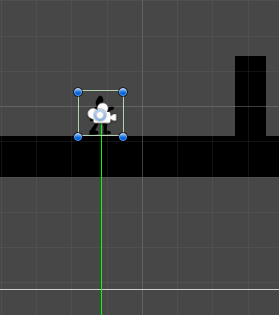

 simple niche
im not sure what combination of things i changed did it but i got it working
thanks
abstract olive
@junior vigil Stop crossposting .
light wraith
lament spire
does your game scroll in a direction ?
whoops, i'm too late. Yes, the player can slingshot in all directions.
late viper
can a mod clean this up, its a rickroll