#🖼️┃2d-tools
1 messages · Page 43 of 1
 still tendon
Dash cooldown
 snow willow
because I think your cooldown is still counting down while you're dashing
still tendon
snow willow
because I think your cooldown is still counting down while you're dashing
How could i change that ?
snow willow
still tendon
How could i change that ?
don't count down the cooldown if you're currently dashing
 plain mortar
To me it looks like it's supposed to work that way. Bottom player starts moving and will eventually trigger a button while top player starts moving and there's no platform there yet.
 lean pecan
plain mortar
To me it looks like it's supposed to work that way. Bottom player starts moving ...
lean pecan
plain mortar
To me it looks like it's supposed to work that way. Bottom player starts moving ...
yeah it's supposed to work like that, tis completely logical. I was just asking for some thoughts on how I'd change that 😄
I did end up fixing it
well, that part at least
there are more problems but I'm working on that rn
plain mortar
Cool
 harsh galleon
I'm working with tilemap tryiing to get what tile the mouse is over, I have
        void Update() {

            Vector3 mousePos = Input.mousePosition;
            Vector3 p = Camera.main.ScreenToWorldPoint(new Vector3(mousePos.x, mousePos.y, Camera.main.nearClipPlane));
            tilemap.SetTile(tilemap.WorldToCell(p), tiles[0]);
            tilemap.RefreshTile(tilemap.WorldToCell(p));


        }
But it seems to only be changing the tile at the center of the Camera (Be it a tile off depending on where the mouse is)
I got it, I just had to change the Camera's clipping planes
 runic sluice
Does anyone knows how to do this ship movement similar to geometry dash

 keen hemlock
hi folks! I am having trouble with placing a ui component on top of a gameobject. i am doing the following:
   Vector3 screenPos = Camera.main.WorldToScreenPoint(transform.position);
   Debug.Log("target is " + screenPos.x + " pixels from the left and " + screenPos.y + " from bottom");
   TextInfoSalvage = Instantiate(TextInfoSalvagePrefab, new Vector3(0, 0, 0), Quaternion.identity, go.GetComponent<gameScript>().CanvasMainGame.transform);
   TextInfoSalvage.GetComponent<RectTransform>().anchoredPosition = screenPos;
The TextUI appears way off though, way too far to the right and way to the far up... what am i doing wrong here?
 faint sparrow
keen hemlock
hi folks! I am having trouble with placing a ui component on top of a gameobject...
faint sparrow
keen hemlock
hi folks! I am having trouble with placing a ui component on top of a gameobject...
https://gist.github.com/FlaShG?page=2https://gist.github.com/FlaShG?page=2 i found this, its usefull placing ui object base on world position, and its no license so you can use freely

 knotty barn
its no license so you can use freely
If by no license you mean there isn't any license attached to it, that doesn't mean you have the right to use it. By default the author keeps the rights to his work.
Now odds are these gists aren't a showcase and are meant to be used freely.
Seeing a picture online without any license attached to it doesn't mean you can put it into your game.
 kind sphinx
Hey everyone, I've come across a bit of a problem. Sorry if this is simple I haven't been using Unity for that long
Every time I start my 2D game I have this error:
StackOverflowException: The requested operation caused a stack overflow.
UnityEngine.CanvasRenderer.SetColor {UnityEngine.Color color} (at <142f2174e7204fd9ba9bab141f8454ed>:0)
I've tried looking up other cases of this error but in the ones that I found, the end tells you where the bug is in the code, while here it just says a series of random symbols.
After a bit of playing sometimes Unity crashes and I can only guess it's because of this error, and because other reports of the error have said that Unity crashes because of it.
My canvas has some text, 3 buttons, and a settings menu with 2 checkboxes.
Here is my code: https://pastebin.com/Dc5jBM2J
It runs each time one of the checkbox (toggle) is clicked in the settings menu. I made it so they can't both be enabled at the same time.
Any help would be appreciated! Thanks in advance :)

 gray brook
Stack overflow sounds like there is some kind of infinite loop, but gimme a minute to read your code
gray brook
What is that code trying to do?
 ruby karma
Is that the full error?
still tendon
Can anyone help with my issue ? I want a cursor sprite to move with my mouse but insttead it does everything inverted. I move up it moves down. I move left it moves right. Thanks in advance
kind sphinx
gray brook
What is that code trying to do?
the code is
- setting the control scheme as whichever checkbox is clicked
- if the other checkbox is clicked, it unclicks it
kind sphinx
ruby karma
Is that the full error?
yes
wait I might've found it
might've lol
woooo so I found the error: when it changes it I made it turn thisOne.isOn = true, which made it call the valueChanged function again, which turned it on again, which called it again, etc, etc
I forgot that if the function was called it meant that the value was already changed
thanks everyone who helped
still tendon
Im gonna be honest i took this off the internet and have no idea how to set it up. Can anyone help ?

 misty vine
Learn the fundamentals of C# programming first. Not being able to spot what the problem here is means you're going to run into much bigger problems when you get an error that isn't one of the simplest things 🙂
snow willow
You didn't copy it correctly, or it was wrong to begin with, or it's an old JavaScript example, or all 3
still tendon
Help! I don't know why there is jittering.
misty vine
Because you're constantly moving left into the wall, and physics is pushing you back to where you should be
still tendon
So how do I fix it?
snow willow
Move Rigidbodies with forces or by setting their velocity
Don't move their Transform directly
still tendon
still tendon
Help! I don't know why there is jittering.
move by physics and not transfomr
runic sluice
Is this ok?
I did the shark model

Does anyone knows how to do a infinite background?
harsh galleon
So if i'm understanding 2d tilemap & the collision, I have to have a Tilemap for stuff that doesn't collide and another for one that does?
still tendon
How could i change these boxcolliders too boxcollider2D's without getting errors

The error in question
 snow willow
still tendon
How could i change these boxcolliders too boxcollider2D's without getting errors
snow willow
still tendon
How could i change these boxcolliders too boxcollider2D's without getting errors
Physics2D.IgnoreCollision
 finite ruin
Anyone have recommendations on how to make a modular unit?
I'm trying to make for example a unit that has a weapon and wheels.
There could be 100x different weapons and 100x different wheels. What I'm thinking I may do is have a prefab structure like this:
-Unit
-Weapon
-Machine Gun prefab
-Transportation
-Regular Wheels
Then swap out the prefabs under Transportation and Weapon?
What do you guys think about how to do this?
 arctic stag
finite ruin
Anyone have recommendations on how to make a modular unit?
I'm trying to make fo...
arctic stag
finite ruin
Anyone have recommendations on how to make a modular unit?
I'm trying to make fo...
That could work. Or you can use scriptable objects based on the load out that is needed(which is what I use) the difference isn’t that much other than scalability.
finite ruin
arctic stag
That could work. Or you can use scriptable objects based on the load out that is...
For a scriptable object though, how would I swap out animations?
arctic stag
finite ruin
For a scriptable object though, how would I swap out animations?
Just like a game object. You can assign the animation in the SO
If you create a place for it anyway
finite ruin
Righto. I'll look into those, thank you!
Scriptable would be more scalable?
arctic stag
finite ruin
Righto. I'll look into those, thank you!
Scriptable would be more scalable?
Yes
finite ruin
Awesome, any recommended reading/tutorials?
Thank you very much!
arctic stag
finite ruin
Awesome, any recommended reading/tutorials?
Thank you very much!
I learnt about them by just using them but anything from brackeys is usually a good start to a subject. So this vid: https://youtu.be/aPXvoWVabPY
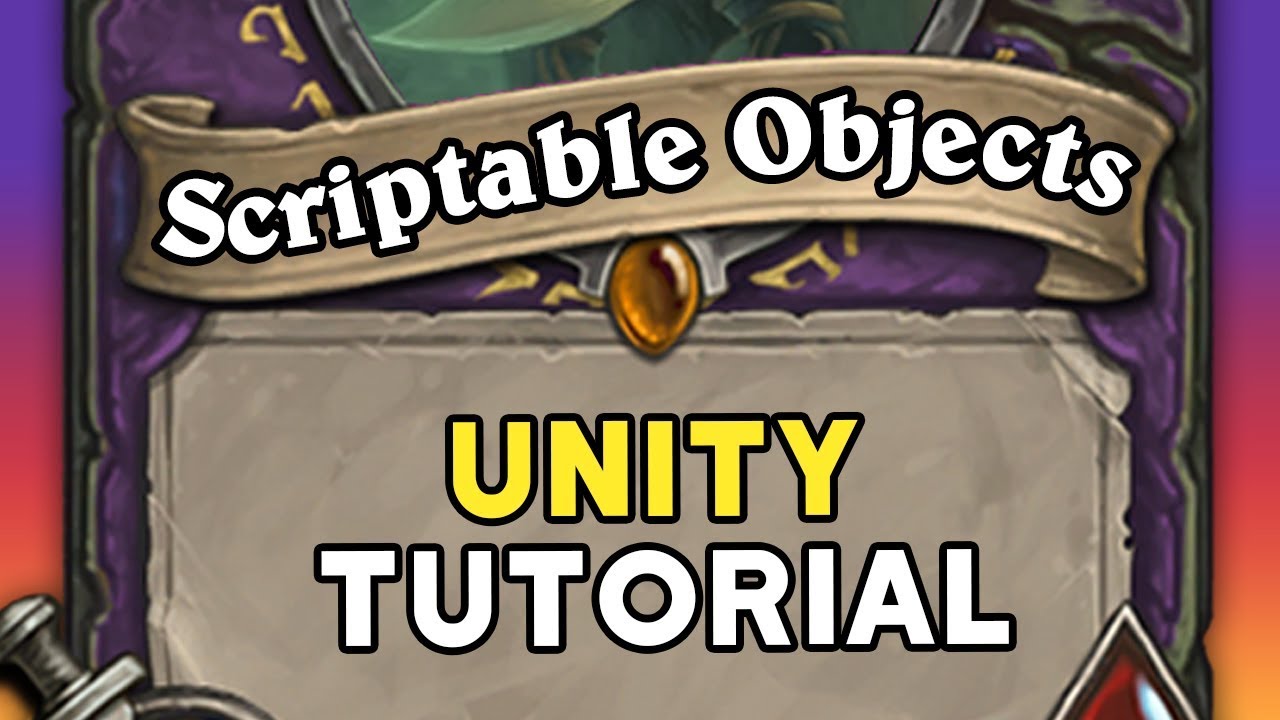
When making a game you need a good way of storing data. This is where Scriptable Objects come in! In this video we’ll learn how to use them by looking at an example: Making cards for Hearthstone.
● Project on GitHub: https://github.com/Brackeys/Scriptable-Objects
♥ Support Brackeys on Patreon: http://patreon.com/brackeys/
····················...
 dreamy fractal
ok, so this is my first time creating a 2d game, and i need to know, how do i create top-down movemnt with a rb? i think i hvae the code figured out, but i need to know how to keep the player from having gravity
 abstract olive
Turn off gravity on the rigidbody component.
dreamy fractal
ok
 solemn latch
I disagree. Brackeys videos tend to teach things very badly, leave out a lot of stuff, and send people here asking 'I followed a brakey's tutorial and it doesn't work!'
 upbeat sinew
Hey Everyone 👋
I asked a few days ago so I apologize if I missed a response, in any case I am wondering if someone would be able to link me to a tile generation tutorial which applies for isometric tilemaps.
Would really appreciate it 👍
snow willow
I have no problem with Brackeys except for that one cursed video that has everyone writing this cursed mouse look code:
float mouseX = Input.GetAxis("Mouse X") * mouseSensitivity * Time.deltaTime;
I wish he would've fixed that
it has led to so much agony
upbeat sinew
@solemn latch do you have an alternate recommendation? Brackeys was nice for beginning
solemn latch
No specific one, but like PraetorBlue said his videos are full of stuff like that.
After this one animation tutorial he did literally 3/4 of the new people posting in the 2d channels were about 'why tutorial not work'
upbeat sinew
Was it outdated code or simply wrong?
solemn latch
Sometimes they are wrong, sometimes he just leaves parts out or references resources without linking them.
Or he just gives code without explaining it and when you try to adapt it it breaks completely.
upbeat sinew
yeah explanations are pretty lacking that's fair
can't speak to it's efficiency yet I'm quite new with unity, just came from unreal and I can't believe I wasted time there -_-
found a tut btw 🙂
 limber ore
Hi everyone 🙂 First time using a Unity script here. I have trouble animating the second jump (so the character does jump twice, but the second jump won't animate, even when I place it in various locations in the code). Secondly, I don't understand where in the code I can change how the character falls after a jump (they are floating too much and too far after jumps), or how 'far' they can jump. Any help would be greatly appreciated: https://hatebin.com/pqvgpytvur 🙂
The first jump is animated, but the second jump is playing it again but not from the beginning but continued from the first (so it looks like they are leaping twice without ever going into idle stance and then jumping again).
solemn latch
How is your animator set up?
limber ore
with animator do you mean this?
 solemn latch
Yes
So you have any state to jump, so and you set the trigger for jumping every time you hit the button, so it has no reason to go to idle state if you hit the button twice
I'd avoid setting the trigger until you actually know that jumping is possible
limber ore
Let me see if it works if I change it from Idle -> Jump instead of Any -> Jump
Oh my. God. I spent 10 hours messing with the code
And it was an animator thing
Would the fall from a jump, so it 'floating' be an animator thing too or would that be in my code? So when I jump while pushing <- or -> arrows they float, which I want to limit and have them fall down faster
I have tried to mess with it in the code but I don't understand the lines I guess
so where exactly that would take place
solemn latch
I can take a look in a bit
limber ore
ty!
solemn latch
This is the problem with code you don't understand 😛
limber ore
yessssssss exactly lol I tried to look into the guidebook but I am missing something
as in, I just don't get it, I think I know where it is happening but, when I change the values nothing happens
my code is a frankenstein abomination of like 10 different snippets, so I may have just lost track of it mentally as well
I am so rusty in coding
 snow shoal
how do i make my character stick to a moving platform?
solemn latch
@limber ore The floating is probably because your left/right movement is completely unrelated to your grounded check
And yeah, it's a total frankenstein
limber ore
@solemn latch I see! I will have to try to figure out how to relate them then somehow. I appreciate you taking a look 🙂
I guess frankenstein creations are normal if you are doing something new lol
upbeat sinew
Have managed to get a grid generated, am stalling at 2500 tiles, can anyone recommend a general size for these kinds of games? I should be using lower quality tiles perhaps?
upbeat sinew
Would also like to load the map in the background of some simple scene animation.
upbeat sinew
I can't seem to get the tiles smaller than 750 bytes, is that a normal size perhaps or very large for a tile sprite?
solemn latch
I haven't really done anything with tiles
upbeat sinew
No pressure for any single user 🙂
solemn latch
Just didn't want it to seem like you were being ignored while we talked about other stuff 😄
knotty barn
@upbeat sinew Are you using the Tilemap system?
 native pelican
Here's my mobile game. As you can see, everything is a little stretched vertically. How do I fix that? Also, I don't want the app to be in fullscreen, as I want to avoid the space with the phone's round edges and the camera. But I'm not sure how to modify Unity settings in order to achieve that.

 lyric crag
hey i want to check if at the marked position Tilemap tile exists or not

the case i marked it should return false
is there any way to do it?
like check all layers at once
still tendon
it shows my character in the scene

but not in the game itself

anybody any idea how this is possible?
lyric crag
still tendon
but not in the game itself
check your z axis with camera
 sullen isle
so i have a few different shapes of sprites with each having a different shape of a collider. Now i'm using a polygon collider to represent the shapes and i update the colliders points based on what sprite it has. I was wondering if this is a good practice? or would it be better to have a new game object for each of the sprites with different colliders better (this might make the collider shapes fit better)? or is there maybe a better way of swapping colliders in runtime?
 iron coral
Quick question, I haven't used unity in months : does position matter for 2d colliders ? Like if a box is on one plan and another shape on another plane, do they collide ?
Or it doesn't matter, as long as the layers they're affected to can interact ?
snow willow
iron coral
Quick question, I haven't used unity in months : does position matter for 2d col...
Z position doesn't matter for Colliders
It matters for rendering though
iron coral
And how about in a 3d project ? Does it still not matter ?
welp, it doesn't matter either
Thanks
I've been trying to figure out how to use 3d colliders with a tilemap, because i remembered doing so in a previous project, but it turns out I never did such thing and always used 2d colliders for that :T
snow willow
There's no difference between a 2d and 3d project
But there's a difference between 2D and 3d physics
There will be no interaction between 2d and 3d physics objects
3d Colliders cannot interact with tilemap Colliders or any other 2d Collider
snow shoal
snow shoal
how do i make my character stick to a moving platform?
help please
gray brook
You could temporarily make the character a child object, you could mirror the motion, there are a few ways
snow shoal
when i made the character a child object it didn't allow the character to move and it made him bigger
 azure acorn
What is the best way to simulate 2D liquids?
1. Particle+colider based
2. Cell based, like e.g. Noita
3. Heightmap based???
still tendon
is it possible to have lighting similiar to terraria/starbound
..without coding my own lighting system
still tendon
apparently not
i guess i will stop what im doing because the end result is gonna look like shit no matter what
 sinful plaza
azure acorn
What is the best way to simulate 2D liquids?
1. Particle+colider based
2...
sinful plaza
azure acorn
What is the best way to simulate 2D liquids?
1. Particle+colider based
2...
Depends on what you're doing, I guess. 1 could work well as an accurate representation in 3D space. 2 and 3 seem in many ways the same, but dealing in different dimensions. I'm currently using 3 to do hydraulic erosion on a terrain heightmap, but it also works very well as fluid simulation (example games would be Cites: Skylines and Creeper World series)
snow shoal
i spent a long time trying to figure out how to make my character stick to a platform, the problem is: i was parenting the player to the platform every frame, when i am supposed to do it only when the player first touches the platform. XD
 tight otter
I am making a Texture2D that has a size of 8x8 (pixels) and i want it for a Sprite of 80 x 80, but unity tells me that

Pastebin
Pastebin.com is the number one paste tool since 2002. Pastebin is a website where you can store text online for a set period of time.
azure acorn
sinful plaza
Depends on what you're doing, I guess. 1 could work well as an accurate represen...
Well kind of the thing im going for is to have scenes where the water is rushing in from the side, the game is going to be about a planet where the tides are so large, that they will kill you if you don't get to a high place, when they come, and i'm building around that, so i need to have some water simulation
it's also pixel art, so that is why i was thinking of noita
The particle one seems the best, because it can cause sort of crashing waves and things like that, but i would need to figure out, how to make the player actually "be in water"
the height map one has the benefit of being easy to implement in my opinion
and really fast
 gentle apex
Hey, I don't know where I should put this videos, but i need help. I have visual bug, same game, different devices.
This green trail is invisible on one of the devices, and I don't know how to fix it.
I don't know if it's problem with position Z or other transform parameters.
snow shoal
snow shoal
i spent a long time trying to figure out how to make my character stick to a pla...
nvm
sinful plaza
azure acorn
Well kind of the thing im going for is to have scenes where the water is rushing...
if its from the side view the height map would be very simple, only 1 dimension+height needed and and can yet produce very nice waves. But yes the drawback would be that it's restricted to 1 dimension only. Noita-like physics handles e.g. waterfalls and single droplets of water very well, but it won't flow upwards from pressure (at least in the game).
 chrome anchor
My object does not move or do anything when clicked on from a script
gentle apex
Ok, my problem is solved, i had to change transform.position.z to -1 and save prefab, sorry for problems.
 slate parrot
How do I detect if a GameObject is already in a certain spot? Example if (GameObject in x, y, z pos)
I know that doesn't work. That's my issue. There's no "in"
Maybe make a check? Like, when an object is spawned, also spawn a "check" object and if there's a "check" there, skip it
 glossy pebble
Is there a way to run calculations using a Vector2? I'm trying to check if there's a force applied to a rigidbody and run an animation.

 cloud maple
Heya all. Anyone got any good tips on how to approach movement in a isometric 2D Grid? I see a lot of code solving movement in grid by just moving a set distance depending on grid size but I feel there should be some more natural way of getting the tile in the adjacent grid and moving to that tile?
azure acorn
If i want to render individual pixels so i can make something like falling sand, then what is the best way to render them? Probably not a grid right?
misty vine
Particle effects probably.
Unless you want those pixels to then form a landscape that you can walk on. Then you'll need something more complex. Although you could use particle effects and when a particle dies it spawns a prefab.
faint sparrow
 golden patio
what happened to this 😠
golden patio
what happened to this 😠
maybe you can give more detail of it, such as canvas setting, and how your UI object looks in hiearcy before press play
 dusky magnet
Hey
I am stuck at figuring out how to get Width of a spriteRenderer object
i want to spawn something at random X axist based on that object postion
float randomX = Random.Range(0 - sprite.sprite.bounds.size.x * 4, sprite.sprite.bounds.size.x / 2);
Vector2 pos = new Vector2(randomX, transform.position.y - sprite.bounds.size.y);
Instantiate(ball, pos, transform.rotation);
For whatever reason this almost works...It is missing like 5% on the right side
 arctic wren
What approach would you recommend to make a Cave / Dungeon in a 2d survival game ?
I'd like to have a Cave whose entrance would be in the normal game world, but upon entering
the player will only be able to move inside of the cave - the entire surroundings, minimap etc should
change to only display the cave, then when the player exits the cave he returns to the normal game world.
One way to do it would be to have the cave disabled in the game world and upon entering it would be enabled
and the rest of the world in turn will be hidden, but I'd like to learn if there is some more clever
solution / if any of you have experience with a similar thing. Thanks for response
 robust socket
Hi all, hope you can help, I am new to unity, how do I create a 2D program where I have an image as the background then have interactive areas where I can click on certain parts and change the colours or look of certain parts, so jpg base static image and swap out png files over the top by clicking buttons
faint sparrow
dusky magnet
Hey
i think sprite.bounds.x * 2 are the width of sprite
dusky magnet
@faint sparrow There is no such thing as bounds.x, only bounds.size.x
and I am using it, but it is still not creating object at the far right of that sprite(spawner)
faint sparrow
imean that, if im not wrong, so its the half size of sprite on x, and make it * 2 mean total size
dusky magnet
It might be, but its counting from center
so I have to divide by 2
if I don't then it spawns far outside the sprite
faint sparrow
what are you looking for? size right?? size.x already half size of sprite, when you divide that by 2 again, that mean half of the half
you want use that for position?
dusky magnet
size in units
the size of the sprite is 2.5 from what I've got
ok so I know the issue
I get the size of a sprite image...uh
how do I get width of the game object in the world
Ok so let me rephrase my question.
How can I spawn a prefab at RandomRange(0, object.width).
X axis only and Y - height
So the prefab spawns at the far left and far right of the object.
 sullen wadi
gentle apex
sullen wadi
gentle apex
@sullen wadi vokoscreenNG
still tendon
Can anyone here help me with a movement script?
using UnityEngine;

public class Player_Movement : MonoBehaviour
{

    public float Movement_Speed = 3.5f;
    private Rigidbody2D playerRigidBody;
    private Vector3 Movement_Change;
    private Animator Anim;

    void Start() {
        Anim = GetComponent<Animator>();
        playerRigidBody = GetComponent<Rigidbody2D>();
    }

    void FixedUpdate() {
        Movement_Change = Vector3.zero;
        Movement_Change.x = Input.GetAxisRaw( "Horizontal" );
        Movement_Change.y = Input.GetAxisRaw( "Vertical" );
        if ( Movement_Change != Vector3.zero ) {
            MoveCharacter();
            Anim.SetBool( "isWalking", true );
            Anim.SetFloat( "moveX", Movement_Change.x );
            Anim.SetFloat( "moveY", Movement_Change.y );
        }
        else {
            Anim.SetBool( "isWalking", false );
        }
    }

    void MoveCharacter(){
        playerRigidBody.MovePosition( transform.position + Movement_Change * Movement_Speed * Time.fixedDeltaTime );
    }
}
``` How would i make my Diagonal speed same as if it was on horizontal and vertical?is .Normalize(); the correct way to fix it?
 forest cave
slate parrot
How do I detect if a GameObject is already in a certain spot? Example if (GameOb...
forest cave
slate parrot
How do I detect if a GameObject is already in a certain spot? Example if (GameOb...
if(GameObject.transform.position == new Vector3(x,y,z)){
  //do stuff;
}
No, look into ClampMagnitude
snow willow
forest cave
```cs
if(GameObject.transform.position == new Vector3(x,y,z)){
//do stuff;
}
`...
Careful with that single equals...
still tendon
snow willow
No, look into ClampMagnitude
   Movement_Change1.x = Input.GetAxisRaw( "Horizontal" );
   Movement_Change1.y = Input.GetAxisRaw( "Vertical" );
   Movement_Change1 =
Vector3.ClampMagnitude(Movement_Change1, Movement_Speed1);
is that how it works
I didn't understood perfectly how is it, by reading the docs
snow willow
yeah
still tendon
Thank you!
snow willow
though Movement_Speed1 should just be 1 here probably
still tendon
using UnityEngine;

public class Test : MonoBehaviour {

    public float Movement_Speed1 = 3.5f;
    private Rigidbody2D playerRigidBody1;
    private Vector3 Movement_Change1;
    private Animator Anim1;

    void Start() {
        Anim1 = GetComponent<Animator>();
        playerRigidBody1 = GetComponent<Rigidbody2D>();
    }

    private void Update() {
        Movement_Change1 = Vector3.zero;
        Movement_Change1.x = Input.GetAxisRaw( "Horizontal" );
        Movement_Change1.y = Input.GetAxisRaw( "Vertical" );
        Movement_Change1 = Vector3.ClampMagnitude(Movement_Change1, Movement_Speed1);
        Debug.Log( Movement_Change1 );
    }

    void FixedUpdate() {
        if ( Movement_Change1 != Vector3.zero ) {
            MoveCharacter();
            Anim1.SetBool( "isWalking", true );
            Anim1.SetFloat( "moveX", Movement_Change1.x );
            Anim1.SetFloat( "moveY", Movement_Change1.y );
        }
        else {
            Anim1.SetBool( "isWalking", false );
        }
    }

    void MoveCharacter() {
        playerRigidBody1.MovePosition( transform.position + Movement_Change1 * Movement_Speed1 * Time.fixedDeltaTime );
    }
}
no transition from Shoot back to Idle?
 tranquil frost
How do I get and modify their values from other classes that inherit from MonoBehaviour?
I have a Text of TotalCombo to record the total, but I need to change the value of TotalCombo in another Tag class
 still tendon
snow willow
though Movement_Speed1 should just be 1 here probably
still tendon
snow willow
though Movement_Speed1 should just be 1 here probably
You mean the 2nd param of ClampMagnitude needs to be 1 and not the player movement speed?
 jolly hawk
You have to call the method, like this, Playerhealth = FindObjectOfType<PlayerHealth>(); and then type Playerhealth."insert method here"();
And make the method/function public
snow willow
still tendon
You mean the 2nd param of ClampMagnitude needs to be 1 and not the player moveme...
Yes because this code is currently clamping the Input data not that actual movement data
The input values from GetAxisRaw are -1 to 1
jolly hawk
And modify the value inside the like this playerhealth.damage(1f); or if its int just (1);
limber ore
@snow willow Yeah you were right, it was pointing the wrong way
 sharp herald
Does anyone know how I can increment the image index of my sprite in SpriteRenderer?

Like if I set the sprite to Attack, it will just use the first index
How do I set it to Attack_1, Attack_2 etc.?
abstract olive
Typically you use an animation and keyframe it.
If you want to do it manually, then you need to keep a reference to each of these in your code (make a list of them, even).
Then just change the mySpriteRenderer.sprite = Sprites[index];
sharp herald
azure acorn
holy hell that
lmao a 30second sketch to test this stuff out with lmao
sharp herald
abstract olive
If you want to do it manually, then you need to keep a reference to each of thes...
Wait, so there isn't a way to manually pick these based on index?
I'd have to drag and drop every keyframe myself?
azure acorn
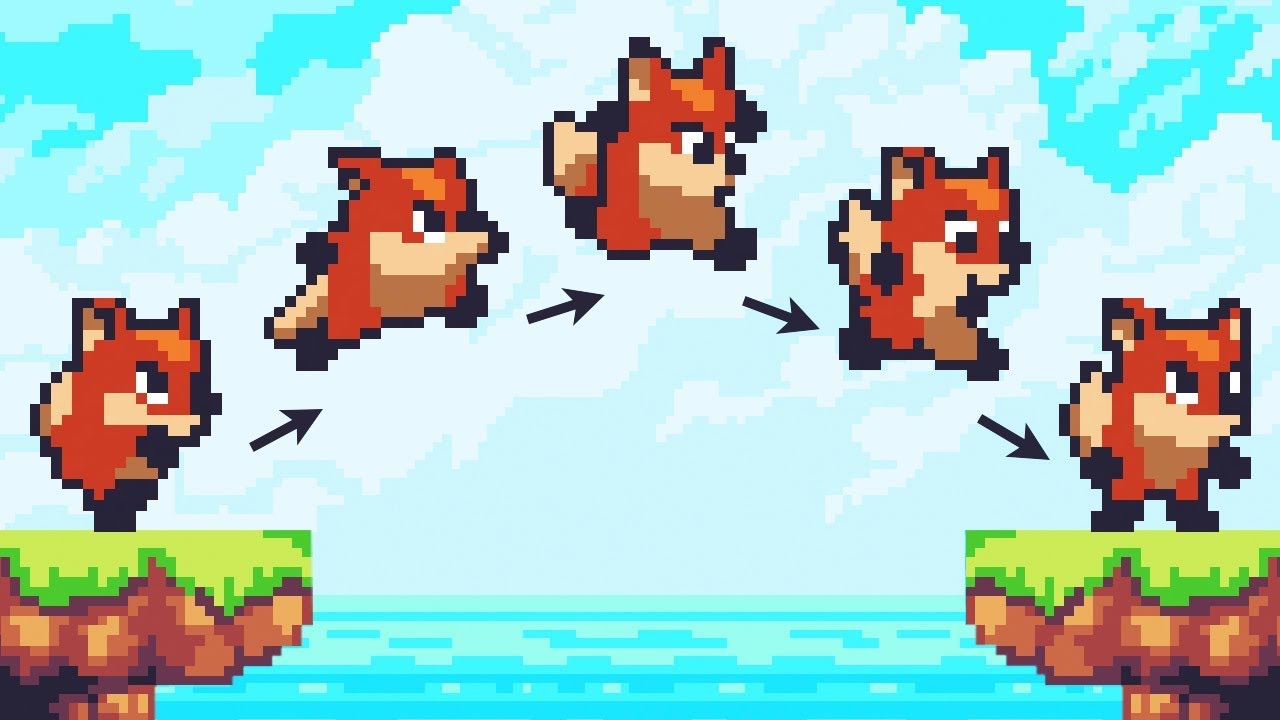
Let’s animate our character!
● Check out Skillshare: https://skl.sh/brackeys8
● Watch Player Movement: https://youtu.be/dwcT-Dch0bA
● Download the Project: https://bit.ly/2KK5AG8
● Character Controller: https://bit.ly/2MQAkmu
● Get the 2D Sprites: https://bit.ly/2KOkwjt
♥ Support Brackeys on Patreon: http://patreon.com/brackeys/
···········...
this is imo the best resource
i think you should use an animator
sharp herald
@azure acorn I need the system to be very very flexible so that's why I'm currently leaning towards incrementing it myself
azure acorn
you mean implementing?
abstract olive
You need to manually assign it to a list, or if you want (but not recommended), load the sprites at runtime via the Resource folder.
sharp herald
It's for a fighting game, and I'll need to change the game logic based on which frame of the animation I'm on etc.
sharp herald
azure acorn
you mean implementing?
sorry yeah implementing
sharp herald
Can I set it?
azure acorn
and you can pass it to the animator
sharp herald
What if I want to animate it as a 2D array?
azure acorn
i dont have that much experience with it though, cause it's not something i have playerd around with a lot
azure acorn
sharp herald
What if I want to animate it as a 2D array?
??
sharp herald
Like, the animation can happen in two directions
azure acorn
ellaborate please
sharp herald
Or each row represents a different anim etc
sharp herald
abstract olive
You need to manually assign it to a list, or if you want (but not recommended), ...
I would definitely consider the latter option if the SpriteRenderer won't let me pick which frame to use
Why wouldn't you recommend it?
abstract olive
It's a whole topic you should read up on. Alternatively, there is the new(ish) addressables.
A quick google search:
https://gamedevbeginner.com/how-to-change-a-sprite-from-a-script-in-unity-with-examples/
native pelican
Here's my mobile game. As you can see, everything is a little stretched vertically. How do I fix that? Also, I don't want the app to be in fullscreen, as I want to avoid the space with the phone's round edges and the camera. But I'm not sure how to modify Unity settings in order to achieve that.
 dreamy fractal
so, i need to get the local velocity so that i can shoot a projectile in the correct direction, but i have no idea how to do that. can anyone help me out?
azure acorn
native pelican
Here's my mobile game. As you can see, everything is a little stretched vertical...
you probably need to do something with the aspect ratio settings
native pelican
Where do I find them?
azure acorn
edit > project settings > player > resolution and presentation > supported aspect ratios
@native pelican
native pelican
Not many options in there, I have the 'Start in full screen mode' already checked off.
 native pelican
Thanks for the suggestion.
azure acorn
don't know where to post this, though i want to make 2d water with a one dimensional height map, like water from the side, im pretty new to unity, not to programming or game dev though,
snow shoal
how do i check if my animation is over?
 sage gorge
Hello 🙂
Im currently working on some grass which i need as a gameobject ... sadly, i cant figure it out how to tell unity to sort them by their Y position without adding a script to them which places the order in Layer.
There has to be a way ... right ?
dusky magnet
How can I spawn a prefab at RandomRange(0, object.width).
X axis only and Y - height
So the prefab spawns at the far left and far right of the object.
snow shoal
dusky magnet
How can I spawn a prefab at RandomRange(0, object.width).
X axis only and Y - he...
do you mean random between the left and right of the object?
snow shoal
if so, you could do Instantiate(objectPrefab, pos + new Vector3(Random.Range(-objectPrefab.transform.scale.x, objectPrefab.transform.scale.x), 0, 0); something like that
snow shoal
what?
snow shoal
create position
dusky magnet
pos + random
snow shoal
yeah
snow shoal
position of where to create the object in the world
dusky magnet
That's what I am trying to figure out
snow shoal
you could do position of spawner- where do you want it to go?
dusky magnet
I have an object but I can't tell it's x/y coordinates properly or width/height
snow shoal
im sorry, im too stupid or you aren't telling me/asking me the right thing
dusky magnet
    Renderer sprite;
    Vector3 pos = sprite.transform.position;
    Vector3 randomX = new Vector3(Random.Range(-objectPrefab.transform.scale.x, objectPrefab.transform.scale.x), 0, 0);
    Instantiate(ball, pos + randomX, transform.rotation);
you didn't assign sprite to anything- sprite is null
dusky magnet
I did in start
snow shoal
but you created a new variable right there
dusky magnet
Why do we get transform scale of the prefab tho?
Just to show u the type
prefab = ball
snow shoal
ok
dusky magnet
There is localScale only for spawner
snow shoal
dusky magnet
How can I spawn a prefab at RandomRange(0, object.width).
X axis only and Y - he...
right here
you wanted to have it spawn in a random pos between the object width
dusky magnet
object/spawner which is not a prefab
snow shoal
well change it to what you need
dusky magnet
prefab is just a thing I want to spawn at random X
yeah so I cant find .scale of that object
Renderer
dusky magnet
nope
snow shoal
why are you even using a renderer
dusky magnet
doesnt .scale require box collider or something?
snow shoal
no
dusky magnet
ok I will try again
dusky magnet
So Asking again if anyone else has some ideas.
I am trying to spawn a Ball prefab at a spawner rectangle location.
Random x axis starting at the far left of the spawner up to far right.
In simple terms I would just write:
RandomRange(spawner.x, spawner.x + spawner.width);
Someone enlighten me how to accomplish it with unity
My current code(spawner component):
Vector3 pos = transform.position;
Vector3 randomX = new Vector3(Random.Range(-transform.position.x, transform.position.x), transform.position.y, 0);
Instantiate(ball, pos + randomX, transform.rotation);
Which doesn't spawn the ball at a correct position.
faint sparrow
dusky magnet
So Asking again if anyone else has some ideas.
I am trying to spawn a Ball prefa...
what is correct position you expecting?
anyway why dont just Instantiate(ball, randomX, traansform.rotaion); since you already get new pos with random
snow willow
dusky magnet
So Asking again if anyone else has some ideas.
I am trying to spawn a Ball prefa...
Why are you doing this:
Random.Range(-transform.position.x, transform.position.x). Shouldn't it be Random.Range(-spawnerWidth, spawnerWidth)?
dusky magnet
it has to be (spawner.x, spawner.x + spawner.width)
spawner.x is correct(far left) but I can't figure out how to get it's width
snow willow
ok then Random.Range(0, spawnerWidth)
you're adding the spawner's position later in your instantiate
in fact just:
float xOffset = Random.Range(0, spawnerWidth);
Instantiate(prefab, spawner.position + (Vector3.right * xOffset), spawner.rotation);```I want it to be based on the size in the world
snow willow
Or make two empty GameObjects to be the endpoints
dusky magnet
so I place an object, I resize it
snow willow
as children of the spawner
dusky magnet
I don't want to define it by hand
I want to read it's width
from the object itself
it has width right?
snow willow
Then you have to use either the bounds of the object, or loop through the vertices of the mesh and find the far extremes
snow willow
dusky magnet
it has width right?
not really
there are renderer bounds and collider bounds
dusky magnet
yeah so how do I use the bounds? I kinda tried it before but it is never the proper position
snow willow
but those are axis-aligned bounding boxes
dusky magnet
the object has no collider
snow willow
which may or may not make sense for you
 sour bane
Hey, anyone know how to do so for this tile to expand in its middle so i can create a wall?
 snow willow
then you can use Renderer bounds I suppose
dusky magnet
but I can give it a collider and make it a trigger
faint sparrow
sr.bound.size i believe @dusky magnet that the size of sprite
dusky magnet
yeah so the spawner is perfectly horizontal
faint sparrow
or bounds.x that the size from center to far right or left then just times 2 to get full size width
dusky magnet
so bounds.x * 2 = width?
snow shoal
sour bane
Hey, anyone know how to do so for this tile to expand in its middle so i can cre...
i think you may edit the sprite in the sprite editor to get just the middle- or maybe use the sprite editor and change the outline(i think it will just stretch the middle though)
snow willow
dusky magnet
but I can give it a collider and make it a trigger
The extreme ends of the bounds would be like:
var bounds = GetComponent<Renderer>().bounds;
Vector3 leftExtreme = bounds.center - (Vector3.right * bounds.extents.x);
Vector3 rightExtreme = bounds.center + (Vector3.right * bounds.extents.x);
im not sure, just check it yourself
dusky magnet
Alright I will give it a go, I tried various things already
sour bane
snow shoal
i think you may edit the sprite in the sprite editor to get just the middle- or ...
I did that and get like a badly stretched texture in the middle
snow willow
dusky magnet
so bounds.x * 2 = width?
Then to get a random pooint on that line you can use:
Vector3 randomPosition = Vector3.Lerp(leftExtreme, rightExtreme, Random.value);
then do the first thing i said. Split the texture into multiple sprites
sour bane
snow shoal
then do the first thing i said. Split the texture into multiple sprites
I edited the sprite and selected the middle and got this
 dusky magnet
Vector3 leftExtreme = sprite.bounds.center - (Vector3.right * sprite.bounds.extents.x);
Vector3 rightExtreme = sprite.bounds.center + (Vector3.right * sprite.bounds.extents.x);
Vector3 randomPosition = Vector3.Lerp(leftExtreme, rightExtreme, Random.value);
Instantiate(ball, randomPosition, transform.rotation);
it works, thanks 😄
Not sure why Vector3.Lerp works and how does it figure out proper y position, but it does...it simply spawns an object at the bottom of the spawner which is what I'd expect.
 snow willow
dusky magnet
```csharp
Vector3 leftExtreme = sprite.bounds.center - (Vector3.right * sprite.b...
snow willow
dusky magnet
```csharp
Vector3 leftExtreme = sprite.bounds.center - (Vector3.right * sprite.b...
Lerp is very simple. It simply gives you a position at some percentage of the way between A nd B
 snow shoal
then do the first thing i said. Split the texture into multiple sprites
snow shoal
snow shoal
then do the first thing i said. Split the texture into multiple sprites
try this @sour bane
snow willow
If you pass in .5, it gives you the point right in the middle
if you pass in 0, the starting point. It you pass in 1, the end point
dusky magnet
yeah I understand, but what happens to Y axis? or Z axis? It is Vector 3 after all and I am instantiating an object using this Vector 3.
sour bane
snow shoal
try this <@!222096061601284096>
In how many sprites should i slice it tho
snow willow
dusky magnet
yeah I understand, but what happens to Y axis? or Z axis? It is Vector 3 after a...
Well we made the leftExtreme and rightExtreme points all be on the same horizontal line along with the center of the spawner
snow shoal
sour bane
In how many sprites should i slice it tho
left, middle, right 3
snow willow
So Z and Y are the same no matter what part of the line we're on
dusky magnet
oh, is there a tutorial that explains bounds/center etc? This is something I've been reading today, but couldn't make it work since there are 20 other properties everywhere
Some of those properties are local, other are world and some are even in pixels -.-
snow willow
oh wait I'm wrong haha
Bounds.min and Bounds.max are in world coordinates as well
😄
But they're simply center + extents and center - extents respectively
dusky magnet
wait so bounds.min/max is basically left/right?
snow willow
dusky magnet
wait so bounds.min/max is basically left/right?
not quite because it's also the minimum y and z values too
it's like the two extreme corners
Like in this image it would be 0 and 6
 snow willow
it can
but for 2d sprites you can basically think of min and max as 0 and 5 from this image then
and ignore the z I guess
dusky magnet
or I can specify the Z value manually I guess
new Vector3(random.x, spawner.bounds.bottom(?), 0);
Just trying to make simple 2d game so I can learn those basic features of Unity.
Didn't expect to get stuck on x, x+ width tho -_-
 boreal scaffold
Need help line 11 and 17
NullReferenceException
Pastebin
Pastebin.com is the number one paste tool since 2002. Pastebin is a website where you can store text online for a set period of time.
still tendon
still tendon
is it possible to have lighting similiar to terraria/starbound
i found an asset for it but its paid and not smooth lighting anyways
if anyone knows how to do such thing please teach me
 halcyon geyser
sour bane
halcyon geyser
sour bane
If theres any texture/noise on your sprite when you go to stretch it like that its always going to look a bit off. I usually create a 2 pixel (Filler) esque thing with my sprites to allow for it but I rarely do it in general
 autumn oar
Is there a way to change the value of a Sorting Layer in run time?
 rancid otter
I making a 2D game and this error shows Assets\scripts\PlayerMovement.cs(76,9): error CS0106: The modifier 'public' is not valid for this item
this is my code ``` public bool IsGrounded()
{
Collider2D groundCheck = Physics2D.OverlapCircle(feet.position, 0.5f, groundLayers);
        if (groundCheck != null) {
            return true;
        }```
where the error is supposed to be
faint sparrow
could you show where the error pointing to
 rancid otter
using UnityEngine;

public class PlayerMovement : MonoBehaviour
{
    public float speed = 10f;
    public float jumpPower = 15f;
    public int extraJumps = 1;
    [SerializeField] LayerMask groundLayer;
    [SerializeField] Rigidbody2D rb;
    [SerializeField] Transform feet;

    public Animator anim;

    int JumpCount = 0;
    bool IsGrounded;
    float mx;
    float jumpCoolDown;

    private void Update()
    {
        mx = Input.GetAxis("Horizontal");

        if (Input.GetButtonDown("Jump"))
        {
            Jump();
        }

        CheckGrounded();
        if (Mathf.Abs(mx) > 0.05f)
        {
             anim.SetBool("IsRunning", true);
        }else
        {
            anim.SetBool("IsRunning", false);

        }

        anim.SetBool("IsGrounded", IsGrounded());
    }

    private void FixedUpdate()
    {
        rb.velocity = new Vector2(mx * speed, rb.velocity.y);
    }

    void Jump ()
    {
        if (IsGrounded || JumpCount < extraJumps)
        if (IsGrounded || JumpCount < extraJumps)
        {
            rb.velocity = new Vector2(rb.velocity.x, jumpPower);
            JumpCount++;
        }

    }


    void CheckGrounded()
    {
        if (Physics2D.OverlapCircle(feet.position, 0.5f, groundLayer))
        {
            IsGrounded = true;
            JumpCount = 0;
            jumpCoolDown = Time.time + 0.2f;
        } else if (Time.time < jumpCoolDown)
        {
            IsGrounded = true;
        } else
        {
            IsGrounded = false;
        }

        public bool IsGrounded()
        {
            Collider2D groundCheck = Physics2D.OverlapCircle(feet.position, 0.5f, groundLayers);

            if (groundCheck != null) {
                return true;
            }

            if (rb.position.y < -23f)
            {
                FindObjectOfType<GameManager>().EndGame();
            }

        }
    }
}
You have a local function
faint sparrow
ahh yess,
rancid otter
?
faint sparrow
could you check where you create that function
rancid otter
wdym
faint sparrow
those public bool IsGrounded()
rancid otter
i dont get what you're trying to say
 rancid otter
ok
another error
Assets\scripts\PlayerMovement.cs(58,17): error CS0102: The type 'PlayerMovement' already contains a definition for 'IsGrounded'
sour bane
halcyon geyser
If theres any texture/noise on your sprite when you go to stretch it like that i...
Thanks mate, gonna take it in count :)
faint sparrow
rancid otter
``Assets\scripts\PlayerMovement.cs(58,17): error CS0102: The type 'PlayerMovemen...
i think because you have variable name IsGrounded and also a Method Name IsGrounded();
 limber dome
hi

i have this animation tree
what i want is
the player stays in default for a random time
then it switches to the second animation through a trigger which brings it back to the first animation
then it again waits for sometime
then triggers the second animation
and loop this cycle
I trie this using Coroutines and wait forsecond()
but it didnt work
 native hornet
I've added in a feature to my game that pushes back the player when they touch the enemy. When the player touches the enemy they aren't pushed back but the push animation on the player still plays. Here is the code:

I found I was overwriting the code in FixedUpdate() and I dont know how to stop overwriting it as I can't disable the script temporarily (as my animations are in the script) and I don't know how to change from using velocity to addforce
Here is my fixedupdate code
 snow shoal
how do i draw a line and change the thickness of it?
snow willow
snow shoal
how do i draw a line and change the thickness of it?
Use LineRenderer
snow shoal
ok thx!
 zealous topaz
hello, in a tilemap, sometimes a tile is out of sight and I want to replace it with a grey tile, reflecting it being out of the character's sight. Is there a way to deactivate the tile, or must I draw the grey tile on the same position (but with a higher z value) ?
Ideally, I would like that no more than one tile is rendered for each position, but with the solution I described above, I fear that the tile below will be rendered before the tile above, and that would be a loss in performance
 tidal scaffold
zealous topaz
hello, in a tilemap, sometimes a tile is out of sight and I want to replace it w...
tidal scaffold
zealous topaz
hello, in a tilemap, sometimes a tile is out of sight and I want to replace it w...
So basically you want some sort of fog of war? You could have a fully grey tile layer on top of your map, then use a Physics2D.BoxCastAll to iterate over all collisions in your line of sight, check for the grey layer ones and change their transparency...
Not sure if that's the best way to do it but... 😅
zealous topaz
I think I found a way. If I move it to a lower altitude with a z value lower than the camera's z value, it is automatically ignored
 foggy orchid
Hey Guys! so I need a little help with something.. I try to do this:

so I've come up with this... it kinda works but still not really

heres how it looks like rn
any help is really appreciated
 balmy needle
using System.Collections.Generic;
using UnityEngine;

public class FlyLittleBird : MonoBehaviour {

    public float velocity = 1;
    private Rigidbody2D rb;

    // Start is called before the first frame update
    void Start()

    {rb GetComponent<RigidBody2D>();

    // Update is called once per frame
    void Update()
    { if (Input.GetMouseButtonDown(0))}
    {
        //jump
        rb Vector2.up
    }
}```Im not sure whats wrong with this. can someone help trying to make my flappy bird jump.
solemn latch
@balmy needle you need to explicitly add force, I suppose.
@foggy orchid does it work fine with non spriteshape colliders?
The collider might have messed up geometry/normals
balmy needle
solemn latch
<@441767471565766656> you need to explicitly add force, I suppose.
Do I replace some pieces of the script with addforce?
 fair vessel
oh boy
oh that's an old post, but if you see this, there seems to be a lot wrong with it....
- the if statement does nothing because it is the only thing in the function, as you ended the function with a
}right after the if statement - it doesn't look like you are doing anything with the rigidbody? no methods are called..... could be wrong i dunno anything about the unity physics engine, im new and havent messed with it
 void meteor
hello guys
so basically i need help with my enemy shooting script
what happens is that when the enemy shoots the bullet is stuck in the enemy centre point and damages himself
could anyone fix this code or see what issue is there
using System.Collections;
using System.Collections.Generic;
using UnityEngine;

public class FollowEnemy : MonoBehaviour
{
    public float Speed;
    private float timeBtwShots;
    public float startTimeBtwShots;

    public GameObject projectile;
    private Transform Players;
    public float stoppingDistance;
    public float retreatDistance;

    // Start is called before the first frame update
    void Start()
    {
        Players = GameObject.FindGameObjectWithTag("Players").transform;

        timeBtwShots = startTimeBtwShots;
    }

    // Update is called once per frame
    void Update()
    {
        if (Vector2.Distance(transform.position, Players.position) > stoppingDistance)
        {
            transform.position = Vector2.MoveTowards(transform.position, Players.position, Speed * Time.deltaTime);

        } else if (Vector2.Distance(transform.position, Players.position) < retreatDistance)
        {
            transform.position = Vector2.MoveTowards(transform.position, Players.position, -Speed * Time.deltaTime);
        }


        if (timeBtwShots <= 0)
        {

            Instantiate(projectile, transform.position, Quaternion.identity);
            timeBtwShots = startTimeBtwShots;

        } else
        {
            timeBtwShots -= Time.deltaTime;
        }

    }
}
 vocal condor
void meteor
what happens is that when the enemy shoots the bullet is stuck in the enemy cent...
vocal condor
void meteor
what happens is that when the enemy shoots the bullet is stuck in the enemy cent...
You can tell it to ignore itself (relative to physics)
void meteor
vocal condor
You can tell it to ignore itself (relative to physics)
could you specify which line of code is it at?
vocal condor
Pretty sure you just have got to add an ignore case so your bullet doesn't hurt yourself.
Provided in the link above
Where collider one and two would be yourself and the bullet.
void meteor
and then i add the ignore line of code right?
void meteor
vocal condor
Where collider one and two would be yourself and the bullet.
if i do add the line do i have to remove the collider script or do i keep it?
vocal condor
Makes the collision detection system ignore all collisions between collider1 and collider2
It simply makes your bullet ignore yourself (the enemy?)
void meteor
the enemy basically
vocal condor
Basically: Bullet don't hurt us the shooter
void meteor
so it doesnt hurt the player or the enemy?
cause i still want it to damage the player
vocal condor
Only the selected two colliders
void meteor
ohh ok
vocal condor
So if collider one is the bullet and collider two is the enemy who fired it, it won't hurt himself.
Probably best done in start
Or during instantiation of the bullet
Since the shooter would know the bullet but the bullet may have no clue who the shooter is.
The shooter would have to know, it instantiated the bullet (maaaaaaybe...)
void meteor
alright but one last issue
so how do i fix the bullet stuck at one position cause we solved the damage problem but the bullet i need it to move basically
vocal condor
Your bullet doesn't move?
 vocal condor
 void meteor
particle system?
void meteor
vocal condor
With `Transform.position` and `Mathf.Lerp`
so pardon me sir for not understanding since im new to this stuff but do i change anything or add anything in here?
vocal condor
I didn't want to have to look at the whole code
With a quick glance you may be moving towards the wrong target if transform.position is occuring.
void meteor
so do i remove the transform.position line of script?
vocal condor
Wait, the above code is for the enemy.
void meteor
no its for the enemy to follow the player and shoot the player
vocal condor
Does your bullet have a script to move itself?
void meteor
yes
vocal condor
I'm assuming your enemy is properly moving?
void meteor
correct
void meteor
vocal condor
Does your bullet have a script to move itself?
the player shoots and the bullet has no problem
vocal condor
You'd probably want a script similar (the movement portion of the code) for bullet movement but instead of towards the players location it would simply be towards a position you defined/set shortly after instantiation.
So then after instantiating, you'd cache the bullet ```cs
var localInstanceOfProjectile = Instantiate(projectile, transform.position, Quaternion.identity);
//Think of a shorter name though and have the projectile referenced as the specific component type (script)
localInstanceOfProjectile.target = Players.position;//Players position as of this instant
So during declaration (at the top where members are declared) you would have projectile referenced as the script/component rather than the universal GameObect
void meteor
ah ok
 paper sleet
im tying to make a 2d platformer, moving platform but i keep getting this problem

here is my code what am i doing wrong
 vocal condor
paper sleet
here is my code what am i doing wrong
vocal condor
paper sleet
here is my code what am i doing wrong
You'd probably want transform with lowercase t
paper sleet
ok ill try that
vocal condor
Since uppercase t would be referring to the class' static member named transform (non-existent so likely infers the class Transform) whereas lowercase t would be that of this' property reference of a instance of the transform component and further the property of the vector 3 position.
jolly hawk
Does anyone know how to reset canvas gameobjects (hearts) which indicate health on respawn? It is currently set up as array gameobjects. I don't want to reset scene
paper sleet
what do i do when i get this error ?

 hidden dust
Can someone help mi just a bit how can i get Vector between my "shooitng point" and mouse cursor from Physics.Raycast ? Couldnt make it properly...
 vagrant hatch
is it possible to change the sprite of a certain tile at runtime?
chrome anchor
My instantiated object is not spawning on the right position of the tile


it should be in the middle
faint sparrow
chrome anchor
My instantiated object is not spawning on the right position of the tile
i guess you are not set their position, just assign parent only
chrome anchor
how do i do that?
faint sparrow
Instantiate need 4 parameter, the obj, pos, rot, and parent...and you only give obj and parent, if you wanted to give pos you need to create vector2 for it, ofc the calculation is completely youre
yours
foggy orchid
solemn latch
<@421628614908575744> does it work fine with non spriteshape colliders?
no 😦
 ripe edge
hi guys any one have an idea for how to implement curve movements or arc projectiles for top down games?
 snow willow
ripe edge
hi guys any one have an idea for how to implement curve movements or arc project...
snow willow
ripe edge
hi guys any one have an idea for how to implement curve movements or arc project...
All the standard high school physics projectile motion equations apply
void meteor
hello guys
i need help again
so basically i need to make some shooting noices
but the script doesnt work
there is no errors
just the sound doesnt play
this is the script
using System.Collections;
using System.Collections.Generic;
using UnityEngine;

public class GunSHoot : MonoBehaviour
{
    public AudioSource ShootNoiseSource;

    public AudioClip ShootSound;

    public Transform Gun;

    public Animator gunAnimator;

    Vector2 direction;

    public GameObject Bullet;

    public float BulletSpeed;

    public Transform ShootPoint;

    public float fireRate;

    float ReadyForNextShot;

    // Start is called before the first frame update
    void Start()
    {

    }

    // Update is called once per frame
    void Update()
    {
        Vector2 mousePos = Camera.main.ScreenToWorldPoint(Input.mousePosition);
        direction = mousePos - (Vector2)Gun.position;
        FaceMouse();

        if(Input.GetMouseButton(0))
        {
            if(Time.time > ReadyForNextShot)
            {
                ReadyForNextShot = Time.time + 1/fireRate;
                shoot();
                ShootNoiseSource.Play();
            }
        }
    }

    void FaceMouse()
    {
        Gun.transform.right = direction;
    }

    void shoot()
    {
        GameObject BulletIns = Instantiate(Bullet, ShootPoint.position, ShootPoint.rotation);
        BulletIns.GetComponent<Rigidbody2D>().AddForce(BulletIns.transform.right * BulletSpeed);
        gunAnimator.SetTrigger("Shoot");
        Destroy(BulletIns, 3);
    }
    [SerializeField] int weaponDamage;

    // Field with type bullet, drop your bullet here
    [SerializeField] GameObject bulletPrefab;

    public void Shoot()
    {
        // clone
        var bulletClone = Instantiate(bulletPrefab);

        // set damage

        bulletClone.GetComponent<Bullet>().damage = weaponDamage;

        // point somewhere
        bulletClone.transform.forward = transform.forward;
    }
}
please anyone?
 polar portal
Is there a way to make a 2d tilemap with different collider dimensions? For instance square sized blocks and thin rectangles, etc? Or do I have to create a new map with thinner dimensions?
ripe edge
snow willow
All the standard high school physics projectile motion equations apply
idk... 😅 tbh im noth a math guy i think mathf.sin or cos has somthing to do with it or i should devide the startpos(vector2)/with endpos(vector2) to give me the middle point(vector2) and then a value to get the arc shape i gess idk this is my theory
 snow willow
ripe edge
idk... 😅 tbh im noth a math guy i think mathf.sin or cos has somthing to do wi...
snow willow
ripe edge
idk... 😅 tbh im noth a math guy i think mathf.sin or cos has somthing to do wi...
You need the parametric equations for projectile motion
These are them:

Given a bunch of initial conditions
you can plug in the current time value (t) and get the current x/y position of the projectile
(For z you can just make a third equation that looks just like the x one but with z)
y0 - the initial y position
vy0 - the initial y velocity
g - gravity
ripe edge
thank you so mush! i will give it a try !
 rapid raft
using System.Collections;
using System.Collections.Generic;
using UnityEngine;

public class Movement : MonoBehaviour
{

    public float _speed = 5f;
    public float _JumpForce = 1f;

    private RigidBody2D_rigidbody;
    // Start is called before the first frame update
    void Start()
    {
        _rigidbody = GetComponent<RigidBody2D>();
    }

    // Update is called once per frame
    void Update()
    {
        var _move = Input.GetAxis("Horizontal");
        transform.position = transform.position + new Vector3(_move * _speed * Time.deltaTime, 0, 0);

        if(Input.GetButtonDown("Jump") && Mathf.Abs(_rigidbody.velocity.y) < 0.001f)
        {
            _rigidbody.AddForce(new Vector2(0, JumpForce), ForceMode2D.Inpulse);
        }
    }
}
anyone know how to fix this im pretty new to c# and have no idea what it means
 snow willow
rapid raft
```csharp
using System.Collections;
using System.Collections.Generic;
using Unit...
snow willow
rapid raft
```csharp
using System.Collections;
using System.Collections.Generic;
using Unit...
You need a space here: private RigidBody2D_rigidbody;
between Rigidbody2D and _rigidbody
rapid raft
now i get this
 snow willow
oh yeah
it's Rigidbody2D
not RigidBody2D
spelling and capitalization must be perfect
rapid raft
thats the one thing i always hated about coding
snow willow
not really an issue if you just use autocomplete 95% of the time
But those errors are also pretty obvious when they occur
¯_(ツ)_/¯
rapid raft
every time we fix it theres more
 snow willow
well yeah all thoser errors have been there the whole time
The compiler is just getting further into your file
rapid raft
i do know that the tutorial i used used an older api
snow willow
You should be able to fix these - you used JumpForce instead of _JumpForce
basically - your spelling is not exact again
Same for the other error
a misspelling
rapid raft
yeah it gave me the lightbulb
ay it works
hm i want to put the camera into the player so it moves with it but when i do he falls over any idea why this happens
 crimson coyote
when doing a 2d platformer and using a smooth follow cam (like cinemachine), im having issues where my background jitters if I change its transform.position at all along with the camera. I am using pixel perfect with pixel snapping. I just cant seem to be able to get rid of it
rapid raft
i just watched a brackeys tutorial
faint sparrow
rapid raft
i do know that the tutorial i used used an older api
its not older api, you just misspell, anyway if you using vs studio its already give you hmmm...code intelisense i think what its called, just follow that, dont write everything yourself, so for example when you acces ForceMode2d. just stop in that dot(.) and vs studio will give you all possible think after that dot
rapid raft
no the original code was from and older api but someone in the comments rewrote it to work
so i used that
jolly hawk
How do i clone array prefabs into same array? I have problem where player takes hit and destroys all hearts on canvas and on respawn it cannot clone them because they were destroyed. I tried to heartsPrefabClone = Instantiate(hearts, transform.position, Quaternion.identity) as GameObject[]; , but i get error CS0311
still tendon
jolly hawk
How do i clone array prefabs into same array? I have problem where player takes ...
you can do heartsPrefabClone = Instantiate(hearts, transform.position, Quaternion.identity) then add it to a list like prefabs.Add(heartsPrefabClone)
abstract olive
@steel fable No crossposting please.
 steel fable
abstract olive
<@!661604744611233803> No crossposting please.
steel fable
abstract olive
<@!661604744611233803> No crossposting please.
dude i dont know where to post in the right place so i post it in all the rooms seems related
abstract olive
So? There's a no crossposting rule.
Also, you literally mention post processing, and then asked in the post processing channel. I would think that would answer your question of "the right place".
foggy orchid
hey guys! so I made it this far with this.. but can anyone tell me why this dude is like lagging around?
dont talk about the jump.. that will be fixed in the future
snow willow
foggy orchid
hey guys! so I made it this far with this.. but can anyone tell me why this dude...
hard to say without seeing your code.
But, likely related to how you are moving the thing
foggy orchid
@snow willow ehm like that

but its quite strange because before I added that angle to gound thing it worked just fine...
snow willow
share more code
what are moveInput and walkSpeed
Also what's your camera follow script look like
foggy orchid
camera is cinemachine
snow willow
Most likely it's just the normal jittering you get if you have a camera follow script using LateUpdate or Update following a non-interpolated rigidbody
snow willow
foggy orchid
camera is cinemachine
What update mode do you have set on it?
on the brain
foggy orchid
ive got the walking in fixed
update
wrong one?
I've got the input taken in the update and the speed added in fixedupdate
snow willow
foggy orchid
ive got the walking in fixed
does your rigidbody have interpolate enabled?
foggy orchid
no
snow willow
what other code do you have
for like the tilting etc
maybe just share your whole movement script
foggy orchid
should I sent you the entire code private? it isnt big at all
snow willow
send it here, with a paste site
foggy orchid
k
its really messy.. xD https://pastebin.com/fkc6YH4v
Pastebin
Pastebin.com is the number one paste tool since 2002. Pastebin is a website where you can store text online for a set period of time.
and no comments either
so srry bout that
rapid raft
anyone know how to make it so my character wont fall over on dynamic when hitting the edge of a box or a ramp?
 peak cape
I am a bit confused @rapid raft , you want your player to not fall off the edge of an object basically?
rapid raft
i fixed it do not worry anymore
 sudden parcel
Hi I am trying to add a ground trigger that'd play sound when player's collider enters it
Following this video I replaced 3d cube by static sprite, added 2d collider to it, script from a video and then linked a video file like on video tutorial yet nothing happens.
Is it working a bit differently for 2D? Thanks in advance.
https://www.youtube.com/watch?v=qGAsgIJ-c38&start=

In this Mini Unity Tutorial we learn how to make a sound effect play when we enter a trigger.
✦ Subscribe: http://bit.ly/JimmyVegasUnityTutorials
✦ Patreon: http://patreon.com/jimmyvegas/
✦ FREE Assets: http://jvunity.com/
✦ Facebook: https://www.facebook.com/jimmyvegas3d/
✦ Twitter: https://twitter.com/jimmyvegas17/
-+-+-+-+-+-+-+-+-+-+-+-+-+-...
 opal socket
Is player 3d or 2d?
 lucid rune
Hello everyone,
I want to make my archer's arrow rotate parallel with what user finger draws on screen.
I used transform Rotate, Quaternion.Euler but they dont do what i want.
Is there anyone can tell me what to use ?
Like that :

 lament spire
sudden parcel
Hi I am trying to add a ground trigger that'd play sound when player's collider ...
lament spire
sudden parcel
Hi I am trying to add a ground trigger that'd play sound when player's collider ...
The OnColliderEnter Methods are Different in 2D
https://docs.unity3d.com/2017.2/Documentation/ScriptReference/MonoBehaviour.OnCollisionEnter2D.html
Unity is the ultimate game development platform. Use Unity to build high-quality 3D and 2D games, deploy them across mobile, desktop, VR/AR, consoles or the Web, and connect with loyal and enthusiastic players and customers.
You also need a rigidbody 2D instead of a normal one in your player
sudden parcel
lament spire
You also need a rigidbody 2D instead of a normal one in your player
I got that, thanks I'll have a look
sudden parcel
opal socket
Is player 3d or 2d?
2d
lament spire
So is it working Anklast
I have this object that detects 2Dtrigger enters just fine, but when I put the same collider on one of it's children it doesnt detect any, ideas ?
 remote phoenix
My problem is quite complex. So, I have a path (trigger collider) and in that path is a start and finish. The player can control a game object in the path. My problem is I need to write a script on a percentage of how far the player is in the path. Sounds simple enough , but has a few complications. The player can go backwards, and the player can leave the path, in which the finish disables its self until the player goes to start. And the last one is, that the path is not straight, and I have many multiple paths so a script or 2 would be ideal.
lament spire
remote phoenix
My problem is quite complex. So, I have a path (trigger collider) and in that pa...
Only way I can imagine for complex shapes would be to place like 10 checkpoints from start to finish, and then by looking at your distance from all the checkpoints you can work out for example if you are between the 10% and 20% checkpoint and then approximate your real percentage by seeing how far you are from those
remote phoenix
@lament spire yeah... that seems to be the only solution, the thing is, I have 60 diffrent paths, so that would take a long time... oh well
lament spire
Depending on the structure you can maybe get away with a few per path. If you really have a lot maybe it would be worth making an editor tool idk
 fallen valve
Alright I probably am in the wrong place or something, and I apologize ahead of time
So in short this is the error I am getting
Assets\Scripts\PlayerBattleScript.cs(66,25): error CS1061: 'GameObject' does not contain a definition for 'EnemyMovement' and no accessible extension method 'EnemyMovement' accepting a first argument of type 'GameObject' could be found (are you missing a using directive or an assembly reference?)
My goal is to get a variable from a specific game object
        static public GameObject Enemy; //this is located somewhere else, but moved here for demonstration
        Enemy = GameObject.FindGameObjectWithTag("Touched");
        Debug.Log(Enemy.EnemyMovement.Type);
That is the code for doing that. I have a feeling that this is super simple, but I have been stuck on this for such a long time I am getting desperate.
Please @ me with every response, this makes it a lot easier for me to see your messages
still tendon
fallen valve
Alright I probably am in the wrong place or something, and I apologize ahead of ...
Enemy does not contain a definition for 'EnemyMovement' because it is a component. you have to get the component by using Enemy.GetComponent<EnemyMovement>()
fallen valve
Okay let me try that real quick
@still tendon So you are saying this?
        static public GameObject Enemy; //this is located somewhere else, but moved here for demonstration
        public EnemyMovement enemyClass; //this is located somewhere else, but moved here for demonstration
        Enemy = GameObject.FindGameObjectWithTag("Touched");
        enemyClass = Enemy.GetComponent<EnemyMovement>();
        Debug.Log("nothing");
Is there any other way to respawn player than destroy? I am aware of onActive (false) and (true), but I get bug where Animator gets bugged out because gameobject (player) was disabled. Is these only two ones? I don't want transform.position either, I use it for other mechanics like fallcollision and checkpoint
Maybe I try to disable just Sprite renderer and box collider and then reset other elements to cheat around this problem
fallen valve
fallen valve
<@456226577798135808> So you are saying this?
```cs
static public GameOb...
So @still tendon, I then do enemyClass.Type, but I get the same error
fallen valve
```Well now I am getting thisis "Etype" a static member
fallen valve
It is
snow willow
Then you just access it with the class name, not an instance variable
still tendon
then you can just do EnemyMovement.Etype
snow willow
EnemyMovement.EType
fallen valve
fallen valve
Alright I probably am in the wrong place or something, and I apologize ahead of ...
That was what I was doing here @snow willow and @still tendon
fallen valve
Oh oops
One sec
@snow willow Is there a reason I can not see it in the inspector?
fallen valve
Just EType
snow willow
Because it's static
fallen valve
Ah-
snow willow
You really shouldn't be using static variables most of the time
fallen valve
Yeah I do not want to use static
snow willow
it's a pitfall for beginners
fallen valve
It just kept telling me in the console that it needs to be static
If I remove the static I get this Assets\Scripts\PlayerBattleScript.cs(66,12): error CS0120: An object reference is required for the non-static field, method, or property 'EnemyMovement.EType'
still tendon
fallen valve
If I remove the static I get this `Assets\Scripts\PlayerBattleScript.cs(66,12): ...
it gives that error because you have to use getcomponent to get the instance of that script
fallen valve
still tendon
it gives that error because you have to use getcomponent to get the instance of ...
Would it be possible to avoid this?
I mainly just want to set EType in the inspector
still tendon
fallen valve
Would it be possible to avoid this?
yes, it won't give that error if you do something like this ```cs
Debug.Log(Enemy.GetComponent<EnemyMovement>().EType);
@still tendon So something like this would work?
        Enemy = GameObject.FindGameObjectWithTag("Touched");
        if(Enemy.GetComponent<EnemyMovement>().EType == "Demon"){
          Debug.Log("Enemy is a demon");
        }
yes
fallen valve
Okay let me try that
Good no errors, now time to run
The if statement never ran hmm
let me put it in update
No wait it did run
PlayerBattleScript.Update () (at Assets/Scripts/PlayerBattleScript.cs:48)```can you show the script
fallen valve
I am just going to show the start function, the rest my partner did so I do not know what it is doing lol
@still tendon You want me to upload it to that website or just use that discord embed?
still tendon
fallen valve
<@456226577798135808> You want me to upload it to that website or just use that ...
use the embed if it is short
fallen valve
still tendon
use the embed if it is short
Like the new embed, the one with the .txt file
This
still tendon
fallen valve
```NullReferenceException: Object reference not set to an instance of an object
...
it says the exception happened in the Update function
fallen valve
fallen valve
<@456226577798135808> So something like this would work?
```cs
Enemy = G...
it came from this
The code I sent you I removed the update
still tendon
oh ok
fallen valve
as that was only to test that if statement
NullReferenceException: Object reference not set to an instance of an object PlayerBattleScript.Start () (at Assets/Scripts/PlayerBattleScript.cs:66)
That is what it looks like when I run it when what I sent you
still tendon
Is Player a class and playerClass is a static member? I can't see any initialization in the script. @fallen valve
still tendon
you initialize Etype at the start of the game right?
fallen valve
What do you mean by that?
still tendon
Etype might be seen as uninitialized by the PlayerBattleScript class because it runs the code at the same time
fallen valve
What do you mean by initialize? I am unfamiliar with this term
still tendon
Example: ```cs
int a; // declaration
a = 10; // initialization
ohhh
I do that in the inspector
As the enemy is cloned to create more using the same script
still tendon
try changing the script execution order
https://www.youtube.com/watch?v=JyxqvaUeXeQ&ab_channel=CodeMonkey you can watch this video for it.
fallen valve
The "PlayerBattleScript" is in a different scene
So where "EType" is stored is in a different scene other than the "PlayerBattleScript"
When the player touched the enemy it loads a different scene with the one enemy it touched, sets active to false, as well as DontDestroyOnLoad
still tendon
I don't think you can find it by the tag because it is in another scene
still tendon
oh ok
fallen valve
Sorry if this is all so confusing ^^"
still tendon
just to be sure about it can you check if Enemy is null?
fallen valve
still tendon
just to be sure about it can you check if Enemy is null?
So just do Debug.Log(Enemy);?
still tendon
I meant something like if (Enemy == null) Debug.Log("Enemy is null!");
but if that works then do that
fallen valve
        if(Enemy == null){
            Debug.Log("Enemy is null");
        }
        else{
            Debug.Log("Enemy is:"+Enemy);
        }
Alright I will run this
That is odd
Oh I still had that other problem active
I commented it out let me try that again
@still tendon It is null
still tendon
so that means GameObject.FindGameObjectWithTag("Touched"); returns null
fallen valve
Let me do this Debug.Log(GameObject.FindGameObjectWithTag("Touched"));
Yeah @still tendon it says null

But you can see it there
 still tendon
try doing ```cs
Enemy = GameObject.FindGameObjectWithTag("Touched");
if (Enemy != null){
if(Enemy.GetComponent<EnemyMovement>().EType == "Demon"){
Debug.Log("Enemy is a demon");
}
}
FindGameObjectWithTag doesn't work on deactivated GameObjects
still tendon
fallen valve
wait is the Enemy disabled all the time
fallen valve
snow willow
FindGameObjectWithTag doesn't work on deactivated GameObjects
Oh-
Well that explains it
fallen valve
still tendon
wait is the Enemy disabled all the time
Second the scene is loaded yeah
I can make it so after it get the variable it does that
Let me just keep it active for now
 frigid shoal
oop-
fallen valve
@still tendon, @snow willow, thank you two so much! It worked!! Now I just need to disable the "Enemy" but I can do that myself. Once again thank you so much!
frigid shoal
hey, can anyone help me with something?
I really wanna make something like mario party, but in 2d. And i wanted to know if there was any way to do that.
To be more specific, I want like some sort of hub where you can pick a game mode, And then a board game mode like the one in mario party.
abstract olive
Yes? Of course it's possible, Unity is just a tool to all you to create whatever you want.
frigid shoal
I guess your right, But im gonna need a lot of help with it since ive only made 1 game.
snow willow
Find some friends
Or pay some people
You will find most people on this discord are actively working on their own projects though
abstract olive
Certainly helps to have one.
frigid shoal
But like you said, everyones busy with their own projects
abstract olive
You can always pay someone.
frigid shoal
I dont like paying people for stuff like this
abstract olive
But seeing as you're clearly a beginning and a hobbyist, the best thing you can do for yourself is just start working on it, prototyping and figuring out the game first.
frigid shoal
Its like forced friendship
abstract olive
If you think you have something substantial, then you can attempt to see if anyone wants to join.
It's absolutely possible to find people to collaborate with, speaking from experience, but you can't start running around asking people if they "like your idea".
You also need a lot more experience than just being a beginner.
snow willow
Only problem I'd say as a beginner is that mario party is a pretty rough one to start with:
It's like making 100 different games
A single mario party style minigame might be a good place to start though
frigid shoal
And then i could build off of that
But i think the hardest part is that its in 2d
Because if its in 3d, you have more space and tools to work with
but with 2d, Its either a top-down game or a side-scroller
snow willow
You can do quite a lot with 2D
The line between 2D and 3D is also as blurry as you want it to be
frigid shoal
I think ill remake slaparazzi
In my opinion its the simplest minigame
Either that, Or ill just make the hub
still tendon
Hi
whatss the easiest way to solve and stop the player climbing walls?
(I already searched and its too hard for me understand the codes) im new at unity, just trying to learn from tutorials and researchs..
still tendon
still tendon
Hi
whatss the easiest way to solve and stop the player climbing walls?
(I alread...
what do you mean by "stop the player climbing walls"? Do you mean that your player is sticking on to the walls?
or do you do some sort of ground checking and unity thinks that walls are the ground?
still tendon
still tendon
what do you mean by "stop the player climbing walls"? Do you mean that your play...
Yes, my player is sticking to the walls.. but the objective is that he gets to the other side by jumping upwards
still tendon
still tendon
Yes, my player is sticking to the walls.. but the objective is that he gets to t...
The "my player is sticking to the walls" problem is very easy to fix. just create a new PhysicsMaterial2D in the assets and set it's friction to 0 then assign it to the player
still tendon
still tendon
Yes, my player is sticking to the walls.. but the objective is that he gets to t...
can you show the code where you do the ground checking
I did it but I thought it was a little strange when the player jumped on the enemy, it looked like a bug
Maybe it's my head making a mess xD
still tendon
still tendon
can you show the code where you do the ground checking
let me turn my pc..
 thorny sand
Does anyone know how I would make my character turn around when pressing A or D
I can rotate it with a vector but that puts him upside down
still tendon
thorny sand
Does anyone know how I would make my character turn around when pressing A or D
you can use the Rotate function https://docs.unity3d.com/ScriptReference/Transform.Rotate.html
thorny sand
oh, that's a thing
I'm getting this error
ArgumentException: Input Button d is not setup.
To change the input settings use: Edit -> Settings -> Input
I already looked for "Edit -> Settings -> Input" and didn't know what it was talking about
still tendon
    {
        float hDirection = Input.GetAxis("Horizontal");

        if (hDirection < 0)
        {
            rb.velocity = new Vector2(-speed, rb.velocity.y);
            transform.localScale = new Vector2(-1, 1);

        }
        else if (hDirection > 0)
        {
            rb.velocity = new Vector2(speed, rb.velocity.y);
            transform.localScale = new Vector2(1, 1);
        }
}```I have this
I think its what u want to do/use
thorny sand
I don't really understand it but I'll try
it says
Assets\CharacterMovement.cs(25,46): error CS0103: The name 'rb' does not exist in the current context
snow willow
thorny sand
it says
Assets\CharacterMovement.cs(25,46): error CS0103: The name 'rb' does n...
You have to use your actual variable name
His May be named differently from yours
thorny sand
What variable is that supposed to be then
snow willow
thorny sand
What variable is that supposed to be then
whatever you named your Rigidbody2D in your script.
upbeat sinew
@knotty barn Sorry for the late reply, but yes I am using a tilemap with generated tiles inside, no prefabs
chrome anchor
my spawned prefab won't show its image
 limber dome
hi
hi
someone help me code my jump
I cant get the take jump land animation to sync with jump
and also the player's jump iniitsle fi sint good
 slate parrot
public void Begger()
    {
        // jobTitle.text = "Beggar";
        CashManager.cash += 200;
        healthSlider.value -= 2;
        happinessSlider.value -= 4;
        PlayerPrefs.SetFloat("health", healthSlider.value);
        PlayerPrefs.SetFloat("happiness", happinessSlider.value);
        PlayerPrefs.SetInt("money", CashManager.cash);

    }
I came across something weird.. When the jobTitle isn't commented out, the button that has this script attached to it doesn't work. When it is commented out, as it is now, the button does work. Why?
slate parrot
I got it working by just using PlayerPrefs. Thanks for the help, pals
lament spire
So I have this parent object that has a script that's supposed to detect on triggerenters2D, and it works just fine when the trigger is on the parent object, but when I put the exact same collider in of the children at the same position it doesnt detect anything anymore
Any ideas ?
snow willow
lament spire
So I have this parent object that has a script that's supposed to detect on trig...
should work.
- Are both colliders 2D colliders?
- Does at least one object involved have a Rigidbody2D? (It can be the rigidbody on the parent)
- Does at least one of the colliders have
IsTriggerchecked? - Are the colliders in the correct layers?
lament spire
- Yes
- Yes, both (on the parent and on the object)
- Yes, both
- Yes, (they are on custom layers but all layers are made to collide with every other)
snow willow
You're sure the child object has the same layer that the parent did?
oh I guess if all collide with all it shouldn't matter
mind sharing screenshots of the inspectors involved?

 snow willow
why is the child set as a trigger
lament spire
thing i try and detecte
 snow willow
and the parent was not
lament spire
I mustve unchecked at some point but it also works as a trigger just checked
snow willow
lament spire
parent setup (works)
Since your parent does not have a rigidbody, I don't think it will detect collisions of its child objects
only by adding a Rigidbody does it group them together
i think
lament spire
A quick try seems to confirm that
but it doesnt make sense for me
And i've apparently miss informed you on my check list
but thanks a lot
not even a rigidbody on the child object does it
even tough the thing I hit has one
curious
snow willow
lament spire
not even a rigidbody on the child object does it
Rigidbody on the child object basically makes the child its own independent physics entity
it won't bubble events up
but yeah this stuff is kind of annoyingly nuanced
lament spire
Thanks a lot again
 delicate bobcat
Anyone here have an experience where their buttons dont seem to execute their onclick methods consistently?
snow willow
delicate bobcat
Anyone here have an experience where their buttons dont seem to execute their on...
usually because some other UI element was blocking it
an invisible one
delicate bobcat
I tend to dynamically set them to active depending on the selected game object. So do inactive buttons tend to still get in the way like that?
Because I do have buttons overlayed
snow willow
deactivated GameObjects won't block them, no
 inner cloud
Hey, if anyone could help me. I'm really new to unity. I have prefab enemy planes that I need to set up a way point system for them to fly to. But I think I need to waypoints to be prefabs since they can be destroyed by the player and when they get destroyed they need to re-spawn in a slightly different location.
 potent iris
You could make a prefab of the wapoint with a tag and then get the postition of the waypoint and let the enemy fly to this point and every time it gets destroyed it gets instanciated at a new pos
 dense smelt
hey, guys, I followed a tutorial on how to make your character able to die, but I watched another one to make it respawn, but it doesn't work... I'm assuming it's because it's outdated maybe
can someone help me
abstract olive
Tutorials don't really become outdated. If they were, then you'd have errors in your code.
If it didn't work, it's because you didn't follow it exactly.
dense smelt
I'll show you the code if you want
abstract olive
It's probably not the code. Half the effort is also making sure you've set up things in the editor as well.
Which is usually where people make the mistakes when following tutorials.
But show it anyway.
abstract olive
Use a bin site.
dense smelt
for what
abstract olive
Your code
abstract olive
If it's more than 10 lines, use a bin.
abstract olive
You copy and paste your code, save the link and send it.
dense smelt
iaght
abstract olive
dense smelt
I'd rather not click links, so I'll just search for one
abstract olive
I'm confused. If you look for one, you'll literally find those ones. 🤦
 open depot
Is there any simple way to get anchors of tilemap?
I mean i have some tiles at tilemap but some are at minus cells
and need to get corners of tilemap
dense smelt
gimme a second, I deleted a giant chunk of code from not saving last time :/
Pastebin
Pastebin.com is the number one paste tool since 2002. Pastebin is a website where you can store text online for a set period of time.
abstract olive
This code is copied and paste from your actual scripts?
dense smelt
yep
abstract olive
Because you have an immediate spelling mistake:
LevelManager.instace.Respawn();
This is a sure indication your visual studio isn't configured to work with Unity. You need to do that, since it'll give you auto correct/intellisense which will make it very hard to have typos. Instructions are pinned in #💻┃code-beginner.
dense smelt
I don't use vs bc I can't get it to work
abstract olive
What are you using?
dense smelt
Jetbrains Rider
abstract olive
Secondly, your static LevelManager is called respawnPoint, which is duplicating another variable name just below it. You meant for it to be static LevelManager instance;
abstract olive
You may want to ask in #💻┃code-beginner how to configure Rider for Unity then, these spelling mistakes shouldn't be happening.
I mean, your script is 31 lines long, it's your code, can you not see where you've declared static LevelManager respawnPoint;?
dense smelt
oh there it is
the code will surely still work, but be less efficiently written
so with those errors fixed should it be working now?
abstract olive
Try it. 🤷♂️
dense smelt
UnassignedReferenceException: The variable respawnPoint of LevelManager has not been assigned.
You probably need to assign the respawnPoint variable of the LevelManager script in the inspector.
UnityEngine.Transform.get_position () (at <957a01419b7842ff9526a51b7ac539b2>:0)
LevelManager.Respawn () (at Assets/LevelManager.cs:15)
Death.OnTriggerEnter2D (UnityEngine.Collider2D other) (at Assets/Death.cs:10)
idk what that means
can you simplify it
abstract olive
I'm just a little confused, you said you're following a tutorial. Did you just half watch it?
abstract olive
It means you haven't defined what respawnPoint actually is. In this case, it has to be a Transform type, and 100% the tutorial meant for you to drag a reference in the inspector.
Right, well, maybe watch it again and closer?
 abstract olive
As always, try it.
dense smelt
when the player falls into the death zone (an invisible wall at the bottom that kills the player) it creates a copy of the player and makes the Respawn Point and the Player Prefab "missing"
idk why that happens
open depot
open depot
Is there any simple way to get anchors of tilemap?
I mean i have some tiles at t...
ok nvm i just create a simple temple to calc position in array
like MathF.Abs(tilemap.cellBounds.xMin)-(-tilemap.GetTile(x, y, z);
abstract olive
Honestly, this discord isn't meant to be a place to guess how a tutorial is supposed to work. Go back and do the tutorial from scratch.
dense smelt
lemme show you the tutorial

In today's video I think I break my knee... Today we learn how to make a 2D Player death and Respawn mechanic inside of the Unity Engine. We look into using Cinemachines Virtual camera as well as collisions between two game objects that will destroy on impact...
Thanks for watching!
Twitter: https://twitter.com/tyler_potts_
Go check out my mai...
abstract olive
You clearly didn't follow it correctly,and now are seeing what happens when you don't pay attention.
abstract olive
What other way is there to put it.
lament spire
can you send your code giraffey I have time to waste
dense smelt
iaght
Pastebin
Pastebin.com is the number one paste tool since 2002. Pastebin is a website where you can store text online for a set period of time.
I think maybe part of the problem is that the enemy is what he's using for the death?
lament spire
is your respawn getting destroyed ?
dense smelt
yeah, I think
lament spire
Where is your respawn code situated
dense smelt
it says missing when I die in the game
dense smelt
LevelManager.cs
lament spire
The death part
dense smelt
Death.cs
lament spire
on what object
dense smelt
Death is placed on my Deathzone (Invisible rectangle that destroys the player when in contact with it)
aka "Square"
why?
lament spire
If it was on the player it'd be wrong
but it isnt
are you sure the respawn is getting destroyed
like watch the hierarchy in game
dense smelt
yep
snow willow
You have a LevelManager in your game somewhere?
dense smelt
dissapears when in contact
snow willow
Is it on your player?
lament spire
because the only destroy call is before you call respawn so it wouldnt try respawning if was destroying itself
dense smelt
where exactly
lament spire
One line above the Destroy(other.gameObject);
dense smelt
Player (UnityEngine.BoxCollider2D)
UnityEngine.Debug:Log (object)
Death:OnTriggerEnter2D (UnityEngine.Collider2D) (at Assets/Death.cs:9)
dense smelt
ok
lament spire
and it isnt destroying itself, and objects dont just disapear
dense smelt
yeah, it goes missing everytime the destroy() is called
lament spire
Oh
I just saw it
Sneaky little error
Player is a parent of respawn point
destroy the player
you lose the respawn point
unparent it and it should be fixed
dense smelt
how do I do that
lament spire
should work
lament spire
void OnTriggerEnter2D basically executes the code inside when something collides with it's collider
When your player collides with it, it destroys the player (other refers to the other thing you collided with)
and then it asks levelmanager to spawn a new player
dense smelt
ok, well now I know why that happens
but why doesn't it respawn the player
oh I think it does
but my camerafollow makes it so that it focuses on the old player
yeah
the old player thing is right
but
the new player doesn't even spawn at all
wait, it spawns the new character without the box collider checked
BoxCollider2D isn't checked
yeah, it does spawn the new player, but then the player falls through the floor bc box collider 2d isn't checked @lament spire, why does this happen?
lament spire
IS the Player Prefab you have in level manager up to date with the normal one
maybe it's missing the collider
dense smelt
how would I check that
lament spire
you click on the player prefab in Level manager
and check if it has the collider check or whatever
dense smelt
in the code?
 dense smelt
it just highlights the player asset in the heirarchy when I click on it
hierarchy
 lament spire
You need to set that variable from your folder
dense smelt
when I die it creates the other one but doesn't assign it to the player prefab
lament spire
and not the hierarchy
if you assign fro mthe hierarchy it is linked to the object in the scene
if you assign from the files it is assigned to the stored object
dense smelt
how do I assign it like that
lament spire
your prefab should be somewhere in the "Project" window
you drag it from there to the LevelManager slot
dense smelt
