#🖼️┃2d-tools
1 messages · Page 36 of 1
 desert swallow
are you changing your text in update?
 still tendon
uhh
sort of
    private void OnTriggerEnter2D(Collider2D collision)
    {
        if (collision.gameObject.CompareTag("Player"))
        {
            _inRangeNpc = true;
        }
        else
        {
            _inRangeNpc = false;
        }
    }
    private void Update()
    {
        if (_inRangeNpc == true)
        {
            if (Input.GetKeyDown(KeyCode.E))
            {
                _dialogue.StartWriteTextCoroutine();
            }
        }
    }
this is in update
but
the method itself
and other methods
arent\
        public void StartWriteTextCoroutine()
        {
            StartCoroutine(WriteText(input, textHolder, textColor, textFont, delay, sound, delayBetweenLines));
        }
    public class DialogueBaseClass : MonoBehaviour
    {
        public bool finished { get; private set; }

        protected IEnumerator WriteText(string input, Text textHolder, Color textColor, Font textFont, float delay, AudioClip sound, float delayBetweenLines)
        {
            textHolder.color = textColor;
            textHolder.font = textFont;

            for (int i = 0; i < input.Length; i++)
            {
                textHolder.text += input[i];
                SoundManager.instance.PlaySound(sound);
                yield return new WaitForSeconds(delay);
            }

            yield return new WaitForSeconds(delayBetweenLines);
            yield return new WaitUntil(() => Input.GetMouseButton(0));
            finished = true;
        }
    }
it'll only write the text when you press E. you have to be focussed on the game view for it to detect keypresses
still tendon
desert swallow
it'll only write the text when you press **E**. you have to be focussed on the g...
well lol
the functionality works
look at the right side
notice how it actually writes, without showing up
desert swallow
 rose prawn
we are making progress here...
rose prawn
we are making progress here...
getting there 😄
rose prawn
Watch this video in context on Unity Learn:
https://learn.unity.com/tutorial/onmousedown
How to detect mouse clicks on a Collider or GUI element.
dunno, i just found this.
rose prawn
very much it is, to my problem atleast
still tendon
oookay bro
    public class DialogueBaseClass : MonoBehaviour
    {
        public bool finished { get; private set; }

        protected IEnumerator WriteText(string input, Text textHolder, Color textColor, Font textFont, float delay, AudioClip sound, float delayBetweenLines)
        {
            textHolder.color = textColor;
            textHolder.font = textFont;

            for (int i = 0; i < input.Length; i++)
            {
                textHolder.text += input[i];
                SoundManager.instance.PlaySound(sound);
                yield return new WaitForSeconds(delay);
            }

            //yield return new WaitForSeconds(delayBetweenLines);
            //yield return new WaitUntil(() => Input.GetMouseButton(0));
            finished = true;
        }
    }
how much is it related now?
desert swallow
@still tendon realise that you're not the only one in this chat please
still tendon
desert swallow
<@456226577798135808> realise that you're not the only one in this chat please
well, after i got ignored 3 times in different chats, i have realized that, thank you very much
desert swallow
still tendon
well, after i got ignored 3 times in different chats, i have realized that, than...
Manners go a long way
still tendon
exactly, manners
desert swallow
Consider being patient and polite. Also word your questions better and please for the love of god don't send one word messages in succession. You're making it really hard for me to want to help you
desert swallow
And how much research did you do on your own outside of asking twice?
rose prawn
desert swallow
getting there 😄
so, they do move now with rigidbody and onMouseDown, but on mouse down breaks the functionality so that they teleport upwards and instead of following my mouse
desert swallow
rose prawn
so, they do move now with rigidbody and onMouseDown, but on mouse down breaks th...
show your code
desert swallow
still tendon
was that i need to use textmeshpro instead
and how's that going for you
still tendon
im not going to switch the whole text method because some person told me that its better to use, when unity methods already suffice
besides, that would lead to more research, because textmeshpro is more for hd not pixel games
desert swallow
Untrue, TMP has much more functionality. You can use it wherever
rose prawn
sure thing
 using System.Collections.Generic;
 using UnityEngine;

 public class DragY : MonoBehaviour
 {
     Vector3 first, second;
     public float speed = 15;

     void Update()
     {
         void onMouseDown(){
         if (Input.GetMouseButtonDown(0))
         {
             first = Camera.main.ScreenToViewportPoint(new Vector3(0, Input.mousePosition.y, 0));
         }

         if (Input.GetMouseButton(0))
         {
             second = Camera.main.ScreenToViewportPoint(new Vector3(0, Input.mousePosition.y, 0));
             Vector3 diff = second - first;
             transform.position += diff * speed;
             first = second;
         }
         }
     }
 }```

i also tried a more reduced version where there was only onMouseDown without any of those class object variables. and inside onmousedown i had put the latter if clauseim done
desert swallow
rose prawn
sure thing
``` using System.Collections;
using System.Collections.Generic;
usi...
Your onmousedown function is inside your update, I don't know if that's intended
I'm more amazed that it'd even compile like that
@rose prawn also you have to strictly follow the case of the function in order for Unity to recognise it as one of its events
OnMouseDown()
rose prawn
desert swallow
Your onmousedown function is inside your update, I don't know if that's intended
i did that after my first try. the functionality remains the same.
you see, i'm a java programmer and during these two days our programming teacher set up a game jam for those who were interested.
thing is, i (we) have been thrown into unity and C# just under 24 hours or so and none of us knows any unity or C# syntax. so this is more like googling 101 for all of us
an experiment of sorts if you will
desert swallow
The class structure in java and c# is pretty much the same
rose prawn
yeah, i know that much
it's more like i don't know what any of the methods or what do they do. the logic just isn't there even if i know the somewhat similiar syntax
desert swallow
rose prawn
it's more like i don't know what any of the methods or what do they do. the logi...
rose prawn
wait
desert swallow
That assumes that you haven't moved your camera and it's still at 0,0,-10
desert swallow
rose prawn
yeah, the camera doesn't move
https://hatebin.com/ysjiqatkdr edited it, didn't realise I had done it a little wrong
@rose prawn here's a complete list of the unity event functions, under the Messages category https://docs.unity3d.com/ScriptReference/MonoBehaviour.html
rose prawn
desert swallow
https://hatebin.com/ysjiqatkdr edited it, didn't realise I had done it a little ...
thanks a ton, but there one itzy bitzy thing.
 desert swallow
Also that code will allow you to drag in both x and y, not just y
rose prawn
we are recreating this
desert swallow
ah okay
rose prawn
so it's essential you must be able to move it only x or y
rose prawn
beautiful, now let me read and try to understand it
just a sec
onmousedown and onmouseup are implementable methods?
desert swallow
They're listed in the doc I sent you
rose prawn
aight
will look into it
oh my this is bloody beautiful
thank you
i know where to go from here. you are amazing :3
desert swallow
🥳
 hearty anvil
I've got everything set now
Idk if it's improved anything though
Falls below 60 FPS at around 300 bullets
desert swallow
What's your bullet object look like?
hearty anvil
Like the actual sprite or
desert swallow
No like what scripts does it have on it
hearty anvil
Pastebin
Pastebin.com is the number one paste tool since 2002. Pastebin is a website where you can store text online for a set period of time.
This
Pastebin
Pastebin.com is the number one paste tool since 2002. Pastebin is a website where you can store text online for a set period of time.
And this
Along with a RigidBody2D and CircleCollider2D
desert swallow
It doesn't look terribly demanding
As a rule of thumb, GameObject.Find() is pretty slow, so if you're doing that 1000 times it'd be noticeable, however you only do it once per object so it shouldn't be an issue once it's assigned
also you can see the fps in the stats menu at the top right of the game view

just to make sure it's not your FPS code that's giving a wrong number
do you need to be doing animator.SetInteger("setColour", bulletColour) every frame?
@hearty anvil
hearty anvil
Hmmm my FPS code is actually giving me an incorrect number
Interesting
The real number is in fact higher
Phew
Panic over
Ohhhh thank God
Okay so I realised having over 1000 bullets may be too much for Unity, at least with my current level of optimising
So I decided I'll have a universal max of 600
Seems like the game can handle that fine at an average of about 110 fps
Still, I want to add more things to the game such as possible blending effects on the bullets as well as some particle effects for explosions and all that stuff. That and a working background. Does that sound feasible to do without falling below 60fps?
Oh by the way is there a way I can access the variables of the enemy bullet component so I can like set the speed when I activate one?
desert swallow
hearty anvil
Oh by the way is there a way I can access the variables of the enemy bullet comp...
make them public
rose prawn
my objects collide correctly and they stay within the boundaries...
but only when pushed by another object
using a mouse they will go over the designated area
somewhere on the interwebs someone said something about moving them by velocity and not by mouse
also, why do they jiggle when pushed against a wall? it doesn't really matter since in the end you are not supposed to be able to push them with other ducks
 orchid pewter
when calculating velocity for movement do you do it based on frames per second?
for example if you've got 6 frames for walking and 8 frames for jumping then walking should be slower?
rose prawn
srsly dunno
rose prawn
rose prawn
i did that after my first try. the functionality remains the same.
you see, i'm...
seee here
 hearty chasm
it breaks after spawning about 8 objects (40 beats into the game). It seems fine every time before that tho
 tropic charm
hearty chasm
it breaks after spawning about 8 objects (40 beats into the game). It seems fine...
tropic charm
hearty chasm
it breaks after spawning about 8 objects (40 beats into the game). It seems fine...
I don't see how the code you posted would cause the problem you describe. The problem is likely elsewhere.
rose prawn
orchid pewter
when calculating velocity for movement do you do it based on frames per second?
i got it fixed
but now there's a new problem
if i move it with enough speed, the collider ignores it
all i had to do was transform it, not by the location of the mouse, but the speed that comes with it
oh and also this brings back the previous problem where multiple objects are moved at once
 rough gorge
Cinemachine + URP + Unity 2d + Pixelart + Cinemachine pixelperfect = Jittering sprites while moving camera. Any solution?
 deft charm
try to set Interpolate to "interpolate" on rigidbody
 chrome anchor
so I am trying to create a separate dash action script for the player (i want enemies to use this ability too so i split them) and i don't understand game objects very well.
How do I make it so the dash script gets code from the player script (x and y movement) and modifies the player's movement accordingly (to make the player dash)?
tropic charm
chrome anchor
so I am trying to create a separate dash action script for the player (i want en...
What you want to do can be accomplished a couple of ways. 1) The Player script and the Enemy script can derive from the same base class--MoveableCharacter, for example. The Dash script can then get a reference (in Start(), for example) by using GetComponent<MoveableCharacter>(). 2) You can use scriptable objects. I suggest you use the free ScriptableObject-Architecture asset on the asset store for this. If you use scriptable objects then the Dash script will not need to know about the Player script or the Enemy script. It can get access to the necessary information through scriptable object fields.
Example use of scritable object fields...
    [SerializeField] private FloatReference _playerMaxHealth;
    [SerializeField] private FloatReference _playerCurrentHealth;
 chrome anchor
I see, thank you
chrome anchor
are there any tutorial videos on using scriptableobject-architecture?
tropic charm
Yes, that particular asset was inspired by some Unity conference talks. https://youtu.be/raQ3iHhE_Kk https://youtu.be/6vmRwLYWNRo

Scriptable Objects are an immensely powerful yet often underutilized feature of Unity. Learn how to get the most out of this versatile data structure and build more extensible systems and data patterns. In this talk, Schell Games shares specific examples of how they have used the Scriptable Object for everything from a hierarchical state machine...
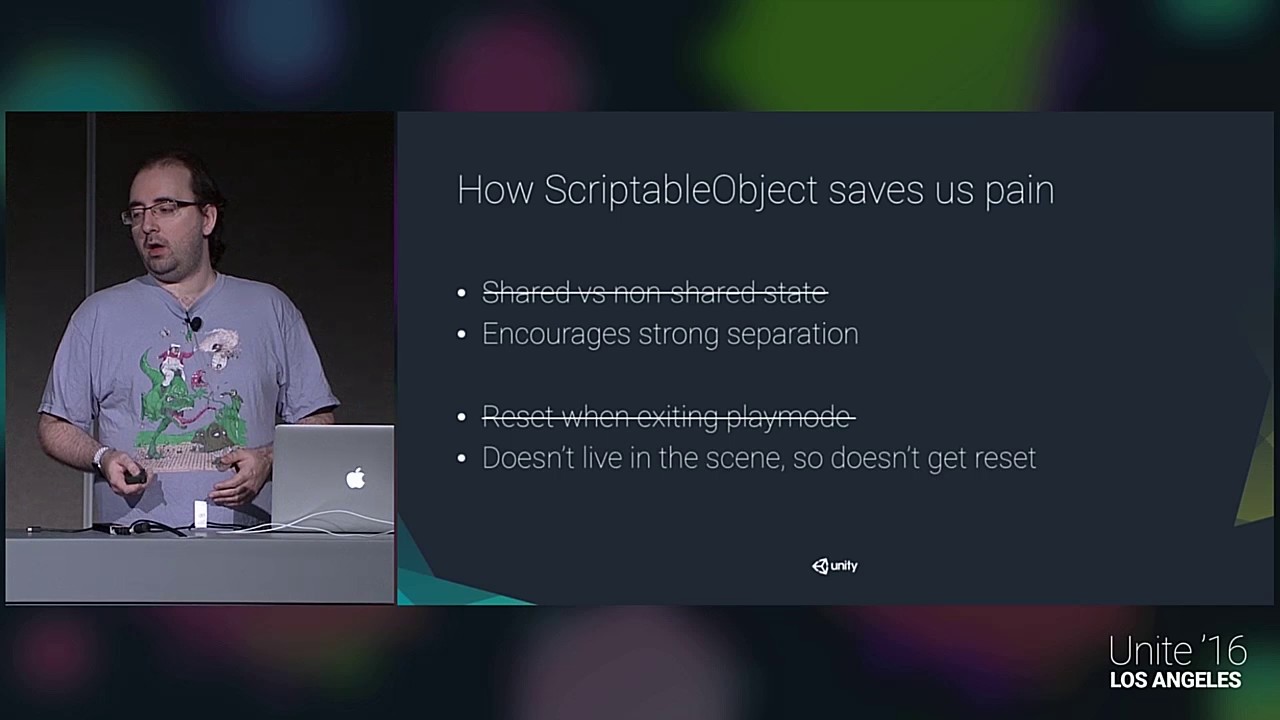
Get the assets here: https://bitbucket.org/richardfine/scriptableobjectdemo/
This session goes over ScriptableObject class in detail, compares it to the MonoBehaviour class and works through many examples of how it might be applied in a project.
Richard Fine - Unity Technologies
There is also documentation on the project's github page.
chrome anchor
oh cool
chrome anchor
it doesn't recognize floatreference
 tropic charm
using ScriptableObjectArchitecture;
oh, thanks!
 grizzled burrow
Hello! I'm new to unity, and want to get to experience c#. Is there some articles you guys recommend?
tropic charm
grizzled burrow
Hello! I'm new to unity, and want to get to experience c#. Is there some article...
I think these are what most people are recommending these days. https://learn.unity.com/project/beginner-gameplay-scripting

Unity Learn
Learn about programming for game development, from the very beginning with these easy to follow video tutorials. Want to learn more about this topic? Connect with a community expert for an online 1:1 lesson.
 remote moth
How to can i save and load a object with all parents objects?
 silver heron
remote moth
How to can i save and load a object with all parents objects?
silver heron
remote moth
How to can i save and load a object with all parents objects?
by creating the parent object with sub objects all attached? otherwise if your talking about setting flags would have to save them somewhere then load them
 mellow owl
Hi, im having a problem with OnCollisionEnter2D, theres already 2d colliders on both of the objects but the function wont get called, any suggestions? Thank you
grizzled burrow
tropic charm
I think these are what most people are recommending these days. https://learn.u...
Okayz thank you
 earnest wind
How can i make it so that when the red box collides with the white one the white box gains a certain amount of impulse?
 mellow owl
@earnest wind Im a noob but maybe use OnCollisionEnter2D and then add force in the opposite direction?
earnest wind
That's what i have done
desert swallow
earnest wind
That's what i have done
What is happening instead?
 desert swallow
You're asking for 2 frame perfect events there
The exact frame that they collide, and the exact frame that space is pressed
If you want to check if they press space while they continue to collide, then use OnCollisionStay2D instead
Otherwise if you want to check if they're holding space at the point of collision, use Input.GetKey(KeyCode.Space)
earnest wind
Yeah that was the thing
Also how could i do so that it gets impulse depending from where the red box is?
Like, if the red box collides with the white box in the right side the white box gets impulse to the left
desert swallow
instead of new Vector2(0,5) you can do something like redbox.transform.position - whitebox.transform.position which would give you a direction pointing from the center of the red box to the center of the white box. You could then multiply that by whatever force you want
earnest wind
Doesn't work 
desert swallow
earnest wind
Doesn't work <:UnityChanThink:531995223472209941>
What does it do instead
earnest wind
It doesn't do anything at all
Also, i guess if i have the red box and the with box in diferent scripts i need to instantiate one of the right?
desert swallow
void OnCollisionStay2D(Collision2D collision)
{
  Vector3 dir = collision.transform.position - transform.position;
  if(Input.GetKeyDown(KeyCode.Space) * collision.gameObject.CompareTag("Cid"))
    rb_caja.AddForce(dir.normalized * 5.0f, ForceMode2D.Impulse);
}
Assuming this script is on the white box, you can get the red box from the collision parameter
earnest wind
Oh gotcha
It works but instead of going the opposite direction it goes in the same direction as the red box
desert swallow
oh, flip the values around then
orchid pewter
is it possible to detect what type of tile the raycasting is looking at?
desert swallow
transform.position - collision.transform.position
 marble badger
What should the output be and why

 timid kettle
hey guys, I have this Tile Map with a composite collider component on it, how can I get all the platforms positions (I want to dynamically spawn monsters on them) ?
 still tendon
Hi, I'm trying to deal damage to a new enemy that I have created but I cannot because I have made a new script for him.
private void DealDamage()
    {
        Collider2D[] enemiesToDamage = Physics2D.OverlapCircleAll(AttackPosPlayer.position, AttackRange, WhatisEnemies); Debug.Log("DealDamage Initiated");
        for (int i = 0; i < enemiesToDamage.Length; i++)
        {
            enemiesToDamage[i].GetComponent<Enemy>().TakeDamage(dealsDamage); Debug.Log("Dealt Damage to Enemy: " + enemiesToDamage[i]);
        }
}```This is the script for the player
If i want to deal damage to, lets say a few enemies should i add them too in the loop where enemiesToDamage[i].GetComponent<Enemy>().TakeDamage(dealsDamage); Debug.Log("Dealt Damage to Enemy: " + enemiesToDamage[i]); is
The script for first enemy is "Enemy" and second is "EnemyGhost"
or can i somehow have the player identify which script is on the enemy
still tendon
Fixed it myself
I'll post it here just if anyone wanted something similiar
You can use if(enemiesToDamage[i].name.contains("Keyword"))
tropic charm
orchid pewter
how do i randomize between -1 and 1?
Use Random.value or Random.Range() as follows.
float f1 = (Random.value < 0.5f) ? -1.0f : 1.0f;
int i1 = (Random.value < 0.5f) ? -1 : 1;

float f2 = (Random.Range(0, 2) == 0) ? -1.0f : 1.0f;
int i2 = (Random.Range(0, 2) == 0) ? -1 : 1;

Debug.Log($"f1 = {f1}  i1 = {i1}");
Debug.Log($"f2 = {f2}  i2 = {i2}");
what does ? -1 : 1; mean?
tropic charm

Unity Learn
How to utilize the Ternary Operator to build simple, shorthand IF-ELSE logical conditions.
orchid pewter
thank you very much
still tendon
Hi! I'm making a game an easy 2D game that moves jump and do other stuff (not yet in the code), but I have an issue, when I code the mode everything is fine, but whenever I enable the Animator (so it looks better) I can't move on the X axis neither on the Y axis, I struggled all day yesterday with that and still cannot find a solution so I'll be very thankful if someone can help me with that, my code looks like this:
 still tendon
Hi! I'm making a game an easy 2D game that moves jump and do other stuff (not ye...
still tendon
still tendon
Hi! I'm making a game an easy 2D game that moves jump and do other stuff (not ye...

 formal lava
I know this is for code but could someone help me. whenever i move it like paints itself behind the actual sprite

im new btw
 peak stirrup
I'm using a tileset collider 2d on the ground and a box collider 2d on the player but the player randomly gets caught on the platform and stops moving, does anyone know how to stop this from happeneing?
tropic charm
peak stirrup
I'm using a tileset collider 2d on the ground and a box collider 2d on the playe...
- Try using a composite collider 2d on your tilemap and/or 2) Try using a capsule collider 2d on your character.
Watch this video in context on the official Unity learn pages
http://www.unity3d.com/learn/tutorials/topics/2d-game-creation/tilemap-collider-2d-and-composite-collider-2d
In this live session we will explore worldbuilding in 2D using Tilemap and 2D Cinemachine. Tilemap makes it fast and easy to create and iterate level design cycles right in Un...
That video will show you how to setup a composite collider on your tilemap.
peak stirrup
thank you
I don't want to use a capsule colider because if you get too close to the edge you end up sliding off
It worked! thanks for the help @tropic charm
formal lava
is there a easier way to make your tiles have a collider other then making a colider
or like how do you make a collider for a slope
tropic charm
@formal lava Usually the collider that unity generates based on the sprite works fine.
Just make sure the tile's Collider Type is set to Sprite.
 formal lava
ok thanks
tropic charm
See this also in case you want to change the default. https://stackoverflow.com/questions/58707598/how-to-change-collider-in-individual-tile-in-tilemap

Stack Overflow
I am using tilemap in unity for level building. I need colliders on my tiles. If I add a tilemap collider to the tilemap it generates a collider around the tile, however I need to edit these collid...
 formal lava
where is the pixels per unit couse i dont see it when i click on the sprite
 crisp flume
formal lava
where is the pixels per unit couse i dont see it when i click on the sprite
crisp flume
formal lava
where is the pixels per unit couse i dont see it when i click on the sprite
click the sprite in the explorer or whatever it's called, then check the inspector and it should be there
formal lava
are these blue lines part of the sprite or just camer/scene
 tropic charm
@formal lava That might be tile bleed. It's a big pain to deal with.
chrome anchor
this function only works when the game starts but not when i update the health value. am i supposed to call the function somewhere?
 desert swallow
@chrome anchor are you familiar with events?
chrome anchor
not really, i did make a game event listener though
desert swallow
You would call HealthChanged whenever you actually change the health, e.g. TakeDamage() or Attack()
chrome anchor
https://github.com/DanielEverland/ScriptableObject-Architecture/wiki/Quick-Start
this tutorial says it's supposed to update by itself (i use scriptableobject-architecture)

GitHub
Makes using Scriptable Objects as a fundamental part of your architecture in Unity super easy - DanielEverland/ScriptableObject-Architecture
desert swallow
 chrome anchor
yeah i did that part here
 tropic charm
chrome anchor
yeah i did that part here
tropic charm
chrome anchor
yeah i did that part here
What you have looks similar to what I had when I went through that same example and I didn't have a problem. Obviously, you have to change the value of that variable at some point...
still tendon
how do I change the collider of a tile from a tile map
 tropic charm
_playerCurrentHealth.Value -= 1;
hm
chrome anchor
I think it's just the slider having issues. I ran a command that drained my hp every frame and it worked
Thank you for your time though
tropic charm
chrome anchor
Thank you for your time though
So you were changing it in the inspector? I just tried to change it in the inspector too and it didn't call the event. So that sounds like a bug since that's exactly what he is doing in the example.
chrome anchor
Yep, that was the case for me
tropic charm
Someone has a 29-day old pull request for it. https://github.com/DanielEverland/ScriptableObject-Architecture/issues/141
GitHub
According to the Tutorial section of this repo (and past versions), a developer is able to cause Variable events to raise by changing the value in the Inspector, such as in this screenshot taken of...
It wasn't an accident, though. It is pretty obvious that it was intentionally pulled out.
formal lava
is there any way t recover an unsaved file
still tendon
theres tilemaps in my main camera object. Are these supposed to be here

@formal lava yes idk how but you can
tropic charm
formal lava
is there any way t recover an unsaved file
Which editor are you using? Some are smart enough to do that.
formal lava
no my entire gaddamn unity game
tropic charm
formal lava
no my entire gaddamn unity game
Unless it is in the OS's Recycle Bin then it is likely gone. Although, a "unity game" is several files so you would have had to lose the entire folder.
formal lava
well the thing just crashed
still tendon
anyone know?
formal lava
all my files seem to be here just all trhe charecters and shit is off the screen
and delted fronm the hierachy
tropic charm
still tendon
anyone know?
No, there shouldn't be a tilemap on your camera.
formal lava
i think ill be good all my scripts are still here
 scarlet violet
source control
still tendon
Black lines keep coming up in my game. Is it a rendering issue? Do you need a video?
orchid pewter
do you think this is okay? being able to be a few pixels over before falling
 tropic charm
still tendon
Black lines keep coming up in my game. Is it a rendering issue? Do you need a v...
tropic charm
still tendon
Black lines keep coming up in my game. Is it a rendering issue? Do you need a v...
You're doing a tile map, right? The problem is likely tile bleed.
tropic charm
orchid pewter
do you think this is okay? being able to be a few pixels over before falling
Users will likely be annoyed by that.
orchid pewter
not sure what i could do
scarlet violet
orchid pewter
do you think this is okay? being able to be a few pixels over before falling
I always err on the side of making the box collider a bit smaller, rather than larger. Nothing more annoying than getting hit by projectiles when the player feels like it wasn't even on them.
orchid pewter
scarlet violet
I always err on the side of making the box collider a bit smaller, rather than l...
i understand but i don't like pixels clipping through stuff
scarlet violet
Why not try a polygon? @orchid pewter
orchid pewter
i don't know i am learning
orchid pewter
i guess its fine for now hehe
scarlet violet
Hint: There are other colliders rather than just the box.
orchid pewter
i'll make a note of it for future
orchid pewter
all the tutorials use box colliders lol
scarlet violet
Sure, but you don't have to, it's your project.
orchid pewter
i know
scarlet violet
What if you want to change something else but the tutorial doesn't?
You might be screwed, or could be great. Worth exploring.
orchid pewter
i already do that within limits
scarlet violet
You might want to try:
https://docs.unity3d.com/Manual/class-PolygonCollider2D.html
 orchid pewter
yeah i thought the alternative would be messy hehe
maybe i could work around it with new pixel art
still tendon
how do I make my animation slower so the players not on gfuel
orchid pewter
@still tendon in the animation tab click the three little dots top right corner, then enable Show Sample Rate, i change 60 to 12 or 10 and it'll space the animations apart
still tendon
Thanks!
still tendon
orchid pewter
<@456226577798135808> in the animation tab click the three little dots top right...
how do I delete a transition
orchid pewter
still tendon
how do I delete a transition
select it and click delete?
formal lava
why is it able to see the like icon of the light
 tropic charm
formal lava
why is it able to see the like icon of the light
tropic charm
formal lava
why is it able to see the like icon of the light
That's a gizmo. Click the left-hand side of the 'Gizmos' button (not the arrow) to enable/disable them.
 rotund remnant
Anyone know a way to "stick" an object to a 2D animation? Like put a separate sprite over the moving character's foot for a shoe. I know I can maybe lerp it to match the animation, I just dont know if anyone has done something like this before. These will be different items that will change
 snow willow
rotund remnant
Anyone know a way to "stick" an object to a 2D animation? Like put a separate sp...
snow willow
rotund remnant
Anyone know a way to "stick" an object to a 2D animation? Like put a separate sp...
Put your shoe as a child of a transform that is being animated
rotund remnant
Its just a sprite sheet, so there really isnt a transform for that 😦 I think the only way is to do it through movement within script to match the animation speed
snow willow
If it's a Sprite sheet then it's not straightforward
But you can always add an empty transform to your animation clip
And just match up the keyframes to the sprite manually
No script required for that


 limber thistle
@brisk badge The tutorial seems to be pretty much in 2D already.
You probably only need to drop the y component of Vector3 and use Vector2 instead
 knotty barn
@brisk badge Don't cross-post the same question to multiple channels.
remote moth
thx
 silk pendant
Hi all, I'm starting in the game development world now but I already have a good experience in C#.
Do you guys have any starting point to share with me? I'm studying random things in the unity 2D engine but should be better if someone give me some ideas on how to start with it or something like that.
Thanks a lot 😃
 lean estuary
@silk pendant It is still advisable to go through the course like "Create with Code" (pinned in #💻┃code-beginner ) to familiarize yourself with engine itself in a more methodical way.
silk pendant
lean estuary
<@!613032497001005079> It is still advisable to go through the course like "Crea...
Thanks a lot buddy. I'll take a look on it.
 sick pier
Hi im a beginner unity user who has used Godot for a year now but i want to use the firebase capabilities of unity and I was wondering if there was a way to save a gameobject as a file and then place it into multiple scenes
for ex: a player who is need in multiple level scenes
 compact moat
i think you can just drag it to the project window
lean estuary
sick pier
Hi im a beginner unity user who has used Godot for a year now but i want to use ...
You can keep runtime data in ScriptableObjects, which when used as assets can be referenced from multiple scenes. Or offload data to Json on exit if you need persistence between runs.
orchid pewter
if i've got 16 pixels per unit how do i jump one unit with velocity?
i've read conflicting help like if i wanted to jump 100 pixels it would be 100 / 16 = velocity but that doesn't work unless i'm doing something wrong
 dense flame
One unit is one unit, you don’t need to calculate using the pixels per unity if you are setting them properly
orchid pewter
dense flame
One unit is one unit, you don’t need to calculate using the pixels per unity if ...
so one velocity should equal one unit then?
orchid pewter
so i should travel one unit every second?
dense flame
I think it will
dense flame
16 pixels per unit means each unit has 16 pixels
Not that one unit is the size of a pixel
Check your import settings of the sprite
orchid pewter
one unit is 16 pixels
so if velocity is 1 then i should move 16 pixels per second?
Unity velocity is in units/s. To convert those units, it solely depends on the scale you created your game in. If you let 1 unity unit = 1 meter for all your objects when you create them, then velocity is meters/s. For 2D, the default pixels per unit is 100, so if your velocity is 1, that would be 100 pixels/s.
when i make velocity 1 i'm not moving one unit per second
rb.velocity = new Vector2(1f, rb.velocity.y);
wait maybe it does 😮

maybe its the gravity of jumping that is messing things up with my maths
seems perfect when walking
dense flame
Friction and gravity may affect the velocity
Check on the Rigidbody info to see that velocity is exactly 1
orchid pewter
yeah i need to calculate my jump to include gravity
just need to figure out how to jump one unit a second if gravity is 9.8
desert swallow
Well you'll never move upwards at a constant velocity as gravity is accelerating you in the other direction
What's your end goal?
orchid pewter
just wanna figure out how to change my jump height for puzzle platforming
desert swallow

Learn how to create a 2D platformer controller in Unity that can reliably handle slopes and moving platforms.
In episode 03 we create a system for keeping track of where collisions occur, implement jumping, and refine our player's movement.
Download source code here: https://github.com/SebLague/2DPlatformer-Tutorial
If you'd like to support th...
desert swallow
^ That video has what you're looking for
orchid pewter
thanks
dense flame
Change the velocity until the height is like you want
orchid pewter
that is one method yes
desert swallow
dense flame
Change the velocity until the height is like you want
The video I posted uses kinematic equations to specify the max Y position of a jump and allows you to determine the exact velocity needed for it
dense flame
Wow, that’s very cool
desert swallow
Mathematics ™️
dense flame
I’ll add it to my playlist
desert swallow
I'd sub to the guy, he's been invaluable to my learning
orchid pewter
there are so many small youtubers that have better information than larger channels
desert swallow
He definitely deserves more subscribers, however I've never heard anyone speak poorly of him
 past seal
I am making a top down 2d racing game I have made the player and for the AI I am making it follow nodes. But when I make it rotate towards the next node it like rotates in the wrong way. https://hatebin.com/ghteshrutq
 forest hedge
https://gyazo.com/854894c98b7de039b4bda149d8cdde43
Anyone know how I would fix this sort of floatyness from the player when their falling? I have to use my gravityscale 0 system to get the ramps working properly but I don't know what else to do; heres the code:
____
https://pastebin.com/5UXrc9y6

Pastebin
Pastebin.com is the number one paste tool since 2002. Pastebin is a website where you can store text online for a set period of time.
forest hedge
(ignore, solved)
scarlet violet
How did you fix? @forest hedge
forest hedge
completly re-did my code after following a tutorial lol
so not really fixed
just scrapped and redid
scarlet violet
Ah ok was just curious if there was something specific you put in.
 brisk badge
How do I make sprites (using 2D URP) cast and receive shadows? I've looked online, but the only posts I've found are for 2D games in a 3D project

 hollow crown
brisk badge
How do I make sprites (using 2D URP) cast and receive shadows? I've looked onlin...
hollow crown
brisk badge
How do I make sprites (using 2D URP) cast and receive shadows? I've looked onlin...
you need to be using the 2D Renderer and 2D lights
brisk badge
hollow crown
<https://docs.unity3d.com/Packages/com.unity.render-pipelines.universal@10.3/man...
I am using the 2D renderer and lights, but that doesn't seem to work either
(fixed, ignore)

 inner ferry
Hi everyone. I've often seen people say that transform.Translate is worse than rigidbody.velocity, because it doesn't work well with collisions. But when I turned on Auto Sync Transforms the collision started working perfectly. And since the vectors are not involved, transform is also easier to change. Well, the question is: is rigidbody better than transform, and in what way?
 wooden gust
I was using the unity tutorials but they are using an older version is there any tutorials with the current version
dense flame
Tutorials in unity 2018 and 2019 should work fine, it hasn’t changed so much
Unless it is a specific feature that had huge changes, what tutorials are you searching for?
wooden gust
They show the tile section and the newer version didnt have it
dense flame
Which title section?
Ahh, tile
On which part?
What do you mean, where is it supposed to be?
In unity 2020.2 you go create>2D>tile
For tilemap you right click on the hierarchy 2D>tilemap>rectangular
wooden gust
I dont have tile
dense flame
On where?
wooden gust
create 2d
dense flame
Which version of unity are you using? Is it a 2D project?
wooden gust
2.2.7 and I though I did
dense flame
You mean 2020.2.7?
wooden gust
yea, sorry
dense flame
On the top part go to window>package manager>in project and check it has 2d Tilemap installed
wooden gust
I do
dense flame
Hierarchy: Create>2D> tilemap appears?
wooden gust
I do have that
dense flame
Go to window>2D>tile palette
wooden gust
yea that works
dense flame
Why?
wooden gust
Some how there is something already in there
dense flame
Show me a screenshot
wooden gust
 dense flame
Then there are the tiles already created, what is the problem?
Do you want to add more?
dense flame
Is that a downloaded project?
 wooden gust
I problem is they took out tile in the newest verision
 peak cargo
Does anyone know the math I’d need to make a UI sprite that hovers over the mouse on one canvas also work the same for another display of a different size? None of the ways I’ve tried so far have kept it to the same ratio, like if display 2 is half the size of display 1 the icon on display 2 isn’t at 1/4 across when it’s 1/4 across on display 1
 flint vortex
Hi, how can i set the main camera to stop when reaching the tilemap edges?
 strong sand
I'm using Vector2.MoveTowards to make a sprite move/follow another, how do I figure out if the sprite is moving left, right, up or down?
snow willow
strong sand
I'm using `Vector2.MoveTowards` to make a sprite move/follow another, how do I f...
I'm not sure how these two things are related
are you trying to figure out if you're moving left/right/up/ or down, or are you trying to find the nearest object?
strong sand
My bad, got it solved tho. Tried to find out the direction of where my object was moving.
snow willow
alright
strong sand
https://i.imgur.com/9ncAVQh.png
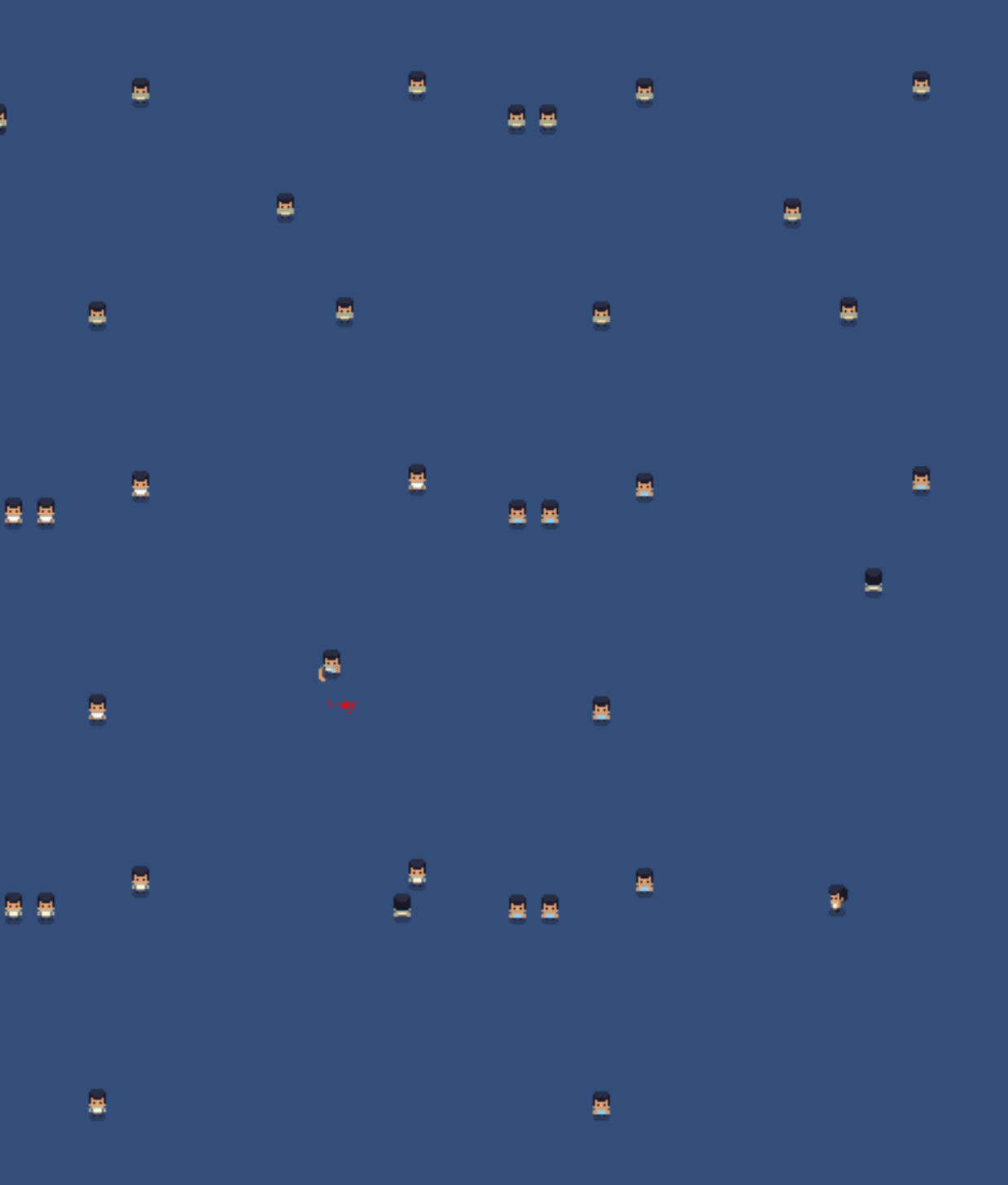
public ParticleSystem psBlood;
Instantiate(psBlood, target.GetComponent<Transform>());

How come this doesn't instantiate it?
(not even in the editor)
Not getting any errors
hollow crown
you're sure the code is running?
strong sand
Yeah
            if(enemy.getHealth() <= 0)
            {
                ParticleSystem ps = Instantiate(psBlood, target.GetComponent<Transform>());
                ps.Play();
                GameObject.Destroy(target);
                target = null;
            }
The object gets destroyed properly after
Tried the play part since it didn't work at first but then noticed it wasn't even spawned in the editor
hollow crown
but you just... destroy the object
strong sand
Yes, the target. Not the particle system?
hollow crown
you instance it and immediately destroy it because it's the child of what you destroy
strong sand
How do I spawn it on that position without parenting?
snow willow
strong sand
Yes, the target. Not the particle system?
You're basically saying "Here hold this baby", and then throwing the person and the baby off the cliff together
hollow crown
strong sand
How do I spawn it on that position without parenting?
https://docs.unity3d.com/ScriptReference/Object.Instantiate.html
public static Object Instantiate(Object original, Vector3 position, Quaternion rotation);
 quick oxide
        if (Input.GetAxis("Horizontal"))
        {
            rb.velocity = new Vector2(MovementSpeed, 0f);
}``` it says "Assets\Scripts\Controller.cs(23,13): error CS0029: Cannot implicitly convert type 'float' to 'bool'", on the if statementoh, how do I fix that?
snow willow
You ever try to write if (-1)?
Depends on what you want to do
Probably compare that value to something
brisk badge
Why is my layerMask not working (wrt to Raycasts). I'm using it to detect if the player is in the line of sight of the enemy, but the raycast is colliding with the enemy even though the enemy's layer (default) is not included in the layerMask ```cs
public bool CheckLineOfSight(Transform body1, Transform body2)
{
RaycastHit2D hit = Physics2D.Raycast(body1.position, body2.position, layerMask);
    if (hit.collider == null)
    {
        return false;
    }

    Debug.Log(hit.collider.gameObject.name);

    if (!hit.collider.gameObject.CompareTag("Player"))
    {
        return false;
    }

    return true;
}
 flint vortex
Hi, how can i set the main camera to stop when reaching the tilemap edges?
 obsidian burrow
strong sand
obsidian burrow
strong sand
I've gotten quite confused, I have one script trying to import basic pathfinding. That script has this variable: https://i.imgur.com/1a9jp8f.png (a public transform)
How do I go about setting that variable from another script?

The other script (on the same gameobject) looks like this: https://i.imgur.com/8dTb63b.png
It's the Target I want to change
 spring adder
Scripts can be instanced in the scene in your editor. They can also be given references to other script instances in the editor. That’s probably the most direct method if you only need one instance of each script, though there are a million ways to do this.
strong sand
Every object (characters) will have this script running as to use the pathfinding.
But I'm not sure how I can set the target from another script on the same gameobject.
strong sand
Lol, must've been drunk! Tried that before but now after a break I managed to get it on the first attempt. 😛
Thanks
still tendon
Hi! How can I know what is the position in world space of a point inside a local UI object?
e.g. I have a scrolling list inside a hierarchy and now I have a calculated point inside that list, but I don’t know how to get the world space of that point since it is not a Game Object with a Transform but just a Vector2 :).
Thanks for the help!
dense flame
I think Camera.ScreenToWorldPoint works for RectTransform and UI position
snow willow
brisk badge
Why is my layerMask not working (wrt to Raycasts). I'm using it to detect if the...
Raycast2D expects a position and a direction. You're giving it two positions.
It's going to interpret that second position as a direction
 crystal geode
is there a way to make a BoxCollider2D snap to its new size/position immediately during an animation rather than morphing in between key frames?
snow willow
crystal geode
is there a way to make a BoxCollider2D snap to its new size/position immediately...
yeah just make your handles vertical
 crystal geode
ah, thank you! I completely missed the curves menu, I'm really new to unity animation
 rich bridge
Im trying to make a game object follow my player and remain slightly behind it, and im kinda stumped on how i can have the object move behind the player as it turns
This is where im at at the moment
still tendon
set its location when pressing direction keys
rich bridge
thats what im trying to do, ive thought of having a child object that it follows, so when the player sprite flips it will move towards it
still tendon
your not showing how you have it set up just a video so I assume you are using void update to constantly follow player with and off set just check if A and D and set the offset to the correct side
you should just set it up to be a child of the player that way it always follows without needing a script to update follow then just check when A or D is press then set the child local location to +1 or -1 depending on what you are pressing.
transform.SetParent(newParent); then when D is press transform.localPosition = new Vector3(0, 0, -1); or 1 for other side
rich bridge
ive got it perfect 🙂
still tendon
nice
rich bridge
i wanted it to be smooth, and not too snappy, so i took a camera follow script and adjusted it a bit
still tendon
Hello ! I can't stop my spawner from drawing "lines", and blocking my objects, at the maxY height. Like here (below the red line):

Actually, what I want to do is a spawner like this (in a loop of course). I specify that I have placed my objects manually:
A spawner with objects not too far or too tight, the one in the video is very good but I can't get a similar result 😦
limber thistle
You probably have a clamp function, or a if(y>height) statement somewhere
That would result in that kind of line
So without seeing your code, all I can recommend is to generate a value that is directly between your max and min heights.
@still tendon
rich bridge
is there any way i can prevent an object from moving too far away from the player?
i have an object that can follow the mouse, but i want it to stay within bounds of the player
 brittle summit
How do I make the game a pixel type of thing, like tilesets and pixelated units
 grand cove
@brittle summit Just place pixel art into the game objects and you are good to go.
But there are also guides for this all over youtube, some are pinned in the 2D art channel
 limber tartan
I am trying to use Unity Sprite Shape and I need to add points using a script. I have been searching documentation and forums but nothing is relevent. I need to have a point places every "x" seconds on the sprite shape. Is there any way to do this? I am using Unity 2019.4 | 2D mode
grand cove
2d mode vs 3d mode is actually only a camera setting, so they function very much the same, but have sadly never used sprite shape, can do a quick google
Seems like most people don't add points using a script though...do you have to do that because of the level generation you have made or something? @limber tartan
limber tartan
grand cove
Seems like most people don't add points using a script though...do you have to d...
I have a flower that is growing and it can move left and right, and behind it I want a curvy stem, that when the player moves, curves that way too.
That is why I need a point every x seconds, so that the stem curves
grand cove
you could potentially move a point every second, seems like creating one will be quite heavy...but lets see if it's possible
limber tartan
grand cove
you could potentially move a point every second, seems like creating one will be...
🧐 That is an interesting idea
Sorry for all these questions, but can you move a point up if it is lower that the player by 20 blocks?
grand cove
https://www.reddit.com/r/Unity2D/comments/brvbfy/can_you_edit_the_spline_of_a_sprite_shape_via_a/
This one show an example how you can edit the spline in a script, even added a gif of it.
reddit
1 vote and 4 comments so far on Reddit
Oh, unity also has a whole tutorial for how to work with sprite shapes
limber tartan
grand cove
https://www.reddit.com/r/Unity2D/comments/brvbfy/can_you_edit_the_spline_of_a_sp...
I've seen that one, but that causes issuses where the spline is like 2 pixels tall and you can barely see it.
limber tartan
limber tartan
I've seen that one, but that causes issuses where the spline is like 2 pixels ta...
in my implimentation
grand cove
Might it be because you failed to set some settings for certain nodes maybe?
grand cove
yep, sleeping on it is most of the time the best action :p
brittle summit
grand cove
<@!599737795258482698> Just place pixel art into the game objects and you are go...
Oh OK, thx m8
inner ferry
Hi everyone. I've often seen people say that transform.Translate is worse than rigidbody.velocity, because it doesn't work well with collisions. But when I turned on Auto Sync Transforms the collision started working perfectly. And since the vectors are not involved, transform is also easier to change. Well, the question is: is rigidbody better than transform, and in what way?
snow willow
You will simply not get realistic collisions when moving the transform directly. You will only get depenetration forces
Your object will not be stopped by colliders
Unless it's moving quite slowly and the depenetration pushes it out
Not sure what you're talking about with vectors, as you use vectors for modifying the transform just as you do with modifying a rigidbody velocity
They are also not very complicated
 ionic lichen
I wanna add a Attack Combo in the air while jumping but i dont know where to begin and this is my ground attack combo

 vapid linden
is this channel also for Bolt?
still tendon
@limber thistle Oh sorry, here is the code: https://paste.myst.rs/gxkpi15d
a powerful website for storing and sharing text and code snippets. completely free and open source.
 compact plume
How can I make that a Text Mesh Pro follows a 2d object ?
 arctic stag
compact plume
How can I make that a Text Mesh Pro follows a 2d object ?
arctic stag
compact plume
How can I make that a Text Mesh Pro follows a 2d object ?
i think you can just parent the 2d object to the text mesh pro object and when the 2d object moves the text should move with it. otherwise IDK
compact plume
arctic stag
i think you can just parent the 2d object to the text mesh pro object and when t...
thanks
inner ferry
snow willow
You will simply not get realistic collisions when moving the transform directly....
If i'm using rb.velocity, i can't change it freely. For example, i want to have some acceleration in my movement and speed barrier too, and i'm using this code:
private float cap = Mathf.Max(maxSpeed, Mathf.Abs(rb.velocity.x) - 0.1f);
rb.velocity.x = new Vector2 (Mathf.Clamp(rb.velocity.x + direction * walkAcceleration, -cap, cap), rb.velocity.y);
And it isn't working, for some reason.
 dusky narwhal
Heya, could use some tips!
Style 2d topdown.
So i'm using new input system.
and i rotate the character based on the movement.
However, the update is so fast, that when i release it register a few quick frames of input
which causes the top down character to quickly slide towards the last recorded input.
and the rotation to reset.
any tips how to combat this?
Thanks!
snow willow
inner ferry
If i'm using rb.velocity, i can't change it freely. For example, i want to have ...
Your logic is flawed if you're trying to cap the velocity with that.
snow willow
dusky narwhal
Heya, could use some tips!
Style 2d topdown.
So i'm using new input system.
a...
Maybe share short video of what you mean and your code?
dusky narwhal
snow willow
Maybe share short video of what you mean and your code?
It's noting major, just the basic code. but i try to get wasd and controller to work well, controller does good, wasd is the issue
 snow willow
dusky narwhal
It's noting major, just the basic code. but i try to get wasd and controller to ...
snow willow
dusky narwhal
It's noting major, just the basic code. but i try to get wasd and controller to ...
Are you using Input.GetAxis by chance?
dusky narwhal
snow willow
Are you using Input.GetAxis by chance?
No sorry, im using the new input system
 snow willow
 main shuttle
when I hit play I cant see my cubes in the camera
main shuttle
when I hit play I cant see my cubes in the camera
Line up your camera beforehand by using the camera preview in scene view
main shuttle
snow willow
Line up your camera beforehand by using the camera preview in scene view
where is the camera preview
snow willow
dusky narwhal
It's noting major, just the basic code. but i try to get wasd and controller to ...
Could just be that when you release one button slightly before the other one, only the last button to be released is registered for a frame or two
still tendon
click on camera
snow willow
main shuttle
where is the camera preview
In scene view. Make sure Gizmos are turned on and you select your camera
main shuttle
ok
dusky narwhal
snow willow
Could just be that when you release one button slightly before the other one, on...
Yes that's what im getting to aswell, and try to fight that somehow xD
still tendon
if your camera clipping planes near is too high and your objects are with in that range your camera will just clip though them you wont see them
snow willow
main shuttle
what should I change that to
Don't change clipping
Just look at the z position
Of your camera and your object
main shuttle
its 5 right now
snow willow
Make sure they're not the same
still tendon
.3 near and 1000 for far
snow willow
Your camera usually should be at z -10 and your objects should be at z 0
still tendon
means you will see as close up as .3 away from camera and as far as 1000 units away
snow willow
For a typical 2d game
still tendon
oh yea forgot we are in 2d xD
main shuttle
eyy pog it worked
 snow willow
Time.deltaTime is unecessary for AddFOrce inside FIxedUpdate
other than that it should work
oh wait
you're also missing this @main shuttle
void Start() {
  rb = GetComponent<Rigidbody>();
}```such as?
main shuttle
 main shuttle
 snow willow
You forgot the {
main shuttle
where do I put it
main shuttle
i dont get the error code but its still dosent work
main shuttle
my "player" dosent move
snow willow
did you attach this script to your player?
main shuttle
yes
snow willow
Does your player have a Rigidbody?
main shuttle
yes
main shuttle
no
snow willow
this is 2D isn't it?
main shuttle
yes
main shuttle
just rigidbody
snow willow
why
2D physics should use Physics2D
Rigidbody2D
If this is a 2D game, with a 2D camera
your object right now is moving along the z axis
main shuttle
 snow willow
which will not be a visdible motion
yeah
remove the BoxCollider
you want a BoxCollider2D
you need to use all the 2D physics stuff for a 2D game
main shuttle
the rigid body wount go in the script now tho
snow willow
right
because you need to change your variable
Rigidbody2D rb;
GetComponent<Rigidbody2D>()
main shuttle
I did
 snow willow
that code does not compile
rb.AddForce only takes 2 parameters
for a 2D rigidbody
fix your compile error first
actually it only takes Vector2
so you need like rb.AddForce(new Vector2(forwardForce, 0));
main shuttle
on once per frame or on start?
main shuttle
vecter 2 is missing a directive or an assemby reference
snow willow
Did you spell it correctly?
main shuttle
ok its fixed
but its says the name fowardforce does not exist in the curent ccontext
snow willow
did you capitalize it correctly?
It must match your variable name
forwardforce is not the same as forwardForce
main shuttle
yea it looks good I think
but its says no overload for method add force takes 3 arguments
snow willow
correct
we're only using 1 argument
the Vector2
you muyst have misplaced a parenthesis or comma
try to copy what I have exactly
main shuttle
I did
snow willow
show it?
main shuttle
 main shuttle
ok i got it in the script
Can u explain what a vector does exatcly so I can learn it
snow willow
It's just a thing that holds an x value and a y value
in this case, we're using it to tell the rigidbody in what direction we want to add a force
we're using 2000 in the x direction
0 in the y direction
Vector3 is for 3 dimensions and is the same except it also has a z in addition to y and x
main shuttle
how does it know that its x not y
snow willow
Because we used the constructor: new Vector2(forwardForce, 0)
the first parameter is always x
the second is always y
main shuttle
oh like a graph
snow willow
yes
main shuttle
thanks alot
forest hedge
https://gyazo.com/4432565cb43d1beb8c333bf5a4d33ffc I'm not sure if I'm meant to ask this here cause its not really a question of exact code; more of a "how would one...". So I'm trying to make the flashlight effect stop when it hits walls, but as you can see it goes through them, right now its a sprite mask system and the tutorials I've found on youtube use raycast & meshes but collisions for me are broken on those, any ideas?

(the wall jump thing is also a bug but I'm not as concerned about that rn)
snow willow
forest hedge
https://gyazo.com/4432565cb43d1beb8c333bf5a4d33ffc I'm not sure if I'm meant to ...
Unity has a 2D light system
which includes shadow support
snow willow
you will have to give all of your obstacles ShadowCasters or what have you
forest hedge
oh thanks
 coarse sentinel
Hi guys, I need a quick question answered if its not much trouble... Can I make 2d "meshes"? instead of sprites make like polygons like the sprite editor but with the option to make holes... I don't know if I'm explaining myself properly..
snow willow
coarse sentinel
Hi guys, I need a quick question answered if its not much trouble... Can I make ...
Just make images with transparent sections
coarse sentinel
But I'd like to zoom in and out without changes in quality
I intend to use solid colors, no textures
snow willow
that's a whole different subject
but look into vector art
Unity has a Vector Graphics package https://docs.unity3d.com/Packages/com.unity.vectorgraphics@2.0/manual/index.html
but it's still in preview
coarse sentinel
 snow willow
so use it at your own risk
coarse sentinel
Like this
 snow willow
Yes I understand
coarse sentinel
I might aswell make a flat 3d model...
snow willow
You would use something like Inkscape or Adoibe Illustrator to create SVG files
You can also make flat 3D models yes
coarse sentinel
snow willow
Unity has a Vector Graphics package https://docs.unity3d.com/Packages/com.unity....
Oh I gave it a read a few days ago
I plan to use the physics engine on this project, so I'll see which one is better suited for that job
Thanks
snow willow
coarse sentinel
I plan to use the physics engine on this project, so I'll see which one is bette...
You can use 2D or 3D physics either way
You can use 2D physics with 3D meshes and vice versa
rendering and physics are completely separate things
coarse sentinel
In terms of performance?
coarse sentinel
snow willow
You can use 2D physics with 3D meshes and vice versa
Oh thats great to know
snow willow
I don't think they're that different performance wise
I would imagine that the 2D engine might be faster but I can't say that for sure
coarse sentinel
It'll probably calculate an extra vector which will be 1 anyways
I think the svg importer is the way to go, thanks!
snow willow
it has freeze rotation settings
snow willow
If you use rn.MoveRotation and not transform.rotation
tropic charm
Try rb.MoveRotation(angle); instead of rb.rotation = angle;
orchid pewter
is it possible to detect what type of ground surface the player is standing on with raycasting?
 opal socket
@orchid pewter yes
orchid pewter
opal socket
<@215556759996071938> yes
using layers or different methods?
opal socket
Layers, tags, comparing materials, many different methods
orchid pewter
oh i should use both layers and tags
opal socket
I dont see any particular reason to do that but sure if your implementation calls for it
orchid pewter
the raycasting would detect if the player is on the ground and also detect the surface type by tags?
 plain pier
I have an issue... So I have a circle sprite and a ground (The ground I made larger on x and z) both have box colliders 2d but, when the ball falls it bounces in one spot (and does not go through) But any other spot it does go through? Anybody know why?
rich bridge
its probably really simple, but how can i add the players x and y coordinates to a value?
is it just + player.transform.position.x
 loud slate
*Water.cs, I think there is a collider for the circle, did you add bounciness to your circle sprite. To add bounciness, right click to project’s asset folder then create>physical material. Name it bouncy or anything haha then change the bounciness to 1.?
@plain pier *Water.cs, I think there is a collider for the circle, did you add bounciness to your circle sprite. To add bounciness, right click to project’s asset folder then create>physical material. Name it bouncy or anything haha then change the bounciness to 1.?
 flat warren
Sorry to bother, but everytime i create image with a button component it doesn't work, anyone knows how to solve this?
 red umbra
flat warren
Sorry to bother, but everytime i create image with a button component it doesn't...
red umbra
flat warren
Sorry to bother, but everytime i create image with a button component it doesn't...
make the button component and change the sprite of the button component itself. that should work
 mild kelp
I have a question about unity 2D.
How do I set a specific width and height to a gameObject?
I am getting a distance between two objects and I need to set a circle around the player with the same radius (or with the same units of measurement).
How can I do that?
best to start with an object with exactly 1 radius for example
then it is very easy to scale
mild kelp
snow willow
best to start with an object with exactly 1 radius for example
How can I set circle radius 1? Then that would be a rectangle. @snow willow
snow willow
A circle with radius 1 is a rectangle?
mild kelp
One what? One pixel?
mild kelp
Where can you change unity world space unit? Or just see it?
snow willow
Is this a sprite?
mild kelp
Yes
snow willow

If pixels per unit is 100
then a 100 px width image is 1 unit wide
so you can either change the size of the image in image editing software, or adjust that pixels per unit setting
until your circle is 1 unit
in diameter I guess
mild kelp
And the distance between two objects is in units? (Vector3.distance)
snow willow
yes
mild kelp
Thank you so much!!!
plain pier
loud slate
<@!737845147483766894> *Water.cs, I think there is a collider for the circle, di...
Ok Thank You Very much!
 lucid quiver
Hey guys, I need help with mobile input system, basically when I move on my joystick controller my character also shoots at that position, i want to set it so i can tap on screen anywhere in the scene and shoot there, can someone help me with this who's not too busy?
plain pier
loud slate
<@!737845147483766894> *Water.cs, I think there is a collider for the circle, di...
Just one thing..., It wont let me put the material on the circle...?
Oh it worked
Ty
loud slate
@plain pier I am a week or so in unity, I am glad it helped you😊.
 robust glade
    void Update()
    {
    if(Input.GetKey(KeyCode.Space)){
//do something
//wait like 2 seconds
//do something after
    }
    }
How do I wait in this?
snow willow
robust glade
```csharp
void Update()
{
if(Input.GetKey(KeyCode.Space)){
//do some...
use a coroutine
snow willow
void Update()
{
    if(Input.GetKey(KeyCode.Space)){
        StartCoroutine(WaitThenDoSomething());
    }
}


IEnumerator WaitThenDoSomething() {
  yield return new WaitForSeconds(2f);
  // Do the thing here
}
You will also need using System.Collections; at the top of your file.
robust glade
ok
snow willow
otherwise you will be doing the thing for every frame the key is pressed
robust glade
lol
 gaunt charm
Vector3Int cellPosition = Tilemap.WorldToCell(transform.position);
transform.position = Tilemap.GetCellCenterWorld.(Vector3Int(0,0,0));```
hello i'm trying to get my "character" to use grid movement but i can't make it work. i was wondering if someone have an idea about this or what i'm doing wrong snow willow
Tilemap.GetCellCenterWorld.(Vector3Int(0,0,0));
Something's missing here
Tilemap.GetCellCenterWorld().(Vector3Int(0,0,0)); maybe?
also
 full nexus
Can anyone tell me why my character seems like they're "stuttering"?
It look like the character doesn't have vsync.
Here's my code if that means anything:
    float horizontal;
    float vertical;
    float moveLimiter = 0.7f;

    public float runSpeed = 20.0f;

    void Start()
    {
        body = GetComponent<Rigidbody2D>();
    }

    void Update()
    {
        // Gives a value between -1 and 1
        horizontal = Input.GetAxisRaw("Horizontal"); // -1 is left
        vertical = Input.GetAxisRaw("Vertical"); // -1 is down
    }

    void FixedUpdate()
    {
        if (horizontal != 0 && vertical != 0) // Check for diagonal movement
        {
            // limit movement speed diagonally, so you move at 70% speed
            horizontal *= moveLimiter;
            vertical *= moveLimiter;
        }

        body.velocity = new Vector2(horizontal * runSpeed, vertical * runSpeed);
}```Vector3Int(0,0,0) needs to be new Vector3Int(0,0,0)
snow willow
full nexus
Can anyone tell me why my character seems like they're "stuttering"?
It look li...
This is fishy in FixedUpdate:
        if (horizontal != 0 && vertical != 0) // Check for diagonal movement
        {
            // limit movement speed diagonally, so you move at 70% speed
            horizontal *= moveLimiter;
            vertical *= moveLimiter;
}```what happens if you get two physics frames?
You will multiply horizontal by .7 twice
and vertical
you probably want to only modify a local copy
The other thing is
physics movement is naturally "stuttery"
unless you turn on rigidbody interpolation
because the physics update is not synced with the frame update
full nexus
Even before implementing fixed update it did the stuttering.
I've turned on rigidbody interpolation aswell.
snow willow
you'd have to share your code in whatever other state it was also stuttering in
but if you were using Rigidbody, that moves in sync with FixedUpdate no matter what
interpolation should fix it though
gaunt charm
snow willow
`Vector3Int(0,0,0)` needs to be `new Vector3Int(0,0,0)`
i already try this same error
snow willow
gaunt charm
i already try this same error
It is one of your errors
you have many
scroll up I mentioned another one
above the giant code block
gaunt charm
i know i saw it
someone. i already try the new(new Vector3Int(0,0,0));
and i add the () to the other line too
snow willow
show your new code, show what your errors are
full nexus
snow willow
you'd have to share your code in whatever other state it was also stuttering in
I don't even remember what other things I did, I've tried a load of different movement techniques and the stutter remains, even in some of my other projects.
Is there a better way to move the character in all directions?
I'm still new to this, so I'm sorry if I'm not understanding
snow willow
gaunt charm
someone. i already try the new```(new Vector3Int(0,0,0));```
And maybe break that line of code up into multiple lines so it's easier to find and fix the errors
gaunt charm
snow willow
show your new code, show what your errors are
it's with the code but here again https://cdn.discordapp.com/attachments/763500535554375750/820129365378596953/unknown.png
 gaunt charm
sure sec
snow willow
(use https://paste.myst.rs/)
gaunt charm
a powerful website for storing and sharing text and code snippets. completely free and open source.
snow willow
        Grid Tilemap = transform.parent.GetComponent<Grid>();
        Vector3Int cellPosition = Tilemap.WorldToCell(transform.position);
transform.position = Tilemap.GetCellCenterWorld().(new Vector3Int(0,0,0));```this is not right
You got a Grid object
and you're trying to call functions on it like it's a Tilemap
just because you named it "Tilemap" doesn't make it a Tilemap object
What is a "Grid"
is that a custom class you made?
WHy aren't you just using the map variable you have already defined
that is a Tilemap
then finally the way you are calling GetCellCenterWorld().(new Vector3Int(0,0,0)); is wrong
it should be GetCellCenterWorld(new Vector3Int(0,0,0));
gaunt charm
snow willow
`Tilemap.GetCellCenterWorld().(Vector3Int(0,0,0));` maybe?
you told me to try this way
snow willow
I was telling you that to fix one error you had
which was the missing parentheses
Just becuase I didn't also fix your other error doesn't make it wrong
basically the dot you had was super confusing
gaunt charm
and about the grid im really new on unity so im trying to figure it out. just wondring if i could get some help trying to fix that
snow willow
You most likely just want to use map
gaunt charm
 snow willow
    void Start()
    {
        destination = transform.position;
        mouseInput.Mouse.MouseClick.performed += _ => MouseClick();

        Vector3Int cellPosition = map.WorldToCell(transform.position);
        transform.position = map.GetCellCenterWorld(new Vector3Int(0,0,0));
}```it's like i didnt add anything to it with that code
gaunt charm
the 2 new lines Vector3Int cellPosition = map.WorldToCell(transform.position); transform.position = map.GetCellCenterWorld(new Vector3Int(0,0,0));
they are like commented. they added nothing to the script
snow willow
not sure what you mean
I mean it's true that Vector3Int cellPosition = map.WorldToCell(transform.position); won't do anything
you're just reading a value out to a variable and then ignoring it
gaunt charm
https://docs.unity3d.com/ScriptReference/Grid.GetCellCenterWorld.html this is where i got it from
snow willow
Ok
But you have a Tilemap
which inherits from GridLayout
You already have your Tilemap reference
why do you need a separate Grid reference?
It's the same object, with the same method
in any case - what are you actually trying to do?
gaunt charm
snap the character to the grid. so only move inside the grid
snow willow
ok and how are these 2 lines in start supposed to do that?
Start only runs once
You'd need to make a change inside MouseClick()
to snap the mouse position to the grid
gaunt charm
ty for the info i will try to find out something about this
 lapis moth
im trying to make a main menu but i get the error cs0103 scenemanager does not exist
snow willow
lapis moth
im trying to make a main menu but i get the error cs0103 scenemanager does not e...
Did you capitalize it properly? SceneManager
And do you have using UnityEngine.SceneManagement; in your file?
 broken skiff
I am doing a clicker, why clicks are not counted, I think this is due to an error in the script. Who can help solve the problem please write to me
 jovial narwhal
how do you delete objects?
still tendon
How can you make the grass sprite go over the background instead of being behind it?

Nevermind, already figured out. I changed the sprite's Z position to -0.01
marble badger
anyone here
Have a question:
After performing a raycast, if it hits an object then i find the hit.distance and assign it to the objects velocity.x
It makes the object transfer to that position immediately. That how i do kinematic collision checks. But when i Debug.Log(hit.distance) it returns a value between the origin point of the raycast and the collision point.
then what does actually gets assigned to the velocity? is it a vector? what is it?
mild kelp
I have a question about unity 2D.
For some reason button command is not working.
And the weirdest part is that the Debug.Log is happening, but everything else isn't.
Does anybody know why is that?

 spring adder
Well if it’s showing the log then it’s executing the function, unless you have another log that logs ‘y.’ So what is it not doing that you want it to do?
mild kelp
spring adder
Well if it’s showing the log then it’s executing the function, unless you have a...
It is not changing the variable and not destroying the object. I tried putting in some other functions too, but only Debug.Log is executing.
spring adder
what other functions?
mild kelp
For example changing other variables.
But only thing that is happening is the Debug.Log @spring adder
 minor harness
where is the option to import my sprite
I cant find it
someone just please
tell me where it is
mild kelp
Just drag your sprites from file explorer into unity

 sweet bloom
hey guys i'm trying to make an enemy move from a point to another but can't seem to make it work
using System.Collections;
using System.Collections.Generic;
using UnityEngine;

public class MoveSide : MonoBehaviour
{

    public float speed;
    public bool MoveRight;

    // Use this for initialization
    void Update()
    {
        // Use this for initialization
        if (MoveRight)
        {
            transform.Translate(2 * Time.deltaTime * speed, 0, 0);
        }
        else
        {
            transform.Translate(-2 * Time.deltaTime * speed, 0, );
        }
    }
    private void OnTriggerEnter2D(Collider2D trig)
    {
        if (trig.gameObject.CompareTag("turn"))
        {
            if (MoveRight)
            {
                MoveRight = true;

            }
            else
            {
                MoveRight = false;
            }
        }

    }
}
this is the code i used, it can go back when it reaches one bound but then when it reaches the left one it just goes trough the collider without triggering
mild kelp
minor harness
it hasnt done anything
When you are in the sprite editor there is an option slice. Push that.
minor harness
it still has the massive border but there is only one sprite
mild kelp
You also need to choose multiple as a sprite mode.
mild kelp
mild kelp
```hi,
I have a question about unity 2D.
For some reason button command is not w...
???
 viral locust
Someone know how to make a script on a 2D isometric map

Like that ?
With movement point
snow willow
viral locust
Someone know how to make a script on a 2D isometric map
You'll need a pathfinding algorithm
But to do that and get the visual effect too will require a lot of work
 ruby karma
I'm betting that's 3D anyway, just shown as 2D iso
still tendon
I want to start learning 2d coding. Where I should start and is unity free?
viral locust
Yes unity is free
Some of YouTube video are really good to start
You can't easily find cool free assets
Can *
still tendon
Ok thx
hearty anvil
I am very new to shaders, just wondering how I make glowy objects. Essentially, the additive blending thing. I have this much so far

 tawdry edge
can someone help me making a 2D terrain randomly generated than can be destroyed?
 mild kelp
I have a question about unity 2D.
Can you change scriptable object properties through script?
yes
mild kelp
Ok, thank you
tawdry edge
hi guys, how to start making a game like worms? the worms with bazooka
mild kelp
I have a question about unity 2D.
What is the toString() format, so if there is a number smaller then 10, it is going to put a zero before it. (For example 01, 02, 03, 04 ... 10, 11 12)
Does anybody know this???
snow willow
mild kelp
```hi,
I have a question about unity 2D.
What is the toString() format, so if th...

In this article, learn to use standard numeric format strings to format common numeric types into text representations in .NET.
It's all documented there
It's also a C# question which isn't really related to Unity FYI
mild kelp
snow willow
https://docs.microsoft.com/en-us/dotnet/standard/base-types/standard-numeric-for...
I am trying to use "D2", but is throes an error: The specified format 'D2' is invalid.
snow willow
mild kelp
I am trying to use "D2", but is throes an error: The specified format 'D2' is in...
How are you calling it
mild kelp
string.Format("0:{0}", objectShower.timeLeft.ToString("D2"));
mild kelp
It is a float
snow willow
You have to use the float specifiers then
mild kelp
Ok, thank you! (I will just make it int)
snow willow
In this article, learn to use standard numeric format strings to format common numeric types into text representations in .NET.
Er fixed point I guess it's called
 fickle arrow
Anyone know how to rewrite: if (Input.GetKeyDown(KeyCode.UpArrow) && transform.position.y < maxY). to Input.GetButtonDown?
still tendon
Input.GetKeyDown("w")
 solemn isle
Does someone here know how trails works?
 umbral patrol
Is there a way I can make a game that toggles a camera to view all sprites as either pixelated or with a bilinear filter?
snow willow
fickle arrow
Anyone know how to rewrite: if (Input.GetKeyDown(KeyCode.UpArrow) && transform.p...
You have to register the button you want in the Input Manager (it might already be registered as "up" or "forward" or something, not sure).
 limber marten
Hm. I have some questions regarding a 2D platformer game I’m trying to make for Uni, but I’m not at my computer at the moment
But one of them is like...
How would I be able to adapt the Brackeys 2D character controller to create a character that moves around by rolling like a ball?
... except the character in this case is more a box than a ball, but still
 winged rune
I have a question about a movement script.
When i playtest my scene, i enabled debug.log, the console is displaying the numbers, but the character isn't moving at all.
snow willow
Reversing the scale of stuff causes all kinds of issues like that so I'd usually not recommend it
If you're using a SpriteRenderer there's a "Flip X" option or whatever to reverse the image
 rain ingot
i have a sprite with a animation how can i switch between frames using code and a int
 rare parrot
show code
rare parrot
 civic elm
why does the rigid body jitter when interacting with walls
civic elm
why does the rigid body jitter when interacting with walls
implement character movement by changing velocity of rigidbody, dont use transform.translate
ie
public class PlayerController : MonoBehaviour
{
    Rigidbody rb;
    public float speed = 1.0f;
    Vector3 movement = new Vector3();

    private void Start()
    {
        rb = GetComponent<Rigidbody>();
    }

    void FixedUpdate()
    {
        rb.velocity = new Vector3(movement.x, movement.y, 0);
    }

    void GetInput(float speed)
    {
        // setting input variables
        movement.x = Input.GetAxisRaw("Horizontal") * speed;
        movement.y = Input.GetAxisRaw("Vertical") * speed;
    }
}
switch between frames? animation clip should contain all frames for that clip and play them automatically
ie

unless your question is how to transition between animation clips using code and a int
rain ingot
ok i have 3 of the same sprite on a animation
i need to switch between them
is a animation a good way to do i
t
rare parrot
rain ingot
ok i have 3 of the same sprite on a animation
show animator window
rain ingot
ok
 rain ingot
 still tendon
how do you import unity stuff into roblox
still tendon
which channels? sorry
rare parrot
rain ingot
ok so you have 3 key frames, are they all part of the same animation?
rain ingot
yes
rare parrot
does the animation play when you enter game mode?
rain ingot
yes
rare parrot
why would you need to switch between them
rain ingot
its a where is waldo type of game where u need to find the right collor one
rare parrot
can u show what the sprite of each keyframe is


 rain ingot
its a where is waldo type of game where u need to find the right collor one
rain ingot
rain ingot
its a where is waldo type of game where u need to find the right collor one
.

whitout the white bg
rare parrot
what conditions for the int would you want the sprites to switch
rain ingot
0 1 2
rare parrot
how would you want the sprites to switch
rain ingot
any way
rare parrot
why would you need 0 1 2 to switch between sprites
rare parrot
how do you want to change the sprite in runtime
rare parrot
ok thats the answer im looking for
animation would not be ideal way to implement that
still tendon
um can i ask or am i barging in
https://stackoverflow.com/questions/66624074/when-character-flips-fire-point-does-not-rotate-2d the question
Stack Overflow
I have a movement code in 2d made by brackeys it def works and I also use his shooting code, but while I was following the shooting tutorial I realized his character stares at right or left, mine d...
rare parrot
if you want to change the sprite on click, create script on the gameobject, declare a sprite array and create a function where you assign an int variable a random number between 0-2 for index of sprite array, then assign sprite renderer the sprite array[index]. reference this method on click
rain ingot
    public Sprite image0;
    public Sprite image1;
    public Sprite image2;
         public Sprite[] imageList = new Sprite[] {
                       image0,
                       image1,
                       image2,
                      ...
     };
```?i wouldnt declare a sprite object for each image
just the array
you can set size and initialize the array in the inspector
rare parrot
still tendon
https://stackoverflow.com/questions/66624074/when-character-flips-fire-point-doe...
what you mean by fire point?
still tendon
the point where the bullet spawns
when i face right it spawns and goes right
which is what i want
but
when i face left it spawns and goes right
i want it so when i rotate my sprite
i also rotate the fir epoint
i already rotate the sprite and the gun
dont know how to rotate the point
rare parrot
is the fire point a child of the object which runs the script to flip the player


 rare parrot
nvm
still tendon
?
rare parrot
change the velocity of the bullet to negative when left input is detected
still tendon
what
rare parrot
or