
#🖼️┃2d-tools
1 messages · Page 35 of 1
 tropic charm
 native thistle
So if I understand this correctly, you're using two colliders as separate hitboxes and combining that with the bullet's velocity to handle the logic, basically?
tropic charm
Yes. I added logic to try to do what you are trying to do. That is, use just one collider. I never finished it but the logic would go into ShowDamage().
native thistle
Okay, I think I understand. This has definitely been food for thought; I'll give my code a bit of a refactor and try something closer to this implementation. Thank you so much! 😀
tropic charm
Yep. No problem.
@twin topaz Look at this code. Something I just whipped up.
Use it as follows...
using UnityEngine;

public class ExampleScript : MonoBehaviour
{
    private CameraZoomHandler _cameraZoomHandler;

    void Start()
    {
        _cameraZoomHandler = GetComponent<CameraZoomHandler>();

        if (!_cameraZoomHandler)
        {
            throw new System.Exception("You messed up.");
        }
    }

    public void Damaged()
    {
        // ...
        _cameraZoomHandler.StartCameraZoomAnimation();
    }
}
 still tendon
is there any code to make a 2d object face the mouse position?
 bronze estuary
can somebody help?

these methods are not being called
both objects that are supposed to be colliding have colliders and rigidbodies
and it doesnt even print "test" when the playuer touches the thing

its even in contacts
its in continuios

oh wait ohhh
i need to do full kinematic continuous i think
nopp
im lost
 severe notch
How to make two objects with rigidbody2D not push each other?
 tropic inlet
still tendon
is there any code to make a 2d object face the mouse position?
tropic inlet
still tendon
is there any code to make a 2d object face the mouse position?
u can find it from google
commonly, u will see atan2(dir.y, dir.x) * Mathf.Rad2Deg used to find the angle in degrees, where dir is a direction vector pointing from the object to the mouse
still tendon
ok, thx!
 drifting plaza
is procedural biome generation possible in a 2d game
 indigo oriole
Of course why wouldn't it be
drifting plaza
how hard is it
indigo oriole
Depends what you need exactly
tropic charm
still tendon
is there any code to make a 2d object face the mouse position?
using UnityEngine;

public class PointAtMouse : MonoBehaviour
{
    [SerializeField] private float _adjustDegrees = -90.0f;

    void Update()
    {
        Vector3 currentMousePos = Input.mousePosition;
        currentMousePos.z = Camera.main.nearClipPlane;

        Vector3 mouseWorldPos = Camera.main.ScreenToWorldPoint(currentMousePos);

        Vector3 delta = mouseWorldPos - transform.position;
        delta.z = 0.0f;

        float angle = _adjustDegrees + Vector3.SignedAngle(Vector3.right, delta, Vector3.forward);

        transform.rotation = Quaternion.Euler(0.0f, 0.0f, angle);
    }
}
thx 
 peak stirrup
I have set up a timer that counts how long it takes you to complete a level, It was working perfectly fine yesterday but when I opened my project today it has now stopped working, visual studio shows no errors


the Debug.Log(timePlayingStr); only prints once and then stops
the Debug.Log("update timer hath begun"); prints
Debug.Log(" timer hath begun"); prints
but it only runs once even though it's a loop
nvm I got it to run
 unreal gulch
Hello, does anyone know how to make cinemachine follow the player that you just spawned?
i tried adding this script to CM Vcam but doesnt seem to work, any help?
code:
 burnt badge
anyone know how to draw a circle around an object in-game?
 fervent otter
how do you mean?
burnt badge
im making a tower defense game. I want the player to see a slightly opaque circle on top the tower while theyre trying to place it
tropic charm
I think the closest thing there is to that is you can create sprites with specific shapes. If you right-click in the asset window you can chose Create | Sprites | Circle.
 burnt badge
tropic charm
I think the closest thing there is to that is you can create sprites with specif...
burnt badge
tropic charm
I think the closest thing there is to that is you can create sprites with specif...
is there a way to do this within the code?
tropic charm
No, I don't think so. That feature will basically just create a sprite file (png) based on your design-time parameters.
You might have to find a shader to do that.
burnt badge
yeah, im looking at the inspector for it now. I can use this, so thanks jack
 vagrant wigeon
Hi, so i'm making a boss level and i have to make sure that the boss (when he hits those 3 colliders) enable the Script Renderer. I first thought about using a general script for the holes and then assign it to each of them. But even if i collide with hit it doesn't re-enable the Renderer. Any suggestions?

Here's the hole script

i fixed it
 regal ocean
hey im new and i can't see what is the problem in this code it says that the name Destroy doesnt exist

but i just want to destroy a game object every time my player step on it
 vocal condor
regal ocean
hey im new and i can't see what is the problem in this code it says that the nam...
vocal condor
regal ocean
hey im new and i can't see what is the problem in this code it says that the nam...
Destory != Destroy
peak stirrup
I have set up checkpoints along the platform, basically they teleport an empty object to them, which the player teleports to when they "die". for some reason when you die after hitting a checkpoint, you get teleported to the second one, i'll post code below


they both have the same script attached to them but with a different flag gameobject
does it have to do with instance? I am still not enirely sure what insatnce does, only that using it I can reference my class in another script.
nvm, I changed it so that it moves checkpoint to the players position when they enter the collider
 twin topaz
yo guys i am making a simple bow game and i want the bow to hold at its apex and i made a animation for it but the problem i am running into it shoots before i hold the mouse button down(and the button doesn't even needs to be held down for the holding animation to play), it also does the shoot animation before the hold animation
 craggy kite
How are you calling the animations?
twin topaz
are you talking about the script or animator?
if animator i set them as a trigger parameter
 wanton iris
Anyone here have any experience with the pixle perfect camera?
I will ask my questions anyway 🙂 : my project is using 16x16 tilemaps / sprites
so i set my Pixle Perfect camera's assets PPU to 16 and left the reference resolution to 320x180
and calculating the size of my camera, I used the formula Y / PPU / 2 : (180/16/2) : 5.625
but that made my view waaaay to small
but it seemed to work if i times it by 10 : 65.25 (looks about right for screen size when playing)
hmm, my follow up question was, that my camera size kept changing when i hit play
but right now, its not changing, not sure what changed...
oh, nm, sorry for wall of text, if i disable the pixle perfect camera, my camera size stays at 56.25, but if i enable it, it changes it to 10.8125
not sure why
 rancid gorge
On the topic of Pixel Perfect cam, anyone ever figure out how to get rid of the Pixel jerking when cam is following the player character?
tropic charm
@naive epoch I don't see any problems but I also don't understand what it is the script is trying to accomplish.
It looks like it is finding game objects with a tag of "Player" and will rotate to face them but I'm not sure what it is supposed to do when there is more than one player.
It looks like you have most of what you need. One approach would be to iterate through the players each time Update() is called and track it. You can determine the distance between a player and the 'tracker' by subtracting the two transform.positions and reading magnitude property of the result.
tropic charm
I think you should be able to do what you are doing in ExcludeSelfRotationTarget() now.
 stark totem
Heya, i've ran into small problem with tilemaps, while trying to place second layer of tiles via Tilemap.SetTile() they are weirdly offseted (pic rel). I've tried changing pivot of sprites, but then when i try place those tiles by myself they are offseted

 vocal solar
Movement in 2D without gliding?
Anyone?
If I press W once it glides away like its on ice skates
and then stops after certain time
stark totem
stark totem
Heya, i've ran into small problem with tilemaps, while trying to place second la...
Okey so i found out that i need to change Matrix4x4 transform on y value to 0.5
 orchid pewter
how do i stop my character from sticking to walls instead of just falling straight down?
 tropic inlet
those animations are so cute
anyway, I fixed this issue by adding a physics material to my rigidbody2d iirc
 glass coral
Hi.
I, m programatically adding an image to a sprite rendered.
The image is 106px/106px, so i set the px per unit of the sprite to 106
When i place my sprite i the scene the size of it is 1
But when i create a SpriteRenderer with a script the size of the images goes brrr
Any ideas ?
 orchid pewter
tropic inlet
anyway, I fixed this issue by adding a physics material to my rigidbody2d iirc
orchid pewter
tropic inlet
anyway, I fixed this issue by adding a physics material to my rigidbody2d iirc
i've got no materials 😦
tropic inlet
u can create one in 1 second
right-click in ur assets
give it any name
slap it onto ur collider or ur Rigidbody2D (i don't remember which one)
see if that changes anything
orchid pewter
you're talking about physics materials?
glass coral
glass coral
Hi.
I, m programatically adding an image to a sprite rendered.
The image is 106p...
ok i'm the dumbest.. i didn't put the right number in the creation of my sprite

 tropic inlet
sure
orchid pewter
what do i change?
tropic inlet
i don't know; I haven't touched Unity in ages
just experiment
slap it onto a collider/rigidbody2d, see if it fixes wall thing
orchid pewter
oh wow that was really simple lol
thank you
created a physics material 2d with 0 friction and it works
you only get two values lol

i wish i could change the box collider with values instead of eyeballing it
tropic charm
vocal solar
Movement in 2D without gliding?
Use Input.GetAxisRaw() instead of Input.GetAxis().
 snow willow
You must configure your Canvas Scaler as desired
Looks like you currently have it set to Constant Pixel Size
which means... basically no scaling happens at all
Try the other options 🙂
np
 misty hazel
hey guys so im stuck and have been for a while and it made me put down the project but i want to finish it
i have this code ill link (hastebin not working)
and the idea is itsll move a gameobject (enemyship) in a random direction for a stay and after so meny seconds change direcection
then i made it change direction if it hit a box collider but the change of direction sometimes is the same and it make the ship stutter
i want to to move towards the player and or away from the play at a random time but also keep away from the box collider i have names (enemywalls)
but im very stuck
i dont know if im looking at this all wrong or not but i really need help
ill post the code next
{
    public float latestDirectionChangeTime;
    private readonly float directionChangeTime = 5f;
    private float characterVelocity = 2f;
    private Vector2 movementDirection;
    private Vector2 movementPerSecond;


    void Start()
    {
        latestDirectionChangeTime = 0f;
        calcuateNewMovementVector();
    }

    void calcuateNewMovementVector()
    {
        //create a random direction vector with the magnitude of 1, later multiply it with the velocity of the enemy
        movementDirection = new Vector2(Random.Range(-1.0f, 1.0f), Random.Range(-1.0f, 1.0f)).normalized;
        movementPerSecond = movementDirection * characterVelocity;
    }

    void Update()
    {
        //if the changeTime was reached, calculate a new movement vector
        if (Time.time - latestDirectionChangeTime > directionChangeTime)
        {
            latestDirectionChangeTime = Time.time;
            calcuateNewMovementVector();


        }

        //move enemy:
        transform.position = new Vector2(transform.position.x + (movementPerSecond.x * Time.deltaTime),
        transform.position.y + (movementPerSecond.y * Time.deltaTime));

    }

    void OnCollisionStay2D(Collision2D collision)
    {
        //moves the enemy ship away from wall if it colliders with "enemyWalls" (box collider)
        if (collision.gameObject.tag == "enemyWalls")
        {
           calcuateNewMovementVector();
        }
    }


}```Is there a way for me to tell how much force an object has pushing against another object without using velocity?

How do i add physics to the blue cube?
tropic charm
still tendon
Add a RigidBody2D component to it.
tropic charm
misty hazel
hey guys so im stuck and have been for a while and it made me put down the proje...
Look into Physics2D.Raycast(). You can use it in calcuateNewMovementVector() to look in the direction you intend to turn to and check to see if it is clear of walls or not.
still tendon
tropic charm
Add a RigidBody2D component to it.
i did but the cube is going down and not stoping
tropic charm
The cube doesn't have anything to interact with. The ground will need to be a rigid body as well.
tropic charm
Actually the ground can just have a box collider on it. If you haven't put one on the cube then it will need one too.
 nocturne rivet
can you add a physicsmaterial2d at runtime?
snow willow
nocturne rivet
can you add a physicsmaterial2d at runtime?
yes
 tall current
I'm using velocity to move my character, and that works awesome in almost every way.
There's a visual problem. The character stutters forward as it moves.
This is the code for moving the character horizontally, but I don't think it has to do with that.
private Vector2 VerticalMove(Vector2 vel, float speed)
{
    return new Vector2(myIn.move.x * speed, vel.y);
}
I believe it has to do with how I set the velocity. I do it at every FixedUpdate()
Does anyone know why this kind of stuttering appears?
I believe it has to do with the order of Unity's order of execution, I'll try something else...
nope, tried doing it at WaitForFixedUpdate but the stuttering continues, any ideas?
 deft niche
anyone got an Drag and Drop Script?
tropic charm
tall current
I'm using velocity to move my character, and that works awesome in *almost* ever...
You might see if this fixes your issue...

► Start Making Platformers with my new Unity Asset Kit - http://u3d.as/2eYe
► Make Car games using this asset pack I created (40% off) - http://u3d.as/1HFX
►Wishlist my game Blood And Mead on Steam - http://www.bloodandmead.com/steam
Join the discord community
https://discord.gg/yeTuU53
Subscribe for Unity and game dev tutorials
https://bit.ly...
still tendon
i have a problem here
i've added my ground check and all to my cube but i added it in to one side
but when my cube rotates to one of the other three sides when i press Space the cube doesn't jump
really need help on this
stark totem
Heya, i was wondering is it possible to make pathfinding and movement system based on Tilemaps?
I can't find any reasource for that, so if i missed something i would really appreciate sending me tutorial or something
twin topaz
yo how do i change the position of something else(different object) after an object has been hit
tropic inlet
GameObject otherObject = ...;
otherObject.transform.position = ...;
i don't think that will work?
tropic inlet
It will work.
Assigning to transform.position is how you change the position of an object.
Just make sure otherObject stores a reference to the object you need to reposition
tall current
tropic charm
You might see if this fixes your issue...
Aye mate, thanks a lot. Forgot about that completly :D
still tendon
can i have a script for the camera following the character?
i'm following these tutorials but it's not just working on point
tall current
I can give ya one, 2 sec...
 strong heron
Camera.transform.position = target.transform.position
@still tendon this should work on the most basic level
tall current
~~https://hatebin.com/mvsekrqbqr~~
https://hatebin.com/kzaldfgyqj
Here's one that I've been using for a few of my 2D games @still tendon
0.01 is a good value for smoothing speed, play around with it to find the correct one.
And set the offset of z to the offset you have on your camera, then you're fine :)
still tendon
thank you leo and Mazarch so much
still tendon
tall current
And set the offset of z to the offset you have on your camera, then you're fine ...
tysm
still tendon
tall current
And set the offset of z to the offset you have on your camera, then you're fine ...
i don't know how to put this correctly van you help me?
 tall current
offset.z = -10 probably, or whatever your offset on your camera is.
oh wait, is it 2D?
still tendon
yea]
tall current
oh, we're in #🖼️┃2d-tools hah
still tendon
tall current
~~https://hatebin.com/mvsekrqbqr~~
https://hatebin.com/kzaldfgyqj
Here's one tha...
well you said 2D here lol
still tendon
ok it's working thanks
 violet basin
hey guys, i'm having an issue with this problem : I have this dash function attached to my game object A. I allows A to go from point 1 to point 2. I would like my game object B (children to A) to rotate through Z axis according this angle :


 limber thistle
The rotation from the black line to the dash direction is :
Vector2 blackLine = Vector2.down; float angleToDashDir = Vector2.SignedAngle(blackLine, dir); Quaternion rotation = Quaternion.AngleAxis(angleToDashDir, new Vector3(0,0,1));
@violet basin
violet basin
limber thistle
The rotation from the black line to the dash direction is :
` Vector2 bla...
thanks a lot, i'll try that 🙂
twin topaz
@tropic inlet so what about otherObject.transform.position = ... what do i put where the ... is supposed to be
strong heron
@twin topaz that would probably be a vector3/vector2 position that you want to move the otherobject to
 tight tinsel
How do i get the direction of the collision
strong heron
@tight tinsel you could probably use a ContactPoint2D if its a non-trigger collision and then compare the position of whatever gameobject you need the relative direction from
 crystal geode
is it possible to trigger animations based on a variable in my character's controller script? My character has a 'state' variable that will change to "standing" or "walking" or "jumping," and I wasn't sure if there was a way to use that variable to trigger animation transitions
tropic inlet
twin topaz
<@!274751913436774400> so what about otherObject.transform.position = ... what ...
You said you wanted to change the position of an object, correct?
You must know what coordinates you want to change its position to, then, right?
just replace it with new Vector3(...)
with ur desired coordinates replacing ...
twin topaz
yea but i want it to change position every time a object is destroyed
strong heron
@crystal geode not sure if this is what you meant but you can trigger animations using parameters in the animator and then setting the parameters through scripting using Animator.SetInteger or the corresponding variable
@twin topaz use it in the OnDestroy() function
twin topaz
@strong heron i would have to create a new function for Ondestroy right?
strong heron
@twin topaz So you could really put it on any script that is attached to the gameobject that will be destroyed and trigger the function
OnDestroy() is built in so just go
OnDestroy() { otherObject.transform.position = target.transform.position }
 faint creek
how can i set the player as platforms child on collision
i have half of it figured out but the rest no
strong heron
Under OnCollisionEnter2D, you should be able to use player.transform.SetParent(collision.transform)
@faint creek
faint creek
 strong heron
is it workin?
faint creek
no
strong heron
also you probably wanna check if it's the platform you are colliding with
faint creek
thats what ive been stuck on i have no idea how to do to
strong heron
so is the platform a part of the tilemap or a separate object?
strong heron
hehe
happens all the time. if the platform is a separate object you can simply tag it and check against the tag with if(collision.collider.tag == "Platform"){ setparent }
or use the comparetag method which is preferred im told
faint creek
 twin topaz
okay i have a problem where it doesn't detect the game object in the script
 crystal geode
strong heron
<@!237025366588260353> not sure if this is what you meant but you can trigger an...
crystal geode
strong heron
<@!237025366588260353> not sure if this is what you meant but you can trigger an...
that worked, sorry for not getting back to you. I created an int parameter in my animator and basically had it correspond to an array of "states" in my controller script to tell it which animation to swap to
faint creek
faint creek
Still doesn't work
orchid pewter
is raycasting to a layer the only method for detecting if the player is grounded for a 2d platformer?
strong heron
@faint creek have to ask, are all your colliders set up properly? sure none are missing or set to triggers?
faint creek
The player is
strong heron
OnTriggerEnter2d then
faint creek
Set to trigger
strong heron
OnTriggerEnter2D
@Nivrtap this might be more than you need dependent on your scale but machine states and transitions can be setup in conjunction with the method you're using to have better control, you could potentially create independent 'behavior states' for running jumping etc. and have the transitions called on entering or exiting these states
@crystal geode
faint creek
what do i put here
 strong heron
Collider2D instead of Collision2D
faint creek
oh ok
strong heron
also make sure you actually gave your platform a tag that says Platform
faint creek
Done
crystal geode
strong heron
@Nivrtap this might be more than you need dependent on your scale but machine st...
ooh, that's definitely something for me to look into. Honestly I'm not even sure if my method is particularly good, but since I need to give or remove control from the player during particular times, using a string to track the current state seemed like the easiest route
strong heron
I'm still pretty new so I haven't even used machine states yet. My animator script for my current project is a horror show lol Working code > optimized code that hasn't been written
twin topaz
okay i have a problem where it doesn't detect the game object in the script
 faint creek
semicolone
faint creek
strong heron
let me know if it works
do i have to put trigger on the platform
strong heron
my girlfriend said I don't smell as good as usual, i told her today I'm only wearing my semi-cologne
no you do need a collider but not a trigger
strong heron
did you try debugging and seeing which part isn't being triggered?
faint creek
when they collide it stays as its child
strong heron
wait i thought you wanted it to be set as a child?
faint creek
wait let me explain
strong heron
if it is a child already and you want it to separate, SetParent(null)
faint creek
i have a platform that moves left and right repeatedly i want the player to move with the platform when it jumps on it
strong heron
oh i see
this is definitely not the best way to achieve that and potentially causes you problems down the line
faint creek
sorry for been unclear
strong heron
no worrieds
faint creek
strong heron
this is definitely not the best way to achieve that and potentially causes you p...
oh
strong heron
so right now i assume your player just passes right through it?
faint creek
no
strong heron
because their collider is a trigger?
faint creek
the players collider is a trigger
twin topaz
faint creek
semicolone
Same problem
 faint creek
but not the moving platforms
 rare yarrow
Hey so i am trying to make a random dungeon and these errors keep showing up and the error isnt on microsofts website any help here is the code https://hatebin.com/psezcgwwrq and here is the errors any help?
 strong heron
@rare yarrow It says right there, you are trying to use 2 incompatible arguments
strong heron
You are probably trying to set a rotation to a transform.position or other Vector3
@rare yarrow if you double click on those errors in the unity window it should take you to the line in visual studio where your errors occured. failing that just go to the lines listed manually and check it out
look for anywhere you are using a quaternion and make sure you are using it correctly
rare yarrow
it turns out i forgot to put in two lines of code lmoa
still tendon
no one can help me?
tropic inlet
Plenty of people probably can
strong heron
...what was the issue?
 leaden hill
Not really a code issue, but I can't seem to increase the y value of this 2D box collider. It's stuck, and manually increasing it does nothing.

Nevermind I see what's happening. It's a plane that I've rotated around the X-axis, and therefor the Y value is pointing upwards
 distant pecan
still tendon
no one can help me?
distant pecan
still tendon
no one can help me?
if you post your problem, a lot of people can
twin topaz
yo bro can you tell me how to move a object relative to its position so if i have a object at -15 and i want to move it 2 back it would be -15 -2=-17 how would i script that
 strong heron
Bow.transform.position = Bow.transform.position - new Vector3(0, 0, 0)
With the new vector3 being the distance you want moved
strong heron
Because I don’t know the values you want
strong heron
Because I don’t know if your project is 2d or 3D
twin topaz
ah
 spring zephyr
*NVM found it myTilemap.GetTransformMatrix(Vector3Int).rotation
So i know i can use map.cellBounds.allPositionsWithin) to get the positions of the tiles in a tilemap, is there a way to get the rotation of a tile?
still tendon
I need help in this idk why my cube can do that jump can you guys help me fix it?
still tendon
@still tendon did you use AddForce for jumping
adding to velocity usually works better for me
yep i added force
but idk why is not working
Guys I want a bird's eye character to look at the mouse
But I don't know how to do that
If U tell me pls ping me
Well, to start with, I have a spawner that spawns my objects (meteorites and coins) from right to left between the values of the size of my map, i.e.: minY = -1.13 and maxY = 1.13. With the current script, I get a spawner like this :

You can see that on the red line, I have a row of meteorites that is too similar, but I want something a little more random, like this for example (it's a diagram):

The code : https://paste.myst.rs/ybwkxwjg
a powerful website for storing and sharing text and code snippets. completely free and open source.
 fiery nymph
Can someone send moving commands in 2019.4.18f1
2d
 eternal kraken
What do you mean moving commands?
tall current
you can post problems here...
still tendon
@distant pecan

 strong heron
Make a book like hasAirJumped, then make it execute the jump and set the book to true if input is jump and isgrounded is false and hasAirJumped is also false. Then reset the book to false when you collide with the ground
@faint creek
Bool*
 sleek pivot
guys why isn't Debug.Log("left") being called? I feel like i'm missing something obvious here I figured it out

The pivot/degrees float is over 90, at wich point it should call "left", why doesn't it?
faint creek
strong heron
Make a book like hasAirJumped, then make it execute the jump and set the book to...
in which script
strong heron
the bool itself and the execution of it would prob be in the second one, but making it false again on collision would go in the first one @faint creek
faint creek
ok
faint creek
strong heron
Make a book like hasAirJumped, then make it execute the jump and set the book to...
Im so sorry but could you explain a bit more detailed
orchid pewter
is raytracing the most popular method for ground checking?
 abstract olive
If you mean raycasting, then yes.
orchid pewter
wait
abstract olive
It's definitely the method which gives the most flexibility.
abstract olive
Raytracing is for lighting and rendering.
orchid pewter
yeah
tropic charm
still tendon
Guys I want a bird's eye character to look at the mouse
Try this...
using UnityEngine;

public class PointAtMouse : MonoBehaviour
{
    [Tooltip("Use this field to adjust for a sprite that was drawn rotated at a non-zero degree angle " +
             "(i.e. pointing right.)  For example, if your sprite was drawn 1) pointing right then use " +
             "a value of 0, 2) pointing up then use a value of -90 (or 270), 3) pointing left then use a " +
             "value of -180 (or 180), 4) pointing down then use a value of -270 (or 90.)")]
    [SerializeField] private float _adjustDegrees = -90.0f;

    [Tooltip("The speed at which the game object will rotate.  Larger values will result in faster rotation.  " +
             "Use a value of 0 for instant rotation.")]
    [SerializeField] private float _rotationSpeed = 15.0f;

    void Update()
    {
        Vector3 currentMousePos = Input.mousePosition;
        currentMousePos.z = Camera.main.nearClipPlane;

        Vector3 mouseWorldPos = Camera.main.ScreenToWorldPoint(currentMousePos);

        Vector3 delta = mouseWorldPos - transform.position;
        delta.z = 0.0f;

        float angle = _adjustDegrees + Vector3.SignedAngle(Vector3.right, delta, Vector3.forward);

        Quaternion newRotation = Quaternion.Euler(0.0f, 0.0f, angle);

        transform.rotation = (_rotationSpeed <= 0.0f) // Instant rotation?
                           ? newRotation
                           : Quaternion.Slerp(transform.rotation, newRotation, _rotationSpeed * Time.deltaTime);
    }
}
 terse thorn
i have a quick unity problem, im using 2 text fields and when each one gets updated it convert the text to an int and when you press a button generates a random number between both text fields int (x and y) but unity is sending a lot of weird errors


 tropic charm
@terse thorn You need to be using the so-called Dynamic string version of the methods. This way you actually get the string that the user entered instead of what you specified at design-time.
terse thorn
so i change the void OnXChanged(string x) to void OnXChanged(Dynamic string x)?
tropic charm
Look at the popup from your last screenshot. You will see it is divided in two. The top half shows the so-called Dynamic string methods that you can use. Use the OnXChanged() or OnYChanged() from there.
tropic inlet
@faint creek Honestly, just make these members
public int jumpsAllowed = 2;
int jumpCount = 0;
and in ur if statement for jumping use jumpCount < allowedJumps
set jumpCount to 0 every time u land. Add 1 every time u jump.
 opal socket
 tidal scaffold
Hey guys! Moving this from #💻┃code-beginner to this channel, since it's 2D related...I have a Kinematic Rigidbody2D and to prevent it from moving through other Kinematic Rigidbody2Ds I currently use this piece of code that utilises BoxCast and nulls the velocity according to the hits "direction":
var bounds = _boxCollider2D.bounds;
var hits = Physics2D.BoxCastAll(bounds.center, bounds.size, 0, Vector2.zero);
foreach (var hit in hits.Where(hit => !hit.collider.Equals(_boxCollider2D))) // ignore self
{
    if ((_velocity.x > 0f && hit.normal.x < 0f) || (_velocity.x < 0f && hit.normal.x > 0f))
    {
        _velocity.x = 0f;
    }

    if ((_velocity.y > 0f && hit.normal.y < 0f) || (_velocity.y < 0f && hit.normal.y > 0f))
    {
        _velocity.y = 0f;
    }
}
Could I get some feedback on this? Is this a good approach? I feel like there has to be a better way to block the movement than those if conditions...
snow willow
I think ideally you would just limit your movement such that you end up touching but not intersecting the nearest obstacle in front of you that is within one physics frame of your current velocity
tidal scaffold
snow willow
I think ideally you would just limit your movement such that you end up _touchin...
How would I go about doing this?
snow willow
you have to know your own size
then you just move to the position where your raycast hit the obstacle, but offset by your own size
so imagine you're a sphere with radisus 1
you do a raycast and hit an object that is 2 units away
then you would position yourself at that hit position
- 1 unit for your own size
back in the opposite direction of your raycast / velocity
tidal scaffold
I'll give that a go thanks for your feedback! 🙂
 sand hemlock
Hey. I have a game where the Enemies are Scriptable Objects. If I have 3 wolves of the Scene they're all "Wolf" ScriptableObject. Is there a way for me to keep track of which specific enemy this is AND relate it to their physical location on the map consistently? Like can I just somehow, for the meantime, rename the Wolf ScriptableObject like StringName or something to "Wolf2" and then give it it's position or?

 inland jacinth
sand hemlock
Hey. I have a game where the Enemies are Scriptable Objects. If I have 3 wolves ...
inland jacinth
sand hemlock
Hey. I have a game where the Enemies are Scriptable Objects. If I have 3 wolves ...
While it's possible to use ScriptableObjects in this way, I would not recommend it. Do you not have any game objects that represent these enemies?
sand hemlock
inland jacinth
While it's possible to use ScriptableObjects in this way, I would not recommend ...
Nah. I have the scriptableobjects of each enemy instantiated in a list, and the enemies contain their position in my battlefield, but their representation in the visual world isn't associated. I was just going to instantiate it and then associate it with a list of like a class doing similar to what I did.
My game looks kind of like smt, but the visual positioning is important

So it looks like this
And imagine the characters up there are enemies
inland jacinth
Is it going to be 3D? (doh, we're in the #🖼️┃2d-tools channel)
inland jacinth
How do you intend to draw them in their positions?
sand hemlock
So I was thinking of dividing up the positions based on the size of my battlefield. So my battlefields are a matrix of spaces. 2 rows, and the X columns.
[][][Enemy][][]
[][][][Player][]
Kinda like that
I was going to have some Enemy GameObject that holds the sprite that is based on a fixed location related to the spots. So maybe each spot is 10 wide and the enemy sits center. When they move, the are pushed 10 left or 10 right and the spot they have decides where they exist in space then.
So maybe position 3, translates to 30 in the visual realm or w/e
For extra enemies though probably just copy the base EnemySpriteGameObject and move/rename it.
inland jacinth
If the different characters are all very similar and predictable with only trivial differences between them, like what sprite they're using, that approach would work
But it makes things like having something like custom materials or multi-sprite characters more difficult to do
sand hemlock
Yeah, I know. I just dunno how else ide do it
They don't literally need to be attached so I could always just
Clear the battlefield and rebuild the enemy locations visually from their position
But then ide potentially be destroying a game object and making it every turn
Which, turn based, so doesn't happen often, but still
inland jacinth
There are ways to draw things manually without game objects or renderers, but I don't have experience with that in 2D.
Technically, it's all 3D. The 2D stuff is just flat quads.
inland jacinth
Well, sprites can have their own generated mesh
sand hemlock
If you had a scriptableobject with the "position" of the enemy, and it contained its sprite
inland jacinth
I don't think you can access that mesh, so you'd always have to use the less optimized quad
The mesh is more complex, but smaller because it wraps around the sprite, decreasing its screenspace
sand hemlock
Hmm
sand hemlock
Aw. I didn't want my sprites to be complex else than bosses. I'll animate those
inland jacinth
Also because of the point I gave earlier. It limits what you can do.
Instead, I would just make prefabs for each character/enemy.
There definitely is value in having a sort of ScriptableObject database of every character and common data between them
sand hemlock
The only crazy things my sprite needs to do is have things like squash and stretch/jitter/flash for certain attacks that hit them visually.
So you would have a scriptableObject base and then put that into a live game object prefab for each enemy?
inland jacinth
I've never made a game that works like this, but I've never really made a 2D game in Unity.
sand hemlock
Interesting. I guess I'll just have to study/experiment more at the end of the day.
Hmm, there's maybe a solution out there I haven't seen yet so
Just gotta explore more
inland jacinth
While there is value in the ScriptableObject database approach that you're going for, it also limits what you can do
sand hemlock
But you did make me aware of some of the pitfalls it feels so thank you for that.
Yeah it does.
inland jacinth
My approach would be more dynamic. Just a prefab for every character with a sprite renderer, probably some common scripts that stores data about each character.
Maybe some custom scripts for more custom characters like bosses
They can still all have one common script among them, like Character, which has all the common data like their grid position, health, whatever
And skip the whole scriptable object thing
sand hemlock
Hmm sounds like a good idea maybe. Ide still have issues though then with dungeon generation since I'm, again, using ScriptableObject info for its generation, but I could still probably ref the gameobjects in it.
inland jacinth
I've also seen some people use ScriptableObjects just to store the data, but have scripts that reference the ScriptableObjects. So all the Wolf game objects would reference the same "Wolf" scriptable object.
sand hemlock
Yeah. I'm thinking that might be what works.
tight tinsel
How would i get a trigger to tell me when its no longer in contact with any object
 uneven shuttle
tight tinsel
How would i get a trigger to tell me when its no longer in contact with any obje...
uneven shuttle
tight tinsel
How would i get a trigger to tell me when its no longer in contact with any obje...
You could cache all collision in a list OnTriggerEnter and remove them on OnTriggerExit, and fire an event when the list is empty. Alternatively, you can set a flag to check for colliders OnTriggerEnter and then use Physics.OverlapCollider(...) on Update, firing the event and stopping the check when nothing is found. There might be more or better options
stark totem
Heya again, i have problem with getting tile by clicking mouse on tilemap. So the problem seems to be that somehow mouse position is weirdly converted to grid position for example when i click [-8, -5] unity tells me that i clicked [-8, -6]. World pos is where i clicked, tile pos is designated tile and cell pos is what position in world cell is

here's code
if (Input.GetMouseButtonDown(0))
{
Vector2 mousePos = Input.mousePosition;
var gridPos = Camera.main.ScreenToWorldPoint(new Vector3(mousePos.x, mousePos.y, -10));
var tile = groundMap.WorldToCell(Vector3Int.FloorToInt(gridPos));
TileBase tilebase = groundMap.GetTile(tile);
bool a = dataFromTiles[tilebase].walkable;
Debug.Log("Tile: " + tile + " TileBase:" + tilebase + "Walkable: " + a);
Debug.Log("Tile pos: "+ tile);
Debug.Log("World pos: "+ gridPos);
Debug.Log("Cell pos: "+ groundMap.CellToWorld(tile));
}``` remote abyss
Try to do just this one-liner grid.WorldToCell(Camera.main.ScreenToWorldPoint(Input.mousePosition)); and see if it returns correct results. Not sure why you do the -10, or the FloorToInt.
stark totem
Camera is on z -10
Does the trick, why it's happening tho?
Seem to be problem with FloorToInt(), thanks for help
 ripe edge
hey guys i was watching a tutorial lately about how to create a dynamic radical menu selection till i discovered in the end that it only support mouse position, is there any way to implement joystick/keyboard support? here is the tutorial btw https://www.youtube.com/watch?v=WzQdc2rAdZc

Learn to make a dynamic radial menu using Unity's UI tools.
Beginner/Intermediate: Knowledge of basic scene setup and the Instantiate function recommended.
Part 2: https://youtu.be/HOOGIZu4nxo
Project sprites: https://drive.google.com/file/d/0B1AJ74NkKHw-X1dlUHRPdjBwZTg/view?usp=sharing
Free game icons: http://game-icons.net
crystal geode
I'm having an issue with my sprites that I'm not sure how to fix.
When I import my sprite sheet, I notice that a lot of the pixels in them are miscolored
nevermind, I'm stupid, I forgot to set compression quality to high
burnt badge
im getting this wierd issue where, in the editor, every time i double click on object, itll center it, but itll zoom me waay out to where i can hardly even see the object
still tendon
hey guys i am trying to add spikes to my game so when my player collides with the spikes he dies, i've followed a couple yt tutorial but none of them work. can someone help me? i am new to unity and would be very grateful for some help.

when i want to start my game there's a popup "all compiler errors have to be fixed before you can enter playmode
vocal condor
still tendon
when i want to start my game there's a popup "all compiler errors have to be fix...
Post the errors and lines the errors are on.
 final condor
Hey guys, im doing a game which is a 2d turn base 1player vs 1 player. Each player chooses 3 characters from a pool of multiple characters. I did the characters using scriptable objetcts. I want each character to have 4 skills(skills are just click on them and click on the oponent you want to use it on) and a passive, each skill i think its going to be a function because they all do diferent stuff ( some are similar).
My question is how do i "associate" 4 skills to each character ? What do you guys think its the best way, thanks in advance!
 golden kraken
Hey! I am making a game, I need to make the object make a sound when it falls. I made a code like thism, but it doesn't always work.

 zenith saddle
Hello everyone, I am with such a question to you. I wrote a game for an engineering thesis and everything works fine on Unity. However, if I build a project and run the game, it sometimes happens that my character will lose despite having 2 lives. In the code I write that it only has to take 1 and sometimes it will take 2 and I do not understand it. Someone can explain this to me?

sorry for comments in code, my language is polish
 upbeat igloo
What is the best / simplest way to make a moveable / pushable object in a top down tile set made game?
 distant pecan
you can just add a rigidbody/collider then change its mass/friction, or you can make a script that whenever the player is colliding with the object, and press a button, the object becomes a child of the player, then decrease player speed if the object is heavy, and things like that
i personally would go with the second option, as it looks better and it's easier to customize
upbeat igloo
ah okay and if both my player controller and the object have rigidbody collider I can set how they react when they contact? (aka physics or pushing)
distant pecan
you can set a bool to true/false when the player collide with the object
then have a button for pushing it, or check in the movement if this bool is true
using OnCollisionEnter2D/OnCollisionExit2D/OnCollisionStay2D
upbeat igloo
amazing ty 😄 gonna try to make a simple puzzle arena with pushing objects and loadzones for new levels
 brisk flame
final condor
Hey guys, im doing a game which is a 2d turn base 1player vs 1 player. Each play...
brisk flame
final condor
Hey guys, im doing a game which is a 2d turn base 1player vs 1 player. Each play...
make a character class and an ISkills interface that way you can implement different methods for different characters and still call them using the same pattersns
*patterns
 twin barn
Is there a way to skip to last scene from any scene?
strong heron
Hey all, quick question - I'm using a Tilemap Collider combined with a Composite Collider. Is there any way to eliminate or reduce the vertices you can see going out diagonally from the two right corners?
 snow willow
strong heron
Hey all, quick question - I'm using a Tilemap Collider combined with a Composite...
snow willow
strong heron
Hey all, quick question - I'm using a Tilemap Collider combined with a Composite...
Use BoxCollider2Ds instead?
strong heron
@snow willow I guess I technically could, and it would probably work. I guess I was just hoping to avoid having to set up independent box colliders for the whole tilemap. I managed to reduce the amount of vertices using some of the Composite Collider2d params but they are still there a bit
snow willow
strong heron
<@!179367739574583296> I guess I technically could, and it would probably work. ...
PolygonCollider uses traingles
you can't get rid of these vertices basically
I think 🙂
then again I see some trapezoids in there so maybe I'm talking out of my ass
strong heron
That's what I'm saying, if they were all traps I'd be golden
snow willow
does it matter really? Are you having issues or just being a perfectionist?
strong heron
it's only because my 'carry' mechanic has the item slightly above his head when holding, and when he throw it it will get caught between in the vertices of the topmost facing part
if there is no vertice there it will just gte immediately clipped/pushed back out of the collider
Maybe extruding the edges a bit would help overlap them? @snow willow
glass coral
Hi all, how can i find a VerticalLayout width and height (in unity units), i tried vertLayGroup.minWidth but it didn't seem to work
tropic charm
zenith saddle
Hello everyone, I am with such a question to you. I wrote a game for an engineer...
You might put the following code at the beginning of OnCollisionEnter2D(). This should prevent the problem you are seeing.
if (this.enabled == false)
{
    return;
}
 topaz dune
Can i get a basic rundown on the code that i need to get the game up and running? I cant get the camera to be locked onto the player and i cant control the sprite that i want to be the player either
 old sail
New to tilemaps here. I was originally thinking that my enemy tiles would act as game objects that would be able to move/pathfind around the map, but am I understanding it correctly that tiles on a tilemap is more for drawing the environment of a game? And any mobile object should be a gameobject spawned on top of the tilemap?
 echo cedar
Hello friends, does anyone see why this wouldn't work, no crash but the method attached to the event handler from the button click never gets called..
GameObject charHud = Instantiate(charHudPrefab, transform);
charHud.transform.Find("Skill1Button").GetComponent<Button>().onClick.AddListener(()=> OnSkillSelection1(unit));

private void OnSkillSelection1(Unit unit)
 {
   throw new NotImplementedException();
 }
should work - are you sure you're clicking the right button?
echo cedar
Yeah! For sure haha, I don't have too many buttons yet. It's driving me nuts @.@
snow willow
Maybe once the game is running try manually attaching a function and see if it still gets called
maybe it's an issue with graphic raycaster
or missing event system or something
tropic charm
@echo cedar You didn't delete the EventSystem from your scene hierarchy did you?
snow willow
or some other UI element blocking the click
Also check what the EventSystem says in its preview window when you are mousing over the button. It should tell you if something else is blocking the button.
echo cedar
I did not delete the event system. Where is the preview located when I'm hovering the button?
Oh I had it shrunk I see, sorry
glass coral
echo cedar
Yeah! For sure haha, I don't have too many buttons yet. It's driving me nuts @.@
Instead of a Button you can use the OnGui, with a TextArea on a singleton with a public string corresponding to the TextArea. Like this you can debug directly from the code, no need to add buttons. When you instantiate objects from code it's really useful
 tropic charm
topaz dune
Can i get a basic rundown on the code that i need to get the game up and running...
tropic charm
topaz dune
Can i get a basic rundown on the code that i need to get the game up and running...
Check out these videos. https://youtu.be/44djqUTg2Sg https://youtu.be/2jTY11Am0Ig

► Easily Make Platfomers in Unity - http://u3d.as/2eYe
► Easily Make Car Games in Unity - http://u3d.as/1HFX
Wishlist my game Blood And Mead on Steam!:
https://store.steampowered.com/app/1081830/Blood_And_Mead/
How I nearly destroyed my game, but Nintendo wisdom saved it:
https://www.youtube.com/watch?v=a4M-21AMiQE
In this game dev tutori...

Let’s put a camera on our character!
● Check out Skillshare: http://skl.sh/brackeys9
● Instagram: https://instagram.com/brackeysteam/
● Watch Player Animation: https://youtu.be/hkaysu1Z-N8
● Download the Project: https://github.com/Brackeys/2D-Camera
● Get the 2D Sprites: https://bit.ly/2KOkwjt
♥ Support Brackeys on Patreon: http://patreon....
snow willow
glass coral
Instead of a Button you can use the OnGui, with a TextArea on a singleton with a...
yeah but this is the old ineffecient GUI system that is much harder to edit :/
echo cedar
So I see pointerEnter is on a text box, but when I click it does say pointerPress: the button
does pointer enter also need to say the button?
tropic charm
old sail
New to tilemaps here. I was originally thinking that my enemy tiles would act as...
You are correct about both of your assumptions.
snow willow
echo cedar
does pointer enter also need to say the button?
nah you're probably good - is the button's transition graphic also playing?
echo cedar
Yes, the transition of a slightly darkened square happens when I click.
 old sail
@tropic charm Thanks for clarifying!
glass coral
snow willow
yeah but this is the old ineffecient GUI system that is much harder to edit :/
Not at all, that's a Immediate GUI system, but with fewer possibilities than the original C library. The same system is used by unity (menus, etc...). The specificity of these UI is that it is computed every frame. It's the perfect tool for debugging. That's literally used everywhere
https://github.com/ocornut/imgui
I think the real UI of unity is a derivate of DearImgui
snow willow
The IMGUI system is not generally intended to be used for normal in-game user interfaces that players might use and interact with. For that you should use Unity’s main GameObject-based UI system, which offers a GameObject-based approach for editing and positioning UI elements, and has far better tools to work with the visual design and layout of the UI.
yes it's still the primary tool for editor code
glass coral
yes it's for debugging, but it's a perfect tool for this
echo cedar
dude
It's working? I didnt change a damn thing
LOSING MY MIND
lol thanks for all the help Praetor and thanks for the suggestion Claire 🙂
snow willow
uhhh
you're welcome?
🤔
I'm saying it like that because we didn't figure out why it wasn't actually working
¯_(ツ)_/¯
echo cedar
I was seriously stuck on it for almost an hour and a half. I really dont think I changed anything in my snooping around
zenith saddle
tropic charm
```cs
if (this.enabled == false)
{
return;
}
```
you want to tell my that i shoud write this fragment code on the beginning script ?
tropic charm
zenith saddle
you want to tell my that i shoud write this fragment code on the beginning scrip...
Put it in OnCollisionEnter2D(). At the top of the method.
zenith saddle
Ok, tomorrow i try to this and write what effects it brought
And sorry if my english is not good
I always have a problem with other languages 😦
Alnd sorry, lost question now

I should write this ?
tropic charm
Yes
glass coral
Do you know how to do a MoveTowards but i want a curve ?
Is it pre-built or do i need to do transform.position updates with a custom function by myself ?
 snow willow
glass coral
Do you know how to do a MoveTowards but i want a curve ?
Is it pre-built or do ...
snow willow
glass coral
Do you know how to do a MoveTowards but i want a curve ?
Is it pre-built or do ...
Not really built into Unity but there are free tools which will do stuff like this: https://assetstore.unity.com/packages/tools/animation/dotween-hotween-v2-27676
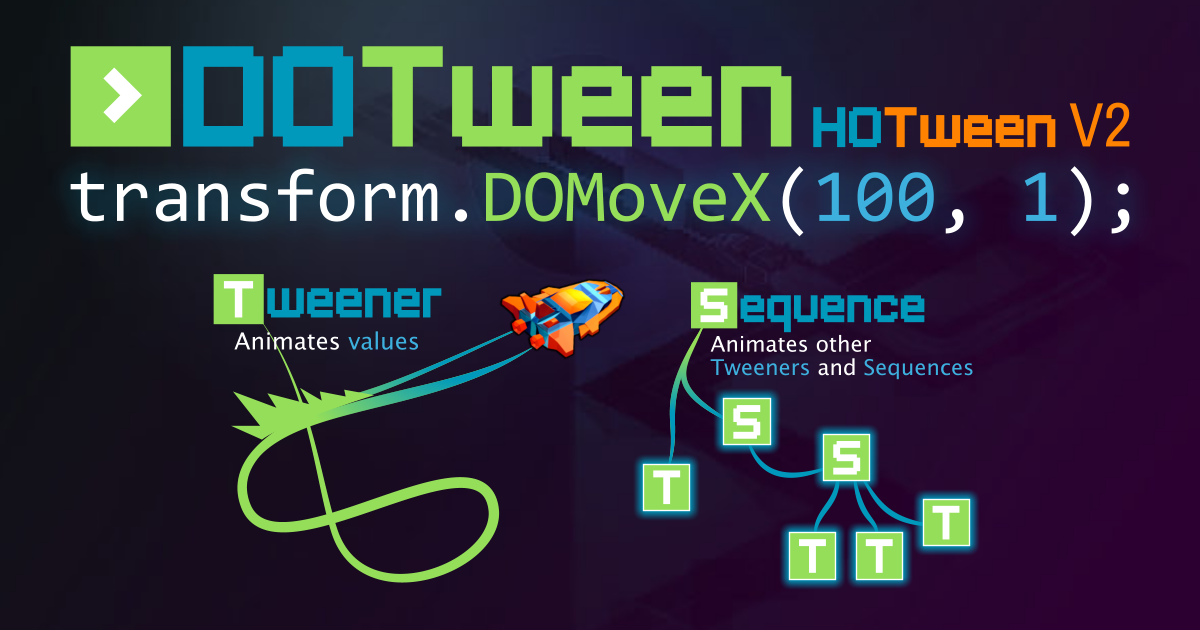
Use the DOTween (HOTween v2) tool from Demigiant on your next project. Find this & more animation tools on the Unity Asset Store.
glass coral
Wait.. I LOVE THIS, you can do custom timelines !
Btw for the moment i create a script for each animation type, then link them with a Chain of responsability to do the full anim. I think it's a bad way to do it.
glass coral
ok your plugin is A M A Z I N G, this tool save like 50h of work @snow willow , thx
 hollow crown
@vast wharf code posting guidelines are pinned to #💻┃code-beginner
 hidden parcel
Hey everyone I am working on a dialogue system and theres a button that says Start that will start the conversation is there a way to put that onto a sprite so when i click the npc the dialogue will play?
 orchid pasture
hidden parcel
Hey everyone I am working on a dialogue system and theres a button that says Sta...
orchid pasture
hidden parcel
Hey everyone I am working on a dialogue system and theres a button that says Sta...
Make an invisible button?
hidden parcel
on the sprite of the npc?
orchid pasture
Yep
hidden parcel
do i add a component or a child
orchid pasture
I think child would be better
orchid pasture
Yh a OnClick that will open your dialogue box
hidden parcel
alright
 ionic halo

I've raycasted from the gun to the right, with a polygon collider like this on the triangle

this is the code I'm using to fine the reflected direction

hit normal on the middle
hit normal should be -0.5, 0.5 or something
what am I doing wrong? I'm just trying to find the reflected ray
hidden parcel
hmm that didn't work is there a way to make a radius around the npc so when you enter the radius it will say start conversation?
ill check google
ionic halo
It's like ray hitting to the encapsulating rectangle and not the collider
yeah....
my ray casting collided with its edge collider itself :d
 scarlet moon
ionic halo
my ray casting collided with its edge collider itself :d
scarlet moon
ionic halo
my ray casting collided with its edge collider itself :d
You should be able to add an extra perameter to the raycast which specifies a layer to ignore (the collider of the gun)
ionic halo
scarlet moon
You should be able to add an extra perameter to the raycast which specifies a la...
Yeah done that. Thanks
 patent ibex
Hello, Im new to Unity. How to make Canvas UI Responsible like Small Screens for Small Button and Big Screens for Big button. But when I tested Small buttons in Small Screen are big and Big buttons are Big screens are small. I just wanna reverse this so it will be responsible, Is it possible to do it?
 gloomy lagoon

Hey i wanted to ask what im doing wrong. Im using brackeys Scene Transition tutorial together with my code.
 sweet swan
capitalize SetTrigger
and pass in the build index of the scene you wanna load
when you call loadlevel (i.e. LoadLevel(1);)
you can find the loadindex by pressin ctrl-shift-b
e.g.

if they're not there, open the build settings window while youve got a missing scene open and click Add Open Scenes
gloomy lagoon
Thank you
sweet swan
🍀
 compact gate
Hi, I am incrementing my position each frame by a value, let's call it X
When X = 1, my position increase by 1 each frame and it's perfect
Now when X = 0.1, my position increse by 0.1 each frame but I get some decimal for no reasons
Like going for 5.4 to 5.49999
sweet swan
yep, floats be like that
compact gate
That's really problematic because my system need to use correct coordinate, I think I will just round these values ?
sweet swan
i suppose you could use this as well https://docs.unity3d.com/ScriptReference/Mathf.Approximately.html
compact gate
That's quite annoying, I guess it is the famous floating point precision
sweet swan
mmhhmm
one alternative is to use integers to track position
but divide them by some arbitrary number like 1000 when youre actually setting positions
so when youre comparing coordinates, you can use the integers
compact gate
And when settings transform i divide it ?
sweet swan
but ideally you should find a solution that doesnt involve equality comparisons on positions
yepp
compact gate
sweet swan
but ideally you should find a solution that doesnt involve equality comparisons ...
I don't think I can do what I want without that; I need to check if 2 positions are "glued"
I will try to make a better system which will use integer as positions for comparaison
I think it's the best solution
still tendon
Hey! Im trying to stick my character onto a moving platform but it isn't working as i thought
I got the code off Jason's video on yt
private void OnCollisionEnter2D(Collision2D collision)
    {
        if(collision.gameObject.name == "Player")
        {
            Debug.Log("Player Stepped on platform");
            collision.collider.transform.SetParent(transform);
        }
    }
    private void OnCollisionExit2D(Collision2D collision)
    {
        if(collision.gameObject.name == "Player")
        {
            Debug.Log("Player has stepped off the platform");
            collision.collider.transform.SetParent(null);
        }
}```code looks functional, what's happening instead?
still tendon
What it's doing is, making the player a child of the moving platform however but the player's transform doesn't move along the paltforms transform
sweet swan
oh it's probably because your player has a dynamic rigidbody
those arent affected by parent translations
sweet swan
i don't spend that much time on platformers myself so i'm not sure if there's a better solution, but i'm sure you can find one if you google around
worst comes to worst you can always translate the player manually inside fixedupdate and track when the player is on with enter and exit
still tendon
If both of the rigid bodies are dynamic would that work?
sweet swan
nah
any gameobject with a dynam rigidbody will ignore changes to the parent transform
- for 2d anyways
still tendon

Got it to work
private void Update()
    {
        PlatformMove();

        if(moveright)
            transform.position = new Vector2(transform.position.x + PlatformSpeed * Time.deltaTime, transform.position.y);
        else
            transform.position = new Vector2(transform.position.x - PlatformSpeed * Time.deltaTime, transform.position.y);
    }
    private void PlatformMove()
    {
        if(transform.position.x > 97)
        {
            moveright = false;
        }
        if(transform.position.x < 87)
        {
            moveright = true;
        }
}```Removed the rigidbody from platform and now using this to move it
Object with dynamic bodies can be attached
Hello, Im new to Unity. How to make Canvas UI Responsible like Small Screens for Small Button and Big Screens for Big button. But when I tested Small buttons in Small Screen are big and Big buttons are Big screens are small. I just wanna reverse this so it will be responsible, Is it possible to do it?
glass coral
Hi friends. I did a CustomAnimation script with a public Animation[] chain.
Animation is a data class who does not derivate from MonoBehavior
I want to be able to assign those in the editor, is it possible ?

So is it possible to construct the List<Animation> or array from the constructors of my Animation class from the interface?
distant pecan
try using AnimationClip instead @glass coral
animationclip is used by Animation class to play animations
 wicked wasp
Hello, does someone have ever made a pang with unity? Could you share the code? I'm willing to make a reto games machine using a 3d printer and I would also like to implement pang game
glass coral
distant pecan
try using AnimationClip instead <@!746120032907428002>
I found a weird way to do it. It's perfect when scripting but crappy for prefabs, will look at your propsotiion
 mossy coyote
anyone have any good methods for creating a 2d effect of a player throwing an object (like a grenade or something) for a top down game? To give the appearance of the object being thrown in an arc between two points, with shadow effect?
glass coral
mossy coyote
anyone have any good methods for creating a 2d effect of a player throwing an ob...
use movement equation ? scale with height
peak stirrup
does anyone know any good tutorials on 2d biome generation?
 deft pumice
So my 2d raycast works, however when its really close to a collider it will hit the collider
even when the collider is not in the raycast direction
abstract olive
Nobody is going to make your your game for you, if that's what you're asking. 🤔
 pseudo flame
i wanna learn code
hollow crown
There are resources pinned to #💻┃code-beginner
 narrow gulch
can i create a 3d video animation and put it in my 2d game as if it were a cutscene? (I don't want to do the animation on the unity itself, since I can't create a 3d animation in a 2d game)
 raven narwhal
Hello! someone will send me a procedural generation tutorial?
gloomy lagoon


so yesterday i asked here for help and the code didnt gave any errors after that. But it still wont work. Please help meh
 mental totem
gloomy lagoon
so yesterday i asked here for help and the code didnt gave any errors after that...
mental totem
gloomy lagoon
so yesterday i asked here for help and the code didnt gave any errors after that...
Coroutines must be started with StartCoroutine method
gloomy lagoon
I never did that before can you give me a quick example? Only if you have time and want to
mental totem
gloomy lagoon
I never did that before can you give me a quick example? Only if you have time a...
StartCoroutine(LoadLevel(1));
gloomy lagoon
Ohh
thanku
Yess it worked. I got one other question. For my start menu or any other button in the game i made a script that loads a scene from a string i can edit in the editor. I implemented the scenes and wanted to switch them with the button. If i do that i get this error.


nvmd i fixed it my bad
btw you guys rock you help better than any tutorial ever could and i am super thankful to be here 🙏
narrow gulch
narrow gulch
can i create a 3d video animation and put it in my 2d game as if it were a cutsc...
guys help me
sweet swan
narrow gulch
can i create a 3d video animation and put it in my 2d game as if it were a cutsc...
there's nothing inherently 2d about a 2d project template, so if you create a scene with a perspective camera and make it into a cutscene with timeline or the like, i don't see why not
keep in mind that 2d physics can't interact with 3d physics, and 3d is a lot harder because youll need to juggle meshes materials and lighting as well
narrow gulch
sweet swan
keep in mind that 2d physics can't interact with 3d physics, and 3d is a lot har...
yes, but the 3d animation would be basically a video (as if it were a yt video) and put it at certain times. I don't know if I made myself understood
sweet swan
if the 3d animation is all in the same scene, you can transition between the scenes as often as you like, and look into Timeline for making cutscenes
if it's similar to a yt video, you can skip all the messing about with 3d and just use this https://docs.unity3d.com/ScriptReference/Video.VideoPlayer.html
 idle wing
Can someone help me with this error

 willow heath
glass coral
Hi friends. I did a CustomAnimation script with a `public Animation[] chain`.
...
willow heath
glass coral
Hi friends. I did a CustomAnimation script with a `public Animation[] chain`.
...
um did you put [system.serializable] before the class?
 cedar quarry
idle wing
Can someone help me with this error
cedar quarry
idle wing
Can someone help me with this error
Raycast2D hit;
This variable is never initaliazed, thats the cause of your unassigned local variable problem, you need an access modifier such as public at the beginning:
public Raycast2D hit;
Also, I'd recommend changing your if statement to be a bit more efficient (it doesn't make it much more efficient, but any efficiency is good)
Use hit.collider.CompareTag("PlayerShip") like:
if (hit.collider.CompareTag("PlayerShip"))
{
  //do
}
 blissful gale
im wondering if there is a way to store variables on specific tiles on a grid. For example if a tile is tilled or not, and be able to edit what tile is in that spot.
cedar quarry
you could create a tile class
blissful gale
so make a custom grid?
blissful gale
ive been looking online for days and havent found anything on it surprisingly
im new to unity so im not that experienced
my last resort was just placing down each individual tile as a sprite, which would be a pain
cedar quarry
class Tile
{
private:
  Vector2 pos;
  bool isTilled;
public:
  void Till()
  {
    //do stuff
    isTilled = true;
  }
}
this is just a very basic beginning of a class
but you could maybe build something off of this
id recommend looking into classes/structs in c#
theyre very useful
blissful gale
This is awesome, but where can I reference a specific tile?
blissful gale
in a tilemap
cedar quarry
yep
cedar quarry
huh
well uh
unfortunately i have little experience in unity 2d
is the tilemap an object in the inspector?
like
a gameobject
blissful gale
all good, im sure ill find it eventually, thanks for the help
 sleek thistle
how would i go about controlling the world light source with a boolean?
like cause it to go pitch black and you need a light to see anything
sweet swan
sleek thistle
how would i go about controlling the world light source with a boolean?
fastest solution that comes to mind is parenting a black rectangle sprite to the camera that covers everything, and setting it to render outside of sprite masks
then light sources just need to be sprite masks and youve got a rudimentary flashlight system
sleek thistle
sweet swan
fastest solution that comes to mind is parenting a black rectangle sprite to the...
huh alright
thanks
sweet swan
yeah, i'd say it's better to start off with black squares and masks
you can always upgrade later!
 wooden gust
anyone know of good tutorial for 2d in unity?
 dense flame
Search for platformer tutorials
wooden gust
Does it make any difference for top down? and thank you
tropic charm
Try this tutorial if you are interested in top down. https://learn.unity.com/project/ruby-s-2d-rpg

Unity Learn
A town is in peril after their friendly robots become broken! It's Ruby's quest to fix them!
Learn to create this small 2D RPG from scratch and save the town! Want to learn more about 2D game development with Unity? Connect with an expert Unity dev for a live 1:1 lesson.
wooden gust
Thank you!
tropic charm
blissful gale
im wondering if there is a way to store variables on specific tiles on a grid. F...
I don't know for sure but it seems like that would be one of the use-cases for scriptable tiles.
 elfin sandal
If I want to make a physics explosion at a certain point in the world what method do I use?
where all physics2d objects get moved away from the point
do I do a circlecast and then add an explosion force to all rigidbodies?
 valid schooner
hey, I'm creating a simple 2D top down prototype game and wanted to create some physic based objects with item icon. Is there any disadvantage of using world space canvases per item over sprite renderer? I just fell more in control over UI than sprite renderer 😅
 nocturne cipher
Hi, I'm a bit confused about whether this where to to go for help with 2d coding errors, but can anyone point me in the right direction for this:
I'm getting a CS1001 error on this code
`using System.Collections;
using System.Collections.Generic;
using UnityEngine;
public class PizzaSpawner : MonoBehaviour
{
[SerializeField]
private GameObject[] pizzas;
private BoxCollider2D col;

float x1, x2;

// Start is called before the first frame update
void Awake()
{
    col = getComponent<BoxCollider2D> ();

    x1 = transform.position.x - col.bounds.size.x / 2f;
    x2 = transform.position.x + col.bounds.size.x / 2f;
}

void Start()
{
 StartCoroutine (SpawnPizza(1));
}

IEnumerator SpawnPizza(float, time) {
    yield return new WaitForSecondsRealTime(time);

    Vector3 temp = transform.position;
    temp.x = Random.Range (x1, x2);

    Instantiate (pizzas[Random.Range(0, pizzas.Length)], temp, Quaternion.identity);

    StartCoroutine (SpawnPizza(Random.Range(1f, 2f)));
}
} // class
`
Won't compile until I figure out what's wrong 😑
elfin sandal
can u post more about what the error says
nocturne cipher
Yes, happy to. One sec
Assets/PizzaSwap/Scripts/PizzaSpawner.cs(28,33): error CS1001: Identifier expected
 forest wagon
hey, I have a question. in my game, I have 2 "modes" for the UI. it's a 2d game where one mode displays only text on the screen, while another mode displays that same text to the side with other info on the left. how do I go about implementing that? (I want to be able to toggle the mode via code)
nocturne cipher
elfin sandal
IEnumerator SpawnPizza(float, time) {
Awesome, that worked!! ...But now I have a new error 😅
Assets/PizzaSwap/Scripts/PizzaSpawner.cs(17,15): error CS0103: The name 'getComponent' does not exist in the current context
elfin sandal
capitalize it
nocturne cipher
Amazing. That worked too. Thank you
Now it's: Assets/PizzaSwap/Scripts/PizzaSpawner.cs(29,26): error CS0246: The type or namespace name 'WaitForSecondsRealTime' could not be found (are you missing a using directive or an assembly reference?)
Looking that up
tropic charm
blissful gale
im wondering if there is a way to store variables on specific tiles on a grid. F...
Ran across this in Unity's github repository. I don't see a way to create the per-tile information at design-time but this class will allow you to do it at runtime.

GitHub
Fun 2D Stuff that we'd like to share! Contribute to Unity-Technologies/2d-extras development by creating an account on GitHub.
strong heron
nocturne cipher
Looking that up
Do you define time somewhere?
nocturne cipher
Solved it
strong heron
Oh wait I see
strong heron
elfin sandal
do I do a circlecast and then add an explosion force to all rigidbodies?
You might be looking for overlap ircleall
forest wagon
forest wagon
hey, I have a question. in my game, I have 2 "modes" for the UI. it's a 2d game ...
anyone?
strong heron
Sorry, OverlapCircleAll
strong heron
If you want it to add force away from a point use transform.InverseTransformPoint
elfin sandal
which point
strong heron
That’s a 3D function
elfin sandal
yah is there a 2d one
strong heron
Ah, maybe that’s better then
elfin sandal
does it work in 2d
strong heron
It doesn’t look like there is a 2d function
OverlapCircleHit.rigibdody2D.AddForce(Explosion.transform.InverseTransformDirection(OverlapCircleHit.transform)
Is one way to write it I believe
Although you’d probably want to normalize it and possibly add more force dependent on distance but depends on desired function @elfin sandal
elfin sandal
ok thanks
orchid pewter
should i change the collider box dimensions for each different animation type for the player?
the sprite changes shapes so the box collider should also change?
not per animation frame but per animation cycle?
still tendon
Well, to start with, I have a spawner that spawns my objects (meteorites and coins) from right to left between the values of the size of my map, i.e.: minY = -1.13 and maxY = 1.13. With the current script, I get a spawner like this :

You can see that on the red line, I have a row of meteorites that is too similar, but I want something a little more random, like this for example (it's a diagram):

The code : https://paste.myst.rs/ybwkxwjg
a powerful website for storing and sharing text and code snippets. completely free and open source.
 brisk badge
I've been trying to set a health bar system up for my enemies using this script: https://pastebin.com/5KU4Bmvn
However, when I run the game, even when the enemy's health is 4 (maxHealth = 10), newScale (health/maxHealth) equals zero. How can I fix this issue?
Pastebin
Pastebin.com is the number one paste tool since 2002. Pastebin is a website where you can store text online for a set period of time.
 dull badge
@still tendon I've seen you ask this and get answers 2 or 3 times already. Nobody is going to code it for you.
idle wing
How do i make something move up relative to a parent?
The lasers fly up in the world, i want them to fly out the front of the ship
 still tendon
dull badge
<@456226577798135808> I've seen you ask this and get answers 2 or 3 times alread...
still tendon
dull badge
<@456226577798135808> I've seen you ask this and get answers 2 or 3 times alread...
answers? no, just suggestions, but they didn't lead to anything, I have already tried
tropic charm
brisk badge
I've been trying to set a health bar system up for my enemies using this script:...
Because health and maxHealth are both integers any math you do with these variables will done as integer math. You can force the compiler to do it as 'float math' by casting one of the variables to a float. For example: (float)health / maxHealth.
 rough gorge
How can i revert animations to another spriteRenderer than actual one?
tropic charm
rough gorge
How can i revert animations to another spriteRenderer than actual one?
You might need to elaborate. Are you wanting to swap sprites?
 craggy kiln
tropic charm
You might need to elaborate. Are you wanting to swap sprites?
craggy kiln
tropic charm
You might need to elaborate. Are you wanting to swap sprites?
This is a double post, he figured it out in general a short bit ago.
 lofty cosmos
idle wing
How do i make something move up relative to a parent?
lofty cosmos
idle wing
How do i make something move up relative to a parent?
Set their rotation and then use transform.Translate() with the Space.self parameter maybe?
 slate wyvern
hello, when using rigid body i want my falling objects to move at a set speed and not accumulate speed according to gravity, is there a setting to do that? or do i need to write a script for it
hollow crown
wow I really wish I could help but instead you decided to get muted for being a troll - good luck with that.
snow willow
slate wyvern
hello, when using rigid body i want my falling objects to move at a set speed an...
2d or 3d?
If it's 2D you can set the gravityScale to 0 on an individual object
If it's 3D there's a Use Gravity checkbox you can turn off
nocturne cipher
Can anyone point me to a simple way to make a 2d item disappear after X time of not colliding with a player-character?

 fallen flicker
still tendon
how do i set jump height to start jump height
and not to a number
fallen flicker
still tendon
how do i set jump height to start jump height
and not to a number
Under the start function or wherever you want just put jumpHeight = startJumpHeight
You'd have to make startJumpHeight a variable tho
still tendon
ok thanks
 chrome parcel
how do i duplicate a game object to the hierarchy?
craggy kiln
chrome parcel
how do i duplicate a game object to the hierarchy?
ctrl + d is the default shortcut
You can also copy - paste
chrome parcel
i mean with code
craggy kiln
Get a reference to the object, and it can be as simple as GameObject.Instantiate(originalGameObject);
 warped zealot
So quick question
Say I am storing a path to a sprite in my Resources Folder
This sprite happens to be part of an atlas
How would I load a specific sprite from an atlas using Resources.Load?
SpriteAtlas.GetSpriteis what I'm looking for
 rotund remnant
Anyone know a way to "stick" an object to a 2D animation? Like put a separate sprite over the moving character's foot for a shoe. I know I can maybe lerp it to match the animation, I just dont know if anyone has done something like this before.
burnt badge
im trying to get an image to display what an orthographic camera is capturing, but my mesh renderer is showing up in the scene view, but not the game view?
 white bronze
anyone know how i can launch my player the oppisote way when i shoot? I think its like a lot of recoil or something. i tried using this but it only launches me 1 direction. it doesnt launch the other way
i tried using this ```using System.Collections;
using System.Collections.Generic;
using UnityEngine;
public class Weapon : MonoBehaviour
{
public float offset;

public GameObject projectile;
public ParticleSystem shootEffect;
public Transform shotPoint;

public Rigidbody2D rb;


private float timeBtwShots;
public float startTimeBtwShots;

private void Update()
{
    // Handles the weapon rotation
    Vector3 difference = Camera.main.ScreenToWorldPoint(Input.mousePosition) - transform.position;
    float rotZ = Mathf.Atan2(difference.y, difference.x) * Mathf.Rad2Deg;
    transform.rotation = Quaternion.Euler(0f, 0f, rotZ + offset);

    if (timeBtwShots <= 0)
    {
        if (Input.GetMouseButton(0))
        {
            shootEffect.Play();

            Instantiate(projectile, shotPoint.position, transform.rotation);
            timeBtwShots = startTimeBtwShots;

            rb.AddForce(new Vector3(rotZ, -rotZ, 0f) * 5f) ;
        }
    }
    else
    {
        timeBtwShots -= Time.deltaTime;
    }


}
}```
tropic charm
white bronze
anyone know how i can launch my player the oppisote way when i shoot? I think it...
You have already calculated the (non-normalized) vector (difference) that points to where you are shooting so you can use the negative of that to determine the direction of the force. Something like this:
    Vector3 forceVector = -difference.normalized;
    rb.AddForce(forceVector * shotForce);
You will likely need to use a different value for your force.
tropic charm
Sure.
nocturne cipher
Hi, I have a game object spawner that spawns items (pizza in this case) over a random range of time and removes the object when a player-character collides with it. I want to also have any pizza a player-character doesn't collide with fade out over a random range of time and be removed. I am assuming there is a much cleaner way to do this than what I am poking around trying to figure out:

`using System.Collections;
using System.Collections.Generic;
using UnityEngine;
public class PizzaSpawner : MonoBehaviour
{
[SerializeField]
private GameObject[] pizzas;
private BoxCollider2D col;

float x1, x2;

// Start is called before the first frame update
void Awake()
{
    col = GetComponent<BoxCollider2D> ();

    x1 = transform.position.x - col.bounds.size.x / 2f;
    x2 = transform.position.x + col.bounds.size.x / 2f;
}

void Start()
{
 StartCoroutine (SpawnPizza(1));
}

IEnumerator SpawnPizza(float time) {
    yield return new WaitForSecondsRealtime(time);

    Vector3 temp = transform.position;
    temp.x = Random.Range (x1, x2);

    Instantiate (pizzas[Random.Range(0, pizzas.Length)], temp, Quaternion.identity);

    StartCoroutine (SpawnPizza(Random.Range(0.01f, 0.1f)));
}
} // class`
Hmm, I think I hit the spam filter limit, because I can't post the second script...
tropic charm
nocturne cipher
Hi, I have a game object spawner that spawns items (pizza in this case) over a r...
What I've done--and it seems dodgy but works--is just immediately call Destroy() and give a delay. This works even if the game object gets destroyed elsewhere before the delay.
    GameObject projectile = createProjectile(fromTheLeft);
    Destroy(projectile, 3.0f); // 3 seconds maximum lifetime.
Oh that's great
I don't mind dodgy at all in this case. Just trying to get it to work
Hmm, now I'm getting a float to int error (CS0266):
`using System.Collections;
using System.Collections.Generic;
using UnityEngine;
public class PizzaSpawner : MonoBehaviour
{
[SerializeField]
private GameObject[] pizzas;
private BoxCollider2D col;

float x1, x2;

// Start is called before the first frame update
void Awake()
{
    col = GetComponent<BoxCollider2D> ();

    x1 = transform.position.x - col.bounds.size.x / 2f;
    x2 = transform.position.x + col.bounds.size.x / 2f;
}

void Start()
{
 StartCoroutine (SpawnPizza(1));
}

IEnumerator SpawnPizza(float time) {
    yield return new WaitForSecondsRealtime(time);

    Vector3 temp = transform.position;
    temp.x = Random.Range (x1, x2);

    Instantiate (pizzas[Random.Range(0, pizzas.Length)], temp, Quaternion.identity);

    StartCoroutine (SpawnPizza(Random.Range(0.01f, 0.1f)));

    Destroy (pizzas[Random.Range(3f, 13f)]);
}
} // class`
white bronze
tropic charm
```cs
Vector3 forceVector = -difference.normalized;
rb.AddForce(forceVec...
hey, i finally got around to trying it and it didnt work
tropic charm
white bronze
hey, i finally got around to trying it and it didnt work
Did you make the force a larger value? Or is the direction incorrect?
tropic charm
nocturne cipher
`using System.Collections;
using System.Collections.Generic;
using UnityEngine;
...
I think you want to do something like this:
  GameObject pizza = Instantiate (pizzas[Random.Range(0, pizzas.Length)], temp, Quaternion.identity);
  Destroy(pizza, Random.Range(3f, 13f));
Unfortunately it's giving me this error now:
Destroying assets is not permitted to avoid data loss.
If you really want to remove an asset use DestroyImmediate (theObject, true);
Oh, I had an idea... what if instead of doing this I simply applied the same thing that is happening when a player collides with the pizza to when the pizza collides with the floor or other pizzas, but with a delay?
tropic charm
white bronze
hey, i finally got around to trying it and it didnt work
I played around with your script with my suggested changes and it seems to work.
tropic charm
white bronze
hey, i finally got around to trying it and it didnt work
I did find a problem. The difference vector's Z component wasn't getting zeroed-out so here's what I wound up doing...
Vector3 forceVector = -difference;
forceVector.z = 0f;
forceVector.Normalize();

rb.AddForce(forceVector * shotForce);
Ok, progress, all I needed was to learn about the wonderful world of object pooling
burnt badge
im getting an issue where my mesh renderer shows up in the editor, but not in the game tab

left shows editor vier, right shows ingame
 sonic herald
 azure dew
the text isnt changing
azure dew
the text isnt changing
try if (col.gameObject.tag == "yourtag")
azure dew
sonic herald
try if (col.gameObject.tag == "yourtag")
i've done this
but
its all good
its says in the console
that it touched
but the text didnt change
and can u help me pls
sweet swan
burnt badge
swap it for an image or raw image component
other renderers behave unpredictably when used with rect transforms
alternatively keep the mesh renderer, but move it to a gameobject with a regular transform
white bronze
tropic charm
```cs
Vector3 forceVector = -difference;
forceVector.z = 0f;
forceVector.Normali...
sorry for not responding. Yes I tried increasing the shotForce but it didnt work. I will try this code though.
white bronze
tropic charm
```cs
Vector3 forceVector = -difference;
forceVector.z = 0f;
forceVector.Normali...
thx for the help. THis code works!
tropic charm
white bronze
thx for the help. THis code works!
Awesome! Glad to help.
burnt badge
sweet swan
alternatively keep the mesh renderer, but move it to a gameobject with a regular...
i turned its rect tranform into a regular tranform and it still does not appear ingame
I tried turning the mesh renderer into an image component, and now it shows up as a black square, even though in the editor, it shows the texture renderer just fine
sweet swan
busy rn, hopefully someone else can take over
 bright dome
you can make a circle collider and add any enemy OnTriggerEnter2D to your targets then remove when OnTriggerExit2D
or other way, use Physics2D.OverlapCircle every interval time (1 sec maybe) to get all enemies in range
 forest hedge
https://gyazo.com/b481660b20dc38752d35933e426785f7
so i'm running into this problem where the player is "jumping" after going up the ramp, and I know the source of this problem ```cs
rb.velocity = new Vector2(movement.x * speed * Time.deltaTime, rb.velocity.y);
but if I change the rb.velocity.y to 0 or multiply it by Time.deltaTime it slows down heavily
 forest steeple
how can i make looping background in 2d on menu
i have only 1 photo
no layers only 1 photo
forest hedge
forest steeple
how can i make looping background in 2d on menu
i have only 1 photo
no layers on...
white bronze
forest hedge
https://gyazo.com/b481660b20dc38752d35933e426785f7
so i'm running into this pro...
then u can just amp up the movement speed
forest hedge
white bronze
then u can just amp up the movement speed
what?
white bronze
forest hedge
what?
if u move slower then u can just make the speed a lot higher
 remote moth
Why is this every time false?
float extraY = 0;
RaycastHit2D blocks = Physics2D.Raycast(collider.bounds.center, Vector2.down, collider.bounds.extents.y + extraY, LayerMask.NameToLayer("Block"));
RaycastHit2D items = Physics2D.Raycast(collider.bounds.center, Vector2.down, collider.bounds.extents.y + extraY, LayerMask.NameToLayer("Item"));


return blocks.collider != null || items.collider != null;
there has the correct Layermask.
 remote moth
snow willow
Name to layer is wrong
remote moth
snow willow
Name to layer is wrong
no, i think not
remote moth
wait, i try
snow willow
E.g 8 for layer 8. LayerMask is a bitmask
remote moth
snow willow
Name to layer gives the layer index
oh, ok that i doesn't know
snow willow
You should really just use a serialized LayerMask field
And set the mask up in the edit
Editor
still tendon
Is there any way to animate several sprite pieces with a single animator?
It's a base sprite with modular pieces (eyes, hair, etc) and they would all follow the base animation just with their own sprite sheets
still tendon
@tropic charm You can help me pls, if is possible 😦
tropic charm
still tendon
<@!738621327904079925> You can help me pls, if is possible 😦
Is it regarding the issue you posted above? #🖼️┃2d-tools message
still tendon
tropic charm
Is it regarding the issue you posted above? https://discord.com/channels/4892221...
Yes, that's right
tropic charm
still tendon
Yes, that's right
I didn't look too close at your code but my suggestion for tackling a problem like that is to not bother trying to get true randomization. You might approach it more from the standpoint of (conceptually) a grid with margins. You have a one-to-one relationship of a grid cell to an object that will occupy the space of the cell. This way you just put the objects in a random spot of each of the cells. You use the margins to ensure that the object can't possibly overlap anything in a adjacent cell. You can stagger the x-offsets of alternating rows to avoid having an area where objects wouldn't otherwise occupy.
 hollow agate
So as you see, the bullets of the aliens rebounds on the other aliens and so I am not sure how to toggle that off or how to code it. My aliens are generated at the start of the game using an array of GameObject. Thanks
still tendon
tropic charm
I didn't look too close at your code but my suggestion for tackling a problem li...
It all sounds complicated to set up, but I can't just change something in the current code to hope for a similar result of what I want to have?
tropic charm
still tendon
It all sounds complicated to set up, but I can't just change something in the cu...
There might be something but I don't understand your code well enough to make any suggestions regarding it.
still tendon
good deal too bad
crystal geode
I'm having an issue where code that triggers on GetKeyDown triggers twice on a single button press. Would anyone know what could cause this?
ah, I think I figured it out, it seems to be some sort of issue with FixedUpdate as opposed to Update
in that case, followup question
if I'm using Application.targetFrameRate = 60; in my Start(), will Update() run once per frame, 60 times per second?
 radiant cedar
I'm looking online to check what people consider the best movement script "type" to work with, and mostly what I can find is a raycast character controller from around 2015.
Is that still applicable together? or is there now a better way?
snow willow
crystal geode
if I'm using Application.targetFrameRate = 60; in my Start(), will Update() run ...
Update always runs once per frame, no matter what the current framerate is. Application.targetFrameRate means your game will be limited to 60FPS (to the best of its ability), but it is still possible for the framerate to be lower than that.
 mellow owl
hi guys, im having a problem with Camera.ScreenToWorldPoint, it work perfectly fine when the camera is at y=0 but once I move the camera up it starts to behave weirdly
tropic charm
mellow owl
hi guys, im having a problem with Camera.ScreenToWorldPoint, it work perfectly f...
There's a known issue regarding the Z-pos. Here's what I do, which seems to work:
Vector3 currentMousePos = Input.mousePosition;
currentMousePos.z = Camera.main.nearClipPlane;

Vector3 mouseWorldPos = Camera.main.ScreenToWorldPoint(currentMousePos);
Here's the article I based that on. https://gamedevbeginner.com/how-to-convert-the-mouse-position-to-world-space-in-unity-2d-3d/
Find the best method for converting the mouse's position on the screen to a real position in the world in my comprehensive guide.
I keep my camera at -10 and it seems to work.
This is with 2109.4.x LTS.
mellow owl
tropic charm
Here's the article I based that on. https://gamedevbeginner.com/how-to-convert-...
yeah I read this, im actually haven't updated to the LTS version
tropic charm
Is your camera isometric? Or whatever it called?
tropic charm
Are you using ScreenToWorldPoint() for the mouse cursor or something else?
mellow owl
yes
tropic charm
So basically doing the same as me. I don't know what the problem would be then.
mellow owl
okay, thanks anyway!
tropic charm
mellow owl
okay, thanks anyway!
You might play around with this script and see if it works.
using UnityEngine;

public class MouseToWorld : MonoBehaviour
{
    private Vector3 _mouseWorldPos = Vector3.zero;

    private GUIStyle _guiStyle = new GUIStyle();

    void Start()
    {
        _guiStyle.fontSize = 60;
    }

    void Update()
    {
        Vector3 currentMousePos = Input.mousePosition;
        currentMousePos.z = Camera.main.nearClipPlane;

        _mouseWorldPos = Camera.main.ScreenToWorldPoint(currentMousePos);
    }

    void OnGUI()
    {
        GUI.Label(new Rect(20, 20, 150, 80), $"Pos: {_mouseWorldPos}", _guiStyle);
    }
}
okay, thanks a lot
tropic charm
I notice that the Z pos is non-zero. So watch out for that. You might have to zero-out the Z before doing any further processing with the result.
mellow owl
huh so I just noticed that when I move the camera up to y=8, the line is directly inverted
tropic charm
You're not using any weird camera settings are you? Here's what I have:
 mellow owl
same thing
 tropic charm
Did that script return valid values?
mellow owl
I haven't implemented it yet, gimme a sec
tropic charm
I see you set the Depth to -10. You didn't do that intending to set its Z position at -10 did you?
You can just attach that script to an empty game object at the root of the scene hierarchy, btw.
tropic charm
Hmm. I guess that's good.
What the difference between it and yours is the question.
tropic charm
Yep. You'll figure it out.
mellow owl
ok
so
the problem is instead of using Camera.main.ScreenToWorldPoint
I attach the camera to the script and use it
I thought it would be some stupid error that makes me hate myself but I dont understand why did that make a different
is it because my camera is a prefab?
@tropic charm thank you so so much
tropic charm
No problem. Glad to help.
 hearty chasm
Hi, I need help with spawning sprites continuously. I am making a rhythm game and after a certain amount of beats, the prefabs stop spawning correctly (being rendered with no sprite). Here's a link to the code (but I've never used hatebin before so Im not sure if it works lol) https://hatebin.com/ynppiqiybc
 desert swallow
@hearty chasm how many spawn before it breaks? The code you've shown looks fine so far
remote moth
how can i create a text object wihtout canvas?
radiant cedar
I'm looking online to check what people consider the best movement script "type" to work with, and mostly what I can find is a raycast character controller from around 2015.
Is that still applicable together? or is there now a better way?
desert swallow
remote moth
how can i create a text object wihtout canvas?
Why don't you want a canvas?
remote moth
desert swallow
Why don't you want a canvas?
but i like do create as a object that are one a postion how other objects
and not still one the same position of the screen
desert swallow
World position canvas is what you're looking for
remote moth
desert swallow
World position canvas is what you're looking for
yes, i think
 hearty anvil
Hi, I was trying to make a frame rate display and I just want to double check it's right.
This is the code I've used for it. It works but it gives me very high numbers, falling as low as about 2000 fps when there's a few hundred bullets on screen. Is this calculating it correctly? Anything I should change?
 desert swallow
@hearty anvil you've overcomplicated it. 1.0f / Time.deltaTime is enough to give you the FPS
Unless you specifically want it to only update every 0.5s
hearty anvil
I thought that it might be really finicky and messy if it was updating so fast you couldn't read it
And that the average fps for a set amount of time may be more reliable than the fps of a single frame
desert swallow
finalTotal = frameTotal / frameRefresh you're setting the (final total to the frame rate at each frame for 0.5s)/ 0.5
that doesn't look right
assuming you get 60 fps, you're adding 60 to frameTotal each frame, which in this example would be 60*30 = 1800 / 0.5 = 3600
to get the average, you'd want to divide by the number of frames that have passed in frameRefresh amount of time
so instead of adding the frameRate to frameTotal, you can just add 1 each frame
void Update()
{
  frameCounter += Time.deltaTime;
  frameTotal++;
  if(frameCounter >= frameRefresh)
  {
    finalTotal = frameTotal / frameRefresh;
    frameTMP.text = "FPS : " + finalTotal;
    frameCounter = 0;
  }
}
I see
Yep this seems to work
Appears my fps is actually around 200
Wait no I retried it and the fps was around 2000
Nvm again I reset frameTotal to 0
Oh dear my game is struggling a bit
Barely able to keep above 60fps
Well thanks for the help
hearty anvil
Yeah
Although now I'm a little concerned
I haven't added everything I want to yet and it looks like FPS drops below 60 at around 600 bullets on screen
Maybe I'm giving the bullets themselves too much to do
hearty anvil
I haven't heard much about pooling so probably not
I'm instantiating and destroying them
desert swallow
pooling is keeping a bunch of instances in memory and instead of instantiating/destroying you loop through the list and use the oldest one
It's good if your bullets are similar
Unity actually have their own tutorial on it: https://learn.unity.com/tutorial/introduction-to-object-pooling

Unity Learn
Object Pooling is a great way to optimize your projects and lower the burden that is placed on the CPU when having to rapidly create and destroy GameObjects. It is a good practice and design pattern to keep in mind to help relieve the processing power of the CPU to handle more important tasks and not become inundated by repetitive create and des...
hearty anvil
Ahh thank you
How much does it help exactly
Would you be able to have say over a thousand bullets that all act similarly and simply without dropping frames?
 violet ember
i need help on zooming out when entering a room
desert swallow
It'll definitely be better than not using it
You'd have to do some tests on your own project to see how well it improves it, however your FPS counter should be a good metric to begin with
desert swallow
violet ember
i need help on zooming out when entering a room
Can you be more specific?
hearty anvil
Yeah I decided I was gonna need a FPS counter as soon as to see what does and doesn't help with optimising
violet ember
desert swallow
Can you be more specific?
okay so i have a room for a boss like fight and i would like the camera to zoom out so that it captures more of the scene
and idk how to do it
desert swallow
violet ember
okay so i have a room for a boss like fight and i would like the camera to zoom ...

@violet ember Increasing the orthographic size will effectively zoom the camera out
violet ember
but i would like the camera to only zoom out in a specific place
and I'm also using cinemachine for my camera
desert swallow
violet ember
and I'm also using cinemachine for my camera
Let’s put a camera on our character!
● Check out Skillshare: http://skl.sh/brackeys9
● Instagram: https://instagram.com/brackeysteam/
● Watch Player Animation: https://youtu.be/hkaysu1Z-N8
● Download the Project: https://github.com/Brackeys/2D-Camera
● Get the 2D Sprites: https://bit.ly/2KOkwjt
♥ Support Brackeys on Patreon: http://patreon....
I haven't used cinemachine, but that tutorial might cover what you're looking for
radiant cedar
I'm doing this:
Debug.DrawRay(transform.position, Vector2.up * -20, Color.red);
On my player but I can't see anything. Any tips?
desert swallow
You won't see it in the game view, have you looked in the scene view while playing?
radiant cedar
yup
Just tried to also use duration (5.0 for 5 seconds) and depthTest=false; still not seeing anything
radiant cedar
yup
calling it in Update, but I used the time=5 just in case anyway
tried without it as well, still nothing
desert swallow
There's a Gizmos button at the top right of the scene view, make sure that's enabled
radiant cedar
oh yeah that was it. Thanks!
desert swallow
🥳
radiant cedar
I saw that actually, just used the dropdown; didn't think it was actually a button :p
desert swallow
Yeah it's a toggle all
orchid pewter
thank you
hearty anvil
@desert swallow When you pool objects are you supposed to do it as soon as you run your game or as soon as the scene that needs them is active? If it's the former, how do you prevent the inactive objects from being erased when a new scene loads?
desert swallow
Hold off on creating the objects until you need them, that way you're not using memory for no reason
Look into DontDestroyOnLoad if you want to do it that way
Otherwise you could have separate pools in each scene
hearty anvil
So would it be the latter then?
desert swallow
I would go for the latter personally
 shell wadi
https://pastebin.com/NpwgFu78 I need help, my character doesn't jump correctly
Pastebin
Pastebin.com is the number one paste tool since 2002. Pastebin is a website where you can store text online for a set period of time.
When I set grounded to false, it cant jump, and loops the jump animation
When I set it to true, it can walk normally but doesn't do the jump animation and jumps infinitely
desert swallow
shell wadi
When I set it to true, it can walk normally but doesn't do the jump animation an...
I answered this in #archived-code-general
You never set grounded to true when it touches the ground, and you don't set it to false when they jump
 rose prawn
i have this script to move an objcet along the y axis, if i apply this to more than object, they ALL will move at once
 using System.Collections.Generic;
 using UnityEngine;

 public class DragY : MonoBehaviour
 {
     Vector3 first, second;
     public float speed = 15;

     void Update()
     {
         if (Input.GetMouseButtonDown(0))
         {
             first = Camera.main.ScreenToViewportPoint(new Vector3(0, Input.mousePosition.y, 0));
         }

         if (Input.GetMouseButton(0))
         {
             second = Camera.main.ScreenToViewportPoint(new Vector3(0, Input.mousePosition.y, 0));
             Vector3 diff = second - first;
             transform.position += diff * speed;
             first = second;
         }
     }
}```how do i change this to only apply to the current object being clicked
desert swallow
@rose prawn look into the OnMouseDown() function
still tendon
hello
i change my code
in script
and when it changes, it dissapears
desert swallow
you probably just need to open the file again
still tendon
desert swallow
you probably just need to open the file again
what file
ok so im getting ignored
thats fine
desert swallow
@still tendon
the file
that disappeared
the file that disappeared
the file you're talking about that disappeared
the disappearing file
still tendon
desert swallow
<@456226577798135808>
the file
that disappeared
the file that disappeared
the f...
oh
sorry
i meant