#🖼️┃2d-tools
1 messages · Page 31 of 1
 robust ivy
 slim galleon
i want to do a 2d chess/shooting game
you gotta move one tile every round and shoot afterwards
theres blocks scattered around the board
bullets can bounce a few times
theres a fog of war
slim galleon
and it will be multiplayer
 pseudo moon
I need help making a movement script, can someone help me?
 mystic wren
@pseudo moon I might be able to help
pseudo moon
ok
mystic wren
do you need your movement system for like a sidescroller (ie. super mario bros) or like a top down game (ie. first legend of zelda game)
@pseudo moon ?
pseudo moon
a sidescroller
mystic wren
I tended to use a combination of different tutorials when first starting out but this one is great for beginners https://youtu.be/QGDeafTx5ug

In this easy Unity and C# tutorial I wil show you how to make a 2D platformer controller complete with double, triple, quadrupel jumps...
By the end of the video you will have a character ready to take on any platforming challenge he may be faced with !
-------------------------------------------------------------------------------------------...
 grand cove
Yeah, it all depends on what type of controller you wish to use, there are so many different tweaks you can do to a side scroller.
pseudo moon
so i have some code my friend made it and i do not know to ues it
mystic wren
it might be a good idea to make your own if you are making your own game
grand cove
copy/pasta is usually a bad idea unless it's super readable code. Game creators are not famous for writing clean code...
mystic wren
honestly, copy and pasting somebody elses code when creating your own game is not a good idea since when writing your own, you learn how it works
pseudo moon
he is making the game to
grand cove
why doesn't he figure out that part then?
mystic wren
what did your friend give you? was it just that code?
pseudo moon
yea and all the art
mystic wren
ok, so this is kinda hard to explain through text but he needs to send you the game file or add you on as a colaborator, you cant just get the art and put it all into unity to work
unity does have a collab feature which might work (i havent really used it yet)
grand cove
Just do the character controller from scratch, copy pasting code as someone who is not used to unity is a terrible idea 😄
Just follow a guide and make your own, that way you might understand his code in the end of that tutorial.
pseudo moon
ok ty
 night vault
using System.Collections;
using System.Collections.Generic;
using UnityEngine;

public class throwing : MonoBehaviour
{
    public Transform firePoint;
    public GameObject boomerangPrefab;
    private GameObject boomerang;

    public float throwForce = 30f;
    public bool thrown = false;

    public float airTime = 0f;
    public float maxAirTime = 1.5f;


    // Start is called before the first frame update
    void Start()
    {

    }

    // Update is called once per frame
    void Update()
    {
        if (Input.GetButtonDown("Fire1") && thrown == false)
        {
            Throw();
            thrown = !thrown;
        }

        if (GameObject.Find("boomerangPrefab") != null)
        {
            thrown = !thrown;
        }

        if (thrown == true)
        {
            airTime += Time.time;
        }
        else
        {
            airTime = 0;
        }

        if (Time.time - airTime > maxAirTime)
        {
            Destroy(boomerang);
        }

    }

    void Throw()
    {

        GameObject boomerang = Instantiate(boomerangPrefab, firePoint.position, firePoint.rotation);
        Rigidbody2D rb = boomerang.GetComponent<Rigidbody2D>();
        rb.AddForce(firePoint.up * throwForce, ForceMode2D.Impulse);

        Debug.Log("Threw!");

    }

}
so im trying to make it so that when i throw the boomerang, it A. marks thrown as true, B. tracks how long its been in air, and C. when the boomerang has been in air for a certain amount of time, destroy the boomerang and set air time back to 0
basically what happens is i shoot, the time ticks up, and the boomerang is never destroyed
and the time goes up way faster than it should for some reason
id really appreciate some help, im super new ha
mystic wren
i can do my best to help you
if(Time.time - airTime > maxAirTime)
{
  Destroy(boomberang);
}
why are you using time.time - airtime?
night vault
i dont know 😭 someone in another server told me thats how you do it ha
im really confused rn haha
mystic wren
ok, so you said the time counts up, right?
night vault
Yes, but very fast, and it doesn't trigger the if statement to stop it after 1.5 secs
mystic wren
ok, so for the if (thrown = true), maybe add a && thrown <= [Insert the amount of time you want here]
 sage flax
@night vault I would recommend you use a coroutine for your boomerang. https://youtu.be/5L9ksCs6MbE

Watch this video in context on Unity Learn:
https://learn.unity.com/tutorial/coroutines
A coroutine is a method that is executed in pieces. Using special "yield" statements you can achieve complex behaviour in a very efficient manner. In this video you will learn how to use coroutines to achieve motion without the use of the Update method.
mystic wren
and for the if (time.time - airtime >maxairtime) just use if(airtime >= maxairtime)
but yeah, look at that tutorial and see if that helps
mystic wren
anyways, the reason i came here before getting distracted helping others is because I am having trouble with my code. whats happening is that when i try to swing on a grappling point and then release the camera glitches.
heres the code
and heres a video showing it since its easier to show than to explain
pseudo moon
I made this code, but when i try to use it i get two errors, "The referenced script on this Behaviour (CharacterController') is missing!", and "The referenced script on this Behaviour (Game Object 'Character1') is missing!". Can you help me? Here is the code.
mystic wren
does the name for the class script match the name given to the file?
pseudo moon
no
mystic wren
they need to match in order for the script to work
mystic wren
and also use public for the gameobject character1 and then drag in the player into the public field in unity
hopefully that made sense
pseudo moon
now it is saying Assets\CharacterControlle1.cs(5,25): error CS0246: The type or namespace name 'CharacterControlle1' could not be found (are you missing a using directive or an assembly reference?
mystic wren
can you send screenshot of unity and a screenshot of the code?
you replaced MonoBehaviour with "Charactercontrolle1"?
pseudo moon
yea
mystic wren
you were supposed to replace movement with it
pseudo moon
mystic wren
you were supposed to replace movement with it
and replaced MonoBehaviour with "Charactercontrolle1"?
mystic wren
im have a hard time communicating what needs to be changed with you, can you upload your code to hatebin.com and send it to me and i can change it and send it back?
pseudo moon
I can send it to you over Discord and then you can fix it
 winged kiln
is there a way to have a UI element follow a mous position?
am try but it just goes to stuff like x: -11000, y: -2000 and such
mystic wren
maybe try using transform.position = Input.mousePosition in void update
night vault
using System.Collections;
using System.Collections.Generic;
using UnityEngine;

public class throwing : MonoBehaviour
{
    public Transform firePoint;
    public GameObject boomerangPrefab;
    private GameObject boomerang;

    public float throwForce = 30f;
    public bool thrown = false;

    public float airTime = 0f;
    public float maxAirTime = 1.5f;
    public float lastThrownTime = 0;


    // Start is called before the first frame update
    void Start()
    {

    }

    // Update is called once per frame
    void Update()
    {
        if (Input.GetButtonDown("Fire1") && thrown == false)
        {
            Throw();
            thrown = !thrown;
            lastThrownTime = Time.time;
        }

        if (GameObject.Find("boomerangPrefab") != null)
        {
            thrown = !thrown;
        }

        if (thrown == true)
        {
            airTime = Time.time - lastThrownTime;
        }
        else
        {
            airTime = 0;
        }

        if (airTime > maxAirTime)
        {
            BoomerangReturn();
            Debug.Log("Boomerang returning"); //This code gets ran, but boomerang isnt deleted?
        }

    }

    void Throw()
    {

        GameObject boomerang = Instantiate(boomerangPrefab, firePoint.position, firePoint.rotation);
        Rigidbody2D rb = boomerang.GetComponent<Rigidbody2D>();
        rb.AddForce(firePoint.up * throwForce, ForceMode2D.Impulse);

        Debug.Log("Threw!");

    }

    void BoomerangReturn()
    {
        Destroy(boomerang);
        Debug.Log("Boomerang should be deleted"); //This gets ran too, still no boomerang deletion.
    }

}
Alright, made some changes
all the code seems to be ran, the thing shoots, but the time doesnt stop ticking up, and the boomerang is never deleted
i have no clue what i did wrong
maybe i like, instantiated it wrong? or am calling the wrong object to be deleted? i have no clue
id really appreciate help with this
mystic wren
in boomerangreturn, you should add thrown = false to stop the time from ticking
i think
winged kiln
mystic wren
maybe try using transform.position = Input.mousePosition in void update
i tried that, but i think i have to convert the screen point into a rectangle point of a canvas but i tried that too and both didnt work, i still get all that random numbers for x and y axis
robust ivy
 still tendon
When I use gameObject.AddComponent<SortingGroup>(), it returns null and complains the object already has a SortingGroup
But if you inspect the game object, no SortingGroup is seen. What gives?
robust ivy
where is that line? maybe code is repeating itself
mystic wren
@winged kiln im gonna go to bed now since its late and I made a commitment to get into a proper sleep routine. try this maybe https://answers.unity.com/questions/849117/46-ui-image-follow-mouse-position.html but if not, try asking somebody else. sorry

Unity is the ultimate game development platform. Use Unity to build high-quality 3D and 2D games, deploy them across mobile, desktop, VR/AR, consoles or the Web, and connect with loyal and enthusiastic players and customers.
winged kiln
mystic wren
<@!408113213754834946> im gonna go to bed now since its late and I made a commi...
thank you for that, i tried searching something like this but it didnt come up. The only solution that worked was to change the Canvas Render Mode to Screen Space - Overlay and just do transform.position = Input.mousePosition; that seemed the easiest and the only one that works
still tendon
robust ivy
where is that line? maybe code is repeating itself
It's not being repeated but when you inspect the game object, the field for the sorting group says "Missing" instead of "None" and there's no SortingGroup component attached even though it's complaining there's one already attached.
robust ivy
did you check if the missing component was still missing when the game is not in playmode
 viscid chasm
so i made my player jump, and in unity at players rigidbody2D its an option where i can set the jumphight, but when i write a number there nothing changes
code
using System.Collections.Generic;
using UnityEngine;

public class PlayerController : MonoBehaviour
{
    public float moveSpeed;
    private float moveVelocity;
    public float jumpHeight;

    public Transform groundCheck;
    public float groundCheckRadius;
    public LayerMask whatIsGround;
    private bool grounded;

    private bool doubleJumped;

    private Animator anim;

    public Transform firePoint;
    public GameObject ninjaStar;

    public float shotDelay;
    public float shotDelayCounter;

    public float knockBack;
    public float knockBackLenght;
    public float knockBackCount;
    public bool knockFromRight;

    private Rigidbody2D myrigidbody2D;

    public void jump()
    {
        myrigidbody2D.AddForce(new Vector2(jumpHeight));
    }

    // Start is called before the first frame update
    void Start()
    {
        anim = GetComponent<Animator>();

myrigidbody2D = GetComponent<Rigidbody2D>();```pls help
 supple bison
Why is there a option to go into 3d in my 2d game?
 mild panther
I'm creating a 2D clicker game but im having trouble saving the players score, how do i reference a public text in player prefs?
supple bison
here's my code
supple bison
and i keep getting this error [09:10:00] Assets\Scripts\SpikesHurt.cs(7,40): error CS1002: ; expected
 civic knot
Please post code properly...
supple bison
wdym properly?
civic knot
Check #📖┃code-of-conduct and pinned messages in #💻┃code-beginner for how to post code on the server.
 dense flame
What are you trying to do?
You are doing like 3 things on a single line
{
  //do something
  //do another thing
}```It seems like you were trying to use the abbreviated if, which allows you only to do one thing
//Do something
@supple bison
supple bison
This might sound dumb but do you use a vector3 or is there something else for a 2d game?
dense flame
There is a Vector2, but the position of 2d characters is still Vector3
 fresh depot
so i'm trying to create a pathfinding system that uses the A* Pathfinding Package, but I'm not sure how I can control the AI and switch between "states" such as idle, search, pursuit, etc. I actually found a Patrol code in the package contents, but I have AIPath, Seeker, and AI Destination Setter attached to my Enemy gameObject and it's great at pursuing the player but i just don't know how i would i control different AI states and such
(oh and this is for 2d system)
dense flame
Check your AI Package’s API
fresh depot
tried looking through here but i can't seem to find anything
i'll comb through it again
if needed i can make my own AI i'm just hoping i can use AIPath to some extent
 knotty barn
@fresh depot You can probably tell the AIPath to stop or disable the component?
supple bison
https://ctxt.io/2/AACgFuDhEA I've updated the code to this but I can't figure out what this error means
Assets\Scripts\SpikesHurt.cs(7,46): error CS1002: ; expected
fresh depot
knotty barn
<@!641294518783836169> You can probably tell the AIPath to stop or disable the c...
probably yeah, i just am trying to find how to best create a "controller" AI that can enable / disable AIPath, alter its target, speed, etc
knotty barn
Might just have to create your own version of it to get all the functionality you want
knotty barn
Shouldn't be too bad 😄
fresh depot
😔
supple bison
https://ctxt.io/2/AACgFuDhEA I've updated the code to this but I can't figure out what this error means Assets\Scripts\SpikesHurt.cs(7,46): error CS1002: ; expected
I'm stupid and don't know what I'm doing
So I don't know why its not working
knotty barn
Check the pinned post of #💻┃code-beginner. There's a guide for setting up VS Code for Unity
 glossy sun
Hello
I'm working on a prototype using spritestacking in unity, however i'm a bit lost on how to handle the sprite sorting
The 2.5D effect is created by stacking layers of sprites onto each other and rotating them individually to create a 3d effect
Any ideas how i can approach the sorting problem?
 distant pecan
glossy sun
Any ideas how i can approach the sorting problem?
distant pecan
glossy sun
Any ideas how i can approach the sorting problem?
you can try using unity's sort axis
try using 1 on Y
 compact blade
glossy sun
The 2.5D effect is created by stacking layers of sprites onto each other and rot...
compact blade
glossy sun
The 2.5D effect is created by stacking layers of sprites onto each other and rot...
Im gonna be honest, this is incredibly cool
compact blade
I dont know if my thoughts will be any help @glossy sun , but here is what im thinking... depending on your rotation, a sprite is either on top or bottom, and if a sprite is on 'top', it need to be behind the player. if the sprite is on the bottom, it needs to be above the player. I guess you could find the rotation of your camera, and somehow use that to figure if a sprite is on bottom or top.
thats how i would approach it.
hope i was of help
like, have a separate function/script assigning the walls to be on top or on bottom as you change the angle of view.
supple bison
knotty barn
<@!510945949045227532> transform* Vector3*
Thanks for the help
glossy sun
compact blade
I dont know if my thoughts will be any help <@!164361029743017984> , but here is...
Thanks for your answer :) My camera isn't actually rotating, The world is
compact blade
ah, but you get what im saying
glossy sun
So, thats why simple z sorting works
butttt
That brings up some other issues like rooms next to each other
compact blade
how so?
glossy sun
in this situation the player is in front of the lower room wall because playerY > bottomRoomY
but the player is being drawn behind the top room wall
because topRoomY > playerY
compact blade
thats why i think that instead of doing simple z sorting, you should script the sorting yourself to prevent errors like this. I dont exactly understand the error, but i know that errors are alot easier to figure out when you have written the code yourself.
im loosing my usefulness here because im struggling to understand the problem exactly because i dont know what simple z sorting exactly does and how it works.
glossy sun
It compares the z value of the room with the player
And depending on that it draws either the player or the walls on top
supple bison
Your smart
glossy sun
Who?
supple bison
you
glossy sun
Lmao no
 empty garden
ok i kind of get how dictionaries work in theory i want to apply the knowledge i just learned however there are a few small issues i might run into, lets say i want my dictionary to have 6 keys, the keys are slash, pierce , blunt, block, parry, and grapple. there might be like 10 items in the dictionary with one of the keys, but what if i want one of the items in the dictionary to have more things going on inside it? for example one of the most complex stuff in one of these moves is like a bleeding effect, it will only do extra damage if the target attacks, how would I make it so 1 move in the dictionary and maybe even others could use that code. and what if i wanted some moves to have more than one key in it? like a item in the dictionary that has all block parry and grapple keys. is this even using dictionaries correctly
also in the dictionary would it be possible to have the dictionary include, a rock paper scissors mechanic in it, so that no matter what, if anything in with the key slash is compared to a key with block, then the character in the game that used the slash will lose
i dont remember my last question im pretty sure i needed to ask it
i feel like that is a good starting point though
supple bison
https://ctxt.io/2/AACgjoPDEw I have this code but I keep getting these errors
Assets\Scripts\SpikesHurt.cs(8,32): error CS1002: ; expected
Assets\Scripts\SpikesHurt.cs(8,32): error CS1513: } expected
Assets\Scripts\SpikesHurt.cs(8,34): error CS1002: ; expected
Assets\Scripts\SpikesHurt.cs(8,34): error CS1513: } expected
I can't figure out how to fix it
If anyone can help I would be very happy
 hollow crown
You're missing many braces, your new Vector3 is doing nothing, and = 0,0,0; is not how you construct a vector
You should look to some basic tutorials and if you're not getting autocomplete/error highlighting you should configure your IDE (eg. Visual Studio) using the instructions pinned to #💻┃code-beginner
supple bison
hollow crown
You should look to some basic tutorials and if you're not getting autocomplete/e...
Ok I have it configured now
 meager mural
Now you should see the probleems in vs
pseudo moon
I need some help, my character flies whenever i press space too much
empty garden
damn i guess dictionaries is too big brain, I just wanted to know if i could use dictionaries in that way
i could probabaly figure out how to make it so somewhere else or later tommarow
hollow crown
Use a sprite mask
night vault
Idk how to do that, but that character is very cute venus! Love her design lol!
 solemn latch
Speaking of sprite masks, does anyone know how to make them work correctly with skinned sprite renderers?
@supple bison What do you mean 'introduce'? You mean how to declare it in a script, or...? Vector3 a = new Vector3 (x,y,z) for instance.
 summer burrow
using System.Collections;
using System.Collections.Generic;
using UnityEngine;
public class playercontroller : MonoBehaviour
{
public float speed;
Rigidbody2D rb;
// Start is called before the first frame update
void Start()
{
rb = gameObject.GetComponent<Rigidbody2D>();
}
// Update is called once per frame
void Update()
{

}
void FixedUpdate()
{
    float move = Input.GetAxis ("Horizontal");
    rb.velocity = new Vector2(speed * move, rb.velocity.y);

}
}
summer burrow
summer burrow
using System.Collections;
using System.Collections.Generic;
using UnityEngine;
...
can anyone tell me why is this not working
solemn latch
@summer burrow You haven't said what is IS doing, and what it is SUPPOSED to do.
did you ever give speed a value?
summer burrow
solemn latch
did you ever give `speed` a value?
nope
summer burrow
solemn latch
<@!434400288892518403> You haven't said what is IS doing, and what it is SUPPOSE...
what changes should i make to my code now
solemn latch
If you don't give speed a value, you are multiplying any input by zero. So you'll get zero velocity.
 brittle condor
Hey,
is there a way to get rid of those diagonals in a polygoncollider since they seem to effect my camera-movement:
Might not be the diagonal but my cam (virtualCam with polygon as border) snaps there
 dim remnant
can someone help me with my code pls
I have a simple car game. When the user gets to 100 points it will transfer to the winner scene but when i go back to main menu and start the game again i will get 1 point and it will automatically go to the winner scene instead of 100 points i dont really know what the problem is
 mighty hound
Hi, could anyone help with this/point me in the right direction...
I have a 2d Box Collider as a child to a TextMeshPro object, how can I auto-size the box collider to fit the text?
mighty hound
Nevermind, found it. Use prefferedWidth & height from the TMPGUI object 🙂
still tendon
if im using OnCollisionEnter2D how do i check if it collided with a certain tag?
still tendon
nvm i fixed it
 burnt vale
use collision.gameObject.CompareTag, then theres no garbage 🙂
 cerulean parcel
Why cant I make a Phsyics Material 2d? I dont have the choice
cerulean parcel
here
knotty barn
@mild panther Don't cross post.
mild panther
my bad
supple bison
solemn latch
<@!510945949045227532> What do you mean 'introduce'? You mean how to declare it ...
Ohhhhh thank you
still tendon
why has my game view went blue but the little camera down the bottom is still normal???
supple bison
So i have this code that is supposed to teleport the player to (5,5) when they collide with spikes but it does nothing... Any help would be appreciated! https://ctxt.io/2/AACgHmMlFw
hollow crown
you cannot have a Message function like FixedUpdate inside of another function
supple bison
supple bison
So i have this code that is supposed to teleport the player to (5,5) when they c...
(I deleted then reposted this cuz at first I gave the wrong link)
hollow crown
also your if statement has a semicolon immediately after it, meaning it does nothing
supple bison
Oh I did not know you can't put an ; after the if statement
Your 10 times smarter than me
 leaden flame
supple bison
Your 10 times smarter than me
leaden flame
supple bison
Your 10 times smarter than me
That's an underestimate 😛
 versed agate
anyone know how one would go about in the best way to modify tilemap shader by what tile is placed?
 vernal bear
hi, how does one do if I want the projectile to shoot the way my character is facing? This is my current script.
civic knot
So what's wrong with it? Aside from maybe setting the velocity in update.
Ah, I guess it always shoots right?
 wide ridge
is it possible to get 2d colliders to not overlap like this, but rather instantly snap to the surface?
in many cases if velocity is too high, itll just pass straight through the collider
civic knot
Perhaps there was something else that was intervening. It's good to know why the bug happens before fixing it.
wide ridge
maybe, i might have had it right at some point but didnt realise it, cus ive been through these settings multiple times
a downside to not fully understand what these settings even do haha
thanks for the quick response though, pleasing to know it was this simple
civic knot
wide ridge
a downside to not fully understand what these settings even do haha
Yeah. If you find yourself in need of toggling random settings on and off, it's good to open the manual and read what they do first.
wide ridge
think i found the reason for why it didnt work before.. when i turned off "edge collider" then it didnt work again, even with continuous on.
is this supposed to matter?
in the vid, its just using a box collider
tested the other colliders, the ones that didnt work were box and polygon collider, the others seem to do it
 oak tundra
how to move a 2d objet to certain distance when a button pressed but not teleported ,smoothly move from its current position to next one ?
still tendon
using rb or not
dense flame
Vector3 dir = transform.position - target.position
transform.Translate(dir.normalized * speed);
if (dir.magnitude <= 1)
{
    transform.position = target.position;
     //then stop moving
}```Something like this maybe?
 iron notch
hey, i am trying to create an image in unity with just code, and i want to draw on the fresh created image to create a procedural mini map
glossy sun
Progress update on the fake 3d sprite stacking
I decided to procedurally generate walls between vertices
It works pretty good however i'm having 1 more issue with the z sorting
The z sorting is based on the center of the wall (at ground level)
 remote moth
How can i ask that the mouse touch no objects?
 potent nest
Hey sorry if this is a dumb question im new. I have waypoints on my map , how can I make the car rotate in the direction of that waypoint?
 tropic inlet
Vector2 DirectionBetween(Vector2 a, Vector2 b)
{
  return (b - a).normalized;
}
float DirectionToAngle(Vector2 dir)
{
  return Mathf.Atan2(dir.y,dir.x) * Mathf.Rad2Deg;
}
here are some expressive helper functions
u just have to change your z- axis rotation value
or Rigidbody2.rotation
potent nest
Ohh awesome i will look at this now thank you!
tropic inlet
actually u know what, fk these helper functions, lol
potent nest
xD
tropic inlet
float currentAngle = transform.eulerAngles.z;
Vector2 dir = waypoint.position - transform.position;
float targetAngle = Mathf.Atan2(dir.y, dir.x) * Mathf.Rad2Deg;
targetAngle is the angle u need to be
to be facing the way point
currentAngle is the current angle ur car is at
do whatever u want with that
setting rotation of 2d object is like:
void SetRotation(float angle)
{
  Vector3 euler = transform.eulerAngles;
  euler.z = angle;
  transform.eulerAngles = euler;
}
//or
Rigidbody2D rb;
void SetRotation(float angle)
{
  rb.rotation = angle;
}
Awesome thanks so much
Soo
Im doing it in a script and I rotate my RigidBody using rb so in current angle would I do
rb.eulerAngles.z
?
potent nest
RigidBody2D
tropic inlet
I don't know whether
transform.eulerAngles.z and rb.rotation are always in sync
i'd assume they're both pretty similar
potent nest
thank you!!!
so currentangle = rb.rotation
Vector2 dir would be where my waypoint is
potent nest
ohhh hence direction
tropic inlet
then atan2(y, x) is something people use to get the angle between the X axis and some coordinate on a graph
in radians
to convert radians to degrees, u multiply the radians by 180 / PI
angleInDegrees = atan2(y,x) * 180.0 / PI
I think Mathf.Rad2Deg is just a shortcut for writing 180.0 / PI
potent nest
Ohh thats sick Ill open that wiki page
So vector2 dir = nodes[currentNode].position - transform.position;
nodes[currentNode] is my waypoint
tropic inlet
Transform waypoint = nodes[currentNode];
Vector2 dir = waypoint.position - transform.position;
yes
now dir can be imagined as a line going from ur car to the waypoint
a direction vector, basically
potent nest
ohhhh
tropic inlet
u can even use
potent nest
thank you!
tropic inlet
Debug.DrawLine to prove it:
Transform waypoint = nodes[currentNode];
Vector3 dir = waypoint.position - transform.position;

Debug.DrawLine(transform.position, transform.position + dir);
u would see a line pointing from car to waypoint
potent nest
omg it works!!!!
thank you!
I then used rb.setRotation(targetAngle-90f
since it was 90 degrees off where it was supposed to look
idk why
potent nest
MAybe but it works so thank you so much!!!
I was stuck for hours
just need to get it rotate smoothly now 😄
tropic inlet
Mathf.Lerp exists
public void Update()
{

}
Rigidbody2D rb;
public float rotationLerpSpeed = 0.2f; //edit in inspector
void RotateTowardsWaypoint()
{
  //get current angle
  float currentAngle = rb.rotation;
  //get target angle
  Transform waypoint = nodes[currentNode];
  Vector2 dir = waypoint.position - transform.position;
  float targetAngle = Mathf.Atan2(dir.y,dir.x) * Mathf.Rad2Deg;

  //lerp current angle towards target
  currentAngle += Mathf.Lerp(currentAngle, targetAngle, rotationLerpSpeed * Time.deltaTime);
  //set
  rb.rotation = currentAngle;
}
possibly this
@potent nest
supple bison
leaden flame
That's an underestimate 😛
True
potent nest
I will try that @tropic inlet thank you!
hmm doesnt seem to work it just spins round crazily and then doesnt rotate after xD
ITs okay though ^^
tropic inlet
@potent nest I accidentally used - instead of * behind Mathf.Rad2Deg
i fixed it in my edit
does that work now?
if not, then idk
tropic inlet
I'm gonna test this code out
tropic inlet
@potent nest ok i tested something in my 2d project
and using quaternions fixed the problem
void RotateTowardsCurrentNode()
{
    Transform waypoint = nodes[currentNode];

    Vector3 euler = transform.eulerAngles;
    Vector3 dir = waypoint.position - transform.position;
    euler.z = Mathf.Atan2(dir.y, dir.x) * Mathf.Rad2Deg;

    Quaternion quat = Quaternion.Euler(euler);
    transform.rotation = Quaternion.Lerp(transform.rotation, quat, rotationLerpSpeed * Time.deltaTime);
}
try this
potent nest
Okay will try in 10 mins just heading home!
Thank you for the help I appreciate it :)
potent nest
@tropic inlet am I able to use transform.rotation in a script? or do i need to do rb.rotation
if I use that code they dont turn at all
nvm I didnt set rotation lerp speed
oops
tropic inlet
potent nest
<@!274751913436774400> am I able to use transform.rotation in a script? or do i ...
i'm assuming both can be used, but I'm only experienced with modifying transform.rotation
potent nest
Hmm, it rotates smoothly but it doesnt go to the correct point eg, it turns for the first node and then keeps looping back and then just goes straight
So strange since I cant see why it woudl do that
 chrome jetty
Is there any way just to use an animation as a damage detector?
tropic inlet
wat
use animation events?

Two Cups Of Coffee Or Become A Pro Game Developer?
https://www.awesometuts.com/ultimate-game-dev-academy-dis?utm_medium=video_page&utm_source=youtube&utm_campaign=videos
If you are a complete beginner and want to learn how to make games click on the link below and start learning by creating your first game in 40 minutes
https://www.awesometutsg...
 elfin sandal
I personally could never get animation events to work
I just enable colliders when I want them to detect hits with the record feature
 craggy kite
Animation Events, like that little things in the animation timeline calling a function?
tropic inlet
elfin sandal
I personally could never get animation events to work
Really? They worked all the time with me.
One thing I am very disappointed in, however, is how every public function of the scripts on the object appears to be visible to the animator. . .
Like, really? Why should that be allowed? That's messy af.
I would have liked for there to have been some attribute you have to specify above a function for it to be visible to animators
[AnimationEvent]
void FootstepSound()
{
  //...
}
 snow willow
Make fewer public functions 😄
tropic inlet
snow willow
Make fewer public functions 😄
but my deep, complex fighting game requires a lot of components for each obj
snow willow
SPlit up your code into smaller more isolated spheres of responsibility
snow willow
tropic inlet
but my deep, complex fighting game requires a lot of components for each obj
all the more reason to have small manageable classes!
distant pecan
tropic inlet
One thing I am very disappointed in, however, is how every public function of th...
that's why you use public... to be visible from other components
tropic inlet
snow willow
all the more reason to have small manageable classes!
Trying to make "small manageable classes" is exactly what results in having to make a lot of public functions, though.
cuz components may have to get information from each other
craggy kite
Just not making sense putting all those little extras in it
chrome jetty
How would you guys go about creating an animation
like whats the best programs to use
and export that to unity
then how could you make it so that animation
basically acts as a damage detector
still tendon
chrome jetty
How would you guys go about creating an animation
I use Piskel https://www.piskelapp.com/ they have an online editor as well as a downloadable app
chrome jetty
I need more than a sprite
I'm thinking about animating a background
and then including animated damage parts
2d
2d game
please ping me if anyone could help
I want to make it so I can just animate something
and then when the player touches that drawing
they get damaged
I don't know if thats possible
but that would be really easy
supple bison
Potato salad and disobeying staff
 timber sedge
Hello. I need some help with the Unity 2D Tilemap system.
I have been exploring this problem for a month and a half and FOR THE LIFE OF ME I cannot find an elegant solution
How do I store individual Tile data?
If I want my custom tiles to be added as ScriptableObjects from the editor, I have to inherit from the Tile class (CustomTile : Tile), but changing some property changes all instances of that CustomTile as well
Another solution is to have a Dictionary<Vector3Int, TileData> and store all specific tiledata per position, but that seems so dirty and i cannot believe there isn't a more simple solution already built in the Tilemap system for this problem
 solar niche

Stack Overflow
I am making an endless platformer.
private bool IsGrounded()
{
RaycastHit2D raycastHit2d = Physics2D.BoxCast(boxCollider2d.bounds.center, boxCollider2d.bounds.size, 0f, Vector2.down...
timber sedge
https://stackoverflow.com/questions/65824294/how-to-assign-individual-data-to-a-tile-unity3d-tilemap
Stack Overflow
I want to be able to assign both static and dynamic data to a tile within the Unity Tilemap system.
When I create a new tile, like so:
[CreateAssetMenu(menuName = "New CustomTile")]
public
 dusky wagon
Hello I have a very basic question it doesnt even involve code but I am just getting used to unity a tried making a player that has gravity and a hitbox. It all works so far in the scene but when I start the game the player disappears. What did I do wrong?
 blissful tartan
dusky wagon
blissful tartan
dusky wagon
Okay Im having my next problem I also made some grass in play mode which got deleted and now Im trying to figure out how to edit the tilemap. I tried going to window > 2D > Tilemap I clicked on that but nothing happened
glossy sun
Hello
How do i deal with diagonal topdown walls sprite sorting
When using z-sorting, small walls work fine but big, diagonal walls have a pivot in the middle causing the player to be drawn on top of the wall when the player pivot is below the wall pivot
still tendon
chrome jetty
I'm thinking about animating a background
You can choose the size of the sprite in piskel so that you can make it as big as the background
 austere iron
@glossy sun try changing the pivot of the sprite (sprite editor) so it doesn't sort in the middle...
dusky wagon
Is it normal to not do character movement manually? I am watching a tutorial and in the tutorial he put a script in the description to download and I downloaded a character texture from the asset store and it also had a skript installed already. So Im wondering does everybody do that since it really doesnt feel like coding more like just copying a bunch of stuff
austere iron
dusky wagon
Is it normal to not do character movement manually? I am watching a tutorial and...
most ppl do it on they're on. since you dl'd an asset, it may come with scripts for that asset. that's all. you can use it as a base or just make your own...
austere iron
glossy sun
It just inverts the issue
might have to mess with how you sort the layers or break the sprite into smaller images to fix it (since small sizes work)...
glossy sun
Doing that now unfortunately :)
 humble nebula
is there any way to fix this kind of problem with the alpha sprite? here how it looked like...
and here the shader i used:
another example:
you can see the feet are visible with the mosaic thinng
even though the setting of URP are on the left as you can see in the screenshot
 swift blade
Excuse me but how do you create 2d sprites in unity?
 bitter elm
Any idea why sprite with read/write enabled is compressed in build while without it it goes into build uncompressed?
Sprite is used in sprite atlas and as texture in material
swift blade
Okay
bitter elm
@swift blade you create them in external graphics programs
swift blade
bitter elm
<@711530311778828369> you create them in external graphics programs
Can you please give me an example of one?
bitter elm
And then when they are in Unity set "texture type > sprite" in texture inspector
Just any image you can imagine
swift blade
Thanks
tropic inlet
swift blade
Can you please give me an example of one?
A program called Aesprite, maybe
or GIMP
Or Photoshop, or Paint.NET
swift blade
Thank you
humble nebula
Aseprite is highly recommended for pixel art since thzt is what i use.... also, if you want 2d art done like ori and the blind forest, you can use krita which it’s a powerful 2 d painting software
Oh and instead of photoshop, try clip studio paint which it doesn’t require any subscriptions no mention that you can now import photoshop brush directly in clip studio paint
potent nest
How can I play a sound when I press a button down? Ive tried following guides ive seen on youtube but no sound is played
 odd stream
https://docs.unity3d.com/ScriptReference/AudioSource.Play.html Might be of some use
potent nest
Thank you!
 hidden quarry
Hi guys, I'm working on a mod for a game, I've created a screen space overlay canvas in which I have multiple RawImage children - I'm trying to make it so these can be dragged around with the mouse, so I've created a class derived from RawImage and Implemented IDragHandler as a test, however the handler is never fired. Going off this video, it seems like that is all that I need to do, I'm probably missing something since I'm working in a mod context and not in the unity editor. If somebody could help me out that would be appreciated a lot! https://www.youtube.com/watch?v=Pc8K_DVPgVM
hidden quarry
Oh, yeah I guess getting this to work in the context of just code / a mod isnt really easily possible.. Time to manually implement this.
 tender swan
can anyone tell me what would be the best tutorial or sth simillar for a* pathfinding (i wanna make it myself but didnt succeed on my own)
and i dont want to use pre-made algorithm and just use it
pls pin me if u answer
winged kiln
is there a way to make a UI Slider to slide in an arc form? instead of just up and down
something like this
winged kiln
yea but the handle wouldnt follow, it will still go straight
because the slider i want to make has a handle
i can recreate the slider and everything i just dont know how to make the handle travel in an arc
 sick lintel
winged kiln
yea but the handle wouldnt follow, it will still go straight
sick lintel
winged kiln
yea but the handle wouldnt follow, it will still go straight
hey did you solve this yet?
 plush coyote
I guess you could technically just map the slider position Y height along some serialized Curve variable you set up in the inspector...
but it wouldn't be perfectly accurate
winged kiln
sick lintel
hey did you solve this yet?
no not yet
sick lintel
have you considered using a line renderer and then incrementally positioning the handle over its points?
i think the built in line renderer only does straight lines, but there are scripts on the internet that make them curved
snow willow
built in line renderer does any arbitrary set of points
snow willow
yeah
snow willow
In the inspector?
Well yeah anything is possible
with the right code 😄
sorry I jumped in without context. For the slider thing I would probably generate a set of points for the slider handle graphic to interpolate between
base don the current slider value
Probably wouldn't use a line renderer
Also might be best to ask that question over in #📲┃ui-ux @winged kiln
winged kiln
sick lintel
have you considered using a line renderer and then incrementally positioning the...
am using IDragHandler from the UnityEngine.EvenSystems. to drag a UI image up and down and its clamped between two points. And like the image i posted above, the slider background is arced, now it doesnt have to be perfect, but i want to at least have it arcs when i slide it up or down.
As for the line renderer, I wouldnt know how to do that tbh 😅 , I mean how would i even go about doing that?
sick lintel
well i've never done this before, but if you were to do it the first step would be to attach a line renderer component to your UI image
winged kiln
snow willow
sorry I jumped in without context. For the slider thing I would probably generat...
thats what i might have to do at the end if i couldnt find a more performance way of doing it.
snow willow
winged kiln
thats what i might have to do at the end if i couldnt find a more performance wa...
You could do it with an animation curve maybe too
winged kiln
sick lintel
well i've never done this before, but if you were to do it the first step would ...
oohhh i see, and just have the x and y position to be equal to the points of the line?
snow willow
treat the evaluation of the curve as a vertical offset for your handle
sick lintel
actually an animation curve might be better
the point is that you want a variable that corresponds roughly to the curve of your image
winged kiln
snow willow
You could do it with an animation curve maybe too
would animation curves with with dragging?
sick lintel
that way you can manually tell your handle in script to go from point to point as it slides
winged kiln
sick lintel
actually an animation curve might be better
i will look into that
i see, okay thank you everyone, i will go and try it out
 dull linden
i'm trying to run some code that triggers once when the player presses up, i'm having trouble doing that, can anyone give me any advice?
snow willow
dull linden
i'm trying to run some code that triggers once when the player presses up, i'm h...
Which part are you having trouble with?
dull linden
the problem with using getaxisraw or similar alternatives is that the code runs every frame the key is down, which is definitely not what i need
snow willow
dull linden
the problem with using getaxisraw or similar alternatives is that the code runs ...
Use a button instead
and use Input.GetButtonDown("buttonname")
that will only return true the single frame that the button is first pressed
dull linden
getbuttondown, right, but how would you set that up to work with an up press?
snow willow
What is yp
physically?
A button on your keybaord?
a joystick?
a button on a controller?
dull linden
is there a way to encompass all of those, like you can with "Jump"?
snow willow
Go to Edit -> Project Settings -> Input Manager
dull linden
because just using "up" as an argument doesn't work
yeah i've messed around with that but can't seem to get it to work
snow willow
create a new axis
set its Type to Key or Mouse button
Or if you don't want to mess with input manager
you can just keep track of the state yourself
with a bool
e.g. bool isHoldingUp
dull linden
how do you create a new axis?
snow willow
and void Update() { if (Input.GetAxisRaw("mayAxis") > 0 && !isHoldingUp) { isHoldingUp = true; // whatever you want to do one time only }
snow willow
dull linden
how do you create a new axis?
increase the sisze of the axis array in input manager
and edit the new one that appears at the bottom
it's not the best UI...
new Input system is better, but there's a big learning curve
 still zinc
Hey all, weird issue with composite collider set to "outlines" but...
https://i.imgur.com/bIjqRZz.png
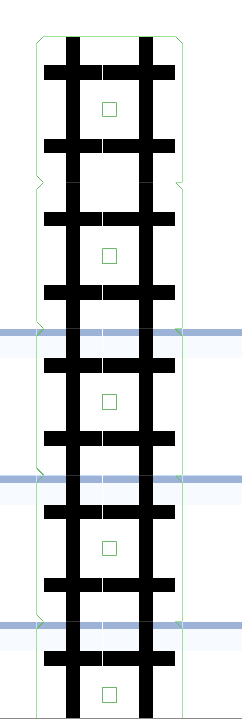
It seems to see transparency and not care about that on the sprite
So it's literally outlining pixels of the sprite that only have color
ah, apparently "vertex distance" does a bit of what I want
Slightly funky at the top left corner https://i.imgur.com/m5xeAkY.png
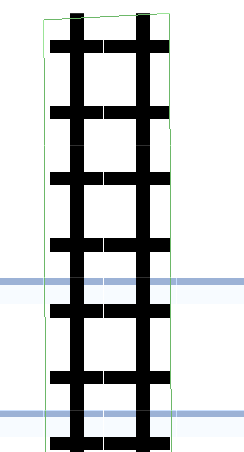
But for now I'll stick with that
winged kiln
sick lintel
that way you can manually tell your handle in script to go from point to point a...
I tried that with UI image, but for some reason i have to put a HUGE value for the y axis for it to work(am talking about 9000 for the value 😅 ). Is it because its something with the UI?
sick lintel
winged kiln
I tried that with UI image, but for some reason i have to put a HUGE value for t...
share the code that moves the handle?
winged kiln
dull linden
getbuttondown, right, but how would you set that up to work with an up press?
try Input.GetButtonUp("button name")
winged kiln
sick lintel
share the code that moves the handle?
    private void UpdateSlider()
    {
        Vector2 movPos;

        RectTransformUtility.ScreenPointToLocalPointInRectangle(canvas.transform as RectTransform, Input.mousePosition, canvas.worldCamera, out movPos);
        movPos.x = sliderPosition.Evaluate(Mathf.Abs(transform.position.y));

        var pos = canvas.transform.TransformPoint(movPos);

        transform.position = new Vector2(pos.x, Mathf.Clamp(pos.y, guideMin.position.y, guideMax.position.y));
        engine.transform.right = new Vector3(transform.position.x - engineStartingPoint.x, Mathf.Clamp(-(transform.position.y - engineStartingPoint.y), -65, 65), pos.z - engineStartingPoint.z);
    }
so i guess the reason why i put the sliderPosition.Evaluate(Mathf.Abs(transform.position.y)); into movPos.x is so that it can transform that point into a canvas point when it goes into canvas.transform.TransformPoint(movPos);
if i dont do that, the slider position goes to like 40k on the x axies
that last line is to control another game object that gets a feed back to the slider, so that can be ignored.
sick lintel
yeah my guess is that the massive numbers have to do with world position vs canvas position
what is it doing currently?
winged kiln
yea i thought so too, thats why i pass it through that canvas.transform.TransformPoint(movPos);
the code or the slider as of now?
as of now the slider works perfectly, i just have to put the y axis on the animation curve to like 9500, i guess thats fine since it works.
still zinc
Quick code review? I feel like this is good and it doesn't really matter, if it works (this is just a messing around project, no high stakes!), but I'd like a look if anyone's willing to give: https://hatebin.com/nubqeddgqa
snow willow
still zinc
Quick code review? I feel like this is good and it doesn't *really* matter, if i...
Use collision.collider.CompareTag("Climbable") instead of ==
comparreTag avoids pulling the tag out of Unity's C++ world and therefore avoids heap allocation and garbage collection
still zinc
I know the code in Climb() works, and I know disabling collisions temporarily works
snow willow
in other words - it's a bit more performant
winged kiln
but the code keeps track of two points on the UI, a guideMin and a guideMax I use those as x and y values to clamp the slider position to it.
then i call RectTransformUtility.ScreenPointToLocalPointInRectangle which takes in the canvas and the mouse input and the camera and gives out the value of movPos so based on my mouse input the slider will be going up and down and only clamped to the guides.
then i use the slider value at my y position so that its depended on where i am on y axis. the high or lower i am the slider arcs back.
I override the x value of movPos with the value from the animation clips and pass it through anvas.transform.TransformPoint(movPos); which i imagine gives me a point on the canvas rather than the world
sick lintel
winged kiln
as of now the slider works perfectly, i just have to put the y axis on the anima...
pm me a screen capture of it working if you don't mind, I'm curious what it looks like/how exact it is
still zinc
Apparently "OnCollisionEnter2D" only calls for the first thing it collides with, which means that immediately calls when it lands on the ground and therefore won't call when I actually touch a ladder
winged kiln
sick lintel
pm me a screen capture of it working if you don't mind, I'm curious what it look...
yea sure, give me a sec
sick lintel
still zinc
Apparently "OnCollisionEnter2D" only calls for the first thing it collides with,...
are you asking for help with that or just commiserating?
still zinc
Both lol
sick lintel
lol
still zinc
Trying to see when I'm colliding with a ladder, but that's obviously going to be true regardless of my collision with other things like the ground or enemies
snow willow
still zinc
Apparently "OnCollisionEnter2D" only calls for the first thing it collides with,...
It should call for every different collision that happens, no?
sick lintel
do you have a check for collision.tag
still zinc
Here's a question
Actually
one moment
If the ladder I'm colliding with is a trigger, I should be using OnTriggerEnter2D, huh
okay yeah progress
sick lintel
still zinc
If the ladder I'm colliding with is a trigger, I should be using OnTriggerEnter2...
I've done this more times than I care to admit
still zinc
private void OnTriggerEnter2D(Collider2D collision)
    {
        Debug.Log("I've entered a trigger");
        if (collision.CompareTag("Climbable"))
        {
            Debug.Log("It was a ladder!");
            onLadder = true;
            Physics2D.IgnoreLayerCollision(8, 9, true);
            rb.gravityScale = 0;
        }
}```Needed a minor rewrite but I've got it lol
New weird af bug: when I'm in a ladder it preserves my momentum
I think I need to check for input before I just apply addforce
snow willow
if you dont want momentum anymore on a ladder make your rigidbody kinematic
or set velocity to zero
if you still want velocity, just not any from before
still zinc
ohh
Nah because that would make me instantly stop when I touch it
I want to be able to walk right through it, but stop and climb up if I want
So I'll check for "Vertical" axis input
oop I overlooked a few things here obviously lol
if (onLadder)
        {
            if (Input.GetAxis("Vertical") != 0)
            {
                rb.AddForce(Vector2.up * verticalInput * climbingForce);
                Vector2 clampedVelocity = rb.velocity;
                clampedVelocity.y = Mathf.Clamp(rb.velocity.y, -maxSpeed, maxSpeed);
                rb.velocity = clampedVelocity;
            } else
            {
                rb.velocity = new Vector3(0, 0, 0);
            }
}```bam, fixed
it works flawlessly
snow willow
you can just use Vector3.zero as shorthand
still zinc
ooo that helps thanks

Only real issue to iron out is that it constantly tries to stop me (and therefore slows me down) when walking through them
winged kiln
still zinc
I want to be able to walk right through it, but stop and climb up if I want
so play with the rigidbody's velocity rather then adding a force.
still zinc
Is addforce frowned upon? That's my main method of movement rn
snow willow
No it's the primary way you should be moving Rigidbodies
winged kiln
no its not, you just use add force in certain situations more then others,
snow willow
Just as long as you're doing it in FixedUpdate and not Update...
still zinc
It's in fixed dw :p
winged kiln
yea then its good
still zinc
My issue here is that I'm slowing down when on ladders because if I'm not trying to climb it it zeroes out velocity
winged kiln
i guess its just personal perference but i usually use the velocity when i move the player rather then force
still zinc
Which would mean I should remove addforce from my movement and use velocity instead 🤔
snow willow
It depends.
If you set velocity directly
there's no acceleration
it looks more arcadey
how do you want your game to feel
still zinc
that is a very good question I can't really answer right now 🤔
still zinc
I think I'm okay with arcadey movement because friction is being a pita anyway
snow willow
You could consider abandoning physics entirely
and using a CharacterController
or rather, abandoning Rigidbody
still zinc
Here's a fun question then... why does //rb.velocity = Vector2.right * horizontalInput * accelerationForce; make me fall in slow motion e.e
snow willow
because you're wiping out your y velocity
still zinc
Because I'm setting velocity to an amount then 0 in fixedupdate?
snow willow
so gravity has to reset from 0 every fixed update
still zinc
Yeah I kinda feel like regardless of how I currently move my character, my issue is more a matter of trying to figure out when to set velocity to 0
snow willow
consider only directly setting either the y or x component of your velocity
and letting the other component run free
still zinc
I wish I could but the direct x and y values of velocity are read only
snow willow
yeah you just do this
currentVelocity.x = 0;
rb.velocity = currentVelocity;```copy out the whole vector2, change what you want, copy it back
still zinc
Interestingly, that changed nothing
I think what I need to do
Oh you know what
This will be fixed in the next episode of my tutorial
or something
Idk I might put this on pause here because I'm happy with my progress, then do more of this next time
winged kiln
why not have the gravity at 1, and move with velocity, and then when you are inside the ladder collider you make gravity 0, which then you can still move with velocity and move up or down, once they leave the collider, so OnTriggerExit2D you turn the gravity back to 1
winged kiln
still zinc
This will be fixed in the next episode of my tutorial
are you watching this tutorial on udemy or youtube?
because there is a 2D course on Udemy that is doing something like this but different graphics
still zinc
youtube o/ nah I just pulled up a random vid and it looked good xP I just needed something to get started with basic stuff then I figured I'd ask around and google and refactor where necessary
winged kiln
oh okay
still zinc
The ladder stuff is all my own work, I just kinda deviated from the tutorial for a sec to do the ladder cuz it sounded simple
winged kiln
well the idea still stand
still zinc
I am disabling gravity when I'm on the ladder
As well as collision with the ground, so I can climb down through it
winged kiln
well hey props to you, a lot of people get really stuck in tutorial mentality and never move out of the tutorial phase
still zinc
Gonna plop this https://i.imgur.com/xQugs0b.png
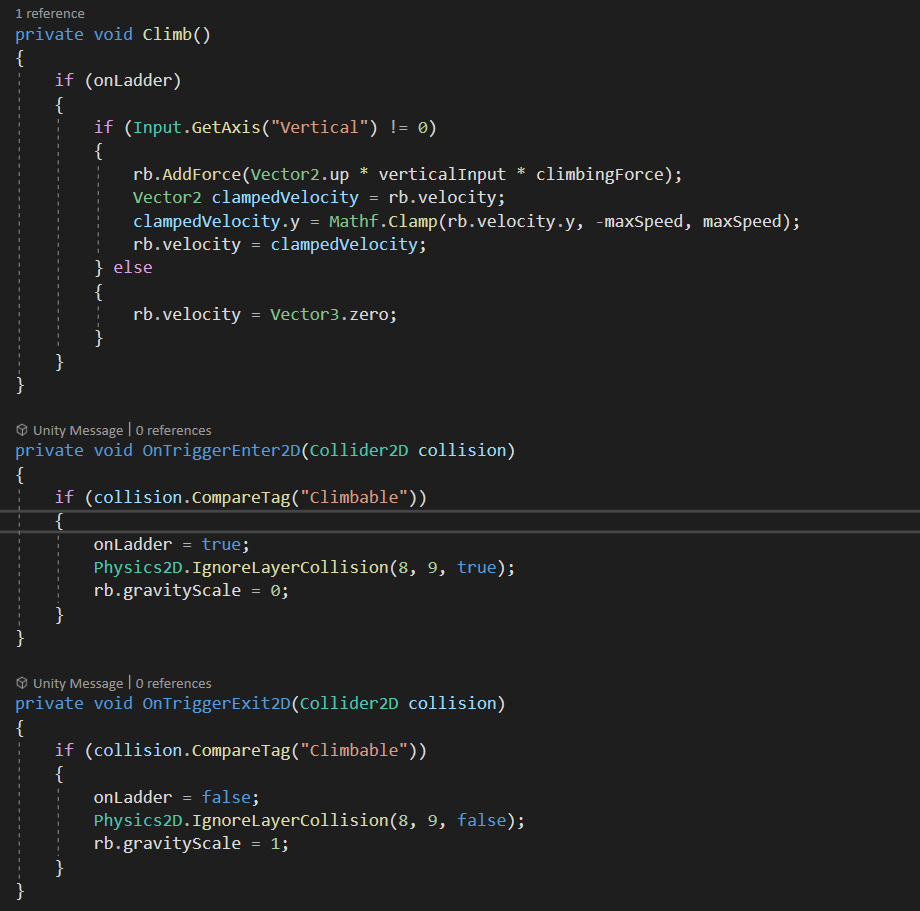
lol I've been on and off of programming many times
So I know the programming, it's just remembering the vocab more or less
winged kiln
the triggers looks good, i think you need a little bit help with the Climb function
i can send you the code that i usually use. i have it commented
still zinc
Sure thing, I'll see if I get it
winged kiln
still zinc
Sure thing, I'll see if I get it
    /// <summary>
    /// Climbing the ladder by using vertical velocity and playing the climbing animation
    /// </summary>
    private void ClimbLadder()
    {
        // if the feet collider IS touching the ladder layer then you can use the vertical keys to climb, by simply adding a velocity upward to the rigidbody
        if (myFeet.IsTouchingLayers(LayerMask.GetMask("Ladder")))
        {
            float climb = Input.GetAxis("Vertical");
            // Create a velocity vector, the x will be what the velocity of the player is, the y will be out climb direction (1 or -1) times the climbing speed
            Vector2 playerVelocity = new Vector2(rig2d.velocity.x, climb * climbingSpeed);
            // Apply the new velocity to the player velocity
            rig2d.velocity = playerVelocity;

            // while the character is still touching the ladder layer the gravity will be 0 to simulate standing on the ladder, rather then flotting downward
            rig2d.gravityScale = 0f;

            // if the player has a vertical speed then use the climb animation trigger
            bool playerHasVerticalSpeed = Mathf.Abs(rig2d.velocity.y) > Mathf.Epsilon;
            myAnimator.SetBool("Climbing", playerHasVerticalSpeed);
        }
        else // if none of those condition are meet, then just make the gravity normal and the climbing animation bool trigger to be false and finally return and do nothing else
        {
            rig2d.gravityScale = playerGravity;
            myAnimator.SetBool("Climbing", false);
            return;
        }
    }
Now you can avoid the if statement all together and just put whats inside that if statement into the function OnTriggerStay2D which keeps getting called while the player is inside the collider, although you will have to check the layer to make sure its the ladder.
most of it is just comments 😂 its like 10 or 12 lines of code
winged kiln
still zinc
What's myFeet supposed to be?
yea so in this game i had two colliders for the player, one was the main body and the other was myFeed, I was doing something with the feet portion. So you dont need another collider, you can just use the collider the player already have
winged kiln
still zinc
Can it just be the player e.e
yea that collider was on the player
still zinc
Other issue is I thought I couldn't use a layer because it wouldn't count as touching a layer if the object I'm hitting is a trigger
So I'm using tags...
Was I wrong with that?
winged kiln
still zinc
Other issue is I thought I couldn't use a layer because it wouldn't count as tou...
when you set it as a trigger any collider that touches it will call the OnTrigger functions
still zinc
Oh, I figured it just made it so it didn't even detect it was touching something on another layer
lol
I added extra work by using OnTrigger stuff then
winged kiln
still zinc
So I'm using tags...
the tags are usually used when you are just checking once or something, otherwise just use the Compare
still zinc
So what kind of class am I supposed to be supplying that contains the method IsTouchingLayers?
winged kiln
still zinc
Oh, I figured it just made it so it didn't even detect it was touching something...
no, triggers will just allow you to pass through the object that has the collider trigger but it will still call the OnTriggers functions instead of OnCollision functions
winged kiln
still zinc
So what kind of class am I supposed to be supplying that contains the method IsT...
a Collider2D
which can be any of the 2D colliders, box collider, capsule collider, circle collider, etc...
still zinc
Awesome. If I run "getComponent" does it infer I mean the current gameobject's?
winged kiln
basically the collider on the player
winged kiln
still zinc
Awesome. If I run "getComponent" does it infer I mean the current gameobject's?
yep, so if you just say var collider = GetComponent<Collider2D>(); it will get what ever 2D collider on the current game object
still zinc
I'm just grabbing straight in the line cuz I like to consolidate code
snow willow
still zinc
Awesome. If I run "getComponent" does it infer I mean the current gameobject's?
Yes. Think of it as a shortcut for gameObject.GetComponent which itself is a shortcut for this.gameObject.GetComponent
still zinc
oo shortcuts on shortcuts
winged kiln
☝️
still zinc
lmfao okay that worked but he yeeted
ah nope that still makes him slide forever smh
It's kinda back to square one, when I enter the ladder and stop moving it preserves my momentum so I keep sliding until I've walked past it
This is definitely super consolidated and what I originally wanted to do tho so it's better than before
private void ClimbLadder()
    {
        if (GetComponent<Collider2D>().IsTouchingLayers(LayerMask.GetMask("Climbable")))
        {
            rb.gravityScale = 0f;

            Vector2 playerVelocity = new Vector2(rb.velocity.x, verticalInput * climbingForce);
            rb.velocity = playerVelocity;

            // if the player has a vertical speed then use the climb animation trigger
            bool playerHasVerticalSpeed = Mathf.Abs(rb.velocity.y) > Mathf.Epsilon;
            //myAnimator.SetBool("Climbing", playerHasVerticalSpeed);
        }
        else
        {
            rb.gravityScale = 1;
            //myAnimator.SetBool("Climbing", false);
            return;
        }
}```but yeah that'll be solved tomorrow
winged kiln
try to reduce the climbing force
still zinc
I have, that doesn't effect it
The problem is I'm taking my velocity from before and setting it to the same amount
So my X velocity will always be the same number until I exit the ladder
Which makes me keep moving sideways
winged kiln
thats weird, it shouldnt be doing that
still zinc
That's literally waht the code says to do though
Your'e setting rb.velocity to a vector made out of rb.velocity.x, which means you're setting it to its own x velocity each frame
winged kiln
wait, where are you getting your verticleInput from?
still zinc
void Update()
    {
        horizontalInput = Input.GetAxis("Horizontal");
        verticalInput = Input.GetAxis("Vertical");

        if (Input.GetButtonDown("Jump"))
        {
            rb.AddForce(Vector2.up * jumpForce/*, ForceMode2D.Impulse*/);
        }
}```yea but that velocity is not effected by anything. thats just away of saying dont touch the velocity on the x. Which means something else is moving it on the x axis.
still zinc
Oh okay
winged kiln
and if there is no velocity then it would be set to 0 automatically
so if nothing is effecting it on the x it will be stationary on the x axis
still zinc
Well there's never going to be no velocity because I'll always have some amount of X velocity if I'm walking onto a ladder from the side
winged kiln
yea i know, but once you stop adding velocity to the x it will go back to 0.
still zinc
But I'm not adding velocity, I'm still adding force e.e
private void Move()
    {
        //rb.velocity = Vector2.right * horizontalInput * accelerationForce;
        rb.AddForce(Vector2.right * horizontalInput * accelerationForce);
        Vector2 clampedVelocity = rb.velocity;
        clampedVelocity.x = Mathf.Clamp(rb.velocity.x, -maxSpeed, maxSpeed);
        rb.velocity = clampedVelocity;
}```also just a recommendation, dont put GetComponent anywhere in the Update method, or in methods that gets called in Update. it slows down the game because getting those components takes time. Its better to cache them. Thats why i had myFeet that was the cache of the collider that i was checking.
to create a cache of that object you just create a variable and get the component in either Awake() method or the Start() method
winged kiln
still zinc
```CS
private void Move()
{
//rb.velocity = Vector2.right * horizont...
adding force is adding velocity
its all calculated together to give you that AddForce effect
so when you add a force to an object it will increase its velocity
still zinc
ooo I fixed it
I did what you suggested, and I piggy backed off your climb code but reversed it for movement
winged kiln
and since youre in 0 gravity it will add even more force
still zinc
Vector2 playerVelocity = new Vector2(horizontalInput * climbingForce, rb.velocity.y);
rb.velocity = playerVelocity;```thats cool
still zinc
@winged kiln thanks so much! I can rest easy with this code now :P
Have a good night o/
private void FixedUpdate()
    {
        Move();
        ClimbLadder();
    }

    private void Move()
    {
        Vector2 playerVelocity = new Vector2(horizontalInput * movementSpeed, rb.velocity.y);
        rb.velocity = playerVelocity;
    }


    private void ClimbLadder()
    {
        if (playerCollider.IsTouchingLayers(LayerMask.GetMask("Climbable")))
        {
            rb.gravityScale = 0f;
            Physics2D.IgnoreLayerCollision(8, 9, true);

            Vector2 playerVelocity = new Vector2(rb.velocity.x, verticalInput * climbingForce);
            rb.velocity = playerVelocity;
        }
        else
        {
            rb.gravityScale = 1;
            Physics2D.IgnoreLayerCollision(8, 9, false);
            return;
        }
}```more or less what I ended up with o/Nice
dusky wagon
Oh thanks
But im just trying to do it manually
I will ask in general unity since there is no code involved
 feral cape
u mean in the editor
potent nest
Hello! 🙂 I have a scene with a simple button to start game which should swap to the game scene, however clicking it does nothing. Is there anything that could prevent it from clicking?
It doesnt even look like its being clicked, eg it doesnt go darker or anything
Nvm, seems I was missing the event system! 🙂
 strange grail
Bruh
 terse thorn
the buttons are not pressing .-.
 forest cave
You need an event system
forest cave
your welcome
terse thorn
this will work to quit the game when the button is pressed?:
using System.Collections;
using System.Collections.Generic;
using UnityEngine;

public class quitGame : MonoBehaviour
{
    public void OnButtonPress()
    {
      Application.Quit();
    }
}```no
 paper fiber
terse thorn
this will work to quit the game when the button is pressed?:
```
using System.Co...
paper fiber
terse thorn
this will work to quit the game when the button is pressed?:
```
using System.Co...
if you set the OnButtonPress() event on the button click it will work on a device where you build the game on.
terse thorn
i realized that it is ignored in editor xd
 valid nexus
Hello! For some reason Unity does not like the way I added a CharacterController2D variable...It shows a compile error:
The type or namespace name 'CharacterController2D' could not be found (are you missing a using directive or an assembly reference?)
Heres my code:
using System.Collections.Generic;
using UnityEngine;

public class PlayerMovement : MonoBehaviour
{
    public CharacterController2D controller;


    // Start is called before the first frame update
    void Start()
    {

    }

    // Update is called once per frame
    void Update()
    {

    }
}```
I added only one line of code.Please tag me if you can help. Thanks in advance
forest cave
do you have a script called CharacterController2D ?
 idle apex
@valid nexus ?
forest cave
did you spell them both right?
valid nexus
the character controller type is "CharacterController2D"
u can see in the code
Sorry I didn't explain well: What I want to do it tell my script that moves the player, to work in another script called "PlayerMovement"
still zinc
Can you show us the beginning of your "CharacterController2D" script? @valid nexus
It sounds like that's not what your class is named, so it's worth seeing how you've done that too
 blissful drift
Hey I have a Problem with my Tilemap I cant use Tilemap.SetSprite also a few other Methods.
Schweregrad Code Beschreibung Projekt Datei Zeile Unterdrückungszustand
Fehler CS1061 "Tilemap" enthält keine Definition für "WorldToCell", und es konnte keine zugängliche WorldToCell-Erweiterungsmethode gefunden werden, die ein erstes Argument vom Typ "Tilemap" akzeptiert (möglicherweise fehlt eine using-Direktive oder ein Assemblyverweis). Assembly-CSharp C:\Users\Der NIck\Terrafake\Assets\scripts\tilemapc.cs 18 Aktiv
valid nexus
still zinc
It sounds like that's not what your class is named, so it's worth seeing how you...
Ok!
wait- so i have to type the name of the control script as the type?
blissful drift
blissful drift
Schweregrad Code Beschreibung Projekt Datei Zeile Unterdrückun...
this is the error in german
valid nexus
still zinc
It sounds like that's not what your class is named, so it's worth seeing how you...
Sir! I just found out that I wrote the type of thw variable wrong, thank u very much, I had to type the class of the script that moved the player as the variable type-
forest cave
I kinda said that so sorry for not being clear
valid nexus
forest cave
I kinda said that so sorry for not being clear
Sorry I can be dumb sometimes! I understand what u meant now
 steel remnant
How to get the 2d light thingie
i cant find it
i right click the hierarchy and i click light
but i cant find the 2d thingi
 mossy bough
e
dense flame
steel remnant
How to get the 2d light thingie
i cant find it
i right click the hierarchy and i...
Install the URP
Universal Renderer Pipeline, that is the package that contains 2d light
blissful drift
Can somebody help me with my tilemap code?
 plucky iris
@blissful drift you have to use a Vector3 as parameter, not tilemap inside the WorldToCell method
blissful drift
MY IDee means that tilemap.WorldToCell is not defined
plucky iris
do you have "using UnityEngine.Tilemaps;" ?
blissful drift
jes
plucky iris
can you post the code?
 ruby karma
do you get the same errors in unity console too?
blissful drift
the error code is cs1061
blissful drift
ruby karma
do you get the same errors in unity console too?
no
ruby karma
regenerate your project library folder then
still tendon
when my character stops moving it goes back to the forward idle state but i want it to face the direction it was moving previously
how do i do that?
tropic inlet
depends on ur code
i'd say, just don't do any turning while u aren't moving
if ur still stuck, show ur code?
maybe u can have a vector as a member of ur component, and keep last moved direction in it
 cedar stag
So, I'm working on a 2d game. I have a certain point (attackpoint) following my mouse position. I have a Gizmo drawn around my player. Now i want to use that gizmo as a maximum range for my "Crosshair" so whenever my mouse point exits the gizmo, the corsshair should stop. but move around the gizmo line when im moving my mouse outside the gizmo.
Can anyone give me tips and help me figure this out :)) much appriciated
still zinc
Updated my ladder code today after implementing ground detection (so I can’t multi-jump) and it works really well! I’ll post a little hatebin with it later because I’m super proud :3
My only other issue I gotta look into is being able to climb down a ladder without first starting to climb up it...
Since I currently have it set to disable collisions with the ground when I’m not detecting it, it requires climbing up and away from it before I climb back down to be able to pass through the ground
still zinc
climbing code ^
I noticed I had some odd vertical drift after letting go of the climb button, so I added the notClimbingVelocity to make sure I'm not moving at all after I let go of the climb button(s)
still zinc
So I need to figure out how to make it so I immediately am considered "climbing" when I press up/down regardless of whether the ground is there, but I don't want it to immediately put me in "climbing" mode just from touching a ladder
I had overcomplicated it, I don't need to check to see if I'm on the ground after all :p
Fixed complication and added a quick vertical velocity reset so I can't jump off ladders (I kinda twitch, but that's okay for now)
 glacial frigate
anyone mind taking a look at some simple refactoring i did for player dash? my current dash is scattered all throughout my physics controller and its awful, so starting from scratch and just built the beginning of it. https://hatebin.com/vabtnvvrfr
still need to control for other abilities character has, but this is just the simple structure of it
... need to update the distance calculation to include the *2 that i added later, assume i will do that 🙂
 vocal condor
public void RefactorDash()
{
    refactorDashTime = refactorDashDistance / physicsAttributesSO.moveSpeed;
    StartCoroutine(DashRefactorRoutine(
        physicsAttributesSO.moveSpeed * 2 *
        (directionalInput.x != 0 ? directionalInput.x : playerFacingDir)
    ));
}
```Not entirely sure what the goal is but this is your `RefactorDash` refactored into fewer lines.ohh interesting
vocal condor
Got lazy with the second part but I was going to implement it using accumulation of delta instead of decrementing refactorDashTime. However, I wasn't sure of your design and how refactorDashTime plays into all of this; it's an external factor beyond the function so I gave up. Had about 4 lines in a for loop.
In most languages, the addition operator is faster than the subtraction operator (1's and 2's complement for negatives) but that probably isn't of a concern.
 fleet vessel
hey a pretty basic question: i wanna disable a limb solver 2d via a script BUT i cant access the component. Am i missing a namespace?
vocal condor
fleet vessel
hey a pretty basic question: i wanna disable a limb solver 2d via a script BUT i...
Not sure what a "limb solve" is but if it's a component, you should be able to reference it and disable it; unless it's like rigidbody, where that component cannot be disabled - either has it or not.
vocal condor
fleet vessel
From the 2d IK package
The inspector illustrates that it can be disabled (little check box between the c# icon and the component name) so you should be able to disable the component.
fleet vessel
vocal condor
The inspector illustrates that it can be disabled (little check box between the ...
yeah but im not able to GetComponent<LimbSolver2D>()
vocal condor
But your question was, you couldn't access the component. Get component?
vocal condor
You may need the namespace; ie cannot use TMP without the namespace included in the script - package included in the project is not enough.
fleet vessel
yeah but i cant find the namespace i tried U2D.Animation and U2D.IK but it doesn't exist
vocal condor
You've got to look up the docs; possibly the github page - if any.
vocal condor
Did you try including UnityEngine.U2D.IK?
fleet vessel
didnt work
vocal condor
Seems to be from the experimental according to your link:
Is it in the experimental namespace?
fleet vessel
Works now thx
 cobalt valley
https://hatebin.com/uwugdbqsjk https://hatebin.com/qbqqvudwlg why this error show?
 wicked steeple
where can i find someone willing to do a small code review for me?
i'm wondering if i made some glaring mistakes in my terrain generator
(300 lines of code in total, with some comments)
winged kiln
cobalt valley
https://hatebin.com/uwugdbqsjk https://hatebin.com/qbqqvudwlg why this error sho...
i think you are trying to do something like gameObject.level or something.
still zinc
If I add a tile to a tilemap at runtime, do I have to tell the composite collider/tilemap collider to reload in order for the new tile to have collision?
 lean estuary
wicked steeple
where can i find someone willing to do a small code review for me?
lean estuary
wicked steeple
where can i find someone willing to do a small code review for me?
Feel free to post in #archived-game-design .
wicked steeple
sure, i'll go there
still zinc
I have yet to attempt, but I want to know whether or not tilemap/composite collider components require reloads if added to, like mesh colliders do if you make direct changes to a mesh
wicked steeple
lean estuary
Feel free to post in <#532311577576210432> .
isn't that channel mainly for art/ideas?
lean estuary
It's an underused channel with low traffic, messages posted would be visible longer. <#531949462411804679 message>
still zinc
I have yet to try it, but I found ```CS
Tilemap tilemp;
void Start()
{
tilemp = GameObject.Find("Grass").GetComponent<Tilemap>();
}
void Update()
{
Vector3 point = Camera.main.ScreenToWorldPoint(Input.mousePosition);
if (Input.GetMouseButtonDown(0))
{
Vector3Int selectedTile = tilemp.WorldToCell(point);
tilemp.SetTile(selectedTile, null);
}
}```
for some reason the person who wrote the reply didn't like whitespace ;-; much better. I'll attempt to modify this to be able to place certain selected tiles in clicked places, but I'm not sure if it would be taxing to reload the tilemap I'm adding to if I have to reload each time a new tile is added 🤔
winged kiln
still zinc
I have yet to attempt, but I want to know whether or not tilemap/composite colli...
i think you do need to reload the composite collider
still zinc
Alright, let me try tinkering around with that and see what happens
For some reason I ask stupid questions but I feel more motivated to attempt things when they're answered lol
procrastination is so easy
I've done like 0 pixel art yet every time I draw something in 30 seconds I'm like "damn that actually looks good"
30 second scaffolding: https://i.imgur.com/fMoqnip.png
My climbing code that worked so beautifully yesterday committed suicide overnight and I'm not sure how :T
fleet vessel
 arctic knoll
Does anybody know good german tutorials about unity 2d?
arctic knoll
Does anybody know good german tutorials about unity 2d?
If you know Unity 3d you know Unity 2D
still zinc
Okay problem fixed but how the heck
Somehow my composite collider set itself back to Outlines instead of Polygons
still zinc

Not sure why I sometimes randomly get stuck when moving from one composite collider to another, but it only happens if I haven't reached max speed (there's a slight accelleration)
empty garden
Can I ask some design code? I want to check some logic before I write it with some peers.
tropic inlet
discuss
still zinc
So I'm trying to make a system where I can place items that snap to a grid and do certain things, but I'm wondering a couple things:
- If I have like 5-10 tilemaps, is this going to be inefficient and bog things down, or is this okay?
- Is there a way to tell a game object/sprite to align with the edge of a tilemap's tiles without actually placing it on a tilemap?
empty garden
@tropic inlet are you talking to me
tropic inlet
yes
 novel plume
What is wrong here :// The debug is getting called and jumpforce has had many different values
empty garden
So basically to make thr code I need to be done work I think I need two get qnd sets
And I have six classes
I have a slash class, pierce class,blunt class, block class, parry class and grapple class. Each class has functions that describe what special moves they have
Basically I think I need two get and sets
A get playerselecetedmovetype, qnd getplayerseleced special move.
If I set the playerslecetedMoveType to a slash string. Then make a simple if statement like if player selectedmove type == slash and enemy selected move type is == parry, then do thing very bad stub i know but the player selected special move would then fire off somethings that let the function in slash attack class work
So like if the special move was fire blades. If we win that if statement then we fire off the function fire blades
Then reset the get and set
Do it all over again
Does that logic work or check out
I might need to explain it again just in case I wasn't clear
But something like that
@tropic inlet
 lusty parcel
Hi everyone, I'm having an issue and I'm pretty sure I'm missing something obvious, so I'd rather ask here before making a forum post.
I'm getting an issue with 2D colliders, where I have between ~100 and ~500 clones of a prefab in a scene, and only the last 3 clones with colliders would register a raycast collision.
I have found that moving the gameobject itself can make the collider "wake up" (moving the parent doesn't) and trigger a collision when prompted.
But no matter what, only 3 colliders work at a time.
Meaning that if I have a collider 1, 2 and 3 that work, and move a 4th, collider 1 will stop working
I don't understand why it happens, and I can't find any answer online regarding my issue
Oh and, these colliders are not affected by anything other than me trying to click on them. That's the only code that interacts with them
public static bool IsClickingOn(Collider2D collider) {
    RaycastHit2D rayHit = Physics2D.GetRayIntersection(Camera.main.ScreenPointToRay(Input.mousePosition));
    if (rayHit.collider == collider) {
        Debug.Log("Collided with " + collider.gameObject.name);
        return true;
    }
    return false;
}
That's the part where I raycast under mouse position to see what is clicked
Which works fine with the ones that work
private void PlayerGather() {
    if (InputController.IsClickingOn(GetComponent<Collider2D>())) {
        Gather(player.shipInv, 1);
    }
}
And that's where the method above is called. That PlayerGather() is called via an event system, which I've made sure works on all clones at the same time
 warm geyser
keep receiving an error, CS1501: No overload for method 'SetFloat' takes 1 arguments, can someone help me? (21, 18)
 worldly patrol
well, it doesnt take 1 argument
lusty parcel
Arguments for SetFloat :
public void SetFloat(string name, float value);
public void SetFloat(string name, float value, float dampTime, float deltaTime);
public void SetFloat(int id, float value);
public void SetFloat(int id, float value, float dampTime, float deltaTime);
did you look at the color of your text
do you know why movement.x and movement.y are colored brown?
warm geyser
hmm nope
warm geyser
worldly patrol
and movement.sqrMagnitude isnt?
yeah but the problem is 18 and 21
still doesn't work
worldly patrol
whats wrong with them?
warm geyser
it says that no overload for method 'SetFloat' takes 1 arguments
worldly patrol
didnt you say you just noticed?
lusty parcel
You are missing a quotation mark on both 21 and 22
And I don't see any issue with 18
warm geyser
fixed, thanks for the help
 drifting sentinel
make a background layer
and make the rest of the stuff in front of the background
 cloud crystal
don't get it, need some other layer in other place? Or i just do wrong, the tree in 9 layer, player in 0 layer
lusty parcel
It's actually not a layer issue, but a order in layer thing. In Additional Settings, check Order in Layer. Set your character to 1, it will be above every sprite that is on order 0
cloud crystal
Thanks
It working, i don’t believe it’s so simple, I googled it for a while I didn’t find the right answer
still tendon
if i click c the player crouches but i wanna be able to toggle it, how do i do that?
tropic inlet
flip a bool
in Update
private bool isCrouching;
//...
if(Input.GetKeyDown(KeyCode.C))
  isCrouching = !isCrouching;
i just use a finite state machine instead, tho
got an enum named State, and I'll just assign my variable State state to
State.Crouch
 frigid glen
Hey, I have a little problem. Some months ago I was working on a background and it was no problem. Now, I wanted to fill my background with a sprite and the grid snapping tool. The only problem is that I can't get the sprite inside the grid because it always wants to stay in the middle...
||Feel free to ping me if you want to help me||
 shadow nebula
@frigid glen you can offset the sprite either by using parenting or, preferably, by changing the anchor point of the sprite
 gaunt leaf
hi all, a quick question: I have this functionally here in a grid-based top-down game where the player can throw objects they are carrying
The functionality is working, but what I want is to have an animation that shows the box in an arc. Here's what it currently does
Does anyone have any thoughts on a way to achieve that using the direction the player is looking, a throw distance, and the current transform of the box? I have it so the box object is parented to the player at a specific height above the player's head
I tried using a Lerp coroutine but that just results in the immediate throw in the video above
still tendon
how would i make it where a thing destroys everything in the range of it
like an explosion
gaunt leaf
Ignore everything I said, I was calling the wrong event for the throw lol
still tendon
do you know how?
gaunt leaf
probably a raycast/spherecast, but not really
still tendon
ok
plush coyote
gaunt leaf
I tried using a Lerp coroutine but that just results in the immediate throw in t...
Then you weren't lerping correctly
oh whoops
Didn't realize you already fixed it
gaunt leaf
plush coyote
Then you weren't lerping correctly
Yeah lol I was just an idiot, I’m having some new issues now but I’ve stopped for the day so I won’t bother anyone about it until I go back to it
frigid glen
shadow nebula
<@722814344865513472> you can offset the sprite either by using parenting or, pr...
How?
frigid glen
shadow nebula
<@722814344865513472> you can offset the sprite either by using parenting or, pr...
I tried it with the anchor presets but they won't show up, can anyone help me?
 gloomy lagoon
Hi, i good a small and quick question. Im using tilemaps to create a 2d map. But now i got this weird thing.
This little line in the middle where the tiles arent connected idk how to get it away
 severe kestrel
gloomy lagoon
severe kestrel
gloomy lagoon
no idea, try to put them togheter?
try to move them closer to eachother
gloomy lagoon
severe kestrel
try to move them closer to eachother
I did. That wouldnt help. But i found the Pixel Perfect Package that allows you to snap the tiles together. If anyone other has problems. Thank you eitherway ^-^
 errant matrix
how do i make the slider component move a sprite farther, im trying to make a health bar but at max value the bar is still in camera view
vocal condor
errant matrix
how do i make the slider component move a sprite farther, im trying to make a he...
You'd want to have it scaled larger as health increases and have it child a parent and possibly anchored in the left side. Google Unity health bar tutorials. There are plenty out there.
errant matrix
You'd want to have it scaled larger as health increases
what does this mean
in the tutorials it just kinda moves well enough by default
errant matrix
nvm i got it working with another method
 tall salmon
is the string being filled up? Like you get a scene name in there before the code gets called?
gloomy lagoon
I put in the scene i want to load in the editor idk if thats wrong
tall salmon
hmmm
snow willow
gloomy lagoon
Insert Debug.LOg statement between line 14 and 15 to make sure OnTriggerEnter is being called in the first place.
gloomy lagoon
snow willow
Insert Debug.LOg statement between line 14 and 15 to make sure OnTriggerEnter is...
Thanks, i saw in the log that the other Scene wasnt even recognized. I needed to go into the build settings and add both scenes. I totally forgot to let me give a log to look over.
snow willow
Ah yep that'll do it
I had assumed you weren't getting any errors since you didn't mention that


 still zinc
Trying to decide what I want my daily task to be 
So I've prepared this method in such a way that I could, if I wanted, change what tile I'm trying to place:
void Update()
    {
        PlaceBlockAtCursor(selectedTile);
    }

    private void PlaceBlockAtCursor(TileBase tileToBuild)
    {
        if (Input.GetMouseButtonDown(0))
        {
            bool tileExists = false;

            Vector3 point = Camera.main.ScreenToWorldPoint(Input.mousePosition);
            Vector3Int selectedTile = tilemapToBuildOn.WorldToCell(point);

            foreach (Tilemap existingTilemap in tilemapsToCheckAgainst)
            {
                if (existingTilemap.HasTile(selectedTile))
                {
                    tileExists = true;
                    break;
                }
            }

            if (!tileExists) tilemapToBuildOn.SetTile(selectedTile, tileToBuild);
        }
}```Do y'all think it would be a better idea to have this same script "BuildBlock" (may be renamed later lol):
- be the one that governs which tile you've selected, given some UI elements, then just have the method interact with the variable itself instead of taking an input in the method, and change the variable depending on the clicked UI element
OR - Make a setter for the main
selectedTilevariable, and set that variable from a separate script that handles what to do when the UI elements are clicked
I'm kinda leaning on making a separate script because I've been told it's better to have less content per script instead of one big one governing everything
So the build system would be: click UI element, script senses what you've clicked and deals with UI stuff, then utilizes a separate script's setter to set the tile that will be placed. Script #2 (the above code) will place whatever Script #1 has told it to place when it's told to place stuff.
 sharp hare
For a 2d game should I use URP or 2D template?
 long orbit
hey so im trying to instantiate this red ball where i am touching. it works but any objects i instantiate are noticeably stuttery with their physics. the one that is already in the scene work fine and smooth when i start the game. but once i instantiate it is jittery
 barren lark
Hey, speaking of lerping!
Does anyone know how to give "spring" to a lerp, or a value change?
http://puu.sh/Habrj/a000181962.png I have a math function that might work for it, but I want to know if there's a standard for this.

 snow willow
barren lark
Does anyone know how to give "spring" to a lerp, or a value change?
snow willow
barren lark
Does anyone know how to give "spring" to a lerp, or a value change?
Write your own interpolation function or use an Animation Curve
Lerp is short for "Linear Interpolation"
which means the interpolation follows a simple line graph
you can use any kind of interpolation function you want instead of a linear one to achieve a nonlinear interpolation
barren lark
For reference, where would I put in the function I've come up with?
snow willow
in place of wherever you would use Mathf.Lerp
As for defining the function itself
you can just make it a static function somewhere
for example quadratic interpolation might look like this:
  return Mathf.Lerp(start, end, t * t);
}```float mul = 10;
const flot someOtherMul = 1;
void Update()
{
mul -= someOtherMul * Time.deltaTime;
mul = Mathf.Clamp(mul, 0, 10);
value = Mathf.Sin(Time.time) * mul);
}
can't figure out rn what you need as the last parameter, but this may give you inspiration
barren lark
No, that's really smart, thanks guys!
It's a simple way of looking at it that I should probably have used. I'll try it tonight.
 heavy sorrel
Hey I’m trying to do a freeze frame when an enemy dies and so I put timeScale to 0.01 and after a amount of time it goes back to 1 but when it happens it keeps stopping over and over
snow willow
public CountdownScript theCountdown;
theCountdown.currentTime += 1;
You don't drag CountdownTimer.cs in
you drag the GameObject that has the COuntdownTimer script attached to it
or the CountdownTimer component itself
yes
You're very welcome
glacial frigate
i am trying to loop through all parameters in my animator controller that are bools and set them to false, and then depending on the playerstate set a different parameter to true. I am having trouble initializing the AnimatorControllerParameter. can anyone take a look at this logic? https://hatebin.com/kecvwjvfyf
i get a null reference right when update starts
oh i dont think i actually add the parameters to the list
if anyone is curious about this fix, now works: https://hatebin.com/aqocnzprwh
vernal bear
Hi, I have problems with my player shooting right, I want my player to shoot this projectile the way he is facing. This is my current script
vocal condor
Is right not the way he's facing?
vernal bear
Yeah when he moves to the right but when he moves left I flip the sprite is that the problem?
 thorn dirge
probably coz you keep updating it
and also you don't need to use corutine to destory the bulleyt
and if you are trying to pause it or something half way
its still not gonna work with corutine
I recommand you use
Destory(gameobject,e)
e = your amount of time
still tendon
Hey if i want to choose the gameobject from the next scene how can i do that
What can I do if I want a method to stop another action from working? Ie: I want my guy to stop walking when the attack button is pressed
still tendon
still tendon
What can I do if I want a method to stop another action from working? Ie: I want...
I also want help for this
 hardy ermine
still tendon
What can I do if I want a method to stop another action from working? Ie: I want...
hardy ermine
still tendon
What can I do if I want a method to stop another action from working? Ie: I want...
You'd need to have the action work as long as a certain bool flag is true, the method that enables it just makes the bool true and the method that disables it makes it false
still tendon
hardy ermine
You'd need to have the action work as long as a certain bool flag is true, the m...
facepalm you're right...
hardy ermine
In Update you'd have something like
if(bool dothething)
  dothething();
Assets\PowerUp.cs(28,16): error CS0119: 'GameObject.GetComponent<T>()' is a method, which is not valid in the given context
Why this is coming
My Code is
 tidal wasp
how do i make a text on a canvas follow the rigidbody i just coded
tidal wasp
nvm figured it out
humble nebula
any of you know how to call a confiner from an synced scene? because i have this problem:
i did some search but it's not getting a good result unfortunately...
i mean: which api script i need to call them?
sharp hare
For a 2d game should I use URP or 2D template? And why?
 mortal imp
How can i make this car move infinitely in this direction?
 void nebula
I've spent a few days trying to figure this out... I've been working on a turn - based RPG and I want a random encounter system. But whenever I reach 3 meters (the requirement to set of a battle) it freezes. I can share my code if anyone can help me. It's in C# and yes I've tried Brackey's tutorial
@mortal imp I think you could make a C# script and type rb.MovePosition(rb.position + Time.deltaTime * Speed); in the update function, then add an object at the end of the road that teleports you back.
Make sure you have a rigidbody2D attached to the car