#🎥┃cinemachine
1 messages · Page 17 of 1
 gentle mantle
 royal tartan
just... I would absolutely use an intermediate variable for the POV
because if you want to modify that axis, you're going to have to copy that whole struct back into that field
e.g.
CinemachinePOV pov = myVirtualCamera.GetCinemachineComponent<CinemachinePOV>();
AxisState horizontal = pov.m_HorizontalAxis;
horizontal.something = somethingelse;
pov.m_horizontalAxis = horizontal;
 shadow cove
hello guys I have a problem with the cinemachine. Basically whenever I go on play mode and I move the player ,some of the pixels in the sprite warp and change their size. how can I resolve it ?
 sweet spoke
So for Cinemachine Free Look with new input system, I'm struggling to understand how to reference the mouse to move the camera around. I've added the input action to the Cinemachine Input script, and then since it's a Vector2 value i've done:
    {
        lookInput = context.ReadValue<Vector2>();
        mouseLook.x = lookInput.x;
        mouseLook.y = lookInput.y;
    }
This gets called in Awake, but i'm unable to control the camera still.
 warm verge
hi, I have a question about the camera .. idk if I should post it somewhere else
my camera sees through the wall which has its collider, and the camera is inside an object that has a collider too, I was given the advice to make the material of the wall rendered from both sides but I am using URP I think it means picking "render face : both" which I did but the camera still does see through the object
(I made the walls in blender and imported it to unity)
does this have anything to do with clipping planes?
warm verge
anyone who can help
 austere tangle
Hi everyone. I am using cinemachine for the movement of a character. When I move the camera with the mouse and hover the mouse over an on-screen canvas, the camera movement is canceled. Does anyone by chance know how to make that not happen? I would greatly appreciate the help. Thanks
 fallow yacht
How to turn off automatic package downloads? I have nearly a dozen versions of packages like Cinemachine, TextMesh Pro etc. Deleting them doesn't fix the problem, the next time I run Unity, it begins downloading them allover again.
 crimson cloud
Maybe your manifest is messed up there?
fallow yacht
@crimson cloud what does that mean?
crimson cloud
Your package manifest json, maybe it holds all the items inside as an element, and when unity checks for them, it might load them
Inside your project folder, same level as Assets Folder, ther eis a packages folder, inside that a manifest.json, you might wanna post it here
Anyone knows, why my virtual camera look at target is not being updated when I move it?+
crimson cloud
Okay looks liek the look at on the virtual camera is not working at all...
fallow yacht
@crimson cloud Sorry, don't quite understand the description of your virtual camera problem. Despite knowing nothing about the manifest, I know quite a bit about Cinemachine (maybe more about it than any other part of Unity), so lemme know any and all questions you have. I can probably help.
 hybrid herald
Is there any way to get a spherical orbit camera? Orbital Transpose is locked to one axis, and I can't get FreeLook to be anything but an ellipse.
fallow yacht
The easiest way to make a spherical camera is to choose a basic free camera, and create a physics rig that does everything else for you. ie target jointed to camera carrying body that's not driving any forces back to the target. If you're not currently using 3D physics, this will add frame processing time, as 3D physics isn't nearly as cheap in terms of CPU as 2D physics.
@hybrid herald And this will involve a lot of fine tuning of the little physics rig, in terms of damping and forces used to get your desired motion and responsiveness. But once it's setup, is more capable of more creativity than merely the spherical rig. It's just that using this for spherical movement is the easiest and first thing to get right with it. After that, you can it do any kind of elliptical and dolly based things you can imagine, too.
Plus you get another kind of abstraction, in the sense that whatever type of virtual camera you've attached to this rig can have all its properties and responses animated and dynamic, too.
hybrid herald
fallow yacht
The easiest way to make a spherical camera is to choose a basic free camera, and...
All I need to do is orbit around an object. Exactly like the free look camera, but just a sphere. I would never leave something like the main camera movement to the mercy of Unity's physics simulation.
I settled on just using the Free Look camera.
It's just extremely weird that they built this super advanced camera system, that has circular movement, and elliptical movement. Took them like a decade to create and fine tune the tool. Made by veteran camera systems programmers and cinematographers, with over 20 years experience, all those AAA games under their belt. A tour de force, of their best work. The mastercraft they've been building towards their whole careers.
Endless options for filmmakers and and advanced suite of options for professional games. A complete out-of-the-box solution for video game cameras.
And it never occurred to them that someone might want to move the camera in a circle in the Y axis? Like they couldn't just adjust the curve on FreeLook to be circular?
fallow yacht
hybrid herald
And it never occurred to them that someone might want to move the camera in a ci...
The more you use it, the more odd oversights (no pun) you'll find. And that's just in Cinemachine. Apply that same criticality to Unity and it becomes clear that product design is not part of the product.
Granted, I understand your trepidations with regards Unity physics. It can be improved through force of will and restraint. Time is the biggest problem. Unity doesn't provide enough access to good signals of granular timings less than fixedUpdate and Update. Using the AudioThread is the easiest way around this.
hybrid herald
fallow yacht
Granted, I understand your trepidations with regards Unity physics. It can be im...
It's not really just Unity's physics. Developers have tried using physics simulations for core movement mechanics for decades, and have all given up, with very few exceptions (vehicles being the only major one, but they still use kinematics for the camera). Kinematic solutions are still dominant because of their precision and predictability, which are extremely important when dealing with something as fundamental as camera movement.
fallow yacht
hybrid herald
It's not really just Unity's physics. Developers have tried using physics simula...
I'm a bit of an exception. Have been using physics as drivers for a decade or more. I know PhysX and Box2D inside out. And how to work around most of their problems. My entire game is physics driven, with very few "overrides" to cause different behaviour. It's possible to do better than the kinematic and algorithmic ways of moving things with a physics engine, because it brings in compounding slop, slack and "life" ness. but it does take a commitment to understanding the algorithms of the physics engine, and a huge amount of experimentation with joints to understand their ways and means. Joints have sweet spots. But yes, I do see that I'm an outlier.
I get your point, though. It takes a good deal of determination to understand what degrees of determinism are possible in the physics engines, and to work around how they want to be worked with.
sweet spoke
Anyone using 2021.1.22f1 with Cinemachine + new input system? At this point I think it's just the Unity version, I can't get my mouse input to be received by Cinemachine FreeLook camera at all.
hybrid herald
sweet spoke
Anyone using 2021.1.22f1 with Cinemachine + new input system? At this point I t...
Are you using the included Input Provider from Cinemachine?
Did you have it working before?
sweet spoke
Yeah, included input provider script, but just nothing. Game runs, but no input from the mouse. Found a couple other people that reported it didn't work for them either.
Seems like only "fix" at the moment is to enable both input systems. Use old input solely for the mouse control of Cinemachine.
Not sure if this a CM issue, or a Unity 2021 issue though still.
hybrid herald
Yeah I'm on 2020.3, and it works for me. Version chasing never did anyone any good.
If it's a serious project, and there isn't anything you need from 2021 that isn't absolutely essential to your game functioning, I'd just use 2020 LTS
And I only upgraded to that, because something was broken in 2019 lol
sweet spoke
Yeah, whole point of using 2021 was that it was a brand new long-term project, which seemed to align better with 2021.
hybrid herald
And I only upgraded to that, because something was broken in 2019 lol
sweet spoke
But there has been several issues already, much worse than 2020.
hybrid herald
There are still people making commercial games with Unity 5.6
If there isn't something you absolutely need in 2021, you're probably better off sticking with a more stable version
 umbral raven
sweet spoke
Not sure if this a CM issue, or a Unity 2021 issue though still.
umbral raven
sweet spoke
Not sure if this a CM issue, or a Unity 2021 issue though still.
it's probably the new inputsystem at fault.. it's shite 😄
sweet spoke
umbral raven
it's probably the new inputsystem at fault.. it's _shite_ 😄
Yeah, just had to throw it to "Both" inputs for now. Use old (mouse) for cinemachine, probably hard code in a gamepad, then the rest will be with new input. So confusing lol
umbral raven
ReWired all the way for me - though haven't had to use it with cinemachine yet
sweet spoke
umbral raven
ReWired all the way for me - though haven't had to use it with cinemachine yet
Hm looks nice, wonder how it does work with CM though. Also if it ever is less than $45 lol.
umbral raven
Yes, it's been on sale, and I THINK it was in a humble bundle once
sweet spoke
damn
 plucky panther
I don't think so on the humble bundle front
Though it could've been if humble bundle did a Unity Bundle before the one with the ProSnaps
hybrid herald
sweet spoke
Hm looks nice, wonder how it does work with CM though. Also if it ever is less t...
I did a small amount of custom input for Cinemachine the other day, and it would be pretty easy to hook anything up to it.
Unity is a little more vague about it than they have a right to be. I don't see why they can't show an example right in the documentation, but it wasn't hard to figure out.
They just wanted to waste my time by forcing me to make a new project, install the Input package and Cinemachine, and then dig for the example script, and pick out the relevant code.
hybrid herald
Here's the basic code you need: https://hatebin.com/qrvktdvlzq
sweet spoke
hybrid herald
Here's the basic code you need: <https://hatebin.com/qrvktdvlzq>
But this still doesn't fix the new input system, does it?
hybrid herald
You said:
I wonder how it does work with CM though.
in reference to ReWired.
So I told you how it would work. Leaving you to wonder, no more.
sweet spoke
Gotcha. I didn't look that far into ReWired. I don't know what they use to pass reference for controlling, but I'm sure I could figure it out. Thanks for the input @hybrid herald
hybrid herald
sweet spoke
Gotcha. I didn't look that far into ReWired. I don't know what they use to pas...
You can use polling or events. It's not too different from Unity's system in terms of functionality, but I had an easier time with it. The documentation is definitely better. And the developer will actually respond if you have a serious issue.
As with most of Unity's features, you're basically at the mercy of the community to resolve hangups.
 kind oak
How do I access the Shoulder Offset value in the inspector from the code and is it a good way to rotate camera with mouse vertically using the same value?
 livid mulch
Hi everyone, I've been looking into this issue for a while but found no solution so far: what is the best way to 2D confine a perspective camera?
umbral raven
plucky panther
Though it could've been if humble bundle did a Unity Bundle before the one with ...
they've done loads
royal tartan
livid mulch
Hi everyone, I've been looking into this issue for a while but found no solution...
what does "2D confine" mean in this context?
livid mulch
royal tartan
what does "2D confine" mean in this context?
I meant in the setting of a 2D game, to limit camera bounds like a Camera Confiner does for an orthografic camera. What would be the best approach to do so?
royal tartan
livid mulch
I meant in the setting of a 2D game, to limit camera bounds like a Camera Confin...
Isn't it just clamping the x/y coordinates of the position?
livid mulch
Not exactly, since I want the camera view at a certain z distance to be bounded by the confiner, not the camera itself. I found a few forum posts on the matter but no solution so far
livid mulch
royal tartan
Isn't it just clamping the x/y coordinates of the position?
So for example, if I set a confiner at z=0, I dont want my camera at z=-10 to show anything beyond those bounds at z=0, much like a 2D confiner would for an otho camera
royal tartan
livid mulch
Not exactly, since I want the camera view at a certain z distance to be bounded ...
You want the camera view to be confined to a certain z distance? Isn't that just setting the far clip plane for the camera?
not sure I'm following
Anyway not sure I understand what's preventing you from using the Cinemachine Confiner in this case, if that's the behavior you want?
livid mulch
royal tartan
You want the camera _view_ to be confined to a certain z distance? Isn't that ju...
This post might explain it better than I did https://forum.unity.com/threads/perspective-vcams-with-2d-confiners.508804/
I meant confining the screen edges to that confiner at that z. My problem is precisely that the Cinemachine Confiner does not work for Perspective cameras in 2D mode, according to the documentation

Unity Forum
I'd like to use cinemachine on my next project. It will be a side scroller with 3D level geometry. The problem is that when using a Virtual Camera...
royal tartan
livid mulch
This post might explain it better than I did https://forum.unity.com/threads/per...
Seems like that thread is a great resource for doing what you want
livid mulch
I was wondering how other people solved this problem, maybe there would be a better solution than simply parenting a perspective camera to an orthographic one
 rose smelt
it took me too long to figure out the state machine camera... lol
 tender wagon
I am using camera stacking, each with a different near/farclip distance... is there a way to do that and still use cinemachineVirtualCamera?
royal tartan
tender wagon
I am using camera stacking, each with a different near/farclip distance... is th...
cinemachine virtual cameras shouldn't intefere with your camera stacking at all
tender wagon
cinemachine is forcing the near/far clip to whatever it is set too, for all cameras with a brain?
royal tartan
Should really only need one brain
something like:
Main camera (with brain)
- stacked camera 1
- stacked camera 2
the stacked cameras as children
Would that work for your game?
kind oak
Why does my free look camera is controlled by wasd instead of the mouse?
I use the new input system btw
 twilit wave
I have a bunch of VirtualCameras and a FreeLook camera, where 'Look At' is always the player character. For these cameras, I want the player to be able to look around with the right stick. I'm trying to make it so input manually manipulates the Screen X and Screen Y, with it snapping back to the player after. I'm having issues wresting cinemachine.
I can reference the component:
GetComponent<CinemachineVirtualCamera>();
But I don't know how to influence ScreenX in Aim.
kind oak
how do I rotate player and camera together with free look camera?
twilit wave
Set the FreeLook camera's 'Follow' to the player
 brisk fjord
@twilit wave there is a function called GetCinemachineComponent. This thread might help: https://forum.unity.com/threads/how-to-access-body-damping-from-script.521492/

Unity Forum
I want to access the Damping on the body of my CinemachineVirtualCamera. I need to change values during scene-transitions since I don't want the camera...
twilit wave
@brisk fjord that's what I had to do in the end, but specifically with the <CinemachineComposer> to affect screen X for all the rigs:
var brain = CinemachineCore.Instance.GetActiveBrain(0);
        activeCamera = brain.ActiveVirtualCamera.VirtualCameraGameObject.GetComponent<CinemachineVirtualCamera>();
        active3rdPersonCamXR0 = vcam1.GetRig(0).GetCinemachineComponent<CinemachineComposer>();
        active3rdPersonCamXR1 = vcam1.GetRig(1).GetCinemachineComponent<CinemachineComposer>();
        active3rdPersonCamXR2 = vcam1.GetRig(2).GetCinemachineComponent<CinemachineComposer>();
        active3rdPersonCamYR0 = vcam1.GetRig(0).GetCinemachineComponent<CinemachineComposer>();
        active3rdPersonCamYR1 = vcam1.GetRig(1).GetCinemachineComponent<CinemachineComposer>();
        active3rdPersonCamYR2 = vcam1.GetRig(2).GetCinemachineComponent<CinemachineComposer>();
Then to actually change them in game:
lookInput = playerControls.Movement.CameraLook.ReadValue<Vector2>();

// Camera control inputs
        clampedlookInput = Vector2.ClampMagnitude(lookInput,0.5f);
        currentLookInputVector = Vector2.Lerp(currentLookInputVector, clampedlookInput, 0.7f * Time.deltaTime);
        verticalLook = currentLookInputVector.y;
        horizontalLook = -currentLookInputVector.x;

        // Camera movements
        vCamlist.active3rdPersonCamXR0.m_ScreenX = 0.5f + horizontalLook;
        vCamlist.active3rdPersonCamXR1.m_ScreenX = 0.5f + horizontalLook;
        vCamlist.active3rdPersonCamXR2.m_ScreenX = 0.5f + horizontalLook;
        vCamlist.active3rdPersonCamYR0.m_ScreenY = 0.5f + verticalLook;
        vCamlist.active3rdPersonCamYR1.m_ScreenY = 0.5f + verticalLook;
        vCamlist.active3rdPersonCamYR2.m_ScreenY = 0.5f + verticalLook;
I wish there was a way to reference all the rigs in FreeLook at ones but I couldn't see a way
twilit wave
Create an empty object and parent it to your character, follow this object and position it as required
 errant shard
Cinemachine has "offset" fields in vcam settings
No need to use an empty
In some situations you might want to set a specific bone as the vcam's target
 stark mauve
Hi! Does anyone know how to make Cinemachinebrain jump into looking at a specific point instantly instead of it having to slowly drift to that location?
 steel vault
How do I change the cinemachine clipping plane
I try to change it but it keeps going be to 0.2
 tranquil berry
steel vault
I try to change it but it keeps going be to 0.2
tranquil berry
steel vault
I try to change it but it keeps going be to 0.2
Change it on the virtual cameras and it should work fine
steel vault
tranquil berry
Change it on the virtual cameras and it should work fine
Thanks fixed it
 fervent geyser
Hi, I'm wondering if there is a good example of using Cinemachine to make a decent vehicle follow camera. I saw this thread on Twitter https://twitter.com/KptUcan/status/908073182107750400 & Adam Myhill talks about a new camera type specifically for vehicles, but I've not found it? Then in this video (~13mins) from Siggraph 2019 (https://www.youtube.com/watch?v=TtD-ywes5oQ) he's talking about Reactor feeding into a follow cam, then some more advice here from 2018 https://forum.unity.com/threads/when-will-reactor-be-available.531676/ saying Reactor's (I think it's the same Reactor) shelved. I get that the solution's going to be different per-project, but I feel like a decent starting point should be a solved problem? I think I'm understanding the body transposer/ aim composer correctly, but the Siggraph video was saying "you need more" and anyway, even all of the transposer/composer parameters are kindof daunting for someone like me with no background in this (experienced C# programmer, somewhat experienced with Unity physics/ general stuff). TIA<3


Better #cinemachine cameras for offroad, @Adamjcmyhill 's suggestion was awesome. Now I can show more on screen #gamedev #indiedev #unity3d https://t.co/pAax6GraBV
 Twitter
·
warm verge
Twitter
·
warm verge
Does somebody knows how can i change the shoulder offset by code? I wanted to change the Z offset to make a aim of it
 royal tartan
warm verge
Does somebody knows how can i change the shoulder offset by code? I wanted to ch...
royal tartan
warm verge
Does somebody knows how can i change the shoulder offset by code? I wanted to ch...
Highly recommend just setting up an additional virtual camera that is configured appropriately for "aiming mode" and switch to that camera when necessary
fervent geyser
warm verge
Does somebody knows how can i change the shoulder offset by code? I wanted to ch...
Sorry it's still not what you asked for. I tried to find an example using the shoulder offset, but don't have one handy. There is a working example with two virtual cameras like PraetorBlue suggests in the "Samples" that you can get from the Cinemachine package on the Package Manager tab. Another neat working example from Unity with source is here https://youtu.be/537B1kJp9YQ?t=590.
 azure sentinel
im using cinemachine which is following player, but i dont want to follow rotation (when im changing rotation of player then camera is rotating too), how can i do it?
fervent geyser
azure sentinel
im using cinemachine which is following player, but i dont want to follow rotati...
I think you want to set the CinemachineVirtualCamera's Body Transposer Binding Mode to "Lock To Target On Assign (this seems to be working for me with Aim set to Composer for a 3rd-person style camera). https://docs.unity3d.com/Packages/com.unity.cinemachine@2.8/manual/CinemachineBodyTransposer.html
azure sentinel
fervent geyser
I think you want to set the CinemachineVirtualCamera's Body Transposer Binding ...
its working now thanks
 knotty jacinth
Hello guys, I'm having a problem with the cinemachine camera... whenever I start to walk with my character, the camera jumps to the center of the character feet, does anyone what could be the cause of it?
Thanks 😄
nvm, found the issue already, the problem has to do with my cinemachine collider's setup
 dusty mirage
@boreal lichen
 stone pasture
Hey folks, I'm having some issues related to Cinemachine and Starter Assets, made by Unity: https://assetstore.unity.com/packages/essentials/starter-assets-third-person-character-controller-196526
I realize this may be more related to Starter Assets and how it affects Cinemachine, but maybe someone can help:
- I have a start rotation of VCam before game start.
- Once game starts, CameraRotation() method in ThirdPersonController.cs is rotating VCam follow target to some arbitrary value (I specifically care about Y rotation, but this applies to all axes). That arbitrary value seem to be around -100f on Y rotation.
- I cannot figure out why this is happening, as there is no input whatsoever at beginning of the game (both in editor and in WebGL build).
- Camera control works just fine in game, but I would like to have control at beginning of game over both camera position and rotation. Position works just fine, but rotation seem arbitrary.
Did anyone experience same/similar issue or used Starter Assets with Cinemachine?
 raw peak
Hello everyone ! 🙂
I come to get some help about a thing I try to do with cinemachine. I'm actually working on "lock target mode", like soulsGame.
https://gyazo.com/9fd8f9a7e9c006f498bf5ab1a6d6a075
(example in video)
that's my problem, I don't know how to move my camera to see my target, and my player at the same time. Is exist some parameters to fix that, or if I need to code it, how can I process please :3
My camera is "freeze" in the orbit, so I can't move arround my target
Please contact if you have any ways/idea.
 twilit wave
I have a dolly track with a camera that follows the player. I'm trying to change the autodolly position offset of the camera so it is always 'behind' the player.
I have a horrendous temporary solution:
grab the rotation of the character (look angle)
If look angle is between A and B, set camera offset to X
if look angle is between C and D, set camera offset to Y
As the player's look angle is relative to the world, this solution only works for dolly tracks that are in a straight line. If it were to go around a corner, I would have to reset the A,B,C,D values. For curves, it would be just awful.
Does anyone have a good solution for managing this? It would be great to get player look angle in relation to the dolly track itself, but I'm not sure this can be done?
hybrid herald
 west ore
how to move camera by 5 meters down with button in cinimachin?
west ore
how to move camera by 5 meters down with button in cinimachin?
Duplicate the virtual camera. Move the duplicate down 5 meters. Create a script that enables and disables the virtual camera GameObjects.
 left ether
How do I change the follow on Cinemachine FreeLook? I'm super beginner
 twilit wave
@left ether You can assign the follow target in the inspector

drag the defaultCharacter object in there
left ether
It's for a classes menu, so I can change the character
There is probably a simpler way to do it
twilit wave
that should work then. Probably best to call it outside of update tho
royal tartan
left ether
There is probably a simpler way to do it
defaultCharacter.transform
you are trying to assign the GameObject but it wants the Transform
left ether
ive got it working
 tardy osprey
Hello !
just an easy question, do you know if is possible to export a cinemachine path as sort of spline ? (i'd like to get the path as 3D object and put it in 3ds max)
 short arch
Hi!
I'm trying to do some binds on cinemachine, but VS says "CinemachineCore" does not exist. I see people using them in numerous code examples
Anyone knows what I'm missing?
royal tartan
short arch
Hi!
I'm trying to do some binds on cinemachine, but VS says "CinemachineCore" d...
Do you have the correct using directive(s)?
short arch
I have added using Cinemachine; but it does not matter. The code compiles and works but no cinemachine related intellisense at all. Probably a cache issue /shrug
royal tartan
short arch
I have added `using Cinemachine;` but it does not matter. The code compiles and ...
generate project files in Unity external editor preferences
short arch
royal tartan
generate project files in Unity external editor preferences
Did that, nothing. Deleted library, re-generated everything, plus updated to 2021.2 since I already wanted to do that works perfectly.
Interesting question about Cinemachine Collision tho. I have a scene setup, that allows zooming the camera in and out. I'm trying to implement collision but it handles the main objects in a wrong way.
raw peak
Hello have you tips to do target lock mode (like darks soul, kena, assasin creed ...) with a free look cam ?
(by the way sorry for the repost)
short arch
raw peak
Hello have you tips to do target lock mode (like darks soul, kena, assasin cree...
Afaik, the FreeLook camera has a Look At Override, that you can change via code.
As of my question, I'll post an image here, maybe someone knows the answer:
 raw peak
short arch
Afaik, the FreeLook camera has a Look At Override, that you can change via code.
raw peak
short arch
Afaik, the FreeLook camera has a Look At Override, that you can change via code.
I'm sorry I can't help you for your problem, but if you are agree, I want to know more about what you said for me, I know i have a ovveride target look but my camera seem to lock my target( normal) but freeze in the orbit (not normal), when I walk right or left, I can just go out of my camera vision angle, my cam don't stay behind my character. I dont know if we can fix it with some cinemachine variable
( my situation : https://gyazo.com/9fd8f9a7e9c006f498bf5ab1a6d6a075 )
short arch
Did you try to adjust the Orbits Binding Mode?
raw peak
short arch
Did you try to adjust the Orbits Binding Mode?
Not really, but I'm asking if I need to use cinemachine for this or to change with the code, and if its the code, I need to find something to stay align with my target and my character
I didn't event know what write on google to find some tips to resolve my problem
 crude lake
Could dolly tracks be used for things other than cameras?
Like a rail for players to grind on
royal tartan
crude lake
Could dolly tracks be used for things other than cameras?
yes you can use them for anything you want
crude lake
royal tartan
yes you can use them for anything you want
Interesting
 fathom tiger
Has anyone experienced the camera falling off from the Doly track and how to fix this?
royal tartan
fathom tiger
Has anyone experienced the camera falling off from the Doly track and how to fix...
Never experienced that, no. How did you set things up?
fathom tiger
Normally like I tried to make the track so it doesn't intersect with itself and still had the problem but when I go into the game mode it starts randomly to fall from the start and it won't start from the start position instead it picks a random location to start from
 uncut sentinel
Hello, does anyone know what could be the problem ? When i make desired cutscene with cinema machine everything is working fine on the first try when clicking play button. Second time problem occurs, when i click the play button in inspector is showing that it is changing position from cam 1 to cam 2 but in the scene it doesnt its just stuck at cam1 without changing its position at all. Someone had similar problem or any solutions to this?
 static sinew
It can be that when inspecting a camera it will be focused in the editor and when the cutscene plays the priority of the camera turns back and therefore does not show the correct camera
Are you using Timeline for the cutscene?
@uncut sentinel
sweet spoke
I must have accidentally changed something, but can't find it. Scene view with the main camera perspective is on the left, that's how this has been properly working for weeks. Yet now, on the right is my game view.
No clue what changed to cause this. The Main Camera view on the left is how I want it and how i've had it working for quite a long time...
It is supposed to be third person perspective, exactly how you see it on the left.
Haven't changed any code or anything structurally, and it is working 100% exactly how it was from the main camera view on the left. So I'm assuming I accidentally clicked something on the CM FreeLook cam.
sweet spoke
Solved:
Looks at some point the Camera on the CM FreeLook was changed to Render Type "Base" instead of "Overlay".
 uncut sentinel
static sinew
Are you using Timeline for the cutscene?
uncut sentinel
static sinew
Are you using Timeline for the cutscene?
yes i did, i had Brain and Virtual cams. When i turn gizmo i see camera moving how its supposed to, but on gameplay cant see that one
 raw surge
when the camera moves it like paints

Watch Untitled and millions of other Requested videos on Medal, the #1 Game Clip Platform.
raw surge
what shake
look at the sides
it like paints behind the character for example
the camera is following the player
static sinew
O ye, I never see that in unity but is there something to render there? Or is it just void?
raw surge
void
static sinew
Ye that why
raw surge
oh ok
static sinew
You don't have the camera set to any background colour I think
So it defaults to nothing and therefore renders nothing there showing the last rendered frames making it look like that
static sinew
Np
And it looks like your player is a bit shaky, try updating the camera position at the same time as the player, https://youtu.be/qtV8JEIq0Ng
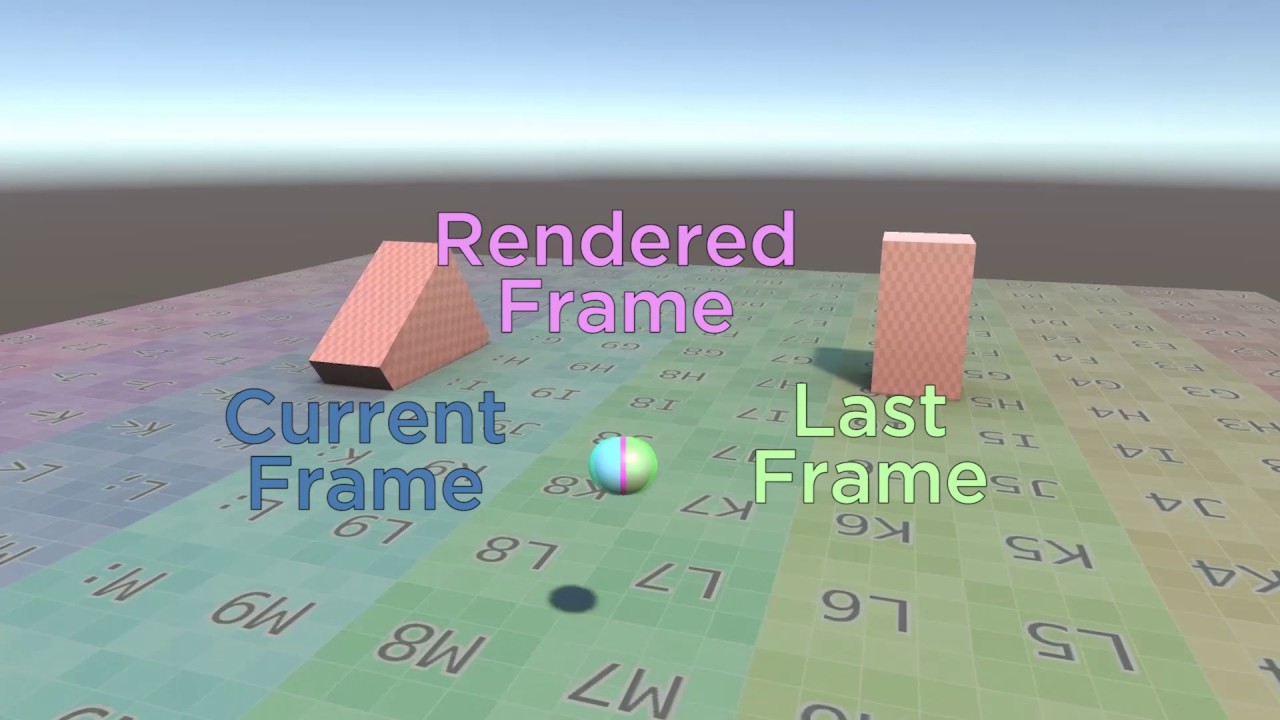
If you have experienced stuttering in Unity3D, we present a solution you can use here.
Original blog post and source code can be found on our website: http://www.kinematicsoup.com/news/2016/8/9/rrypp5tkubynjwxhxjzd42s3o034o8?utm_source=youtube&utm_type=SMVideo
raw surge
ok
but i am not updating the camera in script
i am just having it follow the player
 raw surge
its on smart
static sinew
If that does not work see if you keep your player consistent with Delta time
raw surge
i do
 strong sand
strong sand
strong sand
nevermind i fixed it
 queen island
how do i fix my cinemachine camera so that it doesn't follow the player smoothly and snaps directly to it?

 opal oar
Introduction:
Hey guys. I use cinemachine since a while but only the basic stuff. Managed to somehow make a 3rd person rig but I have almost no idea how I did, it was mainly a try and error process over the last years where I ended up with the thing i have now, but I don't really understand what lead to the thing I have now. So yeah I am a noob.^^'
Assumption:
It seems that the CinemachineFreelook component by default considered Y to be the up axis and it overwrites the camera rotation (just a guess).
Question:
Is it possible to alter the Up Axis to something else? My goal would be to give cinemachine a transform to calculate what is up from this transform.
static sinew
@opal oar I think you can just get the transform of the main camera or the gameobject that the freelook is attached to, if you can do that you can just call transform.up or transform.forward to get the correct axis to check
opal oar
static sinew
<@556095118738718756> I think you can just get the transform of the main camera ...
Oh I don't wanna "check" what the up axis is.
The freelock has a LookAt and a Follow variable this. This allows the object to turn in all axis while the camera stays steady with y as the up axis. But that is not what I want.
I want the freelock camera to turn together with the Follow object
static sinew
O cant you just set the rotation of the free look camera to the same as the target with a custom script? I'm not sure if I understand correctly
opal oar
Technically what i want to achieve: A similar effect that you get when parenting a camera to a character controller, but all this inside cinemachine and not actually parenting
technically yes but that would overwrite the freelock aspect and "lock" the camera
which makes freelock obsolet
static sinew
O so freelook in local space of the player?
static sinew
Is it a third person camera system?
static sinew
Are any of the other cinemachine cameras an option like the orbital one?
Or is it for very specific movement
opal oar
the orbital one is the freelook^^
it makes the camera orbit around the player and is the CinemachineFreelook Component
static sinew
O ye is there no way to set it also follow the player rotation? And probably childing to the player is not an option because its to snappy/locked?
So if I get it corrected you just want a third person camera were if the player turns the camera turns with it
It probably does it like GTA now were it sort of laggs behind
opal oar
static sinew
O ye is there no way to set it also follow the player rotation? And probably chi...
parenting does not work. it keeps using Y as up. i guess that is hardcoded or an option I haven't found yet
static sinew
I have to check this in Unity when I get home
opal oar
kk
 harsh pagoda
Hey my camera zooms out a bit when the player moves in there anyway to stop that
 languid sentinel
harsh pagoda
Hey my camera zooms out a bit when the player moves in there anyway to stop that
languid sentinel
harsh pagoda
Hey my camera zooms out a bit when the player moves in there anyway to stop that
Yes, I believe it's one of the dumping settings on the virtual camera. Probably z axis dumping.
warm verge
i gotta modify the Cinemachine freelook script so i can directly reference a GameObject on the follow and lookat variables anyone here knows how do i do that
the script just reverts itself to its original state
harsh pagoda
languid sentinel
Yes, I believe it's one of the dumping settings on the virtual camera. Probably ...
ok but there multiple z damping which or is it all if them
Nvm i found it
short arch
Anyone knows how to set the default start "position" for a FreeLook camera that's following and looking at a target?
I have 4 objects in the scene, and 5 cameras, when a user clicks an object, the camera is blended to that object's FreeLook camera, that has different Top/Mid/Bot rig settings (angles, radius) but each of the cameras are almost at the topmost position/rotation at start, and since they are looking at, and following the objects, I cannot move the camera in the scene.
So instead of default looking at the object from above, how to set that the camera starts lower?
Taking a look at the debug lines, the camera starts on the middle rig, is it possible to change this?
static sinew
@short arch So you mean like the first few frames it has the catch up after the player spawned?
you can move the camera manualy with a function
I'm pretty sure there is a teleport option that allows it to teleport together with the player
 noble perch
Anyone having trouble modifying m_XAxis.m_MaxSpeed while reading input through CinemachineInputProvier?
When the scene starts, it works perfectly, but when the character moves, it stops completely
 weak trench
anyone know why this overlay appears on the scene when i go into play mode?

 fast orchid
Do you have an cinemachine object selected in your hierarchy?
weak trench
its ok i fixed it
 simple jay
Can someone give me the link of cinemachine I can’t find it in asset store
weak trench
anyone know why my camera suddenly started focusing on the wrong place and not staying confined?
it worked fine earlier but now in play mode it starts off not on the character and shows outside the field
fast orchid
simple jay
Can someone give me the link of cinemachine I can’t find it in asset store
It's not on the asset store, you install it via the package manager within Unity.
simple jay
Hm alright
Good thing I someone responded to this I can now continue with my first game
royal tartan
weak trench
anyone know why my camera suddenly started focusing on the wrong place and not s...
it'd be related to the virtual cameras you have in the scene and how they are configured
short arch
static sinew
<@!186552065479147520> So you mean like the first few frames it has the catch up...
I have multiple cameras, all of them are Cinemachine Free Look cameras.
My problem is that each of these cameras have the three rigs (Top - Mid - Bottom)
And by default the camera starts on the middle rig. Is it possible to have the camera by default on the bottom rig?
static sinew
You can probably change the height alpha in code and manually make it start at the bottom
 dull adder
I making cinimachine for my charactor but the camera rotates by the animations too. How can i keep it steady?
royal tartan
dull adder
I making cinimachine for my charactor but the camera rotates by the animations t...
Missing important info like which object your camera is following/looking at
dull adder
royal tartan
Missing important info like which object your camera is following/looking at
I have selected both to be the charactor
royal tartan
dull adder
I have selected both to be the charactor
what part of the character
a particular bone?
Which actual Transform, and is the animator rotating that Transform?
dull adder
the whole object
 pastel glen
@dull adder making the blue rectangle in the middle of the cinemachine overlay larger would probably help.
Alternatively, add an empty object to the character that isn't a child of any bones and use that as the target.


 keen cloud
Hi everyone, I'm using a virtual camera attached to my player object, and it hitches when the player object passes the world vertical. Could someone please point me in the direction of a fix for this (or some further reading as to why this is happening?)
 craggy notch
Anyone know what this is about?

 waxen goblet
Hello!
I'm using CineMachine 2D with Confiner Plugin.
I have everything set but camera doesn't travel through the tunnel


what should I do? changing the camera size isn't an option and if I increase the confiner size, it joins the "Null" space
 modest moat
waxen goblet
what should I do? changing the camera size isn't an option and if I increase the...
modest moat
waxen goblet
what should I do? changing the camera size isn't an option and if I increase the...
Well confiner is like a wall for camera there is no way the camera can travel there because its too narrow. You can decrease the camera size to fit. or increase the confiner size but since you don't want it to join with the null space you can just fill the null space with the background blocks. Hope this helps
 old heart
hey! quick question. Should i disable cinemachine cameras when unused (not higher priority)?
Do them consume much resources?
royal tartan
old heart
hey! quick question. Should i disable cinemachine cameras when unused (not highe...
Nope, they barely consume anything
old heart
royal tartan
Nope, they barely consume anything
nice, thanks!
twilit wave
having troubles with a 3d confiner. The camera (a free look following a character) is stuck to the edges of the area when it should freely move in the area.
The yelllow box is the bounding volume (a box collider). I've circled the player, the camera and where the camera SHOULD be (the transform)
 twilit wave
Above is fixed. The camera was also using the collision detection extension, which conflicts with confiner.
 frank smelt
i've got this camera hierarchy, my issue is that when i start my scene the disabled camera turns itself on for about 6 seconds before using the camera that's enabled

no scripts
 hidden apex
Hello, i was wondering what a good choice of camera is for a 3D sidescroller
 warm verge
Hello, I have an issue with cinemachine and the free look camera, I set up my brain so that it ignores time scale but whenever my game is in slow motion or is paused, using time scale, my camera rotation seems to be affected by the timeScale anyway, I'm using CM 2.8.2
Also I set my brain to the LateUpdate Method just in case, but to no avail.
I also read somewhere that in CM 2.6 or something, ignore time scale doesn't work, could it be the case for my version?
royal tartan
warm verge
Hello, I have an issue with cinemachine and the free look camera, I set up my br...
how are you rotating your camera
warm verge
Using the built in rotation system in the camera free look
royal tartan
warm verge
Using the built in rotation system in the camera free look
Not sure if that system knows anything about the brain's time scale settings
You can always inject your own input to the FreeLook and ignore timescale there
royal tartan
warm verge
Why is there even an ignore time scale in the brain then?
it's for transitions I think
warm verge
Makes sense
royal tartan
warm verge
Makes sense
Though the docs do say input too: https://docs.unity3d.com/Packages/com.unity.cinemachine@2.8/api/Cinemachine.CinemachineBrain.html#Cinemachine_CinemachineBrain_m_IgnoreTimeScale
So it could very well be a bug
warm verge
Something I don't understand about the interface it wants me to implement GetAxisValue(int axis) which should be 0, 1,2 for X Y Z respectively, but what do I return in this function? Should I make a switch case and return my mouse position on 1 axis?
royal tartan
warm verge
Something I don't understand about the interface it wants me to implement GetAxi...
yes pretty much
although probably not mouse position
mouse delta more like
warm verge
Yeah it would rotate to much up to a certain point that's right
 sterile prawn
test
So I have a question set up but My message gets deleted whenever I try to type it
royal tartan
sterile prawn
So I have a question set up but My message gets deleted whenever I try to type i...
#854851968446365696 for how to post code snippets, if that's what you're trying to do.
sterile prawn
it isn't a code snippet actually
just a more organized format for asking the question
royal tartan
Well the server may be interpreting it as such
sterile prawn
Setting: 2D top down
Context:
          Cineamachine 2D camera that follows the player only near the edges of the screen on the x axis. Dead zone completely (set to 2) on the y axis
          One default camera (not main camera) set as a Child of the cinemachine camera. This camera slowly moves in the positive y direction at a constant rate.

Issues:
          Cinemachine Confiner 2D extension not working (I can see the default blue screen on the very edges of the  visible x axis). Yes, I have used a polyon collider.
          Cinemachine camera quickly chases the player when I move towards the top of the screen (within the dead zone) more than one time (it doesn't occur the first time I touch the top of the screen). This is a problem since it messes with the constant rate of the default camera. I don't want any player follow on the y axis.
Implementing the interface doesn't affect the camera behaviour at all...
The documentation says :
"If a befaviour implementing this interface is attached to a Cinemachine virtual camera "
so I assume it doesn't work with free look cameras?
royal tartan
warm verge
The documentation says :
"If a befaviour implementing this interface is attach...
A freelook camera is a frankenstein monster made of 3 virtual cameras
it should work afaik 🤔
warm verge
1 camera per axis and the rotation is a transition between the 3 cameras?
I'm really lost right now I'll take a break and try to figure something out later
Thanks for your inputs no pun intended
warm verge
So after digging a little into the CinemachineBrain script I realized that my mCurrentLiveCameras.state.FinalOrientation doesn't update when the timeScale is different than the initial timeScale (so my camera doesn't rotate in slow motion or when my game is paused) any idea?
 spice gyro
Hello I was wondering how can I make a code that will switch between camera views TPS / FPS
 scenic cairn
hey everyone, im having this issue with the camera where when the camera moves fast, other game objects start to stutter. I looked into it and it seems it could be due to having a mix of Update and FixedUpdate but so far I only use Update to keep it consistent
if I change the Update Method in CineMachineBrain to LateUpdate
my character stutters and the gameObj smoothens out
has anyone here ever run into similar issues and remember what steps they took to fix it?
warm verge
scenic cairn
hey everyone, im having this issue with the camera where when the camera moves f...
How do you move your characters? Using the rigidbody? If so do you move the character through the fixedUpdate method?
warm verge
spice gyro
Hello I was wondering how can I make a code that will switch between camera view...
Usually, disabling one of the two virtual cameras and enabling the other will do a transition automatically to switch to the other camera
scenic cairn
@warm verge Thanks for responding, now that you mention it, I use rigidBody2d to move my main player, but I do this in the Update function. For the NPCs, I use a way point and then call MoveTowards() function ( this might be the issue now that I think about it).
warm verge
I rather think your issue is that you move your character probably using rigidbody.velocity or rigidbody.MovePosition() in the update method, put the code where you move your characters in the FixedUpdate() method
Does your waypoints use the rigidbody to move the npcs as well?
And if so is it all done in an Update or FixedUpdate method
 woven wind
If 2.8.x is the latest release why is 2020.3 LTS stuck to 2.6.x releases. Will something break if i force install the 2.8 package? The package manager doesn't stop you from doing this, so I am confused.
scenic cairn
warm verge
Does your waypoints use the rigidbody to move the npcs as well?
so for the npc, I use a transform.position = Vector2.MoveTowards, but it's also being called in the Update method. Everything is done in the Update() method.
I'll also try your suggestion and use FixedUpdate instead to see what changes 🙂
spice gyro
warm verge
Usually, disabling one of the two virtual cameras and enabling the other will do...
not talking about transation
I mean
like a keyboard key that will switch between 2 cameras, like FPS / TPS
warm verge
My point still stands I think however that you have to set your Default Blend to Cut not sure
spice gyro
warm verge
My point still stands I think however that you have to set your Default Blend to...
Whatabout the code part
I tried to do an Input.getkeydown
warm verge
Yep set the default Blend to cut and it wont have any transition
warm verge
spice gyro
Whatabout the code part
Yes what about it? It's just a simple gameObject activation toggle...
spice gyro
warm verge
Yes what about it? It's just a simple gameObject activation toggle...
toggle / detoggle
input.getkeydown doesn't work properly
warm verge
???
spice gyro

this is my code to set fps camera on
right
how can I make if player click H again
it goes TPS
warm verge
That's not even related to cinemachine in the end
spice gyro
so it will keep switching between cameras
warm verge
But all you have to do is FPSCam.gameObject.SetActive(!FPSCam.gameObject.activeSelf);
And you are a coward to delete your messages
Don't think I didn't see your "are you dumb" and "ok you are dumb bye" message
scenic cairn
@warm verge Hey! I just wanted to say thanks! it seems after making both objects move with rigidbody and using fixedUpdate worked!
warm verge
Yes, when you want to move or manipulate rigidbody or physica objects in general such as raycasts, always run your code in the FixedUpdate function, it will ensure your object is moved or set as the physic engine is updating
For object translation, putting your code in the Update function usually creates jittery movement as shown in your exemple, for raycast it can usually skip a frame or two depending on your performances
scenic cairn
thanks for explaining, I wasn't even aware this could be a problem until now haha. I'll make sure to apply this knowledge in the future too 🙂
warm verge
Good to hear! Have a nice day
 woeful crest
Anyone feel up to tackling my cinemachine noob questions trying to set up an on rails 3rd person shooter.
can you jump from one track to another?
or how would you set up going forward in z for awhile then a 90 degree turn in the y and then going forward again?

 fossil plinth
I'm using Cinemachine and trying to make it so the camera will only movie when the right mouse-button is pressed. Does anyone know the best way to possibly change it's axis-speeds to 0 unless the mouse button is being pressed? Or any other method?
 honest grove
How can I fix the random jolt wen transitioning to the player look at?
royal tartan
honest grove
How can I fix the random jolt wen transitioning to the player look at?
is it just me or are the two cameras referenced in your Camera Manager script the same?
honest grove
royal tartan
is it just me or are the two cameras referenced in your Camera Manager script th...
Initially I had the perspective change to the second but I changed it so the initial camera moves to the new perspective instead but it didn't fix the jolting
 hasty pewter
honest grove
How can I fix the random jolt wen transitioning to the player look at?
hasty pewter
honest grove
How can I fix the random jolt wen transitioning to the player look at?
I think you will want to use a smoother method of moving the camera to the sky when the player spawns - setting the camera's transform the way you're doing currently would result in.. similar behavior to swapping to the second cam at that position -
possibly track and dolly is the guy for the job:

Unity Learn
In cinematography, the term “tracking shot” refers to a scene where the camera moves alongside whatever it’s filming. To get the shot, the camera is mounted on a dolly that’s then placed on a track. As the scene is being filmed, the camera moves along the track. In this tutorial, you'll set up a Cinemachine camera to make a tracking shot.
buuut.. there might be a better way to do it. im not a cinemachine expert 😛
honest grove
Looks like I got more homework 😅 thanks fo the tip 😁 I'll have a look at it tomorrow
hasty pewter
I wouldn't recommend lerping it, it wouldnt be smoothed like cinemachine movement would be
hasty pewter
honest grove
Looks like I got more homework 😅 thanks fo the tip 😁 I'll have a look at it to...
ah and I was thinking about the jittery ship on the way in - are you perhaps setting the transform of the ship to another object every frame?
if the first object is moving in update, do the attachment in lateupdate
should eliminate the jitter
honest grove
hasty pewter
if the first object is moving in update, do the attachment in lateupdate
When I first made it it was not so jittery but I'm using rigid body add force with a force mode of acceleration
honest grove
honest grove
When I first made it it was not so jittery but I'm using rigid body add force wi...
I've closed the computer now so I don't have acces to the code to show you 😅
 unkempt coral
 warm verge
Can I use Cinemachine for a 3rd person player camera?
hasty pewter
warm verge
Can I use Cinemachine for a 3rd person player camera?
absolutely. the brackeys third person controller video uses one, it's a pretty solid setup.
can recommend 🙂
warm verge
question in cinemachine how do you use the new input system instead of the old one?
royal tartan
warm verge
question in cinemachine how do you use the new input system instead of the old o...
warm verge
royal tartan
https://docs.unity3d.com/Packages/com.unity.cinemachine@2.6/manual/CinemachineAl...
Thank you
 neon widget
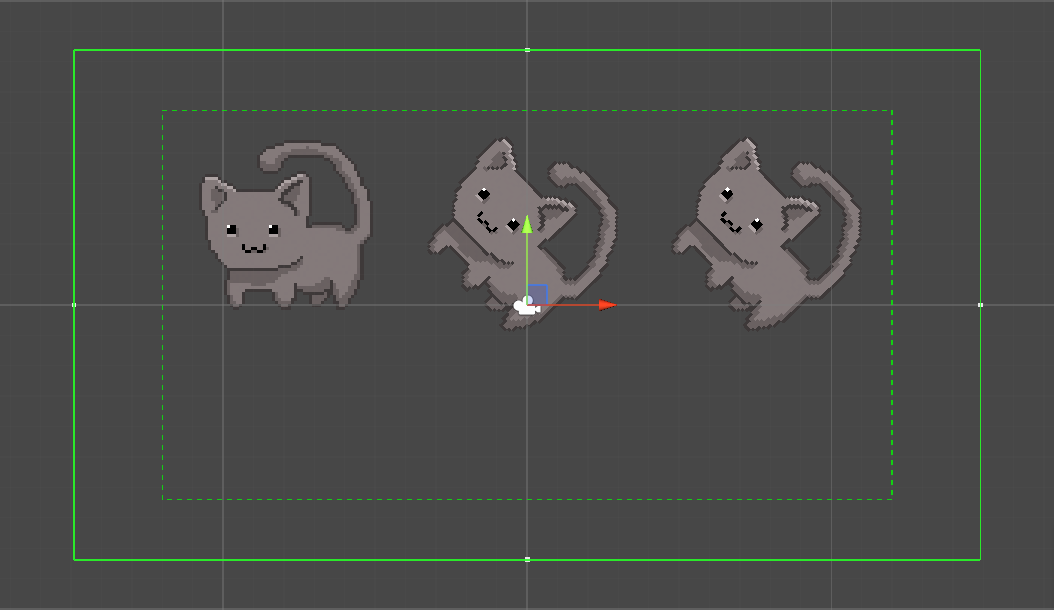
Hey. I'm on a new project, setting up Cinemachine with Pixel Perfect 2D, and the Extension for the Virtual Camera
But it's been a long while since I did this last - I can't see the green boxed lines in my scene view. Isn't that supposed to be there?
Edit: It seemed to be a problem with the latest Unity version I downloaded. A new version was released, and it works now.
 gritty eagle
Random jolt
gritty eagle
honest grove
When I first made it it was not so jittery but I'm using rigid body add force wi...
sometimes to fix the jol if your using Rigidbody you need to use FixedUpdate
gritty eagle
warm verge
Can I use Cinemachine for a 3rd person player camera?
Yep
 jaunty moth
can someone tell me how this camera type is called?

Stumpt plays Overcooked! A game with 4 chefs must cooperate together to cook what is needed. And to... save the world?
►Overcooked PLAYLIST: http://stum.pt/29KVej4
► Follow us:
●Stumpt Branch: https://www.youtube.com/c/stumpt_rik
●Reddit: http://www.reddit.com/r/Stumpt/
●Twitter: http://twitter.com/stumptgames
● Twitch: http://twitch.tv...
 warped jungle
Is it just me or is cinemachine pretty garbage in its architecture? Asking for a friend...
How do I correctly blend between cameras, with multiple cinemachine brains? (I understand the layering, but wow, the priority thing really doesn't jive - can't I just enable / disable a component somehow?)
How do I prevent my Virtual Cameras overriding my actual Cameras FOV settings?
 eternal galleon
jaunty moth
can someone tell me how this camera type is called?
eternal galleon
jaunty moth
can someone tell me how this camera type is called?
I'd call it 'axonometric' or 'cabinet oblique', but there doesn't really seem to be a standard name for the 30-60degree viewpoint. A lot of people call it 'overhead' (plain wrong!) or Zelda (imprecise!)... but whatever you call it, I've always liked how it looks! Very efficient for game dev, as well.
jaunty moth
eternal galleon
I'd call it 'axonometric' or 'cabinet oblique', but there doesn't really seem to...
thank you so much for the response, it's very informative!
eternal galleon
Wish it was more helpful. But you can Google those terms, at least! =D
Oh, also, some folks will call it 'isometric', but afaik that'd require a 45 degree turn on the Y axis also.
jaunty moth
i'll definitely google them and see if i can find more info/tutorials. What i'm basically trying to achieve is a 3d game with the following structure and i think this type of camera could fit well
 eternal galleon
I'm not... 100% certain what your game is like going from your diagram, but I've found that an Axonometric Perspective is a very flexible camera view that requires a minimum of work from a developer to get things working. Best of luck!
jaunty moth
thank you very much, I appreciate the help!
eternal galleon
Oh, hey, there's some useful links on this page, @jaunty moth ! https://steamcommunity.com/groups/AxonometricActionAdventures

Action! Adventure! The exploration of an intriguing, large environment! Mysterious characters with compelling motives, combat and traversal to get the blood pumping! --But all from a certain view. What do we call that viewpoint? Axonometric 3/4? Top-down oblique? Zelda-but-the-old-2D-ones-but-not-quite-because-the-perspective-is-sort-of-all-over...
jaunty moth
Man, this is amazing 🙏 i think it will help me a lot with this and future projects! Thank you once again!
eternal galleon
No worries, @jaunty moth , let me know how you get on!
jaunty moth
eternal galleon
No worries, <@!236401936889413632> , let me know how you get on!
I will probably need at least a few days to figure it out properly, but i think "3/4 top-down axonometric projection" is the one that will suit best based on the examples in the articles you've sent me. I assume it's not that popular because i couldn't find some tutorials on it right away
eternal galleon
jaunty moth
I will probably need at least a few days to figure it out properly, but i think ...
It's probably not that popular because the name of the angle type sucks. =P
jaunty moth
yeah haha
 formal verge
hello. who has the best youtube tutorial for learning on how to use cinemachine?
unity version 2020 or higher
 barren fable
fast orchid
You'll have to use the one on the asset store.
barren fable
fast orchid
You'll have to use the one on the asset store.
im here
sry for keepin u waiting
i cant find it on asset store tho
@fast orchid
 wintry canopy
One of the earliest Cinemachine versions. Might dig for slightly more recent one supporting 2017 as well. https://github.com/Unity-Technologies/com.unity.cinemachine/tree/v2.1.10.RC2
barren fable
wintry canopy
One of the earliest Cinemachine versions. Might dig for slightly more recent one...
how do i put it in my game?
wintry canopy
It has install instructions and install pdf as well
Also all assets go into root asset folder
 slim mesa
do i need to restart unity after installing cinemachine i cant see the tab form where we add different types of cameras
royal tartan
slim mesa
do i need to restart unity after installing cinemachine i cant see the tab form ...
You shouldn't need to, no
warm verge
Hey, currently I am working on a trailer for a game I am currently developing and I am wondering if there is a good place to find resources to help me such as a discord, youtube channel etc. I've seen videos by Derek Lieu and I've noticed that he usually give examples and works on mainly game trailers for games with more of a niche indie styled idea not super similar to what my desired outcome currently is, I currently have a soundtrack to be used in a trailer and a couple references as to what style I'd like the trailer to be but I am not super sure on where to ask, if anyone has any leads to where I could look it'd be greatly appreciated, thanks!
warm verge
slim mesa
do i need to restart unity after installing cinemachine i cant see the tab form ...
They moved it to be under the gameobject window.
slim mesa
warm verge
They moved it to be under the gameobject window.
but when i restarted isaw the tab thanks @warm verge and @royal tartan
 karmic sedge
does anyone know to make cinemachine camera follow a flying ragdoll in a smooth way? Mine keeps zooming in and out on the ragdoll
royal tartan
karmic sedge
does anyone know to make cinemachine camera follow a flying ragdoll in a smooth ...
zooming in and out might be related to a CinemachineCollider hitting something or some object your camera is looking as being considered an obstacle that's in front of the target
karmic sedge
royal tartan
zooming in and out might be related to a CinemachineCollider hitting something o...
ahh that makes a lot of sense, other body parts of my ragdoll character might be coming in view which makes it zoom in and out. Thanks a lot.
karmic sedge
royal tartan
zooming in and out might be related to a CinemachineCollider hitting something o...
I got it to work by tagging all body parts as player. thanks again
 royal creek
So I've been messing with the various screen->world space methods trying to get this right and I can't quite seem to get it...
3d world, camera moves on the X/Z axis only, top-down at an angle, orthographic camera. Trying to do click-and-drag camera movement. The basic implementation of directly applying mouse movement to the camera works with camera perpendicular to ground (no angle), but as you angle the camera the panning speed deviates for X vs Y.
So I think there's some fancy math or trig formula that tells me how much more I should be moving the camera along world Z so that it 'appears' to move at the same speed between screen X and screen Y.
It's sort of like... I need to take the whole orthographic projection of the scene and pan around that in 2d

royal creek
For posterity:
            var rad = Mathf.Deg2Rad * 45;
            _cameraTransform.position += new Vector3(
                panX,
                0,
                panZ * (1 / Mathf.Cos(Mathf.PI/2 - rad)));
where 45 is the angle of the camera to the ground
 vocal hare
I have a problem with cameras too
I am using CinemachineFreeLook, I'm using the input provider extension, it stops working when I move once, I use unity events for movement, but it never works after I move, it only works at start when the player is standing still, what is my issue? Everything I've considered doesn't work.
 normal latch
So I have this code. When the part that's in Awake() is moved to Start(), it works perfectly. But while it's in Awake(), the Unity camera doesn't seem tied to the CinemachineFreeLook component and the FreeLook detects no input

And those logs return the name of the transform, for what it's worth. I also see nothing strange in the inspector
vocal hare
nice, now I'm even more confused, is the free look camera bugged or something?
normal latch
Honestly, I have no idea. I've only been using Cinemachine for like 4 hours of devtime
vocal hare
been using it for a bit now, I think I made an extension for it at one point but I lost it, I have never seen my issue from using free look
unless it has something to do with using unity events from Player Input? Although I doubt that's a problem
because I also use the input provider for cinemachine free look
is there a different way I can write to the free look using code instead of using the input provider extension? Having it only work once is annoying @normal latch
normal latch
I'm not even sure what the input provider extension is tbh. Do you just use it to rotate the camera around the target? That worked without any input from me
vocal hare
the input provider extension just uses the new input system, unsure what else really, I am really only just using it to rotate it around my player, I just have no idea why it doesn't wanna work for me in this case.
If I can't get it working I'll probably just have to come up with my own camera solution since this is being dumb
normal latch
Ah, I'm not sure I can help you. I've never touched the new input system or events
vocal hare
dang
I'm not too sure about how I can really make my own camera system, I remember all my attempts being really bad
surely I can write to it using C# right?
The cinemachine free look*
I tried doing some stuff with AxisState and it just crashed
warm verge
Anyone else experiencing some cinemachine jitter?
vocal hare
nope, just experiencing it not working
the best thing I have now, apart from crashes, is AxisState.IInputAxisProvider, although I have no idea how it works
I think I fixed it, I was sort of in the right ball partk of making an addon, literally just copy pasted some code and it works now
 indigo hemlock
is the cinemachine pixel perfect extension (plus the unity pxiel perfect camera component on the main camera) supposed to automatically update my orthographic size? I was messing around with the orthographic size and set it to 1, now when i run playmode it doesn't update the orthographic size at all, I'm still at 1. I thought the whole point of pixel perfect was that it would automatically take care of this?
indigo hemlock
I guess I need to set the Orthographic size manually, and then the cinemachine pixel perfect will update anything else required as I change screen resolutions?
warm verge
anyone who can help with cinemachine .. i have a freelook camera on my prefab.. when another prefab spawns it changes the target ... anyone who can help?
it is working perfectly fine when ther's only 1 player in the scene.. hten when the new player is instantiated the problem surfaces
 wild gull
Hello Why when I use free look and set mouse Y and X for rotation also works w,a,s,d for it?
I want to separate rotation of camera and player and movement
wild gull
When I do it with virtual camera it's going around Player all the time.
indigo hemlock
warm verge
Anyone else experiencing some cinemachine jitter?
I have pixel perfect connected to both cinemachine and the main camera
there are so many threads about this online. why is unity such a pain in the ass just to get simple shit to work on. I'm about to check out godot or another engine
like why have I spent an entire day trying to set up a 2D camera in a simple 2D scene that doesn't look like trash. maybe I need to ditch cinemachine, idk
wild gull
Hello, I was trying to use a free look cinemachine camera in my project with the code of the player controller which I paster below. The problem is when I start to move and use horizontal and input keys, the player starts to rotate around Y-axis. I don't know why!
https://paste.myst.rs/81ivhm8r
a powerful website for storing and sharing text and code snippets. completely free and open source.
warm verge
Im using cinemachine but the camera wont move using the mouse. Does anyone know why?


 bronze spoke
I’m trying to create free look camera to pan and zoom through mouse like strategy games camera. But, I can’t find any reference how to use unity input system to do this! Anyone has any idea or advice! I’m not using Unity new input system in this project!
 hybrid notch
every time i hit play, the camera rotates in front of my character (freelook)
instead of staying behind the character
for a 3rd person view
anyone experience this?
warm verge
warm verge
Im using cinemachine but the camera wont move using the mouse. Does anyone know ...
first or third person look?
I assume third person?
but i have no clue what that error is
warm verge
rip
warm verge
How can I stop my camera from rotating with the player. Its not attached to the player, its a cinemachine virtual camera that is following and looking at the player on a dolly track. Ive tried everythinggg
neon widget
what is your Body -> Camera Up value?
warm verge
 warm verge
neon widget
what is your **Body -> Camera Up** value?
warm verge
neon widget
what is your **Body -> Camera Up** value?
It follows my target
neon widget
@warm verge
have you tried Follow Target No Roll ?
warm verge
It works omggg
warm verge
neon widget
<@456226577798135808>
have you tried **Follow Target No Roll** ?
Thank you so much 🤲
 fluid kelp
is anyone else having a problem with the camera constantly rotating
bronze spoke
How can I get the FOV of virtual camera? I’m using the old input system and want to scroll to min and max zoom value. But, it’s not working.
 finite gorge
Hello guys. I want to make a Game with constant pixels and Grid movement and that the UI's pixels match with the other Pixels on Screen.
I tried using the pixel Perfect Component and I tried all settings I can think off nothing worked.
I'm using URP with Cinemachine and I also attached the Cinemachine pixelPerfect extension.
I also searced for it on YouTube and Google but nothing worked for me.
So now the Question is is it even possible to make a Game with constant pixel's every where in Unity and also does it work with URP?
warm verge
Hey guys,
I just can't seem to get motion blur to work in my Unity game. I have added the Post Processing package, created a custom layer for it, added a Post Process Layer to my camera, a Post Process Volume object to my scene and I've linked them together using a dedicated layer. I've also added the effects I want to the Post Processing Profile.
pastel glen
@warm verge the built in urp motion blur only affects camera motion, so that might be it?
warm verge
pastel glen
<@456226577798135808> the built in urp motion blur only affects camera motion, s...
But the effect is on my camera and even when it moves it doesn't work
pastel glen
Hm, not sure then. Too many thinks that can go wrong =p
fluid kelp
i am trying to control the cinemachine camera with the joystick on my controller but whenever i use joystick input the camera just spins around but it works fine when i use the mouse. its not my controller thats the issue cause the sticks work perfectly fine in every game i play
warm verge
Does cinemachine have built in post pocessing or should i still get the "normal" one
keen cloud
Hi all, is cinemachine the wrong solution for flying games due to the known issues with movement past the vertical? Or is there a common way to deal with this?
 glacial olive
Hello, I'm new in Unity. I would like to export my project in the format of 3D frame sequential for using DLP projector. Could you please tell me how to do?
I use Unity version 2020.3 or newer.
 karmic jolt
Heyyyyyy! Im trying to fix the camera constraints. I need the camera to be able to go up at one point. I tried polygon collider as constraint and I always get this strange line and camera gets jumpy at one point. And the composite collider is buggy and keeps switching the camera all the time. how would I aproach to make camera constraint shapes like this that actually work.

I might be doing something wrong.
Any ideas?
 pulsar mason
Hi all, i'm using Cinemachine's Obstacles (with layer and tag exception) that repositions camera closer when something's in between
But i only want that to happen against terrains, and handle common box colliders by doing GetComponent the MeshRenderer and set a fade material instead
Is there a way to get the list of ignored obstacles by the filtering? Or i have to manage this myself?
 dire estuary
Hello, everyone I have the following problem. I've a player, with cinemachine freelook set up fine. I added cinemachine collider which seems to avoid walls and etc., but does not make the trick with the player. So actually when my player stands in front of a wall and I am rotating the camera, I passes into my player. Even if I hadnt added him to the ignore tag.
 storm spade
dire estuary
Hello, everyone I have the following problem. I've a player, with cinemachine fr...
storm spade
dire estuary
Hello, everyone I have the following problem. I've a player, with cinemachine fr...
answered this on C# official discord channel already... either way, you can use two cameras
warm verge
question .. in the CinemachineVirtualCamera how do I change the value of camera side in script.. i am trying to access it but can't find it
(in the body segment i picked 3rd person follow)
dire estuary
storm spade
answered this on C# official discord channel already... either way, you can use ...
I am not sure whether you got me. I want to have a camera which avoids walls as well as the player. Will 2 cameras make the trick?
storm spade
Pretty sure I understood what you wanted... Using two cameras to avoid clipping is a common trick
dire estuary
Okay, thx I am going to try that.
 fleet ether
Hello. How do I use cinemachine to look at where the player is facing please?
Not for artist proposes, but I don't know where to ask this
 olive flume
I have two virtual cameras, both with mild 6d shake on(amplitude gain 2, frequency gain 0.004), and when I switch between them, there is a noticable jitter - I believe the noise changes the transform and rotation of the main camera, and the noise seems to be separate for each camera, so when the switch happens, the change of the transform and rotation is instant, causing the jitter.
How may I smoothen this out? Thank you.
pastel glen
@fleet ether add an empty object to the character, put it way out in front of them, and use that as the target of the camera
gritty eagle
warm verge
question .. in the CinemachineVirtualCamera how do I change the value of camera ...
What do you mean by Camera Side?
warm verge
gritty eagle
What do you mean by Camera Side?
i found the answer thank you
gritty eagle
warm verge
i found the answer thank you
awesome👍🏽
 ruby stone
hello
i use a CM for my character but i have collider on each part of my character and i think that make issue for the camera distance because withtout my camera distance is right set to long distance but with the collider my camera is on the character so on the collider i think.
 fresh temple
hello
i wanna ask
can i rotate a cinemachine camera with another cinemachine camera?
like i have two cinemachine camera:
Freelook and Virtual
and when i hold left click it will switch to virtual, and stop hold it will switch to freelook
i want the freelook cinemachine camera follow the rotation of virtual cinemachine camera
how?
 golden kestrel
fresh temple
i want the freelook cinemachine camera follow the rotation of virtual cinemachin...
golden kestrel
fresh temple
i want the freelook cinemachine camera follow the rotation of virtual cinemachin...
you can create a script in and put virtualCamera's rotation = free Look camera's rotation in update
also, you can use if MouseButtonDown(0) then virtualCamera.SetActive(true); FreelookCAmera.SetActive(false);
else{
vice-versa
}
hope you understand this i dont know the exacy syntax
fresh temple
golden kestrel
also, you can use if MouseButtonDown(0) then virtualCamera.SetActive(true); Free...
yea i alrd did
fresh temple
golden kestrel
you can create a script in and put virtualCamera's rotation = free Look camera's...
ye ik, but how? ;/
if possible, can u please send me example code?
appreciate it! =)
golden kestrel
Sorry but I currently am on my phone so I can't send you the code
Though it's very simple
fresh temple
golden kestrel
Though it's very simple
how
can u send me the function to get the virtual camera's rotation and function to set freelook camera's rotation?
golden kestrel
fresh temple
can u send me the function to get the virtual camera's rotation and function to ...
public Transform freeLookCam;
Update()
{
transform.rotation = freeLookCam.rotation;
}
This is it
fresh temple
golden kestrel
public Transform freeLookCam;
Update()
{
transform.rotation = freeLookCam.rotat...
oh okok lemme try
golden kestrel
Put this script in virtual camera
fresh temple
public GameObject VirtualCM;
public GameObject FreeLookCM;
golden kestrel
And reference the freelook camera in the given slot
golden kestrel
You can use VirtualCM.transform.rotation
warm verge
golden kestrel
public Transform freeLookCam;
Update()
{
transform.rotation = freeLookCam.rotat...
lmaoooo
warm verge
Is it possible to recreate these movements with cinemachine? https://youtu.be/QZ04ROe6ofk

The revival has begun. Bendy returns.
http://store.bendyandtheinkmachine.com
http://www.joeydrewstudios.com
© 2017-2019 Joey Drew Studios Inc. Bendy, Bendy and the Ink Machine, Bendy in Nightmare Run, Bendy and the Dark Revival, The Bendy characters, images and logos are trademarks of Joey Drew Studios Inc. All Rights Reserved.
 ornate tendon
warm verge
Is it possible to recreate these movements with cinemachine? https://youtu.be/QZ...
ornate tendon
warm verge
Is it possible to recreate these movements with cinemachine? https://youtu.be/QZ...
A "realistic" first person camera? Sure its possible. This looks like a rsyher hand animated aproach for the trailer. Making it act like that during gameplay will be a bit harder but totally doable.
 ocean crown
how do i show my UI with cinemachine following and looking at other GameObject?
fast orchid
What does that even mean?
 summer mist
Anyone know if there’s a way to get the camera to follow the player along a set path?
@ me in any responses so I see them
tranquil berry
summer mist
Anyone know if there’s a way to get the camera to follow the player along a set ...
ocean crown
how do i make my cinemachine follow and look for 2 objects instead of only 1
fast orchid
ocean crown
how do i make my cinemachine follow and look for 2 objects instead of only 1
 primal apex
hi guys
i am trying to use cinemachine 3rd person follow but I'm unable to turn off head bob (enabled by default)
please suggest me how to disable the head bob its really annoying. Everything else is working perfectly but I cannot find the option to disable it anywhere
primal apex
never mind it was some other issue.. CM is working fine.
 dense shale
How to add a camera shake in CM and call it in my attack script?
fast orchid
dense shale
How to add a camera shake in CM and call it in my attack script?
@dense shale Don't crosspost in the future.
dense shale
alright
 tardy zodiac
Hey guys, im programming a game with a world swap mechanic and I have an issue. There are two characters each one in a different world. So I want two cameras following each player. And I cant figure out how to achieve that. I gave each camera a cinemachine brain. And I have two Virtual Cameras to follow each Player. The problem is the virtual cameras only overrides one unity camera. Is there not an option to say to the cinemachine brain which virtual camera it is controlled by?
 safe viper
tardy zodiac
Hey guys, im programming a game with a world swap mechanic and I have an issue....
safe viper
tardy zodiac
Hey guys, im programming a game with a world swap mechanic and I have an issue....
Are you rendering both cameras simultaneously? Or just showing one at a time? If you just need to show one at a time, you only need one camera and just use the two virtual cameras.
safe viper
tardy zodiac
Hey guys, im programming a game with a world swap mechanic and I have an issue....
if you are rendering both cameras simultaneously, there's an answer here: https://forum.unity.com/threads/can-i-use-2-camera-with-cinemachine-brain.483241/
Unity Forum
When I use cinemachine in two player game, I did not know how to use two camera with cinemachine brain.
Do you have a way to use two camera ?
tardy zodiac
safe viper
Are you rendering both cameras simultaneously? Or just showing one at a time? If...
Hey, thanks for the help I fixed the issue by just using one main camera and two virtual ones. I wrote a script that changes the prority of the vcams to switch between them.
 supple peak
Hello, im having the same issue as described here https://forum.unity.com/threads/issue-when-using-pixel-perfect-camera-with-crop-frame.1059161/
When using pixel perfect's crop frame, my UI is ghosting during any animation that happens on top of that black border

Unity Forum
When using the Pixel Perfect Camera with Crop Frame the camera should be cropped to fit the reference resolution, showing black borders to crop the...
 steel yoke
Anyone able to tell me the choppy camera issue here ? ? I opened my project . suddenly while working on it this happens to my camera now.... It happens across multiple games , I'm using the starter asset pack from unity.. It was working fine and nothing really changed. This happening on third person controller (i hiding model to show better problem)
 umbral coral
pls tell me how to make my virtual camera follow cursor
crude lake
umbral coral
pls tell me how to make my virtual camera follow cursor
I guess you have to make a gameobject that follows the cursor and then make the camera follow that
I'm getting this camera jittering
The rigidbody is set to interpolate
It only happens when the player runs this method every update
 crude lake
OK, I "fixed" it by making it only rotate a child gameobject that contains the visuals
 radiant crow
I am using cinemachine on a 2d game and having the virtual camera follow with a lag. However, the camera tends to warp the 2D plane. Does anyone know how to adjust this?
pastel glen
@radiant crow by warping it you mean...?
radiant crow
It looks to rotate on the z axis. I can see depth when I ideally don’t want to
pastel glen
Are you using a 2d camera?
royal tartan
radiant crow
It looks to rotate on the z axis. I can see depth when I ideally don’t want to
Set the aim to do nothing on your virtual cam
 rancid lotus
ayo
so im trying to make a camera system with boundries across the level which instantiates a new vcam, sets it as active and destroys the last one cause i thought that'd give it a smooth transition, but it sure doesnt
any ideas on how to do this right using the cinemachine confiner without using a different camera for every boundry?
 hot lodge
Could someone help me out with cinemachine?
I was trying out cinemachine for the first time, but it seems my virtual camera is set permanently Status: Standby and can only be properly view if I manually click the 'solo' button.
Now the camera doesn't seem to show anything with the layer 'Default' either.
royal tartan
Do you have any other virtual cameras in the scene?
hot lodge
Just the one
royal tartan
Search hierarchy for "t: CinemachineVirtualCameraBase"
hot lodge
 safe viper
rancid lotus
any ideas on how to do this right using the cinemachine confiner without using a...
safe viper
rancid lotus
any ideas on how to do this right using the cinemachine confiner without using a...
do you want to avoid having a separate camera for each region, or a separate vcam for each region? I think the intended way to do it would to have a vcam for each region, and either toggle them active/inactive or change their priority when you cross the boundary.
If you're worried about having too many vcams, you could probably come up with a pooling system that repositions them so you never have more than ~5-9 in the scene at a given time (main 1 + 1 for each adjacent boundary)
royal tartan
rancid lotus
any ideas on how to do this right using the cinemachine confiner without using a...
Cinemachine is designed to be used with many Virtual cameras at once
You can't smoothly transition when you have destroyed one of the cameras
hot lodge
It seems that my camera is still greyed out now? I got rid of the one on the player
It looks like it sees straight to the ground now actually, and it ignored my player model
rancid lotus
safe viper
do you want to avoid having a separate camera for each region, or a separate vca...
yeah, im trying to do the second thing you said
tryna switch between 2 cameras that change the m_BoundingShape2D when you touch a new boundry with a "boundry tag"
it kinda works but it just doesnt blend
currently trying to see if maybe it does blend by using a statedrivencamera along with it
royal tartan
hot lodge
It looks like it sees straight to the ground now actually, and it ignored my pla...
What camera is greyed out
And where is your virtual cam
And what settings does it have
hot lodge
Sorry meant the game view wasn't pickup up my player/ ground, not greyed out

Those are the settings
This is what I meant by not picking up anything
 fast orchid
Does your main camera have a brain?
 trim citrus
you need a regular camera too with a cinemachine brain, if it's still doesn't render play with the culling mask layers
hot lodge
Ive got on on my main camera already
 fast orchid
What's inside your culling mask?
rancid lotus
rancid lotus
yeah, im trying to do the second thing you said
tryna switch between 2 cameras t...
aight i officially give up, time to make a camera per boundry
tho that brings me another question
rancid lotus
rancid lotus
aight i officially give up, time to make a camera per boundry
last time i did this
i had to create a state for every single camera with the cinemachinestatedrivencameraextension and it was very annoying
how do i skip that while still getting blending?
does .Play work with the state driven camera?
wintry canopy
@tawny surge Don't cross-post.
 tawny surge
wintry canopy
<@!604635374861680684> Don't cross-post.
tawny surge
wintry canopy
<@!604635374861680684> Don't cross-post.
I was asking about multiple things combined in one so I really didn't know where to post it 😅
 halcyon heart
Is this chat also for code, or only discussions?
fast orchid
halcyon heart
Is this chat also for code, or only discussions?
Anything cinemachine related, code included if it's relevant.
 kindred schooner
Hi, is there any help/tutorial for setting up a simple, mouse controlled first person camera?
 edgy oak
Is there a way to make a virtual camera move away from the player to avoid clipping?
edgy oak
Is there a way to access this value in a script?
 royal tartan
edgy oak
Is there a way to access this value in a script?
royal tartan
edgy oak
Is there a way to access this value in a script?
Yes there is but what are you trrying to do with it? There may be an easier way
edgy oak
I'm trying to make the camera move away from the player when there is something clipping into the camera/behind the camera.
I have a raycast going away from the camera and working, but I want to use that to change the camera distance.
royal tartan
You have to do myVirtualCamera.GetCinemachineComponent<Cinemachine3rdPersonFollow>() to get at the Cinemachine3rdPersonFollow object btw
edgy oak
It's not picking this up: GetCinemachineComponent
public GameObject cameraAnchor;
    public Component myVirtualCamera;
    // Start is called before the first frame update

    void Start()
    {
        Vector3 cameraDistance = transform.position - cameraAnchor.transform.position;
        myVirtualCamera.GetCinemachineComponent<Cinemachine3rdPersonFollow>()
    }
Well myVirtualCamera needs to be a CinemachineVirtualCamera
Obviously Component is not going to have cinemachine-specific methods on it, as it's a general Unity thing.
edgy oak
Oh, this script is on the virtual camera.
royal tartan
You still need to get the CinemachineVirtualCamera component to call GetCinemachineComponent on it
just like you need to get a Rigidbody component to call AddForce or the Transform component to call Translate
edgy oak
It's let me put in the component, so, it would just be CinemachineVirtualCamera.CameraDistance?
Is there something here I need to add?
using System.Collections;
using System.Collections.Generic;
using UnityEngine;
Yep, using Cinemachine; fixed it.
So, I've got to this stage, now just to modify the CameraDistance value...
 royal tartan
edgy oak
So, I've got to this stage, now just to modify the CameraDistance value...
royal tartan
edgy oak
So, I've got to this stage, now just to modify the CameraDistance value...
your variable is still of type Component
I think you have a fundamental lack of understanding about how variables and types work in C#
You should take some beginner C# tutorials like https://www.w3schools.com/cs/cs_intro.php
 limber path
hi, I have some virtual cameras in my game and I'd like to edit their fov but it's in focal length rather than degrees, and I can't find any way to switch it to degree, anybody knows how I could do that? the doc seems to have them in degree by default
nvm created a new virtual camera and it switched to fov for all of them, go figure
hidden apex
what is generally the best camera for first person views?
hidden apex
like for first person view, just the one that's mostly setup to be used for first person
i had a problem previously with weird collisions on a camera that it kept moving out of the player and stuff
 ancient sky
Hey, so I'm working on a first person controller which uses Cinemachine to simulate camera drift. I'm wondering if anyone knows how to increase or decrease amplitude gain and frequency gain depending on whether the player is running, walking or crouching.
 vapid wagon
hidden apex
i had a problem previously with weird collisions on a camera that it kept moving...
vapid wagon
hidden apex
i had a problem previously with weird collisions on a camera that it kept moving...
Do you by any chance have a Rigidbody or Colliders on the object.
vapid wagon
ancient sky
Hey, so I'm working on a first person controller which uses Cinemachine to simul...
There should be a setting that damps the movement of the camera in the cinemachine component
hidden apex
vapid wagon
Do you by any chance have a `Rigidbody` or `Colliders` on the object.
I don't remember it was an old project, mostly just wonder what the best cinemachine setup generally is for a first person view
vapid wagon
because i play a lot of shooting games(Valorant, Phantom Forces) I am inclined to tell you a snappy camera works but it generally should suit to your game's needs. Fnaf is a first person camera but I doubt you will need cinemachine to pull off something as simple as panning from left to right.
you may have to do a little experimentation and research on most of the cinemachine components but try not to cling onto the "1 size fits all" idea too much
ancient sky
vapid wagon
There should be a setting that damps the movement of the camera in the cinemachi...
What I'm looking for is how to call those attributes through the controller script and use some conditional logic to assign a value based on how the player is moving
I admit, this may be beyond my current skill level though (unfortunately)
summer mist
I’m using the dolly camera to have the camera follow the player but only along a certain path. Is there a way to have the camera change its orthographic scale at certain points on the path?
 peak gyro
Can I change the CinemachineInputProvider to have more granular control over the X and Y axis instead of lumped together?
 dry nexus
When the camera gets too close to the character it starts pointing at the feet, any idea on how to fix this?
dry nexus
i ended up just moving the camera a bit further away but if someone knows a better solution let me know pls
 narrow obsidian
I'm having a problem where a Cinemachine camera is making jerky movements while following a character over relatively flat ground. The character makes subtle turns, which I'd like to be damped away by the camera, but I can't figure out how to do it. I've attached a video of the behavior I'm seeing, as well as my Cinemachine settings. Any advice would be greatly appreciated!

 rich sparrow
Quick question...How can I get my virtual cameras to instantly transition, instead of blending?
fast orchid
You can change individual blending between different cameras on the Cinemachine Brain component.
rich sparrow
Hmmm...I want some cameras to blend...and some to have no blending. Each camera isn't always in the scene. Does this have to be changed on the brain before a virtual camera is turned on, or can this be set per camera in a scene? @fast orchid
fast orchid
I guess you could try just setting the blend time at runtime based on the camera you're switching to:
https://forum.unity.com/threads/changing-cinemachine-default-blend-time-at-runtime.582322/
Unity Forum
On my cinemachine brain I have a standard EaseInOut default blend.LateUpdate mode.
If I set:
cinemachineBrain.m_DefaultBlend.m_Time = time;
and then...
rich sparrow
Okay. I'll look into it. I was under the impression that each virtual camera has it's own settings that will be looked at when activated.
rich sparrow
I think I found a good solution. Thanks for the tips. 😄
 coral marsh
Hi, for some reason my camera won't switch when I am using timelines
 idle gust
is it possible to preview cinemachine impulses in editor (i.e. from timeline) without entering playmode?
pastel glen
I don't believe so; if you find a way to please let us know
idle gust
it's kind weird since you can preview noise, but not impulse
I guess I'll have to seek help on the forums
pastel glen
Yeah, it is almost like Unity gets their features 3/4 finished and then stops working on them.
 civic drift


Im using a cinemachine free look and when I move backwards, towards the cinemachine it gets way to close(the top image) how do I change that?
slim mesa
civic drift
Im using a cinemachine free look and when I move backwards, towards the cinemach...
there are some positioning options in camera settings
 plain sinew
Does a virtual Camera follow a dollytrack automatically or do i have animate its movement along it?
 carmine mason
hey there, i just wanted to install the live capture system but due to whatever reason I cannot find it in the PackageManager/Unity Registry. Is this only available via GIT? A bit confused here...
civic drift
carmine mason
hey there, i just wanted to install the live capture system but due to whatever ...
What package are you referring to
Do you have a link
carmine mason
civic drift
Do you have a link
civic drift
carmine mason
sure: https://docs.unity3d.com/Packages/com.unity.live-capture@1.0/manual/index....
It should be in the package manager
Much sure your version is high enough and enable preview packages just in case
carmine mason
i am on 2023.3.25 and the preview packages are also enabled
carmine mason
civic drift
Much sure your version is high enough and enable preview packages just in case
ok. I found a git repository for anyone who is interested as it is not possible (as of now) to download it officially via the package manager: https://github.com/needle-mirror/com.unity.live-capture

GitHub
[Mirrored from UPM, without any changes. Maintained by Needle. Not affiliated with Unity Technologies.] 📦 Use the Live Capture package to connect to the Unity Virtual Camera and Unity Face Capture ...
civic drift
carmine mason
ok. I found a git repository for anyone who is interested as it is not possible ...
What does it do?
carmine mason
civic drift
What does it do?
0:00 Intro
0:12 Create UI for games and applications
0:28 Streamlined Terrain workflows
0:48 Improved SpeedTree 8
1:06 Decals improved and now available
1:40 Lighting
2:15 Progressive GPU Lightmapper tilling
2:23 Light speed light placement
2:38 Light Layers for URP
2:49 Improved lighting in HDRP
3:20 New Lens Flares system
4:00 Perform live cam...
civic drift


Is there anything you can do with CinemachineFreeLook to deal with situations like this where an object is in between the camera and the player
royal tartan
civic drift
Is there anything you can do with CinemachineFreeLook to deal with situations li...
CinemachineCollider is made to deal with this

Join our Filmstorm Motion Library: https://www.patreon.com/filmstorm
Download the project: https://filmstorm.net/everything-you-need-to-know-on-how-to-use-cinemachine-for-unity/
Learn how to correctly setup Cinemachine for use as a Third Person Camera System in Unity. I will walk you through how to create the FreeLook Camera and adjust settings...
civic drift
royal tartan
See https://youtu.be/J1GgvDfmIo0?t=465
Thank you
 balmy pollen
 royal tartan
Doesn't seem like a #🎥┃cinemachine question
 signal canopy
Hi guys, is there any method to force an instant calculation of a virtual camera position bypassing all the damping?
I want to simulate a camera cut by using a single virtual camera.
 sweet shadow
I also need to do that Vlastan and I also don't know how to do it
royal tartan
signal canopy
Hi guys, is there any method to force an instant calculation of a virtual camera...
Can you just use a different vCam that doesn't have damping?
(is damping what you mean by delays?)
sweet shadow
Hi praetor, In my case the player is being teleported to the respawn point after falling to death and the camera doesn't warp, it lerps over to the player going through the ground and geometry (obviously looks bad and weird). I prefer not to instantiate a second camera to cut to with all the same settings. Prefer to just force the current Vcam to the players new position if possible
signal canopy
sweet shadow
Hi praetor, In my case the player is being teleported to the respawn point after...
Yes, i'm in a similar situation, In my case i am scripting a sets of events that i can reuse to create dynamic cutscenes at runtime, however i need to control if i want a clear cut or a transition to a new position. I figured out that the transposer body with the composer aim works well if the new position is changed by modifying the target offset (changing the offsets updates the position instantly). Now i need to figure how to force a smooth transition using a single camera. (At the moment i have two virtual cameras: One for the third person player and one for cutscenes.)
royal tartan
sweet shadow
Hi praetor, In my case the player is being teleported to the respawn point after...
There's a function for when the target warps
sweet shadow
Thank you very much PraetorPurple
 timber birch
is there a way to sync 2 vcam's orbital transposer xAxis??
 spice echo
anyone know how to overwrite a camera to lock to a certain rotation for a certain amount of time?
warm verge
How do I make a virtual camera rotate with mouse movement?
 indigo depot
Hallo guys. I have a problem with my cinemashine Setup. I hope someone can help me out with this.
I have a cinemashine setup that is jittery, but the gamelogic works with it exactly like I want it! But it's jittery and the game is unplayable because of that. Changing the camera setup and topologie to a non jittery structure, my game logic doesn't work anymore.
It's hard to explain the details here, but I can share a version of the project with the camera setup and code.
This problem is such a pain for more than 2 years, and Im at a point where I'm willing to pay for it to be fixed!
warm verge
Hi, I'm using Free Look Cinemachine to follow a ball around and my problem is that the world is "shaking"/"vibrating" when the ball is rolling. Does someone know why/how I can fix this?
sweet shadow
@indigo depot ahave you tried setting the cm vcam or brain(not sure which it is on) to run in fixed update?
Im assuming youre using an RB movement for the follow target which means using physics so it will be jittery if your camera is in Update but your target moves in fixed update. And same in reverse
indigo depot
@sweet shadow Yes, I tried that. The problem is that I need the cinemashine cam seperated from the main camera. As you said, I would need a vcam set as live camera on the main cam... When I do this there is no jitter. But my character is not able to move like it should be. I use a reference called "Center Point" This center point gets angle inputs from the mouse and passes them to the animator. So when the angle is 90 the animator will know and the character will turn on movement in the direction the mouse is pointing. The angle gets solved back to 0. Its just perfect like this. But with the non jittery camera setup those angle values are the problem.
sweet shadow
i see. It sounds like you have quite a complex set up to compensate for something
indigo depot
So I have either a jittery cam with good character moivement or a smooth cam with no character movement and no idea how to change it to work as before
sweet shadow
are you able to post a couple of seconds of the kind of camera setup gameplay
as .mp4
indigo depot
Yes 🙂 Give me a few moments I'll record something now
indigo depot
@sweet shadow Heres a video how it is in game: https://youtu.be/5WsTnE1InGw

And here is a video of the setup (PlayerMovement has main Camera reference for item interactions)
 indigo depot
The "smooth" camera setup with messed up movement. Only "W" was pressed so the character should always move towards the crosshair and not left right or backward:

The Camera setup with a vcam outside of the main cam. It's smooth, but the angle values are strange. At first it looks ok, but than it gets inverted and messed up.
Only "W" was pressed, so the char should always head towards the courser and not in any other direction or backwards
warm verge
warm verge
Hi, I'm using Free Look Cinemachine to follow a ball around and my problem is th...
Regarding my issue: Solved it by setting "Interpolate" of the Rigidbody on the Sphere from "None" to "Interpolate".
indigo depot
@sweet shadow I would "just" need to add the turn function back in btw. I don't need the center_point for anything else other than that. I tried the hole day to somehow recreate the turn-movement with the cinemashine camera. Isn't there any way to create a character movement like this? (with cinemashine camera, forget about the center_point)
normal latch
My camera movement seems dependent on framerate. It's significantly faster in the build than in the editor. Does Cinemachine have any built-in fixes for this?

I tried looking it up but I didn't find anything too helpful
sweet shadow
@indigo depot i have basically the exact same 3rd person camera concept so should be able to help you. When i open up unity later ill take screenshot of my cinemachine set up for the main camera
Basically im using an empty that follows the players position. I set that as the Vcams target. Then i rotate the empty on the y and x axis using my own script. The camera always stays 'behind' (negative transform.forward) the empty object. Thats the foundation of mine. Im not sure what body and aim settings im using though.
Ill send them later
indigo depot
@sweet shadow sounds amazing. I'm just about to strip the project files so that I have the problem isolated in a smal unitypack.
 vale locust
my cinemachine doesn't have the pixel perfect camera extension and i have bought the pixel perfect camera extention too
 vale locust
nvm i fixed it
normal latch
My CinemachineFreeLook seems dependent on framerate. My camera moves significantly faster in-build than in-editor. How can I fix this? I tried looking it up but found nothing useful

 fierce plank
hello, i have this problem where I'm trying to change the "clipping planes" and the "FOV" in the Camera Component that i got from the standard assets from unity, but I cant change it so I am wondering if anyone can tell me if its possible, and if yes how...
warm verge
Hi, is there a way to access the "vanilla" camera transform from CinemachineFreeLook? I need the rotation of it.
royal tartan
fierce plank
hello, i have this problem where I'm trying to change the "clipping planes" and ...
Possibly because the standard assets are using Cinemachine
So you need to change those properties on the virtual camera
sweet shadow
@indigo depot i totally forgot to send. here.
 dull adder
How can i switch between "Aim Camera" and "CM vcam1" with script?

 tacit steeple
Hey I’m making a third person controller and when I walk there’s a bunch of jitter on the camera. Is it just lag or is this something wrong with how I set up the camera
 pallid yew
tacit steeple
Hey I’m making a third person controller and when I walk there’s a bunch of jitt...
pallid yew
tacit steeple
Hey I’m making a third person controller and when I walk there’s a bunch of jitt...
If it's on player, try adding Interpolate mode on player's rigidbody
tacit steeple
pallid yew
If it's on player, try adding Interpolate mode on player's rigidbody
Interlopeing didn’t change anything but another thing I’m noticing it when I move my camera straight side to side or straight up and down it’s fine but when I move it diagonally it shakes really hard
tacit steeple
I’m using a free look camera by the way
tacit steeple
Also I have a terrain game object and there seems to be significantly less shaking when the terrain is not active so maybe it’s frame rate dependent
 fast hazel
I'm making a 2D platformer and the camera is following the player, but when I move the player it looks weird. The player looks to be moving in a buggy/jittery way. (Froward and backward really fast and very subtle.)
But everything else seems to be fine.
It could be that I'm moving the player in a FixedUpdate, but without some kind of: speed * Time.deltaTime.
Dunno exactly how to change from the code I have to anything better.
Oh and, the "Lookahead" stuff (and maybe other things as well) doesn't work correctly, when playing, unless I shake my mouse pointer over the Virtual Cam's information in the inspector... lol what?
tacit steeple
fast hazel
I'm making a 2D platformer and the camera is following the player, but when I mo...
Try going to the rigid body and set it to interpolate
tacit steeple
tacit steeple
Hey I’m making a third person controller and when I walk there’s a bunch of jitt...
I’m thinking it has something to do with my controller does anyone know how to make it so small changes in the joystick position don’t affect things so much
fluid kelp
hey i need help. on my old projects cinemachine worked just fine but now ehen i open them and play the game the camera just keeps spinning uncontrolably. i've tried everything and even when i get it to stop temporarily when i reopen the project it happens again
 fast hazel
tacit steeple
Try going to the rigid body and set it to interpolate
fast hazel
tacit steeple
Try going to the rigid body and set it to interpolate
Thanks, I'll try that!
 true zenith
Hey everyone. Does anyone have tips on how to setup cinemachine / scenes to have a 3d sidescroller like Little Nightmares?
 fathom minnow
Hello ! I'm quite new to cinemachine, it's the first project i'm using it
I'm making a Open world freeflying game, with a bee as the main subject,
I am struggling configurating my setup for the camera, deppending on the angle of flight, my bee is off camera

Here is my setup
 ancient sky
I need some help. I have a basic scene setup with a controllable player gameObject and a plane. If the player falls off the plane there's an empty with a trigger which destroys the gameObject and instantiates a new instance of the player.
I have a main camera with a Cinemachine Brain component and virtual camera which targets and follows the player.
The issue I'm having is that when the player object is destroyed and instantiated the virtual camera does not re-target the new instance.
How do I get the virtual camera to target the new instance of the player object?
royal tartan
FOV is the same in Unity as everywhere else
royal tartan
So? Unity is a general purpose game engine. It is not limited to FPS games. 40 FOV might look weird in an FPS but might be fine in 80 other different genres. They picked a default that they thought was reasonable.
If you want a different FOV on your camera, you are free to change it.
civic drift
How do I lock the cinemachine from turning?
As if the game just ended and you dont want your player to be able to look around anymore
warm verge
Can anyone help me with something?
civic drift
I tried disabling the CineMachine input provider but surprisingly that doesn't work. Actually even more surprising it doesn't work even if its disabled at runtime
civic drift
warm verge
Can anyone help me with something?
What
warm verge
I want my cinemachine to rotate when the mouse moves.
warm verge

In this Unity tutorial, I will give you an introduction into Cinemachine. We will make the camera follow and track the player without a single line of code!
🔥 INSANE UNITY SAVINGS 🔥
🕹️Unity New Year Sale (Exp: 11 Jan 22): https://bit.ly/UnityNewYear21Sale
🕹️Check out all the Humble Bundle Deals: https://bit.ly/HumbleBundleDeals
🎁 Get OVER 115 ...
I used this tutorial for my camera.
I'm using the new Input System.
civic drift
Make sure to put a CineMachine Input Provider script on your cinemachine
 upbeat obsidian

Quick dumb question
Do we know the Unity camera's focal distance?
I need to know the camera geometry but if it only shows me the FOV then I'm missing one piece of the puzzle
royal tartan
upbeat obsidian
Do we know the Unity camera's focal distance?
Unless you use postprocessing, everything is in perfect focus all the time.
So there's not really a concept of focal distance
upbeat obsidian
royal tartan
Unless you use postprocessing, everything is in perfect focus all the time.
That's exactly where the confusion came from
yes, since everything is set to be in perfect focus, Unity decided to hide the focal length parameter
But it still has to exist... it's just part of the camera geometry
The distance between the viewing point and the viewing plane, that is
warm verge
how can i zoom out the camera i cant figure it out and google gives bs stuff
royal tartan
warm verge
how can i zoom out the camera i cant figure it out and google gives bs stuff
Perspective or orthographic?
warm verge
royal tartan
Perspective or orthographic?
ortho
royal tartan
warm verge
ortho
You zoom an ortho camera by changing its size. It's called "Size" in the inspector or orthographicSize in code.
If you're using Cinemachine this would be on the CinemachineVirtualCamera under the Lens section I believe
warm verge
when i change it it automatically changes back to 5
royal tartan
You need to change it on the virtual camera
warm verge
oh okay
royal tartan
royal tartan
If you're using Cinemachine this would be on the CinemachineVirtualCamera under ...
hence this
warm verge
thanks
 harsh wadi
How can I find the Maximum Ortho Size in a script to test if the max size is set?
 late silo
How i can render (with the pixel rotation ) only certain object ?
i tried to stack a cam with no pixel perfect with another one with the pixel perfect but didn't work
harsh wadi
how can i test if the m_MaximumOrthoSize has been reached?
 brave loom
hey guys, it's my first time using cinemachine, and I'm having a bit of trouble here - trying to make a screen shake. But cinemachineBasicMultiChannelPerlin.m_AmplitudeGain is null? cinemachineBasicMultiChannelPerlin it self isn't null but the m_AmplitudeGain is...
Here's my code
public void ShakeCamera(float intensity, float time)
    {
        Debug.Log("Shake");

        CinemachineBasicMultiChannelPerlin cinemachineBasicMultiChannelPerlin =
            cvc.GetComponent<CinemachineBasicMultiChannelPerlin>();

        Debug.Log("c " + cinemachineBasicMultiChannelPerlin.m_AmplitudeGain == null);

        cinemachineBasicMultiChannelPerlin.m_AmplitudeGain = intensity;

        var z = LeanTween.value(intensity, 0, time);
        z.setOnUpdate((float val) => { cinemachineBasicMultiChannelPerlin.m_AmplitudeGain = val; });
        z.setEaseInCubic();
    }
You need GetCinemachineComponent not GetComponent
brave loom
royal tartan
You need `GetCinemachineComponent` not `GetComponent`
Oh, thank you. I fixed it by adding the component by code. But this is a much better solution.
 shy oxide
i'm working on updating my project from 2019.4 --> 2021.2 and I'm having issues with the group composer. It appears to be ignoring the minimum distance parameter.
Previously I had the adjustment mode for the AIM set to "dolly only" with MaxDollyIn & MaxDollyOut set to 5000 (default values), but the minimum distance set to 1 or so and everything worked as expected. In 2021.2 however with min/max distances set to 5000 the camera is positioned on the spot it's supposed to be looking at and adjusting the min/max distances has no impact. I also tried downgrading my cinemachine via package manager to the previous version (2.6.11 from 2.8.4) but both are still broken. Did something weird change in 2021?
 sage anchor
Can Cinemachine replicate Fantasy Zone's camera system? I'm looking for a bidirectional side-scrolling, looping camera
like this https://youtu.be/6BdoScTUssY?t=3

Gameplay for Super Fantasy Zone on Sega Genesis.
Video Chums brings you great video game reviews and fun top 10 lists for new and retro video games - https://videochums.com/
#SuperFantasyZone
I've been struggling with so many camera scripts online, and they haven't been producing the results I wanted
I need a camera like that desperately
limited Y-axis movement
sage anchor
Could someone please help me?
errant shard
sage anchor
Can Cinemachine replicate Fantasy Zone's camera system? I'm looking for a bidire...
https://youtu.be/mWqX8GxeCBk?list=PLX2vGYjWbI0TQpl4JdfEDNO1xK_I34y8P
The deadzones and confiner component demonstrated here seem like they're just what you're looking for

Watch this video in context on the Unity Learn pages - http://unity3d.com/learn/tutorials/topics/2d-game-creation/cinemachine-2d
Learn how to harness the power of Cinemachine's powerful composition tools with an orthographic virtual camera in your 2D Project.
sage anchor
Nice! Thank you!
 last lion
hey everyone
i have latest version of cinemachine in unity 2020.2 and impulse source doesnt react to anything
im using generateinpulse() but nothing ever happens
 pliant lintel
any solutions to this issue?
I'm only pressing A+D and I use the rotation of my camera to adjust the way I'm supposed to move into but since my FreeLook camera is adjusting the rotation while I'm moving to one side (if I had to guess because it tries to predict which direction I walk into so it looks at the direction I'm walking into already)
but exactly that behaviour causes my character to walk backwards although I'm only pressing A+D (which is obviously not what I want)
is there something that has to be done via code/CM freelook settings?
 ocean socket
Hello everyone. I am unable to use cinemachine in a script, it fires the error "The type or namespace name 'Cinemachine' could not be found" when trying to use the namespace. Has anybody ever encountered this problem?
 gleaming bluff
Assets\Samples\Cinemachine\2.6.11\Scrubbable support for Nested Timelines (experimental)\CinemachineTimelineEditorExtensions\CinemachineTimelineEditorExtensions.cs(9,2): error CS0246: The type or namespace name 'InitializeOnLoadAttribute' could not be found (are you missing a using directive or an assembly reference?)
i have this problem on building exe file
 crimson vapor
Hello all! Does anyone know why my camera keeps moving after the player stops? Is there any way to fix this? Thanks!
crimson vapor
I figured it out for anyone wondering/with the same issue
Basically you want to set your 'lookahead smoothing' high to reduce jitteriness
 tawny surge
Do you guys know why when I use the X and Y values from the cinemachine by script, its values doesn't get affected If I changed them in the inspector! If I tried to change the speed or something it doesn't get affected anymore while this script is running
 royal tartan
because your script overwrites the values every frame.
tawny surge
royal tartan
because your script overwrites the values every frame.
isn't there another way because overriding these values by this is the only way out for me. + samyam made a tutorial and she did it like this but somehow cinemachine still gets affected by its values with her idk how!
pliant lintel
excuse me what? 
pliant lintel
what was with the edit? i was just tryna express that your response confused me 
 desert parcel
Hey, does anyone know of a good tutorial for creating room transitions in a 2d side scrolling platformer/metroidvania? I've been searching youtube and google, and haven't found any good ones that fit my needs
 manic lantern
What setting is called to tweak camera don't go beyond certain points (not below some X height and not above Y height)?
Basically to avoid it clipping through game edge
 fringe acorn
Any good tutorials on camera switching, im trying to have a button press go from third to first person
civic drift
fringe acorn
Any good tutorials on camera switching, im trying to have a button press go from...
Enabling and disabling with cinemachine will automatically do a transition
Otherwise you can do a Cinemachine state driven camera
Idk what to do about this
I really like deadzones, it lets your character move without the camera doing anything while inside. But I don't know how to implement turning while also having deadzones because currently it looks like what I have
The Cinemachine VCam is just tracking the player who has a script that rotates the player which in turn rotates the vcam around the player but it leaves you with the funky looking turns that I have
errant shard
@civic drift My first idea is that you could shrink the deadzones so they're more responsive to turning, as the character isn't really hitting them in lateral motion
Another possibility is changing the vcam's tracking offset or lookahead time with scripts whenever your character is turning
 fringe acorn
heres my camera system
fringe acorn
now im gonna figure out coding interactable items
 slim bridge
hey so im trying to make a vcam follow a ball and i was wondering how i can lock the camera so it doesnt spin with it
royal tartan
fringe acorn
How does this code for changing cameras look?
You should unsubscribe from the .performed event in OnDisable()
 gentle kernel
fringe acorn
now im gonna figure out coding interactable items
gentle kernel
fringe acorn
now im gonna figure out coding interactable items
Try using an interface for that
fringe acorn
already did basic interactables
 light ruin
2d cinemachine colliders aren't working for me. I'm not sure about what I'm doing wrong. The object that the camera is supposed to be colliding with has a collider and it is on the correct layer, yet the camera still just goes right through it as if I hadn't done anything. Any ideas for what I'm doing wrong?
royal tartan
light ruin
2d cinemachine colliders aren't working for me. I'm not sure about what I'm doin...
show screenshots of your virtual cam setup, the collider(s) in question, etc

 royal tartan
light ruin
royal tartan
light ruin
Preserve Camera Height might not be the right strategy
light ruin
royal tartan
Preserve Camera Height might not be the right strategy
No matter what I change it to it still doesn't seem to work.
 minor osprey
Having created a list of camera transitions/blends per this means, how do I then cause one of these to occur? Through code? Changing priorities?
https://docs.unity3d.com/Packages/com.unity.cinemachine@2.3/manual/CinemachineBlending.html

 verbal valve
I want to have my camera come to a stop when the player (followed object) falls for a certain amount of time. How do I do this without the Camera Bugging out, shooting of to the side, or coming to a slamming stop?
stone pasture
verbal valve
I want to have my camera come to a stop when the player (followed object) falls ...
You've mentioned yourself that you need to do this after certain amount of time. Use timer to calculate the moment, and then remove follow target on camera when timer runs out. At least it can be a good start.
verbal valve
I tried this but the camera follow null but it just starts moving off to the side.
And I want to try to have it slow down before stopping.
civic drift
verbal valve
I want to have my camera come to a stop when the player (followed object) falls ...
Your saying you want the camera to stop following the player if the player for example falls into a void?
verbal valve
civic drift
Your saying you want the camera to stop following the player if the player for e...
Yes and no. I want the camera to slide to a stop if the player falls for a few seconds to allow for the player to leave the screen
civic drift
verbal valve
Yes and no. I want the camera to slide to a stop if the player falls for a few s...
What type of Cinemachine camera are you using
verbal valve
civic drift
What type of Cinemachine camera are you using
CinemachineVirtualCamera. It is being used for 2D as well.
civic drift
verbal valve
Yes and no. I want the camera to slide to a stop if the player falls for a few s...
Can't this be accomplished just by changing the damping on the aim and body?
minor osprey
minor osprey
Having created a list of camera transitions/blends per this means, how do I then...
Bump!
civic drift
minor osprey
Bump!
You can enable and disable the camera, change the priorities, or use a state driven camera system
verbal valve
civic drift
Can't this be accomplished just by changing the damping on the aim and body?
How do I do this?
civic drift
verbal valve
How do I do this?
Do some research on Cinemachine, look at documentation
verbal valve
civic drift
Do some research on Cinemachine, look at documentation
I did but Damping is the only thing I cannot find.
 waxen lark
im making a mod and use a custom battle camerra prefab that is compatible with the game. is there any way that i could set a animation at a 0° angle and set triggers when needed at diferrent angles? so it would go from 15° to -15° without it snapping back to the 0°. and that by setting speciffic triggers?
im not shure if that is explained enough to be understandable

so far whenever it switches angles it goes back to its starting possition witch is 0° so its a really snappy motion witch i kinda want to avoid
 dim grove
Unity Virtual Camera app ❤️
https://twitter.com/MuhammedEAydin/status/1490675198009524228


When I open Unity after finishing God of War.
#madewithunity #unityforfilm #hdrp #GodofWar #virtualproduction https://t.co/yd21PnZ9gs
Twitter
·
minor osprey
civic drift
You can enable and disable the camera, change the priorities, or use a state dri...
that's it?
civic drift
minor osprey
that's it?
Yes
 broken wasp
Can I ask a timeline question here ?
tranquil berry
broken wasp
Can I ask a timeline question here ?
#🏃┃animation is typically better unless it's Cinemachine-related
broken wasp
Ok ty
 livid bolt
@lapis valley sorry ping but i deleted my unity camera and it says it dont hv cams to register
queen island
when i added a 2d camera to the main camera in my scene it started moving to the bottom right corner even though i haven't pressed play yet
warm verge
for some reason i need to manually activate my cinemachine FreeLook cam every time i go into play mode. any fix for that?
desert parcel
Hey I'm having an issue with Cinemachine, you can clearly see the issue in this gif
https://gfycat.com/ScratchyRemorsefulChrysalis
when teleporting my player, the yellow dot used to track... uh.. something, moves super far in a direction, I know I can limit how far it can move with soft zone width, but then that causes jerky camera motion if I make it too small...
is there any way to make that yellow dot automatically return to center over time?

I dont see any options in the vcam for that
or a better solution would be a way in code to recenter
desert parcel
yea there are a few places I need that yellow dot to smoothly recenter.... I'm very surprised cinemachine has no obvious solution to this
unless I've entirely missed it
 dense ridge
Does cinemachine brain has a property that tells the current vcam used in the scene?
dense ridge
How to know if the cinemachine has a live cam?
civic drift
desert parcel
Hey I'm having an issue with Cinemachine, you can clearly see the issue in this ...
Yes there is a way
But it depends what type of camera you are using
civic drift
dense ridge
How to know if the cinemachine has a live cam?
Why do you need to know that
desert parcel
civic drift
But it depends what type of camera you are using
CinemachineVirtualCamera
is that correct?
civic drift
desert parcel
CinemachineVirtualCamera
is that correct?
If you change the aim to POV it has vertical recentering if there is no input
Alternatively you could enable center on activate and then disable and enable the camera
desert parcel
civic drift
Alternatively you could enable center on activate and then disable and enable th...
thats what im doing when the player falls in spikes and teleports, but I can get away with that there because the screen fades to black.
I cant always use that trick, there are some times I want it to recenter without that jarring jump
civic drift
desert parcel
thats what im doing when the player falls in spikes and teleports, but I can get...
Duplicate the camera and just switch whenever you need to center it?
desert parcel
wouldnt the recentering be instant in that example?
civic drift
Cinemachine uses transitions for switching cameras. Plus if the camera are the same (since they’re duplicated) switching between them won’t even need to transition
They’ll already be facing the same direction
desert parcel
its a 2d game btw
civic drift
I know
broken wasp
Wondering if someone could clear up a question for me
If I’m using timeline and recorder recording at 60 FPS does my scene need to be able to run at 60fps
 safe fern
Hey can anyone help me with a cam issue? I was following CodeMonkey's "Awesome Third Person Shooter Controller" tutorial and after I added the player aim script at 4:13 my camera stopped moving smoothly and started kind of teleporting or "lagging" behind mouse movements I'm unsure how to fix it.
 glad dune
Guys I have a bit of a problem, So my game is a 2d top sown shioter
Shooter*
I recently made it multiplayer
But now I instantiate a player every time so my camera doesn't follow it anymore
Cam anyone help?
fast orchid
Assign the player as the follow target if the virtual camera like normal?
 coral delta
Hello there, I have a problem about cinemachine.
I'm currently using a freelook component to make a 3rd person following camera, and so far so good with a minor issue:
The damping of camera following is too heavy imo.
Like shown in the video, the camera is kinda getting "dragged" by the humanoid, and I want to make it a hard follow. But I can't seem to find the correct param to tweak.
tranquil berry
coral delta
Hello there, I have a problem about cinemachine.
I'm currently using a freelook...
screenshot your virtual camera's body setup
coral delta
tranquil berry
screenshot your virtual camera's body setup
Sorry for the late response, here's the setting.

 tranquil berry
The orbital transposer rigs on the body will have damping settings
coral delta
oh wow, thanks! I thought that is unmodifiable since the dropdown is.
 marsh epoch
So in my current setup, I have a cinemachine brain on my camera prefab that gets instantiated whenever a level loads. I tried adding a second brain in this scene I'm working on to handle fixed camera transitions specific to that scene, but it seems that the brain on the camera prefab supersedes any blends I put on the new brain. Is there a way to change the priority for this? I'd rather not store all of my games blends on that main camera prefab if I can help it.
 snow quiver
so following the brackeys third person camera tutorial video and im not getting this crosshair thing he has (top image) on my game view (bottom image)

how would i get that
not even sure if it matters but would like to know what i cant
snow quiver
apperently its called a game window guide which i do have checked on but its still not showing up
ok figured it out. i had to expand the Aim selection
plain sinew
im changing my camera by disabling the previous one. where is the Transition Duration for that? I cant find it

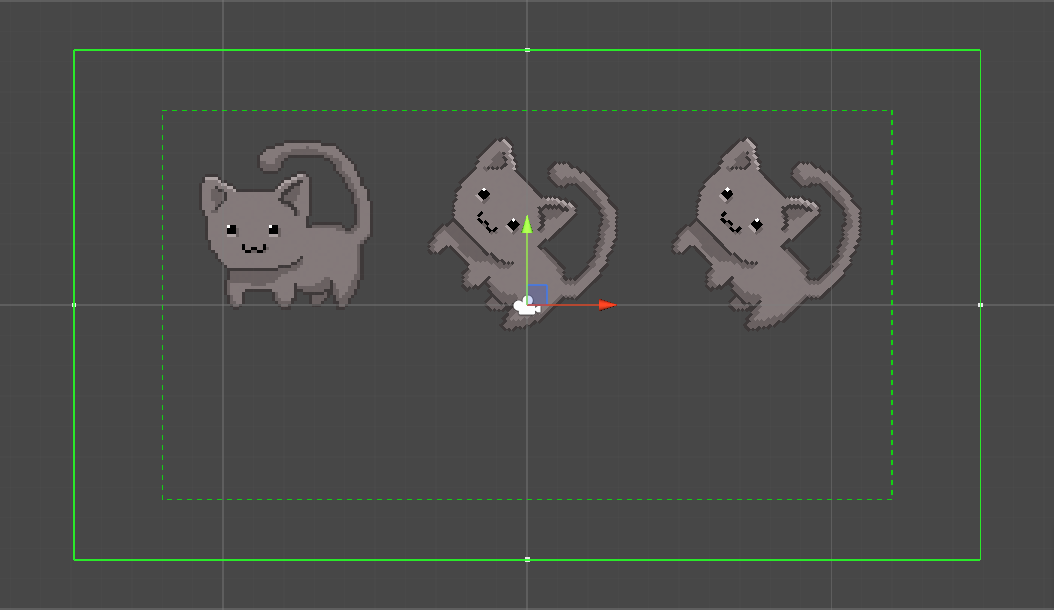
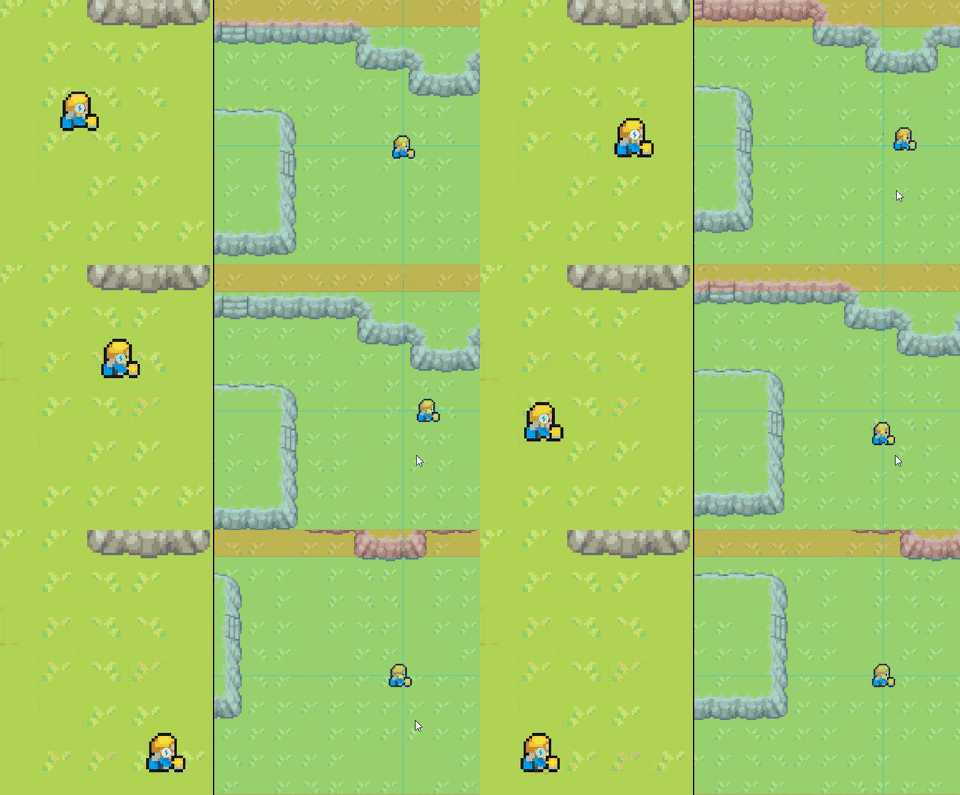 twilit wave
during transitions (ease in out) between virtual cameras and free look cameras, there is sometimes a wobble. It rotates around the camera's Z axis, so the camera tilts to the right or left for a second, then tilts back. Looks crappy, has anyone else had this issue?
twilit wave
Fixed.
If anyone else has this issue, just select 'inherit position' on the free look camera
warm verge
When I'm making a cutscene. Every time I place a new animation on my character it resets to 0, 0, 0 coordinates


 vestal palm
Hello, I wanted to lock on to a target using Cinemachine. How can I achieve this coz when I try to write a script in MonoBehaviour, the Cinemachine brain overrides the script and nothing works
errant shard
warm verge
When I'm making a cutscene. Every time I place a new animation on my character i...
Animations overwrite object coordinates relative to their parent object, which is the scene itself if there is no parent
So, put the animated mesh under a parent object and move that parent object in the scene when the character is meant to move
crude lake
Is there a built-in feature to change virtual camera when inside a zone, or must it be coded manually?
NVM, found it
errant shard
crude lake
NVM, found it
It's good to share your solutions
crude lake
Oh right
- Added an empty gameobject
-Gave it a collider, set it to be a trigger - Added a Cinemachine Trigger Action component
- Trigger Object Filter -> set "With Tag" to the player character tag
- On Object Enter and On Object Exit -> set Acion to Priority Boost and Target to the special camera
- Enter -> set Boost Amount to 2
- Exit -> set Boost Amount to -2
- Made sure the special camera's priority is 1 lower than the normal camera
And done
errant shard
Thanks 👍 
crude lake
No prob
 weak sage
Hey there, one question regarding CM usage in many scenes project.
My character is not instantiated but transported across scenes. In each Scene I want a cm camera to follow him. I tried tieing CM virtual camera to him by script and then also transport it over the next scene by "dontdestroyonload" but that didnt work.
So, what's the best solution here? Making a CM prefab?
royal tartan
weak sage
Hey there, one question regarding CM usage in many scenes project.
My character...
Usually I just include the CM virtual camera in the player prefab itself
So your player object hierarchy can be like:
Player Rig
  PlayerCharacter
  PlayerCamera
 topaz estuary
Any ideas why my 2D confiner doesn't work? The camera follows the player and moves the camera well beyond the polygon.
 topaz estuary
I get it. The collider has to be larger than the rect of the camera. I was fiddling with it in runtime and it bakes it in on start so it wasn't doing anything.
 delicate ingot
I don't normally post here but I'm having a massive issue with Cinemachine. When I prefab a freelook camera, close unity, and then come back to it, the camera breaks. It's so bad that I cannot even replace the camera anymore. It starts putting toprig, middlerig & bottomrig into the hierarchy, I don't even know how to restore this.
https://cdn.discordapp.com/attachments/476036533305081857/944524973249278012/unknown.png


I just want this to stop happening to my project. I keep losing hours because I have to set up all of my cameras again, and I get the feeling that the only fix is to destroy & create a new main camera because "TopRig" becomes the new live camera on the Cinemabrain (even when removing and replacing the component), which breaks any new cinemachine camera.


That TopRig shouldn't even be there
But if I cannot prefab a cinemachine freelook camera, how can I make the same camera in a new scene?
delicate ingot
So here's what I'd love help with...
1) I can't seem to create a new freelook camera that functions in this scene.
As shown by the video, whenever I do a new freelook it just defaults to TopRig and that's it. Is there a way for this to not corrupt things?
2) If I want to use the same camera in multiple scenes, how should I do it?
Because if saving it as a prefab corrupts everything, how am I meant to use the same camera repeatedly?
delicate ingot
I grabbed an old version of the scene - it was the only way I knew how to make the camera behave again at all. This issue is caused (and was previously also caused, on the same project in a different scene) by making a prefab of a freelook camera, then relaunching unity.
I would appreciate it so much if an expert could help teach me how to avoid this in the future, and how to properly save camera setups for use in different scenes! Thank you for reading! 🙂
 hushed yoke
How do I fix this
My free look camera looks at the bottom of the character instead of the center.
 delicate ingot
It will always look at the feet of an object so you need to go to Tracked Object Offset and increase the Y value.

Alternatively some people create an empty object and name it LookAt or CharLookAt or CharFocus, and place it in the middle of the character so that the camera doesn't have to do any offsets
hushed yoke
delicate ingot
It will always look at the feet of an object so you need to go to Tracked Object...
Thank you good sir
 languid pewter
should i use cinemachine for 3rd person camera movement following the player
fast orchid
Sure, it's fully capable of doing that.
snow quiver
is there anyway i could cut the free look camera radius in half like where i put the black line in this image. i like this idea of the wireframe circle but i want to be able to cut it in half. not sure if i have to just use a different camera or not

or just being able to restrict camera movement would also be good
warm verge
Im getting this error that I cant fix.

Pastebin
Pastebin.com is the number one paste tool since 2002. Pastebin is a website where you can store text online for a set period of time.
theres my code
royal tartan
You're missing using Cinemachine;...
If your IDE is configured properly it should suggest that for you automatically
 kind sapphire
How do I get the cinemachine target group script to work with my 2d game? I have 2 tanks and I want them to always be on the screen, but there is like no information out there on how to use this. Can someone guide me through this?
kind sapphire
Anyone know? It's been 5 hours 😭
 strong quiver
hello, i've been having trouble adding a crosshairs to my third person game. How do i get the cinemachine camera to look where the crosshair is and not the player?
kind sapphire
strong quiver
hello, i've been having trouble adding a crosshairs to my third person game. How...
You shouldn't need the cinemachine, just use a UI image
royal tartan
kind sapphire
How do I get the cinemachine target group script to work with my 2d game? I have...
You an have any cinemachine virtual camera follow a target group instead of a single object
kind sapphire
royal tartan
Have you read this? https://docs.unity3d.com/Packages/com.unity.cinemachine@2.3/...
Yes but found it confusing
kind sapphire
royal tartan
You an have any cinemachine virtual camera follow a target group instead of a si...
Yea but how do I link it to the script?
royal tartan
kind sapphire
Yea but how do I link it to the script?
link what to which script?
kind sapphire
royal tartan
link what to which script?
The cinemachine virtual camera to the target group script.
royal tartan
kind sapphire
The cinemachine virtual camera to the target group script.
you can just drag and drop it as the Follow or Look At target
kind sapphire
royal tartan
you can just drag and drop it as the Follow or Look At target
I think I did try that actually and if I remember correctly the script didn't drag
royal tartan
Not the script
kind sapphire
Or to I drag the camera onto the cinemachine follow or look at?
royal tartan
the GameObject that has the TargetGroup component attached to it
kind sapphire
Oh ok
So it doesn't have to be on the cinemachine camera?
Oh that makes sense because it's just to run the script
kind sapphire
royal tartan
the GameObject that has the TargetGroup component attached to it
Well ok I will try that later, thanks for responding and helping!
 modest brook
is there an option to make the player rotate in the y axis when i rotate the camera so the camera will always be behind the player?
royal tartan
Cinemachine moves and rotates cameras for you
if you want your player to rotate, you'll have to write that code yourself
modest brook
tried that with:
        playerRotation.x = 0f;
        playerRotation.z = 0f;

        transform.rotation = playerRotation;```
and it kinda works but its a bit glitchy, any ideas on how to do that?that... isn't how Quaternions work