#🎥┃cinemachine
1 messages · Page 15 of 1
 novel heath
You would definitely want to use Cinemachine for that. It's a lot more geared for that than the old camera.
novel heath
Add it via the Package Manager.
novel heath
I've only played with it in 2D games. You will likely want to find a tutorial a go from there.
novel heath
You might start here: https://learn.unity.com/tutorial/cinemachine#

Unity Learn
Learn how we can use Unity's unified procedural camera system for in-game cameras, cinematics and cutscenes.
 warm verge
k
 fervent current
sorry for crossposting but since this is probably the right channel: I have a script that updates UI "radars" that follow ships. currently this is jittering because I update the UI before the CinemachineBrain moves the camera. How can I make sure my code runs after the CinemachineBrain update?
 terse path
How do i set up the 3rd person follow virtual cam? im looking at a video and i dont have that option
warm verge

Let's learn how to make a solid third person controller with a moving camera!
► Check out the Game Architecture Course: https://game.courses/bundle/
👕Get the new Brackeys Hoodie: https://lineofcode.io/
● Third person controller asset: https://assetstore.unity.com/packages/templates/systems/third-person-controller-126347?aid=1101lPGj
········...
it worked for me
warm verge
how do I make the camera sorta chase the character
 sweet spoke
@warm verge Test out Cinemachine from Unity. There are plenty of options you can choose from.
warm verge
stop pinging me
sweet spoke
You could do a virtual camera and then have it follow the player from third person perspective.
warm verge
is cinemachine useful for first person games
would it make it easier to do stuff like camera shake and camera roll
or is it useless for first person games
 royal tartan
Yeah it makes it easy to do camera shakes etc.
Also first person games often have moments where control is taken away from the player and the camera shows something cinematic
including from first person perspective and not
 sonic depot
whay you suggest if the lookahead isn't smooth enough ?
 west moss
private CinemachineFreeLook freeLookCam1;
freeLookCam1.GetRig(0).GetCinemachineComponent<CinemachineBasicMultiChannelPerlin>());```how do I make my camera bob side to side/up and down with cinemachine?
I know nothing about it so help would be cool 😄
west moss
like a handhelm camera? just set a very low amplitude Perlin noise
royal tartan
warm verge
how do I make my camera bob side to side/up and down with cinemachine?
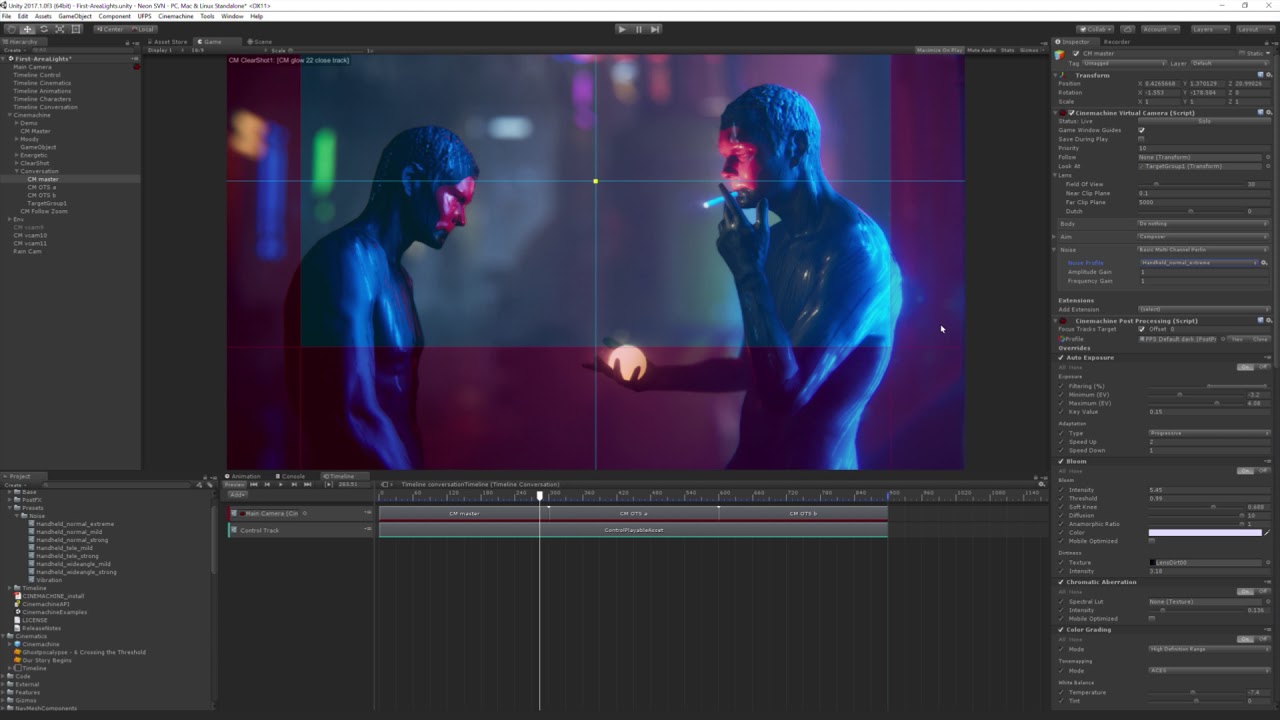
See how quick and easy it is to apply Noise to your Cameras with Cinemachine's built-in Noise profiles. More about Cinemachine: https://assetstore.unity.com/packages/essentials/cinemachine-79898
warm verge
thx]
 uneven crystal
I have a first person cinemachine character, but I can't get the body to rotate with the camera's rotation. At first I programmed it in such a way that the W key always moves to the location the camera is looking at. But with more scripts and functions that come in my game, I have crossed the point that it's becoming a serious issue that my character doesn't actually rotate, it's just the camera that rotates. Does anyone know how to lock the character to the camera's rotation?
west moss
uneven crystal
I have a first person cinemachine character, but I can't get the body to rotate ...
I ended up custom coding a 1st person cam, and used cinemachine for all the other cams. If you want a copy let me know.
public class FirstPersonCamz : MonoBehaviour
{
    [SerializeField] public Transform cam;
    [SerializeField] public Transform character;
    [SerializeField] private float charRotateSpeed = 5f;
    [SerializeField] private float charRotateThreshold = 20f;

    void Update()
    {
        RotateCharacter();
    }

    private void RotateCharacter()
    {
            Vector3 relativeAngle = character.InverseTransformDirection(cam.transform.forward);
            float angle = Mathf.Atan2(relativeAngle.x, relativeAngle.z) * Mathf.Rad2Deg;
            float angle2 = 0;

            if (Mathf.Abs(angle) > Mathf.Abs(charRotateThreshold))
            {
                angle2 = angle - charRotateThreshold;
                if (angle < 0) angle2 = angle + charRotateThreshold;

                Quaternion charRotate = Quaternion.AngleAxis(angle2, character.up) * character.rotation;
                Quaternion newRot = Quaternion.Lerp(character.rotation, charRotate, Time.deltaTime * charRotateSpeed);

                character.rotation = newRot;
            }
    }
}```If you wanna use cinemachine's pov cam, you can use that simple script to rotate the character to the cam.
uneven crystal
west moss
If you wanna use cinemachine's pov cam, you can use that simple script to rotate...
Thank you, I will try that! Do I have to keep the speed and threshold the same values as they are right now?
uneven crystal
west moss
If you wanna use cinemachine's pov cam, you can use that simple script to rotate...
Unfortunately the script rotates the character infinitely as if I were playing with a controller joystick. My camera is inside the player gameobject btw. So unless you know a fix for that, I'd like to see how you coded your fps cam.
uneven crystal
I have decided to no longer try to rotate the parent gameobject. Instead I now rotate the graphics, which works like a charm.
 lean laurel
I mapped a secondary Mouse X and Mouse Y to my controller's right joysticks and they make the FreeLook camera turn gloriously, but unlike with my Mouse, the camera can not turn infinitely and after about one round trip around the character it's orbiting around, it stops turning, which is not intended.
Why is this happening?
 plucky wren
Tried duplicating one of the existing ones and working from there?
Pretty sure full source code is included
I put together a tweaked version of the Cinemachine Collider using the same method
Yea, and you can search the codebase for it
Of your whole Unity project
Yea looks like CinemachineExtensions and CinemachineComponents work a bit differently
If that is what you were asking
Might not be the worth the effort, especially if it can be accomplished with existing Cinemachine components
There is a pipeline that your code has to interact properly with
Could probably use that to position your Virtual camera
Your script
uneven crystal
how can I force my cinemachine fps camera to look at the enemy when the player dies?
royal tartan
uneven crystal
how can I force my cinemachine fps camera to look at the enemy when the player d...
Set the look at target of the vcam to the enemy
uneven crystal
royal tartan
Set the look at target of the vcam to the enemy
it sets the look at target to the enemy, but the camera doesn't actually rotate towards the enemy
royal tartan
uneven crystal
it sets the look at target to the enemy, but the camera doesn't actually rotate ...
What are your aim settings
Show screenshot
uneven crystal
royal tartan
What are your aim settings
 royal tartan
uneven crystal
royal tartan
uneven crystal
You're using POV so it will ignore the look at target
Set up another virtual cam with the settings you need for looking at the Enemy and then switch between the cameras when the player dies
Using the priority values
uneven crystal
so having 2 vcams in the playerbody?
uneven crystal
royal tartan
Set up another virtual cam with the settings you need for looking at the Enemy a...
also what setting do I need if pov isn't the correct one?
royal tartan
I forget what the look options are but probably a normal composer or whatever
uneven crystal
okay thanks, will take a look at that
sonic depot
why cinemamachine Brain doesn't do smooth interpolation between frames i'm using clearshot and set the update to fixedupdate ( there's no update / smart update)
it's sorta lag as if my fps low
royal tartan
sonic depot
why cinemamachine Brain doesn't do smooth interpolation between frames i'm us...
Your target has a rigidbody without interpolation enabled I'd guess
sonic depot
how is that
 faint axle
Hey, anyone have a guide for best practises using cinemachine?
I've just used it for the first time for a game jam. Seems to be working nicely. I was wondering mainly about the "right way" to do transitions. I've just been toggling the virtual cameras on and off.
And checking for isTransitioning property to wait for the transition to end.
Got some pretty sweet effects happening though! https://streamable.com/kz8uh3

 keen heron
I think you're supposed to adjust the camera priorities rather than having to turn them on and off. But I'm probably as new as you are 🙂
faint axle
Ah, interesting.
keen heron
I was sorta wondering similarly. For instance, I'm using a Freelook camera to follow my character for 3rd person control most of the time. But sometimes she enters a crowded space like a stairwell where the Freelook has a hard time finding a decent angle. So I thought that having a dolly cam setup in the stairwell would work better for when she's on stairs. But I was wondering if there's an elegant way to have it switch to that camera automatically, or if having a trigger in the stairs that changes the vcam priorities is the "best" way
keen heron
Yes, currently i’m thinkI have my freelook at priority 8, and then a dolly vcam in the stairs at priority 0. Boost the dolly one to 10 when she enters a trigger on the stairs, return it when the trigger leaves. But i’m new so I’m wondering if that’s the best/cleanest approach
sonic depot
why the damping seems as if it's low FPS ?
this might be the problem ,,,,

it doesn't update smoothly
keen heron
FixedUpdate is typically going to be a lower frame rate than Update; is there a reason you chose that?
keen heron
Hrm. Sorry, I only started with Cinemachine this week myself so I'm speaking in general. I don't know what "Smart update" is
But I assume Fixed is the usual meaning, which is locked at 50 fps by default I believe?
sonic depot
I think that too , not sure about it tho
it might be caused by other factor like damping parameters or perhaps other settings idk
thanks anyway
royal tartan
sonic depot
there's no update
LateUpdate is not available?
Smart update should work regardless
But does your character have a rigidbody?
sonic depot
there's Lateupdate but it's even worse ,
my character have character controller component and collider
royal tartan
sonic depot
there's Lateupdate but it's even worse ,
Are you moving the CC in FixedUpdate
 leaden slate
Why doesn't it allow me to get a cine machine anyone got a clue?
keen heron
Can you elaborate on what you mean? Have you installed the package?
leaden slate
like I look it up in the asset store like it tells me and it does not work
 fast orchid
Cinemachine is installed via the package manager now, not the asset store.
leaden slate
I guess I watching super old videos now
This is my issue I have searched in them all and this is what it says.

@fast orchid \
fast orchid
A quick search for the error on google nets this result:
https://forum.unity.com/threads/error-searching-for-packages-offline.965243/

Unity Forum
Hello I just started using Unity and I'm a new at this. I downloaded version 2020.1.4f1. When I wanted to download "Standard assets" on Asset store in...
leaden slate
so it wants me to be verified
 modern hound
Any ideas on how to change zoom on a cinemachine free look camera?
Cause my player is small and I want to increase the cam zoom
 royal tartan
Are you using an orthographic projection by accident?
modern hound
Hi
Sorry I didnt replied, it was late
So I zoomed in and all is messed up
Orbits and sensivity
Im not at home right now sadly
 finite lagoon
When the player is moving towards the camera, they get very close to it, and the radius seems messed up. How could I fix this?
uneven crystal
why does my hard lock at target camera move like the player is nodding his head?
 pure canyon
Hi! Is there a way to make camera follow the target in edit mode?
royal tartan
pure canyon
Hi! Is there a way to make camera follow the target in edit mode?
The scene camera or an actual camera?
pure canyon
royal tartan
The scene camera or an actual camera?
Scene camera
 woeful scaffold
How to use cine machine in mobile?
royal tartan
woeful scaffold
How to use cine machine in mobile?
Same way you use it on every other platform
 royal tartan
woeful scaffold
I meant cinemachine free look..does it work on mobile?
royal tartan
woeful scaffold
I meant cinemachine free look..does it work on mobile?
Why not?
Just need to map input to it
 feral zodiac
how to make the chinemachine collider don't react to raycasts?
 sleek garnet
Hello.
When an object get into my camera view I want to follow it how can I do that
 sick spire
I wanted to install cinemachine but I get this error, anyone know how to fix it?

(ping me if you do)
warm verge
@sick spire rename your PlayerMovement script/class or put it in a namespace because cinemachine has its own PlayerMovement class and they are conflicting
sick spire
Thanks! I'll try that
royal tartan
I don't think cinemachine has a PlayerMovement class and if they did it would be in a namespace. I think @sick spire simply duplicated their Script by accident and this is not related to Cinemachine at all
sick spire
I really don't know, after I removed cinemachine the error didn't come up, then I installed cinemachine again and no error was showing up but I didn't have the options to create a 2D camera or anything like that, I had 2 options that were something like Import packages and Samples
sweet spoke
My CM FreeLook cam just started spinning out of control while opening my project this morning, it was fine when I closed it last night. Can't find this to be a common bug with a quick Google search. If anyone knows a solution, let me know. Going to try to work through it now.
My camera is moving about in scene/game views with the game not even running, and I'm not even changing any settings. wtf is going on, this is infuriating.
sweet spoke
Wow that was probably the first time I've ever encountered a real bug with Unity.
Even resizing my scene/game screens would make the camera spin around, no clue what was causing it. I'm 99% certain I didn't change anything last night. Pressed play ran around a bit, and went to bed, woke up to the above this morning.
The fix was to delete the main camera, make a new CM Freelook and just copy/paste the values and delete the old CM Freelook. Seems to be all back to normal now, very odd.
URP Unity 2020.3.0f1
warm verge
royal tartan
I don't think cinemachine has a PlayerMovement class and if they did it would be...
not sure what the class is for but its there and is in global
royal tartan
warm verge
https://docs.unity3d.com/Packages/com.unity.cinemachine@2.7/api/Global%20Namespa...
What on earth?
Color me surprised. I'm going to guess a developer left that there on accident.
warm verge
yeah its probably a mistake
sick spire
does anyone know why I don't have the options to create a 2D camera? I only have 2 options, to import packages and samples
 dusky rain
Anyone else experienced weird issues when upgrading to 2020.3 LTS? Suddenly my main camera isn't drawing anything except for the skybox after upgrading...
I'm using the universal render pipeline btw
royal tartan
dusky rain
Anyone else experienced weird issues when upgrading to 2020.3 LTS? Suddenly my m...
Make sure you didn't acciudentally create another Camera
search for t: Camera in the hierarchy window
also double check the culling mask of your camera
dusky rain
Yeah I checked the culling mask and it seems fine
the really strange thing is, if I disable and then re-enable the camera game object in the inspector view, everything is rendered correctly
same thing with the culling mask - I can set it to Nothing then back to Everything and everything renders
royal tartan
so is it fixed?
dusky rain
No, sorry - I meant if I do this in the inspector while the game is running
dusky rain
Everything is stil borken 😄
sick spire
does anyone know why I don't have the options to create a 2D camera? I only have 2 options, to import packages and samples
 vernal plank
I am trying to get my virtual Steadicam rig and running in Cinemachine. It's a standard DSLR with a Vive tracker and DSLR monitor attached. I want to use it for real time virtual cinematography. Does anyone have a guide for setting this sort of thing up? I got it running in Unreal Engine, but I want to figure out how to do it in Unity as well.
 unique prawn
My camera needs to behave differently if the player is aiming or falling etc. I have multiple freelook cameras that I blend between using a StateDrivenCamera, but the orbit values of the inactive cameras do not update to be behind the player so when I blend between the cameras they are on different position on the orbit. How can I get around this?
unique prawn
I found the solution. Just tick this on each freelook camera you want the to inherit the old position on blend

 deep crater
cool tip, was wondering what that did ) thanks
 errant bobcat
I'm using Cinemachine with Impulse. Is there a way to ensure the camera returns back to its neutral orientation? After the shake completes, the view slightly askew
 wicked knoll
Hello guys. I have a case that I can not fix by myself. I make a racing type of game. I`ve setup a framing composer with lookahead and it works for me. But I need a composer so the camera reorients itself around the character in certain situations, but it just doesn't work. When I point behind my character, camera starts rotating like crazy. Feel free to DM me I would appreciate it.



 reef moth
Hey, I have a question i'd like to ask you guys about cinemachine. I have this camera on my player that follows him arround but when i get to a certain part like a house or a certain path in particular i'd like the camera to change to some other one. Is there a way to do this without using triggers to detect where the player is at and changing the priority?
plucky wren
@reef moth Could just change the priority directly
I don't think the CM trigger is terribly special
 pastel glen
@reef moth I use a timeline to set the active camera
 nova helm
Hello... I'm doing a top down 2D game where the character faces the mouse, and i want the character to be able to do something like the lookahead function when pressing RMB to aim, looking forward, but always keeping the character in view . Does cinemachine scripting provide a way to do this? I've tried to script it with a normal camera but it's quite hard
reef moth
pastel glen
<@148564102388776961> I use a timeline to set the active camera
But with a timeline you can only switch between them timewise right? Like You can't really say "if you enter this room your camera changes to this other one" or can you?
reef moth
plucky wren
<@!148564102388776961> Could just change the priority directly
through the inspector? But that's not exactly what i want, i want to be able to change it midgame automatically as in player gets to spot X and the camera changes, if they decide to go back it goes back to where the player was prior
pastel glen
But that's what triggers are for.
And with a timeline, you'd trigger the timeline by where the player goes rather than directly triggering the camera.
reef moth
pastel glen
And with a timeline, you'd trigger the timeline by where the player goes rather ...
hmm, weirdly i'm not being able to visualize how that can be better then just changing the priority of the camera with the trigger unless you have a lot of stuff that you want to happen during that trigger.
pastel glen
Well, I use it for cutscenes mostly.
 uncut pilot
Is there a camera distance property for free look camera system ?
uncut pilot
uncut pilot
Is there a camera distance property for free look camera system ?
Just like we have in virtual camera system
royal tartan
uncut pilot
Is there a camera distance property for free look camera system ?
there are 3 of them
one for each rig
but it's the radius of the rigs
and the height
uncut pilot
Yeah I know, but I have to change each one of them whereas in virtual cam I can just one property
royal tartan
indeed
plucky wren
reef moth
through the inspector? But that's not exactly what i want, i want to be able to ...
Not through the inspector. Rule of thumb is that anything you see in the inspector can changed by scripting. Check the source code of CM trigger for inspiration.
royal tartan
plucky wren
Not through the inspector. Rule of thumb is that anything you see in the inspect...
A rule that Unity doesn't always follow 100% of the time with their builtin components unfortunately
but in this case, yes
reef moth
plucky wren
Not through the inspector. Rule of thumb is that anything you see in the inspect...
but that's what i asked, what option do i have besides changing the priority via script
keen heron
My Freelook camera changed behavior quite a bit after the recent Cinemachine update; it's tracking the character same as ever, but it's acting like it's cemented in place. Anyone else notice problems?
 crisp wave
whenever i try to enable avoid obstacles, it makes the camera shake like crazy
whats going on with this?
finite lagoon
How do I change the Freelook Sensitivity using a Settings Menu Slider to save to PlayerPrefs?
keen heron
Figured out my weird tracking bug. Apparently the top/middle/bottom rig of a Freelook camera are themselves Virtual Camera components, and will appear in GetComponentsInChildren<CinemachineVirtualCamera>(). I had a script that went through all virtual cameras I grouped under a specific GO and was setting their target/follow parameters. The Freelook camera is NOT a CinemachineVirtualCamera though. Apparently before the update, setting follow on all three child cameras but not the parent worked. Now it doesn't.
royal tartan
keen heron
Figured out my weird tracking bug. Apparently the top/middle/bottom rig of a Fre...
I knew that the Freelook itself wasn't a vCam but didn't realize the different rigs were vCams
Interesting
keen heron
Me either since the editor hides that
 short kernel
I have an issue, my virtual 2d camera is not following this object
 royal tartan
short kernel
I have an issue, my virtual 2d camera is not following this object
royal tartan
short kernel
I have an issue, my virtual 2d camera is not following this object
Looks like you're trying to have a camera follow a UI image
UI elements live in Screen Space, not world space
royal tartan
Not directly
short kernel
I'm trying to make 2d game, but the only thing i can do is pictures, is it possible to just insert my art into the scene and then use cinemachine to follow the object?
royal tartan
Use Sprites not UI images
Just a normal GameObject in the world with a SpriteRenderer component
short kernel
Oh, okay, thanks for the help, the camera issue was getting frustrating
royal tartan
You will have a lot more issues besides the camera if you try to make your game using the UI
short kernel
Oh, ok
 tepid tendon
I'm trying to pull off essentially a dynamic state driven camera that works with instantiated objects. Anyone have a tip?
royal tartan
tepid tendon
I'm trying to pull off essentially a dynamic state driven camera that works with...
what does "instantiated objects" have to do with it?
tepid tendon
royal tartan
what does "instantiated objects" have to do with it?
Well maybe it has nothing to do with it. But I wasn't thinking I could instantiate objects, then update the animation controller to that object and work off of its respective states
royal tartan
I would probably just attach the state driven camera directly to the prefab
as in - it's part of the prefab
tepid tendon
And what about the virtual cams? They're part of the prefab too?
royal tartan
along with all of its virtual cams
yeah
that's the beauty of cinemachine you can add/remove virtual cams at any time and it works fine
as long as you manipulate the camera priorities properly
tepid tendon
Great I will try that then!
warm verge
warm verge
yeah its probably a mistake
still there in 2.7.3 so i guess its no accident/mistake
 quaint arrow
is cinemachine performance heavy? I'm looking to use multiple fixed cameras at a time in my game, no fancy stuff only clear shots
fast orchid
It's just normal cameras being used, so it's as heavy as multiple normal cameras rendering the scene.
keen heron
It might even be less intensive than normal cameras. It's a lot like having a very flexible control script on a single camera.
quaint arrow
just discovered clear shot cam, awesome
quaint arrow
is there a feature where I can force a clear shot camera switch? I want it to follow the player until the next cam has line of sight
 ebon roost
when i switch camera's using cinemachine it reset's the onTriggerEnter2D and it's confusing
 tacit prairie
Hey ! i was asking it is possible to make cinemachine cart move depending of input i make? because i don 't really understand how it's work
warm verge
Hey hi How to stop cinemachine freelook camera to revolve around the character
I want it to revolve like an arc not revolve entirely
keen heron
If you're going for a 3rd person camera, I recommend checking this out:
https://www.youtube.com/watch?v=537B1kJp9YQ
I started out with Freelook too, but discovered it's not the current recommendation for that. The demo project also demonstrates how to clamp the arc vertically, the same could be applied horizontally easily

In this video, we’re going to look at how we can set up a third-person camera using the new Aiming Rig of Cinemachine 2.6, and how we can use Impulse Propagation and Blending to create additional gameplay functionality for our camera controller.
Download this project here!
https://on.unity.com/36nVNzt
Learn more about Cinemachine 2.6 here!
htt...
warm verge
keen heron
If you're going for a 3rd person camera, I recommend checking this out:
https://...
Thanks Yeah I followed the same in here as you have noticed the camera can revolve 360 around the character but I want it to revolve just 180 degree
keen heron
Sure, but did you see part where they clamp rotation in the example? They only do it up/down, but I see no reason you can't add a clamp for left/right the same way
I don't know how to do it for the freelook camera
warm verge
keen heron
Sure, but did you see part where they clamp rotation in the example? They only d...
oh okay thanks let me check to add it
i want a camera setup similar to this below video
https://www.youtube.com/watch?v=rmtBOPHHQCY&t=273s

Orcs Must Die! 2 Walkthrough by Ray and Tom. So much orc slayng goodness.
Grab a friend and slay orcs in untold numbers in this sequel to the 2011 AIAS Strategy Game of the Year from Robot Entertainment.
Leap back into the fray as a powerful War Mage or crafty Sorceress. Defend new fortresses and dwarven mines, laying waste to thousands of or...
keen heron
Looks more like you want the character's rotation to match the camera
The example attached to the video shows that too; they demonstrate a "normal" and an "aiming" camera - when in the "aiming" camera mode, they make the character rotate as the camera does
warm verge
keen heron
The example attached to the video shows that too; they demonstrate a "normal" an...
let me check them again thanks
tacit prairie
tacit prairie
Hey ! i was asking it is possible to make cinemachine cart move depending of inp...
So i finally understand how cart work just asking myself how dobyou Guy rewriting cinemachine comportement n
 reef granite
I am writing a very simple script for a Camera shake, but I cannot get the camera shake to work.
Does anybody have an idea why?
Thank you
 plucky wren
Isn't that the constant noise component?
There's a separate system for external shakes
reef granite
plucky wren
There's a separate system for external shakes
Could you point me to a link? tyia
All I need is a short shake for the Vcam camera, when an event is invoked.
plucky wren
reef granite
plucky wren
<https://docs.unity3d.com/Packages/com.unity.cinemachine@2.7/manual/CinemachineI...
Thank you!
 vocal rune
Longshot, but anyone had any luck doing this? (damping cinemachine camera when getting close to boundary)
https://forum.unity.com/threads/smooth-boundaries.1092910/

Unity Forum
[IMG]
(from Pro Camera 2D, great asset)
I was looking into adding "smooth boundaries" where the camera smooth damps as it get close to a boundary...
 cyan turret
Hey there
How do I stop a Cinemachine camera from rotating? I want it to follow the player but not rotate on the Y axis. I'm making a top down game, that's why
warm verge
Can you do splitscreen with cinemachine?
 fast orchid
Always
warm verge
Sorry to bother you
plucky wren
@warm verge The new input system comes with split screen stuff
warm verge
I does?! Ok
plucky wren
Yea whatever class manages those Player Input components. Make sure to check what samples they have available.
unique prawn
I know I can change the damping on the y axis, but is there a feature that allows me to have different interpolation up and down without having to use scripts?
plucky wren
@half nymph Don't crosspost.
 half nymph
plucky wren
<@!406427078938853376> Don't crosspost.
half nymph
plucky wren
<@!406427078938853376> Don't crosspost.
But I'm not sure which channel my problem is relevant to
plucky wren
Crossposting is not the way to handle it.
 bright owl
hey guys, I have a question, im making a 2.5D game (still in alpha) and the thing is: im setting up more than 2 virtual camera, so that once the player hits a collider, the camera changes to another one that is focusing to a specific zone, and after he leaves the zone, the camera changes back to focusing the player. Im still new in cinemachine so... does anyone knows how to do it?
fast orchid
You can change the priority of the virtual camera in code. The highest priority camera will be used.
fast orchid
Yeah, basically. You'll have to manage which one is the active camera so that you can move the priorities around, but that's the idea.
bright owl
got it,I´ll give it a try, thank you!
 vernal bramble
Im having issues with cinemachine for my 2d platformer. When I have any dampening on, my sprites will jitter. I am using rigid body physics (add force) for all movement in fixed update and I have set the Updatemethod on the Cinemachine brain to 'fixed update' and I still get jitter.
keen heron
Is fixed update right for that? The characters keep moving on Update even if they only get forces applied in Fixed right? I'd think you'd want the camera in regular update to keep up with that
royal tartan
vernal bramble
Im having issues with cinemachine for my 2d platformer. When I have any dampenin...
Do your rigidbodies have interpolation enabled?
vernal bramble
They do not have interpolation
Im trying to use the pixel perfect camera now with pixel snapping and it helps a little bit
but it is pretty rocky at the end of some dampening
pastel glen
@vernal bramble Why are you applying the forces in fixedupdate? Player input is limited to update.
 lofty plinth
how can i invert the cam in cinemachine
royal tartan
lofty plinth
how can i invert the cam in cinemachine
what does inverting a camera mean?
lofty plinth
when you move your mouse left camera goes right
royal tartan
Are you using FreeLook or something?
 wide kernel
Does cinemachine only works when we "create" game on unity? Or can we "import" footage from another game even it's not unity-based
keen heron
Cinemachine is a tool for controlling cameras, so I'm not really sure what you're asking or mean by "Footage".
If you're just looking to playback recorded video, that's not related to Cinemachine
wide kernel
uh yeah, suppose i want to make a film out of a game (for instance, a strategy game which doesn't feature cinematic camera). Even if it's not a game that using unity engine, can it work with cinemachine? (sorry if it's a nut question)
plucky wren
Cinemachine only solves the problem of managing cameras in Unity, so it won't somehow pull footage outside of the game or inject itself into some other game
You would have to pull in the assets you want to film
Unless you somehow were able to inject Cinemachine into a game and setup the code to control it
wide kernel
ok thanks! 🙂
 fossil palm
hi everyone! I'm a new Unity user and I was wondering if there were any updated tutorials on cinemachine use for narrative purposes. I plan on creating music and narrative videos using Unity, but I feel like the Cinemachine tutorial on Unity Learn, although lengthy, doesn't cover all the updated features
tepid tendon
Kind of a noob question, but how do you properly turn off a virtual camera so that it resets to the main camera?
NVM I realized that you need to create a new "main" vcam and set its priority higher
 wise trail
Does anyone know if there's a decent alternative to Cinemachine's obstacle avoidance extension? I'm just trying to keep my camera inside a cave, and any dampening whatsoever lets it clip through the cave walls for a bit before settling into it's new position.
 drifting jasper
Anyone know if I can move a game object (a spaceship) along a cinemachine track? Trying to make a predefined path for my object to move on for the cinematic and not sure the quickest way to approach it. I made a cinemachine dollytrack and added that dolly track to the spaceship which positioned the spaceship at the beginning of the track automatically, but I cant get it to move... I'm pretty new to cinemachine and timeline. Do I need to do something in timeline to get it to follow the track?
royal tartan
drifting jasper
Anyone know if I can move a game object (a spaceship) along a cinemachine track?...
drifting jasper
@royal tartan i have the track already built and attached to the game object which is all that documentation covers
royal tartan
drifting jasper
<@179367739574583296> i have the track already built and attached to the game ob...
dolly cart
Do you have a dolly cart?
The docs I sent were for a dolly cart
the dolly cart moves along the path
drifting jasper
It just does this when you hit play to run the game?
Or is it a timeline thing i need to figure out to initiate it
royal tartan
the cart should go on its own
drifting jasper
Hm yeah i have the dolly cart component added to the ship
And then the track path added to the dolly cart component as well
 next acorn
I'm trying to follow a prefab, but when I spawn the prefab, the camera doesn't follow, what should I do?
It works like this: The player presses a movement button, then the player prefab spawns
It gets the position of where should the prefab spawn
but it stays there
I uhhhh... really want to get over this problem...
keen heron
Either make the preconfigured vcams part of the prefab or you need to set the follow targets on the existing cameras when the character spawns
royal tartan
One thing I love about Cinemachine's virtual camera setup is exactly what Wyldfire mentioned: You can just make the vCam a part of the prefab, all preconfigured and targeting the thing you want it to target.
keen heron
Yeah, it's great. And if you're a little clever about the preconfigured priorities, the new cameras can seamlessly take over for the existing camera upon instantiation (assuming that's what you're after)
Cinemachine is one of the best new things in Unity that I've seen since I picked it up again
 sweet shadow
hey! im trying to set up 3rd person cam following this tutorial but im having issues with rotating the follow target. When i set up my own camera follow script (not CM) i used 2 pivots - 1 for x axis (up and down) and one around y axis for left and right. the reason is that when i combine them on one object it rotates very strange. so im unable to use cinemachine as a 3rd person cam until i figure out how to code both the x and y rotations together on 1 object. any tips?
keen heron
@sweet shadow I really recommend this video: https://www.youtube.com/watch?v=537B1kJp9YQ
In this video, we’re going to look at how we can set up a third-person camera using the new Aiming Rig of Cinemachine 2.6, and how we can use Impulse Propagation and Blending to create additional gameplay functionality for our camera controller.
Download this project here!
https://on.unity.com/36nVNzt
Learn more about Cinemachine 2.6 here!
htt...
sweet shadow
thats exactly what im watching but it doesnt explain how to rotate the follow target effectively
keen heron
@sweet shadow And it has a project attached with the code and everything to implement it
keen heron
Its not obvious that the example is there, I'm not used files being attached to Youtube videos 🙂
sweet shadow
I dont underestand the game examples code. it has a bunch of functions but never calls them. such as:
public void OnLook(InputValue value)
    {
        _look = value.Get<Vector2>();
    }
~~and to rotate the empty follow target object, its using a public variable, _look.x that is never declared or set as the mouse input. ~~
//Rotate the Follow Target transform based on the input
followTransform.transform.rotation *= Quaternion.AngleAxis(_look.x * rotationPower, Vector3.up);
im obviously missing something but that doesnt make sense to use the _look.x variable that is supposed to be declared from a function thats never called. none of the other scripts call it either
sweet shadow
and this is just one function. there is actually 5 functions in total that are never called. yet these 4 different scripts are using the variables that are set in these functions. I'm so confused now lol
sweet shadow
solution: Unity new input system
 sage pewter
Hey, how would I tell the game that the player DOES exist, using code. Basically for my game I had to do, Don't Destroy on Load, and if it's already in the scene destroy that object. So now Cinemachine doesn't think the player exists (I think... cuz I fixed that problem... ish...) but anyway, it doesn't wanna ease in and out when the player is idle / walking.
Sorry kinda confusing.
If you need to see my Cinemachine Inspector I can send Screenshots.
 fathom mango
Can we make the camera follow player using CINEMACHINE?
sage pewter
Yes
sage pewter
sage pewter
Hey, how would I tell the game that the player DOES exist, using code. Basically...
Oh btw I have this working now
fast orchid
Drag a transform into the follow target of the cinemachine brain.
fathom mango
Wut
fast orchid
Did you make an effort before responding, or are you being that lazy?
fathom mango
What is cinemachine brain?
 fathom mango
Ooo
fast orchid
It goes on the virtual camera itself.
fathom mango
fast orchid
But actually I was incorrect
No worries
 fast orchid
Change the Body to Transposer on the virtual camera, and play with the Follow Offset position.
fathom mango
Oo
fathom mango
fast orchid
Change the `Body` to `Transposer` on the virtual camera, and play with the `Foll...
How to change it to transposer?
fast orchid
There's a lot of settings, just experiment with them until you have something you want.
sage pewter
I was just thinking up a tutorial
Make an empty object, put main camera and another Player follow / State Driven Camera inside of the empty as well. Then add player to follow.
Inside the CinemachineStateDrivenCamera
fathom mango
IK That one
sage pewter
Oke
fathom mango
But I am working through brackeys tuts
And I am banned from that server..
This is the only hope
sage pewter
Ooof
 frail plover
are you allowed to use cinemachine on a finished game?
fast orchid
Yes of course ...
 umbral raven
Seen this question asked quite a bit recently.. very strange
royal tartan
Cinemachine - it's so good it's unbelievable that you can just use it!
faint axle
I have two "framing transposer" virtual cameras with a very large deadzone, and I swap between them to ensure that their targets (A and B) are kept on screen. However, I'm finding that when I transition from A to B the camera will center on B even if it was already well and truly within the deadzone. Is this a bug I should report, or a feature I need to hack around?
faint axle
Ah-ha! It turns out you can enable "inherit position" to solve this issue. Marvellous!
warm verge
anyone else having the issue where cinemachine stutters alot when rotating around the object it is following?
when my character runs and the camera rotates around him the camera wont stutter, but if he is standing still and the camera rotates (orbits) around him the cinemachine wil stutter like crazy
I use an empty object as a parent for the camera, then just rotate that empty parent so the camera will orbit around that empty now rotating center object
or is that the wrong way to do it?
royal tartan
warm verge
I use an empty object as a parent for the camera, then just rotate that empty pa...
That's a perfectly fine way to do it
Usually stuttering comes from a mismatch between the update strategy for the camera and the object it's following
warm verge
cinemachine uses smart update
i can try changing the rotation to fixed and set the camera to fixed aswell then hey should update at the same time
let me give it a spin ill kepp you posted
royal tartan
Yeah how does the rotation work exactly - is it manually controlled by the player? Or based on the character rotation? or what
Smart Update is generally good but sometimes people move their character with a Rigidbody but rotate the transform directly
warm verge
royal tartan
Yeah how does the rotation work exactly - is it manually controlled by the playe...
YOU ARE A BOSS
thats how it works
set it both to fixedupdate and it looks like an AAAA game now
and i use Q and E to rotate the camera, the player is always looking where the mouse is in worldspace
royal tartan
awesome!
and yeah It's kinda crazy how Cinemachine can suddenly upgrade your game to looking really amazing with some simple settings lol
warm verge
yeah its up there with the greatest tools imo
ive just started using it but i can tell you could make some really good cinematics
im gonna go, good night mate and thanks again! I thought this would take a lot of time to fix but you saved me a lot of it!
now I can sleep peacefully 😆
 earnest gate
My character seems to be walking into the soft zone sometimes, why does this happen?
I have the lookahead feature on, but when the character walks into the soft zone, the screen bounces back and forth and the actual lookahead gets delayed by it. After a few seconds, the camera snaps to the position is should be.
 wintry quiver
Hello,
I'm using a target group component and i dont understand why my virtual camera is not looking all of my characters in the bounding box whereas my target group component is focusing them
It's been a while since i have this problem but i dont manage how to solve it

if i increase the dolly out , it zoom out so it should be ok but it doesn't zoom as well
 open forum
how do I limit where cinemachine can go, cuz rn if my character starts level there I only want them to see in front of him not the void behind
 keen heron
I think you want a 2d Confiner; they go over it in this: https://www.youtube.com/watch?v=mWqX8GxeCBk&t=139s

Watch this video in context on the Unity Learn pages - http://unity3d.com/learn/tutorials/topics/2d-game-creation/cinemachine-2d
Learn how to harness the power of Cinemachine's powerful composition tools with an orthographic virtual camera in your 2D Project.
 hushed flax
hi guys me need help
Who used the Cinemachine package? why after this package my player textures are buggy?

the sprite shakes when walking
 wintry canopy
Make sure you are not parenting it directly and setting target. And try switching update mode between LateUpdate and FixedUpdate (it's a property in Cinemachine)
hushed flax
 wintry canopy
hushed flax
wintry canopy
hushed flax
That's an Editor inspector error. Try resetting layout to default one, restarting Unity.
hushed flax
@wintry canopy okay thx
open forum
ok i have an issue, my camera and cinemachine all use the dontdestroyonload script, however due to this I can't find a way to link the 2d confiner each level since it changes, can anyone help me here?
 blissful sentinel
I can't get my video to work on webgl
I tried the video url with the path to the StreamingAssets folder method, but it doesn't work
blissful sentinel
nvm, I was using an unsupported file format
hushed flax

If I turn on these markets, then my character sprite starts to shake, how can I fix this?
keen heron
open forum
ok i have an issue, my camera and cinemachine all use the dontdestroyonload scri...
Make your Cinemachine VCam into a prefab that you include in each level and then customize to fit it, rather than using dontdestroyonload on a special one.
open forum
is there a way that if I make it a prefab i can have a script automatically reference it as my player has scripts that reference the vcam
keen heron
I'd say either stick a script on the prefab that "finds" the player during Start() or Awake() or similar and hooks it up, or if you already have code doing level startup you could find the VCam by a tag or similar
open forum
ok, and then would i need the main cam to be a prefab as well?
keen heron
Not neccesarily. As long as it carries a brain VCams can come and go
open forum
ok cool, would the vcam automatically link its follow or do i need to script that?
keen heron
I'm not sure I see an advantage to saving the camera, but if you have one then I don't see any harm either way
The startup thing would have to link the follow since it sounds like the character is travelling between levels
open forum
yeah it is
keen heron
In 3D games I often recommend making VCams part of the player prefab directly so that they're "part" of the character, there's no reason to be stingy with them. But I'm not sure that makes much sense for 2D.
open forum
its 2d so
open forum
keen heron
Make your Cinemachine VCam into a prefab that you include in each level and then...
oh hey i forgot something, I'm an idiot and have no idea how to make something a prefab
keen heron
haha
It's easy, just set it up how you like, then drag it from the scene to the assets
You're not an idiot 🙂
open forum
keen heron
It's easy, just set it up how you like, then drag it from the scene to the asset...
how do i make it a prefab tho?
keen heron
It becomes one when you drag it from the scene into assets. The asset should be a little blue box
That's a prefab. When you drag a prefab to the scene, then it's "linked" to the asset and any changes you make to the asset version will apply to all the scene version. But you can still do changes "on top of" the base version in each scene if you want.
open forum
oh ok
keen heron
It's convenient because it you make changes to say, the deadzone or the camera distance or something you can get all those changes in every scene that uses the prefab all at once. But if each scene needs a custom confiner or anything else you can do that too.
keen heron
When you drag your prefab into the scene, you can edit the version in the scene. Anything you change becomes an "override" for that copy of the prefab only.
You should probably look up Prefabs in teh manual, they're pretty useful in general
open forum
oh ok
open forum
keen heron
The startup thing would have to link the follow since it sounds like the charact...
How do i do this, my vcam has a system to turn the player into a "player" gameobject in a script but i cant set the follow
keen heron
camera.Follow = whateverTransform
You might need to do something like CinemachineVirtualCamera camera = GetComponent<CinemachineVirtualCamera>(); (warning: Phone-typed code)
open forum
Ok
open forum
keen heron
You might need to do something like CinemachineVirtualCamera camera = GetCompone...
i tried and the follow isn't setting
ive tried a lot of different forms but nothing :p
keen heron
Is player coming out null, so that you're setting null to the follow param?
It definitely works, I do this myself
open forum
no the player is setting
its the follow
CinemachineVirtualCamera camera = GetComponent<CinemachineVirtualCamera>(); I know that gave errors
keen heron
Oh. What's the script attached to?
open forum
wdym?
keen heron
The script you put that code into, what object is it attached to? I was assuming it was on the same gameobject as the CM VCam
open forum
yeah it is
i put the code on the whole prefab
using System.Collections.Generic;
using UnityEngine;
using Cinemachine;

public class FindPlayer : MonoBehaviour
{
    CinemachineVirtualCamera Cam = GetComponent<CinemachineVirtualCamera>();
    public GameObject player;
    // Start is called before the first frame update
    void Start()
    {

    }

    // Update is called once per frame
    void Update()
    {

    }
    private void OnLevelWasLoaded(int level)
    {
        player = GameObject.FindWithTag("Player");
        Cam.m_Follow = player.transform;

    }
}
that's everything and ive used both m_Follow and just Follow
@keen heron any idea?
keen heron
Oh, I don't think you can initialize like that. Put the GetComponent thing in OnLevelWasLoaded
open forum
ok
IT WORKS TYSM
This is my first game and it's main mechanic has a lot of wierd camera shenanigans so this was bugging me
keen heron
Glad it's working 🙂
open forum
yeah thanks bro
modern hound
Hi! Can I make the cinemachine zoom out when colliding with an object and zoom back when leaving the collider?
royal tartan
modern hound
Hi! Can I make the cinemachine zoom out when colliding with an object and zoom b...
Use two virtual cameras and switch between them in OnCollisionEnter/oncollissionexit
 plush plaza
And one easy way to switch is by by setting the virtual camera's priority to 10000 on enter and back to 0 on exit
 frigid agate
how to setup the camera movement for the cinemachine?
the problem i am having is that the Y Axis doesnt move
hushed flax

What are these parameters responsible for?
if I turn on my character sprite shakes when I move
wtf help please fix
royal tartan
They're for adding a smoothed-out delay to the camera's behavior
sometimes they don't play nicely with some stuff
Does your character use physics-based movement?
 royal tartan
what does that "movement smoothing" thing do on the CharacterController2D script?
Do you have "interpolate" enabled on the Rigidbody?
any of this stuff can throw Cinemachine off its ball. Try playing with the update mode on the Cinemachine brain.


 south scarab
Hi guys,
I wanted to learn how to make interactive videos by unity.
https://showcase.withgoogle.com/demo/cloud-city
Is it possible to make a video that is in the above link by unity?

Manage your own city and see how easy @googlecloud makes it to scale your services to the cloud
frigid agate
can i make my camera move around the player like a sphere
 north fiber
Hello! How would you use Cinemachine to reproduce Crash Bandicoot's style? I managed to re-create but i'm not sure if it is the right approach. Could you please take a look?
Unity Forum
Hello!
I've been playing around with Cinemachine and it looks really powerful. I would like some guidance in how to setup cameras to achieve the...
 raw dust
The way you are doing seems to be ok.
On Crash it seems to not have the intermediate Camera on Stairs, but that is because the back camera already films it from a mid-height angle.
keen heron
Yeah, VCams are cheap. Having as many as you need and flipping between them seems to be a good approach
royal tartan
Is there any built-in way to get an event when Cinemachine is starting or ending a blend between virtual cameras?
My use case is that I'd like to reposition my "main" virtual camera while it's not active but I want to wait until the transition to a secondary camera is complete before doing so.
keen heron
I'm not sure; but why wait? I don't think it'll affect the blend or anything
I see "Cut" and "Activated" events, but nothing about the transition period
The brain has VcamActivatedEvent, which says:
/// <summary>This event will fire whenever a virtual camera goes live. If a blend is involved,
/// then the event will fire on the first frame of the blend.
So you can at least do that
Out of luck for the end of the blend as far as I can see though unless you want to calculate it forward from the curve.
You should be fine moving the original vcam once it's started to move away though
Have you tried changing the priorities or activating the cam or whatever to cause the switch and then moving the original vcam immediately though? I'd be kinda surprised if that made it blend from the old vcam's new position.
royal tartan
keen heron
I'm not sure; but why wait? I don't think it'll affect the blend or anything
Wait it won't affect the blend if I move it right after the blend starts?
I didn't even try that
i assumed it would
keen heron
I wouldn't think so. It's blending the real camera's position to the new Vcam's position right? I don't know why it would care where the original vcam is after it starts
Caveat: I also haven't tried it personally 🙂
royal tartan
keen heron
I wouldn't think so. It's blending the real camera's position to the new Vcam's ...
that makes a lot of sense
I'll give it a shot when I get back to that as I've moved onto other priorities for the moment
Honestly can't believe I didn't try it in the first place
keen heron
Hope it works!
 orchid turtle
how do I lock my cinemachine camera so it doesnt move in the y axis?
warm verge
@orchid turtle I got the same question 😂
I been trying to work it out for past 3 days
how do I lock my cinemachine camera so it doesnt move in the y axis?
just so I put it out there lol
@ me if anyone ever responds please
warm verge
@orchid turtle I worke dit out

you need to play around with binding mode under bodyu
seems to do the trick
I find world space works best for me
 placid rivet
Is the Cinemachine the tool that people use to make cutscenes or am i misunderstanding it
keen heron
It can be used for that, but probably you're thinking of Timeline
Cinemachine is more a tool you'd use along the way to make camera angles easier to get, but Timeline is how you'd plot out what happens when
placid rivet
No I meant like, when there are really movie-esque scenes in games, I'm asking if thats the tool they use to do those or if it's something else entirely
 wintry sluice
Hello! Does anyone know how to toggle the Horizontal and Vertical Recentering bools from a script on a VirtualCamera using POV?

This does not work...

This fixed it, all good!
 umbral raven
so many GetComponents!
 astral turtle
When using a State-Based camera in Cinemachine, is it possible to have the cameras automatically move along their dolly track or orbit a character without any input, or do you need to use an Animation State to move the objects around?
keen heron
@astral turtle If a camera is on a dolly and has a follow target, it'll move along the dolly to the closest position on its own. For an orbit, you can have it "follow"and/or look at a child GO attached to your subject, and make a little script to make the child GO spin. Kind of like setting up a 3rd person adventure camera but without the user control
sweet shadow
hey guys does anyone know how i can access cinemachines variable shown in this picture? Body > rig > camera distance

taking for ever manually searching through this https://docs.unity3d.com/Packages/com.unity.cinemachine@2.1/api/Cinemachine.AxisState.html
since the filter returns no results and the search bar at the top right only searches in google
sweet shadow
honestly what the hell is this documentation ive linked? it's the most useless thing ive ever tried to use
royal tartan
sweet shadow
To actually get the 3rdPersonFollow you use https://docs.unity3d.com/Packages/com.unity.cinemachine@2.7/api/Cinemachine.CinemachineVirtualCamera.html#Cinemachine_CinemachineVirtualCamera_GetCinemachineComponent__1
myVirtualCam.GetCinemachineComponent<Cinemachine3rdPersonFollow>()
sweet shadow
Thanks Praetor!
warm verge
Yo
royal tartan
warm verge
Yo
Can you show your Body settings on the virtual cam?
royal tartan
Have you played around with the different binding modes?
warm verge
Yea with no roll it went crazy with rotation
royal tartan
Or different things besides Transposer entirely?
for example 3rd person follow
or framing transposer
warm verge
Didn't try it
Third person follow doesn't Lemme set the position for some reason
FRAMING TRANSPOSER WORKS
@royal tartan ^
royal tartan
sweet
warm verge
Still gotta edit some stuff to make it look better but atleast it doesn't rotate
royal tartan
In the future if you want more control you can also make a separate object (not a child of the ball) that follows the ball in Update (position only). Then have Cinemachine follow that object
warm verge
@royal tartan found the issue xD. So it worked with framing transposer because offset was 0 in all 3 axes and instead I was using Camera distance
As soon as I try to create an offset it starts going crazy again lol
 little hemlock
why does the free look camera have 3 rings?
royal tartan
little hemlock
why does the free look camera have 3 rings?
because it's actually 3 separate virtual cameras duct-taped together
not kidding
wintry sluice
umbral raven
so many GetComponents!
Yeah, it's all very proof of concept right now
lofty plinth
guys my camera keeps going up alone , whats the prob ?
reef moth
hey i got a question. I might be overlooking some seetings but i'm not sure how to do this. So let's say i have my camera 1 and i have a trigger to increase the priority to camera 2. The way it shifts right now its like that. It just goes through the character and makes a weird angle. Is there a way to change it and try to keep a certain distance from the target that they are looking at by making an arch or so?

like so

while facing the target
keen heron
The only way I can think of would be to have a third camera between the two that you transition through.
Possibly with a dolly track if you want it to be a really smooth arc
As in, camera 3 follows a dolly track that you set the beginning and end of to the same position as cameras 1 and 2, transition to camera 3 at camera 1's position, move it along the dolly until it reaches the end, then switch to camera 3. It's a little bit of work and you'd have to consider whether the transition should be cancellable and how... but the effect should be nice.
Alternatively, you could just have a single camera on a dolly that just moves itself from position 1 to 2, but that might not work depending on what cam 1 and 2 are setup to do and if they don't necessarily share settings etc.
reef moth
keen heron
As in, camera 3 follows a dolly track that you set the beginning and end of to t...
hmm, i think what i'm trying to go for wont allow me to do that =/ Basically you have a free camera that follows the player but if you enter a house it shifts to a camera on the side/corner of the house
the issue is that if you enter with the camera on a weird angle when it is free it tends to make some weird turns to shift
keen heron
Well... you can change the start/end of the dollly track to anything you like before the transition, so I still think you COULD do it. But maybe it would make more sense to just cut?
reef moth
but then for it to arch i'd need a 3rd middle point
keen heron
Sure, but dolly tracks allow N points. You'd have to calculate the middle point on a curve, but it should at least be possible
There may be a nicer way, I just can't think of one
reef moth
Found it, it just have to set the blending to cilindrical or Sphere (depending if i want it to shift up or not) and it will try to walk arround the play i think
 hollow axle
guys, if anyone can help write a script to keep the objects in the scene at a constant distance from the camera?
If the camera moves, then the objects move with it and remain at the same distance to the camera as before?
reef moth
hollow axle
guys, if anyone can help write a script to keep the objects in the scene at a co...
cant you just parent those objects to the camera?
hollow axle
reef moth
cant you just parent those objects to the camera?
Hey, thank you for answer!
I mean I could, but we need some sort of smooth movement towards and backwards
hollow axle
hollow axle
Hey, thank you for answer!
I mean I could, but we need some sort of smooth movem...
And same time to keep the distance the same
hollow axle
reef moth
cant you just parent those objects to the camera?
And if we parent the objects to the camera wouldn't the objects rotate with camera as well?
reef moth
Hmm, what exactly do you wanna do?
hollow axle
Like image 1st person camera
and you walk around
and see objects and want to get to them, but they "run away"
and when you walk away from objects, they follows you
reef moth
well, have a player game object with the camera parented onto it. You move the player object when you wanna move arround. Parents the object you want to chase you to the player and have the camera rotate arround
hollow axle
hm, I'll try it then, I hope It'll work
oh and one more question
you walk down the hallway and see a "coin"
you get that coin and the whole location flips so now you walk on the ceiling, not on the floor
is it possible to do some code so it'll work?
keen heron
reef moth
Found it, it just have to set the blending to cilindrical or Sphere (depending i...
This is great to know!
little hemlock
how do i get a freellook camera to start on the middle rig?
reef moth
hollow axle
oh and one more question
you walk down the hallway and see a "coin"
you get tha...
if you got the whole scene on a gameobject where the origin is the camera you can easly make a script that lerps the rotation 180º
hollow axle
reef moth
if you got the whole scene on a gameobject where the origin is the camera you ca...
Sounds easy
May I ask you if you have time and wish to help to write the code and show where to put it?
I mean we need to make projects quickly (project for school) and teacher said "eh just Google it, it easy"...
reef moth
hollow axle
Sounds easy
May I ask you if you have time and wish to help to write the code an...
When you wanna start
bool isRotating = false;
Quaternion startrot =  Quaternion.Euler(transform.rotation.x,transform.rotation.y,transform.rotation.z);
Quaternion endrot =  Quaternion.Euler(transform.rotation.x,transform.rotation.y +180,transform.rotation.z);
then you do something like so:
if (isRotating) transform.rotation = Quaternion.Lerp(startrot, endrot, Time.time * speed);
if (endrot == transform.rotation) isRotating = false;
hollow axle
reef moth
When you wanna start
```csharp
bool isRotating = false;
Quaternion startrot = Q...
thank you sooo much!🙌
we'll try it now
hollow axle
reef moth
When you wanna start
```csharp
bool isRotating = false;
Quaternion startrot = Q...
and about the question that asked before about the distance and objects
the code like :
public Transform player;
public Vector3 offset;
void Update()
{
transform.position = player.position + transform.position - player.position;
}
will it work?
reef moth
hollow axle
and about the question that asked before about the distance and objects
the cod...
dont think so why did you remove the player position?
hollow axle
reef moth
dont think so why did you remove the player position?
<
I wish I knew aha
Where should I place "player positions" line?
reef moth
hollow axle
><
I wish I knew aha
Where should I place "player positions" line?
is the player postion 0,0,0 at the start?
also i think this is a conversation we should have over at the coding channel, not in the cinemachine one
hollow axle
reef moth
also i think this is a conversation we should have over at the coding channel, n...
I noted you there, in beginner-code
 burnt geyser
The workflow is to have different vcams all control Main camera, or to have multiple cameras and multiple vcams?
keen heron
It's possible to have two regular cameras, each with a brain, and each with seperate sets of VCams. I have that for a render-texture setup I'm using
Well, any number of regular cameras really. I'm using two but there's no set limit.
burnt geyser
^ am trying to do that too
keen heron
I set it up awhile ago, but if I recall correctly it "Just works" through the Culling Mask property of the Camera itself.
burnt geyser
You're supposed to change cams by altering the priority in code, right? Not by making certain vcams inactive/active?
Is it important for performance to disable vcams you aren't using? Or can you just bump the priority of the vcam you need to use and let the others idle?
burnt geyser
Also, I'm trying to do myVcam.enabled = true; and it isn't working at all
keen heron
Priority is preferred I believe, yeah. I don't think it matters for performance if you just leave them enabled.
 reef bane
could someone suggest why this doesnt work
 fast orchid
reef bane
could someone suggest why this doesnt work
fast orchid
reef bane
could someone suggest why this doesnt work
Assigning a value is single =.
 fast orchid
Because you need to assign a Transform.
reef bane
fast orchid
Because you need to assign a `Transform`.
?? how do you mean
like transfom.postion
reef bane
fast orchid
Well, the transform of your `viewingPoints[1];`.
viewingpoint is a array gameobject already though?
fast orchid
Yes, and the follow property of a CinemachineVirtualCamera requires you assign a Transform
You can get the transform of any GameObject via it's .transform
reef bane
viewingpoint[].transfom
reef bane
fast orchid
You can get the transform of any GameObject via it's `.transform`
wait so like this?
 reef bane
iv never really used transforms outside tutorials sorry
fast orchid
Alternatively, you could just make the array public Transform[] viewingPoints; and use that instead. Either works really.
reef bane
fast orchid
Alternatively, you could just make the array `public Transform[] viewingPoints;`...
is this more effective on performance?
fast orchid
It's a non-issue.
 steady edge
Hi everyone, I'm new to cinemachine, I've been following a tuto in order to get the basis but I'm having a problem... when I move my player in any direction, the camera rotation changes pointing up, down, left or right depending on the direction... do you know why it could be happening?
In order to move the player I'm using the usual script and the player controller component
steady edge
at the beginning I'm moving the camera with the mouse, but when I start to walk you can see how the camera starts rotating and pointing up and down
keen heron
I think you're going to have to show how the camera is setup. How are you moving it via mouse?
steady edge
keen heron
I think you're going to have to show how the camera is setup. How are you moving...
Hi, I'm moving with WASD keys, I will upload a picture about camera config as soon as I arrive home
steady edge
As I promise, I send images about camera config

that's the scene, as simple as it seems


that was the cinemachine camera, and finally camera brain


that's how it moves
thanks a lot and sorry about the images... I thought they would group in the same way whatsapp does...
 eternal harness
uhm, all days during hours and hours. I am looking into how can I stop my stupid camera to JITTER, can someone please help me. I am using Freelook Cinemachine, so I dont really have control. I know it must be a stupid value to increase or decrease or a checkbox to check but I dont know wich. Ive messed up with everything. Deleted the camera build a new one. Same issue... I am tired, like to finish the day with this fixed!
 fallow yacht
There's three update methods. Smart (which isn't), LateUpdate and FixedUpdate. Depending on how your gameObject (the target of your Freelook) is moving, one of these will work, another will be needlessly expensive and might jitter, and the other will definitely jitter.
fallow yacht
eternal harness
uhm, all days during hours and hours. I am looking into how can I stop my stupid...
If you're using physics to do your gameObject control, just set it to FixedUpdate to see what it looks like. This is on the Main Camera, in the CinemachineBrain Inspector, the property labelled "Update Method"
eternal harness
just done it, did not work...
fallow yacht
eternal harness
uhm, all days during hours and hours. I am looking into how can I stop my stupid...
If none of the top three options work, you can do a manual update at a VERY late stage, right before rendering of each frame, that might (should) work, regardless of everything else. But you'll have to learn a lot about how Unity's frame timings work, and how the callbacks can be sorted/set so as to ensure you're actually making this call late.
What was this originally set to? Before you just changed it?
eternal harness
Smart update
fallow yacht
Try LateUpdate
One of these three invariable works well. If not, we're going to need see what kind of jitter you have, as it's being caused by something in the world messing with your camera.
fallow yacht
Ok, can you record the jitter in a video?
eternal harness
sure
fallow yacht
Show the jitter in both Fixed and Late, it will be interesting to see what the difference is. Also, check for physics bodies that might be interacting with the camera.
eternal harness
Well the player is using physics to move
actually rb.velocity
I can send you all my scripts I have no issue with that
fallow yacht
I don't need/want to see scripts. a video of the jitter is way more informative, to me.
eternal harness

This is with Smart
Actually its working better with smart
lemme record for fixed
fallow yacht
Which Unity version are you using?
eternal harness
2020.3.0f1
On my other computer wich has the 2020 LTS version. Same issue...

This is for fixed
eternal harness
where is that?
fallow yacht
Sorry, I'm on a Mac... so for me it's Edit>Project Settings>Time
Not sure where it is on a PC
fallow yacht
And what vSync settings are you using? If you don't know, that's fine, just tell me if you've ever changed it.
fallow yacht
Argh, ok. No worries. Set that fixedTimeStep to 1/60
eternal harness
but rn its laptop and I did not have messed up with that
fallow yacht
Just type in 1/60 where it's got 0.02, this will fix a lot of issues.
fallow yacht
Change to fixedUpdate, and see if that's fixed it.
eternal harness
yup already tried...
Ive even messed up with blend update method
and tried all combination possible...
fallow yacht
Hummmm.... very interesting. You're using 3D physics?
eternal harness
ofc, I mean Rigidbody right?
yeah I use that
to move the player and I play with the velocity
fallow yacht
What are your damping settings on the virtual camera?
eternal harness
tho should I place a fixeddelatime on the velocity?
eternal harness
fallow yacht
What are your damping settings on the virtual camera?
its a freelook camera
and I have not messed up
a lot
like I just modified the rigs radius
added collision extension
yeah pretty much. I tried in play mode messing with damping its somehow half or quartly solved the problem tho...
I mean there was less jittering
but still
fallow yacht
Yes, if you're changing velocity, or anything physics, it's best to do that in fixedUpdate with deltaTime.time... somewhat. There's rules about this that I break all the time to get smooth movement
eternal harness
I can try
fallow yacht
sorry, Time.deltaTime
eternal harness
tho the value of speed will have to be 1000+
fallow yacht
in 2020.2, they finally fixed Time.deltaTime
I'm not sure I know what you mean by speed 1000+
Though, with physics, the numbers can be huge, or tiny, to get desirable results.
eternal harness
yeah well the speed value. also its still jittering..
btw I have no problem sharing the project if you want to look into it by yourself.
I never planned to loose a complete day for a camera... Ig thats how game dev works...
fallow yacht
Ok, beyond me. I think you'll have to describe your whole test rig in here, to get fuller help: https://forum.unity.com/threads/damping-on-freelook-camera-cause-shakings.609688/
Unity Forum
When I set Damping in any ring of the Cinemachine Freelook Camera, the camera follows with jerking movements, is not smooth .
If I set the Damping...
Luckily, Gregory is about the only Unity forum user that's got good communication skills.
fallow yacht
Describe your whole rig in there, in those forums. I can't see what you're doing with physics bodies, which must be interacting in a weird way. There's a lot of (excuse the pun) variables that need to be sorted in just the right way to get physics and cinemachine and rendering to all play nice.
eternal harness
so I should post my issue there? But uhh, I just followed some brackeys tutorial so I am not sure what to say actually...
fallow yacht
It all looks like it's something that should "just work" but that's not how it is, especially if you can see jitter. Some people can't see it. Bless them.
Oh. Brackeys. The less said about them the better.
eternal harness
fallow yacht
Oh. Brackeys. The less said about them the better.
wdym?
fallow yacht
You'd be better off reading the manual and the script reference and wasting a couple of days experimenting than ever watching their videos.
They do just about everything in the least performance and laziest way possible so they can put out videos with the least efforts.
eternal harness
Oh well they make it very simple for dumb people like me....
fallow yacht
It looks like professional video productions, and well supported, which is just an act.
eternal harness
Well anyways, so I should read some manual about free look camera?
fallow yacht
The truth is ugly. Physics simulations, frame timings, time itself, camera following and subsequent rendering is all quite a mess, that can go wrong in 100's of ways, and only ever work in one or two ways.
eternal harness
then ask my issue there
eternal harness
fallow yacht
The truth is ugly. Physics simulations, frame timings, time itself, camera follo...
Well , I think I am going to review my code and try to make everything in FixedUpdate or Something...
btw I should record the input in update
then physics in fixedupdate
fallow yacht
Probably the best way is to restart Unity with a blank project, load up Cinemachine (latest stable) and start looking at their example files, included with Cinemachine. There's a bunch of scenes in there. You'll learn more dissecting Cinemachine's demo scenes than ANY OTHER WAY!!!
eternal harness
Good Idea! I am going to look into this Thank you. If there's an exemple scene where the camera works perfectly then I just need to move my project there or something.
or try to copy how they do stuff
fallow yacht
Gregory is not just a good writer on the forums, he's also a VERY good programmer, so his demoscenes are very informative.
eternal harness
btw Gregory is the one that made Cinemachine?
fallow yacht
He's the programmer half of the team, Adam Myhill is the designer and camera/film nutter. Both super cool.
eternal harness
Wow, epic stuff...
Its always the kind of project I would to do, but enough IQ
Not enough*
fallow yacht
I think you'll find Cinemachine, once you grok it, is the number one reason to use Unity. It's quite fantastically well thought out and implemented. These two deserve us drinking to them. Toasting their talents.
eternal harness
Yup (when I will make my stuff work lol)
but there are not the one to blame but me
Anyw I appreciate your help mate! Thank you so much!
fallow yacht
Sorry I couldn't be any ACTUAL help. Good luck with the demos, and feel free to ask me any other questions. Hopefully I'll be more help next time 😉
eternal harness
fallow yacht
Sorry I couldn't be any ACTUAL help. Good luck with the demos, and feel free to ...
No worries (btw sorry for late I was sleeping)
Today is a new day and I am going to make it work!
eternal harness
fallow yacht
Sorry I couldn't be any ACTUAL help. Good luck with the demos, and feel free to ...
well uh problem is fixed weirdly... I mean Ive created a new project and did the mouvement using Character Controller and it worked perfectly!
Now I guess I have to move everything...
fallow yacht
eternal harness
well uh problem is fixed weirdly... I mean Ive created a new project and did the...
This sort of thing has happened to me in Unity, quite a bit, too. Not so much recently, but in my first year... all the time. I don't know why. Perhaps restarting Unity and computer, and then creating a new project clears something out that merely starting new projects does not.
 timber verge
How can I get two cinemachine cameras orientation to match up when I blend between the two?
 wet cliff
Situation: I want to have a camera that follows the player but doesn't turn with it, like a fixed isometric camera
Using Cinemachine what happens is that the camera will always follow the rotation of the Follow object, but I want it to only follow its position
Nevermind, solved: I just had to leave LookAt empty 😐
 amber bison
How can i also get screen shake to apply to the canvas?
sweet shadow
hey guys is there a way to control transform.pos of a CM camera? by default it ignores all .position changes i attempt to make
when the player falls off the edge f the map they need to spwn back up the top. however right now the player spawns back up there but the CM cam lerps towards the player position and goes through the bottom of the map and takes a while to get there. i need it to instantly be at the newly spawned position
fast orchid
The position is directly controlled by the active virtual camera. You can either try altering the properties of the virtual camera so that it removes any dampening on it when returning to the spawn.
Or the better option would be to use a second spawning camera which points at the spawn point. Then simply switch to this camera. You can change the blending between two specific camera on the Brain, including making it instant.
sweet shadow
thanks osteel i will look into these options thanks mate!
 frigid sand
Hey all. I'm trying to figure out some cinemachine camera stuff. Specifically, I want to have a camera that has dead zone width and height setting but I also would like it to rotate with the player. I don't think this functionality is possible with the current cinemachine but I was in Transpose Mode which is what I need to handle rotation but the dead height and width dont work in that setting. They do work though in transpose frame and I think orbital but orbital doesn't let the camera move without input from my understanding. What should I look into?
im making a 2.5d platformer where the character moves along a track and sometimes the track will lead to the angle changing. I need to rotate the camera in those cases based on what direction the character faces and this works in transpose perfectly. What I want to have tho is some dead zone dimensions to keep the camera following the player to chill a little bit with its movement if the player didn't jump too high/go too far yet.
sweet shadow
@frigid sand do you ever have to worry about camera collision? if not then it might be worth coding it yourself
warm verge
can I get help related to camera here? even though it's not cinemachine
wintry canopy
@warm verge Should always lead with actual question anyway. It might fit somewhere else as well.
Then you'll get an answer and a direction for a future.

 warm verge
wintry canopy
Then you'll get an answer and a direction for a future.
warm verge
wintry canopy
Then you'll get an answer and a direction for a future.
just uploaded the pictures, and yes sorry.. I should have sent my problem
as you can see, when I look down I can see the hands but when I look up I can't
wintry canopy
Are you scaling non uniformly any of the parents?
warm verge
in blender I made a 3d model and imported it , so the guns are attached to the hand bone... which is parented to another bone that's parented to the camera-holder object , which is also a parent of the camera itself
wintry canopy
Should recheck. This is a usual problem when rotating a child inside non uniformal container, then child changes shape on rotation.
warm verge
wintry canopy
Should recheck. This is a usual problem when rotating a child inside non uniform...
the thing is, I tried everything, even changing the location of the camera during the game run...
wintry canopy
Are you rotating everything as one piece?
Look at it through scene from the side
with selected objects to see gizmos
warm verge
wintry canopy
Look at it through scene from the side
I did
can I show you my hirarchy?
wintry canopy
So you should see the problem in scene view when it happens
warm verge
wintry canopy
So you should see the problem in scene view when it happens
I think the problem is the objects being very close to the camera, so I put the clipping plane to 0 and it still clipped through them
wintry canopy
Are they rotating with the camera?
If they are it should not be a problem
(on the same pivot point)
warm verge
they are rotating, but after a degree, they disappear
 wintry canopy
That's not a video clip
warm verge
i dont have a way to take a video clip
wintry canopy
Do a frame when it disappears from main camera.
ShareX is very easy use to make part of the screen videos.
warm verge
getting sharex
hello,i need to create a chase camera for my racing game
which camera will be good ?

The Multiversal Vehicle Controller is about to release this May 2021!!!
This video shows most of the features available for the beta version! Stay tuned guys for a trailer coming soon as well...
======= ♥ Show some love ♥ =======
● Subscribe: https://bit.ly/3ctEi1A
● Join our Discord server: https://bit.ly/2AmbYQt
● Support us on Patreon: https...
something similar to this
@wintry canopy that's the video
wintry canopy
Have you tried adjusting near clipping plane on camera?
warm verge
yes.. 0.01
wintry canopy
@warm verge That would be a good use case for the Cinemachine. Some learning curve involved though. Resources are pinned in this channel.
wintry canopy
warm verge
It could be it gets culled by its origin (due to some floating point issue deciding it is too close at that rotation) . Should post this video in #archived-hdrp . Maybe someone has an idea why it happens.
I would start experimenting with putting it further from the camera. And maybe editing original asset to have origin point a bit further forward.
warm verge
wintry canopy
It could be it gets culled by its origin (due to some floating point issue decid...
I tried putting the camera futher away... but it didn't work till I made the camera REALLY fat from the object
 limpid ice
hi can anyone tell me the settings for cinemachine for car
 storm leaf
Cinemachine handles cutscenes correct? Like I don't have to code much in?
royal tartan
storm leaf
Cinemachine handles cutscenes correct? Like I don't have to code much in?
Look into Timeline for coordinating cutscenes
 glossy kiln
Anyone know how to get objects back in front of canvas
I created a Virtual Camera 2D and all the non canvas elements went behind the canvas
 tacit quest
I am using https://github.com/Unity-Technologies/Standard-Assets-Characters
in my project. Which has a dependency on Cinemachine, which I installed. However, since I am using the new Input System, I am getting an error about incorrect input source.
I found out that the new version has a component Cinemachine Input Provider.
But I don't know where to put it to override the input source. Can someone help?
GitHub
Unity Standard Asset Controllers. Contribute to Unity-Technologies/Standard-Assets-Characters development by creating an account on GitHub.
 outer scarab
hi, i have a problem, the camera in my scene is following the player through a script but whenever the player is on the high ground the camera also moves on the Y axis and cuts of the lower ground, i basically want to freeze the camera on Y axis, i tried rigbody 2D and freeze the Y axis but sadly no luck, is there any other way to do it?
plucky wren
@outer scarab Grab the position of the followed target into a variable and change the y
Rigidbody constraints only constrain physics behaviour
Oh I guess you are using Cinemachine for the follow camera. Not sure how to lock the Y off the top of my head, but it might have a setting for it somewhere
If all else fails, you can always extend CM with your own components and processing
outer scarab
plucky wren
Oh I guess you are using Cinemachine for the follow camera. Not sure how to lock...
no am not using cinemachine
using System.Collections;
using System.Collections.Generic;
using UnityEngine;

public class camera : MonoBehaviour
{
    public Transform player;
    public Vector3 offset;
    [Range(1, 10)]
    public float smoothFactor;

    void FixedUpdate()
    {
        follow();
    }

    void follow()
    {

        Vector3 PlayerPosition = player.position + offset;
        Vector3 smoothness = Vector3.Lerp(transform.position, PlayerPosition, smoothFactor * Time.deltaTime );
        transform.position = PlayerPosition;
    }
}
this is what i've been using to follow the player
with camera
plucky wren
In that case you can just set the PlayerPosition.y to the height you want

 plucky wren
You are modifying the target Y after changing the position
storm leaf
@royal tartan thank you I will look at that
 tepid marlin
so.. trying to set up a basic 3rd person follow cam for now.. have it set up as such with a transform set to neck height.
the camera is framed up perfect in scene and game view, yet upon pressing play it doesnt actually follow.

am i totally missing something? as far as ive seen that should set at least set up a pretty primitive follow cam for now.
 bleak bobcat
Hey all, here's my issue:
Im building a 2D game with a separate Perspective camera for the background and 2 Orth cameras, Main and UI.
- If include the UI with the Main camera, the UI takes all the post processing which I dont want, hence why I put it on another cam.
- If I set them up on 3 cameras and camera stack, it works great but I cant get pixel perfect anymore.
I guess my question is, is there a way to have pixel perfect running on the Orth cams whilst displaying multiple cameras? Or simply put can I display multiple cameras without camera stacking?
 opal wasp
Hi I'm not sure if this is a cinemachine issue or not, but any character I add to the timeline starts to jitter once ANY animation is applied. It happens with mixamo clips as well as just keying bones. I've read a lot of documentation and this issue persists no matter what I do. I'm using Unity 2020.3.3f. This did not happen at all with the exact same workflow using Unity 2018.4.3f. Camera is late update, is there some way to change the characters update method? I don't do coding, just use cinemachine for short clips exported to video
 rich drum
hi, im very new to game development. im currently using cinemachine 2D for my camera. I came across an issue where the camera confiner (polygon 2D collider) got mixed up with my ground hitbox. I was wondering if anyone could help me?
heres some screenshots if this helps


the collider goes all the way around the frame
warm verge
hey im trying to get "zoom" working
i tried it dumb and thought it would work by setting radius only but yea forgot about height lol
so how would i do always same distance
private void SetCamRadius(float radius)
    {
        for (int i = 0; i < cfreelook.m_Orbits.Length; i++)
        {
            cfreelook.m_Orbits[i].m_Radius = radius;
        }
    }

    private void OnMouseScroll(Vector2 delta)
    {
        cameraDistance += -delta.normalized.y * zoomSpeed * Time.deltaTime;
        SetCamRadius(cameraDistance);
}```thats kinda my code rn
i want cam to always be same distance when you move up and down but also be able to zoom in and out
 spiral nexus
warm verge
i want cam to always be same distance when you move up and down but also be able...
warm verge
spiral nexus
warm verge
i want cam to always be same distance when you move up and down but also be able...
warm verge
thx
yes it works perfect i think, if i put spline curve up to 1, looks like same distance
warm verge
hmm
so using this
        Vector3 moveVec = Camera.main.transform.forward * currentMoveDir.x + Camera.main.transform.right * currentMoveDir.z;
        moveVec.y = 0;
        transform.position = transform.position + moveVec.normalized * moveSpeed * Time.deltaTime;
it seems i can move forward backward just fine but sideways the cube/player rotates around the camera lol
when i move sideways (and also forward/backward) i want the camera to stay at the same position/rotation relative to the player
 pulsar mason
When i enable the Aim component, it snaps the LookAt
Is there a way to let it ease to the LookAt instead?
uncut pilot
I am having some problem with 1st person to third person camera transition. Using cinemachine free look cam for 3rd person view and cinemachine virtual cam for 1st person. When in third person I am also rotating the first person cam (virtual cam) so that it always looks at where the third person cam is looking at. When switching to first person (virtual cam) I am not able to control the third person cam (free look cam) where to look at. The free look should be looking at where the fps cam is looking at. How can I achieve this ?
rich drum
Im not entirely sure but, you could check out the unity forum. I've found a lot of answers for issues on there
 honest halo
can someone help me make the camera or screen view bigger?

I want to have a bigger screen view when playing
rich drum
is the camera orthographic or perspective
if its orthographic, then just change the size under camera. or you could mess around with the CM vcam1 settings
timber verge
When using Cinemachine with the new Input system is there a way to stop Cinemachine Input Provider from taking input such as when a menu is open?
 indigo oxide
Deactivating the Input Provider will do the trick
royal tartan
timber verge
When using Cinemachine with the new Input system is there a way to stop Cinemach...
Disable the action map and/or individual InputAction that is mapped to the InputProvider
(if disabling the input provider doesn't work)
 worthy flume
hey, the same problem i had in #💻┃code-beginner
the camera is very focused on the ground, and no matter what i change in the settings it doesnt move at all

part 2 of the camera settings


and then the last little bit

sorry for spam i wasnt sure what part i had to send
this is the problem btw

oh yeah i should post my main cam too
 worthy flume
i fixed it!!! there was a camera inside of the floor that mustve been there from blender
 tropic cradle
Hi i am using a free look cinemashine camera but in game view I am getting a no cameras rendering error. What should I do?
royal tartan
tropic cradle
Hi i am using a free look cinemashine camera but in game view I am getting a no ...
You need to have a real camera too
with a Cinemachine Brain on it
Cinemachine cameras are all "virtual" cameras
the virtual cameras take control of the real camera at runtime
tropic cradle
I figured it out after a while by taking a look at some test scenes from the package
But thanks for answering
 ionic oriole
I can get a Cinemachine virtual camera to orbit a moving object just fine, but how do I make a fixed-position camera which can be aimed using the mouse?
To clarify, I'm not looking to attach this to the head of a particular character - just a camera with a fixed position but which can look around.
I can't figure out what to even call this in order to be able to look it up - not getting anything useful after filtering out all the requests for orbit and third-person cameras.
royal tartan
ionic oriole
I can get a Cinemachine virtual camera to orbit a moving object just fine, but h...
it's not much different
just attach it to a non-moving object
Pretty much any first person controller script but without the WASD movement part
ionic oriole
royal tartan
Pretty much any first person controller script but without the WASD movement par...
Oh, that makes sense. Thanks!
 tawny harbor
Anyone have a solution for keeping the camera withint boundaries?
In this case I have no player object.
wintry canopy
That is one of the features of #🎥┃cinemachine
tawny harbor
And hpw would I use it?
Ik how to use cinema for basic stuff. Just not that specific feature.
wintry canopy
There are tutorials pinned in this channel.
tawny harbor
I noticed. So can you reference one related to that solution?
I already watched one of them from unity, but it was for 3d games.
Am I suppose to go through all of them to find 1 thing that most experience developers should know a little bit a about.
Are you a bot?
wintry canopy
@tawny harbor I rarely use Cinemachine, prefer using my own solutions.
Instead of sitting here waiting to be served make some effort to search the tutorials. There are tools for that.
tawny harbor
@wintry canopy im sorry. I'm looking for any solution. Should of added that context.
I onky came to this channel cause they don't have a camera channel as far as I've seen, so this was the closest to the topic I thought.
And yes that shit I've made effort.
Been 7 hours and no sleep
Whats the point of asking for help than.
wintry canopy
This is not the place to feed you the solutions. Make some effort, show your code where you fail. You'll get guidance. In case of cinemachine you just need to make an effort to learn it.
And camera is just a game object, what you are asking is solved with just scripting the behavior.
tawny harbor
If you have zero interest in helping. Why even respond.
Is as simple as referencing a solution. You don't know one than is fine.
wintry canopy
@tawny harbor Because you keep spamming the channel with irrelevant bickering instead of showing what you did.
And I suggest you stop doing that.
tawny harbor
I haven't spam at all. Every question had a purpose
Anyways. You don't know and that's fine.
fast orchid
What have you even Googled? This was literally the first video for 'unity cinemachine 2d bounds"

Confine your Cinemachine camera to a specific area!
►Source Code
https://www.patreon.com/posts/45024281
►Timestamps
0:00 Intro
0:50 Polygon Collider
1:33 Confiner
2:53 Manual Bounding Box
5:15 Outro
►Patreon
https://www.patreon.com/samyg
►Discord Server
https://discord.gg/SwCKB3Q
►Twitter
https://twitter.com/samyam_utube
►Like and Subscribe!
...
Which given that short video, now gives you the thing to search for in the docs if you need more information.
https://docs.unity3d.com/Packages/com.unity.cinemachine@2.3/manual/CinemachineConfiner.html
All this in less time it took to read through the above conversation.
 tranquil berry

https://blog.unity.com/technology/cinemachine-for-2d-tips-and-tricks
Confining a Camera
tawny harbor
To be clear i did watch those videos.(the pinned one's) It just didn't apply to my specific case. That or I was too stupid to understand it.
Regardless, I did eventually find a solution after going to the documentation, so thanks for the references.
 fiery spire
I'm new to cinemachine, first time using it and was following brackey's video on how to to 3rd person stuff, so I was adjusting the camera regularly but as shown in the video sometimes its so buggy and I'm not sure why
I've also added the cinemachine collider extension so I don't look through walls/objects but I've set the ground to another layer to test it, it's not what's causing the camera to behave this way. Any way I can fix this?
 ocean plover
help, my cinemachine can't see yellow dot in middle, i dunno what happen except when play

 tepid bloom
does any1 know why my cinemachine keeeps bugging whenever i walk backwards
it like hitches
 slim mesa
can we use cinemachine camera with timeline
royal tartan
slim mesa
can we use cinemachine camera with timeline
of course, why not?
Look there's even a special article about it https://docs.unity3d.com/Packages/com.unity.cinemachine@2.7/manual/CinemachineTimeline.html?q=timeline
tranquil berry
slim mesa
can we use cinemachine camera with timeline
Please do not cross-post.
slim mesa
ok sorry
slim mesa
royal tartan
of course, why not?
thanks
royal tartan
Can a virtual camera be convinced to zoom/dolly its way in or out in order to capture the full bounds of a GameObject and all of its renderers (its own and its children)
 lilac crane
does cinemachine mess with post processing?
royal tartan
lilac crane
does cinemachine mess with post processing?
cinemachine largely just positions your camera
so no
lilac crane
ok thanks
 chilly leaf
What's the difference between the pixel perfect camera (experimental) you put on the main camera vs the cinemachine pixel perfect extension?


I'm using URP
royal tartan
 magic otter
not super familiar with cinemachine
im making a top down game, which camera type would go best with this?
Or if someone has an explanation of each camera type, I'd love to see it
Or documentation on it. Can't find it, tried googling
I might just use a freelook camera with constraints pretty high
Cause I do want little movement ability with the camera
so nvm i guess
wintry canopy
Documentation with tutorials are pinned in this channel.
royal tartan
magic otter
im making a top down game, which camera type would go best with this?
for a top down camera I recommend a normal virtual camera
freelook is basically designed for third person shooters
I'm doing a top down game as well and my current setup is a normal virtual camera with a CharacterController attached
magic otter
wintry canopy
Documentation with tutorials are pinned in this channel.
I'm aware, but it doesn't answer my issue.
magic otter
royal tartan
I'm doing a top down game as well and my current setup is a normal virtual camer...
well, I want control, and i want to be able to also look in a "three dimensional" way. kinda like runescape or kenshi (if you've ever played those games)
royal tartan
magic otter
well, I want control, and i want to be able to also look in a "three dimensional...
If the camera will be following a character at a fixed angle from top down - a normal Virtual camera with the appropriate body/look settings would be appropriate
if you want free camera rotation and pitch angles etc.. like a third person shooter, then use a FreeLook
magic otter
yeah, I guess my original statement isn't really sound. the fixed top down camera isn't what i'm going for. more control would be needed
thanks!
fallow yacht
magic otter
yeah, I guess my original statement isn't really sound. the fixed top down camer...
CInemachine is a highly capable system. Probably the single most capable system in Unity, and crosses over many aspects of both how Unity works, and how cameras work, and how your game desires to be. It requires a lot of experimentation to understand what Cinemachine is, and how best to use it, which will also reveal its thought and design processes and paradigms, and many creative capabilities. Put aside at least one week to do this research by building interactive demos for yourself to theorize how it works and then test and discover. The samples in the package are a good starting point, but won't provide much more than that.
Unfortunately nobody has ever gotten around to writing a good introduction to Cinemachine, which really does need such an intro because it's so capable, so thoroughly designed, and so creatively empowering. Unity somehow sucks at getting documentation teams together. TextMeshPro is a similarly undocumented zone, as is Physics, the Particle System (Shuriken) and the nightmare that is Mecanim.
glossy kiln
When I make a 2D cinemachine camera and make it follow my Main Camera all the gameobjects that are not on a canvas are invisible
I don't know if they are behind the camera or if they are behind the canvas but they just don't show up
royal tartan
glossy kiln
When I make a 2D cinemachine camera and make it follow my Main Camera all the ga...
the cinemachine camera shouldn't be following the main camera
the main camera gets teleported to the position of the active cinemachine virtual camera
royal tartan
glossy kiln
I don't know if they are behind the camera or if they are behind the canvas but ...
and yes this is probably the issue - check the positions of the objects
glossy kiln
royal tartan
the cinemachine camera shouldn't be following the main camera
Thank you for telling me this it helped me fix another issue
glossy kiln
royal tartan
and yes this is probably the issue - check the positions of the objects
I will check the positioning in a bit
 jovial wigeon
hi, I am new to cinemachine and tried to add the cinemachineBrain on my camera, but as soon as it's added, my FOV went from 60 to 40 and I can't change it anymore it's locked
What did I missed please?
 tepid bloom
does anyone know how i could add a zoom in feature when i press a certain button
for example when i block the camera zooms into the player
when i let go it goes back to normal
in cinemachine
jovial wigeon
nvm it was just controller by the cinemachinevirtualcamera
royal tartan
tepid bloom
does anyone know how i could add a zoom in feature when i press a certain button
Typically you would do this by having two different virtual cameras. One normal view and one "zoomed in" view
and you just transition between the two vCams when necessary
uncut pilot
I am trying to create a camera switching mechanic, from FPS to TPS and vice versa. How would I go doing that? Any help would be much appreciated.
royal tartan
uncut pilot
I am trying to create a camera switching mechanic, from FPS to TPS and vice vers...
The message I posted right above your question is relevant for this as well
one TPS virtual camera, one FPS virtual camera. Switch between the two when needed
uncut pilot
Ok thanks
 errant shard
uncut pilot
I am trying to create a camera switching mechanic, from FPS to TPS and vice vers...
errant shard
uncut pilot
I am trying to create a camera switching mechanic, from FPS to TPS and vice vers...
Cinemachine has its own documentation that pretty much covers everything you can do with it
 neat river
What exactly is cinemachine?
fast orchid
It's a built in plugin that gives you many camera features.
neat river
what for example?