#🎥┃cinemachine
1 messages · Page 5 of 1
 prisma gull
 errant shard
prisma gull
thanks and yes, in the script I completely rotate the GameObject. Maybe I should...
errant shard
prisma gull
thanks and yes, in the script I completely rotate the GameObject. Maybe I should...
That depends on how your system actually works
Doesn't seem Cinemachine related though
 mental apex
hey, my freelook camera jumps around. I want it to be as smooth as possible.
anyone know what could be causing this behaviour?
I tried playing around with damping and it seemed to have no affect.
it seems like the camera automatically arranges with the direction of the player, which I want to disable completely.
I don't have any movement or player controlling scripts enabled.
errant shard
mental apex
hey, my freelook camera jumps around. I want it to be as smooth as possible.
any...
Axis speed meaning sensitivity is way too high, it has no input accuracy to work with
The input signal is limited to pixel increments, so if the camera is sensitive enough to jump like 10 degrees per pixel moved by cursor, all it can do is try to smooth that jump as best as it can
mental apex
Thanks!
mental apex
errant shard
Axis speed meaning sensitivity is way too high, it has no input accuracy to work...
Hey,
so even though this did work and the camera feels much more fluent,
It still seems like the camera jumps around in this behavior. it's just a little less noticeable.
it seems like the camera snaps into one of 9 directions when turning the camera around.
so if the camera look top-right and than goes a little bit left, it will at one point snap to the middle and look forward, breaking the smoothing.
 sharp elbow
I have two cameras:
1: Looks at the player from decently far away. This uses a FramingTransposer on the body, and do nothing on the aiming.
2: I have another one that is a close up of the player set at an angle.
I want to transition from looking at the Camera 1 to Camera 2, but, I want it to always be looking at the player during that transition. How would I do that?
sharp elbow
And when I change hard look at this happens...


 ivory wraith
If you have special rules about the transition, like needing to always be looking at something, then you probably need to just move a virtual camera between two points yourself
Although, playing with the blend hints may help.
I've found that the "cylindrical" mode is great for switching between perspectives of the same thing
It does a spherical lerp in the XZ axes and moves linearly in the Y axis
mental apex
hey,
I want to make a third person camera.
which cinemachine camera would be best suitable?
I am considering between freelook and normal virtual (with the body set to third person follow)
- I want it to be very smooth, but with constant speed (no acceleration or deceleration)
- 3d orbit around the player
which one would be more fit?
 royal tartan
mental apex
hey,
I want to make a third person camera.
which cinemachine camera would be bes...
royal tartan
mental apex
hey,
I want to make a third person camera.
which cinemachine camera would be bes...
FreeLook
mental apex
royal tartan
FreeLook
Thanks
 sleek cedar
im trying to get cinemachine to follow my player only if it travels a certain distance away from the center of the camera. how do i do this(2d)
royal tartan
sleek cedar
im trying to get cinemachine to follow my player only if it travels a certain di...
Recommend using a Framing Transposer, which has "Dead Zone Width" and "Dead Zone Height" settings:
https://docs.unity3d.com/Packages/com.unity.cinemachine@2.3/manual/CinemachineBodyFramingTransposer.html
sleek cedar
Thanks
 latent lark
Guys, I'm a massive noob. What are the drawbacks of disabling timescale sync for a camera?
 still slate
hey, I'm trying to force vCam to rotate where I want and I can't make it work... what I'm trying to do is I'm teleporting player to new location and I'm trying to reset camera to position and rotation 'behind' character. vCam is a child of player so after teleporting position is as it should be, but can't force it to rotate.. how it should be done?
royal tartan
still slate
hey, I'm trying to force vCam to rotate where I want and I can't make it work......
The vCam should generally not be a child of the player.
Also the rotation will generally follow the rules of your vCam's "Aim" settings
 tall cove
I need help

My game uses room system (cyan rectangles)
each one has a polygon collider
and my camera has the bounding thing component
so whenever you enter a room, the camera changes its bounding area to that room
which is all well and good
Here's how it works
But i was wondering
is there a way to make a smooth transition between rooms
like, rn it just flashes right to the next room
and i was wondering if there's a way to make it move smoothly from one point to another
I tried using lerp, which i usually do in simillar situations, but it kinda didnt work
royal tartan
tall cove
and i was wondering if there's a way to make it move smoothly from one point to ...
Put a vCam in each room. Transition to that room's vCam when you enter it
tall cove
How to set cinemachine virtual camera's follow target thru a script?

I tried doing this, but it doesnt work...?
should it work?
royal tartan
Wdym by "doesn't work"?
tall cove
it just doesnt set it
It just stays as "none"

Okay i had a bug in a diffirent part of the script, this is in fact how u set the follow target
 real jolt
when i tried adding cinemachine to follow the player the sprites of the zombie gameobject disappears

before ^

after^
real jolt
real jolt
it doesnt show it but on scene i set the zombies to be directly next to the player
 unkempt forge
real jolt
it doesnt show it but on scene i set the zombies to be directly next to the play...
unkempt forge
real jolt
it doesnt show it but on scene i set the zombies to be directly next to the play...
Show the inspector for it
real jolt
 unkempt forge
Hmm, I wonder what would happen if you changed the z value from 79 to -10 or -20
real jolt
it just goes back to 79
unkempt forge
real jolt
it just goes back to 79
Is the player at 79?
real jolt
player z val is at 89
real jolt
WTFFFFFFFFF
 radiant cipher
you need to make sure not to put objects behind your camera which is what was happening here
real jolt
i see
wait when i set zombies to 0 they disappear from the scenece
it all works when the zombies are at 89 tho
and player is at 0
radiant cipher
real jolt
and player is at 0
you sure about that?
real jolt
Ya
unkempt forge
real jolt
wait when i set zombies to 0 they disappear from the scenece
What is the camera at when the player is at 0?
real jolt
-10
unkempt forge
hmmmm
real jolt
both cameras are at -10, player at 0, zombies at 89
but when zombies are 0 they disappear
from the scene anyways
unkempt forge
I wonder where they disappear. What if they are at 1?
real jolt
they are still in the game
real jolt
unkempt forge
I wonder where they disappear. What if they are at 1?
they still arent in the scene but they are in the game
radiant cipher
ah it sounds like a clipping issue with the scene view camera
real jolt
i see
radiant cipher
click them in the hierarchy then press F
real jolt
i dont think anything happened when i pressed F
radiant cipher
then double click the object in the hierarchy
radiant cipher
yeah pressing F on a highlighted object or double clicking it will move the scene view camera so that it can see the object
real jolt
thank you VERY much
ivory wraith
It also adjusts the near and far clip planes
very importantly
if you focus in on a huge object and then fly over to a small one, it'll get clipped when it's still pretty far from the camera
errant shard
 willow turtle
Im using RecenterToTargetHeading with Cinemachine to recentre my camera. After I press the button the camera recenters as intended but after releasing the button my camera starts tilting downwards. What am I doing wrong?
 ivory wraith
I just noticed that these noise assets are...well, assets. neat!

 hidden folio
I have a cinemachine freelook camera, that I am manually updating the values using the m axis values, so that I can have a variable on mouse sensitivity, but when I get to the end of the vertical axis, either the top or the bottom, it sticks there, even with moving my mouse a great distance
 mystic yoke
@royal tartan hope its ok to ping you here, as a followup to my question, if i set aim to nothing it stops zooming and just focuses on the center of all 3
mystic yoke
I am using
- Cinemachine Target Group with all 3 targets in it, 1 weight, 1 radius
- Body: Transposer
- Aim: Group Composer | Nothing
royal tartan
You should be using:
Body: Framing Transposer
Aim: Do Nothing
and set the group settings in the Framing Transposer to the min/max zoom and setting other group settings like Group Framing Size and Group Framing Mode
mystic yoke
https://img.sidia.net/ZEyI5/rIYOmUta83.mp4/raw wonderful, thanks
 desert parcel
hey, I need a second camera to follow my main camera, but when I child the second camera to my main camera, it jitters a bit when moving... how can I solve those jitters?
I tried writing a simple script that updates the transform position to match the main cameras transform on update or fixed update, both have even worse jitters than childing the 2nd camera to main....
desert parcel
I'm not entirely sure whats happening here, but like
the childed object is out of sync with its parent somehow
you can see whats going on here
the light gray line is the fulstrum of the childed camera that is outputting a render texture to a shader
and the white line is the fulstrum of the main camera
even though the 2nd camera is a child of the main camera, they are not moving together... I suspect cinemachine is making some subtle changes to the fulstrum of the camera, but I dont know how to also apply those movements to my second camera to stay in sync
in the second have of the video, you can see the practical problem this presents, its causing my fire to jitter when I move, because that fire is what the 2nd camera is getting and putting through a shader
ivory wraith
I bet it has something to do with the pixel-perfect effect, if you're using one
You can get callbacks from Cinemachine at various points in the pipeline. I've used that to get the camera's view direction before applying camera shake.
Perhaps you need to ask for a callback after the pipeline is finished.
oh, wait, misremembered: I just accessed the raw orientation of the camera
but I did so in response to CinemachineCore.CameraUpdatedEvent
It gives you a CinemachineBrain, and you can ask it for the current camera state
https://docs.unity3d.com/Packages/com.unity.cinemachine@2.1/api/Cinemachine.CinemachineCore.html#Cinemachine_CinemachineCore_CameraUpdatedEvent
https://docs.unity3d.com/Packages/com.unity.cinemachine@2.1/api/Cinemachine.CinemachineBrain.html#Cinemachine_CinemachineBrain_CurrentCameraState
https://docs.unity3d.com/Packages/com.unity.cinemachine@2.1/api/Cinemachine.CameraState.html#Cinemachine_CameraState_CorrectedPosition
CorrectedPosition sounds like what you want.
desert parcel
ok so I figured it out with some help, and its really dumb .-.
the pixel perfect camera component I was using was snapping to pixels.... even though I turned the pixel snapping option off
I removed that component, and now using my own implementation of a pixel shader
a related question... any idea how the pixel perfect camera component is outputting its results? like, if I want apply my shader in the same way the pixel perfect camera is doing it... how would that be achieved?
currently I'm doing it by outputting the camera to a render texture, running that through a shader, and putting it onto a sprite that matches the width of the screen
but the pixel perfect camera component is able to pixelate what the camera is seeing without turning it into a texture and running it through a shader.... how is THAT done?
 chrome fable
hey I'm having a problem with my cinemachine virtual cameras, where when I switch between virtual cameras, the camera goes to the last aimed position. I am using Input Actions.
using UnityEngine;
using UnityEngine.InputSystem;
using Cinemachine;
public class Aim : MonoBehaviour
{
[SerializeField]
private PlayerInput playerInput;
[SerializeField]
private int priorityBoost = 10;
[SerializeField]
private Canvas thirdPersonCanvas;
[SerializeField]
private Canvas aimCanvas;
private CinemachineVirtualCamera vcam;
private InputAction aimAction;


private void Awake()
{
    vcam = GetComponent<CinemachineVirtualCamera>();
    aimAction = playerInput.actions["Aim"];
}

private void Start()
{
    aimCanvas.enabled = false;
}

private void OnEnable()
{
    aimAction.performed += _ => StartAim();
    aimAction.canceled += _ => CancelAim();
}

private void OnDisable()
{
    aimAction.performed -= _ => StartAim();
    aimAction.canceled -= _ => CancelAim();
}

private void StartAim()
{
    vcam.Priority += priorityBoost;
    aimCanvas.enabled = true;
    thirdPersonCanvas.enabled = false;
}

private void CancelAim()
{
    vcam.Priority -= priorityBoost;
    aimCanvas.enabled = false;
    thirdPersonCanvas.enabled = true;
}
}
this is my code
chrome fable
hello?
royal tartan
chrome fable
hello?
!code to share code here
 marble yachtBOT

Posting code
📃 Large Code Blocks
Large code blocks should be posted as links to services like:
https://gdl.space/, https://paste.ofcode.org/, https://hatebin.com/
https://paste.myst.rs/, https://hastebin.com/
📃 Inline Code
Surround code with three backquotes. Not quotation marks.
To get C# formatting the first line should only contain cs or csharp.
Add a comment with a line number if there is an error message.
```cs
// Your code here
```
Do not share screenshots of code unless requested.
royal tartan
anyawy this code doesn't actually rotate anything
I'd guess you're using FreeLook's built in input handling to rotate things
This will probably help you: https://forum.unity.com/threads/virtual-cameras-maintain-rotation-when-inactive.1041493/
 tawny pagoda
how would i be able to do so my virtual camera only follows the player in the x axis?
chrome fable
I do not use the free look camera. The video I am following uses the virtual cameras. The forum looks to be for my situation anyway, but I just wanted to tell you that
royal tartan
tawny pagoda
how would i be able to do so my virtual camera only follows the player in the x ...
configure your Follow settings to only follow on that axis
chrome fable
should I use the free look camera instead?
tawny pagoda
royal tartan
configure your Follow settings to only follow on that axis
which setting
 royal tartan
tawny pagoda
which setting
royal tartan
tawny pagoda
which setting
Use Framing transposer instead of Transposer
tawny pagoda
alright
 royal tartan
oh that might be in normalized screen coordinates
set it to 2 then
also change Aim to "Do Nothing"
chrome fable
Thank you so much I've been trying at this for days omg.
 clever relic
I have a FreeLook camera and I've changed the BottomRig to -4.5 to allow it to look upwards. The issue I have right now is that while moving from a top/bottom or upward/downward view it will move slightly closer to my GameObject, like the MiddleRig.
ivory wraith
I'm using CM 3.0. I'm having problems with jittering when using a Rotation Composer with a non-zero damping value.
If I set the damping to zero, it looks great
The camera is tracking a character's head. The character is being animated by an Animator. It also has inverse kinematics, but turning those off doesn't change anything.
It's not a huge jitter, but it is definitely perceptible.
The animator is set to the normal update mode.
I'm trying to reproduce this with a simpler scene. Just making a cube move around in Update and tracking it with a camera with the same settings isn't causing the issue
ivory wraith
Aha. False alarm.
an unrelated issue was causing long frametimes every other frame, and this was making the damping go crazy
well, slightly crazy
 hoary yacht
How do I increase the camera distance of a follow camera(2d)
royal tartan
hoary yacht
How do I increase the camera distance of a follow camera(2d)
depends what you mean by "a follow camera"
Presumably just change the settings on the cinemachine vCam
hoary yacht
Virtual camera
royal tartan
well yes...
hoary yacht
Yea
hoary yacht
royal tartan
Presumably just change the settings on the cinemachine vCam
Oh ok
hoary yacht
royal tartan
what exactly do you mean by "camera distance"?
Like I want it to be more zoomed out it feels way too close

U check with me in what I mean right?
hoary yacht
royal tartan
Presumably just change the settings on the cinemachine vCam
Aight man I tried changing it in settings but nothing is happening
royal tartan
hoary yacht
Aight man I tried changing it in settings but nothing is happening
what did you change
To zoom out a 2d virtual camera you'd go to Lens settings -> orthographic size and make that number larger
hoary yacht
royal tartan
what did you change
 royal tartan
hoary yacht
royal tartan
hoary yacht
ok well change what I said instead
hoary yacht
royal tartan
To zoom out a 2d virtual camera you'd go to Lens settings -> orthographic size a...
Oh ok hopefully that isn't something important cuz I don't remember its original number
royal tartan
wdym "something important"
it's essentially the zoom level
which is what you wanted to change
hoary yacht
hoary yacht
This
hoary yacht
royal tartan
Camera distance doesn't matter all that much in 2D
Oh kk
Also thanks so much
 warm verge
I have a question but am having trouble phrasing it.
I am currently trying to figure out how to find a point between a the player and a mouse so I can create a bit of a dynamic camera that moves with the mouse but remains clamped around the player object.
Ok so cool, I understand the math needed for that. and have set up a cinemachine setup and a script which translates mouse position and player coordinates. to an arbitrary point /3 between the player and the mouse for the camera to track.
The issue occurring is that when my player object moves in any cardinal direction the given point that I have attributed for the camera to lock onto remains averaging with a point to the center of the screen and not the player object and does not track with the camera. It appears it is averaging with the main camera - but the main camera is linked to the cinemachine camera which is doing the moving/looking with the original camera object remaining stationary which is screwing up the averaging with screentoworldpoint and I am a bit confused how to break the loop.
I am sorry for the dodgy phrasing but am certain it has something to do with Screentoworldpoint
I am happy to provide any information it is just bugging me a little.
Sorry for the wall of text and thanks in advance ❤️
warm verge
To clarify - it appears that ScreenToWorldPoint is creating an average from the orgin center of the screen and not the cinemachine camera that moves - I am not sure how to overcome this becasue as you reach further away from the central origin point of the main camera - the averaged controller I have written comparing ScreenToWorld and mouse position appears to be bound to the center and not to the player's movements
Any thoughts?
royal tartan
warm verge
I have a question but am having trouble phrasing it.
I am currently trying to f...
share your actual code
warm verge
royal tartan
share your actual code
ofc, bear with 🙂
royal tartan
if you're using ScreenToWorldPoint on a perspective camera without providing a distance you will always just get the same as camera.transform.position
warm verge
public class CameraTarget : MonoBehaviour
{
    [SerializeField] private Camera mainCamera;
    [SerializeField] private Transform player;
    [SerializeField] private float xThreshold = 5;
    [SerializeField] private float yThreshold = 5;

    private void FixedUpdate()
    {
        AimLogic();
    }

    private void AimLogic()
    {
        Vector3 mousePos = mainCamera.ScreenToWorldPoint(Input.mousePosition);
        Vector3 targetPos = (player.position + mousePos) / 3f;

        targetPos.x = Mathf.Clamp(targetPos.x, -xThreshold + player.position.x, xThreshold + player.position.x);
        targetPos.y = Mathf.Clamp(targetPos.y, -yThreshold + player.position.y, yThreshold + player.position.y);

        this.transform.position = targetPos;

    }
}```if this is a 3d project you probably don't want to use ScreenToWorldPoint at all
warm verge
2d sorry
should have clarified, top down more specifically
distance doesn't appear to be the problem as if I am stood dead center of the screen the script does what it should do -
As I begin to move the calculated point begins to drift off as I get further from the center
royal tartan
warm verge
distance doesn't appear to be the problem as if I am stood dead center of the sc...
your logic is a little weird. Try this:
private void AimLogic() {
    Vector3 mousePos = mainCamera.ScreenToWorldPoint(Input.mousePosition);
    mousePos.z = player.position.z;

    Vector3 targetPos = Vector3.Lerp(player.position, mousePos, 1f/3f);
    this.transform.position = targetPos;
}```sorry, new programmer trying to learn the ropes - I imagine spaghetti code will persist for a number of months if not years, bear with I'll implement and get back asap
royal tartan
there's also the issue that when the camera moves the mouse's world position is also naturally going to move
that may lead to an undesirable feedback loop, not sure
warm verge
@royal tartan That seemed to do the trick
my question is what differed between my solution and your solution that made the difference?
regards,
royal tartan
warm verge
my question is what differed between my solution and your solution that made the...
I don't really know what Vector3 targetPos = (player.position + mousePos) / 3f; is supposed to do but it certainly isn't getting a position 1/3rd of the way between the player and the mouse
another issue you had is that you weren't accounting for the z positions
warm verge
I have much to learn
but appreciate your help nonetheless
thankyou, ever so much
@royal tartan I've noticed you have invalidated the threshold values
guessing those are now changable in the new vectore3 command
royal tartan
warm verge
<@179367739574583296> I've noticed you have invalidated the threshold values
i don't really know what those were supposed to do
warm verge
well, in my mind clamp the position to keep the player in the screen at all time - and the lower the threshold the more "throw" you could grant the camera
but it appears your solution is a bit more elegant
I'll figure out how to achieve the throw distance on the x and y axis at a later point lol
royal tartan
warm verge
well, in my mind clamp the position to keep the player in the screen at all time...
Really the cinemachine approach to this is to use a target group
warm verge
right
royal tartan
and weight the player as 2 (3?) and the mouse object as 1
you can control things like deadzones and how much exptra space around them you want through the vCam settings
I would use a framing transposer
warm verge
ok awesome thanks for the heads up on that 🙂
I'll leave you be as don't wanna become pestering but will be sure to plop questions in here in the future should I have them - and no doubt there will be many for a beginner such as myseklf
 jade ridge
I have a player select scene and the game scene how do I make the camera follow the selected character ```cs
public class GameManager : MonoBehaviour
{
public static GameManager Instance;
public Character[] characters;

public Character currentCharacter;

public void Awake()
{
    if(Instance == null)
    {
        Instance = this;
    }
    else
    {
        Destroy(gameObject);
    }

    DontDestroyOnLoad(gameObject);
}
private void Start()
{
    if(characters.Length > 0)
    {
        currentCharacter = characters[0];
    }
}
public void SetCharater(Character character)
{
    currentCharacter = character;
}
} cs
public class PlayerSpawner : MonoBehaviour
{
private void Start()
{
Instantiate(GameManager.Instance.currentCharacter.prefab, transform.position, Quaternion.identity);
}
}```
royal tartan
jade ridge
I have a player select scene and the game scene how do I make the camera follow ...
make the virtual camera part of the player prefab
that's the standard Cinemachine way.
jade ridge
i put the virtual camera on the player prefab
royal tartan
wdym "on" it?
Show exactly what you did
if you made it a child of the player and just left it that way, that would be bad, yes
jade ridge
 royal tartan
yeah you don't want the camera being a child of the player
two options:
make a hierarchy like this in the prefab:
prefab root
  Player
  vCam```
or put a script on the virtual camera to pop it off when it spawns, e.g.
```cs
public class Detacher : MonoBehaviour {
  void Awake() {
    transform.parent = null;
  }
}```thanks for the help
 cloud iron
would it be possible to transition a viritual (first person mode) camera to a freelook (third person mode) camera mid game?
royal tartan
cloud iron
would it be possible to transition a viritual (first person mode) camera to a fr...
of course
to switch between cameras set their priorities or enable/disable them
the brain will always switch to the highest priority enabled vCam
cloud iron
oh yes but i moreof mean can it be smooth? like not an abrupt switch
 split flicker
I am currently trying to make a camera transition that follows the player when the player enters a room however It seems the camera is always 'Looking At' the player even if the player has not entered the room. Do I need to assign the "Look At" upon entering the room and then unassign it when the player leaves? I want it to always reset to default positoin so I assume I need to store a value of the current Rotation and positoin of the camera as well ?
errant shard
split flicker
I am currently trying to make a camera transition that follows the player when ...
Use multiple vcams for each different perspective or camera function
switch between them by enabling/disabling them or setting their priorities
split flicker
The priority is set and all and I understend that, however my quesiton is, Would I need to programatically keep reference of the transfom of the Camera to reset it or does VirtualCamera allow me to not look athe player all the time even when the plaeyr is not in the volume.
As you can see, I am not in playmode and the camere is already staring at the player. It should look down into the room below and only once in the trigger should it start looking at the player. I assume that can only be fixed in code
 errant shard
split flicker
As you can see, I am not in playmode and the camere is already staring at the pl...
errant shard
split flicker
As you can see, I am not in playmode and the camere is already staring at the pl...
The volume only swaps between vcams
One of them always looks at the player
The other does whatever else it needs to
You need code to swap the active vcam but I don't see any reason to touch any of the vcam properties in code
royal tartan
split flicker
The priority is set and all and I understend that, however my quesiton is, Would...
you only need to reference the virtual cameras (CinemachineVirtualCameraBase) in order to change their priorities (or enable/disable them). You don't need to track a reference to anything else
 stark lodge
Hey guys, i have a problem where i want a cinemtatic sequence to play when i enter the scene and then transition smoothly to the players view. Problem is, that the player controller needs a player camera and i tried to asign the CinemachineBrainCamera(MainCamera) to that. Now when the intro sequence is played, and the view is switched to the player, the controlls dont seem to work correctly, because i can rotate my mouse horizontaly but not veritcaly. Am i missing something obvious? I am new to cinemachine and i can imagine that the camera thats ataced to the player needs to be smthing else than just a virtual camera. Can anyone help?


Also i tried a different player controller, same problem
Okay i dont know how but having a normal camera with the virtual camera script attached to it, all i needed to do was to deactivate the camera component and for some reason everything works just fine now. But that cant be the fix, can it?
 split flicker
So I have this hallway that I would like to follow the player down with a fixed camera and on a dolly, however I can't seem to figure out how to follow the player from end to end. My initial thought was to set the follow player and the camera track and dolly will simply constrain the camera to a linier line I set out but it's not working


I notice that the dolly and camer has a sposition setting that I could use from 0 to 1. issue I have with this is, I can have many different lengths of halways and I can't seem to figure out how I would track the player distnace in the trigger box to the positioin to set the dolly/cam.
royal tartan
split flicker
So I have this hallway that I would like to follow the player down with a fixed ...
Are you using a dolly camera? Did you follow this guide?
https://docs.unity3d.com/Packages/com.unity.cinemachine@2.9/manual/CinemachineDolly.html
split flicker
I did not follow any guide. Let me look at this
royal tartan
I think the most important part is that the Body setting on your vCam needs to be set to this:
https://docs.unity3d.com/Packages/com.unity.cinemachine@2.9/manual/CinemachineBodyTrackedDolly.html
split flicker
THis guide just helps me set up the camera
the issue is , I need the camrea to only move when the plaeyr moves
side by side
royal tartan
royal tartan
I think the most important part is that the Body setting on your vCam needs to b...
Yes this should do that I believe if I understand what you mean
split flicker
I'll have a look. Much apprecaited
split flicker
royal tartan
Yes this should do that I believe if I understand what you mean
Got it working. Thank you so much
New question, Is ther a way to clamp the VirtualCamera without code?
royal tartan
wdym by "clamp"?
split flicker
Prevent the camera to move to far in the x or to far in the Y axis
You can see that when I run back, the player is almost out of focus but also in the first room if I go to far to the south wall The camera goes crazy
 pastel glen
What's the best way to parent an object during a cutscene? Just control a parent constraint, or...?
 plucky dragon
Is there a Way to aplly Y-Bias for the softzone just like one does for the dead Zone?
Because i Want my camera to follow when moving Down and not follow when moving up
 formal prairie
i got it fixed alr mb i forgot to delete
pastel glen
When activating a timeline with a cinemachine track, the camera transform is being set to zero for a single frame, making a very ugly flicker. Any idea how to fix that?
pastel glen
Hm. Seems that setting the transition update mode to fixed fixes that; will that cause any other issues?
warm verge
i have a sprite that in scene the pixels looks ok but when i look in the game tab the pixels aren t perfect squares i think is something from the camera i have cinemachine on the characther.
royal tartan
warm verge
i have a sprite that in scene the pixels looks ok but when i look in the game ta...
You need to use the pixel perfect camera
warm verge
thanks
and where can i get that camera from isn t in the cinemachine tab
@royal tartan
royal tartan
warm verge
and where can i get that camera from isn t in the cinemachine tab
https://docs.unity3d.com/Packages/com.unity.2d.pixel-perfect@5.0/manual/index.html
Be sure to read the Cinemachine part at the bottom of the page
warm verge
i figured it out but thanks
 fallow garden
Hey guys, Im using the freelook camera for a thirdperson controller and I am really struggling to get a good "feel" for the camera. To be more specific, I think that the y axis feels faster than the x axis and whenever i alter the values it continues to feel really floaty or too fast. I should also be specific that this issue is mainly with mouse controls. I am using the the New Input System and when I use an analog stick on a controller for the camera, it feels great. Here are the settings I have for the x and y axis

Perhaps another question to this one is if its an issue using the "Max Speed" instead of "Input Value Gain." Because if that's the way, I would have to consider including an option to switch between those options in the games settings
ivory wraith
I'm using the Cinemachine Deoccluder (CM 3.0) to keep my camera from going through walls
I have a target lock camera that uses a Cinemachine Target Group to make the camera frame the player and the current target
This is causing some chaos with the deoccluder, since it's trying to prevent the Look At target from being obstructed
but it's fine if the Look At target is obstructed
I'm trying to figure out what I can do instead to keep the camera inside the game area
I don't mind if the enemy is occluded
Maybe I can just copy the class and tweak it a lil
All I need is to use something other than the actual Look At target
fallow garden
ivory wraith
set the accel time to 0 when using a mouse
So I tried this and it didnt seem to fix the problem. I think a bigger issue with the camera that might be a part of the problem is that the y and x axis of the camera feel like disconnected controls
fallow garden
Yeah, but they should feel seamless. I think something Im missing is figuring what the difference between the speed is for either since the y axis needs a lower speed value than the x axis
ivory wraith
The Y axis has only +/- 90 degrees (probably fewer) compared to the 360 degrees you can swing the X axis
So they might feel somewhat different
Ah, but you mean the actual speed numbers used on the free look component
Yeah, I'm not sure what those mean
i should figure that out
fallow garden
It might not be that the axis can be done one at time instead of together but it certainly feels like they are seperated. So part of me is wondering if i should get rid of the freelook camera and write my own script, but the cinemachine camera comes with a lot of great options. I am also on 2022.3.3f1 if that makes a difference and my mouse settings are Mouse (delta) through a Passthrough Vector 2 action in the New Input System but I doubt that is the issue. I think its more tied to cinemachine. I've been testing out difference spline curvators, heights and radiuses for the orbits and it still feels very strange.
But what you said certainly explains the speed difference, the y axis needs a lower speed since it takes less time to reach top-bottom vs 360 around the character
So maybe part of the solution is find the ratio between 360 and the angle the top and bottom reaches since its not necessarily 90 degrees (for my orbit settings).
I think I might have just done a wrong approach haha
So I guess forget what my guess to the approach would be
 fringe anvil
hello, I am trying to create a character preview in my inventory, where i show my enlarged character and can be rotated etc. i understand that the easiest to achieve this is to have a render texture attached to a raw image, and have a new camera that renders that texture. my question is: do I have to use cinemachine for the new camera, or a plain old one will do? (i am currently using cinemachine for my main camera)
errant shard
fringe anvil
hello, I am trying to create a character preview in my inventory, where i show m...
No, but since you're asking you might not have a very clear picture of what Cinemachine actually does
https://docs.unity3d.com/Packages/com.unity.cinemachine@latest
I recommend you read the first few chapters here, it makes working with the system much easier
fringe anvil
errant shard
No, but since you're asking you might not have a very clear picture of what Cine...
you are right, i don't. i will read a bit then. thanks!
 marble gyro
Is this the right room for Timeline questions?
 snow ermine
hey guys, im trying to make a nice main menu with the house im using for the game, and when i swap between menus it suposed to take me to a certain room in the house, i noticed the transition looked really nice in a few of camera swaps, but on others it just goes trough walls and it looks pretty bad, so i had an idea of adding a path for it to go trough before reaching the room, so it goes trough the mansion's front door and then to the room, i looked up and found the track dollys and set them up, they look nice and all, but i was wondering how should i do it as a transition, couldnt really find any info on that, people change the body to the dolly, add a dolly cart script and so on, but no on transitions :/, should i just remove the transition completely and manually activate the dolly cart component when i hit the button or is there any better way to do the transition as i need? thanks in advance
errant shard
marble gyro
Is this the right room for Timeline questions?
#🏃┃animation is more appropriate but if you're specifically using Timeline with Cinemachine I guess you could ask here just as well
 royal jetty
Hey anyone know what I am doing wrong with my cinemachine camera ? I have tried setting the camera to follow the parent but won't unless it is on root which has the animations on it and character won't move unless the animations apply to the root either.
The follow is set on the root because that is the only thing able to move and doing so when the animations play it moves and shakes the camera which is very unpleasing to watch or play.
fallow garden
fallow garden
I think I might have just done a wrong approach haha
So I think i found a better way to describe my problem. Small movements with the mouse feel good and precise, but when I make big movements with the mouse, it feels slow or locked, like there isn't any acceleration with bigger movements
 ivory bramble
Hi, I am a beginner so I don't know much about cinemachine, but I want to make my FreeLook Camera be controllable with the right stick of a gamepad and I havent found anything online on how to do this, especially with unitys new input system. Does anybody know how to do this?
royal tartan
ivory bramble
Hi, I am a beginner so I don't know much about cinemachine, but I want to make m...
 rustic tapir
How can you know when the Live Virtual Camera changes ? Like if Im using a StateDriven Camera, isnt there something like this :
_cameraState.OnStateChange += MyStateChangeBehaviour;
royal tartan
rustic tapir
How can you know when the Live Virtual Camera changes ? Like if Im using a State...
If it's a state driven camera couldn't you use a StateMachineBehaviour on the Animator?
 nova onyx
i often want to have slightly different versions of the same camera, for example slightly forward or slightly back and then control that via script
the most obvious way to do this for me was to make a virtual camera child of the first virtual camera, and just move it slightly relative to the parent
then i can swap their priorities in script
but this... doesnt work? childing virtual cameras to each other seems to make the children never get selected by the brain
any recommendations for how best to achieve this?
royal tartan
nova onyx
any recommendations for how best to achieve this?
two different virtual cameras
not as children of each other
just with whatever settings you want on them
nova onyx
I guess...
thats how ive been doing it
It just involves a lot of jumping through hoops to make sure the cameras alight properly at all times
thanks I suppse, ill keep doing that
errant shard
nova onyx
It just involves a lot of jumping through hoops to make sure the cameras alight ...
What kind of hoops? If they have the same body and aim settings I think they should generally have the same movement too
nova onyx
errant shard
What kind of hoops? If they have the same body and aim settings I think they sho...
say that i want to have a freelook camera around the player (third person) but the another one which is more over the shoulder, like a camera for looking around corners
both are freelook
in order to do this i have to make a thing for the camera to look at and then move it around
instead of making two cameras
the thing i AM using two cameras for is how you are describing: third person zoom. just have two freelook cameras with the same look and follow targets and turn on inherit position, and then make one of them have smaller radii
ivory wraith
why not just have two independent cameras? i don't understand
 undone bane
for some reason , as long as i don't go from a scene to another one the camera boundaries work , and then when i move to another scene it zooms out of them
royal tartan
undone bane
for some reason , as long as i don't go from a scene to another one the camera b...
The camera bounds object your camera was referring to in the first scene was destroyed when the scene unloaded
undone bane
royal tartan
The camera bounds object your camera was referring to in the first scene was des...
wait , i thought the refrence is baked
i think i'll check if the camera is dont destroy on load
royal tartan
Wdym by baked? How does one bake a reference?
undone bane
assign it in the scene view
not in runtime
i guess i know what to do
i can make the camera find the boundaries
undone bane
royal tartan
The camera bounds object your camera was referring to in the first scene was des...
turns out you're wrong
it is not destroyed
the binding works
royal tartan
It will have been destroyed unless it was DDOL
undone bane
its only that the camera zoomed out of the range a bit , but the places the camera can't go to are still working
i think its something that has to do with the prespective camera settings
 karmic pecan
I have a free look camera (orbital) on the player, and I want to switch to another orbital camera when they enter certain an area. Is there a way to make the new camera keep the same camera angle used by the free look, or I need to do that through a script?
 native zodiac
No idea if this is the right channel to ask that, if not please point me to correct channel
I have animated meshes with animator having culling set to "completely cull"
It is working correctly, as I am able to see in the inspector that the animation playing is stopped if the camera is not seeing the mesh
The thing is "the camera" that is able to "see" the mesh is atm considered both the game camera and the scene viewport
I would like to be able to visually see in scene viewport that the culling is correctly working
Render>occlusion window is where is the "visualization" tab located in and the one that would be used to visualize static meshes occlusion in the scene view
But as animated meshes are not baked I am unable to use this tab to visualize my animation culling
TL;DR
What should I do to let myself "see" how animated meshes cull the animation in scene view?


 deft otter
deft otter
deft otter
Fixed it using two virtual cameras.
One for units another for the map.
 true loom
Hello
how to set clearFlags (skybox, solidColor) in CinemachineVirtualCamera?
royal tartan
true loom
Hello
how to set clearFlags (skybox, solidColor) in CinemachineVirtualCamera?
Those are properties of the Unity camera
Set them directly on the Unity camera
 vital swan
Guys, how can I make my camera not follow my player vertically when he jumps?
I am using cinemachine
Video for reference: https://www.youtube.com/watch?v=IH6G3yoE1bk
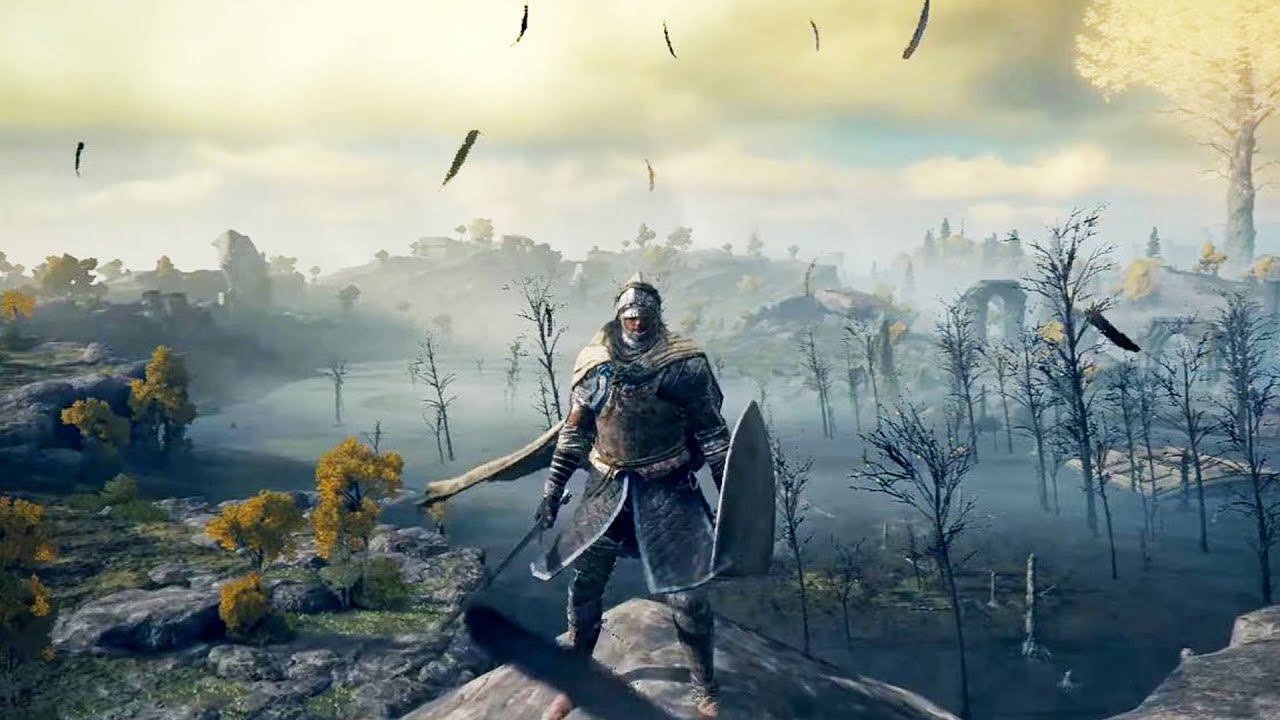
27s leaked gameplay video (Early Build) : https://www.reddit.com/r/Eldenring/comments/q9ibcs/reupload_of_the_27_second_gameplay_leak_youtube/
royal tartan
vital swan
Guys, how can I make my camera not follow my player vertically when he jumps?
I ...
short answer - configure the body settings of the camera not to do so
clever relic
Can I make the Cinemachine Freelook camera rotate/roll with my GameObject/Target?


I want the camera itself to match the rotation of the GameObject it's following.
ivory wraith
Check the Binding Mode.

@clever relic world space will ignore the rotation of the object, so "Lock To Target" should be what you wnat
It uses the local space of the target.
clever relic
Ty
I ended up using a C# script to change the camera Dutch to match the GameObjects rotation but I'll test out that later.
radiant cipher
Am i missing something or is there not a way to determine if a vcam is currently the active/live vcam in code? I'm trying to write an extension to change the culling mask for specific vcams so that i don't need to switch actual cameras for when i want a specific view to not render certain layers
radiant cipher
nevermind, i figured out that since i have to use Camera.main to change the culling mask i can just GetComponent<CinemachineBrain> and check if the ActiveVirtualCamera is the same as the one the extension is on.
radiant cipher
alright, the extension works and does what it is supposed to and successfully sets the culling mask to the one assigned in the inspector.
however now when i have this extension enabled it will transition to a vcam when I enable it, but when i disable that vcam it just refuses to transition back to the other. Both of them have this extension, but when the extension is disabled on the vcam I enable/disable before it has even been enabled then it will transition to and from that vcam just fine
public class CullingMaskExtension : CinemachineExtension
{
    public LayerMask CullingMask;
    protected override void PostPipelineStageCallback (CinemachineVirtualCameraBase vcam, CinemachineCore.Stage stage, ref CameraState state, float deltaTime)
    {
        var cam = Camera.main;
        Debug.Assert(cam != null, "Must have a camera tagged as MainCamera in the scene");
        if(cam.TryGetComponent(out CinemachineBrain cmBrain))
        {
            if(cmBrain.ActiveVirtualCamera == vcam)
            {
                cam.cullingMask = CullingMask;
            }
        }
    }
}
I've even tried changing the priority of the vcam when i enable/disable it so that it has a lower priority from the player's vcam when it gets disabled. but the CinemachineBrain still shows that there is no active vcam when that happens and i can clearly see that the disabled one is in fact disabled and the player's is enabled and in standby
 tulip seal
Hello, I'm trying to use split screen and cinemachine but when the second player appears, the cinemachine of the 1st player follow the second player. How can I fix the issue?
royal tartan
tulip seal
Hello, I'm trying to use split screen and cinemachine but when the second player...
Make sure your cameras are referencing the correct player objects. Hard to say more without knowing how you're getting your player reference
 gleaming moss
i have a freelook camera following & looking at my player, & the player rotates to face in the same direction as the camera through Camera.main but this makes it so that when the player moves sideways the camera has some sort of lag & the player ends up going in circles
both x and z damping are set to 0 on the camera and it's still happening
any ideas?
tulip seal
royal tartan
Make sure your cameras are referencing the correct player objects. Hard to say m...
The player is a prefab with its own camera and cinemachine. I just put this prefab into the Player Input manager and the player spawns when I press a key. Additional players appear when I use gamepads but they all share the camera of the last added players for some reasons

Here are two players. And the live camera of the cinemachinebrain of player one is a reference to playerfollowcamera of player two. So both camera follow player 2.

(the error in log is not related, just a minor oversight on my part)
THe thing is players are spawned automatically by the player input manager when I press a button. Why does the cinemachine brain of player 1 target changes when player 2 spawns? If only 1 player, the camera is ok. When I spawn player 2, player 1 camera becomes player 2. and when I add player 3, camera of player 1 and 2 become player 3.
Maybe cinemachinebrain doesn't work with instances but in a more global way? How can I change the target of cinemachinebrain after spawnig?
royal tartan
tulip seal
Maybe cinemachinebrain doesn't work with instances but in a more global way? How...
 subtle bison
sorry if this sounds dumb but i have never used cinemachine before how do i make it to the camera stays in a set position until the player starts to leave that screen then it follows them
royal tartan
Use the deadzone settings in the follow settings.
 royal tartan
Body settings
subtle bison
royal tartan
Body settings
what should the deadzone be that should be where it doesnt move
and how do i see the area its effecting
i got it working thanks
tulip seal
royal tartan
It's not a mystery.
https://docs.unity3d.com/Packages/com.unity.cinemachine@2.6/...
Oh great! Thank you so much. I saw a video about that but it was a bit too quick to understand. The documentation makes it clearer.
tulip seal
@royal tartan I'm sorry to bother you again but I'm still confused after giving your solution a shot regarding Cinemachine multiple camera. So I've set my player 1 to player1 layer and player 2 to player2 layer like the documentation said. However, the culling settings makes no sense in a split screen game. If I cull player1 layer in player 2 camera, player 1 will not appear anymore in player 2 camera. Considering this is kind of a shooter game, this makes no sense for players to not see each other.

So player 1 camera does follow player 1 when I cull player2 layer from the player 1 camera but that's not what I want. I want player 1 to be visible on camera 2 too. I can't cull the player2 layer from camera 1 and vice versa.
The behavior of brainmachine is weird because if I don't cull and I have 4 players, ALL my cinemachinebrain will select the virtual camera of the last player added automatically instead of following the virtual camera of their respective player. If I cull each layer like the documentation says, cinemachine does work and follow its own respective player but then, players can't see each other which makes no sense...
Is this a normal behavior or am I doing something wrong? Maybe cinemachine is not adapted to my need then but I'm a bit surprised such an issue was not reported earlier.
I just want cinemachine to follow their own player without culling any layer since all players should see the same things.
tulip seal
Ok, follow up from some more testing. I assumed my issue was from the fact that my player models were also added to the player layers, which the documentation actually never mentioned. So I tried to put them back on the Default layer so only the virtual camera gets culled.
Now, each camera does follow its own player and won't cull the other player, but the virtual camera position is now completely messed up and sticks to the inside of the player model or really close while it's working fine if only one player is added. So the settings should be OK for the camera but something else must be interfering maybe?

Does the virtual camera has issue with the model not being on the same layer?
tulip seal
OK, more testing again. I found out it's the camera collision filter setting in the virtual camera which causes the issue. If I remove the Default layer from the collision list, the virtual camera does move properly.
I think that should be all for my split screen game with cinemachine, everything seem to work properly after so many various issues, 4 days just on this... And I still want to add online multiplayer lol. I'll get there eventually 😄
Thanks again for the help 😄
(Found out the collision problem. I had removed the "Player" tag on my model which is why it collided. My mistake :x)
 vocal karma
Is there a way to make a character's head follow the active VC? Like if the third person cam is infront of a character, i want them to look into it
errant shard
vocal karma
Is there a way to make a character's head follow the active VC? Like if the thir...
Your camera with the cinemachine brain is functionally the "active VC"
vocal karma
errant shard
Your camera with the cinemachine brain is functionally the "active VC"
thanks, now is there a way to make a character's head follow the active VC?
errant shard
vocal karma
thanks, now is there a way to make a character's head follow the active VC?
Constraint components or the LookAt method, probably
 edgy nebula
Is unity supposed to crash if you try to render a recorder clip above 4K?
just wanna know if its a software limitation or a VRAM size issue
 fast orchid
It wouldn't be an option if it wasn't possible?
But of course it would require some heavy hardware and depends on the complexity of the scene and size of the view.
edgy nebula
fast orchid
It wouldn't be an option if it wasn't possible?
In custom resolution it dosent stop you It just warns you
fast orchid
Pretty sure I've done 8k before ... maybe it was just a screenshot though.
Curious to know what you'd need to do to go above 4k though?
edgy nebula
I wanted to torture my 2080ti with rendering 8k videos, i have no pratical use for it
its was running out of vram im pretty sure
 winter sable
hii
how do you setup a virtual camera for top down view ?
this is my current setup
the camera flips and the shakiness is too frequent
pastel glen
winter sable
this is my current setup
You aren't actually showing the relevant settings on your camera
 meager mortar
not sure if this in a cinemachine question but would anyone know why my camera is being goofy with these lines

nvm found issue
 tiny hazel
just upgraded to cinemachine 3.0, how would I successfully get a cinemachine component now with the new changes?
 errant widget
anybody knows how can i disable cinemachine 3rd person free look camera to rotate left right while im moving left right
nvm i got it


 wary totem
anyone know whats going on here?
wary totem
wary totem
anyone know whats going on here?
whats weird is that I think it is actually doing that focus offset only during the transition before reverting back to the focus target of the other vcams
restarting unity hasnt done anything
and outside of the timeline that vcam is still not focusing on the right thing
wary totem
wary totem
anyone know whats going on here?
the spot in focus in that first screenshot is absolutely not 999 units away from the vcam
wary totem
wary totem
whats weird is that I think it is actually doing that focus offset **only** duri...

okay fine ill reencode it
god taking screen recordings is a pain in the ass in windows lmao
setting the focus to a different object also hasnt done anything
this is really strange behaviour
it feels like i should be missing something but what else is left for me to be missing
the weirdly behaving camera is a duplicate of the other one so it shoudlnt have any weird different settings
i suppose i could work around this for now since this is meant to be just for a video
 late vine
wary totem
setting the focus to a different object also hasnt done anything
late vine
wary totem
setting the focus to a different object also hasnt done anything
I was using the dof volume extension as well for cm, I had a lot of just strange experiences with it. One thing I found out was that in the code for the focus, they calculate the magitude on the transform then do a mathf.max (0, distance) and set that as the focus distance value. In my case, this kept giving odd results and I wanted a more cinematic shot that I could control, especially as I wanted to move the camera and change the FoV on... In any case, I wrote my own custom DoF manager and used this video as a bit of inspiration for doing so, relevant part starts at 2:26
https://youtu.be/7od2j4s85ww?t=148

This is the first of a new series where I explore and play around with experimental design and coding ideas. Since the Post Processing video I had wanted to play around and try to control Depth of Field on a camera dynamically here's how it went...
Making Progress Bars: https://www.youtube.com/watch?v=J1ng1zA3-Pk
Custom Playables In Unity: http...
It's not cinemachine specific, but uses the same principal (You do have to hook into the cinemachine brain update for the camera if you want to raycast from the camera, otherwise you get a bent result since the cameras non-frame location is where the brain is in worldspace).
 coarse socket
Hey, where are the heading options? I have a orbit camera and I want the player to face the camera direction
 royal tartan
coarse socket
Hey, where are the heading options? I have a orbit camera and I want the player ...
royal tartan
coarse socket
Hey, where are the heading options? I have a orbit camera and I want the player ...
wdym by "heading options"?
coarse socket

Unity Forum
Recently I started using Cinemamachine and I decided to switch my third person camera to cm FreeLook camera and I was wandering if there is a way to...
royal tartan
Also to make the player face the camera direction would be something in your player controller not in cinemachine, no?
royal tartan
that stuff from your link is in the Axis Control section
royal tartan
coarse socket
So the controller script reads the data from cinemachine?
just from the camera i'd say
royal tartan
coarse socket
It isn't tho, there's nothing there. They must have removed it.
well the thing you're looking at would make the camera turn to face where the player is facing. Sounds like you want the other way around
honestly if you want this I'm not convinced FreeLook is correct for you
coarse socket
The game so far is a sphere that moves around, I'm trying to give it a third person camera. I tried making a script but figured cinemachine would be easier.
A orbit camera *
The tutorial said free look was it, I guess I'll try messing with the controller script
royal tartan
The point of FreeLook is to have the camera be able to look independently of the target
you can build an orbit camera in Cinemachine that isn't FreeLook
coarse socket
Aight, thanks for the help. I'll try looking for other options.
wary totem
late vine
I was using the dof volume extension as well for cm, I had a lot of just strange...
yeah I have done something similar before, this is more specifically for a film application but it's alright since I can just edit around it
thanks for the resources though
wary totem
got a new problem
in the timeline, Camera.main.transform is returning the position of the first cinemachine since the last cut
only when editing a value
if I'm scrubbing, Camera.main.transform.position will give me an accurate position based on where the camera actually is
but if I start editing another clip or something, Camera.main.transform is giving me the position the vcam with the highest priority
which is not where the camera is
this ray is drawn from the center of this ball to Camera.main.transform

but if I start editing a value without scrubbing or playing, it snaps to the vcam with the highest priority

even though the camera is visibly not there
cached scrubbing changes nothing (yes, i did cache the cam positions with the blue line and everything over the positions I was testing it)
it may have something to do with when the timeline update's the cameras position
all this code is ran on ProcessFrame()
 mellow sparrow
Is that how we make a first person camera with cinemachine?
How I try to make it is that -
I downloaded a character from mixamo, imported to unity. Made an empty game object and placed it inside the player in the hierarchy.
I added a cinemachine virtual camera and then I put an empty game object in "Follow".
errant shard
mellow sparrow
**Is that how we make a first person camera with cinemachine?**
How I try to ma...
Well, does it work like a first person camera?
I'd expect you want something more
You can use Unity's Starter Assets if you want an official first person virtual camera reference
mellow sparrow
errant shard
Well, does it work like a first person camera?
Yeah, but I'm able to see the insides of my character like textures
mellow sparrow
errant shard
I'd expect you want something more
You can use Unity's Starter Assets if you wan...
But they all use a cylinder, can I replace the cylinder with my character ?
mellow sparrow
mellow sparrow
Yeah, but I'm able to see the insides of my character like textures
Well, there might be a way if I put a script in that empty game object that it rotates and position itself as the same as the character's but idk if I should
I want some first person cam making tips with character. It's easy to make it for the cylinder but I can see the cylinder's shadow 🙂
errant shard
mellow sparrow
But they all use a cylinder, can I replace the cylinder with my character ?
You can but normally you don't have a player character rendered in in first person view at all
If you have a characater it's normally of type "shadows only"
late vine
mellow sparrow
I want some first person cam making tips with character. It's easy to make it fo...
I use a cinemachine vcam on a first person controller. What’s your issue?
vocal karma
I’m trying to recreate something like this (where the head and eyes of a character follow the camera) and was wondering if anyone had experience with it https://fxtwitter.com/leedoppo/status/1721962980622073999?s=46&t=NPZVzv7m8usTvve4kueRMw
カメラと親ノードの2つだけで基本的なカメラワーク全部作れると思う。複雑なリグは使ってません。(作れません…)
fast orchid
Unity's animation package can allow you to move bones to match a follow target, useful for the head. The eyes are done with shader magic.
wary totem
wary totem
but if I start editing another clip or something, Camera.main.transform is givin...
still having this issue by the way
getting the transform from CinemachineCore.Instance.GetActiveBrain(0) does not fix this at all
no idea why scrubbing or playing the timeline back would be fixing this when the literal camera transform is not there
dont really understand how its possible for an object's transform position to be literally different to what it actually is
gonna try see if it's maybe just instantaneously wrong and the value would be accurate if i waited a frame
it does not
i found a workaround
telling cinemachine to update manually seems to solve it
id rather not be doing that every single frame though
and i dont have a reliable way of the playable mixer knowing when the camera transform is innacurate
i might just be able to sneak it into the editor script that I wrote
its a little inconsistent
i really hate my solution but it seems to be functional enough
mellow sparrow
late vine
I use a cinemachine vcam on a first person controller. What’s your issue?
What is your method to do it ?
mellow sparrow
errant shard
If you have a characater it's normally of type "shadows only"
Ohh ok, so it only shows shadows but not the whole body. Then how people are able to make it like you can see the legs and hands and whole body but not face
I wanted to make a first person camera like the mirror's edge ??
errant shard
mellow sparrow
Ohh ok, so it only shows shadows but not the whole body. Then how people are abl...
They use a character model with legs and hands and whole body but not face
There are some tricks to make it work better
Often player arms are in their own "viewmodel" space rather than world space, which looks more natural but cannot easily interact with objects in world space
The legs could be rendered as view models also, but often they're in world space
So the body mesh is just torso and legs
A character's head often bobs up and down as they move, but a player camera does not for motion sickness reasons
Because of this the torso model is often stabilized to stick to the camera's position in some way, so they don't drift apart visually
mellow sparrow
So should I cut this player's face in blender and then put the camera on top of the body...?
errant shard
Dead Island has "full body awerness" so you can see your body and limbs in first person view
It had a bug that if you enabled third person camera you could see this first person dummy body and the animations
https://youtu.be/hXmZX8iz2SE
It very well demonstrates how different (and goofy) the dummy body animations need to be to look natural in first person view
It also shows the "stabilization"
mellow sparrow
mellow sparrow
So should I cut this player's face in blender and then put the camera on top of ...
But if this character comes in front of a mirror what will it look like ??
mellow sparrow
errant shard
Dead Island has "full body awerness" so you can see your body and limbs in first...
Oh okay
errant shard
mellow sparrow
But if this character comes in front of a mirror what will it look like ??
Mirrors (and shadows) would use the real, fully animated character model rather than the one you see in first person view
otherwise you reveal the illusion
mellow sparrow
Hmm.....🤔
Okay I see
errant shard
mellow sparrow
So should I cut this player's face in blender and then put the camera on top of ...
You'd want to remove the whole head
See how it works so far
Probably you'll discover that the player can look down to see the stump of the neck, and jumping may cause the torso to clip into the camera
But it depends on your use case
late vine
mellow sparrow
What is your method to do it ?
I use the "older" method, where it's a vcam on character controller and the mouse rotates the camera. I then have sets of arms on the transform for things like weapons, etc. I shut off the shadows on the arm meshes, hand items, etc.
I have attached vcams to rigged character armatures for other situations so it is possible to do. If you want the vcam to "see" the body you need a model where the skinned mesh for the head is separate. You can disable the mesh, but I find a better solution is to set the skinned mesh gameobject for the head to a different layer that's culled by the camera. Then for whatever reason, if you want to show your character with the face, you can turn that layer on which is more performant than enabling the renderer. So for example, when my player is killed, the vcam is attached where the head position is on the animated armature while a death animation to ragdoll process plays out. You also want to limit the rotation axis so that the camera frustum doesn't show any internal skinned meshes by accident, for example, down into the body mesh.
The other thing you need to do is make sure is that if you mount a vcam on the animated rig that the cinemachine update method clock matches whatever updates you're doing on the armature. So if you have IK code for example in LateUpdate, your cinemachine brain has to be set to late update as well or you might get stuttering. This was happening to me and I couldn't figure out why arms (holding a weapon for example) would stutter when using a vcam vs just using a regular camera. Here's the thread where Gregory explained what the solution was: https://forum.unity.com/threads/momentary-freeze-frame-stutter-on-transitions-in-hdrp.964202/
Another tip is to set your Skinned Meshes on your armature to "Update When Offscreen" since the transforms for some of the meshes might out of the camera frustum and won't show and may "pop" on or off at times making things look janky. Full body shadows can be tricky and may not be performant, for example if you have a full cinematic character rig (hair, eyelashes, etc) that you use for cinematic cutscenes, I suggest using a separate less-detailed one for the player controller one. By doing so, it you can turn off the shadows on a few things or leave out the mesh renderers entirely. That way you can have a simple silhouette for your character showing up on walls/floors and maintain a bit of control on performance.
 last lion
hey everyone , anybody knows where's the script for changing cinemachine cam gizmos color located?
just wanted to change the ring color of freelook camera!
last lion
btw here is an example of cinemachine + some free and paid asset from assetstore to create an dynamic and smooth camera system for a 2.5D game (maybe i can beat the PLAYDEADS INSIDE😁 WHO KNOW)!
 burnt ravine
Hi . I have two camera and make a transition from one to another in the timeline. Is it possible to have a Damping/Elastic effect (like in sport when the camera continue a bit then go pack to where it supposed to aim) on this transition?
errant shard
burnt ravine
Hi . I have two camera and make a transition from one to another in the timeline...
Using a custom blend I expect you could make a curve that resembles an elastic overshoot
burnt ravine
Yeah would probably find another way to do it.
I tried now to use State machine drived camera but the animator target is binded to the timeline which trigger the animations therefore the State driven camera doesn''t know that states have changed (because I delete the animator controller before starting the timeline). Any Idea to get the state change operate by timeline?
 karmic pecan
what is the correct way to rotate an orbital follow camera in script, right before activating it? Is it correct to just do something like below?
orbitalFollow.HorizontalAxis.Value = angle;
it doesn't work when I try
Nevermind, my bad. I was trying to change angle and activate the camera in the same frame, but the camera was being adjusted to a different angle. It got fine after I locked the range to the value I wanted
 rain solstice
I added virtual camera but it seeing the player from below. I can alter shoulder offer to change the position but how can I rotate it so that it see the player from front? Tried different settings didn't work

 deep niche
rain solstice
I added virtual camera but it seeing the player from below. I can alter shoulder...
deep niche
rain solstice
I added virtual camera but it seeing the player from below. I can alter shoulder...
at first look looks like youre missing the look at! try that and it should work!
 honest gull
how do I force a virtual camera to be active to a specific camera. I have a camera that's supposed to follow the character--it has the cinemachine brain and is tagged as the maincamera with a priority of 0 and outputs to a render texture. Then I have another camera that draws the render texture straight to the screen, untagged and no cinemachine brain and a priority of 100.
this worked before I added the render texture method, and it still renders the main camera as output but it won't follow the character until I hit this button:

then it works fine
royal tartan
honest gull
how do I force a virtual camera to be active to a specific camera. I have a came...
virtual cameras should not have brains
the brain / real unity camera should be completely separate
honest gull
the virtual camera does not have a brain?
royal tartan
no
royal tartan
I have another camera that draws the render texture straight to the screen, untagged and no cinemachine brain and a priority of 100
Is this talking about a virtual camera?
Or a Unity camera?
sounds like a separate Unity camera
honest gull
a unity camera. I have two cameras, one that is supposed to follow the character that outputs to a render texture(with the brain and maincamera tag) and the second camera that draws the render texture to the screen. The virtual camera is a separate object from those two
royal tartan
so the issue is what exactly? Trying toi figure out what's going wrong
honest gull
the camera will not follow the player until I hit the "solo" button
royal tartan
is this an issue of the wrong camera rendering to the screen?
honest gull
it renders fine, it just won't follow the player
royal tartan
Sounds like there's another enabled virtual camera in the scene
with a higher priority
the non-cinemachine camera seems like a red herring
honest gull
there are no other virtual cameras


those are my three objects
I can watch the virtual camera follow the player around the scene view, but neither of my cameras are attaching to it
seems it was a tagging issue
my follow camera was culling the default tag, which the virtual camera was tagged as
 opal estuary
Whenever I press play cinemachine only shows maincamera (which has cinemachine brain) but not the virtual camera I created even though I've set it's priority to 1)
 viscid current
I have a pixel perfect camera with a cinemachine and i want to make the camera bigger. My sprites are 16x16 so i have to put asets per pixel unit 16 and reference resolution 16x16. If i put multiples of 16 then the camera is too huge. So the only natural multiple is 32 wich is too big so what can i do in order to make the camera a little bit bigger.
royal tartan
opal estuary
Whenever I press play cinemachine only shows maincamera (which has cinemachine b...
wdym by "cinemachine shows"?
royal tartan
viscid current
I have a pixel perfect camera with a cinemachine and i want to make the camera b...
in lens settings of the virtual camera change the orthographic size of the camera
opal estuary
royal tartan
wdym by "cinemachine shows"?
What I am saying is only MainCamera is giving output in the scene, which is I have to say, far away from where everything else is placed
royal tartan
opal estuary
What I am saying is only MainCamera is giving output in the scene, which is I ha...
MainCamera is the only camera in the scene from your description
Cna you show screenshots of how everything is set up?
Virtual cameras don't render anything, they are just there to position the real camera
opal estuary

 opal estuary
royal tartan
Virtual cameras don't render anything, they are just there to position the real ...
opal estuary
royal tartan
Virtual cameras don't render anything, they are just there to position the real ...
Yeah but the thing is, it doesn't position anything unless I press Status: Standby Solo in game mode
royal tartan
opal estuary
Yeah but the thing is, it doesn't position anything unless I press Status: Stand...
you might have a similar issue as this person:
#🎥┃cinemachine message
Or you have a second virtual camera
opal estuary
royal tartan
you might have a similar issue as this person:
https://discord.com/channels/4892...
My camera isn't tagged as anything, neither is my virtual cam
royal tartan
similar issue not the same issue
opal estuary
Yeah but what could be the issue? I haven't used cinemachine that much in the past
royal tartan
opal estuary
show the rest of the screenshots?
You could have another virtual camera, as I said
 royal tartan
what's all that? Looks like remnants of a Freelook etc
what components are on all those things
 stable pasture
Hello, I’m trying to create a first and third person controller. How can I set the Body and Aim on the virtual camera in script? My plan is to change these in script for 1st and 3rd PV. Or would it be better to use 2 cameras for this and just enable and disable? I had a problem with this because both cameras were accessing the same Virtual Camera
I got up to virtualCamera.GetComponent<CinemachineVirtualCamera>().GetCinemachineComponent<CinemachinePOV>();
Oh wait
.AddCinemachineComponent was my problem
royal tartan
stable pasture
Hello, I’m trying to create a first and third person controller. How can I set t...
The preferred cinemachine approach is to use two virtual cameras and switch between them
stable pasture
Ok and then I change the Body and Aim of the Virtual Camera in script?
royal tartan
no need to change any body or aim configuration in script
preconfigure the two virtual cameras in the editor
and just switch between them either by setting their priorities or enabling/disabling
stable pasture
If I create two Virtual Cameras for POV and Third person follow, the two cinemachinebrains automatically select one of them and I can’t change it
royal tartan
stable pasture
If I create two Virtual Cameras for POV and Third person follow, the two cinemac...
why do you have two brains
stable pasture
Does each camera need a brain?
royal tartan
Wdym by "each camera"?
Unity camera?
Or Virtual Camera?
How many cameras do you need in your game? Is this a split screen game or something?
stable pasture
No for first person and third person view of a character
royal tartan
You should only have ONE Unity Camera with ONE brain
don't mix that up with the virtual cameras which are separate objects entirely
stable pasture
royal tartan
The preferred cinemachine approach is to use two virtual cameras and switch betw...
Ohh I see this got me mixed up for a second. Ok let me mess with it and see
royal tartan
stable pasture
Ohh I see this got me mixed up for a second. Ok let me mess with it and see
two virtual cameras not two cameras
stable pasture
royal tartan
two _virtual_ cameras not two cameras
Ok so testing it I just disable the one I’m not using and the camera snaps to the other Virtual Camera that is enabled. Is that the proper way?
royal tartan
stable pasture
Ok so testing it I just disable the one I’m not using and the camera snaps to th...
You can either do that or adjust their priority values
both are correct ways
stable pasture
royal tartan
both are correct ways
Awesome thank you
 tardy peak
        movement = new Vector2(Input.GetAxisRaw("Horizontal"), Input.GetAxisRaw("Vertical"));
        Vector3 direction = new Vector3(movement.x, 0, movement.y).normalized;

        if(direction.magnitude >= 0.1f)
        {
            float targetAngle = Mathf.Atan2(direction.x,direction.z) * Mathf.Rad2Deg * cam.eulerAngles.y;
            float angle = Mathf.SmoothDampAngle(transform.eulerAngles.y, targetAngle, ref turnSmoothVelocity, turnSmoothTime);
            transform.rotation = Quaternion.Euler(0f, angle, 0f);


            Vector3 moveDirection = Quaternion.Euler(0f, targetAngle, 0f) * Vector3.forward;
            controller.Move(moveDirection * 3 * Time.deltaTime);
        }
Hey guys, basically i wanted to make player turn and follow camera direction smoothly, unfortunately something is happening that i don't know. please help me out.
 hushed lotus
adding cinemachine adds mouse acceleration and does weird shit. what do i do
edgy nebula
edgy nebula
its was running out of vram im pretty sure
I was, with 24gigs of vram i can render in 6k 60fps, but 8k generates a null video file so i guess 6k is the limit
 craggy lichen
I got a question about the CinemachineImpulseListeners. Can those play more than one signal at the same time? And if yes, how many and where do i find that information?`
royal tartan
craggy lichen
I got a question about the CinemachineImpulseListeners. Can those play more than...
They will respond to all impulses on the selected channels
I don't think you need to do anything special
ivory wraith
hushed lotus
adding cinemachine adds mouse acceleration and does weird shit. what do i do
You're getting input twice
the player is rotating, and the camera is also doing its own POV aiming
hushed lotus
thank you
ivory wraith
If you already have first person aiming, you can just use "Same as Follow Target" for the vcam's aim
hushed lotus
if i do that, i only get horizontal turning
hushed lotus
ok thank you
craggy lichen
For future searchers of the terms: Cinemachine, Impuls, listener, shake, return, zero, origin, adding up error
The 'CinemachineImpulseListener' does not like being in a hierachy.
Unity Forum
I use Cinemachine Impulse Listener and Cinemachine Impulse Source to generate a shaking effect but it won't return to its original position after...
 faint warren
im going to make a base camera and an aim camera for my third person action game and i was wondering how to rotate the camera towards the player?
the player holds their dual pistols in front of them and id like for both guns to be visible
late vine
faint warren
the player holds their dual pistols in front of them and id like for both guns t...
You might want to look into the Orbital Transposer for cinemachine. I use it to pivot around a vehicle in my game, much like a 3rd person camera.
faint warren
I'm having issues with my second aim camera and that it recieves no impluses while my main camera does
both have impulse listeners with exact same settings so im not seeing the issue
 vocal imp
any input on how to fix this?
maybe if i can get the normal camera to be behind the aim camera?
how would i do that
faint warren
i think you should rotate both cameras at the same time
vocal imp
how would i do that
faint warren
im using a 3rd person follow camera and im rotating the object that both cameras are following
the object im using is a child object of the player
vocal imp
youre taking mouse input and rotating a camera holder object?
faint warren
yeah the mouse delta
vocal imp
i see
faint warren
i was doing that before i put in cinemachine so im not sure if thats the best way for cinemachine
vocal imp
both of them are freelook cameras
faint warren
uh are you making a 3d third person game? or something else
vocal imp
yea third person game
faint warren
based on a tutorial i saw it used a virtual camera
an official unity one so i suggest using that type of cam
vocal imp
i dont think switching to a virtual camera would solve the problem at hand tho
faint warren
i assume your second camera is for like aiming?
vocal imp
yes
faint warren
or a zoomed in view?
vocal imp
both are freelook cameras
faint warren

In this video, we’re going to look at how we can set up a third-person camera using the new Aiming Rig of Cinemachine 2.6, and how we can use Impulse Propagation and Blending to create additional gameplay functionality for our camera controller.
Download this project here!
https://on.unity.com/36nVNzt
Learn more about Cinemachine 2.6 here!
htt...
i followed this tutorial to make my cams
there might be a project of this tutorial to look at it more closely
im new to cinemachine as well so i can only tell you how i did mine
subtle bison
can anyone help me im trying to make a third person character controller and im really confused for the camera portion
and i want it so moving the camera rotates the player aswell
main problem rn is the sensativity is like really low
and other thing is when i turn where i look i want to rotate my player
 slender dawn
In this video, we’re going to look at how we can set up a third-person camera using the new Aiming Rig of Cinemachine 2.6, and how we can use Impulse Propagation and Blending to create additional gameplay functionality for our camera controller.
Download this project here!
https://on.unity.com/36nVNzt
Learn more about Cinemachine 2.6 here!
htt...
 mystic cloak
my camera is moving around on its own in the editor, its just inching along, how can i fix this
 mental pasture
Hey Cinemachiners!
I still want the original obj as be in view while target is being looked at.
Used to originally set a client correctly with my CinemachineFreeLook.
 vc.Follow = obj;
 vc.LookAt = obj;
Used to set the client as the target for look at.
vc.LookAt = target; // passed in as the other client
More a camera positioning angles question I'd like to fix up you can see from the video.
I still want the original obj as be in view while target is being looked at.
Thanks.
Shall try to implement above ^
 supple notch
Howdy!
Am I being silly or is m_lookaheadtime not in CinemachineVirtualCamera
I'm getting the following error
'CinemachineVirtualCamera' does not contain a definition for 'm_LookaheadTime' and no accessible extension method 'm_LookaheadTime' accepting a first argument of type 'CinemachineVirtualCamera' could be found
I'm using cinemachine namespace and as far as I can tell, that's the correct name for the property
mystic cloak
is there a way to make the camera go backwards instead of having the FOV change?
like a max distance instead of fov?
royal tartan
supple notch
Howdy!
Am I being silly or is `m_lookaheadtime` not in `CinemachineVirtualCamer...
I don't think that's ever been part of CMVC. That sounds like a property that would be on a Cinemachine component like Transposer for example
ivory wraith
mental pasture
https://stackoverflow.com/questions/66876106/unity3d-cinemachine-how-can-i-lock-...
I implemented exactly this recently.
The gist is to use the Target Group component.
I did have to make a custom component for one little thing. I'm using the Deoccluder to keep the camera in-bounds
but, since the deoccluder checks if the view of the Look At target is blocked, it would go nuts when a wall got between the player and the enemy
since the target, being positioned between the two, went inside the wall
i just copied the entire thing and tweaked it so that it uses a custom target instead of the camera's target, and it works great
mental pasture
ivory wraith
I implemented exactly this recently.
Ok Cool!
Are you using a FreeLook or a Virtual ?
Target groups did not work for me ;*(
mental pasture
ivory wraith
I did have to make a custom component for one little thing. I'm using the Deoccl...
This is what I'm interested in!
ivory wraith
Ah, that's going to be an important difference
Cinemachine 3.0 got rid of the "free look" camera. You use a regular virtual camera for that now
 wind rune
👋🏽 , can someone lead me on the right track:
How i can get an additional (virtual) camera displayed within the ui?
Like i add a security camera and now want the camera view within my ui.
I read i need to make a render texture, but i can't find a matching output setting on the virtual camera object where i could assign it.
 errant shard
wind rune
👋🏽 , can someone lead me on the right track:
How i can get an additional (virt...
errant shard
wind rune
👋🏽 , can someone lead me on the right track:
How i can get an additional (virt...
Virtual cameras don't handle that
They move real cameras around
You need a real camera that outputs to a render target texture, which is controlled by its own virtual cameras
In CM 2.9 virtual cameras control cameras by layer, in CM 3.0 they do it by "channel"
Look up the applicable instructions
wind rune
Thanks, for the answer! Would have searched on the Virtual cam the whole day
 errant shard
wind rune
Thanks, for the answer! Would have searched on the Virtual cam the whole day
errant shard
wind rune
Thanks, for the answer! Would have searched on the Virtual cam the whole day
There will be no mysteries if you read the first two or three chapters of the Cinemachine documentation
They are important for understanding the idea behind virtual cameras and how they function fundamentally
wind rune
Cheers, i wasn't sure what's even a way todo it, just read about render textures. I've done some stuff with cinemachine, like changing stuff on runtime or switching between different virtual cams. It seems for what i need, i'm better off switching the player virtual cam to the one i want in the UI, and disabling the UI components, i guess 🤷🏽♂️
errant shard
wind rune
Cheers, i wasn't sure what's even a way todo it, just read about render textures...
From your description it sounds like you want two separate cameras with their own sets of virtual cameras
Not switching one for the other
wind rune
errant shard
From your description it sounds like you want two separate cameras with their ow...
The player should be able for example pressing security button, now the UI should display the security camera within the UI. Like that:
https://cdn.discordapp.com/attachments/763497743976497222/1188515535625912480/image.png?ex=659ace59&is=65885959&hm=93051e20287ccfac3f1a9c78bc90c4f64983b672fd71ced65fa43f385268fb94&


 sturdy cedar
Hey y'all, I'm using Cinemachine 3 and trying to use the IInputAxisReader.GetValue() Method to get an input value in my InputAxisController. I'm confused as to what to set the "Object" to. Obviously some kind of UnityEngine.Object, but it defines this object in the InputAxisController as "The owner object, can be used for logging diagnostics". Is this something to do with IInputAxisOwner?
royal tartan
sturdy cedar
Hey y'all, I'm using Cinemachine 3 and trying to use the IInputAxisReader.GetVal...
It's just for logging purposes, a context object like in Debug.Log
sturdy cedar
It's not letting me just throw in a random float like with Debug.Log, needs to be an object, and when I set it to be an object the object needs to reference something and I dont know what to reference
royal tartan
sturdy cedar
It's not letting me just throw in a random float like with Debug.Log, needs to b...
Yes it has to be UnityEngine.Object, just like in Debug.Log
I'm talking about the second parameter btw
The context param
If you don't care about it it's probably fine to just use null tbh
You're talking about an interface here and it's unclear which implementation of that interface you're dealing with.
sturdy cedar
I've never used the second parameter with Debug.Log 😅
I've tried setting it to null, still wants an object "An object reference is required for the non-static field, method, or property 'IInputAxisReader.GetValue(Object, IInputAxisOwner.AxisDescriptor.Hints)'"
"interface Unity.Cinemachine.IInputAxisReader" from Cinemachine 3.0.1 🤷♂️
Maybe I'm going about this completely wrong, am new to this stuff
royal tartan
sturdy cedar
I've never used the second parameter with Debug.Log 😅
I've tried setting it to...
that error has absolutely nothing to do with the parameter
you are trying to call the function statically instead of on an object reference
i.e you did IInputAxisReader.GetValue(...) instead of the correct someAxisReaderReference.GetValue(...)
sturdy cedar
i seeeeee I think I got it
royal tartan
Maybe we shoukld back up. What are you trying to do here? Is this some custom input handling?
sturdy cedar
Just need something to be affected by how much you move the mouse, so just want to grab the input values of my input axis controller for my script, dont need to change or set anything
royal tartan
Why go through Cinemachine for that?
sturdy cedar
Need the exact rotation the mouse sets, including all the gain. I could maybe just recreate it myself but I feel it made more sense to just grab the value it was using
Null not working :(
Now that I'm looking through, this probably wouldnt take gain into account
Struggling to find that value, would expect it somewhere like inputAxisController.DrivenAxes.LookY.InputValue kinda like it worked in Cinemachine 2
But those values are slightly different between versions it looks like. In Cinemachine 2 it was just the raw value, in Cinemachine 3 it looks like the value with gain, which is what I want
The path to the value is this m_ControllerManager.Controllers.Array.data[1].InputValue but I have no idea how to access that from my script
sturdy cedar
got it, inputAxisController.Controllers[1].InputValue
mental pasture
mystic cloak
my camera is moving around on its own in the editor, its just inching along, how...
Okay got a good solution working but is there any alternatives to damping?
I'm using client side prediction and without camera damping the object 'vibrates/jitters' when it moves from the camera perspective.
I need a more fixed camera view, damping isn't ideal.
 analog crystal
Any ways to smoothly blend the transition from a noise to another through C# code?
My code:
private void SetCameraHeadbobProfile(NoiseSettings data)
    {
        CinemachineBasicMultiChannelPerlin multiChannelPerlin =
            _vcam.GetCinemachineComponent<CinemachineBasicMultiChannelPerlin>();
        multiChannelPerlin.m_NoiseProfile = data;


    }
This works, but the change is instant, are there any ways to make it smooth? I'm new to cinemachine
 jade fulcrum
So rn im using the Vcam to follow the player character
But when bouncing from scene to scene
I need to reinitialize the vcam to player position
so I use this code to get the vcam initialized
void Start()
{
    vcam = GetComponent<CinemachineVirtualCamera>();

    vcam.Follow = PlayerControlScript.GetInstance().gameObject.transform;
}
And it seemed to work fine since when checking the vcam component in does say to follow the player
But it doesnt actually do it
It just freezes in place
This is the resulting inspector after the code

The player is already attached to the follow component of the vcam
But when I move him around
it didnt follow at all
 weak turret
well im not using cinemachine (atm) but i do have a camera question:
I have a fixed camera on a topdown map for a tower defence game. how do i make sure the camera always shows the same porpotion of the map, no matter the screen resolution. because atm, my ui scales, but the camera space always shows different porpotions of my map. I do not want to scale my entire map and all objects on it..
maybe cinemachine has a buildin solution?
royal tartan
weak turret
well im not using cinemachine (atm) but i do have a camera question:
I have a fi...
Adjust the zoom (fov or orthographic height) based on aspect ratio
You will need to decide if you're trying to preserve height or width, because you can only do one or the other
Cinemachine won't help with this
errant shard
Monitors have different aspect ratios so it's not possible to always show the proportions
But you could use some type of cropping or safe areas to restrict visibility for very wide or tall monitors
weak turret
wider screens are not the issue. smaller or different hights are

 royal tartan
Differing aspect ratios are always the problem here
"different height" is exactly the same as "taller" so...
royal tartan
Ultimately it's the aspect ratio that matters.
errant shard
I guess there's some way to restrict the render resolution itself, but Unity really isn't designed for that
It would prefer to adapt to every screen resolution and aspect ratio, and that you do the safe areas in-scene
royal tartan
Letterboxing is an option sure. The other option is zooming as mentioned above
weak turret
never heard of that, but hey.. there is an auto letterbox asset for free in the store.. im gonna try it lol
thanks for the help. @royal tartan @errant shard
the plugin works like a charm
 tranquil berry
jade fulcrum
How to use Cinemachine for cutscenes
tranquil berry
jade fulcrum
How to use Cinemachine for cutscenes
Use a cinemachine track in Timeline
jade fulcrum
When I turn it off or on
It always like
snaps back
So it doesnt operate too smoothly
subtle bison
hey so im using a cinemachine camera how do i make it so the camera cant go down past a certain point
because as you see my camera goes through the ground
 errant shard
subtle bison
hey so im using a cinemachine camera how do i make it so the camera cant go down...
errant shard
subtle bison
hey so im using a cinemachine camera how do i make it so the camera cant go down...
Look into Confiners
Those are only necessary if your camera can move up and down though
If it doesn't need to move vertically, but you still want it to follow your character horizontally, you can use soft zone settings to make it ignore vertical follow target motion
subtle bison
well i need it to move vertically so i will look into confiners
is there a confiner that just lets me have it not go past a certain point
i want it so the camera cant go past that collider

i dont want to set a area to confine it to just that it cant go past that
errant shard
subtle bison
i dont want to set a area to confine it to just that it cant go past that
Hmm if you don't think a confiner is practical another option might be to attach an empty gameobject to your player using a script that inherits its position in LateUpdate, but clamped to the lower limit position
That empty would then be your follow target instead of the player
 potent flame
I have a virtual title screen camera, that I disable (disable component) when the game starts, and the follow cams take over as they have lower priority. When I hit the menu button to go back to my title screen I reenable the title cam (which now has a higher priority) and I can see it moving around, but it has a red frustum border and the game view doesn't show that cam. the cm brain live blend shows: [MainMenuCamera] 0% from [FollowCamera]. Does that sound familiar to anyone? what am I missing?
potent flame
potent flame
I have a virtual title screen camera, that I disable (disable component) when th...
I've set custom blend to cut to the main camera from any camera (which is a better solution for me) but I'd still like to understand why it didn't work if a transition was what I needed.
Do the camera transitions use unscaledTime? I wonder if this has anything to do with pausing my game using Time.timeScale?
errant shard
potent flame
Do the camera transitions use unscaledTime? I wonder if this has anything to do ...
Iirc you can set the time scale unit somewhere, the Brain perhaps?
 gritty lynx
How do I get the CinemachineInputAxisController to read from MyInputActionsMap instead of the CinemachineDefaultInputActionsMap. I'm in multiplayer, If I set the PlayerIndex to my InputPlayer's index, it doesn't read anything, and I can't switch to using MyInputActionMap. It seems to be locked on the defaults.
gritty lynx
gritty lynx
How do I get the CinemachineInputAxisController to read from MyInputActionsMap i...
I figured it out, subclassed CinemachineInputAxisController and override InitializeControllerDefaultsForAxis and was able to use my own default map.
 still kindle
I am using cinemachine and i am using the FreeLook Camera. When i goto the game view, it says there are no cameras rendering
im very confused and i have been looking around the internet for a while
even after restarting unity it still says no cameras rendering
errant shard
still kindle
I am using cinemachine and i am using the FreeLook Camera. When i goto the game ...
Well do you have actual cameras?
still kindle
no
errant shard
still kindle
no
That seems to solve the mystery
Remember that Cinemachine works using virtual cameras
still kindle
bruh adding a camera literally just uses the camera
so im stil lconfused
sorry if i seem stupid
errant shard
still kindle
bruh adding a camera literally just uses the camera
https://docs.unity3d.com/Packages/com.unity.cinemachine@2.9/manual/index.html
You should read the first few chapters of this documentation
Cinemachine virtual cameras control cameras, they're not cameras themselves
still kindle
ok
errant shard
still kindle
ok
While I'm usually the kind of type to wing it, the doc is well written and gives you a lot of insight how to work with Cinemachine to its full potential
still kindle
yeah im figuring it out now. im just having more problems that i assume most beginners have, and this isnt the place to discuss tho haha
thanks for the help
 pale delta
Heya, I am new to Cinemachine. How can I go about making it so that it can both follow my player and my mouse aim(crosshair) in a top down setting (camera X rotation at 90)? I tried googling on the topic but haven't been able to find any good help yet. This is in 3D. Lots of sources for 2D but not so many for 3D.
royal tartan
pale delta
Heya, I am new to Cinemachine. How can I go about making it so that it can both ...
Cinemachine target group
pale delta
royal tartan
Cinemachine target group
Alright nice. Tried adding it and it seems to achieve some of the functionality. The current problem is that I can move the mouse indefinitely.
What I am trying to achieve is a static zoom that doesn't change. I was thinking the Framing Transposer would do this.

 royal tartan
pale delta
Alright nice. Tried adding it and it seems to achieve some of the functionality...
royal tartan
pale delta
Alright nice. Tried adding it and it seems to achieve some of the functionality...
You can enforce a limit on the mouse object distance or a limit on the camera zooming etc
pale delta
royal tartan
You can enforce a limit on the mouse object distance or a limit on the camera zo...
Ok thanks. I tried limiting camera zooming but I will look into that.
 umbral bronze

How can I avoid this camera jitter with the dolly?
Increasing resolution just makes it steeper on the opposite end
 pale delta
umbral bronze
pale delta
umbral bronze
Haven't tried dolly but not an issue of smoothing?
umbral bronze
I have the Y Damp set up but its damp is perty fast
errant shard
umbral bronze
Tried adding more points to it? I think even without the snap, it has to do a jarring jolt regardless when the angle is so sharp
umbral bronze
I'll try that
wish there was a tool where you could adjust the angle around them like a bezier curve
 cursive hill
i've got a problem where i have 2 cinemachine virtual cameras, by pressing t you can switch between the two. for some reason when you switch from the first camera to the second(which has its own position already) the second cameras position resets to 0,0,0. anyone have any advice with this issue? the only script that interacts with these two cameras just enables and disables them when switching
royal tartan
cursive hill
i've got a problem where i have 2 cinemachine virtual cameras, by pressing t you...
the position of the vCam will be determined by its Body settings
so presumably you have something wrong there
cursive hill
royal tartan
so presumably you have something wrong there
that was exactly it, i had the position set but not the shoulder offset. thank you for the help
 neon shale
how can I override my state machine camera with a non-state driven camera temporarily? i want to have camera zones with fixed cams override the current freelook camera in certain areas
royal tartan
neon shale
how can I override my state machine camera with a non-state driven camera tempor...
Increase the priority of some other virtual camera to be higher than the state driven one
 steel bone
any idea how to track down why hundreds of these cm objects are spawning when i start a scene
 royal tartan
steel bone
any idea how to track down why hundreds of these cm objects are spawning when i ...
royal tartan
steel bone
any idea how to track down why hundreds of these cm objects are spawning when i ...
Are you destroying a CinemachineVirtualCamera component from something?
steel bone
Hmm no, I don't believe so
Will check though
Noticing some strange behavior beyond just the cm, actually. My scripts become Mono Script during play mode
I must of messed something up beyond just cinemachine
steel bone
royal tartan
Are you destroying a CinemachineVirtualCamera component from something?
deleting my library folder and relaunching unity fixed everything, thank you
umbral bronze
Is there a way to change the dolly track the camera is following in code?
I'm trying to replicate a Mega Man like screen transition and having a continuous dolly track is extremely finnicky when dealing with the Y axis. I want to have multiple dolly tracks in the level that the camera would switch to when screen transitioning
Doing it in editor works well, I just need the reference in code to do it in gameplay
royal tartan
umbral bronze
Is there a way to change the dolly track the camera is following in code?
better option is just two vCams, one for each track
switch to the other camera as needed
umbral bronze
Would the camera actually transition well to and from it?
umbral bronze
Thanks, I'll check it out
 jaunty haven
How do you set camera dampening in the new update? Can't find it anymore
ivory wraith
jaunty haven
How do you set camera dampening in the new update? Can't find it anymore
it's going to be on the position and rotation control components.

e.g.
 lunar iris
Does any one know my camera keeps zooming out. i added cinemachine and added a free look out
my settings

my code
 sacred aurora
lunar iris
Does any one know my camera keeps zooming out. i added cinemachine and added a ...
sacred aurora
lunar iris
Does any one know my camera keeps zooming out. i added cinemachine and added a ...
looks like you are moving your camera along the y axis, you can see this by looking at the value in in the y-axis section.
so either your input is broken (sticky joystick) or bad mouse, or you are accidentally calling that input through code.
as for zoom, your FOV value isn't changing so it really does look like it is just because of your y input causing the camera to move up along the orbit, which depending on how the orbits are setup, the further away the camera goes, the further away your object looks .
neon shale
i am using the freelook camera, but if i hold left moving my player left, the camera rotates too, causing the player to walk in circles. how can I change this? left should be left
also for example when I move to the bottom corner of the screen, the camera starts to rotate
(trying to replicate p5's camera in exploration)
neon shale
https://pastebin.com/3FJuff4a this is my character controller
Pastebin
Pastebin.com is the number one paste tool since 2002. Pastebin is a website where you can store text online for a set period of time.
sacred aurora
neon shale
i am using the freelook camera, but if i hold left moving my player left, the ca...
You might want to mess around with the binding modes. that's the intended results you are seeing with simple follow with world up
neon shale
sacred aurora
You might want to mess around with the binding modes. that's the intended result...
which one would work best for stopping the rotation?
sacred aurora
neon shale
which one would work best for stopping the rotation?
test them all out if need be, just start your scene and swap the setting till you find what you are looking for
vocal karma
im confused, did i accidently press a button? timeline i can no longer blend cameras by dragging them over eachother
 deft yew
Is there any built in CCTV like camera in cinemachine? or do we have to program that kind of motion
Fixed Position, but we can look around
errant shard
deft yew
Fixed Position, but we can look around
Should be plenty like that
You can get fixed position just by not having any scripts or settings that move the position
Many vcam presets use input for rotation
 gaunt parrot
does cinemachine has a inbuil feature where I can rotate around my player using right mouse button or do i need to implement that myself.
errant shard
gaunt parrot
does cinemachine has a inbuil feature where I can rotate around my player using ...
Rotating around yes, but by default it requires no button press
gaunt parrot
i guess i can trigger that functionality with code
royal tartan
deft yew
Fixed Position, but we can look around
One of the main Cinemachine tutorial videos is like that.
deft yew
royal tartan
One of the main Cinemachine tutorial videos is like that.
thanks got it working.
Also can we not set the STACK of each virtual camera? I have one camera that renders the gun on top of the world yk so that it is not clipped. but I have other camera to which my Main camera transitions to in some cases. I do have one property for the main camera but If I set the main camera to stack the gun on top of the world then If I transition to the cctv camera the gun would still stay over in the cctv camera view. I want something like when the current camera is player camera then the gun is visible ( stacked on top of the view ) but when the active cinemachine camera is cctv then it wont show
royal tartan
deft yew
Also can we not set the STACK of each virtual camera? I have one camera that ren...
Camera stacking has nothing to do with Cinemachine. That's something you do with the normal camera hierarchy
Disable your gun cam when in CCTV mode if you need
 tawdry ember
Hello everyone, as a new student I'm having trouble switching my virtual camera's when entering a new room set by colliders - a dm would be greatly appreciated - I am close to quitting my course 
errant shard
tawdry ember
Hello everyone, as a new student I'm having trouble switching my virtual camera'...
Can you show your work so far?
tawdry ember
errant shard
Can you show your work so far?
I have used this code to set up the trigger and made both my virtual camera inactive - yet it doesn't seem to trigger any camera
public class Room : MonoBehaviour
{
    public GameObject virtualCamera;
    public virtual void OnTriggerEnter2D(Collider2D collision)
    {
        if (collision.CompareTag("Player") && !collision.isTrigger)
        {
            virtualCamera.SetActive(true);
        }
    }

    public virtual void OnTriggerExit2D(Collider2D collision)
    {
        if (collision.CompareTag("Player") && !collision.isTrigger)
        {
            virtualCamera.SetActive(false);
        }
    }
}
What's meant to be the purpose of !collision.isTrigger?
Also, if you haven't already check that the virtualCamera reference has been dragged in, player has the "Player" tag and that the colliders that are meant to be trigger have the trigger checkbox enabled
And that there are no errors in the console
As far as I can tell, the collision class has no isTrigger and it doesn't make sense to check that something is not a trigger in an OnTriggerEnter event anyway
Your IDE should warn you about that one
Nevermind, it's not a collision like I read it as
It's not an error but I'm not sure why it's there
As the first thing you'll want to check that something is happening when the trigger is being entered, so you'll want a Debug.Log right before the if statements in the OnTrigger events
tawdry ember
Okay, I will try that, thankyou!
errant shard
tawdry ember
Okay, I will try that, thankyou!
If you can't get the Log to print in console before the if statement, that means there is no trigger contact with a rigidbody when there should be
If it does print, then you can move the Log below the if statements, so you can debug those too
I'd remove the && !collision.isTrigger unless there's some reason for having it that I'm not seeing
stable pasture
Hello, I currently have a first person and third person virtual camera that work fine. Although, I don’t like how objects seem to stretch when going towards the peripherals. I pretty much have the default setup, including 60 vertical FOV. I played around with making them “physical cameras” which helped, but wasn’t sure if this is the preferred approach
deft yew
Vertical Range values are global? How to make them local and change according to the target object. If target object is rotated the min max should also change. basically restrict the rotation based on the target.

 vocal imp
hi, im still facing this issue
dont know what to look up to get a fix
errant shard
vocal imp
hi, im still facing this issue
dont know what to look up to get a fix
What's "this issue"?
vocal imp
when the two cinemachine cameras are like opposite each other the camera goes nuts (no clue how to describe it lol)
i think the ideal solution would somehow be to get the direction the player is facing when aiming and move the other camera behind that
    public void startAim () {
        crosshair.SetActive(true);
        camState = cameraState.aiming;
        aimCam.Priority += 10;
    }

    public void endAim () {
        crosshair.SetActive(false);
        camState = cameraState.exploration;
        aimCam.Priority = 0;
    }
this is the code that controlls the aiming ⬆️

they're both freelook cameras btw
 patent island
I have been following along with these great tutorials however I am having what I believe is a common issue. None of my efforts have fixed this yet. The camera does not move when the view of the player is occluded. Some notes: I am using the FreeLook Camera (following the tutorials), I have tried the Cinemamachine3rdPersonAim extension. I attempted to use the Virtual Camera and set its settings to 3rd Person Follow but it is just a huge mess and does not work anyway, and breaks my existing work following the tutorials. Would anyone be able to help guide me on how to simply add collision avoidance to my existing controller. Any help would be greatly appreciated!
Following these tutorials: https://www.youtube.com/watch?v=CS7MudfyDzM&list=PLyBYG1JGBcd1E4CigRSDE9YdH8syiDY6-&pp=iAQB


This video shows how to create a third person character controller using synty assets and chinemachine.
►Next video in the series: https://youtu.be/_I8HsTfKep8
Assets used in this video:
► Synty POLYGON - Starter Pack: https://assetstore.unity.com/packages/3d/props/polygon-starter-pack-156819
► Cinemachine: https://unity.com/unity/features/...
lunar iris
Hi can you pause cinemachine. For instance when im in a dialouge i can still roate
royal tartan
lunar iris
Hi can you pause cinemachine. For instance when im in a dialouge i can still roa...
what controls rotation?
lunar iris
royal tartan
what controls rotation?
Sorry i fixed it. i set up a sequence camera and swapped it when im talking.
 strange juniper
I am using the virtual camera of Cinemachine, but sometimes the camera changes the Position to some weird place and because of the CinemachineBrain I am not able to change this. Simply turning the CinemachineBrain off and on again doesn't work.
umbral bronze

I'm on a tracked dolly, the resolution is as low as possible, why is my camera swaying up and down on this completely straight path?
 empty shoal
hey im new to unity and needed a little help sorting my cinemachine camera to follow a target group
would anyone be available to help me out with that
 ember basin
Went to add some noise to my cinemachine virtual cameras and it completely broke my cameras and won't read input anymore, even reverting changes and going back to previous versions of my game. not here to ask for advice, just here to say i hate cinemachine lmao
errant shard
ember basin
Went to add some noise to my cinemachine virtual cameras and it completely broke...
You're the first one in my years reporting both that issue as well as hate for the system
Did the problem occur using the 2.9 version or the new 3.0?
Just for the sake of me and others I'd like to know any relevant clues to solving it as well
errant shard
empty shoal
hey im new to unity and needed a little help sorting my cinemachine camera to fo...
I believe Cinemachine's importable samples have an example of a target group setup, which you can get from the package manager on CM's page
Also, make sure to check out what the docs say about the target group
errant shard
strange juniper
I am using the virtual camera of Cinemachine, but sometimes the camera changes t...
What do you mean "not able to change this"? the CM Brain only keeps the real camera attached to virtual cameras, which move using whatever logic assigned to them
strange juniper
I don't know but I just programmed a simple camera movement, in the handygame the camera just moves up so it is not a big deal.
neon shale
in my game, I currently use a cinemachine state-driven cam to transition from exploration state to battle state. when we enter arena id 1, the camera's state machine transitions checks that condition and goes to cam 1 of that arena. however, I want to be able to change the camera angle in battle to allow for animations such as close-ups of characters attacking. is there a way i can have multiple "layers" to the state machine, so that we can do
explorationstate:
if cam == 1: goto arena1
arena1:
if attack == 1: goto attack1
if battleend: goto explorationstate
``` etc lavish fractal
Hi, in my project I use cinemachine with 3rd Person Follow so that the camera moves towards the player when obstacles ar between camera and player.
Everything works fine when playing in the unity editor.
When playing a WebGL or Windows build, then everything works in the beginning but then one time when moving towards the player, the camera flashes back and doesnt work anymore until the scene is restarted.
Can you imagine why it works in the editor but not in the build and how to fix that?
 neon shale
in my game, I currently use a cinemachine state-driven cam to transition from ex...
neon shale
neon shale
in my game, I currently use a cinemachine state-driven cam to transition from ex...
it's been days, does anyone know the answer to this?
errant shard
neon shale
it's been days, does anyone know the answer to this?
You can enable a vcam with a higher priority temporarily to take over from vcams with a lower priority
If you're asking about how to code more states in a finite state machine generally you'll have more luck asking in one of the coding channels
 gleaming ore
guys, can someone help me. I've created a prefab for my Persistobjects and put my player, virtual cameras and stuff into it. I load this prefab in with a Initializer script. Now my issue is, when I load a scene the cinemachine virtual cameras do not have the reference to the Camera boundries anymore. I cannot put the cam boundries in my prefab as every scene will have different camera boundries. How can I get the boundries into the Cinemachine Confiner 2D when loading a scene?
royal tartan
gleaming ore
guys, can someone help me. I've created a prefab for my Persistobjects and put m...
same way you get any reference to a prefab that you instantiated at runtime
pass them into some init function on the instantiated prefab, or use some kind of scene singleton to hold the references
gleaming ore
So I create an object for the boundries in my prefab, attach a script to it that gets the reference of the actual boundries?
split flicker
Not sure if this is the right place, I want to start making a small cutscene for my game . I would like a jumpoing off point. More specifically , I want to mimic metal gear solid 1 ps1 / Metal gear solid 2 ps2 cutscenes.
I want to start super small with around 10 seconds per cutscene and expand from there.
Some links or guideance would be amazing
royal tartan
split flicker
Not sure if this is the right place, I want to start making a small cutscene for...
Use Timeline
 low kelp
I am following an older tutorial, 'John Lemon's Haunted Jaunt' and i cannot get the Cinemachine Virtual Camera to Not rotate with the character. i have even asked CGPT, but it is either hallucinating, or things have changed to have things such as FreeLook no longer there.
i want the camera to stay at its 55 degree angle facing north. while the character model can rotate as it moves and changes direction, but i want the camera to follow the character so the character is centered, but not to rotate with it.
Right now, the camera follows the character and rotates with the character direction, and oddly, the controls are always cardinal. So, it goes left when i press left, goes to the tops of the screen when i press up, etc, but the camera switches to behind the character, regardless of direction, so Left becomes Forward, or Right is, or Back even. this is exceptionally disorienting, and not the intent. It essentially turns the entire room. the conversation notes of others taking the course do not discuss this issue
Ok. it has to do with the tutorial attaching the Virtual Camera to John Lemon. It should not be. This child relationship overrides the calculated positional relationship, of course. oddly, it is not truly a hierarchical child of JL, but behaves as such due to the selection when created. short story, make sure the Virtual Camera is not a Child of the Character
well, worked in test scene when i figured it out, but now will not apply in main scene. i am using 2022.3. excuse me while i launch my computer out the window.
low kelp
as far as i can tell, adding a virtual camera is slightly buggy. someway, somehow it had created two virtual cameras that interfered with each other. it is a strange and inconsistent phenomenon, so most likely user error involved.
ivory wraith
low kelp
as far as i can tell, adding a virtual camera is slightly buggy. someway, someho...
if you have two cameras with equal priority, whichever one was activated more recently will win
low kelp
Only had the single Main Camera, with which the Virtual Camera 'joined/controlled', so i am not sure if it was something else i did. but good to know, thanks
low kelp
that was when i finally got it working though was when two virtual camera became visible. one had a strange symbol on it, like where it would identify type, such as prefab. I should have paid more attention and taken a screenshot. But, finally, deleting that 'ghost' camera, finally allowed things to start working correctly. this was after making and deleting the Cinemachine virtual camera, and the brain several times and starting over
errant shard
low kelp
that was when i finally got it working though was when two virtual camera became...
Are you totally sure they had clearly nonconflicting priorities?
low kelp
errant shard
Are you totally sure they had clearly nonconflicting priorities?
i am not even 100% sure what you mean.. simply put, it created two cameras when it should have created one. I think it is a bug of sorts.. I cannot consistently reproduce it, so no real way to report it though
I'll keep trying to reproduce it
errant shard
low kelp
i am not even 100% sure what you mean.. simply put, it created two cameras when ...
What's the "it" that creates two cameras?
low kelp
errant shard
What's the "it" that creates two cameras?
Creating a Cinemachine Virtual Camera
errant shard
low kelp
Creating a Cinemachine Virtual Camera
You're saying choosing the editor option to create a new vcam gameobject makes several of them?
low kelp
that made 2, yes

but, never underestimate the chance of complete momentary user incompetence
errant shard
low kelp
that made 2, yes
That kind of issue sounds like it might go beyond Cinemachine
Creating gameobjects from that menu is no different from creating an empty gameobject and assigning a similar component manually
It's not the kind of functionality I've heard of breaking much
But anything's possible really
low kelp
if i can ever consistently reproduce it, i will mention it again, but, who knows
 deft iron
i'm using cine machine and moving my mouse down make the camera goes up how do i fix this.
no code
stuff dont wanna more right
ivory wraith
set the sensitivity to a negative number
if you don't know how to do that, screenshot the inspector for the cinemachine camera
ivory wraith
deft iron
i'm using cine machine and moving my mouse down make the camera goes up how do i...
^ replying so you get a ping
deft iron
Got it thanks man :)
deft iron
ivory wraith
^ replying so you get a ping
Same
 regal torrent
how could I record 4 cameras simultaneously? so that each frame it would record 4 .pngs
errant shard
regal torrent
how could I record 4 cameras simultaneously? so that each frame it would record ...
Record separately and then compose them with some program afterwards, or write your own script to compose them
I don't think Cinemachine does any recording though
 placid zinc
Hey guys! I have a weird bug with the Cinemachine virtual camera!
So, I have the Follow and Look At setup, everything is fine.
I just want to limit the vertical axis of the "Aim" menu, which I set up to "POV"
I tried to put a mininum of, let's say -18 (since it's inverted, it means I can't aim higher than that)
But for a reason I ignore, the camera "damps" towards the maximum value, at around -15, then slowly reach -18.
Do you guys have experimented something like that?
Thanks a lot !
 fluid compass
Im working on a boss fight where I want the camera to follow the player but look at the boss, am struggling to keep the player on the screen, any tips on settings to adjust so it will look at one object but try to keep another on the screen too?
royal tartan
fluid compass
Im working on a boss fight where I want the camera to follow the player but look...
 warm niche
Hi, i'm trying to make a bound camera system with cinemachine. I've seen many tutos on YT and it seems very simple, but the camera still doesn't stop on the edges...
I'm using a new project so I have only 2 scripts : one for player movements, and one for the camera follow (a small script into the Main Camera that makes it follow the player)
here is a screen :


oh i just resolved the problem : the main camera has to be a child of Player
royal tartan
warm niche
oh i just resolved the problem : the main camera has to be a child of Player
Using cinemachine this isn't true and is generally counterproductive
There was a warning here you seem to have ignored which explains why the confiner wasn't working

You also don't need a script to make the camera follow the player, Cinemachine does that for you. Your script was likely breaking it.
warm niche
royal tartan
Using cinemachine this isn't true and is generally counterproductive
you mean cinemachine for camera bound is not a good idea ?
warm niche
royal tartan
There was a warning here you seem to have ignored which explains why the confine...
actuallly I tried before with a polygonCollider2D but there were still no result
warm niche
royal tartan
You also don't need a script to make the camera follow the player, Cinemachine d...
I tried to disable my follower script, but here again it didn't change anything
the only thing that worked was to put the main camera as a child of the player
royal tartan
warm niche
you mean cinemachine for camera bound is not a good idea ?
I didn't say that.
royal tartan
warm niche
I tried to disable my follower script, but here again it didn't change anything
Cinemachine's whole point is moving the camera. You don't need / shouldn't have your own camera movement script if you're using Cinemachine.

 errant shard
 oak sluice
It kinda looks like you've selected "Services" rather than "All"
oak sluice


I can't see the background+prefab in gameview tab
its empty
+When I start the game I can see the background but not the ship

I've tried these
didnt help
and I don't know if this is relevant but this is the only script so far.
 oak sluice
I've tried these
oak sluice
oak sluice
I've tried these
Also I've tried the solutions they offered in unity forums
I have 2 cameras
Main camera depth: -1 background camera depth: 0
tranquil berry
have you tried just using the opposite depths
oak sluice
yes
didn't help
When I do that prefab is visible but background isnt
Also I'm following a tutorial I did what the guy on tutorial exactly did
this is the opposite depths

background not visible

he can see both background and prefab
oak sluice
oak sluice
this is the opposite depths
but I only see this
his main camera

my main camera

his background camera


my background camera
tranquil berry
Your background camera only renders the layer Background
your skybox is not on an object on that layer
oak sluice
fixed it thanks 🙂
oak sluice
Hello. Is there a way to make gravity act relative to the camera view?
for example camera is rotated slightly to the right and I want the object to fall to right rather than directly fall vertically like it does normally
royal tartan
oak sluice
for example camera is rotated slightly to the right and I want the object to fal...
You can set the gravity freely in your code
For example:
public class GravityController : MonoBehaviour {
float originalGravityMagnitude;
[SerializeField]
Transform cam; // assign this to your camera
void Start() {
originalGravityMagnitude = Physics.gravity.magnitude;
}
void LateUpdate() {
Physics.gravity = -cam.transform.up * originalGravityMagnitude;
}
}``` fresh cargo
hey, i'm trying to replicate a tekken style camera in my game using cinemachine, but i'm not super familiar with the package and was looking for some help.
essentially, given two objects, i would like the camera to keep both players in sight as much as possible. essentially the camera should be pointed at the space between the two players, and move in such a way that it is always perpendicular to the line made between the two players (there is some trouble here with regards to walls, but i suppose i should tackle the basic functionality first)
royal tartan
fresh cargo
hey, i'm trying to replicate a tekken style camera in my game using cinemachine,...
Cinemachine target group with a Framing Transposer for Body and Do Nothing for Aim
fresh cargo
hmm thats worked for keeping both in frame, but i find it doesnt rotate as id like
royal tartan
Oh if you need it to rotate just have some empty object that represents the plane of combat
fresh cargo
oh that makes snese actually
hahaha thank you!
i was doing it with a midpoint somehow slipped my mind to do it with a plane
placid zinc
placid zinc
Hey guys! I have a weird bug with the **Cinemachine virtual camera**!
So, I ha...
Answering my own question, just for it to get more confusing... I finally built my game and the issue disappeared. I've heard of stuff working in Play but not in builds, but the other way around is new for me!
Oh well, closing the case!