#🎥┃cinemachine
1 messages · Page 4 of 1
 reef whale
 royal tartan
read the link I just sent
reef whale
K I get it
 umbral geyser
how do i adjust the camera distance value under body in cmvirtualcam component
copy property path for lens and such worked, but copying property path for camera distance says it doesnt exist
 errant shard
umbral geyser
how do i adjust the camera distance value under body in cmvirtualcam component
c...
errant shard
umbral geyser
how do i adjust the camera distance value under body in cmvirtualcam component
c...
Like they mention in the first link, prefer to use multiple vcams with preset settings instead of directly controlling them in a script, if that's applicable
 wintry canopy
@neon sinew You are not showing any of the settings you are using or explaining your setup here.
 neon sinew
i was taking screenies just rn
neon sinew
wintry canopy
<@790817705330081823> You are not showing any of the settings you are using or e...
i didn't explain my setup so i will ig
sorry again 😅
this is the setting of the collider

i wanna make it so that it shows the face when something gets too close but its not doing that even when i focused it to the face
or the whole body if there is space
wintry canopy
And you should be using a guide for this as well. I would imagine automatic collision on the camera would require specific control setup.
neon sinew
wintry canopy
And you should be using a guide for this as well. I would imagine automatic coll...
i tried using linecast but it didn't work quiet well
wintry canopy
Just from jittering, your camera is fighting something, like you are overriding physics with transform somewhere.
neon sinew
wintry canopy
Just from jittering, your camera is fighting something, like you are overriding ...
and the transform would be of the player or the camera??
at some point its jittering, and, at some point it is fine
wintry canopy
neon sinew
and the transform would be of the player or the camera??
There are plenty of tutorials for the cinemachine setup for obstacles.
neon sinew
wintry canopy
There are plenty of tutorials for the cinemachine setup for obstacles.
ya i saw unity's only
the 3rd person camera tutorial
wintry canopy
The basic behavior would be pretty direct. If you want a specific behavior for the camera you would need to script it for these cases. There are tutorials for this as well, just have to search for specific terms
neon sinew
wintry canopy
The basic behavior would be pretty direct. If you want a specific behavior for t...
actually, no , i want it to do what the cinemachine collider does but its not doing that
wintry canopy
Some times in these cases shaders are used instead to cut out anything blocking the view of the camera, there are tutorials for that as well
neon sinew
wintry canopy
Some times in these cases shaders are used instead to cut out anything blocking ...
hmmm.....ill look it up. Thx!
it feels good to be guided by a moderator 🙂
wintry canopy
neon sinew
it feels good to be guided by a moderator 🙂
Here another example on how to setup camera for collisions https://www.youtube.com/watch?v=jPU2ri4ZwxM
neon sinew
wintry canopy
Here another example on how to setup camera for collisions <https://www.youtube....
ok ill see!
oh, it worked!!
thanks fogsight!!
im also pretty new to this gamedev thing so im learning
little by little
im making my first game
its called paciliquent
wintry canopy
Almost everything in Unity is covered extensively by tutorials, if you can't find something specific explained on Unity Learn, there's always somewhere else it is covered.
And don't try to use components you are not familiar with yourself without exploring them with manual or tutorials. You'll miss important instructions about them.
neon sinew
wintry canopy
Almost everything in Unity is covered extensively by tutorials, if you can't fin...
ok! ill keep that in mind the next time i do something
thanks anyway for helping :>
umbral geyser
errant shard
<https://stackoverflow.com/questions/59346229/change-camera-distance-of-cinemach...
thanks
 quaint tide
When I install Cinemachine, it isn't there.

 ivory wraith
as the package manager says...

if you're referencing a tutorial, it's probably using an older version of Cinemachine
 broken cove
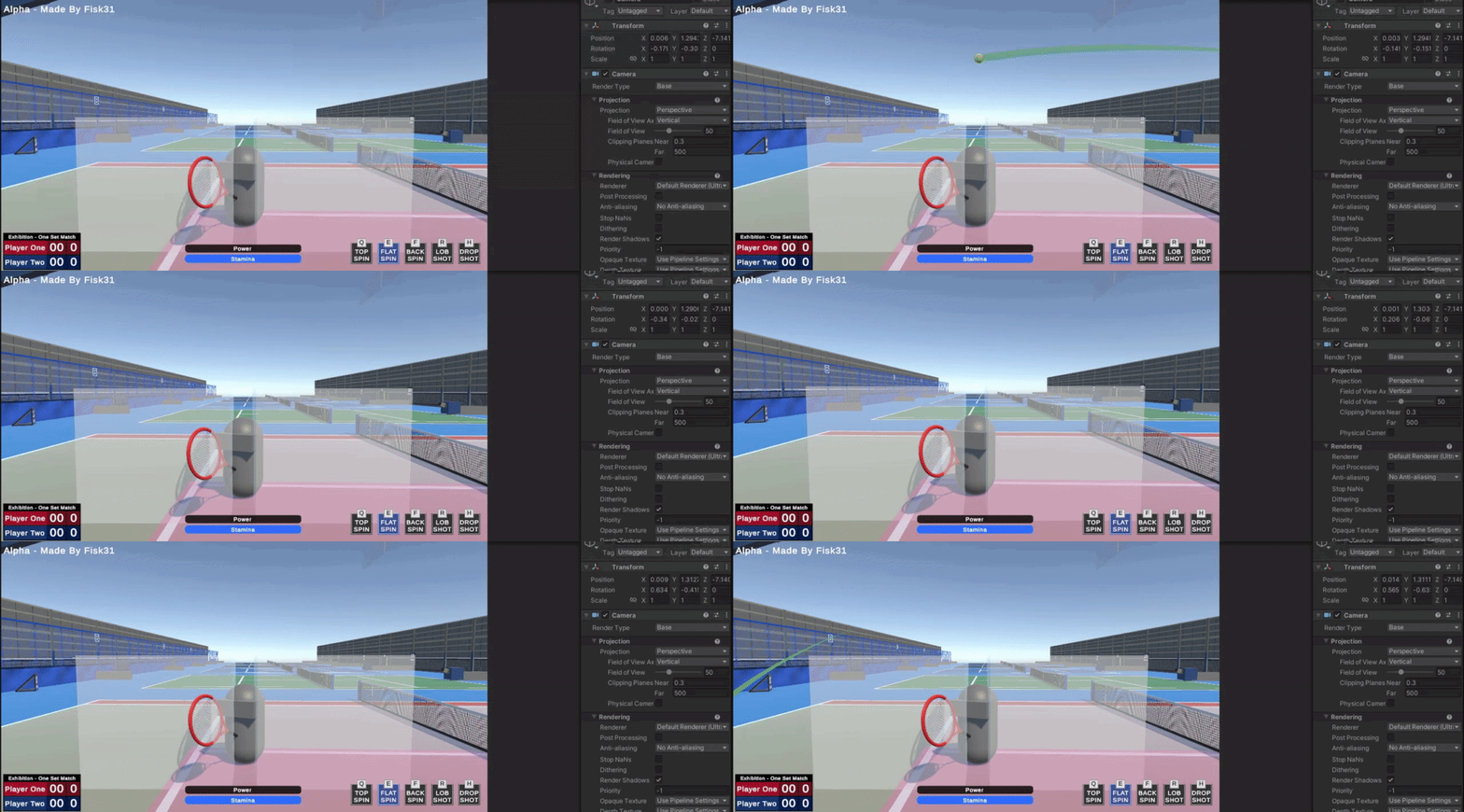
my cinemachine cameras seem to be moving/rotating on their own like the GTA V idle camera
but I don't see any settings to turn off this
I am using the CinemachineVirtualCamera component
royal tartan
broken cove
my cinemachine cameras seem to be moving/rotating on their own like the GTA V id...
Sounds like you have a noise component on it
You'd have to show us your configuration for the vCam


 broken cove
royal tartan
Sounds like you have a noise component on it
broken cove
royal tartan
Sounds like you have a noise component on it
I don't know where the noise component would be
broken cove
wait is this it then?

 balmy glacier
Hello, how can I access these 2 values from code?
 balmy glacier
Thanks!
 timber verge
On my cinemachine when I'm moving my mouse up and keep going up it starts rotating a bit crazy towards the sides. But I've noticed games in general it seems to stick to the top and not rotate around the top.
Am I doing something wrong or do games add something for this case.
royal tartan
timber verge
On my cinemachine when I'm moving my mouse up and keep going up it starts rotati...
you'd have to show your vCam setup, your code, and perhaps a video of the problem
 brittle coral
using the cinemachine package, do I need to add anything to follow character?

I set the character to follow but it doesn't seem to work
brittle coral
ping me if someone replies
errant shard
brittle coral
Your Body is set to "do nothing" which means cinemachine does nothing regarding moving the vcam position
 forest talon
how i reduce the headbob from unity first person starter pack?
 gleaming sluice
I have an issue with my VirtualCamera + CinemachineBrain (PlayerCamera). It seems that I have to instantiate both gameobjects at the same time. However when I place the VirtualCamera GO first in the scene and the PlayerCamera (with the attached CinemachineBrain) shortly after, the CinemachineBrain has the reference to that Live Camera/Virtual Camera - however moving the PlayerCamera is resetting it all the time to the position of the VirtualCamera instead being attached to the Player GO I initially put it as child.
How can I "lazy" init the Virtual Camera with the PlayerCamera/CinemachineBrain?
gleaming sluice
Ah nevermind - I mixed the two components up
 delicate heath
yo! I've had this issue for a while now. If you are asking why I'm looking for the fix in here it's cause I've asked this question on the forums unity page like a week ago and didn't get any response. Onto the issue. I want the deoccluder to only deocclude when the character is behind the wall not the target. I'm using a different tracking target and a different look at for the lock on system to work. Any help will be appreciated!
 waxen galleon
- I am quite new to this system. My goal is to make sure that the level fits within the boundaries of the screen. The level is a set of tilemaps. Can cinemachine cover this case?
royal tartan
The standard way to do this in cinemachine is simply pack the vCam into the player prefab
 fluid hawk
How do I rotate the virtual camera I need it to look more infront of my player than directly on him.
royal tartan
fluid hawk
How do I rotate the virtual camera I need it to look more infront of my player t...
make an empty child object of the player that is offset a bit in front of the player
use that empty object as the Look target for the vCam
fluid hawk
Thanks so much
delicate heath
delicate heath
yo! I've had this issue for a while now. If you are asking why I'm looking for t...
Fixing the issue. Don't need help
 patent hound
how do i trigger a function in cinemachine timeline
 pastel glen
patent hound
how do i trigger a function in cinemachine timeline
pastel glen
patent hound
how do i trigger a function in cinemachine timeline
Use a signal
 magic gorge
How would you go about setting up a RTS style camera with Cinemachine? I have looked around but can't find anything, though I was sure I had seen something before.
errant shard
magic gorge
How would you go about setting up a RTS style camera with Cinemachine? I have lo...
What do you mean "how"? An RTS style camera seems fairly simple when you break it down to its essentials
magic gorge
errant shard
What do you mean "how"? An RTS style camera seems fairly simple when you break i...
What I seen mentioned was to have a GO that you move and have a Cinemachine camera track it, that works fine, but I'm not sure how to go about getting the VCam to play nice with rotating around it and zooming.
errant shard
magic gorge
What I seen mentioned was to have a GO that you move and have a Cinemachine came...
Ah so not just a Warcraft 3 style RTS camera I take it
I think you could perhaps use a freelook camera to rotate around a specific unit, and another that's more zoomed in
Then use a Mixing Camera to blend between them by weight based on player's zoom level
With another more traditional set of vcams for moving around when not focusing on a unit
magic gorge
errant shard
Ah so not just a Warcraft 3 style RTS camera I take it
Just like your normal top down management/sim/city builder style of camera. I'm not particularly familar with Warcraft 3
errant shard
magic gorge
Just like your normal top down management/sim/city builder style of camera. I'm...
Do you have a specific example? Games of that genre vary a lot sometimes
magic gorge
errant shard
Do you have a specific example? Games of that genre vary a lot sometimes
Hmm, like Fabledom is a new one that comes to mind.
 glossy scroll
2d virtual camera, is there a way to offset dead zone height specifically? I want it to be pretty high but the camera needs to always show the ground
errant shard
magic gorge
Hmm, like Fabledom is a new one that comes to mind.
Yea I think you could use a freelook camera and move its follow target when needed and a specific key input for rotating (plus may be another freelook camera with mixing camera to simplify zooming in/out as I described, but it can be done even with just one as long as you modify the distance of all rigs of the freelook camera)
Then you'd want another simple vcam for the satellite view that simply moves without rotating
magic gorge
errant shard
Yea I think you could use a freelook camera and move its follow target when need...
Cool thanks I will look in to that 😄
 orchid pond
Anyone have an idea why my Cinemachine is firing its perlin noise camera shake at the start of the game until I get an enemy, then working normally? Is there a setting to press here to stop it from playing on awake? The function that controls the cinemachine isn't firing at the start, from what I can tell with log statements.
Ohhh, nevermind, I get it now. The amp + freq in the cinemachine controls it live, not just when the perlin noise is accessed
 raw sundial
Hey, how can I rotate virtual camera using mouse? Never mind, that's a basic question I guess I got it
 low dove
Is there a way to have a cinemachine camera follow a player but not rotate in its direction?
raw sundial
low dove
Is there a way to have a cinemachine camera follow a player but not rotate in it...
I guess you need to set "follow" but make "look at" empty
 low dove
raw sundial
I guess you need to set "follow" but make "look at" empty
low dove
raw sundial
I guess you need to set "follow" but make "look at" empty
Since my player rotates towards the direction it is moving in, unfortunately it doesn't help. But thank you for making an effort to help me!
royal tartan
low dove
Since my player rotates towards the direction it is moving in, unfortunately it ...
The person above's answer is exactly correct
the player rotating has absolutely nothing to do with the LookAt setting on the virtual camera
that is about where the camera is looking
low dove
royal tartan
The person above's answer is exactly correct
Currently I have it set to only Lookat, there is nothing in follow. Whenever I set it to follow it rotates with the player.
royal tartan
low dove
Currently I have it set to only Lookat, there is nothing in follow. Whenever I s...
then you're doing it exactly backwards if you want the camera to follow but not look at the player
low dove
royal tartan
then you're doing it exactly backwards if you want the camera to _follow_ but no...
I think my biggest mistake was rotating the player itself rather than just rotating the model.
low dove
royal tartan
then you're doing it exactly backwards if you want the camera to _follow_ but no...
Thank you for teaching me this though, I'll keep it in mind for future projects.
 sturdy birch
does anyone know how I can disable the slight camera movement while moving forward? i'm afraid it will make people dizzy when playing the game
errant shard
sturdy birch
does anyone know how I can disable the slight camera movement while moving forwa...
Body damping settings
 neon badger
le wa
this was working perfectly before I redid the mech...
the camera

the camera and camera target were not changed
just moved from the old component to the new one
when the mech camrea is active it just dies
 sturdy birch
errant shard
Body damping settings
sturdy birch
errant shard
Body damping settings
cool, it worked, thanks!
gleaming sluice
Any idea why my Noise settings might not work? Nothing is happening. Did I left something out that is a requirement for it to work?

 zenith dew
how do i go to this gameview so i can see it intercative where do i click i cant get there
becuase im tring to make orthosize bigger so i can have it more zoomed out thats the only time i could change it because when im not seeing these rectangels the changes will never aply

 pastel glen
zenith dew
how do i go to this gameview so i can see it intercative where do i click i cant...
pastel glen
zenith dew
how do i go to this gameview so i can see it intercative where do i click i cant...
Like it says, that shows up in the game view.
zenith dew
how to do i get there by clicking this button?
zenith dew
pastel glen
Like it says, that shows up in the *game view.*

because that didnt do it
or the game button next to the screenone
 fluid hawk
I made a multiplayer game once my client joins in the camera locks onto him on the host screen instead of one on host and one on client they both go to host any idea how I could fix this?
royal tartan
fluid hawk
I made a multiplayer game once my client joins in the camera locks onto him on t...
make sure you only have the correct vCams enabled on each client
sounds like your host has both cameras enabled or only the other player's enabled
it should only have its own
in fact ideally each client wouldn't even have a virtual camera object attached to any other player's objects
fluid hawk
My camera it attached to my player prefab?
royal tartan
Is that a statement, or a question?
If your camera is attached to your player prefab you need to make sure it gets disabled everywhere except on the local machine that owns that player
fluid hawk
royal tartan
If your camera is attached to your player prefab you need to make sure it gets d...
Thanks
 solid hemlock
i notice parts of my mesh disappear when camera gets close to mesh and i want to know if i did something wrong with cinemachine or if it's some FOV issue or something else
 errant shard
solid hemlock
i notice parts of my mesh disappear when camera gets close to mesh and i want to...
errant shard
solid hemlock
i notice parts of my mesh disappear when camera gets close to mesh and i want to...
Game camera or scene camera?
It's the near clipping plane, in either case
 halcyon spear
how to add Y axis for virtual camera for this? or have i use freelook camera?
 errant shard
halcyon spear
how to add Y axis for virtual camera for this? or have i use freelook camera?
errant shard
halcyon spear
how to add Y axis for virtual camera for this? or have i use freelook camera?
What do you mean by "add" Y axis?
halcyon spear
like, i can rotate camera only with X axis , but i want to use and Y axis a.k.a vertical rotation
 edgy dome
solid hemlock
i notice parts of my mesh disappear when camera gets close to mesh and i want to...
edgy dome
solid hemlock
i notice parts of my mesh disappear when camera gets close to mesh and i want to...
this is either camera clipping in game view or you are on isometric mode on scene view
errant shard
halcyon spear
like, i can rotate camera only with X axis , but i want to use and Y axis a.k.a ...
How are you handling the X axis rotation
Maybe you can do the same for Y
But consider the freelook camera as an option in any case
halcyon spear
errant shard
How are you handling the X axis rotation
as you see in screenshot there's X axis section but no Y
errant shard
halcyon spear
as you see in screenshot there's X axis section but no Y
More up to date info in newer posts of the thread
halcyon spear
okay, thx, ill research it
solid hemlock
errant shard
Game camera or scene camera?
It's the near clipping plane, in either case
scene camera my bad
errant shard
solid hemlock
scene camera my bad
Scene camera has clipping settings under this menu
But normally you don't need to adjust them
When you click on something with middle click to focs the camera there or focus on an object by double clicking it in hierarchy or by selecting it and hitting F with cursor over the scene window, the clipping planes will be adjusted as well with Dynamic Clipping enabled

Note that scrolling in and out "zooms" towards the focused point, adjusting clipping planes also, but using right click and W to move forward will move the focus point with the camera, not adjusting clipping planes
solid hemlock
errant shard
Scene camera has clipping settings under this menu
But normally you don't need t...
sanks
 solar bone
How can I disable all cinemachine control except noise?
I already have set up camera with script that controls its movement, and I want ti add screenshake using cinemachine noise without remaking current camera movement logic
errant shard
solar bone
How can I disable all cinemachine control except noise?
I already have set up c...
Make sure your vcam's body and aim are "do nothing"
It may be best to move a parent gameobject with your script, so as not to conflict with cinemachine overriding the transform for the noise
solar bone
errant shard
Make sure your vcam's body and aim are "do nothing"
It may be best to move a pa...
Seems like a working solution, thanks.
But maybe I'll try remake camera movement with cinemachine settings. Is there a simple way to make camera follow a player and a cursor? So the cursor move camera a little from a player position in some direction.
royal tartan
solar bone
But maybe I'll try remake camera movement with cinemachine settings. Is there a ...
solar bone
royal tartan
https://docs.unity3d.com/Packages/com.unity.cinemachine@2.3/manual/CinemachineTa...
So for the cursor I need to create empty GO and make it follow to cursor? And them add this go to the group?
I'm trying manually set Transposer.m_FollowOffset, but it adds jitter
magic gorge
Is there a way to change the Body[Transposer] XYZ damping behaviour? Right now it 'titles' to keep looking at the point, instead I would like it to just lag behind a little. Or would this be better put in the code that moves the point it is looking at?
royal tartan
solar bone
So for the cursor I need to create empty GO and make it follow to cursor? And th...
yes
royal tartan
solar bone
I'm trying manually set Transposer.m_FollowOffset, but it adds jitter
don't do this
royal tartan
magic gorge
Is there a way to change the Body[Transposer] XYZ damping behaviour? Right now i...
wdym by "titles"?
magic gorge
royal tartan
wdym by "titles"?
I mean that I made a typo and it is supposed to be 'tilts' haha sorry
magic gorge
royal tartan
wdym by "titles"?
This is what I mean (I did turn it up a little so it is easier to see)
royal tartan
magic gorge
This is what I mean (I did turn it up a little so it is easier to see)
I would think about setting Look At to "Do Nothing" and switch your Follow to a Framing Transposer
magic gorge
royal tartan
I would think about setting Look At to "Do Nothing" and switch your Follow to a ...
Ahh setting the Aim to Do Nothing did it. I had set it to Hard Look At so that when I rotated the target, the camera would rotate too. Would I use a virtualCam.transform.LookAt(target) when I rotate then? Feels like there is a 'Cinamachine' way to do it instead.
solar bone
royal tartan
don't do this
Why?
royal tartan
solar bone
Why?
because the target group approach is much better
and more cinemachine-y
solar bone
royal tartan
because the target group approach is much better
It has strange behaviour, camera sometimes jumps when I move the cursor. Maybe I set up it the wrong way.
CursorFollow:
        void HandleCursorMove(InputAction.CallbackContext context)
        {
            transform.position = MainCamera.ScreenToWorldPoint(context.ReadValue<Vector2>());
        }
First screenshot is target group go, second is virtual camera go


 cursive hill
for some reason my Cinemachine virtual camera wont move on the y axis, heres my code and camera


 hollow palm
@cursive hill 30 line you always assign rotation equal to current rotation try to put this line in Start() method instead.
 potent mica
how do you define the edges of the screen for this? The tutorial I watched just skipped it lol
 royal tartan
potent mica
how do you define the edges of the screen for this? The tutorial I watched just ...
royal tartan
potent mica
how do you define the edges of the screen for this? The tutorial I watched just ...
there's a checkbox there for confining via the screen edges
potent mica
royal tartan
there's a checkbox there for confining via the screen edges
right but how does it know what the edges are
do I place colliders all around or something?
royal tartan
potent mica
right but how does it know what the edges are
it's all based on the bounding shape you provided
potent mica
ohhh, the tutorial made it seem like the bounding shape was the cameras collider. ty
potent mica
its not doing anything in regards to stopping the camera, not sure whats wrong

 potent mica
does anyone know what these red, green and dashed green lines are and how to change them, my camera can only see in the green part, that wouldnt be a problem but cinemachine confiner stops at the red so it doesnt stops too early.

 feral island
Does encoding quality do anything else except determine the output file size? Since output resolution already determines the quality. (currently I don't see why having a higher encoding quality is useful)

Talking about the recorder
royal tartan
feral island
Does encoding quality do anything else except determine the output file size? Si...
resolution is not the only measure of quality
lower quality encodings will contain more compression artifacts etc
 copper blaze
Im using cinemachine virtual camera to follow my car in the game. When driving the camera is stuttering a lot. I can provide video if asked
royal tartan
copper blaze
Im using cinemachine virtual camera to follow my car in the game. When driving t...
How is your car moving?
copper blaze
It has a car controller. Im controlling it
royal tartan
copper blaze
It has a car controller. Im controlling it
Too vague
I mean what specific movement method is it using
Rigidbody motion with velocity?
transform.Translate?
CharacterController?
copper blaze
    {
        frontLeftWheelCollider.motorTorque = verticalInput * motorForce;
        frontRightWheelCollider.motorTorque = verticalInput * motorForce;
}``` I think this is what you mean?assuming you don't have any other code that's also moving the car, yes.
Now can you show the inspector for your Rigidbody and for your cinemachine brain?
copper blaze
This?

 royal tartan
copper blaze
This?
royal tartan
copper blaze
This?
turn on interpolation on the Rigidbody
royal tartan
copper blaze
This?
and no that's the virtual camera
I wanted to see the cinemachine brain
copper blaze
royal tartan
I wanted to see the cinemachine brain
here sorry
 copper blaze
Amazing! Thank you! Wish I could have found that online
 warm verge
I need help
so I'm making a 3d animation in unity but I'm having a issue with blending mixamo animations
in every animation the transform offset keeps changing places where is supposed to be
cursive hill
Im working with two cinemachine virtual cameras, when I press T on the keyboard the player model changes and right now the camera changes, but the camera doesnt stay where the mouse is when switching for some reason, how when switching cameras would I keep the mouse at its current position cause when I switch now it just changes the mouse back to where the camera was last in that mode..
errant shard
warm verge
in every animation the transform offset keeps changing places where is supposed ...
Sounds like the animations are trying to use root motion, but it's hard to say
Also, #🏃┃animation
royal tartan
cursive hill
Im working with two cinemachine virtual cameras, when I press T on the keyboard ...
this is super vague and missing important details. Like what does the mouse have to do with camera position?
cursive hill
royal tartan
this is super vague and missing important details. Like what does the mouse have...
it's a 3rd person camera so the mouse position is where the player reticle is, aka where they are looking
royal tartan
cursive hill
it's a 3rd person camera so the mouse position is where the player reticle is, a...
In a 3rd person camera the reticle is generally in the center of the screen or thereabouts
and mouse motion rotates the camera
but there is no moving cursor
unless you are doing something out of the ordinary
cursive hill
i guess my real question is how do i keep the 2 cameras following the mouse motion but only having one active at a time
royal tartan
cursive hill
i guess my real question is how do i keep the 2 cameras following the mouse moti...
is there a reason you need two separate cameras?
cursive hill
Yes each is for a separate mode the play changes to
royal tartan
cursive hill
Yes each is for a separate mode the play changes to
but if you want only one camera state it should just be one camera
cursive hill
then is there a way that I can shift the single camera between 2 positions?
potent mica
potent mica
does anyone know what these red, green and dashed green lines are and how to cha...
still not sure how to change the red box, would appreciate the help if someone knows
warm verge
errant shard
Sounds like the animations are trying to use root motion, but it's hard to say
I found out the answer, I had to change my animations to humanoid mode
and then apply the main model's avatar on the animations
and then change the position on each animations
 molten lily
I'm having some issues with the cinemachine camera
I am trying to get a camera follows a target by having it as its look at target
however this is for a 2d game and the camera doesn't look at the target from a 2d perspective
molten lily
I have another issue now
does anyone know how I can make it so the tracked objecr offset is in world coordinates instead of target-local coordinates
It causes this weird effect when the player rotates
 potent flame
I have 2 3rd person virtual cameras, one is slightly more zoomed in, the aim camera. they have 2 targets, one is rotating freely (so you can orbit around), one is fixed to the character and you instead rotate the camera (so when aimed in, you have more fpp-like controls) I'm switching cameras with MoveToTopOfPrioritySubqueue . Everything works as long as I run straight, orturn very slightly. Before switching priorities, I turn the player in the direction of the current camera, and align the aim camera target to the current camera target.
                    // When aiming in, the player should instantly orient towards where the camera is facing.
                    var eulerAngles = transform.rotation.eulerAngles;
                    eulerAngles.y = _cinemachineTargetYaw;
                    transform.rotation = Quaternion.Euler(eulerAngles);
                    CinemachineAimCameraTarget.transform.rotation = CinemachineMoveCameraTarget.transform.rotation;

                    aimCamera.MoveToTopOfPrioritySubqueue();
This looks to be working the player and camera target aligns how I want it, but right before the transition cinemachine cuts to some other position (than any of my current virtual camera positions), does this sound familiar to anyone?
potent flame
(turned out to be obvious, since my camera targets are children ;f the player transform, when I reorient the player, the current camera target moves with it, just nad to save the original rotation of the current camera target and reset it after)
 jade fulcrum
If i want the VC to not follow the target in a timeline cutscene
do i have to manually make it follow null with signals?
molten lily
does anyone know how to access the LookAheadIgnore field on the CinemachineVirtualCameraComponent

I tried getting a reference to the CinemachineVirtualCameraComponent and accessing the field from there but it didn't give me the option to

 tranquil berry
cam.GetCinemachineComponent<CinemachineFramingTransposer>().m_LookaheadIgnoreY
molten lily
thanks
molten lily
I am using a 2d polygon collider in my 2d game as a camera confiner to prevent the camera going into the ground
however whenever my players passes a corner in the polygon collider I'm using the camera gets stuck briefly and it creates this weird stopping effect in my levels
does anyone know how to solve this, ideally using a better collider as the confiner would work but cinemachine only lets you use polygon and composite colliders as confiners
cursive hill
Anyone have an idea on how I can change camera follow targets with a button press? i have T set up to "morph" cause the character changes forms and I want to change which object the cinemachine camera is following.
royal tartan
cursive hill
Anyone have an idea on how I can change camera follow targets with a button pres...
The better / easier / more cinemachine way to do this is to simply have two virtual cameras, one following each object
and just switch which one is active
this makes it a lot easier if you want to have different settings on each camera too
cursive hill
the only problem i've run into with that is that the two cameras don't follow the same movements
cursive hill
i just mean when i move the mouse with one then switch to the other the camera position resets to the position that the second camera is in, not where the mouse is
 gray kiln
I need the camera to follow a direction of a path while also looking right behind an object, any idea how to do that?
errant shard
gray kiln
I need the camera to follow a direction of a path while also looking right behin...
Cinemachine has out of the box tools for vcams following a path and adding an offset to their lookat target
There's no "trick" to it
gray kiln
thanks
 elfin phoenix
Hello my friends, I've a question? What is the best camera between FreeLook and virtual camera (with cinnemachine) for a third person shooter gamer BUT he also have a little bit of exploration.
Because I've start a projet with a FreeLook but I'm skeptical for the 3rd person shooter part.
What do you think?
cursive hill
virtual camera actually has a 3rd person follow camera setting on the "body" of the virtual camera
 errant snow
I'm having trouble finding a configuration to chase after a shaky fast moving vehicle that doesn't cause the camera to shake and wobble violently.
This is hover physics based, and I'm looking for a solution that is generally like a racing game camera, but this can drive on walls/ceilings, etc. Any recommendations?
 odd pivot
errant snow
I'm having trouble finding a configuration to chase after a shaky fast moving ve...
odd pivot
errant snow
I'm having trouble finding a configuration to chase after a shaky fast moving ve...
maybe prevent rotation in direstions which you dont need?
errant snow
odd pivot
maybe prevent rotation in direstions which you dont need?
a reasonable suggestion, but this uses all rotations. it can ride on walls and ceilings.
odd pivot
I`m not pro, i just waiting for somebody answer my question in other tab.
In your case my solution would be to write own camera follow script, or find another one in store.
Also i noticed that there is many different cinemachine cam controllers, so maybe some othere can be good for you.
errant shard
errant snow
I'm having trouble finding a configuration to chase after a shaky fast moving ve...
It looks like the vcam copies the car's rotation instead of trying to keep the car in view, are you sure you want that?
There's no "right" way to design a follow camera but I expec you want a lookat target instead of copied rotation
errant snow
sorry, the recording doesn't have the full screen, I was mostly showing the wobble
errant shard
The camera wobbles because it copies rotation from the car which wobbles
And also causes the car to go off screen
You could fix both by using different Follow properties entirely
errant snow
It never goes off screen, just off recording. I was only showing the wobble in the video . I'll look for a way to dampen the rotation I still want it to follow the rotation, but it can be sluggish, particularly on X/Z.
errant snow
errant shard
And also causes the car to go off screen
You could fix both by using different F...
Do you have recommendations for follow properties? a follow that doesn't get the wobble, but otherwise acts like a 3rd person camera?
errant shard
errant snow
Do you have recommendations for follow properties? a follow that doesn't get the...
I meant to say Look At instead of Follow there but the idea is that with 3rd person cameras you would use Composer or similar Aim properties to keep the player character or vehicle centered
Even if it doesn't go "off screen" it doesn't look good that your vehicle goes far off the screen's center, and that the camera clips into the wall
 tame plover
Does anyone know if its possible to have a pixel perfect camera with dynamic zoom and parralax(with cinemachine) or if its possible to have only particle effects upscaled while camera moves freely
 minor berry
Hey all, I'm trying to control the, 'Recenter To Target Heading' bool on a CinemachineVirtualCamera Orbital Transposer. The code doesn't error except when it is run. The error says:
NullReferenceException: Object reference not set to an instance of an object
CinemachineVirtualCameraRecenter.Start () (at Assets/cam/CinemachineVirtualCameraRecenter.cs:18)
From what I understand, it is already finding the component since the code doesn't have errors. This is the code currently:
using UnityEngine;
using Cinemachine;

public class CinemachineVirtualCameraRecenter : MonoBehaviour
{
    public bool enable_reCenter = false;

    CinemachineOrbitalTransposer m_VirtualCamera; //Aparrently the Orbital Transposer isn't being found here?

    void Start()
    {
        m_VirtualCamera = GetComponent<CinemachineOrbitalTransposer>();
    }

    void Update()
    {
        m_VirtualCamera.m_RecenterToTargetHeading.m_enabled = enable_reCenter;
    }
}
m_VirtualCamera = GetComponent<CinemachineOrbitalTransposer>();
This isn't going to work...
CinemachineOrbitalTransposer is not a regular component
it's a CinemachineComponent
Actually I showed you exactly how to do this last night
that still applies
 royal tartan
 weary crest
Seems like you forgot to actually put a Camera in the scene
Cinemachine Brain needs to go on a real unity camera
weary crest
royal tartan
Seems like you forgot to actually put a Camera in the scene
See adding one just doesn’t work
OHHHH ONN
royal tartan
weary crest
See adding one just doesn’t work
it works fine 🤔
weary crest
That explains a lot
minor berry
royal tartan
`m_VirtualCamera = GetComponent<CinemachineOrbitalTransposer>();`
This isn't goi...
Ah, I think I got it. I didn't GetComponent 'deep' enough. Like you said, Cinemachine has it's own internal component system. Thank you so much for your help! Here's the code that works in case anyone needs it:
using UnityEngine;
using Cinemachine;

public class CinemachineVirtualCameraRecenter : MonoBehaviour
{
    public bool Enable Recenter = false;

    private CinemachineOrbitalTransposer m_VirtualCamera;

    void Start()
    {
        m_VirtualCamera = GetComponent<CinemachineVirtualCamera>().GetCinemachineComponent<CinemachineOrbitalTransposer>();//<-- This is what was throwing me off. It works now!
    }

    void Update()
    {
        m_VirtualCamera.m_RecenterToTargetHeading.m_enabled = enable_reCenter;
    }
}
I'd say your m_VirtualCamera variable is poorly named
since it's an orbital transposer
but yes this will work
in my example the m_virtualCamera variable was the CinemachineVirtualCamera
 static remnant
is it possible to make it so whenever i reach the end of my level, the camera zooms in onto the trigger that ends the level
royal tartan
everything is possible
simplest way to do that would be to put a virtual camera configured to look at that trigger object and activate it / set its prioerity high when the trigger is triggered.
static remnant
sure ill try that
 haughty vapor
Hello guys so i have a cinemachine look at the player but when i enter the game it says no camera render why?
 royal tartan
haughty vapor
Hello guys so i have a cinemachine look at the player but when i enter the game ...
royal tartan
haughty vapor
Hello guys so i have a cinemachine look at the player but when i enter the game ...
doesn't look like you have a camera in the scene
remember that virtual cameras are not actual cameras
you're supposed to have an actual Unity camera in the scene with the CinemachineBrain component attached to it
 drowsy escarp
I have a script which I am using for camera changes...I press space and the cam changes...what could I look up for how to get the perspective of the cam and have the input controls be correct?
errant shard
drowsy escarp
I have a script which I am using for camera changes...I press space and the cam ...
"Correct" is a vague term
Maybe you want camera-relative controls using the main camera's transform
drowsy escarp
errant shard
"Correct" is a vague term
Maybe you want camera-relative controls using the main...
I would say yes, that sounds right.
 glacial wagon
I need help, I'm new to Cinemachine, I set up a Virtual Camera to look aat a character. The yellow dot points at the character's feet, is there a way to make it point at his chest for example? Thanks!
glacial wagon
can someone help me please ❤️
errant shard
glacial wagon
can someone help me please ❤️
Tracked Object Offset
glacial wagon
errant shard
Tracked Object Offset
where can I find that setting? Cant seem to find it
errant shard
glacial wagon
where can I find that setting? Cant seem to find it

Actually let me not-crop that

Body also has its own offset
As the warning notes you need LookAt / Follow targets respectively
glacial wagon
Thank you so much! Have a great day!
 sick citrus
Hi, I'm new on Cinemachine and I want to take some notes abt this package, very basic question but if I understood this well, Cinemachine is a package which can allow you to use one and only one Unity Camera for multiple things ?
I mean, if I have 423 Virtual camera and only 1 unity camera, the 423 virtual camera that I have will use this 1 unity camera ?
 fast orchid
Virtual cameras are not real cameras, they're just objects with settings on them.
Any camera in your scene can have a CinemachineBrain component on it, which then has one of the virtual cameras you decide to give priority to, take control of that camera.
So you can have multiple cameras and multiple virtual cameras, it's up to you.
sick citrus
fast orchid
So you can have multiple cameras and multiple virtual cameras, it's up to you.
Okay, so to resume a cinemachine camera is just an object which can use a unity cam' when we authorize it to do so and I'm not forced to use one unity cam' in my project
fast orchid
sick citrus
Okay, so to resume a cinemachine camera is just an object which can use a unity ...
You have to use a Unity camera because virtual cameras are not real camera, they don't render the scene.
Again, they're just settings that a Unity camera uses.
sick citrus
fast orchid
Again, they're just settings that a Unity camera uses.
yeh but those settings include transform
so it's like an object which can use the unity cam ?
fast orchid
It's an object that takes over the a Unity camera that has a cinemachine brain component.
 deft kiln
Hey guys, I've been at this unknown issue for several days and hoping I can find some answers here. My issue is that I am unable to interact with my CinemachineVirtualCamera during runtime.
**For context, I am making a minigolf demo: **
I am loading and instantiating a level which contains terrain, other misc stuff, and my 3 cameras. I have a main camera with a cinemachine brain and two virtual cameras (a stationary "hitting camera" and a camera that follows the ball).
I've tried two solutions:
1.) Is to enable the follow ball camera once the ball is hit (camera gameobject or component is disabled in the prefab), which will set that camera to go live. And once disabled, the stationary "hitting camera" would go live.
2.) Is to have both cameras enabled and simply change the priority of the follow ball camera.
This all works. However, like I mentioned, I can only enable the gameobjects or change the priority manually in the hierarchy or oddly enough, use the ContextMenu attribute to call these functions. If I hit the ball and breakpoint the function, it reaches the code and runs it with no apparent issues and no errors.
Things I've checked so far:
- Break pointed the function and it runs, but the gameobject remains disabled (same thing with attempting to change the priority)
- Ensured the layers of the two virtual cameras are included in the main cameras culling mask
- Added the context menu attribute to call these functions manually and it does work for some reason
It would make sense to me that this issue would occur if the code wasn't getting reached. But I've ensured that it is many times. I've break pointed the line of code and made sure that the gameobject is saying that it is enabled or the priority is saying that it is what I set it to (which it is), but after I step through completely, nothing has changed. This is the only place these components are accessed as well. There isn't any rogue script fighting with these methods to change values
royal tartan
deft kiln
Hey guys, I've been at this unknown issue for several days and hoping I can find...
You mentioned some prefabs in here
I wonder if your code that is supposedly modifying the cameras is actually modifying a prefab
instead of the virtual camera in the scene
one quick hacky check is to print the GetInstanceID() of the thing you are enabling. If the instance ID is positive, it's referring to a prefab.
deft kiln
Ah, that is a good point - I'll check this in a bit and let you know
deft kiln
royal tartan
You mentioned some prefabs in here
So this seems to be what is happening - it is printing a positive ID
any ideas on what I would need to do to target the correct obj?
royal tartan
deft kiln
any ideas on what I would need to do to target the correct obj?
enable the instance in the scene rather than the prefab
When you call Instantiate it gives you a reference to the newly created instance
deft kiln
Ah I see what was happening - all is working now, thanks!!
weary crest
Is there any way to simply make sure that the Follow target of a virtual camera (using 3rd person settings) is always in view akin to skyrim, remnant, etc
Any way in the cinemachine tooling that is
I thought it would be 3rd person follow and then pov but that doesnt seem to be the answer
Nvm, its free look
 sly stirrup
Question: I am creating an rpg where scenes will often be swapped.
Suggestion on me either using a cinemachine brain that does not get destroyed between scenes or have a new one in each scene?
 slate pumice
I just started using cine machine for my fps game but I have a problem now, the characters orientation no longer follows the camera like it did when I was using the stock camera. now the player will only move on the fixed xyz axis
royal tartan
slate pumice
I just started using cine machine for my fps game but I have a problem now, the ...
doesn't sound particularly cinemachine related
just sounds like an issue with your movement code
and if there's a difference between the character orientation and the camera orientation, it doesn't sound like you're making an FPS game
 west ore
anybody knows how can I make my cinemachine camera ignore the time stace, this doesn't seem to work on the cinemachine brain on my camera
 royal tartan
west ore
anybody knows how can I make my cinemachine camera ignore the time stace, this d...
royal tartan
west ore
anybody knows how can I make my cinemachine camera ignore the time stace, this d...
What interaction is happening that is respecting time scale that you want to ignore time scale?
I believe that checkbox is basically for transitions
west ore
royal tartan
What interaction is happening that is respecting time scale that you want to ign...
I want the camera to ignore the time scale
royal tartan
west ore
I want the camera to ignore the time scale
in what sense is it following the time scale right now though?
west ore
yes it is following the time scale
royal tartan
in what way though?
Maybe show a video?
Like is it siomply following an object that is itself moving with the time scale?
Or what
explain the situation
west ore
to explain to you better, I have a player, when the player dies the time scale changes to 0.2, the camera also slows down, which makes it look like lag, I'm trying to find a way to slow down everything in the scene except the camera, and "Ignore Time Scale" does not seem to ignore the time scale, also if I record a video it won't be smooth, since my laptop is not that strong, also I don't quite understand when you said "in what way"
royal tartan
west ore
to explain to you better, I have a player, when the player dies the time scale c...
What happens with the camera when the player dies?
Does it transition to another camera?
west ore
no it doesn't
royal tartan
So isn't it just not moving when the player dies?
west ore
when the player is moving, the camera is following him from behind, and when the player stops, the camera is still moving to get to the center of the player, so when the player dies, the camera is still moving
I can send you the game to better understand my problem
gleaming sluice
I just discovered Unity Recorder and have a question.
So I have my primary camera using for gameplay on Display 1.
Then I added a camera that "films" the player character moving around - I set this camera to Display 2 so I can still play the game on Display 1.
However it seems even to I set the filmcamera in the Recorder settings the visuals are not recorded because the filming camera was not set to Display 1.
What is the correct way to achieve recording while playing the game
royal tartan
I have only ever used the recorder with a single camera
THough I guess I understand if you want a different camera angle than the one that you play the game with
I guess - i'm unsure why this is a cinemachine question?
Is cinemachine involved somehow?
gleaming sluice
royal tartan
THough I guess I understand if you want a different camera angle than the one th...
Well no but I couldn't find any channel related to cameras than this one
Any suggestions where I should ask rather than here?
weary crest
Is there any way to switch cameras without gameObject.SetActive on every individual camera
royal tartan
weary crest
Is there any way to switch cameras without gameObject.SetActive on every individ...
use cinemachine virtual cameras rather than physical cameras
and you can use their Priority to switch
weary crest
royal tartan
and you can use their Priority to switch
But how does it know which camera to use? Do I need a cinemachine brain on each individual camera?
weary crest
Nvm I got it I think
royal tartan
weary crest
But how does it know which camera to use? Do I need a cinemachine brain on each ...
no
there is only one real camera
weary crest
royal tartan
no
So I tried this implementation and it throws an error
https://hatebin.com/otgudgvfnn
Parameter name: index
UnityEngine.InputSystem.Utilities.ReadOnlyArray`1[TValue].get_Item (System.Int32 index) (at ./Library/PackageCache/com.unity.inputsystem@1.6.3/InputSystem/Utilities/ReadOnlyArray.cs:152)
Cinemachine.CinemachineInputProvider.ResolveForPlayer (System.Int32 axis, UnityEngine.InputSystem.InputActionReference actionRef) (at ./Library/PackageCache/com.unity.cinemachine@2.9.7/Runtime/Helpers/CinemachineInputProvider.cs:93)
Cinemachine.CinemachineInputProvider.GetAxisValue (System.Int32 axis) (at ./Library/PackageCache/com.unity.cinemachine@2.9.7/Runtime/Helpers/CinemachineInputProvider.cs:51)
Cinemachine.AxisState.Update (System.Single deltaTime) (at ./Library/PackageCache/com.unity.cinemachine@2.9.7/Runtime/Core/AxisState.cs:220)
Cinemachine.CinemachineFreeLook.InternalUpdateCameraState (UnityEngine.Vector3 worldUp, System.Single deltaTime) (at ./Library/PackageCache/com.unity.cinemachine@2.9.7/Runtime/Behaviours/CinemachineFreeLook.cs:376)
Cinemachine.CinemachineCore.UpdateVirtualCamera (Cinemachine.CinemachineVirtualCameraBase vcam, UnityEngine.Vector3 worldUp, System.Single deltaTime) (at ./Library/PackageCache/com.unity.cinemachine@2.9.7/Runtime/Core/CinemachineCore.cs:361)
Cinemachine.CinemachineCore.UpdateAllActiveVirtualCameras (System.Int32 layerMask, UnityEngine.Vector3 worldUp, System.Single deltaTime) (at ./Library/PackageCache/com.unity.cinemachine@2.9.7/Runtime/Core/CinemachineCore.cs:279)
Cinemachine.CinemachineBrain.UpdateVirtualCameras (Cinemachine.CinemachineCore+UpdateFilter updateFilter, System.Single deltaTime) (at ./Library/PackageCache/com.unity.cinemachine@2.9.7/Runtime/Behaviours/CinemachineBrain.cs:493)...``` royal tartan
weary crest
So I tried this implementation and it throws an error
https://hatebin.com/otgud...
royal tartan
weary crest
So I tried this implementation and it throws an error
https://hatebin.com/otgud...
you assigned an input action which is not set up as a 2D vector to the xy axis
weary crest
royal tartan
you assigned an input action which is not set up as a 2D vector to the xy axis
So how do you guage that from the error? It says the index is the issue.
 royal tartan
weary crest
So how do you guage that from the error? It says the index is the issue.
royal tartan
weary crest
So how do you guage that from the error? It says the index is the issue.
Player/Look is the action you assigned
this is... Controls/Camera?
Seems like a totally different input action asset
weary crest
I fixed that, same error
 royal tartan
weary crest
royal tartan
weary crest
player index being -1 maybe?

Unity Forum
i'm using the new unity input system together with cinemachine for the split screen with the cinemachine input provider for the new input sytem qnd...
not really sure
weary crest
So I set them OnNetworkSpawn to the clientID, so at very least they are in the scene
royal tartan
weary crest
So I set them OnNetworkSpawn to the clientID, so at very least they are in the s...
i think this is probably not right?
do the player objects have PlayerInput?
if not you should probably leave it as -1
weary crest
royal tartan
do the player objects have PlayerInput?
Do you mean PlayerInput as in the component?
royal tartan
that's the only thing called PlayerInput
weary crest
They all have my input handler
Maybe I should refactor to unity's solution?
The current issue is that the camera attaches to the most recent player connected
weary crest
Let me see what I can do
weary crest
royal tartan
that's the only thing called PlayerInput
So I completely refactored over to this component and It has the same persistent issue.
royal tartan
idk but this is really not a camera issue at this point
weary crest
Think I should move over to #archived-networking ?
 bright zodiac
Using a dolly track, is there a way for the virtual camera to always be looking at the next waypoint? Or do I need to code (or animate) that manually?
pastel glen
bright zodiac
Using a dolly track, is there a way for the virtual camera to always be looking ...
Always looking at the next point would cause some weird behavior as you got close to a node, wouldn't it?
Though you could probably code something to do it fairly simply, by taking the position and placing a target at the next node in the path.
molten lily
I have been using cinemachine for my 2D game and have had some issues where the camera in good positions whenever the player is ascending or descending hills. I have an idea for a fix which is to make it so the characters Y displacement on the camera changes as they go up and down hills, causing the camera to adjust depending on the terrain. I am considering programming my own cinemachine extension but I want to make sure that there isn't a pre-built way I could use to achieve this. I'm still quite new to cinemachine and haven't yet learned what all of the parts do.
errant shard
molten lily
I have been using cinemachine for my 2D game and have had some issues where the ...
How should it "adjust"? That part didn't seem clear to me
molten lily
so when the player is travelling up s hill
I want the camera to move up a bit so the player is in the bottom left corner of it
which will allow you to see as much of the hill they are going up as you can
but when they are travelling down a hill I want them to be in the top left corner of the camera
so you can see as far downhill as you can
Here is a diagram of what happens


Here is what I want to happen
you can see more of the hill in the second diagram
that is what I want the camera to see but currently it sees the first diagram
 faint rapids
Can you use cinemachine on gameobjects that are NOT unity cameras? Asking because there's a 3P VR streaming app called LIV that handles its own camera stuff, but I'd like to use cinemachine to control its associated object
 last chasm
Hey, I'm using cinemachine to make a third person controller, but my game is lagging as fuck :
I don't know what informations should I give
errant shard
last chasm
Hey, I'm using cinemachine to make a third person controller, but my game is lag...
Does the game "lag" in both scene window and game window when you have them side by side
If not, that suggests there's a timing issue with the camera's following, most likely its target is moving at fixedupdate
last chasm
errant shard
Does the game "lag" in both scene window and game window when you have them side...
Sorry,
It seems that its not lagging anymore
 distant mesa
Respected,
1- I am using cinemachine virtual camera..
how i can move gameObject to the center of camera...
bcz main camera position change with given time.
i am using camra.screenpoint...
royal tartan
distant mesa
Respected,
1- I am using cinemachine virtual camera..
how i can move gameObjec...
myObject.transform.position = myCamera.transform.TransformPoint(Vector3.forward * desiredDistance);``` willow zephyr
hello
cinemachine lookahead time doesnt work with lookahead smoothing
if i set the lookahead time to maximum with zero smoothing, it works fine but as soon as i increase the smoothing to even the lowest setting, it stops working and the camera doesnt look ahead
fix?
 forest flame
hello, i'm a beginner with unity and learning how to use cinemachine in a basic 2D game where the camera follows the player (which is working great so far)
now i am trying to add bounds to confine the camera as explained here - https://www.youtube.com/watch?v=e1-DOaHU5D4
i have been following tutorials and reading up on how to get this to work, but every time as soon as i put a bounding shape in the confiner component, my camera starts to move away.
the movement seems to speed up if i use my mouse or keyboard, and if i don't touch anything it stops moving for a bit...
i would really appreciate help if anyone has run into this problem before

Learn how to add some camera bounds for your next game in unity. It is quick and simple to do and the best part is that you don't to learn coding to implement it. Find out today!
ASSETS
Pixel Adventure 1:
▶ https://assetstore.unity.com/packages/2d/characters/pixel-adventure-1-1...
maybe it could be that it's colliding with the player
forest flame
whoa it's been four hours, i figured it out - i had the camera and the collider as children of the main camera when they were supposed to be on their own
 regal badge
Comparing the basic camera script i use to cinemachine,
how do i make it so the cinemachine camera doesn't rotate like this? It makes movement feel really odd because it stops the W key from moving you upwards etc. Is there a way to just lock it like the first camera script does?
only reason i swap to try cinemachine is to stop it from looking through walls when youre nearby
but that doesnt even work properly, (i probably did something wrong but still)
royal tartan
regal badge
Comparing the basic camera script i use to cinemachine,
how do i make it so the ...
just a matter of setting up the follow settings properly
you didn't actually show your vCam configuration so... that would be a good first step
regal badge
this stuff?
royal tartan
regal badge
this stuff?
yes that stuff - to fix it you will need to change the Body and Aim settings
you might just want a Framing Transposer for Body and Do Nothing for the Aim
regal badge
Was able to get a nicer camera, I'll look into reading the zoom functionality later
Issue Rn is the character rotation that was working fine before makes it go haywire
 thick quartz
How can I make a confiner that for the bottom left and top left areas the red area is only visible. But in the bottom right the yellow area should be visible. I've tried making polygon colliders differently but the best I got was getting the red area to work.

i might just change the collider in a script
its not working
wait it worked
 mystic remnant
When I created the build of my game the camera is zoomed in for some reason
I don't now if cinemachine is the issue but I am using it for my camera
The aspet ration is right so I don't know what's causing the issue
 carmine mesa
How do I set up multiple cinemachine to track different things, they just keep tracking the same thing
my current setup
 royal tartan
carmine mesa
How do I set up multiple cinemachine to track different things, they just keep t...
royal tartan
carmine mesa
How do I set up multiple cinemachine to track different things, they just keep t...
Your virtual cameras shouldn't be children of the Unity cameras
carmine mesa
royal tartan
Your virtual cameras shouldn't be children of the Unity cameras
I ended up following a tutorial on splitscreen and turns out I had to use layers
royal tartan
Yes the second link explains that
 meager ermine
Hey everyone, i have a little problem with cinemachine. The thing is that i setup the way i wanted, but when i hit play and place the mouse in the center of the screen (doing this quickly before the game runs), the camera goes looking down from start. Also, if i hit play and leave the mouse in the 'Play' button, the camera starts how i want it.
The thing is, there is a way to start the game, place the mouse in the center of the screen, and avoid the camera moving from the start?
I don't know if i explain myself in the correct way
fast orchid
You can maybe try https://docs.unity3d.com/ScriptReference/CursorLockMode.Locked.html


 spice stirrup
meager ermine
I have it already
spice stirrup
meager ermine
I have it already
Try putting it in Awake() instead of start maybe
If even that doesn't work, try starting with disabled cinemachine, and enable it after locking the cursor, in start perhaps
 solemn tide
Hello, I've been trying to use Cinemachine's POV aim for an FPS and right now I'm getting this extremely jittery/rigid camera movement. It's like it can't move diagonally. Does anyone have any idea on how to fix it?
 lyric bane
Hey, I am using Cinemachine for some screenshake when shooting weapons. It looks fine when standing still & moving horizontally. But when I move forward & backwards the screen shake seems less strong.
My impulse source is type Uniform and the shape is the default Recoil shape.
I give my camera's forward direction in GenerateImpulseWithVelocity() along with a multiplier
Anyone have any idea how I can keep the screenshake consisten when moving horizontally, standing still and when moving forward?
 steep fern
using System.Collections.Generic;
using UnityEngine;
using Cinemachine;

public class CameraSwitch : MonoBehaviour
{
    private bool ADSmode = false;
    [SerializeField] CinemachineVirtualCamera TPScam;
    [SerializeField] Transform Ironsight;
    [SerializeField] Transform _Player;

    private void Start()
    {
        TPScam = GetComponent<CinemachineVirtualCamera>();
    }

    void Update()
    {

    }

    private void ScopedIn()
    {
        if (ADSmode == false && Input.GetMouseButton(1))
        {
            ADSmode = true;
        }

        else
        {
            ADSmode = false;
        }

        if (ADSmode == true)
        {
            TPScam.Follow = Ironsight;
            TPScam.LookAt = null;
        }

        else if (ADSmode == false)
        {
            TPScam.Follow = _Player;
            TPScam.LookAt = _Player;
        }
    }

}```

Im trying to change the follow and lookat values of cinemachinevirtual camera....can someone tell me the correct way to code it in ?The Cinemachine way to do this is to delete most of this code. Make two virtual cameras. One configured as normal, one configured for ADS
Then you just switch between them
either by changing their priorities or enable/disable
steep fern
i used to do that by changing priorities
royal tartan
yes that's the Cinemachine way
steep fern
but i had inaccuracy in aiming
royal tartan
wdym by inaccuracy
steep fern
i tried to get help
royal tartan
steep fern
https://img.guildedcdn.com/ContentMediaGenericFiles/7577384d0f3acc2f6f7f2193007f...
but this is more a problem of your scene setup etc than anything to do with cinemachine
the third person perspective/center of screen is never going to align perfectly with the first person perspective through the muzzle
especially since it looks like you're positioning the crosshair in the center of the screen rather than, for example, wherever the gun is pointing
steep fern
i tried to store raycast hit point of third person camera and make the ads camera rotate towars that hitpoint
but my coding is wrong
royal tartan
so fix your code 🤔
royal tartan
steep fern
```using System.Collections;
using System.Collections.Generic;
using UnityEngine...
doing this isn't going to change/fix anything
other than being more complex
steep fern
yeah my bad...ill give u an updated video in a sec
a powerful website for storing and sharing text and code snippets. completely free and open source.
this is my code
this is what it looks like
this is what i did with raycast


 unkempt forge
I feel like lookat should be right below the raycast that produces TargetPoint
Or right below the other raycast and use TargetPointADS
But this is without knowing what you actually want
steep fern
ignore targetpointADS its irrelevant
steep fern
unkempt forge
I feel like lookat should be right below the raycast that produces TargetPoint
my ADS camera (aim down site) is not pointing at where my TPS cam (third person camera)was aiming at
thats the issue
unkempt forge
steep fern
my ADS camera (aim down site) is not pointing at where my TPS cam (third person ...
Hmmm, can you try moving the raycast that gives TargetPoint out of the if check, in front of both these if checks
TargetPoint isn't updating properly, it looks like.
Is my wild guess
steep fern
someone said this...see if it makes any sense
i did not understand what this person was trying to say tho
 unkempt forge
Ohhh... maybe they mean because there is no mouseposition passed into the raycast? It is just tpscam.transform.forward?
Not really sure otherwise...
Or what that would change
I feel like that's what you WANT...
Hmmm
steep fern
when i put it here...it doesnt work....the gameplay becomes laggy and shi
 unkempt forge
Yeaaah. Sorry now that I understand better, I guess that would be a bad suggestion
I'm not sure the solution, because I feel the view would always shift somewhat. The origin will be different, so you have to find a fixed point where the raycasts would meet, but it would meet and diverge, so if you are too close or far, you would have the same issue.
At the moment, look at is using a point one unit in front of your camera, so not great. Maybe try multiplying tpscam.transform.forward by like... 5 and see if that at least lessons the issue
steep fern
steep fern
when i put it here...it doesnt work....the gameplay becomes laggy and shi
gameplay was laggy bc my laptop was unplugged my bad
unkempt forge
steep fern
gameplay was laggy bc my laptop was unplugged my bad
Oh ok. Still not sure if that's a good change anymore
But definitely play around with it
steep fern
unkempt forge
Yeaaah. Sorry now that I understand better, I guess that would be a bad suggesti...
im a beginner....can you tell me what you mean by "tpscam.transform.forward by like... 5 "
unkempt forge
Yeah one sec
Sorry
Forget all that
Just realized how dumb that is.
You're using a raycasthit
steep fern
i dont think that did anything
unkempt forge
The point would be the same
steep fern
wonder how people usually do this with cinemachine
unkempt forge
Should be
steep fern
unkempt forge
Should be
but it isnt 😭
 past prairie
Running into an issue where my Raycasts are lagging behind the camera. I can solve this by changing the script execution order or by using CameraUpdatedEvent. I've opted for using CameraUpdatedEvent with my own abstraction using delegates to hide the CM from everywhere.
This means that some update code is getting split into a pre and post raycast sections with the post raycast logic actually happening in the LateUpdate phase or after due to the CM callback. This hasn't been a problem yet, but kinda worried this will introduce some subtle bug and just feels a bit messy to reason about.
So I'm wondering how others have solved this and if there is a better approach.
 half shuttle
I have one issue with the confiner 2D component
I have a camera which matches the size of the polygon closely, but if I don't use "oversize window" it won't get confined, but when I do use it a bit of extra empty space gets added either on the top or on the side
Is there a way to have the camera be centered on the middle of the bounding shape so it won't show stuff from outside of the intended area?

 royal tartan
 daring gull
Can anyone help me? I can't get my camera to follow the yaw of a gameobject!
daring gull
Can anyone help me? I can't get my camera to follow the yaw of a gameobject!
can you explain exactly whaat you mean by "following the yaw"?
daring gull
The eyes are parented to the player which is rotating horizontally only. But the camera isn't following the yaw (y axis rotation).
I'm only getting the expected vertically camera movement, but I expect the horizontal to come from the camera following the rotation of the eyes.
royal tartan
daring gull
I'm only getting the expected vertically camera movement, but I expect the horiz...
well POV is only going to respond to input
since it's not actually a child or anything of the object
it won't follow the object's rotation
daring gull
Ok, so my issue is rotating the character with the camera.
That's why I'm trying to handle the rotation seperately.
Because the player needs to rotate in the direction they're moving.
royal tartan
generally for FPS games I just make the vcam a child of the player
set body and aim to "Do Nothing"
and just handle the rotations manually
e.g. it will inherit the player's rotation
and you can do the looking up and down in code by rotating the camera's local X axis rotation
daring gull
Ok, thank you 🙂
Is it a bad idea to get a reference to the virtual camera for working out which direction to move @royal tartan?
 rotund moth
I have 2 cameras. One in perspective mode that can only see the background layer, and an orthogonal one that renders everything else. Anybody has an idea on why it doesn't render the background?

 neat sun
because, you have two cameras, and the game isn't the best at merging two cameras into 1 like how a human could visualize it to be, so it just shows one camera
idk how to fix it, so if you're following a tutorial watch the tutorial, gl
rotund moth
I followed the tutorial but it's about 3D and I couldn't find one specifically for 2D. Anyway I followed every step and it's still not working so does someone have an actual helpful answer?
Or a tip on what to look up or some other tutorial to watch?
neat sun
this guy says to set the clear flag of a camera to depth only, and another guy wrote an essay on something about culling mask. if these aren't helpful try to search up something along the lines of "how to combine cameras" or "how to add 2D platformer backgrounds" (ignore what he's saying about perspective and orthographic cameras, if you want it to be perspective then set it that way, it shouldn't affect this)

 rotund moth
Okay I think I managed to fix it, thank you. But now I have a small rendering glitch that makes transparent lines appear between tiles everywhere like this:

Sometimes it seldom happened before but now it's pretty much everywhere
neat sun

Learn how to fix gaps appearing between tiles where no gap should be.
Get the files for this video here: https://www.dropbox.com/s/mj7igwvlgudkaqm/Fixing_Tile_Gaps_Start.zip?dl=0
Don't forget to hit that like button and if you'd like to see more gaming goodness then subscribe for more!
Support the show by pledging at http://www.patreon.com/...
rotund moth
Thank you so much
 stable forum
good evening people
why sometimes when i move the cursor in some timeline i cant see animations moving?
half shuttle
Is there a way to stop the camera from going through walls in 2D?
As I'm having an issue with the confiner due to the camera moving slightly when the bounds are of similar size, and it not working at all if the bounds are smaller
 night skiff
how do i change the sensitivity via code? i looked in the documentation for the field that im supposed to reference and couldnt find it
 pseudo cipher
Hi, when I tried to move the player, the tile map background get dragged out and follow? Im not sure how to describe it. I am not entirely sure if this is a cinemachine fault or tilemap or something else. I have no idea why this happened. Can someone helps me please 😭. Thanks!
errant shard
pseudo cipher
Hi, when I tried to move the player, the tile map background get dragged out and...
Your camera background is uninitialized
pseudo cipher
errant shard
Your camera background is uninitialized
Hi, Im not entirely sure what that mean, could you explain further? or is there any document that I can read on it. Thank you! 😭
errant shard
pseudo cipher
Hi, Im not entirely sure what that mean, could you explain further? or is there ...
There isn't all that much to explain
Change your camera component's background to something other than uninitialized
Otherwise it repeats the rendered pixels as you see
night skiff
how do i change sensitivity via code?
errant shard
night skiff
how do i change sensitivity via code?
which sensitivity
night skiff
errant shard
which sensitivity
like the speed of the looking
errant shard
night skiff
like the speed of the looking
Of what type of vcam?
errant shard
night skiff
POV
night skiff
thanks!
errant shard
night skiff
and the clamping too
I assume clamps are ...m_HorizontalAxis.m_MinValue and MaxValue
VerticalAxis for vertical
 fluid compass
I was wondering if anyone good with Cinemachine would help with me trying to replicate a camera from a game I like, been trying for ages and cant get it to act/look 1-for-1.
errant shard
Game Window Guides enabled, then maximize Aim field

 outer imp
Ive been working on this project for 2month and Ive never had this problem before but last night everthing thats a child to my maincamera is really blurry/jitters when I move around
All my scripts are turned off and post processing aswell...
https://i.gyazo.com/29a7d3438aba4c3b65cc9161446ab77e.mp4
it even happens if I create a default cube and make the main camera its parent
royal tartan
outer imp
Ive been working on this project for 2month and Ive never had this problem befor...
looks like motion blur
outer imp
the background isnt affected tho
and like I said everything is turned off
https://i.gyazo.com/2599b0484da9024ceb3c0e752e46fcab.mp4 as you can see, the background is clear
wow nvm.. somehow the motion blur in the default HDRP settings got enabled.. super wierd
thanks!
xD
 reef snow
What camera settings are needed to replicate a shot to look like this?
 reef snow
royal tartan
The camera angle?
reef snow
royal tartan
The camera angle?
camera angle
blade runner 2049 was filmed using a spherical Zeiss Master Prime lenses on the Alexa XT Studio in ARRIRAW
royal tartan
reef snow
blade runner 2049 was filmed using a spherical Zeiss Master Prime lenses on the ...
Cinemachine is really a tool for positioning and orienting cameras. It doesn't have all that much to do with physical rendering stuff
reef snow
royal tartan
Are you just asking how to get two subjects composed properly?
Yeah, wondering how to get an effect like a spherical lense
royal tartan
HDRP has a lot of settings for the physical camera aspects:
https://docs.unity3d.com/Packages/com.unity.render-pipelines.high-definition@14.0/manual/HDRP-Camera.html#PhysicalCamera
reef snow
messing around with my post proccessing stack adding some distortion
Just cant get a good replication
reef snow
royal tartan
HDRP has a lot of settings for the physical camera aspects:
https://docs.unity3d...
Your gonna make me convert to hdrp just for these settings haha
royal tartan
reef snow
Your gonna make me convert to hdrp just for these settings haha
the other option is to modify the Camera's projection matrix manually. That would also require understanding the math I guess so idk exactly how to do that
 wanton ice
Cinemachine is awesome, it was the only way I could get my camera to follow the car properly, the freelook feature is awesome
warm verge
My virtual cameras don't work after reloading the scene.
using DontDestroyOnLoad() BTW
how do you reassign the virtualcamera after the scene reloads?
royal tartan
warm verge
how do you reassign the virtualcamera after the scene reloads?
wdym by "reassign"
in what way are they not working?
The Cinemachine Brain will always find and use the enabled virtual camera with the highest priority.
 timber mica
Hello there 👋
I have an issue and I don't know what's happening:
I use 2 Virtuals Cameras, one set as 3d Person Follow, and the other one as Framing Transposer.
Both have options to avoid Obstacles:
The 3rd Person Follow has options set direclty in its Body parameters
The Framing Composer has the Collider extension
The Obstacles detection works great individually but as soon as I Blend between the 2, the transition pass through my Obstacles :/
Is it the intended behavior ?
royal tartan
timber mica
Hello there 👋
I have an issue and I don't know what's happening:
I use 2 Virt...
The blend unfortunately has no collision logic afaik
https://forum.unity.com/threads/cinemachine-collider-and-blend-issues.567847/#post-7278397
Unity Forum
Currently working on a project where we have a single model that is being showcased on a turntable with multiple virtual cameras (from 3 different...
timber mica
royal tartan
The blend unfortunately has no collision logic afaik
https://forum.unity.com/thr...
Indeed, I finally found an old post about it :/
I didn't find the cylindric one though !
I would have git it a try but I'm working on a solution using Cinemachine Mixing Camera for some times now ( https://forum.unity.com/threads/cinemachine-virtua-camera-transitions-need-more-blending-options-in-particular-speed.976572/) ^^
Thanks
timber mica
Ok I used a Cinemachine Mixing Camera with a Cinemachine Collider and my cameras have both a LookAt target.
I still have collision issues :/
Cinemachine Mixin Camera passes through my terrain.
Does Cinemachine Collider works with Terrain to begin with ?
royal tartan
timber mica
Ok I used a Cinemachine Mixing Camera with a Cinemachine Collider and my cameras...
if the terrain has a TerrainCollider it should
timber mica
royal tartan
if the terrain has a TerrainCollider it should
It has, but it has really big slopes too.
Here is what it looks like:

So maybe my case is too extreme for Cinemachine Collider
 digital raven
Hello! Juste a little question, am I the only one to experience numerous problems with the most recent version of cinemachine?
One of these problems is that all my cameras were reset during the update. Secondly, some settings are reset as soon as I start the game, and others when I stop it. Finally, I was told that some of the scripts could not be found. I've already tried reinstalling it several times without success.
oh and I don't know why these scripts add themselves either (plus it's the same one)

 digital tinsel
digital raven
Hello! Juste a little question, am I the only one to experience numerous problem...
digital tinsel
digital raven
Hello! Juste a little question, am I the only one to experience numerous problem...
Yeah I've been having the most random problems pop up when I instill and use it the same way as before. It's almost like it's bugged, but idk 🤷♂️
ivory wraith
I'm considering bumping my project to Cinemachine 3.0, because I'm kinda...rewriting the entire game from scratch right now
so I'm replacing all of my virtual camera work anyway
I noticed that 3.0 is still on a -pre-* version, though
is it not meant for production use yet?
 languid forge
 shadow ice
 errant shard
The vcam.m_Lens struct should have all the lens settings for you to modify
https://forum.unity.com/threads/is-there-really-no-way-to-directly-access-and-change-a-virtual-cameras-focal-length-via-script.1324338/
royal tartan
m_lens is a property of CinemachineVirtualCamera
ivory wraith
Yeah, that's because the FreeLook camera is its own special class
You'll have to downcast to your specific type
I don't recall having this problem when modifying the lens state.
hmm
e.g.
            ActiveCamera.Lens.Dutch = -lean * 10;
            ActiveCamera.Lens.FieldOfView = CameraUtil.FOV * cameraFOVFactor;
(this is 3.0, so the names are different)
note that ActiveCamera is a reference to a specific virtual camera
Oh right.
The "state" is computed from the cameras.
So I don't think you'll have any luck by editing that
But I bet you can use one of the pipeline callbacks to modify the state.
(i am scrounging around for this)
ah, I was thinking of another thing #🎥┃cinemachine message
I am pretty sure you can stick yourself into different parts of the cinemachine pipeline, though...
actually, I should ask
what are you trying to do here? permanently change the player's FOV, or do some kind of temporary effect?
 royal tartan
 devout girder
whats the problem with the camera ?
devout girder
whats the problem with the camera ?
Probably just due to the position of the blocks relative to the camera.
Don't forget that z position matters too
(not really cinemachine related)
devout girder
royal tartan
(not really cinemachine related)
where should i post stuff like that ?
royal tartan
 ionic trench
Hey, is there someone that can help me about my project? I'm new and thats my first time using unity 😅
Thats the camera view from the scene view

But in game the camera is changing size and i cant do nothing about it

when im trying to edit size it automaticly cancel my changes
Does anyone know what should I do?
royal tartan
since you are using cinemachine you have to make changes to the camera via the virtual camera @ionic trench
not your actual unity camera
ionic trench
royal tartan
since you are using cinemachine you have to make changes to the camera via the v...
i got this problem before adding cinemashine ;/
royal tartan
Maybe i'm not understanding the issue
What are you trying to change that isn't working exactly @ionic trench ?
ionic trench
ionic trench
Thats the camera view from the scene view
this white square
should be a camera that player see
ionic trench
ionic trench
But in game the camera is changing size and i cant do nothing about it
but as u can see when i start the game the camera is totally diffrent
errant shard
ionic trench
but as u can see when i start the game the camera is totally diffrent
Pixel Perfect Camera component determines camera size based on PPU and reference resolution values given to it
ionic trench
errant shard
Pixel Perfect Camera component determines camera size based on PPU and reference...
ohhh
thank u mate
ionic trench
errant shard
Pixel Perfect Camera component determines camera size based on PPU and reference...
@errant shard but there is a problem
what should I do now to change this camera?
Because when im going to change pixels per unit the texture of character is getting little wide
errant shard
ionic trench
Because when im going to change pixels per unit the texture of character is gett...
Your sprites should all be authored and standardized to a specific PPU and the pixel perfect camera component should also share this PPU value
Change the reference resolution instead to modify camera size
ivory wraith
I'm getting a "This camera is trying to look at itself" when using "Hard Lock to Target" and "Same as Follow Target" in CM 3.0
Blends that into this camera behave oddly. They violently rotate right at the end.

oh, I see; the warning is probably because the Eyes transform has the same parent as the camera, and is at [0,0,0]
i moved the Eyes a little and it's no longer giving that warning. Blends are still jerking, though.
The instant the blend starts, the camera orientation changes significantly.
all of my other blends (including first-person cameras configured the same way) act fine.
if I set one of those first-person cams to use this entity's eyes transform, it's fine.
wack
Ah. If I enabled the 'use separate look target' option, it revealed that it was also set to look at the Eyes
and this somehow made it really mad
(incidentally, you have to click that little gear icon a seemingly-random number of times to get it to respond)
errant shard
ivory wraith
(incidentally, you have to click that little gear icon a seemingly-random number...
Hmm I don't think I fully understand what the problem was but it seems there's at least one bug at play here
I wouldn't expect CM3.0 to be fully ironed out yet
ivory wraith
basically, leaving a look-at target assigned was causing the blend to get a bogus final rotation
so it would smoothly blend in, then abruptly snap to the actual rotation of the vcam
errant shard
ivory wraith
so it would smoothly blend in, then abruptly snap to the actual rotation of the ...
Doesn't sound like something that should happen in any case, unless I misunderstand what those particular settings do
 errant shard
ionic trench
errant shard
ionic trench
Don't render at an odd numbered resolution as it says
Stick to a fixed resolution for the game window that's a multiple of the pixel perfect reference resolution
and/or enable crop frame
 verbal pier
Any way for a target group to target both an object in its scene and an object in DontDestroyOnLoad?
royal tartan
verbal pier
Any way for a target group to target both an object in its scene and an object i...
the target group can target any object, doesn't matter what scene it's in
You can add members to the group with:
https://docs.unity3d.com/Packages/com.unity.cinemachine@2.9/api/Cinemachine.CinemachineTargetGroup.html#Cinemachine_CinemachineTargetGroup_AddMember_UnityEngine_Transform_System_Single_System_Single_
and remove them with:
https://docs.unity3d.com/Packages/com.unity.cinemachine@2.9/api/Cinemachine.CinemachineTargetGroup.html#Cinemachine_CinemachineTargetGroup_RemoveMember_UnityEngine_Transform_
verbal pier
that's what I'm doing
it doesn't work
well I mean
it wasn't working at runtime and when I assigned the other object from the editor it wasn't letting me add it so I thought it was not possible at all. Maybe it's just that we can't do it in the editor but we can at runtime
ivory wraith
You can't assign references across scenes in the editor.
but I'm not sure how you'd actually have stuff in the DDOL scene at edit time..
verbal pier
ivory wraith
but I'm not sure how you'd actually have stuff in the DDOL scene at edit time..
the DDOL objects start in their own scene
but yeah idk why I tried to assign something in another scene...
I think it works now but it's not optimal with pixel perfect. I don't think I can use target groups sadly
royal tartan
verbal pier
it wasn't working at runtime and when I assigned the other object from the edito...
You can do it at runtime, no problem
it's only not possible at edit time
it's just a matter of getting the appropriate references , which is really a question that has nothing to do with Cinemachine itself
verbal pier
yep I had that done
it was just not working because I was checking if the Follow property was null before replacing it by the target group. Though I had forgot to make the property null in edit mode
I won't use target group anyways, because with pixel perfect it doesn't work like I want it to
 grave sonnet
how do i set the cinemachine camera target when a player spawns into a multiplayer game
it's fine if it's already got a reference to the player in the inspector, but if I spawn them in dynamically it loses the reference
royal tartan
grave sonnet
how do i set the cinemachine camera target when a player spawns into a multiplay...
Same way you assign any reference tbh.
But honestly the best way to do this in cinemachine is just to include a vCam in the player prefab
grave sonnet
royal tartan
Same way you assign any reference tbh.
But honestly the best way to do this in ...
what's a vCam? i've only ever used regular unity cameras, never cinemachine
royal tartan
grave sonnet
what's a vCam? i've only ever used regular unity cameras, never cinemachine
virtual camera
sort of the basic building block of cinemachine...
grave sonnet
royal tartan
virtual camera
i thought cinemachine was just a bunch of libraries that handle things like camera rotation and switching. is a virtual camera different from a regular camera?
royal tartan
grave sonnet
i thought cinemachine was just a bunch of libraries that handle things like came...
Yees that's what cinemachine does and the way it handles doing that is through virtual cameras.
I think it's better if you just read this:
https://docs.unity3d.com/Packages/com.unity.cinemachine@2.9/manual/CinemachineUsing.html
 ember basin
is it a common issue for cinemachine to be extremely jerky?
3D specifically. I'm trying to do a follow cam for a faster paced racing game and good god is it jerky af.
Got the rigidbody set to interpolate and i've tried just about every update method
I heard that default fixedupdated runs at 50hz and I upped it to run as close to 60 as possible and it definitely helped but didn't completely get rid of the issue
royal tartan
Is your object moving via Rigidbody? You will never be able to force a fixed framerate
What works is turning on Rigidbody interpolation
ember basin
Rigidbody is set to interpolate
royal tartan
And using smart update or late update on the cinemachine brain
But how are you moving it
 marble yachtBOT

Posting code
📃 Large Code Blocks
Large code blocks should be posted as links to services like:
https://gdl.space/, https://paste.ofcode.org/, https://hatebin.com/
https://paste.myst.rs/, https://hastebin.com/
📃 Inline Code
Surround code with three backquotes. Not quotation marks.
To get C# formatting the first line should only contain cs or csharp.
Add a comment with a line number if there is an error message.
```cs
// Your code here
```
Do not share screenshots of code unless requested.
royal tartan
Can you show more code? Perhaps the full script? There's a lot of missing information here
And please share as per ^
ember basin
It's kind of a lot
royal tartan
¯_(ツ)_/¯
ember basin
The results change when i mess with the timestep
royal tartan
Yeah because you have some kind of framerate sensitive motion going on
Basically this doesn't seem like a cinemachine issue
It seems like an issue with your player movement
ember basin
did i not do it correctly?
royal tartan
You didn't follow the instructions for sharing the code, no
ember basin
Hastebin is a free web-based pastebin service for storing and sharing text and code snippets with anyone. Get started now.
here you go
royal tartan
Well for one this is extremely complex. Hard to really tell what's going on here.
There's also a ton of weird broken Lerps like:
delayedVelocity = Vector3.Lerp(delayedVelocity.normalized, transform.forward.normalized, modifiedLerpTime * Time.deltaTime); which are both not really lerping correctly and probably should be Slerps.
Then there's bits like the mixing of AddForce with the direct velocity modification.
I don't know precisely what the root cause here is but there's a bunch of possibilities
ember basin
What do you mean by not lerping correctly?
There's a single AddForce, might have been a leftover I meant to get rid of but either way, I commented it out and no change.
And yes, my movement script is extremely complex as I warned
And besides the other "broken lerp" you posted above, what other broken lerps are there?
I'm not sure what you mean by broken because they all work exactly as I intend
Just tried using slerp and there was no difference
ivory wraith
ember basin
What do you mean by not lerping correctly?
Your lerp is framerate-dependent.
and I know, it has deltaTime in it, yes,
imagine two scenarios where I run this code a few times:
t = Mathf.Lerp(t, 1, Time.deltaTime);
at 1 FPS, t will go from 0 to 1 in a single step
because Time.deltaTime is 1
at 2 FPS, t will go from 0 to 0.5 to 0.75 to 0.875 to ...
after one second, it will be at 0.75
big difference!
ember basin
ivory wraith
Your lerp is framerate-dependent.
Is there a way to make it frame rate independent? This pretty much goes against everything I know about fixed update and time.deltaTime
errant shard
ember basin
Is there a way to make it frame rate independent? This pretty much goes against ...
Of course there is
time.deltaTime is simply the time since last frame
With that data you can scale the magnitude of any value change to correspond to time during which that change happens
But it's up to you to get the math right, the variable doesn't inherently make anything fps-independent
ember basin
I’m really confused looool
I think that implies that my lerp is scaled to time correctly?
This lerp is in FixedUpdate btw
errant shard
ember basin
This lerp is in FixedUpdate btw
Well that seems to explain why your character is stuttering
FixedUpdate runs (in most situations) less often than Update so your character's position is updated less frequently than your camera
At least assuming your rigidbody position is being set somewhere in there as well
If not, interpolation should fix it
ember basin
errant shard
FixedUpdate runs (in most situations) less often than Update so your character's...
Yes, that is something I’ve been realizing. When I change my time step to happen more frequently, the jerky movements become less prominent. Just to test it, I set the fixed time step to 600hz and it looks great but obviously I don’t want to have to do that just to have non-jerky movement. Interpolation has been on this entire time but doesn’t seem to smooth it out completely. Even tried putting a rigid body with interpolation on the camera but nothing.
ivory wraith
ember basin
I’m really confused looool
my example demonstrates why this happens.
ember basin
ivory wraith
my example demonstrates why this happens.
Ok I see what you're saying now. It's exponential, not linear. It will never technically reach its target, just decreasingly get closer and closer.
 glad remnant
i am so lost... there is only one camera in my scene. it doesnt use it for game view, but i can see the frustrum gizmo, and it moves when i move the mouse. whats going on?
 glad remnant
changing any of the camera properties in the inspector at runtime turns things like they should be, game window beign the camera output, but only unil i stop playing
glad remnant
i fixed it by removing a rigidbody component that was on the camera for some reason 
ivory wraith
that'll cause problems
 covert junco
hello, i'm currently working on a drag race type of game and i'm having issues with a cinemachine target group camera. I dynamically add two cars to the list of objects i want to keep in frame through code and then the problem i'm having is that when one of the cars gets slightly further ahead then the other car it will zoom in on the car that is ahead and the other car will not be in view anymore. i will show the settings i'm using and an example of the zoom in thing that's happening.


 ivory wraith
Have you assigned the track to the camera?
You have the "Body" section folded up in the inspector.
also, you will not be able to set the position or rotation of the object with the Camera component -- that's getting controlled by Cinemachine
but you should be able to set the rotation of the object with the CinemachineVirtualCamera component just fine
 past forum
I don't see body anywhere...

 past forum
 ivory wraith
Adjusting the Path Position should now make the vcam move along the track
past forum
its following the track
ivory wraith
which, in turn, will move the main camera if the vcam is live
past forum
but facing the wrong way
ivory wraith
Then adjust the vcam's rotation
You can also set the camera to Follow that "Dolly Cart" object and put it in the "Hard Lock To Target" Body mode
The Dolly Cart can then be set to move at a constant speed along the track
past forum
I deleted it and remade it once since I had it moving... I attached it a different way that time... Trying to find the set speed
ivory wraith
 past forum
I don't seem to have that under my camera....
ivory wraith
It's not under the camera.

This was created by the "Dolly Track with Cart" option
It spawns both a Dolly Track and Dolly Cart.
 past forum
Ah see, the first time I attached the script to the camera
this time i made a path, but theres no cart
I did dolly cam with track
ivory wraith
If you want the camera to automatically move along the track, then either:
- Put it in TrackedDolly mode and assign the path, then use a script to change the position
- Put it in HardLockToTarget mode and make it follow the cart, which will move on its own if it's speed is non-zero
ivory wraith
past forum
I did dolly cam with track
Okay, that's different. That spawns a path and a camera that's pre-configured to use it
past forum
except for some reason it wont spawn a camera and I have to modify the main camera to use it... which ive done
but now its still not moving
ivory wraith
You shouldn't have to touch the "main camera" whatsoever
past forum
its locked into position and also I cant preview it in editor only in game
ivory wraith
Cinemachine controls the main camera for you. You use virtual cameras to tell it how to position the actual camera.
ivory wraith
past forum
its locked into position and also I cant preview it in editor only in game
I have no idea what you've done, so you're going to have to show me the inspectors again.
past forum
 ivory wraith
You can't set its position because it's using the "Tracked Dolly" Body mode.
Change "Path Position" to move it along the dolly track.

The virtual camera is set to do nothing for aiming, so you can still rotate it freely.
past forum
I dont want to set its position, I want it to just slide sideways...
ivory wraith
okay, so change Path Position and see what happens
it will move along the track, in both edit and play mode (you'll get some smoothing in play mode)
 past forum
I can manually change the position
but I can't get it to move on its own
definently adding this to the mountain of things that unreal does 1000x better...
ivory wraith
Create a new object and put a CinemachineDollyCart on it.
Make the vcam hard lock to its target and set it to follow the new cart object.
ivory wraith
ivory wraith
If you want the camera to automatically move along the track, then either:
- Pu...
as suggested.
past forum
its just a sliding drone shot over an area for a cut scene
ivory wraith
past forum
definently adding this to the mountain of things that unreal does 1000x better.....
you've been trying random combinations of components without reading the instructions.
past forum
Every line of this conversation takes longer to type than doing this camera work in unreal... god damn i hate unity.
ivory wraith
are you surprised that you're having problems?
I set up a camera that automatically moves along a track in about 30 seconds.
past forum
no, actually i followed several different tutorials that all say not to use the cart one, but to use the track one.
ivory wraith
the cart lets you automatically move along a track without having to write a script that changes the dolly position yourself
if you don't want to use the cart, then you need to do something to change the camera's dolly position
you could animate it; you could use a script
past forum
well i created a track with a cart but there is no brain
so the camera has no configuration at all
ivory wraith
the brain does not go on the track.
the brain goes on the main camera, and is automatically put there by cinemachine
past forum
it wasnt
ivory wraith
It was right there in the last screenshot.
 ivory wraith
that's because Dolly Track with Cart doesn't add a virtual camera
it just creates the track and the cart
if you want to use the cart, then create a Virtual Camera and configure it like this
 past forum
why dont i just add a cart to my existing camera
ivory wraith
because the cart is an object that moves around in the scene, which you can then follow with a vcam
I guess you could also set the virtual camera's Body to "Do Nothing" and put a cart component on it
That would also work.
ivory wraith
ivory wraith
because the cart is an object that moves around in the scene, which you can then...
you put things on a cart
past forum
im so fucking confused right now
Okay, lets just... im deleting literally everything, now theres no cam, no track, no cart nothing.
ivory wraith
then stop doing random things in random orders and just follow my instructions.
past forum
what the actual fuck am i supposed to do
ivory wraith
Did you delete your actual Camera?
past forum
yes
ivory wraith
Then put one back.
past forum
first?
ivory wraith
GameObject > Camera
Yes.
and make sure to set its tag to MainCamera
so that unity knows to use it as the main camera

Don't mess with that camera anymore. Cinemachine is going to control it for you.
past forum
okay
I did that, then I created cart + track
there is no change to the main camera, brain was not automaticallly added
ivory wraith
ivory wraith
create a virtual camera.
now create a virtual camera.
past forum
okay
ivory wraith
again, the track + cart does not create a virtual camera
it's just the track and a cart that follows the track
past forum
okay now it was automatically added
ivory wraith
yes, because you created your first virtual camera
cinemachine automatically sets up your main camera when you do that.
ivory wraith
ivory wraith
Configure the new vcam so that it's locked to the cart.
You will need to rotate the camera as desired after doing this.
past forum
I dont see where I can select the track
ivory wraith
ivory wraith
You don't. Configure it exactly as I showed it in that screenshot.
The vcam is following the cart. The cart is following the track.
past forum
okay
ivory wraith
you can experiment once you have something that works.
past forum
not quite...
its not... on... the track...
its following it but its not on it
its offset in space from the track

ah, i found it adopted an offset. fixed that at least
ivory wraith
an offset would occur if you used the Transposer mode
this does happen to be the default for a new vcam
you want Hard Lock to Target, as shown in the screenshot.
this snaps the camera to exactly where its follow target is, without any damping (by default, at least) or offsets
past forum
man if you had any idea how much simpler this is in unreal... (I have to use unity, im not the boss) lol
ivory wraith
I'm learning Unreal right now. I find Unreal far more baffling because I don't use it much.
You need to pay more attention to what you're doing. You aren't familiar with Unity yet.
Of course you're having problems.
ivory wraith
ivory wraith
If I say you need to configure something like this, you need to configure it like this
not something that looks kinda similar
past forum
In unreal you just create a camera, then in events pick a time, 5 minutes from now... move the timeline to the end, move the camera, it will now move on its own from point a to b and draw its own track... that you can then edit if you want
ivory wraith
if you just want to animate a camera's position, you can slap an animator on the main camera and record some keyframes
cinemachine generally makes it easier to get results that look nice.
past forum
yeah but then I dont have a track, unreal will generate a track for you that you can then edit so its like... both an animation AND a track.
ivory wraith
If you want it to take exactly 5 minutes, then I would just use Tracked Dolly mode and add a script that sets the position based on elapsed time
ivory wraith
presumably because the dolly cart's speed is zero
past forum
F lol yeah
ivory wraith
i would suggest giving more respect to the time and effort of people who are helping you. this was a very aggravating experience, to be frank.
i don't enjoy hearing someone complain about how the system is broken while i try to help them
past forum
It's just.... very frustrating, i'm sorry -.-
ivory wraith
It's fine to be frustrated, but you need to recognize that you're getting upset at it and either refocus your work or take a break.
 bitter geode
Hey, I'm somewhat new to unity & I'm trying to make a cool video using cinemachine, but the resolution looks terrible at 9 seconds into the video (go full screen) & I was wondering how do I optimize that/fix it? I have a 4070ti & solid cpu so I don't think hardware is the limitation (I must be doing something wrong)
I'd really really appreciate if someone could help me out with this! I've linked the attached video down below, lmk what should I optimize to increase the resolution? (I'm recording at 1440p 60fps using the recorder package).
go full screen on your computer to see the bad resolution (it looks fine on discord's tiny screen)
errant shard
They are now under GameObject and Component menus
errant shard
bitter geode
go full screen on your computer to see the bad resolution (it looks fine on disc...
Looks flawless throughout on my 1080p screen at least
bitter geode
errant shard
Looks flawless throughout on my 1080p screen at least
thanks for letting me know! I really appreciate it. I had a feeling that my monitor is an ultrawide and that might be the issue
errant shard
bitter geode
thanks for letting me know! I really appreciate it. I had a feeling that my moni...
It's possible you're seeing some aliasing problem that isn't visible to me due the video being downsampled to my lower resolution, so it may be worth double checking which types of AA you're using
bitter geode
errant shard
It's possible you're seeing some aliasing problem that isn't visible to me due t...
I changed the aliasing from 4x to 8x if that's what you mean but it didn't have a visible effect iirc
errant shard
bitter geode
I changed the aliasing from 4x to 8x if that's what you mean but it didn't have ...
I guess it's not it then
bitter geode
as long as it looks good on 1080p then its all good, because its for a video
 neon venture
When I do a flip with my spaceship cinemaschiene flips the gameobject and camera, how can I disable that?
 reef sinew
there isnt a channel for unity timeline so im asking it here sorry if its not the place so i wanted to know if theres a way to use navmesh agents inside unity timeline?
royal tartan
neon venture
When I do a flip with my spaceship cinemaschiene flips the gameobject and camera...
Change the configuration of the camera to ignore the object's rotation
neon venture
royal tartan
Change the configuration of the camera to ignore the object's rotation
und which tab can I do that?
royal tartan
Wdym by tab
neon venture
where do I find that setting?
neon venture
cant find it😅
 royal tartan
90% of your screenshot is the body settings
Or rather perhaps you want the aim setting
Since it's set to same as follow target
neon venture
to what should it be set?
royal tartan
Try things
 maiden osprey
I am using 2 cinemachines side by side(each taking half the screen)
When one cinemachine is active
The view is fine
When 2 are active it gets blurry
They follow their own separate main cameras
errant shard
maiden osprey
I am using 2 cinemachines side by side(each taking half the screen)
When one ci...
Blurry in what sense?


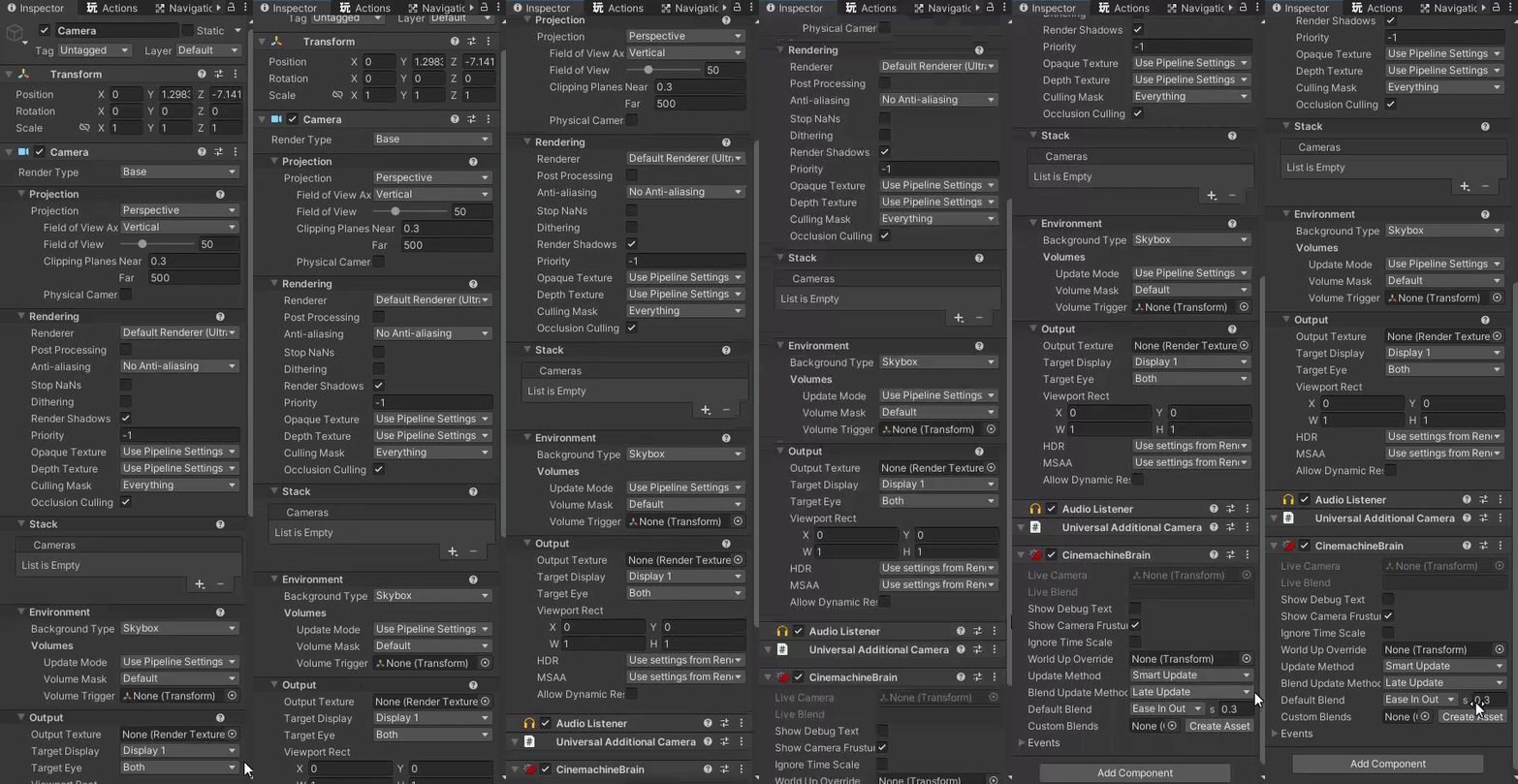 ember basin
Should I be childing my Camera w/ cinemachine brain to my player? I was getting extremely jittery movement before when it wasn't childed. Now that it is, it's much smoother. I'm using rigidbody, so the camera update method i'm using is fixed update. I also have rb interpolation on.
Is this going to lead to problems in the future? Is this actually something that most people do?
royal tartan
ember basin
Should I be childing my Camera w/ cinemachine brain to my player? I was getting ...
No. The cinemachine brain/ unity camera should not be a child of anything
Or at least, not for camera positioning purposes
It will be moved completely by following a virtual camera
royal tartan
ember basin
Should I be childing my Camera w/ cinemachine brain to my player? I was getting ...
With Rigidbody interpolation on, the update mode should be late update
Or smart update
ember basin
Unchilding, turning interpolation on, and late/smart update makes everything considerably more jittery
royal tartan
ember basin
Unchilding, turning interpolation on, and late/smart update makes everything con...
you'd have to show your setup
ember basin
What property for the freelook camera would i adjust to get this kind of effect when turning (character is turning left in the picture)? Is this lookahead? Horizontal dampening? X dampening? Yaw Dampening?

Always thought it would be look ahead but lookahead shifts my character to the left when turning left. What i'd like is to shift it to the opposite direction so you can actually see ahead
might need to play around with dead zones too i think
from what i'm reading, it should be Lookahead but it's inverted for me?
more like... lookbehind
ember basin
I feel like both of these properties should be doing the opposite effect though. Lookahead should be looking ahead and dampening should create a slight lag behind, but both are doing the inverse. Why? lol
ember basin
Ok it seems like adjusting the Z value in tracked object offset under "aim" is moreso what I want. The only issue is that it has no effect when using binding mode: Lock To Target No Roll. Not sure what to do lmao
 mental rapids
i want my camera to move up slowly and become quicker and quicker as the game moves on to insentivise players to move quickly kind of like the falcon in crossy roads how would i do that with cinemachine
errant shard
mental rapids
i want my camera to move up slowly and become quicker and quicker as the game mo...
Move the vcam's follow target quicker and quicker or however you need
mental rapids
errant shard
Move the vcam's follow target quicker and quicker or however you need
but then the vcams follow target would have to be something different then the player therefore if the player moved faster then the speed at which the follow target would move which is how i would like it to be then the player would have to wait for the vcams follow target to catch up
 mental pasture
Any reason why when CinemachineFreeLook and CinemachineBrain enabled at the same time will CHANGE the transform of my camera (of which the 2 are attatched) when not in play mode?
That is, its transform is changed by mouse input, OUTSIDE of play mode!
Thanks.
(workaround, I disable 1 of these components until the player spawns in)
royal tartan
mental pasture
Any reason why when CinemachineFreeLook and CinemachineBrain enabled at the same...
Pretty sure there's just a checkbox on the freelook and/or brain to decide if it applies in edit mode
mental pasture
royal tartan
Pretty sure there's just a checkbox on the freelook and/or brain to decide if it...
Oh cool
mental pasture
royal tartan
Pretty sure there's just a checkbox on the freelook and/or brain to decide if it...
Hmmm
Dont think so
 drifting zinc
i want to change the cinemachine body from transposer to do nothing via code how to do that ?
 mental apex
how big is the difference between ciemachine 2 and 3?
I am revamping my player entirely and I focus much more on performance,
considering switching to unity 2023 even though it's still in beta. I find cinemachine 2->3 to be the biggest difference.
errant shard
mental apex
how big is the difference between ciemachine 2 and 3?
I am revamping my player e...
Total internal rework afaik
I don't know if there is an upgrade path
The word from the developer is that you may want to keep using 2 if you already have systems relying on it, but start new projects with 3
mental apex
sounds good! I am building the new player completely from scratch, that's why I'm considering it
mental apex
errant shard
Total internal rework afaik
I don't know if there is an upgrade path
The word fr...
I think I will stay with cinemachine 2.
it seems to have much more support for now, also good for unity 2021 which is my main version for now.
royal tartan
drifting zinc
i want to change the cinemachine body from transposer to do nothing via code how...
better approach is to switch to a different virtual cam that already has that configured
 gilded chasm
Hey, im making a topdown 2d shooter and was wondering if there is an extension to a cinemachine virtual camera that would let me position the camera between mouse position and player's position?
royal tartan
gilded chasm
Hey, im making a topdown 2d shooter and was wondering if there is an extension t...
No need for an extension. Use CinemachineTargetGroup
 prisma gull
hi, does anyone know what the problem might be?
 royal tartan
prisma gull
hi, does anyone know what the problem might be?
royal tartan
prisma gull
hi, does anyone know what the problem might be?
Just looks like your mouse sensitivity is way too high
Doesn't seem Cinemachine related
Just an issue with your own scripts
errant shard
prisma gull
hi, does anyone know what the problem might be?
It could help to properly describe what you're trying to do, and how
Saves us some guesswork
My stab in the dark that is that you have some method that effectively turns the character around and walks in that direction, but because your camera is attached to it, that turning-around motion occurs every frame