#🎥┃cinemachine
1 messages · Page 2 of 1
 coral ingot
Mostly wondering if I can use this method

but like from a script attached to the camera
looking to center the camera on the target object as a transition but my current implementation isn't quite how i want it

    {
        isCentering = true;
        while (_CameraFramingTransposer.m_SoftZoneWidth > 0.005)
        {
            float speed = _CenterCameraSpeed * Time.deltaTime;
            _CameraFramingTransposer.m_SoftZoneWidth -= speed;
            _CameraFramingTransposer.m_SoftZoneHeight -= speed;
            yield return null;
        }
        _CameraFramingTransposer.m_SoftZoneWidth = 0;
        _CameraFramingTransposer.m_SoftZoneHeight = 0;
        yield return new WaitForSeconds(0.1F);
        _CameraFramingTransposer.m_SoftZoneWidth = originalSoftZoneWidth;
        _CameraFramingTransposer.m_SoftZoneHeight = originalSoftZoneHeight;
        isCentering = false;
        if (callback != null) callback();
}```you can see there is a large delay on the centering when the distance is small between the camera on target object because you need to wait for the bounds to close in before it looks like it actually centers on the target
 plain escarp
hello guys, i wanted to ask in which situations you create a new virtual cam and in which you change existing virtual cams per script. example: in my game you can crouch, aim and change the shoulder side (third person) so i would now need a camera for each situation, there would be quite a lot, so is there another solution?
 fast orchid
plain escarp
hello guys, i wanted to ask in which situations you create a new virtual cam and...
fast orchid
plain escarp
hello guys, i wanted to ask in which situations you create a new virtual cam and...
That's the whole idea of virtual cameras. You create one for these situations and switch between them.
plain escarp
fast orchid
That's the whole idea of virtual cameras. You create one for these situations an...
So i should create now 8 gameobject with the virtual camera component?
- Normal | Right Shoulder | Aiming
- Normal | Right Shoulder | Not Aiming
- Normal | Left Shoulder | Aiming
- Normal | Left Shoulder | Not Aiming
- Crouching | Right Shoulder | Aiming
- Crouching | Right Shoulder | Not Aiming
- Crouching | Left Shoulder | Aiming
- Crouching | Left Shoulder | Not Aiming
These are the 8 combinations that i could have
fast orchid
Yeah, sure. Or just four and modify the values of the camera before switching it on.
plain escarp
fast orchid
Yeah, sure. Or just four and modify the values of the camera before switching it...
Ah i see, thats also a good idea, thank you very much 🙂
 iron sundial
hello, is there anyway i can change this via script?

I want to like create a zooming out effect.
iron sundial
 errant shard
<https://forum.unity.com/threads/how-to-programmatically-change-virtual-cams-ort...
errant shard
<https://forum.unity.com/threads/how-to-programmatically-change-virtual-cams-ort...
nah. I just used more VCM and changed the priorities.
 loud axle
I have a collision impulse source component on each of my enemies that is triggered when i hit them
I don't want to trigger it through code because I want to use impact direction
The more they are, the biggest my screen shake is.
Is there a way to merge the values from the different screen shakes happening at the same time to keep the same intensity ? Because at the moment the intensity of the screen shake becomes too intense because it's additive
 royal tartan
loud axle
I have a collision impulse source component on each of my enemies that is trigge...
royal tartan
loud axle
I have a collision impulse source component on each of my enemies that is trigge...
use some kind of singleton-esque "shake manager" and have it manage everything
e.g. in your collision script have it call a method on the "ShakeManager". The ShakeManager makes sure only one shake is happening at a time.
 empty nacelle
Can i get an Event when a timeline-director thing has stopped playing?
 raven monolith
you subscribe to onstopped event from the playable director
 civic sail
I'm using the cinemachine 2D camera and normal Cinemachine Confiner in 2D mode with a polygon collider, and for some reason the confiner is allowing the camera to move past the bounds but only horizontally?? (I'm using a pixel perfect if that affects anything)

I've also tried using the cinemachine confiner 2d and it has changed nothing
 wet siren
is it possible that your polygon collider is too small? hard to tell from the screenshot, but perhaps enlarging it might be a worthwhile experiment
I'm having a different issue with the confiner, moving here from #🖼️┃2d-tools since it seems to be a better place to ask cinemachine-related questions:
I'm using a Cinemachine Confiner 2D in an ortho perspective and all is working well - except getting the _mainCamera.ScreenToWorldPoint(_inputSystemMousePos); now does not return the expected coordinates when the player is at the edges of the world, i.e. when the confiner constrains the camera.
Essentially the camera now stops at the world boundaries (expected, awesome)
... but grabbing screen coords with ScreenToWorldPoint returns a world position akin to a camera that hasn't stopped at the world boundaries (unexpected), which messes up my mouse input coordinates.
Is there an easy way to compensate for that shift?
wet siren
hmm, the easiest solution for me was to switch to ProCamera2D, which solves the issue out of the box (using geometry boundaries extension for constraining the camera)
 shut bough
Can anyone tell me why my camera is acting weird here in 3rd person view?
errant shard
shut bough
Can anyone tell me why my camera is acting weird here in 3rd person view?
Can you define "acting weird"
shut bough
nvm i fixed it
 echo siren
Can Cinemachine be used for 2D games? Since I need to do camera work there with Unity for our game. Specifically, basic pans to specific objects and then back to the player.
fast orchid
echo siren
Can Cinemachine be used for 2D games? Since I need to do camera work there with ...
Yep, it can be used for 2D.
echo siren
Since I'm not sure where to ask for help with camera work.
coral ingot
I've got this weird graphical jittering motion going on with some of my models and I think it may be because cinemachine is continuining to move by tiny amounts at all times and never comes completely to a stand still even though its target object is no longer moving and is not in the dead zone. any ideas on how to fix this? Is there any way to get the cinemachine camera to come to a complete stand still with no movement?

when disabling the cinemachine brain from the actual camera object this jittering behaviour stops (because the camera stops moving I suppose)
errant shard
echo siren
Can Cinemachine be used for 2D games? Since I need to do camera work there with ...
Check Cinemachine's downloadable samples from the package manager
It has an example scene of just that
 half shuttle
is there a way to use the pixel perfect camera on a render texture produced from a non-pixel perfect camera?
as using a pixel perfect cam on a camera that creates a render texture has a con of not being able to easily zoom in and out
half shuttle
unrelated but probably easier:
when using the confiner 2d I'm trying to get my camera to try not to move vertically or horizontally when it is within the bounds, however for some reason it can move up and down freely

as the camera is bigger than the bounds, so it should stay in place, unless I am misunderstanding this completely
however when I move the lower bounds higher up, it now allows me to move the camera horizontally
 rain basin
Is there actually a built in first person camera or not because I’ve heard there is but there’s only one tutorial on it I can’t watch because crappy internet rn
 bronze moon
rain basin
Is there actually a built in first person camera or not because I’ve heard there...
bronze moon
rain basin
Is there actually a built in first person camera or not because I’ve heard there...
just Virtual Camera is fps camera..
rain basin
Doesn’t do anything for me
I guess it’s best if I just resort to scripting one instead
bronze moon
rain basin
Doesn’t do anything for me
you still need to move the camera by rotating it , it wont autorotate or anything.
 deft junco
How can I rotate the camera horizontally slightly automatically when walking/movement while using Framing Transposer and POV?
 cyan gull
when I do _virtualCamera = _brain.ActiveVirtualCamera as CinemachineVirtualCamera; I get null. even though I have a camera thats active. but if i click on a camera under my state camera and click "Solo" the LIVE turns yellow, and now when I do the above code, I get the Name of my virtual camera. How do I get that active camera without solo?

this virtual camera is live, but the above only seems to recognize if i solo it?

        protected virtual void GetCurrentCamera()
        {
            _mainCamera = Camera.main;
            #if MM_CINEMACHINE
            _brain = _mainCamera.GetComponent<CinemachineBrain>();
            if (_brain != null)
            {
                _virtualCamera = _brain.ActiveVirtualCamera as CinemachineVirtualCamera;
            }
            #endif
        }

hitting 'solo' the code works, no solo, no golo? 🙂
royal tartan
cyan gull
hitting 'solo' the code works, no solo, no golo? 🙂
Did you know that as returns null if the cast is not valid?
ActiveVirtualCamera returns ICinemachineCamera, which is not necessarily a CinemachineVirtualCamera
If it's not a CinemachineVirtualCamera you'll get null, because that's how as works
In fact it's probably returning your StateCamera
which is a CinemachineStateDrivenCamera
royal tartan
I'd say more like... Use the type you actually want
cyan gull
But when it’s normal it’s a state.
royal tartan
Can you get away with ICinemachineCamera?
cyan gull
Right ok thanks. I converted from a single virtual to a state
I’ll try it.
CinemachineStateDrivenCamera worked
because I am using .transforms below it doesn't like casting as ICinemachineCamera
but as CinemachineStateDrivenCamera its perfect
camera rotates on all my state cameras now
thanks boss! @royal tartan
royal tartan
cyan gull
because I am using .transforms below it doesn't like casting as ICinemachineCame...
ICinemachineCamera has a property to get the GameObject
You can use that
cyan gull
ah ok so you think ICC is better?
because then it would work with virtual and state?
like more universal?
cyan gull
k let me try that one too 🙂
ok thanks! that also worked, so I will use that,... that one worked with normal, and solo, and etc etc so thanks again!
 knotty surge
hey im trying to add a 2d camera but all the options r grayed out and also there is no 2d cam 😢

can someone please help me and tell me how to add one?
half shuttle
knotty surge
hey im trying to add a 2d camera but all the options r grayed out and also there...
see what options you have when you type "cinemachine" when adding a component
 tulip topaz
how do i make a first person camera and linking it up with a script so i can get my player rotation depending where im looking all the tutorials im watching are either 3rd person or they make it way too complicated than it needs to be
royal tartan
tulip topaz
how do i make a first person camera and linking it up with a script so i can get...
they make it way too complicated than it needs to be
How do you know how complicated it needs to be if you need a tutorial to know how to do it?
tulip topaz
maybe i said it wrong but what i meant is i think what they are doing could be simplified
 lone storm
How can i move virtual camera, i put it into an empty but when i move empty it is not effecting the camera view]
fast orchid
Does the camera have a brain component? Is the virtual camera you're working with set to a higher priority than any other virtual cameras in the scene?
 barren ingot
I am trying to have cuts in my unity timeline and it works completely fine when working on it but in game when a camera is activated it moves to the activated camera
how do I prevent this
royal tartan
barren ingot
I am trying to have cuts in my unity timeline and it works completely fine when ...
If you're using CInemachine you should generally only have one actual Camera in the scene.
lone storm
fast orchid
Does the camera have a brain component? Is the virtual camera you're working wit...
I have brain component its just if i move VCAM its not moving if i translate the camera i can see values change but camera is not moving
lone storm
this is waht happening
royal tartan
lone storm
I have brain component its just if i move VCAM its not moving if i translate the...
Yeah because you have another vcam
the Freelook cam
that one is active currently
You can either press the "Solo" button on this camera's inspector to force it to be active in the editor, or make sure its priority is the highest among all cameras if you want it to be the active camera
 fossil karma
I am trying to have a racing game, and I want the camera to turn a little later than the car, so the player can see the side of the car, how can I achieve this?
royal tartan
fossil karma
I am trying to have a racing game, and I want the camera to turn a little later ...
allow your transposer some damping
fossil karma
royal tartan
allow your transposer some damping
thanks
 primal ridge
For some reason, all my cinemachine cameras are unable to follow moving objects
Specifically a moving rigidbody I’m using
Anyone know why?
royal tartan
primal ridge
Anyone know why?
How did you set them up to follow the object(s)?
How have you confirmed they are indeed not following the object(s) in question?
primal ridge
royal tartan
How did you set them up to follow the object(s)?
How have you confirmed they are...
They seem to be trailing them but not maintaining distance
Slowly falling behind as it goes
royal tartan
primal ridge
They seem to be trailing them but not maintaining distance
hard to help if you won't answer the questions...
primal ridge
royal tartan
How did you set them up to follow the object(s)?
How have you confirmed they are...
Via the follow option
2.
It does follow it, but it slowly drifts behind it
It isn’t staying at the right distance
Or any distance at all, really
royal tartan
primal ridge
1.
Via the follow option
2.
It does follow it, but it slowly drifts behind it
- Define "follow option". You can set a follow target but then there's infinity settings about How to follow it. Perhaps share some screenshots?
primal ridge
Default follow settings for a free look camera.
Dragged & dropped the object to follow in
royal tartan
You can't just rely on the defaults if they don't work for you
Also you didn't mention it was a freelook before.
primal ridge
Virtual cameras don’t work either
primal ridge
royal tartan
You can't just rely on the defaults if they don't work for you
I have tried every single setting over the last 3 hours
royal tartan
Without seeing any details it's hard to help
primal ridge
Is there a node I need to make it maintain distance or something
royal tartan
Also a video of the behavior you're seeing might be useful
 hard umbra
Is there a way to control cinemachine so a camera orbits around the player when I push the right stick?
I know how to do the input but how do the rotating around the player part
 molten palm
Does anyone here play Cities: Skylines? What sort of camera would you say that game is using? How does one go about achieving that with Cinemachine?
 gritty tangle
Does anyone know why the virtual camera that is looking at a ball always rotates with it?
fast orchid
@gritty tangle Don't crosspost. This is the correct channel for cinemachine related questions.
gritty tangle
Sorry, I was using the other channel because it seemed more active so I assumed I'd get help there quicker
But I'd really like to know how to fix my issues because i need that to be fixed in order to properly use my other functionalities in scripts
Seem to have fixed it someway with a code that puts the rotation of the referenced gameobject to 0 all the time
gritty tangle
is there a way to lock the input from the XY Axis of the cinemachine virtual camera with another input action or any other way?
 royal tartan
what do you mean by "lock the input from the XY Axis of the cinemachine virtual camera with another input action"?
Like use a button to enable/disable it?
 warm verge
hard umbra
I know how to do the input but how do the rotating around the player part
warm verge
hard umbra
I know how to do the input but how do the rotating around the player part
If your using the New Input System you can add a Cinemachine Input Provider to the cinemachine camera and use the Mouse Look or Stick Look action, that will let you move the camera with mouse or sticks
half shuttle
What is the best way to stop a virtual camera from moving in a certain direction?
As I have this invisible wall (marked in red) that I would want the view to stop on
 royal tartan
half shuttle
What is the best way to stop a virtual camera from moving in a certain direction...
half shuttle
royal tartan
half shuttle
What is the best way to stop a virtual camera from moving in a certain direction...
half shuttle
the confiner confines it within a polygon shape, is there a way to stop it only in a single direction?
(unless I'm misunderstanding how the confiner works)
royal tartan
Just use a giant BoxCollider2D with the left edge at your invisible wall and the right edge somewhere a couple thousand units to the right
half shuttle
ah alright, thought there would be some more elegant solution, thank you
royal tartan
There might be 😛
half shuttle
for now this works pretty well
gritty tangle
royal tartan
Like use a button to enable/disable it?
pretty much that yea. Im making a very cheap knockoff billiard game where i have to use some really old flimsy controller (i have to due to an assignment) and its joysticks are very flimsy so id like to have a way to "stop" the camera from rotating around the object that i set it to to basically "determine" from what angle I want to push the object (in this case the white ball you hit in any other billiard game ever) from
i have an action map that is basically just a button with which i would love to stop the virtual camera with
royal tartan
gritty tangle
i have an action map that is basically just a button with which i would love to ...
Just disable that input action.
gritty tangle
I am not using that input action right now, i meant that i want to use that specific input action to stop any kind of movement if that is possible around the white game ball
gritty tangle
Or rather, is there a way to stop it from always centering itself when i dont move the camera?
royal tartan
gritty tangle
is there a way to lock the input from the XY Axis of the cinemachine virtual cam...
I'm saying disable the XYGTFREELOK/ActionX input action
that will stop any rotatio
you can also disable the input provider
gritty tangle
Im sorry if this is getting tedious for you but i want to use that input action to make the camera rotate around 😅
during gameplay
and have some way to just stop it temporarily without having to turn off the Input Provider manually
royal tartan
Yeah, I've described how to do exactly that
lone storm
I am having this problem when i play it goes to original position any help for that.
lone storm
no help ?
 flat radish
lone storm
no help ?
flat radish
lone storm
no help ?
I replied in the animation channel
 smoky swan
Hi, has anyone seen an issue using the provided 6d Shake and the normal map of sprites seems to go crazy? it doesn't stay with the sprite.

 safe narwhal
Hey, i'm using cinemachine and have this simple script to switch between cameras based on whether the player leaves the camera collider bounds or not. however i've found that it sometimes it switches to the wrong camera or it'll keep switching between two cameras in a loop even though their colliders don't overlap. here is the script:
private void OnTriggerEnter2D(Collider2D collision)
    {
        thisCam.enabled = true;
    }
    private void OnTriggerExit2D(Collider2D collision)
    {
        thisCam.enabled = false;
    }
the colliders don't have to overlap for the player's collider to overlap them both simultaneously
you'll want to consider and account for that case in your code
safe narwhal
royal tartan
the colliders don't have to overlap for the player's collider to overlap them bo...
oh yeah that is a fair point actually
as a sidenote ive also noticed my cameras work if i enter them in the order i created them. all the priorities are the same so is there some other value that unity considers when deciding what is the next best cam to switch too?
 plain sinew
https://streamable.com/g59k19 when setting a LookAt target, why is my camera flipping around?
 warm verge
Probably because it looked to straight up and that interferes with your code responsible for max look up
(If you have a max look up)
plain sinew
its just an animation (the initial look up)
its not vertical look up, there is an angle to it it is vertical. Let me tinker
yep, even with an angle its still flipping for some reason
warm verge
Maybe when the object is spawned in it somehow interferes with the camera movement
As the camera doesnt know what to focus on for a split second
plain sinew
I'm not really sure what the problem is, which is why i'm asking here
royal tartan
plain sinew
https://streamable.com/g59k19 when setting a LookAt target, why is my camera fli...
Are you setting the second parameter to LookAt?
If not it defaults to straight up which will be a problem if you're also looking straight up
plain sinew
second param? i only saw m_lookAt = someTarget ultimatily i solved it by not using cinemachine lookat, and just keyframing the rotation within my Timeline
smoky swan
smoky swan
Hi, has anyone seen an issue using the provided 6d Shake and the normal map of s...
I found my issue. creating a new noise setting without xy rotation fixed it.
 worldly wagon
Greetings my cinemachine camera is mostly working fine but in some random moments that happens very rarely it looks like my camera pulls back like by 10 units then instanlty snaps back and i cannot replicate whats causing it
Any ideas what this could be,using a rigidbody
royal tartan
worldly wagon
Greetings my cinemachine camera is mostly working fine but in some random moment...
Are you using cinemachine collider?
 sinful hawk
Hey, can anyone show me a decent tutorial on how to use cinemachine correctly for a 3d person combat?
I can set it up and use it, but I am not satisfied with the camera movement.
I really would love to have simple camera movement (limited orbiting), and then another correct combat camera with cinemachine.
 oak bane
when i come out the "Kitchen" at an angle the camera also follows the player at an angle
i want it to always be centered to the player anyone know how to fix it?
btw i switch between cameras by script by enabling the gameobject or disabling it depending on if the players in the kitchen or not (2 virtual cams)
oak bane
 faint axle
When using screenshake, is it possible to use ScreenPointToRay such that it ignores the shake?
If I could get the current shake vector I could subtract it from the ray origin and that should work.
I'm not sure what the difference between "raw" and "corrected" is
 tawdry olive
why the camera is shaking?
errant shard
tawdry olive
why the camera is shaking?
Usually this happens when the followed rigidbody doesn't have any interpolation
tawdry olive
errant shard
Usually this happens when the followed rigidbody doesn't have any interpolation
tawdry olive
errant shard
Usually this happens when the followed rigidbody doesn't have any interpolation
I didnt separate the model from the player it self and the rotation were freezd on the player so that caused this jitter , sorry for wasting your time😅
errant shard
tawdry olive
I didnt separate the model from the player it self and the rotation were freezd ...
I like to hear about every solution, but I'm not sure what about that setup caused the jitter exactly!
tawdry olive
errant shard
I like to hear about every solution, but I'm not sure what about that setup caus...
 errant shard
tawdry olive
errant shard
tawdry olive
I see, so that fights with Cinemachine's rotation ^^
royal tartan
faint axle
When using screenshake, is it possible to use ScreenPointToRay such that it igno...
one option is to have another vCam with the same settings but no shake
hard umbra
Hi, is it possible to have a free look camera default to high rig, every time i hit play, when I have High rig selected it defaults to mid rig every time
without using code or does it just default to mid rig and that's the way it is
Also, when I move left and right the camera starts to rotate around the character when I don't want it to
faint axle
royal tartan
one option is to have another vCam with the same settings but no shake
I'm pretty sure you can only have one virtual camera active at any time.
I'm using the framing follow movement
Or do they keep moving around even when the camera is not following them?
Regardless that feels like a worst case scenario fix and it would break down if I was doing any blending.
royal tartan
faint axle
Or do they keep moving around even when the camera is not following them?
There's a setting
to control whether they update when not active
It's called "Standby Update"
You could set yours to Always

but yeah
I don't think it's the best solution
faint axle
Damn there must be a way. Do you know anything about this "raw" and "corrected" position stuff? Maybe I should just ask on the forum
The developer seems pretty active
royal tartan
Yeah I'm not sure. What are you using for the shake? Impulse Listener?
faint axle
royal tartan
Yeah I'm not sure. What are you using for the shake? Impulse Listener?
Not using anything yet, but that seems to be the way.
I don't want to start implementing it until I'm sure I can do it without disrupting gameplay.
Hm. Actually I could use another hack... I could child a second camera to the brain, shake it independently in local position, and toggle it on while any shake is happening.
But I'm not looking for hacks haha
worldly wagon
anyone know how i can achieve a camera setup like this with cinemachine?https://www.youtube.com/watch?v=kmOD9ia2n24&t=89s&ab_channel=IGN

Check out some tracks from the Wipeout Omega Collection running in 4K 60fps.
Watch Everything from PSX 2016 here!
https://www.youtube.com/watch?v=BVolJ3L15lM&list=PLraFbwCoisJDGNMvYoK8UTa1LlMgUhY0U&index=2
Check out our PlayStation 4 Pro Review:
https://www.youtube.com/watch?v=jfVCn8qJ690
While you're at it, catch our PlayStation VR Review her...
raven monolith
give specifics
worldly wagon
when the craft goes left and right for example
like the camera doesent look at it but still follows it
 quiet kestrel
Has anyone experienced the CInemachine Collider script causing a ton of jitter when colliding with steep terrain, and also sometimes going through the terrain? I'm using Unity 2022.2.1f1, see attached screenshot for the problem. The camera is colliding with the terrain regardless of the camera radius.
 royal tartan
quiet kestrel
Has anyone experienced the CInemachine Collider script causing a ton of jitter w...
royal tartan
quiet kestrel
Has anyone experienced the CInemachine Collider script causing a ton of jitter w...
Check your settings on the cinemachine collider
stuff like "Preserve Camera Height" if enabled are going to cause you a lot of issues on steep terrain
 lucid patrol
I'm having a problem with camera related stuff.
I was trying to make a headbob but then i realized this was really messy and could probably be optimized but im having to make a weapon sway on an object and then the recoil on another object and so if i keep doing this it will just look like garbage
So yeah the only thing i thought of is if Cinemachine would help with this.
Please reply so that i know someone responded. Thanks.

 soft laurel
Hello I'm following this tuto and I don't get how to change camera?
https://youtu.be/Jv9jGyIWelU?t=167

Welcome to the Prototype Series - a group of videos that focuses on the creation of playable prototypes, showcasing how multiple features of Unity can be used to achieve game mechanics that can be used in real-world scenarios!
Is there some game mechanic that you would like us to try and prototype? Let us know in the comment section!
Download...
fast orchid
You linked the moment where they do, by changing the priority of the camera.
lucid patrol
lucid patrol
I'm having a problem with camera related stuff.
I was trying to make a headbob ...
Anyone, please help.
 candid briar
yooo, didnt on youtube channel they said cinemamachine 3.0 will be available from unity 2022.2 if preview bundles are turned on?
oh nwm, it seems they changed that it will be onlfrom 2023 X.x sadness
raven monolith
They said 3 would've have many new features
Just api variable names and workflow are changing
flat radish
There was a video on it - sounded like one thing that was changing is more special purpose components rather than a mega-engine. So a more "Unity-like" code base where you pick the components that do what you want, rather than mega components with different options to change how they behave.
 azure cliff
I am having issues with the CinemachineVirtualcamera, i got the Starter Asset first person character controller, it does basically everything i need, but my camera movement has some problems, when moving the mouse slowly absolutely no cameramovement is registered, i changed the Aim mode to POV since this gave it a nice cinematic look which resolved that problem, but now my character moves in very strange ways, i don't know how to fix this and i need some help, resolving the problem with the camera not moving is a bigger priority than the cinematic look in the POV mode
edit: nvm, i found the problem, there was a threshold varaible in the controller script which blocked movement which was too slow
warm verge

using System.Collections;
using System.Collections.Generic;
using UnityEngine;
public class move : MonoBehaviour
{
public float speed = 6f;
public float jumpspeed = 8f;
public float gravity = 20f;
private Vector3 moveD = Vector3.zero;
CharacterController Cac;

// Start is called before the first frame update
void Start()
{
   Cac = GetComponent<CharacterController>();
}

// Update is called once per frame
void Update()
{
   if(Cac.isGrounded){
     moveD = new Vector3(Input.GetAxis("Horizontal"),0, Input.GetAxis("Vertical"));
     moveD = transform.TransformDirection(moveD);
     moveD *= speed;

     if(Input.GetButton("Jump")){
        moveD.y = jumpspeed;
     }
   }
   moveD.y -= gravity * Time.deltaTime;
   transform.Rotate (Vector3.up *Input.GetAxis("Mouse X")*Time.deltaTime * speed * 30);

   Cac.Move(moveD*Time.deltaTime);
}
}
errant shard
@warm verge Please formulate a question and do not dump unformatted code
warm verge
i dont like when the camera turn like its not rlly smooth
errant shard
warm verge
i dont like when the camera turn like its not rlly smooth
It looks like the character is using root motion to move (or otherwise being moved independently), but its parent object is being rotated from input, so it also gets increasing translational movement when turning which the vcam struggles to keep up with
Hard to tell from the video what motion is happening and what isn't since the floor is featureless
 modest venture
Suffering a weird glitch where, when I move my mouse Diagonally, or point a Xbox controller's analogue stick in a diagonal direction, the X value of my Freelook will jump by about 60 units in either direction. Only happens on the diagonal movement. I think it might have something to do with switching to the different rigs.
So, paying close attention to the X values, I notice it happens when I pass over 180 or below -180.
 zenith ibex
am I the only one that finds cinemachine utterly baffling with all the options?
raven monolith
no
takes a while to get used to it, but once you play around with it enough it's like second nature
zenith ibex
I have an issue where my camera, when tracking a fast moving object, either slowly looks up or down and the target goes out of shot
i kinda just want it to work like an orbit camera with damping (as the target is moving with quite a bumpy motion)
zenith ibex
but based on what youve said ive deleted it and trying to isolate the things one by one, save during play is also a discovery
 naive river
How to fix jittering problems on free look camera?
zenith ibex
naive river
How to fix jittering problems on free look camera?
also just hit this issue again
zenith ibex
naive river
How to fix jittering problems on free look camera?
setting update method on camera to "Fixed Update" fixed it for me, since my camera is tracking a rigidbody
warm verge
I'm having some trouble installing cinemachine
I installed it from the package manager but it doesn't appear in the top bar

tried restarting unity but it didn't help
oh i haven't read what it says in the description and I deserve any insult I get
bronze moon
warm verge
I'm having some trouble installing cinemachine
I installed it from the package m...
cinemachine is under Component menu
 main jackal
The red guides in the game tab dont appear and "Game window guides" is checked
 sick herald
Hi everyone, I'm wondering how does a line like this work: Camera.main.gameObject.TryGetComponent<CinemachineBrain>(out var brain);
What is considered the Camera class here?
Would that be in my main camera or my player object's virtual camera
errant shard
sick herald
Would that be in my main camera or my player object's virtual camera
Vcams are not cameras and can't have the brain component
sick herald
Thank you! That link also showed that I had to set MainCamera as a tag
royal tartan
sick herald
Hi everyone, I'm wondering how does a line like this work: `Camera.main.gameObje...
Camera is just the Camera class provided by unity.
Camera.main is a static property on the class that finds an object tagged MainCamera with the Camera component on it
sick herald
Wonderful, thanks everyone ❤️
I have another question 😄
I'm not able to set transport here on the body of the vcam:

Nothing happens when I choose any of those options
royal tartan
wdym by "transport"?
sick herald
"Transposer" sorry
royal tartan
Do you have a follow target selected for the vCam?
If there's no follow target then the body setting won't do anything
sick herald
My game looks like this:

Yup
I have a follow and a look at at the same player object
royal tartan
Are you sure this vCam is the active one? Press Solo on it in the inspector to have it take over as the primary for testing
 royal tartan
sick herald
royal tartan
sick herald
is there a cinemachine brain in this context??
sick herald
royal tartan
is there a cinemachine brain in this context??
It's on the main camera my friend, and not the vcam that's attached to the player object ❤️ 🙂
is that a good idea?
royal tartan
sick herald
It's on the main camera my friend, and not the vcam that's attached to the playe...
right but
is that main camera even in existence in this context?
are we looking at a prefab here for example?
sick herald
 royal tartan
yes that's your scene
royal tartan
sick herald
I mean this
what object is this attached to
looks like one of your prefabs
royal tartan
right, which isn't in the scene
sick herald
Yes a prefab
sick herald
It's spawned with Mirror
royal tartan
pull it into the scene directly for the moment
sick herald
Ok
royal tartan
just to test the camera settings
sick herald
Pressing solo isn't doing anything
royal tartan
where are you looking

 sick herald
The vcam is
royal tartan
yes
so what's the issue
remember I can't see your project, so any additional screenshots etc to illustrate the issue will be helpful
sick herald
Ok, I didn't want to over flood the chat
I guess at this point I may just need to set the offset
Because currently the game is looking from under the car instead of over

 royal tartan
sick herald
I guess at this point I may just need to set the offset
royal tartan
sick herald
I guess at this point I may just need to set the offset
you will of course need to configure the transposer settings on the vCam to get the follow strategy you desire, yes
sick herald
royal tartan
you will of course need to configure the transposer settings on the vCam to get ...
Thank you 🙂 Is the body resetting to nothing because I'm editing a prefab?
royal tartan
i don't know what you're doing
sick herald

I have this Kartclassic prefab, and I'm trying to add "transposer" as a body in the inspector
sick herald
I can't change the height of my virtual camera and it looks awkard at the moment:

Changing the transposer offset or damping isn't doing anything
The camera follows the player, MainCamera says it following the VCam, but when I click "solo" on the vcam, then the camera changes and I'm able to edit the offset values
 low dove
Hello, I am looking for a way to create a confined camera system using cinamachine. I have got all the confinement working, but how do I snap my camera back and force between confined zones. I would prefer not to use multiple cameras for this by the way unless it's the only solution.
errant shard
low dove
Hello, I am looking for a way to create a confined camera system using cinamach...
iirc Cinemachine's sample scenes downloadable from the package manager have an example of trigger zone switching between confined cameras
Using multiple virtual cameras is pretty much the point of Cinemachine
low dove
errant shard
iirc Cinemachine's sample scenes downloadable from the package manager have an e...
oh alright, my worry was optimization but yeah, I guess it makes sense, after all they are virtual cameras.
 hot lodge
Hope you guys are well.
I am getting a strange camera jitter when my character sprints? It seems to bounce from its usual spot to inside my character spontaneously. (Best visualized ~15s in the video)
royal tartan
hot lodge
Hope you guys are well.
I am getting a strange camera jitter when my character...
looks like you're using CInemachineCollider and it's colliding with the player itself
hot lodge
Oh yea that was it, thank you!
Is there a way to use math functions when a class not derived from monobehavior?
royal tartan
hot lodge
Is there a way to use math functions when a class not derived from monobehavior?
math functions? Of course why would you need MonoBehaviour for math
which functions exactly?
hot lodge
I got it actually, thank you though
iron sundial
Hello, Is there any extension in cinemachine cam that allows me to turn off and on the noise? i want to add camera shake on condition
 coarse elbow
why is my terrain like this, I've tried changing camera destance, it somehow worked but it only decreased it and still won't fully render the entire terrain
 errant shard
coarse elbow
why is my terrain like this, I've tried changing camera destance, it somehow wor...
errant shard
coarse elbow
why is my terrain like this, I've tried changing camera destance, it somehow wor...
The terrain is partially behind the camera
coarse elbow
errant shard
The terrain is partially behind the camera
I see, thank you!
errant shard
coarse elbow
I see, thank you!
More specifically if it's a follow camera you'd add more follow distance in vcam's settings
Orthographic camera's near plane can be adjusted to determine where the near clipping happens, but obviously it can't happen behind the camera's physical location
coarse elbow
errant shard
More specifically if it's a follow camera you'd add more follow distance in vca...
I can't adjust the clipping planes, the vcam is forbidding me to
errant shard
coarse elbow
I can't adjust the clipping planes, the vcam is forbidding me to
They're overridden by vcam lens settings
But those are not the settings you need to adjust, you need to adjust the virtual* camera's physical distance to its target
coarse elbow
errant shard
They're overridden by vcam lens settings
But those are not the settings you need...
so by manually doing it?
errant shard
coarse elbow
so by manually doing it?
That depends what controls the position of your vcam in Body settings
If it's not basing its position on anything, then you'd manually move it
If it's following a character then you can change the follow distance in the Body settings
coarse elbow
errant shard
That depends what controls the position of your vcam in Body settings
If it's no...
I manually moved it and it worked👍
 zinc stream
hi so whenever i enable the third person camera free look it just flys at 3000km/h
coarse elbow
help, when I imported this model to the scene, the camera starts following it and ruined the isometric view, anyone know what's the issue?

oh wait I think I figured it ou
nvm still happening
OH I FIGURED IT OUT
low dove
Is anyone aware of a way to make a camera ledge detection system where when the player gets close to a ledge, the camera moves downward?
errant shard
low dove
Is anyone aware of a way to make a camera ledge detection system where when the ...
To detect a ledge for whatever purpose is simple, a raycast or a trigger will suffice
Complexities arise from edge cases where the character may be surrounded by multiple ledges, or the edge is poorly defined as a hill or a slope, or if the edge is very close to a wall or a wall cuts into it at an angle
You need to work that stuff out in design to know what kind of a ledge system you start making
Ledge climbing systems have to deal with similar challenges so those resources might be useful here as well
low dove
errant shard
To detect a ledge for whatever purpose is simple, a raycast or a trigger will su...
Alright, I use a simple tileset for my world with 90 degree angles. Thanks for the tips!
 open verge
Hi all,
I’m making a 2d platformer where my ledge climb ability involves teleporting from the start to end point. This is causing the camera to jerk when the player changes position.
The problem can be fixed by increasing damping, but ideally I want to tell the camera where the player appears to be and move to the new location with them. I think this will feel more exciting than updating the position at the end smoothly.
Does anyone know of a way to trick the camera into following the animation’s position during the ledge climb rather than the player itself please?
Many thanks
royal tartan
open verge
Hi all,
I’m making a 2d platformer where my ledge climb ability involves telep...
Make an empty child object of the player for the camera to follow.
In your animation, animate the empty camera target too
open verge
royal tartan
Make an empty child object of the player for the camera to follow.
In your anim...
Thank you. That sounds like it would work. So my new camera follow target would be this object rather than the player right? Or would I make a new vcam to switch to?
royal tartan
open verge
Thank you. That sounds like it would work. So my new camera follow target woul...
just change the follow target of your existing vCam to this new object
open verge
royal tartan
just change the follow target of your existing vCam to this new object
Got you, thanks really appreciate the help, I've been stuck on this!
 tall rampart
Unity pixel art stuttering with pixel perfect camera and cinemachine
already tried setting update method to fixed update and it didn't help
https://paste.ofcode.org/7P7gqHQ46YYMHVp2bkvZ9Y
https://youtu.be/BJ_4ugQT5gc
 errant shard
tall rampart
Unity pixel art stuttering with pixel perfect camera and cinemachine
already tri...
errant shard
tall rampart
Unity pixel art stuttering with pixel perfect camera and cinemachine
already tri...
Did you try it with orthographic camera? I don't think pixel perfect works properly if at all with a perspective camera
 undone crow
Is there a way to force camera center after the target leaves the dead zone? Right now when the target leaves the dead zone the virtual camera will move the minimum to fit the target in the dead zone again. I hope my question is clear enough
it's more like a stepped move, the camera won't move until it's needed and when it's needed it will move enough to recenter
 trail mica
i am tring to use the pixel perfect camera with cinemachine, someone knows why this is happening?
i am using the pixel perfect camera extension for the virtual camera
also i am using urp
trail mica
i had an the background set to uninitialised bruh
tall rampart
errant shard
Did you try it with orthographic camera? I don't think pixel perfect works prope...
ah that might be it
yeah that was it thanks, god damn sometimes using pixel art in unity feels like a checklist
errant shard
trail mica
i am tring to use the pixel perfect camera with cinemachine, someone knows why t...
When making a video take the opportunity to show camera settings in addition to vcam settings, with additional components visible
The background settings would have been revealed there
In case you have issues with vcams later down the line, show the extensions, if any, and all the sections like Lens, Body and Aim maximized
 jade karma
Does anyone know what cause this? im using Cinemamachine and using corgi engine... with URP?

ooh nvm i found it, its because i set camera using SkyBox..
 rough bramble
Can anyone suggest how to keep the camera confined to the tube without overriding what WASD does like frame transpose does?
sick herald
My camera follows the player, but I cannot change it's damping and offset. And the main cam says it's using the vcam.
However, if I put "solo" on the vcam, then the camera changes position and I'm able to change the offset and dampness, but the camera doesn't follow the player.
Oh, looks like my player has a separate vcam game object for some reaosn
I'm not really sure why the player is spawning a separate virtual camera with the same name as a virtual camera with as the same name and is a direct child of the scene
errant shard
sick herald
I'm not really sure why the player is spawning a separate virtual camera with th...
That seems to be up to how you do the "spawning" in this case
sick herald
I was thinking that
errant shard
A vcam is just a gameobject with a component, it doesn't have any special control over its own existence
sick herald
This is just a child of Mirror's NetworkManager

This is the script: https://hastebin.com/resezividu.csharp
Hastebin is a free web-based pastebin service for storing and sharing text and code snippets with anyone. Get started now.
 pliant trellis
I'm using cinemachine for a 2D game im making in a unity C# course, but when i added the camera and had it follow an object, it the camera followed choppily. is there any way i can make it smoother?
i just noticed that the enviroment around the ball that the camera is following is looks completely smooth, but the ball itself appears to move choppily.
bronze moon
pliant trellis
i just noticed that the enviroment around the ball that the camera is following ...
maybe it's not cinemachine then, post ball movement code in #💻┃code-beginner
pliant trellis
there is no code
pliant trellis
bronze moon
maybe it's not cinemachine then, post ball movement code in <#49787400440158617...
i just put a rigidbody component on the ball and let it roll while the camera follows it
 tender laurel
havin a horrible time trying to position this camera... its always just staring at her legs... any suggestions?
 flat radish
Has anyone tried 2022.2 with Cinemachine 2.9.2? (I added the "3D Characters and Animation" feature set.) My problem is when I have a cinemachine camera referencing the main camera, the cinemachine camera is turning off the "physical camera" setting when Lens / Advanced / Mode Override is "none". If I set the mode to Physical, then the physical camera is turned on. This is different to 2022.1 where a Mode Override of none does not modify the physical camera checkbox. Does this seem like a bug?
 final patio
Is it possible to freeze the Y axis on cinemachine 2d so that it follows an object but only on one axis?
errant shard
final patio
Is it possible to freeze the Y axis on cinemachine 2d so that it follows an obje...
https://forum.unity.com/threads/follow-only-along-a-certain-axis.544511/#post-3591751 I don't recall there being a setting for yet so this should be the way
pliant trellis
bronze moon
maybe it's not cinemachine then, post ball movement code in <#49787400440158617...
There is no code on the ball, its just a cinemachine following a circle sprite that has a rigidbody component
bronze moon
pliant trellis
There is no code on the ball, its just a cinemachine following a circle sprite t...
which follow method are u using
pliant trellis
bronze moon
which follow method are u using
this

im just using the follow part of the cinemachine virtual camera
bronze moon
pliant trellis
this
what if you remove Composer in the Aim
pliant trellis
Alright, i just did that and now its less choppy but its still choppy
bronze moon
pliant trellis
Alright, i just did that and now its less choppy but its still choppy
can you make a short vid
 pliant trellis
bronze moon
can you make a short vid
pliant trellis
bronze moon
can you make a short vid
did you want me to record it focused instead?
bronze moon
pliant trellis
did you want me to record it focused instead?
the jittering seems to be the ball itself not the camera. can you show inspector for the ball ?
you could move your issue in #💻┃unity-talk as it's more frequented
pliant trellis
bronze moon
the jittering seems to be the ball itself not the camera. can you show inspector...
alright, i guess ill move it to unity talk and show the inspector
 willow vapor
how can I get the camera to tilt in this direction?

basically just spinning the viewport, like this

rotating the Look At object doesn't work on at particular axis for some reason
bronze moon
willow vapor
basically just spinning the viewport, like this
think u can just manually rotate the virtual cam no?
willow vapor
bronze moon
think u can just manually rotate the virtual cam no?
rotating does nothing, or rather it seems that the transforms are locked on the CM vcam

I believe it's because these transforms are determined by the CinemachineVirtualCamera component
willow vapor
as mentioned before, I have a Look At target, but rotating that object doesn't work
it seems that only rotating on the Y axis has an effect, but that's not the correct axis
bronze moon
willow vapor
as mentioned before, I have a Look At target, but rotating that object doesn't w...
I get that, so rotate it without the Look At for the moment you need that rotation
willow vapor
that won't work, since I want the camera to be constantly rotating throughout the entire game
I really don't want Look At to be disabled completely
can I not have the rotation and Look At at the same time?
bronze moon
willow vapor
that won't work, since I want the camera to be constantly rotating throughout th...
Look At will control rotation, if you want a lock on target while you do it use a script to tell where to look at. I don't see a way around look at, maybe try POV
willow vapor
In case anyone else has a solution, this is simply the effect I'm trying to achieve

something as advanced as cinemachine surely has a feature that allows this
willow vapor
@bronze moon finally found it!!! It was this setting all along
 bronze moon
willow vapor
<@286722279969259520> **finally** found it!!! It was this setting all along
bronze moon
willow vapor
<@286722279969259520> **finally** found it!!! It was this setting all along
Dutch angles are technically meant for tilt in cinema, but glad it worked out lol
https://en.wikipedia.org/wiki/Dutch_angle

The Dutch angle, also known as Dutch tilt, canted angle, or oblique angle, is a type of camera shot which involves setting the camera at an angle on its roll axis so that the shot is composed with vertical lines at an angle to the side of the frame, or so that the horizon line of the shot is not parallel with the bottom of the camera frame. This...
 open terrace
Anyone experienced a freelook camera which doesn't rotate smoothly with mouse movement?
Acts like half the time it's not seeing the input
I don't think I have anything unique set up here.
It'll move a bit, pause, move a bit, pause. Or, other times, it acts like when the mouse is at the edge of the screen there's no input.
Seems like in the editor it isn't seeing the input unless I'm hovering the unity editor UI as I move around actually.
royal tartan
open terrace
Anyone experienced a freelook camera which doesn't rotate smoothly with mouse mo...
How did you hook up the input handling
open terrace
Works a bit better with a fullscreen game window
I'll look

Just mouse axis inputs.
If this is what you mean
That what you're refering to @royal tartan
royal tartan
Sure. Have you tried messing with any of those settings?
open terrace
I actually think these are the defaults 🙂
 red lodge
Hi everyone, is there a way to create a delay and smooth follow with Cinemachine please? Can't seem to find what I want on Google
^^"
rough bramble
I have a scene with a waterslide. I wish to code collision detection to keep the camera in the ideal spot while moving down the waterslide behind the playerObject.
Can anyone point me in the right direction?
Which methods to use? A video explaining how to code collision detection, etc. .
royal tartan
rough bramble
I have a scene with a waterslide. I wish to code collision detection to keep the...
I'd say just set up a separate virtual camera with better settings for the water slide and transition to that while sliding. Also get familiar with the CinemachineCollider component
royal tartan
red lodge
Hi everyone, is there a way to create a delay and smooth follow with Cinemachine...
delay is called "damping" generally in cinemachine transposers/composers
rough bramble
royal tartan
I'd say just set up a separate virtual camera with better settings for the water...
The framing transposer works correctly in the tube but it also throws my WASD movement out the window
royal tartan
rough bramble
The framing transposer works correctly in the tube but it also throws my WASD mo...
how so
rough bramble
When im using the default cam which i think is the body worldspace setting on the regular transposer, everything moves correctly with WASD.
When using the framing transposer, WASD no longer moves the ball relative to the camera
Not home atm but i can make a video showing an example of what i mean in an hour or two
royal tartan
rough bramble
When im using the default cam which i think is the body worldspace setting on th...
well which camera are you referencing to move relative to in the code?
rough bramble
Good question. I followed a tut for the playercontroller and cameracontroller and am not at a level of understanding yet to solve these things on my own.
Maybe the video i upload in a little will shed more light. I am sure i am not communicating this properly.
open terrace
open terrace
Anyone experienced a freelook camera which doesn't rotate smoothly with mouse mo...
I'm still experiencing this. Freelook camera with mouse input behaves as if Cinemachine is only seeing input if the mouse is hovering over some editor UI elements. Works well if my mouse is over the inspector, for example.
Switching toggling the game view maximization on and off seems to fix it sometimes.
red lodge
royal tartan
delay is called "damping" generally in cinemachine transposers/composers
Thank you, it's working really well 😄
 still valve
Hi I'm new here. I was wondering how I could adjust the Aim horizontal and Vertical damping on a CinemachineFreeLook dynamically from a script?
 errant shard
still valve
Hi I'm new here. I was wondering how I could adjust the Aim horizontal and Verti...
errant shard
still valve
Hi I'm new here. I was wondering how I could adjust the Aim horizontal and Verti...
There's a thread with instructions by Gregoryl for almost any cinemachine questions it seems!
still valve
Hmm, saw this but still don't see any impact. Will check my script again in a bit. 😅
Yeah Gregoryl is on almost all of them now 😄
Thank u btw
 nocturne stirrup
Hey, I have a cinemachine camera. I would like to change the distance. I tried to put a transform further than the Z transform i had before, but it still doesn't work :/ How can I change that?
royal tartan
nocturne stirrup
Hey, I have a cinemachine camera. I would like to change the distance. I tried t...
change what distance?
royal tartan
I didn't really ask what kind of game you had, I asked what distance you wanted to change
nocturne stirrup
of the camera
royal tartan
Follow distance?
nocturne stirrup
on Z axis yeah
nocturne stirrup
wait i'm gonna try it

Where are the follow settings?

The settings button just give me this
royal tartan
nocturne stirrup
... that's just the follow target
Sorry I meant "Body" settings
expand Body
nocturne stirrup
okay

i've already change "camera distance", but it doesn't work

this is the vision of game with 4 as camera distance

And this is when i put 30..
Ok i just found out, i just changed "ortho size"
warm verge
guys how do I get my cinemachine camera to point towards my cursor. I looked it up and it only gave me 2d answer I need 3d answers.
royal tartan
warm verge
guys how do I get my cinemachine camera to point towards my cursor. I looked it ...
Can you elaborate on what you mean by that? Kinda just sounds like you want first person controls
pointing camera towards the cursor doesn't make a lot of sense because turning the camera then also moves where the cursor is in the world and so on
warm verge
yes I just want my player to point in the direction of my cursor which I have setup but I dont know how to make my camera point towards cursor
im making a fps game its my first ever game so Im pretty clueless rn
royal tartan
Again, can you elaborate?
Ok you're making a fps game
that has nothing to do with cinemachine really
you'd basically set your vCam to do nothing
warm verge
ok someone said to use cinemachine idk what it does
warm verge
ok
 pastel wagon
How to even use that ? I really want to make real time cutscenes
But i dont know how to activate a camera for a cutscene
rough bramble
pastel wagon
But i dont know how to activate a camera for a cutscene
U can use an invisible collider to trigger the camera change.
How? Idk. I do know that you can do that tho
I think theres youtube vids
rough bramble
Can anyone give me a hint at how to make the camera swing behind my ball when i look around with the mouse instead of what it is doing in the video?
royal tartan
rough bramble
Can anyone give me a hint at how to make the camera swing behind my ball when i ...
Use CinemachineFreeLook
Or if you must do it yourself, rotate a pivot object located at the ball which your camera is a child of, rather than your camera itself
rough bramble
royal tartan
Use CinemachineFreeLook
Or if you must do it yourself, rotate a pivot object loc...
fiverr to the rescue
got someone to figure it out and explain it to me
rough bramble
How can I smooth this out?
royal tartan
no idea because IDK how you set that up in the first place
errant shard
There's countless ways to smooth a change of position over time
rough bramble
errant shard
There's countless ways to smooth a change of position over time
marvelous. whats the best one to instantiate in the case of a roll-y ball physics game
errant shard
rough bramble
marvelous. whats the best one to instantiate in the case of a roll-y ball physic...
What's "best" depends on how you want it and what challenges there are
For the pipe in particular you could utilize damping the position change, interpolating it, extrapolating it and/or normalizing the distance to the follow target
Many of those variables can be used together, but I'm assuming here that you can't improve that jittery following
Ideally you would just have a less jumpy collision detection to minimize the need for fancy smoothing
rough bramble
with some tweaking of the knobs given by the cinemachine plugins I achieved a pretty OK result shown in this video, the only remaining issue would be that big jerk around sharp corners.
 summer pulsar
I know you can create a virtual camera where your editor camera is, but can you do the reverse? can i set my editor cam to a virtual cam perspective i already have
royal tartan
summer pulsar
I know you can create a virtual camera where your editor camera is, but can you ...
right click any object in the hierarchy and you can do "Align View to Selected"
summer pulsar
royal tartan
right click any object in the hierarchy and you can do "Align View to Selected"
thank you so much
 slender plank
Emmmmm, is there any problems with unity 2022.2.2 and cinema machine? as after update stuff went mental. Even cinema machine examples became like this:
Which does not mean anything good 😄 I would understand that changes which will be in 2023 would be active that would be noticable, but now it is bit weird

And it forces to remake every single virtual camera O.o
worldly wagon
I am 2022.2 with cine no probs here
 nocturne badge
hi guys, i need some help with cinemachine as ive added what i need to and have my player set up correctly, everytime i add my player to the look at and follow tab the camera is wayyy off where i need it to look, the image is what its doing atm

okayyy i see what went wrong
main jackal
Can I lower the camera smoothing in cinemachine? (2D)
errant shard
main jackal
Can I lower the camera smoothing in cinemachine? (2D)
Yes, called "damping"
errant shard
main jackal
Is it in the brain or in the cam?
Virtual camera body and aim both have damping properties
rough bramble
How do i specify which is which in the GetComponent method to make sure the variables are assigned correctly?

 errant shard
rough bramble
How do i specify which is which in the GetComponent method to make sure the vari...
errant shard
rough bramble
How do i specify which is which in the GetComponent method to make sure the vari...
The simplest way is to make serialized references and assign them in editor
rough bramble
that is what i ended up doing. thank you
 final terrace
for some reason after adding cinemachine to my project my code is no longer getting the right mouse to world position, anyone know how to deal with this?
it seems off by a lot when above the center of the screen
on the left or right its more accurate
royal tartan
final terrace
for some reason after adding cinemachine to my project my code is no longer gett...
you'd have yo show your code
final terrace
royal tartan
you'd have yo show your code
sorry I figured it out, there was an erroneous script messing things up
 covert pumice
I'm having an issue where my main camera's Z position keeps changing, I provided a video of the problem below
I'm not sure what is causing it, I have tried making a new vcam as well and the problem still persists
 hushed garden
When transitioning between cameras, How do I make it change both rotation and position at the same time instead of moving then rotating?
 stark nimbus
im trying to create a camera controller that is top down, but the more you zoom in the more vertical it becomes anyone know how??
or any tips to get me started
errant shard
stark nimbus
im trying to create a camera controller that is top down, but the more you zoom ...
What do you mean by "more vertical"?
If you want to blend between two or more perspectives using a weight variable, you can do so using the Mixing Camera
stark nimbus
the mixing camera?
errant shard
stark nimbus
ok ill have a look thanks
stark nimbus
errant shard
<https://docs.unity3d.com/Packages/com.unity.cinemachine@2.9/manual/CinemachineM...
where can i download this

nvm i found it
ok im confused
how th do i use mixing camera to slide into a horizontal perspective
errant shard
stark nimbus
ok im confused
Are you familiar with Cinemachine?
stark nimbus
not a single smigin
did chat gpt tell me what to do correctly

Im new to coding as a whole just trying to make a similar camera to supreme commander forged alliance
errant shard
stark nimbus
not a single smigin
https://docs.unity3d.com/Packages/com.unity.cinemachine@2.9/manual/CinemachineUsing.html
Start reading here
Cinemachine is fundamentally different from using cameras normally so you will get lost if you don't know the basics
stark nimbus
k
errant shard
stark nimbus
did chat gpt tell me what to do correctly
I'm not spotting any errors but this is just reiterating what the documentation page I linked says
errant shard
stark nimbus
wth
Which is why you need to read the docs to understand why it works as it does
stark nimbus
those docs just confused me
errant shard
Then it won't help if I tell you the exact same things as in the docs
stark nimbus
alr theres 1 way u can help me
stark nimbus
stark nimbus
did chat gpt tell me what to do correctly
this tells me to create a top down and horizontal cam in which if i do that the camera gets put in a pos in between the 2 how do i make it be set to the top down then switch to the horizontal one
ik using smoothdamp() i can make the merge between but rn i just wanna get it to insta switch then ill add the smoothness
wait
im dumb
weights
errant shard
I really don't want to help anyone who insists on using chatbots instead of reading the docs so best of luck to you
stark nimbus
whatever man ai is the future
stark nimbus
errant shard
I really don't want to help anyone who insists on using chatbots instead of read...
could u atleast tell me how i can change the weight of the cams in code
like whats the link
stark nimbus
i added them to a targetgroup now how th do i change their weight

 short frost
https://www.youtube.com/watch?v=yu89OznvmhQ idk where to put this as idk what type of camera this uses and while i could ask the person for some ideas, maybe there already some answers out there, but how would one replicate this style of camera movement with cinemachine? (if possible) maybe it's even vr atp due to how smoothly it moves

https://can-talat-yakan.itch.io/backrooms-vhs/devlog/387089/roadmap
For more info you can look into my itch.io page
This is the continuation of my previous attempt of the Backrooms VHS.
I am fairly done with the gameplay and look/ feel and can now start building up the world.
 astral turtle
stark nimbus
could u atleast tell me how i can change the weight of the cams in code
astral turtle
stark nimbus
could u atleast tell me how i can change the weight of the cams in code
ask your ai to do it
stark nimbus
astral turtle
ask your ai to do it
luckly i found someone who wasnt an asshole and gave me a proper link to what i wanted https://docs.unity3d.com/Packages/com.unity.cinemachine@3.0/api/Cinemachine.CinemachineMixingCamera.html#methods
come here for help and for what you guys suck
astral turtle
stark nimbus
luckly i found someone who wasnt an asshole and gave me a proper link to what i ...
So I guess that means AI isn't the present
stark nimbus
i said the future not present
and if you look at what i was sent it was literally the docs on the basics and im not gunna help someone using ai so just shut up if ur not gonna help then leave
slender plank
Well this movement for gameplay is just asking for people to have motion sickness ;D but you can get this movement creating script where you add movement to your camera with noise * movement speed ( or camera velocity).
But you found really interesting method which also really nice and more realistic I think. More calculations but more realistic indeed. ;D
But as person who uses ChatGPT constantly. AI is the future, but not yet 😄 You need to take its answers with a grain of salt. It is nice with simple questions, but it is common it to give "imaginative " answers, which is created from multiple answers and combined in one which is not correct at all. Sometimes it is because of difference versions, sometimes it is absolutely created out of blue. So take the answers of AI more like ideas and keywords wich will help you to find correct info, and always double check the information.
In chatGPT defense, if you will tell it it is wrong, in most cases it will correct it self, but you need to know that it was wrong.
 crisp zodiac
İs there way to blend a camera to itself?
errant shard
crisp zodiac
İs there way to blend a camera to itself?
That seems redundant
Can you give a more detailed example?
crisp zodiac
İ change confiner of the vcam and its position changes instantly, i dont want the create the same camera for just blending.
royal tartan
multiple cameras for blending is kind of one of the main points of Cinemachine
 onyx magnet
Regarding the cinemachine confiner
Is there a way to check when the confiner has hit a boundary?
Via code?
I have a camera mover script which moves the camera, and the camera also has a confiner 2d
If I continue moving the camera, the transform moves, but the virtual camera stays within the confines
onyx magnet
Does the cinemachine virtual camera have an internal position?
Outside of the transform?
 civic grove
is it normal that the freelook camera top rig is slightly rotated nvm fixed it
 cursive cedar
https://i.imgur.com/PoMOf0S.png does cinemachine pixel perfect not exist anymore? i cant find it where it should be in extensions
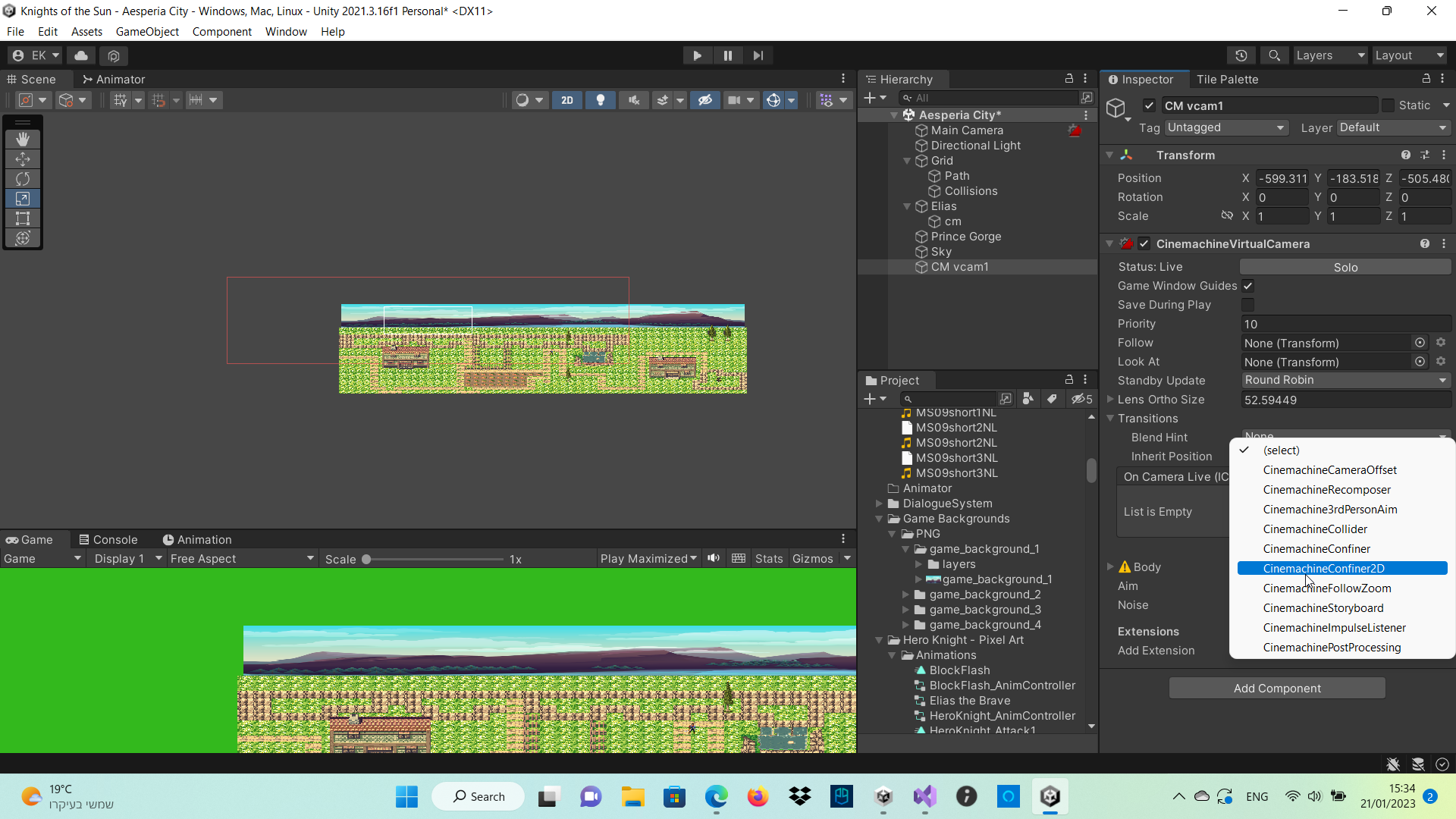
what do i use instead?
royal tartan
cursive cedar
https://i.imgur.com/PoMOf0S.png does cinemachine pixel perfect not exist anymore...
It's part of URP
Are you using URP?
cursive cedar
Im not.and do i need to install pixel perfect to then have the cinemachine pixel perfect extension?
 patent hound
how do i make it so the player camera doesnt start where the first virtual camera is but where the player is
royal tartan
patent hound
how do i make it so the player camera doesnt start where the first virtual camer...
make a virtual camera where the player is and set that one as the highest priority
patent hound
alr tyy
 queen sail
So...
Where do I begin
I currently have an issue rn where I am trying to add in a function to reset the camera position in the Third Person template back to be behind the player
and while it does work
it only does if I pressed and held the Camera Reset input action
just releasing the input is enough to revert the changes
Like look at this:

This is me pressing the Input action for the Camera Reset
and every time that action is released
it just defaults back
to the prior position
queen sail
https://paste.ofcode.org/nnNxet5CdvNXK7BRz4dUZS
Here's the current script btw
 trim karma
Hi, can someone explain to me why Clearshot changes camera when the player comes too close to the camera?
Nvm, i found it.
 half lantern
how do I make sure the camera stays on the background?
 royal tartan
half lantern
how do I make sure the camera stays on the background?
royal tartan
half lantern
how do I make sure the camera stays on the background?
Do you want to prevent the camera from moving? Or do you want to make the background move with the camera?
half lantern
i just dont want the camera to move out of bounds
the camera is following the player
royal tartan
half lantern
i just dont want the camera to move out of bounds
Use CinemachineConfiner2D
half lantern
thx lemme find a tutorial
royal tartan
half lantern
oh thanks
warm verge
Hey guys, if i change between 2 camera with cinemachine cam, it changes smoothly, can i remove the transition and how ?
warm verge
or make it faster
queen sail
queen sail
https://paste.ofcode.org/nnNxet5CdvNXK7BRz4dUZS
Here's the current script btw
Hi yes still having that issue
queen sail
queen sail
Like look at this:
here's said issue btw
 royal fjord
Don’t know if this is the right thread, but I have a video player with render texture and the video has a ton of color banding 😦
If anyone has any tips please tell me!!
 candid hare
Can anyone tell me how you can set up an Over the Shoulder camera?
errant shard
candid hare
Can anyone tell me how you can set up an Over the Shoulder camera?
Look at Cinemachine's importable examples from the package manager, or the third person controller of the official Starter Assets
candid hare
errant shard
Look at Cinemachine's importable examples from the package manager, or the third...
I already figured out how I should make it, but thanks!
 hexed heron
hey i want to use the pov option for the aim but i am in 2d and don't want the camera to rotate along the x or y axis, i just want the camera to follow the mouse smoothly
 verbal reef
hexed heron
hey i want to use the pov option for the aim but i am in 2d and don't want the c...
verbal reef
hexed heron
hey i want to use the pov option for the aim but i am in 2d and don't want the c...
I think you want to have a game object follow your mouse position in your game world and use a framing transposer in the body with aim set to do nothing
hexed heron
verbal reef
I think you want to have a game object follow your mouse position in your game w...
that would work but also like i still want to make sure that you can always see the player
verbal reef
then you can set up a a CinemachineTargetGroup with the player, and the mouse follow game object
you can even adjust the weighting so it favors the mouse or player, or keep it even
then you set your "follow" to the game object with the CinemachineTargetGroup component on it
 sharp tapir
Hello guys, so I have this target that I want to follow but at a specific position on the screen which I set before I start the game but the problem is once the scene restarts it defaults back to the normal following posiiton, is there a way to not have that?
Here, I'll demonstrate
royal tartan
sharp tapir
Hello guys, so I have this target that I want to follow but at a specific positi...
yep, configure your cinemachine vCam to follow in the way you want. You need to do this through the settings in the vCam, not just by positioning the camera or whatever
sharp tapir
Ooh alright thx
sharp tapir
royal tartan
yep, configure your cinemachine vCam to follow in the way you want. You need to ...
I tried that but for some reason when I change scenes the values get reset
Yeah, it's so weird, it doesn't remember its values at all
I'm just gonna set the values manually, how do I access the x offset in code for cinemachine?
omg I think i found it
nevermind, what the hell
royal tartan
sharp tapir
I tried that but for some reason when I change scenes the values get reset
are you doing it at runtime or something?
sharp tapir
royal tartan
are you doing it at runtime or something?
I fixed it using some crude methods it's fine
 toxic birch
Hello , i wanted to ask , what values do u guys use for camera shake intensity and its fade in and fade out time for simple 2d mobile games , I am experimenting with those values but not really getting a fun result .
^^ Thanks in Advance
 rotund patrol
Hi, can anyone tell me how to lock the camera from fps starter assets to a y position? cuz when i move the cam up and down the cam position also goes up and down and its a bit annoying
ty in advice
 south scarab
How to change the Cinemachine Confiner2D within code?
 south scarab
The issue persists in a simpler context
 errant shard
@south scarab the confiner is a CinemachineExtension, not a CinemachineComponent so I assume you'd get them with getcomponent instead
Could take a look at scripting examples of other extensions if there are none out there for the confiner
verbal reef
Hey all, i have a camera looking down at a 45 degree angle with the player as the target. I want it's height off the ground to stay 100% consistent (lets say 10 units up) with locked rotation. when the character moves quickly away, or toward the camera, the interpolation makes the camera zoom in or out in a weird way.. Adding a ton of dampening to the translate Z field helped but makes the motion strange. if anyone has any thoughts i'd love to hear them!
 thick quartz
how can I freeze a position such as when my player jumps i dont want the camera to move with the player but if they move up a slope or stairs i want the Y camera to move
verbal reef
thick quartz
how can I freeze a position such as when my player jumps i dont want the camera ...
Maybe raycast down from the player until it hits the floor, get the position, and set some other game object to that position. Then follow that instead.
Or when jumping switch to a camera that has a large Y dead zone
 white crater
I have a platformer movement script and when I jump and hold down forwards while jumping, when I land, cinemachine jitters back a bit
Not sure how to fix it
Any help would be greatly appreciated
thick quartz
how can I make my player rotate with my camera
 brittle dagger
how could i change the sensitivity with a slider while the game is active?
brittle dagger
thick quartz
how can I make my player rotate with my camera
brackeys
ask brackeys
also
you can use cinemachines free look camera
brittle dagger
thick quartz
how can I make my player rotate with my camera

thats for a 3d game though
thick quartz
brittle dagger
thats what im using
brittle dagger
wait
Ohhh
you said player
umm
i would say
make the player a child of the camera
that would be the easiest way
but it wouldnt look too good
im new to unity
thick quartz
brittle dagger
make the player a child of the camera
Yeah the camera goes crazy if I do that
iron sundial
I am trying to make my camera rotate towards the direction the player is moving towards. Was using cinemachine but the camera isn't rotating completely as you see in below vid. How to solve this?
 austere thicket
https://docs.unity3d.com/Packages/com.unity.cinemachine@2.3/manual/CinemachineSavingDuringPlay.html
I'm trying to have a component be able to save the values changed while in play mode (kinda like cinemachine's option for save during play). Cinemachine has its own attribute that can be applied and claims in its documentation that it can be used on other components as well
however i have not been able to get it to work, i want to know if i'm missing any intermediary steps
royal tartan
austere thicket
however i have not been able to get it to work, i want to know if i'm missing an...
You'd have to show what you tried. Are the fields actually serializable/serialized in the first place for example?
austere thicket
royal tartan
You'd have to show what you tried. Are the fields actually serializable/serializ...
 thick quartz
how can I make my player rotate with my camera
thick quartz
thick quartz
how can I make my player rotate with my camera
Still need help please
austere thicket
thick quartz
how can I make my player rotate with my camera
i dont completely understand this. can you send some footage from any game that you wish to replicate
thick quartz
austere thicket
i dont completely understand this. can you send some footage from any game that ...
I can’t supply footage but let me explain here. I have my player and my cinemachine free look camera follows them. I want the player to rotate with my camera instead of the camera just rotating around them and the game I want a look it is: https://en.m.wikipedia.org/wiki/SpongeBob_SquarePants:_Battle_for_Bikini_Bottom for the GameCube

SpongeBob SquarePants: Battle for Bikini Bottom is a platform video game based on the Nickelodeon animated series SpongeBob SquarePants, developed by Heavy Iron Studios and published by THQ for the PlayStation 2, Xbox, and GameCube. Separate versions, developed by AWE Games and Vicarious Visions respectively, were released for Microsoft Windows ...
Well I’m trying to replicate movement
austere thicket
thick quartz
I can’t supply footage but let me explain here. I have my player and my cinemach...
you can try something in update loop where
player.transform.forward = -cinemachinecamera.transform.forward
thick quartz
I see
But for movement how can I replicate that if you have a video or some documentation
austere thicket
do you have a specific camera controller script
or are you aiming to make a script yourself
thick quartz
I have one but it’s just a basic wasd movement using transform.translate
So nothing advanced
thick quartz
austere thicket
do you have a specific camera controller script
⬆️
austere thicket
i'm not really sure, you should try looking into different cinemachine cam controllers
thick quartz
what is the best freelook settings for a third person game
errant shard
thick quartz
what is the best freelook settings for a third person game
There hardly can be a "best", don't you think
thick quartz
errant shard
There hardly can be a "best", don't you think
well then, good looking settings
fast orchid
The default settings?
 short cove
How do i make cam freeze on y axis?
short cove
short cove
How do i make cam freeze on y axis?
?
 velvet coyote
how do I stop my camera dragging behind my object
when I move forward it goes furthur back than it should
errant shard
short cove
?
https://forum.unity.com/threads/follow-only-along-a-certain-axis.544511/#post-3591751
These solutions are readily available by googling
errant shard
velvet coyote
how do I stop my camera dragging behind my object
"Dragging behind" may refer to damping settings
The less damping you have, the snappier the camera adjusts to goal position or orientation
If your vcam has "lookahead" settings those can be used to compensate drag, while keeping smoothness of damping
velvet coyote
errant shard
"Dragging behind" may refer to damping settings
The less damping you have, the s...
where is the damping settings be? it seems the only ones avaliable are in aim and i dont think those are the correct ones
errant shard
velvet coyote
where is the damping settings be? it seems the only ones avaliable are in aim an...
Body and Aim, for positional and rotational damping respectively
What is your vcam's Body type set to?
 errant shard
velvet coyote
im guessing this is it?
errant shard
velvet coyote
im guessing this is it?
Could see less cropped images to get a better idea of what you're working with
Orbital Transposer is locked in for a FreeLook camera, but it should have damping settings nonetheless
 pine pollen
Hi, I have this problem where if I put the 3rd player offset camera within the main character as a child, the cinemachine spins out of control according to the mouse inputs

I want to be able to place the CM 3rdPersonNormal within the ragdoll, but when I do it just makes the camera spin
royal tartan
pine pollen
Hi, I have this problem where if I put the 3rd player offset camera within the m...
typically cinemachine virtual cameras should be separate objects from their targets
not a child of the target object
unless you're doing like a POV/first person thing
pine pollen
royal tartan
typically cinemachine virtual cameras should be separate objects from their targ...
Oh, is that how it works- Well is there any way to add like a 3rd person offset to that? Because I want the camera to be one of child of the player so that when I spawn the prehab for multiplayer, the camera comes along with the network idenity. (or something of that nature)
royal tartan
pine pollen
Oh, is that how it works- Well is there any way to add like a 3rd person offset ...
Of course you can add an offset, that's all part of the vCam configuration
pine pollen
Oh shoot, how do I do that? like the offsets where you're seeing slightly higher and right of the character right?
royal tartan
Any offset you want
Just set up the follow settings as you wish
As for including it in the prefab that's not a problem. Just make the player and the camera rig separate child objects of the prefab root
pine pollen
Oh, I thought about that, but since I'm using mirror, the player spawner only takes single prefab game objects
royal tartan
pine pollen
Oh, I thought about that, but since I'm using mirror, the player spawner only ta...
it's still a single prefab
pine pollen
I tried it and it didn't work because the requirement was for game object, unless I did it wrong
I notice that free look works with being as the child fine though, am I able to add offsets to that and use it?
royal tartan
pine pollen
I tried it and it didn't work because the requirement was for game object, unles...
what requirement was for game object
velvet coyote
Anyone know why this happens?
it seems to only happen when I add the cinemachine collider
errant shard
velvet coyote
it seems to only happen when I add the cinemachine collider
The camera is colliding with the character mesh
velvet coyote
errant shard
The camera is colliding with the character mesh
how can you tell? and how do i fix it?
@errant shard
i fixed it by adding the player tag to the eyes
errant shard
velvet coyote
how can you tell? and how do i fix it?
Though you didn't describe the issue, it was the only obvious one in the video due to how the camera snaps in on its depth axis
Camera collision works both by layer or tag if needed
velvet coyote
thank you
 long creek
Hi there, I need some quick help for a game jam. I have two cinemachine camera's, the problem I got is that when the second one gets spawned the first camera also switches to that camera. This happens automatically without any code and I want to know if I can disable the live camera switch
royal tartan
long creek
Hi there, I need some quick help for a game jam. I have two cinemachine camera's...
Cinemachine will always switch to whichever active vCam has the highest priority
So either make sure your desired virtual camera has the highest priority or that any others are disabled/deactivated
long creek
That was my solutions indeed, higher priority. Thank you for the answer
candid hare
I'm trying to set up over the shoulder camera movement
but, right now, whenever I try to move the camera, this happens
does anyone have any idea how to make it work? I've been trying to set this up for like a week now
royal tartan
candid hare
but, right now, whenever I try to move the camera, this happens
You'd have to show your code
candid hare
royal tartan
You'd have to show your code
sorry, I wasn't home
I found a way to make it semi-work
    private void OverTheShoulderCamera()
    {
        float mouseMovement = Input.GetAxis("Mouse X");
        player.forward = new Vector3(player.forward.x + mouseMovement * rotSpeed, player.forward.y, player.forward.z);
        playerObj.forward = player.forward;
    }
this only works from -90 to 90, can't do a 360 turn yet
i dont really understand why
 sharp elbow
With Cinemachine, is there an easy way to implement a "Don't let the camera view port look outside of the bounds given?" I know I could code it, but figured I'd check if its built into Cinemachine as is.
Looks like what I want is called the Confiner, however, it doesn't do what I want it to do with Perspective cameras.... So... That sucks.
errant shard
sharp elbow
Looks like what I want is called the Confiner, however, it doesn't do what I wan...
Seems not, but I found a thread about it
https://forum.unity.com/threads/confine-a-3d-cinemachine.996118/
sharp elbow
Rigidbody solution sounds kinda...bad?
I can just raycast from each corner, and make sure its still within the bounding box.
errant shard
sharp elbow
Rigidbody solution sounds kinda...bad?
I can just raycast from each corner, and...
Whether you use raycasts to detect the bounds or an object in the middle sound like two similar ways to the same result
I think why a rigidbody is suggested here is because it plays nicer with the physics engine compared to colliders moving without one
It'd have to be kinematic to be parented so you wouldn't get physical forces
 whole dune
hey trying to do cinemachine first person camera with rigidbody movement but it sometimes jolts down or up and don't know why tried a lot of things
royal tartan
whole dune
hey trying to do cinemachine first person camera with rigidbody movement but it...
first person cameras are generally a "do nothing" vCam and all down to your code
so you'd have to show how you set things up and what your code looks like
whole dune
oh was using input provider with the body set to hard lock to target and aim set to pov did not know you can't do it like that might be why
 mystic cloak
why is an impulse in cinemachine sometimes permanently altering the camera position? how do i make it so it goes back to its original position?
mystic cloak
for some reason it only happens with transposer, in 3rd person mode follow mode its fine?
why does this happen?
royal tartan
mystic cloak
why does this happen?
well you don't have any aim settings.
what happens if you actually give a LookAt / aim settings
 royal tartan
 dusty valve
How can I change which live camera is used?
dusty valve
How can I change which live camera is used?
the live camera is determined by which vCam has the highest priority currently
royal tartan
dusty valve
I need multiple cameras for splitscreen
mystic cloak
royal tartan
well you don't have any aim settings.
thats done it thank you
dusty valve
royal tartan
https://docs.unity3d.com/Packages/com.unity.cinemachine@3.0/manual/CinemachineMu...
Thank you 🙏
thick quartz
How can I use my cinemachine camera for a controller
thick quartz
specifically a gamecube controller
 potent fable
Using a cinemachineTargetGroup Whenever you remove a member it really quickly transitions the camera to where it should be is their a way to make this slower so its more smooth?
 pastel glen
potent fable
Using a cinemachineTargetGroup Whenever you remove a member it really quickly tr...
pastel glen
potent fable
Using a cinemachineTargetGroup Whenever you remove a member it really quickly tr...
Make a new camera with the different target group and transition to that?
Not ideal, but...
 solid steeple
Hi everyone, I am trying to do a Aim Camera when I press the right button of mouse.
I did it, but It's very slow, someone know how can I improve the speed?
I recorded a fast video to show the problem https://www.youtube.com/watch?v=nBdVs4jeFRM
oh! I solved my problem.

I just changed the Default Blend

thick quartz
How can I use cinemachines input provider with axis and not vector? As my GameCube controller C (right) stick has 2 axis inputs but there not vector2 like the left stick
And cinemachine gives me and error trying to use them


Cinemachine just throws the error that it needs a vector2 but I don’t know how to combine those into a vector2
thick quartz
Currently for camera I’m using the dpad
thick quartz
Please help asap
 frigid trellis
Hello. I'm trying to use cinemachine but I have some problems. I would like to follow a golf ball like this: https://www.youtube.com/watch?v=PCmsb6xtdU0&t=1038s
But I don't find a way to do this. At start the camera moves left, then go right to get back to the ball (I don't understand why). Then, depending on the Body and Aim values, the camera rotates when the ball rotates. Could you please tell me what is the correct configuration to follow the ball like in the video ? Thanks.
 short sable
Hello, I would to ask about the recentering feature in cinemachine, Is it only available for free look camera, how can I achieve this in a virtual camera?
 royal tartan
short sable
Hello, I would to ask about the recentering feature in cinemachine, Is it only a...
royal tartan
short sable
Hello, I would to ask about the recentering feature in cinemachine, Is it only a...
"recentering" doesn't really make sense outside of the context of the freelook camera
thick quartz
thick quartz
How can I use cinemachines input provider with axis and not vector? As my GameCu...
Please help
 subtle flume
Heyy guyys I was wondering if you guys know how to fix the outframe particle from the cinemachine camera??
I want to make the "speed lines" particle effect to follow the camera not to outframe, do you know how to fix this?? thx
errant shard
subtle flume
Heyy guyys I was wondering if you guys know how to fix the outframe particle fro...
It might be better to have the particles on the MainCamera, and disable/enable them based on velocity
The vcam with the particles has no aim properties so it's not actually rotating at any point, so neither will the particles
I assume you're rotating the camera directly instead of the vcams
Probably also solved by attaching the particles to the real camera
subtle flume
umm srry u mean create the particle in the camera itself?
becuz Ive put the particle in the camera but its still the same :0
 errant shard
subtle flume
errant shard
subtle flume
That's not the camera, that's a virtual camera
I mean parent the particle system gameobject under the main camera
Doesn't matter how well the particle system is attached to a virtual camera if the virtual camera never rotates
subtle flume
ooohh okayy it workks!!
subtle flume
errant shard
Doesn't matter how well the particle system is attached to a virtual camera if t...
👍
okayy thanks mann :)
 velvet gulch
Am trying out v3, is it normal for an orbital follow cam to rotate really slowly when you near its vertical axis range on either side? For example, if I have the range set to -80/80, I'll be able to get to around 60 either way before rotation suddenly becomes really slow in that direction and I need to push a lot harder to get the camera to move
 prime sun
uh, i think i have to reinstall cinemachine, or am i missing something

what am i doing wrong

i'm confused
 royal tartan
prime sun
i'm confused
royal tartan
prime sun
i'm confused
what are you looking for?
If you're looking for the "Cinemachine" menu item, it has been removed in recent versions.
You can create Cinemachine things from the normal GameObject - Create menu
thick quartz
thick quartz
How can I use cinemachines input provider with axis and not vector? As my GameCu...
Please help
 signal brook
Hi. I recently updated my project to Unity 2022.2 and my cinemachine based prefab now has errors in it. I did not upgrade the CM package (latest non pre is 2.9.5, still on 2.7.9)
Virtual Cameras ( which are still a thing in this version) throw errors with a CM child object ( which seems to be created in the newer version...), but the prefab does not have such objects ( although, I do see them pop up at runtime.
I've tried recreated the prefab from scratch, and saving it, which works fine, but as soon as I open the prefab, all those errors are back...
errant shard
signal brook
Hi. I recently updated my project to Unity 2022.2 and my cinemachine based prefa...
Probably not helpful but in new versions of Cinemachine the whole component structure was remade, so you aren't really meant to upgrade
signal brook
yeah. i saw the docs on CM 3, that's why I didn't want to upgrade 😛
But I guess I'll give it a go on 3 and recreate my setup. Edit: Welp, upgrading to CM3 is a complete bust. sigh.
 haughty flower
why i cant get access of Camera.main function when i applied cinemachine
haughty flower
haughty flower
why i cant get access of Camera.main function when i applied cinemachine
it will thrown null refference error
errant shard
haughty flower
why i cant get access of Camera.main function when i applied cinemachine
There's nothing about Cinemachine that stops you from using that, so the problem must lie elsewhere
Most likely
If there is no enabled Camera component with the "MainCamera" tag, this property is null.
haughty flower
Idk what problem is when disable cinemachine its work but when enable its doesn't
I check the tag in camera
 shut jungle
Currently I can move my player around, and rotate my player based on mouse input on the x axis.
I would also like mouse input on the y axis, however only to move the camera not the player, but its a cinemachine follow camera so im not entirely sure how I would go about doing that?
How I rotate my player
turnInput = Input.GetAxis("Mouse X");

transform.Rotate(Vector3.up * turnInput * Time.deltaTime * sensitivity);
Finally got it, by instead using framing transposer and POV
thick quartz
thick quartz
How can I use cinemachines input provider with axis and not vector? As my GameCu...
PLEASE HELP
if anyone has an answer
errant shard
thick quartz
PLEASE HELP
Maybe repeating the question with increasing volume isn't effective, do you think
thick quartz
I can understand that but I’ve tried a few things what should I then do if I have to be patient fine be it
errant shard
thick quartz
I can understand that but I’ve tried a few things what should I then do if I hav...
A reason why nobody knows about your issue might be that it seems to be "how to set up input for a specific controller" which is not a Cinemachine question at all, but rather related to what specific input provider your project is using which you didn't mention
To my knowledge Cinemachine doesn't uses standard input from Input Manager or Input System, and by extension any controller set up to work with them
thick quartz
errant shard
A reason why nobody knows about your issue might be that it seems to be "how to ...
Ok well thank you for that but I said a different thing in both channels #🎥┃cinemachine and #🖱️┃input-system . Though the other is different my main problem now that you say is the input and not cinemachine but I’ll just wait for an answer in the other channel
errant shard
If you want people more eager to help you, show the effort that you're making even when reposting questions, such as what you've tried since and what docs you've been looking into
Even if you're making effort it's a red flag for many to see someone just repeating questions with no change for days
thick quartz
Okay well I will replace the question and thank you for your help.
sharp elbow
I'm getting this weird issue, where, when you walk into a wall using the bounding box, it does this weird camera bump up?
https://gyazo.com/75fa46087e065dc1340cb00ac6e046ee
Any ideas why?
 royal tartan
sharp elbow
I'm getting this weird issue, where, when you walk into a wall using the boundin...
royal tartan
sharp elbow
I'm getting this weird issue, where, when you walk into a wall using the boundin...
Probably your camera trying to get to the target distance and being unable to because it's hitting a collider so instead it goes up
sharp elbow
royal tartan
Probably your camera trying to get to the target distance and being unable to b...
Any thoughts on the best way to fix it? I figured once it hits the bounding box/Confiner, that it would just stop.
royal tartan
sharp elbow
Any thoughts on the best way to fix it? I figured once it hits the bounding box/...
Confiner should have settings for it
Or the body settings
sharp elbow
royal tartan
Confiner should have settings for it
Just damping.
 crimson cloud
@warm verge continue here. First, you should tell us, you are using cinemachine 😉 So, is your cinemachine maybe part of your players object? So it is getting moved by the players physics but also by cinemachine?
warm verge
crimson cloud
<@456226577798135808> continue here. First, you should tell us, you are using c...
no, its not part of the player. And Im pretty sure its normal that the player looks jittery when the camera is moved in LateUpdate
unless the rb is set to Interpolate
but when I set all other rb objects to Interpolate to stop them from jittering it would be good for the performance
crimson cloud
warm verge
no, its not part of the player. And Im pretty sure its normal that the player lo...
Can you maybe make a screencap of your jitteryness. There are so many things combined, that coudl cause this. Cinemachine should work fine on its own. So is it just the movement of the player?
warm verge
crimson cloud
Can you maybe make a screencap of your jitteryness. There are so many things com...
no all rb objects that move at the same time that the camera moves. And I can fix it by setting the rb to interpolate, but I dont want to do this with all my rb objects
 crimson cloud
So I am using cinemachine with no interpolate option selected and there is no jittering. Update method is set to Smart Update and blend update is set to late
warm verge
and what does smart do?
crimson cloud
https://docs.unity3d.com/Packages/com.unity.cinemachine@2.1/api/Cinemachine.CinemachineBrain.UpdateMethod.html , next time you get a lmgtfy link 😉
warm verge
crimson cloud
So I am using cinemachine with no interpolate option selected and there is no ji...
smart behaves exactly like late for me. I can just set the update back to Fixed there it worked (I had some other stuff that wasn't so good with FixedUpdate for cam)
I can still make a screencap from late or smart if you want
crimson cloud
It just sounds like something else is wrong and not your cinemachine settings. How do you move your player in script?
warm verge
crimson cloud
It just sounds like something else is wrong and not your cinemachine settings. H...
addForce() in FixedUpdate
crimson cloud
Can you paste the code real quick, just to be sure its used correctly
warm verge
Is this enough?
void FixedUpdate() { float move = Input.GetAxis("Horizontal"); rb.AddForce(new Vector3(0f, 0f, move) * moveSpeed * Time.deltaTime, ForceMode.Impulse); }
but it should be this script cuz its happening to other rb objects that dont even have a script too
 runic topaz
hey guys im learning unity and i tried using cinemachine camera follow my player in a 2d topdown game, but somehow it still stutters. I used cinemachine 2d camera and also tried adding the pixel perfect but it's still stuttering and looks choppy. messing with the settings didnt work either, so im not sure what to do.
here's a video of it happening
errant shard
runic topaz
hey guys im learning unity and i tried using cinemachine camera follow my player...
Smooth camera movement causes various kinds of stutter because of floating point sub-pixel differences in relative positions of sprites and camera
On top of that since moving sprites often have sub-pixel offsets as well, the pixel snapping will become very unstable
Can't quite confirm it from the video, but if you mean the player is choppy that'd be because the camera is always lagging a nonspecific distance behind, so camera's velocity and their relative distance are always rubberbanding back and forth
When the player is stopped you can see the as the camera slides into final position, the rate at which the sprites snap to a next pixel slows down, as the distance of the snap logically can't
Basically if the camera and characters are snapping to pixels at irregular intervals, off sync or at different frequencies, it will appear as jitter
Even old natively pixel perfect games suffered from this to some degree if they tried to add smooth camera motion, but for the most part the problem didn't exist there because the pixel grid was the coordinate grid so sub-pixel positions weren't possible
runic topaz
errant shard
Can't quite confirm it from the video, but if you mean the player is choppy that...
gotcha, yeah that's what i was guessing too but i wasnt sure. if smooth camera isnt good for this, what should i do? Is there a way to make the camera follow the player directly? i tried googling for this but all i found are cinemachine stuff
errant shard
runic topaz
gotcha, yeah that's what i was guessing too but i wasnt sure. if smooth camera i...
The simplest thing to try is to set all damping values to zero
runic topaz
ok lol that worked perfectly
tysm! would there be anything i should be wary of in the future if i set all the damping values to 0?
or is it just preference
errant shard
runic topaz
or is it just preference
You'll get no smooth movement but it's just preferential
Not using damping removes many potential problems, but note that the vcam will still inherit any possible movement weirdness from the target as it is fixed to it
There used to be a problem with there still being stutter, maybe because the camera position might update before the pixel perfect snapping takes place, which doesn't happen when parenting a normal camera instead, but it's been months since I saw it so it may have been fixed
errant shard
There are ways to make a smooth pixel perfect camera motion but I imagine it involves a system where you restrict the camera speeds to specific stable "pixel" speeds, like x,y 1,1 or 1,2 or 2,3 and so on
And to steps that happen and specific rates so things don't move off-sync
But that's overkill for most things
Just remember to use linear blends when blending between cameras and you should be fine
thick quartz
How can I make my camera not go through walls because the collider component isnt working
it just clips through walls like it did before
 royal tartan
thick quartz
How can I make my camera not go through walls because the collider component isn...
royal tartan
thick quartz
How can I make my camera not go through walls because the collider component isn...
do the walls have colliders
thick quartz
yup
thick quartz
royal tartan
do the walls have colliders
yup because my player cant go through
oh wait
it collides but if i keep moving it goes through
@royal tartan
royal tartan
thick quartz
it collides but if i keep moving it goes through
see how it has maximum effort
and a Strategy
it can only do so much
thick quartz
royal tartan
see how it has maximum effort
Well is it possible to just make the camera not go through at all?
thick quartz
@royal tartan
errant shard
@thick quartz We probably don't have settings ready to give you, but if you want to compare to an official example remember that the package manager lets you import examples under Cinemachine which include collision among other things
I don't recall common issues personally with the collision not working so maybe you missed some step
thick quartz
errant shard
I don't recall common issues personally with the collision not working so maybe ...
I took the 3rd person example cameras and watched many collision tutorials and haven’t found anything new yet but I’ll see some other examples. Thanks
 fallen python
Hey , i don’t know if it’s the good place for my problem. I work on a project where i have to record different video but i want a specific fps so i want to do it not in real time like in cinema . If somebody have an idea i am thankful
thick quartz
fallen python
Hey , i don’t know if it’s the good place for my problem. I work on a project wh...
Ask that in #💻┃unity-talk they should be able to help
fallen python
Thank you 😎 !
thick quartz
errant shard
I don't recall common issues personally with the collision not working so maybe ...
non of the stuff have worked for me for example im using the camera offset component and that just makes the collider not work but then without it, it works sorta fine but my camera in at the bottom of my player
thick quartz
thick quartz
@errant shard if you want to test it there’s the prefab I got it straight from the cinemachine samples and it doesn’t work as expected. I’ve even changed many settings controls and camera types but nothing changed
 faint fiber
So I'm making a game that mixes 2D with 3D environments, say I want to make a cutscene that has 2D animation playing over 3D backgrounds (the levels ingame), how would I go about that? Would I have a sprite animation play in 3D space, etc.
 quasi current
I dont know which channel to ask so, I apologize. I've been trying to figure this "clipping" or "Bounding box" thing and I looked everywhere for that bounding box area but I can't find it.. even looked in the "body" inside CM.. Whats the thing I am missing? I noticed it only disappears when the object is on the left of the camera?


 quasi current
faint fiber
So I'm making a game that mixes 2D with 3D environments, say I want to make a cu...
quasi current
faint fiber
So I'm making a game that mixes 2D with 3D environments, say I want to make a cu...
I'm no expert but I know you can make animation clips and just have a game object with a sprite renderer and play that animation while the object is in the 3d world
faint fiber
I see, and Cinemachine can control when the animation starts and ends?
quasi current
idk if cinemachine can do that, (but maybe you can add a script inside the cm to do it)
you can control the animation clip by adding a script and do some simple play and pause in the script. You may need an animator controller and reference that in the script
animator.SetBool("start", true);
Idk if we are talking about the same "2d animation" but i hope i helped
quasi current
im stressing so much about this its taken me days
In some position of the camera, it doesnt cull.. only on certain places..
OMG ITS THE FREAKING CULLING MASK BEING OVERLAPPED
:(
ITS THE LAYERS >:((((((
 errant shard
quasi current
ITS THE LAYERS >:((((((
errant shard
quasi current
ITS THE LAYERS >:((((((
Not totally sure what the context is, but sprite renderers are sorted by these methods in priority order:
https://docs.unity3d.com/Manual/2DSorting.html
quasi current
ty
 wintry atlas
Whats the easiest way to have a camera follow the rotation of another object with its all of its rotation and then also be able to add player input to the rotation (like as in a first person vehicle)
royal tartan
wintry atlas
Whats the easiest way to have a camera follow the rotation of another object wit...
Use cinemachine freelook
 errant shard
 drifting stream
there's no 3rd person camera here
drifting stream
there's no 3rd person camera here
What version of cinemachine are you using? "3rd person follow" Body type was added in one of the newer ones
It might be worth trying the FreeLook camera if you just want a 3rd person camera, instead of the Body setting specifically
royal tartan
drifting stream
there's no 3rd person camera here
All of those can be used to configure a 3rd person camera
drifting stream
royal tartan
All of those can be used to configure a 3rd person camera
i just started learning ciemachine so i'm that aware of the other options
drifting stream
errant shard
What version of cinemachine are you using? "3rd person follow" Body type was add...
my bad i was using some old cinemachine, i installed the updated one lol
 smoky prairie
Hey guys i got a freelook camera, as a 3rd person in my game, it uses cinemachine collider extension, I want to make the camera not go through walls, the camera stops on the walls but only stops when its already inside of them, which causes the camera to be inside of the wall, which i dont like, Ive already tried raising the Radius variable of the the collider but the result stills the same, maybe shuld i put a collider between the camea and the wall? Honestly at this point i dont know what to make to config it right.
 knotty fractal
hey i have addded a cinemachine to my pixel 2d topdown and when i move the pixels from the player look very messy. i already added the CinemachinePixelPerfect. someone knows how to fix that ?
errant shard
knotty fractal
hey i have addded a cinemachine to my pixel 2d topdown and when i move the pixel...
Depends what you mean by "messy"
knotty fractal
Like blurry while moving to left or right
errant shard
knotty fractal
Like blurry while moving to left or right
Sounds like the sprite is jittering between pixels so fast relative to the camerathat it appears blurry, which often happens with smooth follow cameras
#🎥┃cinemachine message this problem I was talking about earlier is probably same as yours
It's a fundamental quirk of rendering things that are snapped to pixels and cameras moving relative to them, rather than just a simple problem with one fix
 rain heath
For some reason my camera can go through the ground

But not further than the screenshot
errant shard
Some reason is probably the cause
rain heath
I think it's because of my camera FOV being pretty high
but I don't know if there's anything I can do about it
Seems to happen once Camera Fov > 40
but 40 makes me want to take my brain out of my head
it looks really bad
royal tartan
rain heath
But not further than the screenshot
Are you using CinemachineCollider?
royal tartan
then there's not really anything preventing you from going underground is there
assuming the ground is within your clamped angle tolerance
rain heath
royal tartan
Are you using CinemachineCollider?
I dont even seem to have this
As an available Component
royal tartan
rain heath
As an available Component
it's a cinemachine component
not a regular component
you add it to the cinemachine virtual camera inspector
rain heath


 royal tartan
not a regular component
royal tartan
royal tartan
not a regular component
^^
errant shard
Usually camera colliders prevent a camera from getting too close to any surface, or the camera near plane will cut off geometry in front of it
rain heath
well applesauce
 warm verge
How to make the camera follow the player? In 2d game do i need a code for that? Or sticking the camera on the player works?
Also what about the gun he’s holding? Do i just stick it to player aswell?
royal tartan
warm verge
How to make the camera follow the player? In 2d game do i need a code for that? ...
follow the basic pinned tutorials in this channel to learn the basics of Cinemachine
warm verge
O oki ty
mystic cloak
how can i switch cinemachine targets? so instead of it following character it follows an enemy or something? or like halfway between two objects?
also, is there a way for me to have a smooth transition between the two?
royal tartan
mystic cloak
how can i switch cinemachine targets? so instead of it following character it fo...
switch to a different virtual camera that is following the other object
As for the transition:
https://docs.unity3d.com/Packages/com.unity.cinemachine@2.3/manual/CinemachineBlending.html
errant shard
https://docs.unity3d.com/Packages/com.unity.cinemachine@2.9/manual/ the manual will answer all your questions
 tranquil osprey
I have a game object with collisions and triggers both but i want the impulse source to only be triggered with a trigger is there any way?
 scenic cairn
Hey guys, I have this weird issue with Cinemachine where if I hover my mouse over the game view, or scroll, it enlarges my pixels
I've never had this issue with other projects, I tried restarting the program but no luck
 charred laurel
Hi 👋 does someone already encounter this behaviour where your camera is shaking on y axis while following a target ? I tried every update method possible on my cinemachine brain, some mode are getting worse than others but the problem persist, I also train manually updating at different stage of the update stack but nothing change
I'm using cinemachine with dots but I dont think this has any with the issue
 dire mural
Does anyone know of a method of making it so the framing transposer only moves right? I want it to track the player vertically and only move to the right when the player moves right, similar to how super mario bros 1 does it
royal tartan
dire mural
Does anyone know of a method of making it so the framing transposer only moves r...
make a script like:
public Transform target;

void Start() {
  transform.position = target.position;
}

void LateUpdate() {
  Vector3 pos = target.position;
  float maxX = Mathf.Max(pos.x, transform.position.x);
  pos.x = maxX;
  transform.position = pos;
}```
Put this script on an empty object, targetting your player, and have the vCam use this object as your follow target.im actually using a TargetGroup because it's multiple players, and i tried to do this exact method on the TargetGroup and it didn't work. the transform of the target group would correctly, but what cinemachine would just track the target group as normal
royal tartan
dire mural
im actually using a TargetGroup because it's multiple players, and i tried to do...
the transform of the target group would correctly, but what cinemachine would just track the target group as normal
This sentence is kind of unclear, what?
i tried to do this exact method on the TargetGroup and it didn't work
How?
I would imagine for multiple players you do what I mentioned above, just have multiple of those empty objects and use the empties as the transforms in the target group
dire mural
public class CinemachineTargetGroupRestrictor : MonoBehaviour {
        [SerializeField] float x;

        void LateUpdate() {
            Vector3 pos = transform.position;
            pos.x = x;
            transform.position = pos;
        }
    }
 dire mural
royal tartan
I would imagine for multiple players you do what I mentioned above, just have mu...
dire mural
royal tartan
I would imagine for multiple players you do what I mentioned above, just have mu...
this is possible for sure, just annoying to have to add another layer of abstraction, i feel like there has to be a way to do this cleaner
royal tartan
dire mural
this is possible for sure, just annoying to have to add another layer of abstrac...
Not sure. Cinemachine stuff tends not to be very "stateful" - and you are wanting a stateful camera system that remembers the rightmost coordinates your players have been to
so in my mind that means you need to be tracking that state yourself
but I could be wrong
 willow turtle
How can you set a LookAt Target for a Cinemachine FreeLookCamera via script? Didn't find anything useful in the documentation.
dire mural
royal tartan
Not sure. Cinemachine stuff tends not to be very "stateful" - and you are wantin...
Update/resolution on this: I did more research and it took forever but eventually found out you can write your own CinemachineExtension.
When you extend that class, it has a method you must implement called PostPipelineStageCallback which gets called at different stages of the cinemachine pipline. From there, you can edit the CameraState parameter and change the position exactly there
royal tartan
willow turtle
How can you set a LookAt Target for a Cinemachine FreeLookCamera via script? Did...
CinemachineVirtualCameraBase has a LookAt property
willow turtle
royal tartan
CinemachineVirtualCameraBase has a LookAt property
          public Transform playerTargetTransform;
          public CinemachineFreeLook camera;
          public Animator npcAnimator;

        void Start()
        {
        camera = GetComponent<CinemachineFreeLook>();
        ...
         }

          if (inReach == true)
          {
                npcAnimator.SetBool("isTarget", true);
                camera.LookAt = npcTargetTransform;
}```I currently have something like this, but I get a Null Reference Exception.
 mellow hazel
Is there a call back or any other way to know when the blend from one camera to another is complete?
 umbral delta
mellow hazel
Is there a call back or any other way to know when the blend from one camera to ...
umbral delta
mellow hazel
Is there a call back or any other way to know when the blend from one camera to ...
It doesn't seem like there is, but you could probably use the Camera Activated Event, then in an event handler spin up a coroutine that waits for the duration of your blend, and trigger another event (whether a UnityEvent or C# event) once that's done.
Since the Camera Activated Event triggers on the first frame of the blend:
mystic cloak
im using cinemachine impulse sources, but for some reason in the editor the shaking looks fine, but in the build it looks more wavy than shaky, how can i fix this?
tranquil osprey
mystic cloak
im using cinemachine impulse sources, but for some reason in the editor the shak...
Make sure your game aspect ratio is set according to your phone