#archived-code-general
1 messages · Page 377 of 1
 elfin tree
will see if there's anything i can do, otherwise will just copy the whole repo in my codebase and start from there
 plucky inlet
You can just use the awaitable.mainthread function to pass your whole execution back to mainthread and then do your package execution there
 onyx jetty
Hi is this a good spot to ask a unity cloud question?
 calm mountain
My unity editor is becoming unresponsive whenever I press play
 dusky lake
calm mountain
My unity editor is becoming unresponsive whenever I press play
dusky lake
calm mountain
My unity editor is becoming unresponsive whenever I press play
unresponsive aka. you need to kill it and restart?
calm mountain
Not maxing my computer's resources
calm mountain
dusky lake
unresponsive aka. you need to kill it and restart?
Yes
dusky lake
sounds like an infinite loop
dusky lake
onyx jetty
Hi is this a good spot to ask a unity cloud question?
if its script related to unity cloud yes, otherwise #💻┃unity-talk
onyx jetty
Thank you
dusky lake
calm mountain
Yes
If you really do not think you have an infinite loop, close editor, remove Library folder and reopen ( ⚠️ will take long depending on project size)
calm mountain
dusky lake
If you really do not think you have an infinite loop, close editor, remove Libra...
Yeah I don't think it's an infinite loop since I just reverted my changes from when I knew it was working
dusky lake
Then it could either be some loading process getting stuck / waiting for a webrequest or unity being unity
elfin tree
plucky inlet
You can just use the awaitable.mainthread function to pass your whole execution ...
hmm, cannot resolve Awaitable, on unity 2022, is that expected?
yeah seems like it's in unity 2023 only
dusky lake
Yes its 2023+
You can use UniTask but not sure if you want a full library just for that 😄
plucky inlet
elfin tree
hmm, cannot resolve Awaitable, on unity 2022, is that expected?
There is a package called UnityMainThreadDispatcher, that you can use
elfin tree
plucky inlet
There is a package called UnityMainThreadDispatcher, that you can use
Ah yeah not bad, I wonder if adds overhead, it does have an Update method to handle the queue
dusky lake
Thats premature optimization, one update loop wont make or break your performance
unless you plan to stuff the queue with dispatches 😄
elfin tree
thanks, works great!
 stable osprey
calm mountain
Yeah I don't think it's an infinite loop since I just reverted my changes from w...
stable osprey
calm mountain
Yeah I don't think it's an infinite loop since I just reverted my changes from w...
open your IDE, then hit Ctrl+Shift+F and search for while ( -- then inspect each hit manually. There's most certainly an infinite loop somewhere in there.
you could even try hitting play on an empty scene to narrow down the suspects
it could also be an unresolved await on the main thread, if you're using async logic without explicit threading
calm mountain
stable osprey
open your IDE, then hit `Ctrl+Shift+F` and search for `while (` -- then inspect ...
It was a different problem. Removing the library folder worked. Thanks @dusky lake!
stable osprey
nice
calm mountain
man wtf is wrong with my unity rofl

Trying to click the save button
and nothing happens
 night storm
calm mountain
and nothing happens
night storm
calm mountain
and nothing happens
maybe cuz the name field is empty?
 leaden ice
calm mountain
leaden ice
calm mountain
you have to name it

 naive swallow
I am working on an extensible library, and I have an abstract component class that is intended to be overridden. In the code, it will add that class to an object that doesn't already have one. I would like the user to be able to specify in the inspector what class to use for that abstract class, and the only way I can think of is to pass in a prefab that contains their implementation of it, even though it won't ever actually use that prefab. This feels clunky. Is there a better way to allow someone to choose a script of a specific type that I can then use in an AddComponent later?
 knotty sun
naive swallow
I am working on an extensible library, and I have an abstract component class th...
knotty sun
naive swallow
I am working on an extensible library, and I have an abstract component class th...
you could use reflection to build a List<Type> of classes inheriting the abstract class, drop the names from there into a DropDown for selection and then build the selected name back to a Type for the AddComponent
naive swallow
knotty sun
you could use reflection to build a List<Type> of classes inheriting the abstrac...
This would be an editor script, right? How would I dynamically get every class inheriting something in the project?
knotty sun
naive swallow
This would be an editor script, right? How would I dynamically get every class i...
yes, inspector script, surely you only need the classes inheriting from the base abstract class
naive swallow
Yeah, but how would I get that? How can I scrape the whole assembly for things of a specific type?
knotty sun
use Assembly class to get all types in Assembly-CSharp. Then for each type you can recursively walk through the inherited Types to find the base class
like
        protected static bool isObject(Type type)
        {
            Type t = type.BaseType;
            while (t != null)
            {
                if (t.Equals(typeof(UnityEngine.Object))) return true;
                t = t.BaseType;
            }
            return false;
        }
That's not gonna be too heavy to do in an editor script? That'd run every time anything recompiled, right?
knotty sun
nah
naive swallow
All righty, I'll give it a go
knotty sun
            Assembly[] asms = AppDomain.CurrentDomain.GetAssemblies();
            foreach (Assembly asm in asms)
            {
                if (asm.GetName().Name == "Assembly-CSharp")
                {
                    Type[] types = asm.GetTypes();
                }
            }
@naive swallow
 spare dome
steve I have a question, what does this do and you can reference "Assembly-CSharp"?
I never knew you could do that
im actually genuinely curious
knotty sun
this gives you a reference to all of the loaded dll's in the process and then you can loop through to get the one we want (Assembly-CSharp) then we get all of the Types within that Assembly so you can check their inheritance chain
spare dome
you can just access the dll's like this?
spare dome
what would you check for in the inheritance chain? like objects and such?
or like scripts
knotty sun
if you look at the code above you will see that I am checking for types inheriting from UnityEngine.Object. But it can be anything you want
spare dome
so its a modifiable "GetComponent" type script that you can practically get anything you want in a dll? thats pretty neat (obviously not getcomponent but you get it)
thanks for the knowledge
knotty sun
spare dome
so its a modifiable "GetComponent" type script that you can practically get anyt...
yeah kinda. also an AddComponent if you use the Type override
I like to add this
Activator.CreateInstance(type);
So I can create instances of classes without actually having to know the class name
spare dome
that actually is pretty interesting, its a 2 in 1
knotty sun
it's even more than that. My main use of it is to allow dll's to be added/removed from projects without causing compilation errors and still being able to access them WITHOUT having to know anything about them
spare dome
you can still access the dlls without having to know literally anything about them? so its a very educated guess and you get correct every single time?
knotty sun
no guessing, the dll's have to be compiled in a certain way (trade secret) for it to work
spare dome
so all the script knows is the dll's name and nothing else, it just adds or removes it based on what you tell it to do?
knotty sun
yep
knotty sun
in fact it's not even the name, the relevant info for a correct dll is in the assemblyinfo.cs of the dll
spare dome
so the script knows basically nothing about it
knotty sun
exactly
spare dome
that's some secrecy from the script, the script is like a doorman he doesn't know who he is letting in, all he knows is he's letting a person in and or he's opening the door for said person to go out
knotty sun
basically, yes. If the dll knows the password he gets in
and, of course, there is a dress code
spare dome
thanks for the useful information, I'm glad I learned this
knotty sun
it's not a great deal of use for general game dev but if you make assets and frameworks like I do, then it's very handy indeed
spare dome
I mean you could make frameworks that have a bunch of libraries to help you code better and or have a better workflow right? or instead of libraries a bunch of dll's which you could use what you just provided to load or unload them
I'm only making a guess of what you could actually do
like libraries that help you do certain tasks and such, such as IK, pathfinding, etc
knotty sun
you can do basically anything you want, for example my multiplayer network framework uses this, you add a dll to the client side and the same dll to the server side and then you have the functionality of the dll on both client and server without having to change anything on the underlying framework
spare dome
oh wow, that is some good knowledge lmao
that seems really useful, especially for multiplayer and I didnt even think of that
thanks man, I appreciate you sharing this information with me
knotty sun
np, this is the kinda stuff you probably will never need but it's good to know it exists
 wicked river
A pretty general question.. WHat are all your solutions to elevators? My character jitters rather bad when entering a elevator and it moves up or down. I have tried the following :
- parent the Player to the Platform that moves
- Disable player movement input
Basiclaly it's a 3rd person game and I just want the character to still not jitter.. I am 100% okay with the player not being able to move the character
leaden ice
wicked river
A pretty general question.. WHat are all your solutions to elevators? My charact...
It's extremely dependent on the components that make up your character and its scripts
wicked river
leaden ice
It's extremely dependent on the components that make up your character and its s...
oh sheeeeet
leaden ice
Your 1. and 2. should work fine except if you have a dynamic Rigidbody on it, or CharacterController
wicked river
Sorry.. No ridged body using the character controller
leaden ice
Welcome!
wicked river
leaden ice
during the elevator motion
just to confirm, no parenting to platform or funny shit like that? Just disable CC
literlaly only thing I have not tried
leaden ice
wicked river
just to confirm, no parenting to platform or funny shit like that? Just disable ...
Yes parenting
leaden ice
wicked river
Okay so parent + Disable CC
One other thing - I would consider using this excellent free asset instead of Unity's CC
https://youtu.be/jL2VrEuCaQ0?si=xGAcTstH6oSQwAyg&t=96
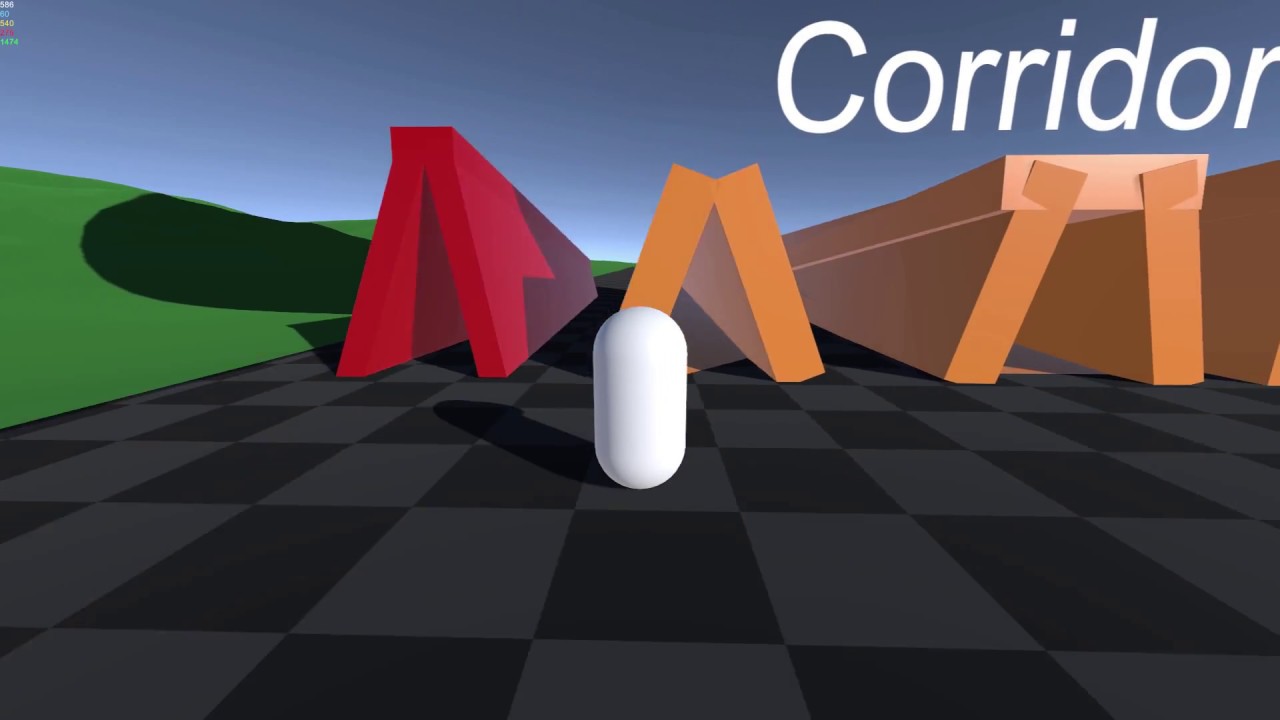
Showcase for the Kinematic Character Controller system
Available now on the Unity Asset Store: https://www.assetstore.unity3d.com/#!/content/99131
Forum thread: https://forum.unity.com/threads/released-kinematic-character-controller.497979/
Browser demo: https://phil-sa.itch.io/kinematiccharactercontroller?secret=rjRvT8GfZCAXEkevCF92TV07UQ
Musi...
wicked river
leaden ice
One other thing - I would consider using this excellent free asset instead of Un...
Ohhh I am quite far into developement.. I have one class handleing the PlayerController. Would this require a lot of work to implement
leaden ice
that depends on how complicated your character controller is and how good you are at programming 😝
wicked river
leaden ice
that depends on how complicated your character controller is and how good you ar...
Le't say 5 outa 10 and a 2 outa 10
XD
Nah I can handle it, just not in the mood to redo my entire CC
leaden ice
fair enough 😝
 round violet
are there other functions than OnValidate that gets called when changing values in the inspector ?
leaden ice
round violet
are there other functions than `OnValidate` that gets called when changing value...
What is your end goal?
round violet
im a doing a editor only utility script
so i would like to run stuff when values are updated, including destroy, which cant be called in OnValidate
round violet
sounds overkill, is this the only way ?
round violet
leaden ice
Or use NaughtyAttributes or Odin
i used NA in the past and there wasnt anything regarding executing a func when a value is updated
leaden ice
round violet
i used NA in the past and there wasnt anything regarding executing a func when a...
round violet
i guess i didnt had to use it before, thanks
knotty sun
round violet
so i would like to run stuff when values are updated, including destroy, which c...
but you can call an Editor Coroutine which can call Destroy
round violet
knotty sun
but you can call an Editor Coroutine which can call Destroy
true, but i wanted to make it simple
also i kinda hijacked OnValidate for a different purpose that its meant to be
 lean sail
Shouldnt it be fine to just clone the root object instead of the child ones? Like check if its attached to anything before trying to clone.
I assume this is for comparing to if the object is completed but I think it's not needed. Instead of cloning the object, you could store what a completed state would look like for each object, tying into the previous message about what to store on each object
naive swallow
lean sail
Shouldnt it be fine to just clone the root object instead of the child ones? Lik...
It is used for putting the pieces back together. Some of the pieces are attached to different ones, like putting the battery in the internals and putting the internals in the base. The clone objects are the meshes of the objects with a hologram material to show the targets, and when you move the real one into them, it'll take that clone's position and destroy the clone, effectively taking its place back
The clone isn't just holding a spot, it's a visible object up until they're rejoined
Right now I've gotten it to work by just doing it the very naive way - clone the whole thing then recurse through all of the children and eliminate anything that already has a placeable part on it
lean sail
I think the whole destroying the clone part might be making it a bit more complicated compared to just disabling the object. But it's somewhat hard to imagine the whole scenario without being the one working on it directly
But either way if its solved then carry on. Definitely an interesting game mechanic
naive swallow
lean sail
I think the whole destroying the clone part might be making it a bit more compli...
Disabling is also fine, in fact it'll probably be the final form
 broken light
how do you setup a manager for a collection of objects so they have ids but will have the same ids when you load the game next time, the issue is i have a bunch of objects with ids but im using a list to keep them all if the first object in the deserialisation happens to be id 7 i can't just place it at index 7 in an empty list when repopulating everything, and i cant use an array since at run time the collection resizes
 cold parrot
broken light
how do you setup a manager for a collection of objects so they have ids but will...
cold parrot
broken light
how do you setup a manager for a collection of objects so they have ids but will...
you can use an array during load, then convert it to a list, or make a list of nulls of the appropriate size
 reef garnet
I'm working on mesh generation, making an intersection for a road and need to sort the points
private int SortPoints(Vector3 centre, Vector3 x,  Vector3 y)
{
    Vector3 xDir = x - centre;
    Vector3 yDir = y - centre;

    float angleA = Vector3.SignedAngle(centre.normalized, xDir.normalized, Vector3.up);
    float angleB = Vector3.SignedAngle(centre.normalized, yDir.normalized, Vector3.up);

    if (angleA > angleB)
    {
        return 1;
    }
    if (angleA < angleB)
    {
        return -1;
    }
    else
    {
        return 0;
    }
}```
The picture below is what I'm getting
What I want (I have to select the spline knots in a specific order to get this working and I'd rather just sort them automatically)

Basically I want the points to be sorted clockwise around the centre vertex
The relevant scripts, should you like to have a look, are here: https://pastebin.com/s4gk2qyq
Pastebin
Pastebin.com is the number one paste tool since 2002. Pastebin is a website where you can store text online for a set period of time.
leaden ice
reef garnet
I'm working on mesh generation, making an intersection for a road and need to so...
Just off the top of my head you could do something like:
float GetAngle(Vector3 center, Vector3 point) {
  return Vector3.SignedAngle(point - center, Vector3.forward, Vector3.up);
}

var sorted = myVertices.OrderBy(v => GetAngle(center, v)).ToList();```I'll give it a try
leaden ice
fixed some typos
reef garnet
didn't quite work
actually it might have worked
just sorted the opposite direction
reef garnet
nope that isn't reversing it
cold parrot
You could also just sort by atan2(p.x, p.z) where p = center - point (the polar angle around the center)
 wind ridge
@somber nacelle turned out to be due to floating point error causing texture coordinate errors off by 4+ pixels + compression
reef garnet
cold parrot
You could also just sort by atan2(p.x, p.z) where p = center - point (the polar ...
Works but results are inconsistent and still seems dependant on which order I select the points
reef garnet
leaden ice
Just off the top of my head you could do something like:
```cs
float GetAngle(Ve...
Any ideas on how I could do this differently so long as I can get the intersection between the edges right and next edge left point then I'm good

Like this, does anyone have a tip on perhaps doing this without needing the list sorted?
 dusk apex
What's the issue?
reef garnet
dusk apex
What's the issue?
Just to avoid repeating myself #archived-code-general message
I'm stumped for now, will return for this tomorrow, and I'm off to bed
cold parrot
reef garnet
Like this, does anyone have a tip on perhaps doing this without needing the list...
You have been given two solutions that solve your stated problem, if they don’t work, you’ve likely implemented/used them incorrectly. From a pure math standpoint, they work.
 vapid apex
hi. iam adding visual elements to my ui in a script. and i want to subscribe to events when doing it.
where should i unsubscribe from events then? OnDestroy()?
OnEnable() and OnDisable() seems bad cause if OnDisable() gets called OnEnable() wont subscribe again
leaden ice
vapid apex
hi. iam adding visual elements to my ui in a script. and i want to subscribe to ...
why wouldn't OnEnable subscribe again?
 hollow cradle
This is what I am trying to fix.

 hollow cradle
This is what I am trying to fix.
hollow cradle
hollow cradle
This is what I am trying to fix.
The pink cube is parented to the grey one as well.
hollow cradle
The grid snapping works fine when the object to snap to is not on an angle.

 compact perch
hollow cradle
The grid snapping works fine when the object to snap to is not on an angle.
compact perch
hollow cradle
The grid snapping works fine when the object to snap to is not on an angle.
Okay, so if you totally don't want to /can not make grid a parent of the gray cube, you could determine the angle between Vector3.forward and the forward vector of the rotated cube then snap the rotation to the nearest multiple of 90 degrees
Or, if you're 100% sure that cube will ever be rotated only around Y axis, I guess it would be quite safe to simply get the Euler angle y out of it's rotation
Otherwise you should make cube be rotated only on y axis (provided that the grid is flat xz plane) then do the snapping around Y axis
hollow cradle
compact perch
Or, if you're 100% sure that cube will ever be rotated only around Y axis, I gue...
The cube will be rotated along all axis: x, y & z.
What I'm trying to achieve is a grid snapping system that works regardless of the rotation.
It will use raycast hit.point to get the hit position then snap that position to the nearest 0.25f grid point.
compact perch
Tbh it's 7am here and I'ma zombie rn, but will run unity in hour or so and try to reproduce this, bc i may be babbling a nonsense here. There is likely a helper method on quaternion/vector for this. I'll ping you when I do some tests
hollow cradle
compact perch
Tbh it's 7am here and I'ma zombie rn, but will run unity in hour or so and try t...
Thanks heaps.
 warm cosmos
is there a preferred way to generate procedural noise?
or is Mathf.PerlinNoise good enough
 cosmic rain
warm cosmos
or is Mathf.PerlinNoise good enough
cosmic rain
warm cosmos
or is Mathf.PerlinNoise good enough
If you need it just in one/few places, it should be fine. If you need a whole perlin noise map, might be better to generate it in the GPU.
compact perch
hollow cradle
Thanks heaps.
okay so after some playing around with gizmo rays n stuff i came up with something like this:
    void SnapRotation(Transform transform)
    {
        //align objects axes with the plane surface
        transform.forward = Vector3.ProjectOnPlane(transform.forward, Vector3.up);


        // choose snapping step degrees
        const int steps = 4;
        float angleStep = 360f / steps;


        Quaternion bestRot = Quaternion.identity;
        float bestDot = float.PositiveInfinity;

        // find the closest snap rotation around Y axis
        for(int i = 0; i < steps; i++)
        {
            float snapAngle = angleStep * i;
            var rot = Quaternion.AngleAxis(snapAngle, Vector3.up);

            var dot = 1f - Mathf.Abs(Quaternion.Dot(rot, transform.rotation));
            if (dot < bestDot) { bestDot = dot; bestRot = rot; }

        }
        // apply the best matching rot
        transform.forward = bestRot * Vector3.forward;
    }
so your attempt to use projectOnPlane() was correct approach i guess
compact perch
compact perch
okay so after some playing around with gizmo rays n stuff i came up with somethi...
probably there's something i could do to simplyfy it even more, but it was a quick one, i hope its readable
 soft shard
If your volume value is based on the slider, you could pass the slider object instead and use its .value, then base the name off the slider, another option could be to make a serialized class that holds all your references with an ID or enum, then you can have 1 function that takes the ID/enum and does a lookup, for example:
[System.Serializable]
public class VolumeData
{
public VolumeType ID;
public Slider s;
public string name;
}

public enum VolumeType {Master, Music, Sound, ...}

[SerializeField] VolumeData[] data;

public void DoTheThing(VolumeType type)
{
var volume = data.FirstOrDefault(x => x.ID == type);
if(volume != null) {...}
}
I personally try to avoid working with strings when possible, and in this example FirstOrDefault is part of System.Linq namespace, though because of its GC overhead, there are often better ways, this exampe is the quickest first approach that comes to mind - you could create a dictionary instead where the key is the enum for example, but then you cant assign it through the inspector easily - though the general idea is "give things an ID that can be used to reference/find said thing"
plucky inlet
I agree with Dibbie, make your own slider class inheritance and just use the sliders on change or what its called event to pass in the value as well as its enum type. then you can just dropdown select the enum in your slider class and thats it
so make the enum also be the variable you are setting in the mixer and playerlrefs
 vocal drift
hello, i wanna ask something about UnityAction
i have subscribed a UnityAction into 2 scripts, BattleManager.cs and PlayerCharacterAnim.cs, the subscribed function inside PlayerCharacterAnim.cs is running as expected, but subscribed function inside BattleManager.cs is not executed, i did subscribe the function inside BattleManger.cs in same way as in PlayerCharacterAnim.cs
here's snippets about PlayarCharacterAnim.cs and BattleManager.cs and PlayerCharacterCombat.cs
PlayerCharacterCombat.cs
  private void DoDeath()
        {
            if (is_dead)
                return;

            character.StopMove();
            TheGame.Get().Pause();
            character.Attributes.KillAttributes();
            is_dead = true;

            TheAudio.Get().PlaySFX3D("player", death_sound, transform.position);
            if (death_fx != null)
                Instantiate(death_fx, transform.position, Quaternion.identity);

            if (onDeath != null)
                onDeath.Invoke();
        }
PlayerCharacterAnim.cs
  private void Start()
  {
      character.Combat.onDeath += OnDeath;
  }

  private void OnDeath()
  {
      Debug.Log("DoDeath in PCA");
      SetAnimTrigger(death_anim);
  }
BattleManager.cs
  private void Start()
        {
            PlayerCharacter.Get().Combat.onDeath += PlayerDeathInBattle;
        }

  private void OnDestroy()
        {
            PlayerCharacter.Get().Combat.onDeath -= PlayerDeathInBattle;
        }
What is Get() doing? you sure, you get something back there? No errors?
vocal drift
its litteraly just returning PlayerCharacter
public static PlayerCharacter Get(int player_id = 0)
        {
            foreach (PlayerCharacter player in players_list)
            {
                if (player.PlayerID == player_id)
                    return player;
            }
            return null;
        }
no it's not, it could also return null
vocal drift
oh okay, i missed that part
wait i second
there's another function that will not return null
public static PlayerCharacter GetSelf()
        {
            return Get(TheNetwork.Get().PlayerID);
        }
and how do i check if a function is subscribed succesfully
 thick terrace
if it was returning null, you'd probably be seeing a null reference exception in the log
accessing PlayerCharacter.Get().Combat.onDeath would throw
knotty sun
vocal drift
there's another function that will not return null
```
public static PlayerChar...
yes it might
plucky inlet
vocal drift
its litteraly just returning PlayerCharacter
```
public static PlayerCharacter...
so, if you are saying, it does not work. I do not see any log on the start of the method to prove that point. Maybe its just not dead and therefore returning? Add a debug log on top of it and see if it gets fired
vocal drift
okay, i will testing once again
vocal drift
plucky inlet
so, if you are saying, it does not work. I do not see any log on the start of th...
here's the video
i also changed from PlayerCharacter.Get() into PlayerCharacter.GetSelf()
plucky inlet
Where did you put a log ?
vocal drift
plucky inlet
Where did you put a log ?
in PlayerCharacterAnim.cs and BattleManager.cs
both function are subscribed iinto same UnityAction
plucky inlet
And what is PlayerDeathInBattle doing?
vocal drift
plucky inlet
And what is PlayerDeathInBattle doing?
the purpose is to turn playerIsInBattle boolean into false and delete remaining enemies, so when player respawn, player can trigger battle again and spawn the same enemy
plucky inlet
no, what is it doing in code? Show the function please
vocal drift
public void PlayerDeathInBattle()
        {
            Debug.Log("PlayerDeathInBattle is called");

            if (playerIsInBattle)
            {
                Debug.Log("initiate PlayerDeathInBattle");

                playerIsInBattle = false;

                foreach (GameObject enemy in listEnemyCreated)
                {
                    GetComponent<Destructible>().KillNoLoot();
                }
            }
        }
I suggest, you debug log, what your battlemanager is actually subscribing to, the ID or whatever odf the player in Start(), just log it and then in your invocation, log the player ID, that is calling it. Maybe you are getting a wrong/empty or whatever player
vocal drift
plucky inlet
I suggest, you debug log, what your battlemanager is actually subscribing to, th...
how do i debug log what my script is subscribed into?
plucky inlet
You are subscribing in start, just log your player.Get().id or whatever. and when your player is doing the ondeath?.Invoke(), just log itself there
vocal drift
plucky inlet
You are subscribing in start, just log your player.Get().id or whatever. and whe...
ah okay, thanks, really appreciate
 noble swift
Hi everyone, I want to record audio through Unity and save it as an MP3 format within Unity itself. Can anyone please suggest a proper pipeline?
noble swift
okay thank you
 broken nest
I am trying to set a several properies in a MaterialPropertyBlock on a meshRenderer using the pasted code. When I change the values on the script in the inspector, the corresponding values show up in the material inspector as expected, but there is no change in the scene view or the game view. If I fiddle with the values directly in the Material Inspector, they update imediately. Do I need to manually call some Update or Refresh function on the material to get the changes to actually take effect when set from my script?
Pastebin
Pastebin.com is the number one paste tool since 2002. Pastebin is a website where you can store text online for a set period of time.
 viscid tree
Coming from other game engines and my own custom ones, into Unity for a project... I have some... Issues. Most pressing right now is the question: can i somehow refer back to the object a behavior or script module is attached to? If i have an entity to which i add code and in that code i have some checks that, when triggered, should modify parameters on whatever it is attached to... How can i refer back to the entity the script is added onto?
compact perch
MonoBehavior has .gameObject property
viscid tree
compact perch
MonoBehavior has .gameObject property
What does that give you in return? An object reference? Would you need to cast it so you can use the correct properties on the object or is it some sort of reflection magic going on?
compact perch
You get the reference to GameObject. Such entities are basically containers for scripts (components) so you just call GetComponent<DesiredType>() on it
Unless you simply need a transform component, then there's helper property .transform similarly to getting .gameObject
viscid tree
Thanks. That helps
 tardy hull
Hello did anyone worked with Asset called ScriptableObjectArchitecture? Recently it started to throw errors like this:
UnityException: Calls to "AssetDatabase.LoadAssetAtPath" are restricted during domain backup. Assets may not be loaded while domain backup is running, as this will change the underlying state.
I narrowed it down to script called SceneVariable.cs (which I use a lot to not have to work with strings on scenes). That script implements ISerializationCallbackReceiver in which on method OnBeforeSerialize try to get Scene by this:
#if UNITY_EDITOR
        internal UnityEditor.SceneAsset Scene
        {
            get { return UnityEditor.AssetDatabase.LoadAssetAtPath<UnityEditor.SceneAsset>(_sceneName); }
        }
#endif
Which is the cause of the error. I don't know when is "BeforeSerialize" happening in the whole process, but according to an error it's during domain backup which isn't allowed. Anyone have an idea how to change this so it won't cause errors?
**EDIT:**I understand it should throw errors only in Editor, but I like my console clean to no cause any problems in future, and it's annoying while debugging. Also it looks like that Interface is used incorrectly, it shouldn't do operation like this in OnBeforeSerialize, is there OnBeforeDomainBackup?
SOLUTION: Ok, it looks like it's something that was change in engine and now developers need to take into consideration. I found this old thread https://discussions.unity.com/t/objects-are-trying-to-be-loaded-during-a-domain-backup/877677/116 where Reisender solution worked for me.
thick terrace
broken nest
I am trying to set a several properies in a MaterialPropertyBlock on a meshRende...
are you sure the material property names match? setting a property block doesn't modify the material (so that SetDirty call doesn't do anything), it modifies the renderer
reef garnet
cold parrot
You have been given two solutions that solve your stated problem, if they don’t ...
Well it's the next day so I'll have another look
round violet
if i got a collider on a gameobject, and another gameobject using the chaarcter controller component, on collision should it call the OnCollision... events on the shape ?
or will i only have OnControllerColliderHit called on the GO with the character controller comp ?
 trim schooner
the object with only a collider will not get the events
round violet
okay, i guess i'll have to add a static RB
stable osprey
you could do something like:
public void UpdateVolume(Slider slider) { SetVolume(slider.name, slider.value); }
or more streamlined:
[SerializeField] List<Slider> volumeSliders; // Include ALL volume sliders here

void Awake() {
    foreach (var slider in volumeSliders) {
        slider.onValueChanged.AddListener((_) => SetVolume(slider.name, slider.value));
    }
}
then all you gotta do is name give the sliders the appropriate name in the hierarchy.
that also gives you the chance to initialize them with the saved values
void Awake() {
    foreach (var slider in volumeSliders) {
        slider.value = PlayerPrefs.GetFloat("VOL_" + slider.name, 1f);
        slider.onValueChanged.AddListener((_) => SetVolume(slider.name, slider.value)); // Already saves to PlayerPrefs from what I see
    }
}
generally the Inversion of Control (IoC) principle plays out very nicely in Unity
-- even when you can reference the manager Component from everywhere, it's nice if the components are service-agnostic and every piece of logic of that system is tweakable from a single system.
broken nest
thick terrace
are you sure the material property names match? setting a property block doesn't...
Thank you for the reply. I thought the SetDirty was probably nothing. It’s one of the many things I tried. I’m fairly certain the property names match because the changes show up in the right place in the material inspector.
I get the impression that the shaderGUI updates the values serialized in the material and then does some other step to get those values wherever they need to be get picked up by the render pipeline. My script just updates the serialized values, which is why I can see the changes in the inspector, but I’m missing whatever that second step is.
 jaunty sundial
im using photon with unityand ive got it working so i can see the other player moving around in my room howver there movement seems very jittery and i dont know why
 potent sphinx
jaunty sundial
im using photon with unityand ive got it working so i can see the other player m...
potent sphinx
jaunty sundial
im using photon with unityand ive got it working so i can see the other player m...
Are you using RPCs on movement or just syncing the transform data provided by client.
jaunty sundial
shod be RPC's cause i have the photonview component added
or could it be to do with frame rate issues
or v sync
thick terrace
broken nest
Thank you for the reply. I thought the SetDirty was probably nothing. It’s one...
property block values aren't serialized in any way, they're just temporary values set on the renderer and there's no other steps needed to apply them 🤔 you should be able to check it out in the frame debugger and see if the renderer is using the property block
jaunty sundial
potent sphinx
Are you using RPCs on movement or just syncing the transform data provided by cl...
i fixed it now its cause i was syncing the velocity its only jittering when i jump now
dusky lake
jaunty sundial
i fixed it now its cause i was syncing the velocity its only jittering when i ju...
My guess, server is sending velocity data, your client applies gravity which is not consistent with what the server does
jaunty sundial
dusky lake
My guess, server is sending velocity data, your client applies gravity which is ...
ive fixed it now by reducing the fixed time step but now when the jump finishes the other player bounces slightly
 prime moat
What would cause the prelobby canvas to not get disabled once the player enters the round, once the StartRound method is called it is supposed to call all the other ones that are supposed to do their stuff, and everything works other than disablind the canvas.
I tried using both
prelobbycanvasas.enabled = false;
function and also the
gameObject.SetActive(false);
but that didnt make any difference either.
Also here is the whole code if that makes any difference
https://hatebin.com/szlcdfjbcm
It's 127 lines so pretty long, but the whole code is functional, no errors and everything works as expected. The only problem is i cant seem to be able to disable the PreLobby canvas no matter how i tried, i tried ClientRpc's, that didn't work so i tried doing it throught the CustomNetworkManager but it also doesn't seem to work.
( also i am not really sure if this is supposed to go on networking or not as there isn't really much networking in the provided code)
 leaden ice
prime moat
What would cause the prelobby canvas to not get disabled once the player enters ...
leaden ice
prime moat
What would cause the prelobby canvas to not get disabled once the player enters ...
127 lines is very short.
What debugging steps have you taken?
You need to start by adding log statements and make sure the code you think is running is actually running
Also - I have no idea what spawnPrefabs is, but if it's a list of prefabs you seem to be disabling a canvas and an object on your prefab rather than on the actual instance(s) in the scene.
 tawny elkBOT

Visual Studio guide
If your IDE is not underlining errors in red or autocompleting code,
please configure it using the link below:
• Visual Studio (Installed via Unity Hub)
• Visual Studio (Installed manually)
prime moat
leaden ice
127 lines is very short.
What debugging steps have you taken?
Yes, ur completely right, i completely didn't think about that. I did add some Debug.Log's and the code seems to stop on the first if, on the if playerPrefab != null so the issue must be with the code not being able to get the playerPrefab, thanks lol. I never think about debugging.
Also what i meant by long is that i sent in on the hate bin istead of pasting it directly in the chat since it 127 lines of code would still flood the chat.
prime moat
leaden ice
Also - I have no idea what `spawnPrefabs` is, but if it's a list of prefabs you ...
spawnPrefabs is a list of networked prefabs that you want to spawn using the NetworkManager, the playerPrefab would be one of them, and the Canvas is a child of the playerPrefab
leaden ice
right so - why are you messing with the active state of objects inside a prefab?
(I just realized you subclassed NetworkManager)
prime moat
leaden ice
right so - why are you messing with the active state of objects inside a prefab?
Since the canvas has to be disabled on round start, it's a prelobby that syncs and displays players and the servers Ip. Once the round starts that CanvasPrefab cant be active rather has to be disabled.
leaden ice
prime moat
Since the canvas has to be disabled on round start, it's a prelobby that syncs a...
yeah but why on the prefab???
You should be worrying about the canvases on the actual spawned player objects
the prefab is not in the scene
the prefab is just an asset
prime moat
I would normally create an Canvas using CanvasUi but when networking with mirror it is simpler to create a canvas prefab. If you just make a general canvas for all the players then firstly it wont be synced and the NetworkIdentity will disable that canvas because it serves no purpose for the NetworkIdentity.
prime moat
leaden ice
the prefab is not in the scene
The prefab Player is in the scene
If i understand what you mean corretly
prime moat
leaden ice
I still thing you're missing the point here
Could be
leaden ice
A prefab is just like... a template for objects that go in the scene
it isn't actually itself in the scene
When you Instantiate a prefab (or when NetworkManager instantiates it), a copy of the prefab is created in the scene
that copy is the actual player object in the game
changing things on the prefab is not going to affect anything in the scene itself
you have to change things on the spawned player object
prime moat
leaden ice
you have to change things on the spawned player object
Yes, that is pretty much what i am doing, since if i wasn't then each player wouldn't be getting their roles either
And the roles work just fine without any issues
leaden ice
prime moat
Yes, that is pretty much what i am doing, since if i wasn't then each player wou...
the player role code doesn't do anything with the prefabs
look at your code for role assignment:
foreach (var conn in NetworkServer.connections.Values)```you're going through the active connections
and doing something for the player objects for those connections
that's very different from what your DisablePreLobbyCanvas does
DisablePreLobbyCanvas doesn't do anything with the connections.
It's literally just modifying the prefab
prime moat
leaden ice
`DisablePreLobbyCanvas` doesn't do anything with the connections.
It's literally...
Ohhh that way, now i understand. Yea i get the problem now lol, Thanks. I've just written so much code on all of these different codes it's starting to make a mess so i didn't get what you're saying at first.
leaden ice
Likewise your StartRound code:
       GameObject playerPrefab = spawnPrefabs.Find(prefab => prefab.name == "Player Prefab");

        if (playerPrefab != null)
        {

            foreach (var conn in NetworkServer.connections.Values)```
It's basically just saying "does the player _prefab exist_?" and then going through the connections and finding the actual player objectsI think that prefab bit here is pointless
prime moat
leaden ice
I think that prefab bit here is pointless
It's not because the player prefab is instantiated by the Mirror's defualt network manager which isn't in this code. The player's conn and id is on that prefab which gets instantiated by the prefab element, so simply in the inspector every player has his own id, this part is important, without this line of code simply the whole code stops working and the players dont get roles or anything.
So even tho the NetworkManager instantiates prefabs, it gives all those prefabs their unique connid's
But i do get your point, ill try to modify it to access the player himself
leaden ice
prime moat
So even tho the NetworkManager instantiates prefabs, it gives all those prefabs ...
But the prefab doesn't get a network id.
The instance gets one
prime moat
leaden ice
But the prefab doesn't get a network id.
The instance gets one
Yep, i know. But what i mean by that is that instance is "the copy of the prefab" and since there loads of different prefabs that i use for characters i am reffering to the current Player Prefab for the game to know what Prefab Is currently being "copied" like you called it.
I define which prefab would be the copy of the players instance, without it the code would just asume every instance of all prefabs like guns et cetera is a player.
My english isn't too good. I dont know how to explain this to you, but i hope you get what i mean lol
leaden ice
prime moat
Yep, i know. But what i mean by that is that instance is "the copy of the prefab...
But the code I wasn't pointing to doesn't do that
Anyway I think you're taking an inefficient and difficult to maintain approach here.
The network manager shouldn't be responsible for this canvas stuff. You should put a script on the player prefab that handles its own canvas when it spawns
prime moat
leaden ice
Anyway I think you're taking an inefficient and difficult to maintain approach h...
The network manager has to be responsible for the canvas stuff. Because if the canvas handles VarSynced stuff it requires an network identity, The canvas itself cant have an network identity on it's own because the network identity simply disabled the canvas and there is no go around that. Thus the reason why the canvas is a child of the player handled by the NetworkManager.
leaden ice
prime moat
The network manager has to be responsible for the canvas stuff. Because if the c...
the player object has a network identity
the network manager is a centralized handler of all network stuff
it doesn't need to be involved in every single thing related to any networked object though
prime moat
leaden ice
the player object has a network identity
Yes, but when i tried making the script inside the canvas itself, i got errors saying that it has to be an networkmanager because whatever was in the previous script could not be controlled by NetworkBehaviour as the NetworkBehaviour didn't have the methods i wanted to override
leaden ice
With all due respect - sounds like a skill issue.
prime moat
leaden ice
With all due respect - sounds like a skill issue.
It lowkey is, since im pretty new to networking but figured out i gotta start somewhere
 wintry crescent
I have a coordinate system. I have entities, that can be placed on (or removed from) that coordinate system dynamically. What's the best way to get an entity at a certain coordinate? Do I keep an array of all entities, and access it according to the coordinate, and re-sort it when entities are destroyed or added to it? So that I can do a GetEntityOnGrid(int coordX, int coordY).
Or is there a simpler way? Ideally accessible from parallel jobs, although if it's not possible it's fine.
I want to avoid raycasting 😭
leaden ice
wintry crescent
I have a coordinate system. I have entities, that can be placed on (or removed f...
You should be keeping an array or a Dictionary of your grid/coordinate system
you would look it up in there
Also are we talking about ECS here?
you definitely don't want or need to "sort" or "re-sort" anything
wintry crescent
leaden ice
You should be keeping an array or a Dictionary of your grid/coordinate system
problem is: sometimes I can have entities at X 50, and sometimes at X 500
and when I remove/add the entities, I'm gonna have to re-sort the whole array to easily access them later
leaden ice
wintry crescent
problem is: sometimes I can have entities at X 50, and sometimes at X 500
and wh...
That's why I recommended a dictionary
there's no need to sort anything
wintry crescent
also yes, ECS, so no dictionary unless I'm wrong
leaden ice
leaden ice
basically NativeHashMap<Vector2Int, Entity>
Although you might want to make your own Coordinate struct instead of using Vector2Int, but it's not necessary
wintry crescent
leaden ice
Although you might want to make your own `Coordinate` struct instead of using Ve...
int2 will be enough for me
wintry crescent
leaden ice
You may also want to be aware of these as well:
https://docs.unity3d.com/Package...
oh wow never heard of multihashmap before actually, thanks! first time seeing a hashmap with multiple values per key
leaden ice
It's tedious to use, but that's the price for writing DOTS code
wintry crescent
I might not need it, but parallelhashmap definitely will be useful
 pure grove
What is this error means

I have that weird issue sometimes happens and sometimes do not
leaden ice
pure grove
What is this error means
it means you tried to call instantiate on a reference that was null
compact perch
Null reference is the most common, basic, self explanatory error you can get. In this particular case it's likely that you try to instantiate prefab that you didn't set in script inspector
But you should totallylook into this !learn
tawny elkBOT
:teacher: Unity Learn ↗
Over 750 hours of free live and on-demand learning content for all levels of experience!
pure grove
I thought same but maybe there were something cheesy
leaden ice
what do you mean by "cheesy"?
pure grove
I have a player class which stores name etc and I have a character class inside of player class and character class has prefab of this instantiate object
leaden ice
Whatever code is calling Instantiate, it's doing so with a null reference
i.e.
GameObject exampleReference = null;
Instantiate(exampleReference);```This, in a nutshell, is what's happening^
start by looking at the actual line of the ierror
knotty sun
man, please !code
tawny elkBOT
Posting code
📃 Large Code Blocks
Use links to services like:
https://gdl.space/, https://paste.ofcode.org/, https://hatebin.com/, https://paste.myst.rs/, https://hastebin.com/
📃 Inline Code
Surround code with three backquotes. Not quotation marks.
To format as C#, add cs to the first line:
```cs
// Your code here
```
Add a comment with a line number if there is an error message.
pure grove
sorry 😄 my first time here
 gritty badger
hi, need debug
what It's supposed to do here is that the sight field needs to detect the yellow bean(supply), and let the white dot to teleport there. The green circle is a NPC that follows the white dot (NPC folower) to move. Normally the NPC follower moves in a random location inside the red player max field. Currently the bug here is that the follower dot cannot get the transform of the supply, which is a prefab.
!code public void findsupply(){
supply=GameObject.Find(suppltspawner.maxsupplynumber.ToString()).transform;
Debug.Log(supply);
destination=new Vector2(supply.position.x,supply.position.y);
Debug.Log(destination);
npc.transform.position=new Vector2(destination.x,destination.y);
while(trigger.picked==false){
follow.GetComponent<AIPath>().maxSpeed=5;
move=false;
}
follow.GetComponent<AIPath>().maxSpeed=1.5f;
move=true;
}
tawny elkBOT
Posting code
📃 Large Code Blocks
Use links to services like:
https://gdl.space/, https://paste.ofcode.org/, https://hatebin.com/, https://paste.myst.rs/, https://hastebin.com/
📃 Inline Code
Surround code with three backquotes. Not quotation marks.
To format as C#, add cs to the first line:
```cs
// Your code here
```
Add a comment with a line number if there is an error message.
gritty badger
'''cs
    public void findsupply(){
        supply=GameObject.Find(suppltspawner.maxsupplynumber.ToString()).transform;
        Debug.Log(supply);
        destination=new Vector2(supply.position.x,supply.position.y);
        Debug.Log(destination);
        npc.transform.position=new Vector2(destination.x,destination.y);
        while(trigger.picked==false){
            follow.GetComponent<AIPath>().maxSpeed=5;
            move=false;
        }
        follow.GetComponent<AIPath>().maxSpeed=1.5f;
        move=true;
    }
'''
leaden ice
gritty badger
'''cs
public void findsupply(){
supply=GameObject.Find(suppltspawner...
``` not '''
gritty badger
oh
' ' 'cs
public void findsupply(){
supply=GameObject.Find(suppltspawner.maxsupplynumber.ToString()).transform;
Debug.Log(supply);
destination=new Vector2(supply.position.x,supply.position.y);
Debug.Log(destination);
npc.transform.position=new Vector2(destination.x,destination.y);
while(trigger.picked==false){
follow.GetComponent<AIPath>().maxSpeed=5;
move=false;
}
follow.GetComponent<AIPath>().maxSpeed=1.5f;
move=true;
}
' ' '
gritty badger
oh
public void findsupply(){
supply=GameObject.Find(suppltspawner.maxsupplynumber.ToString()).transform;
Debug.Log(supply);
destination=new Vector2(supply.position.x,supply.position.y);
Debug.Log(destination);
npc.transform.position=new Vector2(destination.x,destination.y);
while(trigger.picked==false){
follow.GetComponent<AIPath>().maxSpeed=5;
move=false;
}
follow.GetComponent<AIPath>().maxSpeed=1.5f;
move=true;
}
Ok so what exactly is the issue here?
I will say, using GameObject.Find like this is a bad idea
and slow
How does your "sight field" work?
There should be no reason to use GameObject.Find
gritty badger
so the eyesight thing has a trigger collision box, and the supply have a trigger collision box and a rigid body. When the trigger collision box of the eyesight have collide with the trigger collision box of the supply, it will link to the findsupply function.
leaden ice
gritty badger
so the eyesight thing has a trigger collision box, and the supply have a trigger...
So you're using OnTriggerEnter2D, yes?
gritty badger
yes
leaden ice
You can get a reference to the object directly from OnTriggerEnter2D
you have no reason to use GameObject.Find
void OnTriggerEnter2D(Collider2D other) {
  Transform foundObject = other.transform;
}```done
gritty badger
thanks
wait no
    private void OnTriggerStay2D(Collider2D other)
    {
        if(other.gameObject.tag=="supply"){
            Debug.Log("foundsupply");
            follower.findsupply();
        }
    }
other.transform is what you want here, yes
Pass the Transform into findsupply() as a parameter
leaden ice
changed what
gritty badger
    private void OnTriggerStay2D(Collider2D other)
    {
        if(other.gameObject.tag=="supply"){
            Debug.Log("foundsupply");
            follower.findsupply(other.transform.position);
        }
    }
//the findscript part
    public void findsupply(Vector2 tansform){
        // supply=GameObject.Find(suppltspawner.maxsupplynumber.ToString()).transform;
        Debug.Log(supply);
        destination=new Vector2(transform.position.x,transform.position.y);
        Debug.Log(destination);
        npc.transform.position=new Vector2(destination.x,destination.y);
        while(trigger.picked==false){
            follow.GetComponent<AIPath>().maxSpeed=5;
            move=false;
        }
        follow.GetComponent<AIPath>().maxSpeed=1.5f;
        move=true;
    }
The game froze because you wrote an infinite loop:
        while(trigger.picked==false){
            follow.GetComponent<AIPath>().maxSpeed=5;
            move=false;
}```don't do that
gritty badger
oh
leaden ice
also what the heck is this lol:
    public void findsupply(Vector2 tansform){
        // supply=GameObject.Find(suppltspawner.maxsupplynumber.ToString()).transform;
        Debug.Log(supply);
destination=new Vector2(transform.position.x,transform.position.y);```why did you call your Vector2 tansform
and then you didn't even use it
gritty badger
um,I thought I need to pass the transform into findsupply() as a parameter
leaden ice
All you want is:
public void findsupply(Vector2 position){
destination = position;```yeah when i said that I meant this:
public void findsupply(Transform supplyTransform) {
  destination = supplyTransform.position;
}```got it
leaden ice
you know, actually passing the Transform in as a parameter
gritty badger
kay now I fixed the freezing bug, now I have to let the NPC follower to be able to move after collecting supply
    public void findsupply(Vector2 position){
        // supply=GameObject.Find(suppltspawner.maxsupplynumber.ToString()).transform;
        Debug.Log(supply);
        destination=position;
        Debug.Log(destination);
        npc.transform.position=new Vector2(destination.x,destination.y);
        follow.GetComponent<AIPath>().maxSpeed=5;
        move=false;
        // follow.GetComponent<AIPath>().maxSpeed=1.5f;
        // move=true;
    }
jsut a tip you rreally don't need to do this:
npc.transform.position=new Vector2(destination.x,destination.y);
You can just write npc.transform.position = destination;
there's no need to make it more complicated
now I have to let the NPC follower to be able to move after collecting supply
I don't really know what this means, or why the follower would move or where it would move to, but it seems unrelated to the direct problem in front of us.
leaden ice
I don't know what "this" means
Remember I've never seen your game before
All I see are a bunch of chaotic shapes and such
 fervent marlin
hi
 hexed oak
I'm creating a Texture2D in an editor script that creates a new Texture2D.
Is there a way to set that texture2D to a sprite? TextureImporter requires that the texture2d exist in project files--but in my case since I'm creating the asset, it doesn't yet exist in the project files.
I tried AssetDataBase.Refresh() thinking it would refresh in time and it does not.
var importer = AssetImporter.GetAtPath(pathTest) as TextureImporter;```Sprite.Create
hexed oak
Using Sprite.Create, I'm now iterating a list of sprites.
I'm writing to file in this way, and the newly created images default to the Default texture type. How can I change the texture type to Sprite?
System.IO.File.WriteAllBytes(path, sprite.texture.EncodeToPNG());```you don't
a sprite is not a texture
a sprite is a Unity asset that just contains like a few details about the part of a texture you want to use
Sorry I misread what you wrote
hexed oak
I can change the texture type to Sprite (2D and UI) using a TextureImporter. However this requires that the asset exist in the project files already.
TextureImporter test = new TextureImporter();
test.textureType = TextureImporterType.Sprite;```Using the LoadAssetAtPath returns null for a textureimporter
AssetDatabase.Refresh();
AssetDatabase.AddObjectToAsset(sprite, path);
AssetDatabase.SaveAssets();
var importer = AssetDatabase.LoadAssetAtPath(path, typeof(TextureImporter)) as TextureImporter; // returns null
I would be very surprised if you can pass the same path variable to both the File and AssetDatabase classes
leaden ice
hexed oak
Using the LoadAssetAtPath returns null for a textureimporter
```System.IO.File.W...
wouldn't the second parameter there be typeof(Texture2D) or typeof(Texture) or typeof(Sprite)?
As in the example here: https://docs.unity3d.com/ScriptReference/AssetDatabase.LoadAssetAtPath.html
hexed oak
my path may be wrong. I'm using
string path = System.IO.Path.Combine(saveToDirectory, sprite.texture.name + ".png");```
and that path has 2 different formats in it C:/xyz/ddd\\TMP/"C:/XYZ/Project/Assets/TMP\\testSprite_0.png"
ah it was a path issue. It just needed a path relative from Assets/
It works now. Though it does throw an unknown error
hexed oak
Application.dataPath + "/TMP";
leaden ice
Probably the same error from this comment? https://discussions.unity.com/t/issues-dynamically-creating-sprites-and-saving-them/576097/3
hexed oak
It was indeed AddObjectToAsset that causes the error. It is not needed.
System.IO.File.WriteAllBytes(filePath, sprite.texture.EncodeToPNG());
AssetDatabase.Refresh();
AssetDatabase.SaveAssets();
TextureImporter ti = AssetImporter.GetAtPath(path) as TextureImporter;
ti.textureType =  TextureImporterType.Sprite ;
ti.textureCompression = TextureImporterCompression.Uncompressed;
EditorUtility.SetDirty(ti);
ti.SaveAndReimport();```oh cool ok
hexed oak
this is the working solution.
leaden ice
nice
I think another solution might be to use a preset for PNG files that imports them as sprites by default: https://docs.unity3d.com/Manual/Presets.html
But that's very "project-wide"
 craggy pivot
What are some common use cases for State Machine Behavior scripts?
 rigid island
craggy pivot
What are some common use cases for State Machine Behavior scripts?
rigid island
craggy pivot
What are some common use cases for State Machine Behavior scripts?
if you want to integrate / sync your fsm with animations a bit better
craggy pivot
Is fsm finite state machine?
rigid island
ye
craggy pivot
Is there any differences/benefits between using animation events vs smb scripts? Is it a matter of preference?
rigid island
i think you might get a slightly more accurate result w animator states when using transitions, esp long ones between clips, because you could miss an event if transitions overlap wrong. The animator states more or less would guarantee to always run those functions each state switch
craggy pivot
Oh wdym miss an event?
Do you mean if the state transitions to another state before an event's timestamp, it doesn't fire the event?
rigid island
animation events are at specific frame, if you skip that frame somehow maybe shortening animations by transitioning into another, you skip the event
craggy pivot
I see
craggy pivot
rigid island
i think you might get a slightly more accurate result w animator states when usi...
Wait wdym by transitions? Do you mean SMBs using the functions they have or can the transitions (I'm thinking of the lines between states) also call events?
rigid island
craggy pivot
Wait wdym by transitions? Do you mean SMBs using the functions they have or can ...
on animator ? these things , the arrows between clips
https://docs.unity3d.com/Manual/class-Transition.html
 craggy pivot
Ok I see
craggy pivot
rigid island
on animator ? these things , the arrows between clips
https://docs.unity3d.com/M...
Tyvm
 copper atlas
Good night yall!
Can someone tell me the best way to make a procedural generated terrain for a strategy rts game?
soft shard
copper atlas
Good night yall!
Can someone tell me the best way to make a procedural generate...
What have you found on google about the topic?
 still walrus
Hello, I need help. Whenever I load a new scene all of my Onclick Events that reference an instance that is set to DoNotDestroyOnLoad disappear


 indigo tree
still walrus
Hello, I need help. Whenever I load a new scene all of my Onclick Events that re...
indigo tree
still walrus
Hello, I need help. Whenever I load a new scene all of my Onclick Events that re...
Use a singleton
cosmic rain
still walrus
Hello, I need help. Whenever I load a new scene all of my Onclick Events that re...
Do the DDOL objects come with the scene? Are you using the singleton pattern for them?
 prisma hatch
hello lads, just wanna ask whether or not changing Volume Overrides in URP is performance costly, as in does changing Chromatic Aberration and Lens Distortion everytime my character is hurt will tank performance
(or any other word that relates to making performances funky cause idk the word Im not native)
cosmic rain
prisma hatch
hello lads, just wanna ask whether or not changing Volume Overrides in URP is pe...
- Try it and see.
- Probably not, as it just toggles on/off some draw calls.
prisma hatch
Thank you! As far as I've seen nothing's off about performance, except that my PC's fan is running amok (might blow up-
cosmic rain
prisma hatch
Thank you! As far as I've seen nothing's off about performance, except that my P...
Most likely the GPU is used to the fullest. That's good though.
For performance.
Though, might want to see if you can enable vsync.
still walrus
cosmic rain
Do the DDOL objects come with the scene? Are you using the singleton pattern for...
It did not, I create the instance in my main Scene and when I load my Info page scene for example I expect to use the same SceneManager. I will definitely make it as a singleton
cosmic rain
still walrus
It did not, I create the instance in my main Scene and when I load my Info page ...
The issue is that the objects that you reference in the inspector are likely being destroyed. The only place where the reference would be valid is the original scene where the objects existed and we're referenced originally.
You should either make the objects with events DDOL as well, or maintain/assign the references via code.
hollow cradle
compact perch
okay so after some playing around with gizmo rays n stuff i came up with somethi...
I finally got the grid snapping to work with any rotation. I can post the code if you want.
 hollow cradle
compact perch
okay so after some playing around with gizmo rays n stuff i came up with somethi...
hollow cradle
compact perch
okay so after some playing around with gizmo rays n stuff i came up with somethi...
Thanks for taking the time to help as well.
 acoustic sorrel
So I have 2 classes NewPlayer and NewPlayerCharecter with the latter being derived from the former. Within these classes lives some IEnumerators that I have to process player actions and the NewPlayerCharecter class overrides some of these IEnumerators as it is used for player charecters and requires different logic to work. With that being said the IEnumerators living in NewPlayer are all created to automatically complete its actions with no human input. Now heres where things get weird. For some reason the NewPlayer class is starting coroutines using the code from the override methods in NewPlayerCharecter which should not be happening. Does anyone know what might be causing this and how I can stop it?
cosmic rain
acoustic sorrel
So I have 2 classes `NewPlayer` and `NewPlayerCharecter` with the latter being d...
Wdym by "shouldn't be happening"? If the object is actually of the NewPlayerCharacter class, then it would use the method overrides defined in that class.
acoustic sorrel
cosmic rain
Wdym by "shouldn't be happening"? If the object is actually of the NewPlayerChar...
Disreguard I was an idiot and coded my stuff wrong
thought it was working one way when it wasnt so the wrong class was running scripts
 fervent coyote
Context: Got a weird issue with how culling works in my game, essentially I got a building with a bunch of NPCs with the same culling script, and when I add it to the building itself, it causes a weird issue where when the NPCs despawn, the culling freaks out
I have two solutions to this:
Solution One
{
    if (obj.Equals(null))
    {
        continue;
    }
    obj.enabled = enable;
}
foreach (SkinnedMeshRenderer obj in Cull_SkinnedMeshRenderers)
{
    if (obj.Equals(null))
    {
        continue;
    }
    obj.enabled = enable;
}```
Solution Two
Cull_MeshRenderers.RemoveAll(x => x.Equals(null));
Cull_SkinnedMeshRenderers.RemoveAll(x => x.Equals(null));
This would run every time the game wants to cull these scripts. Assume there is about ~5000 culling scripts (For static buildings, mostly), and it is run every ``FixedUpdate``
What would be better for performance? mossy snow
the first one, if the compiler doesn't optimize out the extra function calls in solution 2. But both are horrible solutions imo. Why are renderers becoming null? Why do static buildings need culling scripts? What is the actual problem this solution is searching for?
 torpid depot
#💻┃code-beginner can someone show me way on this question?
 keen smelt
Hi team. I have a game where I have many Agents fighting each other autonomously - there might be 2 teams or 4 teams all against each other. I need for each Agent to find it's nearest 3 enemies. I was trying a jobbed OverlapShereCommand. The hits are just thrown into an Array and I can't tell WHO's results are which. Is there a better way of doing this?
 past raven
The type or namespace name 'Joystick' could not be found (are you missing a using directive or an assembly reference?)
when i try
Joystick = FindFirstObjectByType<Joystick>();
rigid island
past raven
The type or namespace name 'Joystick' could not be found (are you missing a usin...
what is Joystick
rigid island
past raven
it's a prefab for the joystick
huh? why would code know what prefab is
rigid island
wdym the code knows nothing about scenes
past raven
im trying to reference the object
rigid island
so does it have Joystick component on it
past raven
the object is called Joystick
rigid island
types are not names
FindFirstObjectByType looks for Types
gameobject names are not one of them

Learn about creating types in C#, such as tuples, records, value types, and reference types. Learn to choose between these options.
rigid island
You should not be using names
nothing wrong wiuth just directly referencing in the gameobject and link it via inspector
past raven
then what tags?
rigid island
the method mentioned above
Tags are better but Component Types are always the best
if you dont want to add script on it just reference it
[SerializeField] private GameObject myObject;```
https://docs.unity3d.com/Manual/VariablesAndTheInspector.htmlBecause they're being destroyed: in my game, I have outposts (Ala Far Cry) and when the script that handles these detects the outpost has been previously cleared, it deletes the NPCs
Also, the problem is that when the outposts are destroying the NPCs, the NPC's renderers are grouped in with the outposts, and I have not found a solution that will prevent this, it needs to be that the character models and weapons will be added only to the npcs culling, but that the other culling will ignore
I also think I'm a bit stupid and thinking of a solution to this that is too complex- I should just add a boolean that ignores children-
 hard estuary
keen smelt
Hi team. I have a game where I have many Agents fighting each other autonomousl...
hard estuary
keen smelt
Hi team. I have a game where I have many Agents fighting each other autonomousl...
I would just iterate through the position of each agent, subtract it from the position of the currently processed agent, and find the 3 smallest numbers.
 tacit bear
hey i need some help with the tree placing tool on terrain
it says that my prefab has no valid mesh renderer
but i checked and , i think it has
 twilit scaffold
then ask #⛰️┃terrain-3d
 torn halo
Hi, how does awaitable cancellation work exactly? I have a method like this:
async Awaitable DoCalculations()
{
  while (true)
  {
     // calculate something
     await Awaitable.WaitForSecondsAsync(.1f);
  }
}
I run it with a simple handle = DoCalculations() and I don't await it anywhere. When I call handle.Cancel() I expect that no further loop iterations will happen but it doesn't seem to do anything. When I implement the same thing with coroutines and use StopCoroutine it works as expected. Do I misunderstand something?
 thin aurora
torn halo
Hi, how does awaitable cancellation work exactly? I have a method like this:
``...
thin aurora
torn halo
Hi, how does awaitable cancellation work exactly? I have a method like this:
``...
In no way have I used the async pattern of Unity, but in .NET you generally have to check for cancellation in some way.
After a quick Google search, the .NET CancellationToken seems to be supported with most methods, so you might want to pass this into async methods and cancel that instead.
Judging by other pages, Cancel() works similar to StopCoroutine, where it will end on the next awaitable method. CancellationTokens have manual labour attached but these allow for checking for cancellation regardless of if an awaitable method was found
It has examples for cancellation tokens
torn halo
thin aurora
It has examples for cancellation tokens
Thanks, I know about cancelation tokens (although have never used them). The documentation on Awaitable.Cancel says that it's equivalent to cancelation tokens. I have also seen the page you linked before which led me to believe it would work the same way as StopCoroutine.
Well, I don't fully understand why my example doesn't work but I can work around that. Will educate myself on cancelation tokens more
 chilly surge
torn halo
Thanks, I know about cancelation tokens (although have never used them). The doc...
chilly surge
torn halo
Thanks, I know about cancelation tokens (although have never used them). The doc...
Usually what you want to do is cooperative cancelling.
What that means is that, if you are writing an async method that supports cooperative cancelling, your method accepts a cancellation token explicitly as an argument to the method. In your method, you then pass that token down to other async methods that support cooperative cancelling.
thin aurora
torn halo
Thanks, I know about cancelation tokens (although have never used them). The doc...
It should throw the same way, idk why it would not actually cancel in your case
I know Unity does things with the way the async pattern works so maybe your fire and forget system simply doesn't work properly
Regardless, I would test both cases if I were you and see how they work
chilly surge
If Cancel works like StopCoroutine, then that's not cooperative cancelling, and imo not to be used.
You are force stopping an operation in a way that the operation may not be aware and not doing the proper clean up it needs to do.
torn halo
chilly surge
You are force stopping an operation in a way that the operation may not be aware...
I see, with cancelation tokens it's basically up to the task to stop itself when requested from outside. Good point
chilly surge
Yes, but only if you are doing stuffs that don't already support cooperative cancelling. If you are for example awaiting another task that supports it, all you need to do is to just pass down your token.
torn halo
I kind of expected that maybe operations like Awaitable.WaitForSecondsAsync use some internal cancelation token when not provided with one explicitly and this token would be canceled on Awaitable.Cancel. But looking into the implementations I already see that it's not how it works.
If Awaitable.Cancel in fact works like StopCoroutine and is just not ever returning the flow from the await then I still don't get why it didn't work for me initially though. Seems like maybe it's a weird edge case
thin aurora
torn halo
I see, with cancelation tokens it's basically up to the task to stop itself when...
If you use this in a method you need to make sure you check if it's cancelled. Often people use the ThrowIfCanceled() method (or something like that). When passe dinto async methods you didn't make, they often throw immediatley.
You can benefit from this by manually checking the token after work, and to possible revert changes when cancellation happens. This obviously depends on use case.
Regardless, the control of cancellationtokens far outweigh Cancel() due to the ability to control when to cancel, and how to cancel, rather than throwing with the first awaiting method
I would advice therefore to use tokens, because they are a standard in .NET frameworks. I don't understand why Unity even added such an obscure Cancel() method, but I assume it has to do with compatibility and migrating from Coroutines.
Also, since tokens throw on cancellation, you want to make sure you catch the OperationCanceledException where possible and handle the cancellation.
chilly surge
Yeah not sure why Unity decided to do their awaitable like this, rather than simply following the convention of the wider .NET world.
chilly surge
thin aurora
Also, since tokens throw on cancellation, you want to make sure you catch the `O...
Note that, this only applies if you have clean up you need to do. Otherwise you don't have to catch it and just let it bubble.
It is intended that cancellation gets bubbled.
thin aurora
You should catch. Not catching cancelled tasks and having it show up in a console instead is a bad habit. The minimum would be catching at the very root of the awaiting method
This counts for any exceptions. You should not ignore exceptions in general
chilly surge
That's exactly the point, you let it bubble to the caller.
thin aurora
The thing with exceptions is that they are slow, and the slow part already happened when it threw. Catching it makes no difference
chilly surge
It's not about performance, there's just no point in catching if you are not the root caller and you don't need to do clean up. There's absolutely nothing for you to do other than bubbling the cancellation exception back up, which is exactly what happens by not catching.
thin aurora
I wish C# had a proper way to cancel a method instead of relying on throwing
 iron sluice
hello
I'd like some help please.
It's related to UI.
My HUD is updating every time the player collides with the object. This works like a charm in the Editor, but it won't work in the build. What could be the problem??
There are no errors in the code, I went over it so many times that now I'm dreaming of C# syntax!!
Has anyone else encountered similar problem??
thin aurora
iron sluice
hello
I'd like some help please.
It's related to UI.
My HUD is updating every ti...
Not much to say if you don't share any !code
tawny elkBOT
Posting code
📃 Large Code Blocks
Use links to services like:
https://gdl.space/, https://paste.ofcode.org/, https://hatebin.com/, https://paste.myst.rs/, https://hastebin.com/
📃 Inline Code
Surround code with three backquotes. Not quotation marks.
To format as C#, add cs to the first line:
```cs
// Your code here
```
Add a comment with a line number if there is an error message.
torn halo
Thanks for the explanation
thin aurora
The only thing I can say is to check if your code is related to the editor, or if it's in an editor folder. This gets stripped in a build.
iron sluice
thin aurora
The only thing I can say is to check if your code is related to the editor, or i...
no it's not
It's in my Assets> Scripts folder, which I made myself (I'm an organization freak)
I can easily paste my code here, I'm just afraid it'll get lost...
thin aurora
Lost?
iron sluice
what's that msg up there about pasting code??
iron sluice
thin aurora
Lost?
yes i mean with too many msgs
thin aurora
Then make a thread
iron sluice
three backquotes?? " these??
iron sluice
thin aurora
Then make a thread
good idea. thank you
will paste it shortly
never mind
thin aurora
Most keyboards have them on the top left, next to the key for 1
Otherwise copy the bot message
iron sluice
hello
copper atlas
soft shard
What have you found on google about the topic?
Mainly map magic tool and a really cool tutorial of sebastian lague. Even tho they seem great methods as i never did a procedural generation im not entirely sure if they are appropriate for the game im creating
soft shard
copper atlas
Mainly map magic tool and a really cool tutorial of sebastian lague. Even tho th...
If you have not done procedural generation before, I think it would be good to pick any method you find and just try it, you wont know what isnt great about it until you can either see or understand the system you have, then you can always make changes - I think Catlike Coding also has a blog on procedural generation, so that could be a good starting point to get familiar with how they work, or you could try a isolated project with just mesh generation to get familiar with the basics, then see what is "not appropriate" for your project specifically, it could be fine, it could need optimization, it could need a different algorithm entirely
copper atlas
soft shard
If you have not done procedural generation before, I think it would be good to p...
Ok thanks for the answear! 😎🤝😎
compact perch
hollow cradle
I finally got the grid snapping to work with any rotation. I can post the code i...
Don't need the code, but glad you figured it out 👍
keen smelt
hard estuary
I would just iterate through the position of each agent, subtract it from the po...
Thanks! Makes sense. Appreciate your reply!
 verbal heath
edit: got help
Hello, i am trying to figure out testing in unity. but it is never consistent and changing and unchanging code changes the result.
My current thing that i tried to debug was a scene with a bullet and health. the test was simple:
    public IEnumerator Setup()
    {
        yield return SceneManager.LoadSceneAsync(sceneName, LoadSceneMode.Additive);
        scene = SceneManager.GetSceneByName(sceneName);
        SceneManager.SetActiveScene(scene);
        health = Object.FindAnyObjectByType<Health>();
        bullet = Object.FindAnyObjectByType<Damage>();
    }```

with

```    [UnityTest]
    public IEnumerator BulletMoveTest()
    {
        ResetTesting();

        yield return null;

        Assert.AreEqual(health.GetMaxHealth(), health.GetHealth());

        bullet.GetComponent<Rigidbody2D>().velocity = Vector2.right * 5;

        yield return new WaitForSeconds(5f);

        Debug.Log("health " + health.GetHealth());

        Assert.Less(health.GetHealth(), health.GetMaxHealth());
    }```

Now, on screen i could see the bullet move and go trough the health object. but to make sure i added some extra code to my damage script on trigger enter

```    private void OnTriggerEnter2D(Collider2D collision)
    {
        Debug.Log(1);

        if(collision.TryGetComponent(out Health health) && health != ignoreHealth)
        {
            Debug.Log(2);
            if (health.TakeDamage(damage))
            {
                Debug.Log(3);```

and in my Health.TakeDamageScript

```    public bool TakeDamage(int amount)
    {
        if(inIframe || Dead || amount <= 0) return false;

        Debug.Log("take damage: " + health);

        health -= amount;

        Debug.Log("take damage: " + health);```

now, as the bullet went trough the body the log said:
1
2
Take Damage: 5
Take Damage: 4
3

and then finally from the test:
health 5

so despite the health printing out that it had gone from 5 to 4, it now said it was 5 again(Edit, this seems to have dissapeared somehow). i changed Health.health to a public int, and then logged that in the test, and suddenly the new health log, aswell as the previous GetHealth() log worked as intended, and the test passed. and making Health.health private again didn't re-break it.
Now the strange thing is, and this isn't the first time it has happened today aswell. i made the health variable in my Health script public and read it directly, and now both it and the GetHealth() returned the correct values. and when i set the variable to private again, undoing the change, the test worked as intended. GetHealth() still worked
so somehow specifically changing something with the Health.health int made it work, and then undoing the change didn't re-break it.
Similar things have happened all day and it makes the whole testing thing unusable, and horrible to debug aswell, since the same code can have different results depending on if i have changed and then un-changed a thing.
it feels like it must be compiler stuff that is wrong. i doubble checked that things where the same by using all the backtracking with ctrl z in both the test sript and health and the test scene
knotty sun
at a guess you are looking at 2 different instances of health. Debug.Log the InstanceId of the class
verbal heath
oh. you are right. seems like i had for some reason forgotten another health object in the scene. i guess me messing around with stuff just changed the Object.FindAnyObjectByType<Health>(); to the correct one all of a sudden
knotty sun
which is another good reason never to use the Find methods unless you really, really have to
verbal heath
yee, the scene was supposed to only have 3 objects, to make the testing enviroment as "sterile" as possible. that being the health, bullet, and camera
but i think what had happened was i made a empty with a health script, but then remembered that i probably want a visual representation of it, and made a circle with a health script. and forgot about the empty
anyways, thanks a ton
knotty sun
also good practice, always include the InstanceId of any object you are debugging to make sure you are referencing the correct one
verbal heath
that would help. thanks for the tip! you are truly a hero
pure grove
hello, I was optimizing my script. I have a singleton pattern MainManager script that has bunch of stuff and DontDestroyOnLoad. When I started to inherit my other scripts from main manager all objects that has any script that inherited from MainManager also becomes DontDestroyOnLoad. How can I fix that?
knotty sun
why would you inherit from a MainManger script?
pure grove
because isnt it a good way? lol I dont know
I want to access many data from mainManager
knotty sun
then you don't inherit, you use the Singleton pattern
pure grove
I had a singleton pattern already
so in unity its better that way?
just make all mono and have a singleton?
and MainManager.Instance all the way I guess
knotty sun
so why inherit, via the singleton all data is accessible
pure grove
its my first project
I dont know to be honest, writing characterIndex looks better than MainManager.Instance.characterIndex
I thought its more correct way to do
knotty sun
that's just a dumb reason
pure grove
but if it's not Ill keep it as singleton
okay then
well im learning ^^
experimenting and such
ty
cosmic rain
pure grove
I dont know to be honest, writing characterIndex looks better than MainManager.I...
Ideally, character index isn't something that should be in the main manager, though I'm not sure what role it has, so it hard to say for sure.
knotty sun
pure grove
but if it's not Ill keep it as singleton
if you want to reduce the typing instead of inheriting you can do the following
MainManager mainManager;
...
void Start() {
   mainMananger = MainManager.instance;
}
then you can refer to
mainManager.characterIndex;
 mellow hill
pure grove
I dont know to be honest, writing characterIndex looks better than MainManager.I...
mellow hill
pure grove
I dont know to be honest, writing characterIndex looks better than MainManager.I...
What you could also do for your characterIndex is instead of exposing a variable/field and accessing that, you could create a method that returns your characterIndex as well. So your code would look something like mainManager.instance.GetCharacterIndex();
The advantage of making a method for it is that other systems can access that value and have it return but do so in a safe/encapsulated way. Whereby other scripts/systems cannot directly mess with the variable, you can keep that private and local to the manager and then either use a method to expose the variable or create a property for it. Just makes things a bit safer
jaunty sundial
if you instantiate something on the hosts computer can you refrence it on the other clients?
 gloomy briar
is there a problem with using constructors instead of OnAwake other than initialization order?
 mellow sigil
Depends what the object is, MonoBehaviours can't have constructors but they also don't have OnAwake so not sure what you're using
gloomy briar
mellow sigil
Depends what the object is, MonoBehaviours can't have constructors but they also...
they can't have constructors? I feel like I've coded some already without issues
mellow sigil
Then they're not MonoBehaviour, it would've thrown an error or warning
gloomy briar
it is inheriting from MonoBehaviour
mellow sigil
Even if it lets you do it, it's still not a good idea. For example it will always run in the editor as well. Awake exists for a reason
gloomy briar
did not think about the editor, that's a good point
mellow sigil
You'll also get timing issues, Awake guarantees that the object and its components are fully initialized (and other objects that are initialized at the same time.) Constructor runs arbitrarily in the middle of initialization.
gloomy briar
I see, interesting
 finite idol
I'm using Addressable to create a Scene conversion and I get an error called Error unloading scene MainMenu: Attempting to use an invalid operation handle. But the scene conversion works well. How do I fix the error?
private async Task UnloadSceneAddressable(string sceneName)
{
if (_loadedScenes.TryGetValue(sceneName, out AsyncOperationHandle<SceneInstance> handle))
{
if (handle.IsValid())
{
try
{
AsyncOperationHandle<SceneInstance> unloadHandle = Addressables.UnloadSceneAsync(handle);
await unloadHandle.Task;
if (unloadHandle.Status == AsyncOperationStatus.Succeeded)
{
_loadedScenes.Remove(sceneName);
Debug.Log($"Scene Unloaded: {sceneName}");
}
else
{
Debug.LogError($"Failed to unload Scene: {sceneName}");
}
}
catch (Exception e)
{
Debug.LogError($"Error unloading scene {sceneName}: {e.Message}");
}
}
else
{
Debug.LogWarning($"Handle for scene {sceneName} is not valid. Removing from loadedScenes.");
_loadedScenes.Remove(sceneName);
}
}
else
{
Debug.LogWarning($"Scene was not loaded: {sceneName}");
}
}``` cobalt dune
Good evening, I just started learning DOTS, so I have this question: When baking a component, I need to pass it a link to a class (for example, Sprite). However, it gives an error, <component name> must be a non-nullable value type, along with all field at any level of nesting... I don’t quite understand how I can then pass references to other classes...
compact perch
First of all, plain IComponentData is unmanaged struct, while any C# classes are managed. To store such reference in component, you have to use managed components, as described in docs. There is also UnityObjectRef<T> wrapper but tbh I didn't use them much and not sure about pros and cons
compact perch
cobalt dune
Good evening, I just started learning DOTS, so I have this question: When baking...
Btw there is dedicated dots channel #1062393052863414313
rigid island
 gray thorn
anyone know if having animation clips within fbxs is bad for building? only the animation clip within is linked to scriptableobjects. but if i take the clip out as a seperate asset its like a third of the size. wondering whether unity might be packaging the whole fbx when building
soft shard
gray thorn
anyone know if having animation clips within fbxs is bad for building? only the ...
If you reference something that is a part of an asset, the whole asset will be packed, yes - if you ONLY need the animation, you can duplicate it from the file so it becomes its own independent asset, then reference that instead of the fbx file
 acoustic saddle
https://hatebin.com/qlotbaauhf
have an issue with my BoundingBox code it works just fine can scale and everything and rotate but cant scale properly after rotating it does not follow mouse correct or anchor correctly if rotated 😦 at a loss
 severe heath
Hey, Im just starting codimg in Unity, should I get the an LTS Unity version or the latest? Whats the benfit and drawbacks of each?
 terse halo
severe heath
Hey, Im just starting codimg in Unity, should I get the an LTS Unity version or ...
terse halo
severe heath
Hey, Im just starting codimg in Unity, should I get the an LTS Unity version or ...
If you're just starting out, then given that Unity 6 is right around the corner (stable releases on the 17th), you'd be better served by going straight for the latest build of Unity 6.
Once you're building an actual game that you intend to release, build that game on an LTS build so that things won't suddenly break from under you.
This advice will be quite subjective, of course.
My general rule is that while you're exploring and experimenting, the latest stuff is good to play with so that your experience is the most up to date. Once you're in production mode you want a stable ecosystem and thus you want LTS in that case.
severe heath
terse halo
If you're just starting out, then given that Unity 6 is right around the corner ...
Thanks for the tips and help
I hope you recieve 1000 cookies tomorrow
terse halo
Yay~!
reef garnet
I'm having trouble with mesh generation, I need to fill in the centre but I'm having trouble assigning the verts and triangles


I'd like it to fill in like this

Here's my current code
int pointOffset = verts.Count;
List<JunctionEdge> edges = intersection.GetEdges().ToList();
List<Vector3> intersectPoints = new List<Vector3>();

for (int j = 0; j < edges.Count; j++)
{
    int next = j == edges.Count - 1 ? 0 : j + 1;
    int previous = j == 0 ? edges.Count - 1 : j - 1;

    JunctionEdge currentEdge = edges[j];
    JunctionEdge nextEdge = edges[next];
    JunctionEdge previousEdge = edges[previous];

    Vector3 leftIntersect = FiveBabbittGames.MathUtils.GetIntersectionPoint(currentEdge.left, currentEdge.direction, nextEdge.right, nextEdge.direction);
    Vector3 rightIntersect = FiveBabbittGames.MathUtils.GetIntersectionPoint(currentEdge.right, currentEdge.direction, previousEdge.left, previousEdge.direction);

    intersectPoints.Add(leftIntersect);

    // quad verts
    verts.Add(currentEdge.left);
    verts.Add(leftIntersect);
    verts.Add(rightIntersect);
    verts.Add(currentEdge.right);

    // Top Left Triangle
    tris.Add(pointOffset + (j * 4) + 0);
    tris.Add(pointOffset + (j * 4) + 1);
    tris.Add(pointOffset + (j * 4) + 2);

    // Bottom Right Triangle
    tris.Add(pointOffset + (j * 4) + 0);
    tris.Add(pointOffset + (j * 4) + 2);
    tris.Add(pointOffset + (j * 4) + 3);
}

int intersectOffset = verts.Count;

for (int j = 0; j < intersectPoints.Count; j++)
{
    verts.Add(intersectPoints[j]);
}

int numTris = intersectPoints.Count - 2;

// for (int j = 0;j < numTris; j++)
// {
//     tris.Add(intersectOffset + (j * intersectPoints.Count) + 0);
//     tris.Add(intersectOffset + (j * intersectPoints.Count) + 1);
//     tris.Add(intersectOffset + (j * intersectPoints.Count) + 2);
// }
Side note, I did manage with the triangular intersection but then got an indexing error for anything more than 3 verts or 1 triangle
stable osprey
reef garnet
Here's my current code
```c#
int pointOffset = verts.Count;
List<JunctionEdge> e...
hi. solved?
reef garnet
I think I just came across what is going wrong as I'm setting more indices that exist in the triangles list, need to test my theory though
stable osprey
aight. I'd recommend using helper classes to store your face info, though
even a simple class Face { public List<int> vertexIDs; } can go a long way.
stable osprey
yeah know it doesn't ever get less confusing, lol.
the only way to make it less confusing is to actually involve OOP 🙂
which might take a fair amount of effort the first time
reef garnet
other problem is I'm very familiar with blender and love a good bit of topology which is why I'm not just generating triangles from the centre
as for my purposes that isn't very good
reef garnet
SOLVED
 stable osprey
nice! mind to share how? 😛
reef garnet
it was indeed indexing in the end
for (int j = 0;j < numTris; j++)
{
    int t1 = intersectOffset;
    int t2 = intersectOffset + (j * 3) + 1 - (2 * j);
    int t3 = intersectOffset + (j * 3) + 2 - (2 * j);

    tris.Add(t1);
    tris.Add(t2);
    tris.Add(t3);

    count++;

    Debug.Log($"{count}:\n{t1}\n{t2}\n{t3}");
}```in my original snippet, the part sorting the tris are commented out right at the bottom
stable osprey
uh.. yeah.. whatever 🤣 this is basically intersectOffset + j + [0, +1, +2]
reef garnet
Here it is working for a five lane intersection
 stable osprey
oh the first one doesn't even get j added.. so intersectOffset + [0, j+1, j+2]
reef garnet
stable osprey
uh.. yeah.. whatever 🤣 this is basically `intersectOffset + j + [0, +1, +2]`
Clean up always comes later, I definitely smelt some stink from my equations
reef garnet
stable osprey
oh the first one doesn't even get `j` added.. so `intersectOffset + [0, j+1, j+2...
yes the triangle is formed from a single point
Like this
 stable osprey
nice!
jaunty sundial
if i use a culling mask so i cant see the inside of my player with my first person cam it means i cant see other players cause their on the same layer how would i get around thsi
reef garnet
jaunty sundial
if i use a culling mask so i cant see the inside of my player with my first pers...
you could set their mask at runtime, I assume your working with multiplayer and should have a way to tell who is the client, if you keep the assignment client-side you can set a specific culling musk for your player and the rest will use the default for the player
basically create a new invisible player culling mask and then set that to the client player on start
jaunty sundial
reef garnet
you could set their mask at runtime, I assume your working with multiplayer and ...
yes but then that will apply to all players
so all players will have the culling mask
stable osprey
jaunty sundial
yes but then that will apply to all players
Why do you think so? You can set the layer of a specific object instead of FindObjectsOfType<Player>()
Also, it’s nice to use PlayerClient for the client and OtherPlayer for others
Which means your OtherPlayer prefab could be in another layer, and not include a camera — then you could keep the culling mask to PlayerLayer as you have it, and OtherPlayerLayer would still be visible.
 solemn ember
is there any way I could use a switch statement like this?

to compare ints
(>, < or ==)
relational operators
indigo tree
solemn ember
is there any way I could use a switch statement like this?
Learn about pattern matching expressions in C#
solemn ember
bruh, yes or no?
solemn ember
indigo tree
https://learn.microsoft.com/en-us/dotnet/csharp/fundamentals/functional/pattern-...
I hope the next mc donalds burger you buy comes with no fries and only tomato, no meat
indigo tree
solemn ember
I hope the next mc donalds burger you buy comes with no fries and only tomato, n...
What is the problem?
solemn ember
you
and people that send articles for yes and no questions
like I wanna read all that
indigo tree
solemn ember
and people that send articles for yes and no questions
Well, the answer is yes.
solemn ember
if so, tell me how
or point me in the specific part where that article shows me how
not just send me a link
indigo tree
solemn ember
if so, tell me how
Read the artical
 lean sail
solemn ember
I'll read the burger with no fries you get
lean sail
solemn ember
I'll read the burger with no fries you get
You'll probably be the one making it if you cant even take 10 seconds to skim on that article for the related code.
That is a horrible use of a switch
indigo tree
solemn ember
Why use a switch for a boolean?
 indigo tree
solemn ember
I'm smart like that
indigo tree
solemn ember
I'm smart like that
But it’s redundant. I’m sorry, the article I gave does not comply with your specific situation. Scrap the pattern matching and do and if / else instead. It will make your code way more concise. :)
indigo tree
No problem.
 indigo tree
solemn ember
indigo tree
solemn ember
Thats fine
reef garnet
solemn ember
and people that send articles for yes and no questions
Give a man a fish, he eats for a day.
Teach a man to fish and he eats for the rest of his life.
 hybrid cloud
smallish question that i didnt wanna create a whole thread in the ecs forum for
but for context this is in bursted OnCreate in a System
this specific for loop seems to cause the program/editor to completely freeze, like, unity goes unresponsive (as if there was an infinite while loop)
no exception is thrown (that i can see)
ChunkGenSystem.chunkSize is set to 16
im assuming it has something to do with the weird screwed up cast I did there but I dont know what exactly is wrong or how i could work around it
 solemn ember
I need help in regards to cinemachine, I put my question in #🎥┃cinemachine
 timber finch
hybrid cloud
smallish question that i didnt wanna create a whole thread in the ecs forum for
...
timber finch
hybrid cloud
smallish question that i didnt wanna create a whole thread in the ecs forum for
...
Byte is unsigned, subtracting from 0 underflows into 255. You need a signed type, preferably int or short which both cover the valid range for byte
hybrid cloud
timber finch
Byte is unsigned, subtracting from 0 underflows into 255. You need a signed type...
in this situation the byte should never be 0 , its a const 16
in understand its hacky but can i just Not Do That ™️ ?
 timber finch
Loop decrements k from whatever starting point. k goes down to 0, last valid case. k gets decremented and becomes 255. Infinite loop.
hybrid cloud
oh i think i see now.
for a bit more context this came after i poured through this whole replacing all my ints with their respective more specific types
thank you for the help
i could fix it properly...
..
or I could just...

we are so back

 broken lynx
i have a fully functional multiplayer fps game and i want to be able to ads but idk how to make that work can anyone help
 rapid notch
congrats for leaking C# which is almost impossible
 steady moat
rapid notch
congrats for leaking C# which is almost impossible
steady moat
rapid notch
congrats for leaking C# which is almost impossible
It is way easier than you think.
- Forget to destroy a Material
- Forget to clear an array
- Forget to unsubscribe an event
- Forget to dispose disposable object
 somber nacelle
Forget to destroy a Material
that doesn't really "leak". the material will be destroyed when Resources.UnloadUnusedAssets is called (like when a new scene is loaded in LoadSceneMode.Single)
in fact, the only one of those that could actually leak is not disposing of a disposable object, but that would only be some object that is touching native code
rapid notch
this is not what i mean by leak, a leak is when you malloc but do not free. C# arrays by definition, and any object which is a not a pointer, cannot leak because it is garbage collected
when out of scope
steady moat
somber nacelle
> Forget to destroy a Material
that doesn't really "leak". the material will be ...
If you want to talk specifically about the technical term, but in practice those elements can essentially be "leaks" as the memory does not free up.
rapid notch
true, although in this case it is often intentionnal because you requested these objects to be allocated
and know they exist
steady moat
You requested the malloc in most case as well ?
thick terrace
it's the distinction between memory that won't get freed and memory that is actually impossible to free i guess, normally in C# the latter is extremely uncommon so leaks gets used to mean the former as well
unity does make it a lot easier to actually leak memory with stuff like NativeArray though 😄
steady moat
I know the distinction, I'm simply use to not make any given that you essentially needs to take action in both situation. I though most people used the term leaks this way, I guess it is a cultural difference.
somber nacelle
steady moat
If you want to talk specifically about the technical term, but in practice those...
but in practice those elements can essentially be "leaks" as the memory does not free up.
by that logic simply disabling something instead of destroying it is also a "leak" because its memory is not freed up.
either way though, most of the things you pointed out would eventually get freed by simply loading into a different scene
rapid notch
i'm a c++ programmer for my defense lol
thick terrace
yeah me too, i think it's viewed differently if you come from C++ haha
steady moat
somber nacelle
> but in practice those elements can essentially be "leaks" as the memory does n...
Which might not happens ?
I mean, I had so many situation where I had to fix "bug" because it would leads to a memory crash.
By example, your pooling system is not working correctly, and resources are never released causing new one to be allocated each frame instead.
By example, you use RenderTexture and forget to appropriatly destroy it.
By example, you instantiate UI elements, and never unsubcribe to events on the game logic.
 wise haven
Hi i need help i'm trying to make an attack system with a overlapp circle for the range but when i go to the left the circle stays on the right, is there any easy fix ?
 steady moat
somber nacelle
> but in practice those elements can essentially be "leaks" as the memory does n...
steady moat
somber nacelle
> but in practice those elements can essentially be "leaks" as the memory does n...
If memory "builds up", then yes it is.
 earnest glacier
Anyone got any idea why my first clip wont play???
[RequireComponent(typeof(AudioSource))]
public class Music_Looper : MonoBehaviour
{
    [Header("Audio Clips")]
    public AudioClip firstClip;  // First audio clip to play once
    public AudioClip secondClip; // Second audio clip to loop

    private AudioSource audioSource;

    private void Awake()
    {
        // Cache the AudioSource component
        audioSource = GetComponent<AudioSource>();
        audioSource.playOnAwake = false; // Ensure it doesn't play on start
    }

    private void Start()
    {
        PlayFirstClip();
    }

    private void PlayFirstClip()
    {
        // Schedule the first clip to start immediately
        double startTime = AudioSettings.dspTime;
        audioSource.clip = firstClip;
        audioSource.PlayScheduled(startTime);

        // Schedule the second clip to start exactly after the first one ends
        double secondClipStartTime = startTime + firstClip.length;
        PlayClipScheduled(secondClip, secondClipStartTime, loop: true);
    }

    private void PlayClipScheduled(AudioClip clip, double startTime, bool loop)
    {
        // Prepare the clip and set looping behavior
        audioSource.clip = clip;
        audioSource.loop = loop;

        // Schedule the clip to start at the given time
        audioSource.PlayScheduled(startTime);
    }

    private void OnDisable()
    {
        // Stop any audio playback if the object is disabled
        audioSource.Stop();
    }
}```will your second clip play?
earnest glacier
yes it will, but only the second
stable osprey
well you tell the first clip to play, then you tell the second clip to play, all in the same frame
this means you might as well not ever tell it to play the first clip
earnest glacier
oh ok thx
 sturdy yoke
Hi
stable osprey
np, you could get around this by using either a coroutine, or some other logic that doesn't depend on you overriding audioSource.clip = firstClip; before it finishes playing
earnest glacier
[RequireComponent(typeof(AudioSource))]
public class MusicLooper : MonoBehaviour
{
    [Header("Audio Clips")]
    public AudioClip firstClip;  // First clip to play once
    public AudioClip secondClip; // Second clip to loop

    private AudioSource audioSource;
    private bool isPlayingSecondClip = false; // Track if the second clip is playing

    private void Awake()
    {
        // Cache the AudioSource component
        audioSource = GetComponent<AudioSource>();
        audioSource.playOnAwake = false; // Prevent automatic playback
    }

    private void Start()
    {
        PlayFirstClip();
    }

    private void Update()
    {
        // Monitor when the first clip finishes playing
        if (!isPlayingSecondClip && !audioSource.isPlaying)
        {
            PlaySecondClip();
        }
    }

    private void PlayFirstClip()
    {
        audioSource.clip = firstClip;
        audioSource.loop = false;  // Play the first clip only once
        audioSource.Play();
    }

    private void PlaySecondClip()
    {
        audioSource.clip = secondClip;
        audioSource.loop = true;  // Set to loop
        audioSource.Play();
        isPlayingSecondClip = true; // Mark that we're now in the looping phase
    }

    private void OnDisable()
    {
        // Stop playback if the object is disabled
        audioSource.Stop();
    }
}```


I FIXXED IIITTThaha nice 😄
solemn ember
sup gang
inside my scriptable objects, I have a few variables like this


which, when I close Unity they go back to a null value for some reason
even if I save the project
sometimes they keep the data which I find weird... xd
steady moat
How do you modified them ?
solemn ember
through a method
[Inside the scriptable object script]


now they have the information for example

I click on save
close and reopen the project and they get lost?
oh, let's try with "Save Proejct"

nah, still
solemn ember
steady moat
How do you modified them ?
I get those through a singleton texture library
so I start my project, stop it
and then call that function through that button
they get assigned properly, but when I close my project it all gets lost
dusk apex
solemn ember
which, when I close Unity they go back to a null value for some reason
Is there a pattern for when they are null? (other than the restart)
thick terrace
solemn ember
they get assigned properly, but when I close my project it all gets lost
 solemn ember
thick terrace
https://docs.unity3d.com/ScriptReference/EditorUtility.SetDirty.html
solemn ember
thick terrace
https://docs.unity3d.com/ScriptReference/EditorUtility.SetDirty.html
I think this will be the one
solemn ember
dusk apex
Is there a pattern for when they are null? (other than the restart)
only a debug
 solemn ember
thick terrace
https://docs.unity3d.com/ScriptReference/EditorUtility.SetDirty.html
solemn ember
thick terrace
https://docs.unity3d.com/ScriptReference/EditorUtility.SetDirty.html
can u show me how to use that?
I don't get the documentation
dusk apex
solemn ember
So if you comment out everything there in the on validate function and just use the validate button to populate your cards, do they reset?
solemn ember
but this guy got me the answer
solemn ember
dusk apex
So if you comment out everything there in the on validate function and just use ...
do they reset?
thick terrace
solemn ember
can u show me how to use that?
which part don't you understand? i think the doc explains it pretty clearly
solemn ember
they never reset
solemn ember
thick terrace
which part don't you understand? i think the doc explains it pretty clearly
how to use it
thick terrace
solemn ember
how to use it
it's a method, call it 😛
 thick terrace
did that fix it?
solemn ember
I think it will be
so thanks in advance
yurrr
thanksssssssssssssssssssssssssssssssssssssssss
ssssss
and lots more s
steady moat
solemn ember
Only set it dirty if there is a change.
solemn ember
this is called manually, and I will only call it if I'm setting stuff up
so good! thanks
wise haven
I want to make an ennemy with pattern, i already have the animation how can i do that ?
solemn ember
can you be more specific?
wise haven
I want him to randomly move around in a limited area and attack me when i am in his range and if i am not he is trying to get closer or further
like ennemies in almost every game
my game is a 2d souls like
solemn ember
well that is a whole thing...
I would look on youtube
Learn how you can make simple 2D crawling enemies on the whole platform just like we have seen in Hollow Knight and many various games. This tutorial is focused for developers who are just starting out their game development journey.
Using this technique you can make enemies crawl on platforms of various shape. I hope you will find this video us...
here is a playlist I found for 2d platformers enemies
wise haven
is it the same for bosses ??
solemn ember
pretty much yes
wise haven
okk thanks
solemn ember
might be doo doo the first time you do it
but it'll get better
👍🏼 👌🏼
everyone starts somewhere, the ones that make the difference are the ones that keep trying
wise haven
NullReferenceException: Object reference not set to an instance of an object
PlayerCombat.Attack () (at Assets/SCRIPTS/BeastKnight/CombatSystem.cs:44)
what does this mean ?
knotty sun
exactly what it says, you have a null reference on line 44 of CombatSystem
rigid island
solemn ember
https://www.youtube.com/watch?v=Sls8zlONwRk&list=PLeuRL1NJCwvLswHSlBi0T5lyPNje8p...
holy shit what a horrible method
having to put waypoints for each one by hand is absolute madness
I would make it more modular way to detect edges / points to navigate.
rigid island
wise haven
NullReferenceException: Object reference not set to an instance of an object
Pla...
https://unity.huh.how/runtime-exceptions/nullreferenceexception
Null Reference errors never change they always mean the same thing
🤔 Unity, Huh, How?
A NullReferenceException (NRE) occurs when code tries to access a member of an unassigned variable.
wise haven
rigid island
I would make it more modular way to detect edges / points to navigate.
i madee my "own" method
just a trigger collision and the ennemy is running to the player if in the triggerzone
 vivid heart
I have a 3D character and animations, but how do I place any type of weapon in their hands and make the hands adjust to the weapon?
wise haven
and i'l do the same for the attack if player is in range then attack
rigid island
wise haven
i madee my "own" method
I was talking about the going upside and around corners bit but sure, whatever is easier to do in the beginning
rigid island
vivid heart
I have a 3D character and animations, but how do I place any type of weapon in t...
usually IK put the target on the weapon
ideally you create hand "slots" on each weapon
pure grove
Hello Im kinda new to unity and programming overall I have a question. Im making a game that has different minigames you can play. Overtime with practice I was optimizing my code to inheritance and I saw people in internet prefer composition more in unity. I spent hours to "optimize" with inheritance and I dont know if its good way. What would you suggest?
I have a MainManager class which DontDestroyOnLoad and every Minigame has its own Manager on its scene, such as WarGameManager inherited from MainManager. Everything related in WarGame such as objects etc inherited from WarGameManager. Is it bad way to go in long term or better?
mellow hill
pure grove
Hello Im kinda new to unity and programming overall I have a question. Im making...
Whether something is bad or not depends purely on your project and scope. Inheritance isn't necessarily a bad thing and you do need to use it sometimes but inheritance can cause inflexibility and brittleness to existing systems and make your code harder to change and reason about in the long run. Having said that, this is more of a decision on how you choose to architect your project and the requirements it has rather than inheritance being outright bad. Programmers prefer composition because it allows for more flexibility but both composition and inheritance can be valid and there are design patterns that use both (decorator for example)
I would be questioning myself as to why the managers need the inheritance though, that seems a bit odd but then again I have no idea as to what your requirements are or project is, so it could be completely fine in your case
pure grove
okay, one of my goals also while learning unity but also programming correct as possible (not so spagetti) in a same time. So I guess its better like this to practice? And what would you think in my game's perspective.
Main Manager: Music/Audio Sources, Character Database, CharacterSelection and putting to player classes etc. Singleton
GameManager: Inherits from nothing. Has stuff like SetScores etc everything which is shared on EVERY MINIGAME.
XMiniGameManager: Inherits from GameManager that has all rules about the minigame itself. Such as spawn rates and such.
XMiniGamePlayer: Inherits from XMiniGameManager
XMiniGameWeapon: Inherits from XMiniGameManager
sorry my bad, nobody inherits from main manager, it's singleton
hard estuary
pure grove
Hello Im kinda new to unity and programming overall I have a question. Im making...
I think I'm a fan of SOLID principles.
https://pl.wikipedia.org/wiki/SOLID
While inheritance is great for some cases, I don't think pushing it everywhere would be a smart move. One of the things I love about inheritance is that it lets other users override some of its virtual methods in their own classes, which allows them to adjust the code to their projects. Another nice thing about inheritance is that you can treat multiple similar classes as the same type of class (e.g. I could have an array of Weapon, that could also contain some Gun scripts that inherit from Weapon).
I would recommend avoiding sticking to one particular programming principle, and instead using whatever programming principle fits the best your use case.
pure grove
Actually that was something I try
I have a GameManager -> MiniGameManagerX -> Xminigamerelatedthings
MiniGameManagerY -> Yminigamerelatedthings ETC
and a above all MainManager singleton, (gamemanager do not inherit from it)
mellow hill
I agree would look into the SOLID principles, that will give you a good insight on how to better structure your code and build out your systems with change in mind, so you are not fighting with your code later on if/when you need to make a change or add a requirement
solemn ember
rigid island
holy shit what a horrible method
it's okay for him
he'll learn later
just copy and paste whatever there's on youtube for now it's fine xD eventually he will understand
he doesn't even know what a null reference is :v
mellow hill
pure grove
okay, one of my goals also while learning unity but also programming correct as ...
This seems fine. One thing I would do is be very careful about generirc names (system, manager, controller, etc). This is a personal opinion of mine and something you do not need to follow but I generally like my scripts/classes to have one reason to change. Or a better way of phrasing it is that they have one responsibility and when you tack on names such as "manager", that indicates that the script could have multiple responsibilities. Does my manager handle UI, sound, score, databases or does it just handle the game state? So It's not clear what the responsibility of it is as because of that, these types of scripts can get very bloated very quickly. So I like to give set names to my scripts, I usually call them "services". So I will have an "AudioService" or a "SpawnService" and this way these script only have one reason to change and thus one responsibility. Naming is very important, otherwise you will end up with refactoring headaches down the road
 polar tide
In Unity 2022.3.20 version webgl build, a click sound is heard every time the audio loop repeats. How can I solve this?
knotty sun
polar tide
In Unity 2022.3.20 version webgl build, a click sound is heard every time the au...
don't cross post
pure grove
mellow hill
This seems fine. One thing I would do is be very careful about generirc names (s...
thanks for the advice and answer 👍
polar tide
knotty sun
don't cross post
why not?
knotty sun
polar tide
why not?
it's against server rules
polar tide
knotty sun
it's against server rules
i wanna check rules, but can't find, do you know where is it?
knotty sun
polar tide
knotty sun
<#497867528488484864> <#854851968446365696>
Thank you
 bronze tide
I want to change a recursive function to something iterative to avoid stack overflow, without changing the order of execution (so just using a stack wont work), what should I do?
 simple egret
You'll convert stack overflows into infinite loops, make sure it's worth it
simple egret
By converting a faulty recursive method into an iterative one, you will get an infinite loop
bronze tide
simple egret
By converting a faulty recursive method into an iterative one, you *will* get an...
as I said it's not faulty code
 mighty veldt
Hi! What channel is suited to find someone to help build a small game?
knotty sun
mighty veldt
Hi! What channel is suited to find someone to help build a small game?
not here, !collab
tawny elkBOT
:loudspeaker: Collaborating and Job Posting
We do not accept job or collab posts on Discord.
Please, use Discussions to promote yourself as job-seeking, advertise commercial job offers, or look for non-commercial projects to participate in:
• Collaboration & Jobs
simple egret
bronze tide
as I said it's not faulty code
Keep a variable in which you store the state, and use a loop.
string Rec(int i)
{
    if (i > 100)
      return "end";

    return Rec(i + 1);
}

string Iter(int i)
{
    while (i <= 100)
    {
        i++;
    }

    return "end";
}
Plenty of examples online also
bronze tide
simple egret
Plenty of examples online also
the problem is the exact order of operations
I already converted it to a stack but now there is a bug where the order changes
bronze tide
simple egret
<https://stackoverflow.com/questions/159590/way-to-go-from-recursion-to-iteratio...
I don't think adding them in reverse order fixes everything
simple egret
Without seeing some code, hard to say where the issue is
bronze tide
I fixed it
 outer brook
Trying to figure out a code for basic 2d platforming shooting where a press of a button it shoots with a set cool-down before firing another, I have looked at other references but not getting the results I am looking for
 radiant saffron
!code
tawny elkBOT
Posting code
📃 Large Code Blocks
Use links to services like:
https://gdl.space/, https://paste.ofcode.org/, https://hatebin.com/, https://paste.myst.rs/, https://hastebin.com/
📃 Inline Code
Surround code with three backquotes. Not quotation marks.
To format as C#, add cs to the first line:
```cs
// Your code here
```
Add a comment with a line number if there is an error message.
spare dome
outer brook
Trying to figure out a code for basic 2d platforming shooting where a press of a...
you could use a coroutine, invoke it, or use a time.time timer like so
Public float cooldown;
float timeAdd;

if(buttonpressed && Time.time > timeAdd){
     timeAdd = Time.time + cooldown;
     //fire
}
this should work although I haven't tested it
 wary coyote
I am getting a weird bug when I attempt to make a build.
"Assets\Scripts\Networking\Client\ClientsideGameManager.cs(148,39): error CS1061: 'NetworkSpriteLibrary' does not contain a definition for 'ClearContents' and no accessible extension method 'ClearContents' accepting a first argument of type 'NetworkSpriteLibrary' could be found (are you missing a using directive or an assembly reference?)"```
Straight forward, except it's wrong. NetworkSpriteLibrary DOES contain a definition and visual studio can see that its being referenced. Code compiles just fine no console errors. This error only prompts when attempting to make a build. Ideas? somber nacelle
is that code perhaps wrapped in conditional compile directives or that class perhaps inside of an Editor folder?
wary coyote
somber nacelle
is that code perhaps wrapped in conditional compile directives or that class per...
Good idea. Not in Editor, Ill check if its in a compile directive though
 wary coyote
somber nacelle
is that code perhaps wrapped in conditional compile directives or that class per...
wary coyote
somber nacelle
is that code perhaps wrapped in conditional compile directives or that class per...
Ahh that was it, there was an if higher up I didnt catch 👀 Good catch
 radiant saffron
Hey guys i ran into an issue with a leaderboard im currently writing, causing major confusion on my part.
I got a class Entry for my leaderboard entries, which contains the sessions data.
I store those Entries in a List and have a reference i assign to the currentSession, for editing values in the class within the list without keeping track of the index.
Due to sorting the index of the list is rather infrequent and i want to avoid using it.
Now i have two separate logics accessing this reference a UI update and a value edit.
For some reason the Ui has no problem accessing the reference while the edit function cant find it.
Any idea what could cause that or how to get the access ?
// Create a new entry using the current player's name, score, and a unique ID
LeaderboardEntry newEntry = new LeaderboardEntry(ScoreManager.instance.playerName, ScoreManager.instance.score);

// Add the new entry to the leaderboard list
leaderboardList.Add(newEntry);

// Sort List before calculate rank
SortEntriesByDecendingScore();

// Assign the unique ID to currentSessionEntry so we can reference it later
currentSessionEntry = newEntry;

// Remove excess entries if the leaderboard exceeds the maximum size
if (leaderboardList.Count > maxLeaderboardEntries)
{
    ShearEntryListToMax();
}
//Declare the players rank for this session
playerRank = leaderboardList.IndexOf(currentSessionEntry) + 1;

int playerRankPage = Mathf.CeilToInt((float)playerRank / 5);
uiManager.FlipToPage(playerRankPage);
This ui update works without any problem by accessing the IndexOf my currentSessionEntry.
But if i edit currentSesstionEntry.entryName in the edit function i wont get access. I can edit the entry within the list what so ever
somber nacelle
is LeaderboardEntry a struct? if yes, then when you modify it the copy you store in currentSessionEntry is no longer the same as the one in the list so IndexOf can no longer find it
radiant saffron
Yes it is a struct. Im creating a new LeaderboardEntry based on the ScoreManager singelton instance i have to store my game sessions data during runtime. So i should rather search / compare the content instead of accessing it using a reference ?
somber nacelle
it's explicitly not a reference on account of it being a value type, so yes. if you modify the copy then you'd need to loop through the list to find the original, or just keep the original too
radiant saffron
gotcha , thanks sir 🙂
 cursive granite
Hello there :)
So every component has a little checkbox in the inspector that usually allows me to enable/disable the component.
However my player look script is the ONLY component in the ENTIRE project that does not contain that checkbox. What could be the cause of that?
using System.Collections;
using System.Collections.Generic;
using UnityEngine;

public class PlayerLook : MonoBehaviour
{
    public Camera cam;
    private float xRotation = 0f;

    public float xSensitivity = 30f;
    public float ySensitivity = 30f;

    public void ProcessLook(Vector2 input)
    {
        float mouseX = input.x;
        float mouseY = input.y;

        xRotation -= mouseY * ySensitivity;
        xRotation = Mathf.Clamp(xRotation, -80f, 80f);

        cam.transform.localRotation = Quaternion.Euler(xRotation, 0, 0);
        transform.Rotate(Vector3.up * mouseX * xSensitivity);
    }
}
this component has no methods that would be affected by being enabled or disabled so the checkbox is not rendered because it is useless
cursive granite
doesn't that script handle my looking mechanic?
somber nacelle
sure, but there is nothing here that would be affected by it being disabled
the enabled property does not prevent your own methods from being called, it just prevents specific unity messages from being sent like Update, FixedUpdate, and things of that nature
cursive granite
hmm ok, I am trying to disable the functionality of the mouse or lock the looking
somber nacelle
well there's nothing in that code that would do that. and simply disabling the component won't do that either
cursive granite
So that's why I figured just to disable that script for the time I need it to be locked
from what I am understanding my code gets values (distance of mouse travel) and converts that to rotation for the camera, am I correct?
somber nacelle
yes. but nothing here is affected by the enabled state of the component because some other object is calling ProcessLook. disable whatever is calling that (assuming that the method is even being called by something that would be affected by being disabled)
cursive granite
private void LateUpdate()
    {
        look.ProcessLook(onFoot.Look.ReadValue<Vector2>());
    }```
I would assume it is this line in my InputManager?so yes, LateUpdate is a method that would not be called when the component it is on is disabled
cursive granite
Indeed that was the line that was enabling me to look.
Instead of disabling that specific function I am currently disabling the entire InputManager alltogether. Feels a bit janky but it works. It's just to reassure that the player doesn't move whilst loading into the scene.
I appreciate your help a lot!
mellow sigil
You can make your own flags to disable whatever you want
somber nacelle
yeah a simple if statement is enough
mellow sigil
public bool lookDisabled = false;

public void ProcessLook(Vector2 input)
{
    if(lookDisabled)
    {
        return;
    }
    // ...
}
Thank you for the additional advice, but I realised that moving the character also breaks the effect, that would make only locking the mouse not only useless, but possibly confusing to the player. Thank you anyways
 rotund burrow
How do i make a surface on 3D terrain with slopes and stairs? I need to make an AOE effect that covers the ground. I'm on built in render pipeline so no decals
 vagrant blade
rotund burrow
How do i make a surface on 3D terrain with slopes and stairs? I need to make an ...
vagrant blade
rotund burrow
How do i make a surface on 3D terrain with slopes and stairs? I need to make an ...
Birp has the projector component you can look into. It's basically a decal.
jaunty sundial
    public void IncreasePlayerTurn(int newPTIndex)
    {
        playerTurn = (PlayerTurn)newPTIndex;
    }

    private IEnumerator TurnHandler()
    {
        if(PhotonNetwork.IsMasterClient)
        {
            int oldPTIndex = PTIndex;
            photonView.RPC("IncreasePlayerTurn", RpcTarget.AllBuffered, oldPTIndex);
            PTIndex++;
            if (PTIndex == 5)
            {
                PTIndex = 0;
            }
        }```

i dont understand how playerTurn is being set to its 1 value and not its 0 value when i literally increment it afterIt seems i can use it but it still needs a mesh. You will need to create a projected mesh and set its layer to fit the projector. For example projecting a circle onto a slope and flat plane will not work that simple
or maybe i'm missing something
okay nvm i got it
leaden ice
jaunty sundial
``` [PunRPC]
public void IncreasePlayerTurn(int newPTIndex)
{
...
- It's not clear from this snippet what the relationship between
playerTurnandPTIndexis. - RPCs take time, they don't run immediately. THere's network latency involved.
 merry stream
anyone know what units a materials textureOffset is in? Im trying to have the offset snap to a pixel grid when I change it in code (scrolling background)
cosmic rain
merry stream
anyone know what units a materials textureOffset is in? Im trying to have the of...
What material/shader is that?
But regardless, it's probably in uv space.
merry stream
cosmic rain
What material/shader is that?
a canvas image
so whatever the default for that is
cosmic rain
Did an image component have such a property?🤔
merry stream
yep
atleast it works
void ScrollBackground()
{
Vector2 offset = new Vector2(Time.time * scrollSpeed.x, Time.time * scrollSpeed.y);
    image.material.mainTextureOffset = offset;
}
but unable to figure out the needed amount to snap to
based on a 640x360 res game 16x16
cosmic rain
Ah, so it's not a component property.
I'd assume that it's in the uv space. In which case that would vary depending on the image size
cosmic rain
Well, if your image rect transform is 100 by 100, an offset of 0.01 should be equal to one pixel I think. Though, it's likely not gonna be very precise due to floating point error.
merry stream
then do you have a suggestion for another way to achieve this? the only alternative is a camera space canvas with pixel perfect camera but when I do that, the UI shakes around when the camera moves, not sure why
cosmic rain
I wouldn't use ui for a background in the first place. Just use a sprite renderer.
cosmic rain
Okay, then I'm not sure. Maybe investigate why the UI is shaking.
merry stream
it definetely has to do with the pixel perfect camera
i believe its because I use upscaling on the pixel perfect camera, causing the UI to snap to the pixel grid during camera movement
calm mountain
I'm having issues with my firebase not working correctly for Linux builds... Any ideas?
 gloomy briar
Is premature use of MonoBehaviour coroutines an anti-pattern? 🤔
I'm thinking it's best to avoid complicating the control flow. But maybe they fit some particular problems perfectly?
cosmic rain
gloomy briar
Is premature use of MonoBehaviour coroutines an anti-pattern? 🤔
I'm thinking i...
Depends.🤷♂️
What kind of premature use is it?
gloomy briar
cosmic rain
Depends.🤷♂️
What kind of premature use is it?
the main thing I'm wondering about is, MonoBehavior coroutines vs plain C# coroutines that you schedule manually
like why would I bother letting unity do it


 cosmic rain
gloomy briar
the main thing I'm wondering about is, MonoBehavior coroutines vs plain C# corou...
cosmic rain
gloomy briar
the main thing I'm wondering about is, MonoBehavior coroutines vs plain C# corou...
There are no "plain C# coroutines". Unless you mean something else.
gloomy briar
cosmic rain
There are no "plain C# coroutines". Unless you mean something else.
isn't an IEnumerable with a yield in it a coroutine on its own?
cosmic rain
gloomy briar
Is premature use of MonoBehaviour coroutines an anti-pattern? 🤔
I'm thinking i...
I'd also point out that anti-patterns is sort of an anti-pattern itself. The specific pattern should be considered in the context of the project to decide if it's good or not or good enough. It's also very subjective a lot of time.
gloomy briar
cosmic rain
I'd also point out that anti-patterns is sort of an anti-pattern itself. The spe...
absolutely, but I'm thinking I've seen coroutines be abused more than used
cosmic rain
gloomy briar
isn't an IEnumerable with a yield in it a coroutine on its own?
IEnumerator. And no, it's not gonna work as you think in plain C#. It works in unity, because it has a mechanism of updating these coroutines(a "coroutine" is not even a C# concept).
gloomy briar
in reality I think a lot of people using coroutines actually just want something like a monotonically increasing long that you use to start the next interaction...
cosmic rain
In C# you have async await that performs the same function.
gloomy briar
I don't want my coroutines to be scheduled in a magic thread pool somewhere though
that's a lot of added complexity for basic code IMO
cosmic rain
gloomy briar
I don't want my coroutines to be scheduled in a magic thread pool somewhere thou...
It's added convenience. An abstraction. You don't know how most of the engine works, yet you still chose to use it, instead of writing your own.
And it's not related to threads in any way btw.
But yes, if you absolutely have to, you can implement the same logic in Update.
gloomy briar
ah you're right it's still single threaded, but still all thrown into a pool of coroutines somewhere I presume
gloomy briar
cosmic rain
It's added convenience. An abstraction. You don't know how most of the engine wo...
in my day job I work on the internals of an engine similar to Unity so I match my view of things with Unity's docs to try to imagine what the consequences of things are
cosmic rain
gloomy briar
in my day job I work on the internals of an engine similar to Unity so I match m...
I do as well. But there's also uch thing as overthinking. Don't try to solve a problem that doesn't exist.
That being said, if you don't like coroutines, don't use them. But your personal opinion doesn't make them an anti-pattern
gloomy briar
I feel the most resistance towards the idea of queuing up their execution in some random part of the frame
I have a preconception that most people writing Unity code are running their update code in an order that is basically totally random, impossible to reason about or debug or fix bugs
cosmic rain
Unity updates stuff in a specific order. It's all documented.
gloomy briar
hence why everybody on twitter the other day was excited about that guy who showed his whole game inside a single MonoBehaviour where the control flow is all very clear
gloomy briar
cosmic rain
Unity updates stuff in a specific order. It's all documented.
but it's also documented that some stuff is not ordered by design
cosmic rain
gloomy briar
but it's also documented that some stuff is not ordered by design
Yes. This stuff you should only use when the execution order doesn't matter.
cosmic rain
gloomy briar
hence why everybody on twitter the other day was excited about that guy who show...
In a realistic project that would be very inconvenient. Especially if there are many people working on it. But then again, it depends.
gloomy briar
cosmic rain
In a realistic project that would be very inconvenient. Especially if there are ...
yeah I think it's not ideal. I think the point of using Unity is to leverage the editor features to speed up the development. Otherwise there are better rendering engines out there.
gloomy briar
gloomy briar
in reality I think a lot of people using coroutines actually just want something...
concrete example in my toy project, using a monotonically increasing long to decide when to continue a Lua coroutine for RPG dialogue
function show (text)
    local fence = DialogueUI_StartTextDisplay(text)
    while fence > DialogueUI_GetCompletedFenceValue() do
        coroutine.yield()
    end
end
I'm sorta contradicting myself since in this case I use both it and a coroutines... but Lua coroutines
cosmic rain
Well, this is not C#, so I'm not sure what to comment on that.
gloomy briar
I think the normal web tutorial C# code would have started a coroutine inside StartTextDisplay
a unity coroutine I mean, that continues updating the text until the text is fully displayed, asynchonously (but synchronously)
cosmic rain
I don't know how that code is connected to C# side. I also don't know much of lua. At this point it is really far from being a unity related question.
gloomy briar
it's not really a question just a comment that I'm thinking that probably a lot of people would use StartCoroutine when they are better off making a state machine, or more generally, a monotonically increasing integer
in the case above I still have the advantage of coroutines without making my control flow go off into some random part of the frame
cosmic rain
gloomy briar
it's not really a question just a comment that I'm thinking that probably a lot ...
Can't say anything without seeing a concrete example(in actual unity context and written in C#)
gloomy briar
like for example isn't this kind of brutal https://hacchi-man.hatenablog.com/entry/2022/12/21/220000

using System.Collections; using TMPro; using UnityEngine; [RequireComponent(typeof(TextMeshProUGUI))] public class TextAppearFade : MonoBehaviour { [SerializeField] private float _interval = 0.5f; private IEnumerator Start() { var component = GetComponent(); component.ForceMeshUpdate(); va…
you just want to update some text, but now it's happening in some random part of the frame on a separate clock
as example code it's convenient cuz people can just throw it in and it probably just works, but I'm horrified to think of debugging a bunch of code written like this
cosmic rain
gloomy briar
you just want to update some text, but now it's happening in some random part of...
It's not a random part of the frame. It is well defined.
https://docs.unity3d.com/Manual/ExecutionOrder.html
 cosmic rain
gloomy briar
as example code it's convenient cuz people can just throw it in and it probably ...
cosmic rain
gloomy briar
as example code it's convenient cuz people can just throw it in and it probably ...
I don't see any issue with debugging it though.🤔
gloomy briar
since it's running on its own clock, that makes it hard to synchronize with other logic
cosmic rain
gloomy briar
since it's running on its own clock, that makes it hard to synchronize with othe...
But it's not running on it's own clock. It's updated as part of the player loop.
if you're worried about syncing with other logic, then don't use a coroutine or implement a syncing mechanism.
gloomy briar
what I mean by its own clock is that it runs at every _interval / 255f seconds which is different from Update or FixedUpdate
when I took in this code I refactored it into a "normal" class that you just update, and now I can start and stop it on a dime
cosmic rain
gloomy briar
what I mean by its own clock is that it runs at every `_interval / 255f` seconds...
Well, that's because you defined it to update like that. That part is on you, not the coroutine.
gloomy briar
so then what's a sensible time to use a coroutine in the unity sense?
cosmic rain
Whenever. This use case is fine too, unless there's an actual bug or issue with it..?
If it works, it works.
gloomy briar
anecdotal, but I have memories of playing Unity indie games where interactions just stack in weird ways. Like you talk to an NPC then click a UI button and it causes multiple SFX and fade effects and scene transitions to all happen simultaneously
my theory is that stuff like this happens when it's impossible to control what's happening
cosmic rain
Well, that's just a bug in the implementation. We're not even sure if coroutines were used there or not.
It could even be implemented the way you suggested and still have bugs.
gloomy briar
my theory is the devs were aware of the issues but just couldn't fix them
and I think it's probably because somehow, whether it's through plain update shenanigans or through coroutines, they ended up with a flow of code that no human can realistically understand
cosmic rain
That just points at the competency level of the specific devs. Not the api used.
gloomy briar
in passing, my answer to the "put everything in a monobehavior" approach is, I handle all my actual game logic in a "solver" class that I update in FixedUpdate. It looks at all objects in the game and sorts out all the rules between them.
then what happens in Update is:
- Updating/interpolating animations
- Polling user inputs, but not actually acting on them, just setting flags to say "the user wants to do this" to handle on the next fixed update
cosmic rain
Well, I can see that already being an issue with certain game genres.
There are no perfect fit all solutions. Everything has positives and negatives. It's the developers job to make it work as they intend.
gloomy briar
yeah for example I think probably tight action games want to react to user inputs on the same frame or something. But I'm making an RPG so it doesn't have to be that tight.
cosmic rain
Yep. Same as your solution wouldn't work for some games as is, coroutines might or might not work for certain scenarios without proper adjustment.
That's why this whole conversation is pointeless.
gloomy briar
I thought it was an interesting conversation, sorry to hear you think it was pointless.
cosmic rain
It was going about in circles. The conclusion stays the same: it depends.
gloomy briar
I think we are talking about that "depends"
cosmic rain
You can't talk about it without a specific scenario at hand.
And hypothetical scenarios are not great, as they are hypothetical, not actual real life scenarios.
gloomy briar
my theory is that, when you are approaching programming a game with Unity, it's important to think about what each part of the frame update is supposed to be used for. If I was boss I would say that, I would like people to think about that at an early stage and try to avoid doing whatever wherever whenever.
when you get to the point where you say "if it works then it works", then that makes it really scary to try to touch the code
cosmic rain
gloomy briar
my theory is that, when you are approaching programming a game with Unity, it's ...
This may be applicable to a proper game studio that have their own engine even and many people working in a team. But most of the people here are indie game devs. If whatever means you choose are good enough to implement what you want, that's good enough. No need to spend time and effort on meaningless optimizations.
gloomy briar
more formally I would say that game designs that "do whatever wherever whenever" are basically a form of an iterative solver. In other words, you throw in a big list of constraints, and you assume that enforcing all constraints repeatedly eventually leads to a stable solution
which is generally true about iterative solvers but it's a somewhat indirect way of solving problems
cosmic rain
Well, the reality is that game dev is often an iterative process. You can't plan everything ahead. Games are complex projects. You need to be an AGI to consider every single possibility.
And that would also take a lot of time and effort, that wouldn't necessarily be paid off.
gloomy briar
just talking about general adulting philosophy here, but I think the workforce values people who put in the effort to think for others about hard problems. I think a company considers that more valuable than stating generalities.
cosmic rain
Companies value many things. Expertise is as important as the speed at which you can complete the project and that sometimes involves cutting corners.
gloomy briar
I'm sure there are many overwhelmingly successful projects where everybody just YOLO'd everything lol
so I agree
 vagrant spade
Note that for touch, IsPointerOverGameObject should be used with ''OnMouseDown()'' or ''Input.GetMouseButtonDown(0)'' or ''Input.GetTouch(0).phase == TouchPhase.Began''.
What would y'all recommend I use then? I'm on mobile
The feature is dragging a card onto the battle field
Should I just use a worldspace invisible plane that catches raycasts onto the world?
plucky inlet
vagrant spade
Should I just use a worldspace invisible plane that catches raycasts onto the wo...
So you want to drag the 2D UI card onto the worldspace 3d object?
warm cosmos
If I want to create a mesh in Unity, it seems like I need to have fixed size arrays for the vertices and such? what if I don't know the size of the mesh until runtime?
I looked online and saw a suggestion to make a List and then call toArray() when I need the fixed size array, but isn't this an expensive operation
 maiden fractal
warm cosmos
I looked online and saw a suggestion to make a `List` and then call `toArray()` ...
maiden fractal
warm cosmos
I looked online and saw a suggestion to make a `List` and then call `toArray()` ...
Depends on the List size of course but I wouldn't call that too expensive in general. Likely your mesh generation code is much slower anyways so it wouldn't have much impact. toArray() just allocates a space for a new array and copies the values from the List to the Array. That's pretty much exactly what List does anyways every time the capacity is reached. Of course extra operations are to be avoided when possible but in this case I wouldn't worry too much
warm cosmos
I suppose you're right
gloomy briar
warm cosmos
If I want to create a mesh in Unity, it seems like I need to have fixed size arr...
Suggestion: split the mesh into fixed sized chunks with an upper bound.
One thing though is that, in the levels below, there's already going to be tons of redundant copies
warm cosmos
I think that since I'm implementing a form of marching squares that doing a fixed upper bound is gonna be pretty wasteful
gloomy briar
At minimum it's going to create a buffer on the CPU that is visible to the GPU and copy your data into it, then do another copy to move that to GPU memory (what happens just from general GPU programming APIs)
broken lynx
!code
tawny elkBOT
Posting code
📃 Large Code Blocks
Use links to services like:
https://gdl.space/, https://paste.ofcode.org/, https://hatebin.com/, https://paste.myst.rs/, https://hastebin.com/
📃 Inline Code
Surround code with three backquotes. Not quotation marks.
To format as C#, add cs to the first line:
```cs
// Your code here
```
Add a comment with a line number if there is an error message.
maiden fractal
warm cosmos
I think that since I'm implementing a form of marching squares that doing a fixe...
Sounds reasonable assumption. You would likely have to increase the upper bound way beyond any realistic index count
gloomy briar
warm cosmos
I think that since I'm implementing a form of marching squares that doing a fixe...
If you're doing marching squares then I think you might want to split your world into big 3D chunks at some level of granularity anyways
maiden fractal
For sure
broken lynx
using System.Collections;
using System.Collections.Generic;

public class AimDownSights : MonoBehaviour
{
    public Camera playerCamera;
    public Transform weapon;

    public Transform hipFirePosition;
    public Transform aimPosition;

    public float aimFOV = 40f;
    public float normalFOV = 60f;
    public float aimSpeed = 0.1f;

    private bool isAiming;

    void Start()
    {
        weapon.position = hipFirePosition.position;
        weapon.rotation = hipFirePosition.rotation;

        playerCamera.fieldOfView = normalFOV;
    }

    void Update()
    {
        if (gameObject.activeSelf)
        {

            if (Input.GetMouseButton(1))
            {
                isAiming = true;
            }
            else
            {
                isAiming = false;
            }

            playerCamera.fieldOfView = Mathf.Lerp(playerCamera.fieldOfView, isAiming ? aimFOV : normalFOV, aimSpeed);

            weapon.position = Vector3.Lerp(weapon.position, isAiming ? aimPosition.position : hipFirePosition.position, aimSpeed);
            weapon.rotation = Quaternion.Lerp(weapon.rotation, isAiming ? aimPosition.rotation : hipFirePosition.rotation, aimSpeed);

    }
}
So i created this ads script for my multiplayer fps game and when i run my game it seems to start the guns position at the aiming position and when i press right click the fov changes which is what i want but the position never changes please help
warm cosmos
well I will go ahead and use toArray() for the time being 🫡
maiden fractal
warm cosmos
yeah I am going to do chunks
I'd just use List and call toArray when the list is finished. If that's not fast enough, you can always look ways to improve later
Likely that's not the slowest part of your algorithm so I wouldn't be worried
maiden fractal
if I remember correctly yes
 ember quartz
Hello guys! Hope everyone is doing fantastic this monday!
Got a question!
Why is it that my Player Input only finds the mouse most of the time? This Input system also handles keyboard clicks but it only finds the keyboard once out of 10 tries when booting the game...
I have tried to find the issue to my best capabilities with no luck.
This input is handling when clicking leftshift with mouse button down (left) click or shift rightclick, and those clicks are modifiers to the moues button binding.
It worked before when I did it the first time but after restarting the editor it no longer finds my keyboard as a device.
