#archived-code-general
1 messages · Page 341 of 1
 silent tapir
 quaint rock
up to you how you want to represent it, sure there are plenty knowledge or the topic around, this type of system is not exactly new
silent tapir
quaint rock
up to you how you want to represent it, sure there are plenty knowledge or the t...
yeah
how would I utilize that 2d array though?
quaint rock
the 2d array represents each cell in the inventory grid, and what item is assigned to each cell, where 1 item might be assigned to many cells at once
silent tapir
quaint rock
the 2d array represents each cell in the inventory grid, and what item is assign...
okay
silent tapir
quaint rock
the 2d array represents each cell in the inventory grid, and what item is assign...
I just don't know where to go from there, I am kind of stuck on what to do now.
Like I am not sure how an item is supposed to be in two slots at once
Because with a normal system I just keep the item as a child of the slot
quaint rock
break the problem down, first figure out a grid system, then how to click and drag to and from it with 1 item per tile
silent tapir
 quaint rock
then how to effect multiple tiles at once
 mellow grail
can someone please help? im getting the error "RPC method 'SwitchWeapon(String, Int32)' not found on object with PhotonView 1. Implement as non-static. Apply [PunRPC]. Components on children are not found. Return type must be void or IEnumerator (if you enable RunRpcCoroutines). RPCs are a one-way message." whenever i try to call the rpc in this script, both the script that sends and receives the rpc has a photon view and the rpc is listed on the rpc list.
I double checked the parameters too
silent tapir
quaint rock
break the problem down, first figure out a grid system, then how to click and dr...
I can click and drag with one item now
the approach now for multiple tiles I need to figure out
@quaint rock so I got this gold I can drag around that is a 1x1, but then this rifle that is a 2x1. How should I child this? if I child it to a slot the slot next to it will obviously overlay over it.

 quaint rock
would not make it a child of the cells, would just snap its position based on cell location
and each time something is dropped would update the array of which cells are occupied
silent tapir
gotcha
quaint rock
and while dragging someting around do the math to figure out which cells you are over and based on your items shape and are those cells occupied
silent tapir
okay
silent tapir
quaint rock
and while dragging someting around do the math to figure out which cells you are...
how should I hold the gun with the mouse, in this photo my mouse was right on the center of that gun. Should it be on the very left instead?
 silent tapir
@quaint rock?
 warm kraken
as my project grew this issue has become more and more common. unity gets stuck sometimes up to 5 minutes on this and im forced to terminate and restart unity once in at least 5 times after writing code and/or going into play mode. i tried assembly definitions but this issue still prevails. any advice would be ver welcome thank you in advance.

 cosmic rain
warm kraken
as my project grew this issue has become more and more common. unity gets stuck ...
cosmic rain
warm kraken
as my project grew this issue has become more and more common. unity gets stuck ...
Assembly definitions wouldn't really help with domain reload.
During domain reload unity resets all the runtime data. If it takes a lot of time, then there's just a lot of stuff to reset.
You can disable the domain reload in the project settings(or was it preferences?) entirely, but be aware that some data might persist between play sessions(mainly static fields).
warm kraken
i dont think i have many static classes or variables. maybe one. i know about that setting but i feared it would cause some negative side effect.
cosmic rain
warm kraken
i dont think i have many static classes or variables. maybe one. i know about th...
It might as I mentioned. Give it a try and see for yourself.
Other than that,
Maybe use the profiler to see if there's something extra going on. Checking the log file might be useful too.
If nothing suspicious found, your only other option is to optimize your scene/project to use less objects that participate in domain reload.
 lunar python
for me i just turned off domain reload and everything works just fine
 strong oak
anyone know how to make ultrakill style bosses and ai?
or can anyone reccommend a video that'd help
 thin aurora
strong oak
anyone know how to make ultrakill style bosses and ai?
thin aurora
strong oak
anyone know how to make ultrakill style bosses and ai?
No idea what the behavior is so you're better off explaining the actual behavior
 woeful spire
strong oak
anyone know how to make ultrakill style bosses and ai?
woeful spire
strong oak
anyone know how to make ultrakill style bosses and ai?
Look up stuff regarding navmesh and agents. The behaviour in Ultrakill is manually programmed (probably). There’s plenty of tutorials about NPC’s in general online.
 fading umbra
I don't understand how to lerp my fps movement. How to lerp when the end position is not predicted.

 leaden ice
fading umbra
I don't understand how to lerp my fps movement. How to lerp when the end positio...
leaden ice
fading umbra
I don't understand how to lerp my fps movement. How to lerp when the end positio...
It's extremely unusual to use Lerp for your actual movement in an fps
Usually you would do something like a velocity simulation with acceleration
fading umbra
I see. I did use that at one point.
leaden ice
This isn't really a typical/correct Lerp usage either
 knotty sun
ffs.
- Type in complete sentences like you have been told before
- Not a code question; Use the correct channel
- Whatever floats your boat
 frank marsh
Hello, in a 3D project, my "OnCollisionStay" method is not called every frame, even if the rigidbody is awake, and moving. The research i did only mentioned setting "sleepThreshold" to 0, or keeping the rigidbody awake, and both of these solutions are useless.
Does someone had this problem before?
the method is called, it's just that it's not called regularly. I want this callback to be called every frame instead of every 10 frames or so. My detection mode is already set as "continuous"
already did
what do you mean by that, which timestamp?
 heady iris
you should...not do this
this is going to screw up all of your game's physics
that will make physics update 10 times per second, rather than 50 times per second
heady iris
frank marsh
the method is called, it's just that it's not called regularly. I want this call...
note that "continuous" doesn't mean that it continuously collides
frank marsh
yeah, i wont change this value
heady iris
continuous collision detection helps to detect collisions that would otherwise be missed because you're moving too fast
heady iris
frank marsh
Hello, in a 3D project, my "OnCollisionStay" method is not called every frame, e...
Perhaps the objects aren't actually colliding constantly. They could be getting forced apart and then bumping back into each other.
frank marsh
heady iris
Perhaps the objects aren't actually colliding constantly. They could be getting ...
OnCollisionExit is never called
heady iris
Show your entire script !code
 tawny elkBOT

Posting code
📃 Large Code Blocks
Use links to services like:
https://gdl.space/, https://paste.ofcode.org/, https://hatebin.com/, https://paste.myst.rs/, https://hastebin.com/
📃 Inline Code
Surround code with three backquotes. Not quotation marks.
To format as C#, add cs to the first line:
```cs
// Your code here
```
Add a comment with a line number if there is an error message.
frank marsh
actually, the only problem is that OnCollisionStay is called once for every 3 or 4 calls of the Update method, i'm affraid that the rest of code wont give much information
heady iris
frank marsh
actually, the only problem is that OnCollisionStay is called once for every 3 or...
This is expected.
frank marsh
the collision stays between these calls, since no OnCollisionExit is called
heady iris
OnCollisionStay is called once per physics update.
It isn't called once per frame.
If your game is running at 150 FPS, you will get three frames per physics update at the default physics timestep of 0.02
frank marsh
how to make it called once per frame, is it possible?
heady iris
You can't.
That's not how Unity works.
If you want to be able to check if you're currently colliding in Update, set a bool field to true when the collision starts
and set it back to false when the collision ends
frank marsh
heady iris
If you want to be able to check if you're currently colliding in Update, set a b...
sadly, i need the normal vector of the surface in collision, each frame
heady iris
frank marsh
sadly, i need the normal vector of the surface in collision, each frame
Then record the normal vector each time OnCollisionEnter or OnCollisionStay are called
I don't see the problem.
frank marsh
i could, yes, i'm just thinking if it's a problem, if the normal is changing between these calls
heady iris
It's not changing.
Physics happens once per physics update (as the name implies)
It doesn't matter if your game is running at 500 FPS. Physics is only calculated 50 times per second.
 scenic sigil
Hello, I have a problem with a Rigidbody. Basically, when I walk into another Rigidbody which is kinematic, my player character slides on top of it and when it gets off, it falls but very very slowly, so you are basically flying. I can provide any info, the Rigidbody for the player character is on screen.
heady iris
Consider the https://docs.unity3d.com/Manual/class-TrailRenderer.html !
You could also use a particle system.
scenic sigil
Where is it?
heady iris
scenic sigil
Hello, I have a problem with a Rigidbody. Basically, when I walk into another Ri...
I bet you are setting your rigidbody's velocity every frame.
Show the code.
scenic sigil
heady iris
Show the code.
public class FirstPerson : MonoBehaviour
{
    [SerializeField] private Transform cameraTransform;
    [SerializeField] [Range(1f, 20f)] private float moveSpeed = 5f;
    [SerializeField] [Range(1f, 20f)] private float jumpPower = 5f;
    private Vector2 look;
    private Rigidbody rb;

    private void Awake()
    {
        rb = gameObject.GetComponent<Rigidbody>();

    }

    // Start is called before the first frame update
    void Start()
    {
        Cursor.lockState = CursorLockMode.Locked;
    }

    // Update is called once per frame
    void Update()
    {
        UpdateLook();
    }

    void FixedUpdate()
    {
        UpdateMovement();
    }

    private void UpdateMovement()
    {
        float x = Input.GetAxis("Horizontal");
        float y = Input.GetAxis("Vertical");

        Vector3 input = new();
        input += transform.forward * y;
        input += transform.right * x;
        input = Vector3.ClampMagnitude(input, 1f);

        rb.MovePosition(transform.position + (moveSpeed * Time.deltaTime * input));
        rb.velocity = Vector3.zero;
    }

    private void UpdateLook()
    {
        look.x += Input.GetAxis("Mouse X");
        look.y += Input.GetAxis("Mouse Y");
        look.y = Mathf.Clamp(look.y, -90f, 90f);

        cameraTransform.rotation = Quaternion.Euler(-look.y, look.x, 0);
        transform.localRotation = Quaternion.Euler(0, look.x, 0);
    }
}
yeah, you're setting your velocity to zero every physics update
gravity doesn't work very well when you reset your falling speed 50 times per second 😉
Consider just setting the X and Z parts of your velocity vector based on move input
scenic sigil
heady iris
yeah, you're setting your velocity to zero every physics update
To avoid the player character from jittering and drifting off after a collision
heady iris
removing MovePosition entirely
heady iris
heady iris
Consider just setting the X and Z parts of your velocity vector based on move in...
so, read the current velocity, set x and z, and then write it back
scenic sigil
Set x and z to what?
heady iris
the velocity you want to move at in those directions
probably just input.x and input.z (both multiplied by moveSpeed)
scenic sigil
How do I translate my MovePosition into that accounting for moveSpeed
heady iris
input has X and Z components that depend on how fast you're trying to move in the X and Z Directions
just don't multiply by deltaTime and you have a velocity instead of a displacement
scenic sigil
heady iris
`input` has X and Z components that depend on how fast you're trying to move in ...
rb.velocity = Vector3.new(input.x * moveSpeed, rb.velocity.y, input.z * moveSpeed) like that?
heady iris
Yep, that looks reasonable.
heady iris
Do you have X and Z rotation locked on the rigidbody?
I can’t quite tell what’s causing that
scenic sigil
heady iris
Do you have X and Z rotation locked on the rigidbody?
No, but I do want to look around
Not only with the camera
heady iris
oh, it’s jitttering up and down
scenic sigil
Yup
heady iris
That is very weird. The Y position isn’t changing
Ah, one thing: set the camera rotation after rotating the entire player.
scenic sigil
heady iris
Ah, one thing: set the camera rotation **after** rotating the entire player.
Gimme a moment
cosmic rain
Just mentioning a design pattern doesn't really explain what you have in mind.
scenic sigil
heady iris
Ah, one thing: set the camera rotation **after** rotating the entire player.
That actually solved the jittering 
heady iris
scenic sigil
That actually solved the jittering <:angerjoy:1068123767219429416>
The camera was getting rotated a second time
since it is parented to the player
This got corrected on the next frame, as long as you stopped rotating the camera
scenic sigil
Also now that I'm not setting the velocity to 0 I don't fly because of the platform, but I can still slide up onto it
scenic sigil
scenic sigil
Also now that I'm not setting the velocity to 0 I don't fly because of the platf...
@heady iris (sorry for ping)
 vagrant agate
layer collision matrix is one way
i mean to be honest, your trigger could work for both. just when it triggers with an object you want to destroy the bullet just do it.
 simple egret
The main disadvantage with triggers is that, if your projectile is too fast, you experience tunelling where the bullet passes through the target without firing OnTriggerEnter.
And the disadvantage of regular colliders is that the projectile stops dead in its path at the first collision
The middle ground would be to ditch the collider entirely, and manually check for "collisions" with a Raycast between the position of the bullet on the last frame and the current position
This allows you to loop through the detected objects in your path and apply logic whether to stop the bullet or pass through
heady iris
scenic sigil
Also now that I'm not setting the velocity to 0 I don't fly because of the platf...
Show me how your character is set up
scenic sigil
heady iris
Show me how your character is set up
As in?
heady iris
that was vague yeah :p
select the object with the collider and show me it in the scene view, as well as the inspector
if the rigidbody is on a different object, show me that as well
scenic sigil
heady iris
select the object with the collider and show me it in the scene view, as well as...
The player or the platform?
heady iris
The player.
heady iris
just take multiple screenshots
scenic sigil
I squeezed all the necessary info in, only omitted my script and mesh filter


Ignore the jump power
It's unused
heady iris
scenic sigil
Also now that I'm not setting the velocity to 0 I don't fly because of the platf...
and you say you're able to rise up onto the platform without jumping?
scenic sigil
heady iris
and you say you're able to rise up onto the platform without jumping?
Yeah I haven't implemented jumping
Lemme grab some footage
heady iris
It's possible that the capsule collider is causing a slight vertical force when it whacks into the wall
and since you're setting the velocity every physics update, it's like you're crashing into the wall at full speed 50 times per second
scenic sigil
Slight can't be enough for that
heady iris
Try this:
Vector3 movement = rb.velocity;
movement.y = 0;
movement = Vector3.MoveTowards(movement, input * moveSpeed, Time.deltaTime * 30); // accelerate at 30 m/s^2
rb.velocity.x = movement.x;
rb.velocity.z = movement.z;
Just smash it in place of the velocity assignment?
heady iris
Right.
This will gradually change your velocity each physics update, rather than just setting it to 5m/s instantly
I'm still a bit surprised that you're climbing the wall, though.
I'd also try replacing the capsule with a box collider, just for a sanity check
scenic sigil
Last 2 lines give compiler CS1612
Rough translation from Russian: "Failed to change the return value of "Rigidbody.velocity" because it is not a variable."
heady iris
oh right, d'oh
can't assign individual parts of the velocity
movement.y = rb.velocity.y;
rb.velocity = movement;
that'll do
#💻┃unity-talk message an explanation of the error
scenic sigil
heady iris
```cs
movement.y = rb.velocity.y;
rb.velocity = movement;
```
You previously set the Y axis of movement to 0. Do I just remove that line?
heady iris
You want to keep that, since you don't want your current vertical velocity to affect the MoveTowards line
scenic sigil
Alright
heady iris
Otherwise, it'd "waste" some of your acceleration on moving your Y velocity towards 0
scenic sigil
Let me check if this works
It slides up slightly but not enough to get on top
@heady iris
Alright I gotta head out for today
Good night (or day), cya tomorrow
 waxen socket
Hi, what would be the best way to create world space health bars? I can make a world canvas for each of them, but I feel like it's too many canvases. I thought about creating a custom component with LineRenderers, but then I need to updated all positions every frame. Is there any better way?
quaint rock
must they be world space
could they just be screen space, then do a world to screen space transformation to decide where on the screen to render them
 rigid island
waxen socket
Hi, what would be the best way to create world space health bars? I can make a w...
rigid island
waxen socket
Hi, what would be the best way to create world space health bars? I can make a w...
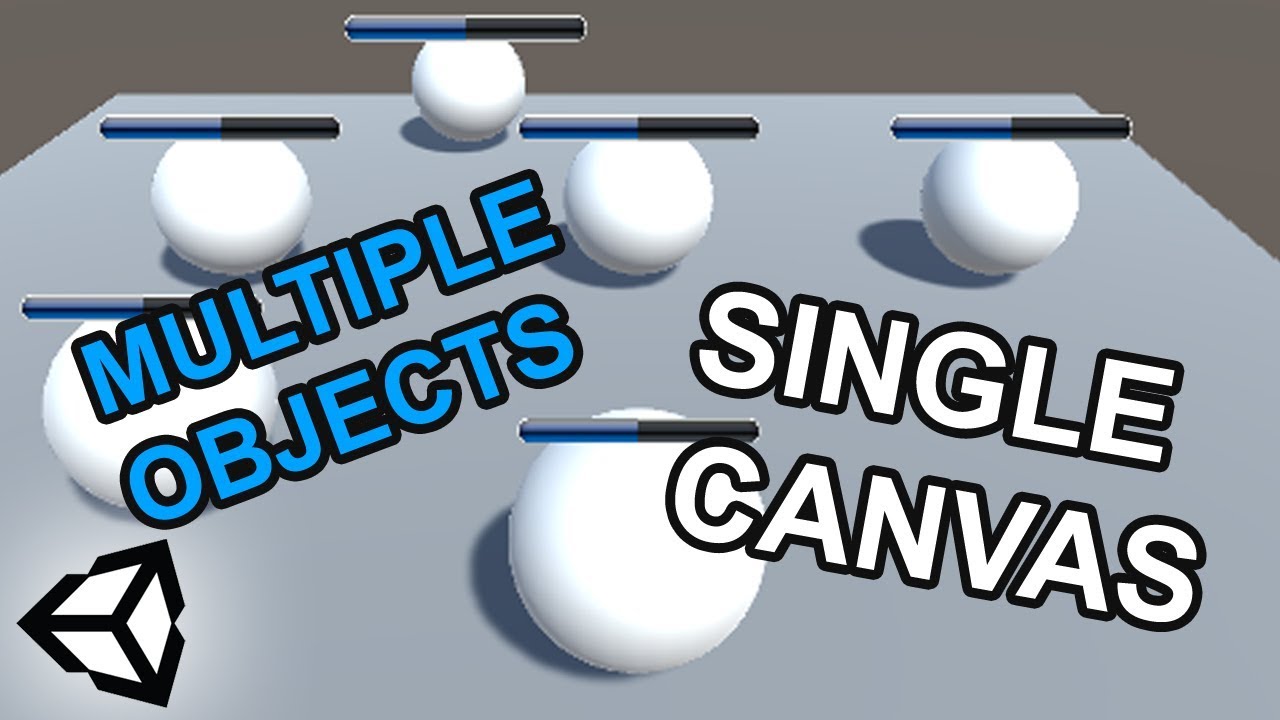
I will show you how you can use only one canvas to draw all your world space UI elements. This method is especially interesting, if you are having performance issues or rendering a massive amount
of elements
Health Bar Image: https://imgur.com/a/J6QRc
Twitter: https://twitter.com/DEEntertainme
waxen socket
quaint rock
could they just be screen space, then do a world to screen space transformation ...
yep, haven't thought about that. Thanks
quaint rock
its fairly common for stuff like UI over units in a game, or say for effects like coins flying to where on the hud they are displayed etc
heady iris
oh my god i can't believe i didn't think of that before
i've done one big screen-space canvas
although, this does mean that changing anything causes the entire canvas to re-render
so I wonder if this is actually better
 lament island
Quick question (I hope lol) So I have an incoming type and some parameters that I wish to setup an object with. I recognize that I can use activator.CreateInstance in order to do this but I can't seem to pass my delegate parameters into the method because it only takes objects. What is the correct way to do this?
 thick terrace
lament island
Quick question (I hope lol) So I have an incoming type and some parameters that ...
thick terrace
lament island
Quick question (I hope lol) So I have an incoming type and some parameters that ...
what is the problem you're having exactly? it only takes objects but everything in C# can be cast to object so you should be able to pass in whatever you need
heady iris
delegate types are indeed derived from object
knotty sun
lament island
Quick question (I hope lol) So I have an incoming type and some parameters that ...
Activator.CreateInstance runs the default parameterless constructor, so you would have to create a method to call after the constructor in order to pass in varaibles
leaden ice
There are forms with object[] for parameters https://learn.microsoft.com/en-us/dotnet/api/system.activator.createinstance?view=net-8.0#system-activator-createinstance(system-type-system-object())
lament island
Oh I just cast it? Gotcha! I'm storing a type in a serializedObject to setup a subclass for firing
thick terrace
knotty sun
Activator.CreateInstance runs the default parameterless constructor, so you woul...
it calls a constructor, so you can pass constructor params
leaden ice
lament island
Oh I just cast it? Gotcha! I'm storing a type in a serializedObject to setup a s...
there's no need to cast anything
knotty sun
thick terrace
it calls a constructor, so you can pass constructor params
no you cannot
apologies, yes you can. never used that

Creates an instance of the specified type using the constructor that best matches the specified parameters.
 rigid anvil
how can i know if a script is physics based or not?
leaden ice
rigid anvil
how can i know if a script is physics based or not?
Weird question. In what sense? How would you define "physics-based"? That could mean a lot of things.
knotty sun
rigid anvil
how can i know if a script is physics based or not?
if it uses Raycasts or Rigidbodys, it's physics based
lament island
leaden ice
There are forms with object[] for parameters https://learn.microsoft.com/en-us/d...
I mispoke also, I apologize, I'm trying to pass a method into the constructor

not a delegate type
leaden ice
It could mean "using Unity's built-in physics engine". But that's a narrow definition. It could also just mean based on real physical principals.
leaden ice
lament island
I mispoke also, I apologize, I'm trying to pass a method into the constructor
A method is a delegate
knotty sun
lament island
I mispoke also, I apologize, I'm trying to pass a method into the constructor
where is the Activator.CreateInstance in this?
lament island
Thats what I thought but I get an error tryting to convert method group to object
 rigid anvil
leaden ice
Weird question. In what sense? How would you define "physics-based"? That could ...
rigid anvil
leaden ice
Weird question. In what sense? How would you define "physics-based"? That could ...
so i tried following danis grappling tutorial where he said something in the lines of physics based. When i try using it, it doesnt work with my movement script that i guess is not physics based since it has iskinematic on? If i try a different movement script with iskinematic off it works.
thick terrace
lament island
Thats what I thought but I get an error tryting to convert method group to objec...
ah it's just that the parameters need to be passed as an object[] array
lament island
ohhhhhhhhhhhhh pffft my bad
knotty sun
lament island
Thats what I thought but I get an error tryting to convert method group to objec...
new object[] { OnFire }
lament island
I thought it was params
thick terrace
yeah i think it would just get confusing with the various overloads if it was params sadly
rigid anvil
knotty sun
if it uses Raycasts or Rigidbodys, it's physics based
mine does so thats weird. Is "Isnt Kinematic" if you want it to not be phycicsbased or something?
leaden ice
lament island
Thats what I thought but I get an error tryting to convert method group to objec...
Fire onFire = OnFire;
CreateInstance(m_weaponData.WeaponFiringMode, this, onFire);```isKinematic means do not use physics
rigid anvil
knotty sun
isKinematic means do not use physics
oh yeah, so i guess im fkd then because my movement script requeires iskinematic while my grapplinggun requeires phycics
leaden ice
rigid anvil
so i tried following danis grappling tutorial where he said something in the lin...
I have no idea what Dani meant in that particular sentence. It could mean a lot of things, and I haven't seen the video
IIRC Dani's grappling gun game doesn't use Rigidbody
knotty sun
sounds like it, mixing physics and non-physics is definitely non trivial
rigid anvil
leaden ice
I have no idea what Dani meant in that particular sentence. It could mean a lot ...
"this grappling gun is based around physics and rigid bodies"
rigid anvil
knotty sun
sounds like it, mixing physics and non-physics is definitely non trivial
damn, how hard would it be to create a grapplegun that doesnt need phycics?
leaden ice
A grappling gun is inherently physical
that means you need to simulate physics one way or another
either using Rigidbodies and Uniry's built-in physics
or implementing gravity, momentum, forces yourself.
knotty sun
rigid anvil
damn, how hard would it be to create a grapplegun that doesnt need phycics?
very hard
leaden ice
it's not that complicated if you do a hybrid setup using Unity's physics engine for collision detection. Basic velocity, momentum, and forces are quite simple.
rigid anvil
well ima look a bit more into it and see what i land on, thanks guys
 vivid halo
I'm making an enemy that shoots a projectile with an arc at the player (or any valid target) and I'm considering whether to use DOTween or just a standard rigid body with physics.
I have both implementations working, but I am wondering if there is any wisdom regarding DOTween: is it generally better to avoid using the additional library if possible, or can it add maintainability value to the code if used properly? Apologies for the vague question
leaden ice
vivid halo
I'm making an enemy that shoots a projectile with an arc at the player (or any v...
it really depends on your requirements
vivid halo
I want projectiles to follow various arcs when being fired from enemies toward the player. I can handle this with individual scripts or DOTween, but I'm not sure which would be better long-term.
Sine wave curve, corkscrew curve, standard projectile lob, and other arcs. I heard DOTween might be able to simplify this but I want to gather the thoughts of more experienced devs before I commit to it
leaden ice
vivid halo
I want projectiles to follow various arcs when being fired from enemies toward t...
The Rigidbody will help you only with parabolic arcs
 indigo verge
Is there a good way to teleport an object into a valid position, I.E, if I have two characters overlapping after spawning them, and I just want to snap them out of the invalid position?
silent tapir
public static void DropItemIntoSlot(RectTransform slotTransform, RectTransform itemTransform, Vector2 cellSize)
    {
        if (selectedItem != null)
        {
            Vector2 gridOffset = slotTransform.parent.GetComponent<RectTransform>().anchoredPosition;
            Vector2 itemCorner = itemTransform.anchoredPosition;
            Vector2 relativePosition = itemCorner - gridOffset;

            Vector2Int cellCoord = new Vector2Int(
                Mathf.FloorToInt(relativePosition.x / cellSize.x) + Mathf.FloorToInt(gridOffset.x / 100),
                Mathf.FloorToInt(-relativePosition.y / cellSize.y) + Mathf.FloorToInt(gridOffset.y / 100)// Invert Y-axis
            );

            Debug.Log(gridOffset);
            Debug.Log(cellCoord);

            //selectedItem.transform.position = new Vector3(snappedPosition.x, snappedPosition.y, 0);
            selectedItem.image.raycastTarget = true;
            selectedItem = null;
        }
    }```

the grid only responds with the correct cellCoords if the gridOffset is set to 200 for some reason.My instinct is to create scripts by hand like SinewaveTrajectory.cs or CorkscrewTrajectory.cs as physics mods and attach them to projectiles without using DOTween, but I am unsure of which path to take. Is the given information sufficient to recommend an approach?
knotty sun
indigo verge
Is there a good way to teleport an object into a valid position, I.E, if I have ...
yes, of course, the question is, snap them to where?
 wide terrace
silent tapir
```cs
public static void DropItemIntoSlot(RectTransform slotTransform, RectTrans...
wide terrace
silent tapir
```cs
public static void DropItemIntoSlot(RectTransform slotTransform, RectTrans...
What is the purpose of the + Mathf.FloorToInt(gridOffset.x / 100) parts? Is your cells' coordinate space supposed to cover the offset area or something? What's the 100 magic number there?
indigo verge
knotty sun
yes, of course, the question is, snap them to where?
Well, the usecase is just being able to spawn characters in random locations without them overlapping other characters, so "Anywhere valid nearby around their current position" should be good enough, right?
knotty sun
indigo verge
Well, the usecase is just being able to spawn characters in random locations wit...
but in which direction?
indigo verge
knotty sun
but in which direction?
...In the direction of the nearest valid location?
knotty sun
so you want to check an infinite number of points to chose one?
indigo verge
I'm basically just asking if there are any existing functions that lend themselves well to this, or if I'll be coding my own implementation.
knotty sun
indigo verge
I'm basically just asking if there are any existing functions that lend themselv...
the solution is
Spawn object A
Spawn object B
if B overlaps A (Physics.OverLap)
B.position = (A.center + A.width/2) + (B.center + B.width/2)
the question is which width do you use?
silent tapir
wide terrace
What is the purpose of the ` + Mathf.FloorToInt(gridOffset.x / 100)` parts? Is y...
the 100 is the cellSize my bad.
 fleet tide
Hey ! what the best way to create an Inventory system in an MMORPG ?
silent tapir
fleet tide
Hey ! what the best way to create an Inventory system in an MMORPG ?
Depends what kind you want, one like minecraft?
fleet tide
Like WOW , a very classic inventory (exept, no backpack or anything, simply an inventory)
silent tapir
I recommend to watch this: https://www.youtube.com/watch?v=oJAE6CbsQQA

🏗 @TamaraMakesGames building system video: https://youtu.be/G2w78Xk6UhU
🏞 FREE assets download: https://www.patreon.com/posts/72631393?s=yt
🎁 Support me and DOWNLOAD Unity project: https://www.patreon.com/posts/72632413?s=yt
This tutorial guide will show you how to create a full inventory system with draggable items, bottom toolbar, full inven...
It's most similar to minecraft, I don't play WOW sorry.
fleet tide
Okay thanks ! i will check it ^^
silent tapir
fleet tide
Okay thanks ! i will check it ^^
yep
 full dome
Looking for some advice on where to manage object animations.
I have following classes:
Unit - monobehaviour, holds basic information about unit, initializes everything, firing some events
UnitAction - C# class, which performs various unit actions like heal, move etc.
ActionCommand - c# command class for Action that holds action and execution parameters
UnitActionsQueue - monobehaviour that executes queued Commands
Now I am not sure where to put code to manage animations. I will need to react for current executed action and external inputs like damage taken.
My current idea is to create another MonoBehaviour UnitAnimator which references Unit events + UnitActionsQueue and reacts to both sources. Since Actions aren't Monobehaviour on each change of action I'd need to add/remove listeners depending on currently executed action type. I guess it would work but not sure if it's good approach and isn't too complicated.
wide terrace
silent tapir
the 100 is the cellSize my bad.
Ok... I guess I still need more information on what the difference between "correct coordinates" and "incorrect coordinates" are. I'm a little confused by why gridOffset is factored out of itemCorner to get a relative position, then factored back in to cellCoords to produce coordinates which ignore that offset.
Like, if gridOffset is 200, 200 and cellSize is 100, 100, then the very first item on or after the gridOffset position (say it has itemCorner 200, -200/relativePosition 0, 0) has cellCoords 2, 2 instead of 0, 0 - is that correct, and your intended result?
leaden ice
full dome
Looking for some advice on where to manage object animations.
I have following ...
I would have a separate component yeah, which listens to events coming out of Unit or perhaps the Actions Queue
full dome
leaden ice
I would have a separate component yeah, which listens to events coming out of Un...
I was thinking about just using Unit for all the events but then I'd need to have a chain of events Action -> ActionQueue -> Unit, it isn't that bad and would make it unified for all the other listeners, maybe I just convinced myself
 manic pagoda
Any good for coding VS Code themes like this one? For Python it's good for coding but for C# it seems a bit too blinding and not the best
 rigid island
manic pagoda
Any good for coding VS Code themes like this one? For Python it's good for codin...
rigid island
manic pagoda
Any good for coding VS Code themes like this one? For Python it's good for codin...
still haven't found a way to seperate localVars from fields though
(also don't crosspost)
manic pagoda
manic pagoda
Any good for coding VS Code themes like this one? For Python it's good for codin...
theme I'm looking for is the one that is ok for my eyes and good to work with it. The one on screenshot is good to work with on Python but eh on C#
rigid island
manic pagoda
theme I'm looking for is the one that is ok for my eyes and good to work with it...
we're supposed to tell you whats good for your eyes ?
also this isn't a unity question
manic pagoda
rigid island
also this isn't a unity question
this server was the best to ask this question
rigid island
manic pagoda
this server was the best to ask this question
says who?
manic pagoda
rigid island
says who?
me?
rigid island
manic pagoda
me?
too bad you you don't know how things work around here lol
 manic pagoda
rigid island
i use this one
<https://vscodethemes.com/e/johnpapa.winteriscoming/winter-is-com...
manic pagoda
rigid island
i use this one
<https://vscodethemes.com/e/johnpapa.winteriscoming/winter-is-com...
this one is fine tho "current line" line color has a pretty big contrast, probably will get used to it later
rigid island
manic pagoda
theme does have a relation to coding
but not unity.
manic pagoda
rigid island
but not unity.
well, I'm not going to waste everyone's time
rigid island
manic pagoda
well, I'm not going to waste everyone's time
there are discord like "the coding den" and such that are more general coding servers, ask there maybe or !cs discord has general talk i believe
tawny elkBOT
Join the C# Discord server, a programming server aimed at coders discussing everything related to C# (CSharp) and .NET. https://discord.com/invite/csharp
 chilly surge
manic pagoda
Any good for coding VS Code themes like this one? For Python it's good for codin...
chilly surge
manic pagoda
Any good for coding VS Code themes like this one? For Python it's good for codin...
I use Atom One Dark. But honestly though, it's pretty subjective.
 eager yacht
I use the defaults since I always forget to make backups of custom themes, so when I reinstall I get sad 
manic pagoda
at the end of the day Blender notepad is the best IDE and theme
it also got dark mode
mellow grail
mellow grail
can someone please help? im getting the error "RPC method 'SwitchWeapon(String, ...
hello?
 spring creek
mellow grail
hello?
spring creek
mellow grail
hello?
Have you tried asking on the photon server?
mellow grail
spring creek
Have you tried asking on the photon server?
send invite pls
nvm i found it
nvm
 zinc parrot
Real quick before I do a bunch of work and tests on this, is it significantly slower to directly load floats, ints, etc. from a scriptable object every frame vs caching the scriptable objects data into local variables and using those every frame instead?
 rain minnow
zinc parrot
Real quick before I do a bunch of work and tests on this, is it significantly sl...
rain minnow
zinc parrot
Real quick before I do a bunch of work and tests on this, is it significantly sl...
directly load?
zinc parrot
yeah, cache the scriptable objects and treat it as loading from a class
I am wondering if the fact that its a scriptable object introduces much if any overhead
heady iris
into local variables and using those every frame instead?
note that fields are not local variables
a local variable is a variable you declared inside of a functino
heady iris
zinc parrot
I am wondering if the fact that its a scriptable object introduces much if any o...
There's nothing special about being a scriptable object here
zinc parrot
ah sweet ok
zinc parrot
awesome thanks!
rain minnow
yeah, i was about to ask if you meant referencing the SO and using its values directly, or caching each value from the SO into a local variable . . .
 north rover
hello guys how can i make choices and choices like telltale games
heady iris
do not attempt to ping user groups
imagine pinging 20000+ people because you want to know how to make buttons
jesus christ
north rover
heady iris
imagine pinging 20000+ people because you want to know how to make buttons
mb
wide terrace
north rover
hello guys how can i make choices and choices like telltale games
There's not enough information here for anyone to provide a decent answer. It's not clear which aspects of Telltale's choice system implementations you are attempting to replicate, or where you might be stuck in that process.
heady iris
you asked "how can i make choices?"
without any further information, i can say very very little
 naive swallow
 spark tinsel
I thought I might try read some code today looking for suggestions, have any of you read some c# you think is beautiful?
I'm somewhere between beginner and intermediate
 twin jetty
Any advice on what to do with this issue? I don't like the jitter that happens with the repeated collision.
leaden ice
twin jetty
Any advice on what to do with this issue? I don't like the jitter that happens w...
this means you are not moving your character appropriately with the Rigidbody2D
instead you are likely moving the Transform directly
twin jetty
leaden ice
instead you are likely moving the Transform directly
I am
leaden ice
To fix it - start moving your character appropriately with the Rigidbody2D
e.g. by setting its velocity
I also recommend enabling interpolation on your Rigidbody2D if it is not already enabled.
twin jetty
leaden ice
I also recommend enabling interpolation on your Rigidbody2D if it is not already...
It is!
 dusk apex
twin jetty
It is!
dusk apex
twin jetty
It is!
Care to provide more details?
twin jetty
dusk apex
Care to provide more details?
@leaden ice found the problem. My stupidity like always. I wasn't using velocity in my movement script.
 fleet stratus
I tried my best to Load DLL files with c# scripts inside from the streaming assets folder but it didnt work.(Im using it for mod support)
twin jetty
I'm now encountering a fun new issue though. I'll figure it out though. I've lost diagonal movement now because I'm using getkeyup to stop the movement.
leaden ice
twin jetty
<@179367739574583296> found the problem. My stupidity like always. I wasn't usin...
Indeed that was my recommendation
twin jetty
leaden ice
Indeed that was my recommendation
Can I ask for a second recommendation? What's the best way to stop velocity after a keypress? I used GetKeyUp but the issue with that is that you lose diagonal movement.
leaden ice
twin jetty
Can I ask for a second recommendation? What's the best way to stop velocity afte...
I don't see any reason you would use GetKeyUp in your movement code at all
but maybe I don't understand how your movement works
sharing your code would be a good start.
A typical standard movement script in 2D using velocity might be something like:
Vector2 inputVector = new Vector2(Input.GetAxis("Horizontal"), Input.GetAxis("Vertical"));
rb.velocity = inputVector * speed;```This was what I setup with my current knowledge. It's butt ugly though. ```using System.Collections;
using System.Collections.Generic;
using UnityEngine;
public class PlayerMovement : MonoBehaviour
{
public Rigidbody2D rb;
// Start is called before the first frame update
void Start()
{
    rb = GetComponent<Rigidbody2D>();
}

// Update is called once per frame
void Update()
{
     if (Input.GetKey("w"))
    {
        rb.velocity = new Vector3(0, 10, 0);
        Debug.Log("w key was pressed");
    }
    if (Input.GetKeyUp("w"))
    {
        rb.velocity = Vector3.zero;
        Debug.Log("w key was released");
    }

     if (Input.GetKey("a"))
    {
        rb.velocity = new Vector3(-10, 0, 0);
        Debug.Log("a key was pressed");
    }
    if (Input.GetKeyUp("a"))
    {
        rb.velocity = Vector3.zero;
        Debug.Log("a key was released");
    }

     if (Input.GetKey("s"))
    {
        rb.velocity = new Vector3(0, -10, 0);
        Debug.Log("s key was pressed");
    }
    if (Input.GetKeyUp("s"))
    {
        rb.velocity = Vector3.zero;
        Debug.Log("s key was released");
    }
     if (Input.GetKey("d"))
    {
        rb.velocity = new Vector3(10, 0, 0);
        Debug.Log("d key was pressed");
    }
    if (Input.GetKeyUp("d"))
    {
        rb.velocity = Vector3.zero;
        Debug.Log("d key was released");
    }

    {

    }

}
}
this is massively overcomplicated
compare this with the two lines I shared above
dusk apex
twin jetty
This was what I setup with my current knowledge. It's butt ugly though. ```using...
Maybe you ought to try the axis methods rather than the key methods - axis is configured to work with keys in the input manager settings (Edit > Project Settings > Input Manager)
By default wasd should be accepted
twin jetty
Yeah axis is a bit baffling to be at the moment. For now I'll just use the provided code. The docs didn't help my brain to understand it. I'll try to find some videos tommorow.
 swift falcon
why's it say this
 rigid island
swift falcon
why's it say this
rigid island
swift falcon
why's it say this
!ide
tawny elkBOT
💡 IDE Configuration
If your IDE is not autocompleting code
or underlining errors, please configure it.
Select one:
• Visual Studio (Installed via Unity Hub)
• Visual Studio (Installed manually)
• VS Code
• JetBrains Rider
• Other/None
swift falcon
I tried this and it did nothing ngl
leaden ice
swift falcon
I tried this and it did nothing ngl
You didn't complete it properly then
your error means you have a duplicate script.
but you need to configure your IDE before we can render any further assistance
swift falcon
okay thank you
dusk apex
swift falcon
I tried this and it did nothing ngl
Reminder that it's required to have a configure IDE to get help on the server #854851968446365696
 spring creek
twin jetty
Yeah axis is a bit baffling to be at the moment. For now I'll just use the provi...
spring creek
twin jetty
Yeah axis is a bit baffling to be at the moment. For now I'll just use the provi...
It mean, it just represents a value. Pressing A would mean GetAxis("Horizontal") returns -1. D would return 1
Then you can make a vector directly from two get axis calls.
For 3d, you would want x to be horizontal and z for vertical
Vector3 moveDirection = new Vector3(Input.GetAxis("Horizontal"), 0, Input.GetAxis("Vertical")).normalized;
Then you can just use that directly. A single line for input and plug it into your movement
silent tapir
wide terrace
Ok... I guess I still need more information on what the difference between "corr...
where the item is hovering over, that slot when I click on it logs -2, 0 instead of 0, 0.

public static void DropItemIntoSlot(RectTransform slotTransform, RectTransform itemTransform, Vector2 cellSize)
{
    if (selectedItem != null)
    {
        // Get the position of the grid (parent of the slot)
        Vector2 gridPosition = slotTransform.parent.GetComponent<RectTransform>().anchoredPosition;

        // Get the position of the item
        Vector2 itemPosition = itemTransform.anchoredPosition;

        // Calculate the relative position of the item to the grid
        Vector2 relativePosition = itemPosition - gridPosition;

        // Calculate the cell coordinates
        Vector2Int cellCoord = new Vector2Int(
            Mathf.FloorToInt(relativePosition.x / cellSize.x),
            Mathf.FloorToInt(-relativePosition.y / cellSize.y)
        );

        Debug.Log("Grid Position: " + gridPosition);
        Debug.Log("Cell Coord: " + cellCoord);

        // Optionally, move the item to the snapped position
        Vector2 snappedPosition = new Vector2(
            cellCoord.x * cellSize.x + gridPosition.x,
            cellCoord.y * cellSize.y + gridPosition.y
        );

        selectedItem.transform.position = new Vector3(snappedPosition.x, snappedPosition.y, 0);
        selectedItem.image.raycastTarget = true;
        selectedItem = null;
    }
}``` **This is the current code I have)It's logging -2, 0 instead of 0, 0. at a 200 grid offset.
cosmic rain
silent tapir
where the item is hovering over, that slot when I click on it logs -2, 0 instead...
Well, log the intermediate values
silent tapir
cosmic rain
Well, log the intermediate values
I will try
silent tapir
cosmic rain
Well, log the intermediate values
 fleet stratus
How do I load a dll from a folder at runtime
cosmic rain
silent tapir
Now calculate it on paper to see where the issue is.
silent tapir
okay
cosmic rain
fleet stratus
How do I load a dll from a folder at runtime
Did you try googling?
fleet stratus
cosmic rain
Did you try googling?
yes I cant find anytihng that works for me, i spent like an hour
cosmic rain
fleet stratus
yes I cant find anytihng that works for me, i spent like an hour
What did you try then? And what issues occur?
fleet stratus
cosmic rain
What did you try then? And what issues occur?
I tried a few hours ago
so I diont remember
cosmic rain
Well, try again then and come back with some context and info.
fleet stratus
cosmic rain
Well, try again then and come back with some context and info.
alr
 heavy forum
Hi, Im trying to make a 2D bomb to destroy tiles, I made this code but is not working, it only destroys a single tile
using System.Collections.Generic;
using UnityEngine;
using UnityEngine.Tilemaps;

public class BombItem : MonoBehaviour
{
    Tilemap tilemap;
    public float explosionRadius = 1.0f;
    public float timer = 2.4f;

    float destroyedTiles;

    private void Start()
    {
        tilemap = GameObject.Find("Destructible").GetComponent<Tilemap>();
        StartCoroutine(Timer());
    }
    IEnumerator Timer()
    {
        yield return new WaitForSeconds(timer);
        BlowUp();
    }

    private void BlowUp()
    {
        RaycastHit2D[] hits = Physics2D.CircleCastAll(transform.position, explosionRadius, Vector2.zero);

        foreach (RaycastHit2D hit in hits)
        {

            Tilemap tilemap = hit.collider.GetComponent<Tilemap>();
            if (tilemap == this.tilemap && tilemap != null)
            {
                Vector3Int tilePos = tilemap.WorldToCell(hit.point);

                tilemap.SetTile(tilePos, null);

                destroyedTiles++;
            }
        }


        Debug.Log("Tiles destroyed: " + destroyedTiles);
        Destroy(gameObject);
    }

    private void OnDrawGizmos()
    {
        Gizmos.DrawWireSphere(transform.position, explosionRadius);
    }
}
@cosmic rain This is my modloader code: ```cs
public class ModLoader : MonoBehaviour {
void Start() {
DirectoryInfo dir = new DirectoryInfo(Application.streamingAssetsPath + "/Mods");
FileInfo[] info = dir.GetFiles("*.dll");
    foreach (FileInfo f in info) {
        Assembly.LoadFile(f.FullName);
    }
}

void Update() {

}
}
My compiled c# dll looks like this:```cs
namespace TestLib {
    public class TestScript : MonoBehaviour {
        void Start() {
            Debug.Log("Hello World!");
        }
    }
}
When I run this code I dont know how to attach the dll file to an object to make it run.
leaden ice
heavy forum
Hi, Im trying to make a 2D bomb to destroy tiles, I made this code but is not wo...
It's only going to hit the tilemap Collider one time
heavy forum
I tried whith a while loop but nothing
silent tapir
cosmic rain
Now calculate it on paper to see where the issue is.
I genuinely can't find anything.
leaden ice
That makes no sense
wide terrace
silent tapir
I genuinely can't find anything.
Sorta seems to me like your grid's pivot might not be where you expect it to be
heavy forum
leaden ice
A while loop for what
the foreach
leaden ice
heavy forum
the foreach
Why would that make any difference
heavy forum
idk
leaden ice
The problem is - one Collider, one hit
heavy forum
so, what can i do?
leaden ice
A Physics query is not the answer here
Iterate over all the tiles within the radius of the explosion.
Find the one in the center with WorldToCell then just iterate over the nearby ones
Something along those lines
heavy forum
ok, Ill try
leaden ice
It's simple addition of coordinates to find the nearby tiles
silent tapir
wide terrace
Sorta seems to me like your grid's pivot might not be where you expect it to be
i have it on 0, 1
cosmic rain
fleet stratus
<@209684227720085505> This is my modloader code: ```cs
public class ModLoader : ...
You'll probably need to use reflection to get the types available in the dll. Alternatively, have some kind of bootstrap mechanism in the dll itself that is executed on load? I'm not sure, never dealt with mods.
fleet stratus
cosmic rain
You'll probably need to use reflection to get the types available in the dll. Al...
I saw something like this. Is this what you mean by reflection to get the types?```cs
foreach(Type type in DLL.GetExportedTypes())
{
var c = Activator.CreateInstance(type);
c.Output(@"Hello");
}
I've tried everything.
no pivots work
cosmic rain
fleet stratus
I saw something like this. Is this what you mean by reflection to get the types?...
Yes, this is using reflection.
Though you'll need to use add component and similar functions for MonoBehaviour to work correctly
fleet stratus
cosmic rain
Yes, this is using reflection.
Though you'll need to use add component and simil...
is it possible to just use a normal class and call a function called Start() (not the one from monobehaviour)
cosmic rain
fleet stratus
is it possible to just use a normal class and call a function called Start() (no...
Sure.
fleet stratus
cosmic rain
Sure.
how could I rework this code:```cs
foreach(Type type in DLL.GetExportedTypes())
{
var c = Activator.CreateInstance(type);
c.Output(@"Hello");
}
to run the Start() functionWell, think. This is literally an example of how to create an instance and call a function on it.
wide terrace
silent tapir
I've tried everything.
I'm pretty rusty with GUI stuff, but I think it's still something wonky in the pivot/anchor... The math in your last code snippet looks fine to me - the coordinates make sense relative to that 210, 0 gridPosition - but it seems like that might be wrong position to start from. I suspect that you need to start from the coordinates of the left corner (or bottom left? Again, rusty :P), and that 210, 0 might not be it?
fleet stratus
cosmic rain
Well, think. This is literally an example of how to create an instance and call ...
uhmm I didnt know it called a function, I dont have much experience loading c# dlls at runtime. the function is called "Hello" correct?
cosmic rain
fleet stratus
uhmm I didnt know it called a function, I dont have much experience loading c# d...
No...
At this point it has nothing to do with Dlls. It's pure C# basics...
The function they're calling is Output.
fleet stratus
cosmic rain
No...
At this point it has nothing to do with Dlls. It's pure C# basics...
The f...
OH 
silent tapir
wide terrace
I'm pretty rusty with GUI stuff, but I think it's still something wonky in the p...
um well the 210, 0 is the exact position of the grid. I will mess with anchors and pivots some more, gimme a sec.
fleet stratus
cosmic rain
No...
At this point it has nothing to do with Dlls. It's pure C# basics...
The f...
Worked ^_^ thanks so much
wide terrace
silent tapir
um well the 210, 0 is the exact position of the grid. I will mess with anchors a...
Is it the exact position of wherever the first cell should be though? Because in your screenshot, it looks like the grid is flush with the top and left of the screen, so 210, 0 is a point just inside the third cell on the first row. Relative to that point, the coordinates -2, 0 are accurate for where you're holding the item
Like this would be functioning perfect if the cells were drawn down and to the right of 210, 0, but they're drawn starting from 0, 0
silent tapir
wide terrace
Like this would be functioning perfect if the cells were drawn down and to the r...
its not exact, thats why I floor it
@wide terrace I have tried almost every single anchor and pivot, none of it works
you know putting it in the very top left and putting the anchors to a certain number until its close to 0 works. Is this a valid way of doing this?
 wide terrace
silent tapir
you know putting it in the very top left and putting the anchors to a certain nu...
wide terrace
silent tapir
you know putting it in the very top left and putting the anchors to a certain nu...
If you're fine with it being anchored to the top left corner, sure... Maybe a little fragile. I think ideally, set gridPosition from the coordinates of the top left corner of the grid regardless of where it's anchor/pivot is
wide terrace
silent tapir
What?
The anchor and pivot can move around within the object. But your cell coordinate space always originates from the top left corner. So instead of setting gridPosition from the rect's anchoredPosition, you need to find a way to ask the rect for the coordinates of it's top left corner, pivots and anchors be damned
silent tapir
ah okay
silent tapir
wide terrace
The anchor and pivot can move around within the object. But your cell coordinate...
so I just need to get the top left corner, lets see..
Vector2 anchoredPosition = gridRectTransform.anchoredPosition;

    // Calculate the top-left corner position
    Vector2 size = gridRectTransform.sizeDelta; // sizeDelta gives width and height of the RectTransform
Vector2 topLeftCorner = anchoredPosition - new Vector2(size.x * gridRectTransform.pivot.x, -size.y * (1 - gridRectTransform.pivot.y));```huh?
wide terrace
accidentally hit enter early :)
silent tapir
oh lol
im not utilizing the topLeftCorner correctly apparently bc it still don't work :/
RectTransform grid = slotTransform.parent.GetComponent<RectTransform>();
            Vector2 anchoredPosition = grid.anchoredPosition;

            Vector2 size = grid.sizeDelta;
            Vector2 topLeftCorner = anchoredPosition - new Vector2(size.x * grid.pivot.x, -size.y * (1 - grid.pivot.y));

            Vector2 itemPosition = itemTransform.anchoredPosition;
            Vector2 relativePosition = itemPosition - topLeftCorner;

            Vector2Int cellCoord = new Vector2Int(
                Mathf.FloorToInt(relativePosition.x / cellSize.x),
                Mathf.FloorToInt(-relativePosition.y / cellSize.y)
);```@wide terrace
wide terrace
silent tapir
<@1097950947369562187>
I think RectTransform has a number of other members which look useful this that might let you skip the math, but maybe like
Vector2 topLeftCorner = grid.GetWorldCorners()[0/* or 1, 2, 3 - not sure which is the top left corner */];
but again - super rusty. Not sure if this is a great choice. Seek a second opinion 👀
silent tapir
ill try it
wide terrace
It won't work because I substantially misinterpreted that method 😁
 silent tapir
wide terrace
It won't work because I substantially misinterpreted that method 😁
silent tapir
wide terrace
It won't work because I substantially misinterpreted that method 😁
so will it still work?
seems like the other one I had was logical but it still didn't work
wide terrace
silent tapir
so will it still work?
Via some means or another. I don't know the proper way to get the relevant coordinates - I was hoping someone might chime in with the answer cough cough. But I can dig a bit
silent tapir
wide terrace
Via some means or another. I don't know the proper way to get the relevant coord...
yeah preciate it
my other method still logs -210,0 bruh
use the first slot as the origin of the grid maybe?
wide terrace
silent tapir
my other method still logs -210,0 bruh
Yeah, I mean I think your implementation's fine - the only disparity is that the grid doesn't start at the anchor position.
wide terrace
silent tapir
use the first slot as the origin of the grid maybe?
Sure that could work, if you already have that position available
silent tapir
wide terrace
Sure that could work, if you already have that position available
could it be the middle of it though?

thats where the "origin" would be
I mean could I just get the cellcoords based on the slots? I have access to all of them.
wide terrace
Ideally the top left corner again. You could do it from the middle, but I think you might need to change your "floors" to "rounds"? I'm sort of just rambling at this point. I'll brb
silent tapir
wide terrace
Ideally the top left corner again. You could do it from the middle, but I think ...
k I ain't sure honestly
silent tapir
im so lost 😆
wide terrace
silent tapir
k I ain't sure honestly
This seems functional to me, regardless of anchor positions:
Vector2 topLeftCorner = new Vector2(
  grid.position + grid.rect.xMin,
  grid.position + grid.rect.yMax
);
sry I was afk, lemme try
silent tapir
wide terrace
This *seems* functional to me, regardless of anchor positions:
```cs
Vector2 top...
that throws errors
wide terrace
ah my bad. Forgot some xs and ys
wide terrace
yeah 😁
silent tapir
nw lemme try it out 🙂
silent tapir
wide terrace
yeah 😁
nope still ain't working man
I really don't understand at this point.
I have tried literally everything.
silent tapir
wide terrace
yeah 😁
u American?
wide terrace
yeah
wide terrace
I can't vc at present, but I'll stare at this a moment longer
silent tapir
wide terrace
I can't vc at present, but I'll stare at this a moment longer
alr
What should I do next?
@wide terrace This is what a guy did on a random wiki:
Vector2Int cellCoord = Vector2Int.RoundToInt((itemRect.min - gridRect.min) / cellSize);
it doesn't work but it worked for him so idk
But every time I click it logs (1,0)
really weird
and (0,0) all the time if it is in the top left
wide terrace
silent tapir
<@1097950947369562187> This is what a guy did on a random wiki:
```cs
V...
That seems reasonable... I think it's using the bottom left corners of things for the calcs, and treating 0, 0 as the bottom left cell cord, increasing up and right... I'm not sure why it might go wrong.
I'm afraid to suggest anything else before I play with the UI a bit to get a better handle on it's coordinate system again, lest I lead you further astray with poorly thought out conjecture 😅
silent tapir
wide terrace
That seems reasonable... I think it's using the bottom left corners of things fo...
I'm stumped why its logging the same thing over and over
and ur good
silent tapir
wide terrace
That seems reasonable... I think it's using the bottom left corners of things fo...
I might have cracked it
Vector2Int cellCoord = Vector2Int.RoundToInt((itemTransform.GetComponent<RectTransform>().anchoredPosition - grid.rect.min) / cellSize);
now its kinda volatile whether it wants to go on the dot, 1 down, or 1 up
i will try FloorToInt
it works, just gotta fix the y as a -
final code:
RectTransform grid = slotTransform.parent.GetComponent<RectTransform>();

            Vector2Int cellCoord = Vector2Int.FloorToInt((itemTransform.GetComponent<RectTransform>().anchoredPosition - grid.rect.min) / cellSize);
            cellCoord = new Vector2Int(cellCoord.x, -cellCoord.y);

Debug.Log("Cell Coord: " + cellCoord);```it works
wide terrace
silent tapir
final code:
```cs
RectTransform grid = slotTransform.parent.GetComponent<RectTr...
Beautiful! I'm glad you found something functional - this was beginning to drive me mad as well.
silent tapir
wide terrace
Beautiful! I'm glad you found something functional - this was beginning to drive...
Yeah buddy!
 stable lintel
hi guys
i wrote a code for combining several terrains into a single one(just the heights)
but the resulting terrain is currently not-colored
so i also need a way to transfer terrain textures/layers/splatmap(idk what)
and before i do that... How many terrain layers can be on a terrain object?
I'm on Unity 6.0 URP
 misty blade
I'm currently working on a card game where players choose troops and place them on a game grid. I'm having trouble figuring out how to use Unity solutions to achieve this.
I have a Troop class that inherits from ScriptableObject, containing data like its sprite, order in the deck, cost, health, etc. Each troop also has custom functionality: some attack in a straight line, while others attack diagonally.
I created another Troop-like class that inherits from GameObject, where the custom behaviors are implemented. The ScriptableObject Troop has a reference to the GameObject prefab to use the custom logic. This means I have an object with data and another with logic. However, for every data object, there needs to be a prefab with the proper custom script attached, which doesn't seem efficient.
I thought about moving all the custom logic to the ScriptableObject class and passing the Troop placed on the game grid as an argument. But this would require calling methods from the ScriptableObject that are in the GameObject, breaking encapsulation and leading to poor design.
I've never used ScriptableObjects this way before and am wondering how to properly design a system that won't cause problems later in development?
cosmic rain
misty blade
I'm currently working on a card game where players choose troops and place them ...
You could have your logic in a plain C# class instead of an SO or a MonoBehaviour, and create/assign the correct logic class object to a MonoBehaviour in the scene.
The specific scriptable object could construct that plain C# class instance and provide it to your scene objects.
misty blade
Wouldn’t that require an SO to have a reference to a plan C# class? I’m not sure if it’s something that you can assign in editor
cosmic rain
misty blade
Wouldn’t that require an SO to have a reference to a plan C# class? I’m not sure...
You could if you wanted, but I was implying you would do it in code.
misty blade
Yeah I could be done in code. I will try it out and see how it turns out
 pine carbon
why does this code crash unity?
obj.background.DOColor(falseColor, transitionDuration).onComplete += () => {
    Executor.Instance.DoLater(() => {
        HideUI();
        onCompleted?.Invoke(false);

        CountdownManager.Instance.Continue();
        obj.background.color = defaultColor;
    }, 0.3f);
};
public static Tweener DOColor(this Image img, Color targetColor, float duration) {
    return DOTween.To(
        () => img.color.ToVector(),
        (val) => img.color = val.ToColor(),
        targetColor.ToVector(),
        duration
    ).Play();
}
 somber nacelle
are you sure it is that code and not perhaps whatever is subscribed to your onCompleted event
pine carbon
QuestionManager.Instance.NextQuestion((bol) => MissionManager.Instance.NextMission());
this is how i call it
hold on
public void Choose(int index) {
    if (currentQuestion == -1) return;
    TextObject obj = answerObjects[index];
    Color defaultColor = obj.background.color;
    int answer = questions[currentQuestion].answer;
    if (lessQuestions) {
        index = index <= 1 ? 0 : 1;
    }
    bool win = index == answer;
    if (win) {
        obj.background.DOColor(trueColor, transitionDuration).onComplete += () => {
            Executor.Instance.DoLater(() => {
                obj.background.color = defaultColor;
                CountdownManager.Instance.Continue();
                onCompleted?.Invoke(true);
                HideUI();
            }, 0.3f);
        };
        return;
    }
    obj.background.DOColor(falseColor, transitionDuration).onComplete += () => {
        Executor.Instance.DoLater(() => {
            HideUI();
            onCompleted?.Invoke(false);

            CountdownManager.Instance.Continue();
            obj.background.color = defaultColor;
        }, 0.3f);
    };
}
here is the whole method
the weird part is
it doesnt crash inside the if(win)
it becomes red and the game crashes
somber nacelle
attach the debugger and break all when it starts the infinite loop. you'll be able to inspect what the main thread is doing and find the actual culprit
pine carbon
okey
pine carbon
idk why but when i changed the order of HideUI() onCompletedInvoke etc. it worked
 glacial yacht
I am having problems with animations with a wolf asset i downloaded (already rigged and animated) and just copied most of the componentes from the characeter from the third person controller series.
The problem is that it seems to be stuck
The animation doesnt seem to be playing because the blend tree just causes it to change between the start of each individual animation.
Google Docs
Screen recording of my issue.
(No audio)
 trim rivet
How do I get the cursor to hide in 'Play Maximized' in 2022 ? anyone know ?
Cursor.Hide does not do anything.
 main shuttle
trim rivet
How do I get the cursor to hide in 'Play Maximized' in 2022 ? anyone know ?
Cu...
main shuttle
trim rivet
How do I get the cursor to hide in 'Play Maximized' in 2022 ? anyone know ?
Cu...
Normally you put something like this in awake or start.
        Cursor.lockState = CursorLockMode.Locked;
        Cursor.visible = false;
Hello, i would like to be able to change the dynamic friction of a specific rigidbody at runtime, and i dont see how to do it without modifying the physic material assigned to the rigidbody. It seems that unity wont allow the creation of phyisic material at runtime (i thought about creating one of them for each rigidbody with a "new"). Does someone has an idea about how i could do that without creating a large pool of physic material in the scene that i would assign and modify in script?
 molten venture
Is there a way to find which instance Invoked a certain Action from the function that was subscribed to it?
So, if I do:
myObject.myAction += myFunction;
Can I find from the body of myFunction the object that invoked myAction? (in this example, myObject)
I ended up adding myObject as a parameter to the action:
myAction.Invoke(..., myObject);
 vague rock
Hello guys! Not directly a code question, but I'll be implementing a genetic algorithm for my enemy (a pirate ship) and I was thinking which parameters it could have
I though maybe player distance and direction (related to front face), along side the enemy and player health
although I don't how I'd express this as keys in a dictionary (the keys are the genes)
maybe ranges?
Does someone have suggestions?
 simple ruin
Anyone have a clue as to why the hitbox is way off from the visualizer?


visualizer is the thicker box
vague rock
shouldn't boxCollider.center already be the center? (idk tbf, just thinking)
simple ruin
p sure box collider center is the offset from the object
so a box collider has a hidden transform.position, rotation, and scale, and two more fields for scale and center
 steady moat
simple ruin
Anyone have a clue as to why the hitbox is way off from the visualizer?
steady moat
simple ruin
Anyone have a clue as to why the hitbox is way off from the visualizer?
Any reason why you do not use: https://docs.unity3d.com/ScriptReference/Gizmos.DrawWireCube.html ?
simple ruin
steady moat
Any reason why you do not use: https://docs.unity3d.com/ScriptReference/Gizmos.D...
needs to be visible in the built version
i was told gizmos dont work in runtime when built
steady moat
I see, just wanted to be sure you were aware.
simple ruin
actually tbh
gizmos is not a bad idea
i can check to see if my hitbox code is correct

I think I partially found the culprit
center is inversely affected by scale


that's actually pretty funny I won't lie
 vague rock
something random: why does Mathf.Ceil return a float?
heady iris
there's CeilToInt if you want an integer
simple ruin
the f in Mathf
heady iris
you may still want to floor or ceiling a number and then continue to use it as a float
vague rock
simple ruin
the f in Mathf
but the input's a float
heady iris
vague rock
but the input's a float
so what?
vague rock
so it need's to be Mathf (that was my thinking)
heady iris
ceil(4.5) is 5. It doesn't matter that 5 happens to be a float here
vague rock
although just now I thought that the f was for float
heady iris
UnityEngine.Mathf provides the same operations, but with floats
scenic sigil
5 = int
5.0 = double
5.0f = float
5.9 = double
5.9f = float
heady iris
vague rock
it's "infinite" precision?
No, it's just a 16-byte floating point number
The funny part is that it's a decimal floating point number
rather than a binary floating point number
so it can exactly represents things like 0.01
(i have never used it)
i want to say it's mostly there for finance applications
scenic sigil
heady iris
(i have never used it)
(same)
heady iris
but I'd prefer to use a fixed-point number in that situation
scenic sigil
btw
Hey, how do I make my Rigidbody character stay on my moving platform? The platform has a kinematic Rigidbody and a Box Collider, here is the code:
using System.Collections;
using UnityEngine;

[RequireComponent(typeof(MeshFilter))]
public class MovingPlatform : MonoBehaviour
{
    [SerializeField] private Vector3 start;
    [SerializeField] private Vector3 end;
    [SerializeField][Range(1f, 20f)] private float timeToMove = 2f;
    [SerializeField][Range(0, 5)] private int delayAfterArriving = 1;
    [SerializeField] private bool paused = false;

    private bool moving = false;
    private bool reverse = false;

    // Start is called before the first frame update
    void Start()
    {
        transform.position = start;
    }

    private void Update()
    {
        if (!moving && !paused)
        {
            StartCoroutine(MoveToPosition());
        }
    }

    private IEnumerator MoveToPosition()
    {
        moving = true;
        Vector3 currentPos = transform.position;
        float t = 0f;
        while (t <= 1f)
        {
            while (paused)
                yield return new WaitForSeconds(0.1f);
            t += Time.deltaTime / timeToMove;
            transform.position = Vector3.Lerp(currentPos, !reverse ? end : start, t);
            yield return null;
        }
        transform.position = reverse ? start : end;
        reverse = !reverse;
        yield return new WaitForSeconds(delayAfterArriving);
        moving = false;
    }
}
 plucky inlet
scenic sigil
Hey, how do I make my Rigidbody character stay on my moving platform? The platfo...
plucky inlet
scenic sigil
Hey, how do I make my Rigidbody character stay on my moving platform? The platfo...
you could take in the paltforms velocity into your rigidbodys' velocity
Oh, you are teleporting the platform? either switch to rigidbody then or calculate the velocity
scenic sigil
plucky inlet
you could take in the paltforms velocity into your rigidbodys' velocity
I don't think the platform has a velocity since its position is set directly
scenic sigil
plucky inlet
Oh, you are teleporting the platform? either switch to rigidbody then or calcula...
The platform is already rigidbody, kinematic
plucky inlet
Why do you even use a rigidbody on the platform then?
scenic sigil
plucky inlet
Why do you even use a rigidbody on the platform then?
Uhh is it unnecessary?
plucky inlet
scenic sigil
Uhh is it unnecessary?
If its just for collision, only one of two colliders needs a rb. But you can keep it and use https://docs.unity3d.com/ScriptReference/Rigidbody.MovePosition.html for example to move it.
 scenic sigil
plucky inlet
If its just for collision, only one of two colliders needs a rb. But you can kee...
scenic sigil
plucky inlet
If its just for collision, only one of two colliders needs a rb. But you can kee...
I think we're going too far from the original question, aren't we?
plucky inlet
Why? You have a rigidbody and want to attach its movement to your players movement, so the platform does not slip away while your character is stationary, right?
scenic sigil
Yeah, I want the character to go with the platform
plucky inlet
So either you need the velocity, which does not work when you use transform.position, or you have to move your player the normal movement + the movement of the platform calculated
plucky inlet
Maybe put it in a link on hastebin or whatever is suggested here? 🙂
scenic sigil
This part is pretty okay, though I'd add a [RequireComponent(typeof(SpriteRenderer))] before public class Enemy so that the SpriteRenderer is automatically added with this script
plucky inlet
What is your question about your script tho? like second opinion about what exactly?
scenic sigil
plucky inlet
So either you need the velocity, which does not work when you use transform.posi...
Could you please elaborate?
plucky inlet
scenic sigil
Could you please elaborate?
On what exactly? 🙂
scenic sigil
plucky inlet
On what exactly? 🙂
The message I was replying to
Like, what exactly do I need to do to keep the player on
plucky inlet
scenic sigil
Like, what exactly do I need to do to keep the player on
I could just rewrite what I wrote there 😄 So what part is not clear? Basically, you have a second movement input when standing on a platform. That needs to be taken into account. Easiest would be to add the velocity, if you would switch over to move it with rigidbody instead of transform. But if you dont want to do that, you might need to move your player towards the platform positoin, which is updating constantly. Not sure, how smooth this could go, thats why I suggested using rigidbody for your platform
scenic sigil
plucky inlet
I could just rewrite what I wrote there 😄 So what part is not clear? Basically,...
But how do I translate my direct editing of the Transform into MovePosition? As far as I know, the latter is like Transform.Translate, accepting offsets instead of direct positions
plucky inlet
So there are things in the general setup, that could be simplified, but not about the code itself. Instead of letting every enemy calculate its own distance in update, you could use the player and overlapsphere (if using physics) to detect enemies in range and then call them to shoot. That way, only one update would check instead of every enemy.
plucky inlet
scenic sigil
But how do I translate my direct editing of the Transform into MovePosition? As ...
yeh, you might need to switch your logic to check against start and endpoint and within that move it to the correct direction.
scenic sigil
plucky inlet
yeh, you might need to switch your logic to check against start and endpoint and...
Maybe I could do some math on the current position and Lerp's output?
plucky inlet
scenic sigil
Maybe I could do some math on the current position and Lerp's output?
I guess, you could use this snippet and alter it to loop for your needs. https://stackoverflow.com/questions/69679865/moving-dynamic-rigidbody-from-point-a-to-point-b-in-unity
I mean the snippet in the first answer, not the thread owners script 🙂
scenic sigil
plucky inlet
I guess, you could use this snippet and alter it to loop for your needs. https:/...
It doesn't use Lerp, does it just teleport?
And, what is inverseMoveTime?
scenic sigil
Does it like accelerate?
plucky inlet
Time.deltaTime is time between frames. so if you move from point A to B with a percentage of 0.1(Time.deltaTime for example), it will move 10% of the distance. And then next frame it moves again 10% and so on. If you set the multiplier to 2, it ould go 20% per frame and so on
scenic sigil
plucky inlet
Time.deltaTime is time between frames. so if you move from point A to B with a p...
So the speed needs to be really low for it to be smooth
simple ruin
vague rock
that makes no sense
The solution: use some hacksmith global position instead
plucky inlet
scenic sigil
So the speed needs to be really low for it to be smooth
So MovePosition is basically your requested Lerp
 scenic sigil
simple ruin
scenic sigil
simple ruin
average yandere simulator script
plucky inlet
simple ruin
How many spots can you give yourself to error out 😄
scenic sigil
plucky inlet
So MovePosition is basically your requested Lerp
How low do I need the speed to be to make it smooth
vague rock
simple ruin
now publish and sell in the asset store for 100 dollars to pay the effort \j
simple ruin
scenic sigil
average yandere simulator script
you know what's funnier is that this script is unintentionally run like 5 redundant times
i was using print statements to test why the box collider was drawing wrong and I was like "why the fuck am I getting the same series of messages 6 times"
simple ruin
plucky inlet
How many spots can you give yourself to error out 😄
hey if it works it works lmao
scenic sigil
scenic sigil
How low do I need the speed to be to make it smooth
@plucky inlet
vague rock
simple ruin
i was using print statements to test why the box collider was drawing wrong and ...
error correcting, right?!
plucky inlet
Smooth is subjective, just play around with your values
plucky inlet
simple ruin
hey if it works it works lmao
😄 I just love to simplify things and this repeating structure make sme think, it could be simplified 😄 But yeh, if it works, it works 😉
simple ruin
vague rock
error correcting, right?!
no i think its because im calling the draw function whenever an input field is updated, so it gets called like 5 times
scenic sigil
With all my fins and flips (I have no idea what that idiom is exactly)
simple ruin
i dont really see a way to fix that because its coded to onValueChanged LMAO
plucky inlet
scenic sigil
With all my fins and flips (I have no idea what that idiom is exactly)
bells and whistles? 😄
simple ruin
plucky inlet
😄 I just love to simplify things and this repeating structure make sme think, i...
homie, you should see how much repeated code I've written
scenic sigil
plucky inlet
bells and whistles? 😄
Maybe
simple ruin
like, I have 6 scripts controlling the UI right
each script has 1-2 near carbon copy populate dropdown, load input field, add, and deletion scripts, among others
i looked at it and said
"yeah, I could probably use a lambda"
"but copy pasting is faster"
plucky inlet
but then you looked at it and said "if it works, it works" 😄
simple ruin
until I started running into the bugs that consumed 2 days of my life
plucky inlet
Karma? 😉
simple ruin
lmfao true
honestly for my first unity project this thing has taught me more about what NOT to do than what TO do
dont be lazy and copy paste code, practice good encapsulation, and dont go ham with data structures
i have a list with a queue of deleted indices and a second list mapping indices to post-deletion indices for the sole purpose of keeping the primary list's elements position stable after deletion when I could have just used a hash table
why? I don't fucking know. I thought I was being smart but it was a fucking nightmare
scenic sigil
@plucky inlet Uhh the snippet in the answer is problematic... MovePosition only accepts 1 argument and has no overloads
public IEnumerator SmoothMovement(Vector2 end)
{
    yield return new WaitForFixedUpdate();

    rb.isKinematic = true;

    // If you really need a precision down to epsilon
    //while (!Mathf.Approximately(Vector2.Distance(rb.position, end), 0f))
    // otherwise for most use cases in physics the default precision of
    // 0.00001f should actually be enough
    while(rb.position != end)
    {
        rb.MovePosition(rb.position, end, inverseMoveTime * Time.deltaTime); // ???

        yield return new WaitForFixedUpdate();
    }

    rb.position = end;
    rb.isKinematic = false;
}
btw, where would be better for me to ask this? Here, code-advanced or somewhere else?
 dense zenith
what does this mean? how do i fix it?
 vague rock
some object is null
 gentle pawn
dense zenith
what does this mean? how do i fix it?
gentle pawn
dense zenith
what does this mean? how do i fix it?
this means you try to access a object thats not initialized
vague rock
you need to see if you're actually setting it up
 vale wharf
I don't think they're doing anything wrong. Look at where the error is coming from. It's coming from Unity's own code.
 grizzled bough
guys i am trying to make camera movement like in cluster truck where the camera bobs down how do i do it , i triyed mutiple times but i couldn't get it, somebody please help me 
vague rock
vale wharf
I don't think they're doing anything wrong. Look at where the error is coming fr...
sometimes Unity's errors aren't permanent, did you try cleaning the console?
knotty sun
vale wharf
I don't think they're doing anything wrong. Look at where the error is coming fr...
Yep. Unity bug. @dense zenith Close the Animator window and inspector
vale wharf
Writing a pretty complex character controller that utilizes the animator's built-in statemachine to handle the multiple different states.
Issue I'm having right now is that states can't really communicate with eachother (this seems to be a limitation of the animator's state machine?). The way I've solved this currently is by having each state reference the owner (the base player controller) and I've ended up having to add extra variables which are solely for trasmitting data between states.
This feels a bit ugly and hacky. The player controller class only handles applying forces to the rigidbody based on a movementVector, which is modified by states. Having it store variables that are solely for the states feels ugly.
It's difficult for me to talk in-depth about how everything is setup without basically doing a write-up of my entire codebase.
I could use animator parameters for communication, but a lot of this communication uses vectors, which aren't a supported parameter type
I could split the vectors into 3 float parameters, but that seems like it would get out of hand quickly
plucky inlet
vale wharf
I could split the vectors into 3 float parameters, but that seems like it would ...
How often do you need to update the states and how many different states are there?
And why not store the values on your character and. just let the state do its state thing and the controller handle the variables?
vale wharf
there's 9 states (one not pictured sinced it's not implemented yet). They're updated as long as the animation the state is a part of is updated

States and their behaviour are tightly coupled with the animations, which is why I'm using the animator state machine for this.
vale wharf
I think having a dedicated component called StateData might be better.
heady iris
shaders don't "appear"
you can certainly enable or disable a renderer
i'm not sure why you'd want to condition that on the existence of a GameObject, rather than just having a component with a bool field on it
quaint rock
am assuming they got something like a version of a shader for when things are wet or something similar
personally i would handle that with a global shader float to blend in and out that effect and a global shader keyword to disable it fully as needed
heady iris
yeah
indigo verge
Are there any existing tools to turn a closed Unity Spline into a concave polygon?
leaden ice
indigo verge
Are there any existing tools to turn a closed Unity Spline into a concave polygo...
Can you elaborate more?
It is a concave polygon already, isn't it?
indigo verge
leaden ice
Can you elaborate more?
It _is_ a concave polygon already, isn't it?
I'm working on a script right now, where I want to be able to draw a unity spline, turn it into a triangulated polygon, then use that polygon as a "region" for spawning enemies in.
As far as I understand, what I'm trying to do is sample a spline to create an outline of points, then take that outline and earclip it to create a polygon filled with triangles
I was just asking if there was already a resource for that, or if I was going to need to do it myself.
rigid island
ohh so fill the inside area within spline area
you already have the points just draw the mesh
heady iris
that's non-trivial
leaden ice
indigo verge
As far as I understand, what I'm trying to do is sample a spline to create an ou...
Well you can make a PolygonCollider2D
with the points
Which has https://docs.unity3d.com/ScriptReference/Collider2D.OverlapPoint.html to test whether a point is in/out
heady iris
heady iris
that's non-trivial
a non-convex polygon requires some thought as to how you form the triangles
 indigo verge
leaden ice
Well you can make a PolygonCollider2D
indigo verge
leaden ice
Well you can make a PolygonCollider2D
Does Polygon collider 2D require a triangulated polygon, or just the outline?
leaden ice
indigo verge
Does Polygon collider 2D require a triangulated polygon, or just the outline?
just the outline
indigo verge
That is fascinating. Thank you, I'll try that out!
I'll be back if I need more help.
leaden ice
 exotic tartan
indigo verge
I was just asking if there was already a resource for that, or if I was going to...
exotic tartan
indigo verge
I was just asking if there was already a resource for that, or if I was going to...
I haven't worked with it in a script, but pro builder might be helpful. At least worth a gander.
https://docs.unity3d.com/Packages/com.unity.probuilder@4.0/manual/api.html
stable lintel
stable lintel
hi guys
i need help with this
twin jetty
    {
      Vector2 inputVector = new Vector2(Input.GetAxis("Horizontal"), Input.GetAxis("Vertical"));
      rb.velocity = inputVector * speed;

      if (Input.GetKeyDown("left shift"))
      {
        speed = speed + 1;
        StartCoroutine(subtractEnergy());
      }

      if (Input.GetKeyUp("left shift"))
      {
        speed = speed - 1;
        StopCoroutine(subtractEnergy());
      }
    }
              IEnumerator subtractEnergy()
        {
            for(;;)
            {
            energy = energy - 1;
            yield return new WaitForSeconds(1f);
            }

        }  ```
Any clue why this coroutine doesn't stop?Using an online resource for Earclipping, I finally figured it out! So now I have a janky but functional script for turning a (flat) unity spline into a polygon!
 knotty sun
twin jetty
``` void Update()
{
Vector2 inputVector = new Vector2(Input.GetAxis("H...
knotty sun
twin jetty
``` void Update()
{
Vector2 inputVector = new Vector2(Input.GetAxis("H...
because this StopCoroutine(subtractEnergy());
is not how you stop a Coroutine
Coroutine cor = StartCoroutine()
StopCoroutine(cor)
is how it should be done
twin jetty
knotty sun
because this StopCoroutine(subtractEnergy());
is not how you stop a Coroutine
``...
oh
twin jetty
knotty sun
because this StopCoroutine(subtractEnergy());
is not how you stop a Coroutine
``...
I can't seem to get this to work. I think I'm missing something
knotty sun
twin jetty
I can't seem to get this to work. I think I'm missing something
post your latest !code
tawny elkBOT
Posting code
📃 Large Code Blocks
Use links to services like:
https://gdl.space/, https://paste.ofcode.org/, https://hatebin.com/, https://paste.myst.rs/, https://hastebin.com/
📃 Inline Code
Surround code with three backquotes. Not quotation marks.
To format as C#, add cs to the first line:
```cs
// Your code here
```
Add a comment with a line number if there is an error message.
twin jetty
knotty sun
post your latest !code
I just don't quite understand what to do with the lines that you provided
knotty sun
It's not that difficult
Coroutine cor = null;
void Update()
    {
      Vector2 inputVector = new Vector2(Input.GetAxis("Horizontal"), Input.GetAxis("Vertical"));
      rb.velocity = inputVector * speed;

      if (Input.GetKeyDown("left shift"))
      {
        speed = speed + 1;
        cor = StartCoroutine(subtractEnergy());
      }

      if (Input.GetKeyUp("left shift"))
      {
        speed = speed - 1;
        if (cor != null) {
           StopCoroutine(cor);
           cor = null;
        }
      }
    }
Just requires a little application of syntax and logic
spring creek
twin jetty
I just don't quite understand what to do with the lines that you provided
When you start the coroutine, store the return value. When you want to stop it, pass in the stored value
twin jetty
knotty sun
It's not that difficult
```cs
Coroutine cor = null;
void Update()
{
Ve...
I'm still quite new and this is throwing me for a loop. I understand that null is the lack of any value but why do we need to use it here?
knotty sun
twin jetty
I'm still quite new and this is throwing me for a loop. I understand that null i...
because you dont want to Stop a Coroutine that has not been Started obviously
spring creek
Setting it back to null will tell you that it is not running
heady iris
Coroutine is like a ticket. You get one when you ask Unity to start a coroutine.
You can give Unity the Coroutine and tell it to stop running that specific coroutine.
I believe it's fine to call StopCoroutine with a null argument (and it definitely is to pass it a Coroutine that has already finished running)
In many cases, though, flinging null into a function that expects an actual reference will cause an error.
knotty sun
best practice
knotty sun
twin jetty
I'm still quite new and this is throwing me for a loop. I understand that null i...
tbh this is simple programming hygiene, if something needs to be done, do it. If it does't need to be done don't do it
twin jetty
knotty sun
because you dont want to Stop a Coroutine that has not been Started obviously
So I implemented the code you provided even though I still don't really understand how it works and the coroutine doesn't appear to be stopping. The countdown still continues.
tawny elkBOT
Posting code
📃 Large Code Blocks
Use links to services like:
https://gdl.space/, https://paste.ofcode.org/, https://hatebin.com/, https://paste.myst.rs/, https://hastebin.com/
📃 Inline Code
Surround code with three backquotes. Not quotation marks.
To format as C#, add cs to the first line:
```cs
// Your code here
```
Add a comment with a line number if there is an error message.
twin jetty
heady iris
we can't guess what you wrote
It was exactly the same code that he provided...
knotty sun
twin jetty
So I implemented the code you provided even though I still don't really understa...
tbh I fail to understand how you can NOT understand the code, it's extemely simple and self explanatory
heady iris
twin jetty
It was exactly the same code that he provided...
Share the entire script.
twin jetty
knotty sun
tbh I fail to understand how you can NOT understand the code, it's extemely simp...
using System.Collections.Generic;
using UnityEngine;

public class PlayerMovement : MonoBehaviour
{
    public Rigidbody2D rb;
    public int speed = 3;
    public int energy = 100;

    void Start()
    {
        rb = GetComponent<Rigidbody2D>();

    }

    // Update is called once per frame
    Coroutine cor = null;
    void Update()
    {
      Vector2 inputVector = new Vector2(Input.GetAxis("Horizontal"), Input.GetAxis("Vertical"));
      rb.velocity = inputVector * speed;

      if (Input.GetKeyDown("left shift"))
      {
        speed = speed + 1;
        StartCoroutine(subtractEnergy());
      }

      if (Input.GetKeyUp("left shift"))
      {
        speed = speed - 1;
        if (cor != null) {
           StopCoroutine(cor);
           cor = null;

      }
    }
              IEnumerator subtractEnergy()
        {
            for(;;)
            {
            energy = energy - 1;
            Debug.Log("Loop continues");
            yield return new WaitForSeconds(1f);
            }

        }
}
}
Ok, I missed a small section. I apolgize. No need to be an ass about it though
wide terrace
I think the brackets are misaligned as well - it looks like the coroutine might be getting defined within Update()
knotty sun
twin jetty
Ok, I missed a small section. I apolgize. No need to be an ass about it though
I wouldn't need to be if you paid attention
heady iris
That part is fine.
twin jetty
heady iris
we hear "it was exactly the same code" a *lot*
So that gives him the right to be condescending? I'm just trying to learn. I'm not looking for his blatent disrespect just because he thinks he's above everyone else.
wide terrace
heady iris
That part is fine.
Never considered you could do that for some reason 👍
twin jetty
knotty sun
I wouldn't need to be if you paid attention
@topaz charm He didn't need to be to begin with did he?
 topaz charm
I think that was quite uncalled for, please maintain a civil tone at all times 🙂
knotty sun
lets look back at the conversation
Coroutine cor = StartCoroutine()
cor = StartCoroutine(subtractEnergy());
And it's my fault?
topaz charm
It's good that everyone is trying to help, but if you feel like you are getting frustrated with someone's learning curve, maybe you aren't the right person to help
Please move on now though 🙂
twin jetty
topaz charm
It's good that everyone is trying to help, but if you feel like you are getting ...
Thank you for your help!
heady iris
Do you now understand what the problem is?
twin jetty
heady iris
Do you now understand what the problem is?
Yeah. I noticed it when he mentioned that something may have been mistyped.
Thanks for your help as well Fen!
vale wharf
Kind of a weird question, How can I calculate how high a rigidbody will go when given a vertical impulse force? Furthermore, lets say I apply a vertical impulse force to a rigidbody and then press a button at a specific point in the rigidbodies trajectory, how can I determine what point along it's trajectory the rigidbody was when the button was pressed?
the point along it's trajectory should be a normalized value too (i.e. 0-1 where 0 is start of trajectory, 1 is end of trajectory, and 0.5 is the middle of the trajectory)
 vestal arch
well, given the object's mass and gravitational acceleration, it's a pretty straightforward physics formula
v^2 = u^2 + 2as, J = mu
s = (J/m)^2/2g
i believe that should be it
 lean sail
vale wharf
the point along it's trajectory should be a normalized value too (i.e. 0-1 where...
lean sail
vale wharf
the point along it's trajectory should be a normalized value too (i.e. 0-1 where...
Could you not just do this the other way around? Record the button press, then take the start and end time and inverse lerp
leaden ice
vale wharf
the point along it's trajectory should be a normalized value too (i.e. 0-1 where...
For this part you would need to define what "end of trajectory" means exactly.
Is that when the body returns to the height it was launched from?
Is it when it collides with something in the scene?
heady iris
If you assume it's going to hit the ground at the same elevation it started at, it's actually extremely simple
Mathf.InverseLerp(verticalSpeed, -verticalSpeed, rb.velocity.y);
where verticalSpeed is the starting vertical speed
The acceleration due to gravity is constant.
To calculate verticalSpeed from an impulse, you need to combine:
- the original y velocity
- the added y velocity from the impulse
An impulse of magnitude 1 changes your momentum by 1
Momentum is mass times velocity
vale wharf
I suppose end of trajectory in my case would be the peak height it reaches
heady iris
Divide the impulse's magnitude by the mass to get the change in velocity
so
var delta = impulse / rb.mass;
float startSpeed = rb.velocity.y + delta.y;
in that case, do an inverse lerp from startSpeed to 0
note that this does not account for drag
lean sail
vale wharf
I suppose end of trajectory in my case would be the peak height it reaches
Just curious what's the actual use case here? Because this would imply you basically have a scene with nothing that can interrupt your trajectory
vale wharf
Use case is for a 'hover' state in my character controller. When player holds space after jumping, they start to hover (this will only happen if the player is not on the ground becase they jumped, not because they fell off a ledge or whatever). When they started hovering (i.e. at the peak of the jump trajectory) influences how long they hover
 runic pawn
so I have a vertical layout group which contains PlayerRow's of a few UI items. I want the entire row to be clickable like a button, so I put a Button component on my PlayerRow and used the Image of the row as the Target Graphic for the Button... It basically works but the problem is that i have to click several pixels below the visible row to hit the button, how can i make it so that I can click on the correct spot to click the button?

I have to click below the button in that area to hit the button, but it should work by clicking the Player One row instead..

okay, so if i set the image on the PlayerRow to Native Size, then it works... but would prefer not having to do that...
heady iris
runic pawn
This is a #📲┃ui-ux problem. Can you show me the scene view with the button's object selected in there?
lean sail
vale wharf
Use case is for a 'hover' state in my character controller. When player holds sp...
Ah I see. I guess what Fen said should work in your case. I was gonna say if things can interrupt movement then you'd want to consider the current velocity rather than some normalized time
 quasi edge
I have a velocity Vector on the player. I need the player to rotate to look in the direction of it's velocity. Anyone know how to do this?
I am little confused with using quaternions vs vector3s
leaden ice
quasi edge
I have a velocity Vector on the player. I need the player to rotate to look in t...
transform.forward = velocity;
quaint rock
can also use Quaternion.LookRotation(velocity) if you want to create a rotation facing in the direction of velocity so you can slerp to it or if you need to combine with other rotations
 rose rover
So I'm trying to make an enemy what dies when it's health reaches 0 but my destroy function just refuses to work, does anyone know what I need to do?
 rigid island
rose rover
So I'm trying to make an enemy what dies when it's health reaches 0 but my destr...
rigid island
rose rover
So I'm trying to make an enemy what dies when it's health reaches 0 but my destr...
!ide
tawny elkBOT
💡 IDE Configuration
If your IDE is not autocompleting code
or underlining errors, please configure it.
Select one:
• Visual Studio (Installed via Unity Hub)
• Visual Studio (Installed manually)
• VS Code
• JetBrains Rider
• Other/None
rigid island
doesn't work cause you got syntax error
rose rover
whats the error? I'm really new so I don't know stuff like that yet
simple egret
Line 25 indeed contains invalid code, and should be underlined red
Follow the instructions above to set up Visual Studio, so you get the errors highlighted directly in the code
 foggy iron
Hi guys, on my Unity project, I get some problems, when I walk with my playercharacter, when I force walking in front of a wall I pass throught it, why ?
This is The part of my code where I made the playercontroller :
`public float speed = 5f;
void Update()
{
if (!assemblerManager.isPlayerFrozen && !ComputerInteraction.isPlayerFrozenByComputer)
{
float moveHorizontal = Input.GetAxis("Horizontal");
float moveVertical = Input.GetAxis("Vertical");
        Vector3 movement = new Vector3(moveHorizontal, 0f, moveVertical) * speed * Time.deltaTime;
        transform.Translate(movement);
    }
}`


On left the wall and on right the player
 hexed pecan
foggy iron
Hi guys, on my Unity project, I get some problems, when I walk with my playercha...
hexed pecan
foggy iron
Hi guys, on my Unity project, I get some problems, when I walk with my playercha...
You are moving with the transform, which will pretty much ignore the physics. You should move with the rigidbody instead
hexed pecan
So rigidbody.AddForce or rigidbody.velocity for example
foggy iron
okk thanks a lot guy really !
 golden lichen
I made my first unity tutorial! Any feedback would be appreciated https://youtu.be/8pPLOd4rO4M

Learn how to animate this amazing hacker text effect using Unity and C#!
Source code: https://najj.netlify.app/speeed?tutorialCode=hackerText
Hyperplexed video: https://www.youtube.com/watch?v=W5oawMJaXbU
simple egret
Not the right channel for this I'm afraid
 prisma birch
Anyone know why my Visual Studio stopped showing the Alt+Enter option autocomplete/replace code with suggestions here? Just stopped showing up today. Have the package installed and VS is up to date.
 golden lichen
it's a coding tutorial, so why not?
simple egret
#🖼️┃share-creative might be better suited for this
This channel is more for questions directly
golden lichen
it says I don't have access to that link
simple egret
Oh my bad it's in a locked session, not sure why Discord allowed me to post this here
#1179447338188673034 is the one
simple egret
prisma birch
Anyone know why my Visual Studio stopped showing the Alt+Enter option autocomple...
Try restarting it, it sometimes happens. The light bulb doesn't appear, but if you right-click the switch then manually select the "Quick Actions" menu item, do the refactorings appear?
golden lichen
simple egret
<#1179447338188673034> is the one
thanks, I'll post it there
prisma birch
simple egret
Try restarting it, it sometimes happens. The light bulb doesn't appear, but if y...
Yeah I've restarted both VS and Unity with no luck. Always just used the hotkeys so I didn't know it was under "Quick Actions". That works but the hotkey option seems to have just vanished. I reset my settings to default too. Oh well.
silent tapir
public static void DropItemIntoSlot(RectTransform slotTransform, RectTransform itemTransform, Vector2 cellSize)
    {
        if (selectedItem != null)
        {
            RectTransform grid = slotTransform.parent.GetComponent<RectTransform>();
            Vector2 itemAnchoredPosition = itemTransform.anchoredPosition;
            Vector2 gridMax = grid.rect.max; // Use max since top-right alignment

            Vector2Int cellCoord = new Vector2Int(
                Mathf.FloorToInt((gridMax.x - itemAnchoredPosition.x) / cellSize.x),
                Mathf.FloorToInt((gridMax.y - itemAnchoredPosition.y) / cellSize.y)
            );

            Debug.Log(cellCoord);

            Vector2 snappedPosition = new Vector2(
                -cellCoord.x * cellSize.x - slotTransform.parent.GetComponent<GridLayoutGroup>().spacing.x * cellCoord.x,
                -cellCoord.y * cellSize.y - slotTransform.parent.GetComponent<GridLayoutGroup>().spacing.y * cellCoord.y
            );

            selectedItem.GetComponent<RectTransform>().anchoredPosition = snappedPosition;
            selectedItem.GetComponent<Image>().raycastTarget = true;
            selectedItem = null;
        }
}``` so this system works great when I have the topLeft anchor and pivot for everything but now that I move it to the top right anchor and pivot for everything. The slot that should be 0,0 is 4,0. It's inverted.How can I get it to 0,0?
 strange gust
i have encountered an issue regarding a pretty hastely put together enemy spawner for a little game i am trying to make, the issue is that my coroutine seems to run a small part of the code inside of it twice without upping the iteration counter nor the coroutines counter while still changing some values which causes an error
https://gdl.space/ubayomalur.cs
this is the script for the enemyspawner
 heady iris
strange gust
i have encountered an issue regarding a pretty hastely put together enemy spawne...
heady iris
strange gust
i have encountered an issue regarding a pretty hastely put together enemy spawne...
I think you have two different EnemyManager instances in your scene
Notice how the second one has a WaveCount of 0
yet it claims to be on day 0, just like the first one
strange gust
It could be the case, let me check rq
Well damn it appears to be that, thanks. I made two objects, one called "DayManager" and the other "EnemyManager" and just seemed to forget about it
strange gust
heady iris
I think you have two different EnemyManager instances in your scene
Thanks for the help
heady iris
no prob!
By the way, a handy way to spot this is to add a second argument to Debug.Log
You can add a "context" object (any Unity object, like a GameObject, a Material, etc.)
clicking on the log entry will take you to the context object, if it still exists
strange gust
Yeah i used that before on another thing, but i didnt realize this couldve been the case on this thing, but maybe its good practise to just use context on debug.logs standard
 stable quest
Hey folks! Here's a fun question. For inconvenient reasons (let's not get into it), I need to instantiate a clone of a static object in a new location. Naturally Unity does not want to do this, since it requires moving a static object. Is there any way to force it to do this anyway?
So far I've tried:
- setting the static flags of the clone to false, then moving it
- setting the static flags of the original object to false, then cloning it, then moving the clone
- setting the static flags of the original object to false, then instantiating the clone already at the position i want it
None of these have worked so far.
rigid island
why not just make a prefab out of the object and spawn that in ? why clone the static?
the static object becomes part of a larger mesh
stable quest
Yeah, that's impractical for workflow reasons unfortunately
rigid island
not much can be done there ig
stable quest
I'm thinking if I can force the object to never be batching static that might work
all it really needs is to be lightmap static
cosmic rain
I know what a command pattern is. But depending on how exactly you want to use it, the response would be vastly different.
From your example, it seems like you want the commands to interact with the unity API. In this case the answer is simple: you can't call most unity API from background threads, and even more so from jobs. Unity will throw an error if you try to do so.
 exotic quest
As everyone know when unity loads a scene (for me) the game and editor freeze for seconds, id there any ways to remove that freeze? Like in hollow knight, seamless load if you want
swift falcon
What will happen if you put a reference type in a struct? Assume that the **struct **is stored in the heap.
• Will it give you copy of the value and it wont overwrite even you changed something of the value? // It will give you it's memory address
• What will happen if you overwrite reference type inner values? // Since you have it's memory address, it will change inner values of the class
• What happens if you put a delegate in struct and take from struct? Will it copy or give you it's address? // Delegates are immutable. If you try to change their inner value via +=, then you create new instance which means you cannot change anything important of a delegate.
First tests: https://dotnetfiddle.net/DMH8Ta
rigid island
exotic quest
As everyone know when unity loads a scene (for me) the game and editor freeze fo...
probably done in the background with async loading then just switch scenes when its ready
exotic quest
Even with async its freezes, or maybe it doesnt work in editor?
rigid island
exotic quest
Even with async its freezes, or maybe it doesnt work in editor?
You'd have to show what you're currently with the code at very least
exotic quest
I have to show my script?
 vestal cipher
anyone know why this doesnt play my audio every 30-90 seconds?

 swift falcon
Hey hey look closely: you are decreasing the time count down but not checking if the countDown hit zero or less.
I have a coffee for you next to me. Maybe you should go outside for a while like i will do now.
vestal cipher
swift falcon
I have a coffee for you next to me. Maybe you should go outside for a while like...
yeah but its 105 f outside
thanks foir the help tho
dunno how i didnt see that lol
vale wharf
Trying to code the "hover" state for my character controller. When player holds space while in air after jumping, the player should start to hover.
I want the motion of the hover to be physics and procedural. Basically, it should modulate vertically along a sine wave that slowly fades out the longer the player hovers. As the sine wave fades out, gravity pulls the character more until they hit the ground.

This should be a force applied to the rigidbodies Y velocity
not entirely sure how to achieve this, however. Obviously I know what a sine wave is and how to make one, but I don't know how to specifically get the behaviour I just described.
leaden ice
vale wharf
not entirely sure how to achieve this, however. Obviously I know what a sine wav...
If you want this with procedural physics you can use a PID controller
A PID controller that isn't tuned properly will overshoot and correct itself resulting in a wave like this
So you can intentionally tune it this way
vale wharf
Wouldn't that only really work if I had a specific height the player should be hoverng at? The hovering motion I'm envisioning is essentially like a paper bag under a fan (see animation) or a piece of paper fluttering through the air
 leaden ice
vale wharf
Wouldn't that only really work if I had a specific height the player should be h...
leaden ice
vale wharf
Wouldn't that only really work if I had a specific height the player should be h...
Yes the specific height can be calculated from the original jump height, and you can reduce it procedurally over time as well as weaken the force of the PID over time as it "fades"
It's all very tunable
lean sail
very very few people are gonna come tutor you for free. Just post your question
 keen raptor
Hey guys, I was wondering if someone can help me look for any improvements that I can make to the code for my player movement script. Since this script depends the player states, I already know that it would be ideal to have a state machine using abstraction instead of using enums. Are there any other advices?
Here is the entire code: https://gdl.space/ajefesulab.cs
for example, is it a good idea to run a switch statement in the fixedupdate the way I did it?
dusk apex
Tip: avoid premature optimization and use the profiler if there are critical concerns
keen raptor
what do you mean?
cosmic rain
Basically, if it works, don't touch it.
Though, I'd say that you should probably avoid using public fields.
dusk apex
keen raptor
what do you mean?
You'll get more done if you focus on finishing tasks rather than polishing completed tasks
cosmic rain
keen raptor
for example, is it a good idea to run a switch statement in the fixedupdate the ...
There's nothing much to say about it. If it works, then it's fine.
The only thing that stands out is the use of public fields. That should be refactored to serialized private fields and properties if public access is needed.
keen raptor
cosmic rain
The only thing that stands out is the use of public fields. That should be refac...
oh ok yea that makes sense
there is one thing in the code that does not work however. So basically, I have been trying to detect a side switch (meaning detecting if the player went from left to right and vice versa), but the condition does not always return true when I am switching sides. Here, ill summarize the code so that you don't have to look at for it:
    void update{
        PreviousMovementDirection = CurrentMovementDirection;
        if (Input.GetKeyDown(KeyCode.A)) CurrentMovementDirection = -1;
        else if (Input.GetKeyDown(KeyCode.D)) CurrentMovementDirection = 1;
        EnabledSideSwitch();
    }
    private void EnabledSideSwitch(){ //I use hasSwitchedSides variable as the value that determins when the side switch occures which is used in multiple part in the
        if(PreviousMovementDirection != CurrentMovementDirection) hasSwitchedSides = true;
        else hasSwitchedSides = false;
    }
what could be the issue here?
dusk apex
Where do you call enable side switch?
Also, nothing is returned so I'm assuming you're referring to the value of has switched sides never being true
keen raptor
dusk apex
Where do you call enable side switch?
sorry I have modified the code to make it more clear
keen raptor
dusk apex
Also, nothing is returned so I'm assuming you're referring to the value of has s...
well its not that the value is never true, it does sometime become true when it should, but other times it is not
cosmic rain
keen raptor
well its not that the value is never true, it does sometime become true when it ...
You should add some debugs to the code to see what's going on.
dusk apex
Assuming you can only be facing left or right, you probably could get away with simply a boolcs private bool facingRight; public bool FacingRight { get => facingRight; set { if(value != facingRight) faceHasChanged(); facingRight = value; } }
keen raptor
cosmic rain
You should add some debugs to the code to see what's going on.
here I have already made a video showing what is happening
keen raptor
dusk apex
Assuming you can only be facing left or right, you probably could get away with ...
I have never used the get and set functions, what are they?
cosmic rain
keen raptor
here I have already made a video showing what is happening
Does it include debugs?
keen raptor
yes
cosmic rain
Gonna take a while to load it on my phone...
cosmic rain
keen raptor
here I have already made a video showing what is happening
Share the code with the debugs
keen raptor
already shared the code here #archived-code-general message
dusk apex
keen raptor
I have never used the get and set functions, what are they?
The above looks like a field (class variable) but it's a c# property (think method disguised as a field)
cosmic rain
keen raptor
already shared the code here https://discord.com/channels/489222168727519232/763...
I don't see any debugs in that code....
Ah, nvm, found one
dusk apex
Instead of creating fields and getters/setters for everything, you can just opt to use properties.
cosmic rain
keen raptor
already shared the code here https://discord.com/channels/489222168727519232/763...
But this is faaaaaaaaaar from being enough to debug the issue. Add more debugs in relevant places.
Debugging code is simple:
Something doesn't happen? What are the conditions for it to happen? Where is it called from? Are the conditions satisfied when you expect them to be satisfied? Are they satisfied when the code is called? If not, then where are they satisfied? When do the relevant variables change? Are they changing properly? Are they resetting to a different value before the condition is checked?
It's all simple logic. And you can use debug logs or breakpoints to confirm all this things. Don't work harder. Work smarter.
 shell scarab
Would unity be causing me to get this error? All the sourceNames use nameof(method), and all the methods are private statics in the same class that return IEnumerable<T>s (where T is some type like uint) as the ValueSource attribute. Also, why is it looking for a dll in that location??

 keen raptor
cosmic rain
But this is faaaaaaaaaar from being enough to debug the issue. Add more debugs i...
keen raptor
cosmic rain
But this is faaaaaaaaaar from being enough to debug the issue. Add more debugs i...
I have done other kinds of debugging such as displaying the PreviousMovementDirection variable and CurrentMovementDirection variable. What I am getting is that sometimes when I am switching sides and hasSwitchedSides is euqal to false, then the two values will go from "-1 -1" to "1 1" instead of from "-1 -1" to "-1 1" (where we detect the side switch) to "1 1"
so I think the problem here is that this value changes too quick for the values to return "-1 1"
maybe changing the condiotion to a better one might fix the issue, but I can't really think of any 😅
cosmic rain
keen raptor
so I think the problem here is that this value changes too quick for the values ...
What do you mean by "too quick"? Break it down. Then confirm the assumption. Then think of a solution.
keen raptor
cosmic rain
What do you mean by "too quick"? Break it down. Then confirm the assumption. The...
Here ill break it down. So the update function is running each frame, and when there is a change in the current value, the previous value will change with it but not immediately. So we make an if statement that checks if there is a change or not. Now, just for some testing purposes, I made and if statement that checks if there is a change in the values, it would print out a message, which it did on every turn. But if I place a function with that same if statement and sets a value to true when there is a change, it does not always detect that change. Why??
maybe using Dalphat's code might fix this issue?
//Dalphat's code
private bool facingRight;
public bool FacingRight
{
    get => facingRight;
    set
    {
        if(value != facingRight)
            faceHasChanged();
        facingRight = value;
    }
}
 full canopy
how do i get oncollisionenter working for an object that has a rigidbody in the root and all colliders in children? as far as i can tell a script only gets a call to oncollisionenter if the rigidbody and colliders are on the same gameobject. checking from the children where the colliders are yields no results, and checking from the parent with the rigidbody only also gives nothing. it only works if i have a rigidbody on the same object as the collider
wait i may be dumb
yeah i edited a prefab thinking it would change the thing but i forgot i unpacked it 
though looks like unfortunately it still only registers that on the rigidbody object, not the collider object
cosmic rain
keen raptor
Here ill break it down. So the update function is running each frame, and when t...
Share the testing code that you added that doesn't detect the change as well as where you're calling it from.
 autumn field
I feel like I'm going insane. Is there any reason this shouldn't work?
All the variables look correct, but lerping the audio source volume does nothing.
// called every frame
_slideAudioSource.volume = Mathf.Lerp
(
    _slideAudioSource.Source.volume,
    _slideTargetVolume,
    1f - Mathf.Exp(SlideResponse * deltaTime)
);
 shell scarab
Well that Lerp function is being used wrong for one. But, 1 - Mathf.Exp(20 * deltaTime) is going to pretty much the same number every frame since you're doing Mathf.Exp(20 * ~0.0045)
I think you actually want something like Mathf.SmoothDamp
autumn field
I use exp lerp everywhere and it works, its just a more responsive version of the traditional lerp damping.
 ```cs
public class VolumeTest : MonoBehaviour
{
    public AudioSource source;
    private bool flag;
    void Update()
    {
        if (Input.GetKeyDown(KeyCode.Space))
        flag = true;

        if (flag)
            source.volume = Mathf.Lerp(source.volume, 0f, Time.deltaTime * 0.5f);
    }
}
```~~~Ah Im missing a negative i think
shell scarab
autumn field
I use exp lerp everywhere and it works, its just a more responsive version of th...
You're lerping from CURRENT to TARGET. This is not how lerp is suppose to be used. You will never actually reach TARGET doing this.
autumn field
This is a very common technique I promise
shell scarab
and I promise you, it's wrong to do it like that, because lerping interpolates between x and y, so if you lerp between CURRENT and TARGET by a delta time, you'll move a slight % of the distance between CURRENT and TARGET every frame, and then the next frame CURRENT is different, so you never actually reach TARGET.
wide terrace
autumn field
I feel like I'm going insane. Is there any reason this shouldn't work?
All the v...
I probably don't have anything meaningful to add, but I don't understand the types here... How is _slideAudioSource.volume related to _slideAudioSource.Source.volume? I guess .Source is the actual AudioSource?
autumn field
wide terrace
I probably don't have anything meaningful to add, but I don't understand the typ...
Yea sorry about that I was trying to simplify some of the bits that were specific to my codebase but irrelevant and didn't quite do it everywhere
autumn field
shell scarab
and I promise you, it's wrong to do it like that, because lerping interpolates b...
Yes you never reach the target, but that's fine. You approach quickly when far and slow as you approach with a nice ease out effect. It's used for animation and having values smoothly follow a target value.
shell scarab
It's not proper use of it, but if you're aware of that and don't care then go ahead :)
autumn field
I am aware it is not *perfectly consistent perfect depending on framerate
shell scarab
thats not what I mean, I mean that you don't ever reach your target.
Anyways, how does 1f - Mathf.Exp(SlideResponse * deltaTime) work? it seems to me it should just do 1 - Mathf.Exp(20 * ~0.045), but it works as a lerp for you?
cosmic rain
autumn field
I feel like I'm going insane. Is there any reason this shouldn't work?
All the v...
Sharing more of the code, including the debug log, would be helpful
autumn field
shell scarab
thats not what I mean, I mean that you don't ever reach your target.
you don't ever reach your target
Yes I know. It's fine 👍, it will get very very close very quickly to the point that it might as well be 0 for use-case.
@cosmic rain Yea I was missing a negative. It is working now with -SlideResponse
slideSoundSource.Source.volume = Mathf.Lerp
(
    slideSoundSource.Source.volume,
    _slideTargetVolume,
    1f - Mathf.Exp(-SlideResponse * deltaTime)
);
I don't see a debug log here
shell scarab
dilch they said it works why would they provide a debug log, how would they
cosmic rain
But if you got it working, the issue is solved I guess
autumn field
Here's the debug.log 😛
Debug.Log($"Volume: {slideSoundSource.Source.volume}, Target: {_slideTargetVolume}, New: {Mathf.Lerp(slideSoundSource.Source.volume, _slideTargetVolume, 1f - Mathf.Exp(SlideResponse * deltaTime))}, Delta: {1f - Mathf.Exp(SlideResponse * deltaTime)}, Delta Time: {deltaTime}, Slide Response: {SlideResponse}", slideSoundSource);
how does the math expression work? I'm not able to wrap my head around it. When I plug the values into Desmos it's always moving about 50% of the way, why not just out 0.5 in instead?
simple ruin
How do you guys debug a character controller that has recently started to randomly accelerate into shear infinity for no reason? I didn't change any of the code.
autumn field
simple ruin
How do you guys debug a character controller that has recently started to random...
log its velocity at every important step of your movement code
shell scarab
simple ruin
How do you guys debug a character controller that has recently started to random...
you can pause the unity editor, set the inspector to debug mode, and look at all the public and private variables once that starts happening. Then back trace from there.
cosmic rain
simple ruin
How do you guys debug a character controller that has recently started to random...
You look into the movement logic and decide where to put logs or breakpoints based on your understanding.
simple ruin
cosmic rain
You look into the movement logic and decide where to put logs or breakpoints bas...
But the thing is I literally have not touched the movement code at all
it just started happening randomly a few moments ago
cosmic rain
simple ruin
But the thing is I literally have not touched the movement code at all
What would that matter..?
simple ruin
because why would the movement code break if I didn't touch it?
cosmic rain
The debugging procedure doesn't change regardless of what your assumptions are.
cosmic rain
simple ruin
because why would the movement code break if I didn't touch it?
That's what you want to discover via the debugging
wide terrace
Turn it off then back on again. If it's still the same, start looking at what the values are, and why 👍
autumn field
shell scarab
how does the math expression work? I'm not able to wrap my head around it. When ...
The t value is very small because it's happening every frame, but over time those small change result in it moving towards its target value and easing out as it approaches since t always moves it a percentage towards its target value from its current value, and that distance is getting smaller, it moves slower. So as you say, it never arrives, but if you multiply t by a large values it approaches quite quickly
shell scarab
I guess I don't understand the point of 1f - Mathf.Exp(-SlideResponse * deltaTime)
autumn field
Yea I might be bullshitting about that exp "responsiveness" part. I've just seen it done quite a few times in different articles/videos, but since you mentioned it I tested it and don't really see a big difference. It might have something to do with not surpassing 1 with t at low framerates
shell scarab
For example, why not just put 0.1 in?
 autumn field
using UnityEngine;

public class SmoothLerpToMouse : MonoBehaviour
{
    public bool exp;
    public float speed = 20f;
    public float dist = 20f;

    void Update()
    {
        var screenToWorldPosition = Input.mousePosition;
        screenToWorldPosition.z = dist;

        var targetWorldPosition = Camera.main.ScreenToWorldPoint(screenToWorldPosition);

        if (!exp)
            transform.position = Vector3.Lerp(transform.position, targetWorldPosition, Time.deltaTime * speed);
        else
            transform.position = Vector3.Lerp(transform.position, targetWorldPosition, 1f - Mathf.Exp(-Time.deltaTime * speed));
    }
}
 wide terrace
Nice visualization
simple ruin
cosmic rain
That's what you want to discover via the debugging
I loaded an old version of the project that's known to work and it started breaking too
at this point I'm at a loss for words, because that was a stable save, and I have absolutely no idea why its breaking all of a sudden
lean sail
simple ruin
at this point I'm at a loss for words, because that was a stable save, and I hav...
Quite simply, it was always broken then. Are you using version control also? By your words it doesnt sound like it
This is the standard for "I changed nothing and it stopped working!" You either changed something, or it was always broken and you didnt realize.
simple ruin
lean sail
This is the standard for "I changed nothing and it stopped working!" You either ...
I think I would notice if my character controller suddenly became irreparably unresponsive and started accelerating randomly
plucky inlet
Or you used a new editor or packages updated themselves or what not, but if you dont have any repo going, only you can tell what has changed, which you cant obviously
cosmic rain
simple ruin
at this point I'm at a loss for words, because that was a stable save, and I hav...
Debug and you'll get an idea.
lean sail
simple ruin
I think I would notice if my character controller suddenly became irreparably un...
Well, whatever or whoever you wish to blame for this sudden issue, this doesnt change that it exists. Do you think people are just aware of every single bug in their code?
simple ruin
cosmic rain
Debug and you'll get an idea.
its so terribly designed I dont know where to start, fuck me
plucky inlet
simple ruin
its so terribly designed I dont know where to start, fuck me
Just start
Or refactor and be happy to learn something. We all have been there trying to fix broken code and in the end spending more time than refactoring it in a whole
Which would imply debugging anyways 😄
simple ruin
ive been here for a week of sleepless nights debugging and just when I'm about to push this shit happens
fuck this
cosmic rain
simple ruin
its so terribly designed I dont know where to start, fuck me
Start from thinking about the issue. Is it moving too fast? What is movement? Movement is the change in transform.position. it's either changed by your code or by one of the unity systems(physics, animation, etc..). Find what's moving the character. Then debug the involved values and see how they change and when.
plucky inlet
And please create a repo for your project
simple ruin
plucky inlet
And please create a repo for your project
I did. Old versions of the code are broken despite them working at the time of pushing.
simple ruin
cosmic rain
Start from thinking about the issue. Is it moving too fast? What is movement? Mo...
from the moment the scene starts the character starts accelerating upwards and forward uncontrollably. I thought it was perhaps the edge panning that was breaking it but that's not it. The only other movement code besides from the edge panning is WASD and I tested that. There is nothing else in the entire game that can move the character. Thus I am at an absolute loss
plucky inlet
So if you disable your character controller script, its not moving at all, right?
Also any logs in console?
lean sail
You could do a sanity check of restarting and even reopening scenes. I vaguely remember an issue I had, where my pc shut down overnight while unity was open. When I reopened unity, certain physics stuff were very buggy.
simple ruin
cant disable the character controller script since too many things rely on the script being defined
plucky inlet
simple ruin
cant disable the character controller script since too many things rely on the s...
then just comment out parts and see where it starts to happen
Also debug.log your inputs coming in for your character to move. do they ever reset
cosmic rain
Other than that, you'll need to share more details about your setup.
simple ruin
well I found the source of the bug it seems
I had the camera set at 0.65 when its supposed to be set at y = 0 relative to the character
i don't know why setting it to y = 0.65 absolutely breaks my movement code but im so fucking tired I can't be bothered
cosmic rain
simple ruin
i don't know why setting it to y = 0.65 absolutely breaks my movement code but i...
Your movement probably depends on the camera somewhere 🤷♂️
simple ruin
cosmic rain
Your movement probably depends on the camera somewhere 🤷♂️
i think it uses a hybrid of checking camera position and character controller position because it's a three-mode camera that I designed really wierdly
simple ruin
Anyways, why does GLTFast not render .gltf textures properly in the built version of my project?


 placid summit
Not exactly code but can I manage multiple build versions for a project with different code defines and player settings? This seems a major omission
 vague slate
Any idea what's wrong with this? I added this on my Volume profiles. But even when I enter them and all other effect pop, this one is fully ignored and I can't find a way to make it work.
    public class DirectionalLightEffect : VolumeComponent, IPostProcessComponent
    {
        public ClampedFloatParameter intensity = new(1f, 0f, float.MaxValue);
        public ClampedFloatParameter indirectMultiplier = new(1f, 0f, float.MaxValue);
        public NoInterpColorParameter color = new(Color.white);

        public bool IsActive()
        {
            return true;
        }

        public bool IsTileCompatible()
        {
            return false;
        }
    }
I have this, I 100% enter this volume (all other effects are visible), but all colors from VolumeManager.instance.stack.GetComponent<DirectionalLightEffect> are always default at whatever I specified by default (Color.white)
 cosmic rain
The issues is not the question, but lack of context.
I'm sorry if that was too obnoxious to you.
knotty sun
A command pattern is not context sensitive but any implementation of it is
 kind cloak
Hi guys ! I have a FPS issue... In my app, it's always at 72fps but, when i upload some files on my sftp server (asynchronously) in this moment precisely i have a frame drop below 60fps, and it's really annoying. Any idea why/how to fix this ?
cosmic rain
kind cloak
Hi guys ! I have a FPS issue... In my app, it's always at 72fps but, when i uplo...
profile the game to see what's causing the drop
kind cloak
Yeah it's the upload function, but i dont know why since it's asynchrone. Maybe i didnt understand the asynchrone system well, but i had in my mind that was the answer to an issue like this
cosmic rain
kind cloak
Yeah it's the upload function, but i dont know why since it's asynchrone. Maybe ...
What function is it exactly? Can you share the profiler data?
And the code that is calling the function
heady iris
We cannot give you a meaningful answer without enough information.
 empty dagger
i want to make a simple lidar touch application in unity anyone knows how i can do it??
 lofty summit
I am playing a video in webgl (so, from URL) but before the video loads my render texture is black.
Can I fill the texture with a colour to display before my video loads?
 fleet gorge
empty dagger
i want to make a simple lidar touch application in unity anyone knows how i can ...
fleet gorge
empty dagger
i want to make a simple lidar touch application in unity anyone knows how i can ...
what is a lidar touch
fleet gorge
lofty summit
I am playing a video in webgl (so, from URL) but before the video loads my rende...
its on a UI element right? using code you can make an Image that's a child element of the video to completely overlay the video. once the video is loaded you can make the child image invisible
lofty summit
fleet gorge
its on a UI element right? using code you can make an Image that's a child eleme...
can I know "when" the video is loaded? 🤔
knotty sun
lofty summit
can I know "when" the video is loaded? 🤔
presumably you're using UnityWebRequest and you know when that is finished do you not
fleet gorge
dumb method: in start, write one frame to the render texture first. i'm not sure if video player writes to the render texture while its loading
plucky inlet
Hello swarmknowledge. I have a logic question about adding some kind of "editmode" to my application. Right now, I have different behaviours running in the scene and reacting to different roles. What I am trying to achieve now is some kind of editmode toggle, that just triggers certain behaviour. I want to make the footprint on each component as automatic and small as possible, so I thought about using an interface. What I am wondering is, is there any advantage in using this against just a global boolean, which I will just check on the components?
fleet gorge
use a global boolean, perhaps a static variable. in the update of each component, if editing you can just return immediately
lofty summit
fleet gorge
dumb method: in start, write one frame to the render texture first. i'm not sure...
this is what I am trying to do now 😅
fleet gorge
quick method would be to have a camera write to a render texture, and on the next frame you can stop the main camera from referencing the render texture.
it doesn't have to be your main camera either, it can be an orthographic camera somewhere in your world with an image plane in front of it
under Camera

even if no cameras are writing to the output texture, the texture won't change. so you can have the camera render for one frame and destroy the camera afterwards
could you take a screenshot of your editor with the bulletprefab and bulletrelease fields during runtime?
its possible that somewhere in your code, you call Destroy on bulletPrefab by accident
so its working now?
empty dagger
fleet gorge
what is a lidar touch
like replicating a touch app using lidar
fleet gorge
to clarify you're getting the error even when bulletprefab and bulletrelease are set?
knotty sun
instead of just outputting text why not show which one is actually null?
fleet gorge
empty dagger
like replicating a touch app using lidar
we don't know what you mean, what platform are you developing for?
based on some research lidar can apply to multiple platforms, like android/iphone as well as embedded
empty dagger
fleet gorge
we don't know what you mean, what platform are you developing for?
like have you seen those football videos where people shoot the ball at the wall and the boxes in the application fall ? something like that i wanna make
fleet gorge
empty dagger
like have you seen those football videos where people shoot the ball at the wall...
would you like to use an external laser or phone camera? I'm assuming that you want an app that does something when the ball passes the "sensor"
 gray mural
empty dagger
like have you seen those football videos where people shoot the ball at the wall...
gray mural
empty dagger
like have you seen those football videos where people shoot the ball at the wall...
"and the boxes in the application fall" ?
empty dagger
fleet gorge
would you like to use an external laser or phone camera? I'm assuming that you w...
yeah i have a lidar sensor so i thought why not use that
empty dagger
gray mural
"and the boxes in the application fall" ?
yupp
knotty sun
ok so chances are somwhere you are destroying bulletPrefab instead of bullet
fleet gorge
empty dagger
yeah i have a lidar sensor so i thought why not use that
you first need to start off with finding the SDK for it. could you tell us the model of the sensor?
empty dagger
okay ill look for it
fleet gorge
knotty sun
ok so chances are somwhere you are destroying bulletPrefab instead of bullet
i asked that earlier, its assigned in the editor but still causing the error
so theres a discrepency between whats shown in the editor and whats happening in game
do you know how to use vs debugger?
tawny elkBOT
Posting code
📃 Large Code Blocks
Use links to services like:
https://gdl.space/, https://paste.ofcode.org/, https://hatebin.com/, https://paste.myst.rs/, https://hastebin.com/
📃 Inline Code
Surround code with three backquotes. Not quotation marks.
To format as C#, add cs to the first line:
```cs
// Your code here
```
Add a comment with a line number if there is an error message.
gray mural
That's what my previous message was about
knotty sun
so use a paste site
fleet gorge
gamedevleague paste site is goated
gray mural
No.
Haven't been following. What's the problem in your prefab not being assigned?
Can't you simply.. assign it?
"Bullet prefab not assigned." is what I was able to read from your previously sent error
bulletPrefab is only used 3 times in the script. I see no way for its assignment to be removed when entering play mode
Do other scripts interfere?
Or is it not assigned?
knotty sun
where do you Destroy the bullet? It's not in that code
knotty sun
Is bulletPrefab also a GameObject in the scene?
gray mural
So could you show both objects?
Both
Bullet and where it's serialized
Neither of both scripts should be causing the prefab to be removed
knotty sun
Try this.
Disable the Bullet script on the bulletPrefab and enable it on the instantiated bullet
gray mural
The gun shoots a bullet and its reference disappears?
knotty sun
exactly. So you enable the Bullet script on bullet when you Instantiate bulletPrefab
gray mural
knotty sun
exactly. So you enable the Bullet script on bullet when you Instantiate bulletPr...
Why?
Yes
knotty sun
that is where you Instantaite is it not
gray mural
Also, is the bullet prefab even in your Assets?
gray mural
So you instantiate the bullet, and its reference disappears right away?