#archived-code-general
1 messages · Page 324 of 1
 shell scarab
 latent latch
having a microhiccup between platforms would be certain death for my character
so yeah, probably best to optimize what I can here
shell scarab
so there's a lag spike whenever a new shader is shown?
Have you tried using the profiler to see to make sure it's a shader prewarm issue?
look for these markers, if they aren't there then it's not that I'm guessing
 latent latch
profile in editor is fine. It's just built webgl and dev version that causes it.
shell scarab
so build a webgl version and connect the profiler to it
latent latch
Ill probably have to read into the docs more, there may be something specific on webgl
there is shader spikes, yes
shell scarab
what version of unity?
latent latch
2022.3.28
shell scarab
ah, well it's not a 2020 bug that people were apparently complaining about
latent latch
going to try the other WarmupAllShaders method once it takes 15 minutes to build this thing
other than that, I'll stick with the camera idea for now I guess. Jam is ending anyway
the audio flags do work though so ty for pointing that out
shell scarab
The manual does say that while using dx12, Vulkan, or Metal the best option for preloading is to render something using that material off-screen.
latent latch
interesting, so similar to what everyone does in godot too eh
shell scarab
based on what it was saying, there doesn't seem to be a very good solution to it
 upper pilot
Whats a good way to make text size scale with screen size.
All UI scales with resolution which in turns scale with screen size(i.e. your images/UI will take same amount of % space on big TV vs phone)
But this doesn't seem to apply to text.
Actually its because of the canvas I think 😐
 heady iris
you should ask this in #📲┃ui-ux
show an example of the problem as well as the inspector for the canvas and the problematic text component
 marble ember
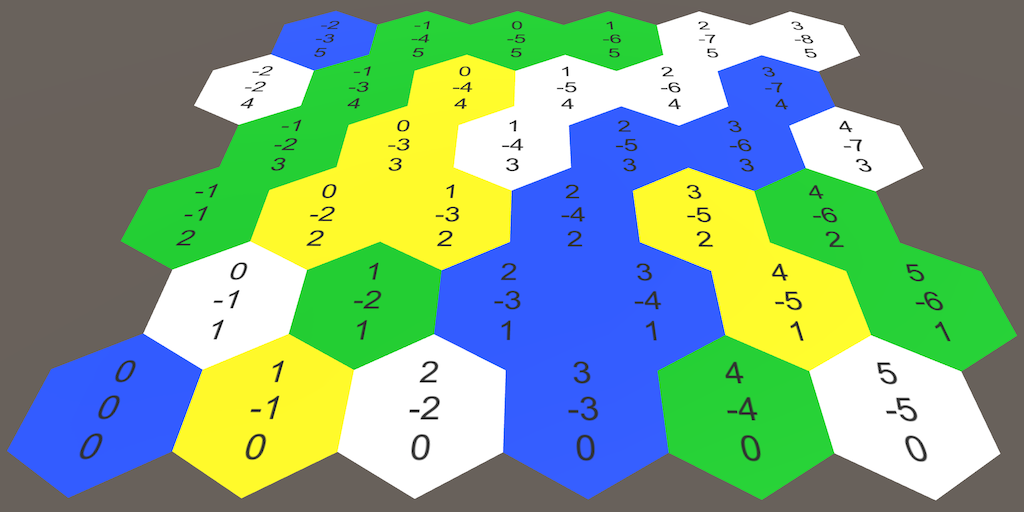
Currently I have a working hex map generator that generates based on a width and height value. I would like to convert it to generate the tiles in the shape of a hexagon (so hexagon shaped tiles while the overall map is also shaped like a hexagon). It really is just a math problem but I cant quite figure out how to go about it. Here is my method that generates the tiles off the width and height currently private void GenerateGrid() { for (int q = 0; q < gridWidth; q++) { for (int r = 0; r < gridHeight; r++) { CreateHexTile(q, r); } } } The offsets for the tiles position is handled in another method, but i dont think that is needed to alter this, I should just be able to alter the for loops of the method above to instead of looping to create a box shape, loop to create a hex shape?
 heady iris
You may want to switch from rectangular coordinates to hexagonal coordinates
actually, how do your coordinates work right now?
does it offset every other row of tiles?
marble ember
yes it follows a tutorial by CodeMonkey return new Vector3(q, 0, 0) * cellSize + new Vector3(0,0,r) * cellSize * VERTICAL_OFFSET + ((r % 2) == 1 ? new Vector3(1,0,0) * cellSize * HORIZONTAL_OFFSET : Vector3.zero) + gameObject.transform.position;
heady iris
you might want to just use Unity's Grid class, actually
You can use it to compute world positions for a hexagonal positions
marble ember
ok i will start looking into that then as an alternative, thank you
heady iris
hm, but that doesn't really answer your question: you need to be able to compute grid cells to create a hexagonal shape
marble ember
yeah either way i think im gonna end back up at trying to figure out the right for loop combination to get the right number of tiles in each row
heady iris
looking at the examples in https://docs.unity3d.com/Manual/Tilemap-Hexagonal.html, your six neighbors can be found by adding one of these to your own position:
[-1, -1, 0]
[1, -1, 0]
[-1, 1, 0]
[1, 1, 0]
[-1, 0, 0]
[1, 0, 0]
but doing that recursively would cause a ton of overlaps
if you found the neighbors of all six of your neighbors, you'd visit many tiles more than once
also, both your code and Unity's grid system are using regular 2D coordinates
these may be less convenient than cube coordinates, where you use three dimensions
A Unity Hex Map tutorial about creating a hexagonal grid. Part 1 of 27.
this talks about how that works
marble ember
ooo
ooooo
ooooooo
ooooo
ooo
Well that didnt work like i expected lol but i figured id be able to achieve this with some type of for loop
Like the first row it would generate whatever length i have set for the side, then 2 extra for each additional row until the diagonal side is equal to the side length as well then looping back down
shell scarab
    public override float Process(Info info)
    {
        var pos = info.position;

        float r = Mathf.Max(info.height * noise.cnoise((_offset + info.position) * _perlinMultiplier), _minStrength);
        float x = Mathf.Max(info.height * Mathf.PerlinNoise((_offset.x + pos.x) * _perlinMultiplier, (_offset.y + pos.y) * _perlinMultiplier), _minStrength);

        Debug.Log($"r: {r}, x: {x}");

        return Snapping.Snap(r * _heightMultiplier, _heightSnapping);
    }
```Shouldn't these two lines give the same outputs?
 leaden ice
shell scarab
```cs
public override float Process(Info info)
{
var pos = info....
leaden ice
shell scarab
```cs
public override float Process(Info info)
{
var pos = info....
why would you expect that? What is noise.cnoise?
shell scarab
leaden ice
why would you expect that? What is `noise.cnoise`?
Because they're both 2D perlin noise I think
https://docs.unity3d.com/Packages/com.unity.mathematics@1.3/api/Unity.Mathematics.noise.cnoise.html?q=cnoise
leaden ice
shell scarab
Because they're both 2D perlin noise I think
https://docs.unity3d.com/Packages/c...
looks like there's perhaps a little conversion to do
shell scarab
I would love it if they put the range of the noise method on the docs for the noise method
looks like the range is -1 to 1 instead of 0 to 1
shell scarab
I agree
its like they expect it to be intuitive
yet make it slightly different than Mathf
 dense estuary
I have a radar script that detects objects and displays icons on a screen, currently I have an issue where icons are not fading out whatsoever. This is my code for the fading: ```cs
iconImage.color = startColor;
yield return new WaitForSeconds(0.5f);
float time = 0;
float duration = 2f;
while (time < duration)
{
iconImage.color = Color.Lerp(startColor, endColor, time / duration);
time += Time.deltaTime;
}```
This is in a coroutine that is started every frame
Currently it appears that this code is making the icon instantly transparent
latent latch
is it opaque
latent latch
ah so no custom shader either
does the vertex color slider work outside of code?
oh wait you got a while loop here that doesntbreak
dense estuary
latent latch
does the vertex color slider work outside of code?
Yep, works perfectly fine in the editor
leaden ice
dense estuary
I have a radar script that detects objects and displays icons on a screen, curre...
you definitely need a yield return null in this loop
since it seems to be trying to do something over time
without a yield, the entire loop runs within a single frame
hence no fading
dense estuary
Oh! That makes sense, thank you!
shell scarab
Oh hey, they changed how nested monobehaviors are displayed! I seem to remember the name looking a bit bugged and not orderly. (Unity 6)
 leaden ice
When you say "nested MonoBehaviours" does that mean multiple MBs in one script file? Or maybe MB classes defined within other classes?
shell scarab
leaden ice
When you say "nested MonoBehaviours" does that mean multiple MBs in one script f...
public class Test : MonoBehaviour
{
  private class DebugClass : MonoBehaviour { }
}
 errant flame
Hey all, does anyone know a way for regedit (read/write) operations in unity or have tried it before?
Actually it is mentioned here but when I imported win32 I couldn't find the parts where I needed it.

Retrieves the value associated with the specified name.
 barren sigil
Guys, how to make this game mechanic, thank you very much
https://www.youtube.com/watch?v=EF2htlaF-_k&ab_channel=KuGo

NOOB vs PRO vs HACKER - Flexy Ring Hack All Levels Gameplay Animation - Top Free Mobile Best Games on iOS iPhone / Android 2020 Video.
Hey, i'm Kugo. The Biggest Gaming Channel on YouTube! Upload daily walkthrough gameplay funny & best moments games videos compilation (NOOB vs PRO vs HACKER). You can find a lot of videos all in 1080p 60fps HD Q...
leaden ice
Months of hard work
barren sigil
I can't figure it out how it work

 steady moat
barren sigil
I can't figure it out how it work
steady moat
barren sigil
I can't figure it out how it work
You mean technically ? They might have simply made all mesh for every size and just swap them at runtime for the "animation". Alternatively, you could do some sort of mesh manipulation to add triangle between two side. Pretty much sure it is not real elastic physics.
errant flame
barren sigil
I can't figure it out how it work
IDK but the first approach to my mind was to create a structure that will hold a three-dimensional point data, and then according to the data here, we can somehow handle point - line rendering and then make a render order according to the y layer with the line renderer as an x-z example, maybe can go through it or it can be adjusted with layers with custom render feature.
 barren sigil
Noted it ! thanks for replying @steady moat @errant flame
steady moat
errant flame
IDK but the first approach to my mind was to create a structure that will hold a...
You might able to do something with line renderer, that would basically be the same as I said with mesh manipulation.
barren sigil
steady moat
You mean technically ? They might have simply made all mesh for every size and j...
Do you know how they detect blockable object ? like i put the blue pin above, the red ring will block the blue one
barren sigil
errant flame
IDK but the first approach to my mind was to create a structure that will hold a...
example for the blue one ring, in the left layer = 1, red ring layer = 2, in the right of the blue layer = 3 right ?
steady moat
barren sigil
Do you know how they detect blockable object ? like i put the blue pin above, th...
No idea how they did it. Personally, I would simply do a line-line test.
errant flame
@barren sigil
I don't think it can be done in a physics-based way, at least not in a cheap way.
I think we can go over it and predict where it can stop.
We need to establish a block logic between the layers. When we set a calculation limitation using these data layers, I think there will be the algorithm you want.
x mean blank
f mean filled
Layer 1 [f,x,x,x,x]
[f,x,x,x,x]
[f,x,x,x,x]
Layer2
[x,x,x,x,x]
[f,f,f,f,x,x]
[x,x,x,x,x]
Layer 3 etc
steady moat
You could even be more crude and simply state
If RED is not done,
Blue is blocked at: X.
steady moat
errant flame
<@478952036445061149>
I don't think it can be done in a physics-based way, at ...
Isnt like overkill and pretty limitative ?
barren sigil
steady moat
You could even be more crude and simply state
If RED is not done,
Blue is block...
That's kinda simple but i have to hard-setup in every notes right ?
errant flame
idk but its not limitative i think for example first layer one f-f-f is blue one and layer2 f-f-f-f is red one if we release blue one we can predict where can it be stopped and update , or it could be a method like you said
steady moat
barren sigil
That's kinda simple but i have to hard-setup in every notes right ?
With this way, pretty much. With the line-line test not really.
marble ember
marble ember
Currently I have a working hex map generator that generates based on a width and...
So I have made progress on my issue i posted earlier using this source: https://stackoverflow.com/questions/20734438/algorithm-to-generate-a-hexagonal-grid-with-coordinate-system but the code doesnt seem to exactly translate to C# as I get overlap and have tried messing with the offsets and cant achieve perfect alignment, heres my c# translation of the source ```double ang30 = 30 * System.Math.PI/180;
double xOff = System.Math.Cos(ang30) * radius;
double yOff = System.Math.Sin(ang30) * radius;
int half = size / 2;
for (int row = 0; row < size; row++)
{
int cols = size - System.Math.Abs(row - half);
for (int col = 0; col < cols; col++)
{
    int x = (int)(gameObject.transform.position.x + xOff * (col * 2 + 1 - cols));
    int y = (int)(gameObject.transform.position.y + yOff * (row - half) * 3);
    Vector3 location = new Vector3(x, 0, y);
    Debug.Log("row " + row + " col " + col + " x " + x +" y " + y);
    CreateHexTile(location);
}
}``` where CreateHexTile simply instantiates the tile prefab at the location. Any ideas?

Stack Overflow
I am trying to roll up 19 lines of code into a single for loop, but I am feeling a bit stumped. The reason I ask, is because I want the grid to be other sizes instead of 5.
In Main::drawHexGridAdva...
barren sigil
Thanks guys, i will try and test it
marble ember
I changed some of the data types and casted to float instead of int and got it really close, theres only a very tiny gap in between tiles but almost completely unnoticable so imma just settle with that. Probably due to the loss of precision with floats
 gray mural
Well, how would you create more than 1 MonoBehaviour in a single script?
shell scarab
gray mural
Well, how would you create more than 1 `MonoBehaviour` in a single script?
public class Something : MonoBehavior { }
public class SomethingElse : MonoBehavior { }
```Like thatHave you read the previous messages too? I cannot find the script they've sent, as they have deleted it. I suppose, there were GameManager and Singleton<T> in a single script. As I have mentioned above, it should've been Singleton<T> : MonoBehaviour and GameManager : Singleton<GameManager>. Both MonoBehaviours.
gray mural
shell scarab
```cs
public class Something : MonoBehavior { }
public class SomethingElse : Mon...
In a single script? This throws an error.
shell scarab
gray mural
In a single script? This throws an error.
no it doesn't
gray mural
shell scarab
no it doesn't
I thought there should have been some kind of an exception thrown, but Unity just acts as the 2nd behavior doesn't exist
Anyway, left me refactor what I have previously said. You cannot have more than 1 MonoBehaviour run in the same script
shell scarab
gray mural
Anyway, left me refactor what I have previously said. You cannot have more than ...
wrong again :(
gray mural
shell scarab
wrong again :(
Alright, could you provide me with the code which has e.g. 2 MonoBehaviours, both with the Start method, and both of them execute perfectly?
shell scarab
sure, let me start unity
shell scarab
gray mural
Alright, could you provide me with the code which has e.g. 2 `MonoBehaviours`, b...

(warning is unrelated - not sure why it's happening tbh, but it's not because of multiple monobehaviors in a script file as you can tell from reading it)
gray mural
shell scarab
Well, you just add those script to the object from your main script. You cannot add Test and TestTwo manually
They won't run if you don't add them
This way, they simply act like the Behaviours, which don't exist as the separate scripts
shell scarab
gray mural
Well, you just add those script to the object from your main script. You cannot ...
you said:
provide me with the code which has e.g. 2
MonoBehaviours, both with theStartmethod, and both of them execute perfectly
shell scarab
gray mural
They won't run if you don't add them
literally the same with every script
shell scarab
gray mural
This way, they simply act like the `Behaviours`, which don't exist as the separa...
no, you can see they extend MonoBehaviour
gray mural
shell scarab
you said:
> provide me with the code which has e.g. 2 `MonoBehaviours`, both wit...
Alright, I have meant the code, which doesn't simply add the additional scripts to the object by itself, but you're right, you have provided the code, so no problems from my side 😉
Still I thought it throws an error or an exception when doing this way. It doesn't.
gray mural
shell scarab
no, you can see they extend `MonoBehaviour`
That's what was meant
shell scarab
gray mural
Still I thought it throws an error or an exception when doing this way. It doesn...
it's just code. Nothing in the compiler says that you can't have multiple classes in a script. And unity doesn't check because I don't think there's a way for it to check really unless it scans every monobehavior script file every time it compiles and there's not really a reason to do that.
 azure frost
So, my bro and I are trying to use physics and rigidbodies to control a player character and vehicles. But we're running into a bit of a snag.
How do we implement a way to apply directional force to a rigidbody that both a player and vehicle controller can use?
 somber nacelle
apply directional force to a rigidbody that both a player and vehicle controller can use
what do you mean by this?
 arctic sparrow
Well, he's kinda learning to program. He might be getting something wrong.
But imagine like a big air vent or fan or something that could push players around, but also vehicles.
azure frost
That, or an explosion, or jump pad.
somber nacelle
have you looked at the rigidbody docs to see what methods you might be able to use for that?
arctic sparrow
Well, on the player controller script, we tried to use a Rigidbody.AddForce() function with VelocityChange, but a trigger that adds force doesn't seem to do anything when the player passes through it.
somber nacelle
sounds like something is wrong with your setup. trigger colliders have nothing at all to do with whether or not force is applied
arctic sparrow
Well, it's sort of like this...
public void OnTriggerEnter (Collider other) {

  other.GetComponent<Rigidbody>().AddForce(Vector3.one*5);

}
have you confirmed that method is running?
arctic sparrow
Yeah. I used a Debug.Log.
Do I have to include the Rigidbody's current velocity in the AddForce() function?
somber nacelle
no. if that is not adding any force, then it is either not enough force to overcome any current velocity in the opposite direction, the rigidbody is kinematic, or you are overwriting the velocity elsewhere
arctic sparrow
private void FixedUpdate()
{
    float maxForce = 99999999;

    //Find target velocity
    Vector3 currentVelocity = rb.velocity;
    Vector3 targetVelocity = new Vector3(movement.x, 0, movement.y);
    targetVelocity *= movementSpeed;

    //Align direction
    targetVelocity = transform.TransformDirection(targetVelocity);

    //Calculate forces
    Vector3 velocityChange = (targetVelocity - currentVelocity);

    //Limit force
    Vector3.ClampMagnitude(velocityChange, maxForce);

    rb.AddForce(velocityChange, ForceMode.VelocityChange);
}
Here's the code. We used a video reference for this
somber nacelle
okay well this shows you are not overwriting velocity here
 tall scroll
How is the player rigid body “attached” to the vehicle one?
Like what causes the player to move with the vehicle
arctic sparrow
Well, when the player would get in the vehicle, we plan on having it disable the player physics and attach the player to the vehicle.
tall scroll
Ah ok, wasn’t sure if this was being tested after that or not. You might get some issues there, not sure
Maybe share the rigid body in the inspector?
arctic sparrow
tall scroll
Maybe share the rigid body in the inspector?
This is how it looks
 somber nacelle
public void OnTriggerEnter (Collider other)
{
  var rb = other.GetComponent<Rigidbody>();
  Debug.Log($"{rb} has velocity {rb.velocity}, attempting to apply {Vector3.one * 5 * Time.fixedDeltaTime} velocity to it");
  rb.AddForce(Vector3.one*5);
}
change your OnTriggerEnter to this and show what it prints
arctic sparrow
Player (UnityEngine.Rigidbody) has velocity (6.00, 0.00, 0.00), attempting to apply (0.10, 0.10, 0.10) velocity to it
okay so notice how small that velocity you are applying is. that is likely not even enough force to overcome any friction. are you sure you want the default force mode with that AddForce call and not perhaps VelocityChange or Impulse which would not include the deltaTime calculation into it?
arctic sparrow
It seems to only work for a single physics step before reverting to what the velocity was before.
I set the power to insanely high values, and it sent the object very far, but it stopped instantly and began falling
And it's falling really slowly too
somber nacelle
then you're probably overwriting velocity somewhere
tall scroll
arctic sparrow
```cs
private void FixedUpdate()
{
float maxForce = 99999999;
//Find ta...
It would be this code actually
somber nacelle
at no point does that code assign to velocity
tall scroll
If target is 0 or small then target-current will be huge but in the wrong direction
So it’s not overwriting it but it would very quickly negate the impulse
 raven basalt
When this is applied on the player, it causes the player to go downwards. Unfortunately, how do i prevent the player from bouncing after making contact with he floor?
    private void HandleDropping()
    {
        if (isDropping && !isGrounded)
        {
            rbody.AddForce(Vector3.down * dropForce, ForceMode.Acceleration);
            Debug.Log("Applying continuous downward force.");
        }
    }
So far I have the following:
if ( isDropping)  //This is to prevent the player from boucning off the floor when the player drops
        {
            Debug.Log("Full Friction on");
            myCollider.material = fullFriction;


        }
The code sometimes doesn't seem to work when the player goes downwards on a sloped floor, meaning that the player will bounce to the right or to the left
tall scroll
raven basalt
When this is applied on the player, it causes the player to go downwards. Unfor...
Does the physics material applied to it have any bounciness/need any bounciness?
 raven basalt
The player still bounces even when I set the bounce combine to minimum
tall scroll
I’m not sure then sorry
 old linden
I have a float value with 4 trailing numbers e.g 0.3456. Is there a way I can remove the last two digits, without rounding?
tall scroll
Best way I know is to ((int)(x*100))/100
Use mathf.floor if you want to be sure there’s no rounding
old linden
Hmm I need to maintain the .34 is the issue - I can't use rounding
 knotty sun
old linden
I have a float value with 4 trailing numbers e.g 0.3456. Is there a way I can re...
knotty sun
old linden
I have a float value with 4 trailing numbers e.g 0.3456. Is there a way I can re...
simple solution
float = ((int)(float*100)) / 100f;
Il give it a shot thanks
tall scroll
knotty sun
simple solution
```cs
float = ((int)(float*100)) / 100f;
```
To clarify, this shouldn’t round but if you want to be extra sure then Mathf.floor will truncate to the integer
knotty sun
casting float to int will never round
somber nacelle
old linden
I have a float value with 4 trailing numbers e.g 0.3456. Is there a way I can re...
if this is just for display purposes rather than actually doing math, then you can use a format string like "F2". if this is for actual code purposes, you also don't need to do that math manually, unity can snap a value with Snapping.Snap(yourFloat, 0.01f)
ah wait, that last bit would round it so ignore that part. the first part is still correct if it's just to display the value though
tall scroll
somber nacelle
ah wait, that last bit would round it so ignore that part. the first part is sti...
I really need to use format strings more, how would the first one look?
somber nacelle
yourFloat.ToString("F2") or $"{yourFloat:F2}"
old linden
Unfortunatly it needs to be correct mathematically. It's for a purchase system, so I can't have a float rounded up for sale values.
So for example, x.3456 needs to become x.34.
"F2" and "0:00" both round the value, as does Mathf.Floor
tall scroll
 and that just truncates it to 2DP?
knotty sun
old linden
Unfortunatly it needs to be correct mathematically. It's for a purchase system, ...
you can use "N2" to display without rounding
tall scroll
Also since when does mathf.floor round?
somber nacelle
knotty sun
you can use "N2" to display without rounding
huh apparently they both round https://learn.microsoft.com/en-us/dotnet/standard/base-types/standard-numeric-format-strings#standard-format-specifiers
old linden
tall scroll
Also since when does mathf.floor round?
Documentation says it rounds to nearest int
knotty sun
tall scroll
Also since when does mathf.floor round?
Always
somber nacelle
yeah the answer would be to multiply by 100, floor it (or cast to int like steve's example), then divide the result by 100
tall scroll
Yeah regardless you have to do the multiply then divide bit
Could very easily wrap it in an extension or function for readability too
somber nacelle
alternatively they could just store the currency as an integer in number of cents, can't really have half a cent anyway
knotty sun
importantly you need to divide by 100f. Somethig Kitsuneko missed
old linden
I think I found a string method using "0.##" let me try it
somber nacelle
don't convert it to a string if this is for actual math
that should be for display purposes only
tall scroll
knotty sun
importantly you need to divide by 100f. Somethig Kitsuneko missed
Yeah which is part of why I referenced yours going forward  guess what one of my most common IDE flags is
knotty sun
tall scroll
Yeah which is part of why I referenced yours going forward <:hehe:10507777099969...
lol, I have muscle memory, I automatically type the f when dealing with floats
tall scroll
I’m fighting years of python and js so very much not habit
knotty sun
you would be amazed at the % of people who fall over this
tall scroll
Luckily c# has good typing so 90% of the time your ide will catch it but I have had some confusing maths as a result once or twice
knotty sun
I would guess 90% of math problems we get here are caused by mixing integer and float math
tall scroll
Makes sense
 placid summit
Hi do any of you work with backend php devs who send you JSON. Do you ask them to send names in PascalCase to match your Class/Property naming conventions?!
knotty sun
placid summit
Hi do any of you work with backend php devs who send you JSON. Do you ask them t...
as a general rule, because json is not case sensitive, all names should be in lower case to make sure there is no duplication which can be caused by case sensitive languages
placid summit
knotty sun
as a general rule, because json is not case sensitive, all names should be in lo...
hmm you say that but camelCase has become the convention so only first letters https://jsonapi.org/
knotty sun
placid summit
hmm you say that but camelCase has become the convention so only first letters h...
I know that and it is wrong
placid summit
ok - so you would then just tag your classes in C# for JSON.Net etc deserializing with that name?
tall scroll
If you can 100% guarantee that at no point will anything accidentally change case then use whatever format you find best but the safest way with text (json at least) is usually to remove casing for keys
knotty sun
point is
int Score
int score
int SCORE
are all different in C#.
they are all the same in JSON
placid summit
well generally C# classes and properties are PascalCase, but if JSON always lowercase then fine - I just want to get most common way people handle conversion and if that is backenders sticking to lowercase and me using Json.NET tags to deserialize it's fine!
 mellow sigil
JSON itself is case sensitive. Some parsers might not be which is why it's best to avoid keys that differ only by case
but that's not really relevant here
placid summit
Looks like System.Text.Json handles camelCase to PascalCase and Newtonsoft can be configured to and so people stick to those standards (not sure if they use all lowercase for JSON)
Anyone using System.Text.Json in Unty BTW?
tall scroll
No because newtonsoft is pretty much universally better afaik
placid summit
well it is easy out of the box and seems System.Text.Json use is troublesome in Unity (lots of related packages). So indeed - will stick to Newtonsoft
 lean sail
tall scroll
No because newtonsoft is pretty much universally better afaik
lean sail
tall scroll
No because newtonsoft is pretty much universally better afaik
It is not about being better, it is just compatibility. STJ is probably way faster
 olive field
Hi i am recently seeing this kind of weird changes in my VCS
it usually just creates or deletes new line but without any further change, is there a way to specify this or is it undeterministic how it will end up ?
it creates kind of redundant changes i dont like
 knotty sun
olive field
Hi i am recently seeing this kind of weird changes in my VCS
it usually just cr...
knotty sun
olive field
Hi i am recently seeing this kind of weird changes in my VCS
it usually just cr...
why are you even looking a .meta or .asset files?
tall scroll
lean sail
It is not about being better, it is just compatibility. STJ is probably way fast...
Well yeah that’s just the classic low vs high level though
Time to implement vs time to run
olive field
knotty sun
why are you even looking a .meta or .asset files?
because i am working on multiple big projects with shared code and asset base. with multiple unity versions. so i need them compatible.
knotty sun
olive field
because i am working on multiple big projects with shared code and asset base. w...
then you should be using Asset->Export Asset->Import
lean sail
tall scroll
Time to implement vs time to run
I'm not sure what you mean. It's not like it takes forever to implement, but it's just Newtonsoft is supported and pretty much the first recommendation people see.
olive field
tall scroll
Any reason for that?
big company. some projects just cannot be updated.
olive field
knotty sun
then you should be using Asset->Export Asset->Import
what ? what does it have to do with how is it serialized
tall scroll
olive field
big company. some projects just cannot be updated.
Typical, but not sure why you’d need shared meta
knotty sun
olive field
what ? what does it have to do with how is it serialized
It ensures compatibility between projects/versions
tall scroll
lean sail
I'm not sure what you mean. It's not like it takes forever to implement, but it'...
It’s a bit more awkward and has some specific requirements compared to newtonsoft which generally works out the box
olive field
tall scroll
Typical, but not sure why you’d need shared meta
ehm... because components ?
olive field
knotty sun
It ensures compatibility between projects/versions
i have it compatible. i just dont like the new lines that are changing back and forth
knotty sun
olive field
i have it compatible. i just dont like the new lines that are changing back and ...
whatever, I'm sure you have much more important things to worry about
olive field
knotty sun
whatever, I'm sure you have much more important things to worry about
-_- what kind of answer even is that, i guess i am not at the right forum...
azure frost
arctic sparrow
I set the power to insanely high values, and it sent the object very far, but it...
Hoping we can work on this issue a bit more.
tall scroll
azure frost
Hoping we can work on this issue a bit more.
Yeah so I’m pretty sure why it’s stopping is because of what I said shortly after that, as for the slow falling I think that’s just a case of low mass
knotty sun
olive field
-_- what kind of answer even is that, i guess i am not at the right forum...
It is the answer to things that you cannot change and that are totally irrelevant anyway
olive field
knotty sun
It is the answer to things that you cannot change and that are totally irrelevan...
i am asking if somebody KNOWS if it is deterministic or not. thats totaly valid question, if you dont have anything to add to it, then dont...
placid summit
olive field
i am asking if somebody KNOWS if it is deterministic or not. thats totaly valid ...
VCS is definitely a bit odd with some Unity files, my scene files have minor number changes perhaps from just resizing the viewport. some files can have no obvious differences but have been marked as changed (says git)! I would not be too concerned but you would have to ask Unity folk who I think do not come here
 static matrix
how in shader code could I get distance from the center of the screen?
or actually distance from an object in world space
those are two very different questions
somber nacelle
there's also a #archived-shaders channel for shader questions
static matrix
yes, but it is shader code so I thought i'd ask in code
but I can go there if you wish
somber nacelle
shader code is quite different from regular scripting in c#. shader questions, including related to their code, belong in #archived-shaders
 paper flame
Anyone knows what I am doing wrong? everything works except the camera following, it doesnt update the transform
using Fusion;
using UnityEngine;

public class CameraController : NetworkBehaviour
{
    public Transform player; // Reference to the player transform
    public float followSpeed = 0.125f; // Smooth speed for camera movement
    public Vector3 offset = new Vector3(0, 0, -10); // Offset from the player position

    public float zoomSpeed = 10f; // Speed of zooming
    public float minZoom = 2f; // Minimum zoom level
    public float maxZoom = 10f; // Maximum zoom level
    public float zoomSmoothSpeed = 5f; // Speed of smoothing

    private Camera cam;
    private float targetZoom;

    private void Start()
    {
        cam = Camera.main;
        targetZoom = cam.orthographicSize;

        // Initial position of the camera relative to the player
        if (player != null)
        {
            transform.position = player.position + offset;
        }
    }

    private void Update()
    {
        if (HasInputAuthority)
        {
            // Get mouse scroll wheel input for zooming
            var scrollData = Input.GetAxis("Mouse ScrollWheel");

            // Adjust target zoom based on scroll input
            targetZoom -= scrollData * zoomSpeed;
            targetZoom = Mathf.Clamp(targetZoom, minZoom, maxZoom);

            // Smoothly interpolate the camera's zoom level
            cam.orthographicSize = Mathf.Lerp(cam.orthographicSize, targetZoom, Time.deltaTime * zoomSmoothSpeed);
        }
    }

    private void FixedUpdate()
    {
        if (player != null && HasInputAuthority)
        {
            Debug.Log("Camera following player: " + player.gameObject.name);
            Debug.Log($"Camera Position: {transform.position}, Player Position: {player.position}");

            var desiredPosition = player.position + offset;
            var smoothedPosition = Vector3.Lerp(transform.position, desiredPosition, followSpeed);
            transform.position = smoothedPosition;

            Debug.Log($"Updated Camera Position: {transform.position}, Desired Position: {desiredPosition}");
        }
        else if (HasInputAuthority)
        {
            Debug.LogWarning("Player transform not assigned to camera");
        }
    }
}
cant find the issue
knotty sun
care to share the console logs or are we just supposed to guess?
 knotty sun
 zenith bear
Did you read the errors? They tell you EXACTLY what is wrong anf how to fix it
zenith bear
I don’t get what script it is
knotty sun
it tells you
heady iris
look at your prefab
it doesn't know the name of the script because it doesn't serialize the actual name of a script: just an ID
but it does know which game object the broken component is on
zenith bear
I can send u a screenshot of what I’ve got in my prefab?
Just
Photon vr player spawner, testing, photonVR manager and photonVRvoice
 lilac hill
I got a question about Vector3.MoveTowards.
I move an object with that function towards my target position, but if there are Objects in the way towards the target, they should be pushed away. This is not the case but if I simply move my objects using the scene viewer, they do get pushed around and the physics are working in a normal way.
Is there anything similar to Vector3.MoveTowards that I could use? Or is there any way to fix this?
heady iris
lilac hill
I got a question about Vector3.MoveTowards.
I move an object with that function ...
Vector3.MoveTowards does not cause any actual movement.
All it does is compute a vector.
How are you using the result of MoveTowards?
lilac hill
Elevator.transform.position = Vector3.MoveTowards(Elevator.transform.position, targetPosition, step);
The Elevator is the moving object.
This is in the FixedUpdate function btw
leaden ice
lilac hill
Elevator.transform.position = Vector3.MoveTowards(Elevator.transform.position, t...
Your problem has nothing to do with MoveTowards
MoveTowards is NOT a thing that moves any objects in Unity
it's just a math function to calculate a new position
lilac hill
Oh
leaden ice
the way you're actually doing the moving of the object here is by setting Elevator.transform.position
That is going to bypass the physics engine entirely
because you're directly teleporting the Transform
If you want realistic physical interaction you have to move it via the Rigidbody
lilac hill
Ah okay, I think I get it now.
leaden ice
e.g.
// Calculate the new position
Vector3 newPosition = Vector3.MoveTowards(myRigidbody.position, targetPosition, step);

// Actually move via the Rigidbody
myRigidbody.MovePosition(newPosition);```The rigidbody will notice that it's in a new position in the physics update, but it won't understand that it moved to that position
lilac hill
This makes a lot more sense now. Thanks for the help :D
 dense arch
leaden ice
e.g.
```cs
// Calculate the new position
Vector3 newPosition = Vector3.MoveTowar...
dense arch
leaden ice
e.g.
```cs
// Calculate the new position
Vector3 newPosition = Vector3.MoveTowar...
so rb.MovePosition() moves an object without actually teleporting it?
leaden ice
It moves a kinematic Rigidbody while respecting interpolation settings and physically pushing dynamic bodies out of the way properly.
dense arch
ooh
heady iris
actually, praetor, remind me how that differs from setting rb.position
I remember being wrong about that
but I don't remember in what way!
leaden ice
heady iris
actually, praetor, remind me how that differs from setting `rb.position`
setting rb.position just teleports it
heady iris
ah, so it doesn't whack stuff in the way
leaden ice
it won't apply appropriate forces to things in its way, nor will it respect interpolation
Not a code question
leaden ice
 swift falcon
i need some help, so i am making a mc clone, particles spawn on the wrong direction here, heres the recording
 livid loom
swift falcon
i need some help, so i am making a mc clone, particles spawn on the wrong direct...
livid loom
swift falcon
i need some help, so i am making a mc clone, particles spawn on the wrong direct...
The game object it is being attached to has a different baked axis possibly due too it being imported from a right handed cartesian coordinates. Need to flip the axis of the block not sure why you would use a box from outside software when Unity has primitives. Most likely importing from Blender I am guessing or 3DS Max.
swift falcon
livid loom
The game object it is being attached to has a different baked axis possibly due ...
no i use the default cube
from unity
livid loom
ok so that is weird the axis should be Z up then
swift falcon
both the particle and cubes use quaternion.identity
livid loom
oh that is weird then
swift falcon
the untiy version is 2020.3
livid loom
maybe your math is wrong then Quaternion is hard to deal with
swift falcon
heres the code for instantiating one of these
 livid loom
why not just Insatiate the object with default rotation of either the cube or the particle
swift falcon
livid loom
why not just Insatiate the object with default rotation of either the cube or th...
probably not the issue
livid loom
Do it this way should work
csharp Instantiate(gameObject, gameObject.transform.position, gameObject.transform.rotation, parent.transform);
oops
swift falcon
Instantiate(gameObject, gameObject.transform.position, gameObject.transform.rotation, parent.transform);
I always just set up my rotations right before hand then instantiate that way personally
always works too
swift falcon
well no
        for (int z = 0; z < ChunkSize; z++) {
            for (int x = 0; x < ChunkSize; x++) {
                float noiseX = (chunkX * ChunkSize + x) * 0.1f;
                float noiseZ = (chunkZ * ChunkSize + z) * 0.1f;
                int height = Mathf.FloorToInt(Mathf.PerlinNoise(noiseX, noiseZ) * 10 * NoiseAmplifier);

                // Generate grass block
                Vector3 grassPosition = new Vector3(chunkX * ChunkSize + x, height, chunkZ * ChunkSize + z);
                Instantiate(GrassBlockPrefab, grassPosition, Quaternion.identity, chunk.transform);

                // Generate dirt layers
                for (int i = 1; i <= DirtLayerHeight; i++) {
                    Vector3 dirtPosition = new Vector3(chunkX * ChunkSize + x, height - i, chunkZ * ChunkSize + z);
                    Instantiate(DirtBlockPrefab, dirtPosition, Quaternion.identity, chunk.transform);
                }

                // Generate stone layers below the dirt
                for (int i = DirtLayerHeight + 1; i <= DirtLayerHeight + StoneLayerHeight; i++) {
                    Vector3 stonePosition = new Vector3(chunkX * ChunkSize + x, height - i, chunkZ * ChunkSize + z);
                    Instantiate(StoneBlockPrefab, stonePosition, Quaternion.identity, chunk.transform);
                }
            }
        }
heres a bigger chunk of full code
its not really that easy
swift falcon
livid loom
always works too
u there?
livid loom
Yeah but I am talking about specifically how you instantiate the particle, just spawn it according to the block orientation, why not also just spawn the block the same way just use Block prefabs already set rotation so just in you rotation portion just use "blockName.transform.rotation" instead of "Quaternion.indentity"
that is what is messing you up it's what messing with the particle calculations
swift falcon
is it possible to rotate the particles themselves tho? just asking
We need game developers for a game called "Mortal Company" on the playstore made by unity, you should be experienced with coding in unity, you sadly won't be paid yet until the game gets famous.
dm me for more information
leaden ice
swift falcon
We need game developers for a game called "Mortal Company" on the playstore made...
!collab
 tawny elkBOT

📢 Collaborating and Job Posting
We do not accept job or collab posts on discord.
Please use the forums:
• Commercial Job Seeking
• Commercial Job Offering
• Non Commercial Collaboration
livid loom
swift falcon
is it possible to rotate the particles themselves tho? just asking
That would the easier way to do it spawn the particle by it's default cartesian rotation just particles act weird when Using Quaternion.indenity
OK so why I came here I am having a problem with AI aiming one projectile is like 80% accurate I am fine with that but another projectile coming from above misses by 4 meters every time.
    {
        float distance = Vector3.Distance(transform.position, target.transform.position);
        Vector3 enemyPosition = target.GetComponent<Collider>().bounds.center;
        Enemy enemy = target.GetComponent<Enemy>();

        Vector3 targetDirection = enemyPosition - startPos;
        float timeToTarget = (targetDirection.magnitude / projectileSpeed) + (distance / projectileSpeed);


        //Debug.Log("Target Velocity: " + enemyMove.velocity);
        Vector3 predictedPos = enemyPosition + (enemy.velocity * timeToTarget);

        Vector3 aimDirection = predictedPos - enemyPosition;

        return predictedPos;
}```im dumb lol
 rigid island
.mov doesn't embed, you need mp4
 sturdy kindle
Can do.
I can't get my Spine animations to fire correctly. Animation names are correct but I believe I'm executing incorrectly. The NPC follows a patrol path but the walk animation isn't working right. If the player comes within a certain distance it moves towards the player. When the NPC is in attack range it should start attacking but the attack animation isn't happening.
AIController:
https://codeshare.io/Ek6erP
Mover:
https://codeshare.io/R78zPQ
Fighter:
https://codeshare.io/BdOgmp
Action Scheduler:
https://codeshare.io/ONWJgv
 bleak kelp
is learning code even still usefull if AI can just make it
rigid island
bleak kelp
is learning code even still usefull if AI can just make it
AI can make kiddie scripts
it cannot write complex systems nor it has any logical thought to do so
LLMS do not work that way
AI is pretty much at plateau right now
bleak kelp
i mean you said it yourself " right now "
its developing so fast maybe in 2 years it will be able to write more complex stuff
rigid island
bleak kelp
i mean you said it yourself " right now "
it will be for a while, and even then its not going to replace developers any time soon
if anything jobs will increase in the amount of bad code from "AI" and systems that need to be fixed 
bleak kelp
i hope
tall scroll
Ai also isn’t optimal most of the time
rigid island
bleak kelp
i hope
Also writing code is more than just writing syntax
its about Logic and problem solving
tall scroll
It’ll be the most kitbashed answer it considers generic rather than considered code that takes into account scalability or efficiency
rigid island
so you are learning a skill that spans across other fields than being a syntax writer
thats why ai makes writing code "easy" is just regurgitating valid looking syntax but the substance behind is mild at best
livid loom
Driving is easier then coding by far and it can't even do that well, when it can make a 5 minute animation without a character having 6 - 8 fingers then programmers need to worry.
tall scroll
livid loom
Driving is easier then coding by far and it can't even do that well, when it can...
Beg to differ
livid loom
Driving is a complex process but coding is way more complicated
rigid island
bullshit
tall scroll
livid loom
Driving is a complex process but coding is way more complicated
I can’t drive I can code
Driving has people in it, code doesn’t
rigid island
coding doesn't require good reflexes
which comes important with random "events"
coding is predictable
livid loom
coding has reflexes faster coders have better reflexes
rigid island
You cant predict someone barreling at you running a red, what do you do in that instant is so complex
tall scroll
Coding has intuition, as with every skill
livid loom
best coders usually super fit and physically active
tall scroll
livid loom
best coders usually super fit and physically active
Yeah that’s unrelated
livid loom
no it's not
tall scroll
That’s because being fit and healthy makes you more productive and can help maintain intelligence, nothing to do with raw aptitude
I can promise going to the gym won’t make you code better unless you put in the time to learn to code
livid loom
they have better reflexes and have better muscle memory makes then able to hit keys faster and more accurately
rigid island

rigid island
livid loom
they have better reflexes and have better muscle memory makes then able to hit k...
something a 7 year old writes..
tall scroll
livid loom
they have better reflexes and have better muscle memory makes then able to hit k...
You… don’t get muscle memory for keyboards from doing weights….
rigid island
my mans never went to biology
livid loom
John Carmack is a good example the skydiving moshing programmer he is stupid fast at coding so fast like holy crap
rigid island
ok now I remember why i blocked you a while back
tall scroll
That probably comes from a lot of time programming
livid loom
I can't keep up i have to watch his tut's in slow mode lol
I doubt many could
even art is way better for the same reason be active and fit you drawn and model bettter most artist work out
tall scroll
Yeah because being fit and healthy increases productivity
Not individual skill
Unless your skill is something like weight lifting
livid loom
yeah both make you better practice your craft but take time to do other things as well wholistic approach
livid loom
yeah programmer still have the safest career in a world with AI somebody need to make the AI to make stuff and people get attached to people as well.
rigid island
engineers mostly
 chilly surge

 waxen blade
I'm looking to see if there's a better way I can handle this. I have a Sprite Manager that holds a public list of sprites. Whenever a game object needs to change to a different sprite, I grab the specific sprite I want by index from the Sprite Manager. This works great, but my concern is if at any point the index gets shifted a position, every single sprite that uses the Sprite Manager is going to display the wrong sprite.
I can probably get away with the system I have in place now as long as I'm careful, but I assume this is not a best practice.
leaden ice
waxen blade
I'm looking to see if there's a better way I can handle this. I have a Sprite Ma...
- Why use index to identify the sprites? Where does this index come from?
- Are you concerned about the index changing at runtime or edit time?
waxen blade
leaden ice
- Why use index to identify the sprites? Where does this index come from?
- Are ...
Not all of my scriptable objects need to change sprites, so instead of storing the sprite for it to change to in itself, I stored it in a manager that has all the sprites for me to access. That's the only way I know how to reference the sprite without putting it directly into the scriptable object.
The index comes directly from the game object that needs to change sprites, it's grabbing the index with a hard coded number. It calls a method on the Sprite Manager to get the sprite.
Since the project is small right now, I'm not concerned about the index changing at runtime or edit time, but I want to account for the future in case it does become a problem.
leaden ice
waxen blade
Not all of my scriptable objects need to change sprites, so instead of storing t...
your other options are:
- Store a direct reference to the sprite instead (This would be the preferred way. Not sure what's wrong with this way?)
- Use Addressables
- Use some other identifier. For example your int, or maybe an enum, a string, whatever.
heady iris
just reference the sprite
Dragging a sprite into the inspector for a scriptable object does not "put it in" the object
you're just storing a reference
you're not literally copying image data into the asset
 simple void
Hey guys, this is a stretch, but a mesh collider computes its data from a shared mesh component, and I can get the GraphicsBuffer representing the vertex and index buffer. If I edit these buffers in a compute shader how can I get the results to bake(the data needs to eventually return to the cpu I assume)
 wicked river
Need a little help please.
I have tried raycasting, Applying Gravity manually , however my character feet won't stay on the floor
 heady iris
simple void
Hey guys, this is a stretch, but a mesh collider computes its data from a shared...
heady iris
simple void
Hey guys, this is a stretch, but a mesh collider computes its data from a shared...
it needs to get back to CPU-land, yes
heady iris
wicked river
Need a little help please.
I have tried raycasting, Applying Gravity manually ,...
raise your character controller a bit
It has a small skin width
this will make it slightly hover above the ground
Alternatively, lower the visual model a bit
wicked river
heady iris
raise your character controller a bit
Let me try it quick
wicked river
heady iris
raise your character controller a bit
Like this ?
 heady iris
Yep.
wicked river
still nothing. Will try and lower the acual mesh
heady iris
You could also reduce the skin width on the character controller to reduce how far above the ground it sits. I'm not sure what effects that'll have though
wicked river
heady iris
You could also reduce the skin width on the character controller to reduce how f...
tried it
nothing
wicked river
before starting the level. Looks great. After starting the level Gets lifted off the ground a little
heady iris
it looks like your idle animation makes the feet rise a bit
heady iris
wicked river
Like this ?
show me what it looks like while the game is running
wicked river
sure
heady iris
It shouldn't look identical to the first image, notably
wicked river
heady iris
I need to see the character controller's outline as well
wicked river
ah, sorry
heady iris
wicked river
Need a little help please.
I have tried raycasting, Applying Gravity manually ,...
If it was slightly hovering at the start, then raising the controller should've planted the feet on the ground
you'll want to adjust the Center property on the controller
raising the entire object won't really help (that's just raising the character slightly off the ground)
wicked river
wicked river
was trying to raycast and keep the chracter grounded
preatty much doing nothging
I found the issue though
rigid island
dont forget about the width of the skin also adds a gap
wicked river
putting the player mesh into the floor and then starting seems to fix the issue
heady iris
wicked river
was trying to raycast and keep the chracter grounded
Is this component moving the model up and down?
heady iris
something weird is going on here when you had the center set to 1.15:the controller is floating pretty far off the ground
 wicked river
so I am rather curious as to why this is happening. The solution was to actual have the positoin of the model reduced by the amount it moves up

I'd love to figure out why this is the case.
heady iris
It doesn't sound like you're actually moving the character controller downwards
show me how you are doing gravity
!code
tawny elkBOT
Posting code
📃 Large Code Blocks
Use links to services like:
https://gdl.space/, https://paste.ofcode.org/, https://hatebin.com/, https://paste.myst.rs/, https://hastebin.com/
📃 Inline Code
Surround code with three backquotes. Not quotation marks.
To format as C#, add cs to the first line:
```cs
// Your code here
```
Add a comment with a line number if there is an error message.
wicked river
heady iris
It doesn't sound like you're actually moving the character controller downwards
sure
casting a ray and trying to keep the player on the floor was what I was trying
heady iris
Vector3 rayOrigin = transform.position + Vector3.up * (characterController.height / 2 - characterController.radius);
this is incorrect; you should be using characterController.center to figure out a point that's at the center of the capsule
I would suggest just doing this
Vector3 moveVector;

// you do some work to compute how to move

moveVector += Vector3.down * 10f * Time.deltaTime; // add this at the end!
characterController.Move(moveVector);
this is not physically accurate gravity -- you just move down at 10 meters per second, constantly
but it's easy
you'd insert the commented line into wherever you're doing your movement logic currently
wicked river
alright. Let me give it a stab
heady iris
wicked river
https://gdl.space/hidoceviqo.cs
Using your transform's position is also definitely off -- after raising the center of the controller, the bottom of the capsule is above the object's position!
wicked river
heady iris
Using your transform's position is also definitely off -- after raising the cent...
is my model the issue ?
wicked river
Welp, deleting it then
wicked river
heady iris
Using your transform's position is also definitely off -- after raising the cent...
Fixed the issue. You mentioned my animations was being weird.. So I checked the Baked Into pose and changed it to feet

Thanks for helping !
 subtle patrol
Hey ! I'm working on my game and would like that the main character play as a graffiti like this screen. What would be the best way to do it? I tought about decals first, but I'm note sure it's a good solution
 heady iris
wicked river
Fixed the issue. You mentioned my animations was being weird.. So I checked the...
heady iris
wicked river
Fixed the issue. You mentioned my animations was being weird.. So I checked the...
Ah, you also had root motion happening
I was thinking about it, but forgot to bring it up
lean sail
subtle patrol
Hey ! I'm working on my game and would like that the main character play as a gr...
A decal projector could work, you would need some other way to handle any actual physics or moving logic though. Then your decal projector would basically just point to your character so it lines up on the wall
Though not sure if itd just be easier to use regular 2d objects for that
subtle patrol
I don't know too ^^
I just read that a solution would be to use regulard 2d objects
but I tought decals would be easier, even if I have some problems
sturdy kindle
Would anyone care to look at my script that handles this NPC animation? Animation names are correct but I think my logic is causing animations to reset or overlap somewhere. NPC should walk when patrolling and should attack when in range.
Mover:
https://codeshare.io/R78zPQ
Fighter:
https://codeshare.io/BdOgmp
lean sail
subtle patrol
but I tought decals would be easier, even if I have some problems
I think either way your movement logic is gonna be the exact same. As in likely using 2d colliders and whatever else. It just comes down to how you want to render the objects, via sprites or something like the decal projector. I don't think either one would be harder really
Hell you could maybe even do it in 3d and just use 2d visuals
subtle patrol
lean sail
I think either way your movement logic is gonna be the exact same. As in likely ...
decals won't be a problem if I want to animate my character?
lean sail
subtle patrol
decals won't be a problem if I want to animate my character?
Well thatd probably be more tedious then, I assumed itd be just a still image going across 😅
subtle patrol
I'll probably use 2d visuals as long as I'm not very good with decals, and I don't find the answer to my problem
lean sail
You'd just need to swap out the texture the projector uses, but yea sprites will likely be easier then
subtle patrol
lean sail
You'd just need to swap out the texture the projector uses, but yea sprites will...
I m effraid of sprites, because when the character sprite will be between two walls

like this
 torpid beacon
I made an WebGL build for a game jam but the horizontal movement (A & D as well as a simple horizontal dash) is not working in the build (Not working in a Windows build either). Everything works fine in the editor though. Jumping and UI interactions work in the build but trying to move horizontally doesn't. I made a development windows build too but there were no errors logged in the development console either. What could cause this? (Unity 2022.3.22f1)
The movement is a simple Rigidbody.AddForce() call in the desired direction.
heady iris
Are you using the new input system or the old one?
the old one would be stuff like Input.GetAxis
torpid beacon
heady iris
the old one would be stuff like `Input.GetAxis`
I used Input.GetAxisRaw to get the horizontal and vertical input directions an Input.getkeydown for the dash
heady iris
okay, so old input system
a sanity check: use Debug.LogError to log one of those inputs
(that will make it show up in the develompent build console)
torpid beacon
heady iris
a sanity check: use `Debug.LogError` to log one of those inputs
It logs the correct -1, 0, and 1 values depending on the direction of my input.
heady iris
I wonder if this is a weird order-of-execution bug
Can you show me your movement code?
!code
tawny elkBOT
Posting code
📃 Large Code Blocks
Use links to services like:
https://gdl.space/, https://paste.ofcode.org/, https://hatebin.com/, https://paste.myst.rs/, https://hastebin.com/
📃 Inline Code
Surround code with three backquotes. Not quotation marks.
To format as C#, add cs to the first line:
```cs
// Your code here
```
Add a comment with a line number if there is an error message.
torpid beacon
Its a general movement script I made to work as a template for all my game jams. A bit long
https://gdl.space/degutarisu.cs
ProcessInput() method on line 166 is where I recieve inputs.
heady iris
a debugger would help here
nothing's jumping out at me as wrong
assuming IsDead isn't true
torpid beacon
'IsDead' is false. Not really setting it to true in this project at all.
Since these issues don't happen in the editor, is there something I am missing that could cause issues only in builds?
heady iris
do you have a menu scene?
if so, make sure that the game works in-editor when you start there
torpid beacon
I do and it works starting from there in the editor
heady iris
torpid beacon
Since these issues don't happen in the editor, is there something I am missing t...
execution order can be a major difference, but starting in another scene should catch that
(as should just restarting the editor)
Update methods will run in an order that depends on object creation time
Perhaps something else is setting the rigidbody's velocity?
I'd try putting an AddForce in that just applies a fixed force every frame, to see if your character moves to the side
torpid beacon
heady iris
I'd try putting an AddForce in that just applies a fixed force every frame, to s...
Thats a bit odd
   private Rigidbody2D rb;
    void Start()
    {
        rb = GetComponent<Rigidbody2D>();
    }

    void Update()
    {
        rb.AddForce(Vector2.right * 10f, ForceMode2D.Force);
    }```

Added this. In the build nothing happens by default but when I jump, as long as I am mid-air, the character is moved the right a bit
In the editor, the player moved right as expected.- You are adding forces in Update which is a no-no. Only in FixedUpdate, or you will get inconsistent behavior as you are seeing
- You are simply not applying enough force to the RIgidbody to overcome friction in the case where it doesn't move.
torpid beacon
leaden ice
1. You are adding forces in Update which is a no-no. Only in FixedUpdate, or you...
This was just a quick test to see if it could help address the main issue.
torpid beacon
torpid beacon
Its a general movement script I made to work as a template for all my game jams....
This script I linked here is my movement script. Everything works fine in the editor but not in builds. I apply movement in FixedUpdate here.
Moving left and right wasn't working in builds even though jumping and UI interactions worked fine. The quick AddForce all in the update funciton also did nothing while the player character was stationary but affected the player if I jumped and was in mid air.
leaden ice
torpid beacon
This script I linked here is my movement script. Everything works fine in the ed...
Have you checked your player log for errors in the build
torpid beacon
I made a development build and there were no errors logged in the console
leaden ice
there is no console for a build
you need to check the log file
Check under "player-related log locations" here https://docs.unity3d.com/Manual/LogFiles.html
torpid beacon
I will check that as well but I was refering to this development build console. Ignore the test error message
 leaden ice
What if the TEST ERROR message is drownign out an error? Check the log.
torpid beacon
In the build without that Test Error, nothing was showing at all. The console doen't show up if there is nothig to log. I put that test error there so the console would display.
leaden ice
Next thing to do is start adding Debug.Log and make sure your forces are being added and with the correct values etc.
(you will read the logs in the player log)
torpid beacon
leaden ice
(you will read the logs in the player log)
I will look through those logs. Unforutnately I have to head out for now 😭 but I plan to pick this back up tonight. Thanks you for the assistance.
heady iris
leaden ice
1. You are adding forces in Update which is a no-no. Only in FixedUpdate, or you...
see above for the context
subtle patrol
Hello,
I'm working on a game that I'm developing with a friend. The player will play a graffiti art who can move around a 3d building.
The character will of course be animated, not static, and will be able to move around and have a fairly precise hitbox (not just a circle).
I was thinking of using unity decals, because I don't know how to manage the character when he appear half on one wall of the building, crossing to another wall. but I'm not sure that's the best idea. How would you have done it?
 shy dune
i have a script that bakes occlusion data into texture and saves it to file,
i wanted to automatically assign this texture to shader but i can't find a way to do it, i want to set it as a reference to file like you normally would by drag and dropping, except automatically, any ideas?
heady iris
you mean you want to assign it to a material?
shy dune
SetTexture only allows me to set it to a texture variable, i want to set it to file, in editor, not runtime
heady iris
You can't "set it to a file"
but you can certainly assign a reference to an asset!
it's an important distinction: a random jpeg you have lying around on your computer won't work
it has to be imported and turned into an asset
but it sounds like that is the case
shy dune
yes it is an asset
heady iris
I'm pretty sure the process is the same as changing the texture at runtime
 cosmic rain
shy dune
yes it is an asset
cosmic rain
shy dune
yes it is an asset
Then import it and reference it as a texture.
shy dune
cosmic rain
Then import it and reference it as a texture.
i want to automate it, not do it manually
i have multiple materials that use the same texture
cosmic rain
Then automate it. But that doesn't change the fact that you need to import the texture for it to be usable.
heady iris
i think the texture is indeed being imported already
heady iris
shy dune
i have multiple materials that use the same texture
(note that you CAN just multi-edit the materials)
and actually -- once you've got the texture asset, you can overwrite it with a new image and unity will just re-import it
so you won't need to do any additional work
cosmic rain
If you want to import via code, there's the editor API:
,https://docs.unity3d.com/ScriptReference/AssetDatabase.ImportAsset.html>
You'd need to move the file into the asset folder before that though.
shy dune
cosmic rain
If you want to import via code, there's the editor API:
,https://docs.unity3d.co...
i believe that's what i was looking for, thanks
shy dune
cosmic rain
You'd need to move the file into the asset folder before that though.
yeah i know it already gets saved there
heady iris
ah, I suppose you'd need that if you wanted to immediately import the image
dense estuary
I have a radar script that checks whether two rotations are close to eachother and makes an icon appear, then fade out. Currently I have a problem where if the rotation speed of the ray is too high the icon appears late. Here the fade code: https://hastebin.com/share/oqilolimuz.csharp
Here is the rotation code: https://hastebin.com/share/lesesiyijo.csharp
Here is a video of my problem: https://streamable.com/x9sfpw
Hastebin is a free web-based pastebin service for storing and sharing text and code snippets with anyone. Get started now.
Hastebin is a free web-based pastebin service for storing and sharing text and code snippets with anyone. Get started now.

 tranquil rover
Need a sanity check. I'm wanting to display a non-serialized property value in the inspector for debugging. I know Unity wont display them even in Debug mode. It also seems impossible to do with a custom property drawer due to (Type)SerializedObject.targetObject returning the class implementing the property, rather than the drawer's target class. Am I overlooking something simple?
leaden ice
dense estuary
I have a radar script that checks whether two rotations are close to eachother a...
missing context. It's not clear how and where you start the "blip"
leaden ice
tranquil rover
Need a sanity check. I'm wanting to display a non-serialized property value in t...
If you're using a propertyDrawer you get a https://docs.unity3d.com/ScriptReference/SerializedProperty.html
and you can access the actual object with https://docs.unity3d.com/ScriptReference/SerializedProperty-boxedValue.html
dense estuary
leaden ice
missing context. It's not clear how and where you start the "blip"
Alright, here is the full method for the radar: https://hastebin.com/share/wuwifujiqo.java. This coroutine is started every frame.
leaden ice
You're starting a coroutine that lasts more than one frame every frame?
dense estuary
How else can I make the coroutine run constantly?
leaden ice
start it in Start and give it an infinite while loop
if you start this every frame you're going to have many of them runing simultaneously
is that intentional?
dense estuary
Yes
leaden ice
Ok so maybe I don't really understand what this coroutine is doing
tranquil rover
leaden ice
If you're using a propertyDrawer you get a https://docs.unity3d.com/ScriptRefere...
boxedValue seems to be exactly what I was looking for! Thanks 🍻
leaden ice
why is it an OverlapCapsule and not an OverlapSphere?
dense estuary
leaden ice
why is it an OverlapCapsule and not an OverlapSphere?
Because the radar is in 2D space, I want the y-axis to not effect the scanability of objects.

If the player is on higher ground than the object, it may not be detected
leaden ice
i see so the circular cross-section of the capsule is a flat circle
and that's the radar
dense estuary
Yep
leaden ice
Ok I think I see the problem here
Or at least, one problem
If you have multiple hits then this is going to blink them one by one in series
rather than all at once
 rose willow
why is it that when I build my project the lights don't work?
dense estuary
leaden ice
If you have multiple hits then this is going to blink them one by one in series
That is possible, however, the chance of that occurring is very slim since I will be randomly generating objects very spaced out.
Currently my problem is the problem occuring in this video: https://streamable.com/x9sfpw
 leaden ice
what you want to do is like:
Physics.OverlapCapsuleAll(results);
List<Transform> correctAngleResults = new(); // really you can resuse this list for efficiency

for (int i = 0; i < hits; i++) {
  // blah blah ray angle stuff:
  if (Mathf.Abs(colliderAngle - rayAngle) <= 5f) correctAngleResults.Add(results[i]);

  if (correctAngleResults.Count > 0) { // If we saw any hits
     while (time < duration)
     {
        foreach (var result in correctAngleResults) {
           result.GetComponent<IMage>.color = Color.Lerp(startColor, endColor, time / duration);
        }
        time += Time.deltaTime;
        yield return null;
     }
   }
}```this will blip all the results simultaneously
(obviously pseudocode and missing stuff)
Anyway in this code:
https://hastebin.com/share/wuwifujiqo.java
You probably want to remove the yield return null; on line 38 as well
Hastebin is a free web-based pastebin service for storing and sharing text and code snippets with anyone. Get started now.
since it doesn't do anything right now
other than add extra "dead" frames to your coroutine
for no reason
i.e. it's going to wait a frame for every object in the overlapcapsule, including those you aren't doing a "blip" for
The other thing you might want to do is increase the fade in speed when the thing is moving faster
leaden ice
Also this:
if (Mathf.Abs(colliderAngle - rayAngle) <= 5f)``` since it's not a fixed framerate it may end up missing things.I believe that is what's happening currently. That's what I am trying to fix
leaden ice
Can you show the Update code? I think you must have something that is saying like "if there's a coroutine happening already, don't start one"
because what I'm seeing right now is that the new blip isn't happening until the old one fades away completely
dense estuary
leaden ice
Can you show the Update code? I think you must have something that is saying lik...
Uh, nope: cs void Update() { StartCoroutine(RadarFunctionality()); RotateRay(); RotatePlayerIcon(); }
leaden ice
so maybe what I mean is increase the fade-out speed
yeah I think the problem is that you have multiple coroutiones at once
showing a blip for the same dot
and therefore fighting over the alpha for that dot
and the older one is winning, so you see it as dim when it should be bright
the main fix for that is just increasing the fadeout speed
or making the subsequent "blips" for the same object happen on separate objects
basically it's taking longer than a full rotation for the blip to fade out, so it's still in the process of fading out by the time the line comes around
 rich leaf
hey i have this variable
public int currentState
that is public bc it will be accessed in other scripts. I want to make an event that gets invoked whenever this changes, how can I do this?
leaden ice
rich leaf
hey i have this variable
```
public int currentState
```
that is public bc...
Use a property. For example:
public event Action<int> OnStateChanged;

private int _currentState;
public int CurrentState {
  get => _currentState;
  set {
    if (_currentState != value) {
      _currentState = value;
      OnStateChanged?.Invoke(value);
    }
  }
}```to subscribe to that event what is the signature?
leaden ice
Note that we have switched to a private backing field here called _currentState instead of the public field.
Action<int>
which is any function that returns void and has a single int parameter
e.g.
void Example(int param) {
  //whatever
}```You could also define a custom delegate if you want
rich leaf
And when i want to change this value, I still can just do things like currentState = 5 for example?
rich leaf
so the private variable is just to store the value of the property?
leaden ice
yes that's the actual field where the data is actually stored.
rich leaf
Ok let me quickly try this
thnx
Seems to work, thanks! Is there a convention for the naming of properties?
ie currentState vs CurrentState?
leaden ice
Unfortunately there are two separate conventions 😦
There's the Microsoft C# convention
and there's the Unity convention
dense estuary
leaden ice
or making the subsequent "blips" for the same object happen on separate objects
How would I do that? Decreasing the fadeout speed makes the pinging of the icons look worse.
rich leaf
My group has our own convention outline so thats no issue, but what do you reccommend we use>?
dense estuary
dense estuary
How would I do that? Decreasing the fadeout speed makes the pinging of the icons...
I'm also not sure how I would calculate the fadeout speed based on the speed the ray is spinning.
leaden ice
dense estuary
How would I do that? Decreasing the fadeout speed makes the pinging of the icons...
use an object pool for the blips for example
leaden ice
dense estuary
I'm also not sure how I would calculate the fadeout speed based on the speed the...
just a remap function or a simple ratio
dense estuary
leaden ice
just a remap function or a simple ratio
How could a calculate a ratio?
leaden ice
you wouldn't "calculate" a ratio you'd just choose one
float ratio = 0.5f;

float blipFadeSpeed = spinSpeed * ratio;```simple example, made up number that might not be sensical^
dense estuary
So something like this? cs float ratio = 2 / baseScanSpeed; float desiredDuration = scanSpeed * ratio;
if the baseScanSpeed is 45, and the scanSpeed is 45, this results in the duration being two seconds.
But if the scanSpeed is 90, its only 1 second.
Oh
wait, that does the opposite
90 * 2/45 is 4 not 1.
leaden ice
I don't really see why the ratio should be based on the base scan speed
just pick a number
If that's not good enough you can just use a remap function
dense estuary
leaden ice
I don't really see why the ratio should be based on the base scan speed
So something like this instead: cs float desiredDuration = (45 / (scanSpeed)) * 2;
My issue was that I needed inverse proportionality.
 full canopy
hey yall, i was wondering how I should go about getting a list of sets of variables in the inspector.
my first approach was to just define a smaller class in the script, with the only members being a few variables that the inspector serializes.
That method only serializes the field to drop an instance of that class in, instead of allowing me to input all the variables each list item would have.
The other method I looked into was using dictionaries, but those do not serialize at all so that won't work.
Of course, I could always just make a list for each data point but it would be more organized and easier for me to get the inspector to work like I want because this script will be used for countless objects, each with different values.
Below is my code and the inspector field it causes
using System.Collections.Generic;
using Unity.VisualScripting;
using UnityEngine;
using UnityEngine.Events;

public class TransformLimiter : MonoBehaviour
{
    public Transform limitedTransform;
    [SerializeField] private int stage;
    [SerializeField] private float locSwitchThreshold;
    [SerializeField] private float rotSwitchThreshold;

    public class Limiter : MonoBehaviour
    {
        public Transform switchPoint;
        public UnityEvent switchEvent;
        public bool limitXPos, limitYPos, limitZPos;
        public bool limitXRot, limitYRot, limitZRot;
        public Vector3 lowPos, highPos;
        public Vector3 lowRot, highRot;
    }

    public List<Limiter> Switches;

    // Update is called once per frame
    void Update()
    {
        if (stage > 0) //not first element (cant switch backward)
        {
            if (canSwitch(Switches[stage - 1])) //switch down 1
            {
                stage--;
                Switches[stage].switchEvent.Invoke();
            }
        }
        else if (stage < Switches.Count - 1) //not last element (cant switch forward)
        {
            if (canSwitch(Switches[stage + 1])) //switch up 1
            {
                stage++;
                Switches[stage].switchEvent.Invoke();
            }
        }

        //limit movement to between switch prev and next switch points
        ///
        ///
        ///
    }

    public bool canSwitch(Limiter point)
    {
        if (Vector3.Distance(limitedTransform.position, point.switchPoint.position) < locSwitchThreshold)
        {
            if (Quaternion.Angle(limitedTransform.rotation, point.switchPoint.rotation) < rotSwitchThreshold)
            {
                Debug.Log("Switching to point " + stage);
                return true;
            }
        }

        return false;
    }
}``` leaden ice
full canopy
hey yall, i was wondering how I should go about getting a list of sets of variab...
leaden ice
full canopy
hey yall, i was wondering how I should go about getting a list of sets of variab...
The problem is that you made Limiter a MonoBehaviour
why did you do that?
full canopy
it didnt show up in inspector at all unless it was
theres probably some other thing i dont know about
leaden ice
    [Serializable]
    public class Limiter
    {
        public Transform switchPoint;
        public UnityEvent switchEvent;
        public bool limitXPos, limitYPos, limitZPos;
        public bool limitXRot, limitYRot, limitZRot;
        public Vector3 lowPos, highPos;
        public Vector3 lowRot, highRot;
}```because you didn't mark it as serializable
shell scarab
what's the correct way to use Mathf.SmoothDampAngle? Right now it seems to just have its velocity climb really high while it sort of moves awkwardly in increments until it gets so high it snaps to the number its trying to reach.
    private void Update()
    {
        Vector3 newRotation = transform.eulerAngles;
        newRotation.y = Mathf.SmoothDampAngle(newRotation.y, _rotationTarget, ref _smoothDampRotation, _turnTime, float.PositiveInfinity, Time.smoothDeltaTime);
        transform.eulerAngles = newRotation;
    }

    public void Move(InputAction.CallbackContext ctx)
    {
        _movementDirection = ctx.ReadValue<Vector2>();

        if (_movementDirection == Vector2.zero || _movementDirection.y == -1)
            _rotationTarget = 180;
        else if (_movementDirection.y == 1)
            _rotationTarget = 0;
        else if (_movementDirection.x == 1)
            _rotationTarget = 90;
        else if (_movementDirection.x == -1)
            _rotationTarget = -90;
        else
            _rotationTarget = 180;
    }

 grand compass
I have 2 objects. I need to align the object with the "tail" (the long cube with the 2 spheres in each extreme), so that it aligns with the (mostly) cylindrical object's forward and up vectors (the pyramid indicates that object's upwards vector).
I came up with this code (this script attached to the object with the tail):
private void AlignStem()
{
    transform.rotation = _previousRotation;

    Vector3 dir = (transform.position - _stemInfPoint.position).normalized; // <--- _stemInfPoint is the bottom sphere's transform

    Vector3 yProjection = Vector3.ProjectOnPlane(dir, _basePlate.up); // <--- _basePlate is the cylindrical object
    float yAngle = Vector3.SignedAngle(-yProjection, _basePlate.forward, _basePlate.up);

    Vector3 zProjection = Vector3.ProjectOnPlane(dir, _basePlate.forward);
    float zAngle = Vector3.SignedAngle(zProjection, _basePlate.up, _basePlate.forward);

    transform.Rotate(_basePlate.up, yAngle, Space.World);
    transform.Rotate(_basePlate.forward, zAngle, Space.World);
}
The problem with this is that it produces the result of the second 3rd row of pictures, and I don't understand why.
Any ideas where I could be failing?
Edit: don't guide yourself by the pivot point axes shown in the las picture. I need to align this with the information provided (the tail points, and some directions).

 charred pivot
How do I make a test show up as an editor test? The default script generated by "Create an Editor Test" only shows up under "PlayMode" (this is with an essembly created through "Create Test Folder"). If I disable all platforms except editor it doesn't even show up under PlayMode anymore.
Running Unity 6000.0.0b16, is it just bugged on that version maybe? Or am I missing anything?
using System.Collections;
using NUnit.Framework;
using UnityEngine;
using UnityEngine.TestTools;

public class TempTest
{
    // A Test behaves as an ordinary method
    [Test]
    public void TempTestSimplePasses()
    {
        // Use the Assert class to test conditions
    }

    // A UnityTest behaves like a coroutine in Play Mode. In Edit Mode you can use
    // `yield return null;` to skip a frame.
    [UnityTest]
    public IEnumerator TempTestWithEnumeratorPasses()
    {
        // Use the Assert class to test conditions.
        // Use yield to skip a frame.
        yield return null;
    }
}

Nevemind, figured it out right after posting- apparently the generated assembly had "Auto Referenced" turned off by default, instead of on like every other assembly
 pastel patio
Hi guys, I was thinking about how to make the world selection menu in the MainMenu scene pass the name of the world to the gamecontroller in the Game scene
I thought that traversing between scenes doesn't reset static values (If you didn't reset it in any code) right?
somber nacelle
it does not
pastel patio
Is it a good idea to simply set the currentWorld value (Static) in the gamecontroller?
somber nacelle
that is definitely one way to pass data between scenes. or you can use a DDOL object that holds the data you need, there's also the option of using a ScriptableObject for it as well, you just have to be aware of how they work and make sure you are properly resetting the values for it because changes to SO assets in the editor persist
pastel patio
If there're no consequences in using a static value it looks like 100% top option, I don't want to make things complex for no reason '^^
I'm only trying to pass the world name, the save files are too big to be worth passing anyway, they're just loaded from the files
 flint spade
How do I activate the twist when the rewarded ad is watched?
paper flame
physics go brrrr what the actual
 crisp comet
Hey guys! My rigidbody object changes from dynamic to Kinematic whenever I play the game. It's a network object and I'm using unity 6.
leaden ice
crisp comet
Hey guys! My rigidbody object changes from dynamic to Kinematic whenever I play ...
Network object is likely key to this
Could be an intentional quirk of how networked Rigidbodies work, or perhaps the authoritative version of the body is kinematic by whichever host owns it
 thick terrace
crisp comet
Hey guys! My rigidbody object changes from dynamic to Kinematic whenever I play ...
thick terrace
crisp comet
Hey guys! My rigidbody object changes from dynamic to Kinematic whenever I play ...
NetworkRigidBody changes the interpolation and kinematic flag based on the authority, it expects you to want it off for the owner/authority and on for everyone else

it's a bit awkward, if you want different behaviour or objects that change their kinematic flag during the game, you have to work around it
 dusty dawn
Greetings! Has anyone faced a problem when canvas has gaps with the screen at certain resolutions, is there any way to fix it?
knotty sun
dusty dawn
Greetings! Has anyone faced a problem when canvas has gaps with the screen at ce...
not a code question #📲┃ui-ux
 versed spade
https://gdl.space/asahurosew.cpp
For some reason my rotation from my target object is showing 0.x numbers when the inspect shows them much higher? Why does transform.position.y generate such small numbers? Am I doing something wrong?

Attempting to get the UI element image object to rotate int he direction the player is facing so the players know where they are going
somber nacelle
versed spade
https://gdl.space/asahurosew.cpp
For some reason my rotation from my target obje...
there are two reasons for this. for one, transform.rotation is a quaternion, this is a normalized 4 axis data type used to represent a rotation (basically a normalized Vector4). what you see in the inspector are the typical euler angles you are familiar with and are expressed as a Vector3, one float for each axis.
you should also note that the values provided by the eulerAngles property and the values in the inspector can also differ due to the number of ways any given rotation can be expressed in euler angles and the fact that those values are interpreted from the quaternion at the time they are accessed
versed spade
How do I avoid it getting interpreted as a quaternion then?
somber nacelle
read what i said again then look at lines 29 and 30 in your code
also there is no "getting interpreted as a quaternion". the rotations are quaternions, and when you access the eulerAngles (or view the inspector) you are seeing the euler angle values that were interpreted from the quaternion
paper flame
anyway to prevent jitter with network transform and photon
versed spade
Sorry I am reading back over what you are saying and am still unsure of what I am meant to do. I can't find any other way to access/change recttransform rotation besides this euler method, if I am even meant to use a different one. and if its the same, I still have no clue how to adjust it to fix this.
somber nacelle
think about it, you are trying to use Quaternion.Euler, which expects you to pass euler angles to it. The euler angles can be accessed through the rotation's eulerAngles property or the transform's eulerAngles property. However you are just using a raw quaternion value. So you need to either not be using Quaternion.Euler and just assign directly to the rotation using a quaternion that represents the desired rotation, or you need to be passing euler angles to Quaternion.Euler
also keep in mind that your current code isn't even getting the direction from one object to the other, you're just using the target object's rotation for whatever reason
versed spade
somber nacelle
also keep in mind that your current code isn't even getting the direction from o...
Its a marker direction on the body. Its just telling me where its forward facing self is so I can havve it point the direction my transform.forward is facing. Since its so zoomed out and I have a day before my project deadline
I got it! thx. I'll look more into quaternions in a bit. definitely need to review that 😅
tall scroll
Could also be radians vs degrees if that’s not been mentioned yet
somber nacelle
why would that have been relevant when their code was
Debug.Log("Target rotation Y: " + targetObjectTransform.rotation.y);
uiElement.rotation = Quaternion.Euler(0, targetObjectTransform.rotation.y, 0);
and expecting euler angles in the log
tall scroll
Hmm for some reason I had it in my head that quaternions were in radians but they’re just funky lil things that are seperate
somber nacelle
yeah, you can use radians to calculate the values for their axes, but the values aren't radians themselves
heady iris
A quaternion is a 4-vector with a length of 1
it's like a complex number, but with four components
tall scroll
Yeah
 frank quartz
How would I be able to load and run a .wasm file on unity?
 late lion
frank quartz
How would I be able to load and run a .wasm file on unity?
late lion
frank quartz
How would I be able to load and run a .wasm file on unity?
If you mean inside a WebGL build running in a browser, then you can probably load it through JavaScript interop. Otherwise, you will need a WASM runtime to run it.
placid summit
did anyone get a file open dialog working in webgl and have a link to a free example? I found one jslib but it opens to side and not first time!
frank quartz
late lion
If you mean inside a WebGL build running in a browser, then you can probably loa...
what do you mean by Javascript interop?
late lion
frank quartz
what do you mean by Javascript interop?
You can call a JavaScript function from Unity using JS interop.
https://docs.unity3d.com/Manual/webgl-interactingwithbrowserscripting.html
 naive swallow
Trying to get a rotation system working for a VR controller's Mouse Fallback when no VR is connected. Basically, a way that you can rotate an object when you don't have a VR controller connected. The idea is that while you're carrying something, you can middle click to go into "Rotate mode" where the mouse movement rotates the object in place about your grab point, rather than moving it. The issue is, I can't see any way to get the Hand component to stop listening for input but still keep holding the object.
Current idea: Lock the mouse cursor so it doesn't move while you rotate the object.
Follow up problem: Locking the cursor always brings the object to the center of the screen so you can't rotate it in place.
Attempted fix: cache the position when you start the lock, move the attach point to that position at the start of next frame.
Follow up problem to the fix for the follow up problem: When you release, the object is now very far offset from your mouse position.
I need a way to let the mouse movement control the object's rotation when it's isInRotateMode is true, and not move. If anyone knows how I can achieve that, or a fix for the follow-up to the fix to the follow-up, I'd appreciate it.
Script: https://gdl.space/awiyenikan.cs
 vagrant chasm
Hi there, working on a game where you are building a Space station and I've made a script that lets you "build" a space station freely, by doing it inside the Tester.cs script (will of course make a proper builder later). The issue I'm having now is that I can't seem to find a way to check if any the buildings overlap with the one that I'm trying to place, anyone know a way of doing this?
If I missed anything you need to know, just ask me-
SpaceStationManager.cs (probs a little messy): https://paste.ofcode.org/8tyjDBxJLRS4YKWRUYYkLA
 steady granite
Hi! trying to disable domain reload and wrote a script to find all MonoBehaviour to reset their static fields, but the GetEnumerableOfType returns an empty collection (.Where() filters everything out of the search). If you have any tips :
public class ReloadDomainStaticFix
{
    [InitializeOnEnterPlayMode]
    static void OnEnterPlaymodeInEditor(EnterPlayModeOptions options)
    {
        Debug.Log("Reloading statics");
        ResetStaticsOnEnterPlaymode<MonoBehaviour>();
        SetDefaultStaticValues();
    }

    static void ResetStaticsOnEnterPlaymode<T>() where T : class
    {
        foreach (var item in GetEnumerableOfType<T>())
        {
            foreach (var field in item.GetFields(BindingFlags.Static | BindingFlags.Public | BindingFlags.NonPublic))
            {
                // Check if field type is a value type
                if (field.FieldType.IsValueType)
                {
                    // Set field to default value for value types
                    object defaultValue = Activator.CreateInstance(field.FieldType);
                    field.SetValue(null, defaultValue);
                }
                else
                {
                    // Resetting field to null for reference types
                    field.SetValue(null, null);
                }
            }
        }
    }

    public static IEnumerable<Type> GetEnumerableOfType<T>(params object[] constructorArgs) where T : class
    {
        List<Type> objects = new List<Type>();

        foreach (Type type in
            Assembly.GetAssembly(typeof(T)).GetTypes()
            .Where(myType => myType.IsClass && !myType.IsAbstract && myType.IsSubclassOf(typeof(T))))
        {
            objects.Add(type);
        }
        objects.Sort();
        return objects;
    }

    public static void SetDefaultStaticValues()
    {
        //Set all your statics here
        //TestMonoBehaviour.integer = 5;
    }
}
This is because you're only searching in the assembly where T is, which in the case of MonoBehaviour would be UnityEngine.dll, where no types inherit MonoBehaviour.
You need to check every loaded assembly by using AppDomain.CurrentDomain.GetAssemblies().
steady granite
Oh right! I'm not checking my current assembly, trying rn
late lion
steady granite
Oh right! I'm not checking my current assembly, trying rn
But actually, since this is for editor only, I would recommend you use UnityEditor.TypeCache.GetTypesDerivedFrom instead. It will do the search for you and cache it for later. It may even already have it cached, since Unity itself might have done this search for its own purposes already.
https://docs.unity3d.com/ScriptReference/TypeCache.GetTypesDerivedFrom.html
late lion
steady granite
Hi! trying to disable domain reload and wrote a script to find all MonoBehaviour...
Also, this approach of setting everything to default may cause bugs for fields that have an initialized value.
public static int EnemyCount = 5;
This is intended, that's why I added a method to set default values at the end of my script 😉
I'll have to tinker with your solution but it makes total sense why it would not work before 👍
Second problem is it tries to set values for code I didn't create (such as UnityEngine.UIElements.UIDocument) so I guess I will need to set all my code in a custom assembly to not mess with pre existing stuff
 thin hollow
Would somebody be so kind to help me with calculating coordinates for drawing a part of a circle?
I have a function that returns N points for a part of a given orbit (assumed to be circle) that intersects the radius of the visibility. Currently the function is correctly determines when the orbit is fully inside or outside of the visibility (Meaning, when to either not render the orbit and when to just render a circle), but I can't make the partial part to work. I can see that it finds intersection points correctly, but I can't wrestle it to interpolate a correct arc between them.
This is the current code, and this is what it results in (screenshot from Unity, it just takes the list of coordinates the function outputs and draws a straight line from one point to the next, black circle represents the visibility radius).
In particularly, the issue, I suspect, is with these calculations:
                    float startPointAngle = Vector3.SignedAngle(Vector3.left, beginPoint, Vector3.down);
                    float endPointAngle = Vector3.SignedAngle(Vector3.left, endPoint, Vector3.down);

                    //angle of the visible arc
                    float angleA = Mathf.Min((2 * Mathf.PI) - Mathf.Abs(startPointAngle - endPointAngle), Mathf.Abs(startPointAngle - endPointAngle));

                    //from where to begin iterating arc
                    float startAngleRadian = Mathf.Min(startPointAngle, endPointAngle).WrapAngle() * Mathf.Deg2Rad;

Pastebin
Pastebin.com is the number one paste tool since 2002. Pastebin is a website where you can store text online for a set period of time.
 dire crown
How can i open a "save as" window on unity? I have an asset that generates textures, and I'm trying to enable a window to allow saving to the PC
leaden ice
dire crown
How can i open a "save as" window on unity? I have an asset that generates textu...
something like https://github.com/gkngkc/UnityStandaloneFileBrowser
Unless you mean in the editor, in which case you can use https://docs.unity3d.com/ScriptReference/EditorUtility.OpenFilePanel.html
dire crown
Ah perfect! Thanks
 fleet tide
Hey ! I search tuto or help to create a specific mechanic :
when I right click on an empty space in my action bar, I can select "Create an action" and a window will open allowing me to create a unique and customised action, just like in ryzom.
leaden ice
what part are you struggling with
fleet tide
leaden ice
what part are you struggling with
In general, i use atavism (I know it's not perfect) and i'm beginner so i dont know how to implement this cause no tuto and no help for it on internet ^^
gray mural
fleet tide
Hey ! I search tuto or help to create a specific mechanic :
when I right click...
I mean, you want the player to do this?
Also I don't know how it's "in ryzom"
fleet tide
gray mural
I mean, you want the player to do this?
Exactly, he choose the type of action and modificator and then , create action
wait i will show you
gray mural
sure
"Opening a window" is simply enabling the window object, to get started
window.SetActive(true);
There is, so you see, an action with modificator and mana / heath / ... for the coest
 versed spade
https://gdl.space/ojinunotop.cpp
I have this code that aligns my UI markers to the location of each planet while they are rotating life. I am getting very confused as the require an offset that is half the resolution to be in the center of the screen for 1920x1080 screen resolutions. But any other size, its not longer halved. Code is shown above. Very lost as to why its so inconsistant

 fleet tide
If my action cost 40 point, i need to add mana/heath or anything else to have 40 point for equal
 elder bay
Sorry, I don't know if this is the right place to ask, but I'm using Java class to save some data into storage but I cannot find the file, tried looking into the Android/Data/com.mycompany.myapp/files it's not present there. Looked into Logcat and I got the "Successfully saved data" from the Java code.
I'm trying this on the android platform
Code
https://pastebin.com/fyxfpr6Q
Pastebin
Pastebin.com is the number one paste tool since 2002. Pastebin is a website where you can store text online for a set period of time.
gray mural
elder bay
Sorry, I don't know if this is the right place to ask, but I'm using Java class ...
Please, use a specific site for pasting your code
gray mural
fleet tide
If my action cost 40 point, i need to add mana/heath or anything else to have 40...
So, you press an UI Button, then the Action Window shows up.
fleet tide
gray mural
"Opening a window" is simply enabling the window object, to get started
```cs
wi...
You right, that not the real problem but if someone can help me for all the mechanics ^^ Or just send me a tuto
fleet tide
gray mural
So, you press an `UI Button`, then the `Action Window` shows up.
Yeah but how add all other thing to allow to create
gray mural
fleet tide
You right, that not the real problem but if someone can help me for all the mech...
Yeah, you gotta explain the mechanics better. Step by step what you want to implement. This way I will be able to help you out
fleet tide
Okay i will try my best ahah wait
gray mural
I don't have enough information about your objective, I just know that you want to open an Action Window
leaden ice
elder bay
Sorry, I don't know if this is the right place to ask, but I'm using Java class ...
Why not do this in Java:
File file = new File("data.txt");
Log.d("Path is " + file.getAbsolutePath());```The anchoredPosition and localPosition aren't the same. You have to convert your localPosition using the RectTransformUtility.ScreenPointToLocalPointInRectangle method
Note that this way no further calculations required
Also it's still not going to work properly if your pivots aren't in the center
If they do matter to you, further calculations regarding them should be done
elder bay
gray mural
Please, use a specific site for pasting your code
Sorry updated the message
elder bay
leaden ice
Why not do this in Java:
```java
File file = new File("data.txt");
Log.d("Path i...
I will try that
leaden ice
fleet tide
gray mural
Yeah, you gotta explain the mechanics better. Step by step what you want to impl...
I'll describe exactly what I'd like:
I'd like to create an action creation system that allows players to customise all the powers/attacks and other actions they do.
To do this, I'd need a window that opens when you right-click on a square in my action bar, in this window you'll find each brick that will allow you to create the action.
example :
- The type of weapon, in this case, a magician's glove
- The type of spell, in this case, a spell that affects 2 people
- The type of damage, in this case, a freezing spell
Cost :
- 50 mana
- 50 life
- -5m range
Example 2:
- The type of weapon, in this case, a two-handed axe
- The type of attack , in this case, a simple attack
- The damage modifier, here, say level 40 (So double the damage for level 40 weapons)
- The effect, in this case bleeding, which creates damage per second of bleeding.
Cost :
- 100 of stamina
- 20 life
Obviously, all choices such as the type of weapon, attack/spell, effect or even cost are chosen by the player, who can very well decide to use only his life or stamina for his action.
Here's what I'd like to create as a mechanic for my game
leaden ice
I mean this is all a very complicated system
but it's really unclear what you're asking here
are you just asking how to make this UI?
Or are you actually asking about this whole ability system and everything that goes along with it
because those are two separate questions
and two separate things that need to be built, and interact with each other
fleet tide
leaden ice
Or are you actually asking about this whole ability system and everything that g...
This, cause i dont find any tuto or help ^^'
leaden ice
This isn't something you just "find a tutorial" for
do you think game devs just find tutorials for every mechanic in their games?
This is a very complex and bespoke system for your game in particular
Tutorials are there to help you learn the basics
From there you are meant to go off and build your own things
Start by designing a data model that adequately captures all of this stuff
then you can figure out how to make a UI that builds these things
fleet tide
I know, it's just maybe some people knows unity much better and could help me to know better how to implement this
create a UI, and a event for have a windows for it, i can do it but for have the rest, its very particular and i never see anything for help me
i'm beginner so learn all unity and all C# it's not my goal^^'
leaden ice
leaden ice
Start by designing a data model that adequately captures all of this stuff
Again, this is step 1. And it's going to be complicated.
And if you don't know C# very well
you're going to struggle A LOT
I would wager that it's going to be almost impossible without knowing C# well
fleet tide
I can learn, that okay, but learn during 2 years for it , not really ahah ^^'
leaden ice
fleet tide
I can learn, that okay, but learn during 2 years for it , not really ahah ^^'
I would start with a simple google search like "designing an ability and stat system in unity" and see what other people have done. You can use that as inspiration for your system. But your system is going to be unique because only your game works in its specific way, unless you're just wanting to copy some existing game's systems.
fleet tide
more inspiring from another game ^^'
But thanks for you help and advice 🙂
 ancient magnet
Hey, I have a switch case function that uses the name of the physics material of a collider to decide what bullet hole prefab to use for the pool. I feel like I could optimize this by making a list with all the physics materials and convert them to integers, and then use those integers instead of the strings? Can anyone consult me on this?
    private void OnHit(GunHitArgs hitArgs)
    {
        PhysicMaterial physicMaterial = hitArgs.Collider.sharedMaterial; //Get physics material of collider

        if (physicMaterial != null)
        {
            switch (physicMaterial.name)
            {
                case "Metal":
                    bulletHole = metalBulletHole;
                    break;
                case "Wood":
                    bulletHole = woodBulletHole;
                    break;
            }
        }
        else
        {
            bulletHole = defaultBulletHole;
        }

        GameObject spawnedObject =  bulletHole.Spawn(hitArgs.HitPoint, Quaternion.LookRotation(hitArgs.Normal, Vector3.up) * Quaternion.Euler(0f, 0f, 0f));
        if (spawnedObject != null)
        {
            spawnedObject.transform.parent = hitArgs.Collider.gameObject.transform;
        }
    }
I wouldn't do this. Instead I would make a class, struct, or ScriptableObject that contains the PM and the bullet hole prefab:
[Serializable]
public struct SurfaceInfo {
  public PhysicsMaterial physicsMat;
  public GameObject bulletHolePrefab;
}```and put that on a script on the surface
then your code can just be like:
var surfaceInfo = hitArgs.SurfaceInfo;
Instantiate(surfaceInfo.bulletHolePrefab);```Yeah that makes sense too, I'm gonna try that. Thanks 👍
gray mural
fleet tide
I'll describe exactly what I'd like:
I'd like to create an action creation sys...
I'm sorry. For some reason I haven't received a notification for your message.
Honestly, I don't think it's a very complicated system as PraetorBlue has previously mentioned. You should be able to do this if you know how to code and create UI on an intermediate level.
-
- Create a script for all this system. Let's call is
InventoryManager.cs?
- Create a script for all this system. Let's call is
-
- Create a
Button, which activates anInventory Windowwhen pressed
- Create a
-
- The
Inventory Windowshould contain the 3 or more desired sections. In your case, for the weapons, spells and types of the damage. How you arrange them is up to you.
- The
-
- Every section should usually contain a
Layout Group, which makes it more comfortable for you to arrange the items inside of it.
- Every section should usually contain a
-
- The script, if needed, should contain a reference to each
Layout Group. This way, you may be able to instantiate the desired items from the list, if needed.
- The script, if needed, should contain a reference to each
-
- You may have a
ScriptableObjectfor your items, which tells you about their cost and type, which might be anenum. For example, you might have atype = ItemType.Weaponwithcost = 50, where your code then checks its type and converts it tomana, in this case.
- You may have a
-
- Every item should have a
Button, which tells your script when clicked. Your script checks for the item being available, shows e.g. the "Confirm your purchase" window, reduces the player's balance, and adds the item to the list of yourcurrent items. Should, actually, be a struct with aListfor each of your weapon types.
- Every item should have a
-
- The script checks for the current items used, then adds the suitable modifiers.
fleet tide
gray mural
I'm sorry. For some reason I haven't received a notification for your message.
H...
Oh very usefull  Thanks you a lot, can i PM you if i have question about it ? i dont want distrub other people for this discussion ^^
gray mural
fleet tide
Oh very usefull <:sadok:1068114223621754981> Thanks you a lot, can i PM you if i...
Please, simply reply to the answer above when you have any questions
If needed, start a thread
fleet tide
gray mural
Please, simply reply to the answer above when you have any questions
Okay i will do it , thanks !
 sharp bison
using System.Collections;
using System.Collections.Generic;
using UnityEngine;
using UnityEngine.SceneManagement;

public class LevelLoader : MonoBehaviour
{
    public Animator transition;

    public float transitionTime = 1f;

    public void LoadNextLevel()
    {
        StartCoroutine(LoadLevel(SceneManager.GetActiveScene().buildIndex + 1));
    }

    IEnumerator LoadLevel(int levelIndex)
    {
        transition.SetTrigger("Start");

        yield return new WaitForSeconds(transitionTime);

        SceneManager.LoadScene(levelIndex);


    }
}
hello, im trying to but cant figure out how do i replace the loadnextlevel function to work but without the +1 build index (i use it as a on click on the button), i want to replace the +1 with a string so i can type the name of the scene the button will go to
leaden ice
sharp bison
```cs
using System.Collections;
using System.Collections.Generic;
using UnityEng...
Where do you want the string to come from?
the inspector?
sharp bison
yea
leaden ice
just make a variable for that.
public string sceneName;```and use that
alternatively you can have the button ONCLick pass a string in. In which case you would give LoadNextLevel a string parameter.
sharp bison
okay ill try but what about the +1 build index will that get ignored?
leaden ice
you would get rid of all of that
naturally
And use the scene name instead
SceneManager.LoadScene(sceneName);
sharp bison
oooh thank you
ooh but i forgot to say the tricky part, i also want to start a coroutine for the load level ienumerator, its basically a transition
sharp bison
can i just type StartCoroutine(LoadLevel(SceneManager.LoadScene(sceneName);
leaden ice
Of course not
Why are you trying to change a bunch of random other things?
as mentioned you would remove the levelIndex parameter and the parameter you pass into the coroutine
or add the string as a parameter instead
sharp bison
if i just type csSceneManager.LoadScene(sceneName) and add the public string it will just immediatelly go to the scene and not activate the ienumerator i need to wait for the fade in animation to play, i need like a way to also keep the startcoroutine(loadlevel but still have it so i can type the name in the onclick()
 leaden ice
sharp bison
if i just type ```csSceneManager.LoadScene(sceneName)``` and add the public stri...
leaden ice
sharp bison
if i just type ```csSceneManager.LoadScene(sceneName)``` and add the public stri...
I explained how to do that above
sharp bison
sorry i didnt understand
leaden ice
leaden ice
alternatively you can have the button ONCLick pass a string in. In which case yo...
Here^
sharp bison
how should i do that? im not that experienced in coding sorry
public void LoadNextLevel()
{
    SceneManager.LoadScene(sceneName);
    StartCoroutine(LoadLevel);
}
i tried like this but got this error : Argument 1: cannot convert from 'method group' to 'string
ooh i got it
 fickle moth
Subtitle system.
for this would i need to create a system to match the text version of voice lines with the audio versions and make sure that it takes the same amount of time to type out the text as it takes to say the lines?
sharp bison
using System.Collections;
using UnityEngine;
using UnityEngine.SceneManagement;

public class LevelLoader : MonoBehaviour
{
    public Animator transition;
    public string sceneName;
    public float transitionTime = 1f;

    public void LoadNextLevel()
    {
        StartCoroutine(LoadLevel(sceneName));
    }

    IEnumerator LoadLevel(string sceneName)
    {
        transition.SetTrigger("Start");

        yield return new WaitForSeconds(transitionTime);

        SceneManager.LoadScene(sceneName);
    }
}
i did this and it worked thanks for the help
so basically not load scene but loadlevel and replace the int with string
knotty sun
how did you end up with those dll's in your Plugins folder?
 lofty summit
~~Is it a well known fact that Screen.safeArea doesn't work on webgl? 🤔 ~~
or it just doesn't trigger on the device simulator? 🤔
(I seem to be doing something wrong, nvm)
knotty sun
In that case you are in the wrong server. #📖┃code-of-conduct
 lofty siren
Hello, I have a problem with such a small error and I have no idea what it is, maybe someone can help me . TPUModelerEditor.ToolBar.CacheIcons ()
NullReferenceException
What is this all about ?
leaden ice
lofty siren
Hello, I have a problem with such a small error and I have no idea what it is, m...
Share details about your error such as:
- the full error text
- Any code that may be involved
The full error message will contain a filename and line number for the error
NullReferenceException is an extremely common error and it means your code is trying to use a reference that has not been properly assigned
lofty siren
I changed the project not from the code and ended up with something weird at the end
To me it looks like something from the editor and in the previous version of the project it wasn't there, I deleted too much but now I can't find what I deleted
I think I found what problem is. These assets are ? anyone knows, I'd be grateful
 versed spade
gray mural
The `anchoredPosition` and `localPosition` aren't the same. You have to convert ...
versed spade
gray mural
The `anchoredPosition` and `localPosition` aren't the same. You have to convert ...
Should I use my Camera since its a Screen space - camera or use a recttransform of the canvas?
rigid island
lofty siren
I think I found what problem is. These assets are ? anyone knows, I'd be gratef...
i think this is part of UModeler
dense estuary
I made a movement script a while ago and am now experiencing a problem that only occurs when I change Time.timeScale. I'm changing the timeScale to 0 for pausing. If I jump, then pause during the delay coroutin, when I unpause, I can nolonger jump. I think that setting the timeScale to 0 is causing the coroutine to stop in its tracks and not reenable jumping. Here is my code for the jumping: cs public void Jump(InputAction.CallbackContext Context) { if (Context.performed && IsGrounded() && canJump) { rb.AddForce(new Vector3(0, jumpForce, 0), ForceMode.Impulse); canJump = false; StartCoroutine(Delay()); } } IEnumerator Delay() { yield return new WaitForSecondsRealtime(jumpDelay); canJump = true; }
lofty siren
rigid island
i think this is part of UModeler
yes thanks
lean sail
dense estuary
I made a movement script a while ago and am now experiencing a problem that only...
You say this is what you think is happening, but you really should add debugs and see if it's true.
 dusk apex
dense estuary
I made a movement script a while ago and am now experiencing a problem that only...
dusk apex
dense estuary
I made a movement script a while ago and am now experiencing a problem that only...
Add some logs to see if the coroutine had finished. Likely your problem is elsewhere (physics, ground, etc)
dense estuary
dusk apex
Add some logs to see if the coroutine had finished. Likely your problem is elsew...
I just checked with a log, the coroutine doesnt finish when I pause midjump.
dusk apex
dense estuary
I just checked with a log, the coroutine doesnt finish when I pause midjump.
Does it finish when you unpause?
dense estuary
No it doesnt
dusk apex
Was the component disabled? Had the object become inactive? Did the coroutine ever start?
Show your updated test code for the coroutine
dense estuary
dusk apex
Show your updated test code for the coroutine
IEnumerator Delay()
{
    Debug.Log("coroutine has started");
    yield return new WaitForSecondsRealtime(jumpDelay);
    canJump = true;
    Debug.Log("coroutine has ended");
}```when jumping, pausing, then unpausing, it does not print the second log.
dusk apex
Unscaled time isn't supposed to be affected by time scale so you may need to elaborate what "pause" refers to.
dense estuary
dusk apex
Unscaled time isn't supposed to be affected by time scale so you may need to ela...
I am trying to pause the game when the player presses "Escape". Disable inventory input, camera movement, etc. To avoid disabling the movement script and to make other things in the world not move, I am setting timeScale to 0 when the player pauses the game (presses escape).
I tried using unscaled time on the waitForSeconds to see if that would fix the problem, it did not.
dusk apex
dense estuary
I am trying to pause the game when the player presses "Escape". Disable inventor...
Did you disable the mono behavior that started the coroutine? Was the object that started the coroutine set inactive?
Escape will also unfocus the game when in the Editor.
dense estuary
dusk apex
Escape will also unfocus the game when in the Editor.
I know, currently I have the pause bound to Y instead of Escape to avoid that.
dense estuary
dusk apex
Did you disable the mono behavior that started the coroutine? Was the object tha...
Wait, correction, I just discovered I forgot to save the Pause script. So it was disabling the player!!
versed spade
gray mural
The `anchoredPosition` and `localPosition` aren't the same. You have to convert ...
Yeah I'm not sure of this code
        Vector2 localPoint;
        RectTransformUtility.ScreenPointToLocalPointInRectangle(canvas.GetComponent<RectTransform>(), screenPosition, Camera.main, out localPoint);
        uiElement.anchoredPosition = localPoint;
Its now completely outside of my UI. Its the right canvas
 dusk apex
dense estuary
I am trying to pause the game when the player presses "Escape". Disable inventor...
dusk apex
dense estuary
I am trying to pause the game when the player presses "Escape". Disable inventor...
Try not to disable anything and see if the problem persists
dense estuary
I just discovered I forgot to save the Pause script.
It was disabling the player
sorry for wasting time
 tall bone
Hey I need help, I want to make bullet holes when a raycast hits a surface, I've heard of RaycastHit.normal, but I don't know how to use it

 lean sail
tall bone
Hey I need help, I want to make bullet holes when a raycast hits a surface, I've...
lean sail
tall bone
Hey I need help, I want to make bullet holes when a raycast hits a surface, I've...
Do you know what a normal is?
tall bone
yeah
lean sail
tall bone
yeah
The only thing you need to use it for is to know which way the bullet hole should be oriented. You could even just set like the transform.forward to be the normal of what was hit. Though this depends which way your object is facing
tall bone
lean sail
The only thing you need to use it for is to know which way the bullet hole shoul...
Yeah, ill try it, hopefully works
upper pilot
Is there an easy way to add GUID to a SO without writing custom editor code and what not?
I just want to to generate unique ID to be used for saving/loading SO data(GUID would act as an index for my Dictionary)
I tried both Guid(System) and GUID(Unity) and none of them work.
At least Unity one shows in the inspector, but I can't give it any value(only variable name appears)
cosmic rain
Wdym by "give it any value"?
upper pilot
I can't type anything in the inspector because there is no text field attached to GUID
I found one solution that broguht me closer and might even be enough.
public string UID;
        private void OnValidate()
        {
        #if UNITY_EDITOR
            if (UID == "")
            {
                UID = GUID.Generate().ToString();
                UnityEditor.EditorUtility.SetDirty(this);
            }
        #endif
        }
Changing the public string won't reflect on the actual GUID in the meta file though
upper pilot
So is the above still not enough?
dusk apex
Unless you have an else there that modifies the meta file as well
dusk apex
upper pilot
So is the above still not enough?
Those statements would assign the string variable the GUID generated string value.
upper pilot
As long as the GUID doesnt change, its good enough right?
At least it shouldnt change
Everywhere I find something, its either huge script or a simple script like the above.
I am only worried that it wont work when the game is compiled.
cosmic rain
Why not just assign an incrementing int id? Do you really need 128 bit entry to identify the object?
cosmic rain
Well, it's gonna be unique if you make it unique
upper pilot
If I delete a SO file, I cant reset ID value, since each unique item should have its own unique ID forever.(or until I dont care about save compatibility then its fine to "Reset" IDs)
cosmic rain
upper pilot
How do I keep track of last ID value tho?
Serialize it. You said you use them in a dict. Instead of a dict, use an array and use it's length when assigning a new id
upper pilot
So where do I store global ID value so it's always unique?
I am confused
How do I make sure its unique and never repeats?
 crystal herald
My character can release wind (particle system) from his hand and I want to make this wind spin game object which I called "Pinwheel", but I don't how to do it. Does anyone know how to solve this problem?
upper pilot
Where do I store that information
cosmic rain
upper pilot
Where do I store that information
Wherever you need it
upper pilot
I dont know what are my options
cosmic rain
Where were you planning to have the dictionary?
upper pilot
in my game loader that is runtime.
lean sail
upper pilot
How do I make sure its unique and never repeats?
Well you're accessing them by ID somewhere arent you? Just do a sanity check to ensure nothing has the same id twice in your dictionary. If so, throw an error, print which ones had it, fix it in editor, done.
upper pilot
But I dont want to assign new value each time, also it has to remember old ID's(from removed SO files)
so I have to manually asssign ID to my SO?
I need a more automated way.
lean sail
crystal herald
My character can release wind (particle system) from his hand and I want to make...
There are particle collisions you can enable, and OnParticleCollision you can use
cosmic rain
Have an "MyItemManager" SO that contains an array that would reference each instance of your so that ever existed.
Then the IDs of each of your SOs would just be an index into that array
lean sail
Why does it need to remember IDs from deleted SO's?
upper pilot
Then this MyItemManager needs to always update when I add new SO right?
Because I use ID's to save the data, so I can later load specific SO data by Id
cosmic rain
upper pilot
Then this MyItemManager needs to always update when I add new SO right?
Yes. A new SO instance would need to register with it.
upper pilot
If I remove item in the middle of my list, then all items will shift.(unless they have unique ID/GUID then I can make sure they stay unique)
upper pilot
upper pilot
I found one solution that broguht me closer and might even be enough.
```csharp
...
So what is the problem with this?
This is automated
cosmic rain
Instead of removing, you can set the reference to null
upper pilot
It already gives me ID as a string
cosmic rain
upper pilot
So what is the problem with this?
It's not like there's a problem, it's just that you rely on an external system that is to bloated for your use case.
upper pilot
Resource.Load can just read it and assign it at runtime into a dictionary or even List of Tuples I think(if that makes it any better)
Then my Save system can check if saved GUID exists in the database.
cosmic rain
It's like keeping an industrial refrigerator in your home to store a bottle of beer
upper pilot
But it doesnt require inventoryManagerSO and making sure that new item SO will update that manager.(which I dont know how to do)
 hard sparrow
JsonUtility.ToJson(myClass) is writing empty (I check right before and see the class is not null and contains data). It's a regular class, no monobehaviour. Intended?
cosmic rain
upper pilot
`Resource.Load` can just read it and assign it at runtime into a dictionary or e...
You can do all the same with just a simple int id as I suggested
upper pilot
Yes, but that simple int requires new scripts and I need to make sure the int stays unique + figure out a way to notify managerSO that a new SO was created.
Then I have to apply it to all SO types(not just items)
cosmic rain
upper pilot
But it doesnt require inventoryManagerSO and making sure that new item SO will u...
Well, in your case it seems like you move that responsibility into the save system, which doesn't sound right to me from the encapsulation perspective.
upper pilot
That last part(notifying SO Manager that a new SO was created) is where I am stuck.
How else would a save system store SO reference?
hard sparrow
I use static events for everything. Has yet to cause issues
for everything observer pattern related, I mean
upper pilot
Do those work in editor? I have too little experience with Editor scripting
cosmic rain
upper pilot
How else would a save system store SO reference?
By I'd obviously. It's just that the I'd doesn't need to be a 128 bit data.
cosmic rain
upper pilot
Do those work in editor? I have too little experience with Editor scripting
Sure. Editor doesn't change how code works.
upper pilot
Interesting, I will try that then, but I might as well create baseSO class since I need most SOs to be saved
and 1 generic Manager to store all Id's/references I guess
 magic harness
Hey guys, Im trying to make some drag n drop inventory and the weird thing that is happening is that whenever im dragging my item, it calls the OnDragEnded but not the OnDrop of the slot, but whenever i click and drag the slot, it does call the OnDrop
Anyone knows what im doing wrong?
dusk apex
magic harness
Hey guys, Im trying to make some drag n drop inventory and the weird thing that ...
I'm assuming it's intended to be called from the object that was dragged - OnDrop.
Called by the EventSystem when an object accepts a drop.
Implying that the on drop should be on the dragged object.
 real swallow
Hey guys - let me know if I'm posting this in the wrong place. I am doing a video tutorial, and I'm having trouble with the Unity extension in VSCode. A lot of the features that the instructor is going over in this lesson about how to autopopulate things in VSCode with the Unity extension are not working at all, and I'm getting very bizarre behavior. My hunch is that there's a weird interaction with the .Net Install Tool, C#, C# Dev Kit extensions. All three of these are required to run the extension, and nothing else is enabled.
Can provide a lot more context but let me know if this is the right place, would really appreciate any help
 spring creek
real swallow
Hey guys - let me know if I'm posting this in the wrong place. I am doing a vid...
spring creek
real swallow
Hey guys - let me know if I'm posting this in the wrong place. I am doing a vid...
!vscode
tawny elkBOT
Visual Studio Code guide
If your IDE is not underlining errors in red or autocompleting code,
please configure it using the link below:
spring creek
You need c# dev kit and unity extensions.
You need an up to date package in unity
You need to set vs code as the external tool.
Also, if the sdk is not installed by the c# dev kit properly, you have to do that manually
real swallow
Okay thank you, pretty sure these are good but let me double checke everything now
Okay, so the first three are good, but I'm not sure about the C# dev kit being installed properly. I have some chatgpt instructions I could try, but do you have any guides you recommend for the last step?
If it helps diagnose the problem, the color formatting starts off correct based on the video, but then switches after 2-3 seconds of re-opening VSCode to this screenshot (normally these are green and purple)
 dusk apex
real swallow
Okay, so the first three are good, but I'm not sure about the C# dev kit being i...
dusk apex
real swallow
Okay, so the first three are good, but I'm not sure about the C# dev kit being i...
Did you try installing the Unity extension?
real swallow
dusk apex
Did you try installing the Unity extension?
Oh of course, like reinstalled and uninstalled maybe 50 times
Like I've spent hours on this one and actually gave up a few months back and am revisiting
Would really like to get it figured out
real swallow
spring creek
Also, if the sdk is not installed by the c# dev kit properly, you have to do tha...
This also did not work. But thanks for the help. Any other suggestions here or am I SOL?
spring creek
real swallow
This also did not work. But thanks for the help. Any other suggestions here or...
Show the external tools menu in unity
dusk apex
real swallow
This also did not work. But thanks for the help. Any other suggestions here or...
You'll need to provide more detail to get better help (screenshot): external editor settings, package manager, VSC extensions etc
real swallow
spring creek
Show the external tools menu in unity
 real swallow
dusk apex
You'll need to provide more detail to get better help (screenshot): external edi...
real swallow
dusk apex
You'll need to provide more detail to get better help (screenshot): external edi...
More than happy to.
 spring creek
real swallow
spring creek
real swallow
Select the first two checkboxes and click regenerate project files
real swallow
spring creek
Select the first two checkboxes and click regenerate project files
Attempting...
spring creek
You should also remove the visual studio CODE editor package
real swallow
No dice on the first two check boxes. Now removing the visual studio CODE editor package...
real swallow
spring creek
You should also remove the visual studio CODE editor package
No immediately obvious way to do this so googling

Nvm I'm blind, I found it
Oh!
I think it's working.
WOO
I think it's good. Really appreciate you guys and sorry for all the messages. Thank you!
barren sigil
I have a circle mesh i want to deform it like rubber band, i attached bones to that mesh, i want it when i move a bone those other bones will move alongs to the that bone, what should i do ? thank you guys


I tried several methods but seems doesnt work well for me...
Here's the link, i want to get this rubber band effect, any suggestions ? https://www.youtube.com/watch?v=I-FW4kWZuJM

Flexy Ring Game Gameplay Try to untangle a rubber band! by SayGames LTD on iOS / Android
REQUIRES FLEXIBLE THINKING
Are you looking for an exciting new puzzle game that has the power to really bend your mind? Flexy Ring is a fun logic game with a simple concept – just tap on the pins to release the rubber bands and gradually untangle them to com...
latent latch
"Several methods"
And they are?
barren sigil
latent latch
"Several methods"
And they are?
Obi rope/rod, blendshape, joints, IK
latent latch
If you want to go the easy way about it. I'd just make an animation in blender
barren sigil
latent latch
If you want to go the easy way about it. I'd just make an animation in blender
animation isn't flexible for every situations ....
barren sigil
latent latch
I see two uses, both are different animations
There are some various shapes too
 latent latch
could be some blendshape stuff going on
I just don't feel like it's a full physics solution. It's a mix of animation + tricks to make it seem like it.
blendshape / IK / weights is where I'd start
or, if you just want to brute force it all. Just make a handful of different shape variations and do animations independently.
barren sigil
Thanks i'd noted it
sturdy kindle
Is there an area on here to hire contract developers? I have a small bit of logic within my game that isn’t working right, I’ve spent enough time trying to work through the issue and I’d like to source it out so I can keep moving forward with my project. Thank you!
somber nacelle
!collab
tawny elkBOT
📢 Collaborating and Job Posting
We do not accept job or collab posts on discord.
Please use the forums:
• Commercial Job Seeking
• Commercial Job Offering
• Non Commercial Collaboration
 night harness
Just confirming something because I assumed this wasn't true, classes can touch their own private variables even if it's in a different instance of the class?
public bool IsInstanced { get; private set; }

public virtual Task Create(Creature creature)
{
    Task instancedTask = (Task)ScriptableObject.CreateInstance(GetType());
    instancedTask.name = "Instanced" + name;
    instancedTask.taskDescription = taskDescription;
    instancedTask.creature = creature;
    instancedTask.IsInstanced = true;

    return (instancedTask);
}
was suprised this wasn't throwing an error
somber nacelle
yes, private means that only objects of that type can use it (or nested types). it does not mean only that instance can access it
 unreal temple
We just set up gamepad support with unity input system, and for some reason it seems to be polling much slower than Update (specifically for gamepad, mkb is smooth), and also only on my machine, not on other developer's machine. Has anyone experienced this before?
 quartz folio
unreal temple
We just set up gamepad support with unity input system, and for some reason it s...
quartz folio
unreal temple
We just set up gamepad support with unity input system, and for some reason it s...
How's that actually manifest? Is it clear it's a polling issue, or could it be a delta time thing?
Also, have you replugged the device and checked how it appears in the input debugger?
unreal temple
(and for clarity: yes, it works fine in other games)
unreal temple
quartz folio
How's that actually manifest? Is it clear it's a polling issue, or could it be a...
I'll get a little video
I don't know about delta time, I don't think there's any time-based stuff in the input. We're just reading inputs every frame (checked by logging framecount on read) and many are missed. Like buttons go down and then up, and no release is registered.
Okay, so the situations becomes worse over time, and presently it's not happening so the video will not look very exciting. Bascially it looks like it's polling at 30fps instead of ~100 like mouse.
But at times it dips down to <10fps and that's when it drops inputs
I'll try to get a nice repro video a bit more
quartz folio
unreal temple
But at times it dips down to <10fps and that's when it drops inputs
Perhaps send how you've set it up in #🖱️┃input-system , there's a lot of methods across the API and I imagine it's easy to do something non-standard
I would reiterate to check the input debugger too
unreal temple
quartz folio
Perhaps send how you've set it up in <#763502300781477948> , there's a lot of me...
Hm, now I can't get a repro! Oh well. I'll try to cap it later when we're testing again. Thanks for the tip.
Not entirely sure what you mean about the set up, if you mean code or the settings menu, but I'll try to get a vid for context first.
gray mural
versed spade
Yeah I'm not sure of this code
```cs
Vector2 localPoint;
RectTr...
Have you found an answer already? The code you have provided looks fine. The camera should be in screen space. Also check out your pivots.
swift falcon
could generating a random number every frame lead to different results for each player in a multiplayer game?
If im using the same seed for the number generation it should give the same results but since the fps could drop at any time that could lead to different results right?
somber nacelle
if each player is generating their own random numbers rather than having one authority providing the random numbers to each player then yes that is a possibility. especially if they may generate a different amount of numbers
 dawn nebula
somber nacelle
if each player is generating their own random numbers rather than having one aut...
dawn nebula
somber nacelle
if each player is generating their own random numbers rather than having one aut...
If all players have the same seed and generate the same numbers for the same things in the same order, it should get the same result.
How, freaking, ever.
That is a dumb way to do it.
somber nacelle
right but if they are generating a number every frame, then someone with a lower framerate will have generated fewer numbers than someone with a higher framerate
and they have to guarantee that each player is generating the numbers in the same exact order
dawn nebula
somber nacelle
right but if they are generating a number *every frame*, then someone with a low...
then yes it's doomed
somber nacelle
right which was the point of my answer
swift falcon
so lets say the game is locked to 60 fps, now if they generate a random number in only 1 of those frames, it should be the same number for everyone?
because i dont know if it can go to 0 fps
in any case it would lead to different results i think
somber nacelle
if you want to guarantee that all players are seeing the exact same results, then you should be using some central authority that tells all of the players what they should be seeing
swift falcon
like the server generating those numbers and sending the players that data
somber nacelle
yes, or the players verifying with the server that they have generated the expected result
it really all depends on the desired #archived-networking structure
swift falcon
alr, thanks 👍
fleet tide
+++++++++++++
lean sail
For some reason, setting the rb.rotation does not always work when the agent and rb are on the same GO. Is this intended? Ive managed to isolate this issue to this exact case. If the agent is on a child object it seems fine. The collider has no friction, isnt colliding with anything other than the floor, movement also seems perfectly fine. The agent will start rotating fine but then just suddenly pauses, then eventually continues again. This is the test code which can replicate it https://gdl.space/hajapatabo.cs
pastel patio
Guys any idea how I should do this system? Currently all loadedObjects (GameObjects) are backed by a struct representing their persistent data
Now, it seems kinda messed up to get an Init form of the object when spawning them
latent latch
lean sail
For some reason, setting the rb.rotation does not always work when the agent and...
navmesh stuff? I usually don't use the rb methods and just use the collisional stuff.
pastel patio
But rather, it sounds like it'd nearly make sense to customize the savedobject you'd like to spawn, like a prefab of sorts
latent latch
a* project does have better physics support with navmesh though if you do want to cough up the money