#archived-code-general
1 messages · Page 311 of 1
 latent latch
Yeah, the problem is I would like to hide some enum entries on the editor but I guess that's some editor scripting I can't be bothered with
 lean sail
latent latch
Yeah, the problem is I would like to hide some enum entries on the editor but I ...
lean sail
latent latch
Yeah, the problem is I would like to hide some enum entries on the editor but I ...
maybe u can use onvalidate for a quick fix in any class that wants to enforce this
 chilly surge
Now that Microsoft is developing C# Dev Kit and slapping on the same license as VS, as well as developing the Unity extension, it seems to me that they have full intention to keep developing and making money off of it, so I'm optimistic about it.
Been using VS Code for Unity and that transition period between Unity dropping support and Microsoft picking up the torch was pretty rough, but now things seem to sail in the right direction again.
latent latch
onvalidate would prevent flags from being selected but it would still show them all if I stuck to a single enum
just another case of unity's terrible editor support for compositional programming
 twilit scaffold
chilly surge
Now that Microsoft is developing C# Dev Kit and slapping on the same license as ...
twilit scaffold
chilly surge
Now that Microsoft is developing C# Dev Kit and slapping on the same license as ...
Good to know, thanks.. I wonder about Linux support though
chilly surge
AFAIK it should work there.
 dawn nebula
What're you trying to do?
latent latch
dawn nebula
What're you trying to do?
Similar to using HideIf attribute, but instead of hiding a field on the editor, I'm trying to hide an enum entry
dawn nebula
Oh I was talking more about what these Enums represent.
latent latch
so you can think of my class such that ActiveEffect derives from Effect, but only ActiveEffect has values of duration and interval
they just represent values you can further modify
so one option is just make another enum for each derived class, but then it's just a lot of extra type checking
 sullen drift
anyone has a tutorial project that i could learn about bubble shooter game in 2d?
 vague tundra
I have an animation that is played using the Animator component.
In the animation, the player swings a sword through the scene.
The sword has a collider.
How might I go about appropriately detecting collisions between the sword and other objects? I suspect the animation is occurring in the regular Update method, so I am wondering how to correctly perform collision-checks with respect to the Physics side of things
 dense swan
hello, sometimes JSONUtility.FromJson() can error when the input string is invalid. And the execution will just stop (it doesn't go to the next line).
This function doesn't seem to output error or anything, it just return the result.
Can I tell this function to use default value if it failed because the input is invalid?
vague tundra
dense swan
hello, sometimes `JSONUtility.FromJson()` can error when the input string is inv...
private void Update() {

    try {
        var x = JsonUtility.FromJson<WeaponController>("hello");
    }
    catch (System.Exception e) {
        Debug.Log(e);
    }

    // Carry on

}
show the code, also can you show the string and the Type?
dense swan
lean sail
show the code, also can you show the string and the Type?
I intentionally use invalid input string to test in case player mess with their save file and broke it.
When that happened, I wanted to use default value.
this is the code
SaveData data = new();
data = JsonUtility.FromJson<SaveData>("rstrsta");
this is the type
class SaveData {
        public bool opened;
        public bool locked;
    }
surely there is more code if you arent seeing an error
can you show the entire code
dense swan
no no I see the error in the console. I mean the function doesn't tell me if the input is invalid.
 lean sail
Ah, then yea just wrap it in a try catch and itll be fine
although I wouldnt exactly catch Exception as shown above, its better if you specify the error which is ArgumentException here. If your SaveData class gets more complex, I would just manually plug in data to ensure its what you want as a default file.
        SaveData saveData;
        try
        {
            saveData = JsonUtility.FromJson<saveData>(jsonString);
        }
        catch (ArgumentException e)
        {
            Debug.LogError(e);
            saveData = new(whatever);
        }
Maybe directly tell the user the file broke too so they dont do it again
lean sail
dense swan
no no I see the error in the console. I mean the function doesn't tell me if the...
meant to reply to you on the message above*
 slim gate
I have this event; it is getting invoked, because "Invoking Event" appears in the console.
public class Player : NetworkBehaviour
{
    public event Action OnCharacterChange;
    private void CharacterChange(Id oldValue, Id newValue)
    {
        if (IsCharacterSetup())
        {
            Debug.Log("Invoking Event");
            OnCharacterChange?.Invoke();
        }
    }
}
Then in another class I have this where I subscribe to the event:
private Player _player;
public void Setup(Player player)
{
    _player = player;

    _player.OnCharacterChange += UpdateBanner;
}

private void OnDisable()
{
    _player.OnCharacterChange -= UpdateBanner;
}
Now the problem is, that UpdateBanner is not getting called when I invoke the event, and I dont know why. Any Ideas?
 cosmic rain
slim gate
I have this event; it is getting invoked, because "Invoking Event" appears in th...
cosmic rain
slim gate
I have this event; it is getting invoked, because "Invoking Event" appears in th...
Could be many reasons. The most obvious ones:
- it's not subscribed when the event is invoked
- it's subscribed to a different object that doesn't invoke the event.
Stepping with a debugger would unveil the mystery
 torpid aspen
can anybody help me please? I'm coding and I'm stuck for a while on one thing
 hazy pike
Im having a small problem with my inventory system. It works and everything and I have a script for dragging and dropping items between slots but it only drags and drops them in the UI, meaning that the index of the item in the array does not change according to its position after I moved it. I also have a script attached to each slot prefab which handles the ondrop event. Can someone please suggest how I can fix this issue?
to clarify more, the issue here is I can only move the icons of the item in my inventory and not the item itself
I'd be thankful if someone gave a solution as ive been stuck on that for like 5 days now.
 night harness
Ok so ya'll are probably gonna hit me with a "do it another way" buuuuut
If I did want to instantiate a ton of gameobjects at bulk (hundreds-couple thousand max), Is there an ideal way to do that performance wise?
Does unity have something built for that i should be using instead of just spawning them each
 leaden ice
night harness
Ok so ya'll are probably gonna hit me with a "do it another way" buuuuut
If I *...
leaden ice
night harness
Ok so ya'll are probably gonna hit me with a "do it another way" buuuuut
If I *...
Do it the naive way first, profile it, then think about breaking it up over multiple frames until you don't get hiccups
night harness
leaden ice
Do it the naive way first, profile it, then think about breaking it up over mult...
fair, its for an act that ideally only happens in one frame though so at that point not too much of an improvement
leaden ice
What are the objects?
Instantiate them ahead of time or do something else like a particle system
 static matrix
does making a variable public have any effect on runtime perf?
just to clarify, if the answer is "yes but one its not much" that is still important because I have the very very very bad habit of publicing almost allll my variables
 mental rover
static matrix
does making a variable public have any effect on runtime perf?
just to clarify, ...
mental rover
static matrix
does making a variable public have any effect on runtime perf?
just to clarify, ...
runtime performance, no, developer performance, yes
 fervent furnace
access modifer doesnt exists in asm
 late lion
static matrix
does making a variable public have any effect on runtime perf?
just to clarify, ...
late lion
static matrix
does making a variable public have any effect on runtime perf?
just to clarify, ...
No. But even if, hypothetically, making variables public improved performance, you should still avoid making everything public. It often makes your code more difficult to work and reason with, wasting development time.
static matrix
idk seems to make things easier for me but im weird
okay good to know
 loud wharf
If it gets too complex, you can use record structs instead.
And a good ol custom editor.
late lion
static matrix
idk seems to make things easier for me but im weird
okay good to know
It's fine while you have everything fresh in your mind and know how everything works. But 6 months down the line, you're not going to remember all the details of how your inventory system works, but you have to know, because everything in it is public, nothing is abstracted or hidden away.
loud wharf
You'd get more freedom with it.
static matrix
late lion
It's fine while you have everything fresh in your mind and know how everything w...
well thats an issue with me forgetting to write comments, not being able to see vars
I tend to work better when I know the details of everything im working with
but this isn't a psych discussion, so i'll shut up
 tidal nebula
Hi there Can some One help me with integrating Ads if they have done it before please provide the script and the method to do so i have tried unity doc's and youtube but wasn't able to do it succesfully
also i need Help with NavMesh it is not there in the designated place like with the physics and all that stuff
static matrix
punctuation is a neat little thing
idk if unity has a built in ad feature or not
Navmesh is under navigation, not physics
fervent furnace
unity ad, but i havent used it

Unity
Monetization and user acquisition solutions to support your revenue and growth goals.
static matrix
I presume this would be for a mobile game
you are absolutely deranged if you think putting ads in a downloadable game is a good idea (no offense)
 woven mirage
@swift falcon whomp whomp :)
 placid summit
Hi with TMP_InputField if you do not press enter and click another control it resets by default it seems, which is not too useful! Is that an inspector setting?
 somber nacelle
are you certain you aren't just clearing the input field in OnEndEdit or something?
placid summit
yes - I change text - click another control - the text resets to previous state
but let me check something...
ah ok maybe I am interupting TMP with this UI
the help docs are basically missing for TMP?
 rigid island
placid summit
the help docs are basically missing for TMP?
rigid island
placid summit
the help docs are basically missing for TMP?
they are not
placid summit
rigid island
they are not
Online documentation for TextMesh Pro.
placid summit
but does not cover UGUI?
rigid island
placid summit
but does not cover UGUI?
in what sense it doesn't ?
its the whole package, UI & mesh
placid summit
hmm nothing for TMP_Inputfield except in scripting that I can see. Maybe you are supposed to reference UGUI adn TMP docs together
rigid island
placid summit
hmm nothing for TMP_Inputfield except in scripting that I can see. Maybe you are...
are you looking for code?
placid summit
no help reference for inspector side
the help button in 2022 is a broken link for that component
rigid island
inspector side?
placid summit
in the editor - I can click ? on any normal UGUI component in inspector and get help
rigid island
placid summit
in the editor - I can click ? on any normal UGUI component in inspector and get ...
hmm not sure, most them should work, I just loookup things in the manual/docs
placid summit
oh so TMP_InputField has an onSubmit listener and an onDeselect listener - should be an inspector setting to make deselect call onSubmit but... maybe not? I think NGUI had one
 tepid brook
Hi guys, my script is working well in the Editor but when i build the game i have an error like "object reference not set to an instance of an object"
 knotty sun
tepid brook
Hi guys, my script is working well in the Editor but when i build the game i hav...
knotty sun
tepid brook
Hi guys, my script is working well in the Editor but when i build the game i hav...
very probably a script execution order problem or using assets not referenced nor in a Resources folder
leaden ice
tepid brook
Hi guys, my script is working well in the Editor but when i build the game i hav...
Take the typical debugging steps - look at the code, add logs, figure out what's null and why.
tepid brook
knotty sun
very probably a script execution order problem or using assets not referenced no...
i don't use ressource i reference all object in inspector and all is set in Awake and after that i click on a button
 naive summit
Guys, quick question. Barrely started on new code for my game and already getting an error
So this is the code
using System.Collections.Generic;
using UnityEngine;
using UnityEngine.UI;

public class WhoAmI : MonoBehaviour
{

    public GameObject whoami;

    // Start is called before the first frame update
    void Start()
    {
        whoami.SetActive = true;
    }

    // Update is called once per frame
    void Update()
    {

    }
}
and the error im getting is, - Cannot assign to 'SetActive' because it is a 'method group' -
Why?
Quick mention that whoami GameObject is an UI inside Canvas
tepid brook
maybe because SetActive is a function not a bool so you have to do whoami.SetActive(true);
knotty sun
tepid brook
i don't use ressource i reference all object in inspector and all is set in Awak...
then it is likely a script execution order problem, log the order your scripts Awake and see where the problem is
naive summit
tepid brook
maybe because SetActive is a function not a bool so you have to do whoami.SetAct...
Damn, good thinking lmao. Thank you
knotty sun
naive summit
Damn, good thinking lmao. Thank you
your ide should have highlighted this error. if it did not !ide
 tawny elkBOT

💡 IDE Configuration
If your IDE is not autocompleting code
or underlining errors, please configure it.
Select one:
• Visual Studio (Installed via Unity Hub)
• Visual Studio (Installed manually)
• VS Code
• JetBrains Rider
• Other/None
tepid brook
knotty sun
then it is likely a script execution order problem, log the order your scripts A...
But why its working in Editor but not in build
knotty sun
tepid brook
But why its working in Editor but not in build
because the order of script execution in a build can/will differ from that in the editor
unless you specifically set it not to be
 waxen blade
I am trying to create a scriptable object that can be created and have its values be modified in the Unity editor. I can make it work for existing data types like int, bool, string, etc. But is there a way I can make it work with my own unique class? In the screenshot the TestObject class is not showing up and I can't modify its values in the editor. Only the bool is showing.
[CreateAssetMenu]
public class TestScriptableObject : ScriptableObject
{
    public TestObject testObject;
    public bool isTest;

    public TestScriptableObject(TestObject testObject, bool isTest)
    {
        this.testObject = testObject;
        this.isTest = isTest;
    }
}
public class TestObject
{
    public int testInt { get; set; }
    public string testString { get; set; }
}
 somber nacelle
the class needs to be Serializable. and unity also doesn't serialize properties, you'd have to either use explicit backing fields or target the backing fields of those auto properties for the SerializeField attribute like [field:SerializeField]
waxen blade
somber nacelle
the class needs to be Serializable. and unity also doesn't serialize properties,...
I understand half of this. I've just added [Seralizeable] to the top of my TestObject class. So I need to add SerializeField above testInt and testString? I don't know what you mean by backing fields.
leaden ice
waxen blade
I understand half of this. I've just added [Seralizeable] to the top of my TestO...
A backing field for a property looks like this:
[SerializeField]
int _score; // << this is the field

// This is the property that the field is "backing"
public int Score {
  get => _score; // just returning the backing field's value
  set => _score = value; // just setting the backing field's value
}```Unity's serializer can only serialize fields not Properties
properties are functions.
when you do:
public int Score { get; set; }``` the C# compiler automatically creates an invisible backing field for youbut you can't serialize that invisible backing field unless you do what box said here #archived-code-general message
leaden ice
waxen blade
I am trying to create a scriptable object that can be created and have its value...
by the way, ScriptableObject should not generally have a constructor.
since it should be created generally with ScriptableObject.CreateInstance<T>
waxen blade
leaden ice
but you can't serialize that invisible backing field unless you do what box said...
So I can leave my testInt and testString properties the way they are:
public class TestObject
{
    public int testInt { get; set; }
    public string testString { get; set; }
}
but I need to add the [field:SeralizeField] attribute to them? Or do I need to convert them to look like your example with score?
leaden ice
Pick one. Either will work.
add [field:SeralizeField] or convert to a manual backing field like my example and serialize that backing field
You just need to serialize the field somehow
Also don't forget to make the class itself [Serializable]
I showed my example mainly by way of illustration to help you understand the relationship between properties and fields
waxen blade
I got it, I have it working now. I originally didn't realize they were two different ways of achieving the same goal.
waxen blade
leaden ice
since it should be created generally with `ScriptableObject.CreateInstance<T>`
I have been using Instantiate instead and it has been working for me. Is doing it without a constructor and with CreateInstance less expensive or just easier?
leaden ice
waxen blade
I have been using Instantiate instead and it has been working for me. Is doing i...
instantiate is fine, but instantiate also doesn't use a constructor
Instantiate just clones an existing one, CreateInstance creates a fresh one
waxen blade
leaden ice
instantiate is fine, but instantiate also doesn't use a constructor
Just commented out the constructors of my scriptable objects and everything is still running fine. I got it from a tutorial on scriptable objects. Now why would the tutorial include that? I'm going to watch it again to see if I can find out, but it looks like I don't need it. Thanks PraetorBlue.
leaden ice
Some tutorials are not well written
tepid brook
knotty sun
because the order of script execution in a build can/will differ from that in th...
Can we use 2 canvas in 1 scene ?
Because my problem is i enable my second canvas but he stay disable
in the build
leaden ice
There is no issue with using as many canvases as you want.
tepid brook
i don't know what is the problem then x)
leaden ice
Have you checked the logs for errors
 leaden ice
That doesn't tell us if you have an error
tepid brook
i don't
leaden ice
you'll want to look at the player logs
also you're using a deprecated property there
(as the warning is telling you)
tepid brook
leaden ice
also you're using a deprecated property there
i know its just for the debug to know if canvas is active or not
leaden ice
sure but it's not the right property
 turbid river
hey guys, i have a really really dumb question, but sometimes i feel like i put too many if statements in my code and it just makes me wonder if "good" code or rather, actual game codes include a lot of if statements..any opinion is appreciated, thanks
leaden ice
do you know the difference between activeSelf and activeInHierarchy? It's possible to SetActive and still be not active in hierarchy
leaden ice
turbid river
hey guys, i have a really really dumb question, but sometimes i feel like i put ...
Way too general of a question. Show a specific code example then we could comment
tepid brook
leaden ice
do you know the difference between `activeSelf` and `activeInHierarchy`? It's po...
i will check that thanx
turbid river
@leaden ice okay so for example im messing around with a silly idea of a plane game and i have a shit ton of conditionals regarding the current angle of the plane what i want to be done at what angle etc
leaden ice
turbid river
<@179367739574583296> okay so for example im messing around with a silly idea of...
show the code
turbid river
 leaden ice
yes this code is bad
leaden ice
anyway !code for sharing code
tawny elkBOT
Posting code
📃 Large Code Blocks
Use links to services like:
https://gdl.space/, https://paste.ofcode.org/, https://hatebin.com/, https://paste.myst.rs/, https://hastebin.com/
📃 Inline Code
Surround code with three backquotes. Not quotation marks.
To format as C#, add cs to the first line:
```cs
// Your code here
```
Add a comment with a line number if there is an error message.
turbid river
why is it bad
 gray mural
turbid river
why is it bad
gray mural
turbid river
why is it bad
Because of the inconveniece for the people looking at your code you've shared as an image
leaden ice
- reliance on euler angles
- way too many repeated calls to the same property which is very inefficient
transform.eulerAngles - too much nesting
also yes sharing as an image is 🤮
turbid river
leaden ice
1. reliance on euler angles
2. way too many repeated calls to the same property ...
whats the problem with 1?
dont tell me i have to work with quaternions
leaden ice
euler angles are subject to gimbal lock. They're also cyclical so it's not trivial to do comparisons
Quaternions are much easier to work with
but also rethinking your problem not in terms of euler angles often leads to simpler and more reliable code.
Like this for example is not reliable. Unity may give you an angle of -40. Which is equivalent to 320 degrees but this code won't catch it

it's much better not to deal with euler angles like this at all
turbid river
thats true but i noticed that whenever it goes below zero and it instantly becomes 360
are you saying it can sometimes become negative?
leaden ice
yes. And euler angles cannot be taken and compared in isolation due to gimbal lock
(180, 180, 0) is the same as (0, 0, 180) for example
but the first won't be noticed if you are only looking at Z. Euler angles cannot be analyzed in isolation safely.
They're just a nightmare to deal with.
turbid river
i understand
leaden ice
It's better to do something like:
float angle = Vector3.Angle(transform.up, Quaternion.Euler(0, 0, 305) * Vector3.up)); // compare your up to 305 degrees tilted up (which is the middle of 270 and 340)
if (angle < 22.5f) {
  // this is the same check as your code but without the transform euler angle pitfalls
}```so you take the global up vector and you rotate it 305 degrees?
 low pike
How I can make that player must click buttons (objects) in specific order?
leaden ice
record as they click each thing and compare that to the expected order
leaden ice
turbid river
doesnt that become 395 degrees technically?
we're comparing it to your object's up
turbid river
oh nvm hold on
turbid river
it doesnt have to be up though right? i can use "right" as well
shouldnt the angle be 35? not 22.5?
but yeah this seems like a better way of doing things
thank you sir
leaden ice
Other things would be - invert your early-out conditions for less nesting
instead of:
if (!grounded) {
  // all your code
}```It's often better to do something like:
```cs
if (grounded) return;

// all your code```then you have less nesting
turbid river
noted
 heady iris
you can also punt it into another method
although, if the code requires lots of local variables from earlier in the function, that can be difficult
turbid river
@leaden ice and how should i rotate things properly? multiply my transform by a quaternion vector?
leaden ice
you can't multiply a Transform by things, and quaternion vector is not a thing
"how should I rotate things properly" is a pretty vague question so I don't really know how to answer it
lots of things can be rotated in lots of different ways to achieve lots of different effects.
turbid river
i meant something like transform.right * quaternion.euler(0,0,angle)
leaden ice
it also depends what you're trying to do here
turbid river
i just want to rotate the z axis by some angle
leaden ice
you want to rotate the object?
turbid river
yes
leaden ice
then you use either:
transform.rotation *= <some quaternion>```
or ```cs
transform.Rotate(<some euler angle vector>)```ok thank you 🙏
 woven veldt
Hi everyone. I really want to try and get a conveyor building system like those seen in games like satisfactory. I’ve done some research on Beizer curves and splines however I can’t get a constant velocity. Is there a package out there that already handles this?
 magic harness
have you tried setting velocity manually?
Btw, hey guys. I'm making an RPG and my mouse click is going to have a lot of different responsibilities.
- Move
- Target an Enemy
- Attack an Enemy if one is targetted
- Cast a skill if there is one selected
- Pick up loot
- Interact with an NPC
Any ways to make this not be a spaghetti code? Right now i'm raycasting and doing a bunch of different checks and that doesnt seem right, but i also dont really want to have a script on every object i need to interact with checking for onMouseDown and then changing static variables as that also is very much the spaghetti i wanted to avoid centralizing my inputs.
Using the new input system btw
leaden ice
Use a state machine
magic harness
shit i didnt think about that
but how should it gather information? Raycasting or on mouse hover/ on mouse down events?
leaden ice
how should what gather information?
Each state has different things it cares about right? Something like mousing over objects can be routed through some kind of dispatcher that dispatches that information to the current state.
definitely use the event system
i.e. IPointerEnterHandler et al
magic harness
Uhm... That might be the right track for sure. I'll think about it a bit for sure
 sage narwhal
Is there an optimal way of checking whether a GameObject is falling?
This is what I have so far but I'm not sure how to improve it:
private void FixedUpdate(){
    previousHeight = transform.position.y * Time.deltaTime * 100;
}

private void LateUpdate(){
    currentHeight = transform.position.y * Time.deltaTime * 100;
    if (currentHeight < previousHeight - 0.11f)
    {
         //PLAYER IS FALLING
    }
}
There's probably a fault in this but both print the same thing when a GameObject is falling
lean sail
sage narwhal
Is there an optimal way of checking whether a GameObject is falling?
This is wh...
This code makes no sense, why are you multiplying by deltaTime? Just compare the transform.position.y to a previous value. Then set the previous value after the comparison.
No need for both fixed and lateupdate here
 gleaming spruce
sage narwhal
Is there an optimal way of checking whether a GameObject is falling?
This is wh...
gleaming spruce
sage narwhal
Is there an optimal way of checking whether a GameObject is falling?
This is wh...
if you have a rigid body, do Vector3.dot(rigidbody.velocity, transform.up) < 0 => falling
lean sail
gleaming spruce
if you have a rigid body, do Vector3.dot(rigidbody.velocity, transform.up) < 0 =...
This would break if the rigidbody rotates. Plus you can also just directly check if the velocity.y is negative
gleaming spruce
lean sail
This would break if the rigidbody rotates. Plus you can also just directly check...
that is very true, just check velocity sign
gleaming spruce
sage narwhal
Is there an optimal way of checking whether a GameObject is falling?
This is wh...
or if you do not have a rigid body, do (transform.position.y - previousY) / Time.deltaTime to get the velocity at that timestep. I would suggest looking at some youtube videos about simple mechanics. It will help a lot understanding game dev, it will make you understand velocity/acceleration calculations
sage narwhal
lean sail
This code makes no sense, why are you multiplying by deltaTime? Just compare the...
Yeahh I thought fixedupdate and lateupdate would do that but it's too precise to get actual differences
sage narwhal
gleaming spruce
or if you do not have a rigid body, do (transform.position.y - previousY) / Time...
I'll have a look at some videos for rigidbody mechanics, thanks 🙂
lean sail
sage narwhal
Yeahh I thought fixedupdate and lateupdate would do that but it's too precise to...
The issue isnt precision. fixed update and lateupdate do not run when you think they do
All of this really can just be in update, if you have a rigidbody with interpolate or arent using rb.
sage narwhal
I'm using a rb without interpolate
leaden ice
sage narwhal
I'm using a rb without interpolate
If you're using a dynamic Rigidbody all this physics stuff belongs in FixedUpdate. Also interpolate won't really matter to the Rigidbody itself
Just check if velocity.y is negative
sage narwhal
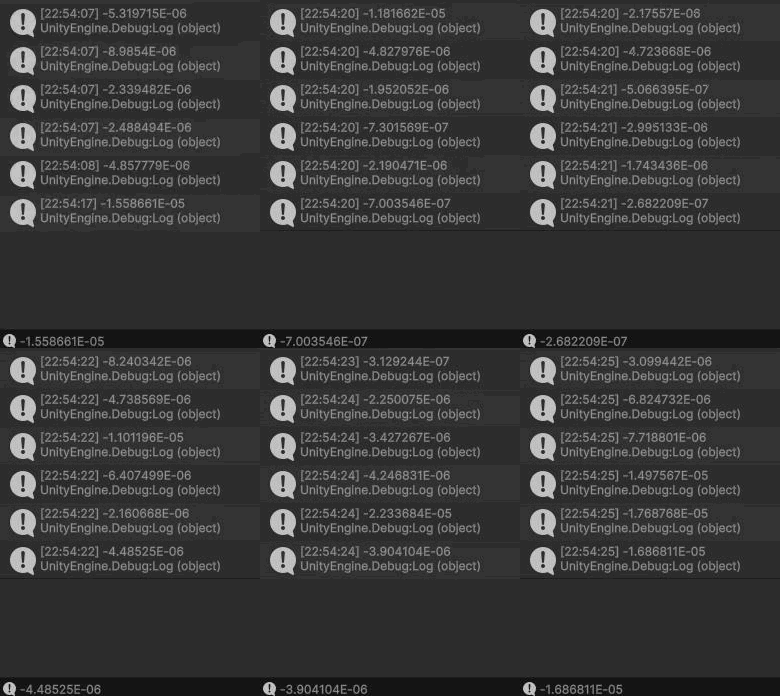
Since these values pop up whilst the player is on the ground, should I just check if it's lower than -0.1 or 0.2?
 leaden ice
You'll want to be not grounded and have negative velocity
 simple egret
These values are very close to 0, but not exactly 0. But yes they should be ignored when grounded
sage narwhal
Got it, I've applied the change and now it works perfectly - thanks 🙂
 paper pond
I have a pipe object with a BoxCollider2D and I have a drill that gets shot through the pipe that also uses a BoxCollider2D but as trigger. I've used a sprite mask to create a hole through the pipe but I need to somehow create a hole through the collider. I was thinking adding a second collider to the pipe and setting the bounds of the colliders to those of the drill but I can't seem to get it to work. Anybody know any other solutions?
 urban light
Hello! Just a quick question how do I make sure my navmesh is apply correctly, as is right now my agent is failing to create.
rigid island
urban light
Hello! Just a quick question how do I make sure my navmesh is apply correctly, a...
did you bake it and its blue?
is agent close enough
rigid island
paper pond
I have a pipe object with a `BoxCollider2D` and I have a drill that gets shot th...
maybe you can split it into two smaller meshes then use polygon collider, or just use the collder itself and assign the correct points
urban light
rigid island
did you bake it and its blue?
Turns out I didnt assign my Nav Date to my script! Thank you tho!
rigid island
urban light
Turns out I didnt assign my Nav Date to my script! Thank you tho!
Your nav didnt a date to prom ?
paper pond
rigid island
maybe you can split it into two smaller meshes then use polygon collider, or jus...
am i able to assign the position of the points in world space?
or do they have to be relative to the center
rigid island
paper pond
am i able to assign the position of the points in world space?
hmm been a while since I used it, you'd have look into it
paper pond
okay ty
rigid island
np
urban light
rigid island
Your nav didnt a date to prom ?
NavData**
 slate imp
Hi there, i'm trying to create a voxel engine, for now i have a thing that can pop cube entities when i press space. My question is, should i put my hands in the mud to change of instead creating cubes, it instead manage all the verticies and merges them when two voxels side a side have the same color and aswell as not loading those who are not seen by the camera ? or is their some already existing things that can help me ?
latent latch
can you write out that question again
slate imp
i asked gpt to rephrase it, not sure if it will be more usterstandable :
Hello, I'm working on developing a voxel engine. Currently, I have a feature that generates cube entities when I press the space bar. I'm wondering if I should manually modify the code to manage all the vertices and merge them when two adjacent voxels have the same color, as well as not loading those that are not visible to the camera? Or are there existing tools or libraries that could assist me in achieving this?
If you're saying you are creating individual GameObjects right now for each voxel, then yes, you need to go back to the drawing board
there are plenty of Unity Minecraft type tutorials floating around you can base your work off.
slate imp
latent latch
can you write out that question again
Well in other words, actually what i have :
- I press space : one cube spawn next to the previous in a grid
My goal :
- Having a voxel engine
- Having it optimized
My thoughs :
- Instead of creating a whole cube each time i spawn a voxel, manage verticies
- Instead of spawning all verticies, spawning only who are visible
- Merging verticies that have the same color to have less entities
Another though :
- is their some things that handle my goal without rewriting everything from scratch ?
slate imp
leaden ice
If you're saying you are creating individual GameObjects right now for each voxe...
i'm not handling GameObjects but entities (ECS/DOTS)
latent latch
individual gameobjects can work if you eventually merge the meshes together at the end, but the biggest problem I've ran into on the editor is that you'll run into performance problems very quickly cause you're editing these objects without batching
rather, very limited batching as stuff like static batching is runtime specific
slate imp
I though about something that could handle verticies merge and things like this automatically, i just give him the camera position and all the verticies or all the voxel position and it will automatically display only the verticies and merging them to prevent having too much entities
Batching will be for handling spawning some chunk of voxels at a time, like one batch for 4 chunks of voxels
latent latch
I'd just look into the typical voxel generation and chunkiing before deciding on anything custom if you're not familiar with it
unity already does a lot of optimizations you may not be aware of so you don't need to think too hard about culling and batching beyond just not having a billion gameobjects on the scene
slate imp
latent latch
I'd just look into the typical voxel generation and chunkiing before deciding on...
I've looked at some but it seems that people don't want editable voxels simulation, like they generate only the top part and don't even handle if a voxel is removed like mining a cube in minecraft
slate imp
latent latch
unity already does a lot of optimizations you may not be aware of so you don't n...
Well i'm willing to get it worked without a gpu so imo i'll need to get some optimisation, but yes the batching isn't my priority rn because i'll be able to "jobify" it quite easily in the future, my question was about render meshes and verticies
latent latch
well the idea with chunks is more chunks = less draw calls
but if you're editing a chunk at runtime every so often, then you are rebuilding that chunk everytime so bigger chunk more rebuilding and redrawing
slate imp
latent latch
well the idea with chunks is more chunks = less draw calls
yes aswell, i'm planning to do it
slate imp
latent latch
but if you're editing a chunk at runtime every so often, then you are rebuilding...
yep i know this
latent latch
bigger chunks also create problems for frustrum culling as when you render a bit of that chunk it will render all of it (backface culling from your shader will help lessen what's visible though), so there's some balancing to be done
slate imp
once again, my question wasn't about this, it was about verticies merging and things like this. Because actually i have a bunch of verticies for each cube and a lot that not even displayed because they are not facing the camera. I'd like to know if their are some built in tools to handle this kind of things
Actually i can spawn about 12k cubes, but at 12k cubes my frame rates drops to 40fps only because of the rendering, without any computing on top, just having the game running
latent latch
if it's not in view of the camera it will be culled by default via frustrum culling
if it's a large plane that's a single mesh and it expands behind you, then that back part wont be culled if you're looking at the front of it
slate imp
latent latch
if it's not in view of the camera it will be culled by default via frustrum cull...
Its a top down view with a kind of far view so i need a bunch of cubes, i'm not creating a minecraft, if you prefer a better comparaison point, i'm building a stonehearth kind of game
latent latch
in that case you probably have a lot of room to work with. I'd chunk your meshes about a screensize worth and playing around with that
slate imp
latent latch
if it's a large plane that's a single mesh and it expands behind you, then that ...
well, we are going somewhere, yes the single mesh for areas where there are large plane surfaces, but how to handle it when behind the scene you have a voxel engine ?
slate imp
latent latch
in that case you probably have a lot of room to work with. I'd chunk your meshes...
yes, my thoughs about the process were :
Simulation engine (have all voxel in memory) -> voxel engine (filter only voxels that could be visible) -> display engine (filter only verticies that are visible)
So what i'm asking was about the display engine, i have a bunch of voxel to display, how to make it work, how to know when voxels meshes are connecting, without going x^2 times into the array of voxels, is their some techs or math that could make things easier
latent latch
between backface culling and frustum culling you only need to worry about how much is visible relative to the camera, and chunked enough that it only needs to compare against a limited amount of meshes. If you do want some more optimizations, make sure you're removing faces of your voxels that are centered to your meshes such that no faces should be exposed.
latent latch
slate imp
So what i'm asking was about the display engine, i have a bunch of voxel to disp...
it's just array math, (or dictionary/lookup table for infinite world)
array of chunks which contain an array of voxels
slate imp
latent latch
between backface culling and frustum culling you only need to worry about how mu...
So how to do "backface culling and frustum culling" are their things that i have to implement myself with some raycast or things like this or is their some library or package that could help me ?
Also, what do you mean by make sure you're removing faces of your voxels that are centered to your meshes such that no faces should be exposed
slate imp
latent latch
it's just array math, (or dictionary/lookup table for infinite world)
well yes but in 3d space, and sometimes there are some very intresting math formula for this, istead of making it "brute force"
latent latch
slate imp
So how to do "backface culling and frustum culling" are their things that i have...
https://docs.unity3d.com/Manual/UnderstandingFrustum.html
https://learnopengl.com/Advanced-OpenGL/Face-culling <- unity shaders provide this

Learn OpenGL . com provides good and clear modern 3.3+ OpenGL tutorials with clear examples. A great resource to learn modern OpenGL aimed at beginners.
slate imp
latent latch
https://docs.unity3d.com/Manual/UnderstandingFrustum.html
https://learnopengl.co...
i'll look at it more deeply, well for now i'll go sleep, its 1:30 am for me xD
thanks
latent latch
"Also, what do you mean by make sure you're removing faces of your voxels that are centered to your meshes such that no faces should be exposed"
It's the concept of "Air" blocks which 'exist' in data but shouldnt be rendered because there are voxels surrounding it
slate imp
latent latch
"Also, what do you mean by make sure you're removing faces of your voxels that a...
oh okay i see, yeah basically though about someting to distinct when changing martial type (air, water, earth) to get only the blocks that are in between and preventing loading too much useless blocks
latent latch
basically if you're rebuilding your chunks you just want to build the verts that can be visible to the user
 shell scarab
Hey guys, I'm getting this error from unity when I'm removing things from a list:
InvalidOperationException: The operation is not possible when moved past all properties (Next returned false)
UnityEditor.SerializedProperty.Verify (UnityEditor.SerializedProperty+VerifyFlags verifyFlags) (at <5e6ebaa7d75c4d5399dc81ecead6b43f>:0)
UnityEditor.SerializedProperty.get_objectReferenceInstanceIDValue () (at <5e6ebaa7d75c4d5399dc81ecead6b43f>:0)
UnityEditor.EditorGUIUtility.ObjectContent (UnityEngine.Object obj, System.Type type, UnityEditor.SerializedProperty property, UnityEditor.EditorGUI+ObjectFieldValidator validator) (at <5e6ebaa7d75c4d5399dc81ecead6b43f>:0)
UnityEditor.UIElements.ObjectField+ObjectFieldDisplay.Update () (at <5e6ebaa7d75c4d5399dc81ecead6b43f>:0)
UnityEditor.UIElements.ObjectField.UpdateDisplay () (at <5e6ebaa7d75c4d5399dc81ecead6b43f>:0)
UnityEngine.UIElements.VisualElement+SimpleScheduledItem.PerformTimerUpdate (UnityEngine.UIElements.TimerState state) (at <383db090fd544f24b368fd389016a28f>:0)
UnityEngine.UIElements.TimerEventScheduler.UpdateScheduledEvents () (at <383db090fd544f24b368fd389016a28f>:0)
UnityEngine.UIElements.UIElementsUtility.UnityEngine.UIElements.IUIElementsUtility.UpdateSchedulers () (at <383db090fd544f24b368fd389016a28f>:0)
UnityEngine.UIElements.UIEventRegistration.UpdateSchedulers () (at <383db090fd544f24b368fd389016a28f>:0)
UnityEditor.RetainedMode.UpdateSchedulers () (at <3104ccaa0bea414cad8743a20c82e823>:0)
I'm assuming that I should just ignore it? I'm pretty sure there's nothing I can do to stop that. It only occurs when the object is being inspected and something is removed from the list. If the last element of the list is removed, it spams this error.
I also get this error when inspecting the object and something is removed that's not the last element in the list:
ObjectDisposedException: SerializedProperty _allPlayerUnits.Array.data[0] has disappeared!
UnityEditor.SerializedProperty.Verify (UnityEditor.SerializedProperty+VerifyFlags verifyFlags) (at <5e6ebaa7d75c4d5399dc81ecead6b43f>:0)
UnityEditor.SerializedProperty.get_objectReferenceInstanceIDValue () (at <5e6ebaa7d75c4d5399dc81ecead6b43f>:0)
UnityEditor.EditorGUIUtility.ObjectContent (UnityEngine.Object obj, System.Type type, UnityEditor.SerializedProperty property, UnityEditor.EditorGUI+ObjectFieldValidator validator) (at <5e6ebaa7d75c4d5399dc81ecead6b43f>:0)
UnityEditor.UIElements.ObjectField+ObjectFieldDisplay.Update () (at <5e6ebaa7d75c4d5399dc81ecead6b43f>:0)
UnityEditor.UIElements.ObjectField.UpdateDisplay () (at <5e6ebaa7d75c4d5399dc81ecead6b43f>:0)
UnityEngine.UIElements.VisualElement+SimpleScheduledItem.PerformTimerUpdate (UnityEngine.UIElements.TimerState state) (at <383db090fd544f24b368fd389016a28f>:0)
UnityEngine.UIElements.TimerEventScheduler.UpdateScheduledEvents () (at <383db090fd544f24b368fd389016a28f>:0)
UnityEngine.UIElements.UIElementsUtility.UnityEngine.UIElements.IUIElementsUtility.UpdateSchedulers () (at <383db090fd544f24b368fd389016a28f>:0)
UnityEngine.UIElements.UIEventRegistration.UpdateSchedulers () (at <383db090fd544f24b368fd389016a28f>:0)
UnityEditor.RetainedMode.UpdateSchedulers () (at <3104ccaa0bea414cad8743a20c82e823>:0)
Again I'm pretty sure I should just ignore these, I don't think I'm doing anything wrong. It only happens when I remove from the list.
heady iris
Have you restarted unity?
shell scarab
yea :(
heady iris
It's alarming to see problems from the actual serialized property code
shell scarab
Oh, it also just occured to me that the inspector is displaying two lists that sometimes share objects, so maybe it's related to that. (for debugging reasons)
heady iris
I've definitely seen errors like this in...pretty tame situations
I have yet to have that coincide with actual permanent problems
i.e. corrupted or missing serialized data
shell scarab
Ok, but it shouldn't be something I'm doing right? Especially if I don't have a custom editor?
heady iris
shell scarab
Ok, but it shouldn't be something I'm doing right? Especially if I don't have a ...
Right.
shell scarab
heady iris
Right.
cool thanks
 vapid lynx
im kinda confused why im getting the error
 rigid island
vapid lynx
im kinda confused why im getting the error
rigid island
vapid lynx
im kinda confused why im getting the error
whats error say?
vapid lynx
 rigid island
vapid lynx
rigid island
vapid lynx
just inside VS not unity ?
rigid island
try regen project files maybe
vapid lynx
alr

 grave thorn
Hey eveyone, Im trying to make an enemy indicator in a FPS 2D game... The indicator should turn on when the enemy is out of the screen and be on the edge of the screen and indicate where the enemy is. I dont know how to, any guidance?
latent latch
googles
lean sail
grave thorn
Hey eveyone, Im trying to make an enemy indicator in a FPS 2D game... The indica...
Which part do you struggle with specifically? This is a few different problems
Know when something isnt on screen
And making an indicator which turns on
grave thorn
hmm so heres the current code.. it doesnt work.. https://youtu.be/pYEAwiKFKeg followed dis.. The indicator never turns on...
using System.Collections;
using System.Collections.Generic;
using UnityEngine;

public class EnemyIndicator : MonoBehaviour
{
    GameObject indicator;
    GameObject player;
    Renderer rd;
    // Start is called before the first frame update
    void Start()
    {
        indicator = transform.GetChild(1).gameObject;
        rd = GetComponent<Renderer>();
        player = GameObject.Find("Player");
    }

    // Update is called once per frame
    void Update()
    {
        if (!rd.isVisible)
        {
            if (!indicator.activeSelf)
            {
                indicator.SetActive(true);
            }
        }

        Vector2 direction = player.transform.position - transform.position;
        RaycastHit2D hit = Physics2D.Raycast(transform.position, direction);

        if (hit.collider != null)
        {
            indicator.transform.position = hit.point;
        }
        else
        {
            if (indicator.activeSelf)
            {
                indicator.SetActive(false);
            }
        }
    }
}

Support me On Patreon : https://www.patreon.com/the_game_guy
It'll mean alot to me 💖
In this video i will show you how to make a simple indicator that will point towards the enemies (or any other gameobject) outside the camera view so we can know where the enemies are coming from.
and there are a lots of ways to go about doing the same thing h...
 golden wave
grave thorn
hmm so heres the current code.. it doesnt work.. https://youtu.be/pYEAwiKFKeg fo...
golden wave
grave thorn
hmm so heres the current code.. it doesnt work.. https://youtu.be/pYEAwiKFKeg fo...
don't just paste your code here and ask us to figure it out, that's your job
at least give us a clue as to where it goes wrong
go look up a debug tutorial or something
then when you have more specifics you can come and ask a specific question here
for now, just use Console.Log to figure out where it goes wrong
grave thorn
golden wave
don't just paste your code here and ask us to figure it out, that's your job
at ...
ok.. mb..
lean sail
grave thorn
hmm so heres the current code.. it doesnt work.. https://youtu.be/pYEAwiKFKeg fo...
first thing is that raycast definitely looks questionable. It is turning off the indicator if it doesnt hit anything in the direction of the player? whats the point of this
Add debugs inside that if (!indicator.activeSelf) and if (indicator.activeSelf) to tell you when its actually being turned on
grave thorn
ok ill do that nd let uk
 merry stream
are the IPointer interfaces used with the old input system only?
if so, how would I translate them into the new input system
chilly surge
They should still work with the new input system.
 thin aurora
#📦┃addressables probably
 heavy flume
thin aurora
<#844715993213173780> probably
heavy flume
thin aurora
<#844715993213173780> probably
didn't see at all, thank you
 modern hamlet
Hi folks. Anyone got an idea why the editor spams me with the Error Input Axis Horizontal not set up, when all I got is prefabPlayer1[i].GetComponent<PlayerScript>().ControlSchemeX = "Horizontal_P1"; and the axis is declared as Horizontal_P1 inside the input manager? (btw ControlSchemeX is just a getter/setter for a readonly String)
Also pretty weird because my input seems to work just fine and without any hiccups as far as I can tell. Nevertheless I'm worried about the spam I get with the above mentioned error.
Already thought of some kind of Awake vs Start issue, but that doesn't seem to be the case. (Version: 2022.3.25f1)
thin aurora
modern hamlet
Hi folks. Anyone got an idea why the editor spams me with the Error `Input Axis ...
This error means that you’re using an axis not set up in the Input manager. Usually this happens when you try to read a non-existent axis, or an axis with a misspelled name, like Input.GetAxis("horizontal") (it should be “Horizontal”) or Input.GetAxis("ScrollWheel") (should be “Mouse ScrollWheel”).
modern hamlet
Yeah, I read about that. Speeling is fine though - even copied the value right over.
thin aurora
Perhaps you have a duplicate saved somewhere which it complains about? Considering it does work for you
I'm not too familiar with the input system but it seems to complain about "Horizontal" rather than "Horizontal_P1"
It's probably better to ask this in #🖱️┃input-system since more people will look in here
modern hamlet
thin aurora
I'm not too familiar with the input system but it seems to complain about "Horiz...
Yeah that's what freaks me out about it 😄 I also searched the whole project for the word "Horizontal"... but couldn't find any reference at all.
modern hamlet
thin aurora
It's probably better to ask this in <#763502300781477948> since more people will...
Oh, damn have overlooked that. Very sorry.
thin aurora
No problem! Just so you likely get a better answer
dense swan
Hello, where do you usually put your camera rotation code in FPS game?
I have 75hz monitor, move character using CharacterController in FixedUpdate, animation in Normal mode. My camera look code is in Update, and I update my camera position in LateUpdate, my cinemachine brain is also LateUpdate (because it's gonna be jittery in Smart mode)
When I move my camera I can sense the jittery/choppy movement. It is fixed by moving my camera rotation in Fixed Update, but I'm afraid if I moved it to FixedUpdate, people with high refresh rate display will only see 60fps movement. But I don't know I can't test, I don't have high refresh rate display. I'm confused, I don't know what to do.
 vestal arch
(FixedUpdate is 50 Hz by default btw)
knotty sun
If you are using CharacterController there is no need to use FixedUpdate at all, FixedUpdate is generally for physics related stuff which Character Controller does not have
placid summit
anyone understand xcode and signing?! My project used to work and now I get "Command CodeSign failed with a nonzero exit code"
lean sail
dense swan
Hello, where do you usually put your camera rotation code in FPS game?
I have 7...
Along with what Steve said, you shouldnt need to even worry about this because cinemachine handles all of it. Unless you have some extra camera logic that cinemachine doesnt solve.
There are many options on it, some which are suitable for rigidbody motion
dense swan
knotty sun
If you are using CharacterController there is no need to use FixedUpdate at all,...
ehh!!! so I can do it in update?! hmmmmm..... maybe I'll try to move my CharacterController code in Update.
Thank you for the tip. I hope that can fix my problem.
UPDATE: YES IT IS!!! much better now.
dense swan
lean sail
Along with what Steve said, you shouldnt need to even worry about this because c...
hmm, I don't know if I have special case but using smart mode, Cinemachine liked to switch between two modes randomly (checked using the virtual camera), I don't remember what mode it is exactly but it made the camera jittery when Cinemachine moved to one certain mode. but maybe I was doing it wrong because some object will still looked jittery after I set it to LateUpdate but it's better since it's not very noticeable.
lean sail
dense swan
hmm, I don't know if I have special case but using smart mode, Cinemachine liked...
I don't exactly recall what settings I used, if you do use rb movement in the future you may just have to play around with it. I pretty much just guessed at the time to see what worked with my character
 signal ridge
How would people normally organize their Enums ? Coming from Web i would have had its own file for schemas basically. But how would i go about it in C# because leaving it inside the class seems bloated.

 thick terrace
signal ridge
How would people normally organize their Enums ? Coming from Web i would have ha...
thick terrace
signal ridge
How would people normally organize their Enums ? Coming from Web i would have ha...
my rule of thumb is as soon as it needs to be public or used from another class it's worth moving to its own file
signal ridge
thick terrace
my rule of thumb is as soon as it needs to be public or used from another class ...
Being unity, i assume if i create a new file, it will be automatically compiled and usable without importing enums seperately to the file right ?
knotty sun
signal ridge
Being unity, i assume if i create a new file, it will be automatically compiled ...
An Enum is a type, much like a class. So putting all Enums into one file should be no problem
vague tundra
signal ridge
How would people normally organize their Enums ? Coming from Web i would have ha...
I'd be interested to hear about other peoples approaches too
What I do currently is have all my enums (that need to be used in more than a single location) in a file, in a namespace named EnumDefinitions. That namespace can be imported into other files to use the Enums.
cosmic rain
vague tundra
I'd be interested to hear about other peoples approaches too
What I do currently...
Grouping the whole project enums in one place kinda goes a bit again the encapsulation principle.
I think it makes sense to define the enums in a class that they're most relatable to, like tool types in a tool class.
Or even outside of the class but in the same file
 lilac lance
when I change the size between the scene and the project window, red lines appear, the buttons break up and it affects when I start the game and the buttons there also change, but I don't change their size, I just want to make the scene window smaller

 gaunt holly
Hi, could someone help me to correctly do the movement and jumping system please?
The problems I currently have are:
- when I move the player is blocked by a certain Tile
- I can't jump (and even less while moving at the same time)
that's it, thank you, please mention me

 thin aurora
gaunt holly
Hi, could someone help me to correctly do the movement and jumping system please...
thin aurora
gaunt holly
Hi, could someone help me to correctly do the movement and jumping system please...
Please configure your !ide before receiving help
tawny elkBOT
💡 IDE Configuration
If your IDE is not autocompleting code
or underlining errors, please configure it.
Select one:
• Visual Studio (Installed via Unity Hub)
• Visual Studio (Installed manually)
• VS Code
• JetBrains Rider
• Other/None
gaunt holly
thin aurora
Please configure your !ide before receiving help
okay it's good, and now ?
signal ridge
vague tundra
I'd be interested to hear about other peoples approaches too
What I do currently...
Definetly get that , but when theres deeper need for the enums for example incoming outgoing data through APIs then reaching that tool class for example will be harder. This comes back to kinda the web side where im coming from , "One True Source for data" or Stores in a sense ( Redux, Pinia etc).
vague tundra
gaunt holly
Hi, could someone help me to correctly do the movement and jumping system please...
If you're modifying a RigidBody's velocity, it's likely you'll want to be using FixedUpdate
lilac lance
lilac lance
when I change the size between the scene and the project window, red lines appea...
Amarodil | Scourgefall — Сегодня, в 13:10
*you didnt properly set your anchors, i would assume *
⬆️ Solved
gaunt holly
vague tundra
If you're modifying a RigidBody's velocity, it's likely you'll want to be using ...
Okay thx, for movements it's right but impossible to jump
vague tundra
What's wrong with the jump?
gaunt holly
and also at twice the speed but not slow I get stuck in the corner of a tile
 gaunt holly
vague tundra
What's wrong with the jump?
gaunt holly
vague tundra
What's wrong with the jump?
when I jump, nothing is happening
slim gate
gaunt holly
and also at twice the speed but not slow I get stuck in the corner of a tile
getting stuck on corners of tiles is an easy fix, there is a composite collider setting somewhere
Makes it so the collider is one big one for the whole tilemap instead of one for each tile
vague tundra
Alright well these all sound like classic development issues.
I'd recommend trying to figure the problem out yourself as best you can, and if all else fails, ask a single, specific, well-explained question here and we can help(:
gaunt holly
slim gate
Makes it so the collider is one big one for the whole tilemap instead of one for...
Okay, that is to say what exactly should I do please?
slim gate
slim gate
getting stuck on corners of tiles is an easy fix, there is a composite collider ...
Enable "Used by Composite" on the Tilemap Collider
And attach a Composite collider to the same GameObject
I think
gaunt holly
vague tundra
Alright well these all sound like classic development issues.
I'd recommend tryi...
Okay no problem thx
slim gate
not sure cause its been a while since I did this
gaunt holly
Okay, so with a Composite Collider, all tile (the ground) fall and always the same problem
 vestal arch
you missed the other step
 gaunt holly
I add it but the ground fall
vestal arch
you clearly did not add it, or you did not add it correctly
where's your composite collider?
gaunt holly
Yes, but I removed it since the floor was falling
vestal arch
ah, that's what you meant by fall
set the rigidbody type to Static
you need the compositecollider.
gaunt holly


 clever leaf
hey, is there any way to snap from one animation clip to the other instantly? I have an animator that has a bool to make a character sit and when I transition between the states it sometimes makes it play a part of previous animation, I would like for it to snap to the sitting animation instantly
leaden ice
clever leaf
hey, is there any way to snap from one animation clip to the other instantly? I ...
Turn off the exit time in the transition.
Not a code question btw. #🏃┃animation
clever leaf
sorry, I was thinking about a code solution and my brain went here, my bad
 runic linden
Can somebody with better knowledge of C# tell me if there are performance differences regarding those two functions?
public (string s, int i) GetTuple() { }

public void GetTuple(ref string s, ref int i) { }
(I use it for my dialogue handler who wants the next line as well as the speakers ID)
vestal arch
probably, but it'd be negligible
knotty sun
runic linden
Can somebody with better knowledge of C# tell me if there are performance differ...
absolutely there is a difference, albeit a very minor one. Both string and int are value types which means in the first case copies are being made which in the second case they are not
vestal arch
premature (micro)optimization territory
runic linden
Alright, thanks. 🙂
slim gate
on that note
With singletons is there a significant difference wether i call Singleton.Instance.x every time or cache Singleton.Instance once and then use that?
knotty sun
no difference, an address is an address
vestal arch
knotty sun
absolutely there is a difference, albeit a very minor one. Both string and int a...
wouldn't there be a copy when assigning to s anyways (in the latter case)
knotty sun
vestal arch
wouldn't there be a copy when assigning to `s` anyways (in the latter case)
not on read, no, on write, yes
vestal arch
in context, there'd be writing anyways for that function
so i guess there's just no difference for that, really?
knotty sun
I cannot tell, on the basis of a method signature, what that method does with it's data
vestal arch
it's comparing ref params to a return type though
assuming they do the same thing, those params would be assigned to?
knotty sun
then only the string would incurr overhead, the int would not
knotty sun
no, strings cannot be updated, all pimitive values types can be
vestal arch
pretty sure primitives are immutable?
knotty sun
nope
vestal arch
and i don't see how that makes sense that that means it doesn't incur overhead
you still need to, yknow, do the assignment?
and it's a value type, so it's getting copied over regardless
aren't value types by definition immutable
vague tundra
Strings are a bit of a special case in most languages, but I believe strings are indeed reference types in C#
 narrow nebula
when setting the text of a TMP_Text with a public string, how to include line breaks to the string in the editor, since \n doesn't work when set in the editor?
vestal arch
on c# docs;
The following table lists the C# built-in value types:
and then it lists all the primitives
vestal arch
vague tundra
Strings are a bit of a special case in most languages, but I believe strings are...
ah yeah they are
knotty sun
no.
the original int declaration defines an address in stack space,
the ref parameter passes that address
inside the method the contents of the address are being updated.
no extra stack space allocation
vestal arch
yeah that applies to the string too?
and that's not what im referring to
im referring to the actual assignment
knotty sun
no, string are different, that is why strings should be avoided if possible
thick terrace
a ref is a pointer though, the ref int parameter is actually larger than an int technically
strings are just pointers too
knotty sun
no they are not
vestal arch
thick terrace
a ref is a pointer though, the ref int parameter is actually larger than an int ...
i mean.. technically only on 64-bit architectures...
thick terrace
vestal arch
i mean.. technically only on 64-bit architectures...
true 😛
vestal arch
knotty sun
no they are not
pretty sure they are
knotty sun
vestal arch
i mean.. technically only on 64-bit architectures...
true, but that is a register ation not a stack space action
vague tundra
narrow nebula
when setting the text of a TMP_Text with a public string, how to include line br...
When you say editor, do you mean Inspector?
vestal arch
yeah, im not talking about that distinction at all
knotty sun
vestal arch
pretty sure they are
I know damn well they are not
vestal arch
ok, what are they then
thick terrace
knotty sun
I know damn well they are not

Learn about reference types that have C# keywords you can use to declare them.
narrow nebula
vague tundra
When you say editor, do you mean Inspector?
yeah the unity inspector
vague tundra
narrow nebula
yeah the unity inspector
Should literally be able to press the enter key, like you would in any regular text field
knotty sun
vestal arch
ok, what are they then
think about it, if a string was just a pointer how do you know how long it is?
narrow nebula
vague tundra
Should literally be able to press the enter key, like you would in any regular t...
doesn't work for me
vestal arch
string s = "asdf"; // 5 bytes on stack?
int i = 0;
s = "123456"; // did i overwrite `i`?
```they're on the heap, no? just like any other reference value?it's stored alongside the string pointer inside the string instance on the heap
vestal arch
knotty sun
think about it, if a string was just a pointer how do you know how long it is?
Null-termination, storing the length somewhere, having the string actually be an uint (length) and a ref (char array), etc..
knotty sun
yes, so not 'just a pointer'
vague tundra
narrow nebula
doesn't work for me
Chuck me a screenshot to see if I'm thinking of the right thing
vestal arch
im more lost about what you're talking about now
 thick terrace
knotty sun
yes, so not 'just a pointer'
thick terrace
knotty sun
yes, so not 'just a pointer'
a System.String is a reference so it is a pointer not a value type
it's a pointer to a class which has 2 members
narrow nebula
in tmp text i can use enter
vague tundra
narrow nebula
Ahh that's interesting. Let me experiment
vestal arch
knotty sun
yes, so not 'just a pointer'
string: 0x2345fbc3
0x2345fbc3:
0003 ; length
0x2345fc00
0x2345fc00
97
98
69
why wouldn't it be a single pointer
knotty sun
thick terrace
a `System.String` is a reference so it is a pointer not a value type
Don't tell me, I know what a string is. And I repeat not 'just a pointer'
vague tundra
narrow nebula
in tmp text i can use enter
Give this attribute a try
public class MyComponent : MonoBehaviour {
    [TextArea(3, 10)]  // Specifies min and max number of visible lines
    public string multilineText;  // A multiline string field
}
String is a reference type.
vestal arch
if it stored its length on the stack, what about other reference types that store other lengths of things on the stack
you sure you don't just mean the size of the structure?
it's just a pointer with metadata. is it illegal to just be lazy and say "pointer"?
thick terrace
knotty sun
Don't tell me, I know what a string is. And I repeat not 'just a pointer'
relating this back to the original question, for performance purposes you can consider a string a pointer since copying/returning it is no different to copying its address - it doesn't copy the string to return it by value
chilly surge
String has implemented value semantics, but strings are very much still heap objects. There is also string interning but that's an implementation detail.
vestal arch
vestal arch
it's just a pointer with metadata. is it illegal to just be lazy and say "pointe...
especially when having/being a pointer is the defining trait of a reference type in any language
.
besides all that, that's again not what im talking about with the overhead at all. im talking about literally just copying the int from one stack memory cell to another stack memory cell
it's still "overhead" to assign, despite how little overhead it may be
given that we're talking about the distinction between reading and writing ref values, and we're talking in technicalities, is assignment not overhead?
vestal arch
thick terrace
relating this back to the original question, for performance purposes you can co...
oh this is such a fresh breath of air from c++'s explicit references
vague tundra
narrow nebula
in tmp text i can use enter
LMK if it worked
narrow nebula
vague tundra
LMK if it worked
it seems to work great, though im not sure about the min/max amount of visible lines
 thick terrace
vestal arch
.
besides all that, that's again not what im talking about with the overhead at...
thick terrace
vestal arch
.
besides all that, that's again not what im talking about with the overhead at...
iirc once you return a large enough object the compiler will do pretty much the same thing as passing in a reference anyway?
chilly surge
The tuple return version has to make two copies when returning, but the ref parameter version has to pass pointers to the method, and all access to those parameters inside the method has to dereference the pointers, so it's not clear cut which one is faster either.
vestal arch
thick terrace
iirc once you return a large enough object the compiler will do pretty much the ...
is that not happens with any reference type?
thick terrace
vestal arch
is that not happens with any reference type?
i mean if you return a tuple with a bunch of return values in one
latent latch
ref looks cleaner so ref wins
thick terrace
yeah, if you're going to put 2+ values in a result tuple, you should define a struct for them imo 😛
chilly surge
latent latch
ref looks cleaner so ref wins
I would say the opposite, especially from caller PoV.
vestal arch
chilly surge
The tuple return version has to make two copies when returning, but the ref para...
cc @runic linden if you care about the deep internals of computers btw ^
all of this is pretty negligible for actual performance concerns though, since they're like 2-digit cpu cycles apart at most
vague tundra
narrow nebula
it seems to work great, though im not sure about the min/max amount of visible l...
According to the docs, the maxLines param is how many lines it will display before using a scroll-bar
latent latch
I dislike how minimal tuple syntax is, also accessing by key values if you don't define the parameters blehhhh
narrow nebula
vague tundra
According to the docs, the maxLines param is how many lines it will display befo...
Neat, tysm for the help
vestal arch
thick terrace
i mean if you return a tuple with a bunch of return values in one
im confused on what you mean by this
tuples are value types, but if you use large enough tuples they turn into reference types?
placid summit
tuples are evil, what was wrogn with structs 🙂 But I like (a,b)=(b,a)
chilly surge
latent latch
I dislike how minimal tuple syntax is, also accessing by key values if you don't...
Think about it from caller PoV though, the ref version would look like:
int i = default;
string s = default;
GetTuple(ref i, ref s);
If you use out instead of ref it looks a bit better with inline declaration:
GetTuple(out var i, out var s);
But it's still miles uglier than tuple:
var (i, s) = GetTuple();
no, just saying that iirc the difference won't always be as big as you'd expect because the compiler can optimize it sometimes
latent latch
chilly surge
Think about it from caller PoV though, the ref version would look like:
```cs
in...
where be thy types though, also you'd have to access by Item1, Item2 in this case, no?
chilly surge
Nope, you literally just use i and s.
var (i, s) = GetTuple();
Can be roughly think of as:
var _temp = GetTuple();
var i = _temp.Item1;
var s = _temp.Item2;
ah, ok then that's probably fine then
placid summit
but a tuple is like an untyped struct right? going back to untyped objects seems a back step though for quick use OK
chilly surge
placid summit
but a tuple is like an untyped struct right? going back to untyped objects seems...
No, it's strongly typed. i will be int and s will be string.
thick terrace
the original example named i and s too, so you could do GetTuple().s directly
if you ever need to write Item1, reconsider your choices lol
placid summit
chilly surge
No, it's strongly typed. `i` will be `int` and `s` will be `string`.
strongly typed variables in an unamed wrapper I guess - OK
chilly surge
You can also name it.
heady iris
C# is statically typed, unless you're using the evil dynamic keyword
heady iris
thick terrace
if you ever need to write `Item1`, reconsider your choices lol
i mostly do this when it's a key-value pair
..but i guess i should be using KeyValuePair in that case
thick terrace
heady iris
i mostly do this when it's a key-value pair
you can destructure those!
thick terrace
then you gotta name them or i'm calling the cops
chilly surge
A method signature of:
(int Foo, string Bar) GetTuple()
Will allow you to access the tuple members with their names:
var result = GetTuple()
Debug.Log(result.Foo);
Debug.Log(result.Bar);
But realistically you will just deconstruct them:
var (foo, bar) = GetTuple();
ooh, i didn't realize you could do that
nice!
chilly surge
And as a side note, instead of writing:
Debug.Log("someVariable=" + someVariable);
Debug.Log("someOtherVariable=" + someOtherVariable);
You can just use tuple:
Debug.Log((someVariable, someOtherVariable));
And it will log both variables with their names, making debugging stuffs way easier.
thick terrace
yeah, you can even name them in local declarations like var x = new List<(int i, string s)>()
chilly surge
Tuple allows for a lot of neat stuffs, it's not a must use feature but it makes a lot of things easier and worth learning about.
heady iris
chilly surge
And as a side note, instead of writing:
```cs
Debug.Log("someVariable=" + someVa...
the funny thing is that i've almost done this by accident
trying to do it like in python
print(foo, bar, baz)
very neat; will keep that in mind
runic linden
Why does this
Debug.Log("Not successfull comparing " + speaker + " to " + _speakers[0].GetName() + ", " + speaker.Length + ", " + _speakers[0].GetName().Length);
debug this:
Not successful comparing Speakers: Froggo to Froggo, 16, 6
I am trying to compare the speakers name from my ink story (speaker) to my characters name in the scene (_speakers[0].GetName()) . The strings look the same in the console, but Unity tells me they have different lengths? 😵💫
chilly surge
Maybe invisible characters?
runic linden
Well apparently 😄
chilly surge
Can always do a trim before comparison but eh, still sounds kind of brittle relying on magic values.
 mellow sigil
Not successful comparing Speakers: Froggo
"Not successfull comparing " + speaker
so the value of speaker is "Speakers: Froggo" (16 characters)
runic linden
LOL
I am so dumb
Thanks
Just printed out the first string in my console char by char and came to the same conclusion, which I should have done before asking here. Thanks for helping though.
mellow sigil
I usually debug like this when checking why strings aren't the same:
Debug.Log($"Not successfull comparing '{speaker}' to '{_speakers[0].GetName()}', {speaker.Length}, {_speakers[0].GetName().Length}");
tip: separate the logs instead of having them be a single message, so they come out vertically aligned and it's easier to spot differences that way
mellow sigil
The quotes then tell if there's extra whitespace etc
static matrix
is there a ui element for hover?
leaden ice
static matrix
is there a ui element for hover?
Can you be more specific? You want to detect a hover or...what?
detecting hover is done with a custom script with IPointerEnterHandler/IPointerExitHandler OR with an EventTrigger component.
static matrix
ah, ok
urban light
My trees are starting to look like this. Do you guys know what the issue might be?
 heady iris
how are these trees being rendered?
are they part of a Terrain?
if so, do they have LOD models?
 heady iris
LOD stands for Level Of Detail
You create multiple models with different quality levels
nearby trees use the highest quality model; distant trees use a super chunky one
In this case, though, I think this is a problem with your textures orw ith the tree shader
notice how that huge box perfectly encapsulates the actual branches

well, almost perfectly
It looks like the shader is rendering areas that should be transparent.
urban light
Hmm how would I fix that?
heady iris
show me the material you're using on the tree
urban light
 heady iris
that's the bark, not the leaves
i forget which shaders you're supposed to use on terrain trees in the URP
urban light
 urban light
heady iris
i forget which shaders you're supposed to use on terrain trees in the URP
urban light
heady iris
i forget which shaders you're supposed to use on terrain trees in the URP
Oh i found it, its soft leaves
it worked tyty
heady iris
heady iris
notice how that huge box perfectly encapsulates the actual branches
You often see these "streaky" patterns when you render something that's supposed to be transparent
programs like Blender and Substance Painter will fill transparent areas with the nearest non-transparent pixel
this prevents weird color problems if you downscale the image
or if you sample slightly of bounds
 leaden ice
knotty sun
leaden ice
knotty sun
!learn
tawny elkBOT
:teacher: Unity Learn ↗
Over 750 hours of free live and on-demand learning content for all levels of experience!
leaden ice
Hard work and determination
knotty sun
And I mean !learn
tawny elkBOT
:teacher: Unity Learn ↗
Over 750 hours of free live and on-demand learning content for all levels of experience!
vestal arch
so what do you want to do?
leaden ice
To get good at Unity, you will need to spend a lot more than 750 hours
vestal arch
have someone make one for you?
knotty sun
then don't your choice, there is no such thing as a free lunch
vestal arch
vestal arch
have someone make one for you?
that doesn't sound like making a game
try searching 2d tutorial
leaden ice
top down is just a camera angle my friend
or really
for 2d, it's just a mindset
and an art style
vestal arch
your choice
the unity learn is the only one this server can officially recommend, given that this is an official server
but the important thing is, you have to learn (as long as it's a quality source)
doesn't matter too much from where
if youtube fits better to your learning style, go ahead
knotty sun
if you think you can learn everything you need to learn from a single yt tutorial you are very much mistaken, but, you do you
 craggy oyster
theyre saying you might be able to find a tutorial on copying things step by step but you wont know how to do anything which isnt really "making a game"
vestal arch
depends on the tutorial and the learner tbh
if you have the foresight to care about understanding rather than just copying, you'll figure out which tutorials are the good ones yourself and you'll be able to utilize their full content
craggy oyster
i have been making games on unity for 4 years now and I would say I actually started learning just this past year because prior to that i would just watch youtube videos
vestal arch
generally i would recommend text-based guides more but even the official source has a ton of videos so it's kinda hard to stick to that
easier to come back to reference, whether it's 5 minutes or 5 months after you read it
it's not a crime to ask for help lmao
craggy oyster
also if youre just starting out totally watch youtube videos and tutorials
but actually try to understand and try playing around with what youre learning
 spring creek
vestal arch
the unity learn is the only one this server can officially recommend, given that...
spring creek
vestal arch
the unity learn is the only one this server can officially recommend, given that...
Not true. The mods and residents frequently recommend other things. It's just that learn is better that pretty much everything on youtube.
Especially brackeys or code monkey which will teach bad habits
craggy oyster
i find unity learn to be way too boring to watch
idk if anyone else feels the same
chilly surge
Life isn't always fun.
craggy oyster
i think it was because i was watching the lower level tutorials though
craggy oyster
chilly surge
Life isn't always fun.
i didnt mean boring as in "Im learning but this is not entertaining"
but more of Im not learning anything new and and im not entertained
spring creek
craggy oyster
but more of Im not learning anything new and and im not entertained
Then move forward?
craggy oyster
spring creek
Then move forward?
this was almost a year ago
spring creek
If you aren't learning anything new, don't do that part of the pathway
craggy oyster
i tried checking it out and i stopped because i got bored
i didnt know they had higher level tutorials
until recently
knotty sun
If you want to be entertained, watch Netflix
craggy oyster
this guy man.
Yea just go ahead and disregard the explanation and try to sound smart
vestal arch
spring creek
Not true. The mods and residents frequently recommend other things. It's just th...
those are personal recommendations, i mean the command is part of the server
also i feel like learn can vary a bit. it's mostly quite good but there are some tutorials on there that aren't maintained and quite lackluster but seem to be the only thing for that topic for that level
knotty sun
I think you are confusing entertaining with engaging, that is all
vestal arch
he didn't mention either
rigid island
vestal arch
those are personal recommendations, i mean the command is part of the server
al...
some of them just have a slow burn
craggy oyster
ive felt extremely entertained with many tutorials before idk what you mean
vestal arch
rigid island
some of them just have a slow burn
it wasn't in a pathway, it was just a beginner level tutorial with 1-line descriptions and not-great audio
rigid island
huh never seen that on learn
vestal arch
the majority are quite good, i just... don't know how i feel about the minority that aren't
craggy oyster
all i was trying to say was i tried unity learn a long time ago and i wasnt really learning anything because i was at a higher level than i thought i was
spring creek
vestal arch
those are personal recommendations, i mean the command is part of the server
al...
I'm just saying it is not because they "can't recommend anything else"
It is because it is the best recommendation.
The other biggest unity server, which is not official, also has that one as a command
I have yet to see a better way to learn unity
craggy oyster
spring creek
I have yet to see a better way to learn unity
brackeys still exists 😅
or has brackeys been black listed on this server
lmao
spring creek
craggy oyster
brackeys still exists 😅
I explicitly mentioned that brackeys is bad. Teaches bad habits
#archived-code-general message
People learning from brackeys end up needing a lot of help here
vestal arch
rigid island
huh never seen that on learn
ill see if i can dig it up
rigid island
spring creek
I explicitly mentioned that brackeys is bad. Teaches bad habits
https://discord....
brackys is bad, codemonkey is worse
craggy oyster
spring creek
I explicitly mentioned that brackeys is bad. Teaches bad habits
https://discord....
im not sure what youre referring to to be honest
rigid island
code monkey is worse becuse they imply what they do is "clean code"
meanwhile all their shit depends on watching other videos of his to do 1 thing
so all the code is scattered all over the place
craggy oyster
but they have a lot of good tutorials on just "setting things up" but its definitely true that youre not really learning much
chilly surge
I've only watched a few of Brackey's videos when I just started Unity years ago, their videos are almost the definition of "teacher reading texts off of PowerPoint without explaining anything" on top of all the bad practices they teach.
spring creek
rigid island
code monkey is worse becuse they imply what they do is "clean code"
I personally believe no one is worse than brackeys, but that is a good point
craggy oyster
ok thats a little too far from you guys
vestal arch
i feel sometimes one of the best resources in game dev is whatever genre freya holmer makes
craggy oyster
theyre not that bad code monkey has great overviews on c# in general for beginners
rigid island
chilly surge
I've only watched a few of Brackey's videos when I just started Unity years ago,...
ifeel like they took very decent learning tutorials on youtube and simply give it a good "production value" which skyrocketted his fame
craggy oyster
I leveled up my coding skills from a codemonkey c# tutorial once but I have never watched any of his other videos
spring creek
He is very personable. Great presenter.
But no, experienced programmers all hated him ime.
His advanced stuff is good. Just the beginner stuff is terrible
 lunar python
chilly surge
I've only watched a few of Brackey's videos when I just started Unity years ago,...
lunar python
chilly surge
I've only watched a few of Brackey's videos when I just started Unity years ago,...
well it is presented pretty good except for the fact that all his tutorials are beginner level
chilly surge
rigid island
ifeel like they took very decent learning tutorials on youtube and simply give i...
That was years ago so I can't recall the details, but the few I checked out are basically "here, just do this, do that, (no explanation why to do those things), voila look it works!"
rigid island
chilly surge
That was years ago so I can't recall the details, but the few I checked out are ...
prettymuch, or the code is not very scalable
but i cant fault them for that cause i know personally how making videos can be a weird grind
you have to show useful information in a limited time (peoples attention spans are small)
mine expect you to already know the basics and I'm just showing neat features that I personally find useful
spring creek
rigid island
you have to show useful information in a limited time (peoples attention spans a...
And that is the reason I always recommend against youtube right there
chilly surge
Sure, which is why I don't think YouTube as a platform is a good medium for learning, because videos posted by the content creators who make a living out of them, are optimized to make money, not optimized to teach.
lunar python
you could read some articles made by random guy and it's very good
craggy oyster
speaking of this topic does anyone have any reccomendations on learning shaders
spring creek
craggy oyster
speaking of this topic does anyone have any reccomendations on learning shaders
Catlikecoding
Learn has some stuff too
chilly surge
The actual good learning videos? 40 mins long of someone with 5k subscribers who post a video every 2 years, no background music fancy transitions, no camera, just talking and straight to the point and in depth.
Learning really just can't be that fun.
craggy oyster
spring creek
Catlikecoding
Learn has some stuff too
ive seen him before i think on an acerola video
definitely will check it out in my free time
rigid island
craggy oyster
speaking of this topic does anyone have any reccomendations on learning shaders
there are a few youtubers that make good videos strictly shaders though
like
https://www.youtube.com/channel/UClgoE54W_4rX7jzZGiCmrXw

YouTube
I’m Daniel, and I make games.
On this channel, I make game development and shader tutorials, focusing on Unity, especially Shader Graph and the Universal Render Pipeline.
Whether you’re looking for general effects like Holograms, Dissolving Objects and Outlines, or effects from games such as Pokémon, Minecraft or Portal, there’s lots of varie...
vestal arch
chilly surge
The actual good learning videos? 40 mins long of someone with 5k subscribers who...
no mic, just talking
lmao nice ninja edit
chilly surge
Typo 😓
vestal arch
i'd like to imagine a video with a vsauce voice echoing directly into your head
lunar python
craggy oyster
speaking of this topic does anyone have any reccomendations on learning shaders
freya holmer has a pretty good introduction to shader except it's 4 hour long
craggy oyster
rigid island
there are a few youtubers that make good videos strictly shaders though
like
ht...
will check him out too forsure
craggy oyster
lunar python
freya holmer has a pretty good introduction to shader except it's 4 hour long
i tried watching that video like a year ago and i couldnt understand a thing
maybe now i will be able to
rigid island
shes good but tooo mathy for my taste
thats a good thing though, shes goes into the actual math of the whole thing but I don't got patience for it lol
vestal arch
vestal arch
ill see if i can dig it up
i might be conflating 2 separate tutorials. i found one with no text descriptions and... video with something to be desired, but not as bad as i remember
 wispy juniper
I'm trying to implement custom Bloom effect in Custom Render Feature, totally bypassing URP's post-processing stack. I've started from the end of pipeline - from tonemapping.
So I've created simple render pass that grabs _CameraColorAttachmentA and tonemaps it into camera color target through custom shader. But I've encountered couple problems.
- Hardcoding _CameraColorAttachmentA does not seem reliable, but I can't find a workaround
- I see results of my render pass in frame debugger, but UPR's FinalBlit pass always overrites it in the end. I needed to push RenderPassEvent to AfterRendering+500, but I'd like to get rid of FinalBlit totally as my tonemapping fulfills all it functions anyway
craggy oyster
my math level is intermediate algebra
rigid island
lunar python
welcome to shaders, you need math bro
ofc! thats why i use premade ones xD
craggy oyster
computer science in uni will probably fix that though
craggy oyster
lunar python
cs in uni is kinda basic
i will expand on my math level in my free time forsure
vestal arch
relatable
 tawny gale
I'm working on creating a highly modular game that allows players to easily create mods with new levels. However, I've encountered an issue with asset bundles and Addressables – they don't seem to support the inclusion of code content, and as a result, the code isn't compiled when building the bundles. I'm looking for alternative approaches to address this challenge. Does anyone know of a method besides compiling the code separately, or have any other ideas to overcome this problem?
 pulsar holly
My game object only moves 0.5f to the right when the euler anlge = 90 and not when it = -90. Here's the code: https://pastecode.io/s/r3eba4ng
rigid island
dont think eulerAngles eveer goes to - numbers does it ? @pulsar holly
ok yeah confirmed it, had to be sure lol
you cannot cause I remember having to do something like i found on internet
float angle = transform.localEulerAngles.x; angle = (angle > 180) ? angle - 360 : angle;
so basically it goes 0 to 360
craggy oyster
lunar python
cs in uni is kinda basic
i just thought about this for a second and realized im finished if thats basic
rigid island
really? thats the reason why I didn't go for it
mainly scared of advanced calculus and shit, i rather spend time in a desert
craggy oyster
rigid island
mainly scared of advanced calculus and shit, i rather spend time in a desert
exactly what im afraid of rn
but i want to learn calculus either way
vestal arch
craggy oyster
i just thought about this for a second and realized im finished if thats basic
im not even in uni yet and i get the feeling of "oh no" from this
rigid island
craggy oyster
but i want to learn calculus either way
see wanting is half the battle 🙂
craggy oyster
i think hes trolling though comp sci is legit calculus
fervent furnace
begin with machine learning stuff, full of vector matrix calculus
rigid island
craggy oyster
i think hes trolling though comp sci is legit calculus
yeah
craggy oyster
and like web development and backend development
rigid island
they just said they never been in uni
rigid island
craggy oyster
and like web development and backend development
none of those require calculus though lol
craggy oyster
rigid island
see wanting is half the battle 🙂
i will obviously be disciplined in learning
not just want without the effort
lunar python
i already finished calculus in highschool
vestal arch
fervent furnace
begin with machine learning stuff, full of vector matrix calculus
oh if it's machine learning im dead. ive had 2 years of it and it's my least favorite cs subject lmao
craggy oyster
rigid island
none of those require calculus though lol
i just said what i think most comp sci courses are
rigid island
its more like...backend developmenet, for like a nasa computer or something..
if you see what they did for the apollo computers, your brain melts
they literally used strings as wires, shit was incredible .
craggy oyster
i aim to reach that level someday
craggy oyster
rigid island
they literally used strings as wires, shit was incredible .
ok not that far
keep me on monobehaviors 😭
vestal arch
wait till you see the dibehaviours
lunar python
cs in uni depends on what uni you go to
leaden ice
Sounds like a bug possibly, I'd report it as such.
 remote fractal
my game has alot of spells, each of them are diverse. making a template for them is just not possible.
do i have to write code/make different scripts for each one of them or is there another way?
leaden ice
Spell/Effect/Ability systems can be quite complicated, it really depends on the scope and complexity of your game/combat system
You will almost definitely have to write some custom code for special effects
But you can generally reuse code for generic effects like "damage a unit"
 hollow hound
How can I disable default collision detection/calculation done by Physics2D? I have custom logic for handling that and default collision affects performance
leaden ice
hollow hound
How can I disable default collision detection/calculation done by Physics2D? I h...
Can you be specific about what you mean by "default collision detection/calculation"? There are a lot of pieces to that
If you don't want to use the built in physics at all, you should remove all physics components from your objects
remote fractal
hollow hound
How can I disable default collision detection/calculation done by Physics2D? I h...
Physiscs.IgnoreLayerCollision()
or remove all colliders if ur custom logic doesnt use collisions
leaden ice
(or just setting the interaction in the matrix in settings)
remote fractal
yea taht too
hollow hound
leaden ice
Can you be specific about what you mean by "default collision detection/calculat...
I can see in profiler a lot of contacts happening and collision detection significally affects performance. Custom logic currently done by rigidBody.Cast, so preferably want to be able to use this while not using these Physics2D.FindNewContacts or Physics2D.ContactsCollide in addition


Seems like it detects collisions and calculates physics in addition to custom logic, basically doing the same thing again.
 glossy mortar
why is my gameobject not pointing towards the mouse?
mousePosition = Camera.main.ScreenToViewportPoint(mousePosition);

Vector2 direction = new Vector2(mousePosition.x - transform.position.x, mousePosition.y - transform.position.y);

transform.up = direction;```Why did you do ScreenToViewportPoint
transform.position is in world space
you need to convert the mouse position to world space
ScreenToWorldPoint is what you want
hollow hound
leaden ice
(or just setting the interaction in the matrix in settings)
That way casting rigidbody won't work, right?
Ideally, I need to still be able to use rigidbody.Cast, but force unity to ignore these default calculation (the ones hapening in Physics2D.Step)
glossy mortar
leaden ice
`ScreenToWorldPoint` is what you want
and what do I do?
leaden ice
hollow hound
That way casting rigidbody won't work, right?
Ideally, I need to still be able ...
It should work fine
you can use whatever ContactFilter2D you want for a cast
 opaque forge
Guys I'm instantiating houses along edges of a polygon but obviously they will hit each other on the corners, I tryied using Physics.Checkbox to check if there is smth already without success. Here is how I use it:
//move instantiation area to the left```
all the houses have a mesh collider attached to them, but it seems that this doesn't work. Can someone tell me if I'm doing something wrong or if there's a better alternative? rigid island
opaque forge
Guys I'm instantiating houses along edges of a polygon but obviously they will h...
rigid island
opaque forge
Guys I'm instantiating houses along edges of a polygon but obviously they will h...
try debugging your CheckBox
are you using Unity 2022 ?
opaque forge
yess 2022.3
rigid island
they have a neat feature to debug Casts/physics checks
opaque forge
rigid island
try debugging your CheckBox
I have been trying for 4 hours now lol
rigid island
i wonder if it works for Checkbox
opaque forge
rigid island
they have a neat feature to debug Casts/physics checks
nice do you have a link>
rigid island
opaque forge
nice do you have a link>
have a short vid on it too if needed
https://youtu.be/zzFv6kp-XHA I just havent tried Checkbox. i usually use overlaps/casts
opaque forge
thx a lot I will look into it~!
rigid island
oh yeah it does say in manual too
The options are:
- Overlap queries
- Check queries
- Cast queries
so yeah check should work , you will be able to see it in playmode
start by the basics, see visually if its correct rotation/positions etc.
opaque forge
its weird because here you can see it clearly overlaps, but nothing in my checkbox
 leaden ice
opaque forge
its weird because here you can see it clearly overlaps, but nothing in my checkb...
leaden ice
opaque forge
its weird because here you can see it clearly overlaps, but nothing in my checkb...
Are you doing this check in the same frame that you created the collider?
Also when you say... "polygon" what do you mean exactly?
PolygonCollider2D is a 2D collider if that's what you mean
opaque forge
leaden ice
Also when you say... "polygon" what do you mean exactly?
like a polygon shape, I create a random area that has clean edges like this
        new Vector3(0,0,0),
        new Vector3(0,0,50),
        new Vector3(50,0,50),
        new Vector3(50,0,0)
    };```
and then make a mesh out of itwdym same frame?
opaque forge
I run it in start
spring creek
opaque forge
I run it in start
Start is a single frame
leaden ice
opaque forge
I run it in start
Right so this whole process of spawning things and checking things is all within a single frame?
that would explain things
opaque forge
ahhh yes it is
leaden ice
You will need to run Physics.SyncTransforms() before every physics query you make
otherwise the physics engine will not know about your colliders or where they are
because that normally happens during the physics simulation step
or rather, between every collider spawn/move/rotate and doing a physics query
opaque forge
wow ok
opaque forge
leaden ice
or rather, between every collider spawn/move/rotate and doing a physics query
thanks it works now hahah that was the issue indeed
 west socket
Hello
I have a problem with the FBX exporter.
I try to export a skinned mesh, with a skin hierarchy, and the materials are exported without the textures.
I tryed to add the texture to the export, but same thing, it's ignored.
If i only export the texture, unity respond that nothing was exported
UnityEngine.Object[] objects = new UnityEngine.Object[] { exportObj, m_currentModel.texture };
ModelExporter.ExportObjects(m_exportPath, objects);
All the exported objects are created on the editor, and destroyed afterwards.
Is there a way to export a texture on an FBX file ? The doc say so, but i can't do it.
magic harness
Alright guys, i'm currently working in an RPG and as such, my mouse will have to be able to do a bunch of different things like:
- Move
- Target an Enemy (also do we want to auto attack like ragnarok)
- Cast a skill if there is one selected
- Pick up loot
- Interact with an NPC
So.. i'm basically using the event system interfaces like IPointerHandler, IPointerDown to detect clicks in different objects, but the problem is, regarding movement, i need to detect the point where it has been clicked, so i do a raycast, but now i cant really select enemies anymore. Can someone give me some lights on how to get this done?
leaden ice
magic harness
Alright guys, i'm currently working in an RPG and as such, my mouse will have to...
OnPointerDown etc. give you a PointerEventData struct parameter which contains all the information about where you clicked
foreach (var location in myList) {
  Instantiate(thePrefab, location, Quaternion.identity);
}``` Just something like this, no?Or you mean you want the spawned object to walk along the list or something
 civic isle
could you explain
knotty sun
And, please, write in full sentences
civic isle
lol
i would like the positions i have in the inspector on my object to carry over to the prefabs i instantiate
leaden ice
civic isle
i would like the positions i have in the inspector on my object to carry over to...
Then you'd do something like this:
public MyCharacter prefab; // set in inspector
public List<Vector3> locations; // set in inspector

void SpawnCharacter() {
  MyCharacter instance = Instantiate(prefab);
  instance.locations.AddRange(locations);
}```or instance.locations = new(locations);
or just instance.locations = locations; if you promise never to change the list 😛
craggy oyster
leaden ice
or just `instance.locations = locations;` if you promise never to change the lis...
common reference type W
civic isle
that was very fast
leaden ice
The basic idea is just... pass the list to the instance
civic isle
thank you
leaden ice
civic isle
that was very fast
you're not asking for anything complicated
the basic idea is just pass the information to the newly instantiated object
civic isle
i have the instantiating and the list on separate scripts is that an issue
leaden ice
civic isle
i have the instantiating and the list on separate scripts is that an issue
Nothing like this is an issue when you understand the basics of references and passing data between your scripts
civic isle
i should understand that
 ashen jasper
question is there a way for a player to follow a spline at a certain point
Its only for a loop
craggy oyster
civic isle
i should understand that
show your code if u dont figure it out
spring creek
ashen jasper
question is there a way for a player to follow a spline at a certain point
Yes
ashen jasper
spring creek
Yes
ok. how
spring creek
ashen jasper
ok. how
Not verified, but this looks fine
https://m.youtube.com/watch?v=4Y_7l95Q4uQ
civic isle
yeah i dont get it
lean sail
 tender plume
 craggy oyster
and wheres the lists you want to be the same
craggy oyster
and you want these objects ur spawning to have that list?
civic isle
yes
craggy oyster
do they have a script attached to them?
civic isle
they have the zigzag script attatched
craggy oyster
ok and wheres the original list that you want to have these objects copy from
civic isle
the zigzag script
unless if im not understanding
public List<Transform> targets = new List<Transform>();
this is in the script and is what i want to use
when they are instantiated, they spawn with the list, but the list is blank
craggy oyster
leaden ice
or just `instance.locations = locations;` if you promise never to change the lis...
when you spawn each object do obj.getcomponent<Zigzag>().targets = zigzag.targets as praetor told you here
assuming you want all these gameobjects list to change when you change the list ever
a list is a reference type so if you change one they will all change just keep that in mind
rigid island
civic isle
when they are instantiated, they spawn with the list, but the list is blank
so put elements inside the list
where do you do that, you're not doing that in the code anywhere
they literally give you script exactly and you copied different lol
civic isle
erm
they are instantiated
cant put the positions on the prefab itself
i tried making the positions themselves into prefabs and then i can put them in, but that dosent work
craggy oyster
civic isle
cant put the positions on the prefab itself
but you can change the instantiated objects script you already have a reference to it when you do GameObjec obj = ....
just do obj.getcomponent<Zigzag> and set the the list to anything you want
spring creek
Yes
civic isle
its over
spring creek
Captilization is important
civic isle
okay yah it works bnow
rigid island
Aslo you dont need to do GetComponent if you write it like Praetor wrote it
 dusk apex
The ide should have provided you the correct method to call.
rigid island
You can spawn it directly as Zizag object
Zizag obj = Instantiate
obj.targets = etcc.```
ah yes `prefab` should be Zizag, You might need to drag object inside again inspector or might say mismatch.Reference it as the correct type, drag the game object with said component type to the serialized field in the inspector and instantiate an instance (referenced as the actual type) without needing to call get component - profit.
craggy oyster
getting him to use getcomponent so he doesnt get overwhelmed
rigid island
TryGetComponent is better than GetComponent
is somehow its case its not found you dont get NullRef
craggy oyster
true but i dont think he understands an out
civic isle
confirm i dont know the meaning of alot of the words mentioned
very nice to try to help me
rigid island
yes the words sound scary but you're not doing anything crazy
dusk apex
//field definition
public Zigzag prefab;``````cs
//use case
Zigzag zz = Instantiate(prefab, ...);
zz.targets = ...
...```in simple terms , you can Spawn something directly as that Component instead of a generic GameObject
every Component has access to their holding gameobject anyway
gray mural
Because of the T Instantiate<T>(T original) where T : Object returning the T passed in the 1st parameter, making it able to spawn an Object, or any class derived from it
rigid island
yeah was gonna say that function is Object
not to be confused with the C# Object
they are different (hence why you cannot use ?? or ? on unity objects)
gray mural
Yes, there is a need to specify the namespace if both System and UnityEngine are used
civic isle
the console says that the object i want to instantiate is null
craggy oyster
check if u assigned it correctly in inspector
civic isle
for public zigzag prefab
gray mural
And that's the first thing you do when getting a NullReferenceException
civic isle
are u saying i should reference the script
gray mural
civic isle
for public zigzag prefab
Of course, that's the object which is null.
gray mural
civic isle
are u saying i should reference the script
No, they aren't
They told you to check whether the object is assigned, obviously not, in the Inspector
craggy oyster
show your code again
civic isle
so what is supposed to happen when the zigzag script is referenced and then i instantiate it
craggy oyster
i think youre up to some naughty stuff
civic isle
lol perhaps
rigid island
civic isle
so what is supposed to happen when the zigzag script is referenced and then i in...
it spawns the object as zigzag
civic isle
sorry about everything being named zigzag
 naive swallow
civic isle
so what is supposed to happen when the zigzag script is referenced and then i in...
naive swallow
civic isle
so what is supposed to happen when the zigzag script is referenced and then i in...
It spawns the object you've told it to and returns a reference to its Zigzag component
craggy oyster
i see
naive swallow
Okay, and after changing the type of prefab, did you drag the reference back in?
civic isle
the zizgag script is infact placed in the editor
naive swallow
civic isle
the zizgag script is infact placed in the editor
Can you show the inspector of SpawnZigzag?
civic isle
i was using a crab arm whilst prodotyping
naive swallow
civic isle
the console says that the object i want to instantiate is null
Are you still getting this exception
civic isle
imagine if i was competent like how fire would that be
so now the error is that Object reference not set to an instance of an object
and when i click on that
naive swallow
civic isle
so now the error is that Object reference not set to an instance of an object
what line
civic isle
it send me to StartCoroutine(InstantiateObjects());
fervent furnace
zz.targets = zigzag.targets;
```this line?That line cannot give that error. Clear your console and run it again and check the updated line number
civic isle
i ran it and it still does that
naive swallow
civic isle
i ran it and it still does that
Show the error
leaden ice
this code assumes you also have a ZigZag attached to the same object as SpawnZigazag
do you?
leaden ice
then that's why it's not working
craggy oyster
you wouldnt even be able to assign it then
civic isle
my bad
leaden ice
So it's unclear what you're trying to do with that
dusk apex
Or just reference it through the inspector
rigid island
yes why are you copying list from a zizag on spawner ?
craggy oyster
i think if we asked him what he was trying to achieve this wouldve been over 1 hr ago
rigid island
also be aware when you do = you're assinging the same list to all of the ones spawned
since lists are reference types, you're passing the same list around
if you were to modify an entry, they all get the change (idk if u would want that or not)
civic isle
i think i would like all the instantiaed prefabs have the same list
civic isle
craggy oyster
i think if we asked him what he was trying to achieve this wouldve been over 1 h...
yes mb shoulda detailed
rigid island
the List should just be on a scriptable object but yeah that gets complex..here
cause that would allow you to spawn zizag already with that list in prefab
civic isle
i have moved the list to the same object now
they are together
there is an error on line 27, zz.targets = zigzag.targets;
leaden ice
"an error" is vague
civic isle
object reference not set to instance of an object
leaden ice
then you still haven't managed to actually get the two scripts on the same object
or you have another copy of this script where it's not there
civic isle
referencesInScene say there are both only on that
restart
I would like to instantate gameobjecs and have them move towards the positions defined in the list
leaden ice
Yes we know that
civic isle
when i did this with the gameObject which isnt instantiate it worked fine, but when instantiating more they would lack the positions on the list
leaden ice
You're going to need to show some screenshots of things
civic isle
Now that both scripts are on the gameManager, it instantiates the gameManager instead
leaden ice
because you're being very vague
craggy oyster
oh lawd
leaden ice
civic isle
Now that both scripts are on the gameManager, it instantiates the gameManager in...
soinds like you assigned your prefab reference to the GameManager
instead of to your prefab
do you even have a prefab?
Sounds like you don't
For reference, a prefab would be an object in your Project folder
civic isle
i do have a prefab
leaden ice
not in the scene
civic isle
what should i screenshot pls
simple egret
And post your current code, if you put the script on the Game Manager and it instantiated a copy of the Game Manager, you did Instantiate(gameObject) at some point
Yep looks like you dragged the GameManager in, instead of your prefab
 civic isle
that is the ZigZag script named prefab
leaden ice
that's not a prefab
prefabs live in the project folder
but honestly - if you wanted to just put that thing elsewhere in the scene, you could just instantiate it and it will copy those references automatically
simple egret
If it was the prefab, that field would have said "crab arm (Zigzag)"
leaden ice
no need for the code that copies anything at that point
craggy oyster
naive swallow
What is line 26
its the list he wants to assign to each spawned obj
civic isle
zz.targets = zigzag.targets
leaden ice
civic isle
zz.targets = zigzag.targets
This makes no sense with your current setup
craggy oyster
youre spawning the spawnmanager
civic isle
leaden ice
prefabs live in the project folder
i promise it is in the projecr folder
naive swallow
civic isle
zz.targets = zigzag.targets
Where do you assign zz and zigzag
leaden ice
civic isle
i promise it is in the projecr folder
Yes and this code makes no sense with it in the project folder
simple egret
I don't think they know what they're doing, to be fair
leaden ice
They do not
civic isle
fact
craggy oyster
no shame in that youll get in with practice
naive swallow
Definitely. The issue is we assumed someone posting in general instead of beginner had any clue about logic and navigating the program
leaden ice
You either:
- Just Instantiate from an instance in the scene and it works automatically
- Have another copy in the scene to copy the list from and spawn a prefab (and reference that other copy properly) and then copy the list.
But you're kind of half doing one and half doing the other and it doesn't work that way
dusk apex
civic isle
i promise it is in the projecr folder
Show the (non game manager) prefab from your project folder in the Unity Editor
civic isle
yeah i thought i wasnt a begginer no mo
fervent furnace
once you start coroutine the ienumerator runs until the next yield statement iirc
btw fix your set up first
craggy oyster
civic isle
yeah i thought i wasnt a begginer no mo

The Decision Lab
Dunning–Kruger Effect explains why the least competent at a task often incorrectly rate themselves as high-performers because they do not know otherwise.
craggy oyster
you are definitely a beginner i would say im definitely a beginner too
civic isle
well if you are then i am
craggy oyster
if you are new to coding in general
i reccommend understanding an object oriented programming language first
get some basics down before you start making games
craggy oyster
time != skill
civic isle
wait should i go back to my original script lol
fervent furnace
so you are new to unity engine
craggy oyster
if you dont know how to use prefabs you definitely should watch the beginner unity learn course
civic isle
is my original script fine to build off or should i use the new one
naive swallow
civic isle
is my original script fine to build off or should i use the new one
What are you trying to do
what is the end result you want to achieve
civic isle
i would like the instantiated objects to have a list of transforms on them in the inspector
naive swallow
civic isle
i would like the instantiated objects to have a list of transforms on them in th...
Okay, and what is this list a list of
what is the purpose of the list
Where does its data come from?
civic isle
i will @ you when i am ready to respond
 robust whale
How can I write the decrease if it is running and the increase if it is not running in a short way?
if (isRunning) {
 stamina -= Time.deltaTime / 4f;
}else{
 stamina += Time.deltaTime / 4f;
}
stamina += (isRunning ? -1 : 1) * Time.deltaTime / 4f;```but this is kinda weird
because I would normally expect to be able to have different consumption and regeneration rates
Normally I'd do something like:
float changeRate = isRunning ? ConsumptionRate : RegenerationRate;
stamina += changeRate * Time.deltaTime;```and ConsumptionRate can just be -0.25f and RegenerationRate can just be 0.25f
robust whale
leaden ice
```cs
stamina += (isRunning ? -1 : 1) * Time.deltaTime / 4f;```
That works
simple egret
Cursed alternate universe C# answer: stamina (isRunning ? -= : +=) Time.deltaTime / 4f
gray mural
robust whale
That works
May also be simplified to this in your case, but I would recommend having a variable for 4f.
stamina += Time.deltaTime / (isRunning ? -4f : 4f);
I assume this probably works in Ruby or something
robust whale
simple egret
Cursed alternate universe C# answer: `stamina (isRunning ? -= : +=) Time.deltaTi...
I wish this method would work xd
robust whale
gray mural
May also be simplified to this in your case, but I would recommend having a vari...
Many thanks for the answer 🫡
leaden ice
robust whale
I wish this method would work xd
Well you can kind of do this with delegates
gray mural
simple egret
Cursed alternate universe C# answer: `stamina (isRunning ? -= : +=) Time.deltaTi...
Or
stamina += (isRunning ? - : +)Time.deltaTime / 4f
I don't think there is much need to complicate the system unnecessarily. It's too simple because
leaden ice
Here, the ideal form:
Func<float, float, float> addFunc = (a, b) => a + b;
Func<float, float, float> subFunc = (a, b) => a - b;

Func<float, float, float> func = isRunning ? subFunc : addFunc;
stamina = func(stamina, Time.deltaTime / 4f);```What exactly does the 3rd float value here do? I don't have much knowledge ab
gray mural
robust whale
What exactly does the 3rd float value here do? I don't have much knowledge ab
this is the return type
it takes float and float, and returns a float
robust whale
Haa okey ty
gray mural
(float, float) => float
leaden ice
it would be cool if you could say:
Func<float, float, float> addFunc = float.+;```All right this is getting a bit too pythonic for my blood I'm out
 solar wigeon
hello, can someone explain why my dash stops working after 3 dashes and the dash count stays at 1 eventhough its supposed to reset to 2 after 3 dashes

https://gdl.space/amorobuxoh.cs <-- dashScript
leaden ice
Well for one, this looks like a nightmare:
    private void LateUpdate()
    {
        if (dashCD1 == false)
        {
            Invoke("Dash1", 3);
        }
        if (dashCD2 == false)
        {
            Invoke("Dash2", 3);
        }
}```Also why is dashCount a float and not an int?
Anyway DashCD2 doesn't seem to be used anywhere
I mean you certainly set it true and false in a couple places but, it doesn't actually seem to be used in your dashing logic at all
This all seems kind of overcomplex to me anyway
solar wigeon
can u give advice what to do ?
leaden ice
I would do something much simpler
no Invokes etc
Something like this
https://gdl.space/uqipelibej.cpp
solar wigeon
wow i never thought of something like this thanks will take this advice
leaden ice
edited** ^
solar wigeon
but if you look in the code i want my UI to go open and close every time dash like in ultrakill
or in ghostrunner
leaden ice
I don't know those games but that's easy enough to add on.
that would be part of the actual dashing code
solar wigeon
but i dont know where i can add the on and oof for the ui
leaden ice
leaden ice
that would be part of the actual dashing code
As I just mentioned....^
but also I'm not entirely sure what you mean by this so maybe some screenshots or video would help
solar wigeon
k let me send