#archived-code-general
1 messages · Page 302 of 1
 merry stream
or would that require insantiating an empty game object which is a waste of resources
 spring creek
merry stream
so to do spacial audio, should everything that plays a sound have an audio sourc...
spring creek
merry stream
so to do spacial audio, should everything that plays a sound have an audio sourc...
PlayClipAtPoint (might be off on the name) is a thing
And yeah it creates an empty object
It's fine somewhat sparingly
merry stream
well I would use it for every sound in my game, so better to go the audio source on everything route?
100s of projectiles hitting making sounds etc, id imagine thats too much for no reaosn
spring creek
merry stream
100s of projectiles hitting making sounds etc, id imagine thats too much for no ...
Yeaaah, I would think that audiosource would be better at that point.
Never tested it though.
Does it NEED to be at a specific location, or would a few objects with sources offset from the player work
merry stream
ah that could be interesting, its a 2d game so it could
like have a few in each corner and sides to create the effect
but then wouldn't you have to calculate which one to play the sound from based on the location where it "should"?
 latent latch
id check if an audio was played recently and just play one clip
merry stream
wdym?
latent latch
if you got multiple things hitting a wall in one frame then playing the audio clip 100x times seems excessive
 glossy gust
i would normally serialize the field
but i can't drag that in the inspector
since it is not present before startinfg
merry stream
latent latch
if you got multiple things hitting a wall in one frame then playing the audio cl...
well right now I do that, just cull audio clips trying to play after a certain number are already playing
but im using an audio singleton and am trying to move away from that
and include spcial audio since right now everything just plays at the player
latent latch
ah, ok. I've not really touched audio. It's only one of those things I consider the polish of the game
merry stream
latent latch
ah, ok. I've not really touched audio. It's only one of those things I consider ...
what do you think of object pooling empty game objects with audio sources and moving them around to play the audio at a certain point?
avoiding instantiation over and over
latent latch
I've been told that audio itself requires a bit more handling with pooling as the clip themselves can be rather large when loaded
merry stream
handling as in?
latent latch
not have all the audio loaded at once
latent latch
right, but eventually you do want to use asset bundles as having all your assets loaded at once is something you eventually have to fix
merry stream
ah i see, i dont know if my game will grow to be that large
latent latch
audio, textures, and models are usually the main culprit, but mostly textures
merry stream
yea, my game is 2d pixel art so I don't think that will be the issue
spring creek
glossy gust
i would normally serialize the field
https://unity.huh.how/references
Gonna have to use other methods then. Singletons are usually a good way to handle that specific case
merry stream
ill consider it though
perhaps my SO can load the audio in from resources only when it is requested by a source?
and it will cache it in a dictionary once its loaded for the first time
latent latch
I loaded vfx by asset bundles through checking the ability I am using then loading it in then adding it to the pool
stuff like that
merry stream
so are asset bundles more of a editor optimization or actual delivery optimization
latent latch
it's more specific to runtime performance
another optimization
(more noticable on mobile and webgl)
merry stream
but if everything just loads when the game starts up, there won't be any lag during gameplay? or am i missing something
latent latch
that's true, but you don't want to have more stuff loaded into mem than you need if you're not using it
merry stream
is everything from resources loaded in on start in a build version?
latent latch
even if mem is pretty abundant, and that cacheing is preferred, there's no reason to have all your 8k tree textures loaded when you're in the cave section of your game.
glossy gust
spring creek
https://unity.huh.how/references
Gonna have to use other methods then. Singleton...
okay so ill just use tags then
thanks
latent latch
merry stream
though its more relevant for 3d games with good graphics id assume
it's larger issue for mobile, but nowdays devices have a lot more mem.
still, no reason to have all of your large textures or full soundtrack scores loaded in all at once
spring creek
glossy gust
okay so ill just use tags then
Tags are ok, singleton may (or may not) be better. What thing are you trying to reference?
 high condor
is there a way to change just the alpha color of a sprite renderer?
 leaden ice
same way you change any other part of the color
Color c = myRenderer.color;
c.a = whatever;
myRenderer.color = c;```thanks; before, i had tried to convert it through doing something like sr.color.a = new Color(blah blah blah)
spring creek
high condor
thanks; before, i had tried to convert it through doing something like `sr.color...
You can do that by sr.color = new Color(blah, blah, blah, blah)
That is fine
spring creek
high condor
but no that wasnt working for me
Because it changes everything?
high condor
it said that spriterenderer.color doesnt work cuz it's not a variable to be changed, just a return statement
spring creek
high condor
it said that spriterenderer.color doesnt work cuz it's not a variable to be chan...
Are you sure that wasn't color.a ?
Because you can certainly assign to color (as praetor just wrote)
high condor

 leaden ice
So exactly what Aethenosity said.
high condor
yea :p
leaden ice
sr.color = new Color(sr.color.r, sr.color.g, sr.color.b, newAlpha); is an option but ugly and inefficient
high condor
oops
leaden ice
but yeah 255 should be 1
high condor
i just thought it would work because i thought it would just count sr.color as a Color variable instead of a return
the more you know
leaden ice
high condor
i just thought it would work because i thought it would just count sr.color as a...
it's a property
so it's actually a function
it's a bit like this
class Renderer {
  Color c;

  public Color GetColor() {
    return c;
  }
}

// some other code
void Example() {
  Renderer myRend = ...;
  myRend.GetColor().a = 100; // this doesn't work because Color is a struct. You are just modifying a copy
}```The property hides that away sneakily
merry stream
why is that when i use the profiler, my game lags like crazy making it super hard to tell whats actually causing the lag
 ocean hollow
not a coding question
leaden ice
merry stream
why is that when i use the profiler, my game lags like crazy making it super har...
because the profiler itself takes up computing resources too
merry stream
leaden ice
because the profiler itself takes up computing resources too
yeah, but stull like getting input is showing as taking up 99% of the frame time
obviously its not
leaden ice
well it could be...
 gusty aurora
leaden ice
`sr.color = new Color(sr.color.r, sr.color.g, sr.color.b, newAlpha);` is an opti...
gusty aurora
leaden ice
`sr.color = new Color(sr.color.r, sr.color.g, sr.color.b, newAlpha);` is an opti...
Sorry didn't follow the discussion, what's inefficient about that ?
leaden ice
gusty aurora
Sorry didn't follow the discussion, what's inefficient about that ?
it copies sr.color multiple extra times
spring creek
gusty aurora
Sorry didn't follow the discussion, what's inefficient about that ?
Every time you read it, you get a newly allocated copy
leaden ice
every one of those sr.colors is a call to the property getter and a copying of the whole Color struct
 dim spindle
merry stream
obviously its not
dim spindle
merry stream
obviously its not
can you share your profiler view
merry stream
dim spindle
can you share your profiler view
i fixed it dw
it was spamming log messages causing lag
 floral raft
Hello Need help!
I have made the Main menu and there's an object who's not in scene but associated with the game screen and it's in start method it asks for for two components in the gameplay screen, i thought the problem fixed already when there's a method finds an object with tag

I have made two scenes one for main menu and the other gameplay when i click play
 ocean echo
is it possible to code somethign where when you click on the button you switch scenes but theres also a fade animation between them?
floral raft
floral raft
I get this message on console screen in main menu but when I click play button which switches me to the other scene the problem will gone.

The file that has 'PepeTrigger' script and its not in the scene

this is in 'PepeTrigger' script, I don't know why it executes itself in main menu screen when she is not in the main menu
spring creek
floral raft
Can you show the editor in the scene you get the error?
spring creek
ocean echo
is it possible to code somethign where when you click on the button you switch s...
Yes it is
Easiest is to fade out to black, switch scenes, fade in from black
But otherwise you can do an additive load and the unload with each kinda crossfading
ocean echo
i see ty
spring creek
floral raft
Where is logic in that scene?
 spring creek
floral raft
spring creek
floral raft
Ok, can you show the inspector for the "MainMainueLogic" object
floral raft
PipeTrigger script is on an Object that is not in the scene and I made it that way so it clones forever
sure
merry stream
does anyone have some intermediate level sources for unity? most of the stuff on youtube includes a lot of bad practices and is more geared towards absolute beginners
spring creek
merry stream
does anyone have some intermediate level sources for unity? most of the stuff on...
Have you checked out catlikecoding?
merry stream
nope, will do
spring creek
Or sebastien lague
floral raft
 merry stream
spring creek
Or sebastien lague
merry stream
spring creek
Or sebastien lague
love him
spring creek
floral raft
Isn't tagged Logic
So it can't find it
Oh wait
Doesn't have the LogicScript either
floral raft
LogicScript on the gameplay scene
and the other scene is off
I think the object that is not on the scene executes itself no matter what
spring creek
Yeah, in the main menu scene hierarchy search, type t:PepeTrigger
spring creek
floral raft
I think the object that is not on the scene executes itself no matter what
No, if there is no instance, it will not execute (except static scripts which technically don't have an instance)
floral raft
 spring creek
floral raft
spring creek
floral raft
This is in "MainMenueScreen" scene?
floral raft
 floral raft
spring creek
This is in "MainMenueScreen" scene?
floral raft
spring creek
This is in "MainMenueScreen" scene?
nope in gameplay screen
hold on will write it on mainmenu
Still the same
floral raft
floral raft
Same result
The game still playable its okay, but it's bit annoying in editor
spring creek
Ohhhh wait
It pops up after spawning a pipe of course
So yeah, won't show in the hierarchy view at first
floral raft
Oh no, the main menu will look ugly after removing spawning pipes
spring creek
floral raft
Oh no, the main menu will look ugly after removing spawning pipes
You can just have a bool in start that says menuScreen and disable looking for logic.
Kind of a dirty hack
But quick and easy
floral raft
You couldn't say it any better

I'm the creator of that thing, but you could find it and that shows how good you're 🙂
Thank you for giving me the reason + the fix
Hope you have a nice day! Thank you so much.
spring creek
No problem. Best of luck
floral raft
 floral raft
spring creek
No problem. Best of luck
floral raft
spring creek
No problem. Best of luck
Perfect! thank you again!
spring creek
Ah nice choice
 plain ibex
public class Enemies : MonoBehaviour{
[SerializeField] private BalletScript balletScript;
[SerializeField] private GameObject balletObject;

public void SpawnAndConfigurePrefab()
    {
        BalletScript instance = Instantiate(balletScript);
        instance.Initialise(balletObject);
    }
private void OnCollisionEnter2D(Collision2D collision)
    {
        if (collision.collider.CompareTag("Ballet"))
        {
            Destroy(balletObject);
            enemyHealth -= 60;
        }
    }}```
```cs
public class BalletScript : MonoBehaviour
{
public GameObject balletObject;
public void Initialise(GameObject balletOps)
    {
        balletObject = balletOps;
    }
}```its not working
 carmine iris
Hello guys I have a question. As you can see there is 3 lines in the game. When the player taps to left of the screen, the ship will go to one line left. If the player taps to right of the screen, the ship will go to one line right. For this what methods and strategies that I should follow? How can I do this? I tried to make it with new input system but I am confused.
 plain ibex
```cs
public class Enemies : MonoBehaviour{
[SerializeField] private BalletScrip...
plain ibex
plain ibex
```cs
public class Enemies : MonoBehaviour{
[SerializeField] private BalletScrip...
"if (collision.collider.CompareTag("Ballet")" works but its not destroying balletObject
leaden ice
carmine iris
Just divide the touch position by the screen width
spring creek
plain ibex
"if (collision.collider.CompareTag("Ballet")" works but its not destroying balle...
You aren't expecting balletObject to be the thing instantiated, right?
What IS balletObject?
leaden ice
plain ibex
its not working
What is it supposed to be doing?
plain ibex
spring creek
~~You aren't expecting balletObject to be the thing instantiated, right?~~
im doing this because: https://unity.huh.how/references/prefabs-referencing-components
carmine iris
I made something like this. Would it work? Also how can I simulate mobile touches from computer?
 spring creek
plain ibex
im doing this because: https://unity.huh.how/references/prefabs-referencing-comp...
spring creek
plain ibex
im doing this because: https://unity.huh.how/references/prefabs-referencing-comp...
What does this mean?
This doesn't explain your code much
I asked what balletObject is...
 prime sinew
carmine iris
I made something like this. Would it work? Also how can I simulate mobile touche...
prime sinew
carmine iris
I made something like this. Would it work? Also how can I simulate mobile touche...
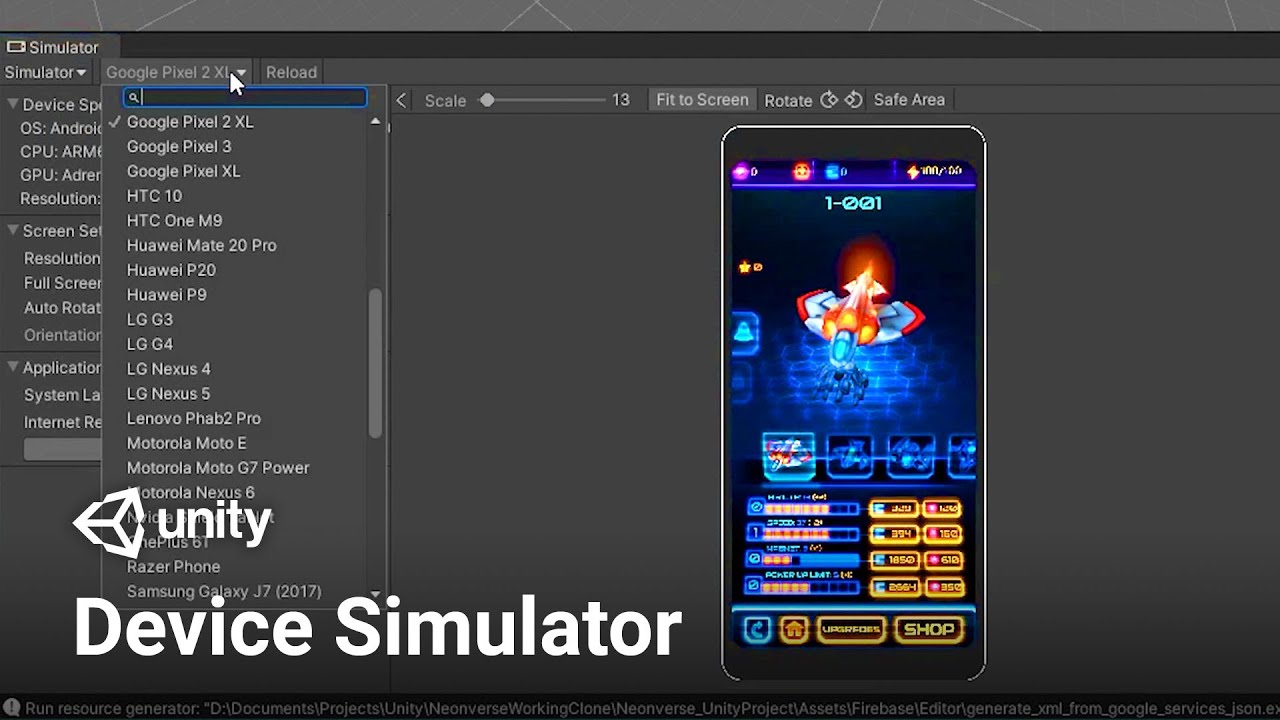
Using the Device Simulator in Unity, you can now view, simulate and change the behavior of your game in various mobile devices! Device Simulator aims to give an accurate image of how an app will look on a device.
Game content from the title Neonverse by Pixel Reign and Tamasenco
Learn more about Device Simulator and its configurations here!
ht...
i'm afraid multi touch isn't testable though, I think, if that's what you mean by mobile touches
carmine iris
ohh yes let me check it thanks
plain ibex
spring creek
I asked what balletObject is...
its an original game object and i instantiate it for bullet system
spring creek
plain ibex
its an original game object and i instantiate it for bullet system
Then you are destroying the wrong thing, as I throught at first
You want to destroy instance
 lofty crest
is there a way for me to change a whole bunch of sprite renderers at once using c#
something like void
FlashWhileInvincible()
{
sr.material.color = pState.invincible ? Color.Lerp(Color.white, Color.black, Mathf.PingPong(Time.time * hitFlashSpeed, 1.0f)) : Color.white;
}
but for a whole list of sprite renderers
plain ibex
spring creek
Then you are destroying the wrong thing, as I throught at first
You want to des...
how
spring creek
plain ibex
how
Sorry, edited.
But you want to destroy instance
The thing you created
Unless I am misunderstanding you
plain ibex
spring creek
Sorry, edited.
But you want to destroy instance
public void shotButtonClick()
    {
        GameObject last = Instantiate(balletObject, balletSpawnpoint, Quaternion.identity);
        rb = last.GetComponent<Rigidbody2D>();
        rb.velocity = new Vector2(dirTargetObj.transform.position.x - balletSpawnpoint.x, dirTargetObj.transform.position.y - balletSpawnpoint.y).normalized * atisHizi;
    }```
Actually, i instantiate balletObject in different function.and my problem was that i cant assign balletObject because
spring creek
plain ibex
```cs
public void shotButtonClick()
{
GameObject last = Instantiate(...
last is the thing instantiated
plain ibex
because if prefab is in assets i cant assign gameobjects to it
spring creek
plain ibex
because if prefab is in assets i cant assign gameobjects to it
Correct
To clarify, ALL prefabs are assets btw
plain ibex
plain ibex
```cs
public class Enemies : MonoBehaviour{
[SerializeField] private BalletScrip...
so i tried it for assign
and there is no errors but it doesnt destroy balletObject
spring creek
plain ibex
so i tried it for assign
instance is the thing that was instantiated. That is the thing you want to destroy
balletObject is the prefab, right?
plain ibex
spring creek
balletObject is the prefab, right?
yep
spring creek
plain ibex
yep
Then do not try to destroy balletObject
Destroy instance
The object you created and named instance
plain ibex
spring creek
Destroy instance
it didnt work
spring creek
plain ibex
it didnt work
What did you do
"Didn't work" is always an unhelpful response
plain ibex
spring creek
What did you do
i changed it like this:
Destroy(instance);
spring creek
plain ibex
i changed it like this:
Destroy(instance);
That couldn't have been the only change without getting a compiler error
Share the whole code as it is now
plain ibex
spring creek
That couldn't have been the only change without getting a compiler error
using UnityEngine;

public class Enemies : MonoBehaviour
{
    public int enemyHealth;
    [SerializeField] float enemySpeed;
    private Rigidbody2D rb;
    [SerializeField] private BalletScript balletScript;
    [SerializeField] private GameObject balletObject;
    private float randomTowerY;
    BalletScript instance;

    public void SpawnAndConfigurePrefab()
    {
        instance = Instantiate(balletScript);
        instance.Initialise(balletObject);
    }
    private void Start()
    {
        randomTowerY = Random.Range(1.85f, -3f);
        rb = GetComponent<Rigidbody2D>();
        rb.velocity = new Vector2(7.75f - transform.position.x, randomTowerY - transform.position.y).normalized * enemySpeed;
        balletScript = GetComponent<BalletScript>();
    }

    private void OnCollisionEnter2D(Collision2D collision)
    {
        if (collision.collider.CompareTag("Tower"))
        {
            Destroy(gameObject);
        }
        if (collision.collider.CompareTag("Ballet"))
        {
            Destroy(instance);
            enemyHealth -= 60;
        }
    }

    private void Update()
    {
            if (enemyHealth <= 0)
            {
                Destroy(gameObject);
            }
    }

    private void OnBecameInvisible()
    {
        Destroy(gameObject);
    }
}
Gotcha. You are destroying the script only
Do Destroy(instance.gameObject)
plain ibex
spring creek
Do Destroy(instance.gameObject)
now it says me assign the instance but i cant assign it from inspector you know
spring creek
plain ibex
now it says me assign the instance but i cant assign it from inspector you know
You can assign the prefab? What do you mean. Please show errors word for word if there is an error. instance is instantiated, so it doesn't need to be assigned in the inspector
plain ibex
spring creek
You can assign the prefab? What do you mean. Please show errors word for word if...
NullReferenceException: Object reference not set to an instance of an object
Enemies.Update () (at Assets/Scripts/Enemies.cs:43)
spring creek
Ok, and line 43?
plain ibex
spring creek
Ok, and line 43?
Destroy(instance.gameObject);
spring creek
plain ibex
Destroy(instance.gameObject);
One thing I notice. Where is SpawnAndConfigurePrefab() called?
plain ibex
spring creek
One thing I notice. Where is SpawnAndConfigurePrefab() called?
in Enemies.cs
public void SpawnAndConfigurePrefab()
{
instance = Instantiate(balletScript);
instance.Initialise(balletObject);
}
and it called in
carmine iris
prime sinew
https://www.youtube.com/watch?v=uokF9CmUs9c
I can't find this package named like Device Simulator. I checked pre version setting but still there is no packaged named like that.
spring creek
plain ibex
in Enemies.cs
public void SpawnAndConfigurePrefab()
{
instance = In...
Where is it called though?
plain ibex
oh it didnt call
spring creek
Yep. Thus instance is never assigned
plain ibex
spring creek
Yep. Thus instance is never assigned
ArgumentException: The Object you want to instantiate is null.
UnityEngine.Object.Instantiate[T] (T original) (at <f712b1dc50b4468388b9c5f95d0d0eaf>:0)
Enemies.SpawnAndConfigurePrefab () (at Assets/Scripts/Enemies.cs:15)
Enemies.Start () (at Assets/Scripts/Enemies.cs:20)
line 20 : SpawnAndConfigurePrefab();
15: instance = Instantiate(balletScript);
spring creek
plain ibex
ArgumentException: The Object you want to instantiate is null.
UnityEngine.Objec...
Is balletScript assigned in the inspector?
It's a prefab, so it CAN be
And MUST be
plain ibex
spring creek
It's a prefab, so it CAN be
no its not prefab i cant assign it in the inspector
spring creek
plain ibex
no its not prefab i cant assign it in the inspector
I asked before if it was a prefab and you said yes
I really don't understand what the goal is here then
plain ibex
you asked is balletObject prefab
spring creek
This whole script is quite convoluted
spring creek
plain ibex
you asked is balletObject prefab
balletScript is not on balletObject !?
plain ibex
btw ballerObject isnt prefab too
spring creek
Why are you instantiating from something that is not a prefab
Let's start with that
plain ibex
spring creek
Why are you instantiating from something that is not a prefab
Let's start with t...
idk i just instantiate from original gameobject
spring creek
plain ibex
idk i just instantiate from original gameobject
Make it a prefab
Problem solved
 cosmic rain
plain ibex
idk i just instantiate from original gameobject
cosmic rain
plain ibex
idk i just instantiate from original gameobject
What original object? What is that object for?
spring creek
Using a scene object to instantiate from is risky either way. What if it gets destroyed?
Gotta be a good reason to do it that way. If not, just make it a prefab
plain ibex
spring creek
Make it a prefab
must i change datatype of balletObject
spring creek
plain ibex
must i change datatype of balletObject
Nah, not much needs to change in code
If anything
plain ibex
but if i dont change i cant assign it in inspector
spring creek
plain ibex
but if i dont change i cant assign it in inspector
?? Why?
plain ibex
spring creek
?? Why?
because its a game object
spring creek
plain ibex
because its a game object
You can assign gameobjects in the inspector
Prefabs are gameobjects btw
plain ibex
spring creek
You can assign gameobjects in the inspector
Prefabs are gameobjects btw
main problem is that. i cant assign because the object that contains this script is not on scene. its only in assets
spring creek
plain ibex
main problem is that. i cant assign because the object that contains this script...
Which is why you CAN assign it
Prefabs can be dragged in
No worries at all.
Prefabs cannot reference SCENE objects (like the link you sent)
But prefabs can reference prefabs
And scene objects can reference prefabs
plain ibex
spring creek
Prefabs can be dragged in
you mean i must drag it from assets to hierarchy ?
spring creek
plain ibex
you mean i must drag it from assets to hierarchy ?
Well yes, of course
Prefabs are in the project window only
Ever
Once the object is in the hierarchy (as an actual object, not a reference), it is no longer a prefab, it is an INSTANCE of a prefab
plain ibex
spring creek
Well yes, of course
so i dont need the codes in https://unity.huh.how/references/prefabs-referencing-components
spring creek
plain ibex
so i dont need the codes in https://unity.huh.how/references/prefabs-referencing...
That is for the opposite of your situation
As I explained here #archived-code-general message
I gotta go to bed. Hopefully this made sense.
Good luck!
plain ibex
thank you very much
latent latch
Prefabs can reference anything part of that prefab, but they cannot reference anything else if not on a scene
it's basically a bunch of instances that exists in that prefab alone
which is why it can live outside of the scene, in your assets
Because it can live in this asset space, it means your scene objects can directly reference these prefabs in your assets, but not vice versa because a scene reference is never guaranteed as you can have many
Does sound somewhat logical that a prefab could contain scene elements because not everyone uses multiple scenes, but I guess that's just by design.
and it's not like scene object -> prefab reference is fail safe either since you can load / deload assets at runtime
 dense estuary
I am already doing that. Since the object isnt parented to anything, localPosition is equal to worldPosition.
I am currently successfully making the object have the same rotation as the camera, and follow the camera with an offset
now I need to make it rotate around the player.
I tried using the ParentConstraint component, but its too stuttery. So I'm back to square one.
latent latch
dense estuary
I am currently successfully making the object have the same rotation as the came...
There's Quaternion RotateAround
Or what kind of rotation you looking for
https://docs.unity3d.com/ScriptReference/Transform.RotateAround.html
Transform specific rotate around too

public static Vector3 RotatePointAroundPivot(Vector3 point, Vector3 pivot, Vector3 axis, float angle)
{
    Quaternion rotation = Quaternion.AngleAxis(angle, axis);
    return rotation * (point - pivot) + pivot;
}
Forgot they're is no specific Quaternion only RotateAround but this is similar that I use
usually mix it with LookAt
 slate lark
why the player is not translating to ground?

 slate lark
why the player is not translating to ground?
slate lark
slate lark
why the player is not translating to ground?
i need a detailed explanation, cause the function works(as u can see the console). but why again, the player doesn't go down (neither up)

 latent latch
slate lark
i need a detailed explanation, cause the function works(as u can see the console...
latent latch
slate lark
i need a detailed explanation, cause the function works(as u can see the console...
The method expects a direction vector, yet you're feeding it a position vector. Look at the docs and compare that code to yours and figure out the differences.
Im surprised it doesn't throw an error as a zero direction is like imploding into yourself or some thing lol
actually, I guess that would just imply no movement since there's no magnitude anyway
 crisp folio
so I need ground checking in my game to see if you are touching the ground or not. but when I do the ray cast it says that I'm only grounded when I look in a specific place. like if it only checks when I'm looking in a perfect number of degrees. i am very new to coding in unity and i have no knowledge on what culd be the problem. here is a snipet of my code. just ask me if you need everything:
void checkForGround()
{
    Ray ray = new Ray(transform.position, new Vector3(0f, -1.1f, 0f));
    RaycastHit hit;
    Debug.DrawRay(transform.position, new Vector3(0f, -1.1f, 0f), Color.green);

    if(Physics.Raycast(ray, out hit, 1, ~RayLayerMask))
    {
        Debug.Log("grounded " + hit.collider.gameObject.name);
        isGrounded = true;
    }else
    {
        Debug.Log("not grounded");
        isGrounded = false;
    }
}
```(this is run in Update())Try offsetting the start of the ray a few more units up on the y axis
casting usually has problems if it spawns inside of colliders
crisp folio
Oh ok I’ll try that. So you mean Line to spawn it above the player?
latent latch
it looks like the pivot is at the ground if that's where you're casting from
add a few units on the y from the transform position if that's where it's at
 hollow mantle

 upper pilot
How can I rotate a collider into a specific Vector2 direction?
I want my character to have a "face direction" for interacting with npcs and such.
 lethal vigil
has anyone had an issue with motion blur or blur in game when running the game at 30fps, when running at 60 the is no blur but of course for a mobile game 30 is better
 sly widget
Hey, hope someone can help me. I'm having issues with my script as when an enemy is spawned, it won't move - Waypoint controller : https://pastebin.com/eAeS3B5H & EnemyMovement : https://pastebin.com/5WwqTeSH
Pastebin
Pastebin.com is the number one paste tool since 2002. Pastebin is a website where you can store text online for a set period of time.
Pastebin
Pastebin.com is the number one paste tool since 2002. Pastebin is a website where you can store text online for a set period of time.
plain ibex
i have a game object that moves with rigidbody2d. I want to when other objects collides with that object: that object mustn't push by other objects
how can i do it
 somber nacelle
if you do not want the object affected by outside forces then it would need to be kinematic
plain ibex
thank you very muchh
somber nacelle
note that outside forces includes forces like gravity. and it cannot be moved with AddForce
plain ibex
i understood 👍
i have another problem. i want to use vector3.lerp but it works like its teleporting
wall.transform.position = Vector3.Lerp(transform.position, new Vector3(3.03f,-1.08f,0f),4f);
plain ibex
somber nacelle
https://unity.huh.how/lerp/overview
i looked here but i didnt understand why have i problem
somber nacelle
your t value is 100% incorrect
according to that page i linked, lerping from transform.position to new Vector3(3.03f, -1.08f, 0f), what position will be returned when t is equal to 4?
plain ibex
somber nacelle
according to that page i linked, lerping from transform.position to new Vector3(...
-1.08f
somber nacelle
well no, not just a single axis. it will return the entire Vector3. because your t value is greater than or equal to 1.
plain ibex
ah thats true yes but i tried all of them. i made it x>1, 0<x<1 , x<0 but it teleported everytime
somber nacelle
you shouldn't just be using a set value for t. did you not read how it works and how you should be using it?
although perhaps you want something more like Vector3.MoveTowards if you just want to specify a speed for the third parameter
plain ibex
somber nacelle
although perhaps you want something more like Vector3.MoveTowards if you just wa...
must i use them in update function
somber nacelle
those methods must be called multiple times in order to work the way you expect, yes
plain ibex
so problem was that , thanks again..
glossy gust
spring creek
Tags are ok, singleton may (or may not) be better. What thing are you trying to ...
a tmpro text in the ddol scene
string p2Name = GameObject.Find("p2Name").GetComponent<P2_NameInput>().input;
p2Text.text = p2Name+", are you ready?";
anything look wrong with this?
no errors but p2Name isnt being displayed
plain ibex
public void skillButtonClick()
    {
        if (Time.time-lastSkillTime >= 20f || firstSkill)
        {
            skillStartTime = Time.time;
            bringWall = true;
            firstSkill = false;

        }
    }

    private void Update()
    {
        if (bringWall)
        {
            wall.transform.position = Vector3.MoveTowards(wall.transform.position, new Vector3(3.03f, -1.08f, 0f), 0.01f);
        }

        if(Time.time - skillStartTime > 6)
        {
            bringWall = false;
            wall.transform.position = Vector3.MoveTowards(wall.transform.position, new Vector3(3.03f, -9.05f, 0f), 0.01f);
        }
    }```
in this code i want to **finish** "if(Time.time - skillStartTime > 6)"
and **make** lastSkillTime = Time.time
**when** "wall.transform.position = Vector3.MoveTowards(wall.transform.position, new Vector3(3.03f, -9.05f, 0f), 0.01f);" **finishes**how can i do?
spring creek
glossy gust
string p2Name = GameObject.Find("p2Name").GetComponent<P2_NameInput>().input;
...
anything look wrong
You are using Find()
 gray mural
glossy gust
no errors but p2Name isnt being displayed
gray mural
glossy gust
no errors but p2Name isnt being displayed
Then P2_NameInput is found, but input is in an empty string
gray mural
plain ibex
```cs
public void skillButtonClick()
{
if (Time.time-lastSkillTime >...
What do you mean "when finishes"?
the code that is below this assignment happens just after the position is assigned
this is not a coroutine
plain ibex
gray mural
What do you even want to achieve, I don't get the purpose?
i have a skill button. skill button must have a cooldown and skill must have a skill duration.
gray mural
Alright, that doesn't fully explain it
Skill button should be activated after buttonCooldown seconds have passed since the skill has ended, right?
Then you should probably use coroutines
plain ibex
gray mural
Alright, that doesn't fully explain it
yeah
plain ibex
gray mural
Then you should probably use coroutines
thanks!
 deep path
do you following this tutorial ?

How can we get a response from a player input ? Let's find out !
❤️ Support on Patreon : https://www.patreon.com/ValemVR
🔔 Subscribe for more Unity Tutorials : https://www.youtube.com/@ValemTutorials?sub_confirmation=1
🌍 Discord : https://discord.gg/5uhRegs
🐦Twitter : https://twitter.com/valemvr?lang=en
👍 Main Channel : https://www.youtube.com/...
 waxen blade
I am trying to give the player the value of a pickup/consumable. It's already on the scene as a prefab, but you pick it up by pressing a key on the keyboard, so there's no colliders. The prefab will have a component called Loot, and in it is a method called PayOut. I want the PayOut method to give the value of the pickup.
When it's time to give the pickup to the player, I want to avoid a giant if statement that looks like:
        if (transform.name == "Coin")
        {
            //Give coin
        }
        else if (transform.name == "Heart")
        {
            //Give heart
        }
        else if (transform.name == "Potion")
        {
            //Give potion
        }
Is there a more efficient way I can do this?
 icy prawn
you could use a switch statement
 desert blade
or you could do some form of inheritence to further optimise it like public class Item and have a function called Collect()
icy prawn
switch (transform.name)
{
case "Example1":
break;
case "Example2":
break;
default:
break;
}
somber nacelle
please do not base logic on gameobject names
icy prawn
or what Unscripted said
waxen blade
somber nacelle
please do not base logic on gameobject names
I had a feeling someone was going to zing me on this one. I don't do it on names, that was just an example since I want to avoid an if statement.
waxen blade
desert blade
or you could do some form of inheritence to further optimise it like `public cla...
Yeah, I think this is what I'm looking for. I don't know much about inheritance though so I need to research it some more before I can implement it. Thank you.
icy prawn
could also do a simple interface where you make a PickupAble with a empty method Pickup() and just make it do whatever it needs to do for certain objects
It's a lil bit simpler but not as good. Should do the job though
waxen blade
From what I understand, interfaces and inheritance are kind of similar.
 glass linden
Do you think it is possible to retrieve data from the TikTok API to execute code when a live receives a gift?
waxen blade
I need to research both of them some more.
icy prawn
waxen blade
I need to research both of them some more.
https://www.youtube.com/watch?v=MZOrGXk4XFI
Just a nice lil guide for interfaces with some actual examples

📝 C# Basics to Advanced Playlist https://www.youtube.com/playlist?list=PLzDRvYVwl53t2GGC4rV_AmH7vSvSqjVmz
🌍 Get my Complete Courses! ✅ https://unitycodemonkey.com/courses
👍 Learn to make awesome games step-by-step from start to finish.
🎮 Get my Steam Games https://unitycodemonkey.com/gamebundle
✅ Let's learn all about Interfaces in C# and how ...
dense estuary
latent latch
There's Quaternion RotateAround
I tried doing that but got confused because it rotates around in the same way as Transform.Rotate(). So when I plugged in the camera rotation it zoomed around at the speed of light.
lethal vigil
is there anyway to stop moving objects from looking blurry if my game needs to be set to 30fps
 maiden fractal
lethal vigil
is there anyway to stop moving objects from looking blurry if my game needs to b...
maiden fractal
lethal vigil
is there anyway to stop moving objects from looking blurry if my game needs to b...
First of all, I see no code -> not code related issue. The speed of which objects are moving shouldn't affect the look of the game except when you have motion blur activated (TAA could also be potential problem), try to disable it and see what happens. If you need any further guidance, let's continue the conversation in the proper channel
plain ibex
gray mural
Then you should probably use coroutines
MoveTowards and Vector3.Lerp didnt work in coroutine
they worked but
not interpolate
like teleported
public void skillButtonClick()
    {
        if (Time.time-lastSkillTime >= 20f || firstSkill)
        {
            firstSkill = false;
            StartCoroutine("SkillStarted");
        }
    }

    IEnumerator SkillStarted()
    {
        while(wall.transform.position.y < -1.08f)
        {
            wall.transform.position = Vector3.Lerp(wall.transform.position, new Vector3(3.03f, -1.08f, 0f), 3f);
        }
        yield return new WaitForSeconds(6f);
        while(wall.transform.position.y > -9.05f)
        {
            wall.transform.position = Vector3.Lerp(wall.transform.position, new Vector3(3.03f, -9.05f, 0f), 4f);
        }

}```here is my code
lethal vigil
maiden fractal
First of all, I see no code -> not code related issue. The speed of which object...
Hey, i don't think it is a code issue due to the fact that when i set the FPS to 60 all movement is smooth with no blur or ghosting
 arctic plume
Would anyone be able to help me with an issue I'm having with my code?
    void Update()
    {
        timer += Time.deltaTime;

        if (timer > interval)
        {
            timer -= interval;
            //Check that someone is actually speaking
            if (currentSpeaker != null && player!=null)
            {
                RaycastHit hit;
                if (Physics.Raycast(player.position, currentSpeaker.position - player.position, out hit, Mathf.Infinity))
                {
                    if (hit.transform == currentSpeaker)
                    {
                        eyeContactTime++;
                    }
                }
                speakingTime++;
                Debug.Log(player + " has spent " + eyeContactTime + " looking at " + currentSpeaker);
            }
        }
    }
It's supposed to measure how long the player spent looking at the active speakers whenever they were speaking, but for some reason it doesn't seem to register it at all and always results in 0
I did get a lot of the code from a Unity forum thread online so I'm not an expert at it
Also it's a VR project so player is set to the Main Camera component of the XR Rig and currentSpeaker is set to the whole model of the NPC that's speaking
maiden fractal
lethal vigil
Hey, i don't think it is a code issue due to the fact that when i set the FPS to...
Clearly has nothing to do with code and you didn't provide one either. Please find channel that your problems fits under, if your question is general question not falling under any of the categories, use #💻┃unity-talk
 deft pilot
plain ibex
not interpolate
deft pilot
plain ibex
not interpolate
this is probably because you dont have a condition that executes the function on the coroutine, its not really like Update function where it occurs every frame
gray mural
deft pilot
this is probably because you dont have a condition that executes the function on...
No, it's not because of that
gray mural
plain ibex
```cs
public void skillButtonClick()
{
if (Time.time-lastSkillTime >...
The Vector3.Lerp method's 3rd parameter is time, which is clamped in the range of [0, 1] and means the percent of the time used to interpolate between a and b.
When you set it to 3 or 4, it's then clamped to 1, which is 100% and interpolates between a and b at once, so basically returns b.
deft pilot
ahhh i see
gray mural
So what you do is set the wall.transform.position first to (3.03f, -1.08f, 0f), then wait 6 seconds and set it to (3.03f, -9.05f, 0f)
Which, yeah, doesn't really smoothly move the wall
plain ibex
gray mural
So what you do is set the `wall.transform.position` first to `(3.03f, -1.08f, 0f...
in this code:
firstly it moves up direction , waits 6 seconds and after that it moves down direction.
plain ibex
gray mural
Which, yeah, doesn't really smoothly move the wall
if it doesnt really smoothly move the wall what can i do
 leaden yoke
I'm struggling to learn c# I watch brackeys taking about variables and conditions and I haven't really learnt anything can someone help I need advice
glossy gust
gray mural
Then `P2_NameInput` is found, but `input` is in an empty string
thanks works now
glossy gust
!code
 tawny elkBOT

Posting code
📃 Large Code Blocks
Use links to services like:
https://gdl.space/, https://paste.ofcode.org/, https://hatebin.com/, https://paste.myst.rs/, https://hastebin.com/
📃 Inline Code
Surround code with three backquotes. Not quotation marks.
To format as C#, add cs to the first line:
```cs
// Your code here
```
Add a comment with a line number if there is an error message.
glossy gust
https://paste.ofcode.org/8msViFDMLRHnK5qQhvP2vA
Is there anyone who could give me quick tips to simplify this code
I feel like im doing something majorly wrong
somber nacelle
the first step for getting help simplifying it is to format it in a way that is actually readable
glossy gust
somber nacelle
the first step for getting help simplifying it is to format it in a way that is ...
yeah so how would I do that
cause code is code
somber nacelle
"code is code"
you close multiple scopes on a single line like a dozen times. you have loops and if statements nested to oblivion. comments at the end of lines instead of on the line above/below what you are commenting on, a complete lack of white space to divide up different sections of behavior
oh and you chose like one of the worst bin sites so there is almost no syntax highlighting making that even more unreadable (though that isn't really a fault of you or your code)
glossy gust
somber nacelle
oh and you chose like one of the worst bin sites so there is almost no syntax hi...
so how can I use less nested loops and if statements
I get what you mean by closing multiple scopes at a time to, just did that to save space for importing this into my documentation
somber nacelle
glossy gust
so how can I use less nested loops and if statements
how should i know? your code is unreadable
unreadable == cannot be read to determine what can be simplified
glossy gust
what are typical ways of avoiding using so many nested loops and if statements though
I am not aware of other methods
if that makes sense
somber nacelle
guard statements, breaking logic up into methods, better logic
gray mural
plain ibex
if it doesnt really smoothly move the wall what can i do
You have to change the position over time
gray mural
glossy gust
what are typical ways of avoiding using so many nested loops and if statements t...
practice
For instance, this condition you have
if (overlappingColliders.Contains(woodColliders[i]) || overlappingColliders.Contains(groundCollider))
{
    isPlaceable = false;
}
else
{
    isPlaceable = true;
}
can be written like this
isPlaceable = !(overlappingColliders.Contains(woodColliders[i]) || overlappingColliders.Contains(groundCollider));
or like this
isPlaceable = !overlappingColliders.Contains(woodColliders[i]) && !overlappingColliders.Contains(groundCollider);
 vast patio
Does someone know how to code the following? Im kinda stuck at this problem, which shouldn't be that difficult...
I want a method GetObject(Transform root, name, depth) in which I want to traverse all childs of root (but max 'depth' times deep) recursivly.
If I find an object with the same name specified in the params, I return it and stop the whole function. If i find nothing I return null.
private void IterateOverChild(Transform original, int currentLevel, int maxLevel)
        {
            if (currentLevel > maxLevel) return;
            for (var i = 0; i < original.childCount; i++)
            {
                Debug.Log($"{original.GetChild(i)}"); //Do with child what you need
                IterateOverChild(original.GetChild(i), currentLevel + 1, maxLevel);
            }
        }
Something like this, but I want to return the object I find and leave the whole function, when It has a specific name.
 knotty sun
so return Transform instead of void and add name as a parameter
icy prawn
what Steve said and when you find something, just "return theFoundGameObject" and it should exit the method automatically
vast patio
But what if it founds the object at depth 3, than it exits the 3rd function and the ones continues doesnt it?
knotty sun
Transform t = IterateOverChild(original.GetChild(i), currentLevel + 1, maxLevel);
if (t != null) return t;
Using this causes the object to rotate around the camera at light speed, is there a way I can make the object offset from the players forward direction?
vast patio
knotty sun
```cs
Transform t = IterateOverChild(original.GetChild(i), currentLevel + 1, max...
So like that?
private Transform IterateOverChild(Transform original, int currentLevel, int maxLevel)
    {
        if (currentLevel > maxLevel) return null;
        for (var i = 0; i < original.childCount; i++)
        {
            if (original.GetChild(i).name.Contains("doorAss")) return original.GetChild(i);
            Transform t = IterateOverChild(original.GetChild(i), currentLevel + 1, maxLevel);
            if (t != null) return t;
        }

        return null;
    }
best to pass name as a parameter rather than hard coding it but yes
vast patio
ok it works from what I see, but cant really wrap my head around it, thank you tho!
gray mural
vast patio
So like that?
```c#
private Transform IterateOverChild(Transform original, int c...
Oh, so you just want to return a single object?
I have read incorrectly
vast patio
Yes, lets say I got this hierarchy, I call this function on Door and want DoorAssembly returned, but the hierarchy can vary, the names does not.
 plain ibex
gray mural
You have to change the position over time
plain ibex
gray mural
You have to change the position over time
must i change 3. parameter ?
gray mural
plain ibex
must i change 3. parameter ?
Yes
knotty sun
tbh it would be better written as
private Transform IterateOverChild(Transform parent, int maxLevel, string name)
    {
        if (maxLevel < 0) return null;
        foreach (Transform t in parent)
        {
            if (t.name.Contains(name)) return t;
            Transform found = IterateOverChild(t, maxLevel-1, name);
            if (found != null) return found;
        }

        return null;
    }
@vast patio
vast patio
knotty sun
tbh it would be better written as
```cs
private Transform IterateOverChild(Trans...
Thank you yea thats looks cleaner
gray mural
knotty sun
tbh it would be better written as
```cs
private Transform IterateOverChild(Trans...
maxLevel-- ?
Doesn't it subtract 1 from maxLevel?
vast patio
yea it does
gray mural
So if your maxLevel is 3 and your root has 5 children, it'll just stop iterating on the 3rd one
vast patio
so you start with high max level and decrease it the further you go down
icy prawn
I think maxlevel is how deep he wants to search for i think
vast patio
gray mural
So if your `maxLevel` is `3` and your `root` has `5` children, it'll just stop i...
Yea thats ok, I wanna have it as a variable
knotty sun
basically maxLevel becomes 'levels left to search'
somber nacelle
you need to copy maxLevel decrement it before the loop because otherwise it's decrementing for each iteration of the loop rather than just each depth searched
gray mural
vast patio
Yea thats ok, I wanna have it as a variable
Haven't you called it depth before? Shouldn't maxValue = 3 mean you cannot go 3 children deep?
gray mural
somber nacelle
you need to ~~copy maxLevel~~ decrement it before the loop because otherwise it'...
Yes, that's what I'm talking about
knotty sun
somber nacelle
you need to ~~copy maxLevel~~ decrement it before the loop because otherwise it'...
good point, code changed
vast patio
gray mural
Haven't you called it `depth` before? Shouldn't `maxValue = 3` mean you cannot g...
yea exactly, if you type in maxvalue = 3 you can go 3 children deep
gray mural
vast patio
yea exactly, if you type in maxvalue = 3 you can go 3 children deep
Yes, that's why you cannot decrease the maxValue on every child of the same root. This way you won't go depp.
icy prawn
btw would there even be a point to limiting how far you want to search other than for performance even though you really would like to find it?
gray mural
icy prawn
btw would there even be a point to limiting how far you want to search other tha...
Yes, they may be sure the child is 2 levels deep, so they won't need to go deeper. Otherwise they may find a non-desired child.
vast patio
icy prawn
btw would there even be a point to limiting how far you want to search other tha...
Yea its for performance, I know at the moment that door assembly would be 3 deep, but this could change in the future for other hierarchies I import automaticly, so I wanted to have an easy change for that
vast patio
gray mural
Yes, they may be sure the child is 2 levels deep, so they won't need to go deepe...
Also correct
icy prawn
Ow ok, fair enough
knotty sun
icy prawn
btw would there even be a point to limiting how far you want to search other tha...
it's a good idea to limit this kind of search (if you can) especialy on Canvas objects which can get very,very deep
gray mural
vast patio
Does someone know how to code the following? Im kinda stuck at this problem, whi...
Also, I first thought you wanted to find all the children, so that's my variation of the method for it
https://gdl.space/afogocesiw.cs
knotty sun
also with recursive methods, one small mistake and you have a stack overflow if they are not limited
tawny elkBOT
Posting code
📃 Large Code Blocks
Use links to services like:
https://gdl.space/, https://paste.ofcode.org/, https://hatebin.com/, https://paste.myst.rs/, https://hastebin.com/
📃 Inline Code
Surround code with three backquotes. Not quotation marks.
To format as C#, add cs to the first line:
```cs
// Your code here
```
Add a comment with a line number if there is an error message.
vast patio
gray mural
Also, I first thought you wanted to find all the children, so that's my variatio...
Thank you, might come in handy in the future ❤️
Appreciate the help from all you guys
 modern creek
Is there any way to search for all gameobjects that contain a certain component?
(just in the editor/design time)
oh nevermind, just searching for the component name worked
gray mural
modern creek
Is there any way to search for all gameobjects that *contain* a certain componen...
Yes
GameObject.FindObjectsOfType<CertainComponent>(includeInactive: false);
using System.Collections;
using System.Collections.Generic;
using System.Threading.Tasks;
using UnityEngine;

public class Player : MonoBehaviour
{
    [SerializeField] float moveSpeed = 1f;
    [SerializeField] float rotationSpeed = 1f;
    bool isTilting = false;

    [SerializeField] GameObject stars;
    [SerializeField] GameObject clouds;

    bool showRocket = false;
    bool canPlayerMove = false;

    Vector2 rawInput;

    async void Start()
    {
        //hazir ol text
        await Task.Delay(2000);
        showRocket=true;
    }

    void faster()
    {
        Time.timeScale = 20f;
        Time.fixedDeltaTime = Time.timeScale * 0.02f;
    }

    void Update()
    {
        if (showRocket == true)
        {
            transform.position = Vector3.Lerp(transform.position, new Vector3(0f,-3f,0f), moveSpeed * Time.deltaTime);
        }

        if (canPlayerMove != true)
        {
            if (Input.touchCount > 0 || Input.GetMouseButton(0))
            {
                showRocket=false;
                if (Input.mousePosition.x > Screen.width / 2)
                {
                    MoveCharacter(1f);
                    RotateCharacter(1f);
                    isTilting = true;
                }
                else
                {
                    MoveCharacter(-1f);
                    RotateCharacter(-1f);
                    isTilting = true;
                }
            }
            else
            {
                isTilting = false;
            }
        }

        if (!isTilting)
        {
            RotateCharacter(0f);
        }
    }

    void MoveCharacter(float direction)
    {
        Vector3 movement = new Vector3(direction * moveSpeed * Time.deltaTime, 0f, 0f);
        transform.Translate(movement);
    }

    void RotateCharacter(float direction)
    {
        Quaternion targetRotation = Quaternion.Euler(0f, direction * 40f, 0f);
        transform.rotation = Quaternion.Lerp(transform.rotation, targetRotation, rotationSpeed * Time.deltaTime);
    }

    IEnumerable Delay(float sec)
    {
        yield return new WaitForSeconds(sec);
    }
}
I created a code like this. When I click to left of the screen, the ship going to left and changing x axis. But at the same time Z axis changing too. I did not do anything to Z axis in code why it is changing
glossy gust
how do you do SetActive(true); on an object which doesn't have a direct reference, but only a Find("objectName") reference
can you get it's parent and then do setactive on the inactive child?
or should i just use its components
 heavy bone
im trying to make code that follows one play er until they shoot their cannon which will switch the camera to follow the projectile and then when the projectile is destroyed it switches to the other player and so on.
i dont know the basics of unity but i have some code running that doesnt work
how would you guys make code like that?
merry stream
is it better to do damage numbers using vfx graph or particles, rather than instantiating, if so how
 lean sail
glossy gust
how do you do SetActive(true); on an object which doesn't have a direct referenc...
lean sail
glossy gust
how do you do SetActive(true); on an object which doesn't have a direct referenc...
if you dont have a reference to the object, you arent calling anything on it directly. the Find functions (which you really shouldnt use) literally find the object and give you the reference
lean sail
merry stream
is it better to do damage numbers using vfx graph or particles, rather than inst...
instead of instantiating you could use object pooling. if you need a ton of these then yea vfx graph or particles will be better
glossy gust
how would you guys go about making a camera which zooms out to show a wider landscape?
i just need to know the methods and I can do the rest
 ashen yoke
change fov, dolly the camera
 dawn nebula
So I have this chain sprite asset here. I want to be able to distort it a bit. Wiggle and jiggle with some sort of input. Is there an easy way to do this?
 merry stream
lean sail
instead of instantiating you could use object pooling. if you need a ton of thes...
merry stream
lean sail
instead of instantiating you could use object pooling. if you need a ton of thes...
i already do object pool, im just wondering if there is a better option
 fast moon
how do I use a past untiy project on github as a boilerplate for future unity projects?
I also want to to be able to update it in the future projects
something like a fork, but I can't fork my own repositories
maiden fractal
dawn nebula
So I have this chain sprite asset here. I want to be able to distort it a bit. W...
I'd assume the easiest way would be to use the 2D Animation Package which has a Skinning Editor feature which enables you to add bones to your 2d sprites making it possible to stretch your sprites. With the bone setup in place you can then wiggle the chain via physics simulation or via script as you wish
 buoyant scroll
The type or namespace UI does not exist in the namespace UnityEngine, even though the package is installed.
CS0234, how do I fix this?
somber nacelle
is the error only in your IDE or do you see it in the unity console as well?
buoyant scroll
Unity console.
somber nacelle
are you using assembly definitions
buoyant scroll
I don't understand what that means
glossy gust
ashen yoke
change fov, dolly the camera
thanks
somber nacelle
buoyant scroll
I don't understand what that means
do you have asmdef files in your folders in your project
or rather, in any folder in the path to the file with the error
buoyant scroll
No, I don't think so
somber nacelle
check
buoyant scroll
Alright
Like would it usually be in the scripts folder or resources folders or like
somber nacelle
check the folders in the direct path to the file with the error. do not bother with any unrelated folders
buoyant scroll
No asmdef files
 vapid lynx
Hey im having a little bit of trouble with something. I want to create a road between two points given an array of vector3's and I can't use splines. How would i go about creating the road thru like a mesh or something idk
somber nacelle
buoyant scroll
No asmdef files
then show the full error message
buoyant scroll
one moment
Assets\Scripts\Assembly-CSharp\UIScript.cs(2,19): error CS0234: The type or namespace name 'UI' does not exist in the namespace 'UnityEngine' (are you missing an assembly reference?)
somber nacelle
why do you have a folder called Assembly-CSharp? 🤔
somber nacelle
it most certainly did not
somber nacelle
i mean, yeah obviously. but it's concerning that you've got folders named after assemblies. if you move that file directly into the Scripts folder does the issue persist?
buoyant scroll
what do you mean
 simple egret
Searching the internet for it, seems like it's a common thing when ripping existing games
buoyant scroll
what file
simple egret
For it to put the scripts by compiled assembly name
buoyant scroll
yeah, that's because i'm trying to decompile a game from a video and it didn't work
simple egret
We cannot help with that as it's against this server's rules
You'll have to ask elsewhere
heavy bone
heavy bone
im trying to make code that follows one play er until they shoot their cannon wh...
nevermind i figured it out
 somber nacelle
GameObject does not have a property called fightingUI
make your variable type the type of component you actually want to use
merry stream
whats the best way to work with shaders in code? say I want to turn on a highlight shader when something is hovered
glossy gust
somber nacelle
make your variable type the type of component you actually want to use
its a UI canvas
what could I write for that
somber nacelle
Canvas also does not have a fightingUI property
 raven flare
how can i detect whether touch input is inside of a button? it's for a mobile game revive screen where tapping the screen lowers the timer faster, but tapping the button shouldn't also make the timer go down
glossy gust
somber nacelle
Canvas also does not have a fightingUI property
ohh okay, so its ab properties
latent latch
dense estuary
Using this causes the object to rotate around the camera at light speed, is ther...
You can always just offset it by transform.forward * units, but you'd have to also update rotation relative to the players
could be as simple as appending the angle degrees
cosmic rain
merry stream
whats the best way to work with shaders in code? say I want to turn on a highlig...
You don't typically enable/disable shaders. You enable/disable objects or components that render using a shader.
merry stream
cosmic rain
You don't typically enable/disable shaders. You enable/disable objects or compon...
so in the case where I want to highlight an item on the ground when hovered, how would I do that?
cosmic rain
merry stream
so in the case where I want to highlight an item on the ground when hovered, how...
It depends on how you are highlighting it.
There are many ways to implement outlines.
merry stream
i made an outline shader
 faint hornet
Hey everyone. There is a reply in this forum about the very same issue I’m having.
I want to know what the reply means.
Here is the link https://forum.unity.com/threads/unity-2d-multiple-colliders-causing-extreme-lag.643375/
I want prevent extreme lag from rigidbodies colliding, and in the reply he says something like “prevent the physics from overlapping by doing a check before moving”
I have hundreds of rigidbodies colliding and I need to keep them from overlapping (I don’t want them to stack)
Unity Forum
Hi, I'm new in Unity, I'm trying to make a little game and right now I have a little problem.
As you can see in the video, when there are multiple...

 cosmic rain
merry stream
i made an outline shader
cosmic rain
merry stream
i made an outline shader
What kind of shader? Screen space? Object based? Did you follow some kind of tutorial?
merry stream
cosmic rain
What kind of shader? Screen space? Object based? Did you follow some kind of tut...
yes, its a sprite shader that basically takes the alpha of the sprite and shifts it 1 in all directions, then places that "behind" the sprite, creating the outline
cosmic rain
merry stream
yes, its a sprite shader that basically takes the alpha of the sprite and shifts...
That doesn't answer any of my questions.😅
merry stream
idk its just a material 🤷♂️
cosmic rain
It's either a screen space shader or an object based shader?
cosmic rain
Okay, then you'd just add a material with the shader to the object.
merry stream
then remove the material when the mouse leaves?
cosmic rain
Yep
merry stream
how can I set the variables on a shader per instance
since when I change the color, all objects with that material get changed
latent latch
faint hornet
Hey everyone. There is a reply in this forum about the very same issue I’m havin...
add a force around the rigidbodies for when they collide to prevent overlapping
faint hornet
latent latch
add a force around the rigidbodies for when they collide to prevent overlapping
how?
merry stream
do i just create a new Material witha copy constructor
cosmic rain
merry stream
since when I change the color, all objects with that material get changed
You'd need to make sure each object has it's own material instance.
cosmic rain
merry stream
do i just create a new Material witha copy constructor
Usually unity would create a copy when you access the material via the renderer property.
latent latch
faint hornet
how?
by using forces
cosmic rain
Unless you access a sharedMaterial
faint hornet
latent latch
add a force around the rigidbodies for when they collide to prevent overlapping
i'm trying to reduce the amount of physics calculations doens't that use the same resorces?
latent latch
isnt the issue of all colliders piling up causing lag
so if you prevent overlapping then you only deal with the surrounding colliders
faint hornet
latent latch
isnt the issue of all colliders piling up causing lag
no, the issue is colliders pushing eachother around
latent latch
if you add a force when colliders touch then you only have so many colliders touching each other
faint hornet
latent latch
so if you prevent overlapping then you only deal with the surrounding colliders
 latent latch
it's a hard issue, but if you are using a lot of units then maybe it's best to use kinematic and object avoidance pathfind algs
faint hornet
latent latch
if you add a force when colliders touch then you only have so many colliders tou...
this is currently how it looks and i want everything to behave the same way but with using less physics calculations
faint hornet
latent latch
it's a hard issue, but if you are using a lot of units then maybe it's best to u...
do you have a good resource for me to look up moire info on it
latent latch
pathfinding using navmesh
not sure how updated Unity's is, or if it works with 2D yet, but instead of moving stuff by physics you just pathfind.
It's just an option, but seeing that image I don't know why'd you get performance issues
it's not a lot of units
 slender mirage
👋 I'm looking to create a VR Game from scratch, does anyone know of any docs that would help out with detecting the position of the headset / controllers?
faint hornet
latent latch
pathfinding using navmesh
oh ok ill look that up... but i have an infinite boundless world, so navmesh seems overcomplicated..
scan to the end of this video, should i do something like this? https://www.youtube.com/watch?v=SVazwHyfB7g

Lets explore building a self steering ship that can automatically move out of the way of obstacles in it's path. This is a form of steering algorithm which is used to steer a object towards in objective, in our case we'll be using it for obstacle avoidance.
This approach works by casting a number of rays in front of the ship which can detect ob...
slender mirage
Ah ray based movement
latent latch
that's a lot of rays per unit though
pathfinding avoidance is usually done through checking if other units are on similar paths or similar destination area
faint hornet
latent latch
It's just an option, but seeing that image I don't know why'd you get performanc...
well thats just before it starts tanking in performance, at about 200 obj it starts freaking out. if i make everything kinematic (allow overlapping) all the lag goes away
latent latch
I use A* project for pathfinding with kinematic rbs and it works pretty well as it has it's own character controller
cosmic rain
faint hornet
Are the groups of objects moving as one?
faint hornet
latent latch
I use A* project for pathfinding with kinematic rbs and it works pretty well as ...
actually kinematic still causes tons of lag. at his point is when the lag hits
 faint hornet
cosmic rain
Are the groups of objects moving as one?
faint hornet
cosmic rain
Are the groups of objects moving as one?
no, they are individual spawning in clumps
cosmic rain
So they can move independent from the other objects in a group?
cosmic rain
It's not like they're stuck together?
faint hornet
cosmic rain
It's not like they're stuck together?
correct
cosmic rain
Okay, that complicates things. Whatever approach you take, it would be heavy on performance with a large enough amount of these objects.
faint hornet
cosmic rain
It's not like they're stuck together?
it's when they all get stuck together the lag hits from physics calculations among all
faint hornet
cosmic rain
Okay, that complicates things. Whatever approach you take, it would be heavy on ...
well how would a game like vampire survivors handle hundreds of enemies not overlapping
cosmic rain
The only good solution is to convert to dots.
latent latch
I feel like kinematic rbs would work here fine and just force stuff from each other
cosmic rain
I don't know if it's built with unity, but if it is, I'd assume they use dots/ECS or something similar.
latent latch
assuming you're just moving each unit towards the player
cosmic rain
latent latch
I feel like kinematic rbs would work here fine and just force stuff from each ot...
Kinematic rbs would ignore collision though
faint hornet
cosmic rain
I don't know if it's built with unity, but if it is, I'd assume they use dots/EC...
i think it used not in unity and soem javascript crap
latent latch
cosmic rain
Kinematic rbs would ignore collision though
you can still OnTrigger and displace others by a magnitude
cosmic rain
faint hornet
i think it used not in unity and soem javascript crap
The Wikipedia page says unity(after version 1.6)
faint hornet
cosmic rain
The Wikipedia page says unity(after version 1.6)
ah ok, ya last i heard about the game was when it was first released
latent latch
like, vampires collisional stuff is very loose and janky
it just slowly displaced units around each other
cosmic rain
latent latch
you can still OnTrigger and displace others by a magnitude
I can see a lot of issues with that.
faint hornet
latent latch
like, vampires collisional stuff is very loose and janky
i agree, but it is a solution, and i'm more interested in how it's done without lag so i can make changes to the solution to better suit my game
faint hornet
cosmic rain
I can see a lot of issues with that.
i can see alot of issues with that as well.. i don't think i want that in my game
cosmic rain
faint hornet
ah ok, ya last i heard about the game was when it was first released
But yeah, you can have ECS in any engine. It's not a unity specific pattern.
latent latch
yeah, it's not perfect as it would cause some erratic movement, but really similar behavior to that specific game
faint hornet
cosmic rain
But yeah, you can have ECS in any engine. It's not a unity specific pattern.
ECS what does it stand for?
cosmic rain
Entity component system.
faint hornet
cosmic rain
Entity component system.
sweet ok thanks
cosmic rain
faint hornet
sweet ok thanks
Can you take a screenshot of the inspector of one of your objects btw?
Specifically when the lag occurs.
I'd also use a profiler to make sure you're interpreting the lag cause correctly.
faint hornet
@cosmic rain @latent latch objviously i should use object pooling to reduce some issues, but maybe thats why its cause so much lag also? physics calcs AND instantiations ? ( btw, when running the BUILD of the game, lag happens a bit later, like at 400 objs)
cosmic rain
faint hornet
<@209684227720085505> <@288886727555284995> objviously i should use object pool...
Yeah, that's why you'd use the profiler. These kind of questions are only answerable by the profiler.
faint hornet
cosmic rain
Can you take a screenshot of the inspector of one of your objects btw?
this is enemy when lag is occuring
 latent latch
rb's are just not the cheapest for these types of games
cosmic rain
faint hornet
this is enemy when lag is occuring
Okay. Maybe just make sure it doesn't check collisions with objects that you don't want it to check collisions with via the collision matrix.
faint hornet
cosmic rain
Yeah, that's why you'd use the profiler. These kind of questions are only answer...
here is the active profiler
 faint hornet
cosmic rain
Okay. Maybe just make sure it doesn't check collisions with objects that you don...
faint hornet
cosmic rain
Okay. Maybe just make sure it doesn't check collisions with objects that you don...
all matrix is checked off except enemy default
cosmic rain
faint hornet
here is the active profiler
Use the hierarchy mode and sort by CPU time.
cosmic rain
faint hornet
here is the active profiler
It looks like the editor loop is huge though. Hard to tell from that screenshot.
 cosmic rain
faint hornet
cosmic rain
faint hornet
Expand it
faint hornet
cosmic rain
Expand it
 cosmic rain
Do you have some logic in on collision/trigger enter or stay?
faint hornet
cosmic rain
Do you have some logic in on collision/trigger enter or stay?
for the enemies? no
cosmic rain
Okay
faint hornet
cosmic rain
Okay
it's only fixedupdate really
cosmic rain
Well, the main issue is that the physics loop is snowballing itself
You see there are 333 fixed updates in that frame.
Maybe reducing the fixed time step would help prevent it
faint hornet
cosmic rain
You see there are 333 fixed updates in that frame.
the fixed update for each enemy
 faint hornet
cosmic rain
Maybe reducing the fixed time step would help prevent it
faint hornet
cosmic rain
Maybe reducing the fixed time step would help prevent it
wouldn't that make enemy movement look choppy?
cosmic rain
No. If interpolation is working correctly. It might make collisions less precise though
cosmic rain
faint hornet
Is that an average frame though?
faint hornet
cosmic rain
Maybe reducing the fixed time step would help prevent it
i reduced the fixed time step from 0.001 -> 0.02 and the lag is much smoother now
latent latch
Not a bad idea, I should really mess with my timesteps too
cosmic rain
faint hornet
i reduced the fixed time step from 0.001 -> 0.02 and the lag is much smoother n...
The heck..?
 glossy gust
!code
tawny elkBOT
Posting code
📃 Large Code Blocks
Use links to services like:
https://gdl.space/, https://paste.ofcode.org/, https://hatebin.com/, https://paste.myst.rs/, https://hastebin.com/
📃 Inline Code
Surround code with three backquotes. Not quotation marks.
To format as C#, add cs to the first line:
```cs
// Your code here
```
Add a comment with a line number if there is an error message.
cosmic rain
If you try making 1000 fixed updates in one second of course it will lag and snowball. Wtf lol
faint hornet
cosmic rain
If you try making 1000 fixed updates in one second of course it will lag and sno...
that's what it was set to lol
 silk narwhal
faint hornet
the fixed update for each enemy
silk narwhal
faint hornet
the fixed update for each enemy
one thing would be making new calculations on update only if a given object is within some distance and if the player moved any amount. Perhaps ditching the update() entirely for this and implementing some global callback when a player moves some distance over time, and re-calculating only then instead could improve?
latent latch
probably updating faster than your refresh rate
faint hornet
now i have this many enemies with no noticable lag
 cosmic rain
faint hornet
that's what it was set to lol
cosmic rain
faint hornet
that's what it was set to lol
That's not the default value. You definitely changed it at some point.
faint hornet
cosmic rain
That's not the default value. You definitely changed it at some point.
what should i make it? less often than .02?
cosmic rain
faint hornet
what should i make it? less often than .02?
02 is the default iirc.
latent latch
.02 is the actual value
cosmic rain
You can make it bigger and it might help a bit more
latent latch
.04 should be fine
faint hornet
latent latch
.04 should be fine
i changed it to .04 but now the bullets don't look smooth when they make contact. for example the bullet reaches an enemy and destroys itself, so most of the time it disapears before reaching the enemy... visual problem, does,t change performance
latent latch
try continuous discreet
faint hornet
latent latch
try continuous discreet
looks better but now sometimes bullets pass through enemy. so not good
latent latch
mess around with the different mods usually
yeah, projectiles can be somewhat problematic at higher steps
can always just physics query it yourself is an option. It's a balance of projectiles vs enemies
assuming enemies don't move that quickly
faint hornet
latent latch
assuming enemies don't move that quickly
enemies are pretty slow for the most part
faint hornet
latent latch
mess around with the different mods usually
i only have two modes discrete and continous
latent latch
if you want to do it by physics query then you'd do it via update but this requires you writing the interpolation too
just an option, but stick with a timestep that works for you right now
merry stream
can only one component with OnMouseEnter be present on a gameobject? it seems like the 2nd script doesnt take the callbacks
 steep patrol
Hello, does anyone know of what type of coding it is when you calculate out a timetable of events all at once, and then try to add/edit an event that makes you have to recalculate the whole chain of events? In this particular case, I'm trying to build a tool that helps build a visual timetable of train departure/arrivals, while calculating the station crafting and showing the current storage of each station at each quarter-second of time, and any time a train changes it's departure or arrival time or a train is added/removed it has to recalculate all the figures all over.
latent latch
Something like an observer pattern?
Such that if something changes, then you invoke a full recalculation of everything if that's what you're asking
silk narwhal
merry stream
can only one component with OnMouseEnter be present on a gameobject? it seems li...
not sure, but if that's what you experience, you can always create a simple MouseEventsPropagator Component like so:
[SerializedField] private UnityEvent<> MouseEntered
OnMouseEnter(){
MouseEntered?.Invoke()
}
any component you want to act on this event can be simply dragged to the invocation list in the editor. Does that help?
faint hornet
@latent latch @cosmic rain
working smoothly now! Thanks for your help!
 long forge
Looking for help fixing an issue. Not sure if this is the right place but cant find anything useful online
My character is falling through the ground for a split second and overall just jittery/shaky animations. I’ve included much of the code in the video. Any help is greatly appreciated.
tawny elkBOT
Posting code
📃 Large Code Blocks
Use links to services like:
https://gdl.space/, https://paste.ofcode.org/, https://hatebin.com/, https://paste.myst.rs/, https://hastebin.com/
📃 Inline Code
Surround code with three backquotes. Not quotation marks.
To format as C#, add cs to the first line:
```cs
// Your code here
```
Add a comment with a line number if there is an error message.
 fervent coyote
Hi there;
I'm trying to make a basic circle that would output as a direction for Raycasts;
Making a unitCir: float unitCir = (360 * Mathf.Deg2Rad * (Mathf.PI * 0.1f)) * (i / maxSpawned) + Random.Range(-0.25f, 0.25f);
(In the code, the Random.Range is supposed to be a random additional degrees of angles)
Position: transform.position + new Vector3(Mathf.Cos(unitCir) * radius, 50, Mathf.Sin(unitCir) * radius)
Now, you would be saying "Why not use Random.InsideUnitCircle? And I was using that, but I realized that I wanted the absolute EDGE of a circle, and also wanted to have more control over it, as well as use it later on for directions
But right now, it doesn't seem to work correctly... Can anyone help?
silk narwhal
if you need an absolute edge, why not https://docs.unity3d.com/ScriptReference/Random-onUnitSphere.html and just skip the third Vector component? or maybe try just new Vector2(Random.Range(-1f, 1f),Random.Range(-1f, 1f))?
latent latch
I seem to hardly touch radians and just do stuff like a rotation + magnitude or vectors with a range of positions like saksiu's example
silk narwhal
yup, when I can I just let the engine handle those pesky radians and play around with Vectors, few videos deep, and still can't quite understand them.
I believe using the second thing I proposed, perhaps then normalizing the resulting vector (to ensure magnitude) and mutliplying by whatever you need (force) should do the trick
fervent coyote
I was really hoping though for it to be a perfect circle...
 cyan hornet
Why does my Player Input not have this Jump CallbackContext ???

 silk narwhal
fervent coyote
I was really hoping though for it to be a perfect circle...
silk narwhal
fervent coyote
I was really hoping though for it to be a perfect circle...
If you literally want to add a random amount of degrees in some axis, you can just Random.Range(-360,360) and apply it? A perfect circle would mean drawing at almost every possible direction a set distance away from a point
cyan hornet
( mine is the white themed Unity )
 quartz folio
cyan hornet
( mine is the white themed Unity )
quartz folio
cyan hornet
( mine is the white themed Unity )
It doesn't help that your inspector is set to Debug Mode
latent latch
fervent coyote
I was really hoping though for it to be a perfect circle...
I usually do something like:
float randomAngle = Random.Range(0f, 360f);
Quaternion rotation = Quaternion.AngleAxis(randomAngle, Vector3.up);
Vector3 randomEdgePosition = rotation * Vector3.forward * units;
Otherwise similar using Mathf cos and sin by using a random angle. I heart angleaxis.
cyan hornet
quartz folio
It doesn't help that your inspector is set to Debug Mode
thanks
fervent coyote
Oh, I figured out
degree = Random.Range(-360, 360)
unitCircle = (degree * Mathf.Deg2Rad)
Vector3(MathF.Sin(unitCircle), 0, MathF.Cos(unitCircle))
God I love desmos for prototyping
Desmos is a life saver for math
 faint hornet
fervent coyote
Hi there;
I'm trying to make a basic circle that would output as a direction for...
faint hornet
fervent coyote
Hi there;
I'm trying to make a basic circle that would output as a direction for...
Did you find the solution from anyone? I have my own solution that works pretty well
silk narwhal
you are seeing it above I believe
fervent coyote
faint hornet
Did you find the solution from anyone? I have my own solution that works pretty ...
Wikipedia
 faint hornet
fervent coyote
Wikipedia
faint hornet
fervent coyote
Wikipedia
I have a different solution that also works. You just choose a pivot point and another point 1 unit above it use both of those to rotate x degrees. (0,360)
 fleet gorge
Recently I found that my player was jittering as my camera movement is in Update, but the physics update happens in FixedUpdate
I changed physics simulation to happen in Update and now everything is smooth but are there any real downsides to this?
Will a person on 60hz vs 165hz have different physics?
latent latch
camera movement usually late update
faint hornet
fleet gorge
Recently I found that my player was jittering as my camera movement is in Update...
Fixed update is specifically for physics. Fixed update runs less often, i beleive to take more time for calculations. But idk lol someone will probably tell me I’m wrong
latent latch
fleet gorge
How is lateupdate different from script execution order?
it happens after everything resolves
faint hornet
latent latch
it happens after everything resolves
Ya isn’t it the last of all update methods?
fleet gorge
I'll need to experiment with it
I just want the updates to happen as frequently as possible so it feels smooth
latent latch
cinamachine has some more options
fleet gorge
I'm making a platformer game so I probably won't use cinemachine 😅
faint hornet
fleet gorge
I just want the updates to happen as frequently as possible so it feels smooth
Yeah so @latent latch helped me with understanding this more.
It depends on what you want to be smooth? Is it physics related or just vector based?
latent latch
(well, those with controllers added)
fleet gorge
It's most likely physics related; When I change player's position in Update it's smooth, but falling is still jittery
faint hornet
fleet gorge
I'm making a platformer game so I probably won't use cinemachine 😅
Cone machine works great for 2d and 3D. Just depends on what you want to do with the camera
fleet gorge
After making physics based on Update then everything became smooth
Is LateUpdate as frequent as Update?
Or is it as frequent as FixedUpdate
faint hornet
fleet gorge
After making physics based on Update then everything became smooth
Are you using rigidbody2d? And it’s choppy?
faint hornet
fleet gorge
I'm using rigidbody3d and it's choppy
Did you switch the mode to interpolate?
fleet gorge
Constraining the player on the z axis
fleet gorge
faint hornet
Did you switch the mode to interpolate?
Yep and it became worse
faint hornet
fleet gorge
Yep and it became worse
It needs to be in fixed update
faint hornet
fleet gorge
Yep and it became worse
It’s in fixed update right?
fleet gorge
Initially I was using interpolate with rb.MovePosition in FixedUpdate
Very choppy
This was when I still based physics in FixedUpdate
lean sail
fleet gorge
I'm making a platformer game so I probably won't use cinemachine 😅
cinemachine has options to sync in fixed update, i dont see how a platformer would stop you from using it
fleet gorge
Idk I feel like cinemachine is overkill
faint hornet
fleet gorge
Very choppy
So is the player choppy or the camera?
fleet gorge
The player is choppy but the camera is smooth
faint hornet
fleet gorge
The player is choppy but the camera is smooth
Do you have any forces applied on the character outside of the rigid body?
lean sail
fleet gorge
Idk I feel like cinemachine is overkill
"feel like" is stopping you from proceeding by just using the best free camera controller out there. Unity can be said to be overkill for a platformer
fleet gorge
faint hornet
Do you have any forces applied on the character outside of the rigid body?
I'm using my own gravity system, in FixedUpdate I'm applying gravity
faint hornet
fleet gorge
The player is choppy but the camera is smooth
Meaning are you using only rigid body methods or a mix?
fleet gorge
Only rigidbody methods
The player is only moved in FixedUpdate by rb.moveposition and rb.addforce
faint hornet
fleet gorge
I'm using my own gravity system, in FixedUpdate I'm applying gravity
That’s why I think you are getting choppy. If you create your own gravity then don’t use rigid body. I beleive that’s causing a big clash
faint hornet
fleet gorge
The player is only moved in FixedUpdate by rb.moveposition and rb.addforce
So you are adding force using the rigid body and you are applying your own gravity?
fleet gorge
Yep
faint hornet
fleet gorge
Yep
I would put money on thats the reason for the sporadic behavior
faint hornet
fleet gorge
Yep
Have you tried removing your own gravity just to test it out? Comment it out and add gravity forces in the inspector of the rigid body
faint hornet
fleet gorge
Yep
I’m sure there is a way to make it work with your own gravity and the use of rigid bodies but I think that would only be beneficial if you had some kind of interesting gravity stuff like black holes etc..
What type of artificial gravity are you trying to achieve ?
fleet gorge
faint hornet
Have you tried removing your own gravity just to test it out? Comment it out and...
somehow still jittery
merry stream
silk narwhal
not sure, but if that's what you experience, you can always create a simple Mous...
yes thanks!
 runic nimbus
@quartz folio @ashen yoke Thanks
 slim aspen
I have a standard camera controller that rotates the camera using x and y values controlled by inputs.
How do I modify those values using math to make it look at an object automatically?
LookAt() is something I want to avoid, because after something happens (eg. first-person in-game NPC diaglog/cutscene), the camera will simply snap back to the x and y values that were set before it disabled in favor of said "something"
latent latch
so the problem with LookAt is it's instant?
https://docs.unity3d.com/ScriptReference/Quaternion.LookRotation.html
With
https://docs.unity3d.com/ScriptReference/Quaternion.Slerp.html
or
https://docs.unity3d.com/ScriptReference/Quaternion.RotateTowards.html
slim aspen
No, the problem with LookAt is it's not the camera controllee that is moving:
- Look at 270° degrees using mouse (camera controller)
- NPC calls you from 90°
- Camera controller is still looking at 270° before being disabled
- LookAt can finally overwrite the rotation, making the camera "look" at NPC at 90°
- Cutscene ends and the LookAt script disables
- The Camera controller re-enables and snaps player back to 270°
this is the scenario I'm trying to avoid
slim aspen
latent latch
https://docs.unity3d.com/ScriptReference/Quaternion.LookRotation.html
With
http...
ok I'll try and take a look
latent latch
oh wait those are the vector versions
Need the quaternions
yeah, basically you have Sleerp or RotateTowards in your late update constantly reading at the current target rotation
you can override it and it will just pick up at that rotation (but there's a different between these two methods, Slerp is specific timing while RotateTowards is a constant speed)
 royal gulch
What are the best practices for instantiating prefabs during runtime?
For my previous project, I made a PrefabCache class and stuck it on an empty gameobject and added all my prefabs as public serializefield variables in that class so that other scripts can access the prefab they need.
After reviewing my project based on what I've learned, this method seems wrong. Is using Resource.Load the better way to grab and instantiate prefabs during runtime, or is there some design pattern I can implement?
latent latch
prefabs and SOs (mostly any constructed asset instance) I like to throw IDs on and stick em into lookup tables
royal gulch
when creating a lookup table, is there a specific unity feature that I should look into using, or is it just a plain dictionary data structure?
latent latch
Dictionaries solve everything
The reasons I do it this way is for serialization purposes (loading, saving, networking), such that I do more dependency injection than having the assets constructed
royal gulch
Okay, thank you. I will try this approach in my next project
 desert jackal
I'm stuck. Trying to snap to ground, but it only works when I don't specify probeDistance in Physics.Raycast.
When I specify probeDistance [ if (!Physics.Raycast(body.position, Vector3.down, out RaycastHit hit, probeDistance)) ], it doesn't detect ground, no matter what distance I use.
latent latch
dawn nebula
So I have a 0 to 1 value. I want to pick 2 times during a day (like 6am and 2pm) and be able to lerp between them using this number. Any tips?
 mellow sigil
Use a 24-hour clock and lerp like you'd normally do. Mathf.Lerp(6, 14, t)
plain ibex
while(elapsedTime < 2f) {
                foreach (GameObject aE in activeEnemies)
                {
                    aE.transform.localScale = Vector3.Lerp(aE.transform.localScale, new Vector3(1.5f, 1.5f, 1f), (elapsedTime * 0.5f));
                }
                elapsedTime += Time.deltaTime;
}```lerp doesnt work
its changing but not smooth
not interpolate
faint hornet
can someone tell me why task is spawning all my enemies at the same time instead of in intervals?
I figured out that it works correctly when i put the local varable 'spawninterval' outside of it's scope but not as a local?? so confused
async Task StartRally()
  {
    isRallyActive = true;
    float elapsedTime = 0f;
    float spawnInterval = 0f;  <========================= NOT WORKING AS A LOCAL VARIABLE

    while (elapsedTime <= 120f)
    {
      elapsedTime += Time.deltaTime;
      if (spawnsPerMin == 0 || !isRallyActive) return;

      if (spawnInterval == 0f)
      {
        SpawnEnemyGroup();
      }

      spawnInterval += Time.deltaTime;
      spawnInterval = Mathf.Clamp(elap, 0f, rate);

      if (spawnInterval >= rate) spawnInterval = 0f;

      await Task.Yield();
    }
  }
Because you're using lerp incorrectly. Check the docs to understand what the third parameter is and what value it's supposed to have.
cosmic rain
faint hornet
can someone tell me why task is spawning all my enemies at the same time instead...
You're not yielding inside the whole loop. I'd assume that it's related to the issue.
plain ibex
cosmic rain
Because you're using lerp incorrectly. Check the docs to understand what the thi...
i read it. it says when third parameter equals 1f it equals to second parameter. and when third parameter equals 0f it equals first parameter
so i increased third parameter to 1f
with while
but why didnt work i dont understand
faint hornet
cosmic rain
You're not yielding inside the whole loop. I'd assume that it's related to the i...
im yielding at the bottom of the while loop?
cosmic rain
plain ibex
but why didnt work i dont understand
Well, try calculating the value that the third parameter has every frame with your shared code. And how it affects the result.
faint hornet
cosmic rain
Well, try calculating the value that the third parameter has every frame with yo...
so i shoudl do it like this?
async Task StartRally()
  {
    isRallyActive = true;
    float elapsedTime = 0f;
    float spawnInterval = 0f;  <========================= NOT WORKING AS A LOCAL VARIABLE

    while (elapsedTime <= 120f)
    {
      elapsedTime += Time.deltaTime;
      if (spawnsPerMin == 0 || !isRallyActive) return;

      if (spawnInterval == 0f)
      {
        SpawnEnemyGroup();
      }

      spawnInterval += Time.deltaTime;
      spawnInterval = Mathf.Clamp(elap, 0f, rate);

      if (spawnInterval >= rate) spawnInterval = 0f;

       yield return null;
    }
    await Task.Yield();
  }
What's the point of it? You know that code runs line by line as fast as it can? Your while loop completes in the same frame.
faint hornet
cosmic rain
What's the point of it? You know that code runs line by line as fast as it can? ...
what do you mean whats the point. its a task that lasts 120 seconds. but every 6 seconds ( in the while loop) enemies are spawning.
cosmic rain
faint hornet
so i shoudl do it like this?
```
async Task StartRally()
{
isRallyActive =...
You need to await in the while loop instead of in the end of the task.
faint hornet
cosmic rain
You need to await in the while loop instead of in the end of the task.
look at my original post, that's how it was!
cosmic rain
faint hornet
can someone tell me why task is spawning all my enemies at the same time instead...
Ah, okay. I thought the await was outside the loop.
faint hornet
cosmic rain
Ah, okay. I thought the await was outside the loop.
like i stated in the original post.. the task works properly when i have that local variable outside of the method ( globally) but when the variable is local ( like in the post) it doesn't work. why?
cosmic rain
faint hornet
like i stated in the original post.. the task works properly when i have that lo...
Why does it have a value of 0?
Does it have a different value when defined outside the task?
faint hornet
cosmic rain
Why does it have a value of 0?
that is the starting value
cosmic rain
Ah, nvm was looking at a different variable.
faint hornet
wait, ill simplify the code by removing redundant code. 1 sec
faint hornet
cosmic rain
Why does it have a value of 0?
float spawnInterval = 0f; <================== This works here.
async Task StartRally()
  {
    isRallyActive = true;
    float elapsedTime = 0f;
    float spawnInterval = 0f;  <========================= not working here.

    while (elapsedTime <= 120f)
    {
      elapsedTime += Time.deltaTime;
      spawnInterval += Time.deltaTime;
      spawnInterval = Mathf.Clamp(spawnInterval , 0f, rate);

      if (spawnInterval >= rate) spawnInterval = 0f;

      await Task.Yield();
    }
  }
What's elap?
plain ibex
cosmic rain
Well, try calculating the value that the third parameter has every frame with yo...
i calculate it and im sure there is no problem with third paremeter
interesting
faint hornet
cosmic rain
What's `elap`?
oh wait no. my code isn't like that. that's not the issue
cosmic rain
plain ibex
i calculate it and im sure there is no problem with third paremeter
Calculate it on paper.
cosmic rain
faint hornet
oh wait no. my code isn't like that. that's not the issue
Then how is your code?
faint hornet
cosmic rain
Then how is your code?
i just updated it. look up
faint hornet
cosmic rain
Then how is your code?
elap is supposed to be the 'spawnInterval '
mellow sigil
plain ibex
i calculate it and im sure there is no problem with third paremeter
There's nothing in your code that would spread the effect over multiple frames. The while loop runs to completion immediately.
latent latch
plain ibex
```cs
while(elapsedTime < 2f) {
foreach (GameObject aE in active...
if you're using a coroutine you're suppose to yield with the while loop
if you're not using a coroutine, why are you using a while loop
faint hornet
latent latch
if you're using a coroutine you're suppose to yield with the while loop
i'm using async Task. you can see it at the top of my code block
cosmic rain
faint hornet
```
float spawnInterval = 0f; <================== This works here.
async Task St...
Can't see anything abnormal then. It should work as a local variable.
How are you testing it now though? I don't see any spawning code anymore.
faint hornet
cosmic rain
Can't see anything abnormal then. It should work as a local variable.
How are yo...
i removed the spawning code so you could focuse on the weirld issue with vfariable placement
cosmic rain
faint hornet
i removed the spawning code so you could focuse on the weirld issue with vfariab...
Can you replace it with a debug log and share the full code?
And test of course
faint hornet
cosmic rain
Can you replace it with a debug log and share the full code?
this is the full code that doesn't work
async Task StartRally()
  {
    isRallyActive = true;
    float elapsedTime = 0f;
    float spawnInterval = 0f; <++++++++++++++++++++++++

    while (elapsedTime <= 120f)
    {
      elapsedTime += Time.deltaTime;
      if (spawnsPerMin == 0 || !isRallyActive) return;

      if (spawnInterval == 0f)
      {
        SpawnEnemyGroup();
      }

      spawnInterval += Time.deltaTime;
      spawnInterval = Mathf.Clamp(elap, 0f, rate);

      if (spawnInterval >= rate) spawnInterval = 0f;

      await Task.Yield();
    }
  }
This is the full code that DOES work
float spawnInterval = 0f; < =====================

async Task StartRally()
  {
    isRallyActive = true;
    float elapsedTime = 0f;


    while (elapsedTime <= 120f)
    {
      elapsedTime += Time.deltaTime;
      if (spawnsPerMin == 0 || !isRallyActive) return;

      if (spawnInterval == 0f)
      {
        SpawnEnemyGroup();
      }

      spawnInterval += Time.deltaTime;
      spawnInterval = Mathf.Clamp(elap, 0f, rate);

      if (spawnInterval >= rate) spawnInterval = 0f;

      await Task.Yield();
    }
  }
this is a coroutine
in a coroutine
latent latch
ya need to yield then
plain ibex
return null ?
faint hornet
latent latch
ya need to yield then
if i need to yield ( the way you say i should ) then why is the second block of code working?
faint hornet
plain ibex
return null ?
i have to return null for local variables? doesn't make sense
latent latch
replying @plain ibex
But yes, return null as it'll go back into it next frame
cosmic rain
faint hornet
this is the full code that doesn't work
```
async Task StartRally()
{
isRa...
Why is it elap again..?
And where is the debug log?
plain ibex
latent latch
replying <@449425871024029716>
But yes, return null as it'll go back into it nex...
 while(elapsedTime < 10f) {
                foreach (GameObject aE in activeEnemies)
                {
                    aE.transform.localScale = Vector3.Lerp(aE.transform.localScale, new Vector3(1.5f, 1.5f, 1f), (elapsedTime/10f));
                }
                elapsedTime += Time.deltaTime;
                yield return null;
           }```

i place it like this but didnt workAHHH "elap" was the issue... omg. so elap was the global variable that i was replacing for 'spawnInterval'. i missed that, and the whole thing wasnt working
it's fixed. thank you @cosmic rain i knew it was something stupid lol most of my errors are like that haha
latent latch
plain ibex
```cs
while(elapsedTime < 10f) {
foreach (GameObject aE in acti...
looks fine to me honestly but I need to see the full code
if it's a coroutine inanother coroutine then that's somethign to consider
plain ibex
latent latch
looks fine to me honestly but I need to see the full code
private IEnumerator SkillLerp(float time)
    {
        float elapsedTime = 0;
        if(PlayerPrefs.GetInt("AticiID") == 0)
        {
            while (elapsedTime < time) //wall gelis
            {
                wall.transform.position = Vector3.Lerp(new Vector3(3.03f, -9.05f, 0f), new Vector3(3.03f, -1.08f, 0f), (elapsedTime / time));
                elapsedTime += Time.deltaTime;
                yield return null;
            }

            yield return new WaitForSeconds(2);
            elapsedTime = 0;
            while (elapsedTime < time) //wall gidis
            {
                wall.transform.position = Vector3.Lerp(new Vector3(3.03f, -1.08f, 0f), new Vector3(3.03f, -9.05f, 0f), (elapsedTime / time));
                elapsedTime += Time.deltaTime;
                yield return null;
            }
        }
        else if (PlayerPrefs.GetInt("AticiID") == 1)
        {
           while(elapsedTime < 10f) {
                foreach (GameObject aE in activeEnemies)
                {
                    aE.transform.localScale = Vector3.Lerp(aE.transform.localScale, new Vector3(1.5f, 1.5f, 1f), (elapsedTime/10f));
                }
                elapsedTime += Time.deltaTime;
                yield return null;
           }

            while (elapsedTime < time)
            {
                elapsedTime += Time.deltaTime;
                yield return null;
            }

            activeEnemies = GameObject.FindGameObjectsWithTag("Enemy"); //eski scalea geri dondurme
            foreach (GameObject aEd in activeEnemies)
            {
                aEd.transform.localScale = new Vector3(1f, 1f, 1f);
                other.scaleSkill = false;
            }

        }
        lastSkillTime = Time.time;
}```what's the point of everything below what you're lerping
keep it simple for now, and try to get that piece of code from before working
then continue adding more logic
plain ibex
latent latch
keep it simple for now, and try to get that piece of code from before working
private IEnumerator SkillLerp(float time)
    {
       float elapsedTime = 0;
       while(elapsedTime < 10f) {
                foreach (GameObject aE in activeEnemies)
                {
                    aE.transform.localScale = Vector3.Lerp(aE.transform.localScale, new Vector3(1.5f, 1.5f, 1f), (elapsedTime/10f));
                }
                elapsedTime += Time.deltaTime;
                yield return null;
           }
}```So, what's the issue now? Does this not work?
plain ibex
cosmic rain
So, what's the issue now? Does this not work?
its working but as i said lerp dont effects to it
cosmic rain
plain ibex
its working but as i said lerp dont effects to it
Wdym?
plain ibex
cosmic rain
Wdym?
it changes localScale not interpolate
not smooth
it changes directly
third parameter is true
im sure
cosmic rain
plain ibex
```cs
private IEnumerator SkillLerp(float time)
{
float elapsedTime =...
Ah, well you might need to cache the starting value of lerp for each object and use it in lerp.
faint hornet
@cosmic rain do you know why this isn't working?
so the game isn't freezing up or anthing, it's currently just not running the RallyCountdown Function. when it gets to the while loop nothing executes after that.
async Task RallyCountdown(float duration)
  {
    float elapsedTime = 0f;
    while (elapsedTime < duration)
    {
      currentRally.CountDownText(duration - elapsedTime);
      elapsedTime += Time.deltaTime;
      elapsedTime = Mathf.Clamp(elapsedTime, 0f, duration);

      if (elapsedTime > duration) return;
      await Task.Yield();
    }

  }

  async Task StartRally(float countdownDuration)
  {
    isRallyActive = true;

    await RallyCountdown(countdownDuration);

    float elapsedTime = 0f;
    float spawnInterval = 0f;
    while (elapsedTime <= 120f)
    {
      elapsedTime += Time.deltaTime;
      if (spawnsPerMin == 0 || !isRallyActive) return;

      if (spawnInterval == 0f)
      {
        SpawnEnemyGroup();
      }

      spawnInterval += Time.deltaTime;
      spawnInterval = Mathf.Clamp(spawnInterval, 0f, rate);

      if (spawnInterval >= rate) spawnInterval = 0f;

      await Task.Yield();
    }
  }
Add debug logs to see what's going on. Or use the debugger.
faint hornet
also no errors are occuring
faint hornet
cosmic rain
Add debug logs to see what's going on. Or use the debugger.
i did use debug. everythign is working up until the while loop. i just removed the logs
cosmic rain
faint hornet
i did use debug. everythign is working up until the while loop. i just removed t...
Don't remove logs when sharing code. Add logs to inside the while loop as well
plain ibex
cosmic rain
Ah, well you might need to cache the starting value of lerp for each object and ...
Isn't it already doing this? If not how can I do it?
faint hornet
cosmic rain
Don't remove logs when sharing code. Add logs to inside the while loop as well
ok but how to logs help you? doesnt that just clutter up the block of code for you to see?
cosmic rain
plain ibex
Isn't it already doing this? If not how can I do it?
No. Lerp interpolates between value a and b, but your value a is changing constantly resulting in a non linear interpolation.
cosmic rain
faint hornet
ok but how to logs help you? doesnt that just clutter up the block of code for y...
It helps me see what you tried and I can ask you if you see certain logs in the console.
plain ibex
cosmic rain
No. Lerp interpolates between value a and b, but your value a is changing consta...
ahh so problem is i wrote to a transform.localScale
quartz folio
faint hornet
also no errors are occuring
How are you calling StartRally?
plain ibex
plain ibex
ahh so problem is i wrote to a transform.localScale
@cosmic rain now it isn't scaling
not directly scaling too
omg i did it but how i dont know
haha
merry stream
when implenting the builder pattern, is it better to create a seperate class "xBuilder" or just make all the methods in the class itself
 thin aurora
merry stream
when implenting the builder pattern, is it better to create a seperate class "xB...
thin aurora
merry stream
when implenting the builder pattern, is it better to create a seperate class "xB...
Separate class, that's the point of a builder
otherwise you just have some variant of a fluent api
The point is that the builder exposes specific functions, and after building you will have a class that doesn't expose any of these type of methods
merry stream
thin aurora
The point is that the builder exposes specific functions, and after building you...
so declare the builder nested in the class so it has access to its private members?
thin aurora
merry stream
so declare the builder nested in the class so it has access to its private membe...
I'd say make a separate public builder with public method and private variables.
When you Build() your builder it creates a new instance of your class through an internal constructor so nothing else but other internal classes can call this.
It's what i did
Then the builder maps the variables into the class through the constructor
merry stream
can you give me an example?
thin aurora
1 sec
I'll share mine, but I have to strip it a bit
Pseudocode of a builder to define an event that can be scheduled https://gdl.space/zezevujifu.cs
In my case I could also add an internal constructor to ScheduledEvent so nobody can manually create one, but you need to specify all the types anyway
merry stream
ive never used sealed or internal, what do those do again?
thin aurora
I don't think Unity supports required keyword on properties yet so you should probably make a constructor instead
thin aurora
merry stream
ive never used sealed or internal, what do those do again?
sealed indicates the class can't be inherited from, internal indicates the class, method or property can only be accessed by things in the same assembly.
usage:
var schedule = ScheduledEventBuilder.Create<ServerDataFetchJob>(nameof(ServerDataFetchJob))
    .StartImmediatley()
    .WithRetry(3, TimeSpan.FromSeconds(5))
    .Build();
if I have everything in the base assembly, does internal not change much?
should I avoid having everything in that main assembly?
latent latch
pfft sealed and im over here making all my methods virtual and protected just in case
quartz folio
sealed does give extremely minor performance boosts 😉
thin aurora
C# should enforce sealed by default
thin aurora
merry stream
if I have everything in the base assembly, does internal not change much?
It doesn't
I wrote this code in a separate project so it does affect it in my case
This is a scheduler system so it's more organising to put this in a separate project.Scheduler project for me
Also clears up how much can actually be modified by outside sources
 wild warren
in unity i fetch back users profile picture from a url, then download it and turn it into texture to display it and assign it to a raw image, but getting back this texture takes alot of the devices ram, especally in IOS and makes the ap crash, what should i do to reduce the size of the texture ??
 knotty sun
wild warren
in unity i fetch back users profile picture from a url, then download it and tur...
knotty sun
wild warren
in unity i fetch back users profile picture from a url, then download it and tur...
show the !code for CropTexture. Why are you calling it 3 times?
tawny elkBOT
Posting code
📃 Large Code Blocks
Use links to services like:
https://gdl.space/, https://paste.ofcode.org/, https://hatebin.com/, https://paste.myst.rs/, https://hastebin.com/
📃 Inline Code
Surround code with three backquotes. Not quotation marks.
To format as C#, add cs to the first line:
```cs
// Your code here
```
Add a comment with a line number if there is an error message.
wild warren
i'm calling it 3 times because i have three diffrent raw image which i want to take this texture

and the code for crop texture is for making all the images square
knotty sun
SO you are taking one Texture and producing 3 duplicates
wild warren
yes
knotty sun
you only need to do it once and then apply the resulting Texture where it is needed
wild warren
and thats what i'm doing i get back the texture once in start and giving the result to 3 raw images to be displayed in three places
knotty sun
no, that is not what you are doing
you take one texture from the web and make 3 copies of it when you don't need to
 gaunt nexus
how do i add an element to an array
without doing array[x] = element
like just add it to the end
because i wanna make a spawn limit to my enemy spawner
and wanna add the enemies to an array
knotty sun
gaunt nexus
how do i add an element to an array
without doing array[x] = element
like just a...
you use a List rather than an Array
gaunt nexus
well time to learn a new thing
merry stream
a list is just an array with fancy methods
wild warren
knotty sun
no, that is not what you are doing
you take one texture from the web and make 3 ...
okay i will fix that but lets back to the main issue, some of these images have a very high quality, how can i reduce it , for example in the editor when i have an image i can edit max size, how can i do that in code
gaunt nexus
knotty sun
you use a List rather than an Array
uhh welll when the game object gets destroyed the list count dosent go down
how do i fix that
latent latch
If you destroy a game object you need to still remove it from the list
gaunt nexus
i thought that would happen automatticly
latent latch
Either by using Remove, or by setting the index null, but unless you're dealing with fixed capacity you should just Remove
gaunt nexus
how am i gonna remove tho
latent latch
Ideally what you want to do is first remove it from the list and then destroy it.
gaunt nexus
idk how to do that 😵💫
i have this in 1 script

but when i tried this in another one

it said object refrence not set to insttance of an object
somber nacelle
most likely your spawner variable is null
gaunt nexus
how can i be so foolish 🤦♂️
plain ibex
public class BalletScript : MonoBehaviour{
[SerializeField] Enemies enemies;
private GameObject[] activeEnemies;
private bool firstSkill;
private float lastSkillTime;

if (Time.time - lastSkillTime >= 20f || firstSkill){
            {
                other.slowEnemies = true;
                enemies.enemySpeed /= 2;
                StartCoroutine(SkillLerp(6f));
            }
firstSkill = false;
}

private IEnumerator SkillLerp(float time)
    {
activeEnemies = GameObject.FindGameObjectsWithTag("Enemy");
            enemies.enemySpeed = 2;
            foreach (GameObject aEs in activeEnemies)
            {
                enemies.enemySpeed = 2f;
            }
            yield return new WaitForSeconds(6f);
            activeEnemies = GameObject.FindGameObjectsWithTag("Enemy");
            enemies.enemySpeed=4f;
            foreach (GameObject aEs in activeEnemies)
            {
                enemies.enemySpeed=4f;
            }
        }
lastSkillTime = Time.time;```public class Enemies : MonoBehaviour
{
public float enemySpeed = 4f; }```it is not changing enemySpeed
mellow sigil
foreach (GameObject aEs in activeEnemies)
{
    enemies.enemySpeed = 2f;
}
These loops make no sense
It loops through activeEnemies, completely ignores them, and sets an unrelated variable's value every iteration
Do the objects with the Enemy tag have the Enemies component?
plain ibex
mellow sigil
Do the objects with the Enemy tag have the Enemies component?
yes
so it must work
idk why it isnt working
mellow sigil
What makes you think that enemies.enemySpeed is in any way related to activeEnemies?
plain ibex
mellow sigil
What makes you think that `enemies.enemySpeed` is in any way related to `activeE...
yes youre right but over this foreach loop, i wrote "enemies.enemySpeed = 2;" again.
why it isnt working too
mellow sigil
Yes, and it changes a completely unrelated variable
plain ibex
mellow sigil
Yes, and it changes a completely unrelated variable
enemies.enemySpeed=2f means new instantiated enemies will have 2f enemySpeed because they have Enemy script. am i wrong
but it doesnt
mellow sigil
you are wrong
somber nacelle
plain ibex
enemies.enemySpeed=2f means new instantiated enemies will have 2f enemySpeed be...
you are wrong because that is an instance variable so unless you are changing that value on the prefab (why would you do that) or on the instantiated objects, then it is entirely unrelated to the newly instantiated enemies
plain ibex
somber nacelle
you are wrong because that is an instance variable so unless you are changing th...
i do that because i want two things:
- active enemies speed must change
_ new instantiated enemies speed must change
somber nacelle
and your Enemies.enemySpeed variable appears to be entirely unrelated to any of this
show me a single line where you actually use its value
plain ibex
rb.velocity = new Vector2(7.75f - transform.position.x, randomTowerY - transform.position.y).normalized * enemySpeed;
mellow sigil
enemies.enemySpeed has nothing to do with the active enemies. Changing it won't change the speed of active enemies
somber nacelle
plain ibex
rb.velocity = new Vector2(7.75f - transform.position.x, randomTowerY - transform...
show the full context. because from what you showed before that line does not exist in the same class
plain ibex
mellow sigil
`enemies.enemySpeed` has nothing to do with the active enemies. Changing it won'...
yea but it also dont changes new enemies too
mellow sigil
Active enemies are in variable activeEnemies and each individual enemy is in the variable aEs. Neither of those has any link to the enemies variable.
plain ibex
public class Enemies : MonoBehaviour
{
    public float enemySpeed = 4f;
    private Rigidbody2D rb;
    private void Start()
    {
        rb = GetComponent<Rigidbody2D>();
rb.velocity = new Vector2(7.75f - transform.position.x, randomTowerY - transform.position.y).normalized * enemySpeed; } } ```is that the full code
plain ibex
somber nacelle
is that the *full* code
not full code but other functions are not about that
theyre about collider etc.
somber nacelle
if you are going to continue to not provide the full context, then don't be surprised when you don't get the help you are seeking
plain ibex
public class Enemies : MonoBehaviour
{
    public int enemyHealth;
    [SerializeField] private BalletScript balletScript;
    [SerializeField] private GameObject balletObject;
    public float enemySpeed = 4f;
    private Rigidbody2D rb;
    private float randomTowerY;
    private void Start()
    {
        randomTowerY = Random.Range(1.85f, -3f);
        rb = GetComponent<Rigidbody2D>();
        rb.velocity = new Vector2(7.75f - transform.position.x, randomTowerY - transform.position.y).normalized * enemySpeed;
    }
    public void SpawnAndConfigurePrefab()
    {
        BalletScript instance = Instantiate(balletScript);
        instance.Initialise(balletObject);
    }


    private void OnCollisionEnter2D(Collision2D collision)
    {
        if (collision.collider.CompareTag("Tower"))
        {
            Destroy(gameObject);
        }
        if (collision.collider.CompareTag("Ballet"))
        {
            Destroy(collision.collider.gameObject);
            enemyHealth -= 60;
        }
        if (collision.collider.CompareTag("Wall"))
        {
            Destroy(gameObject);
        }
    }

    private void Update()
    {
        if (enemyHealth <= 0)
        {
            Destroy(gameObject);
        }
    }

    private void OnBecameInvisible()
    {
        Destroy(gameObject);
    }
}
I see that Enemies spawns the BalletScript object. but BalletScript modifies the Enemies.enemySpeed variable. are these components perhaps on the same object?
plain ibex
somber nacelle
I see that Enemies spawns the BalletScript object. but BalletScript modifies the...
not on the same object
enemies script in enemies prefab
somber nacelle
well something is fucky here that you aren't showing. but you also only assign to velocity a single time, never after the enemySpeed variable has been updated
plain ibex
somber nacelle
well something is fucky here that you aren't showing. but you also only assign t...
its the full code.
plain ibex
somber nacelle
well something is fucky here that you aren't showing. but you also only assign t...
must i assign it on start
somber nacelle
plain ibex
its the full code.
it's obviously not all of the related code considering you never show where any of the enemy objects are spawned, it's also not the full context because you also don't show what is assigned to the enemies variable on BalletScript (which you also haven't shown the full code for)
somber nacelle
plain ibex
must i assign it on start
if you plan to change the velocity after the object has already started moving, then you need to assign it in more than just Start
plain ibex
BalletScript
knotty sun
!code
tawny elkBOT
Posting code
📃 Large Code Blocks
Use links to services like:
https://gdl.space/, https://paste.ofcode.org/, https://hatebin.com/, https://paste.myst.rs/, https://hastebin.com/
📃 Inline Code
Surround code with three backquotes. Not quotation marks.
To format as C#, add cs to the first line:
```cs
// Your code here
```
Add a comment with a line number if there is an error message.
plain ibex
@somber nacelle here https://hatebin.com/qaoipvtoeo balletscript full code
here enemies script full code https://hatebin.com/mkyoccmgai
somber nacelle
show where any of the enemy objects are spawned
what is assigned to the enemies variable on BalletScript
plain ibex
somber nacelle
> show where any of the enemy objects are spawned
> what is assigned to the en...
1:
public class Other : MonoBehaviour
{
    [SerializeField] GameObject[] randomEnemyObject;
    Vector3 randEnemySpawnLoc;
    public bool scaleSkill, slowEnemies;

    private void Start()
    {
        scaleSkill = false;
        InvokeRepeating("randomEnemySpawn", 3f, 2f);
    }
    private void randomEnemySpawn()
    {
        randEnemySpawnLoc = new Vector3(-10.88f, Random.Range(-5f, 5f), 0f);
        GameObject lastEnemy = Instantiate(randomEnemyObject[Random.Range(0, randomEnemyObject.Length)], randEnemySpawnLoc,Quaternion.identity);
        if (scaleSkill)
        {
            lastEnemy.transform.localScale = new Vector3(1.6f, 1.6f, 1f);
        }
    }
}```
2: it assigned to enemies script that in one of prefabs (i have 3 different enemy prefab but all of them have enemies script)so you change it on one of the prefabs and expect it to affect all of them? and also you expect it to affect the instances in the scene that are now entirely unrelated to that one prefab?
plain ibex
i think so because all of them have same script
somber nacelle
again, that is incorrect
you can't change a variable on the prefab and expect every instance of the component that variable is on to also change. if you want all of them to have the same speed at all times, you could make the variable static. then make sure to update the velocity each time you change the variable
of course you should probably also learn the difference between static and instance members before you do that
knotty sun
plain ibex
1:
```cs
public class Other : MonoBehaviour
{
[SerializeField] GameObject[] ...
you do realize that this
if (scaleSkill)
        {
            lastEnemy.transform.localScale = new Vector3(1.6f, 1.6f, 1f);
        }
will never execute
 karmic flame
Hey there! I've been facing an issue with my Unity project. I installed 'Microsoft.ML.OnnxRuntime', 'Microsoft.ML', and their related packages via NuGet Package Manager in VS Code. However, whenever I reopen my Unity project, the .csproj file seems to revert back to a state where these packages weren't included. Any advice on how to ensure these package references persist across sessions? Thanks

 chilly surge
karmic flame
Hey there! I've been facing an issue with my Unity project. I installed 'Microso...
chilly surge
karmic flame
Hey there! I've been facing an issue with my Unity project. I installed 'Microso...
Unity does not natively support NuGet, you cannot add NuGet packages like you normally do with regular .NET projects.
knotty sun
karmic flame
Hey there! I've been facing an issue with my Unity project. I installed 'Microso...
load the NUGet packages into a regular VS .Net solution then copy the .dll files into your Unity project in a Plugins folder
chilly surge
You can either manually install NuGet packages by extracting the dll and putting them in your project assets, or use a NuGet integration for Unity.
karmic flame
I will try that so
first: i just need to manaully download a Microsoft.ML.OnnxRuntime.dll and
second: then place it in plugin folder then
third: download the Microsoft.ML.OnnxRuntime again from Nuget Package manager inthe vs code?
chilly surge
You don't need to do the third.
karmic flame
Okay thanks!! Lemme try it!!
chilly surge
When you put a dll in Unity, it regenerates .csproj (or at least it should, if it doesn't then you can do it manually) to make it work.
 rain minnow
merry stream
can only one component with OnMouseEnter be present on a gameobject? it seems li...
rain minnow
merry stream
can only one component with OnMouseEnter be present on a gameobject? it seems li...
no, you can have multiple components using the method . . .
 nocturne wyvern
Hello, I'm testing firebase authentication.
Now when I try to login it says first
LoginFailed : An internal error has occurred.
then I call the method again and it already writes
LoginFailed : We have blocked all requests from this device due to unusual activity. Try again later.
Does anyone have any ideas on how to fix it? I'm testing on a laptop
 long hare
why sometimes while the player is wall sliding he get stuck to the wall ? (is it the script issue or the collider?)

I didnt find any issue with the colliders

 deft timber
long hare
why sometimes while the player is wall sliding he get stuck to the wall ? (is it...
deft timber
long hare
why sometimes while the player is wall sliding he get stuck to the wall ? (is it...
how can we know if its a script issue if you didint even share your code?
 frosty surge
 trim schooner
this is a code channel... delete and ask in <#502171135350407168>
trim schooner
this is a code channel... delete and ask in <#502171135350407168>
alright
glossy gust
I made a grid lock but it isn't working anymore despite the logic and code seeming all perfect
I believe the issue came after I mixed the UIs and scene elements, but I cleared the parents and the grid lock is still not working
somber nacelle
glossy gust
I believe the issue came after I mixed the UIs and scene elements, but I cleared...
see #854851968446365696 for what to include when asking for help. nobody could possibly know what the issue is since you've provided no context
glossy gust
somber nacelle
see <#854851968446365696> for what to include when asking for help. nobody could...
I have a build boundary with a box collider, and within the 'placeholders' parent object, I have two placeholders which follow the mouse when I am spawning them via the UI. anyways spawning the placeholders work but the grid lock doesn't.

this script generates the grid, the tags are applied correctly

the boundary collider in this script is what I want to check, it has been referenced correctly in the inspector

if you need more context ill give it, I will go through any troubleshooting tips. Thanks 🙏
leaden yoke
is visual studio code better or visual studio? using it to doing in c# in for unity
chilly surge
Both are fine, but if you are not familiar with Unity/development in general, VS is recommended because most tutorials online use VS.
chilly surge
I use VS Code exclusively, it also has debugger and what not.
latent latch
oh huh I thought that was exclusive to vs
chilly surge
Nope, a lot of people seem to have the impression that VS Code is bare bone and has nothing. It has language server so intellisense/autocomplete/diagnostics/etc, debugging works and all the things you expect with debugging like breakpoints/viewing variable values/etc.
One of the engineers in the C# language design team who frequents the C# Discord server, works with VS Code for developing the language too.
latent latch
it eats 5 less gigs of my mem that's for sure
chilly surge
Yeah and it's nice that VS Code opens instantly. Whenever I accidentally click "open in VS" instead of "open in VS Code" I just have to roll my eyes and wait for VS to slowly load before I can even close it.
latent latch
I just use it for HLSL and some OpenGL stuff but ill probably look into it more eventually since I heard the unity support has been improved since
chilly surge
Although for how much I enjoy VS Code personally, for anyone that asks the question "what should I use," I will always recommend VS. VS is just generally much nicer for beginners that need hand holding, and especially almost all the tutorials online are written assuming you use VS.
 spice briar
hey everyone, so im making an FPS character controller using CharacterController
it seems like the ground check is extremely inconsistent, even on a terrain collider its unusable.
it even turns to false when im just standing still. any idea why this could be happening?
glossy gust
glossy gust
I have a build boundary with a box collider, and within the 'placeholders' paren...
any ideas?
karmic flame
so hey i just solve the error , i was having about nuget packages , using visual code community package installer, but now i have a problem everytime i run my game unity crashes
spring creek
glossy gust
the boundary collider in this script is what I want to check, it has been refere...
!code
Didn't look that close, but if you instantiate something in a spot and then try to rely on OnTriggerEnter, i don't think it'll work. Things aren't "entering" the trigger. They would already be inside it.
Didn't see if you were actually moving it though
tawny elkBOT
Posting code
📃 Large Code Blocks
Use links to services like:
https://gdl.space/, https://paste.ofcode.org/, https://hatebin.com/, https://paste.myst.rs/, https://hastebin.com/
📃 Inline Code
Surround code with three backquotes. Not quotation marks.
To format as C#, add cs to the first line:
```cs
// Your code here
```
Add a comment with a line number if there is an error message.
 void ferry
Hello, I am currently trying to change the Rect Transform dynamically at runtime depending on my element count. Can I somehow limit the max transform height? I want to match the size with the elements.
 glossy gust
spring creek
!code
Didn't look that close, but if you instantiate something in a spot and th...
glossy gust
spring creek
!code
Didn't look that close, but if you instantiate something in a spot and th...
after debugging ive found it, also about the instantiating in a spot your right but that wasnt the issue
cyan hornet
https://gdl.space/izokawupeq.cs
yo guys, why does my player not jump?
 dull glade
I really getting pissed at unity, for some reason my public var doesn't show up in the inspector no matter what I do!?
 fringe ridge
dull glade
I really getting pissed at unity, for some reason my public var doesn't show up ...
fringe ridge
dull glade
I really getting pissed at unity, for some reason my public var doesn't show up ...
what type is it?
 fringe ridge
cyan hornet
https://gdl.space/izokawupeq.cs
yo guys, why does my player not jump?
fringe ridge
cyan hornet
https://gdl.space/izokawupeq.cs
yo guys, why does my player not jump?
First of all, where do you call jump?
is animation curve serializable?
dull glade
yes
dull glade
Ok I worked it I needed to be in debug view, thanks a lot lunity
cyan hornet
fringe ridge
First of all, where do you call jump?
I added Jump(); in the Update... and now I get this:
Assets\Scripts\PlayerController.cs(35,9): error CS7036: There is no argument given that corresponds to the required formal parameter 'context' of 'PlayerController.Jump(InputAction.CallbackContext)'


I got this Input Action here inside of my Player Capsule though so that should be it