#archived-code-general
1 messages · Page 300 of 1
 hidden locust
 noble mica
Hmmm I wanted to ask if raycast shooting is easier than rigidbody shooting?
Using Phyisics has been a pain honestly
Constant glitches where the player character moves back or force rocking the character back and fourth
 cosmic rain
noble mica
Constant glitches where the player character moves back or force rocking the cha...
cosmic rain
noble mica
Constant glitches where the player character moves back or force rocking the cha...
Sounds like you're not moving the character correctly.
cosmic rain
noble mica
Hmmm I wanted to ask if raycast shooting is easier than rigidbody shooting?
Wdym by easier? It's just different functions to call.
Assuming you're referring to a sweep test when saying rb shooting.
Or are referring to actual shooting mechanic?
Like how to detect bullet hits.
 dense estuary
I know I said it would take a while to rewrite the radar script, but I rewrote it for UI. Now I'm gonna ask how I can turn it into a render texture in #💻┃unity-talk.

 rapid stump
https://pastebin.com/C909uFxG
Sorry if this code looks messy XD But I need a bit of help
So I have a problem where the player would leave an island, it would do the leave anim which just moves the island model by the X axis to the right, and then when done it sets it as deactivated and moves it to inactiveXPos (-15 x), but sometimes if the player returned to the island quick enough, the island would start the anim and instead of coming in from the left, it came in from the right.
I'm trying to fix it by pre-emptively setting the island models X to -15 inactiveXPos and THEN running the animation, but for some reason, even when it sets the position correctly, it still comes in from the right side?
Pastebin
Pastebin.com is the number one paste tool since 2002. Pastebin is a website where you can store text online for a set period of time.
This debug log shows that the island pos was incorrect at first, then set to the correct X pos, but even though from the players perspective -15 X is to the left of the camera, the island STILL comes in from the right

(Yes for my leave animation I have it set the models X to inactiveXPos when the animation is done, the problem is if the player returns to the island before the animtion is done, the island comes in from the right side instead of the left)
noble mica
cosmic rain
Sounds like you're not moving the character correctly.
Using transform.translate to move
transform.Translate(_direction * Time.deltaTime);
cosmic rain
noble mica
Using transform.translate to move
Yeah, that's not a physically correct way.
noble mica
cosmic rain
Yeah, that's not a physically correct way.
Using addforce for movement im guessing?
cosmic rain
noble mica
Using addforce for movement im guessing?
There are many ways. Force, velocity, MovePosition.
cosmic rain
noble mica
Its top down, Moveposition was a mess T_T
Move position is only for kinematic rbs iirc. Though it might be different in 2d.
Anyways, saying that something is a mess is not really productive. Sounds like you didn't debug the issue or research the topic properly.
If asking in this channel you're expected to be able to do that.
noble mica
cosmic rain
Anyways, saying that something is a mess is not really productive. Sounds like y...
Gotchu so dig deep prior
 steel quartz
My project started to regularly take an enormous amount of time to reload stuff 2 days into a game jam. Is this normal? I suspect my big map, but that wouldn't have anything to do with the scripts?

Also seeing no progress bar makes me think it's just bugged. (Project is on a Samsung 970 EVO)
Pls help🥲
25 Minutes
0% Progress
Aight I'll just taskkill again
Please some help tho, if this will continue to happen..
cosmic rain
steel quartz
My project started to regularly take an enormous amount of time to reload stuff ...
Break with a debugger during the domain reload and have a look at what the editor is doing.
steel quartz
Do I do that with VS or inside unity?
Is there a drawback when I use an IEnumerator to check a specific value in another class every second or can I just do it in FixedUpdate? (60 calls a second of like 50 objects maybe)
steel quartz
steel quartz
Do I do that with VS or inside unity?
Found it, probably. (In VS)
cosmic rain
steel quartz
Do I do that with VS or inside unity?
Vs
cosmic rain
steel quartz
Is there a drawback when I use an IEnumerator to check a specific value in anoth...
Depends. Test and profile to confirm that.
steel quartz
Do I have to activate the debugger before it starts to reload domain?
cosmic rain
steel quartz
Do I have to activate the debugger before it starts to reload domain?
You can. But if you're using the latest unity version, you'd probably need to attach to a process anyway. Attaching normally would only show some subset of the execution.
steel quartz
Now it's stuck at 100% for 2 minutes (after only deleting the script I made, what made it crash 2 minutes ago xD)
cosmic rain
steel quartz
Where do I see what it does now? It's attached
Break all in vs and check the main thread call stack


 quartz folio
Yes
 lyric moon
wait how do i cast it without knowing what it is
to cast it i still have to type the exact type instead of getting it elsewhere which defeats the purpose 😭
 leaden ice
What are you trying to do?
lyric moon
i have a list of types im iterating through
these

for each one im downloading a file with the name of that type
which is JSON
and then im trying to deserialize that json to a class inside that type
but i cant really access the types in the list to get that type for each
leaden ice
What are you doing with the objects after they're deserialized?
lyric moon
you see the null in the dictionary
the objects
thats where im putting the deserialized one
lyric moon
well i cant deserialize without knowing the type
so i wanted to get the deserialize class from the type itself
but i cant since its just a type
leaden ice
You would need the name or something yes, you'll need to encode that somehow in your data
 latent latch
some interface maybe
leaden ice
You need to either store the name separately or do some partial deserialization to get the type name first before parsing the rest. Neatonsoft JSON can handle that with the JObject API
lyric moon
im gonna try replacing the type in the dictionary with a new class that holds both types
maybe
like this

 runic nimbus
Hey guys
Modding question
If I want something to be moddable, does that bar me from using enums?
The situation is that magazines in my game can be modded, currently the magazine well checks the entering magazine for compatability using an enum
Are users going to be able to mod new enum entries in? Or do I need to swap that system out to use a string
lyric moon
i havent seen people be able to add new enum entries in before
so probably not possible
runic nimbus
Okay. Will change. Thanks
 jagged snow
i remember at a certain point i was able to get serialized fields whenever i click on classes inside the project folder but i cant confirm. does anyone know if this is possible?
 latent latch
you mean default references? Those only work in an editor build
 swift falcon
I got a sniper scope that uses a render texture prefab to give it that scope effect which works. however in multiplayer, if two or more players have the scope out, it only tracks the master clients. I know it's beacuse theres only one render texture but how can i make it so it makes its own render texture for each player?
 rigid island
swift falcon
I got a sniper scope that uses a render texture prefab to give it that scope ef...
rigid island
swift falcon
I got a sniper scope that uses a render texture prefab to give it that scope ef...
 reef kite
foreach (Saveable saveable in saveables)
        {
            if (saveable.gameObject.transform.root.gameObject != gameObject)
            {
                Destroy(saveable.gameObject);
            }
        }
🤡
 warm osprey
Hello.
I want to use the Unity C# reference code, specifically the Mathf and VectorX classes in an open source project. I did some changes to the code.
Does the Unity reference code license allow this?
What if I keep the license there?
What about keeping the API, and implement my own versions of the classes?
 thin aurora
lyric moon
this is what i want it to do basically
thin aurora
lyric moon
this is what i want it to do basically
What was the issue here? Why not just use the generic type?
You can use the type parameter instead but you will have an object like vertx mentioned. But the generic type parameter should also exist
thin aurora
warm osprey
Hello.
I want to use the Unity C# reference code, specifically the Mathf and Vec...
https://unity.com/legal/licenses/unity-reference-only-license
- License Grant to the Software. Unity grants to you a worldwide, non-exclusive, no-charge, and royalty-free license to reproduce and use the Software for Reference Purposes only. For clarity, while display, performance, and reproduction on the Repository Service through its functionality is allowed, no other distribution or modification of the Software is permitted.
Unity
- Definitions. “Reference Purposes” means for the sole purpose of inspecting functionality to understand or improve performance of your games, applications, software
This means reference to improve your own project only
warm osprey
thin aurora
https://unity.com/legal/licenses/unity-reference-only-license
> 1. License Grant...
How about using the API, but with my own implementation?
 deep path
I have same plan with LLM do you installed it successfully ?
thin aurora
warm osprey
How about using the API, but with my own implementation?
I'm sure there is a point where your changed it so much that it is allowed, but idk when that would happen. I've noticed a fair share of custom implementations on Github so I'm guessing these are allowed in a way.
 west lotus
warm osprey
How about using the API, but with my own implementation?
west lotus
warm osprey
How about using the API, but with my own implementation?
As per my knowledge you cant license an API so that should be fine.
 knotty sun
west lotus
As per my knowledge you cant license an API so that should be fine.
knotty sun
west lotus
As per my knowledge you cant license an API so that should be fine.
Hmm, Google would agree with you, Oracle would not. But seriously, I doubt very much if it would worry Unity
west lotus
Well It will not worry unity at all, especially if it is a non commercial project it is still better to check the legality of what you are doing.
 spare otter
I am having some trouble with inversed kinematics. I'm trying to alternate between the two IK. Is it even possible to do this during the game?

 west lotus
Lerp the weights of each constraint
steel quartz
My current knowledge of saving data to and loading from disk is from a brackeys video about binary formatters. Is there a better/simpler way nowadays?
steel quartz
I see, is there a good tutorial about that? I know the last one I tried didn't work. (Whispers: Or I didn't work)
thin aurora
Look up JSON.NET or Newtonsoft. I'm sure there's plenty of videos, especially for Unity
thin aurora
There's also JsonUtility which I advice against but this is in Unity by default. It's not that good because of compatibility stuff I guess
steel quartz
I see
Started doing this at some point. Smart or unnecessary? (Actually not copy paste but self thought)
 knotty sun
steel quartz
Started doing this at some point. Smart or unnecessary? (Actually not copy paste...
knotty sun
steel quartz
Started doing this at some point. Smart or unnecessary? (Actually not copy paste...
very bad
steel quartz
Ye mbmb
thin aurora
Well your predicate is kind of complex for what it does
Why check if it's false? Why not turn it around and make it more readable?
latent latch
you can probably remove a not somewhere to make it less complex
steel quartz
I've seen it turned around and thought this would be more compact for what it does
knotty sun
steel quartz
Why
because you are always replacing Instance. The point of a Singleton is the first one should be saved and any other should be destroyed
steel quartz
No that's not happening
Unless I made another typo
wait
I made a typo didnt i
wait
latent latch
half sleep but im pretty sure you can demorgan's law that
 barren nest
steel quartz
Started doing this at some point. Smart or unnecessary? (Actually not copy paste...
barren nest
steel quartz
Started doing this at some point. Smart or unnecessary? (Actually not copy paste...
bruh does this code mean if instance is null and instance is this then instance is this? you could have removed the brackets and removec not sign and put it == instead of != it will save you some characters
steel quartz
Is the if(Instance == null) Instance = this; enough?
thin aurora
Sure
Also maybe log an error informing of any extra instances, and destroy the invalid one
steel quartz
I feel like I made a typo am tryin to find out where
knotty sun
steel quartz
No that's not happening
It's pretty simple really
Awake will only ever run once for any instance
So you check if Instance is null, if so save this to it
If not, destroy it
thin aurora
Just read this @steel quartz https://unity.huh.how/references/singletons
And maybe stick to #💻┃code-beginner
thin aurora
It's just that stuff like singletons are one of the earlier things you'd learn
latent latch
Does setting a bitwise enum to all entries in the editor set all 32 bits or only what entries that enum has? And, on that note, is there any quick method to set all entries bits of a specific enum, or do I just loop through them all and set em?
knotty sun
latent latch
Does setting a bitwise enum to all entries in the editor set all 32 bits or only...
it set's all 32 bits in the sense that those bits not used will be set to 0. To set every entry I usually add an extra enum value which includes all of the others
latent latch
Ah, ok ty. I prefer the 0s as I'm casting them to other enums
 arctic plume
I apologise if this code is really bad, this is my first time trying to make something work for mobile, but does anyone know why this function accelerates forward movement? I'm trying to get it to just change the direction or jump
void HandleMobileInput()
{
   if (Input.touchCount>0)
   {
       Touch touch = Input.GetTouch(0);
       if (touch.phase == TouchPhase.Began)
       {
           touchStartPosition = touch.position;

       }
       else if (touch.phase == TouchPhase.Moved || touch.phase == TouchPhase.Ended)
       {
           if (controller.isGrounded)
           {

               animator.SetBool("running", IsRunning(movement));

               touchEndPosition = touch.position;
               float x = touchEndPosition.x - touchStartPosition.x;
               float y = touchEndPosition.y - touchStartPosition.y;

               if (Mathf.Abs(x) < 0.1 && Mathf.Abs(y) < 0.1)
               {
                   StartCoroutine(Jump());
               }
               else
               {
                   float swipeDelta = touch.deltaPosition.x * swipeSpeed;
                   float horizontalInput = Mathf.Sign(swipeDelta);
                   float rotationAmount = rotationSpeed * horizontalInput * Time.deltaTime;
                   turn = transform.up * rotationSpeed * horizontalInput;
               }
           }

           movement = transform.forward * speed;
           controller.Move(movement * Time.deltaTime);
           transform.Rotate(turn * Time.deltaTime);
       }
   }
}
 plucky inlet
arctic plume
I apologise if this code is really bad, this is my first time trying to make som...
plucky inlet
arctic plume
I apologise if this code is really bad, this is my first time trying to make som...
Whats the actual issue, if you dont mind explaining, what your current result is
steel quartz
You can set the forward vector probably
 versed spade
deep path
I have same plan with LLM do you installed it successfully ?
versed spade
deep path
I have same plan with LLM do you installed it successfully ?
Nope Its Microsoft Copilot, so it runs on the web.
arctic plume
plucky inlet
Whats the actual issue, if you dont mind explaining, what your current result is
basically when I try touch the screen to change the direction of the character, they start moving much faster
This also happens when I try tap once to do the jump function
I previously had all the movement code working on a PC version of the game, I'm just having issues getting it to work with mobile
steel quartz
Do they change direction?
arctic plume
Yeah they change direction
Just they're moving much faster whenever any input is detected and I'm not sure why
And the faster movement is causing a lot of issues with the flow of the game
steel quartz
okay first of all, you should always put the vector to the end of the eqation
When you add more numbers it's faster in calculating
uhh haven't figured it out yet sry
arctic plume
No worries
steel quartz
What is the jump coroutine doing?
arctic plume
    public IEnumerator Jump()
    {
        jumping = true;
        movement.y = jumpHeight;
        animator.SetBool("jumping", true);
        yield return new WaitUntil(() => controller.isGrounded);
        animator.SetBool("jumping", false);
        jumping = false;
        animator.SetBool("running", true);
    }
So from what I see, you always move the character as long as the touchphase has ended. You should really set some debug logs to see, whats happening. As long as the touch is present but ended, you are moving your character with the transform.forward and speed, which i assume will never be zero?
arctic plume
Yes correct, it's similar to a game like temple run or subway surfer (except more control over direction rather than just switching invisible lanes)
plucky inlet
arctic plume
Yes correct, it's similar to a game like temple run or subway surfer (except mor...
Id try to cut down the code into chunks. Take away the turn for example and see, what is causing the character to speed up at what point.
 broken trail
Does anyone know how I could convert a string of "01" to an int of 1?
not looking for substring though since I would also want to convert "12" to 12
knotty sun
broken trail
Does anyone know how I could convert a string of "01" to an int of 1?
not looki...
Convert.ToInt32
plucky inlet
broken trail
Does anyone know how I could convert a string of "01" to an int of 1?
not looki...
thin aurora
knotty sun
Convert.ToInt32
Don't use Convert class for conversions, use the parse methods that exist on a type, such as int.Parse @broken trail
broken trail
thin aurora
Don't use `Convert` class for conversions, use the parse methods that exist on a...
yeah this is what I ended up doing
thanks
thin aurora
Convert has weird behavior that results in conversions for values you might not expect. If you want to make sure no exception is thrown use int.TryParse instead
 somber nacelle
broken trail
yeah this is what I ended up doing
thanks
somber nacelle
broken trail
yeah this is what I ended up doing
thanks
i'm curious why you need to convert a string to an int. typically you'd be working the other way around where you have an int and you convert it to a string for display or whatever
broken trail
somber nacelle
i'm curious why you need to convert a string to an int. typically you'd be worki...
well I am doing what you said, but also doing the inverse
so a form of data storage and reading
somber nacelle
why are you doing the inverse
broken trail
reading data
thin aurora
But why is it a string in the first place
somber nacelle
broken trail
reading data
again why. you aren't actually explaining anything and it sounds like you are just very poorly serializing your data when there are much better ways to do so
this is literally an XY Problem
steel quartz
I like that website
thin aurora
I should remember that site, this happens very often
 faint tree
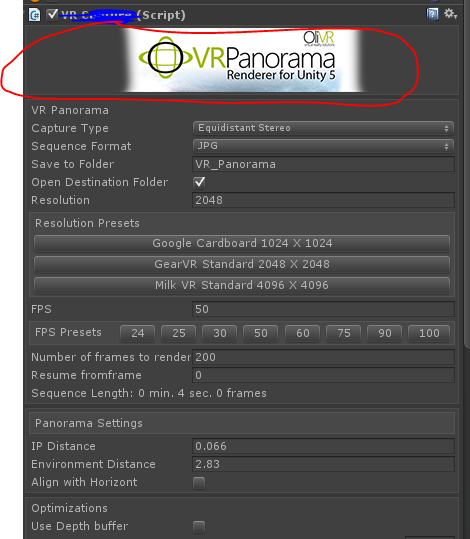
anyone know how to add an image to the top of an script in the inspector? like a logo
somber nacelle
do you mean for its icon in the inspector next to the component's name?
faint tree
no just an image at the top
somber nacelle
can you be more specific about wtf you are talking about?
faint tree
like this https://i.stack.imgur.com/2fyRZ.png
 somber nacelle
you need to draw a custom inspector for that. see the documentation pinned in #↕️┃editor-extensions
plucky inlet
faint tree
guess its not worth the hassle just for a nice pic 🙂
Not the most important thing about a custom script/plugin, nope 😉
 marsh mesa
I have a question
Lets say i have a lot of instances of the card class in the "Hand" list, some of the cards are identical, and i need to check if the list has a specific instance of card in my hand
Does List.contains(Class) return true if it finds any identical class, or only if it finds the specific instance of it?
 knotty sun
specific instance
marsh mesa
Ok, good, thanks!
I figured so, since classes are reference types, but i just wanted to double check
thin aurora
marsh mesa
I have a question
Lets say i have a lot of instances of the card class in the "...
By default it will check by reference, so the instances must match. However, like many other things you can override the equality check that is done and have it check for data. This is often better, and it might also work in your case. For example, if your card is a specific face and suit and you want to check that instead, you can implement a custom Equals method that specifies how it must compare against another card.
See here: https://github.com/microsoft/referencesource/blob/master/mscorlib/system/collections/generic/list.cs#L316
Note the method specifies this specifically.
Also, if you want to do this yourself then Card must implement this: https://learn.microsoft.com/en-us/dotnet/api/system.iequatable-1?view=net-8.0
marsh mesa
Ohhhh, i see
thanks a ton!
In my case i care about the instance, so it works good by default
thin aurora
All good, just FYI since overriding these things can make your life a lot easier
marsh mesa
yeah, i;ll keep that in mind
 chilly surge
If you want a class to have value semantics, using a record is really nice because compiler implements all of those boilerplate (Equals, GetHashCode, ==, !=, etc) for you.
somber nacelle
note that unity doesn't quite have full support for records though
chilly surge
Wdym? You just need to add a stub attribute for the compiler and that's all.
Unless you are talking about record struct, in which case yeah Unity's C# version is too low to support that.
lyric moon
why is my assetbundle not replacing?
if a bundle is already installed and then i try to update it with a new downloaded one it just... says it does but the file itself didnt even change
you can see it downloaded it at 00:33 (12:33)
but the bundle itself (i went and found where they store them in LocalLow) clearly is still the old one from 12:10


if i delete that file, it downloads the new one
but i want to replace the old one with the new one in game.. why tf does it not replace
its not like that bundle is loaded when it goes to download the new one
marsh mesa
Can i make it so a function's override takes input even tho the base one doesnt?

 knotty sun
it's only an override if the signature is the same, if you are changing parameters no override is necessary
lyric moon
lyric moon
why is my assetbundle not replacing?
if a bundle is already installed and then i...
ok i got it to replace by changing the version number for the bundle in the request
but its still keeping the old one downloaded
how can i change this - i dont wanna keep a bunch of unnecessary storage

is there a way to remove all other cached versions or something
 chrome trail
I have code that, when triggered, causes an NPC to move in a constant direction for 0.5 seconds in what is supposed to be a dodge. Once the 0.5 seconds are up, the NPC is supposed to have moved (almost) exactly 2.5 meters before the "dodge animation" ends and the AI is free to make decisions again. While the code manages to do this just fine when I set the velocity to a constant rate and just wait for the timer to expire like so
    {
        //Run dodge queue
        //It's not important right now how dodgeQueue is tripped. Just that it is
        if (!anim.GetBool("Dodge") && dodgeQueue)
        {
            //Animation reset
            anim.Play("Idle");
            anim.SetBool("Dodge", true);

            //Variable assignment
            dodgePercent = 0;
            startPosition = transform.position;
            rb.velocity = CalculateDodge(enemyMovement.maxAcceleration);

            //Queue reset
            attackQueue = false;
            dodgeQueue = false;
        }
    }

    void FixedUpdate()
    {
        //Dodge "animation" goes here
        if (anim.GetBool("Dodge"))
        {
            //End "animation"
            if (dodgePercent >= DODGE_TIME)
            {
                print("Dodge complete. Distance from target is " + Vector3.Distance(target.position, transform.position) + " and distance from start is " + Vector3.Distance(startPosition, transform.position));
                anim.SetBool("Dodge", false);
                rb.velocity = Vector3.zero;
            }

            //Increment dodge percent
            dodgePercent += Time.deltaTime;
        }
}```For what ever reason, I can't get the NPC to move the full 2.5 meters when I have it moving at a decaying rate based on formulas I was lead to believe should work. It always stops short at 2.4 meters before ending the "animation" and I don't know where the missing 0.1 meters went. Where did it go and how do I fix the code so that it shows back up again?
{
//Run dodge queue
//It's not important right now how dodgeQueue is tripped. Just that it is
if (!anim.GetBool("Dodge") && dodgeQueue)
{
//Animation reset
anim.Play("Idle");
anim.SetBool("Dodge", true);
//Variable assignment
dodgePercent = 0;
startPosition = transform.position;
//DODGE_DISTANCE = 2.5, DODGE_TIME = 0.5
rb.velocity = CalculateDodge(enemyMovement.maxAcceleration).normalized * Mathf.Sqrt(2 * (2 * DODGE_DISTANCE / Mathf.Pow(DODGE_TIME, 2)) * DODGE_DISTANCE);
//Queue reset
attackQueue = false;
dodgeQueue = false;
}
}
void FixedUpdate()
{
//Dodge "animation" goes here
if (anim.GetBool("Dodge"))
{
//This is supposed to be the decay rate allowing me to complete the dodge in 0.5 seconds and still allowing me to travel 2.5 meters
rb.velocity -= rb.velocity.normalized * (2 * DODGE_DISTANCE / Mathf.Pow(DODGE_TIME, 2)) * Time.deltaTime;
//End "animation"
if (dodgePercent >= DODGE_TIME)
{
print("Dodge complete. Distance from target is " + Vector3.Distance(target.position, transform.position) + " and distance from start is " + Vector3.Distance(startPosition, transform.position));
anim.SetBool("Dodge", false);
rb.velocity = Vector3.zero;
}
//Increment dodge percent
dodgePercent += Time.deltaTime;
}
}``` meager pendant
they said "use naming conventions"
"use camal casing"
i said "type casing"
this cant be a sin
 chilly surge
It's called Hungarian notation.
meager pendant
why
knotty sun
It's not a 'sin', it's jusr pointless
meager pendant
i just think my code looks cooler and is more readable when i use that
knotty sun
do you know why hungarian notation was invented in the first place?
chilly surge
It's very much not a thing in the C# world, and generally considered not good anymore.
leaden ice
Sure you're just going to have trouble collaborating with other C# programmers
meager pendant
knotty sun
do you know why hungarian notation was invented in the first place?
i know it had to do with types
in older languages it wasnt as easy as it is now
meager pendant
leaden ice
Sure you're just going to have trouble collaborating with other C# programmers
how
i use camal casing
i just add a type
When it comes to methods its standard practice
so it shouldnt matter
knotty sun
meager pendant
i know it had to do with types
more than that, in the days before ide's and when using non type safe languages this notation was a aide memoir, nowadays and especially with C# it is totally pointless
chilly surge
(Somewhat related to the whole var vs explicit type thing, most of the time type does not impact code readability)
meager pendant
i just like how it looks
and thats only in private variables
public ones use standard casing
chilly surge
I mean it's completely fine if you are working alone, it's your code and you can do whatever you want.
You only have problem when collaborating with other people, because there are a set of conventions everyone follows while you are going against it.
meager pendant
chilly surge
You only have problem when collaborating with other people, because there are a ...
no
for public methods and variables
its standard camal casing and pascal casing
chilly surge
Classes are PascalCase, methods are PascalCase, local variables are camelCase, private fields are _camelCase.
Your main class and all the private fields already broken conventions.
meager pendant
chilly surge
Classes are `PascalCase`, methods are `PascalCase`, local variables are `camelCa...
yes
private fields are _camel
i just add the type cause i like how it looks
its at most a 3 character difference
to what it would be normally
chilly surge
You don't have to justify your decisions to me, if it makes you happy then go for it 😄
thin aurora
I would hate having to type out a variable's type before its name every time I were to use it
What a waste of time when my IDE just points out the type
chilly surge
I'm just pointing out that others might not be quite happy to deal with code like that.
thin aurora
In all seriousness I think SteveSmith hit the nail on the head. This was useful back when there wasn't an IDE to support you with its intellisense but now it's pointless
knotty sun
tbh IDE's have made almost all conventions pointless, the ONLY thing which is important is consistency
chilly surge
Only partly, there are still situations where you need to read code without the help of an IDE, eg during code review on GitHub or something.
Conventions like localVariable vs _privateField vs PublicProperty are still very useful, because modifying them have very different implications and those mistakes do not get prevented by compiler.
 royal marlin
I've two custom editor scripts, both using this snipped to visualize content of a NetworkVariable and on same hierarchy level of an object ```if(Application.isPlaying)
{
EditorGUILayout.Space(3f);
EditorGUILayout.BeginHorizontal();
EditorGUILayout.LabelField("Current State", EditorStyles.boldLabel);
EditorGUILayout.EndHorizontal();
EditorGUILayout.BeginVertical(EditorStyles.helpBox);
EditorGUILayout.BeginHorizontal();
EditorGUILayout.TextField("ID", this.sum.CurrentState.Value.GUID.ToGuidString());
EditorGUILayout.EndHorizontal();
EditorGUILayout.BeginHorizontal();
EditorGUILayout.TextField("Name", this.sum.CurrentState.Value.NameID);
EditorGUILayout.EndHorizontal();
EditorGUILayout.EndVertical();
}``` One editor is always updated and shows the correct value (value change triggered by mouse event), the other only if it gains focus (value change triggered by key input). For test I bind both editor to OnValueChange event of the network variable. The value is changed correctly in any editor, but one of the editor UI not updated. Any idea why this could be happend?
knotty sun
chilly surge
Conventions like `localVariable` vs `_privateField` vs `PublicProperty` are stil...
that is why I said consistency is important, the actualy convention used is irrelevant
royal marlin
Solved my EditorUI update problem by mark it dirty when the OnValueChange event has been occured without changing anything. Strange behaviour ...
 short dagger
Hi, somebody using gltfast? It work well in editor, but in build the exported file has 0kb.
 heady iris
is your mesh marked read/write?
 main coral
Hey why do I get a Null reference ?
    {
        LobbyManager.Instance.OnReadyChanged += LobbyManager_OnReadyChanged;
    }```

``` public event EventHandler OnReadyChanged;```Instance is null
This code is probably running before Instance is assigned
 ocean nova
the text is only numbers but when i try to convert it into a ulong i get this error please help
 leaden ice
ocean nova
the text is only numbers but when i try to convert it into a ulong i get this er...
leaden ice
ocean nova
the text is only numbers but when i try to convert it into a ulong i get this er...
It would help if you log the string it's trying to parse

 leaden ice
Yes you're ignoring the return value of tryparse
That only confirms that it's not able to be parsed
ocean nova
oh
leaden ice
You need to print the length of the string and confirm it matches what you think
It might have invisible unparseable characters
After that double check the number is within range for ulong
Hard to tell without counting the digits
ocean nova
what is the range of a ulong
leaden ice
Google that exact sentence
 leaden ice
Ok then it's likely the invisible characters thing
knotty sun
that's not possible
 thick terrace
to achieve what?
this kind of thing is why games have login systems and stuff like that, you can't do it anonymously in game code because it's impossible to make game code secret from the player
knotty sun
if you want totally secure you will need a server and to access the API via that
chilly surge
You will be able to ban that specific user.
knotty sun
There are ways but they are pretty complicated. I'm guessing in your case you would just limit the scope of the calls between the client and the server so only the server know which api calls are actually being made, it very much depends on what the apis are as to how far you go in security
thick terrace
you haven't said what the API is for, but normally you want to apply various authentication rules based on the player's identity like only being able to modify your own data
chilly surge
There is no way for you to know if the request you received comes from a genuine client or a fake one that just submits whatever score it wants.
The best you can do is to analyze the behavior of the requests (eg score obviously cannot be over 9000, a player cannot submit 2 scores in succession that's shorter than the length of a game) and punish the cheaters.
Which goes without saying, the only way you can do that (analyze requests, punish cheaters, etc) is to have the leaderboard behind your own backend.
meager pendant
anyone know a better way to do this
(make projectiles smoothly turn towards a target while maintaining constant speed)

 lean sail
meager pendant
anyone know a better way to do this
(make projectiles smoothly turn towards a ...
lean sail
meager pendant
anyone know a better way to do this
(make projectiles smoothly turn towards a ...
Use the built in unity functions. Rotate towards should do exactly what you need here
 proper zephyr
Idk why it doesn't work (it should make a cube but it doesnt show) TerrainFace.cs (part 1):
using System.Collections;
using System.Collections.Generic;
using UnityEngine;

public class TerrainFace
{
    private Mesh mesh;
    private int resolution;
    private Vector3 localUp;
    private Vector3 axisA;
    private Vector3 axisB;

    public TerrainFace(Mesh mesh, int resolution, Vector3 localUp)
    {
        this.mesh = mesh;
        this.resolution = resolution;
        this.localUp = localUp;

        axisA = new Vector3(localUp.y, localUp.z, localUp.x);
        axisB = Vector3.Cross(localUp, axisA);
    }
    public void ConstructMesh()
    {
        Vector3[] vertices = new Vector3[resolution * resolution];
        int[] triangles = new int[(resolution - 1) * (resolution - 1) * 6];
        int triIndex = 0;

        for (int y = 0; y < resolution; y++)
        {
            for (int x = 0; x < resolution; x++)
            {
                int i = x + y * resolution;
                Vector2 percent = new Vector2(x, y) / (resolution - 1);
                Vector3 pointOnUnitCube = localUp + (percent.x - .5f) * 2 * axisA + (percent.y - .5f) * 2 * axisB;
                vertices[i] = pointOnUnitCube;

                if (x != resolution - 1 && y != resolution - 1)
                {
                    triangles[triIndex] = i;
                    triangles[triIndex+1] = i + resolution+1;
                    triangles[triIndex+2] = i + resolution;

                    triangles[triIndex+3] = i;
                    triangles[triIndex+4] = i + 1;
                    triangles[triIndex+5] = i + resolution+1;

                    triIndex += 6;
                }
            }
        }
        mesh.Clear();
        mesh.vertices = vertices;
        mesh.triangles = triangles;
        mesh.RecalculateNormals();
    }
}```Planet.cs:
using System;
using System.Collections;
using System.Collections.Generic;
using UnityEngine;

public class Planet : MonoBehaviour
{
    [Range(2,256)]
    public int resolution = 10;

    [SerializeField, HideInInspector]
    private MeshFilter[] meshFilters;
    private TerrainFace[] terrainFaces;

    private void OnValidate()
    {
        Initialize();
        GenerateMesh();
    }

    void Initialize()
    {
        if (meshFilters == null || meshFilters.Length == 0)
        {
            meshFilters = new MeshFilter[6];
        }
        terrainFaces = new TerrainFace[6];

        Vector3[] directions = { Vector3.up, Vector3.down, Vector3.left, Vector3.right, Vector3.forward, Vector3.back };

        for (int i = 0; i < 6; i++)
        {
            if (meshFilters[i] == null)
            {
                GameObject meshObj = new GameObject("mesh");
                meshObj.transform.parent = transform;

                meshObj.AddComponent<MeshRenderer>().sharedMaterial = new Material(Shader.Find("Standard"));
                meshFilters[i] = meshObj.AddComponent<MeshFilter>();
                meshFilters[i].sharedMesh = new Mesh();
            }

            terrainFaces[i] = new TerrainFace(meshFilters[i].sharedMesh, resolution, directions[i]);
        }
    }

    void GenerateMesh()
    {
        foreach (var face in terrainFaces)
        {
            face.ConstructMesh();
        }
    }
}```do you just need to add a mesh.UploadMeshData() at the end?
proper zephyr
where?
thick terrace
i guess at the end of ConstructMesh?
proper zephyr
but with what mesh inside the function?
leaden ice
proper zephyr
Idk why it doesn't work (it should make a cube but it doesnt show) TerrainFace.c...
any errors at runtime?
 thick terrace
proper zephyr
but with what mesh inside the function?
thick terrace
proper zephyr
but with what mesh inside the function?
what do you mean, there's only one variable named mesh so that one surely? basically you just need to ensure UploadMeshData is called after editing a mesh at some point before you try to render it
leaden ice
proper zephyr
the game is not running in this screenshot
 leaden ice
Ok it's OnValidate
thick terrace
proper zephyr
check the docs for UploadMeshData, you want to understand what this option does


 thick terrace
what do you get if you look at the mesh inside the meshfilter on one of those objects?
leaden ice
proper zephyr
but got nothing
silly question but maybe look at the actual child objects? And why is this object at such a crazy position (-1500x)?
proper zephyr
look
it's selected
ahhh wait
i've thinking that it was at the object but it is at 0 0
oops
 leaden ice
🤦
 rigid island
 hollow mantle
something on line 56 is null inside Inventory
 rigid island
!code
 tawny elkBOT

Posting code
📃 Large Code Blocks
Use links to services like:
https://gdl.space/, https://paste.ofcode.org/, https://hatebin.com/, https://paste.myst.rs/, https://hastebin.com/
📃 Inline Code
Surround code with three backquotes. Not quotation marks.
To format as C#, add cs to the first line:
```cs
// Your code here
```
Add a comment with a line number if there is an error message.
rigid island
!screenshots
tawny elkBOT
 No
No
Be mindful, if someone requests your code as text, don't send a screenshot!
rigid island
currentslot or itemVisual is null
 waxen kayak
Does anyone have any idea about why this happens

so I have a turret
that needs to turn in the direction of my key
and
I'm calculating the angle with fromtorotation, and it seems to be mirrored around an axis
leaden ice
waxen kayak
I'm calculating the angle with fromtorotation, and it seems to be mirrored aroun...
My guess would be there's a problem with your code and/or the setup of your objects in the scene.
waxen kayak
Vector3 dir = (Camera.main.ScreenToWorldPoint(Input.mousePosition) - selectedTurret.transform.position).normalized;
selectedTurret.targetRotation.Value = Quaternion.FromToRotation( dir, -selectedTurret.transform.up).eulerAngles.z;
this is the how the angle is calculated
leaden ice
share details of those things
leaden ice
waxen kayak
```cs
Vector3 dir = (Camera.main.ScreenToWorldPoint(Input.mousePosition) - selec...
FromToRotation gives the diff
it doesn't give the target rotation
waxen kayak
targetRotation is the z euler angle of the turret
leaden ice
the target rotation would be like Quaternion.AngleAxis(Mathf.Atan2(dir.y, dir.x), Vector3.forward)
waxen kayak
leaden ice
FromToRotation gives the diff
doesn't comparing it to it's forward yield the angle it needs to be at
leaden ice
again you're getting the difference in rotation ebtween its current rotation and the desired rotation
what you actually want is just the desired rotation
 dawn nebula
Do you guys ever have Monobehaviours that represent just data? Like there's no visual component and it's not a manager (you can have many).
Like imagine you have a goblin in a turn based RPG. You have a class that controls its logic and another than is just the visual. Would you keep the logic in just C# land? No monobehaviour?
leaden ice
based on the name "targetRotation" at least
no idea how that part of the code works, but presumably it wants the target rotation
rigid island
dawn nebula
Do you guys ever have Monobehaviours that represent just data? Like there's no v...
if I dont need inspector or unity events, it doesn't need to be MB
leaden ice
dawn nebula
Do you guys ever have Monobehaviours that represent just data? Like there's no v...
Generally if it's just data it doesn't really need to be a MB
waxen kayak
leaden ice
no idea how that part of the code works, but presumably it wants the target rota...
it needs the Z componenet of the rotation of the turret
if that makes sense
leaden ice
waxen kayak
it needs the Z componenet of the rotation of the turret
I think you're not reading what I wrote
waxen kayak
I did
leaden ice
you're getting the diff and you actually need just the target
another problem here is you're normalizing a 3D vector that might not be flat on the XY plane and that FromToRotation is going to give a quaternion with potentially gimbal-locked z axis rotation
waxen kayak
it's happening in 2d
dawn nebula
rigid island
if I dont need inspector or unity events, it doesn't need to be MB
I always have trouble fully splitting logic from visuals. Right now I'm making something sort of simulator/turn based, and I'm thinking of having most of the game logic in c#, processed by managers, and it just sends signals to views, which are unity gameobjects.
leaden ice
waxen kayak
it's happening in 2d
I'm aware
and yet your code is doing what I said
you don't get to ignore the z axis because your game is 3D
Print this vector:
Vector3 dir = (Camera.main.ScreenToWorldPoint(Input.mousePosition) - selectedTurret.transform.position).normalized;```you will see what I mean
you would want this to be something like (x, y, 0) but it's not going to have 0 as the z
rigid island
dawn nebula
I always have trouble fully splitting logic from visuals. Right now I'm making s...
technically its all C# 😛
waxen kayak
leaden ice
Print this vector:
```cs
Vector3 dir = (Camera.main.ScreenToWorldPoint(Input.mou...
I'm debug.ray-ing it and it looks good, but I'll check
leaden ice
waxen kayak
I'm debug.ray-ing it and it looks good, but I'll check
you're probably looking at it in 2d mode, no?
waxen kayak
it looks right in 3d mode
leaden ice
Unless your camera is on the same plane as your objects (not really possible) I don't see how it could be right
waxen kayak
leaden ice
Unless your camera is on the same plane as your objects (not really possible) I ...
because it is on the same plane
rigid island
dawn nebula
dont do this to me 😛
there definitely are some good patterns, what helped me a lot is when working with traditional c# apps you learn to improve the MVC pattern typically.
So you can kinda do that in Unity but there are many things where gameobjects are very convenient
leaden ice
waxen kayak
because it is on the same plane
then you wouldn't be able to see any of your objects 🤔
dawn nebula
rigid island
there definitely are some good patterns, what helped me a lot is when working wi...
Like the component based system.
rigid island
dawn nebula
Like the component based system.
Yeah like instead of cramming everything in a monolothic class, split them into smaller components
I can disable a certain component on my NPC for example and doesn't break anything else
waxen kayak
z is always 0
waxen kayak
leaden ice
then you wouldn't be able to see any of your objects 🤔
I think you can in 2d
wait I might have figured it out
leaden ice
definitely not, no
dawn nebula
rigid island
Yeah like instead of cramming everything in a monolothic class, split them into ...
One thing I sometimes struggle with is having one side (logic vs view) knowing who they represent.
For example I want to move the Goblin. I click the view obviously, and now the view needs to communicate "Hey I represent this guy, and he needs to move". Would you give the view a full reference to the logic class? Or maybe something like an ID?
rigid island
dawn nebula
One thing I sometimes struggle with is having one side (logic vs view) knowing w...
What I do is make a component , lets call it. "Click Position Placement" or something
This component just sets the click position to the mouse position
Now all I do is Invoke an event with that Vector3 position
anything subscribed to this component, gets the V3
so now the Setting position doesn't care about Goblin/Npc
and goblin just subscribes to an event, maybe you can further filter through a manager pattern or intermediatary.
It should only care about receiving a V3 position, it shouldn't care how it acquires it. If that makes sense
waxen kayak
okay I fixed it like this:
selectedTurret.targetRotation.Value = Quaternion.AngleAxis( Mathf.Rad2Deg * Mathf.Atan2(dir.y, dir.x), Vector3.forward).eulerAngles.z-90;
well wait if oyu're doing Quaternion.AngleAxis( Mathf.Rad2Deg * Mathf.Atan2(dir.y, dir.x), Vector3.forward).eulerAngles.z-90;
You might as well just do
Mathf.Rad2Deg * Mathf.Atan2(dir.y, dir.x)-90;
there's no reason to involve all the quaternion stuff there
waxen kayak
leaden ice
then you wouldn't be able to see any of your objects 🤔
by that do you mean the Z component in positon isn't the same, or the rotation isn't the same
leaden ice
waxen kayak
by that do you mean the Z component in positon isn't the same, or the rotation i...
z position
waxen kayak
Well I don't know why you can't because I think I can
leaden ice
because I've been working with Unity for over a decade and have helped hundreds of beginners who thought they could but actually couldn't

 leaden ice
waxen kayak
I can see it
leaden ice
waxen kayak
I can see it
your camera is clearly at z = -10
and your object is at z = 3.49
those are not the same
dawn nebula
rigid island
so now the Setting position doesn't care about Goblin/Npc
and goblin just subscr...
I guess in my head I imagined the ClickPositionPlacement clicking a view, and then a position, and now needs to specify to the logic "Here is what is trying to move and where." Because we're in logic world, we need to go from the view representation in Unity to the logical representation in C#.
waxen kayak
leaden ice
and your object is at z = 3.49
those are not the same
So they aren't on the same plane?
dawn nebula
Honestly I think just ID'ing it is fine.
waxen kayak
yes, and I can see the turret just fine
leaden ice
yes
dawn nebula
Get ID from view, attempt to move object, logic handles checking if that ID is even real.
leaden ice
because they are positioned correctly
waxen kayak
now I put both at 0
leaden ice
waxen kayak
yes, and I can see the turret just fine
I'm saying if they WERE at the same z position THEN you would NOT be able to see it
waxen kayak
and I can still see it
leaden ice
waxen kayak
and I can still see it
well your turret probably has a parent object
waxen kayak
nope
leaden ice
waxen kayak
and I can still see it
you can see in game view? Or just in scene
waxen kayak
they are like this
 waxen kayak
leaden ice
you can see in game view? Or just in scene
waxen kayak
leaden ice
you can see in game view? Or just in scene
both
leaden ice
I don't believe you 😄
waxen kayak
should I record it
leaden ice
Yeah... very strange 🤔
waxen kayak
isn't it normal
leaden ice
because I've helped hundreds of people who CAN'T see their objects
and the reason was their camera is at 0
waxen kayak
if you can or cannot see it is depending on sorting order
dawn nebula
leaden ice
because I've helped hundreds of people who CAN'T see their objects
new IT challenge unlocked?
rigid island
dawn nebula
I guess in my head I imagined the ClickPositionPlacement clicking a view, and th...
well yeah if you call the scene a view I suppose you can say ClickPositionPlacement only interacts with the view and doesn't do any further logic, all it does is tell whatever is "listening " the position
I clicked here on the View, Here is the position, do what you will at your discretion
leaden ice
do you have more than one camera?
waxen kayak
no
leaden ice
very strange
waxen kayak
I always thought it was like this
and I always remembered it being like this
Maybe something happens if the sorting orders aren't set?
I have no idea
 narrow nebula
so i've been tryina add complicated effects to my card game and i want to be able to add more of them easily. Im using a scriptable object class so i can set the variable references in the editor.
Is there a better way to do this, because having to add a assetmenu and create a instance of that SO in the project files seems a bit jank
 thick terrace
narrow nebula
so i've been tryina add complicated effects to my card game and i want to be abl...
thick terrace
narrow nebula
so i've been tryina add complicated effects to my card game and i want to be abl...
you can use [SerializeReference] instead and make them plain C# classes, your mileage may vary on the relative levels of jank between serialized references and scriptable objects, and you'd need to implement a custom property drawer to edit them
that aside i'm fascinated by the method at the top, couldn't you replace the whole switch statement and delegate with effects[ints[i]].Activate()?
narrow nebula
thick terrace
that aside i'm fascinated by the method at the top, couldn't you replace the who...
yeah im new to using delegates and just wanted to try that out but thanks for the response
thick terrace
fair enough haha
heady iris
I need to draw some lines on a grid. I am looking to use Bresenham's algorithm. I'm curious if there's a library people have used for this, or if I should just implement it myself
One possibly tricky thing: I want this to be determinstic so that I can run it on multiple machines and get the same set of points
The algorithm doesn't really use anything other than adding and subtracting floats, so I don't think that'll be a problem...
trig seems to be where you have problems
latent latch
narrow nebula
so i've been tryina add complicated effects to my card game and i want to be abl...
If you don't want to go the multiple class way, you can use a single class and then some identifier like a flag enum (enum mapped to delegate) to tell what methods you can use.
heady iris
heady iris
I need to draw some lines on a grid. I am looking to use Bresenham's algorithm. ...
actually, hang on, this isn't even doing float math, is it
 clever lagoon
heady iris
actually, hang on, this isn't even doing float math, is it
clever lagoon
heady iris
actually, hang on, this isn't even doing float math, is it
are you drawing these lines by setting pixels on a texture? In this case the OUTPUT coordinate would be ints, but you'll need to use floats to iterate.
heady iris
i'm yielding Vector3Ints for something else to process
the basic line algorithm is completely integer based!
I'm interested in doing a thick, non-anti-aliased line
latent latch
It would be nice if there was any actual updates to editor scripting and asset creation that doesn't include making property drawers or having to script that functionality in.
Expandable class instances on the editor should just be default already, and so is selective hiding of variables
heady iris
serialized classes do appear as a folding menu in the inspector
latent latch
right, but still requires some scripting for them to be selectable
heady iris
selectable?
heady iris
ah, for scriptable object references
rigid island
all the stuff in NaughtyAttributes should've been in Unity already..
ig it would compete with odin, or maybe naughty itself
 thorny eagle
Hello everyone, Im having a problem for a long time in my game when i active a gameobject with 2D Light component no matter the intesnitiy of the light my game crash for like 1 second when i get close to the gameobject and only 1 time, does anybody know why could it be? im using universal renderer pipeline maybe its the project problem or project settings?
rigid island
thorny eagle
Hello everyone, Im having a problem for a long time in my game when i active a g...
was it necessary to be crossposted?
thorny eagle
Do you know why?
rigid island
this question has nothing to do with code
 merry stream
i know this is a bit much to ask but is anyone willing to critique the ability system I made? i finally got the core of it working and want to finalize it before i add more complex systems such as tag checking etc
latent latch
sure, post it
merry stream

GitHub
Contribute to UmbraGlobe/abilityframework development by creating an account on GitHub.
merry stream
latent latch
sure, post it
been working on it for the past few weeks lol. I appreciate the help you gave early on
lean sail
merry stream
https://github.com/UmbraGlobe/abilityframework
Thatd be quite a lot to critique, although i opened that first file StructEnums.cs and those should definitely be split up into it's own files.
But also some of those dont really make sense to be structs like the player state data.
merry stream
lean sail
Thatd be quite a lot to critique, although i opened that first file StructEnums....
yeah those two things are from when I first started making the game and havent been bothered to change it
they can be ignored when looking at the other stuff
latent latch
Looks pretty good, so what's the process of say adding a source of IceDamageFlat to an ability of Ice?
or how is the complete calculations done before/after hitting an enemy
merry stream
so that would be done using a custom magnitude
there already is an ElementalDamageMagnitude which takes the values of all of the casters elemental damage and then calculates the damage dealt based on the targets resistance
that could be changed to just take into account ice
if you look at MagnitudeStat, it can capture any stat on the caster or target
either when the effect is first applied or on every time the magnitude is calculated in a case of something like a dot effect
the reason for seperating this is since when you shoot a projectile, there is no target until it touches an enemy, therefore it can capture the stat only when the effect "learns" the target
latent latch
right, some calcs like armor can only be completed when knowing the target
merry stream
yes
latent latch
overall looks pretty similar to mine. One thing I do use a lot though are bitwise enum operations, but I think you're accomplishing a lot of that similarly using dictionaries.
for quick tag comparisons for modifiers
merry stream
yeah my StatParser file holds all the stats and how they relate
latent latch
next step is to make a sweet projectile/ability controller
merry stream
yeah just had to get the effects actually affecting things first
lol
i appreciate it
latent latch
yeah looking pretty good
I see you do a lot of explicit data too which honestly is ideal. Can always change it later if you want to do more serialization
merry stream
as in all my tiers of stats, etc?
latent latch
yeah
merry stream
yeah couldnt think of a better way of doing it besides maybe writing it in a seperate file and reading it in
gunna have to make it all explicit anyways somehow
latent latch
more referring to a stat range with randomized values, unless you are doing that somewhere
because if you keep it completely explicit you just need to serialize the dictionary keys
merry stream
i just rebuild it in a somewhat scuffed way
i could probably improve, but it works public static ItemInstance RebuildItem(ItemSaveData data) { Item item = ItemByGUID(data.GUID); if (item is Equipment) { ItemStats affixes = new ItemStats(); foreach (var stat in data.affixes) { affixes.Add(new StatData(stat.Key, StatParser.GetTier(stat.Key, stat.Value)), stat.Value); } EquipmentInstance instance = new EquipmentInstance((Equipment)item, new Rarity(data.rarity), affixes, data.sellPrice, data.itemLevel); return instance; } else if (item is EnemyData) { EnemyDataInstance instance = new EnemyDataInstance((EnemyData)item, new Rarity(data.rarity)); return instance; } else { ItemInstance instance = new ItemInstance(item, new Rarity(data.rarity)); return instance; } }
latent latch
if it works it works
merry stream
so my items are saved like so in JSON

i tried serializing the "tier" but I dont think json can nest that far? not sure what the issue was
so instead I just match the value with the correct tier
latent latch
It's probably fine unless you want to be poe specific where you can reroll values in that tier
merry stream
i see you noticed my influences lol
but you can
tier has a roll function which just randomizes its values within its range
latent latch
for the effect stuff, I'm still kinda trying to perfect it, but eventually I want to make a single coroutine pool that queues the effects instead of checking each individual coroutine
merry stream
as in you would be able to queue abilities and have them go off after the last one ends?
latent latch
yeah, it's that for constant ticking type effects, apparently waitforseconds does check every frame still
and I get a lot of slowdown when I fire some damage over time effect onto like 500 enemies at once
merry stream
Ah I see
I havent tested performance yet
should be okay as I only run 2 things in update
latent latch
Another idea was just to do all the effect checking in update, but similarly there is a lot of comparison checking. IDK, but PoE suffers from similar problems
Single update loop, with some queue pooling system with Unitask is probably what I'll try next
latent latch
that game is held on by glue, and they keep applying more every so often
latent latch
but pretty sure those underlying issues are so integrated with their systems that only way to fix it is to release their next game
merry stream
yeah i bet
they've probably improved a lot on their engine in poe2
since poe1 engine was made back in like 2012
latent latch
Yeah hopefully. They got the money and team now so I'm counting on it
really it wasn't much of a problem early on, but as the power creep became a thing and they added more effects to all their calculations and just overall quicker application of stuff it started to show
merry stream
yeah I used to be able to run that game with a 960, doubt i could now
though I doubt poe2 will be even half as intensive since they are slowing it down a lot
 verbal grail
private void _OnSceneGui(SceneView view)
{
    using var scope = new EditorGUI.ChangeCheckScope();
    var transform = _visualObject.transform;
    var nextPosition = Handles.PositionHandle(transform.position, transform.rotation);

    if (scope.changed)
    {
        transform.position = nextPosition;
    }
}
When i move the handle in the scene view, the handle moves (which means that the object's position is indeed being updated. However the object itself doesn't move. If I move the handle and then click on the scene post processing toggle, the visual of the object will update, but only for that frame.
Is there something I must also call when the scope changes to ensure the object's visual get's updated as well?
Update: the visual object has HideFlags.HideAndDontSave, if I don't set that, then it updates just fine, but unfortunately becomes part of the scene hierarchy (which I don't want)
rigid island
#↕️┃editor-extensions prbably better place
verbal grail
ok
 timid briar
Is anyone familiar with ufps
latent latch
    public abstract class Card
    {
        public CardSO CardSO { private set; get; }

        public event Func<Card, bool> UseCardEvent;

        public Card(CardSO cardSO)
        {
            CardSO = cardSO;
        }

        public void Use()
        {
            UseCardEvent?.Invoke(this);
        }
    }

    public class CardConstruct : Card
    {
        public new CardConstructSO CardSO { private set; get; }
        public CardConstruct(CardConstructSO cardSO) : base(cardSO)
        {
            CardSO = cardSO;
        }
    }

    public class CardAbility : Card
    {
        public new CardAbilitySO CardSO { private set; get; }
        public CardAbility(CardAbilitySO cardSO) : base(cardSO)
        {
            CardSO = cardSO;
        }
    }
opinions on hiding fields using new in the derived class? I usually just use generics here, but the problem with generics is you can't pass around the base without a generic param type so I'd use an interface otherwise.
thick terrace
latent latch
```cs
public abstract class Card
{
public CardSO CardSO { privat...
doing it this way means you have two separate backing fields storing the reference, it may be harmless but it can also be really confusing to debug if something goes wrong so i'd usually prefer to go with something like public new CardConstructSO CardSO { get => (CardConstructSO)base.CardSO; set => base.CardSO = value; }
actually i guess you don't need the setter at all in the derived class in your case
latent latch
right you'd just use a property field and cast. I was doing that in another project
havent really checked much on it, but I'd assume there's not really much of a cost to casting right
cause a lot of this is being constantly checked in updates
like, even if it's such a micro performance, is there really a difference between telling the compiler straight up what is vs casting at runtime
or would this also be compiled time known I guess
thick terrace
it's not quite free, but in most cases it shouldn't cause a problem and i'd usually rather avoid the duplicate backing field and just cache it in a local var somewhere if it's used repeatedly in a loop or something
 last raven
anyone knows how to make VS code use C# 11, I added csc.rsp with -langVersion:preview and even Directory.Build.props with
<Project>
  <PropertyGroup>
    <Nullable>enable</Nullable>
    <LangVersion>preview</LangVersion>
  </PropertyGroup>
</Project>
but because .csproj files contain <LangVersion>9.0</LangVersion> for some reason it doesn't override it and VS Code analyses them as C# 9 files
I ininitally assumed just using csc.rsp with -langVersion:preview should've been enough but Unity generates from .csproj files
the only thing I can think of is adding editor script for asset postprocessing and editing csproj files in it
but that sounds really annoying
rigid island
last raven
anyone knows how to make VS code use C# 11, I added csc.rsp with `-langVersion:p...
wdym "use c# 11"
the version of c# is tied to the .NET framework version
last raven
no it's not, you can select C# version to use in csc.rsp, default is C# 9 but 10 is also supported and some feature of 11 too with preview version
rigid island
last raven
no it's not, you can select C# version to use in csc.rsp, default is C# 9 but 10...
where did you see that unity can use c# 10
last raven
I'm literally using it right now, it works in unity, it doesn't work in VS Code because unity generates wrong project files
rigid island
last raven
I'm literally using it right now, it works in unity, it doesn't work in VS Code ...
no it doesnt
the compiler max version is 9#
even in unity 6
last raven
I have files with C# 10 features and unity compiles them
rigid island
external library perhaps, but not unity itself
rigid island
last raven
I have monobehaviour that uses C#10 features
prove it
last raven
put csc.rsp with -langVersion:preview -nullable:enable and use C# 10 features in your code
rigid island
I said prove it, you weren't able to deliver
last raven
in the root of your assets folder
or in folder with asmdef file
how do I prove it?
I can make a project

 last raven
all it contains
using UnityEngine;

public class CS10TestBehaviour : MonoBehaviour
{
    private void Awake()
    {
        int a = 10;
        (a, int b) = (20, 25);
        Debug.Log($"{a}, {b}");
    }
}
(a, int b) = (20, 25) is a C# 10 feature
rigid island
ok but show that ur IDE is configured and not indeed highlighting it
last raven
 last raven
are you stupid ?

the problem only in external IDE
unity itself compiles and runs it
the problem is that it generates wrong project files
rigid island
if you have compiler errors you cannot compile
last raven
I DO NOT HAVE COMPILER ERRORS
rigid island
are you blind
rigid island
yes it
 ocean hollow
last raven
are you stupid ?
ocean hollow
last raven
are you stupid ?
Google "irony"
rigid island
Unity will not compile with that error
last raven
but it compiles and runs
rigid island
no it doesn't
rigid island
you showed a Log, that proves nothing
the IDE is highlighting it, if you save Unity will not let you compile
ocean hollow
Are you building and running in vs? 💀
rigid island
did you switch .NET version in Player Settings?
last raven

I'm using compiler argument
via csc.rsp
it compiles and runs in unity and that's fine
all that I need is for IDE to correctly pick up C# version because unity still writes C# version 9.0 despite actually compiling with C#11 preview
and anyway I found the solution
but thanks unity server by being useless and wasting my time as usual
rigid island
good for you
 wooden lintel
hello, all my scripts say Assembly Infromation Filename Assembly-CSharp.dll
I imported a new asset that has scripts with a different Filename and references a Definition File Destructible2D.
I'm trying to edit some of their scripts to reference my own scripts and it doesn't work. How should I change the imported scripts Assembly Definition to be able to reference my other scripts?
 rigid island
wooden lintel
rigid island
wooden lintel
you can prob delete the new asmdef
or you have to make one for your own scripts then reference that from the new asmdef
wooden lintel
rigid island
or you have to make one for your own scripts then reference that from the new as...
oh alright, thanks
deleted the new asmdef and that worked 👍
quartz folio
last raven
and anyway I found the solution
Did you have errors disabled in the console window, or does that actually work
Ah. I see the csp.rsp file stuff, what was the fix? I know in Rider you can alt-enter and tell it the project's settings, but I forget whether that persists, and I imagine it stops warning you about things that actually don't work
wooden lintel
so the scripts from the asset I imported are giving me other issues now. they take references to my other scripts now but it doesn't seem like any changes I make are doing anything.
for example there is a method that gets called to add to a damage variable. I just try to debug the value of it and there are no logs in the console yet the damage value goes up in the inspector. Also the script reference I added which is a private SerializeField will only show up if i put the inspector in Debug mode.
I'm not really seeing any code that would limit it, but the code is in a namespace. could that be the issue?
rigid island
unclear whats wrong, it could be a custom inspector for all we know
wooden lintel
nevermind
yeah you're right i'm seeing they are using code for a custom inspector in the bottom of the script
last raven
quartz folio
Ah. I see the csp.rsp file stuff, what was the fix? I know in Rider you can alt-...
I made this small script and added it to my editor assembly
using System.Collections.Generic;
using System.IO;
using System.Linq;
using System.Xml.Linq;
using System.Xml.XPath;
using UnityEditor;
using UnityEngine;

public class CSharpVersion : AssetPostprocessor
{
    private static readonly HashSet<string> ProjectList = new()
    {
        // my assemblies compiled with C# 11...
    };
    private static string OnGeneratedCSProject(string path, string content)
    {
        string name = Path.GetFileName(path).ToLower();
        if (!ProjectList.Contains(name))
            return content;
        var doc = XDocument.Parse(content);
        var root = doc.Element("Project");
        foreach (var prop in root.Descendants("PropertyGroup"))
        {
            var langVersion = prop.Element("LangVersion");
            if (langVersion != null)
            {
                langVersion.AddAfterSelf(new XElement("Nullable", "enable"));
                langVersion.ReplaceWith(new XElement("LangVersion", "11.0"));
            }
        }
        return doc.ToString();
    }
}
a bit hacky but what else can I do if unity doesn't generate correct project files
 lilac vortex
i am fairly new at c# but i used to be a roblox dev so maybe i am doing everything wrong here but i want to make an inventory system for my 2d game where an inventory manager script initializes, adds and removes items from the item list. The item data manager holds the list, etc as you will see in my code. I also have 2 scripts where 1 detects when the player touches an item with the tag "pickupable" (not even a word lol) and a script that goes into the item with that tag that just does the same thing but flipped. The only thing that is working is where the item gets destroyed and nothing gets added to the list. I was contemplating just making a json file where the code adds the item data like the id,name, other values, etc like i tried doing but just in the table. Btw, each script has its own gameobject where it can be referenced, etc. I will attatch each script (i dont know an easier way) so i am sorry if it is difficult to help 😭 (and yes, I comment everything)
latent latch
so you pick up a gameobject and then destroy that exact game object
probably lead me a bit on the implementation here
lilac vortex
latent latch
so you pick up a gameobject and then destroy that exact game object
Oh shoot
latent latch
also your add to inventory method prototype are different from the pickup method
and from the one in shown here in the inventory. Oh, nm it's in the inventory manager class there
rigid island
gpt strikes again
lilac vortex
rigid island
gpt strikes again
I put my code through gpt just to make sure everything was right because I wasn’t getting any errors, so If it changed anything I just copied it
rigid island
don't think gpt would have the ability to test unity code
be careful what you get out of that thing, its just pre-stored data put in a blender
 spring creek
lilac vortex
I put my code through gpt just to make sure everything was right because I wasn’...
spring creek
lilac vortex
I put my code through gpt just to make sure everything was right because I wasn’...
Do you have version control? Can you revert to before got made changes?
latent latch
    public void AddItemToInventory(string itemId) {
        ItemData item = itemDataManager.itemsData.Find(x => x.itemId == itemId);
    }
Can you explain this method to me
lilac vortex
rigid island
be careful what you get out of that thing, its just pre-stored data put in a ble...
Oh okay thank you
lilac vortex
latent latch
```cs
public void AddItemToInventory(string itemId) {
ItemData item ...
I don’t know what that is
lilac vortex
spring creek
Do you have version control? Can you revert to before got made changes?
Yes
latent latch
Maybe best to follow a tutorial if you haven't. Inventory stuff is not that easy
wooden lintel
rigid island
unclear whats wrong, it could be a custom inspector for all we know
so it's clearly a custom editor but why would it not log debug statements or do any other logic I add?
rigid island
wooden lintel
so it's clearly a custom editor but why would it not log debug statements or do ...
not sure, a possibility is overriding or catching Debug statements ? no Idea why it would
lilac vortex
latent latch
Maybe best to follow a tutorial if you haven't. Inventory stuff is not that easy
I tried just going based off what I knew from luau because I’m a pretty good Roblox developer and making databases with this sorta stuff is easier but yea I’ll watch a tutorial because I just wasted like 2 hours 😭
 prime acorn
Hey guys, I seem to phase through colliders and dont know why, anyone got an idea why it might be happening?
https://gyazo.com/cb681aaff17162d18b84dd12d4aee9c4
https://gyazo.com/ef7de8facb9bc0772324b071a93935cc
For the house Im using this asset pack:
https://assetstore.unity.com/packages/3d/environments/free-open-building-112907
My player's setup can be seen in the first image, the setup for the wall in the second, and the setup for the stairs in the 3rd. For movement I use the following script:
using System.Collections;
using System.Collections.Generic;
using UnityEngine;

public class PlayerController : MonoBehaviour
{
    public float movSpeed = 10;

    private Rigidbody rb;
    // Start is called before the first frame update
    void Start()
    {
        rb = GetComponent<Rigidbody>();
    }

    // Update is called once per frame
    void Update()
    {
        Vector3 MoveBy = new Vector3();
        if(Input.GetKey(KeyCode.W))
        {
            MoveBy += this.transform.forward * Time.deltaTime * movSpeed;
        }
        if (Input.GetKey(KeyCode.S))
        {
            MoveBy += this.transform.forward * Time.deltaTime * movSpeed * -1;
        }
        if (Input.GetKey(KeyCode.D))
        {
            MoveBy += this.transform.right * Time.deltaTime * movSpeed;
        }
        if(Input.GetKey(KeyCode.A))
        {
            MoveBy += this.transform.right * Time.deltaTime * movSpeed * -1;
        }
        rb.MovePosition(transform.position + MoveBy.normalized * Time.deltaTime * movSpeed);
    }
}
My player's RB is set to continuous detection, and Im using MovePosition to prevent the jittering in the wall in the first place. Why am I still phasing through some colliders?


Elevate your workflow with the Free Open Building asset from Dr.Bean. Find this & other Environments options on the Unity Asset Store.
rigid island
prime acorn
Hey guys, I seem to phase through colliders and dont know why, anyone got an ide...
is rigidbody kinematic ?
those colliders are insane on those walls
holy shite
expensive city
I don't think rb.MovePosition respects colliders, does it?
I think that might be issue
prime acorn
It should since it moves using the rigidbody
transform.position would ignore colliders
rigid island
no but you should probably use vel
prime acorn
rb is not kinematic
rigid island
rb.MovePosition iirc was meant for rigidbody kinematic movement
since kinematic has no forces/velocity
prime acorn
If I make it kinematic THEN it ignores all colliders
rigid island
you're misunderstanding what I'm saying to you
Either use AddForce try diff force mode settings, or .velocity if you want collision
spring creek
MovePosition is for kinematic.
Since you are not using kinematic, do not use MovePosition
prime acorn
I dont want that addforce behaviour tho, I dont want speeding up/slowing down, I want instant movement
spring creek
prime acorn
I dont want that addforce behaviour tho, I dont want speeding up/slowing down, I...
AddForce can do that
rigid island
thats called acceleratioon and mass affects it
spring creek
There are four ForceModes
rigid island
you can charge forcemode
spring creek
And also, there is velocity, as nav said twice?
Yeah, twice. Once called vel, in case you missed it
 prime acorn
spring creek
And also, there is velocity, as nav said twice?
Yeah, twice. Once called vel, in...
prime acorn
spring creek
And also, there is velocity, as nav said twice?
Yeah, twice. Once called vel, in...
velocity has exactly that behaviour that I DONT want
spring creek
prime acorn
velocity has exactly that behaviour that I DONT want
Instant movement with no acceleration or deceleration?
I thought that was what you said you want
Sorry, misunderstood then
You want AddForce then
prime acorn
Starting movement is fine, end movement isnt, I could just set it to 0, yes, but then it isnt affected by gravity anymore, since, you know, velocity is 0
spring creek
prime acorn
Starting movement is fine, end movement isnt, I could just set it to 0, yes, but...
Set only x and z velocity
Use current y velocity
rigid island
prime acorn
Starting movement is fine, end movement isnt, I could just set it to 0, yes, but...
if u want instant stop u need Drag
prime acorn
AddForce is even worse, tried it and as I thought AddForce continuosly adds a force over multiple frames instead of setting speed once
spring creek
prime acorn
AddForce is even worse, tried it and as I thought AddForce continuosly adds a fo...
Again, there are 4 ForceModes
rigid island
also .velocity should give you no slowing down
since you ideally set velocity every physix frame (when 0 input velocity is 0 so instant stop)
spring creek
If you want instant start and stop, but maintain gravity. Then use velocity
I don't understand the problem
rigid island
yup. MovePosition wasn't any different than overriding velocity currently
if you have any types of slow downs or whathave you , its something in your script inputs
prime acorn
https://gyazo.com/b17cfcaeb55d0484bc03c07c9db87225
when I use velocity it gets all jittery from just walking, not even walking into a wall
 rigid island
what did you change in the code exactly
prime acorn
void Update()
{
    Vector3 MoveBy = new Vector3();
    if(Input.GetKey(KeyCode.W))
    {
        MoveBy += this.transform.forward * Time.deltaTime * movSpeed;
    }
    if (Input.GetKey(KeyCode.S))
    {
        MoveBy += this.transform.forward * Time.deltaTime * movSpeed * -1;
    }
    if (Input.GetKey(KeyCode.D))
    {
        MoveBy += this.transform.right * Time.deltaTime * movSpeed;
    }
    if(Input.GetKey(KeyCode.A))
    {
        MoveBy += this.transform.right * Time.deltaTime * movSpeed * -1;
    }
    MoveBy = MoveBy.normalized * Time.deltaTime * movSpeed;
    MoveBy.y = rb.velocity.y;
    rb.velocity = MoveBy;
    //rb.MovePosition(transform.position + MoveBy.normalized * Time.deltaTime * movSpeed);
}```Do not use deltaTime with velocity
prime acorn
why not?
spring creek
Velocity is meters per second
prime acorn
void Update()
{
    if(Input.GetKey(KeyCode.W))
    {
        MoveBy += this.transform.forward;
    }
    if (Input.GetKey(KeyCode.S))
    {
        MoveBy += this.transform.forward * -1;
    }
    if (Input.GetKey(KeyCode.D))
    {
        MoveBy += this.transform.right;
    }
    if(Input.GetKey(KeyCode.A))
    {
        MoveBy += this.transform.right * -1;
    }
    //rb.MovePosition(transform.position + MoveBy.normalized * Time.deltaTime * movSpeed);
}

private void FixedUpdate()
{
    MoveBy = MoveBy.normalized * movSpeed;
    MoveBy.y = rb.velocity.y;
    rb.velocity = MoveBy;
}```
there doesnt change a thing

https://gyazo.com/741fc45d5b41d7ff33aadf118e87051c
 prime acorn
Only happens with velocity tho
spring creek
Child or script
spring creek
prime acorn
Only happens with velocity tho
Yeah 🤷♂️
prime acorn
Script on a child
spring creek
prime acorn
Script on a child
Show it
prime acorn
Camera is a child and controlled by this
void Update()
{
    float xInp = Input.GetAxisRaw("Mouse X") * Time.deltaTime * sensitivity;
    float yInp = Input.GetAxisRaw("Mouse Y") * Time.deltaTime * sensitivity;

    yRotation += xInp;
    xRotation -= yInp;
    xRotation = Mathf.Clamp(xRotation, -90, 90);

    transform.rotation = Quaternion.Euler(xRotation, yRotation, 0);
    orientation.rotation = Quaternion.Euler(0, yRotation, 0);

}```Oof. Ok, once again, deltaTime is used incorrectly here.
Mouse Input is a delta from the last frame, so deltaTime should not be used with it
Likely not the complete issue though
And removing it will make the sensitivity WAY too high (is it luke 200-500 range?)
rigid island
this is the issue
transform.rotation = Quaternion.Euler(xRotation, yRotation, 0);
orientation.rotation = Quaternion.Euler(0, yRotation, 0);
there is a disconnect between transform rotation and a rigidbody rotation
you should only be rotating the player if camera is parented to player
rigid island
and use rb.MoveRotation to rotate rigidbody directly with physics
but the important part is both camera and player rotation on yRotation buts not sync
rigid island
they're both slighlty off even if you put the same variable
if you remove yRotation on camera it will work
as long as cam is parented
prime acorn
nope
My camera was fine before when I used MovePosition, its only not fine now, if I change it like you say then it starts to rotate for 1 frame and jitters back in the next
rigid island
prime acorn
My camera was fine before when I used MovePosition, its only not fine now, if I ...
show what you wrote
MovePosition wasn't using physics
prime acorn
void Update()
{
    float xInp = Input.GetAxisRaw("Mouse X") * sensitivity;
    float yInp = Input.GetAxisRaw("Mouse Y") * sensitivity;

    yRotation += xInp;
    xRotation -= yInp;
    xRotation = Mathf.Clamp(xRotation, -90, 90);

    transform.rotation = Quaternion.Euler(xRotation, 0, 0);
    orientation.rotation = Quaternion.Euler(0, yRotation, 0);
}```
Removed yRotation from cam as you saiddid also say rotate the rigidbody directly
prime acorn
thats what orientation is doing
rigid island
no you need to move rotation on the rigidbody component
prime acorn
orientation is the object with the rb
spring creek
prime acorn
orientation is the object with the rb
The transform of that object, or the rigidbody itself?
prime acorn
rigidbody component doesnt have a rotation
spring creek
prime acorn
rigidbody component doesnt have a rotation
False
prime acorn
okay then where
 rigid island
imagine that
 spring creek
prime acorn
okay then where
spring creek
prime acorn
okay then where
Why look on the inspector?
What does that have to do with anything?
I linked you the docs above. Nav showed a method that does it
rigid island
prime acorn
okay then where
you realize there are more methods/properties to a component than what the inspector shows right?
prime acorn
void Update()
{
    float xInp = Input.GetAxisRaw("Mouse X") * sensitivity;
    float yInp = Input.GetAxisRaw("Mouse Y") * sensitivity;

    yRotation += xInp;
    xRotation -= yInp;
    xRotation = Mathf.Clamp(xRotation, -90, 90);

    transform.rotation = Quaternion.Euler(xRotation, 0, 0);
    orientation.gameObject.GetComponent<Rigidbody>().rotation = Quaternion.Euler(0, yRotation, 0);
}```this how you mean it then?how does that matter right now
I just wanna make it work
Also it doesnt
it doesnt rotate that axis at all anymore
Im not gonna cache it now to later make it a public field to assign in the inspector when I dont even know if it works how does that make sense
Id love to talk about the problem at hand and not semantics
spring creek
If you would like, you can certainly put it back to MovePosition 🤷♂️
Seems like every suggestion has been met with some hostility
prime acorn
helpful
rigid island
no need to get all road rage over a suggestion
spring creek
We've been trying to be...
prime acorn
I tried every suggestion what do you want more?
rigid island
mate hate to break it to you this is ONE suggestion
spring creek
Mostly just less aggressiveness
rigid island
with many steps
to you may seem like many suggestions, its literally one thing. Switch this to this, now that you have this you have to account for new things.
spring creek
It is changing the whole way things work. There have been a LOT of errors in the code and setup
rigid island
you fixed not going through walls, now you have to deal with knowing moving correctly physics
if you hate all that shit, just use the character controller component and call it a day
prime acorn
Not like I didnt try that too
spring creek
Wow. Yeah, good luck nav
rigid island
prime acorn
Not like I didnt try that too
hate to break it to you, if you want to dev especially a game you have to deal with problem solving
if both components are giving issues its probably not the components if ya know what I mean
rigid island
also by the looks of your colliders it might even be wise to test a character controller on an actual Plane with a normal collider
rigid island
prime acorn
what component are you talking about rn
So you said you tried Character Controller
prime acorn
Yes
rigid island
so Rigidbody and Character Controller both aint work right, it aint the components fault
shitty script
so you need to fix it
prime acorn
Then I change it like you tell me to and it works even less
prime acorn
we went from I go through some walls to my screen jitters so nobody can see anything to camera doesnt move at all even tho the transform component says it does
spring creek
prime acorn
Then I change it like you tell me to and it works even less
You know how if you need to organize a closet, it is best to pull a bunch of stuff out. It makes a mess, right? Then you work on putting it back together better than before. You are in the pulling stuff out of the closet phase and are angry it isn't perfect
We haven't even finished pulling everything OUT yet
But like I said, if you'd like to just go back to MovePosition, you certainly can
We are just people, trying to help, free of charge, on our free time
rigid island
prime acorn
we went from I go through some walls to my screen jitters so nobody can see anyt...
Went from Going through walls, to not going through walls but now getting jitters because ur attempting to sync transforms before physics object has moved
prime acorn
And yet youre here telling me to put all my clothes on a hanger even tho we are still pulling clothes out
rigid island
if you dont want to deal with physics and physic rotation use Character Controller
spring creek
prime acorn
And yet youre here telling me to put all my clothes on a hanger even tho we are ...
Wrong
rigid island
you're still on that?
spring creek
prime acorn
me caching that rb has NOTHING to do with the problem at hand
It was one suggestion that you blew up about for no reason at all
That is wild af
rigid island
its good habit to do things properly earily in the first place. I just made a suggestion and for some reason you took it personal lol
spring creek
Ok, blocked. I'm truly out.
rigid island
@prime acorn if you're not gonna bother properly debugging without throwing a tantrum, I'll do exactly the same
its a waste of everyones time , especially bickering about nonsense
 deep oyster
Hey guys. I've got a few "level" scenes but they all have different origins, which is a little funky for workflow purposes - I'm wondering if there's an easy way to adjust the transforms of everything in a scene so that a particular transform is now 0, 0, but the relative positions of everything stays the same
rigid island
deep oyster
Hey guys. I've got a few "level" scenes but they all have different origins, whi...
unparent that object for the time being , reset position then parent again ?
or maybe I misunderstood what you're asking
also probably not code related lol
merry stream
i think he might be asking to change the whole world's 0,0
rigid island
ah
merry stream
no idea though lol
deep oyster
rigid island
also probably not code related lol
hm, I guess unity talk would be a better channel
deep oyster
merry stream
i think he might be asking to change the whole world's 0,0
Exactly
rigid island
not sure that can be done can it?
spring creek
Parenting EVERYTHING to one object would make that 0,0,0 relative to everything else
But not sure why you would want that
merry stream
cant you just adjust all your game objects by the difference between 0,0 and your particular game object
then your particular game object would be at 0 0 and everything else would move with it
deep oyster
yeah but then I'd have to go through every object
 tulip plank
mb @rigid island
rigid island
solved?
tulip plank
Hi I wanted to know if there was a way to make it so the system detects the certain amount of pins fallen down and it plays like a number animation or just an animation of the pins on the screen. How would I do this?

 tulip plank
Hi I wanted to know if there was a way to make it so the system detects the cert...
tulip plank
tulip plank
Hi I wanted to know if there was a way to make it so the system detects the cert...
@rigid island
here is what I was trying to figure out
if you know how to help
rigid island
tulip plank
<@968604165150507078>
alr but delete the post from code beginner then and dont corsspost
rigid island
ok so you want to detect if pin fell?
rigid island
you can check the x rotation prob
lean sail
tulip plank
Hi I wanted to know if there was a way to make it so the system detects the cert...
You could compare the transform.up to vector3.up and see what the difference is to determine if it fell over at any point
rigid island
of the pin? when it gets knocked
tulip plank
well see here's the issue
I'm not good with coding or any of that sort of thing
I'm trying to learn as I go along the way
but I'm aware of what a vector3.up is but not a transform.up
rigid island
your X rotation right now is probably 0 standing upright
tulip plank
for rotation yes
rigid island
if its knocked its either < o rlarger
tulip plank
it is 0
lean sail
rigid island
your X rotation right now is probably 0 standing upright
There could also be 0 x rotation but z rotation
rigid island
true oops
lean sail
Get the angle between transform.up and vector3.up and then determine what you consider to be fallen down
tulip plank
how would it know how many fell though?
lean sail
You could also just check if the pin moved
tulip plank
lean sail
You could also just check if the pin moved
thats what I was thinking
How would I do that though
rigid island
tulip plank
how would it know how many fell though?
have a pin manager type script that has pins inside, then when it falls over pin send msg to pin manager that it fell
you can count how many that way
tulip plank
alright let me create the script
file. 1 moment
Okay I've created a C# script
How should I write this?
Also should I delete all this code so its fresh?
 lean sail
oh you are a beginner beginner. you'll probably want to start a bit more basic here then..
plucky inlet
#💻┃code-beginner is your place to start and probably unity learn #1
lean sail
if you're posting in this channel, doing this #archived-code-general message should really be easy for you
tulip plank
lean sail
oh you are a beginner beginner. you'll probably want to start a bit more basic h...
yeah
tulip plank
plucky inlet
<#497874004401586176> is your place to start and probably unity learn #1
I thought so too but seems like their busy in there
Could I use ChatGPT to help me learn?
I asked it the question and it wrote me a script
plucky inlet
Dont
tulip plank
it looks good though
plucky inlet
ever rely on chatgpt if you have no clue, what the result means
tulip plank
it gave me this ```using UnityEngine;
public class PinManager : MonoBehaviour
{
// Total number of pins
public int totalPins = 10;
// Number of fallen pins
private int fallenPins = 0;

// Event handler for when a pin falls
public delegate void PinFallEventHandler(int fallen);
public event PinFallEventHandler OnPinFall;

// Method to call when a pin falls
public void PinFall()
{
    fallenPins++;
    Debug.Log("Pin fallen! Total fallen pins: " + fallenPins);

    // Send message about fallen pins
    if (OnPinFall != null)
    {
        OnPinFall(fallenPins);
    }
}

// Method to reset the fallen pins count
public void ResetPins()
{
    fallenPins = 0;
    Debug.Log("Pins reset.");
}

// Start is called before the first frame update
void Start()
{
    // Register PinFall method to Pin.PinFallEvent
    Pin.PinFallEvent += PinFall;
}

// OnDestroy is called when the GameObject is destroyed
void OnDestroy()
{
    // Unregister PinFall method from Pin.PinFallEvent
    Pin.PinFallEvent -= PinFall;
}
}
totalPins represents the total number of pins.
fallenPins keeps track of the number of pins fallen over.
PinFall method is called whenever a pin falls. It increments fallenPins and logs the message. Additionally, it invokes the OnPinFall event to send a message about the fallen pins.
ResetPins method resets the fallen pins count to zero.
Start method registers PinFall method to the Pin.PinFallEvent.
OnDestroy method unregisters PinFall method from the Pin.PinFallEvent.
Remember to attach this script to a GameObject in your Unity scene, and ensure that the pins have a script or component that triggers the PinFall method when they fall over.```Thats what it gave me
quartz folio
- • Posting unverified AI-generated responses...
I was just asking for opinion to see what they have to say
plucky inlet
And you are beginner, dont clutter up another channel because yours related is too busy...
quartz folio
Yeah, you're asking an opinion using a piece of code and description you haven't verified works
tulip plank
quartz folio
Yeah, you're asking an opinion using a piece of code and description you haven't...
That's why I was asking
lean sail
This is like the fastest ive seen someone go from #archived-code-general message trying to learn and using AI to write it all
quartz folio
Yeah, and it's against our conduct
If you can't be bothered putting in the effort to go through learning resources made by people, then you shouldn't be asking people to give their input on something a computer shat out
lean sail
We have given suggestions above, if you dont understand those then my recommendation is to step away from what you are doing and go learn actual basics
plucky inlet
#💻┃code-beginner and the pinned messages
rigid island
break bigger problem into smaller problems, learn the basics first
tulip plank
rigid island
have a pin manager type script that has pins inside, then when it falls over pin...
If you're referring to this I somewhat understand
but how will I write the script is what I am asking
rigid island
your ide is configured at least, you're 40% ahead of most newcomers
tulip plank
I created a script called "PinManager"
rigid island
tulip plank
but how will I write the script is what I am asking
thats why we said basics on how to do c# n stuff
transform your logic into code
lean sail
tulip plank
I created a script called "PinManager"
no one is gonna handhold you through writing the whole script, try writing something and then ask for help on a specific part. Break your problem down. You need to check when pins fall over.
First, do you have pins? Can they fall over? that'd be pretty important
Does this script know what the pins are, if not then find out how to reference a component
btw these are questions for you to consider and then keep going through small questions like this, i am not asking for the answers
prime acorn
Im trying to change the material on an object (when I hover a laptop I want it to "turn on" which is a different material) but every time I change the material I lose frames (from 165 VSynced to ~110), is there a reason this uses so much poerformance? I tried it in a build too and there it didnt happen, but I worry it might still happen on lower end hardware. Does this only happen in the Game view or is there a better way to achieve this?
merry stream
in build or in editor? check the reason with the profiler
prime acorn
what exactly am I checking for? My code is as simple as myRenderer.material = LaptopOn;
in editor I have the drops, in build not, but Im afraid it might still happen in build when on a weaker PC
merry stream
then it doesn't really matter if it's only in the editor
u can check with the profiler
prime acorn
Not used to the profiler, so I dont know what Im looking for, but this is the framedrop
 merry stream
see what causes the fps drop
prime acorn
Garbagecollector is 28% of the time
just turn it off and handle the memory leak later
merry stream
there's no memory leak
somber nacelle
you can prevent GC spikes by reducing the amount of garbage you create. this can be done by reusing objects (specifically reference type objects) whenever possible instead of creating new instances
prime acorn
public Material LaptopOff;
public Material LaptopOn;
public override void OnHoverEnter()
{
    myRenderer.material = LaptopOn;
}

public override void OnHoverExit()
{
    myRenderer.material = LaptopOff;
}```
Isnt this effectively doing just that?Well the spikes only happen when this code is run
somber nacelle
from your previous screenshot the issue doesn't even look like a GC spike. your spike is happening due to TimeUpdate.WaitForLastPresentationAndUpdateTime which does not appear to be the garbage collector
prime acorn
Garbacecollector takes the most time of this script tho, also I cant seem to find the method this is referencing

like at all in the project
last raven
doesn't setting material create copy of the material?
prime acorn
Idk does it?
somber nacelle
the material is instantiated the first time that the material property is accessed if it hasn't already been instantiated
and you should be destroying the materials when no longer in use. but reusing the same materials wouldn't be causing GC spikes because you aren't creating any extra garbage by doing so
last raven
ok, it seems like it's copy on write
so until you change material returned by material property it will not create copy
somber nacelle
prime acorn
like at all in the project
then you need to look at where you are actually creating a bunch of garbage and work on reducing that
last raven
at least I got that impression from docs
prime acorn
somber nacelle
then you need to look at where you are actually creating a bunch of garbage and ...
I found it its a core unity thing
#region Assembly UnityEngine.CoreModule, Version=0.0.0.0, Culture=neutral, PublicKeyToken=null
// location unknown
// Decompiled with ICSharpCode.Decompiler 7.1.0.6543
#endregion

using System;
using System.Runtime.InteropServices;
using UnityEngine.Scripting;

namespace UnityEngine.PlayerLoop
{
    //
    // Summary:
    //     Update phase in the native player loop that waits for the operating system (OS)
    //     to flip the back buffer to the display and update the time in the engine.
    [StructLayout(LayoutKind.Sequential, Size = 1)]
    [RequiredByNativeCode]
    public struct TimeUpdate
    {
        //
        // Summary:
        //     Waits for the operating system (OS) to flip the back buffer to the display and
        //     update the time in the engine.
        [StructLayout(LayoutKind.Sequential, Size = 1)]
        [RequiredByNativeCode]
        public struct WaitForLastPresentationAndUpdateTime
        {
        }

        [StructLayout(LayoutKind.Sequential, Size = 1)]
        [Obsolete("ProfilerStartFrame player loop component has been moved to the Initialization category. (UnityUpgradable) -> UnityEngine.PlayerLoop.Initialization/ProfilerStartFrame", true)]
        public struct ProfilerStartFrame
        {
        }
    }
}
#if false // Decompilation log
'230' items in cache
------------------
Resolve: 'netstandard, Version=2.1.0.0, Culture=neutral, PublicKeyToken=cc7b13ffcd2ddd51'
Found single assembly: 'netstandard, Version=2.1.0.0, Culture=neutral, PublicKeyToken=cc7b13ffcd2ddd51'
Load from: 'C:\Program Files\Unity\Hub\Editor\2022.3.15f1\Editor\Data\NetStandard\ref\2.1.0\netstandard.dll'
------------------
Resolve: 'UnityEngine.SharedInternalsModule, Version=0.0.0.0, Culture=neutral, PublicKeyToken=null'
Found single assembly: 'UnityEngine.SharedInternalsModule, Version=0.0.0.0, Culture=neutral, PublicKeyToken=null'
Load from: 'C:\Program Files\Unity\Hub\Editor\2022.3.15f1\Editor\Data\Managed\UnityEngine\UnityEngine.SharedInternalsModule.dll'
#endif
ah wait no, it actually instantiates it when accessing
somber nacelle
prime acorn
```cs
#region Assembly UnityEngine.CoreModule, Version=0.0.0.0, Culture=neutral,...
again, if your issue is caused by garbage collection spikes, then you need to look into where you are creating garbage and take steps to reduce the amount of garbage you are creating
prime acorn
I have no idea what garbage Im creating
somber nacelle
so look through your code and find out
you can also use the memory profiler to determine where you may be using the most memory to help you narrow down what code you should be looking through
prime acorn
"other"
 devout harness
The documentation for AudioClip.SetData and AudioClip.GetData seems to be missing a description of the parameters, so I'll ask here:
Does offsetSamples offset the parameter array, or AudioClip instance's array? I.e. Does it move the initial position of the RW head of the array of data being passed in, or the initial position of the RW head of the array in the AudioClip object?
 pure onyx
Hello wanna ask
How do i get color from eyedropper tool on EditorGUI.ColorField unity editor window in runtime ? So i can always get color whenever i hover my eyedropper
prime acorn
Well it appears the garbage I was collecting was unity... restarted and now no more framedrops
rigid island
pure onyx
Hello wanna ask
How do i get color from eyedropper tool on EditorGUI.ColorField ...
You want color where exactly
by runtime you mean a build or just in editor window ?
thick terrace
devout harness
The documentation for AudioClip.SetData and AudioClip.GetData seems to be missin...
huh, which docs are you looking at? i think this line is what you're looking for?
The samples should be floats ranging from -1.0f to 1.0f (exceeding these limits will lead to artifacts and undefined behaviour). The sample count is determined by the length of the float array. Use offsetSamples to write into a random position in the clip. If the length from the offset is longer than the clip length, the write will wrap around and write the remaining samples from the start of the clip.
rigid island
pure onyx
to help my designer to choose the color
whats wrong with the current method
pure onyx
rigid island
whats wrong with the current method
So when i use eyedropper tool, the color on the preview image immediately change based on eyedropper tool
but when i am not use eyedropper tool, the color on the preview image will immediately change
can i make eyedropper tool to get the color whenever i hover it ?
devout harness
thick terrace
huh, which docs are you looking at? i think this line is what you're looking for...
Unfortunately the phrasing is vague on that summary, hence my confusion. Though, if you can decipher what it means please explain
rigid island
pure onyx
can i make eyedropper tool to get the color whenever i hover it ?
isnt it what its doing now? Sorry im confused
pure onyx
rigid island
isnt it what its doing now? Sorry im confused
Sorry i mean color on preview image (Color on donut) not on the list. When i use eyedropper tool, my color on donut not immediately change but when i am not using eyedropper tool, the color on donut will immediately change
pure onyx
yeah
rigid island
how do you want to change it just on hover or a keypress?
pure onyx
Just on hover
rigid island
you'd have to determine when you want to do it though
prob tracking your mousePos and see if changed from last position, if it does then call method to apply the current color hovered
thick terrace
devout harness
Unfortunately the phrasing is vague on that summary, hence my confusion. Though,...
it's an offset within the clip's own data as i understand it (been a while since i actually used this myself though)
pure onyx
rigid island
prob tracking your mousePos and see if changed from last position, if it does th...
and how to get the color ?
rigid island
thats probably what eyedropper does, might be able to extract that info
pure onyx
hmmm but there is no eyedropper function on editor window
but idk if i can't find it
Now i'm using EditorGUI.ColorField
rigid island
pure onyx
hmmm but there is no eyedropper function on editor window
there might be something somewhere
if the eyedropper can do it then there is a way
on the top of my head I don't know one, GetPixel only works on texture
 rancid frost
So unity tile map cannot use Textures right?
somber nacelle
wdym by "use textures"? you paint tiles onto a tilemap 🤔
also not a code question
pure onyx
rigid island
there might be something somewhere
Ok thank you i will try it
rigid island
pure onyx
Ok thank you i will try it
if I come across something i can tell u . If anything might be worth asking in #↕️┃editor-extensions
pure onyx
rigid island
if I come across something i can tell u . If anything might be worth asking in <...
Ah thank you. first time I was confused about where to ask hahaha
rancid frost
somber nacelle
wdym by "use textures"? you paint tiles onto a tilemap 🤔
I cant add these textures to my tile pallete
 rigid island
are they sprites?
somber nacelle
rancid frost
I cant add these textures to my tile pallete
well again, you paint tiles onto a tilemap. #🖼️┃2d-tools
rancid frost
somber nacelle
well again, you paint *tiles* onto a tilemap. <#763500535554375750>
I see, thanks
devout harness
thick terrace
it's an offset within the clip's own data as i understand it (been a while since...
So if I'm understanding correctly, the offset will apply to the clip invoking the method?
E.g. If I have some audio clip 10 samples long and I call GetData passing an array of length 5 along with an offset of 8, the array will be populated with the samples at the 8th, 9th, 0th, 1st, and 2nd indices of the AudioClip (i.e. passedArr[0] = clipData[8])?
And similarly, SetData would do the same in reverse (set the 8th thru the 2nd elements of the AudioClip to the values in the passed array such that clipData[8] = passedArr[0])?
And thank you for the aid thus far
thick terrace
devout harness
So if I'm understanding correctly, the offset will apply to the clip invoking th...
i think so yeah
 neon smelt
Any idea why this data isn't saving when I stop play? It sits on gameobject in the scene, and is being correctlty written to at runtime. when I end play it all vanished back to null.
 cosmic rain
neon smelt
Any idea why this data isn't saving when I stop play? It sits on gameobject in t...
cosmic rain
neon smelt
Any idea why this data isn't saving when I stop play? It sits on gameobject in t...
Unity resets any changes done during play mode.
It's normal behaviour
neon smelt
isn't the point of making something serializable that you save the changes?
cosmic rain
No. It's to serialize them. But that doesn't change the fact that unity reverts changes from play time. You don't want your gameplay state to be applied to the project.
Also, there's no point in serializing public fields. They're serialized by default
neon smelt
I thought serializing meant saving....?