#archived-code-general
1 messages · Page 278 of 1
 little meadow
 long quarry
is this true to send codes (i use it first time)
https://gdl.space/wosusagegi.cpp
 knotty sun
long quarry
is this true to send codes (i use it first time)
https://gdl.space/wosusagegi.cp...
knotty sun
long quarry
is this true to send codes (i use it first time)
https://gdl.space/wosusagegi.cp...
perfect
long quarry
thank you
knotty sun
Do you have multiple EnemyTakeDamage components in the scene?
knotty sun
So these
private void OnEnable()
    {
        FindObjectOfType<EnemyTakeDamage>()?.AddEnemyObserver(this);
    }
    private void OnDisable()
    {
        FindObjectOfType<EnemyTakeDamage>()?.RemoveEnemyObserver(this);
    }
Just find the first one so all of the actions are being set on only one component
long quarry
okay i am trying now
 covert shard
hello, how do i make an object move like a wave pattern ( a sin wave) diagonnaly using rigidbody2d? i have been stuck on this for quite some time.
long quarry
I did that way now but this time flash doesn't work

 mild coyote
long quarry
is this true to send codes (i use it first time)
https://gdl.space/wosusagegi.cp...
mild coyote
long quarry
is this true to send codes (i use it first time)
https://gdl.space/wosusagegi.cp...
Seems like there are 2 problems here
- You are using FindObjectOfType which will get the first component found, like stated above, maybe you should use GetComponent instead (I'm not sure, since I dont know your setup), this is why only one of your ship trigger the flashing
- You are triggering OnDamageTaken to all observer, which is why all your ship flash when one of them get shot. I think you should also pass which gameobject is taking damage to the TakeDamage function, then compare it inside the loop, and only trigger if the gameobject matches
Not very efficient way if I may say, compared to directly call OnDamageTaken on missile hit 🤔
long quarry
@mild coyote bro do you believe me when i changed to getcomponent<> it fixed
thank you so much for your help I'm in game again
knotty sun
long quarry
May I congratulate you, as a new user and one who's English is not perfect you've done everything right so far. Many English speakers could learn a valuable lesson from you
long quarry
thx a lot
covert shard
hello, how do i make an object move like a wave pattern ( a sin wave) diagonnaly using rigidbody2d? i have been stuck on this for quite some time.
 carmine kettle
Hello i have the following problem and i can't figure out what i did wrong here:
using System.Linq.Expressions;
using System.Numerics;
using Unity.Entities;
using Unity.Mathematics;
using UnityEngine.InputSystem;
using UnityEngine.InputSystem.Controls;
using UnityEngine.UI;

public partial class PlayerInputSystem : SystemBase
{
    private Controls controls;

    protected override void OnCreate()
    {
        if (!SystemAPI.TryGetSingleton<PlayerInputComponent>(out PlayerInputComponent playerInputComponent))
        {
            EntityManager.CreateEntity(typeof(PlayerInputComponent));
        }

        controls = new Controls();
        controls.Enable();
    }

    protected override void OnUpdate()
    {
        Vector2 moveVector = controls.ActionMap.Movement.ReadValue<Vector2>();

        SystemAPI.SetSingleton(new PlayerInputComponent { movement = moveVector });

    }
}

public partial struct PlayerInputComponent : IComponentData
{
    public Vector2 movement;
}
i get an error: InvalidOperationException: Cannot read value of type 'Vector2' from composite 'UnityEngine.InputSystem.Composites.Vector2Composite' bound to action 'ActionMap/Movement[/Keyboard/w,/Keyboard/s,/Keyboard/a,/Keyboard/d]' (composite is a 'Int32' with value type 'Vector2')
i set up everything as a Vector2 in the ActionMap - what am i doing wrong?


Controls is the autogenerated Script from the input system
carmine kettle
carmine kettle
Hello i have the following problem and i can't figure out what i did wrong here:...
the error occures in playmode when i pres WASD (any of it)
knotty sun
It makes no sense that a keypress would return a Vector2
little meadow
carmine kettle
the error occures in playmode when i pres WASD (any of it)
Wrong Vector2
remove using System.Numerics; and add using UnityEngine;
carmine kettle
little meadow
remove `using System.Numerics;` and add `using UnityEngine;`
oh gosh dumb me
thaaanks a lot
❤️
carmine kettle
i googled for like an hour?
also asked Muse 😄
i did the free subscription to muse only for that 😄
little meadow
I guess I've trained google what to look for over time 😅
carmine kettle
hahaha thanks a lot for helping.. really appreciate
 hollow light
Interesting question, how can I make the inspector wrap the shown variable names?
For example, someVeryLongVariableNameThisShouldNotBeThisLongThisIsJustAnExample.
This would be shown as an unbroken line, and I would like it to wrap, if that's even possible.
Something like this:
someVeryLongVariableName
ThisShouldNotBeThisLong
ThisIsJustAnExample
I like to have my inspector window smaller in general, but I also like to see the full name of all of my variables.
knotty sun
custom inspector
 wide dock

Unity Forum
We are writing an editor for the next version of Scene Doors, and we have hit a slight snag, we are trying to both set a default size for the window,...
 soft shard
hollow light
Interesting question, how can I make the inspector wrap the shown variable names...
soft shard
hollow light
Interesting question, how can I make the inspector wrap the shown variable names...
I believe if the window is smaller than the length of the variable name, you should be able to hover over it to get a tooltip of the full name, otherwise as Steve said, youd probably have to create a custom inspector or property drawer, or attribute to wrap the name
 cinder cave
can unity make vscode see the packages? example: when editing shaders and searching for a struct i expect to see stuff popping up from includes found within packages. my current workaround is to add package cache folders to the vscode "workspace" but it's janky and has to be done again each time i switch projects, you'd expect that the IDE you open the project with can see everything in assets and packages as if they're first class files
 craggy veldt
is there way to convert worldSpace rotation to localSpace?
we used to have RotateAroundLocal back then, but they deprecated it sadly
oh untiy has this apparently https://docs.unity3d.com/ScriptReference/Quaternion.Inverse.html
little meadow
something like worldRotation * Qutarnion.Inverse(transform.rotation) will give you local rotation in transform
but you may need to inverse the other one or multiply in the other order 😅
craggy veldt
ok will give a try, thanks
 muted furnace
Does anyone know how to override the ```unity-collection-view__item:hover```` class in USS? Im unable to remove an Hover pseudo state from the ListView items..
knotty sun
muted furnace
Does anyone know how to override the ```unity-collection-view__item:hover```` c...
if you create your own USS, assign it to your listview and include that definition it should override the original unity one
muted furnace
knotty sun
if you create your own USS, assign it to your listview and include that definit...
its not on the list view itself, its on the items it creates
knotty sun
but the USS on the Listview should affect all children
tbh I gave up on Unity USS a long time ago because it breaks so often
muted furnace
/* Background color of the item when it is being hovered */
.ann-listview > .unity-collection-view__item:hover
{
    background-color: red;
}

.ann-listview:hover {
    background-color: red;
}```this does not work
i dont have the option to give up on UITK, because im using it for my job
i know it used to work, im using 2023.2, and somehow it stopped working
knotty sun
I still use UITK a lot, I just program everything rather than relying on Unity
muted furnace
well do you know how to remove this ugly hover from script then?
because im unable to remove the default classname either
i want the whole hover to be gone
knotty sun
you don't want to remove the class, that would break too much. The only thing I can suggest is use the UITK debugger and see what can be done in that
muted furnace
what could i do in the debugger? Only thing i can find in there is once i remove the ".unity-collection-view" class, the hover is gone
the interesting part is that the background color is working
 knotty sun
really this
.unity-collection-view__item:hover {}
should override default behaviour
knotty sun
as I said, USS is so broken
muted furnace
it used to work before i upgraded to unity 2023.2
knotty sun
Ha, Non LTS, you are definitely on your own there
muted furnace
I had to upgrade because of the bug fixes and features UITK brought in that version.
we also have Unity's starter success and they suggested we kept using UITK
knotty sun
UITK is great, but I program everything because there are so many breaking changes between versions
muted furnace
Yeah some things were broken after i've upgraded. Especially the event dispatching, that become totally different >.>
 round violet
for some reasons when i instantiate my prefab the values are lost
i didnt had this issue yesterday, I am not changing those variables in code


left : in prefab
right : when playing
in edit mode, when i drag and drop my prefab in the scene i also have this issue
got fixed after i reset the component and applied values again, weird
round violet
does anyone know EditorAttributes ?
 hard estuary
How do I get the size of a stretched RectTransform? Both Debug.Log(viewport.rect.size); and Debug.Log(viewport.sizeDelta); return (0, 0).
 knotty sun
hard estuary
How do I get the size of a stretched RectTransform? Both `Debug.Log(viewport.rec...
knotty sun
hard estuary
How do I get the size of a stretched RectTransform? Both `Debug.Log(viewport.rec...
Please go and read the documentation
https://docs.unity3d.com/ScriptReference/RectTransform.GetWorldCorners.html
 hard estuary
knotty sun
Please go and read the documentation
https://docs.unity3d.com/ScriptReference/Re...
hard estuary
knotty sun
Please go and read the documentation
https://docs.unity3d.com/ScriptReference/Re...
According to this, it should have size (0, 0), which is not what I'm looking for.

 heady iris
well, then your viewport has zero width and height!
It seems odd for the Viewport to have values driven by ScrollRect
ah, it's because of the scrollbars, isn't it
knotty sun
hard estuary
According to this, it should have size `(0, 0)`, which is not what I'm looking f...
it's quite possible if your scrollrect has control
heady iris
indeed; removing the scrollbars removes the contorl by the ScrollRect
hard estuary
Alright, so I just need to refer its parent. Got it. Thanks @knotty sun and @heady iris
heady iris
well, the viewport should have a non-zero size, given that it has a Mask on it that will hide anything that isn't covered by the mask
round violet
does anyone knows how dotween works ? i got a question regarding this
 fringe ridge
i have objects spawning in my game, which have a Hover script, that basically makes them rotate and go up and down slowly (think coins on the ground). when i build for android with deep profiling, i see that it makes 220 + calls each frame, but that stuff only uses 1ms per frame, Transform.Rotate is more expensive and uses 4 ms. I will move all that stuff to a simple rotateall script, that has a list of the transforms, but is it possible to rotate the objects more efficiently?
or is this something i shouldnt even worry about, since profiling adds a huge spike to the performance, and that 5 ms will be something like 0.05 in normal build?
heady iris
Turning on Deep Profile makes everything significantly slower, yes
you can look at what percentage of the total frametime is taken up by those methods
but that will still unfairly penalize faster methods
you're adding a constant cost to each method call, essentially
knotty sun
that doesn't sound so bad, but if you want to optimise it further you don't need to rotate all the coins on every frame, you could split them so you rotate 55 coins every 4th frame for example
fringe ridge
just to have a clear mind on that, ill pool them all into one script and instead of .Rotate will set quaternion directly, and as you said, maybe do that every 4th frame
knotty sun
what I meant was if you have 220 coins, split those into 4 batches of 55 and then run a routine which rotates one batch each frame
fringe ridge
ooh
 icy inlet
Why does this code only work from one side??
https://hastebin.skyra.pw/fixokolofu.pgsql
i suspect the position of the traveller is being skewed somehow
but i geniuenly have no ideas
if anyone got actually good teleport translation implementations then lmk
 tropic kiln
Heya, I'm doing some procedural object placement but getting some funny results. My current method is:
- Sample density noise value [0->100]
- If position vector hash code < density noise value, then place object
Note that the object positions are pre-determined through a sampling algorithm, this is simply just choosing to include or exclude the object based on the density.
But it's really not looking great at all, there's almost no sign of the noise having any effect. Could it be the hash function not being uniform or something?
heady iris
well, without seeing your code, we can't say very much
maybe your noise scale is way off
tropic kiln
Nah I've tried changing it. There's not actually that much code to show tbh
heady iris
have you looked at the actual values you're getting from the noise function?
e.g. logged a few points or drawn the values to a texture
tropic kiln
No but it's perlin from a library that i've been using no problem in other parts of the project so.
// Where points is the distributed points
for (int i = 0; i < points.Count; i++) {
    Vector3 worldPos = data.offset + new Vector3(points[i].x, 10000, points[i].y);

    float foliage_density = GetFoliageDensityAtPoint(worldPos.x, worldPos.z);
    float chance = Mathf.Abs(worldPos.GetHashCode() % 100);

    if (chance < foliage_density) {
        commands[i] = new RaycastCommand(worldPos, Vector3.down, QueryParameters.Default);
    }
}

    public float GetFoliageDensityAtPoint(float x, float z) {
        float foliage_noise_val = foliage_map.getNoiseAtPosition(x, z);
        float foliage_curve_val = foliage_curve.Evaluate(foliage_noise_val);

        return foliage_noise_val * 100;
    }
so is foliage_density changing?
tropic kiln
Yes, sorry there's some outdated stuff im there
heady iris
put it back!
the point is to check if the random values are changing
you can't debug if you don't do any actual analysis
tropic kiln
No all of that was redundant. The values are changing but the method of filtering them out based on density is not working very well
Let me just print the highest and lowest vals for each chunk rq
heady iris
GetHashCode probably isn't producing very uniformly random results
Vector3's GetHashCode is return x.GetHashCode() ^ (y.GetHashCode() << 2) ^ (z.GetHashCode() >> 2);
and I'm pretty sure that int's GetHashCode is just return this;
oh wait, these are floats
 tawdry jasper
So I used the unity's starter assets thirdperson controller as a base and I now that I'm inspecting it closely because I need to tweak something I noticed this line:
                // note T in Lerp is clamped, so we don't need to clamp our speed
                _speed = Mathf.Lerp(currentHorizontalSpeed, targetSpeed * inputMagnitude,
                    Time.deltaTime * SpeedChangeRate);```
passing deltaTime * speedchangerate (which is 10f) as the third param to Mathf.Lerp is wrong right? T might be clamped but deltaTime*10f is just going to be a similar number every frame, not increasing towards 1?Yeah thought so
heady iris
To check if this is the problem, just use Random.Range(0, 100) and see what happens
tropic kiln
Alright will do 👍
tropic kiln
heady iris
To check if this is the problem, just use `Random.Range(0, 100)` and see what ha...
ffs why is random not thread safe 😭
 fervent furnace
use unity.mathematics.random
tawdry jasper
tawdry jasper
So I used the unity's starter assets thirdperson controller as a base and I now ...
ah, it lerps from CURRENT speed towards targetspeed, ignore me!
heady iris
tropic kiln
ffs why is random not thread safe 😭
because it uses a single shared random state
You can construct a System.Random and use that, or use the unity mathematics random
round violet
is it possible to make a variable of the "same type" of this ?

if not, how can i combine RigidbodyConstraintss ?
 static matrix
AdvanceTimer += Time.deltaTime*Random.Range(0.4f, 2);
        if(AdvanceTimer>=30){

        }
is this a solid way to do something after a semi-random amount of time?
heady iris
It depends on the distribution that you want
If you want a uniform distribution between 0.4 and 2 seconds, then you should just calculate a delay once
float eventTime = Time.time + Random.Range(0.4f, 2f);
Your code will not produce a uniform distribution. I'm not exactly sure what it'll look like..
Something like a binominal distribution, I guess
round violet
round violet
is it possible to make a variable of the "same type" of this ?
if i have a list of RigidbodyConstraints, is there a sythax to do
m_Rigidbody.constraints = RigidbodyConstraints.FreezePositionZ | RigidbodyConstraints.FreezeRotationZ;
this is drawn by a custom editor
well, maybe. it could be a custom property drawer
you can try serializing a RigidbodyConstraints and seeing how it appears
(the editor draws the entire component inspector; a property drawer just draws a single property)
round violet
heady iris
you can try serializing a `RigidbodyConstraints` and seeing how it appears
its a single enum
i was looking for doing a sort of liste, and in script having it combine all values
m_Rigidbody.constraints = myList[0] | myList[1] ...;
you could use LINQ's Aggregate method
rb.constraints = list.Aggregate(RigidbodyConstraints.None, (total, next) => total | next));
ty ill try
heady iris
This will combine every element of the list; the starting value is the first argument
round violet
also, i have a GO with a RB and a BC
when i freeze all pos and rot of the RB, i can go through the GO
why ?
heady iris
i don't know how you're moving, so I can't really say
i'm guessing that you normally push the box around
round violet
the player moves with its rigibody
heady iris
by setting the rigidbody's position?
round violet
if i remove the RB of the cube, the cube blocks the player (as inteaded)
MovePosition
heady iris
perhaps the player expects to be able to shove the other rigidbody out of the way
so it moves as if it could do that
round violet
mh
i wish i could just enable/disable a RB
even if i remove the freeze position on the RB of the cube, the player sometimes go through instead of pusing
 heavy hare
hello I'm using rewired addon, does anyone know how to change the value here using code instead of changing it manually in the picture?
 round violet
go in script and add the namespace and try typing keywords
 spring creek
heavy hare
hello I'm using rewired addon, does anyone know how to change the value here usi...
spring creek
heavy hare
hello I'm using rewired addon, does anyone know how to change the value here usi...
Reference the component. Access the property. Set its value
I dunno the specifics, sorry. But that is how to do it generally
heavy hare
trying to reference touchjoystick. I base the namespace on chatgpt but i don't know it's not working


 nova sundial
Using ChatGPT was your first mistake
 vagrant agate
Only if you copy and paste and then ask for help
nova sundial
Highly recommend only using it to automate simpler tasks!
heavy hare
i know that chatgpt is not the final answer...it just let me get some basic answer that i need. I don't just copy paste everything
vagrant agate
heavy hare
trying to reference touchjoystick. I base the namespace on chatgpt but i don't k...
vagrant agate
nova sundial
Highly recommend only using it to automate simpler tasks!
Sometimes when I'm lazy i ask ai to write a small bit of logic because I get tired of writing the same ole stuff then to only realize It usually gets it wrong and it would've taken less time for me to just write it out.
static matrix
we need a chad emote
round violet
Just listen to some music and vibe while typing
 hexed oak
Sadly it's often more work than it's worth with chatgpt for me. I ask for a simple batch script and have to go through the 10 lines with a fine tooth comb to verify chatgpt is spitting out something not garbage
 gray thunder
Theres nothing wrong with using ChatGPT as long as ur not just blindly copy and pasting the code it produces
Ive used it plenty of times to analyse my code and point out certain problems which it then returns with multiple options to solve the problem.
and so do my colleagues
heavy hare
can someone help me on this....not really experienced on using rewired docs...how to access this on unity?
 gray thunder
Implement the namespace at the top and after that you can get to work
heavy hare
I even try this and it's not working
 gray thunder
_touchJoyStick.activateOnSwipeIn();
For example you could get out of those docs
Im assuming youll have to give it some type of bool value inside the method
either true or false based on whether u want it to activateOnSwipeIn in this case
 naive swallow
heavy hare
I even try this and it's not working
naive swallow
heavy hare
I even try this and it's not working
What isn't working about it
heavy hare

 naive swallow
heavy hare
naive swallow
heavy hare
What is line 38
heavy hare
base on here i should use _touchJoystick instead of _anim...after changing line 38 i get this error now....

 naive swallow
heavy hare
base on here i should use _touchJoystick instead of _anim...after changing line ...
naive swallow
heavy hare
base on here i should use _touchJoystick instead of _anim...after changing line ...
What is line 38
heavy hare

REF._touchJoystick = (TouchJoystick) EditorGUILayout.ObjectField(GetGUIContent("Joystick:", "The joystick used by the system"),
REF._anim, typeof(TouchJoystick), true);
naive swallow
heavy hare
REF._touchJoystick = (TouchJoystick) EditorGUILayout.ObjectField(GetGUIContent("...
Then the thing you're getting from ObjectField is not a TouchJoystick and cannot be cast to one
Probably because you're trying to cast REF._anim to TouchJoystick and Animator is not a TouchJoystick
heavy hare
i change the _anim already....I want to put it here I don't know what to put instead of objectfield

 echo shell
I heard there's a static event I can hook into for being notified of the exiting of the Playmode of a game.
Does anyone know what that might be, specifically?
naive swallow
heavy hare
i change the _anim already....I want to put it here I don't know what to put ins...
Okay, show your updated line 38 after changing _anim
heavy hare
REF._touchJoystick = (TouchJoystick) EditorGUILayout.ObjectField(GetGUIContent("Joystick:", "The joystick used by the system"),
REF._touchJoystick, typeof(TouchJoystick), true);
the error
 naive swallow
heavy hare
REF._touchJoystick = (TouchJoystick) EditorGUILayout.ObjectField(GetGUIContent("...
naive swallow
heavy hare
REF._touchJoystick = (TouchJoystick) EditorGUILayout.ObjectField(GetGUIContent("...
Okay, so you've fixed that. Is it the same error now
naive swallow
heavy hare
i change the _anim already....I want to put it here I don't know what to put ins...
Have you dragged in the TouchJoystick you want to use? It's probably trying to cast null to a TouchJoystick which won't work
 round violet
i got a gameobject with a rb, its a child of another gameobject
since it has a rb, it can be moved around, but the parent wont follow
what would be the best clean way to move the parent with the child ?
i cannot move the rb on the parent
for now the only solution i found is :
- get the position of the child
- set the parent position to that
- set the position of the child to 000
but it will probably break the physics
heavy hare
naive swallow
Have you dragged in the `TouchJoystick` you want to use? It's probably trying to...
question how to do this? I can't open both prefab because whenever I open another tab and try to open the 2nd prefab the 1st one will also change so I can't drag it
 naive swallow
heavy hare
question how to do this? I can't open both prefab because whenever I open anothe...
naive swallow
heavy hare
question how to do this? I can't open both prefab because whenever I open anothe...
Prefabs cannot reference things in scenes or other prefabs. You will need to set this reference in code after spawning the objects
heavy hare
how is it something likfe gameobject.find()?
 round violet
heady iris
why is this thing parented to that object?
round violet
heady iris
why is this thing parented to that object?
The parent is empty, it has a trigger box
The child is a cube
heady iris
okay, but that doesn't really answer the question
why is the cube parented to the empty?
round violet
I never put a 3d object as the prefab parent
I guess i could swap and add a third child
heady iris
okay, so put the rigidbody on the parent, then
that's fine
it'll use all of the colliders that are parented to it
round violet
Isnt the rb affected by the collider ?
heady iris
i don't know what you mean -- it will use all of the colliders that are parented to the rigidbody
round violet
I want the rb to use the box collider that isnt a trigger
heady iris
Yes.
Every collider that's a sibling of the Rigidbody or parented to the Rigidbody's object will be used
round violet
Well thats why i didn't put it in the parent in the first place
Because the trigger collider is very big
I dont want the rb to use it
round violet
So the rb doesn't use triggers
round violet
Then thats great
heady iris
MonoBehaviours that are siblings of the Rigidbody will receive trigger messages when a child's trigger collider hits something
(MonoBehaviours on the child object will also receive the message)
round violet
Ty
spring creek
round violet
So the rb doesn't use triggers
It uses them, it just does not physically stop for them
Edit: ahhh, massive lag. Sorry
round violet
np
When i push my cube against a wall, if i stop pushing my player get "pushed" away from the cube
 silk portal
Can anyone tell me how to manually set PointerEventData properly?
I have the following end drag method:
    {
        if (eventData.button == PointerEventData.InputButton.Left)
        {
            Debug.Log(eventData.pointerCurrentRaycast);```

In case I do proper drag and drop, it works just fine and I get expected pointerCurrentRaycast. However, when I try to manually use the method, my raycast doesn't see anything... My guess is that this is not correct way of inputing PointerEventData. Any tips please?

This is how I attempt to manually call the method right now:
```ExecuteEvents.Execute(gameObject, new PointerEventData(EventSystem.current), ExecuteEvents.endDragHandler);
 hard viper
you aren’t setting anything here
silk portal
meaning there is some way to add some details to PointerEventData, right?
 small schooner
silk portal
Can anyone tell me how to manually set PointerEventData properly?
I have the fo...
small schooner
silk portal
Can anyone tell me how to manually set PointerEventData properly?
I have the fo...
Why do you want to change that data? I think it is built in Unity class so you can't change it. OnEndDrag you can do whatever you want from code you do not need to extend the PointerEventData class. To add detail to that class you need to change lot of built in logic don't think you need it at all.
silk portal
all I want is to call my OnEndDrag manually
small schooner
just do it
silk portal
I'm doing it
small schooner
you can
silk portal
there is nothing returned on raycast
exactly same object being moved as it was with regular drag, exactly same objects "under" it
small schooner
You can just call the Interface method you have in code manually
silk portal
how exactly do you mean? can't say I understand this stuff too well
currently I have
ExecuteEvents.Execute(gameObject, new PointerEventData(EventSystem.current), ExecuteEvents.endDragHandler);
as I can't seem to just call
IEndDragHandler.OnEndDrag(new PointerEventData(EventSystem.current));
An object reference is required for the non-static field, method, or property 'IEndDragHandler.OnEndDrag(PointerEventData)'
small schooner
 silk portal
well the thing is I don't have OnBegin to get eventData from, I'm spawning object under cursor and trying to call OnEnd straight up when I press mouse button
not sure what the correct way to input PointerEventData is
ah wait... I removed "IDragHandler." from the method name
small schooner
why do you want to call OnEnd event when you press mouse button it sounds wrong
silk portal
well I have an inventory with item stack
with regular drag and drop I can move it from slot to slot
but I also have a split feature where part of the stack is kept in current slot and other half spawned under cursor to drop to new slot afterwards
I can spawn the object, move it with my cursor, but when trying to use same OnEndDrag method, I can't see anything with raycast
alternative I guess is creating new method and try fully manual raycast
small schooner
I usually dont even use any info from PointerEventData class I just need to know when we complete the drag or begin the drag the rest things I just do with custom code for example in EndDrag I can check position of cursor and put item inside cell in this position.
silk portal
yeah sounds reasonable, think I'll have to do the same
was hoping to save some time using existing method etc, but was pretty wrong 😄
thanks for sharing your thoughts
small schooner
You welcome, hope it helps 🙂
round violet
lets say i got two floats, x and y
whats the fastest way to see if y is around 0.5 less/more than x
 simple egret
Abs(x - y) < 0.5f
round violet
ty
 peak peak
if I generate a mesh via code and I have 2 vertecies at the exact same coordinates
does this cause performance issues on a large scale or is it just the triangel that needs render time.
 narrow summit
System.Runtime.Loader is this namespace not available in unity? Specifically AssemblyLoadContext
do I have to get it via nuget only?
heady iris
peak peak
if I generate a mesh via code and I have 2 vertecies at the exact same coordina...
This is normal for “flat shaded” models
Now, if those two vertices are part of the same triangle, then that’s bad geometry
It’ll waste a surprising amount of time (the gpu has to draw a 2x2 block of pixels, even for an extremely tiny triangle)
peak peak
heady iris
Now, if those two vertices are part of the same triangle, then that’s bad geomet...
no they are part of the same mesh but it's like many squares in a row and the edges are like the same
it's like the Unity plane
but a different shape
heady iris
If two triangles share vertices, you get "smooth shading": the normal vector blends gradually as you go from one triangle to the other
If each triangle has its own vertices, you get "flag shading"; the normal vector abruptly changes
it's very standard to do the latter
peak peak
ah now I get it so if i where to connect them it would be shaded like a ball like the shade smooth option in Blender
peak peak
Thanks a lot 😄
narrow summit
narrow summit
do I have to get it via nuget only?
okay, this is annoying. I got System.Runtime.Loader via nuget for unity. Version : v4.3.0 and its not recognizing AssemblyLoadContext. Using .netframework
okay apparently. this is only for .netcore
😔
 obsidian sapphire
is the wheel collider actually good, or should i just rewrite it with raycasting? (arcade low poly rally game)
 shell scarab
How do I link VSCode and unity? I’ve been told here before it does link up so intellisense works, but i cannot seem to figure out how, and googling is not helping me so far.
 rigid island
shell scarab
How do I link VSCode and unity? I’ve been told here before it does link up so in...
rigid island
shell scarab
How do I link VSCode and unity? I’ve been told here before it does link up so in...
!vscode
 tawny elkBOT

Visual Studio Code guide
If your IDE is not underlining errors in red or autocompleting code,
please configure it using the link below:
shell scarab
thanks
Oh, that is what I followed
It is not working
Also, it just says “Visual Studio Code”, it does not have a version number next to it.
rigid island
shell scarab
Also, it just says “Visual Studio Code”, it does not have a version number next ...
probably missed important step then
obsidian sapphire
navarone what does it depend on
rigid island
obsidian sapphire
navarone what does it depend on
pretty much everything?
shell scarab
I assure you I did not. I believe you are hinting to not having installed the correct extension.
obsidian sapphire
rigid island
pretty much everything?
meaning what exactly 😭
rigid island
shell scarab
I assure you I did not. I believe you are hinting to not having installed the co...
screenshot package manager with packages in project
rigid island
obsidian sapphire
meaning what exactly 😭
the needs specific to the game? how much you're willing to trade off benefits from one system to another etc.
obsidian sapphire
arcade low poly rally game
rigid island
obsidian sapphire
arcade low poly rally game
why not try both ?
shell scarab
what package are you looking for? Visual Studio editor? I have that installed.
obsidian sapphire
rigid island
why not try both ?
yeah was going to until i realised that there is nothing to help aid me with the creation of a raycast car controller considering there is no content on how to go about it online.
rigid island
shell scarab
what package are you looking for? Visual Studio editor? I have that installed.
let me see it in package manager
spring creek
shell scarab
I assure you I did not. I believe you are hinting to not having installed the co...
Did you restart your computer after installing c# dev kit? And did you click regenerate project files in unity? Both those are not in the guide, but help most of the time
rigid island
obsidian sapphire
yeah was going to until i realised that there is nothing to help aid me with the...
there are, its just more complex
shell scarab
rigid island
let me see it in package manager
I cannot do that, I am sorry.
rigid island
shell scarab
I cannot do that, I am sorry.
why not?
spring creek
shell scarab
what package are you looking for? Visual Studio editor? I have that installed.
The version of it needs to be 2.0.20 at least, and you need to UNINSTALL VS Code Editor
rigid island
then I have doubts you have no followed the guide
shell scarab
i dont have VS Code editor package
obsidian sapphire
rigid island
there are, its just more complex
really? where do i find it then becuase i have looked literally everyone no joke bro
rigid island
shell scarab
i dont have VS Code editor package
so what are you asking here
just wasting time
 quaint rock
shell scarab
i dont have VS Code editor package
quaint rock
shell scarab
i dont have VS Code editor package
so follow the directions you were linked
rigid island
you want help, i sent you guide, i try to help you find out if you missed a step and cant provide a screen
quaint rock
get the correct editor package and set everything up as per the guide
shell scarab
rigid island
so what are you asking here
“Note: The Visual Studio Code Editor package published by Unity is a legacy package from Unity that is not maintained anymore”
The instructions say to install Visual Studio Editor package
Did you read the directions you are linking?
rigid island
shell scarab
“Note: The `Visual Studio Code Editor` package published by Unity is a legacy pa...
i did not ask about visual studio code editor, i asked about showing visual studio editor package
quaint rock
shell scarab
“Note: The `Visual Studio Code Editor` package published by Unity is a legacy pa...
yes listen to the guide the Visual Studio Editor package works for both vs and vs code
shell scarab
I’m confused, I said I don’t have the VSCode package installed and was then told im wasting time
spring creek
When they said they didn't have the VS Code editor package, they were responding to me
#archived-code-general message
I asked them to make sure they did not have it

 jagged snow
    {
        Debug.Log(instance.GetCurrentLevel().FloorIndex);
        Debug.Log("TEST");
        return instance.GetCurrentLevel().Floors[instance.GetCurrentLevel().FloorIndex + 1];
    }```
Running into a very strange compile error where its skipping over the debug.logs and just returning the error at the third lineI did
@shell scarab
If you believe you did the guide fully, answer this
#archived-code-general message
shell scarab
i don’t appreciate your attitude navarone. I do appreciate you Aethenosity
rigid island
np . ill just move along
shell scarab
spring creek
Did you restart your computer after installing c# dev kit? And did you click reg...
I regenerated project files but no restart, I’ll do that
rigid island
obsidian sapphire
really? where do i find it then becuase i have looked literally everyone no joke...
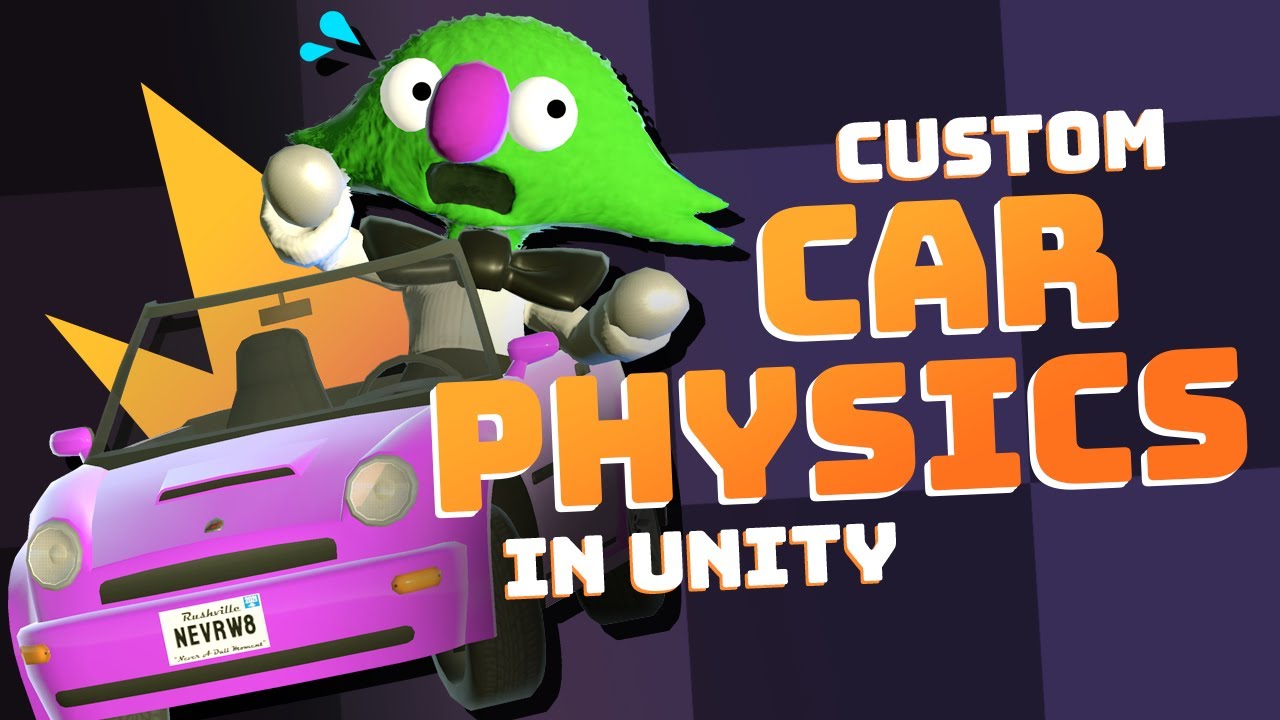
A detailed look at how we made our custom raycast-based car physics in Unity for our game Very Very Valet - available for Nintendo Switch, PS5, and Steam.
BUY NOW!! https://toyful.games/vvv-buy
~ More from Toyful Games ~
- Physics Based Character Controller in Unity: https://youtu.be/qdskE8PJy6Q
- Instant "Game Feel" Tutorial: https://youtu.be/...
obsidian sapphire
rigid island
https://youtu.be/CdPYlj5uZeI
funny you send that 😂 just watched it and still dont get it ngl, imma just do wheel collider
rigid island
obsidian sapphire
funny you send that 😂 just watched it and still dont get it ngl, imma just do w...
just get a premade asset
good free ones on store
shell scarab
spring creek
<@392356538620051466>
If you believe you did the guide fully, answer this
https...
After restarting, upon starting VSCode it is giving me an error “the .NET sdk cannot be located and to ensure it is on the path.” The “path” - does it mean the PATH variable or is there a path setting somewhere in VSCode for where it looks for the SDK?
 swift falcon
I have a dilenma but I want to make sure my logic isn't stupid first before i ask for help
 obsidian sapphire
swift falcon
I have a dilenma but I want to make sure my logic isn't stupid first before i as...
obsidian sapphire
swift falcon
I have a dilenma but I want to make sure my logic isn't stupid first before i as...
the wall should be positive no?
not negative
ignore me i just clocked
spring creek
shell scarab
After restarting, upon starting VSCode it is giving me an error “the .NET sdk c...
It does mean the PATH variable. Usually a restart FIXES that issue.
You may have to manually download the sdk.
I've heard of that happening for some people with VSCodes c# dev kit extension unfortunately
swift falcon
obsidian sapphire
the wall should be positive no?
its calm i had a similar thought
obsidian sapphire
swift falcon
its calm i had a similar thought
confused the shit outta me 🤣
swift falcon
i thought that if a positve wall is turned off, the negative wall next to it also has to be turned off
shell scarab
spring creek
It does mean the PATH variable. Usually a restart FIXES that issue.
You may have...
Hmm for some reason i don’t have a PATH variable pointing to the SDK, even though it’s installed as I’ve been using it…
spring creek
shell scarab
Hmm for some reason i don’t have a PATH variable pointing to the SDK, even thoug...
You could try manually assigning the PATH. I dunno what needs to be entered for that though. Sorry
shell scarab
spring creek
You *could* try manually assigning the PATH. I dunno what needs to be entered fo...
Yea ill have to try to find that
swift falcon
obsidian sapphire
confused the shit outta me 🤣
It looks dead ibr
i want it to look more "maze like" but thats not really a description of what I would have to do to get that
obsidian sapphire
swift falcon
i want it to look more "maze like" but thats not really a description of what I ...
i'd suggestion taking a look at some algorithms and encorperating them into your generation code. should get a decent output
swift falcon
obsidian sapphire
i'd suggestion taking a look at some algorithms and encorperating them into your...
yeah i used a depth first search and this is what its output
but I want to ig set restrictions
like all the rooms have to be connected, if the x wall next to u is off that wall should also be off and for the x and y to be on at the barriers
but i have no idea where to start
tawdry jasper
I'm having trouble implementing air control for my jumping. I store the player velocity at the moment of the jump. and if I just use that for the movement during the jump the jump is predetermined. I'd like to introduce a little air control so I tried this: _velocity = Vector3.Lerp(desiredVelocity, _jumpDirectionVelocity, 0.3f); but it's not behaving as I expected. The moment I apply input opposite to the original direction the player stops mid air and starts falling straight down.
this is closer to what I want:
_velocity = Vector3.Lerp(desiredVelocity * 0.3f, _jumpDirectionVelocity, 0.5f);
but it has a drawback of limiting the original jumpDirectionVelocity.
 leaden ice
tawdry jasper
I'm having trouble implementing air control for my jumping. I store the player v...
leaden ice
tawdry jasper
I'm having trouble implementing air control for my jumping. I store the player v...
Your Lerp parameters are all wrong
It's also unclear when and how often you're calling it
MoveTowards is probably more likely the function you want though
tawdry jasper
So jumpDirectionVelocity never changes during the jump, and in update on every frame I want to allow, some air control. I know my initial approach was wrong, but I was thinking of Vector3.Lerp as a way to "mix" a 0.3 of the input * speed and 0.7 of the initial jump velocity.
 cosmic rain
tawdry jasper
I'm having trouble implementing air control for my jumping. I store the player v...
cosmic rain
tawdry jasper
I'm having trouble implementing air control for my jumping. I store the player v...
Maybe you should be changing only the x component of the velocity?
tawdry jasper
cosmic rain
Maybe you should be changing only the x component of the velocity?
I'm in 3d, and the y component is handled totally separately (should have mentioned this).
cosmic rain
I see. Well, in this case you should probably use proper lerping. Change the third parameter from 0 to 1 over time.
tawdry jasper
I'm trying to write out what I want exactly: 1) just use jumpVelocity when input is zero. 2) use jumpVelocity when input magnitude is 1, but it exactly aligns with the original jump velocity 3) "slow down" the jump velocity by some factor when they don't align. Now that I wrote that I think I want to scale jump velocity by some variation of the dotproduct between normalized input and jump?
cosmic rain
tawdry jasper
I'm trying to write out what I want exactly: 1) just use jumpVelocity when input...
Input should always have magnitude 1 though...🤨
tawdry jasper
Tried this:
                float alignment = Vector3.Dot(targetDirection.normalized, _jumpDirectionVelocity.normalized);
                float lerpFactor = Mathf.Clamp01(1f - alignment * 0.3f);

                _velocity = Vector3.Lerp(_jumpDirectionVelocity, desiredVelocity, lerpFactor);
it looks like what I want, (and works for the no input, and input aligned with original jump, but the aircontrol is completely broken, I can actually move backwards beyond where I started the jump)
tawdry jasper
cosmic rain
Input should always have magnitude 1 though...🤨
sorry also should have mentioned I'm mostly targeting gamepad / sticks. so the input is anywhere on a unit circle
cosmic rain
tawdry jasper
Tried this:
```
float alignment = Vector3.Dot(targetDirection.no...
And that math doesn't make sense to me. Why subtract alignment from 1?🤔
cosmic rain
tawdry jasper
sorry also should have mentioned I'm mostly targeting gamepad / sticks. so the i...
Which has a magnitude of 1. If it's really a unit circle.
Ah, I see, it can be less
Between 0 and 1
tawdry jasper
right, so good call about 1-alignment, I now tried this:
                float lerpFactor = Mathf.Clamp01(1f + alignment * 0.3f);
                _velocity = Vector3.Lerp(desiredVelocity, _jumpDirectionVelocity, lerpFactor);
and it's aaaalmost perfect. it does exactly what I wanted in terms of inputing a direction aligned with original jump, and inputing directly oppossed to it.
 quartz folio
Unity's Lerp is clamped btw, so your clamp is doing nothing
tawdry jasper
but the problem is dotproduct is 0 when the direction is perpendicular. So if I jump directly forward and inputing left or right the alignment is 0 and I can slow down the jump like I wanted but I can't actually control left or right...
I think I need to give up on the idea that this can just be accomplished with a single lerp. I'll keep this for the jump speed which is perfect, and use the lerpFactor to additionally add a "rotate towards" maybe?
rotate towards is working.
unfortunately this only works as long as I had an initial direction, if I jump standing, I suddenly have full air control 😦 I need to get some sleep, thanks all for hearing me out and suggestions
(that was an unrelated bug, it's all good! now I should give this for someone else to try, or play some more mario for research 🙂
 craggy totem
hello devs, can anybody give advice?
here i create texture from shader material, everything works perfect, there no texture glitch/anomalies on PC build and inside Editor. (1st Pic)
but on android build, texture have random anomalies, (2nd Pic)
have tried all TextureFormats at "new Texture2D method" - didn't help. (3 Pic)
thx in advance
        RenderTexture buffer = new RenderTexture(
                         TextureLength,
                         TextureLength,
                         1,                            // No depth/stencil buffer
                         RenderTextureFormat.Default,   // Standard colour format
                         RenderTextureReadWrite.sRGB // No sRGB conversions
                     );


        texture = new Texture2D(TextureLength, TextureLength, TextureFormat.ARGB32, false);
        MeshRenderer render = GetComponent<MeshRenderer>();
        Material material = render.sharedMaterial;

        Graphics.Blit(null, buffer, material);
        RenderTexture.active = buffer;           // If not using a scene camera

        texture.ReadPixels(
          new Rect(0, 0, TextureLength, TextureLength), // Capture the whole texture
          0, 0,                          // Write starting at the top-left texel
          false);                          // No mipmaps
        texture.Apply();
        Sprite SpriteTexture=Sprite.Create(texture, new Rect(0, 0, texture.width, texture.height), Vector2.zero);

        Avatar_Object.sprite = SpriteTexture;

    ```

 spring creek
It was one minute since they posted the link...
What did you even try?
quartz folio
pressing x to doubt
spring creek
And what about the other suggestions?
 rustic dagger
Does anybody got a fix for when a rigidbody has force applied to it in the direction of a wall it slows down?
spring creek
rustic dagger
Does anybody got a fix for when a rigidbody has force applied to it in the direc...
Rigidbodies react to forces like friction
spring creek
rustic dagger
I've tried adding no friction
How. Show the physics material on the rigidbody and wall
Also, 3d or 2d?
About logs
And assigning the reference again
rustic dagger
3d and give me a second
quartz folio
Did you search the scene for t:PickupItem at runtime after the error occurs?
spring creek
The log isn't to make it work....
It's to help you figure it out.
What did the log say?
quartz folio
you literally said you did
rustic dagger
@spring creek This is the physics material on the player and the environment. Note: this only happens on walls that are not 90 degrees (or straight upright)
 quartz folio
are you now saying you didn't follow the instructions you said you did earlier?
The page literally has a link explaining how to search.
At runtime, after the error has occurred?
rustic dagger
rustic dagger
<@349017582105526273> This is the physics material on the player and the enviro...
It's not that the player is stuck, it just slows the velocity when walking into a wall.
spring creek
rustic dagger
<@349017582105526273> This is the physics material on the player and the enviro...
Ok, you set it to minumum. Good.
Since it is not 90, it may be trying to "climb" the wall a bit? Not sure.
Can you show a screenshot of you searching at runtime
Hmm, and the text is supposed to be on the camera?
 somber nacelle
what is ItemType and does it have a definition for ressource
you look at your code for ItemType
look at where you've created ItemType
leaden ice
This is not the definition of ItemType
tawny elkBOT
Posting code
📃 Large Code Blocks
Use links to services like:
https://gdl.space/, https://paste.ofcode.org/, https://hatebin.com/, https://paste.myst.rs/, https://hastebin.com/
📃 Inline Code
Surround code with three backquotes. Not quotation marks.
To format as C#, add cs to the first line:
```cs
// Your code here
```
Add a comment with a line number if there is an error message.
somber nacelle
that is a variable of type ItemType. we need to see the actual ItemType type
cosmic rain
That's the declaration of a variable of type ItemType.
somber nacelle
although i'd bet you just misspelled it. make sure that your !IDE is configured so you get autocomplete and don't make silly spelling mistakes
tawny elkBOT
💡 IDE Configuration
If your IDE is not autocompleting code
or underlining errors, please configure it.
Select one:
• Visual Studio (Installed via Unity Hub)
• Visual Studio (Installed manually)
• VS Code
• JetBrains Rider
• Other/None
leaden ice
Yes you do
cosmic rain
Just for future reference, if you're new to coding, you should be asking in #💻┃code-beginner
Go to your Item class and share the whole script.
Yes
!code
tawny elkBOT
Posting code
📃 Large Code Blocks
Use links to services like:
https://gdl.space/, https://paste.ofcode.org/, https://hatebin.com/, https://paste.myst.rs/, https://hastebin.com/
📃 Inline Code
Surround code with three backquotes. Not quotation marks.
To format as C#, add cs to the first line:
```cs
// Your code here
```
Add a comment with a line number if there is an error message.
somber nacelle
i was right, it was a simple misspelling

get your !IDE configured so you stop making spelling mistakes like this
tawny elkBOT
💡 IDE Configuration
If your IDE is not autocompleting code
or underlining errors, please configure it.
Select one:
• Visual Studio (Installed via Unity Hub)
• Visual Studio (Installed manually)
• VS Code
• JetBrains Rider
• Other/None
cosmic rain
Here's the definition of ItemType:
public enum ItemType
{
    Ressource,
    Equipment,
    Consumable,

}
this is also non-negotiable. it's required to have a configured IDE to get help here
<@&502884371011731486> spam
mild coyote
craggy totem
hello devs, can anybody give advice?
here i create texture from shader material,...
    MeshRenderer render = GetComponent<MeshRenderer>();
    Material material = render.sharedMaterial;

    Graphics.Blit(null, buffer, material);
Are you sure you want to blit with meshrenderer's material? 🤔
I'm not sure what is inside the material, but it might be the cause
 calm talon
If I have a vector2 array that defines a closed shape (where the first item connects to the second and so on, with the final item connecting to the first) how would I detect if a given position is inside the bounds of the shape?
 latent latch
calm talon
If I have a vector2 array that defines a closed shape (where the first item conn...
latent latch
calm talon
If I have a vector2 array that defines a closed shape (where the first item conn...
Probably need more information if the answer you're looking for isn't raycasting/overlap sphere and colliders
heady iris
calm talon
If I have a vector2 array that defines a closed shape (where the first item conn...
So you have a polygon
calm talon
yep
heady iris
I suppose you could just create a polygon collider and then do a physics query with it.
 dusk apex
I'd break the object into triangles and check the point in each triangle
Using an initial simple shape test first though to save checks
calm talon
heady iris
I suppose you could just create a polygon collider and then do a physics query w...
I kinda want to avoid a polygon collider for this
dusk apex
Well, what's available and what's not?
calm talon
I want to check if the object is inside the shape defined by the vector2 array
the "shape" is not an actual gameobject
So just anything that goes off from there
dusk apex
calm talon
I want to check if the object is inside the shape defined by the vector2 array
You'd need to be able to define what's inside and not first.
 sterile sorrel
!code
tawny elkBOT
Posting code
📃 Large Code Blocks
Use links to services like:
https://gdl.space/, https://paste.ofcode.org/, https://hatebin.com/, https://paste.myst.rs/, https://hastebin.com/
📃 Inline Code
Surround code with three backquotes. Not quotation marks.
To format as C#, add cs to the first line:
```cs
// Your code here
```
Add a comment with a line number if there is an error message.
 chilly surge
Is it just checking if a point is inside of a polygon, in 2D?
calm talon
yes
dusk apex
chilly surge
Is it just checking if a point is inside of a polygon, in 2D?
It could be this shape..
 chilly surge
There are plenty algorithms that can do it, Google will bring up a few.
calm talon
dusk apex
It could be this shape..
I don't really need to worry about weird shapes like that for what I'm doing
chilly surge
Easiest is just drawing any line across the point and then counting intersections.
chilly surge
dusk apex
It could be this shape..
Which also works for this.
dusk apex
calm talon
I don't really need to worry about weird shapes like that for what I'm doing
The solution would be explicit to whatever shape you're working with.
calm talon
chilly surge
Easiest is just drawing any line across the point and then counting intersection...
I've heard of doing that but I'm not sure as to how to implement that concept
spring creek
chilly surge
Which also works for this.
What if it was in the inner circle. It would get four intersections and not be valid. Or if it is to the side of one of those circles and counts 4, but IS valid?
dusk apex
chilly surge
Which also works for this.
A horizontal line test would require us knowing if zones are valid or not but they said it wasn't complex so perhaps it might or might not be .
Concave shapes would usually be solved by breaking the polygon down into smaller parts if anything.
chilly surge
spring creek
What if it was in the inner circle. It would get four intersections and not be v...
The line test would just report that as outside.
chilly surge
dusk apex
Concave shapes would usually be solved by breaking the polygon down into smaller...
Intersection test is so much easier than breaking polygon into multiple triangles and testing each triangle.
spring creek
chilly surge
The line test would just report that as outside.
Oh alright. Thanks.
dusk apex
chilly surge
Intersection test is so much easier than breaking polygon into multiple triangle...
I don't think we were given two points...
how would I detect if a given position is inside the bounds of the shape?
calm talon
All vertices are known for the shape
chilly surge
Yes, it’s the testing point in polygon problem.
calm talon
I mean at worst I could just use an arbitrary point at like 600, 700
chilly surge
From wiki.
 dusk apex
We don't know anything about the shape. Further context is necessary.
calm talon
chilly surge
From wiki.
this is pretty much accurate to what I'd be doing
chilly surge
But for an overview of the algorithm, to test that if point (x, y) is inside of a polygon, test all edges of the polygon and count how many edges intersect with line (x, y) - (infinity, y), if the count is even the point is outside, otherwise inside.
You can pick any line really, but a horizontal or vertical line makes the test simpler.
 worn stirrup
Hey all, need some help, not sure if this specific question belongs in beginner or here so I'm goin here 😅
I'm trying to take the combined rot+pos velocity of an object and compare to a min/max value, get the percentage within that range, then apply that percentage to another range to calculate something
I did find an answer on google, but I'm struggling to imagine how I'd apply the idea of minimum and maximums to it
e.g. if the velocity is greater than the max, it should only return 100%
dusk apex
I'm assuming you meant torque with rotation but position isn't a rate.
worn stirrup
🤔 I guess you're right
I definitely am doing an incorrect pos vel since I'm not calculating a direction vector
oh wait derp I'm not useing the rot, sorry
Im' using rb's velocity 🤦
            float curVelocity = rb.velocity.magnitude;

            float totalVelocity = (curAngularVelocity + curAngularVelocity + curVelocity) / 3;

            float calculatedVelocity = (totalVelocity - minReqVel) / (maxReqVel - minReqVel) * 100;

curDamage = (maxDamage - minDamage) * calculatedVelocity / 100 + minDamage;```the / 3 is more or less me making up the idea that angular velocity sounds more important to a weapon than velocity lol
https://stackoverflow.com/questions/18033981/get-value-between-a-range-of-two-values-from-percentage

Stack Overflow
Let's say I have a range of two values:
5...........98
and let's assume the user position's the slider at value 40
Now I want to get the value from another range of values at the exact percentage
dusk apex
Your line is a bit differentcs float calculatedVelocity = (totalVelocity - minReqVel) / (maxReqVel - minReqVel) * 100; Saw something else
worn stirrup
I'm not exactly seeing what's different 🤔
(Total - min) / (max - min) * 100, looks the same to me?
chilly surge
That sounds like you are trying to remap a value from one range to another range?
worn stirrup
That sounds like a googleable phrase lol- yeah that sounds right
chilly surge
You can simply do an unlerp then lerp.
Or if you have Unity.Mathematics there’s math.remap() directly.
The algorithm given by that stack overflow answer is basically just unlerp then lerp.
 woeful narwhal
I know when changing the value of a scriptable object during playtime changes it in the editor but not in the export but can you still use them for storing data during playtime? like could if i change the value will it still be changed a frame later?
dusk apex
woeful narwhal
I know when changing the value of a scriptable object during playtime changes it...
Yes. Make sure not to lose reference of it.
worn stirrup
Unfortunately don't have remap, just checked that e.e
chilly surge
It’s only in that package.
woeful narwhal
dusk apex
Yes. Make sure not to lose reference of it.
ok so just say i have a script with a reference to a specific SO and i keep updating a transform i can derive the value from the SO to update something elses transform?
dusk apex
woeful narwhal
ok so just say i have a script with a reference to a specific SO and i keep upda...
I didn't catch that.
chilly surge
But there’s unlerp and lerp methods in Mathf anyways.
woeful narwhal
dusk apex
I didn't catch that.
sorry i dont think i explained it very well
woeful narwhal
dusk apex
I didn't catch that.
so if i update a transform value in a scription object (SO) that i have a reference to. if another object also has a reference to that SO the transform in that SO will also be changed
does that make sense
sorry
dusk apex
As long as the SO is being used, access to the SO would be correct. If you load a new scene and objects in the new scene attempt to use the SO, they'll be given the default values again.
woeful narwhal
alright perfect
once ive created the system ill export a build just to check
thanks for the help
dusk apex
I'd advise against mutable SOs though.
woeful narwhal
what would you use instead?
dusk apex
Singleton manager etc
woeful narwhal
but the system im creating needs to keep track of multiple characters and their positions. would i use a dictionary instead, assigning a unique string code to each character and then allowing c# events to change the values?
dusk apex
woeful narwhal
but the system im creating needs to keep track of multiple characters and their ...
I'm not sure how this relates to not being able to use a singleton manager (or any other persistent data).
woeful narwhal
yeah mb. ill figure something out. thanks for the help
 flat abyss
My apologies for the stupid question but Google isn't helping (perhaps because I can't explain it well).
Is it possible to have Events with parameters from the script to send to the receiver?
soft shard
flat abyss
Is it possible to have Events with parameters *from* the script to send to the r...
Yes? (If I am understanding what you are asking correctly) If your event type has params, you can pass data through those in Script A, for example:
public System.Action<int> someEvent;

void SomeFuncInScriptA() {someEvent?.Invoke(25);} //SrriptA would invoke the event, in this case, the event type is a "System.Action" with 1 "int" param

void SomeFuncInScriptB(int someValue) {...} //this would be subsribed/unsubscribed from ScriptA.someEvent, because the event type is a int param, the func using it also needs the same param
Right, so it's on "Non-Inspector" events.
Alright I think I can still work with this. Thanks a lot, fam
soft shard
flat abyss
Alright I think I can still work with this. Thanks a lot, fam
Np - and you can still invoke UnityEvent types (being the "inspector events"), though AFAIK, they can only have 1 param and the param has to be serializable, a System.Action is just one type of event, and personally the one I use most often since I prefer the control via code
 dawn nebula
You guys got any tips on how to communicate data across domains? For a simple example.
Player taking damage and then that being updated in the UI (health bar)
Preferably you'd want the UI to not even know whose HP it's representing, just that it's representing some fractional value.
Player should also not concern itself with directly updating the UI.
 west lotus
Event bus
 wicked scroll
dawn nebula
You guys got any tips on how to communicate data across domains? For a simple ex...
wicked scroll
dawn nebula
You guys got any tips on how to communicate data across domains? For a simple ex...
Well broadly, I build the game 'core' so that it can run without any UI, just a game state with actions to change it. And then to see stuff, there are a bunch of Views which can query that game state and transform/render it into the scene in whatever way makes sense (e.g. the player view is mostly managing one complex GameObject, whereas maybe the enemies are simple enough that they are all managed by one view. Whatever you need for the use case).
More specifically:
- I'm sure some people will disagree, but I think it's fine to naively update your views every frame until you run into a case where that actually matters. Unity is going to render a frame anyway and most of those updates should be pretty light. It's also pretty easy to optimize specific views with diffing or events later if you need them to update less frequently.
- I build scene objects as 'controlled' components which are intended to be controlled from outside. So the healthbar component doesn't know what it's displaying, instead there is a view which is responsible for querying and feeding the correct data into that healthbar.
west lotus
My personal opinion is to skip the whole model view approach. I see nothing wrong with the healthbar component directly subscribing to a OnHealthChanged event
wicked scroll
i don't like having to manage any subscriptions or references between gameobjects
or debugging stuff that deals with event bus execution orders
but it's totally a valid approach
dawn nebula
west lotus
Event bus
I'm also a fan of EventBuses. I guess my main issue is that when it comes to passing game state downward, shit is peachy. Get your state from save, pass it into your managers, check state of managers to save current state if needed.
It's passing state changes "up" that's always tougher. For example collecting an item in an level. That item needed to communicate to the inventory manager, once it's been collected, that some specific ability should be unlocked.
I imagine that this is where the EventBus would shine?
Just have the item toss some "ItemCollected" event with a specific item ID.
wicked scroll
yeah, though my solution is to basically eliminate any 'up' which feels preferable to me 😄
dawn nebula
wicked scroll
yeah, though my solution is to basically eliminate any 'up' which feels preferab...
How do you eliminate any "up"? Subsystems need to report back eventually, no?
wicked scroll
i think if your game is made up of 'global' events (like item colleted), it makes more sense to build around those actions and listen for them rather than doing that indirectly with events
wicked scroll
dawn nebula
How do you eliminate any "up"? Subsystems need to report back eventually, no?
it depends on your game, but i find that most of the time inputs are coming from a few specific places and i want to collect them 'first', process them into actions, and then execute those actions
so objects down low don't do much input collecting
i guess the exception is like, if you have a button in a ui, but in that case i pass down a closure so that those components can remain dumb
and ultimately that button is just requesting that an action be enqueued, which is 'up' communication, but since all actions are processed through the same place, it feels more like making a request to something 'outside' the tree, if that makes sense
the scene is its own thing and it does whatever it wants, then can make requests to the 'core game' in one way, which is asking to enqueue actions or reactions, so they feel more parallel to me than stacked, i guess
dawn nebula
wicked scroll
the scene is its own thing and it does whatever it wants, then can make requests...
how do these requests come in?
wicked scroll
mostly they are built in the top level view and triggered from the player doing stuff
e.g. there's an input layer which keeps track of which clikable the player is hovering and then a view with an onclick handler which reads that and builds a 'SelectThingAction(ThingID)' or whatever, and sends a request to enqueue that to the 'core game' (which is basically a wrapper around the gamestate which can execute actions to change it)
and then other systems can listen for SelectThingAction if they want and enqueue reactions to it or do some immediate thing
which for SelectThingAction is only useful for like, playing a sound effect
but for CollectItem could implement all the actual collecting logic if you wanted to
e.g. my CollectItem action would probably do nothing other than update the state by adding that item's ID to a set of collected items, and there would be other systems which would react to that action to implement actual mechanics
dawn nebula
wicked scroll
e.g. my CollectItem action would probably do nothing other than update the state...
this sounds pretty event-y 😛
wicked scroll
yep! but you don't have to write any events or subscribe to anything other than 'an action is happening'
your actions are automatically events
except you can pass them around and do stuff with them in a way that is tricky with c# events
dawn nebula
Wait is this not just the Command Pattern?
dawn nebula
How do all your different action generating components get access to that queue?
Queue, List, whatever they're collected in
wicked scroll
typically though i think commands are supposed to be self contained executables though, whereas mine are often more like events in that the command itself doesnt' do much, and other systems are reponsible for 'game logic'
wicked scroll
dawn nebula
How do all your different action generating components get access to that queue?
there's an ActionSystem which i just pull off of my game instance but could be resolved from an ioc container if one is feeling fancy
it's based on this http://theliquidfire.com/2017/09/11/make-a-ccg-action-system/
wicked scroll
though i don't do events the same way cause i think string events are gross
dawn nebula
MY PLIGHT
dawn nebula
Once upon a time I too wanted to learn about how CCGs were put together, and that was the start of The Rabbit Hole.
wicked scroll
well something something how deep the rabbit hole goes?
dawn nebula
I don't agree completely with all the things in that article. String-based events are indeed gross for most other projects.
But there were a lot of GOOD concepts in there.
At the end of the day though that IS an event bus 😛
It's just you're delaying event execution a bit.
wicked scroll
yeah it is, but not in the sense that anyone ever uses it
 thin aurora
The fact they use #region is already enough proof to me it's a bad article
dawn nebula
thin aurora
The fact they use #region is already enough proof to me it's a bad article
how dare you
dawn nebula
begone code heathen
dawn nebula
do not disrespect my bro LiquidFire 2017
wicked scroll
i feel like it makes more sense to be like 'there is one event: something is happening, and things can subsribe to that' and then let my actual actions be the events
instead of defining and subscribing to every event individually, and also they can't have any 'built in logic' like actions can
feels like a much better path to the same place to me
thin aurora
I know I am going completely off topic but the code in that article is genuinely horrible
dawn nebula
wicked scroll
i feel like it makes more sense to be like 'there is one event: something is hap...
I think for a CCG this is good. I think by the end of the Rabbit Hole I concluded that a truly generic CCG engine would involve some type of blackboard-esque event objects, where things can just write any field/values they want.
dawn nebula
thin aurora
I know I am going completely off topic but the code in that article is genuinely...
Some of it is definitely messy but the concepts ain't bad.
wicked scroll
at least for the kind of games i make -- i recognize that if you are building somethere where there are a lot of different inputs from the scene or physics stuff going on or whatever, maybe you really do want all your objects talking back and forth through this event bus...but i would only do it if i really needed to
dawn nebula
Covers a lot of what you actually do need for a CCG.
thin aurora
Sure it explains how to do it but they could have spend a minute thinking of proper conventions
They seem to violate every single one
And to be honest it's not even a good solution to begin with
wicked scroll
dawn nebula
I think for a CCG this is good. I think by the end of the **Rabbit Hole** I conc...
i think it's a waste of time to make a 'generic' engine for anything unless you are trying to sell it on the asset store
thin aurora
Iterating an IEnumerator like this is something you should not have to do
dawn nebula
wicked scroll
i think it's a waste of time to make a 'generic' engine for anything unless you ...
True. But my brain worms won't allow me to do that.
wicked scroll
you just end up solving a lot of unnecessary problems, and, more importantly, having a lot of unnecessary code
but maybe that's better cause it's more robust and extensible, what do i know
wicked scroll
thin aurora
Iterating an IEnumerator like this is something you should not have to do
I feel like you're kind of missing the point here
that is the whole idea -- you can drive the actions manually
you get to decide when the thing happens and how
but you don't have to, you can also just not attach any viewers and your game will run perfectly fine, just with everything happening instantly (very handy)
thin aurora
I'm not missing the point, I understand the problem it solves. But it's a very bad way of solving the issue
thin aurora
Oh this wasn't an invitation to explain the better way to do it, I just read the article and give my opinion on that solution
I'm totally fine with explaining why I think it's bad but that's not the point of this channel 🙃
wicked scroll
thin aurora
I'm not missing the point, I understand the problem it solves. But it's a very b...
so you saying it's bad does not imply that there's a better way?
or do you mean you just don't feel like sharing?
thin aurora
It's bad, and there's definitely better ways, I just didn't imply I was going to write this, nor that I wanted to
wicked scroll
ok cool well thanks for stopping by
thin aurora
As I said, I would love to give my reasons on why it is bad, considering there's not much to an opinion without an actual reason, but I'm not solving it
But this is not related to the channel. If you think it's good by all means stick to it, but I feel it would be valued to atleast point out this is probably not a very good idea
dawn nebula
thin aurora
It's bad, and there's definitely better ways, I just didn't imply I was going to...
 thin aurora
And this is getting out of hand anyway 😎
wicked scroll
thin aurora
But this is not related to the channel. If you think it's good by all means stic...
that doesn't seem valuable to me at all
but you do you
thin aurora
That's fine, I wasn't here to convince
wicked scroll
not to convince, not to help...what are you here for?
dawn nebula
Let's relax.
thin aurora
Let's continue using the channel for what it's meant for instead of back-and-forthing
dawn nebula
We're spinning in anger circles. He can say something is bad and not give an alternative. It's fine.
wicked scroll
haha no anger circles here, they sure can
dawn nebula
If anything though, I do agree that IEnumerators are not needed for this.
You can get a start/stop behaviour without them.
wicked scroll
it just makes it easier to coordinate a bunch of animations
and run them at whatever rate you want
dawn nebula
True but I personally wouldn't even tie animations in.
wicked scroll
those are just fun advantages though, really it's about wanting to both be able to specifically coordinate visuals for particular actions, but also not have to do that
dawn nebula
Let the thing resolve, and then queue up animations.
The game state gets solved in like a frame or two.
And then anims just play out.
I think this was my version of the ActionManager.
    public class ActionManager
    {
        readonly Stack<GameAction> actionStack = new();
        readonly List<GameAction> loadedActions = new();

        public bool IsDone => actionStack.Count == 0 && loadedActions.Count == 0;

        public void Step(int stepCount = 1)
        {
            for (int i = 0; i < stepCount; i++)
            {
                ExecuteStep();
            }
        }

        public void RunToCompletion()
        {
            while (!IsDone)
            {
                ExecuteStep();
            }
        }

        void ExecuteStep()
        {
            EmptyLoadedActions();
            ProgressThroughStack();
        }

        void EmptyLoadedActions()
        {
            for (int i = loadedActions.Count - 1; i >= 0; i--)
            {
                actionStack.Push(loadedActions[i]);
            }

            loadedActions.Clear();
        }

        void ProgressThroughStack()
        {
            if (actionStack.Count == 0)
                return;

            var gameAction = actionStack.Peek();

            gameAction.Execute();

            if(gameAction.IsDone)
            {
                actionStack.Pop();
            }
        }

        public ActionManager Queue(GameAction gameAction)
        {
            loadedActions.Add(gameAction);
            return this;
        }
    }
yeah you can do that as well
in my case it was useful to have each action resolve as it was happening so that i could pick up intermediate state changes without having to build a way to simulate all the reactions
a better architecture might not have that problem, but anything event based that i can think of would
dawn nebula
This went on a bit of a tangent, but it does seem like "event bus" is the best play here.
I'll go with it for now and see what happens.
wicked scroll
nice, good luck! if it helps, MentallyStable made this one which is really nice https://github.com/PeturDarri/GenericEventBus
dawn nebula
I actually have my own that I wrote a few months back 🙂
It is probably okay and not jank.
 tacit dawn
I have a scriptable object that represents my game cards,
And at the moment I have an array of GameObjects representing the effects attached to this card.
But that means I'm supposed to create a script that represents the effect (which inherits from a static CardEffect class), attach it to a GameObject and make it a Prefab so I can attach it to the ScriptableObject?
That sounds very redundant, is there a way to directly put the script in the Array ? Or can someone recommend me another method ?
gray thunder
@tacit dawn You assign a gameObject inside ur SO? Or the other way arround?
tacit dawn
I assign the GameObject in my SO for now
gray thunder
Why not the other way around
tacit dawn
Well because I have a script that « create the card » from the SO card
So this script takes all the information from the SO card (type, stats, effect, illustration …) and instantiates the « real » card on the board
So I wanted the SO card to have the ref to the effects so that it could be passed to the CardCreator script
heavy hare
with rewired addon....is it possible to setaxis using script? I can only find getaxis there....anyone know how to change value of axis here using code instead of manually moving mouse or joystick?

 ripe snow
I need help with an Event System that I really just need to find the current active player (thread with code)
fringe ridge
how do i get rid of these kind of rendering layers?

near camera on the terrain there is like a circle, that is brighter
fringe ridge
ah, sry
 young sage
Why can't I convert itemDroppedOnInvArgs to draggedItem with dynamic as Argument?
Is there a way to create a draggedItem as event args which can hold different arguments (int or Vector2Int)?
private ItemInvSlotEventArgs<dynamic> draggedItem;

public class ItemInvSlotEventArgs<TPosition> : EventArgs {
  public IInvItemController InvItem {
    get;
    set;
  }
  public InvSlot InvSlot {
    get;
    set;
  }
  public TPosition Position {
    get;
    set;
  }
  public int InstanceID {
    get;
    set;
  }
}

private void OnItemDragBegin<TPosition>(
    object sender, ItemInvSlotEventArgs<TPosition> itemDroppedOnInvArgs) {
  draggedItem = itemDroppedOnInvArgs;  // Error: Cannot convert to dynamic
}
maybe it’s because the type argument is dynamic, not the type itself
leaden ice
young sage
Why can't I convert itemDroppedOnInvArgs to draggedItem with dynamic as Argument...
Unless you are ready to abandon IL2CPP you shouldn't be using dynamic
I question your use case here but just using object and casting is always an option
hard viper
i generally question the choice of dynamic vs a generic argument with a constraint
leaden ice
I also really question the use of the EventArgs pattern in Unity anyway, since it's an unnecessary source of GC allocation
hard viper
to the immediate question, I would maybe start with ItemSlotEventArgs<T> : ItemSlotEventArgs,
and avoid the dynamic argument altogether
but i agree with praetor, that you probably want to think more about the structure before you code anything up
 unborn shard
Good morning friends, I have a problem. When my enemy uses flip to change direction, his colliders don't change either. How can I fix this?
leaden ice
unborn shard
Good morning friends, I have a problem. When my enemy uses flip to change direct...
that's exactly expected, not a code problem, and working as designed
If you want to rotate all that stuff, actually rotate the object 180 degrees on the y axis for example, rather than using the flipX checkbox on the SpriteRenderer
unborn shard
I'm a beginner hahaha, I don't know how to solve this
leaden ice
I just told you how to
unborn shard
thanks
round violet
i got a base class.
i have 2 methods :
Connect() - calls DoStuff
DoStuff
Connect() will never be overrided in children classes
DoStuff will be override in each children class
to make a override in a child class, i simply have to write DoStuff, and then when the parent will call DoStuff it will call the child override ?
leaden ice
round violet
i got a base class.
i have 2 methods :
`Connect()` - calls `DoStuff`
`DoStuff`...
Assuming you do it correctly yes
meaning DoStuff needs to be abstract or virtual and the child class needs to use the override keyword when implementing it
round violet
if i have a instance of a child class, and try calling Connect(), it will call it in the "parent" class
but then Connect() will have to call DoStuff(), will it call it in the child ?
heady iris
Which non-virtual method you call is figured out at compile-time.
A myVar = new B();
myVar.Work();
If Work is non-virtual, this will always call A's Work method.
A virtual method is figured out at run-time
round violet
im my head i got the same logic as UE does in BP
leaden ice
round violet
if i have a instance of a child class, and try calling `Connect()`, it will call...
Again, assuming you do it correctly as described in my previous response, yes.
heady iris
so if Work is virtual, this will call B's Work method
virtual methods use the run-time type. non-virtual methods use the compile-time type
round violet
so all methods in parent that will be overrided has to be virtual ?
heady iris
Correct. You cannot override a non-virtual method
leaden ice
round violet
so all methods in parent that will be overrided has to be virtual ?
or abstract
quaint rock
you can only override virtual or abstract methods
round violet
and those methods in child has to be with the keyword override
leaden ice
yes
quaint rock
if you try to override a regular method it will not compile
heady iris
yeah, abstract methods are virtual, by definiiton
You can still define a method that "hides" a parent method by using the new keyword
heady iris
heady iris
Which non-`virtual` method you call is figured out at compile-time.
```cs
A myV...
That results in this situation.
I've never really done that.
round violet
and for not overrided methods ?
when you create a child class, all not overrided methods "exists" in the child class, but they dont show in the cs file
right ?
heady iris
A class inherits all members from its parent.
round violet
why virtual methods cant be private
heady iris
because that'd be pointless
round violet
child inherits private stuff to so why bother
heady iris
A private method cannot be seen by anything outside of the declaring type
heady iris
critically, this means that there's no way for any other method to override it
so you'd never have a situation where the method you call depends on the runtime type
quaint rock
private only class its defined in can see it, protected can be seen where its defined and extending classes
public everything can see it
round violet
how would i create a prefab variant
and override stuff for the class inside
heady iris
those are two unrelated concepts
round violet
do i have to replace my parent script with child ?
quaint rock
unrelated concepts
quaint rock
but just replace the script with a other that extends from the same base
round violet
in UE i would create a child BP, then open this BP and override what i want
how does Unity handle this ?
heady iris
I've done this through composition, rather than inheritance
leaden ice
Yeah unity favors composition over inheritance
heady iris
round violet
in UE i would create a child BP, then open this BP and override what i want
how...
oh, shoot, I never thought about that. that's something you can't express as esaily!
heady iris
in my game, I have an Entry component that's used anywhere I want to display an editable value
quaint rock
also keep in mind there is no need for big complicated classes that handle many things
heady iris
I then have other components that implement specific kinds of entries
like ChoiceEntry
quaint rock
when you can have more basic one use components you all put on 1 object
heady iris

This is composition-based.
The base prefab has an Entry, and each variant has another component, like ChoiceEntry
round violet
instead of creating a child class i think ill make additive components
heady iris
This is a bit more awkward than just having ChoiceEntry derive from Entry
but it works out pretty well
    public void Setup(IChoiceItem choiceItem)
    {
        this.choiceItem = choiceItem;

        entry.Setup(choiceItem);
        // more stuff
    }
I setup the ChoiceEntry, and it setups the Entry
round violet
round violet
instead of creating a child class i think ill make additive components
but to make the base class use those components, i'll still have to create a parent class to declare main methods ?
because if i dont the base class wont know what methods it can call inside
round violet
heady iris
```cs
public void Setup(IChoiceItem choiceItem)
{
this.choiceIte...
i dont understand
heady iris
this is from ChoiceEntry.cs
I call Setup right after instantiation
ChoiceEntry holds a reference to Entry, and it calls Setup on the Entry as part of its setup process
It's kind of like a constructor.
round violet
so ChoiceEntry is the additive script that changes the "base class", Entry
heady iris
Right.
Entry has some logic for things like showing a description when you hover over the entry
and the Entry prefab includes the label and a space to put stuff

ChoiceEntry includes the actual UI for a choice setting
 round violet
i think i have in mind my new structure, ill try this out
heady iris
(man, the bloom looks really nice in the scene view...)
it's an overlay UI, so post-processing doesn't touch it
FloatEntry has its own stuff

that text looks hideous in the prefab view
This has been really nice. I originally had FloatSettingEntry and FloatConfigEntry and FloatWhateverEntry
heady iris
heady iris
```cs
public void Setup(IChoiceItem choiceItem)
{
this.choiceIte...
I created interfaces so that different kinds of float values could all be plugged into the FloatEntry
I mostly use it for game-wide settings and per-entity configs, but I can also just make a FloatValue anywhere I want and present it to the player with a FloatEntry
round violet
i combined additive components with inheritance and i got perfectly what i wanted
 arctic silo
how i can make player can go trough enemy's collider when in dashing state? (while tilemap's collider is still stopping player)
leaden ice
arctic silo
how i can make player can go trough enemy's collider when in dashing state? (whi...
Move the player's collider to another layer that is set up to ignore the enemy layer but not the tilemap layer
heady iris
you can also set a collider to ignore collisions with a specific layer
arctic silo
leaden ice
Move the player's collider to another layer that is set up to ignore the enemy l...
ok ill google collider layers
thanks
arctic silo
heady iris
https://docs.unity3d.com/ScriptReference/Collider2D-excludeLayers.html
thanks
leaden ice
oh that works too i suppose
 unique delta
if i instantiate an object and move it like a bullet. The bullet is moving laggy. I can do something about it?
quaint rock
it moving laggy is not because of how its instantiated
unique delta
it could be from some settings of the rigidbody2d of the object?
leaden ice
unique delta
if i instantiate an object and move it like a bullet. The bullet is moving laggy...
What does "moving laggy" mean
if you don't have interpolation turned on, it will not appear to move smoothly, yes
make sure interpolation is turned on on the Rigidbody2D
round violet
to make a fan "pushing" object in its radius, i think of using a collider and OnTriggerStay and translating/add rigiobdy force/using MovePosition on all colliders detected
is there a better way ?
unique delta
leaden ice
make sure interpolation is turned on on the Rigidbody2D
thanks
round violet
round violet
to make a fan "pushing" object in its radius, i think of using a collider and `O...
for some reason, whatever the pushingspeed is, my player is not moving up
 private void OnTriggerStay(Collider other)
 {
     if (active && other.tag == "Player")
     {
         Debug.Log("pushing : "+ other.name);
         Rigidbody rigidbody = other.gameObject.GetComponent<Rigidbody>();

         rigidbody.MovePosition(rigidbody.transform.position + new Vector3(0, 1, 0) * Time.deltaTime * pushingSpeed) ;
     }
 }
Player is printed when going in, i get no errors so the rb is found
leaden ice
round violet
```cs
private void OnTriggerStay(Collider other)
{
if (active && other.ta...
why do rigidbody.transform.position instead of just rigidbody.position? Also should use fixedDeltaTime here although I suspect it should be adjusted by the engine to that since you're in a physiocs callback. But why MovePosition and not adding a force anyway?
Also other.gameObject.GetComponent<Rigidbody>(); can just be other.GetComponent<Rigidbody>(); as well
 lavish frigate
I want to make a player attack move in a 2d platformer game, i already have a extensive movement script with about 500 lines of code. Is it good practice to seperate movement and attack in this case? My players ability to perform certain attacks and animations do depend on the movement script.
round violet
leaden ice
why do `rigidbody.transform.position` instead of just `rigidbody.position`? Also...
i changed with add force
but i wonder why moveposition wont work
maybe the deltatime
heady iris
MovePosition might not apply a force correctly
It just tries to put the rigidbody somewhere (respecting colliders along the way)
it's not like you're actually pushing the rigidbody
 turbid river
I have a question
im making a simple game,
how do I know if I'm putting too work in a single frame (update)
like how much work can one frame really accomplish(ik it depends on hardware but generally)
heady iris
your game will run slowly if you're doing too much
it's hard to say anything more than that
use the profiler to measure how long your code is taking to run
turbid river
and what are the solutions for that?
heady iris
do less work per frame
again, this is super vague
you're basically asking "How do I make my game run faster?"
Maybe you can do expensive calculations infrequetly and just re-use the results between runs
or maybe you can do time-slicing so that you only work with a fraction of your data per frame
or you can move work into Bursted code that runs much faster
turbid river
very interesting
I still haven't gotten to that problem but sometimes I look at my code and I see loops and while loops and I wonder "how is all this being done every frame"
 visual badger
Hi guys do you know why I get this choppy effect on my UI:
heady iris
You can turn on Deep Profile in the profiler to get a very detailed breakdown of what's running every frame
Note that this will:
- make the game run really slowly
- make cheap functions disproportionately slow
heady iris
Deep Profile adds a constant cost to each function call, pretty much
heady iris
visual badger
I have the canvas on screen space camera
yeah, your UI is getting post-processed
it's a really obnoxious problem -- you get bad motion vectors on the UI
visual badger
ye
turbid river
heady iris
You can turn on Deep Profile in the profiler to get a very detailed breakdown of...
I see, ill keep that in mind! thanks
heady iris
I want bloom on my UI ):
visual badger
ye jajajajaja
 potent sky
I built appx using UWP in Unity, but when I install it on Xbox, I get an error. Can someone tell me how to fix it?
UnityVersion:2021.3.34f1
VisualStudioVersion:2022(17.9.2)
ErrorCode:SQLITE_CONSTRAINT_UNIQUE (0x87af0813)
simple egret
potent sky
I built appx using UWP in Unity, but when I install it on Xbox, I get an error. ...
Are you using SQLite to save your data? Seems like you're violating a UNIQUE constraint somewhere
 severe sable
hello peeps! what approach should I take to making child objects static and components of a parent object?
with the following example I want to mention that each child should not be individually simulated, it's just a part of the larger object, (the parent)
->parent
-->child1
-->child2
ideally I don't want to strip their rigidbodies, since those will still be utilized for hitboxes, and will come into play later when these objects no longer connect and exist on their own
I have done lots of looking on line and tried chatGPT but couldn't find how I can do this. it seems fairly simple though which makes me think maybe its a built in feature in unity that I don't know of?
somber nacelle
each child should not be individually simulated
I don't want to strip their rigidbodies
pick one
little meadow
you can make them kinematic, no?
severe sable
what are my options
somber nacelle
you could make the rigidbody kinematic but that has other implications, like not properly colliding with objects because outside forces do not affect them
severe sable
ok, so what would you suggest?
somber nacelle
or you could just not give them a rigidbody until they are disconnected from the parent
severe sable
box, you gave me a choice between 2 options so lets go with keeping rigidbodies and allowing them all to be simulated, how can I make them move as a whole & what can I do to prevent this from being too intensive
if its very intensive I don't really care honestly, this is a hobby project I am doing to learn :)
part of learning is making mistakes but I've made far too many on this concept and am looking for help from an expert like yourself
somber nacelle
severe sable
🙄
somber nacelle
cool so i guess i'm just not going to help you then. good luck 👍
i didn't just say those things for shits and giggles, you know
severe sable
somber nacelle
>each child should not be individually simulated
>I don't want to strip their ri...
you gave me one solution that you said yourself won't work, and you gave me another solution that was unrelated to the (only 2 options) you gave me which was for the one I didn't pick, since it does not work for me.
no need to be rude?
somber nacelle
if you want the objects to have rigidbodies but you also want them to not be individually controlled by those rigidbodies and instead be controlled by the parent then they will have to be kinematic. otherwise they shouldn't have rigidbodies
 spring heart
Boxfriend did you ever use navmesh?
somber nacelle
i have, but if you have a question then you should just ask it instead of asking to ask
severe sable
severe sable
box, you gave me a choice between 2 options so lets go with keeping rigidbodies ...
here I am saying kinematic won't work however we can have them indivudally simulated
severe sable
somber nacelle
if you want the objects to have rigidbodies but you also want them to not be ind...
they can individually be controlled, what would my options be?
somber nacelle
then your options if you refuse to remove the rigidbody and refuse to make them kinematic are to simply move all of the individual pieces manually so that they move with the parent. or you can use joints but that does not prevent their rigidbodies from acting on them and they may not behave the way you are expecting
so basically, do the things i suggested that you for some reason do not want to do. or do it the hard way that will arguably be worse
severe sable
The reasoning is complicated it's based on the type of game I'm trying to make
somber nacelle
for which you have not provided any info. so my answer stands
severe sable
do you know terratech/robocraft/stormworks? it's a ship builder game
connect blocks to build somthing and drive/fly it around
hard viper
rigidbody allows an object to interface with the physics system (be moved by physics system, interact with colliders, give collision callbacks, get contacts).
A rigidbody being not simulated means none of these happen. It is not simulated, so it is like the rigidbody effectively does not exist.
severe sable
closer to robocraft, since in that one individual parts can be shot off and each block is simulated in a hitbox way
somber nacelle
severe sable
closer to robocraft, since in that one individual parts can be shot off and each...
this does not explain why the individual pieces need rigidbodies
severe sable
hard viper
rigidbody allows an object to interface with the physics system (be moved by phy...
I appreciate the thought out response
hard viper
if an object does not need to separatley interface with the physics system (eg the features mentioned above), it does not need a rigidbody.
severe sable
somber nacelle
this does not explain why the individual pieces need rigidbodies
maybe I fundementally misunderstood the role of a rigidbody, my understanding is they are needed to simulated collisions from projectiles properly?
somber nacelle
your projectiles can have a rigidbody to provide OnCollision messages, and/or the parent object can have one. the individual child objects do not need them
they just need colliders
hard viper
rigidbody is only really needed to make interactions between things with colliders.
if colliders are not involved, there is no reason to have a rigidbody at all
simulated or otherwise
severe sable
so if I understand correctly, a rigidbodies transform also won't matter if it doesn't cover the entire ship in the editor correct? since it's just a vessel to apply force to?
besides center of mass*
hard viper
a rigidbody is an entity handled by the physics system that then couples positional information to the transform, and sends messages to scripts on the object for collisions
somber nacelle
the rigidbody itself does not have volume. that's what colliders are for and all child colliders of a rigidbody parent will become part of that rigidbody's compound collider
hard viper
the rigidbody defines a single unit/object in a physics sim
severe sable
very interesting, that was my next question, how could I add all my colliders togeather? is a compound collider done automatically by the engine? or is it something I need to setup manually?
hard viper
composite collider combines many colliders into one collider
severe sable
it's not done during runtime though is it? I would have to manually set that up?
somber nacelle
severe sable
very interesting, that was my next question, how could I add all my colliders to...
for a rigidbody they are all considered part of the same collide while also still technically being separate
spring heart
@somber nacelle So I'm using vuforia for area targets and I want to use navmesh to create a mesh for the floor so I can then guide the person from one point to the other. The whole idea is to create a indoor navigation for our offices but the tutorials and documentation on the vuforia site is severely outdated.
hard viper
if you have two squares next to each other, a composite collider would make a rectangle
but that is more of an optimization of the shape
if you have two squares on an object, that rigidbody will count it as all one thing
severe sable
somber nacelle
for a rigidbody they are all considered part of the same collide while *also* st...
fancy, so that would allow me to individually apply damage to pieces of a ship? perfect.
hard viper
one thing with multiple shapes
somber nacelle
spring heart
<@175082927862841344> So I'm using vuforia for area targets and I want to use na...
i don't know why you are pinging me specifically for this, i also don't know what vuforia is but if you can generate a mesh that represents the floor (or just have one already) then you can use a NavMeshSurface to generate the navmesh.
but it seems like you need to do some research on how to use vuforia
oh and #📖┃code-of-conduct don't ping people into your questions
hard viper
i would probably try making each child object have a separate kinematic rigibody, and apply no movement to it. Parent rigidbody would be the one to actually move
this way each child object can receive separate messages
hard viper
otherwise parent script needs to check each collision, and sift through all colliders to see which collider was hit
OnCollisionEnter is a message
collision callback
somber nacelle
eh making them all have kinematic bodies isn't entirely necessary. the OnCollision message will be sent to the rigidbody parent and that can dispatch the message to the individual child since the Collision parameter contains info on what was hit.
severe sable
hard viper
otherwise parent script needs to check each collision, and sift through all coll...
oooo, smart... and that would also apply the physics momentum to the parent rigidbody right?
somber nacelle
or if using OnTriggerEnter then the child objects will receive the message anyway
severe sable
severe sable
oooo, smart... and that would also apply the physics momentum to the parent rigi...
properly too right? so if we get hit in a wing or soemthing off from center of mass it will result in a spin being generated?
hard viper
giving them all separate kinematic RBs is just a simple way to split the messages getting sent.
Of course, you can have just parent RB, it gets message, then checks dictionary of colliders to see which one is relevant.
severe sable
box, can this be done if we don't ues the kinematic rigidbodies?
hard viper
yes
it’s just a different approach
giving them kinematic RBs is simpler for code imo, because at this point idk how much you can handle in terms of programming
somber nacelle
hard viper
giving them all separate kinematic RBs is just a simple way to split the message...
don't even need a dictionary of colliders. the Collision paramter for OnCollisionEnter literally has both colliders involved in the collision. just get the collider from this object and pass the message along or just call a method on one of its components
hard viper
somber nacelle
don't even need a dictionary of colliders. the Collision paramter for OnCollisio...
oh, true. That would be easy
severe sable
ok, since I've noticed my codebase gets large fairly quick and I've been trying to stick to the single responsibility rule and such it would be best to not use a dictionary or list of colliders right?
hard viper
somber nacelle
don't even need a dictionary of colliders. the Collision paramter for OnCollisio...
you would probably want an interface to invoke for the callback
severe sable
decoupling* thats the other word
hard viper
decoupling is separate from single responsibility
severe sable
ok, thank you so much so far both of you <3 yall been great, I have to run for a minuite or 2 to next class and then I'll be back
hard viper
i am assuming that the script on the parent that moves the message along gets one responsibility (to forward collision callbacks to relevant child objects)
i would probably make it a simple script that just manages child objects
ie it’s job is to maintain a list of child objects, add new child obj, make sure the new child added is valid, remove child objects, expose a readonly list of the current parts/children, and pass collision callbacks to child objects
 dull quarry
using System.Collections.Generic;
using UnityEngine;

public class gamemeneger : MonoBehaviour
{
    // Start is called before the first frame update
    void Start()
    {

    }

    // Update is called once per frame
    void Update()
    {

    }
    public void SpawnGracza()
    {
        GameObject mojgracz = PhotonNetwork.Instantiate("Graczlol", new Vector3(58.29f, 0f, -837.0149f), Quaternion.identity, 0);
        mojgracz.GetComponent<FirstPersonMovement>().enabled = true;
        mojgracz.GetComponent<Jump>().enabled = true;
        mojgracz.GetComponent<Crouch>().enabled = true;
        mojgracz.transform.Find("FirstPersonCamera").gameObject.SetActive(true);

    }
}
i have bag why?
dull quarry
dull quarry
```using System.Collections;
using System.Collections.Generic;
using UnityEngine...
when this script is not there, everything is ok
hard viper
If MonoBehaviour1 makes a new instance of Monobehaviour1 in Start(), would this be an infinite loop, or would it make a new instance every frame?
i assume infinite loop, but I’d like to know without crashing
dull quarry
this svoid is starting here void graczwszedl(PhotonPlayer pp, int team) { gracz gracz = new gracz(); gracz.nick = pp.NickName; gracz.pp = pp; gracz.gracze.Add(gracz); gracz.team = (Team)team; if (pp == PhotonNetwork.player) { gracz.mojgracz = gracz; gm.SpawnGracza(); }
i thing it isnt infinite loop
simple egret
Your console shows errors in the video, fix them
knotty sun
hard viper
i assume infinite loop, but I’d like to know without crashing
every frame, if you were doing it in Awake it would be an infinite loop
simple egret
And consider using English for programming, it's pretty much a universal convention, C# is itself in English
hard viper
i see. that explains a bug I’m seeing.
dull quarry
so, i have to fix error in script gracz and?
simple egret
And run the game again. Errors prevent code from running, so by fixing the error you might also fix the other issue
dull quarry
OK, check, if I still have this bug, I will be a writer
❤️
thank you, i love you developers🫡
everything works
severe sable
hard viper
ie it’s job is to maintain a list of child objects, add new child obj, make sure...
also one other question if you have a second, is using box colliders the best way to do attachment points? By attachment points I mean where the player can drag and click on to place the block they have currently selected
currently I am using 4 box colliders adjacent to my center of the Block and I have a script to manage them and enable/disable, it's not great as it can end up with many blocks on top of each other but it is working unlike any of my prior attempts
 hard viper
colliders and UI are a bit different
colliders live in world space. the cursor lives in screen space
i would avoid using unique colliders in world space as hitboxes for your cursor to touch, as much as possible
if you want to make a menu, make a menu on the canvas, and find the point in screen space to know where it goes
but don’t start making trigger hitboxes etc in the world, to make UI objects in the world
knotty sun
you cannot unsubscribe anonymous methods, so change your code to use named methods
 rain minnow
!code
tawny elkBOT
Posting code
📃 Large Code Blocks
Use links to services like:
https://gdl.space/, https://paste.ofcode.org/, https://hatebin.com/, https://paste.myst.rs/, https://hastebin.com/
📃 Inline Code
Surround code with three backquotes. Not quotation marks.
To format as C#, add cs to the first line:
```cs
// Your code here
```
Add a comment with a line number if there is an error message.
leaden ice
-= LeaveDungeon
rain minnow
Unsubscribe the method just like you subscribed above . . .
leaden ice
Sounds like it's a list and you need to just clear the list
It's hard to tell from this snippet
knotty sun
exactly, it's still an anonymous method
what is this doing?
requirement.AddRequirementChangedListener
so they are adding Listeners?
so AddIfUnlockedAction is now a named method which you can unsubscribe
this all seem unbelievabley complex and convoluted
so really you need to reproduce the whole sorry structure to do the reverse to unsubscribe
hard viper
you know you can just make a collection of delegates, right?
knotty sun
so if you do that like this
requirement.AddRequirementChangedListener(AddIfUnlockedAction)
you should be ok
hard viper
or a collection of a struct that cotains a delegate + metadata to sort/etc
i’ll send you a simple class I wrote
/// <summary>This is affectively an Action, where the inner implementation is
/// a list to allow lots of entries to be added more easily.</summary>
public class BigAction {
    private List<Action> actionList = new();
    /// <summary>Construct big delegate with capacity.</summary>
    public BigAction(int capacity = 16) => actionList = new(capacity);

    public int Count => actionList.Count;
    public void Add(Action action) => actionList.Add(action);
    public void Remove(Action action) => actionList.Remove(action);
    public void Clear() => actionList.Clear();
    /// <summary>Invoke all the actions. Actions can be added to the delegate in the middle, but do not remove.</summary>
    public void Invoke() {
        for (int i = 0; i < actionList.Count; i++) actionList[i].Invoke();
    }
}```FYI, when you += a ton of delegates, += and -= is super slow
I'm talking when you have a LOT of functions in a delegate
that’s why I made this class, but this class has similar machinery to what you are looking for
it just makes a list of Action, and allows you to Invoke all the actions in the list
just manage your delegates in a collection
i would use a slightly different class to be able to organize your actions with a struct or something
or separate lists of actions, or a dictionary of actions
what I wrote is simply equivalent to an action
but with a list implementation
you want to organize and control the flow and all that
that would require a List of a struct/tuple with your delegate, or a dictionary that leads to your delegate
you just need to program that extra step of organization that you want, basically
that said, I would expect that no matter what you write, you WILL have a function that is equivalent to every method in that class I sent
your data structure needs the ability to initialize, invoke, add, remove, clear, and check the current contents
this is a very basic collection implementation
 stiff orchid
Hello.
Do you guys think I can animate an object with an AnimationClip without using an Animator?
So far I've found that I can extract the curves of an animation with AnimationUtility. I could then Evaulate the curves individually but I don't know how to actually apply the floats I get from that. Using the curve bindings I can get the propertyName of the specific curve and that gives me strings like "m_LocalPosition.x". Problem is that this doesn't really help me unless I have a way to change a property based on a string somehow?
hard viper
learn to write basic data structures. they will make your life much easier
they are usually very simple code. does not need to be complex.
lavish frigate
should my players movement and attacking system be in the same class?
e.g. during a jump a down air side air up air attack can be performed, jump state is tracked in movement, attack input is tracked during attack. Merge these or seperate anyways?
rain minnow
lavish frigate
should my players movement and attacking system be in the same class?
Moving and attacking are not the same thing. Those actions are two different responsibilities . . .
lavish frigate
True. So should i also keep both attacking and movement state machines seperated?
 modest thicket
lavish frigate
True. So should i also keep both attacking and movement state machines seperated...
modest thicket
lavish frigate
True. So should i also keep both attacking and movement state machines seperated...
id suggest to follow the single-responsibility principle i.e. a class should only have one responsibility / reason to be changed
 stuck forum
im not audio expert so apologies for my stupidity
but what EXACTLY does GetSpectrumData do? i need a pitch detector (outside of unity) and found a perfect one FOR unity, but it uses some audiosource stuff and im not sure what to translate this into non unity stuff. i dont need to visualise anything though, i just need to print out what key an audio is playing in, thats all
heady iris
It performs an FFT
a fast Fourier transform
there are lots of libraries for doing this
a Fourier transform takes a time-domain signal (e.g. amplitude over time) and gives you information about the frequencies that are present at each moment in time
stuck forum
OHHH so thats what it does
now im kinda unsure why it's a void, or like what am i getting from this?
chilly surge
stuck forum
now im kinda unsure why it's a void, or like what am i getting from this?
https://docs.unity3d.com/ScriptReference/AudioSource.GetSpectrumData.html
The array given in the samples parameter will be filled with the requested data.
stuck forum
that explains it
tho i dont understand how the data passed back into the array in the param
chilly surge
Pretty common that you pass a storage as parameter to a method and the method simply fills that storage, rather than the method returning a new storage which can potentially cause allocations. This way the caller can optimize and reuse the storage.
 plucky lance
what other yields can ienumerators do
for example WaitForEndOfFrame, WaitForSeconds
is there other ones?
cosmic rain
null
cosmic rain
plucky lance
is there other ones?
Anything inheriting from YieldInstruction. You can implement one yourself if you want.
plucky lance
ok thx
cosmic rain
Check the docs for the full list
 versed spade
Its probably something very obvious, but does anyone know what is causing the code to skip the if statements in my code?
    {
        SceneManager.LoadScene(SceneManager.GetActiveScene().name);
        highScore = PlayerPrefs.GetInt("highScore");
        Debug.Log(highScore);
        if (highScore > 0)
        {
            highScoreText.text = "No Scores Currently";
        }
        else if (highScore < 0)
        {
            highScoreText.text = "High Score: " + highScore.ToString();
        }
    }```
It gets the the debug.log and returns 2 but doesn't even run the first if, much less the secondif statements will be skipped if the condition is not satisfied.
put Debug.Log inside the if statements to see which one if any is running
dusk apex
Showing us the console logs would help as well
versed spade
And they should be satisfied! But they aren't! The logic is there, but the code isn't going there. Its hurts my brain
leaden ice
versed spade
And they should be satisfied! But they aren't! The logic is there, but the code ...
add more logging
I bet you one of them is running and then maybe some other code is overwriting the text later or something
dusk apex
versed spade
And they should be satisfied! But they aren't! The logic is there, but the code ...
Code looks fine, Your highscore likely isn't what you think it is.
versed spade
The second one is def not running, had a log in it
dusk apex
Make sure to save your player prefs
 green jay
Hey I am a computer science student, looking to get some experience. I do not need to be paid. just want a more put together team that wont disappear in a week. I am competent in C# and very confident I can do pretty much anything put in front of me given enough time. I have also taken AI courses in Uni so I would love to put some of that knowledge to the grind stone to learn and apply what I have learned in theory. the one area I do not know is the Unity Library. However, If that is all organized on there website I am sure that I can just look anything I need up to do what I need to do. Does anyone have any teams they know of looking for somone?
versed spade
dusk apex
Code looks fine, Your highscore likely isn't what you think it is.
I printed log, its an int of my playerscore saved to player prefs.
leaden ice
versed spade
The second one is def not running, had a log in it
add logs to both, then run the code and show us the new code and the console
versed spade
adding some logs
dusk apex
dusk apex
Showing us the console logs would help as well
Try doing this @versed spade
leaden ice
also make sure you don't have Collapse enabled in the console window
versed spade
dusk apex
Try doing this <@398889539059318786>
Console logs are blank, completely blank. adding some debug logs to my script currently
dusk apex
versed spade
Console logs are blank, completely blank. adding some debug logs to my script cu...
The function never occurred.
dusk apex
versed spade
Console logs are blank, completely blank. adding some debug logs to my script cu...
You've already got one prior to the if statement.