
#archived-code-general
1 messages · Page 260 of 1
 heady iris
so, things I've just figured out:
- executing an
IEnumeratormethod doesn't run the method at all until you callMoveNext()for the first time - Unity calls
MoveNext()as part ofStartCoroutine
now I'm curious where I got this notion from.
I'm pretty darn sure I've seen this exact thing happening in the past.
 proven beacon
I'm watching Coding With Unity's inventory tutorial and came across an issue where it can't save the inventory because access is denied
using System.Collections;
using System.Collections.Generic;
using System.ComponentModel;
using System.IO;
using UnityEngine;
using System.Runtime.Serialization.Formatters.Binary;

[CreateAssetMenu(fileName = "New Inventory", menuName = "Inventory System/Inventory")]
public class InventoryObject : ScriptableObject, ISerializationCallbackReceiver
{
    public string savePath;
    public ItemDatabaseObject database;
    public List<InventorySlot> Container = new List<InventorySlot>();
    public void AddItem(ItemObject _item, int _amount)
    {
        for (int i = 0; i < Container.Count; i++)
        {
            if (Container[i].item ==  _item)
            {
                Container[i].AssAmount(_amount);
                return;
            }
        }
        Container.Add(new InventorySlot(database.GetId[_item], _item, _amount));

    }

    public void Save()
    {
        string saveData = JsonUtility.ToJson(this, true);
        BinaryFormatter bf = new BinaryFormatter();
        FileStream file = File.Create(string.Concat(Application.persistentDataPath, savePath));
        bf.Serialize(file, saveData);
        file.Close();
    }

    public void Load()
    {
        if(File.Exists(string.Concat(Application.persistentDataPath, savePath)))
        {
            BinaryFormatter bf = new BinaryFormatter();
            FileStream file = File.Open(string.Concat(Application.persistentDataPath, savePath), FileMode.Open);
            JsonUtility.FromJsonOverwrite(bf.Deserialize(file).ToString(), this);
            file.Close();
        }
    }

    public void OnAfterDeserialize()
    {
        for (int i = 0; i < Container.Count;i++)
            Container[i].item = database.GetItem[Container[i].ID];
    }

    public void OnBeforeSerialize()
    {

    }
}

[System.Serializable]
public class InventorySlot
{
    public int ID;
    public ItemObject item;
    public int amount;
    public InventorySlot(int _id, ItemObject _item, int _amount)
    {
        ID = _id;
        item = _item;
        amount = _amount;
    }

    public void AssAmount(int value)
    {
        amount += value;
    }
}
 hard viper
!code
 tawny elkBOT

Posting code
📃 Large Code Blocks
Use links to services like:
https://gdl.space/, https://paste.ofcode.org/, https://hatebin.com/, https://paste.myst.rs/, https://hastebin.com/
📃 Inline Code
Surround code with three backquotes. Not quotation marks.
To format as C#, add cs to the first line:
```cs
// Your code here
```
Add a comment with a line number if there is an error message.
 rigid island
proven beacon
I'm watching Coding With Unity's inventory tutorial and came across an issue whe...
rigid island
proven beacon
I'm watching Coding With Unity's inventory tutorial and came across an issue whe...
your path is probably wrong then
also you should be using Path.Combine
proven beacon
I dunno, I just did exactly what the video did
rigid island
proven beacon
I dunno, I just did exactly what the video did
either the video is shite or u copied wrong
or both
this looks wrong so print it
Debug.Log(string.Concat(Application.persistentDataPath, savePath))
heady iris
persistentDataPath is the wrong location.
rigid island
na its not
rigid island
you're prob thinking of Application.dataPath
heady iris
yeah
heady iris
rigid island
this looks wrong so print it
`Debug.Log(string.Concat(Application.persistentData...
this sounds wrong to me, yes
rigid island
yeah prob the missing / thing or something
proven beacon
rigid island
this looks wrong so print it
`Debug.Log(string.Concat(Application.persistentData...
The savepath is just the project folder, which it apparently doesn't have access to
rigid island
proven beacon
The savepath is just the project folder, which it apparently doesn't have access...
wdym.. can you show what the log printed
savepath cannot be the project folder
persistentDataPath goes in a common folder with generated GUID from your player settings
on windows is %userprofile%\AppData\LocalLow\<companyname>\<productname>
proven beacon
C:/Users/44775/AppData/LocalLow/DefaultCompany/My Project UnityEngine.Debug:Log (object) InventoryObject:Save () (at Assets/ScriptableObjects/Inventory/Scripts/InventoryObject.cs:41) PlayerInventory:Update () (at Assets/Scripts/PlayerInventory.cs:25)
That's what printed
hard viper
Let's say I want to make something like nitro-glycerin, that does something when it suddenly jerks (like fast change in velocity). I worry this will be too sensitive to random collisions. Any recommendations on how to express this sort of trigger?
rigid island
proven beacon
`C:/Users/44775/AppData/LocalLow/DefaultCompany/My Project
UnityEngine.Debug:Log...
you made a folder but not a file
proven beacon
I literally just followed the video
rigid island
proven beacon
I literally just followed the video
can u send the video
proven beacon

In this video we go over how to save and load an inventory, made of a scriptable object, that is populated with items (which are also scriptable objects)
How to make an Inventory using scriptable objects: https://bit.ly/2nHUac5
Source Code: https://github.com/sniffle6/Scriptable-Object-Inventory
If you like this channel, or just Unity in gen...
 mellow sigil
You didn't fill in savePath in the inspector
proven beacon
I did, I filled it in the same way he did
mellow sigil
not according to the debug log
rigid island
proven beacon
/inventory.Save
its not in the log though
proven beacon
I had two inventory objects and only one was filled in
rigid island
that explains the log missing it
mellow sigil
it's a shit tutorial btw
proven beacon
every tutorial i follow gets called shit
proven beacon
i just wanna learn how to code why must it be so hard
mellow sigil
Anything that uses string.Concat() for no reason is worse than the rest
rigid island
proven beacon
i just wanna learn how to code why must it be so hard
you should learn it the traditional way and not the unity tutorials
rigid island
mellow sigil
Anything that uses `string.Concat()` for no reason is worse than the rest
forreal
Path.Combine 🥲
mellow sigil
also BinaryFormatter should never be used
proven beacon
i'm a visual learner
rigid island
proven beacon
i'm a visual learner
that doesnt mean you can't take traditional c# course which are usually of higher quality than unity ones
mellow sigil
This isn't an official Unity tutorial though. It's just some rando
rigid island
yeah thats what I meant by the "unity ones"
randos making it not Unity itself
this one is decent and has traditional c# basics in unity context
https://learn.unity.com/project/beginner-gameplay-scripting

Learn how to use the System.Text.Json namespace to serialize to JSON in .NET. Includes sample code.
literally one line File.WriteAllText(fileName, jsonString);
 light wraith
hey, hopefully a qucik question:
How do assembly definitions know what to compile to the new dll?
do they take the entire folder the .asmdef sits at, or does it work with namespaces?
heady iris
They're folder-based.
Anything in the folder or any subfolder is brought into the assembly
(unless another asmdef is present in a child folder; it takes precedence)
 wide dock
light wraith
hey, hopefully a qucik question:
How do assembly definitions know what to compil...
wide dock
light wraith
hey, hopefully a qucik question:
How do assembly definitions know what to compil...
The power of googling
https://docs.unity3d.com/Manual/ScriptCompilationAssemblyDefinitionFiles.html
 light wraith
wide dock
The power of googling
https://docs.unity3d.com/Manual/ScriptCompilationAssemblyD...
light wraith
wide dock
The power of googling
https://docs.unity3d.com/Manual/ScriptCompilationAssemblyD...
Yea I red that, wasn't sure if it includes namespcaes too
wide dock
namespaces don't matter for asmdef's
light wraith
great, thanks!
wide dock
They're purely just a scope to organise stuff into sets of related.. stuff.
light wraith
wide dock
They're purely just a scope to organise stuff into sets of related.. stuff.
not really, they heavily reduce compile time from the split to different dlls.
if it does work as you say, like a simple scope, that's awesome. 
 knotty sun
light wraith
not really, they heavily reduce compile time from the split to different dlls.
i...
knotty sun
light wraith
not really, they heavily reduce compile time from the split to different dlls.
i...
namespaces can be split across dll's so, yes, in asmdefs it's purely scope
 leaden ice
 round violet
can you filter a list using struct members ?
round violet
can you filter a list using struct members ?
Linq has Where which is a filter operation
round violet
great ty
wide dock
light wraith
not really, they heavily reduce compile time from the split to different dlls.
i...
When I was talking about scope and organising, I was talking about namespaces, not asmdef's
But yeah, dll split does reduce compile time in bigger projects (and helps organise your code a bit too)
 swift falcon
My unity keep freezing randomly: sometimes when I save the project, when enter playmode, when modifying prefab...
I looked into the log but didn't find anything useful. Any tips?
 latent latch
Serialization callbacks and OnValidation methods may have some large operations inside of them
swift falcon
latent latch
Serialization callbacks and OnValidation methods may have some large operations ...
Is there any way to check for the source of the faulty method?
I'm worried it might be hidden in some asset
latent latch
Not too sure about profiling editor stuff like this
beyond just digging through your assets to find the source
round violet
im kinda stuck, idk what synthax to use.
its probably because Bounds is nullable in this struct


 dusk apex
round violet
im kinda stuck, idk what synthax to use.
its probably because Bounds is nullabl...
dusk apex
round violet
im kinda stuck, idk what synthax to use.
its probably because Bounds is nullabl...
It's about load scene data
Load scene data is a struct so modifying it's value won't reflect on the value stored in the list.
round violet
ah yes
i have to set it to a var, then modifiy the var, then set it back to the list item right ?
dusk apex
Right. The list item won't change unless you assign to it directly - relative to value types.
round violet
LoadedSceneData tempSaveLoadedSceneData = _loadedScenesData[loadedScenesDataIndex];
tempSaveLoadedSceneData.Bounds = bounds;
_loadedScenesData[loadedScenesDataIndex] = tempSaveLoadedSceneData;
The previous would be like... cs int[] nums = {0, 1, 2, 2};//4 elements int num = nums[3];//4th element num = 5;//Will not have any effect on element 4 of numswhere num was the return value from the list
round violet
yes its obv...
in one line, can I make a list of a single member from a list of struct instance
struct MyStruct{
    string name;
    int someInt;
}

List<MyStruct> data;
// add some values

// make a list of string using 'name' from structs in 'data'
Yes as mentioned before:
#archived-code-general message
List<MyStruct> newList = data.Where(ms => sm.name == "Johnathan").ToList(); for example
leaden ice
Oh then you just want:
List<string> names = data.Select(ms => ms.name).ToList();```a was looking on internet, Select seems to be the answer to my question
 upper wigeon
anyone know any good tutorials for mimicking skateboard physics? Going to be starting a skateboard game soon and was looking for some good stuff to start with.
 maiden ingot
Can someone help me? unity dont auto complement the code (im using visual studio)

 leaden ice
maiden ingot
Can someone help me? unity dont auto complement the code (im using visual studio...
leaden ice
maiden ingot
Can someone help me? unity dont auto complement the code (im using visual studio...
you forgot void
 strange yacht
please don't ask the same question on multiple threads simultaneously
 deft dagger
hey im trying to add webview to my game. i added it successfully for android but i want to add it for an ios build now.
but for the ios the guide tells me to add -ObjC to somewhere i didnt understand as shown in the image .
can anyone explain ?

 tawdry jasper
my instantiated prefabs are getting destroyed somehow, I'm trying to figure it out, can someone fact check me: When I instantiate a prefab I have no way of deciding in script which scene it belongs to so it just gets added to the active scene? If I parent it to a dontdestroyonload gameobject will that parented object now also belong to the dontdestroyonload (I guess yes?) and if I unparent it (set parent = null) does it stay as a dontdestroy on load or goes back to the active scene?
 crisp bronze
Anyone know how to rotate a particle to a surface normal? There was a Unity Learn video on doing that with particle collisions, but I can't seem to find it on the site.
 rough tartan
hello,
do you have any idea on how to spawn a prefab on the point where the mouse cursor is pointing, when I click on my mouse ?

 sage latch
Raycast from the camera to find the intersection with the ground
rough tartan
sage latch
Raycast from the camera to find the intersection with the ground
ok, but i dont want it to be where the camera is looking but where the mouse cursor is pointing
sage latch
Oh yeah I forgot to mention raycast in the direction of the cursor
leaden ice
rough tartan
ok, but i dont want it to be where the camera is looking but where the mouse cur...
Yes that's what ScreenPointToRay is for
rough tartan
leaden ice
Yes that's what ScreenPointToRay is for
oh, ok interesting, I'll look into it, thanks!
sage latch
I think the easiest way is to create a Plane that represents the ground and raycast to that
rough tartan
sage latch
I think the easiest way is to create a Plane that represents the ground and rayc...
yes, this could be a good simple idea for my project as I don't need the prefab to appear in the tree or house!
 amber haven
My code predictions arent working on visual studio code
[Error - 10:44:57 AM] [LanguageServerHost] System.Exception: The server disconnected unexpectedly.
at Microsoft.CodeAnalysis.MSBuild.Rpc.RpcClient.InvokeCoreAsync(Int32 targetObject, String methodName, List1 parameters, Type expectedReturnType, CancellationToken cancellationToken) in /_/src/Workspaces/Core/MSBuild/Rpc/RpcClient.cs:line 148 at Microsoft.CodeAnalysis.MSBuild.Rpc.RpcClient.InvokeAsync[T](Int32 targetObject, String methodName, List1 parameters, CancellationToken cancellationToken) in //src/Workspaces/Core/MSBuild/Rpc/RpcClient.cs:line 114
at Microsoft.CodeAnalysis.LanguageServer.HostWorkspace.LanguageServerProjectSystem.OpenSolutionAsync(String solutionFilePath) in //src/Features/LanguageServer/Microsoft.CodeAnalysis.LanguageServer/HostWorkspace/LanguageServerProjectSystem.cs:line 103
at Microsoft.CodeAnalysis.LanguageServer.HostWorkspace.LanguageServerProjectSystem.OpenSolutionAsync(String solutionFilePath) in //src/Features/LanguageServer/Microsoft.CodeAnalysis.LanguageServer/HostWorkspace/LanguageServerProjectSystem.cs:line 116
at Microsoft.CommonLanguageServerProtocol.Framework.QueueItem`3.StartRequestAsync(TRequestContext context, CancellationToken cancellationToken) in //src/Features/LanguageServer/Microsoft.CommonLanguageServerProtocol.Framework/QueueItem.cs:line 146
Im getting this error in output
All of my exstensions are up to date
I have the same version of exstensions on my laptop and it works on my laptop but not pc
 sullen drift
can i ask, im trying to lerp a rectangle 2d with this code
      timeElapsed += Time.deltaTime;
       if (timeElapsed < 10f)
       {
           transform.position = Vector3.Lerp(transform.position, target.position, timeElapsed / 10f);
       }
       else
       {
           transform.position = target.position;
       }
why does it reach the end position before the timelapsed reaches 10f?
 lean sail
sullen drift
can i ask, im trying to lerp a rectangle 2d with this code
```c++
timeEl...
lean sail
sullen drift
can i ask, im trying to lerp a rectangle 2d with this code
```c++
timeEl...
Store the initial position, then lerp(initial, target, T).
Right now you are changing the start point every iteration so this will quickly get closer to the end
 prime mica
Hey guys, I'm a little stumped and need some help. I have code that lets me rotate an object using the mouse, however, I was wondering how I'd get it to always rotate relative to the player's up and forwards vectors. (up for x axis rotation, forwards for y axis). sorry if it's a silly q
dusk apex
You'll need to provide more context to get proper suggestions.
latent latch
Like, grabbing the player's up and forward direction via its transform?
Quaternion.AngleAxis(angle, player.transform.up)
 quaint rock
try transform.localRotation = Quaternion.Euler(0, 45, 0);
 cosmic rain
Because localEulerAngles is a struct, so you modify a copy of it, not the one stored in transform.
latent latch
also probably this if you don't want to use euler and eventually gimbal lock yourself
Quaternion.AngleAxis(angle, Vector3.up)
friendship ended with euler, Quaternions my new bff
 wispy nacelle
How do I add joint restriction to 2d ik
 rancid frost
I have to overlapping meshes, but the order in layer for one mesh is above the order
Why does the mesh renderer still make them overlap?
 cosmic rain
rancid frost
I have to overlapping meshes, but the order in layer for one mesh is above the o...
cosmic rain
rancid frost
I have to overlapping meshes, but the order in layer for one mesh is above the o...
What does the script do exactly?
 median herald
So, hello everyone, i was trying to write a simple dungeon generator and im getting really lost
this is the generation code, this seems to work fine https://gdl.space/efasucolup.cs
my main problem comes with checking if a room has generated inside another, i wrote this function https://gdl.space/jigotolodu.cs
Where my room prefabs have a collider like you can see in the first picture
The problem is that even having one room on top of another, the overlapbox returns zero and i really dont know whats happening
 cosmic rain
median herald
So, hello everyone, i was trying to write a simple dungeon generator and im gett...
cosmic rain
median herald
So, hello everyone, i was trying to write a simple dungeon generator and im gett...
Several possible causes:
- unity physics system might not be registering the objects untill the next fixed update, so they don't exist for it essentially. Not entirely sure if that's true, but it is quite likely.
- something is wrong with your physics query. Position, size, or layermask are all possible culprits.
The to eliminate these factors one by one until it works
median herald
cosmic rain
Several possible causes:
- unity physics system might not be registering the obj...
My generator function is running out of the Start function, could it be related to that?
 fervent furnace
try sync transform
cosmic rain
median herald
My generator function is running out of the Start function, could it be related ...
Yes. If the issue is with the physics not registering the objects, then running it all in one frame is the cause.
What Tina suggested might work if it's just an issue with physics and transform positions being out of sync.
median herald
fervent furnace
try sync transform
are you referring to this? https://docs.unity3d.com/ScriptReference/Physics-autoSyncTransforms.html
 rancid frost
cosmic rain
What does the script do exactly?
rancid frost
cosmic rain
What does the script do exactly?
When you modify the hash name or order, the OnValidate function is called which modifies the sorting data for the renderer
 cosmic rain
rancid frost
When you modify the hash name or order, the OnValidate function is called which ...
cosmic rain
rancid frost
When you modify the hash name or order, the OnValidate function is called which ...
I'm not sure that has any effect on 3d objects.🤔
The documentation only mentions it working in 2d:
https://docs.unity3d.com/ScriptReference/Renderer-sortingOrder.html>
rancid frost
cosmic rain
I'm not sure that has any effect on 3d objects.🤔
Ahh, so it seems
I could have sworn I got it to work in another instance. Will verify
cosmic rain
rancid frost
I could have sworn I got it to work in another instance. Will verify
It might work differently depending on the render pipeline.
In birp I think it was as simple as changing the shader/material drawing order..?🤔
But I think they removed that option in SRPs.
rancid frost
I see
I am trying to create a SO container for an abstract class.
The idea being you can create one container to hold the children of the parent class.
In the second picture, I have a Parent class ShapeVisualData and its child class BasicVisualData (there will be many more classes)
How do i store the many child classes of ShapeVisualData in one container?

 cosmic rain
It seems like in urp you'd use a multiple camera setup to control a rendering order.
rancid frost
cosmic rain
It seems like in urp you'd use a multiple camera setup to control a rendering or...
ive considered this, but I dont have that luxury, I am creating an asset for use by others
 primal wind
Just to be sure, if I add a gameobject to a list then destroy that gameobject, will the list still have an entry for it but null or something else?
cosmic rain
rancid frost
I am trying to create a SO container for an abstract class.
The idea being you c...
You. Can store them in a collection as a base type.
cosmic rain
primal wind
Just to be sure, if I add a gameobject to a list then destroy that gameobject, w...
Yes.
rancid frost
primal wind
Just to be sure, if I add a gameobject to a list then destroy that gameobject, w...
list just store references
if object is destroyed, reference is there but null
median herald
cosmic rain
Yes. If the issue is with the physics not registering the objects, then running ...
I've tried creating an example of this with just two Rooms, https://gdl.space/aqumuleqan.cs and my isvalid or nintersects are not working
I've tried with and without mask and fixed some other issues, I don't know how to apply sync transform to this situation
primal wind
rancid frost
if object is destroyed, reference is there but null
Yeah that's what I thought
Thanks
 tender patio
I have this code for FPS camera movement

I wanted to smooth it so I changed the last line to this

up/down is working fine. However right/left is so hard to move
cosmic rain
median herald
I've tried creating an example of this with just two Rooms, https://gdl.space/aq...
I think it's Physics.SyncTransforms or something. Check the Physics API in the docs.
rancid frost
cosmic rain
You. Can store them in a collection as a base type.
I want to be able to create them from editor. That is the tricky part
Any ideas? since abstract classes cant really be created/instantiate in editor

 rancid frost
tender patio
I wanted to smooth it so I changed the last line to this
rancid frost
tender patio
I wanted to smooth it so I changed the last line to this
well, you only modified the left/right according to this code
unless I am missing something
median herald
tender patio
I wanted to smooth it so I changed the last line to this
you only apply smoothing to the horizontal axis right now no?
rancid frost
median herald
you only apply smoothing to the horizontal axis right now no?
Indeed, seems like that to me. But he mentions x axis is the one with the problem...
perhaps he is creating his own problem
median herald
looks like so
median herald
cosmic rain
I think it's Physics.SyncTransforms or something. Check the Physics API in the d...
Apllied it before my checks and its still not workig, plus i think my transforms were properly places, at least for what i can see in debug.log
Is there any other better way to check weather a collider is intersecting with any other one that I'm not aware of?
tender patio
@rancid frost@median herald It's weird but setting the smoothSpeed to a higher value fixed it
It seems like the camera is moving slower in the left/right direction
median herald
tender patio
<@920122847840583680><@403919069989961729> It's weird but setting the *smoothSpe...
That makes sense for me, you are using lerp with a higher value of interpolation
median herald
tender patio
It seems like the camera is moving slower in the left/right direction
are you sure you are smoothing both axis?
So, i think i fixed my problem by using overlapBox as
var colliders = Physics.OverlapBox(collider1.bounds.center, collider1.bounds.extents, collider1.transform.rotation, room.roomInfo.m_LayerMask);
i think i changed it to what i though should work but it didnt so this works now, thanks for the help everyone, trying to make it work on Start() was an issue as well
tender patio
I changed 1 to 2

and used yRotation instead of desiredX
and it's working
Thank you @median herald @rancid frost
fervent furnace
formula of lerp:
A*(1-t) + t*B
for iteration i, your transform rotation is
Ri=Ri-1 * (1-t) +t*some end point
assume end point is fixed for simplicity also the t
Ri=(Ri-2 * (1-t) + t* some end point)* (1-t) + t*some end point
=((Ri-3 * (1-t) + t* some end point)* (1-t) + t*some end point) * (1-t)+ t*some end point
=R0* (1-t)^i + (t+t*(1-t)+t * (1-t)^2+...)* some end point
find out i such that Ri= some end point ie (1-t)^i=0 and the coefficient of some end point is one
I hate typing math
cosmic rain
rancid frost
I want to be able to create them from editor. That is the tricky part
Any ideas?...
Abstract classes can't have instances in general, not just in the inspector. But you could use a serialized reference to serialize a list of abstract type containing actual instances of extending types.
cosmic rain
median herald
Apllied it before my checks and its still not workig, plus i think my transforms...
It could be a combination of factors. Instead of trying one thing and keeping the rest as before, try all the suggestions at once. One thing I want to confirm is if your layermask is correct. Are you assigning it in the inspector?
median herald
cosmic rain
It could be a combination of factors. Instead of trying one thing and keeping th...
Yeah i do, ill later assignit from code but for now i just wanted to test, what i did what:
-move the function into the levelmanager and update it fixedupdate
-fix the overlapbox to use the bound
-properly set the mask
this fixed my issues and now it is working great
cosmic rain
Oh, so it is working..?
median herald
yep
For this test it works, now i have to implement in my main project
Thanks for the help 
 fair spruce
hey, i have a quick question. It's probably me being dumb and not seeing it but;
I am making a 2d point and click game, in which you can move only horizontally. there'll be some npc's around and we'll click on one of them to walk to it, stop when we reach it and then a dialogue will be triggered. Of course for the player to be able to move through other npc's, i thought i should use colliders as triggers. I am now trying to make the player stop moving when it triggers that particular npc but it doesnt stop, reach npc sprite's center and gets stuck. I'd appreciate it if you guys could help me with this one
private Camera _mainCamera;
//private NavMeshAgent _playerNavMeshAgent;
public Transform playerTransform;
public float speed = 1f;
Vector2 lastClickedPos;
bool moving;
Collider2D clickedNPCCollider;

private void Awake() {
        _mainCamera = Camera.main;
    }

    public void OnClick(InputAction.CallbackContext context) {
        if (!context.started) return;


        var rayHit = Physics2D.Raycast(_mainCamera.ScreenToWorldPoint(Mouse.current.position.ReadValue()), Vector2.zero);
        //var rayHit = Physics2D.GetRayIntersection(_mainCamera.ScreenPointToRay(Mouse.current.position.ReadValue()));

         if (rayHit.collider != null){
             lastClickedPos = rayHit.point;
             moving = true;
             Debug.Log("clicked");
             clickedNPCCollider = rayHit.collider;
        }


    }

private void Update(){
        if(moving){

            float step = speed * Time.deltaTime;
            Vector2 currentPosition = playerTransform.position;
            playerTransform.position = Vector2.MoveTowards(currentPosition, lastClickedPos,step); }

private void OnTriggerEnter2D(Collider2D other) {
        if (other == clickedNPCCollider) {
            Debug.Log("NPC detected: " + other.gameObject.name);
            moving = false;
        }
    }
can you see the issue here or should i check components of the player/npc ?
 frigid flame
I'm trying to get a function from a different script to play, but so far every time i've tried to do anything like this, I get the error Object Reference not set to an instance of an Object, in this code at line 32.
I'm still attempting to figure out how c# fully works but this is something that's been bugging me and i have not been able to find out what exactly is going wrong so far. Am i doing something wrong?


 fervent furnace
not code general, have you tried debug.log first
frigid flame
apologies for not using the right channel, i didnt know what would be considered basic and what not
but what would i need to debug.log about it then, cause if i were to remove line 32 entirely it would work flawlessly, which i did test before sending it
fair spruce
fervent furnace
not code general, have you tried debug.log first
is my question also supposed to be in a different channel? if not, could you please take a look at it?
fervent furnace
by debug.log your bloodparticles is null
private void Update(){
  if(moving){
      float step = speed * Time.deltaTime;
      Vector2 currentPosition = playerTransform.position;
      playerTransform.position = Vector2.MoveTowards(currentPosition, lastClickedPos,step);
  }

  private void OnTriggerEnter2D(Collider2D other) {
    if (other == clickedNPCCollider) {
        Debug.Log("NPC detected: " + other.gameObject.name);
        moving = false;
    }
  }
//missing '}' ?
```no idea, but i think your code should be no compile errors since you cant have access modifier in method{} pairs are important since no one can interpret your code correctly if they mismatched
fair spruce
i am not getting any compiler errors, it doesnt stop when it enters the collider-zone and instead goes right into the target sprite
sorry for the missing }, i cropped the commented out lines on my original code so i may have missed it while pasting here
i think it should be simple to stop a sprite moving when it triggers a particular object but i have literally no idea what i may be missing. The system isn't even complicated now.
fervent furnace
using collider is ok but if you stop the movement right after enter:
NPC
player
and you probably want
NPC
player
get the position (center) of NPC and stop when you reach the position
deft dagger
can anyone explain this to me please ?
 fair spruce
fervent furnace
using collider is ok but if you stop the movement right after enter:
N...
fair spruce
fervent furnace
using collider is ok but if you stop the movement right after enter:
N...
i would want a small distance between the player and the npc but right now it doesn't even stop, let alone the distance being the problem
fervent furnace
debug.log if the method called, then debug.log collider==desired collider (or just put them in one log)
frigid flame
fervent furnace
by debug.log your bloodparticles is null
ok logged it and what now
 fervent furnace
you get a null
and Debug.Log(message, gameobject) to find out which one gives you NRE
frigid flame
im sorry what
 eager steppe
Sorry to interrupt whatever's going on here, but I switched from Facepunch.Steamworks to Steamworks.NET yesterday, and honestly have no idea if I'm doing this right.
Here's my code, I can't tell if I'm using callbacks right now, or actions + delegates (?)
https://hastebin.skyra.pw/ikijawojov.cs
Let me give you an example scenario.
Let's say, I call CreateLeaderboard, with the appropriate parameters
The problem is, I want CreateLeaderboard to actually return a SteamLeaderboard, but since i use OnFoundLeaderboard to update the "leaderboard" variable, CreateLeaderboard returns a null SteamLeaderboard, since it's not set yet
Apparently using async/await in this case is a bad idea, since using the callback system is apparently "doing that anyway", except it's clearly not. Since Steam docs are in C++, it's hard for me to figure out how, in this case, to return a SteamLeaderboard as if CreateLeaderboard WAS an async function. I just want to return a leaderboard instead of blindly calling CreateLeaderboard as a function inside my code, and having to handle the OnFoundLeaderboard call directly inside the scripts that are calling CreateLeaderboard.
 unkempt meadow
My player moves smoothly in the editor but his movement is jiterry in the build. He is moved via the character controller.
Should I look into shanging the fixed input system update into dynamic first and foremost?
dusk apex
How're you moving? Can you show the code?
frigid flame
fervent furnace
and Debug.Log(message, gameobject) to find out which one gives you NRE
I found out the issue btw
I still had to instantiate the blood particles object and get the component from that object
 uneven kestrel
Can anyone help me
eager steppe

 vagrant blade
@stark spire there's no off topic here
 stark spire
Yes
 timid depot
void ToggleCollisionWith(GameObject other, bool enabled)
{
    foreach (KeyValuePair<string, Part> entry in parts)
    {
        Part part = entry.Value;
        if (part.attached) continue;

        Collider collider = part.gameObject.GetComponent<Collider>();
        if (collider == null) continue;

        Collider otherCollider = other.GetComponent<Collider>();
        if (otherCollider == null) continue;

        Physics.IgnoreCollision(collider, otherCollider, !enabled);
        Physics.IgnoreCollision(otherCollider, collider, !enabled);
    }
}```
hey, any idea what im doing wrong?it still has collision with wheel collider
leaden ice
timid depot
it still has collision with wheel collider
Wheel colliders don't really rely on normal collisions
They're basically fancy raycasters
timid depot
can I somehow disable element collision with them?
leaden ice
What about layer based collision?
timid depot
that would be a lot of work with layers
I dont want to use layers at all in my project
leaden ice
You're setting a weird restriction for yourself
timid depot
as far as I know i need to add every object to layer
leaden ice
Anyway if you make these objects all be children of the same parent Rigidbody they also won't collide with each other
timid depot
leaden ice
Anyway if you make these objects all be children of the same parent Rigidbody th...
they are
collider have the same parent
leaden ice
timid depot
they are
Yes but I bet they have their own rigidbodies too right
 timid depot
then I wont be able to detach those elements
timid depot
how can I detect if player is aiming object when it has no collision
leaden ice
timid depot
how can I detect if player is aiming object when it has no collision
Collision is handled by Colliders not Rigidbodies
timid depot
parts.Add("Brakes", new Part() {
    position = new Vector3(-0.365f, 0.149f, -0.3639f),
    rotation = Quaternion.Euler(-90, 0, 0),
    gameObject = brakes,
    scale = 2.5f,
    attachDistance = 0.4f,
    detachDistance = 2f,
    disableRigidbody = false,
    disableCollisionWithParent = true,
});```
i could just do it with `disableCollisionWithParent `but i tried it doesnt work
leaden ice
It will work if you follow my advice
timid depot
leaden ice
Collision is handled by Colliders not Rigidbodies
Im using raycasting to check aimed object
leaden ice
timid depot
Im using raycasting to check aimed object
Again, this uses Colliders not Rigidbodies
leaden ice
Please do lol
timid depot
if (part.disableRigidbody)
{
    rigidbody.detectCollisions = false;
    rigidbody.useGravity = false;
}```like this?
leaden ice
It will work best if you destroy
timid depot
I know but i cant destroy
timid depot
timid depot
```cs
if (part.disableRigidbody)
{
rigidbody.detectCollisions = false;
r...
but this should be still possible to catch with raycast right?
look man
now it works but I cant detach it
if (Physics.Raycast(cam.transform.position, cam.transform.forward, out hit, reachDistance))
detaching code
leaden ice
My recommendation as before is to destroy the Rigidbody when attaching, and add it back when detaching
timid depot
im pretty sure detaching still wont work
leaden ice
What makes you so sure
timid depot
hmm weird you're right it works now
but I dont want to destroy it beacuse later I wont know mass etc
need to save everything in code
 pine carbon
ui elements are not visible in player mode what do i do
leaden ice
timid depot
need to save everything in code
Save it on a component on the object
timid depot
leaden ice
Save it on a component on the object
how?
pine carbon
they are visible in the preview mode tho
leaden ice
pine carbon
ui elements are not visible in player mode what do i do
You didn't place them correctly on the canvas
leaden ice
timid depot
how?
Something like
[RequireComponent(typeof(Rigidbody))]
public class PhysicsObject : MonoBehaviour {
  float mass;
  Rigidbody rb;

  void Awake() {
    rb = GetComponent<Rigidbody>();
    mass = rb.mass;
  }

  public void DisablePhysics() {
    Destroy(rb);
  }

  public void EnablePhysics() {
    mb = AddComponent<Rigidbody>():
    rb.mass = mass;
  }
}```it's basic data
timid depot
yeah I know but its only mass right?
leaden ice
might be worth making a portable object like this to pass things around with too:
[Serializable]
public class PhysicsData {
  public float Mass;
  public Vector3 CenterOfMass;
  // whatever else you want
}```idk, whatever info you need ¯_(ツ)_/¯
drag?
timid depot
thats why i didnt want to destroy it
works good thanks for your help!
exactly what I needed
 warm kraken
i have an object pickup and drop/throw system and the only problem i have right now is it looks jittery when i pickup the object and move it around. maybe it has something to do with the camera? this is my script for the camera: transform.localEulerAngles += sensitivity * Time.deltaTime * new Vector3(-y, x, 0); this is my script for pickable object movement while picked up: Vector3 newPos = Vector3.Lerp(transform.position, desiredTrans.position + offsetPos, Time.deltaTime * lerpSpeed);
rb.MovePosition(newPos);. help would be appreciatedx thx
sry forgot the video
leaden ice
warm kraken
i have an object pickup and drop/throw system and the only problem i have right ...
MovePosition in Update is a mistake
MovePosition belongs in FixedUpdate only
And interpolation should be enabled on the Rigidbody
warm kraken
i have moveposition in fixedupdate. about the interpolation, when i enable it on the rigidbody it jitters even more 😄
rigid island
 winged tiger
is there a channel for network stuff?
winged tiger
is there a channel for network stuff?
imagine #archived-networking
winged tiger
thanks xd
 median sand
is there any way to remeber a value for a float? for example i want to remeber what maxMoveSpeed is then change it and afterwards change it back
dusk apex
median sand
is there any way to remeber a value for a float? for example i want to remeber w...
float temp = maxMoveSpeed;
...
maxMoveSpeed = temp;```wouldnt that change when i change maxMoveSpeed?
cosmic rain
median sand
is there any way to remeber a value for a float? for example i want to remeber w...
Cache it as a class field.
No. Value types are copied by value.
median sand
ok
warm kraken
warm kraken
i have an object pickup and drop/throw system and the only problem i have right ...
guys i still have this problem 
median sand
warm kraken
guys i still have this problem <:atwhatcost:1068114091987718204>
im really dumb so this might be wrong but might be something to do with void update or void fixed update
u should be using fixed update for physics but that might be why its jittery
so idk
 last raven
anyone knows how to solve PathTooLongException when building project for android? I have long file path support enabled on my windows machine
don't tell me unity doesn't set longPathAware
that'd be stupid
 rugged storm
im trying to figure out why diaganol swaps are causing this, this is my code for the swap animation, element.position is already set to the final destination
    IEnumerator SwapAnimation(Element element1, Element element2)
    {

        Vector2 startPos1 = element1.transform.localPosition;
        Vector2 endPos1 = element1.position;

        Vector2 startPos2 = element2.transform.localPosition;
        Vector2 endPos2 = element2.position;

        const float swapTimeSeconds = 0.5f;
        float swapclock = 0f;
        while (swapclock <= swapTimeSeconds)
        {
            float dist = swapclock / swapTimeSeconds;
            element1.transform.localPosition = Vector2.Lerp(startPos1, endPos1, dist);
            element2.transform.localPosition = Vector2.Lerp(startPos2, endPos2, dist);
            swapclock += Time.deltaTime;
            yield return null;
        }

        element1.transform.localPosition = endPos1;
        element2.transform.localPosition = endPos2;
        yield return null;
}```im using fixedupdate on physics object
so thats not the issue
median sand
i think fixed update makes them jittery
but u need to use it
might be a work around though
cosmic rain
warm kraken
guys i still have this problem <:atwhatcost:1068114091987718204>
If interpolation is not helping, then it's either broken or your camera rotation is not done in update.
warm kraken
my cam rotation is in update yes, because its not a rigidbody?
cosmic rain
Jittering means that the movement doesn't happen at the same rate as rendering does.
 somber nacelle
obligatory: use cinemachine for camera controls
less chance of ending up with shit/stuttery cameras
warm kraken
gotcha, but would it be a good move to put nonrigidbody/physics object position update in fixedupdate?
cosmic rain
No, unless you want them to move at fixed rate. You would need to implement a custom interpolation to avoid such jitter though.
fervent furnace
rugged storm
im trying to figure out why diaganol swaps are causing this, this is my code for...
looks like the swapping animation for one element not prefect
how you get the element 1 and 2 and debug.log the position change in while loop?
rugged storm
fervent furnace
looks like the swapping animation for one element not prefect
how you get the el...
element 1 and 2 are passed in here
    public void MoveElement(Element element, Vector2Int endPosition)
    {
        Vector2Int oldPos = element.position;
        if (elements.TryGetValue(endPosition, out Element elementToSwap))
        {
            elements.Remove(endPosition);
            SetElementInternal(element, endPosition);
            elements.Remove(oldPos);
            SetElementInternal(elementToSwap, oldPos);
            StartCoroutine(SwapAnimation(element, elementToSwap));
        }
        else
        {
            SetElement(element, endPosition);
            elements.Remove(oldPos);
        }

}```not much i can help, you have to log the values first to see what lerp returns
also when the size of the grid cell is not one the squares will misplaced
rugged storm
hmm it seems to be running 3 times for some reason ill have to investigate more
fervent furnace
how you get the end point and start point? by getkeydown and up (or something equivalent)?
raycast when key down to get start point and another raycast when key up to get end point
rugged storm
yeah i call it in a method that gets run when Input.GetMouseButton(0)
i think i see how to fix now
fervent furnace
btw if you want to continuously swap the element in path eg
A-->BCD
BCDA
then you need to raycast while moving and probably maintain a state machine in each grid cell....
threshold+checking should be enough
rugged storm
this is the code
        Vector2Int mousePos = Vector2Int.RoundToInt(mainCamera.ScreenToWorldPoint(Input.mousePosition) - eGridOrigin.position);


        if (Input.GetMouseButtonDown(0))
        {
            SelectElement();
        }
        else if (Input.GetMouseButtonUp(0) || (selectedElement != null && (Mathf.Abs(mousePos.x - selectedElement.position.x) > 1 || Mathf.Abs(mousePos.y - selectedElement.position.y) > 1)))
        {
            DeselectElement();
        }
        else if (Input.GetMouseButton(0) && selectedElement != null && selectedElement.position != mousePos)
        {
            if (CanMove(selectedElement, selectedElement.position) && CanMove(elements[mousePos], mousePos))
            {
                 TrySwap(mouseDownPos, mousePos // eventually calls MoveElement

            }
        }
i think i just need to deselect the element on a swap
Tryswap already returns a bool on if it was a successful swap or not infact that I just neglected to use
oh wait hold on this issue is unrelated the issue is with where i call Move element and Swap Animation
 fluid sorrel
What I am trying to do:
I have an FPS gun called the Twin Turbos, the Twin Turbos appear in the weapon Holder in each unity scene with the Unity Starter Assets FPS Controller.
I am making the Twin Turbos fire and getting a sprite fire button to work with the gun firing animation in sync.
I want to be able to move while firing.
I am going to send you some scripts that were on the Twin Turbos the way it worked before was the old way in these scripts.
Before the firing button was not working properly, like I could only move and fire at the same time if I presses, and hold the sprite button and move, and if I move and then press the fire button the gun does not fire.
So, can you help me make the Twin Turbos fire while moving? I think the ray cast is done in the scripts I am going to send to you.
The reload that works with these Twin Turbos guns uses a On Click Function.
So the way I imagine it is, if the player presses the fire button while moving the twin turbos will fire over and over again, so the Twin turbos shoot Animation is playing over and over in the Animation.
If the player presses the fire button for less than a second, at least the Twin Turbo Animation will play at least once (like the left Twin turbos pistol fires and then the right Twin Turbos pistol fires once)
I am hoping someone can help me walk through this on a call and a screenshare in my unity on discord help servers.
I have tried lots of things but no luck.
rugged storm
yup i fixed it, i call move element multiple times and even when try swap fails so i instead had to play the animation in my try swap method when its successful
 spice crest
im trying to make an inventory and i want the player to choose one object at a time. in the current version of my code, player can choose every slot but i want the other slots to be deselected when one is chosen. my code doesn't seem to have any errors but it doesn't work, can someone help in voicechat?
latent latch
break down the code, minimize the problem, then:
!code
tawny elkBOT
Posting code
📃 Large Code Blocks
Use links to services like:
https://gdl.space/, https://paste.ofcode.org/, https://hatebin.com/, https://paste.myst.rs/, https://hastebin.com/
📃 Inline Code
Surround code with three backquotes. Not quotation marks.
To format as C#, add cs to the first line:
```cs
// Your code here
```
Add a comment with a line number if there is an error message.
spice crest
public class InventoryManager : MonoBehaviour
{
    public GameObject InventoryMenu;
    private bool menuActivated;
    public ItemSlot[] ItemSlot;

    // Start is called before the first frame update
    void Start()
    {

    }

    // Update is called once per frame
    void Update()
    {
        if (Input.GetButtonDown("Inventory")&& menuActivated)
        {
            InventoryMenu.SetActive(false);
            menuActivated = false;
        }
        else if (Input.GetButtonDown("Inventory") && !menuActivated)
        {
            InventoryMenu.SetActive(true);
            menuActivated = true;
        }
    }


    public void AddItem(string itemName, int quantity, Sprite itemSprite)
    {
        for(int i = 0; i < ItemSlot.Length; i++)
        {
            if (ItemSlot[i].isFull == false)
            {
                ItemSlot[i].AddItem(itemName, quantity, itemSprite);
                return;
            }
        }

        Debug.Log("itemName = " + itemName + "quantity = " + quantity + "itemSprite = " + itemSprite);
    }
    public void DeselectAllSlots()
    {
        for(int i = 0;i < ItemSlot.Length;i++)
        {
            ItemSlot[i].selectedShader.SetActive(false);
            ItemSlot[i].thisItemSelected =false;
        }
    }

}
public class ItemSlot : MonoBehaviour, IPointerClickHandler
{

    //ITEM DATA//
    public string itemName;
    public int quantity;
    public Sprite itemSprite;
    public bool isFull;

    //ITEM SLOT//
    [SerializeField]
    private TMP_Text quantityText;

    [SerializeField]
    private Image ItemImage;

    public GameObject selectedShader;
    public bool thisItemSelected;
    private InventoryManager inventoryManager;

    private void Start()
    {
        inventoryManager = GameObject.Find("InventoryCanvas").GetComponent<InventoryManager>();
    }

public void AddItem(string itemName, int quantity, Sprite itemSprite)
    {
        this.itemName = itemName;
        this.quantity = quantity;
        this.itemSprite = itemSprite;
        isFull = true;


        quantityText.text = quantity.ToString();
        quantityText.enabled = true;
        ItemImage.sprite = itemSprite;
    }
    public void OnPointerClick(PointerEventData eventData)
    {
        if(eventData.button==PointerEventData.InputButton.Left)
        {
            OnLeftClick();

        }
        if (eventData.button == PointerEventData.InputButton.Right)
        {
            OnRightClick();
        }

    }

    public void OnLeftClick()
    {
        inventoryManager.DeselectAllSlots();
        selectedShader.SetActive(true);
        thisItemSelected = true;
    }

    public void OnRightClick()
    {

    }


    // Update is called once per frame
    void Update()
    {

    }
}
here are the two scripts im using
i think it is minimalized enough
this is how it goes for now, but this is not what i want, i want it to select one slot at a time, and when another slot is selected, others should be deselected
you get the point
 night storm
spice crest
you get the point
night storm
spice crest
you get the point
have u put all the slots in the inspector into the variable ItemSlot[] ItemSlot?
spice crest
well yeah there is a prefab
night storm
spice crest
well yeah there is a prefab
you have to put all the slots in there. the ones im seeing in this video of yours. and not a prefab
spice crest

 sacred sinew
how can i set the value of a Vector3Int from two int ?
latent latch
what's a two int
spice crest
night storm
you have to put all the slots in there. the ones im seeing in this video of your...
there is not an ItemSlot[] array in my code tho
like there is no such thing visible in the inspector
night storm
spice crest
there is not an ItemSlot[] array in my code tho
u gotta drag all 20 slots into your ItemSlot[] array located inside InventoryManager
latent latch
If you mean Vector2, then you just make a new Vector3 and insert the x and y
sacred sinew
ok thx
night storm
spice crest
like there is no such thing visible in the inspector
yes there is, in your InventoryManager
u gotta drag all 20 slots into that array
or make code that does it automatically
latent latch
John is probably right and you should always be debugging your code here such the slots are set because for all you know nothing is happening in your loops even if the code is correct
so start throwing out more loggings because it's easy to be fooled by editor stuff
night storm
@spice crest if you want to do it automatically then in the Start method of ItemSlot add this: inventoryManager.ItemSlots.Add(this); (turn it into a list for this to work btw. also its just an example, u dont have to do it this way)
cuz currently ur deselecting everything in that list, but that list is empty
spice crest
i dragged them btw
into the array in inventory manager
im still experiencing the same stuff

you mean like this amirite?
night storm
spice crest
you mean like this amirite?
yeah. did u have them dragged here this entire time? or did u do it now
spice crest
i did it after you said
night storm
spice crest
i did it after you said
and it still doesnt work? hmm ur gonna have to debug it
check if ItemSlot[i].selectedShader.SetActive(false); is even getting called
@spice crest is it getting called? did u check it with a debug.log
timid depot
highlightScrewed = Resources.Load<Material>("Materials/bolt-mbr");
highlightUnscrewed = Resources.Load<Material>("Materials/bolt-mbr-u");
print(highlightScrewed);
print(highlightUnscrewed);```
why it doesnt load resource? rigid island
cause you forgot the #1 rule of Resource folder
timid depot
what's the rule?
rigid island
hint : Resources Folder
heady iris
No.
timid depot
ok
heady iris
unless it's a Resources folder
read the page I just linked
it explains everything you need to know.
timid depot
I know but Im asking maybe there is different function
heady iris
You cannot load an arbitrary asset in the built game by name.
night storm
isnt it better to just assign the material in the inspector
heady iris
it would make a lot more sense to just reference the material directly, yes
timid depot
I cant assign it to like 500 screws
night storm
timid depot
I cant assign it to like 500 screws
prefab
 sacred frost
timid depot
```cs
highlightScrewed = Resources.Load<Material>("Materials/bolt-mbr");
highlig...
sacred frost
timid depot
```cs
highlightScrewed = Resources.Load<Material>("Materials/bolt-mbr");
highlig...
what do you need this folder for?
 hazy garnet
// Your code here
stderr[
Picked up JAVA_TOOL_OPTIONS: -Dfile.encoding=UTF-8

FAILURE: Build failed with an exception.

* What went wrong:
A problem occurred configuring project ':launcher'.
> Failed to notify project evaluation listener.
   > javax/xml/bind/JAXBException

* Try:
Run with --stacktrace option to get the stack trace. Run with --info or --debug option to get more log output. Run with --scan to get full insights.

* Get more help at https://help.gradle.org

BUILD FAILED in 881ms
]
stdout[

]
does someone know how to fix this or how to do the stacktrace
night storm
hazy garnet
```cs
// Your code here
stderr[
Picked up JAVA_TOOL_OPTIONS: -Dfile.encoding=UTF...
is this unity
 molten nacelle
What is this place?
hazy garnet
when i try to build my game i keep getting that error
night storm
hazy garnet
it is
why is there java in unity
molten nacelle
night storm
why is there java in unity
Obergruppenfuhrer?
hazy garnet
 hazy garnet
night storm
why is there java in unity
hazy garnet
night storm
why is there java in unity
idk
night storm
molten nacelle
Obergruppenfuhrer?
huh?
hazy garnet
do one of you guys know how to fix this pls
night storm
molten nacelle
Is that not a reference to mithc
never heard of mithc
heady iris
night storm
why is there java in unity
building for Android
night storm
round violet
Through code, can you disable any component ?
u can disable components yeah. idk what u mean by any tho
round violet
For example, the rigidbody doesnt have the checkbox in the inspector
So can it be disabled in code
night storm
i thought by components he meant MonoBehaviours attached to a gameobject
heady iris
Rigidbody is an example of something you can't disable. You can make it kinematic, though
round violet
heady iris
No, but you can disable any `Behaviour`
Is there a link between all not disabled components ?
heady iris
round violet
Is there a link between all not disabled components ?
a "link"?
round violet
Like, what makes them not disablable
For i.e
Why can i disable Animator Controller, but not Rigibody
sacred frost
unity probably decided it was for the best for the rigidbody for example
maybe lead to some issues
round violet
Yeah probably
sacred frost
but i dont think theres any definitive reason "why"
round violet
So not all Components comes from Behaviour class ?
Because Behaviour has the enabled properties
heady iris
Object <- Component <- Behaviour <- MonoBehaviour
any Component may be attached to a game object
any Behavior may be disabled
round violet
Okay ty
Thats why your script you attach has Monobehavior
Because its a component
heady iris
yeah
Unity requires that all user-defined components derive from MonoBehaviour
at least, that's what they say...
round violet

 cerulean kettle
https://hastebin.com/share/esizatiber.csharp
anyone know why this multiplayer player movement script is not working on the host editor but works fine on the client editor?
Hastebin is a free web-based pastebin service for storing and sharing text and code snippets with anyone. Get started now.
picture of the editor as well
 leaden ice
cerulean kettle
picture of the editor as well
leaden ice
cerulean kettle
picture of the editor as well

likely it doesn't have the correct owner
cerulean kettle
leaden ice
likely it doesn't have the correct owner
then how come if I delete this code
public override void OnNetworkSpawn()
{
    if (!IsOwner)
    {
        this.enabled = false;
    }
}
the player movement script works but moves both the client and the host
wouldnt it still be unable to move the transform of the host due to the client network transform script?
leaden ice
idk - sounds like a #archived-networking question
cerulean kettle
sorry did not know there was a networkign channel ill ask there
lean sail
cerulean kettle
then how come if I delete this code
```
public override void OnNetworkSpawn()
{...
Because the host is moving both objects. You should look some tutorial like CodeMonkeys netcode tutorial. He covers basic movement
cerulean kettle
lean sail
Because the host is moving both objects. You should look some tutorial like Code...
right, but then how come if I add that code the client is still able to move, and the movement shows up on the hosts editor, but the host is unable to move and remains still on the clients editor??
cerulean kettle
lean sail
Because the host is moving both objects. You should look some tutorial like Code...
I was thinking of following that tutorial but decided to try and watch this one first https://www.youtube.com/watch?v=stJ4SESQwJQ&t=606s

Netcode for Unity is an amazing real-time multiplayer solution, which is part of the wider Unity Gaming Services.
Checkout Netcode: https://on.unity.com/3blzOy3
In this video you'll learn:
How to get started with Netcode
The different between server & client authority and when to use each
How to write performant network code
How to use Networ...
lean sail
cerulean kettle
right, but then how come if I add that code the client is still able to move, an...
🤷♂️ theres a lot that goes into multiplayer, could be a lot of reasons. Try debugging what is happening, if the host is even sending input. Debug what part runs and what doesnt
To do multiplayer, you do need good debugging skills. It will get confusing fast for what code runs where
cerulean kettle
I figured out what the issue is
Im pretty sure anyway, the issue is that when the script starts up on the client side because the client starts second and the host is not the owner on the clients editor the script disables on the hosts side
 wide mural
hi i dont know much about shader editors but i just found out about Amplify. can a shader created in amplify be easily recreated without it?
warm kraken
how can i get the prefab instance of the gameObject? i tried PrefabUtility.GetPrefabInstanceHandle, PrefabUtility.GetOutermostPrefabInstanceRoot and they all return something else and i get errors.
leaden ice
warm kraken
how can i get the prefab instance of the gameObject? i tried PrefabUtility.GetPr...
in the editor?
warm kraken
no ingame
leaden ice
in game you can't
prefabs don't exist in game really
or at least
there is no link between an instance and the prefab that it was based on.
you will have to track that relationship yourself manually.
Either with a field on the instance, or with a separate Dictionary to map them
(PrefabUtility is editor-only as well)
warm kraken
i think you misunderstood me. i want to get the instance of a prefab which a certain gameObject may be part of. is there a way to do that? because i dont want to mess with transform.getParent cause different prefabs may have different hierarchy structures.
leaden ice
warm kraken
i think you misunderstood me. i want to get the instance of a prefab which a cer...
I think you misunderstand too
Are you talking about an instance of a prefab that you spawned?
Are you talking about a reference to a prefab from the project window?
What are you talking about exactly?
transform.root will get you the root object of the object's hierarchy. Is that what you want?
warm kraken
im making a raycast and when that ray hits a gameobject i want to first check if it's a part of a prefab and if it is, then i want to return that prefab. transform.root will return the parent of the prefab will it not?
leaden ice
warm kraken
im making a raycast and when that ray hits a gameobject i want to first check if...
AScriptOnThePrefabRoot mainPrefabScript = hit.collider.GetComponentInParent<AScriptOnThePrefabRoot>(); is the most robust way to do this IMO.
 pure garden
hello,
i have a problem with velocity in 2d
i want to handle the x velocity with a transform because it ALWAYS has to be a set value without any alterations, but i want to handle jumping with a rigidbody
any idea?
leaden ice
pure garden
hello,
i have a problem with velocity in 2d
i want to handle the x velocity wit...
rb.velocityX = whatever;
pure garden
yes i said always
always meaning even in slopes or with added drag
isnt that the same as rb.velocity = new Vector2(whatever, rb.velocity.y)
leaden ice
In unity 2023+:
rb.velocityX = whatever;
In earlier versions:
rb.velocity = new(whatever, rb.velocity.y);```thx
leaden ice
pure garden
isnt that the same as rb.velocity = new Vector2(whatever, rb.velocity.y)
yes but simpler
leaden ice
pure garden
slopes alterate it
you will need to do some vector math then. Figure out the slope normal and assign the velocity along the projected "right" direction of the slope.
use a raycast to get the normal
leaden ice
probably
pure garden
ok so,
ive got the normal of the slope (-0.71, 0.71) and i apply force at using
rb.velocity = new Vector2(9, rb.velocity.y);
ive also got a bool that tells you if you're on a slope.
now, any idea of what am i supposed to do with it T-T
okay wait i think i found out
leaden ice
pure garden
ok so,
ive got the normal of the slope (-0.71, 0.71) and i apply force at usin...
Vector3 adjustedRightDirection = Vector3.ProjectOnPlane(Vector3.right, surfaceNormal).normalized;
rb.velocity = adjustedRightDirection * 9;```do this only when you're grounded
pure garden
ok ill try that rq
timid depot
hey I got this attach script and sometimes it launches car into the air even rigidbody is removed before, any idea?```cs
public virtual void AttachPart(string name)
{
Part part = parts[name];
Rigidbody rigidbody = part.gameObject.GetComponent<Rigidbody>();
if (rigidbody != null)
{
    rigidbody.isKinematic = true;
    if (part.disableRigidbody)
    {
        part.mass = rigidbody.mass;
        Destroy(rigidbody);
    }

    if (part.disableCollisionWithParent)
        ToggleCollisionWithParent(part, false);

    foreach (GameObject other in part.disableCollisionWith)
        ToggleCollisionWith(part, other, false);
}

part.gameObject.transform.SetParent(gameObject.transform, false);
part.gameObject.transform.localPosition = part.position;
part.gameObject.transform.localRotation = part.rotation;
part.gameObject.transform.localScale = new Vector3(part.scale, part.scale, part.scale);
part.gameObject.transform.SetParent(gameObject.transform, false);

part.attached = true;

if (part.bolts.Count > 0)
{
    CreateBoltManager();
    foreach (BoltManager.Bolt bolt in part.bolts)
    {
        boltManager.CreateBolt(bolt, part.gameObject);
    }
}

OnPartAttached(name);
}```
leaden ice
timid depot
hey I got this attach script and sometimes it launches car into the air even rig...
Try doing rigidbody.detectCollisions = false; right before the Destroy call.
The problem may be that Destroy takes up to one frame to complete
sacred sinew
I have a script that stop my game while the button "new game" is not pressed but when the button is pressed, nothing happens.
 knotty sun
Update does not execute when timescale is zero
somber nacelle
Update does execute when timescale is 0, deltaTime is just 0
sacred sinew
so how can i fix it ? When i press esc, it send a Debug.log but not after the button is pressed.
somber nacelle
sacred sinew
I have a script that stop my game while the button "new game" is not pressed but...
are you certain that the ButtonCallBack method is actually being invoked?
leaden ice
sacred sinew
I have a script that stop my game while the button "new game" is not pressed but...
Debug.Log to see if and when your code is running
leaden ice
sacred sinew
so how can i fix it ? When i press esc, it send a Debug.log but not after the bu...
the button callback doesn't print anything
so of course it won't print anything
What do you want to happen when the button is pressed?
sacred sinew
leaden ice
What do you want to happen when the button is pressed?
i checked the debug by pressing esc
leaden ice
sacred sinew
i checked the debug by pressing esc

Literally the only thing escape key does is print that log
sacred sinew
yep
leaden ice
Neither escape nor that log have anything to do with the rest of the code at all
sacred sinew
but it doesn't
leaden ice
what doesn't
sacred sinew
esc didn't print the debug.log
leaden ice
is Update even running?
Use Debug.Log to find out
(put it outrside all the if statements)
sacred sinew
it stopped working when i pressed the button
leaden ice
sounds like you disabled this script or deactivated the GameObject it's attached to
sacred sinew
i've moved the script on another gameobject that doesn't get desactivated and it worked ! Thanks !
timid depot
hey I know I'm asking a lot but what am I doing wrong here? I created layer mask "Bolts", all bolts have this layer set and raycast dont detect anything
public GameObject GetLookingAtBolt(Camera cam, float reachDistance)
{
    LayerMask layerMask = LayerMask.GetMask("Bolt");
    RaycastHit hit;
    print("Looking at bolt 1");
    if (Physics.Raycast(cam.transform.position, cam.transform.forward, out hit, reachDistance, layerMask))
    {
        print("Looking at bolt 2");
        return hit.collider.gameObject;
    }
    else
    {
        return null;
    }
}

public void TryScrewBolt(Camera camera)
{
    GameObject boltGameObject = GetLookingAtBolt(camera, 2f);
    if (boltGameObject == null) return;

    print("Looking at bolt");
}```

 quartz folio
timid depot
hey I know I'm asking a lot but what am I doing wrong here? I created layer mask...
quartz folio
timid depot
hey I know I'm asking a lot but what am I doing wrong here? I created layer mask...
You didn't do what you said you did
Look again
 bright token
Im trying to connect mirror multiplayer server to my game. This is what I have;
using Mirror;
using System.Diagnostics;
using UnityEngine;

public class NetworkManagerScript : NetworkManager
{
    public override void Start()
    {
        base.Start();

        if (!NetworkServer.active && !NetworkClient.active)
        {
            StartServer();
        }
        else
        {
            StartClient();
        }
    }

    public override void OnServerAddPlayer(NetworkConnectionToClient conn)
    {
        GameObject player = Instantiate(playerPrefab);
        NetworkServer.AddPlayerForConnection(conn, player);
    }
}
and my playermovement script:
using UnityEngine;
using Mirror;

public class PlayerMovement : NetworkBehaviour
{
    public float moveSpeed = 5f;

    public override void OnStartLocalPlayer() { }

    void Update()
    {
        if (!isLocalPlayer) { return; }

        Movement();
    }

    public void Movement()
    {
        float horizontal = Input.GetAxis("Horizontal");
        float vertical = Input.GetAxis("Vertical");

        Vector3 movement = new Vector3(horizontal, vertical, 0f) * moveSpeed * Time.deltaTime;
        transform.Translate(movement);
    }
}
Problem is that when I start the game, the player itself is being spawned but also a clone is being spawned, that follows the player. Nonetheless, if I try to connect to the server by starting another instance, it just starts a server and doesnt spawn any player
spice crest
guys me and my friend are working on a game jam and want to work in the same project. i installed his project from github and opened it in unity but it didn't export the exact version, but only the assets. how can i download the whole thing as it is exactly the same in his computer and work on it?
leaden ice
spice crest
guys me and my friend are working on a game jam and want to work in the same pro...
Sounds like you just didn't open the scene
The assets make up the entirety of the project
(scenes are assets)
spice crest
yeah now its fixed thank you bro
i have another problem. im trying to open a canvas but its just too big for the screen and i cant make it smaller
 pastel halo
Hey, I have a question about assembly or missing references. This class doesn't want to show up in my IDE, though it cleary exists and is mono. Is that ExecuteInEditMode blocking it from being seen? It doesn't have an assembly file either which I'm using


This is my assembly setup. iirc it is performant to use this so that unity can selectively recompile

 mossy snow
you'll need to give AraTrails an asmdef and reference it from yours if your own scripts are in an asmdef. Weird that it doesn't have one already since it's pretty standard now
pastel halo
how do i go about doing that? the ara trails thing has no assembly info and looks pretty rudimentary
it's got no compatable assembly or assembly ref
i was trying to access some variables but my classes cant seem to see it, though it functions ingame. not sure what else it might be
i was thinking it was namespace related too, but removed that and still couldnt see it. usually that fixes other issues
mossy snow
pastel halo
how do i go about doing that? the ara trails thing has no assembly info and loo...
which part? Create an asmdef in Assets/AraTrail/, another in Assets/AraTrail/Editor and deselect all platforms except editor in that one, then add a reference to the asmdef in Assets/AraTrail to your own assembly definition
I'm going by package content on store btw, use your own paths if you moved it somewhere
pastel halo
ok, ya its default pathing. i'll try that now
hmm so it'll let me create it at the top level ara folder, but then breaks when i create a second one in editor
mossy snow
the one you create in Editor should reference the one in Assets/AraTrail
pastel halo
ok i called it "Base" for the one in the main folder and assigned it to the editor asmdef called "AraEditor"
ill try assigning the main one now
o dang it worked. I don't understand the process though. Thanks for helping though!
i'm a bit lost on the setup of assemblies, afaik its just a performance thing, kinda like culling other recompilation features down to just the custom assembly
and that things need to be included to be seen, as well as a similar namespace (depending) or with using
 strong night
Hi! I was hoping that someone could help.
I'm trying to create generic objects for my game to make it easier to add some more in the future.
So to do so, I'm using scriptable objects and one of the attributes is a script (The script that will then be attached to the newly created object)
However, some scripts need parameters that can be set inside the editor directly.
For example, if I want to create a "small chest" I want to be able to define its capacity.
Is there a way to automatically extend my SO depending what script is attached to it and show those additional fields directly in the editor?
mossy snow
Wouldn't it be easier just to have your SO reference the prefab directly? Otherwise you'll have to write a custom inspector for your SO to do what you want
how are you referencing this "script attribute" currently? Almost every time I see somebody attempt it, it's a fail
strong night
That was my initial plan. However, I would like the object itself to be used for both the building mode (So showing the sprite with some color filters) and the actual display on the tile map.
So I thought that by doing this kind of super generic system, I could build the final game object from the ground up
I made this script

And reference the script like this in the UI
 mossy snow
yeah so fails++;
MonoScript is in UnityEditor, so unless you #ifdef'd out that Script field and don't use it at runtime, this won't build
strong night
Hmm that's shit lol
mossy snow
I would just have two fields, a prefab and a prefab variant that you customized for building mode
strong night
Yeah I suppose that works
I was hoping they'd be a more "Generic" way
But I'm overcomplicating at this point
I'll do that. Thanks!
 hallow garnet
hi, hope someone can help me, I'm trying to move a game object to the mouse position, I want to get a similar result to blender's G / move tool, I tried Camera.ScreenPointToRay, and gives pretty good results but the problem is that it needs something to collide with, and also moves forward/backwards, which is not what I want, Camera.ScreenToViewportPoint I believe does exactly what I need, but it moves the object too slowly, doesn't move at the speed of the mouse, what could I do? :[
leaden ice
hallow garnet
hi, hope someone can help me, I'm trying to move a game object to the mouse posi...
Neither of the things you mentioned move anything
You probably want to use Plane.Raycast to get points on an imaginary Plane
Along with ScreenPointToRay to generate the rays for the mouse position
hallow garnet
okay, i'll try that, thank you :D
cosmic rain
rancid frost
<@209684227720085505> I think mesh renderer only works in game view?
Is it the built in render pipeline? And what does this shader do?
rancid frost
cosmic rain
Is it the built in render pipeline? And what does this shader do?
Its URP

there is the shader
cosmic rain
I see. I guess the sorting layers have effect then.
rancid frost
only in game view?
cosmic rain
There are many things that work only in game view.
Scene view and game view are rendered in different ways.
It could also be the difference in the scene view camera angle/position
 strange scarab
I'm trying to load a tile where enemys are but it shows as black when it's meant to be a purple tile? ```C# defaultTile = Resources.Load<Tile>("Levels/Tiles/Coloured Floors/Coloured Floors_7") as Tile;
give ur shader if its a custom one
are u using sprites?
we need more info @strange scarab
cosmic rain
strange scarab
I'm trying to load a tile where enemys are but it shows as black when it's meant...
Share more code... Where do you instantiate the tile? What does it actually instantiate? Can you not confirm in the hierarchy?
strange scarab
cosmic rain
Share more code... Where do you instantiate the tile? What does it actually inst...

then I set the tile tilemap.SetTile(tileLocation, enemyTile); in a collision function
cosmic rain
strange scarab
Isn't the defaultTile the one that is supposed to be pink?
Do you use it in SetTile somewhere?
strange scarab
the default is the colour the tiles are before they get changed and the enenmy tile is purple and playerTile is orange. This does work by the way when I make the variables public and just assign them in the editor.
I am setting the tiles when the player/enemy moves over them hence them changing but to black
But they don't seem to load properly I'm guessing
cosmic rain
strange scarab
I am setting the tiles when the player/enemy moves over them hence them changing...
Assuming it really works if you actually assign the tiles to serialized fields, then you're probably not loading the correct tiles.
Are there any errors?
In the console at runtime
strange scarab
It doesn't error unless I print what the tiles names are then it causes errors elsewhere in the script and doesn't work
I've put the filepath to same ones I used when the they were public so I'm not sure really weird
cosmic rain
strange scarab
It doesn't error unless I print what the tiles names are then it causes errors e...
Sounds like it doesn't load anything and returns null.
Is your Levels folder in Resources folder?
strange scarab
Oh nvm it is a file path problem as just moved them to resource folder 🤦♂️ Works now
rigid island
is there a reason you're not just using a scriptable object and serialized fields?
cosmic rain
strange scarab
Oh nvm it is a file path problem as just moved them to resource folder 🤦♂️ Wor...
Yeah, I suggest reading the documentation on an API before using it.
strange scarab
cosmic rain
Yeah, I suggest reading the documentation on an API before using it.
I already did I just forget my filepath is different in resource folder
 untold rapids
what does the this. keyword do
rigid island
untold rapids
what does the this. keyword do

this keyword (C# Reference)
 next osprey
!code
tawny elkBOT
Posting code
📃 Large Code Blocks
Use links to services like:
https://gdl.space/, https://paste.ofcode.org/, https://hatebin.com/, https://paste.myst.rs/, https://hastebin.com/
📃 Inline Code
Surround code with three backquotes. Not quotation marks.
To format as C#, add cs to the first line:
```cs
// Your code here
```
Add a comment with a line number if there is an error message.
next osprey
Hey Im having trouble with a simple project trying to connect to twitch chat. I get the glhf text from twitch but not chat messages and the twitchclient.available comes out as 0 https://hatebin.com/ovlsmvgybh
hallow garnet
hi, could someone help me? I'm going kinda insane :[
I'm trying to raycast only on a layer, nothing fancy
        Ray ray = Camera.main.ScreenPointToRay(Input.mousePosition);

        if (Physics.Raycast(ray, out RaycastHit hit, float.MaxValue, planeLayer))
        {
            Debug.Log(hit.point);
        }
but it just doesn't work, I literally just made everything on the scene have that layer, but still it won't work, just in case, it's not the ray, I know it is working because if I get rid of the mask argument (I'm a bit new, not sure if "argument" is the right name for what I passed in the method), it works just fine, and the layer is the right layer too, I can't understand what's wrong
quartz folio
hallow garnet
hi, could someone help me? I'm going kinda insane :[
I'm trying to raycast only ...
Is your camera orthographic or perspective? Never mind, I thought it was a different method
 rain minnow
hallow garnet
hi, could someone help me? I'm going kinda insane :[
I'm trying to raycast only ...
rain minnow
hallow garnet
hi, could someone help me? I'm going kinda insane :[
I'm trying to raycast only ...
What is planeLayer?
hallow garnet
rain minnow
What is `planeLayer`?
The layer mask
[SerializeField] private static LayerMask planeLayer;
rain minnow
A LayerMask type?
hallow garnet
yup yup
quartz folio
why is it static? How do you set it?
rain minnow
You can't serialize a static variable . . .
Do you assign anything to it in your code bcuz it must be done in your script if it's static . . .
hallow garnet
yeah yeah, I set it by using planeLayer = LayerMask.NameToLayer("MovePlaneRaycast");, I just forgot to delete the serializefield
hallow garnet
oh really?
rain minnow
You should show all of your code so we can see everything . . .
rain minnow
hallow garnet
oh really?
Check the method from the docs before using it to see what it does . . .
quartz folio
If you want to create a LayerMask from code you need to use GetMask
hallow garnet
I didn't know there was Layer and LayerMask and that they we're different :[, so for sure that was the problem, thank you all so much :D
quartz folio
layer masks are bitmasks, they express many layers at once https://unity.huh.how/bitmasks
rain minnow
A LayerMask returns an int but is a bitmask . . .
rain minnow
hallow garnet
I didn't know there was Layer and LayerMask and that they we're different :[, so...
Sure, checkout #💻┃code-beginner and the pinned messages for more resources . . .
!code
tawny elkBOT
Posting code
📃 Large Code Blocks
Use links to services like:
https://gdl.space/, https://paste.ofcode.org/, https://hatebin.com/, https://paste.myst.rs/, https://hastebin.com/
📃 Inline Code
Surround code with three backquotes. Not quotation marks.
To format as C#, add cs to the first line:
```cs
// Your code here
```
Add a comment with a line number if there is an error message.
 solemn pivot
rain minnow
!code
solemn pivot
rain minnow
!code
Okay
rain minnow
If you're posting a resource for others, use #1179447338188673034 unless you have an actual question . . .
rain minnow
solemn pivot
Okay
Instead of a shady file download, you can upload the code to a bin/paste site, blog, or GitHub. . .
spice crest
guys im having an error. i have an inventory system and there are item slots with stable images, however i want to pick an object from the ground and i want the image on the slots to also change, but it doesn't work. the code seems to be fine but there is still a problem
public class ItemSlot : MonoBehaviour, IPointerClickHandler


{
    //Item data//
    public string itemName;
    public int quantity;
    public Sprite itemSprite;
    public bool isFull;
    public string itemDescription;


    //Item slot//
    [SerializeField]
    private TMP_Text quantityText;

    [SerializeField]
    private Image itemImage;

    //Item description slot//
    public Image itemDescriptionImage;
    public TMP_Text ItemDescriptionNameText;
    public TMP_Text ItemDescriptionText;


    public GameObject selectedShader;
    public bool thisItemSelected;

    private InventoryManager inventoryManager;

    private void Start()
    {
        inventoryManager = GameObject.Find("InventoryCanvas").GetComponent<InventoryManager>();
    }

    public void AddItem(string itemName, int quantity, Sprite itemSprite, string itemDescription)
    {
        this.itemName = itemName;
        this.quantity = quantity;
        this.itemSprite = itemSprite;
        this.itemDescription = itemDescription;
        isFull = true;

        quantityText.text = quantity.ToString();
        quantityText.enabled = true;
        itemImage.sprite= itemSprite;

    }

    public void OnPointerClick(PointerEventData eventData)
    {

        {
            if (eventData.button == PointerEventData.InputButton.Left)
            {
                OnLeftClick();
            }
            if (eventData.button == PointerEventData.InputButton.Right)
            {
                OnRightClick();
            }
        }
}
    public void OnLeftClick()
    {
        inventoryManager.DeselectAllSlots();
        selectedShader.SetActive(true);
        thisItemSelected = true;
        ItemDescriptionNameText.text = itemName;
        ItemDescriptionText.text = itemDescription;
        itemDescriptionImage.sprite = itemSprite;
    }

    public void OnRightClick()
    {

    }


}
public class Item : MonoBehaviour
{

    [SerializeField]
    private string itemName;

    [SerializeField]
    private int quantity;

    [SerializeField]
    private Sprite sprite;

    [SerializeField]
    private string itemDescription;

    private InventoryManager inventoryManager;
    // Start is called before the first frame update
    void Start()
    {
        inventoryManager=GameObject.Find("InventoryCanvas").GetComponent<InventoryManager>();
    }

    private void OnCollisionEnter2D(Collision2D collision)
    {
        if (collision.gameObject.tag == "Player")
        {
            inventoryManager.AddItem(itemName, quantity, sprite, itemDescription);
            Destroy(gameObject);

        }
    }
}
What's the actual error?
spice crest
there is not an error prompt
it jsut doesnt work as intended
i can pick up on object from the ground but it is not visiible in the nventory, i can still click the slott and there is the name, description and quantity of the item, but the image is not there
i tried changing the layers but it didn't work
cosmic rain
spice crest
i can pick up on object from the ground but it is not visiible in the nventory, ...
Well, where are you assigning the sprite to the renderer/image?
 cosmic rain
And it's still not visible?
spice crest
yeah
cosmic rain
I feel like we are talking about different things.
Can you record a video where the issue happens? Then pause the game, select the object that is supposed to render the sprite and show it's inspector?
 west lotus
UI does not work with Sprite Renderers it works with Image components
west lotus
Replace the sprite renderer component with a component called Image
Unity Learn
This tutorial covers User Interface (UI) Components available in Unity, including Canvas, Button, Image, Text, Slider, and more.
cosmic rain
spice crest
it shows everything except the image
You didn't do half what I said.
spice crest
damn
cosmic rain
These white images on the screen. What are you using to render them?
spice crest
im using an image component
cosmic rain
Are they ItemImage?
 cosmic rain
Well, where are you assinging the sprite to these images?
Pause(not stop) the game during the issue and select that object.
Then take a screenshot
spice crest
wait something has changed
ok so something weird happened the image i wanted to pop out poppen on the bottom right

but the description is still on the top left
lke it comes out when i select the top left square only
cosmic rain
Debug your code. Set breakpoints on where these things are set and see where it enters and why.
spice crest
this place determines what the object thal i'll pick up will look like.

for some unknown reason, this part determines what the bottom right slot will look like

but the name, quantity and description that is shown in this part is only visible if the top left square is chosen
cosmic rain
spice crest
for some unknown reason, this part determines what the bottom right slot will lo...
Wdym "for some unknown reason"?😅
It's all in your code. Do proper debugging and you'll figure it out.
spice crest
it shouldn't be at all related to the bottom right slot tho
i don't know why it is like that
cosmic rain
spice crest
but the name, quantity and description that is shown in this part is only visibl...
Place a breakpoint in the callback that is called when a slot is selected and see where and why it's called from.
And what object it's called in.
spice crest
im so stuck
when i select a slot that ItemSlot and SelectedPanel is called, but the item's image is still irrelevant
do you want to check it out in a repo?
i really don't understand
cosmic rain
No, I want you to do proper debugging. Step through your code.
 thin hollow
How does Unity normalizes vectors, exactly? I've created my own Vector-like struct, that uses doubles instead of vectors (space game),
    [Serializable]
    public struct VectorDouble
    {
        public double x;
        public double y;
        public double z;
    }
And now I need a way to limit it's magnitude, and for that I need to normalize it first, I think (idea is to use analog of Vector3 param = ( param.normalized * newMagnitude) ).
spice crest
cosmic rain
No, I want you to do proper debugging. Step through your code.
Item and ItemSlots scripts look completely fine i think i did a mistake with the inspector but i cant spot it
cosmic rain
thin hollow
How does Unity normalizes vectors, exactly? I've created my own Vector-like stru...
It's simply dividing it's components by it's length. Google "vector normalization"
cosmic rain
spice crest
Item and ItemSlots scripts look completely fine i think i did a mistake with the...
Did you do debugging?
lean sail
thin hollow
How does Unity normalizes vectors, exactly? I've created my own Vector-like stru...
how come you are using doubles? When you set stuff like position or anything really, you still have to use unity's .position. You're still gonna be limited to unity's space
cosmic rain
spice crest
i tried with different variable names as well it was always the same
How did you debug? What did you see in the debugger? Where is the sprite assigned and where is it called from? Is the invoked method called on the right object?
thin hollow
lean sail
how come you are using doubles? When you set stuff like position or anything rea...
I'm going Futurama on it, the player doesn't moves the camera, he moves the Universe.
Objects have "true" and unscaled position, which they store in doubles, and every LateUpdate I set their position via script that converts double struct to a normal vector and applies world scale to it, and this script is where I need clamping for my new struct, so all far away enough objects would just hug a sphere around the center of the world.
lean sail
thin hollow
I'm going Futurama on it, the player doesn't moves the camera, he moves the Univ...
guess that makes sense if you want a very large world, though i dont think you need to go from Vector double to vector3 every single late update for every object. You can use the vector double to just see when you should be spawning certain objects. Or avoid it entirely by using determinstic generation
fervent furnace
moving entire space is equivalent to moving the camera
lean sail
thin hollow
I'm going Futurama on it, the player doesn't moves the camera, he moves the Univ...
i think you should also look into getting rid of objects that aren't used rather than having them just exist around but far away. You'll still have to calculate if the object should be moving for every single object. I would do this based on chunks
when a chunk is far away enough, just disable/destroy it
thin hollow
lean sail
guess that makes sense if you want a very large world, though i dont think you n...
I will probably do this for dynamic objects, just disabling them if they get out of range, but RN I just want to set up basic system of the planets and the moons.
They're mostly static (well, to be more exact - they move predictably), and I don't think there will be more than 100 of them at the most (probably no more than 50).
 unborn flame
ok so im trying to make a third person camera with movement and the camera like super mario 64. But the controls keep ending up janky and the camera doesn't work right. here are my setting for my camera. And here are my scripts, https://hatebin.com/dpdbwcuazn and https://hatebin.com/pwmpqaweav


 fossil steeple
anyway to change this to be _ instead of camelCase?
I am sick of having 910374 warnings and I don't wanna use camelCase
 quartz folio
fossil steeple
anyway to change this to be _ instead of camelCase?
I am sick of having 910374 w...
quartz folio
fossil steeple
anyway to change this to be _ instead of camelCase?
I am sick of having 910374 w...
alt-enter, navigate to the issue in the list, and modify the setting
or, open the settings, search for the rule, and change it
fossil steeple
quartz folio
or, open the settings, search for the rule, and change it
I can't really find it in unity settings, can u point me to rules location?
quartz folio
 fossil steeple
I am so dumb I was looking in the unity editor settings 🙂
thanks man
 pearl violet
Hi! I am trying to create a particle system that is persistent over scenes and doesn't get reset after a scene change. I have tried everything but I can't manage to do it. I just want it to remain the same even after the scene changes to create a smooth transition. Any help or guidance would be much appreciated!
knotty sun
pearl violet
Hi! I am trying to create a particle system that is persistent over scenes and d...
put the partical system in a Dont Destroy Onload game object
pearl violet
I did that but it resets when the scene is loaded, the particle system still plays but all the particles are in a different position
I also tried turning of the auto random seed but it still does not work
knotty sun
pearl violet
I did that but it resets when the scene is loaded, the particle system still pla...
Are you sure the gameobject is not being replaced? Did you use a Singleton pattern for the DDOL?
 wind flint
Maybe a stupid question, but how would I modify the EmissionMap color value on UTP's Simple Lit material?
 hexed pecan
wind flint
Maybe a stupid question, but how would I modify the EmissionMap color value on U...
hexed pecan
wind flint
Maybe a stupid question, but how would I modify the EmissionMap color value on U...
Probably _EmissionColor or something like that
You can see the real names of the material properties if you set the inspector to Debug mode
Then scroll down to Saved Properties > Colors in this case
swift falcon
How can I code that a player has to hold a key for 5 seconds and then calls a function?
wind flint
hexed pecan
You can see the real names of the material properties if you set the inspector t...
Was looking for this, thank you!
wind flint
swift falcon
How can I code that a player has to hold a key for 5 seconds and then calls a fu...
Maybe record the time they press the button, and see if Time.time - timeButtonPressed > 5
knotty sun
don't forget to stop/reset the timer on key up
 toxic heath
So I made a simple outline shader, and I want to be able to basically enable the material I made with it through code, and also disable it. I just dont quite know how to do that efficiently.
wind flint
toxic heath
So I made a simple outline shader, and I want to be able to basically enable the...
You could record the shaders/materials on the Renderer, then when you want to add the outline, add the outline-material onto the Renderer's materials (and restore the old list of materials when you want to remove it)
hexed pecan
toxic heath
So I made a simple outline shader, and I want to be able to basically enable the...
What do you mean with enabling the material, what do you want to happen when you disable it?
Display a different material?
Or go invisible
toxic heath
hexed pecan
What do you mean with enabling the material, what do you want to happen when you...
basically its for showing the object is selected, I want two materials when it is selected (the normal material and the outline) and then when it is not selected just the normal material
hexed pecan
Ok well basically what Devcas said ^
toxic heath
hmm, can you give me a bit of a code example? because im not sure what it means
hexed pecan
Be aware that accessing renderer.materials will instantiate the materials. If you don't need unique/instanced materials, use .sharedMaterials instead
hexed pecan
toxic heath
hmm, can you give me a bit of a code example? because im not sure what it means
Have a component that stores its renderer's sharedMaterials in a List/array
wind flint
hexed pecan
Be aware that accessing ``renderer.materials`` will instantiate the materials. I...
This yeah. GetComponent<Renderer>().sharedMaterials
toxic heath
ok thanks!
hexed pecan
Try something and ask again here if you struggle
toxic heath
im working with entities though, not gameobjects. i assume there is an equivalent?
 lyric moon
ok. im stumped.
i want to sort my list so that its the same order, but all the owned strings are before the unowned strings
context of what ive tried so far:

keys is the owned strings, val_3 is every string
hexed pecan
toxic heath
im working with entities though, not gameobjects. i assume there is an equivalen...
I got no experience on entities, you want to ask in the #1062393052863414313 forum
toxic heath
alright
hexed pecan
Search the net first though
round violet
hexed pecan
Be aware that accessing ``renderer.materials`` will instantiate the materials. I...
Can you explain a bit more the differences ?
If you edit the value of sharedMaterials, does it affect all other renderers that uses the same materials?
hexed pecan
round violet
Can you explain a bit more the differences ?
If you edit the value of sharedMate...
Editing the list itself won't affect other materials, but editing one of the materials in that list will affect everything that uses those materials
round violet
Why does it only instance when accesing does
hexed pecan
If you need to edit the material locally/have an unique material you should use .materials, otherwise .sharedMaterials
round violet
Okay
 sour trench
Is there really no way to change the size of the cursor in Unity? I want the cursor to grow in size depending on how long you hover over a gameobject, but I can't find how to do this anywhere without creating some sort of weird custom UI cursor...
heady iris
round violet
Okay
also, one thing to watch out for
renderer.materials[0] = whatever;
This does nothing
materials makes an array and puts the materials into it
but the array isn't something the renderer is actually using
so you're just modifying the array it gave you
 sage plaza
hello, I'm getting straight to the point. i have a script called "playerInteract" and it accesses things that can interact. but i can't access my vehicle. i get a null reference error. could you please check my code (i drew the error with a red pen)

 heady iris
then playerInteract is null or playerInteract.vehicle is null
heady iris
how do you know it's not playerInteract?
sage plaza
i tested
heady iris
how did you test it?
sage plaza
with debug.log(playerInteract);
heady iris
okay, good
so, nothing in the code you've shown would stop you from calling GetIntoCar() with a null vehicle
 spring flame
Is there some kind of "Static Scriptable Object"? I currently have a static class with a bunch of static methods that I use in several of my scripts. What I would like to to though, is have this static class depend on some files, and when any of them changes, the mono behaviors using this static class method's would also recompile and refresh. I was thinking about using a SO instead of static class and reference those assets inside SO, but I really don't need any kind instances or compies of this SO. Is this even doable? Or do I have to make an SO asset?
knotty sun
spring flame
Is there some kind of "Static Scriptable Object"? I currently have a static clas...
there is nothing to stop you implementing the Singleton pattern in a ScriptableObject
spring flame
although can I avoid creating the asset in the project?
knotty sun
yes if the data does not need to be persistent
 lunar python
should I have a Script called GlobalVariableHolder to store all the public components, constants, variables to reduce dependencies?
knotty sun
should is the wrong word, could you, yes. Only you can decide what is best for your design
round violet
heady iris
so you're just modifying the array it gave you
Okay ty
heady iris
spring flame
Is there some kind of "Static Scriptable Object"? I currently have a static clas...
I don't know about "recompiling", but I have a number of singleton scriptable objects in my game
using UnityEngine;

public abstract class SingletonSO<T> : ScriptableObject where T : SingletonSO<T>
{
    private static T _instance;
    public static T Instance
    {
        get
        {
            if (_instance == null)
            {
                _instance = Resources.Load<T>("SingletonSO" + "/" + typeof(T).Name);
            }

            return _instance;
        }
    }
}
but that relies on a physical asset, he doesn't want one
but I guess you could replace it with a CreateInstance which I would have thrown in there anyway if the Load fails
round violet
What is the keyword abstract for
knotty sun
round violet
What is the keyword abstract for
it's like a template, you cannot instance it but can use it to make instanceable classes
 rocky jackal
I want to rotate an object to face another obejct, i kinda messed up the model tho so now the forward vector for it is facing to the right. I only want to rotate it arround the global y axis, how would i do that, i couldnt find anything online
 stark sinew
rocky jackal
I want to rotate an object to face another obejct, i kinda messed up the model t...
stark sinew
rocky jackal
I want to rotate an object to face another obejct, i kinda messed up the model t...
Quaternion.LookRotation probably
spring flame
I found this kind of thing for scriptable singletons https://docs.unity3d.com/2020.1/Documentation/ScriptReference/ScriptableSingleton_1.html
rocky jackal
stark sinew
`Quaternion.LookRotation` probably
that rotates the forward axis towards another position
stark sinew
You want an object to face another object
So you pass the direction from one to the other into it
I don't understand, rotating the forward axis is exactly what you want to do?!
Mhmmm, nvm, you say you only want to rotate on the global Y axis, but then it's not facing another object...
So you basically want object X to have a up direction that points to object Y? Still the same method to use, just other parameters
rocky jackal
stark sinew
I don't understand, rotating the forward axis is exactly what you want to do?!
...
i want the local x axis so the transform.right axis to face the target
but only by rotating arround the y axis
cause i set up my rig wrong so now x is facing forward
 rocky jackal
but ive already set up ik for the legs
stark sinew
Also, you can put a second argument into LookRotation, it's definitely the method you want to use
hexed pecan
spring flame
I found this kind of thing for scriptable singletons https://docs.unity3d.com/20...
That works in Editor only

If that's fine then it might be what you want
If you need to use it at runtime then no
spring flame
hexed pecan
That works in Editor only
I know, but that's actually ok for me because I am writing a package that only uses it in editor
hexed pecan
Ah okay, then try that
stark sinew
rocky jackal
but ive already set up ik for the legs
That's on you... I wouldn't have set up IK on a Rig that has wrong orientation 😅
hexed pecan
Ask in #↕️┃editor-extensions if you got issues @spring flame
That's where the editor wizards reside
rocky jackal
stark sinew
That's on you... I wouldn't have set up IK on a Rig that has wrong orientation �...
i didnt notice
stark sinew
rocky jackal
i didnt notice
Did you even try with LookRotation?
"forward - The direction to look in.
upwards - The vector that defines in which direction up is."
rocky jackal
stark sinew
Did you even try with `LookRotation`?
"forward - The direction to look in.
up...
yes
spring flame
rocky jackal
i didnt notice
well, you should focus on fixing your rig intead of trying to accomodate your code for one bad model, no?
stark sinew
^ 100%
But even with that messed up Orientation, the method still works if you put the right arguments
rocky jackal
spring flame
well, you should focus on fixing your rig intead of trying to accomodate your co...
unity always meeses up the orientations why is the z axis y in unity ive never understood that
 hexed pecan
rocky jackal
unity always meeses up the orientations why is the z axis y in unity ive never u...
hexed pecan
rocky jackal
unity always meeses up the orientations why is the z axis y in unity ive never u...
3D software packages haven't really agreed on what coordinate space to use...
https://www.techarthub.com/wp-content/uploads/coordinate-comparison-chart-full.jpg
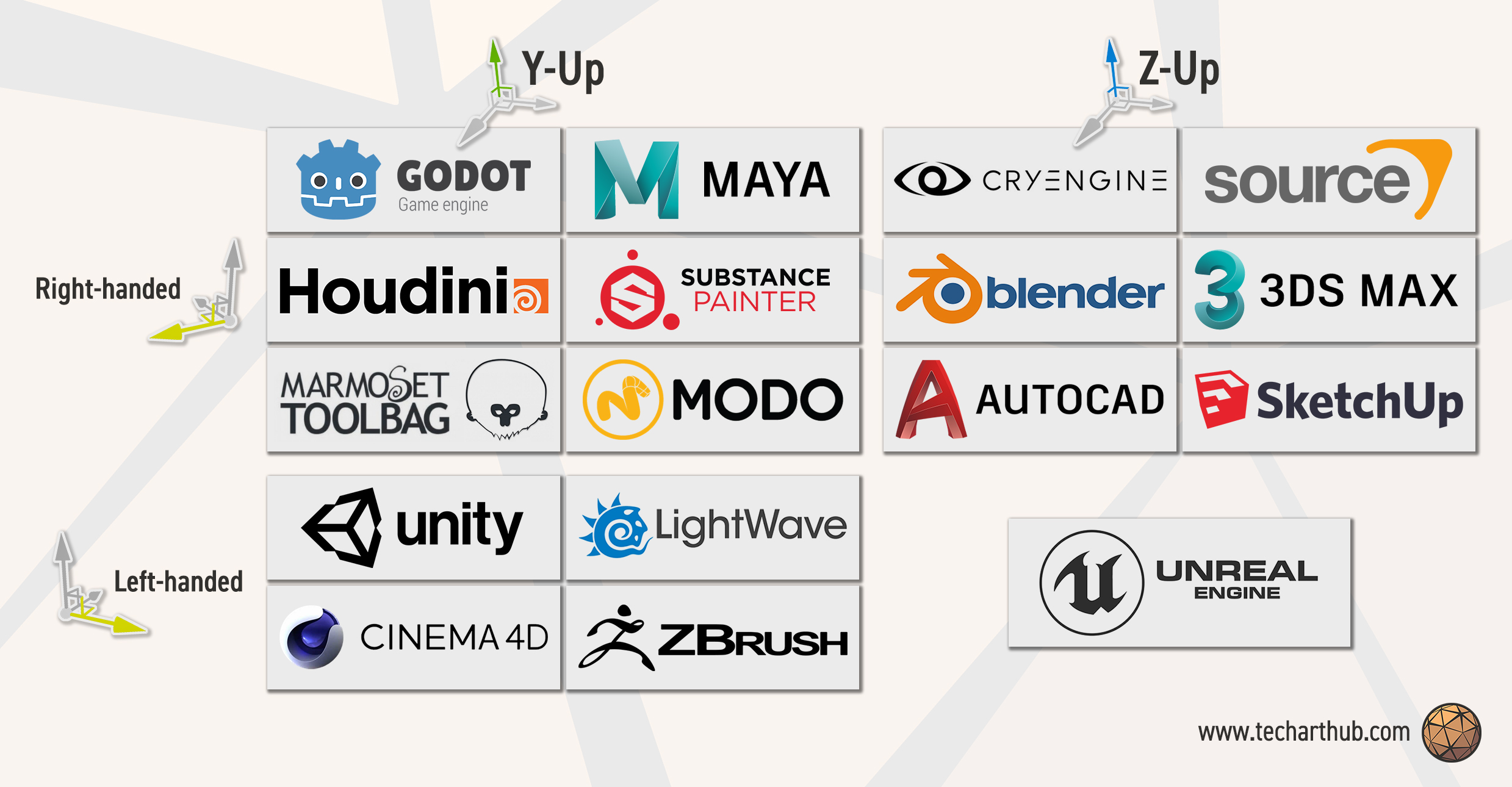 spring flame
btw the problem you have, that your model and rig was already done, I think can be solved pretty easily in blender or some tool in the web
I don't believe the software as powerful as blender don't have some easy way of rotating model with rigs and animations
rocky jackal
i can tjust rotate it 90 degrees i need to rotate each bone by 90 degrees wich isnt really doable since that would also rotate the mesh and you cant rotate them like you want in edit mode
spring flame
I don't know blender that much to disagree, but this doesn't sound right. I think you may have not researched your problem good enough and there is a solution right in blender, maybe in export options or whenever
for example have you checked "transform" in export options in blender?
and "armature"
 stark sinew
rocky jackal
unity always meeses up the orientations why is the z axis y in unity ive never u...
stark sinew
rocky jackal
unity always meeses up the orientations why is the z axis y in unity ive never u...
You just need to change some settings when exporting....
There is an option to tell which direction is supposed to be up
And Tutorials how to properly export a mesh for Unity
stark sinew
spring flame
This, sorry didn't see it's already there.
Also, make sure your Model is at 0/0/0 with scale of 1/1/1 and it may be possible that you want to check Apply Transform
rocky jackal
spring flame
for example have you checked "transform" in export options in blender?
thank you
it works now
 gray mural
Hello, is there any great way to get currently first hovered UI Object ?
or do I have to use raycasts and check for Images with their raycast target being true?
leaden ice
gray mural
or do I have to use raycasts and check for `Images` with their `raycast target` ...
Use the event system as it was intended
gray mural
leaden ice
https://docs.unity3d.com/Packages/com.unity.ugui@2.0/manual/SupportedEvents.html
these events can be applied on a specific scipt
I have to find the first Image with its Raycast target being true
by "first" I mean the nearest to the user, so the first one to be selected when clicked
guess it should be quite easy to do with raycasts
 craggy veldt
anybody knows if Color.Lerp is doing hue-shifting under the hood or just a normal interpolation?
hexed pecan
Pretty sure it is just linear per-channel
craggy veldt
oh dayum
hexed pecan
You could use Color.RGBToHSV + Color.HSVToRGB to do hue shifting I guess
hexed pecan
Time to make a Slerp helper function for Color 😄
 rotund dune
legacy buttons don't seem to work for me at all
like clicking won't do anything
ive checked if anythings obstructing the button but its fine
and the function ive asked it to call is also fine
 wicked scroll
rotund dune
legacy buttons don't seem to work for me at all
wicked scroll
rotund dune
legacy buttons don't seem to work for me at all
Make sure your scene has an EventSystem
rotund dune
wicked scroll
Make sure your scene has an EventSystem
i may or may not have deleted that on a whim gimmie a hot minute
that was it, thanks!
heady iris
hexed pecan
You could use ``Color.RGBToHSV`` + ``Color.HSVToRGB`` to do hue shifting I guess
Converting to L*a*b might be a good idea too, if you want really nice color lerping
I used that when blending between colors on my smart lights
 fresh cosmos
Is it possible to make a screenshot of the desktop via unity? Basically making an illusion that the game looks exactly like the desktop
leaden ice
fresh cosmos
Is it possible to make a screenshot of the desktop via unity? Basically making a...
Generally for security reasons it is not possible without extra permissions
fresh cosmos
Ah sadge
leaden ice
Imagine if a game you installed started taking screenshots of your bank account website in another window 😰
fresh cosmos
Yeah thats true that would be scary
gray mural
Hello, how do I get UI Object via Raycast (or something similar to this)?
Because Raycast just gets objects with colliders
gray mural
gray mural
Hello, how do I get `UI Object` via `Raycast` (or something similar to this)?
Be...
Got it. This seems to work if someone else needs it
PointerEventData eventData = new(EventSystem.current)
{
    position = Input.mousePosition
};

List<RaycastResult> results = new();

EventSystem.current.RaycastAll(eventData, results);

//
print(string.Join("; ", results.Select(r => r.gameObject.name)));
I think I might have had a very bad habits from my previous programming background that I transferred over to unity, so please tell me:
- should I avoid using constructors in unity?
- should I avoid using static fields?
- should I avoid using C# events (
event+delegate) - and should I avoid using interfaces?
if so, why?
asking, because I often encounter problems like "whops, did you <do a thing outside of unity lifecycle>? you naughty naughty"
heady iris
Constructors on Unity objects can be a problem.
They run before Unity can apply serialized properties to the object.
so, don't use them on MonoBehaviours and ScriptableObjects.
there's nothing wrong with using them on non-Unity objects, though
static fields are fine. Singleton patterns are very common.
They require a little extra care if you're using https://docs.unity3d.com/Manual/ConfigurableEnterPlayMode.html
C# events are also completely fine. You might want to use UnityEvent instead if you want to be able to assign event handlers in the inspector, though.
UnityEvent is what things like the "On Click" event on Buttons use
and interfaces have one major hurdle: Unity won't serialize fields of interface types
So you can't do something like this and expect it to appear in the inspector:
[SerializeField] private IWhatever myThing;
There are third party tools to let you serialize interfaces. It's a bit obnoxious though.
hexed pecan
You said everything I was about to!
heady iris
i don't have a gold star emoji so i'll just have to use this instead

that is a luxuriously high-quality golden stud
heady iris
heady iris
Constructors on Unity objects can be a problem.
If you want to run some code immediately after a MonoBehaviour-derived instance is created, put it in Awake
If you need to be able to pass some values in, you'll just have to make your own "Init" method
I do that quite a lot.
All of my UI code used to do its work in Start, so my menu took several frames to build
it's all synchronous now; everything gets an Init method called on it after it's instasntiated from a prefab
spring flame
great answer, much appreciated! thanks 👍
heady iris
heady iris
C# events are also completely fine. You might want to use UnityEvent instead if ...
Also, if you're regularly adding and removing listeners, this can generate a lot of garbage
IIRC a whole new list is allocated every time you add or remove a listener?
(since you can safely add and remove listeners while the event is being fired)
But I am not very confident about that.
 elder sky
hey im trying to make a ball shoot system like in mini soccer star but whitout the aiming arrow can someone help me make the script?
also its gonna be a mobile game so mobile input
knotty sun
elder sky
hey im trying to make a ball shoot system like in mini soccer star but whitout t...
probably not and dont cross post
elder sky
ok
 silk token
anyone got any tips trying to start programing
leaden ice
silk token
anyone got any tips trying to start programing
This is a decent spot to start with C# https://learn.microsoft.com/en-us/collections/yz26f8y64n7k07
 frosty sequoia
heya, im trying to add enemy spawning to my project and for that im trying to avoid locations the enemies cant spawn in, obv. but weirdly enough it doesnt work and idk why lol. all the objects it needs to avoid are on the right layer and have a collider and rigidbody, so idk what's going on. can anyone help?
 heady iris
frosty sequoia
heya, im trying to add enemy spawning to my project and for that im trying to av...
heady iris
frosty sequoia
heya, im trying to add enemy spawning to my project and for that im trying to av...
So Debug.Log(spawnIntrusives) is always printing out null/an empty string?
frosty sequoia
heady iris
the while loop does nothing here, btw
me being good at coding. i feel stupid, thanks
 scarlet viper
Is it weird that this code breaks/stretches windowed resolution instead of using monitor's resolution (when on fullscreen) ?
        if (Input.GetKeyDown(KeyCode.F))
            if (Screen.fullScreenMode == FullScreenMode.Windowed)
                Screen.fullScreenMode = FullScreenMode.FullScreenWindow;
            else
                Screen.fullScreenMode = FullScreenMode.Windowed;
ah, you've got really weird arguments here
Argument 4 is minDepth and argument 5 is maxDepth
you're passing...Level and Shield
If those are layermasks, they can convert to int, which can convert to float
so it compiles, but it's nonsense
frosty sequoia
ah, right yea ofc
heady iris
just get rid of those two arguments
frosty sequoia
how can i add multiple layers to the same argument
cuz im trying to avoid multiple
heady iris
A layer mask can contain several layers.
Just check multiple layers in the inspector for the Enemy field
(and rename it, since it's no longer just an enemy layermask)
maybe call it spawnBlockers
frosty sequoia
heady iris
A layer mask can contain several layers.
i never knew this omg, feels like ancient hidden unity knowledge to me. yea this'll do it, thanks
heady iris
This is also why a layer mask is not the same as a layer ID
gameObject.layer
that's a number from 0 to 31
frosty sequoia
right yea, that makes sense
 odd arrow
creating a texture2d from raw color bytes, is there any way to set the asset importer to the texture importer so i can get the proper import settings on the texture2d asset?

 frosty sequoia
heady iris
Just check multiple layers in the inspector for the `Enemy` field
frosty sequoia
heady iris
Just check multiple layers in the inspector for the `Enemy` field
yep this worked, thank you!!!
rigid island
odd arrow
creating a texture2d from raw color bytes, is there any way to set the asset imp...
cast it
odd arrow
rigid island
cast it
yeah but it's not a texture importer type, it's just a default asset importer
casting fails
rigid island
TextureImporter inherits asset importer
fossil steeple
This code is throwing exception on line LineRenderer.startColor as null reference
any idea what am i doing wrong?
[SerializeField] private LineRenderer LineRenderer;

    private void Awake()
    {
        LineRenderer = new LineRenderer();
        LineRenderer.startColor = Color.green;
        LineRenderer.endColor = Color.green;
    }

    private void Update()
    {
        Ray ray = Camera.main.ScreenPointToRay(new Vector3(Screen.width/2, Screen.height/2, 0));
        RaycastHit hit;

        if (Physics.Raycast(ray, out hit))
        {
            Debug.Log($"Looking at {hit.collider.gameObject.name}");

            LineRenderer.SetPosition(0, transform.position);
            LineRenderer.SetPosition(1, hit.point);
        }
    }
 rigid island
odd arrow
yeah but it's not a texture importer type, it's just a default asset importer
rigid island
odd arrow
yeah but it's not a texture importer type, it's just a default asset importer
what do you mean, what are you trying to do btw
spring flame
A suggestion that may not be what you looking for, but try if it works and you may use the inbuilt asset importer without any magic: use ppm format instead so generated.ppm. Ah, ppm does not support alpha...
leaden ice
fossil steeple
This code is throwing exception on line LineRenderer.startColor as null referenc...
you can't create a LineRenderer with new LineRenderer()
rigid island
odd arrow
yeah but it's not a texture importer type, it's just a default asset importer
I meant doing this btw var textureImporter = AssetImporter.GetAtPath(assetPath) as TextureImporter;
fossil steeple
leaden ice
you can't create a LineRenderer with `new LineRenderer()`
How do I do it tho?
leaden ice
fossil steeple
How do I do it tho?
Attach a LineRenderer component to the object and drag and drop it into the serialized field in the inspector you created.
and delete your Awake function
odd arrow
rigid island
what do you mean, what are you trying to do btw
as shown in the function above, im making a Texture2D from raw rgba32 bytes and I want to be able to access the textureimporter settings that are there when assets are imported from drag n drop files like normal
odd arrow
rigid island
I meant doing this btw ` var textureImporter = AssetImporter.GetAtPath(assetPat...
and this fails to cast, it's null
spring flame
can you extend the texture importer class and annotated it with your target asset filetype?
rigid island
odd arrow
and this fails to cast, it's null
it works fine , believe me. Something is wrong with your path then
or if its null its prob not detecting your asset as correct type
odd arrow
rigid island
it works fine , believe me. Something is wrong with your path then
even if that were the case (which it probs is tbh) shouldnt those texture import settings be available here?

it's only like the bare minimum texture2d options that are built into the Texture2D base class
spring flame
is this your problem? https://forum.unity.com/threads/assetdatabase-createasset-for-textures.496512/
odd arrow
spring flame
is this your problem? https://forum.unity.com/threads/assetdatabase-createasset-...
i mean yeah but the only data i have is width, height, and the color bytes
is it really necessary to save that as like a png and then import that?
spring flame
try this and use .png and not .asset
just ask chatgpt like I did xd
in case of obscure Unity APIs it helps immensely 👍
odd arrow
that's not what im asking about tho, i think it's stupid if the only way you can set the assetimporter of a texture to textureimporter is if you export it as a png and import that
maybe im in over my head but that seems convoluted for no reason
rigid island
odd arrow
that's not what im asking about tho, i think it's stupid if the only way you can...
I use textureimporter in my code just fine 🤷♂️
odd arrow
do you mind showing how you do it?
rigid island
I did show you, but my usecase is slightly different
odd arrow
gotcha
rigid island
  var assetPath = AssetDatabase.GetAssetPath(evt.newValue);

var textureImporter = AssetImporter.GetAtPath(assetPath) as TextureImporte```are you passing the assetpath after you created it ?
odd arrow
did exactly what you did, still null
 rigid island
maybe assetdatabase refresh before doing it?
leaden ice
odd arrow
did exactly what you did, still null
var ex = AssetImporter.GetAtPath(assetPath);
var textureImporter = ex as TextureImporter;``` See what type `ex` is at runtime?ex is NativeFormatImporter
leaden ice
maybe it's not a TextureImporter. as will return null if the cast is invalid
odd arrow
well yeah that's why it's null
bc it's not a textureimporter
and i just dont know how to associate a textureimporter with the Texture2D asset i've created
rigid island
 spring flame
is AssetImporter.GetAtPath even smart enough to determine the correct importer based on the contents? don't you have to save it using a correct extension?
leaden ice
Yeah I think the .asset is throwing it off
why is the image not an image filetype?
(sorry I'm jumping in midway here)
spring flame
can you try and in your code asset save not with .asset but with .shader and see if this returns "shaderImporter" or something?


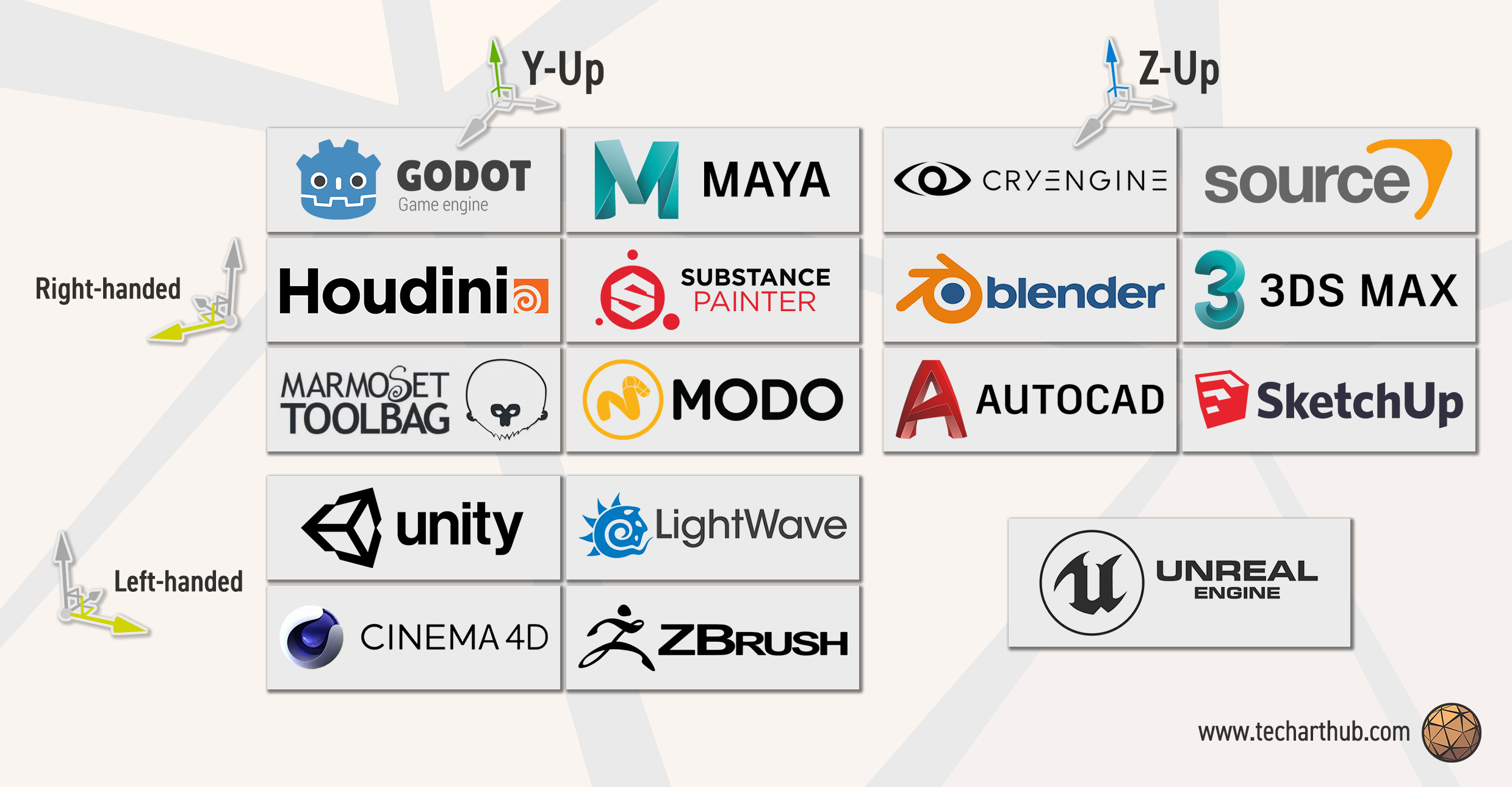 spring flame
and as I assume, unity doesn't know what are those raw bytes, so it takes a nativeAssetImporter
odd arrow
the data isnt coming from a png or anything
i created a parsing library for a format and im just trying to make the texture2d creation as streamlined as possible
odd arrow
spring flame
and as I assume, unity doesn't know what are those raw bytes, so it takes a nati...
yeah bc it's just CreateAsset with .asset that would make sense ig
does it apply specific importers based on the file extension then?
spring flame
that's as far as I know how you define the importers
odd arrow
damn that sucks
leaden ice
If you have raw bytes - does https://docs.unity3d.com/ScriptReference/ImageConversion.LoadImage.html work? Not sure if it will be able to figure out the format
odd arrow
and there's no way to assign it manually?