#archived-code-general
1 messages · Page 258 of 1
 round violet
 leaden ice
 hard viper
i see now why my RuleTile calls are so damn expensive
my special ruletile method checks a few maps for the actual logic. which only adds a little work.
but what ruletile does, is it looks through:
foreach tiling rule
foreach transform allowed by the symmetry
foreach neighbor position defined
Do work
so if you put 16 really specific rules that totally cover the space, and half of them use the rotation symmetry to check, and naturally this means a typical rule has 5 neighbor relationships defined…
That’s like 200 calls per one tile refresh. Wtf man
this is probably fine if you use tilemaps prebuilt in a scene, but not if you edit the tilemap dynamically in any way
in theory, by storing the results into an array on the SO, this only needs 8 calls instead of 200
ty for coming to my ted talk
 dull quarry
I installed Cinematic Studio Unity and I can't add a sequence to the project. It just isn't there

 rigid island
dull quarry
rigid island
dull quarry
CinematicStudio ? or you mean Cinemachine ?
dull quarry
rigid island
CinematicStudio ? or you mean Cinemachine ?
this and this
rigid island
oh you're talking about this
 dull quarry
rigid island
oh you're talking about this
dull quarry
rigid island
oh you're talking about this
yea
rigid island
dull quarry
yea
then you should have these packages ye?

 dull quarry
Cutscene można spotkać w większości gier, więc dlaczego nie wrzucić ich również do naszych projektów? Pokażę Ci jak możesz nakręcić te krótkie filmiki i uruchomić je w odpowiednim momencie w Unity.
Jak tworzyć animacje w Unity? 👉 https://youtu.be/RcJ7t7FJ3_w
Co to Unity HDRP? 👉 https://youtu.be/wEycDpfEtyA
👇 Dołącz do naszej społeczności:
...
rigid island
 lusty sphinx
not sure if im in the right spot here but I am having an issue with mirror, steamworks and unity. Can I ask questions about mirror, steam and unity here? or should I be posting elsewhere?
My specific issue is in utilizing the mirror 'Network Manager'. I am trying to have a menu where users can select to host online (thus using the default enabled fizzysteamworks transport on the network manager) or they can use LAN functionality via mirror (which swaps the transport on the network manager to a LAN transport).
I am able to do almost all of this correctly and thought I had it working previously, where the steam transport component gets disabled when going into LAN and the transport correctly gets set on the network manager, however I am running into an issue where the steam transport component is seemingly reenabling itself (or by something else I am unaware of) and the LAN now is appearing to be using the steam transport.
I know this is a long paragraph so let me know if I should be asking elsewhere. Thanks!
rigid island
dull quarry
i dont have it
they probably moved it, check under Window if sequencer has its own thing now
To create a Master Sequence, select the + (plus) button at the top left of the Sequences window, then select Create Master Sequence.
btw this question belongs in #💻┃unity-talk . this is a code channel
dull quarry
rigid island
> To create a Master Sequence, select the + (plus) button at the top left of the...
i dont have it

 heady iris
do you have any compile errors right now
rigid island
dull quarry
i dont have it
Oh my...
 heady iris
if so, they'll prevent any new packages from being imported
rigid island
I said Window
lusty sphinx
rigid island
btw this question belongs in <#497872424281440267> . this is a code channel
talkin about me?
rigid island
lusty sphinx
talkin about me?
nah to @dull quarry
lusty sphinx
ok my issue might also end up needing to be there xD
dull quarry
rigid island
nah to <@727633738195796019>
yes but i gonna get it

now i have it

i need this time line

i`m so stupit in unity
 gentle bison
I want to use a vector image (svg) as a button. I have already importet com.unity.vectorgraphics and now can put the image into the TextMeshPro button. The problem is it is transparant for some reason, does anyone know why?
 heady iris
you mean you assigned the sprite into the Image component's "sprite" field?
 heady iris
this is not a code problem, so you should ask it in #📲┃ui-ux . One thing I remember from using that vectorgraphics package was that the default importer mode didn't work properly in UI. I switched it to "Textured Sprite"

Maybe try that first.
Otherwise, go check in that channel

 rigid island
why do you keep asking this every day when the asnwer doesn't change
 main coral
Sorry I didnt read the answer ...
 main coral
ok so i cant add something there ?
rigid island
main coral
ok so i cant add something there ?
no there is nothing that can be added there
main coral
Thanks a lot!
rigid island
I've made a thread for it
main coral
I hope this feature will be added .. because I have the same problem with searching for users ..
rigid island
yes exactly, its very limited for a faux Database
main coral
that was the reason for asking if I can add there data
rigid island
idk what the last reply to the thread means by this
Edit: sounds like this is already possible! Thank you Unity team!
main coral
Yesterday, maybe it is possible, but the question will be hopw
rigid island
main coral
Yesterday, maybe it is possible, but the question will be hopw
the workaround to store "unique" info on each player would be using the Cloud Save
but you can't do anything search wise in the dashboard
 modern creek
Little annoyance, but when I open visual studio from the solution file, it doesn't seem to load all the dependencies correctly. Reopening it from Unity (by double clicking a script) fixes it all. I can't seem to figure out how to get this to work properly (sometimes I like to work in VS without unity open)

(these are in other asmdefs)
 vivid wind
Is there a way to load two scenes, have them occupy the same space, but not interact? Or is there only one scene loaded, and only can use additive scene loading, then place them out of view range of each other?
heady iris
modern creek
Little annoyance, but when I open visual studio from the solution file, it doesn...
huh, I'm not sure what I'd do about it missing some things
heady iris
vivid wind
Is there a way to load two scenes, have them occupy the same space, but not inte...
Depending on your definition of "interact", you could create multiple physics scenes
A physics scene (not to be confused with a unity scene) is a "world" in which physics happen
https://learn.unity.com/tutorial/multi-scene-physics talks about how to use them
I haven't really used 'em myself yet (but I might be doing that soon)
leaden ice
vivid wind
Is there a way to load two scenes, have them occupy the same space, but not inte...
what kind of interaction are you trying to avoid
Yes:
- Physics scenes for physics interaction (or layer based collisions as a "lower tech" solution)
- Culling masks on cameras to only show one scene by layer
As for lighting, it's going to get sketchy
because environment lighting is based on which scene is "active"
hard viper
trying to have two separate scenes is going to be a big challenge tbh
vivid wind
leaden ice
what kind of interaction are you trying to avoid
The Physics scene could be an option. I want to create two worlds and connect them via a Stargate like gateway. Just concern about managing two worlds in an active scene.
hard viper
so many things would break
heady iris
hard viper
so many things would break
only if you naïvely try to rip a scene in half, really
I've had a pretty reasonable time with multi-scene workflows
leaden ice
vivid wind
The Physics scene could be an option. I want to create two worlds and connect th...
yes but what are you concerned about specifically?
when you go through the stargate can you not just load a new scene?
hard viper
heady iris
only if you naïvely try to rip a scene in half, really
all your singletons would have problems if any are in both scenes, or assume they control everything about their own little world
heady iris
perhaps they want to keep the other half running
vivid wind
leaden ice
when you go through the stargate can you not just load a new scene?
Stargate was a bad example since it's one-directional. I mean more like a "Portal" portal or maybe a "Transitionless" portal would be a better term.
heady iris
in that case, it would be very annoying to keep both scenes' objects at the same place
you'd hear audio from World A in World B
now, that could be a really neat puzzle element...
hard viper
that’s what I thought he was talking about
leaden ice
vivid wind
Stargate was a bad example since it's one-directional. I mean more like a "Porta...
put the scenes in different places for sure. Use well trod "portal" rendering techniques to render the other scene through the portal
heady iris
I'm going to be dealing with something similar soon, actually. If you've ever played Factorio's Factorissimo mod, I want to do that
hard viper
i would first think long and hard about how crucial this is vs a loading screen + strong separation
hard viper
also, portal will have a very different approach vs a hard stargate that actually loads a new zone
vivid wind
hard viper
i would first think long and hard about how crucial this is vs a loading screen ...
Hoping to do the transitionless because it's novel feature that isn't implemented allot, probably due to it's implementation overhead.
hard viper
i’m just saying, before you spend at least 6 months on just this one feature, it should be really worth it
modern creek
heady iris
huh, I'm not sure what I'd do about it missing **some** things
Found the problem. Pinned an old .sln file and at some point renamed the project without the space. 🤦♂️
 heady iris
whoopsie
hard viper
vivid wind
Hoping to do the transitionless because it's novel feature that isn't implemente...
and if your reason to implement it is that it is not normally implemented, then you are solely going to be wasting your time
like, your response tells me that you should absolutely not do this
heady iris
implement what your game needs to be fun
hard viper
(and don’t if it doesn’t)
i have a feeling he’s about to say something to the effect of “if I explain my specific scenario, you’ll understand”
vivid wind
Definitely all good advice. Working on a rough prototype using stuff from tutorials so far to try to gage if it would be any fun. Just trying to understand if i'm going down the right path for how I'd load world B into world A.
heady iris
heady iris
implement what your game needs to be fun
I say this as I spend another day implementing weirdly flexible UI systems instead of making my game fun
🙉
look, my settings menu uses the same UI prefabs as my scenario setup screen!
vivid wind
This particular idea uses the portal mechanic, so I'll probably try implementing a prototype and go from there.
heady iris
Can you describe how you'll interact with these portals?
vivid wind
heady iris
Can you describe how you'll interact with these portals?
The basic way is you travel through from World A to World B. In World B you collect resources to bring back to World A. World A is the permanent world, World B is lost after the portal closes. Opening the portal again loads another procedurally generated world/place to collect more resources from.
hard viper
and that sounds like a use case for a loading screen
heady iris
It also means you're allowed to abuse the other worlds a fair bit
hard viper
you are not using the portal mechanic in the gameplay itself.
heady iris
You can put them in weird places (including on top of each other, since you're always just visiting a single other world)
You know, this reminds me of a game I made once for a jam
The theme was "Threshold". I made a game where you procedurally build a weapon by picking one upgrade per level
You kicked open a door and got flung into the new world
In that case, I just showed the new world's skybox on a material inside the doorframe
vivid wind
Post Prototype ideas include allowing NPC units to travel between world A and world B. Perhaps have a rail system that can go through the portal, or create other portals directly from a location in world B to a depot in world A.
heady iris
and hijacked your input for a few seconds as you flew into it and the new level appeared
This would be insufficient if you wanted to interact through the portal, but that might not be necessary.
vivid wind
Yeah I'm just wondering how to implement loading two worlds in what would be essentially a open-world. Having World A at 0,0 and then creating another world at 10k,0,0 seems straight forward enough. Can use game mechanics or hard boundaries to prevent player from wondering too far from the World A. Only concern with that route is around if there are any weirdness that comes with having high values in the coords of gameobject.
 wicked scroll
vivid wind
Yeah I'm just wondering how to implement loading two worlds in what would be ess...
wicked scroll
vivid wind
Yeah I'm just wondering how to implement loading two worlds in what would be ess...
You might start to see float weirdness at 10k so I wouldn't go that far away. Since your 'worlds' don't actually need to physically connect, you can have them pretty close to each other (level design permitting)i in the scene. I would think of it as one world with two 'realities' and keep them near the origin and just think of each as an isolated unit
if you really want them to be more their own 'world', you could have each be its own scene and load/unload them as needed, but if you want the player to be able to see through the portals you'll need both loaded at the same time anyway, so you may as well load it all
vivid wind
wicked scroll
You might start to see float weirdness at 10k so I wouldn't go that far away. Si...
Thanks for the info, I'll avoid the ultra large offsets. I'll aim for something smaller but manageable.
hard viper

I think I just need to bite the bullet now, turns out RefreshTile already does a cacheing thing
for reference, setting the tiles is 1/15 the cost
 quartz folio
hard viper
for reference, setting the tiles is 1/15 the cost
quartz folio
hard viper
for reference, setting the tiles is 1/15 the cost
...Should you be refreshing all the tiles 17 times?
Or are there that many tilemaps
hard viper
quartz folio
...Should you be refreshing all the tiles 17 times?
there are that many tilemaps
in this case, only 741 actual rule tiles getting refreshed
the vast majority of cost is on evaluating a given ruletile
For reference, the reason I have 17 tilemaps is because separate collider properties absolutely must be separated, which is a bummer
4 of those just have platform effectors in different directions.
3 solely exist to have a different collision layer
 pastel cipher
Guys if I have a player Green and enemies Red; and an attack that shoots automatically at set intervals in an area Blue; how can detect where the Blue attack should aim for it to hit the most enemies (or at least a good chunk of them)? Should I have like several posible set positions where it can land and check all of them individually to get the one with the most enemies nearby or...?

Like I want it to automatically check for large groups of nearby enemies
wicked scroll
pastel cipher
Guys if I have a player Green and enemies Red; and an attack that shoots automat...
best way is probably influence maps of some kind?
http://www.gameaipro.com/GameAIPro2/GameAIPro2_Chapter30_Modular_Tactical_Influence_Maps.pdf
 sweet perch
does anyone know how i can get world bounds of a ui element?
heady iris
pastel cipher
Guys if I have a player Green and enemies Red; and an attack that shoots automat...
If both the attack and the enemies are circles or spheres, then you can simplify this to covering as many points as possible.
This is a tough problem to solve exactly.
Just randomly trying points near a random enemy will work decently.
wicked scroll
yeah that's true
you also could maybe divide the world into cells of a size and keep track of which ones are densest?
that works best if the map is more constrained though i'd guess
pastel cipher
wicked scroll
best way is probably influence maps of some kind?
http://www.gameaipro.com/Game...
I have look it up a bit, and seems really interesting, but no idea of how to actually implement it
modern creek
Is the blue radius fixed? (I assume yes)
wicked scroll
pastel cipher
I have look it up a bit, and seems really interesting, but no idea of how to act...
yeah, as far as i know it's not really a problem with a trivial answer
pastel cipher
heady iris
If both the attack and the enemies are circles or spheres, then you can simplify...
They are not neceserally circles, most of them are basic shapes and even though the game is 3D I am only moving in the Z and X axis
wicked scroll
if it's not important to solve it very well, just picking random enemies and seeing how many are around them until you find a decent one like Fen said is probably fine
heady iris
An exact solution is probably going to be be too expensive.
smells like a NP-hard problem to me
modern creek
i'd start by just calculating how many enemies would be hit if you shot directly at every enemy in range, then picking the best shot
heady iris
But approximating it in 2D will be easy enough.
heady iris
modern creek
i'd start by just calculating how many enemies would be hit if you shot directly...
This is what I'd expect the attack to do, as a player
wicked scroll
that's why influence maps are a good approach imo, but yeah they not trivial to implement for everyone
heady iris
wicked scroll
best way is probably influence maps of some kind?
http://www.gameaipro.com/Game...
I wound up implementing this kind of thing for an RTS AI
wicked scroll
modern creek
i'd start by just calculating how many enemies would be hit if you shot directly...
yeah, unless you have a ton of enemies i'd start there too
wicked scroll
heady iris
I wound up implementing this kind of thing for an RTS AI
right, for large numbers it feels worth it
heady iris
Each point of interest was converted into a gaussian function centered on the point
and then I did gradient ascent in some Bursted code to find a high point
pastel cipher
I got a somewhat approximate solution which is to have a bunch of "template colliders" moving around the scene and every frame send a back how many instances of enemies they are hitting and chose the one with the highest count as the optimal target
Seems kinda messy for a just a approximate solution though
But I see a precise one is even more complex
I could also have each enemy have a recount of nearby enemies, and chose the enemies which have the most enemies nearby and hope to hit them
Which of these approximations do you see more appropiate?
wicked scroll
modern creek
i'd start by just calculating how many enemies would be hit if you shot directly...
neither, i would do this
your 'template colliders' are basically that, just it's smarter to use the enemies themselves as those 'templates' since you know each enemy contains at least themself in their radius
 pearl sigil
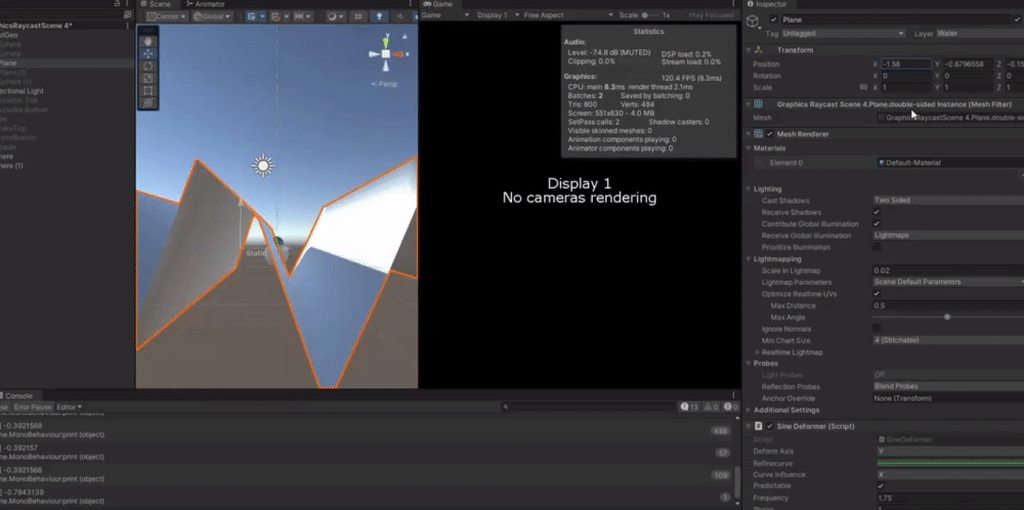
https://i.imgur.com/5zIr8S1.mp4
Can someone help me figure out why this buoyancy code is making the rigidbody stop floating up before hitting the peak of the 'water' plane?
Buoyancy script: https://pastebin.com/uL9fSwxU
It's a raycast buoyancy system. It's shooting a ray up from the GameObject it's attached to.
Where the raycast hits the 'water' plane, a "cursor" (green sphere) is shown on the plane. That's supposed to be where the GameObject floats to.
Instead, the GameObject floats upward but never tries to reach the peak of the wave (see mp4 showing this in action) despite the "cursor" (green sphere) hitting that point. Any ideas what might be going wrong in the floating logic?
Pastebin
Pastebin.com is the number one paste tool since 2002. Pastebin is a website where you can store text online for a set period of time.
leaden ice
pearl sigil
https://i.imgur.com/5zIr8S1.mp4
Can someone help me figure out why this buoyancy...
what debugging steps have you taken?
Have you tried adding logs to make sure the force is being added when you expect it to be?
Also why AddForceAtPosition instead of just regular AddForce?
pearl sigil
leaden ice
Also why `AddForceAtPosition` instead of just regular AddForce?
Yes!! Changing the point from which it floats from fixes it! thank you, that makes sense! as for why it is set up like AddForceAtPosition, honestly it's from a tutorial I found. I'll experiment with AddForce instead and see what works better. thanks!
pearl sigil
leaden ice
what debugging steps have you taken?
out of curiosity, when you say debugging steps, what approaches do you mean? I had changed the code around and added that cursor functionality to show where the ray was hitting. do you mean steps like that or something more specific?
 spring creek
pearl sigil
out of curiosity, when you say debugging steps, what approaches do you mean? I h...
spring creek
pearl sigil
out of curiosity, when you say debugging steps, what approaches do you mean? I h...
They mean adding Debug.Logs as well as using the Debugger and adding breakpoints
pearl sigil
spring creek
They mean adding Debug.Logs as well as using the Debugger and adding breakpoints
All right, got it for future use then, thanks.
spring creek
pearl sigil
All right, got it for future use then, thanks.
The Debug class also has helpful methods like DrawRay so you can visually see where your raycasts are going btw.
Lots of tools available.
 frosty snow
how can typeof(object).Assembly.Location and typeof(UnityEngine.Object).Assembly.Location produce incorrect assembly locations ?
 cosmic rain
Wdym by incorrect?@frosty snow
 knotty sun
frosty snow
how can `typeof(object).Assembly.Location` and `typeof(UnityEngine.Object).Assem...
knotty sun
frosty snow
how can `typeof(object).Assembly.Location` and `typeof(UnityEngine.Object).Assem...
because object and UnityEngine.Object are 2 very different things
 nimble cairn
Hi guys, I'm noticing some weird behavior with transform.SetParent(x) when using high velocity rigidbodies.
Are there any red flags when setting the parent of a rigidbody GameObject?
 lean sail
nimble cairn
Hi guys, I'm noticing some weird behavior with ``transform.SetParent(x)`` when u...
lean sail
nimble cairn
Hi guys, I'm noticing some weird behavior with ``transform.SetParent(x)`` when u...
What weird behaviour? In general the idea of moving parent and rb child is not a good idea
nimble cairn
I spawn a high velocity projectile, and on impact I create a parent, then make the projectile part of the parent as it becomes new "terrain"
 dusk apex
This isn't code related. The channel is a code channel, maybe try moving your message (delete/repost) to #💻┃unity-talk
nimble cairn
I've noticed this is triggered if rigidbody.useGravity = true is set
lean sail
nimble cairn
I spawn a high velocity projectile, and on impact I create a parent, then make t...
This is too vague for me. You still havent said what the actual issue is.
nimble cairn
Don't worry about it -- I think this is just one of those things I need to RTFM or trial/error
round violet
while in editor mode, can I get a variable from an object in a scene that isnt loaded ?
nimble cairn
@round violet Nope, but you can load the object and set active to false!
nimble cairn
Absolutely not
Save the variable in https://docs.unity3d.com/ScriptReference/PlayerPrefs.html
 round violet
its for editor purposes
saving time
I looked through the docs and it doesnt looks like i can get a Scene struct from a scene that isnt loaded
knotty sun
round violet
I looked through the docs and it doesnt looks like i can get a `Scene` struct fr...
can you not do that using AssetDataBase ?
 thick terrace
knotty sun
can you not do that using AssetDataBase ?
thick terrace
knotty sun
can you not do that using AssetDataBase ?
that gives you a SceneAsset instead right
knotty sun
there is this
https://docs.unity3d.com/ScriptReference/SceneManagement.EditorSceneManager.OpenScene.html
round violet
knotty sun
can you not do that using AssetDataBase ?
i only looked in SceneManager, i didn't knew they was a editor version of it, ty
round violet
knotty sun
there is this
https://docs.unity3d.com/ScriptReference/SceneManagement.EditorSce...
but regarding my original question, this isnt what i need.
This open a scene, my goal is to "fake open" a scene so i can get the root objects
or maybe i dont need to "open" at all, but i dont know how to get data from a scene that isnt loaded
knotty sun
Open->Get Objects->Unload
 faint otter
So i have many objects in my scene and i would like a GameManager listen to i guess an event coming from the objects in the scene, how do i do this?
 untold siren
wjat's the easiest way to check which area my enemy navmesh is currently walking on?
would it be sample position or smth
heady iris
untold siren
wjat's the easiest way to check which area my enemy navmesh is currently walking...
so you want to know which of these areas you're currently in?

 heady iris
NavMeshHit includes a mask field
which tells you which area you hit
Slightly unclear on how you actually interpret that. I guess it's a bitmask like a LayerMask
untold siren
can just use << right?
 quaint rock
i would have to test myself to figure out if its just straigt up ints or bitmask, but to test if something is in a area would be something like
(value & area) != 0
value would come from the NavMeshHit area would be the one or multiple you want to test for, so this statement would be true if value contains any bits from area
round violet
when calling EditorApplication.EnterPlaymode(), the rest of my code wont be executed
how can I tell Unity to continue the execution flow after the EditorApplication.EnterPlaymode() ?
e.i:
EditorApplication.EnterPlaymode();

Debug.Log("Executed"); // this doesnt get called
EDIT :
Debug.Log("Executed"); will be executed, but when entering playmode some stuff seems "cleared", like coroutines
untold siren
quaint rock
i would have to test myself to figure out if its just straigt up ints or bitmask...
something like this?
            if (!NavMesh.SamplePosition(transform.position, out _enemyNavHit, 1.0f, wallrunLayers)) return;
            if ((_enemyNavHit.mask & wallrunLayers) != 0)
            {
                Debug.Log("on wall");
            }
wait no I did it wrong
quaint rock
untold siren
something like this?
```cs
if (!NavMesh.SamplePosition(transform.pos...
it might work, i was making some assumptions of what the mask actaully is, so i would first start off by logging what mask actually is, and see if it lines up with values from your layers
either directly or 1 << n versions
looks like navmesh has a few things on it like GetAreaFromName that will be helpful for getting the mask for a named area
untold siren
quaint rock
it might work, i was making some assumptions of what the mask actaully is, so i ...
got it working
        private void CheckIfOnWalls()
        {
            if (!NavMesh.SamplePosition(transform.position, out _enemyNavHit, 1.0f, wallRunAreas)) return;
            if ((_enemyNavHit.mask == wallRunAreas))
            {
                Debug.Log("on wall");
            }
        }
wow hate the naming then, so they call it mask, but its not a bit mask
heady iris
That seems off. Even if it isn't a bitmask...
if ((_enemyNavHit.mask & wallrunLayers) != 0)
This would still succeed
quaint rock
yeah it would since bits would be 100% identical in that case
round violet
are running coroutines started in editor cleared when entering playmode ?
heady iris
good question. i've never used editor coroutines before..
quaint rock
heady iris
also, `NavMesh.AllAreas` is -1
ah guess the GetAreaFromName just returns the index but not the value of the layer then
round violet
because when entering playmode then starting a coroutine it get "stoped" afterwards
heady iris
quaint rock
ah guess the GetAreaFromName just returns the index but not the value of the lay...
Yes, that's correct.
quaint rock
so would need to do 1 << navmesh.GetAreaFromName()
heady iris
also, terrifying. i hit F12 to look at the implementation
quaint rock
to get its value
heady iris
it uses a fixed block
quaint rock
ugh
heady iris
it's passing a Span into native code
quaint rock
what did you go to def on to see that
GetAreaFromName just goes to a static extern for me
quaint rock
round violet
because when entering playmode then starting a coroutine it get "stoped" afterwa...
if i had to guess entering playmode is causing a domain reload
round violet
quaint rock
if i had to guess entering playmode is causing a domain reload
prob this
but i am not reloading domain on enter play mode
i disabled it in editor settings
heady iris
quaint rock
what did you go to def on to see that
I must have VSCode set up to try and decompile
quaint rock
could you fake it, and just have some initlizeOnLoad logic take over after after entering play mode
round violet
so i dont know why HandleBackgroundGeneration doesnt keep ecxecuting after starting play
    [Button("Start Background Generation")]
    private void StartBackgroundGeneration()
    {
        if (!EditorApplication.isPlaying)
        {
            EditorApplication.EnterPlaymode();
        }

        StartCoroutine(HandleBackgroundGeneration());

    }
hmm odd, could be version too i guess,
 round violet
quaint rock
could you fake it, and just have some initlizeOnLoad logic take over after after...
round violet
quaint rock
could you fake it, and just have some initlizeOnLoad logic take over after after...
i could do this, but the point of my inital goal is to make it easier not adding to much code xD
 blazing cedar
how do i make the npc make a new path that avoids all objects, currently it just keeps on the original path that hugs the object so the npc trying to get to the point but gets stuck on the objects https://gdl.space/nipezosuqo.cs
 rocky jackal
what could cause thes hughe lag spikes from the editor loop ?
 hard viper
it’s basically editor-specific code
I find several gameobjects I have lead to high editor usage when they are visible in inspector
so first thing to do is see if this only happens when a specific thing is visible in inspector
if so, then it is likely some editor script running on one of its components
 ruby elk
hey, does unity have some functions to trace against an infinite plane on an axis? ie not actual gameobject with collisions, just an infinite plane, and return the position
rocky jackal
hard viper
if so, then it is likely some editor script running on one of its components
could any build in script cause this ? cause i never made a script that runs in the editor in this project
hard viper
ruby elk
hey, does unity have some functions to trace against an infinite plane on an axi...
what do you mean by “trace”
quaint rock
ruby elk
hey, does unity have some functions to trace against an infinite plane on an axi...
it does has a class called plane you can raycast agaisnt
quaint rock
ruby elk
hey, does unity have some functions to trace against an infinite plane on an axi...
ruby elk
yeah but you get my point
I have a starting position and direction for a ray, a position and face direction for the plane, and I wanna know the point where the ray intersects with the plane
yeah that might do it, thanks
hard viper
oh cool, they already made a data structure for ot
quaint rock
@ruby elk look at what i linked its exactly that
hard viper
ruby elk
yeah but you get my point
I have a starting position and direction for a ray, a ...
oh, yeah. then use Plane.Raycast
it’s in the link
ruby elk
thank you
hard viper
fyi in Unity, Raycast usually specifically means a query on the physics system
quaint rock
not always, cases like this where its for the one object that might only exist in code
also the collider types have similar methods on them if you want to cast only agaisnt them and not world objects
hard viper
rocky jackal
could any build in script cause this ? cause i never made a script that runs in ...
idk. this looks like it might only happen on fixed frames
quaint rock
rocky jackal
what could cause thes hughe lag spikes from the editor loop ?
looks like garbage collection kicking in, does this happen only in editor or also in builds?
also are you instantiating lots of objects and destroying them
rocky jackal
hard viper
idk. this looks like it might only happen on fixed frames
it appeared out of nowhere and its only a problem in the editor so im gonna hope it dissapears just like it suddenly appeared
hard viper
quaint rock
also the collider types have similar methods on them if you want to cast only ag...
i mean that Casting in unity usually has the connotation of specifically referring to the many physics queries, which produce RaycastHit
rocky jackal
quaint rock
also are you instantiating lots of objects and destroying them
yes, quite a lot actually
lemem test smth
hard viper
well shit
quaint rock
rocky jackal
yes, quite a lot actually
that is the cause then, good chance it can be mitigated quite a bit by using object pooling
hard viper
you can’t instance and destroy tons of objects every few frames, bro. That will bring your game to its knees
quaint rock
and reusing objects instead of fully destroying them to just make a instance again later
object pools are pretty simple to make, also unity 2022 has built in tools for it
rocky jackal
hard viper
you can’t instance and destroy tons of objects every few frames, bro. That will ...
it worked 5 minuites ago
hard viper
rocky jackal
it worked 5 minuites ago
in your case, you need to make a pool
heady iris
This could be because you've got the hierarchy or inspector open while playing.
Especially if the behavior just appeared out of nowhere
hard viper
yeah. You’re lucky the inspector is the only thing yelling at you right now
heady iris
I would also smack the editor with a restart and see if anything changes
rocky jackal
heady iris
I would also smack the editor with a restart and see if anything changes
ill do that
heady iris
I'm pretty sure I've seen cases where EditorLoop wound up including my own code, though
maybe it was including the time taken to render the game view?
 main shuttle
rocky jackal
what could cause thes hughe lag spikes from the editor loop ?
main shuttle
rocky jackal
what could cause thes hughe lag spikes from the editor loop ?
Make sure you actually profile a Development Build, so you don't have the editor lagging out your profile results.
imho editor profiles are nearly useless
hard viper
i do mostly full instance and destruction because my game does it all at once, and then in small bits at a time. Which is fine.
I will later upgrade to a pool system.
heady iris
you're creating 11KB of garbage per frame, which could definitely be making the garbage collector run at regular intervals
that ~might~ show up in EditorLoop
rocky jackal
main shuttle
Make sure you actually profile a Development Build, so you don't have the editor...
the builds should work fine tho, the thing that takes up the most is the editor loop. that doesnt run in builds am i right ?
heady iris
heady iris
that ~might~ show up in EditorLoop
in this case, the built game would also run poorly
rocky jackal
heady iris
you're creating 11KB of garbage per frame, which could definitely be making the ...
ill check that
main shuttle
rocky jackal
the builds should work fine tho, the thing that takes up the most is the editor ...
Yeah, that's my whole point
rocky jackal
main shuttle
Yeah, that's my whole point
the problem is i cant work with 15fps in the editor and i cant make a build everytime i want to try smth
hard viper
in my case, all my scripts have very limitted use of Destroy, and all reference one specific monobehaviour (spawned entity handler) to ask it for “destruction.” This way, I can later refactor by having that one behaviour instead ask to go to a pool.
heady iris
have you restarted the editor yet
rocky jackal
its starting
 cinder juniper
Hello, I am new to untiy and I want to learn first person movement, is using character controller better or a rigidbody? also can u suggest a good tutorial to start? I also want animations as I have a model ready in blender. Can someone pls help??
rocky jackal
heady iris
have you restarted the editor yet
if i hide the garbage collector it still shows the lag spikes
 heady iris
you can switch the profiler to target the editor, not the player
that may reveal something

untoggle the Record button to make the graph stop, btw
rocky jackal
it starts spiking when i spawn my bullet impact effects but it doesnt stop even if all of the particle systems have been destroyed
heady iris
pausing the game won't stop the editor, so it'll keep flying past
Sounds like you have something getting stuck.
maybe you're continuing to spawn objects
 keen vale
not sure where to ask this but
is there any difference between the update order in a game’s build vs running it in the editor?
specifically in regards to drawing
quaint rock
its best not to rely on the update ordering
there are ways to define it, but getting into that will make life pretty complicated
this is why we have both Awake and Start and Update and LateUpdate
heady iris
keen vale
specifically in regards to drawing
Can you be more specific here?
Are you asking about script update order or something with rendering?
keen vale
script update order
im trying to update a shader param before something draws and it works in the editor player but not when i build
quaint rock
should be fine, Update is long before any rendering
https://docs.unity3d.com/Manual/ExecutionOrder.html
this graph in here shows the order all the unity messages get invoked in
ruby elk
is there a writeup somewhere on the internal logic of the functions in HandleUtility? especially this one https://docs.unity3d.com/ScriptReference/HandleUtility.CalcLineTranslation.html
I'm trying to recreate the transform gizmo for runtime usage
 latent latch
I think that's specific for the editor. Could consider looking into this:
https://docs.unity3d.com/ScriptReference/GL.html
ruby elk
it being editor only is why I'm trying to recreate them, sorry if I wasn't clear
latent latch
regardless, GL works at editor too
ruby elk
I don't need the rendering stuff, rather the "mapping a screen relative movement to a world space movement constrained to an axis" stuff
heady iris
Sounds like an application for Vector3.Project
Given the handle's world-space direction, convert that to screenspace and throw out the Z component
Project the mouse position onto this vector.
..actually, maybe don't throw out the Z component, since you'll need to convert the projected mouse position back into world-space afterwards
I haven't implemented this exact thing before, so I'm a little fuzzy!
 spice aspen
https://gdl.space/xojepigiwe.cs can anyone tell me why my rotation feels buggy and freeze? in void LookRot()
knotty sun
you are mixing transform and rigidbody, dont do that. iirc you've already been told this
 lethal ibex
Hi, i'm making an online game using relay and netcode. I need the player to send their username to the server when they join, to do this i have a function subscribed to the OnClientConnectedCallback action. This function should send a ClientRPC to the client that just joined, and that will trigger sending the username back to the server, but i cannot get it to work where it only sends to one client. The code works when i do not include clientRPCParams, but obviously sends to every client not just the client that joined. The error message says that the RPC is called on a network object that is not in the spawned objects list


 rancid jolt
Is there seems to be any problem with this script? It is printing not grounded constantly although the character is grounded

 spice aspen
knotty sun
you are mixing transform and rigidbody, dont do that. iirc you've already been t...
spice aspen
knotty sun
you are mixing transform and rigidbody, dont do that. iirc you've already been t...
How can I rotate the body without using transform then?
spice aspen
OOO tysm
 lunar python
Anyone has any improvement/optimization recommendation for this StateMachine and State code?
https://paste.ofcode.org/cWEZtzi6cpg6BfcdQfTHpf
https://paste.ofcode.org/EgtfQxwGZ5XgsKPyicntpA
lean sail
lunar python
Anyone has any improvement/optimization recommendation for this StateMachine and...
Theres a lot heres thats pretty unusual, if it fits your needs though then theres no need to really change it. I'll point out some things that arent a good sign but "improving" it would pretty much be an entire rewrite.
In your design, the states need to know about the state machine. This seems to just be for the purpose of GetComponent. This is giving your states too much information.
Doesnt make a lot of sense to me why the statemachine is a mono and why the states arent.
Add a Exit for your states so they can clean up stuff if needed.
The handle, fixedhandle, and late handle smells like overengineering if you arent actually using all of them. I'm unsure of what you would ever need all 3 for.
heady iris
I have several "tick" methods on my state machine's states
lean sail
What would you even use them for? I cant imagine a scenario really where an object can exist in a state where it needs to update in update, fixedupdate, or lateupdate
heady iris
Although, I'm lying a bit -- these are on my "modules", which are basically just components that I manually call methods on, rather than letting Unity do it
Tick runs in Update, duh.
FixedTick runs in FixedUpdate and is used for systems that need to affect physics
IKTick runs after all of my IK systems are finished solving, and is used for things like positioning the camera correctly
I have LateTick on here, but it's used by nothing
I'm using FinalIK, which updates deep into LateUpdate.
lunar python
lean sail
Theres a lot heres thats pretty unusual, if it fits your needs though then there...
Thanks. I think I am removing StateMachine from State and remove unnecessary public function calls from StateMachine, but I have lots of things to do with Update(), FixedUpdate() and LateUpdate()
 strange scarab
How come you cant manipulate dictionarys while iterating over them but you can in other languages
quaint rock
strange scarab
How come you cant manipulate dictionarys while iterating over them but you can i...
you can it just depends on how you do it
heady iris
strange scarab
How come you cant manipulate dictionarys while iterating over them but you can i...
Newer versions of .NET allow you to set values while iterating over a dictionary, actually.
alas, not for us!
 swift falcon
Hello! I want to find to position of the top part of an object. What im trying to do is that I have two quiz files since im making a quiz player and I want to start looping the items from the top. Heres a screenshot of what it is currently doing: (i just set it to the position of the object i want to find the top part, which results in just looping from the half 😢 )

forgot the screenshot, sorry
heady iris
I don't understand what you're actually trying to accomplish
swift falcon
first sentence
swift falcon
that gives the center
heady iris
Ah, I see.
swift falcon
i want the top
 fervent furnace
this is gui so probably as rect transform?
swift falcon
how?
heady iris
(transform as RectTransform) will cast your Transform to a RectTransform
swift falcon
i have that object as a recttransform variable already
heady iris
It looks like you want to use https://docs.unity3d.com/ScriptReference/RectTransform-rect.html
 heady iris
The rect is in local space, so you'd need to transform it to world space to get the correct size
swift falcon
alright
heady iris
hmm, I'm not sure exactly how to do this, though
You know, an easy option would be to parent an empty object to your button
and just get its position
swift falcon
recttransform.rect is the world space position?
swift falcon
heady iris
You know, an easy option would be to parent an empty object to your button
wait
i could just set position of an invisible object at the top of the list
and i dont need to do casts and all that stuff
alright works!
 queen relic
Hi I can't turn horizontally does anyone know what the problem could be?
rigid island
queen relic
Hi I can't turn horizontally does anyone know what the problem could be?
how we supposed to know anything without seeing the script/setup ?
🔮
queen relic
`using System.Collections;
using System.Collections.Generic;
using UnityEngine;
[RequireComponent(typeof(CharacterController))]
public class FPSController : MonoBehaviour
{
public Camera playerCamera;
public float walkSpeed = 6f;
public float runSpeed = 12f;
public float jumpPower = 7f;
public float gravity = 10f;
public float lookSpeed = 2f;
public float lookXLimit = 45f;


Vector3 moveDirection = Vector3.zero;
float rotationX = 0;

public bool canMove = true;


CharacterController characterController;
void Start()
{
    characterController = GetComponent<CharacterController>();
    Cursor.lockState = CursorLockMode.Locked;
    Cursor.visible = false;
}

void Update()
{

    #region Handles Movment
    Vector3 forward = transform.TransformDirection(Vector3.forward);
    Vector3 right = transform.TransformDirection(Vector3.right);

    // Press Left Shift to run
    bool isRunning = Input.GetKey(KeyCode.LeftShift);
    float curSpeedX = canMove ? (isRunning ? runSpeed : walkSpeed) * Input.GetAxis("Vertical") : 0;
    float curSpeedY = canMove ? (isRunning ? runSpeed : walkSpeed) * Input.GetAxis("Horizontal") : 0;
    float movementDirectionY = moveDirection.y;
    moveDirection = (forward * curSpeedX) + (right * curSpeedY);

    #endregion


    #region Handles Rotation
    characterController.Move(moveDirection * Time.deltaTime);

    if (canMove)
    {
        rotationX += -Input.GetAxis("Mouse Y") * lookSpeed;
        rotationX = Mathf.Clamp(rotationX, -lookXLimit, lookXLimit);
        playerCamera.transform.localRotation = Quaternion.Euler(rotationX, 0, 0);
        transform.rotation *= Quaternion.Euler(0, Input.GetAxis("Mouse X") * lookSpeed, 0);
    }

    #endregion
}
}`
dusk apex
Don't recall if CC prohibits Transform operations with rotation 
rigid island
rotations should fine iirc
latent latch
start debugging
dusk apex
queen relic
`using System.Collections;
using System.Collections.Generic;
using UnityEngine;
...
There are two rotations being applied. One to camera and the other to this object. I'm assuming the camera has got the unwanted behavior (mouse y)
 meager swallow
guys i need help setting a 2d outline for a sprite,when i drag the material onto the GameObject it just disappears because of "Material does not have a _MainTex texture property" even tho in the shader graph i set the reference to "_MainTex"
dusk apex
Maybe canMove is false?
latent latch
meager swallow
guys i need help setting a 2d outline for a sprite,when i drag the material onto...
welcome to URP hates sprite shaders
Well, SRP in general
queen relic
dusk apex
Maybe `canMove` is false?
No, cause movement and jumping works
dusk apex
queen relic
No, cause movement and jumping works
Which object isn't rotating correctly?
The camera or the character body?
queen relic
the camera
dusk apex
Well, the camera is only assigning changes to the x-axiscs playerCamera.transform.localRotation = Quaternion.Euler(rotationX, 0, 0);
rigid island
queen relic
the camera
and is camera child of player?
queen relic
rigid island
and is camera child of player?
yes
dusk apex
I can't turn horizontally
The camera only rotates on the x-axis
latent latch
meager swallow
guys i need help setting a 2d outline for a sprite,when i drag the material onto...
Check out #archived-shaders, but if you're using the shader graph usually that's more friendly. Make sure you're using 2D texture node as well
rigid island
dusk apex
> I can't turn horizontally
The camera only rotates on the x-axis
(assuming) if child of character , its pretty normal to rotate player body to get camera to rotate on Y as well
meager swallow
latent latch
Check out <#497874081329184799>, but if you're using the shader graph usually th...


i'll check out the shader channel
rigid island
queen relic
nvm got it
what was it
latent latch
I've seen sprite stuff done in shader graph so I'd expect it to be possible, but HLSL is a nightmare for sprite stuff
queen relic
linked the script to camera instead of the player object
ruby elk
heady iris
Given the handle's world-space direction, convert that to screenspace and throw ...
how do you convert a direction to screen space? just camera.worldtoscreenpoint then normalize it?
also I could keep the Z component but it'd become invalidated by the project
quaint rock
who would you normalize it
also WorldToScreenPoint will not convert a direction just a point
ruby elk
vector3.project takes a normalized direction iirc
 dreamy narwhal
How do i add a AssestPostProcessor to a obejct i imported so i can add a script into that prefab?
quaint rock
the asset post process runs everytime things of certain types are imported
what kinda asset is it?
https://docs.unity3d.com/ScriptReference/AssetPostprocessor.OnPostprocessModel.html
for example here is one that acts on model import
 glossy mortar
!cs
 tawny elkBOT
Join the C# Discord server, a programming server aimed at coders discussing everything related to C# (CSharp) and .NET. https://discord.com/invite/csharp
 terse quarry
can you interact with button elements when the displaystyle is .none ?
 cold onyx
Hey gang, I'm using a UI image (SelectionRect in the code) to accomplish RTS style box selection (drag mouse over multiple Units to select all at once):
    private void CalculateDragBoxCollisions() {
        Vector3[] positions = new Vector3[4];
        Vector3[] corners = new Vector3[4];

        // Use the UI rect to get the world corners
        SelectionRect.GetWorldCorners(corners);

        // Raycast at each corner and get position
        for (int i = 0; i < corners.Length; i++) {
            Ray = Player.Cam.ScreenPointToRay(corners[i]);

            if (Physics.Raycast(Ray, out Hit, raycastMaxDistance, Player.GroundLayer)) {
                positions[i] = Hit.point;
            }
        }

        // Find the minimum and maximum extents
        Vector3 min = positions[0];
        Vector3 max = positions[0];

        for (int i = 1; i < positions.Length; i++) {
            min = Vector3.Min(min, positions[i]);
            max = Vector3.Max(max, positions[i]);
        }

        // Calculate the center and half extents for the overlap box
        Vector3 center = (min + max) / 2f;
        Vector3 halfExtents = (max - min) / 2f;

        // Query overlapping colliders
        Collider[] colliders = Physics.OverlapBox(center, halfExtents, Quaternion.identity, Player.SelectableLayer);

        // Do stuff with colliders
}
This code works great until the Units I'm mousing over are near the edges of the screen. The closer they are to the center of my camera the more accurate the collisions will be. The further from the center the more likely the collision will occur. I found this has to do with the fact that my Camera (Player.Cam) has an X rotation of 55. If I set this value to 90, so the Camera is looking straight down towards the world (3d world, cam is perspective), then everything works as intended. My question: How can I adjust this code to simulate this 90 degree rotation? I was hoping to avoid using another Camera. Thanks!
 haughty sonnet
I've been trying to make a modular pie chart / roulette wheel generator. I have made multiple iterations and none of them have worked, im ashamed to even show em - they dont work at all. The idea I had is that I have a number "spaceLeft", I instantiate a set amount of slices and assign them a portion of the space left. They are then rotated so that the start of the slicing starts where the previous slice ended, and the fill amount is set to the assigned space, and then the next slice is instantiated and rotated accordingly. So far the slices overlap and never reach 100% (sometimes seemingly more, sometimes less), anyone know a simple way I could do it?
haughty sonnet
haughty sonnet
I've been trying to make a modular pie chart / roulette wheel generator. I have ...
 latent latch
So is it your logic that's having a problem or is it the component you're using that you're not understanding? Either way, post code.
haughty sonnet
latent latch
So is it your logic that's having a problem or is it the component you're using ...
well the current version looks like this and is awful in every way
    {
        for(int i = 0; i < numberOfTiles; i++)
        {
            CreateNewSlice(i);
        }
    }


void CreateNewSlice(int index)
{
    GameObject temp = Instantiate(wheelSlice, wheelOriginPosition.position, Quaternion.identity);
    int sliceSize = 0;

    if (index < numberOfTiles - 1)
        sliceSize = Random.Range(Mathf.RoundToInt(360f / (numberOfTiles * 3)), spaceLeft);
    else
        sliceSize = spaceLeft;

    tileList.Add(temp);
    temp.GetComponent<Image>().color = Random.ColorHSV(0f, 1f, 1f, 1f, 0.5f, 1f);
    temp.GetComponent<Image>().fillAmount = 1 - (float)sliceSize / 360f;
    temp.transform.rotation = new Quaternion(0, 0, spaceLeft, 0);

    tileList.Add(temp);
        temp.transform.SetParent(wheelObject.transform, true);
    spaceLeft -= sliceSize;
}
Is this on the UI? You've got tools like Radial fill if you want to use that
or is that what you're using here. I think there's specific sprite masks for it too but I can't recall them
haughty sonnet
latent latch
Is this on the UI? You've got tools like Radial fill if you want to use that
yeee it's on the ui and im trying to set its fill amount to correspond to its size
so i can use radial fill instead of fillamount?
i mean that would make it more compatible with the rotation aspect at least
latent latch
as for layering problems, what is rendered on top is dependent where it is on the hierarchy
haughty sonnet
i googled and maybe range start / range end sprite masks?
haughty sonnet
latent latch
as for layering problems, what is rendered on top is dependent where it is on th...
well i dont want them to be on top of each other in the first place, that's why the idea is that they are rotated to the start is where the previous one ended 🤔
 twilit scaffold
does anyone remember what this type of notation/formatting is called? I want to set VS to format this way, or at least stop 'correcting' me
    void Update() {
        if (Input.GetKeyDown(KeyCode.Space)) {
            playerRb.AddForce(Vector3.up * 500); } }
and then the fill amount corresponds to how big it should be
latent latch
latent latch
haughty sonnet
well i dont want them to be on top of each other in the first place, that's why ...
Ah, yeah that's probably doable then. Just continue where the last fill left off.
rigid island
twilit scaffold
does anyone remember what this type of notation/formatting is called? I want to ...
haughty sonnet
latent latch
Ah, yeah that's probably doable then. Just continue where the last fill left off...
exactly, but it just doesnt seem to work out for me hmmm, but maybe it would work better if i swtich over to radial fill like you said, ill try that
tyty
 simple egret
twilit scaffold
does anyone remember what this type of notation/formatting is called? I want to ...
simple egret
twilit scaffold
does anyone remember what this type of notation/formatting is called? I want to ...
Never seen that before. It's not pretty and not the standard C# formatting conventions.
But you can edit the formatting settings in Visual Studio options, under the "C#" item.
rigid island
yeah not a big fan of k&r
twilit scaffold
It is funny that they are using it as standard in the beginner course

Unity Learn
Overview: The goal of this lesson is to set up the basic gameplay for this prototype. We will start by creating a new project and importing the starter files. Next we will choose a beautiful background and a character for the player to control, and allow that character to jump with a tap of the spacebar. We will also choose an obstacle for the ...
rigid island
lots of java and c++ coders do it
simple egret
It's not even K&R is it? The closing braces are on their own line no?
rigid island
and js
rigid island
simple egret
It's not even K&R is it? The closing braces are on their own line no?
oh yeah the end one is so weird thing
thought they meant the opening
simple egret
But know that Unity isn't the reference for code style
twilit scaffold
I am not a fan of the closing bracket there. i prefer it on the next line
latent latch
Not my preference, especially on something like Update
rigid island
simple egret
But know that Unity isn't the reference for code style
m_ 😔
simple egret
Properties in camelCase, and the Geneva-convention-breaking stuff in Unity.Mathematics am I right
simple egret
I love their excuse on the home page "in C# int and float are built-in types, so we made our own" - no, they're aliases of built-in types
Keywords
vivid wind
I haven't done a deep dive yet, but off the top of anyone's head is there a way to quickly derive an efficient cluster formation for a number of spheres? Like rather than just glueing to each other on contact, I'd like them to do their best to keep a spherical shape when they are connected.
latent latch
sounds like something from one of those neat algorithm web pages but unfortunately I don't bookmark them
vivid wind
Yeah I'll have to do some digging around.
hard viper
I optimized the algorithm for ruletiles
it now saves a lookup table
It dramatically improved performance
right now, my smallish map was spending like 300-500 ms to refresh all tiles. it's now 100ms
only important because I expect the scale to increase dramatically
and spending 3 seconds refreshing tiles is dogshit
 fluid lily
Hey all. I am having troubles with too many AssemblyDefinitions. main issue is I am having to reference different assemblies over and over(like Unity.Logging/Unity.Burst/Unity.Collections).
If I put an assembly in a sub folder of another assembly do I get all it's references, or if I reference another assembly will I get all it's references?
Or is there a way to add references by default for all assemblies?
rigid island
fluid lily
Hey all. I am having troubles with too many AssemblyDefinitions. main issue is I...
why are you using asmdef in the first place
fluid lily
rigid island
why are you using asmdef in the first place
Like are you asking me what are the advantages of them? Inwhich case I would say google it
Or like in my case why, inwhich case I would say google the reasons why to use them
rigid island
fluid lily
Like are you asking me what are the advantages of them? Inwhich case I would say...
no i mean why are you using thm in the first place
fluid lily
rigid island
no i mean why are you using thm in the first place
Google the reasons why to use them
rigid island
i know what they are and what they're for..
fluid lily
Okay, now back to my question then?
I tried "Auto Reference" but my other assemblies I still have to assign the reference. Not sure what the docs mean by "Predefined Assemblies" will renference them
And at that I can't Auto Reference stuff like Unity.Logging
 indigo saffron
my UI slider wants me to pass predetermined value instead of passing its value on change, how can I make it pass its value? it worked in past so idk what's happening.

 rigid island
fluid lily
I tried "Auto Reference" but my other assemblies I still have to assign the refe...
rigid island
fluid lily
I tried "Auto Reference" but my other assemblies I still have to assign the refe...
Predefined are the ones from unity
rigid island
indigo saffron
my UI slider wants me to pass predetermined value instead of passing its value o...
you need to select the Dynamic function
indigo saffron
rigid island
you need to select the Dynamic function
thx
but it doesnt show me that option here idk
 rigid island
indigo saffron
but it doesnt show me that option here idk
rigid island
indigo saffron
but it doesnt show me that option here idk
more likely the signature doesn't match
try float
yup its a float
 placid crypt
Do OnMouseDown and similar methods affect only the first collider it touches?
latent latch
Looks like it
Might as well just raycast
https://docs.unity3d.com/2018.3/Documentation/ScriptReference/EventSystems.IPointerClickHandler.html
This can be an alternative to MouseDown (for UI specifically but I believe it can still work on gameobjects otherwise if they have colliders*)
placid crypt
My real question is, what is the most versatile and effective way to detect mouse clicks/hovers and touch inputs
2D Raycasts?
latent latch
Lot of the unity tutorials are mostly 3D raycasting but they are similar

Unity Learn
How to detect mouse clicks on a Collider or GUI element. This tutorial is included in the Beginner Scripting project. Previous: GetAxis Next: GetComponent
Gotta use the Physics2D type
may need to read up on layer masks and how you resolve the layers you want since that's a concept of its own
placid crypt
Great. Appreciate the info
 merry harness
what is good practice for organizing class data in unity?
if i were to make something like a dungeon crawler with variable enemies?
latent latch
Stick to composition approach and don't derive classes too deep
lean sail
merry harness
what is good practice for organizing class data in unity?
what class data, like the different stats an enemy can have?
merry harness
lean sail
what class data, like the different stats an enemy can have?
something like that
lean sail
merry harness
something like that
i usually use SO to plug in the data, and then at least it lives somewhere visible instead of hidden away in some file. And better than relying on the data being saved on prefabs
merry harness
aren't all objects scriptable?
latent latch
it's the alternative to populating data with JSON
for data defaults and it has editor support
latent latch
merry harness
aren't all objects scriptable?
it's the name of the utility class
lean sail
merry harness
aren't all objects scriptable?
we're referring to the specific unity Scriptable Objects, where you can create an instance of something that'll happily live inside your assets folder
terse quarry
is there a way to make a UI Document invisible by default instead of making it invisible in a script
If i set it to displaystyle none for each individual component i cant set it back to normal in a script as a whole
So Currently i just leave it as visible then set displaystyle to none in awake
merry harness
lean sail
i usually use SO to plug in the data, and then at least it lives somewhere visib...
ive been thinking about it but i have only made few actual games so i think ill simplify things to help learn unity
and then revisit this when i have more experience
lean sail
merry harness
ive been thinking about it but i have only made few actual games so i think ill ...
scriptable objects are very easy, nothing to learn even. After using them you may think "is that all this is for?" because theres really not much to it
merry harness
if you say so ill do some research
latent latch
more than mandatory if you're doing something like a dungeon crawler
otherwise you can do it the old fashion way and use JSON / plain text and type out the addresses for all your reusable assets (rather, you'd assign by ID this way and have a asset database lookup)
spring creek
latent latch
otherwise you can do it the old fashion way and use JSON / plain text and type o...
You could use csv! 😸 (and even convert that to SOs dynamically if you want)
merry harness
latent latch
more than mandatory if you're doing something like a dungeon crawler
ive seen what they could do; is it possible to make constructions in scriptable objects?
what about making inheritances?
latent latch
You usually couple them with your prefabs such that if you had an Enemy Gameobject with an EnemyStats script, your scriptableobject will define what sprite you'd use and health totals of this creature.
Meaning you can use a single prefab to define what an Enemy is for all your scriptable objects
Which goes back to my previous message about sticking to a composition approach where you're less likely to run into type issues from inheritance
latent latch
merry harness
ive seen what they could do; is it possible to make constructions in scriptable ...
public class Entity : Monobehaviour
{
    private float health;
    private float mana;
}

public class Enemy : Entity
{
    public enum EnemyType
    {
        Melee,
        Archer,
        Magic,
        Assasin,
        Hunter,
        Rogue,
        Priest,
        //ect
    }

    private EnemySO enemySO;
    private Dictionary<EnemyType, EnemyBehaviour> behaviourType;

    //Enemy AI movement and actions
    private EnemyBehaviour behaviour;

    public void Assign(EnemySO enemySO)
    {
        this.enemySO = enemySO;
        behaviour = behaviorType[enemySO.enemyType];
        health = enemySO.health;
    }

    public void Attack();
    public void TakeDamage();
    public void Path();
}

public class EntitySO : ScriptableObject
{
    [SerializeField] float health;
    public float Health => health;
}

public class EnemySO : EntitySO
{
    [SerializeField] EnemyType enemyType;
    public EnemyType EnemyType => enemyType;
}
some ideas
and some bad ideas:
public class Entity : Monobehaviour { }
public class Enemy : Entity { }
public class MeleeEnemy : Enemy { }
public class ArcherEnemy : Enemy { }
public class HunterEnemy : Enemy { }
public class MagicEnemy : Enemy { }
public class MeleeHunterEnemy : Enemy { }
public class MagicArcherEnemy : Enemy { }```It's not so much bad, but less expendable when later on you're like, maybe you want some AI to be both an Melee and an Archer, well in the top implementation you'd allow for multiple assignment and blend your logic together.
Yet by doing inheritance this way you've kind of bound their behavior by these derived classes making it quite difficult to improve or mix it up later on.
merry harness
latent latch
```cs
public class Entity : Monobehaviour
{
private float health;
privat...
this is a little overwhelming 😅
i think i can follow
latent latch
Well, beyond the implementation, that's the idea of scriptable objects
for general usage
pair it up with a prefab
many scriptable objects to 1 prefab
 latent latch
oh yeah totally
treat it as the blue prints for which each enemy should at least have
merry harness
i would add an attack value but im not sure how well that would work if i were to make special enemies with specific attacks/ patterns
like how a damage over time poison effect would work
latent latch
Starting out though you'd want to try to keep your ScriptableObjects immutable, so keep your fields private and slap on SerializeField so you can still edit them in the editor
but allow for public getters just to read the data without allowing them to be edited
latent latch
merry harness
like how a damage over time poison effect would work
you can consider this as other components you can slap on the EnemySO much like the EnemyBehaviour class declared on mine there. (well, only declared a field, but it's delcared on EnemySO as if it were a component)
Like an Effects class and each EnemySO can take a list of Effects they can apply
merry harness
what is scriptable object inheritance need for exactly?
latent latch
keep it structured much like the business logic (prefab) side
EntitySO -> EnemySO
Entity -> Enemy
Every entity has health, every entity has a movement speed
so our derived enemy too will have to include those variables
Now, Entity -> Player would be similar such that you as the player has health and a speed
You may or may not have multiple SOs for the Player, but if you were to allow different starting classes and such then you would
The overall idea of setting it up this way allows you to pump out different profiles of enemies/items/classes, ect pretty quickly on the editor
BatEnemy => 30 health, Melee Enemy, BatSprite
OrcEnemy => 60 health, Hunter + Melee Enemy, OrcSprite
merry harness
I've been setting up inheritance chains
 latent latch
that's the idea. Enums you can eventually just throw in namespaces
also, Unity Editor doesn't like multiple non-nested classes that derive from monobehaviour or scriptable object on the same script
it's ambiguous to the editor when you drag script assets around on it
(are you trying to drag Enemy on this field or Player?)
merry harness
latent latch
(are you trying to drag Enemy on this field or Player?)
elaborate? my lingo is not there yet
i was planning on making separate gameobjects that inherit form this script
or something like that
latent latch
you want to keep your classes in separate scripts because when you bind references on the editor it won't know what object it is to create
sometimes it may seem obvious what the editor should do, but it's dumb and won't figure it out without you clarifying it by keeping it separate
merry harness
latent latch
you want to keep your classes in separate scripts because when you bind referenc...
even if i specify a class separate from the others?
cosmic rain
Yes. Unity expects one class inheriting a unity Object in one file. Putting more in the same file risks problems.
merry harness
so i should only include a entity class?
latent latch
I forget the full details but you'll encounter weirdness from the editor if you do. Maybe it just yells at you, I forget.
1 class per script, even if it's smallll
nested classes are fine though
merry harness
apparently it would be a good idea to use [CreateAssetMenu]
latent latch
Youll need those for your ScriptableObjects
merry harness
trying to make it so that these private values can be changed, however it dosen't seem to be working
 cosmic rain
You'd access them via these properties. Funny though you got the naming convention upside down.
Underscores are usually used for private fields, while properties use Pascal case.
 shy citrus
anyone know how to fix the issue where Unity automatically turn on "Collaboration"?

it causes the "[Collab] Collab service is deprecated and has been replaced with PlasticSCM" issue, I have tried turning it off in the ProjectSetting.asset, however whenever I open the Unity, it turns it on again after compiling.
cosmic rain
shy citrus
it causes the "[Collab] Collab service is deprecated and has been replaced with ...
Maybe get/update the version control package and try again
shy citrus
when I open the project, it loads this message, then it turn the collaboration on again.
 cosmic rain
Did you update the package?
shy citrus
yes.
cosmic rain
Take a screenshot of project settings - services
shy citrus
not sure what do you meant for "project settings - services", like this?
 merry harness
@latent latch if your still on could you help me get some very broken code working
cosmic rain
shy citrus
not sure what do you meant for "project settings - services", like this?
There should be "services" category in your project settings window.
shy citrus

 pastel halo
How would you handle interaction in two instances: A wooden chest/fire pit (foot height) and door/floating object (chest height).
Would you have two raycasts? Boxcast? Angled raycast from highest point to floor? I'm trying to figure out the most performant. It seems running two raycasts (chest and foot) may be the best option?
cosmic rain
shy citrus
Ah, I see. You're using 2019.
cosmic rain
shy citrus
2019 is long unsupported. I recommend updating your editor.
spring creek
pastel halo
How would you handle interaction in two instances: A wooden chest/fire pit (foo...
I usually do some area check, like a trigger collider or overlapsphere, along with a shape cast like spherecast.
Since i do it using where the player is looking, where the object doesn't matter too much. They look down to target the chest or firepit, or they look up to target the floating object. Just one cast
Raycasts are almost free though. So super cheap. Play around and do the two cast method if you want
 hasty haven
Speaking of raycasts,
I want to send a raycast through a circle that's displaced to the side in a 3rd person game
Would I want to use Camera.WorldToScreenPoint then ScreenPointToRay to get the direction?
faint otter
hasty haven
Speaking of raycasts,
I want to send a raycast through a circle that's displaced...
Well, iirc, world to screen point gets a scene coordinate, and does maths and converts it to a vector2. Screenpoint to ray gets that vector2 and draws a ray on the cameras forward direction
hasty haven
Its not the same as forward direction on perspective camera
faint otter
Are you talking about a gun or something?
faint otter
Ah very nice
hasty haven
Its for aiming spells in my game,
while button is held it makes some floaty shapes that you aim through
They arent centered on the screen though, its branching off of player and moves around a bit, still a billboard though
faint otter
I see
 dense swan
excuse me, is it possible to grab every PlayableBehavior from PlayableAsset/PlayableDirector?
I can't found any way to do that.
 distant meadow
MainCamera is not moving smoothly even when MoveTowards, why?
Pastebin
Pastebin.com is the number one paste tool since 2002. Pastebin is a website where you can store text online for a set period of time.
 slender urchin
Hi everyone.
this is my sample code.
https://gdl.space/guzoviwaqe.cs
how do i get the highest Time?
i know Mathf.Max but how do i use in this case?
dense swan
distant meadow
MainCamera is not moving smoothly even when MoveTowards, why?
https://pastebin....
in the last argument of MoveToward. if you multiply your cameraSpeed with deltaTime cameraSpeed*Time.deltaTime and reduce the speed. will it go smoother? It should move linearly.
 somber nacelle
distant meadow
MainCamera is not moving smoothly even when MoveTowards, why?
https://pastebin....
somber nacelle
distant meadow
MainCamera is not moving smoothly even when MoveTowards, why?
https://pastebin....
obligatory: use cinemachine
but you also want to update your camera in LateUpdate rather than Update because you want it to update after the player updates
distant meadow
dense swan
in the last argument of MoveToward. if you multiply your cameraSpeed with deltaT...
No, it will not go smoother and cameraSpeed is 0.1f right now
Maybe if I use cinemachine it may work, thank you guys! I will try that
quartz folio
distant meadow
MainCamera is not moving smoothly even when MoveTowards, why?
https://pastebin....
You're not really using MoveTowards correctly
 jagged snow
Is this possible? I'm trying to assign a function inside that uses the value returned from the event.
                {
                    if(variable == value){

                    }
                    else{

                    }
}```_resourceHandler.OnHealthChangeSet += () => _ui.ModifyHealth(_resourceHandler.CurrentHealth, _resourceHandler.MaxHealth, HealthModifyType.None);
_resourceHandler.OnHealthChangeHurt += () => _ui.ModifyHealth(_resourceHandler.CurrentHealth, _resourceHandler.MaxHealth, HealthModifyType.Hurt);
_resourceHandler.OnHealthChangeHeal += () => _ui.ModifyHealth(_resourceHandler.CurrentHealth, _resourceHandler.MaxHealth, HealthModifyType.Heal);
}```
To clarify, im basically trying to make this without having these additional events. I could make a function inside the class assigning this but im trying to avoid it.you need to accept the parameters in the (), but realistically you wanna just make a method for this like
void MethodName(type variableName)
{
}
then subscribe it _resourceHandler.OnHealthChange += MethodName
jagged snow
lean sail
you need to accept the parameters in the (), but realistically you wanna just ma...
ahhh great im triyng it out now
thanks
jagged snow
lean sail
you need to accept the parameters in the (), but realistically you wanna just ma...
works like a charm thanks!
 fallen lotus
Is there anyway to load into another scene while simultaneously clearing all "dontdestroyonload"ed objects? bassically transitioning into a scene as if you are booting up the game for the first time?
somber nacelle
use an event that your DDOL objects subscribe to. or don't make them DDOL
round violet
what are some cases where delegates are handy.
When I look up the docs, I can't imagine cases where its useful (i know they are, i just dont find some cases).
also, there is this example in the dotnet doc:
public delegate void Callback(string message);

// Create a method for a delegate.
public static void DelegateMethod(string message)
{
    Console.WriteLine(message);
}
// Instantiate the delegate.
Callback handler = DelegateMethod;

// Call the delegate.
handler("Hello World"); // <= what happens here ? does it call "DelegateMethod", or does it "save" its call
I don't know what you mean by "save its call" but invoking the handler variable invokes any delegates assigned to it. In this example that is just DelegateMethod so this would result in printing Hello World to the (non-unity) console because the DelegateMethod accepts the string parameter and just passes that to the Console.WriteLine call
round violet
so this almost act like a any method, the difference is you dont need a instance of any class to use it (except the instance handler)
fallen lotus
somber nacelle
use an event that your DDOL objects subscribe to. or don't make them DDOL
yeah i guess i can do something like this. i thought there would be a simplier way
somber nacelle
round violet
so this almost act like a any method, the difference is you dont need a instance...
delegates are basically ways you can pass methods around as variables. this does include instance methods
fallen lotus
im currently working on a system that takes users to a ban screen if banned and if they are unbanned while sitting on the screen i want to transition them back to the main menu fresh as if they are just loading in for the first time
swift falcon
Hi! Im trying to get the height of a 2d object so that I can loop through a list. The code in the screenshot if the code I used, but height remains the same even though I have a bigger screen. The consequences? Well, when I am in the unity editor with the game window small, it looks good, but when I zomm in on the game, it messes up. Any fixes?


 round violet
somber nacelle
delegates are basically ways you can pass methods around as variables. this does...
round violet
somber nacelle
delegates are basically ways you can pass methods around as variables. this does...
ah okay i forgot that, thats great
what would be the synthax to add as a method arg a delegate/another method so you can call it inside the method ?
somber nacelle
swift falcon
Hi! Im trying to get the height of a 2d object so that I can loop through a list...
you've got your game view set to free aspect so when you "zoom" it's just changing the resolution/aspect ratio of the view
swift falcon
swift falcon
Hi! Im trying to get the height of a 2d object so that I can loop through a list...
I used currentItemOffset -= prefabInfo.rect.height; when I loop through the list to instantiate it downwards
somber nacelle
round violet
what would be the synthax to add as a method arg a delegate/another method so y...
it's not any different than any other type as a method parameter
round violet
and whats the synthax for that ?
swift falcon
somber nacelle
you've got your game view set to free aspect so when you "zoom" it's just changi...
yea, but how can I get the heigh of pixels?
somber nacelle
swift falcon
yea, but how can I get the heigh of pixels?
why don't you first learn how to properly anchor and scale your #📲┃ui-ux so that it doesn't change to random sizes
somber nacelle
round violet
and whats the synthax for that ?
have you never written a method with parameters?
round violet
this is the idea
void DoSomething(? somemethod){
   // stuff
   somemethod();
}
can you pass values in this method ?
somber nacelle
you put the type of the delegate you want to use as the type for the parameter
round violet
okay
swift falcon
somber nacelle
why don't you first learn how to properly anchor and scale your <#50217113535040...
thats an help channel, am I supposed to ask this there?
somber nacelle
well you can start by reading the documentation pinned in that channel to learn about how to set up your UI correctly
you can also look into things like Vertical Layout Groups instead of manually finding the height and assigning the position
this is a code channel
 fiery path
Hey guys, tryna reference my interface to execute a function in a scenemanager script but keep finding an error
Here is the trigger function with the definition that is erroring:
private void Start()
{
    sceneManager = FindObjectOfType(typeof(IScreenManager)) as IScreenManager;
    if(sceneManager == null)
    {
        Debug.Log("No Scene Manager for Level Trigger");
    }```
Here is the interface alongside the scene manager (which is in the scene):
```public interface IScreenManager
{
    void FadeOut();
}```
```public class SceneOneManager : MonoBehaviour, IScreenManager
{
    public static SceneOneManager instance;
    //etc```
I keep finding this error upon play however: dusk apex
fiery path
dusk apex
fiery path
Fix the errors from top to bottom.
The first error states that you can only use find with objects that derive from unity object.
 prisma zephyr
hello I need help please I made a script in python to develop a 2d game I made the script to make a character move up down right left but when I want to try on unity it doesn't work can't anyone tell me how to do it
somber nacelle
unity uses c# not python
prisma zephyr
somber nacelle
unity uses c# not python
Oups sorry i would to say c#
Not python
using System.Collections;
using System.Collections.Generic;
using UnityEngine;

public class player : MonoBehaviour
{
    // Start is called before the first frame update
    void Start()
    { public float moveSpeed;

    private bool isMoving;

    private Vector2 input;

    private void Uptade().
    {
        if (!isMoving)
        {
            input.x = Input.GetAxisRaw("Horizontal");
            input.y = Input.GetAxisRaw("vertical");

            if (input != Vector2.zero)
            {
                var targetPos = transform.positition;
                targetPos.x += input.x;
                targetPos.y += input.y;

                StartCoroutine(Move(targetPos));
            }

        }
    }
}

    IEnumerator Move(Vector3 targetPos)
    {
        isMoving = true;

        while (targetPos - transform.position).sqrMagnitude > Mathf.Epsilon)
            {
                transform.position = Vector3.MoveTowards(transform.position, targetPos, moveSpeed * Time.deltaTime);
                yield return null;
            }
        transform.position = targetPos;

        IsMoving = false;
    }
Your coroutine isn't inside your player class.
somber nacelle
you need to start by getting your !IDE configured
tawny elkBOT

💡 IDE Configuration
If your IDE is not autocompleting code
or underlining errors, please configure it.
Select one:
• Visual Studio (Installed via Unity Hub)
• Visual Studio (Installed manually)
• VS Code
• JetBrains Rider
• Other/None
fiery path
dusk apex
Fix the errors from top to bottom.
yeah no stupid rushing and not reading errors once again, was trying to speed run modularity without an extra script in between
ty for the point out
prisma zephyr
dusk apex
Your coroutine isn't inside your player class.
I'm a beginner and I don't really know what should I change?
fiery path
prisma zephyr
I'm a beginner and I don't really know what should I change?
they are saying that your coroutine is actually outside of your entire public class player
move it into the class by shifting it up past the bottom }
 hexed pecan
prisma zephyr
I'm a beginner and I don't really know what should I change?
hexed pecan
prisma zephyr
I'm a beginner and I don't really know what should I change?
You also have public variables inside a method which is not correct and you misspelled Update
Seems like a mess, start with configuring your code editor, see the bot message
dusk apex
I didn't even notice that they were all inside the Start method.
It should have been caught by your configured IDE #archived-code-general message
fervent furnace

Unity Discussions
Here is my solution. Get all root GameObjects in scene Use GetComponentsInChildren on each (it works with Interfaces) Return list of interfaces found Here’s the code: Gist: FindInterfaces.cs · GitHub using System.Collections; using System.Collections.Generic; using UnityEngine; using UnityEngine.SceneManagement; namespace Glitchers { pub...
is there someone delete his question or i am lag
prisma zephyr
I did what you told me and it doesn't change anything I'm sorry I'm having a hard time
fervent furnace
follow the guide
round violet
hello
i tried adding a delegate in my code, but i am running into an issue.
Here is the code:
    private delegate IEnumerator UnloadAsyncEndedDelegate(string sceneToLoadAfterwards);

StartCoroutine(UnloadAsyncScene(0, new UnloadAsyncEndedDelegate(LoadAsyncScene(choosenScene))));

    private IEnumerator UnloadAsyncScene(int sceneIndex, UnloadAsyncEndedDelegate endCallback)
    {
        // some code
        endCallback(); // how do i get the string argument ?
    }

private IEnumerator LoadAsyncScene(string choosenScene) { }
for now the two issues are :
- how do i pass the string into the callback when calling it ?
- in the
StartCoroutineline i got a "need a mthode name" error

okay i found the issues, i was totally not using it in the correct way :)
 wind kestrel
Is this the place for help with code, or is there a designated area?
 mellow sigil
 wind kestrel
thanks, i appreciate it
 warped tinsel
hello guys I desperately need some help with unity, I've been cracking my head about this the whole morning. If anyone with some expereince would like to take a look at my reddit post that would be great
I don't think it is that hard to fix, maybe I'm just overlooking the soluti9on
thick terrace
do you have a second instance of the script on some other object in your scene by mistake?
warped tinsel
I will have a look, thanks
warped tinsel
thick terrace
do you have a second instance of the script on some other object in your scene b...
that was it! holy shit I'm so stupid. Can't thank you enough man
thick terrace
warped tinsel
that was it! holy shit I'm so stupid. Can't thank you enough man
we've all been there at one time or another 😄
 dusky lake
warped tinsel
that was it! holy shit I'm so stupid. Can't thank you enough man
dusky lake
warped tinsel
that was it! holy shit I'm so stupid. Can't thank you enough man
One trick for that, if a script on a gameobject throws an error, single click the error in console and the gameobject will be highlighted
you can also make your Debug.Log do that by doing Debug.Log("text", gameObject)
warped tinsel
good to know, thanks!
round violet
        Scene scene = SceneManager.GetSceneByName(choosenScene);
        GameObject[] sceneGameObjects = scene.GetRootGameObjects();
        sceneGameObjects[0].SetActive(false);

        Bounds bounds = _bigBackgroundScenes[sceneName];
        Vector3 offset = new Vector3(
            (_loadedBigBackgroundScenes_Names.Count < 1 ? _player.transform.position.x : _loadedBigBackgroundScenes_Bounds[^1].center.x + _loadedBigBackgroundScenes_Bounds[^1].extents.x),
            0,
            0);
        sceneGameObjects[1].transform.position = offset;
        bounds.center = offset;

        Debug.Log("position of " + sceneGameObjects[1].name + " in scene " + choosenScene + " set to " + offset.ToString());
here i am loading a scene, getting the root gameobject (sceneGameObjects[1]), and setting its posittion.
when I read the outputed debug logs, all the positions are correct. But when i go check in the transform component, sometimes the position isnt correct
why is this happening ?
dusky lake
#1 dont load objects by iteration id, either give them a singleton script or tag them and find them by tag, what you are doing can break at any given time
are you executing your stuff right after loading? are they on a totally different position than they should be or a bit off, maybe 0,0,0? did you log the position they should be on and is that different to their actual position?
round violet
dusky lake
#1 dont load objects by iteration id, either give them a singleton script or tag...
there is no iteration ?
dusky lake
sceneGameObjects[0]
round violet
well its getting the first item in an array, i dont see the problem
dusky lake
move any object, have any plugins auto create an object and it breaks
just tag the object you want to deactivate with something and look for the tag instead
round violet
yes i know, but this is how I structured my scne template so i wont have any issues with that
i cant work with tags because multiple will exists eventually at the same time
mellow sigil
GetRootGameObjects isn't guaranteed to always return the objects in the same order
dusky lake
just make a manager script or whatever, have a list on there and drag all scene objects into it, list is always ordered and you dont have to deal with hierarchy ordering differently
round violet
round violet
let me check
well neither of the 2 root GO have the position changed to the correct one
they just have there default position
round violet
dusky lake
just make a manager script or whatever, have a list on there and drag all scene ...
i'll just remove the other root, so there is only one
round violet
dusky lake
are you executing right after scene loading?
there are 3 scene loading in async in additive
dusky lake
are you waiting for the async load to finish before you change the positions?
round violet
2 of the transform are at 0,0,0
one of them should be at 210


 round violet
dusky lake
are you waiting for the async load to finish before you change the positions?
round violet
dusky lake
are you waiting for the async load to finish before you change the positions?
well I cant get the root objects without the scene finished loading
but yes i am
 dusky lake
ok, when do you execute the position changes?
round violet
round violet
but yes i am
this code is just above the snippet i posted above
dusk apex
round violet
```cs
Scene scene = SceneManager.GetSceneByName(choosenScene);
G...
when i go check in the transform component, sometimes the position isnt correct
Are you referring to checking via inspector?
round violet
round violet
2 of the transform are at 0,0,0
one of them should be at 210
here
dusky lake
have you debug.logged the position that your script is calculating for the objects?
dusk apex
Inspector would show the local values
round violet
well its offset, i am using it in the debug log
dusk apex
You'd want to log the local values to print the same value as what's in the inspector
Or set the localPosition to have the inspector show your expected value
round violet
ran other test, sometimes they are all at 0 0 0
local or world, why is it working/not working "randomly" ?
if this was the issue, i think it would always fail or work
dusk apex
What failed to work?
I'm still catching up with chat
Don't see anything about failing to work.. just comments about not all objects being available yet or position being incorrect etc
round violet
dusk apex
What failed to work?
the transforms arent to what i set them to
dusk apex
round violet
the transforms arent to what i set them to
The inspector values are the local values
round violet
well, why does these values are correct ? and sometimes not ?
dusk apex
round violet
well, why does these values are correct ? and sometimes not ?
log the local values and see if they match what's in the inspector
Debug.Log("position of " + sceneGameObjects[1].name + " in scene " + choosenScene + " set to " + offset.ToString() + " and should have a local position of: " + sceneGameObjects[1].transform.localPosition);```the local values are the exact same

the part that make me wonder whats the issue is that the bug doesnt happen all the time
hard viper
Is there a way to make OnValidate not trigger for all of my scripts the moment I enter play mode?
 jolly plank
I'm having an issue calling a serverRPC when running as 'host' i think it might be a timing issue, not sure?
hard viper
For background, i have a method on a base class derived from rule tile. RuleTile’s custom editor is wacky af. I want to call this method when I’m done editting my ruletile. I cannot use [ContextMenu()] or [NaughtyAttributes.Button(…)] to call this method. I think that has to do with it being in a base class
jolly plank
jolly plank
I'm having an issue calling a serverRPC when running as 'host' i think it might ...


'RegisterPlayerServerrpc only has a debug.log line
latent latch
Check out the ISerialization interfaces instead of using OnValidate
jolly plank
works when i run as server, and connect a client OK, but when running as host can't run the RPC
latent latch
so it'll only update when you serialize values
hard viper
latent latch
Check out the ISerialization interfaces instead of using OnValidate
Oh shit. that is smart
i did not know I can do that. good call
latent latch
I'm just guessing here but try it
hard viper
what does Deserializing mean?
hard viper
like a serialized field in the thing that is now being removed? or removing a whole object? or loading it from the asset? maybe kdk
hard viper
anyway, I think OnBeforeSerialize is probably really useful for me. Ty
I will probably replace all of my OnValidate with it, because that is what I really wanted
latent latch
I use it for nested classes a lot because it's a pain to use OnValidate otherwise
hard viper
Separate question: Let’s say I want to set up like a server, where game just sends files to and from server. Server has validation logic to make sure it isn’t sent invalid files/queries, can query its database, and send them out.
Is this easy to do in unity?
The idea is basically user-made levels
I don’t need full details on how to do it. Just asking if it is easy to do with unity.
jolly plank
With here, I can't call the RPC because it is despawned, where can I put the call to the RPC?
 rigid island
jolly plank
With here, I can't call the RPC because it is despawned, where can I put the cal...
jolly plank
hard viper
I don’t need full details on how to do it. Just asking if it is easy to do with ...
rigid island
jolly plank
With here, I can't call the RPC because it is despawned, where can I put the cal...
jolly plank
hard viper
I don’t need full details on how to do it. Just asking if it is easy to do with ...
easy enough, you could setup a database with your own custom file format / upload format and use a C# package for downloading files from the server, if there is not an official way
hard viper
jolly plank
easy enough, you could setup a database with your own custom file format / uploa...
ty
I’m not sure what an RPC is tho
rigid island
Remote Procedure Call
round violet
round violet
```cs
Scene scene = SceneManager.GetSceneByName(choosenScene);
G...
Could someone please try to help me with this issue, still haven't found a fix
round violet
round violet
2 of the transform are at 0,0,0
one of them should be at 210
Those screens illustrate well the problem
hard viper
round violet
Those screens illustrate well the problem
does it have a rigidbody?
rigid island
hard viper
also, I would debug.Log the transform.position as well.
You want to separate improperly assigned from changed later
round violet
hard viper
also, I would debug.Log the transform.position as well.
You want to separate imp...
I tried, offset and transform.position are always equal
Idk if the position is "changed" afterwards, but nothing else touches transforms except this code
And the werider part is that this issue is random
dusk apex
Place a debug break after the lines of code
and verify in the inspector that it hasn't changed
round violet
Im dumb
I found the issue
I am loading scenes, but the same scene can be loaded multiple times
So the get scene sometimes doesnt get the "correct" one
Because same name
Is there a unique identifier i can save to get a specific scene ?
From memory there is only getScene using path and using name
And build index
But those will all have an issue when having multiple identical scene loaded ?
hard viper
round violet
Is there a unique identifier i can save to get a specific scene ?
I made a public static class with public const int with indices for specific build indices for each scene
SceneBuildIndices
this is super easy; and way faster than any “smart” solution tbh. At least in my case, where I have 4 scenes in the whole project
round violet
hard viper
I made a public static class with public const int with indices for specific bui...
i dont understand how this would work with loading scene and knowing "this new one is <this scene>"
ig SceneManager.GetSceneAt it the solution for me
hard viper
round violet
i dont understand how this would work with loading scene and knowing "this new o...
you can load scenes by build index
round violet
its retreiving the scene the problem
hard viper
why is that the problem
round violet
because i load multiple time the same scene
hard viper
and?
round violet
its like having a dict wit hsame keys, how does unity know which one to get ?
round violet
loaded scene:
- scene1
- scene1
- scene2
GetSceneByName("scene1") > random or first item
round violet
its additive
hard viper
that isn’t two scenes. that is two whole sets of objects
 round violet
i have good reasons
hard viper
Why is it a scene and not a prefab
round violet
but i found the solution sor there is no problem now
round violet
hard viper
Why is it a scene and not a prefab
thats a good point
hard viper
that’s why this doesn’t make sense
round violet
i wonder why i didnt do prefabs
hard viper
just fix it now
round violet
probably because it was going to get filled withy tons of objects far away
hard viper
then just break or disable the prefab
round violet
well, you cant load with async a prefab ?
if i remeber i think thats why i used scene
hard viper
can’t you just instantiate it with an async method?
the point of a scene is to destroy everything, and bring in everything from a new scene
having multiple scenes at once doesn’t make sense to me
round violet
hard viper
can’t you just instantiate it with an async method?
idk if there is one for instantiate
hard viper
actually gameobjects cannot be instantiated async
idk, but the way you are doing this is strange, my man
round violet
hard viper
idk, but the way you are doing this is strange, my man
ig im strange then :)
ty for trying to help out
 kindred otter
How to deal with logging errors from scriptable objects OnEnable() when running automated tests?

 dawn nebula
So I currently have a split screen with two cameras, and am trying to have one screen "swipe away" the other one, so it now takes over the whole screen.
heady iris
fiery path
click on the error to view the rest of the message
if it's UnityEditor stuff, it's probably not your fault; an editor restart usually clears that up
fiery path
heady iris
if it's UnityEditor stuff, it's probably not your fault; an editor restart usual...
it did o>
dawn nebula
I'm using DoTween, so I have things like this
        DOTween.To(() => brainCam.rect, (x) => { brainCam.rect = x; }, new Rect(0, 0, 0.5f, 1), transitionSpeed);
        DOTween.To(() => diagramCam.rect, (x) => { diagramCam.rect = x;}, new Rect(0.5f, 0, 0.5f, 1), transitionSpeed);
///Other code
        DOTween.To(() => brainCam.rect, (x) => { brainCam.rect = x;}, new Rect(-0.5f, 0, 0.5f, 1), transitionSpeed);
        DOTween.To(() => diagramCam.rect, (x) => { diagramCam.rect = x; }, new Rect(0, 0, 1, 1), transitionSpeed);
brainCam/diagramCam are Cameras, and I'm manipulating their rects to create this swipe effect
the problem is that when one camera no longer takes up any part of the screen, I get an error and a strange flicker
sometimes...
RenderTexture.Create failed: width & height must be larger than 0
Any idea why I'm getting this?
Neither camera height/width ever hit 0.
Though I guess the size of their contribution to the screen does hit 0?
 rose fulcrum
public void OnInteract(InputAction.CallbackContext context)
{
    if (context.performed)
    {
        Ray ray = Camera.main.ScreenPointToRay(new Vector3(Screen.width / 2, Screen.height / 2));
        RaycastHit hit;
        IInteractable interactableObject;
        Debug.Log("Interaction Action Performed");
        if (Physics.Raycast(ray, out hit, 20))
        {
            Debug.Log($"Raycast cast and hit {hit.collider.name } ");
            if (hit.collider.gameObject.TryGetComponent<IInteractable>(out interactableObject))
            {
                Debug.Log($"Object is interactable.");
            }
            else
            {
                Debug.Log("Nice try loser, it isn't working.");
            }
        }
    }
}
My script keeps calling me a loser and I have been looking at code for so long I am sure I am making a really simple mistake. Anyone see my mistake?
this is the code for the object that I am hitting

super simple. Not sure where I've gone wrong.
knotty sun
That is not the code being hit, that is an abstract class
hexed pecan
rose fulcrum
```csharp
public void OnInteract(InputAction.CallbackContext context)
{
if (...
You are getting the component from the collider, maybe it is in its parent?
leaden ice
rose fulcrum
```csharp
public void OnInteract(InputAction.CallbackContext context)
{
if (...
What object does the log say you're hitting?
What components are on that object?
fiery path
Hey guys! got a camera clamping issue
if the player rotates the camera any direction it works completely fine
as soon as it rotates up or 'x' too much, it teleports and jitters back
every other direction is fine
am i missing something obvious?
    {
        rotationInput = Mouse.current.delta.ReadValue() * sensitivity;

        float targetRotationX = Mathf.Clamp(transform.localEulerAngles.x - rotationInput.y, initialRotation.x - maxRotation, initialRotation.x + maxRotation);
        float targetRotationY = Mathf.Clamp(transform.localEulerAngles.y + rotationInput.x, initialRotation.y - maxRotation, initialRotation.y + maxRotation);

        float smoothedRotationX = Mathf.LerpAngle(transform.localEulerAngles.x, targetRotationX, Time.deltaTime * smoothing);
        float smoothedRotationY = Mathf.LerpAngle(transform.localEulerAngles.y, targetRotationY, Time.deltaTime * smoothing);

        transform.localEulerAngles = new Vector3(smoothedRotationX, smoothedRotationY, 0f);
}```Do not read back the eulerAngles from a transform.
it's generally much more stable to just keep track of the angles you want and set them
rather than reading euler angles, modifying them, and putting them back
Euler angles can wind up suddenly changing (e.g. from 270 to -90)
This will cause your view to jump when you clamp this new value.
latent latch
How about some quaternions instead
 zinc parrot
How can I make a deferred camera as CHEAP as possible if I only want motion vectors and depth(as I am overwriting the actual image)
latent latch
sounds like some researching, but at most cull the layers you don't care to render as you do
there's more you can probably disable via rendering asset so create a profile specifically for it
beyond what's on the camera component
 winged tiger
hey anyone knows why this line of code:
cam.fieldOfView = Mathf.Lerp(cam.fieldOfView,fov,Time.deltaTime*10);
works normally but produces this error:
Assertion failed on expression: 'SUCCEEDED(hr)'
heady iris
Is there a stack trace?
winged tiger
no
heady iris
I'm guessing you're trying to lerp the FOV to 0 or a negative value at some point
Alternatively, it has nothing to do with this code at all
winged tiger
heady iris
Alternatively, it has nothing to do with this code at all
im afriad so
heady iris
i would verify that the code you shared has anything to do with this
remove it and test how the game behaves. replace it with something that just assigns fov to cam.fieldOfView, too
also log the resulting value before assigning it into cam.fieldOfView
see if you're producing a weird result, like 0 or a negative value
don't just log cam.fieldOfView afterwards, since it's probably a property, not just a field
meaning that assigning to it actually calls a method
winged tiger
heady iris
remove it and test how the game behaves. replace it with something that just ass...
i did that
the error doesnt appear
there arent any zero or negative values
 neon plank
When NavMeshAgent.Warp fails it logs and error... how can I avoid that? My workmates don't stop complaining about them haha. The method already returns a boolean to determine if it was success or not, so the log is quite redundant.
knotty sun
neon plank
When `NavMeshAgent.Warp` fails it logs and error... how can I avoid that? My wor...
SamplePosition before warping
neon plank
Which maxDistance parameter uses Warp inside?
knotty sun
what?
neon plank
knotty sun
what?
NavMesh.SamplePosition accepts a float maxDistance, which I guess it's the error margin allowed for sampling. Which values does Warp uses under the hood?
knotty sun
Warp does not have the concept of maxDistance, it is your responsibility to ensure that the agent ends up on the NavMesh
 calm talon
            light.falloffIntensity = rootLight.falloffIntensity;
            light.shapeLightFalloffSize = rootLight.shapeLightFalloffSize;
            light.lightType = rootLight.lightType;
            light.shadowsEnabled = rootLight.shadowsEnabled;
            light.color = rootLight.color;
is there any quick way to copy all fields of one Light2D to another?
latent latch
structs usually
dusk apex
calm talon
latent latch
structs usually
lights are classes though
 strange yacht
I'm not familiar with Light2D but if you want to copy the this component from a GameObject to another, can't you copy component -> paste component values ? Or maybe that's not what you're trying to do
latent latch
if all the fields are exposed you can just prefab them probably, otherwise you probably want a script that access those values
so a prefab for each component setup, or a single prefab with different data assets
 upper wigeon
anyone have any tips for hooking a particle system renderer up to a UI slider? this is the code I have for it cunrrently, and it gets the references but doesn't actually change anything in the material.


 dusk apex
To be precise, lights2d inherit mono behaviour which makes it a components
calm talon
strange yacht
I'm not familiar with Light2D but if you want to copy the this component from a ...
I'm doing it in script
for context, I'm generating 2d freeform lights for a tilemap
I have a 2dLight on the tilemap itself that I'm using as a reference for the values
 gaunt bobcat
Hello. I'm on 2019.4.40f1. Our project has issues with instantiated prefabs returning null for GetComponent after Instantiate, but only after the game has been running for a long time. The prefab comes from asset bundles. Something like
if(BundleManager.TryGetInsance("MyPrefab", out GameObject instance))
{
  var component = instance.GetComponent<MyComponent>();
  if(component == null) Debug.LogError("Null component");
}
The message starts triggering 100% of the time after long gameplay sessions. The original prefab template is not known to be modified otherwise.
I'm wondering if it's some sort of asset garbage collection issue, or a known engine bug when it comes to prefab instance components
I can provide more context if needed, it's an open source project
dusk apex
upper wigeon
anyone have any tips for hooking a particle system renderer up to a UI slider? t...
pSR.material.SetFloat...
dusk apex
gaunt bobcat
Hello. I'm on 2019.4.40f1. Our project has issues with instantiated prefabs retu...
What's the exact error?
What's shown in the console window?
gaunt bobcat
The error log from the snippet, which comes from GetComponent returning null
dusk apex
I'm assuming instance was null rather than the component missing
dusk apex
gaunt bobcat
The error log from the snippet, which comes from `GetComponent` returning null
instance was null
strange yacht
calm talon
I'm doing it in script
You can try making an extension which deepcopies your class instance, and set the new instance directly instead of the new fields
gaunt bobcat
How so? I would have a null reference error calling GetComponent, no?
dusk apex
gaunt bobcat
How so? I would have a null reference error calling `GetComponent`, no?
Show us the error log from the console
upper wigeon
dusk apex
`pSR.material.SetFloat`...
this was a good idea, but still did not change the value for me. This would work during runtime correct?
gaunt bobcat
Here's the real code and my logs

 dusk apex
upper wigeon
this was a good idea, but still did not change the value for me. This would work...
dusk apex
upper wigeon
this was a good idea, but still did not change the value for me. This would work...
tornado mat would only be a clone and not the actual material
gaunt bobcat
Note the line numbers. This only occurs after 30k lines of logs, and then it occurs all the time
dusk apex
gaunt bobcat
Here's the real code and my logs
So it wasn't an NRE.
The component was removed from the object.
upper wigeon
dusk apex
tornado mat would only be a clone and not the actual material
this is what I changed it to, wouldn't this get the material?
 gaunt bobcat
Yes I've mentioned it was not a null reference exception, it's the component that's null and we check for that
I don't think any code could possibly remove it from the prefab, but worth considering I suppose
Thinking about it, isn't if(component) special in Unity where it does extra checks in addition to checking for null? I can't remember if that's MonoBehaviour or GameObject
dusk apex
gaunt bobcat
I don't think any code could possibly remove it from the prefab, but worth consi...
You'd only get null if the component was removed or if the component type you're searching for doesn't exist on the object.
I'm assuming your component isn't called MyComponent
gaunt bobcat
It works multiple times before starting to fail all the time, so I'm confident I have the right one. There's no code in the repo that access the prefab other than to Instantiate it, hence my conviction that the prefab is not modified
dusk apex
dusk apex
You'd only get null if the component was removed or if the component type you're...
The error occurred, meaning the above is likely the case
 jaunty sundial
when i have a list of a list like List<List<int>> roomMatrix = new List<List<int>> { new List<int> {0, 0, 0}, new List<int> {0, 0, 0}, new List<int> {0, 0, 0} };
and you refrence it like myListOfList[][], is the first square brackets horizontal or vertical
knotty sun
the first is vertical, the second is horizontal, based on your code
jaunty sundial
cheers
upper wigeon
upper wigeon
anyone have any tips for hooking a particle system renderer up to a UI slider? t...
anyone able to follow up on this? I still cannot get the values to sync
strange yacht
@upper wigeon are you sure that Dissolve is the actual name of the field ?
Sometimes when using for instance shader graphs you need to use the reference name, not the name itself
 strange yacht
haha no prob bro
 leaden ice
terse quarry
leaden ice
terse quarry
of course, why not?
Destroy is not a magic function. All it does is put the object in a list to be destroyed at the end of the frame.
And to "destroy" an object simply means that the C++ half of the engine discards and cleans up the memory associated with the C++ half of the object
it doesn't affect the C# half of the object at all really, other than the scene throwing away its reference to it.