
#archived-code-general
1 messages · Page 215 of 1
 hard viper
how does OverlapCollider work with DefaultContactOffset?
 hexed pecan
hard viper
how does OverlapCollider work with DefaultContactOffset?
hexed pecan
hard viper
how does OverlapCollider work with DefaultContactOffset?
Are you asking if defaultContactOffset affects OverlapCollider?
hard viper
yes
basically, if my shapes have a distance between 0 and DefaultContactOffset, does that count as overlap?
and to .Distance() ?
I assume Distance does not care about DefaultContactOffset
hexed pecan
Good question 🤷♂️ maybe test it out?
I can't even guess if it affects physics queries or just actual collisions
 lean sail
 light jay
its Player Input Manager
light jay
its Player Input Manager
do you have multiple instances of PlayerInputManager and can you show the inspector tab for that game object?
hard viper
ok, it does
 wanton wasp
I have a weird problem with enemy spawning.
It works just fine in the editor and windows build but doesn't in android build.
Also, sometimes it spawns some of them right.
It always report the same spawn position on both windows and android.


 hard viper
OverlapCollider does give everything that DefaultContact offset.
I really wish the documentation specified that, or at least allowed that to be a parameter
omg AND Distance() is ALSO modified by it!
all these casting methods do this!
If I cast Col1 with col2 behind it, with a distance < 2 * DefaultContactOffset, it registers the hit with zero distance
and the distance is so strange
With DefaultContactOffset = 0.1, cast col1 into col2, where actual distance = 0.2 (2x offset), then it registers a raycasthit with = 0.015
the exact distance for distance = 0 is 0.185. Q: What and why lmao
I don't understand why it's not even 2x DefaultContactOffset
ok, so the last question I think I need answered is why Cast gives a RayCastHit with distance that is not exactly off by 2x DefaultContactOffset. like, where is that 0.015 comming from?
 tawny elkBOT

Posting code
📃 Large Code Blocks
Use links to services like:
https://gdl.space/, https://paste.ofcode.org/, https://hatebin.com/, https://paste.myst.rs/, https://hastebin.com/
📃 Inline Code
Surround code with three backquotes. Not quotation marks.
To format as C#, add cs to the first line:
```cs
// Your code here
```
Add a comment with a line number if there is an error message.
hard viper
in the purest sense, a FSM is basically an enum, and whatever you do to change it
 ebon sluice
how would i go about rotating a ui object towards the mouse position? the code for rotating a gameobject towards the mouse doesnt apply for ui objects, and i cant seem to find anything about it
hexed pecan
ebon sluice
how would i go about rotating a ui object towards the mouse position? the code f...
Pretty sure you can just change the recttransform's Z angle to face towards Input.mousePosition
Setting transform.up to the direction towards the mouse should work too
ebon sluice
hexed pecan
Pretty sure you can just change the recttransform's Z angle to face towards Inpu...
nah because its a UI object and input.mouseposition would get the mouse in world space not ui space
hexed pecan
Yeah you gotta do some conversions
ebon sluice
is there not a variable for mouse position in ui space?
hexed pecan
Not that I know of
lean sail
ebon sluice
nah because its a UI object and input.mouseposition would get the mouse in world...
https://docs.unity3d.com/ScriptReference/Input-mousePosition.html
it is in pixel coords
hexed pecan
Pretty sure you have to use https://docs.unity3d.com/ScriptReference/RectTransformUtility.html for the screenspace -> UI space conversion or vice versa
This?
 hexed pecan
Nice
ebon sluice
Hastebin is a free web-based pastebin service for storing and sharing text and code snippets with anyone. Get started now.
 jaunty plume
i cant find anything i can understandabout the purpose of W from quaternion
if i do stuff to W from quaternion, it completly gets bugged
couldnt understand neither from videos, neither from articles
hard viper
this makes no sense to me
jaunty plume
same
lean sail
jaunty plume
i cant find anything i can understandabout the purpose of W from quaternion
if i...
you shouldnt be manually modifying the components of a quaternion, what is this for?
hard viper
if DefaultContactOffset = 0.001, then casts can only generate RayCastHit2D where distance = 0 from shapes overlapping
jaunty plume
if i change any of the W from quaternion to always 0, it completly bugs
                    SmoothCameraValues = Quaternion.SlerpUnclamped(Quaternion.Euler(Camera.main.transform.eulerAngles.x, Camera.main.transform.eulerAngles.y,0), Quaternion.Euler(MouseLookEuler.x, MouseLookEuler.y, MouseLookEuler.z), CameraDelay*Time.deltaTime);
                    Camera.main.transform.rotation = new Quaternion(SmoothCameraValues.x, 0, SmoothCameraValues.z, SmoothCameraValues.w);
                    transform.rotation = new Quaternion(0, SmoothCameraValues.y, 0, SmoothCameraValues.w);

also somehow the Y from transform.rotation doesnt work
jaunty plume
jaunty plume
also somehow the Y from transform.rotation doesnt work
but more about that a bit later
lean sail
jaunty plume
also somehow the Y from transform.rotation doesnt work
quaternion values are not the same as euler, what you wrote wont work at all
 quartz folio
jaunty plume
if i change any of the W from quaternion to always 0, it completly bugs
```cs
...
quartz folio
jaunty plume
if i change any of the W from quaternion to always 0, it completly bugs
```cs
...
What you're doing is nonsensical. Don't directly modify values from a quaternion, or build your own
hard viper
when working with quaternions, you don't want to manually set coordinates unless you know what you are doing. and you don't know what you are doing
jaunty plume
quartz folio
What you're doing is nonsensical. Don't directly modify values from a quaternion...
so just keep it the same?
quartz folio
hard viper
you want to make quaternions via constructors (like Quaternion.Identity, or Quaternion.Euler etc). Then operate on them
jaunty plume
hard viper
you want to make quaternions via constructors (like Quaternion.Identity, or Quat...
what do you mean by that?
hard viper
you make a quaternion using something like Quaternion.Euler(0,0,-270f)
that is a quaternion that corresponds to a rotation for a specific Euler angle
jaunty plume
i know that
hard viper
ok, then you can do things like quaternion1 * quaternion 2
you should not go in and try to change the guts of a quaternion
Quaternion.RotateTowards is also useful

Quaternion has a bunch of methods to modify quaternions
lean sail
also please cache some of those values, those lines you wrote are incredibly long. the commented one doesnt fit in your screenshot even
hard viper
myQuaternion = new Quaternion(calculatedX, calculatedY, calculatedZ, calculatedW) is definitely NOT a constructor you should use unless you deeply understand quaternions
do you understand?
jaunty plume
lean sail
also please cache some of those values, those lines you wrote are incredibly lon...
the commented one is older attempt which i didnt deleted yet
jaunty plume
hard viper
do you understand?
this one yes
lean sail
still, you would improve readability by quite a bit by even just caching the camera.main.transform at the beginning of that if statement
lean sail
 please my eyes
jaunty plume
i have a weird habit of writting a very long line
lean sail
if i saw this in a code review, you're getting a talking to
hard viper
I fixed the indent 🙂
 jaunty plume
i have a weird habit of writting a very long line
jaunty plume
jaunty plume
i have a weird habit of writting a very long line
i made this in another programming language and it's all in one line
VForce = vec(SpeedVector:x() * cos(Duplicated:angles():yaw())*cos(Duplicated:angles():pitch()) - SpeedVector:y() * sin(Duplicated:angles():yaw())*cos(Duplicated:angles():pitch()) + SpeedVector:z() * sin(Duplicated:angles():pitch()),SpeedVector:x() * sin(Duplicated:angles():yaw()) * cos(Duplicated:angles():pitch()) + SpeedVector:y() * cos(Duplicated:angles():yaw()) * cos(Duplicated:angles():pitch()) - SpeedVector:z() * sin(Duplicated:angles():yaw()) * sin(Duplicated:angles():pitch()), SpeedVector:x() * sin(Duplicated:angles():pitch()) * sin(Duplicated:angles():yaw()) - SpeedVector:y() * cos(Duplicated:angles():pitch()) * sin(Duplicated:angles():yaw()) + SpeedVector:z() * cos(Duplicated:angles():yaw()))
hard viper
ok that's not a good use of this knowledge
jaunty plume
jaunty plume
if i change any of the W from quaternion to always 0, it completly bugs
```cs
...
like this is the comparison of length
 jaunty plume
like this is the comparison of length
jaunty plume
jaunty plume
like this is the comparison of length
i put the kind of lua code into c# file that's why some parts are red
lean sail
I dont know if you're proud of that, but you really shouldnt be. This kind of style is completely unreadable to anyone who has to work with you or is trying to help
jaunty plume
lean sail
I dont know if you're proud of that, but you really shouldnt be. This kind of st...
i know, someone said hyperobfuscator 3000 XD
 hybrid turtle
hye guys how do you disable the same button from being clicked more than once?
 leaden ice
hybrid turtle
hye guys how do you disable the same button from being clicked more than once?
leaden ice
hybrid turtle
hye guys how do you disable the same button from being clicked more than once?
when you say "button" what do you mean exactly?
hybrid turtle
like I actually mean an object with button component attached to it
also i figured out the git
lmao he had lfs enabled
leaden ice
hybrid turtle
like I actually mean an object with button component attached to it
disable the button in the first click
or set to interactable = false
hybrid turtle
ok after the click set intercatable to false
but then after they click on another button and come back
leaden ice
yea
hybrid turtle
need a way to set interactable = true
leaden ice
reactivate it at that point
hybrid turtle
            interactButton.onClick.AddListener(delegate {
                foundObject.animationPlayEvent();

}); ```my predicament is that each of my buttons use this same script
 elfin tree
hey so i made a save system using unity serializables, thing is, it seems to store and instance id, even though they should be serializable, what am I missing?
 leaden ice
elfin tree
hey so i made a save system using unity serializables, thing is, it seems to sto...
leaden ice
elfin tree
hey so i made a save system using unity serializables, thing is, it seems to sto...
this means you're trying to serialize a MonoBehaviour directly
you can't do that
elfin tree
leaden ice
this means you're trying to serialize a MonoBehaviour directly
and would it be fine to serialize a serializable scriptable object?
leaden ice
I'm not sure - pretty sure that has the same problem too
You should make a class specifically for holding serializable data
elfin tree
hmmm.. and is it possible to serialize a reference to a scriptable object then?
not the whole object
leaden ice
Sure, using Addressables, or using the path for Resources.Load
elfin tree
leaden ice
Sure, using Addressables, or using the path for Resources.Load
okay, will look into it
thanks
elfin tree
leaden ice
Sure, using Addressables, or using the path for Resources.Load
and i assume that's still more costly than storing a custom uuid i made, and then getting the element with the same uuid from a list? if you understand what i mean
hybrid turtle
leaden ice
reactivate it at that point
ok so I have no clue where and when to reactivate it cuz my problem ssems a bit tricky
two different instances of the same event listener used for the two buttons
and need a way so the last button is not hit
 ember hinge
Any idea on what i can do? i have an object pool system for shooting, bullet tracers, hit impacts, blood etc, this is only one shot which penetrated 2 walls so 4 impact fx, the ms is almost over 0.3-0.4. i really dont know what to do. If i keep all of them active itll be an insane amount of objects active and if i keep deactivating and activating it hurts performance.
 leaden ice
ember hinge
Any idea on what i can do? i have an object pool system for shooting, bullet tra...
leaden ice
ember hinge
Any idea on what i can do? i have an object pool system for shooting, bullet tra...
how many GameObjects are in this impact prefab?
maybe you can reduce its complexity
ember hinge
leaden ice
how many GameObjects are in this impact prefab?
3, a vfx, and a shader decal we made since decals are expensive
 leaden ice
ember hinge
3, a vfx, and a shader decal we made since decals are expensive
leaden ice
ember hinge
3, a vfx, and a shader decal we made since decals are expensive
Does it help at all if you just throw all the components on a single object?
Also what does the PlayRandomSound code look like? Seems a little slow
ember hinge
leaden ice
Does it help at all if you just throw all the components on a single object?
Hmm, I could try that Actually
ember hinge
leaden ice
Also what does the PlayRandomSound code look like? Seems a little slow
private void OnEnable()
{
audioSource.clip = AudioClipExtensions.GetRandomSoundFromArray(audioClips);
audioSource.Play();
}
hybrid turtle
@leaden ice looks like you answered my question on unity forums

is there a solution though that doesn't involve forcing it to wait ad just nit being abke to ckucj
click
leaden ice
I don't understand what the issue is? set interactable to false when you click
set it back to true whenever whatever happens that should re-enable it
hybrid turtle
yes but then when you click on another button and come back
like its just two instances of the same handler
leaden ice
ember hinge
private void OnEnable()
{
audioSource.clip = AudioClipExtensions.Get...
and AudioClipExtensions.GetRandomSoundFromArray?
hybrid turtle
            interactButton.onClick.AddListener(delegate {
                foundObject.animationPlayEvent();
            });
```both buttons have this attached to it
leaden ice
hybrid turtle
``` if (foundObject == null) return;
interactButton.onClick.AddLis...
the buttons will need to reference each other so they can re-enable each other
hybrid turtle
now how can I prevent double clicking but then when you click on the other and come back be able to click again
leaden ice
or there needs to be a central handler that references them both
and re-enables all but the clicked one
ember hinge
leaden ice
and `AudioClipExtensions.GetRandomSoundFromArray`?
public static AudioClip GetRandomSoundFromArray(AudioClip[] audioClipArray)
{
if (audioClipArray.Length > 0)
{
return audioClipArray[Random.Range(0, audioClipArray.Length)];
}
return null;
}
hexed pecan
It might just be that it takes some time to load the audio clip
This could help a bit https://docs.unity3d.com/ScriptReference/AudioClip-preloadAudioData.html
But yeah seems like thats not the main thing affecting performance there
ember hinge
hexed pecan
But yeah seems like thats not the main thing affecting performance there
Yea, it’s mainly the .setactives. But maybe packing it on one gameobject like he said and no child’s would help
 floral geyser
Okay I'm trying to use Splines, and it seems like there's not a whole lot of built-in functionality; I'm trying to get the evaluation position of a BezierKnot on a Spline, and I'm not sure how to do that. I'm a little surprised the BezierKnot doesn't already have that info within it
For instance, a BezierKnot exactly halfway through the spline would be at position 0.5 on the spline
 dusky lake
floral geyser
For instance, a BezierKnot exactly halfway through the spline would be at positi...
dusky lake
floral geyser
For instance, a BezierKnot exactly halfway through the spline would be at positi...
Theres a few good spline tools on github, give it a quick search and save yourself some headache
floral geyser
Any recommendations?
dusky lake
ill check if i can find what i worked with last year
I tested a few, not sure which one i settled with and dont have access to the source anymore as i dont work at that company anymore
https://github.com/yasirkula/UnityBezierSolution i think i used this
https://github.com/methusalah/SplineMesh if you need meshes
floral geyser
Phenomenal, thanks a ton!
 cosmic rain
No one would be able to help you without reading through that asset documentation. And you can't expect people to spend time on that.
To answer your question, you're expecting the animator in a constructor, but it seems like they're using some sort of factory pattern to create the states.
Anyways, the first thing to check is wether you're getting any compile errors.
 swift falcon
can anybody suggest me a good C# and Unity tutorials to get more coding knowledge? I wanna know more lol
 fervent furnace
What is “know more”…
swift falcon
well
idk
maybe there’s more i can learn
maybe there’s advanced c# unity tutorials idk about
idk how to explain😭😭😭🗿
cosmic rain
swift falcon
maybe there’s more i can learn
There's always more you can learn. But there's so much of it, you should at least have some idea about what you want to learn.
Otherwise, just open the unity/C# manual and select a random topic that you don't know about.
jaunty plume
Code link: https://pastebin.com/fNUXPq6n
Explaination: There is no way camera can change Y because it's set to 0 all the time, but it sets to opposite of it's parent, WHY

Pastebin
Pastebin.com is the number one paste tool since 2002. Pastebin is a website where you can store text online for a set period of time.
swift falcon
cosmic rain
Otherwise, just open the unity/C# manual and select a random topic that you don'...
this is actually a pretty good idea
jaunty plume
jaunty plume
Code link: https://pastebin.com/fNUXPq6n
Explaination: There is no way camera ca...
guys help 
 somber tapir
jaunty plume
guys help <:notlikethis:1068134558123442236>
somber tapir
jaunty plume
guys help <:notlikethis:1068134558123442236>
is the camera attached to the player?
jaunty plume
somber tapir
is the camera attached to the player?
 somber tapir
jaunty plume
somber tapir
jaunty plume
the rotation you see in the inspector is the local rotation, when you set the cameras world y-rotation to 0 but the parent is at -64 then it will show 64 in the inspector. You might want to use transform.localEulerAngles
 static bramble
if i have a blender object, how do i import it into unity in a way to add a script to a specific part of it
 knotty sun
static bramble
if i have a blender object, how do i import it into unity in a way to add a scri...
knotty sun
static bramble
if i have a blender object, how do i import it into unity in a way to add a scri...
The Unity Manual helps you learn and use the Unity engine. With the Unity engine you can create 2D and 3D games, apps and experiences.
 glossy granite
Hi, Im having a script that is not included in the solution by vs code for some reason, do you know any fix?

 mellow sigil
What exactly is the problem/symptoms? Why is MonoBehaviour highlighted, is that what's not included?
glossy granite
sorry, I this script is not recognized by other scripts in vs code
it says type or namespace not found , and monobehaviour is not green
it is usually green when the script is being able to be found by other scripts
with intellisense in vs code
this is what I get in other scripts

but namespaces are fine both scripts have the same
cant regenerate project file since that option is missing in the last unity version god knows why
 somber nacelle
is it perhaps in a different assembly?
glossy granite
that maybe the issue
how can I check that?
this happend when pulling the repo from a different computer
somber nacelle
are you using assembly definitions? is it in one of unity's special folders?
somber nacelle
they would be the asmdef files in your project
glossy granite
 somber nacelle
you would have to have deliberately created them. or you've added this file to an asset's folder that uses an asmdef
of course, it's entirely possible that isn't the issue. but you aren't really showing the proper context
glossy granite
i didnt deliberately created them
somber nacelle
just showing that you aren't getting the desired syntax highlighting doesn't really show anything. nor does a screenshot of a compile error in another script
glossy granite
when I click go to symbol, this script wont appear on the box, but any other one will appear
somber nacelle
okay so where is it
glossy granite
in the asset folder like every other script
somber nacelle
show it
glossy granite

unity doesnt seem to identify the error , is vs code the one that doesnt recognise the script and throw that error of type or namespace not found
somber nacelle
if the error only appears in vs code and you have in fact saved so that unity would compile it. then it's an issue with vs code. try reconfiguring it or use a real IDE
glossy granite
I remember years ago having this similar issue on windows with visual studio once, Im on linux now
 heady iris
elfin tree
and would it be fine to serialize a serializable scriptable object?
heady iris
elfin tree
and would it be fine to serialize a serializable scriptable object?
I use scriptable objects in many places in my game. I'm using Json.NET for serialization. I gave them unique IDs and made a converter that serializes them as their ID
then I use Resources to load all assets of a certain type of scriptable object and build an ID-to-object dictionary
which I use to turn the IDs back into objects
It's actually really convenient -- I don't have to manually do that lookup. I just defined the deserialization process to be to read the ID, grab the dictionary of the relevant type, and get the object from the dictionary
so my settings file looks like this
    "toggleSettingValues": [
        {
            "setting": "2287B3F2A40C8403FB55C03E76C90096",
            "value": true
        }
    ]
I should base64 the UUID value instead of just writing out a hex string
33% less space!
or maybe just use a binary format
glossy granite
somber nacelle
if the error only appears in vs code and you have in fact saved so that unity wo...
solved the issue just had to add this line to assembly c sharp .csproj file

 clever trellis
I tried the google cardboard hello app scene in unity, then exported it to android, it works as intended, but not shure why gear icon and cross button not working?
somber nacelle
glossy granite
solved the issue just had to add this line to assembly c sharp .csproj file
This kind of stuff should be handled automatically by your configured tools
clever trellis
 glossy granite
somber nacelle
This kind of stuff should be handled automatically by your configured tools
glossy granite
somber nacelle
This kind of stuff should be handled automatically by your configured tools
it usually does but maybe it had an issue for some reason
clever trellis
clever trellis
I tried the google cardboard hello app scene in unity, then exported it to andro...
But in script there is functionality for both
 forest rivet
why are my script variables persisting after stopping/starting the game?
like if i do something like the code below w/e the value is when I stop and then start the game it increments from that value 🤷♂️
health;

Update() {
health++
Debug.Log(health)
}
Did you turn off domain reload?
forest rivet
no
somber nacelle
glossy granite
it usually does but maybe it had an issue for some reason
which is why i suggested you go through the configuration process again. the fact that you also don't have the regenerate project files button indicates that you probably need to configure it again, because it has not been removed. it just does not appear if unity is not configured to use one of its supported code editors
dusky lake
forest rivet
no
Can you show the full script instead of pseudo code?
hard viper
in 2D, if I use Cast/BoxCast/Distance/etc, then the distance between polygon-based colliders (in the RaycastHit) is actualDistance - 2 * defaultContactOffset + 0.015
Question: Where does that 0.015 come from?
 ashen yoke
bounds "shell"
probably
bounds are not precise and stick out of whatever they encompass
hard viper
something like that makes sense, but I need to know exactly where this comes from. The number is not random error: very reliably 0.01498-0.01499
ashen yoke
is that physx?
you can read its docs to find out exactly what causes it
oh its 2d, read box2d docs

Unity Forum
Hi @MelvMay, i guess you are the only one who can help me (since this issue might be related to some internal implementation, constant or something...

post the code where you try to change position
 placid obsidian
Heya guys,
I'm having some troubles with colliders, namely stuff getting stuck in each other.
The big cat on spawn has an animation transforming the scale be large, however sometimes stuff gets stuck inside of it. I've tried continuous/discrete collision, and never sleep for sleeping mode. I'd like for it just to push everything out of the way, but its not working. Any ideas on what I could do? 
 hard viper
ashen yoke
https://forum.unity.com/threads/2d-raycasthit-distance-is-wrong.1171634/
hard viper
ashen yoke
https://forum.unity.com/threads/2d-raycasthit-distance-is-wrong.1171634/
thanks. this helps.
it’s probably worth asking my ultimate question here, which is; If I cast/.Distance between colliders A and B, and get back distance X (from the output), how much does A need to be moved to be in consistent contact with B?
ashen yoke
Unity Forum
Hello!
The ComputePenetration method is something that I would really like to have access to, but I am working in 2D. Is there any way I can get it to...
hard viper
eg, if I cast red block to blue block, or use.Distance to get red block out of blue block. These methods tell me distance X. How far to translate red block for consistent results
 hard viper
that’s also what I’ve been using. but it also has that 0.015 offset from box2D
ashen yoke
if its inherent to box2d you can only work around it
all of apis will be using it, most likely
hard viper
I’m fine with that. I just need to know how much I need to move everything so collisions are generated properly with tolerances
ashen yoke
i would just eyeball it
setup complex stress test scenario, expose the offset, tweak it until the sim is stable
hard viper
since I’m now trying to take manual control with kinematic RBs instead of dynamic RBs, which will automatically eject themselves
it might be a good time to mention that I’m making a pseudo physics engine
maybe I should just put parameters and tweak them…
ashen yoke
that will give you insight
hard viper
MelvMay gave me insight
cast/distance all give distance until it registers contact.
linecast/raycast do not factor in defaultContactOffset (eg polygon radius) at all, and just gives the very exact value. Not necessarily where it makes contact via physics system’s metrics
hard viper
ok, I have… another very related question now
If I want to collide and slide, how do I do this with Cast to end in good contact?

If I cast in 1, then move to contact, I get to 2 with that slide vector, which I use for my next cast.
but I’m already in contact with slope, so woulding casting in 2 not tell me I hit the wall?
hexed pecan
I guess you could Vector3.Project the direction to the hit surface normal to get the direction of that bottom blue line
This is pretty complex stuff though
hard viper
i can do the math. that’s not the issue
hexed pecan
hexed pecan
I guess you could Vector3.Project the direction to the hit surface normal to get...
And then cast again along that line
hard viper
i just need to be able to do that iterative second step to end in contact with wall in 3
i guess my question is: If I move to be in contact with slope, then Cast would not see the wall, just the slope, right?
the second cast
hexed pecan
What do you mean with 'see the wall'?
hard viper
red box needs to know it is stopping at the wall
so casting at 1, I get hit on slope, move to slope
ashen yoke
you will be creating your own cast with discrete iterations
hard viper
then cast from 2, in direction along slope (toward wall), but since i’m touching slope, cast will say I’m touching it at slope, right?
hard viper
ashen yoke
you will be creating your own cast with discrete iterations
basically. using .Cast
hexed pecan
You can add a very small offset to mitigate that
Also if a collider overlaps another collider at the start of the cast, it wont detect it
hard viper
i guess I should give a small offset, then on the final step, move by that offset, right?
hard viper
hexed pecan
Also if a collider overlaps another collider at the start of the cast, it wont d...
that’s not my experience
and is obnoxious af
i’m pretty sure cast includes anything we’re overlapping at start
as per docs and experience
hexed pecan
hard viper
i guess I should give a small offset, then on the final step, move by that offse...
I mean after you hit the slope, for the next cast add an offset to the origin. Something like the slope's normal * 0.0001
hexed pecan
hard viper
i’m pretty sure cast includes anything we’re overlapping at start
Ah is it 2D?
hard viper
yes
so much much easier
and rotations all locked. because fuck that
i do not want to deal with torque and rotations etc, so this should be a pretty pureified easy case of this problem
hexed pecan
Ok, well, I proposed my solution
hard viper
ok so we give some offset in between iterations, then if we are done, we translate by that final small offset to be in intimate contact, right?
hexed pecan
The offset is just to avoid instantly hitting a collider again when you cast again
But hmm yeah you could revert the offset after all the casts are done so you get more precision 🤔
hard viper
hmm, right if I end at wall, I still need intimate contact with slope below…
maybe each iteration adds in the offset/skin from the previous iteration back in
0 => 1 move by x1 - f * x1
1=> 2 move by x2 + f * x1 - f * x2;
…
at end, move by f * xn
f being the offset, but being fixed magnitude
does that make sense?
hexed pecan
I guess yeah, if I read that correctly. I'm not a big maths guy, I understand written code better
hexed pecan
hard viper
0 => 1 move by x1 - f * x1
1=> 2 move by x2 + f * x1 - f * x2;
…
at end, move b...
Is f here the scalar for the offset?
 rigid island
not a code question
hybrid turtle
sorry ill redirect question to another chat
rigid island
hybrid turtle
thank you @rigid island
 tribal gust
I keep getting this every 5 seconds for like 10 times.
Why is that happening?

And how do I fix this?
This has been happening since i updated the unity hub
heady iris
please send screenshots, not screen photos
looks like you have a ~lot~ of console emssages
and it's stuck in ConsoleWindow.Repaint
perhaps you just need to stop logging so much
tribal gust
My laptop hanged because of that small white window sorry
I'll try commenting out all the log statements
Thanks
heady iris
You could also turn on Collapse
That would stack identical log entries together
If you want to show some information that changes every frame for debug purposes, consider using OnGUI
tribal gust
Does that display on the info on the game view window?
heady iris
Yeah, it lets you draw stuff like text and sliders on the screen
It's called "immediate mode" GUI because you run code to define what shows up every frame
tribal gust
Oh I needed that info.. 🥲 i was thinking to do that for so long but I just... Didn't
.
heady iris
    void OnGUI()
    {
        if (!debugShown)
            return;

        if (GUILayout.Button("Serialize"))
        {
            Debug.Log(SaveLoad.Serialize(progression));
        }
        if (GUILayout.Button("Test Round Trip"))
        {
            var dataString = SaveLoad.Serialize(progression);
            progression = SaveLoad.Deserialize(dataString);
        }
    }
here's a snippet from my game
It's good for making little debug interfaces
tribal gust
That's cool, thanks a lot!!!
heady iris
GUILayout automatically arranges the elements for you; GUI has you manually position them
tribal gust
I was logging the speed of my car in the consol btw xD
heady iris
np (:
If you have many vehicles you want to show all at once, you could do something like this
tribal gust
Yea I have like 16 learning through reinforcement learning for like 8 hours 💀
heady iris
void OnGUI() {
  using (var layout = new GUILayout.AreaScope(new Rect(10 + 100 * index, 10, 100, 300)))
  {
     GUILayout.Label("Speed: " + myspeed);
  }
}
that'll place car 0 at 10,10; car 1 goes at 110,etc; etc.
I often build a single "debug controller" that everyone registers themselves with
so that it can draw one big horizontal scope and then put each debuggable thing in its own vertical scope, or whatever
 warm kraken
hey guys i have a question
tribal gust
heady iris
so that it can draw one big horizontal scope and then put each debuggable thing ...
Thanks a lot mate! Really helpful
warm kraken
is there a way to reveal and hide public variables by checking or unchecking a box in my own custom script?
how can i implement that?
heady iris
You can make pretty complex interfaces (with sufficient blood sweat and tears , at least)
 heady iris
warm kraken
is there a way to reveal and hide public variables by checking or unchecking a b...
heady iris
warm kraken
is there a way to reveal and hide public variables by checking or unchecking a b...
You would need to make a custom editor.
Actually -- something like NaughtyAttributes can probably help here
It's an add-on that adds useful attributes for your monobehaviours
I know that one is used to hide a field if a condition is false
Sounds like what you need.
warm kraken
oh great
hexed pecan
Yep, naughty has HideIf/ShowIf
heady iris
heady iris
You can make pretty complex interfaces (with sufficient blood sweat and tears , ...
I am deeply inspired by Brigador's debug menu
iirc they use DearIMGUI
it's a beaut
debugging your game can be a drag, so you might as well make it look and feel good, hah
this is also why i've spent a few hours making custom editor icons
hexed pecan
I like IMGUI, no matter what the UIToolkit purists say
heady iris
i am tired of everything being one of these two icons

 hexed pecan
I kinda wanna start learning cpp and make an app with dear imgui
Think theres a unity port for it but i dont see the point
 mossy jewel
Are there any ways of allowing an object like a plane to yaw, roll and pitch using the direction of the mouse? I've used many techniques that although work with tilting, don't work with roll, so is there an easier way to do this?
hexed pecan
mossy jewel
Are there any ways of allowing an object like a plane to yaw, roll and pitch usi...
Usually when this kinda question is asked, I see the term 'PID-controller' thrown around
It's a robotics thing but applies to games too from what I understand
leaden ice
mossy jewel
Are there any ways of allowing an object like a plane to yaw, roll and pitch usi...
yaw, roll, AND pitch with just a mouse input is a tall order.
you have to bake a ton of assumptions into it.
Anything is possible of course.
hard viper
hexed pecan
Is ``f`` here the scalar for the offset?
yes. I worked out the math. i think your suggestion of using a normal (instead of going backwards along the direction of the cast) is better
hexed pecan
hard viper
yes. I worked out the math. i think your suggestion of using a normal (instead o...
Nice. Yeah I remember coming to that conclusion myself too
mossy jewel
hexed pecan
It's a robotics thing but applies to games too from what I understand
What is a PID controller?
leaden ice
mossy jewel
What is a PID controller?
long story short - it's how cruise control maintains a desired speed in a car, for example
through a bunch of feedback loops and inputs into the workings of the car.
mossy jewel
So basically having a control that is able to only move up to a certain point unless a function or if statement is met.
leaden ice
inputs:
- current speed
- mass of the car
- engine telemetry (RPM, current gear, etc)
outputs: - gas application
- brake application
no it's a very active feedback loop of the car constantly reading its own speed and applying control inputs to achieve a specific desired outcome
mossy jewel
Makes sense. But wouldn't this be computer power intensive?
leaden ice
it's not so bad
cars can do it
anyway this same principle is applied all over robotics, manufacturing, etc
anyway a PID controller would be the "how" of if you have a desired pitch/yaw/roll and want to get there in a physically realistic way, applying airplane controls (throttle, flaps, aelerons, etc)
it's not directly related to the "how to control a plane with a mouse" question
indirectly though it may be involved if you want physical realism
mossy jewel
True.
hard viper
PID effectively means you use information from past present and future
 tall salmon
hiii!
mossy jewel
hard viper
PID effectively means you use information from past present and future
Alright
hard viper
P = present, current value.
I = integral, sum of old values
D = derivative, where it plans to go next
tall salmon
i dont know if there is any way to make a yield that waits until a bool is either true or false, does anyone know if there is any way?
 leaden ice
tall salmon
i dont know if there is any way to make a yield that waits until a bool is eithe...
leaden ice
tall salmon
i dont know if there is any way to make a yield that waits until a bool is eithe...
what is WaitUnit?
mossy jewel
It makes a lot more sense now, i'll try to make a PID-like system for this thanks.
tall salmon
oh
hard viper
PID controllers work to try to drive a number somewhere to maintain setpoint, and sometimes, one fraction of it is left out
hard viper
many PID controllers use no integral, for example. or no derivative
tall salmon
let me change that rq and see if it works
leaden ice
tall salmon
i dont know if there is any way to make a yield that waits until a bool is eithe...
you want:
yield return new WaitUntil(() => !onPurpleWall);```
or:

```cs
yield return new WaitWhile(() => onPurpleWall);```or put very little weight
heady iris
the present control directly adjusts the control based on the current value
the integral control uses a sliding window to add some extra input
the differential control looks at how fast the value is changing
so if the house is cold, you turn on the heat; if the house stays cold, you turn on more heat
tall salmon
leaden ice
you want:
```cs
yield return new WaitUntil(() => !onPurpleWall);```
or:
```cs
y...
and why are the breaks so strange?
heady iris
and if it catches on fire you stop, i guess
tall salmon
like (() )
hard viper
lol
leaden ice
tall salmon
and why are the breaks so strange?
wdym by "breaks"?
leaden ice
tall salmon
like (() )
it's a lambda
tall salmon
no idea what that is
leaden ice
tall salmon
no idea what that is
() => onPurpleWall is a lambda function. It takes in 0 parameters and returns the current value of onPurpleWall.
A lmabda is just a convenient inline way to define a function that doesn't have a name
heady iris
(x,y) => x + y is a method that takes two arguments and adds them
(and returns the result)
leaden ice
you could also do this:
void OppositeCurrentWallValue() {
  return !onPurpleWall;
}

yield return new WaitUntil(OppositeCurrentWallValue);
``` but that would be more verbosedeam i suck at understanding words
leaden ice
tall salmon
deam i suck at understanding words
Basically it's just a function without a name, that's all.
In computer programming, an anonymous function (function literal, lambda abstraction, lambda function, lambda expression or block) is a function definition that is not bound to an identifier. Anonymous functions are often arguments being passed to higher-order functions or used for constructing the result of a higher-order function that needs to...
tall salmon
do you want more context to see if i can somehow explain what i mean with the on purple wall
heady iris
new WaitUntil(() => Time.time > 10);
new WaitUntil(Condition);
where...
bool Condition() {
  return Time.time > 10;
}
a function is a variable?
heady iris
these express the same idea
leaden ice
tall salmon
a function is a variable?
functions can be stored in variables but that's not directly related to the lambda thing
it's definitely related though
in that you can store a lambda in a variable
(you can also store "normal" functions in variables)
a function stored in a variable in C# is called a delegate
tall salmon
a function is this?
 heady iris
This defines a function named firstcheckpoint
Since you defined it inside a class and it is not static, I would call it an instance method.
tall salmon
okay i will try to give you context
is there any page i can copy paste my code for you to revise?
since discord wont take it cuz its too large
what im trying to do is a mechanic where if you touch a purple square game object with a collider that is on layer 8, your gravity scales get reduced to 0 until you leave the wall with a dash
hexed pecan
tall salmon
what im trying to do is a mechanic where if you touch a purple square game objec...
Kinda sounds like you want OnTriggerEnter and OnTriggerExit?
tall salmon
yep
hexed pecan
The purple square (wall?) would have the trigger collider
tall salmon
but since i want to store the gravity scale wouldnt it be better to do it in an IEnumerator?
also i think it would be a OnCollisionEnter and OncollisionExit
since its a tangible wall
 tawny mountain
How can I get on trigger enter to work for child objects that's tagged? One tagged Enemy and one tagged Head. Both child objects have colliders with is trigger and rigidbodies.
tawny elkBOT
Posting code
📃 Large Code Blocks
Use links to services like:
https://gdl.space/, https://paste.ofcode.org/, https://hatebin.com/, https://paste.myst.rs/, https://hastebin.com/
📃 Inline Code
Surround code with three backquotes. Not quotation marks.
To format as C#, add cs to the first line:
```cs
// Your code here
```
Add a comment with a line number if there is an error message.
hexed pecan
tawny mountain
How can I get on trigger enter to work for child objects that's tagged? One tagg...
Does their parent have a rigidbody?
We discussed this here or in code-beginner a moment ago
tawny mountain
hexed pecan
Does their parent have a rigidbody?
No , and no collider on parent
tall salmon
heady iris
!code
Hastebin is a free web-based pastebin service for storing and sharing text and code snippets with anyone. Get started now.
hexed pecan
tawny mountain
No , and no collider on parent
Okay, so what isn't working with your current setup?
tall salmon
thats the code
tawny mountain
hexed pecan
Okay, so what isn't working with your current setup?
I'm not getting the trigger code to execute one sec I'll provide connect
Context
tall salmon
tall salmon
thats the code
it includes movement and dash and now i want to make the player stick to the wall ( i thought of removing the gravity scale for this) and since it refreshes your dash, whenever you dash out of it to just give you back the old gravity scale. idk if this idea could work or if its just inefficient and theres a better way


 hexed pecan
tawny mountain
hexed pecan
tawny mountain
Put a log in the start of OnTriggerEnter to see if it gets called at all
It could get called but your if-checks fail
tawny mountain
the Enemy and Head isn't working , Enemy will if i put the collider on the parent even without a rigidbody , but when I do the tags on the child objects it stops working
hexed pecan
Also - at least use else if so you don't do redundant checks
Like if the tag was "Enemy", why check if it was "Head" after that
hexed pecan
tawny mountain
Where is the script tho?
tawny mountain
hexed pecan
Also - at least use ``else if`` so you don't do redundant checks
yeah I will be changing to this when I get it working
private void OnTriggerEnter(Collider other)
{
    if (damageEnemy)
    {
        if (other.CompareTag("Enemy") || other.CompareTag("Head"))
        {
            SkeletonHealthController enemyHealthController = other.GetComponent<SkeletonHealthController>();
            if (enemyHealthController != null)
            {
                float damage = (other.CompareTag("Head")) ? RandomDamage() * 2 : RandomDamage();
                enemyHealthController.DamageEnemy(damage);
                Logger.Instance.LogWarning($"Hit {other.name}" + (other.CompareTag("Head") ? "'s Head" : ""));
                Destroy(gameObject);
            }
        }
    }

    if (damagePlayer && other.CompareTag("Player"))
    {
        PlayerHealthController playerHealthController = other.GetComponent<PlayerHealthController>();
        if (playerHealthController != null)
        {
            playerHealthController.DamagePlayer(RandomDamage());
            StartCoroutine(playerHealthController.FlashDamagePanel());
        }
    }

    if (other.CompareTag("AR Floor"))
    {
        Destroy(gameObject);
        Logger.Instance.LogWarning($"Hit {other.name}");
    }
}
The script component with OnTriggerEnter should be on the object that has the rigidbody
tawny mountain
hexed pecan
The script component with OnTriggerEnter should be on the object that has the ri...
it is
the bullet object
hexed pecan
Might wanna show the bullet object then
hexed pecan
tawny mountain
the bullet object
Also how do you move the bullet? 🤔
tawny mountain
hexed pecan
Put a log in the start of OnTriggerEnter to see if it gets called at all
I did put a log in the top of OnTriggerEnter and it is getting called ,
 hexed pecan
tawny mountain
the Enemy and Head isn't working , Enemy will if i put the collider on the paren...
hexed pecan
tawny mountain
the Enemy and Head isn't working , Enemy will if i put the collider on the paren...
Are you saying that the other collisions are working, just not Enemy and Head?
tawny mountain
hexed pecan
Are you saying that the other collisions are working, just not Enemy and Head?
Correct
tawny mountain
hexed pecan
Are you saying that the other collisions are working, just not Enemy and Head?
I was using Enemy tag on parent , when i changed it do head shots , i moved the tags to the child{0} and child{1} objects and they dont work
hexed pecan
Are you sure that the parent doesn't have a rigidbody
tawny mountain
Positive
hexed pecan
hexed pecan
Also how do you move the bullet? 🤔
@tawny mountain This is relevant
And make sure that damageEnemy is true when you want it to be
tawny mountain
hexed pecan
<@491662335262588939> This is relevant

 tawny mountain
hexed pecan
And make sure that ``damageEnemy`` is true when you want it to be
tawny mountain
hexed pecan
And make sure that ``damageEnemy`` is true when you want it to be
It always true for this projectile , it the players projectile
 eternal kestrel
i ficed the overlap issue with the panels but turns out it wasnt really an overlap issue
is there a way to set an object inactive when another one is active?
 spring creek
 tired stump
i have a issue regarding unity
tired stump
i have a issue regarding unity

Oh... that was the info needed. Why delete?
eternal kestrel
this is the code im using for the finishline
using System.Collections;
using System.Collections.Generic;
using UnityEngine;
using UnityEngine.UI;

public class FinishLine : MonoBehaviour
{
    public GameObject winPanel;
    public GameObject losePanel;


    private void OnTriggerEnter(Collider Col)
    {
        if (Col.gameObject.tag == "RealPlayer")
        {
            winPanel.SetActive(true);

        }

        if (Col.gameObject.tag == "Player")
        {
            losePanel.SetActive(true);

        }
    }

    // Update is called once per frame
    void Update()
    {

    }
}
i thought i was wrong
it tells me my script has erros/doesnt work but no errors can be present


from what i found
spring creek
tired stump
it tells me my script has erros/doesnt work but no errors can be present
And do you have compiler errors? (In unity, not the ide)
tired stump
no? i dont think so
 tired stump
ide as in script?
spring creek
tired stump
ide as in script?
Integrated Development Environment.
Looks like you are using VisualStudio
tired stump
 spring creek
This is called Simplemovement while the file is called playermovement
So that may be the issue
Your file must match the class name in most unity versions
 simple egret
You actually have two scripts here, seeing the tabs, maybe you swapped out their contents?
spring creek
simple egret
You actually have two scripts here, seeing the tabs, maybe you swapped out their...
That's what I was thinking too
 spring creek
tired stump
this was a deleted script
spring creek
tired stump
this was a deleted script
So... in Unity rename the file to the same as the class. And redrag it into the box
hard viper
in general, you want to be careful deleting/renaming scripts outside of unity
simple egret
class Test goes in a file named Test.cs, for example.
Try to follow the standard naming conventions for C# types: "PascalCase". Capitalize the first letter of each word: SimpleMovement
hard viper
if you delete/rename a file within unity’s editor, it’s pretty smart at realizing what files connect
not so smart if you do it elsewhere
and others are right where you want filename to match class name
tired stump
how do i rename the file?
spring creek
tired stump
how do i rename the file?
Right click the file in the Project window in unity. Select rename
hard viper
because if I make a file called Movement.cs, and it has PlayerMovement : Monobehaviour, and EnemyMovement: Monobehaviour, when you drag the file, Unity will not be able to tell which class is supposed to be on the gameobject
tired stump
 hard viper
but I CAN make PlayerMovment.cs, with PlayerMovement : Monobehaviour, and define several other classes in that file. And all is ok
tired stump
wait is this the issue
 spring creek
tired stump
<:notlikethis:1068134558123442236>
spring creek
tired stump
<:notlikethis:1068134558123442236>
And then redrag the script into that box, as I said
tired stump
the missing upper case M
hard viper
those are two totally different names
tired stump
ah ok
spring creek
Rename the class for this. As it should be PascalCase
But it's up to you. Just a normal style preference
tired stump
let me scan through and see any other misswording
 hard viper
remove the component entirely, and add it fresh
tired stump
i readded it and it still gives me errors?
heady iris
tired stump
let me scan through and see any other misswording
This will happen if you move or rename a file outside of Unity or your code editor. Unity thinks that the old script asset was deleted and that you created a new one.
tired stump
 hard viper
that is working
tired stump
so the issue is within the script itself?
 heady iris
That's something wrong on Unity's end.
I would just restart the editor if it's persisting.
tired stump
the program?
hard viper
yeah. unity had a stroke
heady iris
Yes. The Unity editor.
hard viper
restart it
tired stump
so i need to be really careful with how i word things
heady iris
computers do not try to creatively interpret what you write
tired stump
ayy
 spring creek
More people should have teachers that do the "i'm a compiler, tell me how to make a peanut butter and jelly sandwich"
It was fun and really eye opening in like second grade when we did it.
"Get bread", ok grabs whole loaf
tired stump
nevermind
 heady iris
These are different errors.
And , this time, they're your code's problem.
The first exception happened because the variable named rb was not assigned.
spring creek
tired stump
nevermind
Runtime errors it looks like
heady iris
The second exception happened because there is no input axis named "horizontal"
again: computers are very literal
it doesn't matter that there is an input axis called "Horizontal"
"horizontal" is not "Horizontal"
tired stump
this rb?
 heady iris
Correct.
spring creek
tired stump
this rb?
Yep. You have a DECLARATION there. You now need to assign it
heady iris
rb can hold a Rigidbody2D
This does not mean it has a reference.
You must assign one.
tired stump
what do i assing to it
leaden ice
The rigidbody you want to use
spring creek
tired stump
what do i assing to it
I assume you want the rigidbody on the player..
leaden ice
from your screenshot above it looks like the one on the same object as this script is probably what you want
tired stump

 somber nacelle
the name of your gameobject has nothing to do with your code
tired stump
i think i got it

ignore me
ok it no longer gives me errors when i play
but i fall through the ground
 somber nacelle
does the ground have a collider
tired stump
it moves
 misty blade
is there a way to highlight a button class? There is a method Select(), but is there some tricky way to highlight it?
spring creek
tired stump
it moves
But does it have a collider?
rigid island
misty blade
is there a way to highlight a button class? There is a method Select(), but is t...
the best way would be making your own button and use functions such as IPointerEnter etc.
this way you have a custom highlight method, I suppose even without mouse being on it
 fringe ridge
its a long shot, but maybe someone ran into the same issue before? I'm using socketio in unity and in editor it works perfectly, but on android build it just doesnt. Nothing happens, no errors, warnings or any info (adb logcat) - just nothing happens
 chrome trail
Would I be correct in assuming that situations like this are caused by two colliders getting snagged on each other? And, if so, how would I go about making sure they don't get snagged?
 lean sail
chrome trail
Would I be correct in assuming that situations like this are caused by two colli...
lean sail
chrome trail
Would I be correct in assuming that situations like this are caused by two colli...
is your character not able to move out?
how would I go about making sure they don't get snagged
that depends on how you are moving the player and checking for collisions in the first place
chrome trail
lean sail
is your character not able to move out?
> how would I go about making sure they...
The movement takes the direction the player is moving and just applies a rigidbody force in that direction
However, when I supply input for it to turn AWAY from the block it's doing this
The only reason I can think of that a situation like this is happening is that the player's collider is getting snagged on another collider
lean sail
since you are using physics, the colliders wont get stuck in each other in such a way. Can you show your code
chrome trail
lean sail
since you are using physics, the colliders wont get stuck in each other in such ...
Alright
Vector2 inputVector = input.Movement();
//Calculate magnitude
float magnitude = moveForce * Mathf.Clamp(inputVector.magnitude, 0, input.LockOn() == ButtonState.PRESSED ? 0.5f : 1);
//Calculate target angle
float targetAngle = Mathf.Atan2(moveVector.x, moveVector.y) * Mathf.Rad2Deg + cameraAngle;
rb.angularVelocity = Vector3.up * (Mathf.DeltaAngle(transform.eulerAngles.y, targetAngle) / Time.fixedDeltaTime) * Mathf.Deg2Rad;
//Get a movement vector
float moveAngle = transform.eulerAngles.y + (input.LockOn() == ButtonState.PRESSED ? Mathf.Atan2(inputVector.x, inputVector.y) * Mathf.Rad2Deg : 0);
Vector3 movementVector = new Vector3(Mathf.Sin(Mathf.Deg2Rad * moveAngle), 0, Mathf.Cos(Mathf.Deg2Rad * moveAngle));
//Project on a surface
if (Physics.Raycast(transform.position + cc.center, Vector3.down, cc.height / 2 + cc.radius + 0.01f, groundingMask) &&
Vector3.Angle(Vector3.up, groundHit.normal) < slopeLimit)
{
movementVector = Vector3.ProjectOnPlane(movementVector, groundHit.normal).normalized;
}
else if (Physics.Raycast(transform.position + cc.center, Vector3.down, cc.height / 2 + cc.radius + 0.01f, groundingMask))
{
movementVector = Vector3.ProjectOnPlane(Vector3.down, groundHit.normal).normalized;
}
//Set velocity
rb.velocity = movementVector * magnitude + Vector3.up * rb.velocity.y;```
It's not an exact 1 to 1, but this is the relevant code thick socket
lean sail
since you are using physics, the colliders wont get stuck in each other in such ...
thick socket
lean sail
since you are using physics, the colliders wont get stuck in each other in such ...
not necessarily
thick socket
chrome trail
The only reason I can think of that a situation like this is happening is that t...
show the rigidbodies on each collider
chrome trail
thick socket
show the rigidbodies on each collider
That's just it. They don't necessarily look like they're even touching
I think I have an idea of what's going wrong, though
I think it has to do with the fact that the angle technically doesn't update instantly
So the actual movement part of the code isn't working properly
thick socket
wasn't sure if your rigidbody just wasn't set correctly and so you "glitched" inside of the collider
so half stuck on one side and half stuck the other
setting collision detection from discrete->continous would fix that instance (I think you have interpolate also on but not 100% about that)
chrome trail
And what I would need to do is use its angular velocity to "predict" where it's going to be facing by the time of the next fixed update for a proper velocity vector
lean sail
chrome trail
And what I would need to do is use its angular velocity to "predict" where it's ...
this isnt using rigidbody force like you described, its directly setting velocity. I would use Debug.DrawRay to see what the result of movementVector * magnitude + Vector3.up * rb.velocity.y is visually just to make sure that the direction lines up with what you think.
Theres a lot of things that you might be able to simplify here, like do you really need angular velocity on the player? If the player is a capsule then rotating it directly wont allow it to get caught on anything. The only thing angular velocity would do is allow other physics objects to get moved when you rotate against it which is a pretty niche case. If its a part of your game mechanic then well i guess keep it.
As for calculating the movement vector, theres a ton of trig going in here when you can just rotate a vector by a quaterion.
You might wanna cache that raycast as well before the if statements, no point doing it twice for the same check
misty blade
rigid island
the best way would be making your own button and use functions such as IPointerE...
thanks, figured it out eventually
jaunty plume
does anyone know the game doors from roblox?
or let me get a video to make it clear
I hope bots aint gonna stop me from putting imgur link
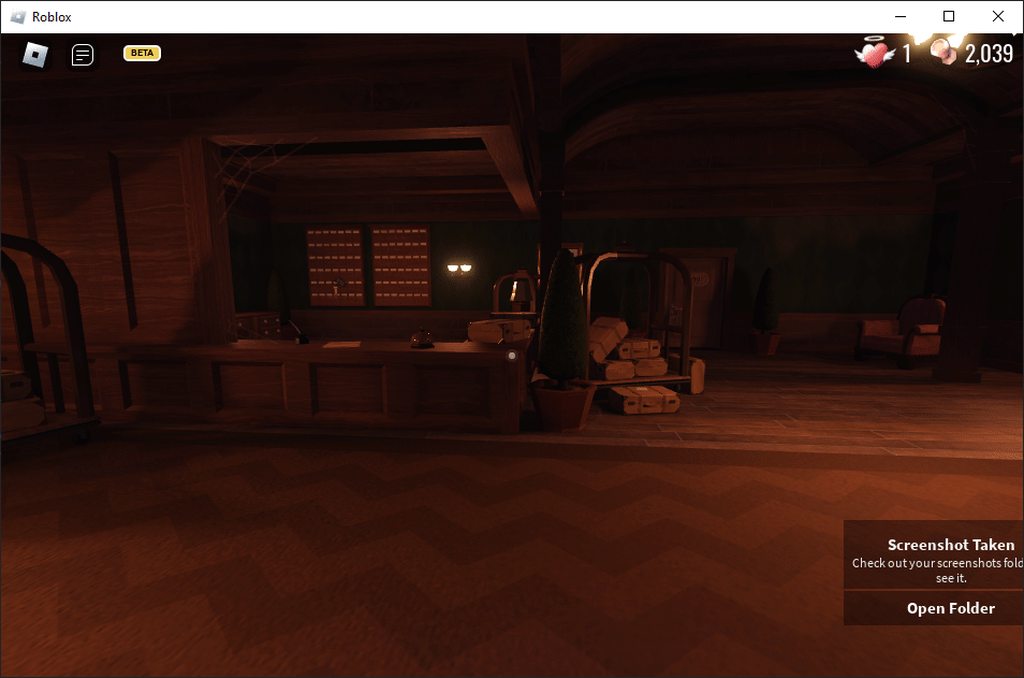
good
jaunty plume
jaunty plume
https://imgur.com/a/lWGEGAI
in this game you can see camera tilt by mouse movement, does anyone know how can i reproduce it?
I have tried do do something:
            if(Mathf.Abs(MouseLookEuler.y) > MathF.Abs(MouseLookEuler.z)) // NOT FINISHED, NEED ANOTHER "OR"
            {
                MouseLookEuler.z = MouseLookEuler.y;
            }
            ZrotationEffect = Mathf.SmoothDamp(MouseLookEuler.z, 0, ref ZrotationDelay, 0.1f); // NOT REMOVED, UNUSED
            GetComponent<CharacterController>().Move((MoveVector.z*transform.forward+MoveVector.x*transform.right)*MovementForce*Time.deltaTime); //irrelevant

            if(TouchCamera)
            {
                if(LateCameraMovement)
                {
                    SmoothCameraValues = Quaternion.SlerpUnclamped(Quaternion.Euler(MouseLookEuler.x, MouseLookEuler.y, MouseLookEuler.z), Quaternion.Euler(Camera.main.transform.eulerAngles.x, transform.localEulerAngles.y, 0), CameraDelay*Time.deltaTime); // somehow MouseLookEuler.z not going back to 0, even if swapping between mouselookeuler.z and 0 from the ()s
                    Camera.main.transform.localEulerAngles = new Vector3(SmoothCameraValues.eulerAngles.x, 0, SmoothCameraValues.eulerAngles.z);
                    transform.localEulerAngles = new Vector3(0, SmoothCameraValues.eulerAngles.y, 0);
                    MouseLookEuler.z = SmoothCameraValues.eulerAngles.z; //it should have been working
                }
            }
it shakes (z) if the Z goes to - values
 quaint crypt
hello. i have a rigged model GO (with no components, freshly instantiated), and an animation clip array. what is the simplest way to make that model play the animations in the array at runtime?
 sharp skiff
Been messing with some stuff and came across an interesting issue where my trajectory line is not taking into account the balls size. If the ball was the size of the line this would not be an issue but since the ball is thicker than the line with smaller angles the ball will collide earlier than the lines reflect point. Also I can think of other scenarios where this could be an issue as well ( line passing by another ball without colliding with it at a closer distance than the actual ball). Basically I am trying to go for a pool ball table type aiming trajectory line. I'm surprised I cant find much online about this. I have attached a gif showing what I mean. I'm not even sure if its possible to take into account the balls size. Just thinking out loud but something like add collision X amount of units from the render line or use a circle collider the size of the ball at the collision reflect point to get the reflection. Or something along those lines.

I did try changing the code to the best of my understanding (which is limited for sure) to use 2D.CircleCast but I think maybe it needs more tweaking cause the results are kind of funky but I will keep at it. I have attached the code in case anyone sees something that I may not be doing correctly or has suggestions to change. Thank you.

 steady moat
sharp skiff
I did try changing the code to the best of my understanding (which is limited fo...
steady moat
sharp skiff
I did try changing the code to the best of my understanding (which is limited fo...
To be honest, you should use https://docs.unity3d.com/Manual/physics-multi-scene.html
sharp skiff
steady moat
To be honest, you should use https://docs.unity3d.com/Manual/physics-multi-scene...
@steady moat Thanks - I'll check it out.
tawny mountain
Anyone know the trick to detect collision with child objects?
 soft hare
yo i have a collider in this 3 d game and it get turned on during animation and i have a code saying if acollison happens on this other object it get deleted but when i play the animation to swing the hammer down the object thats supposed to be deleted because of the contact does not get deleted what do i do?
spring creek
tawny mountain
Anyone know the trick to detect collision with child objects?
If the parent has a rigidbody, then the child colliders will a script with OnCollision/OnTrigger on the parent
tawny mountain
spring creek
If the parent has a rigidbody, then the child colliders will a script with OnCol...
children object don't have a script , the colliding object has the OnTriggerEnter lodgic
spring creek
tawny mountain
children object don't have a script , the colliding object has the OnTriggerEnte...
So what is the issue? I never said the child objects would have a script. I said the parent would
And there are two colliding objects, so which one? The parent or the one without children?
tawny mountain
tawny mountain
@spring creek this is the problem , the OnTriggerEnter method in the 3rd image isn't triggering by tag , If I put a log in the OnTriggerEnter outside of the if checks it does get triggered , just seems like it can't tell the cild object tags or something
My conversation is surrounding that link i replied to above
 calm talon
I have a gameobject with a rigidbody and the ability to jump and I'm trying to find the apex of the jump (relative to the starting position), and to do so I use this code
//math to find the apex of the jump
-Mathf.Pow(jumpForce, 2)) / (2 * Physics2D.gravity.y * rb2d.gravityScale
//code for the jump
private void Jump() => rb2d.velocity = new Vector2(rb2d.velocity.x, jumpForce);
which is just simply (-v^2)/(2g) = d, but results in a far greater predicted max height than the object is actually capable of
Here is the rigidbody component
 steady moat
calm talon
I have a gameobject with a rigidbody and the ability to jump and I'm trying to f...
steady moat
calm talon
I have a gameobject with a rigidbody and the ability to jump and I'm trying to f...
Your code doesnt compile...
calm talon
it's a snippet
steady moat
Yeah, but you have mistaken in your snippet
Which make it impossible to know if you made an error
spring creek
tawny mountain
My conversation is surrounding that link i replied to above
Oh ok. The first message I saw (the one I responded to) wasn't a response to anything, so I dunno which link you mean.
And yeah, it won't tell the tags of the children. Only the object with the rigidbody.
You can check for a script on the children and do it that way, but tags just won't work in this use case
calm talon
calm talon
I have a gameobject with a rigidbody and the ability to jump and I'm trying to f...
sub 30 for jumpForce, 1 for gravityscale and -9.81 for the y component of gravity
tawny mountain
spring creek
Oh ok. The first message I saw (the one I responded to) wasn't a response to any...
I've done it somehow , From a Udemy tutorial I paid for by gamesPlusJames .. I'll go look at it Thank you tho
spring creek
tawny mountain
I've done it somehow , From a Udemy tutorial I paid for by gamesPlusJames .. I'l...
You probably iterated the children and checked the tags? Like I said, it will only use the rigidbody objects tag. The rigidbody treats all child colliders as its own compound collider
You can always get references to the children. Just not from parameter object itself
steady moat
calm talon
sub 30 for jumpForce, 1 for gravityscale and -9.81 for the y component of gravit...
Given that you have correctly put the parentheses at the end, the formula seem to be correct.
calm talon
which results in a value of ~45.9 units, however when I actually have my gameobject jump, it has an apex of ~7 units from its starting height
lean sail
calm talon
which results in a value of ~45.9 units, however when I actually have my gameobj...
you should just show the full line, i believe you have more calculations going on because you have a 2nd bracket here
-Mathf.Pow(jumpForce, 2))
meaning that the division is done later than it should be
calm talon
lean sail
you should just show the full line, i believe you have more calculations going o...
maxJump.transform.localPosition = new Vector3(0, (-Mathf.Pow(jumpForce, 2)) / (2 * Physics2D.gravity.y * rb2d.gravityScale), 0);
the extra bracket is just some paranoia
steady moat
You could try:
- Try to do the simulation yourself without rigidbody.
- Track the position and plot it
- Find the deltaTime and see if it correspond to what it is suppose to be
lean sail
hm actually with 30 as your jump force, ~45 is the correct value
calm talon
but the object falls long before it reaches an apex of 45, which is why I'm here
steady moat
I can assure you that Unity does respect physics accuratly enough
So, you probably have other factor that we cannot see.
lean sail
if you run the test on a completely new object with nothing else in the way, it should reach 45
calm talon
lean sail
if you run the test on a completely new object with nothing else in the way, it ...
same thing happened
apogee at ~7 units
lean sail
can you show more of the setup then? this should be a test in a new scene
calm talon
void Start()
{
  Rigidbody2D rb2d = GetComponent<Rigidbody2D>();
  print(transform.position.y);
  rb2d.velocity = new Vector3(0, 30);
}
 tawny mountain
spring creek
You probably iterated the children and checked the tags? Like I said, it will on...
tawny mountain
spring creek
You probably iterated the children and checked the tags? Like I said, it will on...
also @hexed pecan
I fixed it , I forgot to change the GetComponent to GetComponentInParent ... Duh me
calm talon
calm talon
```cs
void Start()
{
Rigidbody2D rb2d = GetComponent<Rigidbody2D>();
print(t...
so that does work in an entirely new scene
(well, work as expected)
apparently my object experiences an acceleration of ~60
f u n
soft hare
wsp guys , why does this code not work? its giving me an error cannot convert double to float when all my variable are floats https://hastebin.com/share/aturofisuq.cpp
Hastebin is a free web-based pastebin service for storing and sharing text and code snippets with anyone. Get started now.
 vagrant blade
soft hare
wsp guys , why does this code not work? its giving me an error cannot convert do...
vagrant blade
soft hare
wsp guys , why does this code not work? its giving me an error cannot convert do...
Your variables are doubles, not floats. A float needs to have an f after it.
soft hare
thank you sorry i am tierd its 3 am still codin
oh also how cani hard cap it so you cannot go past a certain amount of damage do i use an if statment ?
spring creek
soft hare
oh also how cani hard cap it so you cannot go past a certain amount of damage do...
Use clamp
What is going on here
if(Script.Difficulty == 1)
{
    HealthManger.health -= Time.deltaTime * 1.5 * Script.Difficulty;
}
If the difficulty is 1, then you're multiplying it by 1.
Also, why use Time.deltaTime (a small value, often around .02, but changes every frame) for health damage in OnCollisionEnter? It happens only once..
soft hare
oh yea sorry i exxcludeed a part of the code dificulty is divide by.01
soft hare
spring creek
If the difficulty is 1, then you're multiplying it by 1.
Also, why use Time.del...
also sorry i am teird noticed it before you said it i changed it to time.tim
spring creek
soft hare
oh yea sorry i exxcludeed a part of the code dificulty is divide by.01
DIVIDED by .01? That would make it bigger
spring creek
soft hare
also sorry i am teird noticed it before you said it i changed it to time.tim
What? How is that better lol
soft hare
ye thats the point dont worry i am hard capping it at 50 damage
soft hare
so the player wouldnt take more than 50 but at the start health would progresivly loose more
sofor the hard cap for dificulty easy the cap of damage is 50 for medium its 60 for hard is 65 for impssible its 70
 dusk apex
Hi, this is the programming channel. Maybe try moving (deleting here and reposting) your message to #💻┃unity-talk or #🌐┃web
 frigid falcon
dusk apex
Hi, this is the programming channel. Maybe try moving (deleting here and reposti...
frigid falcon
dusk apex
Hi, this is the programming channel. Maybe try moving (deleting here and reposti...
thank you!
 forest prism
So I have abilities in my game that I'm loading from Json. These abilities can be learned through different means but one of them is to have them in spellbooks you can find around the game. Is the best way to handle this by loading json into a dictionary that holds the abilityData as a scriptable object then when the item drops I connect the SO w/ the created object?
swift falcon
How do I reset the PrefabState scene?
So if I make changes in there and I want to reset it basically, if I try using "PrefabStageUtility.OpenPrefab(AssetDatabase.GetAssetPath(prefab));" again, it doesn't remove the unsaved changes
 toxic fern
Because of _moveDirection.y = 0f; of the current OnMove(), the landing will be disconnected if there is an input when jumping. But I can't get rid of that code. Is there a way to solve it separately?
 spring creek
toxic fern
Because of _moveDirection.y = 0f; of the current OnMove(), the landing will be d...
spring creek
toxic fern
Because of _moveDirection.y = 0f; of the current OnMove(), the landing will be d...
Why can't you get rid of it? Why not set it to the current y velocity?
toxic fern
spring creek
Why can't you get rid of it? Why not set it to the current y velocity?
Because if I remove that code, the player will fly into the sky along the direction of the camera..
spring creek
toxic fern
Because if I remove that code, the player will fly into the sky along the direct...
And the second question?
But you could get rid of that and just build a vector in the if instead of using moveDirection directly
 bleak hatch
Hi, I'm new to unity
Im currently doing a fps movement practice project
I'm wondering why many tutorials create parent item and many sub items for camera and player?
Some of them are empty and just overlaps each other, they seem to share transforms and rotation
toxic fern
spring creek
And the second question?
But you could get rid of that and just build a vector ...
Actually, I just found the answer to that. I realized that when I change the _rigidbody.velocity, I can use the current y value.
bleak hatch
what is the advantage of having these sub items?
spring creek
toxic fern
Actually, I just found the answer to that. I realized that when I change the _ri...
Yeah, that was my suggestion...
toxic fern
spring creek
Yeah, that was my suggestion...
Thank you so much..!!
 sage latch
How can I stop my camera from zooming (with the scroll wheel and new input system) while scrolling over a UI element?
 soft shard
bleak hatch
I'm wondering why many tutorials create parent item and many sub items for camer...
soft shard
bleak hatch
I'm wondering why many tutorials create parent item and many sub items for camer...
This may be a preference, there are many ways to build characters or any object in Unity, though using the hierarchy is a common one - if you have a parent object for example that holds a child camera, then you can move the entire player by moving the parent, and rotate the camera independently of the player - I use a similar setup where the parent is used to host the scripts that describe what that player can do, and their physics, while holding a child camera, and empty transforms that are later populated with different animation rigs, models, and features like weapons, etc - but this setup makes sense for the game im building cause I expect the player to swap characters during gameplay and want physics on the parent to affect how everything about the player moves, while having independent animations and camera affects - but in some setups, not everything needs to be attached to a GameObject, so having child objects might not make sense in more specific cases
soft shard
sage latch
How can I stop my camera from zooming (with the scroll wheel and new input syste...
If this is an element thats always visible, you may have to detect mouse events for it, if its a canvas or element you toggle on (for example a "pause menu"), you could make your zoom a part of an Action Map so you can toggle it, or setup a condition to ignore the scrollwheel if your zoom works by checking in Update, or maybe toggle it with a global event when your menu becomes (in)/visible
 thick terrace
sage latch
How can I stop my camera from zooming (with the scroll wheel and new input syste...
thick terrace
sage latch
How can I stop my camera from zooming (with the scroll wheel and new input syste...
EventSystem.IsPointerOverGameObject is a quick way to do this
sage latch
I fixed it, EventSystem.IsPointerOverGameObject didn't work since I have an invisible image below my UI for detecting outside clicks. What I did was just check if that object was hovered when applying mouse wheel input
 vague tundra
Hello friends.
How can I start coroutine A and have it at some point start coroutine B and wait for B to complete its executing before continuing? Also, B should return a value for A to use.
cosmic rain
vague tundra
Hello friends.
How can I start coroutine A and have it at some point start corou...
Aside from returning values(which is not possible with coroutines), it's pretty easy. Just yield to coroutine B from A.
I don't know if a ref/out parameter is possible. If it is you can use it to return a value I guess.🤔
vague tundra
Excellent, cheers!
thick terrace
cosmic rain
I don't know if a ref/out parameter is possible. If it is you can use it to retu...
ref/out don't work with async or coroutine methods! there's a few ways to do it but an easy one is to make a completion callback like this: IEnumerator MyCoroutine(Action<MyValue> onComplete)
cosmic rain
thick terrace
ref/out don't work with async or coroutine methods! there's a few ways to do it ...
They want to have a value in the calling coroutine though.
If ref/out don't work, I'd rather pass a container object to hold the value.
Although, I'd rather just use async or something. If you need a coroutine to return a value, there's something wrong.
thick terrace
cosmic rain
They want to have a value in the calling coroutine though.
If ref/out don't work...
that's what i mean, a callback lets you pass a value back to the caller, javascript-style
 swift cobalt
Hi. I got a Timeline, where 2 audio Tracks exist. These 2 audio tracks have multiple clips. Based on the selected locale I want to enable and disable one of them. How can I do that ?

 safe ore
I know this isn't code related but i need help, i've been trying to figure out why i can't build my mobile game and keep getting this error.

 somber nacelle
safe ore
I know this isn't code related but i need help, i've been trying to figure out w...
safe ore
somber nacelle
safe ore
I know this isn't code related but i need help, i've been trying to figure out w...
safe ore
thanks!
 lilac scaffold
hey people im looking for some guidance i want to make a fnaf fan game and im losing my mind i want to clamp the x rotation idk if i should be using cinemachine and their clamp functions. I want to be able to set it up so further i go it goes faster to that side of the screen what is the best way to do this its making me get really confused
rigid island
lilac scaffold
hey people im looking for some guidance i want to make a fnaf fan game and im lo...
what is it you need exactly , this isn't very specfic
lilac scaffold
rigid island
what is it you need exactly , this isn't very specfic
i want to make a office movement system like the original fnaf games
rigid island
lilac scaffold
i want to make a office movement system like the original fnaf games
what that even mean?
i never played fnaf sorry
lilac scaffold
rigid island
what that even mean?
exactly what i said
okay thats fair give me a minute

FIVE NIGHTS AT FREDDY'S Full Gameplay Walkthrough / No Commentary 【FULL GAME】4K UHD includes the full story, ending and final boss of the game. The game was played, recorded and edited by Gamer’s Little Playground team. We recorded the game in 4K 60FPS on Steam PC. In short, the video includes the full game, ending and all story related scenes. ...
the best way i can explain it i know originally it was done in clickteam using a 2d image
rigid island
so its just a clamped security cam or w/e
rigid island
lilac scaffold
the best way i can explain it i know originally it was done in clickteam using a...
what do you have so far, and which part isn't working?
lilac scaffold
rigid island
what do you have so far, and which part isn't working?
i dont even really know where to start ive had ideas but my brain is getting very overwhelmed with it rn which is why im asking for help
rigid island
lilac scaffold
i dont even really know where to start ive had ideas but my brain is getting ver...
when that happens you start smaller, breaking down big problem into smaller manageable problems
lilac scaffold
yeah litterally what im asking is as simple as it can be
rigid island
lilac scaffold
yeah litterally what im asking is as simple as it can be
so start with the camera thing. Clamping the Y should be fairly simple
lilac scaffold
Thats litterally what im asking for help for
rigid island
well havent really presented what You tried/have tho, not much we can go on here.
lilac scaffold
if i knew how to do it i wouldnt be asking for help
rigid island
lilac scaffold
if i knew how to do it i wouldnt be asking for help
plenty of examples
https://www.google.com/search?channel=fenc&q=clamping+y+rotation+unity
aint it funny the first result is also someone making a fnaf game?
https://forum.unity.com/threads/clamping-y-rotation.1366650/
Unity Forum
I am trying to make a camera look around similar to the original FNAF game, but I can't figure out how to clamp the y rotation. I tried doing it the...
lilac scaffold
clamping isnt the issue its the how sould i make the camera rotate theres many ways i could do it, when im hovering over a button it moves, when i hover over trigger it moves. so thats what i need help with i need the fastest and easiest way to do it
rigid island
lilac scaffold
clamping isnt the issue its the how sould i make the camera rotate theres many w...
perhaps you should explain that earlier...
lilac scaffold
sort of hard to explain when i didnt have the words to explain it
rigid island
your questions aren't clear its diffcult to help
lilac scaffold
i litterally asked the most basic thing i could explain "how can i recreate a similar office movement to fnaf"
i know i have to use clamping but my problem is actually moving the camera
Theres many ways i could do it in my head but i dont actually know how to do them
rigid island
you move it with the mouse idk what else "h ow to move the camera means"
and to be honest im not here to play 20 questions
when you got real coding questions holla
lilac scaffold
rigid island
you move it with the mouse idk what else "h ow to move the camera means"
I cant explain it any simpler. I need to have some way of changing the rotation when the mouse is at either side of the screen idk how to do it
That is litterally what ive been asking
im unsure whether to do it by trigger boxes just decrementing / incrementing the rotation while clamped or if theres another way to do it
rigid island
lilac scaffold
im unsure whether to do it by trigger boxes just decrementing / incrementing the...
the sensible thing would be increasing /decreasing a value while moving the mouse, and that will rotate the cam in that direction
dusk apex
Seems like a design question rather than a coding question 
lilac scaffold
dusk apex
Seems like a design question rather than a coding question <:UnityChanHuh:885169...
not really as im asking how to code the thing
dusk apex
Oh, I thought you were asking for what was best to do given a feature you were wanting.
lilac scaffold
no im trying to code it so its a bit more performant and just getting my knowledge of coding practice up a bit more im technically a beginnerwith doing something like this
rigid island
if you're a beginner more performant is not something you should ever have to worry about
just do what works and is easiest to do
optamizations come later, and nothing here would really need be "more perfomant" aside the usuals (don't get components in update) etc.
lilac scaffold
rigid island
the sensible thing would be increasing /decreasing a value while moving the mous...
so would a trigger box with on mouse enter event be the best way to do it
rigid island
lilac scaffold
so would a trigger box with on mouse enter event be the best way to do it
to do what interactions?
lilac scaffold
because the way the original games work is if u move to the left a bit then it will slowly go left but if u put mouse all way to left it will go a bit faster and same with the right side
thats how the original game works
but also i will have to use raycasts and collision boxes to active things like lights and for the cameras
 candid gazelle
Anyone got 3rd person camera movement script I could yoink👀 ?
 broken isle
i made a script that is supposed to save the game on scene change. I have made an emplty game object and attached the script. but when i reload the game after a scene change everything is set back to 0 and i cant find out why.
here is my code for the GameManage script:https://hastebin.com/share/gokuyagibo.csharp
Hastebin is a free web-based pastebin service for storing and sharing text and code snippets with anyone. Get started now.
rigid island
lilac scaffold
because the way the original games work is if u move to the left a bit then it w...
that has more to do with value increasing more as you move mouse faster.. something the GetAxis deals with
rigid island
candid gazelle
Anyone got 3rd person camera movement script I could yoink👀 ?
google has them
dont ask scripts here
soft shard
candid gazelle
Anyone got 3rd person camera movement script I could yoink👀 ?
Unity has a free 3rd person package, unless you have a specific question about building your own
candid gazelle
soft shard
Unity has a free 3rd person package, unless you have a specific question about b...
I need something simple so I could also understand it and these people not explaining it on the internet
rigid island
broken isle
i made a script that is supposed to save the game on scene change. I have made a...
lol what an overly complicated way to save
also stick to file not playerprefs
lean sail
broken isle
i made a script that is supposed to save the game on scene change. I have made a...
You should use another format like json or binary, this current solution wont be scalable and will break rather easily.
Also i dont see where you call the load function. Add debugs to see if it runs/what the array contains
lean sail
candid gazelle
I need something simple so I could also understand it and these people not expla...
If you feel the people on youtube arent explaining, you 200% wont understand another existing solution to be able to modify it
lilac scaffold
lean sail
You should use another format like json or binary, this current solution wont be...
isnt json relativley bad to use because its easily editable i mean i guess your could encrypt
candid gazelle
lean sail
If you feel the people on youtube arent explaining, you 200% wont understand ano...
You got any simple good tutorial suggestion?
soft shard
candid gazelle
I need something simple so I could also understand it and these people not expla...
Forming specific questions can help with understanding, if theres something about a particular implementation you dont understand, try to search that specific thing up, and if that doesnt work, try to form a specific question about it to get pointed in the right direction
rigid island
lilac scaffold
isnt json relativley bad to use because its easily editable i mean i guess your ...
nothing to do with json
and no its not bad at all
lean sail
lilac scaffold
isnt json relativley bad to use because its easily editable i mean i guess your ...
U know people mod games like within the same week they come out right?
lilac scaffold
lean sail
U know people mod games like within the same week they come out right?
never said they didnt
hard viper
Is there a way to find if something is making Unity compile really slowly? lately, it's been pretty bad for me
lean sail
So then worrying about editing json isn't a real issue, if someone wants to mess with their own singleplayer experience, let them
lilac scaffold
i just have heard from multiple people its generally bad to use json for saving stuff
lean sail
lilac scaffold
i just have heard from multiple people its generally bad to use json for saving ...
You've been told wrong unfortunately then
lilac scaffold
but im guessing thats more multiplayer stuff
 night storm
lilac scaffold
i just have heard from multiple people its generally bad to use json for saving ...
night storm
lilac scaffold
i just have heard from multiple people its generally bad to use json for saving ...
they should have also said a reason when making such claims
hard viper
if someone wants to edit their savefile, and they know enough to each your Json file, and actually edit it, they are going to edit their savefile regardless
spring creek
lilac scaffold
but im guessing thats more multiplayer stuff
MP should be server based/validated... json would be irrelevant with that
lilac scaffold
lean sail
You've been told wrong unfortunately then
idk would havethought people with multiple degress and decades in the industry wouldnt be wrong
lean sail
Anyone can be wrong
spring creek
lilac scaffold
idk would havethought people with multiple degress and decades in the industry w...
They were 🤷♂️
 main shuttle
hard viper
Is there a way to find if something is making Unity compile really slowly? latel...
main shuttle
hard viper
Is there a way to find if something is making Unity compile really slowly? latel...
Not really afaik, are you using assembly definitions already for your code?
hard viper
not really
night storm
lilac scaffold
idk would havethought people with multiple degress and decades in the industry w...
did they just say "json = bad. i will not elaborate further" or did they also say a reason
hard viper
but idk if adding in some packages made it slow down
lean sail
lilac scaffold
idk would havethought people with multiple degress and decades in the industry w...
I mean sure, you get the tiniest amount more security using binary over json... but who cares. Some guy is gonna open up your game and insert Thomas the tank engine if he wants to within the same day.
 rancid coral
Very beginner question here but, how do I change the speed of my animation as the sample button does not seem to exist in my animator window?
main shuttle
hard viper
but idk if adding in some packages made it slow down
Well if you don't everything goes into the same assembly definition, and everything gets recompiled with every change.
That would indeed cause it to recompile very slow in a large project.
rigid island
night storm
did they just say "json = bad. i will not elaborate further" or did they also sa...
eh they're new. no worry so much
rigid island
rancid coral
Very beginner question here but, how do I change the speed of my animation as th...
dont crosspost
rancid coral
rigid island
dont crosspost
Sorry just need a answer because I see other people have it and wonder if it is a version thing or just a removed feature
rigid island
rancid coral
Sorry just need a answer because I see other people have it and wonder if it is ...
doesn't mean you're entitled to crosspost, you already asked in #💻┃code-beginner . be patient.
If no one answers it probably means you havent explained the problem clear
lilac scaffold
night storm
did they just say "json = bad. i will not elaborate further" or did they also sa...
they just said its better to have information secure rather than easily editable and json is very easy to edit. Idk if they are just very anti modding of enclosed experiences tho
rancid coral
rigid island
doesn't mean you're entitled to crosspost, you already asked in <#49787400440158...
Is this a rules thing cuz if it is mb
rigid island
lilac scaffold
they just said its better to have information secure rather than easily editable...
everything ona client pc easily editable
spring creek
lilac scaffold
they just said its better to have information secure rather than easily editable...
Someone will make a tool to make editing the binary easy within a day
The only way to secure the data is to store it off the local system on a server
ANYTHING (including encryption, which would require the key shipped with the game) would be easy to edit
 rancid coral
rigid island
rancid coral
rigid island
ok bro
lilac scaffold
tbf even if its not in the rules its pretty common sense
lean sail
lilac scaffold
they just said its better to have information secure rather than easily editable...
Just to add one thing before I have to go.
This is a list of things people said is slow or bad (in comparison to something or just in general):
If statements
Reverse for loop
new input system
string.contains
unity running on 1 thread
*any* while loops in update
ints
coroutines
Json
People have misconceptions all the time. If none of these were ever good, no one would use unity or c#.
In terms of security, yes someone can open it up and edit it. But they also have to know where that file is and what to edit, chances are most people wont even care to look. They'll look online first how to do it. And the people who would tell them how to do it online would also tell them how to change it if it were binary or any other format.
rancid coral
lilac scaffold
tbf even if its not in the rules its pretty common sense
I see it all the time mb for pinging more than once 😐
lilac scaffold
lean sail
Just to add one thing before I have to go.
This is a list of things people said ...
i feel like all of them its specific cases where they are bad
rigid island
if the game is single player it should not matter what player does with their own game
lilac scaffold
true
anyway another question I have is regarding getting the trigger boxes in my code. Do I make public variables and just assign them there or should i be using GetObject by name/type
lean sail
lilac scaffold
i feel like all of them its specific cases where they are bad
Some of these yea I could see cases where they are bad but that's besides the point. The if statement one was also someone claiming doing a math equation was way more efficient than checking like if(num <90 or num <180), and declared if statements as slow. This also was not a junior dev
rigid island
lilac scaffold
anyway another question I have is regarding getting the trigger boxes in my code...
sounds like you're already jumping ahead
get the mouse look/ rotation cam working first
then move from there
lilac scaffold
rigid island
get the mouse look/ rotation cam working first
dont i just have to enable the cursor and then when it enters the trigger rotate the Y of the camera
rigid island
lilac scaffold
dont i just have to enable the cursor and then when it enters the trigger rotate...
not sure I understand why you need triggers to rotate the camera ?
lilac scaffold
because im mimicking how the original game did the camera rotation
This video has been sponsored by Skillshare. Click the link to get 2 months of Skillshare Premium for FREE: https://skl.sh/techrules
Tech Rules uses the following royalty free resources: https://pastebin.com/qmUr3Wep
Additionally, the following channels were used as background footage. Go check them out!
Markiplier: https://www.youtube.com/use...
rigid island
I dont see anything about triggers
rigid island
I just see a mouse rotation done the same way any RTS implements cam movement from mouse
the more mouse moves towards edge screen the faster it moves
lilac scaffold
i will just use paint to explain as thats the easiest visually
rigid island
I think you're the one misunderstanding how the mechanics are done
lilac scaffold
rigid island
I think you're the one misunderstanding how the mechanics are done
how are u so sure when u have never played the game
rigid island
because I can tell what I see
the mouseX axis is still being used as the rotation Y of cam
lilac scaffold
baring in mind the game wasnt made in unity and wasnt made by a programmer
rigid island
irrelevant
steady moat
I mean, this is a Unity server.
lilac scaffold
im mimicking the original
steady moat
So it is kinda relevant. You shouldnt ask things that are not related to Unity
lilac scaffold
have u even been reading or just reading like 1 or 2 messages
im mimicking the original which was made in clickteam in unity
well at least the office movement
steady moat
lilac scaffold
im mimicking the original which was made in clickteam in unity
And, the answer on how to do things could, and will probably vary from an engine to an other. You better off asking support for the engine you are working with than with the engine the game has been made with.
lilac scaffold
steady moat
And, the answer on how to do things could, and will probably vary from an engine...
so pretty much what ive been asking the entire time
lilac scaffold
rigid island
the mouseX axis is still being used as the rotation Y of cam
and actually technically no as the cam only moves if its on either side in the section in the middle theres no movement
this is a botched visualization of how the original game did its movement


I get quite nerdy in this video...
Music used:
Genius Wiz - Time Gem Commercial
Karl Casey @ White Bat Audio - Sunshine
Karl Casey @ White Bat Audio - Beach Bum
Reefs - Home
it was this video not the other one
rigid island
lilac scaffold
this is a botched visualization of how the original game did its movement
I get it, but those are just the hotzones doesn't mean you should use triggers lol
lilac scaffold
rigid island
I get it, but those are just the hotzones doesn't mean you should use triggers l...
but wouldnt it be the most acurate to what im trying to achieve
rigid island
depends how you do it, you could just use a certain ratio away from the edges of the screen
spring creek
lilac scaffold
but wouldnt it be the most acurate to what im trying to achieve
No. It would be way more work for something you can do by simply checking the mouse position
If it were VERY complex areas, maybe. But just for this, no eh, even then, I'd still just check mousePosition. Why bring physics into it?
rigid island
hmm luckly I'm on my break, Im gonna spin up Unity rq and try something
steady moat
spring creek
No. It would be way more work for something you can do by simply checking the mo...
You could use a texture and sample from it for really complex shape
rigid island
its really tho just a combo of Mouse position + camera clamped to certain amount @lilac scaffold
spring creek
steady moat
You could use a texture and sample from it for really complex shape
Yeah, that's a good idea too
lilac scaffold
i might need a bit of help with the code then as im unsure how to make this happen
steady moat
Wouldnt that be something simular to a Deadzone/Softzone
 lilac scaffold
steady moat
Wouldnt that be something simular to a Deadzone/Softzone
lilac scaffold
steady moat
Wouldnt that be something simular to a Deadzone/Softzone
thats exactly what it is and i did mention this in my original question
steady moat
lilac scaffold
thats exactly what it is and i did mention this in my original question
If you were in Unity, you could easily do it with Cinemachine
No code involved
rigid island
well you still need to move the target with mousepos no?
lilac scaffold
all the coding i would need to do is clamp rotation right?
steady moat
lilac scaffold
all the coding i would need to do is clamp rotation right?
Probably
steady moat
rigid island
well you still need to move the target with mousepos no?
Maybe, there is multiple composer
I usually do my own camera composer
lilac scaffold
okay how the do i set up the zones and the mouse stuff with cinemachine
rigid island
its an interesting usecase for cinemachine transpose
I never done it but its worth a try i suppose
I was just thinking Mouse.position.x > or < Screen.width - edge size or w/e
lilac scaffold
After i get this done i got to focus on the camera system and basics of AI
 neon plank
I noticed that Resources.FindObjectsOfTypeAll<T>() doesn't return scriptable object which weren't loaded yet... is there a method that also include them?
somber tapir
neon plank
I noticed that `Resources.FindObjectsOfTypeAll<T>()` doesn't return scriptable o...
can't you have a serialized list where you drag & drop your SOs into?
neon plank
I could also drop them in the Resources folder alternatively, but I don't want to add an additional step to the tool
lilac scaffold
no matter how many resources i look at for scriptable objects i keep struggling to use the ones i make in game but i thik its just my inexperience
hard viper
You know how a POCO (plain old C class) works? Not tied to unity editor at all. just a normal class?
a scriptable object is like a POCO that lets you make files as instances
each file lets you manually edit its contents via unity inspector.
then you can just use them as inputs so gameobjects can get information out of individual scriptable objects
example:
public class EnemyData : ScriptableObject {
[field: SerializeField] public int maxHP {get; private set;}
}

public class EnemyLogic : Monobehaviour { // This component goes on an enemy
[SerializeField] private EnemyData data;
public currentHP;
private Awake() { currentHP = data.maxHP; }
}```does this help?
lilac scaffold
hard viper
example:
```[CreateAssetMenu(menuName = "EnemySOs/Enemy Data")]
public class Ene...
okay that does make sense its so simple yet my brain just wants to over complicate it
hard viper
CreateAssetMenu lets you right click in the assets panel, and there you will find a tab that says EnemySOs, and in that tab you will find Enemy Data. If you click on that, it will make a new file
that new file is a new instance of EnemyData
so I can now make a file called GoombaData.asset and KoopaData.asset
both files represent an instance of the type EnemyData
if I now edit my EnemyData class declaration, I could add a new field
public class EnemyData : ScriptableObject {
[field: SerializeField] public int maxHP {get; private set;}
[field: SerializeField] public bool turnAtLedges {get; private set;} = false;
}```I added turnAtLedges as a bool, that defaults to false
now all the EnemyData files I already made NOW ALSO have this new field, and all of them have this value set to false
understand?
rigid island
lilac scaffold
okay how the do i set up the zones and the mouse stuff with cinemachine
 lilac scaffold
hard viper
understand?
lilac scaffold
hard viper
understand?
yeah that does make a lot more sense
lilac scaffold
rigid island
thats pretty much what i need only question is can i speed it up a bit
rigid island
well yeah, i just used a very low number
rigid island
just 1 scrip, couple of lines and a cam
no cinemachine because i wouldnt know how to do this with cinemachine
lilac scaffold
rigid island
just 1 scrip, couple of lines and a cam
ah nice u dont have to just give me code just give me pointers what to look at
rigid island
lilac scaffold
ah nice u dont have to just give me code just give me pointers what to look at
alr. I did say it earlier the logic is pretty mucheasy, the hotzones the same of any RTS edge scroll technique
instead of scrolling / panning a cam , you rotate the Y
clamp for max rotation angles
so Input.mousePosition and Screen.width are your best friends here
hard viper
how do I declare an extension method property?
I want to define myCollider.ForceSendLayersTrue
lilac scaffold
rigid island
alr. I did say it earlier the logic is pretty mucheasy, the hotzones the same of...
ive never really played or made RTS games
rigid island
lilac scaffold
ive never really played or made RTS games
I haven't myself kinda lol ut one thing I can tell you thats important from game dev is learning different mechanics you combine from diff games.
You're recycling stuff at some point, you just gotta get creative to what you're putting together
the script is dumb easy tbh.
   private void Update()
    {
        mousePos = Input.mousePosition;
        var pos = Screen.width - hotzoneSize;

       if ( mousePos.x > pos && mousePos.x < Screen.width )
        {
            rotY += rotSpeed * Time.deltaTime;
        }else if (mousePos.x > 0 && mousePos.x < 0 + hotzoneSize)
        {
            rotY -= rotSpeed * Time.deltaTime;
        }
        rotY = Mathf.Clamp(rotY, -20, 20);
        cam.transform.rotation = Quaternion.Euler(0, rotY, 0);
    }```
ofc you should not Hardcode the clamp values or any of that. this is just a quick thing I put together on my lunch break xD
its messy because of it
but it works
you can copy it but you wont learn much, but perhaps study the code and see why it works
lilac scaffold
Yeah i mean im more interested in what my challenges for the UI specifically for Camera system will be this movement stuff was just bugging the shit out of me
rigid island
this comes from lack of understanding the basics
everything feels overwhelming when we don't know
lilac scaffold
its why i hate unity tutorials on youtube il watch them try to understand them and still learn nothing
like sure the code works fine
rigid island
yeah I can make a fnaf mechanics tutorial and I havent even played the game xD
I dont know how much simpler this code itself can be explained tho lol
its pretty self explanatory
lilac scaffold
i mean its not the most difficult game to understand i can pseudo code it so easily but my pitfall is just unity coding knowledge
rigid island
that just comes with experience , the more you use the more you know which methods are available to you
the worst thing to do is Paralysis by Analysis tho
at lot of my game designer friends esp they spent too much time doing a "thinking tank"
laying out all the mechanics on paper but 0 code
that doesn't get you very far in terms of hands on experience to what works and what doesnt
lilac scaffold
i also think i overthink things a lot because i dont know whats already built into unity
I am also finding visual studio a bit confusing as a code editor I really need to learn shortcuts and stuff
rigid island
ehh shortcuts make things a bit quicker , I have shite memory so I only know Ctrl + c + Ctrl V
so uh im not leet enough to be a shorcut daddy
lilac scaffold
I also have seen a lot of people have insane like code completion when im watching devlogs and stuff is that custom or paid addons
rigid island
lilac scaffold
I also have seen a lot of people have insane like code completion when im watchi...
thats built in the editor usually esp Visual Studio Community
or Rider
VSCode has one too but its shite atm
highly recommend the first two options
lilac scaffold
I technically can use rider free as im a student
lilac scaffold
im guessing rider is just better than VS
rigid island
rider fanboys say it is
I personally use VS cause it gets the job done and i dont have to pay 100 a year
spring creek
V-v-vim
rigid island
I don't think there is any feature VSCommunity doesn't have that rider has. I could be 100% wrong on this
from my understanding jetbrains just makes them more noticable than VS
rigid island
lilac scaffold
I technically can use rider free as im a student
if you need a config guide they have one here
!ide
tawny elkBOT
💡 IDE Configuration
If your IDE is not autocompleting code
or underlining errors, please configure it.
Select one:
• Visual Studio (Installed via Unity Hub)
• Visual Studio (Installed manually)
• VS Code
• JetBrains Rider
• Other/None
rigid island
this will get code completion working and list you all the unity built in methods
hard viper
I’m struggling with contacts now. I still want physics system to generate contacts and collision callbacks for me
.Overlap reports overlapping colliders if .Distance says <= 0 (with float approximate zero)
Contacts seem to only be generated if Distance is actually negative
and similarly collision callbacks
 atomic sinew
@spring creek I edited my movement script so that it only contains parts, that might be relevant to the discussion: https://hatebin.com/lqnruhysbq
i use a custom sprite animator to handle animations for the legs, those are called in FixedUpdate, see line 45 for example.
i update the collider back to its bigger size on line 9 right on the frame i become grounded
it seems, my standing animation is updated before that, thats why the player "sticks" inside the ground for a couple of frames
@misty ibex Here is my code, if you are still interested in having a look 🙂
hard viper
Does anyone have experience with manual simulation? I'm trying to figure out the right timing to be getting contacts and collision callbacks
atomic sinew
@spring creek FixedUpdate is executed before Update. I'll try moving the UpdateCollider function in there.
 abstract mesa
Hey guys! I have a challenge that I'm facing and I'm wondering if I am going in the right direction on it.
We have an app that should be kept light weight as it'll be on mobile. We want to have certain videos or other rather heavy files that can be played at certain portions of the game. (Such as when your phone detects a certain event like you are at a certain location, a video would play for that area or something) The issue is that we need to keep things light weight so as to not have our users download multiple gigs of content that they may never need. Would Asset Streaming be the best way to go about doing something like this?
spring creek
atomic sinew
<@349017582105526273> FixedUpdate is executed before Update. I'll try moving the...
Sorry, stepped out.
FixedUpdate doesn't necessarily run before (or after) update. It tries to run at a fixed time. If update takes too long, FixedUpdate will even run multiple times between updates
Because of this (attempted) regularity, it's where all physics calcluations/manipulations should be done
atomic sinew
spring creek
Sorry, stepped out.
FixedUpdate doesn't necessarily run before (or after) update...
I tried connecting updating the collider directly to the animations. there is still a frame of intersection, meaning, the collider is already updated, but being pushed out of the ground.
spring creek
I'm thinking that inside the update collider method just grab the floor and set the bottom of the collider to that? I see you are offsetting it downwards, so knowing actually where it is may help
Just like one raycast or something
atomic sinew
also good to know with the execution order
atomic sinew
spring creek
I'm thinking that inside the update collider method just grab the floor and set ...
hm, that sounds like a good idea
 cinder fractal
hi im setting color to these cubes by this line of code and the cubes get shiny but theyre not supposed to and when i set the color of the cubes again it gets normal not shiny how can i stop them getting shiny?

 rigid island
cinder fractal
hi im setting color to these cubes by this line of code and the cubes get shiny ...
rigid island
cinder fractal
hi im setting color to these cubes by this line of code and the cubes get shiny ...
and wat is offset ?
the shine i think seems to be from emission / bloom tho
heady iris
You're causing bloom.
Color is allowed to go past 100% intensity when you do HDR rendering.
The bloom post-processing effect can use this to increase the amount of bloom that comes off of that object
Although, I would expect to get bloom from emission, not from just setting the base color.
Base color isn't even HDR usually.
(but maybe it's different in the built in render pipeline)
rigid island
oh right they might be going over the 1,1,1 limit of color and that causes emission color?
heady iris
Right, but albedo color is generally just in the 0-1 range
since a surface can't reflect...more light than it receives, you know
but 1) I forget how this works in the built in RP and 2) maybe this is an unlit shader
heady iris
cinder fractal
hi im setting color to these cubes by this line of code and the cubes get shiny ...
If the results change when you set the color again, then you must be doing something differently
 still carbon
If I apply the [Flags] attribute to an enum and insert such an enum into a component, Unity allows any combination of the flags to be selected, i.e. multi-select. Is there an IMGUI equivalent? I've tried EditorGUILayout.EnumPopup() but it doesn't seem to have the multi-select functionality.
simple egret
Google shows a hit for EnumFlagsField
still carbon
Fantastic - thanks, guys.
hard viper
I figured out how to make my physics contacts to be consistent
- Give everything +edgeradius as a skin
- At start of custom simulation, give everything -edgeradius
- Cast/move/etc everything around.
- Give evertyhing +edgeradius again
- Call .Simulate so physics system makes contacts
 tepid river
Hi, im trying to inherit from this class:
https://docs.unity3d.com/Packages/com.unity.postprocessing@2.0/api/UnityEngine.Rendering.PostProcessing.PostProcessEffectRenderer-1.html
but my VSC says that it cant find an import for the class, and asks:
The type or namespace name 'PostProcessEffectRenderer<>' could not be found (are you missing a using directive or an assembly reference?)CS0246
i do have an asmdef file, i downloaded the PostProcessing package (which i believe this class to be part of?) and i referenced the the Unity.PostProcessing.Runtime.asmdef which i found in the downloaded package in my own asmdef.
I dont really know what im doing with these files and references, and why, and im lost.
how do i get unity to find the package that i downloaded, so i can use it in my script?`
 somber nacelle
try resolving the current error on line 2, then apply the changes to your asmdef again. after that see if it will recognize the namespace and class you are attempting to use
tepid river
resolved the script errors, but it still cant find the namespace 😦
i checked in my packages folder the file of PostProcessEffectRenderer.cs and its:
namespace UnityEngine.Rendering.PostProcessing
but i cant import that namespace.
The type or namespace name 'PostProcessing' does not exist in the namespace 'UnityEngine.Rendering' (are you missing an assembly reference?)CS0234
which render pipeline are you using ?
tepid river
URP i think
hard viper
could someone clarify. In deep profiler, this says KinematicPhysics2D .FixedUpdate is being called 16 times in one frame? Is that right?
 rigid island
tepid river
URP i think
rigid island
tepid river
URP i think
might want to check
URP wouldn't use the post processing package (it has its own)
tepid river
rigid island
URP wouldn't use the post processing package (it has its own)
well i guess that at least makes my issue obsolete lol
it is in fact URP, ill sniff into the URP post processing then, thanks 🙂
 sick flint
I have a List<[,]> and I want to find the first available slot in the list of matrixes, how can I do this?
tepid river
rigid island
URP wouldn't use the post processing package (it has its own)
ehm does URP not allow custom PP effects? it only states the availalbe effects in its manual, but not how to make a custom one
somber nacelle
 wintry stone
does anyone know how to use hinge joints im trying to make a bucket with a handle but im a little stuck can anyone help?
somber nacelle
tepid river
thanks man.
this is driving me nuts, the shader itself is uber basic, but the whole boilerplate crap unity throws at me 🙄
hard viper
does DeepProfiler show Calls in calls/frame or per some amount of time?
I'm trying to figure out why my singletons have FixedUpdate listed as having 16 calls
rigid island
wintry stone
does anyone know how to use hinge joints im trying to make a bucket with a handl...
are you trying to make Getting Over It?
wintry stone
rigid island
are you trying to make Getting Over It?
no im trying to make something similar to this post
https://forum.unity.com/threads/how-can-i-make-the-players-handheld-object-swing-around-with-the-players-movement.544796/
Unity Forum
I'm trying to setup some physics for my players arm model so the lantern they are holding reacts to the movement by swinging around; however, I am...
Im trying to set it up because of what boxfriend said so i can ask a more specific question but do you know if I need two hinge joints one for the lantern and one for the arm?
rigid island
wintry stone
Im trying to set it up because of what boxfriend said so i can ask a more specif...
depends how much movement you want really. I've done this in the past with 1 hinge joint only for the hand
wintry stone
rigid island
depends how much movement you want really. I've done this in the past with 1 hin...
oo ok im gonna set it up quickly and see if I can get it to work before asking more questions 👍
somber nacelle
wintry stone
no im trying to make something similar to this post
https://forum.unity.com/thre...
you know kinematic rigidbodies are not affected by outside forces like gravity, right?
 limber sky
in JsonUtility, is there a way to just write the one serializable field of that class instead of wrapping it in an object?
wintry stone
somber nacelle
you know kinematic rigidbodies are not affected by outside forces like gravity, ...
Yeah i just threw one onto my rb on and its working a lot better! do you know of a way that I can make the Rb move when the player flicks their mouse though?
 fallen otter
Hey guys, i'm completely new to Unity/C#, with very little Front end development knowledge and i was wondering if i should learn C#, or at least the basics before starting to make games in unity, or if i should learn C# along the way of game development.
somber nacelle
wintry stone
Yeah i just threw one onto my rb on and its working a lot better! do you know of...
depends on what exactly you mean, but you can always add force to the rigidbody if you want to make it start swinging around
wintry stone
somber nacelle
depends on what exactly you mean, but you can always add force to the rigidbody ...
I have a game mechanic where if you spin your mouse to fast it should swing it a little bit would that be possible by tracking the mouse movements and adding addForce accordingly?
somber nacelle
fallen otter
Hey guys, i'm completely new to Unity/C#, with very little Front end development...
this is really all up to you and how you learn. personally i think learning c# outside of a unity context first leads to a better understanding of how the language works and how to use it in unity once you start learning the engine. but some people prefer to learn both at the same time (and there are some courses that teach that)
somber nacelle
wintry stone
I have a game mechanic where if you spin your mouse to fast it should swing it a...
yeah you could do that
wintry stone
somber nacelle
yeah you could do that
thanks for the help im gonna try a couple of things the kinematic trick helped me out a lot 🙂
rigid island
fallen otter
Hey guys, i'm completely new to Unity/C#, with very little Front end development...
yes
but sometimes c# alone can get a bit boring with much logic and no bells moving
balance it out, some stuff is easier to just test/play around in a quick Console application with no need for worrying GUI and stuff
somber nacelle
wintry stone
thanks for the help im gonna try a couple of things the kinematic trick helped m...
wdym the kinematic trick? i was specifically advising against making the rigidbody kinematic (that's like the whole issue with the forum post you linked). you also cannot add force on a kinematic rigidbody either
wintry stone
somber nacelle
wdym the kinematic trick? i was specifically advising *against* making the rigid...
sorry i worded that poorly It helped a lot after I turned kinematic off
somber nacelle
ah cool
soft hare
Yo how do i check an objects tag that has the code attached to it
somber nacelle
the tag can be accessed from its gameObject
soft hare
how?
somber nacelle
do you not know how to get an object's gameObject?
soft hare
no i want to know how to get the tag
somber nacelle
christ
somber nacelle
soft hare
no i want to know how to get the tag
and where did i tell you the tag can be accessed?
hybrid turtle
ok intereesting question is there a way to keep a dictionary of functions mapped to a scene. I.E. I have the following code snnippet: ``` if (Input.GetKeyDown(KeyCode.Alpha2))
{
if (_timerCoroutine != null)
StopCoroutine(_timerCoroutine);
elapsedTime = timerDuration;
}
else if (Input.GetKeyUp(KeyCode.Alpha2))
{
StartCoroutine(_timerCoroutine);
}
never mind i got it