#archived-code-general
1 messages · Page 174 of 1
 void remnant
 obtuse frost
No problem!
 swift falcon
i need some help i have a code for enemy pathfiding to find the player and follow him but the enemies are overlaping how can i stop them do that. Is in 2D
 unique robin
Where do I determine how much 1 unit of a ray cast is and how much 1 unit on a transform position is?
and are ray casts and player transform position length units the same by default?
obtuse frost
I believe all unity units are assumed to be "1 meter" in world space
we recommend you assume 1 Unity unit
= 1 meter (100cm), because many physics systems assume this unit size

If anyone has some free time I wouldn't mind a review on this movement code: https://gdl.space/gokehequtu.cpp It's intended to serve as the basis for a controller that handles Tribes-esque skiing and jetting
 leaden ice
unique robin
and are ray casts and player transform position length units the same by default...
leaden ice
unique robin
and are ray casts and player transform position length units the same by default...
yes they are the same units
unique robin
leaden ice
yes they are the same units
thankyou
leaden ice
obtuse frost
If anyone has some free time I wouldn't mind a review on this movement code: htt...
if (controller.isGrounded && context.ReadValueAsButton() && context.performed)
Thecontext.ReadValueAsButton()is redundant and unecessary here
this.transform.rotation = Quaternion.Euler(0f, playerCamera.transform.eulerAngles.y, 0f);```
I think this second line should just be `this.transform.rotation = Quaternion.Euler(0f, cameraYaw, 0f);` which will be less bug prone and faster.This is my code with redone collisions. Collisions witht he ground are great but with walls they are bad and especially so when running and jumping. I'm not sure what has gone wrong with my code. If you want to help only pay attention to state changes and the collisiona rea
 exotic burrow
how to draw game objects on top of ui
unique robin
unique robin
This is my code with redone collisions. Collisions witht he ground are great but...
and also Is the glitching into walls because of too much motion per frame?
obtuse frost
leaden ice
> `if (controller.isGrounded && context.ReadValueAsButton() && context.performed...
Ah nice, good catch, that button line was just from a guide and definitely seems redundant (since performed implies pressed). Probably a little more efficient to use camerYaw as well instead of going through a class member element access
swift falcon
i get this error how can i resolve it "Operator '+' cannot be applied to operands of type 'float' and 'Vector2'" here is the script
public void OnTriggerStay2D(Collider2D other)
{
if (other.tag == "Player")
{

    other.GetComponent<PlayerController>().TakeDamage(10);
    Vector2 difference = transform.position - other.transform.position;
    transform.position = new Vector2(transform.position.x + difference, transform.position.y + difference);


}
}
obtuse frost
transform.position.x + difference, transform.position.y + difference You're adding a Vector2 to scalar components of position here. Try transform.position = transform.position + difference;
Either that or specify difference.x and difference.y
leaden ice
swift falcon
public void OnTriggerStay2D(Collider2D other)
{
if (other.tag == "P...
what is difference?
If difference is a Vector2 all you need is transform.position += difference;
 fervent furnace
tf.pos=tf.pos+tf.pos-other.tf.pos....and you use ontriggerstay and but the go may teleport to other place immediately
swift falcon
nvermind
swift falcon
swift falcon
public void OnTriggerStay2D(Collider2D other)
{
if (other.tag == "P...
about that script that is up how can i make it move smoothly not go the exact point immediatly
 charred rock
What would be the recommended way (if any) to store my constant strings such that I can then use them in, say, an attribute?
Example:
[MenuItem(Constants.MyStringConstant)]
This doesn't work because apparently attributes are evaluated at compile time and static variables at runtime.
Is there a workaround?
I'm not a fan of having the hard coded strings. More than once have I mistyped the parent menu item and ended up with a different tab in the editor.
leaden ice
charred rock
What would be the recommended way (if any) to store my constant strings such tha...
use const
charred rock
🤦♂️
obtuse frost
swift falcon
about that script that is up how can i make it move smoothly not go the exact po...
Lerp or MoveTo
leaden ice
public static class Constants {
  public const string MyStringConstant = "meeples";
}```I'm dumb. Thanks!
swift falcon
obtuse frost
Lerp or MoveTo
what do you mean by that?
obtuse frost
swift falcon
what do you mean by that?
Both are methods for calculating intermediate vectors between your start and end points:
https://docs.unity3d.com/ScriptReference/Vector2.Lerp.html
https://docs.unity3d.com/ScriptReference/Vector2.MoveTowards.html
Use them to modify the local position incrementally until some reasonable distance is achieved as a result
swift falcon
thanks
obtuse frost
For reference, I just used that strategy to implement reduced control in-air for my controller like so:
Vector3 desiredVelocity = (transform.forward * moveVector.z + transform.right * moveVector.x).normalized * speed;
velocity.y = 0;
//velocity = Vector3.MoveTowards(velocity, desiredVelocity, airControlFactor);
velocity = Vector3.Lerp(velocity, desiredVelocity, airControlFactor * Time.deltaTime);
Per usual, multiplying by Time.deltaTime will make it FPS indepedent (though I do this in a FixedUpdate which I think means it's unecessary since Time.deltaTime in this context should effectively be a constant)
swift falcon
thanks
ok but now i go trough walls whenever a enemy knocbacks me and also if more than one enemy knocksmeback i ll go further than i should
obtuse frost
I don't know the details of your controller but it sounds like you need to add logic to detect potential collisions in the path when moving
 rancid frost
glad to hear it
obtuse frost
@swift falcon I think you could just cast a ray on your movement path to check for collisions, if there is one modify the position change the land before the wall
swift falcon
i don t think you understood not the enemy is having a problem but the player when the enemy hits him and apply knockback
obtuse frost
I understand that, and wherever that knockback movement is being implemented should have an accompanying collision check using a ray cast along the path of movement
obtuse frost
You can use Physics2D.Raycast
swift falcon
ok
 slim gazelle
Hey does anyone know how in unity when you press a button the windows file explorer opens and you can select a file? (Script)
 ashen yoke
in editor?
obtuse frost
slim gazelle
Hey does anyone know how in unity when you press a button the windows file explo...

Unity Forum
I'm trying to show a native windows file picker. I'd like the user to select an image for use in the program. Here's what I've come up with so far:...
Pretty old but it might still be correct
ashen yoke
all those solutions are hacky and platform specific
even the more robust attempt to standardize this are finicky and too much maintenance
slim gazelle
ashen yoke
in editor?
in the game
 mild karma
slim gazelle
Hey does anyone know how in unity when you press a button the windows file explo...
mild karma
slim gazelle
Hey does anyone know how in unity when you press a button the windows file explo...
I personally never done that, but I've found this: https://github.com/gkngkc/UnityStandaloneFileBrowser

GitHub
A native file browser for unity standalone platforms - GitHub - gkngkc/UnityStandaloneFileBrowser: A native file browser for unity standalone platforms
ashen yoke
yes like this one
obtuse frost
File management tends to be platform specific and finnicky in general
ashen yoke
not really file management
it attempts to call native file dialogs, which can be replicated cross platform, and are replicated with ugui/imgui/uitk
slim gazelle
also only for Windows
ashen yoke
 slim gazelle
Yes, I do the whole thing only for Windows
ashen yoke
try it, first thing is build the game and test
obtuse frost
If you take a look at the source of those libraries I think you'll likely find that they've had to implement the same finnicky process for finding the correct file management executable
mild karma
slim gazelle
Yes, I do the whole thing only for Windows
I'd search through Microsoft windows c# api docs
slim gazelle
the link please
 trail pelican
Is there a way to serialize tuples in the inspector? I just want to have a type with 2 values inside without the need to create a struct just for that
slim gazelle
mild karma
I'd search through Microsoft windows c# api docs
Why did you delete the link?
mild karma
I wasn't 100% sure but here's the link if you want it https://learn.microsoft.com/en-us/dotnet/desktop/winforms/controls/how-to-open-files-using-the-openfiledialog-component?view=netframeworkdesktop-4.8

Learn how to use the OpenFileDialog component to open the Windows dialog box for browsing and selecting files.
slim gazelle
Well, I want to make an image editing program and you have to have to open an image
ashen yoke
its not necessary to use native dialogs, they are convenient but not required
just look at blender
obtuse frost
Actually it looks like that's what imgui might be doing, just reading out the filesystem and displaying it in a custom dialog
slim gazelle
can you do it somehow so that you can later select a file in the game/program for editing?
slim gazelle
oh
 sour zealot
someone please help
big big problem
i just lost a prefab
Missing Prefab Asset: 'Player (Missing Prefab with guid: f25e5227eb6908c43a2f700789cff659)'
UnityEditor.EditorApplication:Internal_RestoreLastOpenedScenes ()
wtf
this character took me a while to set up
 pastel wind
Hi, is there any pre-made first person character script? Camera & Movement, I don't need something that's very advanced such as be able to walk in super tight spaces, or whatnot, Just need something that can colide with floor and walls.
would like something i can just drag to my player and camera
pastel wind
I just want to worry about everything else
obtuse frost
pastel wind
would like something i can just drag to my player and camera
I think you're looking for a Kinematic Controller in the asset store
pastel wind
obtuse frost
I think you're looking for a Kinematic Controller in the asset store
Yes i tried it but i don't understand it, can't even get the example player working
 prime sinew
sour zealot
Missing Prefab Asset: 'Player (Missing Prefab with guid: f25e5227eb6908c43a2f700...
prime sinew
sour zealot
Missing Prefab Asset: 'Player (Missing Prefab with guid: f25e5227eb6908c43a2f700...
Try right clicking and reimport the missing asset reference?
sour zealot
Bro what
prime sinew
I forget, but there's something about reimporting
obtuse frost
sour zealot
i just lost a prefab
Is it still on your filesystem?
pastel wind
obtuse frost
I think you're looking for a Kinematic Controller in the asset store
the thing just falls to the ground plane but WASD or arrows don't work
obtuse frost
pastel wind
the thing just falls to the ground plane but WASD or arrows don't work
Have you read the documentation or tried any tutorials with it?
ashen yoke
sour zealot
im really pissed off rn
can you discard changes in git?
sour zealot
I don’t have a git
pastel wind
obtuse frost
Have you read the documentation or tried any tutorials with it?
Roughly
ashen yoke
good time to consider getting it
obtuse frost
Yeah you should absolutely get git setup
obtuse frost
If you commit frequently problems like these can be solved with one-liners like git checkout -- file
I guess restore is the new method over checkout -- but whatever
sour zealot
I need my prefab back
obtuse frost
pastel wind
Roughly
If you used the free one on the asset store I'd point to a couple specific points in the description:
Strong programming and 3D math knowledge are required in order to use this package. This is by no means a "plug-and-play" solution, and it expects you to write your own input, camera, animation and velocity/rotation-handling code. It was made for users who wish to have the full freedom of writing their own game-specific character controllers, but want to have a strong foundation to start with.
What's included?
...
- A "walkthrough", which is a series of tutorials that give examples of how to implement common features such as double-jumping, climbing ladders, swimming, rootmotion, etc....
obtuse frost
sour zealot
I need my prefab back
I'd give this a read, could be the solution: https://medium.com/codex/solving-the-missing-prefab-issue-in-unity3d-ae5ba0a15ee9
Medium
When you start using source control solutions for your Unity project, chances are you encountered the dreaded Missing Prefab or a Missing…
slim gazelle
User
using System.Collections;
using System.Collections.Generic;
using UnityEngine;
using UnityEngine.UI;
public class FileManager : MonoBehaviour
{
string path;
public RawImage image;
public void OpenExplorer()
{
    path = EditorUtility.OpenFilePanel("Overwrite with png", "", "png");
}

void GetImage()
{
    if (path != null)
    {

    }
}
void UpdateImage()
{
    WWW www = new WWW("file://" + path);
    image.texture = www.texture;
}
} ////// works 50% the rawe image was selected, didn't get the image you select in explorer (HELP)
sour zealot
😢
pastel wind
i got another question I'm trying out visual scripting and i'm using the Mouse X get axis raw, however it tells me that Mouse X is not setup, it tells me to go to edit > settings > input but this is all there is:

 quartz folio
pastel wind
i got another question I'm trying out visual scripting and i'm using the Mouse X...
quartz folio
pastel wind
i got another question I'm trying out visual scripting and i'm using the Mouse X...
Probably just a basic capitalisation issue on your behalf
slim gazelle
what is this error message?
 leaden ice
slim gazelle
what is this error message?
leaden ice
slim gazelle
what is this error message?
are you making a build? You can't use UnityEditor in a build
slim gazelle
yes and how do you mean it?
leaden ice
how do I mean what?
slim gazelle
well that I can't use the editor?
leaden ice
You can't use UnityEditor code in a build
slim gazelle
thats my code : using System.Collections;
using System.Collections.Generic;
using UnityEngine;
using UnityEngine.UI;
public class FileManager : MonoBehaviour
{
string path;
public RawImage image;
public void OpenExplorer()
{
    path = UnityEditor.EditorUtility.OpenFilePanel("Overwrite with png", "", "png");
    if (!string.IsNullOrEmpty(path))
    {
        UpdateImage();
    }
}

void UpdateImage()
{
    StartCoroutine(LoadImage());
}

IEnumerator LoadImage()
{
    using (WWW www = new WWW("file://" + path))
    {
        yield return www;
        if (string.IsNullOrEmpty(www.error))
        {
            image.texture = www.texture;
        }
        else
        {
            Debug.LogError("Error loading image: " + www.error);
        }
    }
}
}
leaden ice
slim gazelle
thats my code : using System.Collections;
using System.Collections.Generic;
usin...
First off !code
 tawny elkBOT

Posting code
📃 Large Code Blocks
Large code blocks should be posted as links to services like:
https://gdl.space/, https://paste.ofcode.org/, https://hatebin.com/
https://paste.myst.rs/, https://hastebin.com/
📃 Inline Code
Surround code with three backquotes. Not quotation marks.
To get C# formatting the first line should only contain cs or csharp.
Add a comment with a line number if there is an error message.
```cs
// Your code here
```
Do not share screenshots of code unless requested.
leaden ice
second, like I said
path = UnityEditor.EditorUtility.OpenFilePanel("Overwrite with png", "", "png");
you cannot use this in a build
this is editor only code
slim gazelle
can i change it??
leaden ice
I won't stop you
pastel wind
quartz folio
Probably just a basic capitalisation issue on your behalf
Yes i just added an extra space: however i can't get a capsule to rotate:
 slim gazelle
leaden ice
second, like I said
slim gazelle
leaden ice
second, like I said
can i change it??
leaden ice
slim gazelle
can i change it??
Yes I give you permisson
slim gazelle
leaden ice
Yes I give you permisson
no I meant whether one can fix that? XD 😊
leaden ice
I think your real question is "how do I get a file picker in a Unity build"?
slim gazelle
leaden ice
I think your real question is "how do I get a file picker in a Unity build"?
yes 😂
leaden ice
And the answer is you build your own or use an asset like https://assetstore.unity.com/packages/tools/gui/runtime-file-browser-113006
pastel wind
pastel wind
Yes i just added an extra space: however i can't get a capsule to rotate:
lol solved it
 cedar summit
Hello, for some reason my visual studio on my new pc doesnt highlight keywords, does anyone know why?
quartz folio
!vs
tawny elkBOT
Visual Studio guide
If your IDE is not underlining errors in red or autocompleting code,
please configure it using the link below:
• Visual Studio (Installed via Unity Hub)
• Visual Studio (Installed manually)
 steady moat
slim gazelle
yes 😂
steady moat
slim gazelle
yes 😂
Or you use Windows API such as explorer.exe.
slim gazelle
steady moat
Or you use Windows API such as `explorer.exe`.
how exactly?
pastel wind
Quick question: I'm able to change transform of self object but i can't choose other objects
 cedar summit
I dont think this helped
cedar summit
cedar summit
I dont think this helped
Oh wait nevermind it did, just took some time to work, thank you
pastel wind
i want to rotate X the player (i got working) And Y the camera
but i don't want to split it into two scripts
leaden ice
pastel wind
Quick question: I'm able to change transform of self object but i can't choose o...
you'd make a field in the "script"
then drag and drop the transform you want in
slim gazelle
leaden ice
And the answer is you build your own or use an asset like https://assetstore.uni...
how exactly does the plugin work?
leaden ice
slim gazelle
how exactly does the plugin work?
¯_(ツ)_/¯
read the documentation
linked on the store page
obtuse frost
Anyone have any recommended resources on designing character controllers with netcode in mind? I'm not even close to writing that yet, but I figure if I can get into compliance starting with the basic controller I'll have a better time when the netcode becomes necessary
slim gazelle
leaden ice
linked on the store page
I can't see it there
slim gazelle
leaden ice
maybe even search for the word "documentation"
ahh
 wicked coyote
My new rage-quit post on the forums:
https://forum.unity.com/threads/2023-1-beta-2-windows-title-bars-look-pretty-bad.1394416/page-3#post-9230022
Unity Forum
So it's been a while since this thread began, and the 23.1 release is finally out, and this is still an issue. I'm also finding the text in the editor...
 spring creek
wicked coyote
My new rage-quit post on the forums:
https://forum.unity.com/threads/2023-1-beta...
spring creek
wicked coyote
My new rage-quit post on the forums:
https://forum.unity.com/threads/2023-1-beta...
What does this have to do with getting general code help?
wicked coyote
I couldn't find a rage-quit related channel here. Sorry.
Do you know a more general Unity developer channel I can post this in?
spring creek
@wicked coyote Why post it anywhere?
I gueeess unity talk
But still, just don't post it lol
pastel wind
leaden ice
you'd make a field in the "script"
btw i tried looking for documentation on the transform node, can't find it? just want to know whats the axis order? XYZ? thats what i thought but it doesn't look like it
 hidden compass
transform should hold a position property, which is yea, Vector3(x, y, z);
leaden ice
pastel wind
btw i tried looking for documentation on the transform node, can't find it? just...
I have no idea what you're talking about
Transform is not a visual scripting node
pastel wind
 hidden compass
jus test it real quick.. add it to a simple cube or something and evaluate what 1 does for each of the values..
then u'll know what order they're in..
leaden ice
pastel wind
everything is xyz
hidden compass
i dont kno why it would be anything other than 
pastel wind
I though you would seperate XYZ in two three node points and point whatever value you get i.e mouse X in x axis slot, but i see here that you need to give it a angle, and then you can manually adjust the power
 pastel prawn
I have a little problem here I want to activate the FS_Shield custom pass via code but I couldn't find anything on how to do it
 pastel wind
leaden ice
everything is xyz
pastel wind
leaden ice
everything is xyz
btw how do i deal with this?

I want to limit rotation to 90 deg
ah wrong axis
 eager wagon
hi, im experimenting with fisics and im triing to make a 2d movment using addForce, but it goes like flying.
pastel wind
but anyways same concept
 high briar
just a quick jobs question, does IJobEntity (theoretically) create a single new thread that runs in the background that iterates through components and runs Execute on them, or does it (try) create a thread for every iteration for Execute (multiple threads)
obtuse frost
pastel wind
but anyways same concept
Clamp
 slim gazelle
leaden ice
maybe even search for the word "documentation"
slim gazelle
leaden ice
maybe even search for the word "documentation"
https://github.com/gkngkc/UnityStandaloneFileBrowser : I have now tried it with the ones here but when I have written the OPenFile and saveFile code this error message comes up

GitHub
A native file browser for unity standalone platforms - GitHub - gkngkc/UnityStandaloneFileBrowser: A native file browser for unity standalone platforms
pastel wind
Is me moving my mouse left or right = Unity object axis Y?
 primal wind
slim gazelle
https://github.com/gkngkc/UnityStandaloneFileBrowser : I have now tried it with ...
primal wind
slim gazelle
https://github.com/gkngkc/UnityStandaloneFileBrowser : I have now tried it with ...
That doesn't seem like an error from UnityStandaloneFileBrowser, care to show where the error comes from?
primal wind
pastel wind
Is me moving my mouse left or right = Unity object axis Y?
X is horizontal (left-right)
slim gazelle
primal wind
That doesn't seem like an error from UnityStandaloneFileBrowser, care to show wh...
Yes what is it?
slim gazelle
primal wind
Possibly the script and line by clicking on it
y
 pastel wind
primal wind
X is horizontal (left-right)
pastel wind
primal wind
X is horizontal (left-right)
Yes then why does it work affecting Y?
primal wind
Did you create that file or did it come with the asset
slim gazelle
primal wind
Did you create that file or did it come with the asset
using System.IO;
using System.Text;
using System.Collections;
using System.Collections.Generic;
using UnityEngine;
using System.Runtime.InteropServices;
using UnityEngine.UI;
using SFB;
using TMPro;
using UnityEngine.Networking;
using Dummiesman; //Load OBJ Model
public class OpenFile : MonoBehaviour
{
public TextMeshProUGUI textMeshPro;
#if UNITY_WEBGL && !UNITY_EDITOR
// WebGL
[DllImport("__Internal")]
private static extern void UploadFile(string gameObjectName, string methodName, string filter, bool multiple);
public void OnClickOpen() {
    UploadFile(gameObject.name, "OnFileUpload", ".obj", false);
}

// Called from browser
public void OnFileUpload(string url) {
    StartCoroutine(OutputRoutineOpen(url));
}
#else
// Standalone platforms & editor
public void OnClickOpen()
{
    string[] paths = StandaloneFileBrowser.OpenFilePanel("Open File", "", "obj", false);
    if (paths.Length > 0)
    {
        StartCoroutine(OutputRoutineOpen(new System.Uri(paths[0]).AbsoluteUri));
    }
}
#endif
private IEnumerator OutputRoutineOpen(string url)
{
    UnityWebRequest www = UnityWebRequest.Get(url);
    yield return www.SendWebRequest();
    if (www.result != UnityWebRequest.Result.Success)
    {
        Debug.Log("WWW ERROR: " + www.error);
    }
    else
    {
        textMeshPro.text = www.downloadHandler.text;
    }
}
}
slim gazelle
primal wind
Check if you wrote it correctly
I created save file and open files
primal wind
yes check if Dumiesman actually is the correct name
slim gazelle
primal wind
yes check if Dumiesman actually is the correct name
what is the real name of
slim gazelle
primal wind
yes check if Dumiesman actually is the correct name
well I would like to have the open files e only on PNG JPG and JPEG
pastel wind
primal wind
X is horizontal (left-right)
I see looks like the order is YXZ
thats how i have it and it works correctly
 leaden ice
pastel wind
thats how i have it and it works correctly
leaden ice
pastel wind
thats how i have it and it works correctly
angle is just a number
it's the number of degrees to rotate
pastel wind
Yeah having a hard time clamping the value
 leaden ice
pastel wind
Yeah having a hard time clamping the value
leaden ice
pastel wind
Yeah having a hard time clamping the value
clamping the input data will do nothing to clamp the actual object's rotation
also ClampMagnitude is for clamping the magnitude of vectors
you don't have a vector there
pastel wind
leaden ice
clamping the input data will do nothing to clamp the actual object's rotation
what clamp node should i use
leaden ice
Here's a C# example of how to do something like this:
#💻┃code-beginner message
leaden ice
of course it's possible
im giving you an example to see the logic
if you really want visual scripting specific stuff you should be in #763499475641172029
 sly gate
Can anyone help me with Cinemachine? I can't get my camera to follow the yaw of a gameobject 😦
leaden ice
sly gate
Can anyone help me with Cinemachine? I can't get my camera to follow the yaw of ...
sly gate
Thanks!
pastel wind
leaden ice
im giving you an example to see the logic
?
slim gazelle
Man😢😢 I just want a very simple script or something that you can open Windows Explorer and select an image, it is displayed in a RAW image and nothing more😢
spring creek
pastel wind
?
The logic is the same in code or visual scripting.
But yes, go here
https://discord.com/channels/489222168727519232/763499475641172029
This channel is for writing code
 scarlet kindle
Hey how do I import a custom Component library that has it's own namespace? I can't attach the script to a Game Object because it complains it doesn't inherit MonoBehavior
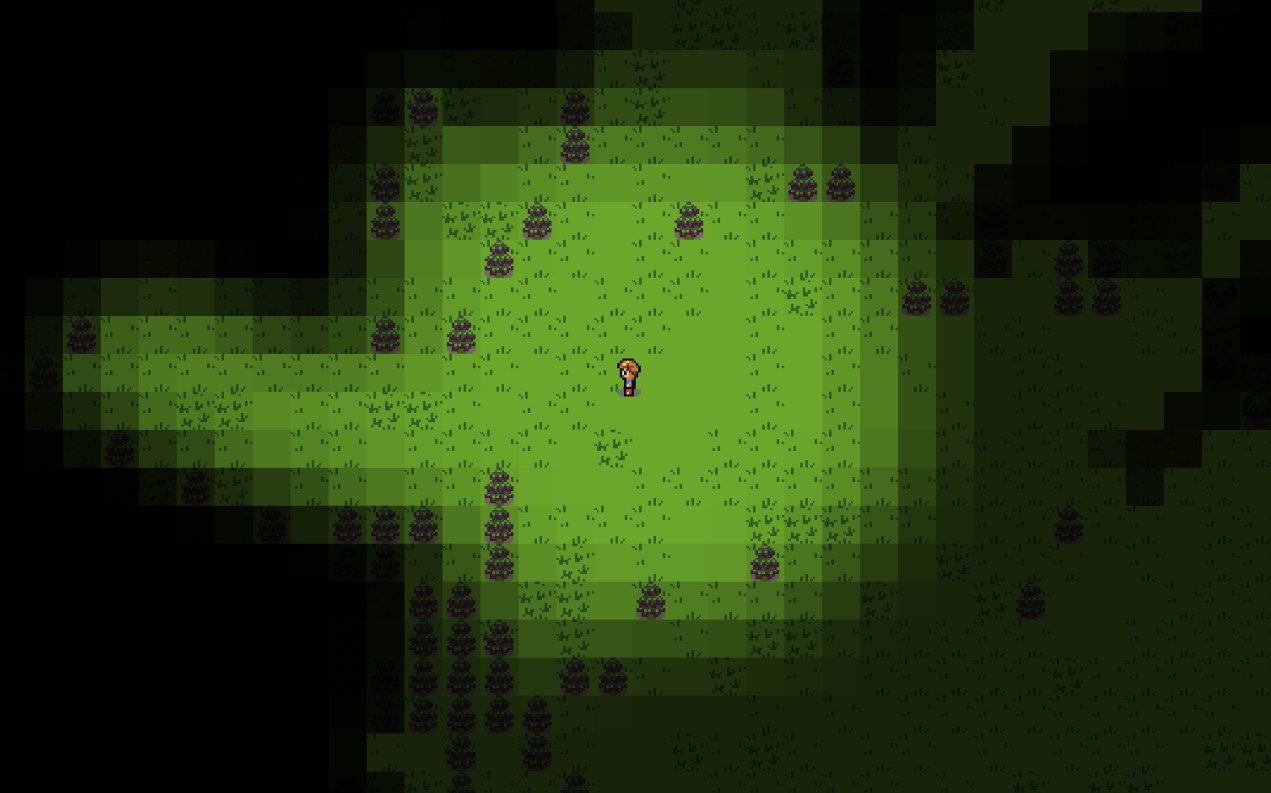
GitHub
MangoFog2D is a 2D/3D mesh rendered fog of war system for the Unity Engine. It's based off TasharenFogOfWar except it can use a MeshRenderer or render directly to the GPU. Plus several othe...
leaden ice
scarlet kindle
Hey how do I import a custom Component library that has it's own namespace? I ca...
namespaces and inheriting from MonoBehaviour have nothing to do with each other
Installation instructions for this library are here: https://github.com/mkwozniak/mangofogunity2d#installation
 merry pendant
How to Load a scene Async with Netcode?
Like for it not to hang/crash/lag and to put my loadingscreen in there
scarlet kindle
Yeah i followed the instructions, doesn't work shrug
leaden ice
scarlet kindle
Yeah i followed the instructions, doesn't work shrug
you did somethoing wrong
The script indeed inherits from MonoBehaviour:
https://github.com/mkwozniak/mangofogunity2d/blob/e67f6e51870f4bfa05106f42d5708aabd68fec45/Assets/MangoFog/Scripts/MangoFogInstance.cs#L53
what exactly are you trying to attach
scarlet kindle
The instructions are missing some steps, there needs to be a Revealer attached to a Player game object for it to work.
I was trying to use the original library and that information is included in it, so I know that much.
I was trying to do that step with the MangoFogRevealer, and it wouldnt let me
So I'm back to trying to use the original Component here: https://github.com/insominx/TasharenFogOfWar

GitHub
Tasharen Fog of War by Tasharen Entertainment - Unity3d - GitHub - insominx/TasharenFogOfWar: Tasharen Fog of War by Tasharen Entertainment - Unity3d
but this one was made for unity 3d, so i think i need to hack it to get it to work for 2d
it might be easier to just do this myself lol
plus i'd learn more
leaden ice
scarlet kindle
plus i'd learn more
I think you're just trying to attach the wtong script
you are supposed to atach this it seems:
https://github.com/mkwozniak/mangofogunity2d/blob/main/Assets/MangoFog/Scripts/MangoFogUnit.cs#L10
I would guess you tried to attach MangoFogRevealer which is not correct
scarlet kindle
well, that's the fog unit, which needs to be rendered. so agreed. but, there needs to be a revealer attached to a game object as well
leaden ice
scarlet kindle
well, that's the fog unit, which needs to be rendered. so agreed. but, there nee...
MangoFogUnit has the revealer as a field
it's not a component
and doesn't need to be attached to anything
scarlet kindle
let me check, one sec
void remnant
hello, I'm trying to follow this TreeView tutorial, but I'm stuck on this error. I'm pretty sure I followed the points exactly but maybe I missed something. This compilation error appears:
The type 'UnityEditor.IMGUI.Controls.TreeView' cannot be used as type parameter 'T' in the generic type or method 'UQueryExtensions.Q<T>(VisualElement, string, params string[])'. There is no implicit reference conversion from 'UnityEditor.IMGUI.Controls.TreeView' to 'UnityEngine.UIElements.VisualElement'.
using UnityEditor;
using UnityEditor.IMGUI.Controls;
using UnityEngine.UIElements;

public class PlanetsTreeView : PlanetsWindow
{
    [MenuItem("Planets/Standard Tree")]
    static void Summon()
    {
        GetWindow<PlanetsTreeView>("Standard Planet Tree");
    }

    void CreateGUI()
    {
        uxml.CloneTree(rootVisualElement);
        TreeView treeView = rootVisualElement.Q<TreeView>();//first error here

        treeView.SetRootItems(treeRoots);

        treeView.makeItem = () => new Label();


        treeView.bindItem = (VisualElement element, int index) =>
            (element as Label).text = treeView.GetItemDataForIndex<IPlanetOrGroup>(index).name;
    }
}
Can someone tell me why it's happening?
Tutorial:
https://docs.unity3d.com/Manual/UIE-ListView-TreeView.html
leaden ice
void remnant
hello, I'm trying to follow this TreeView tutorial, but I'm stuck on this error....
Get rid of using UnityEditor.IMGUI.Controls;
it's trying to use the IMGUI TreeView instead of the UIElements TreeView
scarlet kindle
leaden ice
so yeah none of this has anything to do with namespaces
you're right, it looks like attaching the Unit to the game object that should reveal the fog is right. thanks.
at least it's rendering the fog correctly now. but the revealer isn't working probably have to tweak the settings more
leaden ice
scarlet kindle
you're right, it looks like attaching the Unit to the game object that should re...
I think you have to call "StartRevealing" or something
Or have autoRevealOnStart enabled
scarlet kindle
Yea I have auto reveal checked.
 scarlet kindle
it's probably something dumb though, i'll play around with it
appreciate the help! 🙂
omg its working! i had to check some clamb blendfactor to texture button
it's flickering but progress
 rapid summit
Hey, I'm trying to have an overlay tile using isometric z as y map, when rendering it it seems to be offset by 0.5 and 0.75 which is the pivot, but I'm a little lost as to why
This is my code
for (int z = bounds.max.z; z >= bounds.min.z; z--)
            {
                for (int y = bounds.min.y; y < bounds.max.y; y++)
                {
                    for (int x = bounds.min.x; x < bounds.max.x; x++)
                    {
                        if (z == 0 && ignoreBottomTiles)
                            return;

                        var tileLocation = new Vector3Int(x, y, z);
                        var tileKey = new Vector2Int(x, y);
                        if (tileMap.HasTile(tileLocation) && !map.ContainsKey(tileKey))
                        {
                            var overlayTile = Instantiate(
                                overlayPrefab,
                                overlayContainer.transform
                            );
                            var cellWorldPosition = tileMap.GetCellCenterWorld(tileLocation);
                            overlayTile.transform.position = new Vector3(
                                cellWorldPosition.x,
                                cellWorldPosition.y,
                                cellWorldPosition.z + 1
                            );
                            map.Add(tileKey, overlayTile);
                        }
                    }
                }
            }```
 jovial valley
why does this error keep popping up??? idk whats even causing it!

 lean sail
jovial valley
why does this error keep popping up??? idk whats even causing it!
lean sail
jovial valley
why does this error keep popping up??? idk whats even causing it!
You using ngo? That's a bug in it at the moment
lean sail
Netcode for gameobjects
lean sail
I think you just need to disable domain reload, let me find the link
jovial valley
tysm
lean sail
jovial valley
tysm
https://github.com/Unity-Technologies/com.unity.netcode.gameobjects/issues/2647
Its talked about here
void remnant
leaden ice
Get rid of `using UnityEditor.IMGUI.Controls;`
thank you!
wait
now it's saying that I can't use the class because of the protection layer
obtuse frost
What are the advantages of using a Mesh over a Terrain object?
 trim schooner
obtuse frost
What are the advantages of using a Mesh over a Terrain object?
trim schooner
obtuse frost
What are the advantages of using a Mesh over a Terrain object?
not a code question bud, ask in #🔀┃art-asset-workflow or #⛰️┃terrain-3d
obtuse frost
I'm doing script-based procedural generation
I suppose I can ask in terrain though.
leaden ice
void remnant
now it's saying that I can't use the class because of the protection layer
protection layer?
What version of Unity are you using?
void remnant
oh damn
bruuhh
Do you know a way to make a treeView in the older versions?
maybe a guide
leaden ice
it's the legacy ui system
 open plume
is it possible or efficient to make a 2d array of 2d arrays?
leaden ice
of course
obtuse frost
Like... a 4D array?
leaden ice
nothing inherently inefficient but whats the point
 floral coral
Unity gives the error Kernel at index (0) is invalid on dispatching a compute shader. From what I saw on google it's probably because I'm using URP. I don't want to change from URP since the game is using shader graphs with URP.
leaden ice
floral coral
Unity gives the error `Kernel at index (0) is invalid` on dispatching a compute ...
you need to get the actual kerenel id
obtuse frost
For anything other than, like, O(1) or O(N) operations a 4D array could be a massive efficiency killer, but yeah it depends on the use-case
open plume
leaden ice
nothing _inherently_ inefficient but whats the point
im trying to make a chunk system so i store the data of the surface in a 2d array then store each chunk in a 2d array.
leaden ice
floral coral
Unity gives the error `Kernel at index (0) is invalid` on dispatching a compute ...
open plume
thinking of it as a 4d array is really wacky to me
leaden ice
open plume
im trying to make a chunk system so i store the data of the surface in a 2d arra...
The point of a chunk system is generally that only a few chunks are loaded in at a time
floral coral
leaden ice
you need to get the actual kerenel id
still the same error
leaden ice
a better approach here would be:
Dictionary<Vector2Int, Chunk>```and keep only the currently loaded chunks in the dictionary
open plume
leaden ice
and keep only the currently loaded chunks in the dictionary
how would i store the unloaded chunks?
leaden ice
open plume
how would i store the unloaded chunks?
in files on disk presumably
open plume
alright thank you very much
obtuse frost
I've run into the fun "hopping down slopes" situation because I only figured in movement for the horizontal plane. Looks and works fine on upward slopes, and I think I can just re-orient the movement vector to be parallel with the slope, but I'm curious about a couple points:
- Does using the same walk speed as flat ground feel the same?
- Should I use the CharacterController slope limit for this so that if a character walks off too steep of a slope they do, in fact fall down? Or should I just clamp it so there's still a momentary downward movement as soon as the character steps off the steep slope?
 odd lotus
again with the things not showing up!!!!
this time i have a list of SkinnedMeshRenders, and again, it doesn't show up.
leaden ice
odd lotus
this time i have a list of SkinnedMeshRenders, and again, it doesn't show up.
Care to elaborate? Show up where? You have a list where?
 odd lotus
Hastebin is a free web-based pastebin service for storing and sharing text and code snippets with anyone. Get started now.
wait hang on
leaden ice
Check for compile errors
odd lotus
i think i figured out why
i misplaced the script
it goes in the Player folder
it's a replacement script to make something work
leaden ice
Also it's very possible this script has a custom inspector
obtuse frost
obtuse frost
I've run into the fun "hopping down slopes" situation because I only figured in ...
Hmmm, to add to this I would assume the CharacterController is already doing some sort of raycasting to detect the slope of the ground for isGrounded and slope limit, but I'm not seeing anything in the documentation on how I could read that ground normal. Am I missing something or do I really need to do my own raycast?
 pseudo plume
Can someone please help, I am trying to spawn gamobject blocks and snap them to a grid, so far, I found a script that works as I want, but it only seems to be able to handle one gameobject, so i decided to duplicate the script and change it according to each item, after days of back and forth with chatgpt with not much luck that's the approach I decided to take, so i tried it with a second block, it worked almost, but i could not move the block after it spawned like with the first one, let alone snap it to the grid, why? is there perhaps a better solution to maybe be able to spawn multiple gameobject blocks with one script? here is the script I am using: https://gdl.space/raw/eloguvogaq
obtuse frost
Have you seen this forum thread? https://forum.unity.com/threads/in-game-snap-to-grid.77029/
Unity Forum
hey everyone,
how can i go about making an object have a snap to grid feature while in game?
my current solution is to space apart empty game...
I personally wouldn't recommend using ChatGPT to learn things
lean sail
pseudo plume
Can someone please help, I am trying to spawn gamobject blocks and snap them to ...
chatgpt is worthless, its probably only convinced you something is right and confused you for days. You should use debugs (debug.log and the debugger) to see what values are, if those values arent what you expect them to be then you now have narrowed down your problem
tawny elkBOT
Posting code
📃 Large Code Blocks
Large code blocks should be posted as links to services like:
https://gdl.space/, https://paste.ofcode.org/, https://hatebin.com/
https://paste.myst.rs/, https://hastebin.com/
📃 Inline Code
Surround code with three backquotes. Not quotation marks.
To get C# formatting the first line should only contain cs or csharp.
Add a comment with a line number if there is an error message.
```cs
// Your code here
```
Do not share screenshots of code unless requested.
 prime herald
hey i have a question...
In my project i use scxriptable objects for the guns, which works fine, but i have CSGO-like recoil in my game that you can configure with floats in the scriptable objects. and my problem is that my spray looks completely different in a Build version than in the editor. the shape is still pretty much the same, but its way, and i mean way smaller. Is there a way to fix this or do i just have to configure the values by changing them and making a build all the time?
leaden ice
prime herald
hey i have a question...
In my project i use scxriptable objects for the guns, w...
you probably have framerate dependent code or something
prime herald
well can i just send my code in here so u could check?
leaden ice
!code
tawny elkBOT
Posting code
📃 Large Code Blocks
Large code blocks should be posted as links to services like:
https://gdl.space/, https://paste.ofcode.org/, https://hatebin.com/
https://paste.myst.rs/, https://hastebin.com/
📃 Inline Code
Surround code with three backquotes. Not quotation marks.
To get C# formatting the first line should only contain cs or csharp.
Add a comment with a line number if there is an error message.
```cs
// Your code here
```
Do not share screenshots of code unless requested.
prime herald
oh ok xd
a powerful website for storing and sharing text and code snippets. completely free and open source.
 elfin quest
Hello I'm currently exploring custom editors to have a more readable and easy to use inspector. I have built a pretty simple custom editor that works amazing, but, I wish to apply this editor to a Serializable class that does not inherit from monoBehaviour, and I've not been sucessfull at it. Ether I make it a monobehaviour and the editor works fine, or I don't and the editor does not apply.
Picures
[1] - Non monobehaviour and serialized from another script (Goal, but not applying custom editor)
[2] - As a monobehavior viewed from adding the script to the gameObject


The script in question is the DamageAdder btwe
leaden ice
elfin quest
The script in question is the DamageAdder btwe
For such a class you need to make a PropertyDrawer not an Editor
elfin quest
Thank you very mutch, looking into it now
 earnest gyro
Help with Coroutines and Data Structure Design
 modern creek
I'm new to 2d. When two items have the same Z position (say a sprite), which will get rendered on top of the other? Is it non-deterministic? Does it depend on the hierarchy/sibling order?
spring creek
modern creek
I'm new to 2d. When two items have the same Z position (say a sprite), which wil...
You can use a sorting layer that determines which is in front. Not sure what happens without it though sorry
modern creek
No worries. Just wrapping my head around this all, since all my games in the past have been 100% UI layer stuff and I ought to grow a bit.
Do people usually use layers for z-ordering, or should I be manually setting the z position? I assume maybe some combination of both?
spring creek
I personally try to keep everything at z 0, and set only the sorting layer
modern creek
Cool, thanks
 river shale
Im having an annoying issue after following this tutorial by catlike coding (https://catlikecoding.com/unity/tutorials/flow/waves/)
I tried to add code so that if I duplicate the plane and move it to the side, the waves position will be adjusted so that the two planes mesh together, and it sort of works, but the mesh moves more and more out of place the farter it is from the scene origin.
Screenshot & code:

To clarify, I want the waves to mesh like this, but manually adjusting the positions so that it looks correct leaves the plane at ~9.09 (each plane is 10 by 10)

 upper pilot
Is there a reason why my struct values are being reset?
 private void HandleUnitSpawn(UnitSpawnData unitSpawnData)
 {
     if (unitSpawnData.spawnDelayInMilliseconds > 0) unitSpawnData.spawnDelayInMilliseconds -= Time.deltaTime;
     else if (unitSpawnData.timeUntilNextSpawn > 0) unitSpawnData.timeUntilNextSpawn -= Time.deltaTime;
     else
     {
         SpawnMultipleUnitsAtOnce(unitSpawnData.unit, unitSpawnData.spawnAmountAtOnce);
         unitSpawnData.timeUntilNextSpawn = unitSpawnData.spawnFrequencyInMilliseconds;
     }
 }

 private void FixedUpdate()
 {
     foreach(UnitSpawnData unitSpawnData in currentGameLevelUnitList)
     {
         HandleUnitSpawn(unitSpawnData);
     }
 }
UnitSpawnData is a struct
Passing a struct to the function resets it to the default values?
leaden ice
upper pilot
Passing a struct to the function resets it to the default values?
no but changing the struct inside the method whill not affect the copy of the struct that was in the caller
fervent furnace
You modify the struct in other method? It will not synchronise
leaden ice
basically HandleUnitSPawn doesn't do anything
If you want to be able to modify it you will need to pass it as a ref parameter
or return the modified struct
structs are pass by value not pass by reference
upper pilot
Yeah when I tried to write to the struct inside foreach directly I got an error.
Changing it to use regular for loop to see if that works.
I will try with ref
 night harness
I was coming up with the same roadblocks this week, ended up just going from a struct to a poco class
fervent furnace
You cannot modify the collection value in foreach
upper pilot
Cant do ref inside foreach either
So the idea is that struct is like a primitive value so when I pass it to the function HandleSpawn(myStruct) I am just passing a value, not a reference?
upper pilot
right that makes sense, I will use ref since I want to keep using struct for this probably.
and I wanted to separate this code into its own function as well.
Is there a reason why I cant do it in foreach?
fervent furnace
Wait is currentgamelevelxxx a list?
upper pilot
Yes
List of structs
I still cant make ref work even with regular for loop. A non-ref returning property or indexer may not be used as an out or ref value
Guess I will just pass an index
fervent furnace
The indexer will return the struct and you are modifying the return value with ref, you have to assign it back to the list
upper pilot
How do I do that?
I tried returning a value and assigning it
the error sends me to the page which tells me to not use ref.
fervent furnace
Yes, change the method so that it returns a modified struct and assign it back to the list
leaden ice
upper pilot
<https://learn.microsoft.com/en-us/dotnet/csharp/misc/cs0206?f1url=%3FappId%3Dro...
this error has nothing to do with ref
upper pilot
        MyMethod(ref P);   // CS0206
        // try the following line instead
        // MyMethod(P);   // CS0206
    private UnitSpawnData HandleUnitSpawn(ref UnitSpawnData unitSpawnData)
    {
       //modifying the struct code
        return unitSpawnData;
    }
like this?
for(int i = 0; i < currentGameLevelUnitList.Count; i++)
{
    currentGameLevelUnitList[i] = HandleUnitSpawn(ref currentGameLevelUnitList[i]);
}
no ref
leaden ice
upper pilot
ref by itself doesnt work
it only doesn't work because the thing you're trying to pass in is a list element
that's not an actual variable
the list getter is already returning a copy
basically if you want to get this thing into the list you're going to have to do some assignment back into the list
upper pilot
so the List makes a copy so there is no reference.
upper pilot
So its not possible to do ref on a List<struct>
upper pilot
ok that makes sense now, thanks 😄
leaden ice
that's a type of reference sorta
leaden ice
for(int i = 0; i < currentGameLevelUnitList.Count; i++)
{
    currentGameLevelUnitList[i] = HandleUnitSpawn(currentGameLevelUnitList[i]);
}``` but something like this is goodwith return
upper pilot
yep doing that now and testing.
leaden ice
another option would be:
for(int i = 0; i < currentGameLevelUnitList.Count; i++)
{
    var unitSpawn = currentGameLevelUnitList[i];
    HandleUnitSpawn(ref unitSpawn);
    currentGameLevelUnitList[i] = unitSpawn
}```but that's... kinda verbose
fervent furnace
Or use unsafe list
upper pilot
It works with return, idk what an unsafe list is, but it doesnt sound safe.
leaden ice
Yeah with unsafe you could get a reference to the actual list element
but it's not really worth it unless you need to micro-optimize
upper pilot
I assume its called unsafe for a good reason tho?
leaden ice
indeed
upper pilot
got it yeah I dont need that
 stone scaffold
Hello
Please help
I have been stuck on this for a week and have no clue what to do but basically
I’m making a 2D platformer and I want my enemy to constantly chase the player whilst touching the ground (not randomly floating in the air when the player jumps).
I tried making an “isgrounded” bool which works fine except the platformer has slopes, so when the enemy reaches a slope the “isgrounded” bool just kinda glitches and nothing happens
leaden ice
stone scaffold
I tried making an “isgrounded” bool which works fine except the platformer has s...
The basic idea is you just make a character controller that works properly and then build an AI script to "drive" it
stone scaffold
How would I build a character controller ?
leaden ice
find any of the millions of tutorials to do so?
Once you have one you like - you basically replace the input handling code with a script that feeds input to it automatically
 pure cliff
stone scaffold
I tried making an “isgrounded” bool which works fine except the platformer has s...
pure cliff
stone scaffold
I tried making an “isgrounded” bool which works fine except the platformer has s...
What's your "IsGrounded" logic atm?
upper pilot
[SerializeField] private List<SpawnerSO> gameLevels = new();

private List<UnitSpawnData> currentGameLevelUnitList = new();
private int currentLevel = 0;
private void Awake()
{
   currentGameLevelUnitList = gameLevels[currentLevel].unitListPerGameLevel;
}
I expected this code to make a copy of a List<struct>, do I need to copy each struct manually to the new list?(Currently it works as a reference instead)
Guess that does make sense...List is a reference.
night harness
upper pilot
```csharp
[SerializeField] private List<SpawnerSO> gameLevels = new();
private ...
Any reason it needs to be a struct?
stone scaffold
pure cliff
What's your "IsGrounded" logic atm?
I check to see if the enemy is grounded, if it is, I use the MoveTowards function to go to the player. However when the player climbs up a slope, the enemy just goes at a very slow speed and the “isgrounded” bool keeps checking and unchecking.
It is because the move towards function would allow the enemy to float through the air however it can’t do that if it is grounded
 somber nacelle
upper pilot
```csharp
[SerializeField] private List<SpawnerSO> gameLevels = new();
private ...
somber nacelle
upper pilot
```csharp
[SerializeField] private List<SpawnerSO> gameLevels = new();
private ...
List is a reference type so your currentGameLevelUnitList is just a reference to the unitListPerGameLevel list on that SpawnerSO object. you can pass a list into the List constructor though to copy its elements to a new List object
upper pilot
[System.Serializable]
public struct UnitSpawnData
{
    public UnitSO unit;
    internal float timeUntilNextSpawn;
    public float spawnFrequencyInMilliseconds;
    public int spawnAmountAtOnce;
    public float spawnDelayInMilliseconds;
}

[CreateAssetMenu(fileName = "Spawner", menuName = "ScriptableObjects/Spawner", order = 1)]
public class SpawnerSO : ScriptableObject
{
    [SerializeField] public List<UnitSpawnData> unitListPerGameLevel = new();
}
If it's purely data I had an easier time just using a class that doesn't have any inheritance. people smarter than me might know better though
pure cliff
stone scaffold
I check to see if the enemy is grounded, if it is, I use the MoveTowards functio...
I meant the actual logic for how you check "IsGrounded"
upper pilot
somber nacelle
List is a reference type so your `currentGameLevelUnitList` is just a reference ...
How do I do that?
somber nacelle
pass a list into the List constructor
- currentGameLevelUnitList = gameLevels[currentLevel].unitListPerGameLevel;
+ currentGameLevelUnitList = new(gameLevels[currentLevel].unitListPerGameLevel);
whadahell is this dark magic line colouring
somber nacelle
diff
stone scaffold
pure cliff
I meant the actual logic for how you check "IsGrounded"
Oh right
||isGrounded = Physics2D.OverlapCircle(groundCheck.position, 0.2f, groundLayer)||
Breh
How do I do the code thing
pure cliff
!code
tawny elkBOT
Posting code
📃 Large Code Blocks
Large code blocks should be posted as links to services like:
https://gdl.space/, https://paste.ofcode.org/, https://hatebin.com/
https://paste.myst.rs/, https://hastebin.com/
📃 Inline Code
Surround code with three backquotes. Not quotation marks.
To get C# formatting the first line should only contain cs or csharp.
Add a comment with a line number if there is an error message.
```cs
// Your code here
```
Do not share screenshots of code unless requested.
upper pilot
oh nice, I thought that I need to loop through all elements so it knows what to Add(based on my google search), guess new() keyword is quite handy.
stone scaffold
Oh right
|||isGrounded = Physics2D.OverlapCircle(groundCheck.position, 0.2f, groundLayer)|||
Wha-
somber nacelle
upper pilot
oh nice, I thought that I need to loop through all elements so it knows what to ...
like i said, you can pass a list into the constructor for a list. that new() there is just the constructor. but i was too lazy to type the entire type out so it's target typed
pure cliff
stone scaffold
Oh right
|||isGrounded = Physics2D.OverlapCircle(groundCheck.position, 0.2f, gr...
The bot post above says how
stone scaffold
Oh my god a back quote
somber nacelle
stone scaffold
Oh right
|||isGrounded = Physics2D.OverlapCircle(groundCheck.position, 0.2f, gr...
you're using the wrong characters. use ``` not ||
upper pilot
Someone can do it better 😄
spring creek
stone scaffold
I can’t find a back quote on my iPhone
copy and paste it from the bot
upper pilot
somber nacelle
like i said, you can pass a list into the constructor for a list. that `new()` t...
Not sure if I understand, isnt your example correct? What do you mean that you were too lazy?
somber nacelle
instead of typing new List<UnitSpawnData>(//whatever); i just used the target typed new which omits the List<UnitSpawnData> bit
stone scaffold
pure cliff
The bot post above says how
isGrounded = Physics2D.OverlapCircle(groundCheck.position, 0.2f, groundLayer)
upper pilot
Makes sense, thanks.
stone scaffold
leaden ice
The basic idea is you just make a character controller that works properly and t...
Is there another way instead of using a character controller
pure cliff
That's the high level concept
lean sail
stone scaffold
Is there another way instead of using a character controller
it doesnt matter how you choose to move, through physics or CC (custom or built in). The idea is you build a movement script that does not rely on your input. It accepts input through another component. When you want AI to control a character, you plug in the AI's input instead
thats if you want your AI to move exactly like a player could
stone scaffold
So how would I make my enemy AI remain on the ground while the player jumps if the plan is for the AI to move like the player could
lean sail
stone scaffold
So how would I make my enemy AI remain on the ground while the player jumps if t...
I dont understand what you mean, if the AI wants to stay on the ground then when just dont send a jump input from the AI
stone scaffold
Ok well basically the plan is for the AI to constantly follow the player
So the AIs movements depend on the players inputs
pure cliff
lean sail
it doesnt matter how you choose to move, through physics or CC (custom or built ...
What I love about this is the new input system inherently already involves implementing an interface to handle input, so you can just implement an "AI" version and inject it in ❤️
lean sail
stone scaffold
So the AIs movements depend on the players inputs
Why should it depend on the players inputs? It should depend on the players position
stone scaffold
Yh sorry that’s what I meant
When the player jumps, it’s position also changes in the y direction obviously, the AIs shouldnt change but it does
How do I make it so it stays on the ground
lean sail
You would probably want some state machine or just extra logic so the input isnt something like "if player is above me then jump" because that'll quickly break. It should be like if player is above me then find a route going upwards, if I need to jump up to an area then jump
Although this is just high level, implementing this properly is quite difficult
 hexed gulch
{
Quaternion rotation = Quaternion.LookRotation(-hit.normal , hand.up);
target.SetPositionAndRotation(Vector3.Lerp(target.position, hit.point, _armMoveSpeed * Time.deltaTime),
Quaternion.Lerp(target.rotation, rotation, _armRotationSpeed * Time.deltaTime));```
i have a script that im trying to make a IK procedural hand placement so if the player moves towards a wall the hand will attatch to it, and currently it works good but theres one problem i cant figure out that involves this line:
```Quaternion rotation = Quaternion.LookRotation(-hit.normal , hand.up);```
when the hand moves to the wall it never rotates flat with the normals it always is at an angle with the raycast but i want it to be flat against the wall as seen in this picture i would love a smart person to help me out
the raycast u can see is from the hand to the hit.point stone scaffold
lean sail
Although this is just high level, implementing this properly is quite difficult
stone scaffold
lean sail
Although this is just high level, implementing this properly is quite difficult
Even if I implement it, there’s still the matter of the slopes issue
lean sail
stone scaffold
Even if I implement it, there’s still the matter of the slopes issue
there are probably packages to do this for you if you have serious issues building one yourself. this really isnt an easy task
especially if you arent familiar with intermediate level algorithms
lean sail
hexed gulch
``` void UpdateHandTarget(Transform hand, Transform target, RaycastHit hit)
...
your lerp looks wrong, also are you calling this function many times?
I think you may want like MoveTowards
somber nacelle
hexed gulch
whats wrong with the lerp
 rigid island
hexed gulch
whats wrong with the lerp
lean sail
somber nacelle
https://unity.huh.how/programming/specifics/lerp/wrong-lerp
rigid island
hexed gulch
whats wrong with the lerp
lean sail
somber nacelle
https://unity.huh.how/programming/specifics/lerp/wrong-lerp
of course vertx made a link for that, i feel attacked
 rigid island
somber nacelle
https://unity.huh.how/programming/specifics/lerp/wrong-lerp
rigid island
somber nacelle
https://unity.huh.how/programming/specifics/lerp/wrong-lerp
oh nice.. didn't know this one exist
they need to add examples though like the page I've linked 😛
hexed gulch
so like this:? target.position = Vector3.Lerp(target.position, hit.point , 1 - Mathf.Pow(_armMoveSpeed, Time.deltaTime));
somber nacelle
if you go back to your previous parameters and just swap to MoveTowards instead of Lerp it would be correct
hexed gulch
ok
lean sail
although I dont think the lerp is the entire issue because you'll still get close to the desired position/angle. You can add a visualization to the IK targets by clicking on it and something should pop up in your scene. Maybe the rotation/placement is slightly off from what you expect
hexed gulch
but even if i didnt move and the lerp is running forever it would still get there?
yea the rotation is off
the position is fine
somber nacelle
rigid island
they need to add examples though like the page I've linked 😛
there is a handy slider and example of how lerp works on the overview page for it. the page i linked is specifically for "wrong lerp" instances
rigid island
somber nacelle
there is a handy slider and example of how lerp works on the overview page for i...
Oh ! neat.
I shall link this one next time.
leaden ice
stone scaffold
Is there another way instead of using a character controller
I'm just using the phrase generically to mean "code that moves a character".
So no
there isn't
hexed gulch
Quaternion rotation = Quaternion.LookRotation(-hit.normal.normalized, hand.up);
how can i make the hand always rotate to lay on the object the raycast hit
this makes it at an angl
 spring patio
private LogicScript logicScript;
private void Start()
{
    GameObject LogicManager = GameObject.Find("LogicManager");
    logicScript = LogicManager.GetComponent<LogicScript>();
}
why is this giving me a NullReferenceException Error?
spring patio
yep
hexed gulch
maybe theres not enough time its executing too quick and cant find the object in time to get component
do a Ienumerator Start
and a waituntil LogicManager not null
spring patio
hexed gulch
named exactly that
oh wait, there's a space between Logic and Manager lol
fixed it, ty ;D
hexed gulch
smarty
spring patio
🥸
spring creek
hexed gulch
maybe theres not enough time its executing too quick and cant find the object in...
It will stop executing until it finds the object. It CANNOT execute getcomponent before it is found. (Although, as discovered, it may return null if there is nothing to find)
elfin quest
Hello.
I'm currently building some custom editors for my clases, which are working great and all. I've run into a bit of a problem with inherited classes tho. I write the editor it works perfeclty for showing the stuff I want, but it does not update the values once I change them. The class is inherited and so is it's editor. Request more info if you need it I'll be happy to provide it.
Okay nevermind i solved it
hexed gulch
im using animation rigging package and i have the targets rotation at 0,0,0 and the bone is at 0,0,0 but when i hit play the rotation of the bon goes to 180 -58, 1.8 and i dont know why
 hidden flicker
Does anyone have a good tutorial for slope movement
 worn stirrup
Anyone have any experience updating the connected anchor of hinge joints? I have a chain of hinge joints and I want to be able to shift either the top or bottom of the chain and have the rest of them vertically shift to match, wihle still linking together and stuff
Applying transform changes to an object that has hinge joints seems to just chop it off, so I guess I have to update the connected anchor or something, I'm not sure how to solve this yet
oh I was doing it wrong
Every damn time I ask a question
 thin aurora
Part of the programming life
Explaing something to a rubber duckie is the best form of debugging
 spark mirage
please help me with unity pathway's this medium problem where they want me to create homing rockets that'll follow the enemy. I've written this code and the rocket is following serially the enemy one by one but not parallelly. (https://learn.unity.com/tutorial/bonus-features-4-share-your-work).
My Code:
using System.Collections;
using System.Collections.Generic;
using UnityEngine;
public class HomingMissale : MonoBehaviour
{
public GameObject homingMissale;
private GameObject enemy;
public float speed;
public PlayerController playerController;
private void Start()
{
    playerController = GameObject.Find("Player").GetComponent<PlayerController>();
}

// Update is called once per frame
void FixedUpdate()
{
    enemy = GameObject.FindGameObjectWithTag("Enemy");
    if(enemy != null && Input.GetKey(KeyCode.F) && playerController.hasPowerUp)
    {
        Instantiate(homingMissale);
        enemy = GameObject.FindGameObjectWithTag("Enemy");
         homingMissale.transform.position = Vector3.MoveTowards(homingMissale.transform.position, enemy.transform.position,
         speed );
        StartCoroutine(WaitSome());
    }

}

IEnumerator WaitSome()
{
    yield return new WaitForSeconds(1f);
    DestroyImmediate(GameObject.FindGameObjectWithTag("Missaile"), true);
}
}
 fast glade
I made a weapon-equip system using prefabs and monobehaviors to store the data of the weapon(damage, atk speed, etc) I was wondering if I should convert the entire system to support scriptable objects instead or should i just leave it like that
rigid island
spark mirage
please help me with unity pathway's this medium problem where they want me to cr...
!code
tawny elkBOT
Posting code
📃 Large Code Blocks
Large code blocks should be posted as links to services like:
https://gdl.space/, https://paste.ofcode.org/, https://hatebin.com/
https://paste.myst.rs/, https://hastebin.com/
📃 Inline Code
Surround code with three backquotes. Not quotation marks.
To get C# formatting the first line should only contain cs or csharp.
Add a comment with a line number if there is an error message.
```cs
// Your code here
```
Do not share screenshots of code unless requested.
 winged mortar
fast glade
I made a weapon-equip system using prefabs and monobehaviors to store the data o...
winged mortar
fast glade
I made a weapon-equip system using prefabs and monobehaviors to store the data o...
Both work, but scriptables are the go-to for this
If it doesnt take too much time convert it to scriptables, if it is huge and currently working see if there are other more important things to work on
fast glade
winged mortar
Both work, but scriptables are the go-to for this
Should i still rework it, i do plan on using scriptable objects in the future but im just asking if i should convert(yes its alot)
winged mortar
I can't tell you what's a good investment for your project
fast glade
winged mortar
I can't tell you what's a good investment for your project
Its all good
winged mortar
I'd probably do it though
fast glade
I just want to know if id get any problems in the future if i stick to using prefabs and monobehaviors for my weapons system
winged mortar
Nah man, that used to be the way before scriptables :p
fast glade
winged mortar
Nah man, that used to be the way before scriptables :p
So that means i wont get any problems?
winged mortar
Depends on what you define as a problem
 leaden solstice
fast glade
I made a weapon-equip system using prefabs and monobehaviors to store the data o...
leaden solstice
fast glade
I made a weapon-equip system using prefabs and monobehaviors to store the data o...
I’d say stick with prefabs
fast glade
winged mortar
Depends on what you define as a problem
Like performance issues, like lag
leaden solstice
Prefab lets you composite components and hierarchy
fast glade
Yeah
leaden solstice
SO is just downgraded version of prefab
night harness
leaden solstice
SO is just downgraded version of prefab
That seems a little misleading, no? time and a place for both
leaden solstice
night harness
That seems a little misleading, no? time and a place for both
With all seriousness, you can do anything SO does with prefab, but not vice versa
night harness
Sure, Maybe it's just me but downgraded kinda comes off like it's a flaw. SO's are minimalist by design
 knotty sun
I think it would be closer to say an SO is similar to a standalone Monobehaviour
leaden solstice
night harness
Sure, Maybe it's just me but downgraded kinda comes off like it's a flaw. SO's a...
You could say restricted version, then.
quartz folio
A prefab is just a scriptable object with baggage, and a scriptable object is just a poco with baggage, and a poco... 
night harness
quartz folio
A prefab is just a scriptable object with baggage, and a scriptable object is ju...
my ass trying to figure out if it would be best for me to convert my so's into pocos at initialization or not 😭
leaden solstice
night harness
my ass trying to figure out if it would be best for me to convert my so's into p...
What are you using SOs for?
quartz folio
Just never make anything, best decision, can't go wrong
knotty sun
night harness
my ass trying to figure out if it would be best for me to convert my so's into p...
what would be the benefit?
night harness
Uhhh a super generic Item class that i use for stuff like Keys Equipment and Loot in a custom inventory system. For the most part I've had no reason to write to them but I wanted to keep track of all the loot in scene with their current status (Unlooted, HeldByPlayer, OnTheGround) etc. type stuff. Was thinking of saying fuckit and just turning the SO's into poco's whenever I add them to the inventory but idk
let me know if thats not enough info wasnt sure how to describe it best
quartz folio
There could be less boilerplate when making a new thing, including the creation of the object itself. But 🤷 there's benefits and drawbacks. I think you should just forge ahead with something until it actively starts causing a pain point, carefully asses whether something different would help and not hurt, and decide whether porting the data to that new format is worth the time vs the pain you feel
and that's how I make every decision, ever forging forward into a sea of eventual regret
leaden solstice
night harness
Uhhh a super generic `Item` class that i use for stuff like `Keys` `Equipment` a...
Separating dynamic state and static configuration would be wise I’d say
night harness
Sorry, could you please elaborate? Don't understand entirely
leaden solstice
So your SO can hold read only data and your POCO can hold reference to that SO data + dynamic writable data
night harness
At that point why not yoink off all the SO data and put it into the POCO? Just static vs dynamic methodology?
leaden solstice
night harness
At that point why not yoink off all the SO data and put it into the POCO? Just s...
You’d have lots of code duplication that way
night harness
Mhmmmmm
winged mortar
quartz folio
and that's how I make every decision, ever forging forward into a sea of eventua...
This works as long as you stay aware that it isn't optimal and at a certain point you should change it
Some people try to fix what's broken for way too long
quartz folio
Refactoring is always a difficult balance. I feel code friction a lot more than some others it seems, so I'm always aware of what needs fixing/improving and touching on what's impacting me constantly. But all that comes from experience, and I feel you can only get so far on other people's recommendations
worn stirrup
quartz folio
There could be less boilerplate when making a new thing, including the creation ...
I've been actively doing this the past few days because every blob of crap prototype code I have to evaluate if I want it to be that bad lol
quartz folio
you've gotta make your own mistakes to feel the outcome of them, otherwise you're just gonna be someone who's got a lot of claims about the wrong way, but has no idea what the reasons really are when it comes down to it
worn stirrup
Even just programming, you can consistently decide how complex/harshly you want to implement each idea, and eventually you have to stick with "this is good enough" lest you get stuck over-engineering one component all night
pseudo plume
Please help, what do i add to this to make the prefabs spawned not intersect with other spawned blocks already on the grids? (they all have colliders) https://gdl.space/uponusodan.cs
worn stirrup
I'm goin to sleep but a pointer I think would be raycast to the point you plan to spawn them and see if it intersects with a collider for a spawned block
I need to do that for mine too
@pseudo plume ^
unique robin
Is it more peformance efficient to have a very long if statement which is a combination of previously called if statements which have a few parameters set if executed, or have the same parameters repeated across the 4 if statements?
 tired elk
Are all the 4 conditions met ?
Because if your parameter always meet conditions, why put it in the if statements in the 1st place ?
 hexed coral
unique robin
Is it more peformance efficient to have a very long if statement which is a comb...
hexed coral
unique robin
Is it more peformance efficient to have a very long if statement which is a comb...
The compiler will frequently optimize these simple logic cases, though 4 nested if statements seems like code smell.
Also this does feel like a classic case of premature optimization
 stable osprey
unique robin
Is it more peformance efficient to have a very long if statement which is a comb...
stable osprey
unique robin
Is it more peformance efficient to have a very long if statement which is a comb...
show code 😛
lean sail
unique robin
Is it more peformance efficient to have a very long if statement which is a comb...
you really should just profile it if curious, but this 10000% a premature optimization. I guarantee the if statement part itself would take like a second if ran 10000 times in one loop
unique robin
https://hastebin.com/share/bevucehefi.swift Just a code snippit this is it with the very long if statement
Hastebin is a free web-based pastebin service for storing and sharing text and code snippets with anyone. Get started now.
lean sail
cache the value of InputSystem.GetDevice<Joystick>().leftStick.ReadValue() and other repeated logic. thatll be your only real performance difference
unique robin
and ig I could just set the direction to the signum of the input but I'm new to the new input system and wouldn't really change much.
 opal pine
Hey guys. Looking at something thats a bit odd. I want to fire off a functions x amount of times and that is determent by a set int. Is that even possible?
hexed coral
Shouldn't you be using "else if" on the bottom ones?
stable osprey
yeah no this is code smell 😛
Try to only see each variable ONCE in the code. Doesn't matter how you do it
hexed coral
hexed coral
Shouldn't you be using "else if" on the bottom ones?
Which I would end up using a switch in the end
tired elk
opal pine
Hey guys. Looking at something thats a bit odd. I want to fire off a functions x...
Well, my friend, did someone introduced you to for-loop ?
hexed coral
opal pine
Hey guys. Looking at something thats a bit odd. I want to fire off a functions x...
Put the function inside a for loop
opal pine
ahh yeah thats one way. Didnt even think of that. Thanks
lean sail
Or: Learn c# before doing unity 😊
you wont have to learn to crawl and build a plane at the same time
unique robin
lean sail
cache the value of `InputSystem.GetDevice<Joystick>().leftStick.ReadValue()` and...
I'll worry about it later on if peformance gets bad
tired elk
lean sail
you wont have to learn to crawl and build a plane at the same time
You never know... it could be handy to learn how to craft a plane while learning how to swim
lean sail
unique robin
I'll worry about it later on if peformance gets bad
caching a variable is something you can definitely do now, you'll DEFINITELY never get a performance issue and think back to this code. this code wont be the direct cause of it
stable osprey
yeah performance will never be an issue -- especially for input controller
hexed coral
lean sail
caching a variable is something you can definitely do now, you'll DEFINITELY nev...
Also caching the variable here is only a single line and improves readability
 spring basin
hey im trying to use the new unity player accounts for our game
there is this case, where a player logs into the same account on 2 devices
this opens an exploit where players can use the same account parallelly
and farm coins/rewards etc
any advice on how to deal with this?
stable osprey
no matter how nuts or messy you go on your raycasts or input, it's nearly impossible to reach 0.5ms execution time with just the player alone
tired elk
- you were asking what would be more perf efficient for an if statement... so you're considering what is performant
unique robin
lean sail
caching a variable is something you can definitely do now, you'll DEFINITELY nev...
only problem is I have it set up so you must press the jump button on controller because its on a diffrent hand to the joystick but on keyboard you can hold it, and that gets slightly messy when caching the input.
But will do it
lean sail
i guarantee caching the input has 0 change in your codes functionality there. Input is not changing between if statements
tired elk
spring basin
hey im trying to use the new unity player accounts for our game
there is this ca...
Sounds like #💻┃unity-talk since there's no code, but don't you have a property or a method to check if the player is already online ?
Or just check the list of connected player to make sure the person is not already online during connection
hexed coral
unique robin
only problem is I have it set up so you must press the jump button on controller...
I think you're missunderstanding what he means by caching.
Just:
var input = joystick.ReadValue...
If ( input....
unique robin
yeah I know turning it into a value other than a boolean.
lean sail
spring basin
hey im trying to use the new unity player accounts for our game
there is this ca...
havent used that service but if they offer some way to check if a user is already logged in you could limit them from logging in on both directly. Thats basically the existing solution. But wouldnt this also not matter in some cases, unless both devices send a "increment my X by Y" instead of "my X is now Y"
spring basin
lean sail
havent used that service but if they offer some way to check if a user is alread...
thats the problem, unity doesn't give a way to increment balances.. they have a setbalance and thats about it
lean sail
how is that the problem? that sounds like the solution
incrementing would mean they arent overwriting each other, setting would mean the devices overwrite each other and playing on 2 doesnt matter. itd only matter if one got better progression due to rng or something
hexed coral
unique robin
yeah I know turning it into a value other than a boolean.
this is what we mean by caching https://hastebin.com/share/arefemezah.lua
Hastebin is a free web-based pastebin service for storing and sharing text and code snippets with anyone. Get started now.
Saves a bit of performance and makes your code a lot smaller. Cleaner code + performance = net profit.
hexed coral
Well since I got my hands dirty thought I might as well suggest some refactoring for lower cognitive complexity:
https://hastebin.com/share/uwatimejet.csharp
Hastebin is a free web-based pastebin service for storing and sharing text and code snippets with anyone. Get started now.
@unique robin
unique robin
hexed coral
this is what we mean by caching https://hastebin.com/share/arefemezah.lua
I already implemented this
stable osprey
hexed coral
Well since I got my hands dirty thought I might as well suggest some refactoring...
one step further: https://hastebin.com/share/oroqacejic.cpp
and one more: https://hastebin.com/share/wajopusufu.yaml
the last one is arguably less readable than the previous one, but I'd prefer it with some comments to go along with
tired elk
stable osprey
the last one is arguably less readable than the previous one, but I'd prefer it ...
Not a fan of nested ternary x)
stable osprey
stable osprey
and one more: <https://hastebin.com/share/wajopusufu.yaml>
@unique robin one more iteration with fully-condensed code style and comments lol: https://hastebin.com/share/cotuzaqace.cpp
unique robin
that is extremely clean
tired elk
stable osprey
<@731937612574490634> one more iteration with fully-condensed code style and com...
Could be even simpler if leftForce and rightForce weren't 2 booleans
But most clean would be to call HandleMovement() and hide everything in this dark methods hidden somewhere in a dll
Mess doesn't exist if you can't see it
stable osprey
could be int xDir = (wallHitDir != Mathf.Sign(forceDir * inputX)) ? -wallHitDir : 0;
tired elk
stable osprey
could be `int xDir = (wallHitDir != Mathf.Sign(forceDir * inputX)) ? -wallHitDir...
Most compact and least readable at the same time ❤️
stable osprey
yeah compactness has to go with comments otherwise it's just nonsense
 warm aspen
What's the benefit of compactness? I think being more descriptive makes more sense
swift falcon
Same lol^^
But its really just a style. Its up to the team to set what the guidelines on coding styles or syntax is
stable osprey
stable osprey
yeah no this is code smell 😛
Try to only see each variable ONCE in the code. Do...
yeah.. for me the only guideline is this ^
swift falcon
I really hate abbreviated variable names and the var keyword but some ppl like it and as long everyone understands what ur coding
warm aspen
swift falcon
I really hate abbreviated variable names and the var keyword but some ppl like i...
If they're gonna add comments, they don't understand 😆
stable osprey
as long as you can edit your code's logic without adjusting multiple lines it's fine.
Having that part be easy to navigate to is a must (nice method/var names or comments), having the algorithm be readable is a bonus 😛
swift falcon
I really really find that 90% of the time theres no need for comments
If u HAVE to comment then consider refactoring ur code because in the case of unitys c# it should be self explantory
warm aspen
swift falcon
If u HAVE to comment then consider refactoring ur code because in the case of un...
If you're writing descriptive code, not compact
warm aspen
And if you're going to go with compact and then add comments, that kinda negates the compactness
swift falcon
Thats true as well, but again it depends upon the agreed rules a team sets
lean sail
warm aspen
What's the benefit of compactness? I think being more descriptive makes more sen...
None, though a lot of people will spend time just doing it anyways. For example using linq or ternary when theres already working code. Or trying to write some mathematical equation when some if statements cover all cases already
swift falcon
I worked with a programmed who had a comment on every function and above every class and it got old very fast lol
stable osprey
I would approve both these tbh if I had to code review.


well, tbh I would request review to refactor the multiple variables 😛 >Refactor and turn what's not needed into properties
swift falcon
Well if compactness effects performance (Linq) then i would make a arguement against it
stable osprey
but less code makes it easier to see that there's a flaw -- so better chances to see bad architecture and prevent it
lean sail
I would not accept the 2nd honestly
stable osprey
lean sail
I would not accept the 2nd honestly
because the first looks cleaner, right? But it's fake clean since there's architecture smell hiding behind 😄
after refactoring properly, the 2nd version would look just 
swift falcon
I would hate the second as well lmao
lean sail
I wasnt comparing the first, the 2nd is just not readable. Nested ternaries suck ass to read
warm aspen
stable osprey
but less code makes it easier to see that there's a flaw -- so better chances to...
How can less readable be easier to spot flaw?
swift falcon
Agreed^
stable osprey
warm aspen
How can less readable be easier to spot flaw?
readable or not, the reviewer has to read it, lol
not being pleasant to the eye just provokes stricter judgement
warm aspen
Ok
lean sail
Theres a certain point where I'd just look at something and tell them to rewrite it in an understandable way, what you've shown is 1 case
stable osprey
so yeah more chances to just think wtf this looks like shit.. why are there so many boolean variables?
lean sail
I notice too many people care about line count
swift falcon
Noone wants maintain something thats really hard to read(thats why were c# programmers and not , c , c++ , rust)
stable osprey
I'd argue that it's easier to maintain if it's 1 line of simple code 😆 But I get what you're saying :p
elfin quest
Hello.
I'm getting this error message when I scroll the inspector with a list opened.
The Object that contains the list has a custom Editor script and the list items are custom drawers. Any idea why this might happen?
Also, The list looks kinda wierd, any idea on how to contain each list item within their list spot?

 swift falcon
It takes extra brain power to read it
stable osprey
well -- assuming after the refactor of the booleans
steady moat
stable osprey
I would approve both these tbh if I had to code review.
Left is WAY better than right here.
stable osprey
(meanwhile just playing devil's advocate here, don't judge me too harshly)
stable osprey
stable osprey
because the first looks cleaner, right? But it's fake clean since there's archit...
main point being ^ the condensed version makes bad architecture easier to spot
steady moat
stable osprey
(meanwhile just playing devil's advocate here, don't judge me too harshly)
When you play devils advocate, you are suppose to receive critics O.o
stable osprey
sure! just not 'too harshly' plz xD
steady moat
Anyway, you understand why left is better so there is no discussion here.
swift falcon
Sorry if i came off like that
stable osprey
oh no no-one did! Just saying
quartz folio
elfin quest
Hello.
I'm getting this error message when I scroll the inspector with a list op...
Are you using IMGUI or UITK?
elfin quest
IMGUI
quartz folio
elfin quest
I can post my code if you want
Wait I may b lost in terminology here I've been looking at the official unity documentation to build it. they deff use EditorGUI and EditorGUILayout. Can you take a quick look to check i'm actually using IMGUI?
 quartz folio
elfin quest
Wait I may b lost in terminology here I've been looking at the official unity do...
quartz folio
elfin quest
Wait I may b lost in terminology here I've been looking at the official unity do...
You are using IMGUI, and you are incorrectly using Layout
 muted idol
hi, so I'm trying to sort the game objects based on the created date time like this
DateTime GetCreationTime(BaseChatItemNew chatItem)
{
    DateTime date;
    if (DateTime.TryParseExact(chatItem.CreateTime, "yyyy-MM-ddTHH:mm:ssZ", CultureInfo.InvariantCulture, DateTimeStyles.AdjustToUniversal, out date))
    {
        return date;
    }

    return DateTime.MinValue; // Return a default value if the script is not attached
}

foreach (BaseChatItemNew child in ChatItems)
{
    var display = child.transform.GetChild(0).GetChild(1).GetChild(0).GetComponent<TMPro.TextMeshProUGUI>().text;
    Debug.Log($"Ch Child 1: {child.transform.GetSiblingIndex()} | {display} | {child.CreateTime}");
}

ChatItems = ChatItems.OrderByDescending(child => GetCreationTime(child)).ToList();

// Reorder the children based on the sorted list
foreach (BaseChatItemNew child in ChatItems)
{
    child.transform.SetAsLastSibling();
}

foreach (BaseChatItemNew child in ChatItems)
{
    var display = child.transform.GetChild(0).GetChild(1).GetChild(0).GetComponent<TMPro.TextMeshProUGUI>().text;
    Debug.Log($"Ch Child 2: {child.transform.GetSiblingIndex()} | {display} | {child.CreateTime}");
}
but turned out some item didn't correctly sorted like in the pic. any suggestions on how to accurately compare the DateTime?
 elfin quest
quartz folio
You are using IMGUI, and you are incorrectly using Layout
elfin quest
quartz folio
You are using IMGUI, and you are incorrectly using Layout
Got it thanks, but then, whenever I've tried EditorGUI with the rects it looks like this
 quartz folio
You haven't overridden GetPropertyHeight with the total height of your property
 surreal thorn
Hello! Can someone please help me with coroutines? I need to pause coroutines mid-execution when I pause the game
mild karma
surreal thorn
Hello! Can someone please help me with coroutines? I need to pause coroutines mi...
I don’t think there’s a better way of pausing a Coroutine other than having a bool for the game state
Like this I mean https://discussions.unity.com/t/pause-and-resume-coroutine/131011/2
Unity Discussions
One way is to make a loop that is conditioned by a bool while (isPaused) { yield return null; }
elfin quest
quartz folio
You haven't overridden GetPropertyHeight with the total height of your property
Thank you very mutch, just converted to EditorGUI, looking good. It's anoying to have to calculate a rect for every field but at least i gonly got 3 here xd
 quartz folio
UIToolkit is much easier in that regard
but is kinda hard if your controls have very interconnected state
elfin quest
I'ma get into UIToolkit for in game UI for sure, but I just leasrned about editor scripting today and I wana actually work on my game ahhaa
quartz folio
I think you may be confused, UGUI is Unity's standard runtime UI.
UIToolkit is editor and runtime, and is pretty complete when it comes to the editor side. Runtime... probably not recommended yet
IMGUI is the old system for both editor and way before that, runtime. Though it still has its usecases in both, it's mostly been superseded in the editor.
 potent oxide
I'm the 9,000,0023rd person to make a car game with drifting in it, but has no real clue about the extremum/asymptote values to use for the friction curve, can anyone provide some guidance on how best to tune these values for Unity's Wheel Collider's?
 dawn apex
i have no idea where to put this but its being doing this for a really long time how can i fix it? (Validating)

Editor application validating
 indigo arrow
Is there a way for me to make a trail renderer scale with its parent in real-time? It just remains the same size no matter how big or small the object it is on is
tired elk
indigo arrow
Is there a way for me to make a trail renderer scale with its parent in real-ti...
You'd have to manually update it's width and time I guess
swift falcon
I'm having an issue w/ checking if my RigidBody is grounded. The environment is ProBuilder, and for whatever reason, the RayCast is not detecting any collision.
 crisp minnow
Generally speaking, if I'm using a scriptable object with an ArrayList<T> someList and this is being passed across several MonoBehaviours, is there any risk that when accessing that list from standard unity behaviour code / coroutines I could run in some synchronisation issues?
My understanding is that Unity runs all of its MonoBhvrs and coroutines on the main thread, so this shouldn't really be the case? But no idea if some code practices might cause a local cached version of that list to be taken in instead. Any documentation one can recommend that directly explains memory management and access wrt SO and MBs?
 late lion
crisp minnow
Generally speaking, if I'm using a scriptable object with an ArrayList<T> someLi...
late lion
crisp minnow
Generally speaking, if I'm using a scriptable object with an ArrayList<T> someLi...
It's all on the main thread, so that's fine.
 fleet furnace
crisp minnow
Generally speaking, if I'm using a scriptable object with an ArrayList<T> someLi...
fleet furnace
crisp minnow
Generally speaking, if I'm using a scriptable object with an ArrayList<T> someLi...
a) Why are you using an ArrayList in the first place?????? Just use List<> please.
b) if are are bothered by potential race conditions use locks I guess.
{
    return someField;
}```
c) Its all main thread that does not mean you cannot run into `collection was modified while enumerating` exception.
d) better yet use thread safe collectionsThanks for the details, I meant List, java tripped me up 😅
For modified error that's adding / removing elements, correct?
swift falcon
swift falcon
I'm having an issue w/ checking if my RigidBody is grounded. The environment is ...
.
 main shuttle
swift falcon
.
main shuttle
swift falcon
.
Can you show your code?
swift falcon
Sure!
RaycastHit hit;


        if (Physics.Raycast(player.transform.position, -player.transform.up, out hit, groundCheckDistance))
        {
            grounded = true;
        }
        else
        {
            grounded = false;
        }
can I please have some help with VR UI interactions
    public GameObject menu;
    public InputActionProperty startButton;

    private void Update()
    {
        if(startButton.action.WasPressedThisFrame())
        {
            Debug.Log("hi");
        }
    }
the binding is mapped to the button path but using the trigger doesnt do the debug log?
 main shuttle
swift falcon
Sure!
```
RaycastHit hit;
if (Physics.Raycast(player.transform.posi...
main shuttle
swift falcon
Sure!
```
RaycastHit hit;
if (Physics.Raycast(player.transform.posi...
And how long is groundCheckDistance?
swift falcon
main shuttle
And how long is `groundCheckDistance`?
0.1f
swift falcon
swift falcon
can I please have some help with VR UI interactions
```cs
public GameObject...
 main shuttle
swift falcon
0.1f
main shuttle
swift falcon
0.1f
Okay, afaik the pivot of the third person controller is in the middle of the capsule, so it should be at least bigger then 1.
Not sure if you use the third person controller capsule, but can you check where the player.transform.position actually fires from?
You could also just https://docs.unity3d.com/ScriptReference/Debug.DrawRay.html
Debug.DrawRay(player.transform.position, -player.transform.up * 0.1f, Color.red); (haven't tested this)
swift falcon
main shuttle
Okay, afaik the pivot of the third person controller is in the middle of the cap...
Alrighty, I'll try to see where player.transform.position fires from and let you know!
@main shuttle So oddly, its firing from below the player's feet

Meaning that the ray is below the ProBuilder ground
 crystal holly
hey guys, i'm having trouble installing a package. i downloaded the "VIVE OpenXR PC VR Plugin" from https://developer.vive.com/resources/openxr/openxr-pcvr/tutorials/unity/installing-vive-openxr-pc-vr-plugin/ but when i try to open it get the following error in unity:
"Failed to import package with error: Couldn't decompress package"
i downloaded it several times, made sure there's enough disk space and read and write permissions.. does anyone have an idea?
main shuttle
swift falcon
<@138576222572642304> So oddly, its firing from below the player's feet
Well, there you have your problem 
main shuttle
No problem, happy to help
obtuse frost
Any idea why groundMask = LayerMask.GetMask("Ground"); and bool groundHit = Physics.Raycast(slopeRay, out slopeHit, 1.5f, groundMask); would fail to properly report against Terrain that's definitely in the ground mask?
I've tried extending the max distance a huge amount to no avail, removing the layer mask just results in the Player or CharacterController being the collider
 cosmic rain
Does the ray start touching the ground or too close to it?
obtuse frost
Nah, it's slightly offset down from the transform.position of the player
obtuse frost
Oh oh oh shit lmao wait position is on the ground isn't it
Why did I think it was center of mass
cosmic rain
obtuse frost
Oh oh oh shit lmao wait position is on the ground isn't it
Usually, yes.
obtuse frost
Hmmm, how would it have collided with the player with the mask removed though...
 forest imp
What'd be the best way to get an array of every tile in a tilemap that intersects with a line?
cosmic rain
Always useful to visualize your raycast to make sure they're where you expect them to be.
cosmic rain
obtuse frost
Hmmm, how would it have collided with the player with the mask removed though...
Donno. That's why I suggest visualizing it.
obtuse frost
Yeah, putting that in now to see what's up
Oh lmao I need to update the position of the ray
 simple mountain
can someone think of a way to display the normals of a mesh as arrows?
optimally without using gizmos because that s slow as hell
obtuse frost
simple mountain
can someone think of a way to display the normals of a mesh as arrows?
Iterate over all the points and Debug.DrawRay(point.position, point.normal)?
obtuse frost
cosmic rain
Donno. That's why I suggest visualizing it.
Ahhahahaa amazing, thank you for pushing me to visualize that, it was my failure to ever update the ray origin that caused it to never detect the ground properly, it was just stuck in the air
The collision with the player was because the player dropped below the ray after spawning in
 uneven wind
Do I have to do additional setup in the XCode project to make the new Input System recognize the Apple Pencil 2 as a Pen?
 echo haven
how can I make a nested struct show in inspector?
leaden ice
echo haven
how can I make a nested struct show in inspector?
make it serializable
and make sure the field is serialized
echo haven
I did
        [Serializable]
        public struct PrefabDBEntry
        {
            [SerializeField] public DBEntry Entry;
            public GameObject Prefab;
        }
        [SerializeField] public List<PrefabDBEntry> PrefabList;
@leaden ice
trim schooner
DBEntry doesn't need to be a [SerializeField] .. it needs to be [Serializeable] where you declared it
echo haven
trim schooner
`DBEntry` doesn't need to be a `[SerializeField]` .. it needs to be `[Serializea...
thank you
leaden ice
echo haven
I did
```cs
[Serializable]
public struct PrefabDBEntry
{...
overkill but will work
echo haven
leaden ice
overkill but will work
nah carwash was right, i forgot to use [Serializable] on DBEntry
leaden ice
Assuming DBEntry itself is Serializable
well yeah you didn't include it here, assumed you had that
echo haven
true
modern creek
For an open world top-down view, I'm thinking of doing "chunks" and "tiles". A chunk would be a 10x10 grid of tiles that takes up (no more than) one screen. Should I render 9x9 chunks at once? and delete them as they go off screen? Or should I keep more "handy" so I'm not thrashing on loading/unloading them from disk/memory?
rigid island
echo haven
nah carwash was right, i forgot to use [Serializable] on DBEntry
[SerializeField] isn't needed on public fields
they already shown in the inspector, only private field needs [SerializeField]
 spark stirrup
Does anyone know how I can use OnMouseOver() but have it bypass other game objects? Imagine a wall, but being able to detect a player looking at an object through the wall
rigid island
spark stirrup
Does anyone know how I can use OnMouseOver() but have it bypass other game objec...
idk your exact use case but I would use raycast so I can filter down what I need.
use Layers you can filter what u want your Ray to detect
eg only objects
or ignore walls
etc
spark stirrup
rigid island
idk your exact use case but I would use raycast so I can filter down what I need...
Im making a Minecraft clone, and I need to outline blocks being hovered however when you hover over the outline itself, it deletes the outline bc it thinks you are no longer looking at the block
rigid island
spark stirrup
Im making a Minecraft clone, and I need to outline blocks being hovered however ...
OnMouseOver() is a quick basic built in ray, its very limited. You should use a real Raycast such as Physics.Raycast
spark stirrup
rigid island
OnMouseOver() is a quick basic built in ray, its very limited. You should use a ...
Thanks, I'lll try it out
swift falcon
What is the Memory Leak in there? https://www.youtube.com/watch?v=7eKi6NKri6I&t=667s
I will write the code here for you too.
 rigid island
swift falcon
What is the Memory Leak in there? https://www.youtube.com/watch?v=7eKi6NKri6I&t=...
rigid island
swift falcon
What is the Memory Leak in there? https://www.youtube.com/watch?v=7eKi6NKri6I&t=...
don't crosspost
swift falcon
rigid island
don't crosspost
I deleted the one sorry sir
rigid island
wdym memory leak?
swift falcon
I dont know sir they told me it has memory leaks

And i wonder what is the memory leak in there
 mellow sigil
I don't think you're supposed to take that literally
swift falcon
mellow sigil
I don't think you're supposed to take that literally
No no i wont take that i just wonder what is the memory leak in that code example
mellow sigil
what
I just told you that you're not supposed to take it literally. They're not really full of memory leaks.
mellow sigil
...
swift falcon
I think i cant understand you lmao
mellow sigil
There is no memory leak
 unique tapir
Hi all. I've been racking my brain the last couple of days with ECS and converting my rhythm-based 4X-autobattler hybrid to it, as it would allow me to have upwards of 10k units at any one time, all reacting to the beat, etc.
After a whole lot of reading, i still can't wrap my head around how exactly i'm supposed to pass data from gameobjects to ECS.
My current setup loads a json file with point positions for the tiles on my grid (as on larger maps i have 10-160k tiles), which I'm trying to pass through a Baker by adding a DynamicBuffer component to the Entity i get when i convert the GameObject i use for initialization.
However, upon start, the InitSystem i use for creating the entities screams at me that the converted Entity i created doesn't have the DynamicBuffer component in question.
While i understand that Bakers are supposed to be used in conjunction with the editor, I still don't get what's alternative ways i have of instantiating Entities from GameObjects, or even why the DynamicBuffer component isn't loaded, when i confirmed that it gets created inside the Baker.
Any and all comments would help!
This is a part of the code responsible for instantiating:
 spark stirrup
rigid island
OnMouseOver() is a quick basic built in ray, its very limited. You should use a ...
spark stirrup
rigid island
OnMouseOver() is a quick basic built in ray, its very limited. You should use a ...
I got it working, thank you so much
hidden flicker
Does anyone have a good tutorial for slope movement?
I’m having a very, very rough time with it
spring creek
unique tapir
Hi all. I've been racking my brain the last couple of days with ECS and converti...
unique tapir
Actually, the solution was just putting the buffer instantiation before the component, as well as using the AddBuffer component in context.
Adding a screenshot in case anybody else encounters a similar issue

 topaz ocean
is there a way to draw a prefab in the scene? Not instantiate it but just draw it like a gizmo.
spring creek
unique tapir
Actually, the solution was just putting the buffer instantiation before the comp...
Why do you create a new TransformUsageFlags but also don't set the actual flag?
GetEntity(TransformUsageFlags.Dynamic)
unique tapir
spring creek
Why do you create a new TransformUsageFlags but also don't set the actual flag?
Oh wow. Is that the reason they aren't getting rendered even though they have a mesh rendered and filter associated with the prefab?
spring creek
unique tapir
Oh wow. Is that the reason they aren't getting rendered even though they have a ...
Ehh, maaaybe. Ask in the channel I linked above
unique tapir
Thanks!
 buoyant oyster
If I have multiple scenes loaded how can I progmatically find a GameObject in SceneA from SceneB?
oh its ok, just found Find searches all scenes (sounds slow though) 😄
Are you safe linking MB inspector properties across scenes? i.e I have a MB in Scene A which I want to link via inspector to something in Scene B
swift falcon
unique tapir
Hi all. I've been racking my brain the last couple of days with ECS and converti...
Is ECS better than monobehaviour style? They say it provides "more readable" code but it seems so hard from that picture .d
buoyant oyster
ECS is more for a data oriented approach to things, it can yield better performance but has more constraints on how things hang together and how things are expressed (i.e the data types you have available)
steady moat
buoyant oyster
If I have multiple scenes loaded how can I progmatically find a GameObject in Sc...
You can use GameObject.Find, if you do it in the Start and a small amount of time. Otherwise, you can just use something like a channel or a singleton or even straight static variable.
buoyant oyster
steady moat
You can use GameObject.Find, if you do it in the Start and a small amount of tim...
I think I will try to express most things via editor inspectors but my concern there is that I NEED to make sure the scene its dependent on has already been loaded etc
steady moat
topaz ocean
is there a way to draw a prefab in the scene? Not instantiate it but just draw i...
You can instantiate it but keep it hidden in the hierarchy.
steady moat
buoyant oyster
I think I will try to express most things via editor inspectors but my concern t...
You could always try to use something like a Dependency Injection framework such as Zenject. They might be able to have better tooling.
unique tapir
swift falcon
Is ECS better than monobehaviour style? They say it provides "more readable" cod...
I wouldn't call it more readable, especially if you're used to the OO (mono) way of doing things.
It does offer magnitudes of performance over the MonoBehavior style of working with Unity, but you have to "know what you're doing".
As many have already written, altough it's great to start a project with a ECS/DOTS approach, it still is noticeably harder to do some basic things, and animations still aren't here if you're not comfortable with using 3rd party assets.
All in all, it could be a great performance gain for specific types of systems, but some stuff (like Audio, animation tweening, etc) are going to stay on the Mono side of things for the forseeable future (just my opinion)
steady moat
topaz ocean
is there a way to draw a prefab in the scene? Not instantiate it but just draw i...
topaz ocean
oh, I meant more like, I have an object that will be instantiated on game start and I just would like a preview so I can make sure it has enough clearance to not spawn in the ground.
spring creek
swift falcon
Is ECS better than monobehaviour style? They say it provides "more readable" cod...
It's a whole other architecture. Think ECS vs OOP, not vs MonoBehaviour (although mb is if course entirely OOP with its long chain of inheritance)
It's a compositional style that I find much easier to write in. But many don't. It's also very young in Unity still.
spring creek
unique tapir
I wouldn't call it more readable, especially if you're used to the OO (mono) way...
You're going to do hybrid? That's gonna be rough.
unique tapir
unfortunately... don't see any way of achieving some of the functionality...
i'd love to stay on the Mono side of things, but 40k tiles and 40k rhythm-based units is still a lot to process, especially as i'm targeting VR, where the refresh rate (90hz at min) gives me just 11ms of processing time to work with
swift falcon
You said Audio and other some systems are going to stay on mono side but why tho? What are the limitations? I am thinking to start with ECS right now sorry for bothering you .d
topaz ocean
steady moat
https://docs.unity3d.com/ScriptReference/HideFlags.html
If I manage to fail to clean up one of these will it be freed when the editor is closed or will I need to do something extra to get rid of it
spring creek
swift falcon
You said Audio and other some systems are going to stay on mono side but why tho...
This should be a thread or taken to the dots forum
https://discord.com/channels/489222168727519232/1064581837055348857
Edit: and I know I'm guilty of prolonging it too, sorry haha
swift falcon
spring creek
This should be a thread or taken to the dots forum
https://discord.com/channels/...
Oh okey
Please answer me from there kelt
steady moat
topaz ocean
If I manage to fail to clean up one of these will it be freed when the editor is...
It wont be "freed" it lives in the scene.
topaz ocean
but if its hidden from the scene explorer how do I get rid of it
steady moat
topaz ocean
but if its hidden from the scene explorer how do I get rid of it
By using edior code. GameObject.Find by example
topaz ocean
I mean if I happen to create one of these before starting the game
buoyant oyster
steady moat
You could always try to use something like a Dependency Injection framework such...
I use that for some stuff already, this was mainly to try and have some consistent things like a dialogue handler/ui, a sound manager, root camera, some other infrastructure stuff, then have all the "areas" just be more level geom with some other guff.
I did look into scene templates but that doesnt seem to act like prefabs where you can sort of inherit etc, maybe I will just make a basic infrastructure prefab and lob that in every scene.
Anyway turns out the scene cross linking stuff doesnt work, editor lets you do it, then at runtime blows up 😄
steady moat
buoyant oyster
I use that for some stuff already, this was mainly to try and have some consiste...
dialogue handler/ui, a sound manager, root camera
Those are objects that usually lives in DontDestroyOnLoad.
buoyant oyster
Yeah and that stuff is fine until you need a GO to reference one of the objects via inspector
tbh I can probably jsut do it via zen/extenject
but I was trying to keep it editor focused for some bits
steady moat
buoyant oyster
Yeah and that stuff is fine until you need a GO to reference one of the objects ...
You will never be able to reference directly an object from one scene to an other. However, you can weak/lazy reference.
hidden flicker
I’m having a problem where an object behaves differently based on whether or not I have it selected in the inspector. I walk properly when the player is selected, but when I unselect it I move much, much faster than I should
upper pilot
If I have a component of a type Wall which inherits from BuildingBase class, can I find the Wall component using GetComponent<BuildingBase>?
BuildingBase will have Interact function which will also be in a Wall class, so I will do GetComponent<BuildingBase>().Interact(); which should Ineract with a Wall right?
somber nacelle
yes
upper pilot
Great, thanks.
somber nacelle
do note that you need to actually override the Interact method in the child class and not just hide the base implementation otherwise it will use the base Interact method
i assume you probably already know that, but just throwing it out there just in case
upper pilot
Yeah I get the idea.
BaseBuilding class is meant to have some common behavior + some abstract(?) methods that will be overriden by inherited class.
 fresh widget
Hey guys. Trying to achieve basic movement with new Input System. This is the code for my GameObject
public class MCMovement : MonoBehaviour
{
    Rigidbody2D rb2d;

    // Start is called before the first frame update
    void Start()
    {
        rb2d=GetComponent<Rigidbody2D>();
    }

    public void ToMove(InputAction.CallbackContext context) {
        Vector2 move = context.ReadValue<Vector2>();
        rb2d.velocity=new Vector2(50*move.x,rb2d.velocity.y);
    }

    void Update()
    {
    }

    void FixedUpdate() {
    }

}```

I put ToMove in Player Input. It is attached to 2d vector binding but its not workingI tried debugging but nothing on console
somber nacelle
might wanna check the docs in #🖱️┃input-system to see how to use it
hidden flicker
Anyone know how to help with slopes or the inspector problem
hidden flicker
…how is that relevant
fresh widget
My bad lemme share it
hidden flicker
I’ve already asked my questions
upper pilot
Read the text on the webiste and you will understand.
spring creek
upper pilot
Read the text on the webiste and you will understand.
They clearly asked the question above. They should have linked to it though
hidden flicker
hidden flicker
Does anyone have a good tutorial for slope movement?
Here’s question fucking one
fresh widget
There is no error its just that im not getting the expected output
hidden flicker
hidden flicker
I’m having a problem where an object behaves differently based on whether or not...
Question number motherfucking two
rigid island
hidden flicker
Here’s question fucking one
i mean that is something easily googlable tho
spring creek
hidden flicker
Question number motherfucking two
Hey, stop it
 mild osprey
calmest doom fan
upper pilot
I didn't read previous message, and I wanted to be cool like everyone else.
spring creek
upper pilot
I didn't read previous message, and I wanted to be cool like everyone else.
Did that work out for you? Lol
hidden flicker
mild osprey
calmest doom fan
I’m feeling extremely frustrated IRL as well as with having not gotten help for the past while. Don’t put that on Doom fans though
rigid island
hidden flicker
I’m having a problem where an object behaves differently based on whether or not...
I don't see how selecting something in hirerchy would at affect its movement
hidden flicker
It’s just me and bad circumstances that really don’t need to creep into a discord help request. Sorry about that
fresh widget
fresh widget
Hey guys. Trying to achieve basic movement with new Input System. This is the co...
First image is the input action map. Second is the Player Input. I want to check if the input is coming that's all. But I cant seem to get any response in Debug console

 hidden flicker
rigid island
I don't see how selecting something in hirerchy would at affect its movement
hidden flicker
rigid island
I don't see how selecting something in hirerchy would at affect its movement
Me neither :/
rigid island
fresh widget
First image is the input action map. Second is the Player Input. I want to check...
fresh widget
I have tried to work with it. But it didnt work
rigid island
hidden flicker
Me neither :/
then its probably something else wrong
hidden flicker
rigid island
i mean that is something easily googlable tho
I have googled and looked for tutorials for several hours
hidden flicker
rigid island
then its probably something else wrong
Nope. It’s the inspector. It seems to be tied to SerializedField, but the only solution I’ve seen online is apparently to just stop using it, which, no
rigid island
hidden flicker
Nope. It’s the inspector. It seems to be tied to SerializedField, but the only s...
no way in shape or form would seriliazefield affect anything unless you were changing the values in that inspector
 tough storm
quick question, not sure if this is the right spot for it, but im using a mac m2 mini and for some reason in unity 2021.2.19 when i set the build settings to apple silicon on desktop, the build and run option is not availible. am i missing something?
rigid island
tough storm
quick question, not sure if this is the right spot for it, but im using a mac m2...
not even close to a code question
tough storm
not really sure where else to put it
hidden flicker
rigid island
no way in shape or form would seriliazefield affect anything unless you were cha...
I don’t really know what to tell you. When the player is selected in the inspector they move normally and when they aren’t selected they don’t move properly
:(
rigid island
hidden flicker
I don’t really know what to tell you. When the player is selected in the inspect...
what is "dont move properly" mean
hidden flicker
rigid island
what is "dont move properly" mean
The drag of my character seems to be turned off? But I’m not exactly certain. I move much faster is all I can say
hidden flicker
tough storm
not really sure where else to put it
#💻┃unity-talk maybe?
hidden flicker
rigid island
what is "dont move properly" mean
The inspector issue is less important than slopes. If you have a tutorial on how to improve slope movement (ie. keep speed consistent and reduce jankiness) then i'd really appreciate it
rigid island
hidden flicker
The inspector issue is less important than slopes. If you have a tutorial on how...
I typically just use KCC
you should first specify what type of controller ur using in the first place.
hidden flicker
Player object (Capsule collider, non-kinematic rigidbody, scripts)
Camera
Ok that was super unclear. I've got an empty GameObject with a collider, non kinematic rigidbody, and all player scripts on it
rigid island
hidden flicker
Player object (Capsule collider, non-kinematic rigidbody, scripts)
Camer...
SLOPE MOVEMENT, SPRINTING & CROUCHING - Unity Tutorial
In this video, I'm going to show you how to further improve my previous player movement controller by adding slope movement, sprinting and crouching. (You can also use your own player controller if you want to)
If this tutorial has helped you in any way, I would really appreciate it if you...
ADVANCED SLIDING IN 9 MINUTES - Unity Tutorial
In this video, I'm going to show you how to further improve my previous player movement controller by adding an advanced sliding ability, that supports sliding in all directions, sliding down slopes and building up speed while doing so.
If this tutorial has helped you in any way, I would really ap...
hidden flicker
rigid island
https://youtu.be/xCxSjgYTw9c
I've gotten advice from many other people not to follow those tutorials. I've also actually tried them before (including the slope one) several times, and have never gotten good results. The movement ends up janky, where I fly off slopes and bounce up them. Thank you for the help but those in particular have always served me very... questionably
Also, here's footage of the inspector issue
rigid island
hidden flicker
I've gotten advice from many other people not to follow those tutorials. I've al...
🤷 I've used it before without issue. Don't know any other specific tutorials.
Like I said, iJust use the free Kinematic Character Controller
hidden flicker
rigid island
🤷 I've used it before without issue. Don't know any other specific tutorials.
...
Hey, I mean I'm glad they work for you. I'll try again to find something that works for me, though, because it seems like we go about things pretty differently
rigid island
no tutorial is gonna have specifically what you need, you have to fine tune things to your liking.
 wanton edge
Is there a better way to cache sprites?
I will have anywhere from 20-1000 sprites I need to pull from my resource folder, and in the future from a game updates API https Request that will store "image" to their device; and keep in memory because of this and the uncertainty of keeping 1,000 sprites in a collection I wanted to know if there's a better way than storing the Sprite in a dictionary that I'm currently doing. (Hoping there's something that already exists that I missed), Addressable won't work as I have my own modding system that handles custom data added into the game.
Each sprite is 128x128.
Dictionary<string, Sprite> spriteMap = new();

 public async Task<Sprite> LoadSpriteAsync(string spriteFile)
    {
        if (spriteMap.ContainsKey(spriteFile))
        {
            return spriteMap[spriteFile];
        }

        var spritePath = Path.Combine("sprites", spriteFile);
        var resourceRequest = Resources.LoadAsync<Sprite>(spritePath);

        while (!resourceRequest.isDone)
        {
            await Task.Yield();
        }

        if (resourceRequest.asset != null && resourceRequest.asset is Sprite loadedSprite)
        {
            spriteMap.Add(spriteFile, loadedSprite);
            return loadedSprite;
        }
        else
        {
           //Do error
            return null;
        }
    }
All that comes to mind is that you draw some Gizmos which slow down your game(so you play at low fps and character seems to move slower)
Similar issue
Might be related.
Exactly your problem I think
In my example, I have a rocket ship that moves slow and no particle effect while it is selected in the hierarchy however, whenever anything besides the rocket ship is selected, the rocket ship moves faster and the particle effect works as intended
@hidden flicker Show the Capsule Collider of the player.
hidden flicker
upper pilot
All that comes to mind is that you draw some Gizmos which slow down your game(so...
Have you watched the video I sent on the issue?
It is definitely not a performance issue
 upper pilot
I mean component.
 upper pilot
Alright so the 3rd link can be partially ignored since it doesn't seem to apply to 3d colliders.
I'd go through those links and see if anything works.
Don't just assume that it's not performance issue.
Maybe you are using old Unity version that had some issues that were never fixed.
hidden flicker
I'm in 2021.3.23f1. It's the latest long term support version

 somber nacelle
because SetSkins returns void so you cannot assign the return value of that to your skins variable
 green oyster
Oh
ok hold on

Damn i kinda forget how to get the class
like through the params
somber nacelle
well first thing, you don't need to make this an extension method so remove the first parameter. then just return this
somber nacelle
but also why does this need to return the TroopSkins class at all?
just call that in a method
green oyster
ok u know waht ima just make a consturctor for it i guess
but i wanted to do that method chaining coz thats the first thing that came to mind
thought it wouold have worked lol
somber nacelle
unless your defaultTroopSkin variable is static, this won't work anyway
green oyster

there now it should be gucci
well i will paly and see
hmm allr no worries i will check

hmmm god damn thats reallly annoyign, i want to initialize troop skins, with default troop skins, which are set through inspector so they public and not static,
so i then make some other variable that is static and set it to that, but... that also has to be initialized with some skins
so its like im fked, i will figure out smth tho
Kay i figured out some idea
and its to make a list of references to these variables

but just gotta google how to make a list of references to these vars
nvm apparently its not possible in c#
knotty sun
new List<TroopLevel>(level1);
whats this, is that a reference to level 1?
knotty sun
no a copy of level1
green oyster
oh
knotty sun
if you just want a reference return level1; is all you need
sorry my bad
new List<TroopLevel>() { level1 };
that will give you a list with a reference to level1 at index 0
green oyster
mhmmm
but so if i did troopLevelRefs[0] and edited this troop level... would it also edit "level1" variable?
knotty sun
yes
green oyster
for real?
knotty sun
yes
green oyster
dayum, well thats waht i need thanks then
knotty sun
you should learn up on value types and reference types
green oyster
oh and also
but if i edited Level1
then the level 1 reference inside of the list wouldn't get changed right
knotty sun
it would get changed, that is why it is called a reference
somber nacelle
green oyster
then the level 1 reference inside of the list wouldn't get changed right
if you reassign the variable then yes, the list and variable would point to different objects
green oyster
hmm i see, well thansk for clarifying

Ah the reason i confused my self, is coz sometimes i would set the non static version to static version of the same variable
somber nacelle
why does that need to be static?
green oyster
like if i set default troop skin to the public one
well, i dont need that anymore i will delete it since now i have my references
in a list, i will loop through the troop skins, and set them to default ones
 sonic stream
    private IEnumerator LoadSceneCoroutine(int sceneIndex)
    {
        yield return new WaitForSeconds(0.1f);

        AsyncOperation operation = SceneManager.LoadSceneAsync(sceneIndex);

        operation.allowSceneActivation = false;

        _loadingMenu.gameObject.SetActive(true);

        ProgressBar progressBar = _loadingMenu.rootVisualElement.Q<ProgressBar>();

        while (!operation.isDone)
        {
            float progress = Mathf.Clamp01(operation.progress / 0.9f);
            Debug.Log(progress);
            progressBar.value = progress;
            progressBar.title = $"Loading:{progress * 100}%";
            if (operation.progress >= 1)
                operation.allowSceneActivation = true;
            yield return null;
        }

        _loadingMenu.gameObject.SetActive(false);
    }
so i have this load scene function,but the progress is always at 1 percent,even when it begans loading,debug.log only repeats 1 in the same message,any idea what i did wrong?
sonic stream
knotty sun
https://docs.unity3d.com/ScriptReference/Mathf.Clamp01.html
same thing
knotty sun
yes, progress will never be > 1
sonic stream
knotty sun
yes, progress will never be > 1
yeah ok,but how is that related to the issue?
i mean yeah,that probably saved some milisecs
so thanks i guess
knotty sun
show the inspector for progressbar
sonic stream
knotty sun
show the inspector for progressbar
you mean in the ui builder?
cuz it's not a gameobject
nor a component
knotty sun
more interested in what you set the range to be
worn stirrup
I just need to verify if you set your progress bar to max out at 90% so it never looks stuck at full? xD oh I thought that said (operation.progress, 0.9f) lol
 sonic stream
knotty sun
try * 0.9f
sonic stream
knotty sun
try * 0.9f
it just does the same but instead of 1 it's 0.8099999
knotty sun
which is 80% on your progress bar