#archived-code-general
1 messages · Page 18 of 1
 edgy lynx
So then in this example, how are you supposed to make the event trigger for a specific object, rather than all? Imagine hundreds of enemies/objects with healthbars, and calling:
    private void OnEnable() => Health.onHealthChanged += UpdateHealthBarUI;
    private void OnDisable() => Health.onHealthChanged -= UpdateHealthBarUI;
    public void UpdateHealthBarUI() => _healthBarSlider.value--;
 clever spade
edgy lynx
So then in this example, how are you supposed to make the event trigger for a sp...
clever spade
edgy lynx
So then in this example, how are you supposed to make the event trigger for a sp...
ID them.
Then you could pass in a parameter specifying which should be affected
edgy lynx
Ok, yeah that's what i read in a forum post.
 leaden ice
edgy lynx
So then in this example, how are you supposed to make the event trigger for a sp...
leaden ice
edgy lynx
So then in this example, how are you supposed to make the event trigger for a sp...
You would either:
- not use a static event (use a normal instance event)
- pass the source parameter in your delegate
e.g.
public delegate void HealthChangeHandler(HasHealth source, float newValue);```Recommend using an instance event in this case though otherwise you have a lot of wasted no-op event handlers doing something like:
void OnHealthChanged(HasHealth source, float newValue) {
  if (!source == theSourceIAmInterestedIn) return;
}```unless you're doing something like:
void OnHealthChanged(HasHealth source, float newValue) {
  healthBars[source].SetValue(newValue);
}```with a Dictionary and one central handlerAlright, struggling to see this one through:
public class Health : MonoBehaviour
{
    public delegate void OnHealthChanged(Slider slider);
    public event OnHealthChanged onHealthChanged;
    private void OnCollisionEnter(Collision collision)
    {
        if (collision.gameObject.CompareTag("Bullet"))
            onHealthChanged?.Invoke(enemyHealth);
    }
}
And please don't mind the name of class or comparetag, etc it's all just a test project for learning. Nothing concrete...
So then I need a concrete reference though then in my UI class right?
Since it's not static now.

I just want it to do _sliderHealthBar.value--; each time there's a collision.
leaden ice
edgy lynx
Alright, struggling to see this one through:
```cs
public class Health : MonoBeh...
I don't see why the delegate would have a Slider parameter
Health script shouldn't care about UI stuff
It should have a float parameter right? For the new health total or something?
then in the UI script:
void UpdateHealthBarUI(float newHP) {
  mySlider.value = newHP / maxHP;
}```(should probably use a filled image not slider though)
edgy lynx
Will review in a couple mins and respond.
edgy lynx
leaden ice
It should have a `float` parameter right? For the new health total or something?
Yes, so I've updated, but then wouldn't my HealthBarUI script still require a direct reference to Health.cs otherwise, how would I call the onHealthChanged event?
leaden ice
edgy lynx
Yes, so I've updated, but then wouldn't my HealthBarUI script still require a di...
Oh it does require a reference
that's why you have an error now
I was assuming you had a static event
since it's not a static event you need a direct reference to the object whose event you want to listen to
edgy lynx
so doesn't this defeat the purpose kinda in terms of separation?
And I'm asking that in a way of truly trying to understand.
Since when it's static, it's updating all health bars at once, so that wouldn't work.
leaden ice
edgy lynx
so doesn't this defeat the purpose kinda in terms of separation?
Events are not a magic way to decouple things or remove the need to have things reference each other
the only thing events do is invert the referential direction
so instead of your Health script having a reference to the UI
now your UI scirpt has a reference to the Health script
edgy lynx
Yeah, that makes sense and helps view it a bit more properly. In the end, I suppose that connection always needs to exist in some form.
leaden ice
Yes indeed.
edgy lynx
& maybe that's where something like Interfaces come into play?
Rather than a concrete reference.
 elfin nova
hello, someone knows if the rigidbody velocity, can make the object traspass other objects?
leaden ice
elfin nova
hello, someone knows if the rigidbody velocity, can make the object traspass oth...
it sure can!
leaden ice
elfin nova
hello, someone knows if the rigidbody velocity, can make the object traspass oth...
Here's an explanation:
https://gamedev.stackexchange.com/a/192403

Game Development Stack Exchange
I have recently had an issue where sometimes a collision would not be detected. Someone told me that maybe I had an tunneling issue.
In the context of game development using physics, what is tunnel...
elfin nova
leaden ice
it sure can!
and how i can make it to that dont succes? 😦
 swift falcon
I don't know if this is the best channel but, I have this simple script:
Animator animator;
void Start()
{
animator = GetComponent<Animator>();
}
public void Hover()
{
animator.Play("Hover");
}
public void Exit()
{
animator.Play("Exit");
}```
and, hover and exit are being called by OnPointer Enter and Exit respectively. (event trigger)
I also have my animation states in the image. However, when Exit transitions into Idle, it sort of flashes the first frame of Exit for a split second, creating a really bad looking transition effect. How can I fix this? leaden ice
elfin nova
and how i can make it to that dont succes? 😦
leaden ice
elfin nova
and how i can make it to that dont succes? 😦
- continuous collision detection
- slower objects
- thicker colliders
- higher physics tick rate
elfin nova
leaden ice
- continuous collision detection
- slower objects
- thicker colliders
- higher p...
i change the velocity as less velocity and still not works.., for collision detection did you reafear to the component in the rigidbody?
 swift falcon
I don't know if this is the best channel but, I have this simple script:
```csha...
swift falcon
swift falcon
I don't know if this is the best channel but, I have this simple script:
```csha...
nvm, im stupid, transition arrow > settings > transition duration = 0
 quasi terrace
Hello! I was wondering if anyone could help me with this. In the Equipment class the Debug.Log I do in the setOutlineColor() functions returns a NullPointer even though the outline component is clearly initialized in the Start() method. The Start method is the ONLY time where I directly modify the outline variable so I was thinking that perhaps I was accessing the equipment array incorrectly. I've been stumped with this for a while now and would appreciate any ideas as to why it's turning out Null, I cut out bits that didn't relate to this specific problem.
public abstract class Equipment : MonoBehaviour {
    public EquipmentSlot equipSlot;

    private Outlinable outline;

    protected virtual void Start() {
        outline = UnitSelections.Instance.SetupOutline(gameObject);
        Debug.Log(outline.name + 1); //Completely fine
    }

    public void setOutlineColor(Color color) {
        Debug.Log(outline.name + 2); //NULL
    }
}

public class Sword : Equipment
{
    protected override void Start() {
        base.Start();
        equipSlot = EquipmentSlot.Sword;
    }
}

public class CharacterEquipmentManager : MonoBehaviour {
    private Equipment[] currentEquipment;

    void Start() {
        int numSlots = System.Enum.GetNames(typeof(EquipmentSlot)).Length;
        currentEquipment = new Equipment[numSlots]; //Make the equipment array have same number of slots as there are equipment types
    }

    public void setOutlineColor(Color color) {
        for (int i = 0; i < currentEquipment.Length; i++) {
            if (currentEquipment[i] != null) { //If there is something equipped in this slot
                currentEquipment[i].setOutlineColor(color);
            }
        }
    }
}
The sword is an example child class of equipment that I use in my scene. And variables like the equipmentSlot work perfectly fine and don't turn out null, it's just the Outlinable component for some reason. In the Editor, the outline component isn't null either.
leaden ice
elfin nova
i change the velocity as less velocity and still not works.., for collision dete...
just set the collision detection type in the inspector
leaden ice
quasi terrace
Hello! I was wondering if anyone could help me with this. In the Equipment class...
setOutlineColor is probably running before Start is
Note that Start() runs quite late. If you Instantiated this thing, Start probably won't run until the next frame
Usually Awake() is the place to do initialization stuff
quasi terrace
leaden ice
`setOutlineColor` is probably running before `Start` is
I do setOutlineColor whenever I hover over the object, which can run 1000's of time. So it's definitely after Start() has happened.
leaden ice
stylistic note: In C# convention methods should use PascalCase, so setOutlineColor should be SetOutlineColor
leaden ice
quasi terrace
I do setOutlineColor whenever I hover over the object, which can run 1000's of t...
Show the full stack trace of the error
elfin nova
leaden ice
just set the collision detection type in the inspector
yes i did but still passing the objects 😦
leaden ice
elfin nova
yes i did but still passing the objects 😦
every time or only sometimes?
elfin nova
 elfin nova
leaden ice
every time or only sometimes?
elfin nova
leaden ice
every time or only sometimes?
everytime
leaden ice
elfin nova
everytime
oh then it's probably something else
like you don't have a collider or something
or your collider is a trigger
show the inspectors of both objects

 leaden ice
elfin nova
leaden ice
elfin nova
how fast is your projectile going
also the wall should probably be Kinematic
rather than using freeze position
quasi terrace
 elfin nova
leaden ice
also the wall should probably be Kinematic
elfin nova
leaden ice
also the wall should probably be Kinematic
i tried but still not work xD
quasi terrace
Equipment.cs at line 21 being the part where I access the outline
leaden ice
quasi terrace
Hello! I was wondering if anyone could help me with this. In the Equipment class...
how are you assigning the values in the currentEquipment array?
elfin nova
leaden ice
how fast is your projectile going
the LaunchVelocity is normally 2
 leaden ice
elfin nova
the projectile
leaden ice
elfin nova
the projectile
can you try using a SphereCollider instead of MeshCollider for your projectile
just for testing
also are you certain the objects are actually colliding in 3 dimensions?
quasi terrace
    public void Equip(Equipment newItem) {
        Equipment oldItem = null;

        int slotIndex = (int)newItem.equipSlot; // Find out what slot the item fits in

        if (currentEquipment[slotIndex] != null) {
            //If you're trying to equip when there's something already there
            oldItem = currentEquipment[slotIndex];
        }

        if (onEquipmentChanged != null) {
            onEquipmentChanged.Invoke(newItem, oldItem); //Trigger callback when item has been equipped
        }

        currentEquipment[slotIndex] = newItem; //Add the item to the current equipment array

        AttachToMesh(newItem); //Attach the item to the character as a new child object
    }
In this way, the script works and attaches a prefab with Equipment script attached onto the gameobject.
leaden ice
quasi terrace
```csharp
public void Equip(Equipment newItem) {
Equipment oldItem =...
and where does newItem come from here? Can you show the code that calls this?
my working theory is you're passing in the prefab here, rather than the newly created instance
elfin nova
leaden ice
also are you certain the objects are actually colliding in 3 dimensions?
well i'm using a OnCollisionEnter so i guess
elfin nova
leaden ice
can you try using a SphereCollider instead of MeshCollider for your projectile
let me try
quasi terrace
Simply:
public Sword sword;
Which corresponds to the picture
 leaden ice
elfin nova
well i'm using a OnCollisionEnter so i guess
leaden ice
elfin nova
well i'm using a OnCollisionEnter so i guess
if you're using OnCollisionEnter then they are colliding and I don't know what you are worried about
leaden ice
quasi terrace
Simply:
```csharp
public Sword sword;
```
Which corresponds to the picture
wdym?
quasi terrace
The outlinable component is attached at runtime through the Start() script
leaden ice
quasi terrace
```csharp
public void Equip(Equipment newItem) {
Equipment oldItem =...
I was asking for the ccode that calls this Equip function
quasi terrace
Sword is a child class of Equipment
quasi terrace
    protected override void Interact() {
        hasInteracted = true;
        unitsInteracting[0].GetComponent<CharacterEquipmentManager>().Equip(sword);
        unitsInteracting[0].GetComponent<CharacterEquipmentManager>().Equip(shield);
        Destroy(gameObject);
    }
It kinds of goes on and on
quasi terrace
ah
leaden ice
I would expect something like:
Equipment swordInstance = Instantiate(sword);
unitsInteracting[0].GetComponent<CharacterEquipmentManager>().Equip(swordInstance);```Here is my instantiation
    private void AttachToMesh(Equipment equipment) {
        if (equipment.equipSlot == EquipmentSlot.Sword) {
            Animator anim = GetComponent<Animator>();
            Instantiate(equipment.gameObject, anim.GetBoneTransform(HumanBodyBones.RightHand), false);
        }
        if (equipment.equipSlot == EquipmentSlot.Shield) {
            Animator anim = GetComponent<Animator>();
            Instantiate(equipment.gameObject, anim.GetBoneTransform(HumanBodyBones.LeftHand), false);
        }
    }
I do it in the attachmesh fxn, is it too late to call that?
leaden ice
don't do Instantiate(equipment.gameObject)
just do Instantiate(equipment)
your life will be so much easier
quasi terrace
Alright
leaden ice
anyway you can do this:
    private Equipment AttachToMesh(Equipment equipment) {
        if (equipment.equipSlot == EquipmentSlot.Sword) {
            Animator anim = GetComponent<Animator>();
            return Instantiate(equipment, anim.GetBoneTransform(HumanBodyBones.RightHand), false);
        }
        if (equipment.equipSlot == EquipmentSlot.Shield) {
            Animator anim = GetComponent<Animator>();
            return Instantiate(equipment, anim.GetBoneTransform(HumanBodyBones.LeftHand), false);
        }
}```that will now return the newly created instance
you'll still need to get that reference over to your Equip function somehow
Hard to tell how because I don't know the full structure here
elfin nova
leaden ice
can you try using a SphereCollider instead of MeshCollider for your projectile
i used and not changed
leaden ice
elfin nova
i used and not changed
you said OnCollisionEnter was running right? So what's the issue? If that's running, the collision is happening
elfin nova
leaden ice
you said OnCollisionEnter was running right? So what's the issue? If that's runn...
the problem is, the collision don't detect all collisions and idk why
leaden ice
elfin nova
the problem is, the collision don't detect all collisions and idk why
I don't know what the means
can you show some video or screenshot to explain your issue better
quasi terrace
leaden ice
anyway you can do this:
```cs
private Equipment AttachToMesh(Equipment equip...
Thank you so much!! It works perfectly now. I guess that I had to add the INSTANTIATED version of the equipment into the array.
leaden ice
quasi terrace
Thank you so much!! It works perfectly now. I guess that I had to add the INSTAN...
Yep, do you understand why?
quasi terrace
Yes! because the previous version was accessing the base prefab of the sword. But after I instantiated it, I added the outline component in Start(). I needed to access the NEW sword gameObject and I could do that by adding the instantiated sword into the equipment array 😄
 void basalt
So I have a public array in one of my scripts. I want it to auto-initialize to 30 slots. However unity has it saved as 0 slots in the inspector for all objects. Really annoying.
Any way I can force push an update?
leaden ice
void basalt
So I have a public array in one of my scripts. I want it to auto-initialize to 3...
The most foolproof way would be to change the field name 🤣
leaden ice
I have a unit testing question:
I have a unit test where I'm comparing two Vector3 with Assert.AreEqual(vec1, vec2);
I know this uses .Equals under the hood which checks for exact floating point equality
In my case, approximate equality is acceptable
Is there any graceful way to write something like Assert.AreApproximatelyEqual(vec1, vec2, tolerance) ?
I know I could do Assert.LessOrEqual(tolerance, Vector3.Distance(vec1, vec2)) but the test failure output is so much less helpful that way.
 leaden ice
void basalt
lmao when I change it back to the last name, it goes back to 0 slots
leaden ice
void basalt
lmao when I change it back to the last name, it goes back to 0 slots
yeah it's saved with that name in the scene/asset file!
Is there a reason you need to serialize the array?
void basalt
It just needs to be public. I can use HideInInspector after
leaden ice
void basalt
It just needs to be public. I can use HideInInspector after
Use [NonSerialized]
not HideInInspector
void basalt
oh perfect
leaden ice
HideInInspector won't fix it
 cosmic rain
Don't make pubic fields. Make a property or a getter method for it.@void basalt
 leaden solstice
leaden ice
I have a unit testing question:
I have a unit test where I'm comparing two Vecto...
leaden solstice
leaden ice
I have a unit testing question:
I have a unit test where I'm comparing two Vecto...
The traditional way 😄
leaden ice
leaden solstice
Well..
<https://github.com/cathei/RotationMath/blob/main/Assets/Tests/VectorAsse...
hmmm ok that kinda works 🤔
leaden ice
leaden solstice
Well..
<https://github.com/cathei/RotationMath/blob/main/Assets/Tests/VectorAsse...
$#$#%#! 🤣

so close!
leaden solstice
Lol
leaden ice
Hmm I wonder if casting my floats to double or decimal, doing the math, then casting back would give me better precision
and if that's worth it 🤔
edgy lynx
leaden solstice
Well..
<https://github.com/cathei/RotationMath/blob/main/Assets/Tests/VectorAsse...
fyi mate
 leaden ice
Huzzah!

 quaint rock
leaden ice
Hmm I wonder if casting my floats to double or decimal, doing the math, then cas...
quaint rock
leaden ice
Hmm I wonder if casting my floats to double or decimal, doing the math, then cas...
if doing a lot of math it would, less points to loose data at
leaden ice
quaint rock
if doing a lot of math it would, less points to loose data at
I'm going to have to write Vector3Double 🥹
I'd guess someone already has though...
edgy lynx
leaden ice
Huzzah!
You have a resource for writing unit tests within Unity?
leaden ice
edgy lynx
You have a resource for writing unit tests within Unity?
Oh yes, the best resource there is. Good ol' Ray Wenderlich
https://www.kodeco.com/9454-introduction-to-unity-unit-testing
leaden solstice
edgy lynx
fyi mate
Yeah the readme-stats dies from time to time 😄
 wild vigil
I am drawing a handle in the scene editor for a scriptable object. This only draws when I have the scriptableobject selected in the project view. Is there a way to draw this when the scriptable object is not selected?
leaden ice
wild vigil
I am drawing a handle in the scene editor for a scriptable object. This only dra...
That's kind of a weird setup, considering ScriptableObjects aren't associated with a scene
what does it store?
leaden ice
 junior aurora
Hey, I am trying to use playerprefs to load music settings. When in play mode and moving the slider, the volume adjusts perfectly, however, when i load up the game again, the sliders show up at the right spot, but the audio mixer doesnt update.
 leaden ice
junior aurora
Hey, I am trying to use playerprefs to load music settings. When in play mode an...
leaden ice
junior aurora
Hey, I am trying to use playerprefs to load music settings. When in play mode an...
your math is wrong
See Mathf.Log10(value) * 20); vs Mathf.Log10(musicVolume * 20f)
you did it differently
 void root
hello - is there a way to run code once after install (apart from a flag in PlayerPrefs)?
leaden ice
void root
hello - is there a way to run code once after install (apart from a flag in Play...
- Write a save file?
- Record the information in a cloud-based database?
void root
@leaden ice - Record the information in a cloud-based database?
leaden ice
I didn't say it's a good idea
you asked though
by "the information" i just mean a flag like the aforementioned PlayerPrefs flag
void root
i was hoping for a tag like:
[InitializeOnLoad]
junior aurora
leaden ice
you did it differently
Thank you, I cant believe i missed it. Works great now.
leaden ice
void root
i was hoping for a tag like:
[InitializeOnLoad]
RuntimeInitializeOnLoad will run when the game starts, but you can't determine something like "is this the first time the game ran" without storing that information somewhere
void root
leaden ice
RuntimeInitializeOnLoad will run when the game starts, but you can't determine s...
Thanks - i was hoping there was - i guess ill have to store the info - thanks for the help
 spring fractal
hi, i was just wondering if theres a simple way to spawn an object in a random position outside the bounds of the camera? Not rly sure what the best way to do that would be
 simple sable
Hi.
I have situation where I'm trying to adjust the speed of a moving object that falls based on the distance it has to travel.
I know the distance, the minimum speed (0.9f) and I want to try to use 1.9f as maximum.
I just don't know how to do it. I think I need to use Mathf but not sure.
If anyone can help, that would be awesome.
 vague tundra
The speed of the zoom when using scroll-wheel to navigate through my scene in Scene View is relative to your most recently focused object. I want the speed to be independent of focused objects. Any way to achieve this?
 somber nacelle
simple sable
Hi.
I have situation where I'm trying to adjust the speed of a moving object th...
somber nacelle
simple sable
Hi.
I have situation where I'm trying to adjust the speed of a moving object th...
just for clarification is the speed supposed to change as the object moves and the distance changes, or is it supposed to be a set speed based on the distance at the start? and also do you have a minimum distance needed to travel in order to reach maximum speed?
 ivory sky
Hey guys I have a very strange problem. I'm trying to optimize my game using Static Batching, but it dosen't work as it should. I have over 100+ instances of RailEdge object and when I am launching the game (with static batching on) I have 471 batches. When I turned off batching I still have 471 batches. Could someone tell me what the frick is going on?


The amount of FPS is the same in both cases (I've just checked this)
simple sable
somber nacelle
just for clarification is the speed supposed to change as the object moves and t...
I just want to get a constant speed based on the distance at the start.
somber nacelle
and do you have a distance in mind that would be equivalent to the max speed?
simple sable
Well, the object can move between 180 and -180. I imagine if the object starts at 180 then it should have the fastest speed.
Right?
somber nacelle
simple sable
Right?
my guy, how this is supposed to work is entirely up to you. i'm just asking clarifying questions so i can help point you in the right direction
is there a minimum distance that would equate to the maximum speed
simple sable
I see.
Well, maybe I should make it more clear. I have a system in place that let's you drag an object and drop it. Once it's dropped, it falls down. The object will always fall down to -180 in a 640x360 canvas. And it can be dropped from a maximum of 180.
What I need, as said before, is to make it so that if I drop the object from -160, the animation to be quicker than if I drop it from 150.
This is just an example, of course.
0.9f looks good, but only when dropped from a higher point. Having the object fall for 0.9f seconds when it's dropped from a lower point looks off.
somber nacelle
okay so then if dropping from 180 has to be faster than dropping from 179 and the maximum speed is 1.9, then you need to get the startingDistanceToTravel divide that by maximumDistanceToTravel, that will give you a percentage of the maximum speed you can go, then you have a few options:
- subtract minSpeed from maxSpeed, multiply the result of that by the percentage you just calculated, then add it back to to minSpeed to get the speed your object should travel
- use Mathf.Lerp(minSpeed, maxSpeed, percentage) to get the speed your object should travel
simple sable
I'll try that, thanks.
somber nacelle
actually you could even just use Mathf.InverseLerp to get the percentage so its even easier
 main shuttle
ivory sky
Hey guys I have a very strange problem. I'm trying to optimize my game using Sta...
main shuttle
ivory sky
Hey guys I have a very strange problem. I'm trying to optimize my game using Sta...
This doesn't seem related to programming at all. Probably an #🔀┃art-asset-workflow question I think.
simple sable
somber nacelle
okay so then if dropping from 180 has to be faster than dropping from 179 *and* ...
I think I'm doing something wrong. If I drop the object from 180 or lower (which in my canvas that means [0, -180]) then I get 0.9, and if I drop it from above 180 ([0, 180]) then I get a value from 1.1 to 1.45, something like that.

 ivory sky
main shuttle
This doesn't seem related to programming at all. Probably an <#49787383304329627...
ivory sky
main shuttle
This doesn't seem related to programming at all. Probably an <#49787383304329627...
Ow Thanks
void basalt
How does InputField.text work internally? Does it allocate new strings whenever you type something new? Or does unity avoid allocations internally somehow?
somber nacelle
simple sable
I think I'm doing something wrong. If I drop the object from 180 or lower (which...
you should probably just use Mathf.InverseLerp, but if you want to keep this method you need to get the starting distance not the starting position and divide that by maximum distance
simple sable
somber nacelle
you should probably just use Mathf.InverseLerp, but if you want to keep this met...
Oh, now it works. That's nice.
Thank you so much!
 knotty sun
void basalt
How does InputField.text work internally? Does it allocate new strings whenever ...
knotty sun
void basalt
How does InputField.text work internally? Does it allocate new strings whenever ...
if you look here you will find the source code for Inputfield

 teal carbon
if (_animator.IsInTransition(0)) // Build in method _animator.StopTransition(); // Non existing method
StopTransition() isn't a method. Any way to stop it? API only shows me a way to get transition info, no way to stop it.
 proper oyster
teal carbon
`if (_animator.IsInTransition(0)) // Build in method
_animator.StopTransitio...
proper oyster
teal carbon
`if (_animator.IsInTransition(0)) // Build in method
_animator.StopTransitio...
What do you expect to happen when a transition stops?
Does the animation go back to the old state or the next state in where the transition leads to?
teal carbon
@proper oyster I'm controlling the animations through crossfades in code, but seemingly have issues with it where sometimes, when calling a new transition while already doing one, the newly called transition doesn't happen. Only happens every now and then but it still no good nonetheless. If I change all the crossfades to simply Play(), the issue is gone.
So I was hoping to stop any ongoing transition, before starting the next one, and that way keeping nice blending between animations while still being reliable
proper oyster
teal carbon
<@105401266015834112> I'm controlling the animations through crossfades in code...
you could play the original animation to interrupt the ongoing transition
then you can transition to whatever you want
teal carbon
proper oyster
you could play the original animation to interrupt the ongoing transition
then y...
Thanks! Can be worth a shot indeed
proper oyster
not sure if it goes smooly or the animation is jumping when you call play on the current state again
if the transitions go from state to state via the animators parameters they can interrupt each other
 vestal crest
i dont understand time.fixedDeltaTime. I dont use it in update but why and why i should not use deltaTime in fixedupdate
somber nacelle
you absolutely can use deltaTime in FixedUpdate, it returns the value of fixedDeltaTime when used in FixedUpdate
but fixedDeltaTime is the timestep setting for physics updates. Changing that value will change how often physics will update as well as how often FixedUpdate is called
you also wouldn't use fixedDeltaTime in place of deltaTime in Update because you generally want to scale things based on how long the frame took but fixedDeltaTime is not how long the last regular frame took like deltaTime is because physics and FixedUpdate (usually) do not happen at the same rate as Update
 gusty wagon
Hi guys i'm working with a 3rd person character and mixamo animations. I was trying to implement a sitting behaviour but tried to adjust sitting pos using animations rigging package (Override transform component). Before using it i had also a crouching animation but it got screwed up, it still happens even f i put additive rigs weights to 0. Any idea Why? Animator shows me this warning only in play mode but all mixamo clips have rig set as a humanoid and used the correct avatar mask that was behaving correctly before using animation rigging package...

 prime sinew
gusty wagon
Hi guys i'm working with a 3rd person character and mixamo animations. I was try...
prime sinew
gusty wagon
Hi guys i'm working with a 3rd person character and mixamo animations. I was try...
Try #🏃┃animation . This doesn't seem like a code issue
 forest linden

https://hastebin.com/hafunazara.cpp
this script is meant to make the edges of cliffs a seperate layer but for some reason it is off, in thi image i have 2 huge circular shafts and you can you can see the the 2 shafts in this image
Image
Hastebin is a free web-based pastebin service for storing and sharing text and code snippets with anyone. Get started now.
 scarlet bane
i have a 2d main camera
im trying to spawn enemies outside the main camera
my current script is as follows https://paste.ofcode.org/u3arrviHuad6GbTHqdRbz2
not sure what im doing wrong
scarlet bane
Sorry
Theys spawn in a region below the player
So i think my calculation is incorrect
main shuttle
Where is your spawn logic then?
scarlet bane
o sorry i got clipped out ill just send it here
GameObject newEnemy = Instantiate(enemy, new Vector3(x, y, 0), Quaternion.identity);
main shuttle
scarlet bane
GameObject newEnemy = Instantiate(enemy, new Vector3(x, y, 0), Quaternion.identi...
How big is your Orthographic size? Normally that's a small number
scarlet bane
5
main shuttle
            y = Random.Range(yStart-1, yStart+1);
            x = Random.Range(xStart-1, xEnd+1);
It's ystart and ystart, that's an error.
main shuttle
float yStart = -cam.orthographicSize/2;
So that would be 2.5 then.
float xStart = -cam.orthographicSize * cam.aspect/2;
This would be like 3'ish i would guess.
If you random range that, it would never be far from the player at all. It would always be around the center.
Also, cache the Camera cam = Camera.main;. No need to get that every frame, this is rather expensive.
main shuttle
I'm just telling what I see your code doing.
im trying to spawn enemies outside the main camera
No where do I see logic that would accomplish that.
Even if this code would work, it would spawn it inside the main camera field.
scarlet bane
cam.orthographicSize that would give the hieght of the camera in world scale?
main shuttle
I do not know to be honest. Camera's don't have a height, but I don't know if an orthographic camera of 5 would view 5 Unity Units worth of information. Never made a orthographic game.
https://docs.unity3d.com/ScriptReference/Camera-orthographicSize.html
But you would need to calculate the edge of your view, and add those values randomly to your middle spawn point. Then it would accomplish what your original question asked. But I would expect there to be an example on google for something like this.
scarlet bane
based it off this and what i read from another site
 main shuttle
scarlet bane
based it off this and what i read from another site
main shuttle
scarlet bane
based it off this and what i read from another site
That should make it work. That code makes sense.
scarlet bane
ya i think i got it to work
 proud snow
I want to make it so if u fall into a pit u die in my 2D unity game can i have some help?
Im new to game dev
 warm wren
proud snow
I want to make it so if u fall into a pit u die in my 2D unity game can i have s...
warm wren
proud snow
I want to make it so if u fall into a pit u die in my 2D unity game can i have s...
Put a trigger collider at the bottom of the pit and check if the player has touched it, if so they die
U would use OnTriggerEnter2D to see if the player has touched it
proud snow
ok thx
 vernal hornet
Anyone know how to use rule tiles with the Tilemap.Settile() method? Doing a procedurally generated map and I want to add rule tiles to it
 woeful leaf


proud snow
i want to make it so when u step near an ai it turns around im rlly new to unity so idk much.
woeful leaf
proud snow
i want to make it so when u step near an ai it turns around im rlly new to unity...
You'd put a collider around the player or ai to activate it when the player comes into it's radius
proud snow
ok
 orchid bane
Is there a way to directly create an event which will happen after some game time has passed?
Without coroutines or updates
 storm tulip
orchid bane
Without coroutines or updates
storm tulip
orchid bane
Without coroutines or updates
Why dont you want to use these?
Invoke allows you to call a method after some time
woeful leaf
Supposedly it's in a non-monobehaviour class, which means he doesn't have invokes either
orchid bane
 thin kernel
Hello. I have a parent object "car" that have component "rigidbody", then I have children "buttons". Rigidbody of the car eats all of my raycasts and I can't catch them in button class, how do I go around that?
OnMouseEnter, direct raycast, masks does not work, and I can't separate them too, because obviously the should move as a whole.
vernal hornet
orchid bane
Is there a way to directly create an event which will happen after some game tim...
Thread.Sleep? Might not work for you but that's what I can come up with rn
orchid bane
Will create my own one I guess
proper oyster
orchid bane
Will create my own one I guess
https://learn.microsoft.com/en-us/dotnet/api/system.timers.timer?view=net-7.0
or make a coroutine for it that calls your event
 slim spruce
hi! i'm trying to make our value tempcolor.a to smoothly lerp between its value and either 0 or 1. currently it gets really close to said value (basically finishing the lerp) and then continuing for about 80% of the remaining time.
i'd guess this is related to time not being divided by the length, but that is something we do here.
any help is appreciated :]
   IEnumerator SetToBlack(bool fadeInOut){
        if(isFading == true){
            yield break;
        }
        boolConvert = fadeInOut ? 1f : 0f;
        if(boolConvertRef == boolConvert){
            yield break;
        }
        isFading = true;
        float time = 0f;
        boolConvertRef = boolConvert;
        var tempColor = image.color;

        while(time < fadeTimeToBlack){
            tempColor.a = Mathf.Lerp(tempColor.a, boolConvert, (time / fadeTimeToBlack));
            image.color = tempColor;
            Debug.Log(Mathf.Lerp(tempColor.a, boolConvert, (time / fadeTimeToBlack)));
            time += Time.deltaTime;

            yield return null;
        }
        tempColor.a = boolConvert;
        image.color = tempColor;
        isFading = false;
    }
i believe you need to cache tempColor.a to a variable and use that variable in the lerp first
proper oyster
slim spruce
hi! i'm trying to make our value *tempcolor.a* to smoothly lerp between its valu...
dont use tempColor as the start value and the temp value
prime sinew
yeah, basically dont use the expected return value as part of the parameters
slim spruce
still get the same issue with
      while(time < fadeTimeToBlack){
            var startLerp = tempColor.a;
            tempColor.a = Mathf.Lerp(startLerp, boolConvert, (time / fadeTimeToBlack));
            image.color = tempColor;
            Debug.Log(Mathf.Lerp(tempColor.a, boolConvert, (time / fadeTimeToBlack)));
            time += Time.deltaTime;

            yield return null;
        }
Answering my own question. You can use "hit.collider.transform.name" instead of "hit.transform.name" and it will give the correct child object.
slim spruce
slim spruce
still get the same issue with
```cs
while(time < fadeTimeToBlack){
...
here's a video of the problem to try to illustrate it further
leaden ice
slim spruce
still get the same issue with
```cs
while(time < fadeTimeToBlack){
...
The time += deltaTime bit should be the first line in the loop
Also your starting variable is wrong
startLerp should be set one time before the loop and never change
It should not be fed from the function output back into the function
slim spruce
leaden ice
startLerp should be set one time before the loop and never change
ah, that's totally it. thank you so much :]
swift falcon
Ugh I'm having a problem
I'm trying to make a space shooter game and when I started implementing some more bullet hellish patterns (nothing too fancy yet, just an enemy shooting in a full circle) I noticed that bullets started getting placed very unevenly
More enemies shooting in a circle and I'm getting unacceptable FPS drops
I didn't think I'd reach performance issues with only 100s of GameObjects!!! I thought I'd need hundreds of thousands gameobjects to reach performance issues!!!!
Side note, it's not the first time where the first sign of perfomance issues is that bullets are being shot slightly out of sync - no idea what causes this
I thought that using Time.deltaTime should even this out - I mean performance issues should manifest in FPS drops but NOT in different game mechanics
 thin aurora
orchid bane
+
thin aurora
orchid bane
+
Create a timer, or create an async Task with a delay
Not sure how Unity handles asynchronous code outside of Monobehaviours, but it should be fine
thin aurora
vernal hornet
Thread.Sleep? Might not work for you but that's what I can come up with rn
Never use this pls
 lucid valley
swift falcon
Ugh I'm having a problem
I'm trying to make a space shooter game and when I star...
lucid valley
swift falcon
Ugh I'm having a problem
I'm trying to make a space shooter game and when I star...
Do you have a pooling system setup for bullets and enemies?
Instantiating gameobjects is expensive, so reusing instead of destroying is a lot better
if you want hundreds of thousands gameobjects then you'll want to look into DOTS if you want the absolute best performance
I take it you have also used the deep profiling to know where you're performance drops are from. You can optimise a lot before thinking if you need to rewrite for DOTS
swift falcon
lucid valley
if you want `hundreds of thousands gameobjects` then you'll want to look into DO...
I don't. I just thought that since I was going to have only 100s, 1000s gameObjects at the very most I could just forget about performance and focus on implementing gameplay. Turns out it is not the case
swift falcon
lucid valley
Instantiating gameobjects is expensive, so reusing instead of destroying is a lo...
Ouch. I'll have to look at my code because I do depend on OnDestroy in some places
woeful leaf
You can rework that with pooling as well
swift falcon
One thing I'm not really sure how to implement using a poolilng system. Enemy != enemy. A rocket that chases the player has different components and different child GameObjects than a turret shooting bullets at the player. If I used a pooling system I'd have to destroy and instantiate components, which kind of defeats the very point of a pooling system, doesn't it?
woeful leaf
You'd just have to check OnDisable instead probably
swift falcon
lucid valley
I take it you have also used the deep profiling to know where you're performance...
Honestly Unity's profiler is my enemy. I simply never learned how to figure out anything useful from the cryptic graphs and numbers it outputs 😦
swift falcon
lucid valley
if you want `hundreds of thousands gameobjects` then you'll want to look into DO...
AFAIK DOTS isn't stable yet?
lucid valley
swift falcon
Honestly Unity's profiler is my enemy. I simply never learned how to figure out ...
you really need to look into a guide or video then to explain it then.
lucid valley
swift falcon
AFAIK DOTS isn't stable yet?
yeah, it's not 100% ready. But there have been popular games made with it already. But that is the way you'd go if you want the best performance
in my opinion DOTS is ideal for bullet hell games just thinking about how the systems interact
If your game is 2D then it would be harder
As there is no 2D physics system for DOTS yet, but if you only need collider checks (no collision / gravity) then making your own physics is relatively easy
swift falcon
But bullet hell games were made in flash 10-15 years ago and they were having far more bullets than I have so far!! and they were working fine
lucid valley
Yeah definitely optimise your gameObject version first. You should be able to get good performance
swift falcon
lucid valley
If your game is 2D then it would be harder
Yep, it is in 2D, however, I only use RigidBodies to detect collisions, I always set Transform.position and Transform.rotation manually
(I don't use forces nor RigidBody.velocity)
knotty sun
swift falcon
But bullet hell games were made in *flash* 10-15 years ago and they were having ...
but we used completely different technology, not to be compared with Unity
swift falcon
knotty sun
but we used completely different technology, not to be compared with Unity
Was Flash inherently faster than Unity? That would be counterintuitive for me, but well
knotty sun
swift falcon
Was Flash inherently faster than Unity? That would be counterintuitive for me, b...
Flash not inherently faster, the programmers that wrote it were inherently better
leaden ice
swift falcon
Yep, it is in 2D, however, I only use RigidBodies to detect collisions, I always...
This is probably one of your main problems
If you just gave them velocity and let the physics engine handle the movement rather than doing a bunch of Update/FixedUpdate it'd be a lot faster
leaden ice
swift falcon
Honestly Unity's profiler is my enemy. I simply never learned how to figure out ...
Time to learn. It's the only realistic way to optimize performance
Probably not
And the inexperienced ones probably didn't make well performing bullet hell games
swift falcon
knotty sun
Flash not inherently faster, the programmers that wrote it were inherently bette...
Are you serious? Many Flash devs were artists with no programming background, they only learned the tiniest subset of programming knowledge that was absolutely necessary to complete their projects. Clearly I'm not the best programmer around, but hell, I think even I have more programming background than many Flash devs from the 2000s / 2010s
knotty sun
swift falcon
Are you serious? Many Flash devs were artists with no programming background, th...
you misunderstand, I meant the programmers who wrote the flash system not those that used it
swift falcon
leaden ice
If you just gave them velocity and let the physics engine handle the movement ra...
OK but then how to implement an enemy chasing the player? I must correct the angle at every frame anyway, this leads to Update
Same for fancy random movements, etc
leaden ice
swift falcon
OK but then how to implement an enemy chasing the player? I must correct the ang...
I'm just talking about the dumb projectiles not the enemies
swift falcon
OK. So I guess no homing projectiles, but well, I don't have them yet anyway, so OK.
Hmm I now see I split behavior for enemies over many components, each with its own Update. An enemy ship called Basic Shooter has the following components: BasicShooter (its AI), MoveController (modifies Transform.position; the reason for splitting is ordering, I want first all enemies to make decisions what to do, and only then actually update the state of the game; I do not want non-deterministically first an enemy decidig what to do and updating it's position or firing a bullet, then the player ship moving, then another enemy moving while already operating on the partially updated state of the game - I don't remember why exactly I wanted to prohibit this, but I remember that there were some awkward edge cases and I decided that the way to have all weird edge cases off my head was to enforce strict ordering, first all decisions are made, only then positions are updated / prefabs are instantiated / etc); then the basic shooter has the EnemyShip component (contains all logic common to enemy ships, as opposed to asteroids and bullets); Oh and FireController split from MoveController to avoid god objects (FireController instantiates bullet prefabs, MoveController updates the ship's transform.position). Ugh, so I already counted 4 Updates per enemy
I guess this is bad?
 frigid wren
does anyone how to find the source that causes warning Serialization depth limit 10 exceeded at 'UnityEngine.Events::ArgumentCache.m_ObjectArgument'. There may be an object composition cycle in one or more of your serialized classes.?
I would gladly solve it if I knew where to look
lucid valley
frigid wren
does anyone how to find the source that causes warning `Serialization depth limi...
Isnt the most helpful of errors but its something like this
private class Foo
{
    private Bar bar;
}

private class Bar
{
    private Foo foo;
}
you are making a circular serialisation
You'll just need to check where you do some sort of implementation like that
woeful leaf
How do I solely move a box collider within code?
Slapping a collider on text but it's not all centered in the right way

I think .center exists but I'd want to just say align it with the left
frigid wren
lucid valley
Isnt the most helpful of errors but its something like this
```cs
private class...
I know what the error means. I just want to know where to find look for it to fix
lucid valley
frigid wren
I know what the error means. I just want to know where to find look for it to fi...
if you check the editor log file it might have more info
theres a button next to the console to open it or go to the folder manually
 orchid bane
frigid wren
does anyone how to find the source that causes warning `Serialization depth limi...
orchid bane
frigid wren
does anyone how to find the source that causes warning `Serialization depth limi...
If the error is really related to the depth of your serialisation then you can tweak somehow
 potent sleet
woeful leaf
Slapping a collider on text but it's not all centered in the right way
potent sleet
woeful leaf
Slapping a collider on text but it's not all centered in the right way
just curious , but why colliders on text ?
woeful leaf
potent sleet
just curious , but why colliders on text ?
So they can collide with another UI object
And with the cursor to "pick them up"
potent sleet
ah ok , guess world canvas is out then :p
woeful leaf
Yeah it's screen space
frigid wren
lucid valley
if you check the editor log file it might have more info
sadly it does no not have enough information.
Serialization depth limit 10 exceeded at 'UnityEngine.Events::ArgumentCache.m_ObjectArgument'. There may be an object composition cycle in one or more of your serialized classes.

Serialization hierarchy:
11: UnityEngine.Events::ArgumentCache.m_ObjectArgument
10: UnityEngine.Events::PersistentCall.m_Arguments
9: UnityEngine.Events::PersistentCallGroup.m_Calls
8: UnityEngine.Events::UnityEventBase.m_PersistentCalls
Serialization depth limit 10 exceeded at 'UnityEngine.Events::PersistentCall.m_Target'. There may be an object composition cycle in one or more of your serialized classes.
you can use TextMesh mesh tho right?
frigid wren
if I could go to first item in serialization hierarchy that would probably help me
potent sleet
maybe align it would be easier
lucid valley
frigid wren
sadly it does no not have enough information.
```
Serialization depth limit 10...
just guessing but do you use any custom UnityEvent<> anywhere?
woeful leaf
potent sleet
you can use TextMesh mesh tho right?
Which one?
 trim spoke
You uploaded an APK or Android App Bundle which has an activity, activity alias, service or broadcast receiver with intent filter, but without the 'android:exported' property set. This file can't be installed on Android 12 or higher.
have anyone met this before? adding a screenshot of the androidManifest.xml file
 frigid wren
lucid valley
just guessing but do you use any custom `UnityEvent<>` anywhere?
frigid wren
lucid valley
just guessing but do you use any custom `UnityEvent<>` anywhere?
I am almost certain that I do in fact 🙂
woeful leaf
woeful leaf
Which one?
I thought plopping a box collider around it would be most effective
As I don't want each seperate letter either or smth, I just need the general area so the player can pick it up
I've been trying to but I haven't really found concrete answers
Though maybe my search input is just poor, idunno
potent sleet
woeful leaf
Which one?
Oh for some reason I thought there was a newer version of TextMesh the 3D text thing
UI elements are just a pain
woeful leaf
Oh fun
I could technically make it world space I suppose, but that seems weird since the whole game is UI
 regal marsh
I am having issues with an object. In this script line 93, I am getting the error that the variable 'buttons' has not been assigned and that i may need to assign it in the inspector. Is it not assigned in the inspector already?
https://pastebin.com/2QvKUDs6

Pastebin
Pastebin.com is the number one paste tool since 2002. Pastebin is a website where you can store text online for a set period of time.
trim spoke
regal marsh
I am having issues with an object. In this script line 93, I am getting the erro...
element zero and 4 are blank
woeful leaf
Well element 0 and 4 aren't assigned
woeful leaf
If you reference that, ye
trim spoke
regal marsh
does that affect it?
well yes you need to assign them for the script to have a refrance
regal marsh
i'm searching through it
shti
so i just put blank objects there and i should be fine?
woeful leaf
You could do that but you should replace them at some point ofc
regal marsh
woeful leaf
You could do that but you should replace them at some point ofc
Not every ui page will have a button to replace it with unfortunately
trim spoke
regal marsh
so i just put blank objects there and i should be fine?
no. if you perform anything with those buttons in this script , you have to assign the button for it to know who performs the action. drag the buttons into the blank elements
regal marsh
i am storing them as gameobjects and not buttons so i could just use blank objects
woeful leaf
regal marsh
Not every ui page will have a button to replace it with unfortunately
Then you should probably write the code differently
potent sleet
woeful leaf
I could technically make it world space I suppose, but that seems weird since th...
Worldspace helps aligning , easier to work with
woeful leaf
potent sleet
Worldspace helps aligning , easier to work with
The only real way I can think of on how to fix it is to have the text as a child of a parent with the collider
since then each has their own transform
And then I can just tell the colliders transform to be the same as the child
As a start position
(or the other way around, it doesn't really matter)
Because I can't really find a proper way to move a collider itself, without moving the transform
Offset could work, but I've no idea how I'd calculate that
potent sleet
it could work easier having separate children, I def would give it a try with worldspace ui for 1 of them tho
woeful leaf
I know but it seems a bit whacky to move it to worldspace
 sterile glacier
 oblique latch
This might be more just basic math than Unity-specific, but is there an algorithm I can use to evenly space out a variable number of objects rotated in an arc around a player, maybe with a max rotation?
So if there's one object, it'd be rotated to 0 (directly in front of the player), if there's 2 objects they'd be maybe -30 and 30, if there's 3 they'd be -45, 0, 45. etc and then cap it around -90 and 90, so they'd never be behind the player. Right now I just have a hardcoded 2d array, but that doesn't seem like a great solution.
prime sinew
oblique latch
This might be more just basic math than Unity-specific, but is there an algorith...

Unity Forum
Hello guys,
I am developing a game similar to Monopoly Deal. Almost most work is done :)
I was wondering about how to align cards in a players hand...
it seems like what you describe sounds like a hand of cards, so i went searching with that in mind
 pine spire
@oblique latch don’t mean to sound rude, but did you just describe basic division
prime sinew
some form of trigonometry is involved I think, not quite basic
 dapper forge
dont wanna be rude by interrupting some on going conversation here, but i need help and I need it fast as im doing my final touches on my diploma work before tommorows presentation and Ive noticed some strange behavior I cant fix by myself... idk why, problem doesnt seem to be comcplicated
My main menu scene starts with text asking to press any key, then playable director plays short sequence and main menu reveals itself, but when this scene loads itself again (leets say when I quit gameplay back to main menu) playable director wont start playing
public class MenuPressEnyKey : MonoBehaviour
{
    [SerializeField] TextMeshProUGUI text;
    [SerializeField] PlayableAsset animation;
    private PlayableDirector playableDirector;

    void Start()
    {
        text.DOFade(0, 1).SetLoops(-1, LoopType.Yoyo);
        playableDirector = GetComponent<PlayableDirector>();

        InputSystem.onAnyButtonPress.CallOnce((action) => {
            playableDirector.time = 0;
            print("MenuStart");
            playableDirector.Play(animation);
            playableDirector.Evaluate();
            //text.DOKill();
            text.gameObject.SetActive(false);
            enabled = false;
        });
    }
}
@oblique latch Sounds about Clamp(amountOfObjects*radiusAdditition,180) / amountOfObjects, divide the clamped value by two to get starting angle.
dapper forge
code is really short and basic
also this Tween on TMP doesnt play in this scenerio
ignore prints and comments, ive benn trying to debug this for a while :/
pine spire
@oblique latch placing it around the player can be done with some basic trigonometry, if you google placing point on circle it will be probably be the first answer. Unity likely has some built in vector function for it too
oblique latch
@pine spire Thanks. Yeah, I don't even need that much, I've already got them setup with offsets and rotation centered in local space, so it's just a matter of setting a localEulerAngle for each. But what's radiusAddition there?
 fervent burrow
Hey there, I have an enemy AI problem where enemies start walking sideways when they collide against an object for some time, it's a 3D project and I´m using NavMesh for the wandering movement, and they sometimes stop walking when they go against a non-walkable area... I´m new to Unity and I don't know much about AI, does anyone have any advice on what to do?
I also tried to add NavMeshObstacle component to the objects so the enemies would try to avoid them, but they still get stuck or bugged sometimes
potent sleet
fervent burrow
Hey there, I have an enemy AI problem where enemies start walking sideways when ...
make a short video
 rich harbor
Could use some help figuring out making my projectiles function. I'm just not really sure how to go about some things. Mainly thinking about collision with an enemy and dealing damage. This is what I have so far for my Projectiles class: https://pastebin.com/qKigXJjg. It's the base that I'm gonna use for all my projectile scripts. Now, the thing I'm trying to figure out is that in some cases I'm going to have a very slow moving projectile that should hit an enemy multiple times with damageCooldown. That's also there so I don't have projectiles hitting the same target multiple times too quickly for other cases. Should I just be tracking what colliders I am currently colliding with? Or should I check every update if it's been long enough for all my entries in entityDamageTimes?
I guess I'm also unsure how I should be checking collisions exactly.
I'm sure the way I'm doing everything in my projectile code is completely wrong and I could use any feedback I could get
fervent burrow
potent sleet
make a short video
As you can see, the enemies sometimes just get stuck or start moving kinda sideways
 simple mountain
rich harbor
Could use some help figuring out making my projectiles function. I'm just not re...
simple mountain
rich harbor
Could use some help figuring out making my projectiles function. I'm just not re...
I dom t understand anything about your code, that s on me but the idea behind not hitting the same enemy twice is either to make a list with objects that where already hit, or make a cooldown, that is cheaper but it is worse another I idea I have is maybe have the bullet skip a few meters when it hits something but that s not going to look very clean
potent sleet
fervent burrow
this can help you space out points around your player NavMesh.SamplePosition
oblique latch
fervent burrow
As you can see, the enemies sometimes just get stuck or start moving kinda sidew...
They look like they're moving sideways because you have them moving straight towards the player but they're not turning fast enough to face him
rich harbor
simple mountain
I dom t understand anything about your code, that s on me but the idea behind no...
entityDamageTimes is the list of enemies hit paired with the time that they were hit
fervent burrow
oblique latch
They look like they're moving sideways because you have them moving straight tow...
even If I stop they are still sideways, I think when they collide with something it may mess up they rotation
fervent burrow
potent sleet
this can help you space out points around your player NavMesh.SamplePosition
where should I use that?
on the Patroling function?
potent sleet
fervent burrow
even If I stop they are still sideways, I think when they collide with something...
do you have rigidbodies on the those
potent sleet
fervent burrow
where should I use that?
use it when enemy chase player make points around player so they are spaced out
give a same target with slight offset each ai
fervent burrow
the NavMeshObstacle component already spaces out enemies a bit, so when I stop they try to form a circle around me
fervent burrow
potent sleet
do you have rigidbodies on the those
ye, the enemies have rigidbody, but the player has a CharacterController
potent sleet
fervent burrow
ye, the enemies have rigidbody, but the player has a CharacterController
lock the rotation/position constraints
 fervent burrow
so they dont go up or down and to avoid seeing them go sideways when they go against something
potent sleet
navmesh agent alreeady dont need rigidbody..
fervent burrow
should I unfreeze the rotations?
potent sleet
not at all
use it only with constraints if you must on navagent for collision messages only...or interacting with physics in scene
Lock all constraints you will not got them rotating sideways
& gravity should be off if it wasnt already.
fervent burrow
idk if this may be usefull, but I created and empty object that has the enemy inside, because of a rotation problem... the empty object has the navmesh components and the enemy itselft only has collider/trigger and rigidbody
potent sleet
alr you do you lol i told you having rigidbody control rotations on navagent makes about sense as third coat of paint
 potent sleet
yes
fervent burrow
uhh the enemies started going crazy
they start nice, but then start going around like drift cars xd
oblique latch
How are you using a navmesh on an empty gameobject? How are you moving the enemy meshes to the empty object then?
potent sleet
fervent burrow
uhh the enemies started going crazy
can you show full inspector for enemy
fervent burrow
the empty object is a parent of the enemy itself
oblique latch
Or do you mean you have a rigidbody as a child of the navmesh component? Because then you should check if bumping into things is misaligning your rigidbody and it's not pointing straight anymore, even though the parent might be
Are you checking if the local rotation of the child is changing then?
fervent burrow

Inimigo means enemy in portuguese


this is what I have on the enemy itself


this what I got on the parent (empty object - no longer empty)
oblique latch
Put your constraints back the way they were, run the game, pause it when you see one moving sideways, and look at its "Iminigo" object local rotation in the inspector.
fervent burrow
do I keep the gravity turned off like Null said?
oblique latch
Well if you're locking their Y position, gravity's not really doing anything to them anyway
fervent burrow
oblique latch
Put your constraints back the way they were, run the game, pause it when you see...
they have different rotations
when walking sideways
oblique latch
Now if you click on the parent object, is its rotation correct (Facing the direction it's moving?)
fervent burrow
the rotations are different
from InimigoDireito and Inimigo
originally Inimigo has Y 90 on rotation
and the InimigoDireito has Y 0
oblique latch
Yeah, what Null was saying is you don't really need a rigidbody on the child, or if you do maybe have it kinematic, because it's rotating around from collisions.
fervent burrow
what's kinematic?
oblique latch
Means it won't move
 spark pond
Does anyone know if there is a way to set command line args within the Editor to be passed in when playing in the Editor? I am looking to use some cmd params from a build server run to use in my tests.
fervent burrow
oblique latch
Means it won't move
I believe the enemy rotation problem is fixed
I also froze the Y rotation
thank you
and what about the enemies getting stuck on non-walkable areas?
oblique latch
fervent burrow
I believe the enemy rotation problem is fixed
Np. Not sure about that, but as a suggestion that might help, for those enemies I'd recommend a sphere or capsule collider anyway
fervent burrow
should exist a cilinder collider
you think changing from box collider to sphere or capsule could help?
I don't know what the difference is on this aspect
because even with a different collider the enemy may still walk into those non-walkable areas and stop
they are still trying to go to the destination of their pathfinding
I believe that's what's happening
I´ll still try your suggestion, may actually work
Thanks again
 fallen lotus
hey guys! this could be being tired this morning but I wanted to ask what your guys solution would be. I have a function that is called that passes in a string value. I then use a switch statement to do somehing depending on what the name is, then inside of each case statement, i need to then again check what the number is. It'll be 8 numbers I need to check against. and for the possible string values, there are 4 string values? let me know if you need clarification
leaden ice
fallen lotus
hey guys! this could be being tired this morning but I wanted to ask what your g...
This question is extremely vague, but it seems like a pretty inefficient way to do things
- why use a string instead of an
enum - What are the different behaviors? How different are they?
- not sure what you mean by "numbers" here
fallen lotus
thats why i wanted to ask for a better way. ill send some code for what im trying to do and it might make more sense. SOrry im really terrible at explaining things so showing you might be the best option. Also i've never used enums so i can look into that
fallen lotus
leaden ice
This question is extremely vague, but it seems like a pretty inefficient way to ...
heres what I thought I could do but I know its super inefficient so I wanted to see if there is a better way
Pastebin
Pastebin.com is the number one paste tool since 2002. Pastebin is a website where you can store text online for a set period of time.
let me know if you have clarifying questions
id have to do that long string of numbers for each name case
i also was thinking I could make an equation that outputs the desired decibal value based on the the value inputted but im just not the best at math right now lmao
leaden ice
fallen lotus
heres what I thought I could do but I know its super inefficient so I wanted to ...
int result = (8 - sliderValue) * 10;
mainMixer.SetFloat("Master", result);```replaces that entire switch
 ionic hawk
Can anybody help me please?
 fallen lotus
leaden ice
```cs
int result = (8 - sliderValue) * 10;
mainMixer.SetFloat("Master", result);...
fallen lotus
leaden ice
```cs
int result = (8 - sliderValue) * 10;
mainMixer.SetFloat("Master", result);...
why couildnt i think of that lol
ionic hawk
like I got the configuration set to maximum possible (scripting runtime version)
 lucid valley
ionic hawk
Can anybody help me please?
lucid valley
ionic hawk
Can anybody help me please?
what unity version are you using?
ionic hawk
2018
thats what my project was created in
I basically found it on a old usb
and trying to make it run gagin
*again
fallen lotus
leaden ice
```cs
int result = (8 - sliderValue) * 10;
mainMixer.SetFloat("Master", result);...
how do I convert that equation into an int? cause its going from float to int
leaden ice
fallen lotus
how do I convert that equation into an int? cause its going from float to int
Mathf.RoundToInt or CeilToInt or FloorToInt
as you wish
fallen lotus
which one is less performance intensive
fallen lotus
leaden ice
```cs
int result = (8 - sliderValue) * 10;
mainMixer.SetFloat("Master", result);...
oh and i would need to put a - sign on the left of the left parenthasis
perf
lucid valley
if you don't care about the value after the decimal you can also cast to (int)
fallen lotus
yeah its always a whole number
leaden ice
fallen lotus
which one is less performance intensive
not relevant
don't worry about it
fallen lotus
kk
fallen lotus
lucid valley
if you don't care about the value after the decimal you can also cast to `(int)`
itll also never output a decimal since its a slider value checked to output only whole numbers
itss just cause unity stores that value as a float since sliders have the ability to do decimals i assume
 grim marlin
Hello, I am trying to use a Physics.SphereCast in my game, it works.
But is there any way to visualize it ? as there is no graphic debut I think. I would like to adjust it size if possible(hard to do it without seeing.).
leaden ice
grim marlin
Hello, I am trying to use a Physics.SphereCast in my game, it works.
But is ther...
Window -> Analysis -> Physics Debugger
in those options there's a setting to visualize queries
If that's not your speed there's also this package by a resident of this discord:
https://github.com/nomnomab/RaycastVisualization
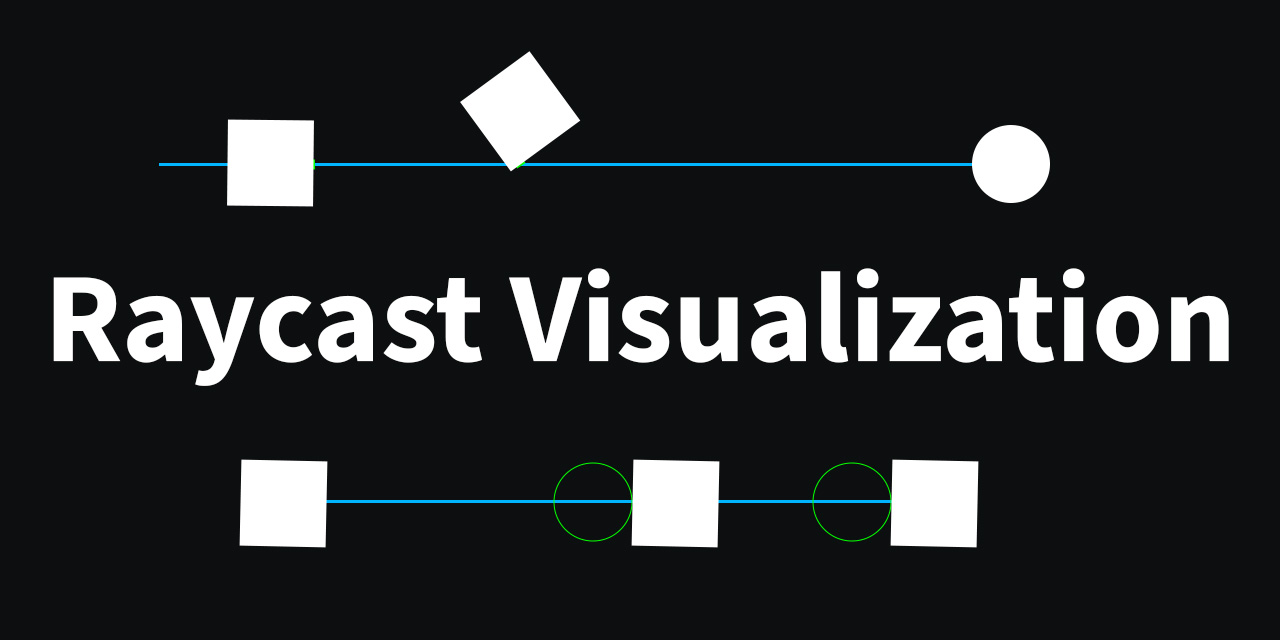
GitHub
This asset allows users to view raycasts as the user fires them. - GitHub - nomnomab/RaycastVisualization: This asset allows users to view raycasts as the user fires them.
grim marlin
Thx a lot
 leaden ice
ionic hawk
anyone knows why Im getting an error?
leaden ice
ionic hawk
anyone knows why Im getting an error?
read the error message
ionic hawk
Assets/Scripts/ratController.cs(116,46): error CS1644: Feature `out variable declaration' cannot be used because it is not part of the C# 6.0 language specification
leaden ice
ionic hawk
Assets/Scripts/ratController.cs(116,46): error CS1644: Feature `out variable dec...
it means you need to declare the variable on an earlier line
since your Unity version is too old to declare it there
ionic hawk
oh ok thanks
leaden ice
so like:
WhateverType hit;
NavMesh.SampleWhatever(..., out hit, ...);```and what do these mean?
 leaden ice
ionic hawk
and what do these mean?
leaden ice
ionic hawk
and what do these mean?
it means you can't use return ref xxx; or ref int x = ....;
ionic hawk
ok thanks 🙂
ionic hawk
@leaden ice (sorry for the ping) Do you know why I cant import PostProcessing even if I have it installed?
 leaden ice
ionic hawk
<@179367739574583296> (sorry for the ping) Do you know why I cant import PostPro...
leaden ice
ionic hawk
<@179367739574583296> (sorry for the ping) Do you know why I cant import PostPro...
is it an error only in VS or in Unity too
 leaden ice
ionic hawk
leaden ice
ionic hawk
you have this package installed? https://docs.unity3d.com/Packages/com.unity.postprocessing@3.2/manual/index.html
 leaden ice
Do you have an assemvbly definition file or something?
ionic hawk
I downloaded it from github and Im FINALLY left with just one error

Im only left with this
fallen lotus
leaden ice
```cs
int result = (8 - sliderValue) * 10;
mainMixer.SetFloat("Master", result);...
going back to this @leaden ice, what would be a similar equation that i could use if I wanted to plug in the decibel value and output the slider value?
leaden ice
idk man, think about it 😛
fallen lotus
my brain 😢
lucid valley
maybe two scripts called the same thing in the same namespace?
fallen lotus
int decibelValue = Mathf.FloorToInt(-(8 - sliderValue) * 10);
but if I wanted to plug in decibel value into a new equation I need to output the slidervalue
hmmm lol
 hexed pecan
ionic hawk
hexed pecan
ionic hawk
Yep looks like you have two scripts named ExampleWheelController
ionic hawk
ok thanks
regal marsh
if an object has multiple colliders can you specify which one you want to use in ontriggerenter
is it just making only one of them a trigger
leaden ice
regal marsh
if an object has multiple colliders can you specify which one you want to use in...
All colliders under a given Rigidbody will be grouped
you will get OnTRiggerEnter for any of them
if you want to only capture the event for a specific one, you'd need to put it on a separate child object and have the script that has OnTriggerEnter be on that object directly
regal marsh
ok that's what i was planning on i just wanted to make sure i wasn't making extra objects for no reason
thank you
 thick socket
Scriptable Object-I have a large enum but I only want to give the option to pick like 2 or 3 of these enums in the inspector, how could I do this?
ex) only the 2nd, 5th and 7th
 leaden ice
thick socket
ex) only the 2nd, 5th and 7th
leaden ice
thick socket
ex) only the 2nd, 5th and 7th
custom property drawer
thick socket
leaden ice
custom property drawer
is there an easy way to use that to make it like this?
all Im seeing adds like 30-50 lines of code extra
which seems insane
leaden ice
it's easy if you're accustomed to writing custom property drawers
thick socket
leaden ice
it's easy if you're accustomed to writing custom property drawers
yeah, never even looked into those before
leaden ice
thick socket
yeah, never even looked into those before
Yeah could do it with https://dbrizov.github.io/na-docs/attributes/drawer_attributes/dropdown.html
thick socket
leaden ice
Yeah could do it with https://dbrizov.github.io/na-docs/attributes/drawer_attrib...
awesome thanks, I had actually just found that also 🙂
have done very little with all this so forgot NaughtyAttributes was a thing lol
regal marsh
I have a working collider child now that only detects an object within the area but for some reason the world center of mass is constantly increasing which causes it to move up gradually. Freezing the y position seemed to work but the child started rolling away from the parent after a bit when colliding with the target object
So I don't think that freezing the y position really works because the world center of mass changes even if it is frozen
leaden ice
regal marsh
I have a working collider child now that only detects an object within the area ...
the world center of mass is constantly increasing
What do you mean by this? How are you measuring center of mass?
What are you actually trying to do here?
regal marsh
on the rigidbody
leaden ice
What does "detecting an object within the area" have to do with all this motion
regal marsh
the child trigger i was telling you about before
the navmesh agent doesn't move unless something enters the trigger
and it moves towards that agent
leaden ice
the center of mass will only change if you:
- change it yourself in code
- add or remove child colliders
regal marsh
leaden ice
the center of mass will only change if you:
- change it yourself in code
- add o...
i am talking about the center of mass of the child collider
it is changing constantly for some reason
leaden ice
regal marsh
i am talking about the center of mass of the child collider
colliders don't have centers of mass
only Rigidbodies do
regal marsh
the rigidbody of the child
leaden ice
I'm trying to figure out what you mean by center of mass here
why does the child have its own Rigidbody
regal marsh
because it has a separate collider from the parent
leaden ice
that's not how it works
you should only have one Rigidbody
on the parent
all the colliders under it are considered part of that body
including in child objects
regal marsh
oh okay
the object technically behaves the way it's supposed to now that i've removed it but the rigid body's values under "info" all freak out unless i freeze position and rotation
thick socket
how do I get a switch statement to autopopulate
public Items(string idTmp, MyItemType myItem, MyItemRarity rarityTmp)
    {
        switch (myItem)
        {


}```I just want to switch based on the different MyItemTypes
 carmine cloud
when something says Object(clone)(clone) what exactly does that mean? I mean I know the item is a clone of a clone but why does unity track that?
leaden ice
thick socket
how do I get a switch statement to autopopulate
In Rider like this

 simple egret
thick socket
I just want to switch based on the different MyItemTypes
simple egret
thick socket
I just want to switch based on the different MyItemTypes
VS will report a suggestion for you. Look for the 3 dots under the switch keyword, hover, lightbulb, "Populate switch"
leaden ice
carmine cloud
when something says `Object(clone)(clone)` what exactly does that mean? I mean I...
it means you cloned a clone. Whenever you call Instantiate it adds Clone to the name
Generally if you cloned a clone you're doing something wrong
thick socket
simple egret
VS will report a suggestion for you. Look for the 3 dots under the switch keywor...
thanks, its somehow working now
not sure what changed but it didn't work like 2s ago
simple egret
I think it does that if you use the snippet also, like switch [tab*2], type the variable name, [enter]
thick socket
switch (myItem)
        {
            case MyItemTypes.Armor:
                iType = ItemType.Armor;
                ePart = EquipmentPart.Armor;
                break;
            case MyItemTypes.Helmet:
                break;
            case MyItemTypes.Jewelry:
                break;
            case MyItemTypes.Weapon1H:
                break;
            case MyItemTypes.Weapon2H:
                break;
}```is there going to be a better way to doing this?
going to have to do the itype and epart for each line for the different types
carmine cloud
leaden ice
Generally if you cloned a clone you're doing something wrong
it happens when I split a stack of items in my inventory the base is always a "clone" since it's an instance of a scripted object so, no worries about it being wrong. I was mostly just wondering why unity would track that.
leaden ice
thick socket
```cs
switch (myItem)
{
case MyItemTypes.Armor:
...
Make an extension method/mapping elsewhere for MyItemTypes -> EquipmentPart and MyItemTypes -> ItemType
then you can skip the switch and do
 full scaffold
interface
leaden ice
iType = myItem.AsItemType();
ePart = myItem.AsEquipmentPart();```Hm not really. If you're more into switch expressions you could use that + tuple madness, like so:
(iType, ePart) = myItem switch
{
    MyItemTypes.Armor => (ItemType.Armor, EquipmentPart.Armor)
    // ...
};
Though why 3 enums that for me, say the same thing? Armor is armor
thick socket
yep
leaden ice
yeah seems like there's at the very least a redundancy betwen ItemType and MyItemTypes 😵💫
thick socket
working with someone elses asset code and it requires these 2 different things
could probably get down to 2 enums tho
simple egret
If the enum values are laid out the same, you can try a very cursed cast operation like iType = (ItemType)(int)myItem, though that will break if one of the enums is reordered
carmine cloud
thick socket
could probably get down to 2 enums tho
I'd consolidate to one on your end, instead of a whole new type just add an extra attribute so you know where to pass it when you interface with that persons asset code
thick socket
carmine cloud
I'd consolidate to one on your end, instead of a whole new type just add an extr...
like extend their enum somehow?
simple egret
leaden ice
```cs
iType = myItem.AsItemType();
ePart = myItem.AsEquipmentPart();```
Yeah using an extension method that allows this ^
 rough brook
I need my pain to be eased
 simple egret
Something on line 34 of the Projectile class is null
rough brook
the full script is commented out. how on earth does it have an error?
 rough brook
yes
simple egret
Make sure you saved. Select the script in your Assets, does it show the commented code there as well?
Also commenting out the whole class will break scripts attached to your game objects
leaden ice
rough brook
the full script is commented out. how on earth does it have an error?
if the script is commented out you've got problems because now there's a broken ass unlinked script on an object somewhere
thick socket
if some of this guys asset code wasn't dll
I would probably strip it to a minimum and rewrite it
its done so horribly rn lol
rough brook
leaden ice
if the script is commented out you've got problems because now there's a broken ...
well uncommented it
line 34 is still commented out and it still has an issue with it somehow
carmine cloud
that's not the issue, if you commented the script out and still got the error after saving, then it means an object in your game is linked to a different version of the script that isn't reflecting your changes
simple egret
Select the script in your Assets, does it show the commented code there as well?
carmine cloud
hence the "broken ass unlinked script" comment
rough brook
simple egret
> Select the script in your Assets, does it show the commented code there as wel...
yes
simple egret
Triple-check that you're modifying the right script
carmine cloud
I'd guess your spawning prefab projectiles and you probably have a prefab variant hanging around with a reference to the wrong script version but that's just a guess
rough brook
theres only 1 projectile script
rough brook
carmine cloud
I'd guess your spawning prefab projectiles and you probably have a prefab varian...
i pressed edit on the script of my prefab and it shows it commented out
theres only a bracket on line 34 i realise
 simple egret
Within Unity, move the script to another folder, and back. This will trigger a compiler pass, maybe that'll wake it up and fix it
simple egret
Copy the script contents to Notepad or something, then delete the script. Run the game, you should get a few warnings. If you still get the error, you're modifying the wrong script
carmine cloud
when calling OnTriggerEnter from a script then it has to be attached to an object that has a collider since it's saying the null reference error for the whole function - i.e. line 34 then it most likely means it can't find the collider object
simple egret
Nah the code was offset one line, PlayerHealth was null
rough brook
 carmine cloud
but! you still have an issue of broken script links if you triggered the error when the whole script was commented out
simple egret
Yeah, drag-drop the projectile script on the target object and get rid of any missing compoents
carmine cloud
simple egret
Nah the code was offset one line, `PlayerHealth` was null
huh, I see where its like that in his first screen shot
🤷♂️
simple egret
Never seen that happen in the past lol
Usually a recompilation fixes it, but here it fails
rough brook
il try disabling what uses the script
rough brook
simple egret
Yeah, drag-drop the projectile script on the target object and get rid of any mi...
target object?
simple egret
The Game Object that is meant to have the Projectile script attached
rough brook
simple egret
The Game Object that is meant to have the Projectile script attached
no difference
simple egret
Confirm the path of the script you're fiddling with right now, find it on your computer via your Explorer and post its path here
You can remove everything before /Assets/
rough brook
carmine cloud
when calling OnTriggerEnter from a script then it has to be attached to an objec...
collider is here

I need a variable for the collider maybe?
simple egret
You need a reference to that PlayerHealth variable. Uncomment it and drag-drop the script onto the Projectile inspector
It should appear right above that projectile speed field
rough brook
simple egret
You need a reference to that `PlayerHealth` variable. Uncomment it and drag-drop...
wont let me drop it into the box
simple egret
Well at least that means your script compiles and Unity has the latest version
rough brook
when open the downward thing is says assets none as if it wont accept anything
simple egret
You need to drag-drop the script from an object in the scene, if the Projectile script is on an object in the scene
rough brook
simple egret
You need to drag-drop the script from an object in the scene, if the Projectile ...
it wont accept anything whether its object or script
simple egret
Where are you dragging from?
Which object, is it in the scene? Is the Projectile script also in the scene?
rough brook
I have tried assets and I have tried my scene
 wispy mesa
does anyone know the path of this :

 simple egret
rough brook
I have tried assets and I have tried my scene
simple egret
rough brook
I have tried assets and I have tried my scene
Please answer the questions
rough brook
simple egret
Please answer the questions
you can put scripts in the scene?
its not in the scene
simple egret
wispy mesa
does anyone know the path of this :
On a variable of type GameObject, call SetActive(true / false) to enable, disable game objects
wispy mesa
ok thanks
rough brook
 simple egret
rough brook
its not in the scene
simple egret
rough brook
its not in the scene
You know what I mean, the script is on an object that is in the scene
rough brook
simple egret
You know what I mean, the script is on an object that is in the scene
yes
set it to inactive. nothing changed
simple egret
What, inactive?
wispy mesa
menu.SetActive() == false does this work for if statements?
rough brook
I ticked it off so nothing in it runs and it doesnt show
leaden ice
wispy mesa
`menu.SetActive() == false` does this work for if statements?
no... SetActive doesn't return anything
It sets something
wispy mesa
ye i see but is there any way i can see its state
leaden ice
wispy mesa
ye i see but is there any way i can see its state
of course
activeSelf or activeInHierarchy
simple egret
rough brook
I ticked it off so nothing in it runs and it doesnt show
Okay actually answer the questions.
The object you're dragging from: is it in the scene? Does it have a PlayerHealth script on it?
The object you're dragging to (that has the Projectile script): is it in the scene?
rough brook
simple egret
Okay actually answer the questions.
The object you're dragging *from*: is it in ...
I am genuinely trying but I dont understand at all. do you mean dragging to this?
 simple egret
Yes
rough brook
the player has a health script
 simple egret
Okay and the projectile script is on which object?
 simple egret
Ah there we go, answers to the question I asked 10 minutes ago
You cannot drag an object that is in a scene, to a script on a prefab
simple egret
You'll need to tell it which health script it is, fully from the code, when you Instantiate the projectile
Or when you collide, would be the better option, since the projectile will hit something
rough brook
I managed to drag the player prefab into the box
simple egret
Yeah but that won't work as when the player is instantiated in the scene it won't magically replace the one in your projectile script
OnTrigger/CollisionEnter you will get the other object your projectile collided with. From there you can try to get a Health script on the object, and deal damage
rough brook
If its showing the same error regardless of whether the script is commented out, arent I fucked even before changing any of that?
simple egret
Share the up-to-date error, and the up-to-date script
Also make sure the error is even recent, maybe it's one from 10 play sessions ago you didn't clear from the console
 simple egret
That would be an error from 3 minutes ago roughly, accounting for time zones
rough brook
wtf does it work?! it gives a red error for the script but works when I press play
simple egret
Clear the console and run the game, then post the error
rough brook
ty so much for your help. how to clear console?
simple egret
Button labeled "Clear" on its top-left corner
rough brook
Can you imagine how unbelievably dumb I feel at the moment? I was trying to fix an error that wasnt there. I just cleared the log and its gone.
simple egret
Now you'll know, errors include a time stamp for that reason
 tropic sleet
rough brook
Can you imagine how unbelievably dumb I feel at the moment? I was trying to fix ...
tropic sleet
rough brook
Can you imagine how unbelievably dumb I feel at the moment? I was trying to fix ...
There should be another button around there that lets you clear the console when you enter playmode, if you're not using that already. That way errors will only be relevant to your most recent session (or to the editor).
 plain haven
im having an issue where my bounce pad's bounce heights are inconsistent, one time theyll be shorter like i want it to be, and other times it will launch me into space
rough brook
tropic sleet
There should be another button around there that lets you clear the console when...
errors usually clear on their own
simple egret
If you have "Clear On Play" enabled then yeah they will clear when entering play mode
There's also the sometimes handy "Error pause" that will pause the game when an error pops up
simple egret
plain haven
im having an issue where my bounce pad's bounce heights are inconsistent, one ti...
You'll have to show some code, otherwise we can't help. Post the one that adds force to the player when a collision is registered (or however you're detecting that the player entered the bounce pad)
plain haven
//bounce check
        onBounce = Physics.Raycast(transform.position, Vector3.down, playerHeight * 0.5f + 0.2f, Bounce);
thats the code that checks if the player is standing on an object on the "Bounce layer"
        if (onBounce)
        {
            rb.velocity = new Vector3(rb.velocity.x, 0f, rb.velocity.z);

            rb.AddForce(transform.up * bounceForce, ForceMode.VelocityChange);

            canBounce = false;
        }
then thats the one that adds force to the player
    private void ResetBounce()
    {
        if (state != MovementState.air)
        {
            canBounce = true;
        }
    }
that resets the bounce
simple egret
plain haven
```cs
if (onBounce)
{
rb.velocity = new Vector3(rb.v...
Here you can combine the two rb. calls into one. It's never good to fiddle with both the velocity and the force application at the same time
rb.velocity = new Vector3(rb.velocity.x, bounceForce, rb.velocity.y);
See if that solves it first. Then you can try to orient the force relative to transform.up
plain haven
that seemed to fix the height, but now it seems to be pushing towards a direction in worldspace
wait nvm it didnt fix the heights
this is what i did
        if (onBounce && canBounce)
        {
            //rb.velocity = new Vector3(rb.velocity.x, 0f, rb.velocity.z);

            //rb.AddForce(transform.up * bounceForce, ForceMode.VelocityChange);

            rb.velocity = new Vector3(orientation.position.x, bounceForce, orientation.position.z);

            canBounce = false;
        }
Maybe it's applying other forces to it at the same time?
Like, movement forces
If you plan on using the rb.velocity, you should do it once. Beforehand construct a vector that will accumulate all the forces (movement, jump, etc.) and set the velocity once, at the end of the method
Else you can use AddForce, but use that everywhere. No mixed up velocity changes and AddForce calls for the same rigidbody, or else your force changes will conflict with themselves
plain haven
the rb.velocity was only used to reset the y velocity, i copied it from my jump code, where it works just fine in combination with an rb.addforce
 tawny elkBOT

Posting code
📃 Large Code Blocks
Large code blocks should be posted as links to services like:
https://gdl.space/, https://paste.ofcode.org/, https://hatebin.com/
https://paste.myst.rs/, https://hastebin.com/
📃 Inline Code
Surround code with three backquotes. Not quotation marks.
To get C# formatting the first line should only contain cs or csharp.
Add a comment with a line number if there is an error message.
```cs
// Your code here
```
Do not share screenshots of code unless requested.
plain haven
the jump class?
simple egret
Yeah, the one that has all the small snippets of code you posted earlier
plain haven
all my movement code is in one class that has the same name as the script
simple egret
Yeah, so that one
simple egret
Yep that's a fat movement script there, even has a state machine
Give me a moment
plain haven
ok
rough brook
less coding focussed but how do none of you go crazy coding? although my problem was very simple to solve it still took me a good amount of time and I could definetly feel stress over it
plain haven
rough brook
less coding focussed but how do none of you go crazy coding? although my problem...
we do
leaden ice
rough brook
less coding focussed but how do none of you go crazy coding? although my problem...
you learn and get better and problems become easier
carmine cloud
I'm stepping through several hundred lines of code if you don't think I'm crazy then you should re-evaluate your definition of crazy
simple egret
plain haven
ok
Okay so we're going to do it the easy way, that is turning off all features, and turning them back on one by one, until the issue appears again.
First candidate: speed limiter. Comment out line 166 and try again
leaden ice
carmine cloud
I'm stepping through several hundred lines of code if you don't think I'm crazy ...
all in a day's work as a software engineer
Debugging itself is a skill though
which you also get better at over time
carmine cloud
leaden ice
all in a day's work as a software engineer
oh I know I've been at this for 13? years now
I forget lol
rough brook
plain haven
we do
I think I understand why not a lot of people get into coding lol
leaden ice
It takes a certain kind of mind.
rough brook
I will have to build the right mindset for sure
plain haven
simple egret
Okay so we're going to do it the easy way, that is turning off all features, and...
doent seem to be the speed limiter
simple egret
Okay move the player right above the bounce pad in the scene view, and disable everything except the lines 148, 150-159
Even stuff in FixedUpdate, anything that could be adding force or touching the velocity. You can force canBounce to true so you can make consecutive jumps
(Offline for the night, someone else will take the lead)
pine spire
rough brook
less coding focussed but how do none of you go crazy coding? although my problem...
At the moment I do. Then I take a break from learning UE/C++ combo and have some fun with Unity 😂
 cobalt wraith
Heya! I'm trying to use lerp to rotate my camera into position, but I'm having issues, could someone take a min and try to help? ^^
This is the code that's causing the issue
_lookAt.eulerAngles = Vector3.Lerp(_lookAt.eulerAngles, new Vector3(0, 0, 0), 5f * Time.deltaTime);
My camera is attacked to an empty, which I rotate to rotate camera, but if I try to run that code above, but the x value is less than 0, the camera spins out
 sterile pelican
cobalt wraith
Heya! I'm trying to use lerp to rotate my camera into position, but I'm having i...
sterile pelican
cobalt wraith
Heya! I'm trying to use lerp to rotate my camera into position, but I'm having i...
Try smootdamp
 sterile pelican
😎
cobalt wraith
Better than Google 😎
 hexed oak
if it's not overloaded
cobalt wraith
True
 quartz folio
You should really just be using Cinemachine, which lets cameras be extremely flexible and driven with little to no code
cobalt wraith
Probably true, but it's working now:D
swift falcon
I got this script from github and it looks good to me, but when I try loading an array from a json file, it returns null

This is the json file

I am only testing so the data will be changed
How I use it in code, I have this in start function
 quartz folio
Did you serialize it using the ToJson method?
Because that doesn't look correct to me
quartz folio
You should serialize something and that'll make it pretty apparent what you've done wrong
swift falcon
ok, I will try that
it returns {}
I put an item in the array and I tried the ToJson, and it returned that
quartz folio
Is scenario [Serializable]?
swift falcon
yes
quartz folio
well that ain't right. The issue with your original Json is that nowhere do I see Items
swift falcon
So I need to replace "scenarios" with "items"?
 haughty fiber
Hey all! Need help with a bit of a math conundrum I'm dealing with.
For context: this is the script that performs a x-z movement system with slight momentum when starting and stopping movement.
tempMoveVelX/tempMoveVelZ = values that dictate the movement direction. -1 if in the -x/-z direction, 0 if not moving at all, and 1 if moving in the +x/+y direction
moveSpeedX/moveSpeedY = the current value of each direction's speed. Ranging between -maxSpeed and maxSpeed (determined elsewhere in the script)
All of this is then plugged into a simple characterController.move(...)
I did this with the help of another user, but now I'm running into the age-old issue of movement being faster in the diagonal direction than in a singular direction. I see WHY this is happening, but am having trouble coming up with a viable solution.
Anyone able to help me out?
 swift falcon
quartz folio
well that ain't right. The issue with your original Json is that nowhere do I se...
swift falcon
quartz folio
well that ain't right. The issue with your original Json is that nowhere do I se...
so how can i resolve the issue
?
quartz folio
swift falcon
So I need to replace "scenarios" with "items"?
capitalisation matters. So no, Items. But you should really be figuring out why it can't serialize, because that's a major issue, and you won't be able to debug the failure without having something valid to compare it to
leaden ice
haughty fiber
Hey all! Need help with a bit of a math conundrum I'm dealing with.
For context...
rather than normalizing your input vector you should use ClampMagnitude
haughty fiber
leaden ice
rather than normalizing your input vector you should use ClampMagnitude
I honestly didn't even know that function what was a thing. How do you suggest using it here?
swift falcon
quartz folio
capitalisation matters. So no, `Items`. But you should really be figuring out wh...
{"Items":[{"id":0,"text":"test","popupText":"text","conditions":"conditions"}]} I got that after using JsonHelper.ToJson
leaden ice
haughty fiber
I honestly didn't even know that function what was a thing. How do you suggest u...
Vector3.ClampMagnitude(myInputVector, 1)
quartz folio
swift falcon
{"Items":[{"id":0,"text":"test","popupText":"text","conditions":"conditions"}]} ...
Great, now you can see what structure you need.
swift falcon
quartz folio
Great, now you can see what structure you need.
Thanks for the help.
haughty fiber
leaden ice
Vector3.ClampMagnitude(myInputVector, 1)
If you're talking about using it for the first line in my screenshot, it still comes up with the same result when moving diagonally. That being changing (1, ..., 1) to (0.71, ..., 0.71)
leaden ice
yeah (.71, 0, .71) has the same magnitude as (1, 0, 0)
so the issue of moving faster diagonally should be solved @haughty fiber
haughty fiber
leaden ice
so the issue of moving faster diagonally should be solved <@234523929132269568>
In theory, you're right. The issue arises in the code below it. The magnitude of the finalMove vector at the very end when moving in one direction seems to fluctuate between 0.15-0.17 (lower number is due to multiplying by deltaTime). But when you move diagonally, it seems to average between 0.25-0.30. The issue comes from the last 3 lines
 leaden ice
haughty fiber
In theory, you're right. The issue arises in the code below it. The magnitude of...
leaden ice
haughty fiber
In theory, you're right. The issue arises in the code below it. The magnitude of...
It shouldn't... the thing that could happen is if moveSpeedZ and moveSpeedX are different then you'd get a different speed going on x than on z
and in the middle it should be... about the middle of those two
 dusk apex
haughty fiber
Hey all! Need help with a bit of a math conundrum I'm dealing with.
For context...
dusk apex
haughty fiber
Hey all! Need help with a bit of a math conundrum I'm dealing with.
For context...
You've normalized the vector to get the direction that's uniformed but have modified it's x and y components - separately. This will make the resulting Vector have variable speeds rather than consistent. Instead you ought to just have a final movement speed and multiple the Vector by the scalar to get uniform movement in x and y - circular/spherical fixed distance.
haughty fiber
leaden ice
It shouldn't... the thing that could happen is if moveSpeedZ and moveSpeedX are ...
moveSpeedX/Z are, at least from what I've made, going to be different a lot of time. I tried to make it that way so there would be a slight amount of movement momentum when stopping or changing direction. I did it with X and Z separately so that, for example, if you were moving diagonally and switched to moving only in the x-direction, you would keep going a very slight amount still in the z direction instead of instantly snapping
dusk apex
If the two values are the same, x and z scalars, you'll get squared or cubic movement at best.
haughty fiber
dusk apex
You've normalized the vector to get the direction that's uniformed but have modi...
That's what I had before I tried to implement the above-mentioned movement momentum. Probably gonna have to work on a way to mix the two
leaden ice
haughty fiber
moveSpeedX/Z are, at least from what I've made, going to be different a lot of t...
I don't see what that has to do with having separate x/z speeds
If you want momentum that happens at a completely different place. This is just establishing an input vector
haughty fiber
leaden ice
I don't see what that has to do with having separate x/z speeds
Let's take moveSpeedX for example. When you aren't moving, it's 0. As you move in say the +x direction, it will rise steadily up to the max speed value. And when you stop, it will steadily lower back down to 0
leaden ice
haughty fiber
Let's take moveSpeedX for example. When you aren't moving, it's 0. As you move i...
I think you're mixing metaphors here
haughty fiber
Think I might be
leaden ice
I'm expecting moveSpeedX to just be some overall input speed multiplier than doesn't change.
You're talking about the actual current movement speed of your character
that would not be handled at this layer
this is what I normally would expect for building an input vector:
Vector3 input = new Vector3(rawInput.x, 0, rawInput.y);
input = Vector3.ClampMagnitude(input, 1);
input *= myObject.rotation * input;```only then would you take that input vector and do something like:
myRb.AddForce(input * speed);```Okay I see what you're saying. And then take the resulting input vector and multiply THAT by the speed?
Okay that makes a lot of sense
leaden ice
or:
myRb.velocity = Vector3.MoveTowards(myRb.velocity, input * speed, Time.deltaTime * acceleration);```but yeah the current speed of your character should not be fed into the input calculation
haughty fiber
I get what you're saying. Thanks for helping out!
If I could ask though, just as a piece of advice, how else would you suggest implementing movement momentum, or whatever you would call the player not immediately stopping/starting
leaden ice
Both of the little examples I just gave will give you movement with momentum
basically just ... don't instantly set your new velocity to whatever is dictaed by the input
move to it over time
leaden ice
leaden ice
or:
```cs
myRb.velocity = Vector3.MoveTowards(myRb.velocity, input * speed, Time...
such as like this
If you're not using a Rigidbody, you will have to track current velocity yourself if you want momentum
haughty fiber
That's kind of what I'm already doing though. MoveSpeedX/Z aren't determined by the script I sent you. They're determined elsewhere and used here
leaden ice
yeah that's the issue though, you're using the current speed in the input calculation
that's backwards
the input should be influencing the current speed. The current speed should not be influencing the input
haughty fiber
leaden ice
```cs
myRb.AddForce(input * speed);```
And it wouldn't work if, instead of multiplying speed here, I instead scaled the input vector by one containing (moveSpeedX, 0.0f, moveSpeedZ)?
leaden ice
no that's just weird
my speed is a "desired speed" kind of thing. Your fields are "current speed"
right?
haughty fiber
Because although X and Z will be different in concept, at full speed (which is reached in <1 second), they will become the same
Essentially yeah
leaden ice
I don't see why you would multiply the current speed into that, no
it doesn't make a whole lot of sense
it would be like... if your speedometer controlled your gas pedal in your car
haughty fiber
That's true. I guess I'll work on it for a little bit and see if I can find a better solution
 rich leaf
Hey I have a question regarding ray casting. I am Storting the ray cast hit information in a variable called “hit”. I want it set up such that if the ray cast hits a certain type of game object, it checks to see if a public Boolean value in a script attached to said object is true or false.
When I do hit.transform.gameobject.getcomponent<script>().boolean, I am getting an object reference error at runtime
leaden ice
rich leaf
When I do hit.transform.gameobject.getcomponent<script>().boolean, I am getting ...
Shouldn't crosspost
 fervent scarab
hey having some trouble on my unity lesson im new but im in 2.4 section go my scripts working but cant get the spawn animal part to work it suppose to spawn a animal every few second but they all spawn in like crazy need help please still learn
leaden ice
fervent scarab
hey having some trouble on my unity lesson im new but im in 2.4 section go my sc...
you shouldn't crosspost either
fervent scarab
sorry wasent sure wich one was the right one kinda new to using disocd wont happen again
 coral hornet
this might be a bit hard to explain, but how can i generate new geometry on a mesh and cause a sort of natural flowing indent at a certain point? In my game i want certain organic substances (giant mushrooms blocking a path, trees, moss, ect) to be able to be shot and destroyed, i dont really need physics or anything, but i do need a way to make dents and eventually decimate the entirety of a meshes geometry, and im wondering the best way to go about it
ill make a quick diagram of what im trying to achieve

i want to make a simple dent in the geometry by forming and moving new geometry to sell the idea of destruction
and continually decimating the geometry to the point where it can eventually have no verts left remaining and be completely destroyed
im wondering what the best way to go about this is, as it sounds rather complex
 odd zenith
hey how can i make a hashtable that is editable in unity properties window (public table). Or should i use a diff type of array? I want to make a list of prices, and they key needs to be a string name of an item. example of what the list would look like:
trash = 10
glass= 25
goo = 1000
you could use a array of a custom struct that then is moved to your hashtable on start
odd zenith
why would i need a custom struct and is there a simpler way to do it?
i want to b able to set key name and value in the unity editor
like in properties window
proper oyster
odd zenith
i want to b able to set key name and value in the unity editor
the inspector will not serialize / show the hashtable
unless you build a custom editor for it to display / handle it
somber nacelle
odd zenith
i want to b able to set key name and value in the unity editor
unity cannot serialize dictionaries (or their non-generic equivalent Hashtable). you could get around that with the advice malzbier suggested, find a custom inspector/serializer than can, or use one of the several serializable dictionary assets
proper oyster
its a cool thing to learn
if its only the utility of having it
i would probably go the work around unless i find something pre made
dusk apex
odd zenith
why would i need a custom struct and is there a simpler way to do it?
No, there isn't a simpler way to do what you're wanting without 3rd party inspector/serializers.
odd zenith
so j make prices table in script then prob
 boreal bone
coral hornet
boreal bone
coral hornet
I don't know much about procedural generation but maybe marching cubes is something you could look into?
It makes it super easy to destroy/create geometry
and the mesh doesn't have to be entirely made of marching cubes, it could be that the marching cube mesh only occludes the plants and other stuff that you're doing with some shader magic
coral hornet
neat idea, ill look into it, thanks
boreal bone
Also I found this @coral hornet https://80.lv/articles/a-gun-that-melts-rocks-in-unity/

This awesome gun would a nice addition to any shooter's gameplay.
Somehow they used a combination of Shader Graph and VFX graph
so you could look into some advanced VFX graph use cases
coral hornet
ugh.. i hate the unity graphs.. id much rather program a shader for that, if possible
boreal bone
Well VFX graph doesn't really have an alternative
coral hornet
boreal bone
Well VFX graph doesn't really have an alternative
is VFX graph just for the lava and fire and whatnot?
coral hornet
also, this part is important, i dont believe i can use shaders for this because i need it to physically alter the geometry and by extension the collision
coral hornet
i can do most of the things without something like this, for example, i dont need procedural destruction to have the player shoot vines off a doorway or smth
coral hornet
but i do need it for things like shooting chunks off a giant mushroom to get past
boreal bone
coral hornet
but i do need it for things like shooting chunks off a giant mushroom to get pas...
but it can be faked with shaders though
like the geometry itself doesn't necessarily need to be destroyed I'd imagine
coral hornet
boreal bone
like the geometry itself doesn't necessarily need to be destroyed I'd imagine
for collision id assume so, shaders are so isolated that i doubt you could alter collision with a shader
coral hornet
why exactly
boreal bone
to handle all of that
 eager aspen
So say im driving a 2d top down car using Add force to move it in its Up (forward direction) using AI to a waypoint, how would i check if the waypoint is more to its left or right relative to its location?
coral hornet
boreal bone
to handle all of that
is there a way to make a custom 3d collider? perhaps i could just significantly reduce the detail of the collider with an algorithm?
coral hornet
eager aspen
So say im driving a 2d top down car using Add force to move it in its Up (forwar...
id assume you would use the dot product
boreal bone
eager aspen
So say im driving a 2d top down car using Add force to move it in its Up (forwar...
You could get the Vector3.Angle between the direction towards the waypoint (waypoint.position - player.position) and the player's normal
boreal bone
coral hornet
is there a way to make a custom 3d collider? perhaps i could just significantly ...
You could do that
coral hornet
eager aspen
So say im driving a 2d top down car using Add force to move it in its Up (forwar...
if you have the cars forward vector, and the vector pointing from the car to the waypoint, you could get the dot product of those angles and use that as a comparison
coral hornet
boreal bone
You could do that
im probably just gunna limit the shootable elements to fairly rigid gameplay
eager aspen
coral hornet
if you have the cars forward vector, and the vector pointing from the car to the...
how would i interpret this? i haven't used dot products a whole lot
coral hornet
like shooting a tree wont make the tree fall from the exact point you shot it at, just make it fall from a set point in your direction
coral hornet
eager aspen
how would i interpret this? i haven't used dot products a whole lot
so basically
lets say you have a vector (0,1)
and a vector (1,0)
so one pointing straight up and one to the side
the dot product will return 0
if you have (0,1) and (0,-1)
it will return -1
i probably could explain it better visually
boreal bone
coral hornet
when you compare the black vector to itself, you get 1, they are the exact same, when you compare it to the blue one, you get 0, its a 90 degree angle, when you compare it to the red one, you get -1, they are complete opposites

if the car is facing forward, and the point is to the exact right of it, just get the vector pointing towards it and if it returns close to or exactly 0, then it is to the right or left of the car
boreal bone
both vectors need to be normalized, might I add
coral hornet
yeah, always assume its a normalized vector in vector math, unless the distance is actually taken into account in the equation
eager aspen
so if it gives me 1, the waypoint is directly ahead
coral hornet
yes
eager aspen
but how would i know which it is between left and right
coral hornet
if it gives -1, it is directly behind
coral hornet
eager aspen
but how would i know which it is between left and right
use the dot product and compare the vector pointing left from the car
if its 1, it is directly left
if its -1, it is directly right
coral hornet
boreal bone
if it's -1 then it's behind
if the vector is forward, yes, right?
eager aspen
thank you i would have been circling this for forever
coral hornet
i was talking about if the vector is coming out of the left side of the car
if its -1 itd be right, right?
because the vector pointing left compared to the vector pointing to the waypoint is -1, meaning it is opposite directions, thus pointing right, yes?
boreal bone
that still doesn't make sense to me lmao
coral hornet
ok so
 coral hornet
when you compare the black vector to itself, you get 1, they are the exact same,...
coral hornet
coral hornet
when you compare the black vector to itself, you get 1, they are the exact same,...
assume that the black arrow is pointing out of the left side of the car
boreal bone

to the right
A dot B is also zero
assuming that the red is the forward
and the blue is the direction to the waypoint
coral hornet
boreal bone
assuming that the red is the forward
im talking about if the red is left
boreal bone
left compared to what?
coral hornet
because he wants to know if his waypoint is to the left or right of the car
boreal bone
right
coral hornet
boreal bone
left compared to what?
ok look

red arrow is left compared to the car
it is pointing out of the left side of the car
blue is pointing towards the waypoint, assuming the waypoint is to the right of the car
the dot product is -1, yes?
and if it is 1, it is left of the car, yes?
boreal bone
okay yeah that makes sense
coral hornet
👍
boreal bone
Wouldn't it be easier to calculate the Vector3.Angle(forwardDirection, waypointDirection)
coral hornet
boreal bone
Wouldn't it be easier to calculate the `Vector3.Angle(forwardDirection, waypoint...
ive never used vector3.angle
boreal bone
It does exactly what you think it does
eager aspen
just wanted to share got this implemented and it worked perfectly
coral hornet
the dot product was the first thing that came to my head
coral hornet
boreal bone
It does exactly what you think it does
angle between vectors?
boreal bone
yep
eager aspen
eager aspen
just wanted to share got this implemented and it worked perfectly
var dot = Vector2.Dot(-transform.right, (player.position - transform.position).normalized);
if (dot > .2f)
{
_Rigidbody.AddTorque(turnSpeed);
}
else
{
if (dot < -.2f)
{
_Rigidbody.AddTorque(-turnSpeed);
}
}
coral hornet
well i guess you could use either
coral hornet
eager aspen
var dot = Vector2.Dot(-transform.right, (player.position - transform.position).n...
very nice
i suppose the real difference between angle and dot is that dot gets the absolute angle (no negatives) as a float of sorts
boreal bone
and it's always between -1 and 1
coral hornet
of course if we were talking actual angle in float itd be 0,0.5,and 1
1 bieng 180 degrees, 0 bieng 0 degrees
devided by 180
absolute angle
coral hornet
boreal bone
and it's always between -1 and 1
yeah
boreal bone
right