#archived-code-general
1 messages · Page 7 of 1
 lyric moon
im reading it on LateUpdate but its returning the animated position
despite clearly being in the changed position visually
the first value is being changed on lateupdate
the second value should be the same, and is also being read on lateupdate by a seperate script
whats goin on here?????

hi chatgpt
yeah this does not help
i cant use update. i have to use lateupdate, because i am overriding an animated bone
its just whenever i ask to return the position its returning the animated position, even on late update
 pastel fiber
then use the same script but with late update late update is the same has update but is called right after it
 swift falcon
just wondering what does virtual void mean
 vagrant blade
Please don't answer questions with AI generated code. It's against the rules here.
 leaden ice
swift falcon
just wondering what does virtual void mean
leaden ice
swift falcon
just wondering what does virtual void mean
void means the method does not return anything
virtual means subclasses are allowed to override the method
swift falcon
k thanks
lyric moon
vagrant blade
Please don't answer questions with AI generated code. It's against the rules her...
I WAS RIGHT
lyric moon
lyric moon
hi chatgpt
i guessed it was ai lol
vagrant blade
It's not hard to spot it. The phrasing is always the same, and it writes comments on every line.
 tidal shadow
Something im a little curious about
Ive seen people say use CompareTag instead of == and i saw the unity bot message saying to use Mathf.Approximately instead of == when comparing floats
But why? What makes them so much better? Im guessing some performance? But what kind of performance would that even be?
vagrant blade
tidal shadow
Something im a little curious about
Ive seen people say use CompareTag instead o...
Unity is the ultimate game development platform. Use Unity to build high-quality 3D and 2D games, deploy them across mobile, desktop, VR/AR, consoles or the Web, and connect with loyal and enthusiastic players and customers.
As for approximately, that's because you can't do == comparisons on floats, they'll never be the same (but very close). So Mathf.Approximately will check if the distance between those two floats are less than a small value.
tidal shadow
vagrant blade
https://answers.unity.com/questions/200820/is-comparetag-better-than-gameobjectt...
As i understand it, it only matters if you have a lot of them running in a short period of time
 spiral sedge
Hello guys! I'm having problems doing the build for IOS in XCode. Can someone help me?
 vagrant blade
tidal shadow
As i understand it, it only matters if you have a lot of them running in a short...
vagrant blade
tidal shadow
As i understand it, it only matters if you have a lot of them running in a short...
Most things really only matter if you're doing a lot of something. But it's also one of those things where you may as well use it. It requires no additional effort.
tidal shadow
Well, writing the method takes longer than ==
 quartz vessel
What is clean software architecture? and how can we use it in game development?
leaden ice
typing speed is basically never the bottleneck for writing code
tidal shadow
gameObject.CompareTag is longer than gameObject.tag ==
And if there isnt a lot of them in a short period of time, it doesnt really save time to use the method
leaden ice
yes, it is more characters. Sometimes the better thing is a little longer
actively choosing to create garbage is kinda silly
tidal shadow
I would call it preference
I like the looks of == more
Lol
CompareTag just feels overly fancy or smt lol
vagrant blade
Use whichever you want.🤷♂️
tidal shadow
Of course
spiral sedge
Error building for IOS on Xcode
 quartz folio
tidal shadow
CompareTag just feels overly fancy or smt lol
quartz folio
tidal shadow
CompareTag just feels overly fancy or smt lol
It also provides warnings if there is no valid tag
tidal shadow
well, if there isnt a valid tag
if i dont remember wrong, you just get an error on that line
quartz folio
There is no warning with equality
 tawny jewel
could someone give me a tip how can i save and show highscore on the main menu?
tidal shadow
quartz folio
There is no warning with equality
yeah that was just my brain refusing to work lmao
 past prism
guys hi im new i need to talk with someone good pls 😦
 desert shard
past prism
guys hi im new i need to talk with someone good pls 😦
desert shard
past prism
guys hi im new i need to talk with someone good pls 😦
just ask your question. #💻┃code-beginner
 proper oyster
tawny jewel
could someone give me a tip how can i save and show highscore on the main menu?
proper oyster
tawny jewel
could someone give me a tip how can i save and show highscore on the main menu?
you could write the highscore list to via JSON to disk and read it back in the main menu to display it
 lone cape
Question: I'm trying to place and tween an object to a certain rotation, let's say 0,0,0. The object has a script that makes it rotate slightly when being moved. Now when I place the object the rotation script stops and it successfully tweens to 0,0,0.
My issue is that the object does a 360 degree spin to get to the vector rotation if it's current rotation is slightly positive or negative (I can't remember which one). I know there is a solution to do with math, where it will rotate it to the closest 360, but I'm not entirely sure how.
 marble badger
@lone cape how did you implement the tween?
lone cape
Static void that takes in the object and end rotation then uses.
LeanTween.rotate(gamobject, EndRotation, Duration)
marble badger
ah. ok, I have no idea how LeanTween implements that 🙂
tidal shadow
tawny jewel
could someone give me a tip how can i save and show highscore on the main menu?
store the values in static variables, access them in the main menu
marble badger
the best solution here is usually to use a quaternion slerp, but it sounds like the method you're using may be doing a lerp of the euler angles.
lone cape
I think so, it takes in a vector for the end rotation so I'm assuming it's using Euler angles
Is there anyway to like normalize it or something to make it rotate to the closest 360 angle?
 past pier
Hey Guys. I'm wrapping a world grid funcationality up. Which begs the question - would you happen to know of a shader (or of a way I could procedurally modify an existing shader - I'm writing a mod, the more I can do in pure code the better) that always remains unapologetically white despite lightning conditions (so also in the middle of the night), but itself doesn't emit white light on surrounding objects?
marble badger
@lone cape There's probably going to be some way of doing it using modulo (the % operator) and adding/removing 360.0f to the values
 main shuttle
past pier
Hey Guys. I'm wrapping a world grid funcationality up. Which begs the question -...
main shuttle
past pier
Hey Guys. I'm wrapping a world grid funcationality up. Which begs the question -...
Why doesn't the default Unlit Color shader suffice? Also, probably a #archived-shaders question.
tidal shadow
marble badger
<@184372498148622346> There's probably going to be some way of doing it using mo...
pretty sure angle%360f would do the job
but maybe not
marble badger
yeah I think it's not that easy
 leaden solstice
Not for negative values
marble badger
it's probably better to just use the right interpolation method in the first place
leaden solstice
https://github.com/cathei/RotationMath/blob/main/Packages/com.cathei.rotationmath/Runtime/RotationMath.cs#L18
This is for -180 to 180
For 360 Mathf.Repeat should work
 echo steeple
i have a problem: Assets\Scripts\UpagradesManager.cs(150,20): error CS0266: Cannot implicitly convert type 'BreakInfinity.BigDouble' to 'int'. An explicit conversion exists (are you missing a cast?)
this is the line:
tidal shadow
u need to provide more code than just 1 line
context is necessary
main shuttle
echo steeple
https://gdl.space/pojalaxeze.css
So the method probably said it returns an int, but you return a BigDouble
echo steeple
tidal shadow
u need to provide more code than just 1 line
context is necessary
sorry of course
what do you need
tidal shadow
code related to it
marble badger
as the error message says, you are probably missing a cast
 thick socket
using System;
using System.Collections.Generic;
using UnityEngine;
using UnityEngine.UIElements;

[CreateAssetMenu(menuName = "Offer Icon Trees")]
public class OfferIconTrees : ScriptableObject
{
    //public Dictionary<IconTypes, VisualTreeAsset> offerIconDict;
    public List<OfferIconTree> offerIconList { get; private set; }


}

[Serializable]
public class OfferIconTree
{
    public string name { get; private set; }
    public VisualTreeAsset tree { get; private set; }
}
What am I doing wrong? I can't add Serialized things (tried with dictionary and with this type of list)
 marble badger
Dictionary isn't serializable, so it's expected that wouldn't work.
thick socket
figured
marble badger
but the problem you have here is that you're using a property, not a field
thick socket
but the other class I just made should be right?
marble badger
properties aren't serializable (because they're not really storage, they're just a pair of get/set functions). To make it serializable you need an actual field, e.g. public List<OfferIconTree> _offerIconList;
thick socket
ah, I just had to remove getter/setter thanks!
main shuttle
echo steeple
https://gdl.space/raleligupo.cs
Yeah it was like I said, you say you will return an int, but you return a BigDouble
Either say you return a BigDouble, or cast to an int.
echo steeple
main shuttle
Yeah it was like I said, you say you will return an `int`, but you return a `Big...
i will try that
it works, for now
thanks
 north swift
Hey is there any mode for Rigidbody2D that will prevents any external force from acting on it, however I still want it to detect collisions. Im not sure if Im making sense, but I can elaborate more. Thanks
main shuttle
north swift
Hey is there any mode for Rigidbody2D that will prevents any external force from...
Yeah, the Kinematic option is exactly for that. (at least that's true for 3d)
Body Type
Set the RigidBody 2D’s component settings, so that you can manipulate movement (position and rotation) behavior and Collider 2D interaction.
Options are: Dynamic, Kinematic, Static
https://docs.unity3d.com/Manual/class-Rigidbody2D.html
A Kinematic Rigidbody 2D is designed to move under simulation, but only under very explicit user control. While a Dynamic Rigidbody 2D is affected by gravity and forces, a Kinematic Rigidbody 2D isn’t. For this reason, it is fast and has a lower demand on system resources than a Dynamic Rigidbody 2D. Kinematic Rigidbody 2D is designed to be repositioned explicitly via Rigidbody2D.MovePosition or Rigidbody2D.MoveRotation. Use physics queries to detect collisions, and scripts to decide where and how the Rigidbody 2D should move.
north swift
main shuttle
Yeah, the Kinematic option is exactly for that. (at least that's true for 3d)
> ...
Looks promising thanks!
 gray fjord
I downloaded Newtonsoft and I have these things. Should I copy and paste all of these in Assets/Plugins? My project doesn't have Plugins folder so creating by myself? Also I copied the Build Doc and Src inside the Assets/Plugins. My VS Code is detecting Newtonsoft.Json namespace but errors are being shown in Unity console that it couldn't recognize Newtonsoft. Also sorry if this is not related to coding but I couldn't find channel to ask questions like this
 leaden ice
gray fjord
I downloaded Newtonsoft and I have these things. Should I copy and paste all of ...
leaden ice
gray fjord
I downloaded Newtonsoft and I have these things. Should I copy and paste all of ...
No you should install it as per the instructions here https://github.com/jilleJr/Newtonsoft.Json-for-Unity/wiki/Install-official-via-UPM#installing-the-package-via-upm-window
no need to manually download and copy files etc
 vague tundra
Can methods in scripts still be called that exist on inactive GameObjects?
gray fjord
leaden ice
no need to manually download and copy files etc
ohh ohh ok, thanks 👍
leaden ice
vague tundra
Can methods in scripts still be called that exist on inactive GameObjects?
yes, everything in C# works as normally.
vague tundra
Thank you legend
leaden ice
Only the unity engine cares about the thing being active or not
vague tundra
Oh interesting, cheers
tawny jewel
so i have this script inside assets>scriptablebojects and im pretty sure there is supposed to be a new create option under assets for scriptable object, but there isnt any? can anyone point out what i did wrong?
using UnityEngine;
[CreateAssetMenu(fileName = "highScore", menuName = "Persistence")]
public class highScore : ScriptableObject
{
public bool isNextScene = true;
}
leaden ice
tawny jewel
so i have this script inside assets>scriptablebojects and im pretty sure there i...
do you have any compile errors
tawny jewel
nope
leaden ice
then it should show up
tawny jewel
okay apparently i had to restart unity
 knotty sun
tawny jewel
nope
knotty sun
tawny jewel
nope
screenshot your asset->Create menu
tawny jewel
it works now i guess something bugged out
 polar marten
tawny jewel
so i have this script inside assets>scriptablebojects and im pretty sure there i...
polar marten
tawny jewel
so i have this script inside assets>scriptablebojects and im pretty sure there i...
don't save things inside scriptable objects
don't use them for this
tawny jewel
why?
im trying to make my high score appear on main menu screen, will that not work?
polar marten
tawny jewel
im trying to make my high score appear on main menu screen, will that not work?
use a variable.
 low ledge
tawny jewel
im trying to make my high score appear on main menu screen, will that not work?
low ledge
tawny jewel
im trying to make my high score appear on main menu screen, will that not work?
It will work while in the editor, but probably not in the built game
leaden ice
definitely* not in a build
low ledge
I'm trying to load a new scene that needs just a bit of information from one gameobject in the previous scene right when it starts
The current solution is to have the gameobject DontDestroyOnLoad (and then immediately destroyed / setactive(false) in the new scene)
I feel a bit dirty, am I missing some obvious solution?
leaden ice
low ledge
I'm trying to load a new scene that needs just a bit of information from one gam...
It's pretty standard practice to have a long-lived DDOL object that stores overall game state. You can use something like htat
something like a GameDataManager
north swift
RaycastHit2D hit = Physics2D.Boxcast(...);
when checking hit.distance it always returns 0. My guess is that boxcast doesnt return a distance from origin to the hit point. How could I get the distance manually? I would prefer not to do another raycast though. Thanks!
leaden ice
north swift
RaycastHit2D hit = Physics2D.Boxcast(...);
when checking hit.**distance** it alw...
it distance is 0 it means one of two things:
- the boxcast didn't hit anything
- the boxcast started inside the object it hit
you will want to first make sure it actually hit something before drawing any conclusions
north swift
Im sure that it hit something
leaden ice
then it's the second one
north swift
alr let me check if thats true, one sec
polar marten
tawny jewel
im trying to make my high score appear on main menu screen, will that not work?
start with tutorials. i like ray wenderlich's
their whole game tutorials are written and good
 arctic sandal
im trying to make a combo attack using an animation based combat system, and i have no idea how :P basically im trying to have the player preform the combo attack animation after they press again the button
any help is appreciated!
https://gdl.space/
 dusk apex
arctic sandal
im trying to make a combo attack using an animation based combat system, and i h...
dusk apex
arctic sandal
im trying to make a combo attack using an animation based combat system, and i h...
Google Unity animation based combat and see what is already available online - research.
north swift
leaden ice
it distance is 0 it means one of two things:
- the boxcast didn't hit anything
-...
alr the boxcast distance was set to 0. Thanks for your help
 tight isle
What would be a good way to check if a Vector3 point is under or above an object, counting in the rotation of the object?
leaden ice
tight isle
What would be a good way to check if a Vector3 point is under or above an object...
Vector3 localPos = theObject.transform.InverseTransformPoint(thePoint);
if (localPos.y > 0) // it's above
else if (localPos.y < 0) // it's below
else // it's exactly equal```I have done research, but ill try again
 zinc parrot
Is there a good way to access mesh vertices, UVs, indices, etc. on a mesh thats not read/write enabled?
on cpu
leaden ice
zinc parrot
Is there a good way to access mesh vertices, UVs, indices, etc. on a mesh thats ...
if it's not read/write enabled the data only exists in GPU memory
so no
zinc parrot
hell ok
so then is there a way to read the GPU memory back into CPU? maybe using the vertex buffers or someting?
 late lion
zinc parrot
hell ok
so then is there a way to read the GPU memory back into CPU? maybe using...
late lion
zinc parrot
hell ok
so then is there a way to read the GPU memory back into CPU? maybe using...
Yes, you can get the GraphicsBuffer of a mesh through Mesh.GetVertexBuffer and then call GetData on that.
zinc parrot
oooo ok thanks
is there a way to force readwrite on an already created mesh? I have a scene with CombinedMeshes that dont exist as individual assets
 mighty wing
I have a StateMachine that is supposed to make it move left and right when pressing A or D, but it is not doing that.
This is the code:
using System.Collections;
using System.Collections.Generic;
using UnityEngine;

public class Moving : BaseState
{
    private MovementSM sm;
    private float horizontalInput;

    public Moving(MovementSM stateMachine) : base("Moving", stateMachine) {
        sm = (MovementSM)stateMachine;
    }

    public override void Enter()
    {
        base.Enter();
        horizontalInput = 0f;
    }

    public override void UpdateLogic()
    {
        base.UpdateLogic();
        horizontalInput = Input.GetAxis("Horizontal");
        if (Mathf.Abs(horizontalInput) < Mathf.Epsilon)
            stateMachine.ChangeState(sm.idleState);
    }

    public override void UpdatePhysics()
    {
        base.UpdatePhysics();
        Vector3 vel = sm.GetComponent<Rigidbody>().velocity;
        vel.x = horizontalInput * sm.speed;
        sm.GetComponent<Rigidbody>().velocity = vel;
    }
}
 full scaffold
mighty wing
I have a StateMachine that is supposed to make it move left and right when press...
full scaffold
mighty wing
I have a StateMachine that is supposed to make it move left and right when press...
What is sm
mighty wing
using System.Collections;
using System.Collections.Generic;
using UnityEngine;

public class MovementSM : StateMachine
{
    [HideInInspector]
    public Idle idleState;
    [HideInInspector]
    public Moving movingState;

    public Rigidbody rb;

    public float speed = 4f;

    private void Awake()
    {
        idleState = new Idle(this);
        movingState = new Moving(this);
    }
    protected override BaseState GetInitialState()
    {
        return idleState;
    }
}
BaseState?
mighty wing
using System.Collections;
using System.Collections.Generic;
using Unity.VisualScripting;
using UnityEngine;

public class BaseState
{
    public string name;
    protected StateMachine stateMachine;

    public BaseState(string name, StateMachine statemMachine)
    {
        this.name = name;
        this.stateMachine = statemMachine;
    }

    public virtual void Enter() { }
    public virtual void UpdateLogic() { }
    public virtual void UpdatePhysics() { }
    public virtual void Exit() { }
}```When are you calling updatephysics and such
mighty wing
using System.Collections;
using System.Collections.Generic;
using Unity.Services.Core;
using UnityEngine;

public class StateMachine : MonoBehaviour
{
    BaseState currentState;
    void Start()
    {
        currentState = GetInitialState();
    }

    // Update is called once per frame
    void Update()
    {
        if (currentState != null)
        {
            currentState.UpdateLogic();
            if (currentState != null)
                currentState.Enter();
        }
    }
    void LateUpdate()
    {
        if (currentState != null)
        {
            currentState.UpdatePhysics();
        }
    }
    public void ChangeState(BaseState newState)
    {
        currentState.Exit();

        currentState = newState;
        currentState.Enter();
    }

    protected virtual BaseState GetInitialState()
    {
        return null;
    }
}
 simple egret
You're telling it to Enter the current state each frame, shouldn't you be only Updating it?
mighty wing
Yes I found the problem... cs if (currentState != null) currentState.Enter();
this code should be in Start() instead of Update()
 still ruin
does anyone have an idea what could be causing this?
 primal wind
still ruin
does anyone have an idea what could be causing this?
primal wind
still ruin
does anyone have an idea what could be causing this?
From what i'm seeing, you're loading another scene for the new game menu (which i don't understand?). You are using LoadScene() which takes time to load. You can't really "fix" this behavior tho
still ruin
when the function NewGame is called by the button it will open up the new game menu
i'm waiting for unity to open so I can post some screenshots
the only time a new scene is loaded is when the player intends to start the game from the new game menu
each of the functions on this menu are called by buttons in the scene
primal wind
Oh my bad i misread the event method
still ruin

that is the menu when it first loads
then the new game menu is set to active when the new game button is clicked

but you have to click the new game button several times for the menu to open
primal wind
Can you put a Debug.Log() in the NewGame method and see if it gets called at all the first click?
still ruin
sure
it gets called at first click
it appears to take 8 clicks to get it to open
regardless of fast or slow clicking
primal wind
Does CloseMenus() also close this one menu?
primal wind
Try manually closing the other menus
still ruin
that function is there so I can make sure nothing overlaps
completely disabled the closeMenus() function from being called from within NewGame() and it had no effect
still 8 clicks to open the menu
primal wind
That is really weird
still ruin
im going to swap it so there is no if statement at all around the set active
an it directly sets the menu to active
current state of newgame()

in play mode after the first click it registers the menu object as active
and spits out "active" in console
but the menu doesn't actually become active
alright, so just tried to activate it manually and it disabled itself automatically
except for the 8th time
i've never built UI before so i'm likely doing something very wrong
primal wind
Does it show as active in the hierarchy?
still ruin
no
it does for a split second before turning off
this code is attached to all my buttons
could that be the culprit?
primal wind
I don't think so
still ruin
oh shit

it starts disabled
so everything tagged with this script in the new game menu starts disabled
so when I go to open it, it is the first time starting
and it runs this line
yup
that was it
I guess I have to make sure that the UI is clean and all menus are closed before building lol
primal wind
You can manually set their state in the inspector tho?
still ruin
yeah, everything works now
still ruin
still ruin
issue was that every single button had this script (and this function) attached to it
and since I start off with the menus closed they dont have a chance to run the start function
since they start non-active
so anytime they become active they will run the start line and close the menu
including if you enable the menu from inspector or code
theres 7 buttons on the menu, which explains why it took 8 times to get the menu to open
in short, I have big dum
 median trail
should i use LeanTween or DOTween to animate UI? or just the animator in unity?
polar marten
median trail
should i use LeanTween or DOTween to animate UI? or just the animator in unity?
use DOTween. doing screens is cumbersome without a component. i use MaterialUI's MaterialScreen
it has the nicest editor experience
tawny jewel
so ive spent my day trying to do a likely very simple thing for majority of people here, but at this point im completly lost in my own code and i just cant seem to do it right. im trying to make a high score for my floppy bird appear in main menu, could someone take a look at this code and tell me how to do it right?
in game logics code: https://hastebin.com/vavutituzi.csharp
main menu code i tried to put together: https://hastebin.com/aroholuviv.csharp
Hastebin is a free web-based pastebin service for storing and sharing text and code snippets with anyone. Get started now.
Hastebin is a free web-based pastebin service for storing and sharing text and code snippets with anyone. Get started now.
thanks a ton in advance
thick socket
SO I want to have an enum determine the number of fields available...so if I chose limited it gives another option in inspector that wouldn't show up with Daily, is there a way to do that?

 restive juniper
Are Classes, that represent a JSON Object, allowed to have additional methods and/or implement an Interface?
leaden ice
restive juniper
Are Classes, that represent a JSON Object, allowed to have additional methods an...
Sure why not
 vivid wind
I'm having problems finding game objects after a load. I don't know if it's relevent but the script is running on an object marked as "DoNotDestroyOnLoad"
leaden ice
vivid wind
I'm having problems finding game objects after a load. I don't know if it's rele...
which script?
How are you trying to "find" the object?
vivid wind
neither Find(string ObjectName) nor FindObjectOfType<controller> seem to work, they are returning null.
public void SetupScene()
{
_Controllers.serverController = GameObject.Find("ServerDataRepository").GetComponent<ServerController>();
I'm running code to change the scene using " SceneManager.LoadScene(1);" then calling the SetupScene call
The game objects are not disabled in the game view and in the editor scene.
I'm trying to go from the Main Menu to the Default Play Scene "Aka Desktop". The call is happening on the GAMEDATA object containing the scripts for managing game data. Once the scene loads I want it to get references to relevant GUI elements. Or would it be better for those elements to search for and attach to the GAMEDATA object on Awake/Start?
I'm using the GameData object in the main menu to load the player data before switching scenes rather than needing to pass the SaveSlot info to the Scene after load.
 mossy snow
when are you calling SetupScene? LoadScene has a 1 frame delay, so I'd bet you're calling it during the same frame. That's the usual suspect
vivid wind
Ok Got it, I thought it was sequential unless you used aysnc load.
 gaunt garden
... When using SceneManager.LoadScene, the scene loads in the next frame, that is it does not load immediately.
 bronze crystal
    private void OnCollisionEnter(Collision col)
    {
        if (col.gameObject.name == "PackageOne")
        {
            Debug.Log("blue box");
        } else if (col.gameObject.name == "PackageThree") {
            Debug.Log("red box");
        } else if (col.gameObject.name == "PackageTwo") {
            Debug.Log("green box");
        } else if (col.gameObject.name == "PackageFour") {
            Debug.Log("yellow box");
        }
}```why on collison debug log dont get triggered
 somber nacelle
most likely the name doesn't match any of those. why are you even using the GameObject name for logic anyway?
leaden ice
bronze crystal
```// Check if the object is in contact package
private void OnCollisionEnte...
why don;'t you put a log outside the if statements
also yeah using GameObject names is a bad idea.
 brazen garden
what are you trying to do with ur boxes Bong Bong?
bronze crystal
Is this better?
    {
        if (col.gameObject.CompareTag("red") == gameObject.CompareTag("red"))
        {
            Debug.Log("red");
        }
        Debug.Log("logging");
}```is still a little bit weird for blue and other boxes red gets printed
bronze crystal
brazen garden
what are you trying to do with ur boxes Bong Bong?
i want to make sure i only get points when i put red boxes in red containers, blue box in blue containers etc..
simple egret
If both this object and the object you collided with have the "red" tag
Did you mean to do that?
bronze crystal
simple egret
> If both this object and the object you collided with have the "red" tag
Did yo...
yes
somber nacelle
bronze crystal
``` private void OnCollisionEnter(Collision col)
{
if (col.gameObjec...
you could simplify that to col.gameObject.CompareTag(gameObject.tag) if you want to ensure that the tag matches this object's tag
simple egret
bronze crystal
yes
Asking because it wasn't in the first version of your code.
somber nacelle
somber nacelle
you could simplify that to `col.gameObject.CompareTag(gameObject.tag)` if you wa...
an alternative to this would be to have your different objects on layers that can only collide with objects on that same layer, so your red object and red box would be on a red layer so that they don't collide with objects on other colored layers
brazen garden
like PraetorBlue said, if (col.gameObject.CompareTag("red")) this will only be true if the box entered has a "red" tag name
bronze crystal
somber nacelle
you could simplify that to `col.gameObject.CompareTag(gameObject.tag)` if you wa...
this worked
brazen garden
i personally would'nt do layers for such simple checks
you could even add an empty script to each box, if(col.gameObject.GetComponent<RedBox>())
if the red boxes have that script, will be triggered
somber nacelle
TryGetComponent instead of that GetComponent would be better
brazen garden
y
somber nacelle
but also making a "RedBox" component and "BlueBox" component just sounds wasteful
bronze crystal
it works for now, dont have to make it over complicated
leaden ice
Yeah I'd just make a ColoredObject script and have an enum for the color of the object
then you only have one type to worry about
and you can set the color in the inspector etc
somber nacelle
brazen garden
y
doesn't allocate in the editor if it doesn't have that component and includes the null check so you just output the component into a variable and can immediately use with without either two separate GetCompnent calls or a GetComponent call and a null check
brazen garden
just thinking for basic general code GetComponent is fine lol dont have to start worrying about overheads n stuff just yet
somber nacelle
it's not even just about the overhead, it reduces repeated code as well
 mental wharf
Hey im gettings this error when I sprint and jump on the same time:
Screen position out of view frustum (screen pos 356.000000, 18.000000) (Camera rect 0 0 916 416)
UnityEngine.SendMouseEvents:DoSendMouseEvents (int)
I just can't find any answers on how to fix it so I hope that somebody maybe could help me here.
This is my playermovement script --> https://hastebin.com/jetacidiqu.csharp
Hastebin is a free web-based pastebin service for storing and sharing text and code snippets with anyone. Get started now.
leaden ice
mental wharf
Hey im gettings this error when I sprint and jump on the same time:
Screen posit...
doubt that error has anything to do with this script
somber nacelle
brazen garden
just thinking for basic general code GetComponent is fine lol dont have to start...
so you don't have to do shit like:
var myComp = GetComponent<MyComponent>();
if(myComp != null)
  myComp.Method();
//or
if(GetComponent<MyComponent>())
{
  var myComp = GetComponent<MyComponent>();
  myComp.Method();
}
it's just:
if(TryGetComponent(out MyComponent myComp))
  myComp.Method();
Hhmm I have searched many people say it is the camera I just can't see anything wrong with it.
leaden ice
mental wharf
Hhmm I have searched many people say it is the camera I just can't see anything ...
yep sounds more like your camera script to be the culprit
maybe share that
mental wharf
leaden ice
maybe share that
Hastebin is a free web-based pastebin service for storing and sharing text and code snippets with anyone. Get started now.
brazen garden
if your going that route then why not use inheritance or abstract classes..... was just trying to keep it simple
gaunt garden
Unity generally prefers composition over inheritance by design, even though you can do both
leaden ice
mental wharf
Here :)
https://hastebin.com/defegiboso.csharp
don't really see anything there either. Could be related to your animator maybe. Perhaps you're setting something to an invalid rotation or something in your animator
brazen garden
this is general code right? lol
gaunt garden
Yes?
You asked why not use inheritance or abstract classes, I gave an answer. Many people don't prefer it over composition
mental wharf
leaden ice
don't really see anything there either. Could be related to your animator maybe....
I can try disable it
brazen garden
was kinda a rhetorical question... my point was it all seemed a bit advanced for such a minor thing
gaunt garden
@mental wharf try closing your scene view in the editor and opening it again


Alternatively try deleting your camera and creating a new one. I've had this in the past and it seemed like something in either the editor or game camera broke
mental wharf
gaunt garden
<@181423001399590912> try closing your scene view in the editor and opening it a...
Does not fix it and disable animator does not either
But is only happening when is use rb.velocity if i use rb.addforce() it does not happen. But if i use rb.addforce my player keeps slide and I cant get my character to be grounded so it dosen't slide.
somber nacelle
make sure you've set up linear drag on your rigidbody if you intend to use AddForce for movement otherwise you'll need to manually add force to apply stopping power
gaunt garden
@mental wharf I was referring to getting rid of this error: Screen position out of view frustum (screen pos 356.000000, 18.000000) (Camera rect 0 0 916 416)
mental wharf
gaunt garden
<@181423001399590912> I was referring to getting rid of this error: ``Screen pos...
Yeah me too
gaunt garden
I don't think your sliding issue has anything to do with that error message
mental wharf
Yea I know im just trying to say that when im using rb.velocity I get that error but if im using rb.addforce() I dont
So thats why I was thinking my issue was in the movement script.
somber nacelle
 fast path
Crouching isn't working for my character
fast path
Crouching isn't working for my character
#854851968446365696 for what to include when asking for help
fast path
Just trying to implement crouching into my game where the camera moves downward as in the players height is adjusted. It somewhat works but when you hold down "C" the crouch button it just repeatedly crouches like I'm spamming the crouch button.
somber nacelle
#854851968446365696 also tells you how to share code correctly. please read it
somber nacelle
if you are certain there is no other code the may affect the height of the player, then i recommend either using the debugger to step through the code and inspect the variables used and see the results of the conditions you are checking or print the info using Debug.Log
https://help.vertx.xyz/programming/debugging
 raven cove
Hey, I'm trying to make it so that the player can stand still on a moving platform in Unity 3D. I tried following this video https://www.youtube.com/watch?v=rO19dA2jksk but it didn't work. I tried making the platform a parent of the player but I'm not getting the right result.
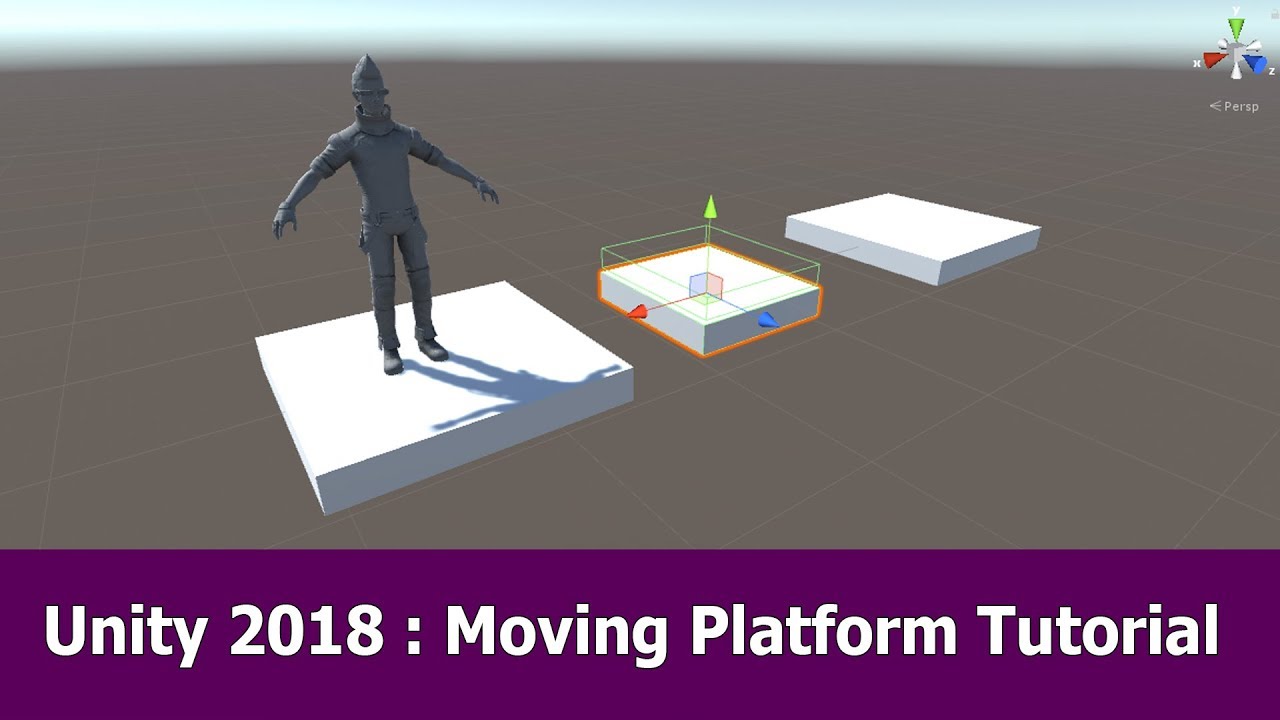
In this Unity video I show how to implement a moving platform for a thirdperson player (works for FPS as well), a C# Script, Unity animations and Unity 2018.
See my social profiles here
G+: https://plus.google.com/+JayAnAm
Twitter: https://twitter.com/jayanamgames
Facebook: https://www.facebook.com/jayanamgames
Patreon: https://www.patreon.com/...
 woeful leaf
raven cove
Hey, I'm trying to make it so that the player can stand still on a moving platfo...
woeful leaf
raven cove
Hey, I'm trying to make it so that the player can stand still on a moving platfo...
I'd just use pure code honestly
raven cove
Pure code to do what exactly?
woeful leaf
To move the platform
but I'm not getting the right result.
Also this doesn't say a whole lot
 upbeat fable
I'm trying to make it so if I leave my option menu scene and return to the scene the settings stay the same with PlayerPrefs but I can't figure it out. Can someone help me fix this?
Here's my current code trying to save the volume

The volume stays the same when changing scenes but the slider doesn't save like the float
somber nacelle
where do you get the saved value to assign it back to the slider/mixer when you load the scene again?
upbeat fable
The value is in a audio mixer and changes according to the slider position
somber nacelle
okay. so when you load a scene, where do you get the value from PlayerPrefs to assign it to the slider so it shows the currently set value?
upbeat fable
The float of the volume comes form a audio mixer and the slider is set so it moves from 0 to -80. When the slider goes lower the audio mixer also goes lower. The code is written so it assigns that number (volume) from the audio mixer ("Volume") to the slider.
somber nacelle
that's cool. where do you get the value from PlayerPrefs to assign it to the slider so it shows the currently set value when you reload the scene?
if you are somehow not understanding what i'm getting at: you need to get the value from PlayerPrefs and assign it to your audiomixer/slider when you load the scene, you can't just expect it to magically have the same values when you reload the scene
if you aren't calling PlayerPrefs.GetFloat anywhere then that's obviously the issue
woeful leaf
somber nacelle
if you aren't calling PlayerPrefs.GetFloat anywhere then that's obviously the is...
The inconsistent strings are also an issue
(using nameof would be advised, or creating a variable for the string name)
zinc parrot
Theres no way/easyish way to read the vertices of a mesh that is not read/write enabled?
leaden ice
zinc parrot
Theres no way/easyish way to read the vertices of a mesh that is not read/write ...
 zinc parrot
any way on the CPU?
do I need a seperate struct for each possible combination of vertex datas?
leaden ice
this is on the cpu
leaden ice
everything in the unity script reference and in C# is on the cpu
zinc parrot
got it thank you!
oh its cuz its a graphics buffer
so I need a seperate struct for each possible combination of vertex data?
leaden ice
I don't understand what you mean by that
zinc parrot
if a mesh has say UV1, UV2, position, and normal, does it need to be handled differently than one that doesnt have uv2?
leaden ice
yes
that's what stuff like this is for https://docs.unity3d.com/ScriptReference/Mesh.GetVertexAttributeOffset.html
zinc parrot
well heck
but that cant be made dynamic
welp time to make every combo of possible vertex structs
zinc parrot
I am trying to get the tangents, normals, positions, and uv1's and uv2's of every vertex of a mesh on the CPU
but some meshes may not have all components
leaden ice
can certainly be made dynamic with https://docs.unity3d.com/ScriptReference/Mesh.GetVertexAttributeOffset.html
 azure heath
Hey folks, making a 2D character move around like in a 2D Zelda game. I'm fairly comfortable working with 3D stuff, but this project is exclusively 2D, so I'm using the 2D Rigidbody and... it doesn't seem to let me move around on the Z axis? Anybody know what's up with that, briefly?
leaden ice
kinda, yeah. You'll also need
https://docs.unity3d.com/ScriptReference/Mesh.GetVertexAttributeFormat.html
and
https://docs.unity3d.com/ScriptReference/Mesh.GetVertexAttributeDimension.html
I think
leaden ice
azure heath
Hey folks, making a 2D character move around like in a 2D Zelda game. I'm fairly...
there is no z axis in 2D physics
it only has x and y
that's why it's called 2D
zinc parrot
I need a compute shader or something to read from the graphicsbuffer right?
azure heath
Righto. Hmm.
Can I use a 3D Rigidbody and still get collisions from a 2D collider?
I'd really prefer to use the XZ plane for non-vertical movement as this project may transition into 3D at some point.
leaden ice
azure heath
I'd really prefer to use the XZ plane for non-vertical movement as this project ...
If you want to use Unity's 2D physics you must use x and y
azure heath
Welp. Hmm.
leaden ice
shouldn't be that difficult to swizzle the coordinates if you need later
azure heath
Well, the game itself may do a 2D => 3D transition. Hmm. This is vexing.
leaden ice
azure heath
Well, the game itself may do a 2D => 3D transition. Hmm. This is vexing.
lay the 3D world on its side then
azure heath
I guess. Change the 3D gravity direction, etc.
zinc parrot
you can use GetData in a task right?
tawny jewel
i cant refer an instance i created on one script from another script in other scene, any ideas why?
leaden ice
tawny jewel
i cant refer an instance i created on one script from another script in other sc...
Presumably... you're doing something wrong with your code.
show it
tawny jewel
welp the whole thing is pretty much just public static logicmanagerscript instance;
and then instance = this; under void awake
leaden ice
Presumably... you're doing something wrong with your code. Show it
tawny jewel
https://hastebin.com/layogiludo.csharp whole code
Hastebin is a free web-based pastebin service for storing and sharing text and code snippets with anyone. Get started now.
leaden ice
tawny jewel
https://hastebin.com/layogiludo.csharp whole code
that can't be "whole code" because you said there were two scripts involved
tawny jewel
using System.Collections;
using System.Collections.Generic;
using UnityEngine;
using UnityEngine.UI;
public class bestScore : MonoBehaviour
{
logicmanagerscript.inst
}
thats the whole second script
leaden ice
that wouldn't even compile
tawny jewel
i cant reference .instance
leaden ice
so if that's your second script your problem is it's not valid C# at all
tawny jewel
well ignore that logicmanagerscript.inst i just stopped typing cause it didnt recognize it
leaden ice
tawny jewel
well ignore that logicmanagerscript.inst i just stopped typing cause it didnt re...
Code has to go in methods/functions
you can't just type random stuff, other than member declarations, outside of a method
tawny jewel
alright, so how can i reference this instance?
leaden ice
leaden ice
you can't just type random stuff, other than member declarations, outside of a m...
^
read
put your code in a method
 fast path

I adjusted the code around boxfriend... not entirely sure how the debugger is supposed to help with a logical error like so because something in the code is incorrect
somber nacelle
the debugger would allow you to step through your code and inspect the values so you can determine if they are what you expect and how that impacts the conditions you are using
fast path
fast path
somber nacelle
the debugger would allow you to step through your code and inspect the values so...
Do you recommend a video on youtube that can walk me through the process of learning the best functionality of debugging
somber nacelle
i'm not a search engine, so i don't just have a list of youtube videos to pull out on a whim for you
and have you even bothered checking if you have any other code that may be affecting the scale or CC height property?
fast path
Yes
fast path
I finally figured it out. Thank you. However, for player movement, when I normalize the speed of my character, it's not as responsive as when the speed is NOT normalized such as when the character moves and stops. Without the "normalized" its snappy and feel crisp but when its normalized the movement feels sloppy and my character is kinda delayed when it starts to move and when its stopping, so it just feels off. I'm thinking of trying to adjust the drag but I'm using a Character Controller. Any thoughts?
somber nacelle
it's not related to whether you normalize the input or not, you're using GetAxis which has input smoothing, use GetAxisRaw instead if you don't want smoothing applied
fast path
Thanks man. I didn't know the difference between the two
zinc parrot
Is there a way to get the indexes from a mesh that doesnt have read/write enabled?
or I guess get the triangle array?
 cosmic rain
zinc parrot
Is there a way to get the indexes from a mesh that doesnt have read/write enable...
cosmic rain
zinc parrot
Is there a way to get the indexes from a mesh that doesnt have read/write enable...
Nope. It's data is not available on the CPU side when it is not readable.
https://docs.unity3d.com/ScriptReference/Mesh-isReadable.html
zinc parrot
I managed to hack my way around to get it on the GPU and send it back
works for both 16 bit and 32 bit
cosmic rain
But why though? Why not just make it readable?
zinc parrot
unity likes to make all meshes marked static into one mesh
those meshes arnt readable
and cant be set to readable
cosmic rain
So you want to access static batching meshes?
zinc parrot
I needed it yeah
cosmic rain
I wonder if that's gonna break the batching somehow..?🤔
zinc parrot
shrug
cosmic rain
Why not just exclude that mesh from static batching.
zinc parrot
because i would have to exclude ALL Meshes from static batching, what im doing gathers all meshes
so I need access to the full mesh data in play mode
cosmic rain
Feels like you're doing something weird. But I think it's either gonna break the batching, causing weird bugs or just plainly disabling it, or force unity to rebuild the static mesh(probably not in a build).
Did you test if your manipulations work in a build?
zinc parrot
just reading
 strange pike
Hey, I am trying to use Scriptable Objects as Skill Modules that can be used by the Player or Enemies.
I'm Instantiating(Cloning) a Presetted S.O. of a certain SkillModule so the change of data within the S.O. doesn't affect anything else.
And also so that I don't have to reset data everytime I exit playmode.
But I don't see any tutorial or blog posts that use Scriptable Objects like this(Cloning at runtime).
Q: Am I missing out on a critical downfall or am I just worrying too much without any real issue?
polar marten
strange pike
Hey, I am trying to use Scriptable Objects as Skill Modules that can be used by ...
use Scriptable Objects
don't
actually this is an okay use for them
as data containers
polar marten
strange pike
Hey, I am trying to use Scriptable Objects as Skill Modules that can be used by ...
everything you are saying is fine
you should instantiate it if you want to mutate it
it makes sense to me
low ledge
polar marten
> use Scriptable Objects
don't
what are your thoughts on Game Architecture with Scriptable Objects? think I've seen quite a few youtube videos where ppl are big fans

Scriptable Objects are an immensely powerful yet often underutilized feature of Unity. Learn how to get the most out of this versatile data structure and build more extensible systems and data patterns. In this talk, Schell Games shares specific examples of how they have used the Scriptable Object for everything from a hierarchical state machine...
strange pike
polar marten
everything you are saying is fine
So why does it seem like this case of use is so rare
polar marten
low ledge
what are your thoughts on Game Architecture with Scriptable Objects? think I've ...
GitHub
DO NOT USE ScriptableObject Architecture. Contribute to cathei/AntiScriptableObjectArchitecture development by creating an account on GitHub.
polar marten
strange pike
So why does it seem like this case of use is so rare
i am not sure. it seems intuitive to me.
polar marten
low ledge
e.g. https://www.youtube.com/watch?v=raQ3iHhE_Kk
this is such a cursed video
strange pike
Yeah, thanks though
low ledge
polar marten
this is such a cursed video
do you happen to have some other general recommended way of setting things up? Like an example project or some youtube video I can watch
strange pike
What do all you guys think of "UniRx"?
polar marten
strange pike
What do all you guys think of "UniRx"?
love it
strange pike
Is there no overkill if you only use it in small amounts of cases??
 kind grove
Hi. Are people in this channel familiar with DOTween?
I have a code snippet where I queue up a tween of my character moving from one space to the next, but I'd like to play a sound effect somewhere in the middle of the tween instead of only when it's done.
 haughty fiber
Alright guys, I have a little bit of a math problem to work out here.
I have a vector3 that dictates which direction an object will move, with all values either being 1, 0 or -1. Let's call it moveDirection (IE: (1.0f, 0.0f, 0.0f) = in the positive z direction)
I also have two independent speed variables for each direction X and Z. These increase and decrease based on which direction the object is moving. Let's call them moveSpeedX and moveSpeedZ
Finally, I have a camera whose rotation I want the main object to move relative to. Let's call the it mainCamera
I'm having a bit of a problem. In order to get the proper moveDirection, I'm doing this call:
  Vector3 moveY = Vector3.up * moveDirection.y;
  Vector3 moveZ = mainCameraParent.transform.forward * moveDirection.z;
  Vector3 finalMove = (Vector3.Scale((moveX + moveZ).normalized, new Vector3(moveSpeedX, 1.0f, moveSpeedZ))+ moveY) * Time.deltaTime;
  charController.Move(finalMove)
This works just fine when the camera isn't rotated. However once I rotate the camera, it behaves erratically and doesn't conform to the camera's relative angle. I see why this is happening, because say you try to move in the +z-direction while the mainCamera rotation is 45 degrees to the left. That means the finalMove vector should have a value in both the x and z place.
However, because moveSpeedX is equal to zero, it gets rid of the value in the x spot. Leaving the object to move in the WORLDSPACE +z-direction not relative to a camera, at a decreased speed.
Anyone know how I can get this to work?
polar marten
low ledge
do you happen to have some other general recommended way of setting things up? L...
well i'm so opinionated about it, i should, shouldn't i
kind grove
I can probably help. Give me a minute to calculate.
polar marten
low ledge
do you happen to have some other general recommended way of setting things up? L...
this project cannot be practically opened, but you can explore the source and see how it works with unirx - https://github.com/hiddenswitch/Monster-Match - for this game https://d2v2m3z6005g8q.cloudfront.net
kind grove
haughty fiber
Alright guys, I have a little bit of a math problem to work out here.
I have a ...
It should always move relative to the camera, right?
haughty fiber
kind grove
It should always move relative to the camera, right?
Yessir
kind grove
And you want different speeds depending on if it's going up or right?
haughty fiber
Essentially. So if it's moving in the positive X, moveSpeedX will be positive. If it's moving in the negative X, it will be negative. And if it's not moving at all, it will be 0
haughty fiber
haughty fiber
Alright guys, I have a little bit of a math problem to work out here.
I have a ...
Here's a little example of my problem. All numbers might be weird but that shouldn't be too important
Movespeed = (1.0f, 0.0f, 1.0f) //Moving in the positive-z and positive-x direction
moveSpeedX = 7.0f
moveSpeedZ = 0.0f
This means:
finalMove = Vector3(0.5 * 7.0f, ..., 0.5 * 0.0f) = Vector3(3.5f, ..., 0.0f)
It will only move in the worldspace +x-direction, disregarding the camera rotation
kind grove
I see the problem, I'm trying to account for the different speeds in different directions.
haughty fiber
Same here
kind grove
I've got a math solution, just need to find the right functions in Unity
haughty fiber
Shoot! Maybe I can help you out
kind grove
How bizarre. Unity doesn't document Quaternion * Vector3.
haughty fiber
I think if you do Quaternion.Euler, it gives you the angle values
Then you can just do Scale(Vector3, Vector3)
kind grove
dont even need that
TotalMoveInput.normalize();  // Normalize it to prevent issues with diagonals.

// Normally you would scale all dimensions evenly, but in your case it will move at variable speed depending on direction.
Vector3 FinalMove = TotalMoveInput;
FinalMove.x = FinalMove.x * moveSpeedX; // Scale input to X speed.
// Ignore Y.
FinalMove.z = FinalMove.z * moveSpeedZ; // Scale Input to Z speed.

FinalMove =  mainCameraParent.transform.rotation * FinalMove; // Rotate the vector to match camera rotation.

charController.Move(TotalMove * Time.deltaTime);```https://docs.unity3d.com/ScriptReference/Quaternion-operator_multiply.html the second definition.
@haughty fiber does that help?
haughty fiber
kind grove
<@234523929132269568> does that help?
I see where you're going with it. I'm quickly checking to see if it works out
kind grove
May I suggest starting with all 3 speeds being the same?
haughty fiber
kind grove
<@234523929132269568> does that help?
You're a champion dude! Your idea worked perfectly! Seems like I was JUST missing the solution when it was sitting right in front of me lol
In return, have anything I might be able to help you out with?
kind grove
Yeah. The best thing you can do is compose the vector on its own in world rotation, then change it to camera rotation at the end.
Do you know DOTween?
haughty fiber
Not even remotely, I'm afraid
kind grove
Also, blame Unity for hiding an exceptionally useful function behind a * operator instead of making a descriptive one that shows up in searches.
@haughty fiber You might consider making a Extension Method to help you remember.
Something like transform.rotation.RotateVector(myVector);
haughty fiber
That's not a bad idea
Sorry I can't be of any help to you rn
@kind grove Damn dude your solution even helped with making the rotation when changing directions appear smooth. You're a wizard
kind grove
I've been using Unity since 2012. 🙂
 winged cape
hey can i ask a question in here?
winged cape
lovley
kind grove
winged cape
would you know how to use GameObject.FindGameObjectsWithTag to return the number of objects with said tag, I cant seem to get it to work
I want to have like a counter for remaining objects with that tag
kind grove
Sure. You have a few options.
What's the return type of FindGameObjectsWithTag?
And how often are you calling it?
kind grove
haughty fiber
<@101389465238409216> Damn dude your solution even helped with making the rotati...
Research precisely how Vectors and Quaternions work.
haughty fiber
I might be able to help out here too
How many times are you calling the find objects function?
winged cape
I guess its just returning gameObject, cause it says i cant convert it to float
haughty fiber
That's because FindGameObjectsWithTag returns an array of GameObjects
kind grove
You might want to ask in #💻┃code-beginner . It sounds like you don't know how to read the Unity API, or don't know what collections are.
haughty fiber
You would need to find the count/length of the array in order to find your count
Plus it'd end up being an int as opposed to a float
winged cape
haughty fiber
How many times are you calling the find objects function?
calling on trigger
when I trigger like the object collect
winged cape
kind grove
You might want to ask in <#497874004401586176> . It sounds like you don't know ...
yeah im very new i can move to there
winged cape
haughty fiber
Plus it'd end up being an int as opposed to a float
ohh alright
haughty fiber
winged cape
yeah im very new i can move to there
Are you very new to Unity, or very new to programming in general?
winged cape
haughty fiber
Are you very new to Unity, or very new to programming in general?
both, i know a little more programing then unity tho
strange pike
haughty fiber
Here's a little example of my problem. All numbers might be weird but that shoul...
It looks like you are trying to move a game object in the direction of the positive x-axis of the world space, but you want the movement to be relative to the camera's rotation. To do this, you need to transform the direction vector from world space to the camera's local space.
One way to do this is to use the Transform.InverseTransformDirection method. This method takes a direction vector in world space and returns the equivalent direction vector in the local space of the Transform.
Here's an example of how you can use this method to move the game object in the direction of the camera's x-axis:
// Get the camera's transform
Transform cameraTransform = Camera.main.transform;

// Calculate the move direction in the camera's local space
Vector3 moveDirection = cameraTransform.InverseTransformDirection(new Vector3(1, 0, 0));

// Calculate the final move vector by multiplying the move direction with the move speed
Vector3 finalMove = moveDirection * moveSpeedX;
This will move the game object in the direction of the camera's x-axis, taking into account the camera's rotation.
kind grove
Do you know what a List is?
strange pike
this is what ChatGPT says
haughty fiber
winged cape
both, i know a little more programing then unity tho
Well let's put it like this then. FindGameObjectsWithTag() would return something like this:
[GameObject1, GameObject2, GameObject3, ...]
That's an array. What YOU want is the length of the array
kind grove
@winged cape Have you used Lists and Arrays before? If not you should brush up before continuing.
winged cape
haughty fiber
Well let's put it like this then. FindGameObjectsWithTag() would return somethin...
I got it to work thanks man
I didnt know it returned int and not float
dumb mistake
winged cape
much apricated
winged cape
haughty fiber
Well let's put it like this then. FindGameObjectsWithTag() would return somethin...
this is also helpful i didnt know it did that
haughty fiber
winged cape
I didnt know it returned int and not float
Not sure what program you're using, but in VS code, if you scroll over a function it will tell you the return type and parameters of a function. It's pretty helpful
winged cape
haughty fiber
Not sure what program you're using, but in VS code, if you scroll over a functio...
im using vs code
it dont do that for me
kind grove
winged cape
I didnt know it returned int and not float
Show us your code?
winged cape
is that an extension?
winged cape
kind grove
Show us your code?
the code works now, do you still want to see?
kind grove
Yes. You might have missed something crucial.
haughty fiber
winged cape
is that an extension?
Might be, not sure. I set up my VS code space a long time ago
winged cape
it just displays the amount of tagged objects as text in a UI
MyburgerText.text = "" + BurgersLeft;```Yeah that seems alright to me
Personal preference just to MARGINALLY improve performance
I'd say only call the function to find burgers when a possible change to the number is made
You add a burger? Call the function
Remove a burger? Call the function
Otherwise you have no reason to call it
kind grove
Just to double check @winged cape have you used Lists and Arrays before?
winged cape
haughty fiber
I'd say only call the function to find burgers when a possible change to the num...
yeah ill put it under the function that detects when you collide with one
kind grove
If you have, I'd direct you to the script reference for more stuff about FindGameObjectsWithTags. Otherwise I'd push you to learn more about Arrays and Lists in pure C#.
haughty fiber
winged cape
yeah ill put it under the function that detects when you collide with one
Aight rad
winged cape
kind grove
Just to double check <@371013475063037952> have you used Lists and Arrays before...
nope, im familiar but dont understand that well
winged cape
kind grove
If you have, I'd direct you to the script reference for more stuff about FindGam...
will do
kind grove
Arrays and Lists are pretty important and shouldn't be skipped.
After that, look through https://docs.unity3d.com/ScriptReference/ and read everything under "GameObject", "Input", "Component", "Transform", "Vector3", and "Time".
winged cape
yeah im pretty sure lists wouldve been helpful before, i ended up just using scenes to get arround it
lmao
ik its bad
you would cry if you saw my whole code
haughty fiber
winged cape
you would cry if you saw my whole code
Lol don't worry. All card starts off looking a little wonky
*code
winged cape
I have way to much stuff in one script
winged cape
idk im pretty sure there is
haughty fiber
But unless it's some kind of mass-replicated script, it should just depend on your convenience
Like the only difference between controlling a player + camera in different scripts VS. in the same script is how you prefer to work
winged cape
haughty fiber
But unless it's some kind of mass-replicated script, it should just depend on yo...
im running UI functions in my player script cause i dont know how to refrence my variables 😭
i started like a week ago and i feel like i learned so much already
so im not too stressed
I almost have a whole game and im not rly like piggybacking off tutorials
haughty fiber
winged cape
im running UI functions in my player script cause i dont know how to refrence my...
Oh no problem! One of the more important things I've found useful in Unity is understanding how to transfer variables between objects
winged cape
haughty fiber
Oh no problem! One of the more important things I've found useful in Unity is un...
if you just make it like a public variable cant you just swap it inbetween code?
or is it harder then that
haughty fiber
That works. Or you can have a getter function
Thing is though, you need to be able to get that function in the first place
If Script A is trying to get a variable from Script B, even if the variable is public, Script A needs to know Script B is there
kind grove
Read up a bit more about C#, then approach Unity.
You should at least know the basics of OOP.
What a class is, etc.
haughty fiber
Exactly. I got lucky to have experience in OOP outside of Unity (and C# for that matter) before I started with Unity
kind grove
I learned some C before trying Unity, which helped.
haughty fiber
I learned Java primarily, which seems to have a lot in common with C#
winged cape
yeah for sure
winged cape
kind grove
Read up a bit more about C#, then approach Unity.
ill do that
winged cape
haughty fiber
If Script A is trying to get a variable from Script B, even if the variable is p...
how would you make script A know script B is there
kind grove
GetComponent()
haughty fiber
Exactly. With Unity, you don't actually access scripts directly unless serialized. You access the object that has the script in it
So to get script B, you'd need to have access to Object B
Then you'd do ObjectB.getComponent<ScriptB>()
Keep in mind everything I'm saying here is kind of the baseline. Should probably look up what I'm saying instead of taking it all at face value
low ledge
And then when you realize it would be convenient if Script B knows about Script A and Script A also knows about Script B you start wondering if you've done something dumb
winged cape
haughty fiber
Exactly. With Unity, you don't actually access scripts directly unless serialize...
gotchaa
winged cape
haughty fiber
Then you'd do ObjectB.getComponent<ScriptB>()
if its serialized do you still have to do this?
or you can only do it if it is
haughty fiber
winged cape
if its serialized do you still have to do this?
That all depends. If GameObject B is serialized, then yes
BUT
You can also serialize the script directly from Object B
[SerializeField] ScriptB script_B
From the menu, you could just put Object B directly in there
The from there, you could just use script_B.variable
winged cape
wait so script_B is just like the name right?
so either of those can be named anything? or the first one has to be the exact name of a script
low ledge
the first one has to be the exact type name yes, and the second one 'script_B' is just a name and could be anything yes
haughty fiber
winged cape
wait so script_B is just like the name right?
script_B is the name of the variable. It could be literally anything. For instance, it could be:
[SerializeField] ScriptB scriptFromObjectB
The "ScriptB" on the other hand is the variable type. Which should be the same name as the script you're accessing
winged cape
Got it
winged cape
haughty fiber
The "ScriptB" on the other hand is the variable type. Which should be the same n...
Thanks for all the help man I really appreciate it
haughty fiber
winged cape
Thanks for all the help man I really appreciate it
No problem!
 rocky rover
low ledge
rocky rover
low ledge
Is doing something like this to play no-loop animations fine?

Is there a good reason there is no inbuilt way to await animations finishing
feel like you'd want to do that often
 spice aspen
https://pastebin.com/HmDiTAyK does anyone have ides on how i cn detect if the enemy is going left or right so i cn change the localscale accordingly
Pastebin
Pastebin.com is the number one paste tool since 2002. Pastebin is a website where you can store text online for a set period of time.
 elder totem
I have a multiplayergame, that does connect on windows build, editor, webgl-editor, however not on a website i published it on in the webgl format. Does anyone know how to localise the error or what the error is
 timid hemlock
Hello everyone.
I'm making a card game and curious how would others go about solving the problem of having many different card effects. Right no I have an enum tag tied to each card effect and I have a large switch block to run the code that each effect should have. But it feels that there are more elegant solutions out there.
Thanks in advance
kind grove
Can anyone tell me if there's a way to search the inspector for a particular component? Or a way to sort components into categories in the inspector?
 thin aurora
kind grove
Can anyone tell me if there's a way to search the inspector for a particular com...
thin aurora
kind grove
Can anyone tell me if there's a way to search the inspector for a particular com...
Yes... But I forgot how
You can prefix the search with stuff that defines the type or category
This is what I mean
 pastel patio
Hi I wanted to make a combat system where each move could have free moving animations (While disabling player input during that time)
The player has a main gameobject and a "body".
My attack animations includes the player's body moving forward a bit.
When a attack animation ends the main GameObject moves to the body, and the body's local position returns to Vector3.Zero.
^ this method, is called by a event at the end of the animation.
But Unity didn't want to cooperate, and the animation causes my character to do odd teleports, as the animation doesn't want to simply teleport the player back, and caused the player to: move one step, teleport one step ahead before returning to 1 step
Oddly, there's one animation that just teleports the player back (Which is kinda what I want), the other didn't, but idk why it happens, as it looks like the two animations has the exact same parameters set
main shuttle
pastel patio
Hi I wanted to make a combat system where each move could have free moving anima...
Not sure what the question is here, but normally you either use root motion animations and don't tamper with the positions, or you do not use root motion and you do tamper with the positions. Seems you are doing root motion and are tampering with the positions, which will give you headaches.
pastel patio
Umm the issue is that I want the player to be able to do a attack that also moves it, for example, rolling to the front while slashing, spinning to the side or other similar things, but I don't know how to achieve that efficiently
main shuttle
pastel patio
Umm the issue is that I want the player to be able to do a attack that also move...
Think this is more of an #🏃┃animation question then. But like I said, if you have a front roll attack animation with root motion, you don't have to change the position. If you do not do root motion, you need to programmatically move the character so it looks good.
pastel patio
Umm I think maybe I got what root motion means wrongly then? Thanks I'll look into it, hopefully it's what I need
pastel patio
pastel patio
Umm I think maybe I got what root motion means wrongly then? Thanks I'll look in...
I thought that root motion would snap the animation to world 0 0 0 and play the animation in world space, meaning that I can't walk the player around the world freely and still use attack animations that move him
main shuttle
pastel patio
I thought that root motion would snap the animation to world 0 0 0 and play the ...
No, it means moving the animated character from the origin point. If you don't use root motion, the pelvis point (afaik) remains on the origin. But I'm just a programmer, the #🏃┃animation guys probably know the ins and outs of that. Anyhow heres an example of root motion character controller: https://youtu.be/mNxEetKzc04?t=707
(Not saying that's a good tutorial)
pastel patio
Apparently it is what I needed, thank you!
main shuttle
Put that in google with Unity after it, you'll get your answer
There are a bunch of ways
Why doesn't it work for you?
What did you code?
Because both of those will work.
You start a coroutine each frame?
Of course, you say SpawnPipe every update
Show a screenshot of how you set up your component in the inspector
Does it only spawn 7 pipes?
Or what happens?
You probably didn't save the script.
 astral blaze
What am i missing? I wanted to make gun with raycastHit that shoot and zombie die, but its only aim to zombie where i hit first until zombie's ragdoll gone

 main shuttle
astral blaze
main shuttle
astral blaze
It's because of your GetComponentInChildren code.
You do transform.root which will be all the enemies, then look downwards for an EnemyHealth, which will always be the first enemy
Just do TryGetComponent on the hit transform and use that.
swift falcon
I'm having trouble figuring out how I can rotate the player depending on their movement. I would like the player to tilt right when moving right and left when moving left. When player is not moving I want the player to point forward aka. no rotation on it. I tried to do transform.rotate(0, 0, rb.velocity.x * time.deltatime. Space.Self);
But that didn't do anything to the player
main shuttle
rb.velocity.x * time.deltatime is almost nothing, since deltatime with 300 fps is 1/300
astral blaze
main shuttle
Just do TryGetComponent on the hit transform and use that.
Like that hit.transform.TryGetComponent<EnemyHealth>():?
main shuttle
If the velocity would actually be something, it would do something, but it still wouldn't make sense to be honest.
astral blaze
i dont think i have tried TryGetComponent before
main shuttle
astral blaze
i dont think i have tried TryGetComponent before
But then with EnemyHealth
If it doesn't have it, skip it.
swift falcon
main shuttle
Velocity isn't a degree value
All I wanted the code to do was to rotate the player character left or right depending which way they moved, but my input is for the character to follow mouse position so there isn't straight x input.
main shuttle
You can just use that health parameter then.
main shuttle
swift falcon
All I wanted the code to do was to rotate the player character left or right dep...
And you move with a rigidbody? In 2D?
swift falcon
main shuttle
And you move with a rigidbody? In 2D?
Yes, I have a RigidBody2D component which handles movement
astral blaze
hit.transform.TryGetComponent(out EnemyHealth health)?
main shuttle
swift falcon
Yes, I have a RigidBody2D component which handles movement
I would do something like this then (I'm usually a 3D dev):
https://docs.unity3d.com/ScriptReference/SpriteRenderer-flipX.html
if velocity.x < -0.1
  flipX = false
else
  flipX = true
isnt correct @main shuttle ?
main shuttle
astral blaze
isnt correct <@138576222572642304> ?
Yeah, I would put that in an if statement, and then it's good.
swift falcon
main shuttle
I would do something like this then (I'm usually a 3D dev):
https://docs.unity3d...
Ok so I got a spaceship flying through space, and I want the ship to tilt on its z-axis left or right depending on which way the player is moving. The spaceship sprite is symmetrical length wise so flipping the sprite wouldnt help..
astral blaze
main shuttle
Yeah, I would put that in an if statement, and then it's good.
and anything else my code need change a bit?
swift falcon
 main shuttle
swift falcon
Ok so I got a spaceship flying through space, and I want the ship to tilt on its...
main shuttle
swift falcon
Ok so I got a spaceship flying through space, and I want the ship to tilt on its...
So it isn't left or right?
swift falcon
main shuttle
So it isn't left or right?
tiltin left or right I think is the proper term.
astral blaze
astral blaze
and anything else my code need change a bit?
somewhere ig
swift falcon
like a certain amount how fast they go that way. So if the go quickly to left side of screen the ship would tilt faster
main shuttle
astral blaze
somewhere ig
No need to make it working, this should work as far as I can see it.
The health parameter is set correctly this way
main shuttle
swift falcon
tiltin left or right I think is the proper term.
Hmm, that makes it trickier.
swift falcon
main shuttle
Hmm, that makes it trickier.
Exactly :D
I thought it would be as simple as putting in a vector3 and just putting the velocity as a float to z axis
can I post my movement code here?
main shuttle
swift falcon
can I post my movement code here?
Sure, use the #854851968446365696 way at the bottom
swift falcon
whole mouse follow was copied somewhere
main shuttle
Yeah, stackoverflow probably. It always does Lerps like this. Well technically it would work somewhat.
astral blaze
main shuttle
No need to make it working, this should work as far as I can see it.
Do i need to remove EnemyHealth health = hit.transform.root.GetComponentInChildren<EnemyHealth>();?
main shuttle
swift falcon
whole mouse follow was copied somewhere
rb.velocity.x * 180 can you try something like that? The 180 value is just something I guessed.
astral blaze
if yes, TakeDamage function wont able call it
swift falcon
I'll see what it do
main shuttle
astral blaze
Do i need to remove EnemyHealth health = hit.transform.root.GetComponentInChildr...
Yes, that would overwrite the health we got from the trygetcomponent
main shuttle
astral blaze
if yes, TakeDamage function wont able call it
Post the code again then
swift falcon
main shuttle
Just set the rotation
rb.transform.rotation = new Quaternion(0, 0, rb.velocity.x * 180, 0);
wrote that, didn't work..
astral blaze

 main shuttle
swift falcon
rb.transform.rotation = new Quaternion(0, 0, rb.velocity.x * 180, 0);
wrote tha...
main shuttle
swift falcon
rb.transform.rotation = new Quaternion(0, 0, rb.velocity.x * 180, 0);
wrote tha...
Yeah, that doesn't make much sense 😛
Quaternions are 4 values between 0 and 1
swift falcon
tfff
main shuttle
Use Quaternion.Euler instead
swift falcon
ah
main shuttle
No new needed for that afaik
main shuttle
astral blaze
No != null required
swift falcon
main shuttle
No `new` needed for that afaik
upon checking my rigidbody component in inspector I noticed there's no velocity at all.
astral blaze
main shuttle
No `!= null` required
i tried it before, If function with TryGetComponent wont get call
main shuttle
swift falcon
upon checking my rigidbody component in inspector I noticed there's no velocity ...
That would explain it 😛
I thought MovePosition would have a velocity to be honest, every day you learn something
main shuttle
astral blaze
i tried it before, If function with TryGetComponent wont get call
Wont get call what?
swift falcon
Now to figure out how I can rotate it based on some other float value
main shuttle
swift falcon
Now to figure out how I can rotate it based on some other float value
Well you have the current position you calculated, and the last position. You can make a delta of that, and rotate on that basis.
astral blaze
well, how do i explain, its wont go through If function
swift falcon
everything in that sentence went over my head, I'ma take a break or smth idk
main shuttle
astral blaze
well, how do i explain, its wont go through If function
You are aware that the component you want to get actually needs to be on the hit.transform right? So the collider and the health script?
astral blaze
not sure what u mean
main shuttle
astral blaze
not sure what u mean
Put that debug back

Does that gameobject, have a health script?
I would think not, because you made a rather janky implementation with the Sphere/Box/Capsule collider in the children to see which part you hit. I think the parent would have the script.
You can just use tags for that.
astral blaze
main shuttle
Does that gameobject, have a health script?
Well, every body part dont have health script except zombie model
main shuttle
Exactly, so grab the hit.transform.parent
That would make it work probably, if the health script is the parent of the 3 colliders
But this is all error prone to program it this way
astral blaze
wdym grab?
main shuttle
astral blaze
wdym grab?

You want to get the health component of the parent
But that only works if the parent is the Zombie with the HealthScript.
 main shuttle
astral blaze
zombies or zombie with health Script?
main shuttle
astral blaze
zombies or zombie with health Script?
Zombie with the health script of course, we are trying to get the correct health script...
main shuttle
astral blaze
wait should i add tags?
Not now, you can try that afterwards.
main shuttle
astral blaze
Can you show the debug.logs?
astral blaze
its just gameObject
main shuttle
astral blaze
its just gameObject
Which one, show a screenshot of the hierarchy
astral blaze
main shuttle
Can you show the debug.logs?
debug log inside if function with TryGetComponent?
if inside, then its nothing, empty debug log msg
 main shuttle
astral blaze
debug log inside if function with TryGetComponent?
main shuttle
astral blaze
debug log inside if function with TryGetComponent?
No, we concluded that it doesn't get inside the TryGetComponent, so put it outside of it... Just like I said...
 astral blaze
 main shuttle
astral blaze
main shuttle
astral blaze
So yeah, that wont work then. It's not transform.parent it's way further up there.
main shuttle
astral blaze
transform.parent.parent or something?
Yeah, but it's not the same depth for all the children. So that won't do.
You could do https://docs.unity3d.com/ScriptReference/GameObject.GetComponentInParent.html
But that's also a terrible idea, performance wise.
So I'm out of ideas, maybe someone else can help you.
 thick bough
It's not as bad as GetComponentInChildren since it's only 1 parent per transform. I might try to avoid it in Update, but if this function is called on demand and not by many objects it wouldn't be a big problem
 kind niche
dont know where to ask gui questions so ill ask here
how would i align a gui.button to the right side of the inspector?
main shuttle
thick bough
It's not as bad as GetComponentInChildren since it's only 1 parent per transform...
Retrieves the component of Type type in the GameObject or any of its parents.
As far as I know, it goes through all of them.
thick bough
kind niche
dont know where to ask gui questions so ill ask here
how would i align a gui.but...
kind niche
thanks
thick bough
main shuttle
`Retrieves the component of Type type in the GameObject or any of its parents.`
...
Yes, but what I mean is that a transform can have any number of children, but the number of parents would usually be quite low
main shuttle
Yeah fair enough. Instead of ~50 children he has ~7 parents in his zombie.
gaunt garden
astral blaze
transform.parent.parent or something?
I would just store a reference to the root parent in each piece, then you have much faster access.
woeful leaf
I mean you could invoke an event in order to get the reference to the root parent
Not sure if that's the best way, but you could do it
gaunt garden
What event would that be? Ideally the references are established at authoring time
(Unless this zombie is created procedurally somehow)
woeful leaf
If he has access to the zombies right away, then wouldn't he just use a serializedfield?
woeful leaf
Well that is the optimal solution, but if he spawns them in later he can't do that
gaunt garden
Sure he can, if it's a prefab
woeful leaf
Ah, right
thick bough
From reading up, you can see the zombie and its colliders, which is instantiated at runtime. Then when you shoot it, the shooting script needs to access a script at the top of the hit collider hierarchy
gaunt garden
Yes, so establish the root parent when you author the zombie
Then each piece knows who the root parent is with the health script
woeful leaf
Isn't compound colliders a thing?
gaunt garden
I think you mean a composite collider?
I might be mixing it up though since I do so little 3D work
 gaunt garden
I was thinking of https://docs.unity3d.com/Manual/class-CompositeCollider2D.html
 unreal temple
astral blaze
Do i need to remove EnemyHealth health = hit.transform.root.GetComponentInChildr...
unreal temple
astral blaze
Do i need to remove EnemyHealth health = hit.transform.root.GetComponentInChildr...
If you have a rigidbody on the root, you can use that. All colliders in the hierarchy are aware of the rigidbody object, so you can do: collision.rigidbody.GetComponent<Health>()
Using transform.root is fraught
And transform.parent.parent is also bad
gaunt garden
I was going to say, reading further up, I'm confused why this is even the issue
If it's a raycast you already have the rigidbody
unreal temple
gaunt garden
If it's a raycast you already have the rigidbody
Sure, but it's not obvious.
gaunt garden
Definitely not
unreal temple
I've been using unity since 2012 and I think I only recently worked this one out.
gaunt garden
The mono based collision event system is really a mess imo
main shuttle
But it's a raycast? Not a collision?
unreal temple
gaunt garden
The mono based collision event system is really a mess imo
Yeah, it's a real pain.
 dense herald
This is probably a very easy question, but how do you use the number values when it comes to enums?
 gaunt garden
I'm talking about raycast hits, collisions, etc
There's so much "utility" stuff going on that it's easy to miss something that you can use
unreal temple
main shuttle
But it's a raycast? Not a collision?
woeful leaf
dense herald
This is probably a very easy question, but how do you use the number values when...
(int)Speedup
unreal temple
You can access the rigidbody from the collider
dense herald
woeful leaf
`(int)Speedup`
okay, thanks!
main shuttle
unreal temple
https://docs.unity3d.com/ScriptReference/Collider-attachedRigidbody.html
I had no idea that existed 👍
gaunt garden
unreal temple
You can access the rigidbody from the collider
Which is kind of weird in itself, since the raycast doesn't actually require a rigidbody
unreal temple
gaunt garden
Which is kind of weird in itself, since the raycast doesn't actually require a r...
It will be null if there's no RB
gaunt garden
I know
main shuttle
Yeah, that's why I asked the question, I would have expected this from the collision system, not from raycasts
gaunt garden
I just find it weird that it's even part of the hit
I guess it's faster to get this way since the internal physics system probably touches it at some point in the query
So they might as well return it
(?)
unreal temple
The colliders presumably all know which rigidbody they are attached to so that forces can be applied on impact
main shuttle
Very cool, would have saved a bunch of time to have known that an hour ago 😅
gaunt garden
unreal temple
The colliders presumably all know which rigidbody they are attached to so that f...
Checking now, the Collider even has an attachedRigidbody property, so you are probably right 👍
unreal temple
gaunt garden
Checking now, the ``Collider`` even has an ``attachedRigidbody`` property, so yo...
I linked it above
gaunt garden
Oops, totally missed it. My bad 👍
unreal temple
np
gaunt garden
I feel like doing so much DOTS stuff recently has made me forget 80% of the monobehaviour stuff 😅
 shut ridge
how do i set a unity project's language version to "preview"
gaunt garden
You mean to C# 11?
shut ridge
so i can use generic attributes
gaunt garden
You can't
shut ridge
💀
i want to pass a network dictionary
well
use a network dictionary
but ig that's not happening lol
gaunt garden
Unity is on C# 9 as of 2022.2
full scaffold
gaunt garden
I feel like doing so much DOTS stuff recently has made me forget 80% of the mono...
Do you think dots is worth the learn
gaunt garden
Depends on a lot of factors
gaunt garden
The stack itself is still in preview, and it's missing a lot of things that are now "staple" in the mono world
The performance difference is insane though
full scaffold
gaunt garden
The stack itself is still in preview, and it's missing a lot of things that are ...
If you dont mind me asking, what is the diff between the two like generally
gaunt garden
In what way?
full scaffold
Is it like another way to make a game
gaunt garden
You could think of it that way
It's almost like a different engine
You can mix them, but it's not recommended
(but currently you do have to in a lot of cases, due to the missing things I mentioned)
gaunt garden
Different
It's not object oriented code, so it will be a paradigm shift for a lot of people
Unless you have a project that has very tight performance requirements, I would wait until the stack is properly released
It's gotten a lot more usable in the last year though
e.g. much better editor integration with it's own hierarchy and inspectors, etc
 gaunt garden
?
full scaffold
Theres still c# right
gaunt garden
Yes, it's C#
But you have to resort to more unsafe code in a lot of instances
And have a somewhat deeper understanding of the language
gaunt garden
It's definitely interesting if you want to learn something new, but like I said, it's basically almost a different engine
gaunt garden
Like I said, I feel like it depends on what kind of project you want to make to a certain degree, at least with so many "core" features still missing
e.g. if you just want to make a simple 2D jump and run, I wouldn't bother with it
The main benefits of the stack is better hardware utilization, which isn't really needed for projects that have so little performance overhead
full scaffold
gaunt garden
The main benefits of the stack is better hardware utilization, which isn't reall...
what about the next elden ring 
gaunt garden
It depends on the scope, number of actors, rendering requirements, etc
Here's a demo of a highly populated scene using the stack, but that demo is pretty old now
 outer trellis
my project is 2D with URP, i noticed the line renderer does not follow the lighting conditions of the environment (always lit) even if i use a lit material. any suggestions?
nevermind i just had to use a 2D sprite lit material
 main shuttle
 plucky parrot
** **
** **
plucky parrot
** **
** **
Be like what? That message is empty?
Also it says you have compiler errors, fix those?
vagrant blade
@swift falcon Don't crosspost
swift falcon
okay
plucky parrot
main shuttle
Be like what? That message is empty?
Also it says you have compiler errors, fix ...
what compiler errors
it doesnt sany anything
plucky parrot
main shuttle
Be like what? That message is empty?
Also it says you have compiler errors, fix ...
yes
plucky parrot
main shuttle
Be like what? That message is empty?
Also it says you have compiler errors, fix ...
 plucky parrot
main shuttle
Be like what? That message is empty?
Also it says you have compiler errors, fix ...
plucky parrot
main shuttle
Be like what? That message is empty?
Also it says you have compiler errors, fix ...
the one that says compiler errors doesnt lead to anything, its just the message
and the other ones dont have a useful stack
it seems like a unity problem
  at UnityEditor.BuildPlayerWindow+DefaultBuildMethods.BuildPlayer (UnityEditor.BuildPlayerOptions options) [0x002da] in <11d97693183d4a6bb35c29ae7882c66b>:0
  at UnityEditor.BuildPlayerWindow.CallBuildMethods (System.Boolean askForBuildLocation, UnityEditor.BuildOptions defaultBuildOptions) [0x00080] in <11d97693183d4a6bb35c29ae7882c66b>:0
UnityEditor.BuildPlayerWindow:BuildPlayerAndRun ()```thats the stack for the last one
UnityEditor.BuildPlayerWindow:BuildPlayerAndRun ()```and thats the stack for the one before the last
the other is just the message and the first one is the empty one
 tawny jewel
how can i get the highScoreText working on another script and showing said text properly?
public void highScoreTXT() { if (playerScore > PlayerPrefs.GetInt("highScore")) { PlayerPrefs.SetInt("highScore", playerScore); } highScoreText.text = "Best Score: " +PlayerPrefs.GetInt("highScore"); {
main shuttle
Normally you get a full stacktrace here, so that's kind of weird you don't get any.
main shuttle
tawny jewel
how can i get the highScoreText working on another script and showing said text ...
Please format code like stated at the bottom of #854851968446365696
 toxic abyss
how can i add a package to the default packages created with a new project without using project template ? thanks in advance
knotty sun
plucky parrot
💀
this doesn't ring any bells?
 main shuttle
tawny jewel
how can i get the highScoreText working on another script and showing said text ...
main shuttle
tawny jewel
how can i get the highScoreText working on another script and showing said text ...
And what doesn't work from that code?
tawny jewel
everything works fine, but i want it to work on the other script as well
knotty sun
tawny jewel
how can i get the highScoreText working on another script and showing said text ...
to start with missing default value on GetInt
tawny jewel
i made a public static string and whatnot but i cant figure out what should i actually refer to for the very same highscoreText to show on another scrpt(in another scene)
knotty sun
that very statement shows a total lack of understanding of c#
tawny jewel
for example i cant really just type in logicmamangerscript.instance.highScoreText cause it isnt working
tawny jewel
knotty sun
that very statement shows a total lack of understanding of c#
welp im 4 days into programming its not very surprising
knotty sun
tawny jewel
welp im 4 days into programming its not very surprising
no it's not, what is surprising is you trying to do stuff without learning the basics of programming and the language you are using
tawny jewel
i assumed that i need to try to do stuff to learn
main shuttle
tawny jewel
i assumed that i need to try to do stuff to learn
I suggest getting the basics down first, #💻┃code-beginner has 5 tutorials/courses pinned in the top right there.
knotty sun
tawny jewel
i assumed that i need to try to do stuff to learn
no, first you learn, then you try to do stuff
 past tinsel
knotty sun
no, first you learn, then you try to do stuff
past tinsel
knotty sun
no, first you learn, then you try to do stuff
we all learn differently it is not wrong trying out stuff to learn that might be way out of what you know at that point.
tawny jewel
knotty sun
no, first you learn, then you try to do stuff
i rather learn by doing
plucky parrot
main shuttle
Or force a recompile
how
vagrant blade
tawny jewel
i rather learn by doing
At the very least, you should learn by doing some beginner series. Such as Unity Learn to get the basics down.
plucky parrot
knotty sun
this doesn't ring any bells?
but it doesnt say anything 😭
it just says there are errors but it doesnt tell me where 😔
and the code works just fine when i click the play button in the editor
tawny jewel
past tinsel
we all learn differently it is not wrong trying out stuff to learn that might be...
thats the idea basically, i followed the tutorial on how to do a simplest floppy bird and now im trying to slowly add stuff to it to get some grasp on unity
knotty sun
plucky parrot
it just says there are errors but it doesnt tell me where 😔
did you look at the log files?
plucky parrot
and when i click the build button it takes very little for the error to appear, its like its not even about the compilation of the scripts
plucky parrot
knotty sun
did you look at the log files?
yes
did not find anything
or maybe i didnt see right?
main shuttle
plucky parrot
how
Bottom right has a debug icon doesn't it? (not sure if that's still the case in the newer versions)
plucky parrot
what should i look for?
plucky parrot
main shuttle
Bottom right has a debug icon doesn't it? (not sure if that's still the case in ...
this?

wtf is this

ive never seen that
main shuttle
There you go 🙂
tawny jewel
vagrant blade
At the very least, you should learn by _doing_ some beginner series. Such as Uni...
i did, unfortunatelly tho it didnt include communicating between scripts in different scenes so thats where the confusion came from

 vagrant blade
This is an editor bug, of which you can do nothing about.
plucky parrot
vagrant blade
This is an editor bug, of which you can do nothing about.
what do i do then
im gonna check the logs again
vagrant blade
Try a newer version of Unity and hope it's been fixed. What version are you on?
plucky parrot
i should check the editor.log right?
plucky parrot
vagrant blade
Try a newer version of Unity and hope it's been fixed. What version are you on?
2021.3.16f1
but this version was working just fine
i dont know what i did to the point that it cant build the game
thats really weird
vagrant blade
Did you add some plugin or something?
main shuttle
Restarted?
plucky parrot
yes
i restarted the editor
i dont know if it is related but
for some reason my windows doesn't open cmd
i just cant open it
main shuttle
plucky parrot
i dont know if it is related but
Change the code and save again. Force a recompile that way.
plucky parrot
yes i already did that i think
it doesnt let me open cmd 💀
maybe its just my system
main shuttle
Just restart the whole computer
main shuttle
You of course use version control, so you don't lose your project when it crashes or gets deleted
plucky parrot
im just going to restart, be right back
plucky parrot
main shuttle
You of course use version control, so you don't lose your project when it crashe...
how do you know
💀
its booting up
🤞
main shuttle
tawny jewel
i did, unfortunatelly tho it didnt include communicating between scripts in diff...
This was also not in your original question, so what is the question?
You have multiple scenes, do you have gameobjects that have the DontDestroyOnLoad property? Or do you want 1 script to write the preferences and the next script to read it in the next scene? Or something else?
tawny jewel
welp the issue is actually probably really simple for someone even slightly advanced, with im not as you probably noticed. the code i sent is working code responsible for showing the players highscore at the end on the game, on gameover screen. but i also want my high score to show up on main menu scene, right after opening the game
therfore im trying to adress the right line of code to show the same text thats showing up at the end of the game, at the main menu
thats my whole issue basically
tawny jewel
tawny jewel
how can i get the highScoreText working on another script and showing said text ...
i tried adressing the instance.highScoreText.text, with didnt work
main shuttle
tawny jewel
thats my whole issue basically
Not 100% familiar with the PlayerPrefs, but do you Save? https://docs.unity3d.com/ScriptReference/PlayerPrefs.Save.html
Otherwise its always 0
tawny jewel
yes everything is saved and working fine, my high score shows properly at the end of the game saving the score
main shuttle
I'm so confused 🙂
As far as I can read it, everything works fine. Your playerprefs save. You can show your text. You can read it. You can save it.
tawny jewel
okay so i have a high score showing up when you loose the game, exactly the code is located in the game scene
i have a second scene however, main menu scene
i want my high score to show up there as well
thats all basically
main shuttle
highScoreText.text = "Best Score: " +PlayerPrefs.GetInt("highScore"); So like that?
thick socket
how should I pass in data here now that its a MonoBehavior and not just a "regular class with constructor"
public class Offer : MonoBehaviour
{
    //All
    public VisualElement root;
    public OfferTypes offerTypes;
    public Button OfferButton;
    public Label OfferText;
    public VisualElement SpawnItemshere;
    public Label TimeLeft;
    public Label NumAvailable;
    public Label Price;

    //LO
    public Label ValueMultiplier;
    public Label InitialPrice;
//Need to delete constructor now that its Mono
    public Offer(OfferData data, VisualTreeAsset tree)
    {
        root = new();
        root = tree.Instantiate();
    }
//Start needs correcting
    private void Start()
    {
        root = new();
        root = tree.Instantiate();
    }
}
you should not use constructors with monobehaviours
plucky parrot
you cant
tawny jewel
main shuttle
`highScoreText.text = "Best Score: " +PlayerPrefs.GetInt("highScore");` So like ...
i tried putting this exct thing in the script locaated in my main menu thing but it didnt work
plucky parrot
you get it from somewhere else
tawny jewel
but that line shows the highscore in the game scene propely
main shuttle
tawny jewel
i tried putting this exct thing in the script locaated in my main menu thing but...
What did not work? Do you get an error? Or 0?
So highScore isn't saved then
tawny jewel
main shuttle
What did not work? Do you get an error? Or 0?
it just showed me defult value
with is 0 indeed
if thats any helpful i can send my whole code
main shuttle
tawny jewel
if thats any helpful i can send my whole code
Sure, drop it in a code dump from #854851968446365696 at the bottom
tawny jewel
so here is the logic manager script located inside my game scene, including the add score and high score script among some other game logic stuffhttps://hastebin.com/diloseyute.csharp
and here is the script i have in my menu scene
using System.Collections.Generic;
using UnityEngine;
using UnityEngine.UI;

public class bestScore : MonoBehaviour
{
    public string Score;

    void Start()
    {
        Score = logicmanagerscript.instance.highScoreText.text;
    }
}
Hastebin is a free web-based pastebin service for storing and sharing text and code snippets with anyone. Get started now.
past tinsel
thick socket
thats my question 😄
Depending on the data you want to init either you set the inital data statically in your Start method, or as a parameter in the MonoBehviour. There are many ways to provide a monobehaviour with data it all depends on your usecase
thick socket
past tinsel
Depending on the data you want to init either you set the inital data statically...
Im creating the "Offer" in another script so pretty sure my best option might just to be make a function inside that Initializes 🙂
main shuttle
tawny jewel
so here is the logic manager script located inside my game scene, including the ...
You never call gameOver?
tawny jewel
main shuttle
You never call gameOver?
its in public void gameover()
main shuttle
tawny jewel
its in public void gameover()
So it does get called from somewhere.
Okay, then why would Score = logicmanagerscript.instance.highScoreText.text; get anything from the playerprefs?
tawny jewel
well that is the part i have problems with so i actually dont know what should i put in there for it to work
main shuttle
PlayerPrefs.GetInt("highScore"); ?
With a .ToString() probably, since score is suddenly a string in bestScore
using System.Collections;
using System.Collections.Generic;
using UnityEngine;
using UnityEngine.UI;

public class bestScore : MonoBehaviour
{
    public int Score;

    void Start()
    {
        Score = PlayerPrefs.GetInt("highScore");
        Debug.Log(Score);
    }
}
That should work in your menu screen, and print the score to your console.
tawny jewel
main shuttle
```cs
using System.Collections;
using System.Collections.Generic;
using UnityEng...
so i tested it out and it does show the score properly in logs, it even shows the right number in inspector, but it doesnt update the text itself
ill try to fix that real quick
polar marten
tawny jewel
ill try to fix that real quick
try a written unity tutorial, like the ones on ray wenderlich. it will cover a lot of ground and show you a complete game
i guess it's called kodeco now
tawny jewel
main shuttle
```cs
using System.Collections;
using System.Collections.Generic;
using UnityEng...
so i added 2 lines of code and everything works perfectly fine now. the answer was pretty obvious and i probably should have figured it out on my own but i suppose ill remember that for the next time. thanks a ton for your time!
tawny jewel
polar marten
try a written unity tutorial, like the ones on ray wenderlich. it will cover a l...
ill make sure to check it out
main shuttle
tawny jewel
so i added 2 lines of code and everything works perfectly fine now. the answer ...


Took so long for a simple 1 liner 😛
tawny jewel
not very proud of how long it took indeed lmao
ive been sitting on it since yesterday evening
 orchid bane
Am I allowed to post my repo here and ask people to test it?
I guess I am
Made a fork for Zenject which introduces class DecorationProperty<T> to enable installers to be extendable. Link to usage example is at the top of readme. Please try out and tell me if there's anything wrong with it.
https://github.com/Telov/Extenject
main shuttle
tawny jewel
not very proud of how long it took indeed lmao
Well it works now, and you learned a lot. I do think the #💻┃code-beginner pinned courses are a good idea though.
tawny jewel
main shuttle
Well it works now, and you learned a lot. I do think the <#497874004401586176> p...
ill read through them
thick socket
void InitialAdd()
    {
        //limitedOffers, dailyOffers, weeklyOffers, monthlyOffers, hollidayOffers
        foreach (var item in offers.limitedOffers){
            var tmpOffer = new Offer();
            OfferTypes tmpType = OfferTypes.Limited;
            foreach(var item2 in iconTrees.offerTypesList)
            {
                if(item2.offerType == tmpType)
                {
                    tmpOffer.Initialize(item, item2.tree, tmpType);
                }
            }
            allOffers.Add(tmpOffer);
            var add = new StoreOffers(item.offerText,OfferTypes.Limited, System.DateTime.Now, 0);
            storeOffers.Add(add);
        }
    }```
```cs
NullReferenceException: Object reference not set to an instance of an object
OfferIcon.Spawn (UnityEngine.UIElements.VisualElement tmp) (at Assets/Scripts/UI/MainMenuScripts/Offers/OfferIcon.cs:40)
Offer.Initialize (OfferData data, UnityEngine.UIElements.VisualTreeAsset tree, OfferTypes tmptype) (at Assets/Scripts/UI/MainMenuScripts/Offers/Offer.cs:45)
ShopOffers.InitialAdd () (at Assets/Scripts/UI/MainMenuScripts/Offers/ShopOffers.cs:47)
ShopOffers.Start () (at Assets/Scripts/UI/MainMenuScripts/Offers/ShopOffers.cs:21)
Any chance you can tell what wasn't set to an instance from this?
I don't see an issue when tracing through the codes
main shuttle
ShopOffers.cs:47
thick socket
right...but what in that 😄
main shuttle
Or which script is this?