#📱┃mobile
1 messages · Page 20 of 1
 pearl marlin

 pearl marlin
the error stack above is from an input (i presume a button) so check that
i can see your code uses consts to add the products dont ping me for the obvious
 karmic rivet
now i am doing this still no result
 karmic rivet
pearl marlin
the error stack above is from an input (i presume a button) so check that
karmic rivet
pearl marlin
the error stack above is from an input (i presume a button) so check that
its a button for In App Purchase its give me no product found error because after adding product and initialized, there are 0 product when i get by this log
I dont see anything wrong with the building here myself
karmic rivet
Thanks i have trying to solve this but still don't understand where the problem is
karmic rivet
Its solved i am building with different package name🥴
pearl marlin
ha well that explains it 😐
 north thunder
no one knows about it?
 fallen compass
north thunder
no one knows about it?
fallen compass
north thunder
no one knows about it?
it's not a mobile question that, better off asking in #1390346776804069396 - however, there are loads of tutorials and vids online about reducing overdraw
north thunder
fallen compass
it's not a mobile question that, better off asking in <#1390346776804069396> - ...
I am using it for mobile.
fallen compass
not relevant to the problem.
 void marsh
Hello guys, I'm desperate  I'm trying to compile, but I can't because of that error. I've checked forums, but nothing helps :c
I'm building for Android and the project have google play games package, Admob package and External Dependency Manager for Unity, all in their latest versions from their respective GitHubs.
Has anyone else dealt with this who can help me?


 analog plover
You'll have to show the full error messages
also not a good idea to install the editor to Onedrive
void marsh
Just like that? Or do you need more info?


 analog plover
The first one fully, preferably as text. Use a !code paste site
 grand windBOT

Posting code
📃 Large Code Blocks
Use links to services like:
https://paste.mod.gg/, https://hastebin.skyra.pw/, https://paste.ofcode.org/, https://paste.myst.rs/
📃 Inline Code
Surround code with three backquotes. Not quotation marks.
To format as C#, add cs to the first line:
```cs
// Your code here
```
Add a comment with a line number if there is an error message.
void marsh
A tool for sharing your source code with the world!
analog plover
I meant the first screenshot. This one
 analog plover
Can't do much other than google the errors in that file, for example https://discussions.unity.com/t/gradle-build-issue-please-help-c/1544556 and https://github.com/playgameservices/play-games-plugin-for-unity/issues/3313
void marsh
Okay, bro, anyway, thank you very much for your attention. I'll continue my search.
 glossy nexus
Can anyone help me? I built this game from 2018 and recently switched it to 2022. It is a mobile game and when I built it while it was in the 2018 version it ran smoothly on my bluestacks application and my personal phone BUT when I recently switched the unity version to 2022, fix the errors, and built it I put it on my personal phone and bluestacks and both of them didnt perform as well as the 2018 one.
 tired lily
Help you with what? Profile it, find what has become slow, and fix it
glossy nexus
tired lily
Help you with what? Profile it, find what has become slow, and fix it
Thats the thing I dont know I feel like its the version im using but I need that version
tired lily
nobody knows what's slow with your build, that's why you have to profile it. Make a dev build, deploy to your phone, and use the profiler to see what's eating your performance
 neon thicket
 peak nest
Hi everyone! Has anyone seen a good guide on how to implement Game Center ID authentication in Unity? I’ve followed official guides from Unity Documentation and it does work in my Editor, but for some reason I’m getting codesigning errors when trying to build in Xcode.
analog plover
An implementing guide won't help with the errors. Look those up separately
 valid tulip
The ads work on the pc when testing in game and simulator, but when I build the .apk and test it on my phone, it doesn't show any ads (ads are in test mode)
tired lily
check logcat. Ads in the editor aren't very useful because the actual ad sdks aren't running, it's faked and nothing more than a cursory config check
valid tulip
tired lily
check logcat. Ads in the editor aren't very useful because the actual ad sdks ar...
what is logcat, and how do I check it?
tired lily
valid tulip
this is what I get (using legacy advertisments btw)
 tired lily
there is no other info in the log around that? not necessarily error messages
 brittle parcel
tired lily
there is no other info in the log around that? not necessarily error messages
brittle parcel
tired lily
there is no other info in the log around that? not necessarily error messages
we are using legacy ads, is that the issue?
we're trying to switch unity versions to use a different package
both of our phones are android 12+
tired lily
I have no idea what the issue is if that's the only thing you have to go on. I would guess your config on the ad dashboard is not correct. I doubt there just a single error message and nothing else though, so you are filtering incorrect or not showing enough
brittle parcel
tired lily
I have no idea what the issue is if that's the only thing you have to go on. I w...
does legacy ads not work for android 12+ or no?
 silent scarab
Hey, sorry to barge in, new here in the discord, i have one question about ads, do you guys think is possible to make a living out of ads (mobile game + ads + iap) as a solo dev? Anyone here is doing that? Trying to create a business plan but on the internet you only find comments like: “the mobile market does not exist for indies, is all doom and gloom”
analog plover
It's not a feasible plan
silent scarab
Right I imagined that was something really difficult due to comments i found researching about it, but i would like to know more, why is not feasible? Because of ltv vs cpi?
analog plover
F2P mobile field is saturated by massive companies that can put literally millions into marketing and optimizing their revenue. It's somewhere between very difficult to impossible to compete against that
I'm sure there are examples of indies who have succeeded but the chances are very, very low
silent scarab
Got it, thanks, i will have it in mind
Have you tried released something f2p on mobile? Even if it failed its good info anyways
I tried back in 2014 and was getting around 100usd per month, just enough to be able to actually take the money out of the ad provider… a 100usd per month would still be a nice reward for a hobby
I know that a lot of things changed since 2014… thats why i kind want to update myself
pearl marlin
Why do people keep trying to use legacy ads
analog plover
silent scarab
Have you tried released something f2p on mobile? Even if it failed its good info...
Fortunately I haven't learned this lesson the hard way 😅
valid tulip
tired lily
I have no idea what the issue is if that's the only thing you have to go on. I w...
these are the only error messages from unity
pearl marlin
valid tulip
these are the only error messages from unity
usually its due to missing dependencies. make sure EDU is installed and that you can force resolve android dependencies in editor.
anyway use levelplay if you have no good reason not to
brittle parcel
pearl marlin
anyway use levelplay if you have no good reason not to
does levelplay work on unity 6.1 though?
because i googled it and it says it works on 2021.3
fallen compass
Levelplay is the current, active, sdk.. it will work on 6, 6.1, 6.2
pearl marlin
brittle parcel
does levelplay work on unity 6.1 though?
you probably miss understood something, level play is the current ads mediation framework supported from unity
fully working on many unity versions including 6
brittle parcel
pearl marlin
you probably miss understood something, level play is the current ads mediation ...
does it fully work? Is it easy to implement and change the code from ads legacy?
pearl marlin
it will take some work but means you arent using the old lib
brittle parcel
pearl marlin
it will take some work but means you arent using the old lib
is it 100% certain that it works in 6.1? I asked chat gpt aswell and it said it doesnt work
and we get an error
let me find it rq
valid tulip
link to the docs?
brittle parcel
pearl marlin
Check the fucking docs
"using UnityEngine.Advertisements;"
unity said it doesnt exist or something like that
valid tulip
maybe a refrence script could help
pearl marlin

Download the ironSource Unity Plugin here to start monetizing and promoting your mobile app.
All explained with examples for all ad types
Perhaps people don't know it used to be iron source
Just pissed me off that ai is somehow the new way to search...
pearl marlin
brittle parcel
"using UnityEngine.Advertisements;"
unity said it doesnt exist or something like...
Check the doc pages above and follow this. Some namespaces changed recently so ai will probably be wrong and make shit up
brittle parcel
pearl marlin
Just pissed me off that ai is somehow the new way to search...
we asked in #💻┃unity-talk and not a single person replied
we were completely ghosted
and the second someone else asked a question 3 people replied to them 💀
pearl marlin
Not many know mobile stuff well. I've used it for 5+ years so I can assist
brittle parcel
pearl marlin
Check the doc pages above and follow this. Some namespaces changed recently so a...
alr thanks
brittle parcel
pearl marlin
Not many know mobile stuff well. I've used it for 5+ years so I can assist
yooo
have you uploaded any games on play store?
this is our first time making a game in unity IN GENERAL
pearl marlin
From my work yes, no I won't share, no I won't accept friend request
brittle parcel
🙁
also on average
how many downloads does a game get per month with ZERO advertising?
silent scarab
In 2014 i was receiving around 4k of downloads with zero advertising (sending only to close friends and letting a organic grow happen)
Now days i heard that there are games with zero downloads
But if you announce in reddit, facebook, YouTube, for free, by posting it in comments/posts, you gonna get a few hundreds
But hey, if you are a student and dont need money to survive, just go and do your game, it will be a good portfolio in the future, dont worry about downloads
brittle parcel
silent scarab
But hey, if you are a student and dont need money to survive, just go and do you...
yea but i want to make atleast 25$ to pay for the google play account fee
idc about making bank
i just need to pay back the fee
brittle parcel
pearl marlin
https://developers.is.com/ironsource-mobile/unity/unity-plugin/#step-1
is there any sort of reference script we could use to see how we like- understand kind of what we have to do?
pearl marlin
brittle parcel
is there any sort of reference script we could use to see how we like- understan...
The iron source docs explain how to init and utilize each ad type. I can't share anything I've written for it unfortunately
valid tulip
pearl marlin
All explained with examples for all ad types
I cant find them there is 5 lines of code and the "SdkInitializationCompletedEvent" has an error: "LevelPlay.OnInitSuccess += SdkInitializationCompletedEvent;" are there any other libraries I need to include?
pearl marlin
What's the actual error...
pearl marlin
That's an event subscription btw, you can define a function in the class with that name
Perhaps you should learn about c# events https://learn.microsoft.com/en-us/dotnet/csharp/programming-guide/events/

Learn about events. Events enable a class or object to notify other classes or objects when something of interest occurs.
valid tulip
thank you could you please send an example scripts so I know what to expect
pearl marlin
nope
brittle parcel
pearl marlin
nope
Is there any example script that we could find? Chatgpt and other AIs seem to be... not very helpful with programming in unity and putting ads
Are there any in depth tutorials post-unity buying ironsource?
pearl marlin
I dont know what to tell you more than following the integration steps + init steps and then checking each ad type page to learn how to load and show each ad type
https://developers.is.com/ironsource-mobile/unity/interstitial-integration-unity/
Get up and monetizing with our Interstitial on your app; follow this guide to integrate the ad unit.
I dont know about any external resources I did not use any myself
brittle parcel
I read most of that, I get that but it's our first time using unity and C# in general, so we don't know much
Do we code it from scratch or is there any guide on that?
pearl marlin
Its unfortunatley just how it is, if the sdk is too complex for you then you need to strengthen your knowledge of c# first
brittle parcel
We're just making this game as a little test
And see if we can get any downloads
How simple would it be for us to make the code from scratch?
pearl marlin
Check the demo app which is hopefully updated: ~~https://github.com/ironsource-mobile/Mediation-Demo-Apps~~
err nvm its gone 😆
As i said before, if you dont understand how to use the sdk then you need to strengthen your c# and knowledge of OO programming to do so on your own.
When you have that knowledge it will let you follow documentation like this instead of relying on "tutorials" (often known as tutorial hell)
I know the sdk has changed recently so I bet any semi old videos will be incorrect too
brittle parcel
pearl marlin
I know the sdk has changed recently so I bet any semi old videos will be incorre...
Insane
Absolutely crazy
Is it relatively simple though?
So without any tutorial or anything
Is it easy to figure out?
pearl marlin
To me its simple. Init sdk, listen to init completion event, make ad objects, load ad, show ad
brittle parcel
pearl marlin
To me its simple. Init sdk, listen to init completion event, make ad objects, lo...
We used unity legacy ads before this, is it any similar?
pearl marlin
Tbh i have forgotten its been soo long
brittle parcel
We had to switch because legacy ads apparently doesn't work
pearl marlin
anyway i dont have more to ad to this topic anymore
brittle parcel
It was fun realizing that after we were completely done with everything
Could you
pearl marlin
try following the sdk, If the page or code doesnt make sense try copy pasting the CURRENT code from the CURRENT docs into AI to have it explain things
brittle parcel
Tell me how many lines of code an ad initializer is with level play?
Like ballpark estimate
pearl marlin
its meaningless
brittle parcel
pearl marlin
try following the sdk, If the page or code doesnt make sense try copy pasting th...
Alr
brittle parcel
pearl marlin
its meaningless
What??
pearl marlin
"lines of code" doesnt equal complexity. Sorry but I dont want to continue this conversation.
brittle parcel
I know it's not equal but like 10 lines of code IS way easier and less complex than 100 lines of code for example
In most cases
silent scarab
brittle parcel
I know it's not equal but like 10 lines of code IS way easier and less complex t...
Thats not accurate, but from what I am seeing from this conversation, and sorry to barge in, you need:
study programming and specially how c# works.
OR
Get a better AI
looks like you are trying to skip steps, if you skip steps, things will not work. You can rely on AI to solve these issues, but if the AI commits a mistake, you will not be able to solve it or even detect the mistake, so try to get a bit more of experience with c#
brittle parcel
silent scarab
Thats not accurate, but from what I am seeing from this conversation, and sorry ...
Where do I find a better ai?
brittle parcel
silent scarab
looks like you are trying to skip steps, if you skip steps, things will not work...
Nono, while we don't have much experience, we just want to release a game as a test and see how it goes
valid tulip
pearl marlin
"lines of code" doesnt equal complexity. Sorry but I dont want to continue this ...
just bare with us I just taught him how to code 2 days ago, I just need a reference script so I know what to expect and what do to, we have been delaying the release of this game every day because of this
valid tulip
silent scarab
looks like you are trying to skip steps, if you skip steps, things will not work...
we are trying to build experience with this game, we are trying to ditch AI because it isn't a reliable source we came here to find experienced people to help us so we know what to do in the next game
tired lily
did you have some problem getting the example code working? You're more likely to get help if you post what you have and describe what the problem is
brittle parcel
tired lily
did you have some problem getting the example code working? You're more likely t...
Where is the example code? That's what we're searching for
valid tulip
tired lily
did you have some problem getting the example code working? You're more likely t...
the ShowInterstitialAd() function is being called in my logic script every 3 deaths but every time my debugger says "Interstitial not ready yet" even tho it got loaded without failure and it used to work with the legacy ads so my logic script cant be the issue
tired lily
brittle parcel
Where is the example code? That's what we're searching for
if you're using levelplay, surely you are following the documentation? apparently there is a sample included in the package itself. Here is what a minute of googling got me:
https://developers.is.com/ironsource-mobile/unity/interstitial-integration-unity/#step-6
which leads to a deprecated Unity example https://github.com/ironsource-mobile/Mediation-Demo-Apps/tree/master/Unity
which leads to https://developers.is.com/ironsource-mobile/unity/unity-plugin/#step-1
and tells you
In the Package Manager’s package details view go to Samples, import the LevelPlay Sample and start digging!
tired lily
valid tulip
the ShowInterstitialAd() function is being called in my logic script every 3 dea...
where you actually initialize the sdk? Are you testing in the editor or on an actual device? Assuming your script isn't the issue is a pretty bold claim currently, why do you think that?
brittle parcel
tired lily
where you actually initialize the sdk? Are you testing in the editor or on an ac...
Editor
valid tulip
tired lily
where you actually initialize the sdk? Are you testing in the editor or on an ac...
Cuz it worked before?
It didn't change what change was the admanager
tired lily
You had LevelPlay working before? I thought you were using the legacy advertisements
valid tulip
tired lily
You had LevelPlay working before? I thought you were using the legacy advertisem...
Legacy worked before
brittle parcel
tired lily
You had LevelPlay working before? I thought you were using the legacy advertisem...
We switched and rewarded ads worked in test mode
In levelplay
tired lily
on device?
brittle parcel
tired lily
on device?
In editor
Then we tried putting interstitial ads and after building it broke
tired lily
then you never had it working. Editor doesn't run the mobile sdks and most of the time it's barely even validating any settings
brittle parcel
In the editor
valid tulip
valid tulip
Then it randomly
No when I tried to build it got stuck on the first scene
valid tulip
tired lily
then you never had it working. Editor doesn't run the mobile sdks and most of th...
This is why we are here im looking for help
brittle parcel
tired lily
then you never had it working. Editor doesn't run the mobile sdks and most of th...
So for us to verify if it works it needs to work on mobile after it's built?
tired lily
Yes
brittle parcel
So what is the issue?
Did we have wrong version of the SDKs, did we not run the SDKs like what happened
valid tulip
Right now I have narrowed the issue down to the sdks idk how to correct to the right sdks tho
The sdks are faulty and I don't know how to fix them
tired lily
uh your script is just straight up missing configuration. Where do you actually init level play? Where is your app key used? Where are you getting your code from?
https://pastebin.com/x5jBTLkd
https://pastebin.com/U8B6wBYw
These are the scripts in the LevelPlay example btw
valid tulip
tired lily
uh your script is just straight up missing configuration. Where do you actually ...
In another admanager script
valid tulip
tired lily
uh your script is just straight up missing configuration. Where do you actually ...
I got the code from nowhere I had to guess myself using what's remaining of outdated tutorials and unclear docs this server is a joke we have begging for support and all we got is "here is this link go relearn cs"
tired lily
cut that down into a single script for now so you don't have to worry about initialization order
tired lily
valid tulip
I got the code from nowhere I had to guess myself using what's remaining of outd...
Start with just getting the example to work. I downloaded the sdk, installed the sample, and built it with no changes other than package name to get this. This is a test ad running on my device. Forget all tutorials and just base your code on their sample code
 valid tulip
tired lily
Start with just getting the example to work. I downloaded the sdk, installed the...
valid tulip
tired lily
Start with just getting the example to work. I downloaded the sdk, installed the...
as I said something is wrong with the package or the SDK I have installed
 tired lily
how did you install it? what script is complaining about the missing AdConfig?
what version of the sdk did you install?
valid tulip
oh nevermind I forget to set the other script as a class
now I replaced all my old scripts with these 2
how do I call the ads
tired lily
are you trying to get the sample to work?
valid tulip
yes give me a moment to replace ad unit IDs and app key
tired lily
no, use the default ones. They're set up to work already
build to device, make sure ads are appearing
then you replace with your own info
tired lily
you just press the sample project buttons to load and display ads
it sounds like you're trying to skip steps again
valid tulip
tired lily
you just press the sample project buttons to load and display ads
ah so the scripts creates buttons instead of being called
so ill comment out the lines in my logic script that call the ads since i cant build with them
tired lily
what logic script? Are you adding scripts to the sample project now or what?
tired lily
the sample project has its own scene set up. Put the scene in the build settings as scene 0 and build. Don't change any scripts
valid tulip
tired lily
the sample project has its own scene set up. Put the scene in the build settings...
now project empty Scene no changes to the code


shouldnt I make a canvas for the buttons tho?
tired lily
everything is already set up. Your scene does not look like the example scene
this can't be that hard dude. There is a scene at LevelPlay/Samples/UnityLEvelPlaySample/Scenes/LevelPlaySample. Make that the first scene in the build list in your project. Build it. Deploy to your device
valid tulip
tired lily
this can't be that hard dude. There is a scene at LevelPlay/Samples/UnityLEvelPl...
there isnt a "samples" folder in LevelPlay
tired lily
it sounds suspiciously like you copy-pasted the scripts into your own project without actually installing the sample
how did you install the sdk?
via unitypackage or package manager?
valid tulip
tired lily
via unitypackage or package manager?
package manager
and I got "ads Mediation" or "com.unity.services.levelplay"
tired lily

this was step 1 btw
https://developers.is.com/ironsource-mobile/unity/unity-plugin/#step-1
valid tulip
My bad Ive Imported and set the scene to the only scene I am building it rn
valid tulip
tired lily
sent the APK to my phone and all the buttons are not interactable (grey)
tired lily
if you look at the example scripts, that would happen if the ads sdk didn't initialize
valid tulip
tired lily
Start with just getting the example to work. I downloaded the sdk, installed the...
 tired lily
what does logcat say?
valid tulip
tired lily
what does logcat say?
it says alot
I cant filter all these messages
how do I filter them out
2025/08/31 11:18:02.125 18716 18744 Info Unity [LevelPlaySample] Received SdkInitializationFailedEvent with Error: LevelPlayInitError: 2070, noServerResponse
now they are interactable
I dont know what I did

 tired lily
no fill's a common error. You didn't change any ad unit ids or the app key right?
valid tulip
now its fixed and it works I think it takes a while for it to load (a min or two) so while loading i attempt to play the ad and it says not ready yet cuz its not loaded
valid tulip
tired lily
no fill's a common error. You didn't change any ad unit ids or the app key right...
no its the scripts I imported I didnt touch it
tired lily
good, it's working then. Now I would implement the test suite the docs mention, swap in your ad units and test again
valid tulip
tired lily
good, it's working then. Now I would implement the test suite the docs mention, ...
my app isnt available for ios I wont release on the apple store what do I replace the ios ID with?
and I wont be adding banners so I dont have an ID for that either
tired lily
you can probably puzzle it out looking at the example scripts, right?
valid tulip
let me give it a try
I removed it and replaced the IDs and added LevelPlay.SetMetaData("is_test_suite", "enable"); to the start() before everything in the sample script
valid tulip
tired lily
good, it's working then. Now I would implement the test suite the docs mention, ...
no it doesnt work this time and the issue is with the ID I copy pasted
 tired lily
did you enable test ads for your ad unit id + typically advertising id?
valid tulip
tired lily
did you enable test ads for your ad unit id + typically advertising id?
no I havent setup the ad unit IDs on the website myself my friend @brittle parcel so I have no idea how to do that
could the second pop up be the issue

about it not being approved
brittle parcel
valid tulip
could the second pop up be the issue
I already checked it says we can still do test ads
brittle parcel
valid tulip
no I havent setup the ad unit IDs on the website myself my friend <@705344918654...
You set it on developer mode with test ads before building the game right?
valid tulip
brittle parcel
You set it on developer mode with test ads before building the game right?
what are you talking about
brittle parcel
When you click build app
Apk
There's a checkbox
With some "developer mode" or something like that
You checked that on right?
valid tulip
I have no Idea
brittle parcel
Vro
valid tulip
but it used to work with the same settings
brittle parcel
On phone?
valid tulip
yes
brittle parcel
Wait so at some point it worked on phone?
valid tulip
go read the convo up
brittle parcel
valid tulip
go read the convo up
So it stopped working when you removed iOS id?
tired lily
valid tulip
no I havent setup the ad unit IDs on the website myself my friend <@705344918654...
what did the test suite say? there is more detail there
no fill is a common error and doesn't mean your config is wrong necessarily, just that no ads are available. If you didn't put your device in test mode and you can't be served normal ads atm, that makes perfect sense
tired lily
what did the test suite say when you added the code the integration guide told you to add and then launched the test suite?
valid tulip
tired lily
what did the test suite say when you added the code the integration guide told y...
this?
 tired lily
you seem extremely determined not to read anything and be hand-held through everything
instead of linking you again, I'm going to paste it here for you
 valid tulip
ah yes
brittle parcel
tired lily
you seem extremely determined not to read anything and be hand-held through ever...
We're just COMPLETELY new to unity and it's our first time ever using it
This is our first time making a mobile game aswell
We have 0 experience pretty much
We're trying
pearl marlin
tired lily
you seem extremely determined not to read anything and be hand-held through ever...
I am impressed you have kept going this long 😆
valid tulip
tired lily
to verify this is how my start() should look
    {
        LevelPlay.SetMetaData("is_test_suite", "enable");

        Debug.Log("[LevelPlaySample] LevelPlay.ValidateIntegration");
        LevelPlay.ValidateIntegration();

        Debug.Log($"[LevelPlaySample] Unity version {LevelPlay.UnityVersion}");

        Debug.Log("[LevelPlaySample] Register initialization callbacks");
        LevelPlay.OnInitSuccess += SdkInitializationCompletedEvent;
        LevelPlay.OnInitFailed += SdkInitializationFailedEvent;

        // SDK init
        Debug.Log("[LevelPlaySample] LevelPlay SDK initialization");
        LevelPlay.Init(AdConfig.AppKey);

        LevelPlay.LaunchTestSuite();
}```there's a reason I highlighted the after successfully initializing LevelPlay part of that, it was a premonition
valid tulip
how do I do that
ow do I check if its successfully initialized
oh I found it
like this
    {
        Debug.Log($"[LevelPlaySample] Received SdkInitializationCompletedEvent with Config: {config}");
        EnableAds();
        isAdsEnabled = true;

        LevelPlay.LaunchTestSuite();
}```and what happened when you tried that?
valid tulip
im building it
valid tulip
tired lily
and what happened when you tried that?
 tired lily
your bundle id is definitely wrong
brittle parcel
pearl marlin
I am impressed you have kept going this long 😆
Ts not that deep bro it's our first time
We're trying
I'm personally not built in with this knowledge
I wouldn't expect you anyone to know this ad stuff when it's their first time making a game
valid tulip
tired lily
your bundle id is definitely wrong
what do I do
brittle parcel
valid tulip
what do I do
You built it as an APK right?
tired lily
valid tulip
what do I do
don't use the definitely-not-available test bundle id
valid tulip
tired lily
don't use the definitely-not-available test bundle id
I didnt set up the levelplay I have no idea what you mean
what should I do
tired lily
ask your guy if he set up a package name anywhere, and if not then set a package name that isn't the default package name and try that
 valid tulip
tired lily
ask your guy if he set up a package name anywhere, and if not then set a package...
valid tulip
tired lily
ask your guy if he set up a package name anywhere, and if not then set a package...
@brittle parcel
tired lily
and make sure you enable client test mode in the dashboard
brittle parcel
tired lily
ask your guy if he set up a package name anywhere, and if not then set a package...
I don't think I did no
Although I'm not sure
@nocturne nova check ironsource
valid tulip
tired lily
and make sure you enable client test mode in the dashboard
back at the ironsource website?
brittle parcel
brittle parcel
<@294421834370121728> check ironsource
Sorry random person I pinged
tired lily
wherever you're doing your ad unit configuration
valid tulip
tired lily
wherever you're doing your ad unit configuration
this?
 tired lily
yes, that's typical. You will want to keep your device whitelisted (and disable the override you set above, if you set it) once you go live. Otherwise you might get real ads while testing, and that can cause you to get banned for fraud
valid tulip
I had to get my advertisment ID from my settings > security and privacy > more privacy settings > ads and it would be on the very bottom for the people after me doing this 🗣️
valid tulip
tired lily
yes, that's typical. You will want to keep your device whitelisted (and disable ...
what override? this is the first test ads device
tired lily
you can override all devices with test ads
you wouldn't want that once you go live for obvious reasons
valid tulip
tired lily
you can override all devices with test ads
how do I double check for that (just in case)
tired lily
make sure the Test Mode panel still says Client test mode not overridden
 tired lily
? that's fine for now, change before you launch
otherwise you need to whitelist every device you'll be testing with
valid tulip
its only my device
tired lily
nobody else will be testing the actual app?
valid tulip
before releasing no
brittle parcel
tired lily
nobody else will be testing the actual app?
Me probably
valid tulip
brittle parcel
Me probably
 prisma lodge
I am having trouble solving this rotation thing. Its snapping back to where it was facing. By the way, I am new to unity and I would highly appreciate your help. 🙂
valid tulip
what is this issue?? why cant I build I need help please
 tired lily
prisma lodge
I am having trouble solving this rotation thing. Its snapping back to where it w...
tired lily
prisma lodge
I am having trouble solving this rotation thing. Its snapping back to where it w...
What kind of help are you expecting based on the info you've provided? Yes there seems to be a rotation bug, find it and fix it
tired lily
valid tulip
what is this issue?? why cant I build I need help please
Did it build before? What did you try? Try a clean build. Then try deleting library and rebuilding. Then try deleting library, re-resolving dependencies and rebuilding. Come back after you tried each of those
brittle parcel
tired lily
Did it build before? What did you try? Try a clean build. Then try deleting libr...
He has switched out the mobile dependency resolver with a different one because we had a problem with that and we couldn't run the game or export it before, is that why it's not exporting now?
tired lily
did you try the things I mentioned? Why did you change the resolver exactly? The LevelPlay project comes with a specific version
valid tulip
tired lily
Did it build before? What did you try? Try a clean build. Then try deleting libr...
Yes it used to build before but it got stuck on the first scene during building and I followed a tutorial to help with that and it fixed it but now I get this issue
valid tulip
tired lily
Did it build before? What did you try? Try a clean build. Then try deleting libr...
I tried everything you mentioned already but ill do it again
tired lily
valid tulip
Yes it used to build before but it got stuck on the first scene during building ...
what tutorial? I don't see how that error is related to any particular scene
valid tulip
tired lily
what tutorial? I don't see how that error is related to any particular scene
a different error
it used to get stuck on "resolving android dependencies"
tired lily
and you fixed it by doing what exactly? did you re-resolve dependencies?
tired lily
and then did you delete and re-resolve dependencies?
valid tulip
I dont think so
tired lily
and what happens when you manually resolve?
valid tulip
tired lily
and what happens when you manually resolve?
nothing
no pop up
no message, no warning, no error
as if im playing cookie clicker
tired lily
enable verbose logs in the resolver and see what it says
valid tulip
tired lily
enable verbose logs in the resolver and see what it says
and now after building i get a different set of errors
 tired lily
then you're still in the "why aren't the dependencies resolving?" part of the debugging
delete dependencies, revert back to the original version of the resolver, re-resolve, clean build
valid tulip
tired lily
delete dependencies, revert back to the original version of the resolver, re-res...
how do i do that?
tired lily
do what?
valid tulip
deleting dependencies
tired lily
Mobile Dependency Resolver -> Android Resolver -> Delete Resolved Libraries
valid tulip
done
valid tulip
tired lily
delete dependencies, revert back to the original version of the resolver, re-res...
how do i find the original to revert to?
tired lily
how did you get the original? do that again
valid tulip
tired lily
how did you get the original? do that again
back to this again
 tired lily
it's not "back", you were always here. You just turned this step off and so the build failed instaed of waiting forever for resolution to complete which apparently it is not doing
now do the original thing I mentioned at first, and I'll be really explicit this time
- Delete resolved libraries
- Close Unity
- Delete the Library folder at the project root
- Open Unity
- Resolve manually. If you don't get resolution succeeded, enable verbose logging again and debug that step
valid tulip
Ive had this issue since I started this project I have tried so many things to fix this
valid tulip
tired lily
now do the original thing I mentioned at first, and I'll be really explicit this...
this is the 167th time ive done this
tired lily
why did you ask how to delete dependencies, then?
valid tulip
I thought you meant the dependency resolver itself not the resolved ones
tired lily
what did you change between yesterday and today that caused it to stop building?
valid tulip
tired lily
what did you change between yesterday and today that caused it to stop building?
I have done the ads
tired lily
you said those were working. You tested in an actual build, right?
valid tulip
tired lily
you said those were working. You tested in an actual build, right?
no I am trying to
but guess what
could this error hint the issue
System.IO.Path.Combine (System.String path1, System.String path2) (at <4ae50e093b6e42d3b4ec42b8ca793dac>:0)
GooglePlayServices.JavaUtilities.JavaHomeBinaryPath (System.String javaTool) (at <6107d0e161ea44f5b1a06a3cb63d4bc0>:0)
GooglePlayServices.JavaUtilities.FindJavaTool (System.String javaTool) (at <6107d0e161ea44f5b1a06a3cb63d4bc0>:0)
GooglePlayServices.JavaUtilities.get_JavaBinaryPath () (at <6107d0e161ea44f5b1a06a3cb63d4bc0>:0)
GooglePlayServices.JavaUtilities.CheckJdkForApiLevel () (at <6107d0e161ea44f5b1a06a3cb63d4bc0>:0)
GooglePlayServices.PlayServicesResolver.ResolveUnsafe (System.Action`1[T] resolutionComplete, System.Boolean forceResolution, System.Boolean isAutoResolveJob, System.Boolean closeWindowOnCompletion) (at <6107d0e161ea44f5b1a06a3cb63d4bc0>:0)
GooglePlayServices.PlayServicesResolver+<ScheduleResolve>c__AnonStorey1E.<>m__3F () (at <6107d0e161ea44f5b1a06a3cb63d4bc0>:0)
GooglePlayServices.PlayServicesResolver.ExecuteNextResolveJob () (at <6107d0e161ea44f5b1a06a3cb63d4bc0>:0)
GooglePlayServices.PlayServicesResolver.ScheduleResolve (System.Boolean forceResolution, System.Boolean closeWindowOnCompletion, System.Action`1[T] resolutionCompleteWithResult, System.Boolean isAutoResolveJob) (at <6107d0e161ea44f5b1a06a3cb63d4bc0>:0)
GooglePlayServices.PlayServicesResolver.ExecuteMenuResolve (System.Boolean forceResolution) (at <6107d0e161ea44f5b1a06a3cb63d4bc0>:0)
GooglePlayServices.PlayServicesResolver.MenuForceResolve () (at <6107d0e161ea44f5b1a06a3cb63d4bc0>:0)
yes
tired lily
try to work it out based on the error and the stacktrace
valid tulip
what is that meant to mean
tired lily
what do you think that error means? Based on the message and the stack trace? That will tell you what to do next
valid tulip
I have no idea whats happening
tired lily
come on dude
ArgumentException: Illegal characters in path.
GooglePlayServices.JavaUtilities.JavaHomeBinaryPath
something is wrong with your java home path. Check it

 brittle parcel
yo @tired lily you goated for helping us btw thanks
tired lily
those would both be wrong if that's what you are using. Unity comes with a specific jdk
valid tulip
tired lily
those would both be wrong if that's what you are using. Unity comes with a speci...
I set it to the original jdk and the error is gone but Its still not building
tired lily
you aren't building yet, you're still in figuring out why it's not resolving
did you manage to resolve dependencies successfully?
tired lily
and what version of Unity are you on? sometimes Unity uses the wrong jdk path and if you uninstall the editor, things seem like they're missing
valid tulip
6000.1.14f1
tired lily
well now you have a new issue to debug
this is what happens when you try to resolve, right?\
valid tulip
yes
valid tulip
tired lily
well now you have a new issue to debug
the gradlew.bat its looking for doesnt exist
there is gradlew but not gradlew.bat
where is the extention
tired lily
you're in a place now where it's hard to help you debug what exactly the problem is
- you should move your project to a directory that doesn't have any spaces in it and try again
- there's a newer resolver version you can try
- you can try a different Unity version
brittle parcel
tired lily
you're in a place now where it's hard to help you debug what exactly the problem...
last time we tried it didnt go.. well..
the entire project got corrupted
all the scripts werent working
valid tulip
tired lily
you're in a place now where it's hard to help you debug what exactly the problem...
how do I get a newer resolver version
tired lily
that is ancient. I mean a different 6000.1.X version
valid tulip
tired lily
<https://developers.google.com/unity/archive#external_dependency_manager_for_uni...
I tried that but I cancelled because of this warning
 tired lily
is that file under Assets or Packages? that version is at least 5 years old
the unitypackage for ironsource has 1.2.185 so if you're actually using 1.2.137 something went terribly wrong
tired lily
did you actually revert this when I mentioned it before, or did you follow some ancient tutorial that had you install this and then never removed it?
valid tulip
what do you mean by "this"
tired lily
brittle parcel
He has switched out the mobile dependency resolver with a different one because ...
this part
did you undo this?
tired lily
helping you guys is absolutely excruciating
brittle parcel
i switched the version
valid tulip
tired lily
helping you guys is absolutely excruciating
I know Im soryy
brittle parcel
oh that nvm he didnt remove it
tired lily
delete any and all references to the dependency resolver, install the latest one from the link using the unitypackage, delete resolved libraries, resolve again, try to build
valid tulip
tired lily
delete any and all references to the dependency resolver, install the latest one...
issue
I have both "mobileDependancyResolver" and "externalDependancyManager" folders in my assets

 tired lily
what's the issue? this changes nothing besides making it clear you didn't read any of the README files in those folders
valid tulip
why does it say 1.2.186 here?
 valid tulip
tired lily
delete any and all references to the dependency resolver, install the latest one...
valid tulip
tired lily
delete any and all references to the dependency resolver, install the latest one...
which do I delete exactly?
tired lily
that looks like you have the latest EDM4U installed already
valid tulip
tired lily
that looks like you have the latest EDM4U installed already
thats a good thing right?
tired lily
why would that be good? It seems like somebody flailed around in your project and installed up to 3 different versions of it based on what you said so far
delete them all and start over
tired lily
every single reference to any dependency resolver
pearl marlin
fyi you can install EDU via the package manager: https://openupm.com/packages/com.google.external-dependency-manager/
~~Or download the latest from: https://github.com/googlesamples/unity-jar-resolver/releases~~
but do as instructed, delete current installations of a "dependency resolver" and start over
tired lily
valid tulip
what do you mean exactly?
I'll be really explicit since you don't seem to have a lot of agency
- Delete ExternalDependencyManager under Assets
- Delete MobileDependencyResolver under Assets
- Delete PlayServicesResolver under Assets
- Install ExternalDependencyManager 1.2.186 using the UnityPackage from https://developers.google.com/unity/archive#external_dependency_manager_for_unity
- Close Unity
- Delete Library
- Open Unity
- Re-resolve Android dependencies
I'm going to bed, good luck gents
valid tulip
tired lily
I'm going to bed, good luck gents
we appreciate your help mate
valid tulip
tired lily
I'll be really explicit since you don't seem to have a lot of agency
1. Delete E...
 pearl marlin
I recommend installing things via the package manager as much as possible, it makes updating and handling plugins soo much easier
Some mobile plugins are a mess to remove or update in future.
as you just experienced, you had multiple versions shoved in your project which made it hard to remove and update
valid tulip
yes
valid tulip
tired lily
I'll be really explicit since you don't seem to have a lot of agency
1. Delete E...
Im so tired of this
 pearl marlin
whats the gradle error? Also I do hope you are atleast on unity 2022 now. 2021 probably isnt compatible with api lvl 35.
valid tulip
pearl marlin
whats the gradle error? Also I do hope you are atleast on unity 2022 now. 2021 p...
pearl marlin
valid tulip
Hmm you dont have ironsource installed alongside level play do you? Its supported in unity 2021.3+
valid tulip
pearl marlin
Hmm you dont have ironsource installed alongside level play do you? Its supporte...
I dont have ironsource installed
I installed ads mediation from the package manager
pearl marlin
What's your min API lvl set to? I had issues in the past but moved up to android 7 which helped.
valid tulip
pearl marlin
What's your min API lvl set to? I had issues in the past but moved up to android...
23
 pearl marlin
Are you using the included android sdk+ grade+ jdk?
I moved to 2022 ages ago, if you cant I see no reason to be on 2021
ideally you would use the latest LTS
valid tulip
pearl marlin
Are you using the included android sdk+ grade+ jdk?
yes
valid tulip
pearl marlin
ideally you would use the latest LTS
I didnt know
pearl marlin
I get we often have varying requirements but if you are not restricted and you can upgrade, go to either 2022 or unity 6
If using source control its safe to try
valid tulip
what are you trying to say
pearl marlin
valid tulip
I installed ads mediation from the package manager
correction, you have LevelPlay in project, not via UPM (if you have both then fix this)
valid tulip
pearl marlin
correction, you have LevelPlay in project, not via UPM (if you have both then fi...
UPM?
pearl marlin
valid tulip
what are you trying to say
Upgrade unity version if there is no critical reason to be on 2021
the package manager. Unity package files are NOT the same.
valid tulip
pearl marlin
Upgrade unity version if there is no critical reason to be on 2021
will the project corrupt?
pearl marlin
if you are using source control like git or unity vc then its safe because you can go back in time
valid tulip
I was using that but stopped
pearl marlin
then you should start again
otherwise if you upgrade the project you cannot go back because you dont have a commit pre upgrade
(and its not possible to open a project in an older version as there is no support to downgrade assets)
pearl marlin
Yea I understand. Mobile is tricky as requirements keep changing so older unity versions start to stop working as they are not updated to fix issues anymore (without enterprise licensing anyway)
pearl marlin
step 1. back up project or start using git
step 2. install newer unity version (e.g. latest 2022)
step 3. open project with 2022
step 4. say yes to upgrade and wait
step 5. check game
If after this find a critical issue and you wish to go back, you can discard all changes if using git and all is great
Its why its recommended on this server so much. If a file suddently gets corrupted (e.g. scene gets fucked) you can restore it from your last commit
@valid tulip ill warn you again, make sure you either have a full backup or start using git/unity vc/some other source control before upgrading the project
valid tulip
pearl marlin
<@870709809920475197> ill warn you again, make sure you either have a **full** b...
I am already using unity vc and I saved it right now and i am making a copy of the project on my pc now
pearl marlin
then you should be good if you commited your latest changes
valid tulip
pearl marlin
then you should be good if you commited your latest changes
I switched to 6000.0.26f1 because I already had it installed and most importantly its a LTS version so it should be great and it didnt corrupt my project and built it still failed but for a different reason
pearl marlin
Do you have any stray things in Plugins/Android ?
 pearl marlin
Oh looky an ironsource lib that probably caused the prev gradle error 😐
analog plover
You should use the latest version of 6.0 which is 6000.0.56f1. That one is almost a year old
valid tulip
pearl marlin
Oh looky an ironsource lib that probably caused the prev gradle error 😐
oh cool
now what do I do ;-;
pearl marlin
I was going to say it would be better to bother installing the newest version first but I think common sense is gone
delete that fucking file and try again 😆
Like i said it can be a pain to remove old plugins to upgrade and UPM helps with this but I cannot see your project and check you removed old things properly
pearl marlin
valid tulip
now what do I do ;-;
So delete that ironsource lib. check if your have enough space on your D drive and try again.
Oh and bother to install a newer unity version next time
valid tulip
pearl marlin
Oh and bother to install a newer unity version next time
yes I should
valid tulip
pearl marlin
So delete that ironsource lib. check if your have enough space on your D drive a...
is 210gb enough space?
pearl marlin
valid tulip
is 210gb enough space?
Anyway check disk space, delete that random lib file and see how things to
Should be? Im just guessing based on that error that it was disk space related.
valid tulip
pearl marlin
Anyway check disk space, delete that random lib file and see how things to
Shoul...
i have 210gb of space
but my ram
pearl marlin
well you can watch task manager and see if it gets super full during a build?
valid tulip
pearl marlin
well you can watch task manager and see if it gets super full during a build?
I can tell you one thing
 pearl marlin
not relevent to the error
valid tulip
pearl marlin
not relevent to the error
it works
ITS FIXED
thank you so much
Ive been working on this for 2 weeks straight
pearl marlin
valid tulip
it works
Yay! Going forward try to use the package manager for things if possible instead of importing stuff into Assets/ and things should be smoother 👍
valid tulip
pearl marlin
Yay! Going forward try to use the package manager for things if possible instead...
I appreciate it so much man
 swift haven
How can I detect if my program is running in a mobile browser?
UnityEngine.Application.isMobilePlatform seems to check if we are compiled for mobile, and will always return false in web browser, right?
 dire magnet
swift haven
How can I detect if my program is running in a mobile browser?
UnityEngine.Appli...
dire magnet
swift haven
How can I detect if my program is running in a mobile browser?
UnityEngine.Appli...
Write JavaScript that does it and use the unity JavaScript interop stuff
pearl marlin
swift haven
How can I detect if my program is running in a mobile browser?
UnityEngine.Appli...
Check https://docs.unity3d.com/ScriptReference/Application-platform.html for webgl because thats the only "web" platform
Or use conditional compilation with UNITY_WEBGL
and then combine with js to check device type
swift haven
dire magnet
Write JavaScript that does it and use the unity JavaScript interop stuff
Gotcha
swift haven
pearl marlin
Check https://docs.unity3d.com/ScriptReference/Application-platform.html for web...
Thanks
pearl marlin
swift haven
Thanks
it does say the mobile platform check can work on web but may not be reliable so perhaps combine it with JS and https://dev.to/timhuang/a-simple-way-to-detect-if-browser-is-on-a-mobile-device-with-javascript-44j3
swift haven
pearl marlin
it does say the mobile platform check can work on web but may not be reliable so...
Cool, seems good enough for me
swift haven
I got it all working, thanks a lot guys. But a new problem arises ...
After playing a few scenes on the phone, the web browser suddenly reloads and game starts from beginning. Any ideas?
pearl marlin
perhaps the tab used too much memory so it was restarted? If you check on a desktop browser you can often check per tab memory usage
swift haven
pearl marlin
perhaps the tab used too much memory so it was restarted? If you check on a desk...
Oh good idea, thanks
pearl marlin
swift haven
Oh good idea, thanks
webgl is weird in that GC cannot happen mid execution and only executes at the end of a frame (limitations of webasm)
so its possible if too much allocation happens in a single frame you can run out of heap space
pearl marlin
swift haven
Are there any special thresholds to look out for?
Unity seems to control the webasm heap size max itself:
https://docs.unity3d.com/6000.2/Documentation/ScriptReference/PlayerSettings.WebGL-maximumMemorySize.html
but use the memory profiler and browser profiling tools to tell if you leak/if this is even the cause
 swift haven
It bumps up from 765MB to 1GB in the scene switch that hangs the mobile tab
 sly plover
Out of curiosity at the moment, is it possible to use Unity for mobile apps using an API to read barcodes for example?
tired lily
yep
sly plover
Nice, had some pretty neat ideas a while back. Maybe I can actually do it sometime.
 devout falcon
Is it really not advisable to use the built-in terrain when the game is for mobile? Same with the Shader graph, is it much better to use manual codes instead of Shader graph to be more optimized?
 lament lagoon
what is the correct canvas reference resolution for android app?
PS: I'm a beginner with unity
fallen compass
lament lagoon
what is the correct canvas reference resolution for android app?
PS: I'm a beg...
There is no correct ref res. You use what you want, just make sure it matches your design in the paint prog
valid tulip
lament lagoon
what is the correct canvas reference resolution for android app?
PS: I'm a beg...
there is no perfect ref res unless you are doing pixel art
lament lagoon
I'have set an aspect ratio of 9:16 and canvas reference resolution 1080 x 1920. but the text of the InputField (TextMeshPro), I see it blurred.
I don't understand why?
pearl marlin
devout falcon
Is it really not advisable to use the built-in terrain when the game is for mobi...
shader graph for mobile is fine. you may want to consider changing it to half precision instead
fallen compass
lament lagoon
I'have set an aspect ratio of 9:16 and canvas reference resolution 1080 x 1920. ...
show the issue
show the setup
use the correct channel -> #📲┃ui-ux
lament lagoon
fallen compass
show the issue
show the setup
ok
devout falcon
pearl marlin
shader graph for mobile is fine. you may want to consider changing it to half pr...
Even if everything is made from shader graph? as long as it is set to alf precision?
pearl marlin
devout falcon
Even if everything is made from shader graph? as long as it is set to alf precis...
yea its fine, if you dont do things in a bad way it should be okay
half precision is recommended for mobile but may reduce quality
devout falcon
Got it, thanks!
pearl marlin
e.g. shaders with lots of complex things or stupid amount of texture samples
you can research on tiled rendering to learn more
devout falcon
I do have a lot of Tiled shaders like Triplanar for cliff and rocks and for buildings. It is just that our dev told us to switch everything to Standard Surface Shader for better optimization.
pearl marlin
hopefully you mean URP Lit/Simple Lit
And you miss understand, mobile gpus use "tiled rendering"
devout falcon
We're in built-in RP, because we switched also from URP for better mobile-friendly optimization, the Dev said
pearl marlin
WHAT
URP is the better choice
URP offers much better control over rendering complexity and settings
old built in is shit and old and does not offer such control
devout falcon
welp, I don't know. I'm just asking question if I can still use Shader graph since it is better and also the Built-in Terrain because it is easier. But all those are banned. Because our Lead Dev told us to do so
devout falcon
pearl marlin
URP offers much better control over rendering complexity and settings
old built ...
That's what I know too, since it is what I studied
pearl marlin
Im going to presume the lead has some very outdated knowledge about unity
terrain is actually pretty good if it doesnt render at too high a complexity and you have reasonably sized textures for it.
Shader graph is fine too because its all compiled into real shaders. Perhaps they would be happy with amplify shader editor?
devout falcon
pearl marlin
Im going to presume the lead has some very outdated knowledge about unity
Not really outdated, much more like still doesn't have enough experience. Because I worked with some devs from different team before, and this is just the first time that I am called to optimized my shader more, even though it is already optimized.
devout falcon
pearl marlin
Shader graph is fine too because its all compiled into real shaders. Perhaps the...
I'll check this one out, I remember it's from the asset store. Is it highly recommended?
pearl marlin
Its good but tbh shader graph is also good and probably not any different
It existed before shader graph anyway
Is there evidence your shader is actually causing performance issues? What does it even do?
devout falcon
Thanks for answering my questions, I'm just having an existential crisis because of too much gas lighting. We're working on a multiplayer game
devout falcon
pearl marlin
Is there evidence your shader is actually causing performance issues? What does ...
He said that it is rendering a bunch of technical nonsense in the background before it even do it's thing. I'm just. what . Even the shader that only has Albedo, Normal and ORM map, doesn't even have a complex part 🥹
pearl marlin
what are they smokin
devout falcon
pearl marlin
what are they smokin
THAT'S OUR REACTION HAHAHA
pearl marlin
3 textures isnt bad so thats already better, is this game trying to be realistic if you are bothering with occlusion/ao?
devout falcon
Stylized. We don't use the default occlusion and AO from the post-process. Because the dev removed it too, so our AO right now doesn't do that much.

I prefer the old AO
Occlusion is already applied too. Default AO is just removed. Like the default post-process in short
pearl marlin
so this uses the old post processing stack?
The new one with URP has better configuration for the provided effects
devout falcon
Yeah, the left one. The one from the right is manually coded
pearl marlin
Is this foward?
devout falcon
pearl marlin
The new one with URP has better configuration for the provided effects
Yes. I don't even use a lot of properties. Only the Exposure, AO and Color correction before.
pearl marlin
Anyway the one with URP has quality configuration and I bet performs better than the one replaced here
https://docs.unity3d.com/Packages/com.unity.render-pipelines.universal@16.0/manual/post-processing-ssao.html
devout falcon
pearl marlin
Is this foward?
I think so, yeah
pearl marlin
URP has the new "foward+" mode
https://docs.unity3d.com/Packages/com.unity.render-pipelines.universal@16.0/manual/rendering/forward-plus-rendering-path.html
but yea i expected it to be forward
devout falcon
I'm planning to recreate the Post-process for better AO. because right now it's more like a blurred outline that an AO. I'll based from the link. Thanks
pearl marlin
well hope it all works out, dont be afraid to use shader graph
devout falcon
Aight! 
swift haven
When loading my webgl game on mobile, I get no sound. It works good in a regular browser. Any leads?
 lusty relic
Hello, I'm having an issue where after creating the apk file and installing it on my device, the game won't show up in my drawer , I can't even launch it when installing it either, I can see it in my settings that game is installed indeed, but only thing I can do is uninstall it
tired lily
Sounds like you're missing an intent filter in your android manifest. Are you using a custom manifest or have a third party dependency that might be editing it during the build?
lusty relic
tired lily
Sounds like you're missing an intent filter in your android manifest. Are you us...
No, I am using a custom manifest but it does have intention for launch and main in it, only changes I did to it was I added property for colliding attributes fixture
, sending the manifest file
lusty relic
lusty relic
No, I am using a custom manifest but it does have intention for launch and main ...
Pastebin
Pastebin.com is the number one paste tool since 2002. Pastebin is a website where you can store text online for a set period of time.
tired lily
did you check the merged manifest in android studio or by pulling it from a built apk?
lusty relic
tired lily
did you check the merged manifest in android studio or by pulling it from a buil...
Uh no but I have no idea what that means either, this file I sent was from my plugins folder in unity
Haven't touched Android studio before
tired lily
this is only a fragment of the final android manifest. Manifests from all sources get merged together. If the final manifest is missing the right launch intent filter, you can then work backwards to figure out where and when it goes missing
lusty relic
I see, so I need to check final manifest, and where would that be?
(For the record it used to work fine, I haven't done any changes to the project settings or imported new packages , it just started acting weird out of nowhere)
Checked my GitHub history and only thing it shows is that I changed bundle codes
tired lily
does a clean build work? if you delete library entirely and rebuild, does that work? you can look at the merged manifest in android studio or by pulling it out of the built apk with some tools
lusty relic
tired lily
does a clean build work? if you delete library entirely and rebuild, does that w...
Will have to check it, I'll get back to you after trying clean build and library delete build
pearl marlin
lusty relic
https://pastebin.com/ssGDhV55
On newer unity versions you can pick between 2 activity types for android. Perhaps you should delete this manifest and have unity re gen the manifest and then you can work from that and keep the correct activity
tired lily
oh good eye, yeah make sure that's not set to GameActivity. That would explain what happened to your intent filter
lusty relic
tired lily
oh good eye, yeah make sure that's not set to GameActivity. That would explain w...
Wait setting it to gameactivity messes it up?
tired lily
yes, uses a different activity type which your manifest has no entry for
lusty relic
pearl marlin
On newer unity versions you can pick between 2 activity types for android. Perha...
Will try that as well
lusty relic
tired lily
yes, uses a different activity type which your manifest has no entry for
I see (tho it has been gameactivity since the start of the project, so not sure if that's the issue but worth trying ig)
tired lily
are you sure you didn't delete that section at some point? Unity should've generated the right one for you. I just tested it, and by default it inserts an entry for both with a comment about which to delete
pearl marlin
yea i think you remove the wrong one
lusty relic
tired lily
are you sure you didn't delete that section at some point? Unity should've gener...
Probably deleted the Application one and kept game activity one I think, but I might've been wrong, no harm in trying again
tired lily
your manifest has the GameActivity one deleted
lusty relic
Still doesn't make sense why it worked all this time then lol
tired lily
sometimes Unity will have staled cached build data, so that's why I suggest clean build/Library deletion. If it's not building that way, you have confirmed there is definitely a problem
otherwise you might waste a lot of time chasing a phantom problem
lusty relic
@tired lily @pearl marlin thank you so much, that was the case
Project was set to Game entry but manifest was using activity entry, after deleting/regenerating it works fine now
But it was really weird why it worked all this time and stopped only now for no reason lol

 worn vine
I create iOS development build but cannot connect by local ip to device to see logs
worn vine
I try to send two FixedString4096Bytes to send the Receipt of 7001 byte and this message do not ritch to the server can it be UDP limitation?
 covert hill
Does anyone know how to hide navigation bar under for Android?
karmic rivet
I am trying to upload my ios game made with unity to app store, and i am getting some rejections
my game is for kids(under age 5) and apple policy says i can't use ads at all, but i have seen many game that are kids game but still have ads. how can i solve this issue


 silent scarab
karmic rivet
I am trying to upload my ios game made with unity to app store, and i am getting...
silent scarab
karmic rivet
I am trying to upload my ios game made with unity to app store, and i am getting...
Rules are rules i guess, I also notice that a lot of games does not display any gdpr notice for european users. The fact that some games does not do it, don’t mean it is correct, just means that the human review didn’t catch them
Maybe not include your app in the kids category?
neon thicket
Games that look like they're for kids is different from apps explicitly stating they are for kids. You cannot have ads on apps which are stated being made for kids.
worn vine
I have question in IAP tutorial we give player purchased items inside OnPurchasePending but there is OnPurchaseConfirmed shouldn't we validate purchase inside OnPurchaseConfirmed?
I got info but I'm not sure this info correct that on iOS receipt should be loaded from generated file instead of parameter and this file will be generated in OnPurchaseConfirmed.
pearl marlin
worn vine
I have question in IAP tutorial we give player purchased items inside OnPurchase...
Are you following this?
https://docs.unity.com/ugs/en-us/manual/iap/manual/purchases#process-purchases
worn vine
I followed the example I can download with IAP pakage
I followed these ones

01 buying consumable
tired lily
worn vine
I have question in IAP tutorial we give player purchased items inside OnPurchase...
there isn't an OnPurchasePending. Are you talking about what to return for ProcessPurchase?
worn vine
there is example I use ``` void OnPurchasePending(PendingOrder order)
{
var product = GetFirstProductInOrder(order);
if (product is null)
{
Debug.Log("Could not find product in order.");
return;
}
    //Add the purchased product to the players inventory
    if (product.definition.id == goldProductId)
    {
        AddGold();
    }
    else if (product.definition.id == diamondProductId)
    {
        AddDiamond();
    }

    Debug.Log($"Purchase complete - Product: {product.definition.id}");

    m_StoreController.ConfirmPurchase(order);
}
But there is another method ``` void OnPurchaseConfirmed(ConfirmedOrder order)
{
var product = GetFirstProductInOrder(order);
if (product == null)
{
Debug.Log("Could not find product in purchase confirmation.");
}
Debug.Log($"Purchase confirmed- Product: {product?.definition.id}");
}
ah, IAP v5 must have changed the API
is OnPurchaseConfirmed called when restoring purchases? That's probably why if I had to guess. Consumables are one-and-done so if a user uninstalls, they're just gone unless you persist them yourself. But other types of purchases (ex: subscriptions) will re-run callbacks for purchases the user has already made
worn vine
when I purchase consumable transitionId is empty string = "", I use TestFlight build it is not good because I planned to store transitinId on my server looks like it is not generating transition Id for consumable
tired lily
are you testing in the editor or on device? in the editor it's all fake
worn vine
on device, I found problem I had bad parsing inside code thats why it returned "" all the time
 fast geyser
How can i make that my mobile Game looks good on almost every smartphone size? Because my last game was perfect on my phone but on my friends phone it was really stretched etc. I stated making a new game that i want to realese on the google play store and i don't want that at the end is the same fail as last time. 😅 😂
fallen compass
fast geyser
How can i make that my mobile Game looks good on almost every smartphone size? B...
Without seeing what the actual problem was, the answer is just generally
-> work out what the problem was
-> google for information on best practices to scale/ resize whatever it is for different resolutions
You can test in Unity as you develop. Don't use the 'game' view, swap it to 'Device Simulator' and then you can swap between lots of different mobile devices
fast geyser
fallen compass
You can test in Unity as you develop. Don't use the 'game' view, swap it to 'Dev...
Thank you, i never used test mobile devices
I will try it out! 👍 😊
 calm axle
Why shading/texture visibility is too low like fog when I exported unity game for android?:

 obtuse jetty
 fresh mica
Hi I was hoping to get some advice on a build error I'm getting.
fresh mica
obtuse jetty
Thanks Ender
So I recently completed a small project and made a test build on Sunday. But now whenever I go to try to build the final version I keep getting this error
FAILURE: Build failed with an exception.
- What went wrong:
Execution failed for task ':unityLibrary:mergeReleaseNativeLibs'.
java.nio.file.AccessDeniedException: D:\OneDrive\Unity Projects\Toss Up Game\Library\Bee\Android\Prj\IL2CPP\Gradle\unityLibrary\build\intermediates\merged_native_libs\release\mergeReleaseNativeLibs\out\lib\arm64-v8a
- Try:
Run with --stacktrace option to get the stack trace.
Run with --info or --debug option to get more log output.
Run with --scan to get full insights.
Get more help at https://help.gradle.org.
BUILD FAILED in 3s
UnityEngine.GUIUtility:ProcessEvent (int,intptr,bool&)
 obtuse jetty
fresh mica
Thanks Ender
obtuse jetty
fresh mica
Thanks Ender
No problem anytime
tired lily
move project out of onedrive
 boreal wadi
So our android game works on older phones but it seems like the latest API Levels, are broken, the game either doesn't open or just gives a black screen. Anyone know why that might be?
tired lily
check logcat for errors when launching
 tired iris
NDK r27c (64-bit) (27.2.12479018). where is ???????????????
tired lily
only took a few seconds to find https://github.com/android/ndk/releases?q=27.2&expanded=true provide more details though, I suspect you're doing something wrong since you should be using the version bundled with Unity
tired iris
I just installed the latest version of Unity (6.2.4) with the Android module, including the embedded JDK 17 and SDK.
However, when trying to update the Android SDK package list, I still get the following error in the Console:
Failed to update Android SDK package list. See the Console for details.
This happens immediately after a fresh installation, so it is not related to any previous project settings or modifications.
@frozen vapor
@odd arrow @queen kraken
 odd arrow
@tired iris don't ping moderators or anyone not in conversation with you.
tired iris
odd arrow
<@1121916844043944038> don't ping moderators or anyone not in conversation with ...
okay but answer my question .
odd arrow
@tired iris If you keep ignoring rules you will be muted. Make sure to read #📖┃code-of-conduct
silent scarab
Hey I am in need of help, to test my game in iOS/Android, is a simple infinite runner, i can post a small trailer here if the rules let me, currently they are in closed test (google play) and tesflight ios, someone cna help me?
odd arrow
silent scarab
Hey I am in need of help, to test my game in iOS/Android, is a simple infinite r...
You can post published page in #1180170818983051344 , make sure to read pinned post guidelines there
silent scarab
Ok thanks!
 real parcel
in my phone a21s, in a area with 600k verts and 850k tris with 200 draw calls it gives 30 fps, in another area with same stats but 500k verts and 700k tris it gives 23 fps even though this area is less heavier.Why? the only thing diff in 23 fps one, its open, the 30 fps one is a closed area indoor.Tested on another device and same story, almost 10 fps less in the open area, another test i did where in an empty scene i got 50 and i after just adding one unlit object fps dropped to 30, checked profiler and the samophere thing took most of the time. Can somebody tell what exactly the hell is going on here?
 north thunder
real parcel
in my phone a21s, in a area with 600k verts and 850k tris with 200 draw calls it...
north thunder
real parcel
in my phone a21s, in a area with 600k verts and 850k tris with 200 draw calls it...
This is GPU Bound.
north thunder
real parcel
in my phone a21s, in a area with 600k verts and 850k tris with 200 draw calls it...
You need to do GPU profiling.
 glass mortar
Guys, how can I optimize game? I want to get more frames
 pearl marlin
glass mortar
Guys, how can I optimize game? I want to get more frames
pearl marlin
glass mortar
Guys, how can I optimize game? I want to get more frames
Use the profiler with a dev build to begin looking into this: https://docs.unity3d.com/6000.2/Documentation/Manual/profiler-introduction.html
glass mortar
pearl marlin
Use the profiler with a dev build to begin looking into this: https://docs.unity...
thanks
 candid ridge
Guys, I need help acount picking up Apple system with purpose to compile app for apple devices, Buying M2 Pro is good or bad now a days or should buy M4 base model ? Obvious budget and compatibility oriented.
pearl marlin
the latest mac mini you can afford/get is best so you can use xcode for as long as possible
 urban moon
Anyone found a way to implement Google Sign In (have been using google-signin-plugin-1.0.4) with updated Firebase for 16kb page size ?
pearl marlin
Id presume newer firebase versions solved this. Only solution is rebuilt binaries
 heady bluff
Do I really NEED a mac to upload projects to IOS? is it possible to use a VM or something?
neon thicket
I'm sure people have somehow struggled through using a VM, but the headache isn't worth it.
But generally speaking, yes you need a mac. Either a physical one or use cloud building which is something Unity provides.
 proven vapor
Any one knows why on Google Play, the promo codes are not detected by the billing library until i try to do that purchase within the app? then it says "you alreeady have that product" and gives me the reward, but not at startup.

 spare saddle
glass mortar
can i make shadows without pixels&
spare saddle
glass mortar
can i make shadows without pixels&
You can increase the shadow resolution, and use soft shadows instead of hard shadows. And remember to not bump up the shadow resolution too high, remember you are making it for mobiles
spare saddle
glass mortar
can i make shadows without pixels&
And soft shadows requires more power, todays phone can handle it with a balance, but still look for it.
spare saddle
glass mortar
can i make shadows without pixels&
https://youtu.be/GelFADvLJXY?si=Oxga_m4b7xey873D
You can watch this tutorial as well. But dont just blindly follow it, remember we need to care a lot about performance especially when it comes to mobile games
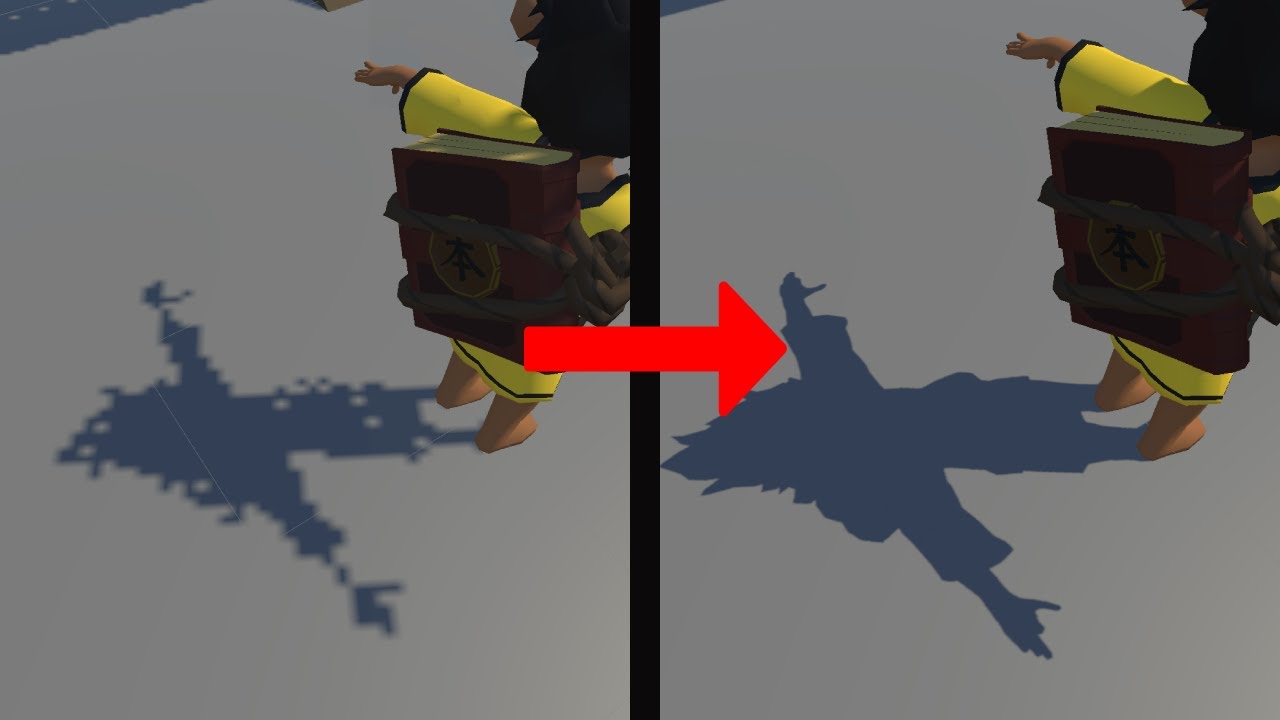
how to fix Unity URP Shadows
#unity #URP #Shadow #Universal Render Pipeline
 sleek eagle
glass mortar
can i make shadows without pixels&
sleek eagle
glass mortar
can i make shadows without pixels&
It wasnt said yet, but the shadows become sharper if you lower the shadow distance as well, for mobile this is key to get good quality up close and still have good performance
spare saddle
sleek eagle
It wasnt said yet, but the shadows become sharper if you lower the shadow distan...
Oh wow! I didn't know that.
Thnx!
 eternal wedge
Guys, I give up
I don't know why but even though I changed the prefab then in build it still uses previous version of the prefab
I tried everything, clean build, reimport all, clear build cache...
The only thing I haven't tried yet is absolute nuke - deleting library folder
odd arrow
eternal wedge
I don't know why but even though I changed the prefab then in build it still use...
Explain and illustrate the problem, this says nothing about it.
eternal wedge
odd arrow
Explain and illustrate the problem, this says nothing about it.
I have a prefab - warp gate, it is instantiated in the scene. In edit mode I change it (I added some mesh, changed some particles and hit Ctrl S) and I tested it in play mode - it works. However when I build it then in ABB it is still using the previous state
Also this prefab is not addressable
odd arrow
Did you actually save the prefab?
eternal wedge
odd arrow
Did you actually save the prefab?
Yes, I saved it then reopened unity
odd arrow
You save prefab by dropping it into old asset instance or creating a new one (if you were editing outside of the prefab editor)
eternal wedge
The only solution I could have thought of is deleting that prefab and recreating new copy
eternal wedge
odd arrow
You save prefab by dropping it into old asset instance or creating a new one (if...
Old asset instance inside Assets/prefabs - in edit mode
odd arrow
Make sure you reference the newly saved prefab and not old one
eternal wedge
odd arrow
Make sure you reference the newly saved prefab and not old one
I already made sure, in play mode it works fine, it's just the build which is messing things here
odd arrow
When building make sure to delete previous build first and check that there's no errors
eternal wedge
odd arrow
When building make sure to delete previous build first and check that there's no...
I tried that as well 😭
odd arrow
Then debug in build and print out on the screen what asset name are you actually instantiating.
Then figure out where it is and why you referencing that instead what you want
eternal wedge
odd arrow
Then debug in build and print out on the screen what asset name are you actually...
Okay, I will try, but I think I know where the issue is - it's probably one obfuscator asset messing with this
I will try deleting library
And then disabling obfuscator
odd arrow
Prefabs are assets, if there's a mixup it's of your own making, you need to debug the problem and figure it out.
 analog jewel
I’d love for you to try my game
odd arrow
@analog jewel #1180170818983051344
 little panther
Hello, does anyone have ideas on how to switch 2D characters in an Android game? Should I use a button for my character or a separate button to switch characters?
 latent compass
hey can someone help me with a problem I have with Unity and Vuforia with area targets ? Im using Unity 6000.0.57f1, I followed every step of videos about area targets, but it seems that when I open the app on my phone it doesnt work, first it didnt open my camera, then I erased vulkan from Graphics API settings on the project settings, then it finally opened the camera but when im at the palce of test it doesnt recongnized nothing from the scanned area target, what am i doing wrong ?
Im using an Honor 200 Pro for the test and i used an Iphone 14Pro Max i borrowed from a colleague
 teal flint
How to use unity in mobile? ✍🏻
neon thicket
teal flint
How to use unity in mobile? ✍🏻
You cannot use the Unity editor on mobile.
teal flint
neon thicket
You cannot use the Unity editor on mobile.
Hell nah
😥
I am poor girl @neon thicket
 grave orchid
Imagine if you could 🤣 unity can we get on that lol a mini editor for phone, maybe April fools
pearl marlin
teal flint
How to use unity in mobile? ✍🏻
godot has an editor usable on mobile but I think its quite unique in that respect.
Otherwise yea you will need a pc of some kind with windows, osx or linux.
Or some web only engine like playcanvas could maybe work.
teal flint
pearl marlin
godot has an editor usable on mobile but I think its quite unique in that respec...
Oh
Okay thanks for telling
teal flint
grave orchid
Imagine if you could 🤣 unity can we get on that lol a mini editor for phone, ma...
Yeah and also free to use becox I am poor girl 🤣
 flint elk
How do I get my S20 to properly detect my project as a game, I want to the preformamce usage of the game but detection seems flaky
sleek eagle
flint elk
How do I get my S20 to properly detect my project as a game, I want to the prefo...
Detection of what exactly?
flint elk
According to what I've gathered Samsung uses Playstore metadata to mark an application as a game allowing game mode and some overlays. It falls back on the actual manifest but that's a hit or miss.
I figured out that I can upload it to the playstore for testing so I'll test my luck with that
sleek eagle
Otherwise the latest Unity 6 versions have proper category settings I think
@flint elk
Not sure if it dropped in 6.0 yet
sly plover
Nice I got the app to work to scan food barcodes and pull nutrition info from other sites. For the most part. But I suck at UIs lol.
flint elk
sleek eagle
Otherwise the latest Unity 6 versions have proper category settings I think
It does but Samsung specifically seems to ignore those tags and instead look for metadata from Google so that method is largely unreliable
 fallen matrix
Hey, anyone khow in Unity6 we can keep status bar and navbar on for android builds, but in reactNative and other framework you get option to nativly change their color based on what activity of color your screen are rendering, is there any option available color dyamic color change for status and navbar without unity without using any java plugin?
flint elk
fallen matrix
Hey, anyone khow in Unity6 we can keep status bar and navbar on for android buil...
Given how limited controls unity exposes for native I strongly believe that's a no
 inland sigil
fallen matrix
Hey, anyone khow in Unity6 we can keep status bar and navbar on for android buil...
inland sigil
fallen matrix
Hey, anyone khow in Unity6 we can keep status bar and navbar on for android buil...
Sounds to me like you might need a custom post export script to add that metadata/setting to your build.
 raven edge
in there a compiler for android other than Gradle?, it always have issues i never build i game without having issues with gradle
valid tulip
I am using URP for the first time and when it was time to test it on multile devices some devices show this light quickly start getting brighter and brighter its like there is a Dontdestroyonload(gameObject in the update script but i didnt even attach a script to any of the lights and i cant reproduce this in the editor this is mostly a guessing game now I really need help from any1 that had this before me
 pearl marlin
valid tulip
I am using URP for the first time and when it was time to test it on multile dev...
pearl marlin
valid tulip
I am using URP for the first time and when it was time to test it on multile dev...
Can you record to show what's happening? Are these 3d lights?
valid tulip
pearl marlin
Can you record to show what's happening? Are these 3d lights?
they are 2D spotlights angled at the background and this only happens in specific devices I never experienced it myself but other users keep reporting that
https://cdn.discordapp.com/attachments/872037410391859231/1420481939386929264/XRecorder_Edited_20250924_01.mp4?ex=68d58e65&is=68d43ce5&hm=60cf3cfd9ce787aabbc5fc668c2baa15f729bcdee9fd8bb68da87cca8169628d&
pearl marlin
valid tulip
they are 2D spotlights angled at the background and this only happens in specifi...
If you make a dev build you can use the frame debugger to figure out what's happening.
It looks like the camera bg mode is set to not clear but otherwise I'm not sure. How is this menu set-up? Sprites? Ugui?
valid tulip
pearl marlin
If you make a dev build you can use the frame debugger to figure out what's happ...
all sprites with 2D lights as children
with a global volume
but I did try completely disabling it once as a test build but it didnt fix it
valid tulip
pearl marlin
If you make a dev build you can use the frame debugger to figure out what's happ...
I could add you as an internal tester in google play if you want to see everything yourself
pearl marlin
I'm good, I can't figure out much more from that. Are you using bloom?
pearl marlin
Ideally you have a debug menu to help you change things and see the results in a build
valid tulip
pearl marlin
Ideally you have a debug menu to help you change things and see the results in a...
do I logcat it?
pearl marlin
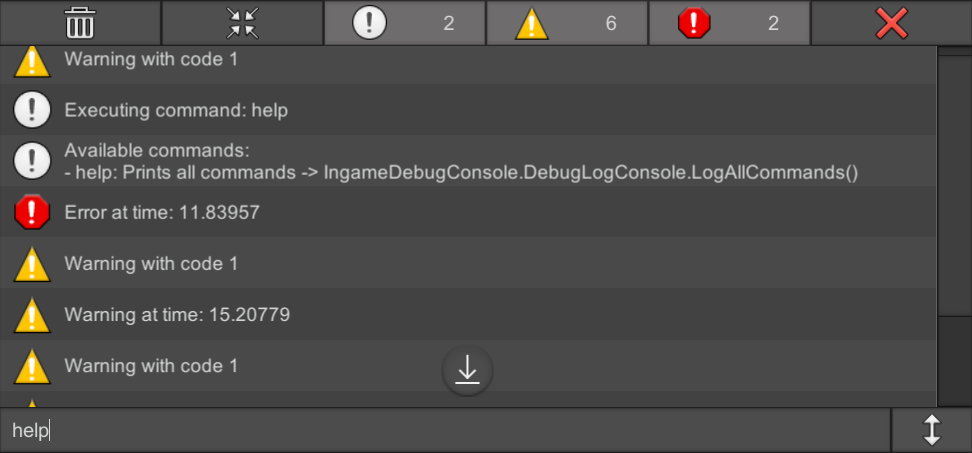
OpenUPM
A uGUI based console to see debug messages and execute commands during gameplay in Unity
Nah i mean something that lets you perform logic to check how things change in a build
valid tulip
pearl marlin
Nah i mean something that lets you perform logic to check how things change in a...
the issue is
I dont know what to test
I dont know what to see that causes this
it could be a flipped byte from a random electron in perfect spot
 pearl marlin
valid tulip
pearl marlin
valid tulip
kinda need the data expanded 😐
valid tulip
pearl marlin
kinda need the data expanded 😐
give me a moment
accidently deleted it mb


 pearl marlin
check the logs for your build in case there are NAN errors (via android logcat or connect the editor console to the build)
and do try to use the frame debugger with a dev build which will let you step through and see how the frame was drawn
if need you can record a vid of you doing that for us to check
valid tulip
pearl marlin
and do try to use the frame debugger with a dev build which will let you step th...
how do i do that?
pearl marlin
open the frame debugger in the unity editor and if a dev build is accessable on the same network or via usb (android only) you can enable it and it will pause the game and show details for how the current frame was rendered
https://docs.unity3d.com/6000.2/Documentation/Manual/FrameDebugger-debug.html
same for the console, there is a little dropdown that lets you view logs for dev builds too
valid tulip
the device is in developer mode but it still wont pop up on my pc even tho the usb settings allows file transfer
pearl marlin
has to be a dev build too
valid tulip
pearl marlin
has to be a dev build too
I have to rebuild this again?
ok I will do this tmr morning
pearl marlin
yea with the dev build option enabled
get into the habit of this for testing builds
valid tulip
whats with this
 valid tulip
pearl marlin
get into the habit of this for testing builds
valid tulip
pearl marlin
get into the habit of this for testing builds
it wont let me
pearl marlin
thats to build and run right?
and make sure you still build an apk if you dont plan to upload to the play store
valid tulip
pearl marlin
thats to build and run right?
yes
valid tulip
pearl marlin
and make sure you still build an apk if you dont plan to upload to the play stor...
it already is uploaded now im uploading it again but i dont want to upload the developer one to play store i wanna build to phone immediatly
pearl marlin
usb debugging/remote adb needs to be active for build and run to work (so it can install the app for you)
valid tulip
yes
pearl marlin
le google will help you there
valid tulip
it is connected
valid tulip
pearl marlin
usb debugging/remote adb needs to be active for build and run to work (so it can...
adb?
my phone is in dev mode and wired to my pc isnt that all i need?
pearl marlin
you have to have usb debugging on or perform a wireless adb connection for the "run" part to work
valid tulip
I have to slep now cya tmr morning and ill do this
pearl marlin
you can also install the app via adb or transfer it over later so its not a big loss to not use build and run right now

 iron acorn
 gentle compass
I was looking for a solution to my problem
gentle compass
I was looking for a solution to my problem
You still need to share the error details, even if it's in this channel... 😅
gentle compass
A tool for sharing your source code with the world!
iron acorn
gentle compass
https://paste.mod.gg/vufouxgitgnm/0
Now read what you shared there and answer a simple question:
Does that error say anything about the cause of the build failure?
valid tulip
pearl marlin
you can also install the app via adb or transfer it over later so its not a big ...


 pearl marlin
you need to go through each step, does it look normal before bloom?
valid tulip
pearl marlin
you need to go through each step, does it look normal **before** bloom?
everything above bloom?
pearl marlin
click a draw call to see the preview of the frame at that point in time
check one before the bloom pass to see if stuff is messed up before


 pearl marlin
Hmm thats weird that the color and depth clear are explicitly done but do not cover the whole buffer
My thinking is something is left from the previous frame that causes this build up of light over time.
Normally with rendering we do not perform a full clear of the frame buffer as we expect the next frame to override everything from the last.
But when this goes wrong, old data from the old frame can cause problems
valid tulip
pearl marlin
But when this goes wrong, old data from the old frame can cause problems
yes
thats it
thats whats happening
it gets brighter and brighter
as if the last frame is being added to the new frame
they only clears when I switch the scenes or restart the program
iron acorn
Should probably look from the bottom up.
Depth buffer can be white like that depending on the values.
pearl marlin
This should all be 2d sprites so id expect no depth usage
valid tulip
not really
pearl marlin
okay what does this scene contain then?
valid tulip
background is placed behind the other sprites to avoid that clipping effect
iron acorn
Should look at these points
 pearl marlin
valid tulip
background is placed behind the other sprites to avoid that clipping effect
pearl marlin
valid tulip
background is placed behind the other sprites to avoid that clipping effect
What is this background? sprite render? mesh renderer? something else?
valid tulip
iron acorn
Should look at these points
only the middle "draw procedural" is normal
iron acorn
valid tulip
only the middle "draw procedural" is normal
Cany you share some screenshots..?
valid tulip
pearl marlin
What is this background? sprite render? mesh renderer? something else?
sprite renderer
pearl marlin
check the steps that dlich pointed out next then.
valid tulip
iron acorn
Cany you share some screenshots..?
middle one is not normal anymore


 iron acorn
valid tulip
middle one is not normal anymore
iron acorn
valid tulip
middle one is not normal anymore
Try disabling bloom for a moment
pearl marlin
yea bloom is making it worse
iron acorn
And it looked different than the last 3 screenshots?
I mean here it's quite likely a very bright color(lights?) possibly causing value overflow. Or just hdr making everything weird.

Try disabling hdr, try disabling the 2d lights.
If disabling the lights helps, then you just have some crazy settings.
valid tulip
iron acorn
I mean here it's quite likely a very bright color(lights?) possibly causing valu...
its the lights I think
iron acorn
What settings do they have?
valid tulip
I once disabled all of the global volume and it didnt help at all
iron acorn
I'm not sure if a volume is related to lights..?
valid tulip
pearl marlin
yea bloom is making it worse
middle is normal again


 valid tulip
iron acorn
I'm not sure if a volume is related to lights..?
valid tulip
iron acorn
I'm not sure if a volume is related to lights..?
volume profile (urp)?
valid tulip
iron acorn
What settings do they have?
note: this brightness issue isnt in every single device btw its only on specific devices testers reported
 iron acorn
valid tulip
volume profile (urp)?
iron acorn
valid tulip
volume profile (urp)?
Isn't that for post processing?
valid tulip
iron acorn
Isn't that for post processing?
yea
I thought that might be related and completely disabled it
iron acorn
valid tulip
note: this brightness issue isnt in every single device btw its only on specific...
Hmm...
Did you try enabling "prevent NaN"(probably a bit different name) setting on the camera?
valid tulip
iron acorn
Hmm...
Did you try enabling "prevent NaN"(probably a bit different name) setting...
no, I dont know what is
iron acorn
valid tulip
no, I dont know what is
As setting on the camera.
pearl marlin
Try with it enabled. I am legit confused by what's happening but it's hard when we cant see the whole frame process
iron acorn
Also, does the issue ever happen on the first renderer2 draw?
 valid tulip
pearl marlin
Try with it enabled. I am legit confused by what's happening but it's hard when ...
valid tulip
pearl marlin
Try with it enabled. I am legit confused by what's happening but it's hard when ...
it didnt help
yes

I dont know how to discribe this
the ui is gone
the issue is fixed
i didnt do anything?
wait nvm
valid tulip
iron acorn
Also, does the issue ever happen on the first renderer2 draw?
not anymore now
iron acorn
valid tulip
the ui is gone
When you select draw calls in the frame debugger, that would affect what's rendered on the device. Don't get confused by that.
iron acorn
valid tulip
yes
Can you take screenshots of these draw calls?


 iron acorn
valid tulip
iron acorn
valid tulip
What's the light source at the top left corner of the screen?
 valid tulip
iron acorn
What's the light source at the top left corner of the screen?
valid tulip
iron acorn
What's the light source at the top left corner of the screen?
large spotlight
simulating the sun
iron acorn
valid tulip
large spotlight
Is that the one you shared earlier?
 valid tulip
iron acorn
Is that the one you shared earlier?
valid tulip
iron acorn
Is that the one you shared earlier?
yes
iron acorn
valid tulip
the only thing lighting up the screen is the sun
You're saying that's the only light source in the scene?
valid tulip
iron acorn
You're saying that's the only light source in the scene?
no
im saying without it you dont see much
but there are more light sources
valid tulip
valid tulip
this is how its meant to look
each comet and the little guy have a light source
iron acorn
Hmmm...
Well, considering it only happens on some devices, it must be some weird graphics api or drivers quirk...
What graphics api are you using btw?
valid tulip
I did try disabling the sun light souce completely before but the issue persisted with the other light sources "stacking up" getting brighter and brighter
pearl marlin
I wonder if forcing open gl only would help
iron acorn
Yeah, I'd try shuffling the main graphics api
valid tulip
pearl marlin
I wonder if forcing open gl only would help
I wanted to do that but I didnt
where was that graphics api menu again?
in the settings?
iron acorn
In the Player settings
Beyond that, you'd probably need to use the platform native graphics debugger.
 iron acorn
valid tulip
iron acorn
valid tulip
Was there vulkan at the top or something?
iron acorn
Ok, then it might work.
valid tulip
nop
valid tulip
iron acorn
Ok, then it might work.
no use
iron acorn
Did you rebuild the game that fast?😲
valid tulip
iron acorn
Did you rebuild the game that fast?😲
build and run yea
iron acorn
Hmm... Well, then native debuggers. Or just keep on trying toggling different options/lights, etc... Until you can deduce the cause.
valid tulip
iron acorn
Hmm... Well, then native debuggers. Or just keep on trying toggling different op...
I fixed it
the issue was in the settings of the lights
all of them
iron acorn
valid tulip
the issue was in the settings of the lights
Nice. What setting exactly?

 pearl marlin
I guess this prevents it adding to the previous frame (why that happens is still a mystery i guess)
valid tulip
pearl marlin
I guess this prevents it adding to the previous frame (why that happens is still...
yes
 cyan wing
hey i have a problem with my code or firebase ? my game wouldn't load what i have done after closing it it reset the game and firebase only update first time after instelling it if i close it open it everything i did reset and fire base wouldn't update anymore with stuff i do
how and where should i share my codes?
cyan wing
A tool for sharing your source code with the world!
 trail marten
Hi everyone, I need some help with my project.
I’m on Unity 6.1 (Android build), and after building my APK, the terrain and textures appear empty/white on my phone, even though everything works fine inside the editor.
So far, I tried..
Switching API levels.
Changing Texture Compression (enabled ASTC, ETC2, etc.).
Rebuilding APK and reinstalling.
But the issue is still there.
Does anyone know what could be causing this?
 tired lily
cyan wing
hey i have a problem with my code or firebase ? my game wouldn't load what i hav...
tired lily
cyan wing
hey i have a problem with my code or firebase ? my game wouldn't load what i hav...
add logs, more exception handling, view logcat. Hopefully you're initializing Firebase the recommended way via CheckAndFixDependenciesAsync somewhere. StateChanged might not invoke events until the next frame so your Awake is fishy
tired lily
trail marten
Hi everyone, I need some help with my project.
I’m on Unity 6.1 (Android build)...
two more options to test/consider: shaders were stripped or your device doesn't support them
sleek eagle
trail marten
Hi everyone, I need some help with my project.
I’m on Unity 6.1 (Android build)...
Please update Unity. 6.1 is old and unsupported. Use 6.2
After that, check for any errors while building, enable shader compilation logging, and use logcat to check for errors
trail marten
Okay thanks, I'll look into possible shader issues and also make sure my Unity version is up to date, along with checking the build logs for any errors.
 charred mortar
Whats the common way to show keyboard on mobile devices?
pearl marlin
charred mortar
Whats the common way to show keyboard on mobile devices?
ui text fields do this already but otherwise you can use
https://docs.unity3d.com/6000.2/Documentation/ScriptReference/TouchScreenKeyboard.Open.html
charred mortar
pearl marlin
ui text fields do this already but otherwise you can use
https://docs.unity3d.co...
I have a textmesh pro input field, so it should open a keyboard?
pearl marlin
yea for sure when the user taps it to edit it will open the touch keyboard and a native os input field (if not disabled)
 quiet crag
I am trying to figuer out how I can open the IAP Catalog Editor from a seperate script button. With a simple editor script. Anyone know how I can do this?
The actual location is here:
Services > In-App Purchasing > IAP Catalog
I read through the docs and I could not exactly find any way on how I could do this:
https://docs.unity.com/ugs/en-us/manual/iap/manual/iap-catalog-window-reference
Code I am using:
            if (GUILayout.Button("Open IAP Catalog"))
            {
                OpenIAPCatalogEditor();
            }

        public static void OpenIAPCatalogEditor()
        {
            //Open Window
        }
Found the answer:
EditorWindow.GetWindow(typeof(UnityEditor.Purchasing.ProductCatalogEditor));
 sullen lava
 rain leaf
sleek eagle
Please update Unity. 6.1 is old and unsupported. Use 6.2
After that, check for a...
rain leaf
sleek eagle
Please update Unity. 6.1 is old and unsupported. Use 6.2
After that, check for a...
wait what? already? and I'm still in 6.0 XD
sleek eagle
rain leaf
wait what? already? and I'm still in 6.0 XD
You just said 6.1 lol
6.0 is LTS, so had support. 6.1 is tech stream, so dropped support when 6.2 came oit
rain leaf
sleek eagle
You just said 6.1 lol
6.0 is LTS, so had support. 6.1 is tech stream, so dropp...
I assume you are referring to Edolas, the original poster?
So, in a sense, its better to stick with 6.0 LTS than keep upgrading to tech stream? I havent followed unity version for a while now, and I upgraded to 6.0 only for upgrading my android project
sleek eagle
Yeah
For projects that benefit new features I just upgrade every 6 weeks or so. Also makes sure the project is set up good if it doesn't break every update lol
But for most projects use 6.0 now. And when you have a bug, update to the latest 6.0 bugfixes first
6.0.0 to 6.0.53 has a ton of fixes already
worn vine
Do I need to support ipV6 on my server to pass apple review? looks like they cannot connect to my ipv4 server (Transport).
worn vine
I found MultiNetworkDriver hope it will be working
 livid briar
I have an urgent issue with the new mandatory version of the new unity IAP package version 5.0.1 for Android. I need someone to talk to. Where can I find someone?
My specific problem is that the function _storeController.FetchProducts(catalog.GetProducts()); where catalog is a var catalog = new CatalogProvider(); then returns a list with 0 products inside the OnProductsFetched callback.
I have tried every possible solution and fix that I can find but it does not work (IAP package is enabled in project settings, unity services properly connected to online project, product IDs match with google play store, the products are active in the play console etc). Also, the project previously worked with version 4.x of the unity IAP package and the list of products hasn't changed since then.
 knotty shard
can someone help me i try everythings

i'm on debug developper mode , it say gradle build failed
iron acorn
knotty shard
You need to look at the error details. Not just the top level message.
 ornate gulch
Has anyone addressed the recent security vulnerability with an older version of the Google Play Billing SDK?
It looks like you can patch your app without having to upgrade the target Android API, but not sure about the Billing Library.
sleek eagle
ornate gulch
Has anyone addressed the recent security vulnerability with an older version of ...
Isnt the issue inside of the editor? Not the individual packages
ornate gulch
sleek eagle
Isnt the issue inside of the editor? Not the individual packages
Yeah, it's the editor. But you need to resubmit to the Google Play store. From my understanding Unity has been in contact with Google and will allow re-submissions even if you're not target the correct Android API. However I was wondering if you can submit it with an old Billing Lib. version. I'm gonna test it soon anyway, but just seeing if anyone's tried.
knotty shard
iron acorn
You need to look at the error details. Not just the top level message.
where do i see this?
iron acorn
knotty shard
where do i see this?
Click the errors and look at the bottom part of the console
ornate gulch
sleek eagle
If you find out let me know!
The patcher tool worked!
Basically my game targets Android API 34, and the Google Billing SDK 6.2.1 (via the Unity In app Purchasing package 4.12.2)
My Google play console is currently saying that I need API 35 and Google Billing SDK 7 for any new submissions.
But after using the patcher tool on my last build, I was able to submit it and it was reviewed and accepted within about 30 mins.
 low locust
hello guys, it's my first time making a mobile game, do you guys any idea or advice on how to optimize the game?
iron acorn
low locust
hello guys, it's my first time making a mobile game, do you guys any idea or adv...
Profile -> determine bottlenecks -> optimize bottlenecks.
 brazen birch
Yeah I'm sure there's a million guides on that by now
eternal wedge
I met my fate...
Gradle error
I'm using Google play games v2.1.0 and Google Ads package v10.5.0 and unity 6000.2
- consumer needed artifactType = 'android-classes-jar'
- the library declares artifactType = 'srcaar'
If I understand this correctly, GPG package is not as modern as Google ads package and therefore I am forced to modify something in GPG package
 mellow rampart
Any one here having experience in creating a system to be able to install apk from the unity generated build itself.
My use case is to push updates for my application in the form of this apk which will be downloaded and installed.
I have tried multiple things but couldn't get it to work sometimes gradle errors,sometimes run time permission errors and so on.
I want to target all modern android versions and devices.
If anyone is having any idea about this please help me out by explaining how to achieve this.
I can't use Google play to push updates it isn't on Google play.
brazen birch
mellow rampart
Any one here having experience in creating a system to be able to install apk fr...
Yup, you just need the permissions enabled. We do this with our dashboards a lot to update packages.
Android manifest:
<uses-permission android:name="android.permission.REQUEST_INSTALL_PACKAGES" />
<uses-permission android:name="android.permission.INTERNET" />
<uses-permission android:name="android.permission.READ_EXTERNAL_STORAGE" />
<uses-permission android:name="android.permission.WRITE_EXTERNAL_STORAGE" />
<provider
  android:name="androidx.core.content.FileProvider"
  android:authorities="${applicationId}.provider"
  android:exported="false"
  android:grantUriPermissions="true">
  <meta-data
    android:name="android.support.FILE_PROVIDER_PATHS"
    android:resource="@xml/file_paths" />
</provider>
And then of course the java request to install it somewhere in your code. You'll need to do it through a file provider usually.
Uri apkUri = FileProvider.getUriForFile(context,context.getPackageName() + ".provider", new File(apkPath));
Intent intent = new Intent(Intent.ACTION_INSTALL_PACKAGE);
intent.setData(apkUri);
intent.setFlags(Intent.FLAG_GRANT_READ_URI_PERMISSION);
context.startActivity(intent);
Like something to that effect.
 stoic mesa
We're struggling profiling and optimizing our render time (both in cpu and gpu) for mobile. Are there tools you find useful for this, other than the Unity Profiler and the Frame Debugger?
it's a 2D game and we're still struggling with performance a lot, when targeting low end phones
What we do is toggle different elements on and off and see the MS difference. but there must be a better way
pearl marlin
stoic mesa
We're struggling profiling and optimizing our render time (both in cpu and gpu) ...
gpu profiling on device is harder and requires better tools to get more detail like renderdoc.
Otherwise you need to look at scene complexity such as tri count, shader complexity, texture usage and how many passes are drawn in a frame.
iron acorn
stoic mesa
We're struggling profiling and optimizing our render time (both in cpu and gpu) ...
The cpu side you can diagnose with the profiler just fine. For the gpu side, you'll need to look up platform specific graphics debugging tools.
stoic mesa
iron acorn
The cpu side you can diagnose with the profiler just fine. For the gpu side, you...
how do i diagnose the cpu side
using the frame debugger? should i prioritize batching of sprites?
it's not tri count.. i swapped all the sprites to quad mode instead of tight and it ran worse
iron acorn
stoic mesa
how do i diagnose the cpu side
using the frame debugger? should i prioritize bat...
Not frame debugger. The profiler. It basically tells you what is taking how much time on the cpu.
rain leaf
stoic mesa
it's not tri count.. i swapped all the sprites to quad mode instead of tight and...
thats because in quad mode you will have more overdraw.
Seems like yous scene has many objects thats stacked on top of each other.
Also, if your sprite use alpha blending instead of alpha cutoff, that could make performance even worse
If you dont mind show us your scene which lags badly
odd arrow
!collab
 rugged cloakBOT
odd arrow
!collab
rugged cloakBOT
odd arrow
!collab
:loudspeaker: Collaborating and Job Posting
We do not accept job or collab posts on Discord.
Please, use Discussions to promote yourself as job-seeking, advertise commercial job offers, or look for non-commercial projects to participate in:
• ** Collaboration & Jobs**
stoic mesa
iron acorn
Not frame debugger. The profiler. It basically tells you what is taking how much...
sorry i didn't express myself clearly. i mean it's hard to know what to optimize for render time even if i can look at the profiler and see on a high level what it's doing to prepare for rendering. but maybe i can have a closer look
stoic mesa
rain leaf
thats because in quad mode you will have more overdraw.
Seems like yous scene h...
that's right.
and yeah we use alpha blending. we could try cutoff. wonder if the edges will look ok that way.
and yes there's a lot of sprites stacked on top of each other. many sprites block most of what's behind. i wonder if we can do some sort of occlusion culling instead of what unity is doing now. which is it just renders everything from back to front. there's a lot of waste.
are there ways to make that better?
iron acorn
stoic mesa
sorry i didn't express myself clearly. i mean it's hard to know what to optimize...
Or you could share some of that profiler info here and ask for advice.
urban moon
still getting crash on launch with my android game when build with latest ads mediation 9.0 and latest adapter (unity ads, meta, ad mobs) [unity 6000.0.59f2]. Everything is setup correctly like in previous version (ad mobs enabled, app ids set; levelplay app keys set, declare AD_ID permissions checked, automatically add installed networks Skadnetworks checked)
i grapped a log with logcat on my rooted phone:
Unknown bits set in runtime_flags: 0x8000
com.xxx.xxx
2025-10-09 12:49:30.219 16558 16558AndroidRuntime
FATAL EXCEPTION: main
Process: com.xxx.xxx, PID: 16558
java.lang.RuntimeException: Unable to get provider com.google.android.gms.ads.MobileAdsInitProvider:
java.lang.IllegalStateException
com.xxx.xxx
2025-10-09 12:49:30.984 16558 16558MQSEventManagerDelegate
failed to get MQSService.
com.xxx.xxx
2025-10-09 12:49:30.986 16558 16558
EDIT: seem to be fixed when manually adding to androidmanifest:
<meta-data android:name="com.google.android.gms.ads.APPLICATION_ID" android:value="ca-app-pub-XXX"/>
So unity does not add the meta data correctly.
 heavy hare
Can you test deep linking in the Editor?
pearl marlin
urban moon
still getting crash on launch with my android game when build with latest ads me...
both level play and google mobile ads plugin have things to add this for you so its strange this didnt happen
urban moon
pearl marlin
both level play and google mobile ads plugin have things to add this for you so ...
yeah usually it has been working in previous versions
pearl marlin
i guess you can double check both to see what went wrong
but good you found the solution
mellow rampart
brazen birch
Yup, you just need the permissions enabled. We do this with our dashboards a lo...
Hi @brazen birch
Thanks for the response.
Is it okay If I DM you regarding this?
I am having an AndroidManifest.xml file with the mentioned permissions along with a .androidlib folder where I have the xml file and the Java code as you mentioned.
I am having errors during the apk build stage related to the java code not being able to compile due to dependency issues.
It is small project should I share the github link so that you can help me out what I am doing wrong...
 lone oak
I am Omar, an ASO expert, with a long experience in the field of marketing, games and applications to obtain the best results for your project
I offer you to join you, I'm here to help
brazen birch
lone oak
I am Omar, an ASO expert, with a long experience in the field of marketing, game...
If that was true, you would have posted your "hire me" somewhere appropriate.
brazen birch
mellow rampart
Hi <@229302061840203786>
Thanks for the response.
Is it okay If I DM you regard...
Hi Syed, I probably can't help much more than that I'm afraid, I'm mostly working in Unreal now and haven't touched Unity in a very long time
mellow rampart
brazen birch
Hi Syed, I probably can't help much more than that I'm afraid, I'm mostly workin...
Understable.
Thanks for guidance anyways.
Atleast I know I am heading in the right direction.
lone oak
brazen birch
If that was true, you would have posted your "hire me" somewhere appropriate.
Yes, this is true, I'm going to publish in, I didn't know that there was a special place
 somber panther
Hello, I'd like to buy some Unity Android Game Sources, specifically fighting game (similar to these ones : Vita Fighters, Final Fighter, etc). DM me if you got.
 midnight musk
sliders not working for anyone else over on iOS 18.7+?
eternal wedge
Anyone has idea what is going on here? The last thing I can see in logcat is [ADV-LOG] Updating ConsentInformation and then it is in stall - no errors, nothing... ``` public async Task<bool> RequestConsentAsync()
{
// Ensure we are on Unity's main thread
await Task.Yield();
     var tcs = new TaskCompletionSource<bool>();

     Logger.Log("[ADV-LOG] Creating ConsentRequestParameters");
     ConsentRequestParameters request = new ConsentRequestParameters();

     Logger.Log("[ADV-LOG] Updating ConsentInformation");
     ConsentInformation.Update(request, (FormError consentError) =>
     {
         if (consentError != null)
         {
             Logger.LogError("[ADV-LOG] Consent update error: " + consentError.Message);
             tcs.SetResult(false);
             return;
         }

         Logger.Log("[ADV-LOG] ConsentInformation updated. Loading consent form if required.");
         ConsentForm.LoadAndShowConsentFormIfRequired(async (FormError formError) =>
         {
             if (formError != null)
             {
                 Logger.LogError("[ADV-LOG] Consent form error: " + formError.Message);
                 tcs.SetResult(false);
                 return;
             }

             bool obtained = ConsentInformation.ConsentStatus == ConsentStatus.Obtained;
             Logger.Log("[ADV-LOG] Consent gathered: " + obtained);

             if (obtained && ConsentInformation.CanRequestAds())
             {
                 Logger.Log("[ADV-LOG] Initializing MobileAds...");
                 await InitializeAdsAsync();
             }

             tcs.SetResult(obtained);
         });
     });

     return await tcs.Task;
 }```
Can you explain the issue properly? Is the app freezing?
eternal wedge
iron acorn
Can you explain the issue properly? Is the app freezing?
No, not at all, it still runs at 60FPS
I tried to remove consent and just intialize ads and it works perfectly
iron acorn
eternal wedge
I tried to remove consent and just intialize ads and it works perfectly
Try stepping through the code with a debugger
eternal wedge
iron acorn
Try stepping through the code with a debugger
I did that, I used Android Logcat and the last log is that Updating consent Information
eternal wedge
iron acorn
**debugger**
Oh, yeah, I get it now, I will check it
 slim yoke
rugged cloakBOT
brazen birch
!collab
slim yoke
rugged cloakBOT
brazen birch
!collab
:loudspeaker: Collaborating and Job Posting
We do not accept job or collab posts on Discord.
Please, use Discussions to promote yourself as job-seeking, advertise commercial job offers, or look for non-commercial projects to participate in:
• ** Collaboration & Jobs**
 karmic frigate
Hi there, I am dealing with this problem since tomorrow, please can anybody help me with it

When I go to this location, I dont know what to do
 iron acorn
karmic frigate
When I go to this location, I dont know what to do
iron acorn
karmic frigate
When I go to this location, I dont know what to do
Use the copy path button, paste it in windows explorer and see if there are actually files at that path.
karmic frigate
iron acorn
Use the copy path button, paste it in windows explorer and see if there are actu...
ok, which path to copy
 mighty rivet
iron acorn
karmic frigate
ok, which path to copy
mighty rivet
iron acorn
karmic frigate
ok, which path to copy
The one that the error message is referring to.
I'd also check Hunanbean reply as it seem like a common issue that is easily googleable.