#↕️┃editor-extensions
1 messages · Page 115 of 1
 waxen sandal
You probably haev to use the same serializedobject
Or not call ApplyModifiedProperties all the time
Try only doing it in the change check
EditorGUI.BeginChangeCheck/EndChangeCheck
 lethal helm
public override void OnInspectorGUI() {
            EditorGUILayout.PropertyField(serializedObject.FindProperty("roadNetworkAssets"));
            if (roadNetwork.roadNetworkAssets) {
                SerializedObject assetsObject = new SerializedObject(roadNetwork.roadNetworkAssets);
                EditorGUI.BeginChangeCheck();
                RoadNetworkAssetsDrawer.Draw(roadNetwork.roadNetworkAssets, assetsObject);
                EditorGUI.EndChangeCheck();
                assetsObject.ApplyModifiedProperties();
            }
            serializedObject.ApplyModifiedProperties();
        }
throwing it like there or something?
waxen sandal
if(EditorGUI.EndChangeCheck()) assetsObject.ApplyModifiedProperties();
And remove teh extra Apply at teh end
And you shouldn't recreate the serailizedobject every frame
 gentle dew
hey is there anyway to get what display the editor is on in a runtime script?
 waxen sandal
Reflection into the SceneView class
gentle dew
waxen sandal
Reflection into the SceneView class
and how do i do that?
 weak spoke
gentle dew
and how do i do that?
weak spoke
gentle dew
and how do i do that?
you can use this
https://docs.unity3d.com/ScriptReference/Display-activeEditorGameViewTarget.html
it will return the index of the screen ( index 0 is Display 1, index 1 is Display 2 and so on)
(this is editor only)
if you want to know what display a camera is rendering to you can use
https://docs.unity3d.com/ScriptReference/Camera-targetDisplay.html
 brazen cloak
Is there a way to reference what port or node a certain port is connected to in graph view?
 gloomy chasm
brazen cloak
Is there a way to reference what port or node a certain port is connected to in ...
gloomy chasm
brazen cloak
Is there a way to reference what port or node a certain port is connected to in ...
Just a quick look at the API will give you the answer.
 whole steppe
I've been really struggling trying to find out how to see if the selected object is an instance of a specific prefab
I'm using PrefabUtility.GetPrefabInstanceHandle() and comparing it to a prefab given through a field, and they don't seem to be "equal"
Googling the issue has been a huge pain cause I keep finding obsolete things from PrefabUtility, and finding people asking about checking this stuff during runtime, which isn't what I am trying to do
whole steppe
gloomy chasm
<@456226577798135808> there ya go.
Thank you!
I just tried replacing GetPrefabInstanceHandle() with both of those and neither seem to work. I am kind of confused about the terminology of things? I am not sure what the difference between the Instance Handle is and a "Asset Object" is
These prefabs are passed through a field in a ScriptableObject as a "GameObject"
And I am trying to compare the Selection.activeObject against them
gloomy chasm
whole steppe
Thank you!
I just tried replacing GetPrefabInstanceHandle() with both of those ...
GetPrefabInstacneHandle basically takes a component or child GameObject of a prefab instance and returns the root GameObject of that prefab instance.
whole steppe
gloomy chasm
GetPrefabInstacneHandle basically takes a component or child GameObject of a pre...
ah okay, so it does NOT give me the reference to the prefab that was used to create it?
gloomy chasm
whole steppe
ah okay, so it does NOT give me the reference to the prefab that was used to cre...
No, that is what GetCorrespondingObjectFromSource does
whole steppe
I tried that and it doesn't seem to be working when I compare it with "=="
gloomy chasm
Use some debug.logs to figure out what it is giving you and what you are comparing
whole steppe
ah okay, I tried a more direct test and I know at least that SHOULD work, so I apparently had another issue stacked ontop of it
thanks a ton!!!!
whole steppe
Hello! Have you used Plastic SCM? I am trying to upload a project to the workspace and when I validate the changes, I get this error in the console.

 hushed mirage
ScriptableObject asset callbacks
 chilly lily
hi
visual studio code just stopped showing errors and also no autocomplete or unity syntax
first time this happens to me i tried :
uninstalling and re installing
rebooting pc
deleting extensions and re installing them
checking unity preferences visual studio code is the default code editor
it used to work fine i don't know what happened
the errors are showing on unity's end but visual studio code nothing
hushed mirage
yea, i've had bad luck with that omnisharp in vs code on mac 😦
my solution was to switch to Rider, but i realize that's not much help
the only thing that comes to mind is that your uninstall/reinstall may have left vs code configuration intact
either way, i'd look into finding the error in vs code or omnisharp's logs.. they must be visible somewhere..
chilly lily
hushed mirage
yea, i've had bad luck with that omnisharp in vs code on mac 😦
my solution was ...
i uninstalled the sdk and net framework then i entered visual studio code and it didn't flag them as missing bruh
chilly lily
yeah there's a folder named "Code" in "appdata" which has all visual studio stuff i deleted that and gonna reinstall hopefully it goes well i'll update if anything new happens
chilly lily
nothing worked so far sadly
whole steppe
chilly lily
hi
visual studio code just stopped showing errors and also no autocomplete or un...
Yeah the same happened to me at around the same time
chilly lily
whole steppe
Yeah the same happened to me at around the same time
you mean today ?
whole steppe
Do you use Unity Code Snippets by Kleber Silva
chilly lily
yeah
 chilly lily
so it was an update that broke something
whole steppe
Possibly, feels like there'd be more people here wondering
 chilly lily
hmm inetresting
maybe something else ?
i literally did nothing its impossible for it to break just by itself
its also not detecting the sdk missing which is odd
whole steppe
@chilly lily Using this seems to be just as good as what I was used to

Do you have this
chilly lily
nope
chilly lily
oh ok thanks a lot i will
 chilly lily
whole steppe
chilly lily
whole steppe
i'm missing everything sadge
 supple willow
Hey everyone. A quick question. Is there a command in Unity that Serializes/saves an object? In Editor time i mean
So far I use
Assets.SaveAssetIfDirty(obj);
But is there a more proper way for that?
waxen sandal
Context?
supple willow
waxen sandal
Context?
Talking to me? If so, I'm talking mainly about Editor
waxen sandal
Yes, I know you're talking about editor btu there's like 5 different ways to save changes to a file
supple willow
waxen sandal
Yes, I know you're talking about editor btu there's like 5 different ways to sav...
Care to explain? That's my question after all haha 😜
- Quick reference is appreciated, so to not take much of your time
I'm familiar with Unity editor utilities; so I'm also surprised there's alternative ways for that
waxen sandal
So, you're calling SaveAssets because you want to save to disk right?
Which likely implies this is some automation and not user input
If it is user input then you likely want to do Undo.RecordObject instead and don't call SaveAsset as it then will save when the user saves the project
There's also InternalEditorUtility.LoadSerializedFileAndForget and InternalEditorUtility.SaveToSerializedFileAndForget which let you save outside of Assets
(ScriptableSingleton uses those for example)
 jovial zealot
How do I get the field type from serialized property
supple willow
waxen sandal
There's also `InternalEditorUtility.LoadSerializedFileAndForget` and `InternalEd...
Whoah, i totally didn't know about the internal calls, big thanks!
waxen sandal
Probably not something you'll want to use often fwiw
supple willow
Git wise?
waxen sandal
You should only use those if you're doing things outside of the assets dir
And ScriptableSingleton is often a better alternative if you do
supple willow
waxen sandal
You should only use those if you're doing things outside of the assets dir
Ah, then that's a huge drawback...
What's your personal preference for saving changes?
waxen sandal
I don't usually force save things
I just register it with Undo
And have Unity handle the saving
supple willow
When u deal with drawing objects rather than serialized properties, u gotta manually save it at some point
waxen sandal
But if I really do then what you're doing is pretty decent
supple willow
waxen sandal
But if I really do then what you're doing is pretty decent
Ah,
waxen sandal
Most things I do are based on user input and thus you have to create an asset at some point and then usually I use serializedobejcts
Also am doing File.WriteAllText currently due to the files being TSV text files
supple willow
The whole problen started when I was forced into drawing Odin inspector in the window ... U see Odin don't do serialized property, it uses some tree objects that i think is some complex black box.. so i just try to guess and save changes at some point
waxen sandal
oof
jovial zealot
waxen sandal
https://docs.unity3d.com/ScriptReference/SerializedProperty-type.html
I'm not in a property drawer
waxen sandal
But can't you record it with Undo and then have it automatically save
supple willow
Yeah, and it gets even more complicated when i have to put some Reorderable List in there that uses raw serialized objecy
waxen sandal
jovial zealot
the type name? really
That field comes from the C++ side so C# types don't exist unless they reconstruct it
Type.GetType
supple willow
waxen sandal
But can't you record it with Undo and then have it automatically save
Never tried undo, tbh. Will give it a try, thanks for the idea
waxen sandal
Or find the FieldInfo yourself based on the PropertyPath
jovial zealot
waxen sandal
Or find the FieldInfo yourself based on the PropertyPath
Unity of course doesn't have a function for this, right?
waxen sandal
It's really an antipattern so no
There's some links if you scroll up a lot on how to do it
supple willow
jovial zealot
And how do I reliably get the type?
Just as a help, really, these kinda questions are way better to be asked from google. Really for your own sake; because later on you'll find yourself asking a question here that no one has the time to answer, and u gotta know how to google that
Navi here is a life saver, but they might go offline anytime
 short tiger
SerializedProperty doesn't have a fieldInfo or field type property because not all serialized properties have an underlying C# field.
waxen sandal
Also a good point
supple willow
short tiger
`SerializedProperty` doesn't have a `fieldInfo` or field type property because n...
It does have a object reference though, which u can use
waxen sandal
e.g. FontAsset has a bunch of properties that are not exposed on the managed side at all
jovial zealot
supple willow
Just as a help, really, these kinda questions are way better to be asked from go...
Well, it is usually more fruitful to just ask when people are online
And I saw the conversation was active
Usually I do google, which usually brings me to bad or outdated answers, or Unity documentation, which is mostly trash
supple willow
jovial zealot
Well, it is usually more fruitful to just ask when people are online
Also true, no doubt
re-read the thing and seems I had misunderstood your question. Sorry mate🤞❣️
 half solstice
I am currently trying to capture an image (icon of an item) from the scene and store it as a Sprite to reference it in a scriptable Object. all automated.
I am facing one issue currently. When i captured the screenshot, its stored as .png file but isnt directly imported. but how can i manually import it and set the image type to sprite? when unity manually imported it, i cannot set it to sprite by code (idk how its working)
ScreenCapture.CaptureScreenshot(imagePath, 1);
                await Task.Delay(100);

                //equipment.iconSprite = GetSprite(imagePath);
                EditorUtility.SetDirty(equipment);
This is working but its not importing as i said above
half solstice
TextureImporter importer = AssetImporter.GetAtPath(path)as TextureImporter;
 importer.textureType=TextureImporterType.GUI;
 AssetDatabase.WriteImportSettingsIfDirty(path);
this solved my problem. 10k google results but only one that shows the helpful code 😄
 marsh aurora
Hello, I just want to ask, how does Slope Limit of Character Controller work? cuz it seems like it doesn't
chilly lily
whole steppe
i uninstalled all sdk's and net framework and reinstalled them rebooted did the same for visual studio now it recognized they were missing but even when they are installed it still says they can't find them
 tough cairn
how do i disable script compilation in the newest stable version ( 2021.3.3f1 ) ?
ah nvm found it :
 chilly lily
tough cairn
ah nvm found it :
chilly lily
tough cairn
ah nvm found it :
that means unity won't recompile the scripts when you save them on visual studio and switch back to unity ? so how do you refresh manually ? i never tried it and i'm thinking to try it
chilly lily
chilly lily
i uninstalled all sdk's and net framework and reinstalled them rebooted did the ...
update: i fixed the issue i uninstalled all the sdks and reinstalled them but visual studio wasn't recognizing them so i added the binary files to C:\Program Files\dotnet and deleted the dotnet folder from C:\Program Files (x86)\dotnet and checked in cmd with "dotnet --info" now they are there before that they were missing
tough cairn
chilly lily
that means unity won't recompile the scripts when you save them on visual studio...
yes
press Ctrl + R for manual refresh
chilly lily
tough cairn
press Ctrl + R for manual refresh
ah thanks for the tip much appreciated
tough cairn
anyone having problems with the latest stable LTS auto GUI methods ?

this is roughly what my scripts looks like ( without using any custom editors ) :
// To avoid cluttering the context menu , nest the asset creation under ` Text ` tab
[CreateAssetMenu(fileName = "Variables", menuName = "Text/InGameVariables", order = 1)]
public class InGameVariables : ScriptableObject
{
    [System.Serializable] public class VarNamed
    {
        public string name;
    }

    [System.Serializable] public class VarBoolean : VarNamed
    {
        public bool value;
    }

    public VarBoolean[] varsBool;

    ...
 upbeat flume
tough cairn
anyone having problems with the latest stable LTS auto GUI methods ?
upbeat flume
tough cairn
anyone having problems with the latest stable LTS auto GUI methods ?
can you give reproduction code?
im on latest version
tough cairn
that;s the thing its everywhere like that
here is another scriptable object

2021.3.3f
tough cairn
upbeat flume
can you give reproduction code?
im on latest version
( without using any custom Editors or GUI's )
seems only to be effected on Scriptable objects
but the same is true wherever there is a List of a Serializable class
upbeat flume
i dont have currently a SO
can you send me a tiny example where i can try it?
mybe your editor is corrupted, or the version is corrupted
tough cairn
ehhh.. same for Mono

    [System.Serializable]
    public class Vars
    {
        public float HeightOffset = 0.65f;
    }

    public Vars[] items;

    public Vars vars = new Vars();
that's the one above
tried restarting and now re-imported all - still the same bug
tough cairn
nope still the same
upbeat flume
but as your code showign is potato and im not a master mind
tough cairn

 waxen sandal
Are you using odin
tough cairn
no
latest LTS : 2021.3.3f
just upgraded from 2021.2 - the same problem wasn't there before
upbeat flume
then upgrade to 2022
could be that the compile version changed and you need a recompilation?
 shrewd parrot
 whole steppe
Yeah, me as well! Same version.
tough cairn
oddly enough the bug is only for the first element ( 0 ) , if you expend any other items it will be ok
so for now im making an empty new element , moving its position and editing the second element ( 1 ) , then when my edits are done i delete the temp one

 ancient cedar
Hi folks. I'm looking to control the Unity editor via an external interface, for example, a server over TCP. In particular, I'm looking to be able to rearrange GameObjects position and rotation in the editor space without actually clicking on the gizmos or changing the values in the boxes. I was hoping I would find an interface similar to blender has with python. Figured before I go live memory editing, I would drop in here for a quick sanity check.
Thanks so much 🙂
just as an example: in blender I can move objects like this and then use python for networking
import bpy

scene = bpy.context.scene
for obj in scene.objects:
    obj.location.x += 1.0
I mean... someGameObject.transform.position = new Vector3(5, 0, 0);
Not really sure what you are looking for beyond that.
ancient cedar
gloomy chasm
I mean... `someGameObject.transform.position = new Vector3(5, 0, 0);`
I'm looking to change the position during editing, not during runtime, so I wouldn't be sure where to include that line of code. For example, if I continuously poll the server and it has a location update for me, then change the position of the object in the editor.
gloomy chasm
ancient cedar
I'm looking to change the position during editing, not during runtime, so I woul...
You use the same code for both editor and runtime. The only difference is that in editor you then need to call EditorUtility.SetDirty(someGameObject); so the editor knows it has changed and needs to be saved.
ancient cedar
Okay cool! But in that case, how would I have a process or thread running inside Unity that will communicate in real-time with the server while a game isn't running. It looked to me like that wasn't possible, but maybe I'm misunderstanding
The editor scripts seem to run when a GameObject of a certain class is selected in the editor
gloomy chasm
You just start a thread.
ancient cedar
But where? Sorry, I simply don't understand the script architecture haha
In an editor script?
gloomy chasm
I have no idea what your setup is or what you are trying to do so it is hard to give advice about the implementation
The editor is a C# runtime just like playmode is.
ancient cedar
I gotcha, I'm just wondering where I can write some code that will run while the editor is open. I'm trying to add another way to interact with the editor window, so I need the editor window to accept network messages and do things appropriately
I suppose I mean Scene view
gloomy chasm
no no no
gloomy chasm
ancient cedar
I gotcha, I'm just wondering where I can write some code that will run while the...
[InitializeOnLoad]
static class ThreadStarter
{
  static ThreadStarter()
  {
    // Start thread here...
  }
}
Note that any time you enter playmode or scripts recompile, the C# domain is reloaded.
So that means you will need to 'reconnect' to your server/client
ancient cedar
So if I literally write this script and it exists in my project heirarchy it will run and do things whenever the C# domain is reloaded, aka when I save a C# file?
I mean in my assets, not project heirarchy
gloomy chasm
ancient cedar
So if I literally write this script and it exists in my project heirarchy it wil...
No, that script will run every domain reloads as long as the script is in your project
ancient cedar
So it would need to be on an empty or something
and then it should immediately start doing things
gloomy chasm
Unity does some reflection to find all static classes that have the InitalizeOnLoad attribute, and calls their static constructor.
In an Editor folder
If you want it at runtime then you need [RuntimeInitalizeOnLoad] attribute
gloomy chasm
Yup
 slim zinc
you could also do it with [ExecuteAlways] and not do a seperate thread
whole steppe
How do I draw a mesh with a custom EditorTool?
I thought I saw somewhere that Gizmos work in OnDrawHandles() but I am getting the feeling thats not true
gloomy chasm
whole steppe
How do I draw a mesh with a custom EditorTool?
Graphics.DrawMesh?
whole steppe
gloomy chasm
`Graphics.DrawMesh`?
is there a way to pass scale into that?
gloomy chasm
whole steppe
is there a way to pass scale into that?
yes
whole steppe
oh really? I didn't see it in the documentation but maybe I missed it
gloomy chasm
whole steppe
oh really? I didn't see it in the documentation but maybe I missed it
matrix
whole steppe
matrixx...... what?
are you meaning to modify the mesh verticies by applying the scale?
gloomy chasm
You use the matrix param to set the scale
whole steppe
I am wanting to run some custom code when I hover over a GUILayout.Button(...)
I saw that GUI.tooltip is a thing, but I am not really sure how to use it? The GUI stuff is sort of confusing for me
ohhhh I think I need to use a GUIContent
okay yup!!! got it working!!!

the return below is the old one
whole steppe
Whenever I use my EditorTool to create objects, if I undo the objects creation, the active tool gets changed to something else.
I want my EditorTool to remain the active tool as I undo, How would I do that?
gloomy chasm
whole steppe
Whenever I use my EditorTool to create objects, if I undo the objects creation, ...
Undo.IncrementCurrnetGroup() after an undo is registered to create a new undo entry so they will not be combined in to the same group
whole steppe
gloomy chasm
`Undo.IncrementCurrnetGroup()` after an undo is registered to create a new undo ...
Ohhh okay okay so, after Undo.RegisterCreatedObjectUndo(...);
I added Undo.IncrementCurrentGroup() right afterwards
but it still switches to a different tool while doing undos. Can I register what tool is being used on Undo steps?
gloomy chasm
whole steppe
Ohhh okay okay so, after `Undo.RegisterCreatedObjectUndo(...);`
I added `Undo.I...
Err, do it before instead of after

 gloomy chasm
What version are you in?
whole steppe
oh, 2020.3.12
I probably should update it
I'm also curious if I can move the scene camera pivot with undos too, but its not a huge deal if I cant
gonna update unity now
gloomy chasm
2021.2(I think) has a window which lets you view the undo stack which can make debugging this sort of thing easier.
gloomy chasm
whole steppe
I'm also curious if I can move the scene camera pivot with undos too, but its no...
You can, just registerCompleteObjectUndo for the camera first 🙂
whole steppe
I'm not sure how the Undo system works at all, but the only thing I am registering is at RegisterCreatedObjectUndo()
I dont need to register what tool was being used or anything?
gloomy chasm
Undo works by having a stack of items. And each item has a list of actions. Any time you register an undo, a action is added to the list of the top item in the stack. When you do IncrementCurrentGroup, the next undo you register will create a new item and push it to the top of the stack which will only have that one action in it.
whole steppe
When you say action, are you referring to System.Action?
gloomy chasm
So when you do Ctrl + Z to undo, the top item in the stack is popped off and the list of actions is run through, each 'undoing' whatever they were.
whole steppe
I ask because if I could register my own Actions then that would solve my problem I think
gloomy chasm
No I mean the webster's dictionary type of action (a thing that happens)
whole steppe
Ah rippp
gloomy chasm
What I described is a broad generalization of how it works.
It is actually done in C++ and what actually happens is the data from the object is simply replaced with the data of the object when you call Register
whole steppe
Yeah yeah, thats how I assumed it works generally. I guess I need to know details and I dont know what details I need to know.
You sure I dont need to register what tool was active in an undo group?
Is there a way to add custom behaviour to undos at all???
gloomy chasm
whole steppe
Is there a way to add custom behaviour to undos at all???
LOL! no -_-
Well yes, but it is a pain
gloomy chasm
whole steppe
Yeah yeah, thats how I assumed it works generally. I guess I need to know detail...
Yeah, Unity's documentation on the Undo system is... lacking...
whole steppe
gloomy chasm
Yeah, Unity's documentation on the Undo system is... lacking...
darn...
yeah I could tell haha
well, thanks for trying to help though, I think I will just not bother with it for now
maybe I will find a solution later
gloomy chasm
If your code is separate enough, try opening it in a 2021.2 project so you can get the undo stack window.
It really does help give a better idea of how it works
whole steppe
definitely good to know, thanks!!!
gloomy chasm
Wait tell you find out that selection changes are inserted in to the current stack and don't affect redo 🙃
whole steppe
oof
 slim vector
how can i make https://docs.unity3d.com/ScriptReference/Handles.FreeMoveHandle.html to stop rotating towards the camera?

i want it to be always facing up instead of rotating and looking at the camera
slim vector
as you can see from this video, the disc is following the camera
Vector3 newPos = Handles.FreeMoveHandle(pos, Quaternion.Euler(new Vector3(0, 90, 0)), 0.4f, Vector3.zero, Handles.CircleHandleCap);
 barren moat
I've just copied a .uss file out of a package's Samples folder and into a project containing my game assets. After doing this it is no longer respected in the editor window. Is there something I need to do to make it work?
Ah, nvm. It seems to be loaded via Resources/
 wispy thistle
Is there anyway to make an editor work with the unity Rect Tool (the selection tool)?
tbh its going to be kinda useful with what i'm doing
or just cool to have at the least
 strong fiber
Hello. I've been trying to access current highlighted element in inspector through code. Something like an OnFocusEvent for object components(Like transform, Mesh Renderer or Box Collider), so that when I click on a component I get it's name and/or properties. I've been able to call getType, but I haven't found any way to get this triggered only when clicking the component. As of now I've created some scripts that are CustomEditor that get triggered everytime the object is selected, but is there any way to detect specifically the component selected?
 graceful lichen
Hi there
is there a way to check the previous state of an editor?
I'd like to compare it to the current one
 gilded iris
I need help with VSC, is this the appropriate place to ask a question on making it work right?
gloomy chasm
strong fiber
Hello. I've been trying to access current highlighted element in inspector throu...
Only way I can think of is to register OnFocusEvent for the focusable VisualElement of each component. Though I don't remember how UITK handles focus with IMGUIContainers.
gloomy chasm
graceful lichen
Hi there
is there a way to check the previous state of an editor?
I'd like to co...
What does that mean "previous state of an editor"? Previous to what? What editor, do you mean the unity editor? a custom object editor? something else? What is a 'state'?
strong fiber
gloomy chasm
Only way I can think of is to register OnFocusEvent for the focusable VisualElem...
I've been able to do the OnFocusEvent by overriding CreateInspectorGUI. And in there I can create a custom VisualElement and then add the callback to a text field, for example. But now i need to know how to access to the base version. If i make myVisualElement = base.CreateInspectorGUI, it returns as null
gloomy chasm
strong fiber
I've been able to do the OnFocusEvent by overriding CreateInspectorGUI. And in t...
That is because by default CreateInspectorGUI does not create elements for all of the properties. At least not until 2022
strong fiber
And do you know if there's any way to access the base visualelement of an Editor?
gloomy chasm
strong fiber
And do you know if there's any way to access the base visualelement of an Editor...
You have to find all the inspector windows and then can get the root visual element of them
strong fiber
I'll take a look at that, thank you
 silver pawn
Hello, i'm working on a 3D strategy game and i need an hexagonal tilemap, i made a tile model and i created a TileBase class, i want unity to place the gameObject at the tile's position and remove it when replacing the object, i have a problem where the object doesn't get placed but is visible in scene, I tried everything i was able to think of
 strong fiber
Is it possible to get the value of a PropertyField? I'm trying to implement the OnFocusEvent for some diferent editors, and I'm trying to recreate the base part before expanding it. I'm working with the Camera Editor now, and I know how to get FloatField, Toggles and ColorField, but there are quite a few elements that I can't really understand what they are, so I left them as "PropertyField", but when accessing the OnFocusEvent, evt.target is null
 nocturne cypress
does anybody know how to make a script's Update actually run every frame in the editor? I tried both executealways and having EditorApplication.QueuePlayerLoopUpdate(); in the update function and it still only runs when I change stuff in the scene
silver pawn
silver pawn
Hello, i'm working on a 3D strategy game and i need an hexagonal tilemap, i made...
Hey, i managed to make it work but the tiles and theur sprites doesn't show up when placed but only when saving or pressing play or undoing
gloomy chasm
silver pawn
Hello, i'm working on a 3D strategy game and i need an hexagonal tilemap, i made...
I assume the problem is the GetCellCenterWorld method.
silver pawn
gloomy chasm
I assume the problem is the `GetCellCenterWorld` method.
i don't use it anymore
it is the tile's sprite that don't render immediately
gloomy chasm
nocturne cypress
does anybody know how to make a script's Update actually run every frame in the ...
Could try [ExecuteInEditMode] but I think that will have the same effect. Generally you shouldn't have stuff run like that.
nocturne cypress
according to the doc executealways is supposed to replace it
anyway, I know it's not great to have stuff run every frame but I need it to update a texture every frame through a compute shader, and if I don't it breaks rendering a bunch of stuff when not playing
 peak bloom
nocturne cypress
according to the doc executealways is supposed to replace it
anyway, I know it's...
peak bloom
nocturne cypress
according to the doc executealways is supposed to replace it
anyway, I know it's...
 [InitializeOnLoad]
 class MyClass
 {
     static MyClass ()
     {
         EditorApplication.update += Update;
     }

     static void Update ()
     {
         Debug.Log("Updating");
     }
 }
when i erase them, they disapear immediately
nocturne cypress
thanks
upbeat flume
silver pawn
Hello, i'm working on a 3D strategy game and i need an hexagonal tilemap, i made...
you know that unity has a 3d hexagon tilemap allready?
barren moat
So I'm working on a tool for generating ColorPresetLibrary assets (palettes). This is what I have:
using UnityEngine;
using UnityEditor;

namespace EffortStar.Editor {
  static class PaletteCreator {
    [MenuItem("EffortStar/Tools/Convert image to palette")]
    static void CreatePalette() {
      const string ColorPresetLibrary = nameof(ColorPresetLibrary);
      DebugUtility.AssertEqual(Selection.count, 2, $"Must have {nameof(Texture2D)} and {ColorPresetLibrary} selected");
      var source = Selection.objects[0] as Texture2D;
      var palette = Selection.objects[1] as ScriptableObject;
      DebugUtility.AssertNotNull(source, $"Select a {nameof(Texture2D)} first");
      DebugUtility.AssertEqual(palette.GetType().Name, "ColorPresetLibrary", $"Select a {ColorPresetLibrary} second");
      var pixels = source.GetPixels();

      // Create serialized object.
      var serializedPalette = new SerializedObject(palette);
      var presetsProperty = serializedPalette.FindProperty("m_Presets");

      // Clear colors.
      presetsProperty.arraySize = 0;

      // Add colors.
      for (var i = 0; i < pixels.Length; i++) {
        presetsProperty.InsertArrayElementAtIndex(i);
        var element = presetsProperty.GetArrayElementAtIndex(i);
        var name = element.FindPropertyRelative("m_Name");
        name.stringValue = $"Color_{i:D2}";
        var color = element.FindPropertyRelative("m_Color");
        color.colorValue = pixels[i];
        Debug.Log($"{i} Setting {name.stringValue} to {color.colorValue}");
      }

      // Complete.
      serializedPalette.ApplyModifiedProperties();
      EditorUtility.SetDirty(palette);
      Debug.Log($"Completed");
    }
  }
}
It runs successfully, but the changes aren't being applied for some reason...
Am I doing something wrong?
 visual stag
I wouldn't use SetDirty if you're already using serializedObject, did you just add that because it wasn't working?
barren moat
visual stag
I wouldn't use SetDirty if you're already using serializedObject, did you just a...
Yep
Also tried ForceReserializeAssets
File didn't change
I ended up making it manually, but it would be very nice to get this tool working if anyone has any ideas.
Many palettes in my future
It's such an unloved feature of the editor
silver pawn
upbeat flume
you know that unity has a 3d hexagon tilemap allready?
Yeah, I know and it is what I'm using
But the tiles doesn't auto refresh when I place them
 daring temple
Hey guys, was hoping someone could help me with a problem I'm having.
So I have an "OnChanged" custom attribute that I want to use to call a function when a value has been changed in the inspector:
in the image the part I have highlighted is where I'd like to invoke the passed in method using reflection maybe? (unless there's a better way entirely)
Any ideas?

Or even just the best way for an attribute to get all the fields and methods on the script in which it is being used, that would be useful information to have for all sorts of custom attributes, not just this specific "OnChanged" attribute in question
gloomy chasm
daring temple
Hey guys, was hoping someone could help me with a problem I'm having.
So I have...
Its complicated. Basically you need to get the instance of the object the SerializedProperty field is declared on.
Then you use reflection to get the method and invoke it.
I made some extension methods that handle getting the value of a SerializedProperty. You can include it as a dependency, or rip the file out and use it or just use it as reference.
https://github.com/MechWarrior99/Bewildered-Core/blob/main/Editor/Extentions/SerializedPropertyValueExtensions.cs#L38
The important thing to remember if you do it yourself is to account for arrays and SerializeReference
daring temple
gloomy chasm
Its complicated. Basically you need to get the instance of the object the Serial...
Hmmm ok, makes sense. Yeah I wanna try it on my own so I'll use that as reference, thanks so much @gloomy chasm 😁
gloomy chasm
daring temple
Hmmm ok, makes sense. Yeah I wanna try it on my own so I'll use that as referenc...
Yeah, best of luck!
daring temple
Thank you!
barren moat
daring temple
Hey guys, was hoping someone could help me with a problem I'm having.
So I have...
You can use the NaughtyAttributes OnValueChanged attribute for this btw if you want to skip the work. Or you can refer to its implementation for tips.
 green tree
Hey!
i have a problem
with the package manager
Appears when i click the install button in any package like Cinemachine, Post Processing or any asset
 waxen sandal
#💻┃unity-talk or check forums, pretty common issue iirc
 primal minnow
Is there a way to run a function ONLY whey Unity starts and not on every script (re)load ?( I mean I can do that with a flag but I was wondering if Unity has this in-built)
waxen sandal
Put a flag in SessionState
primal minnow
waxen sandal
Put a flag in SessionState
Noice
primal minnow
waxen sandal
Put a flag in SessionState
Apparently SessionState is not getting cleared after Unity exits.
primal minnow
I know, the documentation says that but not in my case 😦
waxen sandal
what version are you on
primal minnow
2022.1
But let me see, I am gonna debug this.
Oh, the cause is I have InitializeOnLoadMethod on a function which executes way before the Unity loads up completely, like in the middle of loading the Project 😦
That function is where I set the session bool
Is there something that I can use to run the code when the Unity has completely loaded ?
primal minnow
waxen sandal
Define completely loaded
I mean the Project is loaded with Unity Editor visible.
primal minnow
waxen sandal
What are you doing that InitializeOnLoad doesn't work for
*InitializeOnLoadMethod (which is editor specific) is running in the middle of project load.
and by middle of project load I mean that loading progress bar window with Unity Splash image window
waxen sandal
And that's a problem because?
primal minnow
because I am launching my editor window in that method and Unity opens and closes it when using InitializeOnLoadMethod
waxen sandal
Try putting it in a EditorApplication.DelayCall
primal minnow
waxen sandal
Try putting it in a EditorApplication.DelayCall
Yo this works. Thanks a lot 🤩
waxen sandal
There's some limiations to InitializeOnLoad but I don't remember exactly the details
Most things should go into a delay call though
primal minnow
waxen sandal
Most things should go into a delay call though
Awesome. The way I have set it up now is:
- MyMethod with OnInitializeLoadMethod attribute
- Inside MyMethod, register another function to the event EditorApplication.delayCall
gloomy chasm
Any ideas how to draw a small texture in a large rect without making it blurry?
waxen sandal
ScaleMode?
Oh wait wrong type
https://docs.unity3d.com/ScriptReference/Graphics.DrawTexture.html perhaps with a custom material
gloomy chasm
waxen sandal
https://docs.unity3d.com/ScriptReference/Graphics.DrawTexture.html perhaps with ...
Oh, that could do it maybe! Now I gotta go track down what sort of material to use 😛
gloomy chasm
Any ideas why line 116 would result in a ArgumentNullException?

 upbeat flume
targetobject could be an extension method
gloomy chasm
The InspectorElement is from the inspector, and I only get the error when switching targets
gloomy chasm
upbeat flume
targetobject could be an extension method
Its a property though.
upbeat flume
i cant imagine how you would bet a argument null exception on a getter property
as it has no argument
gloomy chasm
Well it is directly access C++ code
upbeat flume
can you jump to the implementation?
gloomy chasm
upbeat flume
can you jump to the implementation?
No, it is external
Oh it is the serializedObject is giving the argumentnull exception... hmmm
 spice halo
How do I get rid of the space between the drop down arrow and the ObjectField ?

This is what I have currently:
 spice halo
waxen sandal
Probably change fieldWidth
spice halo
waxen sandal
Probably change fieldWidth
Tried that, but it changes the width for everything within the scope of BeginHorizontal
spice halo
waxen sandal
Yeah you gotta change it back
Ah ok ObjectField has an option to add a GUILayoutOption however, I had to add a MaxWidth instead of Width to the ObjectField for it to scale correctly.
 upbeat temple
Can anyone tell me what i'm doing wrong here, PrefixLabel won't work, if i Debug.Log(label) i get the right name but nothing in inspector```cs
using UnityEditor;
using UnityEngine;
[CustomPropertyDrawer(typeof(HexCoordinates))]
public class HexCoordinatesDrawer : PropertyDrawer
{
public override void OnGUI(Rect position, SerializedProperty property, GUIContent label)
{
HexCoordinates coordinates = new HexCoordinates(
property.FindPropertyRelative("x").intValue,
property.FindPropertyRelative("z").intValue
);
    position = EditorGUI.PrefixLabel(position, label);
    GUI.Label(position, coordinates.ToString());
}
}```
 tough stream
Hi!
My Editor script for my scriptable is behaving quite weirldy, imo...
Like the array to the right is just so compressed, how can i tell him he can stretch the properties?

code:
public void TwoPropertiesHorizontal(SerializedProperty left,SerializedProperty right) {
        EditorGUILayout.BeginHorizontal();
        EditorGUILayout.PropertyField(left);
        EditorGUILayout.PropertyField(right);
        EditorGUILayout.EndHorizontal();
    }
    public override void OnInspectorGUI() {

        TwoPropertiesHorizontal(serializedObject.FindProperty("ScreenName"),serializedObject.FindProperty("character"));
        TwoPropertiesHorizontal(serializedObject.FindProperty("InactiveKeyposes"),serializedObject.FindProperty("ActiveKeyposes"));
        serializedObject.FindProperty("WalkingSprite");
        EditorGUILayout.BeginHorizontal();
        EditorGUILayout.BeginVertical();
        EditorGUILayout.PropertyField(serializedObject.FindProperty("PositionLeft"));
        EditorGUILayout.PropertyField(serializedObject.FindProperty("PositionMiddle"));
        EditorGUILayout.PropertyField(serializedObject.FindProperty("PositionRight"));
        EditorGUILayout.PropertyField(serializedObject.FindProperty("PositionNikky"));
        EditorGUILayout.PropertyField(serializedObject.FindProperty("PositionNikkyFriendo"));
        EditorGUILayout.EndVertical();
        EditorGUILayout.BeginVertical();
        EditorGUILayout.PropertyField(serializedObject.FindProperty("StandingPositionLeft"));
        EditorGUILayout.PropertyField(serializedObject.FindProperty("StandingPositionMiddle"));
        EditorGUILayout.PropertyField(serializedObject.FindProperty("StandingPositionRight"));
        EditorGUILayout.PropertyField(serializedObject.FindProperty("StandingPositionNikky"));
        EditorGUILayout.PropertyField(serializedObject.FindProperty("StandingPositionNikkyFriendo"));
        EditorGUILayout.EndVertical();
        EditorGUILayout.EndHorizontal();
    }
Doing so many things on one line you're better off calculating the positions manually and possibly not using PropertyField
You can change labelWidth to something lower to get a bit more space but manually calculating is really better at that point
tough stream
got it! i'll see, thanks :)*
 lapis pendant
Can you create custom Preprocesser Defines for use within Unity Editor code?
waxen sandal
Sure, you can define them in the PlayerSettings or in the AsmDef files
lapis pendant

It doesn't seem to work from the PlayerSettings.
Maybe an Asmdef would work, but it'd be my first time using them...
Thanks!
 final topaz
Is there a simple way of finding all gameObjects with missing scripts in the scene? I can search for all objects that has a script with Object.FindObjectsOfType<MonoBehaviour>(true) but if an object is missing a script it will of course not be found this way.
 waxen sandal
IIRC you can use SerializedObject on the GameObject and then find m_Components array and check the references in there
final topaz
What do you mean by SerializeObject?
final topaz
Is there a way of preventing text from getting cut off and replaced with ... in a title of a editor window i create?
 gloomy chasm
final topaz
Is there a way of preventing text from getting cut off and replaced with ... in ...
gloomy chasm
final topaz
Is there a way of preventing text from getting cut off and replaced with ... in ...
No, it is a hard coded max width.
final topaz
gloomy chasm
No, it is a hard coded max width.
Okay, thanks
primal minnow
Add a label with that long text on top of those elements and make the title something generalized, like Scene Debugger(judging by the text on the elements in the window).
 wintry badger
I have some serialized fields on some of my components and scriptable objects. The components and SO's are used in my game, but the data itself is only used in the editor. Is there an attribute or some other way that I can use to strip these fields from the components/SO's when the project is built? I know code stripping has a PreserveAttribute, but I wonder why the oppositite doesn't exist to force code stripping no matter the stripping level?
The only thing I can think to do is use a post scene processor class to assign null to the fields, however I'd prefer to strip out the fields completely instead.
gloomy chasm
wintry badger
I have some serialized fields on some of my components and scriptable objects. T...
There is not. It is best if you just didn't have them their at all, though sometimes it cannot be helped.
Is there a reason you need to assign the fields to null?
wintry badger
gloomy chasm
There is not. It is best if you just didn't have them their at all, though somet...
Just trying to strip uneeded build memory
wintry badger
Hmm, very bizarre. I'm using PostProcessScene attribute to null out the fields. When the field is a Scriptable Object, it nulls out correctly (in built player checking whether the field is null shows it null), but when the field is a normal c# class (with Serializable attribute), it will not null out.
Guess I'll just remove all references to the fields and hope that code stripping strips it out at build time.
gloomy chasm
wintry badger
Hmm, very bizarre. I'm using PostProcessScene attribute to null out the fields. ...
That is because Unity serializes everything as values and not references so they can't be null.
 vagrant plaza
When I open Visual Studio Code, I can work normally with C#, but when I launch Visual Studio Code via Unity, the C# SDK is not recognized. I already checked if the SDK is installed and reinstalled it, nothing worked, does anyone know what else I could try?
 pure siren
Is there any way to clear undos performed on a specific object from the stack?
gloomy chasm
pure siren
Is there any way to clear undos performed on a specific object from the stack?
 hollow burrow
Someone knows which function to use inside the transform axis fields to space objects evenly?
pure siren
gloomy chasm
https://docs.unity3d.com/ScriptReference/Undo.ClearUndo.html
Yeah I saw that, but that only works with specific calls to Undo.RegisterCompleteObjectUndo(). Basically I'm binding an array to a ListView with UI Toolkit, but I want to be able to remove any undos it adds when reordering the list, etc when I close my editor window.
 grim olive
I have this code inside an EditorWindow's OnGUI function and the "you wrote" label never gets populated with what I write in the textfield. I'm pretty sure that OnGUI is getting called because the buttons that are created in there do work.
            string searchString = EditorGUILayout.TextField("Search: ", "");
            EditorGUILayout.LabelField("You wrote: ", searchString);
In the "Numeric field expressions" section https://docs.unity3d.com/Manual/EditingValueProperties.html
hollow burrow
gloomy chasm
In the "Numeric field expressions" section https://docs.unity3d.com/Manual/Editi...
Thank you very much !
grim olive
grim olive
I have this code inside an EditorWindow's OnGUI function and the "you wrote" lab...
OMG...ok, I need to save the text to a member of the class and then pass it in as the 2nd arg
            this.propSearchText = EditorGUILayout.TextField("Search: ", this.propSearchText);
            EditorGUILayout.LabelField("You wrote: ", this.propSearchText);
Uh, I think it should still work.
pure siren
gloomy chasm
Uh, I *think* it should still work.
It doesn't seem to work, unless I'm calling Undo.ClearUndo on the wrong object
gloomy chasm
Why are you doing this in the first place? When an object is destroyed all of its undos are removed.
Maybe you can give some more context about what you are doing and why you want to remove the undos?
pure siren
gloomy chasm
Why are you doing this in the first place? When an object is destroyed all of it...
I'm not destroying the object, just closing the Editor Window. It still exists in the scene
pure siren
gloomy chasm
Maybe you can give some more context about what you are doing and why you want t...
It's kind of a long story, but basically I have a component in the scene and I have an editor window to manage it. It has a serialized list and I'm drawing it to the editor window. I don't want the user to be able to undo changes they won't see if the window is closed.
gloomy chasm
pure siren
It's kind of a long story, but basically I have a component in the scene and I h...
You don't really want to do that. While I understand why it may seem to make sense, it will be confusing for the end user and introduces what are essentially actions that are undoable.
It would be considered pretty bad UX.
pure siren
So what should I do? Can I force the window to reopen?
gloomy chasm
If you really want to you could but it would be a pain to do. There are lots of instances in Unity where you can perform an undo action and not see the result so I honestly wouldn't worry about it.
This is how most software works.
One of the exceptions I can think of is Blender, but it also registers window changes with the undo system already so it isn't a thing.
pure siren
Yeah I guess that makes sense, I just feel like it could be confusing if you are spamming undo and it changes things on a Window you can't even see. I guess that's on the user though.
gloomy chasm
An example in Unity is the animator. Create an animation with some key frames and then undo.
gloomy chasm
pure siren
Yeah I guess that makes sense, I just feel like it could be confusing if you are...
Yeah, basically.
pure siren
Also unrelated, but I don't know if I'm doing something wrong with the TextField in UI Toolkit, but it is registering an undo change with every character I type.
gloomy chasm
pure siren
Also unrelated, but I don't know if I'm doing something wrong with the TextField...
That is how the IMGUI ones work as well. If that isn't what you want then you can use a delayed field (I think it is a bool property in the UITK TextField, but might be a different element, I don't remember)
pure siren
gloomy chasm
That is how the IMGUI ones work as well. If that isn't what you want then you ca...
Ahh that's exactly what I was looking for. Thanks so much for your help as always!
The only thing that sucks I guess is that the PropertyField control uses the non delayed version for strings and I don't think I can control that. Might be just something I'll have to live with lol.
pure siren
Ha, I was able to query all the TextField elements in the PropertyField element and set them as delayed. Although I had to subscribe to Geometry changed event because they aren't available right away for this reason:
https://forum.unity.com/threads/uquery-query-returning-empty-object-have-to-wait-a-frame-for-it-to-somehow-turn-normal.700451/
gloomy chasm
@atomic flower about your question of displaying plain C# objects in an editor window. You can do it manually of course by accessing the property and using plain TextField or IntField etc. and handle the binding and undo yourself.
The other (recommended) option is to just use a SerializedObject and SerializedProperty like normal.
You would construct the SerializedObject from whatever UnityEngine.Object holds the POCO instance.
You can even make a SerializedObject of a EditorWindow if that is what you want.
 atomic flower
gloomy chasm
<@470363184122036244> about your question of displaying plain C# objects in an e...
atomic flower
gloomy chasm
<@470363184122036244> about your question of displaying plain C# objects in an e...
I think I understand. So I can add the POCO as a field in a ScriptableObject or Editor or something and let Unity serialize that?
gloomy chasm
atomic flower
I think I understand. So I can add the POCO as a field in a ScriptableObject or ...
Correct
atomic flower
Nice, that is an easy solution. Thanks @gloomy chasm !
 heavy panther
and was this the right channel, does editor apply to code editors
gloomy chasm
heavy panther
and was this the right channel, does editor apply to code editors
This channel is for creating editor extensions (tools, importers, windows, property drawers etc.) You probably want #archived-code-general I think or #💻┃unity-talk maybe?
 brisk summit
can anyone suggest the best extensions for Jetbrains Rider?
visual stag
brisk summit
can anyone suggest the best extensions for Jetbrains Rider?
Heap Allocations Viewer and String Manipulation
 wild agate
My VScode has stopped alerting me with Red Squiggly lines when I type code for my Unity project. Does anyone know what I need to fix this editor problem?
I am using Unity 2020.3.3f1 and Microsoft.Net Framework 4.7.1 SDK
 stray ridge
i am trying to get player setting window EditorWindow.GetWindow(typeof(PlayerSettings));
UnityEditor.EditorWindow.GetWindowPrivate (System.Type t, System.Boolean utility, System.String title, System.Boolean focus) ```, idk what wrongSolved: Somehow it was fixed with installing MS.Net Framework 6.0 SDK.
atomic flower
I'm having some trouble displaying a field that (I assume) is properly serialized.
I'm trying to get fields in both my BaseClass and SuperClass to display in an inspector, but FindProperty keeps coming back with null. There's no errors in the Unity console so I'm at a loss
 steep hull
How can keep a button selected in the custom editor window ? I want it has the selection effect unless I select the other button in the same list.
gloomy chasm
atomic flower
I'm trying to get fields in both my `BaseClass` and `SuperClass` to display in a...
So, it all looks fine initially. I would say two things, firstly why not use InspectorElement instead of your custom element?
Secondly, try to simplify the scenario. For example have a simple serialized float field on DataStore and get that instead (not that this should matter).
atomic flower
gloomy chasm
So, it all looks fine initially. I would say two things, firstly why not use `In...
When I add a public int to the DataStore, it displays just fine in the InspectorView, which leads me to believe Unity isn't serializing ThingToInspect, but I don't know how to check what's breaking it. I guess I'll have to create another, simpler implementation of BaseClass.
atomic flower
gloomy chasm
So, it all looks fine initially. I would say two things, firstly why not use `In...
What would InspectorElement replace? I'm new to extension development so I've been modifying a tutorial
gloomy chasm
atomic flower
What would InspectorElement replace? I'm new to extension development so I've be...
It does exactly what you want your custom InspectorView to do.
https://docs.unity3d.com/ScriptReference/UIElements.InspectorElement.html
It is what the inspector window uses
gloomy chasm
atomic flower
When I add a public int to the DataStore, it displays just fine in the Inspector...
Hmm, I would temp add a [CreateAssetMenu] attribute to the DataStore class, then in the project browser, open the create menu and create an instance of it. That way you can narrow down if the field is being serialized or not easier
atomic flower
good call
Ah, I've got it. I actually lied in my example. Turns out that I typed the field in my DataStore object as the BaseClass, not the SuperClass. Can't serialize an abstract class
gloomy chasm
atomic flower
Ah, I've got it. I actually lied in my example. Turns out that I typed the field...
Ah, I was kind of wondering if that might be the case. You can always add the [SerializeReference] attribute to the field if that is what you need.
atomic flower
Sweet, now it's showing No GUI Implemented, but at least it's trying
I guess this is what property drawers are for?
atomic flower
Oh, sorry. The field I'm trying to serialize shows up in the inspector view of my editor now, but it doesn't give me any of fields from SuperClass or BaseClass.
gloomy chasm
atomic flower
Oh, sorry. The field I'm trying to serialize shows up in the inspector view of m...
That is because it is null! 😄
atomic flower
Oh
gloomy chasm
Oh wait, are you using SerializeReference?
atomic flower
Yeah
gloomy chasm
Then yeah it is null
atomic flower
Ok, interesting
gloomy chasm
atomic flower
Ok, interesting
See, by default serializes every field by value, so they are never null even if they are classes. But when you add the [SerializeReference] attribute Unity will then serialize that field by reference if it is a class. This means that of course it can then be null.
And it also means it can do polymorphic serialization and other cool stuff.
atomic flower
Huh. That makes sense, but I created a simple property drawer and put a debugger statement in OnGUI and I can see an instance of the BaseClass being passed in
gloomy chasm
atomic flower
Huh. That makes sense, but I created a simple property drawer and put a debugger...
What do you mean?
Code?
atomic flower
 [CustomPropertyDrawer(typeof(BaseClass))]
public class TestPropertyDrawer : PropertyDrawer
{
    public override void OnGUI(Rect position, SerializedProperty property, GUIContent label)
    {
        base.OnGUI(position, property, label);
        property == null; // false
        property.type; // managedReference<SuperClass>
    }
}
That is because the property is still their, but no value
property.managedReferenceValue
That will be null
atomic flower
Seems to be there 😕
 gloomy chasm
atomic flower
Seems to be there 😕
gloomy chasm
atomic flower
Seems to be there 😕
Well did you set the value?
atomic flower
Yeah
gloomy chasm
Then it won't be null 😛
atomic flower
Right, ok. So then I just need to define the GUI using a property drawer?
gloomy chasm
No-ish
If you have no property drawer, and the field has value, it will draw like any other field.
However there is no build in way to assign an instance in the inspector to a field serialized with [SerializeReference]
atomic flower
AH
I had a property drawer created, but I didn't implement the GUI. Once I deleted it, everything showed up as expected
gloomy chasm
Yup, sounds about right
atomic flower
I was trying too hard
gloomy chasm
Haha
gloomy chasm
Sure thing, glad I could help! 😄
 frigid pendant
Is there a monospace font shipped with the editor that I can use when styling my custom editor?
(I would assume not, since they don't use one for script previews :P)
gloomy chasm
frigid pendant
Is there a monospace font shipped with the editor that I can use when styling my...
In 2021.2 the console window can use a monospace font. I don't know where to get it, but you can take a peek at the console source code to find it pretty easily I would think.
frigid pendant
Alas, we're on 2020.3 (and upgrading is non-trivial/above my paygrade)
 vernal belfry
Is there any way to find ALL game objects in project and scenne with a specific component?
peak bloom
vernal belfry
Is there any way to find ALL game objects in project and scenne with a specific ...
Resources.FindObjectsOfTypeAll<SomeComponent>()
vernal belfry
i found how to searrch in hierachy usinng the bar
"t:TestScript"
anyway this script will find just prefabs inside resources? or whole project?
vernal belfry
yeah sorry
peak bloom
no need be
 misty igloo
anyone know if it is possible to use " property.FindProperty("SomeString"); " on " [field: SerializeField] public string SomeString { get; private set; } " property?
unity appears to be able to show these field Properties in the inspector now but wont let me find them in custom property drawers?
 last coyote
hi all
I've done all these steps and when I click on a script in unity it opens in vs code but stuff seems off. I can't even fold code?

there's nothing popping up when hovering over symbols in the script....
no information at all
gloomy chasm
misty igloo
anyone know if it is possible to use " property.FindProperty("SomeString"); " on...
property.FindRelativeProperty("<SomeString>k__BackingField");
gloomy chasm
last coyote
I've done all these steps and when I click on a script in unity it opens in vs c...
Follow the guides in #854851968446365696
steep hull
steep hull
How can keep a button selected in the custom editor window ? I want it has the s...
Anyone ? 
gloomy chasm
steep hull
Anyone ? <:UnityChanThink:885169594560544800>
You would use a toggle and style it as a button. You also have a int field that stores the index of the currently selected button. When you toggle one of the buttons you check if another button is already toggled (the field is above -1) and if it is, then you toggle it off, then set the one you want to be toggled on and set the int field to be the index of the new toggle button.
if that makes sense
steep hull
gloomy chasm
if that makes sense
Hmm I will try it out, thanks 👍
misty igloo
gloomy chasm
`property.FindRelativeProperty("<SomeString>k__BackingField");`
this worked thankyou
atomic flower
I'm trying to use GraphView https://docs.unity3d.com/2021.3/Documentation/ScriptReference/Experimental.GraphView.GraphView.GraphViewChanged.html but it's not working the way I expect. For instance, if I set graphViewChange.edgesToCreate = null, it still creates edges. I assumed this would prevent the edges from being created.
Am I wrong? Anyone have any idea what I could be doing wrong?
gloomy chasm
atomic flower
I'm trying to use `GraphView` https://docs.unity3d.com/2021.3/Documentation/Scri...
No idea. You could try using .Clear() instead. But you should just not create them to start with really.
atomic flower
gloomy chasm
No idea. You could try using `.Clear()` instead. But you should just not create ...
Weird, that works. I assume that internally, Unity is taking the result of that delegate and merging it with the previous object, so null won't actually change anything.
gloomy chasm
atomic flower
Weird, that works. I assume that internally, Unity is taking the result of that ...
I assume it is doing something like this.
if (graphViewChange.edgesToCreate == null)
  return;
foreach(var edge in graphViewChange.edgesToCreate) {.. }
But it still creates an edge even if edgesToCreate is null
atomic flower
Ah, or edgesToCreate is a reference to an array that exists in the previous scope and overwriting it only changes that reference, leaving the actual edgesToCreate list unchanged. Turns out you have to maintain that reference and mutate the existing array. I'm too JavaScript-brained to think of these things.
peak bloom
edgesToCreate the callback happens after you create the edge in your graphview, otherwise it won't do anything
tough cairn
.
If i would to reference a Scene inside a scriptable object ( which is attack to a Do not destroy game object ) would that scene will be loaded in memory during game play ?
public class NoteItem : ScriptableObject
{
        public SceneField world;

        ...
}

[System.Serializable]
public class SceneField
{
    [SerializeField]
    private Object m_SceneAsset;
    [SerializeField]
    private string m_SceneName = "";

        ...
}
public class SceneFieldPropertyDrawer : PropertyDrawer { ... }
anyone knows ?
https://cdn.discordapp.com/attachments/890962494535893012/982861709691731968/unknown.png
. .
 misty igloo
anyone know why I can't cast this child class to the base class?
[Serializable] public abstract class Base<T> {}

[Serializable] public class Child : Base<int> {}

[Serializable] public class Test<T>
{
  [field: SerializeField] public Base<T> b { get; private set; }
}

[CustomPropertyDrawer(typeof(Test<>))]
public class TestPropertyDrawer<T> : PropertyDrawer where T : Base<T>
{
  public override void OnGUI(Rect position, SerializedProperty property, GUIContent label)
  {
    SerializedProperty p = property.FindPropertyRelative("b");
    Base<T> b = p.objectReferenceValue as Base<T>; // This equals null.
  }
}```Because they're not Unity Objects
slim zinc
misty igloo
anyone know why I can't cast this child class to the base class?
```cs
[Serializ...
you can get an idea of 'why?' if you actually cast the p.objectReferenceValue instead of as
imo casting should always be preferred if you don't need a null value to handle. it even is faster than as
misty igloo
slim zinc
you can get an idea of 'why?' if you actually **cast** the p.objectReferenceValu...
that's good to know!
 tawdry kraken
Hello. I've restructured my OnGUI code so that all which was inside OnGUI is now being called from Methods() inside another static class.
That meant I had to switch from this.Repaint() to refering to the editor window component used to open the window. - _window.Repaint()
All good, but one small issue, only related to development:
- When the window is open and I change some code, Unity reloads the assemblies, and I set it up so that the window will close when open, if I click the Window shortcut button.
But after moving the code from OnGUI to the static methods, the window says Failed to Load and I have to manually click the window away.
Any fix for this?
gloomy chasm
tawdry kraken
Hello. I've restructured my OnGUI code so that all which was inside OnGUI is now...
I don't think I understand what the problem is. Or I guess what is happening.
tawdry kraken
gloomy chasm
I don't think I understand what the problem is. Or I guess what is happening.
It's an esoteric issue of sorts.
I'm opening my editor window by using F12 as a hotkey.
If I press it again, it closes.
I made sure it also works after reloading script assemblies.
But after moving code away from OnGUI, to be called by Methods from another static,
the window doesn't close after assembly reload anymore. It says Failed to Load
Thus, only really related to development, but somewhat annoying :P
gloomy chasm
tawdry kraken
It's an esoteric issue of sorts.
I'm opening my editor window by using F12 as a...
Well how/where are you closing it? Also, try commenting out the methods until it works. That would most likely be the fastest way to track it down.
tawdry kraken
gloomy chasm
Well how/where are you closing it? Also, try commenting out the methods until it...
Good idea. I'll do that.
 gloomy chasm
tawdry kraken
Good idea. I'll do that.
tawdry kraken
gloomy chasm
tawdry kraken
Good idea. I'll do that.
tawdry kraken
huh (I named my variable EditorWindow, not the name of the class)
tawdry kraken
 bronze ermine
how do I remove a native plugin
bronze ermine
how do I remove a native plugin
Package Manager > select the list of Built-in packages
tawdry kraken
go to #💻┃unity-talk (this is off-topic) I will follow you there
bronze ermine
k
tawdry kraken
gloomy chasm
Well how/where are you closing it? Also, try commenting out the methods until it...
It looks like the problem solved itself after Windows restarted the PC earlier.
No trace of it now, and the window is practical again 🤷♂️
 cunning acorn
Hi i have a problem with the build of my game (5 errors) and its all related to my Editor extensions ```cs
using UnityEngine;
using UnityEditor;
[CustomEditor(typeof(MovingObject))]
public class CreateTransformInspector : Editor
{
public override void OnInspectorGUI()
{
DrawDefaultInspector();
    MovingObject mo = (MovingObject)target;
    if (GUILayout.Button("Generate Transform"))
    {
        mo.CreateTransform();
    }
}
}

 native bluff
Editor scripts are purposefull left out of builds, you should have them in an Editor folder which Unity will ignore during building, or add #if UNITY_EDITOR like tags, etc., to keep the code out of your builds
I'm suddenly getting 4 cs Library\PackageCache\com.unity.sysroot@2.0.2\Editor\Unity.SysrootPackage.cs(155,20): error CS0115: 'SysrootPackage.GetSysrootPath()': no suitable method found to override errors whenever I switch to targeting Linux, despite having do so for 5 years now, and haven't changed anything in this project. Not sure what's going on.
I started some VR projects recently, did those somehow mess up my shared packages or..??
pure siren
So, with UI Toolkit removing a PropertyField element from the parent element sets it's isExpanded value to false. Is this intended behavior? I feel like it shouldn't be modified.
 stable crane
im trying to make a drawer that lets me properly use abstract classes. I've got it working fine when theres just one of these, but it quickly freaks out when i have a list
        {

            EditorGUILayout.PrefixLabel(label);

            SerializedProperty serializedProperty = property.serializedObject.GetIterator();
            serializedProperty.NextVisible(true);

            Debug.Log(serializedProperty.CountInProperty());

            foreach (SerializedProperty item in serializedProperty)
            {
                EditorGUILayout.PropertyField(item);
            }

            EditorGUI.LabelField(position, label);

            if (GUILayout.Button("Slow"))
            {
                property.managedReferenceValue = new Slow();
            }
            if (GUILayout.Button("Speedy"))
            {
                property.managedReferenceValue = new Speedy();
            }
        }```
the properties that are shown change correctly when i click the buttons
but then yeah

i dont know
stable crane
ok i was overcomplicating it, got it functional although it still doesnt display properly
 stable crane
ok well i dont know where to put the buttons (if anoyne knows how to make those take priority over expanding the list item, please tell me) but i made a abstract class inspector


 harsh hull
Is there no way to change the Version of a build in script? I know you can change the package name and build version, but I don't see how to change Version
 foggy shore
Is there a way to play directly a selected audio file in Project Window (in Editor) ?
So i don't need to double click it so it opens in an other program to play it and i don't need to press the play button in Inspector
It would be easier to preview audio file from big library
gloomy chasm
foggy shore
Is there a way to play directly a selected audio file in Project Window (in Edit...
Not built in. You could code it yourself with a bit of work though.
foggy shore
gloomy chasm
Not built in. You could code it yourself with a bit of work though.
Yeah i know there is not built-in way to do it. Do you have an idea on how you would handle it ?
gloomy chasm
foggy shore
Yeah i know there is not built-in way to do it. Do you have an idea on how you w...
There are two options, one is to listen for when any key is pressed, and check if the Selection.activeObject is an audio clip, if so play it. I think there is an internal event getting a key press in EditorApplication, so you would need to take a peek at the source code.
The other option is to add a callback to the projectWindowItemOnGUI event, and when a key (whatever you want) is pressed it checks if it is a audioclip and if so plays it.
https://docs.unity3d.com/ScriptReference/EditorApplication-projectWindowItemOnGUI.html
foggy shore
gloomy chasm
There are two options, one is to listen for when any key is pressed, and check i...
thanks will look into it !
 oak blade
hey guys do you know how i can add a scrollbar to an editor window?
 tender olive
oak blade
hey guys do you know how i can add a scrollbar to an editor window?
tender olive
oak blade
hey guys do you know how i can add a scrollbar to an editor window?
I'm trying to use AssetDatabase.RenameAsset, followed by AssetDatabase.Refresh but it's not actually changed the file name in the Editor. Any ideas?
tender olive
Okay, I switched to using AssetDatabase.MoveAsset and everything's working now.
 ebon skiff
how to toggle unity editor to full screen?
 glacial sail
How would I go about implementing a IMGUI button from scratch?
visual stag
glacial sail
How would I go about implementing a IMGUI button from scratch?
I'm unsure whether this blog works still (on phone and it refuses to load fully) but it's pretty good iirc https://blog.unity.com/technology/going-deep-with-imgui-and-editor-customization
 patent pebble
yeah i've built a couple of IMGUI controls from scratch following the info from one of the pinned links
iirc it was that one
glacial sail
Ah yeah that's the one I was looking at earlier but wasn't sure if it's still up to date, it's tagged Unity 4.
visual stag
IMGUI concepts haven't changed
patent pebble
looking at the source code is also very helpful
glacial sail
That's what I did, maybe I missed it but I didn't see the part where the source code uses Event.current.GetTypeForControl(controlID) to filter by current controlID which is what's stated in that article.
patent pebble
well, the article just does a hyper-simplified example
the actual built-in controls do more fancy shmancy stuff
so they're bound to be different from most examples you'll find on google
glacial sail
Well, really I just want a simple button implemented from scratch that responds to mouse event only (but handles stuffs like hover/press-leave-release/etc) to have a good reference on what the proper way is.
The article example is indeed hyper simplified.
 merry rover
Would really appreciate some help with this: https://discordapp.com/channels/489222168727519232/984045663610363945
glacial sail
var controlID = GUIUtility.GetControlID(FocusType.Passive);
switch (e.GetTypeForControl(controlID))
{
    case EventType.MouseMove:
        if (_isEntered != isEntered)
        {
            _isEntered = isEntered;

            if (isEntered)
            {
                OnEnter?.Invoke();
                GUIUtility.hotControl = controlID;
            }
            else
            {
                OnExit?.Invoke();
                GUIUtility.hotControl = 0;
            }
        }
        break;
}
According to that blog, since I'm already setting hot control to the current control's ID, it should prevent the event from being picked up by another control
But when I try it with two overlapping controls, they both get triggered.
patent pebble
you have to read the entire article or you're gonna miss simple stuff like that
you need to consume events
with Use()
glacial sail
I did read it, but the article also says e.GetTypeForControl(controlID) already does the filtering.
The solution to this is to make use of GUIUtility.hotControl. It’s just a simple variable which is intended to hold the control ID of the control which has captured the mouse. IMGUI uses this value in GetTypeForControl(); when it’s not 0, then mouse events get filtered out unless the control ID being passed in is the hotControl.
patent pebble
yes, hotControl captures the mouse events, but whenever it gets set to 0 again, every other control will be able to receive the input again
you always need to consume a mouse event with Use()
or it will bleed to other overlapping controls
internal static bool DoControl(Rect position, int id, bool on, bool hover, GUIContent content, GUIStyle style)
        {
            var evt = Event.current;
            switch (evt.type)
            {
                case EventType.Repaint:
                    style.Draw(position, content, id, on, hover);
                    break;
                case EventType.MouseDown:
                    if (GUIUtility.HitTest(position, evt))
                    {
                        GrabMouseControl(id);
                        evt.Use();
                    }
                    break;
                case EventType.KeyDown:
                    bool anyModifiers = (evt.alt || evt.shift || evt.command || evt.control);
                    if ((evt.keyCode == KeyCode.Space || evt.keyCode == KeyCode.Return || evt.keyCode == KeyCode.KeypadEnter) && !anyModifiers && GUIUtility.keyboardControl == id)
                    {
                        evt.Use();
                        changed = true;
                        return !on;
                    }
                    break;
                case EventType.MouseUp:
                    if (HasMouseControl(id))
                    {
                        ReleaseMouseControl();
                        evt.Use();
                        if (GUIUtility.HitTest(position, evt))
                        {
                            changed = true;
                            return !on;
                        }
                    }
                    break;
                case EventType.MouseDrag:
                    if (HasMouseControl(id))
                        evt.Use();
                    break;
            }
            return on;
        }
this is the source code that Button and Toggle use
notice how they Use() the event in every input case
glacial sail
And they also don't use GetTypeForControl like the blog says.
patent pebble
well, each control has a different way of handling that stuff
some of the internal controls do use GetTypeForControl
glacial sail
Honestly it's just confusing
patent pebble
it is yeah, but once you've gone through it a couple times it's easier to understand
visual stag
Why write your own button anyway when you can just style the built-in one :p
glacial sail
Actually you know what, not even their built-in handles overlap correctly.
I can mouse over the middle part and both buttons get lit up.
 patent pebble
visual stag
Why write your own button anyway when you can just style the built-in one :p
patent pebble
visual stag
Why write your own button anyway when you can just style the built-in one :p
yeah tbh, the only cases where making custom IMGUI controls from scratch is usefuel, is either to learn how all the internal stuff works, or to implement something VERY advanced
glacial sail
Not sure if it counts as very advanced
But I basically need to simulate and trigger event system stuffs like IPointerEnterHandler directly in PreviewSceneStage so I can test each individual things inside the editor.
But maybe at this point it's more trouble than it's worth, if not even the built-in handles overlap correctly.
patent pebble
@glacial sail does the click register on both buttons? or only the mouse over?
glacial sail

Both buttons react and change appearance, but the bottom button gets the click event.
patent pebble
well, having overlapping UI in the same window is usually not something you want anyways
glacial sail
That's kind of what I have to deal with.
waxen sandal
Are you checking whether the event was used before updating the style?
 gray hamlet
IS there a way to change the color of a Box / Edge / Circle / etc Collider 2D component?
Not change the color of all of them in the Interface. How to change the color of a specific component (think having on the same gameobject, Colliders that are blue and colliders that are red)
(I didnt knew where else to ask this)
whole steppe
Is this: onImportPackageItemsCompleted what I need to check if a .unitypackage has successfully been imported?
I really can't tell, this sentence is frustrating me Callback raised whenever a package import successfully completes that lists the items selected to be imported.
 sage sedge
Anyone used NaughtAttributes? The show if conditions dont work, does it not work for serialized classes not deriving MB?
 jovial zealot
What's the simplest way to draw default property in an EditorWindow? Should I do a scriptable object, create a serialized object, get the serialized property, draw it, then apply changed properties??? That seems like too much work. Way too much work
Nevermind, EditorWindow is already a sciprtable object
whole steppe
whole steppe
Is this: `onImportPackageItemsCompleted` what I need to check if a .unitypackage...
Actually it's not needed anymore...
whole steppe
How do you set a minimum height and width of an Editor Window?
 crude relic
gray hamlet
IS there a way to change the color of a Box / Edge / Circle / etc Collider 2D co...
crude relic
gray hamlet
IS there a way to change the color of a Box / Edge / Circle / etc Collider 2D co...
Not that I know of. Your best bet is to create an editor that draws a different line color on top of the collider lines
whole steppe
whole steppe
How do you set a minimum height and width of an Editor Window?
I think I got this to work... lmao
 fossil gyro
anyone also encountered this? i'm making a tool that uses OnSceneGUI to catch some hotkeys, especially the tab key. it only works once and then it doesn't - it just doesn't register the tab key after the first time. i don't have the problem with Unity 2019, only in 2021.
if i keep the tab key pressed though it "works" again, but i don't want that as "solution"
it also seems to work if i keep the right mouse button pressed
hm, maybe some control catches the tab before i can use it
crude relic
@fossil gyro when you press tab it focuses the scene search box, which then eats all the input events
in order to prevent that you have to do your key event handling in the beforeSceneGui callback
and make sure your control id and event.Use is in order
 zinc spoke
Hello, how would i go about minimizing selected object in the hierarchy?
crude relic
here's a script that does something like that, you can adapt it to your needs https://gist.github.com/yasirkula/0b541b0865eba11b55518ead45fba8fc

Gist
An editor script for Unity 3D to collapse all GameObject's in Hierarchy view or to collapse all folders in Project view. See the comments section below for instructions. - EditorCollapseAll.cs
zinc spoke
crude relic
here's a script that does something like that, you can adapt it to your needs ht...
ok thx
glacial sail
waxen sandal
Are you checking whether the event was used before updating the style?
I mean there's still an order in which these controls are executed.
Let's say the event is used by a control later down the update cycle, controls earlier will all get an event that's still unused.
After some messing around I'm even less sure what purpose GUIUtility.hotControl serves, control IDs seem to change so it doesn't really help filtering out events (maybe that's an issue specific to OnSceneGUI)
So if either GUIUtility.hotControl or using the event can help with dealing with overlaps, the only solution is to write my own solution for handling overlaps/event capturing, and basically reinvent the whole wheel.
Kind of a waste of time.
whole steppe
How do I get my UnityWebRequest Download Progress to work with an Editor Window Progress Bar ?cs float progressBar = 0.0f;``````cs while (!unityWebRequest.isDone) { yield return null; progressBar = unityWebRequest.downloadProgress; } cs void OnGUI() { GUILayout.BeginVertical(); EditorGUI.ProgressBar(new Rect(0, 57, position.width - 0, 40), progressBar / 100f, "Download Progress"); GUILayout.EndVertical(); }
slim zinc
whole steppe
How do I get my UnityWebRequest Download Progress to work with an Editor Window ...
put the yield return null below any code you want to execute. maybe it already work with that change
fossil gyro
crude relic
in order to prevent that you have to do your key event handling in the beforeSce...
thanks, i will try it
what do you mean by control id?
 jolly flax
I just started up unity installed the latest lts version and created a 2D URP Project.
Now when I write a script I have this really weird behavior (VSC):
First Picture: Everything is fine
Second Picture: after writing anything the file somehow reloads and doesn't recognize the namespace anymore
What I already tried: deleting the sln and csproj files, regenerating them

 fossil gyro
@jolly flax this is the wrong channel, but: unfortunately unity is dropping the support for VSC and it's probably best to change to another editor for scripting
waxen sandal
fossil gyro
<@269497694253219851> this is the wrong channel, but: unfortunately unity is dro...
What's your source for that?
fossil gyro
peak bloom
wow, that is so random from Unity... kinda sucks
I mean, completion engine is a simple library that can be used by any language server.. why they think it was such a huge task to maintain tho? they already supported all the IDE acronyms, like why?
 clear kite
Out of all 10k developers working on unity, 3 seems to be too much to maintain support for free ide
waxen sandal
peak bloom
I mean, completion engine is a simple library that can be used by any language ...
I think the issue is the debugger not completion
Anyways, Unity also doesn't maintain the Rider plugin or the VS plugin afaik so that's probably why
peak bloom
man, that's such a heartbreaking news tbh...
 peak summit
I want to edit the tilemap paint tool in unity to add a rotated sprite based on a drag direction of my mouse
say like, I drag the right, the sprite would be rotated 90 degrees to the right, is this possible to do?
I see that this method can be overriden, but I don't know how to tell it which sprite to use
waxen sandal
You sure you don't just want a rule tile?
peak summit
Doesn't that depend on neighboring tiles?
waxen sandal
Yes
peak summit
wouldn't work
 warm lotus
why does one of my custom inspector scripts not have intellisense on while the other does?


 hybrid oar
how can i do something like this in custom editor window
 waxen sandal
IT's just a bunch of texture really
whole steppe
put the yield return null below any code you want to execute.
I'm not quite sure I understood what you meant by that, as I'm not a developer by any mean...
Here's my code, is this any better?
IEnumerator DownloadFile()
    {
        UnityWebRequest unityWebRequest = new UnityWebRequest(sdkUrl, UnityWebRequest.kHttpVerbGET);
        Debug.Log("Downloading SDK 3.0 Avatars from: " + sdkUrl + "...");
        unityWebRequest.downloadHandler = new DownloadHandlerFile(sdkPath);
        unityWebRequest.SendWebRequest();
        while (!unityWebRequest.isDone)
        {
            progressBar = unityWebRequest.downloadProgress;
        }
        if (unityWebRequest.isNetworkError || unityWebRequest.isHttpError)
        {
            Debug.Log("Error: " + unityWebRequest.error + ".");
        }
        if (unityWebRequest.isDone)
        {
            Debug.Log("The following Unity Package " + sdkName + " has been successfully downloaded and saved to: " + sdkPath + ".");
            AssetDatabase.ImportPackage(sdkPath, importOptionToggle);
            this.Close();
            Debug.Log("SDK 3.0 Avatars Downloader window has been closed.");
        }
        yield return null;
}```Lol, forgot to put it as a reply... Here you go!
tough stream
Hi! i'm trying to do a property drawer that draws a bool array and a table of toggles, 5*5.
I'm having a bit of trouble, because my property evaluates to null, because the table isn't initialized, and i wondered how i could do like "MySerializedProperty = new bool[]", which is not your typical thing lol
Code:
https://pastebin.com/HyZVR82Z
gloomy chasm
tough stream
Hi! i'm trying to do a property drawer that draws a bool array and a table of to...
Where is the issue?
tough stream
gloomy chasm
Where is the issue?
Welp, my sp of my bool array evaluates to null (when i try to access its size, i get a nullref)
gloomy chasm
tough stream
Welp, my sp of my bool array evaluates to null (when i try to access its size, i...
Is this the exact code or did you modify it before putting it in pastebin?
tough stream
well, i'm not getting errors anymore bc i'm checking if it's not null, but i'd like to know what to do so that it's not null in the first place ^^'
gloomy chasm
tough stream
well, i'm not getting errors anymore bc i'm checking if it's not null, but i'd l...
Right, but I am asking if the code in pastebin is exactly the same as your code?
tough stream
yep! exactly the same
gloomy chasm
Like, are they really public fields and not properties.
tough stream
(except that those are 2 different files)
gloomy chasm
It looks like it should work...
tough stream
everything is public indeed
gloomy chasm
You could try doing property.Copy().Next(true).Next(false) and see what that gives you
iirc that should be the bool array
tough stream
now what the ... is that?? Never saw Next() in my whole life lol
(trying rn)

"bool does not contain a definition for "next""
gloomy chasm
tough stream
"bool does not contain a definition for "next""
Oops, I forgot the format my bad.
var copy = property.Copy();
copy.Next(true);
copy.Next(false);
// Copy should be the bool array iirc
okayy now my copy is clearly not null, i get no errors but nothing is draw in my object.
tried Debug.Log(copy == null); returns false
gloomy chasm
tough stream
okayy now my copy is clearly not null, i get no errors but nothing is draw in my...
What is copy.propertyPath?
tough stream
SpellPath.pathBool
so litteraly what we want right
btw i replaced my "boolArrayProp" with "copy" everywhere
got rid of my boolArrayProp, commented the line, just to be sure
gloomy chasm
So.. does it work then?
tough stream
nothing is drawn lol
copy.GetArrayElementAtIndex(caseID).boolValue = EditorGUI.Toggle(actualRect,boolContent,copy.GetArrayElementAtIndex(caseID).boolValue,boolStyle);
This is supposed to draw a toggle, right...?
gloomy chasm
tough stream
nothing is drawn lol
That is because it is all surrounded in a copy.arraySize == 0
tough stream
definetly
gloomy chasm
So it will only draw for a single frame
tough stream
indeed, removed it from the if
Still drawing nothing, even though we're going on it (added a Debug.Log("draw toggle");)
[CustomPropertyDrawer(typeof(Path))]
        if (copy != null) {
            if (copy.arraySize == 0) {
                copy.arraySize = 25;

            }
            label.text = "";
            GUIStyle boolStyle = new GUIStyle() {
            };
            GUIContent boolContent = new GUIContent() {
                text = "",
            };
            int caseID = 0;
            for (int i = 0; i < 5; i++) {
                //rows
                for (int j = 0; j < 5; j++) {
                    //Lines
                    Rect actualRect = new() {
                        x = position.x + (j * EditorGUIUtility.singleLineHeight),
                        y = position.y + (i * EditorGUIUtility.singleLineHeight),
                        width = EditorGUIUtility.singleLineHeight,
                        height = EditorGUIUtility.singleLineHeight
                    };
                    //Debug.Log("draw toggle");
                    copy.GetArrayElementAtIndex(caseID).boolValue = EditorGUI.Toggle(actualRect,boolContent,copy.GetArrayElementAtIndex(caseID).boolValue,boolStyle);
                }
                caseID++;
            }
here
reduced my code to the necessary
(in the paste, not in my .cs lmao)
property drawers work when i have a field of its property, as well as arrays right? it's not just wokring with arrays?
gloomy chasm
Hmmm, try passing "" instead of boolContent I wonder if they are drawing but the label width is putting it off.
Also can try drawing using GUI.Button to make sure it is working
 gloomy chasm
tough stream
```cs
[CustomPropertyDrawer(typeof(Path))]
if (copy != null) {
...
gloomy chasm
tough stream
```cs
[CustomPropertyDrawer(typeof(Path))]
if (copy != null) {
...
It is a small thing, but EditorGUI.Toggle can take a serializedProperty as a param instead of a bool.
tough stream
ooooh lemme see that
are you sure...? I don't see anything about that
all the overrides of the function are with a boolean value
well, i changed it to a PropertyField and it works like a charm 
tw trypophobia
 gloomy chasm
Maybe I am not remembering correctly
tough stream
update: doesn't work like a charm, i can't tick the toggles

copy.GetArrayElementAtIndex(caseID).boolValue = EditorGUI.PropertyField(actualRect,copy.GetArrayElementAtIndex(caseID),boolContent);
gloomy chasm
The bool returned from the property field is if it has changed xD
tough stream

that's funny lol
ok weird, when i tick a box, the whole line gets ticked
same when i untick
gonna figure it out dw :)
thanks a lot!
(caseID)
gloomy chasm
That is because the caseID is being incremented in the for i loop and not the for j loop
 slim vector
does anybody know how to obtain the mesh image in a custom editor?
 gloomy chasm
slim vector
does anybody know how to obtain the mesh image in a custom editor?
gloomy chasm
slim vector
does anybody know how to obtain the mesh image in a custom editor?
Look at the AssetPreview static class
slim vector
okay thanks!
slim vector
what's the difference between EditorGUILayout.BeginHorizontal() and GUILayout.BeginHorizontal()?
 onyx harness
Use the one for your target
Sometime they are the same
Sometime there is little difference in the internal handling
slim vector
i see

 devout saffron
i fixed
 wooden finch
Anyone know a good llace to startearning editor scripting? I really want to learn more but dont know where to start
slim vector
any idea on how to replicate this interactive mesh preview on a custom inspector?
 fossil gyro
crude relic
in order to prevent that you have to do your key event handling in the beforeSce...
fossil gyro
crude relic
in order to prevent that you have to do your key event handling in the beforeSce...
Finally tried it and it doesn't help. Somehow the scene search box isn't visible anyway, and nothing is searched when I type something after pressing tab. and yes, i use event.Use()
okay, it seems to cycle through different controls, not only the scene search
still, i can't seem to prevent that
fossil gyro
Anybody else? How can I unfocus any tool in the Scene view?
crude relic
When I get a moment I can share my code that takes total control of the keyboard
Might be awhile tho
I had to deal with the tab problem myself so I know it works
fossil gyro
i would be very grateful
right now i try to do a stupid hack - basically using delayCall to create a MouseUp event for the RMB
which takes the focus away from the tools bar
but it has a delay of one frame, and also somehow the mouse position is always borked
 quasi stratus
Hi. I'm trying to draw a mesh from EditorTool inside the OnToolGUI using Graphics.DrawMesh, and it kinda works fine, but the mesh disappears after a moment if a game view is also opened in the editor. I am drawing the mesh if current event.type == Repaint. This didn't happen with EditorWindow and drawing the mesh in SceneView.duringSceneGui. I pass the sceneView.camera into the DrawMesh method, and there is only 1 scene view, gameView doesn't count as one. I also have a Handle.DrawWireDisc drawn the same place as the mesh, right before the DrawMesh, and that works every time - mesh disappears but the handle is still there.
How can I fix this?
I tried changing the event type to Layout instead of Repaint and then the mesh stays on screen, but it sometimes gets redrawn multiple times, and the handle doesn't show so that's not really a workaround.
Using DrawMeshNow also works fine (inside the if Repaint)
(Using unity 2021.3.2f1)
quasi stratus
Looks like a bug :/ doesn't happen (same code) in 2021.2.8f1
edit: updated to 2021.3.4 and it works fine there too
peak bloom
How can I unregister the ValueChangedCallback? Bcos the end-users/artists would change and recycle the items in the editor a lot
                            var nm = (ListView)childs;
                            Func<ObjectField> makeSprite = () =>
                            {
                                var t = new ObjectField();
                                t.objectType = typeof(GameObject);
                                t.style.width = 220;
                                return t;
                            };

                            Action<VisualElement, int> bindSprite = (e, i) =>
                            {
                                (e as ObjectField).value = vcharav.charaObject3D[i];
                                (e as ObjectField).RegisterValueChangedCallback((x) =>
                                {
                                    vcharav.charaObject3D[i] = (e as ObjectField).value as GameObject;
                                });
                            };

                            nm.itemsSource = vcharav.charaObject3D;
                            nm.fixedItemHeight = 20;
                            nm.bindItem = bindSprite;
                            nm.makeItem = makeSprite;
                            nm.Rebuild();
or should I just ignore it? 🤣
fossil gyro
if there's RegisterValueChangedCallback there probably is UnregisterValueChangedCallback
you should put your lambda into a method that you register/unregister
peak bloom
That's what we currently doing, we have more than 120+ listviews and it's gets too messy just unregistering... I guess my question should be, is it okay to just ignore all those bcos they're just an editor thing?
Simply bcos I've never encountered leaks in editor before..
peak summit
anyone know if it's possible to change the rotation of paintpreview cells in grid brush editor?
I looked at the documentation but it doesn't show anywehere how to change rotation
Do i need unity pro to do that?
peak summit
Figured it out
slim vector
does anybody know how to align the handles at the bottom of the mesh and follow the camera rotation properly?
public override void OnPreviewGUI(Rect r, GUIStyle background)
{
    _drag = Drag2D(_drag, r);

    if (Event.current.type == EventType.Repaint && _isPrototypeSelected)
    {
        SerializedProperty prototype = _propPrototypes.GetArrayElementAtIndex(_selectedPrototypeIndex);

        _previewRenderUtility.BeginPreview(r, background);
        _previewRenderUtility.DrawMesh(prototype.FindPropertyRelative("mesh").objectReferenceValue as Mesh, Matrix4x4.identity, palette.material, 0);

        _previewRenderUtility.camera.transform.position = Vector2.zero;
        _previewRenderUtility.camera.transform.rotation = Quaternion.Euler(new Vector3(-_drag.y, -_drag.x, 0));
        _previewRenderUtility.lights[0].transform.rotation = Quaternion.Euler(new Vector3(-_drag.y, -_drag.x, 0));
        _previewRenderUtility.camera.transform.position = _previewRenderUtility.camera.transform.forward * -6 + new Vector3(0, 0.2f, 0);
        _previewRenderUtility.camera.pixelRect = new Rect(0, 0, r.width, r.height);
        _previewRenderUtility.camera.aspect = r.width / r.height;
        _previewRenderUtility.camera.Render();

        Texture result = _previewRenderUtility.EndPreview();
        GUI.DrawTexture(r, result);

        using (new Handles.DrawingScope(Color.red, Matrix4x4.identity))
        {
            Handles.SetCamera(_previewRenderUtility.camera);
            Handles.DrawWireDisc(new Vector3(0, 0.3f, 0), Vector3.up, prototype.FindPropertyRelative("radius").floatValue / 2);
            Handles.DrawWireDisc(new Vector3(0, 0.3f, 0), Vector3.up, prototype.FindPropertyRelative("radius").floatValue);
        }
    }
}
the alignment is super off
slim vector
ok when the preview tab is converted into a floating window, the alignment is perfect, but the moment i dock it back to the inspector, the alignment will go haywire
 last knot
I want to create a dropdown menu, so that I can hide these three variables (the biggest problem being that I don't know how to serialize a Sprite[] in a custom editor). can someone help me?
 slim vector
does anybody know how to align the handles at the bottom of the mesh and follow ...
slim vector
slim vector
does anybody know how to align the handles at the bottom of the mesh and follow ...
anyone?
gloomy chasm
slim vector
does anybody know how to align the handles at the bottom of the mesh and follow ...
Check out this thread and see if it helps
https://forum.unity.com/threads/previewrenderutility-and-handles.859168/
Unity Forum
Hello
I'm currently making level editor and I've stumbled on couple problems with PreviewRenderUtility and Handles
I've managed to render preview of...
last knot
last knot
I want to create a dropdown menu, so that I can hide these three variables (the ...
is there no solution?
gloomy chasm
last knot
I want to create a dropdown menu, so that I can hide these three variables (the ...
Unity doesn't have any attributes for doing this. You will either need to create a custom editor for it or get a package or asset that does add attributes that do it (I can recommend some if this is what you want)
last knot
yes, that would be grate
gloomy chasm
last knot
yes, that would be grate

GitHub
A Unity Editor extension for customizing inspector layout with attributes. - GitHub - gasgiant/Markup-Attributes: A Unity Editor extension for customizing inspector layout with attributes.
That one is the best free one imo. There is a paid asset called Odin Inspector which is very popular and has a lot of other attributes as well.
last knot
no, this one seems to be good enough, though when I enter the URL given by the publisher I get this error:
[Package Manager Window] Error adding package: https://github.com/gasgiant/Markup-Attributes.git#upm.
UnityEditor.EditorApplication:Internal_CallUpdateFunctions ()
GitHub
A Unity Editor extension for customizing inspector layout with attributes. - GitHub - gasgiant/Markup-Attributes: A Unity Editor extension for customizing inspector layout with attributes.
 pine gull
Hey so im trying to make an editorwindow, but I want the functionality of being able to drag and drop an asset like I can to a public inspector window variable. How do I do this?
gloomy chasm
pine gull
Hey so im trying to make an editorwindow, but I want the functionality of being ...
Look in to DragAndDrop class, you can do some googling to find some info on how to use it
pine gull
oh ok! thank you!!
 stark bear
Anyone know why I am unable to use getTile on 3D hex tilemap, it always returns null even when I click a tile and convert world to cell coordinates? I am using GameObject brush. https://imgur.com/a/XcmcA3D
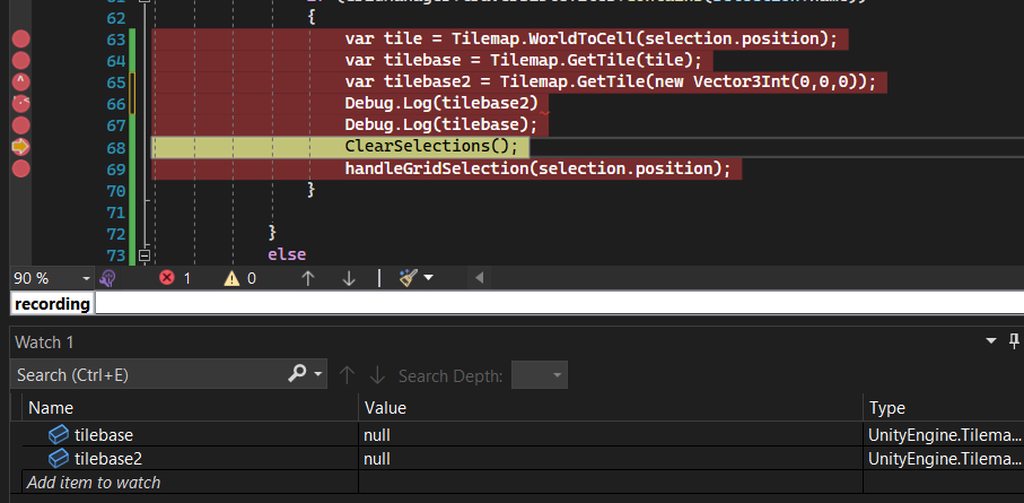
Nothing I do seems to be working I have looked at so many tutorials and nothing has been helpful
slim vector
gloomy chasm
Check out this thread and see if it helps
https://forum.unity.com/threads/previe...
nope it didn't, already tried the solutions there prior to posting this
slim vector
i tried using PreviewRenderUtility.Render(updatefov: false) and the mesh no longer renders on the previewgui anymore
any idea why it happens?
 wanton monolith
This might be a bit off topic but, does anyone know of an editor extension custom window where I can save some hyerplinks etc for quick access? Something like the photo except those are scenes. Or I'll just write one myself.
 waxen sandal
There's some public ones iirc but it's generally quite easy to make your own thing with what you need
fossil gyro
crude relic
When I get a moment I can share my code that takes total control of the keyboar...
Maybe if it's not too much of a hassle you might just provide me with some keywords? beforeSceneGui alone didn't solve it for me, so there might be more to consider for me
 gusty mortar
Hi. I want to make a custom property drawer for a serialized class that goes like so:
[System.Serializable]
public class MyClass
{
    public MyScriptableObject m_so;
    public int m_int;
}
Is that possible to read and maybe display content of the ScriptableObject within my custom property drawer of my class ?
crude relic
fossil gyro
Maybe if it's not too much of a hassle you might just provide me with some keywo...
I am now able to access my projects, so I will dig it up for you now
fossil gyro
^_^
gusty mortar
gusty mortar
Hi. I want to make a custom property drawer for a serialized class that goes lik...
I think I found what I was looking for. I was lacking the proper way to access fields of a ScriptableObject. Here it is if it can help somebody :
SerializedObject serializedObject = new SerializedObject(property.objectReferenceValue as MyScriptableObject);
SerializedProperty thumbnailSP = serializedObject.FindProperty("myProperty");
 nova holly
What's the equivalent of this
script.Template = EditorGUILayout.ObjectField("Template", script.Template, typeof(GameObject), true) as GameObject;
but for a Float?
clear kite
nova holly
What's the equivalent of this
```script.Template = EditorGUILayout.ObjectField(...
from the scripting api page https://docs.unity3d.com/ScriptReference/EditorGUILayout.html you can see that there's loads of different "Field" methods. It seems EditorGUILayout.FloatField is a thing so ig that's it
nova holly
clear kite
from the scripting api page <https://docs.unity3d.com/ScriptReference/EditorGUIL...
ObjectField and FloatField don't have the same arguments
clear kite
is that a problem?
whole steppe
Every time I open my window I get this error:

And the window doesn't open...
Here's the code: Edit: was a wrong link... Here's the actual one: https://docs.google.com/document/d/1PrmKnwBnjEHkef9s4RYjMq6cZfstn_0qYTCfxBdO1i8/edit?usp=sharing
The file located in this directory: C:\Users\Ophelia\Documents\UnityShit\Ciel\Assets\VRCSDK\version.txt Doesn't exist atm, it will when the user decides to download the SDK...
gloomy chasm
whole steppe
The file located in this directory: `C:\Users\Ophelia\Documents\UnityShit\Ciel\A...
So you know the file doesn't exist? But you are still trying to get it anyway, and then not sure what to do when it gives an error because the file you know isn't there, isn't there...? I don't get what you are asking/wanting.
whole steppe
gloomy chasm
So you know the file doesn't exist? But you are still trying to get it anyway, a...
So in here:cs // Declared variables. readonly static string assetsPath = Application.dataPath; readonly string sdkExists = assetsPath + "/VRCSDK"; readonly static string versionPath = assetsPath + "/VRCSDK/version.txt"; readonly static string returnedValue = File.ReadAllText(versionPath); readonly static string strippedVersion = returnedValue.Replace(".", string.Empty); readonly double localVersion = double.Parse(strippedVersion);
I'd like to think of it as just a declared variable, and shouldn't perform what it's supposed to until it gets called, is that how variables work?
Or does it still perform the task despite the fact that it isn't inside a method?
If the first case applies then:
I don't know what's causing it to rung the task, I know I'm calling it inside a method with an if statement, which should verify if the directory doesn't then don't do the certain task, but if it does, then preform the task that requires the existence of a file inside that directory...
But if the second case is correct:
Then thanks for the info!
I tried to debug it, and it seems that the second case is correct, now I think the right way of resolving it is to declare my variables inside that method, is that quite right?
Actually yea! That got it done!
Here's what I've done: https://docs.google.com/document/d/1PrmKnwBnjEHkef9s4RYjMq6cZfstn_0qYTCfxBdO1i8/edit?usp=sharing
Sorry for being dumb, coding is not my thing... Fun fact, I didn't come up with any of the code you see in my script, all of it was through googling and a bunch of help from the community....

Google Docs
using System.Collections; using System.IO; using UnityEngine; using UnityEngine.Networking; using UnityEditor; using Newtonsoft.Json; class TestEditor : EditorWindow { // JSON properties. public class APIConfig { [JsonProperty("downloadUrls")] public DownloadUrls ...
 west drum
Hey, fellas. I am building an editor extension using GraphView, but I have an issue. I am using the class StackNode and for some reason, I cannot drag an edge from the port of the stack

I can actually drag it from an external node, to the port of the stack, but not the other way around

Does anyone have an idea why this can be?
west drum
I found it. Apparently I didnt have to remove the label... weird that it wont work without a label...
gloomy chasm
whole steppe
So in here:```cs
// Declared variables.
readonly static string assetsPath = Appl...
Static variable assignment is performed as soon as any member of the class is interacted with. This includes creating an instance of it.
whole steppe
gloomy chasm
Static variable assignment is performed as soon as any member of the class is in...
I'll keep that in mind! Thanks.
whole steppe
My EditorWindow is ready to be used, I'm making it a .unitypackage the EditorWindow I made requires a Package from the Package Manager I'm using this exact method to add the package **Adding a package to the project: **
https://docs.unity3d.com/Manual/upm-api.html
How can I make the call whenever the user imports my .unitypackage aka EditorWindow into their project so they don't encounter any unnecessary errors?
peak bloom
you do the usual check to those installed packages Request = Client.List(); just iterate the list
waxen sandal
If your unitypackage is reliant on a package from the package manager then your code won't compile and thus you can't add it programmatically right?
You probably have to do it the other way around
peak bloom
I think they updated the assets store tos, last year, to not include packages that are existing/already in the assets store.. if you can't add it programmatically, then how would you deal with that?
tbh I've never published any packages to assets store, but would like to know as well
whole steppe
waxen sandal
If your unitypackage is reliant on a package from the package manager then your ...
It doesn't need to be the same script, it could be another script meant just for that function...
waxen sandal
You can theoretically make another asmdef file and have that compile but iirc unity doesn't if you import it while it's running, it'll only try to compile and execute it when you restart
Separate classes in the same assembly can't compile and run if there's any compilation errors in that assembly
whole steppe
I still don't know how that would be done, however I'm 100% sure that it's possible since I know of a .unitypackage that relies on some packages from unity registry, and it imports them when you import the .unitypackage...
peak bloom
apparently there's an api for that as shown in the example https://docs.unity3d.com/Manual/upm-api.html
see the embed part
not sure what kind of embedding that is
whole steppe
peak bloom
see the embed part
😳 That's scary man!
whole steppe
peak bloom
apparently there's an api for that as shown in the example https://docs.unity3d....
Just a dumb quick question, that's supposed to be in a different script right? Like it's not supposed to be inside my editor window script , is that correct or am I making a mistake?
waxen sandal
You probably want to trigger that from an InitializeOnLoad method and check whether it's already in the project
whole steppe
waxen sandal
You probably want to trigger that from an InitializeOnLoad method and check whet...
What do you mean by
check whether it's already in the project
?
whole steppe
peak bloom
not sure what kind of embedding that is
so when I embedded them and tired to export the package, it didn't say that they were included, therefore when I imported the package in a fresh project the script had the expected errors...
how the heck am I supposed to include such dependencies lol, I'm so lost!
whole steppe
gloomy chasm
Static variable assignment is performed as soon as any member of the class is in...
Or maybe this could call the function that'd add the necessary dependencies? iirc, it was doing a certain task even though nothing was happening...
I'm taking a closer look at this atm
https://docs.unity3d.com/2019.4/Documentation/Manual/CustomPackages.html
waxen sandal
Write code that triggers the build?
 cosmic inlet
I have a script that does that
but I don't know how to add a #if OCULUS
for when I build for Oculus
ok nvm I found it
PlayerSettings.SetScriptingDefineSymbolsForGroup
or AddDefineSymbols
fossil gyro
crude relic
I am now able to access my projects, so I will dig it up for you now
I'm still interested :))
crude relic
fossil gyro
I'm still interested :))
Ok, here's what you do. There are two KeyDown events: one that contains a KeyCode, and one that contains the raw typed character. In order to properly override the keyboard you have to handle both of these cases.
There are a bunch of nuances to consider and I don't remember why some of the decisions I made are in my code anymore, but this should get you most of the way.
fossil gyro
thanks, i'll see where that leads me
crude relic
👍
fossil gyro
hmm
somehow there is no KeyCode.None event for Tab in Unity 2021. the code works in 2019
fossil gyro
at least i don't register this
whole steppe
How do I disable/hide certain options using a button and once the button is pressed disable it as well, it's like: "which one do you want?" and according to that we go to the next page...
gloomy chasm
whole steppe
How do I disable/hide certain options using a button and once the button is pres...
Just a bool and an if statement
And GUI.enable = false
whole steppe
This doesn't seem to get what I want done, it only makes them noninteractive, what I want is to completely disable/remove them out the way and show a different window/page...
 untold salmon
Anyone know how to make a custom Editor animated while in Edit mode?
I was trying to use Time.realtimeSinceStartupAsDouble into Handles and Gizmos but they all freeze when there isn't a GUI event being sent
whole steppe
How do I make it so it only shows one option at a time? And never both at the same time?
https://paste.mod.gg/zuxyirbijxgb/0
A tool for sharing your source code with the world!
crude relic
When you set one to true set the other one to false
whole steppe
crude relic
When you set one to true set the other one to false
I tried that, it doesn't let me just make equal to value
crude relic
What is value
whole steppe
true or false?
crude relic
What do you mean by doesn't let you
whole steppe
crude relic
What do you mean by doesn't let you
I used to do it this waycs animWorldsSec = false;But I think it should be done this way right?cs animWorldsSec.target = false;
crude relic
Yes
Use GUI.changed to detect when the toggle is clicked
And switch it there
Or Begin/EndChangeCheck
whole steppe
Or this?cs animAvatarsSec.target = !animWorldsSec.target;
And then this:cs animWorldsSec.target = !animAvatarsSec.target;
One issue is when I click the active toggle beyond once, it does the animation all over again as many times I click it...
peak bloom
why bother asking when you just going to ignore what people answered you...
 peak ocean
I’m made a custom edit script that shows a list of public variables that include a string, TextAsset and Texture. I made it so that when you close the Editor window the values of the public variables are saved into a JSON then into the EditorPrefs, and when loaded back when opening the window. But for some reason when I close the Editor and/or machine, some or all of the public variables for only the TextAsset and Texture become cleared or are assigned a different object (sometimes not even the same object type). I tried saving the JSON also during EditorApplication.isquitting but the same issue persists.
crude relic
You can't persistently reference assets through JSON, it doesn't serialize them properly
crude relic
peak ocean
I’m made a custom edit script that shows a list of public variables that include...
Try using a ScriptableSingleton
peak ocean
@crude relic Thank you, does it work with custom EditorWindow scripts that uses a custom serializable class?
crude relic
@peak ocean that depends -- in that context the ScriptableSingleton would be replacing (or containing) your custom serializable class
my answer is assuming that you want to have a single, global, persistent state for this editorwindow
if you want to maintain multiple states, you should save the configuration as a ScriptableObject in your Assets folder instead
peak ocean
@crude relic There would only be one state for the editor window where it displays some string and a list of values from a custom serializable dictionary where each value contains a string, TextAsset, and Textures.
Funny thing is that the object references from the JSON seem to be fine when all the objects (TextAssets and Textures) are from the same folder that I imported. The weird stuff happens when the objects are from Unity’s Textures that are already in the project.
whole steppe
Do I ask here about editor ?
things in unity editor
How do i make unity full screen
no i mean like
making the editor itself
full screen
i wanna hide the task thing
idk what its called
task bar or sth

alr ty
yea thanks
is there thank bot here
nova holly
How can I make Unity correctly display this?


I'm on 2020.3.35f1, the latest 2020 LTS version
gloomy chasm
I am trying to set up generating previews of UGUI prefabs and I am running in to some issues One of which is I am not sure how to show the full UGUI graphics in a smaller area. The camera's size is set to 256x256, but obviously a lot of elements are/can be bigger than that. So how do I render the full elements if that makes sense?
 celest sky
nova holly
How can I make Unity correctly display this?
celest sky
nova holly
How can I make Unity correctly display this?
It's a known bug https://issuetracker.unity3d.com/issues/first-array-element-expansion-is-broken-for-arrays-that-use-custom-property-drawers For my latest project I worked around it by leaving each index 0 empty, other indexes are shown correct and in for loops I'm starting a index 1
How to reproduce: 1. Open the attached project 2. Open the "SampleScene" and select "Input array" in the Hierarchy 3. Try to add bin...
 wanton silo
anyone know why my custom editor isn't letting me assign audio clips to serialised property fields
waxen sandal
idk
peak ocean
How do you load data from a file that was saved using a ScriptableSingleton? I see that a file get created when using Save(true) and there is the GetFilePath() method but how did I get access to the file to load the saved data?
waxen sandal
Use the instance property

 keen palm
is it using the namespace?
peak ocean
@waxen sandal That works only when you are in the same Unity session but when you close it and reopen Unity the data doesn't persist. How do you get the data from the save file when opening Unity?
waxen sandal
It does work, you gotta provide more context
gloomy chasm
peak ocean
How do you load data from a file that was saved using a ScriptableSingleton? I s...
Did ya add the FielPath attribute?
waxen sandal
If it's getting saved then they have
Assuming he looked at the file system to see it's getting created
Either they're not saving or don't have serialized variables
gloomy chasm
Oh yeah, I think in short it comes down to "show code please".
peak ocean
I was mainly referring to this link: https://docs.unity3d.com/2020.1/Documentation/ScriptReference/ScriptableSingleton_1.html
It shows how to save and such but it doesn't mention about how to load data from the save file after when opening Unity. In this instance, the m_number will retain while in the same Unity session but when reopening back up the variable will reset back to its original value and not the saved value on file.
gloomy chasm
peak ocean
It shows how to save and such but it doesn't mention about how to load data from...
Are you setting it somewhere perhaps?
If you copy paste all the code there, it will load back up once the editor starts
gloomy chasm
peak ocean
It shows how to save and such but it doesn't mention about how to load data from...
You can see exactly how it works here https://github.com/Unity-Technologies/UnityCsReference/blob/master/Editor/Mono/ScriptableSingleton.cs#L106
 wintry trout
How do I hide default handles if I want only my ones to be visible like it works with adjusting colliders?
 nocturne pecan
Can anyone help me? My visual studio is not showing the autocomplete function for anything related with unity , it only shows words from basic c#
 steel fox
Any recommendations for visual studio code extensions? Particularly ones for refactoring, like adjusting name spaces, putting classes into own files, etc
gloomy chasm
wintry trout
How do I hide default handles if I want only my ones to be visible like it works...
gloomy chasm
nocturne pecan
Can anyone help me? My visual studio is not showing the autocomplete function fo...
wintry trout
gloomy chasm
https://docs.unity3d.com/2020.1/Documentation/ScriptReference/EditorTools.Editor...
does it work for handles? it is supposed to work with "editor tools" but Handle doesn't seem to inherit from it
gloomy chasm
wintry trout
does it work for handles? it is supposed to work with "editor tools" but Handle ...
All the movement handles are editor tools
If you mean just any handle, then no there is no way to disable all handles except yours afaik (maybe with some reflection...)
wintry trout
I mean the default ones for the active GO
gloomy chasm
Yeah those are EditorTools
wintry trout
Are they like not common Handles?
gloomy chasm
All handles are are like fields in the inspector, just a mechanic to show and interact with a value.
The EditorTool class is to Handles, what the Editor class is to GUI
It provides an nice and unified API for showing controls in the scene view
Vector3 position;

// This shows the value in the scene view.
position = Handles.PositionHandle(position, Quaterion.identity);

// This shows the value in an editor window.
position = EditorGUILayout.Vector3Field(position);
 lyric zinc
Hi, I'm trying to make a tile-based game. I'm trying to learn TileMap mechanics and that stuff
how can I make the game tile-based? I want to place creatures to the tiles directly
instead of using the normal positions
how can I get and set tile positions of tile-palette stuff?
runtime I meant
thanks.
gloomy chasm
lyric zinc
runtime I meant
#archived-code-general then, this channel for discussion around creating editor time stuff like new editor windows and inspectors and stuff.
lyric zinc
👍
gloomy chasm
Is there a good way to check if a prefab is a UI prefab vs a normal 2D prefab?
gloomy chasm
Checking if the transform is a RectTransform seems to work.
tawdry kraken
gloomy chasm
Checking if the transform is a RectTransform seems to work.
That's probably sufficient.
If you want to be even more certain, you can search all parents to see if one of them has a Canvas component
gloomy chasm
tawdry kraken
That's probably sufficient.
If you want to be even more certain, you can search...
I couldn't find any other places that actually uses the RectTransform so I think it will be okay.
I can't search the ancestors for a canvas because this is for prefab assets. Thanks for the suggestion though.
gloomy chasm
New question. How the heck do you use GL to draw lines in a preview scene?
lethal helm
hi everyone! i made a custom property drawer to quickly let me see durations:


since this replaces the default property label, it loses the ability to click the label and drag the mouse to change the value
i sorely miss that, is there a way to add this behaviour to the custom property?
waxen sandal
Source?
lethal helm
custom drawer:
Pastebin
Pastebin.com is the number one paste tool since 2002. Pastebin is a website where you can store text online for a set period of time.
waxen sandal
I think you shouldn't be using prefix label but let property field draw the label
Not sure if there's a way to enable the dragging with prefix label
You can check the reference source to see how it's done
lethal helm
my concern is that putting the property field into the first rect will make it bisect the label in a different place to the rest of the inspector, so it won't be aligned
 peak bloom
How to prevent ListView's internal pooling?
I noticed that ListView is doing it's own pooling for it's child
I found out after I noticed that a custom left margin of certain element was being re-used for unrelated items that are shown in the listview
any idea how to prevent that?
waxen sandal
You should reset your item to the proper state in the Unbind event
I think there's also a field you can set to disable virtualization but my docs are broken
visual stag
You can't disable it afaik. You just need to handle binding better
peak bloom
waxen sandal
I think there's also a field you can set to disable virtualization but my docs a...
won't work
peak bloom
visual stag
You can't disable it afaik. You just need to handle binding better
yeah, this what happened...
peak bloom
waxen sandal
You should reset your item to the proper state in the Unbind event
I'll give this a shot
peak bloom
waxen sandal
You should reset your item to the proper state in the Unbind event
Ended up doing as suggested, it's working now. Thanks 👍
 main pebble
hello, I have a problem with Custom Property Drawer. Ive put the code here: https://gdl.space/eqapucufan.cs
The problem im running into is that I cant click any of the checkbox bool elements in the inspector but for some reason can mark the first one with space if I click on the name of the variable
gloomy chasm
main pebble
hello, I have a problem with Custom Property Drawer. Ive put the code here: http...
Can you please show a screenshot of the property in the inspector?
main pebble
absolutely, it looks like this

in this case its part of an array of 3 elements but it behaves the same even as a singular variable
gloomy chasm
I am still looking at the code but a note. PrefixLabel returns a rect, so you can just do Rect newPosition = EdGUI.PreLab(..);
main pebble
noted and changed, thank you
gloomy chasm
What if you don't have the GUIContent.none in the PropertyField?

 gloomy chasm
I was wondering if it was because the labels were going over them.
Try opening the IMGUIDebugger and have a look to make sure things aren't overlapping the toggles
 final stag
hey, does anyone know how to mark a package as preview/pre-release when uploading to the asset store?
gloomy chasm
final stag
hey, does anyone know how to mark a package as preview/pre-release when uploadin...
You mean so it shows on the store page?
final stag
gloomy chasm
You mean so it shows on the store page?
no, i mean when the package is installed through the asset store, if there's any way to mark a specific update as a prerelease, i believe unity does this for preview packages where it puts a little yellow P on the right
 main pebble
gloomy chasm
Try opening the IMGUIDebugger and have a look to make sure things aren't overlap...
main pebble
gloomy chasm
Try opening the IMGUIDebugger and have a look to make sure things aren't overlap...
Its my first time working with the IMGUIDebugger but I dont see the specific bool fields int here, only the Element 0, Element 1, etc
gloomy chasm
final stag
no, i mean when the package is installed through the asset store, if there's any...
So are you uploading you asset as a package then?
final stag
gloomy chasm
So are you uploading you asset as a package then?
yes, its already uploaded and published, im trying to push a preview update