#↕️┃editor-extensions
1 messages · Page 99 of 1
 opaque zenith
native implementation? I don't think so. With a mix of things like EditorGUIUtility.AddCursorRect yeah
 gloomy chasm
Oh this looks like a pain... I just want to put the label above the field... 😦
opaque zenith
gloomy chasm
Oh this looks like a pain... I just want to put the label above the field... 😦
ohh, through gui that is easy, just begin verticle and do a field and label seperate
gloomy chasm
opaque zenith
ohh, through gui that is easy, just begin verticle and do a field and label sepe...
See my first question. 😛
I want the label above the field and be able to drag
opaque zenith
gloomy chasm
See my first question. 😛
to make sure I'm understanding the question, you want to be able to drag a label into the field?
gloomy chasm
opaque zenith
to make sure I'm understanding the question, you want to be able to drag a label...
You know how you can drag a the label of a numerical field to change the value of the field? I want that but with the label above the field instead of on the left of it.
opaque zenith
gloomy chasm
You know how you can drag a the label of a numerical field to change the value o...
oh okay, gotcha
give me a sec, I remember reading about it, just trying to remember where
because I remember it not being in your face code
opaque zenith
gloomy chasm
You know how you can drag a the label of a numerical field to change the value o...
okay, so, what I would do is EditorGUIUtility.AddCursorRect with MouseCursor.SliderArrow possible that triggers GUI.changed
idk if you can mix in UIElement MouseEvents, but, if not, probably need to have mouse position tracked somewhere to detect in the rect
gloomy chasm
opaque zenith
okay, so, what I would do is ``EditorGUIUtility.AddCursorRect`` with ``MouseCurs...
Thanks, looking at it I think I will just use a bit of reflection to reimplement this method.
 opaque zenith
gloomy chasm
Thanks, looking at it I think I will just use a bit of reflection to reimplement...
opaque zenith
gloomy chasm
Thanks, looking at it I think I will just use a bit of reflection to reimplement...
good catch! I just started getting more into reflection recently. It has saved a lot of time haha
gloomy chasm
opaque zenith
good catch! I just started getting more into reflection recently. It has saved a...
Well this took like 2+ hours to do 'real quick'. But I got it working!
I made it a class that you can use instead of a float for setting duration on things in a more 'human readable' way. It is easier to set a duration to 1 minute, 45 seconds, then a float to 105.
 patent pebble
@gloomy chasm have you implemented the handling of GUILayoutOption[] for the Layout version of your custom control?
or do you just have the GUI version for manual rects?
i was recently struggling on implementing that in a custom control of mine
gloomy chasm
patent pebble
<@!131292153300123648> have you implemented the handling of GUILayoutOption[] fo...
It took me like an hour 45, it is just the GUI version 😛
patent pebble
gloomy chasm
It took me like an hour 45, it is just the GUI version 😛
hmmmm let me know if you ever figure out how to do the GUILayout version
gloomy chasm
patent pebble
hmmmm let me know if you ever figure out how to do the GUILayout version
Oh it is trivial to do
patent pebble
i can't seem to get the GUILayoutOption type via reflection
gloomy chasm
Why are you getting them via reflection?
patent pebble
i need to read the type and value, so I can adjust my custom control accordingly
but that class doesn't have anything exposed
gloomy chasm
patent pebble
but that class doesn't have anything exposed
This is all you do
public static float FloatField(GUIContent label, float value, GUIStyle style, params GUILayoutOption[] options)
{
    Rect position = EditorGUILayout.s_LastRect = EditorGUILayout.GetControlRect(true, 18f, style, options);
    return EditorGUI.FloatField(position, label, value, style);
}
That is literally the implementation.
patent pebble
ah shit, I had forgotten about GetControlRect
brb, gonna open the project and try that
i got used to always do it with GUILayoutUtility.GetRect
@gloomy chasm aaaah i love you
works like a charm, I'm so freakin dumb 🙃
gloomy chasm
Glad it works for you! 😄
opaque zenith
So, in my effort of understanding assemblies more, does using a single thing in an assembly cause the entire assembly to be loaded? If so, would it be better to strip what you need from an assembly into your own assembly?
 stuck olive
hi
I have this situation where align-self: flex-end has pushed my button to the end of the row... but i wanted it to go to the end of the column....

ie. i want it to go down to the bottom
i assumed flex-end would do this because GroupBox is set to column. I'm not correct?
how else can i force it down there?
opaque zenith
stuck olive
try changing position to absolute instead of relative, won't be 100% there (I think), but, might help a little. I'm still learning the UIBuilder and and up still doing most my UIElements through c# code due to me being confused a bit XD
 visual stag
Align is the cross-axis
Justify is the main axis, and you won't be able to align singular elements to specific sides.
stuck olive
i know but unity has no justify-self, even tho that is a css standard
in web standard, align will still do vertical if the group direction is set to column
visual stag
Can't you just justify content with space between
 dawn root
Does the property drawer work with serializable class generics now? Like, if I have class A<T> and write a property drawer for it, does class b: A<int> also get the drawer?
gloomy chasm
dawn root
Does the property drawer work with serializable class generics now? Like, if I h...
iirc it does.
gloomy chasm
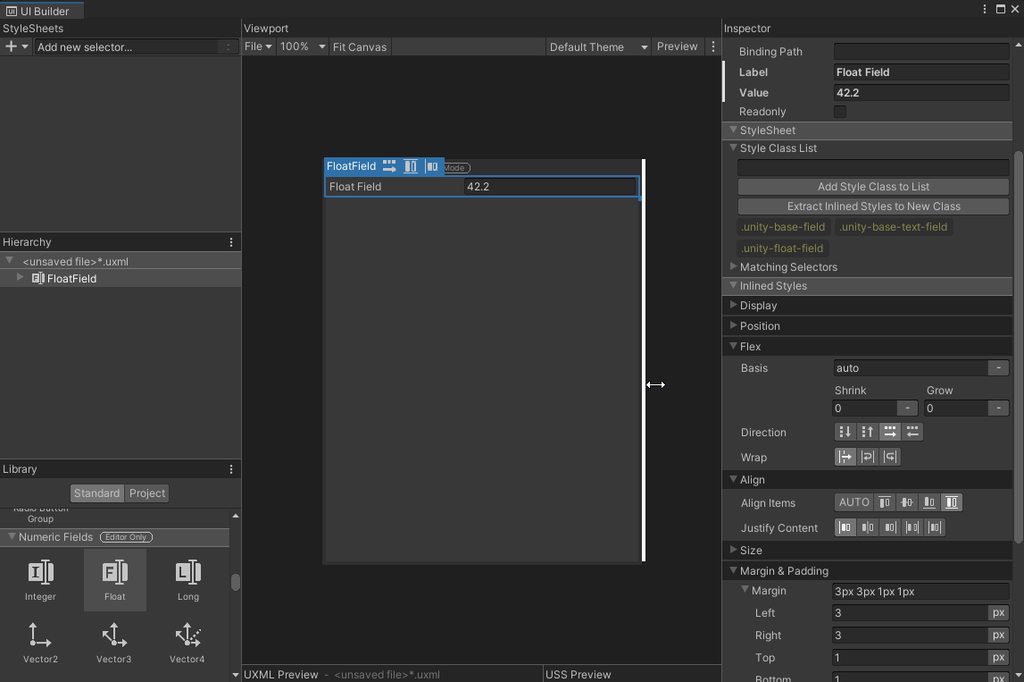
@patent pebble You know how I got labels to work. I have re-decided that I like UITK better.
IMGUI vs UITK

 patent pebble
gloomy chasm
<@!175825309571088384> You know how I got labels to work. I have re-decided that...
patent pebble
gloomy chasm
<@!175825309571088384> You know how I got labels to work. I have re-decided that...
yeah I've heard that UITK is a lot easier to use
but I also heard that doesn't lend itself to deep customization like IMGUI does
not sure how true that statement is, but for now I'm sticking with IMGUI because i don't see that many benefits for investing time into learning UITK
maybe in a year or two I'll switch
gloomy chasm
patent pebble
not sure how true that statement is, but for now I'm sticking with IMGUI because...
Not true at all. There is nothing that you can do in IMGUI that you can't do in UITK, and a lot of the time it is easier(imo) in UITK.
patent pebble
gloomy chasm
Not true at all. There is nothing that you can do in IMGUI that you can't do in ...
good to hear
I need to learn how to use it for runtime stuff, so I'll probably learn how to extend the editor with it at the same time
I also heard it has better performance than the legacy UI systems
gloomy chasm
patent pebble
I also heard it has better performance than the legacy UI systems
You mean UGUI? That would not surprise me in the tinniest bit.
patent pebble
gloomy chasm
You mean UGUI? That would not surprise me in the tinniest bit.
yeah
the main reasons that keep me from switching right now is the lack of some features
but the UITK roadmap looks pretty robust
gloomy chasm
patent pebble
the main reasons that keep me from switching right now is the lack of some featu...
Like what?
patent pebble
last time I checked it was a little bit lacking in terms of shading, world space rendering, some 3D stuff, clipping and masking, stuff related to animations, etc
but maybe that has changed in the most recent versions
last time I looked at it was in Unity 2020
gloomy chasm
patent pebble
last time I checked it was a little bit lacking in terms of shading, world space...
Ah, yeah, I still think that it doesn't support world space rendering, and has some animation stuff? But maybe it is experimental still? And I don't think it supports shaders yet.
patent pebble
I mean, most of the common UI scenarios seems to be covered by the current UITK features
but there's always that edge case...
 whole steppe
Does anyone know where I can download Unity extensions for VStudio2019?
Like intellisense for Unity?
 waxen sandal
whole steppe
waxen sandal
whole steppe
Thanks, I have is installed already but the intelli-sense is not auto-completing anything
 last badger
Quick question (I hope): I'm creating a custom editor and I'm wondering is there a method in Editor, EditorGUI, or EditorGUILayout that I can just give one of the fields in my class and it will draw the correct editor, with the auto-generated name and attribute based limits? basically what calling DrawDefaultInspector() will do, but for just a single field? I've looked but can only find the lower level methods where I have to give the name/range myself.
gloomy chasm
last badger
Quick question (I hope): I'm creating a custom editor and I'm wondering is there...
EditorGUI.PropertyField(rect, yourSerializedProperty) (There is also a EditorGUILayout version)
last badger
Ah, I thought that only worked for c# properites (with custom get/set methods). it works for straight up old Vector2 bob and such as well?
gloomy chasm
last badger
Ah, I thought that only worked for c# properites (with custom get/set methods). ...
The word Property in it is slightly misleading. Think of it as SerializedFieldRepresentation
last badger
Right, I see. Thanks.
gloomy chasm
It is for a field that is serialized in a UnityEngine.Object
last badger
I'll give that a go, thanks. I'll need to work out how to determine the positon, the methods I'm used to so far just seem to "put it at the end of the list", but I should be able to dig through the API now and find what I need.
Oh, wait, no. I see the ones in EditorGUILayout don't take the position, just the ones in EditorGUI.
 visual silo
hi, i'm looking to have an editor script that exposes some fields to a dev, so values can be set in the inspector. how can I expose editor properties to the inspector? should I read from a scriptable object or is there an easier way to achieve this?
gloomy chasm
visual silo
hi, i'm looking to have an editor script that exposes some fields to a dev, so v...
What is "an editor script"? Do you mean an inspector? An editor window? Or do you mean the script has 'settings' you want save/load?
visual silo
i need to load some settings a developer has previously defined
gloomy chasm
visual silo
i need to load some settings a developer has previously defined
ScriptableSingleton
visual silo
i'm leaning toward having a scriptable object act a a settings object
oh
is this a type?
gloomy chasm
visual silo
is this a type?
 tough cairn
why material EnableKeyword doesn't work in edit mode ?
the default inspector for the shader does the trick , but im trying to swap it in script during edit mode
opaque zenith
visual silo
yeah, on it
yeah, but, the problem, and this isn't really a problem, just more of a preference, you can do this already with a scriptable objects without having to deal with json
gloomy chasm
opaque zenith
yeah, but, the problem, and this isn't really a problem, just more of a preferen...
What...?
opaque zenith
also, editor and editorwindow already inherit from scriptableobject, so, you can just create a scriptableobject asset
gloomy chasm
opaque zenith
yeah, but, the problem, and this isn't really a problem, just more of a preferen...
Where do you have to do with json?
opaque zenith
gloomy chasm
Where do you have to do with json?
I mean more of FilePathAttribute.Location.PreferencesFolder I just like to keep everything possible maintained inside the project itself, and, also, the fact that I don't have to deal with another script just for saving when you don't need to (again, just imo, I'm not saying it won't work)
gloomy chasm
In the newest 2022.1 alpha release 😯
(About time)
 waxen sandal
Tooltips are so buggy
 wanton monolith
does anyone know of a guide/tutorial/blog post or anything related to creating custom track editors
something like timeline
or i'm gonna have to do this node-based which is not ideal tbh
 hallow flax
is there someway i can change the Slider Thumb color for EditorGUI.Slider ? it seems to be a Texture2D within the GUISkin but the Texture2D isn't readable neither does it seem to be accessible within Unity to be able to copy the texture and change its colors
opaque zenith
gloomy chasm
In the newest 2022.1 alpha release 😯
(About time)
oh cool!
patent pebble
@hallow flax iirc the thumb appearance is determined by a GUIStyle called HorizontalSliderThumb within the buil-in GUISkin
when I want to change the appearance of something like that I duplicate the default styles and change what I want
keep in mind that thumbs (like many other interactable controls) have multiple states, normal, hovered, etc
hallow flax
patent pebble
when I want to change the appearance of something like that I duplicate the defa...
yeah i know but when i try to get the texture 2D to change the color of the thumb texture 2D in the skin, i get the error! this image isn't readable in unity
patent pebble
ah the default textures were publicly available somewhere
I can't remember where, maybe the asset store
hallow flax
i think i will try to save the Texture2D since i can't read the pixels color or change them but i can get the object as a sort of constant Texture2D
patent pebble
I think you can use a RenderTexture to get the pixels from an unreadable Texture2D
but there has to be an easier way to accessing the default GUI textures
hallow flax
i think its not being readable because, the permission isn't given by unity
do you think a RenderTexture can still bypass that?
gloomy chasm
I'm making a tag system and want to hide the component and just integrate the tags in to the editor. But where they are currently doesn't feel very 'unity' to me.
Does anyone have thoughts on styling/location/layout that would make them feel more 'unity?
 patent pebble
@hallow flax I was trying to do this. How are you getting the Texture2D instances from the default Unity skin?
they always return null if I use GUI.skin
I know how to bypass the non-readable textures by using RenderTextures, but I need to get the Texture2D themselves from the default GUISkin
hallow flax
i just create a GUI Skin Asset
hallow flax
patent pebble
<@!735867466369990726> I was trying to do this. How are you getting the Texture2...
and go to myGUISkin.horizontalSliderThumb.normal.scaledBackgrounds[0]
this is where one of the image is
patent pebble
ah right just creating a new GUISkin asset
hallow flax
the problem is that i have this
but i can't create a copy or smth out of it
myGUISkin.horizontalSliderThumb.normal.scaledBackgrounds[0]
hopefully yuo can do it with RenderTextures
patent pebble
yeah I'll share the code, I'm cleaning it up
hallow flax
oh nice 😄
patent pebble
also, found this on the source code, to get an instance of the default skin without having to create the asset manually
Resources.GetBuiltinResource(typeof(GUISkin), "GameSkin/GameSkin.guiskin") as GUISkin;
lol i see
patent pebble
this is how they use it in the project window to create the asset
[MenuItem("Assets/Create/GUI Skin", false, 601)]
public static void CreateNewGUISkin()
{
    GUISkin skin = ScriptableObject.CreateInstance<GUISkin>();
    GUISkin original = Resources.GetBuiltinResource(typeof(GUISkin), "GameSkin/GameSkin.guiskin") as GUISkin;
    if (original)
        EditorUtility.CopySerialized(original, skin);
    else
        Debug.LogError("Internal error: unable to load builtin GUIskin");

    CreateAsset(skin, "New GUISkin.guiskin");
}
you can also btw use GUI.skin in OnGUI() to get the default skin
hallow flax
oh ok x)
hallow flax
patent pebble
this is how they use it in the project window to create the asset
```cs
[MenuIte...
so what do we win using this? i can access now the SliderThumb texture somehow ?
patent pebble
no I just posted that for context, that's just how they use it to create the GUISkin assets
hallow flax
oh ok
patent pebble
i needed a way to get an actual instance of the default skin so I could get the textures
then I make a readable copy with RenderTexture and then you can use them for whatever you want
hallow flax
i see
hallow flax
patent pebble
then I make a readable copy with RenderTexture and then you can use them for wha...
so you managed to do it?
patent pebble
yes
private void OnGUI()
{
    if (GUILayout.Button("Get texture"))
    {
        _defaultSkin = GetDefaultSkin();

        if (_defaultSkin != null)
        {
            _texture = _defaultSkin.horizontalSliderThumb.normal.background;
        }

        _texture = MakeReadableTexture(_texture);
        _tintedTexture = MakeReadableTexture(_texture);
    }

    if (_texture == null)
    {
        return;
    }

    // Get the pixels
    Color[] pixels = _texture.GetPixels();

    //Tint the pixels red
    for (int i = 0; i < pixels.Length; i++)
    {
        pixels[i] = pixels[i] * Color.red;
    }
    _tintedTexture.SetPixels(pixels);
    _tintedTexture.Apply();

    // Draw the original texture
    Rect textureRect = GUILayoutUtility.GetRect(_texture.width, _texture.height, GUILayout.ExpandWidth(false));
    GUI.DrawTexture(textureRect, _texture);

    // Draw the tinted texture
    Rect tintedTextureRect = GUILayoutUtility.GetRect(_tintedTexture.width, _tintedTexture.height, GUILayout.ExpandWidth(false));
    GUI.DrawTexture(tintedTextureRect, _tintedTexture);

}
this is just an example of how to get the texture of the default style Horizontal Slider Thumb
hallow flax
yeah, i can apply it to other stuff
patent pebble
but for some reason, they don't actually use that texture when you do GUILayout.HorizontalSlider
don't ask me why 🤷♀️
patent pebble
yep... 🙃
patent pebble
no problem 👍
oh sorry i forgot to paste the actual code for making the texture readable
whoops
hallow flax
yeah, was just about to ask x)
patent pebble
private Texture2D MakeReadableTexture(Texture2D tex)
{
    if (tex == null)
            return null;

    // Create a temporary RenderTexture of the same size as the texture
    RenderTexture tmp = RenderTexture.GetTemporary(
        tex.width,
        tex.height,
        0,
        RenderTextureFormat.Default,
        RenderTextureReadWrite.Linear);

    // Blit the pixels on texture to the RenderTexture
    Graphics.Blit(tex, tmp);

    // Backup the currently set RenderTexture
    RenderTexture previous = RenderTexture.active;

    // Set the current RenderTexture to the temporary one we created
    RenderTexture.active = tmp;

    // Create a new readable Texture2D to copy the pixels to it
    Texture2D readable = new Texture2D(tex.width, tex.height);

    // Copy the pixels from the RenderTexture to the new Texture
    readable.ReadPixels(new Rect(0, 0, tmp.width, tmp.height), 0, 0);
    readable.Apply();

    // Reset the active RenderTexture
    RenderTexture.active = previous;

    // Release the temporary RenderTexture
    RenderTexture.ReleaseTemporary(tmp);

    return readable ;
}
@hallow flax there ya go
hallow flax
patent pebble
this is how they use it in the project window to create the asset
```cs
[MenuIte...
what's inside GetDefaultSkin() ?
patent pebble
private static GUISkin GetDefaultSkin()
{
    return Resources.GetBuiltinResource(typeof(GUISkin), "GameSkin/GameSkin.guiskin") as GUISkin;
}
aaah right, I just realized why the "default" GUISkin is not using the same style as the Editor controls do
because there is 3 default skins
Game, Inspector and Scene

i found this digging throughout my IMGUI learning examples
patent pebble
@hallow flax oh btw you were right, you can just do GUI.skin instead of the GetBuiltInResources
textures load correctly, but for some reason they were getting all deleted in my project, I had to restart Unity
gloomy chasm
Here is my tags in the editor. I feel like they are still missing something though... Something to make them feel a bit more 'Unity'...
 gloomy chasm
patent pebble
<@!131292153300123648> I like how unity does the blue asset labels
gloomy chasm
patent pebble
<@!131292153300123648> I like how unity does the blue asset labels
Do you mean the blue? Or their position? Or both? What?
patent pebble
gloomy chasm
Do you mean the blue? Or their position? Or both? What?
the "pill" shape and the white text on blue background
gloomy chasm
patent pebble
the "pill" shape and the white text on blue background
Ah, I think the blue would be too bold for the header.
patent pebble
yeah I'd personally go for a less saturated light blue
but in general, I think color-coding things like that helps a lot in making UI headers feel less cluttered
otherwise there's just a messy blob of indistinguishable grey elements
gloomy chasm
Hmm... that is a good point.
patent pebble
gloomy chasm
Hmm... that is a good point.
I'd also change the name "tag" to "label" so you are consistent with Unity and because GameObjects already have their own tags
and maybe even also do it at the footer of the inspector, just like Unity does with the Asset Labels
but in that case I would not use blue for the tags color, I'd probably use a light purple or some other color
gloomy chasm
patent pebble
I'd also change the name "tag" to "label" so you are consistent with Unity and b...
There are already labels, "Asset Label". I actually call my tags "GameplayTag". Anyway, they are meant to 'replace' the default tag system.
patent pebble
gloomy chasm
There are already labels, "Asset Label". I actually call my tags "GameplayTag". ...
ah in that case yeah
 hot shoal
I've been seeing this warning and I'm unsure how I'm supposed to fix it. https://i.imgur.com/SZWQtPf.png

 half anchor

 rocky crest
Anyone have thoughts on how to gain access to the selection of a grid for my own custom functions?
 waxen sandal
Check reference source
 crude horizon
I have an Editor Window Script, and I'm saving a value in it from editor dropdown.
How can I access this value from another script?
crude horizon
EditorPrefs did the job
 primal heron
rocky crest
Anyone have thoughts on how to gain access to the selection of a grid for my own...
primal heron
rocky crest
Anyone have thoughts on how to gain access to the selection of a grid for my own...
You're showing the selection inspector, which is hard-wired to only show the fields of a tile, you can't inspect other fields with that - it's not like a regular inspector. The inspector is part of the palette brush code. But it can be done with a custom brush - dm me for more info if you want.
 cold robin
hello hello, i have created my own timeline track, and now, i need to know my linked object (the obj on the pic), and i really don't know how to get it (and if i can get it)
this is what i call the "linked object"
 gloomy chasm
cold robin
hello hello, i have created my own timeline track, and now, i need to know my li...
gloomy chasm
cold robin
hello hello, i have created my own timeline track, and now, i need to know my li...
I don't know what you setup is like, but I just started using Timeline by following this guide and it has info on getting that object. However idk if it will answer your question. https://blog.unity.com/technology/extending-timeline-a-practical-guide
hallow flax
someone explain me why animEvent.time gives some funny numbers ?
i expect to have animEvent.time between 0 and 1 except that its not ..
can someone help me deal with this? i have no idea what to do to get the percentage of the animation the animEvent is on
gloomy chasm
hallow flax
someone explain me why animEvent.time gives some funny numbers ?
i expect to hav...
The time is in seconds.
hallow flax
gloomy chasm
The time is in seconds.
yep but it shows 0.33 instead of 10 seconds
i'm sure the animation that i get the events lost out of it is right
i did debug and made sure it is
and in inspector the frame where the first event is fired is 10/60, in seconds its in 10s
gloomy chasm
hallow flax
yep but it shows 0.33 instead of 10 seconds
Alright, this is a #archived-code-general question, so lets move to that channel.
hallow flax
gloomy chasm
Alright, this is a <#763495187787677697> question, so lets move to that channel.
sure
cold robin
gloomy chasm
I don't know what you setup is like, but I just started using Timeline by follow...
thanks, i will check !
 dense raven
I'm trying to make a property drawer for Vector2Int but not having a lot of luck.. even if i create what is essentially an empty propertydrawer class it doesn't draw anything and just says no drawer for type
It not doing anything at all makes me think something here is off

But that looks fine to me
gloomy chasm
dense raven
I'm trying to make a property drawer for Vector2Int but not having a lot of luck...
That is because you haven't told it to draw anything.
dense raven
There are actually overrides for that further down in the file
dense raven
gloomy chasm
That is because you haven't told it to draw anything.
typing this from my phone so can’t give you a proper screenshot tho, will do that tomorrow i guess
waxen sandal
SerializedProperties have access to derived variables
 autumn shore
Is there an API for the Tilemap editor or Brush that would allow me to set the tile that the default grid paint tool should use? It's an equivalent operation to handpicking the tile in Tile Palette window. I created a custom editor to browse and pick tiles from. I already managed to find a way to toggle the brush tools via editor code, but am still unable to set the tile that should be painted.
primal heron
autumn shore
Is there an API for the Tilemap editor or Brush that would allow me to set the t...
It would be easier to create a custom brush subclassed from the default one and build that feature into the brush. Aside from that I don’t believe you can do what u want as the selection from the palette is passed to the brush iirc.
autumn shore
I was looking to avoid creating custom brush for it did not seem necessary here. I have a custom editor that serves as a tile drawer, and by clicking a tile in it, I'd simply like to set the default brush with that tile, just as if it was picked from the Tile Palette window. I believed there must be some code that does exactly what I need, as the exact same functionality must already be running internally when picking tiles from Tile Palette window. The question is whether or not is this functionality exposed in the API.
Thank you for your advice though, I'll look into custom brush and whether there is a way to work around this.
primal heron
autumn shore
I was looking to avoid creating custom brush for it did not seem necessary here....
The problem is that the brush uses the content of a private field m_Cells as a source of what to paint.
autumn shore
primal heron
The problem is that the brush uses the content of a private field m_Cells as a...
Yes, upon further investigation of the GridBrush code, I found that m_cells is indeed used internally to paint tiles. A bit odd and quite limiting design choice if you ask me. Seems like I will have to recreate this functionality inside the editor code.
primal heron
autumn shore
Yes, upon further investigation of the GridBrush code, I found that m_cells is i...
Aside from having that array private the way they do it makes sense. Been down this road myself. Custom brushes aren't that difficult to make unless you're talking about complex ones like rule tile brushes. Good luck!
autumn shore
It does make sense given the way it's being used inside their tools (I assume the cell array allows painting of multicell selection and tiles within that selection in the Tile Palette, etc.), but it's quite limiting when trying to use just some bits of that functionality from the outside - which is something a lot of devs do when creating their custom tools.
primal heron
autumn shore
It does make sense given the way it's being used inside their tools (I assume th...
if you want to see a custom brush example just DM me.
autumn shore
I'm looking at one right now, but one thing that confuses me a bit is the Paint method arguments - is the GameObject brushTarget the object that will be painted? (I am aware some pre-made brushes support GameObject painting, not just objects derived from TileBase, hence my question).
primal heron
autumn shore
I'm looking at one right now, but one thing that confuses me a bit is the Paint ...
no its the GO of the Tilemap, That's why u see things like var map = brushTarget.GetComponent<Tilemap>(); But in any case, I'd start with the GridBrush since you seem to be dealing with tiles. For prefabs I made a brush that paints tiles with linked prefabs rather than deal with the GO brush which is (IMO) hard to use.
autumn shore
primal heron
no its the GO of the Tilemap, That's why u see things like var map = brushTarge...
Ok, then is there a way to tell the brush to paint certain tile in this scenario? Because I can't see any API that would allow me to do that. My goal is to bypass the Tilemap Palette entirely, I can only work with Tile assets (scriptable objects)
 fickle quarry
I wonder if it's possible to change the Build Settings window. Does anyone have experience with this?
waxen sandal
Not easily afaik
primal heron
autumn shore
Ok, then is there a way to tell the brush to paint certain tile in this scenario...
I don't think there's any API to do this. It's difficult to do what u want - the key code is in GridBrush.Pick and GridBrush.PickCell. But it expects to see the tiles on a tilemap. A palette is actually a tilemap prefab - when you click on a tile in a palette (or select a group of tiles) that's eventually passed to GridBrush.Pick which copies the tile asset reference from the palette tilemap. So if the tile picker window you created is using a tilemap to display the tiles then you can use Pick. Have not tried to do this though.
autumn shore
My picker window is using just the Tile assets located on the disk, there is no connection with the Tilemap Palette as the goal is to completely bypass it. Well, I had other ideas since the beginning , but wanted to research possibilities with the existing API. I can simply use SetTile method of Tilemap class, combined with editor mouse position recalculated to the relative grid position and some kind of tile-preview that'd be floating with the mouse while placing it, just like the default grid brush would do.
A bit of an overhead, but still a possible solution
primal heron
autumn shore
My picker window is using just the Tile assets located on the disk, there is no ...
For sure you can do it that way. I had looked at making an alternate palette about 2 yrs ago but decided not to as it really was too much of a distraction from what I was trying to do (scriptable tiles with instance data)
autumn shore
As I need other tools within my editor (interactive collision editor that sets unwalkable grid cells, etc.) and since some of them are already implemented, I guess this is the way to go for me. Anyway, thanks for the assistance 👍🏼
primal heron
autumn shore
As I need other tools within my editor (interactive collision editor that sets u...
no problem!
gloomy chasm
This channel is for discussion around creating extensions to the editor. #archived-lighting is the channel that you want, or maybe #archived-hdrp
opaque zenith
I'm creating some of my scripts with the libraries written out in the variables, for example, System.Collections.Generic.List<ExampleClass> exampleList = new System.Collections.Generic.List<ExampleClass>();. However, I'm not sure how to use System.Linq in if (!exampleList.Any(f => f.exampleVariable == example) .
 onyx harness
what do you want exactly?
opaque zenith
onyx harness
what do you want exactly?
I'm just trying to figure out how I use System.Linq in that if example without doing using System.Linq at the top of script
onyx harness
Like Find()?
gloomy chasm
opaque zenith
I'm just trying to figure out how I use `System.Linq` in that if example without...
You can't since it just uses extension methods. Don't be afraid of using it is a key part of C#.
Well you can actually, you can do System.Linq.Enumerable.Any(exampleList, f => f.exampleVaraible == example)
onyx harness
Or Exists()?
gloomy chasm
But again, just use using statements. No need to scared of them, they won't hurt you. Also this is a #archived-code-general question.
opaque zenith
gloomy chasm
You can't since it just uses extension methods. Don't be afraid of `using` it is...
okay! This actually sounds weird possibly, but, I'm writing out some of my editor scripts atm to learn more, not that I am scared of using
onyx harness
gloomy chasm
But again, just use `using` statements. No need to scared of them, they won't hu...
It does to me
I am scared of it
opaque zenith
gloomy chasm
But again, just use `using` statements. No need to scared of them, they won't hu...
and yeah, you are right, I didn't think that one through, sorry
gloomy chasm
onyx harness
It does to me
Lol, it will be okay!
 burnt raft
Hello, i dont know where to ask this, but what could be causing that a short video ( 6 secconds) is not playing on my WEBGL build, on the editor is playing not problem.
rocky crest
Hey yall, anyone have some fun image examples of their favorite custom inspectors theyd be willing to share. I'm just curious to see what others have created
 surreal quest
I didnt see a way when googling, but just in case, anyone know if theres a way to get EditorUtility.OpenFilePanel() or something equivalent to allow the selection of multiple files
 steady crest
surreal quest
I didnt see a way when googling, but just in case, anyone know if theres a way t...
steady crest
surreal quest
I didnt see a way when googling, but just in case, anyone know if theres a way t...

GitHub
A native file browser for unity standalone platforms - GitHub - gkngkc/UnityStandaloneFileBrowser: A native file browser for unity standalone platforms
 vale bramble
How would I get scripts to run in the editor before runtime? So say I had a script that modifies the dimensions of an image when I modify a vector value manually in the editor?
 slim zinc
vale bramble
How would I get scripts to run in the editor before runtime? So say I had a scri...
slim zinc
vale bramble
How would I get scripts to run in the editor before runtime? So say I had a scri...
for that use case you'd probably put the modifying code into OnValidate()
whenever a value in the inspector is changed, OnValidate() is called
vale bramble
ah thanks
 urban bronze
Hey guys, anybody know how we can edit this part of the toolbar and clean up some of the sections? I don't use animation rigging enough for it to be always visible
 slim zinc
i don't think it's possible to remove any items of the toolbar
 sand brook
I'm having a weird problem with a custom PropertyDrawer and only the first field I render with EditorGUI.PropertyField is editable, any other field I try to render after cannot be modified in the inspector; it's like it completely ignores the clicks. Anyone know what might be causing this? 😕
gloomy chasm
sand brook
I'm having a weird problem with a custom PropertyDrawer and *only* the first fie...
Not without seeing the code.
sand brook
My basic setup is as follows:
override void OnGUI(Rect pos, SerializedProperty prop, GUIContent label) {
    EditorGUI.BeginProperty(pos, label, prop);
    var rect1 = new Rect(pos.x, pos.y, pos.width, pos.height);
    var rect2 = new REct(pos.x, pos.y + 20, pos.width, pos.height);

    EditorGUI.PropertyField(rect1, prop.FindPropertyRelative("Field1"));
    EditorGUI.PropertyField(rect2, prop.FindPropertyRelative("Field2"));
    EditorGUI.EndProperty();
}
Sorry was typing it up
gloomy chasm
Do you override GetPropertyHeight?
sand brook
Kinda? That was one thing I had tested, though now I'm thinking about it, I should set it to the total height of all the elements?
I had disabled it previously.
gloomy chasm
Also instead of + 20 you can do + EdutirGUIUtility.singleLineHeight
sand brook
Ok, so I'll want to return (X number of fields) * EdutirGUIUtility.singleLineHeight for GetPropertyHeight?
gloomy chasm
sand brook
Kinda? That was one thing I had tested, though now I'm thinking about it, I shou...
Yes, it should return the total height that the property drawer should take up.
Do not use GetPropertyHeight() because that will look at he property drawer and get its height.
sand brook
Is there something else I should be using to tell it how tall the drawer is?
gloomy chasm
You want return (n * EditorGUIUtility.singleLineHeight) + (n * EditorGUIUtility.StandardVerticalSpacing)
gloomy chasm
sand brook
Is there something else I should be using to tell it how tall the drawer is?
Nope, you define it manually.
sand brook
Ahhh so I'll need to throw the vertical spacing is as well
gloomy chasm
Yup.
gloomy chasm
sand brook
Cool, that looks like it did the trick. Thanks!
Sure thing!
 soft saffron
I made a tool that allows for easy bulk slicing of spritesheets: https://www.reddit.com/r/Unity2D/comments/qcfogr/i_created_a_tool_that_simplifies_spritesheet/

reddit
0 votes and 0 comments so far on Reddit
rocky crest
Hey friends, how does one control where a GUILayout.Box is positioned in the inspector?
 near comet
Hey everyone! Do you know how to draw the basic inspector for custom PropertyDrawer ? I just want to be able to hide or show a variable when I use an enum
waxen sandal
Yes, use propertyfields
near comet
How so ?
I tried to use it from the Unity Documentation
var DetailsRect = new Rect(position.x, position.y, 200, position.height);
EditorGUI.PropertyField(DetailsRect, property.FindPropertyRelative("Line"), GUIContent.none);
but it doesn't draw the property "Line" as expected
near comet
waxen sandal
Yes, use propertyfields
Do you have another hint ?

How it should look
How it look (Doesn't appear, just show an arrow)
 waxen sandal
There's a overload that allows you to specify whether children should be drawn
near comet
How can I get this overload please ?
waxen sandal
You just pass true as last parameter probably
public static bool PropertyField(Rect position, SerializedProperty property, GUIContent label, bool includeChildren = false);
near comet

    [CanEditMultipleObjects]
    [CustomPropertyDrawer(typeof(StoryEvent))]
    public class StoryEventPropertyDrawer : PropertyDrawer
    {
        public override void OnGUI(Rect position, SerializedProperty property, GUIContent label)
        {
            // Using BeginProperty / EndProperty on the parent property means that
            // prefab override logic works on the entire property.
            EditorGUI.BeginProperty(position, label, property);

            GUIContent Title = new GUIContent();
            Title.text = "Story " + label.text.ToLower();
            // Draw label
            position = EditorGUI.PrefixLabel(position, GUIUtility.GetControlID(FocusType.Passive), Title);

            // Don't make child fields be indented
            var indent = EditorGUI.indentLevel;
            //EditorGUI.indentLevel = 0;

            // Calculate rects
            var amountRect = new Rect(position.x, position.y, 200, position.height);
            var DetailsRect = new Rect(position.x, position.y, 200, position.height);


            // Draw fields - passs GUIContent.none to each so they are drawn without labels
            EditorGUI.PropertyField(amountRect, property.FindPropertyRelative("EventType"), GUIContent.none);
            EditorGUI.PropertyField(DetailsRect, property.FindPropertyRelative("Line"), GUIContent.none,true);
            //EditorGUI.PropertyField(DetailsRect, property.FindPropertyRelative("Line.Message"), GUIContent.none);

            //EditorGUI.MultiPropertyField(DetailsRect, property.FindPropertyRelative("Line"),label);
            // Set indent back to what it was
            //EditorGUI.indentLevel = indent;

            EditorGUI.EndProperty();

        }
    }
Is it the expected result fron this code ?
Like it doesn't show it inside a box
like the 'line' class would
waxen sandal
You need to override GetPropertyHeight
 waxen sandal
Wrong channel, there's a guide in #854851968446365696
near comet
Not really, it's more custom inspector or things like that here from what I understand
@waxen sandal ! Thank you for your help so far! Do you know why when I add bool includeChildren = true I can't edit the text anymore
EditorGUI.PropertyField(DetailsRect, property.FindPropertyRelative("Line"), GUIContent.none, true)
                EditorGUI.PropertyField(DetailsRect, property.FindPropertyRelative("Line"), GUIContent.none, true);
                EditorGUI.PropertyField(DetailsRect, property.FindPropertyRelative("Line.Author"), GUIContent.none);

var DetailsRect = new Rect(position.x, position.y, 100, 10);
but it doesn't look like it for the "Author". and "Message Field"
@waxen sandal modifying the position or height doesn't help too
waxen sandal
I'd guess since you're calling Line's propertyfield with true, it's drwaing it twice and one of them is overriding the other
near comet
It didn't help
but thank you!
Maybe there is a way to override the text input method ?
waxen sandal
You can do
var prop =property.FindPropertyRelative("Line.Author");
prop.stringValue = EditorGUI.TextField(DetailsRect, prop.stringValue);
@near comet judging by your text fields, their rect isn't wide enough, so they are drawn "inside out"
when a text field's width is smaller than its own x position, they are drawn incorrectly, like in your screenshot
waxen sandal
The bottom ones should have enough space though
patent pebble
waxen sandal
The bottom ones should have enough space though
in the rects he's using he has position.x which at that point I assume is more than 500
but the rects only have a width of 200
it's because he's doing position = EditorGUI.PrefixLabel(...
near comet
patent pebble
<@!369916816216162306> judging by your text fields, their rect isn't wide enough...
You're right
redimentioning the window did helped lol (inside the editor)
near comet
patent pebble
in the rects he's using he has position.x which at that point I assume is more t...
How to fix it from this ?
patent pebble
well in my opinion you don't need prefix label, because property fields already achieve the same thing
and you probably don't need the Begin/EndProperty either

 patent pebble
@near comet well you can use get the full width from position.xMax at the beginning of OnGUI
and set the labels widths to that xMax minus your desired text field width
using this EditorGUIUtility.labelWidth = xxx;
near comet
Thank you!!
and how do I get the right height ?
public override float GetPropertyHeight(SerializedProperty property,
            GUIContent label)
        {
            var Type = property.FindPropertyRelative("EventType");
            var ChooseProp = property.FindPropertyRelative("Choice");
            int baseSize;
            switch (Type.enumValueIndex)
            {
                default:
                    return 70;
                case 0:
                    return 70;
                case 1:
                    baseSize = 130;
                    baseSize = baseSize + 20*ChooseProp.FindPropertyRelative("Choices.Length").intValue;
                    return baseSize;

            }
        }
I've been testing around but it's not really working
patent pebble
also, remember to se the labelwitdh to 0 when you are finished with it, or other labels will use that too
EditorGUIUtility.labelWidth = position.xMax - 350;

//Do your property fields

EditorGUIUtility.labelWidth = 0;
aren't you getting the correct height already? your screenshots seem fine
near comet
Not really
patent pebble
how should it look then?
near comet
I gonna show you
patent pebble
is it messed up when you fold the parent property?
near comet

Kinda
how it look with no GetPropertyHeight override
now I try to get the perfect number
to make it work
patent pebble
near comet
how it look with no GetPropertyHeight override
yes because the property thinks it's only a single line
that's why you need to override the GetPropertyHeight method
but your other screenshots seemed fine
so I don't understand the issue
near comet
Not really like It doesn't work as well when I had new lines to the "Choice" thing

and my script make the whole thing glitching
near comet
near comet
```cs
public override float GetPropertyHeight(SerializedProperty property,
...
this
Like this
 patent pebble
well you need to account for every element that you are drawing
if your Dialog Line only has the Author and Message, you only need the height for 2 lines
if you have a list of choices, you need to add an extra line for every entry on the Choices list
near comet
yep but when I try to make it dynamic it's glitching
patent pebble
near comet
yep but when I try to make it dynamic it's glitching
paste all the scripts so we can see them
use hatebin.com or any other code sharing website
it's hard to see the issue without all the context
near comet
Pastebin.pl is a website where you can store code/text online for a set period of time and share to anybody on earth
Pastebin.pl is a website where you can store code/text online for a set period of time and share to anybody on earth
@patent pebble thank you for all your time 😄
patent pebble
near comet
<@!175825309571088384> thank you for all your time 😄
👍 i'll look at it in a second, just finishing lunch
near comet
Thank you 🙏
patent pebble
@near comet you are not adding to the height your Size slider, and you also aren't adding the amount of items in the Choices string array
also, don't use hardcoded values
use EditorGUIUtility.singleLineHeight and EditorGUIUtility.standardVerticalSpacing
near comet
patent pebble
<@!369916816216162306> you are not adding to the height your ``Size`` slider, an...
I created size at first for testing different number
but I didn't found solution to make it smart
near comet
patent pebble
use ``EditorGUIUtility.singleLineHeight`` and ``EditorGUIUtility.standardVertica...
How, and where ?
patent pebble
near comet
How, and where ?
something like this
public override float GetPropertyHeight(SerializedProperty property, GUIContent label)
{
    var Type = property.FindPropertyRelative("EventType");
    var ChooseProp = property.FindPropertyRelative("Choice");

    float totalHeight = 0;

    //First text field
    totalHeight += EditorGUIUtility.singleLineHeight + EditorGUIUtility.standardVerticalSpacing;
    //Second text field
    totalHeight += EditorGUIUtility.singleLineHeight + EditorGUIUtility.standardVerticalSpacing;
    //Event type enum
    totalHeight += EditorGUIUtility.singleLineHeight + EditorGUIUtility.standardVerticalSpacing;
    //Line foldout
    totalHeight += EditorGUIUtility.singleLineHeight + EditorGUIUtility.standardVerticalSpacing;

    switch (Type.enumValueIndex)
    {
        default:
            Debug.LogError("Height should not be 0");
            return 0;

        case (int)EventTypeEnum.DialogLine:
            return totalHeight;

        case (int)EventTypeEnum.Choice:

            for (int i = 0; i < ChooseProp.FindPropertyRelative("Choices").arraySize; i++)
            {
                //Add line height
                totalHeight += EditorGUIUtility.singleLineHeight + EditorGUIUtility.standardVerticalSpacing;
            }

            return totalHeight;
    }
}
you should also do this if you have properties that can be folded/expanded:
if (property.isExpanded) {
    //return the calculations for the full height
}
else {
        return EditorGUIUtility.singleLineHeight;
}
property.isExpanded depends, in your case you probably want to get the expanded state of the child property
near comet
patent pebble
you should also do this if you have properties that can be folded/expanded:
```c...
Inside the GetPropertyHeight ?
patent pebble
yes
near comet
or when drawing the properties ?
patent pebble
the GetPropertyHeight method doesn't affect how a property is drawn
it only affects how the layout space is reserved
that's why in your screenshot you see your IMGUI controls overflowing the list grey box
because they aren't reserving the correct height
near comet
It's mess everything up when adding the .isExpanded condition
 near comet
patent pebble
there's a bunch of people in this channel that know a lot more
near comet
patent pebble
there's a bunch of people in this channel that know a lot more
but you are the one that help me 😄
patent pebble
well yes, in that screenshot you are telling the system that your property is not expanded
or you are not getting the correct property
in your code I think you need to use the expanded state of StoryEvent
and probably the expanded state of your public string[] Choices;
near comet
maybe isExpanded is not the right one ?
patent pebble
it is the right one
you have foldouts in your drawers
you need to account for them
(the little triangles that fold and expand your nested types and the arrays)
near comet
property by default should be the StoryEvent class, right ?
patent pebble
if it's the class that has children types, probably yes
near comet
it is, but it doesn't work
 rocky jasper
Hey guys, I'm kind of new to editor scripting, I was working on my own utility script which would allow me to build levels out of modular kits and then at a press of a button combine children into a single mesh. I was wondering if there was a way to hide a GameObject from editor + runtime, setActive doesnt seem to work from an editor script (plus i'd like to avoid building the game with these pieces once the master mesh has been built). I could just delete the individual pieces but I'd like to store them so I could go back and forth between built mesh and individual pieces if I ever need to change something. I'm guessing I could just write a serialize/deserialize script to save somewhere the original pieces, like a file.
waxen sandal
Hide flags maybe, otherwise put the data in a scriptableobject
rocky jasper
I just took a look at HideFlags, might be what i was looking for, will report back soon
@waxen sandal Hope you don't mind the ping, with piping HideFlags seems to allow me to do exactly what i wanted ( Haven't tested everything, but they dohide/show), the only problem is that they're still visible in the 3d view.
 gloomy chasm
rocky jasper
<@!171650322551275520> Hope you don't mind the ping, with piping HideFlags seems...
gloomy chasm
rocky jasper
<@!171650322551275520> Hope you don't mind the ping, with piping HideFlags seems...
That is expected because the game objects are still in the scene and still have enabled MeshRenderer components.
You can hide them in the scene view with the SceneVisibilityManager, however they will still show in the game view I think.
rocky jasper
gloomy chasm
That is expected because the game objects are still in the scene and still have ...
Yes ofcourse, I'd like to hide them from view without actually touching them, i'm attempting to use SceneVisibilityManager as that might do what i want
Oh nice so i am on the right patch, nice
Bummer they'll still show in game view tho, do you have another suggestion?
gloomy chasm
Disable the gameobject or mesh renederer. I don't think there is another way.
rocky jasper
Calling setactive from a editor script doesnt seem to be doing anything?
gloomy chasm
rocky jasper
Calling setactive from a editor script doesnt seem to be doing anything?
It should.
rocky jasper
I'll double check then, thanks for the help.
oh wow you where right
must have done something wrong before then
 pure siren
How come OnInspectorGUI is called multiple times per frame?
patent pebble
pure siren
How come OnInspectorGUI is called multiple times per frame?
because OnGUI functions are called every time a GUI Event needs to be processed
events are Repaint, Layout, input events, etc
 sonic bone
Please does anyone know how to fix this bug?
 visual stag
Upgrade or downgrade the version control package in package manager
sonic bone
how do i do that?
visual stag
Window/Package Manager
find the package, expand the dropdown, choose a different version and install it.
 rose thorn
my visual studio suddenly doesn't give suggestions when writing code, how do i fix this
pure siren
patent pebble
because OnGUI functions are called every time a GUI Event needs to be processed
So I seem to be running into performance issues with a custom editor script. It's a reordable list of different serialized classes. The problem is that when more than a few serialized classes are being drawn in the list, performance really tanks when I start typing in a property field.
I did some profiling yesterday, and optimized my code some by not instantiating a bunch of Rects and variables every OnGUI call, but it seemed like a lot of the slowdown was from calculating property heights of each property in the serialized classes
Did some searching around and found that a performant dynamic size editor is not easily achievable in IMGUI: https://forum.unity.com/threads/programmer-what-was-the-problem-with-imgui.981138/
I guess I can cache the property heights, but that'll only work with properties that are not arrays since array properties can change height at any point. I guess that wouldn't work for properties that have a custom property drawer either since they can also change height at any point
 frigid pendant
For custom PropertyDrawers, I know I can do
var myProperty = property.FindPropertyRelative("_MyScriptableObjectRef");
var myValue = defProperty.objectReferenceValue as MyScriptablObject;
but how do I get the value when the property is just a custom [System.Serializable] plain-old-data class?
visual stag
You cannot, you can only get the members serialized at the bottom of the hierarchy by iterating to them
frigid pendant
Can you elaborate on that? Not sure what you mean
visual stag
frigid pendant
Love it, thanks
visual stag
(you may have to read from the start to get the full context)
frigid pendant
So I cannot access my plain serializable class, but I can access the serializable fields it contains? (assuming they are things like ints or SO's)
e.g.
// Plain old data class I need to access
[System.Serializable]
class MyClass
{
    public int Foo;
}

class MyClassWithACustomDrawer
{
    public MyClass DataClass;
}

// ...
// MyPropertyDrawer.OnGUI()
var dataPropery = property.FindPropertyRelative("DataClass");
var foo = dataPropery.FindPropertyRelative("Foo");
Yes, there is no way to get a MyClass out of SerializedProperty, but you can get the int it contains
pure siren
Is DelayedTextField preffered over a regular TextField?
visual stag
visual stag
Yes, there is no way to get a MyClass out of SerializedProperty, but you can get...
If you want to get MyClass for whatever specific reason and it's private you need to use reflection, and it gets pretty complicated under certain scenarios, so I'd avoid it if you can.
visual stag
pure siren
Is DelayedTextField preffered over a regular TextField?
🤷 I'd only use it if I had a reason to. Sometimes you might have that text field tied to something that takes a lot of time, and you don't want it to constantly run as you type. That's the only reason I'd really use it.
frigid pendant
visual stag
Yes, there is no way to get a MyClass out of SerializedProperty, but you can get...
Oh nuts, MyClass actually stores a list, not one int, which apparently gets much more complicated 🤦
visual stag
Yeah... that's certainly the worst case scenario haha
For reflection that is. For SerializedProperty if you want to get/set the values in an collection property, it's just a bit tedious but not buggy/messy
pure siren
visual stag
🤷 I'd only use it if I had a reason to. Sometimes you might have that text fie...
So would that cause OnInspectorGUI to be called less often as well? I'm seeing significant slowdown when I type in a TextArea.
Although a delayed TextArea doesnt exist
visual stag
I am not actually sure how delayed text field works, I've never looked into it properly
pure siren
visual stag
I am not actually sure how delayed text field works, I've never looked into it p...
What is confusing is that the method returns a string, so it must block at that call or something. I'm not sure
visual stag
I think that what might happen is that as soon as the field is focused Unity uses another field it's storing to draw the currently changing string
Then when submitted it returns that changed value, otherwise it'll just keep returning the string that's passed in (while it's drawing the one it's handling)
What's returned during the period of editing is not what's displayed, and the normal repaint cycle is still happening as you type
gloomy chasm
frigid pendant
Oh nuts, MyClass actually stores a list, not one int, which apparently gets much...
If you really want to get the instance you can basically copy paste this class of extension methods I made. Supports collections and SerializeReference. 🙂
https://github.com/MechWarrior99/Bewildered-Core/blob/main/Editor/Extentions/SerializedPropertyValueExtensions.cs
However I will note that most of the time it is better to use FindReletiveProperty and stay within the SerializedProperty.
 steel lantern
Custom Editor question: I have a HashSet<Vector3Int>(). I created an array of bool checkboxes in the editor, and want to add (or subtract) vectors from my hashset based on the position of the checked boxes. I have the editor tool, but I don't know how to actually save that information either in the editor, or in the object being changed. The bool checkboxes do not stay checked. And I'm not sure why. Here is the relevant code:
    private bool[,] boolArray = new bool[11, 11];
    private int maxSize = 5; //could be here? don't know how to initialize otherwise

    public override void OnInspectorGUI()
    {
        base.OnInspectorGUI();
        Ability ability = (Ability) target;
        GUILayout.Space(20f);
        GUILayout.Label("Ability Subrange", EditorStyles.boldLabel);
        GUILayout.BeginHorizontal();
        maxSize = EditorGUILayout.IntField("Max Ability Size", maxSize);
        GUILayout.EndHorizontal();


        GUILayout.BeginVertical("Box");
            for(var i = 0; i <maxSize; i++)
            {
                if (ability.GetType() == typeof(AttackSequence)) continue;
                GUILayout.BeginHorizontal();
                for (var j = 0; j < maxSize; j++)
                {
                    boolArray[i, j] = GUILayout.Toggle(boolArray[i, j], "");
                }
                GUILayout.EndHorizontal();
            }
        GUILayout.EndVertical();
        DefineSubrange(ability);
    }

    void DefineSubrange(Ability ability)
    {
        var subRange = new HashSet<Vector3Int>();
        int offset = (int) ((maxSize - 1) / 2);
        for (var i = 0; i < maxSize; i++)
        {
            for (var j = 0; j < maxSize; j++)
            {
                if(boolArray[i,j]) subRange.Add(new Vector3Int(i - offset, j - offset, 0));
            }
        }

        ability.SubRange = subRange;

    }
Multi-dimension arrays and HashSets cannot be serialized by unity.
steel lantern
I'm not serializing them, their contents can be serialized though. and I'm showing them in the editor
gloomy chasm
steel lantern
I'm not serializing them, their contents can be serialized though. and I'm showi...
But you said
but I don't know how to actually save that information either in the editor, or in the object being changed.
So I'm not sure what you asking then.
steel lantern
gloomy chasm
But you said
> but I don't know how to actually save that information either in ...
I think if you looked at the code it would become somewhat clear. I'm building an array of boolean tickboxes from a bool array.
        for(var i = 0; i <maxSize; i++)
        {
            if (ability.GetType() == typeof(AttackSequence)) continue;
            GUILayout.BeginHorizontal();
            for (var j = 0; j < maxSize; j++)
            {
                boolArray[i, j] = GUILayout.Toggle(boolArray[i, j], "");
            }
            GUILayout.EndHorizontal();
        }
    GUILayout.EndVertical();```

So that multidimensional array is never actually serialized. Each checkbox is a serialized boolean.So now I have a filled out boolean array. I may have fixed it. I need to recreate this boolean array inside the OnInspectorGUI call from data on my ability object
I'm getting a bunch of errors when I do that, but at least the data is being maintained.
gloomy chasm
steel lantern
So now I have a filled out boolean array. I may have fixed it. I need to recreat...
It is a filled out 2d array. I don't see that you are getting or setting data from anywhere else.
steel lantern
gloomy chasm
It is a filled out 2d array. I don't see that you are getting or setting data fr...
This is my first custom editor so that's where the confusion is coming from I think. I set the data in the DefineSubrange() method. I just assumed that the variable boolArray would be maintained somehow, but it isn't.
gloomy chasm
steel lantern
This is my first custom editor so that's where the confusion is coming from I th...
It is not maintained because it cannot be serialized.
steel lantern
gloomy chasm
It is not maintained because it cannot be serialized.
so if I create non serialized parameter (say a Hashset<Vector3Int>), and a Vector3Int, then clicked a button to hashSet.Add(Vector3Int), the Vector3Int would be maintained but the Hashset would not?
even though neither are being assigned to anything in the target object
gloomy chasm
steel lantern
so if I create non serialized parameter (say a Hashset<Vector3Int>), and a Vecto...
The int field will be saved but the hashset will not
// [SerializeField] // Doesn't matter if you add the attribute because a HashSet cannot be saved.
private HashSet<int> hashSetField = new HashSet<int>();
[SerializeField]
private int intField = 5;
//....
hashSetField.Add(68);
intField = 68;
So would doing this make sense (psuedocode). I want a 3x3 array of bools, that will add vectors to the target objects Hashset if true. So I'll read the target's hashset, generate a bool array, true if there is a vector for the index of the array, show tickmarks based on that, then save that array?
onInspectorGUI{
base.OnInspectorGUI();
targetVar = target
bool[,] boolArray = new bool[3,3]
foreach(var vector in target.hashset<Vector3Int>){
  boolArray[vector.x, vector.y] = true;
}
for(i){
  for(j){
    boolArray[i,j] = GUILayout.Toggle(boolArray[i,j],"");
   }
}

Hashset<Vector3Int> hset = new Hashset<Vector3Int>();
for(i){
  for(j){
    if(boolArray[i,j]) hset.Add(new Vector3Int(i,j,0)
  }
}

target.hashSet = hset
Does this logic make sense?
gloomy chasm
steel lantern
So would doing this make sense (psuedocode). I want a 3x3 array of bools, that w...
No because you still aren't saving the data to a list or array which is the only two collection types unity can serialize.
steel lantern
But in this case, the data is saved on the target object. No serialization needed.
gloomy chasm
steel lantern
But in this case, the data is saved on the target object. No serialization neede...
No, that is still a UnityEngine.Object and unity cannot serialize a HashSet that is in a class derived from UnityEngine.Object.
steel lantern
gloomy chasm
No, that is still a UnityEngine.Object and unity cannot serialize a HashSet that...
I don't know what to tell you. It seems to have worked. It saves the data. The data doesn't need to be serialized if it isn't being directly displayed in the editor.
gloomy chasm
steel lantern
I don't know what to tell you. It seems to have worked. It saves the data. The d...
Try this. Change the data, do a domain reload, then see if the data is still there.
steel lantern
gloomy chasm
Try this. Change the data, do a domain reload, then see if the data is still the...
well shit. that makes this even more annoying to deal with. Sorry for being dense, and thank you. You've probably saved me a couple days of screaming, but now I need to figure out how to do this using one dimensional data.
gloomy chasm
steel lantern
well shit. that makes this even more annoying to deal with. Sorry for being dens...
You can use the ISerializationCallbackReciver to serialize an unsupported data type to a supported type, and then back.
For example flatten the 2d array to a array, and then deserialize back to a 2d array.
steel lantern
interesting. I'll look into it. But without having read anything about it that means I'll need to know the dimensions of the array which I was hoping to keep arbitrary.
gloomy chasm
steel lantern
interesting. I'll look into it. But without having read anything about it that m...
myMultiArray.GetLength(0) myMultiArray.GetLength(1) 😉
rocky crest
Working on an editor script and I need to collect a gameobject with a certain component on it. I'd usually use FindObjectOfType<MyClass> but this is returning null and giving me an expection error. Anyone have some clues what to do? I'm in 2021.2 beta, maybe a bug?
gloomy chasm
rocky crest
Working on an editor script and I need to collect a gameobject with a certain co...
Well.. what is the exception?
rocky crest
null ref error
gloomy chasm
rocky crest
null ref error
Show code.
steel lantern
Just to clarify, you have an editor for component A and you need to find a different object with component B?
rocky crest
Yes I believe that is correct
Assuming that I don't even have an object in the scene with that component on it, I sholdn't get an error with FindObjectOfType, right?
steel lantern
(still need to show code)
If you try to FindObjectOfType and there is no object with that type, it should return null. You will not get an error unless you try to do something with null.
rocky crest
    {
        collectionObject = FindObjectOfType<BoxyCollection>();
}```and the error text?
rocky crest
Its real simple. Feeling like a bug. I don't thing I could be getting an error.
gloomy chasm
rocky crest
```private void OnEnable()
{
collectionObject = FindObjectOfType<Box...
What line is the error? Is it that one?
rocky crest
Object reference not set to an instance of an object
Yes, its that link of code
line*
gloomy chasm
rocky crest
Yes, its that link of code
Odd.. it should work. And you're sure it is not another line of code that is referencing collectionObject?
rocky crest
Two things are also strange. There def is an object with the component on it. And when I set that object to the ref via the inspector. The inspector shows me "none"
Yeah, I dialed it back to just that single line of code to test to make sure there is nothing else in the script
So more info to perhaps help with context, I am creating a new grid brush
FindObjectOfType seems to work just as intended in any other scenario in the game. Just not in my editor script.
 vast vault
Happened whenever I created the Editor folder

I created it inside another folder. Is that bad?
 wispy vector
Hello , I'm trying to add animated tiles with the package 2D Tilemap extra (and 2D Sprite is already installed). Actually the tutoriel show Create -> Tiles -> Animated Tiles, but in my case, there is no Create -> Tiles. After some research few people have the same problem , and is probably a very recent change.
Someone can help me to create animated tiles ?
Unity 2020.3
steel lantern
Got a chance to work on the problem I was working on earlier. I posted in General code but that's a bit busy and I'm not getting hits.
Trying to get unity serialization working. I want to use Hashsets in my code, but I need to serialize them to lists. I don't really understand serialization. Something is odd. I have a [SerializeField] List<Vector3Int> list which works in the editor like normal. but my simple code to serialize and deserialize breaks the editor. If I add a vector to the list in the editor, the list field freezes after the first and I can neither remove or add any more vector3Ints
#relevant code
public abstract class Ability : ScriptableObject, ISerializationCallbackReceiver{

    protected HashSet<Vector3Int> _subRange = new HashSet<Vector3Int>();
    [SerializeField] protected List<Vector3Int> _subRangeList = new List<Vector3Int>();

    public void OnBeforeSerialize()
    {
        _subRangeList = new List<Vector3Int>();
        foreach (var i in _subRange)
        {
            _subRangeList.Add(i);
        }
    }

    public void OnAfterDeserialize()
    {
        if (_subRangeList == null) _subRangeList = new List<Vector3Int>();
        _subRange = new HashSet<Vector3Int>();
        foreach (var i in _subRangeList)
        {
            _subRange.Add(i);
        }
    }
}```Firstly, don't create new instances, use .Clear() since that will keep the reference and not create more memory.
gloomy chasm
steel lantern
Got a chance to work on the problem I was working on earlier. I posted in Genera...
The reason that the second item is 'not added' is because the default behavior of a list is to duplicate the last item.
So when you add an item a duplicate is added, then the list is added to the hashset which can't have duplicates, so the item you just added gets removed.
If you want I have an implementation that fully supports the editor.
https://github.com/MechWarrior99/Bewildered-Core/blob/main/Runtime/UHashSet.cs
At the very least you can see how I implemented it.
steel lantern
gloomy chasm
The reason that the second item is 'not added' is because the default behavior o...
Thanks, I'll look into it! and that makes sense with the list.
patent pebble
is there an "easy" way of making the EditorGUI.ObjectField object picker only allow scene GameObjects?

i want it to show only the Scene tab
it has this method signature that allows to filter out scene objects
public static Object ObjectField(Rect position, Object obj, Type objType, bool allowSceneObjects);
but I want the opposite
 loud vortex
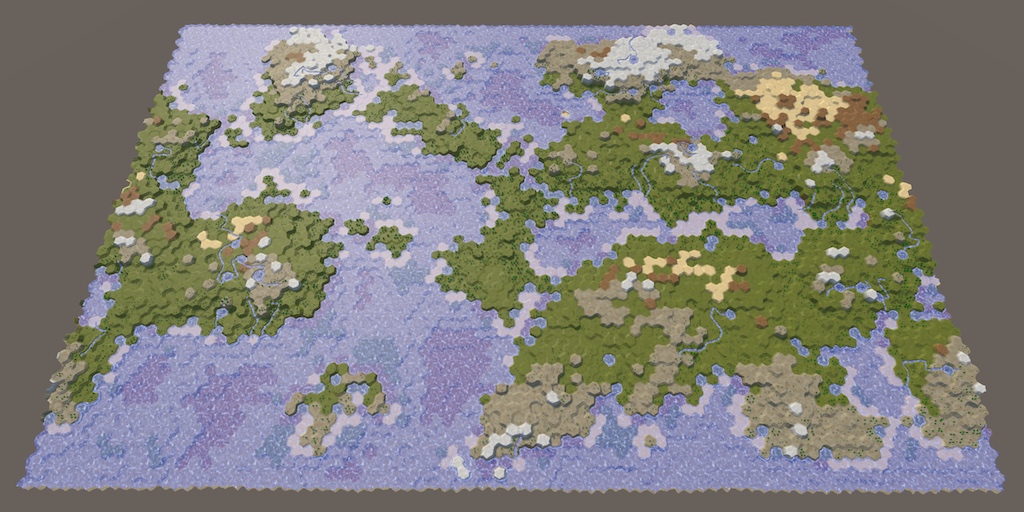
Hello, i'm currently working on a Hex Map Generator following this tutorial: https://catlikecoding.com/unity/tutorials/hex-map/
The tutorial goes for an ingame generator / editor, since i want the map to be generated and then used by all players i tried to generate it from the edtior directly without entering playmode. While that works, it is significantly slower (about 100 times) than just entering playmode.
Anyone have a clue why that is
A tutorial series about the creation of hex maps in Unity.
gloomy chasm
loud vortex
Hello, i'm currently working on a Hex Map Generator following this tutorial: htt...
That is far too much code and too complex, for me to want to dig through (maybe not for someone else I guess). I suggest opening the profiler and seeing what is slowing it down. It would also be faster than me (or someone else) reading through all that to guess at what it may be. And it will be more accurate since you will know what is slowing it down.
loud vortex
hmm yea I'm not looking code optimisation. I was just wondering why the same code takes more time in the editor than in game... i basically just swapped the Awake method with an Initialize method which gets called from and editor script.
So maybe there is some Editor overhead or something
gloomy chasm
loud vortex
hmm yea I'm not looking code optimisation. I was just wondering why the same cod...
The profiler will tell what it taking longer, run it in editor, then run it in playmode and see the difference in what takes the most time.
It will tell you if there is "some Editor overhead or something".
loud vortex
Hmm not really, i tried it and the profiler just freezes
gloomy chasm
loud vortex
Hmm not really, i tried it and the profiler just freezes
Well it should unfreeze and then update...
 rare surge
Hi, how can I duplicate in the editor script a gameobject? If I use Instantiate it has the name (clone) behind the gameobject but in real if I use ctrl+d it has just a number.
gloomy chasm
rare surge
Hi, how can I duplicate in the editor script a gameobject? If I use Instantiate ...
GameObjectUtility.EnsureUniqueNameForSibling(duplicatedObject)
rare surge
gloomy chasm
`GameObjectUtility.EnsureUniqueNameForSibling(duplicatedObject)`
Should I use this after instantiate?
gloomy chasm
rare surge
Should I use this after instantiate?
Would be hard to change the name of a duplicated object before it exists, so yes.
 toxic pollen
i have the error "The script don't inherit a native class that can manage a script" on 2 c# files when i try to put it on a canvas and on another file it works
rare surge
You are right hehe
toxic pollen
is it the wrong chat?
gloomy chasm
toxic pollen
is it the wrong chat?
It is, #archived-code-general 🙂
toxic pollen
oh sorry
gloomy chasm
toxic pollen
oh sorry
No problem at all, you can look at the description of the channel, it may help narrow down the proper channel in the future.
toxic pollen
ok thanks alot 🙂
gloomy chasm
Does anyone know if keeping a reference to a asset in a static list will keep it loaded? I want to say no, right?
gloomy chasm
So to be clear, you don't want to have to make a ScriptableObject instance for each effect CatchFire : ScriptableObject and Die : ScriptableObject?
Just so I understand how it works, when you drag and drop, are you creating a new instance then?
I think I see, would it work to just define configure the parameters on the component(?) where the scriptableObjects are drag and dropped?
So, just having standard C# classes that you create an instance of per component instead of dragging and dropping an asset wouldn't work for you?
Do you need them to share data between components?
(I don't know where you are dragging and dropping them to so I am just saying components for ease of the conversation)
Like do you need the Explode on DnD on component A and the Explode on component B to share the same data?
Why not just normal C# classes then...?
If you don't need (or want) them to share data, then there is no need for SOs
Unity supports polymorphic serialization since 2019.3 with the use of the [SerializeReference] attribute.
And you can just make a PropertyDrawer for your base class that opens a searchable window or popup populated using TypeCache.GetTypesDerivedFrom<BaseClass>(). Then selecting one just creates a new instance of the selected class and assigns it to the field!
Does that make sense @stiff vine and sound like it would work? Or am I missing something?
(On a side note, making the system you are working sounds fun!)
Haha, I will say that I do not recommend using [SerializeReference] prior to 2020.3. It just isn't stable enough imo.
[SerializeReference] private BaseClass _foo = new Explode();
Though for simple serialization like this it might be.
Correct, what is the problem?
You can use System.Activator.CreateInstance(classType) to create an instance from a System.Type
Right, and what is the problem?
Firstly, make sure that someFIeld has the [SerializeReference] attriibute.
 karmic ginkgo
unity by default cant serialize abstract/generic etc c# types, you need to use https://docs.unity3d.com/ScriptReference/SerializeReference.html
 gloomy chasm
Secondly, since it is serializing my reference instead of value, it defaults to null.
If you want a nice dropdown or something to assign the value in editor you need to do that yourself.
gloomy chasm
karmic ginkgo
it will save you more money in the long run
That completely depends on their use-cases.
Sure thing, if you have any other questions feel free to ask. Also if you want a popup that looks like the Add Component window you can use UnityEditor.IMGUI.Controls.AdvancedDropdown 🙂
karmic ginkgo
lets first look through github

GitHub
Provide popup to specify the type of the field serialized by the [SerializeReference] attribute in the inspector. - GitHub - mackysoft/Unity-SerializeReferenceExtensions: Provide popup to specify t...
one
two

GitHub
Unity SerializeReference Editor. Contribute to elmortem/serializereferenceeditor development by creating an account on GitHub.
gloomy chasm
karmic ginkgo
https://github.com/elmortem/serializereferenceeditor
This one requires the addition of a second attribute on each field.
Actually they both do.
karmic ginkgo
gloomy chasm
This one requires the addition of a second attribute on each field.
and your solution doesnt?
gloomy chasm
karmic ginkgo
and your solution doesnt?
No it doesn't because it is a property drawer for the base class apposed to a attribute drawer.
karmic ginkgo
that means you are locked into that class hierarchy?
gloomy chasm
karmic ginkgo
that means you are locked into that class hierarchy?
... What? They are doing this specifically for one class that will have many subclasses.
karmic ginkgo
its not a generic solution, thats why github solutions dont use it
on top of that an attribute allows parametrization
gloomy chasm
karmic ginkgo
its not a generic solution, thats why github solutions dont use it
I know, he wasn't asking for a generic solution though. He has a specific use case.
karmic ginkgo
i can easily see how the requirements will expand with time, which would eventually lead to a lot of boilerplate
gloomy chasm
karmic ginkgo
i can easily see how the requirements will expand with time, which would eventua...
Its not like you can have multiple base classes. And if they wanted to have the same drop down property drawer it would be pretty trivial to make a new drawer for each base type.
However he knows about both options now and can decide on what he wants to do, and what he thinks would best fit his project.
karmic ginkgo
yeah
visual stag
I also have a serialised reference drawer, and mine also allows the target to have a property drawer, which these ones won't (unless I imagine if you inherit from their editor)
https://github.com/vertxxyz/Vertx.Decorators
 naive lark
gloomy chasm
The reason that the second item is 'not added' is because the default behavior o...
naive lark
gloomy chasm
The reason that the second item is 'not added' is because the default behavior o...
Thanks! I had this problem too
whole steppe
i need auto parenthesis in visual studio. I've wasted a whole day researching this. no answer. please help
in addition. im using the trail version of VS so this isnt due to not having premium features
 woeful spruce
I don't know where to post this, hope this is the right channel:
After struggling 2 days to make Visual Studio Code EDITOR working on my Macbook Pro I realized that there is no 'implement this method' shortcut to create a method in a class when you're coding.
Please, tell me that it does exist and I'm just not able to find out.
 sour nest
Noob question: how do you create a floating editor window within the game view like the "navmesh display" one visible when selecting the "navigation" tab? GetWindow() doesn't seem to do that, whatever the "utility" argument value
waxen sandal
There's a callback duringSceneGui that lets you draw things there
sour nest
Oh I see, seems useful for things like gizmos but apparently complicated for advanced gui, and no built-in overlay/floating window... Thanks anyway, will look into it
patent pebble
@sour nest iirc you can do floating windows with GUI/GUILayout.Window and .DragWindow
waxen sandal
Yeah you can
Actually, I vaguely remembering them one mentioned some automatic system for those thinsg
gloomy chasm
What is the proper way to iterate through all of the serialized properties?
whole steppe

does anyone know how to get what nodes connected to what
im trying to child whatevers connected to a node into a list
gloomy chasm
whole steppe
does anyone know how to get what nodes connected to what
There may be an easier way, but it has been too long since I used the GraphView API. But you can get the ports and then call connections on each to get the edges, then get the opposite port.
 grizzled narwhal
Hello. I'm trying to set up the Unity Debugger extension in VSCode. I have it installed but the button does not appear on the menu on the left. I think my launch.json file is missing but I can't seem to figure out how to create one or what to put in it.
 rocky crest
hey friends! new question for yall. I have a gui button that creates a new game object and stores it in a variable. But the custom inspector field for it doesn't populate the newly created variable. However, it seems my component is stored correctly because the rest of the script works as intended and other functions reference it just fine despite the inspector saying it is "none". Any thoughts on what I'm missing?
    {
        var grid = FindObjectOfType<Grid>();
        var go = new GameObject();
        go.AddComponent<Tilemap>();
        go.AddComponent<TilemapRenderer>();
        go.transform.SetParent(grid.transform);
        targetTileMap = go.GetComponent<Tilemap>();
    }```

this is the function and this is the GUI Button call

```if(GUILayout.Button("Create New Target TileMap"))
        {
            b.CreateNewTilemapTarget();
}``` {
var grid = FindObjectOfType<Grid>();
var go = new GameObject("Boxy Decor TileMap");
go.AddComponent<Tilemap>();
go.AddComponent<TilemapRenderer>();
//go.transform.SetParent(grid.transform);
targetTileMap = go.GetComponent<Tilemap>();
Undo.SetTransformParent(go.transform, grid.transform, "StoreNewTileMapToGrid");
}``` changed to this but still no dice. The field remains emptyIf you're creating a new object the only undo operation that needs to be registered is for that object https://docs.unity3d.com/ScriptReference/Undo.RegisterCreatedObjectUndo.html
The field could be empty for many reasons though - has the editor been repainted, does the editor update the serialized object, etc
patent pebble
Is there any way to customize how GUI tooltips look like?

I'd like it to be in a single line instead
waxen sandal
Not really afaik
patent pebble
waxen sandal
Not really afaik
i guess I'll have to make my own tooltips for displaying asset paths 😓
patent pebble
How can I get the size of the current editor?
as in, the size of the entire editor application in the screen
I'm have a tool that opens an EditorWindow on click, and I'm trying to prevent that window from overflowing out of the current editor size
gloomy chasm
patent pebble
as in, the size of the entire editor application in the screen
EditorUtility.GetMainWindowRect()
I don't remember of that is the exact class or name, but that should get you close enough.
gloomy chasm
patent pebble
it was added in 2020 apparently
I thought it was older. Not that it isn't possible to get in older versions.
patent pebble
yeah it was probably undocumented or internal in previous versions
gloomy chasm
Just so you know it will not include the height of the system window bar.
gloomy chasm
patent pebble
yeah it was probably undocumented or internal in previous versions
All it does is get the MainView instance and return its rect.
patent pebble
gloomy chasm
Just so you know it will not include the height of the system window bar.
which one is that? the windows task bar at the bottom? or the white bar at the top with the File, Edit, Assets, etc menus?
gloomy chasm
patent pebble
which one is that? the windows task bar at the bottom? or the white bar at the t...
The latter.
patent pebble
gloomy chasm
The latter.
gotcha, thanks a lot for the help! 🙏
gloomy chasm
patent pebble
gotcha, thanks a lot for the help! 🙏
Sure thing!
Fun fact, with a 'bit' of reflection you can actually remove the footer bar at the bottom and the toolbar with the play/pause button at the top. Or add your own bars.
patent pebble
that's nice! I'll keep that in mind
 naive loom
So lets say i have list of script A, then from inspector i assign it, when we click on one of list element, its hghlighted blue right??, so there must be a way to get what thing we click from list in inspector....what is that function name, or how
gloomy chasm
naive loom
So lets say i have list of script A, then from inspector i assign it, when we cl...
Let me see if I understand. You want to get when you click on a element in a list?
patent pebble
he probably means like the way Unity pings objects
but I don't know if there's a callback for getting the pinged object
naive loom
patent pebble
he probably means like the way Unity pings objects
Something like this, so by now i draw all the property of script A, but its take lots of space, so how about normal list view, but when i click on of its element its allow me to view and edit it
patent pebble
naive loom
Something like this, so by now i draw all the property of script A, but its take...
well if you are doing your SerializedProperties you can just get the SerializedProperty.objectReferenceValue of the properties
and use the Selection API to select the objects
gloomy chasm
naive loom
Something like this, so by now i draw all the property of script A, but its take...
Why not use foldouts?
 shadow violet
Is there a way to make a function globally accessible in any editor window? I want to make a Log function similar to Debug.Log or print - what I have right now is an extension method that almost does what I want, except I want to remove the need to have this in the call, is there a keyword for what im trying to do I can look into?
public static class EditorWindowExtention //this is contained in a class called "EditorLogger", which is also a EditorWindow
{
public static void Log(this EditorWindow t, string message) { ... }
}

//usage:
public class SomeCustomEditor : EditorWindow
{
void OnGUI()
{
  Log("test message 1"); //my end-goal, but currently is incorrect syntax
EditorLogger.Log(this, "test message 2"); //works without error
}
}
Is there a way I can just do Log(string) or EditorLogger.Log(string) without needing "this" inside of OnGUI?
waxen sandal
Don't make editorlogger an editor window but rather just a static class
Then you can just do editorlogger.log
And don't use extension methods
Can also create a base class for all your editor windows that defines a protected log method
patent pebble
@shadow violet yeah extension methods make more sense when you are dealing with instances directly, for example
public static class TransformExtensions
{
    public static void Rotate90Degrees(this Transform transform)
    {
        transform.Rotate(transform.right, 90);
    }
}
myTransform = someGameObject.transform;
myTransform.Rotate90Degrees();
for an EditorWindow it would make more sense to have a class deriving from EditorWindow as Navi said
then just make all your other editor windows inherit from that and use the protected method
this.Log("something"); // Using extension method
Log("something"); // Using inheritance
that's not saying extension methods shouldn't be used with EditorWindows, I have used them in cases where I have some sort of "manager" object handling multiple instances of editor windows and I need to do something to them
shadow violet
Interesting, that did seem to be what I was after - thanks for the help
gloomy chasm
shadow violet
Is there a way to make a function globally accessible in any editor window? I wa...
If you make it a static class and not an extension method you can do a using static a the top of any field and you can use it like you want.
using static EditorLogger;

public class SomeCustomEditor : EditorWindow
{
  void OnGUI()
  {
    Log("Test Message");
  }
}
i guess it's just a design decision, if he only wanted to make logging available in the Editor Windows that he creates himself, I'd go for inheritance
if he wants EVERY editor window to have the option, then the static class and static using directive works fine
gloomy chasm
I agree with everything you just said.
patent pebble
I almost never use static directives tho, I just like seeing MyStaticClass.MyStaticMethod, makes for better readability in my opinion
gloomy chasm
patent pebble
I almost never use static directives tho, I just like seeing ``MyStaticClass.MyS...
Yeah, I haven't actually used a static directive yet. Haven't found a need. And I too find using the full name easier to read and follow logic.
patent pebble
yep
shadow violet
Interesting, I didnt know that was a thing with using static, that could come in handy for other things later
frigid pendant
Can I manually trigger the EditorGUI.BeginChangeCheck()? I need it to pick up when my GUILayout.Button is clicked
gloomy chasm
frigid pendant
Can I manually trigger the `EditorGUI.BeginChangeCheck()`? I need it to pick up ...
GUI.changed = true
patent pebble
is there a way to "undock" 2 editor windows?
whether they are docked side by side or docked in tab mode
gloomy chasm
patent pebble
is there a way to "undock" 2 editor windows?
Yes,
Do you want to redock them on to the same floating window or...?
gloomy chasm
Just, undock an editor window?
patent pebble
yes, for example I have these 4 editor windows

i want them to be undocked completely so I can do this

I have a tool that does automatic arrangement on editor windows, but it only works when they are undocked
I've been scrounging the source code but I can't find anything that works
and the public APIs don't seem to have anything either 🤔
the only workaround I have is doing this
window.Close();
window = ScriptableObject.CreateInstance<EditorWindowArrangeable>();
window.Show();
but I feel like it's gonna lead to other problems like loss of non-serializable data
gloomy chasm
patent pebble
I've been scrounging the source code but I can't find anything that works
Get the host view parent of the editor window then call RemoveTab
patent pebble
gloomy chasm
Get the host view parent of the editor window then call `RemoveTab`
i've tried this RemoveFromDockArea() https://github.com/Unity-Technologies/UnityCsReference/blob/2020.2/Editor/Mono/EditorWindow.cs#L822
but the windows disappear
they aren't destroyed, they just go poof
patent pebble
oh I'm so dumb
I had to tell the undocked windows to be shown again
if (window.docked)
{
    EditorWindowWrapper wrapper = new EditorWindowWrapper(window);
    wrapper.RemoveFromDockArea();
}
window.Show();
seems to work fine now!
gloomy chasm
Yep.
patent pebble
@gloomy chasm thanks again lol, i've been stuck for almost an hour on this
gloomy chasm
patent pebble
<@!131292153300123648> thanks again lol, i've been stuck for almost an hour on t...
No problem, I would consider my self some what of an 'expert' on the View system. So if you have any questions about it in the future let me know 🙂
patent pebble
gloomy chasm
No problem, I would consider my self some what of an 'expert' on the `View` syst...
I've had the DockArea and HostView stuff on my bookmarks for a while but never bothered to get into it
gloomy chasm
I made 'advanced' wrapeprs around the classes so I can basically use the API as if it were my own.
patent pebble
yea
I just use Mikilo's website lol
literally 1 liner reflection
saves me so much time
I'm very bad at doing reflection, tools like that are a godsend 🙏
@gloomy chasm do you know if there's any learning resources for the HostView stuff? or just scavenging the source code?
gloomy chasm
patent pebble
<@!131292153300123648> do you know if there's any learning resources for the Hos...
LOL, learning resources on it. xD
I wish
patent pebble
There's so much good stuff that Unity could make public and documented...
gloomy chasm
Yeah, while I was working on my wrappers I cough my self thinking "Man I wish they had better documentation for this"
Then realizing that it is completely internal and there is no docs 😛
patent pebble
they are too busy busting out half-baked tools and APIs instead of retroactively improving the existing ones 😓
gloomy chasm
Yo the overlays are nice.
patent pebble
but eh, it's just Editor tools, they don't make them any money
patent pebble
gloomy chasm
Yo the overlays are nice.
what's that?
gloomy chasm
patent pebble
what's that?
The new overlay system in 2021.2, have you seen it?
patent pebble
nope, still stuck on 2020.3
gloomy chasm
patent pebble
I assume it's only for UITK
Yeah!! 😄
Though of course you can always use an IMGUIContainer if you really want.
patent pebble
nah at that point it's just better to finally learn how to use UITK lol
now I'm just too used to IMGUI and I'm too lazy to re-learn everything
but if they keep improving UITK eventually we will all switch to it
gloomy chasm
patent pebble
but if they keep improving UITK eventually we will all switch to it
They plan on moving all of the editor to UITK in the future.
So get on board or get left behind 😛
(jk, jk.. sort of)
patent pebble
they should, they have a big problem with the current state of the engine, it feels like for every major part of the engine, there's 2 or 3 ways of doing stuff
and that just leads to incomplete workflow pipelines and it's messy all around
I've heard some Unity devs saying their intention is to unify stuff as much as possible
but I guess it's gonna take some years to get there
gloomy chasm
patent pebble
I've heard some Unity devs saying their intention is to unify stuff as much as p...
Yeah, that is their plan. Like all the graph based tools will use the GTF. That includes Visual Scripting, Shader Graph, and even older things like the Animation Controller.
frigid pendant
I have a GUIContent with a texture and a tooltip that I need to draw in a PropertyDrawer. I can precompute a rect for it. What's the idiomatic EditorGUI.Foo() / GUILayout.Bar() / GUI.Woo() call that I need to make to render it with the hover-to-show-tooltip?
gloomy chasm
frigid pendant
I have a GUIContent with a texture and a tooltip that I need to draw in a Proper...
GUI.Label(rect, yourContent)
frigid pendant
gloomy chasm
`GUI.Label(rect, yourContent)`
Ahh, of course. Thanks again!
 hushed oar
Any tips on how to use the editor for listening to changes? I'm trying to use the editor for complex logic around level design. I'm looking for the best way to add logic when an inspector field is changed. I can't use OnValidate because I do things such as instantiating prefabs...
In my head it's simple. Change a bool in my monobehaviour from the inspector --> add children prefabs, for example
How do people live without properties in the inspector?
gloomy chasm
hushed oar
Any tips on how to use the editor for listening to changes? I'm trying to use th...
The 'proper/best' way to listen for a change depends almost entirely on what you are doing.
For listening for changes to properties, you can use a custom editor with BeginChangeCheck and EndChangeCheck around a field to see if it's value changed.
If you can give more specific thing you want to do I can give you more specific advice.
hushed oar
I like the sound of BeginChangeCheck, hadn't heard of it. Basically, coming from a MVC background, I have objects that hold data and that have logic on property changes. Such as a tile changing it's border color depending on its navigability. I want to be able to change this property from the inspector and trigger the logic, while also being able to do so during runtime.
So during runtime it's simple, I set my property to a value and the logic rolls. But I have no easy way to do so from the inspector.
These properties are all serialized through their backing fields
gloomy chasm
hushed oar
I like the sound of BeginChangeCheck, hadn't heard of it. Basically, coming from...
Got it, so you are going to want to make a custom editor, with Begin/EndChangeCheck around the field(s) that you want to listen for changes on. Actually if you are coming from MVC, maybe UIToolkit would be easier for you, it is retained mode instead of immediate mode.
gloomy chasm
hushed oar
Alright, I'll do my research. Thanks for the guidance 🙂
Sounds good, if you have any questions feel free to ask.
A note about making custom editors, you will want to use what is called SerializedObject and SerializedProperties instead of accessing the properties on the component directly. This will make it so they support prefab overrides, and undo/redo.
hushed oar
Gotcha!
tough cairn
is there a way to draw a proper property field ?
this is what a got :
var T = Type.GetType(argData.FindPropertyRelative("typeName").stringValue);

var data = argData.FindPropertyRelative("dataValue");

if( typeof( UnityEngine.Object ).IsAssignableFrom( t ) )
{
  EditorGUI.PropertyField( r, data , GUIContent.none );
}
where dataValue is a Object reference value i store and typeName is a string that i can get its type from
i would try something like var cast = ( T ) data if it wasn't a serialized property
any way to tell the IMGUI which type to use when drawing an object reference in the inspector ?
i think i found it , gonna try this :
if( typeof( UnityEngine.Object ).IsAssignableFrom( t ) )
  EditorGUI.ObjectField( r, argData.FindPropertyRelative("dataValue") ,
    Type.GetType(argData.FindPropertyRelative("typeName").stringValue));
perfection
 gloomy chasm
tough cairn
i think i found it , gonna try this :
```cs
if( typeof( UnityEngine.Object ).IsA...
gloomy chasm
tough cairn
i think i found it , gonna try this :
```cs
if( typeof( UnityEngine.Object ).IsA...
Haha, maybe EditorGUI.PropertyField will help ya out here 🙂
 timber matrix
Not sure if this is the correct place to ask but I'm just gonna ask it here anyways because its pissing me off.
I can't get intellisence to work with VScode and Unity. I have tried every tutoiral that I can find about getting it to work but nothing is working. Here is the error that I'm getting:```
[fail]: OmniSharp.MSBuild.ProjectManager
Attempted to update project that is not loaded: c:\Users\max\Documents\Code\C#\Unity\3D\First\Assembly-CSharp.csproj
```yml
- Changing the Omnisharp Project
- Re installing the C# extension
- Opening the C# project through the assets section
- Changing Use Global Mono to always
- Restarting PC
```Things that I have:
```yml
OS: Windows 11 (same thing happend on 10)
DOTNET: 5.0.401
VSCODE: 1.61.2
UNITY: 2020.3.21f1
Can someone please help me with this? Its been pissing me off for ages now and I really want to learn Unity but not having everything work is extremely frustrating.
tough cairn
timber matrix
Not sure if this is the correct place to ask but I'm just gonna ask it here anyw...
tough cairn
gloomy chasm
Haha, maybe `EditorGUI.PropertyField` will help ya out here 🙂
that what i was doing from the start , property field has no type field

while nearly every ObjectField has a type in its methods
gloomy chasm
tough cairn
that what i was doing from the start , property field has no type field
Why do you need the type paramater. Maybe I'm not understanding the setup of your class?
tough cairn
i serialize data and store it as object reference
when using PropertyField it will show ( Object ) in the inspector and everything can be attached
gloomy chasm
tough cairn
when using PropertyField it will show ( Object ) in the inspector and everything...
Is the field a private UnityEngine.Object dataValue?
tough cairn
mmm not quite
gloomy chasm
Can you show the the relevant snippet of code?
tough cairn
[Serializable] public class RelayInvoker
    {
        public string                   componentAQN;
        public string                   methodSignature;
        public GameObject               gameObject;
        public List<ParameterData>      parameters;
        [Serializable] public struct ParameterData
        {
            public string               argName;
            public string               typeName;
            public string               readable;
            public bool                 readableIsMethod;
            public bool                 passVar;

            public UnityEngine.Object   dataValue;
            public int                  intValue;
            public string               stringValue;
            public float                floatValue;
            public bool                 boolValue;
        }
...
menu.AddItem( ... , new DataStruct
{
  isSelected = isSelected,
  serializedProperty = serializedProperty,
  methodSignature = method,
  componentAQN = t.AssemblyQualifiedName,
  methodInfo = m
} );
...
--> on menu click execute code below
...
data.serializedProperty.FindPropertyRelative("parameters")
...
var argData = parameters.GetArrayElementAtIndex( i );
string argName = argData.FindPropertyRelative("argName").stringValue;
string argType = argData.FindPropertyRelative("typeName").stringValue;
Type t = Type.GetType( argType );
...
// int , bool , float , ...
if( typeof( string ).IsAssignableFrom( t ) ) EditorGUI.PropertyField( r, argData.FindPropertyRelative("stringValue") , GUIContent.none );
if( typeof( UnityEngine.Object ).IsAssignableFrom( t ) ) EditorGUI.ObjectField( r, argData.FindPropertyRelative("dataValue") , Type.GetType(argData.FindPropertyRelative("typeName").stringValue) , GUIContent.none );
...
if ( EditorGUI.EndChangeCheck() ) argData.serializedObject.ApplyModifiedProperties();
...
u gonna love it , the entire class is around 1k lines of code and its only 1 file for the custom untiyEvent i made ))
gloomy chasm
tough cairn
```cs
[Serializable] public class RelayInvoker
{
public string ...
I see, then yes this is how you need to do it.
tough cairn
spaghetti code do wonders
gloomy chasm
tough cairn
spaghetti code do wonders
Well, you can make it less spaghetti 😛
tough cairn
ik ! but its so easy to more it from project to project and share
plus i tested it in build and it seems to work just fine
gloomy chasm
tough cairn
ik ! but its so easy to more it from project to project and share
What does that have to do with having/not having spaghetti code, haha
tough cairn
to be fair its a bit cleaner then i make it sound like )))
its just the whole thing is a giant hack
gloomy chasm
tough cairn
to be fair its a bit cleaner then i make it sound like )))
Not from the code I see 😛
tough cairn
hah fair enough
performance wise should be the same as UnityEvent since this is bestially the same thing , so no where near System.Action
here is one of the few strange things i had to use to get right : http://sketchyventures.com/2015/08/07/unity-tip-getting-the-actual-object-from-a-custom-property-drawer/
gloomy chasm
tough cairn
here is one of the few strange things i had to use to get right : http://sketchy...
That is going to break so fast...
Assuming I am reading it right, it won't work if the field is on another class...?
tough cairn
seems to work fine
public override void OnGUI( Rect rect, SerializedProperty property, GUIContent label )
        {
            if( ! hasOwner )
            {
                var target = RelayRefelction.GetActualObjectForSerializedProperty<RelayBase>( fieldInfo, property );

                target.owner = ( Component ) property.serializedObject.targetObject;

                hasOwner = true;
            }

            this.property = property;

            invokersList = invokersList ?? property.FindPropertyRelative( "relay_invokers" );

            if( GUI.Button( rect , "Invoke All" ))
            {
                var target = RelayRefelction.GetActualObjectForSerializedProperty<RelayBase>( fieldInfo, property );
                target.Invoke();
            }
Have you tried it where the field is in another class that is in a UnityEngine.Object?
tough cairn
no
its only used to invoke methods on a button press - so just an editor thing ( edit mode / play mode )
gloomy chasm
public OtherClass {
  public YouCustomEvent eventThing;
}
public AComponent : MonoBehaviour
{
  public OtherClass otherClassFIeld;
}
I am like 95% sure that this will break the property drawer for you.
tough cairn
hmmmmm
ill try this
wait ...
Other class is always MonoBehaviour in my case
but i do have something like this tho

 gloomy chasm
tough cairn
Other class is always MonoBehaviour in my case
gloomy chasm
tough cairn
Other class is always MonoBehaviour in my case
For now it is, until you realize you need a CustomEvent in some other class, or need it to be paired with some other data in a list or something.
tough cairn
hmmm that part where it will use GetActualObjectForSerializedProperty is just the button that invokes all events only inside the unity editor
( edit mode / play mode )
gloomy chasm
tough cairn
hmmm that part where it will use ` GetActualObjectForSerializedProperty ` is jus...
You are not understand what I am saying I think.
In GetActualObjectForSerializedProperty
There is this line
 var obj = fieldInfo.GetValue(property.serializedObject.targetObject);
if (obj == null) { return null; }
So it is trying to get the value of the field info from the instance of targetObject. But what if targetObject is not the class that holds that field info?
tough cairn
maybe i don't , my point is that it will only draw the button in the actual class itself and never will draw the button in AComponent
so would it be true that property.serializedObject.targetObject will always reference the right class ?
gloomy chasm
tough cairn
so would it be true that `property.serializedObject.targetObject` will always re...
No, that is what I am saying. serializedObject.targetObject is the UnityEngine.Object class instance that is being serialized. In this case the component.
tough cairn
ok
gloomy chasm
So if you have a CustomEvent field in any class that does not derive from either MonoBehaviour or ScriptableObject your property drawer will break.
tough cairn
tough cairn
Other class is always MonoBehaviour in my case
^
gloomy chasm
This is what I do to get the value. https://github.com/MechWarrior99/Bewildered-Core/blob/main/Editor/Extentions/SerializedPropertyValueExtensions.cs#L38
tough cairn
interesting
ill gonna steal that real quick )))
but first ill give u star
because im not a savage
gloomy chasm
Basically split the path an 'walk' along it getting the values along the way.
gloomy chasm
tough cairn
but first ill give u star
Well thank you kind sir. How civilized.
hushed oar
Hi! Are serializedProperties linked to fields or property? To find them do I use the property name of the backing field name? How do I trigger the setter logic from the serializedProperty?
patent pebble
hushed oar
Hi! Are serializedProperties linked to fields or property? To find them do I use...
they are used with fields, the naming is confusing but they don't rely on actual properties
How do I trigger the setter logic from the serializedProperty?
Do you want to manually change the value of the property?
hushed oar
I'm using BeginChangeCheck to detect a change of the field in the inspector and basically calling logic from there.
I want a change in the inspector to act as a property setter. So my plan was to detect field change using BeingChangeCheck, then from there manually set the property to the inspector field value.
        private void OnEnable()
        {
            fieldProperty = serializedObject.FindProperty("backing_field");
        }

        public override void OnInspectorGUI()
        {
            EditorGUI.BeginChangeCheck();

            var field = EditorGUILayout.FloatField(fieldProperty.displayName, fieldProperty.floatValue);

            if(EditorGUI.EndChangeCheck() && target is ThicknessView thicknessView)
            {
                thicknessView.Field = field;
            }
}```I'm not sure if there's a better way :/
patent pebble
@hushed oar use a EditorGUILayout.PropertyField
hushed oar
What do I do with it?
waxen sandal
Pass the serializedproperty to it
patent pebble
use it instead of your FloatField
hushed oar
        {
            EditorGUI.BeginChangeCheck();

            var field = EditorGUILayout.PropertyField(fieldProperty);

            if(EditorGUI.EndChangeCheck() && target is ThicknessView thicknessView)
            {
                thicknessView.Field = field;
            }
}```How do I set the value tho? field is a bool now
patent pebble
don't use change checks, use SerializedObject.ApplyModifiedProperties
it returns a bool telling you wether or not the data on the field changed
you need to use it anyways to tell the PropertyField to actually apply the changes you do
hushed oar
But then how do I call the setter of the property?
        {
            if (EditorGUILayout.PropertyField(fieldProperty))
            {
                //set property to inspector value
            }
}```PropertyFields do that automatically
what type is your "fieldProperty"?
a float I assume?
hushed oar
In this example it's a float
waxen sandal
Pretty sure they're trying to use their property rather than change the backing field
Which generally you shouldn't do
hushed oar
I have public float Field { get; set; }
The set has logic I need to call
hushed oar
waxen sandal
Which generally you shouldn't do
How so tho? How does someone go about doing level designwithout automating some work in the inspector? 😮
I understand about not using OnValidate for such work
But if my float represents an amount of objects, I'd like to automatically spawn these objects in the editor when the count changes
waxen sandal
First of, that's abusing the setter of a property, ideally you don't want properties to do such drastic things
hushed oar
My property calls a OnChange event
waxen sandal
Imagine being a consumer of your API, you expect something to generate later down the line and not as soon as you change a config somewhere
Then your application freezes for a while because it's spawning 100 objects
Anyways, Unity is not build to serialize properties, it can only serialize fields
If you want custom behaviour then you have to do ugly tricks like you're doing and support Undo (and other things) yourself
patent pebble
if you want to trigger some logic when the value of a field changes, you can use the target SerializedObject, cast it to the actual type and call a method or send an event
hushed oar
Generally it's light work that represents QoL workflow improvements. If I look at some of Unity's APIs, a good amount of then do things as soon as I change a field in the inspector.
I have an Hex that has different layers depending on which "Biome" it's in. As soon as I drag a biome on the hex in the inspector, I inspect my hex's layers to change immediately. Not when the game start.
But yeah I understand how Unity isn't built around that
waxen sandal
Unity's api isn't that great, it's a general principle that is generally accepted
hushed oar
I'm just confused as to how people get around without doing that
waxen sandal
You do a change check or a ApplyModifiedProperties
then call your method to regen your meshes or w/e
But still undo gets tricky when doing that
hushed oar
Yeah I imagine
patent pebble
@waxen sandal can you do delayed fields with PropertFields?
i think there was an attribute but can't remember
waxen sandal
I don't think that attribute is Unity but rather Odin
waxen sandal
hushed oar
Yeah I imagine
Depending on what you do it's not that bad
hushed oar
waxen sandal
Depending on what you do it's not that bad
Using delayedfloatfield that could work well actually
patent pebble
if you are spawning/destroying objects I'd delay the reaction, as Navi said, it can lead to performance issues
either make a button to do it manually, or try to use a delayed PropertyField
waxen sandal
Actually, I'd make a timer that triggers every x seconds and combines all results
patent pebble
I'm not a fan of that, but it can work
hushed oar
If I ever see performance impacts I might implement that. But I use to have the work on OnValidate without lag
It's like Instantiating 3 prefabs
patent pebble
https://docs.unity3d.com/ScriptReference/DelayedAttribute.html
there's this attribute, I don't know if it's compatible with PropertyFields, I'd assume it is, but you never know
patent pebble
hushed oar
It's like Instantiating 3 prefabs
you say that, but then it comes the time when you try to copypaste a value and it's something like 1111111 and then your editor explodes 🙃
hushed oar
No the amount spawned isn't related to the float value. My example above is not good ^^
I can see how that is dangerous tho
patent pebble
yep
waxen sandal
Our level editor actually doesn't spawn objects but is just a config file with a fancy editor that shows the layout
hushed oar
That's cool!
I just want to use the editor, I'm like what's the fucking point otherwise
waxen sandal
Imo, there's a lot of issues with spawning and destroying objects especially when working in a team
patent pebble
Question regarding PropertyDrawers, can you run a Drawer from another Drawer?
Context:
I'm have my CustomObjectPickerDrawer with an attribute that lets me tell object fields to use a certain custom object picker, then I also have another class called FolderReference that has its own Drawer that only uses a certain custom object picker
public class Test : MonoBehaviour
{
    // Use CustomOjectPickerDrawer
    [CustomObjectPicker(doAssets: true, doScene: true)]
    [SerializeField] private FolderReference _folder1;

    // Use FolderReferenceDrawer
    [SerializeField] private FolderReference _folder2;
}
[CustomPropertyDrawer(typeof(CustomObjectPickerAttribute))]
public class CustomObjectPickerDrawer : PropertyDrawer
{
    public override void OnGUI(Rect position, SerializedProperty property, GUIContent label)
    {
        string typeName = this.fieldInfo.FieldType.Name;

        if (typeName == "FolderReference")
        {
            // How do I call the FolderReferenceDrawer from here????
        }
    }
}
is this a bad approach? I'm not very experienced with PropertyDrawers
(I use the CustomObjectPicker for other types, like GameObject, etc)
should I just combine everything into a single Drawer?
I like having the FolderReferenceDrawer separate because I don't need to use an attribute, and it looks cleaner
gloomy chasm
I am not sure if I follow. So you have a attribute drawer for CustomObjectPicker and a property drawer for FolderReference?
patent pebble
gloomy chasm
I am not sure if I follow. So you have a attribute drawer for `CustomObjectPicke...
correct
gloomy chasm
So, I guess I'm not sure what the 'problem' is or what you are asking.
patent pebble
in the first code snippet I want to make sure even if I use the CustomObjectPicker attribute, to just revert to the logic in FolderReferenceDrawer
or should I just throw an error if the user tries to do that?
yeah I'm not sure if there's even a "problem" at all 😅
gloomy chasm
patent pebble
in the first code snippet I want to make sure even if I use the CustomObjectPick...
Do what?
patent pebble
when I do this
[CustomObjectPicker(doAssets: true, doScene: true)]
[SerializeField] private FolderReference _folder1;
Should I just throw an error?
to let the user know that FolderReference already uses its own ObjectPicker
gloomy chasm
Random thing, but use nameof instead of a string here if (typeName == nameof(FolderReference))
gloomy chasm
patent pebble
when I do this
```cs
[CustomObjectPicker(doAssets: true, doScene: true)]
[Seria...
That depends, do you want to allow the user to show the custom picker instead of the folder picker?
patent pebble
gloomy chasm
Random thing, but use `nameof` instead of a string here `if (typeName == nameof(...
ah right, no hardcoding, thanks for the reminder
patent pebble
gloomy chasm
That depends, do you want to allow the user to show the custom picker instead of...
not really because the FolderReference picker is very rigid, it only needs to be one way, but GameObject pickers for example have a lot more leeway (scene tab, assets tab, prefab-only, etc)
gloomy chasm
patent pebble
not really because the FolderReference picker is very rigid, it only needs to be...
Then just let it work. See how things like the Range attribute act when you put them on an unsupported field type.
patent pebble
gloomy chasm
Then just let it work. See how things like the `Range` attribute act when you pu...
Unity does this

but no warnings/errors logged
gloomy chasm
So do that.
If it is not a ObjectReference type field then just display a gui label with similar text.
patent pebble
yep, seems like the way to go
but going back to my original question, what would be a better design decision if I wanted the FolderPicker to have leeway like the GameObject picker?
gloomy chasm
Leeway?
patent pebble
in that case it's just better to unify everything into the attribute/drawer?
patent pebble
gloomy chasm
Leeway?
yeah like this
// Use CustomOjectPickerDrawer
[CustomObjectPicker(doAssets: true, doScene: true)]
[SerializeField] private FolderReference _folder1;

// Use FolderReferenceDrawer
[SerializeField] private FolderReference _folder2;
if I want to give the user the option of using it both ways
without having to rewrite all the code from the FolderReferenceDrawer on CustomOjectPickerDrawer
gloomy chasm
patent pebble
if I want to give the user the option of using it both ways
I thought you just said you didn't want the user to be able to use the CustomObjectPicker with the FolderReference...?
patent pebble
yes, but this is just a hypothetical
gloomy chasm
Oh, I see.
patent pebble
because I'm a noob on this topic, I don't know what's good or bad design
gloomy chasm
patent pebble
without having to rewrite all the code from the FolderReferenceDrawer on CustomO...
Sounds like you just need to abstract it out a bit.
Don't they just open a window?
Oh I think I see what you are saying.
patent pebble
yeah pretty much, they draw a modified version of an ObjectField, and they behave like Unity's default ObjectField, but open a custom object picker instead
I guess I just extract all the logic and put it into a static class or a helper class and then call that from both Drawers?
gloomy chasm
Yeah, basically.
patent pebble
@gloomy chasm alright thanks a lot, I'll probably learn what works and what doesn't when doing attributes, I just wanted some advice to set me on the right track
gloomy chasm
patent pebble
<@!131292153300123648> alright thanks a lot, I'll probably learn what works and ...
Sure thing!
hushed oar
It's unclear to me how to find a property of another property. Say I have a serialized object which is the target of the editor, how do I find a serialized property of a property of the object?
gloomy chasm
hushed oar
It's unclear to me how to find a property of another property. Say I have a seri...
FindReletiveProperty
hushed oar
What's the expected path tho? var dataProperty = serializedObject.FindProperty("data"); thicknessProperty = dataProperty.FindPropertyRelative("thickness"); weightProperty = dataProperty.FindPropertyRelative("weight"); biomeProperty = dataProperty.FindPropertyRelative("biome");
This doesn't work
gloomy chasm
hushed oar
What's the expected path tho? ``` var dataProperty = serializedObject...
Are you those names of the properties or the fields?
hushed oar
lowercase is fields always for me
        private HexWeight weight = HexWeight.Normal;
        public HexWeight Weight
        {
            get => weight;
            set
            {
                weight = value;
                WeightChanged?.Invoke();
            }
        }
        public UnityEvent WeightChanged = new();

        [SerializeField]
        private Biome biome;
        public Biome Biome
        {
            get => biome;
            set
            {
                biome = value;
                Layers = biome.GenerateLayers(Thickness);
            }
}```That all looks good, can you show me data field.
hushed oar
It's a generic but it's defined in a subclass
    {
        [SerializeField]
        private T data;
        public T Data
        {
            get => data;
            set
            {
                data = value;
                OnDataChanged();
                DataChanged?.Invoke();
            }
}``` {
}```Editor is on the HexData
gloomy chasm
hushed oar
It's a generic but it's defined in a subclass
What is DataView and where is the instance of HexData defined?
hushed oar
I've debugged and the line FindProperty("data") works
gloomy chasm
It does?
hushed oar
DataView is just a view on a ScriptableObject basically, which an Hex is. It's a monobheaviour that exists on an object
gloomy chasm
So the problem is that dataProperty.FindPropertyRelative("thickness"); doesn't return anything?
 gloomy chasm
Just to be clear, you are sure that all of the fields are serialized, yes?
hushed oar
Yeah 100%, they are within a scriptable object and have serializedfield attribute
They also remain when Unity Deserializes
Weird
gloomy chasm
It should be working. If you want to put the editor and relevant scripts in hastebin or the like I could take a look at them.
With a bit more complex setup it is hard to follow what you are doing and make sure it is how you should be doing it.
hushed oar
Yeah understandable
gloomy chasm
There are a number of places where things could be going wrong.
Just to make sure, it is null even when you are not debugging right?
hushed oar
Yeah I get exceptions
gloomy chasm
Because serialized properties are on the C++ side debugging in C# can be a little funny sometimes.
gloomy chasm
hushed oar
https://www.toptal.com/developers/hastebin/yoqokaxeri.csharp
Well there you have it
A UnityEngine.Object is not a normal C# class.
So a field of a Object is just a reference to the object
hushed oar
Oooh fair enough
gloomy chasm
So when using it with SerializedObject/Property you need to great a SerializedObject for it.
hushed oar
Okay so let's say I wanted to display fields for these three properties in the inspector
gloomy chasm
hushed oar
Okay so let's say I wanted to display fields for these three properties in the i...
using (var dataSO = new SerializedObject(dataProperty.objectReferenceValue))
{
  dataSO.FindProperty("biome");
}
You don't need to do it as a using scope, but you should dispose of it after you are done with it.
 wintry badger
Hey all, I am having an issue in Unity 2020 and up with a custom editor tool that performs a long blocking operation. I display a cancelable progress bar using EditorUtility.DisplayCancelableProgressBar. Prior to 2020 this worked great, but now with 2020 Unity has added a lot more of its own progress tracking for certain editor actions (such as importing an asset), and Unity's use is competing with my own use. Does anyone know a way around this?
Here is the way it did work (prior to 2020).
https://gfycat.com/viciousafraidelectriceel
Here is how it now looks:
https://gfycat.com/delayedconcernedhammerheadbird


The top gif is how it worked before, the bottom one is how it works in 2020 and up. It's still somewhat functional but the progress of my own tool is much harder to track now.
The bigger issue is that you cannot really press the Cancel button because Unity's progress is not cancelable, so the cancel button flashes for only a second on and off
 wispy delta
@wintry badger Interesting. I don't know of anything in the API that would let you disable that behavior off the top of my head, but perhaps there's a workaround. Not a clean solution, but if you can temporarily change the "Busy Progress Delay" editor preference to float.MaxValue before you begin your operation and then reset it afterwards I would imagine that should work. I did some fancy conditional breakpointing on the EditorPrefs.SetFloat function to see what Unity calls the pref. Might be worth a try!

Definitely seems like an oversight tho. Makes me think there's a better solution, but idk 🤷♂️
wintry badger
wispy delta
<@!399073402935181313> Interesting. I don't know of anything in the API that wou...
Awesome, I will give that that a try! Thanks!
waxen sandal
Go to preferences and set the paths
waxen sandal
What plugin is it?
Chances are you applied an attribute to an unsupported type/field
That should only be used on Unity Objects
What attribute are you using
timber matrix
tough cairn
do you have this ? https://dotnet.microsoft.com/download/dotnet/sdk-for-vs-code?...
Yes. I have .NET 5.0.401 correctly installed. I can make C# console programs and stuff just fine.
tough cairn
timber matrix
Yes. I have `.NET 5.0.401` correctly installed. I can make C# console programs a...
do you have csproj file generated by unity ?
drag and drop this folder in VS code and it should pick up the vs proj file and auto hook into unity
timber matrix
I have made the .csproj file using Unity. I pressed this button:
 pure siren
EditorGUI.PropertyField() seems to be really slow. Is there a better way to draw properties?
Is the UI Toolkit better for serialized property stuff?
My issue is that I'm drawing a lot of properties, so when I type in any property field it lags a lot. Probably since it redraws all the properties multiple times when input is being entered
gloomy chasm
pure siren
My issue is that I'm drawing a lot of properties, so when I type in any property...
This is a limitation/side effect of immediate mode GUIs. Anytime there is any type of change the entire UI is redrawn (this includes hover, and mouse move if that is enabled)