#↕️┃editor-extensions
1 messages · Page 87 of 1
 wintry frigate
ha
i could honestly get rid of it, i don't depend on odin except for my serializedscriptableobjects because its way easier for me at least that way
 gloomy chasm
Yeah... Unity needs to at least get their internal teams onboard...
They also need to make the default editor UIT instead of IMGUI... :/
wintry frigate
hey yall a great group here i wanna say, i've learned more just now than all my prior googling on this stuff combined, so, whats UIT
 onyx harness
this channel is pretty active, full of good people
onyx harness
gloomy chasm
They also need to make the default editor UIT instead of IMGUI... :/
Isn't it already?
wintry frigate
i imagine editor extensions and development is still enough of a niche its not so saturated as game dev is where everyone thinks there game code is some kind of novel trade secret and won't share any knowledge
gloomy chasm
onyx harness
Isn't it already?
Nope... unless that has changed since 2020.3
onyx harness
I do feel it is a niche, not too narrow, but not to vast too
gloomy chasm
I feel like this channel is just the perfect amount of active.
onyx harness
gloomy chasm
Nope... unless that has changed since 2020.3
What do you mean default UIT for Editor?
Inspector wraps them in UIT container
gloomy chasm
onyx harness
What do you mean default UIT for Editor?
Oh, sorry. I mean that when a component or SO doesn't have a custom editor, it uses IMGUI still instead of UIT.
onyx harness
the final step of UI is either drawn through IMGUIContainer or pure UIT
yeah the migration is gonna take a while
gloomy chasm
onyx harness
yeah the migration is gonna take a while
I would think it would be pretty easy tbh. I guess I am missing something.
onyx harness
a while of about 10 years easily 😄
gloomy chasm
To do what? Fully switch the whole Unity editor over?
onyx harness
It's a pretty big work to convert everything to UIT, and that's just counting Unity side
Forget about public scripts
And Asset Store stuff
wintry frigate
i wish the inspector, well at least for the 99 percent of it being ascii chars, it feels like a lot of work to update some fields, i mean i could update more text than that with vb6 and not lag
but taht doesnt cover the fancy stuff
can you change the frequency it polls everything for new values
onyx harness
Using GUI or UIT?
wintry frigate
yes
onyx harness
which is?
wintry frigate
oh
i may not be asking the right question even here
i just saw you talking about UIT, i know about imgui, but not UIT
wintry frigate
well its good it pushes instead of polls at least thats good to know
onyx harness
event like mouse moving, clicking, releasing
wintry frigate
thats a lot of pushing
onyx harness
not really
It's the nature of things, the fundamental
how many time can you click on the screen?
10, 20 per sec?
It makes 40 events at max, which is not that much
wintry frigate
i think i still have a macro that can challenge that but yea, but you said on mouse move?
onyx harness
Unity calls Update about a 100 times/s when focused. Around 10 when unfocused
GUI can update roughly dozen time
Might have to confirm this last number
But it does not matter
Update is not an issue if you are careful with your code
wintry frigate
yea, i feel it my duty to find and remove any and all alloc in update loops, i mean, im' newish to unity, c sharp was easy to pickup but man, i'm used to doing embedded stuff and lower level and i've seen some bad update loop things, i still think its amazing that unity can churn out a game that works with that many scripts that allhave update, fixed/late update calls (i know it wrangles these but still)
thelast time i had any experience with a game creator was a bunch of random c++ header files that didn't compile, and then later some bitblt
i had no idea unity existed until like 2, 2.5 years ago
 civic river
onyx harness
What do you mean default UIT for Editor?
civic river
onyx harness
What do you mean default UIT for Editor?
The inspector will not draw (user defined) UITK property drawers unless the entire element is already drawn as UITK
it's a weird decision
 visual stag
seeing as half of the default UITK drawers are incomplete I understand why they did it
gloomy chasm
visual stag
seeing as half of the default UITK drawers are incomplete I understand why they ...
Really? Most of them seem pretty solid to me.
visual stag
New reorderable arrays by default in 2020? LOL no UITK support
gloomy chasm
visual stag
New reorderable arrays by default in 2020? LOL no UITK support
Yeah... that really annoys me...
gloomy chasm
In a property drawer, I am trying to find a way to keep track of a certain set of properties in a array property. Any ideas?
(Specifically, I am trying to check if a value is a duplicate, and keep track of it instead of check every frame)
 waxen sandal
Not really other than the obvious static fields/session state
civic river
I literally can't get this object to serialize despite being able to see it has changed
            var it = so.GetIterator();
            it.Next(true);

            while (it.NextVisible(true))
            {
                Debug.Log(it.displayName + it.intValue);
                it.serializedObject.ApplyModifiedProperties();
                it.serializedObject.Update();
            }
I can see the update values in the Debug.Log's but it doesn't actually write the serialized values to disk, so when I open unity back up it reverts to the old values
How can I flush the changes to disk?
I tried just randomly throwing an armada at it, but nothing seems to work. https://gdl.space/sozivezila.cs
gloomy chasm
civic river
I tried just randomly throwing an armada at it, but nothing seems to work. https...
The code snippet should work. That bit in the link there won't because calling so.Update() at the top will get rid of any changed to the serializedObject.
Also, why are you calling ApplyModifiedProperties in a loop like that. After the first call it will be doing nothing.
 burnt dove
How can I draw one of these? I am not finding the API
 gloomy chasm
burnt dove
How can I draw one of these? I am not finding the API
gloomy chasm
burnt dove
How can I draw one of these? I am not finding the API
If you mean the lines. I think that uses the Handles.DrawLine/DrawBezier API. If you mean the whole thing with the range and numbers and everything, you need to do that yourself.
burnt dove
Oh, I found a dirty trick to draw that exact curve which is what I need 😏
https://forum.unity.com/threads/replicate-audiosource-inspector.537341/#post-5740822

Unity Forum
Hello,
We are a videogame development studio and also we are developing assets for Asset store.
We are currently developing a tool to manage the...
waxen sandal
There's also animationcurve that is similar
gloomy chasm
I am very sad to learn than UIT doesn't have the performance to support resizing a mid sized grid of elements like in the ProjectBrowser. Going to have to use IMGUI for it 😦
 split bridge
gloomy chasm
I am very sad to learn than UIT doesn't have the performance to support resizing...
split bridge
gloomy chasm
I am very sad to learn than UIT doesn't have the performance to support resizing...
wondering if it's made worse by resizing on every event callback - may want to buffer and only execute after a second or something. Most resizing isn't constant.
gloomy chasm
split bridge
wondering if it's made worse by resizing on every event callback - may want to b...
Well what I did was set the Width and Height of each item, and put them in row containers. Then on GeometryChanged, I calculate the number of items that can be shown horizontally, and add/remove the number of items from each row.
split bridge
gloomy chasm
Well what I did was set the Width and Height of each item, and put them in row c...
not sure about your exact situation but in terms of strategies to deal with this - creating/removing elements is expensive so ideally you want to create elements up-front and re-use them. Ideally some kind of virtualised grid but you could go half-way by creating e.g. the largest number of columns you need up-front perhaps.
i.e. use the display = none on hidden columns
gloomy chasm
split bridge
not sure about your exact situation but in terms of strategies to deal with this...
Yeah, my plan was to do the vertualised grid (originally I was using ListView, but that had even worse performance).
I thought about doing display = none, i will try it and see how it goes. The most important thing for me is being able to resize the elements performantly with like a slider (like you do in the Project Browser).
split bridge
gloomy chasm
Yeah, my plan was to do the vertualised grid (originally I was using ListView, b...
when virtualised, what's the most number of elements you expect? I have a feeling no matter what you do you may run into issues if you want to support fullscreen at 4k with the smallest tile setting
gloomy chasm
split bridge
when virtualised, what's the most number of elements you expect? I have a feelin...
I think that IMGUI would struggle with that as well. I think I would think most you would normally have is like 17 x 8, so 136?
split bridge
gloomy chasm
I think that IMGUI would struggle with that as well. I think I would think most ...
sounds reasonable 👍
gloomy chasm
split bridge
sounds reasonable 👍
Do you happen to have any idea why once I display =none one column of elements, all of the others start acting like they can flex even though I set their widths...
 split bridge
gloomy chasm
https://i.imgur.com/M9efkHF.gif
split bridge
gloomy chasm
https://i.imgur.com/M9efkHF.gif
If that’s not what you want, try setting the position to absolute?
gloomy chasm
split bridge
If that’s not what you want, try setting the position to absolute?
But I have the width set on all of them, so it should flex them right...?
split bridge
gloomy chasm
But I have the width set on all of them, so it should flex them right...?
well the interaction between all these things is a little messy. maybe check their flexgrow & flexshrink are set to 0 to be sure. Also, you may want to set their width via .transform instead of .style (I think it's more performant)
gloomy chasm
split bridge
well the interaction between all these things is a little messy. maybe check the...
AH, setting the flexshrink and flexgrow to 0 did the trick. Thank you. How would you go about setting the width/height via .transform?
split bridge
gloomy chasm
AH, setting the flexshrink and flexgrow to 0 did the trick. Thank you. How would...
nice. Er I can't remember off the top of my head. It might be .layout.width or worldBounds or something instead. Wouldn't worry about it too much - probably not much gains unless setting the position.
gloomy chasm
split bridge
nice. Er I can't remember off the top of my head. It might be .layout.width or w...
Yeah, there are a lot of ways to set the position and width/height. Will worry about it later.
gloomy chasm
@split bridge Well thanks for your help. Changing the number of elements is silky smooth. Sadly updating the size of the elements starts lagging pretty quickly. I assume that is because having to changing the style of all of the items.
split bridge
gloomy chasm
<@!190954630623002624> Well thanks for your help. Changing the number of element...
Potentially, yea. Some things are more expensive than others. Flattening the hierarchy where possible and avoiding word wrap can help.
split bridge
gloomy chasm
<@!190954630623002624> Well thanks for your help. Changing the number of element...
oh also it's worth trying to set the usage hint for the root of your elements. If I'm not mistaken I think that will move some part of the process to the gpu. https://docs.unity3d.com/Packages/com.unity.ui@1.0/api/UnityEngine.UIElements.UsageHints.html
gloomy chasm
split bridge
oh also it's worth trying to set the usage hint for the root of your elements. I...
Oh, cool. Doesn't seem to make too much of a difference. I think because I already have the elements in a ScrollView, which I think already has a usageHint.
I'm not sure what to do now. I have it to the point where it is pretty good up to a point. But then it lags hard. On the other hand IMGUI has better performance, the only downside is that it is IMGUI :/
split bridge
gloomy chasm
I'm not sure what to do now. I have it to the point where it is pretty good up t...
New vid?
gloomy chasm
split bridge
New vid?
 split bridge
gloomy chasm
Yeah https://streamable.com/58vkk4
split bridge
gloomy chasm
Yeah https://streamable.com/58vkk4
hmm yea it could be worth setting all the elements to position:absolute and just calculating their transform positions
gloomy chasm
I normally wouldn't mind too much about the performance. But I need it for an asset, and it would just make it feel low quality.
gloomy chasm
split bridge
hmm yea it could be worth setting all the elements to position:absolute and just...
Hmm, guess I will try setting their positions that way. Do you know if there is a performance difference using style.top/style.left vs .transform?
split bridge
gloomy chasm
Hmm, guess I will try setting their positions that way. Do you know if there is ...
yea pretty sure I saw quite a big perf improvement from using .transform
gloomy chasm
split bridge
yea pretty sure I saw quite a big perf improvement from using .transform
Alright, cool. I will give it a try and see how it goes. Do you happen to know if getting rid of the row containers would make a different for manually setting the pos?
Like just set each item pos vs setting the row y and the item x.
split bridge
gloomy chasm
Alright, cool. I will give it a try and see how it goes. Do you happen to know i...
wouldn't expect much difference from losing the extra container... though it's also probably not doing anything for you either?
gloomy chasm
split bridge
wouldn't expect much difference from losing the extra container... though it's a...
The reason for the row containers right now is because later on I want to have
vertical scrolling like the ListVew.
Where it reuses the elements as it scrolls.
split bridge
Sure - makes sense - though I don't think you need the row elements to do so
gloomy chasm
Thought it might have better performance.
split bridge
gloomy chasm
Thought it might have better performance.
It might make it more convenient to hide a row I guess but you'll likely end up with only num rows + 2 in order to scroll and I'd probably just leave all the rows visible all the time.
 dense arch
im creating a property drawer for a custom struct, but i want to make it run a function whenever a value is changed, but im new to editor scripts, any help is appreciated
gloomy chasm
dense arch
im creating a property drawer for a custom struct, but i want to make it run a f...
EditorGUI.Begin/EndChangeCheck
https://docs.unity3d.com/ScriptReference/EditorGUI.BeginChangeCheck.html
dense arch
thanks, ill try it out
ok, im having trouble seeing how to use it
i have a custom Vec4 struct, and then a Tetrahedron struct that contains 4 Vec4s
i need to update a variable of Tetrahedron whenever the 4th variable, "w", is changed on any of the 4 vec4s

i want to set Span.x to be the minimum W value, and Span.y to be the maximum W across A,B,C,D
gloomy chasm
dense arch
ok, im having trouble seeing how to use it
i have a custom Vec4 struct, and then...
You do a BeginChangeCheck, then put all of your controls/fields, then do an EndChangeCheck, if it returns true, then you set the pan value as you want.
dense arch
i guess what i dont know how to do is get all 4 W fields
gloomy chasm
property.FindReletiveProperty("a.w").floatValue
a should be the name of the field you want, the period acts like a slash does in file paths.
dense arch
alright
 azure fable
Hey all,
I'm creating a 3D tilemap tool to create terrain that best represents what Old-School Runescapes tiles look like.
However, while editing the terrain is an easy 60FPS, spawning/instantiating the simple 2-triangle meshes is not. See the WebM attached.
Code for the simple render() function: https://gist.github.com/nox7/b7c353ee21c68f0ff7c75e47db07620d
The Editor profiler shows that the "Event Loop" and GFx.WaitForCommand is taking up the time. Commenting out the "render" function makes the lag go away. Why would spawning 4 meshes cause such an FPS drop in the editor? Additionally, commenting out the MeshCollider & MeshFilter (so the mesh doesn't actually render in the scene) does not cause the lag to go away.
Sorry, please ignore that. I benchmarked the function and realized that isn't what's causing it
SceneVisibilityManager.instance.DisableAllPicking();
Calling this every mouse movement was causing the Editor to lag
 digital lark
does anyone know if its possible to customize the states in an animator? we'd like to have icon badges, if there are certain SMB behaviors or custom components on an state
 waxen sandal
If it's been rewritten to UITK then yeah otherwise not easily
digital lark
you mean if its using the UI toolkit as package?
waxen sandal
If it's using UITK to render then you can just find the nodes and add things
digital lark
nice, thanks
gloomy chasm
split bridge
It might make it more convenient to hide a row I guess but you'll likely end up ...
Thought I would give you an update. Doing the abs position, and manually positioning them did have a good bit better performance. It is to the point where I think I could use it and it would cover the most common use cases without lagging. But when it gets bigger with smaller items (I guess that just means more items) the performance starts dropping off pretty fast.
So now I am really not sure which to use...
I really like UITK, and it would be nice to be consistent. But the performance is so good with more items using IMGUI.
split bridge
gloomy chasm
I really like UITK, and it would be nice to be consistent. But the performance i...
My experience of performance of imgui has definitely not been as positive as yours by the sounds of it! It's fine until you need to support any interaction like rollovers and then it kinda falls over in my experience. Are the performance issues you're concerned about related to resizing a window? I'd be more concerned with the more common interactions myself.
gloomy chasm
split bridge
My experience of performance of imgui has definitely not been as positive as you...
I have just been comparing the performance with that of the Project Browser (I open it up and set the items scale and count to be about the same).
No, resizing the window is very smooth because of just setting the display state and reusing items. Yeah, perhaps the performance is good enough since you won't be resizing the elements that often.
gloomy chasm
I plan to, but that doesn't help with large windows like this one.

What I am trying to do is basically recreate the Project Browser. The problem comes when the window is large, and the items are on the smaller side, so like 28 columns and 13 rows. And then trying to resize all the items with the slider.
It will be virtualized if it is.
No, that is not the problem I am talking about. I am talking about when you simply have a lot of items on the screen at one time.
For the purpose of this test, that is correct.
onyx harness
gloomy chasm
No, that is not the problem I am talking about. I am talking about when you simp...
I hope you are using GUI instead of GUILayout
gloomy chasm
onyx harness
I hope you are using GUI instead of GUILayout
UITk
I have a big window, lets say full screen. And the items are small, like 35px/35px. That is about 30 x 14 or about 412 items. And now I want to change their size. It lags when changing their size.
Here is a test script. https://paste.mod.gg/aporaruqig.cs
The only purpose of this script is to see how performant updating the position, width, and height, of a large number of elements is.
split bridge
gloomy chasm
The only purpose of this script is to see how performant updating the position, ...
One thing to keep in mind is your fps & slider callback rate - you may want to rate limit it as a first measure. Then further check that e.g. the change of size is actually a change.
gloomy chasm
split bridge
One thing to keep in mind is your fps & slider callback rate - you may want to r...
I could maybe. But it is an SliderInt, and it only calls when the value does change.
I don't think I am...
split bridge
gloomy chasm
I could maybe. But it is an SliderInt, and it only calls when the value does cha...
just put a debug in there to double check that?
gloomy chasm
@split bridge @severe python Okay, so it seems like using transform.scale works quite well. The only downside really is that borders scale so are no longer consistent (1px border no longer stays 1px). But I think at least for my use that should be okay since I don't think I need any borders.
gloomy chasm
It is the regeneration of the mesh that is causing the performance problem
Here is the profiler when resizing if you are interested
 onyx harness
Time to go back to IMGUI
gloomy chasm
That gives significantly worse performance than using transform.position
I have 3 options, have not great performance with large numbers of elements, use scale, or use IMGUI.
gloomy chasm
onyx harness
Last
Honestly I think I may. The performance is just so much better. I would be mixing IMGUI and UITK though which is a bit icky.
onyx harness
That's very sad to hear
gloomy chasm
That I am using UITK and not just IMGUI?
onyx harness
no, that performance is not there with UIT
gloomy chasm
Ah, yeah.
The trouble really is just that it is having to regenerate the meshes.
That doesn't matter. All the elements are using Abs position, they are not being touched by the layout.
I asked on the forums if you are interested, trying to explain the problem is rather difficult it seems. https://forum.unity.com/threads/how-to-make-a-performant-gridview.1104193/
 west drum
Fellas, I have a weird issue. DragPerformEvent is not working on MacOS, but it does work on other OS...
Why could this be???
graphView.RegisterCallback<DragPerformEvent>(evt => Debug.Log("DragPerformEvent"));
This wont work on MacOS
split bridge
gloomy chasm
It is the regeneration of the mesh that is causing the performance problem
Here ...
That's a lot of tesselations going on there - do you have rounded corner borders?
gloomy chasm
split bridge
That's a lot of tesselations going on there - do you have rounded corner borders...
I do, I got rid of them and it does help. But not enough to fix the performance problem.
gloomy chasm
Welp, looks like I'm going to IMGUI for the grid. At least for now. Scaling doesn't work when using text (since the text gets larger as well of course), and I added text to the buttons in my test and the performance just tanked again.
If they add some sort of batching, or ability to copy mesh data instead of generate a new one, then this would work great. But until then, it is a no go for large grids.
Yeah, they really need a grid element. I suppose they would have run in to this problem as well if they tried.
Why is that?
The bottleneck is the regeneration of the meshes (Even without the borders it is still slow).
wintry frigate
hey just wanted to thank ya guys for the editor help, asset is submitted...and rejected...but because its too similar to existing assets, yet, there aren't any, so i asked them to send me a link of one... 😦 its like he didnt even look at it or read me wonderful RTF documentaiton
onyx harness
welcome aboard
gloomy chasm
I didn't know that was a thing they did.
onyx harness
Not that uncommon
wintry frigate
yea thats what i heard when i asked someone i knew who has a few assets, said he got rejected, its just at least he didn't meet some requirement... i mean i only made this asset to help people get started out with netcode stuff, and the main thing is like lobby/room management, i can't find a single one thre used to be one i had heard of but its gone
wack
gloomy chasm
Just because I think it is interesting, and want to share. I found this QuickSearch repo on github from 5 years ago which I am pretty sure Unity used as the base for their QuickSearch, at least originally. https://github.com/appetizermonster/Unity3D-QuickSearch
 polar plinth
west drum
This wont work on MacOS
polar plinth
west drum
This wont work on MacOS
Seems like you're not alone: https://forum.unity.com/threads/how-to-use-draganddrop-with-visualelements-and-manipulators.684382/
Unity Forum
Hi, I am trying to use DragAndDrop in a MouseManipulator when dragging the mouse but it is not working, it throws this error:
Drags can only be...
polar plinth
Very little about this though
west drum
Anyway, I had to think of an alternative way to create the nodes in my graph, because I cannot trust macos :/
Contextual menu is the fallback, I guess
polar plinth
Do you know if it worked in the past?
west drum
I have no idea
I am making a system with GraphView API, and I was testing dropping stuff from the blackboard to the GraphView
It was working alright, and then today I tested in in MacOS and... surprise 😛
polar plinth
It's... a long shot, but since it sounds like events aren't firing at all.. If they're implemented in a way that involves AppleEvents then MAYBE they need to be allowed in Accessibility security. As in, try adding Unity (and the Hub?) here?

Worst it can do is not help 🙂
polar plinth
Ah, ok. That's "special"
west drum
Even if that is the case, I cannot expect people buying my Asset to change that configuration settings, that is so hidden
I need to offer them a clear an usable solution
polar plinth
Well, if it's selective and they're not ENTIRELY broken then it's unlikely the cause anyway, it sounds like Unity's bug.
west drum
Probably
polar plinth
Not that it helps you either way =\
west drum
By the way, this is it, if you want to take a look (its 30 secs video)

Demo of the Conversa dialogue system for Unity
 brazen tiger
oh sorry.. 🙂
gloomy chasm
brazen tiger
oh sorry.. 🙂
No problem.
brazen tiger
can you suggest any good youtube channels or websites were I can learn basics of writing editor extensions?
 long pecan
oh yeah this one is good http://codingsensei.com/
brazen tiger
long pecan
oh yeah this one is good http://codingsensei.com/
cant access this
gloomy chasm
brazen tiger
can you suggest any good youtube channels or websites were I can learn basics of...
Sure! There is the manual:
Custom inspectors > https://docs.unity3d.com/Manual/editor-CustomEditors.html
Custom Windows > https://docs.unity3d.com/Manual/editor-EditorWindows.html
And there is a Unity Learn tutorial on it
https://learn.unity.com/tutorial/editor-scripting#
Those should get you started well.
brazen tiger
gloomy chasm
Sure! There is the manual:
Custom inspectors > https://docs.unity3d.com/Manual/e...
thanks
civic river
Is their any way to compile a specific file or assembly? (From script) I'm generating some code and I don't see any reason unity needs to compile the entire project
So far this seems to be all I can find CompilationPipeline.RequestScriptCompilation(RequestScriptCompilationOptions.None);
gloomy chasm
civic river
Is their any way to compile a specific file or assembly? (From script) I'm gener...
No there is not, and if there was I'm sure Unity would be using it for general recompiling.
 honest timber
afaik unity doesn't recompile the entire project however it has to reload all assemblies and that oftentimes takes more time than the compilation
it recompiles the set of assemblies that depend on the assembly that changed
@civic river ^
onyx harness
civic river
Is their any way to compile a specific file or assembly? (From script) I'm gener...
Yes, you use a compiler 🙂
Nothing easy, but you must learn how a .csproj works to compile things correctly
Meaning files, dependencies, references, defines, etc.
honest timber
@civic river btw maybe you could specify why you need to trigger script recompilation? it'd be easier to understand what the context is and what problem is it solving
there is a non-public Unity API that allows to patch already compiled DLL's in memory using mono cecil, before they get stored to disk, which is extremely useful for some project-wide things
 short prawn
hoping someone can help, i have a list of strings that correlate to a number of .asset files. I need to check if those .asset files contain a certain class. any ideas of the better way to go about this?
gloomy chasm
short prawn
hoping someone can help, i have a list of strings that correlate to a number of ...
A better way to do what exactly?
 swift vapor
somewhat esoteric/advanced question but does anyone know if there's a way to force the inspector to change its target from code WITHOUT changing the actual Selection? Even with reflection is fine. I assume it has something to do with the ActiveEditorTracker but not really sure how to work with those.
gloomy chasm
swift vapor
somewhat esoteric/advanced question but does anyone know if there's a way to for...
Only if the inspector is locked. Then you can use the internal methods
void SetObjectsLocked(List<Object> objs) and void GetObjectsLocked(List<Object> objs)
(Using the set method will also set the inspector to be locked)
swift vapor
Hmm ok thanks, might have to mess with that to see if I can get it to do what I want. Basically all I'm trying to do is get it to show the selected folder in the inspector when you choose the folder in the two column layout. The problem is that if I set that folder as selected using Selection, then the two-column layout automatically then changes the folder to the parent folder instead (since it always selects the parent folder of the current selection).
Specifically when you choose the folder on the left side of the two-column layout, not the right side (which works fine, just like the one-column layout does)
waxen sandal
If you figure that out let me know 😛
onyx harness
Figure what out?
waxen sandal
The problem is that if I set that folder as selected using Selection, then the two-column layout automatically then changes the folder to the parent folder instead (since it always selects the parent folder of the current selection).
This without changing the selection nor locking the inspector
swift vapor
If you want to see what I'm doing, I wrote a simple little one-file tool to let you add notes to any folder: https://gist.github.com/MattRix/c66de4ffe222ccf67462baddfb01e302

Gist
FolderNoteEditor.cs - edit notes on every folder. Works best with one-column layout. - FolderNoteEditor.cs
so it would be nice to be able to click on folders in the left column of the two-column layout and have them show up in the inspector as well
it's easy enough to detect which folders are selected, but I can't make them show up in the inspector without using Selection, which as I mentioned above, will then select their parent folder instead.
gloomy chasm
swift vapor
Hmm ok thanks, might have to mess with that to see if I can get it to do what I ...
Idk exactly how the project browser is handling it, but you could try locking the project browser, set the selection then unlock the project browser again.
swift vapor
yup! That's what I'm going to try next, we'll see...
gloomy chasm
swift vapor
yup! That's what I'm going to try next, we'll see...
Here you go. There is a tiny bit of a utility class just to get the Project Browser type, but that is trivial to replace https://paste.mod.gg/zehuqeqami.cs
You just use that like you would Selection.
swift vapor
Great, thanks! Yeah I have my own Reflection helper class so that shouldn't be a problem to swap out.
civic river
honest timber
<@!229576111212855296> btw maybe you could specify why you need to trigger scrip...
It's a code generator that reduces dictionaries to flat indexed arrays with static lookups and does some compile-type type shuffling to avoid extra runtime overhead. So the files end up looking like this https://gdl.space/asazorifez.cs It's not generated as a compilation side effect, rather it's compiling an asset into a code representation.
Ideally I'd just patch the symbol table
I don't know if cecil can do that or not
honest timber
yeah, so this new codegen functionality can do that, but it's not a public API - though it's used by Burst package so it's probably here to stay
but that's kind of maybe overkill
so whenever you change the asset it triggers a recompile and i guess it's annoying that it takes so long?
split bridge
civic river
It's a code generator that reduces dictionaries to flat indexed arrays with stat...
Have you done any perf tests out of curiosity? Dictionaries are incredibly fast and don't generate gc when fetching (I mention as your linked code has 'AntiAllocationWrapper' in it and old Unity used to generate garbage).
civic river
The idea of the allocation wrapper was to avoid having new objects created when boxing new values on set. (It's just a persistent box, basically)
In terms of perf, you can see the difference yourself in the user API VS what the code gen gets to do
https://gdl.space/dojomamisa.cs
civic river
honest timber
so whenever you change the asset it triggers a recompile and i guess it's annoyi...
Yeah, the asset saves in 20ms and it takes unity 10-15s to compile so it's pretty clear where my time would be better spent making a better user experience
lol
civic river
At any rate I'll see if I can get something stable put together from cecil, patching symbols shouldn't be too difficult... Hopefully lol.
Cheers
waxen sandal
Idk what you'er doing but you can also just do expressions
 dusty zealot
hello, Im currently building a tiny editor for viewing my scriptable objects; I currently have a button for each scriptable object, however when I click on it im only able to show the sciptable object as a field (from serialized property) - how can I display this specific scriptable objects values ?
gloomy chasm
dusty zealot
hello, Im currently building a tiny editor for viewing my scriptable objects; I ...
The serialized property has a objectReferenceValue field which if the SerializedProperty is for a field that is of type UnityEngine.Object, it will contain the reference to the object. In your case, the ScriptableObject. Then you can use Editor.CreateEditor to create an editor for the SO, and draw it.
dusty zealot
gloomy chasm
The serialized property has a `objectReferenceValue` field which if the Serializ...
thanks! worked great!
dusty zealot
aight, I have one more question: how can I convert a scriptable object into a serialized property ?
onyx harness
SerializedObject
 tulip plank
For UIElements / UI Toolkit: Is there a way to detect the deepest VisualElement which an event has occurred? Alternately, just knowing the deepest element at a certain position?
My situation is: I want to register a context menu event handler at the rootmost VisualElement but only handle the event if it happened on certain specific VisualElements, and I don't want to have to register the event on every single VisualElement class that I care about.
split bridge
tulip plank
For UIElements / UI Toolkit: Is there a way to detect the deepest VisualElement ...
It’s not pretty but one way would be to set the userData of every VE that’s valid (eg userData = true) - then in the callback cast the target to a VE and check the userData.
gloomy chasm
@split bridge @severe python I lost some hair from it, but I got it working! I still gotta do selection but that will be pretty easy (especially compared to getting the rest of it to work)
I would like to be able to make it so the item at the top left stays the same even when resizing, but not sure how to do that exactly...
But still! It works!
https://streamable.com/eo0uu9
 tulip plank
But not the deepest target. So if I have a root VisualElement containing all other VisualElements, "target" will be the root VisualElement, not the specific VisualElement that I clicked on.
But I think I solved it, I was approaching it wrong. What I thought I wanted wasn't actually what I wanted; I don't want "Label" etc. to be valid options, so it turns out I do have to register the event handler on each VisualElement that I care about.
gloomy chasm
100% UITk!
Basically, just not having rounded corners, ended up having good enough performance. Wish there was a better answer.
No, in the end it was basically "Just scale the stuff". Said that I could position the text my self (Like I do now with the whole cell), and use a callback to manually draw the border if I needed one.
gloomy chasm
Yeah... It works just fine without them though.
I asked about adding some sort of batching system and they said they had talked about internally for stuff like ShaderGraph.
It is really annoying that making custom controls is not really a 'supported' feature... you can't save data and you cant change the pseudo states :/
Actually... that is not the case. I think that you need to use the Checked state if you want to be able to have a lost focus color, I'm not sure tbh though. I can't find any way to have one so I just assume that is the case. (for example clicking on a list item and then clicking on another control will make the list item be grey instead of blue. I want that...)
That isn't what the ListView does.
Oh wait I know what they are doing
My bad I get it now. They are using multiple pseudo state selectors at once.
Yeah. I would prefer if they just made them public. It isn't even like you can do that much damage with them...
I think the worse offender though is the stupid ViewData. Not allowing you to serialize your own view data is stupid. I assume they don't want people to just go saving all sorts of data and mixing View with Data. But like, come one I am going to have to make a State class and a GetState and ApplyState methods, and pass that up to the EditorWindow.
It is so ugly and convoluted compared to what they can do internally...
@severe python Hot dang, they originally had it public in 2018, but then made it internal after 2019.1!
 sick pulsar
Hey all. I was wondering if you all know of a tool or a way to select multiple GameObjects in a scene and convert that selection to all the lightmaps that those objects are using, so that I can quickly change their parameters without having to select the Game Objects individually and click on their lightmap thumbnail for each one.
 cloud lava
Anyone know of a good snapping tool
For environments. Grid snap is horrible for mod kits
gloomy chasm
Hey @severe python about what we were talking about, do you happen to know if there is a way to look at the default USS Unity file? I am trying to get the 'selected' and 'selected focused' color for the items in the ListView.
gloomy chasm
cloud lava
For environments. Grid snap is horrible for mod kits
What do you mean? What sort of snapping are you wanting?
Well darn.
split bridge
gloomy chasm
Hey <@!160509516641861632> about what we were talking about, do you happen to kn...
I don’t know either but have you tried via the uitk debugger? Should be able to see class and specific overrides using it
gloomy chasm
split bridge
I don’t know either but have you tried via the uitk debugger? Should be able to ...
Yeah, and that works for most things. The problem in this case is that I want the "selected-focused" color, so as soon as I click on anything else the color changes...
So I can't like color pick or open the menu to see the color or anything.
split bridge
Yea it’s super fiddly - may not be possible but think I’ve managed similar things before through some careful picking and maximising the debug window. May not be possible - will give it a try tmrw when I’m in front of Unity
I mean... the other obvious way if you just want the colour is to screen grab it but yea.. I know 🙂
gloomy chasm
You can't even do that. You have to take a screenshot and then color pick that 😛
split bridge
gloomy chasm
You can't even do that. You have to take a screenshot and then color pick that �...
That’s what I was suggesting 👍
gloomy chasm
split bridge
That’s what I was suggesting 👍
Ah got it. 👌
gloomy chasm
On a VisualElement, you can set the property delegatesFocus, if you do that it gives you an error InvalidOperationException: delegatesFocus should only be set on composite roots.
So naturally you go to set isCompositeRoot, only thing is it is internal so it can't be set, which means delegatesFocus will always error... meaning it is completely useless...
 formal shuttle
I'm trying very hard to make Handles.FreeMoveHandle above an object in scene view to give it some custom dragging behaviour. I am very close to what I want to achieve, the problem is, that no matter where I click in the scene, the dragging begins. Even if it's completely outside of this FreeMoveHandle. I tried using
int id = HandleUtility.nearestControl;
and checking if id is equal to the controlID I got, but then dragging doesn't seem to work at all.
waxen sandal
Show code
split bridge
gloomy chasm
Yeah, and that works for most things. The problem in this case is that I want th...
I think it's hard-coded somewhere as I can't see a class that the style comes from but it seems to be the Focus state and here's the colour from the inspector (for dark skin anyway - not sure if light is different)
 split bridge
gloomy chasm
On a VisualElement, you can set the property `delegatesFocus`, if you do that it...
split bridge
gloomy chasm
On a VisualElement, you can set the property `delegatesFocus`, if you do that it...
I think this is only really valid for something like a TextField (not sure what else) - I haven't seen almost any docs around this attribute (that explained anything) but I think it e.g. helps to select inside the actual text field when you call .Focus on a TextField - I wouldn't expect setting isCompositeRoot to do something useful even if it worked but I could be wrong.
gloomy chasm
split bridge
I think this is only really valid for something like a TextField (not sure what ...
Honestly, I'm not sure what it does. I just know that the ListView uses it so I was going to use it. I think it is silly that there is an exposed property that 'can't' be set.
 ivory fulcrum
So I put a label and a text area into my inspector with IMGUI, and for some reason, when you click on the text box, it puts a cursor and turns the box border blue.... except for the top line of the border. That stays black, and I'm not sure why. Any ideas?
gloomy chasm
ivory fulcrum
So I put a label and a text area into my inspector with IMGUI, and for some reas...
Nope sorry, not without seeing the code. A screenshot of the area in the inspector in question wouldn't hurt either.
ivory fulcrum
The cursor for the box is also missing until something is typed in...

bool isExpanded = true;
readonly float singleLineHeight = EditorGUIUtility.singleLineHeight + 6;
string expression;

float currentVPosition = 0;
float middleMargin = 6;

public void OnGUI(Rect position, SerializedProperty property, GUIContent label)
{
    currentVPosition = position.y;
    isExpanded = EditorGUI.BeginFoldoutHeaderGroup(new Rect(position) { height = singleLineHeight }, isExpanded, new GUIContent("Expression Testing Tool"));
    currentVPosition += singleLineHeight;

    // TODO: Needs Implementation
    if (isExpanded)
    {
        Rect labelRect = new Rect(position) { y = currentVPosition + 2, height = EditorGUIUtility.singleLineHeight };
        GUI.Label(labelRect, new GUIContent("Composition Expression"));

        Rect clientRect = new Rect(labelRect) { y = labelRect.y + singleLineHeight + 2, height = (EditorGUIUtility.singleLineHeight * 3), width = labelRect.width - 1 };
        expression = GUI.TextArea(clientRect, expression, new GUIStyle(GUI.skin.textArea) { padding = new RectOffset(0,0,0,0) });


    }

    EditorGUI.EndFoldoutHeaderGroup();
}

public float GetPropertyHeight(SerializedProperty property, GUIContent label)
{
    float heightTotal = 0f;
    float height = 0f;

    if (isExpanded)
    {
        height += (EditorGUIUtility.singleLineHeight * 4) + 6;
    }

    heightTotal += singleLineHeight;
    heightTotal += height;

    return heightTotal;
}
Hmm, it could be the padding for the GUI style maybe?
Try it without setting a custom style.
ivory fulcrum
That makes the cursor appear, but the line is still missing

using the default padding but increasing the top padding does not fix it either
Rect labelRect = new Rect(position) { y = currentVPosition + 2, height = EditorGUIUtility.singleLineHeight };
GUI.Label(labelRect, new GUIContent("Composition Expression"));

Rect clientRect = new Rect(labelRect) { y = labelRect.y + singleLineHeight + 2, height = (EditorGUIUtility.singleLineHeight * 3), width = labelRect.width - 1 };
RectOffset offset = new RectOffset();
offset.left = GUI.skin.textArea.border.left;
offset.right = GUI.skin.textArea.border.right;
offset.bottom = GUI.skin.textArea.border.bottom;
offset.top = 3;
var textAreaStyle = new GUIStyle(GUI.skin.textArea) { border = offset, padding = offset };
expression = GUI.TextArea(clientRect, expression, textAreaStyle);
Changed to this and still doesn't work.
 dim prairie
How do you display a GameObject on an editor? Im using EditorGUILayout.ObjectField, which is obsolete, is that fine?
gloomy chasm
dim prairie
How do you display a GameObject on an editor? Im using EditorGUILayout.ObjectFie...
There is a different overload that is not obsolete.
dim prairie
what is that overload? I've had a hard time finding it online
gloomy chasm
dim prairie
what is that overload? I've had a hard time finding it online
string, value, type, bool
 minor knoll
Hi! I'm making an editor script where I can select a certain AI agent and when I press 'train agent' it trains the data of that agent. I have a helper box that says the agent is training or not. But it never says it is training because it keeps saying that the bool is false.
Even though the AI agent scripts debug as true. Is it because the editor extension can't acces the monobehaviour script of that object?

the bool 'aiagent.istraining' is a public bool on a monobehaviour
waxen sandal
There's a target variable that you need to use
Or use serializedproperties, which is the recommended way
minor knoll
@waxen sandal like this?

because that doesn't work for me
you mean this when talking about target variable?
 minor knoll
Thanks, I'll look into it!
waxen sandal
There's no way to exclude certain directories in an ObjectField right?
gloomy chasm
waxen sandal
There's no way to exclude certain directories in an ObjectField right?
No builtin way. Can of course do it your self with a change check and get asset path.
waxen sandal
I meant with filtering in the objectfield view
Removing hte reference without feedback is a bad idea
 vestal brook
This might be the wrong area, sorry if so.
I added NavMeshComponents, and my Visual Studios tells me this 'error'
Error CS1069 The type name 'NavMeshData' could not be found in the namespace 'UnityEngine.AI'. This type has been forwarded to assembly 'UnityEngine.AIModule, Version=0.0.0.0, Culture=neutral, PublicKeyToken=null' Consider adding a reference to that assembly.
The program builds and runs just fine, but I'd like to fix this Visual Studio error notification. Any idea how I would do that?
gloomy chasm
@severe python After all that work to make a grid view with UIT, having text truncated labels proves to be too much for it and makes it lag, even just resizing the window... I wanna cry... it took me a week to do and in the end I will have to use IMGUI... which also means more time...
I deep profiled when resizing and the problem is the truncation. There is no styling on it beyond setting the width and height.
split bridge
gloomy chasm
I deep profiled when resizing and the problem is the truncation. There is no sty...
truncation as in ellipses? I wouldn't expect just setting the overflow to hidden to take much time
gloomy chasm
split bridge
truncation as in ellipses? I wouldn't expect just setting the overflow to hidden...
Correct. It isn't setting the overflow to hidden. It has to measure the actual string text and then use a binary search test for the best ellipses spot in the string.
split bridge
gloomy chasm
Correct. It isn't setting the overflow to hidden. It has to measure the actual s...
yea ok, that doesn't sound cheap
gloomy chasm
split bridge
yea ok, that doesn't sound cheap
Yeah... I had to implement my own truncation for the label because the label doesn't have it in 2019.3 (it is basically the same as what unity does though). But I don't have any need for that now either... more wasted time, in the end it is like 2+ weeks of work that won't be used now.
gloomy chasm
I mean I did, but like I would prefer to have my 2 weeks back 😛
onyx harness
then you wouldn't know that is was going to be a waste 😄
gloomy chasm
Yeah, the good old catch 22 sort of thing.
split bridge
how come you're throwing it away?
onyx harness
Doesnt fit his expectations 🙂
gloomy chasm
I mean, I am going to keep the code for sure. But the performance isn't there, especially when compared to a grid view made with IMGUI.
split bridge
gloomy chasm
I mean, I am going to keep the code for sure. But the performance isn't there, e...
I worry that you'll get further with imgui and have different performance concerns. If UITK is fast while you're not resizing a window I wouldn't be too quick to abandon it. Just something to consider.
complex imgui has a lot of overhead in my exp - esp per frame
onyx harness
no no no, IMGUI is beautiful!
split bridge
onyx harness
no no no, IMGUI is beautiful!
Stockholm syndrome 😄
gloomy chasm
split bridge
I worry that you'll get further with imgui and have different performance concer...
I thought about about that too, but the project browser gets good performance even with a lot of items on screen at once. So I am just kind of assuming that I can get the same result 😛
UITK is also a bit slow when scrolling quickly.
split bridge
gloomy chasm
I thought about about that too, but the project browser gets good performance ev...
if you've looked at the deep profiler while e.g. mousing over and interacting with the project browser window and you're happy with it and you don't find much advantage the UITK workflow then go for it I guess
gloomy chasm
split bridge
if you've looked at the deep profiler while e.g. mousing over and interacting wi...
Does it have bad performance with mouse over...?
Oh I do find advantage with UITK! If it was just for me I would still be using it for the grid view. But this is for an asset, and the lag makes it feel sloppy and unprofessional to me. So I can't justify using a 'backend' that I like even when it is worse for the end user.
split bridge
gloomy chasm
Does it have bad performance with mouse over...?
Oh I do find advantage with UIT...
I've always found mouse over states, progress bars etc a pain to get working at a decent refresh rate without repainting the entire window. UITK is expensive to build but pretty decent once built in my exp. I prefer that trade-off - esp so when factoring in the workflow. I think getting a snappy & reponsive ui in both paradigms is totally possible. Fwiw if I paid for an asset and it didn't redraw until I finished resizing the window - so long as it was then very responsive, I wouldn't think anything of it. That said - I don't have a horse in this race haha - go for imgui if you feel more comfortable about the perf.
gloomy chasm
split bridge
I've always found mouse over states, progress bars etc a pain to get working at ...
Oh, you know I didn't think about repainting... I bet if I did that it would tank the performance hu...
split bridge
gloomy chasm
Oh, you know I didn't think about repainting... I bet if I did that it would tan...
Just my opinion/experience. Mikilo can likely help with good imgui techniques if you hit perf issues 😄 and I'm guessing they may well disagree with me that it's a big deal/perf concern.
gloomy chasm
Yeah I agree. (I also just spent the past 45 minutes deep profiling to see if I could fix the performance at least for scrolling, and I can't. It is just a mater of number of elements basically)
What annoys me is the tone Unity seems to take with people who try to do more advanced things with UITK.
It is kind of a "Ehh, I guess you could try doing this or that, but... eh"
Instead of "Oh, how can we make this better for your use case" or "How can we fix this."
onyx harness
they are not publishers
they are employees 🙂
They lack of passion
And i'm gonna break it in half to you guys, I got rejected from Unity (HAHAHA XD)
gloomy chasm
Well, I don't mean it that passionately, I just mean their general stance.
Like, they are not really interested in people making their own controls.
gloomy chasm
onyx harness
And i'm gonna break it in half to you guys, I got rejected from Unity (HAHAHA XD...
Are you saying you applied and got rejected?
Oh I think it is a great framework! But it still has limitations, some of which are imposed by Unity for seemingly no reason (Why view data and pseudo state internal...).
onyx harness
gloomy chasm
Are you saying you applied and got rejected?
Yes.
Twice actually XD
But it's a pretty big (insane) story
split bridge
I agree there are plenty of performance issues with UITK. But imo there are with imgui too. Just depends what tradeoffs you want. I’m sure they’ll improve it and even if perf issues persist (as they probably will) at least the team are really responsive on the forums (unlike almost every other team). I have many quibbles with many parts of uitk and there are lots or things that should work but are unusable. That said, so far I’ve been able to make pretty complex UI with decent perf, both runtime and editor.
visual stag
Seeing as it's aiming to replace UGUI I imagine that will help motivate them to head towards a more performant outcome, at least more that then editor side
ivory fulcrum
Is there a way to remove the text from a toggle. I already have a custom label ahead of the toggle and it pushes the toggle to the wrong place
The white square is the "rect" that the toggle is rendered in, I'm trying to either push it to the right side of that boundary or expand it so it fills the rect.
 ivory fulcrum
n/m I fixed it I guess
waxen sandal
onyx harness
And i'm gonna break it in half to you guys, I got rejected from Unity (HAHAHA XD...
Here goes our chance of fixing a bunch of the crap in the editor
 nimble dawn
tulip plank
nimble dawn
tulip plank
Is there a way to detect if a ContextualMenu (UI Elements/Toolkit) is closed without selecting any menu item? I essentially just want to be notified when the menu opens, and when it closes (for whatever reason).
gloomy chasm
tulip plank
Is there a way to detect if a ContextualMenu (UI Elements/Toolkit) is closed wit...
Not for closing, but there is the ContextClickEvent when clicking the right mouse button, and there is ContextualMenuPopulateEvent for when a context menu requires menu items.
Full list of events https://docs.unity3d.com/Manual/UIE-Events-Reference.html
minor knoll
Is there a way to open a certain editorwindow upon opening Unity? I tried calling the button click function in the awake but it doesn't get called
gloomy chasm
minor knoll
Is there a way to open a certain editorwindow upon opening Unity? I tried callin...
You can use the [InitializeOnLoad] attribute to call a static constructor when unity loads (This includes like when enter/exit play mode and recompile scripts)
tulip plank
gloomy chasm
Not for closing, but there is the `ContextClickEvent` when clicking the right mo...
That's what I was afraid of, thanks though.
gloomy chasm
tulip plank
That's what I was afraid of, thanks though.
Do you just want to know when it was closed. Or specifically if nothing was selected?
tulip plank
My use case is: I want to highlight the element that has the context menu active, and remove the highlight when the context menu is no longer active.
tulip plank
I may be able to just assume that any click after a context menu is opened counts as the context menu closes, but I worry there may be edge cases there.
gloomy chasm
You could try something with the Focus events...
tulip plank
Hmm yeah there might be some clever way to accomplish this.
gloomy chasm
How do you repaint a control in IMGUI? I am trying to get hover style to work. I looked at the source but as far as I can tell I am doing the same thing...
onyx harness
Repaint()
gloomy chasm
onyx harness
Repaint()
Is there a nice way to do it within a class? Also, it doesn't look like GUI.Button calls repaint.
onyx harness
To do hover effect in IMGUI, you must enable EditorWindow.wantsMouseMove
Then call Repaint when the mouse enter your button area
I know a lot of things changed since the new UI and 2019.4
But it is basically how it was done before
gloomy chasm
But the default button doesn't require that stuff to work. Is it just not possible to recreate it without doing this stuff?
Also to repaint, does that mean I have to pass my class a reference to the editor window?
onyx harness
Yes, Repaint is called from an EditorWindow, somehow you need one
Or you can call RepaintAllViews() if you don't care
gloomy chasm
onyx harness
Yes, Repaint is called from an EditorWindow, somehow you need one
Well that sucks. Why unity always gotta make it so hard to mimic built-in controls :/
And you can't trigger a repaint by setting the event type I assume?
onyx harness
gloomy chasm
Well that sucks. Why unity always gotta make it so hard to mimic built-in contro...
What would be useful is to have access to the current drawing EditorWindow
tulip plank
Hopefully Unity will release a new and improved Editor UI system soon. 
onyx harness
Here you go @gloomy chasm
static class Utility
{
    private static bool            initializeCurrentEditorWindowMetadata;
    private static PropertyInfo    current;
    private static Type            HostViewType;
    private static FieldInfo    m_ActualView;

    public static EditorWindow    GetCurrentEditorWindow()
    {
        if (Utility.initializeCurrentEditorWindowMetadata == false)
        {
            Utility.initializeCurrentEditorWindowMetadata = true;
            Utility.LazyInitializeCurrentEditorWindowMetadata();
        }

        if (Utility.current == null)
            return null;

        object    guiView = Utility.current.GetValue(null, null);

        if (guiView != null && Utility.HostViewType.IsAssignableFrom(guiView.GetType()) == true)
            return Utility.m_ActualView.GetValue(guiView) as EditorWindow;
        return null;
    }

    private static void    LazyInitializeCurrentEditorWindowMetadata()
    {
        Type    GUIViewType = AssemblyVerifier.TryGetType(typeof(Editor).Assembly, "UnityEditor.GUIView");
        if (GUIViewType != null)
        {
            Utility.current = AssemblyVerifier.TryGetProperty(GUIViewType, "current", BindingFlags.Public | BindingFlags.Static);

            Utility.HostViewType = AssemblyVerifier.TryGetType(typeof(Editor).Assembly, "UnityEditor.HostView");
            if (Utility.HostViewType != null)
                Utility.m_ActualView = AssemblyVerifier.TryGetField(Utility.HostViewType, "m_ActualView", BindingFlags.NonPublic | BindingFlags.Instance);

            if (Utility.m_ActualView == null)
                Utility.current = null;
        }
    }
}
Just replace AssemblyVerifier with Reflection stuff and you're good to go
onyx harness
tulip plank
Hopefully Unity will release a new and improved Editor UI system soon. <:troll:8...
He was drowning in there before, let him breeze a little 😄
 deep wyvern
So I am drawing nodes inside an editor window as areas. However if 2 nodes overlap and I click somewhere on the upper (last drawn) node where there is no inputfield or button but the node below has one at that spot, Unity interact with the node below and select the field or clicks the button
Is there a way for an area to block any interaction for what might be "below" it?
 spiral wasp
Hi. I created a small custom struct with 2 floats, like so
public struct PolarVector
{
    public float Angle;
    public float Magnitude;
}```
and I created a class with an array of these. They show up in the Inspector like this:
but I'd like them to show up in a table view like Vector2 and Vector3

In my research, a lot of people are talking about creating a custom inspector. I have no experience with that and none of the guides or examples I'm finding are for a table view like this.
Honestly I just want to locate Unity's default Vector2 inspector code and copy it, but I can't find that either.
gloomy chasm
@spiral wasp What you want is called a PropertyDrawer https://docs.unity3d.com/ScriptReference/PropertyDrawer.html
spiral wasp
@gloomy chasm after basically copying those first two blocks of code, I'm now getting this

I'm trying to read the full article but it's full of terms I'm not familiar with
gloomy chasm
spiral wasp
<@!131292153300123648> after basically copying those first two blocks of code, I...
So the first one uses Unity's new UIToolkit UI system. At the moment it doesn't work with PropertyDrawers unless the inspector they are in also use UIToolkit.
You are going to want to scroll down and use the one that overrides OnGUI
spiral wasp
Yeah, I see now copying the third block does make the example work.
I was hoping it would be just a few lines of changing some attributes instead of telling it how to draw the entire inspector view, but if it works it works. I think I can modify it from here. Thanks again!
gloomy chasm
@spiral wasp This should get you close 🙂 Please look at the docs to help understand what some of the things are.
 EditorGUI.BeginProperty(position, label, property); // This makes it so that things like the blue lines for prefabs showup properly and it handles overrides.

Rect valuesRect = EditorGUI.PrefixLabel(postion, label); // Makes label without any field and moves the rect over to the end.
valuesRect.width /= 2;
EditorGUIUtility.labelWidth = 35; // Unity has spacing between a label and a field, this sets what that space is. I just guessed on the size.
EditorGUI.PropertyField(valuesRect, property.FindReletiveProperty("Angle"));

EditorGUIUtility.labelWidth = 45;
// Move over to draw the next field.
valuesRect.x += valuesRect.width;

EditorGUI.PropertyField(valuesRect, property.FindReletiveProperty("Magnitude"));
EditorGUIUtility.labelWidth = 0; // Setting to 0 resets it to the default value.

EditorGUI.EndProperty();
You will also need to override the GetPropertyHeight method since it tells the editor how much height is needed in order to draw the property.
You can return EditorGUIUtility.standardLineHeight Which is the standard height for a single field line.
(Btw that is untested free hand discord code, so it may not work perfectly)
spiral wasp
yeah, it had a couple typos, easy fix. Result is much better than I had gotten so far!

After a bit of tweaking, got it looking pretty good
valuesRect.width = 75;
EditorGUIUtility.labelWidth = 10;
EditorGUI.PropertyField(valuesRect, property.FindPropertyRelative("Angle"), new GUIContent("A"));
EditorGUIUtility.labelWidth = 12;
valuesRect.x += valuesRect.width + 3;
EditorGUI.PropertyField(valuesRect, property.FindPropertyRelative("Magnitude"), new GUIContent("M"));
EditorGUIUtility.labelWidth = 0;``` onyx harness
Why is the last labelWidth set to 0?
spiral wasp
Per Mech's comment in his code:
// Setting to 0 resets it to the default value.
onyx harness
oh ok
gloomy chasm
I guess you should cache it then reset the cached value.
spiral wasp
@gloomy chasm Labels are missing when it's inside of another struct

I really wish I could just look at the Vector2 GUI code and copy it...
gloomy chasm
spiral wasp
<@!131292153300123648> Labels are missing when it's inside of another struct
OH, I just remembered something that would be handy! https://docs.unity3d.com/ScriptReference/EditorGUI.MultiFloatField.html
spiral wasp
Nice! I'll try it in a bit
Certainly easier than using this guy's custom property drawer https://gamedev.stackexchange.com/a/151625
gloomy chasm
You will need to use EditorGUI.Begin/EndChangeCheck(), and set the serialized properties in the if for the endChangeCheck.
(There is also a scoped(?) ChangeCheck if you prefer that)
gloomy chasm
About doing a grid with IMGUI. When calculating the number of columns, how do I account for the vertical scrollbar? Right now it will overlap a bit before adjusting the column count, which looks ugly.
(Also, I got a got it basically done start to finish in one day and with half the the lines of code...)
 thin locust
Would anyone be able to point me in the right direction to making a scrollable editor window extension?
I need to make an editor window that mimics the infinite scrollable space of the scene window
visual stag
That's pretty vague
thin locust
Well, essentially I have a series of scriptable objects that link to one another
I am trying to create an editor window that will visually represent this chain of scriptable objects for me
since this chain of scriptable objects could be extremely large I would need a window that can be scrolled around in

something like this
visual stag
You could look into GraphView, the same thing shader graph and VFX graph use
there's a tutorial pinned to this channel that goes over some basics
thin locust
I will take a look, thanks
thin locust
@visual stag this is precisely what I was looking for, many thanks
 snow bone
I want to copy a GUI.skin into my own style, do I have to initialize the style every time in OnGUI. I placed buttonStyle = new GUIStyle(GUI.skin.button); in OnEnable(), but I get the error; You can only call GUI functions from inside OnGUI.
visual stag
make a property
snow bone
that would still get called each time OnGUI is called when it draws the button
visual stag
Sure, but you embed a null check in it so it's not initialising every time
snow bone
ah, i see, ta
snow bone
is it usual to just initialize the styles at the top of OnGUI?
visual stag
I just use properties and use them where they're usually used
snow bone
I have a button with image and text using the following code
greenLight = Resources.Load<Texture2D>("GreenLight");
sceneGreenButton = new GUIContent();
sceneGreenButton.image = greenLight;
sceneGreenButton.text = "Scene Configuration";
buttonStyle = new GUIStyle(GUI.skin.button);
buttonStyle.wordWrap = true;
GUILayout.Button(sceneGreenButton, ButtonStyle, GUILayout.Width(150)))```
This makes a button with the image on the left, text on right, how can I make the text appear on the left of the image instead?I'm not convinced this is possible
gloomy chasm
snow bone
I have a button with image and text using the following code
```cs
greenLight = ...
You can't using GUIContent. You would need to position and draw the image yourself.
snow bone
I have a project which draws gizmos on scene models, in one version Gizmos.DrawLine() draws the lines on top of the model, however I recreated the app to refactor it and now the gizmos are drawn underneath the model. any ideas perhaps?
waxen sandal
I know handles have a draw order/depth sorting thing
But no clue if that influences gizmos
snow bone
I fixed it by replacing Gizmos.DrawLine with Handles.DrawLine, but i'd still prefer to know the reason
 void shoal
How to resize labels ?
GUILayout.Label("Settings", EditorStyles.boldLabel);
I want to make the text big
void shoal
waxen sandal
Change the font size in the style
Working Thanks
gloomy chasm
onyx harness
Here you go <@!131292153300123648>
```cs
static class Utility
{
private sta...
Thanks! I actually remembered there is EditorWindow.mouseOverWindow which works perfectly for updating hover repainting! 😄
onyx harness
Be careful of mouseOverWindow, it can be null
gloomy chasm
Yeah, but I don't think it can be if I only access it to repaint on hover events. But will do a null check just in case.
 spice turtle
Everytime I close and reopen unity my custom editor for my scriptable object loses all of its data.. any ideas? https://pastebin.com/m8Djby3Z
Pastebin
Pastebin.com is the number one paste tool since 2002. Pastebin is a website where you can store text online for a set period of time.
 twin dawn
spice turtle
Everytime I close and reopen unity my custom editor for my scriptable object los...
twin dawn
spice turtle
Everytime I close and reopen unity my custom editor for my scriptable object los...
Oh wait - is this not just because multidimensional arrays are not serializable?
visual stag
don't combine set dirty and serializedObject
also multi-dimensional arrays are not serializable, yes
spice turtle
visual stag
don't combine set dirty and serializedObject
Okay I just removed serializedObject calls
spice turtle
visual stag
also multi-dimensional arrays are not serializable, yes
That is depressing.. any way around it?
I need to serialize them
spice turtle
Lmao I have to write a multidimensional array serializer?
visual stag
It's not that complex
spice turtle
Of course
twin dawn
An alternative would be to break your data structure up into multiple serializable objects that contain other serializable objects
visual stag
you just need to move the data into 1 dimensional arrays
spice turtle
Just feel like thats a fairly common datatype
twin dawn
e.g. a single dimensional array of objects which each contain a single dimensional array of objects which each contain a single dimensional array of objects < to get a 3D array 🙂
spice turtle
twin dawn
e.g. a single dimensional array of objects which each contain a single dimension...
That sounds like a decent way to serialize it, but working with that data format would give me a headache
 fossil pier
Is there a way to edit the metadata for all of the sprites in a sheet? I can get the Texture2D and the sprites contained in it easily enough, but how do I write the changes I make back into the meta file?
gloomy chasm
Any idea why key up/down events would be being eaten by my IMGUIContainer and not sent from IMGUI to UITK? I made sure I am not Use()ing them, and there are no controls or anything that could eat them...
 wispy delta
yo yo. dipping my toes back into reflection-ville and could use a hand.
Here is the field I want, hidden in Unity's code:
namespace UnityEditor.Modules
{
  internal static class ModuleManager
  {
    [NonSerialized]
    private static Dictionary<string, IPlatformSupportModule> s_PlatformModules;
    ...
Here's how far I've gotten
[InitializeOnLoadMethod]
static void GenerateModuleDefines()
{
    // Get all the types in the editor
    var editorTypes = Assembly.GetAssembly(typeof(Editor)).GetTypes();
    // Find the internal static ModuleManager class
    var moduleManager = editorTypes.FirstOrDefault(t => t.Name == "ModuleManager");
    // and get its s_PlatformModules field
    var modules = moduleManager.GetField("s_PlatformModules", BindingFlags.Static | BindingFlags.NonPublic);

    // Get the dictionary object
    object obj = modules.GetValue(null);
    ...
So I've got the dictionary as an object but can't figure out how to cast it to something usable.
I don't know how to cast it to Dictionary<string, IPlatformSupportModule> because IPlatformSupportModule is an internal interface.
Casting to Dictionary<string, object> is invalid so that's a no-go as well.
Any pointers would be appreciated! 💙
gloomy chasm
wispy delta
yo yo. dipping my toes back into reflection-ville and could use a hand.
Here i...
Could cast it to the none generic IDictionary. Might be able to cast to Dictionary<string, object> but I don't remember how casting works with collections exactly, I don't think it would work though,
wispy delta
ah sweet, ya the non-generic interface seems to be the ticket. i did not know about it, thanks! 😃
onyx harness
wispy delta
yo yo. dipping my toes back into reflection-ville and could use a hand.
Here i...
Reduce it to :
typeof(Editor).Assembly.GetType("UnityEditor.Modules.ModuleManager")
And yeah, MechWarrior is right, just cast it to IDictionary.
onyx harness
I never use LinQ in Unity, ever.
gloomy chasm
Why is that?
onyx harness
Dont have time for suboptimal code and GC garbages
gloomy chasm
I tried adding deleting of items to my tool, and it lagged bad, so I looked at the profiler... and uh... I think something may not be doing what I want it to... LOL
 onyx harness
lol 24k calls
gloomy chasm
xD
I have some ideas what may be happening, but I wish that it game some more details about what is calling it.
Ooh, I managed to get it up to 35k calls!
gloomy chasm
Oh cool... it is Undo.RecordObject()....
 fading zealot
Anyone have any tips for getting started? Trying to make a tool for a Game of mine, It would using Nodes
onyx harness
Do first, and come back with problems 😄
gloomy chasm
Can someone explain the performance difference between Undo.RecordObject and Undo.RegisterCompleteObjectUndo? Because right now Undo.RecordObject is still creating a lot of GC calls, and lagging, which Register doesn't.
waxen sandal
I'd imagine register would do so too
gloomy chasm
waxen sandal
I'd imagine register would do so too
Nope, register doesn't have the same GC lag problem.
I know Record makes a diff at the end of the frame. But I'm not sure what exactly it does thus not sure what to change to optimize for it.
My concern with Register is that overtime it would bloat the memory maybe.
 jagged mirage
hey all, im having a weird issue where im trying to get something like a label as a timer in my editor window to update constantly, and its not working. i have the timer drawn in OnGui and then i call Repaint() in Update but for some reason, while Update itself is working (spammed console with debug to test), the Repaint portion isn't and the timer label only updates whenever the window is moved. sorry for the novice question, but any help is appreciated!
visual stag
gloomy chasm
I know Record makes a diff at the end of the frame. But I'm not sure what exactl...
How often are you calling it that you're noticing performance issues??
Just call it when changes occur
gloomy chasm
visual stag
How often are you calling it that you're noticing performance issues??
Just once...
You can scroll up a bit and see the screenshot of the profiler with a single call. I did some refactoring and got it down to ~10k calls.
 unkempt forum
Hello, so I'm making a "portal" editor window for a team project. The team requested that I make an editor window that lists important links and reminders. This window has to be booted when the project opens up and not on compilation loading (or else it will load every time unity recompiles). How do I do that?
onyx harness
unkempt forum
Hello, so I'm making a "portal" editor window for a team project. The team reque...
SessionState
 austere adder
I don't understand why this code isn't working
ScreenCapture.CaptureScreenshot doesn't create any files
[MenuItem("Tweaks/Screenshot", priority = 2)]
public static void Screenshot()
{
    Debug.Log("Screenshot written to screenshot.png");
    ScreenCapture.CaptureScreenshot("screenshot.png");
}
 real ivy
I used a
GUIStyle myStyle = new GUIStyle(){ wordWrap = true, };
on my GUILayout.Label, and now the text also turns black (it used to be white. I have dark theme on)
Is there a thing to detect a theme's default color for text for example?

 visual silo
hi guys, i wand to build an editor extension (delivered via package manager) which talks to and external service and has some editor ui. do you have any tutorials you could recomment me so i can get started faster that digging through docs? I think i'm mostly interested in linking a managed dll to the editor ui?
gloomy chasm
real ivy
I used a
`GUIStyle myStyle = new GUIStyle(){ wordWrap = true, };`
on my GUILayo...
The problem is that what you are doing is creating a completely new 'unstyled' style. There is EditorStyles.label, which is the default style for labels. You can make a copy of the style by using it as a parameter in the GUIStyle consturctor. Lucky for you there is EditorStyles.wordWrapLabel! (It isn't called that exactly but that will get you close)
gloomy chasm
visual silo
hi guys, i wand to build an editor extension (delivered via package manager) whi...
Which part are you not sure how to do, I assume you mean making custom editors in general? Just googling "unity editor scripting" will come up with a bunch of resources for getting started. Including an official unity learn guide, and the docs for "Editor" which contains an example of how to get started.
unkempt forum
onyx harness
SessionState
Hmmm, I tried looking how to use SessionState and EditorPrefs, but I cannot seem to get anywhere. Do you know how it works in this case?
onyx harness
unkempt forum
Hmmm, I tried looking how to use SessionState and EditorPrefs, but I cannot seem...
SessionState is like EditorPrefs, but only for the lifetime of the process
EditorPrefs is persistent
visual silo
gloomy chasm
Which part are you not sure how to do, I assume you mean making custom editors i...
yes, I expect some editor scripting, but is that it? just have a class that wraps the dll and integrates with the editor UI?
unkempt forum
onyx harness
SessionState is like EditorPrefs, but only for the lifetime of the process
So I assume I can use SessionState to get a boolean on whether the project has booted up or not?
gloomy chasm
visual silo
yes, I expect some editor scripting, but is that it? just have a class that wrap...
I don't really understand what you are asking. But I think so?
onyx harness
unkempt forum
So I assume I can use SessionState to get a boolean on whether the project has b...
Exactly
visual silo
gloomy chasm
I don't really understand what you are asking. But I think so?
yeah, I don't know which questions to ask yet. never did editor stuff before
gloomy chasm
Yo Mikilo, do you know any downside to using Undo.Register instead of Undo.Record?
gloomy chasm
visual silo
yeah, I don't know which questions to ask yet. never did editor stuff before
I guess just start, and then ask questions once you run in to problems (Don't forget to google though!).
onyx harness
gloomy chasm
Yo Mikilo, do you know any downside to using Undo.Register instead of Undo.Recor...
no idea
waxen sandal
@gloomy chasm the use case is that if your object is so big that a diff would take a long time but not sure why it's not allocating memory
 granite ruin
Is there a way to just replace a gameobject with another, but keep all of it's properties and children? Like when you have a capsule that can move but you want to change the capsule to a character model. Thanks
gloomy chasm
granite ruin
Is there a way to just replace a gameobject with another, but keep all of it's p...
Uh... just change the mesh/render/filter and animator?
granite ruin
you can do that?
gloomy chasm
granite ruin
you can do that?
This is not the right channel for this conversation. I would also recommend reading the docs https://docs.unity3d.com/Manual/class-Mesh.html
(There is also the mesh filter and mesh render pages on the side, I would read those as well.)
granite ruin
ok thanks
 buoyant veldt
Does anyone know a simple LUA plugin which isnt xlua or moonsharp (since m# is basically discontinued)
unkempt forum
onyx harness
Exactly
Hey so update. I looked over the documentation for SessionState and I am unable to find how the key works for the startup option. Should this also be done on awake? I am not sure how to tackle this
onyx harness
unkempt forum
Hey so update. I looked over the documentation for SessionState and I am unable ...
It works the same as EditorPrefs.
You set a key on any startup (OnEnable, InitializeOnLoad, etc) and prevent from executing a 2nd time if it exists
gloomy chasm
Should a PropertyDrawer GetPropertyHeight include a standaredVerticalSpacing?
waxen sandal
Only between the properties you're rendering iirc
visual silo
back with some questions. I have an sdk client library (api client) with target framework : .net standard 2.0, which I've imported into unity (copied the dll into Assets/plugins folder). Now unity throws a bunch of errors that it cannot load references, even though i also copied the referenced dlls into the same folder.
Assembly 'Assets/plugins/System.IdentityModel.Tokens.Jwt.dll' will not be loaded due to errors:
Unable to resolve reference 'Microsoft.IdentityModel.JsonWebTokens'. Is the assembly missing or incompatible with the current platform?
Microsoft.IdentityModel.JsonWebTokens is also copied into the same folder.
Is there another approach here I'm not aware of?
waxen sandal
Chances are that Microsoft.IdentityModel.JsonWebTokens is failign to load because of some other error
visual silo
yeah, I resolved most, but i've reached the end of the chain:
Assembly 'Assets/plugins/Microsoft.Extensions.Http.dll' will not be loaded due to errors:
Reference has errors 'Microsoft.Extensions.Logging'.
Microsoft.Extensions.Logging is the correct version (according to nuget) and this is the last error I get related to it.
ah, scratch that
ok, solved all of them. some were caused by an incorrect dll version which broke referencing upchain
I would still appreciate some help with a remaining error:
Failed to extract MyDll.ErrorDetailsConverter class of base type Newtonsoft.Json.JsonConverter`1<System.Collections.Generic.List`1<MyDll.Details>> when inspecting Assets/plugins/MyDll.dll
UnityEditor.AssemblyHelper:ExtractAllClassesThatAreUserExtendedScripts (string,string[]&,string[]&,string[]&)
Can't find anything relevant on the webs
where MyDll.ErrorDetailsConverter is a JsonConverter:
public class ErrorDetailsConverter : JsonConverter<List<Details>>
{
     // ...
}
and is being used in an attribute on a the Details property:
[JsonConverter(typeof(ErrorDetailsConverter))]
So i found SceneView.pivot to change the pivot of the rotation in scene view, thru code
But changing this also moves my scene's camera to center to that object/position
Is there a way to change only the rotation pivot without changing the camera whatsoever?
waxen sandal
There's a field on the Tools class iirc but not sure if it has a setter
real ivy
Hmm i dont think Tools is what im looking for
It's the rotation pivot when u do alt + LMB + drag in scene view
split bridge
@gloomy chasm in case it’s of interest I stumbled across this: https://forum.unity.com/threads/share-your-ui-toolkit-projects.980061/#post-6660406
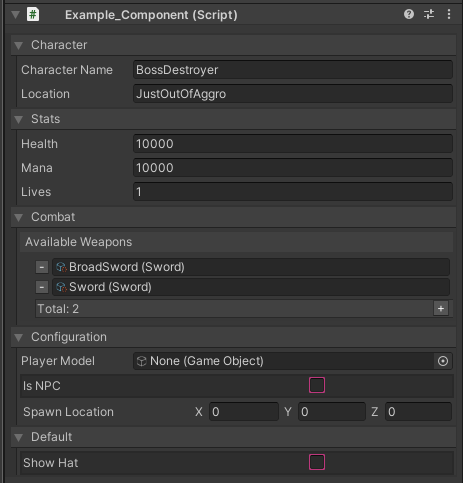
Unity Forum
Hello,
We would like to invite you to share the projects with the community.
Which kind of games, tools or application have you built with UI Toolkit...
gloomy chasm
split bridge
<@131292153300123648> in case it’s of interest I stumbled across this: https://f...
Well dang it... Thanks! I will try out what he does and see how the performance really compares. He also needed it for a tool that is the exact same idea as what I'm doing... cooooolll.....
 daring glade
how can you enable/disable IL2CPP builds in scriptable build pipeline?
onyx harness
gloomy chasm
Well dang it... Thanks! I will try out what he does and see how the performance ...
Looks like he is just drawing textures, you are dealing with texts, much heavier no?
gloomy chasm
onyx harness
Looks like he is just drawing textures, you are dealing with texts, much heavier...
That is what I thought at first as well, but I looked at it a bit (Tiny bit) and it looks like he has text as well.
Opinion please. How is this for a Stack<> property drawer?
You can edit the other elements, they are just grayed out.
I'm not sure if that is best though.
Right now the remove button removes the selected element, I'm thinking I should change it to remove the latest element though?
And I'm not sure about the spacing, it looks a little silly when selecting the last element since it lights it up, and makes the space more obvious.
 waxen sandal
Visualizing a stack as a stack makes not much sense in this case, you probably want to treat it as a normal list while making sure it's clear that it's a stack and the order in which items are being popped
gloomy chasm
waxen sandal
Visualizing a stack as a stack makes not much sense in this case, you probably w...
So, just have it act and look like a normal list in the inspector except for some sort of indication of what the top item is?
waxen sandal
That's pretty much what I'd do
There's no reason to not allow things like reordering and removing items from the middle since it's not runtime
gloomy chasm
I guess so
gloomy chasm
waxen sandal
Visualizing a stack as a stack makes not much sense in this case, you probably w...
Any recommendations on differentiating the top item?
onyx harness
"Top"
gloomy chasm
onyx harness
"Top"
That is a good idea, I feel like a bit more would be good as well though (maybe just me).
gloomy chasm
?
onyx harness
Well you asked for UX suggestion
gloomy chasm
Yes and I appreciate it, but I don't understand where you mean to put an arrow(s).
onyx harness
"Top" is good and should be enough, but a stack can be visualy directional, put an arrow 😄
Put them everywhere
We dont use them enough to my taste
visual stag
@serene spear #↕️┃editor-extensions message
 serene spear
my thing is an enum
 plucky knot
Keep in mind that variables in a custom editor script (regular class variables) are reset when you open the window/type again. Should be using values from the object you are giving a custom editor to instead.
 plucky knot
Yes. All of these get reset when you reopen the editor for the type
 serene spear
Oh
plucky knot
You should be using the values from your object
visual stag
editors do not have any persistence once closed
plucky knot
Which is why vertx linked you the message
visual stag
that part you're doing fine though, the values you're drawing from your SO should be saved
serene spear
so if I had this in the above NPCDialogueData, it would be fine?
visual stag
just the ones in your editor will not
The Editor also provides the serializedObject (a property of the same name) for the object its inspecting, so you shouldn't need to create one yourself
You creating one yourself may actually not be compatible with that, though I'd have to test to see
you should just use the property regardless
serene spear
alright I fixed it by putting it in the data class instead
 little flower
I am having some issues with installing this library in unity. https://github.com/Unity-Technologies/2d-extras
I am using unity 2020.3.8f1 and I have tried using all of the branches on the GitHub for different versions of unity. The error I keep getting is:
Library/PackageCache/com.unity.2d.tilemap.extras@da71076aeb/Editor/Tiles/RuleTile/RuleTileEditor.cs(297,82): error CS1061: 'ReorderableList' does not contain a definition for 'IsSelected' and no accessible extension method 'IsSelected' accepting a first argument of type 'ReorderableList' could be found (are you missing a using directive or an assembly reference?)

GitHub
Fun 2D Stuff that we'd like to share! Contribute to Unity-Technologies/2d-extras development by creating an account on GitHub.
It produces 3 errors all identical, but they list different line / column numbers in the error.
waxen sandal
Wrong channel but it's likely not supported in the unity version you're using
little flower
Oh, sorry! is there a better channel for this post?
waxen sandal
Probably #🖼️┃2d-tools or #archived-code-general
Or open an issue on the repo
GitHub
I have just tried downloading the 2d-extras-master zip file and I have placed it into my assets folder. After it had finished loading into my assets folder, I got the following error message in my ...
It's already there
little flower
oh
 opaque zenith
is there a way to take what the length of a string would be if printed in an editor popup window and have the windows width auto adjust based off that?
onyx harness
GUIStyle.CalcSize
opaque zenith
ty
 ruby lily
yo! what is this channel about?
opaque zenith
onyx harness
GUIStyle.CalcSize
do you happen to know what other considerations should be used when using GUIStyle.CalcSize? It keeps falling short just a little bit
onyx harness
do you even use the correct style?
onyx harness
ruby lily
yo! what is this channel about?
Doing cool stuff
opaque zenith
onyx harness
do you even use the correct style?
so first I did GUI.skin.everyOption.CalcSize(new GUIContent(example); where everyOption was everything I could find between label, button, etc... example is my string. Once that didn't work I actually tried replicating the unity scripting api page for GUIStyle.Calcsize, except new GUIContent("text) being my string again.

as an example of falling short
onyx harness
what do you use to draw "Do you..."?
opaque zenith
onyx harness
what do you use to draw "Do you..."?
 onyx harness
it's not drawing, it's opening a popup
opaque zenith
onyx harness
it's not drawing, it's opening a popup
is my popwindow stuff currently

oh okay. I'll look up drawing
onyx harness
boldLabel
onyx harness
probably
opaque zenith
okay, thanks. Sorry I missed that, let me try it out
opaque zenith
onyx harness
probably
thanks again. Works better than I thought even
gloomy chasm
How do you store a reference to a subasset without loading it? You have GUIDs for main assets. But from what I know, subassets don't have GUIDs.
onyx harness
They have a sub id
GUID is for the asset file.
Each sub-asset has a FileId:

I have this little utility in NG Tools
gloomy chasm
Ah, is that the localIdentifier I have seen referenced before?
onyx harness
Yes
Like GUID
They have some flaws, but I guess if you dont go too far it should work out of the box
gloomy chasm
Like what?
onyx harness
Int64 overflow
waxen sandal
Since when?
onyx harness
Some internals in older version were providing Int32 FileID
waxen sandal
Pretty sure mine don't do that 🤔
onyx harness
They implemented Int64 recently (meaning few years only)
2018 if I recall correctly
waxen sandal
I gotta check my code then
onyx harness
Because of that, the method might probably work in older versions, but it's not 100% guarantee, if you are unlucky the 32 first bits are matching, but not the 33rd
let me drop you the internals
 gloomy chasm
Unity serializes long... right...?
 waxen sandal
I think so
That's slightly worrisome
No clue, you probably have more luck in #💻┃unity-talk or the forums
gloomy chasm
InstanceIds don't survive editor sessions right...?
onyx harness
it does
gloomy chasm
How the heck does LazyLoadReference work then...
All it saves is the instanceID https://github.com/Unity-Technologies/UnityCsReference/blob/2019.4/Runtime/Export/Scripting/LazyLoadReference.cs
Only thing I can think of is the ForceLoadFromInstanceID, but not sure how it would know what to load still...
waxen sandal
onyx harness
it does
Isn't instanceId bound to the lifetime of the object and doesn't guarantee that when it's recreated that it has the same one?
The only guarantee afaik is that it's unique and thus good for comparing whether objects are the same and passing to the cpp layer
gloomy chasm
I am just trying to figure out a good way to reference lots of assets without having to load them. I was going to do my own thing with just GUIDs and local identifiers. But if lazyLoadReference works, then that is great.
However I don't really like the idea of using it since I can't figure out how it is working.
onyx harness
waxen sandal
Isn't instanceId bound to the lifetime of the object and doesn't guarantee that ...
You are partly right.
Runtime Object created in a scene will see its ID gone forever.
But existing Object in the Editor will survive a domain Reload.
waxen sandal
But not unity restarts?
waxen sandal
It's been a while since I messed with this so good to get a refresher 😉
onyx harness
This one looks interesting Object.ForceLoadFromInstanceID
onyx harness
gloomy chasm
However I don't really like the idea of using it since I can't figure out how it...
From what I read, it just remembers Object from their InstanceID, which makes it non-persistent
persistent as in "can survive DR, and Unity Editor restart"
onyx harness
gloomy chasm
I am just trying to figure out a good way to reference lots of assets without ha...
You running after FileID means you want real persistency, LazyLoad does not provide that from what I understand
But just give it a try, if you want to make sure
gloomy chasm
onyx harness
From what I read, it just remembers Object from their InstanceID, which makes it...
Well the whole point of the lazyload is that it is persistent.
So I just did a test, and it seems like the instance ids are persistent between editor sessions...
gloomy chasm
Close the unity editor and then open it up again.
waxen sandal
Just because they can be doesn't mean they always are
onyx harness
Navi is right. It might be pure luck.
waxen sandal
IIRC it's just an incrementing number + a bit of magic for different things
If nothing in your project changes then iirc it'll often be the same or similar
onyx harness
Nowhere in the code of LazyLoad I see a persisting ID or meta or anything that can hold something between processes
gloomy chasm
That is what is confusing to me
waxen sandal
different things
IIRC assetdatabase objects are negative and runtime objects are negative
gloomy chasm
Read the docs. The whole point is that it does save.
https://docs.unity3d.com/ScriptReference/LazyLoadReference_1.html
That is why I am confused since as far as I know, you are completely right about the instanceIDs persisting/not persisting.
Yet this thing seems to indicate otherwise.
waxen sandal
They're doing if (!Object.IsPersistent(value)) which makes me think that perhaps something changed
split bridge
This is editor namespace though right? Don't you want runtime save/load?
waxen sandal
It is yeah
split bridge
Afaik the only way to do properly persistent id's is to just do it yourself
gloomy chasm
I will for now yeah. But I am going to ask on the forums and see if I can get someone from Unity to explain it...
onyx harness
gloomy chasm
Read the docs. The whole point is that it *does* save.
https://docs.unity3d.com/...
The doc is not even clear
I mean
Look for 'm_DefaultMaterial'
Do you see one single assignemnt?

I don't get the point of this example
gloomy chasm
I assume it is assigned in the inspector.
waxen sandal
It's generic, that doesn't serialize in 2019
gloomy chasm
waxen sandal
It's generic, that doesn't serialize in 2019
It isn't serializing a generic though.
onyx harness
My guess is, it specifically targets this ScriptImporter flow
waxen sandal
Actually there's a drawer for it, does Unity serialize generics as long as you don't have a field of that type?
 //----------------------------------------------------------------------------------------------------------------------
    // What is this : Custom drawer for fields of type LazyLoadReference<T> that filters presented candidate list to assets of type 'T'.
    // Motivation(s): default object field drawer is not aware that the generic argument of LazyLoadReference<> should be used
    //   to filter the list of candidate assets.
    //----------------------------------------------------------------------------------------------------------------------
    [CustomPropertyDrawer(typeof(LazyLoadReference<>))]
    internal sealed class LazyLoadedReferenceField : PropertyDrawer
    {
        public override void OnGUI(Rect position, SerializedProperty property, GUIContent label)
        {
            System.Type fieldType;
            ScriptAttributeUtility.GetFieldInfoFromProperty(property, out fieldType);

            EditorGUI.BeginChangeCheck();

            var value = property.objectReferenceValue;

            position = EditorGUI.PrefixLabel(position, label);
            value = EditorGUI.ObjectField(position, value, fieldType.GetGenericArguments()[0], false);

            if (EditorGUI.EndChangeCheck())
                property.objectReferenceValue = value;
        }
}```It can serialize classes that take generics, but it could not serialize generic fields.
Field as in public T value
waxen sandal
Cool
Well, Unity apparently also doesn't know what to do with it
        /// <summary>
        /// Implicit conversion from asset instance ID to <see cref="LazyLoadReference{T}"/>.
        /// Calling this never triggers a load.
        /// </summary>
        /// <param name="instanceID">The asset instance ID.</param>
        public static implicit operator LazyLoadReference<T>(int instanceID)
        {
            return new LazyLoadReference<T> { instanceID = instanceID };
        }```
This hurts though gloomy chasm
waxen sandal
```cs
/// <summary>
/// Implicit conversion from asset instance ...
gloomy chasm
waxen sandal
```cs
/// <summary>
/// Implicit conversion from asset instance ...
Why does it hurt?
waxen sandal
Because that implicit conversion has no guarantees and is not safe
gloomy chasm
What do you mean?
waxen sandal
You can pass any number into it and it'll magically be a LazyLoadreference that points to something that might not even exist
gloomy chasm
But you can already do that since you have access to the InstanceID...
waxen sandal
isBroken only works when it is loaded
The thing is, a constructor accepting a instance Id is okay because you can clearly see that it's being created. Compared to you passing a random number to a method that is magically converted to a LazyLoadReference
gloomy chasm
I think it should work whether it is loaded or not. It just checks if it exists, doesn't load it I think.
onyx harness
 gloomy chasm
Is there a good way to load a sub subasset... :/
gloomy chasm
onyx harness
An asset can not be partially loaded
I don't care if the main one is loaded really, I get that that is unavoidable. But getting a sub-asset seems to be a pain, having to get and then compare localIDs (Not actually tested this yet)
I mean it isn't the worst. But like, this feels really inefficient.
public static Object LoadAssetFromReference(AssetReference reference)
{
  var assets = AssetDatabase.LoadAllAssetsAtPath(reference.Path);
  foreach (var asset in assets)
  {
    if (AssetDatabase.TryGetGUIDAndLocalFileIdentifier(asset, out _, out long localId))
    {
      if (reference.LocalId == localId)
        return asset;
    }
  }

  return null;
}
Looks beautiful to me
🙂
Anyway, InstanceId would not work for your case
split bridge
gloomy chasm
I mean it isn't the worst. But like, this feels really inefficient.
```cs
public...
Fyi there is the LoadAllAssetReferences (or some similar name) which is only subassets
 proper fog
hi all, a bit new to editor extensions and all that, but would any of you know if its possible to have an inspector field display a different type of input menu depend on the type of something? like for example if the type of an object is float, then itll give the float input field. but if its a bool, it will give a checkmark
im not sure if i phrased that correctly
but hopefully youll understand
gloomy chasm
proper fog
hi all, a bit new to editor extensions and all that, but would any of you know i...
Uh... maybe you didn't explain it well. But from what I understand of what you described, that is exactly how it works. There is no 'inspector field', there is just a series of float, int, string, Object, enum, and toggle fields.
(You can make your own drawers('fields') for different C# types, but that is beside the point)
proper fog
lol i suppose i didnt explain it well
so like
lets say i have
object f;
wait actually i dont even understand my problem
nevermind lol
visual silo
hi. how do I make an ObjectField (UI tookit) accept any asset type?
snow bone
I'm trying to draw some text in the scene, however this isn't working cs GUIStyle dstyle = new GUIStyle(); dstyle.fontSize = 50; Handles.Label(Vector3.zero, "Some Text", dstyle);
visual stag
what's the context to this code
snow bone
an editor window
snow bone
i placed it in OnGUI
visual stag
and a handles scope?
snow bone
i don't know
visual stag
you will also need to do it from the scene view gui
which is OnSceneGUI in an Editor. I think EditorWindows will need to register to SceneView.duringSceneGUI or something similar
snow bone
is there an easier way to just draw some text to the scene view
visual stag
Sorry, I don't think you actually need the scope, that's just if you want to draw a normal GUI label. You just need to call your function from the scene view's GUI
snow bone
i'm not sure what you mean by from the scene views' GUI
I found a different way to do it, thank you for your assist in any case.
visual stag
I mean by calling Handles.Label in https://docs.unity3d.com/ScriptReference/SceneView-duringSceneGui.html
visual silo
anyone know how to register a method with params for a button click in ui toolkit?
gloomy chasm
visual silo
anyone know how to register a method with params for a button click in ui toolki...
Do you mean like this new Button(() => MyMethodWithParams(25, false));?
visual silo
similar
gloomy chasm
or I guess myButton.onClick += () => MyMethodWithParams(25, false);
Does that answer your question?
visual silo
downloadBtn.clickable.clicked += () => { MyMethodWithParams(25, false); };
i went this route
thanks @gloomy chasm
gloomy chasm
visual silo
thanks <@!131292153300123648>
Uh, that is quite redundant.
visual silo
onClick is obsolete
gloomy chasm
They changed it to clicked my bad.
gloomy chasm
Internally btn.clicked += MyMethod; just does btn.clicked.clickable.clicked += MyMethod;
It is just extra steps. (I mean it does exactly that)
visual silo
i just folowed the docs
gloomy chasm
Well yes, if you do you clickable that is how you would use it. But using clicked is faster.
https://github.com/Unity-Technologies/UnityCsReference/blob/master/External/MirroredPackageSources/com.unity.ui/Core/Controls/Button.cs#L81
 cedar plaza

Any clue how i can fix this clipping issue
its already at 0.01
this is in-editor btw
gloomy chasm
cedar plaza
Make the clipping smaller if you can. Otherwise I would recommend reconsidering your design, generally you don't need things to be that small. Further discussion would be best in another channel since this channel is for extending and adding more/new features to the editor.
cedar plaza
gloomy chasm
Make the clipping smaller if you can. Otherwise I would recommend reconsidering ...
Only asked here because it's editor related (SceneView camera). Where would you continue the conversation?
gloomy chasm
cedar plaza
Only asked here because it's editor related (SceneView camera). Where would you ...
I understand, that is a common reason people ask here. Since it really doesn't have anything to do with programming (unless you are wanting to try making an extension that manually sets the clip distance). #💻┃unity-talk would be best I think.
cedar plaza
gloomy chasm
I understand, that is a common reason people ask here. Since it really doesn't h...
Thanks.
 sterile lake
How do I get a Reference of an Object when Clicking on it in the Scene Viewer?
deep wyvern
how can I check what input system is being used right now? (in code)
wispy delta
is it possible to make reorderable lists support adding elements with multiple object selected without the list values being reset?
 waxen sandal
Is this your own code or the new default ones?
wispy delta
If I don't set the onAddCallback and let the default behavior run I get this warning

but if I try and implement it myself I don't get the popup, but different values are still lost
list.onAddCallback = list =>
{
    list.serializedProperty.InsertArrayElementAtIndex(list.count);
};
I think the problem is that they all use the same editor they are all using the same instance of the ReorderableList.
Could try getting the serialized property from the editor instead of from the RL
wispy delta
@gloomy chasm Ok, tried a couple more things but no luck. Are either of these attempts lookin close to what you're thinking?
list.onAddCallback = list =>
{
    // 1. throws exception: InvalidOperationException: The operation is not possible when moved past all properties (Next returned false)
    foreach (var t in targets)
    {
        SerializedObject so = new SerializedObject(t);
        so.FindProperty("swatches").InsertArrayElementAtIndex(list.count);
        so.ApplyModifiedProperties();
        so.Dispose();
    }

    // 2. loses unique values
    serializedObject.FindProperty("swatches").InsertArrayElementAtIndex(list.count);

    // 3. also loses unique values
    list.serializedProperty.InsertArrayElementAtIndex(list.count);
};
looks like this works?
list.onAddCallback = list =>
{
    Undo.RecordObjects(targets, "Add Palette Element");
    foreach (var t in targets)
    {
        if (t is Palette palette)
        {
            palette.AddDefault();
        }
    }
    serializedObject.SetIsDifferentCacheDirty();
    serializedObject.Update();
};
Well done 🙂
 analog grove
Hello everyone, was wondering something I tried to google but to no avail. I'm trying to create a Mask attribute for my string[], so that I can select multiple options from a determined array. I think I can learn my way to create the mask part but the issue is that attributes affect the children and not the array itself. Is there some way I can achieve this? I believe I could create a wrapper class and make a property drawer for that, but I'd REALLY rather not...
 proper fog
Does anyone have a nice serializer/property drawer for dictionaries? i tried googling it but i couldnt find anything
oh i mightve just done found it https://forum.unity.com/threads/finally-a-serializable-dictionary-for-unity-extracted-from-system-collections-generic.335797/?_ga=2.117506506.234555679.1621481763-941283105.1594593299

Unity Forum
Hey guys,
so as all you all know Unity doesn't know how to serialize generic dictionaries. Since 4.6 we got the ISerializationCallbackReceiver which...
gloomy chasm
analog grove
Hello everyone, was wondering something I tried to google but to no avail. I'm t...
Sadly Unity does not support drawer attributes for collections. It applies the attribute to the item's in the collection.
snow bone
using an editor window, are there conditions where an Update() will stop executing mid flow? I have the following code cs void Update() { if (!EditorApplication.isPlaying) { string text = ""; if (Time.realtimeSinceStartup - lastInvokeTime > interval) { lastInvokeTime = Time.realtimeSinceStartup; if (CheckForChange()) { text = "changed"; lastChangeTime = lastInvokeTime; } UpdateGeometry(); } if (hasChanged) { text += " hasChanged"; if (Time.realtimeSinceStartup - lastChangeTime > maxInterval) { text += " doUndoRed:[" + !doUndoRedo + "]"; if (!doUndoRedo) { Debug.Log("DoSomething"); DoSomething(); } ...
However, in console, doUndoRedo is set to false (!doUndoRedo == true) and DoSomething is never called
waxen sandal
Attach a debugger?
Also if text is logged with doUndoRed:[" + false + "]"; then !doUndoRedo won't be true
snow bone
I get no debug message for DoSomething, even though it should be reached. I've tried that, and also tried putting a try/catch in there
if doUndoRedo = false, then if(!doUndoRedo) will return true
console message: hasChanged doUndoRed:[True] and DoSomething was not called
waxen sandal
No if your log is false then doUndoRedo is true
You're logging the inverse
I misread nevermind
snow bone
I'm completely stumped why the code within the if statement isn't being called, despite the condition returning true
waxen sandal
There should be no reason, if you attach a debugger and step over it does it just disappear? where does it go?
snow bone
it's an rare case, I've tried hundreds of times to catch the issue, but it's very sporadic
ah, never mind, this isn't the issue
i had forgotten that I was outputting at the end of the fn, so the code is being called.
 visual island
Hey people! I'm creating an editor tool that has both OnInspectorGUI and OnSceneGUI. I'm moving some handles in OnSceneGUI that set a property directly in target. Now in OnInspectorGUI I'm accessing that property with serialized property, however it does not seem to update, unless I deselect the object, reopen the inspector or change some values directly in the inspector... Any clues?
Why does it not detect that the original property value is changed?
waxen sandal
Are you applying your SO?
visual island
Ummm... I've tried to apply it, but I get a bunch of errors, that I can't do it in OnSceneGUI.
waxen sandal
0.o
 waxen sandal
Well, you probably have to repaint your inspector as otherwise it won't redraw and thus the fields won't update
visual island
Oh, okay. I'll give it a try. Thanks.
Nope.
Actually, I think the inspector is not the problem.
waxen sandal
Gotta see some code then
visual island
for some reason neither hastebin nor hatebin work for me xD
gloomy chasm
visual island
for some reason neither hastebin nor hatebin work for me xD
Hastebin doesn't work anymore. https://paste.mod.gg/
visual island
Huh. What happened?
gloomy chasm
visual island
Huh. What happened?
No idea, this is third hand knowledge from me 😛
visual island
@waxen sandal actually the problem was with something else. 😅
The monobehaviour that the property is in was not updating.
Still is not...
event though it's execute in editor and has update. Gotta check when it's called...
opaque zenith
I'm using
    public int typeReferenceIndex = 0;
    public int objectListReferenceIndex = 0;

    public Dictionary<int, System.Type> typeReferenceDictionary = new Dictionary<int, System.Type>();
    public Dictionary<System.Type, List<Object>> objectListReferenceDictionary = new Dictionary<System.Type, List<Object>>();
eith enabled popup
        typeReferenceIndex = EditorGUILayout.Popup(typeReferenceIndex, typeReferenceList.ConvertAll(i => i.ToString()).ToArray());
        objectListReferenceIndex = EditorGUILayout.Popup(objectListReferenceIndex, objectListReferenceDictionary[typeReferenceDictionary[typeReferenceIndex]].ConvertAll(i => i.ToString()).ToArray());
is there a smoother way of writing this out?
gloomy chasm
opaque zenith
I'm using
```c
public int typeReferenceIndex = 0;
public int objectListR...
I can't tell exactly what you are doing. But Trying using lists and .IndexOf() instead of dictionary.
opaque zenith
gloomy chasm
I can't tell exactly what you are doing. But Trying using lists and `.IndexOf()`...
okay, ty! I'm just trying to create some extensions for developers to be able to create items essentially with our own spice on things. The above works, but, was thinking it might be sloppy if others looked at it?
gloomy chasm
opaque zenith
okay, ty! I'm just trying to create some extensions for developers to be able to...
I can confirm that it is quite hard to read and figure out what is going on (Of course I have no context for what it is doing, but still).
If I am reading it properly, the first typeReferenceDictionary should really be a List/Array, doing otherwise is just complicating things imo.
And for that last popup I would at least separate it out in to one or two local variables to help improve readability.
Idk how you have it setup, but it could be a good idea to just store the object strings instead of the objects (No clue if this makes sense for how you are using it though since I don't know the full context)
opaque zenith
gloomy chasm
If I am reading it properly, the first `typeReferenceDictionary` should really b...
I appreciate the advice! Going to fix it up to be nicer
serene spear
When I call animator for my custom editor, should I call Animator or RuntimeAnimationController?

Animator doesn't allow me to use the Animator from my project, but RuntimeAnimationController does
gloomy chasm
I'm editing a ScriptableObject directly at design-time and have a class that implements the ISerializationCallbackReceiver interface. However, when I set a nonserialized field, OnBeforeSerialize is not called, but After is. Is there some way to tell unity I want it to serialize the asset right now?
 viral dune
Hi, i'm currently making my own level editor, and wanted to change a level prefab's background from the editor. I have done the integration but i cannot get the background to save in the game, it's showing in the prefab edit scene, but not in the game

here's my current code
but editorscenemanager.getactivescene() returns the scene where the prefab is placed, not the prefab scene itself
so far, nothing works, and i've been struggling for days
gloomy chasm
viral dune
Hi, i'm currently making my own level editor, and wanted to change a level prefa...
So are you trying to edit an instance of a prefab, or the prefab asset itself?
gloomy chasm
viral dune
the prefab asset itself
Then you want to do this
// Load/get the GameObject of the prefab.
GameObject prefabRoot = PrefabUtility.LoadPrefabContents(assetPath);
// edit prefabRoot here...

// Save the GameObject back to the prefab.
PrefabUtility.SaveAsPrefabAsset(prefabRoot, assetPath);
PrefabUtility.UnloadPrefabContents(prefabRoot);
okay let me try
gloomy chasm
viral dune
the prefab asset itself
There is a handy scope struct for doing it https://docs.unity3d.com/ScriptReference/PrefabUtility.EditPrefabContentsScope.html
viral dune
gloomy chasm
Then you want to do this
```cs
// Load/get the GameObject of the prefab.
GameObj...
my unity crashes after doing this XD

probably because i'm putting it in awake and executing it in edit mode
gloomy chasm
viral dune
probably because i'm putting it in awake and executing it in edit mode
Yeah, that is most likely it.... Why are you doing this in a Component anyway...
viral dune
so what i do is i try to do something like this

when i click on a background, it will save the path of the background that i'm choosing on a temp script
then when i hit save, it will load the sprite from the path to the saved temp script
and then from the component, i'm running it in edit mode to change the background
here's the code for saving on temp script
selectedBackground = GUILayout.SelectionGrid(selectedBackground, backgroundImages, 1, GUILayout.Width(position.width/11.1f), GUILayout.Height(position.height*backgroundImages.Length/9.5f));
                    UnsavedEditorData.selectedBackgroundPath = backgroundPathList[selectedBackground];
 gloomy chasm
viral dune
and then from the component, i'm running it in edit mode to change the backgroun...
gloomy chasm
viral dune
and then from the component, i'm running it in edit mode to change the backgroun...
Why are you using a component to do that? Why not just do it from that editor window?
viral dune
how would i do that ?
gloomy chasm
Get the prefab?
I am having a hard time following what you are trying to do, so it is a bit hard to give advice.
viral dune
gloomy chasm
Get the prefab?
okay, i will try this method first, and if it doesn't work i'll come back here again
thanks
viral dune
I've solved it with your method, thank you very much @gloomy chasm sorry for tagging
proper fog
is there a way to automatically format the numbers in input fields?
ie to always show a certain number of decimal places
because even if you type 1.5000 it will shorten it to 1.5
 weak ivy
hello, would it be possible to use a NaughtyAttributes Scene property in an EditorWindow?
to produce a dropdown from which to select a scene
there's not much information online about using NaughtyAttributes stuff in EditorWindows
weak ivy
hmm yes, I think it is: https://dbrizov.github.io/na-docs/attributes/drawer_attributes/index.html
sorry I'm not very clued up on editor scripting, I'm still a bit lost : /
EditorGUI.PropertyField() takes a SerializedProperty - how do I define this property to be a naughtyattributes Scene one?
waxen sandal
So you have a field with a scene attribute on your editor window?
waxen sandal
Can you give some more context to what you're doing?
weak ivy
Sure, I just want an editor window that has a dropdown with the available scenes
I see that NaughtyAttributes has ScenePropertyDrawer: https://github.com/dbrizov/NaughtyAttributes/blob/master/Assets/NaughtyAttributes/Scripts/Editor/PropertyDrawers/ScenePropertyDrawer.cs
waxen sandal
What code you have atm?
weak ivy
    private void OnEnable()
    {
        var obj = new SerializedObject(this);
        mainStationProperty = obj.FindProperty(nameof(mainStationScene));
    }

    #region Quick Build Tab

    [SerializeField, Scene]
    private string mainStationScene = "TestStation";

    private SerializedProperty mainStationProperty;

    private void ShowQuickBuildTab()
    {
        NaughtyEditorGUI.PropertyField_Layout(mainStationProperty, false);
    }

    #endregion

 waxen sandal
This is in a class inheriting from EditorWindow right?
weak ivy
yep
waxen sandal
In that case you want to make a SerializedObject field in your class and assign it in OnEnable with new SerializedObject(this)
Then you can call FindProperty("stationScene2") to find the SerializedProperty
weak ivy
awesome, thank you kindly!
I've updated the code and posted a screenshot if you or anyone else is curious
waxen sandal
Might want to call Apply on the SerializedObject if there has been a change to the propertyfield
Look up (Begin|End)ChangeCheck
weak ivy
great, thank you
waxen sandal
Best to check the source
viral dune
how do i make my editorwindow aspect ratio stays ?
waxen sandal
Change to size to match the aspect ratio when it diverges (aka the user changes it)
viral dune
where exactly ?, sorry if this is a noob question
 waxen sandal
OnGUI should be called when the size changes
So you can just check whether it matches your aspect ratio
viral dune
lets say the user resizes the width, do i change the height ? and vice versa ?
how do i know when the user change the width tho ?
waxen sandal
Depends on the behaviour you want
just check whether the size is different from last frame or doesn't match your aspect ratio
I wouldn't recommend this behaviour though since it's a pretty shitty user experience
viral dune
i wanted it to be resizeable, but not freely
viral dune
Hi everyone, does anyone know the answer to this question
https://answers.unity.com/questions/1434594/guilayout-selection-grid-colour.html
Unity is the ultimate game development platform. Use Unity to build high-quality 3D and 2D games, deploy them across mobile, desktop, VR/AR, consoles or the Web, and connect with loyal and enthusiastic players and customers.
i wanted to make the selection in guilayout.selectiongrid more pronounced
 livid tinsel
Does anyone know if it's possible to save changes to the uv's in the meshfilter.sharedmesh so it does not revert back after closing and reopening Unity editor?
The meshes are fbx files imported into Unity and used in prefabs.
 chrome mist
@livid tinsel you'll need to save a copy of the mesh elsewhere. You cannot persistently modify mesh data that is a subasset of an FBX for example because the AssetImporter will just blow it away when it checks for changes.
Also worth noting that there's nothing wrong with saving Mesh data to a prefab
livid tinsel
chrome mist
<@!748563246864138292> you'll need to save a copy of the mesh elsewhere. You ca...
Thanks a ton I will have a look at using that method. I was trying to combine textures into an atlas then using a new material on all of the meshes. They currently have one material per mesh, probably because of a unique texture that belongs with each mesh.
chrome mist
fo sho. Also I suggest you make good use of https://docs.unity3d.com/ScriptReference/EditorGUIUtility.PingObject.html to figure out wtf asset you're pointing at heh
livid tinsel
chrome mist
fo sho. Also I suggest you make good use of https://docs.unity3d.com/ScriptRe...
Cool I'll have a look.
I'm hoping to get rid of 99% of the materials in my models.
chrome mist
a worthy goal 😛
gloomy chasm
Just ran in to another hard to reproduce bug with [SerializeReference] in the editor 👌
It is such a nice idea, but it is just too unpredictable to use for anything but the most basic use-cases 😦
visual stag
If you can report it with a repro it'll get us closer to that goal :)
civic river
gloomy chasm
Just ran in to another hard to reproduce bug with `[SerializeReference]` in the ...
I gave up on it and just use odin again, almost any time I use it in practice it breaks
I have 6 bug reports open on it
=x
gloomy chasm
visual stag
If you can report it with a repro it'll get us closer to that goal :)
Yeah, that is the paint though. All the bugs are ones that are either hard to reproduce, or require complex setups. I will see about reporting it though.
gloomy chasm
civic river
I gave up on it and just use odin again, almost any time I use it in practice it...
Their warning about prefabs maybe not being supported scared me off of it tbh 😛
visual stag
Every time I try to make a complex tool with it it generates loads of bug reports for me and then I put the tool on hold
It is what it is, I'm glad it exists even if it's buggy. They seem to care about the reports more than other areas of the engine I've had issues with
civic river
gloomy chasm
Their warning about prefabs maybe not being supported scared me off of it tbh 😛
Personally never had an issue using odin but yeah you always run that risk using any 3P tool. Stability wise it's leaps and bounds ahead of unity's serialization though
yeah, it's a really good idea it's just not really in a usable state
even graph foundation API has to use serialization workarounds internally =x
gloomy chasm
Ah.. I see... perhaps I should see about doing some optimization...
 gloomy chasm
civic river
even graph foundation API has to use serialization workarounds internally =x
gloomy chasm
civic river
even graph foundation API has to use serialization workarounds internally =x
Haha really? Not surprising I guess. Does it even use SerializeReference? Or just json?
civic river
it uses [SerializeReference] but also has to use ISerializationCallbackReceiver to hack around some particular issue
I only stumbled on it because of a serialization bug I was trying to solve 🤣
gloomy chasm
LOL, nice.
Hmm.. 3.4 million GC.Alloc calls when I delete a collection of items... I think I may be doing something wrong...
Looks like it was Undo.RecordObject... yep still no idea how it works or what it does...
 silk jolt
many times you dont need to explicitly use Undo calls, do you have some context?
also, I do not recommend [SerializeReference] unless you know exactly why it's useful - the applications are surprisingly narrow.
gloomy chasm
silk jolt
many times you dont need to explicitly use Undo calls, do you have some context?
In this case it is needed. I am adding/removing items (references to assets to be specific) to a ScriptableObject asset. Undo.RegisterCompleteObjectUndo doesn't have the same problem, so I just use that.
gloomy chasm
silk jolt
also, I do not recommend `[SerializeReference]` unless you know exactly why it's...
Yeah, I know how, when, and what to use it for. The problem is that it is unstable 😛
For example, having a tree structure with 3 levels will break on a prefab variant.
And it doesn't seem to play nice with Undo under some conditions (Didn't test enough to know which conditions though)
silk jolt
How are you modifying the SO?
generally you can just ApplyModifiedProperties and its done
gloomy chasm
silk jolt
How are you modifying the SO?
I am modifying the instance directly (not using SerializedObject). It is for the editor only and would be far more work, and much less convenient if I used SerializedObject instead.
silk jolt
using SerializedObject in the editor is way easier
gloomy chasm
silk jolt
using SerializedObject in the editor is way easier
That is the case most of the time. But that is not the case here. I have a tree data structure which is the only thing I interact with. And I store references to assets in the nodes of the tree in HashSets. So a lot of it is either not serialized or would require multiple steps to get the same info, also would have much worse performance.
The only upside of using SerializedObject in this case would be the built-in Undo support.
serene spear
These scriptableobject values don't persist when I restart Unity, they keep setting themselves back to true
 gloomy chasm
serene spear
These scriptableobject values don't persist when I restart Unity, they keep sett...
gloomy chasm
serene spear
These scriptableobject values don't persist when I restart Unity, they keep sett...
Are you setting them there in the inspector or through script?
serene spear
I display these fields through script, then set them in the inspector
gloomy chasm
serene spear
I display these fields through script, then set them in the inspector
Are you using SerializedProperties? And if so are you making sure to ApplySerializedProperties()
serene spear
it seems like only this one object is having this problem, all the rest are fine, here's the script where they're being set

ApplySerializedProperties()?
there are a lot of these Apply things I don't know about
gloomy chasm
serene spear
it seems like only this one object is having this problem, all the rest are fine...
I see, you don't want to use SerializedProperty and also directly set values. The best thing to do is to only set values using SerializedProperty
serene spear
I use ApplyModifiedProperties()

I'll be honest I don't know what Update does
I'm still new to editor scripting stuff
gloomy chasm
serene spear
I use ApplyModifiedProperties()
Good, that is what I meant to say. I just slipped and set the wrong thing.
serene spear
so this is right?
gloomy chasm
Yes but no. Editors already have a serializedObject property you can use, no need to make your own.
gloomy chasm
Correct
And you only want to set values using SerializedPropertys. So don't do things like npcDialogueData.hasInteraction = EditorGUILayout.Togggel(.....);
serene spear
I thought that was how you were supposed to set bool values like value = EditorGUILayout.Toggle() I always thought it was very dumb
gloomy chasm
Instead you would do.
SerializedProperty hasInteractionProperty = serializedObject.FindProperty("_hasInteraction");
EditorGUILayout.PropertyField(hasInteractionProperty);
(_hasInteraction should be the name of whatever your serialized field is called)
serene spear
does EditorGUILayout.Toggle support serialized properties, everything I've seen of it only supports bools, is that why you would make it a var?
gloomy chasm
You can also do hasInteractionProperty.boolValue if you want to set or get the value that way.
serene spear
That makes more sense