#↕️┃editor-extensions
1 messages · Page 84 of 1
 vast hill
 patent pebble
@vast hill also, cross-posting is generally frowned upon in this server (probably against the server rules even)
in "niche" channels you have to be patient
can't expect an immediate answer
 visual aspen
Hey guys. I'm trying to make a custom editor for my state machine. The thing is, my State machine is generic so it's making things more difficult (and before you ask, no, I can't make it non-generic). I want to have the user fill an array of State<T> objects and then have the id's (public { get; } property) of those states available in a drop down for selecting the initial state. As the editor is for a generic class I can't reference it in code so I can only use SerializedObject and SerializedProperty. I've done this so far:
[CustomEditor(typeof(StateMachineBehaviour<>), true)]
    public class StateMachineBehaviourEditor : Editor
    {
        private SerializedObject serializedObject;

        private Editor statesEditor;
        private void OnEnable()
        {
            serializedObject = new SerializedObject(target);
        }

        public override void OnInspectorGUI()
        {
            serializedObject.Update();

            SerializedProperty statesProperty = serializedObject.FindProperty("states");
            EditorGUILayout.PropertyField(statesProperty);

            // This doesn't work as the Popup expects either a string array or GUIContent array
            //EditorGUILayout.Popup("Initial state", 0, statesProperty.objectReferenceValue);
            // This doesn't work as UnityEngine.Object can't be cast to string
            //EditorGUILayout.Popup("Initial state", 0, serializedObject.FindProperty("stateIds").objectReferenceValue as string[]);
        }
    }
Is there anything I can do here to accomplish what I want?
patent pebble
does Unity serialization even work with generics?
oh, apparently it does now since 2020.1.0a3
Scripting: The serializer can now serialize fields of generic types (e.g. MyClass someField) directly; it is no longer necessary to derive a concrete subclass from a generic type in order to serialize it.
 gloomy chasm
visual aspen
Hey guys. I'm trying to make a custom editor for my state machine. The thing is,...
gloomy chasm
visual aspen
Hey guys. I'm trying to make a custom editor for my state machine. The thing is,...
What is it that you can't reference?
And what is it that you are trying to do with that popup... the objectReferneceValue property is for fields that are of the UnityEngine.Object type, like GameObjects and ScriptableObjects. [SerializeField] private GameObject myGameObjectField;
visual aspen
gloomy chasm
What is it that you can't reference?
The State<T> array within the behavior (serializedobject). The Behavior looks like this:
    public abstract class StateMachineBehaviour<T> : MonoBehaviour
    {
        [SerializeField] private State<T>[] states = { };
        [SerializeField] private string initialStateId;

        //string[] stateIds => states.Select(s => s.Id).ToArray();

        private StateMachine<T> stateMachine;

        private void Start()
        {
            stateMachine = BuildStateMachine();
        }

        protected abstract StateMachine<T> BuildStateMachine();
    }
And I would like to have a custom editor for all classes inheriting StateMachineBehaviour<T> where the states are rendered as a typical array component (basically retain the same behaviour as with plain [SerializeField]) and for the initialStateId property I'd like to have a dropdown with the id's of the states in State<T> array. Each state has a string property called Id and I'd like a dropdown list containing those Id's from the states added to the state array.
gloomy chasm
visual aspen
The `State<T>` array within the behavior (serializedobject). The Behavior looks ...
Okay, firstly it is important, what unity version are you on?
gloomy chasm
visual aspen
The `State<T>` array within the behavior (serializedobject). The Behavior looks ...
For the initial state, you just need to loop through the states serialized property and make an array from the ideas.
var statesProperty = serializedObject.FindProperty("states");
var stateIds = new string[statesProperty.arraySize]
for(int i = 0; i < statesProperty.arraySize; i++)
{
  stateIds[i] = statesProperty.GetArrayElementAtIndex(i).FindReletiveProperty("_id").stringValue;
}
// Then use the stateIds array in your popup
2020.2.7f1
gloomy chasm
visual aspen
2020.2.7f1
Alright, good! So does that code to get the ids fix your problem, or was there something else?
How, btw you will need to mark states with the [SerializeReference] attribute. At least I am pretty sure.
visual aspen
gloomy chasm
Alright, good! So does that code to get the ids fix your problem, or was there s...
Okay, lemme try it
visual aspen
gloomy chasm
Alright, good! So does that code to get the ids fix your problem, or was there s...
FindPropertyRelative("_id") returns null. I tried printing the type of the array elements like this:
for(int i = 0; i < statesProperty.arraySize; i++)
            {
                SerializedProperty stateProp = statesProperty.GetArrayElementAtIndex(i);
                Debug.Log($"StatePropName: [{stateProp.type}, {stateProp.arrayElementType}]{stateProp.displayName}({stateProp.name})");
                SerializedProperty dataProp = stateProp.FindPropertyRelative("data");
                if (dataProp == null)
                {
                    Debug.Log("Data is null");
                }
                else
                {
                    Debug.Log($"DataPropName: [{dataProp.type}, {dataProp.arrayElementType}]{dataProp.displayName}({dataProp.name})");
                }
                //stateIds[i] = statesProperty.GetArrayElementAtIndex(i).FindPropertyRelative("_id").stringValue;
            }
And the output is like this:
StatePropName: [PPtr<$State`1>, ]Element 0(data)
UnityEngine.Debug:Log (object)
Pinkuu.Utilities.StateMachine.StateMachineBehaviourEditor:OnInspectorGUI () (at Assets/Scripts/Utilities/StateMachine/StateMachineBehaviour.cs:48)
UnityEngine.GUIUtility:ProcessEvent (int,intptr,bool&)

...
I also tried Id but to no avail. This is how a state is defined
    [Serializable]
    public abstract class State<T> : ScriptableObject
    {
        /// <summary>
        /// State identifier
        /// </summary>
        public abstract string Id { get; }
        ...
   }
Well that is your problem. Id is a property, so it is not serialized. Why make it abstract? You need to have it be a [SerializeField] field.
visual aspen
gloomy chasm
Well that is your problem. `Id` is a property, so it is not serialized. Why make...
Oh.... It's an abstract property so that every State<T> implementation has to implement it like
public class SomeState : State<IEntity> {
  public override string Id => "some_state";
}
So I am not able to access the Id property within the SerializedProperty because it's not actually serialized? Is there a way I could have Id serialized and also enforce it to be set?
So I've played a bit and I found a way to do this, but I'm not too fond of it. I can create a non-generic interface for the State<T> which holds the Id property and then I can do the following
IState state = statesProperty.GetArrayElementAtIndex(i).objectReferenceValue as IState
and then I can call state.Id and I have the id.
it would be awesome if C# had a wildcard any type so I could just ask
State<any> state = statesProperty.GetArrayElementAtIndex(i).objectReferenceValue as State<any>
but alas

 shell beacon
guys, is there a proper way to display a tooltip for a dropdownbutton in editor scripts?
using GUIContent
i have something like this ```var gc = new GUIContent(string.Empty, "my tooltip");
...
gc.text = "my text";
EditorGUI.DropdownButton(someRect, gc, FocusType.Keyboard);```
but the tooltip won't show.... do I need to manually show it?
shell beacon
shell beacon
i have something like this ```var gc = new GUIContent(string.Empty, "my tooltip"...
oh and this is inside drawElementCallback of a reorderablelist
shell beacon
shell beacon
i have something like this ```var gc = new GUIContent(string.Empty, "my tooltip"...
oh I had a different issue my script didn't compile (also didn't have errors so I don't know what happened :S)
gloomy chasm
shell beacon
oh I had a different issue my script didn't compile (also didn't have errors so ...
So did you get it to work then?
shell beacon
yea it works 😄
i dont know why the first time it didn't show.. i saw it compiling my scripts
 ivory fulcrum
With IMGUI, how do you increase the available space for a drawer?
Right now I only have 20px
And I need 40-50px
gloomy chasm
ivory fulcrum
With IMGUI, how do you increase the available space for a drawer?
You mean for a PropertyDrawer? Override the GetPropertyHeight method.
ivory fulcrum
Thanks
gloomy chasm
I can't for the life of me figure out what the point of the fact that EditorGUILayout.Begin/EndFoldoutHeaderGroup(); has a begin/end. Like, what changes when you put things within the begin/end?
patent pebble
gloomy chasm
I can't for the life of me figure out what the point of the fact that `EditorGUI...
my only guess is they initially planned to support nested foldout headers but then changed their mind
but I don't really know
gloomy chasm
patent pebble
my only guess is they initially planned to support nested foldout headers but th...
I looked at the source, as far as I can tell. Literally the only point is to prevent them from nesting...
patent pebble
yeah that's why I think they initially wanted to support nesting, but then last minute they decided not to and just put that piece of code there
gloomy chasm
Like look at this...
public static bool BeginFoldoutHeaderGroup(Rect position, bool...)
{
  // Removing the default margin for inspectors
  if (EditorGUIUtility.hierarchyMode)
  {
     // ...
  }

  if (style == null)
    style = EditorStyles.foldoutHeader;
  if (s_FoldoutHeaderGroupActive)
  {
    EditorGUI.HelpBox(position, L10n.Tr("You can't nest Foldout Headers, end it with EndHeaderFoldoutGroup."), MessageType.Error);
    return false;
  }
  s_FoldoutHeaderGroupActive = true;
// ...
}

public static void EndFoldoutHeaderGroup()
{
  s_FoldoutHeaderGroupActive = false;
}
yeah, looks like something they just left there
maybe they plan to extend its functionality in the future
gloomy chasm
I guess, maybe.
patent pebble
well I also guess that's not going to happen since we have UI Toolkit now
so yeah... 🙃
 random moth
I shall share my issue here as well
 trail dawn
@random moth Don't crosspost please.
trail dawn
You can move your question over here if you want, then just remove it from the other channel.
It's best suited here, anyway.
random moth
agreed
public class TilemapManagerEditor : Editor
{
    private List<TilemapManager> _tilemapManagers;

    // For loops for speed
    private void OnValidate() {
        Debug.Log("WTF 1");
        var objs = GameObject.FindGameObjectsWithTag("TilemapManager");

        for (int i = 0; i < objs.Length; i++)
            _tilemapManagers.Add(objs[i].GetComponent<TilemapManager>());
    }
    private void OnSceneGUI()
    {
        Debug.Log("WTF 2");

        for (int i = 0; i < _tilemapManagers.Count; i++)
        {
            TilemapManager tilemapManager = _tilemapManagers[i];

            var tilemapControllers = tilemapManager.TilemapControllers();

            if (TilemapManager.TILE_LAYER_IDS.Count != tilemapControllers.Count)
                TilemapManager.TILE_LAYERS = tilemapControllers;

                for(int ix = 0; ix < tilemapControllers.Count; ix ++)
                    TilemapManager.TILE_LAYER_IDS.Add(tilemapControllers[ix].Name, ix);

            var sortingLayerNames = GetSortingLayerNames();
            if (TilemapManager.SORTING_LAYERS.Count != sortingLayerNames.Count)
                TilemapManager.SetSortingLayerNames(sortingLayerNames);
        }
    }

    private List<string> GetSortingLayerNames()
    {
        Type internalEditorUtilityType = typeof(InternalEditorUtility);
        PropertyInfo sortingLayersProperty = internalEditorUtilityType.GetProperty("sortingLayerNames", BindingFlags.Static | BindingFlags.NonPublic);
        var listOfSortingLayerNames = (string[])sortingLayersProperty.GetValue(null, new object[0]);

        return new List<string>(listOfSortingLayerNames);
    }
}
Having an issue with a script in an Editor folder not executing at all
No Debug logs get called
the logic itself should work (though it's design might be a bit questionable to assign static values from an editor script, but hey, first editor script)
(not to mention Gameobject.Find) but I wanted to get it working then optimize afterwards
lets see.. googlefu tells me that usually resetting the layout or toggling gizmos might help but neither did
ofc, not a unity restart either .-. i am puzzled
hmm if this fails to work, i might just use a normal MonoBehaviour and EditorApplication.update delegates. see how that works
x-x it's probably something so simple but I guess I'll try another way
gloomy chasm
random moth
```csharp
public class TilemapManagerEditor : Editor
{
private List<Tilemap...
Did you make sure to put the [CustomEditor] attribute on it?
It isn't there in the code snippet, and I know I have forgotten to add it before my self.
 olive harness
Yoooo this little bit helped me so much!
It makes SO much more sense now. With this, I made a drawer for my RangeInt struct, which keeps an int between two extremes, and allows wrapping.
Thank you so much!!
Another tip for everyone I picked up:
The 'position' rect you are given has a default height of whatever GetPropertyHeight returns. That function is not called near the end, like I thought this entire time! Use EditorGUIUtility.singleLineHeight as the height for each line instead, and you won't have to deal with your fields expanding randomly for some reason!

 forest raptor
Hey guys, i want to have a simple serializedfield bool. But i want that bool in the actual editor script rather than having it into the target script. Any clue how i can do that? Do i have to use GUILayout.Toggle ? (for simple esthetical reason i don't like it because the checkbox is on the left of the text rather than the right as in normal SerializeField bool)

 ivory fulcrum
Does Unity support using Emojis in the Labels when creating a custom inspector? I want to use icons in certain places and the only way I can think of to do it is using Emojis
gloomy chasm
forest raptor
Hey guys, i want to have a simple serializedfield bool. But i want that bool in ...
If you want it to serialize (save on script reload and such) then it has to be in the target script.
gloomy chasm
ivory fulcrum
Does Unity support using Emojis in the Labels when creating a custom inspector? ...
No, but it supports images. GUIContent supports having an image, text, and a tooltip. All(?) of the default controls will display the of the image of the provided GUIContent if it has one. They draw the image and then the text. So if you want an image anywhere but the start, you will have to do it your self.
ivory fulcrum
I have two buttons that I just want to put an icon on, and two label fields that I want to put an icon before the text
These are the four emojis: ❌ ▶ ⚡ 🗝
Or this in the code editor:
 ivory fulcrum
Does it support SVG images?
gloomy chasm
ivory fulcrum
Does it support SVG images?
Nope.
ivory fulcrum
Pppfffft well poop!
I'm almost wondering if I should just paste those into a word document, screenshot them, then edit the images and put that in.
I could do fontawesome but then I have to convince the maintainer to add an attribution for them in the about
gloomy chasm
ivory fulcrum
I'm almost wondering if I should just paste those into a word document, screensh...
Well if you have the SVG files, you can just open them in a program that supports them and export them as png files.
gloomy chasm
ivory fulcrum
These are the four emojis: ❌ ▶ ⚡ 🗝
You could just make do with the built-in icons instead.
gloomy chasm
ivory fulcrum
There are built in icons?
You can use this to search and view all the built in ones https://unitylist.com/p/vxo/Unity-Editor-Icons
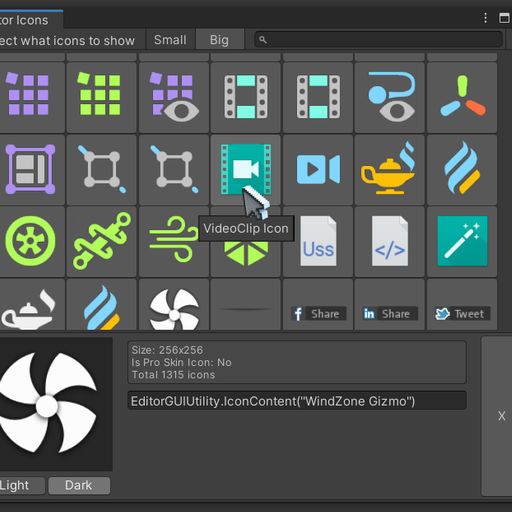
Build in unity editor icons
ivory fulcrum
Ok. So now the question is, how do I put GUIContent and Text together in one Label?
Also I meant paste the Emojis
gloomy chasm
ivory fulcrum
Ok. So now the question is, how do I put GUIContent and Text together in one Lab...
...dude... I literally explained like 8 messages ago that GUIContent can have both an image and text, and that all(?) GUI controls can take a GUIContent as a parameter.
gloomy chasm
Ehh it's fine, it happens.
shell beacon
Guys, in a reorderable list is there a way to know ElementWidth in the DrawHeader callback?
I have a reorderable list that's divided into 3 horizontal segments, I kinda want to display 3 headers above all the segments and its misaligned a bit because of the handle on the left side.. I can guess it's width but I don't wanna 😛
 west drum
I have a weird problem with the GraphView API. I have created a node with custom ports in the mainContainer, and I cannot seem to be able to drag them, to create edges. The one in the inputContainer seems to work. Also, if I try to make a connection to my custom ports STARTING from an different node, it does work. I just cannot seem to be able to start the edge directly from my node. Why could this be?
This is my UI tree

 snow bone
I have an editorWindow which I inject into a monobehaviour component attached to a game object. the component draws gizmos in the scene view window. when I change an option in the editorwindow, the gizmos drawn to the scene must change. however the gizmos only change when i click on the scene window. I've tried Repaint within the Editorwindow, but doesn't work, any suggestions please?
 waxen sandal
Repaint the scene
snow bone
yes, that's what i've tried
waxen sandal
IIRC there's some method somewhere but I forgot where
You could also just find the game editor window using Resourcs.FindObjectsOfTypeAll<EditorWindow> and check the name
Then repaint from there
waxen sandal
snow bone
yes, that's what i've tried
Repaint which editor window specifically?
snow bone
from within OnGui()
waxen sandal
You need to repaint the gamewindow, not your own
Unity is the ultimate game development platform. Use Unity to build high-quality 3D and 2D games, deploy them across mobile, desktop, VR/AR, consoles or the Web, and connect with loyal and enthusiastic players and customers.
snow bone
it's not the game window, it's the scene window
snow bone
SceneView.RepaintAll(); works, thank you 🙂
olive harness
Is there a way to have a PropertyAttribute affect an entire array, rather than each element individually?
gloomy chasm
olive harness
Is there a way to have a PropertyAttribute affect an entire array, rather than e...
Nope.
olive harness
sick...
gloomy chasm
Yep...
olive harness
Another limitation I swear I will find a way around is not being able to have multiple property attributes
gloomy chasm
olive harness
Another limitation I swear I will find a way around is not being able to have mu...
How would that even work?
olive harness
No clue yet
gloomy chasm
olive harness
No clue yet
Lol, that is the reason why you can't have multiple. 😛
There are decorator drawer attributes if that helps you. You can have multiple of them.
olive harness
It doesn't quite.
Here's an example I'm doing right now.
Each float in this array needs to be between 0 and 1.
In editor, when changed, I need to call a function to set some values elsewhere.
This'd be a perfect use case for two property attributes
 gloomy chasm
olive harness
It doesn't quite.
Here's an example I'm doing right now.
Each float in this arr...
gloomy chasm
olive harness
It doesn't quite.
Here's an example I'm doing right now.
Each float in this arr...
Ah, I see. It doesn't give you the type that changed, but the OnValidate method is called any time a serialized field is changed.
olive harness
That's handy to know!
 quaint zephyr
Does EditorPrefs.DeleteAll() remove ALL keys for ALL Editor projects? Or only related to the current opened project?
quaint zephyr
gloomy chasm
Ah, I see. It doesn't give you the type that changed, but the OnValidate method ...
But only if it's changed via inspector and not script right?
ivory fulcrum
So... With writing a OnGUI function, should I have a top level event switch and have my drawing code in the "case EventType.Repaint"? or should I do the drawing like some of the examples I've seen where it's top level
This is what I have so far:
        public override void OnGUI(Rect position, SerializedProperty property, GUIContent label)
        {
            // Init


            // Events
            var currentEvent = Event.current;
            int controlID = GUIUtility.GetControlID(FocusType.Passive);

            switch (currentEvent.GetTypeForControl(controlID))
            {
                case EventType.Repaint:
                {
                    break;
                }
                case EventType.MouseDown:
                {
                    break;
                }
                case EventType.MouseUp:
                {
                    break;
                }
            }

            // Drawing
            var accumulativeBoxHeight = 0;
            int indent = EditorGUI.indentLevel;


            EditorGUI.indentLevel = indent;
            dynamicBoxHeight = accumulativeBoxHeight;
        }
Also... why on earth does VS do this nonsense with blocks under case
It makes my ocd itch
n/m I fixed that last issue
gloomy chasm
quaint zephyr
But only if it's changed via inspector and not script right?
Correct. At least I am like 98% sure.
gloomy chasm
To answer your question, no. There if you did that then I am pretty sure the controls would not receive any input.
I think about the only time you need to do stuff when the EventType is Repaint is when you are drawing a GUIStyle (myStyle.Draw(rect);)
ivory fulcrum
Ahh. Ok. I don't think I have anything like that planned.
Just controls arranged in a grid pattern with no lines between them
gloomy chasm
ivory fulcrum
Just controls arranged in a grid pattern with no lines between them
Then I don't see any reason you would need to even touch the Event system.
ivory fulcrum
not even for buttons?
gloomy chasm
ivory fulcrum
not even for buttons?
Nope! They handle it themselves. Same with all the controls in GUI and EditorGUI
ivory fulcrum
Ok. That makes it even easier
gloomy chasm
I would maybe read the docs on editor scripting and look at the examples to get a better understanding of how they work and what is and is not needed. 🙂
ivory fulcrum
Yeah I'm working on that. I'm trying to make sense of it but I feel like "The princess is in another castle" when it comes to some of the questions I have.
I still don't understand BeginProperty/EndProperty even having read the documentation so now I'm reading other tutorials to try to make sense of it all
I notice when I Debug.Log(position), that sometimes I get the correct position (47.00, 109.00 569.00, 56.00) and sometimes I get a different value (29.00, 25.00, -35.00, 56.00). That doesn't seem right at all?
At least the former seems like the right value since it has a large positive value for width.
Which makes sense given the appearance in the editor
-35 doesn't seem correct though
I don't know how a width can be negative
gloomy chasm
ivory fulcrum
I still don't understand BeginProperty/EndProperty even having read the document...
You know how in the inspector when you change a field in an instance of a prefab, it's label goes bold and it has a blue line on the far left side? You can think of Begin/EndProperty as defining the start and end of the blue line for that property. However all of the sub properties will also have blue lines as each individual is overridden.
ivory fulcrum
So it signals to the editor "Hey, this is all one thing, so if it changes, then save the values inside over that item"?
patent pebble
@ivory fulcrum check the pinned messages on this channel. The last two links in the IMGUI Resources section explain more in depth how IMGUI works at a lower level
You mostly use the Event system for making your own controls , so for example if you are making your own version of a GUI.FloatField or whatever
It's very rare that you ever need to do such thing, unless you are doing very specific editor extensions
Also about the negative rect values for the position
iirc that happens depending on the type of event that's currently being processed, on Layout events the rects are recalculated so their values kinda freak out
This is an oversimplification, but something along those lines is what happens with the rect value
patent pebble
ivory fulcrum
I still don't understand BeginProperty/EndProperty even having read the document...
This is to make use of SerializedProperties with controls that don't natively support them
For example a while ago I made my own implementation of a Slider control from scratch (so instead of using EditorGUILayout.Slider i call my own IMGUILayoutControls.ScrollableSlider) to support mouse wheel scrolling to move the slider thumb.
However, I didn't want to write all the code to handle SerializedProperties myself (because i didn't really know how to do it), so in my implementation I just wrapped my custom control in a Begin/EndProperty
public static void ScrollableSlider(SerializedProperty prop, float minValue, float maxValue, ScrollableSliderParams p = null)
{
    if (p == null)
        p = new ScrollableSliderParams();

    Rect controlRect = GUILayoutUtility.GetRect(GUIContent.none, p.SliderStyle, p.Options);

    EditorGUI.BeginProperty(controlRect, new GUIContent(), prop);
        EditorGUI.BeginChangeCheck();
        float newValue = new ScrollableSliderHandler(null, controlRect, prop.floatValue, minValue, maxValue, p.SliderStyle, p.ThumbStyle, p.NormalOverflow, p.HoverOverflow, p.ActiveOverflow).Handle();
        if (EditorGUI.EndChangeCheck())
        {
            prop.floatValue = newValue;
        }
    EditorGUI.EndProperty();
}
*Note that my actual custom control is ScrollableSliderHandler, ScrollableSlider is just the publicly exposed wrapper that I make public for the user to call.
As you can see, ScrollableSliderHandler doesn't support a SerializedProperty, it just takes a float value (the 3rd parameter)
public ScrollableSliderHandler(string label, Rect controlRect, float value, float minValue, float maxValue,
                               GUIStyle sliderStyle, GUIStyle thumbStyle,
                               int normalOverflow, int hoverOverflow, int activeOverflow)
As a last note, I wrote all of this assuming you know what a SerializedProperty and a SerializedObject are. In case you don't, you should check the docs and search online for more examples
https://docs.unity3d.com/ScriptReference/SerializedProperty.html
https://docs.unity3d.com/ScriptReference/SerializedObject.html
patent pebble
Oh i also just noticed the code snippet you posted is regarding a PropertyDrawer.
If you check the docs, you'll see they don't use any Event in their example code
I've never used events in any of my drawers but since it's a OnGUI call, you can probably use events if you want, for example EventType.ContextClick for showing a context menu or Event.mousePosition to check if the mouse is in a specific area of your drawer and do something based on that, like showing a special tooltip or whatever
(sorry for the wall of text, this is kind of a complex topic and I got a little bit carried away 😅 )
 urban galleon
if I am running from inside a non editor environment such as inside Unity Mod Manager is there any way to put up a contextual menu? I can't use for example Generic Menu as you would in an editor
waxen sandal
Idk what Unity Mod Manager is but you're probably stuck with the normal UI tools
 heady shadow
I'm trying for research/fun purposes, to replicate the functionality of the AnimationClipEditor inspector. Since its internal can't access it, I can go down the rabbit hole of copying everything but I feel that will break down in the end..
Does anyone have pointers on how I could do something like that? Namely playing/previewing animations in the inspector
waxen sandal
Which part?
The rendering of the preview?
The playing of the "in progress" animation?
heady shadow
Both actually
waxen sandal
I think the "new" way of doing this would be to create a "Preview Scene" https://docs.unity3d.com/ScriptReference/SceneManagement.EditorSceneManager.NewPreviewScene.html

And put your character adn stuff in there
Then render the camera to a render texture and show taht in the UI
 visual stag
The AnimationMode API also has a bunch of stuff for performing animation recording/previewing, but it is quite obtuse
waxen sandal
I'd copy the animation data from the editor into a new temporary animationclip to show on your character
visual stag
You can also just look at Timeline's Animation Track
heady shadow
waxen sandal
I think the "new" way of doing this would be to create a "Preview Scene" https:/...
this looks very close of what I want to do thanks!
heady shadow
visual stag
You can also just look at Timeline's Animation Track
haven't used the timeline package yet, but will research on that end too, thanks 
 languid lynx
Hello!
I want to set up a drop-down menu in the Inspector, and to choose from several options for a color of an object. I believe that there is a way to do it with enums.
Does anybody know of an easy way to do this? Thanks!
heady shadow
Just create an instance of the enum in your class and it'll show up in the inspector as a dropdown
@languid lynx
https://docs.unity3d.com/ScriptReference/SceneManagement.EditorSceneManager.NewPreviewScene.html How am I actually supposed to create an object into this preview scene? I tried Instantiate, setting it as active and then instantiate, and instantiating and then moving it.
https://hatebin.com/bsmjeiwuqe
as far as I could tell there's no other API specifically made for a preview scene? There was this, https://docs.unity3d.com/ScriptReference/SceneManagement.PreviewSceneStage.html but again doesn't seem related to what I want to do (re : about 7 posts up)
languid lynx
heady shadow
Just create an instance of the enum in your class and it'll show up in the insp...
Got it, thank you
waxen sandal
heady shadow
<https://docs.unity3d.com/ScriptReference/SceneManagement.EditorSceneManager.New...
I would've though that would work but apparently not, perhaps check the source on how they use it internally?
waxen sandal
Another way is to create a camera that only renders certain objects
One way is with layers but iirc there's a beter way but I forgot how
 remote yarrow
Is this the right place to ask about asmdefs? I have what seems like a basic case that's being blocked by the Editor (internal unity error) and I'm not sure if it's an Editor bug, or I'm using it the wrong way (there's a different way to achieve same thing), or a fundamental bug in how asmdefs were designed 😦
waxen sandal
Technically #archived-code-general is correct but I'd be willing to give you a pass
remote yarrow
Ah, I see what you mean. I think my problem only comes up when writing editor-extensions :).
waxen sandal
It's probably some grey area so lets hear it
remote yarrow
(situation: You have two DLLs, one depends on the other. LEt's call them "basic.dll" and "extras.dll".
You want to replace basic.dll with the source-code (temporarilly). This can easily be done by creating an asmdef whose "name" field has the identical value to the old DLLs "filename without the .dll extension". <-- this works for me, UnityEditor seamless, all beautiful.
Until ... you have two versions of basic.dll: (editor) and (player) ... which is required because there's some "#if UNITY_EDITOR" code in one of the classes. <-- this works fine in UnityEditor - you mark one DLL as "editor only" and one as "everything except Editor", you give them the same filename but put them in separate folders.
... but asmdefs crash if you try to replace "two DLLs with same name but exclusive build settings" with "two asmdefs with same name but exclusive build settings")
(the reason that the asmdefs must have the same name is that otherwise 'extras.dll' will fail its dependency check)
This situation happens a lot with editor-extensions, where we're building as DLLs for normal usage, but need to convert back to source-code for debugging when someone reports a bug that's non-trivial to trace. Someone sends me a project with reproduction, and I need to seamlessly replace "the DLLs they had" with "the source code I have" without losing any references/MonoBehaviour scripts in the scenes. --- < maybe there's a different/better way of doing this?
waxen sandal
Can't you just replace your DLL with a debug build and then attach the debugger?
I've done that in the past and it worked fine
remote yarrow
Just for running the debugger, yeah that should work - but won't be able to edit any source, and in my experience unless it's somethign trivial I might need to do hours of source editing, tweaks, etc
waxen sandal
Replacing a DLL with source code is a bit more tricky if you have references in scenes and stuff
remote yarrow
The weird thing here is that everything works fine up until the point I seem to hit a hardcoded error message in Unity - that I'm not convinced should be there! - saying 'two asmdefs with same name are not allowed' (why not? I see no problem with that 😦 )
waxen sandal
However that's possible if you write a script to remap the GUIDs
waxen sandal
remote yarrow
The weird thing here is that everything works fine up until the point I seem to ...
Yeah that seems wrong if they have different platform settings
remote yarrow
OK, so ... might be worth me logging this as a bug. I wasn't sure if it was just me missing some feature / flag that would enable it
waxen sandal
But does it matter most of the time? as long as it's reproducible in the editor you can just toss the other dll/asmdef
waxen sandal
remote yarrow
OK, so ... might be worth me logging this as a bug. I wasn't sure if it was just...
It might just be "intended" behaviour but would be good to flag it as a problem
remote yarrow
The pain is that I often need to do development / fixes inside the user's project -- usually the bug they find is one that I can't reproduce outside their project
(or ... can't reproduce until I've done extensive exploration, code changes, tweaks, etc to fully understand it and check that my 'fix' actualy works :))
waxen sandal
Yeah I understand that but as long as you don't have to build the project you don't need the "runtime version" or do you need to always test both?
remote yarrow
Unity requires both, won't even build without it - if there's any MonoBehaviours in the DLL, Unity tags the whole DLL as "editor only" and then crashes internally with "there are errors in console (there are zero errors in console)"
(a bug that I have previously reported and was told that they don't intend to fix it because it's your own fault if you get in that situation, and you don't deserve an error message. I tried arguing it for a while, but eventually gave up - it may have been changed in latest Unity, I will try 2021 now and see, but I'm on LTS)
waxen sandal
Oof, that's a pain
 outer kraken
Hey, how would I extend the GameObject Inspector without messing up the default behaviour?
I made a "blank" custom editor for it, with just the base.Whatever() calls in the overridden methods, and the result is this photo (sorry for taking it with my phone 😂)
 gloomy chasm
outer kraken
Hey, how would I extend the GameObject Inspector without messing up the default ...
gloomy chasm
outer kraken
Hey, how would I extend the GameObject Inspector without messing up the default ...
Use reflection to get the method from the GameObjectInspector.
patent pebble
outer kraken
Hey, how would I extend the GameObject Inspector without messing up the default ...
are you overriding OnInspectorGUI() or the OnHeaderGUI()?
i've never dived into extending the internal GameObject's editor, but from the looks of it I'd leave the header alone and add whatever you want to the OnInspectorGUI
outer kraken
I tried both, but got identic results
gloomy chasm
patent pebble
i've never dived into extending the internal GameObject's editor, but from the l...
Doesn't work, what happens is that the user defined editor complety overrides the unity one. Regardless of what is or is not overridden.
outer kraken
Ah OK, thx
gloomy chasm
It is pretty easy to get the base one with just a bit of reflection.
patent pebble
gloomy chasm
Doesn't work, what happens is that the user defined editor complety overrides th...
oh right right. I'm looking at the source code and it looks like a special kind of Editor
gloomy chasm
Is it? I don't remember it being special last time I looked at it.
patent pebble
@gloomy chasm I'm a noob when it comes to Reflection, is it possible to make a class that inherits from the internal GameObjectInspector and then override its methods?
patent pebble
gloomy chasm
Is it? I don't remember it being special last time I looked at it.
well, not special, but rather complex compared to other Editor classes
gloomy chasm
patent pebble
<@!131292153300123648> I'm a noob when it comes to Reflection, is it possible to...
Nope.
@outer kraken I will save you the time since I have done it before.
_gameObjectInspectorType = Assembly.Load(typeof(Editor).Assembly.FullName).GetType("UnityEditor.GameObjectInspector");
        _drawInspectorMethod = _gameObjectInspectorType.GetMethod("DrawInspector", EnhancedUtility.Flags);
You just put that in OnEnable
And here is how you use it.
protected override void OnHeaderGUI()
    {
        _drawInspectorMethod.Invoke(CreateEditor(target, _gameObjectInspectorType), null);
    }

    public override void OnInspectorGUI()
    {
        // This needs to be overriden otherwise it will show the base fields.
    }
Nice, thx!
gloomy chasm
Looking at it, I think you can pass this instead of CreateEditor.
patent pebble
gloomy chasm
You just put that in OnEnable
And here is how you use it.
```cs
protected overri...
Oh I had forgotten about CreateEditor, I was wondering how you would use the invoked method
gloomy chasm
patent pebble
Oh I had forgotten about CreateEditor, I was wondering how you would use the inv...
I forget about it all the time tbh xD
patent pebble
@outer kraken @gloomy chasm oh actually I just remembered, digging through my examples there was ways of adding extra stuff to a GameObject/Prefab header
gloomy chasm
patent pebble
<@!610365119142166548> <@!131292153300123648> oh actually I just remembered, dig...
OH SICK!
outer kraken
Damn that's exactly what I needed 😀
patent pebble
I haven't tested it extensively, but as far as I can tell when you subscribe to the event Editor.finishedDefaultHeaderGUI the method will always use a parameter of type UnityEditor.GameObjectInspector
gloomy chasm
patent pebble
<@!610365119142166548> <@!131292153300123648> oh actually I just remembered, dig...
Only minor downside is that there isn't an option for before the header contents.
patent pebble
gloomy chasm
Only minor downside is that there isn't an option for before the header contents...
true, but not a deal breaker i guess
gloomy chasm
patent pebble
true, but not a deal breaker i guess
Yeah, still for sure has it's uses!
patent pebble
one upside of this approach is that you can selectively use if for specific objects instead of overriding every GameObject's inspector
patent pebble
One thing I just noticed is how by using the reflection approach and calling the DrawInspector manually, the margins get screwed

and the header is smaller
waxen sandal
Should really not create an editor in OnHeaderGUI
patent pebble
waxen sandal
Should really not create an editor in OnHeaderGUI
what do you suggest instead? we can't do _drawInspectorMethod.Invoke(this, null);
waxen sandal
I don't have a good solution but you're creating a new editor every frame and thus effectively causing a memory leak
patent pebble
caching it seems to work
waxen sandal
Might cause issues with multi select though
patent pebble
hmmmm
at first glance it seems to not cause any issues
i still prefer to not mess around with overriding this kind of internal stuff, so Editor.finishedDefaultHeaderGUI seems like a better approach
waxen sandal
Yeah if you can avoid you should
patent pebble
well, we can always request for them to make an event for drawing stuff before the header, something like Editor.beforeDefaultHeaderGUI or something
is there a place where we can request such things?
or give feedback or whatever?
patent pebble
k, will look around the forums 👍
 royal scroll
Is there a way I can get the frame currently being displayed by the animation window? I'm writing an editor extension that deals with things tied to animation frames and I'd like to be able to have it update stuff in-scene when previewing the animation.
 timid whale
Hey all, has anyone managed to render a UI Element inspector for a TimelineClip / PlayableBehaviour when inspected through Timeline?
patent pebble
I'm running into a weird issue regarding sub-assets and custom assets that implement scripted importer.
I don't seem to find a way to set icons for sub-assets
here's what I'm getting

as you can see, when my Example type is a main asset, everything is fine, it uses the icon that the scripted importer assigns to it with AssetImportContext.AddObjectToAsset()
but when it's added as a sub-asset, it just has the default ScriptableObject icon
my guess is that ScriptedImporters are not used for sub-assets
The problem is that the AssetImportContext.AddObjectToAsset() takes an Texture parameter for the icon thumbnail, while AssetDatables.AddObjectToAsset() does not
I'm just adding the sub-asset from an existing asset in the project like this:
Example subAsset = Object.Instantiate<Example>((Example)_assetToAddAsSubAsset);
AssetDatabase.AddObjectToAsset(subAsset , _mainAssetPath);
AssetDatabase.SaveAssets();
AssetDatabase.ImportAsset(_mainAssetPath);
any way of dealing with this icon issue?
gloomy chasm
patent pebble
as you can see, when my Example type is a main asset, everything is fine, it use...
Maybe I am not understanding, but can't you just set the icon for the scriptable object c# file instead of per instance?
patent pebble
gloomy chasm
Maybe I am not understanding, but can't you just set the icon for the scriptable...
Oh right, forgot about that
i just thought there would be a way to handle that through the sub-asset addition
instead of having to do it manually in the project
do you know how can I access that icon value from code?
I'd rather automate that to keep it coupled to the icon I provide for the ScriptedImporter
waxen sandal
IIRC you have to use serializedobjects and find m_Icon
gloomy chasm
patent pebble
do you know how can I access that icon value from code?
I do in fact!
/// <summary>
        /// Set the icon for a script asset.
        /// </summary>
        /// <remarks>Useful for when generating <see cref="Object"/> scripts like <see cref="ScriptableObject"/>s or <see cref="Component"/>s.</remarks>
        /// <param name="script">The script asset to set the icon of.</param>
        /// <param name="icon">The icon to set.</param>
        public static void SetScriptIcon(MonoScript script, Texture2D icon)
        {
            MethodInfo setIconForObject = typeof(EditorGUIUtility).GetMethod("SetIconForObject", BindingFlags.Static | BindingFlags.NonPublic);
            MethodInfo copyMonoScriptIconToImporters = typeof(MonoImporter).GetMethod("CopyMonoScriptIconToImporters", BindingFlags.Static | BindingFlags.NonPublic);

            setIconForObject.Invoke(null, new object[] { script, icon });
            copyMonoScriptIconToImporters.Invoke(null, new object[] { script });
        }
Actually I think that sets it for the script and not per instance.
 severe python
This is superb, I can use this for some issues I was running into as well for su classes of a type where I wanted to set the default icon
gloomy chasm
severe python
This is superb, I can use this for some issues I was running into as well for su...
Well glad it helps!
 quiet beacon
Is it possible to get the current event inside a static DrawGizmo method?
waxen sandal
Like the GUI Event?
quiet beacon
Yes
Event.current only returns Repaint, nothing else.
And I would like to get input events like MouseDown.
patent pebble
aaah thanks a lot for the help! @waxen sandal @gloomy chasm 😊
waxen sandal
In that case no
You can theoretically cache the event but OnDrawGizmos isn't called during the GUI pipeline
quiet beacon
Yeah, I'll try caching. I thought there's a simpler way. Thanks!
Now, the question is, where should I cache the events if nothing is selected?
patent pebble
@quiet beacon what are you trying to do exactly?
if you provide more context we can try to give you better advice
in what way do you want to affect the Gizmos with your input?
quiet beacon
I'm drawing my gizmo even when nothing is selected in the scene. I'm using a static method with attribute DrawGizmo.
When I click on that gizmo it should select the GO it belongs to.
patent pebble
you can use GizmoType for that
iirc with GizmoType.Pickable | GizmoType.NonSelected you should be able to select a GameObject in the scene by clicking the gizmo
give me a moment, I'll dig through my examples and share some code
@quiet beacon
[DrawGizmo(GizmoType.Pickable | GizmoType.NonSelected | GizmoType.Selected)]
static void DrawNotSelected(SomeScript script, GizmoType gizmoType)
{
    // Draw a green cube
    Gizmos.color = Color.green;
    Gizmos.DrawCube(script.transform.position, Vector3.one);
}
this gives you a clickable Gizmo that is rendered when the GameObject is selected or not selected
you can use any combination of these to suit your needs
quiet beacon
Thanks for the example! Now I'm confused. What exactly does Pickable mean? Does that mean I can grab and move it? Can it also select the GO in the hierarchy if I click on it?
Is there a way to check if it's picked?
patent pebble
quiet beacon
Thanks for the example! Now I'm confused. What exactly does Pickable mean? Does ...
Pickable means that you can click on it in the scene and it will select the GameObject
when an object is selected in the scene, it's also selected in the hierarchy
to check if the object is selected you can probably use the Selection class
probably Selection.transforms, Selection.gameObjects, Selection.activeObject , Selection.activeTransform or Selection.objects. Not sure which
What exactly does Pickable mean?. Does that mean I can grab and move it?
As far as I know you can't interact with Gizmos in that way (at least not by default).
I use Handles for that
but if your gizmo is just tied to your GameObject and doesn't do anything else, you can just move the GameObject via its transform
quiet beacon
Hmm, I added Pickable to my method but it's not selecting the GO. Our methods are almost identical. The only difference is that instead of DrawCube I'm using Handle.DrawAAPolyLine(). Do I have to use the Gizmo class?
patent pebble
well, how else are you gonna pick a gizmo if you aren't using one? 🙃
Gizmos are not handles, and Handles are not gizmos
even though they share a lot of functionality and some times can be used together
quiet beacon
Yep, that's what confused me the most, Handles != Gizmos. Now I get it.
patent pebble
Handles are similar to Gizmos, but provide more functionality in terms of interactivity and manipulation. The 3D controls that Unity itself provides to manipulate items in the Scene view are a combination of Gizmos and Handles.
iirc Handles are only visible in the Scene View because they are supposed to be interacted
while Gizmos are mostly for debugging purposes
and they are visible both in the Scene View and the Game View
so they are useful for runtime visual debugging
i think Handles can actually be rendered in the game view by putting them in OnDrawGizmos, but I'm not sure. Never done that
someone may be able to correct me on that last one
quiet beacon
So, I see two solutions for my problem. 1. I could use Gizmos.DrawLine() to draw aliased lines to make it pickable 2. I could subscribe to onSceneGUIDelegate and get the events from there, and still use Handles.
gloomy chasm
patent pebble
i think Handles can actually be rendered in the game view by putting them in OnD...
OnDrawGizmos don't show up in the game view.
quiet beacon
@patent pebble Thanks a lot for your help!
patent pebble
gloomy chasm
OnDrawGizmos don't show up in the game view.
it doesn't? For some reason I could have sworn that enabling the Gizmos button in the Game View rendered gizmos in the game view
waxen sandal
AFAIK it does
patent pebble
maybe he meant that the Handles don't show in the GameView by using them inside OnDrawGizmos? 🤔
waxen sandal
You can use handles in OnDrawGizmos?
patent pebble
waxen sandal
You can use handles in OnDrawGizmos?
i remember reading so in a forum post i think
but i've never done it
so... 🤷♂️
waxen sandal
I didn't think you could but then again you might and it's just a bad idea
heady shadow
waxen sandal
I would've though that would work but apparently not, perhaps check the source o...
https://github.com/Unity-Technologies/UnityCsReference/blob/master/Editor/Mono/Inspector/PreviewRenderUtility.cs#L85 so this is a ghost class non existent in the unity documentation which does the rendering in preview scenes

GitHub
Unity C# reference source code. Contribute to Unity-Technologies/UnityCsReference development by creating an account on GitHub.
waxen sandal
Oh yeah I heard about that, and that it's a pain to use
heady shadow
definitely a pain

but atleast it gives a starting point
hopefully animation would not be too hard
patent pebble
for what it's worth, i have this Asset bookmarked
https://assetstore.unity.com/packages/tools/utilities/powerful-preview-82899
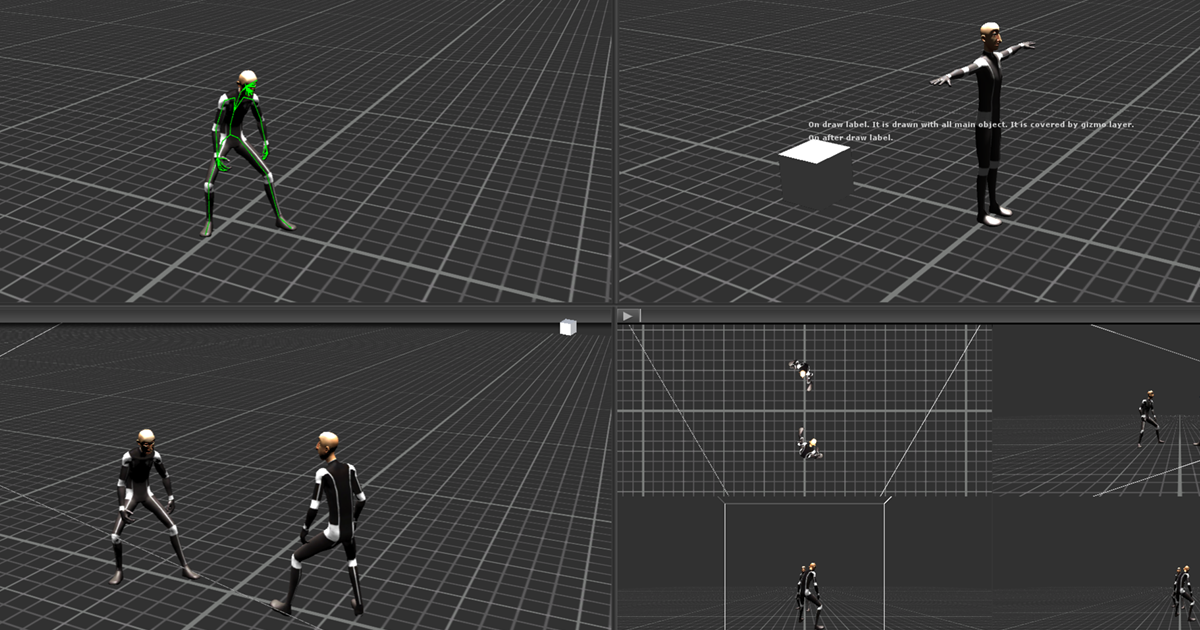
Use the Powerful Preview from Start Assets on your next project. Find this utility tool & more on the Unity Asset Store.
don't know if it does what you want, just sharing it anyways
@heady shadow i have a bunch of links related to doing previews in Unity
in case it helps
heady shadow
thanks a ton for these links. looks like I might need them after all! only got so far https://cdn.discordapp.com/attachments/686243618482421938/828725469721264169/5XlnT4WsrD.mp4 before I discovered that OnGUI is a bad callback for running animations 🥴
That plugin pretty much does what I wanted to try 🤔
patent pebble
I can't offer any advice since I've never tried doing previews myself
seems like one of those things where the time investment outweighs the benefits, so unless I need them for something specific, i will most likely ignore them
@waxen sandal @quiet beacon oh btw turns out doing this seems to work visually, it renders both in the Scene View and the Game View
public class MyScript: MonoBehaviour
{
    private void OnDrawGizmos()
    {
        transform.position = Handles.PositionHandle(transform.position, transform.rotation);
    }
}
however... the interactions with the handles don't work in either of the Views and the hovering behavior interferes with the default transform handles
so if you have selected the object with the handles on OnDrawGizmos and a regular gameobject at the same time, when you hover the regular gameobject, the OnDrawGizmos handle "eats" the hover state
and gets the highlight behavior
so I guess this "workaround" can be useful for simple things like the Handles.Disc, Handles.DrawAAPolyLine, Handles.DrawBezier, etc
maybe the Handles API uses Gizmos (or the same rendering code) internally? 🤔 no idea since I've never dug into the source code
the position handle on the left is the one in OnDrawGizmos, the one on the right is the default one
 gloomy chasm
I am trying to make a custom 'ListView' element with UITK. But I don't understand how binding works with a SerializedProperty array.
gloomy chasm
ivory fulcrum
Only I'm using IMGUI.
Well IMGUI is totally different, and I can help you with that! What is the problem you are having exactly?
ivory fulcrum
I created a custom property drawer for a type that in the editor is part of a List<t>. The difference is the editor is more compact and has a couple buttons on the side. One of them deletes the item from the list, the other applies the text to the prefab the script is attached to.
So now I'm trying to implement the functionality of both buttons and I tried "property.DeleteCommand()" but that only works on the last element of the list.
On the other elements it deletes the last element but not the entry for it in the list so you're left with a space where the custom drawer would go but it's blank.
The list also freezes up unless you manually change the number of elememts
gloomy chasm
ivory fulcrum
So now I'm trying to implement the functionality of both buttons and I tried "pr...
listSerializedProperty.DeleteElementAtIndex(index)
ivory fulcrum
Right. But I don't know how to get the list's property
Just the individual elements
And really just its own element.
Because the property drawer modifies T, not the List<T>
gloomy chasm
Wait, are you trying to put the delete part in the property drawer for the element?
ivory fulcrum
Yes
gloomy chasm
Well that is a no, no. Don't do that.
ivory fulcrum
The button should be "delete the element this button is a part of"
gloomy chasm
The delete button should be drawn from the same spot you draw the list from.
ivory fulcrum
There's a delete button at the bottom for the last element below the list.
gloomy chasm
Like, what if you use the class on it's own not in a list? The button would break.
gloomy chasm
You have two options, 1. don't have a property drawer and just set up the drawing in whatever inspector is drawing the lists. Or 2. exclude the delete button from the property drawer and drawer it from the inspector when you draw the lists.
 gloomy chasm
ivory fulcrum
This is what I'm building
gloomy chasm
ivory fulcrum
This is what I'm building
Well why do you even need the remove button then? It would be redundant.
ivory fulcrum
So the user of the inspector can remove a composition if they don't want it or need it
gloomy chasm
ivory fulcrum
So the user of the inspector can remove a composition if they don't want it or n...
But that is what the little - at the bottom of the list is for...
ivory fulcrum
that deletes the last element
gloomy chasm
ivory fulcrum
that deletes the last element
It deletes the selected one.
ivory fulcrum
It might also delete the selected element but for a very long list, that means selecting the item, and then scrolling all the way down to the bottom to delete it
and the list doesn't support multiselect
gloomy chasm
ivory fulcrum
There's no way to get a SP's parent?
If you really, really wanted to, you could access it through the propertyPath property. However, what you are trying to do is not a good practice at all, and not how it is meant to be used. You are trying to access things out side of a scope where they should be accessed. I am not sure if or what errors you will run in to, so keep that in mind.
ivory fulcrum
Is there a way to get at the game object the property belongs to?
gloomy chasm
ivory fulcrum
Is there a way to get at the game object the property belongs to?
serializedProperty.serializedObject.targetObject
But it is a bad idea to mess with the c# data if you are using SerializedProperties to mess with the data since they handle stuff on the c++ side. Things can get a bit messy if you do both.
ivory fulcrum
Hmmmm... ok.
That might explain the issue I had with trying to cast the target object to T
But for option 2, I would have to leave a space and draw the close buttons on top of each entry right?
gloomy chasm
ivory fulcrum
But for option 2, I would have to leave a space and draw the close buttons on to...
Well, right now are you just using the default list drawer from 2020.1+?
You would need to use the ReorderableList class your self and then simple add the button next to the element property drawer from the onDrawElementCallback
ivory fulcrum
As far as I can tell I am.
I don't see any code in the library I'm modifying that changes that.
waxen sandal
patent pebble
maybe the Handles API uses Gizmos (or the same rendering code) internally? 🤔 no...
Probably the other way around, I dug into it a long time ago but not sure why input doesn't work in OnDrawGizmos
patent pebble
No idea, maybe because OnDrawGizmos doesnt process Events, iirc Handles uses Events and other stuff similar to what IMGUI controls do
I haven't actually checked if Events can be used in OnDrawGizmos, but that's just my guess
oh, just checked. doing a Debug.Log(Event.current); in OnDrawGizmos actually prints some events, like repaint and mouseUp
patent pebble
[ExecuteInEditMode]
public class MonoOnDrawGizmos : MonoBehaviour
{
    private void OnEnable() { SceneView.duringSceneGui += DoHandles; }

    private void OnDisable() { SceneView.duringSceneGui -= DoHandles; }

    private void DoHandles(SceneView sceneView)
    {
        transform.position = Handles.PositionHandle(transform.position, transform.rotation);
    }

    private void OnDrawGizmos()
    {
        Handles.PositionHandle(transform.position, transform.rotation);
    }
}
this works as a workaround
to get fully working handles that are drawn in the Scene View aswell as in the Game View
ugly? yes, hacky? yes, probably stupid? yes, does it work? yes, i guess 🙃
(should this be used? probably not 😅 )
west drum
Does anyone know how, using the GraphView API, fire an event when a node is changed of position?
 smoky cave
why won’t this work ```using System.Collections;
using System.Collections.Generic;
using UnityEngine;
using UnityEditor;
[CustomEditor(typeof(MapGen))]
public class MapGenEdit : Editor
{
public override void OnInspectorGUI()
{
MapGen mapGen = (MapGen)target;
    DrawDefaultInspector();

    if (GUILayout.Button("Gen"))
    {
        mapGen.GenMap();
    }
}
}```
 patent pebble
smoky cave
why won’t this work ```using System.Collections;
using System.Collections.Generi...
patent pebble
smoky cave
why won’t this work ```using System.Collections;
using System.Collections.Generi...
you need to add that attribute to your class
[CanEditMultipleObjects]
 gloomy chasm
west drum
Does anyone know how, using the GraphView API, fire an event when a node is chan...
gloomy chasm
west drum
Does anyone know how, using the GraphView API, fire an event when a node is chan...
You are looking for the GeometryChangeEvent (This is not a GraphView specific event)
 tacit needle
why vs keeps breaking and have to reset unity or vs in order for everything to compile correctly?
west drum
@gloomy chasm Thanks. Is that a UIElements thing?
gloomy chasm
west drum
<@!131292153300123648> Thanks. Is that a UIElements thing?
Yep, it is like the MouseDownEvent, or KeyUpEvent, or any of the others. You just do myElement.RegisterCallback<GeometryChangedEvent>(OnMoved);
west drum
Cool! Is there anywhere a list of all the possible events attachable to RegisterCallback?
gloomy chasm
west drum
Cool! Is there anywhere a list of all the possible events attachable to Register...
I think this lists all of them https://docs.unity3d.com/Manual/UIE-Events-Reference.html
west drum
Cool, thanks!
gloomy chasm
This is in an internal class called DragAndDropUtility... what is Unity even doing... This method is actually called in the code, but it does nothing (This is literal copy paste from the source.. it's empty).
public void SetVisualMode(DragVisualMode visualMode)
{
}
 onyx harness
Where did you see this method?
gloomy chasm
onyx harness
Aah it comes from DefaultDragAndDropClient
Not DragAndDropUtility
I started to go crazy when searching for it in Unity Versioner, couldn't find it
SetVisualMode comes from an interface
gloomy chasm
Oh.. I bet it is an interface thing, duh. But still...
onyx harness
Empty implementation is not that crazy
gloomy chasm
Yeah, but I wanted to see how they where changing it... 😦
I am just trying to make a Reorderable List...
The IMGUI list lags when reordering because I have too many controls in the inspector :/
onyx harness
Is it IMGUI in UIT? or pure IMGUI?
gloomy chasm
onyx harness
Is it IMGUI in UIT? or pure IMGUI?
Pure IMGUI when it lags. I guess I could try putting it in UIT? Maybe it would get better performance?
(I have multiple ReorderableLists)
onyx harness
gloomy chasm
Pure IMGUI when it lags. I guess I could try putting it in UIT? Maybe it would g...
Dont think so
UIT is a layer on top of it, probably worsen the perf
gloomy chasm
Yeah, figures.
ivory fulcrum
MechWarrior99: in a reorderable list, does the new button just duplicate the last entry? or is it not supposed to do that?
onyx harness
gloomy chasm
The IMGUI list lags when reordering because I have too many controls in the insp...
Try to narrow down the culprit, putting Profiler samples
It does duplicate the last/current entry
ivory fulcrum
any way to prevent that?
gloomy chasm
onyx harness
Try to narrow down the culprit, putting Profiler samples
Well, I know it is the dragging, and there isn't really anything I can do about how it handles dragging. I suppose I can disallow dragging and re implement it where it doesn't update the position in realtime, instead just moves it once the mouse is released...
onyx harness
It's a way yep
ivory fulcrum
Oh, Mech! I got that Delete Item button to work even if not the right way per se
onyx harness
It does sounds like a hassle, but in reality, DragAndDrop is pretty straight when you are used to it
ivory fulcrum
public void DeleteItem(SerializedProperty property)
{
    // find the element in the list and remove it.
    string path = property.propertyPath;
    int index = int.Parse(path.Substring((path.LastIndexOf('[') + 1), path.LastIndexOf(']') - (path.LastIndexOf('[') + 1)));

    var go = property.serializedObject.targetObject as LayeredCharacterBehaviour;
    var mapProperty = typeof(LayeredActorBehaviour).GetField("compositionMap", BindingFlags.NonPublic | BindingFlags.Instance);
    var map = mapProperty.GetValue(go) as List<LayeredActorBehaviour.CompositionMapItem>;
    map.RemoveAt(index);
}
Yeah, DragAndDrop really isn't too bad to use. I think getting the positioning/index is the bigger hassle.
gloomy chasm
ivory fulcrum
```csharp
public void DeleteItem(SerializedProperty property)
{
// find the ...
I wouldn't do it that way since you are messing with SerializedProperties which have data on the c++ side. Since the list is at the top level, it would be easy to do: property.serializedObject.FindProperty("compisitionMap").DeleteArrayElementAtIndex(index);
onyx harness
gloomy chasm
Yeah, DragAndDrop really isn't too bad to use. I think getting the positioning/i...
Not even, the index is provided in the arguments
and the position is the first argument
gloomy chasm
onyx harness
Not even, the index is provided in the arguments
Where are you talking about? The arguments for what?
gloomy chasm
onyx harness
ReorderableList, the callback to draw element
Ah, I meant for the dropping, but I guess you're right (I haven't thought too much about the actual implementation at all)
patent pebble
Is there any built-in way of telling Unity to recompile every assembly in my project?
or do I have to make it myself?
onyx harness
Unity is the ultimate game development platform. Use Unity to build high-quality 3D and 2D games, deploy them across mobile, desktop, VR/AR, consoles or the Web, and connect with loyal and enthusiastic players and customers.
probably
patent pebble
onyx harness
https://answers.unity.com/questions/416711/force-unity-to-recompile-scripts.html
ah! nice. Thanks for the link
Unity 2019.3 introduced public editor API to force scripts recompilation: it's UnityEditor.Compilation.CompilationPipeline.RequestScriptCompilation method. seems this is it
patent pebble
onyx harness
Try it first
how can I verify that every script was recompiled?
is there any callback that I can use or something?
onyx harness
Type : public sealed class UnityEditor.Callbacks.DidReloadScripts
4.1.0f4 ⟩ 2021.2.0a11
Unity Doc
Give it a try
patent pebble
i ended up making this for re-compiling all the scripts, in case anyone finds it helpful
https://pastebin.com/d7ZT4fGY
the default progress bar for the recompile seems to be glitched (at least in my version of Unity)
so I recreated it manually
these 4 events were very useful
CompilationPipeline.compilationStarted
CompilationPipeline.assemblyCompilationStarted
CompilationPipeline.assemblyCompilationFinished
CompilationPipeline.compilationFinished
Is there an API that lets me set the expanded state of an asset in the Project window?
I'm assigning new icons for assets that are subassets of others, and seems like the icon only changes when I reimport the main asset and then collapse and expand again that main asset
ivory fulcrum
Seriously, is this why? list.index = list.serializedProperty.arraySize - 1;
GitHub
Unity C# reference source code. Contribute to Unity-Technologies/UnityCsReference development by creating an account on GitHub.
onyx harness
This question is incredibly accurate
ivory fulcrum
It just seems insane to me. There's nothing that specifically creates a duplicate,
But there is this code here that doesn't seem right
The arraySize is incremented
and applied to the SerializedObject
then, the index of the ReorderableList is set to the last element - 1
and then the object reference is set to value at the list.index
I'm talking about how reorderable list duplicates the last element when you add to it
And that's the default behaviour
onyx harness
Very simple
SerializedObject is a bridge between our C# world and the C++ engine world
The "trick" that you are seeing is C# telling C++ to copy the latest element to the new latest.
onyx harness
I guess for handy reason
ivory fulcrum
or something like that
onyx harness
Lol no
dont do new Object
If the element Type was numeric or a struct, it would also clone it
I guess for ease of life reason
ivory fulcrum
This just doesn't seem like it's well architected, it's more like a hack
onyx harness
Trust me, it's totally fine
ivory fulcrum
And the only way to fix it, is to create a new what? property drawer?
And then draw the ReorderableList, and then add a callback for Add so that their code is never called
onyx harness
It occurs pretty often that when you extend an array, you are going to extend that final element as well
ivory fulcrum
I mean, that's a lot of work for something that should be super simple
onyx harness
Just override the Add callback
ivory fulcrum
But that means writing a lot of code that currently doesn't exist in my project and I've already written a lot and still have a lot more to write
Without fixing defaults with lots of additional code
And seriously, if I'm going to do that, I might as well reimpliment Odin's TableList
onyx harness
A good way to learn I might say
ivory fulcrum
I'm doing this to be nice and help others who using the library are VERY likely to run into the same problems I did.
a long drawn out process to manually add elements, then put all the text into them
hundreds of elements
ivory fulcrum
I already have a solution: Odin
But now I want to give back.
But it feels like the Editor API just keeps jumping in my way
onyx harness
Oh you have absolutely no idea how much you are barely scratching the surface
ivory fulcrum
I know I'm barely scratching the surface
onyx harness
Dont get frustrated by that little step
Just take it, deal with it, learn from it, embrace its power, enhance your senses
ivory fulcrum
There's not even an attribute that allows you to modify the properties of the ReorderableList?
ivory fulcrum

This is what I've created so far
And before I would have had to create a property drawer for the list as well anyway but I was so happy to see that they changed the default to the reorderableList
But it's useless if you can't change simple things about it and have to replace it with your own version
onyx harness
I'm pretty sure it is necessary yes. They probably didnt provide anything to override the default behaviours
ivory fulcrum
😦
I'm REALLY not looking forward to this.
Dealing with IMGUI and Serialized* is a pain enough
ivory fulcrum
Not to mention....
[CustomPropertyDrawer(typeof(List<LayeredActorBehaviour.CompositionMapItem>))]
    public class CompositionMapDrawer : PropertyDrawer
    {
        public override void OnGUI(Rect position, SerializedProperty property, GUIContent label)
        {
            base.OnGUI(position, property, label);
            Debug.Log("Please work!!!!!");
        }
    }
... doesn't work
I'm going to bed
gnight guys
 tough cairn
ever since ui-elements been added the editor became quite slow on my system , in vr i can feel the fps drop twice if i keep the inspector open ( the component draw updates will cause this ) , assembly reload is also suffers much and swapping shaders / materials now takes few seconds every time compared to nearly instant results in the past - is there anything i can disable to speed things up ?
tough cairn
ivory fulcrum
Not to mention....
```csharp
[CustomPropertyDrawer(typeof(List<LayeredActorBehav...
it should be possible to make one for List and only draw it if the List generic type class matches your class or something along those lines via reflection
tough cairn
tough cairn
ever since ui-elements been added the editor became quite slow on my system , in...
for example : material -> click on shader drop down

enter play mode stopped being fast a long time ago

overall the editor feels like it got a downgrade with all those delays
 vocal minnow
ivory fulcrum
Not to mention....
```csharp
[CustomPropertyDrawer(typeof(List<LayeredActorBehav...
vocal minnow
ivory fulcrum
Not to mention....
```csharp
[CustomPropertyDrawer(typeof(List<LayeredActorBehav...
put inside editor folder?
waxen sandal
I vaguely remember people talking about taking a screenshot of an editorwindow. Was the conclusion to use a RT or is there some other solution?
ivory fulcrum
It's in the editor folder Vince
waxen sandal
You might have to make CompositionMapItem a normal class (aka not nested)
Also property drawers for lists don't work (unless they changed that)
patent pebble
I'm working on a system to let the user assign asset dependencies (to make an asset re-import if any of its dependencies are imported or have their data changed)
I've seen the official Unity examples doing this sort of dependency tracking using the PATHS of the assets
but that seems like a horrible idea
is GUID a better option for doing this sort of thing?
i always forget, do GUIDs always remain the same no matter what I do to the asset?
ivory fulcrum
..... ARRRgh who designed this nonsense!?
waxen sandal
patent pebble
i always forget, do GUIDs always remain the same no matter what I do to the asse...
Depends what you do to the asset but it'll persist between sessions and reimports
patent pebble
waxen sandal
Depends what you do to the asset but it'll persist between sessions and reimport...
Depends what you do to the asset ... this is what scares me
is there way of knowing what will affect the GUID of an asset
the official documentation is VERY lacking on this topic
for example I just read this in a forum post Guid may change if you delete metafile or reimport all. And may not. You'd better do not rely on this.
waxen sandal
I mean if you delete the meta file it'll change
It doesn't change on reimport all unless the asset is broken or something
With normal usage it shouldn't change
patent pebble
@waxen sandal is there any other more "reliable" approach that I can use for handling dependencies between assets?
patent pebble
this is just for learning purposes, I'm exploring the whole asset shenanigans
patent pebble
waxen sandal
It's how references are handled in general in Unity
hmmm, I guess I'll follow suit then
thx for the help
waxen sandal
Open a random prefab, you'll see a million GUIDs, that's Unity referencing other assets
From scripts to models to prefabs to scriptableobjects
patent pebble
yeah it's like Scene files that have a bajillion references for objects and the GUIDs of scripts attached and whatnot
i guess I'll also have to implement a way of warning the user when a dependency reference gets broken in my system
Unity docs offer horrible examples for this particular topic
like... just look at this
private const string s_DependentPath = "Assets/ProceduralPrefab.fbx";
private const string s_DependencyPath = "Assets/DependencyPrefab.fbx";

[CollectImportedDependencies(typeof(ModelImporter), 1)]
public static string[] CollectImportedDependenciesForModelImporter(string assetPath)
{
    if (assetPath.Equals(s_DependentPath))
        return new[] { s_DependencyPath };

    return null;
}
oof 😶
 split bridge
The other one to mention (though it's prob fairly obvious) is if you move a subasset - making an asset a subasset, making a subasset an asset or moving a subasset between assets.
patent pebble
split bridge
The other one to mention (though it's prob fairly obvious) is if you move a suba...
yeah I've just been playing around with sub-assets the past couple days, they are a pretty good organizational tool to tie assets together. However they have some limitations
editing them is a little bit inconvenient for example
split bridge
patent pebble
yeah I've just been playing around with sub-assets the past couple days, they ar...
Haha don't I know it 🙂 - the tricks to update the name of a subasset in the project window are kind of insane
patent pebble
split bridge
Haha don't I know it 🙂 - the tricks to update the name of a subasset in the pro...
I mean not really, renaming and moving subassets is fairly straight forward
but if you want to do more than that it requires quite a bit of custom editor coding
split bridge
Good luck trying to get the name to refresh without requiring the user to change folders and back in the project window.
context: I make a tool on the store that (among other things) adds support for grouping SOs, merging groups, moving them between groups etc
patent pebble
split bridge
Good luck trying to get the name to refresh without requiring the user to change...
I mean, to rename a sub asset I just do this
someSubAsset.name = EditorGUILayout.DelayedTextField(someSubAsset.name);
AssetDatabase.SaveAssets();
AssetDatabase.Refresh();
extracting, exporting, moving, adding, etc
pretty straightforward aswell
split bridge
that will work in some versions but SaveAssets saves all modified assets - hate it when a tool takes the liberty of doing that
patent pebble
in my limited experience, Refresh() is usually a lot worse than SaveAssets()
i try to do targeted ImportAsset() instead of Refresh()
but ya know... sometimes I'm just lazy and it's not worth the hassle unless I run into performance issues 😅
in regards to the sub-assets topic
I pretty much learned most of what I do from this
https://github.com/mob-sakai/SubAssetEditor
what was a bit of a pain in the ass was extracting sub-assets which type implements a ScriptedImporter
I had to implement a way to store the importer settings and preserve them when adding/extracting assets to sub-assets and viceversa
west drum
I am trying to open an custom editor, everytime I double click on an ScriptableObject i built. I figured out that I can do it using [OnOpenAsset], but the problem is that it required to import UnityEditor, which means that I cannot really build the project. Does anyone know how to go about this??
patent pebble
west drum
I am trying to open an custom editor, everytime I double click on an ScriptableO...
as far as I know that method can be anywhere
you don't need to have it on your game scripts
the method gets called for every asset in your project
patent pebble
yeah, the docs for editor-related code are quite obtuse sometimes
ivory fulcrum
MadLed: all the time fixed it for you
Well.... I made the list disappear by creating a fake type that derives from it
and then made a CustomPropertyDrawer for the new type.
But Unfortunately, it still isn't running the "OnGUI" code
ivory fulcrum
Is there a way to put an attribute on the field I want to create a property drawer for that references the drawer so I don't have to try to trick Unity into doing what I want?
patent pebble
ivory fulcrum
MadLed: *all the time* fixed it for you
can I make a PropertyField for Object that only allows assets?
like
EditorGUILayout.ObjectField(Object obj, Type objType, bool allowSceneObjects);
Why not?
patent pebble
ah, I'm stupid
I always forget to scroll down on the ObjectField docs 🙃
oh nvm
EditorGUILayout.ObjectField(SerializedProperty property, Type objType, GUIContent label, params GUILayoutOption[] options);
doesn't take a allowSceneObjects
I'm probably missing something here, I swear there was a way to not allow scene objects in a PropertyField for Objects 😓
patent pebble
onyx harness
Dont use the deprecated overloads
I don't see any overload for ObjectField nor PropertyField that lets me disallow scene objects
 patent pebble
onyx harness
this?
patent pebble
onyx harness
this?
yeah but that one doesn't take a SerializedProperty
I prefer to use the SerializedProperty so the conveniently styled array is done automatically
patent pebble
onyx harness
Just use an attribute
can I do that if I'm doing it in an EditorWindow?
patent pebble
I just wanted to use a PropertyField, why was I such a fool in expecting Unity to provide consistent APIs...
- insert sad cat meme *
onyx harness
This is true and not true
Would have been nice
And also might make PropertyField super charged
Imagine an overload for every single GUI case
This is not doable
patent pebble
yeah well
I guess
it would have just been super nice if the behavior for PropertyField was parallel to the regular GUI fields
in the docs they recommend to use SerializedProperties as much as we can anyways
kinda weird that the "recommended" API is inferior
took me less time to use the ReorderableList than all the time I just spent googling how to make the PropertyField work as I expected it to 😅
onyx harness
patent pebble
it would have just been super nice if the behavior for PropertyField was paralle...
That's what I am saying, this is huge
onyx harness
patent pebble
took me less time to use the ReorderableList than all the time I just spent goog...
Still, you had to override the DrawElement callback and do your own calls
patent pebble
yeah
onyx harness
Not much different from doing an attribute and its drawer
patent pebble
true
but since I don't know if I can do that inside an EditorWindow i just went down the path of ReorderableList
onyx harness
Without trying, you'll never know
patent pebble
the built-in attributes seem to work on serialized fields of an EditorWindow

so I guess custom attributes should work too
ivory fulcrum
Mech said I should create a property drawer for the list to do certain things, but that's not even possible.
Is it?
visual stag
you can only make a property drawer for a collection if you wrap that collection in a struct or class and style that
ivory fulcrum
Ok. As in class Wrapper { public List<SomeType> theList } or class Wrapper : List<SomeType> { } ; public Wrapper theList;
I've tried the latter and it doesn't work.
Unless I did something wrong
And I'm absolutely not going to do the former because that will mean editing LOTS of code I didn't write that uses that field
gloomy chasm
ivory fulcrum
Ok. As in `class Wrapper { public List<SomeType> theList }` or `class Wrapper : ...
Yeah, the latter doesn't work. What I was saying was to make the ReorderableList inside of a custom UnityEditor.Editor.
If you don't want to do that, and want to go with the wrapper. You can have it implement the IList interface through the theList field. That way you won't have to change any code.
ivory fulcrum
But for a custom editor, wouldn't I have to redo the whole inspector for that component?
Maybe it would we worth making the IList. At the very least I can test that it doesn't break anything.
Ok. Now to figure out how to create a reorderable list view
And override it's add function
patent pebble
@ivory fulcrum are you doing this in UIToolkit or IMGUI?
ivory fulcrum
IMGUI
patent pebble
isn't ListView a UIT class?
or did you mean something different by "reorderable list view"?
ivory fulcrum
ReorderableList? It technically is, but it's also the default now for List<X>
ivory fulcrum
It works great but it has the ability to change the number of elements in a text box at the top which seems.... obtuse in my opinion
And it also has a very annoying "add" behavior where it duplicates the last item rather than creating a new blank item which is also undesirable and obtuse
Especially when in this specific instance, the first textbox is a Key like for a dictionary
patent pebble
I'm learning how to make custom ReorderableList implementations (mostly by Frankensteining the publicly exposed API and a little bit of custom code)
I'm thinking of supporting different behaviours for the add/remove buttons
like duplicating or not duplicating the last element
or removing the data only or the element
also a more compact design than the default
and a floating add/remove and size "toolbar"
ivory fulcrum
Well, I've seen some extra stuff you can download, but what I'm doing is for an Open Source project so I'm trying to eliminate any external dependencies
I'm going to have to write a csv importer as well for what I want to do for this tool
patent pebble
here's a GIF of what I got so far

I wasn't planning on diving so deep into this
but the add/remove buttons on the bottom of the default design made my blood boil
and then I just wanted to know how much customization was possible
it has a lot of the sweet features of the TreeView API, but without all the cumbersome bloat
onyx harness
A Master, becoming, you are
patent pebble
nah not even close 😅
i've just spent the last 4 months doing only editor coding stuff, so it's all fresh
I'll probably forget half of this stuff when I stop and focus again on making games
ivory fulcrum
I've been using Odin Inspector and that "no external dependencies" thing is why I'm doing it with IMGUI
patent pebble
I've never used Odin, seemed useful first time I looked into it, but when I started learning how to make my own tools Odin started looking less and less useful
onyx harness
No external dependencies, but using Odin XD
patent pebble
it has some neat features
ivory fulcrum
Mikilo: I'm using Odin for my own project. I'm avoiding dependencies for my contribution to the project
There's two projects
onyx harness
Oh I see
ivory fulcrum
One is a plugin that my own project uses
The other is the project itself
I'm avoiding dependencies for the plugin
Odin is amazeballz
I'll put it this way, a lot of what I get stuck on with IMGUI is what caused me to spend weeks trying to put together a more useful editor for some parts of my project
patent pebble
@ivory fulcrum I'm curious, does Odin have functionality that lets you extend it easily?
patent pebble
like Unity does with the IMGUI, UIT, etc etc
does Odin have something similar so you can extend it?
ivory fulcrum
Yes and no. there are ways to extend it in some ways but the design is meant to make the easy stuff easy
instead of needlessly complicated
visual stag
I have refused to make my own reorderable list implementation, and I'm glad Unity has finally made it built-in as the default property. But damn does it suck how closed they made it
ivory fulcrum
Do you want a bit of space before and after your property? [PropertySpace(3f, 3f)]
visual stag
just another case where I feel like they haven't spoken to people who make tools
ivory fulcrum
I'm feeling that way about a lot of the stuff to do with Unity's toolmaking stuff
patent pebble
visual stag
I have refused to make my own reorderable list implementation, and I'm glad Unit...
it could definitely use a spin or two to make it more flexible
ivory fulcrum
I feel that way about Serialized[Property|Object]
patent pebble
but I guess we should be grateful for what they gave us 😅
onyx harness
visual stag
just another case where I feel like they haven't spoken to people who make tools
XD
ivory fulcrum
But yeah MadLed, I definitely felt that Odin was worth the money. They even have a discord if you get stuck
visual stag
The thing I like about Unity is how easy it is to extend, and then they make all the new things internal because they don't want to maintain an API
patent pebble
I feel like most of the APIs for extending the editor are haphazardly put together, it's pretty clear by the poor documentation (or lack thereof) in some of them
ivory fulcrum
That's becoming the thing I hate about Unity: Documentation
Everything seems poorly documented
patent pebble
feels like they went "hey this set of tools could be very useful for tool devs" and then only polished the main features to put it out as fast as possible
ivory fulcrum
What good is documentation if it doesn't actually explain anything?
patent pebble
at this point, with editor APIs i just use the docs as a headline of what they do, and use the source code as the actual documentation
that and a lot of hairpulling 🙃
ivory fulcrum
I wrote code that I don't even understand but somehow it works
visual stag
I do feel like that, but I honestly don't mind in a lot of cases. These APIs are so intertwined that you kinda need to find an example somewhere to really get it
source is the best example 😄
ivory fulcrum
only if everything is self documenting...
visual stag
I think the biggest lacking parts of the docs with new features is that they've only documented the surface level and then because everything else is in flux there is no docs, only forum posts about what they hope will be the way to do a thing. Or just something that has been not considered at all. Lots of things that have been designed and documented from one perspective/use case
patent pebble
^
visual stag
UIToolkit cannot do things IMGUI can do extremely easily without a ton of effort, and I can only say that's because they switched from prioritising editor, to prioritising runtime support
patent pebble
sometimes I'm looking online to see how a specific method works, and in some cases If I can get ONE SINGLE RESULT in the forums/answers sites I thank the heavens
even sometimes is people asking a question and they have zero replies
ivory fulcrum
UIToolkit feels way too underdocumented to use
visual stag
shadergraph was closed once they realised they were shifting gears, changing how it works across pipelines
patent pebble
this may be a very narrow-minded opinion, given I'm not very experienced on these topics.
But to me it feels like they are trying to touch on every possible corner they can think of, to release as many tools and APIs as they can without really thinking on the big picture
i don't know if they want to attract as many customers as possible from all different backgrounds and fields
or if they are just disorganized and there's no communication between teams working on different modules
i usually see them releasing a promising new feature, only to then be left forgotten and without major updates or fixes for years
visual stag
There are definitely internal communication problems, and huge focus shifts, but I think their goals have finally settled and the things they have released are slowly maturing. I just hope someone internal cares about the state of the editor beyond the nice immediate UX improvements. Everything needs to have open APIs so that they can be modified into becoming tools for everybody, and not just tools for the original target audience
patent pebble
I think their goals have finally settled and the things they have released are slowly maturing
In the past year it does seem like it's getting a little bit better in that sense
visual stag
I'm also continually running into UIBuilder being absolutely broken for long periods of time
so that's not totally true everywhere
but, beyond being broken it has gotten better 😛
patent pebble
oh god don't even get me started on the stuff they do with their packages
i hate with a passion the way they document them
onyx harness
The rare times I touched UIBuilder I felt it was kinda weak for a debugger
visual stag
debugger?
ivory fulcrum
It feels like the jump into feature ideas without first seeing if they can do it and testing how it will be used.
onyx harness
Misread UI Debugger XD
visual stag
both the IMGUI and UIElements debugger are helpful enough, could be better, aren't that bad though
patent pebble
weird how they decided to not document them whatsoever, not even document their existence
i just knew they existed when I stumbled upon a random reddit post
considering those debuggers are almost 3 years old
https://www.reddit.com/r/Unity3D/comments/622as1/useful_integrated_editor_windows_tools_that/
more than 4 years ago...
the only information I could find on their official channels is just bug reports 😅
visual stag
They're pinned to this channel, along with internal mode
I am forever in internal mode
forever tempted by the button
 patent pebble
👀 ❗ ❗ ❗
visual stag
it creates a lot of assets. Never press the button
patent pebble
i've only heard the legends
ivory fulcrum
It also sucks that there's no straightforward way to set up a custom build platform target
Like I can't say "Hey Unity, compile to IL2CPP, then compile it using this compiler specifically for such and such platform and use this library as your "OpenGL" implementation, and oh look, I just created 3DS homebrew in Unity
quaint zephyr
Am I understanding this correctly? If I generate a Prefab and save it into my Assets as whatever.prefab, later I can't use AssetDatabase.FindAssets("t:MyComponentAttachedToPrefab") to find it?
Does FindAssets not play well will Prefabs/Components or something? Or am I missing something here?
patent pebble
@quaint zephyr iirc you need to search for "t:GameObject" or "t:Prefab" in AssetDatabase.FindAssets and then you to check for the component type you want to find in each of them with the GetComponent() method
quaint zephyr
Wait, I thought t referred to classnames only?
patent pebble
t is the part of the filter that lets you specify the type you are searching for
visual stag
You cannot search for components in the asset database directly
only prefabs (which are GameObjects)
patent pebble
i thinl it has a specific selection of types you can pass into that: native Unity types, your ScriptableObjects
visual stag
t: is any type of object that it can find, a GameObject is a class name 😛
patent pebble
I always forget what exactly works for that method, a good way to check is use the Project View search bar
visual stag
the asset database doesn't know about components on objects sadly
patent pebble
iirc it uses the exact same filter in the search bar as in the method
visual stag
yup
patent pebble
Can't wait for the day they replace their garbage search functionality with the Quick Search package or anything really
There was a forum post from Unity devs asking for feedback and saying they are working on better search tools
visual stag
They're also adding a dependency viewer thing which should be a ton of help
patent pebble
oh yeah I just saw the dependency tracker on the roadmap too
Hopefully they expand the dependency APIs too, because they are pretty barebones and sparse
quaint zephyr
patent pebble
I always forget what exactly works for that method, a good way to check is use t...
Oh I didn't know that? I Project View Search follows the same protocol as FindAssets?
onyx harness
To anyone interested:
https://ngtools.tech/wp/unity-editor.php
Tomorrow I will start looking for beta testers, if anyone interested, poke me! 🙂
ivory fulcrum
Mikilo: What is this?
visual stag
it's so teeny
quaint zephyr
Found some undocumented features 😛
Besides t: and l:, other possible values are:

v: Can be used to find objects with different states. e.g. v:modified will show objects that are locally modified
s: Searches by soft lock state. e.g. s:inprogress will show objects modified by anyone, except you
a: Acts as a filter. Possible values are all (all folders), assets (only Assets/), and packages (only Packages/)
b: Searches for assets in asset bundles, by the asset bundle name. e.g. b:mybundle will only look in mybundle asset bundle
ref: Searches by instance ID
glob: Can be used to find assets with extensions of any type, e.g. glob:Assets/**/*.{png|PNG}, which will show any object ending with .png or .PNG in any subfolder.
ty NukeAndBeans
ivory fulcrum
Well that's a C# oddity. Math.Ceiling returns double? I thought the whole point was to get the next whole number above a decimal unless the decimal is already a whole number?
 civic river
It seems ScriptableObject, ISerializationCallbackReceiver scriptable objects SerializedObject disregards the changes made by ISerializationCallbackReceiver
Is their some way around this? 🤔
This works in-editor but the data is not serialized to the object so when you restart the editor the changes aren't written
https://gdl.space/azurojisal.cpp
civic river
For reference this works sometimes with the minor drawback of occasionally causing a stack overflow
https://gdl.space/ivojabomul.cs
civic river
So their were a few problems, but the principle issue I had was solved by via a combination of forcing the value to null and using EditorUtility.SetDirty()
https://gdl.space/zekuqeziza.cs
It seems like there's some special cases not correctly handled by [SerializeReference] still which also caused some problems
quaint zephyr
In my editor, I preloaded a Prefab into memory via PrefabUtility.LoadPrefabContents.
Then eventually (based on user interaction) I need to inject a child GO into that Prefab (not the instance, but actual prefab). I do the following:
- new GameObject
- Add component(s).
- GameObject.Transform.SetParent(Prefab.transform)
- PrefabUtility.SaveAsPrefabAsset
And then I look into my project view and open the prefab and verify that it has been indeed updated correctly.
HOWEVER, it doesn't matter what I do to it later because the variable where I initially "preloaded" the Prefab into memory still holds the first version (prior to injection). And so if I go to use it again, it will build on top of what it was saved as before.
Is there a way to simply PrefabUtility.Refresh? Or must I reassign the variable again? Which means I'll need to UnloadPrefabContents first and then LoadPrefabContents again with the new one or each time it changes?
Or am I better off NOT preloading it into memory and just keep a reference to it's path? Then when I need to edit it, LoadPrefabContents do the changes and Unload...?
patent pebble
Have you tried this?
I have zero experience with coding prefab stuff so i dont know if this is it, but it may be worth the shot
 slow terrace


this is related to extension bolt, and how can i address this problem?
uhh okay i think i have solved this problem
ivory fulcrum
How do I get the current background color for the editor?
gloomy chasm
ivory fulcrum
How do I get the current background color for the editor?
GUI.backgroundColor I think it was
ivory fulcrum
So if I wanted to draw a hollow rectangle, I would do something like this:
public void DrawEmptyRect(Rect rect, Color color, float thickness = 1.0f)
        {
            EditorGUI.DrawRect(rect, color);
            Rect innerRect = new Rect(rect.x + thickness, rect.y + thickness, rect.width - thickness, rect.height - thickness);
            EditorGUI.DrawRect(innerRect, GUI.backgroundColor);
        }
EditorGUIUtility has this private method
private static Color GetDefaultBackgroundColor()
{
    float kViewBackgroundIntensity = isProSkin ? 0.22f : 0.76f;
    return new Color(kViewBackgroundIntensity, kViewBackgroundIntensity, kViewBackgroundIntensity, 1f);
}
never used it tho
ivory fulcrum
I know you haven't. It's private
ivory fulcrum
That's true, but if "backgroundColor" works, then I see no reason to use reflection to get the method.
patent pebble
iirc correctly GUI.color and background color aren't reliable for that, but I'm not sure
onyx harness
ivory fulcrum
How do I get the current background color for the editor?
There is no single answer. But many.
onyx harness
ivory fulcrum
Mikilo: What is this?
An under development Unity Editor tutorials/cheatsheets
ivory fulcrum
@patent pebble You asked me about Odin yesterday, Check out this code:
[BoxGroup("Importer")]
[Button(size: ButtonSizes.Large, Name = "Generate Composition Map Template", Style = ButtonStyle.FoldoutButton)]
public void GenerateMapFile([FilePath(AbsolutePath = true, Extensions = "csv", ParentFolder = "Assets/")] string fileName)
{
    // Use the MapFileGenerator class here.
}
Produces this:

When you click the folder, it produces an "OpenFileDialog" and fills in the text field with the absolute path. When the dialog opens, it starts under Assets/, it filters for CSV files, and then when you press the button above, it executes the function passing the text field as the string parameter
That's Odin
It also puts it in a box group with the label "Importer" which has other controls that are tagged as part of the group
I have another group called "Tester" that allows you to test a composition
onyx harness
But can you mix your own PropertyDrawers with Odin?
ivory fulcrum
Yes and No
For example, when I created this, I had to actually suppress a custom editor that added a menu entry to the inspector to run the selected composition
Which I could do thankfully since it was Open Source
I just commented out the [CustomEditor(typeof(LayeredActorBehaviour), true)] line
onyx harness
And this is where Odin is nice, but unfortunately Unity Editor is not super handy with plugins colliding
ivory fulcrum
But when I was using property drawers to implement an interface for a grid of texture assets, The fact that one of them had been reimplemented with Odin and the other was a PropertyDrawer didn't seem to conflict
But that was because they were different properties
I think the fact that there was a CustomEditor conflicted and if there was both a PropertyDrawer and Odin attributes would have defaulted to the PropertyDrawer
But otherwise, they seem to play nice ok
That is true
So you can mix them but you have to choose one approach per property I think
I also added a csv importer that allowed you to create a CSV of Keys and Compositions separated by newlines and semicolons so you didn't have to manually add the items yourself
One of my LayeredActors has 321 items in the Composition Map
And I have quite a few actors
so
Yeah, for me, Odin is nice when you are working on a project and want to get stuff done, But IMGUI is the way to go if you're contributing to a plugin or haven't bought and don't intend to buy Odin
 robust wren
hi
anyone knows how i can override ui image component and create my own class to handle image component
as image component
onyx harness
How is that related to #editor-extension?
patent pebble
ivory fulcrum
Yeah, for me, Odin is nice when you are working on a project and want to get stu...
I think Odin is great for people who don't know anything about making editor extensions or who don't want to spend time making them
for people who have a basic grasp on making tools and extensions, Odin falls very short
for example in terms of Attributes and Decorators, this free asset does pretty much the same thing and you can use it as a base for extending your own and improve it
i think Odin is becoming more outdated as time passes. It was probably an excellent tool 4 or 5 years ago
and I assume Odin's source code is not open, which is another downside
what I've heard good things about is their serialization tools tho, but I haven't looked into them
onyx harness
I would like to mitigate the above statement.
Although I never liked it, it is still a strong set of handy tools and is almost sure to stay in Unity landscape for a big moment.
But some of its caveats are inherent to doing editor stuff in Unity Editor. Cant and wont blame them.
patent pebble
I mean yeah, I still think it's probably one of the best tools that has ever come out of the Asset Store
but I think it appeals more to the general public instead of suiting more "specialized" needs
onyx harness
yeah completely
patent pebble
for me, because I'm working solo on my games and I know my specific needs for my long term projects. I decided to just jump head first into learning how to make extensions myself
more time investment, but it'll pay in the long run and is a skill that translates well to other fields
but if I was working on smaller projects, or with a small team of people, I think I would have gone with Odin instead of learning how to make my own tools
onyx harness
One day you might turn into a tool programmer specialist 😄
patent pebble
After I'm done with the games I'm making by myself. I'll probably get a job at a studio, and I'd like to go more down the route of designer, gameplay programmer, etc
but being able to make custom tools is a big plus at a studio
that's also one of the main reasons I wanted to learn
once in a while I check job listings for Unity jobs and a massive % of them ask for people who know how to make custom tools
gloomy chasm
Please don't ask in multiple channels. This is a channel for extending the editor. #💻┃unity-talk where you asked first is most likely the best place to ask. 🙂
onyx harness
I'm not sure, but I would say yes
 whole steppe
When will this UI come?
PS Idk where can I post it 😛
 gloomy chasm
whole steppe
When will this UI come?
PS Idk where can I post it 😛
gloomy chasm
whole steppe
When will this UI come?
PS Idk where can I post it 😛
I hope by end of 2023. But honestly 0 idea. I like it so much though! We are slowly moving towards it, the toolbar and tools in the sceneview are being completely redone, you can find them on the forums!
(I think this is a fine place for it imo )
whole steppe
gloomy chasm
I hope by end of 2023. But honestly 0 idea. I like it so much though! We are slo...
OK thx ^^
ivory fulcrum
So wait, if I have a property drawer for a list element, and a property drawer for the list itself, when I go to draw the list, do I just create an instance of the element drawer for each element and then call its "OnGUI" method with the appropriate parameters?
and GetPropertyHeight?
onyx harness
property drawer for the list itself
Not possible
ivory fulcrum
Mikilo: I did it by making a containing class that implements IList
Mech suggested it
I wasn't thrilled with it but it seems to work and not break anything
ivory fulcrum
yeah
But then is that what I would need to do? Reference "GetPropertyHeight" in the enclosing GetPropertyHeight and "OnGUI" in the enclosing OnGUI?
gloomy chasm
ivory fulcrum
So wait, if I have a property drawer for a list element, and a property drawer f...
No, not at all. You use EditorGUI.PropertyField().
If you want the list to be reorderable then you will want to look in to UnityEditorInternal.ReorderableList.
@ivory fulcrum This looks like a pretty decent guide to using the ReorderableList https://blog.terresquall.com/2020/03/creating-reorderable-lists-in-the-unity-inspector/
gloomy chasm
ivory fulcrum
what about height management?
For what? The list? just override the GetPropertyHeight method, loop over all of the items in the list and get each property's height with EditorGUI.GetPropertyHeight() and then just combine them together and return it.
ivory fulcrum
Do I need to get the child property from the serialized property and passed that to PropertyField? or should I just give it the full property?
ivory fulcrum
I'm assuming so
quaint zephyr
In PrefabUtility, what is the difference between GetCorrespondingObjectFromOriginalSource and GetCorrespondingObjectFromSource ?
visual stag
I would suspect that GetCorrespondingObjectFromOriginalSource does not return prefab variants
but I could be wrong, would have to test it
ivory fulcrum
Is the default font just not a "dynamic" font?
gloomy chasm
ivory fulcrum
Is the default font just not a "dynamic" font?
What do you mean?
ivory fulcrum
I tried changing the font size of a label by subtracting 4 from the size in a style object and passing the object
But the text seems no smaller
and it says "for dynamic fonts"
So I'm wondering if that's why the size isn't changing
Also the text is black instead of light gray and I'm not seeing how to change the color in the Intellisense
Also backgroundColor wasn't the inspector background unfortunately
I'll have to look at it tomorrow.
I'm too tired to keep thinking
but I feel like I'm making progress.
Still these rects are driving me nuts
quaint zephyr
visual stag
but I could be wrong, would have to test it
Any luck?
visual stag
I didn't say I would test it 😛
quaint zephyr
Hey guys, i have situation like so. I am using FileSystemWatcher class with EnableRaisingEvents. I am subscribed to Changed event. My subscribing method has to perform some actions that are ONLY allowed on the main thread. Since these events are fired on background thread...how can I write a simple code that will hold the execution of the delegate until it can "jump" on the main thread and execute it from there?
Something like:
myFileWatcher.Changed += async (sender, eventArgs) => {
  SomethingNotThreadVital();
  await ForMainThread();
  SomethingImportantOnlyForMainThread();
};
 willow stone
working on a selective deep profiler tool https://twitter.com/marcel_wiessler/status/1380480730317385729

Working on some profiler treeview goodies ✨
- collapsing some of the hierarchy 🌴 e.g. when some levels are just internal callstacks like editor-render events and can be ignored
- collapsing properties🌂
- displaying sample type information if missing in hierarchy
Feedback? 👀 https://t.co/JjaiMlWFWD
 Twitter
·
severe python
quaint zephyr
Hey guys, i have situation like so. I am using `FileSystemWatcher` class with `E...
Twitter
·
severe python
quaint zephyr
Hey guys, i have situation like so. I am using `FileSystemWatcher` class with `E...
I typically handle this by adding a self removing delegate to EditorApplication.update from the FileSystemWatchers events
patent pebble
I'm making a modified version of ReorderableList and I need to know when these menu item methods get called.

The methods are part of this class https://github.com/Unity-Technologies/UnityCsReference/blob/61f92bd79ae862c4465d35270f9d1d57befd1761/Editor/Mono/GUI/TargetChoiceHandler.cs
internal static void DuplicateArrayElement(object userData)
{
    SerializedProperty property = (SerializedProperty)userData;
    property.DuplicateCommand();
    property.serializedObject.ApplyModifiedProperties();
    EditorUtility.ForceReloadInspectors();
}
I'm not very good with reflection stuff so I don't know if there's a way of getting a notification when the method is called 😓
and this functionality is not exposed in the ReorderableList API, only the regular + and - butons are overridable
all I want to do is increase/decrease the array size when those menu item methods get called
waxen sandal
I'm confused by what you're actually doing and asking
patent pebble
waxen sandal
I'm confused by what you're actually doing and asking
I'm expanding the default behaviour of a ReorderableList, and I handle the size manually, so I need to know when an item is added/deleted by those menu items
for the plus and minus buttons on the top right I can just subscribe my own methods like these
private void AddToList(ReorderableList list)
{
    ReorderableList.defaultBehaviours.DoAddButton(list);
    serializedProperty.isExpanded = true;
    _size++;
}

private void RemoveFromList(ReorderableList list)
{
    if (list.count > 0){
        ReorderableList.defaultBehaviours.DoRemoveButton(list);
        serializedProperty.isExpanded = true;
        _size--;
    }
}
Right
Don't think there's a way other than caching the current size and cehcking next ongui
patent pebble
hmmm
in that case I guess I can use this
public ChangedCallbackDelegate onChangedCallback;
Ok. So I'm trying to reduce the size of a label's text, so that it's a bit smaller than the normal label text, and I did this smallText.fontSize -= 4; where smallText is a GUIStyle. The problem is that the text isn't any smaller
And I have no idea why
But modifying the fontSize of the GUIStyle seems to be the only way to modify the font size
patent pebble
@ivory fulcrum share code
are you creating a new style or modifying a built-in one
GUIStyle dotStyle = new GUIStyle(EditorStyles.boldLabel);
dotStyle.fontSize = 18;
EditorGUI.LabelField(rect, "· · ·", dotStyle);
works fine for me
ivory fulcrum
N/m I discovered GUI.skin.*
And also that the size is currently 0 so it doesn't do anything unless you assign it a value first.
This is what I have so far:

Which... YAY!
patent pebble
@ivory fulcrum how are you creating you GUIStyle?
duplicating from an existing one? or creating an empty style
ivory fulcrum
I was creating a new one and then changing the size/alignment
silly me for thinking that Unity would actually create objects with sensible defaults
or that having an object that only specified one thing different would cause it to pretend I specified everything else at zero
patent pebble
ivory fulcrum
silly me for thinking that Unity would actually create objects with sensible def...
I don't think there's really "sensible defaults" that you can assign to a GUIStyle, maybe the fontSize, but that's it
a style is just a container so you can put values for how you want to draw stuff on IMGUI code
ivory fulcrum
well what worked was saving the value from GUI.skin that I was about to modify, modifying it, drawing the control, and then setting it back to the value I saved
patent pebble
ivory fulcrum
well what worked was saving the value from GUI.skin that I was about to modify, ...
why are you modifying the built-in styles?
just change the value in your copied style
ivory fulcrum
Because the copy has its own defaults different to the skin
patent pebble
then don't create an empty style, duplicate the one that looks the closest to what you want
for example a label style, or a text field style
ivory fulcrum
So when I wanted the text field for the page number to be right aligned in the middle, creating a style and then setting the alignment and passing that to EditorGUI.TextField(), caused it to only draw the number to the right with no dressing around it
and no different color for the rect behind it
If you create any style yourself, it will not draw hardly anything except the text. You can still interact with it as you intend, but it won't look right, it will also completely override EVERYTHING about the style as defined in GUI.skin
patent pebble
If you create any style yourself, it will not draw hardly anything except the text
that's why I told you to duplicate an existing style
if you make one from scratch, of course it will look empty and weird
😅 I don't understand why instead of duplicating one and using it as you need, you are modifying the built-in styles on your Unity GUISkin... and that's a big nono
making a right-aligned TextField is as simple as doing this
GUIStyle rightAligned = new GUIStyle(GUI.skin.textField);
rightAligned.alignment = TextAnchor.MiddleRight;
EditorGUILayout.TextField("Some TextField", "1", rightAligned, GUILayout.Width(300));
right
Well... at least it works now
I'm going to be doing more clean up after I get the UI to look right.
ivory fulcrum
I just changed it so the template style uses the copy
I just have to refactor the textfield to do the same
patent pebble
if you want to store your custom styles, i think you can store them in GUI.skin.customStyles
I never do that, I have ScriptableObjects representing my custom styles
so it's easier to mess with in the editor
[CreateAssetMenu(fileName = "MyCustomStyle", menuName = "GUIStyles/MyCustomStyle")]
public class MyCustomStyle : ScriptableObject
{
    public GUIStyle customStyle;
}
That's a cool idea
I gotta go for now though. I need to pick up my kid from daycare.
patent pebble
you can also create your own custom GUISkins and they appear as assets in the project.
That's useful for doing big overhauls for most of the editor skin's styles
but that's rare, single GUIStyle assets are better in my opinion
ivory fulcrum
Ok. I think except for maybe some minor adjustments which I'll be able to judge once the buttons work, the second header line is done:

I actually might be able to take out the font sizing and use a single style if I have to expand those columns any to fit the buttons in the list items
ivory fulcrum
It would be really nice if I could actually see how a property is serialized 😦
Because this SerializedProperty stuff seems bonkers right now
visual stag
what do you mean see?
You can look directly at the data, it's YAML and in the files/meta files
not that it'd particularly help you understand SerializedProperty
ivory fulcrum
Like the whole hierarchy of what's passed to the overloaded methods
I feel like I'm trying to access elements blind
visual stag
I don't really understand, you have your own source code
all the names and types are there
ivory fulcrum
All I need is a crash handler that comes up when you get an NRE from SerializedProperty that brings up a gif of Ned and plays "Ahh ahh ahh, you didn't say the magic word" repeatedly through the speakers
Right, But I have no place to start to diagnose the problem, Is it just not serializing as an array at all? Is it serialized and I'm just trying to find the contained properties by the wrong name? Who knows!
visual stag
you can see what's being serialized if you look at the inspector in debug mode
ivory fulcrum
I'm in debug mode
visual stag
are your array elements UnityEngine.Object types, or are they your own
ivory fulcrum
They're Serializable objects that are not Unity Objects
[Serializable]
public class CompositionMapItem
{
    public string Key = default;
    // [TextArea(1, 5)]
    public string Composition = default;
}
public class Root : MonoBehaviour {
  [SerializeField] private CompositionMapItem[] array;
}```

```cs
var array = serializedObject.FindProperty("array");
for(int i = 0; i<array.arraySize; i++) {
  var element = array.GetArrayElementAtIndex(i);
  var keyString = element.FindPropertyRelative(nameof(CompositionMapItem.Key)).stringValue;
  var compositionString = element.FindPropertyRelative(nameof(CompositionMapItem.Composition)).stringValue;
}```(written in discord, excuse any mistakes)
ivory fulcrum
[Tooltip("Allows to map layer composition expressions to keys; the keys can then be used to specify layered actor appearances instead of the full expressions.")]
[SerializeField] private CompositionMap compositionMap = new CompositionMap();
[Serializable]
public class CompositionMap : IList<CompositionMapItem>
{
    public CompositionMapItem this[int index]
    {
        get
        {
            return list[index];
        }
        set
        {
            list[index] = value;
        }
    }

    private List<CompositionMapItem> list = new List<CompositionMapItem>();

    public int Count { get; }
    public bool IsReadOnly { get; }

    public void Add(CompositionMapItem item)
    {
        list.Add(item);
    }

    public void Clear()
    {
        list.Clear();
    }

    public bool Contains(CompositionMapItem item)
    {
        return list.Contains(item);
    }

    public void CopyTo(CompositionMapItem[] array, int arrayIndex)
    {
        list.CopyTo(array, arrayIndex);
    }

    public IEnumerator<CompositionMapItem> GetEnumerator()
    {
        return list.GetEnumerator();
    }

    public int IndexOf(CompositionMapItem item)
    {
        return list.IndexOf(item);
    }

    public void Insert(int index, CompositionMapItem item)
    {
        list.Insert(index, item);
    }

    public bool Remove(CompositionMapItem item)
    {
        return list.Remove(item);
    }

    public void RemoveAt(int index)
    {
        list.RemoveAt(index);
    }

    IEnumerator IEnumerable.GetEnumerator()
    {
        return list.GetEnumerator();
    }
}
where in CompositionMap are you serializing anything?
ivory fulcrum
I had to do that in order to override the array like Mech recommended
visual stag
its members are surely not showing up at all in Debug Mode
I have a guide to getting variables to appear in the inspector https://help.vertx.xyz/?page=Programming/Variables/Serialization First
and I imagine you're just running into this step https://help.vertx.xyz/?page=Programming/Variables/Serialization/Serialization 1/Serialization 2/Serialization 3/Serializing Custom Types
where your class just isn't serializing any members
ivory fulcrum
Following your guide, the property appears, but it's grayed out