#↕️┃editor-extensions
1 messages · Page 28 of 1
 gusty mortar
Sorry I removed the way to get the stylesheet because I used some internal method that is not relevant for you 🥲
 dusk dome
i dont know what element this is meant to be. i havent made this
 gusty mortar
oh, you're using odin
dusk dome
gusty mortar
oh, you're using odin
yeah, does that change things?
gusty mortar
dusk dome
yeah, does that change things?
Meh it should not, but Odin tends to be kinda invasive imo
I didn't use it since their compatibility update to work with UI Toolkit tho', so idk if it's a problem here
 gusty mortar
Nice ! Congrats 🙂
 ashen wyvern
If I want to add something below the tags and layers... what custom editor should I look into? 🤔
(not for a component, but for a gameobject extension thingy)
((if impossible, somehow make my component drawer show up above transform?))

https://github.com/Unity-Technologies/UnityCsReference/blob/master/Editor/Mono/Inspector/GameObjectInspector.cs
I think i found it
GitHub
Unity C# reference source code. Contribute to Unity-Technologies/UnityCsReference development by creating an account on GitHub.
 gloomy chasm
ashen wyvern
If I want to add something below the tags and layers... what custom editor shoul...
gloomy chasm
ashen wyvern
If I want to add something below the tags and layers... what custom editor shoul...
You can use this event which should be easier https://docs.unity3d.com/ScriptReference/Editor-finishedDefaultHeaderGUI.html
gloomy chasm
ashen wyvern
If I want to add something below the tags and layers... what custom editor shoul...
Also it would take some fenagling, but should be possible to make your component to be drawn above the Transform.
The idea would be in the custom editor for your component, you register a AttachToPanelEvent, and then walk up the ancestors of the target element until you get to the EditorElement, and then move it to be the second child (first is the game object header)
At least in theory it should work. Not sure if in practice it would.
 limber dove
Is there a way to use a dropdown menu in the inspector without binding it to a serialized property?
gloomy chasm
limber dove
Is there a way to use a dropdown menu in the inspector without binding it to a s...
Yes, just populate the dropdown menu yourself...? Are you using IMGUI or UIToolkit?
limber dove
UI Toolkit
gloomy chasm
Then you can just use the DropdownField and set the Choices List
limber dove
I tried that, but when I navigate away from the editor panel it changes back (This may be me doing something wrong as this is my first time using UI Toolkit)

After it's changed, managed referencevalue goes back to null again so I cant pull the type from the object
gloomy chasm
limber dove
After it's changed, managed referencevalue goes back to null again so I cant pul...
You need to Apply the changes to the serialized object
property.serializedObject.ApplyModifiedProperties();
limber dove
OH! I can pull the type again when it redraws then?
gloomy chasm
And in your method that creates and sets up all of your VisualElements you also need to have the code that you have in your while loop so when the UI is created, all the property fields will be there without you having to set the type again.
limber dove
I see I see, so check the Serialized property value, attempt to draw the UI if we have a value, then register callbacks to redraw the UI as needed?
gloomy chasm
limber dove
I see I see, so check the Serialized property value, attempt to draw the UI if w...
Yeah, in the ValueChange callback for the dropdown, you would need to clear the PropertyFields that you created before, so when you readded them for the new managed reference value, you are not getting duplicate fields.
limber dove
gloomy chasm
Yeah, in the ValueChange callback for the dropdown, you would need to clear the ...
Gotcha, again I can't even begin to state how grateful I am for your help here!
TYSM!
gloomy chasm
limber dove
Gotcha, again I can't even begin to state how grateful I am for your help here!
No problem, happy to help 🙂
And random thing, there is this handy method if you want to get 'pretty' strings from names https://docs.unity3d.com/ScriptReference/ObjectNames.NicifyVariableName.html
Like MyClassType > My Class Type
 atomic sable
This might not be the right place to ask, but is there anything I can do to my package or maybe my changelog url to get changes to appear here? It's a git package so I'm doubtful but hopeful.

 thorn blaze
atomic sable
This might not be the right place to ask, but is there anything I can do to my p...
thorn blaze
atomic sable
This might not be the right place to ask, but is there anything I can do to my p...
There is markup you add to the package manifest that does that. Unity added a custom type of field for project manifest files for that. One second and I will grab an example to show you how to do it.
thorn blaze
atomic sable
This might not be the right place to ask, but is there anything I can do to my p...
Unity has it where there is a new Unity specific package manifest field called _upm.
This field can take in some parameters one is called changelog. You can just put your markdown text for the changelog there.

 atomic sable
thorn blaze
Unity has it where there is a new Unity specific package manifest field called _...
atomic sable
thorn blaze
Unity has it where there is a new Unity specific package manifest field called _...
I can't find this in the docs? Can you help me find it?
thorn blaze
atomic sable
I can't find this in the docs? Can you help me find it?
I don't think it is in the documentation actually or I have never seen it anywhere.
For a good example if you look in the package folder where Unity has your projects folder you can open up one of Unity's packages and look for the cha gelog field for an example that you can open up and see.
atomic sable
ohhh good idea, thanks
thorn blaze
atomic sable
ohhh good idea, thanks
If you need more help on it I can make a video to show how it works.
atomic sable
I think I should be able to figure it out thanks though!
If I do need more help i'll @ you
thorn blaze
no problem glad I could help in any shape or form.
atomic sable
Well i do have one question, do you think it's possible to direct that to a URL?
probably not I assume
thorn blaze
I don't think so for that part of the package window, but I know Unity has been updating the package window a lot the last couple months so I can check in on that.
atomic sable
I need to write a custom pull request checker to make sure all these things get changed lmao
thorn blaze
If you use GitHub you can use GitHub Actions. The YAML file to do tests for custom Unity packages is pretty simple to set up.
atomic sable
yea I am using GitHub. I tried to figure it out last night but couldn't do it then. I'd want to check a few things, like a pull request changes the package version, updates the changelog file, updates the changelog in the package.json, etc.
never wrote one before so I gotta figure out how to write them first lol
thorn blaze
Not sure if you saw, but GitHub has a built in release notes tool that automatically updates your Release notes for you.
When ever you make a release on GitHub you can have it read your commits and add tags to each commit that will be added to your release and change log.
GitHub will automatically update the changelog and release notes files for you based on your commit messages.
This kind of helps not having to go through and type out your change logs for each release.
You can set this up to point to your change log file and it will update it and push a new commit and add that new commit for you to the branch you want as a part of a new release.
atomic sable
Oh that's cool thank you. I still need a YAML file tho to check the package.json
any learning resources for it? I'm not really sure how to start
I tried looking at github's example one but it wasn't really helpful
thorn blaze
There documents have some examples you can check out for different types of GitHub actions.
This is how I normally have it. Note you can code this in C#. There are .Net job runners for GitHub Actions.
- If I push an update and to the release branch it starts GitHub Actions.
- GitHub Actions runs a Job that calls a .Net worker script.
- The .Net worker finds the YAML file and gets the commits notes.
- Updates the file than pushes a new commit and adds it to the new release.

GitHub Docs
atomic sable
thorn blaze
There documents have some examples you can check out for different types of GitH...
coding it in C# would make it much easier for me lol. What's the "regular" language to code it in?
thorn blaze
You got a choice of well a lot.
- Go
- Java & Ant
- Java & Gradle
- Node.JS
- .Net
Yeah, there is just a lot and I mean a lot.
atomic sable
ah
thorn blaze
Basically one way GitHub does it is it creates a virtual environment to run what ever code you want to run.
Example from the documentation page.
You can gather all the change files from a specific version or release.
and have it output.
 atomic sable
I saw that documentation, but I guess I'm confused on to how to actualy code anything that is useful? For example it says actions/checkout@v4 checks out my repository onto the runner allowing me to run scripts or actions against my code, but how do I actually do that?
thorn blaze
Also you can just have a C# script in your repo and point to it's path in YAML to run it.
Going to be honest their documentation is not beginner friendly for running scripts from GitHub Actions. Wish they update it.
atomic sable
thorn blaze
Going to be honest their documentation is not beginner friendly for running scri...
yea
thorn blaze
It was a fun time to get custom editor tool packages working with stuff like this.
atomic sable
Like I'm sure I can program the actual checker, I just don't know how to run the checker from YAML or how to output the correct data structure that code analysis expects
is there other YAML tutorials I can find??
or documentation in general
thorn blaze
This might help a little bit. It does explain how you can use the run command to point to a script and pass in parameters.
So point to any script you want to edit the file and pass in the package json for example.
https://docs.github.com/en/actions/examples/using-scripts-to-test-your-code-on-a-runner
atomic sable
yes that would be great
I guess the final step would be figuring out how to compare between the incomming file and the file that exists in the repo already.
thorn blaze
Yeah, sometimes it might be easier for the moment to manually drop in the change logs....I hate saying that, but sometimes over engineering is backwards engineering.
atomic sable
I could maybe check out the incomming changes onto the runner, then use the rest api to compare the two package.json files
but that feels like an improper way to do it in this case
atomic sable
thorn blaze
Yeah, sometimes it might be easier for the moment to manually drop in the change...
Oh, well I'm fine doing that I just want to make sure it's actually updated cus i keep forgetting to update the version/changelogs lol
 main kestrel
I need help with serialized property and object
There is a serialized Struct (FMOD's EventReference) that I need to set through the editor.
I hope this makes sense

The struct is quite simple
namespace FMODUnity {
    [Serializable]
    public struct EventReference {
        public FMOD.GUID Guid;
//...```guid is all that matters
main kestrel
I found it
serializedMount.FindProperty("foley").FindPropertyRelative("Guid").managedReferenceValue = foley.Guid;
I think
Now I need help with how to make this property field appear in the editor,
Like here, but in my custom editor window. I use UI Toolkit
 main kestrel
please
ashen wyvern
any idea why my property drawer foldout is showing at the bottom of all the properties instead of right below the dropdown? 🤔
 gloomy chasm
ashen wyvern
any idea why my property drawer foldout is showing at the bottom of all the prop...
gloomy chasm
ashen wyvern
any idea why my property drawer foldout is showing at the bottom of all the prop...
Because you are drawing/adding them after?
ashen wyvern
its the inside of an scriptable object 🤔
gloomy chasm
I don't know? I have no idea what your code looks like 😛
ashen wyvern
it aint gonna be pretty 😛
lemme find a paste service
Pastebin
Pastebin.com is the number one paste tool since 2002. Pastebin is a website where you can store text online for a set period of time.
its the inside of an scriptable object... that lives inside of an struct
sometimes it is the scriptable object, sometimes is a value
(if you know the unite 2017 talk, it makes sense 😅 )
gloomy chasm
Who doesn't haha
ashen wyvern
(furtheremore, my dropdown arrow refuses to show up at the left of the label, so I forced it there 😛 )
maybe that is my problem?
gloomy chasm
Honestly I would just rewrite it to use UIToolkit instead. It is 1000x easier and would actually support both IMGUI and UIToolkit custom editors
You can just pass the Object to a EditorElement and it handles all of the drawing for you. No need to mess with creating and manging the Editor instance yourself.
Also way easier to style
ashen wyvern
🤔 it could be a good excuse to learn uitoolkit for the editor
gloomy chasm
UIToolkit for editor extensions so SO much nicer than IMGUI
 floral tangle
Is anyone familiar with using the -importPackage CLI option? I'm trying to write a script to install a custom package into a project and I haven't been able to get it to work as expected.
If I run it with the project closed, I get an "Opening file failed / Access is Denied" error for the project path
dusk dome
is there any way to change these arrows to do something else other than augment the unity's transform?

 proper raptor
Anyone got an idea what this window is officially called and if there is a possibility to show the folders in addition to the names?
 gloomy chasm
dusk dome
is there any way to change these arrows to do something else other than augment ...
gloomy chasm
dusk dome
is there any way to change these arrows to do something else other than augment ...
Sure is! You can add your own EditorToolContext, and in that context, you can add a custom editor tool to use when the Move tool is selected https://docs.unity3d.com/ScriptReference/EditorTools.EditorToolContext.html
gloomy chasm
proper raptor
Anyone got an idea what this window is officially called and if there is a possi...
it is called a ObjectPicker. Nope, can't shown folders or their names. What you see is what you get.
proper raptor
gloomy chasm
it is called a ObjectPicker. Nope, can't shown folders or their names. What you ...
Surprising. Thanks!
 fervent lichen
Hi guys, I've been following this video to show 2D array in inspector, but what I need right now is to make it inside List so I can add more 2d array in inspector without adding new public variable inside the MonoBehaviour script like in image. Can anyone help me how to achieve it?
https://www.youtube.com/watch?v=uoHc-Lz9Lsc


This video shows how to display a custom 2D array in the inspector window in Unity3D.
This tutorial also provides a solution to a question on the Unity's Q&A forum at:
http://answers.unity3d.com/questions/231715/is-there-any-way-to-view-2d-arrays-in-the-inspecto.html
The final files are available here:
gusty mortar
fervent lichen
Hi guys, I've been following this video to show 2D array in inspector, but what ...
If you have an array/list of ArrayLayout objects, it should work as you defined a PropertyDrawer from what is shown in the video
 sly badge
Hey there! I need a simple script that will apply a preset to an asset. Is that something doable?
Here's my script : https://pastebin.com/A8wfWadH
Pastebin
Pastebin.com is the number one paste tool since 2002. Pastebin is a website where you can store text online for a set period of time.
It works only for Materials as of now
gloomy chasm
sly badge
Hey there! I need a simple script that will apply a preset to an asset. Is that ...
That looks like it does what you want, no?
sly badge
gloomy chasm
That looks like it does what you want, no?
Yeah it doesn but only with materials. I create a material, change the color, save the preset, and use the script to change the another material based on the saved preset, and it works.
But if I do some changes on an FBX, let's say I change the scale factor to 2 and save the preset, now it doesn't work. appliedSuccessfully returns false
gloomy chasm
sly badge
Yeah it doesn but only with materials. I create a material, change the color, sa...
Have you tried applying the preset manually?
sly badge
Yes, it works nicely
gloomy chasm
sly badge
Yes, it works nicely
So line 55 returns false? Or is it 57?
sly badge
gloomy chasm
So line 55 returns false? Or is it 57?
Line 55 returns false
gloomy chasm
sly badge
Line 55 returns false
Huh, this is all that Unity does https://github.com/Unity-Technologies/UnityCsReference/blob/master/Modules/PresetsUIEditor/PresetSelector.cs#L316
sly badge
Okay, I'll take a deeper look at that. Thanks mate
gloomy chasm
Sure thing
dusk dome
why is this happening?
public override void OnToolGUI(EditorWindow window)
    {
        var evt = Event.current.type;
        var hot = GUIUtility.hotControl;
        EditorGUI.BeginChangeCheck();
        var position = Handles.PositionHandle(Tools.handlePosition, Tools.handleRotation);
        if (evt == EventType.MouseDown && hot != GUIUtility.hotControl)
            StartMove(position);
        if (EditorGUI.EndChangeCheck())
        {
            foreach (var selected in m_Selected)
            {
                v2f offset = position - Tools.handlePosition;
                selected.fixedTransform.position = selected.initialPosition + offset;
                selected.fixedTransform.gameObject.transform.position = selected.fixedTransform.position;
                EditorUtility.SetDirty(selected.fixedTransform);
            }
        }
    }
jitter between movements
gloomy chasm
dusk dome
why is this happening?
```cs
public override void OnToolGUI(EditorWindow window...
Doesn't look like you are updating the Tools.handlePosition
dusk dome
gloomy chasm
Doesn't look like you are updating the `Tools.handlePosition`
would that affect this? the handle position is moving isn't it?
 blissful burrow
does anyone know if there's a canonical way to save assets to the data folder of a scene?

I could just grab the scene name and use it as a folder and call it a day but it feels a little hacky
dusk dome
gloomy chasm
Doesn't look like you are updating the `Tools.handlePosition`
Tools.handleposition doesnt have a setter anyway
 nocturne robin
I've been trying to use one of the fields on my scriptable objects as the preview image on the file. this kind of works but it only loads the preview once i click on the file (kind of defeating the purpose of the preview), at the same time im getting this error on the console and i was unable to find anything related online
[CustomEditor(typeof(UnitData))]
public class UnitDataEditor : Editor
{
    public override Texture2D RenderStaticPreview(string assetPath, UnityEngine.Object[] subAssets, int width, int height)
    {
        if (unitData.ASideInfo != null && unitData.ASideInfo.image != null)
        {
            Type t = GetType("UnityEditor.SpriteUtility");
            if (t != null)
            {
                MethodInfo method = t.GetMethod("RenderStaticPreview", new[] { typeof(Sprite), typeof(Color), typeof(int), typeof(int) });
                if (method != null)
                {
                    object ret = method.Invoke("RenderStaticPreview", new object[] { unitData.ASideInfo.image, Color.white, width, height });
                    if (ret is Texture2D)
                        return ret as Texture2D;
                }
            }
        }
        return base.RenderStaticPreview(assetPath, subAssets, width, height);
    }

    private static Type GetType(string typeName)
    {
        var type = Type.GetType(typeName);
        if (type != null)
            return type;

        var currentAssembly = Assembly.GetExecutingAssembly();
        var referencedAssemblies = currentAssembly.GetReferencedAssemblies();
        foreach (var assemblyName in referencedAssemblies)
        {
            var assembly = Assembly.Load(assemblyName);
            if (assembly != null)
            {
                type = assembly.GetType(typeName);
                if (type != null)
                    return type;
            }
        }
        return null;
    }


 untold rapids
Has anyone ever had an issue with using Handles Gizmo class?
I'm basically subscribing my GUI method to this sceneView event that is called whenever Unity wants to call it's GUI.
The problem is when I exit playmode, these handles disappear until I either restart Unity or do a C# domain reload (recompiling the script, or hitting play again).
If I do press play again, it'll reappear, but then disappear in play mode.
private static void SubscribeToEvents()
{
     SceneView.duringSceneGui -= OnSceneGUI;
     SceneView.duringSceneGui += OnSceneGUI;
}

private static void OnSceneGUI(SceneView sceneView)
{
     // Access the NodeGrid instance in the editor
     NodeGrid nodeGrid = NodeGrid.Instance ?? Object.FindObjectOfType<NodeGrid>();
     if (nodeGrid == null)
          return;

     foreach (Node node in nodeGrid.gridNodes)
     {
          DrawNodeGizmo(node);
     }

     HandleUtility.Repaint();
}
This works as it's supposed to until I exit play mode that is.
Is there anything I'm missing here?
 dusk dome
why is this happening?
```cs
public override void OnToolGUI(EditorWindow window...
dusk dome
dusk dome
why is this happening?
```cs
public override void OnToolGUI(EditorWindow window...
never mind, sorted it out!
limber dove
okay this is a bit of a strange one. Last night, I finally got the preview renderer to work in UI toolkit to display my mesh and material in the property drawer but I'm having an issue with trying to get the images to always layout like the image. I want the images to stay about the same size in the display but I'm not exactly sure how I would do this. I had to manually set the height and resize the images to get the propertydrawer to layout in the UI like this

 chilly steeple
blissful burrow
does anyone know if there's a canonical way to save assets to the data folder of...
chilly steeple
blissful burrow
does anyone know if there's a canonical way to save assets to the data folder of...
What is the context regarding these assets being saved? Are they auto-generated assets? Are all types of assets affected or only a certain selection? How and when should the assets save to the scene data folder?
In any case, unless the specifics will make a difference, I don't think there's a build-in way/better way than just using the scene name/scene asset with AssetDatabase, query it's existence, and perform the save operation that way.
And I lowkey assume Unity does the same behind the scenes, I'm not sure what other fancy method they might have for it.
blissful burrow
chilly steeple
What is the context regarding these assets being saved? Are they auto-generated ...
auto-generated yeah
I'm making a scene view 3D modeling plugin, so when you start creating a model in the scene view, I want to create and store the model asset as a scene-specific model (by default)
(initially I was storing it in the scene but, storing mesh data in the scene is,, an unfun situation lol)
chilly steeple
I looked up how Unity does it for their Navmesh asset creation (seems to be along the same lines) and they use pretty much the somewhat hacky approach.


GitHub
High Level API Components for Runtime NavMesh Building - Unity-Technologies/NavMeshComponents
Turning the above into a generic Utility method could be pretty smooth though.
dusk dome

Why does my custom property drawer become locked up when i make code changes, and can only be fixed once I swap off and on?
 zenith estuary
blissful burrow
does anyone know if there's a canonical way to save assets to the data folder of...
zenith estuary
blissful burrow
does anyone know if there's a canonical way to save assets to the data folder of...
To my knowledge, "scene name as folder" IS the canonical method. On the C++ side of the engine, there are GetBakedAssetsPath and GetSceneBakedAssetsPath functions that do exactly that (strip off the .unity extension from the scene path and use that as the folder path)
Beyond that, Unity doesn't have anything more complex API-wise (publicly or internally). It doesn't even look up the folder to query the assets, since the scene itself has a hard reference to them -- it only uses the baked assets path function to create them initially
Here are some pretty direct translations to C# based on the disassembly of the C++ functions:
public static string GetSceneBakedAssetsPath()
{
    return GetBakedAssetsPath(SceneManager.GetActiveScene());
}

public static string GetBakedAssetsPath(Scene scene)
{
    string path = scene.path;

    if (path.EndsWith(".unity", StringComparison.OrdinalIgnoreCase))
        path = path.Substring(".unity".Length);

    return path;
}
(Well, Lightmapping.Clear technically also uses the GetSceneBakedAssetsPath function, but only to delete LightProbes.asset -- consistency!)
blissful burrow
zenith estuary
Here are some pretty direct translations to C# based on the disassembly of the C...
oh huh, alright then! thanks
zenith estuary
np
I had to deep-dive into this stuff when we were doing some relatively low-level stuff with the lightmap systems a while back
blissful burrow
yeah I might have to do similar things soon
unity's static lightmaps only "bake" a scale+offset of uv1 as its final lightmap UV right?
like it doesn't generate new UV coords entirely iirc
zenith estuary
As in, when static batching occurs?
blissful burrow
when baking static lightmaps
blissful burrow
oh I mean like uh
zenith estuary
It doesn't modify any actual UVs if that's what you're wondering no, it just generates the ST value
The only time it modifies them is when performing static batching, afaik
blissful burrow
so say all my meshes have uv1 coords, when I then bake static LMs, last I checked it didn't seem like it actually stored/created/serialized unique UV coordinates on a per-renderer basis for the atlased meshes, it only stores a scale and offset for the placement of the mesh asset's uv1 in the atlas right?
(and then once static batching or builds or whatever kicks in, I presume that's when the actual vertex attributes are shoved into the per-renderer mesh data)
zenith estuary
All the math is done on the data from the Mesh asset itself yeah
For static batching it basically just takes UV1 and pre-applies ST to it, and that becomes the new UV1 channel
I believe it still keeps the original ST value around though, and you can query it from the renderer (which allows you to "undo" the process and get the original UVs back if necessary)
it only stores a scale and offset for the placement of the mesh asset's uv1 in the atlas right?
so tl;dr on this yes
zenith estuary
np
You may also find this code useful: https://gist.github.com/DaZombieKiller/5b45d0a9133dac7b7035e337a453f0d4
It's a snippet we use in Gloomwood to extract an individual Renderer/Terrain's lightmap from the atlas (the referenced shader just uses the ST value and returns DecodeLightmap(sample))
Should make it much clearer how the values are actually used
blissful burrow
Does anyone know if it's possible to change the icon (not the preview image) of prefabs in the Project folder?
this blue prefab icon, that is

oh wait hmmmm EditorApplication.projectWindowItemOnGUI this looks, promising
not exactly what I'd prefer but this would let me do the thing I want 
(this is a workaround for not being able to create prefabs as sub-assets, so, instead, the prefab has to be the parent, because prefabs can still have sub-assets, but then I can't use a custom icon to make it clear that this is a special type of prefab)
 safe sorrel
i figured this out for script assets recently (MonoImporter.SetIcon), but I do not see an equivalent thing on the internal PrefabImporter (all I get from the decompiler is an empty class..)
confusingly, you can assign an icon to a prefab asset, but it doesn't do anything

It does get serialized into the prefab asset
safe sorrel
ooh, it draws a gizmo
 mighty crown
How can I create two independent project folder tabs? When I click on an object on one window the other window also changes to the same path.
 blissful burrow
you could lock one of them, in the top right

but they still won't be 100% independent, selection will still sync, but at least it won't jump the view if locked
mighty crown
Thx, when I do it to both it works fine
blissful burrow
blissful burrow
Does anyone know if it's possible to change the icon (not the preview image) of ...
reached a dead end trying to find a way to change the asset icon 
public extern Texture2D icon { [NativeName("GetCachedIcon")] get; } in HierarchyProperty.bindings.cs
gloomy chasm
blissful burrow
Does anyone know if it's possible to change the icon (not the preview image) of ...
I think I remember using this to do it https://docs.unity3d.com/ScriptReference/EditorGUIUtility.SetIconForObject.html
blissful burrow
that doesn't set the icon in the project view though, right?
gloomy chasm
Ahh yeah, seems not.
gloomy chasm
blissful burrow
that doesn't set the icon in the project view though, right?
Huh, I found this which has a interesting comment https://github.com/Unity-Technologies/UnityCsReference/blob/master/Editor/Mono/ProjectBrowser/CachedFilteredHierachy.cs#L52
blissful burrow
yeah, which works for scriptable objects!
but not if I want to override native icons
(like, override prefab icons in a specific folder or with specific properties)
gloomy chasm
Yeah, was thinking maybe there was a way to hook in to what Unity does for prefab variant icons. But guess not really.
blissful burrow
yeah I tried to find it but, seeeeems like it's a no-go
projectWindowItemInstanceOnGUI is probably the closest I'll get
gloomy chasm
Yeah probably, the only other things I can think of is to use Harmony to inject special handling for your asset (in to the project browser). Or have a custom scriptableobject as the main asset, with the prefab being the sub-asset. Which maybe wouldn't be too bad? You could add drag and drop support I think along with showing he prefabs inspector instead. But just changing the callback would probably be easier haha.
blissful burrow
harmony seems really hacky to use for something that's supposed to be a plugin on the asset store eventually
blissful burrow
gloomy chasm
Yeah probably, the only other things I can think of is to use Harmony to inject ...
I'd love to make the prefab a sub-asset, which would be 150% better and it would solve all of my problems, but for whatever reason this is unsupported by unity
gloomy chasm
blissful burrow
harmony seems really hacky to use for something that's supposed to be a plugin o...
I know a 'lot' of assets do use Harmony. The general guideline I use is that I use for Harmony is it is last resort if nothing else works. But yeah, especially for such a small feature it feels overkill.
gloomy chasm
blissful burrow
I'd *love* to make the prefab a sub-asset, which would be 150% better and it wou...
Wait really??? WHY
I guess that does sound familiar...
blissful burrow
I have no idea but it would immediately improve my life
gloomy chasm
blissful burrow
I have no idea but it would immediately improve my life
Hmmm, maybe not ideal, but you could save it as a ScriptableObject and auto convert to a GO or something? Wouldn't have the variants or be able to have different scripts. But maybe that would work?
blissful burrow
it would be a fallback, yeah, but ideally I want to manage a prefab and its properties from my own tool, and then users can override them with prefab variants if they want
just like model importers do
 short tiger
What if you use a Scripted Importer to mimic what the model importer does? You'd need to have your own asset file that gets converted to the prefab.
I feel like I've suggested this to you before and there was a problem preventing it
blissful burrow
yeah I think we talked about this a while back, I think the issue was around storing my (custom) model data in that asset
since the importer usually imports and overrides
so I'd have to put my model data in like, import settings, somehow? or something?
and then serialization and undo/redo becomes, weird
short tiger
Here's the previous conversation
#↕️┃editor-extensions message
blissful burrow
so yeah with all the options I think a prefab as the parent object, and my custom data as sub-assets, is the best solution for now
in which case I think the only big issue is that it's not visually distinct from regular prefabs
so that's where the custom icon / projectWindowItemInstanceOnGUI comes in
ashen wyvern
Could I add a [?] to the label of any property that has a Tooltip? 🤔 (Without messing the entire editor in the process)
my team forgor that there are tooltips 💀
ashen wyvern
tried with PropertyDrawer and with DecoratorDrawer but I cant get to override unity's 😦
    [CustomPropertyDrawer(typeof(TooltipAttribute))]
    public class TooltipIconDrawer : PropertyDrawer
    {
        public override void OnGUI(Rect position, SerializedProperty property, GUIContent label)
        {
            Debug.Log("I am not being printed :(");
            TooltipAttribute tooltipAttribute = (TooltipAttribute)this.attribute;

            // Prepare the label with tooltip
            GUIContent labelWithTooltip = new GUIContent(label.text + " (?)", tooltipAttribute.tooltip);

            // Draw the property field with the tooltip
            _ = EditorGUI.PropertyField(position, property, labelWithTooltip, true);
        }

        public override float GetPropertyHeight(SerializedProperty property, GUIContent label)
        {
            return EditorGUI.GetPropertyHeight(property, label, true);
        }
    }
I give up for now 😦
 waxen sandal
IT has custom handling unfortunately
        {
            if (attribute is TooltipAttribute)
            {
                tooltip = (attribute as TooltipAttribute).tooltip;
                return;
}```I just want to piggyback and draw a little icon 🥲
gloomy chasm
ashen wyvern
I just want to piggyback and draw a little icon 🥲
For IMGUI this is pretty easy with a bit of reflection, but sadly it is quite the task for UIToolkit. Which most of the inspector is now.
You could add your own attribute and a decorator drawer for it.
ashen wyvern
yep, I'm probably will end up doing that, making my "CustomTooltipThingyAttribute" altogether 😅
I just wanted to see if I could hijack the existing tooltip so it works on third party packages and more 😛
 merry ivy
okay so im working on learning inspector extensions
and i have a script and a uxml file with the heiarchy
how do i get a specific peice in the uxml file in code
like so
i created the uxml file and did the whole thing
and in the list i have a enum
i have a script and i wanna check the state of that enum
gloomy chasm
merry ivy
i have a script and i wanna check the state of that enum
EnumField field = visualElement.Q<EnumField>(name: "cool-name-of-field", className: "a-cool-class-name"); All of the parameters are optional, the type, the element name, and the class.
merry ivy
gloomy chasm
`EnumField field = visualElement.Q<EnumField>(name: "cool-name-of-field", classN...
Tyyyy
 neon crow
Guys I'm trying to get my icon to rotate with the object but I can't achive it.. any help?
public class SpawnPointEditor : UnityEditor.Editor
{
    private const float IconSize = 1f;
    private static Texture2D iconTexture;

    private void OnEnable()
    {
        iconTexture = AssetDatabase.LoadAssetAtPath<Texture2D>("Assets/Plugins/Editor/arrowUp.png");
        if (iconTexture == null)
        {
            Debug.LogError("SpawnPoint icon not found. Please check the path.");
        }
    }

    [DrawGizmo(GizmoType.Selected | GizmoType.NonSelected)]
    static void DrawSpawnPointGizmo(SpawnPoint spawnPoint, GizmoType gizmoType)
    {
        Vector3 position = spawnPoint.transform.position;
        Quaternion rotation = spawnPoint.transform.localRotation;

        // Disegna la freccia
        Gizmos.color = Color.blue;
        Gizmos.DrawRay(position, rotation * Vector3.up * IconSize);

        // Disegna l'etichetta
        Handles.color = Color.white;
        Handles.Label(position + rotation * Vector3.up * IconSize * 1.2f, spawnPoint.spawnPointName);

        // Disegna l'icona
        if (iconTexture != null)
        {
            Handles.BeginGUI();
            Vector3 screenPos = HandleUtility.WorldToGUIPoint(position);
            Rect rect = new Rect(screenPos.x - IconSize * 10, screenPos.y - IconSize * 10, IconSize * 20, IconSize * 20);
            Matrix4x4 matrixBackup = GUI.matrix;
            GUIUtility.RotateAroundPivot(rotation.eulerAngles.z, screenPos);
            GUI.DrawTexture(rect, iconTexture);
            GUI.matrix = matrixBackup;
            Handles.EndGUI();
        }
    }

    public override void OnInspectorGUI()
    {
        DrawDefaultInspector();
    }
}```sorry for the Italian comments in the code 😅
dusk dome
anyone know how to make resize handles for squares that edit the points of a shape?


similar to how the 2d box collider does it
dusk dome

why is this happening when i try to draw a custom editor?
the ones with no gui implemented are custom property drawers that work fine under a normal conext
Semi fixed with this
public override VisualElement CreateInspectorGUI()
    {
        var container = new VisualElement();
        InspectorElement.FillDefaultInspector(container, serializedObject, this);
        return container;
    }
but now the styling looks horrible.
 merry ivy
gloomy chasm
`EnumField field = visualElement.Q<EnumField>(name: "cool-name-of-field", classN...
merry ivy
gloomy chasm
`EnumField field = visualElement.Q<EnumField>(name: "cool-name-of-field", classN...
how would i then chekc the state of that enumfield?
gloomy chasm
merry ivy
how would i then chekc the state of that enumfield?
.value
merry ivy
gloomy chasm
`.value`
then if i do
enumfield.value = what do i put here
what type of value does it take
gloomy chasm
merry ivy
what type of value does it take
Your IDE should tell what type it is
If it doesn't, then your IDE/code editor is not properly setup.
merry ivy
gloomy chasm
Your IDE should tell what type it is
it says it takes in an enum field
sorry to bother but could you give an example of how that would work?
if it's ok
gloomy chasm
merry ivy
it says it takes in an enum field
sorry to bother but could you give an example ...
EnumField field = visualElement.Q<EnumField>();
field.value = MyDirectionEnum.Left;
You just assign it your enum. Or if you are trying to get the value, you cast it to your enum MyDirectionEnum enumValue = (MyDirectionEnum)field.value;
merry ivy
gloomy chasm
```cs
EnumField field = visualElement.Q<EnumField>();
field.value = MyDirectionE...
it says it takes in a enumfield and not a system.enum
gloomy chasm
merry ivy
it says it takes in a enumfield and not a system.enum
Then you are accessing something else that contains an Enum field, and not an EnumFIeld itself 🙂
merry ivy
gloomy chasm
Then you are accessing something else that contains an Enum field, and not an En...
so i have a ui element
Which binds to an enum, not an enum field
and i wanna check the value of that element
gloomy chasm
merry ivy
so i have a ui element
Which binds to an enum, not an enum field
and i wanna che...
Then check the value of that one instead?
merry ivy
gloomy chasm
Then check the value of that one instead?
check the value of the enum?
gloomy chasm
merry ivy
check the value of the enum?
I'm sorry I really don't understand what your setup is. You can share your code (and maybe UXML) and either I or someone else can take a look at it when someone has time
merry ivy
using System.Collections.Generic;
using UnityEngine;
using UnityEditor;
using UnityEditor.UIElements;
using UnityEngine.UIElements;

[CustomEditor(typeof(DialogueEvent))]
public class DialogueInspector : Editor
{
    public VisualTreeAsset m_InspectorXML;
    public override VisualElement CreateInspectorGUI()
    {
        VisualElement DialogueInspector = new VisualElement();

        EnumField TypeField = DialogueInspector.Q<EnumField>(name: "Type");

        m_InspectorXML.CloneTree(DialogueInspector);

        return DialogueInspector;
    }
}```
that is my inspector code (pretty simple)using System.Collections;
using System.Collections.Generic;
using UnityEngine;
[Serializable]
public class DialogueEvent : MonoBehaviour
{
public enum TypeEnum
{
DialogueLine,
Options,
End,
}
public TypeEnum Type;
public int Index;
public List<OptionsItem> Options;
}
this is where the enum is

and i have the UI element, type, which is bound to the TypeEnum variable
and i want to check the value of the type ui element
gloomy chasm
So in your inspector code you would do TypeField.value
Also, it isn;t going to be working I assume because you are trying to get the TypeField before cloning the tree
merry ivy
merry ivy
and i want to check the value of the type ui element
- i want to check which state the value is
gloomy chasm
merry ivy
* i want to check which state the value is
... right... so you do TypeField.value to get the value. But right now it is going to be null. Because you are creating a empty VisualElement, and then trying to get the EnumField, and then adding your UXML to the empty element so now it has stuff.
merry ivy
gloomy chasm
... right... so you do `TypeField.value` to get the value. But right now it is g...
ok i changed it to get the value after cloning
so would i do like
TypeField.value = DialogueEvent.Type.DialogueLine?
gloomy chasm
merry ivy
TypeField.value = DialogueEvent.Type.DialogueLine?
Yes
merry ivy
gloomy chasm
Yes
it says it can't convert type system.enum to bool
i didn't think that field.value took in bool

any ideas?
merry ivy
gloomy chasm
you are doing an assignment `=` and not a comparision `==`
omg im so stupid
limber dove
Hello, I am trying to draw multiple property fields underneath the properties visual element and because I want to clamp the value in mass, I end up using a FloatField rather than a PropertyField. The issue is that it looks quite strangely longer next to the other standard property fields and it's driving me mad. Any ideas how I can remedy this issue?

 gloomy chasm
limber dove
Hello, I am trying to draw multiple property fields underneath the properties vi...
gloomy chasm
limber dove
Hello, I am trying to draw multiple property fields underneath the properties vi...
You need to add the BaseField<float>.allignedUssClassName to your field (aka the unity-base-field__aligned class)
merry ivy
gloomy chasm
You need to cast it to your enum type, and then do the comparison.
wdym? sorry for being a bother
gloomy chasm
merry ivy
wdym? sorry for being a bother
if ((DialogueEvent.TypeEnum)TypeField.value == DialogEvent.TypeEnum.DialogueLine)
merry ivy
gloomy chasm
`if ((DialogueEvent.TypeEnum)TypeField.value == DialogEvent.TypeEnum.DialogueLin...
eyyy there we go
tysm
limber dove
gloomy chasm
You need to add the `BaseField<float>.allignedUssClassName` to your field (aka t...
TYSM! You are the best man! You've helped me out so many times. I appreciate you sharing your knowlege
gloomy chasm
limber dove
TYSM! You are the best man! You've helped me out so many times. I appreciate you...
No problem, happy to help folks out 😄
gloomy chasm
merry ivy
tysm
You're welcome 😄
merry ivy
sorry for another question but what would the equivalent of Update() be in an editor script?
limber dove
OnDrawGUI I think?
gloomy chasm
merry ivy
sorry for another question but what would the equivalent of Update() be in an ed...
Generually if you are using UIToolkit you shouldn't need an Update method. So it depends on what you need.
merry ivy
gloomy chasm
Generually if you are using UIToolkit you shouldn't need an Update method. So it...
goes back to the enum, i want to check the enum constantly
gloomy chasm
merry ivy
goes back to the enum, i want to check the enum constantly
Why?
merry ivy
gloomy chasm
Why?
i want to make it so if the enum is a value then another variable appears in editor
limber dove
RegisterValueChangeCallback
merry ivy
limber dove
RegisterValueChangeCallback
is that a method?
limber dove
should get called when the property is updated
limber dove
merry ivy
is that a method?
This is how I handle updating something when a new field value is selected

so take your field then register a value change callback
then you can use the shorthand lambda expression in the above code to execute whatever you want on that callback
merry ivy
 merry ivy
limber dove
This is how I handle updating something when a new field value is selected
merry ivy
limber dove
This is how I handle updating something when a new field value is selected
like this?
limber dove
not quite, RegisterValueChangedCallback is a method so you need parenthesis
then inside the parenthesis do
value =>
{
  //your code here
}
so you would end up with
TypeField.RegisterValueChangedCallback( value =>
{
  //your code here
});
np!
blissful burrow
is there a way to save an asset importer state without importing?
basically AssetImporter.SaveAndReimport() without the import part, I want to defer it until the user saves the project, or, ideally not run it at all
alternatively - is there a way to store data in a ScriptedImporter, like a ScriptableObject? as in, instead of putting the data in the custom file itself, and in contrast to making sub assets (which makes them stored in Library/ rather than in the assets folder)
currently I'm basically just hijacking import settings as the place to do that
but I can't seem to find a way to save changes to it without triggering a reimport as well
..is this what AssetImporterEditor.extraDataType is supposed to be used for maybe?
merry ivy
so i have this variable
public List<OptionsItem> Options = new List<OptionsItem>();
and i have a property field with binds to it
but when you add an item, it has the little dot and asks u to go to an existing options item
how do i make it so it makes a new one?
waxen sandal
blissful burrow
alternatively - is there a way to store data in a ScriptedImporter, like a Scrip...
There's at least https://docs.unity3d.com/ScriptReference/AssetImporter-userData.html but not sure about extraDataType
 blissful burrow
waxen sandal
There's at least https://docs.unity3d.com/ScriptReference/AssetImporter-userData...
blissful burrow
waxen sandal
There's at least https://docs.unity3d.com/ScriptReference/AssetImporter-userData...
yeah, I'd need it to be a ScriptableObject though :c
waxen sandal
:/
zenith estuary
You could use a ScriptableObject and then store the GlobalObjectId for it in the userData
That way you still have a strong reference to it
The GUID would work too but GlobalObjectId is more flexible as it can be used to reference sub assets and objects in a scene
waxen sandal
Or a child asset works too
zenith estuary
Yup that's what I mean by sub assets
blissful burrow
@zenith estuary @waxen sandal hmm, can you store sub assets in ScriptedImporters that aren't stored in Library/?
zenith estuary
No clue
waxen sandal
Probably?
blissful burrow
at least AssetImportContext.AddObjectToAsset(id,obj) will be stored in Library, but maybe if I use AssetDatabase.AddObjectToAsset(obj,path) it will be in Assets/?
can you mix these lol
bc if so that would solve all of my problems
 visual stag
blissful burrow
alternatively - is there a way to store data in a ScriptedImporter, like a Scrip...
visual stag
blissful burrow
alternatively - is there a way to store data in a ScriptedImporter, like a Scrip...
You can serialize stuff into a ScriptedImporter subclass. It's really nice for having configurable data without having to manage your own serialization
But I'm not sure how it relates to exactly what you're doing
blissful burrow
so, I tried that, but then the new problem is that I don't know how to mark it as dirty without triggering reimports
blissful burrow

visual stag
But I've not tried very hard as what I've done with it requires the imported result. It does feel silly that it's still a heavy operation even with very small imports
blissful burrow
and in this case I don't even need to import anything
the file is just a dummy file
@zenith estuary @waxen sandal Looks like it's a dead end, seems like you can't add (non-library) sub-assets to ScriptedImporter assets
Unknown error occurred while loading 'Assets/Scripted Importer Test/Runtime/cube.geo'.
zenith estuary
classic
it feels like half the time the "nice way" is impossible due to inexplicable Unity limitations lol
blissful burrow
it's wild how deep this has thrown me ahah
one problem after another making things more and more cursed
and now there's a list of like 8 minor tiny little features that would fix my issues, but none of them seem possible
I feel like there has to be a way to do this
blissful burrow
visual stag
Yeah that part I don't think you can do
wait omg I think it actually works
oh my god it does
im free
i dont need to post my megathread on the forums anymore
blissful burrow
oh the solution is super short!
the megathread was just the entire journey of my gazillion problems
So it looks like
Undo.RecordObject( importer, "undo thing" );
// edit here
EditorUtility.SetDirty( importer );
is all you need to do!
this doesn't trigger a reimport, and as far as I can tell, it is properly saved when closing and reopening unity (this was the thing I thought failed before, but maybe something else caused it to fail when I tested it the first time)
it's weird that it doesn't show up in OnWillSaveAssets though
kinda suspish
maybe I'll post my megathread anyway if someone has a better idea on how to do this
or if some unity employee has some solution from the dark archives
waxen sandal
Why do you need to do both undo and setdirt?
blissful burrow
uuuusually you need both on assets right?
hm docs say
In the case of ScriptableObject, call both SetDirty and Undo.RecordObject, if you want to register the change and support undo.
so maybe it's just on SOs? I just assumed it was for any serialized UnityEngine.Object
yeah I need to call both on the importer
merry ivy
merry ivy
so i have this variable
``` public List<OptionsItem> Options = new List<OptionsI...
any ideas?
 supple willow
blissful burrow
uuuusually you need both on assets right?
supple willow
blissful burrow
uuuusually you need both on assets right?
Best practice is using the serialized property. If it's for an editor, you'll have it easily accessible
But your solution already works, then no need to change really as there won't be much more benefits using Serialized property
supple willow
merry ivy
so i have this variable
``` public List<OptionsItem> Options = new List<OptionsI...
Do you mean new items are duplicates of the last item?
-# (if so, that's normal )
merry ivy
supple willow
Do you mean new items are duplicates of the last item?
-# (if so, that's normal...
no as in like

instead of this

be like this
were i can define the values in-edito
supple willow
merry ivy
Scriptable Objects are like that. Basically all UnityEngine.Objects are
If you want to view them, you'll need to write a custom editor. Or save yourself the trouble and use TriInspector or Odin inspector
Oh mention of Odin reminded me, does Odin still serialize this list in the inspector?
public class AA : MonoBehaviour
{
  [SerializeReference]
  public object[] objects;
}
I don't have Odin anymore but I remember this huge bug a few years ago
merry ivy
supple willow
If you want to view them, you'll need to write a custom editor. Or save yourself...
it is in a custom inspector
supple willow
merry ivy
it is in a custom inspector
Need to get the cached editor for that object field
merry ivy
supple willow
Need to get the cached editor for that object field
what's that mean?
 neat hinge
supple willow
I don't have Odin anymore but I remember this huge bug a few years ago
neat hinge
supple willow
I don't have Odin anymore but I remember this huge bug a few years ago
You were able to refund it?
supple willow
neat hinge
You were able to refund it?
Never bought it in the first place. It was just in the project I was working on back then, added by prev devs
supple willow
merry ivy
what's that mean?
here's one api I believe there was another too, use whichever you prefer. And since this is in a list, you'll need to iterate through the items manually, then create buttons for adding new items and removing them. But mate there are tons of resources online for these, it'll be best if you find them before coming here for a question, because they're updated over history, devs correcting each other and reaching a better resolution
or, again, you can use a library like TriInspector that both handles all these issues and is open source so you can see the code, edit and even commit fixes. I highly recommend this route
neat hinge
supple willow
Never bought it in the first place. It was just in the project I was working on ...
:/
If the other person didn’t buy you a seat that is illegal.
gloomy chasm
neat hinge
If the other person didn’t buy you a seat that is illegal.
That is just kinda how it goes for the asset store unfortunately. The vast majority of projects only buy an asset once, and Unity doesn't mind, and in some blog posts/marketing material even talk about how you can just buy an asset once to save your self a bunch of time making the feature.
I am a freelance Unity dev (and asset store publisher), and I have never worked on a project where they would buy a license per dev. ¯_(ツ)_/¯
supple willow
neat hinge
If the other person didn’t buy you a seat that is illegal.
Ah, but I didn't see any notification or warning etc. , maybe it was pirated then
gloomy chasm
supple willow
Ah, but I didn't see any notification or warning etc. , maybe it was pirated the...
What they are referring it (I think) is that the license for a Unity editor extension asset actually is a per-seat license. So you're supposed to have one license for each person on a project using the asset.
supple willow
gloomy chasm
That is just kinda how it goes for the asset store unfortunately. The vast major...
What if you publish a DLL (so it's immutable) which only works if the user has proper rights to the asset?
Sure people can edit the DLL easily, but not the average Joe
gloomy chasm
supple willow
What if you publish a DLL (so it's immutable) which only works if the user has p...
Adding any sort of validation to a asset goes against the asset store rules and they asset will not be accepted/allowed to be published.
The only exception to this is for Verified Solution Partners.
neat hinge
gloomy chasm
That is just kinda how it goes for the asset store unfortunately. The vast major...
Dam.
Odin also has a special EULA where it costs 125 dollars per years if you are on the pro plan.
blissful burrow
how do you get a reference to an object, given a fileID and a GUID?
I know the GUID part, but, idk how to use the fileID
I did find this other method of serializing a reference, but, uh, it's scaring me bc it says it's slow
https://docs.unity3d.com/ScriptReference/GlobalObjectId.GetGlobalObjectIdSlow.html
oh the source code says it has to iterate the whole scene to run this oh boy
supple willow
blissful burrow
how do you get a reference to an object, given a fileID and a GUID?
Is creating a dummy scriptable object and manually adding the IDs to some dummy field m_target (through file editing) and letting asset database figure it out out of question?
blissful burrow
pretty much yeah
I'm basically rolling my own serialization for,, very long cursed reasons lol
all I want is the deserialization version of this: https://docs.unity3d.com/ScriptReference/AssetDatabase.TryGetGUIDAndLocalFileIdentifier.html
but I can't for the life of me find it
gloomy chasm
blissful burrow
all I want is the deserialization version of this: <https://docs.unity3d.com/Scr...
Cause it isn't there 🙃
Here is a post I made a while back on the subject https://discussions.unity.com/t/better-api-support-for-sub-assets/842921
blissful burrow
right, so maybe I'm stuck with GlobalObjectIdentifiersToObjectsSlow for now
the code says it has to iterate the whole scene, but I feel like that has to only be the case for scene references right?
gloomy chasm
blissful burrow
I'm basically rolling my own serialization for,, very long cursed reasons lol
I'm sure it does, but just on the off chance you didn't already know and would solve your issues. There is InternalEditorUtility.SerializeAndForget to serialize one or more UnityEngine.Objects to any path (inside or outside of the assets folder)
(There is a matching deserialize method of course as well)
gloomy chasm
blissful burrow
the code says it has to iterate the whole scene, but I feel like that has to onl...
I would think so... but maybe not.
blissful burrow
gloomy chasm
I'm sure it does, but just on the off chance you didn't already know and would s...
ooh hmm maybe I should use this!
I think my own might be much faster though, so I'll probably do that for now, but I'll keep this one in mind c:
supple willow
Just out of curiosity, is Unity's serialization system so slow you're making an alternative? (I know the asset importer pipeline has been getting huge improvements including multi threaded support lately)
But granted, I haven't worked on very large projects yet so I don't know how it performs on 15GB+ projects
blissful burrow
it's a long story lol
but basically, I want to serialize data into a custom file, that I import with a ScriptedImporter
and it's for a mesh editor I'm making!
an in-unity 3D modeling tool
zenith estuary
blissful burrow
the code says it has to iterate the whole scene, but I feel like that has to onl...
That's only for scene references yeah
More specifically, think of an asset like an array of objects and a file id is just an index into it
blissful burrow
and scenes are assets with a gazillion hidden sub assets?
zenith estuary
Each object in a scene has a file id, GlobalObjectId just iterates the objects in a file until it finds one with that id
Yeah pretty much
zenith estuary
gloomy chasm
I'm sure it does, but just on the off chance you didn't already know and would s...
That API is also handy. I used that to implement a texture cache for our lightmapping system in Gloomwood. We have a big cache of textures serialized using that in the Library folder to avoid importing anything
blissful burrow
manually shoving things into Library/?
zenith estuary
Yeah, a subfolder of it to be precise
blissful burrow
didn't know that was allowed!
zenith estuary
There's basically a CompositedGI folder we create in Library, and in there are serialized ScriptableObjects named after scene GUIDs, which act like "index" files
And then next to them are folders also named after the associated scene GUID, which contain all the individual lightmap textures cached
Since Library is for non-critical cache files, it seemed the perfect place to put it all
blissful burrow
makes sense! I've just never dared to touch it, I just assumed everything in there was off-limits lol
but ig it's fine if it's your own folder, no special rules in there?
zenith estuary
Yeah it's totally fine
blissful burrow
neat!
zenith estuary
You can also put your own files in the ProjectSettings folder
ScriptableSingletons often do that
blissful burrow
what's the purpose of using that folder specifically?
zenith estuary
Configuration files
There's also UserSettings which is for user specific config files
eg since you're making a mesh editing tool you could have a ScriptableSingleton that contains things like snapping preferences etc and save that to UserSettings
ProBuilder etc use this system for settings too iirc
This one might be a better example (which funnily enough also goes in Library) https://github.com/Unity-Technologies/UnityCsReference/blob/master/Editor%2FMono%2FInspector%2FLineRendererEditorSettings.cs
blissful burrow
that's,, kinda weird
feels like a hack, I thought https://docs.unity3d.com/2019.1/Documentation/ScriptReference/SettingsProvider.html was like the canonical thing for stuff like this
zenith estuary
I've long since given up on expecting any kind of consistency for this kinda stuff from Unity lmao
blissful burrow
wait but if it's in the library folder, it wouldn't be consistent right
or are they temporary install specific settings?
zenith estuary
Anything in the Library folder is disposable
Anything in the ProjectSettings folder is persistent
Anything in UserSettings is persistent but also disposable because it's just user config
blissful burrow
FilePathAttribute("Library/LineRendererEditorSettings", FilePathAttribute.Location.ProjectFolder) is giving me mixed signals
blissful burrow
yeah
 random moth
Does anyone recall the asset store plugin that allows us to put a material on a mesh and it will cause VFX?
neat hinge
random moth
Does anyone recall the asset store plugin that allows us to put a material on a ...
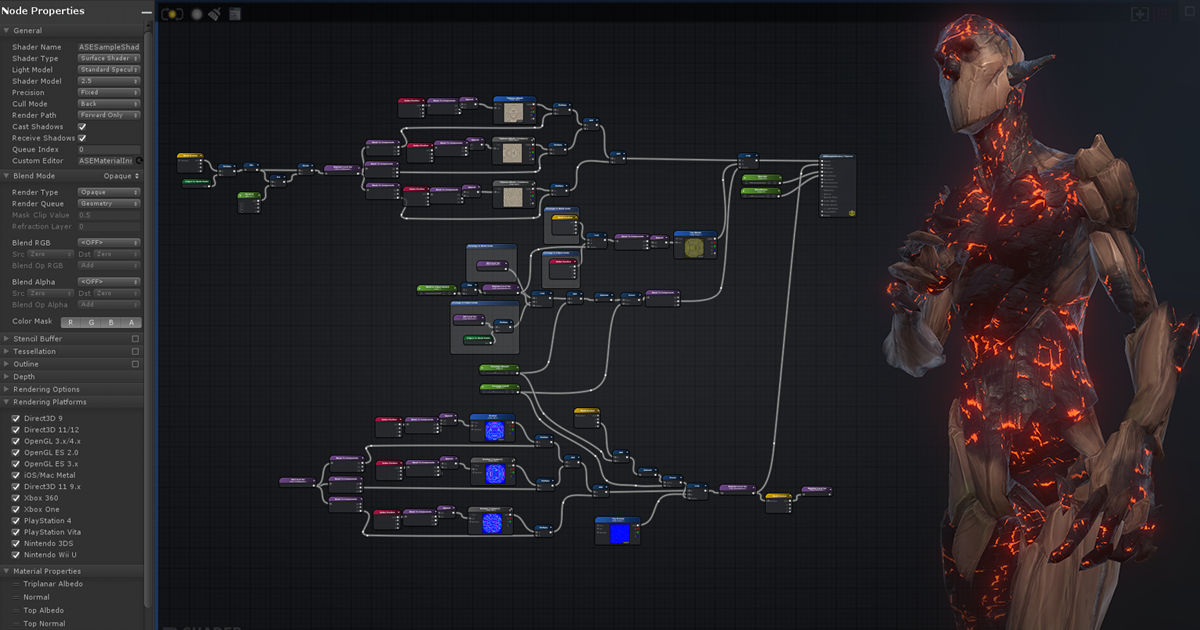
Get the Amplify Shader Editor package from Amplify Creations and speed up your game development process. Find this & other Visual Scripting options on the Unity Asset Store.
blissful burrow
is there a nice way to handle data you deserialize from ScriptedImporter into a scriptable object, and then save it back to the file itself?
basically I want to be able to modify the data inside of a custom file, by editing a SO, and then writing it back to the file
and before I start writing a whole caching system for this I figured I'd ask if there's a better way!
editing ScriptedImporter assets from the editor seems to be pretty, rare
all of what I'm doing is basically one giant workaround for not being able to make a ScriptedImporter for your ScriptableObject derived types
blissful burrow
I'm not entirely sure when to load/unload them from memory, and I also don't really know how Unity handles this
like if I select a prefab in the project view, and it shows up in the inspector, I presume Unity loads those assets into memory
but I don't know when it unloads them
and I think I have to do basically that, but manually, in my case
waxen sandal
It unloads on domain reloads most commonly I think
Or resources.unloadunusedobjects probably
blissful burrow
hm, ok
hmmm this tricky
like if a user starts editing a mesh (my custom SO data type), and then they change a script causing a domain reload, the mesh data should persist, since it's actively being used. but other meshes previously worked on and saved to disk presumably should get unloaded
blissful burrow
ok so here's the whole ass context for what I'm trying to solve c:
https://publish.obsidian.md/acegikmo/Unity+Plugins/Geo/Serialization+Woes
zenith estuary
I have a kinda cursed idea
Use https://docs.unity3d.com/ScriptReference/SceneManagement.EditorSceneManager.NewPreviewScene.html to create an isolated preview scene (this is what's used for prefab editing etc), and then you can freely create game objects, use regular components, etc, and it will all be serialized and persist between domain reloads. It's also "sandboxed" since it's a separate scene (and it also gets its own unique PhysicsScene so you can isolate physics queries as well).
You could store your "context" object in there
blissful burrow
hmmmm do you really have to use a dummy scene for that?
zenith estuary
There might be another way but that seems like one of the easier ways to make sure everything "just works"
You can use https://docs.unity3d.com/ScriptReference/ObjectFactory.CreateGameObject.html to create a game object directly into the scene without needing to manually do the MoveGameObjectToScene nonsense
blissful burrow
I think Objects can persist through assembly reloads right? or is it rather that their data persists but they themselves get discarded and recreated?
I could also use HideAndDontSave holders
or maybe hide but save idk
or no then it would go into the scene
zenith estuary
I'm not sure if HideFlags.DontSave prevents domain reload survival or not
I'd assume it doesn't
blissful burrow
I thought most Objects survived it, but I might be mixing it up with serialized data in general
zenith estuary
blissful burrow
I think Objects can persist through assembly reloads right? or is it rather that...
And the managed objects at the very least are discarded and re-serialized
I'm not sure if Unity maintains the native objects, but that doesn't really matter for the purposes of this scenario anyway
The managed objects sort of have to be discarded since the whole domain is torn down
blissful burrow
yeah I'm fine with the discarding and recreating, that doesn't really matter in my case as long as the data remains
so I'm pretty sure I can just use a floating SO instance
to store assembly reload safe data
zenith estuary
You may be able to yeah
blissful burrow
but the difficult question is more about when to unload it I think
like, if I load every mesh asset you interact with, at some point, someone might be loading too many
blissful burrow
yyyyees I believe so, right now you can only edit one at a time, but I will likely have to add support for multi editing eventually
and I want switching between meshes while editing them in the scene view to not have to go through an asset import/lag spike
zenith estuary
asset import is the bane of my existence
blissful burrow
so I could keep a cache of like, the last 10 meshes or something, and only unload the oldest when it tries to load the 11th mesh
zenith estuary
in our soon-to-be-abandoned lighting system we need to do one lightmap bake per light in a scene
and Unity naturally does a whole reimport process at the end of each bake
and it eats up so much time just doing that for nothing
blissful burrow
omg yeah we had sooo many issues with that in Budget Cuts
we had light switches for groups of lights, so, different LMs depending on light switch states
and uh yeah, it seemed like a nightmare to implement for many cursed reasons
very much fighting the engine instead of working with it ahah
zenith estuary
feels like I do that daily at this point lmao
I think I have multiple months worth of rants I could spew out someday
Even silly mundane things, like there being a private int GetMaterialCount() on Renderer. Why is that not exposed as public int materialCount { get; } or something??? I have to pay for an array allocation + copy every time I want to know how many materials are assigned to a renderer (which is important when dealing with static batched meshes)
blissful burrow
mmmmhm and how renderer.SetSharedMaterials(List<Material> m) doesn't truncate the size if m is smaller than the ones already on the renderer 💀
blissful burrow
what's the lifetime of asset importers?
can I store data on there and expect it to persist and keep its data during assembly reloads, even when the asset importer isn't open?
limber dove
Any idea why the property name of my property field in the sprite box gets cut off?

the property has unity-base-field__aligned so I'm unsure why the label is scaling wrong
visual stag
I've no idea how the aligning logic works, but I have doubts it's designed to handle multi-column layouts like this
 devout spruce
I'm trying to do some basic editor scripting to create a objective system of sorts and currently, objectives are stored in Scriptable objects that are created per level.
I've just created a script that updates the objectives however it requires me to assign the scriptable object manually each time the interaction script is used.
I was hoping by calling a singleton reference on a script that reference the Scriptable object, it would assign it automatically in the inspector however it just throws errors. Null Reference Exception which makes sense.
I'm definitely approaching this wrong so what would I need to do to get a reference to a variable from another script in the inspector?
The only code in question is a onValidate function and this
ObjectiveModify.LevelObjectiveSO = MapStats.local.ObjectivesList;
which doesn't work.
devout spruce
found a solution.
public ObjectiveListScriptableObject LevelObjectiveSO => Object.FindObjectOfType<MapStats>().ObjectivesList;
Might be better ways of doing but this will do for now
 south comet
hi im making an editorwindow

and these tickboxes are nigh unobservable because of the color of them blending perfectly into the background
any suggestions for a quick fix for this?
they are in a GUILayout.BeginVertical("textarea"); and if possible I would like to keep the group this color or at least some other color similar
south comet
disregard all of that, i just made it a button instead
but now about this position slider

...wheres the slider?

i can slide it but theres no visible slider
south comet
its back after a restart...
limber dove
Ah yes, the "it fixed itself after a restart" after a good long headache. Gotta love it
 frigid wave
Hello guys, I have a Serializable Object that contains a list of serializable classes that i populate with the onValidate Function.
Would love to be able to instead of having this, just having, for example, Attack - number input, Atk speed - number input, etc..
Would this be possible?
 gloomy chasm
frigid wave
Hello guys, I have a Serializable Object that contains a list of serializable cl...
gloomy chasm
frigid wave
Hello guys, I have a Serializable Object that contains a list of serializable cl...
You want to make a PropertyDrawer for your class that is in the list
limber dove
Man, I wish I knew how much that doing up custom drawers and tools can really improve workflow earlier in my time in unity. My designer absolutely loves it
frigid wave
yeah im really want to get this done as its a really good knowledge to have
One more doubt tho. I was able to remove the Stats group from my first container, how would i approach removing the rest of them?
here is my code. i've tried doing
[CustomPropertyDrawer(typeof(Attribute))]
public class AttributeContainer : PropertyDrawer
{
    public override VisualElement CreatePropertyGUI(SerializedProperty property)
    {
        // Create property container element.
        var container = new VisualElement();

        // Create property fields.
        var attackField = new PropertyField(property.FindPropertyRelative("startingValue"));

        // Add fields to the container.
        container.Add(attackField);

        return container;
    }
}
but this just removes all the fields tbh
 gloomy chasm
frigid wave
One more doubt tho. I was able to remove the Stats group from my first container...
gloomy chasm
frigid wave
One more doubt tho. I was able to remove the Stats group from my first container...
Not sure I follow what you are wanting to do?
frigid wave
uhm.. using my offensive stats as an example, id like it to be
Attack = [number field]
AttackSpeed = [number field]
...
with number field being the starting Value
Attack is of type Attribute(i created it), which is Serializable
gloomy chasm
frigid wave
One more doubt tho. I was able to remove the Stats group from my first container...
This code looks like it should do what you want. Make sure that it is using your attribute class and not the System.Attribute class.
frigid wave
uhm... that was a good hunch, but no i renamed my symbol and it has the same behaviour
gloomy chasm
frigid wave
uhm... that was a good hunch, but no i renamed my symbol and it has the same beh...
Hmm... try adding a debug.log to see if it is ever being called.
 gloomy chasm
frigid wave
it just shows like this:
gloomy chasm
frigid wave
it just shows like this:
Thats good. Not sure I understand what I am looking at
frigid wave
i wouldnt be able to do something like ?
var attackField = new PropertyField(property.FindPropertyRelative("attack/startingValue"));
so acessing a property inside the attack property
gloomy chasm
Yeah you can do that, but you use a . so attack.startingValue, or you can chain the FindPropertyRelative together property.FindPropertyRelative("attack").FindPropertyRelative("startingValue")
frigid wave
uhm.. i tried both ways and it didnt work. but good to know that that's a thing!
maybe it has to do with how my Attribute class is implemented?
[Serializable]
public class Attribute
{
    public Action<float> onTotalValueChanged;

    [field: SerializeField] public float startingValue { get; private set; }
    public float flatValue { get; private set; }
    public float TotalValue { get; private set; }

...
Oooh yeah
that will do it
The serialized field is the auto generated backing field of the property
limber dove
I need to take a deeper dive into unity serialization. I know there is tons I don't understand about the system. Some of the stuff there is pure magic to me atm
gloomy chasm
which is something like <startingValue>k__BackgingField
limber dove
Oh, is that how you get the backing field of an auto implemented property?
frigid wave
it is still not working.
this is my code right now
 public override VisualElement CreatePropertyGUI(SerializedProperty property)
    {
        // Create property container element.
        var container = new VisualElement();

        // Create property fields.
        var attackField = new PropertyField(property.FindPropertyRelative("attack").FindPropertyRelative("startingValue"));
        var attackSpeed = new PropertyField(property.FindPropertyRelative("attackSpeed").FindPropertyRelative("startingValue"));
        var attackRange = new PropertyField(property.FindPropertyRelative("attackRange").FindPropertyRelative("startingValue"));
        var critChance = new PropertyField(property.FindPropertyRelative("critChance").FindPropertyRelative("startingValue"));
        var accuracy = new PropertyField(property.FindPropertyRelative("accuracy").FindPropertyRelative("startingValue"));

        // Add fields to the container.
        container.Add(attackField);
        container.Add(attackSpeed);
        container.Add(attackRange);
        container.Add(critChance);
        container.Add(accuracy);

        return container;
    }
This is normal C# stuff, the [field: SomeAttribute] applies the attribute to the field of the auto implemented property
gloomy chasm
frigid wave
it is still not working.
this is my code right now
```
public override Visu...
Can you pop all of the classes involved in to a link and share it. I am having a hard time keeping track of what is where.
frigid wave
sure!
Pastebin
Pastebin.com is the number one paste tool since 2002. Pastebin is a website where you can store text online for a set period of time.
gloomy chasm
frigid wave
https://pastebin.com/GrYV8vFQ
Attribute is not included in this
frigid wave
Ohh snap, sorry
Pastebin
Pastebin.com is the number one paste tool since 2002. Pastebin is a website where you can store text online for a set period of time.
gloomy chasm
frigid wave
https://pastebin.com/5FQ04s62
Right, so as I was saying, the actual name of the serialized field for startingValue is the auto field <startingValue>k__BackingField. So when you do .FindPropertyRelative("startingValue") it is returning null since a serialize field with that name does not exist
I would recommend changing startingValue to have a manually implemented backing field with the [SerializeField] attribute
frigid wave
Ohh okay! I see what you mean now
Awesome, got it dude. Really appreciate your help !
gloomy chasm
Also unrelated. In your AttribteGroupContainer you initialize a value on serialize, I would really recommend against that. It can really easily lead to unexpected behavior later on. Like, if you changing it at runtime it won't trigger, bit (iirc) if you have the inspector open for it, it will trigger at runtime.
gloomy chasm
frigid wave
Awesome, got it dude. Really appreciate your help !
You're welcome, glad you got it working!
frigid wave
gloomy chasm
Also unrelated. In your `AttribteGroupContainer` you initialize a value on seri...
Im not changing it at runtime at all, its just so i can add arbitrary attributes to anything really. But can you think of a solution for what im building without doing that?
gloomy chasm
frigid wave
Im not changing it at runtime at all, its just so i can add arbitrary attributes...
It depends on what you want. Looks like the enum and stat classes are 1 to 1. In that case you could make a custom drawer for the AttributeWrapper that has a dropdown to select the AttributeWrapper type and assign it. Without having to use the AttributeGroupContainer at all or AtttributeGroup enum.
gloomy chasm
frigid wave
Im going to look into it. Thanks!
Sure thing, there is the static TypeCache class you can use to get all types derived from a specified class, which makes it much easier to do!
And SerializedProperty has a .managedReferenceValue property that you set to set the value of fields serialized with [SerializeReferene]
limber dove
Is there a better way to draw a model in the inspector other than the old preview render utility?
It does work to be fair but is there a dedicated way?
gloomy chasm
limber dove
Is there a better way to draw a model in the inspector other than the old previe...
You could use the asset preview depending on your needs. Otherwise, no that is the best way.
limber dove
gloomy chasm
You could use the asset preview depending on your needs. Otherwise, no that is t...
In the end, that's all I'm doing so that might work. Ty!
Though I suppose this doesn't work with multiple meshes and materials so it's probably more robust to use the preview render utility
limber dove
gloomy chasm
You could use the asset preview depending on your needs. Otherwise, no that is t...
The only issue I'm having with the renderer is centering the mesh. I know you can pass it a 4x4 Matrix for position scale and rotation but I need to somehow get the difference between the origin and the mesh bounds center. That's where I'm currently stuck
gloomy chasm
limber dove
The only issue I'm having with the renderer is centering the mesh. I know you ca...
What do you mean center the mesh?
Typically the way it is done is the mesh/gameobject is placed at 0,0,0 and you move the camera
limber dove
I want to have the mesh display so that the center of the bounding box of the mesh is the thing at 0,0,0 so that the camera can better orbit since the origin can sometimes be far away from the actual center
limber dove
gloomy chasm
Typically the way it is done is the mesh/gameobject is placed at 0,0,0 and you m...
That is how I'm handling the actual orbiting
gloomy chasm
limber dove
The only issue I'm having with the renderer is centering the mesh. I know you ca...
Can you share your current code then? Its been a bit since I touched the PRU API
limber dove
One moment, I gotta boot the pc
limber dove
gloomy chasm
Can you share your current code then? Its been a bit since I touched the PRU API
This is the primary method where I use PRU
I tried to transform the mesh like this previously but it really had no effect
gloomy chasm
limber dove
This is the primary method where I use PRU
Should be
var meshTransform = Matrix4x4.TRS(-meshToDisplay.bounds.center, Quaternion.identity, Vector3.one);
I think
gloomy chasm
limber dove
This is the primary method where I use PRU
Here is a little method I have to position the camera to show a full bounds
public static void PositionCamera3D(Camera camera, Bounds bounds, float distMultiplier)
        {
            float halfSize = Mathf.Max(bounds.extents.magnitude, 0.0001f);
            float distance = halfSize * distMultiplier;

            Vector3 cameraPosition = bounds.center - _rotation * (Vector3.forward * distance);

            camera.transform.SetPositionAndRotation(cameraPosition, _rotation);
            camera.nearClipPlane = distance - halfSize * 1.1f;
            camera.farClipPlane = distance + halfSize * 1.1f;
        }
The _rotation is base rotation for the camera
I have it set as Quaternion.Euler(20, -120, 0) which gives a nice angle.
And for distMultiplier a good value is 8
limber dove
gloomy chasm
Should be
```cs
var meshTransform = Matrix4x4.TRS(-meshToDisplay.bounds.center, ...
Wonderful, I see where I messed up in the transformations
limber dove
gloomy chasm
Here is a little method I have to position the camera to show a full bounds
```c...
OMG! TYSM!
 queen wharf
@visual stag I'm making a package to assist in custom content creation for a unity game (i won't elaborate more due to server rules) and I was interested in using your Debugging package, and ideally I would prefer not to have users install my package and your package (trying to make this very very entry level).
I see the project is under MIT license but it would feel weird to fork it just to repackage it myself, Any general thoughts on an ideal outcome? Anyway I can somehow reference this via a nuget package or similar? Fairly new to all of this so apologies if this is a weird question 😄
visual stag
If you use OpenUPM then you can reference it the way packages normally reference each other
queen wharf
First time hearing of this, If you don't mind can you kinda explain what that is for this kind of thing
Only very recently dipping my toes into any of this kinda workflow so not completely oblivious but a lot of gaps
visual stag
My package, and many others are hosted on OpenUPM. You can add your package easily https://openupm.com/packages/add/
If users add it via OpenUPM's registry—the way I list in the README of my package for example, then any dependencies will be resolved including other packages on OpenUPM
https://docs.unity3d.com/Manual/upm-dependencies.html see indirect dependencies
queen wharf
Right ok, is this kind of similar to how a nuget package works just in a unity package context?
visual stag
Yes
queen wharf
Ok thank you very much, Really appreciate the fast response. Will look into this 😄
 snow pebble
any one know how to display navmesh debug data the same way navmesh surface does?
i tried the settings option but it comes out like this which isn't the same, i dunno how they managed to draw the navmesh surface because theres no mention of it in their editor script
 queen wharf
@visual stag Sorry one more question regarding scoped registries, Would a user of my OpenUPM package need mine and your scope defined in the project settings or just mine
visual stag
I think they would need both
you can also add more specific scopes to not include everything listed under a user's packages
as packages from included scopes will appear in the package manager
visual stag
snow pebble
i tried the settings option but it comes out like this which isn't the same, i d...
what's the difference?
snow pebble
visual stag
what's the difference?
unity's navmesh surface shows colours based on areas for the agents, where as the navmesh settings just offers information on the navmesh generation
visual stag
NavMeshVisualizationSettings.showNavMesh is what they use. Is that what you've set?
snow pebble
this is what i want to display

yeh i have settings set to regions
then i tried polygons which is why you see in the gif it changes colours
regions dont appear to be the same as areas
NavMeshEditorHelpers.DrawBuildDebug(_navMeshController.Data, _debugFlags); i was using this
the docs shows no api for NavMeshVisualizationSettings
visual stag
It's internal
visual stag
snow pebble
how can i attach my generated navmesh data to that overlay editor script?
visual stag
It's not documented however it works, so I would be poking around what APIs they call into in the navigation package
snow pebble
i couldnt find any calls in navmesh surface or it's respective editor script other than drawing the bounds for the navmesh
visual stag
I presume it's by calling NavMesh.AddNavMeshData, they're appending that for preview
And evaluation... it's all internal
if your data isn't added to the internal structure, then you can't preview it like built-in. Unless there's another random exposed codepath, but that's doubtful
snow pebble
can the data be added to the internal structure though?
is that what the NavMesh class does?
i presume something like this :
        NavMeshBuilder.UpdateNavMeshDataAsync(_navMeshData, _settings, _sources, _bounds).completed += (h) =>
        {
            if (h.isDone)
                NavMesh.AddNavMeshData(_navMeshData);
        };
``` 🤔ah
that worked
thanks !
frigid wave
gloomy chasm
It depends on what you want. Looks like the enum and stat classes are 1 to 1. In...
Hey dude!
Decided to follow your approach and I almost have it working with some help of chatgpt.
The only problem is that whenever i add or remove objects from my list, the editor doesnt refresh correctly. Instead it justs collapses everything and only shows my buttons.
Ill send you the scripts
editor: https://pastebin.com/mFtjpirc
Drawers: https://pastebin.com/1WR2QFnk
gloomy chasm
frigid wave
Hey dude!
Decided to follow your approach and I almost have it working with so...
Can you show a video of what is hapening?
Just looking at the code I see a couple of things.
It is almost always bad practice to mix using SerializedObject and direct reference. Should (most times) just use one, and that one should be SerializedObject (supports dirtying, undo redo, and prefab overrides).
You can use the .managedReferenceValue property on a SerializedProperty that is serialized with [SerializeReference] to set the field to a instance you created (Like with Activator.CreateInstance)
serializedObject.Update() clears changes on the SerializedObject, and copies values from the target object.
While serializedObject.ApplyModifiedProperties() is the opposite, clearing changes to the target object and copies values to it from the serializedObject.
Repaint() is only used for IMGUI (OnInspectorGUI)
frigid wave
gloomy chasm
frigid wave
It is cause you are Applying and then updating. Just switching to using SerializedObject only will fix your issue (most likely)
frigid wave
so, just use apply properties?
gloomy chasm
frigid wave
so, just use apply properties?
Once you switch to setting the values only with SerializedObject/SerializedProperty. yeah
frigid wave
uhm... im probably going to be looking into it tomorrow
can i DM you for further problems?
gloomy chasm
I would prefer here incase I am not around others can help you 🙂
frigid wave
make complete sense. To be honest i got very very confused on the direct reference vs serialized object
so.. direct reference would be my target object, while serialized object is a propert thats given by the superclass?
gloomy chasm
frigid wave
so.. direct reference would be my target object, while serialized object is a pr...
Yeah, a direct reference (maybe there is a better name for it) is when you directly set a property on the target UnityEngine.Object. Like target.name = "Cool name";
gloomy chasm
frigid wave
so.. direct reference would be my target object, while serialized object is a pr...
Where as setting it with a serializedObject would be like
var nameProperty = serializedObject.FindProperty("m_Name"); // m_Name is the name of the serialized field that is backing the unity `name` property.

// this is now the same as doing `target.name = "Cool name".
nameProperty.stringValue = "Cool name";
// right now target.name has not changed to be "Cool name" yet.

// this applies the modified properties (we modified `name`) to the `target` object.
serializedObject.ApplyModifiedProperties();

// target.name now equals "Cool name".
Not sure if that helps or not.
If you are familiar with C# reflection, it is basically the same concept, but with the added step of needing to apply the changes instead of them happening right away. If you are not familar with reflection, then ignore this haha
frigid wave
yeah, i m starting to get into reflection and all that stuff, been learning a lot latelly but still have to wrap my head around everything. One thing thats making it hard for me right now is handling the actual list of StatsGroup
so...
 var type = availableTypes.FirstOrDefault(t => t.Name == typeName);
        if (type != null)
        {
            StatsGroup newInstance = Activator.CreateInstance(type) as StatsGroup;
            if (newInstance != null)
            {

                attributeGroupsProperty.ar.Add(newInstance);
im not sure what to do with attributeGroupsProperty to add a new object into it(it is a list of statsGroup)
gloomy chasm
frigid wave
so...
```
var type = availableTypes.FirstOrDefault(t => t.Name == typeName);
...
You do arrayProperty.arraySize++
And then to set the instance
arrayProperty.GetArrayElementAt(arrayProperty.arraySize - 1).managedReferenceValue = newInstance;
frigid wave
ok. the removing is working fine, but i adding still requires me to go ahead and forcefully refresh the object
gloomy chasm
frigid wave
ok. the removing is working fine, but i adding still requires me to go ahead and...
Cool, share the code again?
frigid wave
Pastebin
Pastebin.com is the number one paste tool since 2002. Pastebin is a website where you can store text online for a set period of time.
gloomy chasm
frigid wave
https://pastebin.com/XKP1MbJz
You could try applying the modified properties before refreshing the list? 🤔
frigid wave
no, not working :/
but i believe that has to do with the dropdown, as my UpdateAvailableTypes is actually wrong. Im having trouble getting the object type from the list of managed references
 gray belfry
So i've got this specific issue, https://issuetracker.unity3d.com/issues/scenes-do-not-reopen-after-a-build-when-more-than-one-scene-was-opened-and-visual-scripting-with-variables-is-used to be exact. So when i build a player with multiple scenes open, not all the scenes will reopen (due to a confirmed bug in Visual Scripting). I thought I could work around this with a pre/post process script, https://hastebin.com/share/ufosikivif.csharp , but i end up with this (see gif), it reopens and then closes all scenes but one.
My question is, any hints on how to mitigate this bug? Gob knows how long it will take for Unity to fix it. Abandoning VisualScripting is also not really an option as my whole quest system is build around it.

Reproduction steps: 1. Open the attached “Scenes.zip” project 2. Make sure at least two or three Scenes are opened in the Hierarchy ...
Hastebin is a free web-based pastebin service for storing and sharing text and code snippets with anyone. Get started now.
 peak pawn
Is there a callback for when a new object is selected in the hierarchy ?
Or a way to know if this is the current selected object ?
supple willow
gray belfry
So i've got this specific issue, https://issuetracker.unity3d.com/issues/scenes-...
Tried wrapping it up with a Editor.delayedCallback ?
 north sphinx
So I have this, which serializes abstract SerializeReference interface array for me (where elem is individual array element).
But it seems like internal fields inside of tihs PropertyField do not respect any custom property drawers. For example, I have one which works in monobehaviour inspector, but doesn't work from within this drawer.
                    var propertyField = new IMGUIContainer(() =>
                    {
                        var height = EditorGUI.GetPropertyHeight(elem, true);
                        var rect = EditorGUILayout.GetControlRect(true, height, typeName);
                        EditorGUI.BeginProperty(rect, new GUIContent(typeName), elem);
                        EditorGUI.PropertyField(rect, elem, new GUIContent(typeName), true);
                        EditorGUI.EndProperty();
                    });
Any idea what I'm doing wrong?
gloomy chasm
north sphinx
So I have this, which serializes abstract `SerializeReference` interface array f...
What does 'doesn't work' mean? And is this a property drawer or a editor or editor window?
north sphinx
gloomy chasm
What does 'doesn't work' mean? And is this a property drawer or a editor or edit...
this is property drawer that overrides UITK version
but inside of it I do this IMGUI
and it doesn't respect custom property drawers inside
so if I have property drawer for type X normally working
inside of this IMGUICOntainer - it doesn't work
it just gives me default inspector
gloomy chasm
north sphinx
and it doesn't respect custom property drawers inside
Does your custom drawer that isn't working have a OnGUI override?
north sphinx
it does
gloomy chasm
north sphinx
it does
Hmm... And I assume there is a reason you are using a IMGUI container?
north sphinx
yes, UITK PropertyField is hot garbage
gloomy chasm
north sphinx
yes, UITK PropertyField is hot garbage
-_-
gloomy chasm
Literally the entire inspector is using it... so...
north sphinx
and you have to reselect object
gloomy chasm
There is a higher chance that it is user error than it is buggy. Not saying that you might not be having issues with it. But it is more likely that it has to do with your implementation.
north sphinx
btw
gloomy chasm
But regarding your issue
north sphinx
UITK property field does not support those also
neither OnGUI or UITK version
Side question (alternative that I am attempting):
Is there a way to access and "fill" built in search window?
gloomy chasm
I would simplify, just have a [SerializeReference] MySubType subType = new mySubType();
And just get that and draw it using your IMGUI thing
gloomy chasm
north sphinx
Side question (alternative that I am attempting):
Is there a way to access and "...
You mean open the Unity Search window (the 'new' one?)
north sphinx
new or old, doesn't matter
I want to open it
and I want to fill it with objects I want
gloomy chasm
Yeah you can open the new Search window or Search Picker window from there https://docs.unity3d.com/ScriptReference/Search.SearchService.html
north sphinx
I mean
I am making custom search engine 😅
and I need UI specifically
not search engine
this is what I'm inheriting from
if I could inherit something else
so Instead I can rely on existing window and engine (advanced)
but it will use my own search algorythm - that will be ok with me as well
built in search window is super nice with previews and such, so I don't want to reimplement it on my own
gloomy chasm
Ahh I see... yeah ya gotta re-implement it on your own as far as I can tell. The docs seem to reflect that https://docs.unity3d.com/ScriptReference/SearchService.ObjectSelectorEngineAttribute.html
north sphinx
well, it seems like it supports not just whole engine
but also selector

at least, this is telling me that
but so far I couldn't find any relevant info on how do I add my own selectors
gloomy chasm
Yeah not sure, I there was a repo of QuickSearch samples you could try to find and see if they have anything useful. Otherwise I would dive in to the source code and see where it that selector UI and work backwards from there to see how it is used and how to add one.
gloomy chasm
Not sure I follow
north sphinx
all existing advanced search engine code is injected c++
gloomy chasm
Like, this is (seems) to be the default implementation
And here is the settings it seems
gray belfry
supple willow
Tried wrapping it up with a `Editor.delayedCallback` ?
thanks! that tip pointed me to the obvious solution of just adding await Task.Delay(1000) , works fine until they fix the bug
north sphinx
hmm. Is there a thread safe API to check for components on game objects?
gameObject.HasComponent(Type)
I want to call it from within job/non-main thread
so I don't block main thread during search
blissful burrow
what determines the order of sub-assets for ScriptedImporter?
short tiger
blissful burrow
what determines the order of sub-assets for ScriptedImporter?
I'm not sure. Is it not the order of AddObjectToAssets or alphabetical?
blissful burrow
that's what I guessed but it doesn't seem to be!
not the add order, not the object names, and not the identifier
(from what I can tell)
blissful burrow
I still can't figure it out 
it seems to at least group by type, and within types, they're sorted by name, as far as I can tell
but I don't know what determines the type order, it doesn't seem to be based on type name
oh maybe the unity source has something
short tiger
I tried to look for it. The order which the project window displays sub assets appear to come down to this native method, similar to SerializedProperty.Next.
https://github.com/Unity-Technologies/UnityCsReference/blob/851a7bd0368323e3485c2aebf42b72d9ca979884/Editor/Mono/HierarchyProperty.bindings.cs#L174
Used here to iterate and add to the tree view.
https://github.com/Unity-Technologies/UnityCsReference/blob/851a7bd0368323e3485c2aebf42b72d9ca979884/Editor/Mono/GUI/TreeView/AssetsTreeViewDataSource.cs#L240
blissful burrow
hmm I hope that's not a dead end
short tiger
I also found this comment, which suggests it's sorted using EditorUtility.NaturalCompare, but I think that may be only for main assets, not sub assets.
https://github.com/Unity-Technologies/UnityCsReference/blob/851a7bd0368323e3485c2aebf42b72d9ca979884/Editor/Mono/GUI/TreeView/AssetsTreeViewDataSource.cs#L429
Seems like a dead end to me 😔
 short tiger
If I had to guess what determines type order, it would be the MonoScript ID, if they are user defined types, or the internal IDs if they are built-in asset types.
blissful burrow
hmm ok! I'll keep digging
 inner stratus
Has anyone had this problem with the localization package? I have tables for mobile tutorial images and PC tutorial images, but when I try to select a LocalizedSprite in the inspector, only one of the mobile ones shows up
 zenith estuary
north sphinx
hmm. Is there a thread safe API to check for components on game objects?
zenith estuary
north sphinx
hmm. Is there a thread safe API to check for components on game objects?
Nope
The component list could technically change while the other thread is running, and while you could ensure yourself that it won't happen, Unity prefers not to expose APIs like that
 tepid prairie
Hey all, anyone know of the best way to make an object field respect only taking certain types of script, whilst still being draggable?
IE. I have an ObjectField that currently takes "StateMachineBehaviour" (of which I have multiple classes that inherit) but none of the inherited classes are draggable into the objectfield.
gloomy chasm
tepid prairie
Hey all, anyone know of the best way to make an object field respect only taking...
Are you trying to drag the .cs file in...?
tepid prairie
gloomy chasm
Are you trying to drag the .cs file in...?
Yep, from project
gloomy chasm
tepid prairie
Yep, from project
You can't do that, since a .cs file is of type MonoScript
 wanton monolith
Does anyone know how ordering of menu items work for items that are a few submenus deep. Aka if I have
MenuItem("Foo/Bar", 2) and MenuItem("Lorem/Ipsum", 3) how does the root menu(one with Foo and Lorem) get sorted? It definitely is affected by the order(priority) number but honestly I can't figure it out exactly.
 deep bear
I have some .ts and .tsx files in a subdirectory of my project folder separate from Assets, and would like to be able to select these files from a field in a script's inspector. The underlying value just needs to uniquely identify the file - the file itself won't be read from or written to.
I'm wondering if I can provide something like an Object Picker which would target this directory and filter for these files despite them not being assets. And either way, what if anything I should look into or begin researching.
Edit: ahhh - maybe an AdvancedDropdown
tepid prairie
gloomy chasm
You can't do that, since a .cs file is of type `MonoScript`
Ty! Fixed it with that info
 abstract olive
is there a function that runs every frame in the editor, regardless of whether the user is moving the mouse or not?
abstract olive
it's fine, I figured it out lol
gloomy chasm
The answer is EditorApplication.update if anyone was wondering about the above question.
 blissful glen
Can copy Particle System Curves into Animation Curves Field by using custom Editor ?

 blissful burrow
blissful glen
Can copy Particle System Curves into Animation Curves Field by using custom Edit...
blissful burrow
blissful glen
Can copy Particle System Curves into Animation Curves Field by using custom Edit...
specifically through an editor script? bc one workaround in practice might be to use presets, save preset in particle editor, and load in animation curve editor
Is there a nice way to reference editor-only assets in a ScriptedImporter?
it doesn't have the same default references thing that MonoBehavior scripts have
and I can't use asset database in OnImportAsset nor in a static constructor with [InitializeOnLoad]
blissful burrow
ok I managed to get around it using AssetImportContext.DependsOnArtifact(guid)
supple willow
north sphinx
hmm. Is there a thread safe API to check for components on game objects?
If it's a specific component that you can edit, I'd do it reverse. Let the components add themselves to some static field, say, a dictionary<gameobject,myComponent>
north sphinx
supple willow
If it's a specific component that you can edit, I'd do it reverse. Let the compo...
nah, just wanted a custom search functionality
as in, find all prefabs with specific monobeh
supple willow
Think you're out of luck then
blissful glen
blissful burrow
specifically through an editor script? bc one workaround in practice might be to...
thank you
gloomy chasm
north sphinx
as in, find all prefabs with specific monobeh
Just in case it is really all you need. Unity Search does have a way of finding all prefabs with a specific component (I can't remember if it is only on the first GO or not though)
north sphinx
gloomy chasm
Just in case it is really all you need. Unity Search does have a way of finding ...
I was trying to not use it
but either way
we found our peace with it
just had to disable indexing of properties
so we don't get 5 second stutter each time we change float field
gloomy chasm
Ahh yeah, that makes sense
north sphinx
was kind of hard to find that it even has settings though
 winter torrent
I have an EditorGUILayout.Popup Im wondering if I can access the index that the mouse is hovered on without actually selecting it?
gloomy chasm
winter torrent
I have an EditorGUILayout.Popup Im wondering if I can access the index that the ...
Nope
blissful burrow
is there a way to activate that scene view filter mode that happens when everything turns white except the stuff that matches your scene search results, without using reflection?
 willow jackal
blissful burrow
is there a way to activate that scene view filter mode that happens when everyth...
willow jackal
blissful burrow
is there a way to activate that scene view filter mode that happens when everyth...
No idea, but you might be able to get something similar by using custom shaded scene. https://docs.unity3d.com/ScriptReference/SceneView.AddCameraMode.html
SceneView.SetSceneViewShaderReplace https://docs.unity3d.com/ScriptReference/SceneView.SetSceneViewShaderReplace.html
 outer crystal
Anyone know how to determine what the Unity Type of a generic named file with extension of '.asset' is?
I'm trying to use the assetDatabase to load all files in a project ( excluding .meta). Most work fine with LoadMainAsset, except for a bunch of files that have this generic .asset extension. In unity I can see these are all Mesh types, so I can use LoadAssetAtPath and specify Mesh, but I don't want to hard-code that assumption. Since Unity clearly indicates in the inspector these files are of Mesh type, it must know what they are. I checked the ImporterType but thats just AssetImporter.
snow pebble
outer crystal
Anyone know how to determine what the Unity Type of a generic named file with e...
when you load assets they are of type Object you will then have to do:
if(asset is Mesh mesh){
   //do w.e with mesh
}
you could use a switch statement for cleaner code
if you use addressables which you should then you can load by type straight away
far easier
outer crystal
snow pebble
when you load assets they are of type `Object` you will then have to do:
```
if(...
Sorry I wasn't clear. assetDatabase.LoadMainAssetAtPath() will fail and return null on the path to one of the se .asset files. The only way to load it is via assetDatabase.LoadAssetAtPath(0, but that requires a type. Guess I could try an object type for that load and see what happens
snow pebble
you've lost me
the function doesn't requite a type it just requires a path it only returns the top level asset not the subassets
outer crystal
public static Object LoadAssetAtPath(string assetPath, Type type);
assetDatabase.LoadMainAssetAtPath() will return null with a file having the '.asset' extension
snow pebble
right but how do you not know the type?
you can see it in the folder
if you dont know the type dont use a function that requires type specificity
outer crystal
The files are created by Synty Studios for custom collision meshes. i think they have an internal tool and it spits out the mesh as a unity .asset file. I think they literally copy the library data into the project. I seem to remember doing similar things with grabbing generated shaders in order to fix things in the past
snow pebble
right so the type is Mesh
outer crystal
snow pebble
if you dont know the type dont use a function that requires type specificity
I'd love to, but there doesn't seem to be one
snow pebble
no matter the type it will save as .asset but it will find it if you state Mesh
outer crystal
The type in question this time is a mesh, but as I beleive you can extract this .asset data for any Unity type I don't think thats guaranteed in general.
snow pebble
if they are mesh assets then the type has to be mesh
what else could they potentially be?
outer crystal
anything - i think these are litterally the data found in the Unity Library but with '.asset' appended. I know I'[ve seen this done elsewhere but can't remember
snow pebble
all assets have .asset at the end
if we are talking about assets for mesh colliders it must be a Mesh type
ignore the fact it is .asset at the end thats not relevant
outer crystal
Opps - sorry - i just opened one of them in texteditor and its just the unity YAML format.
I guess of a typical Mesh
I'll check
gloomy chasm
Yeah, there is no reason that LoadMainAtPath should return null.
outer crystal
'all assets have .asset at the end' yes thats why I need an aganostic solution. In this case they are meshes, but they don't have to be
gloomy chasm
outer crystal
'all assets have .asset at the end' yes thats why I need an aganostic solution. ...
We are saying that something is broken if LoadMain is not working.
outer crystal
Example of one of the .asset files

So this is more like how Unity stores data in scene files. as though it was extracted
gloomy chasm
This is just how Unity stores stuffs.
But to answer your question. There is AssetDatabase.GetMainAssetTypeAtPath(..)
Again though... should not be needed
outer crystal
GetMainAsset filas on these files it returns null
this is how the file looks when selected in inspector
 gloomy chasm
I know, and I and Sir said that it should be returning something. And it sounds like a bug if it is not.
outer crystal
What can I say, the following code
Object mainAsset = AssetDatabase.LoadMainAssetAtPath(relPath);
if ( !mainAsset ) Debug.Log( $"MainAsset [{mainAsset}]");
returns 'MainAsset []' in console.
mainAsset is null!
Its not a bug becuase I don't think unity expects it. maybe ther is no mainAsset?
outer crystal
So it looks like the first suggestion from Sir of using typeof(object) with LoadAssetAtPath will work.
mainAsset = AssetDatabase.LoadAssetAtPath(relPath, typeof(object));
That will load the object and mainAsset.GetType() returns the correct Type, so I can work out a way to cast it if I need to.
 sweet knoll
Not sure if this is an #↕️┃editor-extensions or #🖼️┃2d-tools question.
I'm making a custom Tile Palette Brush class that extends GridBrushBase.
Right off the bat with a new class that only has the CustomGridBrush attribute and nothing else, the "Active Tilemap" dropdown field in the Tile Palette Window is disabled only when I have this custom brush selected.
Anyone know what I'm supposed to do to enable the dropdown for the brush?
using UnityEngine;
[CustomGridBrush(true, true, true, "TeshBrush")]
public class TestBrush : GridBrushBase
{
}``` blazing knot
is there a way to make a monobehaviour not run in the prefab editor, but still run in the scene in edit mode?
atm no matter what I try, the script goes and destroys things in prefab mode but I only want it to run when the object is spawned into the scene
neat hinge
blazing knot
is there a way to make a monobehaviour not run in the prefab editor, but still r...
Found a stackoverflow that may help. :)
https://stackoverflow.com/questions/56155148/how-to-avoid-the-onvalidate-method-from-being-called-in-prefab-mode

Stack Overflow
I have a gameobject as instance prefab in my scene. I have added a component that have a monobehaviour with a validation logic in OnValidate method. But I've noticed that the OnValidate method is a...
supple willow
neat hinge
Found a stackoverflow that may help. :)
https://stackoverflow.com/questions/5615...
interesting that the "Update 1" is the correct answer yet Bing doesn't recognize it as one because it's not marked as an Answer
blissful glen
Are these ways to optimize performance and memory when i am force to use "Repaint()" in Update function of EditorWindow?
My stragery is using "const string" to reducing GC
Also, is there any way you often using?
blazing knot
neat hinge
Found a stackoverflow that may help. :)
https://stackoverflow.com/questions/5615...
oo that's much better than what I came up with, thanks :)
what I settled on was checking if the scene name was the same as the gameobjects name but of course that only works if the script is on the root of the prefab
supple willow
blissful glen
Are these ways to optimize performance and memory when i am force to use "Repain...
It's best to use Repaint only if absolutely necessary. Doing it once in a while is no big deal, but doing it every frame consumes a lot of CPU power. Other than that, you can use the Profiler to find the worst parts of your code and fix from the top. It's hard to get an Editor optimized and as such a lot of devs (even Odin devs) just leave it unoptimized and it works anyways, even the Project window of Unity itself used to be too heavy until I think 2022 (probably changed to UITK)
blissful glen
Thank you
gloomy chasm
supple willow
It's best to use Repaint only if absolutely necessary. Doing it once in a while ...
(project window is still very much IMGUI, and hasn't been touched with UIToolkit. It has had very little changes actually. So more likely that it is just a perceived performance difference)
visual stag
They have optimised tree view a few times iirc. I'd have to look at the diff to confirm but I also remember it being improved from a blog or something similar ...
 valid ridge
Hey,
I wrote a script for my prefab.
Created 500 game object with different positions. (Clones)
How to link them back to blue link prefab? I have to more modifications and don't want to make.them manually for each
 muted cave
valid ridge
Hey,
I wrote a script for my prefab.
Created 500 game object with different posi...
muted cave
valid ridge
Hey,
I wrote a script for my prefab.
Created 500 game object with different posi...
Don't use Instantiate(), you need to use https://docs.unity3d.com/ScriptReference/PrefabUtility.InstantiatePrefab.html instead
snow pebble
any one know how to add a mesh preview window that untiy has when you select a mesh object i want to have that in my custom editor
 dawn root
Is there any way to call editor boxselect in code? I have a bounding box I want to find objects in. But Physics.Overlap won't work as some objects(linerenderers) don't have colliders. Unity's boxselect seems to work on them though.
gloomy chasm
dawn root
Is there any way to call editor boxselect in code? I have a bounding box I want ...
Bounds, no. Rect, yes https://docs.unity3d.com/ScriptReference/HandleUtility.PickRectObjects.html
dawn root
gloomy chasm
Bounds, no. Rect, yes <https://docs.unity3d.com/ScriptReference/HandleUtility.Pi...
Good enough. Thanks.
 plush spade
How do I know when an editor window is completely closed by closing tab?
If I close the window, the same methods are triggered (OnInVisiable - Disable - Destroy), if I maximize another window, the same methods work in the same order.
When I maximize another window and then minimize it, I try to restore the remaining state because my editor window is created again, but I'm stuck, can anyone help me?
plush spade
Is there something that will allow me to make this distinction?
sweet knoll
sweet knoll
Not sure if this is an <#533353544846147585> or <#763500535554375750> question.
...
The answer to this is, I need to make another class that extends GridBrushEditorBase, add the [CustomEditor(typeof(TestBrush))] attribute above the class, and override the "validTargets" property of GridBrushEditorBase.
 pearl geyser
its possible to draw someting like xyz axis for custom editor? like I want to click button and this xyz axis shows up and edits vector3 property when I move this axis in scene
 gloomy chasm
pearl geyser
its possible to draw someting like xyz axis for custom editor? like I want to cl...
gloomy chasm
pearl geyser
its possible to draw someting like xyz axis for custom editor? like I want to cl...
Yup, you want to use the Handles.PositionHandle method to draw the actual xyz handle. And you would call it from inside Editor OnSceneGUI
pearl geyser
hmm thanks, now I thinking if I created gameobject with HideFlags HideAndDontSave and I want to just have this object as like preview, not selectable in scene view how I can do this? I trying SceneVisibilityManager.instance.DisablePicking(previewSpawner, true); but no luck
atomic sable
I think if you set the flags NotEditable and HideInInspector it can’t be selected?
atomic sable
pearl geyser
hmm thanks, now I thinking if I created gameobject with HideFlags HideAndDontSav...
And I would avoid using HideAndDontSave, instead just use DontSave and HideInHeirarchy. HideAndDontSave also sets DontUnloadUnusedAssets so to my knowledge you have to call DestroyImmediate on it yourself or else you get memory leaks
zenith estuary
Made a tool that allows you to view the code generated by the JIT, similar to the Burst inspector https://github.com/DaZombieKiller/JitInspector
Refer to the readme for how you can also configure the JIT to enable more optimizations than Unity has turned on by default.

(Contributions welcome  )
)
 golden grove
Hey all! Just wondering if anyone knows anything I could refer to for creating custom inspector GUI for classes in an array, from what it appears buttons don't show when a class is a part of an array, I am currently trying to create a button which adds an instance of a class to a list *(as a part of a nested array, screenshot for context). If anyone has any idea of how this could be done I'd be greatly appreciative, thanks!
 waxen sandal
You probably want to create a property drawer for the inner element that creates a ReorderableList yourself, you can then open a dropdown from the + button to show multiple types (or just create the one you want)
golden grove
waxen sandal
You probably want to create a property drawer for the inner element that creates...
That sounds fantastic, I'll give it a shot, thanks!
golden grove
waxen sandal
You probably want to create a property drawer for the inner element that creates...
As a quick follow-up if you don't mind, I'm just wondering if that would be done by creating a CustomPropertyDrawer for my "Frame" class, or my "AttackComponent" class? My Frame class stores the List of "AttackComponent" but if I am trying to modify the "+" of the AttackComponent I assume it'd be modifying the "AttackComponent" rather than the "Frame" class?
supple willow
zenith estuary
Made a tool that allows you to view the code generated by the JIT, similar to th...
wow 👏🔥
winter torrent
I'm a bit stumped here. This correctly draws both Attack Data and Anim Controller. But I can only assign Attack Data in the editor. Anim Controller is visible but the button to open the asset selection menu does nothing and I also can't drag in an AnimatorController manually.
The strangest part for me is that if I switch the Rects that they use. I get the exact opposite problem (I can assign Anim Controller but not Attack Data)
 visual stag
winter torrent
I'm a bit stumped here. This correctly draws both Attack Data and Anim Controlle...
visual stag
winter torrent
I'm a bit stumped here. This correctly draws both Attack Data and Anim Controlle...
Position.height is not an appropriate height to use for both controls
They probably just overlap each other
winter torrent
They don't draw on top of each other.
Even so if I change them to use EditorGUIUtility.singleLineHeight it looks identical with the exact same behavior
winter torrent
I figured it out I think... I wasn't overriding GetPropertyHeight in the PropertyDrawer which I guess is necessary?
 kindred matrix
Unity just crashed on me and gave me this warning. I reopened it and am having no problems now. I'm wondering if I should move everything into a new project file just to be safe though.

I didn't remove MemoryStream as I've never encountered this before, but everything seems to be working perfectly fine.
visual stag
winter torrent
I figured it out I think... I wasn't overriding GetPropertyHeight in the Propert...
Yes. You need to both set the height correctly and allocate enough height.
Or just use UIToolkit and don't deal with any of that
supple willow
visual stag
Yes. You need to both set the height correctly and allocate enough height.
Or ju...
UITK has layout system even for property drawers?
Cool. Didn't know that
waxen sandal
It'd be a massive pain to use a system like UITK without that support 😉
(It's still a pain but slightly smaller)
 glad breach
Hey guys, noob here, I have a question (don't know if this is the correct channel but I may need an editor extension for what I want). I want to know if there is a fast way to know which point is which in a 2d polygon collider. I want to check which of the hundreds of points in the array is this one so I can modify one on the left of the map to have the same coordinates but negative X. Any tip about making symmetrical colliders would be appreciated too. Thanks in advance.


 whole steppe
anyone know of any .net libs i can use to make a vitual audio input from a unity application, or even a .net lib to make one myself?
or maybe an extention to allow me to do so?
please @ me if you reply to me so i can find the reply im asking in like 6 diffrent discords.
 pale sequoia
Does Unity have a way to intercept the Delete event in the hierarchy view?
I want to pop up a warning if someone tries to delete something in the editor based on certain criteria as a safety measure.
golden grove

Does anyone happen to know how to override the functionality of these buttons (circled) or create a separate button directly after the "Attack Components" array? I'm trying to add a dropdown of subclasses to be able to add, currently this button just add an instance of the parent shell class to the array, any help would be greatly appreciated!
waxen sandal
golden grove
As a quick follow-up if you don't mind, I'm just wondering if that would be done...
Oh right, I went home for the day and forgot
golden grove
Haha, it's all good! I've been trying to piece together your suggestion for a bit with no luck unfortunately. 😭
waxen sandal
You'll want to create a property drawer that create a ListView for your AttackComponents list (bind it using a serializedProperty), you can then do this trick to override the behaviour of the add button https://discussions.unity.com/t/how-to-customize-the-itemsadded-for-a-listview/857045/5
You can then show a dropdown using https://docs.unity3d.com/ScriptReference/GenericMenu.html
golden grove
waxen sandal
You'll want to create a property drawer that create a `ListView` for your `Attac...
Ah, I see! So:
[CustomPropertyDrawer(typeof(AttackComponent))]
would be the type of CustomPropertyDrawer and not for the "Frame" class?
waxen sandal
And in that callback, use SerializedProperty.InsertArrayElementAtIndex to add the new item to your collection
waxen sandal
golden grove
Ah, I see! So:
```cs
[CustomPropertyDrawer(typeof(AttackComponent))]
```
would ...
A property drawer for AttackComponent will only draw the content of the list item, but can't influence the actual list behaviour
So you need a property drawer for whatever contains the list
Which is Frame
golden grove
Oh, okay perfect. Appreciate it! Just trying to get the basic understanding on how custom inspectors operate, if I create a "CustomerPropertyDrawer" for my Frame class, I am essentially creating this:

from scratch I assume?
waxen sandal
Yeah
golden grove
waxen sandal
Yeah
Okay, I had assumed so. I appreciate it! Just thought I'd confirm haha!
public override void OnInspectorGUI()
    {
        DrawDefaultInspector();

        // Access the array property
        SerializedProperty attackComponentsArray = serializedObject.FindProperty("attackComponents");
        ListView newAttackComponentsListView = new ListView();

        newAttackComponentsListView.bind(attackComponentsArray);


        serializedObject.ApplyModifiedProperties();
    }
Currently this is what I've got, unfortunately I cannot figure out a way to bind the "attackComponentsArray".
Online I'm being told there should be a ".bind" function however I am only seeing ".bindItem", should I be looping through the "attackComponentsArray" and calling .bindItem for each child of "attackComponentsArray"?
waxen sandal
I'd recommend using CreatePropertyGUI instead of OnInspectorGUI https://docs.unity3d.com/ScriptReference/PropertyDrawer.html
There's 2 ui systems
CreatePropertyGUI is using UITK which is the newer sysstem
Which is easier for this
golden grove
Oh, okay! I'll have a look.
golden grove
waxen sandal
I'd recommend using CreatePropertyGUI instead of OnInspectorGUI https://docs.uni...
Hey, this seems to be a much more elegant solution by the looks of it and I'm pretty sure I've got the hang of constructing the PropertyDrawer, my only issue is now I am quite unsure how to actually create or instantiate the dropdown menu itself, it seems it's been successfully overridden as now I get an object reference error when trying to press the "add" button, however my menu isn't popping up at all unfortunately. Very likely this is an issue with the menu itself as the default example for "GenericMenu" doesn't seem very basic in terms of what is actually making up the base of the menu. Here's what I'm trying which is currently returning an object reference error:
newAttackComponentsListView.Q<Button>("unity-list-view__add-button").clickable = new Clickable(() => // OBJ Ref Line
        {
            AddAttackComponentMenu menu = new AddAttackComponentMenu();

            menu.titleContent = new GUIContent("MyEditorWindow");

        });
Here's the current menu which I have referenced, https://docs.unity3d.com/ScriptReference/EditorWindow.html to create:
public class AddAttackComponentMenu : EditorWindow
{
    public void CreateGUI()
    {
        // Each editor window contains a root VisualElement object
        VisualElement root = rootVisualElement;

        // VisualElements objects can contain other VisualElement following a tree hierarchy
        Label label = new Label("Add Attack Component");
        root.Add(label);

        // Create button
        Button button = new Button();
        button.name = "Movement Data";
        button.text = "Button";
        root.Add(button);

    }
}
You don't need that editor window at all
            GenericMenu menu = new GenericMenu();

            // forward slashes nest menu items under submenus
            AddMenuItemForColor(menu, "RGB/Red", Color.red);
            AddMenuItemForColor(menu, "RGB/Green", Color.green);
            AddMenuItemForColor(menu, "RGB/Blue", Color.blue);

            // an empty string will create a separator at the top level
            menu.AddSeparator("");

            AddMenuItemForColor(menu, "CMYK/Cyan", Color.cyan);
            AddMenuItemForColor(menu, "CMYK/Yellow", Color.yellow);
            AddMenuItemForColor(menu, "CMYK/Magenta", Color.magenta);
            // a trailing slash will nest a separator in a submenu
            menu.AddSeparator("CMYK/");
            AddMenuItemForColor(menu, "CMYK/Black", Color.black);

            menu.AddSeparator("");

            AddMenuItemForColor(menu, "White", Color.white);

            // display the menu
            menu.ShowAsContext();```
This is the relevant bit to create and show a menu
I've been fiddling around with this for awhile trying a bunch of workarounds or ideas and can't seem to figure out how to invoke a method to insert the "AttackComponent" into the array, I keep being asked for a "GenericMenu.MenuFunction" of some sort which I can't seem to find any proper documentation on what that means 
All I'm trying to figure out is how to add a simple button that would invoke a void function which inserts to my array, I just can't seem to find any good info on what a "MenuFunction" actually means haha.
waxen sandal
It's just a parameterless function
If you want to pass parameters you have to use a lambda e.g. () => OnAttackComponentSelected(param1)
golden grove
waxen sandal
If you want to pass parameters you have to use a lambda e.g. `() => OnAttackComp...
Oh, I see! Thank you.
 tacit dagger
I want to make this serializable asset to have a dropdown of choices for range type ```using UnityEditor;
using UnityEngine;
[CreateAssetMenu(fileName = "Card", menuName = "Create a Card.", order = 1)]
public class CardAssetCreator : ScriptableObject
{
public string Name;
public int Dexterity;
public int Intelligence;
public int AttackPower;
public int Defense;
public int Energy;
public int Health;

public bool IsHeroCard;

public AttackCreator[] Attacks;
}
[System.Serializable]
public class AttackCreator
{
public string AttackName;
public string RangeType = new AttackDropDownChooser().RangeType;
}
[CustomEditor(typeof(AttackDropDowns))]
public class AttackDropDownChooser : Editor
{
public string RangeType;
public override void OnInspectorGUI()
{
base.OnInspectorGUI();
    AttackDropDowns script = (AttackDropDowns)target;
    GUIContent RangeArray = new GUIContent("RangeArray");
    script.RangeIndex = EditorGUILayout.Popup(RangeArray, script.RangeIndex, script.RangeArray);
    RangeType = script.RangeArray[script.RangeIndex];
}
}
public class AttackDropDowns : MonoBehaviour
{
public int RangeIndex;
public string[] RangeArray = new string[] { "Box Around", "Circle Around", "Cone InFront", "Line In Front", "Line Behind", "Line To The Right","Line To The Left"};
}

chatgpt gave me an explanation and I understand what I did wrong.
golden grove
waxen sandal
And in that callback, use [SerializedProperty.InsertArrayElementAtIndex](https:/...
attackComponentsArray.InsertArrayElementAtIndex(attackComponentsArray.arraySize);
attackComponentsArray.GetArrayElementAtIndex(attackComponentsArray.arraySize - 1);
In my "GetArrayElementAtIndex" how would I add a serialized instance of my "AttackComponent" subclasses for example my "MovementData" class here:
[System.Serializable]
public class AttackComponent
{
    protected Player player;

    public virtual void Invoke() { }

}

[System.Serializable]
public class MovementData : AttackComponent
{
    [SerializeField]
    public float xVelocity;
    [SerializeField]
    public float yVelocity;

    public override void Invoke()
    {
        player.SetVelocityX(xVelocity);
        player.SetVelocityY(yVelocity);
    }
}
I can't seem to find any documentation pertaining to adding such types unfortunately.
waxen sandal
golden grove
waxen sandal
https://docs.unity3d.com/ScriptReference/SerializedProperty-managedReferenceValu...
void OnAttackComponentSelected(AttackComponent component)
{
   var componentScriptableObject = ScriptableObject.CreateInstance(component.GetType());
   var componentSerializedObject = new SerializedObject(componentScriptableObject);

   attackComponentsArray.InsertArrayElementAtIndex(attackComponentsArray.arraySize);
   attackComponentsArray.GetArrayElementAtIndex(attackComponentsArray.arraySize - 1).objectReferenceValue = componentSerializedObject;
}
I appreciate the continued help! I don't think I fully understood setting the element with the values created by serializing the component as I am now getting an error trying to "implicitly convert type "SerializedObject" to "UnityEngine.Object". Am I correct in saying this is creating a new "instance" of my "AttackComponent" correctly, meaning I just need to convert my SerializedObject to a "Object" or am I straight up entirely setting the wrong type of value, I'm very sorry for all the questions, I am very appreciative of all the help! 🫂
waxen sandal
Oh it's just the instance
Also scriptable object?
Activator.CreateInstance is prob what you want, idk what ScriptableObject.CreateInstance does with non unity types
golden grove
My "AttackComponent" isn't a scriptableobject, I am unsure of what the exact instantiation is called but I am trying to add the same instance that would be created if you made an array of my "MovementData" and pressed the "+" to add a new instance of it, without all the gameobjects that scriptableobjects create to my knowledge.
waxen sandal
var componentScriptableObject = Activator.CreateInstance(component.GetType());
   attackComponentsArray.InsertArrayElementAtIndex(attackComponentsArray.arraySize);
   attackComponentsArray.GetArrayElementAtIndex(attackComponentsArray.arraySize - 1).objectReferenceValue = componentScriptableObject ;
This should do it
golden grove
waxen sandal
Activator.CreateInstance is prob what you want, idk what ScriptableObject.Create...
Hmm, I'm not too sure what an "Activator" is do I need a new namespace potentially?
 waxen sandal

Creates an instance of the specified type using the constructor that best matches the specified parameters.
using system probbaly
golden grove
ah, alright!
😭 I never knew there was even a difference, I assume I should just cast it?
 waxen sandal
https://docs.unity3d.com/ScriptReference/SerializedProperty-managedReferenceValu...
waxen sandal
waxen sandal
https://docs.unity3d.com/ScriptReference/SerializedProperty-managedReferenceValu...
You're using the wrong field I think
it's managedReferenceValue
golden grove
newAttackComponentsListView.Q<Button>("unity-list-view__add-button").clickable = new Clickable(() =>
        {
            GenericMenu menu = new GenericMenu();

            MovementData newMovementData = new MovementData();
            menu.AddItem(new GUIContent("Movement Data"), true, () => OnAttackComponentSelected(newMovementData));

            menu.ShowAsContext();
        });
``` Also, even with a fully setup function the top line is passing a object reference error on each "add" button click, do you see anything missing possibly that could be causing that? The error doesn't really provide much context either, unfortunately.What error exactly
golden grove
 waxen sandal
What line is that
golden grove
golden grove
```cs
newAttackComponentsListView.Q<Button>("unity-list-view__add-button").click...
top line on here
is line 32
golden grove
I'm not entirely sure, isn't debug mode exclusive to play mode?
Oh it's not, I'm on release mode I believe.
 golden grove
Switching now, I'll get the updated error
golden grove
waxen sandal
Your errors are not accurate because of code optimization
I don't think I'm getting any updated errors unless I'm debugging it incorrectly, I can expand the error and provide that if that'd help though, my compiler's debugger is finding no issues.
NullReferenceException: Object reference not set to an instance of an object
AttackComponentsEditor.CreatePropertyGUI (UnityEditor.SerializedProperty property) (at Assets/New Player/EquipmentHandler/WeaponComponents/Editor/WeaponEditor.cs:32)
Time to add debug logs
I'm guessing it can't find the serializedproperty for some reason
golden grove
waxen sandal
I'm guessing it can't find the serializedproperty for some reason
do I possibly need to add more parameters to my "ListView" declaration? I didn't find too much exact references for it so I sort of inferred what I should do.
I logged the "attackComponentsArray" SerializedProperty and it wasn't null, however my "ListView" returned:
ListView (x:0.00, y:0.00, width:NaN, height:NaN) world rect: (x:0.00, y:0.00, width:NaN, height:NaN)
Is it maybe possible that it was improperly declared for this context?
SerializedProperty attackComponentsArray = property.FindPropertyRelative("attackComponents");
        var attackComponentsArrayField = new PropertyField(attackComponentsArray);


        ListView newAttackComponentsListView = new ListView();
        Debug.Log(newAttackComponentsListView);

        // Overriding Default add button to custom dropdown.

        void OnAttackComponentSelected(AttackComponent component)
        {
            var componentScriptableObject = Activator.CreateInstance(component.GetType());
            attackComponentsArray.InsertArrayElementAtIndex(attackComponentsArray.arraySize);
            attackComponentsArray.GetArrayElementAtIndex(attackComponentsArray.arraySize - 1).managedReferenceValue = componentScriptableObject;
        }

        newAttackComponentsListView.Q<Button>("unity-list-view__add-button").clickable = new Clickable(() =>
        {
            GenericMenu menu = new GenericMenu();

            MovementData newMovementData = new MovementData();
            menu.AddItem(new GUIContent("Movement Data"), true, () => OnAttackComponentSelected(newMovementData));

            menu.ShowAsContext();
        });
See if it can find the button
Also, I guess you don't have to create a listview since you're drawing the property field instead
try searching for the button in that
golden grove
Debug.Log("button: " + newAttackComponentsListView.Q<Button>("unity-list-view__add-button"));
This Button log returns:

but yeah, the actual function doesn't return any of the debug log statements inside, so the function isn't being called at all.
waxen sandal
Yeah it can't find the button for some reason
Try using the uitk debugger to figure out whether that's the rightname
golden grove

That's a pretty cool feature to know though, but yeah the name seems correct, I even copied and pasted to double check 😕
 sleek pelican
heya, im working with PreviewRenderUtility and for some reason the render seems to be either way too bright, or way too dark, depending if i change allowScriptableRenderPipeline in the render, anyone know why or how to fix this?


 short path
This is like super minor and not really important BUT
Is it possible to make the part in orange render inside the default inspector somehow (either of the two spots that are red),
or is it possible render part of the default inspector, the custom inspector, and then the rest of the default inspector
Else else is it possible to just move or remove the part saying what script it is !!
I've tried googling this but couldn't find anything, however I am relatively new to custom inspectors and stuff so don't 100% know the correct terms to look up

i do realize I could serialize everything through the editor script instead but I feel like theres gotta be a way maybe
waxen sandal
golden grove
That's a pretty cool feature to know though, but yeah the name seems correct, I ...
tbh not sure without further debugging
golden grove
waxen sandal
tbh not sure without further debugging
Yeah, I'm not too sure. I opened my Unity project today and got a couple errors when opening the project. Again, not too sure what they stem from but I'd assume likely the same editor script.
 waxen sandal
That looks unrelated
golden grove
Strange, yeah. Not too sure. I get the entire log for the actual NullReferenceException if that could help, but I'm not too sure what to look for in terms of debugging.
 waxen sandal
What's 36?
golden grove
newAttackComponentsListView.Q<Button>("unity-list-view__add-button").clickable = new Clickable(() =>
same problem line as before unfortunately.
waxen sandal
Yeah I figured
golden grove
I've tried logging a bunch of stuff and it all seems to return except for the log inside the actual function.
waxen sandal
golden grove
This thing is actually a button component right?>
It's not a empty parent or something
golden grove

 visual stag
golden grove
That's the button this picture represents
visual stag
golden grove
That's the button this picture represents
Note that PropertyField's construction is deferred until the root gets Bind called on it
waxen sandal
Yeah that was going to be my next guess
golden grove
visual stag
Note that PropertyField's construction is deferred until the root gets Bind call...
That'd probably be it, I'm not calling bind on my PropertyField at all in my script. I'm only adding it using the ".Add" function to my ListView, do I need to bind it to an object beforehand?
visual stag
No. The editor calls bind later
You should subscribe to the GeometryChangedEvent and wait for the field to be populated. It's clunky but the way they recommend
golden grove
visual stag
You should subscribe to the GeometryChangedEvent and wait for the field to be po...
I see, where would I find reference on how to do that? Sorry I'm quite new to Editor scripting as a whole.
visual stag
golden grove
visual stag
https://discussions.unity.com/t/propertyfield-children-can-only-be-queried-after...
Upon trying to save the changes my entire Unity crashed, safe to assume I didn't do it correctly haha.
container.RegisterCallback<GeometryChangedEvent>(ExecuteDeferredTask);

        void ExecuteDeferredTask(GeometryChangedEvent evt)
        {
            newAttackComponentsListView.Q<Button>("unity-list-view__add-button").clickable = new Clickable(() =>
            {
                Debug.Log("button clicks");
                GenericMenu menu = new GenericMenu();

                MovementData newMovementData = new MovementData();
                menu.AddItem(new GUIContent("Movement Data"), true, () => OnAttackComponentSelected(newMovementData));

                menu.ShowAsContext();
            });
        }
would this not be the proper solution to calling my function after the initial UI build?
using UnityEditor;
using UnityEngine;
using UnityEngine.UIElements;
using UnityEditor.UIElements;
using System;


[CustomPropertyDrawer(typeof(Frame))]
public class AttackComponentsEditor : PropertyDrawer
{
    public override VisualElement CreatePropertyGUI(SerializedProperty property)
    {
        var root = new VisualElement();

        SerializedProperty attackComponentsArray = property.FindPropertyRelative("attackComponents");
        var attackComponentsArrayField = new PropertyField(attackComponentsArray);

        ListView newAttackComponentsListView = new ListView();
        Debug.Log(newAttackComponentsListView);

        void OnAttackComponentSelected(AttackComponent component)
        {
            var componentScriptableObject = Activator.CreateInstance(component.GetType());
            attackComponentsArray.InsertArrayElementAtIndex(attackComponentsArray.arraySize);
            attackComponentsArray.GetArrayElementAtIndex(attackComponentsArray.arraySize - 1).managedReferenceValue = componentScriptableObject;
        }

        Debug.Log("button: " + newAttackComponentsListView.Q<Button>("unity-list-view__add-button"));

        root.RegisterCallback<GeometryChangedEvent>(ExecuteDeferredTask);

        void ExecuteDeferredTask(GeometryChangedEvent evt)
        {
            newAttackComponentsListView.Q<Button>("unity-list-view__add-button").clickable = new Clickable(() =>
            {
                Debug.Log("button clicks");
                GenericMenu menu = new GenericMenu();

                MovementData newMovementData = new MovementData();
                menu.AddItem(new GUIContent("Movement Data"), true, () => OnAttackComponentSelected(newMovementData));

                menu.ShowAsContext();
            });
        }

        newAttackComponentsListView.Add(attackComponentsArrayField);

        root.Add(newAttackComponentsListView);

        return root;
    }
}
This is the entire script, currently my assumption is that the "root.RegisterCallback<GeometryChangedEvent>(ExecuteDeferredTask)" is not being property initiated in some way as my Unity is now crashing intermittently.
waxen sandal
You probbaly need to unsubscribe
golden grove
waxen sandal
You probbaly need to unsubscribe
as I'm seeing scrolling further on the linked forum, this fix has been broken in more recent versions of Unity as other people are complaining.
Supposedly I am better off using the new "Binding" system which I suppose I'll look into.
SerializedProperty attackComponentsArray = property.FindPropertyRelative("attackComponents");
var attackComponentsArrayField = new PropertyField(attackComponentsArray);

attackComponentsArrayField.BindProperty(attackComponentsArray);
I've now removed all the outdated "ExecuteDeferredTask" code and added the above binding to the SerializedProperty which is still giving a "NullReferenceException" error unfortunately on the initial problem line, I am quite unsure how to actually confirm what the issue is. Would my initial errors shown above have any correlation to the errors I am encountering in this Editor script?
blissful glen
How to make my connection enum popup layout same Layers enum GUILayout of unity ?
 golden grove
I think I've made progress, instead of my error being button related it is now due to this line:
newAttackComponentsListView.Add(attackComponentsArrayField);
where "newAttackComponentsListView" is a ListView and "attackComponentsArrayField" is a "PropertyField" does anyone know the proper way to add a PropertyField to a ListView?
golden grove

"hierarchy.Add" on the ListView is also not working as intended. The button is not recognized if I add it that way, as-well as a bunch of obviously unintentional bugs in the inspector when adding that way.
golden grove
waxen sandal
Show your code
Just got back booting Unity now!
SerializedProperty attackComponentsArray = property.FindPropertyRelative("attackComponents");
        var attackComponentsArrayField = new PropertyField(attackComponentsArray);

        ListView newAttackComponentsListView = new ListView();

        newAttackComponentsListView.Add(attackComponentsArrayField);
newAttackComponentsListView.Add(attackComponentsArrayField);
is the line which draws the error, the error goes away if I do the recommended "newAttackComponentsListView.hierarchy.Add()" but I don't think that's actually adding anything to the ListView.