#↕️┃editor-extensions
1 messages · Page 23 of 1
 carmine bone
But Editor yes
If anyone know show to assign an animclip to the motion fields in a blendtree without resetting things like parameters and thresholds etc. pls ping me 🙏

maybe in a recursive way but im not that advanced, pls let me know
(figured it out, can just reconstruct the blendtree)
 wary plover
Does anyone know of a way to keep your test Assets in com.mypackage/Tests/ from importing into everyone's projects? The test assemblies get excluded (great!) but the assets in that folder still get imported.. which causes import errors because they depend on the test assemblies. -.-
 tardy pecan
Is there a way to add new entries to the context menu of another component? For example if I wanted to add something to the Rigidbody context menu
 visual stag
tardy pecan
Is there a way to add new entries to the context menu of another component? For ...
tardy pecan
visual stag
https://docs.unity3d.com/ScriptReference/MenuItem.html
visual stag
tardy pecan
Is there a way to add new entries to the context menu of another component? For ...
tardy pecan
visual stag
https://docs.unity3d.com/ScriptReference/MenuItem.html
Oh thanks! Missed the CONTEXT/Rigidbody/Double Mass thing!
 shell beacon
Hello guys. I'm working on an editor extension to upload to the Unity's Asset Store and wondered if I can use Asset Labels on some\all of the files
https://docs.unity3d.com/Manual/Searching.html#:~:text=in the results.-,asset labels,-A label is
 gloomy chasm
shell beacon
Hello guys. I'm working on an editor extension to upload to the Unity's Asset St...
gloomy chasm
shell beacon
Hello guys. I'm working on an editor extension to upload to the Unity's Asset St...
What do you mean?
 waxen sandal
Probably different plugins but this channel is not for getting your IDE to work
Try #💻┃unity-talk or something
 indigo condor
hi everyone... Does anyone knows how could i solve this little bug that makes the add data boxhelp to get smaller when it doesn't fit the window?

 gloomy chasm
indigo condor
hi everyone... Does anyone knows how could i solve this little bug that makes th...
gloomy chasm
indigo condor
hi everyone... Does anyone knows how could i solve this little bug that makes th...
I know this isn't helpful. But have you considered using UIToolkit? It would work so much better and easier for the type of UI you are doing.
indigo condor
gloomy chasm
I know this isn't helpful. But have you considered using UIToolkit? It would wor...
a few more people have said me that too... but appart from the UI, the asset logic is made for IMGUI (cause when i started with my asset i didn't knew about ui toolkit) so, changing all it would take me a few more time... and honestly i really like the visual part of it xD.
gloomy chasm
indigo condor
a few more people have said me that too... but appart from the UI, the asset log...
More time than you have spent trying to get this tiny section of the UI to work? 😉
And logic is super easy to port over most of the time. (Having ported complex UIs from IMGUI to UIToolkit my self)
indigo condor
gloomy chasm
More time than you have spent trying to get this tiny section of the UI to work?...
Hmm, good point of view
gloomy chasm
For reference, to create the layout how you want in UIToolkit, it is 5 elements, and setting ~3 properties. flexDirection = Row, width = 25% flexGrow = 1
indigo condor
and @gloomy chasm wich elements do you think i need for setting up the ui im currently doing?
 gloomy chasm
indigo condor
and <@131292153300123648> wich elements do you think i need for setting up the ...
gloomy chasm
indigo condor
and <@131292153300123648> wich elements do you think i need for setting up the ...
If we exclude all the controls and just focus on the layout. You just need VisualElements to act as containers
indigo condor
gloomy chasm
If we exclude all the controls and just focus on the layout. You just need Visua...
like menu and styles?
gloomy chasm
indigo condor
like menu and styles?
I would read a intro to UIToolkit
Getting started docs: https://docs.unity3d.com/Manual/UIE-simple-ui-toolkit-workflow.html
Unity Learn: https://learn.unity.com/tutorial/ui-toolkit-first-steps
indigo condor
gloomy chasm
I would read a intro to UIToolkit
do you know how could i change the margin color?

to add that kinda darker space
 gloomy chasm
indigo condor
do you know how could i change the margin color?
gloomy chasm
indigo condor
do you know how could i change the margin color?
First thing, in the "library" panel, click on the 3 dots icon and select the "Editor extension" option. Then go top right of the "Viewport" panel and switch from the "runtime" theme to the active editor theme.
indigo condor
ohh, muchh better
 shell beacon
gloomy chasm
What do you mean?
shell beacon
gloomy chasm
What do you mean?
Hi man how are you? 🙂
I Just wondered if it's a good practice to use labels for shipped assets.
indigo condor
@gloomy chasm do you know why i can't see the window? https://paste.ofcode.org/x4r3PCbYbGNDnKzdNex3sf


it's probably my code...
i've found it on the web
visual stag
Use CreateGUI, don't use OnEnable
indigo condor
visual stag
Use CreateGUI, don't use OnEnable
it still being empty
 visual stag
Check if there's anything under the root element at all using the UI Toolkit Debugger
(right click on the editor tab to find it)
and check whether the function is called at all; double-checking it's all running
I can't see anything immediately wrong
indigo condor
visual stag
Check if there's anything under the root element at all using the UI Toolkit Deb...
it's like it exists

but it's kinda invisible
visual stag
Concerning error in the console
You should really not be sending the root visual element to the back
Don't touch that element except to add to it
 violet solstice
Is there a way to show this window and get the result? It's the one that normally shows up when you click the icon next to texture2d assets in the default inspector. Guessing not normally and I'll have to find an alternate solution... :\

Tried searchin here, on google, and askin chatgpt, but no luck.
 real spindle
Also interested, please ping me if you get an answer
indigo condor
visual stag
Concerning error in the console
done!
indigo condor
how could i move the splitter under the buttons?

i used an slider cause i didnt find any kinda splitter
xd
gloomy chasm
@violet solstice @real spindle If you use IMGUI you can use commands Event.current.command, but that is a pain and doesn't work for UIToolkit. So I use a internal method that has a callback This is some code I ripped out of my utility class (AccessUtility is just a wrapper around reflection) https://gdl.space/ifinoqazod.cs
gloomy chasm
indigo condor
how could i move the splitter under the buttons?
What do you mean how? Like visually or or in the hierarchy, or...?
Also, if you want a splitter like how you can drag it to resize the left and right sides like the in the project browser. Then in the UXML you can use a TwoPlaneSplitView. It just isn't in the UIBuilder for some reason.
Hoever, if you just need it to be a visual line. No reason to use a slider. Just use a normal VisualElement, set its height to 2 or whatever, and have it flexGrow.
 vague spear
Is it possible to call a method exactly once when changing a toggle in custom editor? Tried using EditorGUI.EndChangeCheck() but is called every frame. Using propertyfield for a toggle.
...
EditorGUILayout.PropertyField(boolVar, new GUIContent("Is bool"));
Can you show what you mean as change check should work
vague spear
gloomy chasm
Can you show what you mean as change check should work
Here is my current code:
EditorGUILayout.PropertyField(originalBlockMode, new GUIContent("Block Mode? (Initial)"));

// Initialize Mode
if (EditorGUI.EndChangeCheck())
{
    GatorBlock gator = (GatorBlock)target;
    gator.InitializeMode(originalBlockMode.boolValue);
}
Am I missing something?
gloomy chasm
vague spear
Here is my current code:
```
EditorGUILayout.PropertyField(originalBlockMode, n...
No that looks correct assuming you have a BeginChangeCheck above the PropertyField. If you debug.log it, does it get called multiple times? (I am explicitly asking for a debug.log so I know that something somewhere else isn't going funky)
indigo condor
gloomy chasm
What do you mean how? Like visually or or in the hierarchy, or...?
Also, if you ...
it's just the line... how could i change it's color...? i can't change it on bg
 vague spear
gloomy chasm
No that looks correct assuming you have a BeginChangeCheck above the PropertyFie...
vague spear
gloomy chasm
No that looks correct assuming you have a BeginChangeCheck above the PropertyFie...
whoops missed the BeginChangeCheck
real spindle
gloomy chasm
<@206590646184574976> <@136926228341850112> If you use IMGUI you can use command...
Thanks, but what do you mean with Event.current.command? Isnt that just the command/windows key?
(I'm still using IMGUI but plan on migrating to UITK)
Oh you probably mean commandName?
gloomy chasm
Uhh, yeah, it is forever since I did it that way.
https://docs.unity3d.com/ScriptReference/EditorGUIUtility.ShowObjectPicker.html
https://discussions.unity.com/t/how-do-i-use-editorguiutility-showobjectpicker-c/83996/2
gloomy chasm
indigo condor
it's just the line... how could i change it's color...? i can't change it on bg
You change the color in the Background section on the right of the UIBuilder window.
indigo condor
gloomy chasm
You change the `color` in the `Background` section on the right of the UIBuilder...
not working
 gloomy chasm
indigo condor
not working
gloomy chasm
indigo condor
not working
Did you set the hight like I said?
indigo condor
yep
 gloomy chasm
Also, I really recommend you reading up on it more, it will make it far easier for you to use quickly
gloomy chasm
indigo condor
yep
That is the max height
indigo condor
gloomy chasm
That is the max height
and what do you mean...? sorry for being that hard 😅
 gloomy chasm
indigo condor
not working
gloomy chasm
indigo condor
not working
Ahh, the Color field in Background, the alpha is 0!
indigo condor
gloomy chasm
Ahh, the `Color` field in `Background`, the alpha is 0!
oh my bad hehe
thanks!
indigo condor
and one last thing @gloomy chasm... is there any way to change the margin color?

or i need to add a visual element manually
gloomy chasm
indigo condor
and one last thing <@131292153300123648>... is there any way to change the margi...
No, that is not how margin works. If you want a colored border, then use the border properties. And if you want just want space between the edge of the background and the contents, then use padding. Margin is just adding space between the bounds of the element and all other elements around it.
indigo condor
right
 uneven shore
Hi all! I've been struggling to code an inspector list field in a particular way and found this post from a couple of weeks ago where someone else is looking for the same thing:
https://discussions.unity.com/t/modify-behavior-of-editors-draganddrop-on-list-t/330337
There haven't been any answers yet so I thought I'd share in case anybody can help 😀

Unity Discussions
TLDR; How do you drop an object from the heirarchy onto a List in the inspector, where is a custom class that contains one and two integers? I have a custom class . The class has a GameObject parameter and two integer parameters. I have a List object that I can see in the inspector. In the heirarchy, I have a bunch of GameObjects. I wish ...
gloomy chasm
uneven shore
Hi all! I've been struggling to code an inspector list field in a particular way...
It's probably cause the List is using the event if I had to guess. Meaning you would need to do your Drag and Drop logic before drawing the list.
uneven shore
gloomy chasm
It's probably cause the List is using the event if I had to guess. Meaning you w...
But how can I know if dragging on top of the list before drawing the list? 😅 Any example of this would be much appreciated!
gloomy chasm
uneven shore
But how can I know if dragging on top of the list before drawing the list? 😅 An...
Yeah it isn't nice, there is no nice way to do it haha. You could draw it specifically, then after it in Repaint use GUILayoutUtility.GetLastRect() possibly get and store the rect in a field and use that to know.
Might have to surround the list with a EditorGUILayout.BeginVertical as that returns a rect
GUILayoutUtility.GetLastRect() might return the last element in the list. I don't remember off the top of my head, but I think that is the case now that I think of it.
I personally would use UIToolkit for it as it is much easier to do in that.
uneven shore
Oo so if I draw the property with UI Toolkit instead then it'd be easy to modify the drag-to-list-header behaviour?
visual stag
100%
uneven shore
Oo then I am definitely interested! 😀 Although I've not done inspector drawers with UI Toolkit before. Any hello-world pointers, particularly around using Unity's existing list display?
visual stag
The only real problem you'll face is that UITK is not immediate, so ProperyField is built after a Bind callback, which is then delayed. So creating the list via PropertyField you will probably need to register a GeometryChangedEvent or similar and then query for the right element to register your drag callback to; and you'll need to unregister the GeometryChangedEvent to make sure that doesn't occur constantly when you're done.
UITK is generally not simpler; it's just that most things are possible, when they would just be impossible in IMGUI
Though, there's a lot less unreadable IMGUI bullshit, just replacing it with and a lot more events and queries
uneven shore
Yeah cool. I actually use UITK for the game's main UI lol, I've just never used it for inspector scripting, so I need a primer on how to hook things up in that context. But thanks for mentioning that GeometryChangedEvent! Definitely would not have known to look for that
visual stag
Very odd to use it in the context where it's not yet recommended, but to have avoided in the one where it's been recommended for years 😛
uneven shore
Hmm @visual stag I've managed to use a visual element as a property drawer, however it's being used inside the list. e.g. I'm not controlling how the list itself is displayed, but how each individual element inside the list is 🤔 This means I can't modify the list header's drag behaviour?
visual stag
What version of Unity are you using?
uneven shore
2022.3.19f1
visual stag
You can't target collections in that version of Unity; so you'll have to make an editor and query from there
vague spear
Hello, got an issue where hitting play mode resets a serialized variable. What I'm doing is that I have an editor property field for changing varX and also have another editor script that has a button that validates everything and so happens to be that varX is changed as well. All good in editor but when hitting play varX resets back when it is changed through the other editor script.
it is though 🤔
 boreal aurora
oh my bad
visual stag
vague spear
Hello, got an issue where hitting play mode resets a serialized variable. What I...
You're going to have to send your code
 rustic meadow
Hey! I'm doing custom editor and for some reason I can not drag and drop TextMeshProUGUI value.
public TextMeshProUGUI titleText; <- in monobehaviour class
slider.titleText = (TextMeshProUGUI)EditorGUILayout.ObjectField("TMPro title", slider.titleText, typeof(TextMeshProUGUI), false); <- editor class
I have used this same way to add custom audio managers and stuff, but why it does not work for TextMeshProUGUI ?
boreal aurora
Change it to TMP_Text
visual stag
Is there a reason you have specified false to scene objects?
rustic meadow
visual stag
Is there a reason you have specified false to scene objects?
I'm so stupid... thank you!
indigo condor
which is the difference between a visual element or a groupbox?
 hollow ore
anyone knows how to apply shader to the editor camera? I wrote a raymarching shader, but I can only visualize it by applying a material with this shader to the mesh, and it is really tedious
 urban atlas
Hello . I am attempting to build an app with Geospatial from AR core. On a Mac. I’m getting an error message regarding the installation of “CocoaPods” ? Has anyone else encountered this? Any suggestions on resolving it ? Thanks

 terse hazel
I'm unsure on how to track the value of a SerializedProperty with UI Toolkit/UIElements, what should I use for that?
I want to track the target's positionUnitsBackingField and execute some code whenever that changes, but the code I wanna execute should know the previous value as well.
I know you can use RegisterValueChangeCallback() for things like IntegerField but AFAIK, that isn't possible for a general PropertyField?
RegisterValueChangeCallback can only register those with a SerializedPropertyChangeEvent argument, but those don't store the previous value from what I can tell.
var row = ux.AddChild(InspectorUtility.PropertyRow(serializedObject.FindProperty(() => Target.CameraPosition), out _));

SerializedProperty positionUnitsProp  = serializedObject.FindProperty(() => Target.positionUnitsBackingField);
PropertyField      positionUnitsField = new (positionUnitsProp, label: "") { style = { flexGrow = 2, flexBasis = 0 } };
row.Contents.Add(positionUnitsField);

//...

//ERROR: Expected a method with 'void PositionUnitsChanged(SerializedPropertyChangeEvent)' signature
positionUnitsField.RegisterValueChangeCallback(callback: PositionUnitsChanged);
void PositionUnitsChanged(ChangeEvent<PathIndexUnit> evt)
{
    Debug.Log("oldUnits: " + evt.previousValue + " newUnits: " + evt.newValue);

    Target.UpdateDistanceForPositionUnits(evt.previousValue, evt.newValue);
}
I thought I'd be clever and do this, which doesn't give me any errors/warnings, but that doesn't call the PositionUnitsChanged at all
// Store the initial value
PathIndexUnit previousUnits = Target.positionUnitsBackingField;

// Handle change event manually
positionUnitsField.RegisterCallback<ChangeEvent<PathIndexUnit>>(PositionUnitsChanged);
void PositionUnitsChanged(ChangeEvent<PathIndexUnit> evt)
{
    PathIndexUnit newUnits = evt.newValue;
    Debug.Log("oldUnits: " + previousUnits + " newUnits: " + newUnits);

    Target.UpdateDistanceForPositionUnits(previousUnits, newUnits);
    // Update previous value for the next change
    previousUnits = newUnits;
}
This works.
Still unfortunate something like the prior doesn't work, but if it works it works.
Are there any alternative ways to do it, what's the proper way to do it here?
PathIndexUnit previousUnits = Target.positionUnitsBackingField;
ux.TrackPropertyValue(positionUnitsProp, TrackPositionUnits);
void TrackPositionUnits(SerializedProperty p)
{
    PathIndexUnit newUnits = (PathIndexUnit) p.enumValueIndex;
    Debug.Log("oldUnits: " + previousUnits + " newUnits: " + newUnits);

    Target.UpdateDistanceForPositionUnits(previousUnits, newUnits);
    // Update previous value for the next change
    previousUnits = newUnits;
}
 alpine bolt
I'm having an issue where the first item of a List built with PropertyField went on a walk.
 alpine bolt
terse hazel
I'm unsure on how to track the value of a `SerializedProperty` with **UI Toolkit...
alpine bolt
terse hazel
I'm unsure on how to track the value of a `SerializedProperty` with **UI Toolkit...
You can get the IntegerField and whatever field you draw with PropertyField. The thing is, when the PropertyField gets attached to the panel (AttachToPanelEvent) it is just an empty shell. So, the trick is to wait for the GeometryChangedEvent to Q<> for the field you are looking for.
 safe sorrel
Can I set a custom icon for a specific scriptable object?
I have a bunch of SOs that store variations of a single icon
they're all Sprites
I'd like to be able to see one of the sprites, rather than the generic scriptable object icon
EditorGUIUtility.SetIconForObject got me excited, but that's for game objects and mono scripts
I know how to set a custom icon for an entire kind of scriptable object, but that's not sufficient here.
I see that I can ask for the path to the .meta file for an asset. Perhaps I'm meant to just edit it myself?
indigo condor
i have those pages on my window... but my question is how i should do them...

Is it good to create each page on a different visual element?
alpine bolt
safe sorrel
I see that I can ask for the path to the .meta file for an asset. Perhaps I'm me...
I sorta did it half way. It's not fun, I can tell you that

using UnityEditor;
using UnityEngine;

namespace Tauntastic.Tests
{
    [InitializeOnLoad]
    public static class FakeAssetSetIcon
    {
        static FakeAssetSetIcon()
        {
            EditorApplication.projectWindowItemOnGUI += OnProjectWindowItemOnGui;
        }

        private static void OnProjectWindowItemOnGui(string guid, Rect selectionrect)
        {
            var asset = AssetDatabase.LoadAssetAtPath<FakeAsset>(AssetDatabase.GUIDToAssetPath(guid));

            if (asset != null && asset.Icon != null)
            {
                GUI.DrawTexture(selectionrect, asset.Icon);
            }
        }
    }

    [CreateAssetMenu(menuName = "Tauntastic/FakeAsset", fileName = "FakeAsset")]
    public class FakeAsset : ScriptableObject
    {
        public Texture2D Icon;
    }
}
ah, I see: you provide a static method that draws the texture
alpine bolt
You'll have to do a bunch of not fun things to make it look seamless.
gloomy chasm
safe sorrel
Can I set a custom icon for a specific scriptable object?
Yeah... now if only I can remember how... uhh... maybe it was using the one of the Preview methods in the custom Editor class... or something to do with importers... 🤔
Its been a long time
safe sorrel
I'll settle for generic icons, then 😅
I wound up making the issue a bit moot anyway
I switched from referencing the icon sets manually to just putting control paths directly on the icon sets
 gloomy chasm
Ahh No i think I was right, it is the RenderStaticPreview in Editor
safe sorrel
and then I just use an editor script to cram all of these into a list to be loaded when the game starts
so, no need to be able to eyeball what's in an icon set
i used the editor scripting to destroy the editor scripting
gloomy chasm
Hahaha
safe sorrel
I've been using more and more editor scripts as of late. It's really nice.
I was about to manually drag and drop hundreds of sprites into scriptable objects
gloomy chasm
Yeah, editor script is great!! 😄
alpine bolt
gloomy chasm
Ahh No i think I was right, it is the `RenderStaticPreview` in `Editor`
Oh, nice
 dapper coral
is there a way to programmatically close and open a window? specifically a UI Toolkit window
I have it under [MenuItem("Window/UI Toolkit/Logsets")] which works, but I'd like to be able to have a "reopen" button in the window that'll close it and reopen it
gloomy chasm
dapper coral
is there a way to programmatically close and open a window? specifically a UI To...
EditorWindow.GetWindow(type)
EditorWindow.HasOpenInstance(type)
You can use the first to open the window, and use the second to see if one is already open or however you want to do it.
dapper coral
ohh nice, thanks!
waxen sandal
There's also ExecuteMenuItem
(It doesn't do the same thing but lets you open any window even if you don't have access to the type)
 peak bloom
how should I go about making a floating overlay like this one ?

that floating Navigation one I mean
so it would behave the same too, only moveable in the scene view
waxen sandal
IT's uhh something
These ones I think
@peak bloom
(Overlays is such a bad name)
peak bloom
waxen sandal
(Overlays is such a bad name)
agreed, sounds like food to me 😂
thanks! 👍
yeah I think that's what I'm looking for
 reef hornet
Hello there
does anyone know a way to offer a list of subclasses based on a baseclass as objects to add to a list?
consider this setup
class BaseClass {
  public int baseValue = 0;
}

class ChildClassA : BaseClass {
  public int childAValue = 1;
}

class ChildClassB : BaseClass {
  public int childBValue = 1;
}
and this script
class MyScript : MonoBehaviour {

[SerializedField]
private BaseClass[] baseObjects;
}
how can I allow a user to chose between the classes inheriting from BaseClasss to add to the list?
waxen sandal
You need to use SerializeReference and make your own property drawer that looks up the derived classes and adds them to a dropdown
reef hornet
waxen sandal
You need to use SerializeReference and make your own property drawer that looks ...
can you elaborate?
waxen sandal
On which bit
reef hornet
waxen sandal
On which bit
looks up the derived classes and adds them to a dropdown
that one
waxen sandal
Ah
You can use https://docs.unity3d.com/ScriptReference/TypeCache.GetTypesDerivedFrom.html to find the derived classes
Then, in your custom property drawer, draw a dropdown, depending on what the user selects, create an instance and assign it to your property
There might also be open source property drawers that do what you want but I'm not aware of any
reef hornet
waxen sandal
You can use https://docs.unity3d.com/ScriptReference/TypeCache.GetTypesDerivedFr...
I'll check that out, thanks ^^
peak bloom
what api should I use to make a timeline like this ?

Googled it, there were several apis that do that not sure which one should I use 😅
waxen sandal
There's apis that do that?
 surreal delta
peak bloom
what api should I use to make a timeline like this ?
surreal delta
peak bloom
what api should I use to make a timeline like this ?
from my knowledge the timeline is made in UI builder
reef hornet
waxen sandal
Then, in your custom property drawer, draw a dropdown, depending on what the use...
am I assuming correctly that I wouldn't be able to assign the subclass to the baseclass property with the drawer on the baseclass type?
like, I'd have to create a wrapper with the drawer to assign the property
or can the drawer object replace itself?
peak bloom
waxen sandal
There's apis that do that?
there's I guess, not sure if they're accessible for public use tho. it's in their official docs too
waxen sandal
reef hornet
am I assuming correctly that I wouldn't be able to assign the subclass to the ba...
The type of the field determines the drawer not the type of the value
peak bloom
thus I asked here 🥹
waxen sandal
peak bloom
there's I guess, not sure if they're accessible for public use tho. it's in thei...
afaik it's all custom and thus there's no api
waxen sandal
Oh
Isn't that to extend Timeline and not to make your own timeline like editor?
Or am I misunderstanding what you're looking for?
waxen sandal
I guess if you make your own custom tracks then you can use it in a different way than they intended?
peak bloom
yeah
waxen sandal
But you're still locked into timeline
peak bloom
lemme give it a shot 1st and see 🤔
waxen sandal
If whatever you're doing fits into the timeline system then yeah that works
If you just want a similar UI for completely irrelevant data then no
peak bloom
based on this screenshot alone, I don't think it can do custom data

But I might be wrong here, lemme try it first
I might be barking the wrong tree here, so uh 😂
reef hornet
waxen sandal
The type of the field determines the drawer not the type of the value
can I assign a new object to a serializedproperty?
Effectively I have an array of objects with BaseClass and trying to reassign the value of each array position with a subtype of BaseClass
waxen sandal
If it's a serialized reference you can set a new object to the serializedproperty yeah
reef hornet
waxen sandal
If it's a serialized reference you can set a new object to the serializedpropert...
but that only works with the exact same type of object right?
waxen sandal
With serialize reference you can also serialize derived types
Not just the base types
reef hornet
waxen sandal
With serialize reference you can also serialize derived types
it worked ^^, awesome, thanks
 errant shale
- I have in mind a custom editor utility for grid editing with in-scene gui. Docs suggest to use the handles api, and my questions are:
- Is it possible to define custom handles, or am i limited to predefined handles?
- If yes, what functionality can be given to custom handles? I'm interested in drag handling and cursor changing on hover and drag. Is it possible?
- Also, is it possible to integrate a custom selection logic? What i'm looking for is ability to make my edited object selectable without adding any redundant components just for this, like colliders or renderers, but purely through code
waxen sandal
Selection works through the Selection api
You can construct handles from separate components and change them how you see fit
And yeah you can do drag handling and cursor changing just fine

Unity Discussions
I spent ages looking for a fully worked example of how to ‘properly’ implement custom handles. In the end I had to decompile UnityEditor (I recommend JetBrains dotPeek) and look inside Handles.FreeMoveHandle to see how to do it. In case it saves time for someone else, here is a complete example of a custom handle. It’s similar to FreeMoveHand...
errant shale
waxen sandal
Selection works through the Selection api
- I see that i can set selection object(s) manually, but that'd skip the entire default selection flow, right? That'd mean that my object will be selected ignoring anything else the moment it gets in the cursor's way
- Speaking of which, i see some Event variables scattered all over around the api. Is it similar to canvas ui events that can be consumed, preventing any further execution?
waxen sandal
It's specifically this https://docs.unity3d.com/ScriptReference/Event.html
Not sure what your custom selection needs are, does your thing exist as a GameObject at all?
errant shale
- Yes, it does. It simply does not contain anything but a custom script (and a transform, obviously)
waxen sandal
https://docs.unity3d.com/ScriptReference/DrawGizmo.html can make the gizmos you draw selectable
So you probably have to draw some gizmo to make it selectable
Then use handles in OnSceneView for your custom input things
errant shale
- Am i right to assume that on top of that gizmo i'll have to draw handles for actual controls? Won't they conflict with each other, or am i supposed to switch between the two when the object gets de/selected?
waxen sandal
Not 100% sure but gizmos are usually not interactable (except for selection purposes) iirc
errant shale
- Good. So learning gizmos, handles, imgui and specifically events should be enough to accomplish what i want?
waxen sandal
Probably
errant shale
- Mkay. Thank you
 surreal flume
I have an SVG asset I am using with UITK ("UI Toolkit Vector Image" asset type). I want to access the SVG path during runtime but I think that information is lost during import where it is "converted" into an image. Is there a way I can bake additional data into the asset (ex: the complete raw svg text or some parsed svg paths) so I am able to retrieve it during runtime?
Basically is there a way I can extend an asset so I can still use it for it's built in purpose, but add some extra information that I can access during runtime?
I am currently looking into AssetPostprocessor and userData but am wondering if this is the best/easiest approach.
 vast vault
My custom editor isn't "connected" to my scriptable object. How do I fix this?


There's also this issue

And when do I use EditorGUILayout vs GUILayout?
surreal delta
vast vault
There's also this issue
you cant initialize fields using other variables outside of functions unless that variable is static or constant
surreal delta
vast vault
And when do I use EditorGUILayout vs GUILayout?
GUILayout is made for runtime UI, EditorGUILayout is for Editor UI
in most cases you want to use EditorGUILayout when writing custom editors, and use GUILayout for functions EditorGUILayout doesnt have like Button for example
vast vault
Ah, okay. Thank you. So how do I "connect" it to my scriptable object?
surreal delta
im pretty sure it is connected, to check that remove the base.OnInspectorGUI();
that would theoretically clear the entire inspector
vast vault
Nothing happens when I comment it out
surreal delta
hmm, thats odd
vast vault
The editor script is in the Editor folder, the other is in another folder
surreal delta
yeah thats fine
try putting a breakpoint inside the OnInspectorGUI function to see if it even runs
vast vault
How?
 vast vault
Nothing happens
surreal delta
by clicking that "play" button on top in visual studio
connect visual studio to unity
vast vault

"The breakpoint will not currently be hit..."
"Unable to find corresponding location"
surreal delta
huh, it seems that the script didnt compile?
if you go to the script in unity do you see the code in the inspector window?
surreal delta
Did you not save?
vast vault
Yeah, but it was like I was editing a different script
surreal delta
Ah
surreal delta
i kinda had this issue happen before where unity didnt trigger the script compilation, i usualy force it to compile by editing another script
vast vault
surreal delta
i kinda had this issue happen before where unity didnt trigger the script compil...
Smart. How can I edit a serialized property of the target?
Is this valid?

How can I get the number of sprites in a spritesheet?

Does resources.load return null if it can't find it?
surreal delta
i think there is a function in the target called FindProperty
surreal delta
vast vault
Does resources.load return null if it can't find it?
yes
vast vault
surreal delta
i think there is a function in the target called FindProperty
Thank you for taking time to answer my endless stream of question 😅 I really appreciate it
surreal delta
vast vault
Thank you for taking time to answer my endless stream of question 😅 I really a...
no problem, btw what are you trying to make with the custom editor?
reef hornet
Hello again
does anyone know a way to draw the default GUI of a property inside a custom PropertyDrawer?
waxen sandal
Can you elaborate on the use case
reef hornet
I'm trying to create a list of objects on a script
the objects have a base type they inherit from
if I set the base type for the list, I effectively cant add child-type objects into it
So I'm trying to achieve that with a custom property drawer, basically allowing to select a type of object I want to add to a list based on a base type
waxen sandal
So you just want to draw the fields of the instance or do you want to invoke the base unity property drawer (or any overriden ones?)
reef hornet
waxen sandal
So you just want to draw the fields of the instance or do you want to invoke the...
the problem I have is that I can't add child objects to a list of base objects with the regular + icon on a list in the inspector
I managed to add new objects when I mark my list as SerializeReference but then the GUI for the objects isnt drawn
oh nvm, i just didnt work with the regular + button, but it works with mine
hollow ore
I try to draw some handles, but OnSceneGui doesn't render at all 🤔 Any idea how to fix it? (Controller is abstract base class, and It's worth mentioning that OnDrawGizmosSelected works for component)
[CustomEditor(typeof(Controller))]
public class ControllerEditor : UnityEditor.Editor {
    // this works
    public override void OnInspectorGUI() {
        if (target is Controller { SdfScene: null }) // show warning if no SdfScene is assigned
            EditorGUILayout.HelpBox("This node doesn't belong to any scene", MessageType.Error);
        base.OnInspectorGUI();
    }

    // this doesn't even get called - no logs in console whatsoever
    private void OnSceneGUI() {
        Debug.Log("OnSceneGui called");
        Controller c = (Controller)target;
        Handles.color = Color.red;
        Handles.DrawWireDisc(c.transform.position, c.transform.up, 1.0f);
        // display object "value" in scene
        GUI.color = Color.red;
        Handles.Label(c.transform.position, c.handleValue.ToString("F1"));
    }
}
I basically copy-pasted the handle example from unity docs
gloomy chasm
hollow ore
I try to draw some handles, but `OnSceneGui` doesn't render at all 🤔 Any idea h...
Did you select the object?
hollow ore
yeah
gloomy chasm
And the OnInspectorGUI is getting called?
hollow ore
I did before, but I didn't check it again so let me check for a second
waxen sandal
Doesn't render or doesn't get called
hollow ore
doesn't even get called, but now that I checked something broke without me noticing, and now even OnInspectorGui doesn't get called. I'll first investigate that
ok, I did (???) and it started both drawing the inspector gui and handle
I see now what makes it bisbehave, but I don't understand why it's like that:
using Controller (which is public abstract class Controller : MonoBehaviour, ...) as a target for [CustomEditor(typeof(Controller))] prevents the custom editor and gizmos from drawing. Using concrete class, [CustomEditor(typeof(SphereSdfController))] works, however.
but I could swear that it worked before with abstract class??? Is there no way of using abstract class as a target for CustomEditor ???
waxen sandal
CustomEditorAttribute has an overload that says to also use it for derived classes
hollow ore
How did I miss that... Thanks!
 atomic sable
Hey guys there's no way to change the editor log file output location right? I need to log some data to a file as a report and I figure it's best to just put it in a folder where all the other logs are
why are my lists still active with this? Attribute is on them.
    public override void OnGUI(Rect position, SerializedProperty property, GUIContent label)
    {
        Debug.Log("test");
        EditorGUI.BeginDisabledGroup(true);
        EditorGUI.BeginProperty(position, label, property);
        EditorGUI.PropertyField(position, property, label, true);
        EditorGUI.EndProperty();
        EditorGUI.EndDisabledGroup();
    }
 waxen sandal
Why do you have beginproeprty
surreal delta
atomic sable
why are my lists still active with this? Attribute is on them.
```cs
public...
attributes cannot affect collections, that will be supported in unity 2023.3
atomic sable
surreal delta
attributes cannot affect collections, that will be supported in unity 2023.3
sadge
 ornate oriole
I am kinda stumped with this one.
using System;
using UnityEngine;
namespace Yumi.Utilities.Attributes
{
[AttributeUsage(AttributeTargets.Field)]
public sealed class AltDrawAttribute : PropertyAttribute { }
}``````cs
using UnityEditor;
using UnityEngine;
namespace Yumi.Utilities.Attributes.Editor
{
[CustomPropertyDrawer(typeof(AltDrawAttribute))]
public sealed class AltDrawDrawer : PropertyDrawer
{
public override void OnGUI(Rect position, SerializedProperty property, GUIContent label)
{
//int indent = EditorGUI.indentLevel;
//EditorGUI.indentLevel = property.depth;
EditorGUI.PropertyField(position, property, GUIContent.none);
//EditorGUI.indentLevel = indent;
}
}
}```
I'm trying to make an AltDraw attribute which basically just draws the field without the label (such as "Fade" on the image below). For some reason it has the correct indent in one place, but has no indent in another. Tried to fix that with the commented out code, which indented "Out" properly, but also indented "Fade" way more than it's supposed to. Meanwhile, it works fine when it's outside of an array.
Would appreciate it if someone tells me what might be going on here.. atomic sable
hmm... how do I make an Overlay refresh? There doesn't seem to be any refresh or redraw method I can call.
gloomy chasm
ornate oriole
I am kinda stumped with this one.
```cs
using System;
using UnityEngine;
namesp...
The depth is the serialized property depth. Hmm, not sure why it wouldn't be indenting properly, if you add a GUIContent with a label does it fix it?
gloomy chasm
atomic sable
hmm... how do I make an Overlay refresh? There doesn't seem to be any refresh or...
What is the use-case? There is not a 'refresh' method, but ways to fix issues depending on what you are doing
ornate oriole
gloomy chasm
The `depth` is the serialized property depth. Hmm, not sure why it wouldn't be i...
Here's with the label added
 gloomy chasm
ornate oriole
Here's with the label added
gloomy chasm
ornate oriole
Here's with the label added
Could try positon =Editor.IndentRect(position);? But might also just be a bug
atomic sable
gloomy chasm
What is the use-case? There is not a 'refresh' method, but ways to fix issues de...
when the scene sis switched, I'm trying to assign a new SO to the overlay. This works, but it doesn't update visually until moved.
even this doesn't update it, but it still works:
Close();
containerWindow.overlayCanvas.Add(new PathDataBaker());
Did you mean position = EditorGUI.IndentedRect(position); ?
If so, then it does nothing
gloomy chasm
ornate oriole
If so, then it does nothing
Would try the latest lts I guess cause it is probably a bug
ornate oriole
I'm using the latest 2022 LTS
gloomy chasm
Could also try using UIToolkit if that would work for your case
gloomy chasm
ornate oriole
I'm using the latest 2022 LTS
I mean like 2022.3.16f
ornate oriole
2022.3.19f1 currently
gloomy chasm
huh, probably bug I thinks
ornate oriole
So nothing I can do with it I guess, I'll try looking at UIToolkit then
Thanks anyways
atomic sable
please someone tell me what I put here for a IntegerField to get this to work? I can't find what kind of event I need in the docs. I just want to register a callback to this integer field when the value changes so I can actually update my variable in my overlay. They shouldn't have made it this hard.
 visual stag
atomic sable
please someone tell me what I put here for a IntegerField to get this to work? I...
visual stag
atomic sable
please someone tell me what I put here for a IntegerField to get this to work? I...
Why not just use the register change event?
So you don't have to know the event type
atomic sable
visual stag
Why not just use the register change event?
I don't see any event of such type
visual stag
It's a separate method
atomic sable
visual stag
Why not just use the register change event?
why is this an extension method!?!? I'm looking at the docs and there's nothing about this!
specifically this page:
https://docs.unity3d.com/ScriptReference/UIElements.IntegerField.html
felt like I was going crazy
thank you
 severe plinth
Is this accessible via code, can't find it in PlayerSettings.Android or EditorUserBuildSettings?

 lethal imp
Hi I’m using the serialized reference to show different classes on the editor, but the dictionary that I use, when adding a key, copy all the serialized property, including the serialized reference, into a new object in the dictionary, so now I have two object with the same serialized reference, how can I avoid this ?
 daring temple
Hey guys, so someone from another channel pointed me to this link: https://github.com/Unity-Technologies/UnityCsReference/blob/master/Editor/Mono/Clipboard/ClipboardContextMenu.cs
Because i was asking is is possible to copy a component without physically right clicking and clicking copy. So is it not possible?

GitHub
Unity C# reference source code. Contribute to Unity-Technologies/UnityCsReference development by creating an account on GitHub.
Oh i see now there is a clipboard utility; anyone know how to use it and if it can be used to say copy the color red to the clipboard in code and then be able to paste the red on to a serialized color in the inspector

 acoustic dragon
Hey, I need to display scriptable object's inspector inside my EditorWindow, I know other assets managed to do it, how can I accomplish it too?
gloomy chasm
acoustic dragon
Hey, I need to display scriptable object's inspector inside my EditorWindow, I k...
I think this supports custom editors, so should do https://docs.unity3d.com/ScriptReference/UIElements.InspectorElement.html
acoustic dragon
gloomy chasm
I *think* this supports custom editors, so should do <https://docs.unity3d.com/S...
It worked, thanks you!
vast vault
surreal delta
no problem, btw what are you trying to make with the custom editor?
I need an array of sprites in an animation. Instead of dragging and dropping every frame in the inspector, it would be nice to have a button to do it for me
surreal delta
uhm...you can just grab all of them and drag it on the array
vast vault
Really?
I wish I had known
I still can't get the Resources.Load() to work
Sprite loadedSprite = Resources.Load<Sprite>($"{spritesheetPath}");``` This is the codeif spritesheetPath is Water_1, it returns Water_1_0. But I can't get Water_1_1
vast vault
It works now. The solution was to use Resources.LoadAll()
vast vault
surreal delta
uhm...you can just grab all of them and drag it on the array
How? When I select one sprite, the script is removed from the inspector?
surreal delta
lock the inspector
alpine bolt
vast vault
How? When I select one sprite, the script is removed from the inspector?
Off-topic: You can create a detached inspector

 vast vault
Amazing! Thank you both
 muted cave
I'm trying to make a custom property drawer. The first horizontal works fine, but as soon as I add a second horizontal group it bugs out.
https://hatebin.com/anoylynams
What am I doing wrong?

 gloomy chasm
muted cave
I'm trying to make a custom property drawer. The first horizontal works fine, bu...
gloomy chasm
muted cave
I'm trying to make a custom property drawer. The first horizontal works fine, bu...
Two things, first you can't/shouldn't use any GUIlayout methods inside of a PropertyDrawer, second, you need to returnthe property height, can't just return 0
muted cave
gloomy chasm
Two things, first you can't/shouldn't use any GUIlayout methods inside of a Prop...
Any value above 0 just adds an extra space to it. And what's wrong with GUILayout and what is the alternative to that?
indigo condor
how could i solve this? the down page is supposed to expand to the bottom of the window... and it also gets over the header... i'm loading the page in a uxml under the header uxml... this is the code... any ideas? https://paste.ofcode.org/39z95CtaQb6bt6jm4qvUgML


 gloomy chasm
muted cave
Any value above 0 just adds an extra space to it. And what's wrong with GUILayou...
gloomy chasm
muted cave
Any value above 0 just adds an extra space to it. And what's wrong with GUILayou...
Any value above 0 just adds an extra space to it
Because you are using GUILayout.
And what's wrong with GUILayout
It can't calculate the layout correctly in some scenarios. Like you just found out.
what is the alternative to that?
Using the nonLayoutclassesGUIandEditorGUIand calculating the rect manually.
gloomy chasm
indigo condor
how could i solve this? the down page is supposed to expand to the bottom of the...
The header container probably has flex shrink set to 1 if I had to guess
indigo condor
gloomy chasm
The header container probably has `flex shrink` set to `1` if I had to guess
Later I try it, thank you!
 glad pasture
Is there any way to differentiate in the Editor between 1) a normal base prefab instance and 2) the base prefab instance inside a variant in prefab mode?
Hierarchy of 1 looks like this in the scene or when a another prefab it is contained in is opened:
- scene or other prefab
- instance of the base prefab or variant
Hierarchy of 2 looks like when the prefab is opened:
- variant prefab context
- instance of the variant's base prefab
My use-case is that I need to validate that any instance of that prefab "family" has a specific property set, but hiding the error when a prefab of that prefab "family" is opened in prefab mode.
surreal delta
you can open the properties of one prefab in a separate window then select the other prefab and compare them
glad pasture
Yeah, sorry, I guess I was unclear. I meant from code. I can't seem to find a combination of PrefabUtility or PrefabStageUtility functions that would allow me to differentiate the two cases.
hollow ore
can I attach a sub-asset to a prefab? Essentially I have a prefab with root having a certain kind of script, that has a runtime part and editor part. The editor part creates a Shader asset and potentially material asset, that should be specific to this prefab only. How can I do that?
indigo condor
gloomy chasm
The header container probably has `flex shrink` set to `1` if I had to guess
header is already like that...
 gloomy chasm
indigo condor
header is already like that...
gloomy chasm
indigo condor
header is already like that...
I know, that is what I am saying the issue is. flex-shrink means that the VisualElement can shrink smaller if other elements need more room. Setting it to 0 disables this function.
indigo condor
gloomy chasm
I know, that is what I am saying the issue is. `flex-shrink` means that the Visu...
i've tried to change it and it still getting over the header... :>
 indigo condor
gloomy chasm
I know, that is what I am saying the issue is. `flex-shrink` means that the Visu...
indigo condor
gloomy chasm
I know, that is what I am saying the issue is. `flex-shrink` means that the Visu...
any more ideas...?
gloomy chasm
indigo condor
any more ideas...?
There are too many different things it could be. Still pretty sure that is the issue though. I would open the window up in the UIToolkit Debugger and play around with different properties to get a better understanding.
indigo condor
gloomy chasm
There are too many different things it could be. Still pretty sure that is the i...
oh, nice... i think i've got it... wich shrink is that one?

cause that one really affects the header
gloomy chasm
indigo condor
oh, nice... i think i've got it... wich shrink is that one?
You mean where is the TemplateContainer coming from?
Also these links will help with understanding the properties
https://docs.unity3d.com/Manual/UIE-USS-Properties-Reference.html
https://docs.unity3d.com/Manual/UIE-USS-SupportedProperties.html
indigo condor
gloomy chasm
You mean where is the TemplateContainer coming from?
Also these links will help...
exactly
cause here there are not template containers...
 indigo condor
gloomy chasm
You mean where is the TemplateContainer coming from?
Also these links will help...
indigo condor
gloomy chasm
You mean where is the TemplateContainer coming from?
Also these links will help...
i'll take a look at that too
gloomy chasm
indigo condor
exactly
When you do CloneTree it creates the TemplateContainer. This is because you can have multiple VisualElements at the root level in a UXML file (like if you had a "Body" element under your "Header" element).
So, it puts them all in a TemplateContainer. You can avoid this by pass in in a VisualElement to the CloneTree method that it should add it.
indigo condor
gloomy chasm
When you do CloneTree it creates the TemplateContainer. This is because you can ...
oh, done it! thanks!
atomic sable
Hey guys... editor prefs are suppose to be saved between sessions correct? Mine are not.
in a SettingsProvider:
deactivateHandler = () =>
{
    s_cellCheckHeightField.UnregisterValueChangedCallback(CellCheckHeightValueChanged);
    s_useInactiveObjectsField.UnregisterValueChangedCallback(UseInactiveObjectsValueChanged);

    EditorPrefs.SetFloat(cellCheckHeightKey, s_localCellCheckHeight); // save value
    EditorPrefs.SetBool(useInactiveKey, s_localInactiveObjects); // save value
},
perhaps they're not being set for some reason?
(the local values are saved because I can see the values when closing/opening the settings, but when restarting unity I do not see the value)
ah I see, just solved it as soon as I ask here as usual. Turns out the deactivateHandler is called before activateHandler for some reason. I falsely assumed deactivateHandler would only be called when closing the settings.
indigo condor
Good night everyone... Does anyone knows how could i change clicked buttons anims?
 gloomy chasm
indigo condor
Good night everyone... Does anyone knows how could i change clicked buttons anim...
gloomy chasm
indigo condor
Good night everyone... Does anyone knows how could i change clicked buttons anim...
look in to UIToolkit transitions
indigo condor
gloomy chasm
look in to UIToolkit `transitions`
Tomorrow I take a look at it
atomic sable
how do I properly use ITransientOverlay? Right now I have this, but when I create a new instance of my overlay and set these two bools to true, nothing happens.
public bool visible => isVisible && isValid;
public bool isVisible = false;
public bool isValid = false;
 dawn root
Is it safe to set an asset's labels Onvalidate? I want to keep it synced with a list on the SO
indigo condor
gloomy chasm
look in to UIToolkit `transitions`
But why is it that when I hover my mouse over the default button it does stand out and when I hover it over a button that I have changed the color of it, right?

also, how could i remove the border when it's clicked?
gloomy chasm
indigo condor
But why is it that when I hover my mouse over the default button it does stand o...
Ahh, then you want to look in to pseudo states, like :hover
indigo condor
gloomy chasm
Ahh, then you want to look in to `pseudo states`, like `:hover`
and where is that?
indigo condor
gloomy chasm
Ahh, then you want to look in to `pseudo states`, like `:hover`
you mean by code?
gloomy chasm
indigo condor
and where is that?
indigo condor
gloomy chasm
<https://docs.unity3d.com/Manual/UIE-USS-Selectors-Pseudo-Classes.html>
ohh, suree... and do you know how could i change who is the anim for?
 gloomy chasm
indigo condor
ohh, suree... and do you know how could i change who is the anim for?
gloomy chasm
indigo condor
ohh, suree... and do you know how could i change who is the anim for?
What do you mean?
indigo condor
i want the green anim to apply to the hover, and the red anim to the active
gloomy chasm
Btw, if you just want to change the color or other properties, you don't need to use the Transition Animations.
The animations are applied when the uss class is added to a visual element.
indigo condor
gloomy chasm
The animations are applied when the uss class is added to a visual element.
that's done
gloomy chasm
So as soon has you mouse over, the :hover pseudo class is added which will play the animations.
And if you add a animation to the .pages-button:active selector, it will be played as soon as the button is pressed
indigo condor
yeah, the thing is that i don't want the .pages-button:active to have any kind of duration...
that's why i've created two anims
gloomy chasm
indigo condor
yeah, the thing is that i don't want the `.pages-button:active` to have any kind...
You just want to have different style properties when the button is active, yes?
Then you just change the properties and don't touch the animations
indigo condor
Hmm... right now, when i pass the mouse over the buttons (hover) they need 0,5 secs until the color changes completly, and that happens too when i click on them (active), but with another color.
indigo condor
gloomy chasm
Then you just change the properties and don't touch the animations
What I want to happen when I click on them is that they don't take 0.5 seconds to change color and be direct
gloomy chasm
indigo condor
What I want to happen when I click on them is that they don't take 0.5 seconds t...
So you just set the property and don't touch the animation stuff....
indigo condor
hmm, let me try it :>
indigo condor
does someone knows where does the underline come from?

 fickle comet
How do you use this? https://docs.unity3d.com/2021.3/Documentation/ScriptReference/UIElements.ObjectField.html
No mater what i do it says its deprecated
It says to look at the docs but the docs literally say nothing
(unless i'm blind)
 vocal steeple
hello, how to solve this ? I have a script, but I cannot press a button in inspector because its a broken size....
 gloomy chasm
fickle comet
No mater what i do it says its deprecated
gloomy chasm
fickle comet
No mater what i do it says its deprecated
Show the code please.
gloomy chasm
vocal steeple
hello, how to solve this ? I have a script, but I cannot press a button in inspe...
Probably are not calculating the height properly. Can you show the code.
fickle comet
gloomy chasm
Show the code please.
I converted it from something else, its why most of the stuff is on the bottom
gloomy chasm
fickle comet
https://hastebin.skyra.pw/uwaxowexel.csharp
Yeah as I thought, you are looking at the wrong docs. That is the docs for a UIToolkit elements, this is what you are using https://docs.unity3d.com/ScriptReference/EditorGUILayout.ObjectField.html
Just the specific overload you are using is depricated
Specifying the type and if scene objects are allowed is required
fickle comet
Thanks
fickle comet
gloomy chasm
Specifying the type and if scene objects are allowed is required
Is there a way to show it like a list in the inspector?
gloomy chasm
fickle comet
Is there a way to show it like a list in the inspector?
You need to use a ReorderableList. It is a bit of a pain though. Really, I recommend using the new UIToolkit UI system instead of the IMGUI system if you can.
fickle comet
I would but its for a jam, maybe later. I don't even need that much functionality, i'm just getting distracted :)
I had the project open for hours and i haven't added a single game related thing
 mystic wigeon
indigo condor
does someone knows where does the underline come from?
mystic wigeon
indigo condor
does someone knows where does the underline come from?
Think I found out how to fix it but Im not completely sure
Im checking it this afternoon though
Youre supposted to open the button on the Unity UI Toolkit editor, select the VisualElement component and, in the Pseudo States section, uncheck the Active checkbox
vague spear
Hey! I need help.
How do you save variables that have been changed through a monobehaviour function that is called from an editor button?
I have a "Item" and "Manager" script with editor scipts. The manager has a button in it's inspector that loop through each Item script in scene and calls a method in the "Item" script that updates it variables.
Have this setup going and doing it in editor updates the variable but hitting play resets the variable change from the "Manager" button. To add, "Item" objects are prefabs.
indigo condor
mystic wigeon
Youre supposted to open the button on the Unity UI Toolkit editor, select the ``...
heey, thanks! :>
 blissful burrow
does anyone know if it's possible to clip Handles.DrawLine() to IMGUI rects?
I kinda expected them to behave the same as GUI.Label etc, where they clip to the GUI.BeginGroup rect
rn they are rebellious and draw outside their bounds, unlike the label
 visual stag
blissful burrow
rn they are rebellious and draw outside their bounds, unlike the label
visual stag
blissful burrow
rn they are rebellious and draw outside their bounds, unlike the label
I have to ask, why are you not using UIToolkit, where it has its own vector drawing API?
Also, I don't think there's a way to provide your own material for Handles is there? I remember doing work with textures ages ago and facing a similar issue, and had to make changes to a material https://github.com/Developer-Notes-Extension/Unity-Notes/discussions/23#discussioncomment-2931708
blissful burrow
because I'm too lazy to learn UITK

maybe I should lol
what's the UITK drawing API?
oh I found it I think (https://forum.unity.com/threads/introducing-the-vector-api-in-unity-2022-1.1210311/)
visual stag
blissful burrow
maybe I should lol
As it's been the recommended solution for a few years now, you definitely should 😛
I would not be surprised if IMGUI is removed in coming major releases
blissful burrow
uuuh I can't find example code for how to set up data bindings for object fields hmm
oh, BindProperty
is this the nicest way to do it for editorwindow or is there a shortcut?
ObjectField meshField = new( "Mesh" ) { objectType = typeof(Mesh), allowSceneObjects = false };
meshField.BindProperty( so.FindProperty( nameof(mesh) ) );```Is there a reason to not just use a PropertyField?
visual stag
For Editor you would use PropertyField and set their bindingPath to the property path and then Unity calls Bind at the end with the SerializedObject
If you're writing an EditorWindow you need to call Bind yourself at the end on the root of your elements, which will cause UITK to create the contents of the propery fields
blissful burrow
right
yeah now it works 
ok, next up, how would I create a space-filling region with a specific GUIStyle?
I was using EditorStyles.textArea with expandwidth/height before
visual stag
GUIStyle isn't a thing. Style it with USS however you want, just set flex-grow to 1
visual stag
They're just class names, so yeah, just look at one using the UIToolkit Debugger (see the Styling Elements pin in #🧰┃ui-toolkit ) and find what classes are added to what, and what the selectors are doing
and then AddToClassList whatever class has the styling that performs the work
blissful burrow
oh right I should prolly be in the right channel
visual stag
🤷 it's relevent enough to both channels
blissful burrow
I should probably save this for tomorrow c:
its getting late
thanks for the help!
peak bloom
Every time I went back to this channel and saw people asked imgui stuff, I was like "Why?"
 waxen sandal
Imgui is pretty nice and quick to work with
UITK is so much effort to set up things
(and considering this is the #↕️┃editor-extensions channel, most of the work is not big UI projects)
visual stag
It's nice and quick but imo most people are still using it to do the most redundant and over engineered tools by making complete editors all the time.
Once you are making most things property drawers then you suffer by having to deal with GetPropertyHeight and manual layout, which is just a non-issue with UITK
hollow ore
is there some way to make changes in SOs be detected in mono-behaviors in the editor, that have [ExecuteAlways] ? I am changing one bool in SO that I reference from an component on a game object in the scene view, but the script doesn't see that SO changed and doesn't refresh in any way
hollow ore
I have OnValidate on game object, at it's not triggered when SO changes. For OnValidate inside my SO, I am not sure what to put there. I tried AssetDatabase.Refresh(), but it didn't do anything
 cinder rivet
Hello, from an Editor script I'd like to determine if there are any dirty and unsaved scenes in the Hierarchy, could someone please point me towards some guidance on how to do this.
I've gone through EditorSceneManager and all I could find is a function that asks the user if they want to save any modifed scenes, but its not ideal for my needs, I really want to just find out if there are any modified scenes or not.
waxen sandal
If you can somehow get a list of opened scenes you can use https://docs.unity3d.com/ScriptReference/SceneManagement.Scene-isDirty.html
cinder rivet
Thanks Navi
cinder rivet
waxen sandal
If you can somehow get a list of opened scenes you can use https://docs.unity3d....
Ah yes, that looks like it will work, I found some example code using that isDirty and SceneManager.GetSceneAt() that looks like it will be ust what I need 🙂
https://docs.unity3d.com/ScriptReference/SceneManagement.SceneManager.GetSceneAt.html
cinder rivet
I'll just put it here, in case anyone is searching the channel later:
Find if any scene has been modified..
bool IsAnyScenesDirty()
{
    for (int n = 0; n < EditorSceneManager.sceneCount; ++n)
    {
        if(EditorSceneManager.GetSceneAt(n).isDirty )
        {
            return true;
        }
    }

    return false;
}
 rugged urchin
How do I author an editor script which starts play mode, and then runs some code in play mode, and then exits?
More specifically, how do I create a MenuItem or a method meant to be run from the CLI that does the following:
EditorApplication.isPlaying = true;
// in pseudocode - I know how to do these
await applicationIsPlaying();
await waitOneFrame();
doSomeOtherStuff();
the essential challenge here is that EditorApplication.isPlaying = true; seems to cause a domain reload in the editor when run from a editor menu item.
this is surprisingly challenging because I've tried:
instantiating a game object, adding a component, then setting isPlaying=true: the component's start runs in edit mode, and is not run again in play mode
the playmodechanged callbacks: the domain appears to be unloaded, so the modification to that static variable is lost
i feel like this is something people want to do all the time, so I am surprised it is very hard
 fair cove
I wonder if it trulyis the right place to ask but here we go :
I am currently coding an Editor Window, somethign kinda basic, I use a UXML document made with UIBuilder and its USS selector, and I manage the logic with C#, nothing unusual so far.
The real problem is that I'm using ListViews (I have 9 elements, 7 of which are elements generated by the ListView because the ListView's recycle system bind/unbinds elements depending on which it needs to show, I noticed that if I scrolled all the way down and continued scrolling some more and then press a button to simply Rebuild() the List, my "unbindItem" method would return me a -1 index at the end :
it's not much of a problem normally but if I add my Register/Unregister callback management logic it would then try to access and invalid index and return null, I'm saying it again but the screen is a most simple ListView with 9 elements

the Dictionary being a <string, bool>, I tried with another editor window with a List<string> and it was the same
 gloomy chasm
rugged urchin
How do I author an editor script which starts play mode, and then runs some code...
gloomy chasm
rugged urchin
How do I author an editor script which starts play mode, and then runs some code...
Just set a bool or something in either SessionState or in a custom ScriptableSingleton and use the EditorApplication.playModeStateChanged event
dawn root
Is it possible to move an existing scriptable to nest it inside another scriptable? I have scripts that reference the SO I want to nest and want to keep them.
 chilly steeple
I am getting "NullReferenceException: SerializedObject of SerializedProperty" errors when I want to set my editor asset to dirty. Stack trace indicates something went wrong in the UIElements part, potentially in a list. Anyone know work arounds?
waxen sandal
Sounds like you're trying to use serializedproperties and direct object access to modify the object at the same time
But without more info we can't help more
waxen sandal
dawn root
Is it possible to move an existing scriptable to nest it inside another scriptab...
Yes, AssetDatabase has some methods to make child assets
chilly steeple
waxen sandal
Sounds like you're trying to use serializedproperties and direct object access t...
could you explain what this means? I'm happy to explain more, too, about the structure of my data but so far this error only pops up when the inspector is open of the object I am trying to SetDirty
chilly steeple
Yes, one second.
And no, it is not a custom editor.
waxen sandal
That's interesting, guessing that's just a bug in the version of unity you're using
dawn root
waxen sandal
Yes, AssetDatabase has some methods to make child assets
I've been using AssetDatabase.AddObjectToAsset() when creating new SO instances. is there an equivalent for nbesting existing SO into another?
waxen sandal
dawn root
I've been using AssetDatabase.AddObjectToAsset() when creating new SO instances....
Probably need to load it, delete the instance in the assetdatabase then add it to the new parent
chilly steeple
waxen sandal
That's interesting, guessing that's just a bug in the version of unity you're u...
NullReferenceException: SerializedObject of SerializedProperty has been Disposed.
UnityEditor.SerializedProperty.get_intValue () (at <64861216782042de93237b5c061bff1b>:0)
UnityEditor.UIElements.Bindings.ListViewSerializedObjectBinding.Update () (at <9a95e3c806024daf96fa9e2a7f9d9fba>:0)
UnityEngine.UIElements.VisualTreeBindingsUpdater.UpdateBindings () (at <9b3502c626dd433da43ca50f8c32f6ba>:0)
UnityEngine.UIElements.VisualTreeBindingsUpdater.Update () (at <9b3502c626dd433da43ca50f8c32f6ba>:0)
UnityEngine.UIElements.VisualTreeUpdater.UpdateVisualTreePhase (UnityEngine.UIElements.VisualTreeUpdatePhase phase) (at <9b3502c626dd433da43ca50f8c32f6ba>:0)
UnityEngine.UIElements.Panel.UpdateBindings () (at <9b3502c626dd433da43ca50f8c32f6ba>:0)
UnityEngine.UIElements.UIElementsUtility.UnityEngine.UIElements.IUIElementsUtility.UpdateSchedulers () (at <9b3502c626dd433da43ca50f8c32f6ba>:0)
UnityEngine.UIElements.UIEventRegistration.UpdateSchedulers () (at <9b3502c626dd433da43ca50f8c32f6ba>:0)
UnityEditor.RetainedMode.UpdateSchedulers () (at <9a95e3c806024daf96fa9e2a7f9d9fba>:0)
yeah that's a bug in Unity
If you cant update, chances are you can just use Selection.activeSelection to deselect it first
chilly steeple
Haha didn't think of that workaround, ill try that
its a lil unfortunate that UIelements seems to be causing issues still, not very stable yet compared to regular GUI
waxen sandal
I mean itcan also happen in IMGUI
OR you can switch to using SerializedObjects to update your asset
Which is the recommended way anyways
chilly steeple
I don't know enough about it, but from my own experience Lists and Arrays in UIElements of sizeable length are really slow, an issue we did not encounter back when the editor was GUI based.
Hmm, so I should create serialzedObjects for my data classes?
waxen sandal
IMGUI is slow too, arguably slower since it can't do culling/updating only changed elements
Yeah, create an so, find hte property you want to change, change it, apply changes
chilly steeple
waxen sandal
IMGUI is slow too, arguably slower since it can't do culling/updating only chang...
again, sure, but my list of graph nodes wasn't making my editor lag like crazy when it was GUI
fair cove
fair cove
I wonder if it trulyis the right place to ask but here we go :
I am currently ...
How can I fix the -1 index ? 😔
cinder rivet
Hi, I'm using this method EditorSceneManager.UnloadSceneAsync
And it returns an AsyncOperation, but I'm not sure how I'm required to handle that.
I want to unload a scene, and then wait until it is unloaded from an editor script ( not in PLay mode ).
As imple test of
AsyncOperation async = EditorSceneManager.UnloadSceneAsync("myScene");
while( ! async.isDone) {};
Just ended with Unity hanging in a inifinite loop.
Perhaps I need to use an Editor Coroutine?
alpine bolt
cinder rivet
Hi, I'm using this method EditorSceneManager.UnloadSceneAsync
And it returns an...
Have you tried wrapping around an async void method?
cinder rivet
alpine bolt
Have you tried wrapping around an async void method?
I haven't, actually, I'm not sure what wrapping around an async voide means, is that something I can google?
alpine bolt
private async void WrapMethod() {
    AsyncOperation async = EditorSceneManager.UnloadSceneAsync("myScene");
    while( ! async.isDone) {};
}```Oh, ok, and then would I call that WrapMethod() in a particular way?
alpine bolt
It really depends on what you are doing, but when using this code, you wouldn't want to run it on the main thread.
AsyncOperation async = EditorSceneManager.UnloadSceneAsync("myScene");
while( ! async.isDone) {};```Ok thanks for your help with this, I'll go. off and read the documenation and see if it is what I'm looking for, I think it probably is,
alpine bolt
fair cove
How can I fix the -1 index ? 😔
Normally, a -1 return for indexes works as false or as not found
fair cove
alpine bolt
Normally, a -1 return for indexes works as `false` or as **not found**
Would simply putting a return statement when such situations occur be enough then ? 🧐
alpine bolt
If there's a -1 index return, treat it as a false/null/not found. Maybe you should ask here #💻┃code-beginner
fair cove
I mean it's related to the workings of a ListView which is commonly used in editot extension so I thought this was a better place to ask tbh, also the ListView is part of an EditorWindow script
cinder rivet
Is there a recommended way to persist Editor script variables across shutting down / starting up Unity again?
My needs are very simple today, I just want a single string to maintain its value.
waxen sandal
EditorWindow?
cinder rivet
Yes
waxen sandal
If it's serialized properly then it does
cinder rivet
So, I just need to add [System.Serializable] or it will just work with a string anyway?
waxen sandal
Idk how your current code works so can't tell you that
It's the same rules as scriptableobjects basically
cinder rivet
Ah ok, thanks again for your help.
fair cove
A [SerializeField] could also work depending on your code
cinder rivet
Thanks again for everyone that has been helping me today. I think I just got my tool finished.
Its a little window where I can choose different build configs ( iPad, iPhone, Meta Quest, Steam VR, Mac ) and it loads all the scenes I need for each of those individual configs.
Plus the main thing, is it exclude folders that would have build errors, like Oculus stuff from being included inthe iOS targets.
Then finally it just adds the required scenes to Build Settings, and then changes the target in there as well.
peak bloom
any idea why this would appear out of nowhere

no error, it used to be ok
restarting editor didn't do anything either
I've a feeling that removing .meta file might fix it
visual stag
peak bloom
any idea why this would appear out of nowhere
Presumably one of the possible options https://unity.huh.how/script-loading-issues
Or something isn't importing at all, if some packages aren't importing (their folders look empty) then you'll need to do a Reimport All
peak bloom
visual stag
Presumably one of the possible options https://unity.huh.how/script-loading-issu...
I guessed it right, removing the .meta file fixed it

it's fine now
thanks for responding Vertx 👍
visual stag
Deleting a meta file seems unnecessary 👀
I don't know what state it could be in that could require that, as if you were using it across the project that would be a very disruptive change
peak bloom
it's just for dummy testing,, nothing important and just this one problematic component
waxen sandal
Wrong channel
 wheat vale
waxen sandal
Wrong channel
wheat vale
waxen sandal
Wrong channel
Which channel is the right one?
waxen sandal
Idk, probably #💻┃unity-talk or maybe #📲┃ui-ux
surreal delta
is there a way to use GUILayout/EditorGUILayout functions for array elements without positioning them outside of the array?
 keen tiger
Hi, I'm trying to adjust build settings via an editor script for a WSA project, I can't seem to find where I would set the value for "Build Configuration", could someone help me out? Most of the WSA settings can be set via EditorUserBuildSettings, but I can't find this one
waxen sandal
surreal delta
is there a way to use GUILayout/EditorGUILayout functions for array elements wit...
What?
surreal delta
waxen sandal
What?
if i use EditorGUILayout functions via custom attributes to position array elements they draw after the array instead of remaining inside it
waxen sandal
Are oy making a propertydrawer?
peak bloom
can somebody explain what this api is for ?
https://docs.unity3d.com/ScriptReference/EditorApplication.Step.html
just curious, like for what use cases?
waxen sandal
It's the button next to the play/pause button
To execute one frame worth of gameplay
It's useful if you're trying to monitor on a frame by frame basis
peak bloom
oh I think I can use this due for a fact I'm making a tweening lib that works for both edit and plat mode
thanks, Navi 👍
waxen sandal
Your welcome?
peak bloom
🙌
fair cove
Hello, I've found the solution to my problem so I'm here to share it with everyone if it helps.
Basically I was doing this after changing the itemSource of my ListView :
ListView.itemSource = List;
ListView.Rebuild();```

it may seem logical at first when changing the List to assign it again and then Rebuild() except that assigning a new itemSource, already """Rebuilds""" the ListView, the problem with Rebuild is that it will try to Rebuild **all visible elements** which means that if you go all the way down and then rebuild it will try to rebuild an element after the last one of your list (which doesn't exist) and therefore return a -1.

so a security to prevent a -1 index isn't needed if you just use :

```csharp
ListView.itemSource = List```

when you want to refresh your ListView after changing the Listiirc listview will only rebuild for the 1st time you assigned the itemSource, the next one you should rebuild it manually
and nothing wrong with rebuilding over and over, they're pooled
the impact will be very minimal
fair cove
In my case for some reason (even after removing all logic I added) when I scrolled all the way down it tried to rebuild and element that wasn't there, returning -1 even if the List wasn't changed in length
Maybe there is a small difference between asigning new itemSource and Rebuilding ?
Also I just tested and assigning a newItem source works each time 
peak bloom
no, that's a common mistake with listview
it's due to pooling that ListView is doing, so it's recycling all of it's resources (elements)
if you assigned a delegate/events make sure to clear them before changing the itemsource
OR use unbindItem to clear them all

it's the same process as you'd with bindItem except it's for housekeeping purposes
unregistering events, delegates etc
you must make sure all those gets cleared/unsubscribed so when the next it gets reused won't cause issues and what not
I'm baffled on why Unity never officially put this in their docs
surreal delta
waxen sandal
Are oy making a propertydrawer?
yes
fair cove
peak bloom
OR use `unbindItem` to clear them all
I know that Unity's ListView works by pooling element and the Unbind Item and Bind Item are even called automatically after you change the itemSource and/or use Rebuild().
I custom made my own UnbindItem and BindItem and somehow didn't have any troubles without Rebuild() but if I put Rebuild() with itemSource actualisation or just alone if you scroll all the way down it will return a -1 at some point.
I don't have this problem without Rebuild() so I'm only guessworking here that Rebuild() is trying to unbind an element that doesn't exist and therefore returns a -1.
As it doesn't do this when the view is situated in the middle of the List I'm guessing that it's trying to find an element after the last one when you are scrolled all the way down, I could be wrong though 🤷
Here's my code if you want (these function manage all of my ListViews simultaneously that's why there is a 3D array):


 timber stump
This might be a really stupid question, but can I use AssetDatabase in the constructor of a custom attribute?
I want to check for the existence of a ScriptableObject and create it if it doesn't exist.
I guess I could just use #if UNITY_EDITOR actually
fair cove
I mean nothing prevents you from doing a call in a constructor
And also the conditional compilation wouldn't solve this though ? Just check if it exists and if it does then create the scriptable if you want to put the conditional compilation then you're better off creating an Editor folder in your project and sliding editor scripts in
timber stump
Well I'm trying to use reflection to get all methods with an attribute. I've managed to make it work and improve the speed by filtering assemblies and only searching relevant ones, but it still drops frames from 300-ish to 200 for a few frames. I was considering using a scriptable object to store all of the relevant info.
Buuut maybe not worth it. Idk.
fair cove
timber stump
Well I'm trying to use reflection to get all methods with an attribute. I've man...
Can't you use a diffetent method from the reflection one ? Also is it in editor mode ? If it is framerate drop are way less important than at runtime. Also if you do the reflection operation multiple times it is indeed wise to store data in a scriptable object to avoid multiple calls to a heavy function
timber stump
I do it once on Start() when my in-game command terminal scene opens and cache the results. It would be run once any time the terminal opens, but I was thinking of catching the results in an SO so that it only has to perform the search once per session.
I am basically trying to make an in-game command terminal. I already have one, actually, but I am making an attribute for methods to run in the terminal. Basically:
[RuntimeCommand("commandPrefix")]
MyFunc()
And at Runtime in the terminal:
commandPrefix.MyFunc
Again, this actually works now I'm just trying to more efficiently get the commands at Runtime.
My thought is that the constructor for.the attribute is... Probably(???) called in the editor when you apply the attribute to a method, so you could just create an SO if it doesn't exist and add the serialized info to it then.
fair cove
I my opinion you should try to avoid using the reflection method or use it in editor mode, storing the results in a scriptable is a very good idea though regardless of the rest, you should create the scriptable in a specific folder and keep the path to it to very quickly check whether the folder is empty or not
fair cove
timber stump
My thought is that the constructor for.the attribute is... Probably(???) called ...
Mhm yeah it would be logical for the constructor to be called in editor mode
timber stump
That's sort of what I was thinking, yeah.
fair cove
But I'm not a unity specialist so I can't tell you for sure
timber stump
I'm guessing the SO needs to be in the resources folder.
I can try debug statements to check I guess haha
timber stump
I've been working with Unity for a long time. I can get it to work I just was looking for feedback or to bounce ideas off of another person I guess.
fair cove
Yeah ik what you mean 😭 as second pov is often good to take
Also you could create the SO and reference it in your script
So this way you can check even faster if it exists or not
timber stump
Well if the SO is only referenced by the terminal, then unloading the scene would also unload the SO from memory, right? So it would defeat the purpose of caching the reflection results. I was thinking of serializing the results of the reflection search as strings so that all of the methods are stored before you even build
Obviously reflection would still be required to invoke the methods though.
fair cove
timber stump
Well if the SO is only referenced by the terminal, then unloading the scene woul...
I don't think the SO would be deloades unless you do it explicitly since it stores data.
The objective would be to find your SO the first time you need it, if not create it. And then keep it as a reference for further use, if you go back to editor mode the SO would still be instantiated and have its data I believe
nvm you'd have to use JSON I guess since this will persist in editor mode in this case you'd need to write/read from a JSON file but you'll have everything you want
 wicked orbit
Quick question - anyone know how to disable Unity scene view camera movement temporarily?
I'm trying to make an editor tool where pressing shift + the scroll wheel in the scene view does something. Only problem is that also moves the camera and I don't want to move the camera just in this context.
real spindle
wicked orbit
I'm trying to make an editor tool where pressing shift + the scroll wheel in the...
Does it work if you just .Use the current event?
Whenever you shift+scroll
Also I have used HandleUtility.AddDefaultControl(-1) to disable scene view controls, in the layout event IIRC
wicked orbit
real spindle
Does it work if you just ``.Use`` the current event?
Just tried it, .Use does indeed work. Thank you very much for the help!
peak bloom
I remember someone linked all the default icons available in unity editor which we can use
searched the history of this channel but didn't find it
lol
what is that

that's the 1st time I ever seeing one
visual stag
peak bloom
what is that
Seems self-evident
peak bloom
visual stag
Seems self-evident
oh the "!" part? oh isee
visual stag
peak bloom
oh the "!" part? oh isee
No. Writing a meaningless sentence that doesn't add any useful information
peak bloom
oh mb, never got one before 😅
waxen sandal
peak bloom
I remember someone linked all the default icons available in unity editor which ...
First results of google 😛
"Unity editor icons"
peak bloom
nice, thanks a lot 👍
cinder rivet
Is there a simple way to make a build from an editor script, I just want to basically press ctrl+B , but I'll implement a better system using BuildPipeline at a later date.
For today, I just need it to basically just press the Build button for me 🙂
 wanton arrow
Hey everyone! I want to make a system where I can visually edit my custom state machines. What would the best way to go about create an asset that stores all of the data be? I will need to store states of varying types and as far as I know that cannot be serialized into a scriptable object
real spindle
wanton arrow
Hey everyone! I want to make a system where I can visually edit my custom state...
Would it be like a graph?
real spindle
I personally use a Graph : ScriptableObject
Which has sub-assets that are Node : ScriptableObject
Or 'State' instead of Node
wanton arrow
hmm but
real spindle
Then I Instantiate it at runtime
wanton arrow
wouldn't that create a shit ton of asset files? or is it all contained within one file
real spindle
wanton arrow
wouldn't that create a shit ton of asset files? or is it all contained within on...
Hence sub-assets
wanton arrow
whats a sub asset
 wanton arrow
ohhh
inch resting
so how would I do that
bc if i have a reference to another scriptable object it will just be like
ok drag an asset here to reference
real spindle
Not sure what you're asking tbh
wanton arrow
how do sub assets work like how do I make an asset with sub assets
is there documentation about this
real spindle
AssetDatabase.CreateAsset for creating the graph asset, then adding sub assets with
AssetDatabase.AddObjectToAsset
wanton arrow
ohhhh ok
real spindle
Or EditorUtility.CopySerialized if you want to overwrite an existing graph asset
You gotta get a bit familiar with editor scripting
Took me a while to get there
real spindle
Yeah, google around and see how other people do it
If you have issues, ask here. I'm not an expert but I managed to get it working
But there are some editor wizards on this channel
wanton arrow
How much of this do I have to do myself
Is there an api to have a like workspace where I can scroll around and zoom in and have things I can click on
something like the animation controller but simpler
 wispy delta
wanton arrow
Is there an api to have a like workspace where I can scroll around and zoom in a...
wispy delta
wanton arrow
Is there an api to have a like workspace where I can scroll around and zoom in a...
https://docs.unity3d.com/ScriptReference/Experimental.GraphView.GraphView.html
https://youtu.be/nKpM98I7PeM
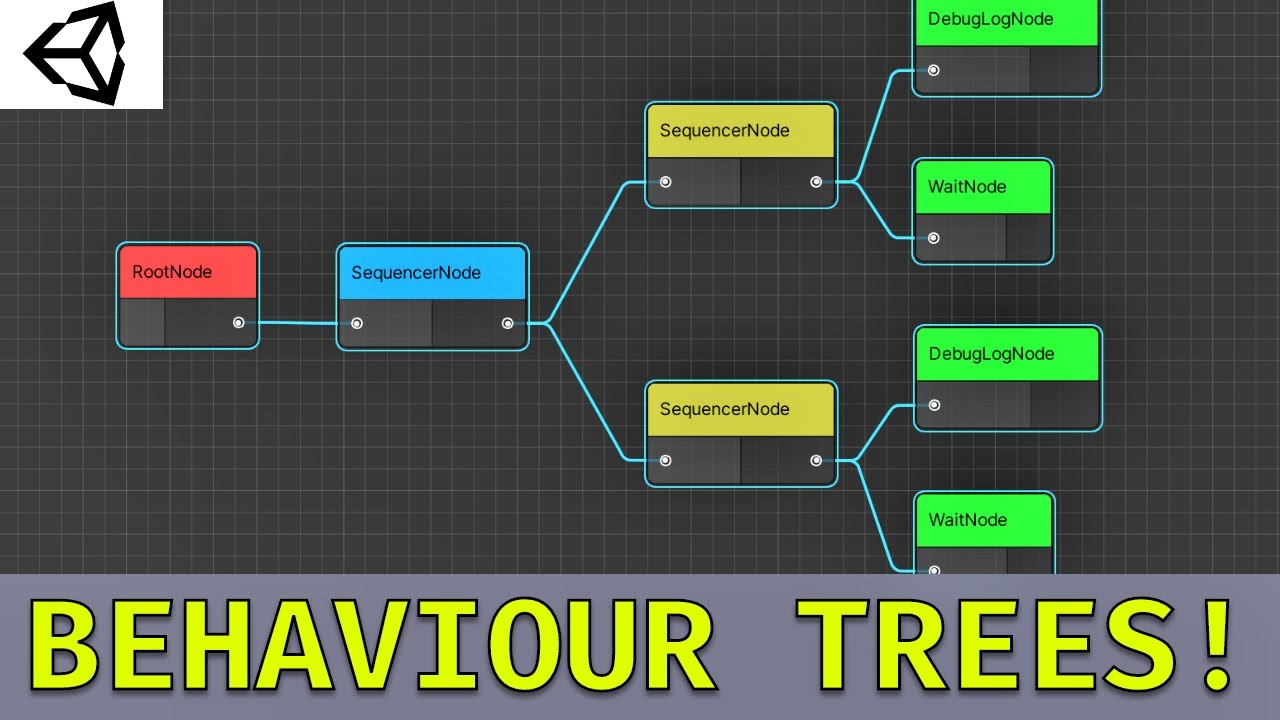
This video is an hour long epic into how to create behaviour trees using ui builder, graph view, and scriptable objects. UI Builder accelerates editor tool development by visual drag and drop editing. Scriptable objects are used for serialisation, and graph view is the same node graph backing used by shader graph.
Project files available here!
...
haven't watched this yet, but gdg generally has great tooling vids so might be another good resource
https://youtu.be/uXxBXGI-05k

In this live session we'll take a look at Unity's Graph View API and explore how we can build out a node-based editor for our project. We'll explore the concepts of node-based editors, learn more about UIToolkit and build a fully functioning node editor window that we can use to manipulate data and execute logic.
-------------------------------...
 mellow shale
I'm trying to add this package from git url
https://github.com/noio/games.noio.input-hints
using that url.
[Package Manager Window] Error adding package: http://github.com/noio/games.noio.input-hints. Unable to add package [http://github.com/noio/games.noio.input-hints]: Package name 'http://github.com/noio/games.noio.input-hints' is invalid. UnityEditor.EditorApplication:Internal_CallUpdateFunctions () (at /Users/bokken/build/output/unity/unity/Editor/Mono/EditorApplication.cs:362)
verified that Apple Git-137.1 is installed.
Unity 2022.3.7f11
What am I doing wrong ?
visual stag
mellow shale
I'm trying to add this package from git url
https://github.com/noio/games.noio.i...
Use the actual git url, and not the url of the page
mellow shale
visual stag
Use the actual git url, and not the url of the page
with that you mean; https://github.com/noio/games.noio.input-hints.git
which results in:
[Package Manager Window] Error adding package: https://github.com/noio/games.noio.input-hints.git. Unable to add package [https://github.com/noio/games.noio.input-hints.git]: The file [/Users/steffen/wkspaces/Bergtatt_URP21/Library/PackageCache/@01a3581b9b/package.json] is not valid JSON: Unexpected token "}" (0x7D) in JSON at position 355 while parsing near "...eshpro\": \"3.0.6\",\n },\n \"keywords\": [\n ..." UnityEditor.EditorApplication:Internal_CallUpdateFunctions () (at /Users/bokken/build/output/unity/unity/Editor/Mono/EditorApplication.cs:362)
visual stag
mellow shale
with that you mean; https://github.com/noio/games.noio.input-hints.git
which re...
Yes. Their json is incorrect and has an extra comma
mellow shale
Guessing this one?

And that means I have to clone the repo, fix the json on the clone, and add the clone through git.? Because if I add through git, it downloads the file again.
visual stag
Fork it and fix it, or just download the repo and embed it in your packages folder
waxen sandal
Fork it, fix it, PR it
 cedar locust
VSCode Extension - Clover is released 0.0.12
repo : https://github.com/novemberi/clover
 fierce jewel
why is vscode so frustrating
waxen sandal
Because it's a glorified text editor
 shut juniper
how can I simulate or replicate regular Update rate in editor script? like with EditorApplication.update delegate, but with less calls than it do, because I want to simulate an Update for testing purposes without Monobehaviours (I'm using ScriptableObjects for some stuff that needs some update when testing) and EditorApplication.update is running way way too fast, lol
is it possible? I'm not very good at editor scripting, so I dunno how to do it properly with these restrictions
 hardy apex
does anyone know how to change a project's editor loading screen? Like when opening the project in the editor? Trivial to do in Unreal, having trouble finding resources on doing this in Unity
 dusk portal
hardy apex
does anyone know how to change a project's editor loading screen? Like when open...
dusk portal
hardy apex
does anyone know how to change a project's editor loading screen? Like when open...
pretty sure that's a no go, it's built into the editor and you don't have the engine source unlike unreal
gloomy chasm
shut juniper
how can I simulate or replicate regular Update rate in editor script? like with ...
What? EditorApplication.update only runs like 15 times a second (15 fps). Which is way slower than a MonoBehaviour.Update method, so not really sure what you are looking to do. Also, if it is for testing, have you looked in to Unity's UnitTest framework? Works great for entering-exiting playmode automatically and cleaning stuff up.
alpine bolt
shut juniper
how can I simulate or replicate regular Update rate in editor script? like with ...
If you think it’s too fast for what you’re doing, just skip some calls arbitrarily with a counter
peak bloom
gloomy chasm
What? `EditorApplication.update` only runs like 15 times a second (15 fps). Whic...
it's more than that and kinda flaky (inconsistent)
gloomy chasm
peak bloom
it's more than that and kinda flaky (inconsistent)
Its 15, 24 or 30, I can never remember (still way less than runtime Update). Yeah the update speed is also related to the editor speed, just like MonoBehaviour Update is related to the runtime speed
peak bloom
shut juniper
how can I simulate or replicate regular Update rate in editor script? like with ...
you can just do it like this
            var time = EditorApplication.timeSinceStartup;

            if (time < (lastTime + (1 / screenRate)))
            {
                return;
            }

            lastTime = time;
In the example I'm faking/simulating 1 frame based on screenrefreshrate, you can change it to whatever timing you want.
 queen wharf
Is there a way I can call things like EditorGUILayout and GUILayout in an extension to EditorWindow?
I could be wrong but I think it's causing me to crash
(which makes sense i suppose maybe)
or at that point should I just make a class that inherits from EditorWindow and store helper functions/extensions in that
gloomy chasm
queen wharf
Is there a way I can call things like EditorGUILayout and GUILayout in an extens...
If you just want to access the methods without having to specify the class, you can just use a static using statement
using UnityEngine;
using UnityEditor;

using static UnityEngine.GUILayout;

public class MyWindow : EditorWindow
{
  private void OnGUI()
  {
    if (Button("Some Button"))
    {

    }
  }
}
VSCode Extension - Clover is released 0.1.0
Now clover is support codelens reference view. Also you can check meta reference count.
repo : https://github.com/novemberi/clover
You can download clover extension in vscode marketplace also.
 hollow ore
When I write my package, how do I make my scripts display with my icon instead of the default C# script one?

I want my icon instead of the white paper with #, just like Mesh renderer and others
Ah, I already have it working, I just didn't notice that this exact script wasn't derived from my other with [Icon]
gloomy chasm
hollow ore
When I write my package, how do I make my scripts display with my icon instead o...
Click on your script file and in the top left of the inspector click on the icon and change it
hollow ore
so if anyone else looks for that: use [Icon("...")] on your mono behavior
hollow ore
gloomy chasm
Click on your script file and in the top left of the inspector click on the icon...
yeah, that also works, but when I write I package I have to use [Icon] for my scripts to have this icon by default, without user having to assign it manually
gloomy chasm
hollow ore
yeah, that also works, but when I write I package I have to use `[Icon]` for my ...
What? That shouldn't be an issue...
hollow ore
ah, because icon is stored in the script's .meta and retained when I share my code as package, right?
so those two methods should be viable
gloomy chasm
Yeah, actually I think it is stored in the object file but I don't remember for sure. Either way it should be fine
 slow wing
Is there a way to suppress the Importer(TextureImporter) generated inconsistent result warnings for a custom AssetPostprocessor? My postprocessor's output is based on folder name among other things and gives me a warning any time a directory/file is renamed + reimported
slow wing
^ update: this is apparently not coming from my importer - the plot thickens
^ update-update: definitely coming from mine. not dodging the blame on this one
wanton arrow
two questions:

a) why is the subasset not reflecting the name of the scriptableobject
b) I have this custom ui element and I want the label to reflect the name entered here. whats the best way to do this?

do i subscribe to the serialized property on the object? is there an ongui method I can override?
 royal meteor
So I'm thinking about going down a BIG rabbit hole, does anyone know how much of my life force I will lose, if I actually try to code a script for fully procedurally destructable objects?
wanton arrow
def depends on how much expirence u have
royal meteor
I don't have tremendous experience, but I feel like I could (maybe, potentially, probably not) figure it out
OHH
Wrong chat lmao
I meant that for #archived-code-advanced
gloomy chasm
wanton arrow
a) why is the subasset not reflecting the name of the scriptableobject
Try calling AssetDatabase.Refresh() after changing the name
wanton arrow
I manually refreshed and it didn't update
gloomy chasm
wanton arrow
b) I have this custom ui element and I want the label to reflect the name entere...
Assuming this is for UIToolkit. If you make a SerializedObject of the ScriptableObject, then you just bind the Label element to the name property
wanton arrow
I actually figured that out and tried it but it doesn't work
I think because labels dont have a value
its the "text"
but tbf I tried it with a textinput and it didn't work either so maybe im just doing it wrong
gloomy chasm
No no, it definitely does work
wanton arrow
I set the binding path to name
and then uhhhhh
set the bound object to a serializedobject of the state
gloomy chasm
Did you bind to the serializedObject?
gloomy chasm
Label myLabel = new Label();
myLabel.bindingPath = "m_Name";

rootVisualElement.Add(myLabel);
rootVisualElement.Bind(serializedObject);
its an existing element
so I just set the binding path in the ui builder
but my script does the binding part
gloomy chasm
Okay, that doesn't matter, the important part is setting the correct path (either in the UXML or in C#). And calling the .Bind() method on a ancestor of the label.
wanton arrow
im gonna try it again once i fix the existing errors
gloomy chasm
Okay, and just as an fyi, I can guaranty that it does work as I have done it multiple times before 🙂


 gloomy chasm
wanton arrow
god damn what am I doing wrong
gloomy chasm
wanton arrow
god damn what am I doing wrong
change binding path to m_Name
wanton arrow
ah
how am I supposed to find that out
not a rhetorical question is there a place where the actual property names are
gloomy chasm
When you have a UnityEngine.Object selected in the inspector, you can right-click the inspector window title and change it to debug mode
gloomy chasm
YAY!
gloomy chasm
wanton arrow
If you use SerializedProeprties here instead, you will get automatic undo/redo support
wanton arrow
what if I do EditorGuiLayout.PropertyField
gloomy chasm
That works
wanton arrow
I changed it to that since I know the actual name
OK this might be a much more niche issue but another thing is when I open my graph I want it to frame the nodes
graphview has a function called frameall
but it doesn't work
it just shows me some random part of my graph I always have to press F to find my nodes
gloomy chasm
I would look at the source code for what it is doing when you press F. Will be easier than reimplementing it.
I don't know the answer my self since it has been years since I last touched GraphView
wanton arrow
source code?
gloomy chasm
wanton arrow
source code?
If you are using Rider or Visual Studio(I think?), you should be able to ctrl click on the GraphView class to go to the definition.
Or you can view it here https://github.com/Unity-Technologies/UnityCsReference/blob/master/Modules/GraphViewEditor/Views/GraphView.cs
wanton arrow
yeah
I tried a frameall with something else and it works
I assume its bc It still thinks the nodes are all at 0,0
since it just created them
idk what to do abt that
ok looking at the code its using the rects
so maybe I need to refresh the rects somehow?
gloomy chasm
wanton arrow
I assume its bc It still thinks the nodes are all at 0,0
Yeah my assumption would be that the nodes have not been laid out yet when you are first calling it.
gloomy chasm
Could try registering a GeometryChangedEvent, framing all, and then unregistering
gloomy chasm
element.RegisterEvent<GeometryChangedEvent>(OnGeometryChanged);

private void OnGeometryChanged(GeometryChangedEvent evt)
{
  graph.FrameAll();
  element.UnregisterEvent<GeometryChangedEvent>(OnGeometryChanged);
}
Now, where you register that and and what element is... I'm not sure...
gloomy chasm
Hmmm... try the graphView content contaienr maybe...?
wanton arrow
where r u getting this register event
bc it doesn't work with visual element

doesn't seem to exist
gloomy chasm
wanton arrow
Ahh right my bad, it is RegisterCallback
wanton arrow
oh ok
doesn't seem to work
ill do that later
can you use the uibuilder for the inspector? and if so how
bc I want to have stuff like rounded edges but idk how to do that with standard stuff
wanton arrow
ok Im gonna use the visual element stuff
wanton arrow
how would I bind something like a list?
I want to update a display of a list whenever an element in that list changes
 barren moat
Does anyone have a clever way of changing the type of a serialized scriptable object?
I have many SOs of a type exposed by a library, and I'd love to change them into a subclass in my assembly.
I guess the simplest way would be to just modify the YAML directly with a find and replace.
But if it's possible by SerializedObject that might be a nicer pattern.
wanton arrow

anybody know that this means
it pops up when I select a selector in the uss uibuilder
barren moat
wanton arrow
Looks like a bug in UIElements
The stack doesn't go into your code at all
btw you can copy an error's text with ctrl+c
for posting on discord
barren moat
wanton arrow
im gonna do a slick reset
Could try clearing your layout and recreating it
maybe it's in a bad state
wanton arrow
restarting the editor seemed to do it
now I need to figure out how to get an element to fill the entire height of the element
im arranging stuff horizontally but one of the elements wont cooperate I just want it to fill the space
changing the top and bottom did nothing and so did anything else I could think of
barren moat
wanton arrow
now I need to figure out how to get an element to fill the entire height of the ...
You should ask in #🧰┃ui-toolkit
but it's flex-grow I believ
barren moat
height: 100%
wanton arrow
yep
tysm
works
how would I make this refresh the displayed list when the list property is changed?

this doesn't seem to work
im assuming bc the value isn't changing
just the array
oh ok
I just needed to do track serialized object value
 vestal jasper
im trying to make a custom editor for a script but i get this error Argument 1: cannot convert from 'UnityEditor.SerializedProperty' to 'UnityEngine.Mesh'
this is my code: https://sourceb.in/xAUVpllZAa
 solid yarrow
Costin have you tried unserializing the data or something?
vestal jasper
i dont think so
visual stag
vestal jasper
im trying to make a custom editor for a script but i get this error `Argument 1:...
A serialised property isn't a mesh, so I don't know what you're expecting?
Use its objectReferenceValue property and cast it to Mesh
 open sparrow
Hi guys, I have a question regarding override the mesh assets. I know when Unity imports a model file (.fbx, .obj and etc), the model importer generates a mesh asset linked to it.
I want to write a tool that modifies the vertex color and UVs of the mesh asset. Instead of creating and saving a new mesh asset, is it possible for me to find and load the mesh asset associated with the original model file, modify it, and save it back (or refresh my modification), so that no extra file is generated? And I can just drag and drop the original imported mesh asset to use my modifications?
More specifically, how can I get the path to the dependent mesh asset generated by Unity (in the AssetDatabase persumably) ? And is it possible for me to modify and save this asset?
surreal delta
open sparrow
Hi guys, I have a question regarding override the mesh assets. I know when Unity...
why dont you just use probuilder?
 warm ember
I don't know if I have to post this question on this channel so if not say to me where I have to put it.
I'm creating an UI using canvas and trying to make it responsive. I have made it responsive regarding to position but know I want to know how to make it responsive regarding to size for my text font size as I set it to auto but it depends on the amount of text I put in the component but I want the text to be proportional with the size in the editor.
open sparrow
surreal delta
why dont you just use probuilder?
Cuz I wanna do it via script, and better do not depend on other packages
“Modifying vertex attributes” is just a simplified expression
 lyric dagger
Hello! I was hoping to get help with programming a EditorWindow. I want it to debug.log some info when the button gets pressed but nothing pops up. Is there a way to debug.log without pressing the play button in unity?
This tool is for developing so it would be used primarly while not playing the game.
real spindle
lyric dagger
Hello! I was hoping to get help with programming a EditorWindow. I want it to de...
Show your code, what did you try?
Debug.Log on a button press is trivial
lyric dagger
was trying to do something like this

this function gets called on a button press in the editorwindow
 real spindle
What happens when you press the button?
You should see at least something in the console
lyric dagger
No messages pop up in console. i was hoping to get some message up both to see that something was added, as well as getting data cause another function I am working on is not working and I am trying to figure out why through debug logs.
this is my console after hitting the add sound button
 lyric dagger
no i have them all enabled and it still didnt pop up
I know the button works cause it updates the script it needs to update

its just the debug.log not working
real spindle
lyric dagger
its just the debug.log not working
Hmm.. put a log just before you call stringSetup, and another one inside addSubtitle before the if statement
Just a sanity check. Because from what I see it should work
lyric dagger
Omg i didnt realize there was a clear on build/clear on recompile
real spindle
Oh, yep lol
lyric dagger
Ty for the help. Thanks for being patient with my stupidity lmfao
 regal hill
Hello, I have the "Reload Domain stuck" problem (again), generally, I close the Unity editor then reopen it, but here, I have some changes in my Scene that I need to save, if there a way even if the editor is frozen ?
pretty please
 whole steppe
regal hill
Hello, I have the "Reload Domain stuck" problem (again), generally, I close the ...
whole steppe
regal hill
Hello, I have the "Reload Domain stuck" problem (again), generally, I close the ...
You may ask in unity-talk since it's the most active channel and you are in emergency. Do not mention that to them tho, just ask and they will help.
whole steppe
regal hill
Hello, I have the "Reload Domain stuck" problem (again), generally, I close the ...
But as far as i know, there is no way to get rid of that. I didn't tried if closing that task from task manager works. But you should try fixing the freezing problem first. But how? You should look at your Editor/ExecuteInEditMode scripts/MonoBehaviours and optimize them.
regal hill
thanks
 wanton monolith
Anyone knows if there's an easy way to have left sidle toggles in UI Toolkit?
visualInput.Insert(checkmarkIndex + 1, m_Label); this doesn't give much confidence
gloomy chasm
wanton monolith
Anyone knows if there's an easy way to have left sidle toggles in UI Toolkit?
Set the "text" property to show the text that appears on the right of the toggle, and set "label" for text that appears on the left of the toggle.
wanton monolith
gloomy chasm
Set the "text" property to show the text that appears on the right of the toggle...
you have got to be kidding me, lol tyvm!
 median lance
How to stretch TextField?
 surreal delta
median lance
How to stretch TextField?
surreal delta
median lance
How to stretch TextField?
wdym, stretch?
 surreal delta
decrease the field width
alpine bolt
median lance
How to stretch TextField?
Are you using IMGUI or UIToolkit?
median lance
Built in editor tools. GUILayout etc.
gloomy chasm
median lance
Built in editor tools. GUILayout etc.
peak bloom

GitHub
Steam Audio. Contribute to ValveSoftware/steam-audio development by creating an account on GitHub.
they oss it now
time to make a fancy linear audio editor for unity ig
it has built-in Unity support already, so incase anybody interested
the docs for Unity specifics https://github.com/ValveSoftware/steam-audio/blob/master/unity/doc/guide.rst
dawn root
Is it possible to draw charts in unity editor(with hover tooltips, click action, scroll zoom, axis labels,scaling)?
I can whip one up with in game UI but I just need it for editor tools. Are any of the above stuff impossible to do in an Editor Window?
lethal imp
Where did you store the ID ?
gloomy chasm
dawn root
Is it possible to draw charts in unity editor(with hover tooltips, click action,...
Possible? Yes. Built-in? No.
I mean, it is basically what the AnimationCurve window is
 tough cairn
any ideas how pagefile is related to this ?

won't let me profile local machine or remotely connected machine ( my current ram usage is at 50% total ram is 64gb )
visual stag
How's the page file related to you running out of memory?
It's literally an extended part of your memory only used when you're running out of it completely, that's how it's related
real spindle
dawn root
Is it possible to draw charts in unity editor(with hover tooltips, click action,...
Handles.DrawLine etc. can also be used in GUI
visual stag
It's much easier and more flexible to use UI Toolkit's painter2D vector drawing
See Introducing the Vector API pinned to #🧰┃ui-toolkit
dawn root
visual stag
See **Introducing the Vector API** pinned to <#892762498464374796>
Haven't dabbled with UI toolkit but this looks promising. Does it allow hovering/clocking on lines/ objects drawn with it?
visual stag
Clicking on lines has to be calculated manually. It's the same backend that all Unity's graph tools use, Shader Graph, VFX Graph. So if you see something in one of those, it's been implemented in UITK
keen tiger
Hi, I'm trying to set the "build configuration" setting from the WSA build settings option via code. I seem to be wanting to use Environment.SetEnvironmentVariable, but I can't seem to find what the variable is named for me to reference. Could anyone help me out? Thanks
indigo condor
hi everyone... does anyone knows what could me making those buttons margin change?


The change is almost imperceptible in the image but when I widen the window it is quite noticeable
gloomy chasm
indigo condor
hi everyone... does anyone knows what could me making those buttons margin chang...
Can you click on one of the buttons and show the inspector for it like you did in these screenshots?
indigo condor
gloomy chasm
Can you click on one of the buttons and show the inspector for it like you did i...
ohh, sure
let me do it
like this?

 gloomy chasm
indigo condor
like this?
gloomy chasm
indigo condor
like this?
its cause you have the width using a %
It is adding 0.875% of the parents width between each button
indigo condor
gloomy chasm
It is adding 0.875% of the parents width between each button
yeah, and how could i make this space from both sides to be constant?
 indigo condor
gloomy chasm
It is adding 0.875% of the parents width between each button
indigo condor
gloomy chasm
It is adding 0.875% of the parents width between each button
and use that % just between buttons
gloomy chasm
indigo condor
yeah, and how could i make this space from both sides to be constant?
I assume what you are wanting is 3 evenly sized buttons with a const space between them?
indigo condor
gloomy chasm
I assume what you are wanting is 3 evenly sized buttons with a const space betwe...
right
exactly
gloomy chasm
indigo condor
right
In Flex set Grow to 1, and Basis to 0. Leave Width as auto
indigo condor
gloomy chasm
In `Flex` set `Grow` to 1, and `Basis` to 0. Leave `Width` as `auto`
from buttons inspector?
or from buttons container
gloomy chasm
Do it per button
indigo condor
gloomy chasm
Do it per button
ok, that's done... now, how could i add the 3 const px space between buttons?
 gloomy chasm
indigo condor
ok, that's done... now, how could i add the 3 const px space between buttons?
gloomy chasm
indigo condor
ok, that's done... now, how could i add the 3 const px space between buttons?
Set the margin on each button. Normally you would do something like .pages-button--left, ``.pages-button--right, .pages-button--middle`. And create a style for each of them, setting the margin.
Adding each class to the respective buttons of course
indigo condor
thankss!
indigo condor
gloomy chasm
Set the margin on each button. Normally you would do something like `.pages-butt...
and just one last thing... do you know if it's possible to delete this kinda blue border that is on all buttons?
 alpine bolt
indigo condor
and just one last thing... do you know if it's possible to delete this kinda blu...
alpine bolt
indigo condor
and just one last thing... do you know if it's possible to delete this kinda blu...
    border-left-color: transparent;
    border-right-color: transparent;
    border-top-color: transparent;
    border-bottom-color: transparent;
    border-radius: 0;
border-width: 0;```Set the :hover border width or color
indigo condor
gloomy chasm
Set the `:hover` border width or color
it's setted on 0...
 gloomy chasm
indigo condor
it's setted on 0...
gloomy chasm
indigo condor
it's setted on 0...
That is the 'unset' value
indigo condor
alpine bolt
```css
border-left-color: transparent;
border-right-color: transparent;
...
hmm, that's by code... i would like to know an editor response
alpine bolt
indigo condor
hmm, that's by code... i would like to know an editor response
Same logic
gloomy chasm
'unset' values get overridden by styles. The button has a style that sets it.
You can right click on the field label and click the "set" ("set default"? Something like that) context item
Or just change it to something and then change it back.
alpine bolt
indigo condor
hmm, that's by code... i would like to know an editor response
you can open this file and set the code if in doubt

Make sure you save UI Builder before you manually set the code manually. Just in case.
indigo condor
i'll try both ways :>
even they are the same hehe
hmm @alpine bolt , there are multiple logs
 alpine bolt
the red underlines on transparent? Ignore that. IDE probably does not support that syntax but it works anyway
if it bothers you, just replace transparent with rgba(0, 0 , 0 ,0)
indigo condor
far away that it still the same...
 alpine bolt
make sure that you are not setting values in each button itself, instead of the classes
indigo condor
alpine bolt
make sure that you are not setting values in each button itself, instead of the ...
i don't think so...
 alpine bolt
Do you want to make the borders disappear on hover or always?
indigo condor
alpine bolt
Do you want to make the borders disappear on hover or always?
hmm, that border doesn't exactly appear when the mouse is over the button... it appears when its clicked
and that happens with all proyect buttons
alpine bolt
What are you trying to do?
alpine bolt
Button {
  border-width: 0;
}```
This will remove border from all buttons.its not a normal border...
indigo condor
alpine bolt
```css
Button {
border-width: 0;
}```
This will remove border from all buttons...
let me score you a video
alpine bolt
You mean the focus border?
https://docs.unity3d.com/Manual/UIE-USS-Selectors-Pseudo-Classes.html here you have different selectors just like :hover. I believe you are talking about :focus. You can either style Button:focus or .whatever:focus or just make it not Focusable
 indigo condor
alpine bolt
indigo condor
alpine bolt
hmm, where is that option?
 alpine bolt
Directly in the button
dapper coral
is there a way to do the alt-p inspector on a game object/prefab from code? as if I clicked on it and pressed alt-p, and ideally without losing the thing I already have an inspector open for
alpine bolt
dapper coral
is there a way to do the alt-p inspector on a game object/prefab from code? as i...
hollow ore
is there some kind of "notification" element that I can use to display dismissible warning in the custom editor? something like a EditorGUILayout.HelpBox with an "x" close button?
indigo condor
How could I do this helpbox to have a height based on the left one? I don't want it to expand itself when more lines are added


did I explain well myself?
alpine bolt
hollow ore
is there some kind of "notification" element that I can use to display dismissib...
You can create your own UIElements HelpBox.
    [UxmlElement]
    public partial class HelpBox : IMGUIContainer
    {
        // etc...

        public HelpBox()
        {
            onGUIHandler = () =>
            {
                EditorGUILayout.HelpBox("This is a help box", MessageType.Info);
            };

            // etc...
        }
}```Have a parent VisualElement for both boxes. Have the left box expand from its content (and then expanding the parent). Have the right box fill available space
indigo condor
alpine bolt
Have a parent VisualElement for both boxes. Have the left box expand from its co...
whaat? I've crashed

those are both boxes
they are on the Horizontal parent
alpine bolt
Looking back at your question, I just am more confused
indigo condor
Hmmm, let me try to explain well myself
alpine bolt
You want your box to minimize height based on its content?
indigo condor
I want right boxhelp to have the same height the left one, but i don't want the left one to expand itself vertically when the right one its bigger (i'm gonna add a slider on the right one)
indigo condor
alpine bolt
You want your box to minimize height based on its content?
did you understand me? hehe, its too difficult to explain it xD
alpine bolt
indigo condor
did you understand me? hehe, its too difficult to explain it xD
#grand-parent {
flex-grow: 0;
flex-direction: row;
align-items: flex-start;
}
#parent-1,
#parent-2 {
width: 50%;
}
#parent-1 {
justify-content: space-between;
}```
Then I think you have to set `#parent-2` height manually in the UIBuilder or in code indigo condor
alpine bolt
```css
#grand-parent {
flex-grow: 0;
flex-direction: row;
align-item...
indigo condor
alpine bolt
```css
#grand-parent {
flex-grow: 0;
flex-direction: row;
align-item...
and update it every time parent one height changes?
alpine bolt
Using RegisterCallback<GeometryChangeEvent>.
If there's a better way, I don't know it
indigo condor
alpine bolt
Using `RegisterCallback<GeometryChangeEvent>`.
If there's a better way, I don't...
i'll try it :>
indigo condor
alpine bolt
Using `RegisterCallback<GeometryChangeEvent>`.
If there's a better way, I don't...
it's too concrete the problem hehe, i suppose it will work like that
gloomy chasm
alpine bolt
You can create your own UIElements HelpBox.
```cs
[UxmlElement]
public ...
FYI, there is a HelBox VisualElement, it just ain't available in the UIBuilder (for reasons???)
alpine bolt
gloomy chasm
FYI, there is a `HelBox` VisualElement, it just ain't available in the UIBuilder...
My bad
gloomy chasm
All good, for some reason some are not in the UIBuilder, like that and Image and TwoPaneSplitView
alpine bolt
I haven't touched either because they're limited.
I have my own version of the HelpBox, much more customizable. There are alot more icon variations to be used, for example.
gloomy chasm
alpine bolt
I haven't touched either because they're limited.
I have my own version of the ...
Really? Isn't it just the 3?
indigo condor
talking about icons, is there any easy way to add a rubbish bean icon in this button? (i want it to look good)

or i have to download an image and just add it...?
gloomy chasm
I would download one, but you can use an existing one, but only via uss.
#Delete {
  background-image: resource('icons/d_treeeditor.trash.png');
}
public static class EditorIconUtils
{
    [CanBeNull]
    public static GUIContent GetEditorIcon(iconName) => EditorGUIUtility.IconContent(iconName);

    public static string[] ConsoleErrorIcons { get; } = new[]
    {
        "console.erroricon.inactive.sml",
        "console.erroricon.inactive.sml@2x",
        "console.erroricon",
        "console.erroricon.sml",
        "console.erroricon.sml@2x",
        "console.erroricon@2x",
    };

    public static string[] ConsoleWarningIcons { get; } = new[]
    {
        "console.warnicon.inactive.sml",
        "console.warnicon.inactive.sml@2x",
        "console.warnicon",
        "console.warnicon.sml",
        "console.warnicon.sml@2x",
        "console.warnicon@2x",
    };

    public static string[] ConsoleInfoIcons { get; } = new[]
    {
        "console.infoicon.inactive.sml",
        "console.infoicon.inactive.sml@2x",
        "console.infoicon",
        "console.infoicon.sml",
        "console.infoicon.sml@2x",
        "console.infoicon@2x",
    };

    public static string[] dConsoleErrorIcons { get; } = new[]
    {
        "d_console.erroricon.inactive.sml",
        "d_console.erroricon.inactive.sml@2x",
        "d_console.erroricon",
        "d_console.erroricon.sml",
        "d_console.erroricon.sml@2x",
        "d_console.erroricon@2x",
    };

    public static string[] dConsoleWarningIcons { get; } = new[]
    {
        "d_console.warnicon.inactive.sml",
        "d_console.warnicon.inactive.sml@2x",
        "d_console.warnicon",
        "d_console.warnicon.sml",
        "d_console.warnicon.sml@2x",
        "d_console.warnicon@2x",
    };

    public static string[] dConsoleInfoIcons { get; } = new[]
    {
        "d_console.infoicon.inactive.sml",
        "d_console.infoicon.inactive.sml@2x",
        "d_console.infoicon",
        "d_console.infoicon.sml",
        "d_console.infoicon.sml@2x",
        "d_console.infoicon@2x",
    };
}
Ehh... so... not really, it is just the 3 😛
gloomy chasm
gloomy chasm
I would download one, but you can use an existing one, but only via uss.
```css...
@indigo condor Here btw ^
alpine bolt
gloomy chasm
Ehh... so... not really, it is just the 3 😛
Size does matter... for rendering 🙂
gloomy chasm
alpine bolt
Size does matter... for rendering 🙂
Fine, 3 icons types, 2 size
indigo condor
gloomy chasm
<@716683518473928806> Here btw ^
thanks! 👍
indigo condor
gloomy chasm
<@716683518473928806> Here btw ^
hey @gloomy chasm, is there any way of adding this message using UI toolkit? That one i added it using IMGUI...

Sorry to ping you 🙏
gloomy chasm
indigo condor
hey <@131292153300123648>, is there any way of adding this message using UI tool...
Gotta do it in the UXML file, not through the UIBuilder sadly, but yeah. Just <ue:HelpBox/>
indigo condor
gloomy chasm
Gotta do it in the UXML file, not through the UIBuilder sadly, but yeah. Just `<...
Thankss, what i would do without you and Taunting :>
indigo condor
gloomy chasm
Gotta do it in the UXML file, not through the UIBuilder sadly, but yeah. Just `<...
hmm it prints an error

and doesn't work
gloomy chasm
indigo condor
hmm it prints an error
Looks like it should be uie
indigo condor
gloomy chasm
Looks like it should be `uie`
it appears kinda weird xD

 gloomy chasm
indigo condor
it appears kinda weird xD
gloomy chasm
indigo condor
it appears kinda weird xD
What version of Unity are you in?


 gloomy chasm
Should be there...
indigo condor
gloomy chasm
Should be there...
does it works for you?
hmm, i'll try to restart the project, idk
queen wharf
Whats the general practice with dealing with data you want saved in various editorwindows without it resetting on closing the window and assembly reloads? Static variables are chill for surviving windows but not assembly reloads and from what im reading to serialise values i need non static variables
Should I just have a ScriptableSingleton per window?
I don’t know if theres a right way to do this just curious on what people think
peak bloom
nothing wrong with ScriptableSingleton, imo if the scale of the project is too big, I'd just serialize them manually
 bright phoenix
I wanna do the following: right click some game object in edit mode and click something in the menu, then after entering play mode, I need to identify the object that was clicked. Any idea how to achieve that in a non-intrusive way (that is, it needs to be single Unity session only, and not generate any changes that will be saved on disk).
indigo condor
how could i disable horizontal slider and let just vertical one?

 tender olive
bright phoenix
I wanna do the following: right click some game object in edit mode and click so...
tender olive
bright phoenix
I wanna do the following: right click some game object in edit mode and click so...
I would use an editor script to add a component to your GameObject. That component can, at runtime, log its name or whatever you need it to do to let you know which one it is. Then your editor script can listen to https://docs.unity3d.com/ScriptReference/EditorApplication-playModeStateChanged.html. When play mode is exited, it removes all instances of that component - so no changes on disk.
You could potentially try to use the instance ID and cache it in PlayerPrefs or something but I'm not sure if those IDs are shared between edit and play mode.