#✨┃vfx-and-particles
1 messages · Page 28 of 1
 dull obsidian
 orchid river
@umbral dove try boosting intensity of HDR Color of your particles in VFX Graph.
also lower the threshold of bloom in PP Settings
 umbral dove
I turn off lights completely and its not as dark /shrug.
I checked again and it looked the same in scene view / game view.
And bot, I played with HDR values, and bloom threshold / intensity a lot and wasnt able to get them to look like his.
Its this simple brackeys vfx graph tutorial for fireworks:

Let's get this year started with some awesome fireworks in Unity!
Explore your creativity and get 2 free months of Premium Membership: https://skl.sh/brackeys18
● Post Processing: https://youtu.be/a0OQvWAPeuo
● This effect was inspired by: https://youtu.be/rBU7XNxQs84
·····...
I guess I could also ask, if you were trying to achieve this effect (a glow like that) what would you do or change to achieve it?
ooo! I was playing with camera settings to see if it could be anything in there
and I noticed that if i change the background type from sky to 'none' everything is a lot more glowy
could anyone explain why this is? I think this could be the problem / reason, but I cant tell why this would have such an effect on particle HDR glow
hum, def some weird stuff going on that i dont understand
i also noticed therees a 'sky and fog volume' object in this project by default
and if i turn that off, it affects the glow
one especially weird thing is if i turn evertyhing off
the 'glow' from the fireworks never disappear and just keep stacking until the scene is completely bright
but then i turn the 'fog' component back on
and it all clears up
i also noticed an HDR skybox exists on that component too, but disabling it didnt do much which surprises me
i would've though that would have an effect on particles' glow
 steel valve
Hi! I've started working on tutorial sessions for VFX Graph, just released the first today : https://twitter.com/peeweekVFX/status/1260926116056797184?s=19

While being working from home in confinement, I took some time to record a few tutorial sessions about #VisualEffectGraph. Here's the first one that covers the very basics : https://t.co/AFDJS0Vs8c #RealTimeVFX
 Twitter
About bloom in HDRP, it has changed a lot from the old postprocess, so it's now energy conservative (and do not have any kind of threshold by default), so when you use unlits you will have to put really extreme values in order to make it bloom like previously. Often, reaching 1000 in each rgb component is something that is not wrong. Also, by default unlit outputs are not pre-exposed so the values are not absolute luminance values but luminance in the current exposure's range (which is good in order to make emissive effects such as light sabers or lasers, that render at the same intensith in outdoors sunlight or in darkness)
 wary jungle
that sounds like something that will be adjusted
umbral dove
thanks for the info @steel valve
When you say 'the old postprocess' how old is that? 2018? 2017? Just curious for reference.
also as for the relative luminance. does that mean any additional other scene lighting shouldnt affect how high or low the luminance from the HDR is? as it will relatively turn up, as the scene brightens or darkens? just want to confirm.
I'll try cranking the HDR up to like 500 or something on my particles, see how that works out
steel valve
I mean, postprocess stack v2 that was probably alongside hdrp in 2018.3, afaik it was replaced with v3 starting 2019.1
umbral dove
okay
i was just wondering if the tutorial i was following was part of the 'old one'
but it was from 2019.1 and im on 2019.3 so it should be the same
im so set on figuring this out, not because i care so much about that tutorial in particular and getting it right
but just the glow effect from it was nice, and im disappointed that i wont be able to recreate that in general at all
 quasi fjord
Hi guys, I'm trying to make the velocity of particles go in the shape of a cone using the VFX Graph, in order to do this I should have the vector between the origin and the particle position and do a dot product to apply the vector on the particle position if I'm not mistaken? ( I'm not that good with math) the only issue I have is that I can't have the vector between my particle position and my origin ( 0,0,0). This should be a simple subtract from the particle position to the origin right? Or am I missing something?
 lilac bison
how are you setting the particle position?
i don't think a dot product is necessary
do the particles start at the origin?
quasi fjord
So I have a Cone position set to volume to spawn particles in and a Vector 3 which I called origin and it's set to (0,0,0)
And I'm using the current position attribute for the particles
Normally I think that the current position needs to be subtracted from the origin which would give me a vector as output right?
And this vector would be starting at the origin and go in the direction of the current particles position if I'm not mistaken
lilac bison
that is setting the velocity in the initialize section?
quasi fjord
It is in the update
lilac bison
i don't think you want to set the velocity in the update do you?
if you set it in initialize, the update will move the particle accordingly
lilac bison
and unless you normalize the result of the subtract, it's going to increase the velocity each time, as it's moving away from the origin
which would probably result in your particles zooming away too fast for you to even see them
quasi fjord
Yes this was my issue, I'm going to try your solution out right now
lilac bison
in your initialize, normalize the velocity and then use a scalar value you can control to tune the speed you want
by multiplying the normalized velocity before you set it
quasi fjord
Oh okay, let me try this real quick 🙂
Okay, so I tried it. The thing is, this makes the particles go outwards whereas I wouls like them to have them follow the cone, so that they never really exite the shape of the cone. I don't know if I'm being clear in my explanation, sorry about this.
Something like this, to make a kind of spark effect
I tried to use a one minus to negate the outcome but the all get attracted to one point
@lilac bison I think I figured it out, I have something similar to what I wanted now. Thanks a lot for your help! 🙂
lilac bison
nice! 🙂
 prime dome
Is there a specific node in VFX Graph to change particle sizes based on a Vector3? I'd like to stretch a specific axis out.. I've tried multiple size nodes and can't seem to find the correct one.
prime dome
Ahh nevermind, I found it - a scale node. Not a size node.
lilac bison
yup
@prime dome you may also find the Set Pivot block useful in combination... let's you set the pivot point from where it scales
prime dome
Ohhh nice that's awesome @lilac bison
umbral dove
yknow @steel valve do you have an example for when you talked about the relative luminance thing? Because ive noticed some things dont glow at all, unless i turn my skybox on my camera to none. Which makes me think that the skybox is giving off light, causing the glow from particles to not be seen. But what you said before would make me think that the particles should be able to be seen, no matter what the ambient lighting is like.
umbral dove
is there a way to make really small particles still glow. it seems like once theyre below a certain size, their HDR intensity doesnt add anything
its like they have to have a minimum size
but what if you want glowy small particles?
you can turn the HDR up more, but then my screen just goes black for whatever reason
prime dome
Try messing with the exposure on the Scene PostProcess. Mine is set to physical camera and 6.04. That exposure volume is very important, at least in HDRP if that's what you're using. Don't know much about URP.
prime dome
You're welcome, I hope that helps. But I find adjusting the exposure volume component helps to make things work correctly.
umbral dove
i think ive finally gotten this thing looking how it did in the original tutorial that i watched (which skipped some details on how he got the look that he had)
i literally was frustrated for like days
not so much that i cared about what the tutorial was making but because
glowy particles is very important to me
and i wanted to know how to manipulate them
lol
prime dome
Yeah it's a balancing game - lights and all have to be adjusted accordingly along with the exposure component. if you have a super bright sunlight and bloom the sunlight essentially washes out the particles (some how), so you never see them because the exposure isn't sensitive enough, so you have to balance the lights and exposure to be more in taste with what you want..... Or that's how it used to be.
of course I'm only going on my own experience, i could be totally wrong lol
umbral dove
that sounds
about right based on the little tweaks i just had to keep doing to get it to look right
someone above though mentioned
that with unlit things the luminosity is supposed to be relative
so always visible
so if you turn the intensity to like +3
then turn the sunlight way up
the +3 is still noticeable
but i havent personally noticed that
but it sounds like it'd be really great
id like to look into it
or see if he could explain a little bit more
 plucky vortex
So I added an explosion effect into my game. Shows up fine except in this one scene and idk why.
The particles only show when there's a mesh being rendered in front/behind it
Where should I be looking to fix this?
Any particles rendered outside of the bounds of another mesh are disappearing
 slender hamlet
Hello... I'm working on Explosion Effect I want all the particle systems to start at the same sec how can I do this, Example I have something called center I want it to always be spawned (played) in the middle of the effect any ideas on how to fix this ?
 cinder dust
Does someone know what this shader is for?
I found no info at all on the internet and I can't apply it on a material.
It creates a Shader Graph with a Visual Effect Master node with a color and a alpha parameters.
 slate sable
You should be able to use it in the output nodes of VFX graph and use colors etc of the particle with it.
cinder dust
@slate sable thx for the answer
 frosty kelp
@cinder dust I've a Tutorial check it out on #archived-resources
I meant #promotion
@slate sable sorry for that
Now check it out
I made SUPER COOL FIREWORKS using Unity....check it out.I hope you wanna tag along.so if you are interested , subscribe....
I hope you wanna tag along
umbral dove
@cinder dust 'found no info at all on the internet'
I mean come on man, thats just false. you can literally just type "VFX Shaper Graph" into youtube and TONS of tutorials come up
prime dome
I've seen a few shaders that allow you to have lit particles that cast shadows
don't suppose anyone knows if any of these allow you to import a PCX format pointcloud into the particle system?
dull obsidian
@prime dome top hit for search "pcx point cloud unity"

GitHub
Point cloud importer & renderer for Unity. Contribute to keijiro/Pcx development by creating an account on GitHub.
this has Mesh output which ought to work with ParticleSystem on the CPU though for point clouds i highly recommend using the Texture output for Visual Effect Graph on the GPU instead. many point clouds will emit particle counts in the thousands or millions that can quickly exceed what the CPU can handle on its own.
prime dome
@dull obsidian Thanks! How do I switch it to that? I'd already got a pointcloud imported using this, but
I'm not sure how to switch to the texture output?
dull obsidian
@prime dome it's here in the inspector UI of the Asset Import Settings, apparently: https://github.com/keijiro/Pcx#container-types
GitHub
Point cloud importer & renderer for Unity. Contribute to keijiro/Pcx development by creating an account on GitHub.
prime dome
Ah thank you!
dull obsidian
"Texture
Points are baked into Texture2D objects that can be used as attribute maps in Visual Effect Graph."
prime dome
I mean, I'll be honest, I'm not entirely sure what that means 😅 Been using Unity for all of 5 days
but I'll have a play around with it!
dull obsidian
@prime dome then you'd probably add a Texture2D to the Blackboard of your VFX graph and use a Set Position from Map Block in your Initialize context
something like that, but instead of that Noise texture yyou'd assign the Texture object generated by Keijiro's Pcx Point cloud importer
prime dome
Ah amazing, thank you!
And just to clarify - this offloads the rendering of the point cloud to the GPU rather than the CPU, right?
dull obsidian
yeah Visual Effect Graph offloads all rendering and even majority of the simulation to the GPU @prime dome
CPU is pretty much only used for Constants / Uniforms, GPU for everything on a per-particle level
prime dome
Ah great, that was a concern tbh - it's running fine at the moment with the one cloud, but... yeah I have a LOT of them to import still
sorry, probably a stupid question but... how do I know what to look for when looking for the texture object? I don't seem to be able to find anything
prime dome
(@dull obsidian sorry, I'm pretty much learning this stuff as I go 😅)
dull obsidian
@prime dome I haven't used that Point cloud importer so not sure, but the two ways this typically flows are:
- a Texture asset that exists in your project assets folder 📂 on disk that is sort of used as an alias to read/write that memory, so you just drag it from assets folder to the inspector property to assign it.
- a Texture asset that is being created / instantiated by a script, at runtime/playmode in which case the script or component needs to specify where to assign the Texture to ( to the "New Texture2D" property on your Visual Effect gameObject in your scene)
prime dome
Ah thank you
prime dome
Sorry, still have absolutely no idea what I'm doing. I found a script that bakes the pointcloud to a New Texture2D at runtime, but
yeah I have no idea what any of it means or how to assign it to anything :/
dull obsidian
@prime dome you might want to start by following some more general Unity tutorials on gameObject, scripting etc first in that case
prime dome
All I get is the default particle texture spawning in
dull obsidian
@prime dome there are a lot of quality official tutorials and classes here, the premium ones are free right now as well because of quarantine: https://learn.unity.com/

Unity Learn
Unity Learn provides award-winning free tutorials, sample projects, and full courses for mastering real-time 3D development skills with Unity Learn to make video games, VR, AR, and more.
prime dome
Honestly, I have little over a week to deliver this. Really haven't got time to learn how to script. All I need to do is get the pointcloud to render in the scene so I can get the rest of this project set up
dull obsidian
@prime dome got it, no worries --just giving you some options as I'm not able assist you through the whole process step by step. I suggest hiring someone to work with you on it for a few days that has the experience if it's very important / short timeframe and you don't have time to get up to speed and sort it all out yourself.
dull obsidian
@prime dome for sure, got it. you can always go back and optimize it later on the next round.
 ashen tulip
I tried to do snow fall vfx as shown in this video https://www.youtube.com/watch?v=67K68mkjWrk
The above vfx works perfect in unity editor and fails in Oculus Quest. is it some bug. I am using unity 2019.3.5f1
Please help
 plush sonnet
@ashen tulip do you use Vulcan API on quest?
plush sonnet
you can copy project where are you will use Vulcan only
to see if that works on vulcan
ashen tulip
Thanks will check
quasi fjord
Hi guys, I have this problem for a little while now, Is there a way to rotate the Position (Circle) inside the VFX graph? I'd like to have it being a flat circle on the ground without having to change it on the object itself.
I mean this one, in case my explanation wasn't clear 🙂
 vestal solar
Not, but you can rotate the particles around a pivot after this block by using the Set Position Attribute block
quasi fjord
Yes! it works! Thank you 🙂
quasi fjord
Looks cool! Have you used the VFX Graph for this?
 true herald
Hi guys, I was wondering if it was possible to make an effect that follow a path using VFX graph. Couldn't found much on internet about this. Should we stick with the particles system if we want the particles to follow a dynamically generated path ?
quasi fjord
Hi guys, anyone know why this is happening, My crystals are above the snow but when I look from the top I still see the snow in front of the crystals for some reason
lilac bison
Hi guys, I was wondering if it was possible to make an effect that follow a path using VFX graph. Couldn't found much on internet about this. Should we stick with the particles system if we want the particles to follow a dynamically generated path ?
@true herald which module in the original particle system allows you to have particles follow a path?
Hi guys, anyone know why this is happening, My crystals are above the snow but when I look from the top I still see the snow in front of the crystals for some reason
@quasi fjord adjust what render queue the respective materials are in. make sure your crystals are after the snow
quasi fjord
@lilac bison it worked! Thanks a lot 🙂
lilac bison
transparent objects don't write to the z-buffer and their depth sort will be based on the position of their transform so that might explain what you were seeing
quasi fjord
Well I also had to put the blend mode to Opaque because without this it wouldn't work for some reason, only issue with that is that I can't play with transparency anymore :/ Transparency priority on the crystal is set to 1 and on the snow it is set to 0
But as long as the crystals are not set to opaque it wouldn't work unfortunately
lilac bison
they're from a VFX graph or a Particle System?
quasi fjord
VFX Graph
true herald
@lilac bison Actually I don't know, havent implemented one yet, but saw a video which was making use of particles system to create such effect. But what I see is that I cannot pass an array of Vectro3 to VFX graph, which I would have used to define the path.
slate sable
@true herald I think there was a node for a particle to follow path from map (texture) Maybe in the additional nodes you can install from package manager in the VFX Graph tab.
 quick quiver
https://blogs.unity3d.com/2020/05/20/the-heretic-vfx-character-out-now/
https://assetstore.unity.com/packages/essentials/tutorial-projects/the-heretic-vfx-character-168622

Unity Technologies Blog
At the end of The Heretic, we introduce Morgan, a VFX-based character created with the help of Visual Effect Graph. Now we’re releasing it as a project on ...

Get the The Heretic: VFX Character package from Unity Technologies and speed up your game development process. Find this & other Tutorial Projects options on the Unity Asset Store.
they just postponed the relevant talk: https://resources.unity.com/unitenow/onlinesessions/meet-the-devs-deep-dive-into-the-heretic-assets

Learn tips and tricks for getting started with Digital Human and VFX character packages, and get your questions answered in a live Q&A.
 viral knoll
guys, how can i put my sprites into the grid in particle system?
lilac bison
@lilac bison Actually I don't know, havent implemented one yet, but saw a video which was making use of particles system to create such effect. But what I see is that I cannot pass an array of Vectro3 to VFX graph, which I would have used to define the path.
@true herald if you can live with a simple bezier curve, vfx graph has a node that takes 2 positions and 2 handles... a total of 4 vector3’s. If you need more than that, I’d write a script that stuffs your whole path into a Texture2D
prime dome
So uhm I'm trying to tweak the bonfire VFX from the VFX Samples on Unity's Github and I noticed this discrepancy where the final node is different from one you get if you create it yourself. Does anybody know why the left node in this screenshot has all these additional parameters?
lilac bison
did you check the inspector? it's possible some option in there is turned on that enables other options?
prime dome
Oh, I thought I'm not supposed to use the inspector and it's a side product of nodes being scriptables under the hood or smth.
lilac bison
yea there are options on a number of blocks that you'll only find in the inspector. click the block itself.
prime dome
Even their inspector layout is different, this is weird.
Is VFX Graph upgrade process extremely fucked up or smth? Why would a generic output node have special inputs called Smoke Texture and Smoke Normal.
lilac bison
yea its pretty weird. only thing that comes to mind is that when you use your own shader graph, any parameters exposed through the shader graph's blackboard show up in the VFX Graph's inputs
but it doesn't look like a custom shader graph is being used on their output there
that's really what it looks like tho
you upgraded from what to what?
prime dome
I pulled the latest VFX examples off of their releases page.
It was already 2019.3.13 but Unity themselves upgraded the samples before that.
 umbral bolt
Hey there, just make sure these settings are enabled in your preferences, otherwise you might not see the external shader but the pins might still appear:
 stark roost
Can someone explain what this node ist or how it was intended to be used? Right now it just works without being connected to anything. It just displays the mesh at the specified position with my selected shader. But no nodes can be added or anything. Right now it is just a simple mesh renderer.
Is this obsolete or something?
lilac bison
nah
its just for a static mesh basically
the way its used in some of the examples from the Unity sample project is just to include a mesh that may be part of an effect
so not really any different than if you had a prefab that included a mesh renderer and a visual effect, but for some reason the examples in that sample project are obsessed with cramming a ton of systems all into one graph
stark roost
so not really any different than if you had a prefab that included a mesh renderer and a visual effect, but for some reason the examples in that sample project are obsessed with cramming a ton of systems all into one graph
@lilac bison okay, strange. Thanks 😉
dull obsidian
for some reason the examples in that sample project are obsessed with cramming a ton of systems all into one graph
@lilac bison @stark roost
That's for performance, much lower overhead when you put multiple effects in one graph (fewer draw calls or something) vs having everything organized into their own nice little separate vfx graphs. I think there is something about addressing this graph organization overhead trade-off on the vfx graph roadmap though, you can take a look.
Not sure about the case of including static meshes in the vfx graph vs a mesh with a vfx sibling in a prefab, It may just be personal preference (like avoiding a prefab ONLY to tack on a single static mesh or simply preferring graph workflow) , or maybe static meshes are subject to similar performance benefits right now when included in the graph. ¯_(ツ)_/¯
 modest bridge
Hello, does anyone have an idea where to start when I want to make a small poison lake? A green (maybe glowing) lake with bubbles coming out of it and a bit of smoke above
wary jungle
anyone playing around with the Heretic VFX Morgan asset?
slate sable
I was taking a look at it yesterday
wary jungle
was having some artifact but turned out my version of the 2020.1 beta imported the camera with background set to none.. should be color or sky
 sullen summit
Anyone else getting an issue where red particles just refuse to render?
ok to rephrase the question, i am trying to make some stars, and all other colours seem to work perfectly
heres a yellow star
and heres a red star
as you can see on one side the particles simply refuse to render
while on the other they render normally
if i adjust the slider on the red ones to change to a different colour they start rendering straight away
stark roost
Can someone link me a good documentation page for the vfx graph nodes? For example the "Set position from map" node. I can not find any site where, for example, the "sample mode" is explained.
lilac bison
anyone know if there is an event in the Unity Editor you can listen for when a VFX graph recompiles from adding or changing nodes? i'd like to have an editor script be able to respond to that...
slate sable
@lilac bison you can checkout these:
https://docs.unity3d.com/ScriptReference/AssetPostprocessor.html
https://docs.unity3d.com/ScriptReference/AssetPostprocessor.OnPreprocessAsset.html
https://docs.unity3d.com/ScriptReference/AssetPostprocessor.OnPostprocessAllAssets.html
It triggers when any asset is imported (works on VFX changes)
I tried using the assetImporter field in OnPreprocessAsset to get a type of asset that got imported. But when I changed the vfx I got type of (UnityEngine.VisualEffectImporter) with these brackets. I'm guessing it's marked internal?
You could do some reflection magic or just check if the assetPath has ".vfx" at the end.

¯_(ツ)_/¯
Hope it helps, somehow 😄
lilac bison
@slate sable works great, thank you
stark roost
Topic: Custon VFX Graph Nodes
Does someone know the workflow of creating custom nodes for the vfx graph?
I am currently trying to create my own script in .../VisualEffectGraph/Editor/Models/Operators/Implementations , because all the other nodes are in there, but unity wont let me create or drag and drop in that folder
 inner topaz
@stark roost you can not put your code inside the package folder, but you do not need to , all that the system needs is inside the c# code
stark roost
@inner topaz do you know the correct way to create a working custom node in vfx? Or do you have any good linke/videos for that?
inner topaz
my best guess is to take a simple one and make a coppy of it and change it
you can go from clean code but thatnks for bad documentation that will be diffiult
ColorOverLife looks kind of "simple"
stark roost
you mean copy one from that directory (.../VisualEffectGraph/Editor/Models/Operators/Implementations) and leave it in there?
inner topaz
make a coppy into your asset folder , rename the file and the class and probabyl some other places inside the script
stark roost
i tried to duplicate a node from .../VisualEffectGraph/Editor/Models/Operators/Implementations and just rename it and leave it in there. But the copy is not part of the unitypackage and is simply ignored
inner topaz
you could open the script in visual studio copy the content of the file and past it into a new file
lilac bison
Expose and document the API to be able to create new node types in C#.
public node api is in the "planned" section of the roadmap, so idk... might be a hassle
inner topaz
hassle sound about right if they not done some shady stuff that makes new blocks impossible right now
dull obsidian
@inner topaz it's not "bad" documentation, it's documentation that doesn't exist yet, for a feature / API that doesn't exist yet.
@stark roost so, while it may not be strictly impossible to hack some things into VFX graph, if you get it working, it could break anytime you update VFX graph. so, there is currently no correct way to create a working custom node in VFX graph. but there will be in the future, as described on the Public Node API feature on the Roadmap shared by @lilac bison above.
stark roost
@dull obsidian where did u see the roadmap? I should have a look in there. Thanks for you answer.
dull obsidian
@stark roost a link to the vfx graph roadmap is in the pinned messages for this channel now if you ever need to find it
stark roost
@stark roost a link to the vfx graph roadmap is in the pinned messages for this channel now if you ever need to find it
@dull obsidian awesome! thanks
 rigid thorn
Hey guys hope you all having great time.
I appreciate if anyone can give me a quick reference or resources about :
I need to create a jelly ball that I can apply VFX to it so that VFX can follow up with the jelly ball physics , and I'm kinda confused how to do it since I'm beginner and have not much knowledge of how to do it in a way that results won't be a mess
 sonic spindle
@rigid thorn idk if this will help but this documentation page has a jellylike animation https://docs.unity3d.com/Manual/animeditor-AnimationCurves.html
dull obsidian
@spark bronze i'm also kind of confused what you are asking but jelly ball physics might be described as "soft body physics" (as opposed to rigid body physics.) Not something a particle system or visual effect graph would really handle, not currently anyway.
so for the soft body physics themselves you might want to ask in #⚛️┃physics channel, and/or just search the web for "soft body physics unity."
but if you want to emit or affect particles with a soft body mesh than that would be similar to any other skinned mesh renderer.
It can also really help to provide a visual reference from another game or animation, movie, or even a drawing / sketch you made to illustrate what you mean, regardless of your skill or experience.
rigid thorn
@sonic spindle thanks I will check it out
rigid thorn
@dull obsidian this is the ball that I was referring to ,so basically what I need to do is affect Particles with movement of the light ball (which later this ball going to be soft body )
Currently when it's on the move no particle follow up with the char movement,so I need to keep it update real-time with the char( light ball)
 torn ice
I recently upgraded my project to URP but it seems my particle systems can no longer use the Default - Particle material - I get the purple/pink material. Was there an alternative provided somewhere or do I need to create my own that will work with URP?
 brittle warren
my Unity keeps crashing whenever I put a vfx effect into unity scene
have you experienced anything like that ?
I just made a simple trace system and loaded it onto scene.
inner topaz
@torn ice urp has its own particle shader
torn ice
@inner topaz I did see the particle shader, but would I need to create a new material and texture to replace the Default - Particle material that is currently used, or is there one provided that works with urp?
inner topaz
just create a new material with the fitting shader , cost you about 10 seconds
unity does not automaticly provide a adjusted default particle material as far as i know
sullen summit
Anyone know why red coloured particles dont render in unity?
 vestal wadi
I am animating a dissolve effect in a shader. I'm using sine to convert time to a value that goes 0->1. I want to control it so that I can change when the effect starts in code and restart it as when I need to. How can I achieve this?
 somber badger
@vestal wadi look up controlling parameters in shader graph on youtube.
 hallow notch
How would I use a custom shader graph shader inside vfx graph?
 orchid kindle
So I have a shader that is moving grass (Brackey's one) but it seem to work only to move along world axis. Problem is I'm placing grass all around a sphere, with make the grass buggy. Anyone know how to rotate shader from object position ?
slate sable
How would I use a custom shader graph shader inside vfx graph?
@hallow notch I think you need to use VFX ShaderGraph.
You just put it in the Shader Graph field in Output Particle Quad (not sure what Output nodes can use it).
And you get your shader properties right under that shader graph field.
hallow notch
Ah crap, I already have a full vfx graph made, with the regular vfx graph
Guess there's no way to convert/copy it?
 gray vector
Hello everyone. So I am a videographer and motion graphics designer. I recently dove into Blender, which started my journey into the 3D world beyond just using Element 3D for After Effects (which is a great plugin, but has limitations). I have barely gotten started in Unity, but have done the Brackeys beginner C# and Unity tutorial series'. So, now you know where my unity experience level is. 😂
I am currently working on a Star Wars short film, and am very inspired by what the Mandalorian has been doing using the Unreal engine (if you haven't seen it or any of the BTS on Disney+, its amazing. I highly recommend checking it out). As I am in the middle of learning Unity, I don't really want to simultaneously learn Unreal. That's too much to learn at the same time, but I wanted to know if something similar could be achieved in Unity, on a much smaller scale/budget obviously. I have an HTC Vive and know Unity can obviously support VR input. So I'm wondering if anyone has any suggestions on how to approach this.
My potential idea for a simplified version/test would be to just have a projector or TV screen acting as a window
Basically I would want to have a Vive controller strapped to my camera, and be able to have a TV/projector in my IRL cameras view, and match the same perspective in Unity with a virtual window where the IRL screen is. I feel like that part would be easy to achieve.
But then, once I am at that point, how would I go about having the IRL tv show only that portion of the cameras view and have it stretch/"corner-pin" to the TV based on the perspective of the camera?
Anyways, sorry for all the text guys 😂 . I appreciate any feedback/suggestions
prime dome
@gray vector I'm pretty sure the main part of Mandalorian's virtual production is a giant LED wall 😄
 hearty violet
Has anyone ever had issues trying to key the gravity strength on a Particle System Force Field? It's throwing a warning, "Could not register property modification for animation binding ...m_Parameters.m_Gravity.scalar". Seems like a bug with Unity?
 fierce pumice
is there a way to partition off some particles within a volume and apply forces only to them?
gray vector
@prime dome I'm aware of that, but I am just trying to figure out the game engine side of it. Like, if I was using a projector or a TV instead of an LED wall.
 brittle steeple
@gray vector I'm not really sure if that would work, I mean, you'll need a giant TV lol, anyways, I'm a beginner coming from AE too, as far as I know, virtual production is heavily used in UE, there are FB groups for that, and I don't know any project done in Unity
dull obsidian
Ah crap, I already have a full vfx graph made, with the regular vfx graph
Guess there's no way to convert/copy it?
@hallow notch There is no need to convert or copy anything, I think you may have been gotten hung up on @slate sable calling it "VFX ShaderGraph" which made you think it's a different type of Visual Effect Graph, it is not --it's a type of Shader Graph that is to be used with a Visual Effect Graph . There are no types of Visual Effect Graphs.
Using Shader Graphs with Visual Effect Graph only involves setting some properties on the Output context / node in your existing Visual Effect Graph to link it to a completely separate Shader Graph (of the VFX type) you created that you want to use for Output / Rendering on your existing Visual Effect Graph, that's all.
Basically I would want to have a Vive controller strapped to my camera, and be able to have a TV/projector in my IRL cameras view, and match the same perspective in Unity with a virtual window where the IRL screen is. I feel like that part would be easy to achieve.
But then, once I am at that point, how would I go about having the IRL tv show only that portion of the cameras view and have it stretch/"corner-pin" to the TV based on the perspective of the camera?Anyways, sorry for all the text guys 😂 . I appreciate any feedback/suggestions
@gray vector I know the folks at All of it Now that worked on that virtual production for BTS, but at (currently) mainly use Unreal Engine and Notch paired with Disguise and Stage Precision, Stype trackers.. the latter 4 products being prohibitively expensive for anything aside from mega budget projects.
It can certainly be (and has been) done with Unity and Vive trackers, though. Check out this Unity case study with Digital Monarch Media who has been doing this for a while now. I don't know them personally, but it should give you some more ideas on where to start. You could of course contact them yourself or license their software outright if you have the budget for it. https://unity.com/madewith/virtual-cinematography
 dull obsidian
You could also use a software like Derivative TouchDesigner (which has pretty reasonable pricing) to fill in a lot of the virtual production gaps. you could use Spout texture sharing or NDI to integrate this.. Keijiro has been doing a lot of work on these sort of plugins for Unity for live and virtual production. https://www.youtube.com/watch?v=iIwcqgAPVWI

Get the spout plugin here: https://github.com/keijiro/KlakSpout
An introductory video to Spout for Unity, getting both senders (camera & texture target) and receivers setup and working correctly!
Spout is a great tool to pass textures between applications on the same machine,...
 sacred crypt
knew it was TD when i saw those jelly beans
fierce pumice
does anyone know how i can debug the vfx graph? like i want to hover a connection and see the value. how can set a probe like this at different parts of my graph?
 gentle hearth
Hello guys its my first time using the vfx graph to make vfx, and I have a problem
I managed to make a circle that shoots particles (in update) randomly throughout its radius towards the outside
Now I want it instead of shooting particles towards the outside randomly
to only shoot them upwards
(level up animation kinda)
upwards in the shape of a cillinder I mean
plush sonnet
@gentle hearth are you looking for something like that? https://www.youtube.com/watch?v=ojdCkeJzw20
I was use my stylized skybox for this scene - https://assetstore.unity.com/packages/2d/textures-materials/sky/cartoon-stylized-hdri-sky-157447
dull obsidian
@gentle hearth love this cubemap layout for quick 3d concept doodles, i'm definitely going to use it in the future
slate sable
but how can it be different from the top and the bottom. 
dull obsidian
@slate sable perspective i guess
gentle hearth
nono its a mistake
dull obsidian
it'll look slightly different just not as much
gentle hearth
cause one is going inwards the other is going outwards
dull obsidian
gotcha
gentle hearth
I gave up on it kinda and got a different simpler approach
dull obsidian
then you want an up force and an out force, like outwards using a normal on the outside of a circle primitive
gentle hearth
tried that and my animation was disappearing, i didnt know what to replace it with
dull obsidian
you can possibly combine that into one force but maybe easier to just integrate 2 forces
gentle hearth
okay, I'm taking notes, will try tomorrow
dull obsidian
not at computer so can't remember exactly what blocks to use in the update context
there's more than one way to do it but ultimately they all just integrate a force into the velocity vector / attribute of each particle
that's mainly all visual effect graph does, you just get and set particle/point attributes.
the init, update, output contexts determine if that attribute is mutated before, during, or after the update loop.
@gentle hearth you can either use the raw Get operators and Set blocks with the primitive arithmetic and logic , utility nodes (more like writing code but visually,) OR you can use the macro/helper blocks & operators to save you some time for the more common use cases. (like calling a predefined / built-in function)
gentle hearth
yea, just like scripts kinda
dull obsidian
yeah definitely similarity with the Start and Update classes in Monobehaviour
gentle hearth
I'm 99% example learner, can't make a lot out of text, but I will watch videos soon and maybe I can relate one thing to another
Thanks Landon!
dull obsidian
then the Output Context is analogous to assigning a Material
and its properties, etc
brittle steeple
Hi guys, regarding real time visuals, besides Keijiro, is there someone else that I can look into?
I know marpistudio too, which has interactivity too
both geniuses, my concern is that I'm having a hard time trying to get into Unity for this kind of work
dull obsidian
@brittle steeple yeah there's a lot of folks on twitter, instagram, github and elsewhere
I used to work with Marpi
brittle steeple
love his work
@brittle steeple yeah there's a lot of folks on twitter, instagram, github and elsewhere
@dull obsidian will dig into twitter, I already follow some people, on IG the thing is that I can't find tutorials or guides for this kind of stuff
dull obsidian
@brittle steeple look for Wenzy, Gil Damoiseaux / Gaxil, Eliza Struthers-Jobin / iamelizasj, Adam Samson / adamshmamshon, Arsiliath / psychobiotik / paprika, Andy Duboc, Nick Shelton
hmm for tutorials and examples not all of them publish that though
brittle steeple
@dull obsidian thx so much, I already follow a couple of them
dull obsidian
psychobiotik / paprika has a quality monthly gpu compute workshop on bio simulation like cellular automata you can sign up for anyway but its pretty advanced / compute shader heavy doesn't really cover the higher level / artist workflows
brittle steeple
I see, thanks again, It's the first tutorial I see on this matter lol
slate sable
@gentle hearth Are you trying to make this?
oof, that GIF compression tho 😄
I don't like to use the Position (circle) block because it's rotated 90° on one axis
Also I guess that Get Position should be converted to local and normalized for it to work everywhere
dull obsidian
@slate sable yeah, i feel that. custom block / node API will be nice for that, though for now you could just collapse what you made into a subgraph if you prefer and use it often then it's just one operator and one block (set position)
though personally i avoid doing those sort of abstractions and encapsulation prematurely (because it might be / could be handy at some time in the future to someone)... same with code. doing so is the bane of Object Oriented Programming 😫
gentle hearth
@slate sable yeees, something like that but with circles like mine going up
"I don't like to use the Position (circle) block because it's rotated 90° on one axis"
This was my problem!!!!
I though I was doing it wrong!!!
slate sable
@dull obsidian I know I could've done that. I just wanted to show the basic logic. Also there is this thing. I didn't want to use it because I thought it was part of the Visual Effect Graph Additions that not everyone knows about or uses.
@gentle hearth you could've just done it sideways and rotated the visual effect object 😄
gentle hearth
but I think I figured out how to do it with the simpler vfx system
slate sable
also, I changed constant spawn rate to periodic burst and it looks like this
gentle hearth
yeah but at the same time I couldnt make it shoot from center towards an axis
hey thats it!
holy smokes that looks complicated
I'll try to do it too tomorrow
This is my success so far
but holy smokes, thank you so much guys!!
dull obsidian
@dull obsidian I know I could've done that. I just wanted to show the basic logic. Also there is this thing. I didn't want to use it because I thought it was part of the Visual Effect Graph Additions that not everyone knows about or uses.
@slate sable yeah I totally agree, It's simple enough and illustrates the example. I was just thinking out loud. 👍
slate sable
I forgot how much fun it is playing with VFX Graph 😄
dull obsidian
ooh nice
fierce pumice
does anyone know what the node "Collide with Depth Buffer" does exactly. i can't find any docs on it
slate sable
@fierce pumice
It's a way to make particles collide with meshes in scene. It makes them collide with a depth map ( buffer that has info how far each pixel is ) from the camera you picked.
So the particles will be able to only collide with ( parts of ) objects that the camera can see.
Also I was bored and made a timer. It was me in the middle adding random numbers to show it can do more than count to ten. 😄
Here is the graph if anyone is interested
 blazing widget
Anyone got any free portal effects they can throw my way?
fierce pumice
@slate sable cool i get it now!
 dull beacon
Hey everyone! I was wondering if anyone could help me out with something I'm working on. I have this character that is supposed to have a liquid aura around it. I tried to do it with particles because i want it to react to character's movement and leave trails. However, my issue is that the aura is supposed to have around 60% opacity, if I lower the alpha on particles, instead of getting a homogeneous "blob" I can see the overlap of each particle. Does anyone have any advice or suggestions as to how I may approach this to get the effect I need?
 ionic lily
That's what you will get because the shader will sort each blob based on its z depth
It's an interesting question, even I am curious to know what the solution would be
slate sable
@dull beacon I think you are looking for something like this. Not sure how it works. Looks like some compute shader with old particle system. I guess you'll need some shader knowledge to make it work tho.
https://twitter.com/kovnirdev/status/1231714727463673857


"Сдружил" #Raymarching и ParticleSystem #Unity.
Кому интересно, вот исходники всего, что за сегодня сделал, если есть рекомендации по коду - пишите:
https://t.co/KEBD6NXcZ1
P.S.
Вот день и пролетел 😀
#unity3d #madewithunity #shader #gamedev #opensource #sourcecode #github ...
Twitter
dull beacon
I was already preparing myself mentally for having to dive in to the shader world 😅 , i'll check that out asap, thank you!
slate sable
@dull beacon or you can take a look at this discussion. I wasn't sure if you wanted 2D or 3D effect. 😉
https://forum.unity.com/threads/shader-graph-outline-metaball-effect.642427/

Unity Forum
Hello there.
I'm kinda stuck on an issue, I want to create a "metaball" shader within the shader graph.
[IMG]
(The metaball effect)
I did...
dull beacon
Ah! This will probably work, I'll give it a try thank you so much
 minor cloak
i was wondering how would i have a particle subemitter emitting particles that follow along with the particle going forward, for example this picture but not achieved with super low lifetime
minor cloak
you can use a cone and start speed but im not sure how i would have it shooting out of it as if it was a sphere shape while still following along
slate sable
This is how 1 million particle strips (4 particles each) look like as grass 😄
All lit quads 😄
lilac bison
why strips and not the Output Particle Triangle?
lilac bison
i would say unless you are bending the blade, in which case you'd need the extra verts, you could def do that with the triangle output
by moving the pivot
and scaling
and then your vertex and memory footprint would be waaaaaaaay smaller
and i've found that VFX graph buffer sizes have a huge impact on performance
slate sable
@lilac bison
That's actually pretty good idea using the pivot. I'll try that tomorrow. I wasn't planning on using this anywhere so I didn't care about performance. Just playing with some stuff trying out what's possible. 🙃
lilac bison
well, even so, you could probably have 4x the grass 😉
 tropic iron
Hello. I'm trying to figure out a way to script onto a Particle Death. I am wanting to spawn an object at a point where a particle dies. It doesn't appear Unity supports this. I did see an Assets that would allow it, but I can't afford it right now. Any ideas?
slate sable
@tropic iron I found this. Looks like the solutions don't pass the particle position so you would have to add that part yourself.
https://forum.unity.com/threads/access-to-the-particle-system-lifecycle-events.328918/
Unity Forum
Hello forum.
My question is kind of tricky and I really don't know if there is a way to do this.
I have some fireworks particle effect.
The particle...
tropic iron
@slate sable thanks!
 sand pine
what program is the best for 3d modeling ?
 autumn acorn
it's subjective
I use blender3d because it's free, and there are a lot of video tutorials on it, but there are others that might suit your needs more specifically
 narrow oak
how do i make a particle shoot out in all directions to made an explosion?
 signal hazel
hi, how can i sample the UV from a point cache ?
 stiff turtle
Hey there, i'm looking in the unity morgan character package, and i wonder what are those render textures coming from ?
If I double click on them it show me this, but they are nowere in the project
 quiet creek
Hey guys! There is a bug I found in parcticles batching and solution. I send bugreport, but maybe it will help somebody before official fix arrived.
https://drive.google.com/file/d/1ktWRMRZi9kfhOBEs5OXCNabfXQ2Px--O/view?usp=sharing
In short...
It seems that particle system is not batching correctrly when trail has no material (even if you not use trails). The "dirt" solution is put the same material from particles in trail Material slot. It will fix batching.

Google Drive
lilac bison
If I double click on them it show me this, but they are nowere in the project
@stiff turtle haven't looked at that project, but they could be generated by a script. i do this myself because textures are one of the only ways to pass data into a VFX graph. try search the source code for the names of those textures... they are probably hardcoded in there somewhere...
stiff turtle
I droped it and ended up using someone else work to shape the effect as skinned mesh renderer
lilac bison
which one? Mesh2SDF?
stiff turtle
https://github.com/keijiro/Smrvfx
I managed to adapt it using this repo
https://gyazo.com/20a93c7335c74d157669faf41ed97171
GitHub
An example that shows how to pass data from a skinned mesh renderer to a visual effect graph. - keijiro/Smrvfx

 slender fable
Hello, I have three particle systems on a single root object. They handle various effects and loop off screen. If I move the camera so that the particle system is off screen and then I move it back, one or two of the particle systems will be out of sync with other particle systems in its parent. Am I maybe spawning the particle effect incorrectly? Thanks. Sample https://youtu.be/B1DpJ44XCYs
 flat swift
Keijiro Takahashi is a fucking wizard xD his stuff is incredible
slender fable
@narrow oak You'll want to look at the Emission section. Set Rate over Time to 0. Press the + under Bursts. And play with those settings. Might want to change the Shape to a Cone and point it up. Add some gravity. So on.
inner topaz
you cant expose that so far
 thin arch
Hey, has anyone created homing lightning-like effects? I would imagine this is done with a particle system, but I don't see how exactly to do it - there don't appear to be tutorials online
 neon jungle
can any of the VFX Graph devs answer this? How can HDRP's VFXHDRPBinder class access VFXSRPBinder as it is an internal class?
I want to create a vfx binder for my custom render pipeline (I already have custom templates to support VFX Graph, it works) but the annoying thing is I always have to copy and modify the VFX Graph package and make VFXSRPBinder public, which sucks for when I update the package versions.
Even when trying to replicate what VFXHDRPBinder does through assembly definitions (using for example, Unity.RenderPipelines.Custom.Editor.asmdef ) it still errors that VFXSRPBinder is internal
maybe I just answered my question, is it due to the PackageInfo / AssemblyInfo files, which have [assembly: InternalsVisibleTo("Unity.RenderPipelines.HighDefinition.Editor")] ?
neon jungle
So I created a fake Unity.RenderPipelines.HighDefinition.Editor asmdef that has my custom SRP binder in it, and that works as that namespace / assembly is visible to VFXGraph... but this seems like a really bad work around
Are there plans to fix this in the future? So that it is a little friendlier for people to add VFX Graph support to their custom SRPs?
(I really dont like Unity's method of making classes completely internal in packages due to them being "in development")
 tame otter
is there a way to let VFX Graph particles collide with objects?
there is a Depth Collision node but i can't get it working
slate sable
@tame otter if you use Collide with Depth Buffer node, the particles will only collide with meshes that camera (you chose) can see.
tame otter
Particles still go through the meshs
tame otter
they still pass through meshes on camera
prime dome
Related, but what's the best way to make rain collide with the world and not go through interior?
torn ice
I'm trying to generate a random offset for a texture, but it always gives me the same image each time. Not sure what I'm doing wrong?
slate sable
@tame otter the thing is. It can only collide with the depth buffer. (the parts/"pixels" of the mesh it can directly see)
So if you got it setup like this.
It will act like this
tame otter
Well for me the particles pass through any other objects just like without the collide block
slate sable
Are you sure the camera can see it and is set to main?
tame otter
Yes
slate sable
That is weird 
tame otter
If I can't get it working then I'll use ParticleSystem
Not as good looking vfx, but without clipping into the environment
 prime oriole
i am struggling to make a nice spray effect using particle system - anyone can help .
tame otter
i may have found my problem, i tried collide with depth buffer again in a new project with HDRP and it works, so maybe it's because i didn't have a scriptable render pipeline enabled
Because i had Problems with Terrain editing and HDRP
 subtle fox
how would i go about making a greyscale effect? simply makes everything on screen black, white, or something in between.
slender fable
Its in Post Processing. Tone mapping if I remember correctly.
 stone citrus
Fun with particles
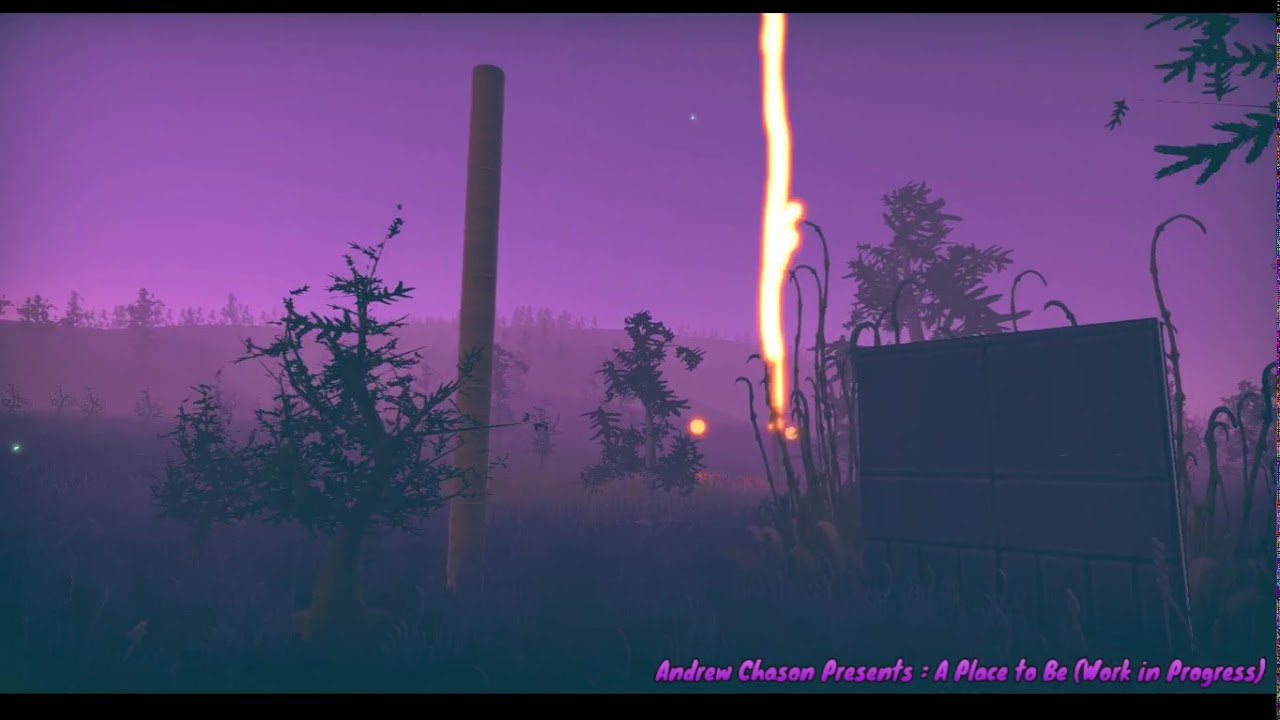
After creating the firefly FX, I decided I wanted to make a complex FX that a few invisible snowflakes that when they died spawn lightening bolts.
Not only were the flakes cooler flying horizontally, and visible, but I made them glowy ball/wisps. And the lightening got much c...
dull obsidian
Are there plans to fix this in the future? So that it is a little friendlier for people to add VFX Graph support to their custom SRPs?
@neon jungle There are a number of extensibility features planned on the Visual Effect Graph Roadmap... take a look at the Roadmap in the Pinned message in this channel. Most notably, these items:
We will port most of the VFX C++ runtime to DOTS C#. This will allow VFX to be more easily integrated into the DOTS based code base, and will make the runtime less opaque and more open.```
```Public Node API
Expose and document the API to be able to create new node types in C#.```
```Custom HLSL Block
Create a block by directly typing some HLSL snippets.```
```Compute Buffer Support
We're adding the possibility to pass data to VFX Graph using structured buffers in addition to Textures.```Hi guys, I'm trying to have an orbiting particle around a certain position. The issue here is that at every time the particle does a whole turn around the origin, it goes further and further away from the origin. When I speed up the orbit it goes waaaay too far. Is there a way to keep the particle at a certain distance of the origin and speeding it up? For this I used a simple cross product in the update context.
lilac bison
try using this node?
quasi fjord
Okay I tried to find the documentation on this node but I can't seem to find anything on it, right now I'm just guessing what it does
Do you perhaps have any useful site for references for the vfx graph?
lilac bison
its really straightforward. for your thing, try plugging time into angle (you'll probably want to scale it before it goes in) and then send position output to Set Position in your particle update
with the rest of the inputs left to their defaults, you'll have a particle orbiting the y axis one unit from the center
quasi fjord
Okay it works, it's weird because when I was playing with the angle it didn't do anything that's why I wanted to look it up. Now it does, thank you for your help really appreciate this! 🙂
 frail nacelle
Does anyone know how to get particles to follow along a path?
in VFX graph?
Or at-least have an attractor only trigger when particles are in range?
lilac bison
following a path is a little tricky because you can't pass in an array of positions unless you pack them into a texture
if you want an attractor to only act on a particle within a certain range, check the distance and maybe plug that into an animation curve so you can adjust the strength based on distance
dull obsidian
@quasi fjord in lieu of full reference docs, you can enable Debug Info in the experimental preferences for VFX graph and just look at the generated HLSL code for any given Block (and the nodes connected to it,) which, if you understand code, is more helpful than some abstract and incomplete description anyway. Or even if you don't fully understand it, it'll still be helpful and educational.
flat swift
well it's not exactly a path but you could use a distance field from a mesh or vector field
lilac bison
its not that tough to turn a list of Vector3 positions into a texture to bind to your vfx graph
dull obsidian
@flat swift @lilac bison yeah If i can get away with it, I would generate a vector field with a high enough resolution
but a list of positions at a high enough resolution will work also, and take up less memory
flat swift
I haven't actually used the VFX graph for anything yet so I can't really help you out there :x
dull obsidian
depends if you need the particles to be 100% "on rails" or rail as the case may be or kinda loosely shot through a vector field, which is preferable in some cases
lilac bison
how do you markup code in discord?
dull obsidian
i made an example using shader graph to predetermine particle attributes over time, baked anim style
lilac bison
i can paste in a class i made
lilac bison
using System.Collections;
using System.Collections.Generic;
using UnityEngine;
using UnityEngine.VFX;

[ExecuteInEditMode]
public class WriteToTexture : MonoBehaviour
{
    [SerializeField] int _textureWidth = 128;

    [SerializeField] Texture2D _tex;

    [SerializeField] List<Vector3> _positions = new List<Vector3>();
    public List<Vector3> positions
    {
        set
        {
            _positions = value;

            for ( int i = 0; i < _posArray.Length; i++ )
            {
                if ( i < _positions.Count )
                {
                    _posArray[i] = _positions[i];
                }
            }
            _tex.SetPixelData<Vector4>( _posArray, 0 );
            _tex.Apply();

            if ( _vfx != null )
            {
                _vfx.SetTexture( _texturePropertyName, _tex );
            }
        }
    }

    [SerializeField] VisualEffect _vfx;
    [SerializeField] string _texturePropertyName;

    Vector4[] _posArray;

    private void OnEnable()
    {
        InitTexture();
        _posArray = new Vector4[_textureWidth];
        positions = _positions;
    }

    private void OnDisable()
    {
        if ( Application.isEditor && !Application.isPlaying )
        {
            DestroyImmediate( _tex );
        }
        else
        {
            Destroy( _tex );
        }
    }

    void InitTexture()
    {
        _tex = new Texture2D( _textureWidth, 1, TextureFormat.RGBAFloat, false );
    }
}```or ```cs for syntax highlighting. (only visible on desktop, though. not mobile.)
lilac bison
anyway... that's a basic component that will properly update and bind the texture when you set its positions property
it's important to also send your graph the number of points in the list so you can properly index through it
dull obsidian
@lilac bison thanks for sharing, that is quite simple and concise
@frail nacelle You could alternatively try my ShaderGraph method to do something similar to @lilac bison's method above though the render texture / camera setup it's a bit wonky and not optimal.... I will rework it as Shadergraph features are added to improve this. The advantage being you could change the paths / curves at runtime every frame since it is shader based if you wanted and with minimal coding. But it may be overkill if you don't need any of that.

GitHub
Unity Shader Graph generated per particle animation curves for Visual Effect Graph - landonth/unity-vfx-shadergraph-curves
lilac bison
oh mine is totally performant if you do it every frame
that's how i use it
on a quest
dull obsidian
@lilac bison for single path, totally
that for loop won't scale on the CPU (without DOTS anyway) for thousands of paths and/or extremely long high resolution paths, if you need that. Most cases I don't think people need that though
lilac bison
oh yea not built for that scale for sure
dull obsidian
but I don't recommend people use my method either currently lol. just more a proof of concept.
lilac bison
getting data into vfx graph via textures is the best we've got until buffers are supported, and there are a few missteps someone can make, so this can be modified for whatever else
frail nacelle
Hmmm
dull obsidian
the best non-hacky way to what my method does right now would be a compute shader solution, but then again that's overkill for the most common use cases and maybe worse performance even due to the overhead
frail nacelle
Yea, trying to get this to run on a phone
lilac bison
yeah i have a compute shader i use to translate a more complex data structure into several textures, but its a lot less simple than the script above 😛
frail nacelle
I'm surprised this is so involved. It's rather basic task
dull obsidian
@frail nacelle I believe support for Bezier curves as an input property to VFX graph is on the roadmap?
that will make this much easier
frail nacelle
So I have that in there
yea
Unity Forum
Hi there!
I wanted to make particles to follow a spline, and the only thing I found is the operator "Sample Bezier".
It works like it should, but it's...
I was able to get this working, but not sure how to get it to follow path rather than spawn from it
dull obsidian
ah, i see, there is a multi-segment position sample subgraph in the VFX Sample Additions package
@frail nacelle hmm, seems you could use it? you just use Age or Time to sample along the Multi Segment, get a float3 and set the Position Attribute.
Pretty sure you need to do this on your own anyway if you don't use the subgraph in sample additions, or the example graph in my repo above
it's not a bezier anymore technically just a fixed set of line segments / positions. though the multi position map could be generated with a bezier curve... just rendered to a fixed resolution of positions which will look the same if it's high res enough.
frail nacelle
I might try to create a flowfield or something in another program and just import it
vectorfield I mean
This is my first time using vfx graph
dull obsidian
@frail nacelle either or yeah especially if you are comfortable with Houdini... does your path need to be 3D? that's one consideration for mobile, you can still do it but may be limited to lower resolutions as 3D texture are memory hungry. And some old mobile platforms may not support 3D textures at all
frail nacelle
Would like it to be 3D. The alternative was just going to be a simple plane but that's kind of lame
dull obsidian
well maybe do whatever works for now if you can optimize it later
Especially if you are just in concept/design phase
dull obsidian
np, thanks to @lilac bison also!
frail nacelle
many thanks!
flat swift
can vfx graph be used to make particles with a distinct id each? I'm a complete newbie at that kind of stuff, I've got this awesome voxel asset called Clayxels and some devs managed to hook up ids to particles and then used pooled voxel objects to make a voxel goop spray and I can think of a number of applications for that functionality with particles :o
dull obsidian
@flat swift There are Particle ID and Index attributes, anyway, Though I don't believe VFX graph is extensible enough yet to make a voxel goop spray. That will likely be possible in the future, however. Take a look at the Roadmap link in the Pinned message for this channel.
notably:
which is "under consideration"
Even if volume simulation / rendering is never an official feature, the other extensibility features / APIs that are confirmed on the roadmap would make it feasible for someone to implement this themselves
flat swift
no uh.. I don't actually need the VFX graph to make the thing, I already have the tools to make it with Clayxels. I just need a way to assign ids to each particle in an emitter and figure out how to attach one of my voxel objects to each one :)
and I was hoping I would be able to do it easily with VFX graph, so that's why I asked
dull obsidian
ahh i see
flat swift
I'd love to see that feature go into Unity though, I would go nuts with EmberGen since they could probably properly support Unity then
dull obsidian
@flat swift you want to output the particle IDs from VFX graph and then input them to Clayxel for further simulation and Rendering?
flat swift
well I just need ids on any particles, shuriken or VFX whichever is easier, I can probably figure the rest out on my own or ask for help on the dev's own Discord
dull obsidian
Ah yeah I chat with the Embergen folks on their discord, nice people
flat swift
there's no real need for simulation, Clayxels is set up pretty easy to work with.
You make a "claycontainer" for the area your voxels can interact with each other, and clayobjects as child objects to it, and I could just as well have the emitter or an empty attached to it be the claycontainer. Then I just need a pool of clayobjects and it should be doable even for me to change their position dynamically based on the position of each particle with a specific id
dull obsidian
VFX Graph doesn't output Particle ID as there's no easy way to access the internal Attributes buffer. Though I have a hacky workaround to spit them out from the Output context generated Vertex shader into another buffer using UAVs It's not ready to go public on Github yet.
flat swift
what about the older particle system then? :o
dull obsidian
It would be easier to use the classic ParticleSystem i the meantime yeah
you can just grab the particle attributes using the C# class
flat swift
I always thought particles don't support ids, maybe it was just VFX graph and I misunderstood
the devs that managed to make voxel liquids had to write some custom code to assign ids to each particle, but the twitter video was garbage quality and I couldn't read it
dull obsidian
Most particle systems i've worked with have some sort of ID attribute or yeah failing that, as long as you can add custom attributes then you're good
I never used the classic Unity ParticleSystem much though only a few times
flat swift
ah then it's probably pointless for me to ask how I would go about doing that xD
dull obsidian
well it's easy to add custom attributes in VFX graph! they are just stuck in VFX graph along with the other attributes lol
flat swift
so I can't access that data outside of VFX graph? <.<
dull obsidian
@flat swift not yet :) but it seems to be part of the forthcoming features on the Roadmap
I will also announce here when my hack / workaround is available also but I can't provide any support for it
flat swift
is VFX graph still in preview or is it the usual "this doesn't set your project on fire so released and we'll add to it later" like URP?
dull obsidian
it just barely came out of preview for HDRP only
and it still has a ton of features in the works
dull obsidian
yeah it works but to a lesser extent and is not verified
doesn't support lighting for one
flat swift
oh yeah, only unlit for now
it doesn't support the 2D renderer either which is a part of URP
dull obsidian
technically VFX graph works in legacy / built in
but they don't tell you that anywhere
very much not supported but i'm using it for a project rn lol... that will migrate to URP later this year anyway
flat swift
nice xD thanks for taking the time to answer my questions btw :)
dull obsidian
np
in the meantime you may be able to use the MeshIndex methods with ParticleSystem.Particle
flat swift
I'll look into it, thanks!
dull obsidian
scroll to the end..
they are meant for per particle Mesh rendering but you can probably use them for whatever you want
quasi fjord
@quasi fjord in lieu of full reference docs, you can enable Debug Info in the experimental preferences for VFX graph and just look at the generated HLSL code for any given Block (and the nodes connected to it,) which, if you understand code, is more helpful than some abstract and incomplete description anyway. Or even if you don't fully understand it, it'll still be helpful and educational.
@dull obsidian I didn't know about that ! I'm not really good with programming but I can give it a shot! Many thanks 🙂
 cold comet
When using the vfx graph, is there no way to preview shapes like in the particle system?
frail nacelle
Hey guys
so I'm trying to get trails to work
for some reason they aren't! It only works when pressing down on the node and moving it slightly, it will show up in the viewport.
Rendering particles and strips at the same time, maybe that's it?
lilac bison
classic
quasi fjord
Hey guys, is there a way to add segments to the particleStrip quad?
Because right now my strip looks very low poly if it moves too fast
torn ice
I'm trying to generate a random offset for a texture, but it always gives me the same image each time. Not sure what I'm doing wrong?
lilac bison
idk... i would try feeding something into the seed field
otherwise i think its meant to be deterministic?
torn ice
hmm, it would need to be something different each time the game is ran though right?
lilac bison
what is the shader being used for?
you want it to be a random offset every frame?
or per instance?
torn ice
I'm using Simple Noise to act as a starfield, so I'd like the noise to look a little different each time the game is ran.
The Tiling And Offset in the image above is attached to the Simple Noise
lilac bison
k
well yea you're gonna want to change the seed in those random range nodes
expose a property through the blackboard, set the value randomly with a script when the game starts
torn ice
Yeah I can do that. Thought there might be a way to do it just in Shader Graph. Oh well.
torn ice
In the documentation they talk about passing UVs into the Seed, but they don
dont show any examples, so I'm not understanding what they mean
lilac bison
well the UVs of the mesh are gonna be the same every time
the only way to get randomness in there that is random once per run is to generate the seed outside of the shader
because everything else is the same
like otherwise i'd say you could use the world position as the seed or something like that
torn ice
Yeah makes sense. This is from the documentation "Input Seed is a Vector 2 value for the convenience of generating a random number based on a UV input"
lilac bison
or if you wanted it to change frame to frame, you could use Time
torn ice
Yeah, I've used Time for changing Offset, that works fine.
lilac bison
right but i mean you could use time for the seed too
torn ice
Right, but I want the stars to be static while the game is running, just different each time it starts.
I'll use the script method.
Thanks for your help!
lilac bison
sure
dull obsidian
Because right now my strip looks very low poly if it moves too fast
@quasi fjord This is a limitation that will be addressed by a forthcoming feature on the roadmap
"Sub Frame Interpolation: Enables spawning and updating particles with greater fidelity when it comes to fast moving simulations removing typical staircase effects with discrete simulation."
(See the Roadmap link on the message pinned to this channel)
quasi fjord
Oh okay, didn't know about this 🙂 Thank you for the information!
prime dome
i have implemented particles into my 2d game, problem is, 2d lighting from particles is not supported, but i want them to glow, is there a workaround?
dull obsidian
@prime dome you could bake the "glow" into a 2D sprite and use additive blending.. this is a common trick for limited hardware. or you could apply some sort of 2D glow / bloom post process effect which may be less performant but could look nicer.
signal hazel
hi , there is a easy way to preview a visual effect in a timeline , im using the visual effect activation clip but when i press play in the timeline , the effect dont restart
 robust fjord
@signal hazel if the particle is parented to the timeline holder, try adding a particle component with emitter disabled to the latter. Children particles only play in editor if they are selected, or the parent has a particle component, too
 bright stone
Hi, I'm having an issue where my bounding box stays in the zero position (0,0,0). But if I try to set the center of the bounding box in VFX graph I get the following error:
VFX_SmokeAreaEffect : Exception while compiling expression graph: System.InvalidOperationException: Unable to compute CPU expression for mapping : bounds_center
  at UnityEditor.VFX.VFXDataParticle.FillDescs
Is anyone familiar with this problem?
This is how I try to set the center of the bounds.
lilac bison
i've got a vfx graph with a plane collision and gravity in the update and the particles look a little frantic as they are moving along the ground
any recommendations to chill them out a little bit
dull obsidian
@lilac bison they are bouncing or what exactly?
post screen capture or even a .vfx file if possible?
and what is leading up to the "Bounce" input in the graph ha. formerly known as elasticity
dull obsidian
@quasi fjord This is a limitation that will be addressed by a forthcoming feature on the roadmap
"Sub Frame Interpolation: Enables spawning and updating particles with greater fidelity when it comes to fast moving simulations removing typical staircase effects with discrete simulation."
(See the Roadmap link on the message pinned to this channel)
@quasi fjord a quick follow up on my message to you from earlier above... something that could possibly help you in the meantime, though i haven't tested it is to adjust the fixed time step and max delta time in the VFX project settings here. the fixed time step defaults to 1/60 (60fps) though you can try 1/120 or 1/240, etc you can type those fractions into the fields and the calculation will happen automatically.. the lower the timestep (the higher the FPS 1 second is divided by) the more VFX calculations should happen per render frame.. though I'm not sure if it actually works lol. The max delta time (the maximum amount of time elapsed since the last timesteps) defaults to 0.05 and you can lower it to increase accuracy though at a certain point i think it will basically make every VFX run in slo-mo.. instead of just skipping timesteps / frames. Something like that in theory anyway, I don't know the exact details on Unity's implementation here. Anyway, worth a shot to see if those might possibly increase the resolution of particle trails / generate more segments per render frame.
quasi fjord
@dull obsidian I really appreciate the explanation and the effort! I'll try this out asap and see what it gives, hopefully it son't slow down all the other effects 😆 Thanks a lot !
 gaunt nexus
Hey unity-lovers. I have a really general question for vfx and unity. How do you add your vfx to your game in medium and big size projects? Do you have some kind of tool which allows you to just add specific effects to events like (DamageTakenEvent -> CameraShake, Spawn Particle, Play Sound)?
 haughty pawn
@prime dome you could scale a quad with a texture if you really need that uniformity.
The kind of uniformity you're looking for sounds very neat. It wouldn't be very realistic though.
now that I think about it, you can have a mesh and set it to emit from its vertices
Check "Mesh, MeshRenderer, SkinnedMeshRenderer"
thin arch
Hey guys - I'm trying to figure out if I can see if a particle system's particles are NOT colliding with an object. I only see the method OnParticleCollisionEnter. What I want to do is add another particle system to the object IF the collision is occurring, and then remove it when the collision isn't happening anymore. Has anyone looked into something like this?
My bad guys - I meant to say OnParticleCollision
vestal wadi
@thin arch just start a timer when collision happens and reset it every collision. When the timer completes remove it.
thin arch
@vestal wadi thanks for the suggestion. I decided to go with coroutines for this, so I think it takes care of the problem. 🙂
thin arch
Hey guys, I found this cool tutorial online:
https://www.youtube.com/watch?v=KsT_ZyTv1ms
I love what he's taught with this, but now I've come to a small problem - I'm trying to get something to "zap" another object with this kind of particle system, but I find it problematic when both objects (sender and receiver) are moving.
When I try to do the seek behavior, even when I just stick with the local simulation space, the particles at least stay with the sender, but they end up never seeking onto the home object.
This got me to try to just code to stick each particle on a point on the way to a given target - it KIND OF works, but the problem is, when targeting the root of the receiver itself (which has multiple children meshes) it ends up targeting the actual origin point, which is below the car rather than the car meshes themselves.

An introduction to creating custom components for Shuriken, Unity's powerful particle system. In this, we implement a simple example of a seeking behaviour. I recorded this on a large monitor in 4k, so my apologies if the text appears extremely small on your screen. I'll try f...
The red arrow shows where the particles are currently pointing to, and the blue arrows show where I'd like them to go instead
                //added logic to select random mesh colliders in the object
                MeshCollider[] colliders = target.GetComponentsInChildren<MeshCollider>();

                Transform truetarget = colliders[Random.Range(0, colliders.Length)].transform;
                //Vector3 bodyEnd = target.root.Find("Body").transform.position;

                Vector3 EndPoint = lightningBolt.transform.InverseTransformPoint(truetarget.position);
                if (i <= lightningParticles.Length / 2)
                {

                    float endDistanceOffset = (EndPoint - p.position).magnitude;
                    if (i == 0 /*&& endDistanceOffset > 20*/)
                    {
                        p.position = EndPoint;
                    }
                    else
                    {
                        p.position = p.position + (EndPoint - p.position);
                        //Vector3 targetDirection = (EndPoint - lightningBolt.transform.TransformPoint(p.position)).normalized;

                        //Vector3 seekForce = targetDirection * force * Time.deltaTime;

                        //p.velocity += seekForce;
                    }
                }
                else
                {
                    if (i == lightningParticles.Length - 1)
                    {
                        p.position = Vector3.zero;
                    }
                    else
                    {
                        p.position = p.position + (Vector3.zero - p.position);
                        //Vector3 targetDirection = (EndPoint - lightningBolt.transform.TransformPoint(p.position)).normalized;

                        //Vector3 seekForce = targetDirection * force * Time.deltaTime;

                        //p.velocity += seekForce;
                    }
}```Above is the main logic in the code - it is inside a loop of each of the particles acquired from the particle system:
            lightningBolt.GetParticles(lightningParticles);
            for (int i = 0; i < lightningParticles.Length; i++)
            {
                ParticleSystem.Particle p = lightningParticles[i];...
 outer tartan
It's been 4 days that I'm trying to reproduce this effect in Unity : https://darkcatgame.tistory.com/65?category=827603 (was made in ue4), but impossible... I'm stuck at the normal refraction part

CatDarkGame's Game Dev Story
메인 회오리 만들기 3ds max로 간단하게 회오리를 모델링 했습니다. 중요한점은 UV를 위 처럼 세팅하면 Y로 UV오프셋할시에 회오리효과를 구현 할 수 있습니다. 마테리얼은 위 처럼 구현하여 만들었습니다, Ma..
prime dome
refraction mean you have a capture of the frame buffer before applying the effect, depending on the pipeline it could be different thing, it's grabpass in built in
Probably a render pass in srp
though a cubemap solution could also works assuming you don't care about dynamic objects (or you would have to render the cubemap in real time)
outer tartan
Well I'm not really trying to achieve a tornado, I would like to create some fluids manipulation with the texture above, but it could be in different shapes (beam, bubble, animal-shaped etc..) and I could see a few minutes ago that it's probably a bad idea to do it through objects, it says I shall use trail renderer, do you think it's the right way ?
prime dome
It doesn't matter the shape, I only addressed the refraction part, that is you need an image to move around, if that image is the environment then what I said applied, if you are fine with any image sources, then texture or shader function accessed by perturbed normal displacement is okay
outer tartan
Oh well, I'm still new to unity, I thought shaders & trails were totally different things, ur right, then I'll look into the cubemap, ty
outer tartan
Yeah I thought trails were particules only 😅
prime dome
particle is still objects
particle is a system that drive objects
to be more precise
outer tartan
Well you don't apply shaders to particules ? Actually I'm really new I mean it's been a few days since I'm eating shaders tutorials x)
prime dome
yes you do
outer tartan
Oh okay
prime dome
I mean start documenting yourself on mesh and 3d models
before jumping to shader
basically objects is a collection of property, the visual part is composed of mesh and material
mesh is basically the 3d model made of point and triangles
to which you applied a material
which itself is a combination of parameters, textures, all passed to a shader for rendering
so each material have a specific shader associated to it
if a meterial have different texture but same shader, they are different material
if you have same texture, same shader but different parameter, that's a different material
outer tartan
Yeah I pretty much understand all that
prime dome
if you have different values in the parameters, but the parameters, texture and shader are similar, that's still a different material
if you understand that part
well... the unity manual is great resources
start reading it in the order it is presented
everything is there
outer tartan
Well, I'm not really about reading, in general, whatever is the language or engine, I more into looking tutorials visually, not to reproduce, but then I can deduces things by myself and evolve into what I really wan't to do, so now I focus on shaders / vfx, I'll continue hardtrying it until I get results 😓
 crisp stag
Hey, I'm trying to have particles created from an emitter not follow the emitter... I looked it up and people said set "Simulation Space" from Local to World... but that just has the particles spawn at their origin spot, not spawn along the movement of the emitter (while not following the emitter)
Any thoughts?
thin arch
@crisp stag that's weird you were told that, I found I had to set my simulation space to local today - which definitely didn't completely solve my current problem but went a long way
I think the opposite is true and I learned that the hard way
crisp stag
I've tried both, neither of it works. Basically the emitter travels from point A to point B and I want it to spit out the particles to form a spiral... I got the spiral spitting but the particles it spits out are either not moving at all or maintains the transform of the emitter
thin arch
Try looking up the Unity particle tutorial I shared earlier today
I think following it will help make things a little more clear
I've been confused myself in the past
crisp stag
I mean, I know I can do it in code
thin arch
Seeker particles specifically
crisp stag
but I wanted to solve it without a script
crisp stag
I think I figured it out... I just have to make it a sub-emitter of the part that moves... at least that's what I think. Going to try it out
okay that did it... just have to change a lot of setting to make it work though
the sub-emitter is World and the main emitter that emites the sub is Local... thus one moves and the other stays still where it is created
thin arch
Nice
 nocturne yarrow
Learning the VFX graph... it lets you expose properties in the inspector
Are these able to be manipulated with code?
 hearty flare
I assume so, I've not done it before but just looking at the documentation https://docs.unity3d.com/Packages/com.unity.visualeffectgraph@8.1/manual/ComponentAPI.html#property-interface
nocturne yarrow
It's like you're trying to tell me something...
thanks, I'll look this over
@hearty flare in my case, it looks like I'd be looking for HasColor? It looks like that one is conspicuously absent.
hearty flare
Vector4 probably
nocturne yarrow
ok
@hearty flare It looks like I need to get the int ID somehow out of the shader graph, is there a Debug.Log code I can use or something to find that id?
hearty flare
do you not just drop down the Color field in your screenshot and it has a reference ID, exactly like shadergraph?
the docs say Shader.PropertyToID(string name)
again, reading them is the answer 😅
nocturne yarrow
So in my case, the property I've exposed is called "Color", so I'd PropertyToID("Color")?
sorry this is kind of new territory for me
hearty flare
give it a try 🤷
nocturne yarrow
huh, this definitely was never going to work, but it's kind of unclear how I do this:
hearty flare
it's a static method
hearty flare
if it produced nothing then you have no visual effects in your list/array
nocturne yarrow
oh, heh
... yes.......
this feels like actual sorcery... what the hell. Well it works, thanks so much vertx
 rain epoch
How can I make a particle such as this one?
 round ermine
question is there any cloud asstes that i could find that could give the effect of my setting taking place very high in the sky
 gray roost
Hey, anyone know if there is a way to align VFX Graph nodes other than by moving them with the mouse?
dull obsidian
@gray roost not currently. It will probably be added to VFX Graph at some point since node alignment is already on the Shader Graph roadmap and Unity has stated they plan to reconcile common usability and quality of life features between the visual node graph packages.
 ashen wigeon
I am spawning particles (VFX graph) and I am setting the velocity (world) random between 2 values.
When my game object rotates, the velocity of the newly spawned particles is rotated, why? I don't want that, I've set the velocity as world..
 timber minnow
apologies for what looks like an endless stream of questions but I have a really basic one. I have a 2D flow map setting the velocity of my particles and wrapping around. The flowmap represents the earth's weather so I need to reproject the results into a sphere shape based on UV.
What I'm wondering is if I can have a second particle stream in VFX graph which takes the current position of the 2D flow sim and reprojects that onto my sphere, keeping the first one in 2D. I have the code to do the reprojection but I can't use it on my main particle stream since the positions come into the next frame reprojected/wrong...
I was also wondering: if the system outputs particle meshes, can I change the shader and do spherical reprojection there?
Pictured above is moving/spherical but not accurate to the flowmap below (haha)
 spiral sky
I'm new to particles and am having difficulty with getting any particles to spawn with "rate over distance." I am using Unity's built in particle system. I have a parent constraint attached to the particle system, is that known to cause problems?
 fossil ether
Hey, anyone knows how to make a particle system render trails bellow the particles themselves?
dull obsidian
What I'm wondering is if I can have a second particle stream in VFX graph which takes the current position of the 2D flow sim and reprojects that onto my sphere, keeping the first one in 2D. I have the code to do the reprojection but I can't use it on my main particle stream since the positions come into the next frame reprojected/wrong...
@timber minnow yeah you can (within reason) have as many particle sims that you want in a single VFX graph. or you could sample the same flow map in a separate VFX graph
I was also wondering: if the system outputs particle meshes, can I change the shader and do spherical reprojection there?
@timber minnow You could probably do that also though it would have to be a Shader Graph. you could use a custom code node if you don't want (or can't) recreate it using primitive nodes in VFX graph or Shader Graph. Custom code nodes are also coming to VFX graph in the future, roadmap. A spherical reprojection is simple enough to do with built in nodes though if you needed to.. I would honestly keep it in VFX graph if possible and put it into a subgraph if it starts to get too noodly
 late stag
With the VFX Graph, how can I increase a particle system's spawn rate over a length of time?
So at the beginning it would hardly be emitting any particles, and at let's say 5 seconds, it would be emitting a lot of particles
slate sable
@late stag probably like this
Not sure what units total time is in rn
could be in seconds, so you would just set the end key to time in seconds
 spiral wave
I had a friend animate a first person eye opening animation with transparency.
What would be the best file format to use in unity? I aim to use this animation as part of spawning
dull obsidian
I am spawning particles (VFX graph) and I am setting the velocity (world) random between 2 values.
When my game object rotates, the velocity of the newly spawned particles is rotated, why? I don't want that, I've set the velocity as world..
@ashen wigeon
you may be missing a local/world switch somewhere else in the graph. there are a lot of them they just say L or W and they don't even look like buttons. If you still have trouble, you can upload your .vfx file to dropbox / google drive etc and post a link here for someone to try to help resolve before declaring it worthy of a bug report
timber minnow
seems like it works!
timber minnow
🙏🙏🙏
dull obsidian
@timber minnow nice, now put some trails on there and you'll really be in business
an alpha fade over age / lifetime will also help... the birth / death of particles won't be so abrupt, pop in , pop out
I worked on a geospatial weather data visualization for IBM a few years back. for context.
we also added these little floating legends on major cities that showed streaming data points updating every frame
timber minnow
oh very nice! good pointers
im not sure what exactly im being handed, there's a bunch of texture channels i can parameterize
and i think there's two sets which represent an afternoon in 2002 and 2102
timber minnow
little bit of progress this evening moving to particle trail system
trying to keep it efficient enough to work in AR
stiff turtle
There are way less particles 😮
timber minnow
Partly cuz it becomes hard to see the earth underneath and partly because each trail is made up of an array of particles
 lusty zodiac
anyone know how i can make a particle go from spawn to another location please?
 neon oasis
How can I make my particles not play on awake? There's no checkbox or anything
timber minnow
it's the top node in the vfx graph that sets spawn
stark roost
Does someone know how to emit a vfx graph on a circle that is horizontally oriented? Im using the "Position (Circle)" node, but it spawns on a vertical oriented circle
stark roost
Does someone know why i cant place vfx graph as trees in a terrain
neon oasis
@timber minnow I just want a single burst whenever I call the Play method. Single Burst doesn't have anything to disable playing on awake.
 visual lichen
hey guys! unity is unable to read any vid (mp4 or other) any idea ?
lilac bison
@neon oasis maybe try changing the name of the event in the graph that drives the single burst?
neon oasis
@lilac bison The single burst is in the "Spawn" box, the only other box is "Event" into which I can't put in any blocks
lilac bison
right but an Event node plugs into the Spawn's "Start" inlet
neon oasis
Thank you!
 carmine kindle
hey, im trying to make a system for my game where i can render gifs of the character with particles playing behind them. i'm having trouble getting a seamless effect. i've already tried disabling randomseeds, enabling looping and prewarm. as of now i am successfully rendering the images using rendertexture and outputting them as png's to be later processed. any idea how i can achieve a seamless effect?
https://im4.ezgif.com/tmp/ezgif-4-f019370d2b08.gif
https://hastebin.com/oweditevoc.cs <--- CODE

 viral flicker
@carmine kindle I would just spawn a particle system behind the character
carmine kindle
@viral flicker yes but how can i achieve a 100% seamless looping effect
viral flicker
your particle system is not really tied to your animation, its just spawning particles infinitely
it doesnt really "loop"
carmine kindle
thats what i'm having issues with
how should i go about achieving a seamless effect?
viral flicker
uhhh I am missing something here, if you have a looping animation of your character
and independently, you enable a particle system behind
you would end with a seamless effect
because the particle system on itself is seamless, it just spawns stuff forever
carmine kindle
well i seem to have the issue
even if i disable randomseed via code
it seems that the particles still spawn 100% randomly
viral flicker
problem is that in your code you are rendering the particles to a set number of textures?
If you render your particle system to a certain amount of frames then yeah, its not gonna loop
carmine kindle
i am just using particlesystem
well how do you think i would be able to achieve a perfect seamless particle loop
lilac bison
does anyone understand the distinction between "Position" and Vector3 in the context of operators like this?
is Position just a Vector3 that specifies either Local or World? not sure how its even useful
slate sable
Pretty sure that's the only difference. Maybe it automatically changes the local/world in some nodes that use that?
¯\_(ツ)_/¯
 ember minnow
can any of you guys start to explain what I'm seeing here???

Another take on the grid theme with Visual Effect Graph in Unity. Just wanted to try get some colorized neon patterns moving.
lots of stuff going on in this VFX graph
stiff turtle
You'r actually looking and a disco neon waving floor
ember minnow
I'm new to vfx graph, if i was going to try to perform this effect in vanilla unity I'd script a 2dimensional array and instantiate a load of line renderers in a grid, then alter their transforms and colors by looping through the array
how would i go about this kind of effect in vfx graph?
initialize the plane, produce lines between 2 points
any example of a flat plane particle effect similar to this?
lilac bison
one of the VFX Graph output primitives is a Line so you could build out some logic based on a particles "particleIndex" property to create a grid of lines
might be some simple logic for which lines get turned off and on with the glow too?
tbh if i was recreating this effect, i'd just use a plane mesh and do it in a vertex/fragment shader
and use texture maps for the line pattern
lilac bison
anyone know the functional difference between spawnIndex and particleId
ember minnow
tnx
 frank idol
https://www.youtube.com/watch?v=O-xKHpszsgA
Hey there! just sharing some work I did recently.
HMU with any questions or business enquires, freelance ect. for visual effects 

Part of the RTVFX Sketch #36, Re-Sketch.
Here my reimagining of the Flamestrike spell I developed in my early days of VFX practice. These changes were made using new techniques I learned over just a few months.
Feel free to ask any questions!
Subscribe to my channel :)
htt...
dull obsidian
anyone know the functional difference between spawnIndex and particleId
@lilac bison as I understand: say you are spawning particles from an 8x8 grid of 64 points total.
ThespawnIndexcontains which of those 64 points a given particle spawned from, 0 to 63.
But you also have spawn rate of 128 particles a second, a lifetime of 8 seconds and a capacity of 1024 particles. TheparticleIdcontains the index of a given particle among those 1024 alive at max capacity, from 0 to 1023.
dull obsidian
is Position just a Vector3 that specifies either Local or World? not sure how its even useful
@lilac bison @slate sable Color is also just a Vector4, though it's still useful in UI/UX of a visual graph like this to be context aware and know what domain specific type you are working with. (Even if many simple operator nodes don't provide any special UI options for them.) Also, Positions and Directions are almost always ultimately Vector4/float4 not Vector3 so that matrix transformations can be properly applied: https://forum.unity.com/threads/a-vertex-position-is-a-float4-what-does-the-4th-component-represent.152809/
Unity Forum
In the vertex input data structure to vertex shaders, you specify a position as float4:
     struct vertexInput {
        float4 vertex :...
 limpid jolt
Hello, whats the right way to scale down a particle system by 50%. Changing the transform localScale doesnt reduce the particles size
late stag
I'm trying to keep the playback of two particle systems in sync. I have one looping, and another that I turn on. When it's enabled I'm trying to sync it using ParticleSystem.Simulate(time, withChildren = true, reset = false) but it's not synching up properly
Does anyone know how to accomplish that?
lilac bison
anyone written a VFX Property Binder?
i was trying to write a really simple one to just bind Time.frameCount to a property, but as soon as i add it, the console is flooded w NullReferenceExceptions... not sure how to properly declare an ExposedProperty. when i click it in the inspector, it doesn't allow me to put in a name for the property in VFX graph
lol of course its because the example code in the documentation is bad!~
they simply declare their exposed property, uninitialized... seems like you must actually assign it
dull obsidian
@lilac bison i think i made one once, based off one of the included property binders, not the documentation
lilac bison
yeah... that's how i came to the above conclusion
i'm looking for a good clean way to have a Trigger Event Always block only trigger once
so i came up w something like this
and then i flip the "Burst" bool property to true, but i only want it to happen for one frame, so i tried using a coroutine to flip it back off after one yield return null but it seems like it needs 2 of those
so its getting less clean
so had an idea to use frameCount, but now i realize that's not gonna work unless i'm in play mode and i'm working on this in edit mode 95% of the time at the moment
VisualEffect should have a SetTrigger function like Mecanim's Animator that behind the scenes just flips a bool for a moment 🙂
dull obsidian
so had an idea to use frameCount, but now i realize that's not gonna work unless i'm in play mode and i'm working on this in edit mode 95% of the time at the moment
@lilac bison
VFX graph saves in play mode, fwiw. And disabling domain reload will cut down the time to enter/exit play mode significantly.
(i should say, properties within VFX graph persist from play mode... i think you still have to exit play mode to save the changes to disk)
dull obsidian
i'm looking for a good clean way to have a Trigger Event Always block only trigger once
@lilac bison
Though I am not clear on the actual use case, what is the point of this? what it is this actually providing for you in high level / laymen's terms?
 lyric yarrow
Hey. Does anyone have any insight on LODs for vfx graphs? I get bands of decreased intensity and/or quality on parts of systems that are further in the distance and I'm wondering if it's possible to control this? I haven't found anything online and tinkering with settings have yielded nothing so far.
slender fable
Had this same issue. Never found an answer. Eventually went back to the particle system.
lyric yarrow
Oof
lilac bison
@lilac bison
Though I am not clear on the actual use case, what is the point of this? what it is this actually providing for you in high level / laymen's terms?
@dull obsidian basically just want something analogous to the Single Burst block you can use in the Spawn context, but for GPU Events instead :p
what i have works, but i wish it was a little simpler for re-use
@lyric yarrow what's the output? i wonder if a different primitive or using a vfx shadergraph might effect it
lyric yarrow
Just simple Particle Quad with additive blend mode. I can check with other outputs
dull obsidian
@lyric yarrow what render pipeline? pretty important factor
lyric yarrow
HDRP, sorry
dull obsidian
no worries 😉
@lyric yarrow maybe something to do with texture lod / mipmaps, just a shot in the dark. this is a screenshot from play mode right?
lilac bison
yea i think if you used a shadergraph, you might be able to have more control over mipmapping, etc
dull obsidian
and does the dividing line stay with the visual effect gameobject? or does it move with the camera depth? @lyric yarrow
lyric yarrow
Yeah, that's what I was thinking as well.
It moves with depth
I tried a different texture and that does appear to help
lyric yarrow
Of course I've scoured through all settings for the past day, except the texture settings (:
dull obsidian
try making or finding some higher res power of two textures with many mipmaps levels
if the texture is very small / low res and/or not a power of two to begin with there there may not be many mipmap levels possible even if mipmaps were generated
i suggest something like 4096x4096 with mipmaps as a control, then step down to 2048, 1024, 512, etc
lilac bison
yea you could just try killing mipmapping on the texture you're using and see if it looks alright
dull obsidian
oh yeah good idea also lol
lilac bison
w/ additive blending, it might not matter
dull obsidian
if it's just a simple blurry sprite anyway
lyric yarrow
Yeah, that's what I've ended up doing and it seems to have fixed it.
This is just going to end up at a still image in the end so performance isn't necessarily my priority at the moment, but all good info nonetheless
dull obsidian
especially when many of them are not much larger than a single pixel, then fxaa anti-aliasing will smooth them out anyway
fyi @slender fable seems it was an issue with the texture and mip-mapping properties
lyric yarrow
Thanks a lot for the help and input guys 🙂
dull obsidian
it may be worth bringing up as a bug report to the VFX graph team anyway if the default texture / color map asset is in fact less than optimal for the most common cases of particle rendering. not sure if you were using the default colormap, @lyric yarrow ?
in any case, these details are important if they have been causing false positive rendering artifacts under an assumption that the default texture map is well suited for this purpose when perhaps it is not?
lyric yarrow
Yes, it was default color mapping and the default particle sprite so you might be on to something
I'll make sure to report this, good point
dull obsidian
great! like, i can forgive such an oversight for a new software package but somebody has to tell them.
it's probably the last thing on their mind at this point with their current roadmap lol
an easy fix though, i believe they will be receptive
lyric yarrow
Yeah, for sure. And it does only seem that noticable with really flat and uniform systems like this. But yeah, it should be a massive fix. At the very least it would be documented in a forum entry that might help others
 white dune
Forgive me for being a complete retard... How do i zoom out in the particle system curves widow?
lilac bison
you could start by not using "retard" as a pejorative
white dune
ight
Forgive me for being a complete dumby... How do i zoom out in the particle system curves widow?
dull obsidian
@white dune i think by holding different mouse buttons or shift , control keys and click drag up down , left right. something like that. similar to how it works in audio and video editing software
white dune
k thx
 young mason
Hey! In VFX Graph (HDRP), I'm trying to move particles in sort of a funnel shape. I generate them in a circle, and I want to attract them to the bottom of the funnel, but I'm not finding any great "attractive force" kind of thing. "Target position" looks promising, but I don't really know how to use it, besides just creating the position in memory. How do I do this best?
 soft goblet
Hey! Trying to use Depth buffer collision in URP but I can't get things to work.. I have a main camera and this is my setup. Did I miss something?
dull obsidian
@young mason I would use Conform to SDF block but you'd need to generate or author a Signed Distance Field for the funnel shape. you can see how it works with the default teapot SDF first anyway
@soft goblet VFX graph is currently production ready for HDRP only. Depth Collision is one of the features that doesn't work for URP yet. Full URP support is being tracked on the roadmap here: https://portal.productboard.com/unity/1-unity-graphics/c/97-full-urp-support-compute-only
We're working on support to make it possible for you to do things like render lit particles or using depth buffer collision using URP.
This will only be support for compute capable devices (platforms HDRP supports) - additional functionality is required to get VFX Graph ...
soft goblet
Ah ok not supported yet, thank you @dull obsidian
prime dome
vfx graph effects are not being stored (in collab) it seems to be a bug. Suggenstions?
 neon frigate
I have a problem with VFX graph
This is a simple graph... but I can't set the exposed value _force from code:
Value of name '_force' was not found
UnityEngine.VFX.VisualEffect:SetVector3(String, Vector3)
DriveParticleWorldPosition:LateUpdate() (at Assets/DriveParticleWorldPosition.cs:23)
using UnityEngine;
using UnityEngine.VFX;

public class DriveParticleWorldPosition : MonoBehaviour
{
    public VisualEffect fx;

    private Vector3 _last;

    private int _id;

    // Start is called before the first frame update
    private void Start()
    {
        _id = Shader.PropertyToID("_force");
        _last = transform.position;
    }

    // Update is called once per frame
    private void LateUpdate()
    {
        var delta = _last - transform.position;
        fx.SetVector3("_force", delta);
        //fx.SetVector3(_id, delta); <-- same problem
    }
}
Any ideas what I'm doing wrong here?
neon frigate
I must be doing something wrong with the property itself.
dull obsidian
vfx graph effects are not being stored (in collab) it seems to be a bug. Suggenstions?
@prime dome submit a bug report.
Any ideas what I'm doing wrong here?
@neon frigate Not off the top of my head.. it seems you are doing this correctly at a glance.
Is this an official : stable unity release (like 2019.4 LTS) with a verified version of VFX graph?
neon frigate
Nope, it's 2020.1 beta with vfx graph 9.0.0 on URP 9.0.0
I use Hybrid Renderer V2, but the VFX lives on a normal game object.
slate sable
I'm using the 2019.4 LTS and position binder doesn't work and Transform one does
¯\_(ツ)_/¯
neon frigate
Writing a value would be enough and basically finish a whole prototype part of my game haha.
Oh well.
I'll make do with world space particles...
Oh.
Ok so maybe some kind of glitch but the property wasn't a "vector3"
Weird.
dull obsidian
@neon frigate aha is see now.. the type was just "Vector" lol... that shouldn't happen though, it's probably some abstract class that the actual vector classes inherit from or something that it is defaulting to. Bug report worthy
@slate sable curious if you can confirm this the culprit for you as well
slate sable
I'm abroad for a week. If I remember I will confirm it. :D
dull obsidian
@slate sable cool no worries 😉
neon frigate
@neon frigate aha is see now.. the type was just "Vector" lol... that shouldn't happen though, it's probably some abstract class that the actual vector classes inherit from or something that it is defaulting to. Bug report worthy
@dull obsidian It's an interesting type of "not vector3" though, because Vector has a little toggle for (L)ocal and (W)orld.
lilac bison
might be a "Position"
lilac bison
right
dull obsidian
@neon frigate I know Shader Graph had or maybe still has? a "Vector1" type that befuddled and infuriated me and many others with the sheer fallaciousness of a such a misnomer 
the irony of a type abstraction paradigm created from an intention to simplify, actually manages to grossly overcomplicate and idiosyncratically contradict itself
stone citrus
Using the Shurikin FX system, how do you get a particle (texture sheet flip book) to flip after the top of it's arch?
nocturne yarrow
This little triangle ▶ thing is supposed to be an expander arrow of sorts, right? I'm not losing my mind?
Clicking it does nothing. Did this break in the latest alpha?
dull obsidian
@nocturne yarrow That's a public Alpha for you. Expect alpha to have a lot of bugs like this you can report --that's the primary reason they are made available.
(gathering bug reports and feedback to guide and accelerate development)
nocturne yarrow
@dull obsidian For sure, no worries.
nocturne yarrow
Reported as a bug, created a new test project and it doesn't work there either.
 karmic cairn
Hello,
Is there a way to get the particles to spawn according to a sprite/textures shape ? I'm guessing the system can do it via attribute maps, but I'm kinda lost to how exactly.
I want to have complex patterns on the grounds leaking smoke/flame/etc.
Edit : Nevermind, I'm dumb. Didn't see the point cache generator tool accepted 2D assets too.
plush sonnet
Someone know how to make line wider in VFX Graph?
My current line output look like that
lilac bison
you're gonna want to use a quad for that
Output Particle Line will always be one pixel wide
@plush sonnet
dull obsidian
@plush sonnet try enabling the "screen space size" block with the check box at the top right of it.. it's not checked so it's disabled
@lilac bison i haven't used it but it seems like this block should increase the line thickness beyond 1 pixel?
plush sonnet
sadly, but screen space size wont help me. its doing line longer, not wider
dull obsidian
ah got you yeah then i think @lilac bison had the right idea. @plush sonnet you're going to need to use quad output and orient the quad along the velocity vector. then you can scale the quad in any dimension x y z... two of which will be the "line" length and thickness
plush sonnet
Alright. Thanks!
slate sable
@dull obsidian so I finally got to try it.
The Transform binder takes Transform and works.
The Position binder also takes Transform but doesn't work. -_-
Also, has anyone encountered (or found a fix for) this error when working with VFX Shader Graphs inside VFX Graph?
The shaders look fine on the effects but that error is annoying.
 stuck bane
Hi everyone, I am having some issue with sorting sprite particles and would love some help
I am making a 2d game, the sprites are sorted using the Z axis, the particles are emited as world particles, I would like for the particles to be rendered sorted by z as well between the sprites, but the behaviour is weird, at first I though that it was impossible and that the whole particle system was rendered in one go, but when doing some test scene, sometimes it seems to split the rendering and render some sprites between some particles, but still not behaving properly
should this even be possible?
dull obsidian
@dull obsidian so I finally got to try it.
The Transform binder takes Transform and works.
The Position binder also takes Transform but doesn't work. -_-
@slate sable My feeling on this is actually that it is by design.. a Transform is actually a Matrix or list of Vectors (Position, Angles/Rotation, Scale,) as you can see on the blackboard, whereas a Position is just a Vector. So it's not able to auto-cast the types as they are not the same size.
 ripe jackal
Hi there ! Quick question, any update about sampling particles from geometry in the vfx graph or do we still need to compute sdf or pc ?
slate sable
You can look at pinned roadmap. It's still in progress 🙂
dull obsidian
@ripe jackal yeah, for future reference you can always find the vfx graph roadmap pinned to the #✨┃vfx-and-particles channel here
ripe jackal
Thanks !
 tame turtle
im trying to make a torch flame using the trails module on a particle system. if i move the flame too fast it looks like the flame isnt connected to the torch cuz the particles are too far behind the transform by the time they spawn/scale up. i assumed the "attach ribbons to transform" would be a good way to solve it, but when enabled the trail seems to get attached to the origin of the scene instead. is this a bug or am i missing something?
dull obsidian
@tame turtle i rarely use ParticleSystem so unsure but.. Flame Magic Spell FX Achieved!
 wintry hearth
Hi ! Does anyone knows how to get the fog post effects to apply to a VFX created with VFX Graph ?
 strong oriole
Any one know how I could possible go about creating something like this in unity?
Trying to make a projectile for a character to shoot. I assume some sort of trail would be the way to do it, but I can't seem to figure out how to quite do it.
 plain current
@strong oriole https://www.youtube.com/watch?v=xenW67bXTgM that should help you

Unity 2018 - Game VFX - Projectile Muzzle Impact Raycast Tutorial
This video shows you how to create a Projectile, Muzzle Flash and a Impact effect in Unity. We use Photoshop and Blender to create our elements and create some code, with raycasts, for the projectiles to move a...
strong oriole
I have seen that, however I was unable to get the look I was going for following that.
I'm assuming there's some way I can set up a trail to look like this but perhaps not.
I have thought of a way to do it however, but it's mostly just animating it by hand (which I've mostly already done, just gotta clean it up) and then sticking it in that way.
Generating it in Unity would have neen preferable but I just don't know enough about Unity's particle and effects system to pull it off accurately.
So for now at least I'll do things in the more old fashioned way.
Thanks for the response anyhow tho!
 tardy ginkgo

 pallid hamlet
I am spawning multiple particles around the particle that dies in contact with a sphere. These particles inherit position and velocity of dead particle. New particles collide and conform to the sphere. The problem is that they spawn with some offset that is somehow linked with Z axis velocity that is set on their spawn - it's shown on the video.
Why is it happening? Is it some form of preventing them from intersecting with the sphere collider? I really need them to spawn on the same Z axis position as their parent.
cold comet
What's the recommended way to get bloom on a sprite?
 shadow kindle
Guys what would be the best way to implement weapon trails?
plain current
quick question: can i create a shader that affects everything except one mesh?
 amber blaze
@prime dome if you don't want to do it with a script, I've found the best hacky way is in the shape module, set the mode to loop. This only really works if you're emitting the full 144 all at once though, otherwise you will get the typical loop behaviour of the particles cycling across the mesh
@shadow kindle totally depends on what you want to achieve. The simplest way will be a trail/line renderer attached to the object. But I wouldn't say thats the best. A better option would be creating a mesh in whatever shape you need, and animating a texture on it's UV/material. But thats a lot more work than just sticking a trail renderer on a moving object.
@plain current of course, but also it depends on what you want to achieve. One way I've recently done it is with a post processing shader, with an extra rendering pass to render out a mask of the objects I want excluded using command buffers. Then you use that mask texture in the post shader to know where you want the effect applied.
plain current
i have this, and want to mask out the shader where blue plane exists
shamelessly used this as a base

In this miniseries (2 episodes) we create a system to detect which targets are in our unit's field of view. This is useful for stealth games and the like.
Source code + starting file:
https://github.com/SebLague/Field-of-View
Support the creation of more tutorials:
https://w...
will look into it thx
amber blaze
I see what you mean! So you want everything blue visible and everything else not visible? something like that?
plain current
kinda, i want it less saturated and darker
fog of war you know
my problem is that i want it to be faded at the edges, but not if an object is in front of it
like the lower left orange box, if the intersection is blurred, it looks akward
amber blaze
Yep gotcha! Sounds like the perfect thing for the post process method I mentioned, but you'd have to do a little shader work. How is the blue rendered at the minute, is it essentially a circle? just thinking how best to do the faded edges. The rest is quite trivial, although still need some post process shader work.
plain current
can we dm? i'm new to unity and game deb stuff
amber blaze
you basically want to:
- insert a command buffer before anything else is rendered. in that you draw the renderer of the blue circle with a custom material that just outputs your mask, one colour
- Set that render as a global shader texture
- in a custom post processing pass, fetch that texture and use it as a simple lerp between the original screen colour and a version of it that you've desaturated
Sure!
 silent hollow
Hi all, I'm using a vfx graph with a Output Particle Lit Mesh node (I'm using a basic 3D mesh for some clouds) and want the clouds to cast shadows onto my terrain, but not sure where I set this?
 thin grove
Does anyone know how to make a trail (swirl/smoke effect) you can follow? Something likes a swirl that guides the player ahead of time. All the examples I see off the trail renderer follow an object. I want to paint one ahead of time in a spline like shape. I've searched everywhere and can't find anything
Yeah I know I can use particles, but I was hoping to use the trail renderer somehow to draw a trail along a pre-determined path.
Interesting. I haven't seen that before. I'll give that a look. Thanks! 🙂
amber blaze
Very weird @prime dome, you’ve definitely only got 144 verts? That looks just like what would happen if you’re emitting half the number of particles as you have vertices
 umbral hawk
Using the standard Particle System I've found and successfully followed the Unity Manual's example for changing the color of individual particles using the Trigger module. Is it possible to access/change the color of a particle system's Trail using the Trigger module? I have my Trails set to Inherit Particle Color, but they don't change color with the particle when it hits the Trigger...
amber blaze
That is very weird @prime dome. And there's no way blender is duplicating vertices itself? I don't know much about blender but I'm sure there are some tools that end up duping verts.
If not, in that case the only other option I can think of is manipulating particle position in a script. Emit from script, then cycle through your mesh getting positions of all vertices, then loop through your particles and set their position to that of each vertex. That way you'll know for certain that each vertex has one particle.
slate sable
If you set it to sequential and set the particle count to the same as vertex count you should theoretically get 1 particle per vertex
At least it would make sense to me :D
slate sable
After the set position from map you could do Get Position -> Change Space to local -> Normalize (-> multiply by the force you want ) -> Set Velocity.
I'm not near my PC to test it tho, so not 100% it will work.
Or you could use the normals from the point cache to get the direction.
slate sable
What was it?
slate sable
👍
 upper geyser
hey so im absolutely clueless when it comes to shaders, i found a shader called mattiasCRT on "shadertoy"
i used a thing called shaderman to port it to unity
but i cant figure out how to make the values in it adjustable
https://youtu.be/dY6jR52fFWo?t=222 i'm trying to get what he has right here
Attempting to create a little game where programming is the core mechanic.
Links:
Compile C# at runtime: https://github.com/SebLague/Runtime-CSharp-Test
Project source (warning, total mess!): https://github.com/SebLague/Coding-Game
CRT effect - https://www.shadertoy.com/view/...
oh wait theres a project source in the description
thanks
 grave charm
hey I'm trying to find the tutorial package here because he says it's in the link below but there in no below because someone put the Youtube video on private and I can't to the most important tutorial now cuz everything is needed in the package
in the music visualizer tutorial
it's the vfx tutorial so i think it fit into this channel
 sullen raft
New VFX competition for VFX Artists in games :)
We've partnered with real-time VFX and Nvidia to put together an incredibly cool challenge. Full announcement will be on Friday the 31st!

Real Time VFX
 soft pelican
is this a good place to ask techincal questions about VFX? I'm having some odd issues with the Initialize Context, capacity value. When I set this beyond a certain value my effect starts doing weird stuff.
 valid parcel
anyone have thoughts on how to cahieve
achieve*
this sort of particle fx?
ive tried making a glowy material and add it as my material in renderer. but it wont let me change the color randomly
i guess i need it as a glowy 2d texture instead so i can randomize the color in "start color" and have it take
 kind garden
Sorry but I honestly have no idea what you re asking, that picture does not explain anything @valid parcel
valid parcel

We participated in Ludum Dare 46, and it was a blast!
► Check out and join CORE for free! https://bit.ly/CoreBrackeys
● Play and rate "Party Killer": https://ldjam.com/events/ludum-dare/46/party-killer
● "Body Issues" made by Ventus: https://ldjam.com/events/ludum-dare/46/b...
@kind garden i guess i shouldve included the video
im just wondering how he achieved that particle effect
do you need a shader to accomodate for hte multiple colors?
valid parcel
even tho i do "Randomize start color" in my particle effect
my effects all come out as just white b locks
 bleak roost
How do I get it to look like this in Unity 😂. Does unity support the texture painting and bloom effects?
kind garden
@valid parcel I guess it's a random colored cube. From the looks of the video it requires a world collision so I suppose you will be using shuriken, random color is probably achieved using start color from gradient. Meaning the start color will use any color in gradient
Also, shuriken does not suppprt hdr color, so you will have to create your own shader, at least from what I know
umbral hawk
Anyone know if you can reference trails parameters using a callback script from the trigger module in a shuriken particle system? I have a stream of particles with trails that needs to disappear when it passes through a transparent object and reappear when it reaches the other side....
 oblique aspen
Hey everyone, I was wondering if someone could point me in the right direction on an effect I am hoping to make. Something like a “graying out” objects that fall outside of a certain area. Like a fog of war effect. If anyone has any pointers I’d greatly appreciate it 👍 I have some unity experience, but not sure about the right approach here and haven’t found any good tutorials online
Not sure if this is the exactly right channel, I’m new to the community here
prime dome
@bleak roost its called unity's partical system
bleak roost
I can get the same lighting effect that's on my sword through particle system?
dull obsidian
@bleak roost as far as I can tell, you don't need and would not use particles for that sword... just assign an emission map texture on the material
https://docs.unity3d.com/2019.1/Documentation/Manual/StandardShaderMaterialParameterEmission.html
and use a bloom post processing effect to make it glow.
https://docs.unity3d.com/Manual/PostProcessing-Bloom.html
You can find several tutorials and examples for this as well just search for "unity emission map"
You may also find the #🔀┃art-asset-workflow and or #💥┃post-processing channels more suitable for discussion of the topic of materials / texture mapping and post process effects. I don't know what the original intention was, but in practice this channel is 90% topics related to Visual Effect Graph and the Particle System formerly known as Shuriken. Not so broad as to be "anything related to visual effects" like it says. Though it never hurts to ask if you aren't sure exactly where to look or what to search for 😉
bleak roost
I see, thank you so much for the info! I didn't know this channel was specifically for that, I thought it was general visual effects. My apologies!
dull obsidian
@bleak roost no worries, not your fault, and not trying to police this channel, just sharing what I've observed and pointing out those channels as additional resources for this type of workflow.
 short harness
hey guys ive never used particles in unity... learned niagara in unreal tho so i know the basics... what would you guys recommend i get used to... the normal particle system or the vfx graph? im currently making a 2d platformer so my first thoughts were that vfx graph would be a bit overkil.. what do you guys think?
 scarlet dagger
@short harness I'm just getting back into it after dipping in the vfx graph when it was in preview. At the time I think you would use Shuriken for CPU particles and graph for GPU one that you didn't need as much control over. VFX graph is likely (by now) nicer to use and the solution Unity will push in the future.
I also have a question for this channel. I can now create "VFX shader graph". Anyone knows what they are used for? The master node just has alpha and color
short harness
So u recommand i learn vfx graph over the normal particle system
 quick spruce
hey. can someone tell me how to add shadows to this?
dull obsidian
So u recommand i learn vfx graph over the normal particle system
@short harness
Yes. While ParticleSystem currently has a few use cases you may want to use it for over VFX Graph (e.g. CPU execution, full support for mobile platforms, C# callbacks for defining game logic based on a particle collision, or instantiating lights on each particle) Visual Effect Graph is where I would focus your attention. It is also very comparable to Unreal's Niagra in features and future goals though VFX graph has significantly more modern and intuitive UI/UX than Niagra. And while there's no current plan to deprecate ParticleSystem, Visual Effect Graph's roadmap shows that eventually it could eclipse ParticleSystem's feature set including the aforementioned use cases.
@short harness this is a basic outline of a particle simulation in Visual Effect Graph. It's actually easier to understand what's really going on with these color coded contexts vs with the ParticleSystem (formerly known as Shuriken) UI is just a big list of properties slapped onto an opaque black box of a largely predefined particle simulation with a simple "take it or leave it" design that fits the most common use cases. While the ParticleSystem UI seems simpler at first, as soon as you need to implement a concept into reality that goes beyond a common use case, the foundation Visual Effect Graph provides you is ultimately more intuitive and flexible. Not to mention by making use of GPU compute, VFX Graph can handle 10x - 1000x more particles than ParticleSystem.
more info here in the documentation: https://docs.unity3d.com/Packages/com.unity.visualeffectgraph@8.2/manual/GraphLogicAndPhilosophy.html
dull obsidian
I also have a question for this channel. I can now create "VFX shader graph". Anyone knows what they are used for? The master node just has alpha and color
@scarlet dagger It's to add more flexibility to how particles are rendered than VFX Graph's "Output" context alone can provide. You can select the VFX shader graph you want to use to render particles with in the properties of the Output context.
 plain river
what does prewarm do?
short harness
@dull obsidian thx a lot! best answer i could possibly get
so its not overkill to use vfx graph
for like running dust
or bullet trail
explosions
dull obsidian
@short harness it may depend on the target platform(s) and the CPU and GPU performance budgets you are working with. If you are targeting mid to high end consoles and PCs i wouldn't worry about using VFX graph for those types of effects.