#✨┃vfx-and-particles
1 messages · Page 25 of 1
 wary jungle
 dull obsidian
XR / VR support for VFX graph is coming anyway.. 2019.3
wary jungle
dam do i need win10 for dx12..has it finally come
i got 3 licenses already just never touched my workstation because paranoia
dull obsidian
@wary jungle i'll message you in off topic some reccomendations
wary jungle
"upgrade to win10 already"
thx
maybe ill just get another ssd and slowly transpher over
win10 generally is kick ass
just afraid all my half finished stuff will stop working
 olive jewel
Idk I guess you could make a partition, install, test and then see?
also, I’m gonna try and run the vfx graph on mobile. Do you guys have any protips?
dull obsidian
@olive jewel we moved the win10 / OS talk to #497872469911404564 fyi
olive jewel
oh ok lol thank you
dull obsidian
@olive jewel well VFX graph currently only supports unlit outputs for URP, formerly LWRP
so don't be surprised by that.... lit output will be added in the future though
wary jungle
i wonder if diablo mobile runs on unity
olive jewel
Ok dank thank you. I figured I’d have to put it through the lwrp
I need to actually understand what the differences between hdrp and lwrp and what a render pipeline actually is 😂
the next 24hrs will be a good learning sesh
lol you could give it a swing
also idk if you guys know this but the iPad pro had higher cpu & gpu benchmark tests than their 13in Macbook pro which I guess isn’t that surprising but still #cool
wary jungle
yeah not sure..i just assumed lw - mobile, hd - consoles and desktops
ipad pro is insane
its the only apple shi i dropped doe on in past 2 years
twice because i *(#@ stepped on one and had to get a 2nd..but somehow recovered the old one by placing a protector over the cracked screen
(past 2 years, i mean ever)
olive jewel
😂
lol that’s sick you got a second one tho
Honestly yeah Apple’s silicon team is crazy good
the new iPhone 11 wasn’t that impressive but the fact that they managed to increase performance and efficiency with the new A13 bionic is crazy
I’m really surprised they haven’t put their Arm chips in their Macs but I guess it’s because of the way macOS is designed to run probably
olive jewel
@wary jungle dude wow that atomic hearts demo was insane THANK YOU
wary jungle
😫 i gotta run it on a win10 machine
but the vids are awesome
and i wish more people knew it was unity
olive jewel
lol it had to happen at some point 💁♀️
also dude I can’t even believe that, I’m so impressed. I would’ve for sure thought that it was Unreal
dull obsidian
@olive jewel @wary jungle where can you find any info that Atomic Heart is developed with Unity?? I can only find mention of Unreal actually: https://wccftech.com/atomic-heart-qa-nvidia-rtx-dlss-pvp/

We talked to Mundfish CEO Robert Bagratuni about their incredibly interesting and stunningly beautiful first-person game Atomic Heart.
"When we found out there was a special branch of Unreal with ray tracing support we were excited to see how it would improve Atomic Heart."
Unity is catching up. though, real-time raytracing is working in preview / beta builds now (2019.3) and will soon work with VFX graph and VR
Unity also has refraction and recursive refraction in its raytracing pipeline, Unreal / UE4 doesn't have that yet.. they only have 1.0 IOR transparent materials at the moment, i.e. an infinitely thin sheet of glass
an example of real-time recursive refraction and reflection in Unity I put together and recorded here: https://www.instagram.com/p/BwlkKfUHcNI/

Instagram
101 Likes, 3 Comments - Landon Thomas (@landon.vfx) on Instagram: “a meeting with a dragon this is not a photo/video edit or pre-rendered cg. it's rendered in…”
olive jewel
yeah I’m watching the interview now with Levelord and it’s Unreal but yeah Unity is gonna gut Unreal in these coming years for sure
hopefully ^
that’s a cool demo, so that means water will refract?
That’d be nice because when you look at a river bank in Unity or Unreal you can’t really discern where the edge of the water is like in real life
so hopefully that would help
 quick quiver
dxr recursive is pretty expensive atm
dull obsidian
@olive jewel yeah that's the idea though to @quick quiver's point it's very early, naive and not very optimised. so you wouldn't want to use it very much, just a peek into the future. the demo above is 1024x1024 at 60fps with around 8 levels of recursion on refract and reflect and that had my rtx 2080ti pegged at 95% gpu utilisation
@olive jewel most water in games is relatively planar though so you don't need recursive refraction to get a nice look
just a single surface refraction
olive jewel
whoa shit that’s very taxing lol
dull obsidian
yeah, because it spawns multiple branches at each step
olive jewel
oh that’d be why, damn that’s crazy
Do they intend on making it render easier I guess in 2019.3?
er future generations
dull obsidian
well idk about easier, ray tracing is being added for the first time in a real build for 2019.3 in a "preview" state
this spring was just a one off experimental build that didn't really count, though thats what i used for the above render
then in 2020 they'll be refining it
olive jewel
Hopefully making it run on lower grade hardware
idk how you guys feel about Stadia but I think it might have to be the future of gamming
dull obsidian
i wouldn't expect that, it's HDRP only
olive jewel
lol yeah just like, have it running on a rx580
dull obsidian
and there's only backward compatibility for DXR on nvidia gtx 1060 or better
that's up to AMD write the drivers
not up to Unity
olive jewel
AMD doesn’t support ray tracing right?
dull obsidian
AMD's Scarlett GPU for the upcoming Xbox will have raytracing hardware and DXR api support, and that will make it to PC in some form as well
PS5 will likely use a similar GPU
olive jewel
oh ok thank goodness lol
dull obsidian
yeah, they are working on it
olive jewel
yeah I just got a vega 56 as an eGPU for my laptop
so that’s good to hear
I wasn’t overly concerned about ray tracing as I figured I’d upgrade to a pc soon but that’s good to know
I’m pretty new to Unity, do you think they’ll have support for Scarlett builds pretty quickly?
also thank you for answering questions I have 😂
(and I got an amd card because I have a macbook pro welp lol)
dull obsidian
@olive jewel Unity doesn't need to do anything-- they already are supporting the DXR API. AMD just needs to write drivers that support DXR and make hardware with raytracing acceleration... so the ball is in AMD's court
and there's no guarantee AMD will spend time and resources writing drivers to support DXR and Vulkan raytracing APIs to support existing GPUs, we will just have to wait and see
olive jewel
oh damn 😂 well hopefully they do but it would make sense for them just to release drivers for the new models
quick quiver
raytracing will be experimental on 2019.3
can think it as beta of a preview like 😄
I'm quite happy on DXR reflections, waiting for them to figure out the denoisers for it so it's usable in real-time
like it's almost acceptable looking (depending on the use case) without denoisers even
 split ether
Hi! I am relatively new to making VFX in Unity and I was wondering if I could get some help? I am having trouble getting anything to change with the Particle/Standard Shader settings. I want to make a particle with partial transparency but no matter what I do, with the Particles/Standard Surface shader, nothing seems to change in how it looks. I just get a purple block on both the material preview and in the particle system. I can only get the desired effect in Legacy Shaders/Particles/Additive. I don't want to have to rely on older systems to get the desired effect. I am using PNGs exported from Photoshop with empty backgrounds to allow for the natural transparency of the file type.
 gloomy badger
That sounds to me like your shader and your render pipeline aren’t talking to each other. Which render pipeline are you using?
 native turtle
purple block = something is wrong with the material. 90% of the time it's the shader. Sounds like the additive shader needs to be updated for either the HDRP or the LWRP
Though I think it's more magenta than purple
purple might be something else... I associate it with Prince... but not sure what that'd mean
olive jewel
Hey guys, I’m trying to get a visual effect graph to cast shadows in the LWRP 2019.1
Is it possible to even do this?
I feel like I’ve gone through every setting in the entire engine and can’t seem to get shadows to work for a graph
halp lol
 plush sonnet
@olive jewel click on output graph and look at Inspector window - you can enable casting sahdows
olive jewel
I did :/
I think I might need to use the hdrp
ok, just found out hdrp is supported on iOS devices so I'm gonna give it a whip
 torn ice
Hi, I’m wanting to create solar flares on a sun using a particle system, but not sure how to go about it. Looking for any suggestions. I tried a sprite sheet and a circle shape emitter, but couldn’t seem to get the sprites to always face outwards from the circle.
olive jewel
@olive jewel I feel so dumb, my z-scale was at 0 😔
@torn ice I'm not too sure, could you post a photo or video of the effect you would like. It's hard to understand what you're trying to accomplish
torn ice
@olive jewel something like this but randomly around the circumference of the sun https://images.app.goo.gl/NjpxZpcthubfY5Bn8
olive jewel
Ohhh 😂
That makes way more sense lmao
I was thinking like a camera lens flare and was so confused lol
Ok so you have a sphere that’s acting as your sun? @torn ice
torn ice
@olive jewel yes i have the sun with a texture applied.
torn ice
Hmm don’t think so. Shader graph?
olive jewel
Nah, so visual effects graph is something different
torn ice
Let me add, this is for mobile game.
olive jewel
So you have shader graph, shuriken particle system, and visual effects graph
yes it will work
But you’ll have to optimize it for mobile that’s all
I.e. use less particles
I’ll send a tutorial series on it that’s really useful in understanding it
torn ice
Ok awesome, thank you so much.
olive jewel
@torn ice no worries dude

YouTube
Follow that tutorial series and it will explain a lot
Actually wait before you watch that
@torn ice watch this first, it will get you hyped for learning lol

The Visual Effect Graph gives artists of all experience levels the power to create amazing visual effects. This node-based system is both easy to use and fle...
torn ice
Ok, I’ll watch them both. Ty again 👍
 hearty flare
Most mobile phones will not support VFX graph, so I wouldn't advise using it unless you're supporting the high end stuff that has compute shader support
Well, I not only wouldn't advise it, it's not even a thing
torn ice
@hearty flare any other ideas to achieve the solar flare effect?
olive jewel
@hearty flare doesn’t iOS use metal?
It says it’s been using metal for a long time
And people have used vfx graph on mobile?
hearty flare
You basically can't tell people to use VFX graph if you don't know what mobile devices they're targetting. There's a massive class of phones with zero support for this
Android devices with OpenGL ES 3.1 and Metal iOS devices is the level you're looking at
You could scatter quads in a ring and control the effect manually without particles, it really depends what you're going for
Particles in itself could just be absolute overkill
dull obsidian
@torn ice said he's going for a solar flare effect and was just having issues with orienting sprite sheets
hearty flare
Not the sheets, the particles
dull obsidian
@hearty flare so yeah i think the consensus is that simulating particles for solar flares on mobile, shuriken or vfx graph is overkill.
i assumed he was billboarding entire "flares" on spritesheets
that seems better suited for mobile
hearty flare
You could still utilise the particle system to do most of the work and use an IParticleSystemJob to rotate them correctly
torn ice
I’ll have to read up on that. I was hoping there was a setting I was missing in the shuriken system.
hearty flare
If you set the render mode to StretchedBillboard and the length scale to 1
does that do what you're looking for?
(it's in the Renderer module)
You will need a starting speed of something to make it work
@torn ice you can also set the length scale to -1 to put it on the outside of the circle
torn ice
@hearty flare stretched billboard almost works, but the sprites need rotating 90 degrees
hearty flare
Hrm, if that's working it might be worth just making an easy shader that flips the u and v uvs
Not sure if the particle system is flexible enough to handle all this lol
torn ice
Let me try just rotate the images on my texture sheet
hearty flare
Or provide a different quad and use the mesh render mode, many ways, all slight annoyances
torn ice
Yay rotating each sprite in the texture sheet worked. Weird that you have to do it that way but oh well.
@hearty flare thanks for pointing me in the right direction.
 opaque knoll
Hi all. I'm confused again about attribute over Lifetime. There's no "StartSize" node, so how do i say, apply curve from the particle based on their age?
And i have to put this in Update instead of Output, for GPUEvent stuff.
If i use Size over Lifetime, then i lose the reference of the starting size.
I guess i should just use customAttribute for StartSize as input for that Size over Life node?
 brave wadi
hey guys!
is it possible to disable a block via a compare node?
like i have a set position block and if my value is lower than 1 then i don't want that block to work
opaque knoll
You can use Step node on myValue, then use that to lerp. Have a set position to your value, or currentPosition otherwise (effectively means not changing it)
brave wadi
Thanks!
one more questions: if i wanna connect my particles with a line renderer
how should i approach that?
i mean, what information should i use
i don't want more than 2 connections running into a particle
should i use particle id somehow
?
opaque knoll
Yep you'll need particleId, if your line spans more than 1 "bend".
The LineOutput automatically use the attribute TargetPosition for where the other end of the line
Quad and Mesh and others can also act as a "line", by using "ConnectTarget" node in Output
Hey guys i also got a question. Does Vfx have any "autoPlay" or "Play on Awake" or anything? Because i want it disabled and only play from an event i send
opaque knoll
Well i guess i can just make the default Spawn exclusively from a new named event
olive jewel
Does anyone know how to make a custom node in the VFX Graph?
Unity said it was possible in their introduction talk for the graph but I can't seem to find documentation on it.
I just want to make a throughput node that just displays the passing information in the console
Like a node version of Debug.Log
I'm gonna ask this question in programming as well
split ether
@gloomy badger I am using the Lightweight Render Pipeline. I wanted to be able to practice Particle Systems and Shader Graph without having to use multiple projects as that just takes up file space on my hard drive. Should I use a default project instead?
 burnt coral
@split ether Use the shaders under "Lightweight Render Pipeline/Particles" instead. The ones under just "Particles" are for Unity's built-in render pipeline so won't work with the LWRP.
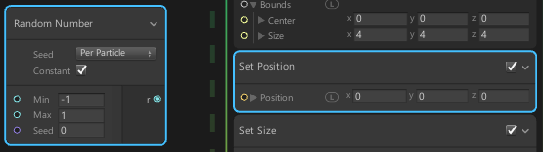
 kindred matrix
Is there a way to set position randomly in an area ranging from (-1,0,-1) to (1,0,1)?
Sounds like an extremely simple task but I can't find a way to do it
brave wadi
Random number node (-1,1)
Add a "Set Position" block to initialize context
Plug it to the x and to the z
Leave y to 0
kindred matrix
Yeah thats what I tried to do but it only lets me drag it into one plug thing
which makes x,y and z into the random number
 pearl galleon
@olive jewel https://forum.unity.com/threads/feedback-wanted-visual-effect-graph.572110/page-13#post-4663031 in that post Vlad said there is no out-of-the-box support for custom nodes (June 2019). I'd like to dig into the code and see if it's possible to hack something but I just don't have time for it.
Unity Forum
I'm having a problem with the loop and delay block. In the editor it works as expected and the first time I build the app to ios/iphone it works. But...
olive jewel
@pearl galleon barnacles, I was hoping they’d have support for it. I’m guessing though support will come in the next couple months probably
hopefully though they could just build a debug node
@pearl galleon I’m sure it’d probably be pretty easy to hack a node though, I’d be down to dig into it with you
 neon jungle
@olive jewel you can but u need to copy the package to assets/packages and edit its json to remove ref to unitys package repo, otherwise your modifications get reverted when restarting unity. Almost all the classes are internal which is why it has to be done that way.
It is very simple to add new node operators though
olive jewel
oh hey that’s chill. So if there’s an update just install and repeat then
do they have a kind of template made for the nodes? @neon jungle
I’ll try this rn then and see if I can work it out
neon jungle
They all mainly extend from the same class, there's a folder that has them all
olive jewel
@neon jungle ok dope
Is it all just json?
er wait jk lol
that doesn’t make sense
neon jungle
It's c# that uses strings to piece the hlsl code together
olive jewel
Ok yeah lol that makes sense
olive jewel
Ok, I've removed the json ref and now I'm just looking for the .cs file
@neon jungle thank you for this tip 🙂
neon jungle
the version I'm on, they're in com.unity.visualeffectgraph\Editor\Models\Operators\Implementations
olive jewel
ha yes found it
I just duplicated the add one and turned it into a debug type deal
let's hope it works lol
hmm
it doesn't show up
do I need a meta file to accompany the .cs? @neon jungle
Oh lol I don't think I got rid of the reference properly, it deleted my Debug.cs
neon jungle
unity will auto-create the meta files 👍
let me check how the json is changed... this is all not recommended btw lol
its a huge pain
since if VFX graph updates, and you want a new version you need to merge it all again
but it has been necessary on some projects that have locked down their unity version and need custom stuff
split ether
@burnt coral Thanks! I will give that a try when I have a minute!
olive jewel
@neon jungle lmao yeah this would be a pain in the booty if someone updated regularly
It's not too bad though compared to some of the things I've dealt with regarding other programs in the past tho 😅
Do you think I should just delete 'name' -> 'url' ?
I guess I could just delete the entire file right?
Also I guess I should delete the .meta as well so Unity can generate a new one on launch
Ok so I deleted and ran again and it seems to be updating even when I delete the reference
neon jungle
if I remember right I removed repository and repoPackagePath and also changed the version to 6.9.0-custom
then in package manager you need to add a custom package from disk and find where you copied the whole package + modified json
(i usually just put the custom package in projectname/Packages folder)
but still have to do the step with package manager to make it add it to the project's manifest.json
olive jewel
@neon jungle OK! Got the custom package loaded and working lol, the .json does not change
though I guess I didn't write my custom node properly lol so I'll figure that out
thank you so much for helping me !!!!
olive jewel
Hey @neon jungle
sorry to bug you again, but do you have a custom node example?
I can't figure out how to write this in a way suitable for visual effects, I keep getting errors lol
neon jungle
@olive jewel https://www.dropbox.com/s/42f6r2iqgog12qw/ConstructMatrix.zip?dl=0 This will show up as a custom node

also Keijiro has some custom nodes but I haven't tested this lately, maybe it is a better way to do it, https://github.com/keijiro/VfxExtra/tree/master/Assets/VfxExtra

GitHub
Contribute to keijiro/VfxExtra development by creating an account on GitHub.
(that one is on 5.13), will see if it works on 6.9.1
yea looks like it still works, I would just do it that way (as in VfxExtra without copying the package)
sorry about the misleading info, I was copying out the package for other reasons, you shouldn't have to do that for just adding operators & expressions
(I was adding new render output types)
olive jewel
@neon jungle OH SICK! I didn't even know this was a thing. I should follow this person
don't worry about it lol
I'm opening up the project now, is VfxExtra intended to be used as a template? I tried changing Unity.VisualEffectGraph.EditorTests.asmdef and I wasn't really able to just add in a new node just a custom script
neon jungle
from github its a full unity project, but in this case you only need the contents of VfxExtra (the folder with randomDirection.cs SharedRandom.cs and the asmdef)
it should just be drag and drop
the asmdef points those example scripts to the VFX Graph assembly definitions
olive jewel
OMG it just shows UP !
DUDE
this is amazing
@neon jungle THANK YOU SO MUCH
I see now you just use tool tips to write it out
K
time to make a debug package
I can't believe this isn't a feature
thank you thank you thank you lol
olive jewel
.
@neon jungle
sorry I keep bugging you lol
I'm almost done I just can't figure out how to display inputExpression[] as a value
it keeps showing up as a weird word and I tried the other input types like Slots and Properties
It's weird though because when I return the value on the throughput it's the same as the input which is what I want so I don't understand why it doesn't show up correctly in Debug.Log
.
this is just the constant float I have and it's the same value on the output which is good
.
this is the expression I have and I know .valueType just displays value type. I've been messing around and trying to figure out what displays value
.
this results in
.
this
neon jungle
I think value type is the type of value, in this case it's Single which is like a float, I'd have to look at vfxgraph
neon jungle
yea im not sure this will work as you are expecting tbh... What is your need with debug logging? Do you only want to see parameters being set on VFX Graph? The problem is, it will likely only log when compiling, and it will not log anything because the results that are passed between nodes happens on the GPU
i think at most you'd see what it shows in the graph UI but most of the time the values are wrong
valueType is just returning an enum, of what type of value it is:
internal enum VFXValueType { None, Float, Float2, Float3, Float4, Int32, Uint32, Texture2D, Texture2DArray, Texture3D, TextureCube, TextureCubeArray, Matrix4x4, Curve, ColorGradient, Mesh, Spline, Boolean, }
you would have to check the value type is equal to the one you want, if it is then you use sth like inputExpression[0].Get<float>()
but it might be more complicated
I would dig around their UI graph drawing code @olive jewel and see if you can find how they get the values for drawing the editable labels, maybe that has a more directly way that all the UI uses which u can just call into
olive jewel
@neon jungle ohhh I didn't even think about not seeing the value because of the processing happening on the GPU
yeah I'm not looking for the value type lol sorry I'm just looking to see the value
that's what I was thinking too because when you plugin a constant or whatever it does display the value of that node
I'm wondering if it's even possible though hmm, I guess it could end up affecting performance by quite a lot due to GPU - CPU communication
When I'd do valueType it would display 'float' so I was wondering if there was something I was missing
@neon jungle HEY that worked to display the value! I need to take a course on Unity programming lol to refresh my knowledge
.
although lol the GPU was not a fan, it deleted the node
.
and yeah you were right, it only showed on compilation and then freaked tf out
maybe I can just setup a one time switch to kill the process before compilation
olive jewel
.
also do you know if protected override sealed is an updated function?
opaque knoll
That just means any derived class cant override it again
olive jewel
oh ok lol that makes sense
opaque knoll
And protected means only derived class can access it, compared to public. Whats the function name itself?
olive jewel
I think I realized that the GPU errors are occurring because Unity removes the node on compilation and that causes the VFX graph to freak out
because there are a mismatched number of nodes
so yeah the script only runs once but then gets removed by Unity for some reason
olive jewel
.
@opaque knoll this is the entire fn name
protected override sealed VFXExpression[] BuildExpression(VFXExpression[] inputExpression)
OMG IT'S WORKING
DUE
DUDE*
opaque knoll
Hmm not sure at all, havent looked around into the source but im interested in the debugging thingy too. Not my current project tho so cant spend time there yet
olive jewel
blamo
@opaque knoll nw dude, I'll just make it into repo on Github for all to use
the official debugger, it doesn't debug live and only on compile but it WORKS
this way we can just figure out those silly unknown values
@neon jungle thank you so much for all your help!
opaque knoll
Can u post the debugs and the inputs? Im not sure what u mean by unknown values
olive jewel
oh well like values from nodes where you just don't know what the output would be
opaque knoll
Like after say, particleId modulo?
olive jewel
if it's a node then yeah why not
let's try it lol
rn I only have it setup for floats so I just have to make it take any value
opaque knoll
I still dont get what u mean by unknown values. ParticleId means its different for each particle, time means it varies per time, and so on, that in the graph its pointless to display any value for it since theres no one single value thats appripriate to be displayed?
olive jewel
oh sorry I see, yeah maybe that wouldn't be an appropriate use case
I guess something like a long series of arithmetic operators?
maybe this was pointless
opaque knoll
Even long series of arithmetic still displays for me, until it involves a particleId or the likes
But its definitely useful if it can debug beyond compile time(and make sure im only spawning 1 particle each time)
olive jewel
@opaque knoll yeah agreed lol
this api is making my brain melt
do you think that fn could be accessed outside of the namespace?
opaque knoll
I'd just wait for gpu readback which they said theyll have it in the futute
opaque knoll
Outside the namespace? Just use "using"
olive jewel
oh right duh lol
kindred matrix
How do I assign the random number to the X axis only? https://i.imgur.com/nkcEvGM.png
 olive jewel
@kindred matrix click the down arrow beside Position
it will reveal all x, y, and z lol
olive jewel
no worries !
wary jungle
@dull obsidian dang i messed up. must have confused it (atomic heart) with escape from tarkov. apologies
in unitys defense - ori2 looks sick
 prime dome
I'm getting this error while trying to use Lit Quad Output in Visual Effect Graph (Unity 2019.1 with HDRP)
Shader error in 'Hidden/VFX/System 1/Lit Quad Output': 'InitBuiltinData': cannot convert from 'const struct PositionInputs' to 'float' at Library/PackageCache/com.unity.visualeffectgraph@5.16.1-preview/Shaders/RenderPipeline/HDRP/VFXLit.cginc(62) (on d3d11)
What could cause this and how to fix it?
olive jewel
@wary jungle hey that game looks pretty good too tho
also Ori 2 is looking nice, I like how they mostly just use in game footage for their trailer
olive jewel
@prime dome have you tried updating VFX graph?
prime dome
It's updated
olive jewel
hmm, it should say com.unity.visualeffectgraph@ 6.9.0 or 6.9.1
@prime dome I'm not exactly sure how to fix this,
Could you send a screen shot of how you have the output setup?
@landon.vfx#0001
@wary jungle do you guys know what could be causing this error?
@dull obsidian sorry just mentioning you again because I don't think it worked the first time
dull obsidian
@olive jewel what type of vfx graph output on what RP now?
oh i see lit quad on hdrp
olive jewel
Oh sorry it’s for @prime dome
dull obsidian
you might just need to re import packages for vfx graph and / or hdrp
dull obsidian
idk of thats the problem but theres some dependency weirdness if you don't install them in a certain order
like... im pretty sure vfx graph depends on hdrp (and possibly shadergraph now as well) but i think you can install it without its dependencies
and then even if you do install all needed pkgs (in the "wrong" order) you may have weird errors if you dont reimport the selected packages... or "reimport all" if you aren't sure
olive jewel
@dull obsidian yeah I usually can do pretty ok just opening up an LWRP/HDRP and it’s ok
but yeah it’s kind of delicate
wary jungle
its super delicate. Have you tried creating a new HDRP project and then importing the asset you are working on @prime dome ?
prime dome
Huh, I updated HDRP, reimported Visual Effect Graph and it fixed itself
Thanks for help
dull obsidian
bingo
wary jungle
sometimes its also easier to use an older version of unity to match whatever assets you are exploring
might have to do it myself again to try the Megacity demo package because it turned into a nightmare with the beta
prime dome
Also, are there any HDRP shaders for the Unity's particle system?
prime dome
Ah, I found them
olive jewel
@prime dome glad you found a solution : )
@wary jungle what’s the Megacity demo? I read that and thought of Megaton lol
@dull obsidian thanks for chiming in 😊
@wary jungle ^
hearty flare
probably just google "Megacity demo"
wary jungle
wait lemme rub it in
For all those people who find it more convenient to bother you with their question rather than search it for themselves.
oof thats overly harsh
prob outdated like crazy
2018 or something
dull obsidian
even simpler url: https://unity.com/megacity

 static marten
Hey guys! Is that a known issue that adding a Visual Effect using VFX Graph into a mobile VR project breaks stereo rendering in such way? Any workarounds?
Note how some objects, f.e. sprites or particles are only rendering for left eye.
Interesting that if you turn around from the Visual Effect in the scene the issue disappears (stereo works again).
static marten
I can use good old particles off course but VFX Graph looked really cool :)
dull obsidian
@static marten VFX graph support for XR / VR is happening right now
it's on the roadmap for the 2019.3 release if i remember correctly
static marten
Good to know, thanks!
dull obsidian
so, very soon. might even work in the beta already if you are feeling brave, not sure.
olive jewel
@hearty flare
@wary jungle
@landon.vfx#0001
lol rip human conversation
.
also this isn't exactly vfx related but I thought you guys would find it cool
https://generated.photos/

Explore our free resource of 100k high-quality faces, each entirely generated by AI. Use them in your projects, mockups, or wherever — all for just a link back to us!
wary jungle
this one autogenerates stuff everyday so each time you reload its a new photo https://thispersondoesnotexist.com/
This Person Does Not Exist
kinda related tho is some nuts trained VFX stuff keijiro did
so cool
opaque knoll
Anyone good at logic?
So i have a path, and have a 0-1 float represent point in that path (the float loop cycles)
And with that i can move a particle along that path, right
Then i want a trail, it's sending GPU event with target position, easy
But i want the trail's lifetime to last along the float number
So if the particular particle of the trail spawned when the float is at 0, then it'll die when the float is at 1 (the parent particle loops around and returns at the same spot)
If it was spawned at 0.6, then:
float position : age
0.6 : 0
0.8 : 0.2
1 .0: 0.4
0.1 : 0.5
0.4 : 0.8
0.6 again: 1 (die)
What's the logic/node here?
prime dome
You could track the distance between positions and increase the age by distance travelled
And once the age reaches zero then reset age
(I don't know how to do it with nodes, it's just how it would work on maths side)
opaque knoll
Hmm i try to avoid if. The "once age reach zero then reset age" requires an if.
Well anyways in the end i just have another cpu param into vfx, which is a non-modulo'ed float. So this one goes 0 to 1 to 2 and continues without wrap loop 0-1. Then just
SpawnTime = theCurrentFloat
Life = 1

Set age = theCurrentFloat-SpawnTime```particle strips finally dropped in unity hdrp / vfx graph 7.1.1
as did shader graph -> vfx graph output integration but haven't tried that yet.
This is with Unity 2019.3b4.
Also I should note it only seems to render correctly in play mode, otherwise there are gaps in the strip/trail
and some tiled rendering or maybe buffer coherency glitches? when the camera is close.
brave wadi
WHAAAT
 sick meteor


creeper irl
not the best camera track but i think its ok
#Minecraft #Blender3d #vfx #cgi https://t.co/8QDuaDOl76
 Twitter
 sacred leaf
anyone know how to make like a rocks impact effect in VFX graph? (ie. punching a stone wall)
olive jewel
@sacred leaf I’m not sure if VFX graph is what you’d want to use for that but just set your particle to a rock mesh.
I.e. change the sparkle object to that of a rock and then go crazy
maybe reduce the amount of particles by a lot and use a force to kinda get the effect you want
sacred leaf
yeah i got that far, it looks a bit unnatural but it will do for now
olive jewel
@dull obsidian also thank you for this present 🤩 gonna go crash my computer lmao
@sacred leaf oh do you wanna send a screen recording and we can see what we can do?
sacred leaf
sure thing, let me pull it up real quick
olive jewel
👍
sacred leaf
 olive jewel
Ok dope it’s not looking bad
Maybe now get a clip on youtube of what you’re trying to accomplish
Maybe something from a Marvel movie or something. They seem to have a lot of wall punching in them 😂
@sacred leaf
sacred leaf
I’ll see
dull obsidian
@sacred leaf I would just prefracture some geometry (using voronoi or similar) in a DCC suite like houdini, blender, etc and replace the wall with it when hit, using the built in unity physx rigid body mesh collider
or bake out the entire sim in DCC if it doesn't need to be interactive aside from the timing
vfx graph and interactive particle simulations in general tend to not have any inter-particle constraints or collisions to keep them parallelised as possible so that's why it isn't the best fit for the primary effects of walls being punched in / buildings crumbling. secondary effects though, sure.
@sacred leaf the context is pretty important, though --is this something that will happen once or will happen at a predetermined place in a cinematic fashion, or will it happen interactively to any part of any wall? (maybe better off just using a normal map decal or something in that case.)
sacred leaf
It should happen for multiple things. The game is a vr game with big mechs fighting each other and the team is using unity 2018.4 with hdrp
We’re stuck using the vfx graph and shader graph. To use the old particle system we would need shaders for it. Unity themselves uploaded some shader graphs to support it but theyre still very limited
The rock effects would trigger on impacts when hitting the other mech or buildings/walls
@dull obsidian thanks for the advice, I’ll look into it when i get back
dull obsidian
@sacred leaf https://youtu.be/sDQUXZuMDmQ

Thanks for watching! Today I show off a little bit of my new project, Dismantle. Dismantle is a sandbox destruction game that is in very early development. A...
dull obsidian
This is an example of what I mean --the primary effect (pieces of walls moving, falling) is handled by Unity's rigid body physics solver, presumably mesh colliders that consist of pre-fractured sections of wall and supports. - No particles are used for the primary effect.
Then there are much smaller pieces of wall that are likely just particles spawned at the points of impact / breakage. These particles could be VFX graph (GPU) with Lit Mesh output or Particle system (CPU) with Mesh renderer
also, this is an older tutorial but a clear example of the concept for the primary effect.. you would just apply it to walls / sections of walls + building supports (optionally with additional constraints or articulation for realism as shown in the above example) : https://gamedevelopment.tutsplus.com/tutorials/how-to-make-an-object-shatter-into-smaller-fragments-in-unity--gamedev-11795

Game Development Envato Tuts+
In this tutorial I will show you how to create a simple shattering effect for your Unity game. Instead of just "deleting" a crate (or any other object) when it is hit or destroyed, we can make it...
sacred leaf
that's amazing, but how would you go about doing impact effects for big robots taking damage, not completely breaking into pieces?
dull obsidian
typically you would have all the different damage level assets predetermined and swap out models and textures accordingly. doing real-time mesh deformation based on collision / damage is technically possible but can be difficult to implement and very compute heavy --you don't have much to spare with VR or any game with much else going on.
you could also take a hybrid baked / realtime approach to balance performance and quality.
@sacred leaf could even ask the Vox Machinae devs about that, even if they don't use Unity--the core concepts are the same. That's the best VR mech game available rn afaik.
sacred leaf
thank you
 scarlet totem
Hey :) When my object (in this case a spaceship) moves too fast particles are spawned with some empty space inbetween. I tried to randomize between the old and current source position for every particle, but that doesnt work (probably cause no "old" position exists on initiation?). Any1 knows a good solution to this problem?^^
problem
attempted workaround (goes into set position in initialize)
 prisma lodge
I'm trying to make a rain particle system
and I added an external force
but how can I change the direction of the particles?
so they are parallel to the direction they are going in
scarlet totem
@prisma lodge you mean rotation? In Quad Output ---> Orient ---> Along Velocity
if you use visual effects graph
pearl galleon
Does anyone have any idea why shadows are not showing up with Graphics.DrawProcedural in Unity 2019.2. It should support shadow casting afaik. I've set ShadowCastingMode.On in the arguments. Trying to get stuff made in a compute shader to render with a surface shader. I got also addshadow in pragma.
 shut cliff
@prisma lodge If you're using shuriken, go to Renderer tab at the bottom and set Render Mode to Stretched Billboards
prisma lodge
That did fix it! Thank you
 forest wasp
Anyone here knows If I can apply my custom shader into VFX graph, I can change the material but can't find the shader options
I'm trying to do flipbook animations but I don't know how to do it on VFX graph so I'm relying on shader instead
also I'm using modulo node on shader graph, That's the part I can't figure out on VFX graph
 shy shard
edit->preferences->visual effects->experimental operators/blocks make sure thats ticked. and you need to use Unity 2019.3 beta and a recent pipeline&VFX version like 7.11 or 7.12. Then you can use shadergraph.
there is an example project here https://github.com/keijiro/VfxShaderGraphTest
GitHub
Contribute to keijiro/VfxShaderGraphTest development by creating an account on GitHub.
when experimental operators/blocks is ticked, you should then see a field to select shader in the VFX output block.
sacred leaf
how can i add a normal map to quad output on LWRP? (2019.2.6)
is there no way to get lit outputs in VFX graph on LWRP?
forest wasp
@shy shard thanks! I'll try that
 crisp coral
how to add force in game object like angrybird.??????
prime dome
Why did you ask it in #✨┃vfx-and-particles ? 🤔
neon jungle
@sacred leaf i think you'd have to use 2019.3 ver of VFX graph w/ the shader graph support. Or modify the LWRP vfx graph templates to support it in earlier versions
All the shader support is made possible in the template files, possibly with minor c# changes if adding new output block types
sacred leaf
I checked the 2019.3 version and didnt see any lit outputs. However hdrp has them
Is it possible to port the lit outputs from hdrp over to lwrp?
I’ll look at the template files later
 midnight remnant
If you have any luck let me know @sacred leaf. I am assuming (have no idea) that is might be somewhat difficult as HDRP and LWRP/UWP have different lighting models (it might however be as simple as changing a few variables).
sacred leaf
@midnight remnant i found that the vfx graph package was exactly identical in both LWRP and HDRP projects. So i think it's LWRP that is preventing the use of lit outputs in vfx graph
and when i say package, i'm talking about the folder that stores the package data
honestly idk what part of the LWRP package handles the vfx graph
actually i think it's somewhere in Library\PackageCache\com.unity.visualeffectgraph@6.9.1-preview\Editor\Inspector
HDRP has a dedicated folder for VFXGraph Library\PackageCache\com.unity.render-pipelines.high-definition@6.9.0-preview\Editor\VFXGraph
but LWRP doesnt have one
dull obsidian
technically, LWRP doesn't have anything anymore 
as for URP, there is currently no Lit output support for VFX graph. it is on the roadmap. @sacred leaf
sacred leaf
where is this roadmap?
dull obsidian
The official roadmap is on the unity website, but I don't know if that detail is posted anywhere public other than on videos of roadmap talks posted from Unite and GDC. And devs mentioning it in forums, release notes, pull requests, etc. I don't have it handy, sorry
sacred leaf
i see
dull obsidian
But it's come up in this channel alone more than a few times
sacred leaf
i was hoping to do some kind of custom output node hack or something to get a lit output but im not sure how to go about that
dull obsidian
@sacred leaf if vfx graph lit outputs in HDRP depend on deferred rendering then you'd be practically writing your own render pipeline
sacred leaf
oh that's right, i forgot LWRP only has the forward one
dull obsidian
i'm not sure if that's the reason why but that would make sense... deferred rendering is coming to URP as well i mentioned in #archived-hdrp
https://github.com/Unity-Technologies/ScriptableRenderPipeline/pull/3905
There isn't any lit vfx on the left because lit particles output aren't supported on Universal yet.```
PaulDemeulenaere commented 14 hours ago
GitHub
Purpose of this PR
Why is this PR needed, what hard problem is it solving/fixing?
Adding support for shadergraph in visual effect graphs.
Supported master nodes:
Unlit ( with HDRP )
HDRP Unlit
HDR...
@sacred leaf which confirms 1. the feature hasn't been added yet and 2. it will be added eventually
sacred leaf
yeah okay, i understand that it's not available yet and that it is planned but i guess there isn't any workaround either
dull obsidian
Yeah I mean aside from doing a bunch of work a unity dev will finish in a few months anyway
I won't stop you :)
sick meteor
What do you think? 😄 https://twitter.com/TheWorm48642111/status/1177436381217296384
This looks actually awesome though...
What do you think? :D
#indiedev #Blender3d #unity3d #animation #3danimation #3D #VFX #CGI #spider
 Twitter
 tight river
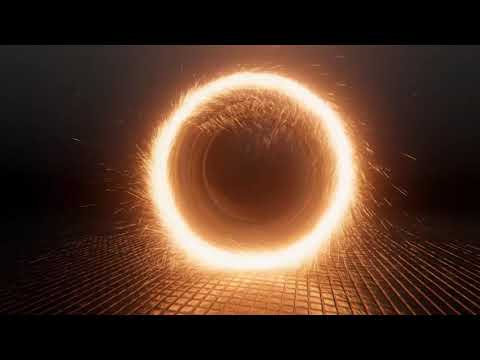
So I made a magical fire ring kinda thing with vfx graph, wanna see?

It's pretty simple tho
 granite fog
hello! how much someone charge to replicate the skill vfx and weapon glows from this game into unity?
i have all textures, send me a PM

Character: ×Hollister Server: Silver Sea
tight river
I could help!
sick meteor
Retweets are appreciated! 😄 (the spider likes retweets xD) https://twitter.com/TheWorm48642111/status/1177831874388873217

𝗗𝗢𝗡'𝗧 𝗘𝗔𝗧 𝗠𝗘 𝗦𝗣𝗜𝗗𝗘𝗥
yep, it's 𝗮𝗻𝗶𝗺𝗮𝘁𝗲𝗱 now 😃
I think it looks really cooooooool....
What do you think? 😃
Retweeting this spider would be appreciated! :D
#Blender3D #unity3d #3dmodeling #animati...
Twitter
sick meteor
How did charizard get into real life thou AAHHHHHH https://twitter.com/TheWorm48642111/status/1178524154720477184
Charizard DESTROYING REAL LIFE
This Looks Awesome to me....
what do you think? :D
#Blender3d #CGI #indiegames #vfx #3dart #wip #cg #pokemon #dragons
 Twitter
 placid nimbus
Anyone here know if it is possible to read Particle data/attributes in the Shader Graph with the new VFX shader graph?
Trying to create a flipbook player in the Shader Graph based on particle age.
placid nimbus
Turns out that exposed parameters in the shader graph gets exposed in the vfx graph, so that was easy.
 sullen raft
Getting closer to having a great real-time fluid simulation tool for VFX Artists. :)
In this case each frame could use up more space, but we'll have the tools for optimizing texture usage in the near future.
placid nimbus
@sullen raft Nice! do you have an release date? Seem to remember that you were aiming for September?
sullen raft
@placid nimbus it is indeed the last day of September and that was our goal. Shit happens in development and we're looking at an early beta test for everyone within the next 1-2 weeks (i really hope). And a solid production ready MVP at the end of October.
placid nimbus
@sullen raft totally get that. Sounds like you've got a solid plan 🦀
Don't know if you've specified anywhere but are you going to support Linux?
sullen raft
@placid nimbus We eventually plan to support linux, since there are a lot of film studios that only use linux for VFX production.
And of course, dates are tentative. We're doing something that hasn't been done before, and we can only hope that we meet our deadlines. 😄
 bronze wraith

VFX Graph is out of Preview in 19.3. Interested in creating film-like effects such as fire, smoke or holograms in Unity? Discover how to use node-based effec...
shy shard
i see on github that they are working on loads of tooltips for VFX graph, looks very useful from the code I've seen (I just read the code of some of their changes, not tried in editor yet, will wait til these changes get pushed into a release)
Also I know I am a bit late to the Subgraph party but I just wanted to say how much I like the way this has been done, with more than one type of Subgraph, covering different scenarios.
sick meteor
When Charizard finds real life
Subscribing and likes are hugely appreciated!! 😃

When Charizard gets into real life... Be sure to Like, and Subscribe!!! Thanks for watching!!!!!!! Programs used: - Blender3D - Sculptris =D
 cobalt scarab
@sick meteor Please use #archived-works-in-progress for the updates, this is a help channel. 🙂
 latent ledge
Im wanting to make really simple moving image particles scale and attach itself to the camera
How do I do this? I can only find things about putting it in world space, etc. which doesnt scale
 marble epoch


👹🔥Demon enemy's special ability.
#IndieGameDev #IndieGameDev #indiegames #gamedev #turnbased #madewithunity #unity3d https://t.co/OhAZvJ3oRQ
Twitter
 fossil inlet
Hey there. Any idea why my particle texture sheet animation fades the alpha over each row? I have no color over lifetime or speed set
oh maybe the legacy shader I'm using? very odd
shut cliff
Not sure, but might be the Flip-Book Frame Blending option in the material.
sacred leaf
how come VFX created using VFX graph do not render unless the VFX graph editor is open?
 chrome flume
thx for vfx video share @bronze wraith . Question for you or anyone else playing with latest VFX graph features... I'm trying to recreate what Vlad is showing in the demo from video... and having trouble figuring out how to hook VFX shader graph material up to lit mesh in VFX graph itself. I made sure both material and mesh output block are lit. I'm also noticing that when I select the "Initialize particle" block and check out the inspector, there is no option to switch from "particle" to "particle strip" like Vlad shows. Fact that I can't find either of these two features is making me think I'm on wrong version of Unity or not enabling some beta flag or something. I'm running 2019.3.0b6 using the HDRP pipeline
Anyone have any idea what issue might be?
This is what I see as options in lit mesh block.. versus what Vlad is showing in video...
Tried looking in inspector while block is selected to see if there was any option to change to this UI, but saw nothing promising
answer for anyone else wondering: Edit -> Preferences -> Visual Effects -> Enable "Experimental Operators/Blocks"
 frigid cape
guys how do i get vfx graph
 kindred imp
frigid cape
kindred imp
frigid cape
i did
kindred imp
and you didnt find anything ?@frigid cape
frigid cape
yes
kindred imp

** IMPORTANT ** For Unity 2019+ please use this approach: https://imgur.com/a/fMudl1L instead of the "sequential grid" approach in the video. Quick tutorial ...
found many more. and this is the most recent. so i think this one is most likely to work.
frigid cape
ok now my question is if i didn't start my project in hdrp can i chage it and how
kindred imp
@frigid cape yes. also many videos for that. but a quick tip would be. window tab => package manager => hdrp
frigid cape
see i figured it out the problem is i didn't go to advanced and then show preview packages also same for vfx graph @kindred imp
kindred imp
its fine man. but im just trying to get you to start googling more. i try to get every one to do that since its good practice
frigid cape
i do google it's just that no body mentioned show preview packages
kindred imp
yea. i understand.
bronze wraith
@chrome flume That's in the latest version of the VFX graph that's net released yet. You can get it off GitHub if you wanna mess with it (Master and Staging Branch). Works on the 2020.1 alpha versions but it will also be released for 2019.3 when the next package gets released. This might also already be in the release/2019.3 branch. on GitHub.
 vocal lance
Yo, my PBR unlit shader isn't giving off emissive in the scene when it is lit, only when the scene is unlit. Is there a reason for this?
tight river

Unity Connect
The first talent marketplace dedicated to the full spectrum of Unity creators — game developers, artists, programmers, VR/AR developers, and more. Find game dev jobs, source Unity talent, and post tasks to get help on your Unity projects.
please give it a like! and lemme know how this looks
 steady dust
hey, did any1 have any problem with shader graphs in 2019.2? Especially Im missing the open shader graph button
tight river
just double click it?
steady dust
It opens shader's code. Nvm, creater HDRP-> Unlit Graph, seems to work same way
Created first project in 2019.2 version, so I was surprised a little
 crisp hazel
@frigid cape VFX Graph works with LWRP/URP and default renderer but doesn't yet support lit output (coming soon apparently). If you're looking for fast particles there is this on the asset store, but I have not tried it. https://assetstore.unity.com/packages/tools/particles-effects/ultimate-gpu-particle-system-131718

The Beta has ended
Fully SRP independent! Works with and without LWRP & HDRP.
HD Demo | Test Scene | Forum
Ultimate GPU Particle System is fully GPU based Particle System for Unity 3D, that does not require Compute Shaders .This enables it to ...
chrome flume
anyone know if its possible to listen for collision events with vfx graph using depth buffer and spawn particles on event (like rain drops hitting ground spawnning ripple drops, etc)
 lofty vigil
Hello! I'm new to vfx, but I need to make a huge water splash with it. Could anyone help please?
shy shard
@chrome flume yes there is probably more than one way to do that. The simple way I know involves setting lifetime loss to 1 on depth buffer collision, then using Trigger Event On Die to spawn different particles. Here is the most basic example:
chrome flume
That sounds like a great approach - thank you @shy shard
prime dome
How do I slow down particles in the VFX Graph? I added a Set Velocity but they are still moving at like 25,000 miles per hour
neon jungle
A damping block in update would slow them, or try scaling the set velocity by deltaTime
Also make sure it's not just adding velocity each frame
prime dome
Anyone attempted to add dithering to the alpha cutout shader for particles?
 cunning pulsar
are vfx post processing?
 ripe gulch
hey can anyone help with basic particle shader?
i just made one for the kart modding project but i didnt put it under cart so its not "forced" to move along with the camera.
how do i make the particles rotate in the direction if the camera at all times?
ripe gulch
I messed around a bit and i thing its due to scaling the particle system up too large a size or smth /shrug
still cant fix it tho
chrome flume
When I add "Collide with Depth Buffer" block in my graph (in the update particle section) I see the error
and the particles no longer appear. Anyone know what issue could be? Tried googling and didn't find anyone with that error as related to vfx graph
Oh- I'm also using VFX graph in 2019.3 beta with URP pipeline.. wonder if that could be part of issue?
steady dust
What's the difference between shadergraph and shader when creating things?
neon jungle
@chrome flume check that your URP pipeline asset has Depth Texture enabled (im not sure if that will fix it, but a depth texture is needed)
-it wont fix it
just tried
neon jungle
looking at the collisionDepth code, you might be able to set the block from camera Main to camera Custom, and send in your depth rendertexture + pixel dimensions
pixel dimensions only uses .xy (pixel width and height)
latent ledge
I have a question if anyone can help me with it! I am trying to just have simple floating particles that look like dust specks move upwards along the screen for my mobile game but particles must be within the camera view. What if the camera view changes size, etc. but I want the particles to be continuously moving and scaling with the camera view? If that makes sense, thank you
shy shard
@chrome flume I dont know that problem, but all my VFX work has been with HDRP so I think you are probably correct to suspect a URP issue with it.
 hearty ember
Hi guys, when I use particles with vr, they keep on rolling even though I have unchecked "allow roll" . I know this issue hasn't been fixed for a while now, but does anyone know whether it works on some new beta or something?
crisp hazel
Setting a parameter using "SetInt" via c# seems to fail for me in editor when the effect isn't loaded in the vfx editor. Same issue is present at runtime - always getting a message such as "Value of name 'NumPoints' was not found". Any ideas?
Ticking the parameter box in the inspector seems to have solved it. 🙂
 crimson whale
Anyone could recommend a good tutorial for building a fire for a fireplace with the VFX graph...I saw Brackeys's tutorial but not quite the same as a fireplace fire...I saw a few with the legacy particle system but would prefer the graph....
wary jungle
o/
do you guys think VFX graph will continue to update/save any changes you make to your graph? or is this something that will be changed in future releases? i always forget to save a copy of what i'm working on and then remember its autosaved..
 acoustic orbit
@crimson whale you may want to google fluid gas and fire effects with particle systems generally. the most important component is layer animated textures. if you can, try to find some blizzard particle FX assets, whose technology shuriken is inspired by
crimson whale
@acoustic orbit thanks for your answer but already did that. Haven't found anything with the VFX graph
hearty ember
Hi , sorry for posting again, but this is really a pressing issue.. Even with "Allow roll" disabled, my particles roll when i rotate roll or pitch my VR head. Is there any solution? Or do i need to make some custom particle system?...
crisp hazel
Calling SetInt on my parameter actually seems to fail even if I have the parameter checkbox ticked in the inspector. It just stops working sometimes. Seems to work fairly reliably if the vfx graph editor is open.
neon jungle
Is the parameter marked exposed in vfxgraph? (I assume it must be to see in inspector) maybe try setfloat instead of int to see if it's any different
 orchid river
cant seem to have vfx graph to spawn in latest 2019.3 beta in URP
brave wadi
Hey peeps
can vfx graph particles collide with actual gameObjects and colliders of those gameObjects
or it only works with the inline nodes like sphere and such
?
orchid river
no direct collision with gameobjects colliders is possible.
shy shard
particles can collide with the depth buffer though
quick quiver
or with distance fields
shy shard
yeah, its a shame there arent sdf baking tools of a few sorts as a standard unity feature. Several 3rd party options on github though, and one by Robert Cupisz of the Unity demo creation team that hasnt been released yet as far as I know
 south gull
Hi everyone ! I'm trying out the new VFX graph package on Unity 2019.2. I'm wondering if there is a way to make my particles spawn along a multiple point line (think of the line renderer component). Making them spawn along a straight line is pretty easy using the InLine Line Node, but how can I connect multiple lines, or add points to my line ? thanks !
hearty ember
hey everyone, where do you get your references for the particle systems? I want to create deflection particles and i have no idea what it should look like. what is the best website for vfx gifs?
pearl galleon
@south gull create particles so that they have some distance between them, then set the target to the next position. Then render those line segments with Line output.
that way you can create lines that are deformable etc.
i.e. particle 0 target is particle 1, particle 1 target is particle 2 and so on.
south gull
Thanks for the response ! But I realised that my request wasn't clear. I'm trying to make particles travel along a multiple point line (like a river in a sense) I've managed to do this using multiple VFX systems where particles positions lerp from a position to an other, and putting all those VFX system front to back. It's working like a chain of vfx. But that's a pretty gross way to do this, and I was wondering if there's any other way to do this
south gull
I guess I could feed an array of positions to a single VFX, but how can I feed an array (or anything ressembling an array) of positions to my VFX
I just cannot manually create a dozen of Vector3 parameters, that would be ridicoulus
 steel valve
@south gull Absolutely, That would be too much. Instead, we have a property binder to bake position arrays into textures, then set it as an exposed property : name's Multiple Position Binder
Here's what it looks in inspector, you need to expose at least one texture and one int for the point count, then you can reference the array of game objects
I have made an advanced example in FPS Sample (2019.1) : https://blogs.unity3d.com/2019/04/10/upgrading-vfx-in-the-fps-sample-with-visual-effect-graph/ (Paragraph Name's Capture Point Circle), this one is also sampling the positions baked into the texture to use them as the 4 positions you can use with a Sample Bezier operator
So for the FPS Sample Capture point it just interpolates between all bones using bezier smoothing.
south gull
Thank you so much ! I was pretty sure that the Multiple Position Binder was the solution, but I didn't know how to use it.
I guess i'll have a couple VFX system instead of 500 now, all thanks to you !

 upbeat wolf
@urban depot HDRP?
Isn't there any different decal shader that receives shadows for this projector?
 spiral storm
Hello 👋 fellow VFX unity users.
I have a question about VFX graph system requirements
I have a brand new dell precision tower I’m testing and it has a Quadra P620 2GB GPU- I created a new project wHDRP and just made the standard simple particle swarm system and nothing shows up..
Also gpu drivers were just updated
Is the GPU not compatible ? Or strait up bad for making games ??
pearl galleon
@spiral storm Did you configure HDRP properly, so that you made the asset and added it to project settings/graphics?
I guess I'm trying to say, did you get any other HDRP stuff to render on the screen yet?
isn't p620 same architecture as 1000 series GeForce cards, so I'd imagine it should work fine.
spiral storm
I used the HDRP template in 2020 but ya I checked graphics settings to make sure hdrp asset was loaded
I will make a new project with 2019 f to test it again- this time with no template and fresh made HDRP asset
Also what kind of “gaming” performance can I expect from this GPU compared to a GTX1080?
I can’t find any benchmarks comparing the 2
pearl galleon
Probably not that great as they are geared more towards CAD work etc. and have that 10-bit color output... As they've always had. Good for those 2 purposes but not sure how well they do with games 🙂
There are some comparisons in CAD work, but not gaming. At least I haven't seen one by accident.
spiral storm
Hmmmmm
So I just tested again in 2019 f and it worked fine
So I made 6 separate particle swarm systems and cranked the up to 25 million particles and it didn’t even flinch
Now let’s see how Substance painter runs on it
spiral storm
Hmmmm I’m kinda shocked at how well all these apps run on the Quadro
frigid cape
Guys iam trying to use vfx graph but every time i create a new particle nothing appears in the inspector and the scene
 stark crest
standard pipeline or lwrp or hdrp?
 viral latch
Speaking of pipelines, can I change from standard to hdrp later on in my project?
steel valve
Basically, support for standard (non scriptable) render pipeline is totally unsupported. So your best bet would be to start with a SRP (I strongly advise HD as there are more options).
Regarding changing SRPs after project start, I'd not advise it as there are worlds between HDRP and URP, not only related to VFX Graph. And VFX support for these two is not right now on par (only unlit particles are supported for URP right now, not speaking also of the many options that are HDRP only).
prime dome
VFX graph is being strange
I haven't ever used it before but I imported it and made a default "Swarm particle system" and it doesn't look like the tutorial I was watching

Unity3d LWRP with Visual Effect Graph - demonstrates how we can now use the Lightweight Rendering Pipeline or also called LWRP with Visual Effect Graph. In t...
I followed the exact steps so it's supposed to look like this
@steel valve Maybe you know?
Hmmm, it seems by default most of the nodes aren't hooked up
Fixed it
 fresh iris
I have a question about VFX Graph and using it.
When spawning particles off screen how do you make it so either when the simulation happens the particles don't spawn or make it so when the camera goes to that part of the level the effect doesn't spawn the particles that shouldn't be there?
 tall crag
What's the best way to do trails with vfx graph?
 delicate horizon
Hi, I have a simple new project with VFX Graph, and eatch time i switch over, from any window, it takes a few seconds for unity to unfreeze, any idea of what's going on there?
delicate horizon
 tropic current
hey there! any idea on how to orient particles on a cone shape? I can't figure out setting the angle depending on the particle velocity (where is LookRotation haha)
chrome flume
I'm running into issue where I'm not seeing particles spawn smoothly over time.. I'm spawning 30,000/ second from one position and there's a very noticable gap between particles. at that many a second there shouldn't be any noticable gap I would think. Anyone know what issue could be?
hearty flare
I believe the Sample #01 - Unity Cube example https://blogs.unity3d.com/2019/03/06/visual-effect-graph-samples/ goes into that, with Per-Particle total time
@chrome flume
chrome flume
Hey thanks @hearty flare - yeah I saw that and am a bit confused how that applies just to spawning particles - I get how thatd be useful for time based things but just for spawning at a constant rate dont see how that node would fit in
*time based things like moving around attractor field over time etc
from what I understand with that example, the attractor sphere is moving super fast through the particle field, and if every particle samples same time, thered be artifacts because of how quickly sphere is moving
hearty flare
I might be wrong, I've not used VFX graph enough to be of any more help, sorry. I assume that it helps with inter-frame issues, which I imagine this one is. You get the gaps because they appear and move on the frames, whereas you want to have the particles appear as if they've spawned between frames as well
chrome flume
oh wait.. i think youre right and I was just missing a key thing
Even though Im spawning particles at 33,000 a second, if they all start from same position and same speed, and only running at 60fps or whatever, theyre will be a gap
yeah
just need to have a slightly random spawn position for z component and its fine. Thanks!
 urban depot
@upbeat wolf hey Jakub, this is using the legacy render pipeline. I dont know if there is a different projector that does receive shadows that I dont know about? https://gyazo.com/981f20b73191b92cee595f6241cf6acc
 upbeat wolf
Okay, sorry but it has been some time ago and I forgot what was my point
 hot oxide
Is using a 2d image the most common way of creating 3d particles?
midnight remnant
@hot oxide It probably is the most common way but there is no reason why you can't alternatively use a mesh
hot oxide
@midnight remnant is it heavy performance-wise to use a 3d object (mobile)?
midnight remnant
It certainly is heavier but I think performance should be fine on mobile with simple meshes. Things like cubes, cylinders, low poly spheres, etc
hot oxide
@midnight remnant let's say I want to make a glowing orb. Is it better to import one sphere (3d) mesh, or just do a circle (2d)?
or a fireball, or something else that has a spherical form?
midnight remnant
For that specific use case I think it would be much better to go with a circle 2d and use additive blending to get your glow effect. That way you don't need to have your particles produce any light
hot oxide
@midnight remnant thanks for helping
midnight remnant
No problem
hot oxide
hey guys, just noticed there is a visual effect graph in unity and i can't find any info on what's exactly its purpose. Is that graph the new way of doing things and deprecating the old particle system?
Does it allow creating particles that cannot otherwise be created with teh particle system or is it just cpu+physics vs gpu+performance trade-off?
hearty flare
It allows the creation of all sorts of things not possible with shuriken
There was a thing listing why you would choose one over the other, not sure if I can find it
https://blogs.unity3d.com/2018/11/27/creating-explosive-visuals-with-the-visual-effect-graph/
the section Comparison with the Particle System is a start
https://youtu.be/SUZzJcBIK80?t=134 is probably what I was looking for
hot oxide
@hearty flare thanks for the links, cleared up a lot of stuff. Looks like they keep both for now just because of the fact the old particle system deals with physics easier. I think it might be removed in the future.
chrome flume
Looking for suggestion on how to approach creating dynamic text out of particles using VFX graph- I'm thinking somehow using the "conform to SDF node" and generate SDFs from text in real time. Ideally I'd like to be able to type or speak a sentence (using speech recognition) and then have an SDF generated in real time, and then interpolating between the sdf fields to create cool morphing text effects
But open to other suggestions too. Also not sure what the path to generate realtime SDFs from text would look like- I'm not too experienced with concept but understand the basics I think
pearl galleon
@chrome flume If you understand the basics it might be good idea to go to try build a prototype before you mix in the speech recognition as that's pretty much a completely separate part. You can simulate this by just feeding in text (meshes) to your SDF generation system... I'm not sure how you would morph two SDFs, I guess you could perform a crossfade somehow by just lerping values but it might be possible just to swap the SDF texture when the text changes and then have the particles rush to the location where the SDF attraction pulls them. This might or might not work for your case. If the movement is slow and not like almost-instant, it could work. But haven't tried that myself yet.
 placid vessel
is there a way to get vfx graphs to not cull when the source is outside the camera view?
O i had to change the culling option and set the bounds larger
chrome flume
@pearl galleon Thanks! Just swapping textures in script seems to work well for these meshes, will try with text meshes too
 idle scarab
guys need help with the vissual effect graph
how do i enable world sim in this new particle system
it keeps being bound to the pivot place where its generated
dull obsidian
@idle scarab there are toggles in vfx graph labeled either LOCAL/WORLD or L/W depending on where in the UI
it's not entirely obvious they are buttons tbh, they look like grayed out labels. an outlier in the otherwise effective UI / UX conventions
idle scarab
they are obvious but when you set to world in initalize nothing changes
i figured it out you need to put a "set position attribute"node into the initialize block and then have that set on local while the initialize is set to world et voila
prime dome
Anyone got VFX playing in "After Post-process" pass? Mine just disapear
 fallow laurel
Heyo~, With the "VFX Property Binder" is it possible to pass through custom properties instead of the default options?
Such as a players forward vector? or should I just set the parameter directly through the C# script?
opaque knoll
My vfx stuff is pretty slow especially when displaying a higher res monitor. Where do i start profiling? What am i looking for in the Profiler?
opaque knoll
I'm getting a this when building
undeclared identifier "ConvertSurfaceDataToNormalData"
It says in System 3 and 5, so i check my vfx with that amount of systems, but couldn't find anything like that
opaque knoll
It seems Lit Quad always throws that error when building. Everywhere else i use Lit Cube, Quad, etc
Compiling Vertex program with WRITE_NORMAL_BUFFER
Platform defines: UNITY_ENABLE_REFLECTION_BUFFERS UNITY_USE_DITHER_MASK_FOR_ALPHABLENDED_SHADOWS UNITY_PBS_USE_BRDF1 UNITY_SPECCUBE_BOX_PROJECTION UNITY_SPECCUBE_BLENDING UNITY_ENABLE_DETAIL_NORMALMAP SHADER_API_DESKTOP UNITY_LIGHT_PROBE_PROXY_VOLUME UNITY_LIGHTMAP_FULL_HDR
Full error in case someone can shed some light
 eager galleon
Is it possible to grab texture from shader graph in vfx? For example i made animated mask texture in shader graph and then i want to sample this texture in vfx graph and spawn particles from white areas of texture.
dull obsidian
@eager galleon set up your shadergraph material to render to a rendertexture, then you can sample that rendertexture in vfx graph
eager galleon
how to make shader graph output to render texture?
 grave canopy
Why do my bullet trails have breaks like these in between them when they are travelling?
grave canopy
particle trails
I want to be able to pause the entire thing whenever i want
Also if I stop the bullet by setting the velocity and then pause the trail right after, it causes this to happen
 inner linden
@opaque knoll Maybe are you using a different version between visualEffect package and highDefinition package ?
@placid vessel is there a way to get vfx graphs to not cull when the source is outside the camera view?
In VisualEffectAsset inspector, you can change the culling flag to change how the simulation is culled, but you can't disable the renderer culling using the bounding box.
tall crag
Is there any way to create trails with the vfx graph?
opaque knoll
U have to map out all the trails curves
Or have 1 particle emit a GPUEvent, per frame. That particle also sets its TargetPosition (even if it doesnt need it) in a variable PastPosition.
The receiving system also takes InheritTargetPosition.Source, then it sets its TargetPosition
@inner linden
I'm sure it's the same, had problems related to it and gotta reimport package til it's right.
I did however changed from LWRP to HDRP due to the LWRP vfx doesnt include LitMesh output or something, which is weird
But i figured the problem was indeed that i was using some Lit Quad output, and somehow that bugs it. Weird because Lit Mesh and everything works normally.
It's complaining about ConvertNormals, so maybe quads specifically is bugged? I really dont know but i can live with just Unlit Quad output
inner linden
Maybe there is already a bug reported for this, let me know your packages revision, we will check this...
opaque knoll
I'll @ u tomorrow.
But basically, LWRP dont have Lit Mesh (understandable)
But for HDRP, the Lit Quad throws that error.
If everyone else can use Lit Quad in HDRP then it's my problem. But tomorrow i have to test in fresh project first
tall crag
@opaque knoll That sounds like really hard for just making some trails
I mean i'm new with VFX Graph and i'm not used to the workflow yet
i don't know if it's hard because that's how the workflow is or because we lack a proper trails implementation
Or maybe because GPU stuff is not possible to do so
opaque knoll
Im guessing even shuriken's trail or rounded multi segment line renderer also has to send each pixel down to the gpu
Isnt vfx about using the gpu? So its already amazing that we're giving the gpu to compute stuff. Well, thats shaders in essence, but vfx enables much better way to formulate and more intricate stuff
Just check the ARRadar demo, thats how its done
And once u come up a modular part to the "trail" vfx (and suited to the variations of all ur other needs in ur visual), u can save that group of nodes to be reused
 elfin pilot
In 2019.3, there's a new experimental feature (needed to be enabled in vfx preferences) called particle strip that allows to render trails, ribbons and such
eager galleon
how to rotate cylinder collider in vfx graph?
 neon jungle
@eager galleon I forget if the colliders have transform matrix inputs, but that would be how
chrome flume
Is there a way to get the spawn time of a particle in vfx graph?
Sorry I mean the spawn position
dull obsidian
@chrome flume if there isn't an attribute for that already I'm sure you could define a custom attribute that just stores the spawn position
You can use the Experimental Operator : Get Custom Attribute and the Experimental Block : Set Custom Attribute to perform storage and reads from custom attributes.```You may have to enable experimental blocks/ops under Unity Preferences/Visual Effects
chrome flume
oh sweeet! Thanks @dull obsidian
opaque knoll
Hi all. This is for Shuriken.
I'm getting
Pinned down the problem to my particlesystem whos sole purpose is to emit some Light module, and therefore i need to have the Renderer tab ON, but RenderMode to None.
Changing RenderMode to others will show the particle, which i dont want, and this doesn't solve the error anyways
Turning off the Renderer tab gets ride of the error but the Light particle stops emitting too, so i guess it's necessary
Switching the Lights module tab off also rids the error but, well, its the whole point i need this PS
opaque knoll
Pinning down the problem again. It seems the PS is not the problem. Forgot to mention before that the Light module works normally.
I had a directional light elsewhere, and when that is turned off, the error's gone.
This is HDRP
opaque knoll
And it's the Light's ShadowMap.
1 Directional with ShadowMap is fine
Add a Point Light with ShadowMap is also fine
But if it's with particle's Lightmodule, point light, then it throws the error
prime dome
Hi all. Does Unity have a built-in SDF generator, or do I need to use a third party tool to create them? Thanks!
hearty flare
Not builtin but there are a few on github
prime dome
alright thank you
dull obsidian
@prime dome @hearty flare That's high on my list of wants for VFX graph, I know some people at Unity are aware there is a demand for it. Really I'd be happy enough with a complete API and documentation for custom nodes in the meantime. I know you can sort of make custom nodes right now by resorting to forking VFX graph and modding it with guesswork and reverse engineering --but I'd really prefer to avoid that if possible lol.
Ideally there would be nodes for Signed Distance Functions (pure implicit SDF) and Signed Distance Fields (aka SDF textures, stored in a Texture3D)
neon jungle
@prime dome i have an SDF baker with some vfxgraph examples https://github.com/xraxra/SDFr

GitHub
a signed distance field baker for Unity. Contribute to xraxra/SDFr development by creating an account on GitHub.
It makes clean sdfs as long as the geo doesn't have too many holes
prime dome
Ha! I just got your baker working a few hours ago. Great stuff!
 wide hinge
Hi
Where's the Stained BumpDistort Shader in Unity 2019?
I need to use it to make a heat distortion effect
Is there an equivalent?
dull obsidian
@wide hinge You can just use HDRP/Unlit, it has a distortion effect built-in. So do the other HDRP and URP / LWRP built in shaders that have Transparency
Here I have some RGB Perlin noise set as the Distortion Vector Map and the material applied to a capsule
There is a similar distortion property you can enable In some of the built in VFX graph materials with transparency set so you can make a heat distortion effect using moving particles
wide hinge
Thank you!
 near thorn
hey there! Does anybody know a vfx graph asset for laser beams. Didn't find anything in the asset store (only older Shuriken based versions).
opaque knoll
Just make it
Laser is like a single particle with targetPosition, which gotta be decided on the cpu side
near thorn
yeah well it is just a lot of work to have a nice looking result. It would be fun to do it myself but sometimes a well done asset saves you a lot of time ;-).
near thorn
Something similar to these assets: https://assetstore.unity.com/detail/vfx/particles/unique-lasers-volume-1-118909 or https://assetstore.unity.com/detail/vfx/particles/3d-lasers-pack-131685 . Essentially a particle based beam between two points with configurable (also particle)effects at start and end points. Also some simple settings to control color and flow pattern of the particles in the beam would be nice.

14 Laser Beams that can be customized for First-Person, Third-Person and other perspectives.
FPS Demo | TPS Demo
This package contains:
- 14 Laser Prefabs (customizable);
- Lasers can Bounce / Reflect when colliding;
- Laser Beam Script (control color...
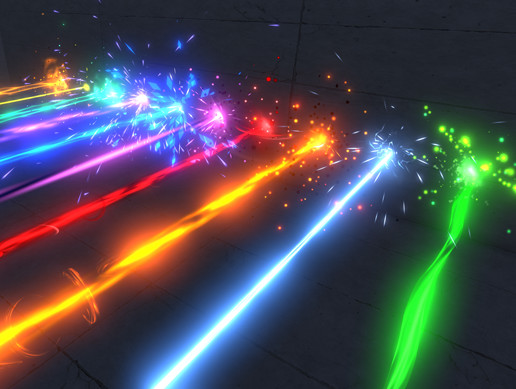
The asset includes:
-
10 unique lasers with the same style as AAA Stylized Projectiles
-
30 textures
-
3 multipurpose particle shaders
-
Script for shooting
-
Script to instantiate laser and effects on Raycast collision (you can change laser length, texture tiling...
dull obsidian
@near thorn I agree that there's a market for this sort of asset as a time saver, but I wouldn't hold your breath on this in particular... if you want something pre-made on the asset store then you may have to settle for it being a CPU based "laser beam" particle effect, in shuriken or C#, etc. I doubt that you'll need the performance gains of a GPU based particle effect in VFX graph, anyway.
A few related considerations:
- Asset developers know many people can/will make an effect like this themselves with VFX graph (as @opaque knoll mentioned) without an exorbitant effort or writing any code, which will limit the demand and sales of such an asset.
- VFX graph is still a preview package that is unfinished and constantly evolving which means unnecessary work maintaining and updating such an asset. This also means a lot of potential customers aren't going to risk messing with a preview package, or a new RP in their production game as a risk factor. Which can all be avoided if developers just wait until VFX graph is out of preview and HDRP / URP have a wider adoption on greenfield projects.
near thorn
@dull obsidian I can only guess but I think particle based beams offer you yet another kind of freedom when creating beams effects. While current LineRenderer solutions can look really nice they cannot be more than an animated (textured) billboard. But to quickly get a working solution you are right. Shuriken based assets are still the best way to go for now.
opaque knoll
Thats the thing. Maybe i can make something based on your request, also because laser is in my list to make anyways (and electric wire pulse, beams of many circle rings, etc)
Oh and the laser pack you showed, is what i'll base on for now (actually on my next free time)
prime dome
Hello all, quick question. I'm trying to give my particles their own particle trails, what is the best way to do that? Thanks
hearty flare
Enable the trails module on the particle system if you're using shuriken
prime dome
I should have clarified, I'm using the VFX graph
opaque knoll
U have to specify each trail segment with a particle. Have the main particle emit a gpu event in update, and the trail particle inheriting position and lastPosition
Or check the radars demo. Actually they dont really have a flowing trail demo, but the radar uses lines
prime dome
I'll give it a shot, thanks
near thorn
@opaque knoll Nice to hear! Just write me a message if you have something to show!
prime dome
Anyone know how to fix GPU event blocks causing NullReference errors in VFX graph?
opaque knoll
Null refs? What's the full log?
prime dome
  at UnityEditor.VFX.VFXData.ProcessDependencies () [0x00021] in D:\UnityDevelopment\TDShowcase\Library\PackageCache\com.unity.visualeffectgraph@6.9.0-preview\Editor\Data\VFXData.cs:345
  at UnityEditor.VFX.VFXGraphCompiledData.Compile (UnityEditor.VFX.VFXCompilationMode compilationMode, System.Boolean forceShaderValidation) [0x0023a] in D:\UnityDevelopment\TDShowcase\Library\PackageCache\com.unity.visualeffectgraph@6.9.0-preview\Editor\Compiler\VFXGraphCompiledData.cs:808 :   at UnityEditor.VFX.VFXData.ProcessDependencies () [0x00021] in D:\UnityDevelopment\TDShowcase\Library\PackageCache\com.unity.visualeffectgraph@6.9.0-preview\Editor\Data\VFXData.cs:345
  at UnityEditor.VFX.VFXGraphCompiledData.Compile (UnityEditor.VFX.VFXCompilationMode compilationMode, System.Boolean forceShaderValidation) [0x0023a] in D:\UnityDevelopment\TDShowcase\Library\PackageCache\com.unity.visualeffectgraph@6.9.0-preview\Editor\Compiler\VFXGraphCompiledData.cs:808
UnityEditor.EditorApplication:Internal_CallUpdateFunctions() (at C:/buildslave/unity/build/Editor/Mono/EditorApplication.cs:303)```It seems that if I connect the GPUEvent block to a Spawn block, the error occurs, but doesn't if I use Initialize block. However, no sub-particles spawn using the Initialize block
dull obsidian
@prime dome for what it's worth, to use particle strips aka trails/ribbons you need VFX graph 7.1.1 or higher and experimental blocks / ops enabled in unity preferences. https://docs.unity3d.com/Packages/com.unity.visualeffectgraph@7.1/changelog/CHANGELOG.html?q=particle strips
 lone portal
Anyone else think "material parameters for particles not getting keyframed when recording" is still an issue in 2019.2.6f1?
According to this, it should be fixed, but using Amplify shader editor or default, sometimes keyframes don't get added.
Steps to reproduce: 1. Open users attached project "ParticleSystemMaterialAniBug.zip" 2. Navigate to Project -> Assets -> Scen...
 fleet grail
hello
i have a project in unity 5 and i need to upgrade it need to do some changes the project is using particle emitter which is depricated and i need to update it. I have searched a lot for the replacement of particle emitter and it is particle system but these aren't the same like how to upgrade particle emitter project to particle system
Your help will be much appreciated thank you in advance
near thorn
Hmm. I am not sure if I did understand your question correctly. Do you mean you like to upgrade your Unity 5 (Shuriken ?) particle systems to the new VFX graph in the HDRP ? If so, there is no way(as far as i know) to upgrade these automatically.
shut cliff
@fleet grail This might be what you're looking for https://forum.unity.com/threads/legacy-particle-system-updater.510879/

Unity Forum
We are releasing a tool that can be used to convert Legacy Particle Systems into new Particle System Components.
GameObjects using ParticleEmitter,...
hearty flare
Cool thing in 2020.1.0a14:
Particles: Abiltiy to save and restore Particle System state data, making it possible to save a snapshot of an entire Particle System at a point in time. A use case for this is for efficient rewind support, by saving periodic keyframes of the particle state, to avoid full resimulations.
lone portal
There's this toon shader material that most all the environment/map props use.
We're using this same mat to show the map boundary. Wanted to delineate the map boundary with a dotted line, so added a half transparent, half opaque base texture to it. Adjust the X tiling on the base texture to specify the length of gap. Applied this mat to a Line renderer.
There an easy way to just use one material, where the size (transform scale Z) has no affect on the tiling?
lone portal
@hearty flare Thx a lot! I apologize for having not researched all the settings prior...
 lavish marlin


Some of you might have seen the windows in the last video and figured out that yes, we're using fake interiors for 'em! They're a real good way of adding depth to the world, and pretty darn cheap on performance! #nanokin #gamedev #indiedev #indiegames #VFX #shaders #madewi...
Twitter
eager galleon
how can i get current position of particle with specific id?
 livid hill
Hey everyone!
I'm doing some tests on a custom effect where our current implementation relies on reading custom attributes made in Houdini from a .pcache file.
As of now we've succeeded in writing and wiring our custom attributes to VFX graph but we are curious if it would be possible to blend between two (or more) pCache files.
What I have tried so far is sampling the outputs of the cache as a 2D texture but then I'm a little bit lost on how to interpret that output in order to blend between the resulting values and set the particle attributes that I need.
Hope that explanation makes sense and if there's any chance anyone can shed some light in this matter, I'd be very grateful.
Cheers!
dull obsidian
@livid hill you could perhaps pack attribs into 16 bit exr files and read them in as textures that you look up using UVs
not only lets you interpolate between multiple texture buffers of attribs but also spatial interpolation between points
livid hill
hey @dull obsidian
thanks a lot for the tip, I'll give it a go to that approach and come back with more questions!
tropic current
hey there! I'm looking for some reference that are talking about feeling of speed in games (oriented racing game for mobile), if you have any reference you think about, feel free to tell me, thanks!
upbeat wolf
@tropic current Many games try to "fake" the sense of speed by adding loads of zoom motion blur, which also affects the road textures and creates a dynamic effect. If you're creating a game with a city I'd suggest don't put all of the environment objects (trees, buildings) too close near each other, but try to spread the map a little. Forza for example has a really slow speed feedback, because they need to make the cars move slower in order to make the map feel big.
tropic current
@upbeat wolf thanks! to give a bit more context, the game I'm working on is a racing game, but with running characters, not vehicles. The road is quite narrow and there is a lot of obstacles surrounding it (specially vertically). I can't afford any fancy motion blur on low end mobiles, so I'm looking for other ingredients. So far I went with a FOV that will stretch a bit the screen border and a camera that is a bit close to the track (not too much as you need to see where you're going). I was thinking on particles (smoke in ground + some speed lines?) to give a better speed impression, not sure though.
upbeat wolf
Hmm I'd try to make the FOV Dynamic so that it changes based on the speed and impacts
 tame turtle
is there a way to get a particles position in screenspace using vfx graph?
dull obsidian
@tame turtle maybe using the Position (Depth) node and Set/Get Custom attributes nodes you can?
Vfx graph typically operates in local and world space not screen space. Not sure what the end goal is though, maybe there is an easier way.
dull obsidian
(e.g. an orthographic camera frustrum that's coincident with your vfx bounding box and screenspace, if that's acceptable for your use case.)
tame turtle
@dull obsidian Thanks for the advice. I was lining up an orthographic camera with the bounds like you say but was hoping there was another way. I'm no matrix expert, but if the projection matrix was exposed I could just multiply the particles position by it right?
dull obsidian
@tame turtle yeah totally, I was thinking the same thing
prime dome
Anyone encountered a problem where using 2019.3 and VFX graph 7.1.5 , a VFX that plays over a terrain with the draw instanced option activated on it will get culled regardless of bounds?
dull obsidian
@tame turtle So while you could expose a camera matrix as a property on your vfx asset and do it that way with a script to update the matrix from the camera, though I checked into the Position Depth node as i suspected it appears the xy from that position output is just a regular screen space position of the camera you select, and simply ignore use the z / depth if you don't need it.
tame turtle
@dull obsidian great! thanks 👍
 high fiber
is it possible to use a shadergraph material with vfx graph? I've just started testing it but I cant find anywhere to place the material.
pearl galleon
@high fiber You need to activate it in Preferences/Visual Effects, enable Experimental Operators/Blocks. Same goes for a few other things too that won't show up otherwise.
high fiber
ah, thanks a lot 🙂 Is there something I have to keep in mind when creating materials for vfx graph?
dull obsidian
@high fiber Just keep in mind that it's an early experimental feature so that probably means something about it is unfinished or untested. But the feature hasn't been out long enough for very many people to provide feedback yet. You should tell us what you find!
@tame turtle I took this screen shot earlier so I might as well share.. This shows the camera matrix transformation approach with a Set custom Attribute block... and how it might be improved by including the Camera Matrix as part of Camera property type, instead of having to update the exposed Matrix property explicitly with a script elsewhere
@tame turtle And then this is the Position (Depth) node. Which maybe would just be better named Position (Screenspace + Depth) or similar
 silk trellis
Quick question regarding Shuriken particles: can particles with a mesh cast shadows and receive shadows from other particles?
I suppose not easily https://forum.unity.com/threads/floating-dust-particles-receving-shadows.513620/#post-3362918
Unity Forum
How to create dust particles that receive shadows?
I know that transparent material cannot receive shadows...how can we make dust particles that can...
prime dome
Hi! I cant seem to be able to instantiate visual effects through code I've got this prefab that I created and that I can easily drag and drop into the editor and work normally. It's just that the vfxss dont start. Am I missing a component specific call?
nvm, figured it out
spiral storm
What was it?
tame turtle
@dull obsidian sorry for the delay, I haven't had time to work on this until now. I tried using the Position (Depth) node but it doesn't seem to exist for me. Was that a custom node or has it been removed? I have experimental blocks enabled and am using 6.9.2-preview but can't seem to find it 🤔
dull obsidian
@tame turtle you're on an older version. I'm using Visual effect graph 7.1.6 with Unity 2019.3.0f1
[7.0.1] - 2019-07-25 Add Position depth operator along with TransformVector4 and LoadTexture2D expressions.
So, according to the changelog, Visual effect graph 7.0.1 or newer will have the Position depth operator
tame turtle
Gotcha, thanks again 🙏 @dull obsidian
 random mantle
is there any version of the VFX graph which is compatible with Unity 2018.3?
nevermind
dull obsidian
@silk trellis This an older implementation of volumetric particle rendering (Unity 4 or 5) that casts and recieves shadow... maybe useful for research:
https://github.com/rajabala/Volumetric-Particles-For-Unity
https://www.youtube.com/watch?v=50GEvbOGUks

GitHub
A volumetric particle system for Unity3D. Contribute to rajabala/Volumetric-Particles-For-Unity development by creating an account on GitHub.
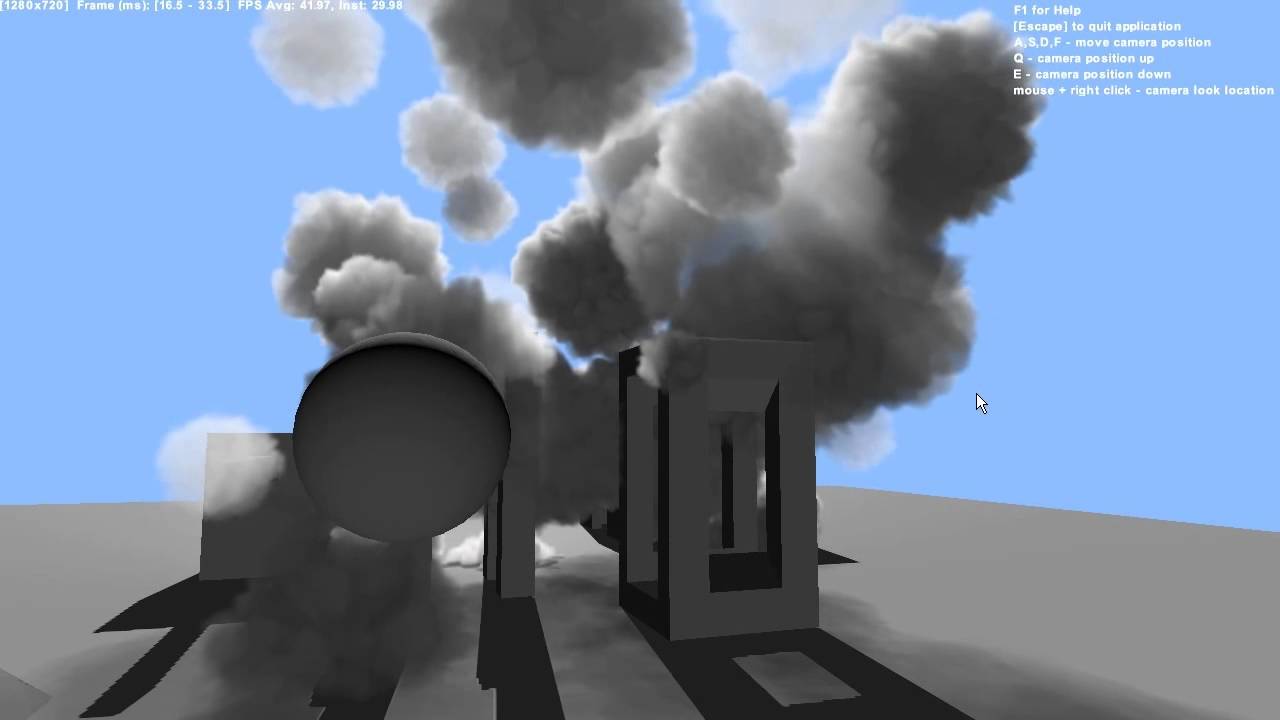
Presenting Sparse Procedural Volumetric Rendering at SIGGRAPH 2014. Learn the implementation details in our sponsored session: room 208/209 on Tuesday at 3 P...
dull obsidian
@silk trellis there are also some techniques in Visual effect graph to get a similar effect for some use cases with lit spheres / quads / meshes, etc. t's not the above technique or truly volumetric but also worth looking into. Maybe a more what you were looking for if you're able to port the effects from Shuriken to Visual Effect Graph. but maybe that's not a viable option .. you would have to upgrade everything to HDRP, etc
spiral storm
 craggy nexus
anyone knows why the soft particles option in quality settings disables when I play?
dull obsidian
@craggy nexus probably wasn't designed to be changed during game play?
@craggy nexus not sure what your use case is, but maybe this will help you to test quality levels during play / in game: https://forum.unity.com/threads/change-quality-in-game.417710/
Unity Forum
This is to change quality in game by using keys 1,2,3,4,5. This is not looking for awnsers it is just here to help people. If you need help leave a...
craggy nexus
thanks landon.vfx, what I have noticed is that all quality settings change when I play, not only soft particles. Maybe it is related to porting the project from unity 5 to unity 2019... do you know how can I remove this feature or how can I keep project quality settings as they are in the configuration? (for example it changes the 'ultra' level to 'high', 4 cascades to 2 cascades, shadow distance, etc.)
tropic current
Are you sure you don't have any script that edit those settings?
dull obsidian
@craggy nexus maybe i don't understand your use case is or what exactly your desired behaviour is. typically one would not need or want to change quality settings during game play.
(other than on a pause menu with some settings exposed to the player or for quick debug and adjustments as a developer setting the quality levels.)
 analog shard
Not quite sure which channels this would go under but. Anyone know of a workaround to get a type of post-processing glow/bloom effect on specific elements without the use of scripts? (I'm limited by the platform I'm targeting as scripts are blacklisted). I was thinking maybe some type of additive multiply particle perhaps. But not sure if that's ideal tbh.
 charred marlin
beep beep
so
I'm trying to figure out how to get something someone else designed in my project
Currently I have a MeshToSDF converting my mesh into an SDF (surprise!) to be used as a force, pushing my particles toward it
But in the video, the particles seem to slow down to a stop once they come into contact with the SDF
Is there a node for "slow down as you approach something" where I could either put the SDF in question or some sort of position that I could then update in realtime?


Currently diving into
guiding #VisualEffectGraph particles
with my @LeapMotion hands
using @aman_gif's MeshToSDF converter
Already seeing so many places where this can go; stoked to explore further https://t.co/QtOvKbEcOv
Retweets
288
Likes
1592
Twitter
And I oop
It's linear drag
problem solved!
charred marlin
So it turns out linear drag helps but it’s still not exactly what I’m looking for 🤔 I’m in the process of working out what exactly I need in order for the particles to slow down a bunch once they reach the SDF
pearl galleon
@charred marlin you could maybe generate texture coordinates yourself and then sample the SDF. Then use that value to adjust the particle velocity or whatever you want to do.
silk trellis
Thanks for the response @dull obsidian Yeah intending on migrating to URP eventually (it's for mobile devices) but still will need shuriken to default to with legacy phones
silk trellis
@charred marlin Does the sdf animate? If not, I've got stick force set at 1045, stick distance 0.1, attraction force and speed 10 on the Conform to SDF to get a sort of similar effect like you've mentioned.
charred marlin
The SDF does animate, yeah. I’m using somebody’s MeshToSDF converter so I get a runtime SDF

@silk trellis
charred marlin
So far, yeah. I’m not entirely sure where to go with it; I’m thinking of some sort of hand-charge where you complete little objectives and your hand slowly charges with more particles until something happens 🤔
silk trellis
Anyone any good at compute shaders + VFX graph? I'm using https://github.com/keijiro/Smrvfx to bake the mesh verts into a RenderTexture through a compute buffer and using that texture to work with VFX graph. The problem I run into with this method is that the mesh no longer updates in the new frame..
GitHub
An example that shows how to pass data from a skinned mesh renderer to a visual effect graph. - keijiro/Smrvfx
charred marlin
@silk trellis I believe the issue may have something to do with something I heard watching a tutorial a while ago: for some reason when working with compute shader’s, RenderTextures cannot be written to while they’re being read from, so you find yourself in a place where you need two different copies of a texture: the current state being displayed (read from), a new state that will be displayed (written to), then you swap back and forth between them each frame
The tutorial got around this by writing to a second RenderTexture then swapping the values of the 2nd with the 1st, where the 1st was being read from
Lemme find that for you in a bit and I’ll drop it in here
charred marlin

We've already built a snow shader that can deform as you walk over it. But what about recovering over time? We're going to solve that problem here using a compute shader to automatically replenish our snow over time. The current implementation replaces snow at a rapid pace, s...
It’s a long af tutorial and I don’t remember exactly where he mentions it... hmmm
Ah he mentions it right at the beginning. Go to about 50 seconds in and listen to his double buffer idea
silk trellis
Ah I see. I thought the whole purpose of an RW Buffer was that it could read/write
Thanks I'll have a poke around
 light kayak
I'm using the visual effect graph to make smoke particles (this part works) and I was wondering if anyone knew how to do something similar to the "rate over distance" of the particle prefab in unity
Where it only makes particles when i move it
i tried spawn over distance but I get nothing
The particles are already in the world space so they stay where they spawned
I'm trying to get something like a trail effect
light kayak
i tried the spawn over distance parameter before without any luck, but this is more detailed so i'll give it another shot
Just imported his example to my project and it doesn't work lol
dull obsidian
@silk trellis @charred marlin
See here: https://docs.microsoft.com/en-us/windows/win32/direct3dhlsl/sm5-object-rwtexture2d
and here:
https://docs.microsoft.com/en-us/windows/uwp/graphics-concepts/shader-resource-view--srv-

A read/write resource.
Shader resource views typically wrap textures in a format that the shaders can access them. An unordered access view provides similar functionality, but enables the reading and writing to the texture (or other resource) in any order.
A RWTexture can be read and written to at the same time, it's referred to as an unordered access view UAV. but it may not be coherent / will look messed up unless you are extremely careful and knowledgeable about managing memory barriers / sync. and it doesn't even work for all use cases.
So it's safer to stick to what is referred to here as "global coherency" and just manage two textures, one for read, one for write, and swap the read/write handles in C# every frame on update so the shader doesn't know the difference. like @charred marlin mentioned. Or at least start with that, it will likely meet your needs.
charred marlin
Glad I could be of service! I just learned abotu this because I wanted to do some snow tinkering stuff so I watched those snow tutorials like two or three times
In the end I didn't even get the shader to work to be completely honest, but I realized that app idea was out of scope for my use case so I put it on hold and figured I'd tinker with it in the far future if I wanted to xD
 young mason
Hi! I'm trying to render some unlit smoke particles with VFX Graph, but I can't figure out how to make the shader unlit. I seem to remember having done it easily before. There's no unlit output node, and nothing that I can see in the dropdown's of either the regular output quad or the output lit quad. How do I render unlit particles?
young mason
Other question; how do I use the Get Attribute: position node? Where am I supposed to plug it in to get the current position of a particle?
 dark citrus
Hey there! Does anyone know if it's possible to select a particle system from assets folder and assign it as a sub emitter, rather than having a child particle system in the hierarchy as its sub emitter? I keep getting this error - "the assigned sub emitter is part of a prefab and can therefore not be assigned" when I try to set a particle system in the assets folder as a sub emitter:
 proud carbon
I've noticed that 2019.3b Unity has a toolkit for interactions with virtual worlds in VR. I'm trying to find if it has support for the hand tracking option on the Oculus Quest?
midnight remnant
@proud carbon I find it highly unlikely that it will have support for the hand tracking support in the current release. I don't think the Unity dev's would have had access to have added support for it. I imagine it will get support for it in sometime Q1/Q2 2020
The updated oculus sdk (not out yet) however will probably have some built in samples
proud carbon
I though it was worth bring up since the beta for 2019.3 has just been released and there's some time before stable version is released also the hand tracking feature has been identified by Facebook as a major selling point for VR to the point where they were looking for a marchish release and brought it forward to a week ago
pearl galleon
@young mason those Output Particle Quad etc. are unlit. If you set them to alpha mode and have a smoke puff texture there, it should be unlit. To answer your other question, you usually plug those Get Attribute: position blocks to some nodes that use that information and modify it and then you can set the modified data back to the particle simulation by using Set/Add/etc. position blocks.
@silk trellis you don't necessarily need compute shaders if you need to write vertex positions to a RenderTexture. You could also make a custom Binder and pass information that way. Works quite ok if you don't have thousands of vertices.
but that being said, I've used both Compute shaders and Binders, but I prefer compute shaders as it's possible to do a lot more to that data then.
charred marlin
The only time I've messed around with a Compute shader was when I was messing with the above snow. I ended up quitting for two reasons:
- The image data was working perfectly fine (the depth of an object in the snow relative to a camera underneath it was rendered as red on a black texture) but the actual snow itself seemed to displace very unevenly and I had no idea why because I had done everything exactly the same as the person in the tutorial
- I'm doing AR stuff and I wanted to have a little "roll snowball around ground to get bigger and toss into buildings" game but I realized that since the only thing that I can track in AR right now is my hands, having a bunch of stationary objects rolling around wouldn't be that great of an experience if their movement is fused with your own head's


Oh yeah, and the real problem was that in order to be able to recover the snow over a longer period of time, I had to use RFloats in order to allocate more bytes to the depth/height of each vertex, and doing that broke the recovery time xD
But the above gif shows the weird vertex jitter as the depth is slowly removed and for some reason that slightly displaces each vert on more than just the Y axis
Or mayhaps it's just that each vert is displaced at a slight different time so you see them all scooting up one at a time? ¯_(ツ)_/¯
I don't know a thing about shaders beyond what I saw in the tutorials so once stuff stopped working I really had nowhere to go
pearl galleon
Maybe that texture writing is somehow glitchy, so that it creates those artifacts? Did you try filtering it, maybe run a separable Gaussian blur on it or something? And maybe you could create a setup where you calculate that change with longer intervals (not every frame) and then lerp between those frames? That way you would (for sure) reduce at least jittering artifacts.
 fallen birch
hey guys. i started my project in 3D but later on figured id make effects using the VFX graph but its only avaible in HD render pipeline. is there anyway i can switch my project to HD render pipeline for the vfx graph?
fallen birch
hmm i upgraded to HDRP but then i get all these errors like
ArgumentException: Can not deserialize (UnityEditor.Experimental.Rendering.HDPipeline.HDPBRSubShader), type is invalid
i removed my shader and core RP and reinstalled but no dice :\
kindred imp
Hi. Any one got any good idea on how to aproach making realistic volumetric clouds in unity that are optimized and effecient?
possibly with raymarching or particle systems
 latent topaz
Is anyone here good at making audio visualizers with unity vfx graphs?
steel valve
Hi, you can try using the audio spectrum property binder on the game object that holds the visual effect. It bakes the audio spectrum values to a texture and passes it to a given property. Then you can sample this texture in the graph
opaque knoll
How do i rebuild vfx? Just updated to 2019.3
The VisualEffectAsset (FloopEarthFire) was compiled with an outdated version of the Visual Effect Graph. It needs to be rebuilt
I think the button was there before..
Nvm found Rebuild All in Edit->
opaque knoll
Now there's
Value of name 'Volume' was not found. UnityEngine.VFX.VisualEffect:SetFloat(Int32, Single)
And bunch more for my other parameters
opaque knoll
Fixed. The graph wasn't compiling properly due to bugged Turbulence node. Fun
opaque knoll
So i'm trying vfx graph's output using ShaderGraph. But for some reason using vertex color node results in always black, when in the vfx i'm already setting color
opaque knoll
Is there tutorial for using shadergraph with vfx ?
dull obsidian
@opaque knoll not sure if there is one yet it's a very new experimental feature
would be a good choice for a tutorial on unity blog or a vid from brackeys or someone though
opaque knoll
Its just that the vertex color node doesnt work, so im wondering if im doing something wrong
dull obsidian
@opaque knoll hmm are you using mesh output? if not then there are no vertices afaik
since vfx graph stores particle data in compute buffers and uses imposters for rendering primitives
opaque knoll
Quad output?
So setColor stuff is not actually setting the vertexcolor, but somewhere else first. And then sets vertex color if context is appropriate?
How can setcolor sets anything if using shadergraph then?
steel valve
For using shadergraph with vfx graph you need to create a VFX Shader Graph from the menu, then use it in any output that has the shader slot (except output mesh that requires a standard shadergraph) If you want some examples you can check out the samples additions that you can install from the package manager since package 7.1.6
The particle attributes can be sent to the shader by exposing a shader propery then connect the get attribute operator in vfx graph. It's not ideal right now but it's gonna be improved in the future
fallen birch
anyone have any idea why the flames r being rendered behind the mesh? i turned off soft particles. they are even rendered behidn the smoke. although i changed their render priority
opaque knoll
Ah i'm on 7.1.5!
But yeah, apparently shadergraph output overrides (or rather, the only thing that counts) anything visual related, but not position rotation etc.
It's kinda inconvenient with the custom attribute everything but at the same time, the exposed parameters does give so much further control! Exactly what i need!
Now, on to checking particle strips...
opaque knoll
How do i find out which Unity version is for 7.1.6 ? I tried checking the tag in the github, but can't find it..
 cobalt elk
idk if it is the right place, so:
I'm trying to make particle for a spaceship game but the particles are spawning locally. I'm trying to find out how to make them spawn in world position, but unsuccessfully.
How to make the particles spawn in world position?
cobalt elk
Nvm. i was so focused on which block that i didn't pay attention to the top-right corner of "initialize".
My bad!
 burnt lake
quick question, why do my particles not change color according to the gradiant when I select them to show in burst?
on particle effects and stuff
dull obsidian
@opaque knoll "Verified packages start at Unity 2019.3"
https://docs.unity3d.com/Packages/com.unity.visualeffectgraph@7.1/manual/GettingStarted.html
@opaque knoll these pages in the main docs are also helpful as a general reference to check what official unity packages are compatible / verified with a particular version of unity
https://docs.unity3d.com/2019.3/Documentation/Manual/com.unity.visualeffectgraph.html
opaque knoll
Ah yea. I had 2019.3.12b.
Then i just found https://github.com/keijiro/VfxGraphTestbed and cloned and turned out thats on 2019.3.f3 so ill start with these samples for now
GitHub
Contribute to keijiro/VfxGraphTestbed development by creating an account on GitHub.
cobalt elk
@burnt lake You can defined the gradient in Output Particle Quad. idk if that's your case. Hope it helps.
dull obsidian
@opaque knoll cool, i've been working on 2019.3.0f3 as well for recent / new projects and exploration.
burnt lake
@cobalt elk Making it change color over time fixed it again I have no idea why but its a fix
 weary root
midnight remnant
weary root
midnight remnant
Woah looks awesome RocketPrinter. I wish you could get lit particles in URP
tame turtle
I'm trying to use the Position (Depth) node to get the particles position in screenspace. To test it I'm setting the color to the x and y channels of the node, but based on the resulting colors it doesn't appear to be working. Am I doing something wrong or is there another way to get the particles position in screenspace?
I realized I'm dumb. I'm guessing the Position (Depth) is supposed to be used to place particles, not get their position.
 alpine topaz
What's a common way to make vertically-aligned trail ribbons? The trail renderer (with alignment set to Transform Z) flips upside-down a lot. And, the shuriken trails module doesn't have a view alignment property.
Trying to make a vertical gradient trail. Here's an example shot of a Trail Renderer test in which the trail has flipped mid-trail
🤔 Maybe a shuriken trail with a custom shader with vertical vertex displacement multiplied by one minus a gradient texture channel
For best results, the trail width would have to be 0, thereby giving the displacement full control over height
alpine topaz
It worked 🎉
alpine topaz
By multiplying the vertex offset by the vertex color alpha as well, I also made it taper as it fades.
burnt lake
is there a particle system tutorial i could follow for unique patterns? I kind of want to make really flashy and cool particle effects with their own behavior (such as exploding and then each particle moving towards the player, as well as having other particles attached to that partcile) but I cant find tutorials that go in-depth with it (Speaking for 2D games)
also that ice skating looks really sick!! @alpine topaz
alpine topaz
Thanks! For particles that explode out and then back into the player, the first thing that comes to mind is the swoosh effect post made in relation to Super Lucky's Tale https://www.gamasutra.com/view/news/323791/Creating_the_satisfying_swoosh_effect_in_Super_Luckys_Tale.php

Hot on the...tail...of the recent Steam launch of Super Lucky's Tale , game dev Michael Voeller shares exactly how he created the game's satisfying "swoosh" effect.
The techniques in that post are pretty generally applicable. The important takeaway is that the trick to unique effects is in using meshes to author the exact effect you want. You can do a lot with just texture panning. And, adding custom shaders to those effect meshes opens up pretty much every possibility ever
burnt lake
ooooooo
Im gonna read through this! Im also unfamiliar with shaders though, do you have a resource on that?
alpine topaz
Joyce[MinionsArt] has some great free starter shaders and tutorials https://www.patreon.com/posts/tutorial-list-10663597

Patreon
Official Post from Minions Art: Videos3 videos on the full character creation process (Concept, Model, Texture)Character Creation Process VideosModelling video of a sword from concept in Maya LTFantasy Sword Speed Model (YouTube Link) Modelling video of a shield from concept...
For more technical tutorials, maybe check out Ronja's https://www.ronja-tutorials.com/
Ronja's Shader Tutorials
I'm making shader tutorials for Unity aimed at beginners.
alpine topaz
Ronja's build on top of each other a bit. So, starting from the bottom is probably the easiest
burnt lake
these are really cool, even though im making a Pixelart game these are really interesting for when i do something in 3D
alpine topaz
Joyce has a couple of solid 2D tutorials there as well
alpine topaz
These:
https://www.patreon.com/posts/quick-game-art-20894506
https://www.patreon.com/posts/quick-game-art-22396709

Patreon
Official Post from Minions Art: Make some cool effects for your sprites, or UI elements!Shader Code: Pastebin Link This version has options to have just the outline, and a textured outline :)It's also got a stencil buffer for UI masking

Patreon
Official Post from Minions Art: Using uv distortion on sprites to make a cool aura effectShader code: PasteBin Link
burnt lake
Thank you so much for your help! I didnt mean to call you out for help specifically and put you on the spot, I just found your game looking really cool!
alpine topaz
No problem. I always have those links on hand anyway
burnt lake
Thank you again! Ill try to make my game as pretty as possible
 visual beacon
Hi guys
Is there any way to smooth out particle sprites that intersect with geometries?
hearty flare
It's called Soft Particles
The particle shaders will generally expose a setting to the material
and there's a setting in the quality settings that is generally enabled
visual beacon
is there any way to set that manually?
I mean like in the material or something like that
since the project settings are usually already set
thus if I change the quality settings it would change overall game project wouldn't it?
I'll check it out first anyway and see how it works
thanks @hearty flare
is this the setting?
it's in the project settings so most likely I can't use it 😞
oh wait there's also one in the material settings
yeah this works
don't worry about the huge numbers I just need to see the effect in action
I just need to tweak the numbers, but it works
again, thanks @hearty flare
I just need to confirm whether I can play with the project settings before I proceed using these settings
 pliant locust
Hi all, so I've been using this set of nodes in VFX graph to isolate effects (forces for example) within a specified radius. Funnily enough though I'm not entirely sure what it's doing and why this works. Particularly with regards to Saturate > One Minus > Append Vector3 (see screenshot) Can anyone enlighten me? Thanks!
 wintry quest

Learn how to create Omni Decal shaders with Amplify Shader Editor for Unity3d.
dull obsidian
@pliant locust pretty sure you can remove some of these nodes and get the same effect
saturate is just a clamp from 0 to 1
same as in HLSL
also not sure why you are appending to a vector3 when the Y and Z values are always 0
cobalt elk
How to update the bounds (center) of the capacity in "initialize" to the position of a gameobject?
In the old system by just moving the gameobject attached it would do the trick. but now, if i change the system to be local, All the particles follows the gameobject. I want the bounds to follow a gameobject but the particles to be emitted in world position, so when my GO moves, the particles continues to spawn where it moves. I'm struggling to find a way to do this.
pliant locust
@dull obsidian Ok, makes sense thanks. What's the difference between using a Clamp01 and saturate then? (HLSL? what's that?)
As for appending, I'm not entirely sure either! but it was useful changing those values when connecting to a pivot for recalibrating the offset to the non-affected areas.
P.S. I have no idea what I'm doing, but particles are pretty so I'll just carry on messing around. Thanks for the tip!
@cobalt elk From what I gather the bounds do update with the GO position. But they are mostly used to define the edges of the particle system before it gets culled. If you have your particle position set to world space then the issue is that the position vector 3 is not updating to follow along. Are you using a TransformBinder component connected to the moving GO to update the set position?
cobalt elk
TransformBinder... jesus... Unity have to come up with an update on the documentation. The amount of time i've been searching how to do this is insane. Searching for every kind of combination of keywords to be able to find a solution.
@pliant locust How does this work? how do i bind the emitter position using it?
cobalt elk
i added it but i don't know what node i need to setup. The particles is not emitting at the gameobject's position. still emitting static in position (0,0,0) regardless of the Gameobject position.
pliant locust
Yeah it's pretty useful though I'm not convinced it will solve your issue as I'm not too clear what that is. You can assign it by exposing a Transform variable in the blackboard and dragging that to connect to the v3 input you wish you follow. I.e in my case, I like to use it for my VR controllers so that based on their position in world space, the particles follow a force towards them.
Make sure the Binder component is routing your desired "follower" to the exposed Transform you just made in the graph
cobalt elk
back in the old particle system i could set it up so the particles position is in World position, but the emitter is attached in local position.
I'm trying to simulate stars blinking. Small dots with gradient. Whenever the player goes, there will be new particles being emitting at the new position, but the old particles emitted stays the position (world, not local) it was emitted.
When i'm using TransformBinder, I'm moving every particle with the gameobject. Looks like the particles emitted have the position in Local.
If i could setup the "Initialize" to be World position, but "Quad Output" in Local position it would work.
So let me put an example:
- Create a empty gameobject
- Make a Visual Effect Graph that emit in the volume of a huge size.
- Attach it to the gameobject.
- Now: Move the gameobject!
What it need to happen:
- if one of the particles is at (1,5,2) in world position. When moving or rotating the gameobject, that particle need to stay in position (1,5,2) regardless of the gameobject moving.
 zinc urchin
I'm currently working on a generator for realistic video feedback effects (sometimes called howlaround effects), which are essentially pointing an old B&W camera into a CRT
And right as I said that Unity crashed after about 5 minutes of trying to import the HDRP because apparently the Universal RP does not support not overriding a render texture
spiral storm
@zinc urchin Why are you trying to import HDRP into a URP project?
spiral storm
oh good
usually nice to share your solution with the community FYI
HEya everyone. Was just scraping the interwebs for cool Unity VFXgraph projects and came across this: https://github.com/marek-simonik/record3d_unity_demo

GitHub
iPhone X -> Unity VFX Graph demo (real-time Point Cloud streaming) - marek-simonik/record3d_unity_demo
Ive been looking for something like this that will work with the Kinect V2 that is NOT DepthKit (don't like their subscription based pricing)
Anyone here have experience using Kinect V2 with VFXgraph?
dull obsidian
@spiral storm this is an example using kinect v2 with vfx graph: https://github.com/roelkok/Kinect-VFX-Graph

GitHub
Use Kinect's depth feed with Unity's VFX Graph. Contribute to roelkok/Kinect-VFX-Graph development by creating an account on GitHub.
@pliant locust HLSL is High Level Shader Language, when you are building Shader graphs or Visual Effect Graphs you are generating HLSL for the GPU to run (and some C# for the CPU.)
Also known as Cg (C for graphics) --which is more or less just a legacy version of HLSL. You are discouraged to use Cg going forward as its no longer being developed or maintained since 2012. Some people still use the terms HLSL & Cg interchangeably though just FYI.
near thorn
Hey all! I am trying to recreate a hyperspace tunnel similar to the one in elite dangerous (aka "witch space tunnel"). I aim to use Unity's new VFX graph but I do not know where to start. Is there anybody here who has more experience with theses things? Some advise or resources would be really appreciated (google didn't give me much on this topic)...
 shrewd heath
@near thorn I am looking at doing an endless tunnel in either Shader Graph or VFX Graph also but I haven't started on it yet. This is not using VFX Graph but I think this might give you some good ideas! https://www.youtube.com/watch?v=K4e7oNguHhA. If you find something good let me know!

See that bright tube thing in the thumbnail? Yeah, we're making that...
Learn how an awesome effect like this is made through a full VFX pipeline for Unity!
NEXT PART: https://youtu.be/DduCDqFYSvk.
Ultimate VFX: https://www.assetstore.unity3d.com/#!/content/26701?aid=1100l3...
@near thorn This might help too! https://www.youtube.com/watch?v=w0znZIuvQ2I

Unity Shader Graph - Portal Shader Tutorial
In this Shader Graph tutorial we are going to see how to create a simple, but awesome, shader graph Portal in Unity!
Get access to many more Shaders and VFX packages:
-----------------------------------------------------------...
near thorn
@shrewd heath Wow! Thanks that will help!
shrewd heath
@near thorn One more, this time with VFX Graph! 😀 I want to try to stay with a Unity solutions like Shader Graph or VFX Graph and also my target platform is mobile ( iPhone ) so the less processor intensive version would probably be Shader Graph but iPhone's are pretty powerful now days so I might give VFX Graph a try! https://www.youtube.com/watch?v=ooFrLZSji50
Unity3d VFX Graph tutorial demonstrates portals with the use of few new components. In this video we will also be creating portal variations by cloning the original portal visual effect and creating an additional 2 with new gradient colors.
VFX Graph for Unity3d is an amazin...
 rain frost
how do i get a smoke particle system to follow a player dynamically
dull obsidian
@rain frost for a visual effect graph? you'd need to switch it from Local to World space, something like that
rain frost
no just normal particles
rain frost
it's currently parented, but it looks like the smoke is following you, not that your moving through the smoke
 uncut dune
I mean
"how do i get a smoke particle system to follow a player dynamically"
" but it looks like the smoke is following you"
please explain what you want exactly
Is the player on fire and emitting smoke around?
Or is there already a wall of smoke and you want the player to go through it?