#✨┃vfx-and-particles
1 messages · Page 20 of 1
 south patio
@warm torrent I tried updating the positions every frame, the problem is now just the particle following the rotation not focusing on following the waypoints.
 low bear
Hello, can you tell me why the second **Burst **occurs at the end?
You might say, use Single Burst, but it only works as **a one-shot **and is not played again until the game is restarted.
Thank you for your help.


 ashen robin
low bear
Hello, can you tell me why the second **Burst **occurs at the end?
You might say...
ashen robin
low bear
Hello, can you tell me why the second **Burst **occurs at the end?
You might say...
Single should work. Are you sure you're specifying enough particles and setting a Lifetime?
And that you not changed the reap particle setting
Oh, I see what you're doing. You should instead of using Play as a bool and instead call the event to spawn the particles.
Which you should hook into Start there at the top of the spawn context
Actually, if you've multiple systems you simply just need to call Play() on that specific system as using an event here would call it on each individual system No wait, it should be fine. Play() or calling the event using the reference to the system will do it local to that system.
https://docs.unity3d.com/6000.3/Documentation/ScriptReference/VFX.VisualEffect.Play.html
Play() is just shorthand for VisualEffect.SendEvent("OnPlay"); anyway
 low bear
In short, I used a Bool in the animation so that it wouldn’t activate at the start of the game, and I assigned VisualEffect.Play to the OnTriggerEnter event script.
Thank you very much for your help.
 placid forge
is this where to ask question about shader?
 fathom cypress
when making vfx with meshes and shader graph, is vfx graph better than particle system?
 warm torrent
fathom cypress
when making vfx with meshes and shader graph, is vfx graph better than particle ...
warm torrent
fathom cypress
when making vfx with meshes and shader graph, is vfx graph better than particle ...
Depends on your definition of "better"
The unique advantages of PS and VFX are not related to whether meshes and custom shaders are used
 onyx pecan
Is there a way to make a Decal Particle only render on specific layers? I don't want to limit all decals in the project, just this one specific VFXGraph that outputs decals
warm torrent
onyx pecan
Is there a way to make a Decal Particle only render on specific layers? I don't ...
I think it must have its own rendering layer
But once it does it doesn't limit all decals
onyx pecan
Yeah, I'm poking around at it and I think I see. I thought enabling the "Rendering Layers" option in the URP asset was limiting all decals to specific laters, when it just enables the ability for decal renderers to choose their own
 opaque knoll
Hi. I'm using jobs for my particle, i assume this is the correct channel for that
Anyways i updated unity to 2021.3.35. And seems like now my job process only gets done on exactly 1 particle and not more. Could something be disabled in this new version?
opaque knoll
Ok nvm
I changed collision module's maxCollisionShapes. It was 256. Changed to 512 and wasn't enough
Changed to 1024 and it's finally enough
But i dont get why or what this value does
 split latch
Heya! Quick question, how would one go at making 2d rain? Like in silksong and hollow knight? Would particles be a viable option or would it lag too much? If so, any alternatives? I'd love to have some space for heavy and light rain as well, cause i wanna do different types of weather (light rain, heavy rain, lightning even etc)
ashen robin
split latch
Heya! Quick question, how would one go at making 2d rain? Like in silksong and h...
considering you've a lot of room to work with since it's 2D you'd probably be fine with particles, but if performance is a concern then consider using a texture overlay and make 'pretend' splash around the environment to simulate the water hitting an edge.
split latch
ashen robin
considering you've a lot of room to work with since it's 2D you'd probably be fi...
aight, do u know how hollow knight did city of tears rain perchance?
split latch
https://youtu.be/xaZ1qCnIEtw?si=h14Oz-aV2B1NDte7 first one i found

If you have video requests, leave them here: https://www.youtube.com/post/UgkxboUvbfXnlRXy6JL_lxkNSN4kMN3sNmYu If you like the OST, please support the composer: https://christopherlarkin.bandcamp.com/album/hollow-knight-original-soundtrack
10-12h Ambience playlist: https://www.youtube.com/playlist?list=PLfUKr9nPvx8Cey-mKoaC4QpGTfM2nO7Xm
Ambienc...
https://youtu.be/L0kZl7AyHnE?si=af1M6hO8KfTXRiUC also smth from silksong, warning for spoilers but just watch the first few sec

Subscribe please: https://bit.ly/30x6xZD
Steam Group: https://store.steampowered.com/curator/44890999-Pirate-Loot/
Merch: https://teespring.com/stores/video-game-news
Hollow Knight: Silksong: https://www.youtube.com/watch?v=FAsBXcih-h8&list=PLJfH9AHDYJNDiXcv6OUsVHwHB9BTGqGwu&index=2
Follow Me: https://twitter.com/VGNRISE
Thank you for watching. ...
ashen robin
yeah looks baked, or rather no reason for it not to be baked
krita has a seamless draw mode which you can try your hands at if you wanted to make a scrolling texture
split latch
so i could do this wil a scrolling texture?
ashen robin
sure, but just a suggestion though either can work here if you prefer just using particles
split latch
well, i found some tutorials and guides for particles as well but i suppose i just gotta see how each of em looks
ashen robin
considering the game's art style I'd say it's all drawn though
split latch
mhm
warm torrent
split latch
https://youtu.be/xaZ1qCnIEtw?si=h14Oz-aV2B1NDte7 first one i found
These could be just very stretched particles moving down quickly
Dark ones in the foreground, bright ones in the background
The effect of them hitting surfaces is a frame by frame animated sprite, added separately multiple times over the walkable surfaces
 valid jacinth
is there no elbow joint node in vfx graph?
like in shader graph. to make the wiring more organized
 smoky ember
Hey, does anyone know what might cause VFX decal outputs to not render on my custom material, but the projector decals do? I have narrowed it down to no information getting written into the dbuffer, but I can't figure out why that is
 late quiver
Hey, so I'm wanting to make a VFX graph that has particles rotating upward in a spiral, but i can't find out how to do that online, since most of the tutorials are either out of date, or are just not what im looking for.
 normal ibex
Hello guys! I was trying to figure out how to use the 6-way lit smoke preset that could be found in Shader Graph in Unity 6, and it behaves like in the video - the 6-way-lit quad (or particle) do react to directional/point lights (though not always aligning with the test sphere on the right side), but when the quad or particle is being rotated, the shadow rotates with it. I supposed if the fake lighting worked fine, the shadows would stay on place in case of sphere-shaped volume? Any ideas of what I am missing?
Update - oh no I've just read that 6-way-lit things are not supposed to be rotated/flipped
 toxic prism
I'm adding the boost mechanic to my 3D sonic engine and I've got the basic mechanic working so I want to fix the acual boost aura FX to make it look good. I'm using a boost aura ripped from Sonic Frontiers. This is how its supposed to look:
https://www.youtube.com/watch?v=f-4PcHTr8bQ&t=809s (9:33)
How do I get mine looking like that? I'm completely new to VFX and stuff 😅


This video shows off multiple boost effects for Sonic in Sonic Frontiers PC / Steam.
Sonic Frontiers 4K gameplay captured on PC.
#sonicthehedgehog #sonic #sonicfrontiers
‒‒‒‒‒‒‒‒‒‒‒‒‒
✦ Boost Pack Mod by @面条君495
(面条君495's YouTube Channel)
- https://www.youtube.com/@XYDFBM
(Mod Release Page) - https://gam...
ashen robin
toxic prism
I'm adding the boost mechanic to my 3D sonic engine and I've got the basic mecha...
Well, the first boost in that video seems to be purely particle strips, but this blue aura you got going on seems like animated texturing with some shader work
But if you don't want to draw frame by frame, you can maybe make yourself a seamless texture and scroll it
with a little bit of noise here and there
Some other ideas using that texture as a mask with multiple different variations and then run a gradient through it to make it seem animated
 dusty creek
has anyone made a shader that u can just attach to the material of the particles in your particle effect to make them metaballs?
warm torrent
dusty creek
has anyone made a shader that u can just attach to the material of the particles...
It isn't possible with just a particle shader
Metaballs require some additional system for blending separate metaballs, while shaders only run for each vertex/fragment with no knowledge of what other vertices/fragments are doing
Typically that's a compute shader that has the data of and works on every particle at once
 raven bloom
I read that as meatballs and I thought they were just super complicated to make in Unity
My spaghetti and meatballs gave an error
warm torrent
raven bloom
My spaghetti and meatballs gave an error
They don't warn you about spaghetti code for no reason
raven bloom
LOL
 sacred elbow
why is time not looping my texture and instead letting it fold into infinity?


very new to shaders
 warm torrent
sacred elbow
why is time not looping my texture and instead letting it fold into infinity?
warm torrent
sacred elbow
why is time not looping my texture and instead letting it fold into infinity?
This would happen if the texture is has wrap mode "clamp" rather than repeat, in either its import settings or in SG through the Sampler State node
#1390346776804069396 is for shaders
 shrewd crest
Hey I have created inside Unity some spirited away inspired water shader
https://www.artstation.com/artwork/WXorwy

ArtStation
I was inspired by https://www.artstation.com/setermd and decided to try create realtime water effect in Unity
 neat trench
Having issues with the Trail Renderer component. I'm new to Unity (background is 2D animation and Blender 3D Animation) but at work I've been trying to set up this smear/trail system for character punches and weapon swings. I originally had it as a particle system and I got something alright but I wasn't really super happy with it. I tried out the Trail Renderer and I liked it more but something I'm running into is the jaggedness of the trail it makes. I've poked around and I've done all I can to figure out what could smooth this out more. I've dropped Min Vertex Distance to 0, increased Corner and End Cap vertices to 90 which is about all I could find that effects this. Is there anything else that I could tinker with or is this just a matter of the animation being too fast since (from what I can see) the Trail builds itself on a frame by frame basis and essentially makes a straight line from the last location of the last frame.
 ashen robin
neat trench
Having issues with the Trail Renderer component. I'm new to Unity (background is...
ashen robin
neat trench
Having issues with the Trail Renderer component. I'm new to Unity (background is...
They aren't the easiest to smooth as usually you do need a lot of quads too really give it a nice elbow. If you don't care too much about stretching the quads, making a particle system that emits a particle based on distance will usually produce some better results if you set a high capacity.
neat trench
I'll have to noodle with it some more I guess
 left obsidian
ashen robin
left obsidian
left obsidian
ashen robin
left obsidian
https://docs.unity3d.com/6000.2/Documentation/ScriptReference/ParticleSystem.MainModule-stopAction.html
API says that parameter cleans up the gameobject with the particle system when it ends instead of cleanup per particle
Also Duration refers to the system while Start Lifetime refers to particle time. Naming of some of this stuff could be clarified a bit more
left obsidian
ashen robin
https://docs.unity3d.com/6000.2/Documentation/ScriptReference/ParticleSystem.Mai...
The issue is that it is either never ending or just not trying to destroy the object
ashen robin
So with your settings I expect it will emit for 1 second, but it won't destroy until about 6 seconds later (the system itself)
left obsidian
It doesn't destroy ever
ashen robin
Odd, API explicitly says "when the Particle System stops and all particles have died."
Are the particles themselves ever dying?
left obsidian
Doesn't seem like it
ashen robin
Ok, make a new system and use the default systems. Change Stop Action to Destroy and turn off looping then run the game.
Remember it will only destroy when you run the game
And if that works then go over the properties that you've modified that aren't similar to the defaults
left obsidian
That, and the problematic particles work fine when placed into the scene.
I should add that I am instantiating them
ashen robin
Well, I'd pause the game and check on the GO to make sure non of the params changed after initing them
left obsidian
ashen robin
Well, I'd pause the game and check on the GO to make sure non of the params chan...
I'm sorry what is the GO
ashen robin
the gameobject the particle system is on
left obsidian
For some reason, setting the particles to Public fixed it...
No actually
How it was before
Destroy(bloodPop,3f);
The fix
Destroy(bloodPop.gameObject,3f);
ashen robin
You wouldn't need to Destroy if you're doing it on the system itself
You can do it either way really, but the setting on the system you've pointed out will do the clean up for you when the last particle expires
 cobalt scarab
!collab @candid tangle
 crimson heronBOT
cobalt scarab
!collab <@1284497829418504213>
crimson heronBOT
cobalt scarab
!collab <@1284497829418504213>
:loudspeaker: Collaborating and Job Posting
We do not accept job or collab posts on Discord.
Please, use Discussions to promote yourself as job-seeking, advertise commercial job offers, or look for non-commercial projects to participate in:
• ** Collaboration & Jobs**
 weak parrot
how to i make it shine like the sun?
 glossy hemlock
A basic question about VFX Graph. Let's say I'm writing a game where little spaceships fire at other little spaceships. I want to implement impact/sparks/smoke type VFX using VFX Graph. Let's imagine that the player ship fires lots of small bullets, and I want to spawn some impact particles on every bullet's impact.
The question is the following: should I lean towards simply spawning a new instance (gameobject) of the VFX Graph effect on every impact, letting Unity sort out whatever instancing/batching it can apply (and maybe using a gameobject pool to reduce the spawning/unspawning cost), or should I rather lean towards having a single instance of each effect and then spawn new particles programmatically (which, I believe, works through custom VFX graph events)?
For the latter, I imagine I will probably need to give the effect instance quasi-unlimited bounds to make sure it always renders (or parent it to the camera and use world transforms for particles?)
Anyway, not looking for detailed instructions, just a nudge in the right direction. I can figure out the details myself.
how to i make it shine like the sun?
 clear spruce
glossy hemlock
A basic question about VFX Graph. Let's say I'm writing a game where little spac...
clear spruce
glossy hemlock
A basic question about VFX Graph. Let's say I'm writing a game where little spac...
I would start by just pooling gameObjects, shouldn't be too hard if you need to change later. Only way to find out would be to test both but having multiple VFX graph objects should be fine too. Even effects with GPU Events can be GPU instanced since unity 6.1
glossy hemlock
clear spruce
I would start by just pooling gameObjects, shouldn't be too hard if you need to ...
Yeah, I'm definitely overthinking things if I'm already looking at an optimization like that. But I was mostly just trying to find out if this (1 instance with programmatic spawning) is something that people do.
I'm guessing if the overall number of visible effects on screen are in the dozens, the extra draw calls won't immediately break my game
clear spruce
glossy hemlock
I'm guessing if the overall number of visible effects on screen are in the dozen...
The instancing will also decrease the cost significantly
clear spruce
glossy hemlock
Yeah, I'm definitely overthinking things if I'm already looking at an optimizati...
I'm not aware of the exact details but having a large system with lots of unused particles isn't great either. I have been told that particles that are not used will still be "simulated" to some degree. Especially if you don't know how many effects you will have in total, you would have to keep the particle capacities unnecessarily high. I would start with separate systems with GPU instancing enabled (should be by default afaik).
ashen robin
I usually like using single VFX Graph systems, but yeah you can run into some problems if you don't handle it correctly such that you'll be drawing a bunch outside of the camera depending on how the bounds are set.
glossy hemlock
ashen robin
I usually like using single VFX Graph systems, but yeah you can run into some pr...
Yeah, I don't mind the non-cullability, since these types of VFX will almost always happen within the viewport or close to it in this game.
glossy hemlock
Ah, a detail about VFX Graph that I've been missing so far and that I just understood after reading about it in the docs is that it does, in fact, automatically group multiple instances of the same effect asset into the same draw call automatically. I stupidly wasn't aware of that, and it makes my above question mostly obsolete. Thanks for everyone's input!
clear spruce
glossy hemlock
Ah, a detail about VFX Graph that I've been missing so far and that I just under...
Yup. For very long time GPU Events broke that instancing so creating particles from the graph itself would automatically disallow instancing (between multiple gameobject instances of the graph), but instancing for GPU Event graphs finally landed on unity 6.1
So either way unity will try to combine the graphs into as little draw calls as possible
glossy hemlock
clear spruce
So either way unity will try to combine the graphs into as little draw calls as ...
That's excellent, thanks
 wild mango
Hi, i'm currently experimenting the VFX Graph in 2D. I wanna try to create a spiral, which goes from the oustide to the inside, how can I achieve this ?
 wicked kraken
what happened to this thing?

it's not an option in the vfx graphs anymore but a fuck ton of tutorials use it
has it changed into smth else or like whats going on
 prime dome
hello everyone, does anyone know how to create realistic/dynamic flame simulation that interacts, collides, and propagates over and around object or the environment.
i haven't been able to find anything that is remotely similar to what I've been looking for.
basically im looking for a real time simulation of fire, like how its made in blender or film.
Do I have to export an elembic file to create the results I'm looking for?
 quiet ether
wicked kraken
what happened to this thing?
quiet ether
wicked kraken
what happened to this thing?


no clue.. googled it and this is what it said.. is this helpful?
if not i'll try to fire up my Unity here shortly and see for myself
warm torrent
https://docs.unity3d.com/Packages/com.unity.visualeffectgraph@17.4/manual/sg-working-with.html
Prefer the documentation rather than google's chatgpt
quiet ether
oh yea absolutely ^ about 1/4 down the page
my point was more of, a simple search would have shown it still is a thing.. and can be found
edit: I'm about to get back into shadergraph and vfx graph myself..
next time i'll know more of what im looking for 😄 i just dropped in b/c he was crossposting in other channels.. thought i could drop a bone right quick
warm torrent
quiet ether
oh yea absolutely ^ about 1/4 down the page
my point was more of, a simple searc...
Yea definitely an appropriate case for LMGTF/RTFM
But also true that if you've already learned how to enable and find the SG slot in Output, you'll likely be looking for it in the wrong place after the change
Happened to me too
wicked kraken
quiet ether
ya supposedly you just need to activate experimental features to access it but it's still literally just not showing up for me
@warm torrent ^^^
 neat hollow
Does anyone have any ideas of how one would implement something similar as to the bolts in Ratchet and clank? I'm trying to study videos from the game and I'm not entirely sure how it has been implemented. It seems to me like the bolts collide with the environment to some extent, but there are also thousands rendered so it is surely not rigidbodies - but they can all be picked up individually to increment the currency. My first thought was to use VFX graph, but then I don't see a way of colliding with the environment (depth buffer wouldn't work). I can make it work with raycast commands to at least get the target positions near it, but I don't think this would scale well. Maybe some sort of combination with VFX graph, raycast and commandbuffer?
Video for reference: https://youtu.be/cSPIj1VPFP8?t=64
warm torrent
wicked kraken
ya supposedly you just need to activate experimental features to access it but i...
Isn't that the correct option right there in your video

There's two methods
"Experimental Blocks" and "Output Mesh" in older versions
"Output Shader Graph" in newer versions
Even the AI summary correctly alludes to it
The linked page explains the correct way directly for a given version
wicked kraken
warm torrent
Isn't that the correct option right there in your video
idk the settings on it are completely different from what's shown in the tutorials and guides
do you maybe know why the scale factors are being completely ignored here btw?
warm torrent
wicked kraken
do you maybe know why the scale factors are being completely ignored here btw?
I don't know what result you expect but you are setting the scale once, then overriding it by setting it again
 merry fjord
Any idea to make realistic rocket engine exhast for super heavy in 2d? Like i want to know where to start(also optimized)

WOW! Watch SpaceX Catch A Starship Booster In Air
#SpaceX #Starship #StarshipFlight7
Get your LIMITED EDITION Starship Gear, Posters, & Metal Prints Today!
https://thelaunchpad.store
OUR MISSION: Our mission is to inform and inspire the explorers of tomorrow; because we believe that space is be...
 obtuse yarrow
so i thought random color from gradient (constant per particle) would make each particle a solid color from the gradient... but it did this, am i using the wrong node?


 last minnow
It appears to choose a random selection from the gradient and still implements the gradient, you'd have to make them solid colour if you wanted and find a way to randomise the colour for the trails
 gleaming mauve
How do I make the boat look more connected to the water? rn it feels like its floating above it

 robust owl
Hi guys!, I'm wondering if there is a better way to do the weapon slash effects. Currently is instantiated through animation events but rotations and positions kinda wronge and looks like it's too much work to adjust it correctly for each slash vfx. Any idea how else I can do this?
 ripe mantle
I want my particles to kind of explode outward and then return. What can I do?
 autumn quail
I havent worked with particles before and dont know what im really doing, how can I stop new particles from being emitted without pausing mid-air or removing ones already active
 stiff dust
If there's someone who understands unity Shader Graph can you see if I did alright or should I change something.
I'm basically trying to create a fog because in my unity URP ver.17.2.0 there's no fog screen in post-processing
ashen robin
gleaming mauve
How do I make the boat look more connected to the water? rn it feels like its fl...
the seafoam you got somewhat going would be a good idea
ashen robin
robust owl
Hi guys!, I'm wondering if there is a better way to do the weapon slash effects....
Seems like you have the idea, unless there's an actual gimbal lock problem with rotating
No one said asset management and hooking it all up was going to be easy
robust owl
ashen robin
Seems like you have the idea, unless there's an actual gimbal lock problem with ...
I made it better but still wondering if thats the only way of implementing vfx to combat.
ashen robin
robust owl
I made it better but still wondering if thats the only way of implementing vfx t...
Unless you're generating the trail but seems like it's animated
https://eldenring.wiki.fextralife.com/file/Elden-Ring/skill-blade-of-death-elden-ring-wiki-480px.gif
Like here elden ring creates the trail as it moves which pretty much follows the weapon so less timeline work needed
 warm torrent
stiff dust
If there's someone who understands unity Shader Graph can you see if I did alrig...
warm torrent
stiff dust
If there's someone who understands unity Shader Graph can you see if I did alrig...
Didn't show what it looks like though?
Very few can render a lot of nodes in their mind
 gritty osprey
doea anyone know if theres a way to render transparents on top of eachother without it unrendering the transparents behind it? I dont htink its possible but I though ti may as well ask here just in case


i need it for a distortion shader i made, since it hides the clouds behind it when the distortion effect plays
(the clouds are just planes with transparent cloud textures since i can't afford to march a ray that far into the scene without causing lag)
or if anyone knows of a work around, it would be very much appreciated thanks
 short narwhal
is there any particle system weirdness i should be aware of
i copy-pasted a PS parent obj into a couple places but everything besides the original is bugged and spawns particles 20 meters off the ground

the particles spawn right above the end of that disc
thought its somehow spawning particles at origin but a) it isnt, b) only variation here is y, both x and z of the copy are respected


(origin)
 warm torrent
gritty osprey
doea anyone know if theres a way to render transparents on top of eachother with...
warm torrent
gritty osprey
doea anyone know if theres a way to render transparents on top of eachother with...
Transparents don't "unrender" each other unless you try to make it happen
What you're dealing with with distortion is the color information behind the material not including other transparent materials
Ask in #1390346776804069396 with more details like which render pipeline you're using
warm torrent
short narwhal
Can't see in the picture but could be related to Scaling Mode, or more precisely inherited transform scales in the hierarchy
short narwhal
warm torrent
Can't see in the picture but could be related to Scaling Mode, or more precisely...

can try switching to global
hhh no global option
 ashen robin
gritty osprey
doea anyone know if theres a way to render transparents on top of eachother with...
ashen robin
gritty osprey
doea anyone know if theres a way to render transparents on top of eachother with...
Can manage yourself a texture of the current rendering up until all transparents are rendered, but the problem would be that since transparents aren't writing to depth that you'd have trouble sticking a mask in the space to distort selective pixels.
So basically yes it's possible, but everything that doesn't write to depth would also be distorted that's in front of the mask.
ashen robin
I'm thinking that instead of doing it by a render texture you could maybe manage it by just distorting local to the object. This way as the objects are being rendered it can check against the mask (which itself should write to depth) for if it should become distorted.
autumn quail
Can I turn particle emissions on and off with animations?
Without freezing the particles mid-air or removing existing particles
neat hollow
Anyone know if theres a faster way to get the amount of alive particles?
var info = vfx.GetParticleSystemInfo(systemName);
int aliveNow = (int)info.aliveCount;
Also tried vfx.aliveParticleCount
but it seems like it doesn't update as soon as the particle dies, but more in "batches".
I basically wanted it to get some pseudo way of a callback of when a particle dies
ashen robin
neat hollow
Anyone know if theres a faster way to get the amount of alive particles?
var in...
readback isn't accurate. If you control the indexing on the CPU-side you'd have that information up front
but ideally you shouldn't be looking for these types of callbacks if you're spawning thousands of particles
instead just determine the time that a system expires
stiff dust
warm torrent
Didn't show what it looks like though?
Very few can render a lot of nodes in the...
I will need to put grass or mountains in then to test out.
But does the math look good to you? Let me rephrase that.
How would you Shader Graph like this if you wanted to create a fog that also stays up.
warm torrent
stiff dust
I will need to put grass or mountains in then to test out.
But does the math loo...
"Stays up" meaning?
stiff dust
warm torrent
"Stays up" meaning?
The fog isn't on only on the ground but it has a height chain like how a normal fog behaves.
 marble citrus
obtuse yarrow
so i thought random color from gradient (constant per particle) would make each ...
marble citrus
obtuse yarrow
so i thought random color from gradient (constant per particle) would make each ...
this should set the particles to a solid color using a gradient curve, tho make sure to do this in the initialization context, you also might need to have enabled the experimental blocks for VFX

 obtuse yarrow
marble citrus
this should set the particles to a solid color using a gradient curve, tho make ...
obtuse yarrow
marble citrus
this should set the particles to a solid color using a gradient curve, tho make ...
thank you!
 north silo
I am using Visual Effect Graph, how do I destroy the gameobject whenever the effect is "finished" like Particle System's behavior?

 solid adder
I added a particle system with a particle system force field.
In the editor the particles are spinning around and looks really good. When running the game, they just move like a pixel or so a bit randomly. Any suggestions?
The particle system force field does have some impact, because when I turn it of the particle system behaves normally
solid adder
Seems like it's just the rotation thats bugged
 iron lotus
 hearty flare
iron lotus
https://discord.com/channels/489222168727519232/497872424281440267/1422738423655...
hearty flare
iron lotus
https://discord.com/channels/489222168727519232/497872424281440267/1422738423655...
Add color over lifetime and adjust the alpha/color as you'd like
 bitter blade
For some reason my particles have different speeds. Some go slower and some faster. But with these settings that shouldn't happen right?
 neat hollow
bitter blade
For some reason my particles have different speeds. Some go slower and some fast...
neat hollow
bitter blade
For some reason my particles have different speeds. Some go slower and some fast...
What emission shape are you using? Could it be that it's simulating the direction in 3d so it looks like they are going slower due to it being 2D?
bitter blade
neat hollow
What emission shape are you using? Could it be that it's simulating the directio...
Thank you!! That was it yeah, it was set to sphere instead of circle
iron lotus
hearty flare
Add color over lifetime and adjust the alpha/color as you'd like
Did that but it still just disappears suddenly like on the video
Idk if i have something else on or what
 swift briar
Hey guys. Had a question. Is still Shader Graph (at least in 2022.3) not optimizing whenever you have duplicated input property nodes in the graph? Do we still have to create just one for every use ?
(so if I have two graphs that use the same input, can I create two instances of the same node, or should I have only one and have both graphs sharing the same input node?)
Because I'm aware that wasn't the case before and it wasn't optimized.
Because it creates only one Uniform, otherwise it creates several? isn't it clever enough to share the same one?
neat hollow
iron lotus
Idk if i have something else on or what
What do your settings look like
 neat hollow
Maybe just the relevant ones, like the renderer, and color,alpha over lifetime etc
iron lotus

 neat hollow
What happens if you set the start color to completely transparent, does it affect it at all?
neat hollow
What shader is the material using
iron lotus
custom one
neat hollow
I would probably check the shader then
Are u using shader graph
try multiplying the output by vertex color alpha, im not completely sure if thats what the shuriken system uses or not but worth a try
neat hollow
Yeah maybe try using a built in simple shader to see if that works and then compare the difference
but im pretty sure it uses vertex color so try that first
could be as simple as multiplying the vertex alpha with your output from the texture
and color too if you want it to affect the color
marble citrus
north silo
I am using Visual Effect Graph, how do I destroy the gameobject whenever the eff...
VFX graph has event blocks, which you can link with in c# to destroy the gameobject
north silo
I believe those events are just for VFX Graph, aren't they?
as in, you can send and receive callbacks ONLY in VFX Graph, it won't use SendMessage to MonoBehaviors
marble citrus
yeah, it seems you are able to get an event output from a spawn block, but that's not useful if the particle has randomised lifetime
@north silo https://discussions.unity.com/t/send-an-output-event-on-particle-death/912030/3 this is complex, but will probably help
north silo
Jeez, definitely not simple
I'm amazed such a feature isn't implemented considering most VFXs are single-shot
neat hollow
probably a limitation due to it being GPU and not CPU driven like the shuriken system
The way i currently handle it is having a VFX effect class on my vfx and some functionality for if it should destroy itself after time or be handled by pooling etc
Of course that requires you to sync the class noted duration with the duration of the VFX it is on, so a bit more manual work
 valid holly
Made some simple stars using a particle system!
They're far up enough that the fog culls them-
Is there any way to have them be unaffected by the Fog under Lighting > Environment > Fog?
-# Still new to Unity, please be gentle 
neat hollow
Yes I believe in the shader there's a fog flag somewhere
I did this with some asteroids and planets in the far distance by making a custom function inside the shader that just passthroughs a value (just so it gets evaluated), and then something hacky to remove the fog.
For now im doing it basically exactly the same as the comment (from wwWwwwW1) in this https://discussions.unity.com/t/how-to-disable-fog-in-lit-material-shadergraph-urp/935842/7 but you should also be able to remove the pragma fog flag
 sturdy jewel
Hi, I am playing around with VFX Graph, and I wanted to create a lot of smoke in positions sent from code. I have managed to do that, but the particle system behaves strangely. I pass positions using a graphics buffer. I spawn particles at those positions and immediately kill them. On death, they spawn more particles (actual smoke). But they look off. I have a circle around the camera where they are not visible, and the lighting looks strange. There is only one directional light straight down. I also can't find how to disable shadows.
 neat hollow
Does it have some sort of fade near camera node?
also you might wanna disable shadows haha it looks really odd
sturdy jewel
OK, this circle was related to soft particles. When I changed the Soft Particle Fade Distance to a small value, it disappeared.
sturdy jewel
I have disabled drop and receive shadow but I still have this strange effect.
 warm torrent
sturdy jewel
I have disabled drop and receive shadow but I still have this strange effect.
warm torrent
sturdy jewel
I have disabled drop and receive shadow but I still have this strange effect.
If by strange you mean the brightness changes by look direction, that is light directional attenuation
Since they are billboards they are flat quads facing the camera
And because they face the camera they rotate with it, and can turn away from the light
Geometry facing away from a light will not be lit by it
In HDRP that could be handled by a diffusion profile, but in other render pipelines you'd have to change the light calculations to modify the directional attenuation directly
sturdy jewel
On this video light is straight down, but when I rotate the camera, particles lighting do not change. They are facing the camera position.
And in this video, I have put the directional light inside the camera, so it is always shining directly at particles, and in one direction, particles get more intense lighting.
warm torrent
Directional light is always facing in one uniform direction
Billboard particles are always rotating to face the camera
Therefore particle quads will change brightness as they rotate relative to the directional light
 lilac ginkgo
hey, is it not possible to animate a material parameters on a URP Decal Projector's material in a timeline?
ashen robin
I don't see why you couldn't as you can modify them outside of the timeline
 charred cipher
brand new to shaders and shader graph and im a little stuck here any helps appreciated
im trying to create a hit flash on top of my sprite. the sprite uses the vertex color to color it, and its base color is white


but overwriting with white here just sets it back to to its vertex color
is there any way to get the white to overlay the base and vertex color like how black does with this current example
 burnt coral
charred cipher
but overwriting with white here just sets it back to to its vertex color
burnt coral
charred cipher
but overwriting with white here just sets it back to to its vertex color
iirc sprite graphs automatically apply the vertex colour. Should be an option in the Graph Settings to disable that, unless you're on older unity versions
charred cipher
burnt coral
iirc sprite graphs automatically apply the vertex colour. Should be an option in...
ok lemme try that
so should I lerp between applying it and not then
 shut cliff
warm torrent
Since they are billboards they are flat quads facing the camera
And because they...
shut cliff
warm torrent
Since they are billboards they are flat quads facing the camera
And because they...
I have a similar "issue" with some normal-mapped billboard effects in URP. Looks good from some angles, then not so great from other angles- any suggestions on how I'd keep the good look from that one angle in a shader? Hope that makes sense

 charred cipher
burnt coral
iirc sprite graphs automatically apply the vertex colour. Should be an option in...
charred cipher
burnt coral
iirc sprite graphs automatically apply the vertex colour. Should be an option in...
just poking now, not seeing the option here. Am i looking in the wrong spot?
 burnt coral
charred cipher
just poking now, not seeing the option here. Am i looking in the wrong spot?
burnt coral
charred cipher
just poking now, not seeing the option here. Am i looking in the wrong spot?
It's the "Disable Color Tint"
With that ticked it won't apply the vertex color automatically, you can use the Vertex Color node in graph to obtain it - probably Multiply it with the texture for the A port of your Lerp.
charred cipher
perfect thank you so much! figured it out
 mellow lagoon
Greetings! I'm getting started on learning about VFX effects through the VFX Graph.
I have no previous knowledge or whatsoever more than how to set some things up here and there.
I was tasked to practice with a "simple" healing/buff effect through this system. But I'm going to be honest I have no clue how or where to start.
It could be possible that someone could guide me in order to achieve the creation of this effect or something close to it? I currently have the potential required textures and flipbook for the splash itself
 ashen robin
mellow lagoon
Greetings! I'm getting started on learning about VFX effects through the VFX Gra...
ashen robin
mellow lagoon
Greetings! I'm getting started on learning about VFX effects through the VFX Gra...
If it's just flipbook stuff you can actually just use the timeline for everything if you wanted to do it that way
but, say if you have single frames of say those droplets or sparkles and wanted some variance to it then the VFX graph would be a good idea
charred cipher
another dumb question, attemting to apply this scrolling texture to a 2d sprite but if i apply to a white square sprite it doesnt show the scrolling texture. Not sure how to set this up proper
 warm torrent
charred cipher
another dumb question, attemting to apply this scrolling texture to a 2d sprite ...
warm torrent
charred cipher
another dumb question, attemting to apply this scrolling texture to a 2d sprite ...
_MainTex comes from the sprite field of the sprite renderer
So in this case the white square sprite is what's being scrolled
charred cipher
warm torrent
`_MainTex` comes from the sprite field of the sprite renderer
So in this case th...
Yeah that makes sense ty
So if I rename it will it use the texture in the editor
Completely new to shaders I probably sound like an idiot
warm torrent
charred cipher
So if I rename it will it use the texture in the editor
That's correct
_MainTex is a special property because the sprite renderer overrides it, though there's no indication much anywhere that it works like that
 rocky pine
Hello! Does anyone know why my unlit particles look darker than the color I'm assigning to them?
- Postprocess is disabled.
- I'm applying color in overwrite mode.
- Particles are unlit, so no lights affecting the outcome.
- I'm using the output particle unlit quad node in vfx graph.
All ideas welcome.

 ebon tide
If anyone could help with this it would be a big help to me, I'm fairly new to shaders and shader graphs but I'm trying to recreate this shader from a character called ADAM. I've been stumped and confused on how the hell this could've been made or how they made it appear only in like certain spots for each vowel like in video.
https://youtu.be/D_1gY9sbJN0?si=bvR-5oglPFyvipZ4
 warm torrent
ebon tide
If anyone could help with this it would be a big help to me, I'm fairly new to s...
warm torrent
ebon tide
If anyone could help with this it would be a big help to me, I'm fairly new to s...
I think it's likely entirely generated on the CPU into a texture, because the audio waveform data has to be read from the CPU and that's how they used to work traditionally
https://docs.unity3d.com/6000.2/Documentation/ScriptReference/AudioSource.GetSpectrumData.html
You can get the wave using this method for example, then render it in a prettier way
Probably a whole bunch of audio waveform visualization assets out there too
prime dome
I have been attempting to make a retro type look for a game I have been working on. I am new to making shaders, and it works well, asides from with the color blue. For some reason, blue appears to be completely black. No idea why, I have been attempting different things for a while, but no clue. If someone could help, I would really appreciate it.


When splitting the color blue, Everything appears grey. Not sure what causes this, but thats the effect.

 ashen robin
prime dome
I have been attempting to make a retro type look for a game I have been working ...
ashen robin
prime dome
I have been attempting to make a retro type look for a game I have been working ...
If you're just pluggin in the blue into the color you're probably getting the greyscale relative to the value of blue. Perhaps what you want is to split the values into a new vector where you've only values of blue if that's what you're looking for, but I'm not entirely sure what you're trying to do. Consider clarifying a bit more and posting in #1390346776804069396
 brave idol
Hey everyone. I've got an object with a trail, just for some testing. I'm wondering how I can make the trail "forward only".
When moving forward it works alright

And when moving to the side I'd like for it to just not do anything.

But when moving diagonal I want it to be shooting straight at like half the power (i guess using the time property)

Also when turning sharply for it to not curve

Is there any not too messy solution that works for this?
ashen robin
brave idol
When moving forward it works alright
So is the idea to not have it curve at all? Could just make your own quad where depending on the input you scale it to the amount you want
scale such that the pivot is at the bottom of the quad
brave idol
A quad, like the 3d quad? No, right?
ashen robin
quads are only 2D ;)
brave idol
Yeah but they are on the 3d section of the GameObject menu, right?
That's what I mean.
ashen robin
I think spriterender calls them square rects or something right
either case, make an image with your triangle gradient and then just use the sprite tools to set the pivot at the bottom
ashen robin
something like that but you'd probably want to color it otherwise need to modify the spriterender shader to include gradient logic

Particle System may be doable with a greyscale though? Thinking it would only be through some parameter like over a duration
warm torrent
brave idol
Is there any not too messy solution that works for this?
You probably want a line renderer instead that you set the points of manually
Rotating wholly with the attached object isn't very trail like behavior
Particle system trails can sorta do that with custom simulation space, but if you also want to control the trail length independently from the attached object's motion, then it can get hacky
prime dome
ashen robin
If you're just pluggin in the blue into the color you're probably getting the gr...
figured out the issue, it was just me being stupid and not thinking right 😭. I accidentally set the vector 4 being dithered the screen position (for some reason). I just set it as a render texture, and it works
north silo
can VFX graph make a trial effect like the trail component?
Right now the template of "trail" uses constant spawn rate and not over distance.
It seems like the "spawn over distance" node does spawn anything at all when I move the effect.
 spare plank
Hey guys, I'm kinda new to shader graphs and I need some advice on how to move forward with this hatching shader.
I want my hatching texture to span the world-space/object surface of it's material rather than being applied as a filter based on my screen position (you can see in the video that I move my POV and the hatching remain constant in my screen instead of being based on the object it's on)
spare plank
spare plank
Hey guys, I'm kinda new to shader graphs and I need some advice on how to move f...
(sent the wrong file)
Is something like triplanar mapping the way to move forward with this?
warm torrent
spare plank
Is something like triplanar mapping the way to move forward with this?
Yes, you could sample the overlay texture with triplanar projection
Easier done if the filter is in the objects' material rather than a full screen post process shader
spare plank
warm torrent
Yes, you could sample the overlay texture with triplanar projection
Easier done ...
thank you very much, I'll try it out and see if I can do it 🫂
 pallid elbow
im trying to follow this: https://www.youtube.com/watch?v=nv58IcIhfmA But i want to do it in Shader Graph. Any idea to how to aproach it?

In this Unity tutorial I show you how to use multiple single sprites with the particle system. We use a texture atlas, cut our sprites using the Sprite Editor. Then use the Texture Sheet Animation component on the particle effect to allow multiple sprites to be used and emitted from the particle system.
🎁 Get OVER 225+ scripts & projects on...
warm torrent
pallid elbow
im trying to follow this: https://www.youtube.com/watch?v=nv58IcIhfmA But i want...
What do you mean by do it "in" shader graph
pallid elbow
warm torrent
What do you mean by do it "in" shader graph
in the video explain how to do it in normal shader and i want to do it with shader graph. idk if im explaning
warm torrent
pallid elbow
in the video explain how to do it in normal shader and i want to do it with shad...
Texture Sheet Animation module works by UV mapping the generated particle meshes in a flipbook layout
So it works regardless of shader, as long as your shader is using the UV0 channel for whatever you want animated
Flipbook or "Grid"
Probably works in Sprite mode as well, as long as your shader is also using _MainTex texture reference as you would with any sprite renderer compatible shader
pallid elbow
warm torrent
Texture Sheet Animation module works by UV mapping the generated particle meshes...
im trying to do a shader that in each particle chose a diferent texture in the set of textures i did. is not really a sprite sheet is more like randomly chose a texture. in normal shader you can do it puting the texture sheet Animation in mode "sprites" but in shader graph... idk
warm torrent
If your frames are on a grid on your texture, use Grid mode in sprite sheet animation module
pallid elbow
warm torrent
If your frames are on a grid on your texture, use Grid mode in sprite sheet anim...
there are on separete textures
 warm torrent
pallid elbow
there are on separete textures
warm torrent
pallid elbow
there are on separete textures
You cannot use separate textures, even without any custom shaders
Unless you set unity to generate a sprite atlas out of them
Maybe easier to compile them into a grid and use Grid animation mode
pallid elbow
oke
pallid elbow
warm torrent
You cannot use separate textures, even without any custom shaders
Unless you set...
i will try it, thnx a lot
 finite flame
it says the visual effects target is depreciated, what is the new way to work with this? (i am trynna follow an old tutorial)
 warm torrent
finite flame
it says the visual effects target is depreciated, what is the new way to work wi...
warm torrent
finite flame
it says the visual effects target is depreciated, what is the new way to work wi...
iirc you just check "supports vfx graph" in shader graph graph settings
And then use the shader graph output in vfx graph
But check the docs for your version of unity
dusty creek
is there a premade ray marching/fragment/pixel shader that renders 3d metaballs i can get? i'm looking for one that i can just attach to the material i'm using for my particle effect and has color, metallic, and roughness (emissive and transparency would also be cool but i only require those 3) sliders and the ability to adjust their LOD and how close they need to get to connect to each other
 dire tundra
Question because I'm not sure if this is a good idea
I'd like to make a rocket trail shader effect, something like the image shown above. I was talking to some people and one of them had the good idea of using a bezier curves SDF(which people have actually done it seems! They're quite laggy but that's a future me problem)
I could create fixed points on the rocket occasionally, and create a bezier curve that passes through all of these, then, with an SDF, create a volumetric effect that tapers off the closer you get to the rocket(you can get distance along the curve thanks to this SDF method)
Before I spend at least 10-20 hours of my life at this, does anyone know of a simpler way of doing this? I could use particles but I'm stubborn and I like shaders.
 dire tundra
Question because I'm not sure if this is a good idea
I'd like to make a rocket t...
dire tundra
dire tundra
Question because I'm not sure if this is a good idea
I'd like to make a rocket t...
Also I didn't even mention the fact that most formulas to create bezier curves don't even pass through all control points. You have to use some very specific algorithms if you want a curve that smoothly passes through all points. So this seems very complicated for what might not be?
dire tundra
Figured it out. It's actually 1000 times easier to code, faster and, (most embarrassingly) more accurate to just make a ton of line segments and create an sdf off of that

 vernal osprey
Hey, guys! I am trying to create fog on my game. I have searched that there are several ways to create a cool realistic fog for example with Volumetric Fog but really not sure how to implement it in URP. Does anybody know here about volumetric fog?
 thick depot
Am I misunderstanding VFX graph?
I've got some SDFs baked, but they're not at the correct scale

This cylinder was baked at 32 Pixels-Per-Unit with these dimensions: (1.5, 2.5, 1.5)

When I use that very clean SDF it makes it 1,1,1 by default
The green box is 1,1,1

But some noise goes outside of it for no reason as fas as I can tell?

This is how I spawn it
here is the VFX so you can test
Anyways, so what I'd assume would be the correct approach is to assign a Field Transform using an Oriented Box
However, when I scale it, the whole thing gets super out of whack and noisy
It's most visible with the cube
It's a perfectly normal cube when at size 1,1,1
But as soon as I change the Y size, it no longer resembles a cube https://gyazo.com/39d9132007458e46170bd16e6c81abb8
It gets all these completely random noise on the sides, why?
And this happens with all my shapes, some worse than others.
thick depot
thick depot
If we scale the perfectly normal cylinder from this image, we get whatever this is:
 neat hollow
Does it work as expected with uniform scaling? I'm not sure if SDF likes being non-uniformly scaled
 slim cape
Trying to do a shadergraph where I only apply some effect to the top section of the triplanar material, I initially tried using a gradient reference to have some effect, which kinda looks like something in the preview but in scene its looking completely unnaffected by the opacity. I also think I will need to check the Y somewhere later todo the actual effect I want but I am not too good at shadergraph atm. anyone know what is going wrong?


 clear lantern
Does anyone have starting pointers for how I'd be able to make a flame effect that moves according to player and camera movement with the shader graph/code?
 willow sand
Can I achieve this effect with sprites where I can clone the sprite, set the color to pink and offset it by a little to the left with a shader?
https://cdn.discordapp.com/attachments/870633414884225074/1427299640553898084/IMG_8462.png?ex=68ee5be0&is=68ed0a60&hm=33b846bb7e909811994e1126f0f71a3d013ff595109ff3b125396794b7fd4440&
 warm torrent
willow sand
Can I achieve this effect with sprites where I can clone the sprite, set the col...
warm torrent
willow sand
Can I achieve this effect with sprites where I can clone the sprite, set the col...
That's part of the effect, but there are pink lines drawn on the character itself too
willow sand
warm torrent
That's part of the effect, but there are pink lines drawn on the character itsel...
That's what I want to automate with code, imagine I only have the sprite without that pink part
 strange dragon
i made a custom toon shader to use on terrain but im getting these annoying artifacts around where the light is tangential to the geometry. is there any way to prevent this from happening
 warm torrent
strange dragon
i made a custom toon shader to use on terrain but im getting these annoying arti...
warm torrent
strange dragon
i made a custom toon shader to use on terrain but im getting these annoying arti...
They are casted shadows
Normally the lit shading's light ramp conceals the edge from shader shadow to casted shadow, but with toon shaders you usually end up making a more generous light ramp so nothing can hide the border
strange dragon
warm torrent
They are casted shadows
Normally the lit shading's light ramp conceals the edge ...
yeah thats what i was assuming should i switch to smoothstep
warm torrent
Not really a way around it that I know of, your toon directional attenuation must place its shadow edge to the tangential halfway point, or closer
Or you must give up casted shadows
The softness isn't related to it, but softer edge is more likely to reveal the shadowy side
strange dragon
hmm alright thanks
warm torrent
strange dragon
hmm alright thanks
Also #1390346776804069396 is for shaders and lighting
strange dragon
oh mb
 graceful saddle
I am at the start of making an effect, but to start I wanted to spawn in a summoning circle.


The problem im running into is that somehow each size of the circle differs from the next or previous
and I dont understand it at all
do they not all have a lifetime of 5, and are controlled by that lifetime with age>time (0,1)?
neat hollow
Based on the vfx graph, all I can see is that you're adding to its size based on the age and your curve.
What exactly do you mean that it differs from previous or next?
thick depot
Does anyone know how I can sample a random point on the surface of an SDF without using Set Position Shape SDF?
I want the particle to be created somewhere else then form a beam toward that point on the SDF
graceful saddle
neat hollow
Based on the vfx graph, all I can see is that you're adding to its size based on...
So every time I summoned this circle the size would end op different
I couldnt wrap my head around why it would do this, but I ended up swapping add size to just a set size
neat hollow
Yeah add size will add on to its size every frame whereas set frame will set it directly what you have specified in the graph
thick depot
Weird question, is there a way to make VFX graph play in reverse? Probably not, right?
 molten flower
I don't know the best place to ask this but, what is the best directional light rotation?
dusty creek
hi, i'm making assets for a platform that doesn't support transparency in textures (VRchat Quest) so i have to use these flat plane meshes instead of the quads with transparency like i normally do, so how do i replace the particles in my particle system with these and keep the billboard rendering? also it seems like one is facing the wrong way, how do i fix that?
 warm torrent
dusty creek
hi, i'm making assets for a platform that doesn't support transparency in textur...
warm torrent
dusty creek
hi, i'm making assets for a platform that doesn't support transparency in textur...
Doesn't support alpha clipping either?
Anyway, mesh particles can use "view" render alignment to be billboard towards the camera plane
But you'll want to export the mesh to face the correct direction
Or you have to consider the offset in the particle system and apply a 3D rotation
 uncut bear
Shader noob question:
I have a greyscale color shader that takes in a greyscale texture, color mask and N colors to apply.
This works great until I hit the 16 input limit on shaders
Is there a better approach? Let’s say I want 30 modifiable colors on a given sprite. How do I work past the 16 limit per shader?
 signal quail
Hey fellas, I got zero experience with this, how do I add basic shadow casting on dynamic objects and static shadows on static objects?
 raven olive
im kinda new to unity and never worked with the particle system, can someone explain to me?
 ionic shuttle
raven olive
im kinda new to unity and never worked with the particle system, can someone exp...
ionic shuttle
raven olive
im kinda new to unity and never worked with the particle system, can someone exp...
you can just add one to your scene, press play somewhere the bottom right corner of the scene view iirc and it should be pretty self explanatory from there, you can hover on most settings to see what they do
it's overwhelming yes, but also very powerful
 zinc nacelle
Sol solecito
 graceful sierra
So i have a particle system that uses a skinned mesh renderer to apply the particle system to the player like an aura but when the player is being animated the particles dont move?
not sure if i need to enable something or not
settings

 shut cliff
graceful sierra
shut cliff
graceful sierra
Not sure how it's meant to behave exactly.. But the particles have a lifetime of 500 seconds, meaning they'll hang around there for almost 10 minutes until they die before the next ones can spawn. Try setting the lifetime to something shorter like 0,5 seconds
graceful sierra
shut cliff
Not sure how it's meant to behave exactly.. But the particles have a lifetime of...
thats how i had it before but i dont want it flickering
i want it to stick to the player without despawning
like this
 bold kelp
Hey!
I’m using ribbons in VFX Graph, but when the emitter moves quickly, the trail stretches and becomes way too long.
I can’t shorten the particle lifetime (it affects the core effect), but I’d like the trail to stay visually short and stable regardless of speed.
Any ideas on how to limit trail length at high speeds?
warm torrent
graceful sierra
i want it to stick to the player without despawning
The Particle System can't do this, but VFX graph can
However, it's also possible without either
The dots that make up the character might not be particles at all, particularly because they don't change over time at all
So they could be tiny low poly spheres, or more optimizedly they could be quads with a billboard shader that makes them look exactly like particles
graceful sierra
ohhh
well the video i sent is made in UE4
so it may be different
how could i make a shader of it then?
warm torrent
UE's default particle system might work more aking to VFX graph in this sense
graceful sierra
okay
but im more used to unity so ill probably figure out how to make a shader for it
or the low poly thing you said
warm torrent
graceful sierra
but im more used to unity so ill probably figure out how to make a shader for it
VFX graph is a tool in Unity
warm torrent
They are different tools
graceful sierra
or is it a different tol?
ohhh
oh wow
i just searched it up and ive never seen it before
looks really cool
ill be using it in my projects now
warm torrent
It simulates particles on the GPU so it's about a thousand times more efficient
But as a drawback the simulation is isolated to the GPU in most cases, and not all devices support it
warm torrent
graceful sierra
but im more used to unity so ill probably figure out how to make a shader for it
The shader method would use "billboarding" to rotate a quad towards the camera regardless of point of view
But do the rotation independently for every quad in the mesh, so the center of each quad will have to be baked into the geometry or inferred with some clever maths optionally
I can't find many tutorials about that method but it's most commonly used for rendering trees to rotate each branch or leaf without needing many meshes
In your case you'd also need to project the bone weight from the center of each quad to its vertices so they follow the weighting uniformly (though the bone's rotation may be an issue anyway)
That could be then extended using the same logic to animate the scale or color of the billboards relative to each other, as a bonus
But at the end of the day it'll be much easier to do with VFX graph if that's an option in your project
graceful sierra
warm torrent
The shader method would use "billboarding" to rotate a quad towards the camera r...
yeah VFX then
 ruby agate
Hi everyone, brand new to diving into vfx and learning how to use the vfx graph package, would anyone be able to tell me how I can make my vfx follow the parent object's transform?

I'm able to move it using properties in the editor, but I can't quite get it to move just by playing around with it in the editor
ashen robin
ruby agate
Hi everyone, brand new to diving into vfx and learning how to use the vfx graph ...
Two easy ways about it is one: child the system to the object it needs to follow and set the system's internal space to Local (up in the top right corner of context), or two: send in the transform data by declaring one as a property in the graph and exposing it in the editor
https://docs.unity3d.com/Packages/com.unity.visualeffectgraph@7.1/manual/PropertyBinders.html
These also help bridge that scene data to the graph
ruby agate
ashen robin
Two easy ways about it is one: child the system to the object it needs to follow...
Top right of this for the internal space yeah?

er, I'd set all of those to local?
if so, I did try that, and no luck I fear
warm torrent
graceful sierra
Everywhere I've seen says it's only on HDRP
Where exactly are you looking
It's been supported on URP for years
Since Unity 2019.3. to be precise
graceful sierra
Oh
ashen robin
ruby agate
Top right of this for the internal space yeah?
Well, depending how the particles are behaving they don't necessarily need to follow the transform, but I assume if you did move this parent that the particles would also move with respect
would need to see the whole system otherwise as you may be creating a subsystem that does not inherit those values
 stable monolith
Hey so I'm working on this trail effect for my game, it works just fine by itself, but theres an issue I need some help with
A VFX Graph uses an empty at 0, 0, 0 and targets an emitter object using a property binder script (i.e. Property: Target and Target: Target (Transform) as seen in the attached image)
When I add more than one target (For wrists, ankles, body and anything else I'd want to have a trail), the particle system prioritizes the last in the list instead of them all

I can provide more images if necessary
ashen robin
stable monolith
Hey so I'm working on this trail effect for my game, it works just fine by itsel...
Easiest way to go about this is just make multiple instances of the visual effect component, especially if you're using trails.
stable monolith
Yeah I had a feeling it was gonna be like that
ashen robin
Like you can send in multiple transform values but then you need to index it per trail which is a pain since I don't believe you can send in an array of transforms
stable monolith
Yeah that would’ve been nice
ashen robin
which leave you to doing it via scripting
stable monolith
5 transform slots from a script and I could just drag and drop an empty for the head location, wrist location, etc
ashen robin
Yeah that's probably fine too especially if it's only for this usecase
stable monolith
I’ll look further into it 👍
 rigid linden
Hello there ! I was wondering if there was a technique to create a sort of trail using a mesh !
Kinda the same result as a rigged mesh in the end but using vfx graph. Thanks in advance !
warm torrent
rigid linden
Hello there ! I was wondering if there was a technique to create a sort of trail...
What "sort of" precisely?
 hidden wharf
yeah kronnect has one called Trails FX on the assetstore, so it's possible
warm torrent
hidden wharf
yeah kronnect has one called Trails FX on the assetstore, so it's possible
It has more than one type of mesh trail, but I guess you mean this
https://youtu.be/7vvycc2iX6E
hidden wharf
yeah that sort of thing
rigid linden
warm torrent
What "sort of" precisely?
I was thinking about this tweet and was wondering if there was any other way to achieve this but not using a rig ! https://x.com/MunozArthur1/status/1402584140646694918?t=nI2gh23pVTXJPdeXIKAPQQ&s=19
Always try to find the best way to animate your creature/character.
Here is a dragon rig with a main controller for the dragon flow.
Done in #3dsmax.
Cancelled project by Leikir Studio.
#animation #gamedev #3Danimation

 X
·
warm torrent
rigid linden
I was thinking about this tweet and was wondering if there was any other way to...
X
·
warm torrent
rigid linden
I was thinking about this tweet and was wondering if there was any other way to...
Kind of, but why without a rig?
ruby agate
Is there any way to store the position of a particle as it dies?
I'm trying to make a forked lightning effect by spawning a a cone position shape where the previous particle dies, but I can't seem to get the new cone to spawn where I want it to
Is there another block I can add before/after to make that function how I want it to?
 ruby agate
Is there any way to store the position of a particle as it dies?
ruby agate
ruby agate
Is there any way to store the position of a particle as it dies?
I was hoping there might be a way to store it like I mentioned here, and then call that value by attaching it to the cone node in the "arc cone" drop down? But I'm not sure if that's a possibility
Nevermind, I figured it out, all I had to do was swap the cone block with the inherit position block above it
 urban nymph
Hello, I coded the particle system for the game called Metin2 for Unity exactly as it is and turned it into a tool, but I'm having serious problems with optimization. I also created it with the Unity particle system. (Left: My particle system / Right: Unity particle system)
Does anyone have any ideas?
 hidden wharf
are you wondering where the differences are coming from? you made the left one yourself yeah, and the right is recreated with the built-in particle system?
urban nymph
hidden wharf
are you wondering where the differences are coming from? you made the left one ...
Yes, exactly like that.I wrote the particle system for the game Metin2 1:1, but the optimization is terrible 🙁 Every time I create an effect, I lose 100 FPS 😄
hidden wharf
unity's particle system has gotten pretty optimized over the years, lot of job integration and pooling / instancing going on
 cloud field
I need help.. I'm absolutely clueless on where to start and how to start with creating an exp particle a player receives after defeating an enemy or interacting an exp dropped by the enemy. There is not a single tutorial out there for particles like those...
warm torrent
cloud field
I need help.. I'm absolutely clueless on where to start and how to start with cr...
There's nothing unique about an "exp particle" and each game that has one does it their own way so we don't know what you have in mind
Which is probably why there are no tutorials for it either
But because it's such an open ended goal any particle effect experience will bring you closer to that goal
hidden wharf
yeah do you have an example of what this should look like?
even a little napkin doodle etc
 full sparrow
hidden wharf
yeah do you have an example of what this should look like?
full sparrow
hidden wharf
yeah do you have an example of what this should look like?
It can be whatever you want. It doesn't have to be a particle at all. make it a different colored damage number if you have that already that set up.
hidden wharf
I think you replied to the wrong person btw
full sparrow
hidden wharf
I think you replied to the wrong person btw
Oops
 chrome skiff
I have a question of which I have no idea how complex it is. So basically I am trying to extrapolate Unity URP shader grass (the one that has wind in it, made from an actual mesh) into a VFX graph that interacts with the scene. So far I have managed to make the desired effect with a sphere collider but I am very new to the VFX graph and entirely new to scripting of this kind.
My issue I currently have is, of course, that this sphere is a child of the system and has to be an entry to the system. Is there a way to make the system take any and all sphere colliders with a specific gameobject name or something? I'll upload the VFX graph too. Obviously to take "infinite" numbers of specific sphere colliders the VFX graph won't simply just use the one sphere entry, but i really have no clue where to go from here. I've looked all over the place and the one video I found was for using physical grass blades with colliders, of which the shader graph grass does not do. The grass I use will exist in the order of tens of thousands of blades.

This is how it looks (with the sphere pushing the grass as an example)
 ashen robin
chrome skiff
I have a question of which I have no idea how complex it is. So basically I am t...
ashen robin
chrome skiff
I have a question of which I have no idea how complex it is. So basically I am t...
If you're using sphere colliders all you really need to send in is a world position then you can use that to compare and calculate from a radius. So this leaves you with having to send all those positions to the graph, well the easiest way would be some sort of array which you can do with by sending in a texture of those positions, or using graphic buffers to send in that data via scripting
Well, technically if the colliders are different sizes you'd want to send in a size of the radius with the respective position
chrome skiff
The idea is kind of to have actors with sphere colliders for grass displacement and vehicles for box colliders
ashen robin
https://qriva.github.io/posts/how-to-vfx-graph/
Some info on how to use graphic buffers
chrome skiff
I’ll take a look sometime soon
ashen robin
I'd make buffers from position then radius size
chrome skiff
Sample size from actor prefab right?
I’d prefer to have a set sphere size per actor at scale 1
Actually screw it, I’ll just keep it a constant radius regardless of actor size
Easier that way
ashen robin
Well, if all sphere colliders are going to be the same then you can just consider that as const
I'd just include the size for the heck of it
chrome skiff
So then how exactly do I do the calculations “per object position”?
The VFX I have does it using grass position relative to a single sphere position + radius
chrome skiff
ashen robin
I'd make buffers from position then radius size
Sorry to bother you again, but theoretically would it be better to simply assign actors and player to their own layers and then get the position of any gameobject in those layers and assign those positions to the VFX graph?
This way I can play test it without having scripts designed for real AI actors
ashen robin
You can always create properties in the graph and expose them to modify them from your scene, but the limitation here is you need to explicitly set a limit on the graph as you cannot send in an array of data
So your options for that is via shader, via texture, or those graphic buffers
chrome skiff
ashen robin
So your options for that is via shader, via texture, or those graphic buffers
I’m not sure I follow. I’m extremely new to unity development, I’ve worked with unity for years but only on shallow level stuff so mainly particle systems and models/animations
ashen robin
you can expose properties in the GUI and say send in a single vector3, or multiple vector3s, but each one of those are a unique property instead of declaring an array of vector3s
so if you run into a situation where you need to send in a handful of positions that's more than you've declared, then you're out of luck
technically the buffers are similar in that you do manage how many you want, but you can always extend that array and it's just generally easier if you have hundreds of entries
I do feel like there should have been some support for declaring some sort of an array even if you wouldn't modify it further with the GUI
chrome skiff
ashen robin
technically the buffers are similar in that you do manage how many you want, but...
I’m on the scale of hundreds anyway
Even thousands but it depends how well I can optimise the game
ashen robin
right then go with the buffers and just declare more than you can use would be the idea
chrome skiff
Right so 10k lol
ashen robin
you can always resize it, but generally a good idea to just declare a large amount
it's an array so you're always having to remake it if it grows
chrome skiff
Yeah it’s mainly gonna be something visually amazing in a highly dynamic gunfight sim
Draw distance for 3D grass in this case is about 100-150 metres
Ofc I could increase draw distance at lower density
Btw do you know how exactly to “mask” my grass being applied on the terrain? Or if I can paint my terrain first with grass and then pull some mask out of it?
ashen robin
I've not tried my hands at making grass with the tool. I find the instancing unity provide does a good job already
and what I'd do is send some render texture of the positions to modify the movement of the grass from a secondary camera. But what you're doing sounds like a neat idea too
chrome skiff
I just have no idea how to do the “masking” so the grass doesn’t cover every square metre of terrain
warm torrent
chrome skiff
Right so 10k lol
10k colliders?
chrome skiff
warm torrent
10k colliders?
Actor count is configurable and maybe be changed at runtime but generally I'm aiming for anywhere from no bots to 1000 bots. The aim is 1000 bots but I have to have realistic expectations
warm torrent
chrome skiff
Actor count is configurable and maybe be changed at runtime but generally I'm ai...
The way it works is that every collider in the graph will be tested against every particle every frame
So it can get very expensive very quickly
Especially if your particles have just one blade of grass each rather than many in a bunch
chrome skiff
warm torrent
The way it works is that every collider in the graph will be tested against ever...
The unity grass blade is 12 verts and it's "technically" billboarded but not quite. It has global directionality but the faces ALWAYS face you. So it has no backface rendering
Draw distance for them is about 100-150 metres
chrome skiff
warm torrent
The way it works is that every collider in the graph will be tested against ever...
Technically I don't even need a collider to exist for this, all i need is the actor position and an internal parameter for "radius". Position and radius is sufficient for my code setup, no need for collider
warm torrent
That's not what I mean exactly
More blades of grass per particle means you need less particles
So less particles to test against your "colliders"
CPU side colliders can use bounds checks to never test colliders against each other if they're not near each other but no such feature here
chrome skiff
The sphere collider just makes visualising easier
warm torrent
Every collider or effector or whichever you have in your array will increase the cost of every particle
Because they all are affected by it, and do a distance check to determine how much
Maybe you can have 10k of those colliders in the array, though I'd expect a practical number of them to be closer to 10
But that's all down to testing what the actual impact is
chrome skiff
Would it matter if I toggled the effect off if the grass is more than X metres away?
warm torrent
Just saying that you usually end up needing to optimize features like these
chrome skiff
Draw distance 150 metres, but what if I set an effect distance to 50 metres
Would that matter or would the calculations still be done?
warm torrent
chrome skiff
Would that matter or would the calculations still be done?
As far as I understand boolean ports can skip nodes entirely, and the calculations too
So that would help optimize it when there are fewer
chrome skiff
warm torrent
As far as I understand boolean ports can skip nodes entirely, and the calculatio...
Don't kill me but I was told that booleans/branches don't actually skip the calculation, but using a lerp with an integer (0 or 1) interpolating float does skip one or the other calculation
Alas that was for shader graph so I'm unsure if that applies to all things in unity
warm torrent
https://discussions.unity.com/t/keywords-to-enable-disable-features-of-vfx-graph/892745/3
Correction, the boolean node supposedly skips blocks, not nodes
ashen robin
Yeah, it could be quite expensive with all those actors, I was thinking maybe creating a texture from those positions to give to the vfx graph to map against
so each blade of grass samples the texture of its position and if value > 0 then shift according to neighbor texture data
chrome skiff
My VFX graph doesn't just have "push" or "no push", the bend offset strength depends on the closeness to the sphere centre. They start bending at the radius and bend harder the closer to the centre they get, if that makes sense
warm torrent
chrome skiff
Alas that was for shader graph so I'm unsure if that applies to all things in un...
Shaders are different, with them you'd need to use keywords for disabling features which are always per-material (or per shader variant specifically)
I have never heard of a lerp being able to disable anything, and booleans/branches are compiled into lerps anyway executing both sides regardless of input
Unless the boolean is a keyword, that is
Anyway, can't say in advance if it's needed here but typically you'd prioritize setting the effectors in the array by distance to camera
So even if you don't have one for every character, you have those colliders where they matter
Maybe a separate array for vehicles which you can expect to be larger so seen further away, box shaped and requiring rotation as well, so the sphere effectors don't have to carry that data
Using "colliders" and "effectors" interchangeably
Like Mao says a texture can be a good idea too, that way the cost of the displacement is the same regardless of how many characters you need treading in the grass
Though you have to render them again by an RT camera or by a renderer feature
But once that's done you can process the texture to turn it into an SDF to be able to change the smoothness and size of the colliders, and to calculate slope of the SDF so the displacement can be directional
Since it's a persistently existing texture, that enables the possibility persistent grass trampling as well
But it gets tricky to have many textures like that, so you'll probably want to center it on the camera/player character and fade the edges
chrome skiff
warm torrent
Maybe a separate array for vehicles which you can expect to be larger so seen fu...
I still have yet to think of a good system for vehicles. Since players/actors are approximately "circular", then using a simple position and radius is sufficient. Vehicles aren't circular, most are rectangular, so idk if I should just use the same method or a different method for them.
As I said the current method makes the grass "start" bending at the radius and fully bend near the centre
chrome skiff
warm torrent
Like Mao says a texture can be a good idea too, that way the cost of the displac...
I actually honestly have very little conceptual idea of what this means 😭
warm torrent
chrome skiff
I still have yet to think of a good system for vehicles. Since players/actors ar...
If you can get away with just a different size sphere, less work for you, but boxes can described as distance functions just like spheres
https://iquilezles.org/articles/distfunctions/
chrome skiff
warm torrent
If you can get away with just a different size sphere, less work for you, but bo...
Is that distance function like the shortest distance to the box surface?
warm torrent
chrome skiff
Is that distance function like the shortest distance to the box surface?
Yes, or you sample a point and get a value about how close the shape is
chrome skiff
warm torrent
Yes, or you sample a point and get a value about how close the shape is
This is pretty useful tbh. If I use the general formula then I can detect to use negative distances for computing "bend strength"
warm torrent
chrome skiff
This is pretty useful tbh. If I use the general formula then I can detect to use...
Yes, can use those the distance value whichever way, as whether it's negative or not just describes how close you are from the shape's arbitrary surface
Which is why you can control the "softness" of an SDF so it can have an effect at your sampled point regardless if it's further away from the surface or inside it
chrome skiff
warm torrent
Which is why you can control the "softness" of an SDF so it can have an effect a...
I'm just having a tough time interpreting what the hell "maxcomp" is

Oh, so does that mean (in node scripting) that I split the vector, calculate max, and then combine it together again?
 burnt coral
chrome skiff
Oh, so does that mean (in node scripting) that I split the vector, calculate max...
burnt coral
chrome skiff
Oh, so does that mean (in node scripting) that I split the vector, calculate max...
Should be a float so need for a combine node, just maximum nodes.
For a 3d coord, Split, Max(R,G)->Max(in,B)
chrome skiff
burnt coral
Should be a float so need for a combine node, just maximum nodes.
For a 3d coord...
Oooh I think I get it. My only problem is what this means in world space. I feel like q is more of a local space vector relative to the box lying on symmetry axes. Ofc q in my context is "grass position" and R is the box X, Y, and Z dimensions measured from its centre.
burnt coral
chrome skiff
Oooh I think I get it. My only problem is what this means in world space. I feel...
You mean p, yea should be in a local space. If you don't need rotation, can probably just pass the box's world pos in as a property, and subtract from the grass positions. p = grassPos - boxPos. Otherwise pass a matrix
chrome skiff
burnt coral
You mean `p`, yea should be in a local space. If you don't need rotation, can pr...
Rotation would very much be needed unfortunately. Luckily the amount of vehicle instances in the game would be HEAVILY reduced from the amount of actors. So processing the vehicle information would probably be significantly cheaper
Rotation is needed because vehicles have direction and climb over terrains. Actors only use a sphere (or at least a theoretical sphere, that is, a position + an internal radius float) so only position is needed.
rigid linden
warm torrent
Kind of, but why without a rig?
Ups, sorry for the late reply ! It was just a thing I was wondering, if there was another way to achieve this effect using VFX Graph/Shaders :d
warm torrent
rigid linden
Ups, sorry for the late reply ! It was just a thing I was wondering, if there wa...
Mapping the mesh to a curve comes to mind
Like is done here:
https://thegodotbarn.com/contributions/shader/231/cubic-bezier-curve-mesh-deformation
The technique has a pretty significant drawback in that it distorts the mesh a lot
Any inward curving shrinks and outward curving stretches the proportions
So for a dragon with limbs hanging about like in your example it'd look weird
 coral dagger
Does anyone know if animated 6 way lighting is possible using just shader graph and a billboard? I can see that shader graph supports 6 way lighting but unsure if its only for sure with VFX graph or not
cloud field
uhm.. why does it glow in the editor but not in the game?
 warm torrent
cloud field
uhm.. why does it glow in the editor but not in the game?
warm torrent
cloud field
uhm.. why does it glow in the editor but not in the game?
It would do that if post processing is disabled on the camera
zinc nacelle

 fierce thicket
zinc nacelle
fierce thicket
zinc nacelle
cool
 summer mountain
zinc nacelle
summer mountain
zinc nacelle
Wow, cool
warm torrent
#🏆┃daily-win and #1180170818983051344 are for showcasing
 whole sonnet
hello , does anyone know how i can create this effect with shader graph , i want light around player ansdeveral other object , i cant use 2d lights cuase they are to much for my game
 ionic shuttle
whole sonnet
hello , does anyone know how i can create this effect with shader graph , i want...
ionic shuttle
whole sonnet
hello , does anyone know how i can create this effect with shader graph , i want...
in a fullscreen shader, you can just check the distance to the player (or any of the other objects you want to be circled) and if it's greater than some radius, set the pixel's colour to black
warm torrent
You don't need shader graph to do it, but it's an option
Sprite masking if using sprites, image masking if using UI images
ionic shuttle
masking could also work now that I think about it yeah
warm torrent
In shader graph the calculation would be a distance comparison as mentioned, or a blend operation with a texture in case you need a particular non-circular shape
The shader could be applied to an UI image, to a big rectangle sprite, to a fullscreen renderer feature, or every sprite can use the shader so no extra layers are needed (but a bit more tedious to manage)
ionic shuttle
though if you're using shaders and want a dynamic amount of objects to be circled, afaik, there's no way to do that without writing shaderlab code
warm torrent
True that
 urban charm
i have a collision effect which works when the spaceship collides with an asteroid. problem is, that the said collosion effect is not the one which i currently have it equipped with.
https://paste.mod.gg/apgmfmqshrjl/0

A tool for sharing your source code with the world!
need help?
 hot blaze
Hi, the background glow is a shader right? someone know where i get it? is for an animation.
 ashen robin
hot blaze
Hi, the background glow is a shader right? someone know where i get it? is for a...
ashen robin
hot blaze
Hi, the background glow is a shader right? someone know where i get it? is for a...
Make a sphere in blender, flip the normals, grab some noise, scroll that noise over the sphere UVs with a gradient
actually can just use unity sphere with world uvs which would probably be better since uving a sphere is not fun
Well, you only care about a half-sphere really so not even an issue then
whole sonnet
ionic shuttle
in a fullscreen shader, you can just check the distance to the player (or any of...
thanl you
warm torrent
urban charm
i have a collision effect which works when the spaceship collides with an astero...
This doesn't show us what the "original" effect should look like or what the actual result is
You should record a video showing the correct effect in editor and the incorrect result when it occurs
urban charm
warm torrent
This doesn't show us what the "original" effect should look like or what the act...
got it working, thx for the reply though!
graceful sierra
i cant seem to get the skinned mesh renderer to work!!!
 dusty creek
does Poiyomi Toon Shaders work with the latest LTS version of unity?
urban charm
So...i know there is a particle system in unity and i know that you can also use the UI toolkit to make a particle system. how are they different?
and what are there use cases...as in why would you wanna use something over the other?
i don't rly know whether it's a qs for #📲┃ui-ux or #🧰┃ui-toolkit that's why i posted here and on #💻┃unity-talk
ionic shuttle
urban charm
So...i know there is a particle system in unity and i know that you can also use...
well the normal particle system is in world space, and anything related to ui toolkit is in the ui document
-# also since when does ui toolkit have a particle system.. did i miss something?
urban charm
ionic shuttle
well the normal particle system is in world space, and anything related to ui to...
Indie dev here to help! ⭐Here is the Kickstarter link! https://www.kickstarter.com/projects/petermilko/the-last-phoenix
►Steam Page: https://store.steampowered.com/app/3299850/The_Last_Phoenix/?beta=0
►DISCORD https://discord.gg/YVqfFhV7pc
►PATREON https://www.patreon.com/sadslime
►TWITTER: https://twitter.com/PeterMilko
► Sad Slime ...
i created a hyperlink damn
ionic shuttle
that's ugui, not ui toolkit
ionic shuttle
urban charm
so....particle system, UI toolkit and ugui are diff?
particle system is just that, a system for making particles - it's not related to ui
ui toolkit is a newer system for making user interfaces using the ui builder and style sheets
ugui is the older gameobject based system for making user interfaces
urban charm
so...particle system is used for making particles solely, ui toolkit is used to make ui and uigui is just the ui toolkit from the past?
ionic shuttle
ui toolkit and ugui are completely different
ui toolkit is the newer solution but it's not quite up to speed yet and a lot of people prefer using ugui
and ugui, instead of using a separate system like ui toolkit's visual elements, uses normal game objects
urban charm
so wait a sec...why would you wanna use diff if you can already make stuff using unity's particle system?
ionic shuttle
urban charm
so wait a sec...why would you wanna use diff if you can already make stuff usin...
ui and the particle system are completely different things
the particle system is for making particles, little visual effects, i.e. dust clouds, explosions, whatever
urban charm
wait i did not phrase that well
ionic shuttle
and ui is user interface, which is stuff like menus and heads-up displays
urban charm
ionic shuttle
the particle system is for making particles, little visual effects, i.e. dust cl...
then what would the star background i want to make be considered as?
ionic shuttle
it would be a particle system, each star being a particle
however making it cover the whole background might be a bit of a pain in the ass
urban charm
and what if i wanted to make a particle system which interacts with UI? like if i press a button, a particle effect is displayed
could i do this using the ui toolkit?
ionic shuttle
you can display the particle effect normally through code when the button is pressed
ionic shuttle
urban charm
could i do this using the ui toolkit?
probably technically, but it might be a bit annoying because the particle system "lives" in a different positioning system - it's in world space, while the ui is in screen space
urban charm
ionic shuttle
probably technically, but it might be a bit annoying because the particle system...
not really....cus it only considers whether the thing goes above a certain x and a certain y
ionic shuttle
urban charm
not really....cus it only considers whether the thing goes above a certain x and...
well if you want to display it at a specific position i mean
if you just want to display it, you can do it like normal
basically, if you just want a background with particles, you just make a particle system and put it in the background haha
urban charm

you know what...i am gonna make a couple dozen agme objects called stars and just yap this boundary thing code onto them
ionic shuttle
urban charm
that's if you want the stars to be separate game objects
urban charm
if they aren't game objects...i can't bound them right
so they will eventually move out of the background
ionic shuttle
with particles you'd usually just respawn them after a certain amount of time passes
urban charm
wait i can do that?
ionic shuttle
that's how most particles work
urban charm
lemme see how that works then
ionic shuttle
urban charm
wait i can do that?
each particle usually has a lifetime, after which it despawns
and (for something like this) you'd usually spawn particles at a constant rate (say, 1 every second)
(you don't need to code any of this by the way, it's all handled by the particle system)
 urban charm
ionic shuttle
give them a material
urban charm
ionic shuttle
give them a material
another question, do i need to make a circle for textures or is there a pre built one...?
ionic shuttle
urban charm
another question, do i need to make a circle for textures or is there a pre buil...
you can right click in the file system and create a circle sprite
ionic shuttle
urban charm
you need to make a material (right click -> create -> material) and set its texture to be the circle iirc
urban charm
oh
urban charm
ionic shuttle
you need to make a material (right click -> create -> material) and set its text...
my stars are beautiful
urban charm
urban charm
my stars are beautiful
i want my strs to grow big then small so as to make them twinkle. i see that i can only really set one graph for it...

nvm
 ionic shuttle
you can also randomize it between two curves if you want to!
urban charm
ionic shuttle
you can also randomize it between two curves if you want to!
like two diff curves?
i don't know how to do that...i only see one curve....
ionic shuttle
urban charm
like two diff curves?
yeah! if you press the little arrow to the right of it and select random between two curves
 vagrant juniper
hey hey all 🙂
I try to make currently only the foam and depth of my orthographic water shader but it is not quiete right.

 ashen robin
Don't really understand the transform node here. Reference to what you're following
chrome skiff
@ashen robin sorry if I pinged the wrong person, I believe we spoke earlier about graphics buffer for putting world positions of objects in specific layer(s) into a VFX graph. I sent an example code I found from the link you sent to ChatGPT and described what I wanted from it, do you think this would work?
I haven’t had time to work on the VFX graph since last we spoke.
To recap I’m using world position of actors in 2 layers (AI actor and player layer) and a private float for radius (to simulate a sphere) to push grass away from actors and the player
Also considering there could potentially be a thousand actors moving through grass, would it be better to grab positions every few frames and lerp the actor world position (don’t need pinpoint precision for grass displacing)? Or would that cost more than just getting all actor coords every frame?
ashen robin
chrome skiff
<@288886727555284995> sorry if I pinged the wrong person, I believe we spoke ear...
Really I wouldn't do this for more than a handful of actors. You're having to do a distance check against each actor for each particle would not be scalable at all.
chrome skiff
Then how would you manually handle this so that only the nearer X actors have their positions pushed into the VFX?
ashen robin
You need to populate some medium that all particles can just reference instead of per actor
chrome skiff
Could you explain this in more detail. I am new to unity 6 and that basically means all of visual/shader graphs and I’ve got very little coding knowledge too.
ashen robin
For every actor you're comparing against each blade of grass which would probably be O(n^2)? So yeah that's going to tank your frames pretty quickly
chrome skiff
I understand optimisation techniques as a whole because I’ve done a lot of research into it, as well as just applying logical reasoning, so I do understand there is gonna be a somewhat big cost
chrome skiff
ashen robin
For every actor you're comparing against each blade of grass which would probabl...
Presumably so. I still want to try see if I can have some interactivity.
ashen robin
You need to calculate all positions beforehand and map it to some singular sheet of data, this way each blade of grass needs to only reference this sheet
chrome skiff
ashen robin
You need to calculate all positions beforehand and map it to some singular sheet...
The actors will have structs associated with them that store position and velocity. Wouldn’t I just draw from that information?
Also does VFX graph use GPU instancing by default?
Every blade of grass is the same mesh with a shader that manipulates vertex position
ashen robin
The logic you should be checking for is instead of comparing against distances, you instead check if the location the grass is occupying has any sort of disturbance in the general area usually through some type of vector field / SDF
for one you can skip any sqrt operations completely if the location it's at has no other occupants
chrome skiff
ashen robin
The logic you should be checking for is instead of comparing against distances, ...
Yeah that would be ideal. From what I’ve seen in videos online (but never showed how) is to use a mask to apply the grass onto a virtual terrain (grab terrain and slap grass on a virtual surface) which is how I intend to eventually do it. Or even do grass by surface gradient. How I can define if an actor is in that mask, I do not know yet
But how would you know if an actor is in it without complex logic? Obviously you need some vertical dimension as well as horizontal, right. But wouldn’t checking if an actor is inside it still be about as expensive as just pushing the positions into the graphics buffer? Or am I missing something
ashen robin
One solution would be using some secondary (orthgraphic) camera that can feed you information of the players general area
using that you can use it to only render those actors you care about and send this texture to your particle system then by calculating relative coordinates you can map exactly where each grass should move
you could also use a secondary particle system and child them to your actors and render that instead to create a larger disturbance field, while also saving you from rendering these actors twice
chrome skiff
Ok so let’s say we can create a mask texture for if grass appears on the terrain (either full white or full black, no in-between colours). And the camera uses that to determine if an actor should be pushed into the buffer. Wouldn’t that still need some kind of distance calculation?
ashen robin
don't need to buffers, all you need is a texture
and the pivot location of the camera
chrome skiff
ashen robin
you could also use a secondary particle system and child them to your actors and...
Wait hold up how does this work. They create grass + a disturbance around them?
chrome skiff
ashen robin
and the pivot location of the camera
Player or ortho camera?
Ortho I’m presuming
ashen robin
ortho is easy to calculate
chrome skiff
When you say “texture” you mean a render texture right
The extent of my knowledge of camera textures is dual rendering 😭
ashen robin
yeah any type of texture you can blit to
chrome skiff
So the ortho camera would be set to only see the actor/player layers, right?
chrome skiff
ashen robin
you could also use a secondary particle system and child them to your actors and...
What are the cons of this method?
ashen robin
Mostly draw distance related? Can always reduce the texture size
also a single camera would only give you a 2D-top down rendering that can fail if it's occluded
eh, maybe not that big of a deal if you just dont render any other geometry really
chrome skiff
ashen robin
also a single camera would only give you a 2D-top down rendering that can fail i...
But that can be solved by setting it to only render the player and actor layer, right?
ashen robin
right, so I guess another problem could be more depth related, but I guess you can also generate depth on that secondary camera as well
so yeah, not a big problem besides render distances and having to use a larger texture if you want precision
chrome skiff
Yeah you can just find the vertical axis by knowing if the actor is about 1 metre vertically from the terrain surface right
Given it’s in the grass mask.
ashen robin
chrome skiff
ashen robin
so yeah, not a big problem besides render distances and having to use a larger t...
I’ve got my current render distance for the grass (handled in shader graph) at 100 metres
chrome skiff
ashen robin
https://cdn.discordapp.com/attachments/288887968960086016/1339380847249199286/Un...
What are the giant red spots?
ashen robin
uh assuming I was testing out larger areas of disturbance
chrome skiff
ashen robin
uh assuming I was testing out larger areas of disturbance
So those are static “disturbers” and you used a line/trail renderer for some kind of dynamic displacement
chrome skiff
Wait I think I might somewhat understand. I set the camera to render actor layer so it sees actors as white spots. Then it multiplies this texture by the mask. The displacement is then done by what result is white.
Or is that computationally insane?
ashen robin
camera culls everything but the particle system and uninitialized space becomes transparency (er rather value of R becomes 0 here I think instead?)
chrome skiff
But is my idea of multiplying the two textures the right idea or is it costly?
Yeah black is anywhere there aren’t actors, and black on the mask is just where grass isn’t applied
Obviously storing as one colour channel is probably better but I’m trying to conceptually understand this
ashen robin
there's effectively no mask here. You render something or you don't which is done by the camera cull settings
chrome skiff
ashen robin
there's effectively no mask here. You render something or you don't which is don...
The mask would be created by the user to apply it to the terrain in patches rather than as an entire coverage.
ashen robin
yeah true. I do have specific polygons that do create a larger field, but you can just render your actors as is
but yeah if the actors are complex then you want some secondary low cost polygon
chrome skiff
Since I have a limited understanding of the camera render texture, how exactly does it “see” the layer. Obviously the actors have a mesh but then that adds dimensions to the actor. I’d rather just have position so I can modify the grass via a pre defined distance of influence.
To be fair the actors wouldn’t take up more than a few pixels each on a 4x4km terrain but still
ashen robin
camera culls by layer so I suggest having a GrassMask layer for the polygons
stick the GrassMask polygons as child to the actors, cull everything else
chrome skiff
Yeah true. Then the issue comes where I’d need to make the size of the polygon be such that it occupies only one pixel which would depend on the size of the terrain. Larger terrain would need a bigger render texture too. Argh this is so complicated.
ashen robin
Unless you're rendering the whole terrain at once it shouldnt be a problem
chrome skiff
If the actor is in its actor layer then is it still fine to have the grass polygon as another layer? I remember having issues in the past where the parent layer overwrote a child layer
chrome skiff
ashen robin
Unless you're rendering the whole terrain at once it shouldnt be a problem
Ohhh right you want the ortho camera to be vertically above the player, right?
ashen robin
hierarchy can be made up of different layers just fine
chrome skiff
So it provides automatic distance culling
How does this translate if the player leaves the terrain bounds?
ashen robin
even with perspective, I couldn't expect you to need the whole draw distance moving the grass as you're either culling it or using LODs where you couldnt even tell
ashen robin
chrome skiff
How does this translate if the player leaves the terrain bounds?
oh ok so yeah you can do a full terrain ortho camera is what you're thinking and that can work if you think in terms of splatmapping, but the idea is have a moving origin that you reference and keep coordinates relative to that
that floating origin being the area your player is occupying
chrome skiff
ashen robin
even with perspective, I couldn't expect you to need the whole draw distance mov...
Right so the ortho camera is above the player and sees let’s say a 150x150m square. Or maybe it’s better to allow it to inherit the main camera yaw rotation so that the ortho camera sees the viewport (albeit with a square/rectangle) rather than a simple square around the player
Let me rephrase. Ortho camera can be above player but translated horizontally along the player’s LOS so it sees the top-down of the viewport which would be more useful since it doesn’t do any actor rendering behind you.
Argh this is so complicated, optimisation sucks.
ashen robin
camera 2 always looks down over player. It doesnt care about actors outside of its range as you're probably not rendering them anyway with camera 1
chrome skiff
That’s not exactly what I’m saying. Think of it this way. If you have the camera right over the player and look down, you’re making a render texture that also renders actors behind the player (outside the viewport of the main camera/player camera)
I’m saying it could potentially be better to put the ortho camera above and be translated somewhat ahead of the player’s facing direction so it creates a texture that encompasses all of the viewport (some distance from the player) and then some
ashen robin
You can probably have multiple cameras to help add to the precision, sure
I'd have the overhead ortho camera though at least
 ashen robin
https://cdn.discordapp.com/attachments/1258667886151729163/1420331786927341609/shader_stuff.mov
Here's one with the moving origin idea
chrome skiff
(Obviously camera render would be way longer)
And red is the ortho
This is top down btw
Red encompasses a 150x150 square and is placed just close enough to the player to make sure the player is always within the square
chrome skiff
ashen robin
https://cdn.discordapp.com/attachments/1258667886151729163/1420331786927341609/s...
How does one even implement moving origin
I’ve seen the impacts of floating point error and I know I’ll encounter issues on my map sizes
ashen robin
yeah it's not needed. All you really need is to keep the area you're rendering with relative coordinates to compare to that texture inside of the vfx graph
the grass* I just do some global shader variable
chrome skiff
ashen robin
yeah it's not needed. All you really need is to keep the area you're rendering w...
My problem is that since you have a mask that applies grass, it has associated UVs which map to the horizontal surface of the terrain. If you move outside the terrain then how does this work.
ashen robin
not entirely sure how feasable it is to do a very large game with a floating origin honestly. I'd probably just use unreal at that point and use that double precision cause I can't be bothered lel
ashen robin
chrome skiff
My problem is that since you have a mask that applies grass, it has associated U...
Not entirely sure what you mean but everything is done by world coordinates
well, if you mean texture uvs then remember 1 pixel of that texture is w/e size it is relative to the projection range of your camera
chrome skiff
Well you know how I said to do a displacement you multiply the render texture by the mask (or a portion of it) to find where the actors overlap onto grass? That’s all well and good if the render texture is inside the grass mask but what happens when the render texture starts to leave the grass mask
ashen robin
there's no concept of leaving for the texture. It renders anything in its fustrum if it has the specific layer it's not currently culling
if there's not actors then you get a texture of 0 value
chrome skiff

Say the white is the terrain and the red is the ortho camera rendering the actors
The render texture is now partially outside of the grass mask (the grass mask texture has UVs that map to the terrain exactly)
Would this cause some error or something where the render texture would be wrapped around onto the other side of the UVs
Of course from the perspective of the VFX graph the particles are generated within terrain bounds. But the rendering of actors is done from the player. My idea to multiply the mask by the render texture to get a simple displacement thingo would work when the texture is within the mask but I honestly don’t know what happens when it’s not
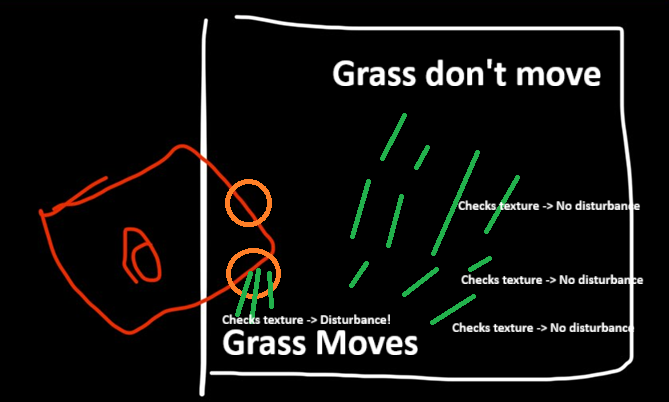 chrome skiff
Yeah lol hence the channel
ashen robin
It would wrap yeah I see what you mean or smear depending
you would have to check bounds
chrome skiff
Also let me just update your knowledge for this. The shader used by the VFX needs a bend direction and a magnitude. For solid white obviously magnitude can be 1. But direction is needed hence why I wanted to generalise actor locations.
chrome skiff
ashen robin
shader is cool because if it doesnt render it doesnt need to check
So it’s already frustrum culled?
ashen robin
shader instancing is pretty good and it'll try to cull everything as much as possible
chrome skiff
Alas the shader only needs direction and magnitude of influence info, it’s almost exactly the default grass shader from the shader graph unity scene
ashen robin
Im not entirely sure of the instancing cull capabilities of vfx graph as usually you do set those bounds
but again im not sure how the grass work with it. If it's a single blade of grass per particle then it should cull similarly I would expect
chrome skiff
ashen robin
but again im not sure how the grass work with it. If it's a single blade of gras...
It is a single blade
ashen robin
usually shader instancing tries to cluster stuff as much as possible in the rendering so you do sometimes end up with stuff rendering outside of the frustum but it's still pretty good
chrome skiff
Basically, the default shade of graph for grass takes a wind direction and strength and I change that wind direction via a lerp with the direction from the grass position and actor position
ashen robin
I'd read up more on the culling for what you're doing to make sure it's not rendering it all if you do only see a single particle
chrome skiff
The lerp uses the ratio of distance to actor and radius to find how much the new direction affects it
ashen robin
rather there's debug tools inside of the graph to show you how much is being rendered I believe
ashen robin
Im heading to sleep, but here's a neat video on it too using it for fog
https://www.youtube.com/watch?v=TqYnukFe374

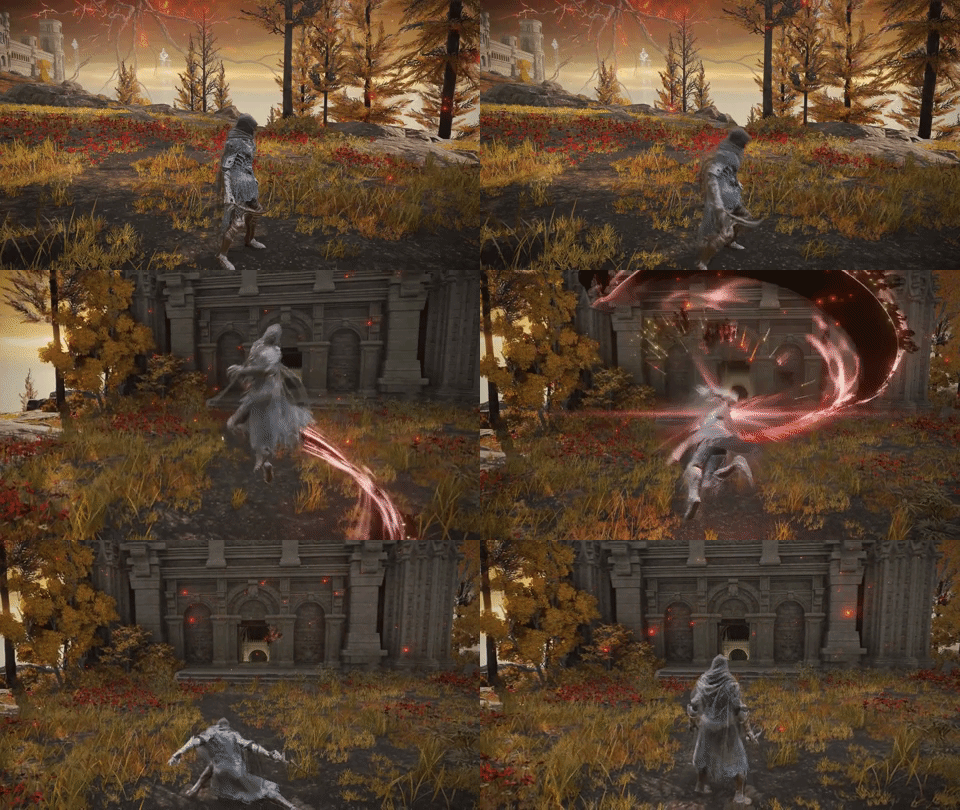


MinionsArt also has quite a bunch of videos with similar techniques and more indepth
chrome skiff
ashen robin
Im heading to sleep, but here's a neat video on it too using it for fog
https://...
Before you go, is there a way to generalise a splotch on a texture to a point?
ashen robin
Their snow mesh deformation video is pretty cool
ashen robin
Well, like I said you need the relative coordinates of the camera which would be the center of the texture.
chrome skiff
Like if I have a circle or something rendered on a texture in white or some random shape is there a way to reduce it to a single pixel that’s approximately the centre of the shape?
ashen robin
then you can pinpoint where it is by using the projection size of the camera
ashen robin
chrome skiff
Like if I have a circle or something rendered on a texture in white or some rand...
I'm not entirely sure of the math of it all, but a single pixel I would expect be a very large texture
assuming you have a large projection size
so you treat the texture like you do with splatmaps, you don't care for exact precision
chrome skiff
One pixel for every metre
ashen robin
right that's the idea
chrome skiff
Hmm I’ll play around and let you know.
Because then what happens when the actor is between two pixels.
The render texture would show two grey pixels then right?
ashen robin
ideally your actor should cover more than 1 pixel
because when you check for the disturbance and it does realize it is being occupied then you need to check neighbors to figure out how to bend
chrome skiff
ashen robin
ideally your actor should cover more than 1 pixel
In that case that’s why I wanted to know if I can reduce a 2D shape on a texture down to its centre point only.
Because I need a direction vector
ashen robin
if disturbance is from the north neighbor only -> bend south
chrome skiff
Direction vector being grass - disturber location
ashen robin
if disturbance from all 8 neighbors -> flatten grass
chrome skiff
ashen robin
because when you check for the disturbance and it does realize it is being occup...
Fuck me
Can this be done in VFX
chrome skiff
Are we talking 4-8 arbitrary directions here
Like front back left right and diagonals
ashen robin
you can check the texture at any stage of the shader or the graph
only thing you couldnt really do is have grass proliferate values
chrome skiff
ashen robin
only thing you couldnt really do is have grass proliferate values
Wdym by that
ashen robin
grass folding on other grass creating a chain of disturbance
chrome skiff
Oh no lol the grass is only disturbed by the actor, not itself
That’s why I need a discrete centre
I can bend them according to a direction and a weight which drops off
No need to proliferate if I can just obtain a discrete location
ashen robin
world position - camera coordinates divided by projection size divided by 2
I think that will give you the area to work with I forget
chrome skiff
But that brings us back to the unoptimised version of just knowing the coordinates right
ashen robin
not sure what you mean but this will give you the area to sample the texture
chrome skiff
Oh wait do you mean world position of player?
chrome skiff
Oh so ortho cam position minus world origin / projection size*2
On another note is there a way to try the graphics buffer but only populate it with those in the actor layer that are seen by the ortho camera? Or like define a cube set to be a trigger that passes world position of those inside (using actor layer) into a graphics buffer?
ashen robin
if you want to use graphic buffers I would do a large collider around the player that grabs all actors then send them in per buffer
chrome skiff
ashen robin
if you want to use graphic buffers I would do a large collider around the player...
Collider being a trigger right
ashen robin
trigger colliders yes
chrome skiff
Do they know if something is in them per frame?
Or does it only know the collision with its surface
ashen robin
OnTriggerEnter, OnTriggerExit, OnTriggerStay
chrome skiff
So enter -> put in the buffers, exit -> remove from buffer, and stay I assume you just log the position per frame
ashen robin
Stay continuously polls the area so if you can get the subscription event of enter and exit working id use that
more of a micro optimization though
ashen robin
True, but if you aren't keeping a leash of everything after entering it'll be stuck in a buffer if you never release it
so when stuff dies or something you'll have to call cleanup
otherwise Stay can just iterate over everything each frame and handle it itself
but again, if you're doing hundreds of actors then I wouldnt use Stay, nor buffers ;p
chrome skiff
I think I’ve gotten my AI to kill all coroutines on death but I don’t think I need to handle death here
Since when they die they fall over
And their position only moves on respawn
Which means they still should influence if they’re within the bounds.
chrome skiff
ashen robin
but again, if you're doing hundreds of actors then I wouldnt use Stay, nor buffe...
Well firstly I could tie the size of the collider to quality settings. Secondly, what’s the best collider for this? Like what’s the most optimised/quick running for this?
Sphere? Box?
ashen robin
which ever works with your rendering projection
chrome skiff
ashen robin
which ever works with your rendering projection
I thought we wouldn’t need a render texture if I know the positions lol.
ashen robin
yeah but you dont need a collider extending further than what your camera renders
chrome skiff
The collider will be far smaller than render distance
ashen robin
use w/e makes most sense and grabs the least colliders that may not be in render range
sphere I think is generally quickest collider but again microoptimization when you'd already have hundreds of colliders in your scene present at a time
radius checks are just generally quick
chrome skiff
Yeah that’s fair. I’ll do the sphere so that it just encompasses the player on its far side
ashen robin
actually non-rotated box colliders are quickest
chrome skiff
That way nothing is put in a buffer from behind the player
chrome skiff
ashen robin
actually non-rotated box colliders are quickest
In local space it wouldn’t be rotated but in global it would
chrome skiff
What does AABB mean
ashen robin
axis aligned box
chrome skiff
Oh so symmetry aligned
Box is cut in half perfectly on all axes
Well if we create the buffer from what’s in the collider and let’s say the radius is about 75m (diameter 150) then would it really be necessary to restrict the buffer by what’s in the grass mask?
Yes ofc it’s a micro optimisation but maybe running through the hoops to check if it’s within the mask might cost more?
ashen robin
I'd just go test it all out. Even though the buffer idea will probably give problems later on I'd just do it to see how to use them
chrome skiff
Yeah fair. Thanks for your help dude you’re amazing.
Just another question
This collider, would it have its own layer
Or a special gameobject name?
So that the script for the buffer can actually know it
ashen robin
If everything is already on an Actor layer and you're looking for all Actors then you shouldnt need another layer
as you always want the player data too which is an Actor so no reason to exclude them
chrome skiff
ashen robin
If everything is already on an Actor layer and you're looking for all Actors the...
Oh so the collider attached to the player as a trigger doesn’t need anything special? But how does the script specifically to access it rather than any other trigger colliders in the scene
ashen robin
just filter Actors on the trigger collider
chrome skiff
That’s not what I mean. How does the script access the collider.
There’s a tonne of colliders in the scene and the player will have its own colliders
ashen robin
Actually maybe I'm thinking of this wrong. Trigger colliders would be called on each individual collider which can work but not what you probably want. I'd just do overlap sphere then
Trigger would be fine assuming each individual object subscribes by itself, but it's better if you've a single object that collects them instead as you do a sweep
Or maybe trigger colliders can get that behaviour but it's been a minute since I've used them lel. I do prefer casting via physics API
chrome skiff
ashen robin
Or maybe trigger colliders can get that behaviour but it's been a minute since I...
Wait can you explain in more simple terms why not to use the trigger collider
ashen robin
honestly I'm half-awake and I'm doubting something that's probably fine. I prefer the API calls anyway
if physx actually had a collider.Cast (for the Unity API) I would use that instead but no
Yeah trigger should be fine if you wanna do it that way. I'm thinking like oh it's the one entering the player area that would call its own trigger method, but both individual objects would call their own trigger methods I would think. That is if both had trigger colliders
chrome skiff
ashen robin
Yeah trigger should be fine if you wanna do it that way. I'm thinking like oh it...

The camera is on the left edge of the sphere
Just inside it
I don't have a "player" just yet so I'm childing the sphere to the main camera for now
Is there a way to keep the sphere level with the main camera instead of childing it, because if the camera rotates down then the sphere goes down too which isn't ideal
chrome skiff
I don't know if I've done this right at all. Originally with the sphere on the player all I needed was a sphere node to plug position and radius into other things. I instead replaced any position connection with the output of this:

However I don't see anything displacing in editor or play mode
This is the code I'm using
clear spruce
chrome skiff
I don't know if I've done this right at all. Originally with the sphere on the p...
Aren't you accessing the element of index buffer.count which doesn't exist in 0 based indexing? Same as doing myList[myList.Count] in C#
chrome skiff
clear spruce
Aren't you accessing the element of index `buffer.count` which doesn't exist in ...
Hold on I've done a bunch of work but I still don't have it working just yet, I'll send my updated stuff
I've tested that the buffers exist and the game knows the positions (lines go from centre of trigger volume to the actual actor positions that should be in the buffer)

Alas still no dice
So this is the code I'm using for passing what's inside the trigger volume into the buffer
I've also checked and the buffer can increase itself in realtime
I'm trying to update the grass in update according to the buffer like so


This is the HLSL code I put into it
It's meant to (at least I hope) do the same things as these nodes (Interaction Weight used to be an attribute in the update block but I removed it so I could incorporate the whole HLSL thing)

If someone could point out what's going wrong that would be amazing
The two attributes I pass into shader graph vertex shader is custom1 (normalised direction vector3) and custom2 (bend weight influence)
WAIT NO IT IS WORKING
If I have one actor it works
So this must mean that multiple actors are destroying the bending calculations
chrome skiff
Ok I got it working now, truly amazing. lol
Thanks for all your help today @ashen robin
chrome skiff
Can anyone tell me how to fix this lol, it happens sometimes when I load unity

It results in this happening:

Meant to look like this
 placid forge
i have a dissolve shader and i want to apply it on a gameobject that composed of many spriterenderer but i want to apply the effect on gameobject as a whole not at indivitual spriterenderer
ashen robin
placid forge
i have a dissolve shader and i want to apply it on a gameobject that composed of...
A single shared material would do just that
No reason you should have multiple instances with spriterenderer anyway unless each of these materials have different shader code
placid forge
ashen robin
A single shared material would do just that
i want it to apply shader as a whole not at each indivitual sprite
ashen robin
Well, like I mentioned, is there a reason why you've multiple different materials for your sprites
if yes, then your options then are to store all these materials in some list and iterate over them, or make a global parameter to control the fading here
placid forge
im not?
there are two spriterenderer to compose a card and im use one share material on it with the fade effect but i want to somehow use the effect as if they are one big sprite
sorry im bad at english
ashen robin
So it's the text part that's not fading which you do want? Is it a different shader or is it the same shader but different material
placid forge
im not putting the material on it yet. just want to demonstatrate what i need
ashen robin
Well, the options remain. Use a shared material for everything that needs to fade together, make a global fade parameter in additional to the local fade parameter of the shader, or collect all material instances and fade each one individual by iteration
warm torrent
@placid forge @ashen robin The miscommunication here is that the goal is for the shader to fade them as if they were one object, not just fade them separately at the same time?
In that case the fade should be calculated relative to the card's bounds which you'd pass to the shader as material properties
But if the fade needs to be done semi-transparently rather than with clipping/dithering, it can't be helped that the individual parts will be seen through each other during the fade
To make uniform fading possible the card's parts would first have to be rendered to a texture that's then used to create one combined card which can then be faded
#1390346776804069396 is for shader questions
placid forge
yes thats what i want to ask . thank
ashen robin
Oh yeah I see what you mean. Honestly probably easier to just rasterize it then run the fade over it as a single texture / rect transform
 neat maple
someone seen thsi before? as soon as i connect the multiply to the set life ratio, this error pops up and stays at this locatino on the screen
 chrome skiff
neat maple
someone seen thsi before? as soon as i connect the multiply to the set life rati...
chrome skiff
neat maple
someone seen thsi before? as soon as i connect the multiply to the set life rati...
I get this all the time it means nothing
It’s a bug in the editor
neat maple
indeed, everything seems to work.. well, ok!
 vernal ore
anyone have any good resources for making full screen shaders in URP. im trying to make effects for drunkess and some other things.
cobalt scarab
 fluid peak
vernal ore
anyone have any good resources for making full screen shaders in URP. im trying ...
fluid peak
vernal ore
anyone have any good resources for making full screen shaders in URP. im trying ...
You can do it with a custom Render Feature and a Blit pass in URP. That lets you run fullscreen HLSL shaders for effects like distortion or color shift. Check Unity’s Blit sample on GitHub it’s a great start.
 fathom thistle
https://cdn.discordapp.com/attachments/1434743151729311846/1434743152937402399/image.png?ex=6909702f&is=69081eaf&hm=4b566fd130ed014e4193211199369b6f0dfe0e7ddcaa41985eaa01b2d2c6a79e& anyone knows what this guy used to make this hacker background?


I got told this was done with unity by some blender professionals , so came here to ask
ionic shuttle
-# probably ai
fathom thistle
ionic shuttle
-# probably ai
U sure ?
ionic shuttle
cant be sure for certain, but definitely looks a little off
fathom thistle
Ye the characters are weird
Although I’ve seen a blender material with some weird characters as well
warm torrent
fathom thistle
https://cdn.discordapp.com/attachments/1434743151729311846/1434743152937402399/i...
The designs are blobby nonsense, and there's multiple copies and poses that are different but not in any consistent way so they're fairly obviously ai gen imagery
If they were 3D at all I'd assume they were ai gen meshes
Can't imagine anyone modeling those by hand, multiple times for each variation
Models can be made weird but it's not a human kind of weird to have one half of a hoodie melting into a vest
vernal ore
fluid peak
You can do it with a custom Render Feature and a Blit pass in URP. That lets you...
I’ve been looking at full screen renderer feature and a full screen shader graph. Is this the same thing that you mentioned?
 fast canyon
Hey, does anyone know how to create a fog effect for a building game like boom beach? I have a building area where players can build on and i want a fog around it, when i upgrade my building area than the fog needs to be deleted to a certain extent (until the border of the new building area) any tips or videos that explain on how to do this?
warm torrent
fast canyon
Hey, does anyone know how to create a fog effect for a building game like boom b...
It sounds like you're describing a tile based "fog of war" feature
fathom thistle
warm torrent
The designs are blobby nonsense, and there's multiple copies and poses that are ...
The characters are blender , but the background could be ai
fathom thistle
warm torrent
The designs are blobby nonsense, and there's multiple copies and poses that are ...
https://void1gaming.itch.io/free-matrix-shader-for-unity-urp/devlog/413875/free-matrix-digital-rain-shader-for-unity-urp-is-now-live
u think they used this?

itch.io
After being on early access for our Patreon Members, the Free Matrix Shader for Unity URP is now live on our Itchio Page. It's a plug-and-play solution to all your Matrix Digital Rain effects where yo...
warm torrent
fathom thistle
https://void1gaming.itch.io/free-matrix-shader-for-unity-urp/devlog/413875/free-...
Unlikely
I don't think any part of what you're seeing ever was in-engine, or 3D to begin with
But if you want to imitate the style for some reason, that shader could be useful
fathom thistle
warm torrent
Unlikely
I don't think any part of what you're seeing ever was in-engine, or 3D ...
yeah after a closer look even the characters look AI
not even eyes are in there
 gentle iron
I'm lacking vocabulary to search for a solution to my problem, would love if somebody here knows what I'm talking about:
I am working on a building game where the player can place walls and windows on walls. Wherever windows are placed, I need their shape to be "cut out" of the wall.
So, roughly like you can see on the screenshot. That uses a special shader on the wall and another shader on the sphere and works basically like a stencil.
Issue is, that as soon as I have two walls with windows, the windows peek through the walls.
I feel like I'm missing some basics of how to approach a use case like this (I'm basically just copy pasting in the hopes of anything working, really).
I've heard about volume based cutouts, stencils, rendering orders and masks. Can someone here tell me where I might get the most useful approach for this setting?
 warm torrent
gentle iron
I'm lacking vocabulary to search for a solution to my problem, would love if som...
warm torrent
gentle iron
I'm lacking vocabulary to search for a solution to my problem, would love if som...
Is this showing the issue you want to avoid?
I don't see the part about two walls or window peeking through
gentle iron
Ah, no, this shows a first try. It works alright if I have just one wall and a window, but if I place walls in front of another with their own windows, the wall in the background disappears.
I basically would like to have the effect on my screenshot, but so that I can still see the wall material through windows in other walls 
warm torrent
gentle iron
Ah, no, this shows a first try. It works alright if I have just one wall and a w...
So "basically like stencil" is stencil? Just hoping to understand what you're working with currently
gentle iron
Yes
warm torrent
Using multiple stencil IDs in a way that they don't overlap is one option
But you could alpha clip in the shader by a distance function or by projected texture just as well instead
gentle iron
Would you happen to know a tutorial about that?
full sparrow
If this is a shader issue #1390346776804069396 might be able to help out
warm torrent
Not off the top of my head
The concept is very simple
You alpha clip by the alpha value
Your alpha value would be determined by a shape that fits your window
Maybe a box or sphere/cylinder, or projected texture if it needs to be a more complex shape
gentle iron
Ah, sorry, didn't mean to pick the wrong channel =)
warm torrent
Based on your window shapes you might know already which of the clipping shapes you need
gentle iron
Hmmm alpha clip sounds like something I can look up.
warm torrent
It is
Easier than stencils
By all means make a thread in Rendering if you get stuck
full sparrow
I think stencil buffer is what you want to look up
gentle iron
Thank you, at least I have a better starting point now =)
Guess you'll see me over in rendering in the coming days ;)
ashen robin
gentle iron
I'm lacking vocabulary to search for a solution to my problem, would love if som...
I would just paint alpha values and cut it. Stencils operations will 'propagate' through similar walls if they are stacked behind each other due to the nature of how stencils work.
oh whoops forgot to scroll down but yeah Spazi's the idea
So technically in your shader you'll have an additional overlay texture where you paint your negative (alpha) values upon
Can be a little expensive if you are making a bunch of these walls as you need to create a unique mask texture per wall, but you can probably use a lower res texture if that becomes a problem
 modest pelican
Question about VFX graph:
If I want to set an attribute on a particle to a random value that remains consistent for that particle, I seem to be able to do this in the Initialize context as well as the Output context (not the Update context, though, because that results in a new random value being set every frame).
Which of these is better? I notice that doing it in the Initialize context means the attribute becomes part of the particle's attribute layout in memory, which I think means the effect takes up more memory, which would be a downside of doing it in the Initialize context and make it the lesser option. Is there any downside to doing it in the Output context? Does it have overhead in terms of calculating the random value every frame (but in a way that apparently yields the same result every frame for the particle)?
 compact pelican
Is there any way to make something like this intersect with all objects on scene? My player has a tool they control, and I've made this vfx graph to set as its visual "functionality radius" But it looks terrible when it goes through everything. Haven't been able to find any info on this for some reason. Collision shape only works with Planes and ignores everything else

 warm torrent
compact pelican
Is there any way to make something like this intersect with all objects on scene...
warm torrent
compact pelican
Is there any way to make something like this intersect with all objects on scene...
What it does here is "intersect"
What do you want it to do?
ashen robin
You can try collide with depth buffer as a quick solution, but it's not something you'd consider precise
warm torrent
You can also pass meshes into the VFX graph as relevant collision shapes or SDFs, but is that what you really want
Collisions might not look much better than a sharp intersection
The kind of shaders that are used for "force field intersections" can be used for particles as well, to do pretty much anything visually based on depth proximity
compact pelican
warm torrent
What it does here is "intersect"
What do you want it to do?
Intersect as in collide with meshes instead of passing through them
compact pelican
warm torrent
The kind of shaders that are used for "force field intersections" can be used fo...
Yeah you're right. After looking around looks like a shader graph would be optimal, gpu-wise as well, the graph does look better though.
warm torrent
compact pelican
Intersect as in collide with meshes instead of passing through them
Collide as in bounce? Or what
compact pelican
Thanks for the input
compact pelican
warm torrent
Collide as in bounce? Or what
Yeah, same as the forcefield intersections you were talking about.
(visually)
warm torrent
compact pelican
Yeah, same as the forcefield intersections you were talking about.
So changing color or alpha? That's what those shaders typically do
"Intersect" is still vague
compact pelican
warm torrent
"Intersect" is still vague
I'm terrible at vfx, the thing I'm trying to achieve is to visualize the field inside of which the players' tool has an effect, so they always know its radius (the vfx is connected to the tool and displays its radius). The current VFX graph I have visually looks good, but to polish it I want the particles to collide with objects around them, and not just pass through everything like a ghost, like if you push a soft ball into a wall, it needs to be a diegetic interface (inside the game, not a part of the UI). After looking around all day it looks like VFX graph won't work for this, although I am still not 100% certain.
warm torrent
compact pelican
I'm terrible at vfx, the thing I'm trying to achieve is to visualize the field i...
For the particles to squish/push away from the surface, or react in any other way, as it nears is possible, but a bit tricky
For accurate collisions like that you'd need SDF volumes generated from each mesh, and then passed from scene into the VFX graph by proximity to fill a buffer of active SDFs
But much easier to do some shader effect based on depth buffer, even if the options are much more limited there
compact pelican
Say I decide to allocate a couple days for the SDF volumes, how bad would optimization be? Is it hard on the gpu? It's just one (small but important) element in the game, do you think trying it out would be counter-productive?
Even then, tweaking a forcefield guide to make it look closer to what we need wouldn't be too hard I guess
(indie game, nothing too serious)
warm torrent
compact pelican
Say I decide to allocate a couple days for the SDF volumes, how bad would optimi...
Probably not too bad, but it mainly depends on how many SDFs the vfx graph needs to be calculating at once
Usually you'd have to determine that by a proximity check
I'd first allocate an hour or two to SDFs and the force fields to test their viability first
The system to pass SDFs dynamically to the vfx graph I expect is more difficult and more work than the vfx effect itself otherwise
compact pelican
Gotcha. Thanks for the help! Sounds like too much stuff to do for something that'll probably get changed 47 times :)
I'll check out the forcefields and see what can be changed.
warm torrent
compact pelican
Gotcha. Thanks for the help! Sounds like too much stuff to do for something that...
As Mao noted collide with depth buffer is a very simple and quick alternative
compact pelican
warm torrent
As Mao noted [collide with depth buffer](<https://docs.unity3d.com/Packages/com....
Dang, the brain rot got to me. I was wondering why it did not work until I realized that it works only through the camera 💀
Yeah, just what I needed. Time to stylize it. Thank you very much! Couldn't wrap my head around it. @warm torrent @ashen robin
warm torrent
Post feedback requests and progress in #🏆┃daily-win or #1180170818983051344 please
 arctic spear
warm torrent
Post feedback requests and progress in <#1390716509638098995> or <#1180170818983...
arctic spear
warm torrent
Post feedback requests and progress in <#1390716509638098995> or <#1180170818983...
oh ok, sorry and thx!
chrome skiff
Is there any way to access and reduce quality of shadows casted by VFX graph?
I don’t want to change the global shadow quality I just want to reduce the quality of my grass VFX system
Currently I’ve got hundreds of thousands of blades which cast and receive shadows and I’d prefer if they cast shadows with the smallest impact possible or even just have random blades cast shadows on start
I’m not fully knowledgeable on shadows but am I correct in assuming casting is generally more expensive than receiving? Also from my testing which involved only one light (the sun) I can conclude that I’d also like the grass to ignore any other lights except the main light because the lag would be unimaginable if the shadows multiplied
What I mean is, my grass receiving lights is fine but I’d rather be able to reduce shadow casting cost and restrict casting only to the main light
Anyone know if this is possible?
ashen robin
chrome skiff
Is there any way to access and reduce quality of shadows casted by VFX graph?
If you want to use only directional lights then where you calculate your lighting data for the shader you need to omit additional lights and just include the main light
https://xibanya.github.io/URPShaderViewer/Library/URP/ShaderLibrary/Lighting.html
Bunch of the method calls in there, but as you scroll there you'd see more complete methods which are those that are used by the standard URP lit shaders
https://www.cyanilux.com/tutorials/urp-shader-code/#simple-lighting
Cyan's some resources on it, but they lead you through the more developed lighting modules using Lambert and Blinn-Phong. Ideally what you want to do is take those methods and just remove all the additional lighting calls, or more specifically just comment out #pragma multi_compile _ADDITIONAL_LIGHTS if you choose to use the blin-phong and similar method calls.
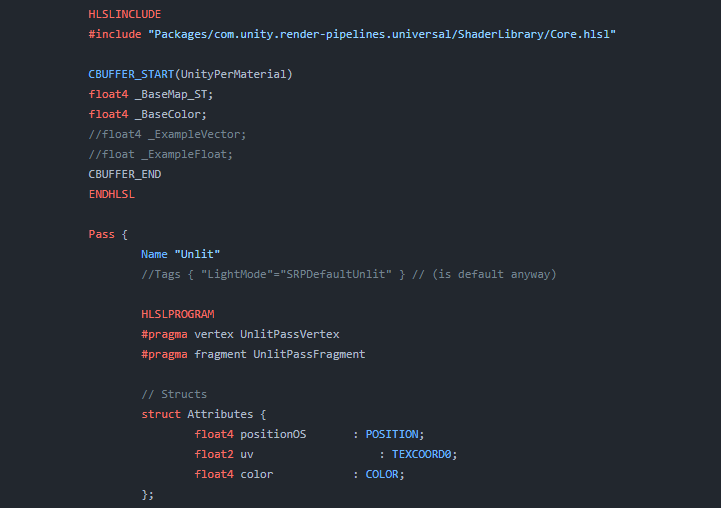
Explains how shader code (ShaderLab & HLSL) is written to support the Universal RP
chrome skiff
ashen robin
If you want to use only directional lights then where you calculate your lightin...
Will that allow me keep light reception from all lights but exclude lights for casting? Or is it gonna exclude lights for everything?
ashen robin
chrome skiff
Will that allow me keep light reception from all lights but exclude lights for c...
I would assume this is just for secondary point lights. I've not messed around with it too much as of late
https://github.com/Cyanilux/URP_ShaderCodeTemplates
Cyans got a bunch of templates there to get an idea to stucture it all. You're just basically copy pasting selective methods onto your shader

GitHub
📜✏️ Some shader code templates/examples for Unity, Universal Render Pipeline (URP v10 / Unity 2020.3). ShaderLab & HLSL - Cyanilux/URP_ShaderCodeTemplates
Anyway, you've better answers from #1391720450752516147
chrome skiff
ashen robin
Anyway, you've better answers from <#1391720450752516147>
I ask here because I felt it was VFX or shader graph dependent/limited
ashen robin
I'm not seeing any exposed properties on the default VFX graph shader that meet your requirements, and I don't believe you can use the shader graph here to omit these extra lights, so you may be looking into the custom HLSL block feature
Usually anything light/shadow is not really modifiable within the shader graph unfortunately. Maybe more recent updates but not something I've looked into as of recent. Well, not entirely true, just some limitations on it.
 untold gull
Hello, how can I edit and play particle effects while not having all those gizmos and orange outline popping up? Makes it hard to figure out how it actually looks.
 untold gull
Got my answer (Gizmo toggler in the "View options" menu)
 inland tusk
I can’t for the life of me find set get custom attribute in vfx graph any more in unity 6. I’ve enabled experimental blocks in visual effects in preferences and restarted. Any ideas?
inland tusk
Ooh you create it in blackboard first now ok
fast canyon
Trying to make a fog of war effect for my building game but there are no tuts on how to do this, anyone has any tips or advice
full sparrow
fast canyon
Trying to make a fog of war effect for my building game but there are no tuts on...
You'll want to look up "fog of war shaders". Take peek over on #1390346776804069396 for more shader talk
 dusty echo
Hi! With the Visual Effects Graph, is there a way to search for and adding system subgraphs? I currently only see block subgraphs
 modest pelican
dusty echo
Hi! With the Visual Effects Graph, is there a way to search for and adding syste...
modest pelican
dusty echo
Hi! With the Visual Effects Graph, is there a way to search for and adding syste...
I think you can just drag a VFX graph asset into another, and it will create a system subgraph node for it.