#✨┃vfx-and-particles
1 messages · Page 17 of 1
 warm torrent
 wind ferry
if i should use particle system i think im fine then, thanks for letting me know
that should be all, :D
happy new year
warm torrent
Feel free to ask here if more questions pop up during the implementation, or otherwise
 scenic torrent
I haven't done particles in a while, two questions:
- Why do my particles seem to anchor to the top left corner instead of centered?
- Why do the particles shrink into the top left corner instead of towards their center the way they're spaced out in the sprite pack?


Setting the Pivot to be -0.5 X and 0.5 Y seems to 'center' their spawn spot, but as the animation plays out it still moves/resizes into the top left corner instead of staying centered

Hm changing the sprite pack from tight to full rect seems to have fixed the positioning part, weird though. Doesnt that mean its added overdraw?
 hearty flare
scenic torrent
I haven't done particles in a while, two questions:
- Why do my particles seem t...
hearty flare
scenic torrent
I haven't done particles in a while, two questions:
- Why do my particles seem t...
I've never used Sprite in VFX before, but your pivot in the sprite editor is in the top left; perhaps that's affecting it?
 slim bolt
Hola! I'm a 3D artist using Blender and I'm trying to find a way to use an animated texture I've made using Blender's shader nodes system such that it can be read in Unity. Does anyone have any thoughts?
 ashen robin
Messing with anything shader related in blender will probably not import into Unity beyond the standard Blender shading
you can bake the textures and flip book it
otherwise just do the texturing in blender then do the shadering in Unity
slim bolt
ashen robin
Messing with anything shader related in blender will probably not import into Un...
Here's the setup I've got working in Blender. (The blender folks sent me here btw lol so sorry if you don't understand much of this)- I could possibly bake the lit and unlit texture seperately and transition between them in Unity?
of course I'll have to plug it into a BSDF shader
ashen robin
Yeah not entirely sure about that. It's not like this is some GLSL code you can just copy paste over
lot of the Unity's shaderlab stuff has its own shadering syntax of its own
baking it into a flipbook would work though if you want to do that, but I would just suggest learning to write it in Unity
the shader graph is very comparable too to that of blenders
 marsh drift
I'm trying to use unity vfx graph and follow a tutorial: https://www.youtube.com/watch?v=bAVCTR23CTw
But once I set the color intensity to 6, alpha doesn't seem to apply and it's always visible
Any ideas?
marsh drift
Or antoher way to look at it: any idea how to create an effect like this, specifically the lightning lines?

 tame geyser
how do i make particles load only near the player ?
 solar trellis
tame geyser
how do i make particles load only near the player ?
solar trellis
tame geyser
how do i make particles load only near the player ?
parent the emitter to the player and make the size not that big?
tame geyser
solar trellis
parent the emitter to the player and make the size not that big?
how do i parent it to the player? i dont have any player in the heirarchy i only have the player spawner (this is a mod level for a game)
solar trellis
oh, never work using mods before, i tought you asking on how to do that for you unity engine game
tame geyser
ah gotcha, the mods are still made thru unity i just dont have a dedicated player model
i just want to make the snowflakes more dense without fps loss
 solar trellis
yeah, not sure how to do that, i mean if you know how to detect the player then you can use script to do that (example search local player using layer/tag/etc)
then after you find the local player just parent it
not sure if the script could executed in the game tho
tame geyser
is there a way to parent it to a camera?
solar trellis
using script? yeah ofc
again, not sure if they have protection for 3rd party script or not
tame geyser
im sure they dont but i honestly dont know how to use script let alone even make it
 tame geyser
oh yeahhh i forgot about that🤣
solar trellis
yup, it work very well for something that's not really complex
tame geyser
ill try that, thanks for the help
 royal osprey
Any advice on improving graphics? I feel like something is missing.

bloom, gradient sky are added on hdrp
marsh drift
Any tips/guide on how to create a 2d electric floor? looking for something like the electric lines on this fence

 stark condor
im having a hard time figuring out how to get a specific visual effect. anyone got any ideas?
general concept is: some outdoorsy level where the entire thing is absolutely smothered in impenetrable mist. think stephen king style mist. there are altars that the players unlock throughout the level that basically burn a bubble in the mist. totally clear up to some radius, and then gradually dropping off until a cliff is hit where it's "mist wall".
i screwed around with a couple different approaches using particle systems, doesn't seem like its going to give me the effect im looking for.
im looking into volumetric fog but the first vids im watching are just using it for atmosphere (har) not as some game system that can be manipulated.
any suggestions what i should start looking at for a way to do this?
tame geyser
royal osprey
Any advice on improving graphics? I feel like something is missing.
some sort of volumetric fog would be sick
 deep tapir
hello does anyone have any idea how this effect was made
I'm trying to make similar balls of fog
without it being a smoke simulation
royal osprey
tame geyser
some sort of volumetric fog would be sick
I will try thank you!
 clear spruce
royal osprey
Any advice on improving graphics? I feel like something is missing.
clear spruce
royal osprey
Any advice on improving graphics? I feel like something is missing.
The graphics look good enough to me. The scene just looks too empty. Adding more props/assets would make the scene have more life in it
 steel bane
royal osprey
Any advice on improving graphics? I feel like something is missing.
steel bane
royal osprey
Any advice on improving graphics? I feel like something is missing.
imo volumetric fog is overkill. Normal fog will help, plus tuning a nice colour balance between light colour and shadow colour.
This, plus some bloom and some AO will do wonders.
steel bane
deep tapir
hello does anyone have any idea how this effect was made
Definitely smoke planes, camera aligned. Could be placed with a particle system or by hand, but having them spawned/killed as particles dynamically will be most "alive" looking. Soft particle blending into the surrounding geometry will help with obvious clipping too.
Oh sorry, I actually thought you meant the mist. The black smoke is just a particle effect. It's very simple, just a round black smoke shaped texture spawned over distance, with size over lifetime.
Looks like it's got some turbulence on its movement too
 outer gull
I have a partical system in unity with a 2D fire shader with render mode set to vertical billboard, when I get closer to the object it gets smaller, how can I fix this?
clear spruce
deep tapir
hello does anyone have any idea how this effect was made
Could be done with particles with a trail as well I guess
 hybrid kestrel
deep tapir
hello does anyone have any idea how this effect was made
hybrid kestrel
deep tapir
hello does anyone have any idea how this effect was made
I would make a particle system that spawns smoke particles over distance or time, uses the size over lifetime module to have trailing particles get smaller, and maybe use subtractive blending in the particles material?
ashen robin
Oh, didnt realize you had a video
Ok, so those smoke balls you mean look like just a particle trail, which you can probably just use Unity's standalone module for
otherwise both VFX graph and the shuriken particle system incorporates it if you need a bit more customization
 icy wing
outer gull
I have a partical system in unity with a 2D fire shader with render mode set to ...
icy wing
outer gull
I have a partical system in unity with a 2D fire shader with render mode set to ...
Is your camera set to perspective?
marsh drift
The time node doesn't seem to update in the shader graph editor, but I know it should.
How to fix this?
Attached 2 images:
(a) where the multiply is 0, so offset is 0 - this is the original
(b) where the multiply is 1, so offset should be time, but it's just a constant yellow

 outer gull
icy wing
Is your camera set to perspective?
outer gull
icy wing
Is your camera set to perspective?
Yes
icy wing
Try orthographic and see if it fixes the issue. If not, let me know
outer gull
Ok ill try
I guess its works, but actually fire get smaller when i get closer with my first person character
icy wing
Is your game in 3D?
outer gull
Yes
icy wing
Well vertical billboard will scale the particles based off of the camera distance so i’d try to change the render mode
And change the start size to 3D if it already isn’t
outer gull
Where is render mode?
icy wing
The render module
outer gull
Lovely it works thx
marsh drift
Following this tutorial, where he adds a color with intensity to the trail: https://youtu.be/bAVCTR23CTw?si=GE6zKby582oGs2hg&t=386
And I've done the same - but mine is completely white, no shining blue in the middle.
What am I missing?
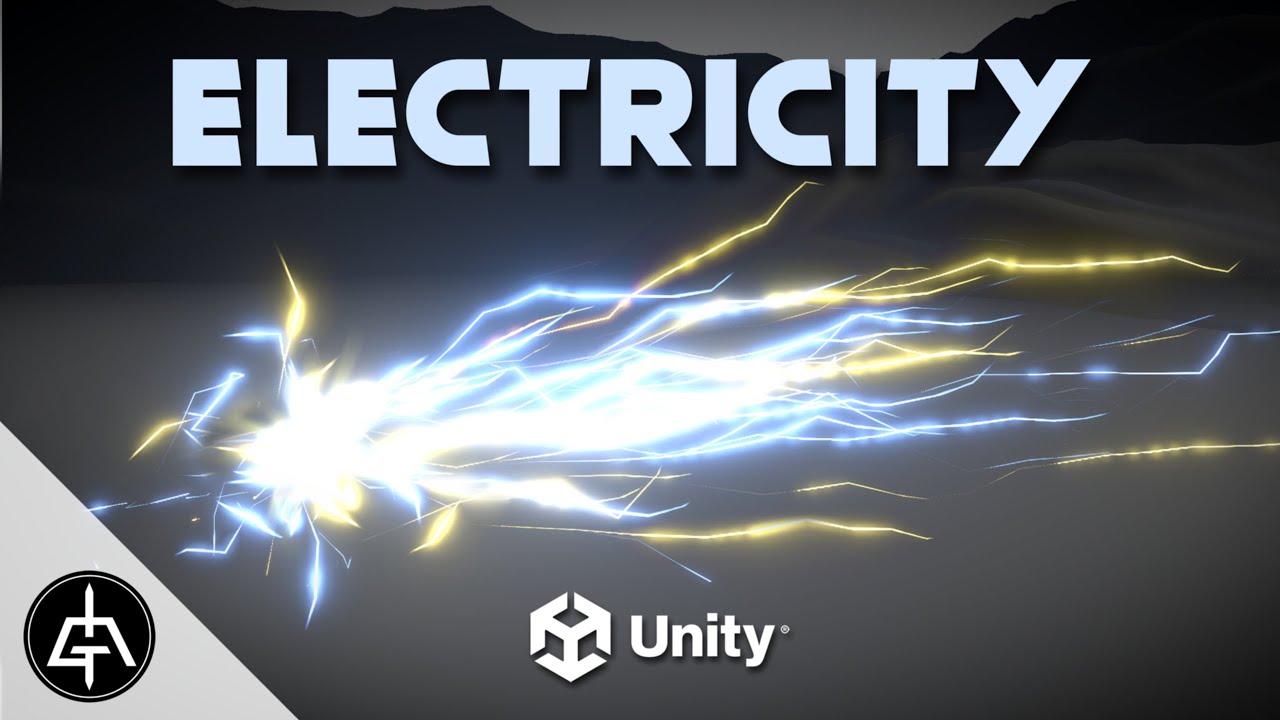
In this Unity tutorial let's create Procedural Electricity with Visual Effect Graph. It's quick and easy, we don't need shaders or textures, only VFX Graph. Enjoy the UNLIMITED POWERRR! :)
00:00 Intro
00:36 Electricity Trails
02:49 Cone Shape
05:37 Electricity Aspect
09:10 Electricity World Space
10:50 Sphere Shape
11:20 End Result
-----------...
 zealous wing
marsh drift
Following this tutorial, where he adds a color with intensity to the trail: http...
zealous wing
marsh drift
Following this tutorial, where he adds a color with intensity to the trail: http...
perhaps you have no post processing in the scene
 inland tusk
I'm mulling over the possibility of creating incremental cracks in glass using particle strips, so a couple of particles move out in jaggy lines across a surface leaving particle strips behind them... reckon it'd work out ok?
could i for example lock particles to a mesh (stlil move on the surface)
 sinful light
inland tusk
could i for example lock particles to a mesh (stlil move on the surface)
sinful light
inland tusk
could i for example lock particles to a mesh (stlil move on the surface)
You can use pointcache and meshes to emit particles there. guess you might be also able to some how get a random point on that mesh and let a point run from a to b
inland tusk
mm, the only way I know of currently that would do it would be SDFs, but I'm not sure I have the gpu capacity for this.(gpu bound mobile vr). Maybe CPU calculate the initial particles (there shouldn't be too many/much) and feed in the positions by graphicsbuffer
sinful light
inland tusk
mm, the only way I know of currently that would do it would be SDFs, but I'm not...
https://www.youtube.com/watch?v=4Jb9yHFSvtc So I mean this and go from there. Also works with animated meshes
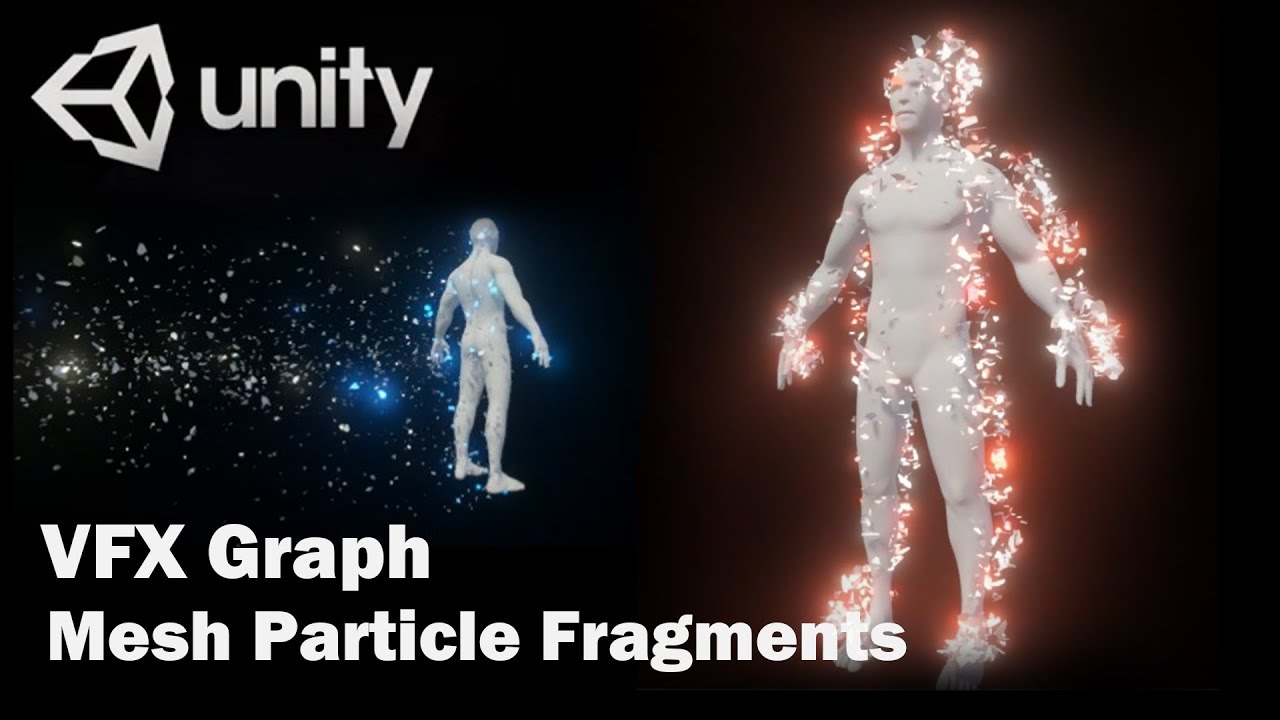
Unity VFX Graph:Mesh Particle Fragments
0:00 Intro
0:30 Environment settings
0:55 Create VFX Graph archive
4:33 Place model
6:06 Set up VFX Property Blinder
7:12 Add particle model
10:35 Particle Turbulence settings
16:08 Adjust particle fluttering direction and color
19:00 Add external control parameters
19:24 Bind different models
Version:202...
inland tusk
yep, I know how to spawn particles on a surface, but I'm talking about animated movement along a surface
like, constrain a particles position to be locked to the surface but still reacting to forces etc
sinful light
inland tusk
like, constrain a particles position to be locked to the surface but still react...
And as you get the point mesh, I wonder, if you can just use the index of the point and iterate through that array of mesh vertices to move from particle startpoint to random vertice within a certain distance. Otherwise, you could always use shadergraph to move something visually along a distance or you could try to get the vector point from raycasting against the mesh and return your hit point for the animation running.
inland tusk
hmm random selection of nearby vertices as movement targets is interesting
 spring lake
inland tusk
yep, I know how to spawn particles on a surface, but I'm talking about animated ...
spring lake
inland tusk
yep, I know how to spawn particles on a surface, but I'm talking about animated ...
Check this one out > same guy https://youtu.be/_9XTglJTt30?si=R7o7HQWsaZqKNcoL

Unity VFX Graph:Collision Edge Line(SDF)
Created using VFX Graph and SDF, particles can create irregular lines along their edges when in contact with SDF.
Unity Version:6000.0.3f1(HDRP)
0:00 Intro
0:51 Start creating VFX Graph file
2:31 Make Random Direction
9:47 Add a Collision Sharp SDF
10:49 Make an SDF of Mesh
11:40 Make a Trigger Event on...
 rigid linden
Hello there ! Using VFX graph, I'd like to use the life time (as float, not using GPU events) of an A block for a B block in the same system. The idea is to be able to move the shape spawner of B particles (which is a constant spawnrate) depending the lifetime of my A particle (which is a single burst) ! Does anyone know if there's a way to do it ? Thanks in advance ! :)
 ashen robin
rigid linden
Hello there ! Using VFX graph, I'd like to use the life time (as float, not usin...
ashen robin
rigid linden
Hello there ! Using VFX graph, I'd like to use the life time (as float, not usin...
 spark tapir
I am trying to learn how to use vfx graph and stumbled across the issue: Every tutorial says about GPUevent node, but for me it just... not there :\ I cant create it any way I know, what am I doing wrong?

 drowsy coral
My vfx is not showing color for some reason. If I apply an effect on default objects I don't see anything but if I apply it on an imported object I get this:
Shader warning in '[Slash] [System] Update Particle': Buffer count exceeding default GL_MAX_SHADER_STORAGE_BUFFER_BINDINGS. Shader might not work on all hw. Consider combining separate buffers into one containing struct elements. at kernel CSMain (on gles3)
 ashen robin
spark tapir
I am trying to learn how to use vfx graph and stumbled across the issue: Every t...
ashen robin
spark tapir
I am trying to learn how to use vfx graph and stumbled across the issue: Every t...
If you're using any of unity's previous versions then you may need to enable the experimental nodes inside of preferences
ashen robin
drowsy coral
My vfx is not showing color for some reason. If I apply an effect on default obj...
Hard to really debug a lot of that since it's all internal to the shader code, so my suggestion is just try recompiling otherwise remaking the graphs
spark tapir
ashen robin
If you're using any of unity's previous versions then you may need to enable the...
okay, thank you!
 deft forum
Is there any way to alter the frustrum culling settings for particles in VFX Graph? In particular, to add some extra padding so the frustrum culling is less aggressive
deft forum
Found something in the LOD settings 👍 ^
 light beacon
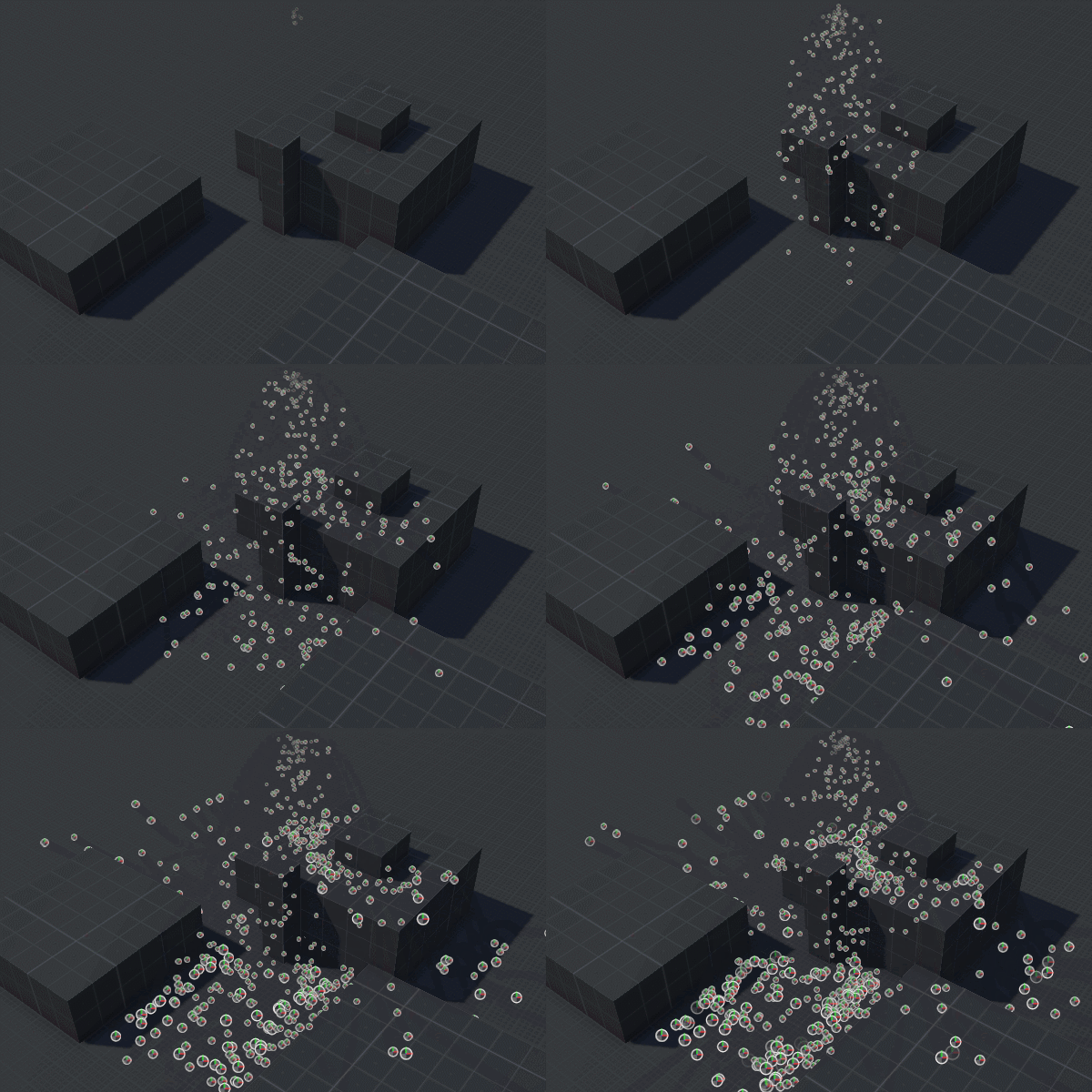
I've set up a replacement shader system that replaces the opaque material (on the left) with a transparent one (on the right), but it messes up the particle depth. With the left, the different particles actually have depth and appear to combine together to form a single cloud, but with the right, each sphere renders right over the others as a single circle and it looks 2D instead of 3D. How would I fix this while still allowing a transparent effect?
 trail vine
I'm working on a cloud shadow effect using VFX Graph. Is it possible to blend the opacity of my particles so that their opacity doesn't stack like this?
 ashen robin
light beacon
I've set up a replacement shader system that replaces the opaque material (on th...
ashen robin
light beacon
I've set up a replacement shader system that replaces the opaque material (on th...
I'd probably tackle this issue by drawing it as a single mesh and such that this shaders acts on object space as a whole instead of independent meshes
you don't sort transparent pixels by depth, not that easily at least
ashen robin
trail vine
I'm working on a cloud shadow effect using VFX Graph. Is it possible to blend th...
Here's a solution if you want to do it on the editor UI (site not loading that well for me unfortunately)
https://www.fraculation.com/blog/overlapping-mesh-render
Otherwise doing it through shader code:
https://discussions.unity.com/t/2d-issue-with-overlapping-transparent-objects/597558
Fraculation
Learn how to render overlapping transparent meshes as a single superset polygon, using stencil buffer settings in Unity URP
trail vine
ashen robin
Here's a solution if you want to do it on the editor UI (site not loading that w...
Thanks for the answer! I'll give those two options a try.
I’ve actually experimented with using a shader before (link to code), and while it did work, I ran into issues with its interaction with the UI Mask component. The mask wouldn’t function correctly in areas where the cloud texture was present. You can see this in the attached image. Perhaps my shader wasn’t well-coded, though.
 ashen robin
Right, the UI mask also uses the stencil buffer. If you actually open up Unity's UI shader code it'll be exactly like the code linked above
So probably need to work on another stencil buffer index
trail vine
I see.
So probably need to work on another stencil buffer index
Not sure how to do that, but I'll do some research. Thanks!
ashen robin
trail vine
I see.
> So probably need to work on another stencil buffer index
Not sure how ...
It may be better to render the UI after flushing the stencil buffer via multiple viewport, but using the URP render objects and filtering by layers does give some independency and control over rendering ordering.
Basically the operation you're doing with the stencil comparison is setting your pixels to a value when drawing, and to prevent it from overdrawing you're doing a comparison on these set values; if 0 -> draw shadow, if not -> ignore
But the problem here is if you're comparing by the default stencil value of 0, then it'll replace the UI if it doesn't update its own stencil values beyond the default... but that would also mean that the UI is being draw first which really shouldnt be the case so I'm a little confused here.
trail vine
ashen robin
Basically the operation you're doing with the stencil comparison is setting your...
Thanks again for taking the time to respond and explain things. I’ve spent the last few hours trying to fix the issue. Tweaking the shader, messing with the stencil ID, and even asking ChatGPT, but nothing seemed to work. Then I thought maybe the way I’m masking the dev console’s scroll view was the problem. I swapped out the Mask component for Rect Mask 2D, and it just kinda works now. I’m not sure if this is the right solution, but it seems to have done the trick. 🤔

 ashen robin
trail vine
Thanks again for taking the time to respond and explain things. I’ve spent the l...
ashen robin
trail vine
Thanks again for taking the time to respond and explain things. I’ve spent the l...
Ah, apparently Rect Mask 2D doesn't use stenciling. I wonder how it works internally then
Looks like it clips the actual quad
trail vine
ashen robin
Looks like it clips the actual quad
Ah, I see. And it seems RectMask2D is just for rectangular masking, but that works perfectly for what I need right now. Hopefully, I won’t run into a situation later where I’d need to use an image or sprite for masking, but for now, I think I’m good!
Thanks for all the help!
light beacon
ashen robin
I'd probably tackle this issue by drawing it as a single mesh and such that this...
Does that mean I'd have to procedurally generate a mesh at runtime, based on the orientation, mesh and scale of each particle? Or is there a simpler way?
light beacon
ashen robin
Here's a solution if you want to do it on the editor UI (site not loading that w...
Actually this is also something I've been dealing with. I'm currently making do with a dithering effect, which works well enough for my use case, but learning how this works for real would be nice.
light beacon
also that first link is helping me learn about stencil stuff, so thanks for that
ashen robin
light beacon
Does that mean I'd have to procedurally generate a mesh at runtime, based on the...
Are these 3D meshes (not quads) and are they being used with Unity's particle systems here?
light beacon
ashen robin
Are these 3D meshes (not quads) and are they being used with Unity's particle sy...
Yes, a particle system using sphere meshes instead of billboards
ashen robin
Oh, and is the opacity completely solid here cause I can't really tell
I assume it is cause I'm not seeing any overdraw
shader is interesting cause it looks like quads to me
light beacon
ashen robin
Oh, and is the opacity completely solid here cause I can't really tell
With the replacement shader, it's technically transparent but uses a stepped dithering effect, so each pixel is either completely opaque or completely transparent
ashen robin
light beacon
With the replacement shader, it's technically transparent but uses a stepped dit...
The way it's popping in and out is kinda strange as it should just be overdrawing if it's being rendered with the particle system. It's not like you're sorting between different transparents
or to get an idea what I mean is just use a standard transparent shader and see the behaviour from that
Another experiment you can try is making two large independent transparent spheres and try to get one to render the other and vice versa
ashen robin
light beacon
With the replacement shader, it's technically transparent but uses a stepped dit...
I'm using the term overdraw a little too loosely here. You get overdraw regardless since that's just the nature of alpha blending. What I'm trying to say is that Unity's transparent sorting axis does not apply to each independent particle, only the particle system itself. So, when you create a bunch of transparent particles, it's just drawing the particles as-is (system will usually draw them by index value) because when dealing with transparency you don't write to the depth buffer - but you do test against it.
https://docs.unity3d.com/6000.0/Documentation/ScriptReference/ParticleSystemSortMode.html
There's a few sort modes you can play around with here on the system

Not too sure if custom shader options override them though
Actually just testing it and the depth sorting is basically z-sorting, so that's probably what you got going on. Regardless, the question about the shader I can't say for sure, but creating a vertex shader is an idea.
 errant terrace
Has anyone ran into this issue where all rendering breaks (pink materials) and unity starts to reimport seemingly every VFX asset in the project?

I have no idea what triggers it, happened a few times over the past couple of weeks. I'm on HDRP, Unity 2021.3.39f1, with Visual Effects Graph package 12.1.15
It still happens after I nuked the library
After it breaks for the first time, it starts reimporting again usually when I select something, recompile scripts or enter playmode. Reopening the project fixes it
light beacon
ashen robin
or to get an idea what I mean is just use a standard transparent shader and see ...
same popping in front/behind effect when tested with the standard URP lit shader, set to transparent and with opacity at 0.5

same deal with the thermal shader placed onto two regular sphere primitives

here they are after I changed the thermal vision material to be opaque
 warm torrent
light beacon
same popping in front/behind effect when tested with the standard URP lit shader...
warm torrent
light beacon
same popping in front/behind effect when tested with the standard URP lit shader...
Like Mao said sorting of transparent meshes is never really accurate, since it's always per mesh
Or in particle system's case per particle as per the Sort Mode
Since you mean to use dithering that's either fully clipped or fully opaque, that suggests you don't need transparency at all
Opaques can be alpha clipped by the dither pattern and still benefit from accurate depth sorting amongst themselves
warm torrent
errant terrace
Has anyone ran into this issue where all rendering breaks (pink materials) and u...
This started happening out of the blue on Unity 6 for just one person from the team, and we never fully fixed it
I think the bandaid solution was to keep the vfx graphs open in tabs, which at least seemed to reduce the frequency
errant terrace
I'll try that bandaid and hope for the best. Thanks
Unfortunately the VFX package was always pretty unstable for me
Most of my crash logs relate to VFX
ashen robin
Forcing depth on the transparents does actually give somewhat similar results if the opacity isn't needed lowered, but then you have to question why you wouldn't just use opaque shading. A lot of the problem to this question relies more on how the shader should work, if you need depth then it probably wouldn't work across independent renders, so it needs to be done in object space.
errant terrace
I'm doing grass rendering with VFX but I guess i'll have to ditch that for now :/
warm torrent
errant terrace
I'll try that bandaid and hope for the best. Thanks
Definitely worth reporting if it's both this elusive and persistent
Weird that it popped up in both 2021 and 6 just now
errant terrace
Yeah I was hoping it would be fixed in newer versions but apparently not
I'll definitely report it if it persists
Didn't find anything about it online
warm torrent
We tried deleting library and updating the editor too but those seemed to have no effect
errant terrace
I need to remember to look at the logs files next time it h appens too
warm torrent
errant terrace
I need to remember to look at the logs files next time it h appens too
Would this kind of thing be logged? I've only dealt with crash logs so far
errant terrace
Not sure, maybe not
I think there was a unity tool that lets you inspect what triggered an import... I gotta find that
Aha, I think this is it https://docs.unity3d.com/6000.0/Documentation/Manual/ImportActivityWindow.html
Now I'll just wait for it to happen again.. This time i'll be prepared! 🪖
warm torrent
ashen robin
Forcing depth on the transparents does actually give somewhat similar results if...
Yeah there's options with particular use cases like that writing to depth buffer, clearing other transparents with an empty pass, or even order independent transparency
Only assuming that they would actually be needed
light beacon
warm torrent
Opaques can be alpha clipped by the dither pattern and still benefit from accura...
I wasn't aware you could have alpha clipping even with opaque materials, that'll be interesting. That being said, I do want to try doing it with actual transparency, since it's more complicated and I'm trying to improve/show off my shader skills
warm torrent
light beacon
I wasn't aware you could have alpha clipping even with opaque materials, that'll...
Since the result will look exactly the same (and perform worse) I don't think that's a good way to flex
light beacon
warm torrent
Since the result will look exactly the same (and perform worse) I don't think th...
the dithering was for the sake of having multiple 'transparent' objects layered over each other while retaining the same opacity, but I was doing some reading on accomplishing the effect for real using stencil values
warm torrent
If you want to face that challenge in an appropriate situation, you'll want semitransparent meshes
Like a ghost that's wearing clothes
First problem in that example is that a concave mesh will be seen through itself if semitransparent
Second one is that if the clothes are a separate object, they get sorted by origin by default
warm torrent
light beacon
the dithering was for the sake of having multiple 'transparent' objects layered ...
There's two ways to do this generally
Either is the z writing + empty pass transparency method so only the closest pixel of the transparent particle is rendered and then blended with opaque geometry behind it (which means absolutely no other transparents can be seen behind it)
Or render them into an entirely new buffer as opaque and blend that buffer onto the rendered image
light beacon
warm torrent
There's two ways to do this generally
Either is the z writing + empty pass trans...
so the first method will appear as if everything on that layer is opaque, but only to other objects on that layer?
Because that's basically exactly what already happens with my dithering effect
so that shouldn't be a big deal
light beacon
warm torrent
There's two ways to do this generally
Either is the z writing + empty pass trans...
looking at this, I may need to do the latter. I'm getting too many annoying depth issues, from stuff rendering over other stuff in the wrong order, because the material I'm using is technically transparent.
ashen robin
Stenciling seems like it would produce similar results since it's not like it's a single* color of transparency
light beacon
yeah I just changed my material to be technically opaque but still use alpha clipping, and the 'meshes popping in front of each other' issue was solved, and I currently still get transparency due to the dither effect. That being said, I'm still going to try the 'render stuff to a new buffer as opaque then add it on afterwards with a decreased opacity' method, so I can ditch the dithering and make the effect look smoother.
light beacon
ashen robin
Stenciling seems like it would produce similar results since it's not like it's ...
I'm also going to experiment with stencilling
but for now I'm happy to have my smoke clouds looking like solid objects and not clusters of floating 2D sprites
ashen robin
I'm still not too sure what results you're trying to get, but I'm just comparing the left shader to the right, and if you wanted say the left clouds to be transparent with outlining like that, then it needs to be done in a single rendering, otherwise a solid color shader of transparency then doing some full-screen post processing
Actually you could only get color from full-screen... so probably do need to do a lot of the edge detection in object space then (or do a ghost rendering for depth like previously stated to get edges from depth)
light beacon
ashen robin
I'm still not too sure what results you're trying to get, but I'm just comparing...
well my initial question was to try and go for this, which now I've gotten

having the different meshes of the particle system look like a single cloud, rather than a bunch of drawn images layered on top of each other
ashen robin
Ah, so you do kinda want it to become this 2D type of illusion using 3D meshes then
then in that case that stencil page is probably all you need
light beacon
ashen robin
then in that case that stencil page is probably all you need
one wacky thing I want to try though, is if rather than just a keep/replace check, seeing if I can keep/replace the opacity but still blend the colours
but that's a task for another time, I'm getting tired
ashen robin
I would assume it would blend if the stencil test passes
There's probably more you can work with using custom pipeline passes if URP objects aren't enough
light beacon
ashen robin
There's probably more you can work with using custom pipeline passes if URP obje...
I've already made a custom render feature for this mechanic (thermal vision), so I can do custom draw calls for scene objects with specific heat values
so I'm sure I'll be able to figure out a precise set of separate stencil values within the confines of the render pass
ashen robin
Doing everything in the fragment is probably the easiest way about it but again you'd be acting on that rendering only
but you can also get information such as scene color so there's probably a solution there
light beacon
ashen robin
but you can also get information such as scene color so there's probably a solut...
Does the scene colour node still work if no layers are rendering normally? In my render feature, every layer is disabled, and everything is rendered custom using additional render features
ashen robin
light beacon
Does the scene colour node still work if no layers are rendering normally? In my...
It's basically some render texture, but I forgot it only captures after opaques are rendered and before transparents so it's probably not usable for this.
So the only thing I can think of other than fragment is doing some multipassing. You'd probably need to append to some color buffer then resolve it yourself after transparents.
wind ferry
whats the best way to get some sort of motion like this for a dash for a character, i did some stuff with size over lifetime and curves and velocity over lifetime but it just keeps looking so unnatural, do i just need to adjust it more or take a different approach?

 valid jacinth
ok, completely new to particles but watched a couple tutorials and been playing around with some example assets. i need a wind streak effect to play over a ship model to give the illusion of the ship moving fast. is that just a curved mesh like this?

or would like an animated billboard sprite with a limited spawn arc be easier?
ashen robin
wind ferry
whats the best way to get some sort of motion like this for a dash for a charact...
Try messing around with the standalone trail renderer as I've found it to work out pretty well with what properties it has
ashen robin
valid jacinth
ok, completely new to particles but watched a couple tutorials and been playing ...
https://i.imgur.com/h25aWWc.png
Can make a quad like that and use another texture or a gradient and scroll it over the albedo

in this case black would be alpha ^
ashen robin
could try particle trails over a path
or as I mentioned above, just using the standalone trail renders would work fine too
wind ferry
That sounds pretty smart actually, yeah, ill give it a shot, thank you
valid jacinth
ashen robin
could try particle trails over a path
first try, kinda works?
ashen robin
valid jacinth
first try, kinda works?
aye looking fancy
valid jacinth
i guess a quad to make it curve over the nose more like you mentioned would be the polishing touch
its just a flat cone for now
rigid linden
Hello there !
In my VFX, I have 2 systems (a and b) and I'd like to send information from one to another so when I modify the color of A one, it modifies the B one.
For example, I've a first system that is a single burst system which is looping and a second one which is a constant spawnrate. I'd like to use the "get age over lifetime" of my A particle and use it in order to modify a value in my B system. (lets say the size so every particles of my B system acts depending the lifetime of my A particle). I hope my question makes sense !
Thanks in advance !
sinful light
Hey there, I am wondering, if its possible to add a material to a rawimage, that "scatters" the images plane depending on a float. I could also shift to a simple mesh, but was wondering, if there is a nice shadergraph magic I could do which I could adapt to other UI elements too and not just the rawimage/image one.
Actually not sure, if this or shader is the right place. as it could also be a vfx graph or whatever. Let me know when to shift
ashen robin
rigid linden
Hello there !
In my VFX, I have 2 systems (a and b) and I'd like to send inform...
Getting anything out from system is a pain as the last time I checked you could only send parameterless events from the output, so the more manageable way to do this is just handle any sort of synchronization outside of the system then update the properties of the systems via scripts. If this needs to be done per particle then you're looking into using graphic buffers and managing particle data through that, otherwise you can simply change the properties of the system if these are one-shots.
You can also use secondary systems linked by GPU events to spawn newer particles on top of the current system particles and inherit the attributes from the previous.
It's a shame how barebones GPU events are, because this would be a case of using them but they've not really been expanded upon for quite some time.
errant terrace
sinful light
Hey there, I am wondering, if its possible to add a material to a rawimage, that...
Can you elaborate what you mean with "scatters the image's plane"?
Shatters? 👀
rigid linden
ashen robin
Getting anything out from system is a pain as the last time I checked you could ...
Meh, I was afraid to go through scripting (which is definetely not my strong point :')). I hoped there was a trick using gpu event but sadly, I didn't find anything :/
sinful light
errant terrace
Can you elaborate what you mean with "scatters the image's plane"?
Hm yeh, maybe shatters is a better word. I was thinking of "vertices" being distributed in some kind of noise pattern. But yeh, shattering like shatter a mirror sounds closer to what I mean 🙂
errant terrace
sinful light
Hm yeh, maybe shatters is a better word. I was thinking of "vertices" being dist...
Maybe some kind of voronoi effect? I have used this to generate voronoi meshes https://github.com/nol1fe/delaunator-sharp with poisson disk positions as input
No idea how you'd do that in a shader for a RawImage though
Maybe you could do some tricks by offsetting cells based on their IDs in shader graph https://docs.unity3d.com/Packages/com.unity.shadergraph@6.9/manual/Voronoi-Node.html
Do you have an example of the type of effect you want?
sinful light
errant terrace
Do you have an example of the type of effect you want?
I think I come to the conclusion, that it will be way simpler to step away from the UI entirely and just go with meshes. I assume, even the performance would be better taking into account, how the UI can add up very quickly to rendering issues in world space. As an example, I guess this video shows the effect in the best way I could find. So it is similar to a point cloud where the colors are based on the texture loaded: https://www.youtube.com/watch?v=5qF_qbaWt3Q
And the farer away its from the camera, the more it willspread, but thats just a multiplier anyways
 hollow hemlock
!code
 gleaming flickerBOT

Posting code
📃 Large Code Blocks
Use links to services like:
https://paste.mod.gg/, https://hastebin.skyra.pw/, https://paste.ofcode.org/, https://paste.myst.rs/, https://scriptbin.xyz/
📃 Inline Code
Surround code with three backquotes. Not quotation marks.
To format as C#, add cs to the first line:
```cs
// Your code here
```
Add a comment with a line number if there is an error message.
hollow hemlock
A tool for sharing your source code with the world!
can someone help me why my muzzle isnt shooting
 warm agate
when are you calling Shoot()?
also, unrelated to the previous thing
does this block even work? (VFX graph)

most of the stuff online i can find says that it just doesn't work. although i've also seen tutorials with it working fine
ashen robin
warm agate
does this block even work? (VFX graph)
It works 'ok' but particles can, and will probably still clip through it
stick to baking the collision on your levels if you want a more hardy solution
Though, even in today games do I still see many particles clipping through walls so trying to perfect everything isn't always feasible
warm agate
oh. i guess im just using it wrong then
im not really too worried about particles clipping
but for me, the block just doesn't work at all
the particles either get stuck just above the camera, or dont appear at all
ashen robin
warm agate
Seems like the skybox is getting written the depth buffer 0_o
warm agate
yeah, that's what i thought it was at first too. doesn't seem to be the case though
 ashen robin
odd, I'd say try rendering it to a texture and see what's happening
warm torrent
I'd restart the editor when something this odd happens
warm agate
ashen robin
odd, I'd say try rendering it to a texture and see what's happening
i would try that. but, im not entirely sure how. i did try searching it but i cant find anything that doesn't require a shader (i'll try making a shader though, if i cant find any quicker fixes)
warm agate
warm torrent
I'd restart the editor when something this odd happens
i'll try this now 
warm agate
somehow, that made it worse

for context, it should look like this (currently using collide with plane)
 warm agate
somehow, that made it worse
warm agate
warm agate
somehow, that made it worse
huh, this only happens when the vfx editor is closed
warm agate
imported the same thing into a unity 6 project, same thing happens
 warm agate
ashen robin
odd, I'd say try rendering it to a texture and see what's happening
warm agate
ashen robin
odd, I'd say try rendering it to a texture and see what's happening
*also i just realised i misread this  *
*
warm agate
ashen robin
odd, I'd say try rendering it to a texture and see what's happening
question, how do i do that?
ashen robin
warm agate
question, how do i do that?
Something to google but the camera has the depth information and you can probably access it directly and use Unity's API to get it rendering onto a RenderTexture, or access it via shader graph.
warm torrent
Rendering Debugger can also display depth
Quickly accessible with the play mode hotkey ctrl + backspace
warm agate
warm torrent
Rendering Debugger can also display depth
Quickly accessible with the play mode...
i knew there was a way to show the depth texture in the scene view. was having trouble finding it lol
(ignore the small white dot near the bottom left, that's just some random UI)

i think its using the wrong camera
i have a seperate camera for rendering the weapons so they dont clip into terrain
still weird how i got the same error in another project though, that didn't have 2 cameras
welp, im lost again. tried reloading the scene. for some reason it's still using other camera for the rendering debugger
well, i finally found a "it just doesn't work" comment that isn't from 3+ years ago. i officially give up
 ashen robin
warm torrent
Rendering Debugger can also display depth
Quickly accessible with the play mode...
ashen robin
warm torrent
Rendering Debugger can also display depth
Quickly accessible with the play mode...
oh damn news to me
ashen robin
warm agate
(ignore the small white dot near the bottom left, that's just some random UI)
I'd just bake a collision map, especially for something like a FPS because the collision is temporary and only what the camera is rendering
for example if you wanted rain, it'll seep through the ceiling if you're not rendering it
warm agate
i'll look into it. i haven't actually tried baking a collision map before
warm torrent
ashen robin
I'd just bake a collision map, especially for something like a FPS because the c...
What process do you refer to by "bake a collision map"? It doesn't ring a bell to me
ashen robin
warm torrent
Ah right SDFs
 warm torrent
Passing primitive colliders from collider components into a vfx graph may also be an option that's preferable in bigger scenes especially
Though I don't know if there's big issues doing that dynamically
warm agate
made a few tweaks and recreated LA's current state made this effect.
warm agate
ashen robin
https://docs.unity3d.com/Packages/com.unity.visualeffectgraph@16.0/manual/sdf-ba...
next up on my checklist is to add this. i only have planes for terrain for now, but, i'll probably need it later
ashen robin
warm agate
next up on my checklist is to add this. i only have planes for terrain for now, ...
https://qriva.github.io/posts/how-to-vfx-graph/#how-to-bake-sdf-signed-distance-field
More info at the bottom there and how to do it at runtime (also examples on using combine mesh)
The tool itself is pretty good though if you've got it combined already. You can also export your Probuilder meshes and then use it on it all
warm agate
o damn, thank you. this looks pretty easy to use. its got a ton of other cool things too :O
ashen robin
https://docs.unity3d.com/Packages/com.unity.visualeffectgraph@16.0/manual/sdf-bake-tool-window.html
Oh that's the actual editor tool you can find on the editor toolbar
warm agate
o. i was just about to import it too lol
seems like it'll work well for terrain like meshes. shame i cant just use the built in colliders. i guess that'd come with a big performance cost though
i'll probably just use the built in particle system for particles that specifically need collisions. if i can avoid collisions though then i'll probably use VFX graph
(i am mildly rambling to myself here. im still pretty new to particles in general lol)
ashen robin
Non-static colliders like enemies/players I'd just use the shuriken system if you wanted collision
or dig deeper into that site I linked and learn how to manipulate particle data inside of the GPU
 whole hare
been experimenting

 dim forge
Why does my axe look so bad in unity compared to blender, Unity on left, Blender on right.

 whole hare
dim forge
Why does my axe look so bad in unity compared to blender, Unity on left, Blender...
whole hare
dim forge
Why does my axe look so bad in unity compared to blender, Unity on left, Blender...
you have to import and assing each material not just the base map
add cubemaps
or "reflection probes" for anyone who doesn't use Source Engine
dim forge
whole hare
you have to import and assing each material not just the base map
I did😭 thats why im confused
whole hare
dim forge
I did😭 thats why im confused
Unity has different lighting than blender if you want exact lighting use HDRP and research that
too much stuff to say in here for HDRP
ask anyone in here theyll agree with me
ive only have a few months of unity and only a few weeks for URP and HDRP
dim forge
The weird thing is i tried on all of the render pipelines and they all look the same.
whole hare
dim forge
The weird thing is i tried on all of the render pipelines and they all look the ...
NUH UH
maybe URP and standard but def not HDRP
dim forge
No i swear, tried all, nothing changed
ashen robin
Blender default lighting pretty fancy
but the edge itself looks like a specific reflective rendering which you'll need to play around with the sliders for
it's also reflecting the backdrop in blender's scene which you've none of in unity
 junior thistle
dim forge
No i swear, tried all, nothing changed
junior thistle
dim forge
No i swear, tried all, nothing changed
That doesn't look right, shouldn't happen
It looks like only the roughness map was applied
And metallic
Can you show albedo and normal in the inspector with the object selected?
warm torrent
@dim forge This is an #🔀┃art-asset-workflow question, not vfx
Important to note that blender uses roughness maps, unity assumes the inverted smoothness map instead
 tired warren
Hello, I'm trying to use a vfx effect of a blood spray which will spawn a blood splatter decal on the animated skinmeshrenderer it collides with. I managed to get the particles to shoot and collide with the character but the the splatter spawns in a random position on the skin mesh renderer instead of the collision point. I've tried various position nodes without success :x Here is my vfx graph, I used the default spark vfx as reference and add the trigger on die and depth collision nodes to destroy and spawn the decal which seems to work, only the position of the decal is wrong :x How can I solve this issue?

 long badger
Could the VFX Graph be a suitable way to set up some basic enemy spawning and movement? (think Vampire Survivors) Until I make use of dots later on, I think if I could have the graph spawn particles and have those be attracted to the player, it could be a reasonable way to do something like creating a crowd of enemies
I havent really used the graph all that much, so I dont know its limitations/suitability for it
warm agate
long badger
Could the VFX Graph be a suitable way to set up some basic enemy spawning and mo...
no. collisions in VFX graph aren't as dynamic as shuriken's
you wouldn't be able to check when an enemy collides with the player
ashen robin
long badger
Could the VFX Graph be a suitable way to set up some basic enemy spawning and mo...
You can, but it's something I've not attempted yet as jordan mentioned that you do need some CPU communication every fixed frame for physics updates. It could potentially be a performance gain compared to dynamic batching (we're talking 2D sprites right?), but it's something that requires testing and tweaking as you'll be paying a copy tax to the GPU every time you want to feed it any updated positions.
Ideally you just want to do a single copy per per update, meaning you'll need want to gather all the information as possible and send it at the end of a frame, which could probably be improved by using Jobs.
For 3D you're having to also work with SkinMeshRenders which itself adds more complications, though Unity already does a lot of heavy lifting for you by doing a lot of the logic in the GPU. Not entirely sure how to optimize that further, but I've seen people mentioning pumping out a bit more juice using DOTS with it all
Unity 6 also has introduced SRP batching with spriterenders, but I've not tested it against dynamic batching so that's something to play around with
warm torrent
If there's so many enemies that VFX Graph for their behaviour starts seeming like a viable option, it sounds like it calls for pure DOTS system instead
For the kind of interactivity characters tend to need, you'll likely start fighting against VFX graph very quickly and lose its advantages
 ashen relic
hey guys, I've generated a VFX graph that has a alpha parameter that is set in Initialize Particle - I then want to fade the particle out starting from the alpha that was set in Initialize Particle
so I don't think I can do a Set Alpha over lifetime block right? Is there some way I can do this?
ashen robin
ashen relic
hey guys, I've generated a VFX graph that has a alpha parameter that is set in I...
https://docs.unity3d.com/Packages/com.unity.visualeffectgraph@7.1/manual/Reference-Attributes.html
Alpha is a standard attribute
ashen relic
uhhhh so I can get the alpha that the particle is initialised with
I'm a bit confused as to how to then fade it out over time
wait hold on
yeah
ashen robin
This would be setting the vertex alpha
ashen robin
Should be able to just set it in initialize and use the alpha over time, no?
ashen relic
but doesn't alpha over time hard set the alpha at t = 0?
like you create a curve that says alpha = 0.5 at t= 0, alpha = 0 at t= 1
but I need to be able to customise what the alpha is at t=0
ashen robin
Right, you're probably need to append to another custom attribute so you can always reference the starting alpha
ashen relic
gonna try the lerp first, i have a good feeling about this!
ashen robin
can always append to something like TargetPosition too cause it's just a value buffer that's not changed by the system
I mean, if you're setting it as a property though, you can always reference that
ashen relic
well the property is set globally per frame, but each particle needs to have its own alpha value that decays over time
I don't think refering the property will work
I also think the lerp works, but something else might have broken :Y
yep, everything works
so I initialise with the alpha, then I get alpha (current) and lerp it in update
ashen robin
no wait, I'm thinking of it wrong.
It's current_alpha = lerp(current_alpha, end_alpha, lerp_speed) so really can just reference the set alpha attribute
ashen relic
I think we're on the same page
ashen relic
maybe a bit of optimisation to do where I can get the set alpha atribute instead of getting it every update
ashen robin
ashen relic
maybe a bit of optimisation to do where I can get the set alpha atribute instead...
https://i.imgur.com/CTg2oqR.png
You can also send in animation curves

and so you'd sample the value with age/lifetime
assuming you want a more dynamic lerp instead of linear
https://docs.unity3d.com/6000.0/Documentation/ScriptReference/VFX.VFXEventAttribute.html
Doesnt seem like you can send it with vfx event attributes though which is odd
ashen relic
ashen robin
https://i.imgur.com/CTg2oqR.png
You can also send in animation curves
yeah idk - this seems a bit overkill to be generating and sending an entire curve
ashen robin
I guess you can just send in an array of values anyway
tired warren
tired warren
Hello, I'm trying to use a vfx effect of a blood spray which will spawn a blood ...
Anybody would have some tips about this issue ? How to make the decal appear at the particle collision point ?
ashen robin
tired warren
Anybody would have some tips about this issue ? How to make the decal appear at ...
You probably need a way to map the points on the SkinMeshRender to that possible collision points.
Not entirely sure the best way about it, but the SkinMeshRender node is based on vertices/faces/edges for how the particles decide to spawn upon
May be easier to bind Transform points of empty gameobject on your character and send those values as possible points for the decals
tired warren
ashen robin
May be easier to bind Transform points of empty gameobject on your character and...
Using a 3D gameobject than a decal might be better, but how do I get the collision position in the vfx graph?
ashen robin
Depends how you're creating these systems. Are you instantiating one system per blood splat?
tired warren
Because I did try with a 3d gameobject but the same problem of coordinates occur and the spawning sphere spawns in random body parts, and never on the collision impact
Yes, it would be 1 system per blood splat, I won't use many of those anyway so might simplify it a little
ashen robin
In that case you can use a Property such as a Transform/Vector3 and send in that value where you want it
https://docs.unity3d.com/Packages/com.unity.visualeffectgraph@10.2/manual/PropertyBinders.html
You got these too which is a more explicit type binding
Just remember all this stuff should be local to the mesh/bone and inside of the system if you want it to stick
tired warren
Hm, I'm not sure I understand how to use that despite reading the documentation. I need to add this binder component to the vfx particle but after that, how does that work?
ashen robin
tired warren
Hm, I'm not sure I understand how to use that despite reading the documentation....
If you're spawning the systems and disposing of them then it's probably better to change the property directly when you instantiate it, then run Play()
property binders are nice for for reusing systems if you want to spawn multiples with it
tired warren
Yes it's spwned and properties are changed when spawned but I don't understand what property I need to bind exactly. You said a Transfor/Vector3 and send in "that" value. What value? I still don't know how to retrieve the position of the collision in a vfx graph nor in a property binder :x
ashen robin
What are you using for collision? Rigidbodies?
tired warren
Depth buffer from the vfx graph
ashen robin
oh humm
tired warren
Then on die triggers since lifetime loss is at 1 on collision, killing the particle right away
 ashen robin
So the depth buffer is not spawning in the correct position is that correct
tired warren
That's where I'm stuck. The on die triggers properly and the particle is killed and it does spawn a decal but in random position
 tired warren
ashen robin
So the depth buffer is not spawning in the correct position is that correct
tired warren
ashen robin
So the depth buffer is not spawning in the correct position is that correct
Exactly
ashen robin
So what does the SkinMeshRender have to do with anything or am I imagining you said that
tired warren
Because it collides with a skin mesh renderer which is animated
Doesn't that change the logic compared to astatic mesh ?
ashen robin
I was under the assumption you were using the SkinMesnRender node and populating the mesh with points. Not seeing the left side of the graph now that I glanced at it again
so depth buffer stuff sucks first off (I've seen a single game where it works fine and that's with a top-down fixated camera)
it's far from accurate
second, you want it to stick to the character when it spawns, but this requires matrix logic which you cannot get inside of the graph of that current bone
well, you can't decode that a point in the depth buffer == the bone hit
tired warren
I see, that makes sense.
ashen robin
best scenario, get the collision point from the CPU (collision.point) and send it into the graph then Play()
tired warren
And how to get the collision point from the CPU ?
Plus that's weird because there would be multiple collision point since it's shooting several blood splatter in one vfx graph
ashen robin
oh, but if you want the object to stick to the location then you must keep feeding it the local position of the character as well, maybe the bone specifically... or just instantiate the system on the bone and do everything with local space
ashen robin
tired warren
Plus that's weird because there would be multiple collision point since it's sho...
Hmm, yeah you'd probably have to do a lot of that calcs outside of the graph which unfortunately kinda requires more scripting on your end.
tired warren
Well, I'm changing the original question a bit because I'm just looking into making this work, be it spawning a decal on collision or simply sticking the particle on collision. The main issue is that I don't see how I get the collision point in vfx graph meaning I'd need to not use vfx graph and go with physics instead?
ashen robin
I feel like it could be somewhat possible to get information of the skinmeshrender at the point of the depth buffer, since a lot of that stuff is inside of the GPU, but that probably requires some researching.
tired warren
But I'm surprised I can't get the collision position in vfx graph, shouldn't it be a default property ?
Hm ok.
ashen robin
You should treat VFX graph as asynchronous operations
in reality you're doing a lot of scripting outside of the graph to obtain what you want most of the time
ashen robin
tired warren
But I'm surprised I can't get the collision position in vfx graph, shouldn't it ...
https://discussions.unity.com/t/spawned-decal-to-stick-to-a-skinned-mesh/1541744/2
Check this post out, seems like what you're looking for
you can also find those samples inside of the Learning Samples provided with Unity 6
Looks pretty good. Dev really took a day off to write this up
 tired warren
ashen robin
you can also find those samples inside of the Learning Samples provided with Uni...
tired warren
ashen robin
you can also find those samples inside of the Learning Samples provided with Uni...
Ok thanks a lot, what' the difference between unity 6 and unity 2023 ??
Version names are confusing...
My project is currently on 2023, Is unty 6 more recent than 2023 ?
ashen robin
2023 could be considered the betas leading up to Unity 6
marsh drift
Trying to create an effect similar to this, hopefully through shader graph - the lightning ring.
Any thoughts/ideas on how to do that?
 ashen robin
marsh drift
Trying to create an effect similar to this, hopefully through shader graph - the...
ashen robin
marsh drift
Trying to create an effect similar to this, hopefully through shader graph - the...
Either can do the mathy way which you can probably find examples over at Shadertoy, or draw a circle then distort the UVs with some noise. Check over at #archived-shaders for more suggestions
https://www.youtube.com/watch?v=XPh0jiqf0iQ
Gabriels got a few videos regarding the easier method

Let's see how to create a proper Lightning Strike in Unity! With the help of Krita, Blender, Shader Graph and VFX Graph or the Particle System, you will learn the core of a great Lightning Strike
ASSET STORE SALE : https://assetstore.unity.com/?aid=1100l3Jhu
00:00 Intro
01:17 Begin of the Lightning Strike
03:06 Lightning Texture
05:20 Ligh...
inland tusk
anyone know how to set a paticles angle/velocity/whatever from the normal map saved in a point cache?

I've got position but unsure how to get a euler xyz out of it
 nimble axle
can VFX graphs update backwards?
if you manually update it
with like a negative delta time
nimble axle
ashen robin
https://docs.unity3d.com/Packages/com.unity.visualeffectgraph@17.0/manual/Timeli...
without the use of timeline, though
but i suppose if timeline can do it then i can probably do it programatically
ashen robin
nimble axle
without the use of timeline, though
https://docs.unity3d.com/6000.0/Documentation/ScriptReference/VFX.VisualEffect.Simulate.html
I'm not entirely sure of this one but you can research up on this method as it offers some time control script side
if it's anything similar to the shuriken system it may just be what you're looking for
nimble axle
ashen robin
https://docs.unity3d.com/6000.0/Documentation/ScriptReference/VFX.VisualEffect.S...
awesome, thank you
 lone imp
Question having some issues trying to find Conform to Sphere in the visual effecct graph its supposed to be in the Force category right?
Ah I think I found it
Its called attractor shape now
lone imp
Hey having some issues with generating a decal through particle output and its not showing up
Is it being caused by this because im not properly understanding what its trying to tell me

Actually might be because this isnt forward particle
Was it renamed or somethin?
ashen robin
lone imp
Hey having some issues with generating a decal through particle output and its n...
interesting error I've not seem, maybe it's related to the decal but it's saying do the size setting in update or initialize inside
also they renamed a lot of the outputs
a lot of stuff that was experimental like the decals are now just core
lone imp
Yeah
Trying to find Particle Forward Decal but straight up cant seem to find it or in a sub node

This is straight up the only thing I found relating to outputting a decal
 ashen robin
Pretty sure that's it
ashen robin
there is still the experimental check in the preferences I think?
lone imp
ashen robin
there is still the experimental check in the preferences I think?
Do packages have their own preferences or is it just through the normal preferences window
ashen robin
"Forward decals in VFX Graph are very basic and lacks some features. We have no plans to improve them and they will be deprecated and replaced by HDRP and URP decals outputs which use SRP decals buffer/pass underneath instead of forward pass and inherits all their features."
lone imp
Ah so just use the URP decal system instead alright
ashen robin
URP for the longest didn't really have decal support but VFX graph did surprisingly, so they used this as a placeholder until they got the URP decals working
lone imp
ashen robin
URP for the longest didn't really have decal support but VFX graph did surprisin...
Alright so good news I found the issue I was having. Learnt that the renderer doesnt support decals by default
ashen robin
Ah, you mean you had to add the decal render object
I thought those were in by default
lone imp
Didnt seem to be with URP
ashen robin
they work off the lightmap layers too which is pretty cool. Gives you more than the standard 32 physical layers to cull em
 rotund sedge
Hey im looking for good stylized sprite sheets for 3D VFX work.
Most of what I have are realistic textures, but I want a more stylized theme.
A lot of packs are $50+ for just 5 sheets, so if I’m paying, I’d like real value. (I was looking at the kyeoms stylized earth, it's georgious, but id like to just get texture sheets similar to it and I can make the rest by myself)
Any recommendations?
warm agate
try checking sites like the unity asset store or itch.io
guh, just realised how late i am to reply to that
 pure gust
hey, my particles are going really fast outside this particle emitter, how can i slow them down?
 warm agate
have you tried lowering the start speed?
pure gust
yeah but it just makes the cone shorter
the particle still comes out at the same speed
oh nvm
that works
tired warren
When outputting decals, we can select the max numebr of decals allowed. When it reaches max value and the effect still goes on, it stops spawning decals. Is there a way to tell it to simply destroy the oldest one and spawn a new one?
 sour sun
Hello, im new to this VFX and particle, i bought this vfx on AssetStore, and im planning to use this on my game 2D but when i tried to play it on Game Mode it look weird so does anyone have idea to make it look like there's no Z axis around vfx? so only X and Y axis im sorry for poor explanation idk the term when it comes to VFX for this kind of problem 
 icy wing
sour sun
Hello, im new to this VFX and particle, i bought this vfx on AssetStore, and im ...
icy wing
sour sun
Hello, im new to this VFX and particle, i bought this vfx on AssetStore, and im ...
Is this a 2D game? Can’t exactly tell
sour sun
icy wing
Is this a 2D game? Can’t exactly tell
Yes! 2D Game. but i bought a VFX for 3D so i thought that i can just import it and view it on 2D xD
icy wing
sour sun
Yes! 2D Game. but i bought a VFX for 3D so i thought that i can just import it a...
Set your camera to perspective
sour sun
icy wing
Set your camera to perspective
i already set my camera to perspective before.
 icy wing
sour sun
i already set my camera to perspective before.
icy wing
sour sun
i already set my camera to perspective before.
Show me the particle inspector, particularly the render mode of the particle and the top part of the component
sour sun
icy wing
Show me the particle inspector, particularly the render mode of the particle and...
This one?
 icy wing
ok the render mode looks correct since you are using a mesh to render, not a sprite. now scroll to the top of the particle system and show me the settings above
sour sun
icy wing
ok the render mode looks correct since you are using a mesh to render, not a spr...
This one is the main parent for VFX, the other 2 above it just a mesh collider and a script to handle damanged.
 icy wing
that also looks correct. now show me in game, while moving towards and away from the particle, what happens
sour sun
icy wing
that also looks correct. now show me in game, while moving towards and away from...
Here you go, i have a feeling that i need to change the Fireball vfx/particle but not sure on how to do it... im still learning about vfx.
icy wing
sour sun
Here you go, i have a feeling that i need to change the Fireball vfx/particle bu...
that's the appropriate behavior. you cannot be 100% 3D in a 2D game because your camera doesn't render Z position at all but setting your camera to perspective will parallax the particle on a local space relative to the player's X and Y position
sour sun
icy wing
that's the appropriate behavior. you cannot be 100% 3D in a 2D game because your...
Im sorry im not fully understood, so is it because of my Camera doesnt render the Z position it happen cause i setting my camera to perspective and that make the particle on a local space (FireBall VFX Child) to be "bound" to the player x and y position?
if only if i make this game to 2.5D will the vfx work normally?
wait that stupid question.
is there errm a good starting point for me to read on how particle and vfx work. it would be helpful
icy wing
sour sun
Im sorry im not fully understood, so is it because of my Camera doesnt render th...
not exactly bound but what's essentially happening is objects move relative to their parent, which is the offset based on camera's local position. in your case, using a perspective projection will allow you to only get 2.5D effects, not fully 3D. you can check the pins of this channel for more information though
sour sun
icy wing
not exactly bound but what's essentially happening is objects move relative to t...
oooh i see.
sour sun
icy wing
not exactly bound but what's essentially happening is objects move relative to t...
Thank you i'll try to read the information on this channel. Have a great day!
icy wing
sour sun
Thank you i'll try to read the information on this channel. Have a great day!
you as well! good luck 🙂
 prisma lotus
Hello
Can I use VFX graph to spawn particles/meshes over terrain mesh? I was thinking about procedural scattering.
errant terrace
prisma lotus
Hello
Can I use VFX graph to spawn particles/meshes over terrain mesh? I was th...
Yeah, I have used it for grass rendering
prisma lotus
Could you explain a little?
errant terrace
prisma lotus
Could you explain a little?
I send a mesh to the VFX graph and it randomly spawns grass meshes on its triangles
With "infinite" lifetime
If you are using unity's builtin terrain, you probably need to make a mesh out of it manually
prisma lotus
Ok I was hoping the VFX graph can take the terrain directly.
errant terrace
prisma lotus
Ok I was hoping the VFX graph can take the terrain directly.
You can also write a script or use an asset/tool that does the procedural scattering for you, and uses builtin terrain's grass
 mellow island
Dont know if this is the right channel, i got a shooting script done and working but i want to put a "tracer bullet" or just to be able to see where the shooting goes, how could i make that
 quaint river
Hi, im fairly familiar with the particle system in Unreal but struggling to use the one in Unity at the moment, ive a simple first question... how do I align the particle with the velocity from the cone? At the moment they just fan out
 ashen robin
mellow island
Dont know if this is the right channel, i got a shooting script done and working...
ashen robin
mellow island
Dont know if this is the right channel, i got a shooting script done and working...
Look into the TrailRender component and slap them onto the projectile, unless it's a raycast method then look into LineRenders
mellow island
ashen robin
Look into the TrailRender component and slap them onto the projectile, unless it...
it was raycast will look at line renders ty
quaint river
ive decided to go worth the visual graph for the vfx, feels much more familiar coming from niagara
is there any reason why I shouldn;t use it, or am i good to go using that further? (Using URP and will have to compile a Browser version later down the line - its for a gamejam)
ashen robin
quaint river
is there any reason why I shouldn;t use it, or am i good to go using that furthe...
VFX graph can only work with WebGPU if you're porting to web as it uses compute shader to function
I've tried it out and it works fine, but you'd have to have the browser support to run them
I'd just stick with the particle system if you're currently doing a jam cause there is somewhat a learning curve with the graph
 broken storm
Does anyone know how i can make my particles not clip trough objects and just stay on front?
 warm torrent
broken storm
Does anyone know how i can make my particles not clip trough objects and just st...
warm torrent
broken storm
Does anyone know how i can make my particles not clip trough objects and just st...
Making it be seen through walls is not very complicated
But what then when it's completely behind a wall, or behind the character's hands
Do you want the effect be drawn in front of everything?
broken storm
warm torrent
Making it be seen through walls is not very complicated
But what then when it's ...
I'd would like it too be infront of the wall
warm torrent
broken storm
I'd would like it too be infront of the wall
That doesn't sound very specific
It should be drawn in front of that wall but not in front of other walls?
warm torrent
There isn't a practical way to change the render order on the fly contextually like that
But there's a pretty elegant shader based solution, which is to move the vertices of the effect towards the camera in a vertex shader so it looks no different but is always a little distance away from what it hit
And additionally in a fragment shader a "depth fade" can be implemented so it objects that overlap with its offset position still will not cut through and clip with the effect, but instead fade the effect in space
If you're not familiar with shaders it can be a challenge to find how to do this, but depth fade at least is supported by Unity's own particle shaders
It's also an option to add the offset into the effect itself, or into the code that creates it, which would do mostly the same as the vertex shader but skip the need for custom shaders
broken storm
I think id go for that one since i dont know much about custom shaders
And thank you for your time!
warm torrent
Are particles, Shuriken or VFX either meant to be able to use reflections from probes at all
I know light probes have to be enabled separately for Particle System but I'm not noticing a similar option for reflection probes
errant terrace
warm torrent
I know light probes have to be enabled separately for Particle System but I'm no...
Hmm have you tried enabling reflectionProbeUsage on the ParticleSystemRenderer component?
It inherits that from Renderer.
No idea if it works
warm torrent
errant terrace
It inherits that from Renderer.
No idea if it works
Seems to work exactly right, thanks!
Wonder why it's so out of the way
I guess this might be a perfect spot for an extension method
 frank coyote
warm torrent
But there's a pretty elegant shader based solution, which is to move the vertice...
frank coyote
warm torrent
But there's a pretty elegant shader based solution, which is to move the vertice...
This is a fun trick.
I've used it as part of a "fade out" shader -- I pull the vertices all the way into the camera (past the near clip plane) to completely prevent fragments from rendering at all
I was having problems with overdraw -- if there were five mesh layers on screen that all got faded out, the renderer still had to try drawing every single pixel on every single layer
warm torrent
frank coyote
I've used it as part of a "fade out" shader -- I pull the vertices all the way i...
Oh that's a fun way to use it
I assume you do that only for the verts that are completely invisible by then
frank coyote
Yep
 safe bramble
has anyone seen something like this with vfx graph on android (galaxy s23+)? there's a weird strip just below the center of the screen where particle strip trails partially fail to render (ignore the chalices :D)
the same thing doesn't happen on pc or ios
using unity 6000.0.23f1 and vfx graph 17.0.3 with URP
 brave idol
Hey yall! How can I make the particle system essentially bounce off thin air? I have a top down 2d game and when the player jumps i want particles to emit from the ground, and bounce off it. Can I like make an imaginary plane in a local position for them to bounce off of?
errant terrace
brave idol
Hey yall! How can I make the particle system essentially bounce off thin air? I ...
Sounds like something you can achieve with the Planes collision mode
 errant terrace
It can be an empty object
It just uses that object's orientation for the plane
So you can get rid of its collider and renderer
 unreal spruce
Is there a way to fade out all spawned particles using a script?
So that at a certain time they all will disappear, ignoring their remaining lifetime
ashen robin
unreal spruce
Is there a way to fade out all spawned particles using a script?
So that at a c...
Particle system? I would think directly accessing the properties for the gradient and changing it would be the quick fix, otherwise using a custom shader and changing the alpha directly from that
unreal spruce
ashen robin
Particle system? I would think directly accessing the properties for the gradien...
Assuming I can edit a gradient like this from a script, would that change the particles that already spawned?
 ashen robin
Probably, I doubt they are creating a new instance of the gradient for each particle
icy wing
unreal spruce
Is there a way to fade out all spawned particles using a script?
So that at a c...
Why not just use color over lifetime and modify the alpha?
unreal spruce
icy wing
Why not just use color over lifetime and modify the alpha?
I am doing that, for the particles to appear and reappear smoothly. But they are "spawned" from a light source, and when that light source fades i want the particles to also fade at the same time
icy wing
Then I assume in in your script, you would want to modify the particle system’s alpha in real time to synchronize with the light source fading
unreal spruce
Yes pretty much, but I think changing the color over lifetime gradient is what I have to do
unreal spruce
it worked:)
just lerped these keys: https://docs.unity3d.com/ScriptReference/ParticleSystem-colorOverLifetime.html
 errant terrace
You probably want some type of "VHS" fullscreen shader/post processing effect
For the color fringe/chromatic aberration/whatever you call it
ashen robin
There's some downscaling the resolution on the render pipeline asset too I can see
 hollow nymph
Been working on this top down shooter like game, and i need a artstyle but im a programmer and not an artist 😔 any ideas? Im thinking of going more retro-ish
ashen robin
I'd start throwing on some post-processing and setting the mood then decide from there.
obviously hotline miami is a great reference when it comes to that stuff
 leaden lance
Hi everyone, VFX Graph newbie here, can someone explain to me the difference between Attribute and Properties ? Should I use one over the other ? At first I tought properties were what's defined by the user but I can create custom attribute too ? Can I Use them interchangeably ?
Thanks :)
ashen robin
leaden lance
Hi everyone, VFX Graph newbie here, can someone explain to me the difference bet...
standard attributes are variables the systems always instantiate such as Lifetime and Position. Properties are variables you can create in addition to these attributes that you can expose to be editable directly from the editor, and editable by other scripts.
leaden lance
Thanksss
frank coyote
Attributes are per-element (e.g. per particle). Properties are per-effect.
https://docs.unity3d.com/Packages/com.unity.visualeffectgraph@17.0/manual/Properties.html
https://docs.unity3d.com/Packages/com.unity.visualeffectgraph@17.0/manual/Attributes.html
 near wing
Hello, is there a node for printing to console an output of a specific node?
warm agate
i dont think so. ,im pretty sure there's a bunch of visual ways to see the output of a node though. like a gradient for a float or setrotation for a quaternion
near wing
ah that's a pain, i have submitted a feature request tho so hopefully theyll add it
clear spruce
near wing
ah that's a pain, i have submitted a feature request tho so hopefully theyll add...
I'm not sure how that would work though. Even ignoring the fact that the nodes are running on GPU, the outputs usually also vary between particles so you would get thousands, likely millions of prints on the console depending on the particle count so I'm not sure that would be super helpful. Honestly getting that many prints would likely crash the editor too
near wing
clear spruce
I'm not sure how that would work though. Even ignoring the fact that the nodes a...
That's true, however for the VFX I'm making, they're only around 4 or 5 particles actually. I think it would still be a nice thing to have
clear spruce
near wing
That's true, however for the VFX I'm making, they're only around 4 or 5 particle...
I see but I assume it would only be helpful for few people and therefore of high priority for unity (VFX specifically often aims for great particle counts). Now that custom function node exist, I assume you could create your own node that writes the value to a certain texture that is later read by a C# script. Don't know any specifics on that but sounds like possibility
near wing
clear spruce
I see but I assume it would only be helpful for few people and therefore of high...
Yeah that's sounds right. I have submitted a feature request so just gonna wait and see, Thanks for the replies though!
 warm abyss
Is it possible to add a sound to a an output event on die in vfx graph?
You can use the output event for sound but this can not be added to a trigger "on die" events.
I have fireworks and when they die it starts the event trigger of explosion.
If i joint the output event to the fireworks trail(main event) the sound starts at the beginning.
VFX graph does not allow to join the output event to the GPU Event (trigger event)
How can I get the sound of the event on die?
ashen robin
warm abyss
Is it possible to add a sound to a an output event on die in **vfx graph**?
You ...
Have you looked into CPU events oh you did mentioned output events, never mind!
warm abyss
ashen robin
Have you looked into ~~CPU events~~ oh you did mentioned output events, never mi...
never heard about it.. Could you give me more info about this way to make it?
ashen robin
check that
Apparently doesnt work but there's a workaround
Seems quite a large workaround. If it's like a single firework that explode into smaller fireworks, you can potentially just make two systems and handle the spawning of the secondaries yourself instead of using GPU events
 hearty stream
n VFXGraph how can I for example spawn several cylinders along the surface of a sphere, but with their "up" being away from the center of the sphere? I managed to make them spawn on the surface using Random Position (Sphere), but I'm a bit lost about fixing the orientation
ashen robin
hearty stream
n VFXGraph how can I for example spawn several cylinders along the surface of a ...
You've also got Rotate3D, and Atan2. Unfortunately there isn't much of a Quaternion.LookAt or similar type node available
Well, technically LookAtPosition/Velocity orientation is very much a similar operation, but I would just like general quaternion nodes to work with.
inland tusk
is it possible to have mesh particles facing the camera in og/shuriken particles? (want to go for pent/hexagons)
when I set them to mesh they stop respecing the facing alignment property
 fallow star
I'm working on memory management for a game, i've noticed that the particle system uses a bunch of memory, i was wondering if there is a way to reduce this footprint? i've heard that a particle system pre-allocates memory according to it's max particles count. is this true?
 frank coyote
I'd expect this to happen, yes
It would be even worse if it tried to constantly reallocate memory as particles appeared and disappeared
fallow star
its a bit weird, since the snapshot B was the game with no changes done to the maxParticles while snapshot A was setting all particle system's maxParticles to 0
and somehow A's particle systems took more memory??
it didnt reach the same point where i took B's snapshot, that one i took it in the title screen while the A one i took it in the loading screen because it never reached it (bug cuz i forgot a build step in our pipeline)
frank coyote
I'd also expect the system to only reallocate if you increase the max particle count
Memory also might not get released immediately
fallow star
mh
maybe
i'm doing another build without particle changes where it should reach the title screen, which should ideally land me in a place where i can actually compare stuff
frank coyote
if you're seriously trying to analyze this, you should have a totally empty scene (well, exccept for the particle system)
and you'll want to be profiling the built game, of course
fallow star
ya
i know profiling memory in the editor is no good
while i'm rebuilding the game i just made a separate project with three particle systems using the default particle material
one is the default system, the other is a system that reaches 500 particles but has 1k as the max, and a third one which is one that reaches 1k but has 2k as the max
ok, decreasing max particles should theoretically reduce their footprint
A is No changes to the max particles.
B is MaxParticles set to 10

A difference of -88kb
This is another one
A is no changes to the max particles
b is MaxParticles set to 0
 fallow star
ok i discovered something even more interesting
This is the default setup where the particle system had a max particle set to 2k, 1k, 1k respectively

And this, is the setup where i set the MaxParticle count to 10_000

reducing MaxParticles only reduces footprint IF the particle system was emitting more than its maxParticle count
dont think there is a way to reduce the footprint of these without reducing their average emission count
 vagrant juniper
Help with SDF
How can I adjust the position so that it also matches the world position of the SDF mesh? I also have a gif with the mesh here. The particles are at (0, 0, 0) but I would like to have them inside my skinned mesh renderer.

 ashen robin
vagrant juniper
Help with SDF
How can I adjust the position so that it also matches the world p...
ashen robin
vagrant juniper
Help with SDF
How can I adjust the position so that it also matches the world p...
If you have a skin mesh render, why not use the specific nodes for those instead of an SDF? Also everything here is in world space here without any sort of offset so I'm not sure what you're expecting.
vagrant juniper
ashen robin
If you have a skin mesh render, why not use the specific nodes for those instead...
i wanna have that so that the particles flow through the tube
ashen robin
Well, you need to pass the pivot offset to this mesh then because with what I'm seeing is that the SDF is just providing points relative to the zero point of the world
otherwise, child the system to the mesh and use local space instead
frank coyote
Transforming the points with the local-to-world matrix of the skinned mesh renderer object would do the trick
you should be able to reference the transform of that object and then use it to perform the transformation
haven't used the VFX graph in a bit, so I'm fuzzy
ashen robin
Ah, right the position itself isn't good enough so you do need transform values if you don't want to localize it. There's these things too which will allow some explicit binding:
https://docs.unity3d.com/Packages/com.unity.visualeffectgraph@17.0/manual/PropertyBinders.html
frank coyote
The transform matrix will correctly move points from one coordinate space to another
vagrant juniper
ah i will try it 🙂
vagrant juniper
well well well 😄
 vagrant juniper
i wthink with splines and colission it is not working

hahhaa 😄
maybe i try it with particle force system
vagrant juniper
i mean it is kinda good with particle force system with adding mayb more force

 mossy brook
Is there a way to make a particle register a collision, but not stop or get destroyed? aka pierce? I tried setting the lifetime loss, dampen, and bounce to 0 but it still hits an object and then stops/slides away
ashen robin
mossy brook
Is there a way to make a particle register a collision, but not stop or get dest...
https://docs.unity3d.com/Manual/PartSysTriggersModule.html
You probably want trigger events instead
mossy brook
True, I will check it out thank you
 severe wasp
Does anyone know how to get stenciling working with VFX Graph? I've tried writing a custom HLSL block, I've dried finding a way to add a custom shader. All i need is to inject this:
{
Stencil
{
Ref 3
Comp Equal
Pass Keep
}
}
but i can't seem to find a way to do it in a way unity will accept
ashen robin
severe wasp
Does anyone know how to get stenciling working with VFX Graph? I've tried writi...
Haven't played too much with the HLSL blocks, but if you can't get stenciling to work you can always stencil local to the layer using render objects
the systems are affected by them interestingly enough
severe wasp
ashen robin
Haven't played too much with the HLSL blocks, but if you can't get stenciling to...
do you mean make a low res render texture and pass it to this?

cuz thats the best solution i've thought of so far, but havent tried it yet
 pine remnant
is playing a particle system each time my gun shoots optimized (high gun firerate)
and can I make the particle emit the burst without restarting the whole particle system
frank coyote
pine remnant
is playing a particle system each time my gun shoots optimized (high gun firerat...
You can manually call Emit() on the particle system
I don't think that can trigger a burst, but you can just emit many particles at once
 stray bobcat
Hi, I've made an simple vfx graph and it causes refresh of the editor every frame in the playmode - can I somehow avoid it like in edit mode with always refresh off, etc.? Because I just can't play in playmode with it, lol.
I've profiled it and this low fps is caused by constant refresh of editor.
 plucky patrol
does this method of getting a particle to play on button click not work, or do I need to script something? because it's not doing anything, and Im not sure why
 plucky patrol
does this method of getting a particle to play on button click not work, or do I...
plucky patrol
plucky patrol
does this method of getting a particle to play on button click not work, or do I...
figured it out, particles were spawning just not in front of camera and behind the BG
 tepid brook
My praticles restart every second in unity how to fix that? It look very stutter. Even the loop is on

nvm, changing the sort mode in
rennderer fix it
 raw hollow
my vfx doesnt work in game view can anyone tell me why this is happening?
 alpine oxide
Does anyone find the best Black Hole tutorial? (System Particle Only)
ashen robin
alpine oxide
Does anyone find the best Black Hole tutorial? (System Particle Only)
https://www.youtube.com/watch?v=FlE8e1JwVzs
Gabreils' got the goods

We use Shader Graph to create a Heat Distortion effect and the VFX Graph to add some particles to the Black Hole. There's also a Fresnel shader for the center of the Black Hole. Love this effect, hope you too!
Made in URP with Unity 2019.3.10f. Scene Color Node: https://docs.unity3d.com/Packages/com.unity.shadergraph@5.10/manual/Scene-Color-Nod...
oh if you mean shuriken uh nope ;x
Really it's just a bunch of shaders anyway
So yeah, first half of that video is relevant
 inland warren
Does particle system emitter work with sprite atlas ? From memory profiler snapshot it appears particle emitter will duplicate a texture for itself instead of using the atlas texture
stray bobcat
When I'm using even one VFX Graph particle (I'm trying to make a simple fog around player which following him) - it bumps my cpu usage like crazy + ofc gpu is starting to work harder. I'm ok with gpu, but why is cpu has so much higher usage? I'm messed up some settings?
I just don't understand how to diagnose what causes it. It' using like 130+/sec spawn rate and 400 max particle count. I just can't find any info or anything related for optimization or tips with VFX graph...
I'm using Unity 6000.0.37f1 with last VFX graph patch and UPR too. I've done octagones as a particles, reduced range before camera frustrum, because it will cause my fps drop to 20 when particle is full screen, etc.
inland tusk
after rebuilding my library folder a bunch of my VFX graphs are invisible now, despite that efficiency debug says they are drawing etc. I've tried rebuilding the .vfx's. any ideas? (one or two work, but most don't)
ashen robin
If you're using record for the bounding box it may need to update, otherwise try playing with those settings directly
inland tusk
actually never mind, thanks though. I realised in git that rebuilding the library folder had edited all of my VFX files somehow, and when I discarded the changes they came back
strange though, luckily i'm not the type to hit stage all commit 😛
ashen robin
commit first rethink problems later
inland tusk
ehhhhhhh, kinda but not? I've had a few more git heart attacks than I'd like
being hounded by project managers while a whole team is scratching their head
ashen robin
it's a joke but yeah, push local check for changes then push to remote
ashen robin
stray bobcat
When I'm using even one VFX Graph particle (I'm trying to make a simple fog arou...
There's some debug tools inside of the system graphing tools themselves, so unless you've some actual information to present for me to get an idea what it may be
inland tusk
oh speaking of bounding boxes I'm doing something probably highly sinful with all of these graphs, I have them at origin with world encompassing bounds.... and game interactions are spanwning events and stuff as and where I want them. how awful is this?
ashen robin
You mean like a global bounding box?
inland tusk
kinda, I guess I'm just ignoring the concept of a bounding box at all as each one is like a master system which creates events within itself procedurally with lods and frustrum logic and stuff
but it does mean I've thrown out the concept of bounding boxes entirely
ashen robin
Yeah, I kinda do that a lot too, but usually these systems are just a few quads worth. I really should look more into that idea if it's possible to actually provide with custom bounds that isn't tied to the master system.
inland tusk
it's all running great just wondering if I'm burying something nasty in there
ashen robin
I mean, if you're producing particles outside of the player camera, that's more of an issue with spawning them incorrectly.
inland tusk
I've been really surprised what I can get away with on a quest 3, to the point where a huge amount of my games systems are being rendered through them
mhmm. i have one of pebbles and one for bigger rocks, which are fed in by graphics buffers, spatial hash sampled by distance from player, though I haven't bothered not spawning them behind the camera yet, thanks for reminding me.... though I'm only updating it at the moment every x meters moved so would need extra thinking, and balancing if the act of resampling the particles is more performance cost than that.... i guess it's just a dot product and extra updates on player rotation.... thanks for being a rubber duck 😛
inland tusk
so I'm doing the above, and not quite understanding set alive functionality. where there are green spheres there should be rocks. On the left, it is working correctily, n the right not. The left result is without my set alive (in update) active, and right with it, it doesn't always not work but it happens sometimes


I am setting the positions and sizes of the particles in update every frame from a graphics buffer with index particleid. (there is a single burst of maxparticles on initialise)

could something be messing with particleid as a useful index? I can't quite figure out what's going on. maybe 1 minus'ing a bool doesn't work?
 gleaming stream
Iam looking for somone pro who can create/help create this VFX and Shader.
https://youtu.be/gCCYWTAA2wQ
Willing to pay for this
Short but awesome; the brand-spanking-new warp FX from Star Trek Beyond. The first time we've ever seen the warp bubble and the bending and warping of spacetime as the Enterprise travels faster than light.
Gorgeous new effects, I hope the next film has more shots!
ashen robin
take you two seconds if you read into distortion shaders
 craggy geyser
Would anyone know how I can create a sorta of pixelated fireball
warm agate
pixels or voxels?
craggy geyser
Pixels
Sorta like 8bit style
I have a pixel shader already made but I can’t figure out anything else right now
warm agate
if you're using vfx graph, i think you can just directly plug the shader into the vfx graph
craggy geyser
Yea true, I guess I’m more so struggling on make the actual fireball
Creating some sorta firey aura around a sphere mesh I have
warm agate
there's a ton of fire assets on the asset store, could also follow a tutorial like this

NEW FIRE TUTORIAL: https://youtu.be/XQlFokCzU6M
In this Shader Graph tutorial we are going to see how to create a n awesome Fire and Flame Shader in Unity! Useful for Campfires, Torches, Candles or even a lighter.
Rabbit's Tale - STEAM WISHLIST: https://store.steampowered.com/app/1763860/Rabbits_Tale
------------------------------------------...
craggy geyser
Sounds good thanks brother
 muted olive
How do I create a particle texture that warps things like this? Or what this kind of effect is called so I can look it up?
 ashen robin
muted olive
How do I create a particle texture that warps things like this? Or what this kin...
muted olive
ashen robin
muted olive
How do I create a particle texture that warps things like this? Or what this kin...
muted olive
Ah, distortion, k.
 wooden finch
Anyone know what's happening here? The trails seem to bend out of shape at far distances, but if I move the camera closer they look perfectly fine. I've tried increasing the min vertex distance but that did not help.
It's just using a little bit of orbital velocity on the z axis for a continuous trail, and I'm just using Particles/StandardUnlit. It seems to get better the further away I am from the actual beam


 ashen robin
wooden finch
Anyone know what's happening here? The trails seem to bend out of shape at far d...
ashen robin
wooden finch
Anyone know what's happening here? The trails seem to bend out of shape at far d...
In render there's view alignment or something like that you can play around with
wooden finch
ashen robin
In render there's view alignment or something like that you can play around with
Since they're only using trails I'm not actually using a render mode
 ashen robin
oh that's odd. II'm pretty sure standalone trail module has those options though
wooden finch
wooden finch
Anyone know what's happening here? The trails seem to bend out of shape at far d...
"standalone trail module" as in the module shown here?
wooden finch
Oh a trail renderer - Yeah I can't really use a trail renderer here without creating a new way to instantiate effects then set the target etc, which would be far too inconvenient 😅
ashen robin
You've render mode to None there, you sure that doesnt open more options?
wooden finch
None that I'm seeing, no.
 ashen robin
oh yeah it seems that you're stuck to None using trails eh
freaking API is a headache
wooden finch
I guess it isn't a huge deal if it's not fixable, but it's pretty annoying to look at when they should be working perfectly fine
ashen robin
May not even be the problem, just that it's one of the things I know that the camera affects
 trail swan
Hey, sorry if this isn't the right place to ask this question but how do I increase the bounds of the system? It ends halfway. I am a complete beginner bdw
 junior thistle
Why can't I keep paretn particle system to play on awake and child particle system to not play on awake? They both change. WTF?
icy wing
trail swan
Hey, sorry if this isn't the right place to ask this question but how do I incre...
Are you talking about the perimeter/shape? if so, it’s under Shape
trail swan
icy wing
Are you talking about the perimeter/shape? if so, it’s under Shape
Thanks, changed the shape values and the origin and it's working👍
 nimble helm
Does anyone know if its possible to make a volume to hide particles (for hiding rain or snow in a building)
 warm torrent
nimble helm
Does anyone know if its possible to make a volume to hide particles (for hiding ...
warm torrent
nimble helm
Does anyone know if its possible to make a volume to hide particles (for hiding ...
Yes in many ways but you'd have to be more specific than that
Like what system are you using for particles
nimble helm
warm torrent
Yes in many ways but you'd have to be more specific than that
Like what system a...
VFX Graph
I have a tileable cube emitting the snow to follow the player, but i want it not be visible indoors
warm torrent
 hollow harbor
when a particle system sets the colour of a particle, how does it access the property on the shader? Does it look for a specific property name? If so, which one?
ashen robin
hollow harbor
when a particle system sets the colour of a particle, how does it access the pro...
It changes vertex colors which is why you can actually use a single material with multiple different colors (for multiple different systems)
hollow harbor
I see, thanks a lot
ashen robin
You can access the vertex colors inside of the shader graph if you do want to make a custom particle shader too that way
hollow harbor
yeah I know, that what I wanted to do, but I didn't know what I should be accessing
 vernal osprey
Hey, guys! For one reason, I have made VFX graph but I dont see the particle in my scene. Do you know maybe what's the issue?
 river pasture
Does anyone know how I can hide these edges from this particle? I tried to tweak the shader with the soft particles for example and particle settings but nothing seems to help.
 river pasture
I'm making a smoke particle for in VR
errant terrace
river pasture
Does anyone know how I can hide these edges from this particle? I tried to tweak...
Do you mean these hard edges?
 river pasture
errant terrace
Do you mean these hard edges?
river pasture
errant terrace
Do you mean these hard edges?
Yes I don't like the fact that you can see them. It doesn't really look like smoke Becouse of that.
errant terrace
river pasture
Yes I don't like the fact that you can see them. It doesn't really look like smo...
I haven't seen your material settings, but use a texture that fades out smoothly towards the edges
If you already have that, show the material
river pasture
errant terrace
If you already have that, show the material
Its the URP > Particles > Unlit shader. Also when I attach 1 of the sprites shown in my imports folder the particle does not visually show up anymore
 errant terrace
Make the alpha higher in the color, decrease "Surface Fade", try a different Color Mode instead of Multiply
I think I still see the smoke in your screenshot on the back left/top left
river pasture
That doesn't work for me I already tried everything in the shader settings.
I just don't know why the smoke turns invisible when I attach 1 if the blur sprites to the base map
errant terrace
What are these grey things in your screenshot?

Oh you don't have a texture assigned in that screenshot?
river pasture
True and I use this mesh to render it because anything else in VR looks weird for smoke.
 errant terrace
Well, that probably explains it
Is that mesh UV mapped?
If not, it doesn't know where to display the texture on the mesh
Anyway since you are using a mesh, the texture doesn't make its edges smooth.
river pasture
errant terrace
Is that mesh UV mapped?
Not sure what that means. I exported the cloud from blender into unity as fbx and these are the settings
 errant terrace
Usually we just use basic quads with a texture, not a mesh for this kinda stuff
You'd need some more advanced shader stuff to smoothly fade out the edges of the mesh
warm torrent
If the mesh is facing the camera and also UV unwrapped to display the radial fade texture evenly forward, its edges would be faded from the camera's perspective
But Soft Particle setting would be important to prevent clipping in any case
errant terrace
errant terrace
You'd need some more advanced shader stuff to smoothly fade out the edges of the...
Now that I think of it it's pretty simple, just do an angle/dot check relative to view and adjust the alpha by that
warm torrent
Mesh particles can be billboarded towards the camera as well, so UV unwrapping it properly is enough for the effect
river pasture
warm torrent
Mesh particles can be billboarded towards the camera as well, so UV unwrapping i...
So what would I need to do to accomplish that? I'm not familiar with UV unwrapping.
warm torrent
river pasture
So what would I need to do to accomplish that? I'm not familiar with UV unwrappi...
It would help for you to be since that's what you need to do
If you want to go with the billboarded mesh particle method I suggest starting with a hemisphere mesh with its round side facing the camera when used as a particle
Then UV unwrap the round side so your radial fade texture fills it evenly
Assuming a radial fade texture is the one you want to use for it
If you want an unevenly shaped mesh that does not always face the camera, you'll instead have to use a custom shader with the angle/dot check for alpha that Osmal mentioned
Or fresnel node in shader graph which you'd likely use
river pasture
ill see what I can do. Random idea but poiyomi shaders might help me here.
Thanks for the help!
never mind it doesn't support urp
 haughty ruin
guys i am kind of new to unity i tried to search about particle system, so my problem now is i want to set this particle to an actual attack but i am stuck i do not know how to make an attack that follows this particle. the attack starts from the center it goes in a line, if someone knows a guide or can explain some stuff to me i appreciate it.
 ashen robin
haughty ruin
guys i am kind of new to unity i tried to search about particle system, so my pr...
ashen robin
haughty ruin
guys i am kind of new to unity i tried to search about particle system, so my pr...
https://www.youtube.com/watch?v=qh3TEYUN6cA
check that one out

In this Unity tutorial we are going to create a Ground Slash effect! We will use Blender, Krita and the amazing Visual Effect Graph tool from Unity! Complex, but you'll learn some great techniques! Hope you guys like it!
Check out the Indie Game Studio I created: https://twitter.com/GoldenBugStudio
00:00 Intro
01:32 Modeling the Slash
05:23 S...
Oh unless you've made the particle already?
haughty ruin
yes i did
my problem now is how do i make it for an attack that has a specific range
ashen robin
Well, depends if the particle has a very static make up, or did you make parameters to change the distance, ect
or, if similar to that video, it creates the particle as it moves
haughty ruin
for example lets say i have this ground slash, what do i need to make it for example hits an enemy
ashen robin
You need physics via cpu side
Depending how you made this particle, you're either projecting a large hitbox in the area, or you have a way to drive this particle like a projectile in the target space
haughty ruin
my problem is how do i make a hit box
that's my problem
for example if i click space it lanches this slash
ashen robin
You know the concept of raycasting and all of that right?
How to query an overlap sphere, ect
ashen robin
You need colliders because the vfx graph doesnt provide that
haughty ruin
yeah
ashen robin
https://docs.unity3d.com/6000.0/Documentation/ScriptReference/Physics.OverlapSphere.html
This is to query a sphere check onto a target area.
So the idea is you use the ability and also query that method in the area you use the vfx effect
haughty ruin
yeah
ashen robin
You can also do like a gameobject with a collider that has a predefined radius
and stick your visual effect system on that, so when the ability spawns, everything in that collider will be 'hit'
 ashen robin
right, you will use overlap for that
ashen robin
well, if you want to match the cone radius you do a mix of raycast and overlap
https://www.youtube.com/watch?v=sUMEnIUeVro
Try that one
Go to this video's Sponsor: https://snhu.edu/llamacademy to learn more about their accredited degree programs that can help you level up your gamedev skillset!
Everyone talks about Raycasts and Spherecasts, but rarely do I see people talking about the Overlap APIs. Learn about a powerful tool that I feel is under-represented.
Physics OverlapBo...
ashen robin
Eh, I'm just skimming through it but he doesnt provide code just an explanation
I'd just look around on youtube, it's a very common thing
haughty ruin
i will look more
 queen plover
Hey, I'm learning about particles in Unity and I'm wondering about the differences between ParticleSystem and VFX Graph - is there a reason why I should choose one over the other for my game? I'm making a 2D stylized game for PC. I've been told that VFX Graph would be a bad choice for 2D games, is that true?
ashen robin
queen plover
Hey, I'm learning about particles in Unity and I'm wondering about the differenc...
ParticleSystem works closer with your CPU modules like physics, while GPU graph is a more optimized way to produce particles assuming the hardware is provided. Other than that, different interfaces.
queen plover
ashen robin
ParticleSystem works closer with your CPU modules like physics, while GPU graph ...
so either is good for 2D games? Either can be controlled via code?
clear spruce
queen plover
so either is good for 2D games? Either can be controlled via code?
When it comes to 2D, it think you might be mixing up hardware and game style. For mobile games specifically, VFX has very limited support, never heard either being better or worse for 2D games
ashen robin
Yeah the most to be concerned is the platform, but otherwise pick whichever works for you as far as creating the systems goes.
queen plover
I see, I'm making a small game for PC
clear spruce
queen plover
I see, I'm making a small game for PC
You may use this table to choose: https://docs.unity3d.com/Manual/ChoosingYourParticleSystem.html
ashen robin
As for stuff like projectiles and interactive abilities with FX, ParticleSystem can provide collision feedback and events which VFXGraph doesn't provide... but it's more of a preference thing as I find it easier to just make my own controller for this stuff.
I don't like my visual systems being in control much like animation
queen plover
ashen robin
I don't like my visual systems being in control much like animation
same! on that note, do you have a way to avoid using animation callbacks in Unity, or are they necessary evil? I hate this feature with passion but it seemed unavoidable for stuff like "call this method on this specific frame" or "tell me when you finished the animation"
ashen robin
I don't use callbacks, but I will add logic to the timeline such that my colliders enable/disable if I am doing stuff like hitboxes (I will always add a fallback to disable the colliders if state changes)
It depends really. But relying on animation events is bad because animation can be interupted and animation states can be in many different states at once.
queen plover
Yeah, I agree, I also find it very annoying to manually be adding all the callbacks on the right frames, having them call my methods based on string naming, etc., but I wasn't able to come up with any alternative. I need to know when an interaction animation ends so the code can call the actual interaction logic.
ashen robin
I guess a better way to put it, if you're going to use animation events, you need some fallbacks in case the animation doesnt finish
queen plover
or align footsteps with SFX
ashen robin
Ideally, your statemachine (in the backend) shouldn't care what or where the animation is.
queen plover
how would the statemachine know that the jump animation (or any other) has finished?
ashen robin
Calculate the clip time beforehand
queen plover
or "pick up object" animation, that needs to call PickObject() at the last frame
oh, based on animation time, I see
ashen robin
Similarly, if the jump is canceled, your statemachine should know before the animation that it has collided
queen plover
I thought about it but I was worried I'd be making a hacky solution
fortunately I don't have animation cancels in my game, it's a way simpler game, no combat etc
ashen robin
I've made games purely with events, but these are usually small jam games I know I can get away with, but as your animation tree goes it can create problems if you start blending things.
Using them for visuals purely is the ideal solution such as adding particles like dust when jumping, ect / Audio
queen plover
that sounds excellent, I'll try moving from callbacks to calculating clip time, I understand that animation API allows to just get the clip time directly
thanks for help @ashen robin @clear spruce !
 spice mural
someone help with this!!!!
the particle system lags when im close but not when im far away
warm torrent
spice mural
the particle system lags when im close but not when im far away
Look into "overdraw optimization"
 eager shoal
i feel stuck with learning sdf and visual effects graph. i think anikki was the one that told me about them, but im having a bit hard of a time understanding how particles effects can turn into physical meshes / work with changing meshes. does anyone have resources for how to wrap my head around this. (I found info on a output node called "Mesh Output" But i havent found anything else yet)
spice mural
warm torrent
Look into "overdraw optimization"
looked at some stuff covering that, they seem pretty good. but i want the player to be blinded by the smoke, but i cant really do that without a ton of overdraw or a custom shader (which i tried, and didnt show up in vr)
river pasture
I'm back with another question but this time about interacting with a trigger collider.
I've tried everything to make the debug from the OnParticleTrigger activate its debug but no success.
Only OnParticleCollision works if I set the collider of the object to not trigger but that is not what I need.

 warm torrent
river pasture
I'm back with another question but this time about interacting with a trigger co...
warm torrent
river pasture
I'm back with another question but this time about interacting with a trigger co...
Your trigger list is empty, in this case
Triggers to check against must be predefined for whatever reason, but you may be able to do it from a script
river pasture
ill try that thanks!
haughty ruin
does anyone know how to make a hitbox that follows the shape of a move
river pasture
haughty ruin
does anyone know how to make a hitbox that follows the shape of a move
If you can be more specific that would help. And is this about particles or vfx?
haughty ruin
river pasture
If you can be more specific that would help. And is this about particles or vfx?
for example this https://www.youtube.com/shorts/nAM-NGv5Epc
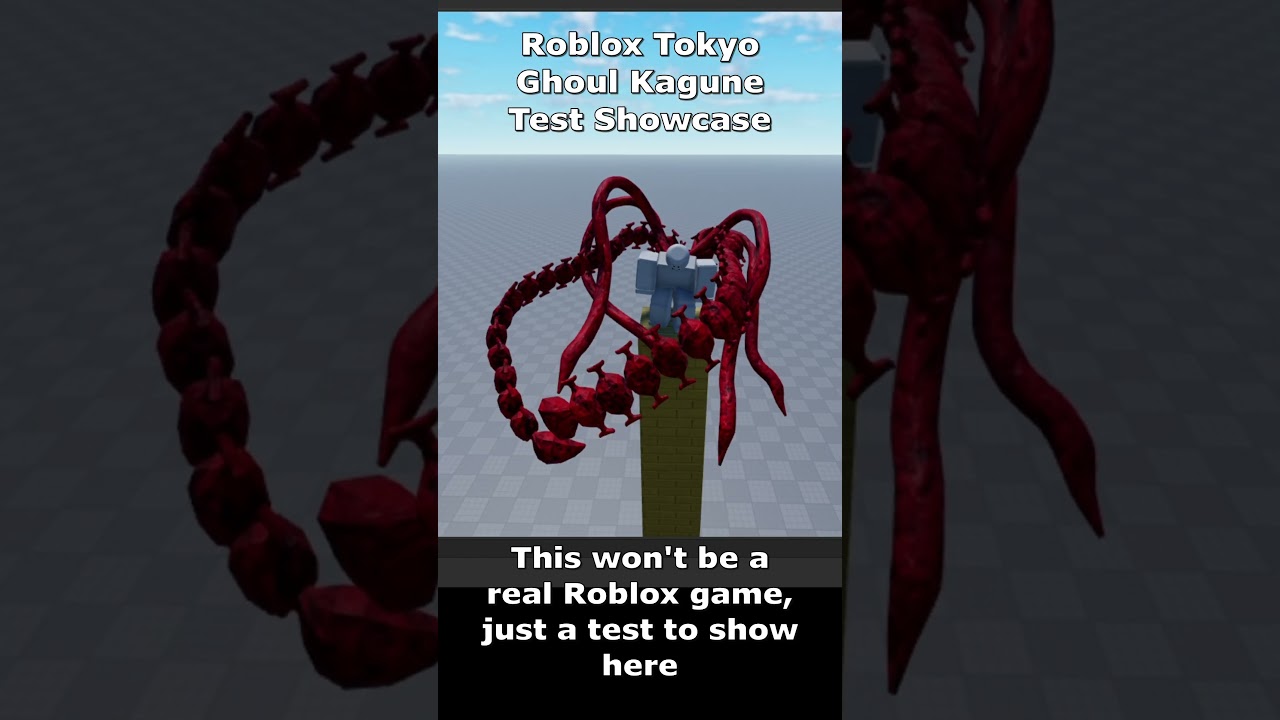
Showcase 2 of Kagune test on Roblox
#roblox #short #shorts #showcase #tokyoghoul #test #robloxstudio #robloxdev #dev #game #showcase #dragon #new #part2 #nextpart #next
i do not know if it is a particle
but lets say i have made this
and made the attack animation,
so i want to make a hit box that follows the attack
the question is what is the red thing considered, and how can i make a hit box that follows the attack animation of that one
lets say the attack is that tentacle goes forward to hit a spot
for a specific range
river pasture
haughty ruin
the question is what is the red thing considered, and how can i make a hit box t...
The red thing is most likely not a particle but a 3d animated model.
In that case you want to just attach a collider to the object that you want to attack with
haughty ruin
and that collider for example has a shape like a box or something
river pasture
depends on what you prefer or what fits the object
haughty ruin
like the problem is for example a slash
is there a way to make a hit box that follows the slash

using Assets :
-
Martial Hero ( 2d Character )
: https://assetstore.unity.com/packages/2d/characters/martial-hero-170422 -
Hitbox Studio Pro ( Hitbox System )
: https://assetstore.unity.com/packages/tools/sprite-management/hitbox-studio-pro-139093 -
Pixel Perfect Camera ( Pixel Camera )
: https://assetstore.unity.com/packages/tools...
this is an example for 2d
river pasture
river pasture
The red thing is most likely not a particle but a 3d animated model.
In that cas...
This is how but you need a attack animation to begin with otherwise you won't see results of course
haughty ruin
haughty ruin
https://www.youtube.com/watch?v=cGgYYLxwizg
i tried to find anything that can explain something like this but did not find
haughty ruin
yes
river pasture
does it already animate?
haughty ruin
ofc
i made a slash with particle
In this Unity tutorial we are going to create a Ground Slash effect! We will use Blender, Krita and the amazing Visual Effect Graph tool from Unity! Complex, but you'll learn some great techniques! Hope you guys like it!
Check out the Indie Game Studio I created: https://twitter.com/GoldenBugStudio
00:00 Intro
01:32 Modeling the Slash
05:23 S...
something that looks like this
river pasture
In you're case I would suggest to look into animation events and enable the collider from that.
https://www.youtube.com/watch?v=92P2Zz6K9vA

In this tutorial we look at how to create Animation Events in Unity. We expand on our recent Unity Animation tutorial (https://www.youtube.com/watch?v=78IrmMtByAU) and look at how to run functions at specific points during or at the end of our animation.
🛒 Synty Store: https://syntystore.com/
🛒 Unity Asset Store: https://assetstore.unity.com/pu...
river pasture
NP if you have any other questions make sure to write them in the correct channel and people will be open to help you!
 pine copper
I'm probably doing this in the worst way.. but can a pivot of a bounding box be changed? I don't want it in the center
I'm trying to produce the first way.. this is the closest I've got, using a collision shape. If I change the x size via the field, then it brings both sides in to the middle (demonstrated in the video second)
wind ferry
how can i make it leave behind a trail or like have little blaze particles around it when it plays, its made in shader graph

 deep bronze
Does anyone have a good series or tutorial on youtube for how to learn VFX in unity 3d?
ashen robin
gabriel on youtube
warm agate
deep bronze
Does anyone have a good series or tutorial on youtube for how to learn VFX in un...
!learn
https://www.youtube.com/channel/UCwYuQIa9lgjvDiZryUVtFGw
https://unity.com/features/visual-effect-graph
https://www.youtube.com/watch?v=FvZNVQuLDjI
https://www.youtube.com/playlist?list=PLtRuo28h-g1mndib2hMyp-dVfx7Jq9cOH
take your pick

YouTube
Whether you're new to Unity or you've been game developing for years, I've got you covered!
I'm Matt and I've been a game developer for over 10 years, I'll use everything I've learned in that time to give you quick game dev tutorials for Unity, and these include: Programming in C#, Best free assets, Game Design tips and tricks and I'll keep you...

Unity
Inspired by leading film tools, the Visual Effect Graph, a node-based VFX editor, lets artists author visual effects simulated directly on the GPU in real-time.

Make amazing particle effects with the new Visual Effect Graph in Unity!
This video is sponsored by Unity.
More on VFX Graph: https://ole.unity.com/vfxgraph
● Go check out Line of Code: https://lineofcode.io
● Discord: http://discord.gg/brackeys
❤️ Donate: https://www.paypal.com/donate/?hosted_button_id=VCMM2PLRRX8GU
·····················...
 gleaming flickerBOT
:teacher: Unity Learn ↗
Over 750 hours of free live and on-demand learning content for all levels of experience!
warm agate
ashen robin
gabriel on youtube
oh right, almost forgot about gabriel

YouTube
Mostly focused on Visual Effects for Games, but it recently started a Indie Gamedev journey: twitter.com/GoldenBugStudio
All my assets are available on Patreon, some, exclusively. By supporting me you get rewards and you keep the channel alive :)
Patreon: patreon.com/gabrielaguiarprod
Discord: https://discord.gg/AN7CrC3Qbb
Enjoy!
GAP - Est.1...
deep bronze
warm agate
!learn
https://www.youtube.com/channel/UCwYuQIa9lgjvDiZryUVtFGw
https://unity.co...
thanks!!
 ripe mantle
Is there a way to make the particle rotate to a specific rotation during its lifecycle?
I only seem to have access to some angular velocity, which isn't something easily mapped out over a curve.
ripe mantle
When you guys create trails for your effects, do you use the trail component itself or the trail module of the particle system?
craggy geyser
woduld anyone be able to help me create a shader where i can render ants on a mesh? struggling with this right now
icy wing
ripe mantle
When you guys create trails for your effects, do you use the trail component its...
what kind of trails are we talking about?
ripe mantle
icy wing
what kind of trails are we talking about?
Like streaking trails from a fireball or projectile.
icy wing
ripe mantle
Like streaking trails from a fireball or projectile.
trail renderer would certainly work well but you can also use particle system for that too. whichever one you are more comfortable with
ripe mantle
icy wing
trail renderer would certainly work well but you can also use particle system fo...
Are either preferred?
icy wing
ripe mantle
Are either preferred?
I prefer particle system just because I've used it a lot more and I would say it's more flexible if you want top tier visual effects
ripe mantle
icy wing
I prefer particle system just because I've used it a lot more and I would say it...
Is there any advantage to using the trail renderer even?
icy wing
ripe mantle
Is there any advantage to using the trail renderer even?
generally lower performance costs is all I can think of
warm torrent
ripe mantle
Is there any advantage to using the trail renderer even?
Trail renderer has a few more settings to tweak
I find it more convenient when you need just one
Particle trails are tied to particles so you need to have those
ripe mantle
warm torrent
Trail renderer has a few more settings to tweak
I find it more convenient when y...
Really annoying how trail renderers don't scale with the object scale.
warm torrent
ripe mantle
Really annoying how trail renderers don't scale with the object scale.
True
A lot of other things I'd like it to be able to do as well
 runic parcel
hello, how do i make a vfx graph vector2 property output the separate x and y values? mine does not expand like the one from the video tutorial i'm following when i click the small arrow on top, i'm using unity 2023.2.20f1 and the video guy is on 2021.2.5f1

 hearty flare
runic parcel
hello, how do i make a vfx graph vector2 property output the separate x and y va...
hearty flare
runic parcel
hello, how do i make a vfx graph vector2 property output the separate x and y va...
If it doesn't expand then it's probably a bug with the version of VFX graph you are using
your version of Unity is quite old too, the latest version of 2023 is Unity 6000.0.39f1, which is ages ahead
 gaunt frigate
How do I sync rain particles with its water ripples?
I'm using Particle System for the rain. Latest LTS. HDRP
pine copper
There's a noticeable stutter when a new VFX is enable, the particle system had a prewarm option (which I believe stopped this?).. is there something similar for VFX?
ashen robin
pine copper
There's a noticeable stutter when a new VFX is enable, the particle system had a...
When you click on the VFX system, on the editor side there's a prewarm option, but I forget if that's actually just a feature to advance the particle systems and less of a optimization feature.
Probably better off just pooling the systems when possible
 flint aurora
hey so I'm looking for some direction on how I'd go about making a visual effect that would look similar enough to first person pov crying. like camera shake and blur I can do, how do I make stuff wrap like water does?
runic parcel
hearty flare
your version of Unity is quite old too, the latest version of 2023 is Unity 6000...
it wasn't me who chose this version, it was my superiors, but thanks for the help, apparently vfx graph just doesn't do this in this version (which is odd because the video guy is using an older version)
 prime dome
flint aurora
hey so I'm looking for some direction on how I'd go about making a visual effect...
prime dome
flint aurora
hey so I'm looking for some direction on how I'd go about making a visual effect...
For water distortion effect, you may need a shader.
Camera shake can be done through basic C# scripts.
Blur can be done many ways, you can just use Unity’s depth of field and make it intense— if you don’t wanna make a custom shader or whatever.
But yeah in general this just seems like a job for a shader
ashen robin
flint aurora
hey so I'm looking for some direction on how I'd go about making a visual effect...
Unity comes with some post-processing effects like blur where you can adjust dynamically, while camera shake you can get some nice smoothed values using cinemachine
You can also use camera stacking to give you an overlay for just particle effects if you want some water particle effects that seem 'local' to the camera space
 nimble raptor
I'm work on a 2D Game and the player character is supposed to be made of fire or on fire. I drew what I'm kind of going for. I want the fire to move with and react to the player moving and jumping or dashing. Any advice on how I can achieve this?
I was thinking maybe I can make the silhouette and use a particle system that emits for its edges or maybe a shader graph. In the future I'll add attack animations so if I can easily apply it to that it would be really great, but I could also figure something separate out for that.

 inland tusk
I have a dream. A point cache like the vfx graph generator, and usable in the same way, that I can generate a grid of voxels of a mesh. Any idea if/how this could be possible?
 tardy nimbus
Beginner question here. Im trying to make a 2d turn based rpg and been struggling with adding visual effects to bone animation. Like adding a slash vfx to a slash bone animation. I tried doing it using the builtin Animation Window but I cant add any sprites to it. I was able to do it before although it wasnt very optimal. Any tips on how I can do this?
warm torrent
tardy nimbus
Beginner question here. Im trying to make a 2d turn based rpg and been strugglin...
If you want to make the slash effect a part of the character, then the sprites should be there to begin with and during the attack you enable the sprite renderer / gameobject and play the animation
You might as well make generic slashes that are instantiated as separate gameobjects, play automatically and are then destroyed
(or pooled rather than instantiated and destroyed but the effect is the same)
tardy nimbus
warm torrent
If you want to make the slash effect a part of the character, then the sprites s...
Thanks! Ill try it out.
 hearty lily
Ink Splash effect from Frostpunk
I really like the ink effect from Frostpunk, how would one approach this correctly. I already thought about making it in after effects and rendering as transparent frames but i'm not sure.
Effect i'm talking about:
https://interfaceingame.com/wp-content/uploads/frostpunk/frostpunk-book-of-laws-transition.mp4
also you can notice there's some sort of mask effect
inland tusk
inland tusk
I have a dream. A point cache like the vfx graph generator, and usable in the sa...
I have a dream. A point cache like the vfx graph generator, and usable in the same way, that I can generate a grid of voxels of a mesh. Any idea if/how this could be possible?
- further to this i was wondering, i have a blender where geometry nodes has generated a grid of volumetric voxels, and wondering if there's any way to get this into vfx graph? I've managed to export it as a csv list of positions and would wanna convert that somehow into a vfx graph point cache
inland tusk
hearty lily
**Ink Splash effect from Frostpunk**
I really like the ink effect from Frostpunk...
could this be not actually an 'animation', but one frame which is a gradient from center to ouside, then in a shader you just play with something like a smoothstep or step to get a mask to use for the alpha to get the expanding animation
generating a nice gradient map would be trick I guess in that case...
which, I guess if you were into generating it as an animation anyway if you did some kind of simulation out from th middle and set color by age of particle or something....
 fringe ice
Hello I am trying to make bounce effects for my player, however, the particle rotation is relative to my player's rotation, I do not want this. How do I make it so it stays at a fixed rotation?
 inland tusk
so, I have instanced meshes in my VFX graph, and their normals seem to flip when I move around them irregularly and from some angles only, any idea why?
warm torrent
fringe ice
Hello I am trying to make bounce effects for my player, however, the particle ro...
Set your particles to world space
Or instantiate them as a separate object
 jovial spire
Hello guys, does anyone know how I can reduce over the lifetime the size of my Position Shape pls ?
warm torrent
jovial spire
Hello guys, does anyone know how I can reduce over the lifetime the size of my P...
Yuu have to change to access the shape module's relevant properties with a script
https://docs.unity3d.com/Manual/PartSysShapeModule.html
https://docs.unity3d.com/ScriptReference/ParticleSystem-shape.html
Individual particles have a lifetime, the particle system or its modules do not
 full light
How do I make the collision mesh on my particles more complex? I don't like that they bounce off things without actually touching them
 warm torrent
full light
How do I make the collision mesh on my particles more complex? I don't like that...
warm torrent
full light
How do I make the collision mesh on my particles more complex? I don't like that...
Particles can only have radial colliders, determined by radius in particle collision module
For a collision mesh in 2d you need a polygon collider component, which uses the sprite physics shape determined in the sprite editor
But that can't be used with particles
full light
ohhh, I see, I thought it was based on the image. I'll use a smaller radius then 🙏
full light
warm torrent
Particles can only have radial colliders, determined by radius in particle colli...
can I offset the center?
warm torrent
full light
can I offset the center?
Yes, renderer module has a pivot offset
If you're using sprites via the sprite sheet animation module for the particles they use the sprite pivot
full light
Awesome, thanks!
full light
warm torrent
Yes, renderer module has a pivot offset
If you're using sprites via the sprite s...
hmm, some of these seem to have a different offset
 warm torrent
full light
hmm, some of these seem to have a different offset
warm torrent
full light
hmm, some of these seem to have a different offset
Since they're different sprites, they'd be using their unique pivots defined by the sprite editor
Pivot offset from renderer module applies to all particles on top of that
So if you have both offsets it may end up going further away than expected
full light
they are not different sprites
I mean
ok that's a different sprite from the first particle system I showed you but there's only one sprite in each particle system
warm torrent
full light
ok that's a different sprite from the first particle system I showed you but the...
I see, I thought the other was a two-pronged thing
I guess it's possible they have 3D rotation which makes the pivot appear different from our viewing angle, though I'm not sure
full light
warm torrent
I see, I thought the other was a two-pronged thing
I guess it's possible they ha...

 warm torrent
full light
warm torrent
full light
If you turn off 2D mode in viewport and rotate around the particle system, does it seem they pivots are offset depthwise
Or just a varied X Y pivot
full light
wtf
 warm torrent
Looks like the issue could be depthwise pivot + 3d rotation
full light
how would I change that?
warm torrent
full light
how would I change that?
Can you show the Renderer module in full?
full light
 warm torrent
full light
warm torrent
full light
Hmm, no cause here either that I can spot
The 3D view screenshot actually looks more correct, they all have the same offset
So I'm not sure what lead to the apparent offset earlier
full light
here's another perspective
 warm torrent
If you want to export the prefab with the particle system as a unitypackage I could take a closer look
full light
hm, for some reason it wants me to include like a bunch of unrelated sprites and scripts in the export
maybe this worked?
warm torrent
full light
maybe this worked?
There is no real offset
It only looks like it because the collider's visualization is updating at a different rate
Here's with simulation speed slowed down
Visualize Pivot in renderer module also has the same effect, but it doesn't affect where the pivot actually is
Currently the collider module does not do anything, since it has no collision planes defined
Alternatively it'd have to be in World and 2d mode for them to hit 2d colliders
inland tusk
I have a vfx graph which I use for different use cases, and the only thing that changes between them are the capacities/count..... There's no way to do this without duping out the VFX graph in different capacities and then if i need to change it go and change them all again?
warm torrent
inland tusk
I have a vfx graph which I use for different use cases, and the only thing that ...
You can add properties to the blackboard, which if exposed can be changed per-component
You can then use that property to control spawn rate, or any other logic
inland tusk
yep, thanks, I mean for the capacity itself
warm torrent
Capacity cannot be controlled by a property though
inland tusk
as I have some that are 128 some 1024 etc
warm torrent
My first instinct would be to look into limiting the spawning, rather than controlling the capacity
inland tusk
yeah... that'd be easy, though I'm in performance critical environment and spawning all particles once at the beginning from point caches
warm torrent
If they don't share the same capacity, they can't be instanced which could hurt performance
inland tusk
I wonder if an extension could be made to automatically generate versions at different capacities and automatically select which to use based on particle count... Hmm, I don't know a huge amount about how VFX graphs instance, I'd expect I'd only have a couple/few of these VF at a time
how small actually would be overhead difference between say 128 particles and 1024 in terms of memory allocation?
I'm on oculus quest and not exactly doing hundreds of thousands
warm torrent
inland tusk
how small actually would be overhead difference between say 128 particles and 10...
VFX graphs can handle hundreds of thousands of particles easily, because it's designed to scale up
I doubt capacities are going to matter there
inland tusk
yeah, not on a quest at 72/90 fps though 🙂, and competing with trying to keep textures hi enough res for vr etc
warm torrent
The rendering cost is another matter ofc
Usually the issue is the overhead of individual systems regardless of capacity, which is what instancing is meant to alleviate
inland tusk
it's an interesting point I hadn't considered, thanks
could it instance graphs which have different attribute maps though? (particles are initially spawned from different position point caches)
warm torrent
I would expect so
Doesn't mention that as a problem https://docs.unity3d.com/Packages/com.unity.visualeffectgraph@17.0/manual/Instancing.html
inland tusk
ah, output meshes don't work, interesing I am using those, (even if they are just uv mapped meshes of cubes). perhaps I should look into the inbuilt particle cube output node, there was some reason I wasn't using that but can't remember it
ashen robin
Single system pool
inland tusk
hum?
ashen robin
Single system that just has a large capacity
inland tusk
ah, right. Doing that in many other places for more permanent systems... this one is for a building unit VFX which is only intermittently present during gameplay, and works on principles of particles not spawning but being always alive during their build process and animated through values like distances. I'm not quite sure how I could refactor this one
given me something to think about though, thanks
 mighty isle
ashen robin
mighty isle
ashen robin
Looks pretty good. I think minimizing the emission shape and playing around with the noise a bit more can work
 sudden moth
how can i make an animated mesh an emitted particle? I have a mesh of a bat flapping it's wings I want to use as a particle
 opal star
sudden moth
how can i make an animated mesh an emitted particle? I have a mesh of a bat flap...
opal star
sudden moth
how can i make an animated mesh an emitted particle? I have a mesh of a bat flap...
You can’t output a skinned mesh. We actually use two approaches. One is to bake the animation into a VAT( vertex animation texture) and output the mesh particle with a shader that does the animating. This is the best quality option. If your bats are further away and don’t need much detail in the animation the second approach is to actually highjack the lod system and manually select a lod level where each level is essentially a baked out keyframe from the animation.
 clever ibex
Hello guys, can anyone tell me how to make particle not to collide with some specific Object?
I'm on my 2D game project, I think I researched everthing so that I can make solution but I still have no idea
I found that I cannot use Physics class functions to Particle for disabling collide with specific object
And Found a way to make my particles to collide with specific Object only
warm agate
 clever ibex
Yeah I tried to do that
but I need to disable Collding with Only one Object
Using layer makes the particle go through any other Object with same layer
warm agate
you can make new layers
clever ibex

This is screen shot of my game
and those Black Boxes are particles
and I have to make a lots of layer to make those particles don't go through each other
warm agate
instead of having a layer for each gameObject. you could have a single layer called like "DontCollideWithParticles"
clever ibex
then should I have to set those Yellow things which are spawning Particles as Same layer name of "DontCollideWithParticles"
Isnt it make particles Which are made from upper Yellow Object go through the below Yellow Object?
warm agate
yeah it would.
not sure if there's a way to make particles not collide with the particle system objects. might need to double check that myself
clever ibex
Hmm.. then Do I have to make it as GameObject? not using Particle?
I found almost everything on Unity Discussion with it and Asked multiple time to GPT
But I found nothing helpful
I'm little confusing that Is there a way or not
warm agate
clever ibex
Hmm.. then Do I have to make it as GameObject? not using Particle?
yeah that's probably a lot easier than trying to use the particle system. generally not a good idea to handle physics stuff with particles anyway. you can, but its usually more flexible if you use a GameObject
clever ibex
Got It, It was my mistake to use Particle system while trying to do some physics stuff
I could have waste more time if you didnt tell me
thx u for letting me know
warm agate
no problem, feel free to come back if you have any other problems 
clever ibex

 modern sky
does anyone know some good places to get free/cheap particle effects or textures for particle effects? I want to spruce up some effects i have on my projects but i'm not really a VFX artist so i don't know how to make the particles themselves. Either that or some tutorials on how to make some decent particle textures on my own.
inland tusk
I've been finding that my vfx graphs which are doing mesh outputs on them, sometimes flip their normals depending on the camera rotation... any ideas?
 native ivy
hello guys. i'm new to Unity and trying to learn Vfx design. im simply testing my VFX to move around but the "play()" button is not working even tho i have changed the emission and the velocity around.
Thank you in advance


 fickle urchin
Hey guys... Any idea why VFX is not displaying any particles in my scene viewer?
Despite having it enable in gizmo and that "see effects in window" option, installed and in play mode...
Unity 2022.3xx version.
It doesnt show up.
--
Nvm. Im into the mobile business... Apparently VFX is not really supported by most mobile gamers. So its not worth it.
How can i start learning to use particle system to add casting magic, AOE spells & skills, etc ?
spring lake
fickle urchin
Hey guys... Any idea why VFX is not displaying any particles in my scene viewer?...
Unity has a bunch of samples. I would start by looking at those to understand how they work.
 harsh halo
is there a way i can modify a subsection of particles or area of particles, maybe defined by a trail or something similar, to achieve an effect similar to this ? https://x.com/i/status/1899931349550850225




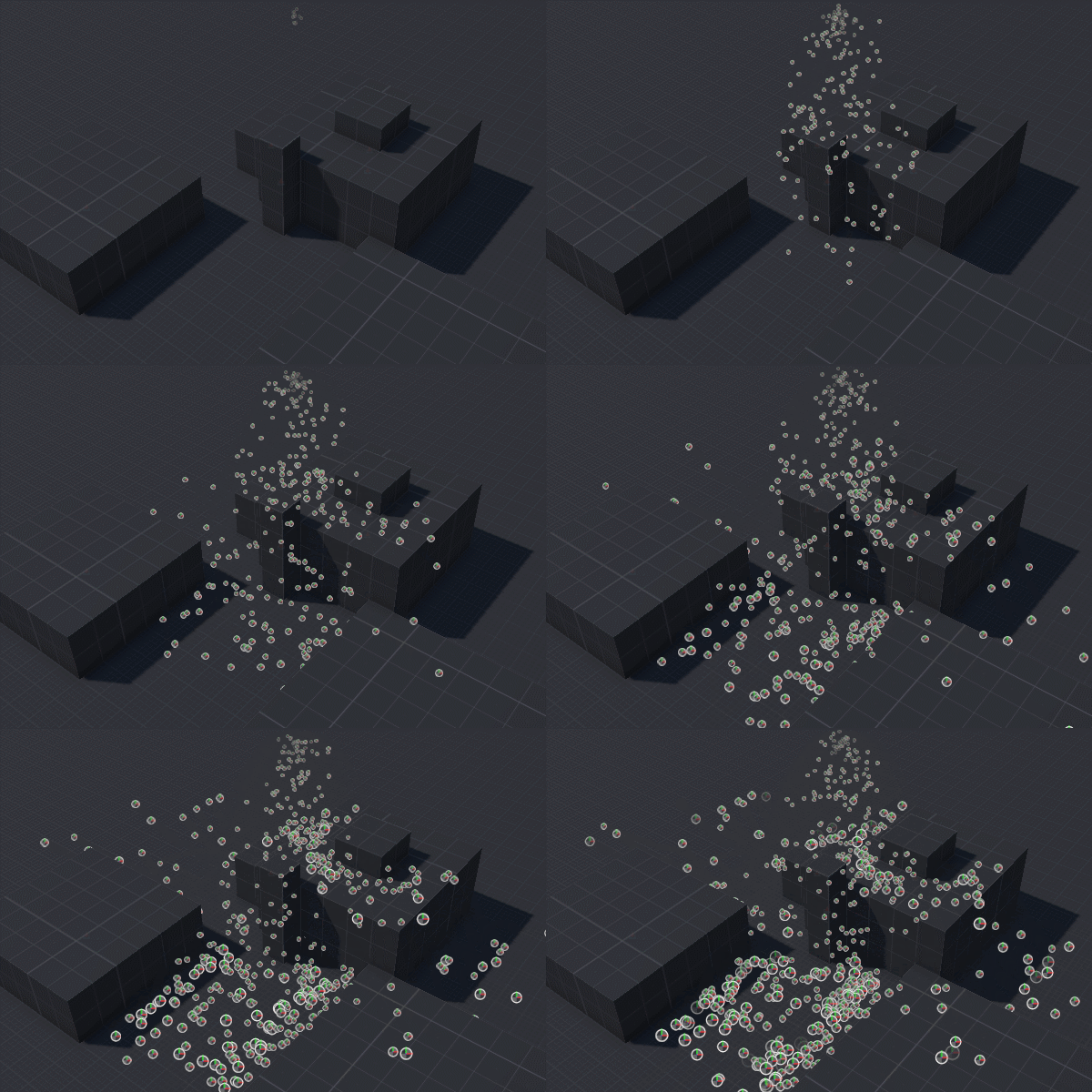

maybe i could just have 2 particles sysetms all along and mask one?
harsh halo
so I have my path rendered to a texture but how do i use this to control properties of my PS?

I guess i could do visuals by also rendering particles to a texture then using my path RT to affect color. But itd be cool if I could affect non-visuial properites as well like size or velocity, is that possible?
ashen robin
harsh halo
is there a way i can modify a subsection of particles or area of particles, mayb...
I'd do a texture though not entirely sure how you go about it using the particle system, but sending into the vfx graph is doable. As for size over time I'd use that modifier as a multiplier and not by a set amount.
Rather, the mask would dictate everything besides the emission so yeah
harsh halo
i kinda get the idea here but im not sure how to use the path rt to affectt particle proeprties im just treating it like any other tex agnostic to the fact that its source was particles
 ashen robin
https://www.youtube.com/watch?v=AnkxR53zYSo
Gabriels got a new video on interacting with particles in the VFX graph using a shape as a mask if you're interested

Let's see how to create interactive particles in Unity! Quite useful for effects that need to interact with the player movement for example.
📢 Unity Asset Store NEW YEAR SALE : https://assetstore.unity.com/?aid=1100l3Jhu
📢 GET 60% off on 1500 assets, plus an additional 10% off on purchase of $120+ with code NYS24: https://assetstore.unity.com...
harsh halo
ill take a look at that, thanks
opal star
harsh halo
is there a way i can modify a subsection of particles or area of particles, mayb...
This definitely seems like two particle systems to me. The white ones do not seem to morph into the color ines at all
harsh halo
opal star
This definitely seems like two particle systems to me. The white ones do not see...
in that case how might something like this be achieved? is the answer really just spending a bunch of time fiddling with parameters? Is there any way I can contain the path of particles to be within a masked screen region?
the answer might be in vfx graph idk i havent looked at that vid yet
opal star
Do you need the path to be dynamic ? That would make it a hell of a lot more complicated I think
harsh halo
yes i want to achieve something similar for the player's path
opal star
🤔 you would need some way to dynamically define two force fields
Maybe have a third particle system that emmits the path, write those particles to a RT, then use the RT to apply force, one to push the background particles and one to constrain the color ones
But this is just a high level idea the implementation would be complicated
harsh halo
thats kinda what im doign in the above example to generate the path mask
the lazy version where im just dropping off timed life prefab circles
ashen robin
Can probably just use two shaders really and just scroll the texture on this mask
harsh halo
sorry im not sure exactly what you mean can you elaborate on that approach
 little barn
Hi! Recently I have started to add some lights and VFX to my project. So far everything works and feels really good. The fog of war adds so much to my scenes.
The only issue I encounter now is that I am not sure how can I make the fog of war cover the lights as well. In the image attached, the Sprite 2D Light I am using is still visible through the fog of war.
Is there any setting I am missing? Thanks a lot.

Also the bricks that have the lights attached are behaving correctly - they are "disappearing" under the fog
ashen robin
harsh halo
sorry im not sure exactly what you mean can you elaborate on that approach
Instead of particles you just use 2 textures with a seamless wrap. First texture, the background, seems to scroll across a large quad and interacts with the mask such that it becomes distorted in the proximity of it. The second texture, the trail, scrolls across this shape's UV where the UV's are mapped tighter near the edges for that distorted look.
I think the hardest part for this is figuring out how to make the background pixels warp around the mask. Either you have some cutout/intersection method and reposition the UVs according to the mask, or maybe just use some distortion shader using scene color (render texture)
ashen robin
little barn
Hi! Recently I have started to add some lights and VFX to my project. So far eve...
No clue how 2D lights are drawn, but if this is like a transparent draw pass I'd expect you can just rearrange the z-ordering / transparent queue of everything
you can change the ordering on the vfx graph systems themselves or through a custom shader, so it's more of a question of how do you manage when to draw those lights
ashen robin
Another idea is using the stencil buffer and making a mask, but again, not too sure what you can modify/access on these lights