#✨┃vfx-and-particles
1 messages · Page 15 of 1

 mental reef
Hello!
Was wondering why when I move left and right my VFX particles speed up or slow down. Here is a video of the issue and attached below is the graph I am using. Any help would be appreciated, VFX graph is not exactly my forte. I am using URP with Unity 2022.3.21f1 if that helps at all.

 tired summit
Maybe the projection matrix ? (in the output context)
BTW you can remove all these time scale nodes, if the time scale is zero, then delta time is also zero.
Unless you specifically need something that is time scale agnostic unless the time scale is zero...?
mental reef
tired summit
Unless you specifically need something that is time scale agnostic unless the ti...
I wanna freeze the movement when the game is paused (time scale will be set to zero).
mental reef
tired summit
Maybe the projection matrix ? (in the output context)
is this the output context you speak of?

 upper hedge
mental reef
I wanna freeze the movement when the game is paused (time scale will be set to z...
upper hedge
mental reef
I wanna freeze the movement when the game is paused (time scale will be set to z...
Be careful to not let it break your UI animations when time scale is 0
UI animations use timescale
by default at least
mental reef
upper hedge
Be careful to not let it break your UI animations when time scale is 0
Ahh good thing to have pointed out. I'll keep it in mind.
mental reef
tired summit
Maybe the projection matrix ? (in the output context)
I think I know what is up. It's using the local transform of the object it is attatched to. The enemies turn and look towards the player so I'm thinking it's the enemy turning that is offsetting the rotation, thus speeding it up or slowing it down depending on which direction you are approaching from.
 modest trellis
how do I fix this flickering of the particles?


the particles are inside of the red cube
 fiery glacier
is it usually a norm to set the x and y values to match the aspect ratio when designing vfx graphs like those meant for a rain effect on the foreground?

 warm torrent
modest trellis
how do I fix this flickering of the particles?
warm torrent
modest trellis
how do I fix this flickering of the particles?
This looks like a transparency sorting issue
Transparent geometry are sorted by their origin's distance to the camera
Particle systems are one mesh, so they all share an object origin
The simplest way would be to make every cube face is own individual gameobject with a bit of offset in their origins away from the center
So that the sorting point of the particle system would not be closer to the camera than the cube faces' while the camera can see the faces
modest trellis
Problem is that the whole lantern is a 3d model from poly pizza. It is one game objects, but with 3 different meshes, which enabled me to change their colors, so I can not make any real changes to the model itself
warm torrent
modest trellis
Problem is that the whole lantern is a 3d model from poly pizza. It is one game ...
Can not?
I'd just modify the mesh
It'd be a simple edit but if you're not familiar with the process there's some pitfalls
modest trellis
How do I acces it though? When I import it into blender it is just one singular big mesh
warm torrent
You'd separate the faces into their own objects, and make sure the origin is at the geometry or a bit in front of it
Alternatively you could change the material's render queue
But afaik changing render queue can make it appear in front / behind every other transparent object with an unmodified queue
I don't know if there's a way to add an "offset" to to the depth sorting point
modest trellis
For my case it would be ideal to turn the cube into 4 faces/windows
warm torrent
Indeed
modest trellis
But I don't know how to seperate the faces into their own objects
or delete them in fact
warm torrent
You'd have to look up how
modest trellis
yeah currently doing that, but thanks for your ideas once again
tired summit
Simply split the object itself in Blender
You might have to export as "object groups"
 wicked narwhal
I have a particle system that is changing position every x seconds. When it does move, any spawned particles immediately disappear. Is there a way to ensure any already spawned particles continue out their life cylce where they were before the whole system's emission position changes?
 silent sierra
wicked narwhal
I have a particle system that is changing position every x seconds. When it does...
silent sierra
wicked narwhal
I have a particle system that is changing position every x seconds. When it does...
switch to world mode. it's at the top in shuriken and that (L) right top of each node in vfxgraph
wicked narwhal
I have no idea what shuriken is. lmao I'm also doing everything in code. Thanks!
wicked narwhal
silent sierra
switch to world mode. it's at the top in shuriken and that (L) right top of each...
That was it. Thank you so much!
 chilly plume
Im using the Universal Render Pipeline and im not sure whats causing this? If its drawn infront of my ground material it doesnt draw properly


The images are Game view vs Scene view. Both in editor
chilly plume
ah its because my camera is orthographic, ill google why thats breaking it and hopefully find something

oh it uses soft particles which apparently just doesnt work with orthographic cameras?
is there anything i can do to make them work?
wicked narwhal
Back with hopefully my last question about particle systems for the time being. Fixed.
In the gif you can see the particles being emitted in various places but they seem to all be synced up. Is this a lifetime issue or something else? How can I ensure particles are continuously emitting but not all at the same time like so? These particles are meant to be fireflies on the map and spawn in randomly during emission instead of all at once.

 rotund pasture
is there any way to make a custom tree I have created in blender work with Unity's wind
 still whale
this is the pic from unitys documentation of package manager


mine doesnt have the tab that says unity registry
anyone know why mine looks different?
 burnt coral
still whale
mine doesnt have the tab that says unity registry
burnt coral
still whale
mine doesnt have the tab that says unity registry
Should be under "Packages : In Project" dropdown at top
 worn jewel
Does anybody happen to know how Unity renders 3D mesh particles when your particle system has multiple meshes to choose from? Is it grouping each mesh type together and then rendering those together each time? Just wondering if there's something clever it's doing under-the-hood that's not obvious.
 flint glen
I'm working on a 2Dgame in Unity and have added a smoke effect to my enemies using the particle system. I've integrated the smoke prefab inside the enemy prefab, but I'm facing an issue with the smoke's rendering.
The smoke is being drawn beneath everything except the ground, without considering the enemy's Y position. I've checked the Sorting Layer, Order in Layer, and camera settings, but the problem persists. I also tried adjusting the Z position of the particles and using a Sorting Group, but haven't had any success.
Has anyone encountered a similar issue or have any suggestions on how to fix this?
Thank you in advance for your help.
 ripe mantle
@fluid lagoon It's 1.

@fluid lagoon And both are using the default Unity cube mesh.


It seems that the particle is 0.1x times size of the mesh.
 fluid lagoon


 tardy dragon
Any high level advice on how to achieve this "plume-ey" sort of pixel art fire in 3D? Particle system w/ spheres, quantized + noise, fluid sim?
https://img.itch.zone/aW1hZ2UvMjYwNTgzNC8xNTUzMjQxNy5naWY=/original/dBrL9t.gif

 trim tide
flint glen
I'm working on a 2Dgame in Unity and have added a smoke effect to my enemies usi...
trim tide
flint glen
I'm working on a 2Dgame in Unity and have added a smoke effect to my enemies usi...
You have only tried setting the Z position of the particles? What about the prefab/object?
 sweet furnace
Hi, I have a small question. Is it possible to use a sprite's slice mode or some equivalent for particles? I was planning to use it for this effect, where rectangles grow like this but they get too thick when the size is really high, which is why I was hoping to use slice mode

The border is thin since that's a sprite whose draw mode is set to sliced, just needed something similar for the particles inside to complete it

 stuck timber
tardy dragon
Any high level advice on how to achieve this "plume-ey" sort of pixel art fire i...
stuck timber
tardy dragon
Any high level advice on how to achieve this "plume-ey" sort of pixel art fire i...
Particles system, 3D meshes, noise dissolve texture, use another noise texture for the colors to add that gradient bright yellow -> orange as well,
Could be done without 3D meshes if your scene is isometric/topdown without any changes in camera angles
tardy dragon
stuck timber
Particles system, 3D meshes, noise dissolve texture, use another noise texture f...
Got this working! Only issue it visually looks like there are ~7ish particles. I assume this is because there are around 7 frames during the animation so they all end up emitted/clumped at the same starting position for each frame. Any smart ways to interpolate? I added some variation of +/- x units for their starting positions, but that only helps so much. I also don't want to go too overboard on rate since it's already at like 400/s, but that might be the only solution?
 ashen robin
sweet art style
ashen robin
tardy dragon
Got this working! Only issue it visually looks like there are ~7ish particles. I...
if you're using vfx graph refer to this
https://discussions.unity.com/t/how-to-improve-appearance-of-a-moving-system-spawning-behavior/854389/7
can probably get an idea for the shuriken system with it otherwise
tardy dragon
ooo thank you. figured this must've been a common problem!
 novel steeple
I am trying to implemented a skinned mesh renderer particle effect in Unity 6, but it's not behaving as expected. Here's the VFX Graph, and a screeshot of the result. Any gurus that can tell me what I'm missing? The particle system is spawning at the root, but not affecting the mesh.

 ashen robin
novel steeple
I am trying to implemented a skinned mesh renderer particle effect in Unity 6, b...
ashen robin
novel steeple
I am trying to implemented a skinned mesh renderer particle effect in Unity 6, b...
https://docs.unity3d.com/Packages/com.unity.visualeffectgraph@11.0/manual/Block-SetPosition(Mesh).html
check the bottom of that page
 buoyant ermine
how can i stop fog from doing this?
 novel steeple
ashen robin
https://docs.unity3d.com/Packages/com.unity.visualeffectgraph@11.0/manual/Block-...
novel steeple
ashen robin
https://docs.unity3d.com/Packages/com.unity.visualeffectgraph@11.0/manual/Block-...
Hey Mao, thanks for the feedback, the setting is enabled
 ashen robin
novel steeple
Hey Mao, thanks for the feedback, the setting is enabled
ashen robin
novel steeple
Hey Mao, thanks for the feedback, the setting is enabled
for the sake of testing, try using some primitives first
because otherwise what you have there seems fine to me
Actually, is there a reason you're plugging the transform into a set position property instead of sending the transform into the positional mesh node?
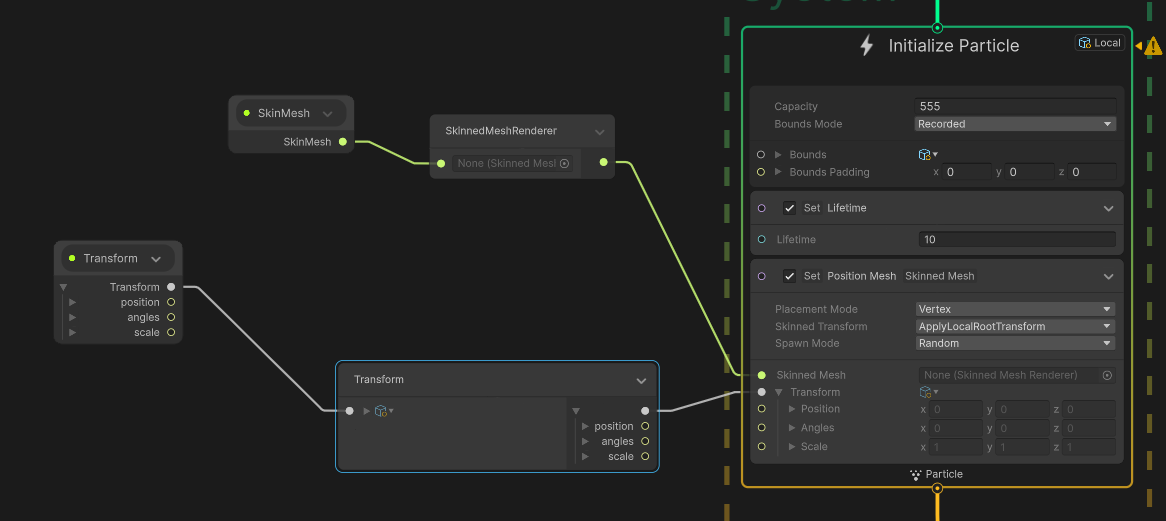
It's been a while but this is what I've done with them before
novel steeple
so moving the set position above the skinned mesh results in this
 novel steeple
ashen robin
https://i.imgur.com/sP5FmVO.png
novel steeple
ashen robin
https://i.imgur.com/sP5FmVO.png
It's starting to look like the mesh, but offset somehow

should I be setting the mesh transform to the mesh's transform? the tuts I followed set the transform to the root node

 novel steeple
Not looking too terrible 😁
novel steeple
novel steeple
Not looking too terrible 😁
Thanks @ashen robin !
 rancid bridge
Hey everyone, I've just created a new project to test some stuff on VFX graph and it seems they've changed some things and now I'm a bit lost. On VFX Graph 14.0.9, I could connect each axis of vector nodes separatedely, but it seems they've removed that on VFX Graph 14.0.11, and now I don't know how to get each axis. There's no split node like in Shader Graph, so how do I "Split" a vector node now?


 open birch
Hey guys, I'm sure this question has a super simple answer I'm just not finding, but randomly when modifying the intensity of rain with my particle system I will sometimes get the following error:
NullReferenceException: Do not create your own module instances, get them from a ParticleSystem instance
The issue is however, that for some reason I can't simply access the emmission module through the rain particle in code (image 2), so I'm obliged to declare the particle systems rain module in a separate variable within the start method (image 3). Does anyone know what I'm doing wrong? Thanks you for your time, any help is very welcome.


sometimes it works fine! then other times I just get errors?
I'm super confused
rancid bridge
open birch
Hey guys, I'm sure this question has a super simple answer I'm just not finding,...
Ok, so, the modules of a particle system are Structs and Structs are value types, so you can't modify structs as if they were a refernce type like what you're trying to do in the second image. Being a value type, you need to copy it, modify it, and then assign it back. For the same reason, it's not a good a idea to get it in Start because, since they're a value type, you're not getting a reference to the module, you're getting a COPY of the module, so if you modify this copy, the original will not be affected. It's exactly the same thing as when you want to modify the transform.position of an object: if you try to modify only the X axis, it won't let you because Vector2/3 are structs.
So, as a rule of thumb, if you wanna modify a struct, you need to copy it, modify the copy, and assign it back.
Okay, correction, just did a quick search and for Particle systems you don't need to reassign the module back: https://docs.unity3d.com/ScriptReference/ParticleSystem-main.html
 wicked narwhal
Is there a way to set the color for each particle individually?
warm torrent
wicked narwhal
Is there a way to set the color for each particle individually?
With which system
And by what logic
wicked narwhal
Not sure what you mean by the system. I'm just running a ParticleSystem, all from code.
I'm currently setting a random color for every particle at once for the color of the ColorOverLifetimeModule.
I was hoping there was a way to set a random color for each particle separately though.
warm torrent
wicked narwhal
I'm currently setting a random color for every particle at once for the `color` ...
https://discussions.unity.com/t/particle-system-random-color-in-c/722888/3 a gradient into start color in random mode
wicked narwhal
I'll give that a shot, looks like it should work 
wicked narwhal
warm torrent
<https://discussions.unity.com/t/particle-system-random-color-in-c/722888/3> a g...
https://paste.myst.rs/gnniq398
Here's what I've got but the color is always black, for every particle. Image to show what those colors are as well.
a powerful website for storing and sharing text and code snippets. completely free and open source.

I may have found my mistake 
 hot berry
Anyone here know how to make some really good looking blood VFX
wicked narwhal
I did not fix my issue. New code btw...
https://paste.myst.rs/bm2ml37j
a powerful website for storing and sharing text and code snippets. completely free and open source.
wicked narwhal
I found a different approach which works for my needs. 
 half aurora
tardy dragon
Any high level advice on how to achieve this "plume-ey" sort of pixel art fire i...
half aurora
tardy dragon
Any high level advice on how to achieve this "plume-ey" sort of pixel art fire i...
Are you looking to make it realistic or stylized? If stylized, you can create a quick sprite animation of just the individual puffs and then have them spawn in that arc shape with a gradient color change
tardy dragon
half aurora
Are you looking to make it realistic or stylized? If stylized, you can create a ...
Stylized. Considered 2D sprites, but was worried that the billboarding would look awkward. I think my final solution ended up being an okay compromise; it loses fidelity and density but looks better at different angles.
Maybe some degree of shader magic can make the individual puffs stand out a bit more.
half aurora
tardy dragon
Stylized. Considered 2D sprites, but was worried that the billboarding would loo...
I've done a similar-looking effect before using just a circle sprite and size-over-lifetime changes with gradient colors. Just have to kinda play with it and see how the puffs change size at various parts of the body
 slow beacon
Respected, I also want to make this..
but after 1000 times try, I didn't achieve this particle system..
can anyone please help me
 modest elk
hello i want make a sneeze effect but its the first time i try to create vfx so im bad someone can explain me how i can make splash texture when he touch the ground
 modest elk
tardy dragon
modest elk
modest elk
tardy dragon
modest elk
Decal on collision?
 raw torrent
hey so im trying to make some lightning effects where lightning bolts come off the player and i want them to be random colors between black and white but for some reason there are some gray ones
i did random between 2 colors


my only guess right now would be that a black and white lightning are overlapping and im not sure how i can fix that
 urban pike
Learningparticles, any suggestions? I feel it’s missing something
modest elk
tardy dragon
Decal on collision?
how can i see if i have a decal on my collision ?
tardy dragon
modest elk
how can i see if i have a decal on my collision ?
Sorry, bad wording. I meant, consider adding a decal on collision. You'd have to implement it as a potential solution for this.
modest elk
tardy dragon
Sorry, bad wording. I meant, consider adding a decal on collision. You'd have to...
i have to do it in the inspector or in script ?
tardy dragon
modest elk
i have to do it in the inspector or in script ?
Likely a combination of both.
Though I haven't personally looked into it, might be a way to do it w/o.
raw torrent
raw torrent
hey so im trying to make some lightning effects where lightning bolts come off t...
also sometimes it doesnt trigger and sometimes it also just does it at a different spot then where it should
 shut cliff
@raw torrent Try reducing noise strength of the particles at the start by using a curve. Using noise may offset them a bit from the start area
@raw torrent Also for the random color, use Random Color with a fixed gradient

 sudden dagger

In this, After Effects tutorial, we will create Torch Light Text Reveal Animation in After Effects without plugins. We will create light and then animate it to reveal the text or logo.
⚡ Love my content? Please support on Patreon and get exclusive rewards: http://bit.ly/adMotionsPatreon
📂 Download Tutorial Project File on Patreon: https://www....
how to make this type of light reveal animation in unity 2d ?
ashen robin
look up stencil shaders
sudden dagger
ashen robin
look up stencil shaders
Any idea ?
ashen robin
sudden dagger
Any idea ?
https://www.youtube.com/watch?v=CSeUMTaNFYk
Videos a little dated, and they use built-in here, but you can do similar using URP render objects.

✅ Get the Project files and Utilities at https://unitycodemonkey.com/video.php?v=CSeUMTaNFYk
Let's make an awesome Line of Sight effect that interacts with walls, enemies outside the Field of View are not visible. Excellent effect for any sort of Stealth or Horror game.
Get Survivor Squad and Survivor Squad: Gauntlets in the Game Bundle
https:/...
sudden dagger
ashen robin
https://www.youtube.com/watch?v=CSeUMTaNFYk
Videos a little dated, and they use ...
great thanks
ashen robin
https://www.youtube.com/watch?v=jidloC6gyf8
More updated version but less specific to the topic (rather the inverse of the idea)

Many games need to make sure the focus is on the player or some other object, and walls are usually a hindrance. You could move the camera past the wall or render things over it.
In this tutorial, we'll just cut a hole in the wall instead. I've seen a wall cutout effect before in a handful of ways, so I'm going to take an alternative approach t...
https://www.youtube.com/watch?v=xkcCWqifT9M
Oh, sebastian has a good one too

In this bonus episode we create a stencil shader to achieve a cool limited FOV effect.
Source code:
https://github.com/SebLague/Field-of-View
Some links about stencil shader:
http://docs.unity3d.com/Manual/SL-Stencil.html
http://forum.unity3d.com/threads/unity-4-2-stencils-for-portal-rendering.191890/
Support my videos on Patreon:
http://bit....
sudden dagger
ashen robin
https://www.youtube.com/watch?v=jidloC6gyf8
More updated version but less specif...
Can simple animation works ?
2d animation on UI canvas
 deft forum
To set something as simple as a sphere in a VFX Graph do I really have to do this hack? https://discussions.unity.com/t/vfx-graph-how-do-i-set-a-transform-reference-set-property-binder-by-script/812878/5 / Is there no one-liner way to do it?
tardy dragon
t3ssel8r fakes particle effects by using full screen animated textures for rain, dust, etc.
https://www.youtube.com/watch?v=39A0n24PX8g&t
https://www.youtube.com/watch?v=ony4o3E0J20
He states that he does this to "obviate the need to compute particle effects on the CPU or transfer buffers between CPU and GPU memory". Likewise instead of relying on physics collisions to detect rain impacting surfaces I believe he simply places random splashes on the screen and culls out ones that don't intersect with top edges via reading the camera depth texture.
Since VFX Graph already offloads a bunch of stuff to the GPU, does it naturally take care of some of these concerns? Obviously a texture likely still has less overhead, just wondering how it performs at a high level.
ashen robin
tardy dragon
t3ssel8r fakes particle effects by using full screen animated textures for rain,...
Yep, way better than CPU generated particles that's for sure. Few ways to go about it, one being to generate a bunch of kill planes -> spawn splash particles inside of the graph, or do the same splash effect idea by spawning particles on a signed distance field of your terrain.
kill planes aren't that accurate I feel if the particles do travel too fast (doesn't seem to really do much interpolation as far as detection)
You can probably chunk the systems a bit too and spawn them over sectors so a single system isn't rendering all the particles at once if your world is large enough
or dynamically move a system and let the particles fall locally
tardy dragon
ashen robin
You can probably chunk the systems a bit too and spawn them over sectors so a si...
Could you child the system to your player and hope they don't run fast enough to outpace the output of the system?
i assume this is that haha
ashen robin
yeah, that should probably work fine
tardy dragon
He seemed very worried about trying to detect collisions, thus opting for camera depth texture random splashes, wonder if that's a big performance hit.
ashen robin
vfx graph has its own kill fields which you will bake either through signed distance fields or using plane yourself
scroll to the bottom
tardy dragon
ah gotcha, and I assume all of that still comes with the buttery performance benefits of being done GPU side?
ashen robin
or the alternative assuming your level isn't that complex in geometry is just tween out the alpha so they never hit the ground
yeah it's done using compute shaders
tardy dragon
Is it expensive to read a bunch of meshes to update SDF at runtime?
Prefer not to bake manually atm, if possible.
ashen robin
not too sure but that page does mention about runtime. I doubt it would be impactful unless you're changing them every frame
tardy dragon
Gotcha, ty!
ashen robin
the idea is you try to do least amount of work across frames, but if it's like a few changes here and there, you just proliferate those values downwards
and once that data is inside those buffers, you can use it as you want. The most expensive operatiosn are those that need to communicate to the GPU from the CPU side
which is interesting because having a system local to your player still requires sending that transform to the systems each time it's updated, but I guess it's done in some performative way
tardy dragon
ooo dear you're right. VFX property binder for player transform -> emitter origin... safe to assume that's performant?
or...
ashen robin
it's a feature of the graph so they intend for some of that information to be sent to it
I mean, I have some systems that I directly modify these buffers each frame and it's still much more performant than doing it CPU side, that's for sure.
it's just that when it comes to say a rainstorm, you wouldn't be modifying each raindrop. Instead, you modify the position of the rainstorm which only requires updating the buffer with a single transform change.
Meanwhile, shuriken system you can iterate over each raindrop and modify it (bad example but you can if you wanted to)
tardy dragon
Got it working! Turns out VFX Graph can read depth buffer (which makes sense, duh), so collisions were trivial.
Now to figure out if there is some inverse kinematic voodoo to make splatters normal to where they hit.
ashen robin
tardy dragon
Got it working! Turns out VFX Graph can read depth buffer (which makes sense, du...
Aye, pretty good. I've actually not had the best luck when using that feature as I felt particles clipped through a bunch, but it's been a while since I've played around with it.
tardy dragon
ha, luckily my game is lofi enough to get away with clipping. thanks a bunch for the insight! ❤️
deft forum
That looks great!
 still thistle
Hi there! Is it possible to send data from a VFX graph back to the CPU? Specifically, I want to call a certain method if a particle gets within a certain distance of a Vector3 property. I see a couple mentions on the Unity forums in 2020 of CPU Events and CPU simulation, but nothing that seems like it'd be helpful for this.
upper hedge
still thistle
Hi there! Is it possible to send data from a VFX graph back to the CPU? Specific...
best you could do, I think, is enabling particle collisions and placing a collider there - and then making them only collide with each other through layers
there is a way to get gpu stuff back into cpu, but I'm very doubtful it can be done with particle system particle positions
upper hedge
still thistle
Hi there! Is it possible to send data from a VFX graph back to the CPU? Specific...
just remember to turn on send collision messages, and to set what it collides with

 lost frigate
Hey guys, how can i know when my particle hits to any collider in the scene with VFX ?

this is my water effect and now i want it to make a decal on the ground when it hits, i could manage create the decal on the ground, but only when the particle dies, (Triggre event On Die) its called.
but i want it to be anytime when it hits to anycollider, any thoughts?
still thistle
upper hedge
just remember to turn on send collision messages, and to set what it collides wi...
I appreciate the response, but I'm talking about the VFX Graph, not the Shuriken particle system. Shuriken particles are on the CPU, so I can definitely get things working with that, and might swap to that if it doesn't seem like there's another way.
 solar summit
Does anyone know how dani made the blood have like a trail ? At 4:48

haha 3d among us go brr
➤ Wishlist my game - https://store.steampowered.com/app/1228610/KARLSON/
NO DOWNLOAD AVAILABLE YET
➤ Twitch (coming soon) - https://www.twitch.tv/danimilkman
➤ Instagram - https://www.instagram.com/danidevmilk/
➤ Twitter - https://twitter.com/DaniDevYT
➤ Discord - https://discord.gg/danii
➤ Facebook - https://www....
warm torrent
solar summit
Does anyone know how dani made the blood have like a trail ? At 4:48
https://yo...
The trails are made using trails, if I had to guess
Since they look to be trails on particles, particle trails specifically
solar summit
warm torrent
Since they look to be trails on particles, particle trails specifically
Thanks
 cinder iron
lost frigate
Hey guys, how can i know when my particle hits to any collider in the scene with...
cinder iron
lost frigate
Hey guys, how can i know when my particle hits to any collider in the scene with...
I think its related to Depth buffer
lost frigate
cinder iron
I think its related to Depth buffer
True, I am using it but yet I cant call any events for it, it only affects as collider to show physics particles ( like hits to any object around it) so basicly i need to move to old particle system in order if i want to have some functions and actions/events on my particle OnCollider hits because VFX is based on GPU, but Particle system is on CPU which is sad :(
still thistle
lost frigate
True, I am using it but yet I cant call any events for it, it only affects as co...
Yep, seems like the same question I was asking. Looks like the closest we've got right now (assuming you're using Unity 6, which I believe you need for the collider blocks) is using Trigger Event to trigger a GPUEvent, but that can't interact with the CPU and thus can't spawn decals or anything. (Was taking a look at this thread: https://discussions.unity.com/t/vfx-graph-trigger-events/928437/5)
 still thistle
Some more info: https://discussions.unity.com/t/send-an-output-event-on-particle-death/912030
There is an "Output Event" block that triggers an event on the CPU, but you can't call it from a GPUEvent (only a "Spawn" block). Looking at the workaround OrsonFavrel posted, it seems unlikely that it'll be helpful in your case, but possibly still worth checking out.
Oh wait! Have you looked at the Output Particle URP Lit Decal block at all? This still won't allow other CPU events, but if adding decals is all you're looking for, it might be what you want? (Haven't looked into it too closely yet)

 fast olive
hi! i'm having issues with the trail renderer:
in the first clip the order in layer is lower than the tornado. it seems to me like it's trying to figure out whether to render the whole thing or not and it sort of flickers
in the second clip the order in layer is higher and obviously the trails are rendering behind it when they shouldn't.
does anyone have any idea on how i could approach masking the back face of these trails without it getting all buggy? any help appreciated
ashen robin
fast olive
hi! i'm having issues with the trail renderer:
in the first clip the order in la...
vfx graph?
fast olive
no, shuriken
ashen robin
it looks like it is sorting correctly, but the problem is the trails linger by the time the pivot swaps sorting position, making the whole trail render in front/back instantly
basically you're sorting by 2 pivots
because transparents you don't sort by pixels (when sorting between transparents)
some ideas is use opaque trails and a dithering shader
fast olive
ashen robin
it looks like it is sorting correctly, but the problem is the trails linger by t...
yes, but you see these little flickers happening to the alpha
 fast olive
ashen robin
some ideas is use opaque trails and a dithering shader
fast olive
ashen robin
some ideas is use opaque trails and a dithering shader
i will look into this
ashen robin
not too sure about the flickering but probably similar problem as it's fighting with sorting
 little cobalt
Has anyone experienced certain particle systems not showing on some Android devices? If so, what fixed it?
tardy dragon
Unsure on how property binder functions under the hood; Is there a way to throttle how often the property is bound as to limit how often the CPU has to talk to GPU/potentially improve performance?
ashen robin
tardy dragon
Unsure on how property binder functions under the hood; Is there a way to thrott...
Unless you're running into performance issues I wouldn't worry too much about them. Like I was saying it is interesting that for a module that runs on the parallelization between the cpu and gpu has features that update these buffers every frame, but from my testing it hasn't really factored into the performance from what I've seen.
If anything, updating multiple buffers every frames I'd expect would lead to more synchronization issues first before any actual performance issues
 slate radish
Where can i find 3d modelers on this discord ?
 grizzled orbit
can we use vfx graph stuff in mobile games?
or just use shader graph and shuriken?
idk if its safe to say that all mobile devices that people use are gpu based these days?
 clear spruce
grizzled orbit
idk if its safe to say that all mobile devices that people use are gpu based the...
clear spruce
grizzled orbit
idk if its safe to say that all mobile devices that people use are gpu based the...
”High End Mobile Support” is currently only at the ”Planned” section in the roadmap so no mobile device is officially supported at the time. Because the Compute Buffer support only exists on some high end devices (not all of the very new and powerful devices have it either), it is unlikely to get any better in the near future. Shuriken is the way to go on mobile platforms
lost frigate
still thistle
Oh wait! Have you looked at the Output Particle URP Lit Decal block at all? This...
oohh thanks, yeah i will look after this for sure
but at the moment, I have another issue, so basecly i have an alpha clip in my shader graph and i have its value in VFX profile so i want to change it over the life time of my particle, im sure there should be a way but dont know how to make its algurothm, any idea?

this, i want to change this
ashen robin
lost frigate
but at the moment, I have another issue, so basecly i have an alpha clip in my s...
You can get a normalize time by the getting the elapsed particle time and dividing by the LifeTime
rather it's lifetime divided by total time? That may be it
 mint mesa
just messing around trying to make a basic fire particle. why isn't the lighter orange always appearing on top of the darker one? i have the order in layer of the light orange set to a higher value, so how is it that sometimes there is dark orange above light orange?
 deft forum
Trying to make a VFX effect that correctly projects a decal onto a skinned mesh renderer (blood onto a character) - is there any easy way to make the blood decal deform 1:1 with the skinned mesh?
IE. At the moment, when the blood decal hits initially, everything is in the right spot, but when the character is moving/animating, the decal projection sits there and projects onto whatever element of the skinned mesh has moved in front of the projector. Parenting the decal to the relevant bone helps but doesn't seem to fix it.
Example here:
lost frigate
ashen robin
You can get a normalize time by the getting the elapsed particle time and dividi...
i guess, but i wanna control it with a curve, let sent a picture real q

 agile hedge
With a Particle System that has subemitters. If I have a subemitter that emits on 'Death', how can I know when that 'Death' event happens, or when that subemitter starts?
ashen robin
lost frigate
that seems fine to me, what's the problem? I'm not too sure if you can send in animation curves at runtimes, but I've not really looked into that
 fast canyon
im new to vfx in unity, trying to make a simple effect by following a tutorial and i added a vfx graph into my game but there are no particals comming out? why is this?
lost frigate
ashen robin
that seems fine to me, what's the problem? I'm not too sure if you can send in a...
ok so the problem was the curve, it needed to be inverted, the higher you go the more visibale and the lower which is closer to 0 it makes it fade away over the textures alphas
 spring wolf
I have some projectiles in 3d that use particles. I have them set to local here, where they are "correctly" facing their target, but are obviously flat in a 3d world
setting them to view works fine for achieving the 3d illusion, since they always billboard toward the camera, but then they obviously don't inherit the rotation of the game object, so rotating the projectile doesn't work
is there some kind of middleground for this where I can get both?

more succinctly: is there a render alignment option where a particle will be parallel/billboarded to the camera plane while also rotating with its gameobject?
spring wolf
this might be a better visualization

the particle is tilted 30* to match the camera, and it looks correct here- it's moving -> toward the right of the screen
but if I rotate the parent gameobject to face north instead, it obviously looks incorrect

is the only solution to this to do the math when I update the gameobject's rotation and rotate it to face the camera?
warm torrent
spring wolf
more succinctly: is there a render alignment option where a particle will be par...
"Stretched billboard" is one such
Although the alignment is with its particle, not the gameobject
 blazing hinge
Hey people, I have a VFX which uses an "age over lifetime" sampled bezier path for particle motion. I want to begin the vfx at an advanced state, as if it had already been playing for a while, so that the path is already filled with particles. I tried prewarming and vfx.simulate from script but I can't do it. How do I do this? How do I start my vfx with advanced simulation time start?
fast olive
hello. i am making this effect and have hit a wall. i don't know how to stretch the orbs in the direction that they're flying into. i can't scale it over x/z axis because each orb has a different angle relative to the enemy so it wouldn't look right.
this is all one particle system. it's moving with an external forces module + spherical wind zone. i could split this up into 5 different particle systems and animate them manually but i would prefer to find a way to stretch them in the direction they're moving towards in either the particle system or the shader.
i have always used shuriken but let me know if vfx graph provides solutions for this and i will try it. any help appreciated, thank you! (this is not meant for in-game implementation so unconventional solutions are welcome)
burnt coral
fast olive
hello. i am making this effect and have hit a wall. i don't know how to stretch ...
Might be something under the Custom Vertex Streams (under Renderer tab of particle system) that you can use to pass data into shader texcoord/UV channels to apply vertex displacement 🤔
fast olive
i believe custom vertex communicates shader into particle but not particle into shader. i might be wrong and i will check
ashen robin
fast olive
hello. i am making this effect and have hit a wall. i don't know how to stretch ...
Usually when I see stretching displacement, most of it is done using the animator/shape keys so perhaps something to incorporate.
Though, I think scaling is the easiest solution here such that all rocks should just face the target in the forward direction and scale the z
fast olive
But how would I make it so that they're all facing that direction? That would be ideal (I'm already using that to scale the Y in the beginning) but if I do that currently they would all have the same Z axis, and each one has a different angle
ashen robin
not sure about shuriken system but vfx graph you've control of the rotation through atan2 and nodes like:
https://docs.unity3d.com/Packages/com.unity.visualeffectgraph@10.2/manual/Operator-Rotate3D.html
Though I'm surprised you've got that all accomplished with one system. Usually I would just use the animator or expand out my particle controller script
I find sequencing using the systems alone quite complicated without some secondary scripting
 granite otter
does anyone know how costly is for a particlestrip update
 keen slate
granite otter
does anyone know how costly is for a particlestrip update
keen slate
granite otter
does anyone know how costly is for a particlestrip update
Are you well
granite otter
no
keen slate
granite otter
no
Why
granite otter
as long as i am doing gamedev my life is at stakes
tardy dragon
Is there a non-stupid way to clamp particles to a pixel perfect grid? Trying to avoid iterating over every particle every frame, esp. on CPU. Is a vertex shader the right track?
clear spruce
tardy dragon
Is there a non-stupid way to clamp particles to a pixel perfect grid? Trying to ...
I’m not sure I fully understand what is the effect you are looking for but it sounds like vertex shader might do what you want
 prime dome
how to make particlesystem particles emit 2d lights? 
warm torrent
prime dome
how to make particlesystem particles emit 2d lights? <a:blobroll:896231029944246...
https://discussions.unity.com/t/lwrp-using-2d-lights-in-a-particle-system-emitter/752498/14 this ancient thing still should work
You need to modify it to be able to inherit particle information for the light though
 warm torrent
prime dome
people really uses that to attach things in ps's?
warm torrent
prime dome
people really uses that to attach things in ps's?
It's useful for non-light things too
Not having to use a script it would be more performant for sure, but it's not like prohibitively bad to do a couple of loops
Lights, both 2d and 3d are expensive enough that you probably run into rendering costs first
prime dome
Aight thanks, let's just hope the visual fx is worth the loop
granite otter
anyone knows why particle strips quad looks much thinner when moving vertically than horizontally?
granite otter
nvm i gotta orient it
 limber quartz
hey all, is there a way to get sprite particles to use the sprites pivot point? I'm using it for the dust the player kicks up. "castle crashers" style. But I'd like each particle that spawns to be pinned to the ground (all particles to spawn at the same Y axis regardless of size). Also, Is there another work around besides using the pivot?
ashen robin
limber quartz
hey all, is there a way to get sprite particles to use the sprites pivot point? ...
https://docs.unity3d.com/ScriptReference/SpriteRenderer-spriteSortPoint.html
Perhaps that's it, otherwise just create your own gameobject pivot local to the sprite
Hmm actually that just returns an enum
Usually I just pivot the sprites at the bottom such that local space 0 is at the ground
 torpid harness
Can anyone help me make a lowish quality hollow purple particles, im new to unitys particle system and I would love to make something like it for my game! (Red, Blue and Purple if anyone knows how)
lost frigate
how to animate textures like this in VFX or in custom shader graph ?
 warm torrent
lost frigate
how to animate textures like this in VFX or in custom shader graph ?
warm torrent
lost frigate
how to animate textures like this in VFX or in custom shader graph ?
Flipbook Player in VFX graph, Flipbook node in shader graph
lost frigate
warm torrent
Flipbook Player in VFX graph, Flipbook node in shader graph
didnt know we had it in shader graph too
tnx
warm torrent
VFX Graph also supports flipbook blending and "motion blending" which is fancier version of it
lost frigate
yeah but it dosent work, or at least i dont know how to work with it, im trying to find a way to do it in shader
even tho i think its better in VFX itself

should't be like this?
warm torrent
lost frigate
should't be like this?
To set an output to use flipbooks, change its UV Mode to Flipbook, Flipbook Blend, or Flipbook Motion Blend. For more information on the different UV Modes, see the documentation for the various output Contexts.
Seems relevant
lost frigate
got it thanks
torpid harness
torpid harness
Can anyone help me make a lowish quality hollow purple particles, im new to unit...
anyone?
lost frigate
torpid harness
anyone?
i know VFX better than particle system
torpid harness
lost frigate
i know VFX better than particle system
Oh, could you help with VFX then? (I dont even know how you open VFX or wtv T-T)
warm torrent
torpid harness
anyone?
You have to ask more specific questions and show your progress
torpid harness
warm torrent
You have to ask more specific questions and show your progress
Im trying to make something like this, currently I have a base purple outlined circle as the actual model. And im just trying to get the effects like the hollow purple
 lost frigate
torpid harness
Oh, could you help with VFX then? (I dont even know how you open VFX or wtv T-T)
lost frigate
torpid harness
Oh, could you help with VFX then? (I dont even know how you open VFX or wtv T-T)
well i can make a sample one if u could show an example pic
torpid harness
lost frigate
well i can make a sample one if u could show an example pic
Thats probably the closest of what I want it to look like
lost frigate
is it like explosion ?
torpid harness
lost frigate
is it like explosion ?
It works like this
https://www.youtube.com/watch?v=U2ja8ZLRwrA (Skip to 0:40 to see it)

tell me what other clips I should render in 4k
Anime: Jujutsu Kaisen
warm torrent
torpid harness
Im trying to make something like this, currently I have a base purple outlined c...
Right, so what do you have now
torpid harness
warm torrent
Right, so what do you have now
This D:
 warm torrent
torpid harness
This D:
warm torrent
torpid harness
This D:
You probably need to get into shader animations to make much more progress than that
The lightning and debris in your reference could be particles, but all those swirls, blurs and wobbles would have to be scrolling textures or some distortion effects which only shader can do
torpid harness
warm torrent
The lightning and debris in your reference could be particles, but all those swi...
The thing is I've never really touched Unitys VFX or Particle System like ever 😭 (I think particles maybe once or twice)
warm torrent
torpid harness
The thing is I've never really touched Unitys VFX or Particle System like ever �...
Well, time to start touching?
You'll need the shader graph too
torpid harness
warm torrent
Well, time to start touching?
You'll need the shader graph too
Alright
lost frigate
and i finally found how to use animated tiled textures in both shader graph and VFX, which is i also believe is helpful for ya @torpid harness

the shader graph

and the VFX
u dont need flip book player at all
just try this
torpid harness
Okay
torpid harness
lost frigate
Is this one the VFX?
lost frigate
torpid harness
Is this one the VFX?
no thats shader graph
i can give it to ya, i dont mind share tbh
torpid harness
I may need a little more help with this if you dont mind T-T
lost frigate
lost frigate
torpid harness
I may need a little more help with this if you dont mind T-T
on my free time, sure
torpid harness
lost frigate
on my free time, sure
Can you add me?
lost frigate
lost frigate
made in unity version: 2022.3.43
lost frigate
so i have another problem over here

see part of the particles are under the ground
cause the there init pos is on the center
is there a way i make it bottom ?
limber quartz
ashen robin
Usually I just pivot the sprites at the bottom such that local space 0 is at the...
Thanks, I ended up just fudging it by altering the Y axis on there Renderer Pivot. Not perfect. But it got the job done.
 fading flare
is this guy have differences tutorial between in youtube and in his udemy course ? i just was about to buy some of his vfx course but then i curious if there was have a different course or maybe tutorial between youtube and his udemy ?
 tardy dragon
Is it possible to emulate these sharp diamond-ish impact FX from Hades without a custom texture/mesh that specifically has that shape? E.g. is just scaling/stretching a few basic particles viable? (or would it be stupid to do it this way rather than another)
 ashen robin
tardy dragon
Is it possible to emulate these sharp diamond-ish impact FX from Hades *without*...
ashen robin
tardy dragon
Is it possible to emulate these sharp diamond-ish impact FX from Hades *without*...
The arc probably does a mesh/shader combination while the impact looks like some stylized decal which could be a flipbook if animated
tardy dragon
Yep, sorry should've been a bit more clear, mesh for arc makes sense, just concerning the impact "lines".
It is animated, they thin out like so.
 ashen robin
ah, if it's not animated then it is some shader along with the decal
squashing the uvs of a quad maybe?
tardy dragon
iirc hades is purely 2D so on their end it may be pre-rendered?
ashen robin
you still have shaders in 2D
tardy dragon
i'm more than fine w/ it being a 3d effect though, just want to get similar visuals
ashen robin
not spatial shaders, but you can still distort uvs
(well, from the majority of 2D engines I've used)
and luckily Unity has a fake 2D implementation so most shaders you throw at it can work
 cosmic moss
Hiya guysss, joined this server very quickly because I'm struggling with particles
I'm doing particles to mimic the effects you get from a gobo light (meaning they don't move)
But where I've set it up it seems to be flickering randomly which obviously isn't great, any ideas?

The effect I’m trying to recreate ⬇️⬇️⬇️

 naive sentinel
open birch
naive sentinel
open birch
hey guys, I have a quick question I was hoping someone would have the answer to. I'm currently using a trailrenderer for a plume of smoke behind a rocket projectile in my game, that destroys itself after hitting a target and exploding. I was wondering if anyone knows how I can keep the trail renderer present until it has naturally ran its course and expired in its own time? (without waiting for the trail to dissapate and then destroy the object) thank you for your time!
tardy dragon
cosmic moss
Hiya guysss, joined this server very quickly because I'm struggling with particl...
Change your system duration?
cosmic moss
tardy dragon
Change your system duration?
Oddly didn’t change anything
And I don’t understand why it’s constantly random either
Random seed is off
warm torrent
!collab
 gleaming flickerBOT
:loudspeaker: Collaborating and Job Posting
We do not accept job or collab posts on Discord.
Please, use Discussions to promote yourself as job-seeking, advertise commercial job offers, or look for non-commercial projects to participate in:
• Collaboration & Jobs
ashen robin
open birch
hey guys, I have a quick question I was hoping someone would have the answer to....
few ways to go about it but what I like to do is detatch the secondary trail then run a timer for when that particle should be cleaned up
raw torrent
how can i make the lightning particles be easier to see and stuff

what should i be changing in the particle system settings to make it more visible
warm torrent
raw torrent
what should i be changing in the particle system settings to make it more visibl...
You could check that the particle system doesn't set the lightning's alpha low or color to dark
Beyond that you'd have to tweak the material settings
Or rather investigate why it's hard to see in the first place
Some purple thing seems to be occluding it?
 onyx lake
cosmic moss
Hiya guysss, joined this server very quickly because I'm struggling with particl...
onyx lake
cosmic moss
Hiya guysss, joined this server very quickly because I'm struggling with particl...
This is usually done with a cone mesh and a shader instead of particles. Would recommend looking into that.
 misty hemlock
Hello! Does anyone know why my HDRP local volumetric fog is being culled at a very short distance? The component's cull distance is at 10000 as per default, and I've googled and scoured Unity for some kind of setting to increase the distance, but I can't find it. Any ideas? Thanks in advance!


 warm torrent
misty hemlock
Hello! Does anyone know why my HDRP local volumetric fog is being culled at a ve...
warm torrent
misty hemlock
Hello! Does anyone know why my HDRP local volumetric fog is being culled at a ve...
Best ask in #archived-hdrp
I'd check for global quality overrides affecting it
misty hemlock
warm torrent
Best ask in <#517108768933281843>
I'd check for global quality overrides affect...
Thanks, I'll check in hdrp!
tardy dragon
onyx lake
This is usually done with a cone mesh and a shader instead of particles. Would r...
Is there a common name for this effect in game dev space? The closest thing I can think of is pinhole theory, but not getting any Unity related hits.
onyx lake
tardy dragon
Is there a common name for this effect in game dev space? The closest thing I ca...
god rays
tardy dragon
ahhh duh.
would that be done w/ raymarched meshes? potentially expensive with tons of smol ones, I assume?
onyx lake
It's usually just fake stuff, if you're looking at games like world of warcraft and such. Usually no need to make it super realistic. Unless you have a different use case than normal?
onyx lake
@tardy dragon something like this is usually how games do it. Again, unless it's some very realistic game that wants to go for next gen graphics. If you're looking for something very realistic I'm out 🤫
tardy dragon
onyx lake
<@712490647151706125> something like this is usually how games do it. Again, unl...
hmm, but even a heavily stylized godray would require raymarching and/or some sort of depth testing to behave correctly if there was something in the middle occluding the light, right?
onyx lake
tardy dragon
hmm, but even a heavily stylized godray would require raymarching and/or some so...
Definitely a bit of different story, if you want it to by dynamic and interacting with the environment, yes. You could easily hide parts of the effect with a depth fade, but that wouldn't mean it would cast shadows from the occluder or anything. Pretty advanced stuff that requires a lot more details to answer properly. Also probably going outside of my knowledge.
tardy dragon
yep no worries, just curious about how people approach things.
warm torrent
@onyx lake @tardy dragon depth textures could also be used here with multiple/layered light rays, similar to:
https://vxtwitter.com/Cyanilux/status/1190253359703482369

Seen some waterfalls recently, and I've been working on one too! 💧✨ #unity3D #madewithunity #shaders
I wanted to have a bit of interaction, so I'm passing a sphere's position & radius into the shader. (…
💖 5.98K 🔁 1.07K
This example uses simple object position and radius, but with an RT camera that sends its depth texture to the shader, position of intersection could be inferred in 3D space
Much like how shadow casting works for Unity's own lights
tardy dragon
likely positive performance implications over raymarching, at the cost of some fine-grained control?
 tranquil tendon
Hey yall, question. I just followed two tutorials, a lightining vfx and an impact one. How would I go about combining the two into one single vfx? I used the visual effect graph editor.
these two

 ashen robin
tranquil tendon
these two
ashen robin
tranquil tendon
these two
You can have multiple independent systems inside of one visual assets just fine
tranquil tendon
how would I do that? just drag it over in the graph?
tranquil tendon
got it, thank you!

not sure if I had to copy paste the whole system or just this, but it seems to work

i would assume doing it the other way would allow me to edit it the impact manually
onyx lake
tranquil tendon
i would assume doing it the other way would allow me to edit it the impact manua...
that's right. You can have two totally separate systems in one graph and give them unique timings etc.
 random mesa
Looking to do an vfx aura that slightly pulsates around the player game object and creates an after image effect when it moves. Where do I start? Everything through Unity preferably
 torpid grotto
why does my particle force field not affect all particles
 scenic basin
Why is the Dusst Paritcle Material still a square even though I have a value filled in for the base map? The base map consists of 30 particles, which I want to be shown as separate particles, but the material just shows the 30 piece image directly,, instead of one by one. How do I fix this?
 warm torrent
scenic basin
Why is the Dusst Paritcle Material still a square even though I have a value fil...
warm torrent
scenic basin
Why is the Dusst Paritcle Material still a square even though I have a value fil...
With particle system the texture sheet animation module is required to display texture sheets
lost frigate
hi, is there a way that i can make fog shadered particles in VFX HDRP, by creating costum shaders? like adding mesh and the mesh gonna be the fogs 3D textures and then add it like particle ?
scenic basin
warm torrent
With particle system the texture sheet animation module is required to display t...
When you say it is required to display texture sheets, do you mean it is required to show the entire texture sheet, including all 30 tiles on it, as a single image?
warm torrent
scenic basin
When you say it is required to display texture sheets, do you mean it is require...
The module divides the image into a grid and picks one by index
scenic basin
For some reason the paricles that are coming out are squares, instead of the things in the tiles of the texture sheet
lost frigate
hey, is there a way to stop particles from dying after spawnning?
warm torrent
lost frigate
hey, is there a way to stop particles from dying after spawnning?
Particle system's particle lifetime can be set to inf
Alternatively Ring Buffer Mode can be set to pause or loop which makes the lifetime pause / loop rather than the particle disappearing until the particle limit is reached
 rancid verge
Hi. This should be simple but i'm stuck.
I've made a particle system using a sprite sheet
I've placed the pivot point to the right in the sprite editor, but the particle system uses the sprites as if the pivot point was in the center,
Any idea about why the particle system doesn't respect the image pivot point?
rancid verge
rancid verge
Hi. This should be simple but i'm stuck.
I've made a particle system using a spr...
Fixed it creating a material and using a grid mode instead of sprite mode in the texture sheet animation; and then configuring the pivot point in the render module in the particle system
lost frigate
warm torrent
Particle system's particle lifetime can be set to `inf`
sorry forgot to mention, not the particle system, i meant VFX HDRP

see these fires are spawning and getting destryed after their life time passes, if i dont set life time, it'll add a lot until every where is fire
plus i wanna controll its intensity by a slider value from 0 - 1
 tardy dragon
https://x.com/i/status/1826592445100085278
Any ideas on how to achieve this stylized fog effect in a 3D scene? Projected quads w/ quantization + noise + some dithered edges?
We are making it out of the doghouse with this one!🦴
Keep your nose to the ground — more details will emerge soon! 🔜
Wishlist WARCANA here ▶ https://t.co/BjzhiqgtjW
#pixelart #ドット絵 #indiedev #indiegames

 Twitter
·
Twitter
·
 tepid crest
Dang that is nice, I feel like the hardes part would be getting the perlin to flow nicely
But yea I would imagine it's some number of like quads or sprites each with the shader, perlin noise, quantization with dithering
tranquil tendon
Hey I'm trying to make particles without using tutorials for practice but I'm a bit stuck here, how would I make the particles not follow the set path? I want it to look like the red sparks you see when someone welds.


seems to be the add velocity that keeps it in the line
wicked narwhal
Alright, I've been scouring the forums and the rest of Google all night and I eventually just threw my own script together to try to handle the issue but nothing it working. How can I ensure my particle textures here always point in the direction they are moving while also billboarding? They should only rotate along the x and z axes. (This is a mod for RimWorld and RimWorld uses the y axis for depth/drawing, hence the rotation being on the x and z). The video shows what is happening. They are rotating along every axis.
Here is the script for the rotation handling. (and the rest of the repo)
tardy dragon
tepid crest
Dang that is nice, I feel like the hardes part would be getting the perlin to fl...
The crazy part is that game is fully 2D. My brain's going in circles on whether they've just prerendered everything, or they're doing some super smart 2D masking, or...
clear spruce
tardy dragon
The crazy part is that game is fully 2D. My brain's going in circles on whether ...
I suppose one way would be to have each object also render to a separate depth texture for which they could use different texture for the height information above the ground for each sprite. Using that depth texture it would be easier to simulate the fog almost as if the game was 3d
tepid crest
This article talks about 2d fog, it used a bunch of slices https://www.gamedeveloper.com/programming/graveyard-keeper-how-the-graphics-effects-are-made


The summary of tips and tricks used in Graveyard Keeper to make different graphical effects and apply them on a pixel art picture.
ashen robin
That's a pretty cool idea
 humble moon
Are Sub-Emitter transforms just bugged? in 2022.3
If a sub-emitter has local offsets as a child, it gets reset to zero.
If a sub-emitter has transform settings on its Shape module, they only follow the default world axis (as show in in the video, the local axis is selected).
I want the sub-emitters to be offset in the local X axis they always align with the world axis.
I have set the sub-emitter to Inherit Rotation on Birth but that doesn't change the behaviours.
little cobalt
For 3D, is it possible to make particles only world-space on the X axis? I want the Z axis to stay on the player, and I will have a subtle Z velocity for that. I don't know if I explained it well.
I'm making a cartoony 3D endless runner and want this for the player running dust trail. Here is an example of what I want to achieve. In this test, the player is not moving on Z axis. In the actual game, player will be running along Z axis (so this doesn't work).
little cobalt
I achieved it by looping over each particle in LateUpdate and setting the particle.z position. Let me know if there's a better/more optimized solution.
slow beacon
Respected,
this will call on the particle collision....
if (_hit.collider.gameObject.name == gameObject.name)
{
UIController.instance.UpdateCurrentInteractingObject(objectName);
Debug.Log("why2: " + hit.textureCoord + "..." + hit.collider.gameObject);
// If the ray hits the object, returns the texture coordinates of the hit point.
return _hit.textureCoord;
}
this code works fine in the editor.
but when I export the android build..
it returns the default unity cube texture point correctly on collision... but on other meshes it print the name correctly and always return the (0,0) texture hit points on each part collision of the body.
I have applied my shader, but I think it's not relevant to the shader.
I don't know, I didn't get anything relevant to this..
And i am trying to get the solution from past two days.
Kindly guide.
Thanks
wicked narwhal
AnimationCurve weightedLifetimeCurve = BuilderUtility.GetWeightedLifetimeCurve();
mainModule.startLifetime = new ParticleSystem.MinMaxCurve(1f, weightedLifetimeCurve);
public static AnimationCurve GetWeightedLifetimeCurve()
{
  AnimationCurve weightedCurve = new ();

  // 75% of the time, lifetime of 1-5 seconds
  weightedCurve.AddKey(0f, 1f);        // Maps to 1 second
  weightedCurve.AddKey(0.33f, 5f);     // Maps to 5 seconds

  // 15% of the time, lifetime of 6-15 seconds
  weightedCurve.AddKey(0.34f, 6f);     // Maps to 6 seconds
  weightedCurve.AddKey(0.66f, 15f);    // Maps to 15 seconds

  // 10% of the time, lifetime of 16-20 seconds
  weightedCurve.AddKey(0.67f, 16f);    // Maps to 16 seconds
  weightedCurve.AddKey(1f, 20f);       // Maps to 20 seconds

  return weightedCurve;
}
I'm trying to give each particle emitted from my system a random lifetime with weights. This seems to only take effect once though. As in, when the system starts emitting it picks a key and that is the lifetime every particle has, instead of each particle getting a randomly weighted lifetime from my AnimationCurve. Am I misunderstanding how something here works, fundamentally?
 lunar bough
Is there a way to render a quad that would 'hide' geometry behind it by rendering the skybox there instead?
In this example, you can see the top down of the rest of the level, but what i want to have happen is that it just renders the skybox over it. I could put this floating island inside of a cube with a shader on it, i'm just not sure what it would do.
Alternatively, i could make another camera which sets depth only? Then nothing would get rendered in the real pass for anything behind it?
Edit: Arg, i erased my clipboard, one moment
 warm torrent
lunar bough
Is there a way to render a quad that would 'hide' geometry behind it by renderin...
warm torrent
lunar bough
Is there a way to render a quad that would 'hide' geometry behind it by renderin...
An unlit shader that samples the skybox, such as with Reflection Probe node will accomplish the first task
Not really VFX questions
I rendered the sky layer over a mesh by setting that mesh to use a stencil shader, and with URP's render objects feature rendering the sky layer only over that stencil
But I don't know if there could be better ways
And I don't know if you're using URP
lunar bough
ah right, i can ask this in the other forum
 mint solstice
any 2d particle packs besides kenney
spring wolf
heya, I have a vfx graph that takes a combined mesh of my player and outputs it as a particle. this part works great- the problem is that this mesh is being updated and reapplied to the vfx graph (just through SetMesh) a few times a frame, for an afterimage effect. this means all existing particles update to the new mesh, causing them to essentially be a low fps version of the player character instead of a static afterimage of one frame of movement
is it possible to "lock in" a specific mesh for one particle? it's being applied just in a shader graph output variable right now, as shown

 vapid spoke
Is there a way to fill a mesh with grass similar to blenders particle system, I need a quick way to apply grass to a mesh, Geomtry shaders seem far to complex for me to figure out, I'm ok with getting 1fps. I just need to apply grass to a modular mesh
Google has given me some examples but I'm not 100% sure on the method used I need some kind of tutorial
 bright hinge
hi everyone, noob question but i googeled and didnt find the answer, how do i rotated the direction of the outputted emmision. In this case it was a rain effect but with a slight angle, im making it into a shower, im also looking to make it in a cone shape if possible?

 normal remnant
Hey. Does anyone know how can I re-create this effect in Unity?
warm torrent
normal remnant
Hey. Does anyone know how can I re-create this effect in Unity?
Looks like mesh shells and a scrolling texture shader
normal remnant
warm torrent
Looks like mesh shells and a scrolling texture shader
I think I got it (Also, this is not a scrolling texture)
 empty obsidian
Does anyone know how I can render a particle system in front of a screen space overlay canvas?
 idle cave
would just not over complicate things use a screen space camera canvas
then you can layer what ever else you want over it from a other camera
or use particles within the same camera
 junior thistle
stupid question, but are all shuriken vfx eligible for the particle lit shader if they were made for the normal unlit shader
 blissful knot
Hi. Not sure if i drop it here or in URP, but all thing considered it probably belongs here.
So. I have a problem that occured after i installed VFX Graph. It demanded installing URP or something similar, so i did just that(URP)
And when i added a VFX into scene it throws these exceptions
in all three Compute Shaders files inside VFX Graph asset("Initialize Particle", "Update Particle", "Output Update") and VFX plays slow and laggy.
Any solutions?
ashen robin
blissful knot
Hi. Not sure if i drop it here or in URP, but all thing considered it probably b...
URP VFX graph and the built-in version could be considered different enough that they just recently stop support for all built-in versions going forward with Unity 6. If there's a direct fix then the forums would be it, otherwise may be better off just recreating them.
blissful knot
ashen robin
URP VFX graph and the built-in version could be considered different enough that...
Well, looking at answers i'm gonna drop that idea. Not needed enough for this much a hassle.
Thanks anyway

weirdly enough, but VFX Graph worked good with project that was made from 3D URP template.
But i guess there are some settings pre-set that i'm not smart enough to tamper with
wicked narwhal
When using MinMaxGradients and Gradients with ParticleSystem modules and different modes, is there a way to have the gradients/curves evaluated at something other than the entire system's lifetime?
empty obsidian
idle cave
then you can layer what ever else you want over it from a other camera
how do I prevent the second camera from rendering the canvas?
idle cave
empty obsidian
how do I prevent the second camera from rendering the canvas?
well if you just want partciles in the canvas i would just put hte partciles infront of the camera setup for the canvas
but if you do not want a camera to render certain things, its always the same approach, you edit the culling mask on the camera
which lets you define what layers the camera will render
so for a UI i tend to toss my canvas on a layer called UI
and have the UI camera only render UI layer
empty obsidian
idle cave
well if you just want partciles in the canvas i would just put hte partciles inf...
this doesn't work when the canvas is set to screen space overlay, then it overrides everything else
(or I'm doing something wrong 👀)
idle cave
assuming your partcies are just not set to the right layer
also make sure they are physically between the canvas and camera
empty obsidian
idle cave
also make sure they are physically between the canvas and camera
does the camera position matter though when it's set to screen space? Doesn't it only take the world position into account when it's set to screen space - camera?
wicked narwhal
wicked narwhal
When using MinMaxGradients and Gradients with ParticleSystem modules and differe...
Back to this, I want to ensure every particle emitted from my system spawns with a random color from a list of 6 colors. I also want to ensure each color has a weight though. As in, I want the particles to be green 50% of the time, yellow 30% of the time, orange 10% of the time and so on. I cannot figure out how to do this though. Any help would be greatly appreciated.
idle cave
empty obsidian
does the camera position matter though when it's set to screen space? Doesn't it...
read the docs, but when you setup a camera to be the canvas canvas it will automatically put the canvas infront of the camera
and you can control that distance on the canvas
 nimble axle
I can't seem to find many tutorials about how to make slash and swing effects in unity that doesn't use the VFX graph.. anyone know how to do this or have any advice?
 scenic lynx
Can someone teach me how to achieve this type of lightning

Got really inspired by rec room and how they do there lighting
Yet nobody has figured out yeah and when I tried to figure it out myself everything goes wrong
 obtuse yarrow
hi, im learning about particles, and i downloaded a package to check everything out and i was able to make it all work but for some reason the shadow look like this? any ideas on how to fix this? https://assetstore.unity.com/packages/vfx/particles/cartoon-fx-remaster-free-109565 this is the asset i downloaded


Add depth to your next project with Cartoon FX Remaster Free from Jean Moreno. Find this & more VFX Particles on the Unity Asset Store.
obtuse yarrow
its happening on other ones too not just that one btw
 wicked narwhal
Back to this, I want to ensure every particle emitted from my system spawns with...
wicked narwhal
wicked narwhal
Back to this, I want to ensure every particle emitted from my system spawns with...
It's been 10 hours. Hopefully there's someone on now who may now. 😅
warm torrent
wicked narwhal
It's been 10 hours. Hopefully there's someone on now who may now. 😅
https://discussions.unity.com/t/particle-system-random-color-in-c/722888/9 did you see this yet
wicked narwhal
warm torrent
<https://discussions.unity.com/t/particle-system-random-color-in-c/722888/9> did...
Yeah, was the first result in Google. It's not what I'm looking for. I want to assign random colors to my particles based on weighted values though which don't rely on the duration of the system itself. Doing just random colors is easy.
warm torrent
wicked narwhal
Yeah, was the first result in Google. It's not what I'm looking for. I want to a...
From reading it I thought ParticleSystemGradientMode.RandomColor makes it use the whole gradient as the random range, did it not seem to be so?
wicked narwhal
It does but that's not what I want. If I use RandomColor and the duration of the system is set to say, 0.5 seconds then for that half a second, every particle that spawns will simply get assigned a random color from my gradient starting at time 0 and ending at time 0.5. It just sets the color to each sequential particle emitted in order along the gradient.
warm torrent
So is it a random color from the gradient
Or a sequential color in order from the gradient?
I maybe confusing something
wicked narwhal
What i want is this, for example.
While the system is emitting, 50% of the time a particle will be green, another 25% of the time a particle will be yellow, another 15% of the time we get red, and the other 10% the particles are purple. I want to do this without having the curve evaluated for the systems' duration as x.
It always returns colors sequentially.
Sorry, this is bad timing too. I'm not home atm. 
warm torrent
If it's sequential I do wonder what's "random" about it
I'm not in a position to test much at the moment either, so just passing some ideas
wicked narwhal
Fair enough. The current method I have works. Just... Not well.
Since every modules' mode and their respective curves/gradients, if using any, only evaluate the x component of said curves/gradients as the entire particle system's duration that means all modules get evaluated via the same value. Meaning if I want green particles to possibly have the same random lifetime as a red one I can't. I need to make a graph to visualize this when I get home. Lol But basically green particles live the shortest and the rarer colors live the longest because those two totally separate modules share the same evaluation value for their curves. 
I can't evaluate different modules curves with different x values.
Unless you can and the unity docs don't outline how or I'm missing something.
warm torrent
I think there has to be some way to set a random start color from script, from a gradient with the correct proportions, or some weighted random function
But if not, you always have the custom vertex streams / shader method
There's a custom vertex stream for "random per particle" which you can use as the variable for a color gradient in the shader
wicked narwhal
Fookin hell. At this point a shader might be easier. Looks like we're dusting off the ole HLSL today.
Wouldn't be a hard shader to write even.
warm torrent
wicked narwhal
Fookin hell. At this point a shader might be easier. Looks like we're dusting of...
Shader graph can do it also
What you're trying to do feels like it should be one or two methods / variables in a script, just elusive
wicked narwhal
I can't use shader graph in these parts. This is a mod for RimWorld and it's built on 2019.3 and doesn't support shader graph. I'm comfy enough with HLSL so I'll try it. Gonna look at my code again first. I'm doing everything in c# btw. No inspector or unity at all.
I could've done this whole system in unity but uh.... Yeah... I didn't. 
 formal rock
how do I stop a vfx decal from projecting on other effects?

It doesn't have the layer control that the decal object has
if someone knows how to stop those lines in the wall, I also would be thankfull
 ashen robin
formal rock
if someone knows how to stop those lines in the wall, I also would be thankfull
ashen robin
formal rock
if someone knows how to stop those lines in the wall, I also would be thankfull
The decal should be facing the direction of the normals they hit
formal rock
I mean, technicaly he is, the center is there, the problem is what gets hitted as well I think
Also, in the code I can't always control where this explosion will happen, only make sure its facing the normal it hitted, but still complicated by this extreme verticals
A solution might be to make the code verify 4 key points on where the explosion happen, and turn the overall thing to make it less weird
ashen robin
Grab a decal projector and fool around with that and rotate the direction and see if that gives some insight
formal rock
I'm starting with decals now, So I don't know many other ways
ashen robin
As for the layering issue, I forget if the vfx does have access to the lighting layers (urp decal layers), but I remember getting around that issue
maybe I had to use the physical layers and use URP render objects
formal rock
ashen robin
As for the layering issue, I forget if the vfx does have access to the lighting ...
I saw that in the forum, decal projectors you can control which layers get the projection, but apperently the function on the vfx graph urp counterpart doesn't have the same thing
and they are still implementing, don't know if they already did't tho
ashen robin
right, I think I remember that issue now. Perhaps assigning the visual effect system to a layer and playing with render objects is the idea then
formal rock
ashen robin
otherwise just use decal projectors
not when I need gradients to work, and the goddamn thing keeps alterating all the materials instead of the one in the current explosion
 spark talon
Hi everyone, I've been playing with the particle effects in Universal 2D and I want to add a lighting effect to the particles. When I try to drag a Spot Light 2D prefab into the lights setting of the particle effect it doesn't work. But if I create a normal Point Light prefab I can place it in the lights setting however it won't cast any lights. Can anyone direct me on how to accomplish this effect please?
 crimson trail
How do i remove the background from particle system ( I have transparent background on the image)

 cobalt scarab
@crimson trail Please remove other cross-posts now that you've found the correct channel to post in.
crimson trail
cobalt scarab
<@1191404724042338366> Please remove other cross-posts now that you've found the...
Shaders and here
its okay right?
crimson trail
cobalt scarab
<@1191404724042338366> Please remove other cross-posts now that you've found the...
Can u help me
cobalt scarab
There's no cross-posting. Pick one channel
You need to select correct transparency mode on the material.
crimson trail
cobalt scarab
You need to select correct transparency mode on the material.
how?
cobalt scarab
are you using a custom material on particle
It's either that or sprite doen't have correct settings
crimson trail
cobalt scarab
It's either that or sprite doen't have correct settings
I have downloaded a fog png from google and removed its background
then tried applying it to the particle system
but there is still black background
cobalt scarab

You need to use material with particle shader set to transparency mode
And sprite I think must have alpha channel used for transparency in the asset.
crimson trail
cobalt scarab
And sprite I think must have alpha channel used for transparency in the asset.

Is this okay?
warm torrent
crimson trail
Not good enough
The material must determine transparency as seen above
 cobalt scarab
Make sure that you use correct shader for the pipeline you are using as well
crimson trail
cobalt scarab
Make sure that you use correct shader for the pipeline you are using as well
I dont know what you are saying
cobalt scarab
What pipeline are you using?
cobalt scarab
crimson trail
This looks like a shader for built-in one, it should work for both though.
crimson trail
cobalt scarab
This looks like a shader for built-in one, it should work for both though.
What i changed something and the background is gone now but it looks like this now

I bought this pack from asset store
but its 4 in 1

This one
cobalt scarab
It's suppose to be an animated particle. See a tutorial how to setup one correctly. https://learn.unity.com/project/getting-started-with-particle-systems
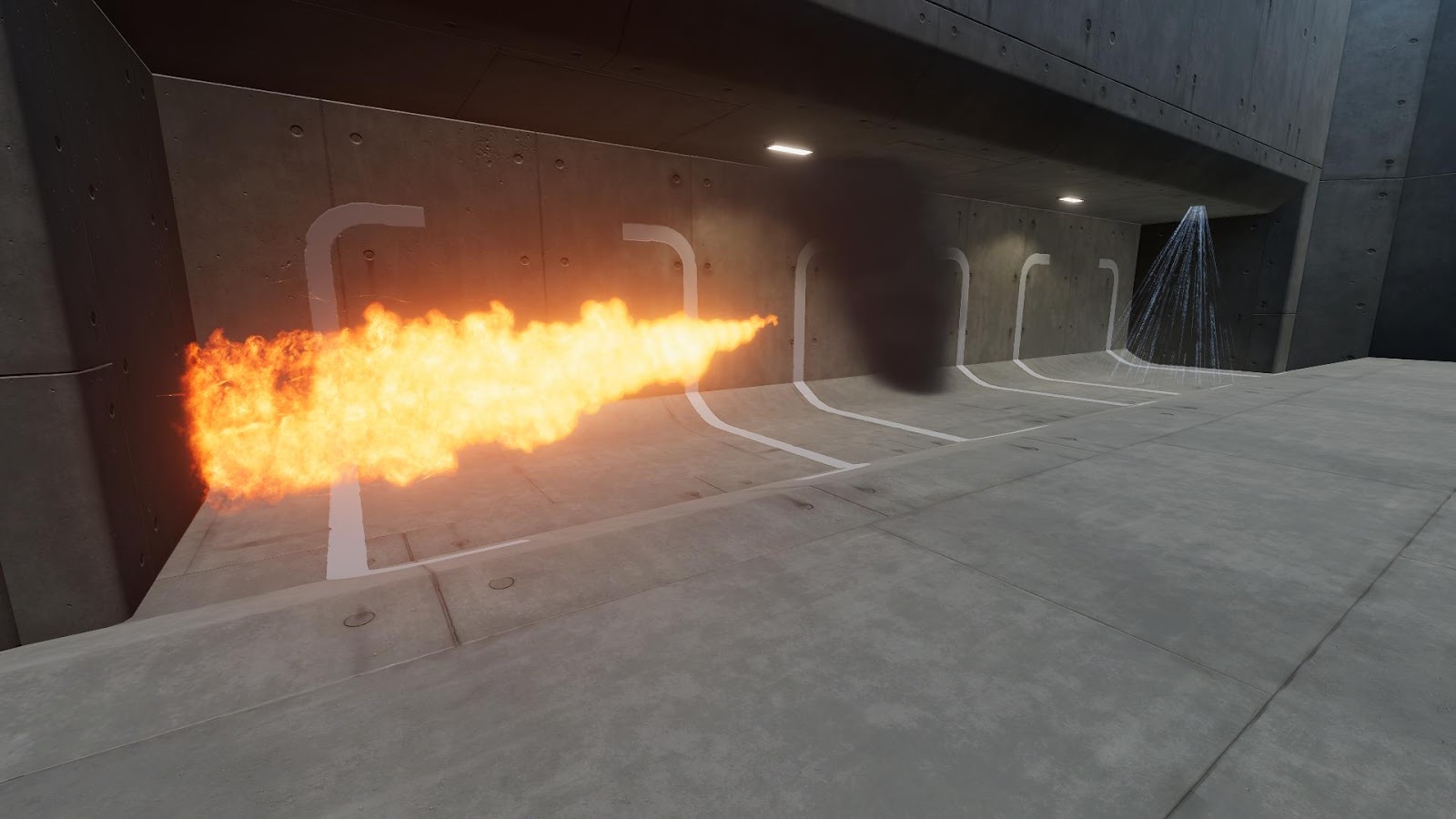
Unity Learn
In this project, you will learn how to make fire, smoke, snow, and rain using Unity’s Particle System.
crimson trail
I cant read that long
cobalt scarab
crimson trail
I cant read that long
Then you're in the wrong industry
crimson trail
cobalt scarab
Then you're in the wrong industry
just tell me how do i make only 1 smoke instead of 4
crimson trail
crimson trail
What i changed something and the background is gone now but it looks like this n...
like this
cobalt scarab
@crimson trail Should learn to google while you're at is as well.
spark talon
Hi everyone, I've been playing with the particle effects in Universal 2D and I want to add a lighting effect to the particles. When I try to drag a Spot Light 2D prefab into the lights setting of the particle effect it doesn't work. But if I create a normal Point Light prefab I can place it in the lights setting however it won't cast any lights. Can anyone direct me on how to accomplish this effect please?
cobalt scarab
Check that materials you are using to reflect that light are Lit, so they can show it.
warm torrent
spark talon
Hi everyone, I've been playing with the particle effects in Universal 2D and I w...
If you specifically mean to attach 2D lights to particles, it's not supported out of the box but you can use this script for it
https://discussions.unity.com/t/lwrp-using-2d-lights-in-a-particle-system-emitter/752498/14
Additive material can give your particles light-like blending without having to deal with light components, alternatively
cobalt scarab
I think you might have to remove shadow casting for them as well. Particles might quickly deplete allowed shadow casting lights.
Not sure what are limitations right now.
spark talon
OK thanks. I've been looking into it all day but haven't found anything that works
nimble axle
I'm not at home, but would it be possible to create a slash effect by projecting a texture onto a 3d mesh like this?

and like making the texture travel along the mesh somehow
clear spruce
nimble axle
I'm not at home, but would it be possible to create a slash effect by projecting...
With shader definitely, without you may want to make the UV's radial like this and just change the offset along the right axis. Depending on the effect you may want to consider using a shader though
 nimble axle
clear spruce
With shader definitely, without you may want to make the UV's radial like this a...
nimble axle
clear spruce
With shader definitely, without you may want to make the UV's radial like this a...
UVs like this?
 clear spruce
nimble axle
UVs like this?
clear spruce
nimble axle
UVs like this?
nope
nimble axle
and how would i accomplish this with shaders?
clear spruce
more like this
 clear spruce
nimble axle
and how would i accomplish this with shaders?
clear spruce
nimble axle
and how would i accomplish this with shaders?
depends on the exact effect you are looking for. clip of the desired effect would help on that but radial UVs would make the shader easier too
nimble axle
clear spruce
depends on the exact effect you are looking for. clip of the desired effect woul...
skip to about 5:56 on this video
https://youtu.be/Rp-_zkFvwiw?si=-pDCicnmV_nJ4v0D

Interested in game development? Join us on our indie game devlog series where we'll create a game from scratch on Unity called HEUSS! In this devlog, we create a slash effect for our sword strikes!
Sit back and enjoy this deep dive into video game development!
MUSIC USED
►► Rhythm Is A Celtic (prod. by Exogen)
[ https://www.youtube.com/watch?v...
warm torrent
nimble axle
skip to about 5:56 on this video
https://youtu.be/Rp-_zkFvwiw?si=-pDCicnmV_nJ4v0...
Could be radial, or rectangular as demonstrated above
clear spruce
nimble axle
skip to about 5:56 on this video
https://youtu.be/Rp-_zkFvwiw?si=-pDCicnmV_nJ4v0...
Looks like having radial UVs and just stretching and offsetting the uvs in a shader. Actually I don't think you need shader for that, just using the Offset and Tiling values of a standard shader should be enough
nimble axle
clear spruce
Looks like having radial UVs and just stretching and offsetting the uvs in a sha...
is there a way to augment the values of offset and tiling directly via the particle system?
warm torrent
nimble axle
is there a way to augment the values of offset and tiling directly via the parti...
With custom vertex streams and custom data module, yes
It will require a shader that uses this custom data for UV tiling/offset
nimble axle
warm torrent
With custom vertex streams and custom data module, yes
It will require a shader ...
is there any documentation that i can read about this?
warm torrent
nimble axle
is there any documentation that i can read about this?
In Shader Graph you access them using the UV node, and get the corresponding TEXCOORD via swizzle or split node
 cosmic gale
hi is there a reason I only have these options for curves by default?

reducing in value would be quite useful too
im using 2022.3.17f1
random mesa
Pursuing a ghost trail like the image, but for a gameobject that doesn't have limbs (a chess pawn to be precise), how would you go about it? Tried a trail renderer but essentially would need a material formed like my chess pawn and to my knowledge you can't shape materials based on prefabs?
 warm torrent
cosmic gale
hi is there a reason I only have these options for curves by default?
warm torrent
cosmic gale
hi is there a reason I only have these options for curves by default?
What do you mean "only" those curves? They're all the presets there are supposed to be
You can of course make any kind of curve you like
By adding new points on any curve you have
 lusty glacier
hello new to unity , when i add a custom simple mesh exported from houdini and load it to particles it doesn't show anything any idea wh


they're like this invisible
warm torrent
random mesa
Pursuing a ghost trail like the image, but for a gameobject that doesn't have li...
You can use a mesh as a particle, that should make it pretty simple
The hard part about that is usually to match the movement of the limbs of the skinned mesh renderer
random mesa
warm torrent
You can use a mesh as a particle, that should make it pretty simple
The hard par...
I can’t even use a skinned mesh renderer on the pawn game object though or can I? As it’s basically a box with no limbs
warm torrent
random mesa
I can’t even use a skinned mesh renderer on the pawn game object though or can I...
Why would you want to?
nimble axle
warm torrent
In Shader Graph you access them using the UV node, and get the corresponding `TE...
do you know any video tutorials that explain this? I find it easier to watch it be done
random mesa
warm torrent
Why would you want to?
To replicate this effect which was made with one. But as it can’t be done for my game object I’m looking for other ways to create that object/ghost trail
 warm torrent
nimble axle
do you know any video tutorials that explain this? I find it easier to watch it ...
warm torrent
nimble axle
do you know any video tutorials that explain this? I find it easier to watch it ...
https://youtu.be/Ca9jPbwPMco this probably
warm torrent
random mesa
To replicate this effect which was made with one. But as it can’t be done for my...
I may have been unclear
The effect in your example is a mesh particle + skinned deformation
You only need the mesh particle, so you can skip the skinned deformation part entirely
Skinned mesh is just the same as a mesh, just more complicated
The hard part would've been to transfer the skinned pose to each individual particle, but you don't need to do any of it
random mesa
warm torrent
I may have been unclear
The effect in your example is a mesh particle + skinned ...
Ah nice. Thanks! So, basically learn however he did the mesh particle, do that and then put it into the material in the mesh renderer?
warm torrent
random mesa
Ah nice. Thanks! So, basically learn however he did the mesh particle, do that a...
Yes but what do you mean by "put it into the material in the mesh renderer"
Materials are related to shaders, not meshes
random mesa
My bad, I've been sitting in my trail renderer component so got a little scambled in my head
 random mesa
warm torrent
Materials are related to shaders, not meshes
random mesa
warm torrent
Materials are related to shaders, not meshes
So basically, make a shader instead? Sorry this is all super new to me
warm torrent
random mesa
So basically, make a shader instead? Sorry this is all super new to me
No, that's unrelated
random mesa
warm torrent
No, that's unrelated
a particle system then? Or what do I do, I'm lost
warm torrent
random mesa
a particle system then? Or what do I do, I'm lost
I assumed you already had a mesh trail / afterimage tutorial since you're posting pictures of one
Which was likely for VFX Graph
Particle System can do it too, but it doesn't deal with mesh particle rotations well
And you won't find tutorials for it because it can't do the skinned mesh deformation part which is what most people want this effect for
All you really need for it is 0 start speed, emission by distance and most importantly Render Mode: Mesh with the same mesh as your piece, and Render Alignment as World or Local
Then just keep the particle system parented to the piece
Local render alignment makes it so all particles inherit the piece rotation at all times
World makes it so that none of them do
Neither is perfect, though it may be possible to use scripts to override the particle rotation in World mode
VFX Graph can do all that out of the box, but is more complex to use
random mesa
Great, thank you so much. I'll give this a spin when I'm back at the computer.
lusty glacier
Hi guys, i want to make some vfx for a mobile games, any suggested youtube channel or smth to start?
 proven mortar
I have a question about VFX graph systems, i have two systems in one Graph, both use the same perlin noise to move their points in 3d space, hovever i want one of the systems offset in Y so it is slightly above or below the other system.
how can i achieve that?
 ashen robin
proven mortar
I have a question about VFX graph systems, i have two systems in one Graph, both...
ashen robin
proven mortar
I have a question about VFX graph systems, i have two systems in one Graph, both...
can just use another set position node and put it above the noise
with local values
proven mortar
ashen robin
can just use another set position node and put it above the noise
thanks for the idea, however if i do that all spheres are positioned at one point in the space:
 ashen robin
proven mortar
thanks for the idea, however if i do that all spheres are positioned at one poin...
ashen robin
proven mortar
thanks for the idea, however if i do that all spheres are positioned at one poin...
What's origin on the noise node? It's set as 0 which I would assume is what you'd want to change then
there must be something on that node that is setting the position to sample before applying the noise
 woeful geyser
Anyone knows why there is a line appearing in the texture when I turn it into a material? It wasn't there originally
 burnt coral
woeful geyser
Anyone knows why there is a line appearing in the texture when I turn it into a ...
burnt coral
woeful geyser
Anyone knows why there is a line appearing in the texture when I turn it into a ...
The line is there because that's textures stretch the outer pixels of the texture when sampled outside the 0-1 range with the Clamp wrap mode.
Adding a border of transparent pixels would fix it, but to adjust the size of the cloud you should do that via the particle system, not the material. Keep the tiling at (1,1) to fill the whole particle quad - otherwise there's wasted overdraw
lusty glacier
Hi im working on a mobile game, does the unity's VFX graph work for unity urp mobile games?
warm torrent
lusty glacier
Hi im working on a mobile game, does the unity's VFX graph work for unity urp mo...
 inland tusk
how can I rotate something by a quaternion in vfx graph? I've passed one in as a vector4, I've also passed in on matrix4x4 which has the quaternion inside it (with position which I don't want).... but stuck what to do with them, there's no quaternion node or option to use quaternion in 3d rotate node (I'm getting some stuff going wrong with eulers)
 errant osprey
I'm working on converting my particle system to utilize object pooling to improve performance. However, will this also resolve my issue with the first instantiation of the particle causing lag? After playing the particles after the first time, the lag goes away. But I'm not sure if object pooling is meant to solve that.
ashen robin
inland tusk
how can I rotate something by a quaternion in vfx graph? I've passed one in as a...
If you need a way to do a LookAt, you can utilize Atan2 if Rotate3D isn't good enough.
ashen robin
errant osprey
I'm working on converting my particle system to utilize object pooling to improv...
Object pooling could potentially help assuming it is a problem with instantiation of the system, but perhaps it could also be some shader compilation problems if you mean that these systems only cause frame-stuttering on the first system ever to be instantiated.
inland tusk
ashen robin
If you need a way to do a LookAt, you can utilize Atan2 if Rotate3D isn't good e...
thanks, though I am reading in a graphicsbuffer of positions and updating per frame the VFX graph particle positions with it, and rotating them, not a lookat

what's happening, weirdly, is that all of the particles disappear when it's roughly facing north south east west... I was wondering if it's a gimble issue and a quaternion rotation instead would help
ashen robin
inland tusk
thanks, though I am reading in a graphicsbuffer of positions and updating per fr...
You sure this isn't just a particle orientation issue?
inland tusk
this behaviour was present when I was using billboarded quads and is still now present with mesh cubes without rotation applied to them

 tight wolf
For some reason my particle are just invisible? and if I change the render material they just turn kinda grey/blackish. How do I make them show up?

 ornate ridge
Hey all !
Just got here, and I have some question for Unity 6 preview testers 🙂
I'm using the VFX graph and I'd need some experimental blocks, especially the "Get / Set Custom Attribute". I checked the Preferences > Visual Effects > enable experimental blocks, but I can't see anything in the VFX graph. restarted the editor twice..
Checked on 2022.x, the set custom attribute is available
cosmic gale
is there a way to use multiple "trigger event on die" blocks in one particle system? i want to spawn a burst when the particle dies but also flashes
 nimble axle

how can i make a particle animated? i have a sprite sheet for this thing i made
and i just wanna spawn a single particle that animates this
warm torrent
nimble axle
and i just wanna spawn a single particle that animates this
Texture sheet animation module in particle system, or flipbook player in vfx graph
inland tusk
so I have this map.... where the surface is a plane with vertical vertex displacement on it with a custom shader, and the map markers are a VFX graph, with output particle mesh. My intention is that the 'tail' on this mesh would be clipped off by the 'ground' in the map, so it would become a line showing how high above the ground it is.... but I'm getting wonky depth sorting between the displaced plane and the output particle mesh tails.... I'm not sure exactly my question here, but should this work? (as you can see the tails are rendering through the floor ( these map items are roughly at ground level)). I've played around with z write and ztest in the mesh output node and they seem to either be visible or not (URP, depth write is enabled in the map displacement shader). It seems actually that even a tall cube won't correctly be clipped by a standard cube, do VFX meshes only get sorted by their origin and not their geo?

 inland tusk
eh vfx meshes were just not sorting right for irregular shaped meshes so I used a facing quad instead:
 ashen robin
inland tusk
so I have this map.... where the surface is a plane with vertical vertex displac...
ashen robin
inland tusk
so I have this map.... where the surface is a plane with vertical vertex displac...
Sorting should behave similar to anything else rendering through the pipeline so perhaps you're rendering it as transparent? If so then you would sort by the visual asset's game object pivot.
inland tusk
so, actually my previous bandaid was not working, and putting both items to custom shaders with 2 sided enabled 'fixed' it... So I'm guessing something was inverting/turning them around (even though one of them is an output mesh that wasn't set to facing or anything. I tried just about every other combination of sort priority and ztesting and stuff I could find
 pallid carbon
does anyone know of a good blood splatter particle on the unity asset store? I'm looking for something that will stain the ground and players.
proven mortar
ashen robin
What's origin on the noise node? It's set as 0 which I would assume is what you'...
i found it, it has a SetPivot Function i was able to set on the output node 🙂
Can i tell the Line to stop connecting the last and the first Point?


 haughty kernel
help why does this look so bad 💀
 haughty kernel
and actually does anyone have some good sources for vfx that work well with lower poly 
prime dome
haughty kernel
help why does this look so bad 💀
Well it just looks like a sprite, we cant help without you showing us what you did
 dire flower
Hey guys im quite new to particles and vfx, how can i make so a collider is following my particles. like in my video i have the particle bounce and stop and now i want it to have a colider around it self after it stoped. just adding a collider to the particle system doesnt work:(
prime dome
dire flower
Hey guys im quite new to particles and vfx, how can i make so a collider is foll...
Can you open the collision tab in your particle system and let me see it
dire flower
 dire flower
prime dome
Can you open the collision tab in your particle system and let me see it
dire flower
prime dome
Can you open the collision tab in your particle system and let me see it
imagine the particle is a glowing spike, and when the player hits the spike a new particle spawns on its transform.
prime dome
dire flower
imagine the particle is a glowing spike, and when the player hits the spike a ne...
https://docs.unity3d.com/ScriptReference/MonoBehaviour.OnParticleCollision.html You can use this to detect particle collisions, however im unsure if you can access indivual particles to see their postion
dire flower
prime dome
https://docs.unity3d.com/ScriptReference/MonoBehaviour.OnParticleCollision.html ...
ah oki i will read that thanks 😄
dire flower
maybe a stupid question. but how do i fix so the camera doesnt make it look like the particle is moving?
prime dome
dire flower
maybe a stupid question. but how do i fix so the camera doesnt make it look like...
Thats just how particles work, they look at the camera, im unsure how to prevent that, you can probably use a separate sprite for that thing
dire flower
prime dome
Thats just how particles work, they look at the camera, im unsure how to prevent...
oki i got it to work before, just dont really know how 😛 i keep forgetting 😄
i just borrowed the working one 😛
dire flower
prime dome
Thats just how particles work, they look at the camera, im unsure how to prevent...
i found the answer but forgot again some render options
tardy dragon
haughty kernel
and actually does anyone have some good sources for vfx that work well with low...
The issue is less so low poly and more that you're using a 2D effect in a 3D scene while the camera is rotating. Use a VFX graph of smoke mesh particles or a single plume mesh, with noise/quantization shaders.
I tackled a kinda similar case where no amount of billboarding or 2D trickery would look good, so I just opted for 3D smoke n' flames.
 opal star
So I'm currently optimising our vfx systems. The approach I took for optimisation is to use a single vfx graph instance in the scene to render multiple effects. This is achieved by putting the position of the vfx requests in a gpu buffer and reading it in the graph. Now the problem is that some system like the sparks actually want to spawn a variable number of particles. Unfortunatly I cant read the gpu buffer in the spawn context since that is all cpu side( I get a error in the graph). So I came up with this idea to use a guide system. This system spawns a single particle at the desired world pos, in update emediatly kills itself and issue a gpu event with a random count that then feeds into the actual spark system. This works but feels cumborsome and I would like to avoid doing for all systems that require a variable number of particles. Anyone got any bright ideas ?
 warm torrent
opal star
So I'm currently optimising our vfx systems. The approach I took for optimisatio...
warm torrent
opal star
So I'm currently optimising our vfx systems. The approach I took for optimisatio...
Multiple different effects? VFX graph instancing would batch similar effects by default
opal star
warm torrent
Multiple different effects? VFX graph instancing would batch similar effects by ...
yeah but it seems there is some overhead or they dont batch properly. This system works way faster than the normal pooled aproach
dire flower
Anyone knows of any good videos that explains how you can make diffrent vfx that follows eachother? in the video for example i want the trails to follow the flower. do i have to do it with a set velocity something`? i would want it to always follow the flower nomatter
ashen robin
opal star
So I'm currently optimising our vfx systems. The approach I took for optimisatio...
Perhaps using a Trigger Event Over Time to spawn a system of particles while the primary system gives the pivot for those particles
will probably need to constraint it to some time variable as you can't limit it by a count doing it like that
ashen robin
So you're asking what you've posted there can be improved? Because it seems fine to me
similar to what I do in that scenario
opal star
ashen robin
So you're asking what you've posted there can be improved? Because it seems fine...
Yeah. I have more than a dozen vfx’s to to go through. Many of them hold multiple systems. Adding this approach is cumbersome.
ashen robin
opal star
Yeah. I have more than a dozen vfx’s to to go through. Many of them hold multipl...
What you're doing with the buffers on the first system should be consistent between all systems using them so you can just save that system to be reused. As for that secondary system, the way you're doing is (probably) the most optimal way because here you're only updating a single value in the buffer and letting the GPU handle the extra particles that proliferate from that value.
But even in a basic system you'd do similar if you were using a system with world coordinates (giving it a position in the primary system then using some event to spawn more particles from it)
opal star
ashen robin
What you're doing with the buffers on the first system should be consistent betw...
How can I save a whole system?
ashen robin
opal star
How can I save a whole system?
similar to how you do it in the shader graph
 zealous wing
In Shuriken particle system is there a way to make the particle system scale with parent?
warm torrent
zealous wing
In Shuriken particle system is there a way to make the particle system scale wit...
 astral saffron
hello can someone tell me how to get started , actually i am a roblox vfx artist and i was thinking of starting making vfx in unity
i was wondering if someone could tell me how to get started
 vestal solar
Checked Unity Learn ?
https://learn.unity.com/tutorial/introduction-to-the-vfx-graph-unity-2018-4-lts
(a bit old, but verified with Unity 2019.4, should probably still be applicable to 2022.3)

Unity Learn
In this tutorial, you will learn the fundamentals of creating particle-driven effects in VFX Graph and later move on to creating effects such as the snowstorm below.
astral saffron
vestal solar
Checked Unity Learn ?
https://learn.unity.com/tutorial/introduction-to-the-vfx-g...
i was wondering if i could make vfx on a low end laptop like mine
i got lenovo idealpad 3
sorry for pinging
vestal solar
Yes, you can, just don't get to ... optimistic about the particles count ^^
Also, VFX graph works with URP in the latests version, so you don't have to use the more ressource heavy HDRP for rendering.
astral saffron
alright thanks bro!!
vestal solar
You can also look at the older particle sytem : https://learn.unity.com/tutorial/introduction-to-particle-systems?language=en
vestal solar
(check here for other ones : https://learn.unity.com/search/?k=["tag%3A5d351f0b7fbf7d006af48182"%2C"lang%3Aen"] )
astral saffron
thanks!!!
 vestal solar
astral saffron
can someone tell me why it says download failed
vestal solar
astral saffron
can someone tell me why it says download failed
"There is not enough storage to download...." might be a good hint ?
astral saffron
vestal solar
"There is not enough storage to download...." might be a good hint ?
I mean I got 50 gb of free storage
vestal solar
Are you installing on an other drive and C: is full ?
astral saffron
Idk ima try to re install
astral saffron
it installed finally
 gray ravine
Hey guys, is this supposed to apply the rotation to the texture coord or do I have to do that myself?
 vestal solar
gray ravine
Hey guys, is this supposed to apply the rotation to the texture coord or do I ha...
vestal solar
gray ravine
Hey guys, is this supposed to apply the rotation to the texture coord or do I ha...
If I'm not wrong, the rotation is applied to the mesh itself, but the UVs are not transformed.
stuck timber
tardy dragon
I tackled a kinda similar case where no amount of billboarding or 2D trickery wo...
This is looking awesome, gj
gray ravine
vestal solar
If I'm not wrong, the rotation is applied to the mesh itself, but the UVs are no...
dang thats a bit annoying
 grand bronze
Hey! Idk how to work this question exactly.
But I have a particle system that destroys its particles if it collides with an invisible wall.
My issue is I want it to spawn that killed particle instantly at its max size instead of slowly appearing. If you watch the mouse there will be parts of the asteroid belt that are empty, any tips?
Oh I wouldve hoped that embeded the video, not made it a download file
clear spruce
gray ravine
dang thats a bit annoying
It would be really annoying and weird if it did. The rotation of a mesh is 3D and UVs are 2D coordinates which doesn't have any direct relationship with the mesh rotation
gray ravine
clear spruce
It would be really annoying and weird if it did. The rotation of a mesh is 3D an...
um... this is sampling a mesh at a position. If I rotate the mesh, the sampled position should have the color/uv data from after the rotation, not from before the rotation. It doesn't make sense to only apply the transform to the position output of this node.
vestal solar
gray ravine
um... this is sampling a mesh at a position. If I rotate the mesh, the sampled p...
It should act exactly as if you rotate a sphere that has a texture.
gray ravine
vestal solar
It should act exactly as if you rotate a sphere that has a texture.
oh.. then why did you say the UVs aren't transformed!? im confused man. But I think what you just said rn gave me an idea I can try.
vestal solar
Like, UVs themselves are not transformed when you rotate a sphere, they are exactly the same as before, it is just the whole mesh thate "changes", and the UVs keep their "relative" value to say it like this.
Maybe the issue is related to how you set up the rest of the connections, mind to show a bit more of the graph ?
 merry snow
At this point I have no idea what I'm doing.
I was trying to change a normal shader graph particle system over to VFX graph, but no matter what I try, it's always black particles.


 vestal solar
merry snow
At this point I have no idea what I'm doing.
I was trying to change a normal sha...
vestal solar
merry snow
At this point I have no idea what I'm doing.
I was trying to change a normal sha...
The Set Color node does in reality (iirc) sets the vertex color of the particles meshes. So if you want to use this data, you need to use the vertex color node in shadergraph.
Else, you can just sample a gradien in VFX graph, and assign the value in the Color connection of the output particle header (which is the shader exposed property)
 sharp frost
Hello i am just trying to use the basic particle system... i have for my explosion render set to mesh to shoot out shards, but when i assign the shards that i made in blender it doesnt work, yet unity's premade 3d primitives work. what determines whether a mesh plays nicely with the particle system rendering?
 elder barn
Hi, is there a way to always spawn a new particle, whenever a particle dies in VFX Graph? I want to always keep a constant number of particles in an area, so whenever one dies because it's Lifetime is reached, a new particle should appear somewhere else. Before I did that by having a really high Spawn Rate, but a fairly low Capacity. That way it always spawned a new one. However I now need to set the amount of particles dynamically based on the Area (bigger area, more particles) and Capacity can not be adjusted per VFX 😦
 nova dome
Asking for my Art Director : Has anyone else experienced the component sockets being completely gone in VFX Graph lately ? Unity 2022.3.25f1 (VFX Graph 14.0.11)

(in our case we can workaround with a swizzle mask, but this seems like a bug?)
 vestal kite
Hi, I have made a particle using Unitys Particle System, but for some reason, my road object is not affected by it? Its just completely see through, and it doesn’t look very good. Am I missing some setting I need to switch on?

 gloomy cypress
nova dome
Asking for my Art Director : Has anyone else experienced the component sockets b...
gloomy cypress
nova dome
Asking for my Art Director : Has anyone else experienced the component sockets b...
Hi, we have been dealing with the same issue and the solution is a newer version of Unity

 carmine bone
Sorry, I can't seem to figure out what these types of VFX are called so hopefully someone else can help me. Basically a line between two points that adapts as the points are moved and are sort of like a chain/tether/whatever between the two points. Usually they have some movement or flow in one direction.

 nova dome
gloomy cypress
Hi, we have been dealing with the same issue and the solution is a newer version...
nova dome
gloomy cypress
Hi, we have been dealing with the same issue and the solution is a newer version...
aha, thank you
ashen robin
carmine bone
Sorry, I can't seem to figure out what these types of VFX are called so hopefull...
Easiest way to go about it is just use world UVs and wrap a texture across an ever-extending quad.
deft forum
Anyone know of a hacky way to get any sort of data at all out of a VFX graph back onto the CPU (that's not a spawn event)? IE. is there a way to somehow make a graphics buffer and tell the VFX Graph to dump it over or similar
carmine bone
ashen robin
Easiest way to go about it is just use world UVs and wrap a texture across an ev...
Isn’t there a more commonly used name for these type of vfx? I feel like I’ve seen something in the past but forget what it was for these sort of things.
ashen robin
carmine bone
Isn’t there a more commonly used name for these type of vfx? I feel like I’ve se...
Can't really tell if it's a larger mesh but the most simplest case are quads facing the camera. As for the stretching you're doing some vertex manipulation or making a trail of them.
onyx lake
carmine bone
Isn’t there a more commonly used name for these type of vfx? I feel like I’ve se...
Beam, line renderer, trail?
carmine bone
Yeah line renderer was what I was using I’ll see what else I can drum up. Thanks.
 neon girder
How can I make a particle system start disabled? I called Stop() on it but it still briefly plays in the beginning
warm torrent
neon girder
How can I make a particle system start disabled? I called Stop() on it but it st...
You can disable Play on Awake
neon girder
Thanks
 vestal fractal
Hey all, I need to "assemble" a texure from particles, I want particles flying in from one side and then locking into place to build up a texture. The texture is not big (about 100x700 pixels). Does anyone know of an asset or github repo that can do this? Or would be a good starting point? Needs to run under URP
warm torrent
vestal fractal
Hey all, I need to "assemble" a texure from particles, I want particles flying i...
VFX Graph or Particle System should be able to do it, no assets needed
With PS you'd have to get a bit hacky, since scrubbing or reversing a simulation is not a built in option
Instead you can call Simulate method for lifetime minus elapsed time
VFX Graph has way more control over stuff like that out of the box, and you might find something just like you need from the official examples
 spring lake
vestal fractal
Hey all, I need to "assemble" a texure from particles, I want particles flying i...
spring lake
vestal fractal
Hey all, I need to "assemble" a texure from particles, I want particles flying i...
This video should cover everything. His other videos are great as well. https://youtu.be/ZytOQ4NSciU?si=nxKEb_q7w5ZIFfrW

Unity VFX Graph:Post-it(Particles aggregate into models)
Version:2021.3.2f1(HDRP)
Subscribe:https://www.youtube.com/channel/UCf3S-ovaTom4cc7rxwall8w
If you become a paid member of my Patreon , you can download the completed results here and my other effects files:
https://www.patreon.com/wangray
Only buy this effect:https://raywang4.gumroad.co...
inland tusk
I have a high amount of bullet impacts being spawned(or recycled from a pool) of unity particle systems (tiny ones). I started getting CTDs. Upon limiting the number of times spawning a system to 1 per frame, there is rock solid stability. I'm in 2022.3.11 , any ideas? (with 1 per frame limit I still have potentially hundreds going off and it's fine)
gray ravine
How would I make particles from the VFX graph emit from a cone and behave the same way they do in the particle system? I cannot seem to figure out how to give them velocity that matches the cone they emit from.
tardy dragon
I want a particle to do A when it "Collides with Plane" but B when it "Collides with Depth Buffer". Is there any usable output from a collision block or ability to dispatch different events from them?
gray ravine
I really feel that if it works fine in local space, transforming the world position to local position should make it work
tardy dragon
tardy dragon
I want a particle to do A when it "Collides with Plane" but B when it "Collides ...
Ended up doing this with a hack where one collision block writes to collision attributes and the other doesn't—allowing for differentiation between ripple and non-ripple splashes. Also potential solutions: custom nodes and/or sampling a splat texture to determine where a collision has occurred.
nimble axle
how can i make a trail that like draws the speed of the player like this?
 tardy dragon
TrailRenderer + modify material properties based on player velocity in script.
oo hmm that would change the color of the whole trail though.
I assume you want different sections to be different colors?
You could do a gradient and keep track of things in that, but that'd be hack as all heck. So yeah, you'd probably be best off using a VFX graph that changes emission color based on velocity. You can use a VFX property binder to either bind a velocity or color.
nimble axle
tardy dragon
You could do a gradient and keep track of things in that, but that'd be hack as ...
someone suggested a hacky fix where i just use a particle system and change the color of the emitter based on speed. this is purely for debug purposes btw
so i dont really care how good it looks
tardy dragon
yeah if it's for debugging purposes you can just use particles. should be trivial to implement in both shuriken and vfx graph.
nimble axle
whats shuriken?
tardy dragon
the "old", standard particle system.
nimble axle
oh right
also that pixel effect in your video you sent is really cool, how did you achieve that?
i love that art style
tardy dragon
use a toon shader + sample the camera depth/normal textures to create outlines for pixels that are sufficiently deep compared to those around them.
then you can either change urp render scale or leverage a render texture to down/upscale for the pixelation effect.
nimble axle
tardy dragon
then you can either change urp render scale or leverage a render texture to down...
thats cool, i dont think im gonna use pixel effects in my current project, but i'll keep it in mind! you seem pretty experienced with effects, how can I avoid my game having that "unity" look? i'm using toon shaders and stuff but it still feels kinda unity-y if that makes sense
 tardy dragon
nimble axle
thats cool, i dont think im gonna use pixel effects in my current project, but i...
tardy dragon
nimble axle
thats cool, i dont think im gonna use pixel effects in my current project, but i...
not sure what "unity look" really entails tbh.
the answer to making things look good and not generic is usually just art direction and competence in executing the direction. there's never going to be any one piece of advice that can address those things. personally, i just take things that i find pretty and try to implement them in my project.
i think your project looks good for whatever it's worth. also this is discussion is straying from vfx-and-particles, we should probably move to... shaders?? or post-processing??? idk.
nimble axle
tardy dragon
not sure what "unity look" really entails tbh.
the answer to making things look...
thanks! when i meant default unity look i meant this kinda vibe.
 clear spruce
nimble axle
how can i make a trail that like draws the speed of the player like this?
clear spruce
nimble axle
how can i make a trail that like draws the speed of the player like this?
I don't think unity's trail renderer really supports that without a lot of custom hacky code (you could use the gradient but I don't think it would be easy or very performant). It might be easier to just make your own trail renderer implementation that generates the proper mesh and stores the speed in vertex colors
ashen robin
VFX graph has does have rate from velocity that can work, but not too sure about shuriken
ah, actually you wanted to change the color based on velocity. You would send that value through code into the system then
you can probably resolve the color inside of the system by making a gradient, and then send in the character's current velocity into the system
 idle lynx
There is a video tutorial I watched where the guy sampled the entire character and made it fade as he ran. Let ne find it
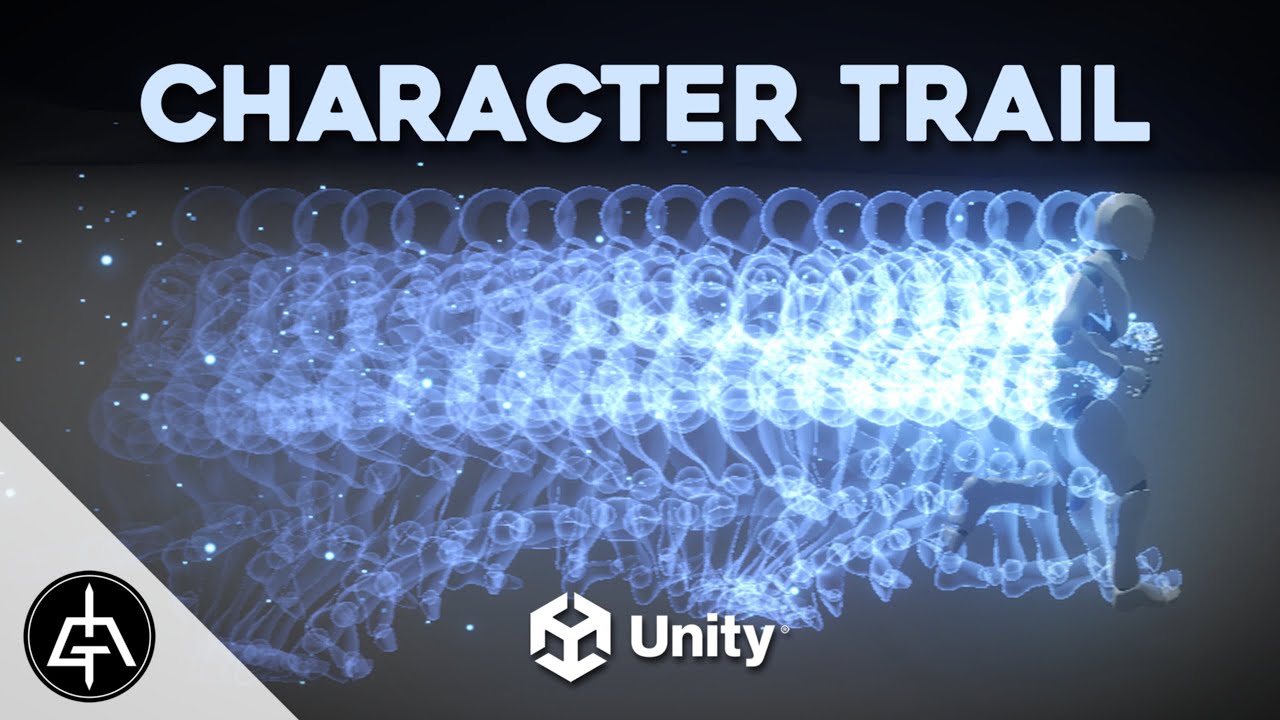
With this Unity tutorial now you can add a cool Trail to your Characters! Super useful for when trying to convey a speed boost or a quick character movement, like a dash. I am speed!!!
I am making a game, check it out: https://twitter.com/GoldenBugStudio
00:00 Intro
00:51 Mesh Trail Script - Start
04:54 Baking the Mesh
08:05 Glow Shader
10:2...
ripe mantle
I'm kinda confused here. Why is this particle flickering?
For some reason the particle doesn't appear for the first 0.02 seconds of playback on each loop.
ripe mantle
This seems like a Unity bug. It doesn't flicker on an older LTS (2021)
Ya this issue seems to exist on 2022.3.48f1 (at least) to the most recent LTS.
ripe mantle
I also found it on 2022.3.40f1...
Ok there's no way looping particles have been broken since july.
Am I doing something wrong?
ripe mantle
And it's on the most recent version of Unity 6.
Alright what's going on here?
Anyone have a clue?
warm torrent
ripe mantle
Ok there's no way looping particles have been broken since july.
It's possible
I seem to recall I was using the same technique last year without issues, but this year I've had just that problem of a semi-random gap between the loops
I didn't investigate it though
There might've been some workarounds using looping ring buffer mode, and maybe a burst for the first particle and a looping emission for the rest but I don't remember specifics
ripe mantle
warm torrent
It's possible
I seem to recall I was using the same technique last year without ...
Time to file a bug report?
ashen robin
Ah, I thought this was just common behavior and would just set a very large duration
warm torrent
ashen robin
Ah, I thought this was just common behavior and would just set a very large dura...
Sure actuallyinf for duration and lifetime would solve this particular problem (as well as Pause ring buffer mode)
But the thing I usually would do this for to also make looping effects with modules that rely on lifetime, like a pulsing size or color
warm torrent
ripe mantle
Time to file a bug report?
Couldn't hurt
ripe mantle
warm torrent
But the thing I usually would do this for to also make looping effects with modu...
I think it's just the duration that's causing the fuck up.
If you spawn a single particle and it has a lifetime of 1 second, I believe it loops fine.
Problem is when the particle is part of some larger coordinated effect.
warm torrent
"Part of some larger coordinated effect" in what way exactly?
ripe mantle
Ok the problem seems to be with Burst?
If I just have the system emit 1 particle every 1 second it's fine. Even if duration is set to 1.
warm torrent
ripe mantle
If I just have the system emit 1 particle every 1 second it's fine. Even if dura...
That also works, but you'll have the first second without any particles
Hence why emitting one and then looping the emission is a workaround I mentioned
But the burst still desyncs the same way, just not every second
ripe mantle
warm torrent
But the burst still desyncs the same way, just not every second
So freaking strange.
Well I sent a bug report in.
Hopefully someone over there picks it up.
worn jewel
Crazy question I feel I already know the answer to, but is it possible to render the resulting particles of a VFX graph to two different render targets? Ideally with different shader passes on the particles? Basically, I'd like it to render to the camera's target as usual, but also an additional rendertarget too with a different shader pass.
deft forum
deft forum
Anyone know of a hacky way to get any sort of data at all out of a VFX graph bac...
In case anyone finds this and wants to know how, found the way: https://discussions.unity.com/t/play-audio-from-gpuevent/936958/5
ripe mantle
warm torrent
That also works, but you'll have the first second without any particles
Issued a bug report for the problem I was coming across last night.
https://issuetracker.unity3d.com/issues/a-particle-is-not-rendered-for-the-first-frame-when-the-duration-and-lifetime-values-match
How to reproduce: 1. Open the “Particle.zip“ project 2. Open the “SampleScene“ 3. Select the “Particle System“ in the Hierarchy 4. O...
Looks like I'm not crazy boys.
 pulsar bay
Any tips on making these kills look JUICIER?
stuck timber
pulsar bay
Any tips on making these kills look __*JUICIER*__?
- Make the sprite/enemy turn white when hit/killed and goes back to regular color, should make it really short like 0.3s - 0.5s
- Add 2 glow particles to the impact VFX, one glow should be big then goes small really quickly lasting about 0.15s, the other glow should last longer (1.5 - 3s) and just fades out slowly
Even more juice: - Make the background flash bright red for a single frame, then ease back to black in about 6 frames
- Add an impact VFX of the bullet, it could be some white particles that shoots out in a cone
Should also add an epilepsy warning if you intend to flash the screen btw
 frosty prawn
I need help with enabling or playing a particle effect in animation. My setup involves a player with an attack animation clip. When the player slashes the weapon, it should produce an effect, and the FX is a child of the weapon. I’ve tried adding properties for the FX in the animation window and used an event at a specific time to trigger the effect via a script attached to the parent, but it didn’t work. I also tried enabling the FX GameObject at a specific time to trigger the effect, but that didn’t work either. What could be the issue?
pulsar bay
stuck timber
- Make the sprite/enemy turn white when hit/killed and goes back to regular colo...
You are my new favorite human, thank you kind person in my computer!
 icy wing
frosty prawn
I need help with enabling or playing a particle effect in animation. My setup in...
icy wing
frosty prawn
I need help with enabling or playing a particle effect in animation. My setup in...
in your attack logic, simply instantiate a particle prefab from resources folder and make sure to disable looping for a single attack (if that's what you're aiming for)
frosty prawn
icy wing
in your attack logic, simply instantiate a particle prefab from resources folder...
Thanks! I realized it might be more efficient if the particle effect stays attached to the weapon as a child object. This way, we won't need to worry about rotation, and it avoids the overhead of instantiating and deleting it repeatedly. This is just not working out for me though or maybe m doing something wrong ig
icy wing
Yeah you can always use GameObject.Find and make the particle a child of the weapon during instantiation if that’s what you’re looking for
 hot comet
guys, help pls
i'm trying to play a particle system, Play() doesn't work, Instantiate() than Destroy() works but doesn't destroy particles
warm torrent
hot comet
guys, help pls
i'm trying to play a particle system, Play() doesn't work, Instan...
Play() has worked fine in my experience and it should not be possible for particles to remain when the system is destroyed, since they are fundamentally a part of the component
The issue must lie elsewhere
hot comet
warm torrent
Play() has worked fine in my experience and it should not be possible for partic...
it works in another script
warm torrent
My guess would be that the script where the methods do not seem to work isn't referencing the particular particle system correctly, or at all
hot comet
warm torrent
My guess would be that the script where the methods do not seem to work isn't re...
no, the reference works good because when i tried to Instantiate() it in script it appeared but Destroy() method never removed it
warm torrent
Instantiate creates entirely new gameobject, or a particle system in this case
Play and Destroy must be called on an already existing one
hot comet
i put instantiated object into a variable than pass this variable as parameter for Destroy() method
hot comet
warm torrent
Instantiate creates entirely new gameobject, or a particle system in this case
P...
ParticleSystem effectOnScene = Instantiate(effect, transform.position, Quaternion.identity);
Destroy(effectOnScene, 3);```i tried it after i saw that one simple line
effect.Play();```
doesn't spawn particlesThat doesn't seem to prove that effect actually holds a reference to any existing particle system component
There's certainly no indication that it'd be referencing the instantiated effect
hot comet
hot comet
```cs
ParticleSystem effectOnScene = Instantiate(effect, transform.position, Qua...
as i wrote, this code spawns particles but doesn't remove them after animation ends
warm torrent
I don't know what the "animation" is in this case
All I can say is that particles can't exist if their particle system is destroyed
And assuming the issue is in your code or missing editor references, no one can troubleshoot with just random lines
hot comet
warm torrent
I don't know what the "animation" is in this case
All I can say is that particle...
animation of those particles
warm torrent
There is no signs yet that your script is at all considering how the particles are animating before trying to destroy it
And as I said since particles can't exist with a destroyed particle system, it seems certain that you're not successfully destroying the system
hot comet
yes, i can't destroy them and i don't know why, that's why i'm here
warm torrent
hot comet
yes, i can't destroy them and i don't know why, that's why i'm here
With the amount of information you've given it's not possible to do more than to dispel your misconception about destryoing particles
You should actually show your code in #💻┃code-beginner and try to prove that your object references are actually correct
That process alone seems likely to lead you to the solution
hot comet
warm torrent
With the amount of information you've given it's not possible to do more than to...
but you didn't ask me any additional information
you're saying i didn't give it to you but i don't even know what else should i tell you
carmine bone
I wanted to make a particle system where a bunch of orbs I have splatter into all directions. The problem I'm facing is that the orbs are constructed of 3 different parts. There's the orb itself which is a sphere with a shader attached, a billboarded glow behind the orb, and a trail renderer with a custom shader on them. Is there a way I could guarantee that all 3 stay attached together as they fly out with random velocities into different directions?
frosty prawn
icy wing
Yeah you can always use ```GameObject.Find``` and make the particle a child of t...
what if the paritcle already stays with the weapon i wanted to find a way to make the particle play in the animation
junior thistle
carmine bone
I wanted to make a particle system where a bunch of orbs I have splatter into al...
Can't you just parent the 2 components to the main orb and make them not move themselves
They'll just move with the orb since they are children
Is that what you're talking about?
warm torrent
carmine bone
I wanted to make a particle system where a bunch of orbs I have splatter into al...
You can only attach other particle systems to particles via sub emitters, which can work as billboards and trails
Unless you have a script that reads particle positions and sets gameobject positions to them
icy wing
frosty prawn
what if the paritcle already stays with the weapon i wanted to find a way to mak...
Set it’s simulation to world
 sinful badger
how to make my particles visible through my character's mesh? I'm trying to make a black hole in his chest
frosty prawn
icy wing
Set it’s simulation to world
i dont think u got what m saying, the problem here is how do i play the aniamtions using the animation window
cuz i tried using an event and playing it doesnt work
carmine bone
This is probably a dumb question but I'm probably just suffering from late night and needing to rest - I have a projectile effect I made that has some trail renderers attached to it as children along with a few other particle systems. I have a script attached to the projectile that when it impacts something or reaches its maximum range it will die and spawn an impact VFX.
My issue is that as a result, the trails instantly disappear even if they haven't fully caught up. Is there an easy way around this or do I need to rearrange my hierarchy somehow? I currently have a parent object with the scripts attached for the projectile behavior and then a few children attached with all the particle systems for the visual itself to separate everything.
 icy wing
frosty prawn
i dont think u got what m saying, the problem here is how do i play the aniamtio...
icy wing
frosty prawn
i dont think u got what m saying, the problem here is how do i play the aniamtio...
I’m not entirely sure as i’ve never used animations with particles because the particle system itself is very versatile. You want the swinging effect right? Or am I misunderstanding lol
frosty prawn
not swiging just a effect that should be played at a specific movement like imagine a timeline where the weapong slashing and about to collider thats where the particle gonna be played.
icy wing
I mean you CAN set an animation but you can also use a raycast or coroutine (if your weapon has a fixed swing velocity) to have the particle instantiate at the end of the attack or measure the distance between the weapon and whatever you’re trying to hit. I’m assuming this is a 3D game you’re making, i’m not the best with 3D development but I hope I gave you something lol
 craggy geyser
Hey guys I have a question
Currently I have a VFX of a rather large smoke wall
I want to put them in the shape of a square to act as walls for the player
I tried this and it seems to be dropping frames in the scene view and overall causing performance issues
How do I solve this problem?

This is what I have as for parameters

This is the smoke wall for reference
ashen robin
craggy geyser
Despite the quality of the image, I'm not seeing anything that could be problematic. I was thinking overdraw problems, but looks opaque to me. And, even then it's not that high rate of a system. I'd try not using mesh and just output a quad for the sake of testing.
craggy geyser
ashen robin
Despite the quality of the image, I'm not seeing anything that could be problema...
An update for this is I turned off shadows and it stopped causing me frame issues
But if I turn them back on, then the frame issues come back
 calm moon
Hi, how do I apply a vfx graph to a line renderer?
warm torrent
calm moon
Hi, how do I apply a vfx graph to a line renderer?
You wouldn't really "apply" it
They're two entirely different components
What are you trying to do precisely?
calm moon
i made this vfx graph for a project but i realized my team is using a line render for a mob entity's attack and i have no idea how to apply this or if i need to remake the asset from scratch
 warm torrent
calm moon
i made this vfx graph for a project but i realized my team is using a line rende...
warm torrent
calm moon
i made this vfx graph for a project but i realized my team is using a line rende...
The components cannot work together
But you can keep them in the same prefab and control them from scripts together
VFX Graph can render lines just as well, if you want to remake it though
There's no rule that says that an effect has to be all in just one vfx graph, or just one particle system or just one line renderer
calm moon
can the line renderer just use the same shader i used for the vfx though?

sorry im still learning how to get around this
warm torrent
calm moon
can the line renderer just use the same shader i used for the vfx though?
Vfx graph shaders require the vfx graph type in graph settings
It's likely that also works for lines but I'm not sure
In general a line renderer's shader doesn't need to do anything special beyond utilize the Vertex Color node in some way, if you want the component to be able to control the material's color
calm moon
ill try to mess around with that, thank you
 fresh bluff
Hi VFX people
I've been playing with VFX graph and really enjoying it. So much that I'm considering something crazy
I'm doing a "voxel" game, but mostly as the visuals, not specifically gameplay
And I'm considering replacing my Mesh building code with VFX graphs as my "renderers".
Is this completely crazy?
I feel like it would open the door to lots of 'per voxel' effects


 inner jolt
fresh bluff
Hi VFX people
I've been playing with VFX graph and really enjoying it. So much ...
inner jolt
fresh bluff
Hi VFX people
I've been playing with VFX graph and really enjoying it. So much ...
It might be doable, but the performance would suffer, since it would be pretty challenging to cull interior faces. I'd reccomend only using vfx graph for the objects that truly need effects applied to them.
fresh bluff
inner jolt
It might be doable, but the performance would suffer, since it would be pretty c...
A voice of reason 😛
how costly is VFX graph?
I guess always more then a simple mesh...
maybe I can do some sort of LOD
When close and wanting to play a Effect, swap in the graph and hide the mesh...
fresh bluff
anyone have tips on how to make this better?
I'm going to use VFX for the "planner" mode when placing the building, but I always hate how it looks cause of the faces of cubes against other faces
somehow I want the outer most faces andto cull all the others but still be transparent
 fresh bluff
turns out I was looking for Dithering

 sturdy forge
Any vfx graph enthousiasts here ? I'd have a question, what if I have a calculation for a color, and I need to use this calculation in 10 different place in the same VFX graph, how would I go about it if I dont want to repeat the nodes everywhere ?
I could do a subgraph, which I did, it only takes one node now every where I need it, but it feels wrong because it will have to redo the calculation for every sub systems ? Couldn't i just save the value and use it everywhere else
warm torrent
sturdy forge
Any vfx graph enthousiasts here ? I'd have a question, what if I have a calculat...
What kind of calculation
Does it depend on the particles or systems locally?
craggy geyser
Hey, I’m wanting to make a VFX for when an enemy dies in my game but have no idea how, would someone be willing to help me?
More specifically, a dissolve effect, I have a dissolve shader already made and working but I have no idea how to further customize it and then to get it to actually work
clear spruce
fresh bluff
turns out I was looking for Dithering
Dithering is one way but it has it's distinguishable look to it. If you don't want the grainy effect, you can always do depth prepass by rendering the mesh first only to the depth buffer and then second time using the transparent material to render only the front most faces
Nothing wrong with dithering though. In some games it can look really cool too in addition to being cheap and easy to set up. I think it could cause some problems with some other effects like post processing anti-aliasing though
calm moon
why is my trail so dim?


if it moves too fast and overlaps with itself it also becomes a miniature sun, im confused
warm torrent
calm moon
if it moves too fast and overlaps with itself it also becomes a miniature sun, i...
That's to do with trail renderer settings, not material
Perhaps minimum vertex distance or a setting like that
calm moon
doesnt seem to be it, tried crazy high minvert and didnt do anything
just in case, the shader used is unlit

oh my god
i copied my nodes over to a sprite unlit shader and it worked

warm torrent
calm moon
i copied my nodes over to a sprite unlit shader and it worked
swapping the graph to sprite unlit type didn't work the same way as copying?
calm moon
warm torrent
swapping the graph to sprite unlit type didn't work the same way as copying?
i can do that? how
warm torrent
Indeed
zealous wing
Is it possible to use Lit shader graph in Particle Output Lit Mesh in VFX Graph? Everytime I try to do it I get "You must use a lit vfx master node with a lit output" error message. (using 2022.3.40.f1 version)
vestal solar
zealous wing
Is it possible to use Lit shader graph in Particle Output Lit Mesh in VFX Graph?...
Did you enable "Support VFX Graph in the graph settings ?
 zealous wing
vestal solar
Did you enable "Support VFX Graph in the graph settings ?
zealous wing
vestal solar
Did you enable "Support VFX Graph in the graph settings ?
Yes
I can use it in VFX graph, but only in Unlit output
zealous wing
vestal solar
Did you enable "Support VFX Graph in the graph settings ?
ohh nvm
you are right
didn't check that box
thanks
I thought adding Visual Effects in active targets is all that was required
sturdy forge
warm torrent
What kind of calculation
Does it depend on the particles or systems locally?
it would be the same calculation for all the systems
@warm torrent and the same value, basically a sine calculation based on some parameters that will change the behaviour of the whole system
warm torrent
sturdy forge
<@166982635950702592> and the same value, basically a sine calculation based on ...
If it's just one sine with an identical result, it may be cheapest to calculate it just once every frame in a C# script and set it as a global property
sturdy forge
warm torrent
If it's just one sine with an identical result, it may be cheapest to calculate ...
thank you ! I will do just that. Is there anything similar to global variable in shaders ? Like a value that is shared amongst every instance of a specific graph
warm torrent
sturdy forge
thank you ! I will do just that. Is there anything similar to global variable in...
Afaik global properties work about the exact same way in vfx graph as in shaders
 stiff topaz
sturdy forge
thank you ! I will do just that. Is there anything similar to global variable in...
stiff topaz
sturdy forge
thank you ! I will do just that. Is there anything similar to global variable in...
If you set your shaderGraph variable scope to "Global" they can be accessed easily in HLSL.
So if you're using Unity6, with the addition of CustomHLSL in VFXGraph, you can share HLSL code and Global between SG and VFXGraph.
In this Unite Talk you'll find some examples of "Rain global" that are used to control Shaders in the scene and also VFXs. An other exmples of shared HLSL code and global is shown with Wind Globals:
https://www.youtube.com/watch?v=20WjQIFl85o

Calling all technical artists! In this video, you'll discover how to quickly create a gameplay sequence using Unity 6’s updated VFX Graph, Shader Graph, and other artist-friendly tools. You’ll also get a primer on designing materials and visual effects, setting up post-processing, and creating a resolution-independent user interface.
Speakers:
...
sturdy forge
Thanks to both of you ! I will look it up
inland tusk
I have a bulletmanager which uses jobs and burst to calculate loads of bullets/collisions. I am using VFX graph to represent these bullets by feeding in a graphicsbuffer with position, lastposition, angle, int type, int alive.
I just set the number of particles to 1000 as is my max number of bullets and use a setalive node in their render linked to int alive to turn them on or off. lerp their positions between lastposition and position for smooth movement. all of this is working fine.
I was thinking to use int type, which represents the different weapon types, to set color and size of the bullets. From how I know how to do it, this would involve a switch nodes on every bullet every frame... this seems like it would be super inefficient. if particles were actually getting spawned and destroyed I could set them once at the start which would be better, but I'm not sure how to link this with the graphicsbuffer system....
is it a really silly way of doing it just having the static 1000 particles and having them all updated all the time?
ashen robin
inland tusk
I have a bulletmanager which uses jobs and burst to calculate loads of bullets/c...
Seems like a micro-optimizations and more of a question of how manageable is this single system vs a bunch of independent systems
inland tusk
as in the savings wouldn't matter? Im' making a busy mobile vr game so trying not to be wasteful
ashen robin
Saving what?
It seems like you're trying to make some modular type of pooling such that you can just do some DI approach by using a switch. Seems like a fine idea assuming you can expand upon it.
inland tusk
I wasnt sure if you were suggesting that this aproach was a micro-optimsiation meaning that it wasnt worth the performance, or if using a switch operator for up to a 1000 particles per frame could be also a small amount of overhead
ashen robin
inland tusk
I wasnt sure if you were suggesting that this aproach was a micro-optimsiation m...
A switch statement won't break anything. People kinda giggle at people throwing switch statements in shaders, but it's such a minuscule operation, especially for a GPU
inland tusk
also, side question, is there a way to set a custom attribute in a spawn event? I'm trying to pass a graphicsbuffer which holds information for multiple explosions in it (different particle counts etc), have found that you can't spawn from gpu, so am sending an event with the totalnumber of particles
// Send the buffer to the VFX Graph
vfxGraph.SetGraphicsBuffer("VFXEventBuffer", vfxBuffer);
         // Calculate total particles to spawn
        int totalParticles = 0;
        for (int i = 0; i < eventDataList.Count; i++)
        {
            totalParticles += eventDataList[i].particleCount;
        }

        // Set the total particle count in the VFX graph
        vfxGraph.SetUInt("TotalParticleCount", (uint)totalParticles);
        vfxGraph.SetUInt("EventCount", (uint)eventDataList.Count);

what I'd really love would be a way to spawn x particles with custom attribute index, so then I could read in effect specific values for each 'explosion'
ashen robin
I find that using the first system just to get the buffers, then using GPU trigger events and passing those IDs when I want a pseudo spawn context.
inland tusk
(i'm trying to wrap bullet impacts, explosions, muzzle flashes all into one vfx graph, and there can be multiple effects spawned per frame)
ashen robin
but yeah, can't really do much in the spawn context with the buffers
can also handle some of the spawn operation in the script-side
inland tusk
could you explain to me how you could use gpu events to do this kind of potenitally multiple single shot bursts per frame?
I'd also be happy to have the particles created and index set code side, I haven't seen how to do that yet, just got as far as sending 'triggers' but it seems not as direct as I'd like
script side something like vfxGraph.createParticles(50, custom attribute id) would be amazing (perhaps meshID could be hijacked for this as that seemed accessible from spawns)
even if i could set an attribute in an event and have multiple of them
 ashen robin
Yeah, burst and similar spawn contexts I would think would require some more script side logic unfortunately but it's not something I've looked too much into. As for the events, the idea around them is to spawn a secondary system of particles which aren't tied to the buffers, so an idea would be your primary bullet would be controlled with the buffers, but as it travels it emits sparks which you don't actually care to track on the CPU side of things.
It makes sense though, assuming you are controlling their position on the CPU side that a spawn context of burst wouldn't make too much sense.
Unless of course you make your own burst behaviour on your script
inland tusk
ok thanks, yeah I thought gpu event was for particle deaths and rate over time which wouldn't work in this context.

 ashen robin
The GPU events are for secondary particle effects mostly which you don't need buffers for but you can inherit those values from the primary particle
inland tusk
I'm doing this in script, basically trying out a modular system where many systems in my game could be defined by a scriptable object, have those passed into a manager as events, then hand them all over to the vfx graph, where there may be multiple events in a single frame, so creating a graphicsbuffer containing that information and trying to apply that to generating particles... just getting particles created with an index I can use is proving awkward 😅
ashen robin
I just make my own hashset and keep track of the indicies myself.
instead of doing the modulus operation inside of the graph to grab an index
inland tusk
sounds interesting but I'm not sure what you mean, I can read more into it
ashen robin
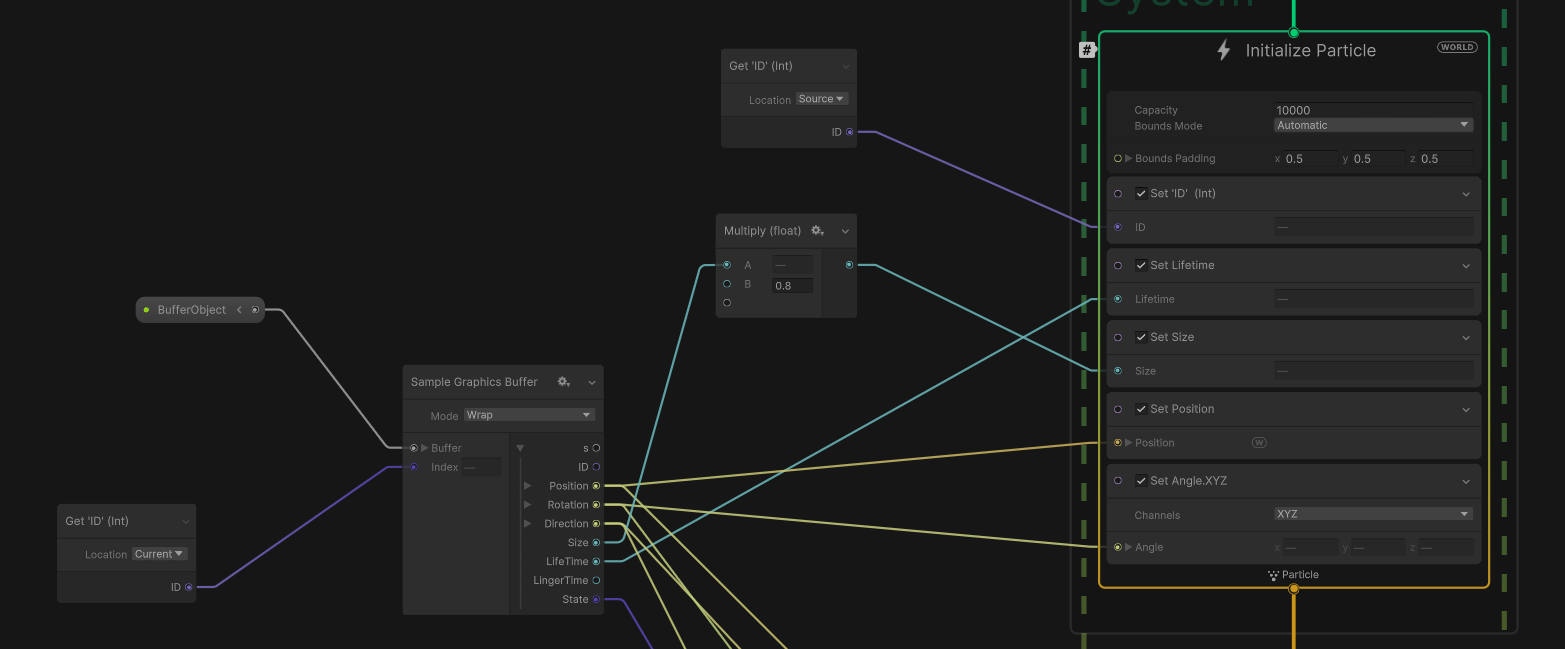


 inland tusk
cool, when it says it's getting the ID from source, where exactly is it getting this from? are you setting that in a script and retrieving it or something?
ashen robin
inland tusk
cool, when it says it's getting the ID from source, where exactly is it getting ...
I use a combination of the vfxevents and buffers
those things
inland tusk
wow this looks like what I need
ashen robin
So what I'm doing is getting the system's max ids, making a hashset of the max amount of ids, setting an eventattribute and assigning a buffer to that id, and keeping track of those ids in use on the CPU side
inland tusk
thanks a lot for having had the patience to walk me up to here
ashen robin
which also means you need to handle how those particles are removed/hidden from the system when not in use or when a particle is done
(which needs to be all done on the CPU side but since you're controlling it all already it)
inland tusk
yeah i've set up all the bullet movements and stuff jobs/bursted, collisions raycasted with raycastcommand and stuff but figure I need to pass off the results of that for VFX anyways
 honest breach
Yo bros, any one know if I forgot something ? In engine I have a torch vfx that loads, when I build it for IOS my flames arent appearing :
Don't know if there is a quick/easy thing to check on ?

 warm torrent
honest breach
Yo bros, any one know if I forgot something ? In engine I have a torch vfx that ...
warm torrent
honest breach
Yo bros, any one know if I forgot something ? In engine I have a torch vfx that ...
If it's a VFX graph, it requires a Compute capable device which your iOS might simply not be
inland tusk
inland tusk
wow this looks like what I need
so I thought this would solve the thing, but it turns out that you can only ever send one VFXevent per frame with unique attributes (boo) , so I wound up doing something ugly which worked 😅

(applying IDs through compares on the frames spawnIndex)
ashen robin
inland tusk
so I thought this would solve the thing, but it turns out that you can only ever...
Right, you'd have to use the direct* link feature for multiple events in a single frame which itself requires a bit more setup
inland tusk
thanks, tried that though and read around and it doesn't work - multiple events in themselves are called yes, total number of particles, but any attributes passed with the event are overwritten and it just applies the last event attributes for all of them
I thought it would be just the ticket
just justified complaints and statements from unity staff that it doesn't work that way sorry on the web
(was up way too late last night)
ashen robin
https://discussions.unity.com/t/new-feature-direct-link/847493
That's the full page of on it if you didn't find it, but I've not ran into problems with it from what I've been doing. But then again, most project I am using buffers for are a little more dated, 2021, 2022 versions
inland tusk
yeah I found that, I do think I tried it and it didn't work, in multiple ways. I'll go over stuff again and see if I can dig out the relevent pages from a million tabs. I seem to mostly be reading about how eventAttributes themselves overwrote each other and the last one was used (I was sending multiple events with different settings eventAttribute, even dirrent eventAttributes themselves and wans't getting expected behaviour, though it did get too late and I'm entirely capable of getting it wrong.
I'm using 2022.3. Would be nice to get it working properly! when I saw direct link in the link you posted it seemed perfect but everything I did with it I was getting the last attribute data applied to every event sent that frame
ashen robin
inland tusk
yeah I found that, I do think I tried it and it didn't work, in multiple ways. I...
The reasoning for it all is because the devs don't want you doing a copy every time you invoke one of these events, and that the most performant way is to just update these buffers once. So, if you do have like a bunch of enemies shooting a bullet with the same VFX, then the idea would be to accumulate all these events and then copy it in late update. Well, that was my understanding with it and it seemed to been working for me.
But it's not something I've totally eye'd down and made sure was producing the correct amount of particles.
inland tusk
Yeah for sure makes sense to pile them all into the buffer at once. I was (I believe, I was mad tired in the end) that attributes that I was trying to set (int IDs) in the eventattributes would only ever be of the last type when there were multiple in the same frame (in my use case I'd be spawning eg: 20 (1) 35(2) 15(3) 55(1) etc etc ). I do remember reading about how evenattributes aren't actually sent when they are reached in code and are pushed together later in the frame)
I also seem to remember spawnCount also acting similarly, but I will look into it again as I don't like the above approach I settled for even though it allowed me to progress well
 trail vine
Hey all! I’m working on a snowflake effect for my 2D game. It’s looking pretty decent so far, but I’d love some feedback or advice to refine it.
Here’s where I’m at: I initially set up the snow effect to cover only the camera view and follow it around, which worked well for my rain effect. But since snow falls slower than rain (which is what I want), it spawns slowly too. So, when the player starts moving, the snow doesn’t fill the entire area around them quickly enough. To fix this, I adjusted it to spawn snowflakes around the camera view as a buffer, which gives the particle system enough time to cover the space as the player moves.
This works but has a trade-off: I’m currently using around 3000 particles, which is a lot for what’s actually visible on screen. The majority of these snowflakes are outside the visible area, and I’m concerned this might hit performance on lower-end systems. If anyone has ideas on how to keep a good snow coverage without using so many particles (or any other optimizations) I’d really appreciate it!

 dire flower
Hey guys any tips on where i can learn how to make cool textures for my particles? i want the textures to be my own, so i would like to learn how to make fire textures and some of my own ideas but im so bad at drawing its insane so i need someone to show me how to draw, not really how to make the texture in it self if you understand what i mean.
warm torrent
trail vine
Hey all! I’m working on a snowflake effect for my 2D game. It’s looking pretty d...
One option is to use a texture with multiple snowflakes rather than singular ones, so you can have dozens of them per one particle
You can also "wrap" their positions by teleporting them to the other side of the screen when they exit the camera's extents
VFX Graph can handle a couple of million particles easily so no worry about grouping them, and you can build the wrapping logic right into the system
With Particle System you have less of that efficiency and less options, so the wrapping would likely have to be a script and using multiple flakes per particle could become even more necessary
An entirely different way to approach it would be to create the snowflakes programmatically in a shader (post processing or geometry covering the area), which places no limits on how many flakes you can have since it could be a type of animated noise
inland tusk
ashen robin
The reasoning for it all is because the devs don't want you doing a copy every t...
thanks for encouraging me to look at this again, I went though the sample again and got it working. Actually looking at my code from last time when it wasn't working I can't see what was different but it's working now 🤷♀️ 6AM programming is not best programming.
thanks again
cinder iron
When i look in a specific angle with the camera, the vfx graph disappear
There is an option or a setting to touch to prevent this behaviour ?
warm torrent
cinder iron
When i look in a specific angle with the camera, the vfx graph disappear
There i...
cinder iron
warm torrent
It's the bounds <https://docs.unity3d.com/Packages/com.unity.visualeffectgraph@1...
I tried that few minutes ago but nothing happens, that works now because the value need to be high
Thanks for the answer !
warm torrent
cinder iron
I tried that few minutes ago but nothing happens, that works now because the val...
The bounds need to encompass your effect, since the extents are used for culling the vfx graph when off screen
This is because the culling system has no knowledge of where the particles are, and neither does the bounds system by default
cinder iron
Thanks for the clarification 😃
I have an another problem, but this time i find nothing on the internet
When i move my camera in some angles, the particles looks different (like the color change, or particles receive more light i dont know)
I think its related to the Lit shader but im not sure 👀
 warm torrent
cinder iron
Thanks for the clarification 😃
I have an another problem, but this time i find...
warm torrent
cinder iron
Thanks for the clarification 😃
I have an another problem, but this time i find...
That's exactly what's happening
Billboard particles always face the camera, so as the camera moves or rotates the particle's angle relative to the light sources changes and so does the reflected light
cinder iron
There is way to counter that ?
warm torrent
cinder iron
There is way to counter that ?
I don't know what the generally accepted solution would be, but something that may help is to use a spherical normal map (though that might make the particles blend poorly together) or to use a translucent material that allows the material to be lit equally regardless of where it's facing
cinder iron
warm torrent
I don't know what the generally accepted solution would be, but something that m...
A translucent material type + Only ambient lighting seem to fix the problem !
warm torrent
cinder iron
A translucent material type + Only ambient lighting seem to fix the problem !
You can get it to react to direct lighting regardless of distance, but I don't recall the exact steps
Some specific diffusion profile settings iirc
inland tusk
Is there any node to generate random velocity from a sphere with a kind of slice on it, so it could do a sphere, a hemisphere or cone? Kind of like a direction with a degrees divergence which wraps around in a circle
dire flower
inland tusk
Is there any node to generate random velocity from a sphere with a kind of slice...
turbulence?
 pseudo olive
I'm learning unity for a uni project, how would I go about creating a similar effect?
 ashen robin
pseudo olive
I'm learning unity for a uni project, how would I go about creating a similar ef...
ashen robin
pseudo olive
I'm learning unity for a uni project, how would I go about creating a similar ef...
HDRP has volumetric lighting which is pretty easy to slap on but here it's creating a refraction of the water to create those rays which adds some complexity.
pseudo olive
Hehh this needs to run on a Quest 2 so probably having real-time calculate light rays is not the best way to do that
ashen robin
Well, the old trick is just to use quads with some transparency if you want to go about a lighter solution
pseudo olive
What's a quad? I'm new to learning all this stuff
ashen robin
scroll a texture on the sea floor
a quad is just two triangles worth of vertices
basically you're creating a flat 2D image of the light, texturing it with an image that represents the rays, then using transparency to cutout the image
pseudo olive
This might be a very good solution
Unless I can test that the hd pipline has good performance on quest 2
ashen robin
it's worked for computing games for 30+ years now so yeah always a good solution, but may need some tuning with how it's shown to the player as in a 3D setting you have to keep the illusion that it's not 2D
some solutions is minor billboarding (try to make it face the camera as much as possible), and need some solutions for when the player walks into the rays like
the closer the player is to it, the more difficult it is to keep that illusion
warm torrent
@pseudo olive Try to find tech breakdowns of the visuals of both modern games as well as games from 20 years ago
For the best mobile and other types of high performance graphics you'd combine the graphical innovations from both time periods
pseudo olive
warm torrent
<@178143750000738304> Try to find tech breakdowns of the visuals of both modern ...
Do you have any place I could start looking?
warm torrent
pseudo olive
Do you have any place I could start looking?
I don't know of any very specific place but youtube is full of graphics tech stuff as well as graphical breakdowns of old games if you search for it
The site https://80.lv/ has a lot of relevant articles (though irrelevant ones too)
A lot of the good info is on random blogs, which you should be able to find by googling for the right topics
Few are actively maintained or have many articles at all, but http://simonschreibt.de/game-art-tricks/ is one
Most blogs of that sort are from a random dev who drops one or two articles and then disappears into the ether, which can be harder to find
 queen plover
Can particles from a ParticleSystem be used as a mask for other sprites? (specifically for other particles from particlesystem)
Context: I'm making sunlight godrays (particlesystem) and dust particles (also particlesystem) that should be visible only while inside the godrays
ashen robin
queen plover
Can particles from a ParticleSystem be used as a mask for other sprites? (specif...
If it's not included on the system itself then you need to make a custom shader for it with the stencil values. You can also use URP render objects to stencil by layer if you want to do it that way with the standard particle shader.
 abstract crow
is there anyway to achieve per pixel sorting? when I have my player as the parent of a particle system, all particles are sorted based on the players Y axis, meaning if the player is below some objects, the particles render above the objects, but vice versa when above.
scratch that, its not because of the parent, its because the mesh that holds all the particles has one single sort point
im assuming theres no way around this
ashen robin
abstract crow
is there anyway to achieve per pixel sorting? when I have my player as the paren...
With a single system that does sound complicated because changing the sorting queue would probably update all current particles, so perhaps the best way to go about this is to z-sort any new particles
Actually, if you want to clarify a bit more with an image so I can get an idea of the perspective
abstract crow
 abstract crow
ashen robin
With a single system that does sound complicated because changing the sorting qu...
abstract crow
ashen robin
With a single system that does sound complicated because changing the sorting qu...
no clue how I would sort new particles, it appears they are all drawn on a single mesh with a single sorting point/pivot
ashen robin
Ah, ok so yeah you want to y-sort each independent particle. Maybe spazi knows a better way to go about it, but as each particle itself doesn't include those sorting layer properties, I can only image changing the z-sort by iterating through each particle.
ashen robin
I was actually doing something similar a while ago in a 2.5D project, but there you have the option for depth which makes things heck of a lot easier to sort.
But technically you also do have depth in 2D, it's just unity does sorting by using a transparent queue primarily
abstract crow
yeah but that sorting is completely different to the y sorting right?