#✨┃vfx-and-particles
1 messages · Page 14 of 1
 eternal herald
 fringe sable
Guys how to make trails only orbit the object, not create a "tail" when object is moving
Cause I wanna make "spinning" effect around my objects
 ashen robin
fringe sable
Guys how to make trails only orbit the object, not create a "tail" when object i...
ashen robin
fringe sable
Guys how to make trails only orbit the object, not create a "tail" when object i...
Both systems have stuff like emissions over distance
fringe sable
Oh my bad, it seems like the trails are orbiting the object only in editor
In edit mode
 raw torrent
are you making a jjk game?
raw torrent
eternal herald
Yeah
nice do you have a discord server for them or a youtube channel or smth
eternal herald
Yeah I do
raw torrent
can you dm me them please
eternal herald
how do i rotate the red part that i circled its in a shader graph btw
 ashen robin
 tame storm
Hey anyone got realistic fire flipbooks?
 errant terrace
tame storm
Hey anyone got realistic fire flipbooks?
tame storm
errant terrace
<https://blog.unity.com/engine-platform/free-vfx-image-sequences-flipbooks>
errant terrace
tame storm
Hey anyone got realistic fire flipbooks?
tame storm
errant terrace
<https://blog.unity.com/engine-platform/free-vfx-image-sequences-flipbooks>
holyy thanks
ashen robin
Why doesnt the particle system provide HDR colors without using a custom shader material?
Or am I missing something here? So I have to choose against being able to change vertex opacity vs HDR colors >_>
Oh, if I expose vertex colors in the shader, will that work? :O
Dang, guess I'll have to make myself a nice vertex shader for it when I get more time
Honestly, next web project I think I'll try out Unity 6 with WebGPU to see if I can get the vfx graph working nicely with it
 warm torrent
ashen robin
Why doesnt the particle system provide HDR colors without using a custom shader ...
warm torrent
ashen robin
Why doesnt the particle system provide HDR colors without using a custom shader ...
Vertex colors, which are used for particle color, only support normalized values I guess
I prefer to use a custom particle shader which has a float multiplier to the vertex color
ashen robin
Ah, ok so I do need to custom shader if I want to use HDR and change the opacity then eh
warm torrent
Or use custom vertex streams to let the particle system control that intensity, or alternatively a HDR color
Unity's own examples use a HDR emission color applied to the material itself, so they have a different material for each different colored effect
ashen robin
I like making these large master shaders and trying my best to stick to a single material instance, but I guess with SRP batching it's not that big of a deal
making a vertex particle shader does sound like something I should make though. VFX graph's particle material has been sufficient so I've not really bothered.
 stuck needle
how would i make this go around in a circle instead of only upwards

 clear spruce
stuck needle
how would i make this go around in a circle instead of only upwards
clear spruce
stuck needle
how would i make this go around in a circle instead of only upwards
could you elaborate bit further on what you are trying to achieve exactly?
stuck needle
clear spruce
could you elaborate bit further on what you are trying to achieve exactly?
i wanted the particles to go in every direction instead of only going up
clear spruce
stuck needle
i wanted the particles to go in every direction instead of only going up
have you tried playing with the Shape module?
stuck needle
ah i see it now thanks
 jagged crow
I have to start a particle in a way where the alpha gradually increases when it plays and then stays alive for some time (i have a collider, if the player goes out of that collider the lifetime calculation should start), and then when it dies the alpha gradually decreases but it doesnt work that way, the particle starts with increase in alpha but it only stays alive for a split second and then disappears.
 ashen robin
jagged crow
I have to start a particle in a way where the alpha gradually increases when it ...
ashen robin
jagged crow
I have to start a particle in a way where the alpha gradually increases when it ...
ya sure you're using transparent particles
jagged crow
ashen robin
ya sure you're using transparent particles
it is actually a transparent grid
like thiss
 ashen robin
jagged crow
it is actually a transparent grid
ashen robin
jagged crow
it is actually a transparent grid
Usually when I see non-linear opacity blending, it's usually because I'm using opaque objects without alpha clipping. If not that, the only other thing I can think of is perhaps you've a custom shader such that you should be modifying the shader fields themselves or by exposing the vertex colors.
Actually, I don't think that would be it since the alpha shouldnt even affect it at all, but worth a look.
Oh, you're also using Multiply node over Set. Try using that instead.
jagged crow
ashen robin
Oh, you're also using Multiply node over Set. Try using that instead.
it was to multiply the set color value, i thought it would make difference but it didnt.
 ashen robin
Use Set Color Over Life
jagged crow
what im asking is if i set the value of "Set Lifetime" to 5 seconds, it should only start calculating the life after I turn on a boolean. Same with the Set Colo over Life for ending the color alpha to 0
ashen robin
and change the alpha
jagged crow
ashen robin
Use Set Color Over Life
oh okay lemme try
jagged crow
ashen robin
and change the alpha
should it be in update context or output
ashen robin
I think there may just be a change transparency node too? I forget
Usually I throw it in output
jagged crow
ashen robin
Usually I throw it in output
okie lemme try

 jagged crow
this is what happens
https://media.giphy.com/media/v1.Y2lkPTc5MGI3NjExYW5ycmluO...
jagged crow
jagged crow
this is what happens
https://media.giphy.com/media/v1.Y2lkPTc5MGI3NjExYW5ycmluO...
it is turning on properly but it dies quickly because of the set lifetime set to 5 seconds
ashen robin
not too sure how settting the lifetime in the output behaves
something I set in the initial context and dont touch thereafter
looks like it does fade though so it's just a matter of figuring out why the curve is being modified
jagged crow
ashen robin
something I set in the initial context and dont touch thereafter
wow that fixed it lol
thank you
ashen robin
output is strange for some stuff, but usually if you only want to set once you do it in initialize context
jagged crow
ashen robin
output is strange for some stuff, but usually if you only want to set once you d...
okay this solved half of my problem, now what i need to do now is i need to activate that lifetime when that IsPlayerOut boolean is set to true, but it doesnt work that way

like the death timer starts when the boolean gets activated
ashen robin
meaning that you don't want the particles to ever die?
in that case you wouldn't touch lifetime
you need to make your own time variables
jagged crow
ashen robin
you need to make your own time variables
yes but how do i use them, im new to VFX Graph and Im not sure what to do to get this result
ashen robin
jagged crow
yes but how do i use them, im new to VFX Graph and Im not sure what to do to get...
https://forum.unity.com/threads/vfx-questions-regarding-initial-spawning-and-lifetimes.982995/
Here's a post about some attributes you can probably consider using
Unity Forum
Hello
-
How do you set the particles to have an initial random position in a hemisphere rather than just a sphere?
-
Is there any way to use a seed...
specifically removing reap from particles
then I think you can probably be fine with using lifetime I think
you'll just have to set the age of the particles back to 0
 elder barn
Hi friends! I'm currently optimizing our game for low end devices and noticed that our Dust Particles seem to be pretty expensive, even though they are only occupying a really small fraction of the screen (see attached image). We have a VFX Graph that is stretched over the entire level and spawns these particles randomly there. After reading up about vfx graph culling, I think from a performance perspective it would be better to have multiple small vfx graph spread out between the levels. So for example 5 20x20unit vfx graphs instead of one 100x100unit vfx graph. That way all that are not currently visible can be culled and are not calculated/rendered. Does somebody have experience with whether or not that might give us an fps improvement or am I missing something? Of course I need to implement and profile it, but I wanted to check if i'm on the right track first 😄 Would also be down for alternative solutions, since this feels kinda hacky.

I'm also wondering if the "old" ParticleSystem might be a better fit for this, since it might have better culling for stuff like this? It's just a Sprite, so we don't really need any of the fancy VFX Graph functionality
warm torrent
elder barn
Hi friends! I'm currently optimizing our game for low end devices and noticed th...
What's the hacky part? Naturally you don't want to have all the particles in the whole scene running at all times outside of the screen
VFX graph particles are not inherently more "fancy" than particle system particles, but they are simulated on the GPU which low end devices might lack in sufficient capacity
elder barn
The hacky part would be to have dozens of vfx gameobjects in my level placed directly next to one another. 😅 At least in my eyes, this is not really ideal. I'd rather have one vfx that is only drawing and updating what is currently visible to the camera. Is this "all or nothing" bounding box a limitation from the GPU based approach or does the CPU based Particle System have the same limitation?
skipping the simulation of particles that are not visible would of course also require to adjust the spawn rate, otherwise they keep spawning offscreen but are not fading away because they are not simulated.. hmm.. Probably splitting them up into multiple autonomous vfx is the most straight forward solution
warm torrent
elder barn
The hacky part would be to have dozens of vfx gameobjects in my level placed dir...
Same limitation
VFX Graphs and Particle Systems are each one procedural mesh generated from the particle simulation
The particles don't exist in any independent capacity
VFX Graph at least in later editors has automatic instancing so multiple graphs of the same type are rendered in one pass if they are on screen at the same time, so that'd be a plus
An alternative is to attach the graph / ps to your character or camera and spawn the particles in world space
With vfx graph you can do some math to spawn particles in the direction the player is moving, and cull them from where the player is coming
But I don't really see the point of that when having multiple ones would be simpler
elder barn
warm torrent
With vfx graph you can do some math to spawn particles in the direction the play...
ahh cool idea, i can attach the particle effect to the player/camera and have the particles spawn in world space. that way the spawn box always moves with the camera and only spawns particles in view. Then with some math i could offset it in the run dir like you said. Thats probably a bit overkill but it does allow the particles to move more freely. Otherwise they'd need to stay inside their "chunks". I will do a bit of prototyping in both directions and see what i like best 🙂 Thanks so much for the help!
warm torrent
elder barn
ahh cool idea, i can attach the particle effect to the player/camera and have th...
Nothing wrong with "chunks" tho
Odds are your levels are made of similar chunks of meshes or sprites anyway
Sprites and particle systems also are meshes in the end
 hollow nymph
Fog keeps messing with my particles

 reef pawn
 ebon moth
this is kind of out there but has anyone made a hand written shader that supports vfxgraph or any simple official examples of such?
(reason is I have the majority of my project using a palletized look and vfxgraph decals dont support shadergraph so I cant make these changes)
ashen robin
ebon moth
this is kind of out there but has anyone made a hand written shader that support...
you can use shader graph made shaders, or with the more newer editor versions you can inject hlsl if you wanted to
ebon moth
so I did try the custom hlsl block, I dont think I can modify the final color of the particle decal though - the color is simply the value that is multiplied by the sampled texture, and not the final output.
 ashen robin
Ah, could be some limitation to them. I'd check around the forums as it's still a pretty new update
 prisma panther
I was wondering where this person foudn their slash textures from, they didnt make them themselves https://vxtwitter.com/i/status/1686408631145869312

Some greatsword slashes I made for someone 😙#RobloxDev #realtimeVFX #RobloxVFX #RobloxDevs
💖 613 🔁 39
if not can anyone show me a good tutorial on how to make slashes using after effects
warm torrent
prisma panther
I was wondering where this person foudn their slash textures from, they didnt ma...
ashen robin
https://i.imgur.com/oXGfrYy.png
We webgpu now. Pretty good performance too for having 100 systems here.
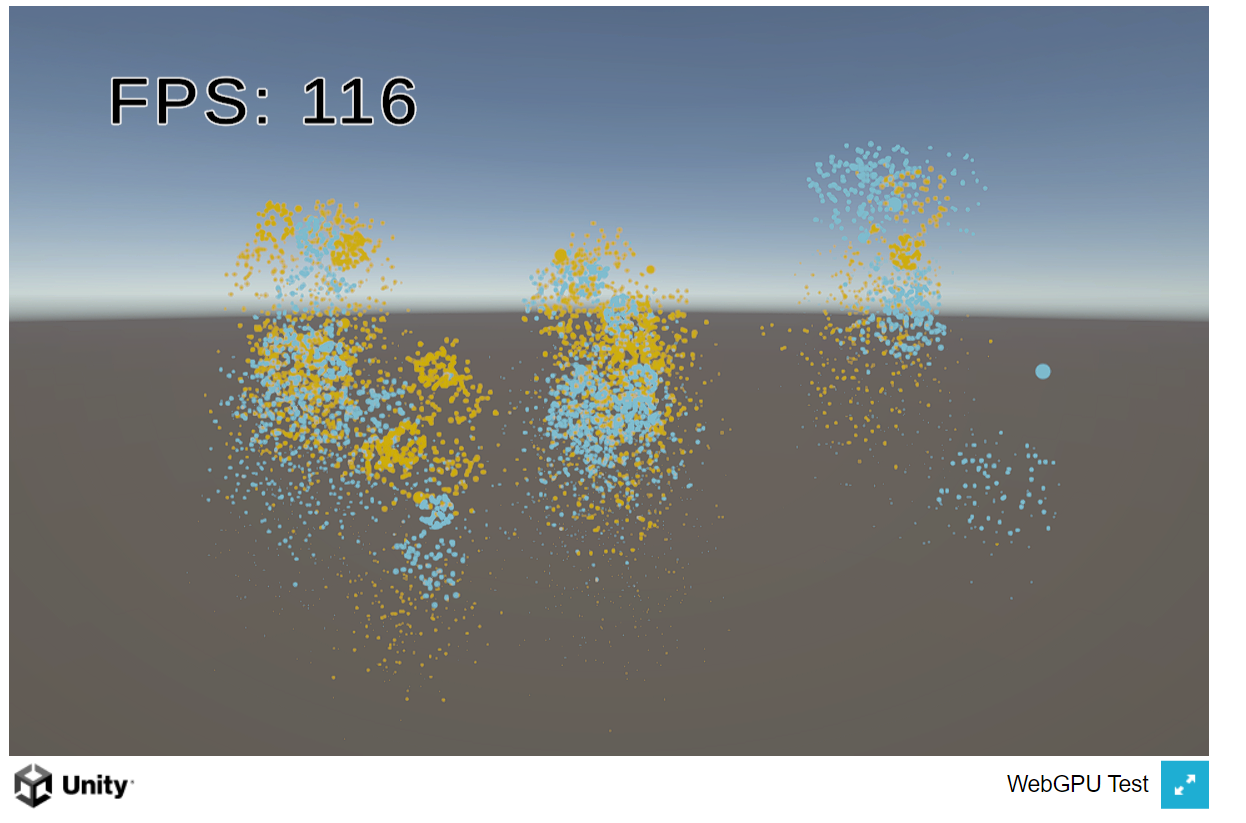
Going to try pumping out a bunch of skinned mesh particle systems and see how well that holds
ashen robin
Works pretty good. Generating around 50k spheres here
All chromium browsers. I wish firefox would enable it by default already.
ashen robin
https://cdn.discordapp.com/attachments/288887968960086016/1248173783504785408/chrome_icG26aLDy1.mp4
Last one, 100k-ish spheres with some SDF baked around on most parts
 ruby skiff
I want to create a vfx that disintegrates an image or a 3D mesh into small particles and then they start to gather at a point. The problem is, particles all spawn with same texture. i want them to spawn with the texture that is behind them (relative color). Can someone help me out?


 high walrus
any tips/tricks/tutorials for making a storm/typhoon/windy day sorta particles for a scene?
warm torrent
high walrus
any tips/tricks/tutorials for making a storm/typhoon/windy day sorta particles f...
with which system?
high walrus
warm torrent
with which system?
vfx,shader,particles
honestly anything
as long as it works
or is there a specific one thats better for making those
im pretty new to visual effects ;-;

A Client asked me to do a set of effects for a strong storm, with tornado included.
id like to make sth similar to this (minus the tornado)
warm torrent
high walrus
honestly anything
Noise is very useful for windy type effects, maybe trails if you want it a bit cartoony
Force fields let you create vortexes or drafts
VFX Graph has vector fields which can be authored to contour physical areas in your scene
Shaders are useful for more solid effects like tornados themselves
high walrus
warm torrent
Noise is very useful for windy type effects, maybe trails if you want it a bit c...
thankss
ashen robin
high walrus
vfx,shader,particles
You'll want some shader knowledge and vertex manipulation for that. It blends a lot of stuff, but at the heart of it all it's transparent textures being scrolls over a mesh that's being changed slighty every frame
Shaders go hand in hand with particles and animation
 peak totem
Uhh not sure where to put t his but I guess this is in the best spot, I made this texture in material maker. And I'm trying to think of the best way to apply it to a material and have transparency for my particles. I'm in URP and I'm trying to have it support emission

Anyone have a clue?
No matter what setup I do it just kind of ends up lookin weird
Heard someone mention for the best result I should create a shader but not sure what to do xD
ashen robin
peak totem
Uhh not sure where to put t his but I guess this is in the best spot, I made thi...
particle shader supports emissions so it should be as simple as flipping a bool
you may need to make a new material for it though
peak totem
As in the default particle shader in unity?
ashen robin

yeah, but looks like you do need to make a new material
and slap back on the Particle Shader
peak totem
Instead of it being the pure white as shown in my png it's this musty color
 ashen robin
Eh, try different color mode up there
peak totem
Oh well for one I wasn't using the URP particle I was using the normal one so that probably would help
ashen robin
Additive is what you probably want if you're going to use emissions
peak totem
There we go it's lookin more like how I wanted, thanks
 ashen robin
I think someone mentioned that the standard particle shader uses alpha to also darken the particles beyond clipping blending?
Unity Forum
Hi, Quick question about particles.
For some reason, when creating a particle system in 2019.1.0f2 LWRP i'm getting this dark aura on all my particles...
warm torrent
ashen robin
I think someone mentioned that the standard particle shader uses alpha to also d...
It doesn't darken the particles and doesn't have anything to do with clipping
As bgolus explained in the first post, the particle color channels just fade to black from the center at the same rate as the alpha channel does
So halfway you end up blending with 50% alpha to 50% grey, instead of 50% alpha to 100% white for a more vibrant color
That's probably not the exact issue here though
warm torrent
peak totem
Instead of it being the pure white as shown in my png it's this musty color
The "mustiness" is most likely from the post processing tonemapping profile
With default settings 100% white isn't fully bright, but a bit darker
So you'd enable emission and increase emission intensity for the emission color to push it past that
As long as you're not tinting it grey in any particle system module inadvertently
Additive materials are likely to appear brighter, but don't really give you any more control over the brightness from what you had with alpha blending
And unfortunately any emission intensity and color you set in the material cannot be influenced by the particle system
For that I prefer to use a custom particle shader that multiplies the vertex color by an intensity property, so the particle color can dictate the emission
 quiet epoch
Hello ! I would like to display a vfx above a button(the button will be invisible) but I struggle a lot.
technically this is what I got
But when I make this button spawn (it a simple dialog box) everything spawn except the vfx or lets say it spawn because I found it in the hierarchy but the camera don't render it.
And I use cinemachine for the camera and feel a little lost even if I guess I have to have a specific camera with a specific layer to display it (it don't work)

 merry spade
can someone help me with this? i dont really know why the particles only show up when the camera is zoomed in (in game)
is there any way to make them to always show up?
nvm i fixed this
warm torrent
quiet epoch
Hello ! I would like to display a vfx above a button(the button will be invisibl...
Particle systems and vfx graphs are not UI components so they cannot function properly as part of a Canvas hierarchy
The "camera doesn't render it" likely for this reason
I expect they are rendering but in world space rather than in the space of the canvas
 lunar cargo
How can I add animation in Particle system? I have a 3D object, its animation is ready, I want to add it to the particle system. Can you please explain what I need to do for this?
warm torrent
lunar cargo
How can I add animation in Particle system? I have a 3D object, its animation is...
What does it mean to "add an animation to a particle system"
 torn sky
how do i instatiate a visual effect object properly? Like i wanna instatiate the blood visual effect and destroy it when it's done playing
lunar cargo
warm torrent
What does it mean to "add an animation to a particle system"
For example, there is a bird and its wings are fluttering, I want to use it by adding it to the particle system. I prepared the animator. Everything didn't work when I added the animation to particle system. Of course, if there is such a thing, it is in Unity. I don't know how else to do it.
warm torrent
lunar cargo
For example, there is a bird and its wings are fluttering, I want to use it by a...
No such thing
Animator modifies component properties in a hierarchy of gameobjects, nothing more nor less
Particle System generates a procedural mesh from the module properties
So, while a hierarchy of bone transforms can be animated to flap by keyframing relative bone positions, fundamentally no such properties exist for particles
Animated particle meshes are usually vertex shader based, like this example
Or they are flipbook animations and do not have perspective or directionality
quiet epoch
warm torrent
I expect they are rendering but in world space rather than in the space of the c...
yes and no I guess , I make spawn a dialog box in the middle of the screen and if I make spawn the vfx on the player it dispay in the same "physical space" than the dialog box
so not sure but yeah of course it has something related to what the camera display/render
warm torrent
quiet epoch
yes and no I guess , I make spawn a dialog box in the middle of the screen and i...
That will not happen if you try to stuff the particle system into the Canvas hierarchy
Not how you expect it to anyway
 surreal abyss
The weapon is inside the camera and I don't want them to see it from the inside, is that possible?
 warm torrent
surreal abyss
The weapon is inside the camera and I don't want them to see it from the inside,...
warm torrent
surreal abyss
The weapon is inside the camera and I don't want them to see it from the inside,...
Not really a vfx question but there's many potential ways around it
The simplest one is to decrease the camera near plane but don't do it too much
eternal herald
surreal abyss
The weapon is inside the camera and I don't want them to see it from the inside,...
Try use a double sided shader but I don’t think that’s the issue
 bleak frigate
Hello, I've just tried to import the Cartoon FX Particle pack from the assest store, but all the particles appear blocky? Any ideas on what might be going on? I've tried reimporting shaders and removing compression from the textures but not had any luck.

 atomic zodiac
Hello guys

I see everything black when I put the game in play mode. how can I solve it?

 warm torrent
 fast olive
any ideas on how i can make the particle cut outside the cylinder??
fast olive
any ideas on how i can make the particle cut outside the cylinder??
"Cut"?
fast olive
 ashen robin
wat
warm torrent
Describe in precise terms please
fast olive
The projectile particles shouldn´t be rendered inside the Root AoE cylinder
That red cylinder should mask the projectile
warm torrent
Masking with stencils should be useful for that
ashen robin
yeah id do stencils
fast olive
thank you!!
warm torrent
Note that the way every render pipeline implements stencils is different in one or more ways
And with modern RPs tends to have changed over time along with updates, so research instructions carefully
eternal herald
when will vfx graphs get an updates or is it unknown for now
eternal herald
what does this mean
 warm torrent
eternal herald
when will vfx graphs get an updates or is it unknown for now
warm torrent
eternal herald
when will vfx graphs get an updates or is it unknown for now
It gets mainteanance updates constantly, and new features in every new tech stream release of the editor
https://portal.productboard.com/8ufdwj59ehtmsvxenjumxo82/tabs/9-vfx-graph
warm torrent
eternal herald
what does this mean
There may be a division by zero in your vfx graph math somewhere, or it may be just something that occurs internally
Usually it doesn't break anything
eternal herald
Oh okay Ty
ashen robin
I usually get spammed by errors from shader graph but most people on the forums say you can ignore them
not like you can do much anyway if it's not on your end
 tender comet
should i be manually handling the deletion of particles i instantiate through scripts? i've set a start lifetime (after which they seem to go invisible) but they keep appearing on the tree to the left. Should I just call the Destroy after some time on the instantiated particle prefab to delete it properly or is it just some other field in the particle inspector i've missed
ashen robin
tender comet
should i be manually handling the deletion of particles i instantiate through sc...
there's a field in there that'll give you options for when the lifetime of the system expires like self-destruction or callbacks
otherwise just make your own timer variable and clean it up.
ideally, you object pool them if you're constantly spawning them
peak totem
peak totem
peak totem
https://cdn.discordapp.com/attachments/1112699795308544082/1249847578858750103/2...
 nimble axle
how can i give the illusion of glass in the background
eternal herald
is there a way to completely stop the vfx just like the square button option


 tired summit
peak totem
https://cdn.discordapp.com/attachments/1112699795308544082/1249853208017371267/2...
tired summit
peak totem
https://cdn.discordapp.com/attachments/1112699795308544082/1249853208017371267/2...
That's only on a plane, right ? Or is it a full torus ?
peak totem
tired summit
That's only on a plane, right ? Or is it a full torus ?
torus
ashen robin
eternal herald
is there a way to completely stop the vfx just like the square button option
Only stops the spawning, much like the stop events you can throw in the graphs
you can probably reduces secondary gpu event particles using vfx events though I think
making a nice editor specific script for testing particles is something I've been meaning to do
 twilit lagoon
Regarding the Camera Fade node inside the VFX graph.. is there a way to have the same behaviour, but instead of having it affect the Alpha, it affects the scale of the particles? Here's what I tried, but it didn't seem to work

 warm torrent
twilit lagoon
Regarding the Camera Fade node inside the VFX graph.. is there a way to have the...
warm torrent
twilit lagoon
Regarding the Camera Fade node inside the VFX graph.. is there a way to have the...
I wonder what would be the point of that
Everything shrinks the further you are viewing it thanks to perspective
twilit lagoon
warm torrent
I wonder what would be the point of that
Everything shrinks the further you are ...
Thanks, I meant it to decrease the particles size the closer they get to the camera, instead of using Alpha Fade, if that makes sense?
warm torrent
twilit lagoon
Thanks, I meant it to decrease the particles size the closer they get to the cam...
Oh that way
It does make sense
ashen robin
distance calcs seem like a lot of work
I would just grab depth values or something, no?
warm torrent
I'd think VFX Graph should have some kind of blocks for automating that
ashen robin
probably does
then again, it's probably not that big of a deal if it's all in the gpu
ashen robin
something like that maybe
screen space sounds like an idea too
actually probably better at doing it in the shader
warm torrent
ashen robin
actually probably better at doing it in the shader
Why precisely
ashen robin
I feel like it's easier if it's done there, though I can think of ways of managing it purely in the vfx graph
rather, I already know the macros I need in hlsl to do it haha
doesn't really seem like you can sample the depth buffer that easily too if I wanted to do it that way.

also that apparently
warm torrent
Depth buffer is not necessary if you just need the current point's distance to camera
Probably wouldn't want to use it in shaders either if you're scaling the geometry
ashen robin
true, it's just usually you have the information of the depth buffer so you might as well just use it, otherwise you would need to do additional operations for distance but honestly it's probably such a minor optimization considering how crazy gpus are at this stuff
I guess you actually need to normalize the distance anyway to view space depth
warm torrent
ashen robin
true, it's just usually you have the information of the depth buffer so you migh...
I thought sampling the depth buffer had its own cost and limits you to non-opaque effects
But I'm not totally sure about that
ashen robin
Oh yeah I'm actually not too sure about that either. I just know from opengl that usually depth information to view is some linear equation and the idea of being able to avoid matrix calculations or any squareroot equations is preferable
but this maybe less relevant for today
warm torrent
I'm more interested in how you would for example combine the Screen Space Size with another size
For example to have a pixel size as the minimum or maximum
Maybe something I'm missing about VFX Graph or it's just a block that takes no arguments like current size or how to blend with it, and no weight parameter either
twilit lagoon
I guess there's just no block which does the same thing as the Camera Fade, but that modifies the Size/Scale of the particle instead of Alpha?
I'm on HDRP btw
ashen robin
Not too sure what you mean. Your blocks there seems like you get the distance, no?
So assuming you want to go by that, you need to normalize this distance to some scaling modifier
eternal herald
ashen robin
Only stops the spawning, much like the stop events you can throw in the graphs
Oh okay I made a script so it hides the object and in made it stop spawning then respawn so it’s ready to be used again
ashen robin
eternal herald
Oh okay I made a script so it hides the object and in made it stop spawning then...
if you do it by compute buffers you can actually use IsAlive bool inside of the update
but if you have independent system you can probably toggle it for the system too i guess
eternal herald
Oh idk what that is cause I’m new to coding
ashen robin
yeah dont worry about it then. Mostly if you want full control of the particles, you need some more scripting logic outside of the graph
 golden sundial
How would I go about changing individual Particles Sorting order during runtime, so it looks like particles go behind things in a 2d game? I dont want to change the whole particle system sorting order, but the individual particles
warm torrent
golden sundial
How would I go about changing individual Particles Sorting order during runtime,...
The particle system is one object composed of one mesh
Individual particles don't have sorting depth
Opaque material particles write to depth buffer so they can be depth sorted against transparent geometry, however
fast olive
can i somehow make trail material work with custom vertex data from its shader
warm torrent
fast olive
can i somehow make trail material work with custom vertex data from its shader
What do you mean by "work with"
Custom vertex data doesn't come from a shader, it comes from the renderer component and then the shader can utilize it
 onyx lake
fast olive
can i somehow make trail material work with custom vertex data from its shader
onyx lake
fast olive
can i somehow make trail material work with custom vertex data from its shader
Did a quick test and it looks like the custom vertex data will only be used on the main material. The trail material seems to ignore it, unfortunately.
rip
 fast olive
onyx lake
Did a quick test and it looks like the custom vertex data will only be used on t...
fast olive
onyx lake
Did a quick test and it looks like the custom vertex data will only be used on t...
tyy
onyx lake
fast olive
tyy
You could try using ara trails from the marketplace and see if that helps. What are you trying to do with the trail?
onyx lake
aight
 warm abyss
Has anyone evere tried to use animator with particle system to controll some event?
I actually have a size over life time in particle system. I Would like to controll this size from script dynamically because the life time changes always during the game . I just want control the size the last second that goes from max to 0.
Any idea about how to solve this issue?
warm torrent
warm abyss
Has anyone evere tried to use animator with particle system to controll some ev...
How should the lifetime change?
Did you try doing what you describe?
 rigid linden
Hello there ! Simple question here ! I'm trying to have particles spawning on the faces of a random mesh of mine and facing the same angle as my faces. I thought the Set Position (Mesh) was the right thing to use but it looks like it doesn't work with my mesh or did I miss something ? Thanks in advance ! (It's scaled by 100 because my supposed mesh is also scaled by 100)


 ashen robin
rigid linden
Hello there ! Simple question here ! I'm trying to have particles spawning on th...
ashen robin
rigid linden
Hello there ! Simple question here ! I'm trying to have particles spawning on th...
Is the system child to the mesh
or rather how do you want this to spawn upon. An invisible mesh or on top of this other mesh.
rigid linden
ashen robin
Is the system child to the mesh
Nope it isnt ! It's just a VFX graph in a scene. I don't want the mesh to spawn to, I'd just like to use it as a "custom spawn mesh" ahah
ashen robin
and what's the exact problem? All particles spawning in the same position?
rigid linden
ashen robin
and what's the exact problem? All particles spawning in the same position?
It looks like, yup !
ashen robin
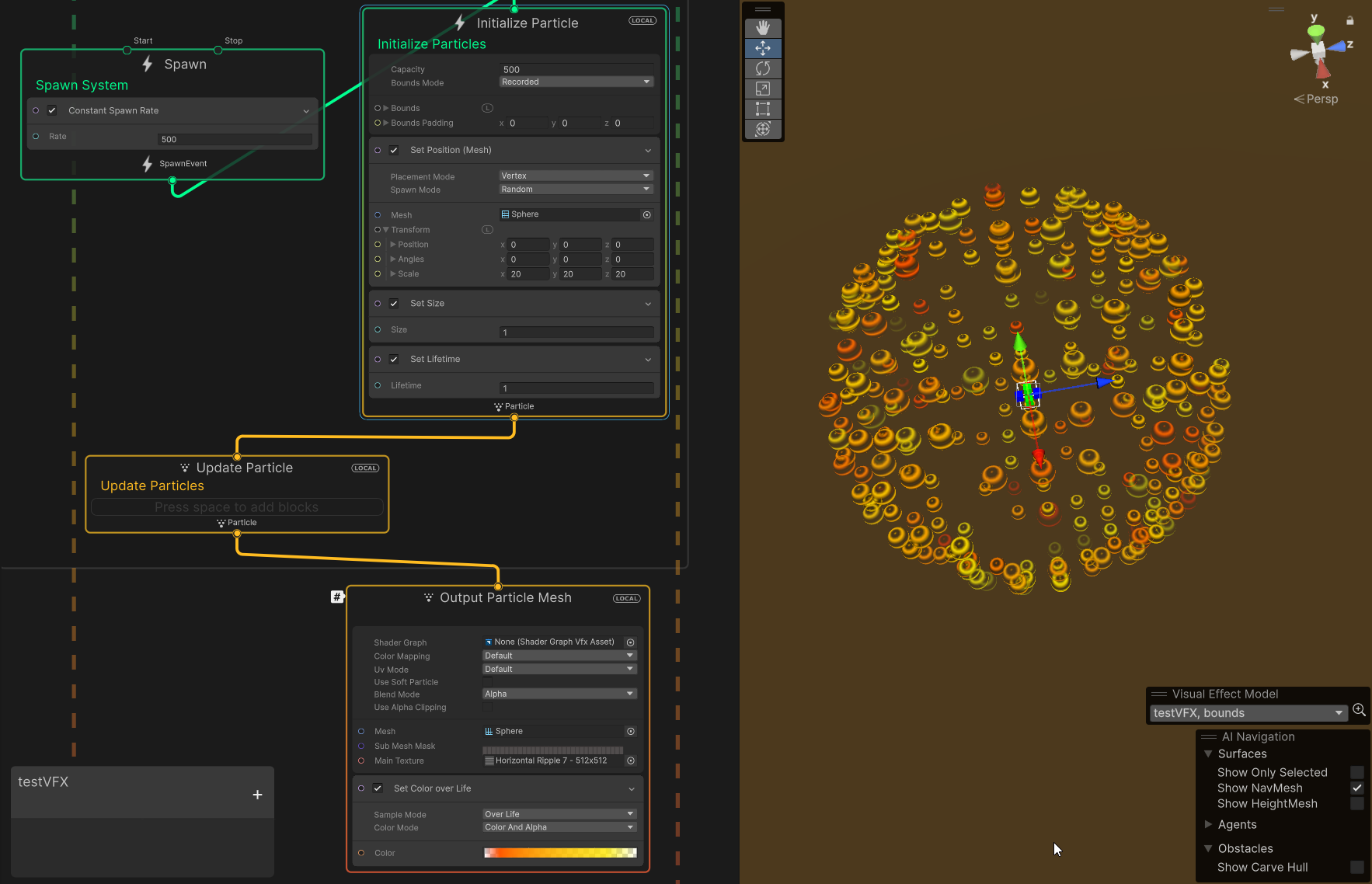
set position (mesh) seems to work for me using the primitive sphere
Could also bake the points using the vfx point cache tool but I'd play around with it more perhaps
rigid linden
Well.... How about a custom mesh ? Actually it does also work for a primitive shape of unity but none of my custom mesh is actually working 🤔
warm abyss
warm torrent
How should the lifetime change?
Did you try doing what you describe?
lifetime can change during the game for many reasons. I just need to decrease the size the last second independently from the lifetime in particle system
I wast thinking about this: Create an animation component and put the size on property and call the event of the size (put in key frame timeline)
warm torrent
Do you have an example of one of those many reasons
It might help be visualize what you want to achieve and why
warm abyss
I tried with the animator but I never used it for p.syystems and I don't know if this solution could work.
Basically we have a breach or portal that opens from 0 to 4 seconds and at the last second it closes. (size over life time does this putting 5 as lifetime)
The problem is that we want that the size keeps being max after 4 seconds even if we have more life time during the game and still the last second will go to 0
think like a portal: from 0 to 4 it oppens and reach the max size .. from 4 to x seconds shuld keep it that size .. last second is the period of closing it
x is variable
during the game for many reasons
WIth p. system i can not control this variable.. because to do this I should take the curve but it's influenced by lifetime that is influenced by the effect. If I just increase the lifetime and take that as variable it sdoes not work because the curve do not keep the last secondo to close the portal
ashen robin
Hehe, reminds me of something I was trying to resolve
Basically you just need to use your own curve and ignore size over lifetime
You can access all particles of the shuriken system so you can change the size like that
warm abyss
I want to control the size from 0 to 4 seconds where size goes from 0 to max size, then from 4 to x seconds keeps the size max, and I want that at (lifetime -1 ) the size goes from max to 0.
Can I control this x like a boss dinamically? keeping x as variable during the game?
ashen robin
that's my portal and it changes based on some size and time modifier
animation curves + updating the particle size yourself
warm abyss
<i need exactly this. Let's say that sometimes the portal lasts 10 seconds and some times 6 and sometimes 5 .. at the last secondo it closes within the same effect
Can you make some screenshot of your solution?
ashen robin
dynamically make a new curve and set your points
warm abyss
I need to understand
ashen robin
I've also tried using multiple curves and chopping them into states such that:
curve #1: size 0 to 1 in 2 seconds
curve #2: size 1 to 1 in 3 seconds
curve #3 size 1 to 0 in 2 seconds
reasoning for that is that my first and last states were constant, but the second curve was what changed on my values
because if you stuck to a single curve then the start and end of the particle would be normalized to all values which is not always intended
warm abyss
where do you make the curves
warm abyss
are three different effect? animator ? c#
ashen robin
they are serializable in the editor
you can probably stick with the animator too and tie it all together, but I prefer doing it this way

cause I like doing that in the editor
warm abyss
so it's c#
ashen robin
right, you need to do some scripting as the UI alone isnt enough
eternal herald
Add angle in particle update adds rotation right ? Cause it’s not working for me
ashen robin
ya need to do it in update
eternal herald
I did but it didn’t work I’ll look at it when I get home
eternal herald
nvm i fixed it its cause i had a set angle in output and add angle in update
 clear bear
"Is the world scan FX in this video achieved solely with a shader, or are there other systems or components involved?

Add depth to your next project with World Scan FX from INab Studio. Find this & more VFX Shaders on the Unity Asset Store.
clear bear
How can i add these?
 warm torrent
clear bear
How can i add these?
warm torrent
clear bear
How can i add these?
Double click the connecting line
ashen robin
clear bear
https://assetstore.unity.com/packages/vfx/shaders/world-scan-fx-263296?aid=1100l...
looks like a decal so decal shader + decal lighting layers
clear bear
warm torrent
Double click the connecting line
hey
clear bear
ashen robin
looks like a decal so decal shader + decal lighting layers
Why can't I select the Red

 agile hazel
Any tips on how to get this less sharp looking on the sides and have more of a smooth look
ashen robin
agile hazel
Any tips on how to get this less sharp looking on the sides and have more of a s...
textures with softer edges probably
otherwise custom shader that does it for you
 amber urchin
how do i make my particle system constantly emit instead of sending out particles in waves?

 frank coyote
this is a Unity server
frank coyote
amber urchin
how do i make my particle system constantly emit instead of sending out particle...
You are probably spawning too many particles. You need to increase the limit.
Notice that you have a "Max Particles" count of 1000 and you're spawning 500 per second
and a Start Lifetime of 12
amber urchin
got it, thanks
frank coyote
(i'm actually not really sure what the Duration property does)
oh, it probably makes the system stop if you don't have Looping turned on
frank coyote
clear bear
https://assetstore.unity.com/packages/vfx/shaders/world-scan-fx-263296?aid=1100l...
I have implemented a very similar effect before, and it was done entirely with a shader.
(and a mesh renderer displaying a sphere)
warm torrent
frank coyote
(i'm actually not really sure what the Duration property does)
Particle System time is always counting up to Duration and then starting over, either looping or stopping as you point out
But additionally it controls every module and property which is based on duration, so basically each one of them that's not explicitly based on something else like lifetime or velocity
warm torrent
So if you set Start Color to a gradient or Gravity Modifier to a curve from the little dropdown, the property will change based on sampling current time / Duration
 sour perch
hello. my particle effect using the sub emitter function but death and collision option not playing the second effect(or im cant see)
warm torrent
sour perch
hello. my particle effect using the sub emitter function but death and collision...
Test first if you can see it with birth instead of death
If not, the issue is not with the sub emitter spawn event
 deft forum
Hey all, diving into VFX graph for the first time - am I missing something simple or is the depth based particle collision basically unusable when you have characters that can walk in front of the particle system and 'block' the depth buffer?
ashen robin
deft forum
Hey all, diving into VFX graph for the first time - am I missing something simpl...
Perhaps using a secondary camera to render the world geometry may be the idea if the player is affecting it negatively terrible idea actually ;)
Usually I bake a signed distance field and use that for world geometry collision as I find it more accurate.
deft forum
ashen robin
~~Perhaps using a secondary camera to render the world geometry may be the idea ...
I like the signed distance field idea there, thanks. Will have a look into
 brazen stirrup
Is there a way to have VFX prefabs display a preview? Currently all of them are black squares and it'd be nice to see each
 oak cloud
anyone know why in editor is correct but when i instantiate a new one it's totally different?
it's on all directions and slowed


 hidden spear
Hello, we are working in the VFX graph for our game.
it's an amazing tool but we can't find some parameters?
so we have a parameter called 'PlayerPosition' but when we restart the engine this script can't find it.
does someone have the same issue and has someone found a fix for this?


 inland tusk
is this node very expensive? I'm doing it on a few thousand particles for half of my game. worth replacing with some 3d noise texture kind of approach?

 woeful kiln
How does one change Colour over lifetime via script? I have this, however colorOverLifetime property is read only
var color = _hit.colorOverLifetime;

color.color = hit.collider.gameObject.GetComponent<MeshRenderer>().materials[0].color;

_hit.colorOverLifetime = color;
You sure it's not a reference problem? Can also consider using property binders:
https://docs.unity3d.com/Packages/com.unity.visualeffectgraph@7.1/manual/PropertyBinders.html
ashen robin
woeful kiln
How does one change Colour over lifetime via script? I have this, however colorO...
It's a ReadOnly property probably. I think you need to assign it by through another field or method.
 clear spruce
inland tusk
is this node very expensive? I'm doing it on a few thousand particles for half o...
clear spruce
inland tusk
is this node very expensive? I'm doing it on a few thousand particles for half o...
Procedural noise functions in general are quite expensive and require quite many operations to evaluate. In this case though I wouldn’t worry too much since you are using only one octave and need only couple thousand particles. Procedural noises can be used in pixel shaders too meaning potentially millions of executions per frame and still with acceptable performance so doesn’t sound bad at all in your case. 3D noises are often not used just because they require a lot of memory to store (compared to 2D textures for example)
inland tusk
Thanks! good to know.
Also, if I toggle the graph on and off in editor it's counting for 8 or so draw calls, with only one output node. Is that expected behaviour?
 edgy acorn
Sup. Having 9 particle sources in a single prefab doesn't look right. Should they all are be in a single particle system or is it fine? Or is there a proper way to optimize this?


 limpid ingot
I have attached particle system to player character. When I press WASD, the particle system is active, but when i hold key or two combine keys (WA, WD, SA, SD), the particle system is disappeared, although it's not correct. Emission in video. Please help!
 tough arch
limpid ingot
I have attached particle system to player character. When I press WASD, the part...
tough arch
limpid ingot
I have attached particle system to player character. When I press WASD, the part...
Ask your question and add some context. If you expect people to guess what the problem is, no one is gonna answer.
ashen robin
edgy acorn
Sup. Having 9 particle sources in a single prefab doesn't look right. Should the...
Nah that's pretty much how it is if you don't want to overcomplicate thing.. there is some optimization if you do combine it all together, but at the rendering level if they use the same material/shader it should help reduce the drawcalls. Usually I do like have a main particle (doesn't need to render anything) and then child those to that system to take advantage of some features such as adding another lifetime constraint on the parent.
tough arch
limpid ingot
I have attached particle system to player character. When I press WASD, the part...
Are you sure that's related to the pressed keys at all? It looks to me more like there are periods of time where it emits and where it doesn't.
limpid ingot
tough arch
Are you sure that's related to the pressed keys at all? It looks to me more like...
I'm sure it has nothing to do with pressed keys.
but only, when the player is going
tough arch
Might be related to how you're moving the player
limpid ingot
I attached particle system, whe the player is going, particle system coordinates are changing too. So, emission rate by distance have to set particle system active
limpid ingot
tough arch
Might be related to how you're moving the player
I move it by pressing keys on my keyboard.
tough arch
limpid ingot
I move it by pressing keys on my keyboard.
No, you don't. You move it by adding to transform.position, setting a velocity on the RB or adding force, or using Move on the CC. Pressing the keys is how you get input, not how you are moving it.
limpid ingot
How to solve it?
tough arch
You'll need to provide the details on how you're moving the character.
As well as the whole inspector of the particle system
Anyways, I'm off to sleep, so maybe someone else can help you if you provide these details.
 dusty creek
i'm wondering would it be possible to make a water splashing effect out of metaballs (cause it looks so good) instead of PNGs in game? since they would need to be very small i'm sure they would need to be very low poly
as for optimization, maybe it could not render metaballs when they're in a clump of other metaballs but not actually effecting the shape of said clump?
clear spruce
dusty creek
i'm wondering would it be possible to make a water splashing effect out of metab...
what sort of water are we talking about? open water? particle based liquid simulation?
dusty creek
clear spruce
what sort of water are we talking about? open water? particle based liquid simul...
open water?
clear spruce
dusty creek
open water?
not sort if that's the right word, sea/lake/etc.
dusty creek
clear spruce
not sort if that's the right word, sea/lake/etc.
let's say stuff like seas and lakes just use regular animated textures and the metaballs only appear and splash out when the player dives in or throws something in it or something
clear spruce
dusty creek
let's say stuff like seas and lakes just use regular animated textures and the m...
Sounds possible but I'm not too sure it would perform well enough / look any better than textured quads etc. Do you have an example of metaballs used for splashes because I'm having bit of hard time trying to figure out how you would get realistic looking splashes using reasonable enough amount of metaballs
tough arch
limpid ingot
https://paste.ofcode.org/yjvN2vbTxRc4ygMZUJ8nX7
You still didn't explain how you're moving the character...
But here's one thing you could try: change the emitter velocity mode from rigidbody to the other option.
dusty creek
clear spruce
Sounds possible but I'm not too sure it would perform well enough / look any bet...
i don't have an example but it would basically just be an explosion of metaballs
limpid ingot
tough arch
You still didn't explain how you're moving the character...
Input method
There is all logic above via link in update block
tough arch
limpid ingot
Input method
That still doesn't explain how you're moving the character. I can see that you calculate velocity, but it's not used in that script.
limpid ingot
tough arch
That still doesn't explain how you're moving the character. I can see that you c...
Ok. Here is full script of my player character. I don't know how to explain details movement's of character. Probably it will in Fixed Update what u need to help me
https://paste.ofcode.org/evS53myD5khYAq55kfaFNu
limpid ingot
tough arch
You still didn't explain how you're moving the character...
Thank you very much for your help! I really appreciate it!
deft forum
Hey all, I'm wanting to make a shader/vfxgraph that handles 3D (ie. not billboard particle) drips - any standard ways to go about it? Trying to make some molten metal and tessellation feels like it might be the way to go but not sure
limpid ingot
tough arch
That still doesn't explain how you're moving the character. I can see that you c...
btw. Do you know when I have 3 levels, but have similar menu, have 'basic' similar elements for each, for instance on the screen. Is not weird create prefab on Level Base object, which contains UI, Coin Manager Selector. You get it?
onyx lake
deft forum
Hey all, I'm wanting to make a shader/vfxgraph that handles 3D (ie. not billboar...
Do you have a reference?
Also depends on your spec and use case, but most games fake 90% of their stuff in favor of performance. Not sure how tesselation is going to help you exactly. If you add a bit more info to what you're trying to achieve we can help better.
deft forum
onyx lake
Do you have a reference?
Not a good one,
https://youtu.be/sKy5KWoHYXk?si=m6ovoYEoowh5pENN&t=123
https://youtu.be/tj7S_DNFgEU?si=poRuCVjZMWCSRvxW&t=123
To kind of give the idea. The closest shader reference I've found is https://www.shadertoy.com/view/4cXGz8
Basically want to achieve a small amount of essentially fluid-looking meshes
onyx lake
deft forum
Not a good one,
https://youtu.be/sKy5KWoHYXk?si=m6ovoYEoowh5pENN&t=123
https://y...
I see. In that case tesselation can definitely help you. Depending on the actual use case you could also just create high poly meshes from the get go and work with vertex offset animations. Use soft noise textures to make the surface feel liquid-ish.
Another thing that might be of interest for you is meta balls: https://www.youtube.com/watch?v=kuLUqNNlN4g but this is usually quite performance heavy if done in 3D. If this effect is just a small part in a game then this will be too heavy, but if you're looking to make some kind of simulation where you don't have much in the scene except those fluid looking meshes you're after you might be fine.
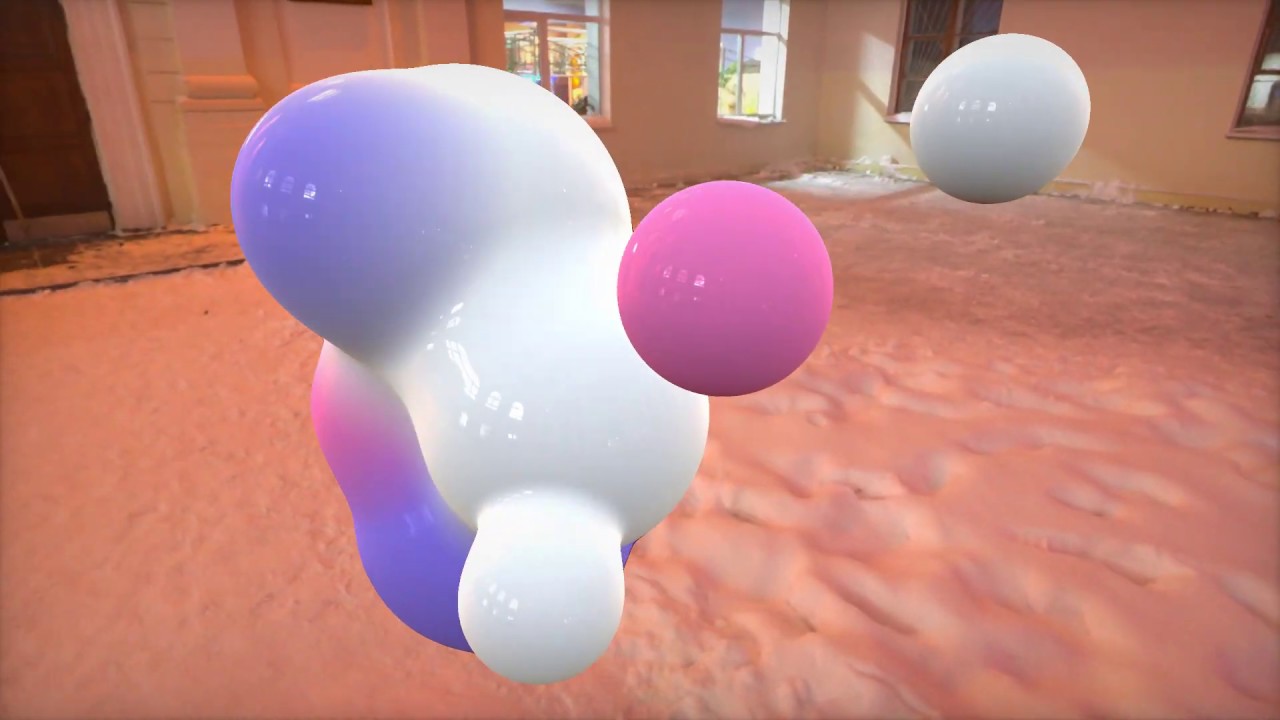
https://github.com/ya7gisa0/Unity-Metaballs
https://github.com/ya7gisa0/Unity-Raymarching-Android
Feel free to modify my code for your projects. Happy coding!
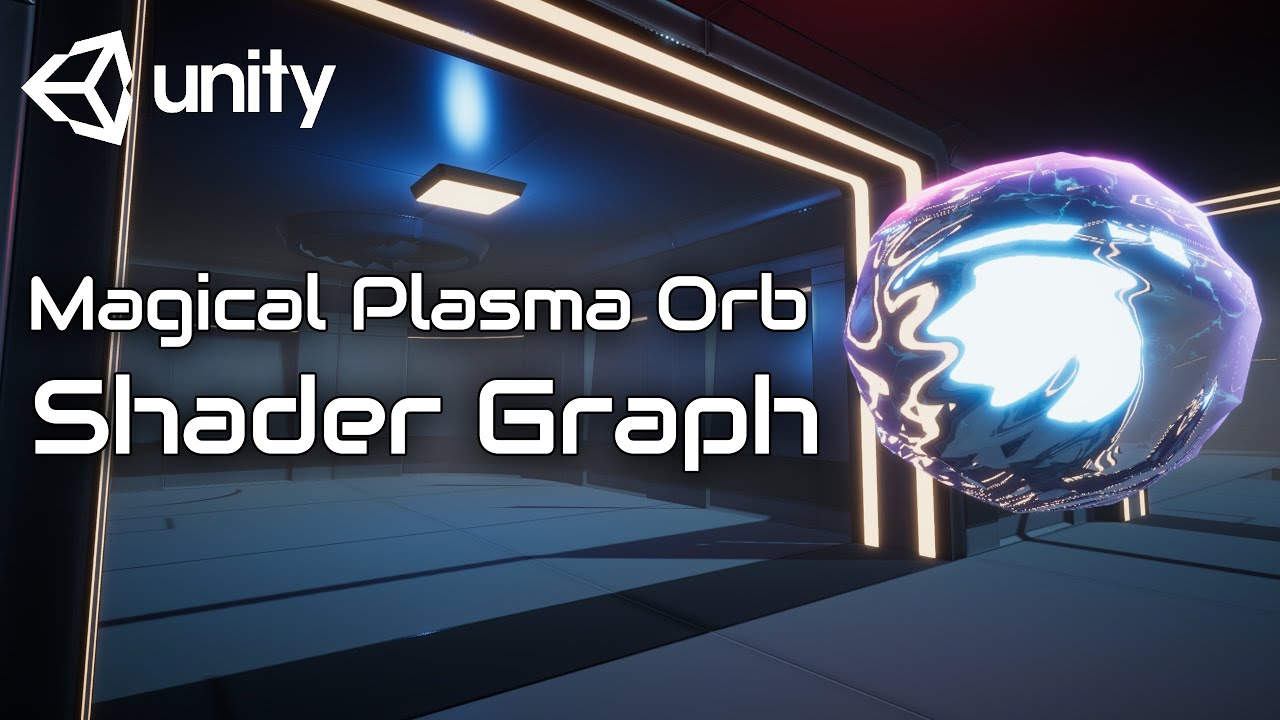
In this video we will show you how to create Magical Plasma Orb using Shader Graph in Unity engine.
Download project files (Patrons only): https://www.patreon.com/BinaryLunar
00:00 Intro.
01:00 Setting up the project and the scene.
02:50 Transparency Rendering in Shader Graph.
04:25 Creating scrolling texture nodes.
07:15 Creating surface move...
deft forum
onyx lake
I see. In that case tesselation can definitely help you. Depending on the actual...
Thanks! Tbh I hadn't even considered high poly + vertex animations but that probably sounds like the most sensible route to go down. I will definitely have a look into metaballs though, have never implemented them but broadly aware + could be fun
onyx lake
deft forum
Thanks! Tbh I hadn't even considered high poly + vertex animations but that prob...
Yeah, that's how a lot of liquid looking stuff is done in games. There are always exceptions of course, so always depends on the use case.
Regarding meta balls, also take with a grain of salt, because I've never implemented it myself either neither 2D nor 3D, but have watched videos about it. Hopefully you'll get what you're after 🙂
deft forum
onyx lake
Yeah, that's how a lot of liquid looking stuff is done in games. There are alway...
I'm sure I'll get there! My first time using VFX graph but loving it so far. Here's the baseline of what I'm building on, few placeholder things like the sounds and probably the time it takes for the metal to 'heat up' but I'm fairly happy with the direction it's going in
onyx lake
deft forum
I'm sure I'll get there! My first time using VFX graph but loving it so far. Her...
In that case you can totally get away with just using billboards as droplets. If you animate them well it would definitely sell the lock melting.
 vivid raft
When using SubEmitters for a particle system... does anyone know why the particles from the sub emitter don't start at the transform location? The main particle system is starting where it should and it's meant to look like dirt raining down, but I have a sub emitter that has rock chunks, and it spawns them quite a ways down from where the dirt spawning is?
If I uncheck "Sub Emitters" on the parent particle system, they work correctly, but I think I need them marked as a sub emitter so I can control them together right?
ashen robin
vivid raft
When using SubEmitters for a particle system... does anyone know why the particl...
usually there's an option (which I forget where) that changes the locality and for children particle systems you usually want them as local position instead of world.
vivid raft
ashen robin
usually there's an option (which I forget where) that changes the locality and f...
There is a Simulation Space setting and it's set to local. I tried the other settings but it did not change anything. It almost feels like there's an offset somewhere but I can't find anything.
ashen robin
vivid raft
There is a Simulation Space setting and it's set to local. I tried the other set...
subemitters also inherit properties and I forget if that can conflict with the locality of it.
vivid raft
ashen robin
subemitters also inherit properties and I forget if that can conflict with the l...
I thought maybe that as well. I set it to inherit nothing, but again no change.
ashen robin
Usually I just make child systems and control them independently through script lol
vivid raft
Yea might just have to do that unfortunately.
 maiden nimbus
Hello, anyone know how can i modify the Render Order to get this result ?
Render the red part of the cercle, cause he's front of the laser and not the green part cause behind the laser ?
 ashen robin
maiden nimbus
Hello, anyone know how can i modify the Render Order to get this result ?
Render...
ashen robin
maiden nimbus
Hello, anyone know how can i modify the Render Order to get this result ?
Render...
what system
vfx graph has internal sorting if it's all done in one
otherwise sorting order should just work on the material
oh, actually I see the larger problem of it and it's more of a transparency problem if you're trying to do some depth sort
which begs the question of how you're doing it with the bottom ring
Anyway, a quick fix is just use opaque with alpha cutting (the rings)
I was thinking maybe can manage with some flipbook way and render it as a quad but that's probably a process, and you do lose that depth of the particles
warm torrent
maiden nimbus
Hello, anyone know how can i modify the Render Order to get this result ?
Render...
Render order won't fix it if both of them are transparent
The back part of the ring would be in front then
It looks like you could make the pillar opaque since it looks solid anyway
maiden nimbus
ashen robin
Anyway, a quick fix is just use opaque with alpha cutting (the rings)
Okay i gonna try it
maiden nimbus
warm torrent
Render order won't fix it if both of them are transparent
The back part of the r...
Okay ty !
maiden nimbus
ashen robin
Anyway, a quick fix is just use opaque with alpha cutting (the rings)
I'm not sure about the result, its possible to smoth it ?
 ashen robin
maiden nimbus
I'm not sure about the result, its possible to smoth it ?
ashen robin
maiden nimbus
I'm not sure about the result, its possible to smoth it ?
Yeah, doesn't look the greatest. There's some really small text on that too so may be a little difficult.
it seems to be culling the softer edges greatly, and ideally you just want to dither those edges lightly
maiden nimbus
Sry i'm new, idk how to do this, if u can give me an exemple or a forum page 😦
ashen robin

Learn how to create a dithering transparency effect similar to the one used in Super Mario Odyssey using Unity Shader Graph! This tutorial is also available in text format here: https://danielilett.com/2020-04-19-tut5-5-urp-dither-transparency/
💻 Get the source on GitHub:
https://github.com/daniel-ilett/dither-transparency-urp
✨ ...
maiden nimbus
that was fast
ashen robin
I have a similar shader, but I'm not too sure about that image exact will work out. Something to play around with using shaders, but otherwise you may want to remove the softer edges
warm torrent
It may be better to make the laser pillar opaque instead
ashen robin
I was thinking that too assuming you don't want to be able to see through it
warm torrent
or split the circle into multiple separate slices so they're sorted individually, if both must be transparent
ashen robin
or similarly, dither the beam ;p
maiden nimbus
warm torrent
It may be better to make the laser pillar opaque instead
No i can't, "i guess"
Cause on the center have a little yellow laser
 ashen robin
if the game camera is locked, then modifying the rings by slicing them up is probably the correct idea, or going back to a previous idea of baking it into a quad!
warm torrent
If both lasers are transparent, you'll also get the same sorting issues with those I'm afraid
maiden nimbus
yea i know what u mean, all the scene gonna be visible through the laser ?
ashen robin
you can try additive with the middle lazer and lower the intensity a bit perhaps
warm torrent
maiden nimbus
yea i know what u mean, all the scene gonna be visible through the laser ?
I don't think so but whichever laser is in "front" will randomly depend on the viewing angle, as with the rings
Additive blending is order-independent but cannot display any dark parts
maiden nimbus
warm torrent
I don't think so but whichever laser is in "front" will randomly depend on the v...
i don't have this problem for now :x
warm torrent
I suspect it will appear from some angles, since you don't have any system to prevent it
ashen robin
sorting order should resolve that though, no?
maiden nimbus
that ok for now
warm torrent
Transparency sorting methods like sorting layer and order in layer are higher priority than distance from camera, so it may conflict with other effects
ashen robin
the text on the rings can be improved, but if you're just hooking up alpha clipping then you're probably not going to get the best results for small text with softer edges
warm torrent
maiden nimbus
that ok for now
It's a bit hard to see
You can use alt+left click to orbit around focused objects so you don't have to do it like that
ashen robin
photoshopping out the soft edges and using emissives is an idea too
maiden nimbus
ashen robin
photoshopping out the soft edges and using emissives is an idea too
that better with SP it ?
after camera shake, colors review and laser movement gonna looks better
@ashen robin @warm torrent Again ty 🙂
ashen robin
aye looks good
ashen robin
warm torrent
Transparency sorting methods like sorting layer and order in layer are higher pr...
Ah, right that could be a problem. I think vfx graph's internal sorting does get around that issue as you'd just sort by the system pivot otherwise.
 idle cargo
hello
quick help with particles needed pls
I have clouds and I want them to spawn from the rightside of the screen at different speeds and move till the end of the screen and disappear
but somehow they are not accepted as a material for particle system
ashen robin
idle cargo
hello
probably want to explain what type of material you're using then
 mystic bone
hey guys sample skinned mesh nodes position value works but color just returns black

But somehow when doing the same thing on the particle system it works. Why could it be? I think they both use vertex colors, so it feels odd.


oh i found it
if there are no vertex colors, particle system just uses the vertexes shaders _color property
but i have no idea how to do that in vfx graph
couldnt find any resources either

this is what particle one does
is this possible to do on vfx graph?
idle cargo
ashen robin
probably want to explain what type of material you're using then
Used google to figure out. Thanks for responding
ashen robin
mystic bone
if there are no vertex colors, particle system just uses the vertexes shaders _c...
what's the use case here? _Color property values could be sent into the vfx graph via exposed fields, but there's a difference between sampling per pixel vertex values and the _Color property
and you can only work with shader values in the output block in the graph
rigid linden
Hello there ! I feel like I'm missing something to achieve this. I've an object that will do a curve and I would like to have rings behind. Thing is I can't figure how to rotate the particles correctly to make them follow the angle of my object. My VFX graph is attached to the prop that has the good forward vector during the whole curve. That seems pretty easy but my mind is blowing up ahah
(It would be like the fixed axis one but definetely without the rotation that makes it face the camera )
 mystic bone
ashen robin
what's the use case here? _Color property values could be sent into the vfx grap...
mystic bone
ashen robin
what's the use case here? _Color property values could be sent into the vfx grap...
i'm making an effect where my player character turns into a bunch of particles that have the same color and shape, afterwards i will move the particles to make another shape. to color my player i use different materials with different _color properties. Because of that i need to access color property of that vertexes material.
tired summit
rigid linden
Hello there ! I feel like I'm missing something to achieve this. I've an object ...
Can't simply align axis with transform ?
rigid linden
tired summit
Can't simply align axis with transform ?
Mhhh ok but how ? 🤔
I'm using Unity 2023.2 URP tho
Here my simple system and how it is atm. The white line is the direction I want my circles to be facing (-Y axis)

 peak totem
If the VFX Graph (GPU Particles) cannot be given data from the cpu or memory, then how have I seen people have "forcefields" applied to their hands that affect the gpu particles under certain conditions?
Ex. Spawn the gpu particles whens starting the game, if grasping hand then have a forcefield bringing the particles towards it. If open hand, have a forcefield pushing them away.
Nevermind appearantly the way this guy did it is instead of using GPU Particles he used some kind of shader setup
mystic bone
is using a high poly mesh, like the unity default sphere as a vfx ok because it has gpu instancing? It doesnt seem to have a big impact on performance but i want to make sure since i have 500 spheres as a vfx effect and 1m triangles showing on the stats when i am near the effect. (it was usually around 20k~ before).
peak totem
Why not just get a lower poly sphere without sacrificing quality
Not sure how many poly the default sphere has but I think for sure you could cut down?
tired summit
rigid linden
Mhhh ok but how ? 🤔
I'm using Unity 2023.2 URP tho
Here my simple system and h...

Try setting all three axis, or only two
Until it works
In your case, only setting the z axis to (0, 0, 1) might be enough
rigid linden
Well, funny things is that it's working in preview but not in game. xD
I'm trying to do some tests
tired summit
Only works if your system is in workd space of course
rigid linden
It is, yup
rigid linden
001 makes it disapear :D
tired summit
Or this one maybe ? And you feed it into the world space Z axis
 rigid linden
I just set up a new scene from scratch and it actually works correcly. Meaning it's my scene that is "bugging"
Uh wait no
tired summit
It's only math, and math can't bug
Just have to find the correct transofmation matrix
rigid linden
Looks like it streching when im using "set axis 001"

Same with the change space vector 001
(Local)Set axis Z 001 :
The arrow is facing well but nothing is rotating :/
 tired summit
Sure you don't have any orient block in output ?
rigid linden
Looks like I don't !

 tired summit
And the transform it is attached to has its z in the direction if the movement ?
Pretty sure it should work 🤔
rigid linden
It is !

Well, same here but it looks like there's something wrong, I can't figure what it is ahah
tired summit
OK maybe
Set X and Y before Z
X to local 001 and Y to local 010
Then Z to local 001
If it doesn't change anything, I'm out of ideas =S
rigid linden
Ahhhhhhh
You were right
It's working, I had to setup every axis
Well, thanks a lot ! :D
tired summit
😅
Was my very first message, set all 3 axis
They have to form an orthonormal basis
Changing only one means the new vector won't be orthogonal to the other two, ie. they won't form an orthonormal basis.
That's why you always change all 3
rigid linden
Ohh fair enough ! Didn't understand I had to changes all 3 in your message sorry 😭
tired summit
tired summit
Try setting all three axis, or only two
This one !
Anyway, glad it works
 nova wagon
hi guys i have a button with an unlock animation as prefab and a particle sysyem i want to show during the unlock animation
so i added the particles in the prefab of this button deactivated and i active them (with play on awake) with the animation but sometimes i cant see the particles
warm abyss
is it possible to use lod groups on particle systems?
 reef shoal
nova wagon
hi guys i have a button with an unlock animation as prefab and a particle sysye...
reef shoal
nova wagon
hi guys i have a button with an unlock animation as prefab and a particle sysye...
So the particles play when the button gets pressed? You need multiple particles shown, right? Check the emission module -> emission over time to 0, click the “+” under bursts and on time put 0. You can play around and even have an exact quantity of particles for when the button gets triggered , check that out!
reef shoal
warm abyss
is it possible to use lod groups on particle systems?
It’s probable that you’ll need an script if you want to get fancy with it but basically yes, it’s possible, it depends on what you want to do. Particles already works with LODs using mip-maps but you can check your textures (if they have mip-maps) in the import settings
Anyways, if your goal is optimization you can combine different methods so you don’t have to write particles system LOD group scripts
warm abyss
could we make a space for 6 way smoke lit ?
it would be helpful to have a dedicated channel where people can discuss about it
or at list one for vfx graphs
deft forum
Is it a known thing that VFX graph isn't totally framerate independent? I'm getting ~250 total particles out of my system in a high fps (~90) scene, but only ~170 particles total in a 30fps scene, both running for the same amount of time.
 granite otter
deft forum
Is it a known thing that VFX graph isn't totally framerate independent? I'm gett...
granite otter
deft forum
Is it a known thing that VFX graph isn't totally framerate independent? I'm gett...
might be related to instancing, you could try turning that off
deft forum
granite otter
might be related to instancing, you could try turning that off
Thanks, had a look into Instancing (which didn't turn out to be the cause) but found the "Exact Fixed Time" which did the trick, all working perfectly now
 obtuse ivy
my particles before i play test look fine but when i play tesst, the angle is different, why could this be
like the angle is lower
warm torrent
obtuse ivy
like the angle is lower
What does that mean
And which type of particles
obtuse ivy
warm torrent
What does that mean
And which type of particles
just some cube ones
in the edit mode it looks as if the particles are aiming one way
but when i play it, the particles sink lower
dont travel as far
angle lower
warm torrent
obtuse ivy
just some cube ones
Particle System or VFX Graph
And do you have a picture or video
And relevant particle orientation settings
tired summit
Any way to have a VFX graph emit from n points ?
ashen robin
tired summit
Any way to have a VFX graph emit from n points ?
You can send in a bunch of vector3s otherwise if you wanna use arrays you'll have to use graphic buffers
tired summit
I remember reading about storing all points in a texture
tired summit
If there any significant difference ?
tired summit
Can't use mesh for my use case
ashen robin
and then there's a node for points from SDF. I'm not too sure of points from textures, I've just heard people doing it
probably a node for that too
tired summit
Hummmmm
Graphic buffers are a recent addition ?
I have ~500 points emitting, I feel like spawning that many identical graphs would be pretty awful
tired summit
In both cases, I have to create a Texture2D from code
ashen robin
https://qriva.github.io/posts/how-to-vfx-graph/
Gives some ideas on some alternatives
perhaps it's managable with just the event attributes, otherwise there's some info on the graphic buffers below
 tacit rock

guys I am trying to create thumper like look
how can I go about creating those cool colors?
onyx lake
tacit rock
how can I go about creating those cool colors?
Having a good understanding of art foundations and then using various post processing effects.
 proper raptor
anyone knows how can i make fade in and fade out
 brisk palm
guys can someone here tell me how can i prevent snow (particle system) from going through the roof of a house?
 cobalt scarab
terminate them on collision or perhaps priority draw order in inside materials
 echo rampart
Hello,
Is it possible to assign multiple collisions with spheres through VFX Graph or a script? I have a fog system with a collision with a sphere, but I can only attach the sphere to one unit. How can I handle the fact that I have multiple units that spawn or get killed throughout the game?
Thanks in advance
ashen robin
echo rampart
Hello,
Is it possible to assign multiple collisions with spheres through VFX Gr...
can you clarify on what you're trying to do?
echo rampart
ashen robin
can you clarify on what you're trying to do?
im trying to make a fog of war for an rts i stumbled upon the graph editor and followed a tutorial where the person did a simple fog of war with vfx graph and a collide with sphere but he apply the sphere to only 1 unit im trying to apply this collider to all my unit


this is the tutorial i followed : https://www.youtube.com/watch?v=jQbzqFjyrwg&t=503s

In this video, you will learn how to create a 2D/3D Fog in unity with VFX graph. Guys, I didn't show the scene from 3D in the video, but now I tested it and it works very interestingly for 3D
"The channel name has changed from Golomoder to Game Dev Box"
✅Download Project Files: https://github.com/GameDevBox/2D-3D-Fog-In-Unity
If you have any ...
ashen robin
Hmm, not exactly sure how to approach this one with multiple units. Usually I'd tackle fog of war with shaders and stencils, which would probably be the more performant solution as well.
echo rampart
ashen robin
Hmm, not exactly sure how to approach this one with multiple units. Usually I'd ...
Do you have any resources on this? I'm kind of new to VFX and shaders, and I tried a simple approach with a shader using a bitmap but couldn't make it work. So, I switched over to VFX to see if it could make it easier
ashen robin
echo rampart
Do you have any resources on this? I'm kind of new to VFX and shaders, and I tri...
Most resources I would link is some opengl stuff I doubt you'd want to read, but otherwise most implementations of fog of war are quite difficult to implement. Stencils would be by far the easiest solution, assuming you don't want to keep previous locations revealed when traveled.
ashen robin
Unity does have some helpful resources like pipeline render objects which allow you to kinda do a lot of that through the inspector instead of the shader, but you still need an idea how it all works
basically you want to overlay a texture which you will then cut holes into
or rather you discard pixels of that texture in some radius
echo rampart
   public bool keepPrevious;
    public MeshRenderer mr;

    public Transform[] warriors;

    private NativeArray<Color> fullBlack;
    private NativeArray<Color> lowResColors;
    private Texture2D lowResTexture;

    // Start is called before the first frame update
    private void Start()
    {
        fullBlack = new NativeArray<Color>(10 * 10, Allocator.Persistent);

        for (var i = 0; i < 10; i++)
        {
            for (var j = 0; j < 10; j++)
            {
                fullBlack[10 * i + j] = Color.black;
            }
        }

        lowResColors = new NativeArray<Color>(10 * 10, Allocator.Persistent);
        lowResTexture = new Texture2D(10, 10);


    }

    // Update is called once per frame
    private void Update()
    {
        warriors = EntitiesManager.Instance.GetAllUnits().Select(unit => unit.transform).ToArray();
        if (!keepPrevious)
        {
            lowResColors.CopyFrom(fullBlack);
        }

        foreach (var warrior in warriors)
        {
            Debug.Log(warrior.position);
            lowResColors[math.abs(10 * (int)((warrior.position.z) / 5.0) + (int)(warrior.position.x / 5.0 - 100))] = Color.clear;
        }

        lowResTexture.SetPixels(lowResColors.ToArray());
        lowResTexture.Apply();
        mr.material.mainTexture = lowResTexture;
    }

    private void OnDestroy()
    {
        fullBlack.Dispose();
        lowResColors.Dispose();
        lowResColors.Dispose();
    }```

this is the basic scrypt i had but it had some weird behaviour depending on the position on the mapthat's what i tried
i started with this line c# lowResColors[10 * (int)((warrior.position.z) / 5.0) + (int)(warrior.position.x / 5.0 ] = Color.clear;
but had problem with negative number
and why i tried to switch over is beacause the position of my unit wasn't accurate and when i was on the far right of the map the far left of the map would clear too
wich i understand why but i don't know how to fix it
ashen robin
texture is probably the best way to go about it if you do want to keep the areas revealed after exploring
https://cdn.discordapp.com/attachments/448923113921576992/1238488054507900998/Desktop_Video.mp4
This would be the stencil way, but there's no caching of previous locations
well, perhaps it's managable but I've not really worked on that idea yet
I feel like you'd just do the texture idea anyway to get it to work lol
echo rampart
it's the same process as texture do we redraw each update based on the position of the unit ?
the problem i have i think with the texture is basically turning the coordinate of my unit in unity into a coordinate of the texture array
ashen robin
you don't manage any resource with stencils. You make an overlay and you 'cut holes' by telling the render to discard the texture overlay for where the two intersect (the mask and the texture) in a sense
echo rampart
with a spheree around the object ? or do you define a radius that you want to clear around that object ?
ashen robin
In this clip I use a cylinder as the mask, so any space that it occupies culls that overlay
echo rampart
so if for example i use a sphere on my unit i would be able to clear the area around the sphere and redraw when the sphere move
ashen robin
you don't explicitly need to redraw, but yes
echo rampart
interesting, thanks a lot !
ashen robin
Stencils and stencil masking is the technique and you can probably find videos on that subject. Like I said you can do it through the shader or using URP render objects
echo rampart
starting to watch one right now !
ashen robin
HDRP has some similar stuff too
echo rampart
okayyyyy thanks a lot !
 hardy lake
Hey guys, I am trying to set the min and max range of a flip book (I have a 8x8 and every horizontal row is it own flip animation) but thus far no success. How can I approach this differently?

 worn jewel
Hi, for the built-in particle system, are there any guidelines for how many particles you can have that do high-quality collisions. I know it's probably dependent on the amount of detail/geometry in the scene and its density etc... but I can't find any sort of guidelines anywhere. I know these systems run via Jobs/Burst now, does that include the collision part with PhysX too?
 ashen relic
hey guys, I've been trying to fix some rendering problems with vfx graph and my cloud asset and figured out I need the vfx to write to depth buffer for them to render in front/behind clouds as intended
so they end up looking like this, which is neat but not what I want

is there a way to have a vfx particle that writes to depth and is transparent?
this is somewhat better but still not quite (alpha clipping with alpha blend mode)
 ashen robin
ashen relic
so they end up looking like this, which is neat but not what I want
ashen robin
ashen relic
so they end up looking like this, which is neat but not what I want
By clouds you mean the smoke trail? Not really seeing the problem so maybe need to clarify more
ashen relic
ashen robin
By clouds you mean the smoke trail? Not really seeing the problem so maybe need ...
nah so the clouds are to the left of the image
let me get a better screenshot
here you can see the smoke trails rendering in front of the clouds

the clouds are an asset store purchase and the developer's advised that they use the depth buffer to determine what they're in front of or behind objects
ashen robin
Are these clouds always rendered far away or is this something you can fly into
ashen relic
this is something you can fly into
in my first image I'm below the clouds, the 2nd one I'm above them
basically, I think the VFX graph doesn't use the depth buffer unless I set the particle output to opaque, which then makes them completely blocked out like in the first image
so I was wondering if there's a way to get some sort of transparenty effect while also having opaque output mode
ashen robin
did you try the different alpha blend modes add/multiply
ashen relic
ashen relic
this is somewhat better but still not quite (alpha clipping with alpha blend mod...
yeah so that leads to this
it's probably the best I have but it's still got like
hard edges?
ashen robin
well, alpha clipping will give you hard edges
ashen relic
yeah...
so I'm trying to figure out how I can get that effect while softening it a bit
ashen robin
can't really get a clear picture of what this cloud asset is. Are they volumetric such that these smoke quads can be inside of them?
ashen relic
they're volumetric

Add depth to your project with Altos: Skybox, Clouds, and Weather for URP asset from OccaSoftware. Find this & more VFX options on the Unity Asset Store.
ashen robin
alright, so alpha sorting is off the table probably
ashen relic
I'm assuming that means like specifying 'always render over this object'?
yeah that was suggested but it won't work as you could be above or below a cloud
ashen robin
easiest way is probably opaque smoke clouds with that alpha clip if those alpha modes do not give the desired look
there's no ways to generate your own smoke/cloud with that asset? It's probably what you want
because you need to do work inside of that volumetric technically
ashen relic
uhhhh that could potentially be an option but it sounds very scary and could be clunky
but fair point, I'll inquire with the dev to see what gives
there could potentially be a lot of trails being rendered which is its own seperate problem and why I went with vfxgraph in the first place
ashen robin
if the clouds were always rendered behind away from your characters it would be easy as always assume that those transparents will render over it
but since you're producing them inside of the volumetric is the problem
ashen relic
yeah for sure
ashen robin
ashen relic
yeah for sure
Also I'm not sure how they go about having them write to the depth buffer, but they could be creating some vector field of points to compare against, so best way to test that is make a transparent quad and drag it around and see if that sorts alone
if that does work, then the problem is the way you're setting up the vfx graph here
ashen relic
I see - Unfortunately that's just not possible with Altos since the Clouds are not geometry, they're a semi-transparent medium. Because they're not rendered as alpha cards, there's no way to transparency-sort with post-process volumetrics like that - at least not that I'm aware of.
this is what he said
it's a little bit too technical for me to grasp
ashen robin
there's ways to make it work somewhat with transparency (as I mentioned above by using a vector field and chunking it) but it's far from a perfect solution
basically you just need more pivots to sort against, but that wouldn't be perfect pixel sorting
ashen relic
its sounding like I need to do a lot of homework on this
granted, I still haven't sat down to figure out the stuff you linked in the github with my earlier questions yet
so maybe that's something I just add to the pile and see if I can figure out
ashen robin
best way to really do this is to probably have full control over the volumetric and to produce smoke and clouds together
rigid linden
Hello there ! I'm just doing some tests and I figured out that when I chose a custom shader graph, tris are getting calculated. If I'm not using any and just a simple texture, they're not. Any explanation about that and maybe how to avoid it ? Thanks in advance ! 🌺

 warm torrent
rigid linden
Hello there ! I'm just doing some tests and I figured out that when I chose a cu...
warm torrent
rigid linden
Hello there ! I'm just doing some tests and I figured out that when I chose a cu...
Where's that cropped from?
 hasty heath
Do you guys have a library or something to find good textures for particles?
rigid linden
warm torrent
Where's that cropped from?
The statistics window !
warm torrent
rigid linden
The statistics window !
Shader graph or vfx graph? Shader graph can't create new geometry really
rigid linden
The statistic window of the game viewport !
Also here is my setup for the both example :


 rigid linden
warm torrent
Shader graph or vfx graph? Shader graph can't create new geometry really
rigid linden
warm torrent
Shader graph or vfx graph? Shader graph can't create new geometry really
Yup but maybe shadergraph is computing something tri and has to count them, I don't really know deeper than that how shadergraph is made :/
Here is the result without SG
 warm torrent
rigid linden
Yup but maybe shadergraph is computing something tri and has to count them, I do...
warm torrent
rigid linden
Yup but maybe shadergraph is computing something tri and has to count them, I do...
Stats window is known to be inaccurate, so it could be misleading
rigid linden
AH, I red online there was another way to check it through the profiler ?
warm torrent
rigid linden
AH, I red online there was another way to check it through the profiler ?
This kind of issue is not something SG really should be capable of, so I'm willing to bet it doesn't happen in build
But you can still use the profiler and frame debugger in build (or renderdoc or similar for most precise information)
https://docs.unity3d.com/Manual/profiler-profiling-applications.html
rigid linden
I'll check that deeper yep, thanks for your help ! If anyone else has anything else to add, I'll take it too ! :d
rigid linden
warm torrent
This kind of issue is not something SG really should be capable of, so I'm willi...
Well, The profiler confirm what the statistic window is saying.... there's more tris when I'm using a SG !
warm torrent
rigid linden
Well, The profiler confirm what the statistic window is saying.... there's more ...
I made an assumption about two things, first that your tri count is accumulating at runtime, and that you were comparing your SG to a lit shader
A lit SG will show higher polycounts than an unlit (SG or non-SG) shader, because lighting requires rendering multiple passes
Therefore polycount increases proportional to meshes * lights affecting them
rigid linden
warm torrent
I made an assumption about two things, first that your tri count is accumulating...
It does not increase at run time, it only changes (and displays the same values everytime) when I'm switching the "Shader graph ""container"" "
I'm definetely using an unlit one in my custom shader and I don't think the default shader is an unlit one neither :/
New update tho : I tried to use the frame debugger and I have these interesting values. (I tried the statistic window and also the profiler that gave me both the same stats compared to the FD).
It's weird to have 3 vertices when it's a QUAD particle isn't it ?

 warm torrent
rigid linden
It does not increase at run time, it only changes (and displays the same values ...
warm torrent
rigid linden
It does not increase at run time, it only changes (and displays the same values ...
"Particle"? So you're also using particle system or vfx graph I have to assume
Why not measure your shader on a quad mesh instead to begin with
It might also be useful to know what your shader actually does, and if it additionally implements a geometry shader or tessellation or similar
rigid linden
warm torrent
"Particle"? So you're also using particle system or vfx graph I have to assume
W...
I call particles the particle quads created by the vfx graph sry for misunderstanding.
Actually I'm using a basic unlit shader graph from scratch and to be fair, I didn't really digged deep into how the unity urp shaders are made.... That's why I came here :d
I'll try to use a mesh particle tho, could be interesting to look at !
warm torrent
rigid linden
I call particles the particle quads created by the vfx graph sry for misundersta...
Mesh renderer might be a cleaner test than a vfx graph system
rigid linden
Weirdly, same as Particle Quad, number of vertices is null.
When I use the basic shader, its always 0 vertices and 1 drawcall.
When I use my """"custom"""" shader, it counts vertices when it's a particle mesh but not when it's a quad. Although it has indices but I definitely don't know enough about it as I never faced what's an "indice"


(Sry for my ugly mouse writing ahah  )
)
rigid linden
warm torrent
Mesh renderer might be a cleaner test than a vfx graph system
Roger that !
ashen robin
hasty heath
Do you guys have a library or something to find good textures for particles?
https://screamingbrainstudios.itch.io/noise-texture-pack
https://kronbits.itch.io/particle-pack
https://www.kenney.nl/assets/particle-pack
https://github.com/Auburn/FastNoiseLite


Download this package (80 assets) for free, CC0 licensed!

GitHub
Fast Portable Noise Library - C# C++ C Java HLSL GLSL JavaScript Rust Go - GitHub - Auburn/FastNoiseLite: Fast Portable Noise Library - C# C++ C Java HLSL GLSL JavaScript Rust Go
big paste
granite otter
whats the difference between get attribute: age and Total Time (Per-Particle)
ashen robin
granite otter
whats the difference between get attribute: age and Total Time (Per-Particle)
I'd assume Total Time can exceed age and lifetime if you have reap particles turned off
but that's just my assumption
granite otter
i forgot arc torus gives a 3d torus in a 2d space game, it messed up every of my calculations and took me 2 days to fix
 lime plank
anyone knows a good low poly partical pack?
 vocal kiln
Hi, can someone help me? How to create a material for the particle system, and so that when you select the start color black it does not disappear from the viewport? If use additive blending mode, with which the circle normally stands out, but when you select black it disappears.
I can just create a black 3D ball, but what difference will it make instead of a particle?


 warm torrent
vocal kiln
Hi, can someone help me? How to create a material for the particle system, and s...
warm torrent
vocal kiln
Hi, can someone help me? How to create a material for the particle system, and s...
I guess you're looking for "alpha blend" instead of additive
vocal kiln
Yeah. Because additive works incorrect
I tried legacy shaders/particles/alphablended shader. But it doesn't work. Maybe I made a mistake with exporting IMG from Photoshop. Idk
warm torrent
vocal kiln
I tried legacy shaders/particles/alphablended shader. But it doesn't work. Maybe...
You don't need those, the URP particle shader supports alpha blending
I'm not fully understanding what the issue is
If you want the black color in the texture to be transparency, you must ensure the texture has alpha in those areas
If it does not, you can set "greyscale" as the "alpha source" in texture import settings
vocal kiln
warm torrent
If it does not, you can set "greyscale" as the "alpha source" in texture import ...
use that, but right now it's have only black color. Cant make it red, or blue

 warm torrent
vocal kiln
use that, but right now it's have only black color. Cant make it red, or blue
warm torrent
vocal kiln
use that, but right now it's have only black color. Cant make it red, or blue
You can't if you also made it black from the material
Because colors are calculated multiplicatively particle material colors should be white so that the particle system modules can apply colors to it
Black is 0,0,0 so anything multiplied by it is also zero
vocal kiln
but material have white base color
 warm torrent
vocal kiln
but material have white base color
warm torrent
vocal kiln
but material have white base color
Also ensure you don't have another particle module, such as color over lifetime, also darkening the color
 deep stone
Not sure if this is the right place to ask this. When adding emissions or bloom effects, don't those effects only work if the environment around them is suddenly darker?
could I create a bloom/glow effect that just...glows when I want it too regarldess of the light around it?
warm torrent
deep stone
Not sure if this is the right place to ask this. When adding emissions or bloom ...
Bloom will make any pixels glow that have a brightness above its Threshold, and that's about it
With HDR rendering brightnesses can go over 1 (or 255 in 32bit color if you're more familiar with that), which means you can use Thresholds above 1 to only make very bright emissives glow to kind of apply it selectively
#💥┃post-processing
deep stone
The jargon is a bit lost on me, so I'm not sure if that answers my question.
warm torrent
deep stone
The jargon is a bit lost on me, so I'm not sure if that answers my question.
I may have misunderstood your question
Bloom does not care at all how bright the pixels "around" some pixel are
If you also have Adaptive Exposure, then the exposure of the whole image can change when you look at something brightly emissive
ashen relic
ashen relic
hey guys, I've been trying to fix some rendering problems with vfx graph and my ...
so I've been chewing on this, @ashen robin 's suggestion about using my cloud asset to do smoke particles isn't going to work as the clouds are rendered at a single y layer using a texture...
my very hacky theoretical solution would be to use some kind of LOD to make the particles switch between an opaque output when far away and an alpha output when close to the player? I looked through the doc and it seems like there is some degree of LOD support for VFXGraph but I'm not sure if I'm reading the docs right or not
 sudden dagger
can i use 3d object like Cube as particles ?
twilit lagoon
it's a long shot, but is there ANY way I can read, see, output this value somehow? Inside the VFXGraph
 clear spruce
sudden dagger
can i use 3d object like Cube as particles ?
clear spruce
sudden dagger
can i use 3d object like Cube as particles ?
Yes
sudden dagger
clear spruce
Yes
Any specific tutorial ?
clear spruce
sudden dagger
Any specific tutorial ?
are you using the particle system or the VFX graph?
sudden dagger
Only particle system
Like I have vertical stack of pizzabox in players hand when I collide with the obstacles then pizzabox fall apart
So I want pizzabox fall particles
clear spruce
sudden dagger
Any specific tutorial ?
I mean anything should work, this is like the first thing that I found https://www.youtube.com/watch?v=pBXyK1DWbPg
granite otter
I am trying to replicate a distortion effect (heat distortion) from a tutorial online. Basically it takes in screen position added with some noise which is then input into screen color. However, for the shader to work, we have to create a new render feature that affects all layers except the layer that cause distortion, which we will now call it DistortionEffect render layer (otherwise, it would create infinite loop to distort itself i guess). However, when I create the same render feature as in the tutorial (like in the picture), any object that has the DistortionEffect render layer, only goes invisible, not really invisible but goes invisible when there are objects that are behind it.

here is the front view

back view

does anyone have a clue on how to make heat distortion in 2d urp?
hasty heath
ashen robin
https://screamingbrainstudios.itch.io/noise-texture-pack
https://kronbits.itch.i...
THANK YOU!! 🌞😁
 abstract crow

 somber crag
why are my particles invisible when i change the color of the material. its 2d
 fierce thicket
how do i make my particle rotate in random radiuses about a fixed point
warm torrent
fierce thicket
how do i make my particle rotate in random radiuses about a fixed point
https://forum.unity.com/threads/orbital-velocity-in-vfx-graph.936335/
Could use this with random position
Assuming vfx graph rather than particle system
warm torrent
fierce thicket
dont know anything about vfx graph , ig will have to learn
Well, which system of the two are you using
warm torrent
fierce thicket
but i dont think its possible using it
Indeed it is
There's the Orbital field under Velocity over Lifetime
Or you can rotate the whole system if the simulation space is local
warm torrent
You have plenty of options now
granite otter
granite otter
I am trying to replicate a distortion effect (heat distortion) from a tutorial o...
nvm im dumb dumb, this only works on 3d
warm torrent
granite otter
nvm im dumb dumb, this only works on 3d
There's multiple ways to do it in 2D
Iirc Unity 6 adds the ability to sample specific sorting layers in your shader
Outside of that you have this custom system that gives you an extra texture that includes transparents
https://github.com/Haruma-K/URPGrabPass
But even without these two I remember the Lost Crypt urp 2d demo had a reflection with distortion so that could be something to look at
granite otter
warm torrent
There's multiple ways to do it in 2D
Iirc Unity 6 adds the ability to sample spe...
thanks but i already managed to do it
just had to replace screen color with CameraSortingLayerTexture
 opal star
Does anyone have a way of rendering vfx graph particles in the UI ? Using UGUI specifically.
 solar trellis
hi i want to make my particle follow the shape of a spline using unity built in particle system is there anyway to do that?
onyx lake
solar trellis
hi i want to make my particle follow the shape of a spline using unity built in ...
Very old tutorial, but does this do the trick for you? https://www.youtube.com/watch?v=tZ5dSmsggFc

Unity 5 - Game Effects VFX - Make Particles Follow a Path
NEW PARTICLES FOLLOW PATH TUTORIAL: https://youtu.be/hiyv9vZAOvA
This is the Unity tutorial number sixteen of the series Special Effects for Games. In this lesson we see how to create a Path for any Particle System.
I basically give the most important procedure to create an effect that...
solar trellis
onyx lake
Very old tutorial, but does this do the trick for you? https://www.youtube.com/w...
sadly no,what gabriel do in here was to move the emiter of the particle system and what i want to achive was to move the particle that got spawned
basically look like this but somehow it doesnt go smoothly (already set the particle speed to be 0)
onyx lake
Ah, right. Looks like you're on the right track already. Posting the code might help to figure out why it's flickering.
solar trellis
i use chatgpt to make the script 
rigid linden
Hello there, it's me again 🥴 ! Pretty basic thing but I'm having issues with ribbons using VFX graph. I'm looking to get just a simple smooth trail :/
Here is my system and the result !
We can see that it's chopped and sometimes there's like an overdraw or something that looks like it !
Thanks in advance for your help ! (and side question, is it maybe better to use the trail system but it sounds weird that vfx graph doesnt handle it better 🤔)
 warm torrent
rigid linden
Hello there, it's me again 🥴 ! Pretty basic thing but I'm having issues with ri...
warm torrent
rigid linden
Hello there, it's me again 🥴 ! Pretty basic thing but I'm having issues with ri...
One issue you have is that you're moving it with your cursor in scene view
That produces a very choppy input
 errant osprey
When I change the material in the renderer section of my particle system, it makes the particles appear under every layer, even if it's set to the highest layer above all layers. I opened the material itself and I don't see an option to choose the layer of the material. If I keep the default material, the particles are above all layers as expected. Does anyone know what I'm missing?
errant osprey


 warm torrent
errant osprey
When I change the material in the renderer section of my particle system, it mak...
warm torrent
errant osprey
When I change the material in the renderer section of my particle system, it mak...
Sorting Layers are for 2D sorting, which requires a transparent shader
"Cutout" is a type of opaque
errant osprey
warm torrent
Sorting Layers are for 2D sorting, which requires a transparent shader
"Cutout" ...
This is a 2D game. Is there a transparent shader I can select that will still work with the rendering mode as Cutout?
Ah, there's one called "transparent" as simple of a name as it gets.
warm torrent
Cutout is opaque with alpha clipping
Transparent with a black and white alpha gives you the same result
The reason you would use cutout is to avoid transparency
errant osprey
I have it working with Unlit/Transparent as the shader now. I know very little about shaders though, so I'm going to have to do more research. Thanks for your help Spazi.
 tame valley
this is the material in inspector
then this is what it looks like in game
why is it so dark in game?

 warm torrent
tame valley
this is the material in inspector
then this is what it looks like in game
why i...
warm torrent
tame valley
this is the material in inspector
then this is what it looks like in game
why i...
Looks like you have no lighting in your scene to illuminate it
Metallic materials additionally require reflections from the environment, since they only recieve specular lighting, but it looks like your material is nonmetallic
tired summit
twilit lagoon
it's a long shot, but is there ANY way I can read, see, output this value someho...
Only way I know is to apply successive modulo 10, then floor to int, then a flipbook texture with all ten numbers.
It's pretty convoluted, if you found a better way, I would love to know !
 tame turtle
Is it possible to have a particle system prewarmed every time it's played? It seem to only be prewarmed the first time it's played, but subsequent restarts at runtime aren't prewarmed
 violet pendant
just a quick question from a intern, this i my first project i'm working individually at my company.
I have a parent object with mask and nested child gameobject , when the child object is hidden behind the mask the vfx particle from it are visible.
What can i do to make it hide
twilit lagoon
tired summit
Only way I know is to apply successive modulo 10, then floor to int, then a flip...
Thanks! Sounds like something lol, but not sure what you mean with flip book a texture. Can you share an example?
tame turtle
violet pendant
just a quick question from a intern, this i my first project i'm working individ...
UI masks only affect UI objects. You'd need to render the vfx to a RenderTexture and assign it to a RawImage to composite it correctly into the UI. That, or use an asset like this https://github.com/mob-sakai/ParticleEffectForUGUI
warm abyss
vivid raft
When using SubEmitters for a particle system... does anyone know why the particl...
I found this

#unitytutorials #unity
The file is available here: https://github.com/sanliuk/DropRain-Unity-Shader-Wet-VFX
Free offer at on paypal if you want at: eraltdet@gmail.com
Or support by subscribing this channel
Method used:
Amplify shader with render texture
Scroll shader,
render texture shader
what I made with vfx graph can be replicated with ...
 spring spear
hey my particles go completely crazy when i use particle.Play(). is there a way to play it just one time?
granite otter
there is a spawn mode in the graph
errant osprey
A few days ago I had an issue with the particle system being behind all of my gameobjects, so they were hidden. I switched to a different shader, and it fixed the problem. Now my particle system is on top, just how I want it.
However, now I am trying to use the same particle system in the world space of my scene. But in the world space, my particle system is once again behind all of the game objects. It doesn't matter where I place the particle system in the hierarchy. The orange square in the screenshot is the particle that's obscured that I want to be on top of the brown box. The shader I'm using it UI/Unlit/Transparent.

 errant osprey
I found this thread. I couldn't achieve this without downloading a custom script, but it does work. I got my particle effect over the panel.
https://forum.unity.com/threads/particle-system-in-front-of-ui.714281/
https://github.com/mob-sakai/ParticleEffectForUGUI
Unity Forum
Hello, please how can i Intantiate Particle System in front of UI? I have a panel in the scene and it hides them. I have read everything what i have...
GitHub
Render particle effect in UnityUI(uGUI). Maskable, sortable, and no extra Camera/RenderTexture/Canvas. - mob-sakai/ParticleEffectForUGUI
onyx lake
violet pendant
just a quick question from a intern, this i my first project i'm working individ...
The shader you're using must support stencil/masking, I believe. If you're using a newer Unity version you can use shader graph for that, I think. Other than that creating a shader with the UI template in the Amplify Shader Editor does the trick. Or if you can, obviously write it yourself in HLSL.
 prime dome
Why does particle start color not working? I have URP in my project and i want to implement a cutie mutie firefly particle system :3 But i could not get the particle component get working with colors. StartColor of the Particle System set to completely red. Set it is renderer to Billboard and it's material to Firefly material.
So the URP/Particles/Lit shader not working somehow...
Okey. I got it working with URP/Particles/Unlit but i still want to know why it didnt work with URP/Particles/Lit?

 lyric skiff
https://www.youtube.com/watch?v=N6a_8NZaIwc
How is the left hand dissipation effect made?

 shut cliff
Any clue why my trail renderer looks all stripy here?


 shut cliff
I figured it was from my panning Trail Speed being too high, but not sure why it happens
ashen robin
lyric skiff
https://www.youtube.com/watch?v=N6a_8NZaIwc
How is the left hand dissipation eff...
it's meshes that have textures that scroll over them using alpha cutting techniques
 open lodge
Kind of a noob when it comes to VFX graph, is there a not disgusting way to achieve this in VFX graph itself:
Trying to set a timelimit for the VFX playtime, but I can't seem to find a way to trigger the OnStop event using the time node in the graph itself.
void PlayVFX()
{
    vfx.Play();
    StartCoroutine(KillVFX(vfx));
}

IEnumerator KillVFX(VisualEffect vfx)
{
   yield return new WaitForSeconds(3);
   vfx.Stop();
}
Play VFX, wait 3 seconds, stop it.
Looked around in the docs, searched the nodes, nothing came out to me
ashen robin
open lodge
Kind of a noob when it comes to VFX graph, is there a not disgusting way to achi...
https://docs.unity3d.com/ScriptReference/VFX.VisualEffect.SendEvent.html
And use a "Stop" event to stop the spawner from producing particles
use in conjunction with Reinit() to clear the current particles
can also just disable the system too and clear it
open lodge
I'm already doing that via the example snippet, I was wondering if there was a way to send the stop event via the VFX graph itself by utilising the VFX time node and an exposed parameter.
Disabling is another option, but I still wind up having to use a separate script entirely that stores the duration of the VFX. It's just messy as it is, but I'd understand if there's no alternative
It's basically a one shot VFX that I want to run for 3 seconds and stop particle spawning after that. I'm seeing if there's a way I can use pure VFX graph to replicate that
I appreciate the pointers though!
I couldn't seem to find a way to call the OnStop event within the VFX graph via a time node and some branches
 wooden finch
Is there a way to make the individual ribbons emit light as well or is it limited to the particles

I don't see anything on either tabs which is a bit annoying
warm torrent
wooden finch
Is there a way to make the individual ribbons emit light as well or is it limite...
No such option
There's no point where you could place a punctual light on a trail for it to make sense
wooden finch
Ah well thanks anyway, I guess emission will have to do
warm torrent
wooden finch
Ah well thanks anyway, I guess emission will have to do
If you're using HDRP there's the tube shaped area light that could be placed and stretched between each light that are connected by a ribbon, but you'd have to script it yourself and it might be prohibitively expensive to render for most purposes
wooden finch
I'm stuck using URP in this project 😦
It's not a huge thing, would've just been nicer if they lit things up
ashen robin
open lodge
I'm already doing that via the example snippet, I was wondering if there was a w...
Yeah, sounds like something you'd do in the script. Really you should take advantage of the scripting side as that opens up more freedom within the graph anyway.
open lodge
ashen robin
Yeah, sounds like something you'd do in the script. Really you should take advan...
Was hoping I could keep it self-contained/isolated for this specific example, but you're right. Danke!
wooden finch
Is there a way to stop this particle growing with how far away I go? I need it to stay exactly the size I've got it at

 warm torrent
wooden finch
Is there a way to stop this particle growing with how far away I go? I need it t...
warm torrent
wooden finch
Is there a way to stop this particle growing with how far away I go? I need it t...
Particles don't normally grow when you go away from them
That can happen if the particle size is so big as to always exceed max particle size
A common mistake is to try to use min and max sizes in the renderer to try to set the particle's size in the world
Min and max are mean only as screen space boundaries to avoid the particle covering the screen when looking at it very close, and potentially to avoid the particle shrinking to sub-pixel sizes
 umbral token
Hello, Im starting with visual effects.
I have a effect that is a copy of match3 block that plays when there is a match.
The effect it self is simple just size over life.
I use them in pool but when particle is used for the second time it has one frame delay before showned/spawned. Any hints how to force particle spawn on the same frame when played?
It happens when i disable VFX gameObject after first play and enable it when want it to play again.

 flat iron
why does my vfx graph not look normal like the one above
 ashen robin
version differences probably
ashen robin
umbral token
Hello, Im starting with visual effects.
I have a effect that is a copy of match3...
I'd bypass the spawn context and use a event call to produce the particle.
considering it's a single particle
the capacity is probably related on why there's a delay
could be the spawn context is awaiting for an available particle, but I could be wrong about that.
 woeful crow
I’m looking to get into making VFX, I have a good understanding of how to manipulate particles and stuff to my liking, but now I need to figure out how to make custom vfx. anyone here able to point me in the right direction?
flat iron
udemy has some good courses, youtube should have some good ones too. Some youtubers do a bad job on describing why they are doing things and its sort of up to you to mentally understand why certain decisions are made
woeful crow
flat iron
udemy has some good courses, youtube should have some good ones too. Some youtub...
I’m mainly trying to figure out what’s a good software to make custom textures with
like an explosion or ground break
flat iron
https://mebiusbox.github.io/contents/EffectTextureMaker/ this is a cool website. Besides that you have photoshop, illustrator, krita, gimp or whatever other drawing softwares people use.
flat iron
I made this using adobe illustrator and photoshop
 woeful crow
flat iron
I made this using adobe illustrator and photoshop
woeful crow
flat iron
I made this using adobe illustrator and photoshop
time to sell my soul to adobe and buy it
flat iron
There are other options that won’t cost $50+ per month. I highly advise checking others out first
woeful crow
flat iron
There are other options that won’t cost $50+ per month. I highly advise checking...
what’s your recommended free option
flat iron
I sent you a dm. For adobe illustrator I still need to find a good free option
 glossy nimbus
hey guys, does anybody have a great texture for particle based fog ?
woeful crow
flat iron
I sent you a dm. For adobe illustrator I still need to find a good free option
okay thanks
 wicked narwhal
woeful crow
what’s your recommended free option
wicked narwhal
woeful crow
what’s your recommended free option
It's not free but it's a one-time payment and usually on sale a lot of the time, Affinity Designer. It's amazing.
 fleet tide
Hello, I am having trouble with VFX I have made. In editor, it looks fine - but in play mode - the front-face doesn't render. It looks like this: https://gyazo.com/09251dae6a937652a9f2908015b27a73
In the shader, I have it set to render both sides. Same with in the VFXgraph itself.
I'm using URP2D and I have spent probably 4 hours adjusting settings to everything imaginable, including recreating the vfx, blender model (sphere), and also material from scratch and I cannot figure out why this doesn't work

I would greatly appreciate if anyone could help figure this out.
Also, sorry if this isn't the right channel. I'm new to this discord
ashen robin
flat iron
https://mebiusbox.github.io/contents/EffectTextureMaker/ this is a cool website....
oh man totally book marking that one
ashen robin
fleet tide
Hello, I am having trouble with VFX I have made. In editor, it looks fine - but ...
Probably better to post the shader code in #archived-shaders, but some things I'd try is rendering it on different primitives, not rendering the back faces, rendering it against a quad away from the skybox
open lodge
flat iron
https://mebiusbox.github.io/contents/EffectTextureMaker/ this is a cool website....
This is an amazing share, thank you!
 last tartan
These pictures are from two different unity editors. How come one has outputs for x and y and the other does not

 ashen robin
vfx graph gets updated all the time
last tartan
ashen robin
vfx graph gets updated all the time
the one without the dropdown is a later version
ashen robin
last tartan
the one without the dropdown is a later version
Ah, could be related to the experimental package if you have that enabled.
 elfin willow
Is there a reason my particles, if set to lit in shader graph, have a light grey background? I'm using the default particle as a mask, which works in any other shader type, so its not an issue with my transparency, is there something specific about the specular when render particles?
 ashen robin
elfin willow
Is there a reason my particles, if set to lit in shader graph, have a light grey...
ashen robin
elfin willow
Is there a reason my particles, if set to lit in shader graph, have a light grey...
What's the particle texture
elfin willow
at the moment just a straight color
the alpha is what i'm using for transparency, but its always got that grey
at least with it set to lit. unlit or anything else renders with correct transparency
ashen robin
You must be using a texture, no? Seems like you got some sort of splotched thing going on
Ah, you're using the particle system's particle, right?
elfin willow
I'm using a custom material with a custom URP lit shader graph
which I set in the renderer of the particle system

its only when its a lit shader that this is an issue, so I know its not anything to do with the base color/alpha
solved it!
 ashen robin
Usually when I get that problem it's because a texture I've imported did not set black as alpha
elfin willow
both the specular AND emmission need to be blended with the output that I use for alpha
one or the other is not enough
appreciate the help though!
ashen robin
Ah, ok. It's been a minute since I've touched the shader graph. Not too sure why emissions need to be blended in unless you've got it enabled on the particle.
 echo rampart
Hey everyone!
I'm working on some bullet VFX for a MOBA, and I'm hitting a snag with optimization for a large number of units. I've already got the attack logic down, but I'm struggling to find good resources on optimizing VFX trails and impacts VFX.
Ideally, I want the trail to visually connect the attacker's gun to the targeted unit, with a collision effect playing on impact. Any pointers on achieving this efficiently would be greatly appreciated!
Here's what I have so far:
Ranged attacker with targeting
Attack logic in place
Thanks in advance!
 flat flare
Hey everyone!
I'm creating a smooth effect like this, can anyone give me suggestions or key words about this?
 ashen robin
flat flare
Hey everyone!
I'm creating a smooth effect like this, can anyone give me suggest...
ashen robin
flat flare
Hey everyone!
I'm creating a smooth effect like this, can anyone give me suggest...
Looks like some seamless wrapping stylized trails
echo rampart
echo rampart
Hey everyone!
I'm working on some bullet VFX for a MOBA, and I'm hitting a snag...
any one ? 😦
flat flare
ashen robin
Looks like some seamless wrapping stylized trails
Thank for your help, i think i found the keyword with your help
ashen robin
echo rampart
any one ? 😦
If it's a locational particle effect, you can probably just use a single VFX system for that particle type and use events to request a 'one-shot' particle at the location.
If it's a moving particle that's mimicing the velocity of a bullet, you can use an idea similar to the first but this time you'll have to give these trails the starting velocity of the bullet. Now, if the bullet's velocity changes throughout its lifetime, then you're going to have synchronizing issues. The solution to that is updating that specific particle on the GPU which is a less than optimal solution, but still much more optimal than CPU particles if these trails are producing a lot of particles themselves. If you were to use the single system method, you'll be having to keep track of these particles through graphic buffers and update their position through an update loop. An easier (and less optimal solution) is to pool the systems along with the projectiles like you would do with CPU particle systems.
https://qriva.github.io/posts/how-to-vfx-graph/
Good resource
echo rampart
thanks a lot !
 sleek matrix
Newbie dev here, not sure if this a good place to ask, but I was recently wondering how bones on a mesh works, like whether that mesh deformation is happening on the CPU and the CPU has to recalculate the mesh according to the bone or maybe (and this might show my inexperience) does it run a shader and the vertex shader can just make it visually deform?
 real furnace
Hey guys, i'm a student making a game as a school project with friends
I'm trying to make a 3D laser, the shape and the laser property is the same as the laser beam of sheikah's robots in Zelda BOTW if you know. I've tried with 3d blender model for the shape then using vfx graph to do something cool, but nothing happens and i don't understand how to handle the laser length till it hit something, it's really hard, i've found nothing helpful.
If someone would have time to explain or show me how i can handle this problem to make the result looks cool.
You can ping me if you want. Thank you everyone 👍
 rose dagger
is there a discord specifically for vfx?
ashen robin
real furnace
Hey guys, i'm a student making a game as a school project with friends
I'm tryi...
I'd just do this with a mesh and shader honestly. If you had smoke particle on contact of the lazer, then I'd use the vfx graph, but otherwise something like emissions on some cylinder is all you really need.
 burnt aurora
Somebody can help me? I don't know how it is hard... I want to make it so that when there are particles (there are already rain particles), then water flows down on the objects. Example from this video
errant terrace
burnt aurora
Somebody can help me? I don't know how it is hard... I want to make it so that w...
It isn't really visible in that video, probably because of compression, but I know what you mean.
You would do it using a shader so asking in#archived-shaders would be more appropriate
I bet you can find learning material on the subject online too
Beware that it's a pretty advanced effect to create, though
 ripe sail
Does anyone recall the asset store plugin that allows us to put a material on a mesh and it will cause VFX?
clear spruce
ripe sail
Does anyone recall the asset store plugin that allows us to put a material on a ...
What does that sentence even mean? "cause VFX"?
ripe sail
I found it, it's called Mesh Effects
 valid obsidian
hey quick question. is there any way to make vfx graphs not use hdr for colour variables? i dont see a way to use normal colours
ashen robin
valid obsidian
hey quick question. is there any way to make vfx graphs not use hdr for colour v...
if you didn't modify the intensity wouldnt you just have standard colors
valid obsidian
using the same colour values dont look the same on normal compared to hdr
without changing intensity
ashen robin
valid obsidian
using the same colour values dont look the same on normal compared to hdr
Could be a toggle in the graphs but I'm not sure where that would be, but a bandaid for this would be making a new shader from the shader graph and control the colors from the shader itself.
valid obsidian
unfortunately that wont work for how the vfx graph needs to be used
but thanks for help
tame storm
Anyone got cartoony or realistic flipook sequences links?
 dreamy umbra
I'm curious if anyone knows where I can find opensource or free alpha masks for Shaders?
Or just like
Material libraries for 2D stuff
warm torrent
dreamy umbra
I'm curious if anyone knows where I can find opensource or free alpha masks for ...
Screaming Brain Studios noise texture pack
Kenney particle and pattern packs
Niels Dewitte VFXExtra textures
dreamy umbra
Just wondering if anyone has any tips or pointers on making cool line renderer VFX
Trying to do like a "Milk beam" but it keeps falling flat
warm torrent
dreamy umbra
I cannot see what nodes you have exactly, but it looks like your effect is dependent on mesh UVs
In the case of the line renderer, I think the animation is occuring sideways along the length of the line
dreamy umbra
Ahhhh. I literally just stepped away from the computer so I can't take a direct screenshot but I'll get back to you after some more tinkering
Appreciate it
 modest silo
i have a float that we call "TexturePicker" with a range between 0 - 3 and a float named "Transition".
For each full integer step in "TexturePicker" i want "Transition" to reset to 0.
"Transition" should be increasing with "TexturePicker" so if i have "TexturePicker = 1.6" that means "Transition" should be at 0.6.
"TexturePicker = 2.5" / "Transition = 0.5"
"TexturePicker = 1.2" / "Transition = 0.2"
anyone know how to do this?
it is a mathematical calculation that i currently cannot picture.
warm torrent
modest silo
i have a float that we call "TexturePicker" with a range between 0 - 3 and a flo...
Transition = frac(TexturePicker) perhaps
modest silo
is it truly this simple? 😄
warm torrent
modest silo
is it truly this simple? 😄
Yes assuming I don't misunderstand ^^
modest silo
i think i have been working to much lately 😛 yes this is what i wanted
warm torrent
Fraction takes only the decimal value of input
Or loops it in 0-1 range in other terms
modest silo
yay! thnx
 old cosmos
I've never used the unity particle system, and I wanna turn this asset into a particle

the textures are a sprite sheet btw
warm torrent
old cosmos
I've never used the unity particle system, and I wanna turn this asset into a pa...
It's easier if you use the particle system a bit first to get used to it
old cosmos
warm torrent
It's easier if you use the particle system a bit first to get used to it
I tried watching a couple tutorials
but i can't seem to get what I want
warm torrent
old cosmos
but i can't seem to get what I want
Are the two flames we see separate meshes, or one?
 warm torrent
old cosmos
theres three different meshes
warm torrent
old cosmos
theres three different meshes
You will need aparticle system for each, one parented under the other so they play at the same time
Both should be non-looping, and only emit a burst of one particle with 0 speed
They can use the default particle material, and to display the sprite use Texture Sheet Animation node in sprite mode with only the one sprite that part of the flash should have
Renderer module lets you specify a suitable alignment, the flame going forward probably should have some type of stretched billboard, and the radial flame I guess a horizontal billboard rotated in local space, but you may need to play around with it
Then adjust other modules like lifetime, size, color and whatnot to taste
Once you have an idea how to make basic particle systems and how to use the modules, these instructions shouldn't be impossible to follow
 sick crown
how do i make the lightning go on the mace?
 warm torrent
sick crown
how do i make the lightning go on the mace?
warm torrent
sick crown
how do i make the lightning go on the mace?
Specify what "go on" means in this context
sick crown
warm torrent
Specify what "go on" means in this context
the entire mace
warm torrent
How exactly?
sick crown
warm torrent
How exactly?
like the block but on the mace
warm torrent
sick crown
like the block but on the mace
That sounds like you want to use the lightning image as a texture for the mace mesh
That would require you to UV unwrap the mace mesh with the lightning as its texture
sick crown
warm torrent
That sounds like you want to use the lightning image as a texture for the mace m...
how do i do that exactly
warm torrent
sick crown
how do i do that exactly
It's a process you do in a modeling program like blender
You'll have to look for "uv unwrapping" guides or tutorials to learn the workflow
 stark crest
sick crown
how do i make the lightning go on the mace?
stark crest
sick crown
how do i make the lightning go on the mace?
To cover this weapon with lightings, you can try procedural lighting ( https://assetstore.unity.com/packages/tools/particles-effects/procedural-lightning-high-performance-and-shocking-lightning-34217?srsltid=AfmBOopS3bx5iCUzjZX9Ae075xlc5PJfmNUfnoOcIMXmg5UdQqQLgh3J ), this is the best lighting assets, and there is a component to have “mesh surface” cover with lightings

Use the Procedural Lightning - High Performance and Shocking Lightning tool for your next project. Find this and more particle & effect tools on the Unity Asset Store.
I know that there is a free version with that component also so you can test it
 smoky pelican
How can I make my particles to change size based on their relative position, like the closer to the center the bigger they are?
 burnt aurora
Hey, guys Can you help me with this sample? I can't edit shadows on material and sizes of drops.
Here guide and my video:
https://youtu.be/nqhkB8CG8pc?si=tdVB1fR9E5FFpUyR

See how to make use of decals in VFX Graph to create thousands of dynamic, splattering balls of green goo. This video shows how to use the camera depth buffer to calculate the normals for the decals’ projection of the splatter graphics. The demo uses the portal assets from the free Visual Effect Graph Samples. Download it here: https://on.unity....
 chilly plume
I'm using Unity 2022.3.26f1 with the URP and i can't get decals to show in my build. They show up fine in the editor though.
I've tried lots of stuff from google but nothing is helping really :/
editor vs build


all relevant settings (I think)


 chilly plume
I think im just going to use a sprite renderer, would love to hear a solution though if anyone has one or to see it fixed 🙂
ive tried updating to 2022.3.40f1 btw
ashen robin
chilly plume
ive tried updating to 2022.3.40f1 btw
I'd check to make sure your build is including the correct render profile
I think that option is in quality? Don't have Unity open atm
chilly plume
ah sure ill take a look at that, thanks for the suggestion
old cosmos
Can someone give me ways to improve my particles when the bullet hits the floor?
https://cdn.discordapp.com/attachments/497872424281440267/1269053770244030504/Screen_Recording_2024-08-03_at_8.05.58_AM.mov?ex=66aea9ec&is=66ad586c&hm=0f0ee8681847cb03ebce585943f622cfbef476763f115c329e2aa922a3d380c7&
 quiet ether
old cosmos
Can someone give me ways to improve my particles when the bullet hits the floor?...
quiet ether
old cosmos
Can someone give me ways to improve my particles when the bullet hits the floor?...
you're missing debris
 worn jewel
Hi, for particle collisions with a mesh, is there a way I can get the triangle uv from the collision, or will I somehow have to figure it out from the intersection position?
I guess one crazy way would be to disable collisions for the particle system, and instead do the collisions myself - iterate the particles, generate rays from position and velocity and do raycasts myself which would have the uv's... but... this has got to be very inefficient 🙂
 lilac crest
Can anyone recommend a beginner tutorial for VFX please?


 tame storm
anyone here draws textures in krita? I need help turning this 4x16 into a 8x8 flipbook

 buoyant ermine
how come the shader graph option isnt here?
 clear spruce
tame storm
anyone here draws textures in krita? I need help turning this 4x16 into a 8x8 fl...
clear spruce
tame storm
anyone here draws textures in krita? I need help turning this 4x16 into a 8x8 fl...
Never used Krita but highly doubt there is a tool to do just that. If all you want to do is to rearrange them (without changing the spacing for example), I'd start by creating new canvas (or whatever it's called in Krita) with the right dimensions and copy the individual images in this kind of blocks to the new canvas in the order from 8 to 1 or other way around
 warm torrent
buoyant ermine
how come the shader graph option isnt here?
warm torrent
buoyant ermine
how come the shader graph option isnt here?
You may enable SGs for VFX in preferences
https://docs.unity3d.com/Packages/com.unity.visualeffectgraph@14.0/manual/sg-working-with.html
warm torrent
tame storm
anyone here draws textures in krita? I need help turning this 4x16 into a 8x8 fl...
I prefer the VFX Toolbox Image Sequencer that can easily arrange image sequences
https://github.com/Unity-Technologies/VFXToolbox
warm torrent
chilly plume
I'm using Unity 2022.3.26f1 with the URP and i can't get decals to show in my bu...
The Quality tab defines which URP asset and renderer any specific build target uses, usually there's a mismatch with the editor's chosen quality level when differences occur
Not all build targets might support every rendering feature, webgl in particular may have relevant limitations
warm torrent
worn jewel
Hi, for particle collisions with a mesh, is there a way I can get the triangle u...
Normally physics only interact with colliders, which are different from renderers for performance
Even if you can raycast against meshes, the UVs are something only the GPU usually needs to know about
VFX Graph would have that data, as long as your particles can exist in the same graph with the mesh
If you just need colored impact particles I'd try to simplify it, set and get the material info on a per-collider basis
warm torrent
smoky pelican
How can I make my particles to change size based on their relative position, lik...
Particle System cannot directly do this, but VFX Graph would be designed for just this kind of thing
The indirect way to do it with PS would be a vertex shader that handles the size over distance calculation
worn jewel
warm torrent
Normally physics only interact with colliders, which are different from renderer...
Thanks for the reply... yeah, I'm trying to do something quite tricky where I need the uv's, which are then used in a subsequent process to generate some geometry that is renderered into a rendertexture - but only to a part of it, so need to do clamping on the geometry. I don't think there's any easy way of mapping the collision position back to a UV. I've started reading up on jobs/burst/raycast particle systems as that should be able to crunch through this work and easily handle the number of these particles that I'm after.
warm torrent
worn jewel
Thanks for the reply... yeah, I'm trying to do something quite tricky where I ne...
What's that all for I wonder?
If you're working within a compute shader or a vfx graph there's little you can't do and it's all pretty fast
worn jewel
warm torrent
What's that all for I wonder?
A Splatoon like system for permanent (rendertexture) decals. Unfortunately I can't use VFX graph (I don't think) as I need to get a collision callback to generate the geometry to render into the rendertexture.
warm torrent
worn jewel
A Splatoon like system for permanent (rendertexture) decals. Unfortunately I ca...
That stuff is way beyond me, but I know there's probably a lot of information about similar techniques since so many have made level painting features like that
worn jewel
yeah... there's a couple of good videos on youtube for it, such as https://www.youtube.com/watch?v=YUWfHX_ZNCw. But for each collision it appears to basically a do a full pass over the entire rendertexture and basically does a circular distance check to render the splat... What I'm thinking is to instead collect all the collisions, generate some geometry to represent all those splats and then render once into the rendertexture.
Maybe I could do something where I gather all the collision positions and put those in a buffer, and then render to the rendertexture like they do in that video, but rather than one position to distance check, I loop over this buffer. Feels much more expensive than just rendering the right geometry in the first place though, since it will be looping every pixel for the entire rendertexture... where as custom geometry for each splat is limited to that area.
deft forum
GPUs are very good at "looping through every pixel on a texture", kinda what they are designed to do. Would not worry about that from a performance perspective, unless you start talking crazy silly resolutions.
worn jewel
hmm, maybe it's at least worth a go at the brute force approach - would certainly be easier to get up and running.
smoky pelican
warm torrent
Particle System cannot directly do this, but VFX Graph would be designed for jus...
I ended up creating a script to manually scale the particles, but thanks 👍
warm torrent
smoky pelican
I ended up creating a script to manually scale the particles, but thanks 👍
They are good alternatives if you need to leverage the power of the GPU for the task
smoky pelican
fortunately, it's a one-shot task (I use it for grass clumps) so it shouldn't hog the cpu
also, I'm using built in pipe line, and iirc, vfx graph is not compatible
worn jewel
Realized there might be a "cheap" way to get the uv from particle collisions after all. On particle collision, you get the position and velocity, and the gameobject of the object you hit. From that you can actually create a raycast from reversing the position along the -velocity and then doing the raycast against that specific collider (to avoid raycasting the world)... Collider.Raycast. Since you'll only be doing this on collisions that reduces the number of raycasts per frame.
Not sure if collider.raycast is supported by burst/jobs... because that would be lovely if it is. 😄 EDIT: Seems not... so may be better just to do full raycasts but batch them and do them async.
 ebon spear
Afternoon. I've hit a wall regarding the creation of some fire VFX. I have created these in the past via vertical billboards or simply two perpendicular quads. However I now have the ability to get closer and walk around them which quickly breaks the illusion as the quads can be seen from above. If I use normal billboards then the fire vfx doesn't quite make sense as it is no longer aligned with the fuel source. Just looking for ideas people may have had to avoid or mask this issue.
warm torrent
ebon spear
Afternoon. I've hit a wall regarding the creation of some fire VFX. I have creat...
One typical technique is to fade out the sideways flame based on vertical viewing angle, and fade in a horizontal billboard (or something else) in its place
ebon spear
warm torrent
One typical technique is to fade out the sideways flame based on vertical viewin...
That sounds pretty nifty and very doable! Thinking a custom particle shader could handle that quite nicely. Thank you 🙂
warm torrent
ebon spear
That sounds pretty nifty and very doable! Thinking a custom particle shader coul...
Could, and could do it within VFX graph too whichever seems better
ebon spear
warm torrent
Could, and could do it within VFX graph too whichever seems better
I haven't messed around with VFX graph too much. Will take a look and see if its better suited for the project
warm torrent
ebon spear
I haven't messed around with VFX graph too much. Will take a look and see if its...
I assumed you were using VFX graph already hence the name
Half the work here is figuring out whether people are talking about vfx or "VFX" or particles or "Particles"
ebon spear
warm torrent
Half the work here is figuring out whether people are talking about vfx or "VFX"...
My bad I picked up the term VFX for these particle stuff from a naming convention used in a past job and guess it stuck with me. But yeah currently using particles or general shader work for some VR stuff
warm torrent
ebon spear
My bad I picked up the term VFX for these particle stuff from a naming conventio...
No worry, it's standard terminology outside of Unity's bubble
The problem is everywhere here

 warm torrent
 deep thorn
It's meant to be 2D
deep thorn
It's meant to be 2D
What do you mean by that exactly
There isn't really 2D in Unity
You could flatten the scale of the Shape in the depth axis, or restrict the particle speed in the depth axis, or squish the depth scale of the transform
or let them be in 3D space while considering that the depth position of the particles is used for 2D sorting
deep thorn
warm torrent
You could flatten the scale of the Shape in the depth axis, or restrict the part...
 warm torrent
deep thorn
warm torrent
deep thorn
Yes, the scale
Note that the shape's scale only affects particle start position, not where they will go from there on their own speed or other forces


 warm torrent
deep thorn
I am so confused
warm torrent
deep thorn
I am so confused
What's confusing?
deep thorn
I figured it out
 spring trout
Is there a help channel?
I need help with an error
While I’m trying to build my game
warm torrent
spring trout
While I’m trying to build my game
Use your brain and post in a channel that's relevant to your issue
warm torrent
old cosmos
why does my particles have a gradient?
What gradient do you mean, and what is your question precisely
lilac crest
Can anyone recommend any useful tutorial for VFX to start this topic please?
wicked narwhal
public static void ConfigureSizeOverLifetimeModule(ParticleSystem particles, float particleSizeFactor)
{
  ParticleSystem.SizeOverLifetimeModule sizeModule = particles.sizeOverLifetime;
  sizeModule.sizeMultiplier = particleSizeFactor;
}
I've tried setting the curve itself with size as well but there's no change in the size of my individual particles being emitting from my system. I can change the scale of the entire system just fine or the box (ShapeModule.scale) but not the individual particle size. How does changing the size/scale of the actual particles work for ParticleSystem's?
Nvm, I'm dumb. enabled...

wicked narwhal
Does anything already exist for applying random movement to particles throughout their lifetime or do I need to write it all from scratch?
I guess the Force over Lifetime module might work here for me..
warm torrent
wicked narwhal
Does anything already exist for applying random movement to particles throughout...
What kind of random movement?
wicked narwhal
I'm making a mod for Rimworld that adds fireflies as ambient effects at night time and I'm using the particle system. Everything is working fine but I want to mimic realistic/semi-realistic movement for the insect movement paths for each insect (each particle).
So each particle should spawn in and have some initial travel direction then after some random amount of time, change directions within 360 degrees. Repeat till particle dies out.
wicked narwhal
@warm torrent
warm torrent
wicked narwhal
So each particle should spawn in and have some initial travel direction then aft...
Even though it wouldn't be exactly like that, Noise module sounds pretty much perfect
wicked narwhal
Oh? Is the noise module for movement? I have not looked into it yet. 😄
Omg... it looks like this is perfect. Thank you. lol
warm torrent
wicked narwhal
Oh? Is the noise module for movement? I have not looked into it yet. 😄
It is only for movement ^^ (although how cool would it be to assign noise profiles to properties of other modules)
With customization you can get it to emulate particles carried by wind, or waves, turbulence, vibration and even wander bug movement
wicked narwhal
warm torrent
It is only for movement ^^ (although how cool would it be to assign noise profil...
Fan-freaking-tabulous. Thank you again! And yeah... if you could simply assign noise to other modules.. oh man. lol
warm torrent
wicked narwhal
Fan-freaking-tabulous. Thank you again! And yeah... if you could simply assign n...
For that functionality you'd have to get a game that supports VFX graph instead